#🔥︱curseforge-support
1 messages · Page 461 of 1
 crude canyon

 fleet bear
restart the app?
 whole wren
Hi
 craggy root
Can anyone help me with my curse forge i cant seem to get stone block to work
 digital roost
i lve your mods so much
fleet bear
 placid sluice
rather host local server then run a server
placid sluice
rather host local server then run a server
It's the same amount of resources required regardless.
 silk sable
fleet bear
restart the app?
silk sable
fleet bear
restart the app?
tried multiple times
could it be that the modpack is too big?
this has never happened to me before
 red patioBOT
:bug: Reporting via the CurseForge App :bug:
-
Click the
 icon in the bottom left.
 -
Select

Open a Ticket. -
Fill out the form with accurate detailed information, "It doesn't work" isn't helpful! What exactly doesn't work and why doesn't it work should be easy to answer!
-
Make sure to upload your Overwolf logs with the
Upload Fileoption on the ticket, information on how to get these logs can be found here https://support.overwolf.com/en/support/solutions/articles/9000176827-how-to-get-your-overwolf-logs -
Submit!

 sly moon
can i download the server pack of a modpack on the website
silk sable
sly moon
can i download the server pack of a modpack on the website
depends on if the modpack you need a server pack for has a server pack available
sly moon
silk sable
depends on if the modpack you need a server pack for has a server pack available
ok thanks
silk sable
I think I fixed the error I was having
I ran a command with spark that created a file in config that was 5gb
 verbal dune
Hello I want to know something I have a modpack Im creating and im trying to upload my file for approval I upload the file and then when i refresh its gone is there any way of know that the file is actually being sent for inspection?
This is the pack
 fleet bear
verbal dune
Hello I want to know something I have a modpack Im creating and im trying to upl...
fleet bear
verbal dune
Hello I want to know something I have a modpack Im creating and im trying to upl...
Read your notifications
 coarse jay
anyone know how to install / browse individual mods on the curse forge app because right now i am only able to view modpacks?
 viral briar
!mc-installmods @coarse jay
red patioBOT
How to install mods in CurseForge App.
- Click
+ Create Custom Profile - Name it, select the required Minecraft version, select the Forge version (usually the highest number), click
Create. - Click the profile icon.
- Click
Add New Content - Search and install the desired mods.
- Start the game!
How to install mods not on CurseForge.
- Right click the profile picture or Open the profile and click the
 Icon next to the play button.
 - Click

Open Folder. - Drag the mod(s) into the
modsfolder. (Note: Some mods will require others, to run. Make sure to read the instructions for the mod!) - Start the game!

 drowsy lava
yo, i accidentally deleted a modpack installation for minecraft. i didn't delete the backups for the installation for the pack, so is there anyway i can get my worlds back? if anyone knows or wants to troubleshoot, @ me.
verbal dune
fleet bear
Read your notifications
It’s been 2 hrs but I’m still confused do I just check my notification and my uploaded file is there?
fleet bear
No... the notifications tell you whats going on
 honest stump
hey whenever i go to a certain place in my kinda crazy craft world everything freezes like all the mobs do and blocks dont drop and chunks ddont load
how do i fix this
fleet bear
Not a curseforge problem
digital roost
honest stump
hey whenever i go to a certain place in my kinda crazy craft world everything fr...
how much GB ram you put on the modpack
honest stump
lemme see
digital roost
and how much your pc have ?
honest stump
so 3500 is 3.5 gb right?
digital roost
yes
honest stump
mk should i use more
digital roost
yep
honest stump
how do i do that again
honest stump
ok
 main folio
i need help heres the crash report
 signal ridge
main folio
i need help heres the crash report
signal ridge
main folio
i need help heres the crash report
Windows or Mac?
digital roost
So click on the right of "play" the little dots > Profile option > " memory seetings " unpin
main folio
signal ridge
Windows or Mac?
windows
 signal ridge
main folio
windows
signal ridge
main folio
windows
Update your video drivers
main folio
signal ridge
Update your video drivers
thanks
signal ridge
digital roost
Why not set it for all packs? Instead of 1 at a time?
digital roost
signal ridge
Why not set it for all packs? Instead of 1 at a time?
Well i've no idea that was possible 🤣
signal ridge
!mc-ram
red patioBOT
How to set Global Minecraft RAM value.
- Click the
 icon in the bottom left to open settings.
 - Click the Minecraft tab.
- Scroll down.
- Slide slider to recommended ram range as seen below.
 fleet bear
Do people not look at the settings of anything anymore?
digital roost
fleet bear
Do people not look at the settings of anything anymore?
Seems like i didnt
¯_(ツ)_/¯
my pc is to trash to run any mod if its not skyblock so didn't really care to explore ngl xd
main folio
signal ridge
Update your video drivers
wait how do i do that
signal ridge
main folio
wait how do i do that
Algodoo,Physic,Physics,Interactive Physics,Interact,Force,Friction,Fluid,Mechanic,Motion,Optic,Energy,Science,Simulate,Simulation,STEM,Plot,Learn,Teach,Home schooling,Game, Education,Invention,Laser,Fluid,Water,Animation,tool,build,draw,software,program
main folio
signal ridge
http://www.algodoo.com/update-drivers/
it says my driver is fully updated
help please
signal ridge
Does vanilla minecraft work?
main folio
lemme check
signal ridge
Before today has it worked?
main folio
yes
signal ridge
Did you change anything with your pc? updates, hardware changes?
main folio
signal ridge
Did you change anything with your pc? updates, hardware changes?
nope, not at all
signal ridge
When was your last pc restart?
signal ridge
hmm
honest stump
restart pc?
signal ridge
Can try it.
signal ridge
This type of error is usually graphic driver related
honest stump
lizard
main folio
ight
 thin pilot
for some reason I don't see the GUI of roughly enough items, I can't see the keys of the mod on the control section of the options either, but if I press r I still can see how to craft things
how do I fix this?
 echo condor
i have curse forge installed and i opened a mod with it before but i just downloaded another mod i want to play but i have no idea how to open it with forge its a jar file and ive clicked on it and absolutely nothing happens
main folio
echo condor
i have curse forge installed and i opened a mod with it before but i just downlo...
step by step instructions (for windows users):
-
install forge
-
update java if needed
-
press windows + r
-
go to the .minecraft folder
-
make a mods folder if you dont already have one
-
drag and drop the .jar file into the mods folder
-
boot up minecraft with forge
-
thats it!
signal ridge
thats for normal minecraft not Curseforge
main folio
oohhh
signal ridge
!mc-installmods
red patioBOT
How to install mods in CurseForge App.
- Click
+ Create Custom Profile - Name it, select the required Minecraft version, select the Forge version (usually the highest number), click
Create. - Click the profile icon.
- Click
Add New Content - Search and install the desired mods.
- Start the game!
How to install mods not on CurseForge.
- Right click the profile picture or Open the profile and click the Icon next to the play button.
- Click
Open Folder. - Drag the mod(s) into the
modsfolder. (Note: Some mods will require others, to run. Make sure to read the instructions for the mod!) - Start the game!
thin pilot
for some reason I don't see the GUI of roughly enough items, I can't see the keys of the mod on the control section of the options either, but if I press r I still can see how to craft things
how do I fix this?
signal ridge
Mc version?
 marble marsh
can i get help? i have played with the program and im really enjoying it, although im playing alone. i run a vanilla minecraft server for me and some friends. how can i run a modded server? what do my friends need to have in order to play?
fleet bear
marble marsh
can i get help? i have played with the program and im really enjoying it, althou...
Curseforge doesn't do anything related to servers
marble marsh
i see... is there any other way to play multiplayer.
fleet bear
Read a guide on setting up a modded server
marble marsh
ok, i will look. thank you
digital roost
all my modpacks just dissapeared in front of my eyes what do i do
all my modpacks just dissapered
 wheat jacinth
Maybe try restarting curseforge
wheat jacinth
Np
wheat jacinth
I'm not sure if this belongs here but are there any plans to add the older skyfactory modpacks like sky factory 2 and the OG skyfactory
 opal cipher
Depends on if the devs that made them wants to add them to CurseForge.
wheat jacinth
Well I believe FTB made them
 azure ravine
Hello, does anybody know if theres a way to change your modpacks minecraft version and auto update the mods to the new version(for whatever is updated)
opal cipher
wheat jacinth
Well I believe FTB made them
Yeah, and if they did, they are the ones to ask if they want to add them to CurseForge. But I also think that FTB has their own launcher.
It's really up to the modpack developers if they want to add modpacks to CurseForge.
wheat jacinth
Yeah I would go to FTB launcher but even they don't have the modpacks on their site
I know for a fact that it was on twitch
opal cipher
Maybe the projects were marked as abandoned.
wheat jacinth
Maybe I might just find some other way even if I have to contact Apex hosting
opal cipher
Looks like you can't search for it on the website either, so it's probably archived or something like that. Maybe they want people to play 3 and 4 more. ^^
Or is this the one? https://www.curseforge.com/minecraft/modpacks/ftb-skyfactory-challenges
wheat jacinth
No that's not the one
opal cipher
Ok, then I have no idea. It's the only skyfactory that I can find from FTB that doesn't have a number.
fleet bear
Ftb didn't make the originals iirc it was bacon donut on a 3rd party release. They took over after the 2nd I believe.
You will only find them on AT launcher and the ftb app if they are still around.
wheat jacinth
Oh Ok I was wondering when Bacon donut's involvement came about. I thought he worked for FTB or something
fleet bear
Nope
 vagrant pond
is there anyway i can use fabric in curseforge?
signal ridge
vagrant pond
is there anyway i can use fabric in curseforge?
!mc-fabric
red patioBOT
How to use Fabric until support to the app is added in the near future.
- Make a Forge modpack of the appropriate version.
- Install a mod called 'Jumploader'
Fabric mods do not work with Forge.
Forge mods do not work with Fabric.
Fabric mods should be marked with a Fabric Icon like this: 
vagrant pond
jumploader giving error though
signal ridge
!mc-logs
red patioBOT
Where to find the log on the CurseForge Client.
Right-click the modpack profile icon OR click the button in the modpack profile.
Click Open Folder.
Open the logs folder.
Find the file called latest.log and drag it into discord.
signal ridge
What mods do you have?
vagrant pond
jumploader, sodium, replaymod and carpet
signal ridge
Fabric api in there?
vagrant pond
yeah
signal ridge
Remove sodium and try again
vagrant pond
ok
 carmine gorge
vagrant pond
ok
carmine gorge
vagrant pond
ok
wait, are you using the forge modloader, or fabric modloader?
signal ridge
Forge is the base, but jumploader converts it to fabric
carmine gorge
ok
huh, neat
what would the benefit of doing it that way vs just getting the normal fabric modloader be?
opal cipher
It's just the way that CurseForge can handle fabric right now.
carmine gorge
ok
opal cipher
It'll be better in a near-ish future.
carmine gorge
makes sense
signal ridge
Can use the app to download mods / makes it easier then downloading them and adding them manually
vagrant pond
still same error
 balmy violet
vagrant pond
still same error
balmy violet
vagrant pond
still same error
what happen
balmy violet
vagrant pond
jumploader error
What’s your php upload limit?
 queen storm
balmy violet
What’s your php upload limit?
queen storm
balmy violet
What’s your php upload limit?
What has this to do with php?
queen storm
vagrant pond
jumploader error
!mc-path
red patioBOT
**Minecraft Files should NOT be installed inside the following locations
.minecraft folder.
OneDrive folders.
Desktop folder.
Drive roots I.E. Directly into the C:\ drive.
iCloud enabled folders.
If any of the above are in the path you need to change/move it by following the instructions below!**
If Minecraft is not installed in CurseForge App, start here.
Click the  in the top left.
Select Minecraft.
Click "Edit".
Move to the "Continue here:" section below.
If Minecraft is installed in CurseForge App, follow these steps.
Click the in the bottom left.
Select the Minecraft tab.
Click "Change".
Move to the "Continue here:" section below.
Continue here:
Make a folder in the root directory called CurseForge.
Select the folder you just made.
The text box should show something like the following:
For Windows: C:\CurseForge
For Mac: /Users/Shared/CurseForge
 balmy violet
queen storm
What has this to do with php?
balmy violet
queen storm
What has this to do with php?
The advantage of Jumploader is that it chunks the file into pieces, which makes the upload way more reliable.
this what happen if he had 20 gb php upload limit
queen storm
balmy violet
The advantage of Jumploader is that it chunks the file into pieces, which makes ...
Php is a website language
There is no upload going on here
balmy violet
vagrant pond
jumploader error
Then he is downloading and doing stuff from website that why it is jumploader error
vagrant pond
than let me close my browser and try again
balmy violet
vagrant pond
than let me close my browser and try again
good 😄
queen storm
balmy violet
Then he is downloading and doing stuff from website that why it is jumploader er...
And you say this based on what?
balmy violet
queen storm
And you say this based on what?
if he use client then chance of error is 20% and he is using google to open cruseforge and you can face many problem and error in web or brwser
queen storm
balmy violet
if he use client then chance of error is 20% and he is using google to open crus...
How does one use google to open curseforge? This is the app that is doing things!
balmy violet
vagrant pond
still
yea change the browser if you are using google then try it on internet expolor if that work 😄
queen storm
vagrant pond
still
Did you move it?
vagrant pond
i didn't even touched that folder
balmy violet
queen storm
How does one use google to open curseforge? This is the app that is doing things...
you mean overwolf app
balmy violet
vagrant pond
i didn't even touched that folder
can you send me a error screenshot
queen storm
vagrant pond
i didn't even touched that folder
Then move it as I said: #🔥︱curseforge-support message
queen storm
balmy violet
can you send me a error screenshot
The error is above already
vagrant pond
 balmy violet
vagrant pond
balmy violet
vagrant pond
ok now i mean what happen
balmy violet
vagrant pond
just a secound i fix this 😄
balmy violet
vagrant pond
still even with new profile
Hey,
Was having the same problem which seems to have been given an easy workaround in the meantime, here:
https://bugs.mojang.com/browse/MC-33041 <This link must not be work for this days
queen storm
balmy violet
Hey,
Was having the same problem which seems to have been given an easy workar...
Did you fail to see that this is the client and not the server?
vagrant pond
balmy violet
Hey,
Was having the same problem which seems to have been given an easy workar...
it isn't working...
its just loading and loading and loading
balmy violet
vagrant pond
it isn't working...
can you give me your computar whole screenshoot
fleet bear
vagrant pond
its just loading and loading and loading
Try the jump loader or fabric discord. This is something they would know better than us as it's not a curseforge problem.
vagrant pond
ok
balmy violet
fleet bear
Try the jump loader or fabric discord. This is something they would know better ...
hey you right it is @vagrant pond computar problem nor cruseforge or java
 green shuttle
What should i do here?
 queen storm
Reinstall the mod using the app
Then export, open up the zip, check the overrides/mods folder, should be empty / almost empty.
If not empty: come back here before uploading
digital roost
my bad
 quaint wyvern
i dont come on discord often and with my memory problems i completly forgot i was trying to figure this out, but i was reinstalling my minecraft installation i also removed my overwolf and forge launcher installations and now they wont download anymore, so im stuck not being able to play minecraft java at all anymore
queen storm
quaint wyvern
i dont come on discord often and with my memory problems i completly forgot i wa...
!getcf
red patioBOT
Looking to install the CurseForge app?
Todo: Place system requirements here.
<:windows:798410728188936222> Windows
<:mac:798410654418862130> Mac
Linux
:person_shrugging:
queen storm
 rocky bronze
with SEUS
rocky bronze
with SEUS
SEUS?
queen storm
Then ask optifine for help
 tepid hatch
when i start all the mods 6 i just get exit code 0
queen storm
tepid hatch
when i start all the mods 6 i just get exit code 0
!mc-logs
red patioBOT
Where to find the log on the CurseForge Client.
Right-click the modpack profile icon OR click the button in the modpack profile.
Click Open Folder.
Open the logs folder.
Find the file called latest.log and drag it into discord.
tepid hatch
i can't find logs folder
queen storm
tepid hatch
i can't find logs folder
Crash report then?
tepid hatch
should i look for a folder named crash report ?
or do you mean like report the crash
queen storm
Folder
tepid hatch
can't find that either
queen storm
!mc-installfix
red patioBOT
- Click on the Minecraft Tab on the Left side of the App.
- Click button next to the
Create Custom Profileoption. - Click

Repair Installationoption. - Play game.
NOTE: You will not lose any modpacks or worlds, These are saved in the Instances folder. DO NOT TOUCH THIS FOLDER OR YOU WILL LOSE EVERYTHING
tepid hatch
thank you
 dapper stone
I need help with something
when i create a profile and i try to import something its not there
queen storm
What are you trying to import?
dapper stone
Origin Smp
queen storm
Why not install it using the app?
dapper stone
ok
digital roost
how can you get origin smp
dapper stone
not the actully thing just the modpack
queen storm
!mc-installpack
red patioBOT
How to install modpacks with the search features in app.
- Open the

Minecraftsection of the app. - Click the top search bar where it says
Search for modpacksOR Click theBrowse ModpacksTab. - Find the Modpack you want to install and click install on it.
- Wait for CurseForge app to download and unpack all the required files.
- Once finished, click
Play!
How to install modpacks from a Export. (Custom/Private/Site downloaded Modpack zip)
- Get CurseForge App if you don't have it, use
!downloadfor a link. - Get the exported modpack from CurseForge or someone else,
!mc-packshareexplains how to make them. - Open the
Minecraftsection of the app. - Click

Create Custom Profile - Click the
Importoption. - Find the file you just downloaded in step 2 and select it.
- CurseForge app will now attempt to download and unpack the modpack. If it fails, try steps 4-6 again.
- Once finished, click
Play!
 digital roost
oh
dapper stone
where do i find the app
queen storm
!getcf
red patioBOT
Looking to install the CurseForge app?
Todo: Place system requirements here.
<:windows:798410728188936222> Windows
<:mac:798410654418862130> Mac
Linux
:person_shrugging:
queen storm
Where else were you trying to import things?
dapper stone
just doing create a profile then i never saw the thing where it said import
so what do i do ?
queen storm
#🔥︱curseforge-support message
You follow those steps
queen storm
Show a screenshot
dapper stone
 queen storm
Full window please
 queen storm
The heck, there should be an import there.
dapper stone
i know right it aint there
queen storm
Let me check, in the meantime: install normally using the app
dapper stone
well there was a modpack for it but it said something about.a ID thing and i asked my freind and he said that they changed it the import thing
queen storm
dapper stone
well there was a modpack for it but it said something about.a ID thing and i ask...
Show that error please
 queen storm
dapper stone
queen storm
dapper stone
That a server?
queen storm
Then check if the mods and configs are the same with them
dapper stone
but i asked my freind he said its a new mod pack and you need to import a modpack and he sent me
queen storm
That is why I asked staff why the import is not there
dapper stone
ok
digital roost
i think it's because he has a mac, or smt

i don't know, but i have an import button
queen storm
digital roost
i think it's because he has a mac, or smt
It is because of that, but I want to know specifics about why it isn't there
digital roost
ok
queen storm
You wait till I get a reply or you get pinged by somebody
dapper stone
ok
 lyric crescent
you just click the minecraft icon, then press continue to install
 next pine
i canont
lyric crescent
explain
 queen storm
!mc-path
red patioBOT
**Minecraft Files should NOT be installed inside the following locations
.minecraft folder.
OneDrive folders.
Desktop folder.
Drive roots I.E. Directly into the C:\ drive.
iCloud enabled folders.
If any of the above are in the path you need to change/move it by following the instructions below!**
If Minecraft is not installed in CurseForge App, start here.
Click the in the top left.
Select Minecraft.
Click "Edit".
Move to the "Continue here:" section below.
If Minecraft is installed in CurseForge App, follow these steps.
Click the in the bottom left.
Select the Minecraft tab.
Click "Change".
Move to the "Continue here:" section below.
Continue here:
Make a folder in the root directory called CurseForge.
Select the folder you just made.
The text box should show something like the following:
For Windows: C:\CurseForge
For Mac: /Users/Shared/CurseForge
lyric crescent
yea, you arnt supposed to select the minecraft folder
next pine
thanks
 wind hatch
dapper stone
wind hatch
dapper stone
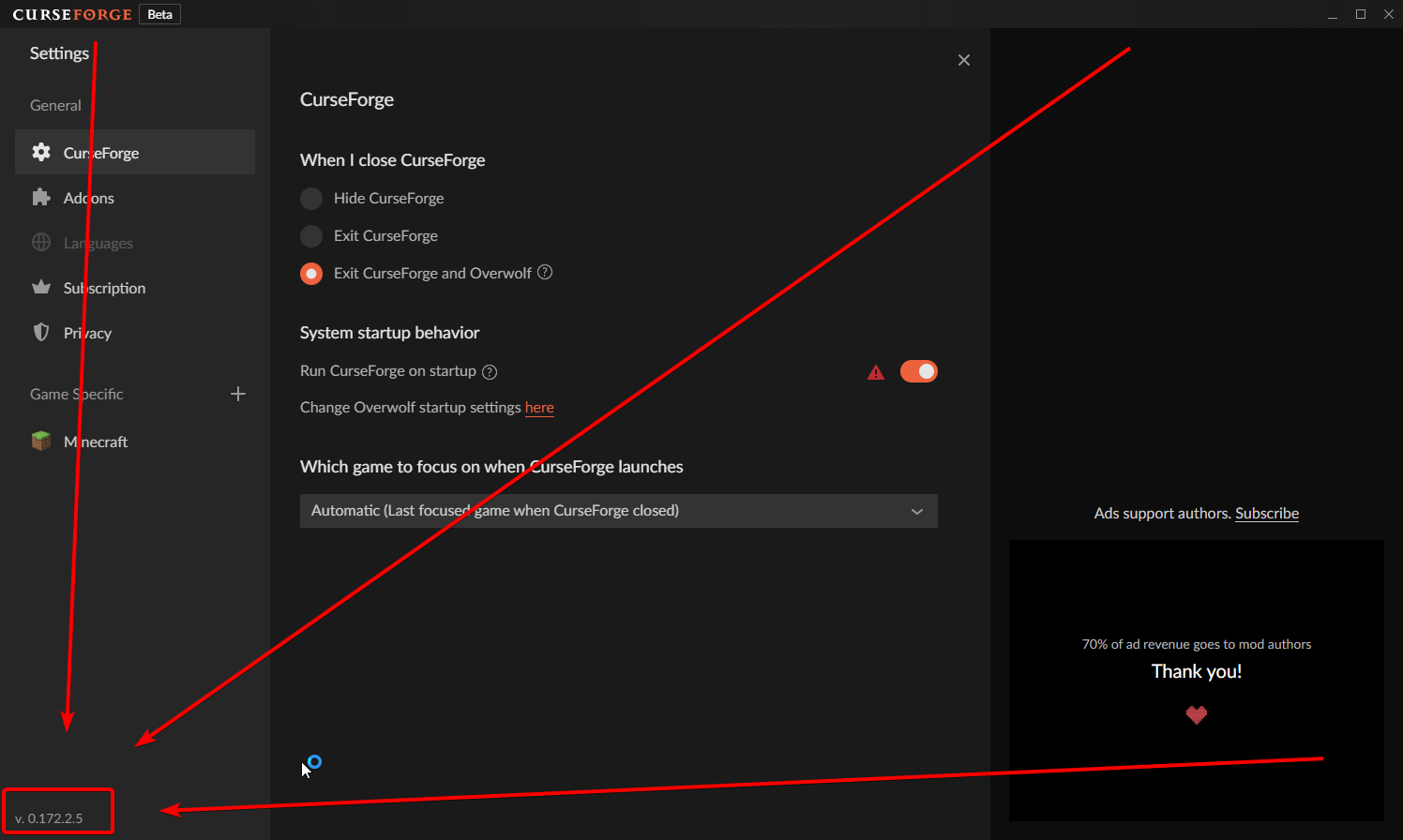
hey! what version are you running? you can check for this in the settings panel, in the bottom leftmost part.
dapper stone
idkjust the normal one i am new to this stuff
green shuttle
the botania mod keeps making my modpack get rejected, even if i reinstall it and downgrade versions.
lyric crescent
dapper stone
idkjust the normal one i am new to this stuff
Click the gear icon, what is the number here https://i.imgur.com/YYsEDwp.png
 dapper stone
0.0.13
queen storm
dapper stone
0.0.13
Reinstall it, current version is at least 0.171.1.2
lyric crescent
delete curseforge, then install curseforge
lyric crescent
Google: mac how to delete a program
dapper stone
ok
queen storm
!getcf
red patioBOT
Looking to install the CurseForge app?
Todo: Place system requirements here.
<:windows:798410728188936222> Windows
<:mac:798410654418862130> Mac
Linux
:person_shrugging:
 humble imp
Can u get mods to Minecraft bedrock?
humble imp
Ok thx
queen storm
humble imp
Can u get mods to Minecraft bedrock?
No, bedrock uses addons
rocky bronze
can you guys help me with OptiFine?
queen storm
rocky bronze
can you guys help me with OptiFine?
No, ask for support on their discord
rocky bronze
?
humble imp
Is there addons in curseforge? Im not on rn so cant check
lyric crescent
There are some on the website.
humble imp
Ok thx
viral briar
yes there is addons on the website
not a huge collection but a few to browse through
red patioBOT
It is 02:49PM on Monday for CurseForge my dudes.
Project Moderation Time
Project/File moderation is done on Sunday - Thursday from 10am - 6pm GMT+2
This process is First in, First out. Thus files submitted late in the work day may not be checked until the next work day.
New Projects or uploads requiring manual approval: 1-3 Working Days
Updates to approved projects not needing manual approval: 1 Hour
File sync to the Curseforge app may take up to 24 hours after approval.
 short bay
ok thanks
 ruby ingot
any way to turn off the auto delete of dependencies mods?
queen storm
ruby ingot
any way to turn off the auto delete of dependencies mods?
!feedback Make sure to search for it though
red patioBOT
<:CFidea:798388634972717066> Have an idea on how to improve CurseForge? <:CFidea:798388634972717066>
CurseForge is looking for great ideas and user feedback! Get into the CurseForge Community by providing some feedback and voting on what's important to you!
Think some game should be supported? Post an idea and explain why!
Got a to die for feature idea? Let's hear it!
Location In-app
- Click the button on the bottom left of the app.
- Click on

Suggest a Featureoption!
 obsidian fiber
my game keeps crashing when i go into a multiplayer world can someone please help me
lyric crescent
?mc-log
red patioBOT
Where to find the log on the CurseForge Client.
Right-click the modpack profile icon OR click the button in the modpack profile.
Click Open Folder.
Open the logs folder.
Find the file called latest.log and drag it into discord.
obsidian fiber
Here is the latest log
lyric crescent
try reinstalling the pack
obsidian fiber
so remove all the mods launch add all the mods and then try again?
lyric crescent
is this something you made?
obsidian fiber
yes
lyric crescent
then try just reinstalling fastcraft
obsidian fiber
ok
so i got in but this is the world i cant move i can barely even look around

do u have any idea of what happened
lyric crescent
cant really help with that, just looks like mod issues
obsidian fiber
ok
 slow geyser
F3 + A could help
obsidian fiber
should i try to reset the whole world maybe?
obsidian fiber
slow geyser
F3 + A could help
it dosent work
viral briar
if F3+A and or F3+T don't work then definitely mod issues
 woven iris
boys i have a problem, so i am trying to play minecraft on curseforge and well nothing happens afterwards, i just press play , something loads and then nothing
 dull breach
read the top pinned message here
 prime zodiac
hey guys im trying to play the Decimation Modpack but it wont even launch, but my bussy is on it right now
error code: 0
Buddy*
prime zodiac
others work but this one specifically doesn't
lyric crescent
?mc-log
red patioBOT
Where to find the log on the CurseForge Client.
Right-click the modpack profile icon OR click the button in the modpack profile.
Click Open Folder.
Open the logs folder.
Find the file called latest.log and drag it into discord.
prime zodiac
lyric crescent
prime zodiac
?mc-installfix
red patioBOT
- Click on the Minecraft Tab on the Left side of the App.
- Click button next to the
Create Custom Profileoption. - Click
Repair Installationoption. - Play game.
NOTE: You will not lose any modpacks or worlds, These are saved in the Instances folder. DO NOT TOUCH THIS FOLDER OR YOU WILL LOSE EVERYTHING
prime zodiac
wdym @lyric crescent
lyric crescent
follow the instructions
prime zodiac
wil try that
 topaz rock
i dont understand something
https://www.curseforge.com/minecraft/modpacks/valhelsia-3/files
how can valhelsia post server pack when the server pack contains client side mods?
lyric crescent
wym how? what is the issue?
queen storm
Some client side mods are programmed correctly
queen storm
Which is the client side mod then?
topaz rock
i didn't look much but i for example saw better biome blend
and better advancements
and cat jammies
queen storm
Those are the related projects 🤦♂️
queen storm
That is the client side mod list, not server
 round rivet
what?

 viscid mantle
My modpack got approved today, but it's not showing up on the CurseForge app. We're modding a server and need it to show through the app or else we can't get it to work (or maybe we can, I just haven't figured it out). What should I do?
lyric crescent
!sync
red patioBOT
Sync and your Project.
CurseForge App and site do not share the same requirements! You can find things on the site but this does not mean it will be in the app!
For a mod to show up in the app:
- Projects MUST have a file marked as RELEASE
- Projects MUST be APPROVED
- Projects MUST have a file marked for the PROFILE VERSION USED
- Projects CAN'T be EXPERIMENTAL
- Projects CAN'T be ABANDON
Files can take a while to show up in the app. If your files still have not shown up either your project is new and you have yet to mark a file as Release or there is issues with the sync system making it slow.
 twin pilot
does anyone know what exit code -1 means?
viscid mantle
"* Projects MUST have a file marked for the PROFILE VERSION USED" - what does this mean?
 warm shuttle
hey guys why is it mods and not showing up on the curseforge interface for modpacks, im seeing the files still in the folder, but they tend to not show from time to time, like RN i have 210 files in my folder, and now it says 186 on the clients interface for the modpack, it did show the correct number yesterday, but now its acting up (this has happend before)
lyric crescent
viscid mantle
"* Projects MUST have a file marked for the PROFILE VERSION USED" - what does th...
that's for mods, not modpacks. mods must match the profile version to show
viscid mantle
lyric crescent
that's for mods, not modpacks. mods must match the profile version to show
so I shouldnt worry about it?
warm shuttle
ahh so it wont affect anything?
lyric crescent
unless your project is a mod
warm shuttle
wait lol nvm
 gaunt marsh
hey so I have a problem it says that it is not compatible i could really use a fix I am on windows 10
lyric crescent
warm shuttle
hey guys why is it mods and not showing up on the curseforge interface for modpa...
gunna need to make a ticket and send logs on this
?ticket-app
red patioBOT
:bug: Reporting via the CurseForge App :bug:
-
Click the
icon in the bottom left. -
Select
Open a Ticket. -
Fill out the form with accurate detailed information, "It doesn't work" isn't helpful! What exactly doesn't work and why doesn't it work should be easy to answer!
-
Make sure to upload your Overwolf logs with the
Upload Fileoption on the ticket, information on how to get these logs can be found here https://support.overwolf.com/en/support/solutions/articles/9000176827-how-to-get-your-overwolf-logs -
Submit!
warm shuttle
okay thank you 🙂
 spare pasture
hello can anyone help me
 dusky glacier
When I try to install minecraft on curseford, it opens a link in my browser that says "Oops, something went wrong... Seems like curseford has crashed unexpectantly". Does anyone know what could be causing it to crash?
I don't know anything about mods lol so I probably can't help you IPeN, sorry. Good luck finding help
spare pasture
Hello have anyone idea about server modpack from better minecraft
twin pilot
does anyone know what exit code -1 means?
queen storm
round rivet
what?
Upload went wrong
queen storm
digital roost
Why some mod don't working?
Broken mod, wrong config
digital roost
thx
 exotic burrow
I'm having problems with installing minecraft, is there any way to check logs? will they even be sent to a support team if I'll create a ticket?
 queen storm
!ticket-app
red patioBOT
:bug: Reporting via the CurseForge App :bug:
-
Click the
icon in the bottom left. -
Select
Open a Ticket. -
Fill out the form with accurate detailed information, "It doesn't work" isn't helpful! What exactly doesn't work and why doesn't it work should be easy to answer!
-
Make sure to upload your Overwolf logs with the
Upload Fileoption on the ticket, information on how to get these logs can be found here https://support.overwolf.com/en/support/solutions/articles/9000176827-how-to-get-your-overwolf-logs -
Submit!
queen storm
 royal dagger
I am useing 6GM RAM for a modpack but it is useing 10GB RAM
royal dagger
I am useing 6GM RAM for a modpack but it is useing 10GB RAM
Show the ram setting
royal dagger
which setting better explain pls
queen storm
!mc-ram
red patioBOT
How to set Global Minecraft RAM value.
- Click the icon in the bottom left to open settings.
- Click the Minecraft tab.
- Scroll down.
- Slide slider to recommended ram range as seen below.
 queen storm
Are you overriding it in the normal launcher?
royal dagger
no
queen storm
!ticket-app
red patioBOT
:bug: Reporting via the CurseForge App :bug:
-
Click the
icon in the bottom left. -
Select
Open a Ticket. -
Fill out the form with accurate detailed information, "It doesn't work" isn't helpful! What exactly doesn't work and why doesn't it work should be easy to answer!
-
Make sure to upload your Overwolf logs with the
Upload Fileoption on the ticket, information on how to get these logs can be found here https://support.overwolf.com/en/support/solutions/articles/9000176827-how-to-get-your-overwolf-logs -
Submit!
 stiff birch
How long does it usually take for a modpack to recieve an update on the launcher?
queen storm
!status
red patioBOT
It is 09:19PM on Monday for CurseForge my dudes.
Project Moderation Time
Project/File moderation is done on Sunday - Thursday from 10am - 6pm GMT+2
This process is First in, First out. Thus files submitted late in the work day may not be checked until the next work day.
New Projects or uploads requiring manual approval: 1-3 Working Days
Updates to approved projects not needing manual approval: 1 Hour
File sync to the Curseforge app may take up to 24 hours after approval.
stiff birch
okay so about a day
queen storm
If it is set as release that is
stiff birch
what about when it is set as beta?
Hm, I've just now encountered an issue.
when I attempt to download the pack it simply fails
queen storm
!sync
red patioBOT
Sync and your Project.
CurseForge App and site do not share the same requirements! You can find things on the site but this does not mean it will be in the app!
For a mod to show up in the app:
- Projects MUST have a file marked as RELEASE
- Projects MUST be APPROVED
- Projects MUST have a file marked for the PROFILE VERSION USED
- Projects CAN'T be EXPERIMENTAL
- Projects CAN'T be ABANDON
Files can take a while to show up in the app. If your files still have not shown up either your project is new and you have yet to mark a file as Release or there is issues with the sync system making it slow.
 queen storm
How did you add the mods?
stiff birch
wdym?
queen storm
How did you add the mods to the modpack
stiff birch

through normal curseforge download via exported profile?
there are no .jar overrides, no mods are being outsourced
all directly downloaded from curse
oh
nevermind
it decided to fix itself randomly
it works fine now
 merry ivy
my modpack has not synced, it has been well over 24 hours
fleet bear
!sync
red patioBOT
Sync and your Project.
CurseForge App and site do not share the same requirements! You can find things on the site but this does not mean it will be in the app!
For a mod to show up in the app:
- Projects MUST have a file marked as RELEASE
- Projects MUST be APPROVED
- Projects MUST have a file marked for the PROFILE VERSION USED
- Projects CAN'T be EXPERIMENTAL
- Projects CAN'T be ABANDON
Files can take a while to show up in the app. If your files still have not shown up either your project is new and you have yet to mark a file as Release or there is issues with the sync system making it slow.
merry ivy
fleet bear
!sync
how do you mark as relase
fleet bear
Click the file name and then edit in the top right. Change it to release.
stiff birch
It says it has to be marked as release but mine is marked as beta and works. RLcraft also has all files marked as beta, it just can't be marked as alpha
 woeful heath
im trying to download forge-1.12.2-14.23.4.2766 but when i launch the installer nothing hapens and a log pops up
queen storm
woeful heath
im trying to download forge-1.12.2-14.23.4.2766 but when i launch the installer ...
woeful heath
oh sorry
viscid mantle
I uploaded the same file after moderation, and it got rejected because it was a duplicate. What do I have to change?
stiff birch
Why'd you upload the same file?
 heady pollen
!status
red patioBOT
It is 10:59PM on Monday for CurseForge my dudes.
Project Moderation Time
Project/File moderation is done on Sunday - Thursday from 10am - 6pm GMT+2
This process is First in, First out. Thus files submitted late in the work day may not be checked until the next work day.
New Projects or uploads requiring manual approval: 1-3 Working Days
Updates to approved projects not needing manual approval: 1 Hour
File sync to the Curseforge app may take up to 24 hours after approval.
 abstract minnow
I think I accidentally submitted an unsupported 3rd party mod that wasn't on the list, can I remove them and reupload the export for a modpack or will that be considered spam if I do it so quickly?
(I'm only assuming the first thing because it was rejected so quickly)
 low phoenix
I downloaded a minecraft mod, but it wont open
viscid mantle
stiff birch
Why'd you upload the same file?
I thought it wanted the modpack file? If not, what files does it want?
fleet bear
abstract minnow
I think I accidentally submitted an unsupported 3rd party mod that wasn't on the...
yes, you can remove it and upload it again
stiff birch
@viscid mantle what's the problem you're having exactly?
viscid mantle
My modpack was approved, but I had to upload a new file. I thought that file was the modpack file, but it was apparently not. My modpack was then rejected for uploading the same .zip file I had uploaded before, except this time marked as release.
signal ridge
Is the other file not marked as release?
stiff birch
The project has the modpack zip marked as alpha, correct?
If so, you don't need to reupload it. You need to edit it to be beta/release
Alpha files are considered dev files and don't sync with the launcher
(I think)
viscid mantle
but the file i had uploaded wasnt there anymore, i had to submit something
and when i did, it was rejected
fleet bear
go to the files page, click all files, take a picture
viscid mantle

 fallow halo
will there be an update to run curseforge on M1 macs without using rosetta? probably not a common question and its my second computer so i dont use it for curseforge that often but when i travel i cant bring my windows desktop lol
viscid mantle
 fleet bear
viscid mantle
fleet bear
viscid mantle
You need to click the "View all"
signal ridge
fallow halo
will there be an update to run curseforge on M1 macs without using rosetta? pro...
The M1 issue is an issue with minecraft itself (mojang)
 unborn mango
can someone explain how to add shaders to minecraft modpacks
viscid mantle
 fleet bear
unborn mango
can someone explain how to add shaders to minecraft modpacks
fleet bear
unborn mango
can someone explain how to add shaders to minecraft modpacks
read the information provided by the mod/shaders
viscid mantle
thats all been approved,,
stiff birch
@viscid mantle on the files page click on the modpack zip and click edit, change it to beta or release
fleet bear
viscid mantle
click the Status drop down and set it to ---
fallow halo
oh no...actually modded minecraft runs very well so far. 90 fps which isnt the best but not terrible and im using a resource pack. shaders are a total no go and vanilla minecraft gets 290 fps on m1
viscid mantle
 fleet bear
Ok, so then do what was asked mentioned already.
Click the name of the alpha file, click edit in the top right, change it to relesase.
fleet bear
No, nobody can see it
viscid mantle
aah alrighty
stiff birch
Give it half an hr for the modpack to show up in the launcher
viscid mantle
in the app?
stiff birch
Yeah, since you just set it to released it'll take a bit to update
It's automatic, so shouldn't be more than an hr
viscid mantle
alrighty, thank you both!!
stiff birch
Ofc :)
digital roost
guys im trying to start up my game but im getting this crash report any idea what it might be?
 tulip valley
Hello, I got a notification that wanted me to use the twitch app to fix something? They deleted my modpack file, and I'm really confused. Could someone please help?
Am I going to have to wait for the review time again?
I reuploaded the file, and it seems like it deleted itself. Please someone @ me if you can help with this, im extremely confused.
fleet bear
tulip valley
Hello, I got a notification that wanted me to use the twitch app to fix somethin...
post a screenshot of the error
tulip valley

Also, directly after I uploaded the new file I received the same exact notification and it deleted the file once again. How can I fix this?
fleet bear
tulip valley
delete the mod and install it with the app
 worthy scarab
me and my brother are trying to join each other with a Lan server and its not working everytime i try to join it says connection time out. can someone please help me
tulip valley
fleet bear
delete the mod and install it with the app
Hwyla isnt available on this version, it only goes up to 1.16.2 on curseforge. I deleted the mod entirely so hopefully that fixes things.
Thank you
fleet bear
worthy scarab
me and my brother are trying to join each other with a Lan server and its not wo...
Don't use lan
worthy scarab
why
fleet bear
because it doesn't always work and has issues with mods
worthy scarab
well then i have to do the server thing and i dont think i have a good enough pc for that
fleet bear
its the same requirements as running a lan
worthy scarab
k
tulip valley
worthy scarab
well then i have to do the server thing and i dont think i have a good enough pc...
My partner and I spent over an hour attempting to get LAN to work, to make it easy I'd just say that LAN isnt possible with most modpacks
 hardy adder
hello - i'm new here and installing BOP on a shockbyte hosted server - does anyone else have the issue that the new BOP items generate in a creative inventory but the biomes themselves don't exist>
like i can go into creative and see the array of new items but there aren't any actual biomes?
fleet bear
hardy adder
hello - i'm new here and installing BOP on a shockbyte hosted server - does anyo...
Not a curseforge issue
hardy adder
ftp upload issue?
fleet bear
read the BOP page
fleet bear
curseforge has nothing to do with servers
digital roost
digital roost
guys im trying to start up my game but im getting this crash report any idea wha...
so can somebody help?
fleet bear
Not a CurseForge problem
 brave lichen
I have a question for y'all
this makes no sense really


see, its bigger in the editor
but no matter what I do it wont make the size right on the page itself
digital roost
fleet bear
Not a CurseForge problem
then what
brave lichen
this is a modpack issue
fleet bear
brave lichen
but no matter what I do it wont make the size right on the page itself
likely an issue with the source HTML. Try editing it directly.
brave lichen
?
fleet bear
The editor is known garbage and will be replaced.
fleet bear
click the </> button and edit the source directly.
brave lichen
besides that, curse is a pretty nice platform
ive been using the other launcher for years
fleet bear
not a curseforge problem. Talk to the server owner
brave lichen
but folks have told me for years I should bother to come over here
fleet bear
Yes. CF is nice, not as nice as it could be but you can thank Twitch for that.
brave lichen
Ive had a solid influx of folks from this launcher, looks like people really want a pirate modpack haha
fleet bear
OW has been doing well thus far at attempting to fix it.
fleet bear
Yeah I can't think of anything pirate related on CF.
Twitch bought Curse as a whole likely for the chat/app platform to compete with Discord and to try and get people into a twitch ecosystem but they failed miserably.
 gritty token
Anyone got experience setting up a docker server with CF mods/modpacks?
fleet bear
gritty token
Anyone got experience setting up a docker server with CF mods/modpacks?
Not a CF problem.
digital roost
Why I can't install Pixelmon Mod? (Not Modpack)
-The loading go to 3%, then returns to 0%, and finally the error

If I click learn more, I go to this page
 digital roost
So I create another custom profile?
digital roost
but i'm trying to install the mod, not the modpack
@fleet bear How can I release my own mod pack ?
fleet bear
digital roost
but i'm trying to install the mod, not the modpack
Can you install anything else
fleet bear
digital roost
<@!117433042401886214> How can I release my own mod pack ?
!mc-packshare
red patioBOT
There are two ways to share a modpack you've made with others...
Export and Share - For Friends to Small Groups.
- Click the Icon for the modpack.
- Click the button next to play.
- Click

Export. - Select the files that should be included.
- Send the zip to the people that want it! They can follow the instructions in
!mc-installpackto install the pack!
Upload to Curseforge - For Public Release to Everyone.
This options will make your pack public to EVERYONE, it comes with extra requirements and will take some effort to set up.
- Go to here: https://www.curseforge.com/project/432/4471/create
- Fill out the information with a proper description of the pack. This should allow anyone to understand what the pack is.
- Click the Icon for the modpack in the CurseForge app.
- Click the button next to play.
- Click
Export. - Select the files that should be included.
- Open your Project you made on the CurseForge site and Upload the file you just made.
- Wait for Moderation & Sync so it can show up in the client! (See
!syncfor limitations)
digital roost
fleet bear
!mc-packshare
thx
Idk other pokemon mod, but I probably can
What about I install Pixelmon on google, and puts in mods folder?
fleet bear
that works too
verbal dune
is there anyway to see if my file was actually sent? Or do i only know when i hopefully get approved
fleet bear
look at the files tab
verbal dune
i sent the file to get my project approved is there any way to know it actually sent?
fleet bear
Look at the files tab
verbal dune
there is nothing there
fleet bear
change the sort option to ---
verbal dune
its not letting me sort cuz there are no files
even tho i uploaded files for approval
fleet bear
Look at your notifications
fleet bear
then you didn't upload a file
verbal dune
dont new files for a new project have to approved cuz idk why my files arent sending then
fleet bear
upload a new file
verbal dune
ok thank you turns out it was my own error
how long does it take for projects to be approved
 violet onyx
 lofty badger
yo anyone know how to get sugarcane in atm6
signal ridge
lofty badger
yo anyone know how to get sugarcane in atm6
Not a cursefore problem #💬︱general-chat or #🧱︱minecraft-chat (go to #786424115535544350 get the mc role)
 ember lynx
Im trying to get a curseforge discord bot to post my latest mod releases, can i get some help?
signal ridge
Huh? The discord bot has nothing to do with site uploads
ember lynx
Im looking to get/make a bot to post my curseforge uploads on discord
signal ridge
Thats not a curseforge issue.
 bright nimbus
so my curseforge installer popup poping up?

i can open multiple instances of it but nothing happens
 indigo cypress
so uhhh when i open curse forge this pops up
 fleet bear
That would be best to follow the directions on the window
bright nimbus
So uh, my issue just unsolvable?
fleet bear
bright nimbus
So uh, my issue just unsolvable?
!getcf
red patioBOT
Looking to install the CurseForge app?
Todo: Place system requirements here.
<:windows:798410728188936222> Windows
<:mac:798410654418862130> Mac
Linux
:person_shrugging:
fleet bear
use that link instead
 quasi cradle
I'm having trouble with my 2fa, my auth code is in my old broken phone and I couldn't transfer it, I can't get into my 2fa stuff without it, how do I get in.
@fleet bear sorry for the ping but do I dm you for a new temporary code or something.
btw I use google auth
bright nimbus
fleet bear
!getcf
is there a version of that for curseforge? it seems the overwolf one works but curseforge still doesnt
or can i download curseforge through overwolf?
fleet bear
quasi cradle
<@!117433042401886214> sorry for the ping but do I dm you for a new temporary co...
you would need to open a support ticket. I'm just a Discord mod I don't work for CF/OW.
!ticket-site
red patioBOT
:bug: Reporting via Website :bug:
Can't open the app or would rather use the website? You can do so here: https://support.curseforge.com/en/support/tickets/new
Fill out the form with accurate detailed information, "It doesn't work" isn't helpful! What exactly doesn't work and why doesn't it work should be easy to answer!
Make sure to upload your Overwolf logs with the Upload File option on the ticket, information on how to get these logs can be found here https://support.overwolf.com/en/support/solutions/articles/9000176827-how-to-get-your-overwolf-logs
quasi cradle
thanks
fleet bear
bright nimbus
is there a version of that for curseforge? it seems the overwolf one works but c...
Just get it from the app store
bright nimbus
Thanks
digital roost
I just got this notification but I have no clue what it means


what does it mean and how do I fix it?
signal ridge
digital roost
what does it mean and how do I fix it?
How did you make the zip file?
signal ridge
The zip folder that you uploaded to the site.
Open the zip folder > overrides folder > open the mods folder and take a screen shot
digital roost
zip folder?
signal ridge
yeah, what the app exported out
digital roost
is it called zip folder because if it is I don't have one
signal ridge
🤦 Its the file the app created when you did the export. The one you are trying to upload to the site
 signal ridge
? That all that is in the zip folder?
signal ridge
this the same zip that your trying to put on the site?
digital roost
when i submitted my file i went to curseforge > minecraft > install > foot craft (crazy)-1.12.zip
then i submittesd that
the zip that i said
i didn't click on it i submitted it
incase u were confusd because i made a symbol thats hows i clicked
signal ridge
!mc-packshare do this
red patioBOT
There are two ways to share a modpack you've made with others...
Export and Share - For Friends to Small Groups.
- Click the Icon for the modpack.
- Click the button next to play.
- Click
Export. - Select the files that should be included.
- Send the zip to the people that want it! They can follow the instructions in
!mc-installpackto install the pack!
Upload to Curseforge - For Public Release to Everyone.
This options will make your pack public to EVERYONE, it comes with extra requirements and will take some effort to set up.
- Go to here: https://www.curseforge.com/project/432/4471/create
- Fill out the information with a proper description of the pack. This should allow anyone to understand what the pack is.
- Click the Icon for the modpack in the CurseForge app.
- Click the button next to play.
- Click
Export. - Select the files that should be included.
- Open your Project you made on the CurseForge site and Upload the file you just made.
- Wait for Moderation & Sync so it can show up in the client! (See
!syncfor limitations)
signal ridge
do that to make the zip file
digital roost
i did
signal ridge
Then all the mods that are in the reject message you need to delete and reinstall with the app
digital roost
i added those mods through curseforge.com
red patioBOT
How to install mods in CurseForge App.
- Click
+ Create Custom Profile - Name it, select the required Minecraft version, select the Forge version (usually the highest number), click
Create. - Click the profile icon.
- Click
Add New Content - Search and install the desired mods.
- Start the game!
How to install mods not on CurseForge.
- Right click the profile picture or Open the profile and click the Icon next to the play button.
- Click
Open Folder. - Drag the mod(s) into the
modsfolder. (Note: Some mods will require others, to run. Make sure to read the instructions for the mod!) - Start the game!
digital roost
i can't
signal ridge
Why?
digital roost
a lot of them aren't in the app
signal ridge
If they are on the site they are in the app
signal ridge
Or do you have mods of different versions
Does the pack boot? Like have you tested that it launches without crashing?
digital roost
I think im halucinatng
nevermind
wtf???
i put in chickens on the curseforge app last week and the mod didn't come up but nw it does
signal ridge
¯_(ツ)_/¯
digital roost
thx
 vernal tangle
i downloaded a couple of minecraft mods but each time i launch them the game closes instantly
signal ridge
vernal tangle
i downloaded a couple of minecraft mods but each time i launch them the game clo...
Any errors pop up?
vernal tangle
I'll check in a moment, I'm redownloading
Hmm, redownloading it seems to have fixed the issue.
Sorry to bother you.
signal ridge
All good, have fun
vernal tangle
Thanks!
 broken ice
trying to open up skyfactory and it keeps giving me error 0 every time dont know what to do first time trying to play minecraft on pc btw
 thick ridge
i am trying to put a mod into my curse forge how do i do that
broken ice
skyfactory 4 to be exact and it just keeps telling me i have an error code 0 and crashes always
thick ridge
i downloaded the java thing but how do i put it inot my curse forge
 languid geyser
Hi I've made a modpack that was approved and I'm wondering how to make a server pack for it for others to download?
fleet bear
!mc-installpack
red patioBOT
How to install modpacks with the search features in app.
- Open the
Minecraftsection of the app. - Click the top search bar where it says
Search for modpacksOR Click theBrowse ModpacksTab. - Find the Modpack you want to install and click install on it.
- Wait for CurseForge app to download and unpack all the required files.
- Once finished, click
Play!
How to install modpacks from a Export. (Custom/Private/Site downloaded Modpack zip)
- Get CurseForge App if you don't have it, use
!downloadfor a link. - Get the exported modpack from CurseForge or someone else,
!mc-packshareexplains how to make them. - Open the
Minecraftsection of the app. - Click
Create Custom Profile - Click the
Importoption. - Find the file you just downloaded in step 2 and select it.
- CurseForge app will now attempt to download and unpack the modpack. If it fails, try steps 4-6 again.
- Once finished, click
Play!
signal ridge
broken ice
trying to open up skyfactory and it keeps giving me error 0 every time dont know...
!mc-installfix try this
red patioBOT
- Click on the Minecraft Tab on the Left side of the App.
- Click button next to the
Create Custom Profileoption. - Click
Repair Installationoption. - Play game.
NOTE: You will not lose any modpacks or worlds, These are saved in the Instances folder. DO NOT TOUCH THIS FOLDER OR YOU WILL LOSE EVERYTHING
broken ice
i don't even see where that's at lol im such a noob to installing mods on minecraft literally started today
signal ridge
Are you using the curseforge app?
signal ridge
Found it?
broken ice
yep right in front of me i thought you were talking about the icon for minecraft
in the top right corner of the window itself
signal ridge
yep
broken ice
thanks alot 👍
btw do u know why the minecraft.net is in spanish
cause im tired of using google translate lol
signal ridge
no idea, Curseforge isnt a part of mojang. But check at the bottom of the page, should be some language settings
broken ice
even clicking the language settings a million times isn't doing anything
signal ridge
would have to ask their support ¯_(ツ)_/¯
 neon arrow
Hay for some reason it isn't letting me download any mod packs of MC
 sturdy steeple
hello! im trying to install mod packs for minecraft but when ever i click "play", it takes me to minecraft but every time the download fails
sturdy steeple
neon arrow
Hay for some reason it isn't letting me download any mod packs of MC
same
 neon arrow
maybe it will be fixed in the morning bc it was working fine about 4hrs ago
sturdy steeple
it never fully downloads
neon arrow
yah bit when messing around I decided to delete it and re instal it from scrach and now I cant even get that far
sturdy steeple
oof
neon arrow
yah
sturdy steeple
it says "failed to download file" or smtg
neon arrow
yah exactly and then it says the name of the pack I was trying to download
neon arrow
any clue if anyone is up that can help us with this problem
sturdy steeple
@lyric crescent do you know how to fix this problem?
neon arrow
nice
 neon arrow
how do I take a screenshot (just got a computer)
sturdy steeple
shift+command+3 or shift+command+4 if you want to take a cropped screenshot
neon arrow
but yah that its what it said before I tried uninstalling it and reinstalling it
sturdy steeple
oof
neon arrow
yah im failing in the screen shot department but yah you and I are having the same problem
whatever you do don't delete it
 vivid wren
Hello, i have a question. How do i put on my skins with the Cursedforge launcher
red patioBOT
Hey there, it is Curseforge, not "Cursed forge"
 long willow
When a lot of people download my modpack they get the following error:
“The underlying connection was closed: An unexpected error occurred on a send.”
 normal laurel
Hey can someone help me out my MC launcher is gray when i open it and I cant do anything. I installed lunar client before but Idk if that does anything.
signal ridge
normal laurel
Hey can someone help me out my MC launcher is gray when i open it and I cant do ...
#📛︱rules 4 read em
 signal ridge
Delete the mod it is saying and redownload it with the app
green shuttle
I've done that multiple times
digital roost
I am trying to run Pirates and looters mod as well as terra world generation however the pirate islands and ships are not generating because terra renames the biomes. Anyone know the fix?
fleet bear
digital roost
I am trying to run Pirates and looters mod as well as terra world generation how...
Not a curseforge problem
digital roost
Oh. Well i have another problem that i think you may be able to help with. Alex's mobs needs a dependancy called citadel. Every time i run Citadel it crashes and says:
java.lang.NoSuchMethodError:
Crash log
signal ridge
digital roost
Oh. Well i have another problem that i think you may be able to help with. Alex'...
How did you install the mod? With the app or from the site?
digital roost
Well i installed it all from curseforge
signal ridge
to #👽︱game-support we go
signal ridge
!mc-installmods
red patioBOT
How to install mods in CurseForge App.
- Click
+ Create Custom Profile - Name it, select the required Minecraft version, select the Forge version (usually the highest number), click
Create. - Click the profile icon.
- Click
Add New Content - Search and install the desired mods.
- Start the game!
How to install mods not on CurseForge.
- Right click the profile picture or Open the profile and click the Icon next to the play button.
- Click
Open Folder. - Drag the mod(s) into the
modsfolder. (Note: Some mods will require others, to run. Make sure to read the instructions for the mod!) - Start the game!
 magic tree
thx
 thorn stag
i tried to install the curseforge launcher but i get a connection error despite having a stable internet connection
does anyone know how to fix that?
 silent flicker
I have created a pack and uploaded a file, but the file doesn’t proceed. Can somebody help me?
The file disappears after a few minutes.
fleet bear
Did you export it
silent flicker
What do you mean with export?
fleet bear
did you use the app to export a profile or are you just throwing random zip files at it
silent flicker
I created a project on the page
silent flicker
I have put the mods into a zip file and uploaded it. After that there was the status processing and then the file disappears
red patioBOT
There are two ways to share a modpack you've made with others...
Export and Share - For Friends to Small Groups.
- Click the Icon for the modpack.
- Click the button next to play.
- Click
Export. - Select the files that should be included.
- Send the zip to the people that want it! They can follow the instructions in
!mc-installpackto install the pack!
Upload to Curseforge - For Public Release to Everyone.
This options will make your pack public to EVERYONE, it comes with extra requirements and will take some effort to set up.
- Go to here: https://www.curseforge.com/project/432/4471/create
- Fill out the information with a proper description of the pack. This should allow anyone to understand what the pack is.
- Click the Icon for the modpack in the CurseForge app.
- Click the button next to play.
- Click
Export. - Select the files that should be included.
- Open your Project you made on the CurseForge site and Upload the file you just made.
- Wait for Moderation & Sync so it can show up in the client! (See
!syncfor limitations)
 rugged swift
"An invalid folder path was chosen" shows up wherever I want to install Minecraft through curseforge, any help ?
lyric crescent
?mc-path
red patioBOT
**Minecraft Files should NOT be installed inside the following locations
.minecraft folder.
OneDrive folders.
Desktop folder.
Drive roots I.E. Directly into the C:\ drive.
iCloud enabled folders.
If any of the above are in the path you need to change/move it by following the instructions below!**
If Minecraft is not installed in CurseForge App, start here.
Click the in the top left.
Select Minecraft.
Click "Edit".
Move to the "Continue here:" section below.
If Minecraft is installed in CurseForge App, follow these steps.
Click the in the bottom left.
Select the Minecraft tab.
Click "Change".
Move to the "Continue here:" section below.
Continue here:
Make a folder in the root directory called CurseForge.
Select the folder you just made.
The text box should show something like the following:
For Windows: C:\CurseForge
For Mac: /Users/Shared/CurseForge
rugged swift
I've tried everywhere
queen storm
Show the paths then
 proven bronze
I made modpack but how do i change the modloader. I want it to be ''forge-36.1.6
 jaunty rampart
You go into the mod and then to the 3 Points and press Profile Option and the choose the version
 earnest viper
The "Finalizing forge" part of modpack loading takes like a minute for a 30-mod modpack for me
is that intended?
it feels like it was a lot faster before
proven bronze
jaunty rampart
You go into the mod and then to the 3 Points and press Profile Option and the ch...
ty
And how do i change the pic of the pack?
round rivet
What?
 jaunty rampart
proven bronze
And how do i change the pic of the pack?
jaunty rampart
proven bronze
And how do i change the pic of the pack?
Apperantly i dont think you can do this i just think when you upload it I am not sure
queen storm
round rivet
What?
Upload error
round rivet
Thx
 snow zenith
Hellos, can i make own mods on curseforge and use them?
queen storm
snow zenith
Hellos, can i make own mods on curseforge and use them?
You make mods with Java, not with Curseforge
queen storm
Still need to make it outside of curseforge
 snow lion
/multiplayer
 rich cargo
How can I create minecraft server on snapshot with Overwolf?
viral briar
you can't create a server with overwolf , you either host one on your pc or rent one
rich cargo
I mean, with curseforge, is there a way to downalnd it?
because i can only create empty profile with 1.16.5, but i want to make snapshot and downland server set-up with it
 spare heron
how can i put a modpack in minecraft?
viscid mantle

my modpack has no version number, so my friend cant add it to our server. How to add a version?
 toxic zodiac
how do I download pillagers plus mod
and use it on my minecraft
anyone
I need help
red patioBOT
How to install mods in CurseForge App.
- Click
+ Create Custom Profile - Name it, select the required Minecraft version, select the Forge version (usually the highest number), click
Create. - Click the profile icon.
- Click
Add New Content - Search and install the desired mods.
- Start the game!
How to install mods not on CurseForge.
- Right click the profile picture or Open the profile and click the Icon next to the play button.
- Click
Open Folder. - Drag the mod(s) into the
modsfolder. (Note: Some mods will require others, to run. Make sure to read the instructions for the mod!) - Start the game!
 uncut lynx
LOL
 ivory flicker
It cant find Stardew, I bought it on steam and when I try to scan for it, it doesn't find it and I'm not sure where/how to manually find it
 fluid remnant
How can i add flan content packs to a custom profile?
And/Or add external mods in a manner where i can still export the profile so others can use it?
wheat jacinth
So I switch PC to one with more hard drives and I was wondering how to change the drive its under without changing the file structure
queen storm
ivory flicker
It cant find Stardew, I bought it on steam and when I try to scan for it, it doe...
!knownissues Look at "other games"
red patioBOT
Known Issues with solutions or status of the issue.
Overwolf maintains a known list of issues here, some with solutions, others without.
https://support.curseforge.com/en/support/solutions/articles/9000196615-curseforge-known-issues
queen storm
fluid remnant
And/Or add external mods in a manner where i can still export the profile so oth...
queen storm
wheat jacinth
So I switch PC to one with more hard drives and I was wondering how to change th...
ivory flicker
Ah i see, thanks
 north topaz
hi! I need help, I can't run profiles/modpacks, when I am in the launcher and I click play, it crashes
 weary galleon
so i downloaded a a zip file that i cant import into curseforge
and idk what to do
signal ridge
north topaz
hi! I need help, I can't run profiles/modpacks, when I am in the launcher and I ...
!mc-installfix try this
red patioBOT
- Click on the Minecraft Tab on the Left side of the App.
- Click button next to the
Create Custom Profileoption. - Click
Repair Installationoption. - Play game.
NOTE: You will not lose any modpacks or worlds, These are saved in the Instances folder. DO NOT TOUCH THIS FOLDER OR YOU WILL LOSE EVERYTHING
north topaz
I did it
signal ridge
weary galleon
so i downloaded a a zip file that i cant import into curseforge
Where did you get the zip from?
weary galleon
mediafire
north topaz
and it crashed anyway
weary galleon
/ a link from yt lol
signal ridge
north topaz
and it crashed anyway
!mc-logs
red patioBOT
Where to find the log on the CurseForge Client.
Right-click the modpack profile icon OR click the button in the modpack profile.
Click Open Folder.
Open the logs folder.
Find the file called latest.log and drag it into discord.
signal ridge
weary galleon
/ a link from yt lol
Open the zip and take a screenshot of it
 north topaz
signal ridge
weary galleon
https://gyazo.com/38d83d154b4a664cea3a54c493657ba6
north topaz
signal ridge
weary galleon
https://gyazo.com/38d83d154b4a664cea3a54c493657ba6
How are you importing it into the app?
weary galleon
it said you can import zip files into curseforge
so i tried tha
bu thtere is no option to
and now i have no idea
signal ridge
north topaz
Try the install fix again then restart your pc
north topaz
ok I'll try
viscid mantle

my modpack has no version number, so my friend cant add it to our server. How to add a version?
north topaz
nothing
queen storm
viscid mantle
my modpack has no version number, so my friend cant add it to our server. How to...
Link the pack
north topaz
it didn't work:/
viscid mantle
how?
queen storm
viscid mantle
how?
Get the link from the curseforge website?
signal ridge
here
viscid mantle
oooooh
queen storm
I want a link to your project
signal ridge
north topaz
it didn't work:/
!mc-path try changing the path to what this recommends
red patioBOT
**Minecraft Files should NOT be installed inside the following locations
.minecraft folder.
OneDrive folders.
Desktop folder.
Drive roots I.E. Directly into the C:\ drive.
iCloud enabled folders.
If any of the above are in the path you need to change/move it by following the instructions below!**
If Minecraft is not installed in CurseForge App, start here.
Click the in the top left.
Select Minecraft.
Click "Edit".
Move to the "Continue here:" section below.
If Minecraft is installed in CurseForge App, follow these steps.
Click the in the bottom left.
Select the Minecraft tab.
Click "Change".
Move to the "Continue here:" section below.
Continue here:
Make a folder in the root directory called CurseForge.
Select the folder you just made.
The text box should show something like the following:
For Windows: C:\CurseForge
For Mac: /Users/Shared/CurseForge
viscid mantle
queen storm
I want a link to your project
did that help?
queen storm
viscid mantle
did that help?
Should be able to be installed
viscid mantle
should it have a version now?
it is able to be installed, thats not the problem,
it has no version so my friend cant add it to his server
signal ridge
For a server should just be able to take the mods and what not out and add it?
north topaz
IT WORKED! thanks a lot!
 ebon grotto
Hey does anyone know how to add optifine to the cursed forge launcher's files for a specific modpack (minecraft)?
red patioBOT
Hey there, it is Curseforge, not "Cursed forge"
signal ridge
!mc-optifine
red patioBOT
Optifine and Curseforge
To install Optifine with modpacks on Curseforge:
Right click the modpack icon, select Open Folder.
Put the Optifine.jar into the mods folder.
Now load the modpack normally.
We do not offer support for Optifine. If you have issues with Optifine, remove it. If you want further support try the discord found on their website.
https://www.optifine.net/home
ebon grotto
It just tells me its not a mod
signal ridge
?
 signal ridge
Would have to contact their support on that one
ebon grotto
Ah alright
queen storm
viscid mantle
should it have a version now?
Why would it need a version then?
viscid mantle
becausew it cant be added to the server woithout it,
 tidal drift
hi i have a question with the installation of one my mods onto curseforge
viscid mantle
the server is linked to curseforge the app, and you cant select the mod without the version type
tidal drift
is it possible to use 1.7 animations mod on curseforge 1.8.9
signal ridge
tidal drift
is it possible to use 1.7 animations mod on curseforge 1.8.9
Cant use mods across forge versions. This means if its 1.7.x it will only work in the 1.7.x range. 1.8.9 wont be able to run it
tidal drift
signal ridge
Cant use mods across forge versions. This means if its 1.7.x it will only work i...
but its a 1.7 animaations mod meant for 1.8.9
signal ridge
Would have to ask the mod author to make an update or if you can port it
If its ment for 1.8.9 then you can use it
tidal drift
but i cant use it on the curseforge app
signal ridge
why?
signal ridge
Is it on the curseforge site?
tidal drift
signal ridge
Is it on the curseforge site?
dose it have to be from the curseforge webstie for it to work?
 twilit glen
can somebody speak german?
queen storm
viscid mantle
the server is linked to curseforge the app, and you cant select the mod without ...
Show a screenshot then
queen storm
twilit glen
can somebody speak german?
English only server
signal ridge
tidal drift
dose it have to be from the curseforge webstie for it to work?
If you want it to be downloaded by the app needs to be on the site. Otherwise you manually install it
!mc-installmods
red patioBOT
How to install mods in CurseForge App.
- Click
+ Create Custom Profile - Name it, select the required Minecraft version, select the Forge version (usually the highest number), click
Create. - Click the profile icon.
- Click
Add New Content - Search and install the desired mods.
- Start the game!
How to install mods not on CurseForge.
- Right click the profile picture or Open the profile and click the Icon next to the play button.
- Click
Open Folder. - Drag the mod(s) into the
modsfolder. (Note: Some mods will require others, to run. Make sure to read the instructions for the mod!) - Start the game!
twilit glen
thank u very much
signal ridge
Second bit
signal ridge
Link the mod
signal ridge
!sync
red patioBOT
Sync and your Project.
CurseForge App and site do not share the same requirements! You can find things on the site but this does not mean it will be in the app!
For a mod to show up in the app:
- Projects MUST have a file marked as RELEASE
- Projects MUST be APPROVED
- Projects MUST have a file marked for the PROFILE VERSION USED
- Projects CAN'T be EXPERIMENTAL
- Projects CAN'T be ABANDON
Files can take a while to show up in the app. If your files still have not shown up either your project is new and you have yet to mark a file as Release or there is issues with the sync system making it slow.
lyric crescent
 signal ridge
So only way to get it would be to manually download it and add it
signal ridge
Restart your pc
signal ridge
When files are locked easiest fix is to reboot the pc.
tidal drift
ok imma do that in like 20 minutes bc i gotta do something rn but ill update when im back]
signal ridge
Click the file, uncheck it?
lyric crescent
when viewing files, change sorting type so you can see archived files
signal ridge
Restoring it will unarchive it if thats what your trying to do?
 compact breach
How does ReAuth work for Minecraft? Specifically what is the information from which website I need to enter to be allowed to play online
signal ridge
Dont need reauth to play online.
compact breach
I've been trying to log into a minecraft server and the modpack I'm playing in has it. it won't let me join because of it(at least I think thats the problem)
signal ridge
All Reauth does is allow you to relog in to minecraft without having to close and reboot the pack
compact breach
oh
signal ridge
Can try removing the mod from the pack
viscid mantle
 signal ridge
?
viscid mantle
my modpack doesnt have a version, so cannot be added to the server. how to give it a version?
sorry, was still typing caption lol
signal ridge
May need to contact your server provider. If the app can install the pack and play it, it has a version
 signal ridge
Can you play the pack?
viscid mantle
yup
lyric crescent
link?
queen storm
viscid mantle
my modpack doesnt have a version, so cannot be added to the server. how to give ...
Show a screenshot of why not then

 viscid mantle
no a modpack version, not a game version
lyric crescent
did you set a version when you exported?
queen storm
viscid mantle
<@!525950791710801921> wdym? ive sent screenshots
Not of the server panel
viscid mantle
what of
viscid mantle
install the server?
ive uploaded the new file with the version back onto curseforge
queen storm
viscid mantle
install the server?
!mc-installserver
red patioBOT
How to **manually** install a server - **On your own PC**
- Go to the Forge website http://files.minecraftforge.net/ and download the Installer for the forge version the pack is using.
- Run the installer and choose
Install server. Do not install to your desktop. Also do not install inside a OneDrive folder. - Run the server using the forge.jar. A file called
eula.txtwill be generated. Open it and changeeula=falsetoeula=true - From the Client; Copy the
modsfolder,configfolder, and any other folders needed for the pack to work into the server folder. If the modpack has a server pack, use this instead! - Run the server again.
viscid mantle
I can't run the installer?
queen storm
#👽︱game-support for servers and forge issues, but that version number is not important
signal ridge
 hollow timber
Hello! Im making another pack and i got a crash log
hollow timber
Hello! Im making another pack and i got a crash log
Add the mod JustEnoughIDs Reason Invalid id 256 - maximum id range exceeded.
 hollow pilot
Hi! I Downloaded CurseForge... But actually it's just stuck at the forging libary screen :( Any suggestions? And yes i did reboot and reinstall
hollow timber
Is this just the aether mod?
I'm thinking it's either aether lost cities or the aether itself
but i'm not sure
signal ridge
hollow timber
I'm thinking it's either aether lost cities or the aether itself
Another mod and aether are trying to use the same dim id 4, need to either change the dim id for aether (configs) or remove one of the 2 mods
signal ridge
Could be part of it. Not sure why you would have both
hollow timber
Yeah it was aether
working on it now
So I got the pack to fully load in
I thik
think
verbal dune
my modpack got sent back because my desription was very short. So i edited adding everything i needed so ho long will it take for approval?
 mossy peak
My friend is having trouble setting up the folder to send his mods to
lyric crescent
verbal dune
my modpack got sent back because my desription was very short. So i edited addin...
!status it goes back to the end of the list
red patioBOT
It is 10:08PM on Tuesday for CurseForge my dudes.
Project Moderation Time
Project/File moderation is done on Sunday - Thursday from 10am - 6pm GMT+2
This process is First in, First out. Thus files submitted late in the work day may not be checked until the next work day.
New Projects or uploads requiring manual approval: 1-3 Working Days
Updates to approved projects not needing manual approval: 1 Hour
File sync to the Curseforge app may take up to 24 hours after approval.
lyric crescent
mossy peak
My friend is having trouble setting up the folder to send his mods to
have them come here and explain the issue
mossy peak
Okay
verbal dune
ok thank you for your time
lyric crescent
 tame lynx
Qué pasó
tame lynx
Qué pasó
English. #📛︱rules
tame lynx
Yea I’m the guy with the folder
basically it’s trying to set up Minecraft and asks me to specify a folder for Forge to keep modpacks in but no matter what folder I choose it says “invalid directory”
lyric crescent
?mc-path
red patioBOT
**Minecraft Files should NOT be installed inside the following locations
.minecraft folder.
OneDrive folders.
Desktop folder.
Drive roots I.E. Directly into the C:\ drive.
iCloud enabled folders.
If any of the above are in the path you need to change/move it by following the instructions below!**
If Minecraft is not installed in CurseForge App, start here.
Click the in the top left.
Select Minecraft.
Click "Edit".
Move to the "Continue here:" section below.
If Minecraft is installed in CurseForge App, follow these steps.
Click the in the bottom left.
Select the Minecraft tab.
Click "Change".
Move to the "Continue here:" section below.
Continue here:
Make a folder in the root directory called CurseForge.
Select the folder you just made.
The text box should show something like the following:
For Windows: C:\CurseForge
For Mac: /Users/Shared/CurseForge
vivid wren
How do i put my skins onto cursed forge
red patioBOT
Hey there, it is Curseforge, not "Cursed forge"
 marble hound
when i try to launch a pack it says it couldnt find javaruntime. it used to work fine.
lyric crescent
curseforge has nothing to do with skins?
vivid wren
i mean the minecraft launcher
digital roost
hey guys im an a mac and how do i get overwolf
vivid wren
how do i put my skins onto there? because when i open it it starts saying that it wont load
signal ridge
vivid wren
how do i put my skins onto there? because when i open it it starts saying that i...
Like adding skin to your character?
vivid wren
signal ridge
Like adding skin to your character?
Yes
Because when i click on the skins tab on the minecraft launcher it says it wont load and
how do i
 marsh trout
im gettting an arrayindeoutofbounds exception error during the sided_setup event phase for minecraft create mod
signal ridge
marsh trout
im gettting an arrayindeoutofbounds exception error during the sided_setup event...
!mc-logs
red patioBOT
Where to find the log on the CurseForge Client.
Right-click the modpack profile icon OR click the button in the modpack profile.
Click Open Folder.
Open the logs folder.
Find the file called latest.log and drag it into discord.