#🔥︱curseforge-support
1 messages · Page 459 of 1
 zinc vessel
 fair abyss
nah, didnt update anything. played like 2 hours ago, played a bit of cs with gf, decided to play more mc, and it didnt launch
no updates, no restarts, no nothing
 hallow plume
haven't had any updates either
fair abyss
this is what's happening when i hit play
 signal ridge
Close the app, (kill it with taskmanager if you have too)
zinc vessel
so lucky you can still launch your curse
fair abyss
well its no good when we cant launch the modpack xD
zinc vessel
can you launch the game tho
fair abyss
nope
zinc vessel
not through curse
signal ridge
zinc vessel
so lucky you can still launch your curse
Check your video card drivers, make sure they are upto date as well
Those with pack starting issues, Is the app fully closed now? Ow too?
fair abyss
yup
signal ridge
Start up just curseforge
zinc vessel
 fair abyss
it automatically open ow also
zinc vessel
everything seems to be up to date
fair abyss
no difference
zinc vessel
i did closed both curse and overworf with task manager, nothing changed still cant launch curse
fair abyss
have already tried restarting curse and ow, reinstalling both, deleting everything minecraft-related, restarted my computer with powerdrain
hallow plume
yea same here
fair abyss
but since not even regular minecraft is launching, from its own launcher, it may suggest that there is something wrong with minecraft itself?
zinc vessel
it should be something related to curse app cuz similar issue occur with my wow modpack as well
signal ridge
Im starting to wonder that myself, I got mine to boot but it did a launcher update first. Wondering if they pushed something out and its just taking its sweet ass time
signal ridge
zinc vessel
it should be something related to curse app cuz similar issue occur with my wow ...
I think you have a different issue.
zinc vessel
but they both happened today
fair abyss
tried installing a fresh install of minecraft just now, same result.
but i guess its tuesday night, so its suppost to be update night for most games?
hallow plume
fair abyss
tried installing a fresh install of minecraft just now, same result.
true, did that now and it's the same
signal ridge
For the minecraft people may have to try again later, Seems there are other people having the "not launching issue" However only thing I can find on it is Mojang is telling people to go technical support... No news on the actual issue yet*
¯_(ツ)_/¯
hallow plume
hmm yea, thank you very much though
zinc vessel
ya thank you very much!
fair abyss
yup, thanks alot!
 queen storm
signal ridge
For the minecraft people may have to try again later, Seems there are other peop...
queen storm
signal ridge
For the minecraft people may have to try again later, Seems there are other peop...
 mental python
my curseforge is being weird when i click on "my modpacks" for minecraft the orange bar goes all the way but it just stays there and the modpacks never come up does anyone know how to fix it pls help
nvm it just loaded after like 3 hours
never mind back to loading again
 hasty lance
Can someone please tell me what's causing my game to crash? I made a modpack and it just isn't loading. It's giving me Exit Code 0. I'll attach the latest file from the logs folder.
 supple jacinth
I'm having an issue with curseforge- and I'm not sure how to fix if since I only downloaded curseforge today? I'm not sure if I need to download the mod I want through curse forge, or how to get curseforge to realize I have the files on my computer already.
 lyric crescent
curseforge installs its own files
lyric crescent
hasty lance
Can someone please tell me what's causing my game to crash? I made a modpack and...
no clue really, seems like the world is broke
 orchid solar
Hi, I am trying to upload a modpack up to curseforge and I made my own resource pack. It does not contain any textures but overwrites some of the mods lang files so I can rename some thing to avoid having the same tree twice or trice for example. I will have to add my resource pack to the modpack but Afaik I would not be allowed to since my resource pack is not hosted on curse.
I can not host it on curse either since it is refused. What can I do?
Would my pack be allowed even though one of the resourcepack in it would not be hosted on curse?
hasty lance
@lyric crescent Are we able to consult the people with the overwolf role?
supple jacinth
The mod page, by the creator?? Said that it required forge to run tho I think? But its not on forge itself when I try to look it up?
lyric crescent
overwolf people cant help you, they know the app not minecraft
supple jacinth
....saw something about overwolf- are they the people who run curseforge?
lyric crescent
they own it now, yes
lyric crescent
supple jacinth
The mod page, by the creator?? Said that it required forge to run tho I think? B...
curseforge installs forge for you when you make a custom profile
supple jacinth
oh- I may not have completed that step?? I've- no idea what I'm doing, I just want to try to get a mod or two :/
lyric crescent
?mc-installmods
 red patioBOT
How to install mods in CurseForge App.
- Click
+ Create Custom Profile - Name it, select the required Minecraft version, select the Forge version (usually the highest number), click
Create. - Click the profile icon.
- Click
Add New Content - Search and install the desired mods.
- Start the game!
How to install mods not on CurseForge.
- Right click the profile picture or Open the profile and click the
 Icon next to the play button.
 - Click

Open Folder. - Drag the mod(s) into the
modsfolder. (Note: Some mods will require others, to run. Make sure to read the instructions for the mod!) - Start the game!
 supple jacinth
!! thanks I'll take a look!
!! Think it worked! Thank you so much! I just couldn't figure out the site!
 frosty spruce
This might be a question for support, but in case anyone knows... my friends are reporting that when they initially download my pack, it installs the wrong (old) version by default, despite me having released a newer version and made sure both versions are marked as release (I just double checked). What can I do?
supple jacinth
mm- its saying the mod I'm trying to use is for an older version of forge and can't be used :/ sadness.
lyric crescent
link to your pack?
 rustic drift
my actions are extremely delayed for some reason
lyric crescent
um thats a mod
 fallow wigeon
Hey, just a quick question. Why is it that CurseForge does not detect Stardew Valley on my pc? I own it on Steam and would love to play it modded. Thanks!
lyric crescent
fallow wigeon
Hey, just a quick question. Why is it that CurseForge does not detect Stardew Va...
?knownissues see other games
red patioBOT
Known Issues with solutions or status of the issue.
Overwolf maintains a known list of issues here, some with solutions, others without.
https://support.curseforge.com/en/support/solutions/articles/9000196615-curseforge-known-issues
fallow wigeon
Ah, thanks. I didn't know there was a forum for that
lyric crescent
np 🙂
supple jacinth
lyric crescent
um thats a mod
uhhh- ???? I'm sorry what are you asking for?
 fleet bear
!!=
red patioBOT
Wording is important!
Forge = Minecraft Forge, This is a modloader often just called "Forge".
CurseForge = A Website/App that has content for games.
Mods = Individual mod files.
Modpacks = Multiple mods put into the mods folder or downloaded from CurseForge.
These are not Interchangeable! Please use the correct terms as it allows us to help you faster!
lyric crescent
supple jacinth
uhhh- ???? I'm sorry what are you asking for?
your modpack
rustic drift
Every time I try to use worldedit or use rockets to propel my elytra it takes several seconds too work, but the game isn't laggy
fleet bear
supple jacinth
I want to use one I found...
It's not a modPACK It's just a single mod.
!mc-installmods
red patioBOT
How to install mods in CurseForge App.
- Click
+ Create Custom Profile - Name it, select the required Minecraft version, select the Forge version (usually the highest number), click
Create. - Click the profile icon.
- Click
Add New Content - Search and install the desired mods.
- Start the game!
How to install mods not on CurseForge.
- Right click the profile picture or Open the profile and click the Icon next to the play button.
- Click
Open Folder. - Drag the mod(s) into the
modsfolder. (Note: Some mods will require others, to run. Make sure to read the instructions for the mod!) - Start the game!
supple jacinth
I- I did that!! Its saying that the version of forge that the mod was compatiable with (I think??) an older version of forge!
fleet bear
Then post the error.
supple jacinth
Okay. Where do I do that and well- how?
fleet bear
Take a screenshot and post it here?
supple jacinth
ah nods-
 empty timber
some of the mods i play on minecraft crash while im playing them, is this the mod's fault or curseforge?
supple jacinth

I'm not sure how to screenshot things on my laptop- so I took a picture. I can try to take a better one?
fleet bear
empty timber
some of the mods i play on minecraft crash while im playing them, is this the mo...
99% of the time it's the mods
fleet bear
supple jacinth
I'm not sure how to screenshot things on my laptop- so I took a picture. I can t...
You aren't using the curseforge app are you
rustic drift
my game is incredibly laggy when I try to use some feautures
Like rockets, worledit selection, creative+
supple jacinth
fleet bear
You aren't using the curseforge app are you
I- I thought I was? Its loaded onto my computer and everything- downloaded I mean.
fleet bear
Well it's impossible to get a mod for the wrong version of the game if you are using the CurseForge app
unless the dev made a mistake
so either you are putting mods in manually (that you shouldn't be) or the dev messed up and 99.999999% of the time it's not the dev
supple jacinth
I- mm.... :T I- might be putting mods in manually?? But- it asked me to open the files for that stuffs. So I thought I needed to put them in??
I can't find the mods when I search them through curseforge either tho...
fleet bear
That means the mod isn't made for the version of the game you are playing
supple jacinth
hmmmmm.... is- there anyway to fix that?
fleet bear
Play a version of the game the mod is made for.
supple jacinth
....oh duh. Thanks!
 neat plover
I tried making a modpack
its launching
but it crashes
and doesnt generate a crash log
🤔
fleet bear
!mc-installfix
red patioBOT
- Click on the Minecraft Tab on the Left side of the App.
- Click button next to the
Create Custom Profileoption. - Click

Repair Installationoption. - Play game.
NOTE: You will not lose any modpacks or worlds, These are saved in the Instances folder. DO NOT TOUCH THIS FOLDER OR YOU WILL LOSE EVERYTHING
 balmy flax
can you download texture packs on curseforge
 digital roost
curious about a problem, game freezes about every 5 seconds across multiple mod packs and usually it just needs to be closed out and itll be fixed but now it keeps freezeing no matter what i do
fleet bear
balmy flax
can you download texture packs on curseforge
Make a profile.
fleet bear
digital roost
curious about a problem, game freezes about every 5 seconds across multiple mod ...
!mc-ram
red patioBOT
How to set Global Minecraft RAM value.
- Click the
 icon in the bottom left to open settings.
 - Click the Minecraft tab.
- Scroll down.
- Slide slider to recommended ram range as seen below.
 balmy flax
whats a mod loader
 neon grove
lyric crescent
neon grove
lyric crescent
You were blocked presumably due to not following rule 8.
balmy flax
me?
balmy flax
hey yamza and yoyo i figure it out
how to make an smp
i used aternos
if you just mentioned it i would have understood lol
lyric crescent
why would we recommend using a hosting service that is only good for running vanilla in a server focused on modded minecraft.
signal ridge
Which game? There are a few on curseforge
signal ridge
neat plover
Still not working, just says not responding and then crashes without generating a log. I repaired my installation
red patioBOT
- Click on the Minecraft Tab on the Left side of the App.
- Click button next to the
Create Custom Profileoption. - Click
Repair Installationoption. - Play game.
NOTE: You will not lose any modpacks or worlds, These are saved in the Instances folder. DO NOT TOUCH THIS FOLDER OR YOU WILL LOSE EVERYTHING
signal ridge
Otherwise the message I posted the link too (or see pins) is still going on
 bleak pewter
Is there a minecraft launch issue at the time?
signal ridge
bleak pewter
Thanks
balmy flax
¯_(ツ)_/¯
digital roost
why do older versions of minecraft modpacks dont work for me?
wdym
why do modpacks for older versions of minecraft not work for me
We need more information than that.
signal ridge
digital roost
why do modpacks for older versions of minecraft not work for me
In what way? Crashing? no loading?
 heady drum
I wanted to play a modpack on curseforge that I had downloaded I pressed play and nothing happened. Can I please have help fixing this?
neat plover
Im getting issues saying ... is a fabric mod and cannot be loaded
how do i get fabric? Ive installed it from the curseforge add more content part, but it doesnt fix it
signal ridge
heady drum
I wanted to play a modpack on curseforge that I had downloaded I pressed play an...
!mc-installfix try this
red patioBOT
- Click on the Minecraft Tab on the Left side of the App.
- Click button next to the
Create Custom Profileoption. - Click
Repair Installationoption. - Play game.
NOTE: You will not lose any modpacks or worlds, These are saved in the Instances folder. DO NOT TOUCH THIS FOLDER OR YOU WILL LOSE EVERYTHING
lyric crescent
neat plover
Im getting issues saying ```... is a fabric mod and cannot be loaded```
how do i...
?mc-fabric
red patioBOT
How to use Fabric until support to the app is added in the near future.
- Make a Forge modpack of the appropriate version.
- Install a mod called 'Jumploader'
Fabric mods do not work with Forge.
Forge mods do not work with Fabric.
Fabric mods should be marked with a Fabric Icon like this: 
digital roost
neat plover
Im getting issues saying ```... is a fabric mod and cannot be loaded```
how do i...
You need to find mods that are compatible
neat plover
Ah, alright, so go through the list and remove all fabric mods?
lyric crescent
yes
 willow maple
Hey I was reading that it should take up to 2 days for a review on a mod but it’s taken almost 4 days , what do I do?
heady drum
signal ridge
!mc-installfix try this
I don't see the Repai Installaltion problem. Should I send a screenshot?
signal ridge
willow maple
Hey I was reading that it should take up to 2 days for a review on a mod but it’...
!status
red patioBOT
It is 12:57AM on Friday for CurseForge my dudes.
Project Moderation Time
Project/File moderation is done on Sunday - Thursday from 10am - 6pm GMT+2
This process is First in, First out. Thus files submitted late in the work day may not be checked until the next work day.
New Projects or uploads requiring manual approval: 1-3 Working Days
Updates to approved projects not needing manual approval: 1 Hour
File sync to the Curseforge app may take up to 24 hours after approval.
digital roost
willow maple
Hey I was reading that it should take up to 2 days for a review on a mod but it’...
was it rejected
is there a easier/faster way do download optifine?
fleet bear
digital roost
is there a easier/faster way do download optifine?
from the optifine website
digital roost
lyric crescent
?mc-optifine
red patioBOT
Optifine and Curseforge
To install Optifine with modpacks on Curseforge:
Right click the modpack icon, select Open Folder.
Put the Optifine.jar into the mods folder.
Now load the modpack normally.
We do not offer support for Optifine. If you have issues with Optifine, remove it. If you want further support try the discord found on their website.
https://www.optifine.net/home
digital roost
ok so there is no way to download it from curse forge?
lyric crescent
no
digital roost
darn i think that should be added. ok thanks
lyric crescent
tell the dev
rustic drift
I keep on asking for help and no one listens...
digital roost
What do you need.
fleet bear
Your game lagging isn't a curesforge problem.
rustic drift
no
digital roost
!mc-ram
red patioBOT
How to set Global Minecraft RAM value.
- Click the icon in the bottom left to open settings.
- Click the Minecraft tab.
- Scroll down.
- Slide slider to recommended ram range as seen below.
digital roost
what mod?
lyric crescent
how is it caused by curseforge
digital roost
can i add mods to a modpack that i downloaded?
deadpool yes
Just export the profile and make your own profile.
how?
signal ridge
digital roost
can i add mods to a modpack that i downloaded?
Yes, but it is not recommended
heady drum
My modpacks in curseforge aren't working. They were working this morning and I don't know how to fix them. Could somebody please help me?
rustic drift
I would send a video but I can only send 8mb
digital roost
ok thanks
signal ridge
digital roost
can i add mods to a modpack that i downloaded?
!mc-modifypack
red patioBOT
How to add/remove mods in a modpack.
- Click on the picture of the modpack.
- Click the

Add More Contentbutton, IF this button is not there, see below before continuing. - Find the Mods, Resource Packs or Maps you wish to Install and click
Installon them. - Wait for all the required mods to be downloaded.
- Start the modpack.
How to Enable/Disable content management for modpacks.
- Click on the picture of the modpack.
- Click on the button next to the
Playbutton. - Click on

Profile Options. - Check the
Allow content management for this profileoption if you want to edit the content of the modpack, uncheck it to disable.
NOTE: The Allow content management for this profile option is what allows you to Delete, Disable, Update or Install any Mods, Resource Packs or Maps managed by CurseForge. It must be on to modify any of them! (Currently)
heady drum
My modpacks in curseforge aren't working. They were working this morning and I don't know how to fix them. Could somebody please help me?
lyric crescent
rustic drift
I would send a video but I can only send 8mb
Don't need to see a video, need to know how you think the game lagging is caused by a website that hosts mods.
rustic drift
bruh you clearly didn't even listen to what I was saying
signal ridge
Then explain it, dont just blame the app and expect us to get what your saying.
 dry rock
my Minecraft launcher wont open when i press the "play" button
digital roost
does it give out an error
dry rock
nope
signal ridge
signal ridge
All those with the minecraft error of it not opening check the Pins or the link I just dropped
rustic drift
So it only happens for this one world, and placing and destroying blocks works just fine, but not using rockets with elytra's, worldedit and other mods, and particle effects stay on a while after whatever happened goes away
fleet bear
rustic drift
So it only happens for this one world, and placing and destroying blocks works j...
That's not a curseforge problem then mate.
It's the computer or modpack.
Once the game starts loading curseforge is done with
rustic drift
World specific.
fleet bear
There's no such thing as a "world specific" curseforge bug
It doesn't even do anything with the world
fleet bear
that's because you have a broken mod or something in that world that's causing the issues, it has nothing to do with curseforge
lyric crescent
curseforge is not support for mods or modpacks. talk to the people who made them for issues with them.
rustic drift
so then where do I go to get help? This was the only place I could think of
fleet bear
If you don't believe me, Exit the CurseForge app while the game is running.
fleet bear
curseforge is not support for mods or modpacks. talk to the people who made them for issues with them.
 clever abyss
just try changing the name
digital roost
mc launcher
signal ridge
do you get an error?
digital roost
He cant press "play"
red patioBOT
**Minecraft Files should NOT be installed inside the following locations
.minecraft folder.
OneDrive folders.
Desktop folder.
Drive roots I.E. Directly into the C:\ drive.
iCloud enabled folders.
If any of the above are in the path you need to change/move it by following the instructions below!**
If Minecraft is not installed in CurseForge App, start here.
Click the  in the top left.
Select Minecraft.
Click "Edit".
Move to the "Continue here:" section below.
If Minecraft is installed in CurseForge App, follow these steps.
Click the in the bottom left.
Select the Minecraft tab.
Click "Change".
Move to the "Continue here:" section below.
Continue here:
Make a folder in the root directory called CurseForge.
Select the folder you just made.
The text box should show something like the following:
For Windows: C:\CurseForge
For Mac: /Users/Shared/CurseForge
 signal ridge
Change it to what the bot says
clever abyss
how do i get optifine
lyric crescent
For mod recommendations please use #💬︱general-chat or #🧱︱minecraft-chat (get the role in #786424115535544350 )
signal ridge
your path for mac is /Users/Shared/CurseForge
 radiant plaza
Umm... I Made A Server For Me And My Friends And I Can't Place Any Blocks From The Modpack And Most Tools Don't Work Eighter
lyric crescent
Questions about server issues go in #👽︱game-support
clever abyss
radiant plaza
Umm... I Made A Server For Me And My Friends And I Can't Place Any Blocks From T...
Turn off the world guard plugin
!mc-optifine
red patioBOT
Optifine and Curseforge
To install Optifine with modpacks on Curseforge:
Right click the modpack icon, select Open Folder.
Put the Optifine.jar into the mods folder.
Now load the modpack normally.
We do not offer support for Optifine. If you have issues with Optifine, remove it. If you want further support try the discord found on their website.
https://www.optifine.net/home
neat plover
Is there a toomuchtnt mod on curseforge?
signal ridge
have you looked?
neat plover
I have, but it doesnt look like it, im not sure if ive just missed it, or if its under another name
signal ridge
try googling: toomuchtnt curseforge
neat plover
There's one called extratnt, but its a fabric mod
neat plover
signal ridge
try googling: `toomuchtnt curseforge`
thanks 🙂
 plain wraith
my curseforge will act like it starts the game up but it doesnt
 lyric crescent
swear i saw and answered this already
 abstract perch
Okay but how far back do I have to go to get my answer
signal ridge
Click the link I posted?
abstract perch
I did, and yes I also posted that same question on that channel, and I did try what I was told to do but it didn't work
And I've been looking online for hours
signal ridge
Lead with that next time instead of posting the same question in a different channel
lyric crescent
?mc-path
red patioBOT
**Minecraft Files should NOT be installed inside the following locations
.minecraft folder.
OneDrive folders.
Desktop folder.
Drive roots I.E. Directly into the C:\ drive.
iCloud enabled folders.
If any of the above are in the path you need to change/move it by following the instructions below!**
If Minecraft is not installed in CurseForge App, start here.
Click the in the top left.
Select Minecraft.
Click "Edit".
Move to the "Continue here:" section below.
If Minecraft is installed in CurseForge App, follow these steps.
Click the in the bottom left.
Select the Minecraft tab.
Click "Change".
Move to the "Continue here:" section below.
Continue here:
Make a folder in the root directory called CurseForge.
Select the folder you just made.
The text box should show something like the following:
For Windows: C:\CurseForge
For Mac: /Users/Shared/CurseForge
lyric crescent
change your path as it says here
abstract perch
My Minecraft is inside a folder titled curse forge already
lyric crescent
show that
abstract perch
 signal ridge
That doesnt look like what the bot says
abstract perch
Well I thought it was okay, but I'll change it
And now to reinstall, keep ya updated 👍
 signal ridge
neat plover
Why does it not tell me any errors?
signal ridge
neat plover
Why does it not tell me any errors?
!mc-logs
red patioBOT
Where to find the log on the CurseForge Client.
Right-click the modpack profile icon OR click the button in the modpack profile.
Click Open Folder.
Open the logs folder.
Find the file called latest.log and drag it into discord.
signal ridge
Can barely see that
neat plover
neat plover
signal ridge
Can barely see that
sorry for the bad quality, couldnt print screen for some reason
signal ridge
Did you change anything? add or remove mods?
signal ridge
Usually that message pops up when the world is broken or corrupted
removing or adding mods would do that
neat plover
its creating a new world though>
signal ridge
this a pack you made OR downloaded?
signal ridge
might have to either undo what you last did or start a new profile and start adding mods from this one in a few at a time to find which one is the issue
 tacit hare
Jesus christ your captchas are aggressive, I've had 3 today so far and I've visited like a couple pages on the site
lyric crescent
You on vpn or a community network of some sort?
tacit hare
No, perfectly standard residential internet connection
I'm getting real tired of training hCaptcha's stupid AI how to figure out a bike from a horse's arse
lyric crescent
might be a good idea to submit a ticket on that
tacit hare
I'm even logged into CurseForge
lyric crescent
?ticket-site
red patioBOT
:bug: Reporting via Website :bug:
Can't open the app or would rather use the website? You can do so here: https://support.curseforge.com/en/support/tickets/new
Fill out the form with accurate detailed information, "It doesn't work" isn't helpful! What exactly doesn't work and why doesn't it work should be easy to answer!
Make sure to upload your Overwolf logs with the Upload File option on the ticket, information on how to get these logs can be found here https://support.overwolf.com/en/support/solutions/articles/9000176827-how-to-get-your-overwolf-logs
fleet bear
tacit hare
I'm getting real tired of training hCaptcha's stupid AI how to figure out a bike...
You got flagged for some reason, but I got a good laugh out your example.
tacit hare
Well, that's basically what it is lol
Used to be that captchas were training OCR but now it's image recognition neural nets
fleet bear
Yes but I haven't had any horse ass captchas yet.
tacit hare
Too many people doing the "only one word is the right word, fill the other half with the n-word" game I guess
abstract perch
Uh so that didn't work either
I have already submitted a ticket so I'm waiting on that
tacit hare
I. Hate. Everything.
 tacit hare
All right, ticket finally created. Had to train it how to find chimneys this time, whee
 dawn hearth
Hi, today I along with two if my friends started an aternos server, which contains some mods including all of origin. It also contains some datapacks and the simplevoicechat mod. All of the datapacks and the all of origin mods works well, excelt proximity chat does not work for me. My two friends play on a windows PC, I play on a macbook. The issue is that I can hear them perfectly fine, they can speak to each other as well as to me just as the voice mod should work, but I cant speak. My Microphone is configured ad the default microphone ( my mac microphone and external one didnt work either, and the default one would have been anything plugged in ) and by using my headset witchhas a mic ( the default configuration ), I can perfectly hear them but my mic doesnt work.
TLDR: Made aternos server, it has all of origins and the simple voice mod and some other datapacks. The voicemod has some problems in which I ( a mac user) cannot speak in minecraft but can hear my other two friends ( Windows PC users ) perfectly fine. Microphone works for them, not for me ( my headset works , just not mic in mc ).
lyric crescent
This is an issue for the mod developer, not curseforge.
lyric crescent
I don't have a list of dev discords. Check the mod page.
tacit hare
https://github.com/henkelmax/simple-voice-chat assuming this is the same mod you're using, that's their GitHub page.
dawn hearth
aight
thanks man
didnt think a reg person would help more than a mod tbh :/
Kinda dissapointing
ima prob get muted for that but still ya know
lyric crescent
Sorry, I don't spoon feed people. I expect them to learn.
dawn hearth
or u could have helps
tacit hare
Moderators don't keep track of this stuff nor should they be expected to. Each mod is the purview of its author. They are here to help with curseforge specifically
abstract perch
@lyric crescent sorry but after changing the file location, it still have me the same error message, if you don't have any more ideas that's fine, I'll wait till my ticket is answered
lyric crescent
Yes, ticket would be best at this point. Make sure you've send a log as well.
abstract perch
Okay and sorry what's a log?
lyric crescent
?ticket-app
red patioBOT
:bug: Reporting via the CurseForge App :bug:
-
Click the
 icon in the bottom left.
 -
Select

Open a Ticket. -
Fill out the form with accurate detailed information, "It doesn't work" isn't helpful! What exactly doesn't work and why doesn't it work should be easy to answer!
-
Make sure to upload your Overwolf logs with the
Upload Fileoption on the ticket, information on how to get these logs can be found here https://support.overwolf.com/en/support/solutions/articles/9000176827-how-to-get-your-overwolf-logs -
Submit!
 abstract perch
Okay thanks
 river canopy
hi guys i created a modpack, how can my friends can run it on curse forge?
 spare maple
hi when i am trying to sign into a mc mod its telling me that origins needs to update and idk what that was but it seemed to lead me to curse forge
lyric crescent
river canopy
hi guys i created a modpack, how can my friends can run it on curse forge?
?mc-packshare
red patioBOT
There are two ways to share a modpack you've made with others...
Export and Share - For Friends to Small Groups.
- Click the Icon for the modpack.
- Click the button next to play.
- Click

Export. - Select the files that should be included.
- Send the zip to the people that want it! They can follow the instructions in
!mc-installpackto install the pack!
Upload to Curseforge - For Public Release to Everyone.
This options will make your pack public to EVERYONE, it comes with extra requirements and will take some effort to set up.
- Go to here: https://www.curseforge.com/project/432/4471/create
- Fill out the information with a proper description of the pack. This should allow anyone to understand what the pack is.
- Click the Icon for the modpack in the CurseForge app.
- Click the button next to play.
- Click
Export. - Select the files that should be included.
- Open your Project you made on the CurseForge site and Upload the file you just made.
- Wait for Moderation & Sync so it can show up in the client! (See
!syncfor limitations)
lyric crescent
spare maple
hi when i am trying to sign into a mc mod its telling me that origins needs to u...
Do you have a question then?
spare maple
yes how do i update that?
lyric crescent
click the update button
spare maple
its not giving me an option to
lyric crescent
then why do you think it needs one
lyric crescent
no idea what you mean
spare maple
when i try and load up the mods it says origins need an update
 undone cargo
not even the launcher starts
lyric crescent
spare maple
when i try and load up the mods it says origins need an update
what says? where?
lyric crescent
read the message
 haughty arch
im having trouble opening modpacks for minecraft, whenever i try to open one the minecraft launcher doesnt open
haughty arch
oh sorry didnt see that my bad
lyric crescent
no prob 🙂
river canopy
the modpack i built crash when initializing the game, do you know what i could do to find how to fix it?
signal ridge
river canopy
the modpack i built crash when initializing the game, do you know what i could d...
!mc-logs
red patioBOT
Where to find the log on the CurseForge Client.
Right-click the modpack profile icon OR click the button in the modpack profile.
Click Open Folder.
Open the logs folder.
Find the file called latest.log and drag it into discord.
river canopy
signal ridge
appliedfluidics is having some issues
signal ridge
Do you have applied energisticts 2 installed?
river canopy
yes
signal ridge
Are you using the curse app to install the mods?
signal ridge
Try removing appliedfluiducts
signal ridge
From the AppliedFluiducts project page: Not compatible with AE2 RV6!
river canopy
thank you my friend 🙂
 main folio
how do you upload modpacks?
 mild rapids
main folio
how do you upload modpacks?
mild rapids
main folio
how do you upload modpacks?
I realize it does not work unless you have a manifest.json file, so you need that before you upload
signal ridge
main folio
how do you upload modpacks?
!mc-packshare
red patioBOT
There are two ways to share a modpack you've made with others...
Export and Share - For Friends to Small Groups.
- Click the Icon for the modpack.
- Click the button next to play.
- Click
Export. - Select the files that should be included.
- Send the zip to the people that want it! They can follow the instructions in
!mc-installpackto install the pack!
Upload to Curseforge - For Public Release to Everyone.
This options will make your pack public to EVERYONE, it comes with extra requirements and will take some effort to set up.
- Go to here: https://www.curseforge.com/project/432/4471/create
- Fill out the information with a proper description of the pack. This should allow anyone to understand what the pack is.
- Click the Icon for the modpack in the CurseForge app.
- Click the button next to play.
- Click
Export. - Select the files that should be included.
- Open your Project you made on the CurseForge site and Upload the file you just made.
- Wait for Moderation & Sync so it can show up in the client! (See
!syncfor limitations)
 silent flax
 twilit burrow
my mod packs no matter how much i do never load or anything its not even a mc problem so help please
 final schooner
hey, so I wanna play a bunch of 1.7.10 mods and need it run smooth so I downloaded optifine, then I ran it and it crashes on startup but 1.16.5 works fine
I mean
lyric crescent
?mc-optifine
red patioBOT
Optifine and Curseforge
To install Optifine with modpacks on Curseforge:
Right click the modpack icon, select Open Folder.
Put the Optifine.jar into the mods folder.
Now load the modpack normally.
We do not offer support for Optifine. If you have issues with Optifine, remove it. If you want further support try the discord found on their website.
https://www.optifine.net/home
final schooner
well the thing is that I'm not playing on a mod pack I'm on mods
lyric crescent
We do not offer support for Optifine.
final schooner
o
tacit hare
argh, now the goddamned captchas don't even load it just glitches out on me and I can't even get to CurseForge
what the hell is this nonsense
of course on my twentieth try when I try to record it it finally loads
smh
 charred bluff
im new to this stuff, is there anyone who can help me download the epic fight mod?
fleet bear
You click download?
fleet bear
then why did you ask how to download it...?
charred bluff
what i mean is how do i put it into minecraft
fleet bear
Use the curseforge app?
charred bluff
yeah yeah i was being stupid about my word choice
idk how to use it, is the simplest way i can put it
idk how to put the downloaded mod into it
fleet bear
Are you using the curseforge app?
fleet bear
!mc-installmods
red patioBOT
How to install mods in CurseForge App.
- Click
+ Create Custom Profile - Name it, select the required Minecraft version, select the Forge version (usually the highest number), click
Create. - Click the profile icon.
- Click
Add New Content - Search and install the desired mods.
- Start the game!
How to install mods not on CurseForge.
- Right click the profile picture or Open the profile and click the Icon next to the play button.
- Click
Open Folder. - Drag the mod(s) into the
modsfolder. (Note: Some mods will require others, to run. Make sure to read the instructions for the mod!) - Start the game!
charred bluff
oh ok thanks
 supple vale
hey guys
i can't find the link to forge universal in the website
Can anyone tell me where can i find it so i can set up my modpack?
 silver sparrow
!mc-installmods
red patioBOT
How to install mods in CurseForge App.
- Click
+ Create Custom Profile - Name it, select the required Minecraft version, select the Forge version (usually the highest number), click
Create. - Click the profile icon.
- Click
Add New Content - Search and install the desired mods.
- Start the game!
How to install mods not on CurseForge.
- Right click the profile picture or Open the profile and click the Icon next to the play button.
- Click
Open Folder. - Drag the mod(s) into the
modsfolder. (Note: Some mods will require others, to run. Make sure to read the instructions for the mod!) - Start the game!
supple vale
isn't that for installing forge for client only?
supple vale
lol ;D
 viral briar
do you know what mc version your modpack will be on?
what curseforge does is all nice and automatic, which is why people prefer it when they don't know what they are doing
with modding the vanilla mc launcher
 acoustic snow
idk who can help me but i have been trying to connect my forge to Minecraft but when i go to forge and look for the file that contains Minecraft for some reason at least 3/4 of my files are missing including the one that contains Minecraft but when i go to my file explorer all my files are there does someone know how to fix this.
supple vale
viral briar
do you know what mc version your modpack will be on?
what curseforge does is all...
my modpack version will be on 1.16.5
viral briar
then set up your mc profile for 16.5
on the curseforge launcher
@acoustic snow you trying to do it on the vanilla launcher?
acoustic snow
viral briar
<@!521947466682204170> you trying to do it on the vanilla launcher?
nevermind i found out what i was doing wrong but thx
fleet bear
never mind
 hybrid chasm
What should I do if I get "An invalid folder patch was choosen" every time I try?
queen storm
hybrid chasm
What should I do if I get "An invalid folder patch was choosen" every time I try...
!mc-path
red patioBOT
**Minecraft Files should NOT be installed inside the following locations
.minecraft folder.
OneDrive folders.
Desktop folder.
Drive roots I.E. Directly into the C:\ drive.
iCloud enabled folders.
If any of the above are in the path you need to change/move it by following the instructions below!**
If Minecraft is not installed in CurseForge App, start here.
Click the in the top left.
Select Minecraft.
Click "Edit".
Move to the "Continue here:" section below.
If Minecraft is installed in CurseForge App, follow these steps.
Click the in the bottom left.
Select the Minecraft tab.
Click "Change".
Move to the "Continue here:" section below.
Continue here:
Make a folder in the root directory called CurseForge.
Select the folder you just made.
The text box should show something like the following:
For Windows: C:\CurseForge
For Mac: /Users/Shared/CurseForge
hybrid chasm
queen storm
!mc-path
thx
willow maple
Question , if I upload a mod pack for people to play , will I be able to add more mods to it over time?
queen storm
willow maple
Question , if I upload a mod pack for people to play , will I be able to add mor...
If you upload it again: yes
queen storm
You just export and upload again
 hidden cairn
I'm making a modpak whitch I posted on curseforge and I'm waiting for line close to 2 days now does someone know why?
In the file menu it says "Under Rewiew" for 1.5 day now
 opal cipher
!status
red patioBOT
It is 10:42AM on Friday for CurseForge my dudes.
Project Moderation Time
Project/File moderation is done on Sunday - Thursday from 10am - 6pm GMT+2
This process is First in, First out. Thus files submitted late in the work day may not be checked until the next work day.
New Projects or uploads requiring manual approval: 1-3 Working Days
Updates to approved projects not needing manual approval: 1 Hour
File sync to the Curseforge app may take up to 24 hours after approval.
opal cipher
So depending on when you uploaded it, they might now have had the time to check it yet, since it's a First in, First out moderation queue.
And 1.5 days means it would have been uploaded during thursday or so, and now it's friday and they won't review things until sunday.
 dense lark
hidden cairn
opal cipher
So depending on when you uploaded it, they might now have had the time to check ...
dense lark
hidden cairn
opal cipher
So depending on when you uploaded it, they might now have had the time to check ...
kinda a else story
bc i posted it once on wednesday and waited the whole 1.5 days and i decided to make a new project where i put it agane and im waiting 1.5 days more
opal cipher
If you made a new project, it's in the back of the queue.
 strong lynx
Mod i downloaded doesnt work
hidden cairn
opal cipher
If you made a new project, it's in the back of the queue.
ok and sorry fir not responding on time i had a leesson a lot of em
oh and i never had a problem like thai with mods
 thorny moth
I need help creating a server pack from my minecraft modpack that the client side config won't overwrite the server mod config.
 near niche
i downloaded the forge launcher and when i restarted my computer it opened things
someone know how to fix
 obsidian pivot
How can i launch multiple mods in curseforge app??
frosty spruce
lyric crescent
has the new version synced to the app yet?
(Really delayed follow-up... Sorry) yes it had. It can be downloaded immediately after installing but just doesn't install by default for some reason.
lyric crescent
pack link?
frosty spruce
lyric crescent
obsidian pivot
How can i launch multiple mods in curseforge app??
by installing more than one mod
?mc-installmods
red patioBOT
How to install mods in CurseForge App.
- Click
+ Create Custom Profile - Name it, select the required Minecraft version, select the Forge version (usually the highest number), click
Create. - Click the profile icon.
- Click
Add New Content - Search and install the desired mods.
- Start the game!
How to install mods not on CurseForge.
- Right click the profile picture or Open the profile and click the Icon next to the play button.
- Click
Open Folder. - Drag the mod(s) into the
modsfolder. (Note: Some mods will require others, to run. Make sure to read the instructions for the mod!) - Start the game!
obsidian pivot
ohh ok ty
lyric crescent
frosty spruce
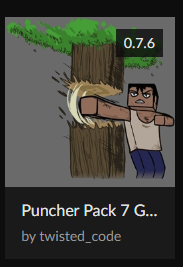
https://www.curseforge.com/minecraft/modpacks/puncher-pack-7-golden-beetroot-edi...
it installed this which appears to be the latest version you have? https://i.imgur.com/Famel73.png
 frosty spruce
huh... Yeah that's right. Weird
maybe it just hadn't COMPLETELY synced somehow? IDK
but it was definitely available on the client
I guess if I continue to have problems I can just try archiving the "wrong" version (at least temporarily) to force it to change versions. Just kind of weird to me is all...
lyric crescent
doubt archiving would have the desired effect. more likely they would get the next oldest until sync has completed.
frosty spruce
maybe, but like I said it was definitely at least partly synced because it could be grabbed immediately after download. Worth a try, in other words
Anyway, thanks for testing.
 still tide
Idk what is worng
lyric crescent
Try a pc restart.
But I think it's beacuse you're using an integrated GPU.
still tide
what does that mean?
near niche
is it safe
 fading moth
So my friend was trying to upload a modpack called TechTown, and he waited for a few months and nothing happened, so he told me to try to upload it, so I did, but it has been under review for 15 hours, how long does it take to have your modpack uploaded?

it is not set as experimental
lyric crescent
!status
red patioBOT
It is 03:27PM on Friday for CurseForge my dudes.
Project Moderation Time
Project/File moderation is done on Sunday - Thursday from 10am - 6pm GMT+2
This process is First in, First out. Thus files submitted late in the work day may not be checked until the next work day.
New Projects or uploads requiring manual approval: 1-3 Working Days
Updates to approved projects not needing manual approval: 1 Hour
File sync to the Curseforge app may take up to 24 hours after approval.
still tide
what does this mean Failed to download file.
Name: patchy-1.1.jar
URL: https://libraries.minecraft.net/com/mojang/patchy/1.1/patchy-1.1.jar
Error details: schannel: failed to receive handshake, SSL/TLS connection failed
Filename on disk: patchy-1.1.jar
Path: C:\Users\fisha\curseforge\minecraft\Install\libraries\com\mojang\patchy\1.1\patchy-1.1.jar
Exists: Nonexistent
lyric crescent
Means there is some issue with your internet connection. Either it's unstable, slow, or behind a vpn.
still tide
ok
river canopy
hi guys, i have JEI mod installed and i have roost aswell, problem is i cant see all the item from the mod,any idea <
still tide
lyric crescent
Means there is some issue with your internet connection. Either it's unstable, s...
yeah but it happened again after I turned my vpn off
lyric crescent
then see the other two options?
still tide
it is stable and fast
opal cipher
What happens if you try to open that URL in a browser?
https://libraries.minecraft.net/com/mojang/patchy/1.1/patchy-1.1.jar
If it doesn't produce a download, it's something with your computer/network setup.
still tide
it says it can't be accesed
opal cipher
Can you take a screenshot of the message?
 still tide
 opal cipher
Yeah, something in your network is probably blocking the traffic, or something else.
Press "Windows + R", write cmd
Then write "ping libraries.minecraft.net", without the "
And also *opens cookie clicker on phone to buy upgrades*, there we go..
 opal cipher
Yeah, seems like your dns can't resolve that domain for some reason.
 opal cipher
Oh.
Ok, so it's not an issue with DNS at least. But something is blocking the traffic to that domain.
Can you access minecraft.net at all?
still tide
no it might be my school wifi
opal cipher
Yes, probably.
opal cipher
Yeah, maybe they haven't heard of Cookie clicker yet. ^^
Glad we got that sorted. So it's not a curseforge issue at least (and it wasn't from the start, since it was only Minecraft that was blocked), so for future help #👽︱game-support would probably be better. But we can't really help with that issue, since your school blocks minecraft.
rustic drift
I backing up a world on forge the same as backing up a world on normal minecraft?
opal cipher
!mc-optifine
red patioBOT
Optifine and Curseforge
To install Optifine with modpacks on Curseforge:
Right click the modpack icon, select Open Folder.
Put the Optifine.jar into the mods folder.
Now load the modpack normally.
We do not offer support for Optifine. If you have issues with Optifine, remove it. If you want further support try the discord found on their website.
https://www.optifine.net/home
digital roost
my game keeps crashing now
 vague ferry
Why is the CurseForge app's changelog so broken? It doesn't format correctly/the same is it is on the website
opal cipher
digital roost
my game keeps crashing now
Then remove Optifine again
lyric crescent
vague ferry
Why is the CurseForge app's changelog so broken? It doesn't format correctly/the...
Got an example?
vague ferry
lyric crescent
Got an example?
 vague ferry
lyric crescent
Got an example?
vague ferry
lyric crescent
Got an example?

It's centred on the website (as it should be) but the app just does whatever it feels like 😄
lyric crescent
oh for modpacks
 signal wadi
I Installed the newest java 1.8.291 version, selected the new java version within curseforge options, closed and reopened curseforge and validated the change saved, but it still insists on using the canned _51 version. I attempted to manually update the version under jre-legacy but it self-heals on launch. Any suggestions on getting rid of the _51 version or having it use the newest one that's installed?
lyric crescent
vague ferry
It's centred on the website (as it should be) but the app just does whatever it ...
would suggest a ticket for this
?ticket-app
red patioBOT
:bug: Reporting via the CurseForge App :bug:
-
Click the
icon in the bottom left. -
Select
Open a Ticket. -
Fill out the form with accurate detailed information, "It doesn't work" isn't helpful! What exactly doesn't work and why doesn't it work should be easy to answer!
-
Make sure to upload your Overwolf logs with the
Upload Fileoption on the ticket, information on how to get these logs can be found here https://support.overwolf.com/en/support/solutions/articles/9000176827-how-to-get-your-overwolf-logs -
Submit!
signal wadi
when launching Minecraft. apologies, I guess I should have mentioned the game being launched
 fresh coral
i need help
dawn hearth
Hello, I was wondering about how I would allow curseforge to use my microphohne so I can use a voice chat mod. I am on macbook. The way with system preferences does not show curseforge on the list. help
 lyric crescent
dawn hearth
Hello, I was wondering about how I would allow curseforge to use my microphohne ...
lyric crescent
dawn hearth
Hello, I was wondering about how I would allow curseforge to use my microphohne ...
Curseforge doesn't have anything to do with voice chat?
dawn hearth
lyric crescent
Curseforge doesn't have anything to do with voice chat?
theres a voice chat mod
signal wadi
voice chat/microphone settings would be in the final app which I presume is minecraft
 abstract hearth
I tried to open the mod folder and this is happening I have no clue why.
 lyric crescent
Curseforge doesn't handle how a mod works. If you have an issue with a mod, report it to the developer.
 thorn raptor
are some of the games such as stardew valley really supported in curse forge yet?
i have it in steam but cannot locate it either manually or automaticly by a scan
lyric crescent
?knownissues see other games
red patioBOT
Known Issues with solutions or status of the issue.
Overwolf maintains a known list of issues here, some with solutions, others without.
https://support.curseforge.com/en/support/solutions/articles/9000196615-curseforge-known-issues
queen storm
fresh coral
what i need to do
Pc restart
thorny moth
How do I create a server pack from my minecraft modpack that the client side config won't overwrite the server side mod config?
 haughty walrus
i dont think client side config can override server side config... But if it can just make both configs the same.
lyric crescent
yeah, not really understanding what you want. client doesnt override server
thorny moth
Ok. Thanks. I didn't know that.
queen storm
fresh coral
but dosnt work
Follow rule 4
 river saddle
Hi, I'm trying to install CurseForge but the shortcut isn't appearing on my desktop
to confirm, I did select it to add a shortcut, I've tried a fresh reinstall of it
and It hasn't worked
Just to confirm also, I'm definitely talking about CurseForge, I'm looking to import a modpack
queen storm
Install overwolf
river saddle
I read in a tutorial that it automatically installs overwolf along with it?
queen storm
Not always working
queen storm
Yes, then open the appstore and install curseforge
digital roost
i ned help whit a modpack
i
wanna instal allex mods i can find it on the internet but not in the app
queen storm
Sounds like a mod, not a pack
digital roost
yea its a mod
queen storm
Then install the mod
digital roost
but how does that work?
queen storm
! mc-installmods
red patioBOT
How to install mods in CurseForge App.
- Click
+ Create Custom Profile - Name it, select the required Minecraft version, select the Forge version (usually the highest number), click
Create. - Click the profile icon.
- Click
Add New Content - Search and install the desired mods.
- Start the game!
How to install mods not on CurseForge.
- Right click the profile picture or Open the profile and click the Icon next to the play button.
- Click
Open Folder. - Drag the mod(s) into the
modsfolder. (Note: Some mods will require others, to run. Make sure to read the instructions for the mod!) - Start the game!
digital roost
because i wanna use optifnee whit it
 steady mango
Hey, why can I not play my own modpack? When ever I try to play it, it says Exit Code:0. How doI fix this?
 wild pendant
message moved
queen storm
wild pendant
## message moved ##
Might want to pick the wow role in #786424115535544350 and ask in #768028353307082783
wild pendant
Oh thanks I'll try that 🙂
 green shuttle
anyone know if there are server errors on curseforge end?

 flint bane
Im trying to add a mod (mine mine no mi one piece mod) I download it and add it to the files I press play and it dont work.
queen storm
flint bane
Im trying to add a mod (mine mine no mi one piece mod) I download it and add it ...
Define "won't work"
flint bane
queen storm
Define "won't work"
I play and the mod doesnt load into the game
queen storm
flint bane
I play and the mod doesnt load into the game
How did you install it?
flint bane
queen storm
How did you install it?
I forgot the website but it went into a java file
queen storm
flint bane
I forgot the website but it went into a java file
!mc-installmods
red patioBOT
How to install mods in CurseForge App.
- Click
+ Create Custom Profile - Name it, select the required Minecraft version, select the Forge version (usually the highest number), click
Create. - Click the profile icon.
- Click
Add New Content - Search and install the desired mods.
- Start the game!
How to install mods not on CurseForge.
- Right click the profile picture or Open the profile and click the Icon next to the play button.
- Click
Open Folder. - Drag the mod(s) into the
modsfolder. (Note: Some mods will require others, to run. Make sure to read the instructions for the mod!) - Start the game!
flint bane
queen storm
!mc-installmods
I did that before it still didnt work
queen storm
flint bane
I did that before it still didnt work
Then show your launcher
flint bane
queen storm
Then show your launcher
? Take a screenshot?
queen storm
flint bane
? Take a screenshot?
Yes
flint bane
Ok one second

 queen storm
Now show the content of the mods folder
 queen storm
That is which mods folder?
flint bane
I went into installations when into the folder for the mod and clicked mods and it was there
queen storm
Which installations? You are barely giving any info
queen storm
But you are cutting out all of the important info
flint bane
what do you need to know?
queen storm
How is it not working?
flint bane
I opened the mods folder for the mod I want to play and the mod is there
I press play and when I join a world It doesnt load the mod
queen storm
And how are you checking that?
flint bane
wdym?
queen storm
That the mod isn't loading
flint bane
I go into the game and there is nothing new added
queen storm
Show it
flint bane
there is no change
queen storm
What should it add?
 woeful steppe
hello
i need help
i am trying to play this mod pack on my server
SevTech Ages
internal exception com.google.common.util.concurrent.uncheckedexecutionexception
i cant join the server
queen storm
woeful steppe
owww
digital roost
and how do i use a modpack whit optifne?
 azure ermine
I cant add mods to minecraft becuause it show only datas not games pls help?
queen storm
digital roost
and how do i use a modpack whit optifne?
! mc-optifine
red patioBOT
Optifine and Curseforge
To install Optifine with modpacks on Curseforge:
Right click the modpack icon, select Open Folder.
Put the Optifine.jar into the mods folder.
Now load the modpack normally.
We do not offer support for Optifine. If you have issues with Optifine, remove it. If you want further support try the discord found on their website.
https://www.optifine.net/home
queen storm
azure ermine
I cant add mods to minecraft becuause it show only datas not games pls help?
What?
azure ermine
how can i add addons when the curse forge doesnt show me my games
queen storm
Which game?
azure ermine
ah its ok i figured it out
steady mango
Hey, why can I not play my own modpack? When ever I try to play it, it says Exit Code:0. How doI fix this?
red patioBOT
Hey there, it is Curseforge, not "Cursed forge"
steady mango
!mc-help
 sharp rivet
Well i just looked the site and clicked minecraft
steady mango
! mc help
digital roost
!mc help
steady mango
! mc-help
sharp rivet
!mc help
steady mango
!mc commands
queen storm
Guys, stop the command spam
queen storm
sharp rivet
am i supposed to be doing something?
!getcf
red patioBOT
Looking to install the CurseForge app?
Todo: Place system requirements here.
<:windows:798410728188936222> Windows
<:mac:798410654418862130> Mac
Linux
:person_shrugging:
sharp rivet
Oh cool. so I download it, I just open minecraft, then select it?
steady mango
Hey, why can I not play my own modpack? When ever I try to play it, it says Exit Code:0. How doI fix this?
queen storm
steady mango
Hey, why can I not play my own modpack? When ever I try to play it, it says Exit...
!mc-logs
red patioBOT
Where to find the log on the CurseForge Client.
Right-click the modpack profile icon OR click the button in the modpack profile.
Click Open Folder.
Open the logs folder.
Find the file called latest.log and drag it into discord.
sharp rivet
If i need anything else ill come back
steady mango
rustic drift
!backup
 dull breach
digital roost
!amongus
digital roost
dull breach
digital roost
!amongus
digital roost
ok
green shuttle
!help
red patioBOT
╰( ͡° ͜ʖ ͡° )つ──☆*:・゚ *˜”*°•.˜”*°• Many Help •°*”˜.•°*”˜* <:curselit:796985620550385705>
Please provide a description of your issue with as much detail as possible. If you have an issue with a mod or modpack, tell us the name. Explain what you can see happening. Be specific!
 Tell us what is happening, we already know it "doesn't work".
Avoid using words like "it", tell us exactly what "it" is.
Don't assume anyone knows what you are talking about, be specific.
Tell us what you expected to happen.
Provide screenshots or video if possible.
Provide a log if possible. ?mc-log
queen storm
There is no magic help command, stop spamming
 north imp
hello i wanter to ask is there a way to use curseforge in tlauncher ?
queen storm
No
 fluid tiger
can i ask
when i open curse forge app it asks for me to chose a folder for my minecraft modding files
how can i do that
pls someone help me
queen storm
! mc-path
red patioBOT
**Minecraft Files should NOT be installed inside the following locations
.minecraft folder.
OneDrive folders.
Desktop folder.
Drive roots I.E. Directly into the C:\ drive.
iCloud enabled folders.
If any of the above are in the path you need to change/move it by following the instructions below!**
If Minecraft is not installed in CurseForge App, start here.
Click the in the top left.
Select Minecraft.
Click "Edit".
Move to the "Continue here:" section below.
If Minecraft is installed in CurseForge App, follow these steps.
Click the in the bottom left.
Select the Minecraft tab.
Click "Change".
Move to the "Continue here:" section below.
Continue here:
Make a folder in the root directory called CurseForge.
Select the folder you just made.
The text box should show something like the following:
For Windows: C:\CurseForge
For Mac: /Users/Shared/CurseForge
 sour iris
forge 1.16 just crashes without a crash report
digital roost
if someone know how to make a srver for forge can you help me im kinda confused
queen storm
digital roost
if someone know how to make a srver for forge can you help me im kinda confused
#👽︱game-support for servers
digital roost
sorry
willow maple
Hello! I was wondering if there is a way to advertise mods on the curseforge discord
digital roost
willow maple
Hello! I was wondering if there is a way to advertise mods on the curseforge dis...
mods or modpack
if modpack, #768717413918179368


well either way you need to go to ZipTye if you want to play mc
 knotty stratus
How long does it take before your mod gets accepted or rejected on curseforge
digital roost
knotty stratus
How long does it take before your mod gets accepted or rejected on curseforge
mod or modpack?
knotty stratus
mod
knotty stratus
yes
 gusty glade
!mc-help
gusty glade
!mc help
digital roost
!mchelp
gusty glade
sorry
digital roost
what u trying to do
gusty glade
!mchelp
digital roost
but whats the reason for that
gusty glade
it gives an error like this
 red patioBOT
- Click on the Minecraft Tab on the Left side of the App.
- Click button next to the
Create Custom Profileoption. - Click
Repair Installationoption. - Play game.
NOTE: You will not lose any modpacks or worlds, These are saved in the Instances folder. DO NOT TOUCH THIS FOLDER OR YOU WILL LOSE EVERYTHING
gusty glade
I've tried
gusty glade
I deleted curseforge 2-3 times, installed it, closed it, opened it, it doesn't work.
digital roost
@fleet bear Im a bit confused on this, can you help these 2 people?
Doctor Spoocies has a problem with a launcher issue.
CBA Liberrr has a folder path problem with Overwolf CurseForge
fleet bear
knotty stratus
How long does it take before your mod gets accepted or rejected on curseforge
!status
red patioBOT
It is 11:25PM on Friday for CurseForge my dudes.
Project Moderation Time
Project/File moderation is done on Sunday - Thursday from 10am - 6pm GMT+2
This process is First in, First out. Thus files submitted late in the work day may not be checked until the next work day.
New Projects or uploads requiring manual approval: 1-3 Working Days
Updates to approved projects not needing manual approval: 1 Hour
File sync to the Curseforge app may take up to 24 hours after approval.
fleet bear
You need to log into an account that owns the java version of the game.
fleet bear
gusty glade
it gives an error like this
!mc-path
red patioBOT
**Minecraft Files should NOT be installed inside the following locations
.minecraft folder.
OneDrive folders.
Desktop folder.
Drive roots I.E. Directly into the C:\ drive.
iCloud enabled folders.
If any of the above are in the path you need to change/move it by following the instructions below!**
If Minecraft is not installed in CurseForge App, start here.
Click the in the top left.
Select Minecraft.
Click "Edit".
Move to the "Continue here:" section below.
If Minecraft is installed in CurseForge App, follow these steps.
Click the in the bottom left.
Select the Minecraft tab.
Click "Change".
Move to the "Continue here:" section below.
Continue here:
Make a folder in the root directory called CurseForge.
Select the folder you just made.
The text box should show something like the following:
For Windows: C:\CurseForge
For Mac: /Users/Shared/CurseForge
 twilit flare
why isnt my new version of my modpack syncing to forge app?
digital roost
When did your version come out
twilit flare
bout an hour
red patioBOT
Sync and your Project.
CurseForge App and site do not share the same requirements! You can find things on the site but this does not mean it will be in the app!
For a mod to show up in the app:
- Projects MUST have a file marked as RELEASE
- Projects MUST be APPROVED
- Projects MUST have a file marked for the PROFILE VERSION USED
- Projects CAN'T be EXPERIMENTAL
- Projects CAN'T be ABANDON
Files can take a while to show up in the app. If your files still have not shown up either your project is new and you have yet to mark a file as Release or there is issues with the sync system making it slow.
twilit flare
all this is true
fleet bear
then the last part applies
gusty glade
fleet bear
!mc-path
thank you
fleet bear
The account you are logged into does not have java edition if it gives you demo
It's vanilla
picture of the launcher you are logged into then
You are logging into the wrong account

 tulip valley
How long does it take for it to go from "changes made" to approved for a modpack? I uploaded my project not too long ago and was given feedback, I fixed it and was just curious as to when it would be approved?
fleet bear
tulip valley
How long does it take for it to go from "changes made" to approved for a modpack...
!status
red patioBOT
It is 11:37PM on Friday for CurseForge my dudes.
Project Moderation Time
Project/File moderation is done on Sunday - Thursday from 10am - 6pm GMT+2
This process is First in, First out. Thus files submitted late in the work day may not be checked until the next work day.
New Projects or uploads requiring manual approval: 1-3 Working Days
Updates to approved projects not needing manual approval: 1 Hour
File sync to the Curseforge app may take up to 24 hours after approval.
fleet bear
yes
tulip valley
Thank you Clay :)
fleet bear
You aren't the first and won't be the last.
I can't wait for the day they merge accounts completely though.
willow maple
digital roost
mods or modpack
Mods
 fallow cairn
How do I do my mod it keeps saying it was modified
digital roost
idk how to create a server for me and my friend
digital roost
willow maple
Mods
go to #829596904589361162

Well
you need 10k downlaods i think
signal ridge
Can promote your mods in #768717413918179368 as well
fleet bear
This room is for support with the site. Not google.
Ah, your just here to spam
bye.
 quaint wyvern
hello people of forge i am back with my millionth problem this month
ive been playing on a modpack for quite some time and the recently updated it and now the thing crashes all the time ive tried everything and asked the modpack developers they couldnt help me much but when they checked the log they said not only was the game itself crashing but the crash report itself was also crashing
so i dont really know what to do now
this was the log from the last time i tried soo
and this is my in game error message

and this is whats on the launcher
 fleet bear
quaint wyvern
ive been playing on a modpack for quite some time and the recently updated it an...
fleet bear
quaint wyvern
ive been playing on a modpack for quite some time and the recently updated it an...
- not a curseforge problem. #👽︱game-support
- restart the computer.
 neon ocean
I have a question about sync versions of modpacks. I saw someone mention the !sync command earlier, but feel like I may have borked something with my pack configs.
So I don't think any of the advice mentioned there is applicable
- I uploaded a new version of my modpack via the website, like I have done a few dozen times before (this pack goes back a few years and several MC versions)
- I realized I missed a config change, so I archived the new version while it was still "Under Review"
- I re-uploaded another new version (incremented the version number and everything)
- New-new version got approved a couple hours ago
- Nothing showing up in the launcher except my last update from earlier this week
My gut tells me that since I archived a file before it got approved, that somehow caused my pack to persist an invalid state somewhere on the server.
But that's little more than a guess
Mainly because I'm out of other ideas
fleet bear
restart your app
neon ocean
I have done several times.
I even completely uninstalled it, removed all the temp files from AppData, restarted my computer, and re-installed Curse
fleet bear
link to project
neon ocean
I uploaded a new-new-new version a few minutes ago with the hope that it might trigger some refresh in the sync status of my pack
It's been approved as well, but hasn't shown up in the launcher
I tried archiving and deleting the other two versions. The ones I uploaded today were 8.4.0, 8.4.1, and 8.4.2
8.4.0 is the one that I archived while it was still under review
I'm comfortable digging into config files if you think there's anything I can do from my end
gusty glade
How can I install the mod packages I found on the internet myself
neon ocean
@gusty glade to install new mods in an existing pack, click the three dots next to the "Play" button on the pack screen. One of the options there should be "Open Profile Folder". Click that. A window should open to the directory where that pack is installed. Drop your extra mods into the mods/ folder of the pack and presto, you're done.
gusty glade
neon ocean
<@!768555899462615041> to install new mods in an existing pack, click the three ...

 dense compass
I am trying to make a modpack that I can get my friends to download, and I don't know what I'm doing. I've made a curseforge profile and I've made a project, but I am confused on what to do from here
Anyone able to help?
neon ocean
@gusty glade you'll need to create a custom profile or select one of the packs you have installed first
 harsh kelp
dense compass
I am trying to make a modpack that I can get my friends to download, and I don't...
harsh kelp
dense compass
I am trying to make a modpack that I can get my friends to download, and I don't...
I guess the simplest way is to just send it to them and dont use CurseForge in this case
gusty glade
neon ocean
<@!768555899462615041> you'll need to create a custom profile or select one of t...
ok sorry
neon ocean
no worries
harsh kelp
Are you allowed to upload mods (especially Minecraft) with unfair advantages to CurseForge? For example something like a Triggerbot. Which helps to attack "perfectly"?
neon ocean
Assuming you're the author of said mod, I don't see why not. There are plenty of mods that add "unfair" or "OP" content and features. It's all about personal preference
@fleet bear any luck figuring out what I may have broken?
neon ocean
no worries. I know the feeling
2 kids + working as a software dev from home for the last year
 tight bone
I need help
i keep getting disconnect when joining my firneds mod server.
I used the mod he used to join
his worked
but mine dosen't
neon ocean
make sure you have the exact same versions of the mods
neon ocean
heh, s'ok
neon ocean
same forge version as well?
that's easy to overlook if you each manually created the profiles
tight bone
k ill check it again
neon ocean
barring that, it could be a problem with mis-matched configs
fleet bear
neon ocean
<@!117433042401886214> any luck figuring out what I may have broken?
Seems like either sync is broke or you managed to shove your project into a limbo state.
I'll send this over to get it looked at. Won't be for another day nd a half tho.
neon ocean
Well, I'm not known for doing things the easy way :-p
Thanks for looking and for escalating. I appreciate the help!
fleet bear
oh wait
You archived the file from the other day?
No, I see all these files. Gotta wait for the 8.4.2 to sync
neon ocean
Will do
fleet bear
If that doesn't show by tomorrow come back, poke me
 viscid matrix
is it possible to play minecraft mod packs through vivecraft?
fleet bear
Not with CurseForge.
viscid matrix
shoot okay thanks
quaint wyvern
i was told to restart my pc and after doing so minecraft broke it made me reinstall and i have reinstalled like 10 times now and its still broken
fleet bear
quaint wyvern
i was told to restart my pc and after doing so minecraft broke it made me reinst...
What are you reinstalling?
undone cargo
guys
i found a fix to the minecraft launcher not opening
just use repair in the installer or in curseforge
tight bone
my multiplayer joining wont work. I use the same mod same everything
signal ridge
#👽︱game-support Curseforge doesn't do servers
undone cargo
quaint wyvern
i was told to restart my pc and after doing so minecraft broke it made me reinst...
k
 real bobcat
A file i recently uploaded to Curseforge for my modpack has a status of "Approved" but it wont show up in the curseforge update to update to the new version
is this a bug or some error on the backend?
signal ridge
Link the project
gusty glade
How can I install fabric?
signal ridge
!mc-fabric
red patioBOT
How to use Fabric until support to the app is added in the near future.
- Make a Forge modpack of the appropriate version.
- Install a mod called 'Jumploader'
Fabric mods do not work with Forge.
Forge mods do not work with Fabric.
Fabric mods should be marked with a Fabric Icon like this:
sour iris
forge 1.16.5 just doesnt load at all/crashes before it does load, anyone know why?
signal ridge
Not the place for this
signal ridge
sour iris
forge 1.16.5 just doesnt load at all/crashes before it does load, anyone know wh...
!mc-logs
red patioBOT
Where to find the log on the CurseForge Client.
Right-click the modpack profile icon OR click the button in the modpack profile.
Click Open Folder.
Open the logs folder.
Find the file called latest.log and drag it into discord.
sour iris
red patioBOT
- Click on the Minecraft Tab on the Left side of the App.
- Click button next to the
Create Custom Profileoption. - Click
Repair Installationoption. - Play game.
NOTE: You will not lose any modpacks or worlds, These are saved in the Instances folder. DO NOT TOUCH THIS FOLDER OR YOU WILL LOSE EVERYTHING
sour iris
alredy tried
signal ridge
Do other packs do this? or just this one?
signal ridge
!mc-path try this, get it out of the twitch path
red patioBOT
**Minecraft Files should NOT be installed inside the following locations
.minecraft folder.
OneDrive folders.
Desktop folder.
Drive roots I.E. Directly into the C:\ drive.
iCloud enabled folders.
If any of the above are in the path you need to change/move it by following the instructions below!**
If Minecraft is not installed in CurseForge App, start here.
Click the in the top left.
Select Minecraft.
Click "Edit".
Move to the "Continue here:" section below.
If Minecraft is installed in CurseForge App, follow these steps.
Click the in the bottom left.
Select the Minecraft tab.
Click "Change".
Move to the "Continue here:" section below.
Continue here:
Make a folder in the root directory called CurseForge.
Select the folder you just made.
The text box should show something like the following:
For Windows: C:\CurseForge
For Mac: /Users/Shared/CurseForge
signal ridge
?? what are you trying to do?
real bobcat
signal ridge
Link the project
ive tried archiving and deleting then reuploading to no avail
sour iris
it works now, tnx
signal ridge
Can take time for the pack to sync with the app
real bobcat
hmm ok, just worried since my other uploads were nearly instantaneous. Although this upload did contain a lot more mods comparatively and one of the mod is much larger than the ones I have added in the past.
signal ridge
May take up to 24h to sync. One of mine took a while,
real bobcat
dang ok, ill tell my friends to install manually for now then, kinda wanna play minecraft lol
signal ridge
Can download it from curse and then import it to the app for sooner play
real bobcat
ah okay, thanks
signal ridge
np
 glass magnet
hi, having an issue where when im in the curseforge app for minecraft i click play on a modpack then is doesnt do anything, doesnt launch minecraft, doesnt make a profile in the minecraft launcher, im not sure whats wron
digital roost
Can other people join your world with out having the cruse forge app installed?
curse*
glass magnet
i can join and play on servers?
digital roost
my friend tried joining and it and it said some weird shit
signal ridge
digital roost
Can other people join your world with out having the cruse forge app installed?
Yes, but they will need all the same mods, configs and forge versions as you
signal ridge
glass magnet
i can join and play on servers?
Sure?
digital roost
the curseforge website\
signal ridge
Wait are you installing Forge OR CurseForge? They arent the same
signal ridge
Its safe then,
digital roost
it said the file would harm my laptop
signal ridge
If its coming from the curseforge site your fine
digital roost
ok
glass magnet
@signal ridge can i get some help?
signal ridge
with?
glass magnet
when i click play on a modpack on curseforge it doesnt launch anything
signal ridge
!mc-installfix try this
red patioBOT
- Click on the Minecraft Tab on the Left side of the App.
- Click button next to the
Create Custom Profileoption. - Click
Repair Installationoption. - Play game.
NOTE: You will not lose any modpacks or worlds, These are saved in the Instances folder. DO NOT TOUCH THIS FOLDER OR YOU WILL LOSE EVERYTHING
glass magnet
aight that worked, tysm
 verbal dune
what kind of image file is supported? Im trying to make a modpack
digital roost
me gusta el porno
verbal dune
i really need help with this
signal ridge
verbal dune
what kind of image file is supported? Im trying to make a modpack
For the site when you upload a project? That image?
verbal dune
yes
signal ridge
My bad wrong person
signal ridge
digital roost
me gusta el porno
signal ridge
verbal dune
yes
1:1 aspect ratio ex 400x400 png
verbal dune
i did png and that didn't work
signal ridge
What was the error?
verbal dune
it says its not supported
signal ridge
Screen shot where you are trying to upload the pic
verbal dune
oh wait never mind i was using pdf and not png im sorry for wasting your time
signal ridge
all good 🙂
 stone wasp
so how long does it take for a project to get approved
verbal dune
hi im trying to put a file in my modpack but it wont load and i have the same question as@stone wasp
signal ridge
!status
red patioBOT
It is 05:59AM on Saturday for CurseForge my dudes.
Project Moderation Time
Project/File moderation is done on Sunday - Thursday from 10am - 6pm GMT+2
This process is First in, First out. Thus files submitted late in the work day may not be checked until the next work day.
New Projects or uploads requiring manual approval: 1-3 Working Days
Updates to approved projects not needing manual approval: 1 Hour
File sync to the Curseforge app may take up to 24 hours after approval.
stone wasp
ok thank you
verbal dune
and as a said how do i upload files to my modpack they wont load
signal ridge
What do you mean wont load?
stone wasp
is there way to make a project private? i made mine for my friends and i for our server
verbal dune
i have uploaded the file but then its not acutally uploading nad its staying at 0%
signal ridge
Screen shot
 signal ridge
That may be a internet issue. Try refreshing the page and trying again.
you used the curse app to export the pack?
verbal dune
ok thank you and am i free to upload any files after im approved or does every file have to be approved and not yet
signal ridge
The first one needs to be manually approved and set to release. After that can upload updates. Unless you have 3rd party mods
verbal dune
what do you mean by 3rd party mods
signal ridge
What are you trying to upload if you havent done the export with the curse app?
verbal dune
and i got it to work
signal ridge
?mc-3rdparty 3rd party is anything not on curseforge but it on this list
red patioBOT
Minecraft Modpack 3rd party
Mods not on CurseForge must be on the 3rd-party list to be included in modpacks uploaded to CurseForge. If a mod is not on this list it can't be included in the export of a modpack and must be removed before uploading. If you upload with a mod that isn't on this list the file will be rejected.
List of approved 3rd party mods:
https://docs.google.com/spreadsheets/d/176Wv-PZUo9hFxy6oC6N8tWdquBLPRtSuLbNK-r0_byM
verbal dune
ok all of my mods come from curseforge
signal ridge
then your good 👍
verbal dune
is there any indication as when a mod has approved my file or do i just have to check in every so often
signal ridge
Will get a notification if its approved or rejected. But seeing as its friday night, they wont be back to work till sunday 10am - 6pm GMT+2
verbal dune
ok thank you very much for you time
 icy cairn
!status
red patioBOT
It is 07:29AM on Saturday for CurseForge my dudes.
Project Moderation Time
Project/File moderation is done on Sunday - Thursday from 10am - 6pm GMT+2
This process is First in, First out. Thus files submitted late in the work day may not be checked until the next work day.
New Projects or uploads requiring manual approval: 1-3 Working Days
Updates to approved projects not needing manual approval: 1 Hour
File sync to the Curseforge app may take up to 24 hours after approval.
 amber flare
can anyone tell me why it's stuck loading?
 queen storm
 distant pebble
on fabric curseforge modpack
distant pebble
on fabric curseforge modpack
Optifine is forge, not fabric
 low drift
So yesterday I was gifted a new laptop for my birthday and I previously ran curseforge and overwolf on my old laptop. Now that I have this new one normal minecraft seems to run fine, and modpacks that are not set up on 1.16.5 (normal minecraft works for 1.16.5 as well as the snapshot). I tried the account migration link from overwolf to twitch but it just brings me back to curseforge.I also downloaded the most recent version of windows and restarted everything two times. Is there anything I could have missed?
Also, this error shows up as "Exit code 0"
queen storm
low drift
So yesterday I was gifted a new laptop for my birthday and I previously ran curs...
Don't need to login, transfer is only when you username contains "forge_user"
 queen storm
Where is your modding folder?
 vagrant pond
where it has to be
queen storm
Which is?
vagrant pond
it's position is unchanged
queen storm
Show the path
vagrant pond
C:\Users\shubh\curseforge\minecraft\Instances\Fabric\mods
queen storm
No idea then
vagrant pond
ok
digital roost
i cant install curseforge
it says invalid folder path
anyone can help ?
whatever no one there bye
 paper birch

 opal cipher
!mc-path
red patioBOT
**Minecraft Files should NOT be installed inside the following locations
.minecraft folder.
OneDrive folders.
Desktop folder.
Drive roots I.E. Directly into the C:\ drive.
iCloud enabled folders.
If any of the above are in the path you need to change/move it by following the instructions below!**
If Minecraft is not installed in CurseForge App, start here.
Click the in the top left.
Select Minecraft.
Click "Edit".
Move to the "Continue here:" section below.
If Minecraft is installed in CurseForge App, follow these steps.
Click the in the bottom left.
Select the Minecraft tab.
Click "Change".
Move to the "Continue here:" section below.
Continue here:
Make a folder in the root directory called CurseForge.
Select the folder you just made.
The text box should show something like the following:
For Windows: C:\CurseForge
For Mac: /Users/Shared/CurseForge
digital roost
Good morning I ask for your support because my modpack have not yet approved it even though I uploaded it last night