#🔥︱curseforge-support
1 messages · Page 450 of 1
 lyric crescent
 modest bane
Yeah I'm not very computer savvy so I have no clue either, I will say though I've noticed a pattern. Every time the "OffHeap" hits 94 MB thats when the crash occurs. To be honest I'm not sure at all what OffHeap is or relates to but I watched a friend load it up and his OffHeap did get to a higher number. That could be totally unrelated but it is something I noticed
modest bane
lyric crescent
try a diffrent pack?
I'll try a smaller pack
lyric crescent
doesnt have to be smaller, just something else
i like how this modpack doesnt even have an issue tracker
lyric crescent
not an alternative to an issue tracker
modest bane
I can also try to hop in that discord and see if maybe this is a recurring issue, I'll install a smaller pack though first and let you know what happens there. I appreciate the help though!
 signal ridge
If you figure out the issue let us know, Im kinda curious
modest bane
So I downloaded a random mod that was roughly half the size of the last one just to see if maybe the size of the mod was the issue but I got pretty much the same result. I'll get the log from this one in a second
 lyric crescent
that discord is painful to look at...
yea didnt think it was the packs fault but never know. its something with your pc for sure then, but what
modest bane
Here is the log from the latest mod in case you wanted to check it out
modest bane
lyric crescent
yea didnt think it was the packs fault but never know. its something with your p...
I'm convinced it's my pc thats the problem. Like I said earlier my friends all installed it and are getting on the server just fine. I just wanted to see if there was maybe an easy fix I was missing or something
 red patioBOT
**Minecraft Files should NOT be installed inside the following locations
.minecraft folder.
OneDrive folders.
Desktop folder.
Drive roots I.E. Directly into the C:\ drive.
iCloud enabled folders.
If any of the above are in the path you need to change/move it by following the instructions below!**
If Minecraft is not installed, start here.
Click the  in the top left.
Select Minecraft.
Click "Edit".
Move to the "Continue here:" section below.
If Minecraft is installed, follow these steps.
Click the  in the bottom left.
Select the Minecraft tab.
Click "Change".
Move to the "Continue here:" section below.
Continue here:
Make a folder in the root directory called CurseForge.
Select the folder you just made.
The text box should show something like the following:
For Windows: C:\CurseForge
For Mac: /Users/Shared/CurseForge
 lyric crescent
try changing your install path to that
modest bane
I have it going to this folder now, same issue still. I'm starting to think my computer is just anti-mod haha

And if you wanted to see it again heres the log
 bleak grove
whats making it crash this time?
lyric crescent
bleak grove
whats making it crash this time?
?mc-installfix
red patioBOT
- Click on the Minecraft Tab on the Left side of the App.
- Click
 button next to the
 Create Custom Profileoption. - Click

Repair Installationoption. - Play game.
NOTE: You will not lose any modpacks or worlds, These are saved in the Instances folder. DO NOT TOUCH THIS FOLDER OR YOU WILL LOSE EVERYTHING
modest bane
lyric crescent
could be virus..
Just did the scan and there were 30 issues detected lol. Just cleaned and restarted my pc so I'll attempt to run the mod again and get back to you afterwards
bleak grove
didnt work
modest bane
You are a hero and deserve everything in life, thank you guys!
 modest bane
I'll try my best!! Have a good day!
lyric crescent
bleak grove
didnt work
the error did change though, try a restart
lyric crescent
guess its time to try the java thing
 languid whale
guys i need help
languid whale
when i play minecraft it always kicks me out and says error code 0 also while its kicking me out my cpu goes to 100%
 lyric crescent
bleak grove
after the restart, anything change?
lyric crescent
bleak grove
after the restart, anything change?
Go here and select: **Windows Offline (64-bit) ** https://java.com/en/download/manual.jsp
Install it.
In the minecraft settings on curseforge input in the java arguments
-version:1.8 -d64
Try again.
bleak grove
got it
languid whale
it never stops
 bleak grove
lyric crescent
Go here and select: **Windows Offline (64-bit) ** <https://java.com/en/download/...
lyric crescent
bleak grove
lyric crescent
Go here and select: **Windows Offline (64-bit) ** <https://java.com/en/download/...
lyric crescent
huh well guess that proves that fix was bs..
 ivory knot
so im trying to set my minecraft install folder
its C:\Users(my name)\AppData\Roaming.minecraft
and it says "Path Can Only Contain English Letters And Numbers"
signal ridge
ivory knot
so im trying to set my minecraft install folder
its C:\Users\(my name)\AppData\R...
!mc-path follow this
red patioBOT
**Minecraft Files should NOT be installed inside the following locations
.minecraft folder.
OneDrive folders.
Desktop folder.
Drive roots I.E. Directly into the C:\ drive.
iCloud enabled folders.
If any of the above are in the path you need to change/move it by following the instructions below!**
If Minecraft is not installed, start here.
Click the in the top left.
Select Minecraft.
Click "Edit".
Move to the "Continue here:" section below.
If Minecraft is installed, follow these steps.
Click the in the bottom left.
Select the Minecraft tab.
Click "Change".
Move to the "Continue here:" section below.
Continue here:
Make a folder in the root directory called CurseForge.
Select the folder you just made.
The text box should show something like the following:
For Windows: C:\CurseForge
For Mac: /Users/Shared/CurseForge
lyric crescent
Sorry goose. Out of ideas atm
 raw fog
hey all. is this the correct place for me to post me trying to understand a rejection for my modpack project?
lyric crescent
Sure, post the message
raw fog
The status of the file v1.1.2 (Dungeons N Dumb) has been changed to Rejected
Notes:
The following file versions have been removed from CurseForge:
overrides/mods/jei-1.16.5-7.6.4.88.jar
The modpack will not be approved until these files are replaced with versions that are currently available.
If you have any questions please contact our support team https://support.curseforge.com.
bleak grove
lyric crescent
huh well guess that proves that fix was bs..
has anything changed in the report? i reinstalled curseforge but it still crashed
signal ridge
bleak grove
has anything changed in the report? i reinstalled curseforge but it still crashe...
Ill have a look through em,
lyric crescent
raw fog
The status of the file v1.1.2 (Dungeons N Dumb) has been changed to Rejected
No...
Remove jei, reinstall it then export again
bleak grove
cool
raw fog
lyric crescent
Remove jei, reinstall it then export again
Thanks! ill try that
signal ridge
bleak grove
cool
Need you to do something for me though, Open a command prompt > type java -version then send a screen shot of the output
bleak grove
aye
 fallen dagger
 bleak grove
there^
signal ridge
Now for the fun part....
bleak grove
lmfao
i might as well be a regular here w the amount of issues i get
like a pop quiz
signal ridge
Anything in your pc recently change? win updates
bleak grove
none that im aware of
worked last night and this morning. i restarted my pc like 2 hours ago after fully exiting out of the game and havnt been able to get back in since
signal ridge
hmmm
lyric crescent
Any other packs work?
signal ridge
so just RL craft doesnt?
signal ridge
There is something we can try, can be hit and miss tho
bleak grove
i did delete a mod while it was loading up, could that have something to do w it?
bleak grove
the last time it loaded up right
woah woah woah
i spent like 40 plus hours on that world
signal ridge
if you deleted something during its boot that can break things. You can back up the world
bleak grove
if only i wasnt a fucking dumbass
signal ridge
Right click the profile pick > open folder > click the saves folder > find your world and copy it to somewhere else
signal ridge
.........................
bleak grove
lmaoo
signal ridge
Would have been nice to know this at the start...
bleak grove
oh
lyric crescent
Well no, you'd have to readd them
bleak grove
yeah i managed to make the beefy rlcraft work perfectly
idk how but it did
well till now
signal ridge
Usually its not recommended to add mods to pre made packs.. Or if you do say you did... Been treating this like it was only the base pack
bleak grove
yeahhh, it worked out in the end though
had to sacrifice a couple of mods but kept the other like 57
guess what
i made it into the home screen
ig the java thing worked out or it corrected itself
thanks!
 dusty epoch
is there a known issue that is causing very long wait times to get new projects approved or denied? Been waiting several days now and it is still "Under Review" status. Is there any way to resolve this?
signal ridge
!status
red patioBOT
It is 10:59PM on Friday for CurseForge my dudes.
Project Moderation Time
Project/File moderation is done on Sunday - Thursday from 10am - 6pm GMT+2
This process is First in, First out. Thus files submitted late in the work day may not be checked until the next work day.
New Projects or uploads requiring manual approval: 1-3 Working Days
Updates to approved projects not needing manual approval: 1 Hour
File sync to the Curseforge app may take up to 24 hours after approval.
dusty epoch
"Project/File moderation is done on Sunday - Thursday from 10am - 6pm GMT+2" So, does this mean since I uploaded the file 3 days ago, Tuesday, that I must now wait until Sunday at the earliest? That is crazy... it never took that long before..... 😦
signal ridge
Its also first in first out sorta deal. Make sure you didnt get any rejection notices as well.
dusty epoch
no notices at all
signal ridge
3rd party mods?
dusty epoch
I have numerous projects and none have taken this long. no third party mods..
all CF...
signal ridge
not sure then
lyric crescent
It has taken that long since november
dusty epoch
lyric crescent
It has taken that long since november
hmmm, maybe for others... guess I got lucky during the transition. I've had several new packs approved within just a few hours since november. This is the first one that is taking days.
 digital roost
wait
if I need help for my minecraft corrupt save, do I come here or is the community one okay
 west canopy
Is there a way to find just mods?
digital roost
download em and put em into the mods folder
lyric crescent
?mc-installmods
red patioBOT
How to install mods in CurseForge App.
- Click
+ Create Custom Profile - Name it, select the required Minecraft version, select the Forge version (usually the highest number), click
Create. - Click the profile icon.
- Click
Add New Content - Search and install the desired mods.
- Start the game!
How to install mods not on CurseForge.
- Right click the profile picture or Open the profile and click the Icon next to the play button.
- Click

Open Folder. - Drag the mod(s) into the
modsfolder. (Note: Some mods will require others, to run. Make sure to read the instructions for the mod!) - Start the game!

 ancient citrus
thanks a ton
huh i did that and nothing worked
I copied the folder and pasted it into the mods folder
lyric crescent
you dont put a folder into the mods folder
ancient citrus
I really dont understand, sorry.
I meant to say how do i add an unsynced modpack into curseforge sorry
red patioBOT
How to install modpacks with the search features in app.
- Open the

Minecraftsection of the app. - Click the top search bar where it says
Search for modpacksOR Click theBrowse ModpacksTab. - Find the Modpack you want to install and click install on it.
- Wait for CurseForge app to download and unpack all the required files.
- Once finished, click
Play!
How to install modpacks from a Export. (Custom/Private/Site downloaded Modpack zip)
- Get CurseForge App if you don't have it, use
!downloadfor a link. - Get the exported modpack from CurseForge or someone else,
!mc-packshareexplains how to make them. - Open the
Minecraftsection of the app. - Click

Create Custom Profile - Click the
Importoption. - Find the file you just downloaded in step 2 and select it.
- CurseForge app will now attempt to download and unpack the modpack. If it fails, try steps 4-6 again.
- Once finished, click
Play!
 lyric crescent
?mc-installpack
ancient citrus
alright thanks!
 woeful nimbus
BTW, None of the new Forge versions for mc 1.16.5 are showing up on Curseforge Launcher, This needs to be address asap for modpack/mod developers that need those versions
 fleet bear
hm, yes. Seems like the task for that is broke.
 neat cedar
@fleet bear maven endpoint was changed from https://files.minecraftforge.net/maven to https://maven.minecraftforge.net
just so you know if you need to pass it onto someone
neat cedar
the old one redirects but redirecting causes some issues with gradle and other stuff
fleet bear
Woulda been smart for them to let CF know that it was changing.
(if that is the issue)
woeful nimbus
that would explain why no updates are coming across the Launcher
fleet bear
It might be a day or two before it's fixed due to the weekend. Depends on availability of a dev and there desire to work in off hours.
but they are aware of it now and come sunday it will be taken care of. (hopefully)
fleet bear
Spaghetti is how it works.
neat cedar
but at least in gradle, 3xx redirect makes it think ANYTHING that tries to resolve on the old minecraftforge maven endpoint exists, and then when it gets a 404 it throws a hissie fit
even though it goes request -> 3xx -> 404 gradle doesn't care
the fact that it didn't immediately get 404 is what matters
and it breaks builds
fleet bear
Well whatever the case be. It will get fixed and likely improved now that issues have come up with it.
neat cedar
do you know if cf uses gradle at all or is that a secret :p
fleet bear
I have no clue.
I don't know much about how the backend works other than that if you touch one thing the chances of it breaking everything is about an 8.
digital roost
hello i need this mod taken down for copyright infringement https://www.curseforge.com/minecraft/mc-mods/miraculous-ladybug-tales-of-ladyblock-and-craft
signal ridge
Did you report it on the site? Little flag
digital roost
okay i will
lyric crescent
digital roost
hello i need this mod taken down for copyright infringement ```https://www.curse...
make sure you send proof and information with the report
digital roost
lyric crescent
make sure you send proof and information with the report
i just did
signal ridge
Thats my question,
fleet bear
Its a copy of that
digital roost
signal ridge
Thats my question,
by making a code line
fleet bear
They must have edited the jar
digital roost
fleet bear
They must have edited the jar
no they did not!
i have looked
in the forge.tmol
fleet bear
They edited something in the jar otherwise it would have been flagged for a duplicate.
digital roost
well i would like it removed please
fleet bear
It will get removed, give it time
digital roost
okay
What’s the copyright
What is it stealing if I may ask
I’m curious and nosy
fleet bear
ARR
It's a direct lift of the mod it seems.
lyric crescent
link is up there, can click and see yourself
digital roost
I just did and I’ve never heard of ladybug person and whoever
I’m guessing it’s a kids show?
digital roost
digital roost
I just did and I’ve never heard of ladybug person and whoever
it is
Do you run the show
Or are a writer
lyric crescent
pretty sure they just made a mod based on the show
lyric crescent
...
digital roost
Because I don’t think the kid creators are getting profit from it
signal ridge
alright, lets end this convo here yeah?
signal ridge
....
lyric crescent
need to be kicked?
lyric crescent
k
digital roost
im going to leave the server anyway
please dont remove the mod he was adding more stuff
signal ridge
?
digital roost
he was taking the mod and adding more stuff to it making it batter because it has not been updated in a year now
lyric crescent
did you not just come here to report it.. what?
digital roost
yeah i'm cleaing up that is making the mod way better
lyric crescent
 digital roost
lyric crescent
https://tenor.com/view/umm-confused-blinking-okay-white-guy-blinking-gif-7513882
digital roost
lyric crescent
https://tenor.com/view/umm-confused-blinking-okay-white-guy-blinking-gif-7513882
yeah i know
fleet bear
I don't see how they are making the mod better when the jar diff is 1 byte.
digital roost
but he is updating it right now i invite the guy
fleet bear
also regardless as yamza said, you can't just copy a mod because you feel like it.
digital roost
he can help clear it up
he is typing right now
well was
im contacting the original dev
fleet bear
little late for that
digital roost
then you have 1000's of mods to remove then
lyric crescent
just trying to understand one thing:
what was your goal in coming here?
digital roost
i wanted the mod to be removed but now i don't
lyric crescent
are you the owner of one of these projects?
digital roost
lyric crescent
are you the owner of one of these projects?
no
so then you cant remove it
lyric crescent
well it's inevitable that the copy will be removed now, nothing you can do to stop that.
the devs are going to have to work it out from this point
signal ridge
So wait, you reported a mod for being a copy of another mod and dont actually own either of them?
digital roost
signal ridge
So wait, you reported a mod for being a copy of another mod and dont actually ow...
yes
go look through the code it is different

 signal ridge
 kindred prawn
Uhhh
kindred prawn
Uhhh
What about it? Need more info
kindred prawn
Apparently my instances folder is also an instance
 minor loom
hi there Curseforge, could you help me with this, i am pretty sure there is no real solution but i just wanted to know if there was a way for me to save my Addons when i delete the app, thx!
 lyric crescent
You dont have to delete that app
#📢︱news message
digital roost
this is from the dev of the first mod Hello! We have currently stopped working on the Miraculous mod. We don't have much time to work on this huge mod. We may come back to it so don't lose all of your hope!
 minor loom
THANK YOU SOOOOO MUCH
lyric crescent
digital roost
this is from the dev of the first mod Hello!```
We have currently stopped worki...
this means nothing. mod still has a licence
digital roost
but the new mod i getting a code rewrite after she does that can she upload it ?
lyric crescent
it needs more than a code rewrite. you cannot be using anything from the original whatsoever
digital roost
what do they need to change then
lyric crescent
everything
 zenith ibex
i dont know if this is the right place or if there is a place at all for this, but is there any chance someone can make a simple fabric mod for minecraft that just spawns me in a village?
lyric crescent
defeinitly not the place. not sure what place would work tbh no one really takes requests here
digital roost
lyric crescent
everything
wait they are not use that mod the base is this mod https://www.planetminecraft.com/mod/the-kwami-mod-miraculous-ladybug/
zenith ibex
lyric crescent
defeinitly not the place. not sure what place would work tbh no one really takes...
well damn, alright
 zenith ibex
kindred prawn
There's a bounty board on the curseforge forums
zenith ibex
kindred prawn
There's a bounty board on the curseforge forums
so i assume thats where someone could fulfill my request?
ah okay
lyric crescent
digital roost
wait they are not use that mod the base is this mod ```https://www.planetminecra...
planetminecraft is not a source, it's a place for stolen mods
digital roost
lyric crescent
planetminecraft is not a source, it's a place for stolen mods
really look for that in other places
zenith ibex
kindred prawn
There's a bounty board on the curseforge forums
also could i get a link? i dont know where to find it on curseforge
digital roost
@lyric crescent THE MOD PAGE SAYS IT DIDN'T COME FROM HERE https://www.curseforge.com/minecraft/mc-mods/miraculous
 nocturne ermine
Hey guys Im looking for a mod that lets you see from another players view
Does such thing exist
lyric crescent
digital roost
<@!125588118538682368> THE MOD PAGE SAYS IT DIDN'T COME FROM HERE ```https://www...
Look, arguing with me about this is purely pedantic at this point. I have no control over what happens with the mod. It's been reported, it goes to the CF support team for likely removal.
The project page is almost a direct rip from the original. Editing things on the page to prove some point is... both confusing and hilarious. A disclaimer does not absolve licence violations.
At minimum the imagery and most of the description are stolen so telling me the jar and code isn't as well is.. unlikely.
nocturne ermine
imagine if you meet yamza there lmao
lyric crescent
you have no involvement in this issue, you are not a dev of either project. there is no reason for them to talk to you about it
lyric crescent
that isnt how it works
they will compare projects and determine if action is needed. if they need to contact the devs they will do so.
nocturne ermine
No one cares?
lyric crescent
you are replying to what exactly
 frosty spruce
is it possible to add an alpha mod to my pack? I know the risks, but I'm game and so are all of my friends for whom I'm building this pack, and that mod happens to be Tinker's Construct
fleet bear
yes?
frosty spruce
I asked because I didn't see it show up when I searched via the "get more content" interface (again, it's an alpha version). Do I just drop it in the mods folder before exporting? It won't end up being treated as an override, right?
signal ridge
are you using the right minecraft version?
frosty spruce
let me double check... (please hold, real life called)
okay yeah I have the wrong Minecraft version. frick
signal ridge
that would do it
 thin island
Who knows what mod this glass is from
fleet bear
 slow mason
Can you run a server via the curseforge application?
 slow mason
Dang. That sucks. . .
 wicked saffron
yo why is my curse forge stuck on the "let's get started " with edit and continue
won't let me go to browse mods or my mods
and when i click edit and select a file it says path can only include english letters and numbers
red patioBOT
**Minecraft Files should NOT be installed inside the following locations
.minecraft folder.
OneDrive folders.
Desktop folder.
Drive roots I.E. Directly into the C:\ drive.
iCloud enabled folders.
If any of the above are in the path you need to change/move it by following the instructions below!**
If Minecraft is not installed, start here.
Click the in the top left.
Select Minecraft.
Click "Edit".
Move to the "Continue here:" section below.
If Minecraft is installed, follow these steps.
Click the in the bottom left.
Select the Minecraft tab.
Click "Change".
Move to the "Continue here:" section below.
Continue here:
Make a folder in the root directory called CurseForge.
Select the folder you just made.
The text box should show something like the following:
For Windows: C:\CurseForge
For Mac: /Users/Shared/CurseForge
 wicked saffron
pretty sure 6-8 is good
digital roost
If you're playing the fabric version of better minecraft you could probably get away with 4 gb
wicked saffron
listen to smart guy not me
red patioBOT
Where to find the log on the CurseForge Client.
Right-click the modpack profile icon OR click the button in the modpack profile.
Click Open Folder.
Open the logs folder.
Find the file called latest.log and drag it into discord.
wicked saffron
yo i need some help because my tab is always a square
what is the size
something x something
size for full screen
 earnest moon
can someone help me with this issue im having im trying to download a modpack and it keeps saying "An Exception Occured During a WebClient Request?"
digital roost
I don't know if it's supposed to be like that but the directory says twitch instead of curseforge
@steady orbit
 steady orbit
any fix you know?
digital roost
Honestly I don't understand 99% of what's in the crash log but the fact that it said twitch instead of curseforge might mean that it's using the wrong directory
Idk honestly
That's my best guess but it's probably wrong
 woeful moon
Is curseforge have API?
 clear harbor
Everytime I try to open a modpack it just crashes right away and gives me an error message. what do I do?
This is what it does after it crashes
 signal ridge
clear harbor
Everytime I try to open a modpack it just crashes right away and gives me an err...
signal ridge
clear harbor
Everytime I try to open a modpack it just crashes right away and gives me an err...
!mc-logs
red patioBOT
Where to find the log on the CurseForge Client.
Right-click the modpack profile icon OR click the button in the modpack profile.
Click Open Folder.
Open the logs folder.
Find the file called latest.log and drag it into discord.
clear harbor
signal ridge
clear harbor
!mc-installfix do this
red patioBOT
- Click on the Minecraft Tab on the Left side of the App.
- Click button next to the
Create Custom Profileoption. - Click
Repair Installationoption. - Play game.
NOTE: You will not lose any modpacks or worlds, These are saved in the Instances folder. DO NOT TOUCH THIS FOLDER OR YOU WILL LOSE EVERYTHING
bleak grove
what mod is the issue this time?
signal ridge
thats a java error...
bleak grove
the previous crash report said it was a certain mod but idk
signal ridge
bleak grove
the previous crash report said it was a certain mod but idk
when was the previous crash? Just before this one or a while ago?
signal ridge
Which mc version was this again?
bleak grove
1.12.2
signal ridge
Not that it is an issue per say, try removing foamfix and test it
bleak grove
got in
shit is so random
sometimes its like "fuck you" and other its like "not fuck you"
signal ridge
This kind of crash is extra special, its a java itself not so much a mod based one like the others
 signal ridge
steady orbit
signal ridge
steady orbit
Any other packs do this?
steady orbit
no only this
signal ridge
try reinstalling the pack
signal ridge
The packs before this one they were 1.12.2 yeah?
Trying to remember
!mc-installfix try this just for fun
red patioBOT
- Click on the Minecraft Tab on the Left side of the App.
- Click button next to the
Create Custom Profileoption. - Click
Repair Installationoption. - Play game.
NOTE: You will not lose any modpacks or worlds, These are saved in the Instances folder. DO NOT TOUCH THIS FOLDER OR YOU WILL LOSE EVERYTHING
 sterile pier
hey kinda need help
signal ridge
sterile pier
hey kinda need help
oook 👍
sterile pier
so basically me and my brother are trying to play a modpack together on minecraft yea and usually on twitch we could play on LAN worlds normally
but now on CurseForge when my brother makes a world, i cant see the lan world on the multiplayer area
and when i make a world, when he join it just says error occurred
signal ridge
sterile pier
but now on CurseForge when my brother makes a world, i cant see the lan world on...
Are you 2 on the same network?
sterile pier
yep
red patioBOT
Where to find the log on the CurseForge Client.
Right-click the modpack profile icon OR click the button in the modpack profile.
Click Open Folder.
Open the logs folder.
Find the file called latest.log and drag it into discord.
signal ridge
Im going to bed soon
signal ridge
just drop it here, and explain whats going on when you do. If someones around to help they will
sterile pier
alright
 split axle
Is there any way I can see past notifications?
I had 56 notifications but I could only see 20
 slim thunder
 frozen sierra
Forge Forums
Hey, I hope I did everything according to the rules. Today my MacBook Pro M1 got delivered and I wanted to play Minecraft. The normal Java version without Forge does work perfectly fine, but whenever I try to start the Forge Version this Crash appears. Does anyone have an idea how I can solve my ...
tldr; you can't fix it
fabric modpacks might work though
slim thunder
the forum thread i linked tells you why
 gritty socket
Guys is there a way to share the custom modpack i made for mc on curseforge
so that my friends could use
slim thunder
gritty socket
Guys is there a way to share the custom modpack i made for mc on curseforge
so t...
#📛︱rules 4
?mc-packshare
red patioBOT
There are two ways to share a modpack you've made with others...
Export and Share - For Friends to Small Groups.
- Click the Icon for the modpack.
- Click the button next to play.
- Click

Export. - Select the files that should be included.
- Send the zip to the people that want it! They can follow the instructions in
!mc-installpackto install the pack!
Upload to Curseforge - For Public Release to Everyone.
This options will make your pack public to EVERYONE, it comes with extra requirements and will take some effort to set up.
- Go to here: https://www.curseforge.com/project/432/4471/create
- Fill out the information with a proper description of the pack. This should allow anyone to understand what the pack is.
- Click the Icon for the modpack in the CurseForge app.
- Click the button next to play.
- Click
Export. - Select the files that should be included.
- Open your Project you made on the CurseForge site and Upload the file you just made.
- Wait for Moderation & Sync so it can show up in the client! (See
!syncfor limitations)
gritty socket
slim thunder
<#777323206884327484> 4
didnt spam just asked in the wrong chat so i retyped it here.
 split siren
when i try to install forge this error comes out:
 spark fable
Hey guys ! I've got a problem with CurseForge (App) :/ I got an error and I don't know how to get rid of it
 red patioBOT
**Minecraft Files should NOT be installed inside the following locations
.minecraft folder.
OneDrive folders.
Desktop folder.
Drive roots I.E. Directly into the C:\ drive.
iCloud enabled folders.
If any of the above are in the path you need to change/move it by following the instructions below!**
If Minecraft is not installed, start here.
Click the in the top left.
Select Minecraft.
Click "Edit".
Move to the "Continue here:" section below.
If Minecraft is installed, follow these steps.
Click the in the bottom left.
Select the Minecraft tab.
Click "Change".
Move to the "Continue here:" section below.
Continue here:
Make a folder in the root directory called CurseForge.
Select the folder you just made.
The text box should show something like the following:
For Windows: C:\CurseForge
For Mac: /Users/Shared/CurseForge
 opal cipher
!mc-path
spark fable
Oh I can change the path if you want ^^
Oh... It worked then, just had to create the folder...
opal cipher
\o/
spark fable
Remind something from that guys, always read the How To Install section
 placid bobcat
i need help
it says when my friend tries to install my modpack it says
Der opstod en undtagelse under webcam-anmodningen
we are danish so thats why its danish
opal cipher
You mean "webclient", right? ^^ Try restarting first the client (CurseForge, right click on the tray icon and use Relaunch), and if that doesn't work, try restarting the computer.
placid bobcat
tray icon?
where is that
like it worked for my other friends to download the modpack but he cant
 solar pecan
"Path can only include English letters and numbers", anyone know how to help with this?
solar pecan
solar pecan
"Path can only include English letters and numbers", anyone know how to help wit...
Currently my mod folder is named "RLcraft"
placid bobcat
my modpack is named Swipecraft
 rigid comet
hey guys i want to ask
when i wanted to download a modpack it turns out to a zip file
how can i play it
solar pecan
from my experience you make a new folder in your .minecraft folder and call it "mods" then unzip the file inside there
but for curseforge related things im kinda new
rigid comet
oh okay thanks
placid bobcat
no it just says
Path can only include English letters and numbers
for him
he cant even make his own and install all the mods
everything is going against him
solar pecan
"English letters and numbers", does that mean no Windows (C:)
because if so i'm kinda lost on what to do
 queen storm
solar pecan
"English letters and numbers", does that mean no Windows (C:)
queen storm
solar pecan
"English letters and numbers", does that mean no Windows (C:)
! mc-path
red patioBOT
**Minecraft Files should NOT be installed inside the following locations
.minecraft folder.
OneDrive folders.
Desktop folder.
Drive roots I.E. Directly into the C:\ drive.
iCloud enabled folders.
If any of the above are in the path you need to change/move it by following the instructions below!**
If Minecraft is not installed, start here.
Click the in the top left.
Select Minecraft.
Click "Edit".
Move to the "Continue here:" section below.
If Minecraft is installed, follow these steps.
Click the in the bottom left.
Select the Minecraft tab.
Click "Change".
Move to the "Continue here:" section below.
Continue here:
Make a folder in the root directory called CurseForge.
Select the folder you just made.
The text box should show something like the following:
For Windows: C:\CurseForge
For Mac: /Users/Shared/CurseForge
 raw river
hey! I have one question, how can I run forge version 1.5.6? Please help - Tondaa_
queen storm
raw river
hey! I have one question, how can I run forge version 1.5.6? Please help - Tonda...
! mc-installmods
red patioBOT
How to install mods in CurseForge App.
- Click
+ Create Custom Profile - Name it, select the required Minecraft version, select the Forge version (usually the highest number), click
Create. - Click the profile icon.
- Click
Add New Content - Search and install the desired mods.
- Start the game!
How to install mods not on CurseForge.
- Right click the profile picture or Open the profile and click the Icon next to the play button.
- Click
Open Folder. - Drag the mod(s) into the
modsfolder. (Note: Some mods will require others, to run. Make sure to read the instructions for the mod!) - Start the game!
raw river
thx!
placid bobcat
my friend cant install any modpack
then when he tries it says
Der opstod en undtagelse under webcam-anmodningen
 somber sorrel
placid bobcat
somber sorrel
placid bobcat
cause the author that made ender io havent updated it
digital roost
can u play curseforge mod packs with other people?
im tryna play the parasite mod with my friend
queen storm
digital roost
can u play curseforge mod packs with other people?
If you have a server
digital roost
queen storm
If you have a server
where can i make a server
that has curseforge mods
queen storm
digital roost
where can i make a server
! mc-installserver
red patioBOT
How to **manually** install a server - **On your own PC**
- Go to the Forge website http://files.minecraftforge.net/ and download the Installer for the forge version the pack is using.
- Run the installer and choose
Install server. Do not install to your desktop. Also do not install inside a OneDrive folder. - Run the server using the forge.jar. A file called
eula.txtwill be generated. Open it and changeeula=falsetoeula=true - From the Client; Copy the
modsfolder,configfolder, and any other folders needed for the pack to work into the server folder. If the modpack has a server pack, use this instead! - Run the server again.
digital roost
my modpack got approved but when i search for it it doesnt show up...
placid bobcat
just wait a few days
queen storm
digital roost
my modpack got approved but when i search for it it doesnt show up...
Link please
digital roost
queen storm
!sync
red patioBOT
Sync and your Project.
CurseForge REQUIRE a project to have one file marked Released on them for the projects to show up in search. Otherwise only Direct links to the project work.
Files can take a while to show up in the app. If your files still have not shown up either your project is new and you have yet to mark a file as Release or there is issues with the sync system making it slow.
 onyx wolf
hello i'm new! I had some problems with a modpack ... when I enter the game it doesn't show me any gui: I can't see the in-game menu, the inventory .... it's all invisible. Can someone help me? the modpack I have to give it to you because from the original one I added some mod
digital roost
Thank u
 vast quartz
hi
 glass glade
why cant i find Immersive portals in cueforge??
 sullen sinew
Guys i installed a couple of mode and this happend what do i do every time i launch it it happens again

 placid birch
! mc-path
red patioBOT
**Minecraft Files should NOT be installed inside the following locations
.minecraft folder.
OneDrive folders.
Desktop folder.
Drive roots I.E. Directly into the C:\ drive.
iCloud enabled folders.
If any of the above are in the path you need to change/move it by following the instructions below!**
If Minecraft is not installed, start here.
Click the in the top left.
Select Minecraft.
Click "Edit".
Move to the "Continue here:" section below.
If Minecraft is installed, follow these steps.
Click the in the bottom left.
Select the Minecraft tab.
Click "Change".
Move to the "Continue here:" section below.
Continue here:
Make a folder in the root directory called CurseForge.
Select the folder you just made.
The text box should show something like the following:
For Windows: C:\CurseForge
For Mac: /Users/Shared/CurseForge
placid birch
it doesnt work for me to play modpacks
queen storm
Then what does happen?
placid birch
it just says loading on the modpack for like 0,1 seconds
queen storm
!mc-installfix
red patioBOT
- Click on the Minecraft Tab on the Left side of the App.
- Click button next to the
Create Custom Profileoption. - Click
Repair Installationoption. - Play game.
NOTE: You will not lose any modpacks or worlds, These are saved in the Instances folder. DO NOT TOUCH THIS FOLDER OR YOU WILL LOSE EVERYTHING
placid birch
thank u
 pulsar vigil
Hello, I have a problem with a few modpacks, I can't delete the profile from them and I don't know what to do, I always get one every time I try least one error occurred.
 vast quartz
im just returning and my addon button is missing out of the game, i dowloaded twitch and Curseforge but i cant find out where to get the mods from can anyone help?
 hallow void
i tried to download divincis vessels and it said this file manifest doesn't exist
 viral briar
Just delete one of them?
You can’t have two mods the same within the folder otherwise it will crash . Does the same on fabric loader
fleet bear
complains server is trash when the screen tells you exactly what the issue is
Lawl they left
fleet bear
vast quartz
im just returning and my addon button is missing out of the game, i dowloaded tw...
Twitch doesn't support mods anymore.
Idk what game your talking about but neither of them add any addon button to any game. The apps are 100% independent of games.
 timid bane
Hi, is it possible to get around the cloudflare Bot Protection? I use linux and would like to play some modpacks with friends and i think i'm not alone with this issue. I would like to build a simple api which scrapes the mod section for download links and so..
 midnight monolith
I haven't used CurseForge in a while, how can I add a single mod to the current version?
 shadow pelican
I also have a question. I'm trying to put together a modpack. But it has been in processing for 3 days, is that normal?
midnight monolith
yea they only approve modpacks on specific days and only in a specific time range
lyric crescent
midnight monolith
I haven't used CurseForge in a while, how can I add a single mod to the current ...
?mc-installmods
red patioBOT
How to install mods in CurseForge App.
- Click
+ Create Custom Profile - Name it, select the required Minecraft version, select the Forge version (usually the highest number), click
Create. - Click the profile icon.
- Click
Add New Content - Search and install the desired mods.
- Start the game!
How to install mods not on CurseForge.
- Right click the profile picture or Open the profile and click the Icon next to the play button.
- Click
Open Folder. - Drag the mod(s) into the
modsfolder. (Note: Some mods will require others, to run. Make sure to read the instructions for the mod!) - Start the game!
lyric crescent
shadow pelican
I also have a question. I'm trying to put together a modpack. But it has been in...
!status
red patioBOT
It is 03:04PM on Saturday for CurseForge my dudes.
Project Moderation Time
Project/File moderation is done on Sunday - Thursday from 10am - 6pm GMT+2
This process is First in, First out. Thus files submitted late in the work day may not be checked until the next work day.
New Projects or uploads requiring manual approval: 1-3 Working Days
Updates to approved projects not needing manual approval: 1 Hour
File sync to the Curseforge app may take up to 24 hours after approval.
midnight monolith
lyric crescent
?mc-installmods
I already have an existing modpack that is approved, I just need to add 1 mod
lyric crescent
K?
midnight monolith
the instructions you send me don't help as the modpack is not appearing in my curseforge desktop app
I can only edit it via the website
 gaunt knot
YAS I FINALLY LOGGED IN ON HULU
opal cipher
Did you mark it as released?
midnight monolith
opal cipher
Did you mark it as released?
yep I can download it just fine, I just can't edit it via the desktop app
opal cipher
Ah, might have to unlock it then
midnight monolith
and how do I do that?
opal cipher
!mc-editpack
red patioBOT
How to add/remove mods in a modpack.
- Click on the picture of the modpack.
- Click the

Add More Contentbutton, IF this button is not there, see below before continuing. - Find the Mods, Resource Packs or Maps you wish to Install and click
Installon them. - Wait for all the required mods to be downloaded.
- Start the modpack.
How to Enable/Disable content management for modpacks.
- Click on the picture of the modpack.
- Click on the button next to the
Playbutton. - Click on

Profile Options. - Check the
Allow content management for this profileoption if you want to edit the content of the modpack, uncheck it to disable.
NOTE: The Allow content management for this profile option is what allows you to Delete, Disable, Update or Install any Mods, Resource Packs or Maps managed by CurseForge. It must be on to modify any of them! (Currently)
midnight monolith
wil this add it only for me or can I then also release it as a version?
lyric crescent
You need to upload a new version any time you change things
midnight monolith
okay let me reask my question so I don't sound stupid. The Modpack was made by a friend but he doesn't have much time available so I took over, he is currently not available and I have no clue how to properly add 1 mod and also publish it
red patioBOT
There are two ways to share a modpack you've made with others...
Export and Share - For Friends to Small Groups.
- Click the Icon for the modpack.
- Click the button next to play.
- Click
Export. - Select the files that should be included.
- Send the zip to the people that want it! They can follow the instructions in
!mc-installpackto install the pack!
Upload to Curseforge - For Public Release to Everyone.
This options will make your pack public to EVERYONE, it comes with extra requirements and will take some effort to set up.
- Go to here: https://www.curseforge.com/project/432/4471/create
- Fill out the information with a proper description of the pack. This should allow anyone to understand what the pack is.
- Click the Icon for the modpack in the CurseForge app.
- Click the button next to play.
- Click
Export. - Select the files that should be included.
- Open your Project you made on the CurseForge site and Upload the file you just made.
- Wait for Moderation & Sync so it can show up in the client! (See
!syncfor limitations)
midnight monolith
ahh thats what I wanted
gaunt knot
Hi I am new
 midnight monolith
A new Release does not need manual approvement right?
lyric crescent
Try removing the mod it says
 rotund wharf
how
lyric crescent
midnight monolith
A new Release does not need manual approvement right?
Depends
rotund wharf
from the folder?
lyric crescent
Yes
midnight monolith
lyric crescent
Depends
well its just 1 mod that was added nothing more
lyric crescent
I don't make the rules, just answering the question
midnight monolith
yea Ik, what does it depend on?
lyric crescent
No idea really
 lyric crescent
rotund wharf
lyric crescent
rotund wharf
?mc-log
red patioBOT
Where to find the log on the CurseForge Client.
Right-click the modpack profile icon OR click the button in the modpack profile.
Click Open Folder.
Open the logs folder.
Find the file called latest.log and drag it into discord.
 torpid night
 west folio
! mc-installserver
red patioBOT
How to **manually** install a server - **On your own PC**
- Go to the Forge website http://files.minecraftforge.net/ and download the Installer for the forge version the pack is using.
- Run the installer and choose
Install server. Do not install to your desktop. Also do not install inside a OneDrive folder. - Run the server using the forge.jar. A file called
eula.txtwill be generated. Open it and changeeula=falsetoeula=true - From the Client; Copy the
modsfolder,configfolder, and any other folders needed for the pack to work into the server folder. If the modpack has a server pack, use this instead! - Run the server again.
lyric crescent
rotund wharf
log you sent says you closed the game, no error
lyric crescent
what you're telling me is not adding up
latest log does not show what this report does
this report says you have better foliage and it is the cause of the issue
rotund wharf
so what do i need to do
lyric crescent
make sense
or remove better foliage
 sage wigeon
!sync
red patioBOT
Sync and your Project.
CurseForge REQUIRE a project to have one file marked Released on them for the projects to show up in search. Otherwise only Direct links to the project work.
Files can take a while to show up in the app. If your files still have not shown up either your project is new and you have yet to mark a file as Release or there is issues with the sync system making it slow.
sage wigeon
Ive got a custom minecraft pack ive uploaded and had approved on curse. ive now updated it and added some things, does anyone know how I set it to become the automatic version and if anyone tries to launch the pack itll autoupdate?
lyric crescent
there is no auto update, you always have to do it manually
sage wigeon
Ive gone to click other modpacks for minecraft in the past and itll tell me to update though?
lyric crescent
that isnt what automatic means though
once the new version is synced to the app there will be a button
sage wigeon
The new version is there and listed above in the manual version drop down.
is that fully synced or is there more?
lyric crescent
should be
sage wigeon
then it lets the old version launch with no indication of a new version being available
lyric crescent
there is no update button next to play?
sage wigeon
no
lyric crescent
link your pack
lyric crescent
 lyric crescent
try restarting the app
 split onyx
so anyone know a skyblock map
west folio
sage wigeon
lyric crescent
try restarting the app
Yea restarted. still on the old version nothing next to play about update. I can go into back go into version and the new one is listed above it. But theres nothing to say theres a new version without checking
lyric crescent
screenshot the window
split onyx
west folio
<#768311610674380800>
i dont have that role i can see that chat
lyric crescent
so get it
west folio
then get the minecraft role
split onyx
how
lyric crescent
channel called #786424115535544350
sage wigeon
Look at top left its got a role select
queen storm
Forge or curseforge?
queen storm
#👽︱game-support then
 storm igloo
ok thanks
 sly knoll
hi i need help how to start server?
queen storm
sly knoll
hi i need help how to start server?
! mc-installserver
red patioBOT
How to **manually** install a server - **On your own PC**
- Go to the Forge website http://files.minecraftforge.net/ and download the Installer for the forge version the pack is using.
- Run the installer and choose
Install server. Do not install to your desktop. Also do not install inside a OneDrive folder. - Run the server using the forge.jar. A file called
eula.txtwill be generated. Open it and changeeula=falsetoeula=true - From the Client; Copy the
modsfolder,configfolder, and any other folders needed for the pack to work into the server folder. If the modpack has a server pack, use this instead! - Run the server again.
sage wigeon
lyric crescent
screenshot the window
Apologies if this isnt the window you want, just let me know ill screenshot anything. Appreciate the help btw looking at the questions you lot get asked you have the patience of saints
 lyric crescent
the one that shows your packs
 sage wigeon
lyric crescent
the one that shows your packs
sage wigeon
lyric crescent
the one that shows your packs
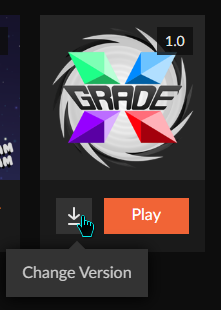
No update. It shows 1.0 at top. Am I missing something to flag a file as a next version up or is it just based on filenames?
 lyric crescent
you arnt missing something since i just showed you it working
sly knoll
what i need to do
lyric crescent
@sly knoll That is not a curseforge issue. Use #👽︱game-support or #🧱︱mc-other-help and not spamming.
sly knoll
ok thx
lyric crescent
sage wigeon
No update. It shows 1.0 at top. Am I missing something to flag a file as a next...
Might want to make a bug report on this, no idea why yours is failing. After making a report try reinstalling the pack in the alpha version and see if it then appears.
!ticket-app
red patioBOT
:bug: Reporting via the CurseForge App :bug:
-
Click the
 icon in the bottom left.
 -
Select

Open a Ticket. -
Fill out the form with accurate detailed information, "It doesn't work" isn't helpful! What exactly doesn't work and why doesn't it work should be easy to answer!
-
Make sure to upload your Overwolf logs with the
Upload Fileoption on the ticket, information on how to get these logs can be found here https://support.overwolf.com/en/support/solutions/articles/9000176827-how-to-get-your-overwolf-logs -
Submit!
 sage wigeon
lyric crescent
you arnt missing something since i just showed you it working
sage wigeon
lyric crescent
you arnt missing something since i just showed you it working
Will do as ive currently got 3 seperate machines not showing what your seeing
lyric crescent
actually
it could be the fact that it's only been approved for an hour
proper sync to the client can take up to 24 hours
sage wigeon
So Its listed right away but may take longer to become the recomended file so to speak?
OK thats great I dont mind waiting if thats the case
Ill give it 24 hours and see how it goes. cheers
 true arch
Hello, not sure if this is the right place but I try to get the curseforge API to work but I only get 404 on every url mentioned on https://support.curseforge.com/en/support/solutions/articles/9000197321-curseforge-api
Is the API broken? Or even maintained anymore?

CurseForge Support
We're here to get you informed on everything you need to know about CurseForge, including helpful guides and troubleshooting articles to back you up when you get in a pickle
west folio
have to put it manually into the mods folder
lyric crescent
?mc-optifine
red patioBOT
Optifine and Curseforge
To install Optifine with modpacks on Curseforge:
Right click the modpack icon, select Open Folder.
Put the Optifine.jar into the mods folder.
Now load the modpack normally.
We do not offer support for Optifine. If you have issues with Optifine, remove it. If you want further support try the discord found on their website.
https://www.optifine.net/home
 night rock
ok
west folio
is there a reason optifine cant be listed in the mod section?
lyric crescent
the dev didnt upload it
night rock
ok
lyric crescent
optifine is required for shaders, so it doesnt really make sense for a tab that requires something not even on curseforge
west folio
wonder why the dev hasnt uploaded optifine yet :/
lyric crescent
$
west folio
the ads?
lyric crescent
yea
west folio
darn
 lyric crescent
read the instructions i posted
night rock
thanks it works
 night rock
launcher?
 lost helm
yeah
west folio
and whats the problem?
lost helm
i cant chat that can we go in a talk
west folio
this is the place for help with curseforge stuff
lost helm
yea ik but im from germany and my chat english is rly bad
lyric crescent
use a translator
lost helm
uhm okay
then wait a sek
so if i download curse forge it will be deleted in about 10 seconds
hello?
lost helm
yeah right
night rock
how do i download shaders on it
lost helm
umm okay
west folio
night rock
how do i download shaders on it
search for one on the internet and then download it, and put the zip into shaderpacks which is located in the same folder as resourcepacks
night rock
thank you
 flat veldt
Hi, can anyone help me i keep getting this screen then i try to look and the mod list on a pack i put together myself and not sure why?
 queen storm
! ticket-app
red patioBOT
:bug: Reporting via the CurseForge App :bug:
-
Click the
icon in the bottom left. -
Select
Open a Ticket. -
Fill out the form with accurate detailed information, "It doesn't work" isn't helpful! What exactly doesn't work and why doesn't it work should be easy to answer!
-
Make sure to upload your Overwolf logs with the
Upload Fileoption on the ticket, information on how to get these logs can be found here https://support.overwolf.com/en/support/solutions/articles/9000176827-how-to-get-your-overwolf-logs -
Submit!
 plain yew
really?
lyric crescent
You already posted the issue in the correct place, this is not the correct place.
 drowsy lava
?status
red patioBOT
It is 06:04PM on Saturday for CurseForge my dudes.
Project Moderation Time
Project/File moderation is done on Sunday - Thursday from 10am - 6pm GMT+2
This process is First in, First out. Thus files submitted late in the work day may not be checked until the next work day.
New Projects or uploads requiring manual approval: 1-3 Working Days
Updates to approved projects not needing manual approval: 1 Hour
File sync to the Curseforge app may take up to 24 hours after approval.
plain yew
i deleted from community support and will write it here again
if the rUleS allow me to
lyric crescent
its not a curseforge issue, so it doesnt belong here
plain yew
its related to one of your mods
lyric crescent
curseforge does not own mods, its a service for people to upload mods to
lyric crescent
plain yew
ty
lyric crescent
lost helm
so if i download curse forge it will be deleted in about 10 seconds
!getcf
red patioBOT
Looking to install the CurseForge app?
Todo: Place system requirements here.
<:windows:798410728188936222> Windows
<:mac:798410654418862130> Mac
Linux
:person_shrugging:
lyric crescent
try this link. if you still have issues try installing overwolf first then use that to install curseforge.
 crimson vault
Is there anyway to clear the download queue I think I overloaded it and now I can't access the modpack I was building?
digital roost
does anyone know how to download a curseforge mod on i pad or can you not do that
lyric crescent
Mods are only for the java version. The website has add-ons for bedrock but those need to be installed manually.
digital roost
Ohhhhhhhh thanks
queen storm
crimson vault
Is there anyway to clear the download queue I think I overloaded it and now I ca...
Close overwolf, start curseforge again
crimson vault
queen storm
Close overwolf, start curseforge again
Thanks, restarting didn't fix the issue, but I figured out a fix, I had curseforge make a duplicate of the pack and that fixed whatever the issue was.
 spice goblet
why when i look on the internet does imersive portals show but when i use the app it dosent show as being there?
queen storm
spice goblet
why when i look on the internet does imersive portals show but when i use the ap...
Got the correct game version?
spice goblet
im not serching by version
queen storm
Then you are looking at modpacks, not mods
spice goblet
there the same thing tho arnt they?
queen storm
No, modpacks are multiple mods
spice goblet
so were do i look for mods?
signal ridge
!mc-installmods
red patioBOT
How to install mods in CurseForge App.
- Click
+ Create Custom Profile - Name it, select the required Minecraft version, select the Forge version (usually the highest number), click
Create. - Click the profile icon.
- Click
Add New Content - Search and install the desired mods.
- Start the game!
How to install mods not on CurseForge.
- Right click the profile picture or Open the profile and click the Icon next to the play button.
- Click
Open Folder. - Drag the mod(s) into the
modsfolder. (Note: Some mods will require others, to run. Make sure to read the instructions for the mod!) - Start the game!
spice goblet
thx
 hoary crow
how long does it take for a modpack to be released?
"This project is currently under review by the moderation staff, pending approval of the changes that have been made. Until approved by a moderator, the project will not be visible to others, and its files will not synchronize across CurseForge."
lyric crescent
did you upload a file to it?
hoary crow
yes
lyric crescent
then when that file is approved the project will be
hoary crow
ok
lyric crescent
!status
red patioBOT
It is 08:17PM on Saturday for CurseForge my dudes.
Project Moderation Time
Project/File moderation is done on Sunday - Thursday from 10am - 6pm GMT+2
This process is First in, First out. Thus files submitted late in the work day may not be checked until the next work day.
New Projects or uploads requiring manual approval: 1-3 Working Days
Updates to approved projects not needing manual approval: 1 Hour
File sync to the Curseforge app may take up to 24 hours after approval.
hoary crow
k
spice goblet
is there a reason it keeps stopping

 obtuse dagger
It hates you
spice goblet
ah like everyone else then
signal ridge
Might still be loading in the background, How much ram have you allocated to the curse app?
signal ridge
!mc-logs
red patioBOT
Where to find the log on the CurseForge Client.
Right-click the modpack profile icon OR click the button in the modpack profile.
Click Open Folder.
Open the logs folder.
Find the file called latest.log and drag it into discord.
spice goblet
signal ridge
Need the one called latest
spice goblet
signal ridge
Do you have the fabric api and jumploader installed?
spice goblet
the wat wat???
red patioBOT
Fabric modpacks or the use Fabric mods require you to install a mod called Jumploader.
Fabric mods do not work with Forge.
Forge mods do not work with Fabric.
Fabric mods should be marked with a Fabric Icon like this: 
spice goblet
were do i install dat?
signal ridge
did you use the app to download immersive portals?
spice goblet
ye
signal ridge
same place then
OR delete the version of immersive portals you have and install the Forge one
 worthy tundra
im trying to launch a server with 17 mods on aternos and it gives me this message
"The game crashed whilst rendering item
Error: java.lang.IllegalStateException: Not building!
Exit Code: -1"
lyric crescent
 fading elm
how do I disable or uninstall a mod in a modpack?
signal ridge
this a pack you made OR someone else did
spice goblet
ok its still not working
fading elm
signal ridge
this a pack you made OR someone else did
I made it
signal ridge
fading elm
I made it
Open your packs profile, find the mod and click the trashcan to delete is
fading elm
ohhh ok thank you
 karmic knot
Earlier today I was downloading a mod for minecraft but then I canceled it because It was the wrong one that I wanted to download. Now that I try to install another mod or launch a mod pack that I already had downloaded I get a error: "Error: A JNI error has occurred, please check your installation and try again." I have already reinstalled curseforge and java
lyric crescent
try removing the instance that you installed the mod to
 true crane
Hey everyone I accidentaly switched atm6 to 1.16.5 and don't know how to revert this change
lyric crescent
atm6 is 1.16.5
digital roost
Maybe he means he updated to a version of the modpack that uses 1.16.5
queen storm
So what would even be the issue?
true crane
It gives me this when I boot up
 digital roost
Add rftoolsbase to your mods folder?
lyric crescent
or just redownload the pack since you dont know what you did
digital roost
True
lyric crescent
backup your saves folder first
 signal ridge
!mc-logs
red patioBOT
Where to find the log on the CurseForge Client.
Right-click the modpack profile icon OR click the button in the modpack profile.
Click Open Folder.
Open the logs folder.
Find the file called latest.log and drag it into discord.
 normal shadow
signal ridge
normal shadow
signal ridge
All the mods are from curseforge? Any 3rd party mods (not from curse)
normal shadow
nah
i done everything in curseforge, same with others modpacks downloaded from curseforge app
 cunning seal
how do i make a modpack for 1.12.2
signal ridge
cunning seal
how do i make a modpack for 1.12.2
!mc-installmods When you make a profile pick version 1.12.2
red patioBOT
How to install mods in CurseForge App.
- Click
+ Create Custom Profile - Name it, select the required Minecraft version, select the Forge version (usually the highest number), click
Create. - Click the profile icon.
- Click
Add New Content - Search and install the desired mods.
- Start the game!
How to install mods not on CurseForge.
- Right click the profile picture or Open the profile and click the Icon next to the play button.
- Click
Open Folder. - Drag the mod(s) into the
modsfolder. (Note: Some mods will require others, to run. Make sure to read the instructions for the mod!) - Start the game!
signal ridge
normal shadow
i done everything in curseforge, same with others modpacks downloaded from curse...
Add anything extra to the pack?
normal shadow
nope
signal ridge
And ever pack crashes when you try?
signal ridge
what if you make a new world, does it crash then?
normal shadow
it crash too
signal ridge
open your mods folder and screen shot it
 signal ridge
in the folders that are in there are there any ziped files?
signal ridge
screen shot it

 signal ridge
Save your the world you wish to keep somewhere, then reinstall the pack
normal shadow
where
signal ridge
Saves folder
 dusky agate
normal shadow
dusky agate
normal shadow
thats alotta mods lmaooo
normal shadow
can i save it in other disc than modpack?
normal shadow
dusky agate
thats alotta mods lmaooo
nahh
signal ridge
Can save it somewhere safe.
normal shadow
ok
i will tell you if something changes after reinstallation
wait when i reinstall this modpack and copy to it my save it will work?
cuz idk
signal ridge
yep, just put it back in the saves folder
normal shadow
i cant download modpack it says object reference not set to an instance of an object
signal ridge
restart your app
signal ridge
screen shot error
normal shadow
it isnt in english
signal ridge
ah
normal shadow
can i change language?
signal ridge
think it sets to what ever your pc language is set to
signal ridge
Is what you post a few lines up what it translated too?
normal shadow
yep
signal ridge
reinstall the app
normal shadow
okay
 scenic trellis
are 1.10 ksp mods compatible with 1.11
digital roost
hey is anyone available? im not sure but i think one of my projects got hacked on your website. can you check plz
queen storm
digital roost
hey is anyone available? im not sure but i think one of my projects got hacked o...
How would a project get hacked?
 bitter barn
hey i am trying to download a mod by importing an old profile and it doesn't work and i don't know why can someone help me?
signal ridge
Few things there that are off... Mod or modpack? How was the zip made from the old profile? Are you using the curse app?
digital roost
guys how to make my mc server forge?
signal ridge
downloading forge to match the mc version your using? Also use #👽︱game-support for server related questions
 olive sandal
How Do I Make My Modpack Public
signal ridge
!mc-packshare
red patioBOT
There are two ways to share a modpack you've made with others...
Export and Share - For Friends to Small Groups.
- Click the Icon for the modpack.
- Click the button next to play.
- Click
Export. - Select the files that should be included.
- Send the zip to the people that want it! They can follow the instructions in
!mc-installpackto install the pack!
Upload to Curseforge - For Public Release to Everyone.
This options will make your pack public to EVERYONE, it comes with extra requirements and will take some effort to set up.
- Go to here: https://www.curseforge.com/project/432/4471/create
- Fill out the information with a proper description of the pack. This should allow anyone to understand what the pack is.
- Click the Icon for the modpack in the CurseForge app.
- Click the button next to play.
- Click
Export. - Select the files that should be included.
- Open your Project you made on the CurseForge site and Upload the file you just made.
- Wait for Moderation & Sync so it can show up in the client! (See
!syncfor limitations)
olive sandal
!mc-installpack
red patioBOT
How to install modpacks with the search features in app.
- Open the
Minecraftsection of the app. - Click the top search bar where it says
Search for modpacksOR Click theBrowse ModpacksTab. - Find the Modpack you want to install and click install on it.
- Wait for CurseForge app to download and unpack all the required files.
- Once finished, click
Play!
How to install modpacks from a Export. (Custom/Private/Site downloaded Modpack zip)
- Get CurseForge App if you don't have it, use
!downloadfor a link. - Get the exported modpack from CurseForge or someone else,
!mc-packshareexplains how to make them. - Open the
Minecraftsection of the app. - Click
Create Custom Profile - Click the
Importoption. - Find the file you just downloaded in step 2 and select it.
- CurseForge app will now attempt to download and unpack the modpack. If it fails, try steps 4-6 again.
- Once finished, click
Play!
 gentle nebula
can anyone help me i have no plan how to do that
signal ridge
do what?
gentle nebula
that with the mods
signal ridge
explain what you are wanting to do or what you need help with
gentle nebula
i want to play with mods but dont know howto do it
signal ridge
Do you have the curseforge app?
 pearl nova
What file do I select I am download the All the mods 6
I did everything but I am on the number 6
- Find the file you just downloaded in step 2 and select it.
How do I do this
signal ridge
pearl nova
6. Find the file you just downloaded in step 2 and select it.
How do I do this
Why not just use the curse app to install the pack? versus downloading it from the site
gentle nebula
in german?
signal ridge
gentle nebula
in german?
huh?
pearl nova
I did download it but it says that my game crashed but i dont know why
signal ridge
pearl nova
I did download it but it says that my game crashed but i dont know why
!mc-logs
red patioBOT
Where to find the log on the CurseForge Client.
Right-click the modpack profile icon OR click the button in the modpack profile.
Click Open Folder.
Open the logs folder.
Find the file called latest.log and drag it into discord.
olive sandal
Can A Moderator Pls Look At My Project Its Name Is Industrial Revolution X Nuclear Age And I Want To Play With My Friend
signal ridge
olive sandal
Can A Moderator Pls Look At My Project Its Name Is Industrial Revolution X Nucle...
!status
red patioBOT
It is 11:27PM on Saturday for CurseForge my dudes.
Project Moderation Time
Project/File moderation is done on Sunday - Thursday from 10am - 6pm GMT+2
This process is First in, First out. Thus files submitted late in the work day may not be checked until the next work day.
New Projects or uploads requiring manual approval: 1-3 Working Days
Updates to approved projects not needing manual approval: 1 Hour
File sync to the Curseforge app may take up to 24 hours after approval.
pearl nova
@signal ridge where do i drag the file in discord
signal ridge
pearl nova
<@!217048549706301442> where do i drag the file in discord
you already did
pearl nova
what do I do next
signal ridge
I read it
pearl nova
What do I do
gentle nebula
can anyone speak german
normal shadow
ja
signal ridge
gentle nebula
can anyone speak german
#📛︱rules 1 here
gentle nebula
kannst du mir bitte das mit den mods erklären
 undone yacht
This happens every time I try loading into Minecraft
pearl nova
@signal ridge What do I do next after you read it
signal ridge
gentle nebula
kannst du mir bitte das mit den mods erklären
Take it to dms if you use another languages.
 crude wigeon
 viral briar
@crude wigeon that’s not a curseforge issue
normal shadow
i reinstalled curseforge and stoneblock and it dont work
same reason
thats the reason
 lyric crescent
you have something in your mods folder that is not a .jar?
 lyric crescent
forget it, just reinstall the pack
lyric crescent
doesnt matter
normal shadow
okay
 mint mural
question
is there a minecraft mod for backpackers for minecraft
java 1.16.5
shoot
hold up
 austere zealot
can someone help me? i download some mods my gf sent to me over discord but they aren’t showing up in curse forge.
lyric crescent
what did you do with them
austere zealot
i moved them to the mods folder
 lyric crescent
did you try playing the instance?
lyric crescent
ok but are they actaully working
austere zealot
it loading rn
 simple spruce
Hello guys, this might be a very commonly asked question but I'm ner here so i don't really know
Can I install sigular mods with curseforge, if that is the case how do i do that?
lyric crescent
?mc-installmods
red patioBOT
How to install mods in CurseForge App.
- Click
+ Create Custom Profile - Name it, select the required Minecraft version, select the Forge version (usually the highest number), click
Create. - Click the profile icon.
- Click
Add New Content - Search and install the desired mods.
- Start the game!
How to install mods not on CurseForge.
- Right click the profile picture or Open the profile and click the Icon next to the play button.
- Click
Open Folder. - Drag the mod(s) into the
modsfolder. (Note: Some mods will require others, to run. Make sure to read the instructions for the mod!) - Start the game!
simple spruce
Well thank you very much
lyric crescent
yw
 viscid marten
hey is there issues with syncing right now? my modpacks update file was approved and is shown on the site but the launcher shows nothing
lyric crescent
link the pack
viscid marten
lyric crescent
!status
red patioBOT
It is 01:54AM on Sunday for CurseForge my dudes.
Project Moderation Time
Project/File moderation is done on Sunday - Thursday from 10am - 6pm GMT+2
This process is First in, First out. Thus files submitted late in the work day may not be checked until the next work day.
New Projects or uploads requiring manual approval: 1-3 Working Days
Updates to approved projects not needing manual approval: 1 Hour
File sync to the Curseforge app may take up to 24 hours after approval.
 lost plank
Hello.
I'm searching for plugin (Paper Spigot, 1.16.5) that will do the same thing as command /player in carpet mod. Easily I'm searching for plugin that can spawn a Player that keeps the chunk around it loaded. And I can't use /forceload because flying machines. I want the players on the flying machine to keep it loaded.
Thank you very much.
fleet bear
lost plank
Hello.
I'm searching for plugin (Paper Spigot, 1.16.5) that will do the same thi...
This isnt google.
signal ridge
Or paper / spigot
signal ridge
Curse app?
 meager fiber
Yes
signal ridge
Guessing clicking the orange play button and nothing happens?
meager fiber
No they automatically open mc lancheur
signal ridge
ah
meager fiber
But I have exit 0
signal ridge
!mc-logs do this
red patioBOT
Where to find the log on the CurseForge Client.
Right-click the modpack profile icon OR click the button in the modpack profile.
Click Open Folder.
Open the logs folder.
Find the file called latest.log and drag it into discord.
meager fiber
 signal ridge
Do what the bot says.
signal ridge
!mc-installfix now do this
red patioBOT
- Click on the Minecraft Tab on the Left side of the App.
- Click button next to the
Create Custom Profileoption. - Click
Repair Installationoption. - Play game.
NOTE: You will not lose any modpacks or worlds, These are saved in the Instances folder. DO NOT TOUCH THIS FOLDER OR YOU WILL LOSE EVERYTHING
meager fiber
Thanks its working
 craggy mantle
why in 3 days my resourcepack has not yet been accepted as a new project ? there is a problem ? is in the limbo of "under review"
signal ridge
!status
red patioBOT
It is 03:35AM on Sunday for CurseForge my dudes.
Project Moderation Time
Project/File moderation is done on Sunday - Thursday from 10am - 6pm GMT+2
This process is First in, First out. Thus files submitted late in the work day may not be checked until the next work day.
New Projects or uploads requiring manual approval: 1-3 Working Days
Updates to approved projects not needing manual approval: 1 Hour
File sync to the Curseforge app may take up to 24 hours after approval.
fleet bear
Weekends
craggy mantle
oh, rip
signal ridge
curse app or forge itself?
digital roost
 signal ridge
Not a curseforge issue #👽︱game-support
digital roost
oh
signal ridge
Or try their discord https://discord.gg/UvedJ9m
signal ridge
Did you change the modded minecraft path?
 lilac stratus
i changed the folder bc it wasn't working, then i copied and pasted all three of my modpacks into the new folder it goes to
but it still says i have no modpacks
signal ridge
Did you restart the app after?
lilac stratus
yes, multiple times
 signal ridge
!mc-path try this
red patioBOT
**Minecraft Files should NOT be installed inside the following locations
.minecraft folder.
OneDrive folders.
Desktop folder.
Drive roots I.E. Directly into the C:\ drive.
iCloud enabled folders.
If any of the above are in the path you need to change/move it by following the instructions below!**
If Minecraft is not installed, start here.
Click the in the top left.
Select Minecraft.
Click "Edit".
Move to the "Continue here:" section below.
If Minecraft is installed, follow these steps.
Click the in the bottom left.
Select the Minecraft tab.
Click "Change".
Move to the "Continue here:" section below.
Continue here:
Make a folder in the root directory called CurseForge.
Select the folder you just made.
The text box should show something like the following:
For Windows: C:\CurseForge
For Mac: /Users/Shared/CurseForge
lyric crescent
why the downloads folder..
lilac stratus
i just made a new one
signal ridge
thats what I am wondering
lilac stratus
i'll try this thing real quick
where is the root directory it wants me to make the folder in?
signal ridge
Follow the video
lyric crescent
did you move them to the correct location?
lilac stratus
they downloaded to onedrive for some reason, lemme move them to the folder real quick
i download them in the folder with downloads, install, and instances?

 signal ridge
May have to just redownload the packs, then just put your worlds in the saves folder
lilac stratus
idk how to do that
signal ridge
Open the folder for the packs that didnt show up > goto saves > copy the world to somewhere safe.
lilac stratus
ok
signal ridge
Then install the packs again. > put the world from the respective pack back in the new packs saves folder
lilac stratus
ok i'll try it
what about the other two, i've already installed them so will they be on my computer twice now?
oh it all worked ;out
thank you so much!
if i need anything i'll let you know
 gaunt berry
So when I am downloading a mod (what Im doing in the image) it takes forever, will I have to do this everytime I want to play?

 ornate quarry
gaunt berry
So when I am downloading a mod (what Im doing in the image) it takes forever, wi...
ornate quarry
gaunt berry
So when I am downloading a mod (what Im doing in the image) it takes forever, wi...
How to install trollcraft? It always fails for me
viral briar
when people don't understand that is what forge loader is like with big modpacks, does take a bit of time to load each mod
but not actually a curseforge issue as its to do with forge loader and possibly not enough ram allocation
 valid topaz
Hello, can I create shortcurt to start modpack on my desktop?