#🔥︱curseforge-support
1 messages · Page 446 of 1
 digital roost
im looking for the origins webage
not curseforge
and the origins discord
becaue they have the unoffical working link for starborne
yes, you can access the wiki or whatever for that mod via the curseforge website
can YOU link it
No
cuz i dont see anything
 fleet bear
YOU can go look at the page
digital roost
isnt this for support'
damn what a good server
i defeintely havent
but the discord brought me HERE
digital roost
digital roost
yes, you can access the wiki or whatever for that mod via the curseforge website
what is this, starborne origin isnt official
on the origins discord/ website which i cannot find no matter the research
has the link for the origin download
fleet bear
So, if you want to be lazy and not look at the page of information offered to you by the people who make the mod, that's your problem. Not ours.
digital roost
damn this server is so helpful, based off one suggestion which has been tried
:\
i looked
fleet bear
You can go beg people to give you a link in #👽︱game-support
digital roost
and as abyssa said, you said wiki or whatver
so claycorp, you cant say youve helped
i googled it and found the website, not difficult
takes 5 sec
all thats been said is look at the page
well waht website
the curseforge one?
fleet bear
None of this has anything to do with CurseForge.
fleet bear
Move rooms or you get banned I'm not dealing with this garbage.
fleet bear
I do know what. You should follow the dammed directions given to you or learn that people aren't here to google crap for you.
digital roost
i was gonna leave the server, lemme set things first, but what directions did u give
all u said was look at the page
fleet bear
I told you to look at the curseforge page and this has nothing to do with curseforge thus this isn't the room to be in
digital roost
the only thing im looking for is the starborne mod link, abyss said under the mods tab
all the mods are ON curseforge
fleet bear
CurseForge doesn't make or supply any of the content on the site
If you can't find something, then there's ZERO we can do about it.
digital roost
curseforge presents all the mods, yours or not doesnt matter
 slim thunder
the site is just a place for mod authors to upload them, other than that they have nothing to do with curseforge
fleet bear
Yes it does matter
I can't poof a discord out of thin air if the people who make it don't provide one on the page.
digital roost
unfortunate
fleet bear
They can stay gone
digital roost
mhm
fleet bear
This isn't a "Google everything for me" service.
slim thunder
now i wish i hit them with a lmgtfy link
fleet bear
I always love when people say "But I found it on CurseForge, this is CurseForge support! Help me now!"
slim thunder
^
fleet bear
Clearly I know everything about all ~85k projects hosted on CF....
digital roost
I'm trying to use the texturepack called faithful but it won't work for some reason
fleet bear
Hows it not working?
digital roost
I try and load it up and then it jsut unloads it and says it doesn't work
how did you download it?
via curseforge or like a drag and drop type of thing
fleet bear
Are you using the right version of the texturepack for the game version you are playing?
digital roost
digital roost
yes
how did you download it
i jsut clicked on this

and then drag and dropped into my texturepack file
and tried to use it
ok so
thats the highest resolution pack, and depending on your specs and how much ram you give MC, you may or may not be able to run it
so how do i change that?
how do I change the ram?
If you have the Curseforge launcher, you have all of it available that way
or if you wanna use the website you just need to search for a lower resolution
ex. Faithful PBR 32x or Faithful PBR 128x
it starts at 32x and doubles all the way up to 2048x
i used the 2048x
ohhhhhhhhhhhhhhh
ok
yeah
 wicked trellis
could anyone help me with setting up a modded server using forge? I have everything port forwarded and the server is running its just the world has vanilla generation
digital roost
32x is the lowest resolution
but the others dont work for 1.16
well some do-
nvm
thanks
Yeah it has to be PBR i think, that should be the newest version of Faithful for MC
digital roost
wicked trellis
could anyone help me with setting up a modded server using forge? I have everyth...
if you have done everything else correctly for a modded server, just delete the world file and restart the server
 subtle ice
digital roost
and then drag and dropped into my texturepack file
subtle ice
digital roost
and then drag and dropped into my texturepack file
recoursepack folder not texture pack
digital roost
dude do u really have to correct me right now?
subtle ice
im just sayin
wicked trellis
recourse
digital roost
?
wicked trellis
digital roost
if you have done everything else correctly for a modded server, just delete the ...
im not entirely sure i did everythng right for the server
digital roost
!mc-installserver
 red patioBOT
How to **manually** install a server - **On your own PC**
- Go to the Forge website http://files.minecraftforge.net/ and download the Installer for the forge version the pack is using.
- Run the installer and choose
Install server. Do not install to your desktop. Also do not install inside a OneDrive folder. - Run the server using the forge.jar. A file called
eula.txtwill be generated. Open it and changeeula=falsetoeula=true - From the Client; Copy the
modsfolder,configfolder, and any other folders needed for the pack to work into the server folder. If the modpack has a server pack, use this instead! - Run the server again.
wicked trellis
i did all that except its in my desktop
its weird tho cause in creative i can see all the mod items but the world is entirely vanilla
like no new ores that i can see
digital roost
then start from square one and do #🔥︱curseforge-support message <---
that sounds like a world file issue
or maybe a forge.jar issue
¯_(ツ)_/¯
wicked trellis
really weird issue
digital roost
mhm
wicked trellis
so the modpack im using is direwolf20 2.5.0 1.12.2 the 2.5.0 is the version of the modpack right not the version of forge its using
wicked trellis
i thought that mightve been the issue
so wdym by fix it?
sorry this is the first time messing with forge this much
digital roost
Step 1 in the message I linked
wicked trellis
yeah i saw so the 2.5.0 is refering to the version of forge as well as the 1.12.2?
digital roost
and this isnt the channel for this so lets move to #👽︱game-support
wicked trellis
oh ok sorry
 verbal relic
is there a way to check my queue
because apparently something im downloading is waiting in it
 narrow minnow
verbal relic
because apparently something im downloading is waiting in it
narrow minnow
verbal relic
because apparently something im downloading is waiting in it
Minecraft?
verbal relic
narrow minnow
Minecraft?
ye
narrow minnow
verbal relic
ye
Only in the Minecraft home screen of the app - if you don't see anything, might be a bug - so just restart

 fallen dagger
I have a question, it kinda but kinda not related to curseforge. when I try to run minecraft both my CPU and memory start to shoot up to like 95-100% and the my game usually crashes. is there a way to fix this or is my computer just not good enough for what I'm trying to run
digital roost
fallen dagger
I have a question, it kinda but kinda not related to curseforge. when I try to r...
Specs?
or
post it in #🥑-off-topic-chat
not here
fallen dagger
sure
verbal relic
maybe off topic games? just saying
 bold hull
when i launch mc modpack from curseforge the launcher stays gray??
 verbal relic
already having problems lol
its prob just me being dumb but im clicking install button on the version i wanna download for a mc mod and it aint working
 last frigate
Hey guys, I'm looking for a modpack with both witchery and vampirism. any suggestions?
narrow minnow
bold hull
when i launch mc modpack from curseforge the launcher stays gray??
https://gyaz...
This is usually due to a display driver issue - make sure to update your display driver (nvidia/amd) and restart your machine
narrow minnow
verbal relic
its prob just me being dumb but im clicking install button on the version i wann...
screenshot


 verbal relic
i dont even know whats going on anymore

is it done? is it downloading? is it not? what is it curseforge? make up your mind
verbal relic
😶

 echo pond
What server software should i use for an rlcraft server?
 queen storm
! mc-installserver
red patioBOT
How to **manually** install a server - **On your own PC**
- Go to the Forge website http://files.minecraftforge.net/ and download the Installer for the forge version the pack is using.
- Run the installer and choose
Install server. Do not install to your desktop. Also do not install inside a OneDrive folder. - Run the server using the forge.jar. A file called
eula.txtwill be generated. Open it and changeeula=falsetoeula=true - From the Client; Copy the
modsfolder,configfolder, and any other folders needed for the pack to work into the server folder. If the modpack has a server pack, use this instead! - Run the server again.
 thin zealot
Hi the game of my friend has an error when he start
fleet bear
Then that freind should be coming here and I have a feeling it's not an issue with curseforge but with the game itself.
fleet bear
Idk what a "dc" is. Discord is free, they can make an account and join.
thin zealot
his parents don´s want it
digital roost
¯_(ツ)_/¯
fleet bear
Not really. It should be the exact same required mods, configs, scripts, worlds that the pack requires obviously.
fleet bear
No.
You can only see it anyway
 autumn hearth
Why am i only getting 1fps on spacecraft
digital roost
 lethal zinc
how do you make your own mod
lethal zinc
how do you make your own mod
you have to know how to code in java and how to google it
digital roost
autumn hearth
Why am i only getting 1fps on spacecraft
FPS is impacted by multiple variables, there is no 1 reason
autumn hearth
its like stuck at 1fps and not moving
digital roost
allocate more ram
autumn hearth
how i do that
 opal cipher
Or check that it's using the correct graphics card, in case it's using the integrated GPU on the CPU or something.
!mc-ram
red patioBOT
How to set Global Minecraft RAM value.
- Click the
 icon in the bottom left to open settings.
 - Click the Minecraft tab.
- Scroll down.
- Slide slider to recommended ram range as seen below.
 opal cipher
!mc-videocard
red patioBOT
How to set minecraft to use your videocard
 opal cipher
It's not "our" modpack, you have to ask the devs of the modpack.
They have a link to their Discord available on the modpack details-page.
Seems like more people are having issues with that modpack: https://github.com/heirteir/SpaceCraft/issues/22

GitHub
Whenever i try loading the modpack i constantly keep running into 0-1 FPS ive tried lowering everything as much and removing a few mods but i cant seem to fix the terrible FPS.
So, you should probably play another modpack.
digital roost
#768717413918179368 has plenty of modpacks that are up and coming
 foggy kestrel
Hello,
i need some help to get overwolf/curseforge to open up, i havent been able to open it up since a week or so.
it only opens the launcher, it loads but then nothing happends
queen storm
 solid axle
Ok
verbal relic
foggy kestrel
it only opens the launcher, it loads but then nothing happends
for me i have to restart my computer (which means i do it a lot) but im guessing youve restarted your computer in a week
also what can i do to fix this?

 lyric crescent
How did you get it
verbal relic
im just trying to download slightly vanilla flavoured for my friends server
i click the download button on Slightly Vanilla 1.16.4-1.0.1.zip and i get that

Darn you JJ! Darn you!
queen storm
That is the app isn't it?
verbal relic
ye
i dont know if im doing something wrong or not but i just want svf so i can get on my friends server
queen storm
Use the site to get the zip?
 lyric crescent
just installed that without issue with the app so not sure what the issue could be
can you download other packs?
 lofty silo
ok so when i try and click on a mod i have downloaded java nor minecraft pop up its just stuck ok the launcher
lyric crescent
try a pc restart
lofty silo
ok
lyric crescent
depends on what you mean by finding it
 knotty harbor
i want a certain mod but i cannot find it
lyric crescent
sounds like a job for google
knotty harbor
i searched it but it doesnt come up on forge
only 1 on forge comes up but its not the right 1
lyric crescent
that means it either isnt on curseforge, or you dont have the correct name
queen storm
Use google then
foggy kestrel
verbal relic
for me i have to restart my computer (which means i do it a lot) but im guessing...
hi yes, ofc. i've tried to turn on and off .net and stuff aswell.
lyric crescent
knotty harbor
but only 1 came up and its not the right 1
you can go to #🧱︱minecraft-chat and describe the mod, maybe someone will know. But if you don't have enough info to find it on google then neither do we.
lyric crescent
#👽︱game-support or #🧱︱mc-other-help for this as it's not related to curseforge. also post your log with your request please.
 misty blade
so I've installed curseforge.exe and Ive ran it but nothings happening?
lyric crescent
!getcf
red patioBOT
Looking to install the CurseForge app?
Todo: Place system requirements here.
<:windows:798410728188936222> Windows
<:mac:798410654418862130> Mac
Linux
:person_shrugging:
lyric crescent
try that one
 indigo bone
whenever i download mods through the website (in the java format), i cant open them
lyric crescent
you arnt meant to open them. they going into the mods folder
if you dont know what you're doing you should grab the cursefroge app linked above and use that to install mods for you
indigo bone
lyric crescent
you arnt meant to open them. they going into the mods folder
for some reason they dont appear there
ok
lyric crescent
?mc-installmods
red patioBOT
How to install mods in CurseForge App.
- Click
+ Create Custom Profile - Name it, select the required Minecraft version, select the Forge version (usually the highest number), click
Create. - Click the profile icon.
- Click
Add New Content - Search and install the desired mods.
- Start the game!
How to install mods not on CurseForge.
- Right click the profile picture or Open the profile and click the
 Icon next to the play button.
 - Click

Open Folder. - Drag the mod(s) into the
modsfolder. (Note: Some mods will require others, to run. Make sure to read the instructions for the mod!) - Start the game!
 indigo bone
i will try that ty
 idle kindle
Mr yamza could u get the !things for when packs will be reviewed fornme please I forgot command 😅
lyric crescent
!status
red patioBOT
It is 03:58PM on Sunday for CurseForge my dudes.
Project Moderation Time
Project/File moderation is done on Sunday - Thursday from 10am - 6pm GMT+2
This process is First in, First out. Thus files submitted late in the work day may not be checked until the next work day.
New Projects or uploads requiring manual approval: 1-3 Working Days
Updates to approved projects not needing manual approval: 1 Hour
File sync to the Curseforge app may take up to 24 hours after approval.
lyric crescent
good luck 😄
misty blade
how would I be able to play mods with friends
idle kindle
Haha thanks worked so hard on this 😅 so eager
 grizzled swift
am i the only one with problem with worldedit
lyric crescent
check with the worldedit devs
idle kindle
Mr tea download the overwolf and then the curseforge add on inside
grizzled swift
how can i contact them
lyric crescent
check the mod page
grizzled swift
ok thx
lyric crescent
misty blade
how would I be able to play mods with friends
Make a server, buy a server, or find a server. Server questions go in #👽︱game-support or #🧱︱minecraft-chat as Curseforge is not invloved in servers.
 grizzled swift
what now
idle kindle
Lol
Go to world edit mod page
Read in supported
Lunitrus core is needed with word edit
grizzled swift
aight thx again
idle kindle
Lol haha its fine I was same
misty blade
if I want to manually install mods where do I put them, do I need like a mods folder?
lyric crescent
?mc-installmods
red patioBOT
How to install mods in CurseForge App.
- Click
+ Create Custom Profile - Name it, select the required Minecraft version, select the Forge version (usually the highest number), click
Create. - Click the profile icon.
- Click
Add New Content - Search and install the desired mods.
- Start the game!
How to install mods not on CurseForge.
- Right click the profile picture or Open the profile and click the Icon next to the play button.
- Click
Open Folder. - Drag the mod(s) into the
modsfolder. (Note: Some mods will require others, to run. Make sure to read the instructions for the mod!) - Start the game!
misty blade
thanks
grizzled swift
do i need the core if i have world edit installed from cursforge
i have it on my pc
 lyric crescent
?mc-log
red patioBOT
How to get a Minecraft log file.
Where to find the log on the CurseForge Client.
Right-click the modpack profile icon OR click the button in the modpack profile.
Click Open Folder.
Open the logs folder.
Find the file called latest.log and drag it into discord.
 rigid eagle
Hi I am wondering will there be support for other games on Curseforge? as the Elderscrolls games Morrowind and Oblivion are unrecognized.
red patioBOT
- Click on the Minecraft Tab on the Left side of the App.
- Click button next to the
Create Custom Profileoption. - Click

Repair Installationoption. - Play game.
NOTE: You will not lose any modpacks or worlds, These are saved in the Instances folder. DO NOT TOUCH THIS FOLDER OR YOU WILL LOSE EVERYTHING
queen storm
rigid eagle
Hi I am wondering will there be support for other games on Curseforge? as the El...
Maybe later, but not all games will be added
queen storm
And you think I remember you why?
 serene cedar
i want to play with my friend but then this comes up
 red patioBOT
How to install mods in CurseForge App.
- Click
+ Create Custom Profile - Name it, select the required Minecraft version, select the Forge version (usually the highest number), click
Create. - Click the profile icon.
- Click
Add New Content - Search and install the desired mods.
- Start the game!
How to install mods not on CurseForge.
- Right click the profile picture or Open the profile and click the Icon next to the play button.
- Click
Open Folder. - Drag the mod(s) into the
modsfolder. (Note: Some mods will require others, to run. Make sure to read the instructions for the mod!) - Start the game!
digital roost
i try to upload a resource pack i made onto curseforge and its saying that its not the right file. what am I doing wrong?
lyric crescent
grab a resource pack from the site and make sure your zip is setup the same
we dont support piracy
digital roost
It is already in a zip file...
lyric crescent
then make sure the zip is setup the same way..
log into that launcher
with your login info?
misty blade
how do i launch forge in 1.16.5
lyric crescent
make a 1.16.5 profile and press play
misty blade
ty
 gleaming stream
my installer is not opening
lyric crescent
not answering anything to do with pirated launchers
digital roost
lyric crescent
then make sure the zip is setup the same way..
yep, its set up the same way, what should i do now chief?
gleaming stream
lyric crescent
not answering anything to do with pirated launchers
i downloaded it from the overwolf site
lyric crescent
not saying it again. if you mention that launcher i will ban you
gleaming stream
the installer ask for permissions but then doesn't open
lyric crescent
gleaming stream
the installer ask for permissions but then doesn't open
?knownissues see if the solutions here help
red patioBOT
Known Issues with solutions or status of the issue.
Overwolf maintains a known list of issues here, some with solutions, others without.
https://support.curseforge.com/en/support/solutions/articles/9000196615-curseforge-known-issues
digital roost
@lyric crescent the resource packs are set up the same way, what should I do chief?
 dense musk
yey now it is a wait just to get pack approved lol
 worthy tulip
Question and sorry for all the questions but I got curse forge app and it asking “Choose a folder for your Minecraft modding files. This is where modpacks and other required files will be installed” then I select my mods folder the gives me a error message saying “Path can only include English letters and numbers.” I been trying to do this for an hour now and I can’t get it to work can someone help me please?
queen storm
!mc-path
red patioBOT
**Minecraft Files should NOT be installed inside the following locations
.minecraft folder.
OneDrive folders.
Desktop folder.
Drive roots I.E. Directly into the C:\ drive.
iCloud enabled folders.
If any of the above are in the path you need to change/move it by following the instructions below!**
If Minecraft is not installed, start here.
Click the  in the top left.
Select Minecraft.
Click "Edit".
Move to the "Continue here:" section below.
If Minecraft is installed, follow these steps.
Click the in the bottom left.
Select the Minecraft tab.
Click "Change".
Move to the "Continue here:" section below.
Continue here:
Make a folder in the root directory called CurseForge.
Select the folder you just made.
The text box should show something like the following:
For Windows: C:\CurseForge
For Mac: /Users/Shared/CurseForge
 worthy tulip
what-
lyric crescent
digital roost
<@!125588118538682368> the resource packs are set up the same way, what should I...
upload your file somewhere, make a ticket and link the resource pack in your ticket.
?ticket-app
red patioBOT
:bug: Reporting via the CurseForge App :bug:
-
Click the
 icon in the bottom left.
 -
Select

Open a Ticket. -
Fill out the form with accurate detailed information, "It doesn't work" isn't helpful! What exactly doesn't work and why doesn't it work should be easy to answer!
-
Make sure to upload your Overwolf logs with the
Upload Fileoption on the ticket, information on how to get these logs can be found here https://support.overwolf.com/en/support/solutions/articles/9000176827-how-to-get-your-overwolf-logs -
Submit!
 queen storm
That was not for you
worthy tulip
Oh
queen storm
#🔥︱curseforge-support message
That is
worthy tulip
It still didn’t work
lyric crescent
show your path
worthy tulip
What-
queen storm
What are you selecting then?
lyric crescent
the path you selected when you followed the instructions, show what it is
 unique skiff
how do you get among us mods
verbal relic
same way you get all the others
unique skiff
it doesnt show up
queen storm
unique skiff
how do you get among us mods
Game among us or for Minecraft
unique skiff
game
queen storm
Website
 wraith kettle
I made a curseforge project and it says
This is a new project. Until approved by a moderator, the project will not be visible to others, and its files will not synchronize across CurseForge.
Been waiting for a week now and it's still not approved. How long does this process usually take?
queen storm
Did you add a file?
wraith kettle
Yes, file added, the project is non-experimental
wraith kettle
 red patioBOT
It is 05:43PM on Sunday for CurseForge my dudes.
Project Moderation Time
Project/File moderation is done on Sunday - Thursday from 10am - 6pm GMT+2
This process is First in, First out. Thus files submitted late in the work day may not be checked until the next work day.
New Projects or uploads requiring manual approval: 1-3 Working Days
Updates to approved projects not needing manual approval: 1 Hour
File sync to the Curseforge app may take up to 24 hours after approval.
lyric crescent
project isnt approved until a release file is
wraith kettle
Ah, ok
worthy tulip
How do I add optifine on forge?
lyric crescent
?mc-optifine
red patioBOT
Optifine and Curseforge
To install Optifine with modpacks on Curseforge:
Right click the modpack icon, select Open Folder.
Put the Optifine.jar into the mods folder.
Now load the modpack normally.
We do not offer support for Optifine. If you have issues with Optifine, remove it. If you want further support try the discord found on their website.
https://www.optifine.net/home
 azure island
So, I'm trying to get the Mo' Creatures mod for myself to play with. I set it up, all is good. But, whenever I go to spawn a mob in, it's invisible. Any help? My forge version is 1.12.2 btw.
lyric crescent
probably need to talk to the dev on that
fallen dagger
last night I updated java because I thought it would fix my game from crashing but it backfired and now I can't even get into the homescreen anymore. is there a way to un-update java?
hello?
 formal hinge
So the mod I want to play is not in the Curseforge app. How can I download a mod and put it in so I can play it?
queen storm
!mc-installmods
red patioBOT
How to install mods in CurseForge App.
- Click
+ Create Custom Profile - Name it, select the required Minecraft version, select the Forge version (usually the highest number), click
Create. - Click the profile icon.
- Click
Add New Content - Search and install the desired mods.
- Start the game!
How to install mods not on CurseForge.
- Right click the profile picture or Open the profile and click the Icon next to the play button.
- Click
Open Folder. - Drag the mod(s) into the
modsfolder. (Note: Some mods will require others, to run. Make sure to read the instructions for the mod!) - Start the game!
fallen dagger
fallen dagger
last night I updated java because I thought it would fix my game from crashing b...
just realized I cant even get into vanilla mc anymore
 ruby valve
how do you check what version of the map you are downloading?
formal hinge
But the mod I want is not in the "Browse Modpacks".
lyric crescent
that's why you follow the instructions
formal hinge
Nvm I got it
 shell frost
What is the average time it takes for a pack to be approved by moderators?
lyric crescent
!status
red patioBOT
It is 07:38PM on Sunday for CurseForge my dudes.
Project Moderation Time
Project/File moderation is done on Sunday - Thursday from 10am - 6pm GMT+2
This process is First in, First out. Thus files submitted late in the work day may not be checked until the next work day.
New Projects or uploads requiring manual approval: 1-3 Working Days
Updates to approved projects not needing manual approval: 1 Hour
File sync to the Curseforge app may take up to 24 hours after approval.
dense musk
are you guys rewriting the auto approval scripts/code?
 atomic ivy
red patioBOT
atomic ivy
red patioBOT
It is 07:58PM on Sunday for CurseForge my dudes.
Project Moderation Time
Project/File moderation is done on Sunday - Thursday from 10am - 6pm GMT+2
This process is First in, First out. Thus files submitted late in the work day may not be checked until the next work day.
New Projects or uploads requiring manual approval: 1-3 Working Days
Updates to approved projects not needing manual approval: 1 Hour
File sync to the Curseforge app may take up to 24 hours after approval.
queen storm
dense musk
are you guys rewriting the auto approval scripts/code?
Probably not, why?
 patent citrus
I'm having an issue, if I can't use special characters like "/" in my file path for modding minecraft, how do I make a file path at all, do I just have to wait until that gets fixed?
red patioBOT
**Minecraft Files should NOT be installed inside the following locations
.minecraft folder.
OneDrive folders.
Desktop folder.
Drive roots I.E. Directly into the C:\ drive.
iCloud enabled folders.
If any of the above are in the path you need to change/move it by following the instructions below!**
If Minecraft is not installed, start here.
Click the in the top left.
Select Minecraft.
Click "Edit".
Move to the "Continue here:" section below.
If Minecraft is installed, follow these steps.
Click the in the bottom left.
Select the Minecraft tab.
Click "Change".
Move to the "Continue here:" section below.
Continue here:
Make a folder in the root directory called CurseForge.
Select the folder you just made.
The text box should show something like the following:
For Windows: C:\CurseForge
For Mac: /Users/Shared/CurseForge
patent citrus
thank you very much, I've been stuck for hours trying to work this out, haha
 gray cove
Is the mod launcher down?
 coarse citrus
I've been referenced here since when I attempt to open my folder it denies my access.


Tried with this on and off neither worked.
Can anyone help?
bold hull
when i launch modded mc from curseforge the launcher stays on a brown screen how do i fix it?

 dense cloak
azure island
So, I'm trying to get the Mo' Creatures mod for myself to play with. I set it up...
dense cloak
azure island
So, I'm trying to get the Mo' Creatures mod for myself to play with. I set it up...
Dead mod. Last update was 2018. Should've removed it long ago.
gray cove
My launcher won't load it says seems likr we could not load curseforge
dense cloak
gray cove
My launcher won't load it says seems likr we could not load curseforge
Reinstall both Curse and Overwolf.
bold hull
pls help
dense cloak
bold hull
pls help
Don't ask to ask. Just say what you need.
bold hull
i did
bold hull
bold hull
when i launch modded mc from curseforge the launcher stays on a brown screen ho...
:)
dense cloak
bold hull
when i launch modded mc from curseforge the launcher stays on a brown screen ho...
Reinstall both Curse and Overwolf.
bold hull
oki
gray cove
dense cloak
Reinstall both Curse and Overwolf.
Didnt do anything
dense cloak
gray cove
Didnt do anything
Dk then.
gray cove
Gret
queen storm
gray cove
Didnt do anything
!ticket-site
red patioBOT
:bug: Reporting via Website :bug:
Can't open the app or would rather use the website? You can do so here: https://support.curseforge.com/en/support/tickets/new
Fill out the form with accurate detailed information, "It doesn't work" isn't helpful! What exactly doesn't work and why doesn't it work should be easy to answer!
Make sure to upload your Overwolf logs with the Upload File option on the ticket, information on how to get these logs can be found here https://support.overwolf.com/en/support/solutions/articles/9000176827-how-to-get-your-overwolf-logs
 violet coral
i need help with playing multiplayer with the 1.7.10 "PopularMMOS Epic Proportions Season 10"
on curseforge

do i use aternos or minehut and how do i use the mods in multiplayer
digital roost
!mc-installserver
red patioBOT
How to **manually** install a server - **On your own PC**
- Go to the Forge website http://files.minecraftforge.net/ and download the Installer for the forge version the pack is using.
- Run the installer and choose
Install server. Do not install to your desktop. Also do not install inside a OneDrive folder. - Run the server using the forge.jar. A file called
eula.txtwill be generated. Open it and changeeula=falsetoeula=true - From the Client; Copy the
modsfolder,configfolder, and any other folders needed for the pack to work into the server folder. If the modpack has a server pack, use this instead! - Run the server again.
digital roost
violet coral
do i use aternos or minehut and how do i use the mods in multiplayer
you can use a server hosting site or build your own with the instructions above
digital roost
depends ¯_(ツ)_/¯
violet coral
 queen storm
Instructions is free but more difficult, host costs money
 queen storm
#👽︱game-support as this is not a curseforge issue anymore
digital roost
no
violet coral
ok
digital roost
google tends to offer more than enough help when making servers for most OSes
queen storm
Curseforge is separated from the .minecraft folder
queen storm
No, it is just somewhere else
worthy tulip
Oh thank god. thank you
 frosty hamlet
anybody know how to fix this?
 queen storm
frosty hamlet
anybody know how to fix this?
queen storm
frosty hamlet
anybody know how to fix this?
 clear jacinth
im having the CMD config issue can anyone help?
queen storm
clear jacinth
im having the CMD config issue can anyone help?
Rule 4
 proven marsh
Am I not able to run multiple instances at once? It always asks if I would like to terminate the running process
queen storm
Nope
proven marsh
Alright, thanks for the fast reply!
 south moss
hello
I've come here for some assistance on backups
my friend accidentally deleted a profile which deleted our multiplayer minecraft world. but didn't tick off "remove profile backups"
is there a way to restore from backup so we can recover the world?
fleet bear
Then your freind should be coming here for support.
south moss
He can't right now, he's unavailable
fleet bear
Then this conversation is pointless.
When they are available and able to give information pertaining to the issue their self, then they can come here and get help.
south moss
Alright.
 warm shale
i have a question
why cant i download regular old mods in the curseforge app?
why can i only download modpacks?
lyric crescent
?mc-installmods
red patioBOT
How to install mods in CurseForge App.
- Click
+ Create Custom Profile - Name it, select the required Minecraft version, select the Forge version (usually the highest number), click
Create. - Click the profile icon.
- Click
Add New Content - Search and install the desired mods.
- Start the game!
How to install mods not on CurseForge.
- Right click the profile picture or Open the profile and click the Icon next to the play button.
- Click
Open Folder. - Drag the mod(s) into the
modsfolder. (Note: Some mods will require others, to run. Make sure to read the instructions for the mod!) - Start the game!
warm shale
wow that is very helpful
i have another question
how do i view the mods to see what version they require?
the individual mods before creating the profile
lyric crescent
on the website
warm shale
why tho
lyric crescent
how else would you
warm shale
just make it an option on the app
lyric crescent
how
warm shale
have a tab for mods and one for mod packs
lyric crescent
and how do you have that without confusing people
lyric crescent
have you seen how many people fail to read the instructions for choosing a folder
warm shale
well to bad
lyric crescent
or fail to read that the search bar is for modpacks
worthy tulip
Dosent it say what version it’s for right there
lyric crescent
if you come up with a way to make your idea work then come back with a proper suggestion on it. being rude to people is not a valid suggestion
warm shale
no its not that
im literally just saying make another tab for it
most people will understand what it means
lyric crescent
and how does that work in a way that doesnt confuse people
what will the tab do
if you wanted to install the mod where does it go
warm shale
it will do the same thing it does on the website
on the side of the screen
there would be a seperate section
of the downloads, one for modpacks, and one for mods
 hot shell
You make something 'idiot proof' someone is bound to find a better idiot... it's always a tough decision on what to include and how, cause someone will ALWAYS fail in their ability to follow something that most find simple. It's inevitable.
warm shale
im just wondering, wehat rank r u?
what rank r u
i have an idea
so you know how it says my modpacks and browse modpacks?
well, put something over there like mods
just mods
and browse mods
digital roost
then make the suggestion via the website
lyric crescent
?feedback
red patioBOT
<:CFidea:798388634972717066> Have an idea on how to improve CurseForge? <:CFidea:798388634972717066>
CurseForge is looking for great ideas and user feedback! Get into the CurseForge Community by providing some feedback and voting on what's important to you!
Think some game should be supported? Post an idea and explain why!
Got a to die for feature idea? Let's hear it!
Location In-app
- Click the button on the bottom left of the app.
- Click on

Suggest a Featureoption!
lyric crescent
post it there
digital roost
^^^
 fresh nimbus
i undestood my problem
NONE of my modpacks run in curseforge
but any modpack can run in technic
it's not related to astral sorcery
it's about the client itself
if anyone can help me feel free to ping me
 crisp veldt
Curseforge seems to only be detecting about a 3rd of the mods from my mods folder, even when I try exporting
fleet bear
fresh nimbus
NONE of my modpacks run in curseforge
would be wise to tell us what it's doing instead of what its not related to when we don't even know what's going on.
fleet bear
crisp veldt
Curseforge seems to only be detecting about a 3rd of the mods from my mods folde...
Delete and reinstall them via the app. (The ones it's not exporting)
crisp veldt
I dont really want to delete & reinstall 200 mods tho
fleet bear
¯_(ツ)_/¯
fresh nimbus
fleet bear
would be wise to tell us what it's doing instead of what its not related to when...
thats the problem
fleet bear
Thats the fix for it currently.
crisp veldt

fresh nimbus
i dont know whats happening in cf
but i know its related to it
i've allocated 6gb to all modpacks and none works
but if i open up TPPI it works properly
red patioBOT
How to get a Minecraft log file.
Where to find the log on the CurseForge Client.
Right-click the modpack profile icon OR click the button in the modpack profile.
Click Open Folder.
Open the logs folder.
Find the file called latest.log and drag it into discord.
fresh nimbus
kk
1 sec pls
here
if u got any idea
i would love to play E2E again
my favorite mod
feel free to ping me
fleet bear
is the game window closing?
fresh nimbus
the game crashes
it just becomes "not responding" and then i click
it crashes shortly after
fleet bear
so the launcher comes back up?
fresh nimbus
6GB ram allocated
fresh nimbus
fleet bear
so the launcher comes back up?
yea
fleet bear
!mc-installfix
red patioBOT
- Click on the Minecraft Tab on the Left side of the App.
- Click button next to the
Create Custom Profileoption. - Click
Repair Installationoption. - Play game.
NOTE: You will not lose any modpacks or worlds, These are saved in the Instances folder. DO NOT TOUCH THIS FOLDER OR YOU WILL LOSE EVERYTHING
fleet bear
try this first
fresh nimbus
ok
so ima try now
i mean
i'm restarting my pc for allocating more ram
1 sec
o lo
gtg
i'll tell you what happened tomorrow
digital roost
fleet bear
try this first
I need help
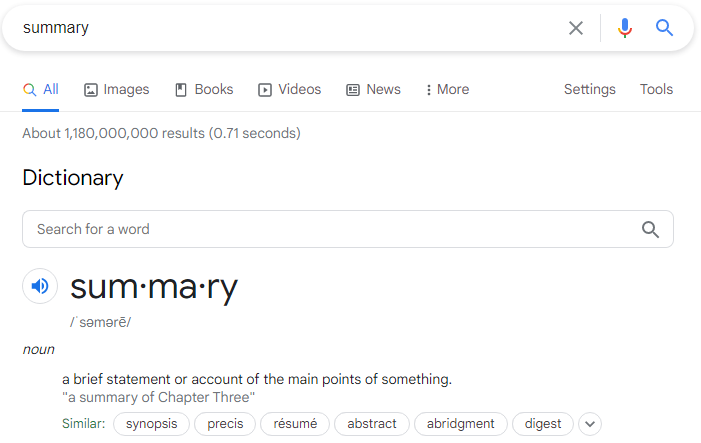
what does summary mean
when ur posting ur modpack
lyric crescent
digital roost
what does summary mean
when ur posting ur modpack
 slim dune
It means to summarize what players may experience when playing your modpack, or what they can expect
something along those lines
I can help you summarize it if you need help lol @digital roost
 broken solstice
Hi im trying to make a mod pack but its not working for some reason I have left my computer open for an hour but it keeps just saying that its prossesing please help
 hot shell
!status
red patioBOT
It is 02:42AM on Monday for CurseForge my dudes.
Project Moderation Time
Project/File moderation is done on Sunday - Thursday from 10am - 6pm GMT+2
This process is First in, First out. Thus files submitted late in the work day may not be checked until the next work day.
New Projects or uploads requiring manual approval: 1-3 Working Days
Updates to approved projects not needing manual approval: 1 Hour
File sync to the Curseforge app may take up to 24 hours after approval.
hot shell
i see you have a notification waiting, have your read that?
shell frost
When I extract my modpack folder it only shows 21 mods in the extracted folder but I have 40 in the pack. But when the file is imported it showed all of them again. What's Going on with this.
fleet bear
!mc-path
red patioBOT
**Minecraft Files should NOT be installed inside the following locations
.minecraft folder.
OneDrive folders.
Desktop folder.
Drive roots I.E. Directly into the C:\ drive.
iCloud enabled folders.
If any of the above are in the path you need to change/move it by following the instructions below!**
If Minecraft is not installed, start here.
Click the in the top left.
Select Minecraft.
Click "Edit".
Move to the "Continue here:" section below.
If Minecraft is installed, follow these steps.
Click the in the bottom left.
Select the Minecraft tab.
Click "Change".
Move to the "Continue here:" section below.
Continue here:
Make a folder in the root directory called CurseForge.
Select the folder you just made.
The text box should show something like the following:
For Windows: C:\CurseForge
For Mac: /Users/Shared/CurseForge
hot shell
how about instead of /user/<username> you could make a c:/games/curseforge... and intall it there?
fleet bear
follow them exactly.
hot shell
or even c:/curseforge
yes
please do not install directly into the root
yes, please do that
for example c:\curseforge
shell frost
For the license of a mod pack what option do I select Im not sure which one to select.
hot shell
I just go with 'All Rights Reserved' which is the default
fleet bear
shell frost
For the license of a mod pack what option do I select Im not sure which one to s...
lyric crescent
ARR isnt in there
fleet bear
yes because arr = bad
hot shell
I could understand those other rights for the actual mods, but for the packs, I took ARR as properly observing the rights of the mod makers
that's how i took it to mean... but i could be worng
lyric crescent
pretty sure it means
yARR not allowed to do anything matey
hot shell
lol
fleet bear
it does.
hot shell
Rule 9
 dull comet
fallen dagger
dull comet
fallen dagger
I'm not even able to open curseforge rn
when I try it just says "curseforge crashed"
is this my computer or...?

 lost meadow
hey i have a problem everytime i make a 1.12.2 modpack it does'nt work
 hallow mountain
can we @ mods or was that againest the rules?
fallen dagger
pretty sure its against the rules
hallow mountain
yea i checked
fallen dagger
I mean you can do it, they'll j get mad
fallen dagger
ig
fleet bear
hallow mountain
restart the app
fleet bear
lost meadow
hey i have a problem everytime i make a 1.12.2 modpack it does'nt work
!mc-installfix
red patioBOT
- Click on the Minecraft Tab on the Left side of the App.
- Click button next to the
Create Custom Profileoption. - Click
Repair Installationoption. - Play game.
NOTE: You will not lose any modpacks or worlds, These are saved in the Instances folder. DO NOT TOUCH THIS FOLDER OR YOU WILL LOSE EVERYTHING
hallow mountain
fleet bear
restart the app
I have 3 times
fallen dagger
you skipped me
fleet bear
fallen dagger
when I try it just says "curseforge crashed"
!ticket-site
red patioBOT
:bug: Reporting via Website :bug:
Can't open the app or would rather use the website? You can do so here: https://support.curseforge.com/en/support/tickets/new
Fill out the form with accurate detailed information, "It doesn't work" isn't helpful! What exactly doesn't work and why doesn't it work should be easy to answer!
Make sure to upload your Overwolf logs with the Upload File option on the ticket, information on how to get these logs can be found here https://support.overwolf.com/en/support/solutions/articles/9000176827-how-to-get-your-overwolf-logs
fallen dagger
hallow mountain
I have 3 times
have your tried canceling the installation and trying to install again?
fleet bear
hallow mountain
I have 3 times
Completely exit out of the app
hallow mountain
fallen dagger
have your tried canceling the installation and trying to install again?
I’ve pressed cancel but I doesn’t
fallen dagger
damn
hallow mountain
fleet bear
Completely exit out of the app
I have
fleet bear
Then it shouldn't say downloading anymore
hallow mountain
fleet bear
Then it shouldn't say downloading anymore
It says it’s copying and downloading and I press cancel and it doesn’t
fleet bear
And if you restart the app it shouldn't say that anymore
hallow mountain
fleet bear
And if you restart the app it shouldn't say that anymore
I pressed cancel and then the button turned grey and then it said copying and downloading
Sorry I’m slow at typing
fleet bear
Restart the computer
hallow mountain
Ok
But ima check in the morning cuz I got to get up at 6:00 am for school and it’s 1 am where I live
fleet bear
lost meadow
umm can i have help getting a 1.12.2 modpack getting working
sounds like a #👽︱game-support issue
 vagrant pond
i am not able to login to minecraft with my microsoft account, is there any other way i can run minecraft from curse forge?
fleet bear
It's the vanilla launcher
vagrant pond
yeah but in my normal launcher i can login easily, i think it's version issue maybe... can't i just change what version curse forge use?
fleet bear
it's the same
vagrant pond
so.. is there a fix for this login error?
vagrant pond
do curse forge install launcher for it's own or use already installed launcher?
queen storm
It uses its own
vagrant pond
i guess it's version issue because i can't login with microsoft account on curse forge but no problem in normal launcher, lunar client and badlion client
queen storm
Show a screenshot of the launcher then
 fleet bear
that's not a screenshot of the launcher
vagrant pond
 fleet bear
then click the correct login option
vagrant pond
lemme log out of my classic launcher then try to re-login
 ebon shore
i just did dat
queen storm
ebon shore
i just did dat
Who are you talking to?
 ancient plank
how to modify moodpack like rlcraft
opal cipher
!mc-modifypack
red patioBOT
How to add/remove mods in a modpack.
- Click on the picture of the modpack.
- Click the

Add More Contentbutton, IF this button is not there, see below before continuing. - Find the Mods, Resource Packs or Maps you wish to Install and click
Installon them. - Wait for all the required mods to be downloaded.
- Start the modpack.
How to Enable/Disable content management for modpacks.
- Click on the picture of the modpack.
- Click on the button next to the
Playbutton. - Click on

Profile Options. - Check the
Allow content management for this profileoption if you want to edit the content of the modpack, uncheck it to disable.
NOTE: The Allow content management for this profile option is what allows you to Delete, Disable, Update or Install any Mods, Resource Packs or Maps managed by CurseForge. It must be on to modify any of them! (Currently)
 timid bane
I installed CurseForge, but when I pressed the Launch button nothing happened, after a few minutes I shut off my computer, waited overnight and tried again. still nothing. Does anyone know how to fix it?
queen storm
timid bane
I installed CurseForge, but when I pressed the Launch button nothing happened, a...
!mc-installfix
red patioBOT
- Click on the Minecraft Tab on the Left side of the App.
- Click button next to the
Create Custom Profileoption. - Click
Repair Installationoption. - Play game.
NOTE: You will not lose any modpacks or worlds, These are saved in the Instances folder. DO NOT TOUCH THIS FOLDER OR YOU WILL LOSE EVERYTHING
 latent vault

 queen storm
!mc-path
red patioBOT
**Minecraft Files should NOT be installed inside the following locations
.minecraft folder.
OneDrive folders.
Desktop folder.
Drive roots I.E. Directly into the C:\ drive.
iCloud enabled folders.
If any of the above are in the path you need to change/move it by following the instructions below!**
If Minecraft is not installed, start here.
Click the in the top left.
Select Minecraft.
Click "Edit".
Move to the "Continue here:" section below.
If Minecraft is installed, follow these steps.
Click the in the bottom left.
Select the Minecraft tab.
Click "Change".
Move to the "Continue here:" section below.
Continue here:
Make a folder in the root directory called CurseForge.
Select the folder you just made.
The text box should show something like the following:
For Windows: C:\CurseForge
For Mac: /Users/Shared/CurseForge
timid bane
i meant the app itself didn't launch. I used the CF installer and installed the app, but after I clicked the launch button at the end the installer closed and curseforge didn't open
queen storm
Can you open overwolf?
timid bane
i didn't install overwolf
queen storm
Mac?
timid bane
windows
queen storm
Then overwolf is installed
timid bane
I'll install it with Overwolf this time then. Thank you
 minor sundial
Say I wanted to add a Minecraft resource pack that is a project hosted by CurseForge, but is not able to be found on the client. How would I go about adding this resource pack to the manifest.json?
If you couldn't tell by my oddly-specific details (lol), my modpack got taken down for this.
fleet bear
Edit the file directly is the only option.
Getting the dev to mark the file supporting things properly would be best.
 thorn pawn
Hello I created my first Minecraft Mod pack with CurseForge yesterday. It was actually meant only for my friends and me to play on my server but since their are more and more peoples that want to play with us I decided to upload my mod pack on CurseForge. But I am the only one that can see it. What do I have to do that the others can see it aswell?
opal cipher
!mc-packshare
red patioBOT
There are two ways to share a modpack you've made with others...
Export and Share - For Friends to Small Groups.
- Click the Icon for the modpack.
- Click the button next to play.
- Click

Export. - Select the files that should be included.
- Send the zip to the people that want it! They can follow the instructions in
!mc-installpackto install the pack!
Upload to Curseforge - For Public Release to Everyone.
This options will make your pack public to EVERYONE, it comes with extra requirements and will take some effort to set up.
- Go to here: https://www.curseforge.com/project/432/4471/create
- Fill out the information with a proper description of the pack. This should allow anyone to understand what the pack is.
- Click the Icon for the modpack in the CurseForge app.
- Click the button next to play.
- Click
Export. - Select the files that should be included.
- Open your Project you made on the CurseForge site and Upload the file you just made.
- Wait for Moderation & Sync so it can show up in the client! (See
!syncfor limitations)
thorn pawn
Ah okay thanks. How long does it takes around for step 8? I mean is it more the 2 days?
thorn pawn
Okay thanks for the help.
digital roost
I cant find the create mod on the curseforge app but i can find it on the site
opal cipher
!mc-installmods
red patioBOT
How to install mods in CurseForge App.
- Click
+ Create Custom Profile - Name it, select the required Minecraft version, select the Forge version (usually the highest number), click
Create. - Click the profile icon.
- Click
Add New Content - Search and install the desired mods.
- Start the game!
How to install mods not on CurseForge.
- Right click the profile picture or Open the profile and click the Icon next to the play button.
- Click
Open Folder. - Drag the mod(s) into the
modsfolder. (Note: Some mods will require others, to run. Make sure to read the instructions for the mod!) - Start the game!
digital roost
oh thanks
 rigid osprey
anyone know how i can use a texture pack, ive already downloaded the pack but dont know to import/use it
 exotic sinew
oh hello guys
 solar drum
https://gyazo.com/f5e805bd76b0453fd16c8c6796234cdf
is this normal
cause it literally says that i have to buy minecraft even tho
i bought it it just keeps saying i need to buy minecraft
and it just says player not my name
 opal cipher
Try logging out and logging in again, do you know if you bought the Java edition with a Microsoft account or a Mojang account?
Or did you buy the Windows 10 Editions (Bedrock)?
exotic sinew
hmm
solar drum
opal cipher
Try logging out and logging in again, do you know if you bought the Java edition...
i tried logging in and out like 3 times now
didnt work
and i bought a mojang account
opal cipher
And if you launch the vanilla launcher it works?
solar drum
yes
opal cipher
!mc-installfix
red patioBOT
- Click on the Minecraft Tab on the Left side of the App.
- Click button next to the
Create Custom Profileoption. - Click
Repair Installationoption. - Play game.
NOTE: You will not lose any modpacks or worlds, These are saved in the Instances folder. DO NOT TOUCH THIS FOLDER OR YOU WILL LOSE EVERYTHING
solar drum
https://gyazo.com/697a0f341deb92c3f5755c1f2c161d8f
still didnt work

my fault i used the wrong email
im a dumbass
opal cipher
Happens us all. ^^
 grave cape
how do i get curseforge 1.16.5
lyric crescent
make a profile of that version
grave cape
where do i download it
lyric crescent
!getcf
red patioBOT
Looking to install the CurseForge app?
Todo: Place system requirements here.
<:windows:798410728188936222> Windows
<:mac:798410654418862130> Mac
Linux
:person_shrugging:
grave cape
thx
digital roost
slim dune
I can help you summarize it if you need help lol <@456226577798135808>
ok ty
My modpack is a simple zombie apocalypse with tough as nails and guns, and just harder gameplay
 marble peak
Sorry, does Curseforge host modded servers?
lyric crescent
no
lyric crescent
you find a mod on the website, read the instructions provided, then download and install it
 gloomy depot
um i come here from yt
i download the link from the yt
town of us mod
and how to play it
lyric crescent
then you need to find the instructions for the mod
gloomy depot
how
lyric crescent
gloomy depot
ok
 queen storm
Not really, bad for your fps: yes
 carmine hawk
If you use a better graphics card it will work better
Bc your graphics card is the default one.
fallen dagger
how do I check what type of graphics card I have?
I always figured all my problems were j cause I didn't have enough ram
queen storm
Ram can be a big issue, but you will notice it when it is giving trouble
 rocky lagoon
fallen dagger
how much does ram cost?
rocky lagoon
fallen dagger
how much does ram cost?
you don't install ram. you have to buy physical cartridge's on amazon or something.
search 8gb ram when you look for some
 gleaming talon
hello i have a problem about making a modpack
i am on macos 10.11 and trying to upload one, but i cannot since i need to use the twitch app, which sends me to the overwolf page, which i cannot use since it requires macos 10.13
queen storm
gleaming talon
i am on macos 10.11 and trying to upload one, but i cannot since i need to use t...
!ticket-site
red patioBOT
:bug: Reporting via Website :bug:
Can't open the app or would rather use the website? You can do so here: https://support.curseforge.com/en/support/tickets/new
Fill out the form with accurate detailed information, "It doesn't work" isn't helpful! What exactly doesn't work and why doesn't it work should be easy to answer!
Make sure to upload your Overwolf logs with the Upload File option on the ticket, information on how to get these logs can be found here https://support.overwolf.com/en/support/solutions/articles/9000176827-how-to-get-your-overwolf-logs
digital roost
im tryna run pixelmon and it keeps crashing anything to do
queen storm
digital roost
im tryna run pixelmon and it keeps crashing anything to do
!mc-logs
red patioBOT
Where to find the log on the CurseForge Client.
Right-click the modpack profile icon OR click the button in the modpack profile.
Click Open Folder.
Open the logs folder.
Find the file called latest.log and drag it into discord.
gleaming talon
well drag the log into discord so we could see whats wrong
digital roost
ok
opal cipher
Ask the modpack developer.
 jagged hemlock
It works on another persons
lyric crescent
Ask the modpack developer.
opal cipher
And it's not a CurseForge question, as this is only relevant to this modpack, so #👽︱game-support or #🧱︱mc-other-help would be better. (To gain access to mc-help, you need to go to #786424115535544350 and grab the minecraft role)
jagged hemlock
It doesn't works on any kind of mod related to Curseforge
Game itself shows but curseforge doesn't
lyric crescent
Curseforge has nothing to do with how individual mods work.
Or don't work, in this case.
digital roost
how do you add like a custom picture to your own modpack
lyric crescent
The pack needs to be uploaded and approved on the website for an icon
digital roost
alright thank you
 leaden needle
Hi, if anyone is willing to help I am trying to make a minecraft server with some Forge mods and I'm having some difficulty. Only some mods seem to show up when I try making a modpack and I'm not sure exactly how I should go about making this server as I'm new to doing custom forge stuff
lyric crescent
should probably start at step one and not step 1, 4, and 20.
what is the issue with the modpack exactly
leaden needle
When I try adding mods they are not appearing as I'd expect
 lyric crescent
are you using the app to add them?
leaden needle
yes
lyric crescent
where are they not appearing?
leaden needle
Is making a modpack the first step to making a server with these mods?
They are not appearing in the results for the search for "Biomes O' Plenty"
lyric crescent
cant make a server if you dont have anything to make a server with
search only biomes, the search is dumb, dont confuse it with too much stuff
lyric crescent
does biomes o plenty actually exist on 1.16.2?
leaden needle
It does but I am not sure why it is searching exclusively for that version
oh one moment
lyric crescent
it searches for mods that work on the mc version you selected
leaden needle
I think I just misclicked when I was setting up the modpack. sorry about that
hallow mountain
fleet bear
Restart the computer
Ok I just did that and it still didn’t work
 faint stump
how to share my CurseForge Custom Modpack with my friends?
queen storm
!mc-packshare
red patioBOT
There are two ways to share a modpack you've made with others...
Export and Share - For Friends to Small Groups.
- Click the Icon for the modpack.
- Click the button next to play.
- Click
Export. - Select the files that should be included.
- Send the zip to the people that want it! They can follow the instructions in
!mc-installpackto install the pack!
Upload to Curseforge - For Public Release to Everyone.
This options will make your pack public to EVERYONE, it comes with extra requirements and will take some effort to set up.
- Go to here: https://www.curseforge.com/project/432/4471/create
- Fill out the information with a proper description of the pack. This should allow anyone to understand what the pack is.
- Click the Icon for the modpack in the CurseForge app.
- Click the button next to play.
- Click
Export. - Select the files that should be included.
- Open your Project you made on the CurseForge site and Upload the file you just made.
- Wait for Moderation & Sync so it can show up in the client! (See
!syncfor limitations)
red patioBOT
How to install modpacks with the search features in app.
- Open the

Minecraftsection of the app. - Click the top search bar where it says
Search for modpacksOR Click theBrowse ModpacksTab. - Find the Modpack you want to install and click install on it.
- Wait for CurseForge app to download and unpack all the required files.
- Once finished, click
Play!
How to install modpacks from a Export. (Custom/Private/Site downloaded Modpack zip)
- Get CurseForge App if you don't have it, use
!downloadfor a link. - Get the exported modpack from CurseForge or someone else,
!mc-packshareexplains how to make them. - Open the
Minecraftsection of the app. - Click

Create Custom Profile - Click the
Importoption. - Find the file you just downloaded in step 2 and select it.
- CurseForge app will now attempt to download and unpack the modpack. If it fails, try steps 4-6 again.
- Once finished, click
Play!

 brazen temple
Hi, I am trying to install curseforge, I run the installer, it gets to the end and I click launch and then nothing happens. Overwolf shows in my installed programmes however I cant find a curseforge app to launch. I have it installed on my personal laptop but cannot get it to install on the family machine
 harsh dew
hi i have the curseforge app on mac os and i have downloaded many modpacks but i dont see a way to download mods instead help?
lyric crescent
?mc-installmods
red patioBOT
How to install mods in CurseForge App.
- Click
+ Create Custom Profile - Name it, select the required Minecraft version, select the Forge version (usually the highest number), click
Create. - Click the profile icon.
- Click
Add New Content - Search and install the desired mods.
- Start the game!
How to install mods not on CurseForge.
- Right click the profile picture or Open the profile and click the Icon next to the play button.
- Click
Open Folder. - Drag the mod(s) into the
modsfolder. (Note: Some mods will require others, to run. Make sure to read the instructions for the mod!) - Start the game!
harsh dew
the mod instant massive structures wich i am trying to download that is on the browser version of curse forge is not on the app curseforge
lyric crescent
link the mod and screenshot you searching for it
harsh dew
sounds stupid but i dont know how to screenshot on mac never had to do it before
lyric crescent
me either, try google?
harsh dew
how do install a mod not on curseforge on mac
lyric crescent
like it says above
harsh dew
on mac
lyric crescent
above
harsh dew
that is for pc not mac
lyric crescent
its exactly the same
harsh dew
no its not it doesnt give me the option to open folder
lyric crescent
then you need to navigate to the install location of curseforge to do it manually
 pastel hollow
whenever i try to download a pack, it says 'exception occured during a WebClient request'
 cursive ermine
what i can do if curse forge do not found game TESV: Skyrim?
( i have license on steam )
lyric crescent
pastel hollow
whenever i try to download a pack, it says 'exception occured during a WebClient...
try a pc restart
pastel hollow
oof okie
 green shuttle
what's the best way to give someone else a custom modpack that I made?
lyric crescent
?mc-packshare
red patioBOT
There are two ways to share a modpack you've made with others...
Export and Share - For Friends to Small Groups.
- Click the Icon for the modpack.
- Click the button next to play.
- Click
Export. - Select the files that should be included.
- Send the zip to the people that want it! They can follow the instructions in
!mc-installpackto install the pack!
Upload to Curseforge - For Public Release to Everyone.
This options will make your pack public to EVERYONE, it comes with extra requirements and will take some effort to set up.
- Go to here: https://www.curseforge.com/project/432/4471/create
- Fill out the information with a proper description of the pack. This should allow anyone to understand what the pack is.
- Click the Icon for the modpack in the CurseForge app.
- Click the button next to play.
- Click
Export. - Select the files that should be included.
- Open your Project you made on the CurseForge site and Upload the file you just made.
- Wait for Moderation & Sync so it can show up in the client! (See
!syncfor limitations)
red patioBOT
How to install modpacks with the search features in app.
- Open the
Minecraftsection of the app. - Click the top search bar where it says
Search for modpacksOR Click theBrowse ModpacksTab. - Find the Modpack you want to install and click install on it.
- Wait for CurseForge app to download and unpack all the required files.
- Once finished, click
Play!
How to install modpacks from a Export. (Custom/Private/Site downloaded Modpack zip)
- Get CurseForge App if you don't have it, use
!downloadfor a link. - Get the exported modpack from CurseForge or someone else,
!mc-packshareexplains how to make them. - Open the
Minecraftsection of the app. - Click
Create Custom Profile - Click the
Importoption. - Find the file you just downloaded in step 2 and select it.
- CurseForge app will now attempt to download and unpack the modpack. If it fails, try steps 4-6 again.
- Once finished, click
Play!
green shuttle
ok, i was doing it wrong lol
slim dune
!status
red patioBOT
It is 07:19PM on Monday for CurseForge my dudes.
Project Moderation Time
Project/File moderation is done on Sunday - Thursday from 10am - 6pm GMT+2
This process is First in, First out. Thus files submitted late in the work day may not be checked until the next work day.
New Projects or uploads requiring manual approval: 1-3 Working Days
Updates to approved projects not needing manual approval: 1 Hour
File sync to the Curseforge app may take up to 24 hours after approval.
pastel hollow
lyric crescent
try a pc restart
still not working
lyric crescent
try reinstalling curseforge
pastel hollow
will that remove my current packs?
lyric crescent
no
lyric crescent
?ticket-app
red patioBOT
:bug: Reporting via the CurseForge App :bug:
-
Click the
icon in the bottom left. -
Select
Open a Ticket. -
Fill out the form with accurate detailed information, "It doesn't work" isn't helpful! What exactly doesn't work and why doesn't it work should be easy to answer!
-
Make sure to upload your Overwolf logs with the
Upload Fileoption on the ticket, information on how to get these logs can be found here https://support.overwolf.com/en/support/solutions/articles/9000176827-how-to-get-your-overwolf-logs -
Submit!
lyric crescent
dont have anything else to try, put my name in the ticket as well
lyric crescent
sorry
cursive ermine
what i can do if curse forge do not found game TESV: Skyrim?
( i have license on steam )
 midnight wing
support me i download kinda crazy craft on curse forge i login in and get crash and report
queen storm
midnight wing
support me i download kinda crazy craft on curse forge i login in and get crash ...
Rule 4
fleet bear
cursive ermine
what i can do if curse forge do not found game TESV: Skyrim?
( i have license on...
Can you point curseforge to the game in the settings menu?
midnight wing
The game crashed whilst there was a severe problem during mod loading that has caused the game to fail
Error: cpw.mods.fml.common.LoaderException: java.lang.ExceptionInInitializerError
Exit Code: -1 i get this can help me to
cursive ermine
fleet bear
Can you point curseforge to the game in the settings menu?
i do not understand
fleet bear
In the settings menu for curseforge, manually locate the game.
cursive ermine
i was try it
midnight wing
fleet bear
In the settings menu for curseforge, manually locate the game.
can help to me
cursive ermine
 fleet bear
midnight wing
can help to me
fleet bear
midnight wing
can help to me
I can help you right out of the discord.
I'm currently dealing with something else.
fleet bear
cursive ermine
What did you direct it to? The folder?
lyric crescent
midnight wing
The game crashed whilst there was a severe problem during mod loading that has c...
?mc-log
red patioBOT
Where to find the log on the CurseForge Client.
Right-click the modpack profile icon OR click the button in the modpack profile.
Click Open Folder.
Open the logs folder.
Find the file called latest.log and drag it into discord.
midnight wing
fleet bear
cursive ermine
folder testV
!ticket-app include your overwolf logs, mention my name in the ticket
red patioBOT
:bug: Reporting via the CurseForge App :bug:
-
Click the
icon in the bottom left. -
Select
Open a Ticket. -
Fill out the form with accurate detailed information, "It doesn't work" isn't helpful! What exactly doesn't work and why doesn't it work should be easy to answer!
-
Make sure to upload your Overwolf logs with the
Upload Fileoption on the ticket, information on how to get these logs can be found here https://support.overwolf.com/en/support/solutions/articles/9000176827-how-to-get-your-overwolf-logs -
Submit!
lyric crescent
midnight wing
Did you make this pack or did you download it?
midnight wing
i download it and delete it and download it
lyric crescent
?mc-installfix
red patioBOT
- Click on the Minecraft Tab on the Left side of the App.
- Click button next to the
Create Custom Profileoption. - Click
Repair Installationoption. - Play game.
NOTE: You will not lose any modpacks or worlds, These are saved in the Instances folder. DO NOT TOUCH THIS FOLDER OR YOU WILL LOSE EVERYTHING
lyric crescent
try that
cursive ermine
in "Subject" i need write a problem or what?
lyric crescent
The subject line should communicate exactly what the message is about so that the recipient can prioritize the message's importance without having to open it. For example, writing “Do you have a sec?” is vague since the reader will have to open the email or reply to figure out what you want.
midnight wing
lyric crescent
```The subject line should communicate exactly what the message is about so that...
not working
i get crashed forge in 2. get this error
lyric crescent
reinstall the pack
midnight wing
i alerady tested
lyric crescent
ok dont then
lyric crescent
no point if you wont do it
midnight wing
ok i test wait
noo i get again
i reinstalled
i get eror loading mods screen
forge
lyric crescent
then report it to the pack dev, it's an issue with the pack
 real magnet
Could not find required mod: extraorigins requires {minecraft @ [1.16.5]}
Hello I need help. I'm getting this message each time and I don't know how to fix it! Halp!
queen storm
Which version did you install it on?
real magnet
snapshot 21w15a
fleet bear
That's not 1.16.5 then.
real magnet
well, my friend has the exact same files that I have and hers works just fine :T
lyric crescent
then your friend installed it to the correct version while you did not
real magnet
Which version is the correct one?
lyric crescent
 real magnet
we installed it under the same version tho ^^"
 weary flower
i know you can get modpacks on forge but how do you get normal mods on forge
lyric crescent
well you have two options then
- You picked the wrong version of the mod for snapshot whatever
- You misunderstood what they are doing as the mod clearly says what version it works with
lyric crescent
weary flower
i know you can get modpacks on forge but how do you get normal mods on forge
?mc-installmods
red patioBOT
How to install mods in CurseForge App.
- Click
+ Create Custom Profile - Name it, select the required Minecraft version, select the Forge version (usually the highest number), click
Create. - Click the profile icon.
- Click
Add New Content - Search and install the desired mods.
- Start the game!
How to install mods not on CurseForge.
- Right click the profile picture or Open the profile and click the Icon next to the play button.
- Click
Open Folder. - Drag the mod(s) into the
modsfolder. (Note: Some mods will require others, to run. Make sure to read the instructions for the mod!) - Start the game!
weary flower
tank chu mr bot
lyric crescent
real magnet
we installed it under the same version tho ^^"
If you go look at the mod page for that mod, you will see there is no version there that works with any minecraft snapshots
real magnet
Could not find required mod: fabric requires {minecraft @ [~1.17-alpha.20.45.a]}
I opened it with 1.16.5 and got this message
lyric crescent
downgrade fabric to the 1.16.5 version
real magnet
how??
lyric crescent
no idea
 broken steppe
okay so the thing is. she has all the same files as me like the exact same. and we've installed it the exact same way but hers will not work :((
 languid whale
guys can someone help me download this mod for skyblocks forge
 fickle gorge
So I played the pixelmon modpack and im getting 45 fps with unlimited fps setting, optifine, I checked and the cpu and gpu usage was pretty low, what do I do?
 frosty spruce
overwolf support appears to have lost my ticket inquiring about why my pack was rejected. it's been open almost a week without getting a response. I don't understand what I'm supposed to do about files that have been "removed from curseforge". Why can't I just override such files?
broken steppe
lyric crescent
no idea
I made her a .zip with the things and she can now get in
 narrow frigate
Anyone know how to fix this?
 fleet bear
frosty spruce
overwolf support appears to have lost my ticket inquiring about why my pack was ...
fleet bear
frosty spruce
overwolf support appears to have lost my ticket inquiring about why my pack was ...
Files removed from curseforge means either the file was broken and the dev deleted it or the dev doesn't want to be on the platform. Either update the mod or find a new one.
digital roost
how long does it normally take for a mod pack to be verified?
my curseforge isnt loading any modpacks it just keeps continuosly loading
narrow minnow
frosty spruce
overwolf support appears to have lost my ticket inquiring about why my pack was ...
Hi
What is the project? send a url
frosty spruce
here's a link to the file in question [removed by twisted. This is meant to be a private pack and I got the help I needed]
digital roost
nvm now its working
narrow minnow
frosty spruce
here's a link to the file in question [removed by twisted. This is meant to be a...
I'l DM you now
frosty spruce
fleet bear
Files removed from curseforge means either the file was broken and the dev delet...
I can work with updating mods, but so help me if I have to try to explain to my friends ONE more time how to install mods or even configs manually...
anyway thanks for the support wolfgang. I'll let you know if I need more help (but hopefully won't?)
Whoops did not mean to make that a ping/reply
 still rain
my curseforce is having issues just starting when i hit play on pixelmon? it just ends up crashing and idk y

 frosty spruce
was it loading for a while?
queen storm
@still rain follow rule 4
still rain
frosty spruce
was it loading for a while?
no just would stop
digital roost
hello im getting a Access denied message whenever i try to play a modpack

Please help i want to play very badly
Ive been wanting to play things like RAD and RLcraft for so long
narrow minnow
digital roost
Last time I saw this - the javaw.exe in the runtime directory has Run as admin on
digital roost
how do i fix this?
narrow minnow
i'll DM
digital roost
k
 crimson bobcat
i tried all my files this doesnt change help please
 narrow minnow
crimson bobcat
i tried all my files this doesnt change help please
narrow minnow
crimson bobcat
i tried all my files this doesnt change help please
This might be unrelated to the actual path but rather to the failure of downloading the minecraft launcher
narrow minnow
Can you access: https://mojang.com?
 pliant belfry
I keep crashing when I join but idk what is making me crash
lyric crescent
Read the rules first please
hot shell
Rule 10
 grizzled sleet
my b
but i am trying to start up a server with the mods and i have no clue on how to do that then once i do that i wish to submit it to curseforge
 signal ridge
 olive dune
my cursforg is not woring
olive dune
my cursforg is not woring
Explain not working
 muted magnet
Im trying to run a modpack i just made for minecraft, its saying that it wont work because forge needs to be 36.1.1 and my forge is 36.1.0
what does this mean? the curseforge app or something else, im entirely new to this so i got no idea
lyric crescent
grizzled sleet
but i am trying to start up a server with the mods and i have no clue on how to ...
Curseforge is not involved in servers. Use #👽︱game-support
signal ridge
muted magnet
Im trying to run a modpack i just made for minecraft, its saying that it wont wo...
Means you need to update your version of forge
grizzled sleet
apologies
muted magnet
How does one do that
olive dune
when i press play in minecraft lanucher nothig happen
signal ridge
muted magnet
How does one do that
In your pack click the > profile options > change the forge version to the one it wants or higher
muted magnet
ok
signal ridge
olive dune
when i press play in minecraft lanucher nothig happen
!mc-installfix try this
red patioBOT
- Click on the Minecraft Tab on the Left side of the App.
- Click button next to the
Create Custom Profileoption. - Click
Repair Installationoption. - Play game.
NOTE: You will not lose any modpacks or worlds, These are saved in the Instances folder. DO NOT TOUCH THIS FOLDER OR YOU WILL LOSE EVERYTHING
olive dune
ok
muted magnet
Thanks! I have no idea what im doing with this so that helped a lot for the instructions yoyok
It worked! thanks!
bold hull
why is my launcher gray the last time i asked they said clean delete and download overwolf and cf -- didnt work
when i launch a minecraft mod from curseforge the launcher is gray help
signal ridge
bold hull
why is my launcher gray the last time i asked they said clean delete and downloa...
Have you tried the installfix?
bold hull
hm?
 crude wigeon
@lyric crescent i have given up on curseforge
crude wigeon
im trying to launch it after changing the allocated memory to a higher value
crude wigeon
it keeps crashing
signal ridge
curse or the minecraft launcher?
signal ridge
So you open the app, and it just closes out?
crude wigeon
no doesnt close
signal ridge
Step by step what do you do till it crashes
crude wigeon
i press play on the launch screen
after opening the wanted game
from curse
and brings me to "an error has occured"
or something similar
like a crash report screen
signal ridge
minecraft?
signal ridge
Right
crude wigeon
when u try to press play
signal ridge
!mc-logs
red patioBOT
Where to find the log on the CurseForge Client.
Right-click the modpack profile icon OR click the button in the modpack profile.
Click Open Folder.
Open the logs folder.
Find the file called latest.log and drag it into discord.
signal ridge
do that, can have a look at the latest log
lyric crescent
why did iv need 2a pinge for that..
signal ridge
¯_(ツ)_/¯


 lyric crescent
ok and?
crude wigeon
when you said change the allocated whatever to higher
lyric crescent
how is that a reason to ping me
crude wigeon
idk thought you'd be helpful
 steady geode
this is a minecraft modpack support channel, correct? i've been fiddling and pulling out my hair for hours trying to get my modpack to work
signal ridge
steady geode
this is a minecraft modpack support channel, correct? i've been fiddling and pul...
Are you using the curse app?
steady geode
yes
fleet bear
crude wigeon
remove foamfix
signal ridge
What issue are you having? Need more info
crude wigeon
fleet bear
remove foamfix
how to i find that or remove it?
steady geode
alright so, my modpack just immediately crashes. it doesn't even load.
 signal ridge
steady geode
alright so, my modpack just immediately crashes. it doesn't even load.
signal ridge
steady geode
alright so, my modpack just immediately crashes. it doesn't even load.
!mc-logs do this
red patioBOT
Where to find the log on the CurseForge Client.
Right-click the modpack profile icon OR click the button in the modpack profile.
Click Open Folder.
Open the logs folder.
Find the file called latest.log and drag it into discord.