#🔥︱curseforge-support
1 messages · Page 444 of 1
 narrow minnow
 torpid sluice
how can i fix it ? do you need more information ?
narrow minnow
I think you need to consult with your internet provider on this one
torpid sluice
i have a second computer and if i try on it. the download works
 leaden valley
How can I download curseforge for Minecraft bedrock edition? There is a mod called better portals which requires curseforge. I thought it was just for Java, but I saw a video of a mcpe player who got the mod working fine.
 somber rock
@lyric crescent still
narrow minnow
leaden valley
How can I download curseforge for Minecraft bedrock edition? There is a mod call...
You can download addons for bedrock from the website: https://www.curseforge.com/minecraft/mc-addons
 sleek crown
by chance can you tell me what is the name of the mod of the shaders ??? it's for me to download
leaden valley
Are betterportals and immersive portals mods only for Java? I can’t find them
leaden valley
How can I download it for bedrock
 lyric crescent
There are no mods for bedrock.
You can find addons on the website, but the launcher does not support bedrock.
 viral briar
bedrock/windows 10 is different to java in many ways
 modest birch
how do i join my server with forge
lyric crescent
modest birch
how do i join my server with forge
Joining a server is not a Curseforge issue. Use #👽︱game-support or #🧱︱mc-other-help and provide details on the issue.
lyric crescent
leaden valley
Even tho I’m on iOS
Java is PC only. Minecraft on anything else is bedrock.
leaden valley
Yeah ik but it was somehow done on Minecraft bedrock
I will keep searching
If you don’t believe me: https://www.youtube.com/watch?v=Za8p7CJ_mA4

►Minecraft PE (Pagina) : https://MinecraftPERevolution.blogspot.com (Mods,Addons & Mas!)
▬▬▬▬▬▬▬▬▬▬▬▬▬▬▬▬▬▬▬▬▬▬▬▬▬▬▬▬
►Mi Skin!
V.1 ►http://j.gs/DACL
V.2 ►http://j.gs/DACN
V.3 ►http://j.gs/DACM
►Mi Canal Secundario: https://bit.ly/2TFRkSW
►Mis Intros: http://j.gs/E9u9
▬▬▬▬▬▬▬▬▬▬▬▬▬▬▬▬▬▬▬▬▬▬▬▬▬▬▬▬
BetterPortals: http://raboninco.com/1Nr26 (Pag...
leaden valley
I did but I couldn’t download the mod
leaden valley
Ah
I was a bit suspicious as it seems a bit too much for bedrock mods
Most bedrock mods are way less complicated than Java ones
 digital roost
mods arent super complicated tbqh, but sure
leaden valley
No that’s not what I meant
I meant that bedrock has certain limitations in mods that Java dosent
digital roost
mhm
lyric crescent
can you try another pack?
 raw sable
I have tried a lot of packs, and ones with no mods
leaden valley
I have managed to download it into my game (with adding some new manifest). I was very exited, but when I put the pack on nothing changed. Makes sense tho, as it is all java inside
lyric crescent
show a log for one with no mods please
narrow minnow
raw sable
Ok
Did you try Repair?

 signal ridge
raw sable
Found the log btw
signal ridge
raw sable
Found the log btw
Try updating your forge version. 36.0.44 is rather old
raw sable
I repaired it and it worked🤦♂️
lyric crescent
swear i said that earlier
 echo oar
o/ hello
I recently got curseforge launcher to make things easier
but F5 isnt working, I am always in FPS mode
Does anyone know the reason for that ? Or solution
signal ridge
!mc-logs
 red patioBOT
How to get a Minecraft log file.
Where to find the log on the CurseForge Client.
Right-click the modpack profile icon OR click the  button in the modpack profile.
Click 
Open Folder.
Open the logs folder.
Find the file called latest.log and drag it into discord.
signal ridge
Lets see if something funky is going on
signal ridge
Youve checked controls and made sure 3rd person is not been set to something else? or F5 isnt double set
echo oar
double set
oh god
i am stupid
lemme check
Oh also another quick question
Am i blind or there is no way to share modpack ?
I will play with few friends of mine
signal ridge
!mc-packshare
red patioBOT
There are two ways to share a modpack you've made with others...
Export and Share - For Friends to Small Groups.
- Click the Icon for the modpack.
- Click the button next to play.
- Click

Export. - Select the files that should be included.
- Send the zip to the people that want it! They can follow the instructions in
!mc-installpackto install the pack!
Upload to Curseforge - For Public Release to Everyone.
This options will make your pack public to EVERYONE, it comes with extra requirements and will take some effort to set up.
- Go to here: https://www.curseforge.com/project/432/4471/create
- Fill out the information with a proper description of the pack. This should allow anyone to understand what the pack is.
- Click the Icon for the modpack in the CurseForge app.
- Click the button next to play.
- Click
Export. - Select the files that should be included.
- Open your Project you made on the CurseForge site and Upload the file you just made.
- Wait for Moderation & Sync so it can show up in the client! (See
!syncfor limitations)
echo oar
oo thanks
There are some mods thats not in curseforge
that wont be a problem right ?
Galacticraft for aan example
signal ridge
If they are on the 3rd party list then your good. If not, you wont be able to upload the project to the site. But you can just send the zip file to others to import as well.
?mc-3rdparty
red patioBOT
Minecraft Modpack 3rd party
Mods not on CurseForge must be on the 3rd-party list to be included in modpacks uploaded to CurseForge. If a mod is not on this list it can't be included in the export of a modpack and must be removed before uploading. If you upload with a mod that isn't on this list the file will be rejected.
List of approved 3rd party mods:
https://docs.google.com/spreadsheets/d/176Wv-PZUo9hFxy6oC6N8tWdquBLPRtSuLbNK-r0_byM
echo oar
oh def there
Lemme check if there is any other minor issues
oh yeah I cant delete worlds
uh now I can
Interesting
echo oar
signal ridge
Youve checked controls and made sure 3rd person is not been set to something els...
Anyways, double checked that now and nothing is using F5 atm
signal ridge
Do the other function keys work?
digital roost
do they work outside of the game?
echo oar
minecraft ones, mod ones
digital roost
oh ok
signal ridge
I didnt see anything off in the log, your pack a custom pack? (you made it)
echo oar
yeah
signal ridge
Might be a mod effecting it.
digital roost
maybe hardbound to something in a config file, or if youre using a mod; like inventory sorting, it could be in a different keybind menu
echo oar
well in that case it shouldnt be working when I dont use curseforge launcher right
digital roost
no?
echo oar
if mods cause it i guess no
I guess i will disable and enable each mod and try to find the issue
digital roost
¯_(ツ)_/¯
signal ridge
Would need to go through your mods and see which one may be causing it.
echo oar
yea big pain
i have time tho so no worries
Thanks for helping guys, seems like i will be here for a while
 tame gazelle
!status
red patioBOT
It is 07:40PM on Wednesday for CurseForge my dudes.
Project Moderation Time
Project/File moderation is done on Sunday - Thursday from 10am - 6pm GMT+2
This process is First in, First out. Thus files submitted late in the work day may not be checked until the next work day.
New Projects or uploads requiring manual approval: 1-3 Working Days
Updates to approved projects not needing manual approval: 1 Hour
File sync to the Curseforge app may take up to 24 hours after approval.
echo oar
oh so curseforge checks my modpack
digital roost
no
well
if you upload it to be publicly shared then yes
but if you dont then no
signal ridge
Then you can export it, and just send the zip to your friends, they will then need to import it.
echo oar
Makes sense
 violet ledge
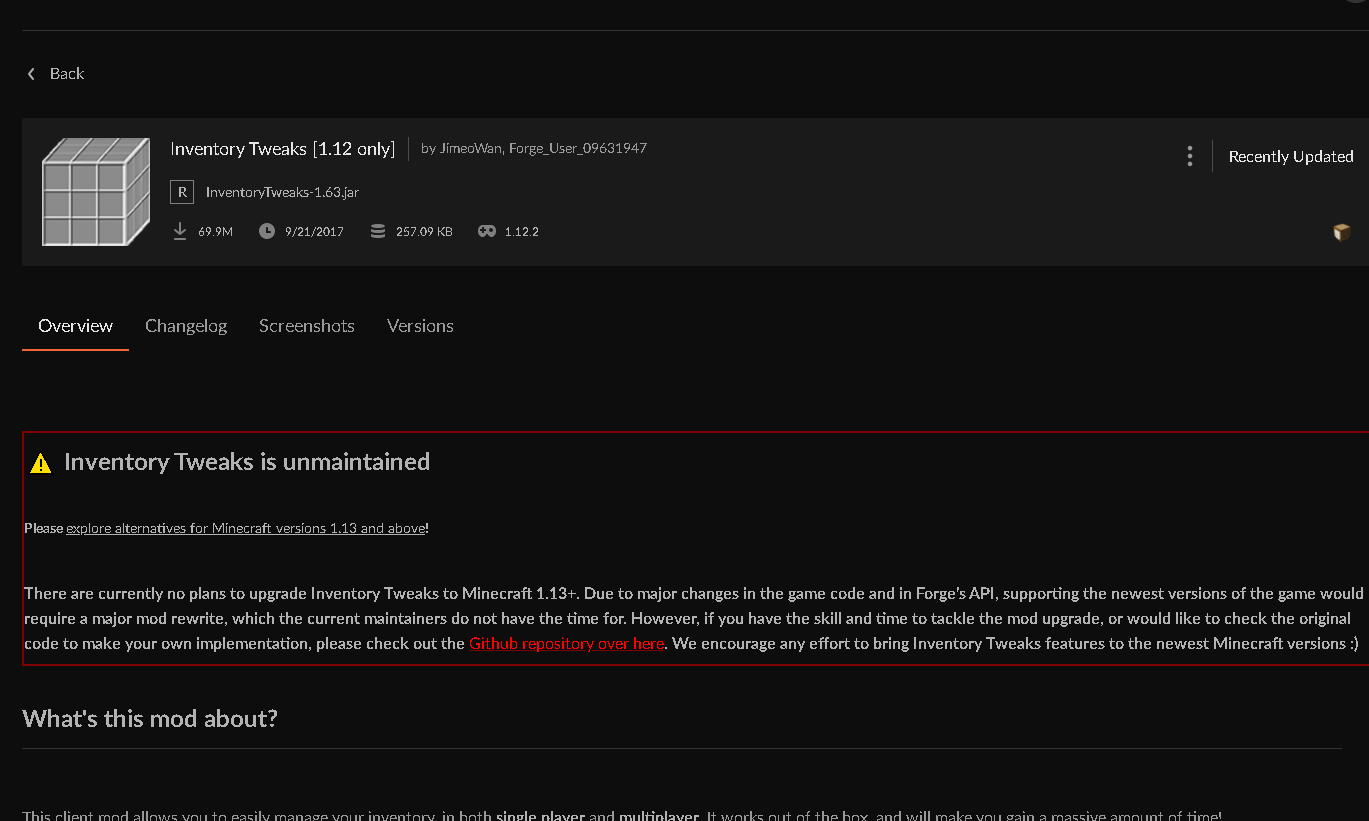
I tried to update my modpack and it said that I couldn't add Inventory tweaks to the zip since it was not owned by CurseForge. However, I got rid of it on the mod list. Do I need to manually remove it?
 hollow shuttle
What files do I have to remove/edit/add to make a serverpack for my modpack?
echo oar
violet ledge
I tried to update my modpack and it said that I couldn't add Inventory tweaks to...
Inventory tweaks is in curseforge
violet ledge
?
echo oar
 violet ledge
it said it wasn't owned by CurseForge though
lyric crescent
just send the reject message when you have issues with rejection
violet ledge
Im trying it again but I manually deleted it.
This is what it said:
Notes:
The following files belong to CurseForge-hosted projects, and should therefore not be added directly to zip files:
overrides/mods/InventoryTweaks-1.63.jar
lyric crescent
that says the complete opposite of it said it wasn't owned by CurseForge though
remove the mod from your instance, reinstall it with the app, then export again. check your zip in overrides/mods and make sure no mods are in there. then upload.
 cerulean depot
Why have there have been no point awards for three days?
digital roost
probably bc it only goes out at certain dates
cerulean depot
Goes out ever day
signal ridge
I messaged an overwolf staff member they will have a look at whats going on.
cerulean depot
Coolthanks
 ocean umbra
how do i add a certain mod to a modpack
 queen storm
ocean umbra
how do i add a certain mod to a modpack
queen storm
ocean umbra
how do i add a certain mod to a modpack
!mc-editpack
red patioBOT
How to add/remove mods in a modpack.
- Click on the picture of the modpack.
- Click the

Add More Contentbutton, IF this button is not there, see below before continuing. - Find the Mods, Resource Packs or Maps you wish to Install and click
Installon them. - Wait for all the required mods to be downloaded.
- Start the modpack.
How to Enable/Disable content management for modpacks.
- Click on the picture of the modpack.
- Click on the button next to the
Playbutton. - Click on

Profile Options. - Check the
Allow content management for this profileoption if you want to edit the content of the modpack, uncheck it to disable.
NOTE: The Allow content management for this profile option is what allows you to Delete, Disable, Update or Install any Mods, Resource Packs or Maps managed by CurseForge. It must be on to modify any of them! (Currently)
ocean umbra
how do i add a mod to a modpack that was made by someone else
queen storm
ocean umbra
how do i add a mod to a modpack that was made by someone else
That is what is posted above you...
ocean umbra
yeah its all confusing me tbh
digital roost
how?
 fleet bear
Its step by step instructions.
ocean umbra
all im trying to do is add JEI to pixelmon
fleet bear
You start at 1, do what it says then move to the next one.
 scenic trellis
how can i add a mod to my modpack manually if it doesn't show up in the curseforge launcher
lyric crescent
?MC-INSTALLMODS
red patioBOT
How to install mods in CurseForge App.
- Click
+ Create Custom Profile - Name it, select the required Minecraft version, select the Forge version (usually the highest number), click
Create. - Click the profile icon.
- Click
Add New Content - Search and install the desired mods.
- Start the game!
How to install mods not on CurseForge.
- Right click the profile picture or Open the profile and click the Icon next to the play button.
- Click
Open Folder. - Drag the mod(s) into the
modsfolder. (Note: Some mods will require others, to run. Make sure to read the instructions for the mod!) - Start the game!
 lyric crescent
2nd part
though if it doesnt show up in curseforge search, that means it's not meant for the mc version you are using
scenic trellis
thank you
violet ledge
are you guys still checking for today?
lyric crescent
!status
red patioBOT
It is 09:58PM on Wednesday for CurseForge my dudes.
Project Moderation Time
Project/File moderation is done on Sunday - Thursday from 10am - 6pm GMT+2
This process is First in, First out. Thus files submitted late in the work day may not be checked until the next work day.
New Projects or uploads requiring manual approval: 1-3 Working Days
Updates to approved projects not needing manual approval: 1 Hour
File sync to the Curseforge app may take up to 24 hours after approval.
violet ledge
One of mine says under review and 1 download but has been like that for two hours now(its an update)
 fickle saddle
violet ledge
One of mine says under review and 1 download but has been like that for two hour...
fickle saddle
violet ledge
One of mine says under review and 1 download but has been like that for two hour...
Normally my mod packs take around a couple days then get approved, once you get past that first couple days I have had them checked and reaproved for updates within an hour
violet ledge
lol
fickle saddle
What is your modpack @violet ledge
lyric crescent
werent you using galacticraft?
violet ledge
BetterBunny111's Modpack and yes to Yamza
lyric crescent
3rd party mods make it far more likely to require manual review
fickle saddle
violet ledge
BetterBunny111's Modpack and yes to Yamza
K I’ll check it out if you want 👍
fickle saddle
If there is a base file there
 alpine nexus
does anyone know how i can mod stardew valley through curse forge and i have stardew valley from steam
?
signal ridge
alpine nexus
does anyone know how i can mod stardew valley through curse forge and i have sta...
?knownissues under other games
red patioBOT
Known Issues with solutions or status of the issue.
Overwolf maintains a known list of issues here, some with solutions, others without.
https://support.curseforge.com/en/support/solutions/articles/9000196615-curseforge-known-issues
 heady drum
SO im still getting that error from before, i know in the announcements there was something about an "All Files" error fix, but the crash is still happening for me, can i do my modpack work on the curseforge website?
alpine nexus
signal ridge
?knownissues under other games
thanks
 wooden onyx
hey uh
when did they add the "softlock jacob from using minecraft mods" feature because i sure hate it
signal ridge
wooden onyx
when did they add the "softlock jacob from using minecraft mods" feature because...
huh?
heady drum
they just decided they didnt like jacob
 red patioBOT
**Minecraft Files should NOT be installed inside the following locations
.minecraft folder.
OneDrive folders.
Desktop folder.
Drive roots I.E. Directly into the C:\ drive.
iCloud enabled folders.
If any of the above are in the path you need to change/move it by following the instructions below!**
If Minecraft is not installed, start here.
Click the  in the top left.
Select Minecraft.
Click "Edit".
Move to the "Continue here:" section below.
If Minecraft is installed, follow these steps.
Click the  in the bottom left.
Select the Minecraft tab.
Click "Change".
Move to the "Continue here:" section below.
Continue here:
Make a folder in the root directory called CurseForge.
Select the folder you just made.
The text box should show something like the following:
For Windows: C:\CurseForge
For Mac: /Users/Shared/CurseForge
 signal ridge
do that ^^
wooden onyx
it worked before
signal ridge
Well now its been blacklisted. Onedrive will brake the games
wooden onyx
what gear in the bottom left
signal ridge
In the curse app lower left corner
signal ridge
What step are you at?
wooden onyx
the one where i get confused and not know how to open source
signal ridge
open source?
wooden onyx
to make folder
signal ridge
Are you windows or mac?
wooden onyx
windo
signal ridge
Click the gear > click the minecraft tab on the left > where it says Minecarf Modding Folder click the Change button > This opens a window > scroll down on the left side till you see "This PC", click it > click the C drive (can look like: OS(C:) , Local Drive, ect) > In that folder make a new folder called CurseForge > click that new folder and hit select folder.
In the app the new Mincraft Modding Folder line should look like this:
C:\Curseforge
 slim thunder
what do you need help with
fleet bear
!getcf
red patioBOT
Looking to install the CurseForge app?
Todo: Place system requirements here.
<:windows:798410728188936222> Windows
<:mac:798410654418862130> Mac
Linux
:person_shrugging:
signal ridge
Have you installed the overwolf client?
fleet bear
use that instead.
 crude locust
i mean
i can not run it
crude locust
signal ridge
Have you installed the overwolf client?
nah
is it available in 32 bits?
fleet bear
No
 fleet bear
because 32 bit computers are like 15 years outdated?
digital roost
My friend was downloading stone block but every time he launches it his game crashes and it says exit code 0
!mc-logs
red patioBOT
How to get a Minecraft log file.
Where to find the log on the CurseForge Client.
Right-click the modpack profile icon OR click the button in the modpack profile.
Click Open Folder.
Open the logs folder.
Find the file called latest.log and drag it into discord.
fleet bear
 brittle trout
whats a good way to travel for a 1.16.5 mod forge
brittle trout
whats a good way to travel for a 1.16.5 mod forge
how about you don't spam for a start
 frigid cedar
hey Im playing skyfactory and for some reason the keep inventory command isnt working Ive gotten rid of the gravestone mod but the command isnt working
brittle trout
wht u mean
digital roost
post the same message in every channel
whats spam???
fleet bear
4️⃣ ⪤ Do not spam.
Spam will be deleted, continuing to spam will result in a kick or ban. **This includes posting the same thing repeatedly to multiple rooms. **This includes randomly posting memes/content not related to a conversation.
brittle trout
well damnitt
fleet bear
Also asking for mods has nothing to do with CurseForge
 subtle orbit
why cant i find overwolf or cursedforge on my pc
fleet bear
So your 2 for 2
subtle orbit
but ran it the other day
fleet bear
subtle orbit
but ran it the other day
antivirus remove it?
brittle trout
sorry i just did that bc no one was awnsering
subtle orbit
fleet bear
antivirus remove it?
i have it on my pc tho
 digital roost
brittle trout
sorry i just did that bc no one was awnsering
digital roost
brittle trout
sorry i just did that bc no one was awnsering
be patient?
digital roost
subtle orbit
i have it on my pc tho
search for it using the start menu? or file explorer?
subtle orbit
digital roost
search for it using the start menu? or file explorer?
tried both
just comes up with
overwatch
or the installer
digital roost
something removed it, do you still have your saves and whatnot?
subtle orbit
uh
what would they be called?
i kinda sped through i
so i could play with my friends
digital roost
its the folder you setup at the very beginning when you first installed CurseForge
lyric crescent
right click the pack icon, open folder
subtle orbit
digital roost
its the folder you setup at the very beginning when you first installed CurseFor...
uh
 sick shore
frigid cedar
hey Im playing skyfactory and for some reason the keep inventory command isnt wo...
sick shore
frigid cedar
hey Im playing skyfactory and for some reason the keep inventory command isnt wo...
^
my frend needs help
and ive tried, but my solution didnt work for him
digital roost
yall on a server or Lan
sick shore
neither, both solo
lyric crescent
That isn't related to curseforge. use #👽︱game-support or #🧱︱mc-other-help
sick shore
he is in a seperate world
 trim bear
 grim escarp
everything crashes It wont let me play anything
 finite wolf
how do you create a server version of a modpack?
grim escarp
how do I fix it so i dont crash
lyric crescent
zip mods and configs and anything else the server needs
 shut crown
so i made a custom mod pact with all fabric mods but it says in minecraft that they all cant be loaded
lyric crescent
?mc-fabric
red patioBOT
Fabric modpacks or the use Fabric mods require you to install a mod called Jumploader.
Fabric mods do not work with Forge.
Forge mods do not work with Fabric.
Fabric mods should be marked with a Fabric Icon like this: 
lyric crescent
grim escarp
how do I fix it so i dont crash
need to explain the issue
grim escarp
well everytime i load a mod it doesnt load and crashes
shut crown
so what can i do
grim escarp
it says it stopped responding
shut crown
is there a way to play these mods or no
grim escarp
this always pops up
 signal ridge
!mc-logs
lyric crescent
shut crown
is there a way to play these mods or no
read the message?
red patioBOT
How to get a Minecraft log file.
Where to find the log on the CurseForge Client.
Right-click the modpack profile icon OR click the button in the modpack profile.
Click Open Folder.
Open the logs folder.
Find the file called latest.log and drag it into discord.
shut crown
no im asking if there is another place or mod pack to play these, cause i asked how to play these and they said that u had to have only fabric mods
lyric crescent
i do not understand.
Fabric mods do not work with Forge. Forge mods do not work with Fabric.
says right here how it works
grim escarp
grim escarp
this always pops up
anyway to fix
signal ridge
Need the log. Like the bot says to do
grim escarp
there is no open folder
signal ridge
Are you using the curse app?
signal ridge
That didnt answer the question.
shut crown
lyric crescent
i do not understand.
`Fabric mods do not work with Forge.
Forge mods do not wor...
bruh, im not asking to play on curseforge, im asking what other place i can play these
grim escarp
nvm
signal ridge
Need to know what launcher your using. Curseforge? Vanilla? Something else
digital roost
thats a small log
lyric crescent
shut crown
bruh, im not asking to play on curseforge, im asking what other place i can play...
bruh i didnt say curseforge, nor does that message.
 prime dirge
can i get among us mods on discord?
grim escarp
thats the only log i found
signal ridge
grim escarp
!mc-installfix try this
red patioBOT
- Click on the Minecraft Tab on the Left side of the App.
- Click button next to the
Create Custom Profileoption. - Click

Repair Installationoption. - Play game.
NOTE: You will not lose any modpacks or worlds, These are saved in the Instances folder. DO NOT TOUCH THIS FOLDER OR YOU WILL LOSE EVERYTHING
shut crown
i guess im seeing things then
 lyric crescent
!!=
red patioBOT
Wording is important!
Forge = Minecraft Forge, This is a modloader often just called "Forge".
CurseForge = A Website/App that has content for games.
Mods = Individual mod files.
Modpacks = Multiple mods put into the mods folder or downloaded from CurseForge.
These are not Interchangeable! Please use the correct terms as it allows us to help you faster!
prime dirge
also how is everyone's day :}
digital roost
facepalm
signal ridge
Not the channel for random chat use #💬︱general-chat for that
shut crown
ok, im sorry i didnt know that the website was called that, so with that is there a way to play fabric mods on curseforge
lyric crescent
yes, by installing jumploader, the mod
shut crown
ok, thank u
heady drum
I dont mean to repeat this, i just want to make sure if this bug on the curseforge app should be reported as soon as possible or if i should just wait it out. because im still getting that unknown error from before, i know in the announcements there was something about an "All Files" error fix, but that didnt help me, everytime i click on my modpack it crashes curseforge, if i reinstall curseforge do i lose all of my custom profiles? Im also wondering if there is either a way to edit modpacks on the website or export a modpack without using the app.
digital roost
!mc-bug
that one doesnt work
wack
Make a ticket for the bug either on the website or by using the client
heady drum
i have already
grim escarp
signal ridge
!mc-installfix try this
still
shut crown
now it says that an unexpected error has ocured
digital roost
heady drum
i have already
reinstalling curseforge doesnt delete instances/files. and to export a pack you would have to go into the actual file location and create a .zip of the pack
signal ridge
shut crown
now it says that an unexpected error has ocured
Log or screen shot please
digital roost
the modpack crashing the app idk how to fix that, thats not my ballpark
signal ridge
or both
shut crown
 signal ridge
shut crown
signal ridge
shut crown
!mc-logs do this
red patioBOT
How to get a Minecraft log file.
Where to find the log on the CurseForge Client.
Right-click the modpack profile icon OR click the button in the modpack profile.
Click Open Folder.
Open the logs folder.
Find the file called latest.log and drag it into discord.
shut crown
signal ridge
Do you have optiforge installed?
shut crown
no
signal ridge
Fabric api?
shut crown
no, is there a way to check any of these
signal ridge
Download fabric api if you dont have it
shut crown
ok
signal ridge
Im honestly looking at the log and google. Fabric is still rather new to me
shut crown
ok, thanks. i have no idea for any of this
signal ridge
But from what I am learning fabric needs jumploader and the fabric api mod
shut crown
ok, so put into the mods folder right
signal ridge
correct. If your using the curse app can just add them with that
grim escarp
ignore the name i just randomly named it
signal ridge
Now we are getting somewhere,
signal ridge
grim escarp
ignore the name i just randomly named it
This ones a pack issue.. Do you have a world you wish to not loose?
signal ridge
Reinstall the pack
grim escarp
k
shut crown
same thing is happening
signal ridge
Remove extraorigins and try again
grim escarp
signal ridge
Reinstall the pack
ill tell you if it works
signal ridge
shut crown
same thing is happening
Or lato Origins if you have that. It and Extra Origins clash it seams
shut crown
oh ya, i have both
signal ridge
Pick one and remove it. Lato is inspired by Extra and mob origins it seams.
shut crown
ok it works now, thank you
grim escarp
still crashed
 jolly garden
Is there any way to play with friends with the mods
grim escarp
signal ridge
Reinstall the pack
still
signal ridge
jolly garden
Is there any way to play with friends with the mods
Make or rent a server
 lavish lantern
Alright so I dont have a lot of experience with the curseforge software (just downloaded it recently), but for some reason I cant load up any versions of minecraft with it, things were just fine before so I dont know what could had caused it
digital roost
my Curseforge says I can only use a folder with english letters, but no matter where I try to save it, I get the same thing
lyric crescent
?mc-path
red patioBOT
**Minecraft Files should NOT be installed inside the following locations
.minecraft folder.
OneDrive folders.
Desktop folder.
Drive roots I.E. Directly into the C:\ drive.
iCloud enabled folders.
If any of the above are in the path you need to change/move it by following the instructions below!**
If Minecraft is not installed, start here.
Click the in the top left.
Select Minecraft.
Click "Edit".
Move to the "Continue here:" section below.
If Minecraft is installed, follow these steps.
Click the in the bottom left.
Select the Minecraft tab.
Click "Change".
Move to the "Continue here:" section below.
Continue here:
Make a folder in the root directory called CurseForge.
Select the folder you just made.
The text box should show something like the following:
For Windows: C:\CurseForge
For Mac: /Users/Shared/CurseForge
lyric crescent
lavish lantern
Alright so I dont have a lot of experience with the curseforge software (just do...
not really sure what the issue is
 obsidian oracle
 ivory monolith
i downloaded a lot of mods and now my acoount was deleted what can i do
need help
lyric crescent
your account was deleted.. what?
 covert rivet
I've got a server crash file here that I can't read. Can someone take a look at it?
fleet bear
Not in this room but in #👽︱game-support you can post it and someone might look a it
covert rivet
Ope thank you, wasn't sure which one to post in
 shut vessel
When I logged into Curseforge to update my addons because I was told while in WOW that part of Rarescanners was blocked. So i went back to update it to see if this fixed the problem; But there was only 3 of the 16-17 addons that I have listed can you fogure out why this was so? Thank You for your time.
 hearty minnow
figure*
 pulsar leaf
I cant change my file path because it says path can only include english letters and numbers
lyric crescent
?mc-path
red patioBOT
**Minecraft Files should NOT be installed inside the following locations
.minecraft folder.
OneDrive folders.
Desktop folder.
Drive roots I.E. Directly into the C:\ drive.
iCloud enabled folders.
If any of the above are in the path you need to change/move it by following the instructions below!**
If Minecraft is not installed, start here.
Click the in the top left.
Select Minecraft.
Click "Edit".
Move to the "Continue here:" section below.
If Minecraft is installed, follow these steps.
Click the in the bottom left.
Select the Minecraft tab.
Click "Change".
Move to the "Continue here:" section below.
Continue here:
Make a folder in the root directory called CurseForge.
Select the folder you just made.
The text box should show something like the following:
For Windows: C:\CurseForge
For Mac: /Users/Shared/CurseForge
digital roost
Hi so when I was trying to load up a mod pack I kept getting a Java(TM) error but when I try it in a previous version it runs fine. Is there anything I should do to fix this? I tryed updating java, client repair and restarting my pc
 azure horizon
Hi, I'm Mac user. Curseforge can't locate WOT automatically. I tried a lot of time to add it manually but it always says the directory is not valid.
 tall brook
is there anyway to transfer a file from the web the curse modmanager?
like a drag and drop type thing?
fleet bear
azure horizon
Hi, I'm Mac user. Curseforge can't locate WOT automatically. I tried a lot of ti...
!bug-app Open a support ticket please, include the logs and mention me.
red patioBOT
:bug: Reporting via the CurseForge App :bug:
-
Click the
 icon in the bottom left.
 -
Select

Open a Ticket. -
Fill out the form with accurate detailed information, "It doesn't work" isn't helpful! What exactly doesn't work and why doesn't it work should be easy to answer!
-
Make sure to upload your Overwolf logs with the
Upload Fileoption on the ticket, information on how to get these logs can be found here https://support.overwolf.com/en/support/solutions/articles/9000176827-how-to-get-your-overwolf-logs -
Submit!
 fleet bear
tall brook
is there anyway to transfer a file from the web the curse modmanager?
fleet bear
tall brook
is there anyway to transfer a file from the web the curse modmanager?
everything you need is in the app?
 astral tangle
Hello! I need help with this! I had uploaded that mod a long time ago but I deleted the project due to some problems, now I made another project and reloaded the mod but it still clashes with the previous project already deleted.

is there any way to revive the deleted project?
fleet bear
Open a support ticket on the website with the project URL/ID and ask for it to be reinstated and link + delete the new project you just made
!ticket-site
red patioBOT
:bug: Reporting via Website :bug:
Can't open the app or would rather use the website? You can do so here: https://support.curseforge.com/en/support/tickets/new
Fill out the form with accurate detailed information, "It doesn't work" isn't helpful! What exactly doesn't work and why doesn't it work should be easy to answer!
Make sure to upload your Overwolf logs with the Upload File option on the ticket, information on how to get these logs can be found here https://support.overwolf.com/en/support/solutions/articles/9000176827-how-to-get-your-overwolf-logs
fleet bear
you don't need the logs part from the command
astral tangle
Thanks 😄
 keen gazelle
I was about to ask to ban the guy who just had their messages removed from this channel

fleet bear
yeah I saw it
keen gazelle
I was in a bus, and opened up discord to ask a quick question, only to be greeted with....... that. Anyhow thanks for taking action @fleet bear
As for the question I had:
is it possible to remove comments from my mod page? Cause whilst this message is by all means not inappropriate or anything, it's incredibly cringey
I'll look into the issue they mentioned though

it's about the middle message btw
fleet bear
tools - > delete
 fleet bear
👌
keen gazelle

 gaunt atlas
I sent a message to the mod developer but was wondering if this is a known issue with a known solution
fleet bear
not a curseforge issue, #👽︱game-support for that kinda stuff
gaunt atlas
thanks.
 uncut notch
keen gazelle
As for the question I had:
is it possible to remove comments from my mod page? C...
uncut notch
keen gazelle
As for the question I had:
is it possible to remove comments from my mod page? C...
may i ask how do you get comments on your modpack? like my has 0 comments lol
fleet bear
You typically don't want comments as they are often absolute garbage.
uncut notch
ah
ok
btw
how do i advertise my modpack without beeing like
YOYOYO DOWNLOAD MY MODPACK!!!
fleet bear
uh...
 opal cipher
Write up a nice good post about it, and post in #768717413918179368 ?
viral briar
word of mouth by those who play it
fleet bear
Isn't that exactly what advertising is?
fleet bear
Make something unique, share it round with yer mates, update it every now and again.
Post it in places that allow self promotion talking bout what special in it.
uncut notch
ah so like:
Hi
I created a cool modpack
its got intresting features
like
poop mod
cheating on girlfrend mod
and more
like that?
fleet bear
preferably in like, one message you would be doing this instead of 9, but I spose if the main points of the pack is poop and cheating on girlfriends. You nailed it?
 fleet bear
Not really.
fleet bear
That doesn't tell me much about why I should play this pack over just installing the same mods myself.
What's your plans for it? You mention it's going to update often.
uncut notch
do u know a sckechy website that will write one for me?
im realy bad at writing as u can c
yes
i add updates currently evrey 1 or 2 days
fleet bear
No. I believe you are capable of doing so.
Just write what you want to do with the pack, why you made it, what's cool about it. Show how it's special.
Think of what you want to see on a pack description to know it's a good pack.
fleet bear
No
fleet bear
You have a notepad on your computer.
 stuck relic
hi I can't launch the regowth modpack
 fleet bear
make a new text file and write in it
fleet bear
stuck relic
hi I can't launch the regowth modpack
does clicking the link get the file?
 fleet bear
then the pack is dead I'd say as the only option left is to contact the dev of the modpack.
stuck relic
but friends manage to play except me
uncut notch
ahh
serch up

that
and
download
preferibly from curseforge
and put it in curseforge
idk
probs allr tried that
stuck relic
I can't find a site where we can download the library
stuck relic
is not the library
fleet bear
Its the same version number?
viral briar
looks like the file to me 😆 try it
opal cipher
Yeah, loading a file from a dropbox seems very.. odd for me at least.
viral briar
yeah would never try to do such a thing
fleet bear
welcome to modding 6+ years ago
lots of mediafire and drop box bois for distribution of all sorts of stuff.
viral briar
I remember when games for the zx spectrum and amiga 500 were just distributed by hand and made by your neighbours and then obviously big companies 😆 got hundreds of floppy disks still
 high marsh
hey i have a small problem, Yesterday i launched curseforge to play minecraft but it stopped reading the folder and when i try to select it again it pops out an error 'Path can only include english letters and numbers' even tho it dose not have any special signs (C:\Users\Lenovo\Desktop\geam\minecraft\mods)
opal cipher
!mc-path It should not be configured to run on your desktop.
red patioBOT
**Minecraft Files should NOT be installed inside the following locations
.minecraft folder.
OneDrive folders.
Desktop folder.
Drive roots I.E. Directly into the C:\ drive.
iCloud enabled folders.
If any of the above are in the path you need to change/move it by following the instructions below!**
If Minecraft is not installed, start here.
Click the in the top left.
Select Minecraft.
Click "Edit".
Move to the "Continue here:" section below.
If Minecraft is installed, follow these steps.
Click the in the bottom left.
Select the Minecraft tab.
Click "Change".
Move to the "Continue here:" section below.
Continue here:
Make a folder in the root directory called CurseForge.
Select the folder you just made.
The text box should show something like the following:
For Windows: C:\CurseForge
For Mac: /Users/Shared/CurseForge
high marsh
Thanks it worked but i already had a folder with some modpacks there and it was working fine some time ago
i guess i will just transfer it
opal cipher
Yup, sounds like a good thing to do! ^^
But yeah, Desktop, OneDrive, .minecraft and so on are being blocked, due to more and more problems with those folders.
high marsh
Alr, Have a good day
opal cipher
You too!
digital roost
Hello i have this problem how i can fix it ?
 fleet bear
digital roost
Hello i have this problem how i can fix it ?
fleet bear
digital roost
Hello i have this problem how i can fix it ?
You deleted an old project and made a new one to upload the same file?
digital roost
How i can delete old project ?
 humble kiln
Hello, I have a rather big problem. When I run minecraft via CurseForge my internet connection is divided by 1000(500mb/s to 0.5mb/s) which makes my access to a server impossible. Can you help me pls ?
fleet bear
Did you make the mod?
digital roost
fleet bear
Did you make the mod?
If you want I talked to the creator of the mod who had posted the mod and he told me that my page was cleaner for his mod so he allowed me to post it but it does not want
fleet bear
humble kiln
Hello, I have a rather big problem. When I run minecraft via CurseForge my inter...
Bet you are on a Lenovo computer, disable the network stuff it does in the Lenovo nerve center program or whatever its called.
digital roost
the creator delete his old page but idk if it delete the mod to old page maybe it's take 24 hours ?
humble kiln
Thanks I’m trying this
fleet bear
If they wanted a better curseforge page they should have added you to the project.
digital roost
 fleet bear
Sorry, can you summarize for me?
digital roost

i tell to the creator to delete the mod on his blank page but his only delete page not the mod
humble kiln
@fleet bear Thank you so much that works now ^^
fleet bear
Yes, because projects arent fully deleted when you delete it to prevent people from reloading things they shouldn't be along with other things.
digital roost
what i can do now ? ;-;
fleet bear
The creator should add you as a member to the project so you can edit the curseforge page.
Then they can also do whatever with it.
digital roost
his japanese he don't understand english ;-;
fleet bear
You need to have the owner open a support ticket to get the project added back or the files removed from the automated duplicate check.
digital roost
his adding me to his page how i can delete his mod ?
fleet bear
You cant.
fleet bear
Support can fix it.
digital roost
how i can contact support please?
fleet bear
!ticket-site
red patioBOT
:bug: Reporting via Website :bug:
Can't open the app or would rather use the website? You can do so here: https://support.curseforge.com/en/support/tickets/new
Fill out the form with accurate detailed information, "It doesn't work" isn't helpful! What exactly doesn't work and why doesn't it work should be easy to answer!
Make sure to upload your Overwolf logs with the Upload File option on the ticket, information on how to get these logs can be found here https://support.overwolf.com/en/support/solutions/articles/9000176827-how-to-get-your-overwolf-logs
fleet bear
Dont worry about the logs part
Mention me in the ticket incase they need help figuring it out and link both projects.
Just say something like "Claycorp helped us"
digital roost
 fleet bear
If any issues come up, feel free to @ me here with whatever information and I can follow up with everything.
fleet bear
Add to the subject about bringing back a deleted project.
"Recovering deleted project" works
Then you should be good.
digital roost
for the description I don't know what to write
the mod creator posted his mod and I made the page on my side we misunderstood and so he deleted his page without deleting the mod so I can't post it on mine.
I have the agreement of the mod creator
Hello i have a problem.
The creator ( orca3219312413124135 )posted his mod and I made the page on my side we misunderstood and so he deleted his page without deleting the mod so I can't post it on mine.
I have the agreement of the mod creator.
it's okay ?
fleet bear
Sounds good.
digital roost
i need to put some screen ?
fleet bear
Screen?
digital roost
to proof i have the accord of creator and his doing a mistake ( posting the mod on his page and not my page ) xD

my ticket are created
digital roost
now i need to wait ?
fleet bear
Yes
digital roost
i'm stuck here on my page it's "normal" ?
 fleet bear
It might be a while as they are on holiday currently.
Yes, normal.
It will all get sorted out when the ticket is looked at
digital roost
this is the creator page mod ''was deleted without deleting his mod"
 fleet bear
Yes, its ok.
digital roost
and this is my page xD i put more details but i can't put the mod

What exactly will the ticket do? Will we be able to delete the mod from the "delete" page or will the page appear and then I will have to make a ticket to delete the mod?
fleet bear
No, no.
The ticket tells them what's wrong, they will fix everything that's wrong for you, if not they will ask me for information/help or reply to you with more info.
If they close it without fix, just come back here and let me know.
digital roost
no matter what, it's crazy to have such a misunderstanding xD that's the problem if both cannot speak english without translator xD
fleet bear
Yeah, I get that.
I hope better support comes for other languages!
digital roost
the problem is not curseforge but me and the creator xD we misunderstanding i tell him i make a page and he's understand make a page xD
fleet bear
But if the site had better language support they could have made the page really easily and added you right away.
digital roost
yes i hope my problem will be fix soon ahah

 queen storm
Yes, so the ticket is in the system, just wait
digital roost
ok thx a lot !
 tame mantle
how long does it take until a moderator approves or rejects the modpack?
 eager moat
i cant import a profile
queen storm
tame mantle
how long does it take until a moderator approves or rejects the modpack?
!status
red patioBOT
It is 12:10PM on Thursday for CurseForge my dudes.
Project Moderation Time
Project/File moderation is done on Sunday - Thursday from 10am - 6pm GMT+2
This process is First in, First out. Thus files submitted late in the work day may not be checked until the next work day.
New Projects or uploads requiring manual approval: 1-3 Working Days
Updates to approved projects not needing manual approval: 1 Hour
File sync to the Curseforge app may take up to 24 hours after approval.
queen storm
eager moat
i cant import a profile
What profile?
tame mantle
Thx
eager moat
queen storm
What profile?
created by me
queen storm
eager moat
created by me
How did you export it?
eager moat
queen storm
How did you export it?
from atlaucher
queen storm
Make it with curseforge instead
 nimble raft
dude wtf my launcher doesn't want to load????????
queen storm
nimble raft
dude wtf my launcher doesn't want to load????????
Screenshot please
 queen storm
!mc-installfix
red patioBOT
- Click on the Minecraft Tab on the Left side of the App.
- Click button next to the
Create Custom Profileoption. - Click
Repair Installationoption. - Play game.
NOTE: You will not lose any modpacks or worlds, These are saved in the Instances folder. DO NOT TOUCH THIS FOLDER OR YOU WILL LOSE EVERYTHING
nimble raft
i clicked it what now?
queen storm
You try again
queen storm
!mc-logs
red patioBOT
How to get a Minecraft log file.
Where to find the log on the CurseForge Client.
Right-click the modpack profile icon OR click the button in the modpack profile.
Click Open Folder.
Open the logs folder.
Find the file called latest.log and drag it into discord.
grim escarp
not working
queen storm
It is an instruction to post a log here so we can see what is wrong...
queen storm
grim escarp
Got a crash report as well?
grim escarp
idk
queen storm
Please check
grim escarp
I dont
queen storm
Then I can't help you
queen storm
How do you have images of the crash report but not the actual file?
 lean arrow
Spin, do you have a hs_err file in the modpack folder?
grim escarp
no
nimble raft
dude wtf happend again
i don't want to wait 50 years to open my minecraft launcher
every time i wanna play
lean arrow
grim escarp
no
That's gonna be difficult then, as the log doesn't indicate that a crash occurred
nimble raft
FINNALY
IM GOING TO FUCKING RAGE
PROBLEM AFTER PROBLEM
WTF IS THIS?

curse forge is so shitty
ngl
 raven mortar
I have the same problem
 rigid field
Hi, I haven't been able to get Overwolf or Curseforge to launch in over a month. It starts trying to launch, but then disappears without a crash report or anything. Does anyone know how to fix that?
nimble raft
there were not that many prob
opal cipher
!mc-logs
red patioBOT
How to get a Minecraft log file.
Where to find the log on the CurseForge Client.
Right-click the modpack profile icon OR click the button in the modpack profile.
Click Open Folder.
Open the logs folder.
Find the file called latest.log and drag it into discord.
 marble gale
That’s totally useless to scream in chat because something went wrong. We can’t help you without logs.
viral briar
How much ram have allocated the 120+ modpack of valhelsia 3 ?
viral briar
Guessing you have 16 ?
lyric crescent
try reinstalling the pack
nimble raft
:I more fokin waiting
viral briar
I’m seeing a number of mixin errors in amongst your log , stuff not being found and such
so might need redone
That’s the risk with mods and the more of them the more things that can conflict and go wrong
Not every pc will react the same
nimble raft
fuckin finnaly
lyric crescent
maybe less of the trash mouth, it's quite obnoxious
rigid field
I'm still having no luck getting Overwolf or Curseforge to launch.
lyric crescent
you cant install it
or
you installed it and it wont open?
rigid field
It was installed and worked for months then suddenly I can't get it to open at all.
I've been trying to figure this out for at least a month on my own.
lyric crescent
can you open overwolf (not curseforge)?
rigid field
neither one wants to open
lyric crescent
?knownissues
red patioBOT
Known Issues with solutions or status of the issue.
Overwolf maintains a known list of issues here, some with solutions, others without.
https://support.curseforge.com/en/support/solutions/articles/9000196615-curseforge-known-issues
lyric crescent
try what's in there
rigid field
thanks...
 prisma axle
I keep getting 'Exception occurred during WebClient request' when trying to install any modpack. I've changed the backup space to maximum, deleted all my previous modpacks, reinstalled CurseForge and Overwolf, cleared my entire cache and all my cookies in my Chrome browser and attempted to start the install from the browser version of CurseForge, rebooted my PC, checked all my firewall settings and even disabled my firewall to try and install anything, but it's not working, ever. It always installs the modpack about halfway then comes up with the same error message. It was working fine just yesterday, I was even loading in my own packs, then I had a darn Windows update last night, and now it's totally not working ;-; Help
lyric crescent
Sounds like you've already done anything we could tell you. Gunna have to send a ticket with your logs.
?ticket-app
red patioBOT
:bug: Reporting via the CurseForge App :bug:
-
Click the
icon in the bottom left. -
Select
Open a Ticket. -
Fill out the form with accurate detailed information, "It doesn't work" isn't helpful! What exactly doesn't work and why doesn't it work should be easy to answer!
-
Make sure to upload your Overwolf logs with the
Upload Fileoption on the ticket, information on how to get these logs can be found here https://support.overwolf.com/en/support/solutions/articles/9000176827-how-to-get-your-overwolf-logs -
Submit!
prisma axle
Ok I'll give that a go, thanks
keen gazelle
fleet bear
You typically don't want comments as they are often absolute garbage.
Yeah I might lock the comment section soon, as soon as I have a build of my mod on curseforge that's actually from the source code on github.
I recently uploaded it to github but as of right now all of the currently released versions on curseforge were before I uploaded the source code
Sorry for the ping btw, I forget to turn that off a lot

digital roost
can someone help me?
lyric crescent
with?
digital roost
I keep getting a java(TM) error when ever I try to run the better minecraft mod pack
its been like this for two days
lyric crescent
what java error
digital roost
Java(Tm) Platform SE binary not responding
it happens each time I try running the pack
lyric crescent
does it load?
digital roost
it get to the last thing then it stops working
lyric crescent
have you tried waiting?
prisma axle
Sounds like you need to allocate more RAM perhaps
When you have a really large modpack
digital roost
lyric crescent
have you tried waiting?
yeah...I waited for about 10-20minutes and nothing changed
digital roost
prisma axle
Sounds like you need to allocate more RAM perhaps
how do I do that
lyric crescent
!mc-ram
red patioBOT
How to set Global Minecraft RAM value.
- Click the icon in the bottom left to open settings.
- Click the Minecraft tab.
- Scroll down.
- Slide slider to recommended ram range as seen below.
 digital roost
ok im running it now
 echo crag
hey i have a question when i try and play minecraft any modpack it gets stuck when loading at preparing what can i do?
digital roost
prisma axle
Sounds like you need to allocate more RAM perhaps
ok so I tried that but its still not responding
prisma axle
Ah ok worth a shot
digital roost
it gets to feezing? then the progress bar goes backward
lyric crescent
what are your pc specs
digital roost
 digital roost
 lyric crescent
only 2.7gb of ram available for use. both on their own could be the problem, and together even more so
digital roost
It was working the day before yesterday
lyric crescent
helpful
find out what is using your ram and kill it, restart your pc
nothing you can do about the bad cpu other than a new computer so that is your only hope
echo crag
hey i have a question when i try and play minecraft any modpack it gets stuck when loading at preparing what can i do? it worked 2 days ago but re downloaded overwolf and curse cuz i had to move the download file to somewhere else and now it is not working
lyric crescent
you felt the need to repeat it why? i can literally read both of them..
echo crag
i didnt know if u saw the first one cuz u where typing to the other person my bad
can u help or no?
lyric crescent
busy atm
 vast slate
Hey my cursedforge isnt working, I'm trying to select my file that has minecraft installed and it honestly not working. I was trying to trouble shoot some problems I was having with some mod packs that refuse to launch with the exit code: 0
I am not that good with files and stuff and im willing to stream and share my screen to show ya whats happening and to give a better step by step to help
red patioBOT
Hey there, it is Curseforge, not "Cursed forge"
queen storm
vast slate
Hey my cursedforge isnt working, I'm trying to select my file that has minecraft...
!mc-logs
red patioBOT
How to get a Minecraft log file.
Where to find the log on the CurseForge Client.
Right-click the modpack profile icon OR click the button in the modpack profile.
Click Open Folder.
Open the logs folder.
Find the file called latest.log and drag it into discord.
vast slate
 harsh rune
Hello, I don't know if anyone else has been having the same issue but I've had a problem when launching modpacks as well. I get a window that says FML early loading process and a second window pops up that launches vanilla minecraft instead of the modpack while the load screen just stays loading slowly eventually not getting anywhere. This was true for a modpack a friend of mine made as well as Valhelsia III and Final Frontier II, so I wondered that it may not be the packs themselves that's the issue.
 queen storm
vast slate
queen storm
vast slate
#👽︱game-support as you are not even using the curseforge app
vast slate
queen storm
<#778097796410376242> as you are not even using the curseforge app
Ah alright apologies on my part!
 cyan tulip
Hey, I'm having trouble adding stardew valley to curseforge
queen storm
cyan tulip
Hey, I'm having trouble adding stardew valley to curseforge
!knownissues Look at "other games"
red patioBOT
Known Issues with solutions or status of the issue.
Overwolf maintains a known list of issues here, some with solutions, others without.
https://support.curseforge.com/en/support/solutions/articles/9000196615-curseforge-known-issues
echo crag
hey i have a question when i try and play minecraft any modpack it gets stuck when loading at preparing what can i do? it worked 2 days ago but re downloaded overwolf and curse cuz i had to move the download file to somewhere else and now it is not working
 tawny python
Hello, I have a problem with app.
I want to add minecraft and it's telling me "Path can only include english letters and numbers" But I think it's correct
 ruby apex
im sorry to bother everyone but i dont kno how to publish my minecraft modpack 😫
if anyone can help, then i would much appreciate it
queen storm
tawny python
I want to add minecraft and it's telling me "Path can only include english lette...
!mc-path
red patioBOT
**Minecraft Files should NOT be installed inside the following locations
.minecraft folder.
OneDrive folders.
Desktop folder.
Drive roots I.E. Directly into the C:\ drive.
iCloud enabled folders.
If any of the above are in the path you need to change/move it by following the instructions below!**
If Minecraft is not installed, start here.
Click the in the top left.
Select Minecraft.
Click "Edit".
Move to the "Continue here:" section below.
If Minecraft is installed, follow these steps.
Click the in the bottom left.
Select the Minecraft tab.
Click "Change".
Move to the "Continue here:" section below.
Continue here:
Make a folder in the root directory called CurseForge.
Select the folder you just made.
The text box should show something like the following:
For Windows: C:\CurseForge
For Mac: /Users/Shared/CurseForge
queen storm
ruby apex
im sorry to bother everyone but i dont kno how to publish my minecraft modpack �...
!mc-packshare
red patioBOT
There are two ways to share a modpack you've made with others...
Export and Share - For Friends to Small Groups.
- Click the Icon for the modpack.
- Click the button next to play.
- Click
Export. - Select the files that should be included.
- Send the zip to the people that want it! They can follow the instructions in
!mc-installpackto install the pack!
Upload to Curseforge - For Public Release to Everyone.
This options will make your pack public to EVERYONE, it comes with extra requirements and will take some effort to set up.
- Go to here: https://www.curseforge.com/project/432/4471/create
- Fill out the information with a proper description of the pack. This should allow anyone to understand what the pack is.
- Click the Icon for the modpack in the CurseForge app.
- Click the button next to play.
- Click
Export. - Select the files that should be included.
- Open your Project you made on the CurseForge site and Upload the file you just made.
- Wait for Moderation & Sync so it can show up in the client! (See
!syncfor limitations)
tawny python
oh, thank you so much
tawny python
queen storm
!mc-path
Thank You so much ! Now it works 👍
echo crag
can no one help me?
queen storm
echo crag
can no one help me?
!mc-installfix
red patioBOT
- Click on the Minecraft Tab on the Left side of the App.
- Click button next to the
Create Custom Profileoption. - Click
Repair Installationoption. - Play game.
NOTE: You will not lose any modpacks or worlds, These are saved in the Instances folder. DO NOT TOUCH THIS FOLDER OR YOU WILL LOSE EVERYTHING
echo crag
already tried didnt work
queen storm
Pc restart?
echo crag
tried didnt work
queen storm
Preparing where? That minecraft itself?
echo crag
yes

 violet ruin
sorry for wasting time
queen storm
@violet ruin How about not removing all your messages -.-
echo crag
@queen storm what do i do?
queen storm
echo crag
<@!525950791710801921> what do i do?
Does vanilla work? Is it with every modpack?
echo crag
dont know if vanilla works havent tried but yes every modpack
queen storm
Try vanilla
echo crag
yes vanilla works fine
queen storm
Empty modpack?
echo crag
whats that?
echo crag
no i browsed for them and downloaded them from there
digital roost
i need help
queen storm
echo crag
no i browsed for them and downloaded them from there
Create a profile without mods, see if that works
queen storm
digital roost
i need help
Rule 10
 lyric crescent
pc restart would be first
 naive stump
naive stump
naive stump
what does this mean?
echo crag
@queen storm no didnt work creating a profile
lyric crescent
naive stump
what does this mean?
try a pc restart also

 lyric crescent
going to need to make a ticket with your logs then, put my name in as well.
?ticket-site
red patioBOT
:bug: Reporting via Website :bug:
Can't open the app or would rather use the website? You can do so here: https://support.curseforge.com/en/support/tickets/new
Fill out the form with accurate detailed information, "It doesn't work" isn't helpful! What exactly doesn't work and why doesn't it work should be easy to answer!
Make sure to upload your Overwolf logs with the Upload File option on the ticket, information on how to get these logs can be found here https://support.overwolf.com/en/support/solutions/articles/9000176827-how-to-get-your-overwolf-logs
queen storm
echo crag
<@!525950791710801921> no didnt work creating a profile
Define "didn't work"
echo crag
created one added mods and it still got stuck
digital roost
my overwolf doesnt open
the tickets thing

Uploaded at 4/15/2021, 3:00:09 PM by xRuby
its loading for ever
 fossil marlin
is it normal that my modpack update has been "under review" for over 24 hours?
opal cipher
Yes.
 glad steppe
Hi, I'm running curseforge on mac, however, when I'm on the setup page, where you are asked to select a folder for the mods, I run into an error stating that my path can only include english letters and numbers despite my path only containing english letters. Does anyone know a fix to this?
 opal cipher
Or wait. Your update.
 robust wyvern
how do i use the block armor mod do i have to use minecraft launcher curse forge or the overwolf app
red patioBOT
How to install mods in CurseForge App.
- Click
+ Create Custom Profile - Name it, select the required Minecraft version, select the Forge version (usually the highest number), click
Create. - Click the profile icon.
- Click
Add New Content - Search and install the desired mods.
- Start the game!
How to install mods not on CurseForge.
- Right click the profile picture or Open the profile and click the Icon next to the play button.
- Click
Open Folder. - Drag the mod(s) into the
modsfolder. (Note: Some mods will require others, to run. Make sure to read the instructions for the mod!) - Start the game!
 tacit fossil
So I just downloaded a mod and i'm trying to play but it says play demo instead of the regular play button. I already bought minecraft and I don't know what to do.
lyric crescent
log out and log back in. if that does not solve the problem then the account you are using does not own java minecraft.
tacit fossil
ok thanks
 open lance
what folder do i set for the modding path?
lyric crescent
the one it starts with
open lance
it didnt start with one
lyric crescent
it does
open lance
it should
red patioBOT
**Minecraft Files should NOT be installed inside the following locations
.minecraft folder.
OneDrive folders.
Desktop folder.
Drive roots I.E. Directly into the C:\ drive.
iCloud enabled folders.
If any of the above are in the path you need to change/move it by following the instructions below!**
If Minecraft is not installed, start here.
Click the in the top left.
Select Minecraft.
Click "Edit".
Move to the "Continue here:" section below.
If Minecraft is installed, follow these steps.
Click the in the bottom left.
Select the Minecraft tab.
Click "Change".
Move to the "Continue here:" section below.
Continue here:
Make a folder in the root directory called CurseForge.
Select the folder you just made.
The text box should show something like the following:
For Windows: C:\CurseForge
For Mac: /Users/Shared/CurseForge
tacit fossil
lyric crescent
log out and log back in. if that does not solve the problem then the account you...
it still says play demo
lyric crescent
seems like i said the issue in the message you just replied to..
open lance
says "Path can only include English letters and numbers"
lyric crescent
did you follow the instructions
open lance
yes
lyric crescent
screenshot the path you are using
open lance
gonna try again first
queen storm
tacit fossil
it still says play demo
Do you have the java edition of minecraft?
tacit fossil
I do
open lance
ok it worked this time, thanks!
queen storm
tacit fossil
so does anyone have any idea on what happened to my account because I don't know what to do
queen storm
tacit fossil
so does anyone have any idea on what happened to my account because I don't know...
Show the vanilla launcher
lyric crescent
you are probably using the wrong account
tacit fossil
I only have one account
queen storm
Aren't they all?
queen storm
tacit fossil
I only have one account
Show a screenshot of vanilla
tacit fossil
I accidentally logged out of my account on the vanilla launcher

my username was crazykid_405
queen storm
Then log back in
tacit fossil
im going to wait until tomorrow to see if its fixed
viral briar
I’m sure it will
You won’t have to rebuy the game as when you go on Minecraft website itself it will say you already have it
queen storm
tacit fossil
life sucks
When did you buy it?
viral briar
Then you will be fine
tacit fossil
we'll see
viral briar
If it does still say it then talk to mojang bout it
tacit fossil
alright
viral briar
But it should fix itself when you go back on tomorrow
 gray tapir
how can i acces my curseforge app modpack config files ?
slim thunder
gray tapir
how can i acces my curseforge app modpack config files ?
right click the modpack, open folder, they're in the config folder
queen storm
digital roost
how could I publish my curseforge modpack to my friends?
!mc-packshare
red patioBOT
There are two ways to share a modpack you've made with others...
Export and Share - For Friends to Small Groups.
- Click the Icon for the modpack.
- Click the button next to play.
- Click
Export. - Select the files that should be included.
- Send the zip to the people that want it! They can follow the instructions in
!mc-installpackto install the pack!
Upload to Curseforge - For Public Release to Everyone.
This options will make your pack public to EVERYONE, it comes with extra requirements and will take some effort to set up.
- Go to here: https://www.curseforge.com/project/432/4471/create
- Fill out the information with a proper description of the pack. This should allow anyone to understand what the pack is.
- Click the Icon for the modpack in the CurseForge app.
- Click the button next to play.
- Click
Export. - Select the files that should be included.
- Open your Project you made on the CurseForge site and Upload the file you just made.
- Wait for Moderation & Sync so it can show up in the client! (See
!syncfor limitations)
fossil marlin
what is the curseforge moderation team work schedule? ( for approving modpacks )
signal ridge
!status
red patioBOT
It is 09:11PM on Thursday for CurseForge my dudes.
Project Moderation Time
Project/File moderation is done on Sunday - Thursday from 10am - 6pm GMT+2
This process is First in, First out. Thus files submitted late in the work day may not be checked until the next work day.
New Projects or uploads requiring manual approval: 1-3 Working Days
Updates to approved projects not needing manual approval: 1 Hour
File sync to the Curseforge app may take up to 24 hours after approval.
fossil marlin
I have my first version of my pack already approved. My latest update should take 1 hour should it not?
it has been 2 days
signal ridge
do you have any 3rd party mods in the pack?
fossil marlin
only resourcepack that I made myself for dark widgets
which i have not uploaded to curseforge as a project
and 3 scripts for the pack for crafttweaker if that makes sense
signal ridge
The scripts are fine since they are crafttweaker, Ill have to double check for the resource pack
fossil marlin
i also made a ticket over 3 days ago and have never gotten a reply
lyric crescent
if it took longer than an hour than it went to manual
having things in your pack that are not hosted on curseforge is far more likely to trigger a manual review
fossil marlin
damn okay, ill upload a new version without the resourcepacks I guess
since i dont want to wait until next week :/
fossil marlin
signal ridge
do you have any 3rd party mods in the pack?
what about shaders? If there are shaders in the override?
signal ridge
Optifine cannot be uploaded, so players would need to download it themselves
fossil marlin
signal ridge
Optifine cannot be uploaded, so players would need to download it themselves
i mean shader files themselves, not optifine
lyric crescent
yea, why would you include shaders when you cant include optifine anyway
fossil marlin
because almost all players use optifine
lyric crescent
and the same would apply, if its not from curseforge it would likely be an issue
fossil marlin
ahh okay, thanks
 hot shell
!sync
red patioBOT
Sync and your Project.
CurseForge REQUIRE a project to have one file marked Released on them for the projects to show up in search. Otherwise only Direct links to the project work.
Files can take a while to show up in the app. If your files still have not shown up either your project is new and you have yet to mark a file as Release or there is issues with the sync system making it slow.
hot shell
hmm, not the problem i am having.
signal ridge
Whats the problem your having?
hot shell
erm. I am irritated, but i want to still be positive... How long does it typically take for a packs first upload to be reviewed? Last time i tried to upload to Curseforge, it was owned by someone else and it was unusual to wait more than 1 hour. It has been over 17 for my newest pack and still un-reviewed.
signal ridge
!status
red patioBOT
It is 09:50PM on Thursday for CurseForge my dudes.
Project Moderation Time
Project/File moderation is done on Sunday - Thursday from 10am - 6pm GMT+2
This process is First in, First out. Thus files submitted late in the work day may not be checked until the next work day.
New Projects or uploads requiring manual approval: 1-3 Working Days
Updates to approved projects not needing manual approval: 1 Hour
File sync to the Curseforge app may take up to 24 hours after approval.
 hasty mauve
my miencraft game keep crashing with the exit code -1, what can i do to fix it?
slim thunder
hasty mauve
my miencraft game keep crashing with the exit code -1, what can i do to fix it?
?mc-log
red patioBOT
How to get a Minecraft log file.
Where to find the log on the CurseForge Client.
Right-click the modpack profile icon OR click the button in the modpack profile.
Click Open Folder.
Open the logs folder.
Find the file called latest.log and drag it into discord.
hasty mauve
So this is what it gives me
hot shell
wow, 1-3 days... OK.. bit nerve wracking, but i have to accept that..
signal ridge
hasty mauve
So this is what it gives me
Add jeid (just enough id)
hasty mauve
where do i ifnd it
signal ridge
hasty mauve
where do i ifnd it
Are you using the curse app?
hasty mauve
yeah
signal ridge
!mc-installmods
red patioBOT
How to install mods in CurseForge App.
- Click
+ Create Custom Profile - Name it, select the required Minecraft version, select the Forge version (usually the highest number), click
Create. - Click the profile icon.
- Click
Add New Content - Search and install the desired mods.
- Start the game!
How to install mods not on CurseForge.
- Right click the profile picture or Open the profile and click the Icon next to the play button.
- Click
Open Folder. - Drag the mod(s) into the
modsfolder. (Note: Some mods will require others, to run. Make sure to read the instructions for the mod!) - Start the game!
signal ridge
Your at step 4
signal ridge
mc version?
hasty mauve
and i cherch ''just enough id'' and it gives me just enough items
hasty mauve
found it
 hardy phoenix
is there anyway to prevent this?
 digital roost
Use the proper program
Safari is a browser, browsers dont open executables and the like
hardy phoenix
oh
marble gale
Hello ! Is it normal that Authors Reward are stuck for 4 days ? (Just a question :D)
 fallen dagger
tried to load into my modpack and my computer had a stoke and crashed pretty bad. would this be considered bad?(below)

I have no idea what any of it means
all I know is right now my shit is buggin bad. it blinking on and off, only thing it lets me do is go in task manager and shut it off
digital roost
65%
aight so
this wouldnt be the chat for this question, i dont think; but i would recommend looking at the task that are causing the constant usage
signal ridge
signal ridge
marble gale
Hello ! Is it normal that Authors Reward are stuck for 4 days ? (Just a question...
I brought this up to the ow team, they will have a look once they get back
hasty mauve
I made a a world in my mod, but it just keep creating it, its been like 20 minutes that its been creating the world, but it isnt crashed, what do i do so the world load
 royal parrot
!status
red patioBOT
It is 10:56PM on Thursday for CurseForge my dudes.
Project Moderation Time
Project/File moderation is done on Sunday - Thursday from 10am - 6pm GMT+2
This process is First in, First out. Thus files submitted late in the work day may not be checked until the next work day.
New Projects or uploads requiring manual approval: 1-3 Working Days
Updates to approved projects not needing manual approval: 1 Hour
File sync to the Curseforge app may take up to 24 hours after approval.
royal parrot

digital roost
why does it say that manifest file dosnt exist
signal ridge
How did you make the zip file?
digital roost
with winrar
signal ridge
!mc-packshare
red patioBOT
There are two ways to share a modpack you've made with others...
Export and Share - For Friends to Small Groups.
- Click the Icon for the modpack.
- Click the button next to play.
- Click
Export. - Select the files that should be included.
- Send the zip to the people that want it! They can follow the instructions in
!mc-installpackto install the pack!
Upload to Curseforge - For Public Release to Everyone.
This options will make your pack public to EVERYONE, it comes with extra requirements and will take some effort to set up.
- Go to here: https://www.curseforge.com/project/432/4471/create
- Fill out the information with a proper description of the pack. This should allow anyone to understand what the pack is.
- Click the Icon for the modpack in the CurseForge app.
- Click the button next to play.
- Click
Export. - Select the files that should be included.
- Open your Project you made on the CurseForge site and Upload the file you just made.
- Wait for Moderation & Sync so it can show up in the client! (See
!syncfor limitations)
signal ridge
Need to export via that app.
marble gale
signal ridge
I brought this up to the ow team, they will have a look once they get back
Thanks !
digital roost
lyric crescent
find out what is using your ram and kill it, restart your pc
Thanks that fixed it
 sullen umbra
ive got an Asus RX580 and I9 but i cant seem to clear 30fps and my gpu is maxing out when java is running. I dont have vsync enabled. my gpu drivers are up to date. java is up to date. idk what else could cause it. Im trying to run modded minecraft btw
 vital lantern
Anyone else unable to download mods from the web site at the moment?
 atomic ivy
i need help
fsr
(for some reason)
when i search my mod and resource pack up in curseforge
it doesn't come up
why?
and can i fix it more importantly
lyric crescent
send a link to the thing you are trying to download, and a screenshot of you trying to find it
lean arrow
When did it get approved (has it gotten approved?) - the client does take some time to sync up with the website
lyric crescent
that's what the link is for 😄
vital lantern
@lyric crescent I just tried downloading the alpha build for Tinkers Construct. https://www.curseforge.com/minecraft/mc-mods/tinkers-construct/download/3273213
It sits on the download page for about a minute and then I land on a "this site can't be reached" page
digital roost
vital lantern
It sits on the download page for about a minute and then I land on a "this site ...
click the link you just sent, it should start downloading or be immediately downloaded. If not its bc your internet is slow
vital lantern
odd, the only thing I can't use is cursed forge right now. I can stream netflix, hulu, play WoW and even use the Overwolf app to update WoW and Minecraft mods. I just can't use the site directly for some reason
red patioBOT
Hey there, it is Curseforge, not "Cursed forge"
vital lantern
oh well, I figured out a way to download the mods thru the Overwolf app for now
digital roost
vital lantern
odd, the only thing I can't use is cursed forge right now. I can stream netflix...
Yeah, always install mods through the app, when available.
vital lantern
I just didn't know I could for minecraft but once I created an new mod pack profile it let me pick mods to download into it.
pulsar leaf
can curseforge add max ram limit to 16gb. because I have to manually put 16,384mb on profile

 livid herald
32 Bit!?
pulsar leaf
sometimes hit over 13gb
pulsar leaf
livid herald
32 Bit!?
apparently thats discord... lol
livid herald
But why xD
pulsar leaf
livid herald
But why xD
I literally searched up discord download, I thought they were navitely 64bit
pulsar leaf
prob
lyric crescent
increased ram allocation is on the list
livid herald
I mean atm I'm allocating 6GB to minecraft even though I have 8GB of RAM XD
pulsar leaf
lyric crescent
increased ram allocation is on the list
changed it to high
lyric crescent
what
pulsar leaf
lyric crescent
what
just went to task manager and details and right clicked on the java and changed pirorty to high
lyric crescent
ok? i dont understand why you replied me about that
pulsar leaf
livid herald
I mean atm I'm allocating 6GB to minecraft even though I have 8GB of RAM XD
time to upgrade pc
sullen umbra
Im trying to play modded minecraft. Im getting super low fps and idk why. Ive got an Asus RX580 and I9 but i cant seem to clear 30fps and my gpu is maxing out when java is running. I dont have vsync enabled. my gpu drivers are up to date. java is up to date. idk what else could cause it.
lyric crescent
grab a screenshot of the f3 screen ingame
livid herald
30 isn't super low, that's a very playable state
lyric crescent
this is true, i barely get over 24 most of the time
livid herald
On my other computer I barely got over 15FPS
If I keep shaders off I get around 60FPS
sullen umbra
oh so thats not bad? i just dont understand why my gpu maxes out from the java program when i spawn in
livid herald
Shaders on (depending on the type of shaders) I get around 30
livid herald
sullen umbra
oh so thats not bad? i just dont understand why my gpu maxes out from the java p...
It's not as bad as most streamers and such would make it out to be
30FPS is decent, although what you want to look for is 60 or above most times
red patioBOT
Hey there, it is Curseforge, not "Cursed forge"
 raven rivet
just download a better pc
digital roost
 tiny sigil
lmao
tiny sigil
raven rivet
just download a better pc
ikr its not that hard
 lusty marsh
how do you download one mod i only see modpacks
lyric crescent
?mc-installmods
red patioBOT
How to install mods in CurseForge App.
- Click
+ Create Custom Profile - Name it, select the required Minecraft version, select the Forge version (usually the highest number), click
Create. - Click the profile icon.
- Click
Add New Content - Search and install the desired mods.
- Start the game!
How to install mods not on CurseForge.
- Right click the profile picture or Open the profile and click the Icon next to the play button.
- Click
Open Folder. - Drag the mod(s) into the
modsfolder. (Note: Some mods will require others, to run. Make sure to read the instructions for the mod!) - Start the game!
digital roost
digital roost
digital roost
im not sure whats the error i tryed lunching but it seemd it failed ???
Whats the exact model of the i5?
and this question is more for #🥑-off-topic-chat
 hard pike
my mod won't work its https://www.curseforge.com/minecraft/mc-mods/chest-cavity
im doing everthing it says i even tried using multimc it seems the second i load the fabric modloader it breaks down instantly