#🔥︱curseforge-support
1 messages · Page 438 of 1
 digital roost
 fleet bear
#👽︱game-support or talk to the pack dev/pack support
fleet bear
That's done that forever, nothing to worry about
 potent bay
Anyone know why my minecraft keeps crashing?
digital roost
fleet bear
That's done that forever, nothing to worry about
Like steam. https://youtu.be/dkSslseq9Y8
Referring to my 'pfp refresh on the site' thing?
True yeah...
I don't think my account is hacked. I login via Twitch and I have authy
Every time I login I get an email notification too
fleet bear
potent bay
Anyone know why my minecraft keeps crashing?
Nope, no idea.
digital roost
Let me know cuz, that was really weird. o.o what happened earlier.
My pfp on CurseForge should be the same as my Twitch's, and I don't even think there is a way to change pfp on CurseForge unless you go into Twitch to change it.
Earlier when I went to the site, my pfp was different, like a pink face with blue hair, but after a refresh, back to normal...
Basically how it went was:
Go to curseforge.com, notice at top right corner of screen, pfp is different. Refresh page. Back to normal.
I also checked on Twitch and my pfp is fine too. I have 2-step enabled for my account as well (Twitch) so I don't think someone hacked into it.
I'm just gonna write that off as a one time cache error or something on the server end of the site 🤷
fleet bear
digital roost

Happened again...
This took a couple of refreshes. Now is back to my proper pfp (the grey Twitch generic one)
Ah well, I guess that's the end of me for now. x.x
I'll rest for now and yeah
Just weird.
I hope I'm not hacked or anything.
Oh and I see what you mean "that's done that forever" you mean that happened before and it's normal? If so, sounds good! I'll move on. Just wanted to make sure if that was a normal but harmless occurrence.
 signal ridge
your not the first that this has happened to, wont be the last. Its a know bug. its normal at this point
digital roost
Thanks again. I don't use curseforge that much so took me by surprised.
Alas, I think I should be ok. :thumbsup:
I don't mind that happening, just as long it's 'normal' :o
 strange raft
Not sure if I'm able to respond here but can you send me a link to it? It's still only available for 1.12.2 and under on curseforge
^ nvm found it
 frosty pike
Hey guys, so Im trying to setup an All the Mods 6 for me and some friends and I am using bisecthosting for the server host. I keep getting "incompatible fml modded server" I assume they're still trying to run it as if the pack was running on twitch, so I want to install the files manually but the server pack I download only has 3 files in it one of which is a batch file. So am I suppose to run that or what? Or is there a better way to do this?
 coral cypress
my game keeps crashing can some one help me
fleet bear
frosty pike
Hey guys, so Im trying to setup an All the Mods 6 for me and some friends and I ...
Talk to the pack devs or read the instructions included in the file (if any)
not a Curseforge issue.
coral cypress
here is the latest lo
fleet bear
remove slabref
 cobalt slate
i was about to say that
fleet bear
also next time use #👽︱game-support
 pale zenith
how do you add a mod to an already existing mod pack if its even possible?
fleet bear
!mc-modifypack
 red patioBOT
How to add/remove mods in a modpack.
- Click on the picture of the modpack.
- Click the

Add More Contentbutton, IF this button is not there, see below before continuing. - Find the Mods, Resource Packs or Maps you wish to Install and click
Installon them. - Wait for all the required mods to be downloaded.
- Start the modpack.
How to Enable/Disable content management for modpacks.
- Click on the picture of the modpack.
- Click on the
 button next to the
 Playbutton. - Click on

Profile Options. - Check the
Allow content management for this profileoption if you want to edit the content of the modpack, uncheck it to disable.
NOTE: The Allow content management for this profile option is what allows you to Delete, Disable, Update or Install any Mods, Resource Packs or Maps managed by CurseForge. It must be on to modify any of them! (Currently)
pale zenith
thank you
 obsidian light
how does the reward program work?
fleet bear
You make mod,
People download mod,
You get points,
You cash out points,
You get $.
 brazen nexus
i have a question
I can't find a mod im looking for on curseforge, but it's a mod..
fleet bear
Then it's either not on the platform, marked as abandon, doesn't have a released file or for the wrong game version.
 midnight atlas
Hello! How do I download https://www.curseforge.com/minecraft/mc-mods/extra-golems with the CurseForge client?
brazen nexus
fleet bear
Then it's either not on the platform, marked as abandon, doesn't have a released...
How do I get it then?
 median kestrel
i have a problem
 queen storm
median kestrel
i have a problem
queen storm
median kestrel
i have a problem
Rule 10
 queen storm
!mc-timeout
red patioBOT
Increase the timeout for downloading mods and modpacks
Increase the timeout for downloading mods and modpacks
If you have issues with CurseForge getting timeouts when you try to download Modpacks or Mods,
you can try running this file: https://cdn.discordapp.com/attachments/778097796410376242/817150662953402368/increase_timeout.reg
What it will do, is increase the download timeout to 20 minutes.
You need to run the increase_timeout.reg, and when it is done, you'll need to restart CurseForge,
you can do this by right clicking the tray icon and select "Relaunch".
median kestrel
mm tray icon?
queen storm
Next to your clock
 waxen temple
i got a little question, everytime i create a new profile and select minecraft version 1.7.10 the game instantly crashes and says ''unexpected error'' with no further informaton.. (even with no mods installed), i tried the newest versions of curseforge and the oldest, none of them worked, which is weird because every other minecraft version runs perfectly, does anyone know how to fix that?
queen storm
waxen temple
i got a little question, everytime i create a new profile and select minecraft v...
!mc-logs
red patioBOT
How to get a Minecraft log file.
Where to find the log on the CurseForge Client.
Right-click the modpack profile icon OR click the button in the modpack profile.
Click 
Open Folder.
Open the logs folder.
Find the file called latest.log and drag it into discord.
median kestrel
it keeps doing the same i think i have to increase the timeout
can i do that again?
queen storm
median kestrel
it keeps doing the same i think i have to increase the timeout
No, does not work that way, might want to check your internet speed
median kestrel
wtf so i cant dowload the modpack?
queen storm
How fast is your internet?
median kestrel
from 0 to 10 is a -2
queen storm
And there is your issue
queen storm
Why the random ping instead of a DM?
Then use #💬︱general-chat or find a different place to search for him
median kestrel
but i dont understand that i dowload it from curseforge and the mods arent here
how can i play this modpack without dowloading it in curseforge
queen storm
median kestrel
how can i play this modpack without dowloading it in curseforge
You can't
waxen temple
''[12:35:32] [main/ERROR]: Unable to launch
java.lang.RuntimeException: java.lang.NullPointerException''
what it says in latest.log
queen storm
!mc-installfix
red patioBOT
- Click on the Minecraft Tab on the Left side of the App.
- Click button next to the
Create Custom Profileoption. - Click

Repair Installationoption. - Play game.
NOTE: You will not lose any modpacks or worlds, These are saved in the Instances folder. DO NOT TOUCH THIS FOLDER OR YOU WILL LOSE EVERYTHING
waxen temple
it is doing something
oh my god its now somehow working?? thank you so much @queen storm
digital roost
What the...

Oh never mind, I'm on cellular. Switching to wifi did the job and I can reply to support staff now.
I'm on my phone atm
 crude olive
Hey there! I've just joined
I'm reading this support article regarding the Curseforge API: https://support.curseforge.com/en/support/solutions/articles/9000197321-curseforge-api

CurseForge Support
We're here to get you informed on everything you need to know about CurseForge, including helpful guides and troubleshooting articles to back you up when you get in a pickle
However, I don't quite understand how to get a list of projects, if that's even possible
queen storm
crude olive
However, I don't quite understand how to get a list of projects, if that's even ...
For what?
crude olive
Well, I'm planning to do some sort of Minecraft adventure planning
Which would include choices of mods/modpacks
It'd be a webpage, probably hosted on github
I just came out with the concept yesterday, so there's still a lot to plan
queen storm
Then you just use the link?
crude olive
Wym
What I'd expect to get as an output would be an object/array of mods or modpacks, depending on a search tems let's say
 crude olive
Pretty sure I did, but lemme see it again
 meager mist
It includes methods for getting a mod list
meager mist
It's from 2 months ago so I'd assume it still works properly
queen storm
But is at the moment at least frowned upon by CF
meager mist
It's based on your api..
queen storm
The one that is reversed engineered and was not designed to be used for this kind of things, only by the app instead
queen storm
crude olive
So what
Nobody will stop you for now, but don't complain if / when it breaks and don't expect support for it
crude olive
So nobody will stop me for now
Like, if you're monopolizing minecraft mods, shouldn't you at least allow apps to get data about them
queen storm
They have not determined what they are gonna do with the API yet
The point is that it is using data and server power but they don't get anything in return vs the app that has ads
crude olive
Don't they get more people to know their platform and the content it offers?
And why do you assume any app which uses their api will have ads
Curseforge itself has ads if i'm not mistaken
meager mist
I think they mean they get something because the cf app has ads
crude olive
Oh, right
meager mist
I mean the alternative is doing a lot more requests to the website to get the information
queen storm
Which is probably worse
meager mist
Absolutely worse
crude olive
Well, don't really know much about the app (not able to download it cuz #LinuxUser) but it'd be cool to at least get metadata from projects, like picture, name, version, etc
crude olive
meager mist
I mean the alternative is doing a lot more requests to the website to get the in...
Isn't that called a web scrapper or sth like that?
crude olive
tbh i wouldn't expect new features to the API for a long time
just because as far as i know, curseforge has had the same base structure for years
not sure if that's true, but hey haven't done major changes that i could spot
queen storm
crude olive
just because as far as i know, curseforge has had the same base structure for ye...
It has been the same structure.
Client has been build from the ground up though, servers have not been touched yet, website is in the works.
crude olive
I see... Then I guess an API is not certainly a top 1 priority
queen storm
No, as it works already
crude olive
I just hope they take the time to revamp it sometime in the future, after they've finished their website
queen storm
Why does it need one then?
crude olive
The current one allows retrieving data from a certain project if i'm not mistaken
But from reading the docs, I couldn't find a way to retrieve something like the results of a search
If anybody wants to build some app, it'd be cool to have
If you're only taking into account profitability, then you're right; Not many people would use it
However, for devs and users of applications which could be created using it, it'd be cool
queen storm
crude olive
But from reading the docs, I couldn't find a way to retrieve something like the ...
There are no official docs for the api that you want to use
crude olive
crude olive
I'm reading this support article regarding the Curseforge API: https://support.c...
I was referring to this one
Which looks official to me
crude olive
Well, then it's no use to the kind of app I wanted to make
And I'm not using the undocumented one for obvious reasons
So there's no point in keeping asking
Thanks for the information i guess
 ionic flare
Where do I report a user trying to scam people on this server?
 lyric crescent
dm me
 dim sentinel
How can i do an server with paper and Forge? (im new to forge)
lyric crescent
This is not related to curseforge. #👽︱game-support or #🧱︱mc-other-help
meager mist
If you get the Minecraft role I can help you
 naive shadow
Ok
I got a question
after launching modpack
minecraft launcher pops up but its just black box
queen storm
naive shadow
minecraft launcher pops up but its just black box
!mc-installfix
red patioBOT
- Click on the Minecraft Tab on the Left side of the App.
- Click button next to the
Create Custom Profileoption. - Click
Repair Installationoption. - Play game.
NOTE: You will not lose any modpacks or worlds, These are saved in the Instances folder. DO NOT TOUCH THIS FOLDER OR YOU WILL LOSE EVERYTHING
 stoic goblet
Most Curseforge modpacks are not compatible with Servers for some reason
If i install them manually or on another launcher it works
lyric crescent
okay but what is the reason
meager mist
Make sure you use the same version of the pack as the server
lyric crescent
anything you get on another launcher is coming from curseforge
 keen gazelle
I've got a question in regards to how the WYSIWYG Editor works, I went through a few hours of effort just now to create this on my mod page, it's not perfect yet but I was going to leave it like this for now.
After submitting it it still looks the same even if I reload the editor but on the actual page that the end-user sees it looks vastly different

Or as I should say, it just looks straight up bad:

I manually added the html code for a bunch of tables which wasn't an option in the WYSIWYG editor so perhaps that's because it's not supported or something
queen storm
The editor is bad
keen gazelle
I can agree with you on that part
So the way this is made up is by having a table with 2 rows and 4 columns
Row 1 has a background-image property for each column for the minecrafty background with background-size: cover; added cause I made the image too small, there's <p> tags in there to display the mod name.
Row 2 works the same as row 1 but instead of <p> tags there are <img> tags set to the mod icons shown on each of their own mod pages, they look a little wonky cause I suck at centering images through CSS
Perhaps I can't use certain properties in <tr>/<td> tags but I doubt it, lol
 boreal star
Hi so theres a minecraft mod called shrink that i cant get to and i really want it what should i do?
queen storm
boreal star
Hi so theres a minecraft mod called shrink that i cant get to and i really want ...
You can google it
 thin island
hi can someone help me
queen storm
thin island
hi can someone help me
Rule 10
thin island
oh sorry
im on the curse forge website and its taking ages to load
every single thing on the website
lyric crescent
same, seems to be an issue with the site
thin island
is there a fix yet
lyric crescent
uh well you literally just mentioned it so no?
thin island
sas check
lyric crescent
i mean.. what kind of fix do you think there would be?
the site needs to be fixed. want me to tell you to change your DNS to 6.9.6.9 or something
queen storm
No need to get salty
thin island
bro im joking
lyric crescent
seems fine now
digital roost
its probably related to the "all files" button being broken and pfp not loading
digital roost
how much does vr Minecraft cut performance say if i had 50 fps how much would i get with vr Minecraft? with oculus quest 2
lyric crescent
This is not related to curseforge
 sweet rivet
Hey! When I am trying to connect to a server with the same Mods, there is a error: Illegal packet areived, terminating connection
lyric crescent
Not a curseforge issue. use #👽︱game-support or #🧱︱mc-other-help instead
sweet rivet
okay
 vast blade
Hi when i try to download The Pixelmon Modpack-8.1.2 the download stops
 lavish badger
is there a wayi can add a mod thats not part of the curse forge app
lyric crescent
?mc-installmods
red patioBOT
How to install mods in CurseForge App.
- Click
+ Create Custom Profile - Name it, select the required Minecraft version, select the Forge version (usually the highest number), click
Create. - Click the profile icon.
- Click
Add New Content - Search and install the desired mods.
- Start the game!
How to install mods not on CurseForge.
- Right click the profile picture or Open the profile and click the Icon next to the play button.
- Click
Open Folder. - Drag the mod(s) into the
modsfolder. (Note: Some mods will require others, to run. Make sure to read the instructions for the mod!) - Start the game!

 cursive coyote
`i'm new to minecraft and was going to try to install Galacticraft mod on it. Is this possible on a macbook air?
lyric crescent
idk what macbook air means, but you will know if you try
cursive coyote
oh like an apple macbook
lyric crescent
yea, i know it's a computer but it's basically meaningless to me 🤷♂️
cursive coyote
oh i see, okay do you know anyone who plays it on a mac that might know?
lyric crescent
no
queen storm
cursive coyote
oh i see, okay do you know anyone who plays it on a mac that might know?
You can install it just fine
cursive coyote
okay, well thanks for responding so quick!
oh really? i really don't know a ton about computers as it is, i'm just trying to help my son out. maybe i downloaded the wrong mod?
it said its a java based one which i don't think works on macs and didnt they basically "shutdown" java?
queen storm
Mods are all java based for Minecraft
queen storm
Scroll up?
cursive coyote
oh so i just install that mod pack?
lyric crescent
install curseforge, then follow the instructions for installing a mod
cursive coyote
oh sorry i see, i wasn't reading stuff and just jumping to conclusions
queen storm
No, instructions let you make one and install mods in it
lyric crescent
galacticraft is not on curseforge so you need to do the other instructions
cursive coyote
Ahh okay, thank you guys! I have to go now but I'll try later, thanks again for your help!
lyric crescent
install it
digital roost
hiw
how
cused forge doesent have it
they dont have to good mods bUt cused forge is the only mod place i have
lyric crescent
link to it?
lyric crescent
yes what?
lyric crescent
im asking you for a link to the thing you want
lyric crescent
since i have no idea how to help you install something if i dont know what it is
digital roost

The Challenge Games begin and we must destroy the Bob family!
Jen's Channel http://youtube.com/gamingwithjen
Don't forget to subscribe for epic Minecraft content!
Shirts! https://represent.com/store/popularmmos/
Facebook! https://www.facebook.com/pages/PopularMMOs/327498010669475
Twitter! https://twitter.com/popularmmos
Download Fantasia Lucky B...
lyric crescent
That isnt a link to something that can be installed..
digital roost
lyric crescent
and when you download the file what kind of file is it
 subtle ice
he does have a download file in the description, tho the website has been down for a while.
._.
@lyric crescent ban him plz
lyric crescent
dont need you to tell me what to do thanks
digital roost
ok
subtle ice
digital roost
https://www.luckyblockmod.com/
here the rainbow lucky block, it aint on curse http://www.minecraftforum.net/forums/mapping-and-modding/minecraft-mods/2355041-rainbow-lucky-block-mod
Rainbow lucky blocks
brand new lucky block version adds in tons of cool new features.
since some of the drops comes from other mods you will need to instal...
subtle ice
theres 2 ways how to run lucky block addons.
First way: make a folder called “addons” and launch your game up, one you see lucky inside the addons folder, put the addon in there
subtle ice
2nd way: replace the .png of the lucky block with .png using winrar to open the .jar file, and delete the original config file
subtle ice
digital roost
the website is sketch
its the original download pat did
digital roost
and it say turn on notifacations to pass
subtle ice
Universal Bypass
Don't waste your time with compliance. Universal Bypass automatically skips annoying link shorteners.
lol
digital roost
and it said 2 viruses found on your pc
subtle ice
bruh just ise the extension to bypass it and then delete the extension
Nvm its an edge only extension
Also go to #👽︱game-support and continue
digital roost
idk
queen storm
You said to got to #👽︱game-support yourself yet you continue here, please go to DM or something
 potent stump
Any known issues with adibags atm? Had to recently do a fresh install of wow and all of a sudden its not working. Loaded it alone and with every combination of other addons, it reads in the addon list but not in game. For funsies i checked bagnon and that works just fine. Any thoughts?
queen storm
potent stump
Any known issues with adibags atm? Had to recently do a fresh install of wow and...
Might want to pick  in #786424115535544350 and ask in #768028293231542303
potent stump
@queen storm ah thank you my bad sort of dicord illiterate lol
 gleaming dove
i was playing and stuff
and all my shit's gon

AAAAAAAAAAAAAAAAAAAAAAAAAAAAAAAAAAAAAAAAAAAAAAAAAAAAAAAAAAAAAAAAAAAAAAAAAAAAAAAAAAAAAAAAAAAAAAAAAAAAAAAAAAAAAAAAAAAAAAAAAAAAAAAAAAAAAAAAAAAAAAAAAAAAAAAAAAAAAAAAAAAAAAAAAAAAAAAAAAAAAAAAAAAAAAAAAAAAAAAAAAAAAAAAAAAAAAAAAAAAAAAAAAAAAAAAAAAAAAAAAAAAAAAAAAAAAAAAAAAAAAAAAAAAAAAAAAAAAAAAAAAAAAAAAAAAAAAAAAAAAAAAAAAAAAAAAAAAAAAAAAAAAAAAAAAAAAAAAAAAAAAAAAA...
thats where details reside
lyric crescent
an explaination perhaps? dont want to sit here for 5 minutes waiting for the point
gleaming dove
lyric crescent
an explaination perhaps? dont want to sit here for 5 minutes waiting for the poi...
alright
so
lyric crescent
no i cant. if it's not on curseforge then find the instructions provided. if there are none 🤷♂️
either way the mod you linked is not related to curseforge
gleaming dove
the world has / had a lot of mods loaded in because i was just messing around
i wasnt paying attention when i logged on
 unique shale
can I make a question pls?
gleaming dove
and went on 1.16.5
queen storm
unique shale
can I make a question pls?
Rule 10
subtle ice
digital roost
i cant find
bruh what
gleaming dove
i was a dumbass and skipped past the screen, and it said it backed up
i was stressed for a sec but then i remember
ed
i tried re loading it on 1.12.2 and now it crashes every time i load it
this also happened on another world of mine i had a while ago
thats basically it
queen storm
gleaming dove
i tried re loading it on 1.12.2 and now it crashes every time i load it
!mc-logs
red patioBOT
How to get a Minecraft log file.
Where to find the log on the CurseForge Client.
Right-click the modpack profile icon OR click the button in the modpack profile.
Click Open Folder.
Open the logs folder.
Find the file called latest.log and drag it into discord.
lyric crescent
that.. doesnt even make any sense. how can you load a world on a diffrent version unintentionally
gleaming dove
i played vanilla for a bit and i thought i switched it back to 1.12.2
queen storm
Those are different instances though
digital roost
any idea why questpointer is not showing the arrow?
unique shale
well I have a question I have the curse forge app. Does this app has among us mods? beacause I can't find. Is that a bug or the app Is in "construction"?
queen storm
unique shale
well I have a question I have the curse forge app. Does this app has among us mo...
Only the site has them due to how you install them
unique shale
then can you recomend me a tutorial pls? or its just search in youtube?
queen storm
unique shale
then can you recomend me a tutorial pls? or its just search in youtube?
They have instructions on the mod pages...
unique shale
sorry ok
digital roost
Alright so I got a response from support
But they haven't exactly fixed my problem
They said "we'll send this to our developers" and after I asked 'do I need to do anything else?' they said nope, but after closed the case. :o
I still can't unsubscribe from that Minecraft mod but eh
It's a minor issue anyways
I'll let it slide for now
At least I'm glad that it's acknowledged tho
And probably will be fixed in a future site redesign
 halcyon lotus
Hi, curseforge team asked me to edit my project because it was including 1 incompatible mod
i removed it, now how much do i have to wait?
queen storm
halcyon lotus
i removed it, now how much do i have to wait?
Till it is approved again, might be automatic though
halcyon lotus
wdym?
queen storm
That it needs to be checked, bot might do that for you though, so that would mean an hour, else 1-3 days
halcyon lotus
I mean, does the bot have an algorithm and checks all the packs or is it random?
queen storm
It checks all of them
 wise river
So I am trying to create a server with FTB Meatcastle Adventures+ so I can play with friends, youtube was no help, how do I do it : C I have been trying for hours and I cant figure it out
queen storm
wise river
So I am trying to create a server with FTB Meatcastle Adventures+ so I can play ...
!mc-installserver
red patioBOT
How to **manually** install a server - **On your own PC**
- Go to the Forge website http://files.minecraftforge.net/ and download the Installer for the forge version the pack is using.
- Run the installer and choose
Install server. Do not install to your desktop. Also do not install inside a OneDrive folder. - Run the server using the forge.jar. A file called
eula.txtwill be generated. Open it and changeeula=falsetoeula=true - From the Client; Copy the
modsfolder,configfolder, and any other folders needed for the pack to work into the server folder. If the modpack has a server pack, use this instead! - Run the server again.
wise river
@queen storm Do I drag files in the mods folder from the modpack into the servers mods folder?
signal ridge
yes, mods and config folder
wise river
So I just replace the files instead?
signal ridge
If there is a scripts folder that too
wise river

Thats the modpack
I wanna put into a server
So I replace the config, scripts, mods folder
Now it looks like this

What do i do now
subtle ice
 dusky widget
what do you do when ur minecraft dosnt have a mods folder
dusky widget
what do you do when ur minecraft dosnt have a mods folder
you make the mods folder
dusky widget
do i name it mod or mods
subtle ice
mods
wise river
mods
dusky widget
oki
signal ridge
Lets take this to #👽︱game-support as its not really related to curseforge now
queen storm
dusky widget
oop srry that wasnt in the list of chats before
 quasi rapids
guys when i want to download mods, some of them say forge 1+ and 2+, can someone clarify that for me plz
lyric crescent
click the file and it will say the versions
digital roost
when i go choose a folder for where the minecraft mods are going to be which one am i supposed to choose or do i need to make a new file?
 lyric crescent
digital roost
when i go choose a folder for where the minecraft mods are going to be which one...
lyric crescent
digital roost
when i go choose a folder for where the minecraft mods are going to be which one...
you use the folder it defaulted to
digital roost
lyric crescent
you use the folder it defaulted to
im not sure what that is
lyric crescent
?mc-path
red patioBOT
Minecraft Files should NOT be installed inside the .minecraft folder or inside OneDrive folders. If this shows up in the path at all you need to move it by following the instructions below!
If Minecraft is not installed, start here.
Click the  in the top right.
Select Minecraft.
Click "Edit".
Move to the "Continue here:" section below.
If Minecraft is installed, follow these steps.
Click the  in the bottom left.
Select the Minecraft tab.
Click "Change".
Move to the "Continue here:" section below.
Continue here:
Make a folder in the root directory called CurseForge.
Select the folder you just made.
The text box should show something like the following:
For Windows: C:\CurseForge
For Mac: /Users/Shared/CurseForge
 lyric crescent
use that then
digital roost
someone told me to do that but on cursedforge it says that minecraft isnt installed on my desktop
subtle ice
my antivirus started mass-flagging curseforge and all the instances i have, any way to stop this?
 solar mulch
Hey how can I add additional mods to a modpack?
lyric crescent
digital roost
someone told me to do that but on cursedforge it says that minecraft isnt instal...
it will not autodetect minecraft intentionally. it installs its own to use
digital roost
lyric crescent
it will not autodetect minecraft intentionally. it installs its own to use
so what would i need to do for it to have minecraft installed on it?
lyric crescent
digital roost
so what would i need to do for it to have minecraft installed on it?
what..
select a folder is all you need to do
subtle ice
windows defender is saying one of my instances is ransomware
digital roost
yeah i did and when i press continue it says "Path can only include english letters and numbers"
lyric crescent
you cant use the .minecraft folder, please actually read the thing i sent for you to read #🔥︱curseforge-support message
solar mulch
How can I add additional mods to a modpack on curseforge?
subtle ice
Windows defender saids that curseforge is adware now
lyric crescent
this is not related to curseforge, use #👽︱game-support or #🧱︱mc-other-help
digital roost
yeah its still not working even when i made a new folder on my desktop
solar mulch
@lyric crescent how can I add additional mods to a modpack?
subtle ice
Plz help
lyric crescent
digital roost
yeah its still not working even when i made a new folder on my desktop
then follow the instructions and make the folder it said to use
digital roost
lyric crescent
then **follow** the instructions and make the folder it said to use
i tried but it doesnt work
lyric crescent
show your path
solar mulch
Yamza can you please help me?
lyric crescent
can you stop spamming and read the rules
i was going to answer but then you pinged me in the middle of answering someone else
solar mulch
Im sorry
I would have just been a short answer and his problem could ve drag on for more time from what I saw so I tried to get quick help and leave
solar mulch
Pretty dumb rules ngl
lyric crescent
pretty sure i said the show the path, and you still havent done that
solar mulch
Mate there is only 1 moderator on the whole server who is bitching out by being tagged for a question on the question channel you didnt even help the guys above normally one of them you didnt even react to and you expect me to not tag you as a mod?
lyric crescent
Mate there is only 13 rules and you couldnt even bother to get to #5
signal ridge
Just got to be patient and wait till someone is available to help you, Rules state Do not blind mention. So either wait, or look around
?mc-modifypack
red patioBOT
How to add/remove mods in a modpack.
- Click on the picture of the modpack.
- Click the
Add More Contentbutton, IF this button is not there, see below before continuing. - Find the Mods, Resource Packs or Maps you wish to Install and click
Installon them. - Wait for all the required mods to be downloaded.
- Start the modpack.
How to Enable/Disable content management for modpacks.
- Click on the picture of the modpack.
- Click on the button next to the
Playbutton. - Click on
Profile Options. - Check the
Allow content management for this profileoption if you want to edit the content of the modpack, uncheck it to disable.
NOTE: The Allow content management for this profile option is what allows you to Delete, Disable, Update or Install any Mods, Resource Packs or Maps managed by CurseForge. It must be on to modify any of them! (Currently)
solar mulch
Yeah I couldnt you cant expect everyone herre to come in for a SINGLE question to actually read all the rules and whateve just 1 question tho and it is your "job" mate
lyric crescent
this isnt a job.. 🙄
signal ridge
Tana you paying us? Cuz I would like my paycheck if you are
Cuz we aint paid for this
lyric crescent
anyway, on you go. got your answer. 👋
solar mulch
Nah I didnt I found it after waiting for 30 minutes goodbye
digital roost
when i open the curse forge instaler it ask me to say yes or no but when i say yes nothing happens can any one help me?
 prisma pendant
can you install resource packs for minecraft in the app?
fleet bear
Yes. Same way you add mods but change tabs.
subtle ice
Why are 1.6.4 mods .zip instead of jar
 slim thunder
that's just how some people did it back then
subtle ice
Oh
prisma pendant
fleet bear
Yes. Same way you add mods but change tabs.
so thanks for the answer. but... how to install it i can only install modpacks and no resource packs. btw i got it over overwolf i think thats normal
fleet bear
!mc-installmods
red patioBOT
How to install mods in CurseForge App.
- Click
+ Create Custom Profile - Name it, select the required Minecraft version, select the Forge version (usually the highest number), click
Create. - Click the profile icon.
- Click
Add New Content - Search and install the desired mods.
- Start the game!
How to install mods not on CurseForge.
- Right click the profile picture or Open the profile and click the Icon next to the play button.
- Click
Open Folder. - Drag the mod(s) into the
modsfolder. (Note: Some mods will require others, to run. Make sure to read the instructions for the mod!) - Start the game!
fleet bear
!mc-editpack
red patioBOT
How to add/remove mods in a modpack.
- Click on the picture of the modpack.
- Click the
Add More Contentbutton, IF this button is not there, see below before continuing. - Find the Mods, Resource Packs or Maps you wish to Install and click
Installon them. - Wait for all the required mods to be downloaded.
- Start the modpack.
How to Enable/Disable content management for modpacks.
- Click on the picture of the modpack.
- Click on the button next to the
Playbutton. - Click on
Profile Options. - Check the
Allow content management for this profileoption if you want to edit the content of the modpack, uncheck it to disable.
NOTE: The Allow content management for this profile option is what allows you to Delete, Disable, Update or Install any Mods, Resource Packs or Maps managed by CurseForge. It must be on to modify any of them! (Currently)
 shut mica
guys I have a question, curseforge keeps telling me that a mod (hole filler for 1.16.4) needs to be updated but if I try to actually do the update, it only installs the fabric version of the mod, even tho I use forge. Is there a way to avoid these or I just have to ignore it?
fleet bear
change the version via the versions tab
The app isn't smart enough yet for fabric support but it's coming!
 quaint wyvern
im extremely extremely confused, im using the forge launcher or another name i saw on it, something called overwolf or something but anyway there was a mod i wanted to mess around with a bit which is a fabric mod and i just added in a few extra things to the modded profile but whats really weird is its saying the fabric api is a fabric mod so it cant be loaded, i mean i know its a fabric mod because it IS fabric
i took a screenshot of it to
fleet bear
!mc-fabric
red patioBOT
Fabric modpacks or the use Fabric mods require you to install a mod called Jumploader.
Fabric mods do not work with Forge.
Forge mods do not work with Fabric.
Fabric mods should be marked with a Fabric Icon like this: 
keen gazelle
damn seems like I missed quite a chaotic conversation a few hours ago, thank God that guy is gone.
Anyhow about the issue with table layouts in curseforge mod descriptions.
I think I'll do it in the dumbest but easiest way possible, I just make every table 1 entire image instead
subtle ice
what was his name, we dont allow toxiticy
subtle ice
ok. Thanks
keen gazelle
Just glad someone who ;says things like the admin is "bitching"; is gone now
signal ridge
Was already dealt with FrenchFry
subtle ice
i just like seeing the conversation
keen gazelle
fleet bear
The text editor will be getting replaced.
A thing I feel like should be mentioned somewhere is that you should ALWAYS switch back to WYSIWYG editor before saving
fleet bear
wut
subtle ice
Does curseforge support vivecraft
signal ridge
subtle ice
vivecraft
Last I checked it you needed to do something funky with the vanilla launcher for vivecraft, So the authors of the mod would need to upload it to curse
subtle ice
Oh
fleet bear
You shouldn't be using markdown if you use WYSIWYG
keen gazelle
keen gazelle
A thing I feel like should be mentioned somewhere is that you should ALWAYS swit...
I left it on markdown instead of WYSIWYG when I saved the description and got this:
https://cdn.discordapp.com/attachments/759100347691827232/828272261991497748/unknown.png
 fleet bear
yeah cause you can't switch between them without breaking the page
keen gazelle
I mean you can switch between them just fine so long as you make sure to switch back to WYSIWYG before saving
keen gazelle
The only reason for me to switch to markdown is because I have access to raw html tags that way which provides me a LITTLE bit more freedom with my layout
fleet bear
You can do that with the source button
keen gazelle
I could swear that was something different but I guess it's worth a shot
fleet bear
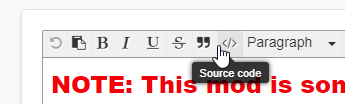
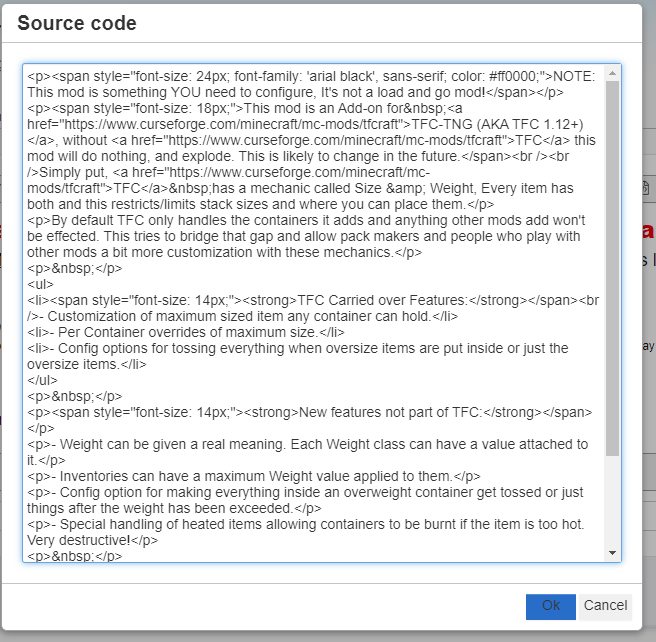
if you want you can copy it out of there and use another editor and then paste the result back in
keen gazelle
I used to think that was for inserting a code block similar to how Discord has that:
public static final String[] HelloWorld = {"Hello", "World"}
Guess I was wrong about that
 keen gazelle
never really going to make good use of code blocks on curseforge anyway
not in project descriptions at least
 wicked ore
hey i had a quick question is it possible to play multiplayer that's not LAN and if so how
fleet bear
make a server or find a server
keen gazelle
not curseforge related
 marble burrow
are there any minecraft modpacks that dont require servers to play with friends?
lyric crescent
only if you plan to play over lan
shut mica
fleet bear
The app isn't smart enough yet for fabric support but it's coming!
Oh ok, thanks
subtle ice
fleet bear
The app isn't smart enough yet for fabric support but it's coming!
the app isnt dumb enough for fabric support but its never coming
fleet bear
uh what
signal ridge
Why bring something back up from hours ago?
subtle ice
jumploader has crashed again
signal ridge
!mc-installfix try this
 serene aspen
any fixes?
red patioBOT
- Click on the Minecraft Tab on the Left side of the App.
- Click button next to the
Create Custom Profileoption. - Click
Repair Installationoption. - Play game.
NOTE: You will not lose any modpacks or worlds, These are saved in the Instances folder. DO NOT TOUCH THIS FOLDER OR YOU WILL LOSE EVERYTHING
serene aspen
that doesn't work
signal ridge
Which play button isnt working? The app (orange) or the lancher (green)
 hallow hound
is there a way to add your own mods to modpacks in the curseforge app?
like files you downloaded from the curseforge website
because some of them arent showing up on the app, like Idō
signal ridge
!mc-installmods
red patioBOT
How to install mods in CurseForge App.
- Click
+ Create Custom Profile - Name it, select the required Minecraft version, select the Forge version (usually the highest number), click
Create. - Click the profile icon.
- Click
Add New Content - Search and install the desired mods.
- Start the game!
How to install mods not on CurseForge.
- Right click the profile picture or Open the profile and click the Icon next to the play button.
- Click
Open Folder. - Drag the mod(s) into the
modsfolder. (Note: Some mods will require others, to run. Make sure to read the instructions for the mod!) - Start the game!
signal ridge
Make sure the mods you are installing match the minecraft version you are playing
hallow hound
thanks very much ❤️
 glass marsh
anyone know why Ender IO Base won't render the alloys in JEI?
I checked the config and couldn't find anything about it.
on 1.12.2
lyric crescent
That would be a question for those mods devs, not related to curseforge.
glass marsh
man
 radiant cedar
whenever i try to launch my modpack folder it immdeatly says game crashed
it used to work but for some reason now itdosent
signal ridge
radiant cedar
it used to work but for some reason now itdosent
!mc-logs
red patioBOT
How to get a Minecraft log file.
Where to find the log on the CurseForge Client.
Right-click the modpack profile icon OR click the button in the modpack profile.
Click Open Folder.
Open the logs folder.
Find the file called latest.log and drag it into discord.
radiant cedar
radiant cedar
signal ridge
!mc-logs
what do i do now
lyric crescent
wait for a reply
 spring raven
Is it ok to ask questions here about my modded minecraft world having issues
lyric crescent
if it is not related to curseforge use #👽︱game-support or #🧱︱mc-other-help
lyric crescent
radiant cedar
what do i do now
delete this file C:\Users\Joseph\Documents\curseforge\minecraft\Instances\modpakc\config\fml.toml
then try again
radiant cedar
ok yhanks
 shrewd fable
dose anyone have a mod pack? like for minecarft? Im looking for magic mod packs :))
 crimson current
hold on i can send a decent one
lyric crescent
this is for curseforge related questions, not looking for modpacks
crimson current
sorry
lyric crescent
digital roost
why can i find some packs online but not in the app?
crimson current
they most likely havent crossed over to it
 next hemlock
when i go to Minecraft Mods and choose the "continue" button on the "lets get started" screen, a message comes up saying "Path can only include english letters and numbers" and wont let me proceed, what do i do?
crimson current
i havent had that happen to me so idk what to do
lyric crescent
next hemlock
when i go to Minecraft Mods and choose the "continue" button on the "lets get st...
!Mc-path
red patioBOT
Minecraft Files should NOT be installed inside the .minecraft folder or inside OneDrive folders. If this shows up in the path at all you need to move it by following the instructions below!
If Minecraft is not installed, start here.
Click the in the top right.
Select Minecraft.
Click "Edit".
Move to the "Continue here:" section below.
If Minecraft is installed, follow these steps.
Click the in the bottom left.
Select the Minecraft tab.
Click "Change".
Move to the "Continue here:" section below.
Continue here:
Make a folder in the root directory called CurseForge.
Select the folder you just made.
The text box should show something like the following:
For Windows: C:\CurseForge
For Mac: /Users/Shared/CurseForge
digital roost
is it possible to install individual mods?
fleet bear
!mc-installmods
red patioBOT
How to install mods in CurseForge App.
- Click
+ Create Custom Profile - Name it, select the required Minecraft version, select the Forge version (usually the highest number), click
Create. - Click the profile icon.
- Click
Add New Content - Search and install the desired mods.
- Start the game!
How to install mods not on CurseForge.
- Right click the profile picture or Open the profile and click the Icon next to the play button.
- Click
Open Folder. - Drag the mod(s) into the
modsfolder. (Note: Some mods will require others, to run. Make sure to read the instructions for the mod!) - Start the game!
digital roost
eta on being able to manage mods from within cf?
like being able to change its description or change the files of it from within the app
fleet bear
Likely never?
At the most it would support modpack uploads as the rest of it has nothing to do with the client.
 harsh zealot
Can you add the dragonfire mod tiny turtle is making
fleet bear
Devs need to upload the mod.
digital roost
are there datapacks on curseforge?
fleet bear
Yes
 deft thicket
Hello, first of all I want to inform that I have translated my message from DeepL
When I start a modpack, the following error is displayed:
 lyric crescent
send the log
deft thicket
 red patioBOT
- Click on the Minecraft Tab on the Left side of the App.
- Click button next to the
Create Custom Profileoption. - Click
Repair Installationoption. - Play game.
NOTE: You will not lose any modpacks or worlds, These are saved in the Instances folder. DO NOT TOUCH THIS FOLDER OR YOU WILL LOSE EVERYTHING
 lyric crescent
well i sent the fix for that already
 frigid narwhal
anyone knows how much ram is needed for sky of diamonds?
halcyon lotus
why my pack keeps getting rejected for optifine even if it's not there in the file? )=
 timid root
yo anyone knows how to get pixelmon maps?
 midnight monolith
Hey, when I am currently making a modpack for a community project, but I can't find optifine in the add content section inside the curseforge desktop app. how can I add optifine to my modpack so that everybody has it installed
lyric crescent
you cant since its not a mod on curseforge
midnight monolith
can I somehow manually add optifine?
lyric crescent
?mc-optifine
red patioBOT
Optifine and Curseforge
To install Optifine with modpacks on Curseforge:
Right click the modpack icon, select Open Folder.
Put the Optifine.jar into the mods folder.
Now load the modpack normally.
We do not offer support for Optifine. If you have issues with Optifine, remove it. If you want further support try the discord found on their website.
https://www.optifine.net/home
midnight monolith
oh so there is no way to add it globally, okay thanks
lyric crescent
globally? no?
queen storm
midnight monolith
oh so there is no way to add it globally, okay thanks
Keep in mind that the export needs to be without optifine
midnight monolith
got it, also how long does it take for a modpack to be approved? I read that you guys take a look at the modpack see if it starts and stuff, is there like a time range? because we requested the review yesterday, you guys told us to change some stuff, and for the past 20 hours we are waiting for it to be approved
lyric crescent
!status
red patioBOT
It is 04:11PM on Monday for CurseForge my dudes.
Project Moderation Time
Project/File moderation is done on Sunday - Thursday from 10am - 6pm GMT+2
This process is First in, First out. Thus files submitted late in the work day may not be checked until the next work day.
New Projects or uploads requiring manual approval: 1-3 Working Days
Updates to approved projects not needing manual approval: 1 Hour
File sync to the Curseforge app may take up to 24 hours after approval.
lyric crescent
if it needs to be reviewed again it's another 1-3 days
midnight monolith
well we had in total 3 review requests created, the first 2 where declined because we needed to change some stuff in the description and the title, (both of them were declined in like 10 mins) and the third one is pending since yesterday
lyric crescent
still 1-3 days then
midnight monolith
as the current status it says "Under Review"
lyric crescent
if it got rejected in less than an hour then the bot rejected it, thus it never got manually reviewed
midnight monolith
okay got it, thanks alot. I will just keep waiting, is there a page where it says what each status means? because it was on "processing" early today, and now its on "under review" are the statusses explained somewhere?
lyric crescent
they are pretty self explanatory
midnight monolith
well for me "under review" means someone is reviewing it rn
 worthy tapir
i don't know where i can get a picture for my project who can help me?
lyric crescent
there is no status for someone reviewing it right now, under review is waiting to be reviewed
processing > under review > accepted/rejected
that's all
 novel coral
s ohow come curseforge doesn't have All The Mods 6 to the Skys?
lyric crescent
curseforge has whatever people upload to it, and doesn't have things that arnt uploaded to it
novel coral
ok
 vocal seal
how do you send out an update to a modpack without overwriting the entire folder for users with the modpack already installed?
the problem i most ran into on my previous modpack is that every time i pushed an update with a new mod in it people would lose their map folders and options files and would essentially start their client from scratch every update and it became annoying to update because of that
lyric crescent
not including those folders should fix that
 analog zodiac
how do I get dry rubber
halcyon lotus
analog zodiac
how do I get dry rubber
Uhm i think this is the question channel of curseforge
I don't think you should ask here modpack related things
fleet bear
midnight monolith
got it, also how long does it take for a modpack to be approved? I read that you...
Not sure where you read that at, modpacks aren't checked for anything other than is you are using allowed files and the usual file and anti-virus scans.
midnight monolith
fleet bear
Not sure where you read that at, modpacks aren't checked for anything other than...
 fleet bear
midnight monolith
fleet bear
midnight monolith
And that is where...? A picture of that is fairly useless.
midnight monolith
I thought they were a Partner of Curseforge
thats why I trusted that information
lyric crescent
nope
fleet bear
There are zero curseforge partners.
You shouldn't trust any information unless it comes from a curseforge site or here.
lyric crescent
CurseForge Support
We're here to get you informed on everything you need to know about CurseForge, including helpful guides and troubleshooting articles to back you up when you get in a pickle
all the way to the bottom
midnight monolith
got it good to know, so if I am correct with timezones and stuff, in about 7 minutes the moderators stop reviewing stuff right?
lyric crescent
!status
red patioBOT
It is 05:54PM on Monday for CurseForge my dudes.
Project Moderation Time
Project/File moderation is done on Sunday - Thursday from 10am - 6pm GMT+2
This process is First in, First out. Thus files submitted late in the work day may not be checked until the next work day.
New Projects or uploads requiring manual approval: 1-3 Working Days
Updates to approved projects not needing manual approval: 1 Hour
File sync to the Curseforge app may take up to 24 hours after approval.
midnight monolith
so I am correct 🙂
fleet bear
They likely are done for the day already. They arent going to be approving stuff up till exactly 6pm on the dot.
midnight monolith
got it, so even if they approve it lets say, tomorrow at 15:00 it won't be synced until next day 15:00 right? because our project is set to start tomorrow at 20:00 and we were a bit late creating the curseforge modpack
fleet bear
It can sync faster. Depends on the server status at the time.
midnight monolith
okay lets hope it gets approved tomorrow... thanks guys
fleet bear
I'd say most things sync within a few hours these days.
halcyon lotus
does the bot review only updates or does it review also new project / projects that have been changed or modified cuz they were rejected?
lyric crescent
bot checks everything
lyric crescent
not a clue how it works
halcyon lotus
oh ok XD
fleet bear
It runs at the time of upload.
halcyon lotus
fleet bear
It runs at the time of upload.
then if it runs when you upload something, why does it take an hour / sometimes you have to wait the manual approval? 🤔
lyric crescent
new projects always need manual approval. doing unconventional things with your upload can flag manual approval as well, like 3rd party mods or having zips
halcyon lotus
modpacks can't be anything other than a zip file anyways right?
lyric crescent
i mean zips other than the modpack
halcyon lotus
oh ok XD
halcyon lotus
lyric crescent
i mean zips other than the modpack
like shaderspack?
lyric crescent
dont know the specifics
fleet bear
Yes, modpacks can only be a zip but that zip file can have all sorts of stuff inside of it.
signal ridge
yes and Are you using the curse app?
 wild quail
signal ridge
yes and Are you using the curse app?
wild quail
signal ridge
yes and Are you using the curse app?
Yeah
signal ridge
!mc-modifypack this is how you add, change or remove mods (and etc) from a premade pack
red patioBOT
How to add/remove mods in a modpack.
- Click on the picture of the modpack.
- Click the
Add More Contentbutton, IF this button is not there, see below before continuing. - Find the Mods, Resource Packs or Maps you wish to Install and click
Installon them. - Wait for all the required mods to be downloaded.
- Start the modpack.
How to Enable/Disable content management for modpacks.
- Click on the picture of the modpack.
- Click on the button next to the
Playbutton. - Click on
Profile Options. - Check the
Allow content management for this profileoption if you want to edit the content of the modpack, uncheck it to disable.
NOTE: The Allow content management for this profile option is what allows you to Delete, Disable, Update or Install any Mods, Resource Packs or Maps managed by CurseForge. It must be on to modify any of them! (Currently)
signal ridge
as for the save loaction. Rightclick the profile pic for the pack and click open folder
wild quail
Thanks
 nimble jewel
how can i get my backed up world from a previous modpack update and use it on a new one
signal ridge
open the packs folder, go to saves, copy the world you want to keep. then in the new pack put it in the saves folder
nimble jewel
thanks
digital roost
Is there any way that I could download mods for among us?
 tender bay
hi, i need help. idk how to install my own map in an Naruto modpack?????????
signal ridge
open the packs folder, put world in saves folder, boot pack
tender bay
when i open the folder it doesn't accept it
 balmy spear
how do u install stardew mods
signal ridge
tender bay
when i open the folder it doesn't accept it
is the file a zip folder?
signal ridge
Unzip it in the saves folder
tender bay
signal ridge
Unzip it in the saves folder
Not working
signal ridge
open the zip and take a screen shot of the contents
tender bay
Ok wait
 hollow kelp
hey
tender bay
I download the map again wait pls. I deleted it because it's not working
 vocal flame
does any1 know who to fix the "path can only include English letters and numbers" error
lyric crescent
?mc-path
red patioBOT
Minecraft Files should NOT be installed inside the .minecraft folder or inside OneDrive folders. If this shows up in the path at all you need to move it by following the instructions below!
If Minecraft is not installed, start here.
Click the in the top right.
Select Minecraft.
Click "Edit".
Move to the "Continue here:" section below.
If Minecraft is installed, follow these steps.
Click the in the bottom left.
Select the Minecraft tab.
Click "Change".
Move to the "Continue here:" section below.
Continue here:
Make a folder in the root directory called CurseForge.
Select the folder you just made.
The text box should show something like the following:
For Windows: C:\CurseForge
For Mac: /Users/Shared/CurseForge
vocal flame
thx
 subtle scarab
At what times do mods approve modpacks?
lyric crescent
!status
red patioBOT
It is 08:28PM on Monday for CurseForge my dudes.
Project Moderation Time
Project/File moderation is done on Sunday - Thursday from 10am - 6pm GMT+2
This process is First in, First out. Thus files submitted late in the work day may not be checked until the next work day.
New Projects or uploads requiring manual approval: 1-3 Working Days
Updates to approved projects not needing manual approval: 1 Hour
File sync to the Curseforge app may take up to 24 hours after approval.
balmy spear
 narrow minnow
Windows?
narrow minnow
Windows?
Im on mac rn
narrow minnow
Can you send a screenshot of the game's folder? (to see which files you have there)
 narrow minnow
Looks like you have everything there - did you:
- Click the game tile here
 balmy spear
mhm
 narrow minnow
the one you screenshot
 narrow minnow
i'll dm
tender bay
@signal ridge
signal ridge
Only need 1 screen shot.
 signal ridge
All that is in the saves folder of the pack you want to play?
signal ridge
ok, so take the folder it is in and paste it into the saves folder in your modpack
tender bay
signal ridge
ok, so take the folder it is in and paste it into the saves folder in your modpa...
Which saves folder?
signal ridge
Right click your packs profile picture in the curse app, click open folder, open the saves folder and paste
signal ridge
same process
signal ridge
In the saves folder you put the folder that has all those files in the picture you sent
tender bay
I do it already
signal ridge
then after that boot the pack
signal ridge
Press play
signal ridge
Go to single player, should be there if you put it in the saves folder
 tall spire
Hello,
I wanted to modify Stardew Valley but it is not found on Curseforge App. So I wanted to select the .exe manually, but it is not displayed to me. Can somebody help my please. Can I send a Video which shows my Problem?
tender bay
signal ridge
Go to single player, should be there if you put it in the saves folder
Only start single player? Or select something?
lyric crescent
tall spire
Hello,
I wanted to modify Stardew Valley but it is not found on Curseforge App. ...
!knownissues you need to install smapi
red patioBOT
Known Issues with solutions or status of the issue.
Overwolf maintains a known list of issues here, some with solutions, others without.
https://support.curseforge.com/en/support/solutions/articles/9000196615-curseforge-known-issues
tall spire
lyric crescent
!knownissues you need to install smapi
Ok, thanks 🙂
signal ridge
tender bay
Only start single player? Or select something?
Saves is for single player, if you wanted a server it is a different process all together
tender bay
Ok think you for the help
signal ridge
np
tender bay
Why cant move forward in every mod? Only: Left. Right. Backwards
signal ridge
Sounds like either your control settings have changed , or its a keyboard issue
tender bay
My keyboard works
signal ridge
Then Esc > options > controls
 kind niche
anyone know what to do if the it says the path can only contain english letters and symbols when trying to select a certain folder to open mods in?
lyric crescent
?mc-path
red patioBOT
Minecraft Files should NOT be installed inside the .minecraft folder or inside OneDrive folders. If this shows up in the path at all you need to move it by following the instructions below!
If Minecraft is not installed, start here.
Click the in the top right.
Select Minecraft.
Click "Edit".
Move to the "Continue here:" section below.
If Minecraft is installed, follow these steps.
Click the in the bottom left.
Select the Minecraft tab.
Click "Change".
Move to the "Continue here:" section below.
Continue here:
Make a folder in the root directory called CurseForge.
Select the folder you just made.
The text box should show something like the following:
For Windows: C:\CurseForge
For Mac: /Users/Shared/CurseForge
kind niche
thx
digital roost
I need help. I'm trying to play r.a.d but I keep getting the "shutting down internal server" please help!
 keen owl
Is there a way to play any multiplayer with friends?
signal ridge
keen owl
Is there a way to play any multiplayer with friends?
Either play lan (same house) or make, rent or join a server
 toxic abyss
why is HWLA banned?
toxic abyss
i can't add HWLA to my modpack from when i made my modpack
toxic abyss
when i put it trough curse forge and export it to the web
it says that HWLA is not compatible
i will send in a bit a photo
ow yea and i have this problem too
signal ridge
Did you test the pack first before exporting it?

 toxic abyss
signal ridge
Did you test the pack first before exporting it?
toxic abyss
signal ridge
Did you test the pack first before exporting it?
yes
i am on a custome version whit my public server
toxic abyss
toxic abyss
downloads are not the same
signal ridge
the download bit might just be a syncing issue. slow sync
Screen shot the error your getting about hwla, I use it in my pack and its happy
digital roost
hello, I have a problem I can not change the version of a modback, can you help please ^^'
toxic abyss
ow yea and my clients had to wait 1 month just to get the new update what i posted

if i add it though a addon for it will give me the error
digital roost
To who I have to ask help ?
toxic abyss
when exporting
signal ridge
toxic abyss
So for hwla I had to download this version, works in 1.16.5 packs:
https://www.curseforge.com/minecraft/mc-mods/hwyla/files/3033593
toxic abyss
digital roost
hello, I have a problem I can not change the version of a modback, can you help ...
does the modpack have more versions?
signal ridge
digital roost
To who I have to ask help ?
Just ask your question and be patient, when someone is able to help they will
 edgy wren
so im trying to extract my modpack i made so i can upload and publish it but i can find the configure option to select with the mods when i extract it
toxic abyss
signal ridge
So for hwla I had to download this version, works in 1.16.5 packs:
https://www.c...
yes but when i add it to the modpack manually or though a addon it don't let me publish it
toxic abyss
one moment to can get it
i am struggling whit something else right now ^^'

love BETA
digital roost
x)
digital roost
"Life is great"
signal ridge
!mc-logs
red patioBOT
How to get a Minecraft log file.
Where to find the log on the CurseForge Client.
Right-click the modpack profile icon OR click the button in the modpack profile.
Click Open Folder.
Open the logs folder.
Find the file called latest.log and drag it into discord.
toxic abyss
nvm i think i will change my mind and don't put HWLA to my modpack
sorry for distribution
signal ridge
all good
edgy wren
could anyone help me real quicK?
signal ridge
Depends, if you want to share the issue or not
edgy wren
so im trying to extract my modpack i made so i can upload and publish it but i cant find the configure option to select with the mods when i extract it
signal ridge
digital roost
"Life is great"
What was your issue aswell?
signal ridge
edgy wren
so im trying to extract my modpack i made so i can upload and publish it but i c...
Are you using the curse forge app?
edgy wren
yeah
signal ridge
!mc-packshare
red patioBOT
There are two ways to share a modpack you've made with others...
Export and Share - For Friends to Small Groups.
- Click the Icon for the modpack.
- Click the button next to play.
- Click

Export. - Select the files that should be included.
- Send the zip to the people that want it! They can follow the instructions in
!mc-installpackto install the pack!
Upload to Curseforge - For Public Release to Everyone.
This options will make your pack public to EVERYONE, it comes with extra requirements and will take some effort to set up.
- Go to here: https://www.curseforge.com/project/432/4471/create
- Fill out the information with a proper description of the pack. This should allow anyone to understand what the pack is.
- Click the Icon for the modpack in the CurseForge app.
- Click the button next to play.
- Click
Export. - Select the files that should be included.
- Open your Project you made on the CurseForge site and Upload the file you just made.
- Wait for Moderation & Sync so it can show up in the client! (See
!syncfor limitations)
digital roost
I can't change a version of a modpack
signal ridge
MC version or download version?
signal ridge
What modpack?
 signal ridge
yep
 signal ridge
open the zip file you exported, go to overides and open the mods folder
Are there mods other then farmers delight in there

 signal ridge
Delete that mod and reinstall it, then export again
toxic abyss
uploading...
 olive forge
i am turkish
 signal ridge
ok?
toxic abyss
and is there
signal ridge
That shows all mods that have been used in your pack, if you remove stuff remove it there too
toxic abyss
ok
processing...
under review
5 mins
and is still under review
@signal ridge now is aproved
i am so confused
signal ridge
!status
red patioBOT
It is 10:38PM on Monday for CurseForge my dudes.
Project Moderation Time
Project/File moderation is done on Sunday - Thursday from 10am - 6pm GMT+2
This process is First in, First out. Thus files submitted late in the work day may not be checked until the next work day.
New Projects or uploads requiring manual approval: 1-3 Working Days
Updates to approved projects not needing manual approval: 1 Hour
File sync to the Curseforge app may take up to 24 hours after approval.
digital roost
I'm back


 signal ridge
did you make it or someone else?
toxic abyss
wut :lul:
digital roost
?
signal ridge
Gussing someone else.
digital roost
Oki
signal ridge
Asking if you made the pack.
digital roost
No
signal ridge
ok, click on the pack and select the version you want. Though a lot of the time the newest version is the better version as it could have fixes that previous ones dont
digital roost
I try to take the v11 but it doesn't work, i don't want to take the last version
signal ridge
Doesnt work in what way?
digital roost
When I want to change the version, it reloads the pack but the remains at the same version
signal ridge
Try uninstalling the pack then when you go to reinstall instead of clicking install, click the packs pic > versions tab and download the one you want
digital roost
Ok ok i'm gonna try, tank you
digital roost
how do i share my modpack?
fleet bear
!mc-installpacks
red patioBOT
How to install modpacks with the search features in app.
- Open the

Minecraftsection of the app. - Click the top search bar where it says
Search for modpacksOR Click theBrowse ModpacksTab. - Find the Modpack you want to install and click install on it.
- Wait for CurseForge app to download and unpack all the required files.
- Once finished, click
Play!
How to install modpacks from a Export. (Custom/Private/Site downloaded Modpack zip)
- Get CurseForge App if you don't have it, use
!downloadfor a link. - Get the exported modpack from CurseForge or someone else,
!mc-packshareexplains how to make them. - Open the
Minecraftsection of the app. - Click

Create Custom Profile - Click the
Importoption. - Find the file you just downloaded in step 2 and select it.
- CurseForge app will now attempt to download and unpack the modpack. If it fails, try steps 4-6 again.
- Once finished, click
Play!

 devout blaze
Hello, I tried to publish an update of a bukkit plugin I am the maintainer of, but my jar file has been rejected with the following reason:

AuthMe is an authentication system for Bukkit servers, it exists since 2012 and it is the 12th most downloaded plugin in the entire history of dev.bukkit.org
subtle ice
Curseforge thinks it might be a plugin for cracked users
Which are not allowed
Or if your saving with a password/email, it cant be on curseforge
devout blaze
It isn't a plugin for cracked servers, it was born as an additional layer of security for servers, if people use it in other ways I have no way to prevent that honestly...
lyric crescent
it doesnt say anoything about cracked anything..
subtle ice
i dohbt that its that about but yeah
red patioBOT
:bug: Reporting via the CurseForge App :bug:
-
Click the
 icon in the bottom left.
 -
Select

Open a Ticket. -
Fill out the form with accurate detailed information, "It doesn't work" isn't helpful! What exactly doesn't work and why doesn't it work should be easy to answer!
-
Make sure to upload your Overwolf logs with the
Upload Fileoption on the ticket, information on how to get these logs can be found here https://support.overwolf.com/en/support/solutions/articles/9000176827-how-to-get-your-overwolf-logs -
Submit!
 devout blaze
Do I need to install the CF app to report that?
lyric crescent
?ticket-site
red patioBOT
:bug: Reporting via Website :bug:
Can't open the app or would rather use the website? You can do so here: https://support.curseforge.com/en/support/tickets/new
Fill out the form with accurate detailed information, "It doesn't work" isn't helpful! What exactly doesn't work and why doesn't it work should be easy to answer!
Make sure to upload your Overwolf logs with the Upload File option on the ticket, information on how to get these logs can be found here https://support.overwolf.com/en/support/solutions/articles/9000176827-how-to-get-your-overwolf-logs
devout blaze
Ok, thank you, I opened a ticket
 quartz grail
create only works on version 1.15 and up
signal ridge
quartz grail
how i can config a mod on my modpack?
Right click the packs profile pic > open folder > config folder > find the mods config and edit what you need too
Imc-installmods Can isntall the create mod after making a custom profile
!mc-installmods
red patioBOT
How to install mods in CurseForge App.
- Click
+ Create Custom Profile - Name it, select the required Minecraft version, select the Forge version (usually the highest number), click
Create. - Click the profile icon.
- Click
Add New Content - Search and install the desired mods.
- Start the game!
How to install mods not on CurseForge.
- Right click the profile picture or Open the profile and click the Icon next to the play button.
- Click
Open Folder. - Drag the mod(s) into the
modsfolder. (Note: Some mods will require others, to run. Make sure to read the instructions for the mod!) - Start the game!
quartz grail
signal ridge
Right click the packs profile pic > open folder > config folder > find the mods ...
i just wanted to change a craft of compact machines
signal ridge
like change the recipe?
quartz grail
yh
signal ridge
Lets move down to #👽︱game-support as its not really a curseforge issue
quartz grail
oki
 vestal wren
Anyone else having issues launching skyfactory 3 lately? Not sure what changed from last week to this week, but now it gets stuck initializing on 5/7 in the commpressum
tried beta, release versions, force restarting curseforge and overwolf
signal ridge
!mc-logs
red patioBOT
How to get a Minecraft log file.
Where to find the log on the CurseForge Client.
Right-click the modpack profile icon OR click the button in the modpack profile.
Click Open Folder.
Open the logs folder.
Find the file called latest.log and drag it into discord.
signal ridge
Ca have a look at the latest log first before Trying ram actually
vestal wren
red patioBOT
How to set Global Minecraft RAM value.
- Click the icon in the bottom left to open settings.
- Click the Minecraft tab.
- Scroll down.
- Slide slider to recommended ram range as seen below.
 vestal wren
Ok one sec
Ok ive screweed stuff up now somehow. Cant find modpacks. Just gonna clean install
 patent heron
when i open the overwolfinstaller.exe it opens the widget thing on the side of my screen but doesnt actually install it
 runic ledge
Why every time I load this mod I can't a freaking look at the thing i need
signal ridge
patent heron
when i open the overwolfinstaller.exe it opens the widget thing on the side of m...
On the widget click the appstore icon (box with suffs)
signal ridge
runic ledge
Why every time I load this mod I can't a freaking look at the thing i need
huh?
runic ledge
The zombie mod I could join it but when I looked for a item I would crash
signal ridge
!mc-logs
red patioBOT
How to get a Minecraft log file.
Where to find the log on the CurseForge Client.
Right-click the modpack profile icon OR click the button in the modpack profile.
Click Open Folder.
Open the logs folder.
Find the file called latest.log and drag it into discord.
patent heron
ok im in the appstore where do i go from there
vestal wren
signal ridge
From the looks of it is still loading, try upping the ram to 5gb or 6gb
6 gb of ram made no difference. Still freezes and crashes at phase 3, 5/7, ex compressum 85/195
signal ridge
vestal wren
6 gb of ram made no difference. Still freezes and crashes at phase 3, 5/7, ex co...
when was the last time you rebooted your pc?
vestal wren
today. I shut it down every night and start it fresh the next day
signal ridge
ok, could try a pack reinstall (back up any worlds first)
vestal wren
I tried installing the beta pack, 3.0.20, and installing 3.0.21 release and they all had the same problem
I was apparently running 3.0.15
signal ridge
Could just need more time to boot
vestal wren
except it freezes, i get the spinning microsoft wheel of blue, and then the "Program not responding"
If i tell it to wait, it waits 5 seconds and says to end it
signal ridge
Sometimes when minecraft freezes its still loading in the background.
vestal wren
The only update that i made this week was my graphics driver, that i recall
Its never had this issue in the past, and ive done no hardware changes
signal ridge
Check and see if there are any more driver updates. Log doesnt really show anything out of the ordinary
patent heron
when i go into my files all i see is overwolf installer and no curse forger or anything
signal ridge
Did you install the app?
signal ridge
Search your pc for the app
 neat plover
Hey there! my minecraft keeps crashing when i load up Skyfactory 3, where should i go to get help?
patent heron
i uninstalled curse forge and over wolf and reinstalled both of them and the only thing i see when i go to open it is overwolf installer and no curse forge or normal overwolf all i see is the installer
vestal wren
signal ridge
Check and see if there are any more driver updates. Log doesnt really show anyth...
Restarted pc, and updated minecraft windows 10 launcher, no change, even after giving it a couple minutes to sit and load, still doesnt get past that point
signal ridge
wait hold on, windows 10 launcher is not the same as the Java edition
vestal wren
Im just saying thats what updated in the microsoft store when i went looking for updates
on pc, the java one looks like which logo? One shows up as minecraft.exe and the other just a flat minecraft logo that says minecraft
vestal wren
SF3 out of curseforge launches its own minecraft launcher
so ive never bother to know which is which
i just presume it launches the right one
signal ridge
the launcher that curse uses is the same as the java editions launcher, just saves in a different location then the Mojang one
vestal wren
👍
 magic karma
Yesterday my minecraft SkyFactory3 is still working properly. Today I opened a new single player world in creative mode, then the game suddenly become not responding, and everytime when I tried to open SF3, it just stuck at this screen not responding.

 vestal wren
Yep welcome to the club. Same issue here
magic karma
https://www.reddit.com/r/feedthebeast/comments/lnpirb/ex_compressum_makes_minecraft_stop_responding/
The only related event I can find online is here
reddit
0 votes and 1 comment so far on Reddit
but only 1 comment
signal ridge
Have you checked the pack devs issues page?
magic karma
where do I check that?
signal ridge
hmm... Not sure where they moved the issues page to now.. Its an ftb pack tho
vestal wren
Even just updated Java with no change
signal ridge
I am starting to wonder if there is an issue with sf3 today, 3 issues so far, all 3 have been the same
magic karma
so I also reinstall minecraft
reinstall java
reinstall curseforge
update graphic driver
signal ridge
Do other modpacks work?
vestal wren
But arent they all local saves? I didnt think they had to go to a server?
magic karma
SkyFactory4 works
vestal wren
I dont have any other modpacks in curseforge
neat plover
magic karma
Yesterday my minecraft SkyFactory3 is still working properly. Today I opened a n...
same issue
I believe it may be something with EnderIO
Ex compressum LOOKS like the culprit
but in the files
magic karma
but skyfactory 4 also have enderIO
signal ridge
Only other option I can think of is try downgrading the version
magic karma
and I load up skyfactory4 without problem
neat plover
Hmm
[01:27:35] [Client thread/WARN]: Not adding supplied recipe as a recipe already exists for the input: 1xitem.immersiveengineering.metal@3
[01:27:35] [Client thread/WARN]: Not adding supplied recipe as a recipe already exists for the input: 1xtile.immersiveengineering.storage@3
[01:27:35] [Client thread/WARN]: Could not find Build Craft Wrench definition. Wrench integration with other mods may fail
[01:27:35] [Client thread/INFO]: Finished PostInitialization
[01:27:35] [Client thread/WARN]: Not adding supplied recipe as a recipe already exists for the input: 1xitem.exnihiloadscensio.ore.lead@1
[01:27:35] [Client thread/WARN]: Not adding supplied recipe as a recipe already exists for the input: 1xitem.exnihiloadscensio.ore.nickel@1
[01:27:35] [Client thread/WARN]: Not adding supplied recipe as a recipe already exists for the input: 1xitem.exnihiloadscensio.ore.iron@1
[01:27:35] [Client thread/WARN]: Not adding supplied recipe as a recipe already exists for the input: 1xitem.exnihiloadscensio.ore.copper@1
[01:27:35] [Client thread/WARN]: Not adding supplied recipe as a recipe already exists for the input: 1xitem.exnihiloadscensio.ore.cobalt@1
[01:27:35] [Client thread/WARN]: Not adding supplied recipe as a recipe already exists for the input: 1xitem.exnihiloadscensio.ore.aluminium@1
[01:27:35] [Client thread/WARN]: Not adding supplied recipe as a recipe already exists for the input: 1xitem.exnihiloadscensio.ore.ardite@1
[01:27:35] [Client thread/WARN]: Not adding supplied recipe as a recipe already exists for the input: 1xitem.exnihiloadscensio.ore.silver@1
[01:27:35] [Client thread/WARN]: Not adding supplied recipe as a recipe already exists for the input: 1xitem.exnihiloadscensio.ore.gold@1```this is the end of the crash log
signal ridge
Its something specific to sf3, not sure why or what tho
magic karma
I downgrade it to 3.0.20 beta still stuck at Ex Compressum
signal ridge
exnihiloadscensio not enderio
magic karma
neat plover
It was working fine for me yesterday
Same
at first I thought my single player creative world ruin it
neat plover
magic karma
Same
So it stopped working for everyone today? sounds like an issue with the pack
signal ridge
But that is just generic loading, would see that even if the pack worked
magic karma
but I guess it is not
magic karma
same
neat plover
and now it isnt working
neat plover
no, witherproof glass
magic karma
I put chaotic solar panel and nanobot beacon for testing
then it becomes not responding
signal ridge
Something between yesterday and today changed, not sure what to be honest tho, Can try again in a few hours or tomorrow.
magic karma
in single player creative
signal ridge
¯_(ツ)_/¯
neat plover
Yeah hopefully the pack fixes itself
ive spent over a hundred hours on a world with my friend
would hate to lose it
vestal wren
How does it "Fix itself"?
signal ridge
back up the world
neat plover
arent there backups anyway?
signal ridge
Open the packs folder > go to saves > copy your world to somewhere safe
magic karma
should I try minecraft on my laptop? 🤔
signal ridge
Could be some server issues or if a mod is trying to get something from an external source and is just slow. At this point its just a waiting game
neat plover
vestal wren
How does it "Fix itself"?
Maybe a mod got some kind of update and it didnt register with the pack for some reason, we dont know until its fixed
Can i ask, is anyone here able to download SF3 and try it out?
vestal wren
I tried 3.0.15, which i already had installed. I also tried installing 3.0.21 & 3.0.20 and they all had the same issue
signal ridge
I can try it in a few
neat plover
signal ridge
I can try it in a few
sorry to keep on, but have you been able to try yet? 🙂
signal ridge
Yeah, stuck at the same spot, going to try another idea in a sec
signal ridge
Looking like a pack issue,
magic karma
Thank you for confirming the issue comes from the pack
 broken ferry
hello I'm currently having a problem with sky factory 3 where it loading Ex Compressum will crash the Mod Pack. Other Mod Packs work just fine but its just this one.
signal ridge
Not the only one, seems to be a pack issue atm
broken ferry
oh ok cause I'm currently renting a server for it and if its crashing I need an alternative for now
 celest flax
Hello I've tried to install 'The Pixelmon Modpack' by PixelmonMod but it keeps saying "An exception occurred during WebClient request" and fails to install, if it helps the install gets stuck while installing the actual mod Pixelmon
im not sure how to fix this
celest flax
Nevermind, I turned my computer off and on again and its working
 outer turtle
😆😫😫daddyy
Harderrrr
Faster
Vroom vroom
Lol all the mods are taking forever to downlod
 short bluff
hello so ive tried installing numerous different mods, and for some reason some times the mods will end up giving me this "shutting down internal server" message, its mostly with bigger modded packs such as rl craft, or the walking dead ones, but its quite annoying and i was wondering if anyone else is having the same issue or how i could fix it?
 vagrant echo
So I have an issue, when I try to launch any minecraft modpack it comes up with an error message and tells me it cannot connect to minecraft due to a corruption, I have uninstalled and reinstalled both minecraft and curse/overwold and nothing has changed, some help would be appriciated