#🔥︱curseforge-support
1 messages · Page 401 of 1
 lyric crescent
 rustic hearth
that is what is not working
lyric crescent
lol wtf
tell them you cant send your logs due to these issues, they can figure something out
rustic hearth
can be pasted anywhere else, but not in the ticket
lyric crescent
or just reply the link after you open it
wait, are you having an issue cuz you cant right click paste...?
 queen storm
Make a ticket on the website, see if it works there
rustic hearth
cmd+v wasn't pasting the link in the app, but it could everywhere else
i have attached the link in a reply to the ticket successfully
thank you for your help everyone :)
 naive star
what does it mean when it says manifest file does not exist
 pallid flame
Do anyone know why it is saying that?
lyric crescent
?mc-path
 red patioBOT
Path too long/Path must be English letters or numbers only fix!
If Minecraft is not installed, start here.
Click the  in the top right.
Select Minecraft.
Click "Edit".
Move to the "Continue here:" section below.
If Minecraft is installed, follow these steps.
Click the  in the bottom left.
Select the Minecraft tab.
Click "Change".
Move to the "Continue here:" section below.
Continue here:
Make a folder in the root directory called CurseForge.
Select the folder you just made.
The text box should show something like the following:
For Windows: C:\CurseForge
For Mac: /CurseForge

 digital roost
ok why is it asking my minecraft login
lyric crescent
"it"?
lyric crescent
huh??
queen storm
naive star
what does it mean when it says manifest file does not exist
How did you get that?
digital roost
This is kinda sus
queen storm
digital roost
it asks for my mc login
Screenshot
digital roost
lyric crescent
that's the minecraft launcher, you need to login to play minecraft
queen storm
because they are different logins, just login
naive star
queen storm
How did you get that?
I tried to install GUI Retextures using the forge instal button
digital roost
What if I loose my account
queen storm
digital roost
What if I loose my account
You won't, it is Mojangs launcher
digital roost
how do i know that
queen storm
naive star
I tried to install GUI Retextures using the forge instal button
You did not make a modpack first
lyric crescent
by looking at it
queen storm
digital roost
how do i know that
Just told you
lyric crescent
if mojang "steals" you account 🤔
digital roost
yea but what if it downloaded an alternative launcher
naive star
queen storm
You did not make a modpack first
ok I just made a modpack but how do I then get mods in their because its still asking for a manifest
clicking the play button does nothing
lyric crescent
if your account gets stolen you contact mojang support
digital roost
How do I enable security questions
 real cove
Do you need permission from mod creators to use their mods in your modpack if you upload the modpack to curseforge and make it public
lyric crescent
real cove
Do you need permission from mod creators to use their mods in your modpack if yo...
if the mods come from curseforge you do not need to add any additional permission or credit. if the mods are not from curseforge you need to ask what the devs want.
lyric crescent
digital roost
How do I enable security questions
not aware of any options for that
real cove
lyric crescent
if the mods come from curseforge you do not need to add any additional permissio...
thanks
lyric crescent
not for vanilla servers. could just enable flying on everyone if they want you to fly.
yea
dont think you can connect a modded client to a vanilla server. go ahead and try
 dark junco
continuation on the problem I asked earlier today, (https://discordapp.com/channels/428228256236306434/782027635252920322/803650802706546688) I got a similar error when I tried to upload it after reinstalling extradisks and then reuploading it.
lyric crescent
why are you replying yourself
lyric crescent
dark junco
continuation on the problem I asked earlier today, (https://discordapp.com/chann...
reinstall this mod as well https://www.curseforge.com/minecraft/mc-mods/the-legend-of-herobrine/files/2849155
dark junco
I'll try that, thank you!
red patioBOT
There are two ways to share a modpack you've made with others...
Export and Share - For Friends to Small Groups.
- Click the Icon for the modpack.
- Click the
 button next to play.
 - Click

Export. - Select the files that should be included.
- Send the zip to the people that want it! They can follow the instructions in
!mc-installpackto install the pack!
Upload to Curseforge - For Public Release to Everyone.
This options will make your pack public to EVERYONE, it comes with extra requirements and will take some effort to set up.
- Go to here: https://www.curseforge.com/project/432/4471/create
- Fill out the information with a proper description of the pack. This should allow anyone to understand what the pack is.
- Click the Icon for the modpack in the CurseForge app.
- Click the button next to play.
- Click
Export. - Select the files that should be included.
- Open your Project you made on the CurseForge site and Upload the file you just made.
- Wait for Moderation & Sync so it can show up in the client! (See
!syncfor limitations)
 pine cipher
does anyone know how to send the zip to people?
lyric crescent
use an uploading service. google drive, dropbox etc
 magic ocean
uhm does anyone know why my minecraft launcher wont open?
 somber geode
help i cant play the modpacks i downloaded how do you?
lyric crescent
magic ocean
uhm does anyone know why my minecraft launcher wont open?
?ticket-app
red patioBOT
:bug: Reporting via the CurseForge App :bug:
-
Click the
 icon in the bottom left.
 -
Select

Open a Ticket. -
Fill out the form with accurate detailed information, "It doesn't work" isn't helpful! What exactly doesn't work and why doesn't it work should be easy to answer!
-
Make sure to upload your Overwolf logs with the
Upload Fileoption on the ticket, information on how to get these logs can be found here https://support.overwolf.com/en/support/solutions/articles/9000176827-how-to-get-your-overwolf-logs -
Submit!
 lyric crescent
somber geode
help i cant play the modpacks i downloaded how do you?
lyric crescent
somber geode
help i cant play the modpacks i downloaded how do you?
?help ⤵️
red patioBOT
╰( ͡° ͜ʖ ͡° )つ──☆*:・゚ *˜”*°•.˜”*°• Many Help •°*”˜.•°*”˜* <:curselit:796985620550385705>
Please provide a description of your issue with as much detail as possible. If you have an issue with a mod or modpack, tell us the name. Explain what you can see happening. Be specific!
 Tell us what is happening, we already know it "doesn't work".
Avoid using words like "it", tell us exactly what "it" is.
Don't assume anyone knows what you are talking about, be specific.
Tell us what you expected to happen.
Provide screenshots or video if possible.
Provide a log if possible. ?mc-log
pine cipher
thanks
 wraith bramble
How do I import a downloaded mod from the website? Can you only use modpacks with the desktop client?
lyric crescent
wraith bramble
How do I import a downloaded mod from the website? Can you only use modpacks wit...
?mc-installmods
red patioBOT
How to install mods in CurseForge App.
- Click
+ Create Custom Profile - Name it, select the required Minecraft version, select the Forge version (usually the highest number), click
Create. - Click the profile icon.
- Click
Add New Content - Search and install the desired mods.
- Start the game!
How to install mods not on CurseForge.
- Right click the profile picture or Open the profile and click the Icon next to the play button.
- Click

Open Folder. - Drag the mod(s) into the
modsfolder. (Note: Some mods will require others, to run. Make sure to read the instructions for the mod!) - Start the game!
 somber geode
thanks
somber geode
wrong chat
 worn sinew
What does Unable to update minecraft Native Launcher mean???
Ive been having this issue alot and IDK how to fix it?
lyric crescent
pic?
worn sinew
digital roost
change it to java
worn sinew
How???
lyric crescent
java isnt an option..
digital roost
it isnt? i was pretty sure it was
worn sinew
Any other ideas?
digital roost
but there is a different launcher i know it
lyric crescent
jar, and changing to that is not a solution to anything
what is your current install path?
digital roost
yeah that one, and really? it used to solve the problems back when i used twitch
lyric crescent
settings ⚙️ , minecraft 
worn sinew
Ok lemme do this
lyric crescent
digital roost
yeah that one, and really? it used to solve the problems back when i used twitch
the only problem it solved was not bothering to figure out what the problem actually was
unless mac, but that is fixed now so no longer needed
worn sinew
So there is no solution to the problem???
Ya know what google is a thing for a reason
lyric crescent
i asked you a question
worn sinew
What was the question?
lyric crescent
what is your current install path?
worn sinew
Oh how do I check ;-;
lyric crescent
worn sinew
Ok you said settings minecraft but there is no "Minecraft" button in the settings menu
 hot ledge
How do i add external mods to my modpacks
lyric crescent
yes there is
 jagged crater
When I open a modpack, I keep getting a message saying that one of the mods "structurize" needs to be in ALPHA as it is in RELEASE.
I went into the mod folder, and replaced the mod, but the problem persists.
queen storm
hot ledge
How do i add external mods to my modpacks
You unlock the pack, then you add them
queen storm
jagged crater
When I open a modpack, I keep getting a message saying that one of the mods "str...
Screenshot please
 toxic dock
Hi, how do I stop curseforge/overwolf to create a new start menu shortcut every time I start it? I moved it to another location and now it creates one every time it's started, it's highly annoying. Thanks!
hot ledge
Try to uninstall the modpack you want to play then reinstall
magic ocean
hey i made a ticket for me not being able to launch my minecraft and it hasnt done anything is there anything i can try to make it work
queen storm
magic ocean
hey i made a ticket for me not being able to launch my minecraft and it hasnt do...
How long ago did you make it?
magic ocean
hmm maybe like 2 hours ago?
queen storm
Yeah, then you need to wait longer, it isn't instant reply
magic ocean
ok
jagged crater
for some reason, now its saying there is an unmatched mod channel list
I wonder how thats possible, when the modpack installed on my server is the same one as the zip file I uploaded to CurseForge.
My original modpack works, but the one that I uploaded to CurseForge and then installed seems to not work.
lyric crescent
did you check that all the mods are there?
jagged crater
Yeah.
lyric crescent
send logs
jagged crater
I changed one of them to the ALPHA version because minecraft was telling me that I needed the ALPHA version instead of the RELEASE version currently in my mods folder.
?mc-logs
red patioBOT
How to get a Minecraft log file.
Where to find the log on the CurseForge Client.
Right-click the modpack profile icon OR click the button in the modpack profile.
Click Open Folder.
Open the logs folder.
Find the file called latest.log and drag it into discord.
 dark crystal
Hi I have a problem when I want run my launcher I have an error Could not create Java Virtual Machine how I can fix it?
queen storm
!mc-java
red patioBOT
Forge & Fabric currently only officially support Java 8 as this is what the game downloads, Download java 8 from here.
https://adoptopenjdk.net/?variant=openjdk8&jvmVariant=hotspot
jagged crater
lyric crescent
seems like minecolonies versions dont match
jagged crater
Ohhhh, I thought there was an issue with structurize. Do I just copy paste the minecolonies mod?
dark crystal
I download this and still not working
jagged crater
They are a different version... I'll try that.
queen storm
dark crystal
I download this and still not working
Screenshot of the error please
queen storm
dark crystal
When are you getting that? After you hit play?
dark crystal
yes
queen storm
Go to setting, minecraft, check what launcher is used
dark crystal
this?
queen storm
 surreal perch
Can you add a Ben 10 mod
surreal perch
Can you add a Ben 10 mod
Dev of the mod needs to do that
queen storm
dark crystal
this?
Seems correct
surreal perch
Who that
queen storm
surreal perch
Who that
I don't know, don't even know that mod
lyric crescent
curseforge doesnt make mods, curseforge is a place for people to upload mods.
surreal perch
Search it up it’s a kid with a watch
dark crystal
which I had to download I click latest release
queen storm
surreal perch
Search it up it’s a kid with a watch
I know the show, not the mod.
 limber heath
am i able to get the gamesense mod on its own put it into its own modpack (basically i am asking if you can make your on modpack and have it private)
if i were saying that it would be a mouth full
digital roost
hello how can we have a minecarft server for play with my friends come curseforge please
queen storm
digital roost
hello how can we have a minecarft server for play with my friends come curseforg...
 slim thunder
limber heath
am i able to get the gamesense mod on its own put it into its own modpack (basic...
slim thunder
limber heath
am i able to get the gamesense mod on its own put it into its own modpack (basic...
?mc-installmods
red patioBOT
How to install mods in CurseForge App.
- Click
+ Create Custom Profile - Name it, select the required Minecraft version, select the Forge version (usually the highest number), click
Create. - Click the profile icon.
- Click
Add New Content - Search and install the desired mods.
- Start the game!
How to install mods not on CurseForge.
- Right click the profile picture or Open the profile and click the Icon next to the play button.
- Click
Open Folder. - Drag the mod(s) into the
modsfolder. (Note: Some mods will require others, to run. Make sure to read the instructions for the mod!) - Start the game!
queen storm
limber heath
am i able to get the gamesense mod on its own put it into its own modpack (basic...
You can just include it in the modpack and call it a day
limber heath
okay thank you
 surreal stone
can I get some help
 raven timber
Hey. How do I execute a WINRAR file on curseforge?
queen storm
raven timber
Hey. How do I execute a WINRAR file on curseforge?
You don't
queen storm
surreal stone
can I get some help
!help
red patioBOT
╰( ͡° ͜ʖ ͡° )つ──☆*:・゚ *˜”*°•.˜”*°• Many Help •°*”˜.•°*”˜* <:curselit:796985620550385705>
Please provide a description of your issue with as much detail as possible. If you have an issue with a mod or modpack, tell us the name. Explain what you can see happening. Be specific!
Tell us what is happening, we already know it "doesn't work".
Avoid using words like "it", tell us exactly what "it" is.
Don't assume anyone knows what you are talking about, be specific.
Tell us what you expected to happen.
Provide screenshots or video if possible.
Provide a log if possible. ?mc-log
queen storm
surreal stone
I need help cus I cant log into ftb
!mc-installfix
red patioBOT
- Click on the icon in the bottom left.
- Click the
MinecraftTab. - Click
Editnext to theMinecraft Modding FolderOption. - Select the folder named
Install. - Delete it.
- Restart CurseForge App.
- It will ask to install MC again, do so.
- Play game.
NOTE: You will not lose any modpacks or worlds, These are saved in the Instances folder. DO NOT TOUCH THIS FOLDER OR YOU WILL LOSE EVERYTHING
surreal stone
this step i'm not sure how to do
queen storm
surreal stone
this step i'm not sure how to do
Show a screenshot
surreal stone
i'm on this screen
queen storm
Hit change
queen storm
That is what the instructions say
surreal stone
okay
 autumn vapor
why did u delete i have a question
surreal stone
it said some thing about delete it
queen storm
autumn vapor
why did u delete i have a question
Then ask the question!
surreal stone
- Select the folder named Install.
- Delete it.
queen storm
surreal stone
it said some thing about delete it
So you click it, hit the delete button
surreal stone
what right click then delete it
queen storm
Also fine
autumn vapor
Does it mean that my processor is too weak when i get a mod and try to start it
surreal stone
its gone now what
autumn vapor
and it just says sorry it crashed
queen storm
surreal stone
its gone now what
Now you follow the rest of the instructions
queen storm
surreal stone
6. Restart CurseForge App.
how do I do tha
You close overwolf, start curseforge
 ancient veldt
can i ask a question or should i wait
queen storm
ancient veldt
can i ask a question or should i wait
Just go
ancient veldt
its saying an exception occured during a webclient request. This comes up whenever I try and install any sort of mod for minecraft, is there any way to solve this problem
autumn vapor
i did
queen storm
ancient veldt
its saying an exception occured during a webclient request. This comes up whenev...
!ticket-app
red patioBOT
:bug: Reporting via the CurseForge App :bug:
-
Click the
icon in the bottom left. -
Select
Open a Ticket. -
Fill out the form with accurate detailed information, "It doesn't work" isn't helpful! What exactly doesn't work and why doesn't it work should be easy to answer!
-
Make sure to upload your Overwolf logs with the
Upload Fileoption on the ticket, information on how to get these logs can be found here https://support.overwolf.com/en/support/solutions/articles/9000176827-how-to-get-your-overwolf-logs -
Submit!
queen storm
surreal stone
Now just start playing, if it isn't installing then it does not have that folder -.-
surreal stone
it said delete that install folder
queen storm
I know, now just start playing
surreal stone
i'm scared that I messed up
queen storm
surreal stone
i'm scared that I messed up
You did not, how hard is it to just move to the next step?
surreal stone
I have the anxiety
queen storm
surreal stone
I have the anxiety
If you messed up then you just start over again 🤷♂️
queen storm
ancient veldt
what does this mean
Please make a ticket, scroll to your previous post for instructions
queen storm
surreal stone
should I just un install CurseForge
No, you should just hit the play button? Why are you not doing that?
surreal stone
queen storm
surreal stone
Full pc restart
 ember wave
help please forge says cant verify my version of Minecraft what do i do
queen storm
ember wave
help please forge says cant verify my version of Minecraft what do i do
!mc-installfix
red patioBOT
- Click on the icon in the bottom left.
- Click the
MinecraftTab. - Click
Changenext to theMinecraft Modding FolderOption. - Select the folder named
Install. - Delete it.
- Restart CurseForge App.
- It will ask to install MC again, do so.
- Play game.
NOTE: You will not lose any modpacks or worlds, These are saved in the Instances folder. DO NOT TOUCH THIS FOLDER OR YOU WILL LOSE EVERYTHING
surreal stone
OMG thank you so much 😄
 arctic python
idk if theres any moderators on here but i am hyped cus all thats left for my mod-pack to be done is for it to be approved by a moderator yay
queen storm
arctic python
idk if theres any moderators on here but i am hyped cus all thats left for my mo...
Might be a while...
arctic python
ik
so times its ten mins sometimes its a week
but its called BoiSliver if anyone wants to try it when its out
i am really hyped
also thanks to the moderators for puting up witm me being bad at files
 edgy kayak
sorry dragon block c
arctic python
why not make your own?
ember wave
now it says missing install path
queen storm
ember wave
now it says missing install path
!ticket-app
red patioBOT
:bug: Reporting via the CurseForge App :bug:
-
Click the
icon in the bottom left. -
Select
Open a Ticket. -
Fill out the form with accurate detailed information, "It doesn't work" isn't helpful! What exactly doesn't work and why doesn't it work should be easy to answer!
-
Make sure to upload your Overwolf logs with the
Upload Fileoption on the ticket, information on how to get these logs can be found here https://support.overwolf.com/en/support/solutions/articles/9000176827-how-to-get-your-overwolf-logs -
Submit!
hot ledge
How do i unlock my modpack to add external mods?
lyric crescent
?mc-modifypack
red patioBOT
How to add/remove mods in a modpack.
- Click on the picture of the modpack.
- Click the

Add More Contentbutton, IF this button is not there, see below before continuing. - Find the Mods, Resource Packs or Maps you wish to Install and click
Installon them. - Wait for all the required mods to be downloaded.
- Start the modpack.
How to Enable/Disable content management for modpacks.
- Click on the picture of the modpack.
- Click on the button next to the
Playbutton. - Click on

Profile Options. - Check the
Allow content management for this profileoption if you want to edit the content of the modpack, uncheck it to disable.
NOTE: The Allow content management for this profile option is what allows you to Delete, Disable, Update or Install any Mods, Resource Packs or Maps managed by CurseForge. It must be on to modify any of them! (Currently)
lyric crescent
?help
red patioBOT
╰( ͡° ͜ʖ ͡° )つ──☆*:・゚ *˜”*°•.˜”*°• Many Help •°*”˜.•°*”˜* <:curselit:796985620550385705>
Please provide a description of your issue with as much detail as possible. If you have an issue with a mod or modpack, tell us the name. Explain what you can see happening. Be specific!
Tell us what is happening, we already know it "doesn't work".
Avoid using words like "it", tell us exactly what "it" is.
Don't assume anyone knows what you are talking about, be specific.
Tell us what you expected to happen.
Provide screenshots or video if possible.
Provide a log if possible. ?mc-log
queen storm
hot ledge
How would i add the mod tho
Drop it in the mods folder
lyric crescent
?mc-installmods
red patioBOT
How to install mods in CurseForge App.
- Click
+ Create Custom Profile - Name it, select the required Minecraft version, select the Forge version (usually the highest number), click
Create. - Click the profile icon.
- Click
Add New Content - Search and install the desired mods.
- Start the game!
How to install mods not on CurseForge.
- Right click the profile picture or Open the profile and click the Icon next to the play button.
- Click
Open Folder. - Drag the mod(s) into the
modsfolder. (Note: Some mods will require others, to run. Make sure to read the instructions for the mod!) - Start the game!
hot ledge
Ok
 green fossil
some help i can't open a mod pack and it say could not verify minecraft version
queen storm
green fossil
some help i can't open a mod pack and it say could not verify minecraft version
!mc-installfix
red patioBOT
- Click on the icon in the bottom left.
- Click the
MinecraftTab. - Click
Changenext to theMinecraft Modding FolderOption. - Select the folder named
Install. - Delete it.
- Restart CurseForge App.
- It will ask to install MC again, do so.
- Play game.
NOTE: You will not lose any modpacks or worlds, These are saved in the Instances folder. DO NOT TOUCH THIS FOLDER OR YOU WILL LOSE EVERYTHING
arctic python
is ther way to make my mod pack come out soon i am really hyper
queen storm
arctic python
is ther way to make my mod pack come out soon i am really hyper
!status
red patioBOT
It is 09:48PM on Tuesday for CurseForge my dudes.
Project Moderation Time
Project/File moderation is done on Sunday - Thursday from 10am - 6pm GMT+2
This process is First in, First out. Thus files submitted late in the work day may not be checked until the next work day.
arctic python
so not till this week ened or not till thursday???
arctic python
no whats the closes day
queen storm
Tomorrow is first approval day
arctic python
ok so work on it tilll then
queen storm
If you upload it again then it gets put back in the queue again, and gets delayed
arctic python
so dont ok
queen storm
Not throw it on the website at least hoping it gets approved first
queen storm
If you leave them all in the queue: yes
arctic python
ok
 sick epoch
can anyone tell me why my game crash
idk why
i added a few mods and now its crashing
 hollow breach
!mc-installfix
red patioBOT
- Click on the icon in the bottom left.
- Click the
MinecraftTab. - Click
Changenext to theMinecraft Modding FolderOption. - Select the folder named
Install. - Delete it.
- Restart CurseForge App.
- It will ask to install MC again, do so.
- Play game.
NOTE: You will not lose any modpacks or worlds, These are saved in the Instances folder. DO NOT TOUCH THIS FOLDER OR YOU WILL LOSE EVERYTHING
 crimson mason
Hey does anyone know how to fix the missing installl path problem (sevtech ages)
Message #💬︱general-chat
lyric crescent
sick epoch
can anyone tell me why my game crash
trebuchet
sick epoch
lyric crescent
`trebuchet`
Does that mod just not work.. do i have to delete it?
lyric crescent
no idea if it works, look up issues on it or ask the dev
that is the cause, all i can tell
sick epoch
ok
hollow breach
how to install ice and fire ? ( RSVP ) I come tomorrow
 half onyx
yamza I still cant play ANY curse forge mods that its getting me very sad can you try to fix this ive tried to at least get something but they all never work
i copied the file it told me if that can help
lyric crescent
things i dont need to know: how you feel
things i need to know: what the problem is
half onyx
I dont know what the problem is thats why im here
---- Minecraft Crash Report ----
// Shall we play a game?
Time: 1/26/21 3:23 PM
Description: FML will not run in demo mode
java.lang.RuntimeException
at net.minecraftforge.fml.client.FMLClientHandler.beginMinecraftLoading(FMLClientHandler.java:225)
at net.minecraft.client.Minecraft.func_71384_a(Minecraft.java:467)
at net.minecraft.client.Minecraft.func_99999_d(Minecraft.java:378)
at net.minecraft.client.main.Main.main(SourceFile:123)
at sun.reflect.NativeMethodAccessorImpl.invoke0(Native Method)
at sun.reflect.NativeMethodAccessorImpl.invoke(NativeMethodAccessorImpl.java:62)
at sun.reflect.DelegatingMethodAccessorImpl.invoke(DelegatingMethodAccessorImpl.java:43)
at java.lang.reflect.Method.invoke(Method.java:497)
at net.minecraft.launchwrapper.Launch.launch(Launch.java:135)
at net.minecraft.launchwrapper.Launch.main(Launch.java:28)
A detailed walkthrough of the error, its code path and all known details is as follows:
-- System Details --
Details:
Minecraft Version: 1.12.2
Operating System: Windows 10 (amd64) version 10.0
Java Version: 1.8.0_51, Oracle Corporation
Java VM Version: Java HotSpot(TM) 64-Bit Server VM (mixed mode), Oracle Corporation
Memory: 583926912 bytes (556 MB) / 760217600 bytes (725 MB) up to 3817865216 bytes (3641 MB)
JVM Flags: 4 total; -XX:HeapDumpPath=MojangTricksIntelDriversForPerformance_javaw.exe_minecraft.exe.heapdump -Xmx4096m -Xms256m -XX:PermSize=256m
IntCache: cache: 0, tcache: 0, allocated: 0, tallocated: 0
FML:
Loaded coremods (and transformers):
GL info: ' Vendor: 'NVIDIA Corporation' Version: '4.6.0 NVIDIA 457.51' Renderer: 'GeForce GTX 1660 SUPER/PCIe/SSE2'
lyric crescent
literally says why right at the top
half onyx
ok so then how do you fix it
lyric crescent
log in with an account that owns java minecraft
half onyx
what do you mean i already signed in
arctic python
i thought i would share a glitch
half onyx
witrh an account
lyric crescent
whatever account you signed in with does not own java minecraft
dont know why i need to say this every time, it's very annoying
arctic python
so i made a folder of curse forge modss and i deleted the file stupidly and now none of those mods show up for me in forge anymore.
half onyx
im soooo confused then how do I "own" Java I have the game literally on my pc
lyric crescent
then sign into the account that owns it
hot ledge
When i add 3rd party mods it doesnt show on the thing is this ok?
magic ocean
aye its been about 3 -4 hours and i still cant get a response from minecraft launcher
 hearty pine
Keep getting this. Nothing loading. Using Mac. Tried re-installing. Thoughts?
 junior spire
getting this error screen when i try to load mc with all of fabric 3, just tried the install fix but didnt work
hot ledge
hearty pine
Keep getting this. Nothing loading. Using Mac. Tried re-installing. Thoughts?
Usally it happens to me but i guess you have to wait
How do i make a pack public
lyric crescent
hot ledge
When i add 3rd party mods it doesnt show on the thing is this ok?
yes. since they arnt on CF there is no info for the app to get.
lyric crescent
magic ocean
aye its been about 3 -4 hours and i still cant get a response from minecraft lau...
tickets can be a few days
lyric crescent
junior spire
getting this error screen when i try to load mc with all of fabric 3, just tried...
i would suggest a ticket for this, never seen it before
?ticket-app
red patioBOT
:bug: Reporting via the CurseForge App :bug:
-
Click the
icon in the bottom left. -
Select
Open a Ticket. -
Fill out the form with accurate detailed information, "It doesn't work" isn't helpful! What exactly doesn't work and why doesn't it work should be easy to answer!
-
Make sure to upload your Overwolf logs with the
Upload Fileoption on the ticket, information on how to get these logs can be found here https://support.overwolf.com/en/support/solutions/articles/9000176827-how-to-get-your-overwolf-logs -
Submit!
lyric crescent
hot ledge
How do i make a pack public
?mc-packshare
red patioBOT
There are two ways to share a modpack you've made with others...
Export and Share - For Friends to Small Groups.
- Click the Icon for the modpack.
- Click the button next to play.
- Click
Export. - Select the files that should be included.
- Send the zip to the people that want it! They can follow the instructions in
!mc-installpackto install the pack!
Upload to Curseforge - For Public Release to Everyone.
This options will make your pack public to EVERYONE, it comes with extra requirements and will take some effort to set up.
- Go to here: https://www.curseforge.com/project/432/4471/create
- Fill out the information with a proper description of the pack. This should allow anyone to understand what the pack is.
- Click the Icon for the modpack in the CurseForge app.
- Click the button next to play.
- Click
Export. - Select the files that should be included.
- Open your Project you made on the CurseForge site and Upload the file you just made.
- Wait for Moderation & Sync so it can show up in the client! (See
!syncfor limitations)
 merry marlin
how do you change the game version of a custom profile?
pine cipher
how do I fix this when it says "Java run time environment is missing or out of date"?
lyric crescent
magic ocean
so minecraft launcher updated and what is the user i would put?
the one that owns the game?
lyric crescent
digital roost
digital roost
I looked into that and there shouldn’t be any issue with it finding the directory
It’s exactly where it’s supposed to be and everything
lyric crescent
?ticket-app
red patioBOT
:bug: Reporting via the CurseForge App :bug:
-
Click the
icon in the bottom left. -
Select
Open a Ticket. -
Fill out the form with accurate detailed information, "It doesn't work" isn't helpful! What exactly doesn't work and why doesn't it work should be easy to answer!
-
Make sure to upload your Overwolf logs with the
Upload Fileoption on the ticket, information on how to get these logs can be found here https://support.overwolf.com/en/support/solutions/articles/9000176827-how-to-get-your-overwolf-logs -
Submit!
 jolly salmon
Hey I am having trouble uploading a mod pack after I choose the file it stays at 0%
digital roost
Il can't install forge installer on my Laptop. Ever I download and open it, it is open at Editor. What can I do
 nocturne ridge
is mutant mobs still on the curse forge page becuase i cant seem to get the mod?
lyric crescent
google it
nocturne ridge
jolly salmon
I looked up mutant and found it
nocturne ridge
Show me in dms
or here,
oh cool im on it
i cant search it but im on the page from googling
 lusty anchor
im trying to use the You've got mail Twitch extension. it told me i had to download this app, when i open it to try and find stardew it says it cant locate it. i play it on steam, is this the reason?
lyric crescent
lusty anchor
im trying to use the You've got mail Twitch extension. it told me i had to downl...
lusty anchor
thanks
jolly salmon
Hey anyone got an idea why when I try to upload a modpack it stays at 0% uploaded
 patent bronze
I can't download curseforge as an app on my pc
 cerulean juniper
Does anyone know how to play Arctic Craft like this https://www.youtube.com/watch?v=9CtkwiLNn7o&t=1902s

I Spent 100 Days in the Arctic in Minecraft and Here's What Happened
I’ll give away PS5 to one of my subscribers in PLINK app!
Download Plink here: https://plink-app.onelink.me/OPNv/2360c416
Get best teammates for playing Minecraft and other multiplayer games!
Use my promo code: ForgeLabs
Add me: ForgeLabs#46825
Don’t miss your chance!
Check o...
lyric crescent
cerulean juniper
Does anyone know how to play Arctic Craft like this https://www.youtube.com/watc...
do you have a question about curseforge? i've no idea what this is or what you want from it.
cerulean juniper
I wanna play that mod like that guy but idk how
lyric crescent
is it on curseforge?
cerulean juniper
I think
red patioBOT
Looking to install the CurseForge app?
Todo: Place system requirements here.
<:windows:798410728188936222> Windows
<:mac:798410654418862130> Mac
Linux
:person_shrugging:
 simple oracle
So I am having the issue of "Could not verify minecraft version" I followed the steps of deleting the install folder and restarting curseforge (three times). I've gotten it to launch modpacks in the 1.12.2 and 1.10.2 version but neither my 1.7.10 pack and* 1.6.4 pack work. Any idea on what to do? (sorry if this was already asked)
 plush coyote
does anyone know about how long curseforge support takes for a first responce?
 upbeat ginkgo
Hello all, I'm wondering if anyone knows how to fix a modpack install error. I just got my modpack approved earlier today and it now shows on curseforge app, but it says error failed to load mod loader manifest.
 median beacon
why was my question deleted?
lyric crescent
because it clearly has nothing to do with curseforge
median beacon
I should've been clearer ig, it had to do with one of the mods on curseforge
 stable oxide
how do you add the server pack for RLCraft to RLCraft
lyric crescent
what do you mean add it?
stable oxide
i downloaded the files but i dont know what to do with the files
lyric crescent
depends on what's in them. does it come with forge?
stable oxide
i clicked the download sever pack button on the launcher. now i dont know what to do from there
lyric crescent
extract it and see what's inside
stable oxide
i dont know what im looking for
lyric crescent
screenshot
lyric crescent
probably should read that text file and see if it has any instructions
stable oxide
it doesnt have instructions
lyric crescent
?mc-installserver
red patioBOT
How to **manually** install a server - **On your own PC**
- Go to the Forge website http://files.minecraftforge.net/ and download the Installer for the forge version the pack is using.
- Run the installer and choose
Install server. Do not install to your desktop. Also do not install inside a OneDrive folder. - Run the server using the forge.jar. A file called
eula.txtwill be generated. Open it and changeeula=falsetoeula=true - From the Client; Copy the
modsfolder,configfolder, and any other folders needed for the pack to work into the server folder. If the modpack has a server pack, use this instead! - Run the server again.
lyric crescent
you'll still need to port forward and probably learn to make a .bat file for launching. google for that stuff
 late jacinth
I am trying to download All the mods and i am having trouble
 west cape
so I just purchased minecraft for my daughter and we are having difficulty logging her into her microsoft account when launching a modpack through cursforge. It works just fine when launching regular without curseforge. any suggestions? Specifically having problems connecting to microsoft server or something like that.
lyric crescent
going to need something more specific than that. screenshot?
late jacinth
@lyric crescent can you help me?
lyric crescent
not until you explain
late jacinth
explain what?
lyric crescent
your issue..
late jacinth
When I click mods in twitch it says I need to visit overwolf even tho I installled it like 10 times already
 mortal iris
hi, can someone help please, i need a texture pack where all ore blocks are white as well as cobble blocks??
late jacinth
but like when i open cursed forge and Try to launch a mod nothing happens it just opens a minecraft
red patioBOT
Hey there, it is Curseforge, not "Cursed forge"
lyric crescent
it's supposed to open a minecraft
late jacinth
but nothing happens after that
lyric crescent
you press play?
lyric crescent
?mc-installfix
red patioBOT
- Click on the icon in the bottom left.
- Click the
MinecraftTab. - Click
Changenext to theMinecraft Modding FolderOption. - Select the folder named
Install. - Delete it.
- Restart CurseForge App.
- It will ask to install MC again, do so.
- Play game.
NOTE: You will not lose any modpacks or worlds, These are saved in the Instances folder. DO NOT TOUCH THIS FOLDER OR YOU WILL LOSE EVERYTHING
lyric crescent
do that
lyric crescent
 near mountain
?mc-path
red patioBOT
Path too long/Path must be English letters or numbers only fix!
If Minecraft is not installed, start here.
Click the in the top right.
Select Minecraft.
Click "Edit".
Move to the "Continue here:" section below.
If Minecraft is installed, follow these steps.
Click the in the bottom left.
Select the Minecraft tab.
Click "Change".
Move to the "Continue here:" section below.
Continue here:
Make a folder in the root directory called CurseForge.
Select the folder you just made.
The text box should show something like the following:
For Windows: C:\CurseForge
For Mac: /CurseForge
 low cloak
Yo so I was checking the logs for my modpack and it's just stuck at a single line doing nothing
The game loader doesn't even pop up
Any idea what might be going on?
lyric crescent
usually a good idea to show a log if you have an issue with a log
late jacinth
@lyric crescent Thank you soo much
low cloak
It's not a problem with the log
It's more like the game itself never loads with this specific modpack
 white fulcrum
Hey, so i just joined but i have a question. i want to create a server for my friends for rlcraft in version 1.12.2 but im having real difficulties. can anyone help?
 split axle
Is there a way to force my person curse modpack to roll back to the curse forge that supports 1.12.2? Or will I need to go do that all manually?
lyric crescent
what does that even mean
split axle
ok at my computer now. actually pre requsite question. Does the current version of curse support 1.12.2? I think I might not be able to see mods becasue mine is using a new version, err rather the minecraft version
lyric crescent
curseforge supports 1.6.4 and up
split axle
I talked with you a few days ago about how the search function for curseforge has entire swathes of mods just missing, even those that have their own subdivisions dedicated to them. I think I figured out why and its becasue when I make new modpacks its defaulting to minecraft 1.16.5 which most mods are not compatable with. If I go pick up an older pack, like for example pixel mon I can see these mods in the edit menu again
so how to I force my personal modpack to role back to when the mods I want where compatible?
lyric crescent
yes, you need to have a minecraft version that the mods is made for to see it
you dont roll back, you make a new pack. changing mc versions is mostly not possible, especially back
split axle
Err that works to I dont have a pack yet haha. And I see. Cooleo many thanks!
real cove
After I uploaded the first version of my modpack, it now says "under review" what does that mean?
 lime edge
i made a modpack on 1.7.10, and orespawn isnt an option to be added. does anyone know why?
 visual echo
when i try to open the skyfactory 4 modpack it just loads a second and nothing happens
 zenith vault
lime edge
i made a modpack on 1.7.10, and orespawn isnt an option to be added. does anyone...
zenith vault
lime edge
i made a modpack on 1.7.10, and orespawn isnt an option to be added. does anyone...
because OreSpawn isn't hosted on CurseForge.
lime edge
zenith vault
because OreSpawn isn't hosted on CurseForge.
theres already modpacks including it tho? do you know of any other way i could include it?
zenith vault
See if it's on the 3rd party mod support and if it is, you can add it manually.
lime edge
how would i see that? sorry im not great with this stuff
 fleet bear
digital roost
fleet bear
digital roost
!knownissues
red patioBOT
Known Issues with solutions or status of the issue.
Overwolf maintains a known list of issues here, some with solutions, others without.
http://support.curseforge.com/en/support/solutions/articles/9000196615-known-issues
fleet bear
that's not a curesforge issue
simple oracle
I posted an error earlier and I did something that might've fixed it (it was slightly different than a common issue) can I say what I did even though I'm not sure if it was the fix? (feel free to delete if off-topic)
 acoustic ferry
if ur talking to me just dm me instead then
 tulip summit
Hi, I try to use the Python variant of this:
https://twitchappapi.docs.apiary.io/#/reference/0/get-addon-by-fingerprint
Even the exact copied code gives me a 403 Forbidden as answer. Does anyone know why?
fleet bear
It's an unofficial reverse engineered API from Twitch app.
There's no support for it
tulip summit
Is there anything official I could use?
fleet bear
No.
tulip summit
Cool
 spiral hull
are there any mods same as rl craft?
 rich flint
RL craft is a modpack. which is a collection of mods and customizations
 zenith kettle
im trying to install rlcraft and its telling me theres a missing install path and its unable to install :(
I am really new to PC gaming as I was stuck on a mac, yes, one mac for 10 years so I'm really clueless lmfaoo
fleet bear
zenith kettle
im trying to install rlcraft and its telling me theres a missing install path an...
!mc-path
red patioBOT
Path too long/Path must be English letters or numbers only fix!
If Minecraft is not installed, start here.
Click the in the top right.
Select Minecraft.
Click "Edit".
Move to the "Continue here:" section below.
If Minecraft is installed, follow these steps.
Click the in the bottom left.
Select the Minecraft tab.
Click "Change".
Move to the "Continue here:" section below.
Continue here:
Make a folder in the root directory called CurseForge.
Select the folder you just made.
The text box should show something like the following:
For Windows: C:\CurseForge
For Mac: /CurseForge
zenith kettle
will try that now! thank you!
 flat vale
i keep crashing when i try to play multiplayer. i try looking up the problem but i cant find anything to fix this
fleet bear
Not a curseforge issue. #👽︱game-support
 flint flume
Are any staff members awake?
fleet bear
!status
red patioBOT
It is 07:39AM on Wednesday for CurseForge my dudes.
Project Moderation Time
Project/File moderation is done on Sunday - Thursday from 10am - 6pm GMT+2
This process is First in, First out. Thus files submitted late in the work day may not be checked until the next work day.
fleet bear
Possibly, but they ain't here or at work.
flint flume
Could you try to help me Claycorp?
fleet bear
idk is it possible that I can?
flint flume
Lmao
Everytime I click play on a modpack nothing loads. I've tried reinstalling the pack and curseforge and nothing has worked
fleet bear
!mc-installfix
red patioBOT
- Click on the icon in the bottom left.
- Click the
MinecraftTab. - Click
Changenext to theMinecraft Modding FolderOption. - Select the folder named
Install. - Delete it.
- Restart CurseForge App.
- It will ask to install MC again, do so.
- Play game.
NOTE: You will not lose any modpacks or worlds, These are saved in the Instances folder. DO NOT TOUCH THIS FOLDER OR YOU WILL LOSE EVERYTHING
 proven panther
why cant i play any of my mods
fleet bear
because the stars are not aligned.
proven panther
ive installed them but click play and noting happens
fleet bear
follow the directions above
flint flume
Yea I followed the directions above exactly and it still doesn't work
fleet bear
restart your computer
 tranquil sequoia
AlanIsDaBomb#8990
 hazy fractal
how do i download just mods not mod packs on the curseforge app
fleet bear
!mc-installmods
red patioBOT
How to install mods in CurseForge App.
- Click
+ Create Custom Profile - Name it, select the required Minecraft version, select the Forge version (usually the highest number), click
Create. - Click the profile icon.
- Click
Add New Content - Search and install the desired mods.
- Start the game!
How to install mods not on CurseForge.
- Right click the profile picture or Open the profile and click the Icon next to the play button.
- Click
Open Folder. - Drag the mod(s) into the
modsfolder. (Note: Some mods will require others, to run. Make sure to read the instructions for the mod!) - Start the game!
 timid bluff
Curse forge setup wont download for my friend
she clicks it to setup
and the app never begins the setup
jagged crater
The following files belong to CurseForge-hosted projects, and should therefore not be added directly to zip files:
overrides/mods/minecolonies-0.13.437-RELEASE-universal.jar
Why do I keep getting this message when uploading a file?
fleet bear
delete and reinstall the mod with the client
rich flint
You should get the latest alpha for minecolonies btw - they constantly patch to the alpha tag. It's usually fine, hardly ever has a game break issue. You will want to update to the version of strucurize required in patch notes
 hardy geode
hey is there any way to manage addons like texture packs and stuff or is it just mods
queen storm
Create a custom profile, add more content (or how that button was called)
Then you can select the type of addition at the top
hardy geode
ok thanks
 modern holly
Hi there,
when I try to join my friends server it says "Saving Game" and then crashes my Minecraft (with the error in the screenshot).
Does anyone know how to fix this?
(if you need the crash report tell me and I'll send it)
jagged crater
When I try to install a modpack, I can briefly see the OverWolf app open, and then the CurseForge app opens to nothing.
 sturdy lotus
can i play modpacks with friends?
 storm pier
Yes
All your friends need to have the modpack installed and you also need to have a server somewhere, either paying for a hosting service or self-hosting one on your PCs
 real glacier
if im using a mod in a saved world and there is a mod update how do i update the pack
queen storm
real glacier
if im using a mod in a saved world and there is a mod update how do i update the...
Mods are not per world, they are global
real glacier
so will the profile update it automatically
storm pier
It is generally not advised to update a mod in a modpack unless you are the author of it
storm pier
Nevertheless, no, it won't update automatically
There should be a button that allows you to download the updated version of the mod in your custom profile
real glacier
right thanks
 sharp zealot
Alright, so. I have a mod but i dont know how to get it into the curseforge thing.
So i can play it.
queen storm
How did you get the mod?
sharp zealot
queen storm
Drop it in the mods folder
queen storm
Yes, it does not auto load mods mid game
sharp zealot
Alright ill try that
it still says that i have no mods
ill create a profile first i guess
queen storm
In what mods folder did you drop it then?
And you need to install jumploader as well
sharp zealot
what is the jumploader
queen storm
The thing that makes fabric mods work
sharp zealot
where do i download it
 long cedar
hey i am new to minecraft modding and forge and i wantet to ask why are on the forge website so many mods that that arent on the forge client thing
queen storm
sharp zealot
where do i download it
The client itself
sharp zealot
what i dont get it
queen storm
long cedar
hey i am new to minecraft modding and forge and i wantet to ask why are on the f...
What are you looking at?
queen storm
sharp zealot
what i dont get it
Did you make the custom profile?
sharp zealot
yeah
long cedar
i wanne dowload plenty o biomes and i cant find it in the client and if i donwnload it on the web site i cant play it or even open the java files
queen storm
sharp zealot
yeah
Then find jumploader after clicking the
queen storm
long cedar
i wanne dowload plenty o biomes and i cant find it in the client and if i donwnl...
Post a screenshot of what you are looking at
sharp zealot
ok i installed tim
queen storm
sharp zealot
ok i installed tim
Now drop the other file next to it in the mods folder of that instance
sharp zealot
i did but it doesnt show
queen storm
sharp zealot
i did but it doesnt show
Known, ignore
long cedar
on the web site
sharp zealot
alright bud
long cedar
in the client thingi from forge
sharp zealot
ill try
long cedar
here
queen storm
long cedar
here
What minecraft version?
queen storm
long cedar
but it should be over 1.11
Which version is your modpack?
queen storm
long cedar
what
You are looking at modpacks there, not mods
queen storm
"Create custom profile"
queen storm
Click it
long cedar
yes
queen storm
Now give it a name, pick an mc version, pick the latest modloader
queen storm
long cedar
i did
Now click in the top right where you should have a button to add more content
queen storm
Which version did you select then?
queen storm
Because it is still in beta
Put this in the search bar: "220318"
queen storm
Yes
 shell sundial
Whenever i try to import a specific modpack it doesn't do anything. it worked with other and for other people with the same modpack but not for me
queen storm
shell sundial
Whenever i try to import a specific modpack it doesn't do anything. it worked wi...
!mc-installfix
red patioBOT
- Click on the icon in the bottom left.
- Click the
MinecraftTab. - Click
Changenext to theMinecraft Modding FolderOption. - Select the folder named
Install. - Delete it.
- Restart CurseForge App.
- It will ask to install MC again, do so.
- Play game.
NOTE: You will not lose any modpacks or worlds, These are saved in the Instances folder. DO NOT TOUCH THIS FOLDER OR YOU WILL LOSE EVERYTHING
shell sundial
Thanks
long cedar
@queen storm
it says that that is not a mod
or something like that
wait ill send screenshot
here
lyric crescent
you can be patient or you can be gone
queen storm
long cedar
yes
That is because you did not click "add more content"
That is still the modpack search
queen storm
long cedar
ok but i cant press it
Click the custom profile you made, send screenshot
And no need to spam 4 messages to say you are gonna do it.
Just the screenshot is enough
queen storm
🤦♂️
long cedar
what dude
long cedar
i press create profile then i create one then i click on CREATE then its just like it was before
queen storm
!mc-installfix
red patioBOT
- Click on the icon in the bottom left.
- Click the
MinecraftTab. - Click
Changenext to theMinecraft Modding FolderOption. - Select the folder named
Install. - Delete it.
- Restart CurseForge App.
- It will ask to install MC again, do so.
- Play game.
NOTE: You will not lose any modpacks or worlds, These are saved in the Instances folder. DO NOT TOUCH THIS FOLDER OR YOU WILL LOSE EVERYTHING
long cedar
ok
 sturdy axle
hey im having trouble downloading literally anything rn and im not sure how to fix
long cedar
it doesnt work
queen storm
long cedar
it doesnt work
Close overwolf, start curseforge
queen storm
sturdy axle
hey im having trouble downloading literally anything rn and im not sure how to f...
Do you get errors?
long cedar
ok
sturdy axle
yeah it says im missing and install path
queen storm
sturdy axle
yeah it says im missing and install path
Screenshot please
sturdy axle
queen storm
sturdy axle
!mc-path
red patioBOT
Path too long/Path must be English letters or numbers only fix!
If Minecraft is not installed, start here.
Click the in the top right.
Select Minecraft.
Click "Edit".
Move to the "Continue here:" section below.
If Minecraft is installed, follow these steps.
Click the in the bottom left.
Select the Minecraft tab.
Click "Change".
Move to the "Continue here:" section below.
Continue here:
Make a folder in the root directory called CurseForge.
Select the folder you just made.
The text box should show something like the following:
For Windows: C:\CurseForge
For Mac: /CurseForge
long cedar
if i cfreate an profile in the client why does it say:"your creation"
and why can i play it
what does this errror mean?
red patioBOT
How to install mods in CurseForge App.
- Click
+ Create Custom Profile - Name it, select the required Minecraft version, select the Forge version (usually the highest number), click
Create. - Click the profile icon.
- Click
Add New Content - Search and install the desired mods.
- Start the game!
How to install mods not on CurseForge.
- Right click the profile picture or Open the profile and click the Icon next to the play button.
- Click
Open Folder. - Drag the mod(s) into the
modsfolder. (Note: Some mods will require others, to run. Make sure to read the instructions for the mod!) - Start the game!
long cedar
ok thank
sturdy axle
ive done what the instructions said and it just says the same error
real cove
My modpack got approved but it doesnt show up when i search for it on curseforge, is there something else i have to do
lyric crescent
link it
real cove
how do i do that
lyric crescent
copy the link, paste it here
 hollow remnant
how do i even get the installation to play on the mods with? its not appearing in my launcher
real cove
i want people to be able to search and find it
lyric crescent
i want to see the page to know what's going on..
lyric crescent
dang you done both the things to make it not show up, impressive
real cove
wdym
lyric crescent
big warning right on the description page explains the first problem
real cove
oh
hollow remnant
lyric crescent
dang you done both the things to make it not show up, impressive
do you know how to get the curseforge minecraft installation?
real cove
i must have misclicked there, how do i go back to edit the page
lyric crescent
manage project, the option is somewhere in there, but idk where specifically
other issue is
?sync
red patioBOT
Sync and your Project.
CurseForge REQUIRE a project to have one file marked Released on them for the projects to show up in search. Otherwise only Direct links to the project work.
Files can take a while to show up in the app. If your files still have not shown up either your project is new and you have yet to mark a file as Release or there is issues with the sync system making it slow.
hollow remnant
b r u h
sturdy axle
be patient im also waiting on a response and ive been here longer yet i havent said anything just wait give them time
hollow remnant
k
sturdy axle
i think i got mine working thanks for the help!
dark crystal
Hi I have a problem with java virtual machine
 naive grotto
Someone asked me for help and idk how to help them. They got exit code 0 but i don't see anything that made them exit in the logs
can someone check the logs?
queen storm
!mc-installfix
red patioBOT
- Click on the icon in the bottom left.
- Click the
MinecraftTab. - Click
Changenext to theMinecraft Modding FolderOption. - Select the folder named
Install. - Delete it.
- Restart CurseForge App.
- It will ask to install MC again, do so.
- Play game.
NOTE: You will not lose any modpacks or worlds, These are saved in the Instances folder. DO NOT TOUCH THIS FOLDER OR YOU WILL LOSE EVERYTHING
naive grotto
to me?
lyric crescent
nope
Error reading configuration file one of the configs is messed up
also
C:\Users\majam\OneDrive\Documents\curseforge\minecraft\Instances\
dont use onedrive for minecraft
lyric crescent
you said that already
 vapid zephyr
it will not let me fully install the desktop app
So when i download the curseforge LP installer, I have to run it as an administrator to let it open the file and let me install the desktop shortcut, when the download finishes, it says that there was an error and to restart the installer, i go to do that and it wont let me open it up again
queen storm
Install overwolf on its own first
 ember tinsel
Hi, i wanted to ask if there is any way to suggest a feature for the app
red patioBOT
<:CFidea:798388634972717066> Have an idea on how to improve CurseForge? <:CFidea:798388634972717066>
CurseForge is looking for great ideas and user feedback! Get into the CurseForge Community by providing some feedback and voting on what's important to you!
Think some game should be supported? Post an idea and explain why!
Got a to die for feature idea? Let's hear it!
Location In-app
- Click the button on the bottom left of the app.
- Click on

Suggest a Featureoption!
queen storm
ember tinsel
Hi, i wanted to ask if there is any way to suggest a feature for the app
!feedback
Please search there first though
ember tinsel
queen storm
!feedback
thx
queen storm
What is the suggestion?
ember tinsel
possibility to change the icon modpack
queen storm
Probably there already
lyric crescent
almost certainly there
ember tinsel
yeah checked and there was, thx
ember tinsel
queen storm
Thanks
vapid zephyr
queen storm
Install overwolf on its own first
this came up again, i was installing just the overwolf
ember tinsel
thx to you, helpful staff members are rare to find
ember tinsel
ember tinsel
thx to you, helpful staff members are rare to find
(in general, not on this server)
queen storm
ember tinsel
thx to you, helpful staff members are rare to find
Also changes on why they are staff, paid vs because we want to help, 2 very different motives, 2 very different results
queen storm
vapid zephyr
this came up again, i was installing just the overwolf
Give me a couple sec to find something for you
vapid zephyr
k thx
ember tinsel
queen storm
Also changes on why they are staff, paid vs because we want to help, 2 very diff...
yeah, it's true, good job!
 jolly aurora
what are the best mods that arent that hared on oyur pc
rpg and action
for me and my friends
queen storm
vapid zephyr
k thx
lyric crescent
jolly aurora
what are the best mods that arent that hared on oyur pc
get the minecraft role and use the minecraft chats for that. not really what this channel is for. #786424115535544350
vapid zephyr
queen storm
https://support.overwolf.com/en/support/solutions/articles/9000177154-overwolf-i...
im installing the setup installer with WIN RAR, im going to try a couple things on there and if it doesnt work ill ask again
digital roost
I cant play any modpacks from darkosto.When i start it says exit code 0.pls help
lyric crescent
?mc-log
red patioBOT
How to get a Minecraft log file.
Where to find the log on the CurseForge Client.
Right-click the modpack profile icon OR click the button in the modpack profile.
Click Open Folder.
Open the logs folder.
Find the file called latest.log and drag it into discord.
patent bronze
Curseforge is not downloading how do I get it to download
queen storm
patent bronze
Curseforge is not downloading how do I get it to download
Download or install? Two different things.
patent bronze
What is the difference
queen storm
Download is getting the file on your PC.
Install is having it take that file and put it on your PC as installed program
patent bronze
It won't install on my pc i agree to the terms but nothing happens
lyric crescent
digital roost
it appears in minecraft
You have it installed to a onedrive folder, bad.
?mc-path
red patioBOT
Path too long/Path must be English letters or numbers only fix!
If Minecraft is not installed, start here.
Click the in the top right.
Select Minecraft.
Click "Edit".
Move to the "Continue here:" section below.
If Minecraft is installed, follow these steps.
Click the in the bottom left.
Select the Minecraft tab.
Click "Change".
Move to the "Continue here:" section below.
Continue here:
Make a folder in the root directory called CurseForge.
Select the folder you just made.
The text box should show something like the following:
For Windows: C:\CurseForge
For Mac: /CurseForge
patent bronze
I need to have curseforge installed in the first place
queen storm
patent bronze
I need to have curseforge installed in the first place
That wasn't directed to you
patent bronze
Oh
digital roost
lyric crescent
You have it installed to a onedrive folder, bad.
im installing the modpack i hope it works
queen storm
patent bronze
Well i read through the article and It was useless
Try the regular overwolf install
patent bronze
I also tried that it also rejected to install
queen storm
https://discord.gg/overwolf
Join that discord, read #support-rules so you can talk in #support
Say that you have issues installing overwolf
patent bronze
I've already joined both channels
queen storm
Then ask for help there
patent bronze
Ok
 sacred sand
how i play on modded server with friends
lyric crescent
not a curseforge related question
vapid zephyr
its still saying the Oh Ohhh... message
jolly salmon
Hey what is the best why to upload a mod pack when I drag the file to the choose file stop on the website it stays at 0% and wont go any higher anyone got any suggestions?
digital roost
lyric crescent
You have it installed to a onedrive folder, bad.
it worked thank you very much
patent bronze
I don't have permission to send any thing on the channels of overwolf
vapid zephyr
OMG I FIGURED IT OUT
so if anyone has problems with installing curse forge, go to this page https://support.overwolf.com/en/support/solutions/articles/9000177154-overwolf-installation-troubleshooting scroll to the bottom where it says overwolf installer with WIN RAR, make sure you have win rar installed, drag the file over to your desktop, launch it, and then go to the path that overwolf was installed, and open the overwolf app. from there you will be able to install curse forge from the overwolf app and not the web

Overwolf Support Help Center
We're here to get you informed on everything you need to know about Overwolf, including helpful guides and troubleshooting articles to back you up when you get in a pickle
queen storm
patent bronze
I don't have permission to send any thing on the channels of overwolf
That is why I said to read #support-rules, you didn't fully read them
jolly salmon
Hey @lyric crescent can you try and help me uploading a modpack?
queen storm
jolly salmon
Hey <@!125588118538682368> can you try and help me uploading a modpack?
No random pings
lyric crescent
help you how
jolly salmon
Sorry
lyric crescent
they cant upload their pack for whatever reason
nocturne ridge
can anyone suggest any mods to me? im bored and i wanna try some stuff
jolly salmon
When I click choose a file and drag the file I want to use onto the no file chosen area and it stays at 0% and wont upload
queen storm
How big is the file?
jolly salmon
139mb
jolly salmon
What do you browse?
queen storm
On the website, is there a button to select the file instead of dragging it in?
lyric crescent
 queen storm
That button
jolly salmon
Yeah when I use that and click open when I choose the file nothing happens
queen storm
That file on your local disk?
jolly salmon
No
queen storm
Well, do that
jolly salmon
Okay I'll give it a try
lusty anchor
so i downloaded everything i needed for the Stardew Valley twitch extension - You've got mail. but for some reason the images and words for the items people can send arent showing up. ive added the twitch ID and everything. is anyone able to assist? panel is the top left panel in the screen shot to show you what im talking about
lusty anchor
queen storm
That is not something we can help with here.
okay thank you! i sent a message to twitch as well for help, but figured id ask here as well since i had to download curse forge to be able to use the extension! Thank you!
lyric crescent
think you probably want to get with whoever made the thing
queen storm
lusty anchor
okay thank you! i sent a message to twitch as well for help, but figured id ask ...
Probably because you installed it through CF, but function != install
nocturne ridge
This is a good mannered server, probably the best ive seen in a while lol.
this is the right curseforge im suppose to be on right? i got it as an app.
queen storm
Correct
nocturne ridge
mkmk thanks, i was just checking because I don't want a virus.
jolly salmon
When I click choose file and type in the file name and click open it still wont work
queen storm
Did you put it on a local disk first?
jolly salmon
Yes
queen storm
Which browser?
jolly salmon
Im using google chrome
 stable yew
Issue with the CurseClient are they supposed to be posted here? 🙂
queen storm
jolly salmon
Im using google chrome
Try a different browser
jolly salmon
Okay
stable yew
The "java check" is broken, it does only work for Oracle java and not builds from others, in this case AdoptOpenJDK.
queen storm
stable yew
The "java check" is broken, it does only work for Oracle java and not builds fro...
Known, we are hoping for a fast fix
 acoustic widget
Im still trying to figure out how to download shaders
Can someone please help me!
stable yew
queen storm
Known, we are hoping for a fast fix
Any workarounds as of right now? 🙂
queen storm
acoustic widget
Im still trying to figure out how to download shaders
Find a shaders mod first
red patioBOT
Wording is important!
Forge = Minecraft Forge, This is a modloader often just called "Forge".
CurseForge = A Website/App that has content for games.
Mods = Individual mod files.
Modpacks = Multiple mods put into the mods folder or downloaded from CurseForge.
These are not Interchangeable! Please use the correct terms as it allows us to help you faster!
queen storm
stable yew
Any workarounds as of right now? 🙂
What is the exact error?
stable yew
queen storm
What is the exact error?
It just says Java is not installed and cancel the download of the modpack
queen storm
stable yew
It just says Java is not installed and cancel the download of the modpack
Screenshot please
stable yew
queen storm
acoustic widget
Ok i just downloaded the zip pack
Did you get the mod first?
acoustic widget
yes
queen storm
Which mod did you get?
queen storm
stable yew
No fix yet
acoustic widget
PlunderPixel's Shaders 1.7.x
queen storm
acoustic widget
That is not a mod
acoustic widget
?
queen storm
You need a mod that uses the shaders first
queen storm
acoustic widget
Where do i got to download it?
Anywhere, optifine is a big one
acoustic widget
kk
Yeah i downloaded it like 3 times yester
Day
But it would work
I will download it again
queen storm
Just downloading it does not do things, you need to install it in a custom or existing profile
acoustic widget
kk
Ok i just downloaded it
And i kept it
And i opened my launcher
But nothing happend
queen storm
acoustic widget
And i opened my launcher
Did you download it to the right place then? Where are you even dropping it?
 wide stag
hello i have downloaded curse forge but somehow it's not curseforge but something else from owervolf so something that comes on the side where you can add things
Can someone please send me a file from curse forge so that I can download mods for minecraft
thanks in advance
queen storm
wide stag
hello i have downloaded curse forge but somehow it's not curseforge but somethin...
Curseforge requires overwolf to run
Got the right thing
queen storm
acoustic widget
Are you even using Curseforge?
queen storm
!mc-installmods
red patioBOT
How to install mods in CurseForge App.
- Click
+ Create Custom Profile - Name it, select the required Minecraft version, select the Forge version (usually the highest number), click
Create. - Click the profile icon.
- Click
Add New Content - Search and install the desired mods.
- Start the game!
How to install mods not on CurseForge.
- Right click the profile picture or Open the profile and click the Icon next to the play button.
- Click
Open Folder. - Drag the mod(s) into the
modsfolder. (Note: Some mods will require others, to run. Make sure to read the instructions for the mod!) - Start the game!
wide stag
thx
acoustic widget
Should i do this?
wide stag
i hope
queen storm
acoustic widget
Should i do this?
Yes, should have started with that
queen storm
Screenshot
acoustic widget
Ok
NOW
oops
I put it in the Folder
If i start up minecraft will it work?
queen storm
You are not following instructions at all.
That is the wrong folder
acoustic widget
Or do i have to unzip it or something
acoustic widget
queen storm
You are not following instructions at all.
That is the wrong folder
I went to the folder it said i created
queen storm
- Right click the profile picture or Open the profile and click the
- Click
- Drag the mod(s) into the mods folder. (Note: Some mods will require others, to run. Make sure to read the instructions for the
wide stag
queen storm
acoustic widget
Now follow the steps
acoustic widget
Yes
acoustic widget
queen storm
Now follow the steps
i did
queen storm
acoustic widget
i did
Then you should see a mods folder
wide stag
So I installed the dan and dan came on the side and not the app
queen storm
acoustic widget
Now find a shaders mod and drop it in the mods folder
acoustic widget
queen storm
Now find a shaders mod and drop it in the mods folder
Kk
stable yew
queen storm
No fix yet
Well i found a fix for the Java issue, start the download from the homepage instead of via the app and it works just fine 🙂
acoustic widget
acoustic widget
stable yew
Well i found a fix for the Java issue, start the download from the homepage inst...
Noice!
queen storm
acoustic widget
That is not a MOD!
queen storm
acoustic widget
0-0
That is a shader, does nothing on its own, told you 3 times already to install a shader MOD
acoustic widget
queen storm
That is a shader, does nothing on its own, told you 3 times already to install a...
WHERE
stable yew
acoustic widget
Noice!
It am not sure if you missed what my answer was for, its not for your issue, its a issue i had before 🙂
queen storm
acoustic widget
WHERE
lyric crescent
o-p-t-i-f-i-n-e
acoustic widget
I already downloaded it
acoustic widget
The mod folder i just showed you?
queen storm
Do you see other mod folders?
wide stag
@queen storm and then I clicked it but I can't download anything
queen storm
wide stag
<@!525950791710801921> and then I clicked it but I can't download anything
Do you have curseforge open then?
wide stag
@queen storm no
acoustic widget
Ok so I downloaded optifine and it has the Grass block right beside it
But everysingle time i click it just opens up my Launcher
queen storm
wide stag
<@!525950791710801921> no
Well, hit the windows key, type curseforge
queen storm
acoustic widget
Ok so I downloaded optifine and it has the Grass block right beside it
You don't click optifine
acoustic widget
?
queen storm
acoustic widget
?
Did you drop optifine in the mods folder?
acoustic widget
acoustic widget
queen storm
Then what is that mods thing?
That is what i clicked with Forge
queen storm
Put that thing in the mods folder
queen storm
How are you still struggling with the instructions?
You are just ignoring half of the things I say
acoustic widget
It is inside of the Mods Folder now
queen storm
Now you start the modpack
queen storm
Via curseforge?
queen storm
Click play in curseforge, on the modpack that you made for this stuff
It is supposed to start minecraft normally
acoustic widget
Ok
Im now launching Minecraft
It is different
Ok it is launching now Via corse forge
queen storm
Wait till it gets to the main menu, then you close it, then you find instruction on how to install shaders on optifine.
We don't help with that here
wide stag
ah its worked thx @queen storm
pine cipher
how do I fix this when it says "Java run time environment is missing or out of date"?
lyric crescent
pine cipher
how do I fix this when it says "Java run time environment is missing or out of d...
acoustic widget
I DID IT!!!!
 gleaming walrus
Can you use fabric?
 wispy flax
does anyone know how i can get ahold of BlazesHunter1, he made a fossils and archaeology mod that i love because all of the other ones are too extra and have too much stuff and I already have a lot on my world. Does anyone know how to contact him so he could possibly update the mod.
lyric crescent
check the mod page
wispy flax
for what
lyric crescent
contact info
arctic python
are mods still being looked at today?
lyric crescent
!status
red patioBOT
It is 06:18PM on Wednesday for CurseForge my dudes.
Project Moderation Time
Project/File moderation is done on Sunday - Thursday from 10am - 6pm GMT+2
This process is First in, First out. Thus files submitted late in the work day may not be checked until the next work day.
wispy flax
there is no contact info, any other ideas
lyric crescent
the other idea would be that the guy doesnt wish to be contacted
 tall fiber
It seems as though curseforge on my computer is just not working properly, help?
wispy flax
dang ok
arctic python
red patio
** **
**It is 06:18PM on Wednesday for CurseForge my dudes.**
so are they add them today?
i am bad with time like really bad
lyric crescent
good thing the message tells you what time it is 🤔
arctic python
its 11:26 bruhv
gleaming walrus
When I try to play a profile it does nothing and doesn't open a launcher
lyric crescent
apparently reading is a bigger problem than telling time
 plush cosmos
Sorry for the dumb question but i cant figure this out....I downloaded Elvui 12.17 from their main site but i cant get it to show up on my list of addons in Curesforge any help?
lyric crescent
arctic python
its 11:26 bruhv
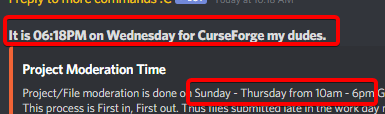

 arctic python
oh so tommorow
lyric crescent
tomorrow they will do approvals again, but that doesnt mean they will get to yours tomorrow. manual approval takes a few days usually.
 lone moat
Hi, I was trying to upload a fairly large modpack and I keep getting rejected after 15 minutes of processing and I get this message
The status of the file GreedyCraft-B1.27.0.zip (GreedyCraft) has been changed to Rejected

There was an error processing your file! Please reach out to https://support.curseforge.com for assistance!

If you have any questions please contact our support team https://support.curseforge.com.
Is there any solution to this? Project link is https://www.curseforge.com/minecraft/modpacks/greedycraft (not publicly available because no files are correctly uploaded)
lyric crescent
think you should reach out to support
arctic python
lone moat
Hi, I was trying to upload a fairly large modpack and I keep getting rejected af...
wow only 15 mins lucky
lone moat
hmmm i'll try
Btw I wonder if someone ever got the same issue, I want to know how they solved the problem eventually
lyric crescent
well.. how are you making the thing you uploaded?
lone moat
exported by curseforge launcher, but somehow the exported zip file can't be imported into my MultiMC, it says "Cannot extract zip", I unzipped and repacked the zip and it works fine
lyric crescent
open the zip and screenshot it
lone moat
also the curseforge launcher bugs out when the export is actually done, I waited for like 30 minutes, the launcher just freezes and goes into a "not responding" state
^ Tried multiple times and it happens all the time
lyric crescent
that's probably part of it
lyric crescent
any reason you're shipping all that stuff?
lone moat
They are part of the config change
lyric crescent
what
lone moat
You know some mods don't put their config in the config folder, instead they create a folder in the minecraft instance and put their options file in it
 lyric folio
Hey, does anyone know a mod that loads .nbt files into minecraft's world gen for 1.16.4?
lyric crescent
if you arnt changing anything with them, there is no reason to include them
lone moat
They are changed, that's why I include them
I made sure all of the files are necessary
lyric crescent
shaders are necessary? how's that?
lone moat
The modpack uses mod director to download optifine and shaders are enabled by default
lone moat
I really worked hard to make shaders compatible with the game
I have a question: does the automatic processing program go through the entire overrides folder, or just the modlist
lyric crescent
definitely going to be a ticket issue then, you'll need to send your logs as well and a link to the zip used probably
im sure it goes through everything included
lone moat
Probably it's too large to process in a set amount of time? The modlist is very long to, containing more than 500 mods
lyric crescent
wtf
lyric crescent
with shaders
digital roost
its prolly timing out or something
lone moat
Yeah this modpack is kind of crazy but I made it not to explode your computer
jolly salmon
How?
digital roost
how do you make a 500 mods modpack not explode your pc
mine cant handle an optimized 300 mods imagine 500
my limit is around 250 mods
lyric crescent
very well could be a file size limitation, considering typical packs are much smaller
lone moat
The only bad thing is that it might require 10GB ram
digital roost
bruh
10gb ram isnt commonly allocated
and people usually have 8gb ram or 12gb ram
lyric crescent
if you actually have an interest in modded you'll have 16gb+
digital roost
i do have an interest but its expensive
a 4gb pent costs 300 bucks here
i have 8gb ram atm
thats fairly high for a brazilian computer
lone moat
This modpack runs at 80fps on my 16GB+2060 with shaders
lyric crescent
doubt
 gusty rampart
what is the best server, where we can use this mod. I want to play with friends and were looking for a good website, which has a good price and which runs pretty well for an average 10-15 players. Any ideas?
lone moat
I kinda made every mod serve a purpose?
lyric crescent
gusty rampart
what is the best server, where we can use this mod. I want to play with friends ...
not a curseforge related question
digital roost
gusty rampart
what is the best server, where we can use this mod. I want to play with friends ...
well creeperhost is fairly good, i've heard good things about it, but thats in #778026316589957140
gusty rampart
still thanks
 opal cipher
digital roost
a 4gb pent costs 300 bucks here
opal cipher
digital roost
a 4gb pent costs 300 bucks here
What?! O_O
My 64GB RAM cost me less than €300.
 smoky ridge
opal cipher
What?! O_O
smoky ridge
opal cipher
What?! O_O
got to remeber prob a 13 year old kid
 tardy turret
I have some friends who have never used curseforge before and I’m trying to help them get started with it so we can play together. Does anyone know if there’s a video or instructions for the initial installation and stuff that I could send them?
lyric crescent
there is none that i am aware of
tardy turret
Ok
 umbral sky
If I have already bought the full version of Minecraft from Microsoft, would I still have to buy the Java edition from the CurseForge website to play any mods. Asking because I can't seem to get the RLCraft mod to run.
lyric crescent
you dont need to buy anything from curseforge. what is the issue
 hollow garden
im pretty confident that you need to have java edition to run curse forge mods
lyric crescent
correct
 smoky night
good evening I have one question and a big problem
umbral sky
Don't know how to run the mod on Minecraft itself. I know there's a way to import files on one of the menus (next to the Create World button), but I don't know haw to do it. Everything I've tried so far has done nothing.
Cool. Thanks.
lyric crescent
you just press play on curseforge, then play on the launcher that opens
smoky night
can I ask?
lyric crescent
if you dont no one can answer
 misty talon
For Minecraft, what mod has everything off to the right side of the screen when you access the crafting table