#🔥︱curseforge-support
1 messages · Page 193 of 1
 austere bloom
Well idk really how to explain it but i made a mod pack for 1.20.4 and am trying to add mods that i know cf has but they are not showing up
austere bloom
 signal ridge
From the site? then pasted into the mods folder? OR using the cf apps <:CFaddons...
signal ridge
From the site? then pasted into the mods folder? OR using the cf apps <:CFaddons...
the apps section
signal ridge
Try reinstalling the mods then give your pc a reboot
 pliant sluice
In need of some help if possible, When trying to load minecraft through curseforge it gets almost to the main menu like right after the red loading screen and you can vaguely see the main menu behind it and then the whole thing crashes. Tried many different things and wondering what other people suggestions might be?
We've uninstalled both minecraft and curse and reinstalled
restarted PC
Did all repairs
ran as administrator
update drivers
Minecraft loads just fine without curse just not with curse
signal ridge
?mc-launcherlog send this after the crash
 rough nightBOT
signal ridge
?mc-launcherlog send this after the crash
rough nightBOT
signal ridge
?mc-launcherlog send this after the crash

How to get your launcher log
- Click
 button next to the Create Custom Profile option
 - Click the

Open Modding folderbutton - Open the Install folder
- Drag the
launcher_log.txtfile into discord. If there are multiple only send the one without a number in its name

 timber holly
 carmine galeBOT
Paste created of launcher_log.txt, uploaded by spasmadic.
signal ridge
Wait your not the user that I sent this too, whats the issue?
pliant sluice
sorry this was his issue I was just trying to help him
signal ridge
Ah ok
Best to explain that, otherwise can get confusing real fast
How much ram does the pc have total?
signal ridge
Does the game freeze then you force close it? OR does it crash fully on its own without you touching it?
timber holly
the game will freeze one it hit the menu screen where i can choose options single player ETC. will let it sit for 10 mins than closes it when it says the game is not responsive
signal ridge
Try this, for the next command as soon as your cf app says successful Restart your pc. Do not attempt to boot mc untill after the pc reboot is done.
 red patioBOT
How to repair your Minecraft installation on CurseForge - **NOT** the same as `Repair Profile` - please follow these exact steps
- Click on the Minecraft Tab on the left side of the CurseForge App.
- Click button next to the
Create Custom Profileoption. - Click

Repair Installationoption.
NOTE: Although this might seem similar to the instructions of repairing profile, it's different and required. No worries, you will not lose any modpacks or worlds.

 fluid tusk
He's a turtle, what do you expect?
timber holly
okay i will try this
 earnest plaza
How do I send logs?
signal ridge
earnest plaza
How do I send logs?
See the bot I replied to you with, dont jump channels
fluid tusk
I'll post it again in #🧱︱mc-other-help
earnest plaza
Oh I’m sorry
timber holly
just restart the computer after repairs gonna launch mc now let you know what happens
same problem occurred, got to the menu and it froze and locked up
signal ridge
Send the launcher log again while its frozen
timber holly
carmine galeBOT
Paste created of launcher_log.txt, uploaded by spasmadic.
signal ridge
Do any modpacks work?
timber holly
yes its my better MC but for MC 1.20.1
pliant sluice
he has the same mods the rest of us on the realm have and its only two and everyone else is fine its just him that can't load
signal ridge
Just to make sure here, you do own the game right?
timber holly
haha yes i do own the game, i have uninstall and re-intalled the game
signal ridge
Just making sure, seeing auth issues.
With the cf app and anything mc related fully closed try the below
!dns
red patioBOT
Changing your DNS server
Please follow these instructions to change your DNS server. The default one (provided by your router/ISP) can sometimes block CurseForge and other programs/websites.
timber holly
changed DNS will try launching the game again
signal ridge
If it doesnt work lmk, will try something else
timber holly
nope still the same issue
signal ridge
Can you try making a brand new custom profile, same mc version and modloader, but dont add any mods just press play? Want to know if that will load or not
signal ridge
Wait 10-20min then send the launcher log
timber holly
okay
signal ridge
Something odd is going on here
carmine galeBOT
Paste created of launcher_log.txt, uploaded by spasmadic.
signal ridge
bit of a nuclear option, but for the next command, when you get to the path change part, make note of your current path BEFORE changing to what the bot says
!mc-path 🔶 section
red patioBOT
How to change your Minecraft install path on CurseForge
:large_blue_diamond: If Minecraft is __not installed__ in CurseForge App:
- Click the
 in the top left.
 - Select Minecraft from the list of games.
- Select the
Advancedoption and select:
--- Windows:Local Disk (C:)at the left side of the window. If you do not see it, clickThis PCfirst.)
--- Mac:/Users/Shared/CurseForge, If it does not exist, make it. - Click
Continue.
:large_orange_diamond: If Minecraft is __installed__ in CurseForge App:
- Click the
 in the bottom left.
 - Select the Minecraft tab.
- Click
Change. - Select the location:
--- Windows:Local Disk (C:)at the left side of the window. If you do not see it, clickThis PCfirst.)
--- Mac:/Users/Shared/CurseForge, If it does not exist, make it.
timber holly
after the select location is there anything esle i need to do i juts click on my c drive and than hit done?
signal ridge
yes, or if you would rather another drive click that. App will handle the rest, should look something like C:\curseforge in the app if done correctly
timber holly
once that has been changed should i just try launching again?
signal ridge
will need to redownload but yes
timber holly
redownload CF or MC in curseforge? what do i need to redownlad
signal ridge
the pack
timber holly
with out mods first?
timber holly
we at a dead end
 slender kindle
?
carmine galeBOT
Paste created of latest.log, uploaded by tinymitenick.
fluid tusk
Dude, people have lives. This is also the support channel CurseForge app.
 gritty quarry
Hi, when i try to open my minecraft in cf i got this error screen
(translation: Game Crashed - Error code: (0x1))
I try to get support on minecraft chat but my log folder isn't exist, when i try launch minecraft on xbox app work normal, but in the cf i got this bug, i try to update my gpu drivers and redownloaded minecraft and cf but nothing solve it.
 fluid tusk
slender kindle
?
fluid tusk
slender kindle
?
I see Sinytra in there; I recommend you remove it and any mods that depend on it. If you continue crashing, post the latest.log file it creates in #🧱︱mc-other-help
fluid tusk
gritty quarry
Hi, when i try to open my minecraft in cf i got this error screen
(translation: ...
Don't jump channels, you were in the right one the first time.
And the latest.log thing goes for you too
gritty quarry
fluid tusk
Don't jump channels, you were in the right one the first time.
Sorry, is because one member(not staff) try to help me in minecraft chat and we don't resolve it, so he recomended i go here.
fluid tusk
Well once you get to the Minecraft launcher, it's no longer relevant to this channel (usually)
gritty quarry
fluid tusk
Well once you get to the Minecraft launcher, it's no longer relevant to this cha...
that's is one of my problems, idk where the problem is and which support i contact, in the begin i think is a minecraft launcher problem, but i don't have sure, and lately i got another problem my log folder does not exist, so idk how i send my latest.log ;u;
 gentle parcel
what do i do

i have this come up when ever i open minecraft and try to play my mod please help
i dont know why its coming up
is it just installing or
signal ridge
gentle parcel
what do i do
!projectissue
red patioBOT
Reporting issues to project authors
Please visit the project page for the content you posted about and look for a way to contact the developer.
Somewhere on the page, there is usually a method of contact. Look for one of the following things:
Issuestab like the image below- Discord link
- Twitter link
- Comments section below the project
If no contact method exists you will either have to remove the project or find a solution on your own.

 clever escarp
can anyone help me figure this out
carmine galeBOT
Paste created of message_1.txt, uploaded by daddgamr.
signal ridge
What app are you using?
clever escarp
its a friend hes tried at launcher and technic
cant seem to help him get it going it was working fine then out of nowhere it crashed
signal ridge
#🧱︱mc-other-help for mc issues
 fair dove
signal ridge
fair dove
signal ridge
Woops, went to hit reply and hit delete... @hollow quail The Curseforge app itself?
 ionic steeple
Why does sometimes my curse forge delete itself ?
signal ridge
Sometimes the AV will randomly remove the app for whatever reason, should be able to just reinstall it
timber holly
hey @signal ridge still having that problem for earlier do you think its fixable ik we've tried alot
signal ridge
Im not really sure whats going on sorry
timber holly
no worries thanks for the help tho
 mossy portal
I'm trying to update a mod pack and it's stuck on pending in queue
 arctic inlet
What does this mean

 rich flint
arctic inlet
What does this mean
rich flint
arctic inlet
What does this mean
you cannot just upload anything you want as a modpack file. you must only submit using the format made by the app export feature
!mc-packshare
red patioBOT
Two ways to share a modpack you made with others
:small_blue_diamond: Export and Share - For Friends / Small Groups
- Click the Icon for the modpack.
- Click the button next to play.
- Click

Export. - Select the files that should be included.
- Send the zip to the people that want it! They can follow the instructions in
!mc-installpackto install the pack.
:small_orange_diamond: Upload to Curseforge - For Public Release to Everyone
This option will make your pack public to EVERYONE, it comes with extra requirements and will take some effort to set up.
- Go to create a new project
- Fill out the information with a proper description of the pack. This should allow anyone to understand what the pack is.
- Click the Icon for the modpack in the CurseForge app.
- Click the button next to play.
- Click
Export. - Select the files that should be included.
- Open your Project that you made on the CurseForge site and Upload the file you just made.
- Wait for Moderation & Sync so it can show up in the client! (See
!syncfor limitations and!statusto learn about the moderation process and how long it will take to approve/decline)
rich flint
you must make a project for a minecraft mod then, not as a modpack
 brittle tiger
your eraser slowly dies because of your mistakes
 mortal vortex
this new curseforge update is crashing my pc and not letting me load any modpacks even tho all my friends are playing the same modpack with 0 problem
 silk nest
any info on when project id 967745 will be out?
 acoustic sailBOT
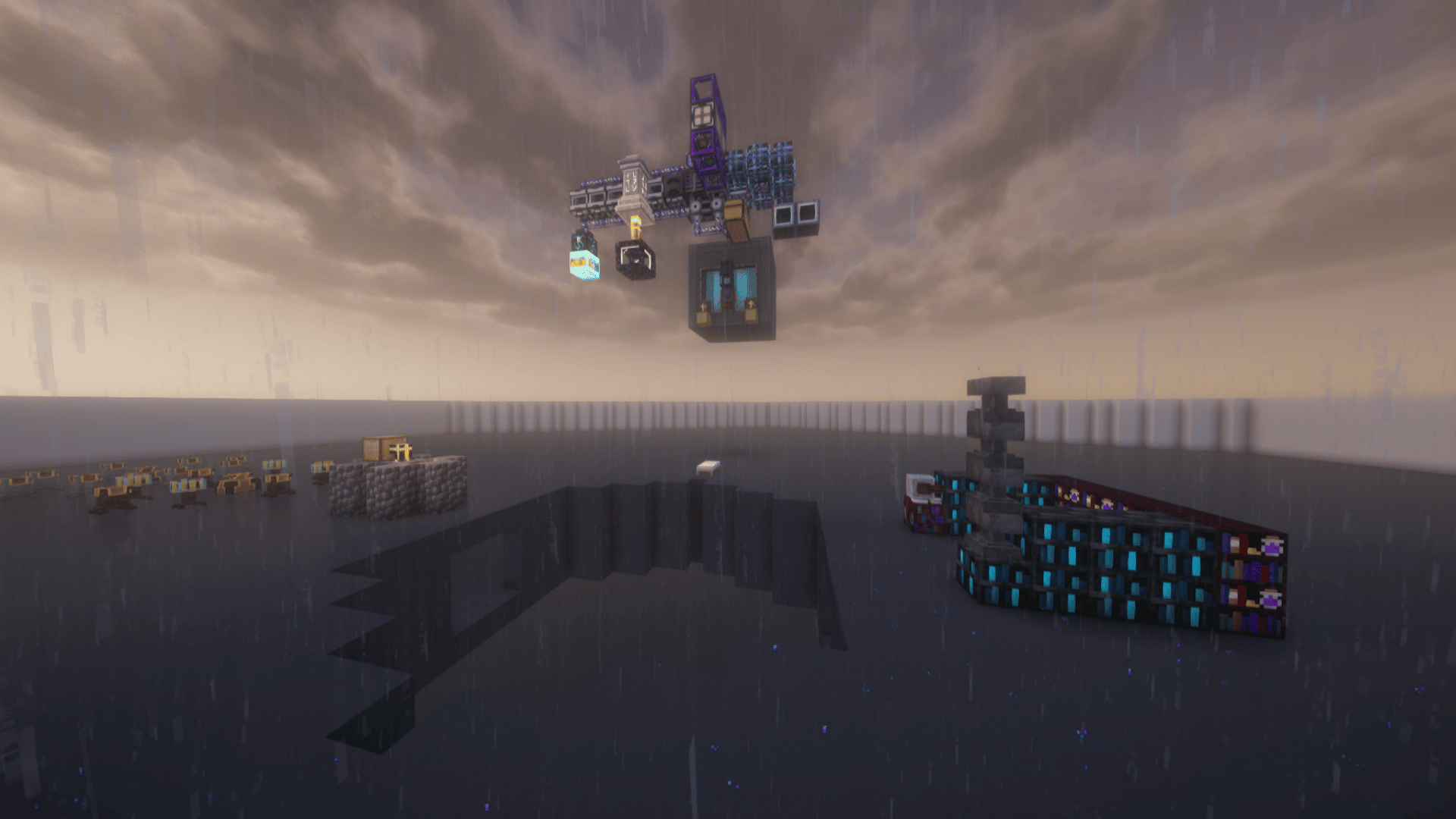
Project 967745 is: All the Mods 9 - To the Sky
Starting with only a tree, fill the void with large amounts of technology and magic!

 opal cipher
silk nest
any info on when project id 967745 will be out?
opal cipher
silk nest
any info on when project id 967745 will be out?
Should be whenever the ATM team uploads a file that get approved by CurseForge.
And that is not something that can be rushed, they are in the same queue as everyone else.
silk nest
opal cipher
Should be whenever the ATM team uploads a file that get approved by CurseForge.
ok, thanks a lot and have a wonderful day 😄
opal cipher
You too!
 dry wyvern
aprove atm9sky
rough nightBOT
opal cipher
?mt
Project moderation time
Project/File moderation is done on these days unless otherwise mentioned:
Sunday, Monday, Tuesday, Wednesday, Thursday: <t:1701072000:t> - <t:1701100800:t>
Friday, Saturday: No Moderation!
Projects are moderated First in, First out. If you submit late in the work day, it will likely get left until the next day!
New Projects or anything flagged for manual review: 1-3 Working Days
Updates to approved projects not needing manual approval: 1 Hour
-If your file has been "Under Review" for more than an hour, then it is at manual review!
opal cipher
And seeing that it is thursday, and I don't have a clue if they have uploaded any files or not. It might be possible that it won't be up until next week.
 remote steeple
Can I make a CIT for modded items? Please help me
 graceful nebula
hey i have a mod that is a JAR file how do i put that into curse forge
 steep perch
place into mods folder of the profile
 cinder bay
how do I update a modpack? I don't see any option to do it.
steep perch
on the main page. right click. change version
won't work if you have manage content on
 cloud quail
hello ı dowloand hexxit update but he installed zip how to transform jar
 young bone
Hexxit is a mod pack, not a singular mod
 proper zealot
Where can I submit my modpack to get verified and published?
young bone
!mc-packshare
red patioBOT
Two ways to share a modpack you made with others
:small_blue_diamond: Export and Share - For Friends / Small Groups
- Click the Icon for the modpack.
- Click the button next to play.
- Click
Export. - Select the files that should be included.
- Send the zip to the people that want it! They can follow the instructions in
!mc-installpackto install the pack.
:small_orange_diamond: Upload to Curseforge - For Public Release to Everyone
This option will make your pack public to EVERYONE, it comes with extra requirements and will take some effort to set up.
- Go to create a new project
- Fill out the information with a proper description of the pack. This should allow anyone to understand what the pack is.
- Click the Icon for the modpack in the CurseForge app.
- Click the button next to play.
- Click
Export. - Select the files that should be included.
- Open your Project that you made on the CurseForge site and Upload the file you just made.
- Wait for Moderation & Sync so it can show up in the client! (See
!syncfor limitations and!statusto learn about the moderation process and how long it will take to approve/decline)
young bone
🔶
 leaden mulch
Hi! I have an error: Forge Modloader installation failed.
I reinstalled Java, reinstalled CurseForge, changed the "hosts" file, (I don't have proxy or Anti-virus)
 proven meteor
Hello, I have recently accidentally updated Curseforge to the latest version, unfortunately my Mac can not update to OS 10.15 which means i can not use forge, I've tried to re-download but on the download page there is only the latest version. Im here to ask if I can have an older version of forge that does work with OS version 10.14, and I also ask that older downloadable versions be available on the download page as I've seen many more users with the same problem. Thanks in advance!
rich flint
proven meteor
Hello, I have recently accidentally updated Curseforge to the latest version, un...
You cannot, no. The software is designed to automatically update itself. They will only be publishing the newest version. They try to remain backwards compatible but software maintenance means that sometimes they must include new or drop old code that raises the minimum old OS version required
proven meteor
rich flint
You cannot, no. The software is designed to automatically update itself. They ...
So even if i download an older version i just can't use it? Bloody brilliant, Thank you mate
rich flint
leaden mulch
Hi! I have an error: Forge Modloader installation failed.
I reinstalled Java, r...
! mc-installfix
Try this
red patioBOT
How to repair your Minecraft installation on CurseForge - **NOT** the same as `Repair Profile` - please follow these exact steps
- Click on the Minecraft Tab on the left side of the CurseForge App.
- Click button next to the
Create Custom Profileoption. - Click
Repair Installationoption.
NOTE: Although this might seem similar to the instructions of repairing profile, it's different and required. No worries, you will not lose any modpacks or worlds.
proven meteor
That would work if the app could open in the first place, thank you for your effort
rich flint
That reply was not to you - different user
proven meteor
Oh sorry, my bad
leaden mulch
rich flint
! mc-installfix
Try this
I tried it long time ago.
 mighty coral
Every mc modpack i try to use i get the error exit code 6 when going into a world does anyone know why this is happening?
rich flint
leaden mulch
I tried it long time ago.
did you try it now?
rich flint
mighty coral
Every mc modpack i try to use i get the error exit code 6 when going into a worl...
 knotty crypt
hello I have a quick question
how can I tell what mods have a virus, malware, or nothing at all
 digital roost
knotty crypt
how can I tell what mods have a virus, malware, or nothing at all
digital roost
knotty crypt
how can I tell what mods have a virus, malware, or nothing at all
They don't have a virus.
knotty crypt
ok I apologize I'm just new to downloading mods and youtube videos said that malware could be added through updates
updates to the mod itself
opal cipher
They sure can, if the author has been compromised, and CurseForge would stop checking files that people upload.
!malware This should say 2023, but it doesn't yet (we volunteers don't have access to change the text)
red patioBOT
Regarding Malware
As of June 11th we have cleaned all infected files on the platform and have sealed the security breach to prevent similar files from being introduced again.
If you have downloaded any of the affected files and in order to play safely, make sure to follow the steps described in our article.
For more info, please read our #📢︱news
Do note that in reference to Bleeding Pipe - this isn’t malware, it’s an exploit of Java that in not based in the CurseForge platform.
 spring mountain
so, naming a curseforge profile "nul" makes you unable to delete it due to a windows thing, i'd suggest making it name it something like "nul_" to prevent this
i have an undeletable folder 😭


in minecraft worlds, it adds two underscores at the end and beginning of the folder to prevent it
leaden mulch
rich flint
did you try it now?
Yeah.
 desert sun
 mild seal
So I guess whatever changed in 1.253.0.17952 wasn't anything super important ?
rich flint
Mystery hotfixes happen all the time 👍
 pine crater
what do i do if i get Error 1 when i try to launch?
digital roost
pine crater
what do i do if i get Error 1 when i try to launch?
go to #🧱︱mc-other-help
pine crater
oh thx
 lunar vault
hey, was wanting to upload a modpack for a minecraft server me and my friends are wanting to create, how do i generate a link to share it?
digital roost
lunar vault
hey, was wanting to upload a modpack for a minecraft server me and my friends ar...
!mc-packshare
red patioBOT
Two ways to share a modpack you made with others
:small_blue_diamond: Export and Share - For Friends / Small Groups
- Click the Icon for the modpack.
- Click the button next to play.
- Click
Export. - Select the files that should be included.
- Send the zip to the people that want it! They can follow the instructions in
!mc-installpackto install the pack.
:small_orange_diamond: Upload to Curseforge - For Public Release to Everyone
This option will make your pack public to EVERYONE, it comes with extra requirements and will take some effort to set up.
- Go to create a new project
- Fill out the information with a proper description of the pack. This should allow anyone to understand what the pack is.
- Click the Icon for the modpack in the CurseForge app.
- Click the button next to play.
- Click
Export. - Select the files that should be included.
- Open your Project that you made on the CurseForge site and Upload the file you just made.
- Wait for Moderation & Sync so it can show up in the client! (See
!syncfor limitations and!statusto learn about the moderation process and how long it will take to approve/decline)
lunar vault
thank you
 wanton jasper
hey everyone 🙂 I do have a minecraft modpack project and decided to switch from fabric to forge.
My new Forge file is now processing for almost 1 hour and I have no idea why its processing so long... any idea what I could do?
signal ridge
?mt
rough nightBOT
signal ridge
?mt
Project moderation time
Project/File moderation is done on these days unless otherwise mentioned:
Sunday, Monday, Tuesday, Wednesday, Thursday: <t:1701072000:t> - <t:1701100800:t>
Friday, Saturday: No Moderation!
Projects are moderated First in, First out. If you submit late in the work day, it will likely get left until the next day!
New Projects or anything flagged for manual review: 1-3 Working Days
Updates to approved projects not needing manual approval: 1 Hour
-If your file has been "Under Review" for more than an hour, then it is at manual review!
wanton jasper
oh damn...this means it won't get out of "processing" until sunday?
lunar vault
so i gotta wait 2 days to just load up a modpack
signal ridge
May have to just wait.
wanton jasper
..alright I will 🙏🏻 thanks
lunar vault
gnarly
wanton jasper
signal ridge
May have to just wait.
how long can this go? I just uploaded a new version of the already existing modpack ... its been processing for over 1 hour. I've never had that 😅
lunar vault
they wont process it for about... 45 hours from now prob
wanton jasper
ah... I thought processing is something different than "under review"...uh alright :/ hm
rich flint
lunar vault
so i gotta wait 2 days to just load up a modpack
Nope - for small groups share export files and have your friends import the profile. Don't create modpack projects just for that
digital roost
can you use optifine and rubidium together?
lunar vault
need to upload it to the website for the server hosting website to be able to access it
digital roost
oh my bad i didnt read the description i will post next time correctly
lunar vault
if theres an alternative i am more than willing to hear ideas, but aternos needs to be able to access the modpack to be able to run the mods. not seein a way to upload the exported zip file to the website itself
rich flint
Sure I understand. Get what you pay for there 😉
You could self host is someone in the group has a good pc
lunar vault
no point gonna sit n wait 2 days just for a 35kb zip to be moderated lol
wanton jasper
lunar vault
no point gonna sit n wait 2 days just for a 35kb zip to be moderated lol
yeah same here..but its easier for them to install it on the launcher without that I have to exlain them how to import the profile.. and I thought once a project is created its faster to upload a new file.. but yeah we both have to wait in this case
rich flint
A simple screenshot is usually enough to show people how to import
acoustic sailBOT
Project 967745 is: All the Mods 9 - To the Sky
Starting with only a tree, fill the void with large amounts of technology and magic!
signal ridge
Please use #🟢︱user-bot-spam if your testing commands
 gilded herald
hello i need help every time i try too update CurseForge this massage pops up

 tulip kite
Hey I need help I keep getting this code when I play Minecraft around 20 mins -1073741819
 sharp portal
Hello - I just updated my curseforge app and now i crash anytime trying to join a server
Exit code -805306369 but seems like a pretty general code
brittle tiger
There is no rust page on here
 upper river
Is there a way to install Overwolf on Linux or to install a Stardew Valley modpack from Curseforge on Linux? I'm trying to install Blissful Valley but it doesn't look like I can. Thanks!
 bleak atlas
what does this mean?

 frank dove
Hiya! im having a issue with my client, for somereason my FPS drops from 120 to abt 19-25FPS after using shaders, ive got abt 7GB ram allocated to MC so i just cant figure out whats going on...
Specs:
- CPU: AMD Ryzen 5 5600 6-Core Processor
- GPU: ATI AMD Radeon RX 6650 XT
- RAM: 32,0GB Dual-Channel DDR4 @ 1599MHz
(Speccy Summary)
wanton jasper
oh wait it worked now 😮 idk why and how but my file got approved
thank you whoever did this 🙂
wanton jasper
gilded herald
hello i need help every time i try too update CurseForge this massage pops up
versuche mal den Ordner C:\Program Files (x86)\Overwolf zu löschen und dann Curseforge nochmals zu installieren
gilded herald
danke
wanton jasper
gilded herald
danke
hat das funktioniert? (sorry for the different language)
gilded herald
versuche es grade
fluid tusk
!English
red patioBOT
📛 Please use English only (Rule #1)
Please take the time to read our #📛︱rules
This is an English-speaking discord.
We politely ask that you translate or do your best at using English.
If someone wishes to help you in your native language, we ask you to do that in DMs.
gilded herald
thanks it workd
 craggy silo
is there a way to find deleted modpacks?
signal ridge
If you delete them from your app can try checking your trashbin folder. Otherwise they are likely gone
knotty crypt
quick question
I downloaded a mod and Ill leave the link but it also download a bunch of other mods is that normal?
fluid tusk
Those are dependencies, required for the mod to work. Usually they're libraries that the mod pulls from.
knotty crypt

I Survived 100 Days against the Sculk Horde - and this took everything I had...
The Sculk Horde knows all, it grows, it hunts, and it wants to add you to the collective... This mod takes Minecraft's Sculk and makes the Warden look like a teddy bear with Sculk Ravagers, Mites, and the Enderman who will obliterate you with a sonic blast. This mod...
oh ok
just got a little concerned there
knotty crypt
any idea if I can put this on questcraft
digital roost
Or libraries in general. Or APIs
knotty crypt
questcraft is two different vr mods mixed into one for Java
do you think I could put this over there?
 crystal fern
If Curseforge isn't updating (gives me an error message) do I have to clean reinstall the app?
craggy silo
how can i find packs ive delleted?
fluid tusk
You can try your recycle bin. If it's not there, it's completely gone
rich flint
crystal fern
If Curseforge isn't updating (gives me an error message) do I have to clean rein...
Weird. Yes do that
!reinstall
red patioBOT
Reinstalling Overwolf & CurseForge
Please uninstall by following the instructions here
Once you're done, you can install again from the main download page
*These steps will not remove any installed mods/addons/modpacks or associated files (worlds, configs etc)
crystal fern
rich flint
Weird. Yes do that
Thank you!
I haven't updated in a very long time so I'm assuming that it's something related to that
rich flint
Do the uninstall above first
crystal fern
rich flint
Do the uninstall above first
Seems like things are in order now, thank you
craggy silo
fluid tusk
You can try your recycle bin. If it's not there, it's completely gone
so does this basically just mean if you dont check it itll be put in the recycling bin?
 fluid tusk
I actually don't know about that. Someone else here will though.
 fiery mortar
Hey i dont know how to get help but 100s of my curseforge sims mods source have become local and not curseforge although i downloaded them via curseforge.
 quick lion
Hey, my Minecraft world crashes every time I try to load into it. I've tried creating new worlds, but after around 24 hours, the world shuts down completely and I'm unable to join or do anything with it. I also get the error code: -805306369. And I play Minecraft version 1.19.2
 solid valley
I'm having an issue with BetterMC4 that I've never had with any other mod or normal MC. I am trying to play a LAN world we are both connected to the same WiFi and firewalls are all in order so I know it's neither of those. The issue is when I try to load into the world it starts loading gets to encrypting and then freezes.
 normal mountain
my curse forge wont open and i relaunch it like 10 times

does anyone know how to fix the problem?
fluid tusk
!cflogs-app
red patioBOT
How to get your CurseForge app logs
- Click the

Create logs zipin the menu.
menu. - Drag and drop the zip file created to this channel.
- Wait for someone to look at it so they can help you.
 fluid tusk
Hopefully someone will swing by to read those; I can't, and have to head to bed soon
Opened just fine for me
upper river
Is there a way to install stardew valley modpacks on linux?
 eager ember
I think this is the right spot, so I had to move my sims 4 folder from my C drive to my E drive due to not enough space, but the mods folder on curse forge still thinks it’s in the C drive, I’ve tried uninstalling both the sims and curse forge but still nothing
fluid tusk
!cflogs-app I need to go to bed, but hopefully someone will swing by to help soon!
red patioBOT
How to get your CurseForge app logs
- Click the
Create logs zipin the menu. - Drag and drop the zip file created to this channel.
- Wait for someone to look at it so they can help you.
 finite spade
How do I fix this?
 acoustic sailBOT
Project 499003 is: project-499003
To be repurposed

Project information
Author
Status
Deleted
Created
<t:1624970006:F>
Modified
<t:1625098802:F>
Released
<t:1624970006:F>
Downloads
282
Mod Distribution
Allowed
Categories
 CurseForge
fluid tusk
CurseForge
fluid tusk
If you want a performance mod for Forge modloader, use Embeddium
finite spade
When I try to combined sodium and fresh animations in a mod pack, it says it’s not compatible. How do I fix that?
fluid tusk
You remove one of the mods. You can't have both
finite spade
Ok
 winged yew
if im tryna play on a 1.20.1 cobblemon modded server would 4 gigs of ram cut it for the server
currently like 33 mods - most of them are addons for cobblemon only like 4 or 5 that actually add stuff
 sonic zinc
Anyone know what mods i eitehr need to delete or add to my put together mod pack i made?
carmine galeBOT
Paste created of latest.log, uploaded by ninjaboss19524.
 leaden needle
So I installed a modpack on Curseforge that was previously functioning, but now, no matter how many times I pressed play, it will not open. And it still refuses to work despite attempts made to re-install both Curseforge and Minecraft. What do I do?
solid valley
Trying to play a LAN wolrd on BetterMC (BMC4). The world shows up and let's me start to join but freezes once the loading reaches "Encrypting"
 edgy plaza
this might sound kind of dumb, but where can I update my curseforge? its not showing up when I start it like it usually does...
signal ridge
solid valley
Trying to play a LAN wolrd on BetterMC (BMC4). The world shows up and let's me s...
Recommend an actual server instead of lan, as lan wasnt built for modded mc. If you need server support use #🧱︱mc-other-help
signal ridge
edgy plaza
this might sound kind of dumb, but where can I update my curseforge? its not sho...
Curseforge app should auto update, if not there will be a  icon on the left side of the app when an update is ready.
Keep in mind Curseforge =/= Forge
edgy plaza
signal ridge
Curseforge app should auto update, if not there will be a <:CFupdatewand:1068314...
I mean, I started a Modpack which I just started, and when minecraft launched, it said "Mod friendsandfoes requires forge 43.3.5 or above, currently forge 43.3.0"
thanks for replying tho 😄
red patioBOT
How to update your mod loader within the same game version in the CurseForge app
- Click on the modpack profile you are working with.
- Click on the button next to the play button.
- Click on the
 Profile Options button.
 - Select the mod loader version you want from the dropdown.
- Play!
If you need to update to a new game version, a new profile is required.
edgy plaza
signal ridge
Thats minecraft forge the modloader, not curseforge
oh, sorry! well then thank you, can I ask for more help if I get stuck on something?
edgy plaza
alright :DD thank you so much!
edgy plaza
signal ridge
!mc-updatemodloader
got it, Tysm! 🫶
leaden needle
leaden needle
So I installed a modpack on Curseforge that was previously functioning, but now,...
Any tips for my situation?
signal ridge
leaden needle
So I installed a modpack on Curseforge that was previously functioning, but now,...
?mc-launcherlog
rough nightBOT
signal ridge
?mc-launcherlog
How to get your launcher log
- Click button next to the Create Custom Profile option
- Click the
Open Modding folderbutton - Open the Install folder
- Drag the
launcher_log.txtfile into discord. If there are multiple only send the one without a number in its name
rich flint
yup, looks like it did
it's either a bug, or a problem because of either modernfix, radium reforged, aether


 rich flint
you asked that like half an hour ago in #🧱︱mc-other-help . please continue there and try the repair that I asked you to try
 hallow fulcrum
rich flint
you asked that like half an hour ago in <#768367574001778729> . please continue...
hallow fulcrum
rich flint
you asked that like half an hour ago in <#768367574001778729> . please continue...
ur my hero
 opal fjord
i keep getting exit error code 1 and im confused on why
steep perch
#🧱︱mc-other-help send logs there
opal fjord
Do u know where i can find the old version of farmers delight the new one is incompatible with alot of my mods
steep perch
you can pick the specific version by clicking on the mod in curseforge
then going to the files tab
digital roost
opal fjord
Do u know where i can find the old version of farmers delight the new one is inc...
Go to the mod page (via the modpack browse tab), go to versions, install old version
Just like you'd add new stuff
opal fjord
Thanks ill try it in the morning
 hallow valley
when I get 0.5.5 it says it requires 0.5.3 and when I get 3 it says it requires 5 and when put both in I get this
 hallow valley
so I should install from there?
steep perch
download it and place it into the mods folder


 hazy wyvern
I've had this issue with the app lately. I've tried to reinstall a few times and disabled adblockers\antivirus. Any solutions?

 severe oriole
Hello, I hope this is the correct place to go. I have a support ticket on CurseForge that has gone days without an update. I was hoping that, as an author, I could get some answers as to the status of my support ticket.
It is Ticket #246660 and the last time I got a response was three days ago.
steep perch
We are not curseforge staff but the higher ups can nudge support for you
severe oriole
steep perch
We are not curseforge staff but the higher ups can nudge support for you
Thank you very much!
rough nightBOT
steep perch
?mt
Project moderation time
Project/File moderation is done on these days unless otherwise mentioned:
Sunday, Monday, Tuesday, Wednesday, Thursday: <t:1701072000:t> - <t:1701100800:t>
Friday, Saturday: No Moderation!
Projects are moderated First in, First out. If you submit late in the work day, it will likely get left until the next day!
New Projects or anything flagged for manual review: 1-3 Working Days
Updates to approved projects not needing manual approval: 1 Hour
-If your file has been "Under Review" for more than an hour, then it is at manual review!
steep perch
It is curseforges weekend
severe oriole
Well, this is really sad but I thought I read that somewhere.
I guess I have to just sit and wait. Thanks for being helpful!
I think I may have been a little spoiled. My first reply was extremely fast. Within an hour of my reply
digital roost
are mods or just the general game less demanding on the player clientside when on a multiplayer server or is there no difference?
steep perch
By using a server you offload some of the calculations to the server
Singleplayer is a client and server in one
 pseudo turtle
hi
i dont know if u guys can help me but when ever i try to go on block front it says that i am offline when i clearly am can you guys help?
 bold heart
any way i can make mods/texturepacks in my modpack load faster? it loads really slow, like 5-10 minutes to launch and multiple minutes to load a texture pack.
 steel saddle
I need somehelp with the fml loading
I need some advice on how to fix an issue im having where the fml loading screen is extremely slow and is just stuck loading, like numbers move and things are getting loaded but nothing actually happens and im stuck on early loading prosses forever, its happening eveytime I open a curseforge modpack for minecraft, i tried updating my drivers, allocating more ram, deleting and reinstalling mods and updating java but nothing works
digital roost
pseudo turtle
mabey get more storage space or better ram?
How much RAM did you allocate?
leaden mulch
Hi! I have an error: Forge Modloader installation failed.
I reinstalled Java, reinstalled CurseForge, changed the "hosts" file, (I don't have proxy or Anti-virus), I repaired the installation.
leaden needle
carmine galeBOT
Paste created of launcher_log.txt, uploaded by .doctorallosaurus.
leaden needle
rough night
Alright so I dragged the launcher log file into discord, so what do I do now?
 eternal stone
Newbie question - feel free to point me to the article if I just can't find it. I wrote an addon. It's all ready to go on github. I created a CurseForge project for it. I setup the github webhook for automated packaging. I tried a tagged commit on one file, but see no changes in CurseForge. Is there a way to test that CurseForge is receiving? Do I need to manually add all my files to the CurseForge project, and then the automated process takes over, or is there a way to automatically flush the whole repository over?
steep perch
eternal stone
Newbie question - feel free to point me to the article if I just can't find it. ...
!devdiscord
red patioBOT
The CurseForge Discord server for developers can be found here:
https://discord.gg/JwUXpc8n8M
steep perch
Better there than here
eternal stone
Thanks
steel saddle
Is the pack in a zip still
 full rapids
how to stop this blurry text
 wanton jasper
Seems like its not loading... What if you scroll further down?
full rapids
wanton jasper
Seems like its not loading... What if you scroll further down?
still blurry
wanton jasper
Hm.. weird issue, like almost all technical issues I encounter :/
 brave viper
im on curseforge and only my minecraft java is showing up and i cant figure out how to get bedrock on there
can someone help pls
young bone
CurseForge app doesn’t support bedrock edition
brave viper
but the website does?
young bone
CurseForge supports about 85 games, the Overwolf version of the app supports about 15 of those
Just because it’s supported on the website doesn’t mean it’s going to be supported in the app
 lethal idol
Hello i'am playing on curseforge for bettermc and since this morning I get this message on the server i play with my friends

note that the modpack installed on the server is v25 too
 plush marlin
Getting the same problem, we wanna know if it's the server problem or the modpack
Apparently we "asked" people from the Aternos server, he doesn't really benefits us anything 
red patioBOT
Reporting issues to project authors
Please visit the project page for the content you posted about and look for a way to contact the developer.
Somewhere on the page, there is usually a method of contact. Look for one of the following things:
Issuestab like the image below- Discord link
- Twitter link
- Comments section below the project
If no contact method exists you will either have to remove the project or find a solution on your own.
lethal idol
❤️
 azure sluice
anyone know why i get this huge error?


CurseForge
Version 1.20.1 | A Proper Vanilla+ Modpack | Don't play Vanilla play this!
1.0M Downloads | Modpacks
plush marlin
azure sluice
anyone know why i get this huge error?
the mod has been fixed, but have to do it manually.
 azure sluice
plush marlin
the mod has been fixed, but have to do it manually.
azure sluice
plush marlin
the mod has been fixed, but have to do it manually.
thx ill try that
plush marlin
azure sluice
thx ill try that
uh may I ask if you're using the mod for singleplayer or playing with other friends
azure sluice
plush marlin
uh may I ask if you're using the mod for singleplayer or playing with other frie...
multiplayer
plush marlin
is it aternos server?
plush marlin
do you have any idea how to find server files?
plush marlin
people from Aternos doesn't really "interested" to help
azure sluice
oh yeah they're effing rude LOL
i went there to ask for help and i got cursed out by a mod
they just tell u to google everything 💀
 formal juniper
hi, I tryed to Update my Modpack, but it didn´t work. I deaktivated "Allow content management for this profile" but there is still no arrow next to the "play" button. What can I do?
plush marlin
azure sluice
they just tell u to google everything 💀
someone woke up at the wrong side of bed

azure sluice
plush marlin
someone woke up at the wrong side of bed
damn you got the good side of it, i literally just got cursed out
plush marlin
azure sluice
they just tell u to google everything 💀
good side? that guy just told us the same thing like this
azure sluice
bro went on a whole long ass rant cursing me out 😭
plush marlin
 azure sluice
lol. really
plush marlin
guess I have to find new server
azure sluice
do you know how to copy the world seed and upload it to another server hosting place?
cuz i have no clue how to do that
and i want to preserve my world
ok thank you <3
plush marlin
wait sorry, I mean this one
 plush marlin
yup

downloading mine rn and saying goodbye to this server
i mean aternos server*
azure sluice
is minehut good?
also yeah their support is horrible and the servers are super laggy tbh
love how the website begs me to take off adblocker everytime i go onto it though
and they still make you wait 3 seconds to click anything if u have it on
young bone
Minehut does offer paid servers, their free option isn’t all that better than aternos
azure sluice
young bone
Minehut does offer paid servers, their free option isn’t all that better than at...
yeah i saw
plush marlin
scalacube doesn't support this mod unles the paid ones
kinda suck tho, I wish they did support
plush marlin
young bone
Minehut does offer paid servers, their free option isn’t all that better than at...
is there any alternative free server for a brokie like me?
plush marlin
young bone
How good is your computer
10 fps in Cyberpunk
young bone
Servers do no rendering
azure sluice
plush marlin
10 fps in Cyberpunk <:KEKL:1120986163495325846>
💀
fluid tusk
RAM and network speed are more important for servers
plush marlin
young bone
Self hosting is free
does it requires some coding or some complicated shit? I don't think my internet is the best to host myself a server
fluid tusk
Nope! Someone made a tool for all that!
plush marlin
fluid tusk
RAM and network speed are more important for servers
i have 16 GBs ram but shitty internet I will get my own wifi in August or September
fluid tusk
 azure sluice
young bone
Self hosting is free
azure sluice
young bone
Self hosting is free
i'm kinda clueless, how does it work?
and is it multiplayer?
fluid tusk
16GB may be a stretch, but you could try giving 6Agb ato both the server and client, leaving 4GB for the OS.
young bone
Servers = multiplayer
fluid tusk
I have to get back to work, unfortunately, or I'd walk you through
azure sluice
young bone
Servers = multiplayer
thx
plush marlin
fluid tusk
https://github.com/nanonestor/universalator/wiki
so this thing allows us to host our own server as long we have good internet + ram?
azure sluice
fluid tusk
https://github.com/nanonestor/universalator/wiki
can i import worlds in there?
fluid tusk
plush marlin
so this thing allows us to host our own server as long we have good internet + r...
Yes, and the computer hosting it stays on.
plush marlin
good thing my friend always let her computer stays online 24/7 Very well, I'll go watch some videos to create my own server.
Thank you for the assistance 🫡 until we meet again.
young bone
Read the wiki for the linked tool, sometimes the videos can end up making it more complicated
plush marlin
Noted, thanks for the advance.
 feral snow
Hello, does someone know why my server crash please ?
carmine galeBOT
Paste created of latest.log, uploaded by unninconnu.
feral snow
its better minecraft modpack
plush marlin
Aternos server?
young bone
feral snow
Hello, does someone know why my server crash please ?
I highly suggest that you don’t use feather client to run a server
young bone
So is hosting a server from your computer without it
knotty crypt
hey whats a neoforge file
feral snow
ik but i just want to know the prob of it, i already launch server with feather client and everything worked but here it don't work and idk the reason
plush marlin
feral snow
ik but i just want to know the prob of it, i already launch server with feather ...
Do you have access to server files
young bone
OptiFine isn’t a server mod
 feral snow
young bone
OptiFine isn’t a server mod
feral snow
young bone
OptiFine isn’t a server mod
his not the prob about the start of the server
young bone
OptiFine does not go on servers
feral snow
i delet it but it still don't work
young bone
Then post logs without it
feral snow
carmine galeBOT
Paste created of latest.log, uploaded by unninconnu.
young bone
Packet fixer and connectivity are both trying to do the same thing
feral snow
and what can i do to fix it?
young bone
Remove one of them
carmine galeBOT
Paste created of latest.log, uploaded by unninconnu.
young bone
Remove Embeddium
feral snow
i have nothing name like that
 young bone
Look for Rubidium then
 languid tinsel
Hey I've been trying to use cursedforge to play some mods but any mod I download and try to play it kicks me out with error code 1
Anyone know of a solution I've tried everything I could that I found online like teh right Java, drivers updated, etc.
young bone
#🧱︱mc-other-help for that
languid tinsel
Ok bett ty
feral snow
young bone
Look for Rubidium then
i see nothing too :/
 young bone
Log says otherwise
 young bone
Again, don’t use feather client to run servers, try using this https://github.com/nanonestor/universalator/wiki
feral snow
ok ty i will try it
young bone
And that pack has server packs available too, did you download that to use or were you trying to use the client pack
feral snow
i don't really understand the question sorry, but i wanted to play the modpack in a server with friends, and so i try with feather client bc i already use it but it doesn't work with, so i will try what you give and i hope i understand how to make it work
knotty crypt
does anyone know if I can combine mods
fluid tusk
The heck would that even mean
knotty crypt
can i use two mods at once
young bone
Yes, there’s no need to try and combine them into one thing
knotty crypt
how do I do that?
young bone
Are you using the CurseForge app
knotty crypt
yes
young bone
!mc-installmods
red patioBOT
How to install mods in the CurseForge app
- Click
+ Create Custom Profile - Name it, select the required Minecraft version, select the modloader & modloader version (usually the highest number), click
Create. - Click the profile icon.
- Click

Add More Content - Search and install the desired mods.
- Start the game!
How to install mods that are not on the CurseForge app
- Right click the profile picture or Open the profile and click the Icon next to the play button.
- Click
Open Folder. - Drag the mod(s) into the
modsfolder. (Note: Some mods will require others, to run. Make sure to read the instructions for the mod!) - Start the game!
 knotty crypt
Im new i just got it yesterday
young bone
You’ve never been limited to one mod
knotty crypt
😮
feral snow
do you know where i can remove it ?
 knotty crypt
thanks for your help God bless you
feral snow
@young bone when i push a a key the prompt just close its normal?
 young bone
?noping
rough nightBOT
young bone
?noping
📛 Please do __**NOT**__ ping or DM unless asked (Rule #3.2)
Please take the time to read our #📛︱rules
Keep in mind that the reply feature pings the original message's sender by default, so please turn it OFF with every reply (you can hold down shift when replying to do the same), or don’t use the reply feature and simply write your response in the channel.
The Moderators & Helpers volunteer their time and knowledge to help, you might not get your answers instantly. Describe what you need help with in detail and please patiently wait for someone to check and reply.
Do NOT DM staff members without being asked to do so.
Breaking this rule will result in being timed out / banned according to moderation judgment.
 true jay
hey any staff i need help
rich flint
feral snow
<@336257836566839297> when i push a a key the prompt just close its normal?
Take this to #👽︱game-support
true jay
@rich flint are u a helper?
rich flint
I'm a moderator, I help when I can
leaden mulch
Hi! I have an error: Forge Modloader installation failed.
I reinstalled Java, reinstalled CurseForge, changed the "hosts" file, (I don't have proxy or Anti-virus), I repaired the installation.
true jay
rich flint
I'm a moderator, I help when I can
i accidentally updated my curseforge and now i cant open it because my mac is to old for it
rich flint
leaden mulch
Hi! I have an error: Forge Modloader installation failed.
I reinstalled Java, r...
!mc-modloaderjava
red patioBOT
Changing Java version for installing Forge
- Install the latest Java 17 using the .msi installer that downloads when you click that link.
- Open CurseForge and click the in the bottom left corner.
- Go to the

Minecrafttab and scroll down to "Java version used for installing Forge modloader" - Click
Select - In the file explorer window that opens, click on
This PC, thenWindows (C:) - Open the
Program Filesfolder, then theJavafolder, then the folder that starts withjdk-, then thebinfolder. - Click on
javaw.exe, then confirm it withOpen, in the bottom right of file explorer. - Follow the instructions from
!mc-installfix(if your internet is slow the instructions from!mc-updatemodloaderwork but need to be done on every broken profile)
rich flint
Try this I guess
rich flint
true jay
i accidentally updated my curseforge and now i cant open it because my mac is to...
The app automatically updates itself. Even if you didn't click a button eventually it auto updates. The app recently had to increase its minimum MACOS version because of code maintenance.
true jay
alr
the thing is i cannot open the app it comes with an error i can show a picture if u want
digital roost
Is there a way that I could copy all the names and versions of mods from my modpack?
 frank epoch
my friend is having an issue when importing my modpack
first it says "forge modloader installation failed"
then it says "invalid file"
he already installed jdk 22
!mc-installfix
red patioBOT
How to repair your Minecraft installation on CurseForge - **NOT** the same as `Repair Profile` - please follow these exact steps
- Click on the Minecraft Tab on the left side of the CurseForge App.
- Click button next to the
Create Custom Profileoption. - Click
Repair Installationoption.
NOTE: Although this might seem similar to the instructions of repairing profile, it's different and required. No worries, you will not lose any modpacks or worlds.
rich flint
true jay
the thing is i cannot open the app it comes with an error i can show a picture i...
?getcf
rough nightBOT
rich flint
?getcf
Where and how to install the CurseForge app
 Windows
Minimum Requirements:
-
OS Version: 10 or 11
-
64 bit Required
-
Microsoft .Net 4.8
If you are having issues with the Windows Download use the Windows alternative download to install Overwolf. Then download CurseForge from the App Store.
Windows Standalone app
Note: Supports World of Warcraft, Minecraft and The Sims:tm: 4.
 Mac
Mac
Minimum Requirements:
-
OS Version 10.14 or newer.
-
64 bit Required.
:penguin: Linux
Note: Currently supports World of Warcraft and Minecraft
rich flint
Oh lol that's not updated yet
true jay
i have 10.13.6
rich flint
If you don't have 10.15 MACOS you can't use the app - sorry, thats the new version requirement
true jay
oh😞
rich flint
Maybe you can update 😄
true jay
nah my computer is to old for that
carmine galeBOT
Paste created of crash-2024-05-31_20.45.54-fml.txt, uploaded by chemsbed..
 vagrant ether
Hello, so my CurseForge won't let me play a modpack I've been setting up for a while now. How would I fix this?

It won't even start the Minecraft Launcher.
digital roost
his error his "Weapons of Minecraft (wom) has failed to load correctly java.lang.reflect.InvocationTargetException: null
rich flint
vagrant ether
!mc-logs
red patioBOT
How to get your profile logs on CurseForge for support
- Right-click the modpack profile icon OR click the button in the modpack profile.
- Click
Open Folder. - Open the
logsfolder. - Drag and drop the FILE named
latestORdebuginto discord.
rich flint
digital roost
his error his "Weapons of Minecraft (wom) has failed to load correctly java.lang...
digital roost
thanks
vagrant ether
carmine galeBOT
Paste created of latest.log, uploaded by dekaffeinated.
rich flint
You have a problem between cultural delights and farmers delight. This is a mods problem not an app problem. For further game support please use #🧱︱mc-other-help
vagrant ether
rich flint
You have a problem between cultural delights and farmers delight. This is a mod...
I get that, and it's already fixed.
However, it won't let me run Minecraft.
I can play Minecraft by itself just fine, but I can't play it modded for whatever reason.
rich flint
Logs #🧱︱mc-other-help
 weak ice
Whenever i try to do a custom profile i get an error and also when i import a file (like minecraft modpacks) theres an error too i already tried deleting it and dowloading it again i also tried to run its as an admin but both dont work
rich flint
Show the error
weak ice
the first one is when i try to import a modpack and the second one is when i try to do a custom profile without anything


(wurde verweigert means smth like "was denied")
rich flint
You should move your Minecraft storage folder
Copy the profiles in the instances folder from the old location to the new location
!mc-path
red patioBOT
How to change your Minecraft install path on CurseForge
:large_blue_diamond: If Minecraft is __not installed__ in CurseForge App:
- Click the in the top left.
- Select Minecraft from the list of games.
- Select the
Advancedoption and select:
--- Windows:Local Disk (C:)at the left side of the window. If you do not see it, clickThis PCfirst.)
--- Mac:/Users/Shared/CurseForge, If it does not exist, make it. - Click
Continue.
:large_orange_diamond: If Minecraft is __installed__ in CurseForge App:
- Click the in the bottom left.
- Select the Minecraft tab.
- Click
Change. - Select the location:
--- Windows:Local Disk (C:)at the left side of the window. If you do not see it, clickThis PCfirst.)
--- Mac:/Users/Shared/CurseForge, If it does not exist, make it.
knotty crypt
does anyonoe know how I can do local modded multiplayer
young bone
Make a server
knotty crypt
can I join a world and my friend join me via local wireless?
young bone
!mc-lan
red patioBOT
LAN and Modded MC
Lan and Modded MC has never worked all that well, as Minecraft's LAN was really only built to support Vanilla. Modded introduces a lot more files that may need to be synced per player, this can be taxing on a lan connection, due to the host needing to work double time (or more depending on player count)
Easiest fix: make a local server and join it !mc-installserver OR rent/find a server online to join.
knotty crypt
how do I make a safe and secure server for just me and y friend
young bone
 young bone
!oops
red patioBOT
What to do when getting the 'Oops' message
- Make sure you tried these steps first
- Click the
Create logs.zipbutton on the bottom of the oops error. - Drag and drop the created file into this channel.
- Wait for someone to look at the logs and help you.
 rain vortex
knotty crypt
rain vortex
knotty crypt
if I buy a server where could i buy one for modding?
young bone
rain vortex
Did you do what is linked in step one
knotty crypt
honestly im a little scared since it looks suspicious
so i figured maybe id buy a server perhaps.
young bone
The tool I linked was made by a fellow moderator
We wouldn’t hand that tool to you if it wasn’t safe
 mint gulch
Hi, I made some CC a while ago and I just tried to log into my page and I need to choose between some loggin methods but none of them actually show me as the owner of my projects
knotty crypt
and its the nanonestor universalator correct?
young bone
That’s the only thing I linked
knotty crypt
ok my friend doesn't have minecraft yet so I will have to try it later but thank you
 fresh flicker
Does anyone know how to put a mod in the override folder, I tryed to upload my modpack and when I made a support ticket they told me to put the mod in the override folder however there's basically 0 info online about how to do that.
 dim forge
hello guys im trying to make a serverpack and when i download the server to this folder it looks like this

where is the forge executable or where/what what am i missing to get the forge.jar thing
when i clivk on run.bat i get this error

 sterile hamlet
Arright, i got a computer which ive been fixing up, and now im trying to get it to run better minecraft, problem is when i break a block, the block just reappears, and this is pretty much a permanent fixture for the gameplay, so, my question is , is this a ram issue, or a cpu issue,
 spiral fulcrum
Hello, I recently installed CurseForge and it opens from my files fine, then it seems to go straight to the toolbar and after that it will not open any further and it says to contact support. Please help me out. Thanks

 teal root
does curseforge support bedrock
young bone
App, no, site, yes
 rich flint
fresh flicker
fresh flicker
Does anyone know how to put a mod in the override folder, I tryed to upload my m...
rich flint
fresh flicker
fresh flicker
Does anyone know how to put a mod in the override folder, I tryed to upload my m...
So does anyone know how to???
 naive sparrow
can anyone help me install the patrix x32 mod its not letting me after downloading the versions and everything i tried downloading it as a file and it didnt work either cna anyohne help
 reef nimbus
HELP
 fringe oxide
knotty crypt
can I join a world and my friend join me via local wireless?
fringe oxide
knotty crypt
can I join a world and my friend join me via local wireless?
Simply use the mod named "Essential"
 slate wave
Is there a know issues for mod purchases made in canada, on of my server members is trying to purchase the Svartalfheim map and it keeps defaulting the payment To US.
 fresh token
Does anyone know how to fix the error "Failed downloading Forge Modloader" I have tried clearing the host file, reinstalling the program, and even changing the version of java I use for curseforge. Any ideas at all? followed all potential solutions given by the curseforge support website too...

have been trying to fix this for 3 hours now
anyone got any sussy ideas?
cannot download a single mod, nor modpack or anything
would really appreciate the help!
I love being helped
 tulip ice
!mc-installfix
red patioBOT
How to repair your Minecraft installation on CurseForge - **NOT** the same as `Repair Profile` - please follow these exact steps
- Click on the Minecraft Tab on the left side of the CurseForge App.
- Click button next to the
Create Custom Profileoption. - Click
Repair Installationoption.
NOTE: Although this might seem similar to the instructions of repairing profile, it's different and required. No worries, you will not lose any modpacks or worlds.
fresh token
Like I said, I did this
 willow kettle
hi, anyone else having this issue?

was working fine earlier today (being like 3/4 hours ago)
 shut jewel
can someone help me with this:
carmine galeBOT
Paste created of message.txt, uploaded by ciferwww.
rich flint
fresh token
Like I said, I did this
try repair installation one more time, then get these logs
!cflogs-app
red patioBOT
How to get your CurseForge app logs
- Click the
Create logs zipin the menu. - Drag and drop the zip file created to this channel.
- Wait for someone to look at it so they can help you.
rich flint
willow kettle
hi, anyone else having this issue?
open folder > select c:\ > use that. the app will automatically make C:\curseforge as a folder and use that.
rich flint
shut jewel
can someone help me with this:
it's either a corrupted config file, or you need to reinstall new forge modloader files
#🧱︱mc-other-help
 clever walrus
Me n my friend were playing minecraft and her lag was high so we added about 5 mods for improving FPs and then restarted the launcher and the launcher had us signed out and we both got the same message:
Error Code: 0x80004005 code: Eroded Badlands. A file that the Windows Product Activation (WPA) requires is damaged or missing. Please reboot, verify system permissions, and make sure your operating system is up-to-date. For more information, go HERE or contact Customer Support directly
 unkempt thicket
seeing the same here as well tonight
unkempt thicket
seems like the launcher is broken
 clever walrus
YUP
tulip ice
Same thing happened to me
 austere cave
unkempt thicket
seems like the launcher is broken
austere cave
unkempt thicket
seems like the launcher is broken
Minecraft servers are down rn
 obsidian bronze
oouf
unkempt thicket
that's a first 🙂
rich flint
from looking at log files everyone - looks like mojang servers are either offline or have accidentally sent out a bad file that breaks things
i'd take a break for a short while and try again in a bit
unkempt thicket
yep, sounds like coffee time
 west gazelle
i was playing fine then relogged and im in the launcher and it logged me out ym acc
and it says this

i cant log back in
rich flint
known issue - see above
unkempt thicket
must not be in all regions, still down for me
 celest tundra
same here, just got back from work craving to play some minecraft...
 weary verge
i was so confused havent played in months what are the odds lol
 balmy bridge
Just joined the discord to see if anyone else was having this issue, and well I am just glad its not only me
 lone dew
Ima just wait if thats an option, just back from work
 frank lake
its not just mc servers its mircosoft as a whole having issues
lone dew
So ima just do something else
 thick warren
guys Is the bug normal?
balmy bridge
I think they might have been attacked, as when I tried to log into the site, it told me someone tried to enter my password incorrectly too many times, and I had to reset it
 ripe kelp
so I try to open curseforge and get this. I tried reinstalling and the installer said than an unknown error occured.

 ocean ocean
xd
thick warren
Xd
ocean ocean
curseforge is broken
frank lake
no not curseforge just mircosoft
thick warren
yea
ocean ocean
eso
thick warren
its microsoft
thick warren
ocean ocean
eso
this
frank lake
cant even get onto the xbox site without it taking a hot minute
weary verge
when dyous reckon itll come back
 signal linden
mine is working im playingrn
frank lake
no eta
weary verge
bro i js wanted to build a cute little house
 signal ridge
To what?
 outer marsh
if u reboot a few times for the minecraft issues itll eventually start up
like just quite curseforge completely a few times and go back in and try to start it
signal ridge
I doubt the reboots is what did it. More likely your area got a connection to the Microsoft servers again
 knotty hinge
how do you run the /kill command in a Curseforge modpack? I get a unknown command error
signal ridge
Basically the start/stop till you catch it thing.
signal ridge
knotty hinge
how do you run the /kill command in a Curseforge modpack? I get a unknown comma...
Curseforge is just a mod manager app and project hosting site. Once the game opens cf is nolonger in play.
Likely nees cheats on or op for the kill command to work.
If your having issues running or logging into minecraft, the xbox services are down atm. Those affect minecraft on pc as well
 gritty dawn
the reboots did it actually my buddy just keep restarting his computer till it worked lol
ima try my luck on it ig
 quaint coral
Hello, I am trying to open a modpack, the launcher opens, but then I have to log in. When I try to log in it gives me an error code: "0x80004005 code: Eroded Badlands"
The popup tells me that a file needed by WPA is damaged or missing. It says me to reboot my PC and make sure my operating system is updated. Well I rebooted multiple times and checked for updates, it still gives me the error.
But now the weird part, my normal launcher opens, it is a bit slow, but it works. I will try to reboot my PC in the meantime, but please help.
 frail ruin
That's everyone, mate
signal ridge
Microsofts login servers are having issues atm
quaint coral
Oh.
signal ridge
Nothing you can do to fix it, just have to wait till they fix the issue.
quaint coral
Ok, thanks.
signal ridge
 static elm
signal ridge
static elm
signal ridge
read #🆘︱current-issues🆘 before posting your issue
 upper root
The xbox status still says its got issues, https://support.xbox.com/en-US/xbox-live-status, we'll see if that changes soon
obsidian bronze
at least it now says they're working on it 😮💨
signal ridge
It may start working for some, but not all. Best to wait till an official announcement comes out from Microsoft, just so users dont rush the servers and cause issues
digital roost

 lean kelp
is curseforge down?
digital roost
it keeps telling me this error when im trying to play minecraft through curseforge
signal ridge
Its likely related to #🆘︱current-issues🆘
digital roost
lean kelp
is curseforge down?
is it not working for u to?
digital roost
dam i think its down
signal ridge
CF isnt down, Microsoft's account & profiles servers are having issues atm. Meaning sign is is down in places
digital roost
just wasted like 2 hours smh
lean kelp
signal ridge
CF isnt down, Microsoft's account & profiles servers are having issues atm. Mean...
so wha tha mean
digital roost
lol mine just worked right now
lean kelp
becuz whenever i go through regular launcher it works
but then i try through cf n it doesnt work
signal ridge
Read the #🆘︱current-issues🆘 there is a possible work around option there
lean kelp
it works now
obsidian bronze
might not work for everyone
digital roost
so a modpack keeps auto crashing
 ionic dune
how do i access profile backups?
 stark viper
hello! it will be direct, I use Windows 8 and I wanted to know if there is a way to use an old version of the app for my operating system.
upper root
no
stark viper
F
upper root
you should really upgrade away from windows 8, i dont believe its getting security updates anymore
stark viper
I know, Windows 8 is dead for more than a decade now, you could even say it was born dead but that's another topic
I don't change because my PC is an old high end one and the drives stopped updating 8 years ago (2016) so I'm stuck with this abortion of an operating system.
upper root
linux?
stark viper
i have smooth brain and i don't know how tu use it
upper root
fair
 fierce raven
hello I'm facing a spam log in my server "[or.va.co.im.ne.NetworkChannel/]: Ship with ID 25 has a mass of 0.0, not creating a ShipObject" and its slowing down my server im using Valkyrien Skies with create interactive and create perfect world modpack
upper root
fierce raven
hello I'm facing a spam log in my server "[or.va.co.im.ne.NetworkChannel/]: Ship...
you should talk to the valkyrien skies people about that
 thin minnow
How to download a file on CurseForge Website?
fluid tusk
Downloads are under "files" (now that you can't download on mobile)

 hollow tendon
I need helpl somebody here? 🙂
fluid tusk
!help
red patioBOT
Please provide some more information to receive assistance
Providing the following information will help the team in assisting you:
- A detailed description of the issue you're experiencing
- If a mod/modpack/addon is involved, please specify the name
- Any screenshot/video/gif of the issue if you have
- Get your relevant logs ready, you can type
!mc-logs/!cflogs-appfor instructions
Some tips for explaining yourself better to save time and additional questions:
- Avoid using words such as 'it', say what it is :]
- Instead of simply saying something doesn't work, try to describe what's happening when you're running it
hollow tendon
 fluid tusk
You can't.
hollow tendon
why?
fluid tusk
🤷♂️
hollow tendon
but in the past it was possible or am i wrong?
fluid tusk
There's definitely a more technical reason for it, but the people who code the app aren't in this server
fluid tusk
hollow tendon
but in the past it was possible or am i wrong?
You can change the install path for minecraft modpacks, but not the app itself
hollow tendon
ok crazy thanks for helping
 toxic gust
i need help pls
im trying to insstal a mod pack and have enough space on my disk but it keeps saying i do not


 upper root
is there space on your C drive? CF downloads files there before being copied over to the actual install location
toxic gust
no theres not, thanks for the help
 gleaming turret
whenever i press play on a modpack/mod it pops the installation for a second but it dosent put me in the launcher. does anybody have a fix?
upper root
?copyspam
rough nightBOT
upper root
?copyspam
Please avoid copying your message across multiple channels
Please do not copy and paste into multiple channels.
It won't help with getting assistance any faster and just spams the channels.
This is part of #📛︱rules 
 blissful walrus
A mi się coś stało z tym programem
 safe panther
!english
red patioBOT
📛 Please use English only (Rule #1)
Please take the time to read our #📛︱rules
This is an English-speaking discord.
We politely ask that you translate or do your best at using English.
If someone wishes to help you in your native language, we ask you to do that in DMs.
 noble mica
hello guys, i was playing on my server with a friend and yesterday when new version came out (v25) and since yesterday after downloading the newest version of better mc fabric - bmc2 1.20.1 we cant play and we see this when we try to get on the server, i tried reinstalling i tried deleting the files i reinstalled in aternos everything too, i tried really everything. When i delete nethersdelight from my files the number goes up from 7 to 42 or smth like that. please help we really want to play the game. Thanks for answers:)
 safe panther
!mc-logs
Please post your logs in #🧱︱mc-other-help . Once you get to the minecraft launcher it's no longer a CF app problem
red patioBOT
How to get your profile logs on CurseForge for support
- Right-click the modpack profile icon OR click the button in the modpack profile.
- Click
Open Folder. - Open the
logsfolder. - Drag and drop the FILE named
latestORdebuginto discord.
 wind halo
My forge isn’t working, it say it’s. Disconnected somehow
 wet nova
how do i get my approved modpack into the launcher so my friends can download it directly from the launcher and not from the website to import it then is there a way i can make it happen? because i dont find anything online to that
fluid tusk
!mc-packshare
red patioBOT
Two ways to share a modpack you made with others
:small_blue_diamond: Export and Share - For Friends / Small Groups
- Click the Icon for the modpack.
- Click the button next to play.
- Click
Export. - Select the files that should be included.
- Send the zip to the people that want it! They can follow the instructions in
!mc-installpackto install the pack.
:small_orange_diamond: Upload to Curseforge - For Public Release to Everyone
This option will make your pack public to EVERYONE, it comes with extra requirements and will take some effort to set up.
- Go to create a new project
- Fill out the information with a proper description of the pack. This should allow anyone to understand what the pack is.
- Click the Icon for the modpack in the CurseForge app.
- Click the button next to play.
- Click
Export. - Select the files that should be included.
- Open your Project that you made on the CurseForge site and Upload the file you just made.
- Wait for Moderation & Sync so it can show up in the client! (See
!syncfor limitations and!statusto learn about the moderation process and how long it will take to approve/decline)
fluid tusk
Follow the steps next to 🔷 it's easier
wet nova
!sync
red patioBOT
Projects sync from CurseForge website to the app
The CurseForge App and website do not share the same requirements.
You might find content on the website that won't be on the app.
In order to show on the app:
- Projects MUST have a file marked as __Release __
 or __Beta __
- Projects MUST be Approved
- Projects MUST have a file marked for the game version selected/loaded
- Projects CANNOT be Experimental
- Projects CANNOT be Abandoned
wet nova
can i have a further explanation of the 3rd point?
signal ridge
The game version/modloader bit?
wet nova
ye
signal ridge
Was from older times ie before fabric, if you didnt select a modloader it would default to forge. Now its enforced with 4 modloader choices.
As the the game version ex: 1.12.2, 1.16.5, etc just makes ut easier for users to download/know what the project is for.
The CF app also has the ability to auto sort mc versions/modloader based off the custom profile made by users, harder for it to do that if devs dont lable what their project is for
wet nova
oh okay understand
signal ridge
Thats mc example, other games that follow similar setups with different game versions fall into it as well. Like WoW for example
wet nova
how long does it take normally for a modpack to sync into the launcher?
because my modpack from january isnt still in the launcher
signal ridge
Anywhere from a few min to 24h is what we tend to tell people. IF the project meets the sync needs.
Link the project
wet nova
https://www.curseforge.com/minecraft/modpacks/nora-s-voidpack
and my new creation is
https://www.curseforge.com/minecraft/modpacks/noranilla


CurseForge
Vanilla+ based Modpack to cover everything that would be cool if it was in the normal version of the game
0 Downloads | Modpacks
wet nova
how do i change it ._.
signal ridge
You would need to go to the legacy site project page for the first pack, and click the change option in the red box at the top of the description page
wet nova
btw this is the best support ive met in my life you guys doing your work insanely good just saying
 wind slate
can anyone help me ive never had trouble with this but the questie addon im getting an error message now
 latent onyx
what does this mean
 signal ridge
Means is preparing to install the forge modloader version set for the profile
signal ridge
wind slate
can anyone help me ive never had trouble with this but the questie addon im gett...
May want to ask this in #🧙🏼♂️︱warcraft-support , just so its not lost to chat while waiting on a wow support
wet nova
signal ridge
You would need to go to the legacy site project page for the first pack, and cli...
i cant locate the change option to revert it from "Experimental" am i on the false "description" site?
 latent onyx
how do i get all my mods into one game
safe panther
Make a modpack which includes everything you want to use. Make sure they are all for the same game & modloader versions.
toxic gust
hey im having problems with instaling my mod it keaps giving me an error sign

can somone pls help me
!help
red patioBOT
Please provide some more information to receive assistance
Providing the following information will help the team in assisting you:
- A detailed description of the issue you're experiencing
- If a mod/modpack/addon is involved, please specify the name
- Any screenshot/video/gif of the issue if you have
- Get your relevant logs ready, you can type
!mc-logs/!cflogs-appfor instructions
Some tips for explaining yourself better to save time and additional questions:
- Avoid using words such as 'it', say what it is :]
- Instead of simply saying something doesn't work, try to describe what's happening when you're running it
toxic gust
the mod is cave horror project
digital roost
toxic gust
the mod is cave horror project
...
 coral rose
Hey, I cant find any get Curseforge to recognize any games at all. I'm trying to mod the Steam version of Skyrim and when I scan for games nothing shows and when I try to manually add it all the game folders are empty. I cant see any .exe files for the game through Curseforge but when in file explorer everything shows up as it should.
digital roost
coral rose
Hey, I cant find any get Curseforge to recognize any games at all. I'm trying to...
Are you using the normal CurseForge app?
young bone
The app doesnt't support Skyrim
coral rose
Yup normal app and thanks good to know.
young bone
It supports ESO, but not the others
coral rose
Thanks 👍
toxic gust
toxic gust
can somone pls help me
can someone pls tell me if theres any solution
 crimson latch
Heyo! Ever since about two days ago, I am running into an issue with curseforge where every time I boot up my PC, the app deletes itself from my computer. I checked Window's virus protection, but it doesnt show anything about Curseforge in the logs. It looks like my modpacks and saves and whatnot are still there, which is good, but it is a bit annoying to reinstall curseforge every time 😅
 cosmic panther
im having trouble uploading a file to my project, when i upload the file from my pc to the upload new file screen, once it reaches 100% it goes back to asking for a file
fluid tusk
toxic gust
can someone pls tell me if theres any solution
You need to tell us more than "I'm having a problem with cave mod horror project."
signal ridge
wet nova
i cant locate the change option to revert it from "Experimental" am i on the fal...
Sorry had gone somewhere with bad cell service.
Its not im the editing section for the description, its on your projects main page (what users would see) at the top of the description tab.
crimson latch
crimson latch
Heyo! Ever since about two days ago, I am running into an issue with curseforge ...
update: curseforge deleted itself while my computer was running
ripe kelp
so this started happening last night when the auth servers were down

I also can't reinstall. Using standalone.
 stark viper
hello there
there's a way to install modpack without downloading every mod ? like the app
signal ridge
Other then manually downloading the zip (doesnt include mods), no not really.
signal ridge
ripe kelp
so this started happening last night when the auth servers were down
Gunna sound weird, but have you tried a pc reboot?
stark viper
signal ridge
Other then manually downloading the zip (doesnt include mods), no not really.
how install the zip files ?
red patioBOT
How to install modpacks with the search features in the CurseForge app
How to install modpacks with the search features
- Open the
Minecraftsection of the app. - Click the top search bar where it says
Search for modpacksOR Click theBrowse ModpacksTab. - Find the Modpack you want to install and click install on it.
- Wait for the CurseForge app to download and unpack all the required files.
- Once finished, click
Play!
How to install modpacks from an Export (Custom/Private/Site downloaded Modpack zip)
- Get the CurseForge app if you don't have it, use
!downloadfor a link. - Get the exported modpack from CurseForge or someone else,
!mc-packshareexplains how to make them. - Open the
Minecraftsection of the app. - Click

Create Custom Profile - Click the
Importoption. - Find the file you just downloaded in step 2 and select it.
- CurseForge app will now attempt to download and unpack the modpack. If it fails, try steps 4-6 again.
- Once finished, click
Play!
 stark viper
signal ridge
If you install a zip it will still install all the mods.
stark viper
signal ridge
If you install a zip it will still install all the mods.
i mean , i can't use the app
signal ridge
How come?
stark viper
windows 8
signal ridge
Could use an app that supports cf downloads, ex: FTB app, GDLauncher, ATLauncher, Prism Launcher
stark viper
thanks
And honestly, it is quite strange that they do not have a archive or “vault” where they keep old versions.
signal ridge
Both windows 7 and 8 support was stopped by Microsoft, its more a liability thing, since those versions of Windows no longer get major security updates.
Some apps may still support the old versions, but you need to be extra careful what you download, even if its safe, things can still follow downloads in if they arent protected properly.
stark viper
you mean the MC Luncher ? yes , that thing for quite some time that does not have support for Win8 but I mean more for the app
I know that doing a quick file change and some other tricks you can change the official launcher for an alternative one .
signal ridge
I more meant apps in general. Any app from any site
Also have to keep in mind some things code wise change between os versions. This can cause issues for some installations. Kinda that new vs legacy thing. Much changed between 7-10.
stark viper
I'll see a workaround to make this easier, I'm stuck with this PC because I don't really have the money to replace it so there's not much to do really.
 crimson trail
i cant open curseforge
signal ridge
Any errors?
crimson trail
no i try to open and after the loading tab nothing happends
ripe kelp
signal ridge
Gunna sound weird, but have you tried a pc reboot?
yes, didnt do anything
signal ridge
crimson trail
no i try to open and after the loading tab nothing happends
Tried a pc reboot? make sure no files are stuck ?
red patioBOT
Please check out this guide for instructions on how to get your CurseForge logs on all Operating Systems.
ripe kelp
signal ridge
!cflogs-manual
how do I upload it? its over 25 mb
(actually about 300 mb)
signal ridge
Zip file shouldnt be that big?
ripe kelp
I feel like the guide pointed me to the wrong folder, it says to zip the curseforge folder not the logs folder
the logs folder is tiny, yes
ripe kelp
ripe kelp
the logs folder is tiny, yes
the most recent log in here is from before it stopped working
digital roost
 robust whale
thats for version 1.19.2
robust whale
thats for version 1.19.2
Have the same modpack with same version.
ripe kelp
I think im going to try uninstalling fully and then see if the installer works
nevermind it doesnt show up in installed apps so I dont know how to uninstall it
signal ridge
You may have to open a ticket for this one, Im not really sure whats going on sorry
!ticket-site
red patioBOT
How to open a support ticket on the CurseForge website
Can't open the app or would rather use the website? You can do so here.
Fill out the form with accurate detailed information, keep in mind that simply saying 'it' or 'doesn't work' is very vague. The more details you provide, the more efficient help you will get.
Make sure to upload your Overwolf logs with the Upload File option in the ticket, information on how to get these logs can be found here
signal ridge
You may need to open a ticket as well, may be eaiser
 molten thistle
i cant find the vh3 log folder. can someone help
toxic gust
toxic gust
can someone pls tell me if theres any solution
i posted a picture and every time i the modpack finishes downloading it says error cant acses disk c
signal ridge
molten thistle
i cant find the vh3 log folder. can someone help
Please dont jump rooms,
toxic gust
iput a picture up where my original problem was
molten thistle
signal ridge
Please dont jump rooms,
i just thought i was more of a curseforge problem
signal ridge
toxic gust
iput a picture up where my original problem was
!mc-installfix try the below
red patioBOT
How to repair your Minecraft installation on CurseForge - **NOT** the same as `Repair Profile` - please follow these exact steps
- Click on the Minecraft Tab on the left side of the CurseForge App.
- Click button next to the
Create Custom Profileoption. - Click
Repair Installationoption.
NOTE: Although this might seem similar to the instructions of repairing profile, it's different and required. No worries, you will not lose any modpacks or worlds.
signal ridge
molten thistle
i just thought i was more of a curseforge problem
Try the above as well
toxic gust
toxic gust
i posted a picture and every time i the modpack finishes downloading it says err...
...
signal ridge
toxic gust
...
I answered you... the bot above was for you
toxic gust
signal ridge
I answered you... the bot above was for you
sorry i dident see it
crimson trail
i simply just reinstalled it (or some version of it : curseforge.exe) and it works again
thanks:D
molten thistle
signal ridge
Try the above as well
thx. it actually fixed the whole crashing problem. nice to know where the repair button is for the next time.
 pulsar pine
Anyone know a good way to remove specific crafting recipes?
toxic gust
signal ridge
I answered you... the bot above was for you
thank you sooo much, sorry i dident see it
pulsar pine
Would love to know, if theres a resource I could read/watch that would be great too 😄
 twin burrow
hi i just wanted to ask if there is a way to change the modpack version?? before there were those arrows so you could do that, but i do not see them and i can't do it from the "profile options" eighter :/
signal ridge
Do you have content management enabled in the profile options?
 signal ridge
Wait is this a custom modpack?
twin burrow
yes
digital roost
Then you can't.
signal ridge
The  icon only shows for pre-made packs you downloaded
signal ridge
All good
 lofty hamlet
Hello!
This might be a Dumb question
Im Setting up a Modded Minecraft server with a bunch of freinds and Wanted to have the server pre saved when I exported the Profile with all the mods and keybinds. is there any way Im able to do that? or would it be better that I give them the Address to the server.
fluid tusk
I think the control config folder is one of the things you can set to have exported
signal ridge
#🧱︱mc-other-help for mc issues
 velvet verge
OH MY BAD
digital roost
signal ridge
<#768367574001778729> for mc issues
pov: #🧱︱mc-other-help:

 lean trout
Hey everyone, im trying to download mods and play them here on my macbook air but everytime i try to load up a game, it just crashes? Can anyone help me out with this, thank you!
fluid tusk
No it is not...
 stone cipher
What could be causing my modpack to be stuck on proccessing as im unsure of why its been proccessing all day without any change as i know its doesnt seem very normal for it to happen
 shell fog
hello
my curseforge&overwolf arent launching on startup even if the settings were enabled
upper root
stone cipher
What could be causing my modpack to be stuck on proccessing as im unsure of why ...
hrm, looks like the file processor is broken. nothings been processed for the past 10 hours. ive poked smoeone about it
upper root
shell fog
hello
my curseforge&overwolf arent launching on startup even if the settings we...
are they enabled in task manager?
cosmic panther
cosmic panther
im having trouble uploading a file to my project, when i upload the file from my...
im still having this issue btw
shell fog
upper root
are they enabled in task manager?
??
upper root
task manager has a thing for startup programs
upper root
cosmic panther
im still having this issue btw
if you press submit does it work? does anything appear in the browser console?
stone cipher
upper root
hrm, looks like the file processor is broken. nothings been processed for the pa...
alr thank you for letting me know
shell fog
upper root
are they enabled in task manager?
working now tny
 amber current
how do i make Identity work for 1.20.1?
fluid tusk
What do you mean?
 fluid tusk
I meant the "make it work" part. You should be able to download it on the curseforge app and it should download dependencies. Is it crashing?
amber current
i had all the dependencies also it does the kind of thing where it says error code 1 or something like that
fluid tusk
!mc-logs Which means nothing SO post your latest.log file in #🧱︱mc-other-help . Instructions below
red patioBOT
How to get your profile logs on CurseForge for support
- Right-click the modpack profile icon OR click the button in the modpack profile.
- Click
Open Folder. - Open the
logsfolder. - Drag and drop the FILE named
latestORdebuginto discord.
 true yacht
So I've tried installing a modpack for minectaft but it wouldn't install. When I tried to reapir the installation, it said it failed.
 last drum
carmine galeBOT
last drum
carmine galeBOT
Paste created of latest.log, uploaded by evilrodent.
last drum
hey whenever i try to run this pack it says error code 1
ive deleted and reinstalled curse forge and the minecraft launcher
ive updated my drivers
im a little lost on what else could be the issue
its also weird cuz i can play packs like mechanical mastery RAD and stoneblock 2 but i cant run stonopolis or atm 9 to the sky
also idk if this is supposed to go into MINECRAFT support or if this is a curse forge issue so i put it here to be safe
fluid tusk
last drum
!mc-amd This is the wrong channel (once you see the Minecraft launcher, it goes in #🧱︱mc-other-help ) But i'm going to forgive that because I already know the answer. Follow the steps below
red patioBOT
Amd Graphic Driver Issue
:small_red_triangle_down: Part 1: Checking your system's GPU
- Open your
Device Manager - Click the drop down for
Display Adapters - Check if you have an AMD (Radeon) device
a - If you have AMD go to Part 2 :small_orange_diamond:
b - If you see AMD and Nvidia or Intel go to Part 3 :small_blue_diamond:
:small_orange_diamond: Part 2 - AMD Drivers Update
- Your AMD drives are broken or out of date, use the link below to get new drivers
Link: https://www.amd.com/en/support - Use either the auto tool AMD provides OR locate your GPU in their search.
- Download and run the installer, leave everything as default.
- Once installed try playing Minecraft again.
:small_blue_diamond: Part 3 - Other GPUs
If you have an Nvidia or Intel GPU, please use the command !mc-videocard for the instructions on how to change CF to use the proper GPU.
 frozen sierra
yo guys
so im trying to play this modpack called Dungeon Heroes (RPG Series) but every time I try to start a new world it crashes
is this a problem for this chat or should i go somewhere else?
fluid tusk
!mc-logs Post the file below in #🧱︱mc-other-help . I have to go to bed, so I won't be able to thelp
red patioBOT
How to get your profile logs on CurseForge for support
- Right-click the modpack profile icon OR click the button in the modpack profile.
- Click
Open Folder. - Open the
logsfolder. - Drag and drop the FILE named
latestORdebuginto discord.
frozen sierra
aight
cosmic panther
upper root
if you press submit does it work? does anything appear in the browser console?
Submit button is greyed out and unclickable, but I’ll check browser console
 cedar valley
im trying to download a modpack without the app just through the website and when i download it all i get is a overrides file, manifest json, and modlist html file, but none of the mods in the mopack. why is this happening and why dont the mods just download?
 valid wagon
 ocean lichen
cedar valley
im trying to download a modpack without the app just through the website and whe...
ocean lichen
cedar valley
im trying to download a modpack without the app just through the website and whe...
!mc-packimport
red patioBOT
Installing modpacks from a modpack export
- Click Create Custom Profile in the top right.
- Click the import option at the top.
- Find the .zip file of the export and select it.
- The CurseForge app will now attempt to download and unpack the modpack.
- Once finished, click Play!
 sharp ruin


 crude mural
the curse forge wont load in the minecraft loader
it dosnt show in here (this is for a friend)

 urban harness
you load minecraft through curseforge
 stiff edge
why i download madpack its laging?
urban harness
allocate more ram
 vernal ginkgo
Hey, i'm kinda confused on this. I exported the pack normally, and uploaded the file, I didn't add anything to it.
 ocean lichen
vernal ginkgo
Hey, i'm kinda confused on this. I exported the pack normally, and uploaded the ...
ocean lichen
vernal ginkgo
Hey, i'm kinda confused on this. I exported the pack normally, and uploaded the ...
Some mods can get incorrectly exported - most of the time because the file itself is not in the curseforge sync.
vernal ginkgo
ocean lichen
Some mods can get incorrectly exported - most of the time because the file itsel...
How do I fix this? because I do notice this.

which is weird, because all the mods were added directly from the curseforge app.
ocean lichen
vernal ginkgo
which is weird, because all the mods were added directly from the curseforge app...
That don't means that has not been removed for X reasons. You should try to update the mod
stiff edge
urban harness
allocate more ram
okay , thank u
urban harness
mhmn
vernal ginkgo
ocean lichen
That don't means that has not been removed for X reasons. You should try to upda...
Except the mod they claim needs to be changed, isn't even in the pack lol so idk
ocean lichen
vernal ginkgo
Except the mod they claim needs to be changed, isn't even in the pack lol so idk
Then you may remove it from the zip after exporting
 digital roost
 novel girder
does anyone know how i can play dawn craft without crashing?
novel girder
does anyone know how i can play dawn craft without crashing?
#🧱︱mc-other-help, post logs
 gritty sail
any reason why getting a modpack approved takes a day rather than a few minutes now?
 dry oak
Missing "manifest.json" file. You can read more about this at https://support.curseforge.com/en/support/solutions/articles/9000197279-moderation-policies.
What should i do in this case?
gritty sail
dry oak
Missing "manifest.json" file. You can read more about this at https://support.cu...
are you uploading a pack?
dry oak
yes
gritty sail
need to make sure you are exporting the pack in curseforge, itll create a manifest.json which is required for all packs
theres an option within the cf launcher that lets you export the modpack profile that you can in turn upload to them and itll go through
approval has been taking way longer than it used to, ever since the new ui dropped so i dont how long itll take
 gritty sail
did you build the pack in curseforge?
gritty sail
what'd you build it in?
gritty sail
dry oak
no
you may have pulled some mods that arent on curseforge itself
did you download any off modrinth or other locations?
dry oak
gritty sail
did you download any off modrinth or other locations?
yeah
but in my folder there are 78 mods and on curseforge there are 77
1 mod missing?
gritty sail
that may be why, you might have some mods on there that arent on any curseforge repositories
i would recommend rebuilding the modlist in a new instance, its gonna be tedious but itll save you alot of time
upper root
i believe forge and minecraft count as mods in the in game mod list
dry oak
upper root
i believe forge and minecraft count as mods in the in game mod list
nope
but i found that one
 vernal needle
:I
 upper root
delete the User\AppData\Local\Temp folder and try again
dry oak
also i have anothet issue
after making an export file there is only one mod instead of 78
🧐
upper root
how are you counting it?
upper root
the overrides/mods folder should have no mods in it
dry oak
 upper root
curseforge doesnt put mods in the zip, instead it lists them inside the manifest,json file
that means zips can be shared over things like discord because they are tiny, and also ensures that mod jars are downloaded from the source
upper root
dry oak
optifine is not on curseforge and the author has explicitly said that they dont want it included in curseforge modpacks
you will need to remove it or your modpack will be rejected
dry oak
upper root
you will need to remove it or your modpack will be rejected
0_0
what can i putr instead?
sodium?
gritty sail
if you are running forge i recommend embeddium
upper root
for 1.12 there arent any other options
digital roost
Optifine is basically the only option for something as old as 1.12
dry oak
 gritty sail
ohhhh 1.12.2 huh nvm
dry oak
but curseforge has it
gritty sail
i love it when people bypass optfine uploads