#🔥︱curseforge-support
1 messages · Page 171 of 1
 digital roost
 red patioBOT
What to do when getting the 'Oops' message
- Make sure you tried these steps first
- Click the
Create logs.zipbutton on the bottom of the oops error. - Drag and drop the created file into this channel.
- Wait for someone to look at the logs and help you.
 latent trout
hello. I am new here. I'm trying to add ark to the curseforge app but it does not show up after scanning my pc
can anyone help me with that?
latent trout
so i am going to test amissa for this dude sicco, for ASA
and he said i needed this app
yeah i dunno either
i'm launching ark going to poke around
 signal ridge
CF app has never had ASA support in it, only the site does as mod support is done from within ASA
Has been from the start as well. Not sure why they told you to get the cf app
 signal ridge
Supported by CF site, not CF app. Not all games on the site are supported within the app
latent trout
ok
signal ridge
CF site is just a project hosting site, they host the mods, vs having to use Whatever other site. A deal between WildCard and Curseforge.
latent trout
ok
 deep mural
 carmine galeBOT
Paste created of message.txt, uploaded by aks74n.
deep mural
error code 1
signal ridge
#🧱︱mc-other-help for mc relates issues
deep mural
👍
 stable harbor
i click get link and it says failed
 signal ridge
Read my message 2 lines up...
stable harbor
me?
signal ridge
yes
Your having an mc issues, so #🧱︱mc-other-help, CF support is for cf app or cf site specific issues.
 humble glade

when I try to make a custom profile It pops up this error message.
I dont have any vpns on or antiviruses
 signal python
do anyone know what to do with this? i uninstalled it twice and it keep saying this

do that mean im cooked?
 fluid tusk
I... don't know what could cause that
signal ridge
!ticket-site
red patioBOT
How to open a support ticket on the CurseForge website
Can't open the app or would rather use the website? You can do so here.
Fill out the form with accurate detailed information, keep in mind that simply saying 'it' or 'doesn't work' is very vague. The more details you provide, the more efficient help you will get.
Make sure to upload your Overwolf logs with the Upload File option in the ticket, information on how to get these logs can be found here
signal python
im most def cooked
signal ridge
Will need a ticket for this one
 gray spire
i cant launch minecraft through curseforge for some reason
 ashen bridge
Can I mod java realm?
 steep perch
no
realms are locked down
and are vanilla latest only
if you want modded servers that you pay for use a server host
 long compass
what does instullation quede mean
 astral geode
does anyone know what to do with the error "decryption operation failed, see inner exception"?
fluid tusk
long compass
what does instullation quede mean
Queued, It means it's in the queue, and will be installed when it gets its turn. It's pronounced like the word Cue. Don't ask why, English is dumb.
 solemn hollow
english isn't dumb just allot of double and alternate meanings for simmilar words that make it complex for most of your other nationallities to comprehend
 rich robin
ok soooo i just posted my issues on the r/curseforge but i figured i might get a faster reply here :'>
I bought a server off of apex hosting, collected a bunch of mods that my friends and i want and made a modpack. what i usually do for curseforge modpacks is i just download the link to the modpack and launch mincraft from that profile modpack. i tried that for my server, launched the modpack added my server ip but it doesnt work. a little yellow arrow pops up on the server saying its incompatible vanilla server. im not really sure what to do. i tried watching the tutorials but honestly im reaaaaally bad with computer stuff so im just not really sure where to go from here
 grand spruce
im trying to get a modpack onto a server, how do i download the modpack with the mods from curseforge, since "Export profile" seems not not actually have the mods themselves in what it exports
 young bone
rich robin
ok soooo i just posted my issues on the r/curseforge but i figured i might get a...
young bone
rich robin
ok soooo i just posted my issues on the r/curseforge but i figured i might get a...
You're launching a vanilla server and you should ask apex hosting support for help with changing it over to a modded server
rich robin
okay ty :'>
young bone
grand spruce
im trying to get a modpack onto a server, how do i download the modpack with the...
Where are you hosting the server
grand spruce
young bone
Where are you hosting the server
young bone
?noping
 rough nightBOT
young bone
?noping
rough nightBOT
young bone
?noping
📛 Please do __**NOT**__ ping or DM unless asked (Rule #3.2)
Please take the time to read our #📛︱rules
Keep in mind that the reply feature pings the original message's sender by default, so please turn it OFF with every reply (you can hold down shift when replying to do the same), or don’t use the reply feature and simply write your response in the channel.
The Moderators & Helpers volunteer their time and knowledge to help, you might not get your answers instantly. Describe what you need help with in detail and please patiently wait for someone to check and reply.
Do NOT DM staff members without being asked to do so.
Breaking this rule will result in being timed out / banned according to moderation judgment.
young bone
Does it have FTP access
young bone
You take them from the pack as it stands on your computer and load them into the server mods folder
grand spruce
where would that be?
young bone
Where would what be
grand spruce
"the pack as it stands on your computer"
young bone
The pack folder, for the pack that you're trying to use
 upbeat light
Does anyone know of a permissions mod for 1.16.5 FORGE
Similar to EssentialsX and/or LuckPerms
grand spruce
young bone
The pack folder, for the pack that you're trying to use
yeah but where would i find that
young bone
!mc-profilefolder
red patioBOT
How to open profile folders
- Right-click the modpack profile icon OR click the
 button in the modpack profile.
 - Click

Open Folder.
 hushed slate
i get this error code when installing modpacks "The decryption operation failed, see inner exception" ive already reinstalled it and tried to turn off all antivirus settings. please help
 vale locust
hey i ahve the modpack manually downloaded how do i get it to work on the app
young bone
Just download it through the app
vale locust
unfortunantly it keeps timing out the dowload on teh app
 thin echo
I need help asap
My forge is laggy. So when I choose forge loader, my fps is fine, but it like lags when I move. If its fabric loader, its perfect. I tried all the fps mods, and ferrit core, ram, etc. doesnt help
hushed slate
hushed slate
i get this error code when installing modpacks "The decryption operation failed,...
can someone help with this
thin echo
I have even updated/restarted my computer, deleted and reinstalled new update for forge. Still laggy on forge loader.
 robust rune
is there a way to fix this
hushed slate
hushed slate
i get this error code when installing modpacks "The decryption operation failed,...
help
thin echo
thin echo
My forge is laggy. So when I choose forge loader, my fps is fine, but it like la...
. :/
robust rune
dang support kinda lackin
grand spruce
is there a way to seperate client and server side mods?
 magic canopy
so I've tried to download the SMAPI thing for Stardew valley to download mods and I've downloaded it 2 times from both provided websites and its not working
hushed slate
hushed slate
i get this error code when installing modpacks "The decryption operation failed,...
help
thin echo
robust rune
dang support kinda lackin
maybe you want to try it?
robust rune
wdym
 limber adder
What happened with Curseforges review system? When I uploaded my modpack versions, they used to all take under 10 mins to be approved, now all of them take up to an hour or more, which means its being manually reviewed I guess, but like, why the change lmao.
This wasn’t the case a week or so ago-
 rich flint
grand spruce
is there a way to seperate client and server side mods?
rich flint
grand spruce
is there a way to seperate client and server side mods?
https://github.com/nanonestor/universalator/wiki
I made a server script that can help with that
rich flint
limber adder
What happened with Curseforges review system? When I uploaded my modpack version...
how many things get uploaded and how the algorithm scans things can vary wildly from one day to the other. don't assume it's under manual review unless it literally says that in the status
rich flint
hushed slate
i get this error code when installing modpacks "The decryption operation failed,...
!cflogs-app
red patioBOT
How to get your CurseForge app logs
- Click the

Create logs zipin the menu.
menu. - Drag and drop the zip file created to this channel.
- Wait for someone to look at it so they can help you.
 hushed slate
rich flint
!cflogs-app
hushed slate
rich flint
!cflogs-app
i did that as well and it didnt work
grand spruce
rich flint
<https://github.com/nanonestor/universalator/wiki>
I made a server script that c...
im using a server hosting website, will it work with that?
rich flint
only if it's a vm that you can load your own things with. otherwise you can make a foldeer with that and your mods folder on your own PC and sort them
hushed slate
rich flint
post your logs?
how do i acces this
astral geode
hushed slate
rich flint
the instructions say what to click
thats it^
rich flint
hm you may want to try changing the folder being used as the modded content folder
you'd need to copy move any modpack/profile folders in the old location if you want to keeep them
!mc-path
red patioBOT
How to change your Minecraft install path on CurseForge
:large_blue_diamond: If Minecraft is __not installed__ in CurseForge App:
- Click the
 in the top left.
 - Select Minecraft from the list of games.
- Select the
Advancedoption and select:
--- Windows:Local Disk (C:)at the left side of the window. If you do not see it, clickThis PCfirst.)
--- Mac:/Users/Shared/CurseForge, If it does not exist, make it. - Click
Continue.
:large_orange_diamond: If Minecraft is __installed__ in CurseForge App:
- Click the
 in the bottom left.
 - Select the Minecraft tab.
- Click
Change. - Select the location:
--- Windows:Local Disk (C:)at the left side of the window. If you do not see it, clickThis PCfirst.)
--- Mac:/Users/Shared/CurseForge, If it does not exist, make it.
 main tangle
Hey, so I recently acquired a external ssd and I'm in the process of putting my cc on it. However, curseforge can't find a mods folder after I switched it all over. I went to the settings and the game instances, one labeled Sims 4 5 is set to the external ssd. The cc doesn't show up in game and when I go to download more, it creates a folder in the original documents. I've looked it up, followed countless tutorials, but can't find a way to change where the cc from curseforge is downloaded. Do you have any suggestions? I think I may have posted this in the wrong channel the first time 😬
hushed slate
rich flint
hm you may want to try changing the folder being used as the modded content fold...
this didnt work atlhough im not suree we did it correctly
limber adder
rich flint
how many things get uploaded and how the algorithm scans things can vary wildly ...
Ty!

hushed slate
rich flint
you'd need to copy move any modpack/profile folders in the old location if you w...
i believe we already have it installed and we just changed the location to the local disk and we got the same error code
grand spruce
rich flint
only if it's a vm that you can load your own things with. otherwise you can mak...
thank you so much, this would have taken forever without that (there where like 40 client mods)
rich flint
nice. yeah it's pretty useful
hushed slate
rich flint
can you get the logs zip again with this change
it will be sent shortly
astral geode
hushed slate
astral geode
@rich flint
rich flint
please stop pinging me
it's failing to download the file for the modpack installation
!webclient
red patioBOT
Timeout & Webclient errors
Timeout/WebClient errors are a result of networking issues with your computer. You can try a few things to fix it:
- Restart your computer
- Restart your router/modem
- Try another internet source like a hotspot, wired connection or moving closer to the WiFi
- Pause/Stop other things using the internet. (Streams, music, etc)
- If this still doesn't work, try again in an hour and hope your connection is stable
 brazen marten
i installed mode, but when i go to my world with the curseforge launcher - the game crash
hushed slate
Ya we tried all of that and we get the same error code
 steel pike
Hello, does anyone know if you can get cursed forge on mac? I have downloaded the cursed forge 1.16.5 onto my mc installer, when i try to launch it, it crashes and displays "Failed to download file. Name: 1.16.5-forge-36.2.34.jar URL: https://piston-data.mojang.com/v1/objects/37fd3c903861eeff3bc24b71eed48f828b5269c8/client.jar Error details: Server aborted the SSL handshake Filename on disk: 1.16.5-forge-36.2.34.jar Path: /Users/abc/Library/Application Support/minecraft/versions/1.16.5-forge-36.2.34/1.16.5-forge-36.2.34.jar Exists: Nonexistent"
rich flint
hushed slate
Ya we tried all of that and we get the same error code
submit a ticket to curseeforge using the app
rich flint
steel pike
Hello, does anyone know if you can get cursed forge on mac? I have downloaded th...
curseforge and forge not the same thing
?mc-wording
rough nightBOT
rich flint
?mc-wording
_ _
Please use the correct terms - it allows us to understand and help you faster
`Forge`
Minecraft Forge, this is a modloader often just called "Forge".
`Fabric`
Fabric MC, this is a modloader, often just called "Fabric".
`CurseForge`
A Website/App that has content for games and serves as a mod manager.
`Mods`
Individual mod files.
`Modpacks`
Multiple mods put into the mods folder or downloaded from CurseForge.
`NeoForge`
A new fork based on Forge, also called "Neo". Not compatible with Forge.
rich flint
is the curseforge application what you have installed?
brazen marten
helppp 😦
 toxic anvil
 proven marten
Hello,
My partner and I are trying to play a modpack through curseforge. They keep getting an error code when trying to launch any modpack from any game that says "This app can't tun on your PC. To find a version for your PC. Check with your software publisher."
anyone know why this is happening?
 flat prism
ayup, so im trying to create and play some custom modpacks, but anytime i try, no matter the number of mods, or version of MC, or forge i try, i keep getting error code 1. i was wondering if anyone had ideas on how to fix?
rich flint
for game problems use game channels like #🧱︱mc-other-help
rich flint
proven marten
Hello,
My partner and I are trying to play a modpack through curseforge. They ke...
for this one post a screenshot of your message
flat prism
👍
proven marten
rich flint
for this one post a screenshot of your message
Apologize for pic but this is all I get
 rich flint
huh 🤔
proven marten
I can't figure out why its happening
it'll happen with minecraft and stardew
it was also a problem a year ago but I just manually downloaded it. I dont want to have to go through that with 200+ mods 😂
red patioBOT
Disable running CF in compatibility mode
- Go to
C:\Program Files (x86)\Overwolf\(or wherever you have your Overwolf installed instead ofCdrive) - Right click on
OverwolfLauncher.exeand go toProperties - Go to the
Compatibilitytab and untick the option to run the program in compatibility mode - Click OK
 rich flint
digital roost
rich flint
digital roost
how does my friend submit a modpack for us to play? it just comes up as this weird legacy page and then we cant use it
signal ridge
!mc-packshare
red patioBOT
Two ways to share a modpack you made with others
:small_blue_diamond: Export and Share - For Friends / Small Groups
- Click the Icon for the modpack.
- Click the button next to play.
- Click

Export. - Select the files that should be included.
- Send the zip to the people that want it! They can follow the instructions in
!mc-installpackto install the pack.
:small_orange_diamond: Upload to Curseforge - For Public Release to Everyone
This option will make your pack public to EVERYONE, it comes with extra requirements and will take some effort to set up.
- Go to create a new project
- Fill out the information with a proper description of the pack. This should allow anyone to understand what the pack is.
- Click the Icon for the modpack in the CurseForge app.
- Click the button next to play.
- Click
Export. - Select the files that should be included.
- Open your Project that you made on the CurseForge site and Upload the file you just made.
- Wait for Moderation & Sync so it can show up in the client! (See
!syncfor limitations and!statusto learn about the moderation process and how long it will take to approve/decline)
 fallen loom
That's the wrong Minecraft... that's Bedrock Edition
 nova rain
grand spruce
nova rain
grand spruce
is there a way to look at modpacks with a certain mod?
i know i want a modpack with croptopia
 opal cipher
grand spruce
i know i want a modpack with croptopia
opal cipher
grand spruce
i know i want a modpack with croptopia
 spiral shell
how do i join my brother in better minecraft
grand spruce
opal cipher
https://legacy.curseforge.com/minecraft/mc-mods/croptopia/relations/dependents?f...
that shows the mods that need croptopia, im talking about just a list of modpacks that have it
(sorry for the ping i realized too late after i sent it)
opal cipher
Yeah, that's the way to do it. You need to switch between the different dropdown selections on the right. There wasn't a way to just select "modpacks"
brazen marten
i have mac and when i try to create new world - after 2 secnd the game close without any error
 oblique wind
spiral shell
how do i join my brother in better minecraft
oblique wind
spiral shell
how do i join my brother in better minecraft
You can do one of these if you want to do it for free.
- Host a server on site Aternos.
- Add mod called Essential to your modpack both you and your brother.
I recomend using mod Essential for better ping and no lags.
 rustic jungle
!exitcode 1
fluid tusk
oblique wind
I recomend using mod Essential for better ping and no lags.
We don't provide support for Essential, FYI
I think it's even a command
!mc-essential
red patioBOT
Support for Essential
We do not provide support for Essential
If you have an issue with Essential, please remove it. If you want further support try their discord on their website.
https://essential.gg/en/
 fading laurel
Can anyone help me, I haven't played for a while and now it won't open.

 mental ingot
can u run curse forge through lunar c?
fluid tusk
That was years ago. Of course it was dealt with
 split stone
fluid tusk
That was years ago. Of course it was dealt with
split stone
fluid tusk
That was years ago. Of course it was dealt with
k thx
i dont touch curse forge for years for that thing
fluid tusk
It was resolved in a week
young bone
The malware?
 lavish basin
salut je n arrive pas mettre de shaders sur mon monde minegraft bedrock
fluid tusk
!english
red patioBOT
📛 Please use English only (Rule #1)
Please take the time to read our #📛︱rules
This is an English-speaking discord.
We politely ask that you translate or do your best at using English.
If someone wishes to help you in your native language, we ask you to do that in DMs.
fluid tusk
lavish basin
salut je n arrive pas mettre de shaders sur mon monde minegraft bedrock
Though from what I can read, I can say this: Curseforge isn't for Bedrock; mods only work on Java.
 honest vapor
hi all im new to the server i was just wondering if there was anyway that curseforge app can pick up on duplicate mods in the folder
fluid tusk
I... don't think so?
 loud matrix
How long does it normally take for a modpack to get reviewed after its been uploaded?
opal cipher
?mt
rough nightBOT
opal cipher
?mt
Project moderation time
Project/File moderation is done on these days unless otherwise mentioned:
Sunday, Monday, Tuesday, Wednesday, Thursday: <t:1701072000:t> - <t:1701100800:t>
Friday, Saturday: No Moderation!
Projects are moderated First in, First out. If you submit late in the work day, it will likely get left until the next day!
New Projects or anything flagged for manual review: 1-3 Working Days
Updates to approved projects not needing manual approval: 1 Hour
-If your file has been "Under Review" for more than an hour, then it is at manual review!
opal cipher
Derp, just saw
fluid tusk
And he asked that in multiple channels causing me to ping him too
Which is why you don't spam channels with the same question
 raven wolf
how do i setup a curseforge server
 urban moth
so i have mods downloaded so do my friend we all have the same but i keep gettign exit code 1 were palying on 1.20.1
 narrow turtle
how can i setup a server for minecraft with fabric mods ?
 near rain
does curseforge have a way to automatically update mods (or by clicking a button)? will make it my default launcher if so
young bone
Auto updating, no, as that can end up causing issues
There is an update all button, but that too can cause issues when you try to play
gray spire
So uuh curseforge can't launch minecraft for some reason, i can launch it through the launcher just fine but even if i try to run vanilla minecraft it wont launch
young bone
Where is the error happening
gray spire
honestly i have no idea how to check
gray spire
it never opens
young bone
?cflogs-app
rough nightBOT
young bone
?cflogs-app
How to get your CurseForge app logs
- Click the
Create logs zipin the menu. - Drag and drop the zip file created to this channel.
- Wait for someone to look at it so they can help you.
gray spire
 sullen wraith
How can I get more downloads on CurseForge?
 pearl storm
Hey, does anyone know if there is any way that I can play pixelmon installations older than 8.0.0?
 frozen lynx
why does curseforge keep rejecting my uploads?
 fluid tusk
You should be getting messages that explains why.
sullen wraith
fluid tusk
Downloads of what and where
Well I uploaded a modpack on my project in the last 3 hours and it only has 7 downloads.
What should I do?
fluid tusk
What do you expect? Instant fame?
 ruby cargo
I have an all fabric mods 1.20.1 modpack on CurseForge, when I click "play" the Minecraft launcher launches with no problem, but once I press on the "play" button of the Minecraft launcher, the Minecraft launcher closes and nothing else happens. Can someone help me I don't know why this happens or how to fix it?
fluid tusk
Might need a launcher log in #🧱︱mc-other-help
narrow turtle
hi so i tried setting up an minecraft server with this https://github.com/nanonestor/universalator/wiki but now i dont know where to put the bat file cause it doesnt get explained can someone help?
 plush falcon
Got this when trying to download biome bundle and also biome bundle o plenty, both by the same author, so maybe compromised account?

or potentially overprotective antivirus idk much about this stuff just wanted to give a heads up.
fluid tusk
Might want to ask moderators before you post an invite link publicly
 quasi cradle
this is a malware prevention group for malware prevention
fluid tusk
One I've never heard of, and that doesn't change my point.
opal cipher
For moderation issues it is ok to ping mods
quasi cradle
ah ok
fluid tusk
Well one here now
quasi cradle
was it ok for me to post that malware prevention group discord
and redirect that guy
quasi cradle
that is what I thought
fluid tusk
I only warned of that because on Twitter, the INSTANT someone mentions having problems with their computer, COUNTLESS bots appear to send that person to phishing sites.
Anyway, now to do what I came to this channel for; finidng the curseforge log command
quasi cradle
that is because twitter is f*cked
fluid tusk
?cflogs-app
rough nightBOT
fluid tusk
?cflogs-app
How to get your CurseForge app logs
- Click the
Create logs zipin the menu. - Drag and drop the zip file created to this channel.
- Wait for someone to look at it so they can help you.
fluid tusk
@runic python Try posting that log here and a moderator might be able to help
Worst case scenario is having to file a support ticket
 runic python
fluid tusk
<@318064539897823232> Try posting that log here and a moderator might be able to...
runic python
fluid tusk
<@318064539897823232> Try posting that log here and a moderator might be able to...
and i just copy and paste the complete file ?
fluid tusk
Yep just drag and drop it here
runic python
 tough umbra
Is there a way to transfer the mods I have in CurseForge into my sims 4 mosd folder?
 reef spire
hey when i downloaded curse forge for minecraft its not poping up in the launcher at all
how can i fix that
fluid tusk
Curseforge doesn't appear in the launcher; Curseforge is an app
reef spire
yea but its supposed to pop up like where the latest realeses are no?
fluid tusk
The app installer might be in your downloads folder
reef spire
app is downloaded
fluid tusk
Curseforge doesn't run IN minecraft; it's entirely seperate. You use Curseforge to launch Minecraft with mods that you specify within the Curseforge app
And you went through the install process?
tough umbra
fluid tusk
The app installer might be in your downloads folder
Is this answer for me?
fluid tusk
No, sorry
Talking to dtx
Did the installer place a shortcut on your desktop?
(because I'm trying to find it in the programs folder currently for its default directory)
reef spire
im trying to have mods in my realm and in the video after this guy downloaded forge after that virus add thing where u click skip and nothin else when he went to the minecraft launcher and clicked latest realeses and it said forge
fluid tusk
your realm? You're using Minecraft Realms? The paid server provided by Mojang?
reef spire
yea?
fluid tusk
well 1: you can't modify Realms servers
reef spire
this dude did
fluid tusk
2: I get what's going on. You're talking about Forge Mod Loader
reef spire
yes
fluid tusk
The mod loader is NOT this app
reef spire
oh
fluid tusk
Your friend is doing the oldschool way of modding
reef spire
he realesed it like new year
fluid tusk
?mc-wording
rough nightBOT
fluid tusk
?mc-wording
_ _
Please use the correct terms - it allows us to understand and help you faster
`Forge`
Minecraft Forge, this is a modloader often just called "Forge".
`Fabric`
Fabric MC, this is a modloader, often just called "Fabric".
`CurseForge`
A Website/App that has content for games and serves as a mod manager.
`Mods`
Individual mod files.
`Modpacks`
Multiple mods put into the mods folder or downloaded from CurseForge.
`NeoForge`
A new fork based on Forge, also called "Neo". Not compatible with Forge.
reef spire
ohhhhhhhhh i see i see
fluid tusk
Also "video where that guy" what guy?
Are you following some youtube guide or something?
reef spire
yea
fluid tusk
That explains the confusion
reef spire
yeaaaaaaaaaaa
fluid tusk
(The lack of proper punctuation didn't help much)
reef spire
my bad
fluid tusk
So let's start from scratch here: You want mods on your Minecraft game. The easiest way is to get Curseforge (the app), and it should detect what games you have, and you can click on that game in a bar to the left to create things called Profiles. These profiles are modpacks; you can browse them or create one yourself.
reef spire
yup got that
fluid tusk
So you got a custom profile created on the Curseforge app now?
(I'd like to say that 1.20.4 isn't that stable and most mod creators prefer 1.20.1)
fluid tusk
reef spire
yup got that
So after you have that profile created, all you should have to do is click this puzzle piece
 reef spire
yup i have a profile
fluid tusk
And then you get a mod browser. Any mods that depend on other mods SHOULD download those dependancies

Once you're confident with your selection, click play and sign in to your Microsoft account!
reef spire
can i play with friends
fluid tusk
If they have the exact same mods as you, or if you only have client mods installed like Xaero's Minimap, and they only have vanilla
In other words, if I installed a minimap mod, I can still join a server (though the admins MIGHT see that as cheating)
reef spire
so i dont need a realm i need a server?
fluid tusk
It will run on your machine though, so be aware you'll need the resources for that
Here's a post by a moderator with a tool to help you host your own server on your machine
And for the record, "machine" means computer
reef spire
thank you so much man
fluid tusk
(Though i really wish that tool didn't look like DOS)
tough umbra
Is there a way I can transfer mods that I have downloaded with the curse forge app to my sims 4 mods folder?
 wary barn
if i create a modpack for minecraft and export it to my friend and later on add more mods do i still need to export the modpack again or they can just update the modpack ?
 fleet stag
I can't download the "TNP Limitless 7" modpack. Sometimes I download 40 mod, sometimes 100, sometimes 200, but I never can download even half of the mods and everytime I get the message "the decryption operation failed, see inner exception"
carmine galeBOT
Paste created of latest.log, uploaded by _windyhill.
 digital merlin
carmine galeBOT
digital merlin
carmine galeBOT
Paste created of latest.log, uploaded by _windyhill.
digital merlin
help me
 sudden isle
hello I want to put shaders on my mincraft and i even got in optimfine but it dosent work i just look at the sun and eveything else is the sky why isnt it working for me please someone help
signal ridge
#🧱︱mc-other-help for mc related issues
digital merlin
digital merlin
how do i get a path change
^^^^^
signal ridge
I answered you in mc support
signal ridge
sudden isle
hello I want to put shaders on my mincraft and i even got in optimfine but it do...
!mc-shaders
red patioBOT
How to get started with shaders
Playing with a shaders mod like Oculus, Iris, or others and want more flair to your world? Don’t know what shader to pick from or where to look? try looking on Shaderlabs or the shaders tab on the CurseForge site.
To get started using shaders:
- Download the shader mod and its requirements for the mod loader you’re using and run the game at least once to generate the shaderpacks folder
- Download the shader you want from either the CurseForge site or Shaderlabs (linked above)
- In the CurseForge app, right-click the modpack profile icon OR click the button in the modpack profile
- Click
Open Folder - Open the
shaderpacksfolder and place the shader file you downloaded in there - Select the shader file in the in-game shaders menu and wait for it to load (if it needs to)
- Play!
WARNING: Shaders do not appear on the CurseForge app. Not every shader will work with Iris or Oculus. Be aware of your computer's ability to handle shaders
We do not provide support for Optifine
If you have issues with Optifine, please remove it. If you want further support try the discord found on their website.
https://www.optifine.net/home
Installing Optifine with modpacks on Curseforge:
- Right click the modpack icon, select
Open Folder. - Put the
Optifine.jarinto themodsfolder. - Now start the modpack.
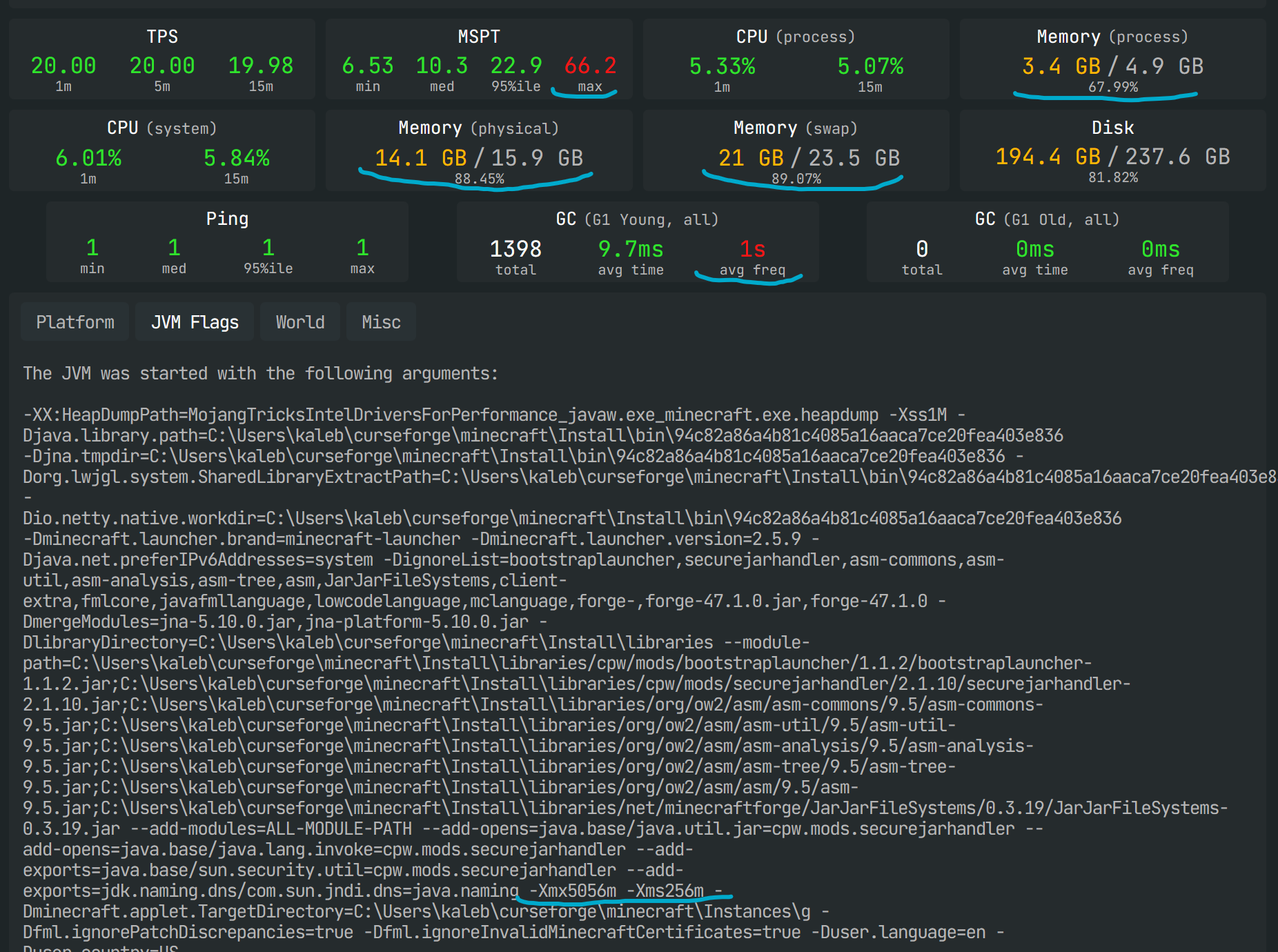
thin echo
Help. I am lagging lots on forge loader, but fabric loader is fine. I even tested without any mods and still lags.
fluid tusk
Forge takes a long time to load, if I recall, no matter what. I think that's one of the reasons fabric was created in the first place; because Forge is a bit "archaic" as I've been told.
thin echo
fluid tusk
Forge takes a long time to load, if I recall, no matter what. I think that's one...
It just happened out of the blue
fluid tusk
oh
thin echo
I updated, did everything. Even my computer. Still lags
Forge Forums
Forge has always really worked fine with me although recently ive been having some issues that i am unable to identify I have used 1.20.1 before and it was perfectly fine even with mods like Create but now it couldnt even handle JEI let alone normal minecraft It seems to do something with maybe c...
 bronze socket
umm i was wondering how to make a multi player server in pokehan
 keen sluice
hey where do i post crash log?
thin echo
I found this report on it too with I think I person having similar problem. I dont think they found a fix
I really need help 😢 or I cant play anymore
fluid tusk
bronze socket
umm i was wondering how to make a multi player server in pokehan
No clue what Pokehan is BUT
#🧱︱minecraft-chat message
That tool I linked to is made by a moderator
keen sluice
carmine galeBOT
Paste created of crash-2024-03-04_18.53.30-client.txt, uploaded by fallen_dragon01.
fluid tusk
Crash logs are not as helpful as latest.log
keen sluice
hey can someone explain what is going on
fluid tusk
Post latest.log in #🧱︱mc-other-help
keen sluice
oh ok
thin echo
is there anyone, anyone knows who is really experienced in forge coding or what ever who could help me?
fluid tusk
Sorry man, I can only code industrial robots.
thin echo
fluid tusk
Sorry man, I can only code industrial robots.
could it be a mac issue?
I am on mac.
fluid tusk
...might? I never touched a mac and hopefully never will. I built my own PC
And I mean physically built; bought the parts and assembled it myself, even upgraded it.
thin echo
fluid tusk
...might? I never touched a mac and hopefully never will. I built my own PC
do you know anyone in forge support team who could possibly help? Would really appreciate if you sent a message if you guys have a chat.
fluid tusk
Unfortunately I do not; I don't know anyone on the forge support team in the first place
thin echo
I made a forum support thing just now
signal ridge
Give me a sec
can try googling these discord servers MinecraftModDevelopment or ModDevCafe
just be sure to follow their rules.
thin echo
fluid tusk
Unfortunately I do not; I don't know anyone on the forge support team in the fir...
all good
fluid tusk
You can stop pinging me you know
thin echo
sorry
fluid tusk
The fact replies ping by default is dumb, wish they'd change that. And now I realize I'm somehow in the web browser and not the discord app itself. Explains why I'm hearing the ping noise
 stray basin
So... I'm trying to update Curseforge itself, but for some reason, whenever I look for info on how, it just brings me to "how to update your minecraft modpack." How do I update Curseforge itself plz?
thin echo
stray basin
So... I'm trying to update Curseforge itself, but for some reason, whenever I lo...
Try deleting it and downloading it again.
young bone
stray basin
So... I'm trying to update Curseforge itself, but for some reason, whenever I lo...
CurseForge itself updates automatically
thin echo
young bone
CurseForge itself updates automatically
mine diddnt. I was on mac tho
young bone
Otherwise there’d be a  in the bottom left of the app
rich flint
Are you confusing forge with Curseforge?
thin echo
young bone
Otherwise there’d be a <:CFupdatewand:1068314155926433792> in the bottom left of...
I pressed that and it does nothing. Just restarts and stil there
young bone
?noping
rough nightBOT
young bone
?noping
📛 Please do __**NOT**__ ping or DM unless asked (Rule #3.2)
Please take the time to read our #📛︱rules
Keep in mind that the reply feature pings the original message's sender by default, so please turn it OFF with every reply (you can hold down shift when replying to do the same), or don’t use the reply feature and simply write your response in the channel.
The Moderators & Helpers volunteer their time and knowledge to help, you might not get your answers instantly. Describe what you need help with in detail and please patiently wait for someone to check and reply.
Do NOT DM staff members without being asked to do so.
Breaking this rule will result in being timed out / banned according to moderation judgment.
thin echo
fck sorry dum phone with that swipe thing
but yeah, the wand button isnt doing anything
rich flint
Are you trying to really update the curseforge app for some reason, or a modded Minecraft folder using forge
thin echo
the app
Ok, I just deleted it and reinstalled it, and now the wand is gone. But I did this literally yesterday
could this be a mac issue?
rich flint
The newest version of the Mac version is not always the same as newest for windows version
thin echo
I have a screen recording of it. Can I show it here?
Of the problem I was having earlier. With forge loader lag
 austere spear
anyone know a fix for exitr code 1?
 odd aurora
help???
 signal ridge
#🧱︱mc-other-help for mc issues
 long basin
Can anybody help me
Could you give me an idea for a description for my modpack because this is the tenth time I've changed the description and they don't accept it
signal ridge
What do you have now?
long basin

 long basin
That's right, I said it wrong, I'm sorry
signal ridge
So it is a resource pack?
long basin
yes
signal ridge
Explain how it will help, rn reading what you have written tells me nothing about what your resource pack does.
long basin
ok thank you
upbeat light
carmine galeBOT
Paste created of message.txt, uploaded by fusionterror.
upbeat light
no idea wtf is happening
 wary monolith
I'm trying to install the 1.20.1 version of Curseforge for Minecraft and every time I push to install it says can't reach the page
 austere isle
modpack I'm using curseforge on arch linux but after I modified a modpack and then exported those profiles for my friend the exported file was too large

 distant solar
Hello. I am relatively new to creating modpacks and I am attempting to run a small server for said modpack. Currently I am having an issue related to exporting the modpack correctly. When I export the pack to extract and download to my server, mods are either missing or mods unrelated to the particular modpack are added. There's around a 37ish mod discrepancy between what's exported and what is on the pack. I've imported the pack back into curseforge, and the correct mods are displayed and run as it should.
young bone
Pack exports do not contain the mods themselves, they aren’t supposed to, you have to copy the mods from the mods folder in the profile, to the mods folder of the server
distant solar
I see. Alright then. I will try this way to see what happens. Thank you.
 vagrant pawn
Hey does the file I upload to a modpack need to be in a zip or exported?
wary barn
if i create a modpack for minecraft and export it to my friend then later on add more mods do i still need to export the modpack again or they can just update the modpack ?
signal ridge
wary barn
if i create a modpack for minecraft and export it to my friend then later on ad...
Any changes you make after exporting the pack, you will need to export again, otherwise your friends will not get the changes
signal ridge
vagrant pawn
Hey does the file I upload to a modpack need to be in a zip or exported?
The exported file from the cf app is a zip file
 tulip grove
I was changing my application content path too a new ssd drive and when i went too look for my modpacks they were gone? anyway too get them back or do i have too download them all again i still have the files for them just not the modpack itself.
rich flint
which game are are you talking about
tulip grove
minecraft i was trying too move it everything to a new ssd
rich flint
did you copy your folders inside the modding path from the old location to the new location
tulip grove
no i didnt i just changed the path in the settings i have the files for the mod packs when i go to hit play under my modpacks there not there do i copy and move them?
rich flint
yes
copy the profiles inside the 'instances' folder from the old path to the new path
tulip grove
okay i did that there still not coming up in my modpacks do i have too redownload the mods im using ?
rich flint
shouldn't
be sure you are putting them in the folder named 'instances'
then try restarting the app
tulip grove
im not too sure what i did lol when i hit settings click minecraft my minecraft modding folder it says user\issac\cursefoge is that right?
tulip grove
this is what it looks like

i might have deleted everything by mistake nothing copied over when i moved everything soo i think thats why nothing is showing up thank you for your time
 regal ether
is there a way to start a modpack from the command prompt?
 green sage
 opal cipher
!notcf Because you need to install the mod obfuscate version 0.6.0 or above.
red patioBOT
This is not related to CurseForge owned/maintained features or services
CurseForge does not make or maintain any of the content or games used on the site or the app.
Just because it's on the site/app does not make it a problem with CurseForge.
Please move to the respective channels as requested, OR use #👽︱game-support for game-related help.
opal cipher
It's better if you use the CurseForge app, as it installs dependencies for you
!getcf
red patioBOT
Where and how to install the CurseForge app
 Windows
Minimum Requirements:
-
OS Version: 10 or 11
-
64 bit Required
-
Microsoft .Net 4.8
If you are having issues with the Windows Download use the Windows alternative download to install Overwolf. Then download CurseForge from the App Store.
Windows Standalone app
Note: Supports World of Warcraft, Minecraft and The Sims:tm: 4.
 Mac
Mac
Minimum Requirements:
-
OS Version 10.14 or newer.
-
64 bit Required.
:penguin: Linux
Note: Currently supports World of Warcraft and Minecraft
 median abyss
I wanted to create a new project on curseforge but keep getting a server error 500.
Seems project creation is broken. Unfortunately

 fathom crane
ive lost all my modpacks
i had to move the location of my mods and now they aren't appearing
does anyone know how to fix this?
 fickle laurel
Hello i ned Help my Modpack on Curseforge IT says that it have unsupportet mods in ther
 worthy delta
forge pls help i can't not install mods
 median abyss
Seems project creation is broken. Unfortunately
median abyss
median abyss
Seems project creation is broken. Unfortunately
If there would be at least an info about what the problem might be.... but that way, I can not get anywhere
sullen wraith
fluid tusk
What do you expect? Instant fame?
Bro I'm not talking about that. I'm just saying how can I increase downloads?
opal cipher
Promote the modpack in #1032223688180895804 and things like that. (Be sure to follow the rules, or get your access revoked)
fluid tusk
Of the modpack you created? You don't. If it's interesting, people will download it.
Make something interesting, unique, and yeah you can advertise it on #1032223688180895804
 uncut jolt
can i sent here about glitchy texture ingame or i need sent it directly to #🧱︱mc-other-help ?
fleet stag
I can't download the "TNP Limitless 7" modpack. Sometimes I download 40 mod, sometimes 100, sometimes 200, but I never can download even half of the mods and everytime I get the message "the decryption operation failed, see inner exception"
uncut jolt
fleet stag
I can't download the "TNP Limitless 7" modpack. Sometimes I download 40 mod, som...
maybe not enough space on disk?
uncut jolt
fleet stag
enough enough, I have new computer and very good
if i installed this modpack, i can give you folder with all mods and config
fleet stag
Cool, please do that. Don't I have to do enough more than put it in the correct file?
uncut jolt
fleet stag
Cool, please do that. Don't I have to do enough more than put it in the correct ...
just create profile
with correct modloader version
and put all folders from archive, to your created profile
worthy delta
median abyss
If there would be at least an info about what the problem might be.... but that ...
What happened
uncut jolt
fleet stag
Cool, please do that. Don't I have to do enough more than put it in the correct ...
well, its maybe modpack fault
 fleet stag
So do you have the same problem?
uncut jolt
yep
fleet stag
Ah, understood, maybe I just have to wait a bit. Maybe they must fix it
But thank you for your involve
Alternatively I can install modpack manually, if that's not hard
uncut jolt
fleet stag
Alternatively I can install modpack manually, if that's not hard
i try again, 671 mods manually is...
fleet stag
Not every mod separated of course xD
But modpack is possible to download with all mods at once, but I know I have to do some more things I think...
uncut jolt
almost half mods downloaded
fleet stag
My record was 400

 fleet stag
Maybe we just have to try many time xD
uncut jolt
i hope iits will downloaded
when its be ready i will ping you

try download directly from versions, latest
like this
 uncut jolt
Good
 rich osprey
i keep trying to install the top one but all i get is an error message

it gets to applying patches and deleting files and then stops
 rich osprey
i keep trying to install the top one but all i get is an error message
rich osprey
rich osprey
i keep trying to install the top one but all i get is an error message
i think i fixed it
 steel grail
Hello, I would like help with a problem I had. A few days ago I uploaded my version of the mod map (ark), seeing that it was quite bad, I decided to delete it. and currently it won't let me republish my mod from the development kit nor recover the deleted file


 opal cipher
!ticket-author You probably need to open up a ticket for that
red patioBOT
Author support tickets for Project or Moderation issues
Info for Project Authors:
When opening a support ticket, make sure to select Author Support in the What kind of support do you need? box.
You also need to include a link to the project and your CF name!
Logs, Game and OS boxes can be ignored when opening an author ticket.
steel grail
opal cipher
!ticket-author You probably need to open up a ticket for that
It's been quite a few hours since I opened a ticket and I still haven't received any help or information.
opal cipher
Hard for me to know if you already have a ticket. And yes, it can take up to a few days for replies at times.
I'm only a volunteer, so I don't have access to any ticket systems or anything internal for CurseForge. ^^
steel grail
Well, don't worry, I affirm proof in photo, but... So you can't help me here?
 opal cipher
No, sorry, I can't help out with tickets. :) As I said, I'm only a volunteer, so I help out here in the Discord with regular user support among other things.
But it's strange that you haven't received any response at all. I'll see if I can poke someone.
rich osprey
anyone know what could cause this?
 steel grail
Well, thank you
rich osprey
thats the crash report
carmine galeBOT
Paste created of hs_err_pid52492.log, uploaded by piratepro2007.
steel grail
opal cipher
No, sorry, I can't help out with tickets. :) As I said, I'm only a volunteer, so...
If you could help me when you can I would appreciate it thank you
opal cipher
I've poked people, but it's as far as I can help as well.
opal cipher
rich osprey
thats the crash report
!mc-amd Looks like driver issues.
red patioBOT
Amd Graphic Driver Issue
:small_red_triangle_down: Part 1: Checking your system's GPU
- Open your
Device Manager - Click the drop down for
Display Adapters - Check if you have an AMD (Radeon) device
a - If you have AMD go to Part 2 :small_orange_diamond:
b - If you see AMD and Nvidia or Intel go to Part 3 :small_blue_diamond:
:small_orange_diamond: Part 2 - AMD Drivers Update
- Your AMD drives are broken or out of date, use the link below to get new drivers
Link: https://www.amd.com/en/support - Use either the auto tool AMD provides OR locate your GPU in their search.
- Download and run the installer, leave everything as default.
- Once installed try playing Minecraft again.
:small_blue_diamond: Part 3 - Other GPUs
If you have an Nvidia or Intel GPU, please use the command !mc-videocard for the instructions on how to change CF to use the proper GPU.
 mild bone
carmine galeBOT
mild bone
carmine galeBOT
Paste created of latest.log, uploaded by gottabeswitch.
mild bone
game crashes on startup when i added ftbquests
young bone
You’re missing FTB Teams
 languid relic
when i press f11 it wont go from fullscreen
 lyric linden
How can I upload server files to my modpack this is a first for me and what format would I need because I push upload and it says error submitting file
 gray tapir
 nova dagger
'?????????
nova dagger
'?????????
So easy man, you clearly have 2001.6.4 build 138, and you need 2001.6.4 build 138, it's obvious 🤣
 lyric linden
I did this and it says error submitting file
 night shard
Hello, anyone knows how to get back a curseforge mod page ? I created a mod and got scammed by someone. He posted the mod as if he had done it but he hasn’t. So now I cannot update it and cancel the user 😦 Thanks for your help 🙂
fluid tusk
That's not canceling, really. I'd equate it more to a DMCA takedown.
night shard
DMCA ?
fluid tusk
But that sounds like you might need to make a support ticket. We'll see what a moderator says.
night shard
alr, thanks 🙂
fluid tusk
night shard
DMCA ?
Digital Millennium Copyright Act
night shard
understood ! 🙂
 teal quartz
Hello, um I have a problem with a modpack, cannot get my friend to join the server, we are using hamachi
 sharp olive
One question: could you add something in the next update that will find search results for certain mods? because I often have problems finding certain mods because they simply don't appear when I search
narrow turtle
hi i have a question that isnt curseforge related but i think yall could still help if not its ok so i created server on my pc with mods using this tool https://github.com/nanonestor/universalator/wiki but now idk how to join that server
 worn fern
hey im trying to make a mod pack for my buddies and post it so its easier to download but everytime i try it says that the link timed out
night shard
fluid tusk
But that sounds like you might need to make a support ticket. We'll see what a ...
The ticket is on the site right ? Because I cannot find it...
 stiff elbow

 dull mortar
hello,so i have some problems with the curseforge,just installed a modpack and extracted it into the mod folder and now when i press play it loads a bit and then it doesn t launch,anyone can help me?
 grand karma
dull mortar
hello,so i have some problems with the curseforge,just installed a modpack and e...
grand karma
dull mortar
hello,so i have some problems with the curseforge,just installed a modpack and e...
Same
dull mortar

 grand karma
Yeah, I tried to play a couple mod packs and they all did this same thing
grand karma
dull mortar
hello,so i have some problems with the curseforge,just installed a modpack and e...
Found the answer, on the right side, next to create new profile, there are three dots. Click then, then click repair installation. It should work now!
At least it did for me
 radiant geyser
Hey, i just set up my own server on my PC and wanna play with an friend, but he cant join/find the server through my IPv4, anyone can help?
fluid tusk
Do you have the port forwarded?
(technically this would be for #🧱︱mc-other-help But there's an ongoing converstion there right now and I'd rather avoid crossing wires)
uncut jolt
radiant geyser
Hey, i just set up my own server on my PC and wanna play with an friend, but he ...
Try use e4mc mod
radiant geyser
uncut jolt
Try use e4mc mod
i solved it now with playit, but its lagging hard
uncut jolt
dont know about playit
 harsh helm
Can someone explain this
carmine galeBOT
Paste created of latest.log, uploaded by 1matto2.
uncut jolt
 manic quartz
Guys missing launch.dll would it help to reset the hosts file its one of the solutions listed that could supposedly help
rich flint
manic quartz
Guys missing launch.dll would it help to reset the hosts file its one of the sol...
Post what your hosts file currently has
!hosts
red patioBOT
How to get your hosts-file
On Windows
- Press +
Ron your keyboard, and paste:notepad %windir%\system32\drivers\etc\hosts - Screenshot/Copy the contents and paste it into the chat.
On Mac/Linux
- Open a terminal window, paste:
cat /etc/hosts - Screenshot/Copy the contents and paste it into the chat.
 civic basin
Hey guys, quick problem on my end, I can't find the option to, log in with my discord account on the curseforge app... I'm logged in with discord on the website, but no luck doing the same on the app
rich flint
No - you're logged in with twitch or google
civic basin
On the app there's only the twitch option.... But on the website i swear i can !

Maybe I'm being dumb... It's an actual option
rich flint
Hmm looks like it's changed since last I really saw info regarding
civic basin
that's on the app

and I don't see any option to open my account from the website, on the app
civic basin
Cause I'm trying to opn a modpack for MC, and I find find the app easier to work on. Don't gt me wrong, if I must, I'll use the website, I just found that to be odd
Open isn't the right word... Create a public modpack
rich flint
You do not need to log into the app to use it for modded MC use
You can in fact even only use the app to install modpacks, or create custom profiles and search/add mods by filters
civic basin
Huh... Thx, never thought about it that way, the app having less functions than the website. I'll do that then, use the website for creation, and managing of the modpack, and the app to launch the game 👍 Still find it a little weird that you can only connect your twitch account on the app... 🤔 Oh well 🤷
 uneven shadow
Hey, how do I fix this
 rich flint
civic basin
Huh... Thx, never thought about it that way, the app having less functions than ...
rich flint
civic basin
Huh... Thx, never thought about it that way, the app having less functions than ...
I just said that the app has the same functionality as the website if not moreso
rich flint
uneven shadow
Hey, how do I fix this
Are you installing a premade modpack
uneven shadow
rich flint
Are you installing a premade modpack
Yes, it’s one I made though, no one can download it so I’m trying to fix it so people can download it
rich flint
You have a mod with a file no longer on the curseforge database
 acoustic sailBOT
Project 349956 is: Isle of Berk
A How to Train Your Dragon Mod

Project information
Author
Status
ChangesRequired
Created
<t:1572549925:F>
Modified
<t:1701447319:F>
Released
<t:1572549925:F>
Downloads
308,783
Mod Distribution
Allowed
Categories
 CurseForge
uneven shadow
rich flint
You have a mod with a file no longer on the curseforge database
CurseForge
uneven shadow
rich flint
You have a mod with a file no longer on the curseforge database
I know, I added it manually, it should still work if I added it manually right
rich flint
No
You can't use files that were removed from the website
You can see if they have a file currently published that works for your mc version
uneven shadow
rich flint
You can't use files that were removed from the website
But ninnginni reuploaded the files under dragons of berk
rich flint
Hm actually I get a 404 to the project page
Maybe the whole project is in limbo due to 'changes required'
uneven shadow
rich flint
Hm actually I get a 404 to the project page
 rich flint
Make a blank profile and try to install it using the app search feature
Not by copying files
If you can't do that then you can't include it in a published modpack for installation
uneven shadow
rich flint
Not by copying files
Is there any way to bypass it, the entire modpack is built around this mod
uneven shadow
rich flint
Not by copying files
I FOUND IT
uneven shadow
rich flint
Not by copying files
 rich flint
K - try that version you installed
uneven shadow
rich flint
K - try that version you installed
It didn’t work
red patioBOT
How to open a support ticket on the CurseForge app
- Click the icon in the bottom left.
- Select

Open a Ticket. - Fill out the form with accurate detailed information, keep in mind that simply saying 'it' or 'doesn't work' is very vague. The more details you provide, the more efficient help you will get.
- Make sure to upload your Overwolf logs with the
Upload Fileoption on the ticket, information on how to get these logs can be found here https://support.overwolf.com/en/support/solutions/articles/9000176827-how-to-get-your-overwolf-logs - Submit!

 wanton ledge
!status
red patioBOT
Project moderation time
Project/File moderation is done on these days unless otherwise mentioned:
Sunday, Monday, Tuesday, Wednesday, Thursday: <t:1631170800:t> - <t:1631199600:t> (Your time)
Friday, Saturday: No Moderation!
Projects are moderated First in, First out. If you submit late in the work day, it will likely get left until the next day!
New Projects or anything flagged for manual review: 1-3 Working Days
Updates to approved projects not needing manual approval: 1 Hour
-If your file has been "Under Review" for more than an hour, then it is at manual review!
 uneven turtle
how do i import a modpack into curseforge with mac?
signal ridge
uneven turtle
how do i import a modpack into curseforge with mac?
Importing from Exports:
Macs have a special (annoying) setting that auto unzips zip files on download.
Easy fix is to open the folder > re-zip all the files again > then import the zip
OR
Google the version of mac you have and disable the annoying auto unzip feature.
Otherwise if the pack is on the CF site, use the app to download the pack itself.
uneven turtle
thank you
 muted grove
For some reason the mod modpacks i try playing crash when i start them up like clicking play in the launcher, it was fine before a couple months ago and i have a pretty good computer so im pretty sure its not that, its always exit code 1, can anyone help me?
 peak iris
cant download vault hunters 3 1.18
 torpid lily
How do I run another shader on rlcraft?
I added the shader ontop of the rlcraft mod on curseforge but doesnt show up in game
 cerulean pike

 astral mango
I need help minecraft is crashing and it is exit code 1 but it is only for forge version 45 and 47 (1.19-1.20) can someone help me
 azure sun
Hi guys. And what should I do? how can I upload a photo?

Forget it, I was looking at her.

 patent tartan
Hi, I wanted to quickly give a follow-up on this problem I had like two weeks ago. I have now fixed it, it ended up being an issue with my antivirus, excluding the following from HIPS seems to have fixed the problem.
- C:\Users\user\curseforge\minecraft\Install\minecraft.exe
- C:\Users\user\AppData\Local\Programs\CurseForge Windows\CurseForge.exe
- C:\Users\user\AppData\Local\Programs\CurseForge Windows\resources\app.asar.unpacked\plugins\curse\win\Curse.Agent.Host.exe
Just in case anyone else runs into the same issue down the line :)
dull mortar
grand karma
Found the answer, on the right side, next to create new profile, there are three...
tried it
did not work
 glass wren
is curseforge safe?
fluid tusk
The malware thing was years ago. It was fixed within a week
dull mortar
hello,so i have some problems with the curseforge,just installed a modpack and extracted it into the mod folder and now when i press play it loads a bit and then it doesn t launch,anyone can help me?

 fluid tusk
Don't even get to the launcher screen?
fluid tusk
!cf-logsapp
dull mortar
huh?
fluid tusk
It's one of these damn commands
dull mortar
can u go call?
fluid tusk
!cflogs-app
red patioBOT
How to get your CurseForge app logs
- Click the
Create logs zipin the menu. - Drag and drop the zip file created to this channel.
- Wait for someone to look at it so they can help you.
fluid tusk
There it is. Post the log zip file and hopefully someone can come to help
dull mortar
 midnight gust
help me why all of my modpack in 1.20.1 up is not loaded when im in game
so like when i download a modpack in 1.20.1 it downloaded
i press play in the launcher
and the game tab is just 1.20.1 not including mod loaded even though i alr downloaded the mods
why is that
dull mortar
dull mortar
can anyone help me please
 dawn remnant
how do u import curseforge profiles/custom modpacks
young bone
?mc-packimport
rough nightBOT
young bone
?mc-packimport
Installing modpacks from a modpack export
- Click
 Create Custom Profile in the top right.
 - Click the import option at the top.
- Find the .zip file of the export and select it.
- The CurseForge app will now attempt to download and unpack the modpack.
- Once finished, click Play!
midnight gust
midnight gust
anyone helping me pls?
 visual socket
lol, i have no idea if this is a forge issue or game issue, because there is not once that curseforge gives me something normal, i clicked on play in the launcher and all good, but the game actually is not starting? I click on play again and it sais that the game is already starting, but it is not lmao, and i am waiting by 2 damn hours
i even did the fix thing but yet the same issue
rich flint
There is no point waiting more than say 5 minutes
Restart your computer, then try doing this exactly, and try launching again
! mc-installfix
red patioBOT
How to repair your Minecraft installation on CurseForge - **NOT** the same as `Repair Profile` - please follow these exact steps
- Click on the Minecraft Tab on the left side of the CurseForge App.
- Click button next to the
Create Custom Profileoption. - Click

Repair Installationoption.
NOTE: Although this might seem similar to the instructions of repairing profile, it's different and required. No worries, you will not lose any modpacks or worlds.
 rich flint
Ok anything else you did not mention
visual socket
and still the same issue, i am now trying to remove all the mods bruh, but aint once since i use curseforge i got a way to play the game smooth
rich flint
Create another custom profile with no mods and launch it with no mods
visual socket
it obviously work lol
but i want mods man, and the logs and nothing in the curseforge says the compatibility or such to avoid issue, everything is on interpretation and instinct
rich flint
No there are logs
If blank profiles work then we call that a game issue and not a problem with the curseforge app for launching the game off. The mods published on curseforge are made by individuals who upload them, not curseforge. Whether or not they work is up to authors
 rapid oar
Could someone help me with this?
carmine galeBOT
Paste created of latest.log, uploaded by mirkodag.
rich flint
rapid oar
Could someone help me with this?
! mc-installfix
red patioBOT
How to repair your Minecraft installation on CurseForge - **NOT** the same as `Repair Profile` - please follow these exact steps
- Click on the Minecraft Tab on the left side of the CurseForge App.
- Click button next to the
Create Custom Profileoption. - Click
Repair Installationoption.
NOTE: Although this might seem similar to the instructions of repairing profile, it's different and required. No worries, you will not lose any modpacks or worlds.
rapid oar
alredy done
rich flint
Anything else you didn't say yet then
rapid oar
doesnt work
rich flint
Could be due to changes in Mojang/forge a week or so ago
rapid oar
and what i am supposed to do?
rich flint
Do you have any 3rd party antivirus programs running
fluid tusk
I mean you should at least have something. Windows Defender counts.
Oh wait Briar said 3rd party. IGNORE ME
rapid oar
only windows antivirus obviously
 compact socket
Hi guys, I created a modpack but whenever I try to open Minecraft it opens and closes and gives error code 1. Can you tell me if I have to update Forge, something like that?
red patioBOT
How to get your profile logs on CurseForge for support
- Right-click the modpack profile icon OR click the button in the modpack profile.
- Click
Open Folder. - Open the
logsfolder. - Drag and drop the FILE named
latestORdebuginto discord.
rapid oar
rich flint
Do you have any 3rd party antivirus programs running
so can you help me?
rich flint
Sorry not available rn
You can try changing the path the app using to start off with fresh files
!mc-path
red patioBOT
How to change your Minecraft install path on CurseForge
:large_blue_diamond: If Minecraft is __not installed__ in CurseForge App:
- Click the in the top left.
- Select Minecraft from the list of games.
- Select the
Advancedoption and select:
--- Windows:Local Disk (C:)at the left side of the window. If you do not see it, clickThis PCfirst.)
--- Mac:/Users/Shared/CurseForge, If it does not exist, make it. - Click
Continue.
:large_orange_diamond: If Minecraft is __installed__ in CurseForge App:
- Click the in the bottom left.
- Select the Minecraft tab.
- Click
Change. - Select the location:
--- Windows:Local Disk (C:)at the left side of the window. If you do not see it, clickThis PCfirst.)
--- Mac:/Users/Shared/CurseForge, If it does not exist, make it.
rapid oar
rich flint
You can try changing the path the app using to start off with fresh files
tried but it's useless since other modpacks work but "exoria" doesn't
 broken plank
am lagging hard in crazy craft updated one, I was lagging before it just happened now idk why
 marble creek
can some1 help me when i open my browse for modpacks this happens does anyone know how to fix this im open to suggestions

?


 remote bear
Incompatible mod set!
net.fabricmc.loader.impl.FormattedException: Mod resolution encountered an incompatible mod set!
A potential solution has been determined:
- Replace mod 'Fabric Loader' (fabricloader) 0.14.22 with version 0.14.24 or later.
Unmet dependency listing:
- Mod 'Pehkui' (pehkui) 3.7.12+1.14.4-1.20.4 requires version 0.14.24 or later of mod 'Fabric Loader' (fabricloader), but only the wrong version is present: 0.14.22!
at net.fabricmc.loader.impl.FormattedException.ofLocalized(FormattedException.java:51)
at net.fabricmc.loader.impl.FabricLoaderImpl.load(FabricLoaderImpl.java:192)
at net.fabricmc.loader.impl.launch.knot.Knot.init(Knot.java:148)
at net.fabricmc.loader.impl.launch.knot.Knot.launch(Knot.java:68)
at net.fabricmc.loader.impl.launch.knot.KnotClient.main(KnotClient.java:23)
can anyone help me with this
i updated all my mods and this happend
fluid tusk
Okay 1: that's just a snippet of a log file. 2: post latest.log in #🧱︱mc-other-help
As soon as you click "Play" on the Curseforge app, it's no longer curseforge that's the issue (usually)
 fluid tusk
The heck is this screen?
remote bear
what popped up
signal ridge
Its one of fabrics erros screens
fluid tusk
Oh, your Fabric is out of date
remote bear
yea im trying to update it but cant find it
signal ridge
!mc-updatemodloader
red patioBOT
How to update your mod loader within the same game version in the CurseForge app
- Click on the modpack profile you are working with.
- Click on the button next to the play button.
- Click on the
 Profile Options button.
 - Select the mod loader version you want from the dropdown.
- Play!
If you need to update to a new game version, a new profile is required.
fluid tusk
Right here (it's a dropdown menu)
 remote bear
THANKS I THOUGHT I LOST MY WORLD
welp
that didnt last long
so how i acces crash logs
signal ridge
The wording is confusiong with fabric, the "mod" Fabric loader isnt a mod, but the fabric modloader itself. Most confuse it with the Fabricapi mod...
fluid tusk
!mc-logs
red patioBOT
How to get your profile logs on CurseForge for support
- Right-click the modpack profile icon OR click the button in the modpack profile.
- Click
Open Folder. - Open the
logsfolder. - Drag and drop the FILE named
latestORdebuginto discord.
signal ridge
#🧱︱mc-other-help for mc issues as well, please move to that room
fluid tusk
Though- yeah
remote bear
right
so what do i do if i dont see the lattest
caues its 3 38 and im only seein 3 08
signal ridge
Send a screen shot of the full folder to #🧱︱mc-other-help
dull mortar
hello,so i have some problems with the curseforge,just installed a modpack and extracted it into the mod folder and now when i press play it loads a bit and then it doesn t launch,anyone can help me?
fluid tusk
Does it get to the Minecraft launcher at all?
dull mortar
and btw i tried repair the file and unistall and install curse forge
dull mortar
fluid tusk
Does it get to the Minecraft launcher at all?
nope
fluid tusk
Odd. Hopefully someone can help; I got an Alliance Raid to run in a few seconds
grand spruce
so im not sure if i can get help here with this but,
i use this modpack that somehow uses both forge and fabric mods together, i have tried replicating it with a custom modpack im making (for me and a friend to use, but its not working correctly, anyone have any idea how to get it working propperly?
young bone
Is the pack 1.20.1
grand spruce
yeah, both are
young bone
That’s sinytra connector that allows for Fabric to run on Forge, it also can be a problem causer
grand spruce
yeah i have it put in, but something just not working
first the mods where just reading as 1.19.2 mods even though they go up to 1.20.1, though to fix that i just took the mods from the other modpacks folder but now minecraft crashes when loading it
dull mortar
please can anyone help me with my problem ,someone who could acctually help me
i tried all the metods
grand spruce
grand spruce
first the mods where just reading as 1.19.2 mods even though they go up to 1.20....
the mod im trying to get working is "Better End", the modpack i know for a fact it works with is "Better MC [Forge] - BMC4
signal ridge
dull mortar
!hosts
red patioBOT
How to get your hosts-file
On Windows
- Press +
Ron your keyboard, and paste:notepad %windir%\system32\drivers\etc\hosts - Screenshot/Copy the contents and paste it into the chat.
On Mac/Linux
- Open a terminal window, paste:
cat /etc/hosts - Screenshot/Copy the contents and paste it into the chat.
signal ridge
Send a screen shot of that
 obtuse cedar
Is there a way to clear out all of my curseforge mods so that they don't show up under my mods in Curseforge?
marble creek
Can some1 help im trying to browse modpacks and this happens https://cdn.discordapp.com/attachments/782027635252920322/1215026444447518780/image.png?ex=65fb408e&is=65e8cb8e&hm=a987a3db5f30fe7f824a65cc8fe9c5cfb20c9b7c0b1f8933eaf3f779f8d46b8e&

?
signal ridge
Try a pc reboot
marble creek
i have and i have also uninstalled and reinstalled
signal ridge
obtuse cedar
Is there a way to clear out all of my curseforge mods so that they don't show up...
signal ridge
marble creek
i have and i have also uninstalled and reinstalled
!cflogs-app
red patioBOT
How to get your CurseForge app logs
- Click the
Create logs zipin the menu. - Drag and drop the zip file created to this channel.
- Wait for someone to look at it so they can help you.
marble creek
and when i click make a ticket nothing happens
signal ridge
Lovely
marble creek
ikr
signal ridge
Try the steps from this link https://support.curseforge.com/en/support/solutions/articles/9000194900-curseforge-troubleshooting#oops All 5 steps
Be sure to restart the app after each one
obtuse cedar
@signal ridge link is broken
signal ridge
The link to the sims support room doesnt work?
obtuse cedar
The one you posted above is broken
signal ridge
Works for me?
 signal ridge
Thats an example of an error, it also wasnt for you
obtuse cedar
oh ok
signal ridge
2 users, 2 different issues.
grand spruce
grand spruce
first the mods where just reading as 1.19.2 mods even though they go up to 1.20....
this is the crashlog
carmine galeBOT
Paste created of crash-2024-03-06_13.40.27-client.txt, uploaded by radiorowe.
 quick portal
Hey i have a question for you guys, When using the standalone installing how do you switch the install location, It wants to install to my c: drive but i want it to install to my d: drive and it wont let me change the install location
signal ridge
grand spruce
this is the crashlog
#🧱︱mc-other-help for mc issues
signal ridge
quick portal
Hey i have a question for you guys, When using the standalone installing how do ...
The app itself installs to appdata, which you cannot change. But games can be installed on other drives
quick portal
okay so would the mods install to that other drive too then
i want the mods and stuff on the d: drive as its my games drive while my c: drive is my school drive (and my main drive)
signal ridge
!mc-path
red patioBOT
How to change your Minecraft install path on CurseForge
:large_blue_diamond: If Minecraft is __not installed__ in CurseForge App:
- Click the in the top left.
- Select Minecraft from the list of games.
- Select the
Advancedoption and select:
--- Windows:Local Disk (C:)at the left side of the window. If you do not see it, clickThis PCfirst.)
--- Mac:/Users/Shared/CurseForge, If it does not exist, make it. - Click
Continue.
:large_orange_diamond: If Minecraft is __installed__ in CurseForge App:
- Click the in the bottom left.
- Select the Minecraft tab.
- Click
Change. - Select the location:
--- Windows:Local Disk (C:)at the left side of the window. If you do not see it, clickThis PCfirst.)
--- Mac:/Users/Shared/CurseForge, If it does not exist, make it.
quick portal
okay
long basin
The status of the Optifine (Source_MC) file has changed to Rejected
Missing "manifest.json" file
help pls
signal ridge
What are you trying to upload?
long basin
optifine pro ResourcePack
signal ridge
Screen shot your projects main page, whole window
long basin


 long basin
So I'm trying to send a mod from Discord and Do optifine to the Resource Pack (Souce) and it's giving that error
signal ridge
 vagrant hill
anyone know whats wrong ?
vagrant hill
anyone know whats wrong ?
#🧱︱mc-other-help for this
vagrant hill
signal ridge
<#768367574001778729> for this
mb, but its fine now fixed it
did the good ol 3rd times the charm xD
 unkempt flower
I found a mod on the curseforge website, how do i download it to the app?
long basin
Not this Modpack and to help with the Texture Pack that I made, the name is Source
young bone
unkempt flower
I found a mod on the curseforge website, how do i download it to the app?
You make a profile for the version it’s for and download it with 
unkempt flower
young bone
You make a profile for the version it’s for and download it with <:CFaddons:7983...
i did that but cant find it
signal ridge
long basin
Not this Modpack and to help with the Texture Pack that I made, the name is Sour...
Did you use the CF app to make the Modpack?
young bone
unkempt flower
i did that but cant find it
Give a link to the mod
long basin
signal ridge
Did you use the CF app to make the Modpack?
yes
unkempt flower
young bone
Give a link to the mod

CurseForge
Addon for Jujutsucraft by Orca
242 Downloads | Addons
signal ridge
long basin
yes
IS the resource pack on the CF site?
long basin
signal ridge
IS the resource pack on the CF site?
yes
signal ridge
Did you install the Resource pack to the pack using the CF app to install it?
young bone
unkempt flower
https://www.curseforge.com/minecraft/mc-addons/golden-age-jujutsu
That’s not a mod
unkempt flower
is there a diffrent way to instal it then?
young bone
I don’t even know what would be done with that one
long basin
signal ridge
Did you install the Resource pack to the pack using the CF app to install it?
I created the Texture Pack but I need Optifine 1.20.1 for that and then I try to send this mod and the other one from Discord but that error appears
signal ridge
You cannot upload the optifine mod to the CF site. This is per the Optifine devs wishes,
You can only upload the pack with the resource pack, and add a bit in your description telling users to download optifine.
long basin
What about the other Discord mod?
signal ridge
Mods on the CF site OR on the 3rd party list can be uploaded in modpacks. Mods not on either of those cannot
!mc-3rdparty
red patioBOT
Mods that are not on CurseForge, must be on the 3rd-party list to be included in modpacks uploaded to CurseForge.
If a mod is not on this list it can't be included in the export of a modpack and must be removed before uploading.
If you upload with a mod that isn't on this list the file will be rejected.
Visit the List of approved 3rd party mods to check them out or make a request for a new 3rd party mod's approval
long basin
but this modpack is in CF and anyway it's giving the same error
signal ridge
Screen shot the whole reject error
long basin
 signal ridge
What did you try to upload? The packs expot.zip? or the resource pack itself?
!mc-packshare
red patioBOT
Two ways to share a modpack you made with others
:small_blue_diamond: Export and Share - For Friends / Small Groups
- Click the Icon for the modpack.
- Click the button next to play.
- Click
Export. - Select the files that should be included.
- Send the zip to the people that want it! They can follow the instructions in
!mc-installpackto install the pack.
:small_orange_diamond: Upload to Curseforge - For Public Release to Everyone
This option will make your pack public to EVERYONE, it comes with extra requirements and will take some effort to set up.
- Go to create a new project
- Fill out the information with a proper description of the pack. This should allow anyone to understand what the pack is.
- Click the Icon for the modpack in the CurseForge app.
- Click the button next to play.
- Click
Export. - Select the files that should be included.
- Open your Project that you made on the CurseForge site and Upload the file you just made.
- Wait for Moderation & Sync so it can show up in the client! (See
!syncfor limitations and!statusto learn about the moderation process and how long it will take to approve/decline)
long basin
signal ridge
What did you try to upload? The packs expot.zip? or the resource pack itself?
Mod
signal ridge
A mod? Like a mad jar file? OR are you saying mod which isnt short for modpack
If your uploading singler mods to your modpack projects, thats not how its done
signal ridge
See bot above for how to upload modpacks properly
broken plank
broken plank
^^
signal ridge
!mc-launcherlog
red patioBOT
How to get your launcher log
How to get your launcher log
- Click button next to the Create Custom Profile option
- Click the
Open Modding folderbutton - Open the Install folder
- Drag the
launcher_log.txtfile into discord. If there are multiple only send the one without a number in its name
 silk holly
hello i need help pls i am trying to run a minecraft mod on 1.20.1 but my version of minecraft is 1.20.4 how do i change the mod to the current version?
signal ridge
Are you using the CF app?
broken plank
signal ridge
!mc-launcherlog
I dont see anything called modding folder
signal ridge
broken plank
I dont see anything called modding folder
 broken plank
nvm
silk holly
yes im using Curse Forge
signal ridge
silk holly
yes im using Curse Forge
What mod are you trying to use? Not all mods have updated to 1.20.4 as devs are waiting for things to stable out a bit more. 1.20.1 is the stabler version for 1.20.x series
silk holly
Im trying to use Aether mod
signal ridge
Which one... Link it from the site
silk holly
 signal ridge
This mod doesnt have a 1.20.4 version. Only 1.20.1
You would need to make a whole new 1.20.1 profile to use this mod
silk holly
how do I do that cus i tried it in the minecraft launcher and got 1.20.1 version of curse forge but it woulnt open minecraft
red patioBOT
How to install mods in the CurseForge app
- Click
+ Create Custom Profile - Name it, select the required Minecraft version, select the modloader & modloader version (usually the highest number), click
Create. - Click the profile icon.
- Click
Add More Content - Search and install the desired mods.
- Start the game!
How to install mods that are not on the CurseForge app
- Right click the profile picture or Open the profile and click the Icon next to the play button.
- Click
Open Folder. - Drag the mod(s) into the
modsfolder. (Note: Some mods will require others, to run. Make sure to read the instructions for the mod!) - Start the game!
 broken plank
signal ridge
carmine galeBOT
broken plank
signal ridge
carmine galeBOT
Paste created of launcher_log.txt, uploaded by memer7043.
signal ridge
How much ram does your pc have total?
signal ridge
So 2 things, 1 would try disabling Ipv6, the other upping mc ram, currently it looks to be set to 2gb, modded needs a minimum of 4gb
!ipv6
red patioBOT
Disabling IPV6
Please follow these instructions to disable IPv6, which when enabled can sometimes cause network issues.
red patioBOT
How to set Global Minecraft RAM value
- Click the icon in the bottom left to open settings.
- Click the Minecraft tab.
- Scroll down.
- Set the slider to recommended ram range as seen below.
 broken plank
signal ridge
So 2 things, 1 would try disabling Ipv6, the other upping mc ram, currently it l...
broken plank
signal ridge
So 2 things, 1 would try disabling Ipv6, the other upping mc ram, currently it l...
i set it to 8
signal ridge
Will need to restart the app after disabling Ipv6
broken plank
signal ridge
Will need to restart the app after disabling Ipv6
quick question whats ipv6?
signal ridge
Its an Internet protocol used by computers, However minecraft doesnt use/like it all that much and has issues. Disabling it wont harm your pc
!ipv6
red patioBOT
Disabling IPV6
Please follow these instructions to disable IPv6, which when enabled can sometimes cause network issues.
broken plank
signal ridge
Its an Internet protocol used by computers, However minecraft doesnt use/like it...
to reset the app do i close it and open it?
broken plank
ok ty
silk holly
So I made a 1.20.1 profile in the curse forge app and when I click play it "Error Game Crashed"
Exit Code 1
signal ridge
#🧱︱mc-other-help (Will need to get the mc role from #🎭︱pick-your-roles )
 iron umbra
everrytime i hit play it says "this app cant run on your pc check with a publisher"
 spare karma
I want to include in my project participation in the rewards program
iron umbra
iron umbra
everrytime i hit play it says "this app cant run on your pc check with a publish...
heloooo?
spare karma
<@&1029742729472782430>
spare karma
spare karma
I want to include in my project participation in the rewards program
help me
 summer junco
!noping
red patioBOT
📛 Please do __**NOT**__ ping or DM unless asked (Rule #3.2)
Please take the time to read our #📛︱rules
Keep in mind that the reply feature pings the original message's sender by default, so please turn it OFF with every reply (you can hold down shift when replying to do the same), or don’t use the reply feature and simply write your response in the channel.
The Moderators & Helpers volunteer their time and knowledge to help, you might not get your answers instantly. Describe what you need help with in detail and please patiently wait for someone to check and reply.
Do NOT DM staff members without being asked to do so.
Breaking this rule will result in being timed out / banned according to moderation judgment.
red patioBOT
How does the reward system work
Rewards TOS:
Enabling 2FA for rewards:
iron umbra
iron umbra
everrytime i hit play it says "this app cant run on your pc check with a publish...
im trying to play mc but when i hit play it says that
signal ridge
iron umbra
everrytime i hit play it says "this app cant run on your pc check with a publish...
!ticket-site
red patioBOT
How to open a support ticket on the CurseForge website
Can't open the app or would rather use the website? You can do so here.
Fill out the form with accurate detailed information, keep in mind that simply saying 'it' or 'doesn't work' is very vague. The more details you provide, the more efficient help you will get.
Make sure to upload your Overwolf logs with the Upload File option in the ticket, information on how to get these logs can be found here
iron umbra
.
spare karma
ok

 signal ridge
This is why I said to open a ticket
iron umbra
signal ridge
This is why I said to open a ticket
how fast is it
signal ridge
Depends on how many people are a head of you. I dont have access to that teams info
!mc-installfix otherwise can try the below followed by a pc restart
red patioBOT
How to repair your Minecraft installation on CurseForge - **NOT** the same as `Repair Profile` - please follow these exact steps
- Click on the Minecraft Tab on the left side of the CurseForge App.
- Click button next to the
Create Custom Profileoption. - Click
Repair Installationoption.
NOTE: Although this might seem similar to the instructions of repairing profile, it's different and required. No worries, you will not lose any modpacks or worlds.
iron umbra
its all of them thats the weird thing
signal ridge
Try the repair then reboot
signal ridge
Yes, restart the pc after the repair is successful
peak iris
cant do a repair cause it never makes it that far and it deletes the files after it stops
signal ridge
peak iris
cant do a repair cause it never makes it that far and it deletes the files after...
!cflogs-app
red patioBOT
How to get your CurseForge app logs
- Click the
Create logs zipin the menu. - Drag and drop the zip file created to this channel.
- Wait for someone to look at it so they can help you.
peak iris
i cant even import the files
signal ridge
See if you can make cf logs
peak iris
signal ridge
See if you can make cf logs
i did
signal ridge
Follow all 3 steps of the bot
iron umbra
it got worse..
peak iris
sent it to you
iron umbra
applying patchup
signal ridge
I dont do dm support, send it here
iron umbra
dis
 peak iris
iron umbra
peak iris
iron umbra
what do i put in>
signal ridge
iron umbra
what do i put in>
You send the CF logs, like the bot I replied to shows
iron umbra
put what?
signal ridge
!cflogs-app
red patioBOT
How to get your CurseForge app logs
- Click the
Create logs zipin the menu. - Drag and drop the zip file created to this channel.
- Wait for someone to look at it so they can help you.
signal ridge
I need that zip, whole thing. Otherwise you make a ticket
signal ridge
The one the app makes? Did you click create logs zip in the app?
iron umbra
uh
signal ridge
Should auto open a folder OR put it in your downloads or desktop
iron umbra
ye im in it
signal ridge
peak iris
i did
have you done a repair installation yet?
signal ridge
Send the whole logs.zip folder the CF app makes to this room
I cant see what is going on without the log zip
iron umbra
peak iris
thank you
tell me your secrets
signal ridge
They sent me the zip, I gave em a fix
signal ridge
Did you click the Create Logs zip in the CF app? Yes or No?
iron umbra
3 logs now
signal ridge
Send which ever is the newest
iron umbra
okay
 nimble glacier
how do i add my own mod file to my custom profile
iron umbra
to where
signal ridge
To this channel
peak iris
nimble glacier
how do i add my own mod file to my custom profile
import
signal ridge
nimble glacier
how do i add my own mod file to my custom profile
!mc-installmods
red patioBOT
How to install mods in the CurseForge app
- Click
+ Create Custom Profile - Name it, select the required Minecraft version, select the modloader & modloader version (usually the highest number), click
Create. - Click the profile icon.
- Click
Add More Content - Search and install the desired mods.
- Start the game!
How to install mods that are not on the CurseForge app
- Right click the profile picture or Open the profile and click the Icon next to the play button.
- Click
Open Folder. - Drag the mod(s) into the
modsfolder. (Note: Some mods will require others, to run. Make sure to read the instructions for the mod!) - Start the game!
signal ridge
Second section
signal ridge
peak iris
import
Import is for modpacks not mods
signal ridge
Drag the curseforgelogs.zip OR the overwolflogs.zip file into discord then press enter
signal ridge
You did the repair installation then pc reboot right after correct? You didnt skip the restart step
iron umbra
yes
signal ridge
Click the > minecraft tab
Take a screen shot of your current minecraft modding path
iron umbra
 signal ridge
Then click the [Change] Button > Click This PC on the side of the folder that opens > Click on your C drive > Then click Select folder in the lower right corner.
The CF app should auto create a new path in the app that looks like C:\curseforge
signal ridge
Since the repair didnt work, trying something else
iron umbra
okay
signal ridge
Your packs will not be deleted, they are just in the old folder, will deal with them later
iron umbra
oh i alerady started downlaoding again
signal ridge
Show the path the app is now using
iron umbra
 signal ridge
Good, try running a pack
signal ridge
Wifi can be unstable for multi-file installs, would recommend a cable if possible.
iron umbra
eh i live in the middle of nowhere am i got 0$ in my pcket
and*
YOOOOOOOOOOOOOOOOOOOOOOOOOOOOOOOOOOOOOOOOOOOOOOOOOOOOOOOOOOOOOOOOOOOOOOOOO IT WORKED BABYYYYYYY😁😁😁😁😁😁😁😁
TYSM
remote bear
is there a way to make it where a mob cant spawn on a set block like magma
fluid tusk
Might be a better question for #🧱︱mc-other-help Instead; mobs don't spawn in the curseforge app.
I least I fucking HOPE they don't.
remote bear
right
 timber cove
what are some key things i should include in an export when trying to get a modpack approved on cf?
signal ridge
Include everything the pack needs to function. ex: mods, configs, scripts if any. Etc.
Dont include things like logs, map data or any other player specific files.
signal ridge
pfm?
wanton ledge
I have a question, I have got the permission from the original modpack leader author to publish a fork pack, what do I need to do to get my modpack approved? Here is the premission #222746553264242690 message here is link to my modpack https://legacy.curseforge.com/minecraft/modpacks/conquest-reforged-community-modpack
signal ridge
Will need to make a ticket and supply cf support with the proof your allowed
!ticket-site
red patioBOT
How to open a support ticket on the CurseForge website
Can't open the app or would rather use the website? You can do so here.
Fill out the form with accurate detailed information, keep in mind that simply saying 'it' or 'doesn't work' is very vague. The more details you provide, the more efficient help you will get.
Make sure to upload your Overwolf logs with the Upload File option in the ticket, information on how to get these logs can be found here
signal ridge
 narrow parcel
apotheotic_additions1.5 is comeing up as a rat on isthisarat and virustotal
narrow parcel
apotheotic_additions1.5 is comeing up as a rat on isthisarat and virustotal
Where did you get this from?
 lapis forge
hi
wanton ledge
I see. Is snapshot of discord page enough to prove that?
narrow parcel
Gbergz — Today at 3:20 PM
because their antivirus is deleting it because of a false positive
make sure to add it as an exception and itll work
more info here if interested: https://github.com/Bryce792/ApotheoticAdditions/issues/23
Hozlocos — Today at 3:21 PM
im curious why its not deleting it on my end
Gbergz — Today at 3:22 PM
because your antivirus doesn't detect and delete it, as only a few do
even then, some of the same antiviruses that do delete it, doesnt do that for everybody, will get this fully solved probably next update. but no need to worry about the mod, if you did.
Hozlocos — Today at 3:23 PM
also it seems his antivirus is already down
Gbergz — Today at 3:23 PM
just need to download the mod manually then plop it into the mod folder.
https://edge.forgecdn.net/files/5146/429/apotheotic_additions1.5.jar
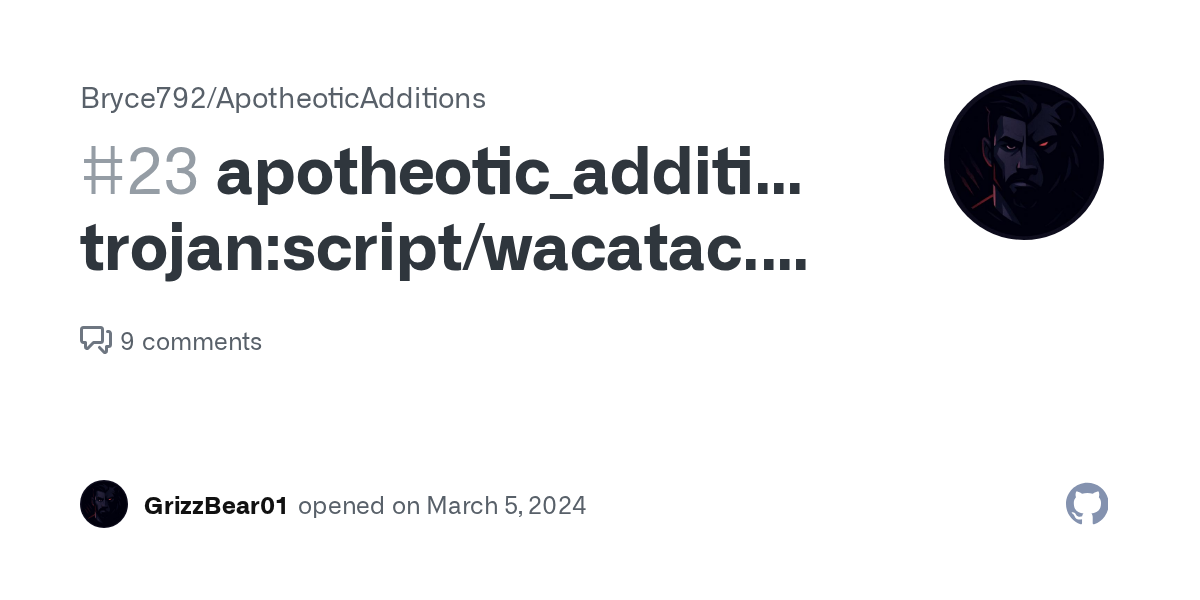
GitHub
file is flagged as trojan and removed as soon as its downloaded downloaded from curseforge
gbergz is a modpack dev
signal ridge
wanton ledge
I see. Is snapshot of discord page enough to prove that?
Im not a part of the CF support team, so not sure. youll need to chat with CF support
wanton ledge
ok then, thanks for your help.