#🔥︱curseforge-support
1 messages · Page 144 of 1
 signal ridge
 red patioBOT
How to get your launcher log
How to get your launcher log
- Click
 button next to the Create Custom Profile option
 - Click the

Open Modding folderbutton - Open the Install folder
- Drag the
launcher_log.txtfile into discord. If there are multiple only send the one without a number in its name
 brisk turtle
Now my screen turns black instead of grey?
signal ridge
Rebooted your pc?
brisk turtle
Yes
signal ridge
In the cf app click the  > minecraft tab > screen shot the path the app is using
signal ridge
Minecraft modding path
brisk turtle
 signal ridge
All other packs act the same way?
brisk turtle
I believe so
signal ridge
!mc-path follow the 🔶 section of the below
red patioBOT
How to change your Minecraft install path on CurseForge
:large_blue_diamond: If Minecraft is __not installed__ in CurseForge App:
- Click the
 in the top left.
 - Select Minecraft from the list of games.
- Select the
Advancedoption and select:
--- Windows:Local Disk (C:)at the left side of the window. If you do not see it, clickThis PCfirst.)
--- Mac:/Users/Shared/CurseForge, If it does not exist, make it. - Click
Continue.
:large_orange_diamond: If Minecraft is __installed__ in CurseForge App:
- Click the in the bottom left.
- Select the Minecraft tab.
- Click
Change. - Select the location:
--- Windows:Local Disk (C:)at the left side of the window. If you do not see it, clickThis PCfirst.)
--- Mac:/Users/Shared/CurseForge, If it does not exist, make it.
 young bone
🔸
brisk turtle
My bad, didn't see that bit
young bone
First instructions is usually for those who are new to the CF app/having issues getting the app to recognize Minecraft and where to put it
 rapid sable
How long does it usually take to get a project approve?
 jovial karma
Hi guys, i loaded the optifine in the mods file, but when i am start my world, i get an error, does someone as an idea?
 signal ridge
jovial karma
Hi guys, i loaded the optifine in the mods file, but when i am start my world, i...
signal ridge
jovial karma
Hi guys, i loaded the optifine in the mods file, but when i am start my world, i...
!mc-optifine
red patioBOT
We do not provide support for Optifine
If you have issues with Optifine, please remove it. If you want further support try the discord found on their website.
https://www.optifine.net/home
Installing Optifine with modpacks on Curseforge:
- Right click the modpack icon, select
Open Folder. - Put the
Optifine.jarinto themodsfolder. - Now start the modpack.
signal ridge
rapid sable
How long does it usually take to get a project approve?
!status
red patioBOT
Project moderation time
Project/File moderation is done on these days unless otherwise mentioned:
Sunday, Monday, Tuesday, Wednesday, Thursday: <t:1631170800:t> - <t:1631199600:t> (Your time)
Friday, Saturday: No Moderation!
Projects are moderated First in, First out. If you submit late in the work day, it will likely get left until the next day!
New Projects or anything flagged for manual review: 1-3 Working Days
Updates to approved projects not needing manual approval: 1 Hour
-If your file has been "Under Review" for more than an hour, then it is at manual review!
 dry kraken
hey - can someone help me understand how "syncing" works? like if I wanted to update a sync profile since i have new addons for wow classic for example, what would be the difference between the unavailable "backup" setting and "sync"?
 outer jungle
I brought it up there. Thank you for pointing me in the right direction.
 quaint coral
I have, almost a week ago, that's why I asked here 😦
 wind kelp
help i have a problem, when i create a custom profile and i want to start it then there is coming an exit code 1 but if i play without mods its working please can someone help
but its not working with any of my custom profiles
 carmine galeBOT
Paste created of hs_err_pid23696.log, uploaded by kian_0010.
 hardy kite
wind kelp
help i have a problem, when i create a custom profile and i want to start it the...
hardy kite
wind kelp
help i have a problem, when i create a custom profile and i want to start it the...
you using fabric or forge?
wind kelp
forge
hardy kite
wind kelp
forge
try to update the forge to the newest or update the java
because its looks like the java problem
wind kelp
but minecraft is working
hardy kite
wind kelp
but minecraft is working
vanilla minecraft?
wind kelp
yes
hardy kite
wind kelp
yes
try to update the forge
hardy kite
wind kelp
and its working with any custom profile i browse
go to settings in the installation next press "repair installation"
red patioBOT
Amd Graphic Driver Issue
:small_red_triangle_down: Part 1: Checking your system's GPU
- Open your
Device Manager - Click the drop down for
Display Adapters - Check if you have an AMD (Radeon) device
a - If you have AMD go to Part 2 :small_orange_diamond:
b - If you see AMD and Nvidia or Intel go to Part 3 :small_blue_diamond:
:small_orange_diamond: Part 2 - AMD Drivers Update
- Your AMD drives are broken or out of date, use the link below to get new drivers
Link: https://www.amd.com/en/support - Use either the auto tool AMD provides OR locate your GPU in their search.
- Download and run the installer, leave everything as default.
- Once installed try playing Minecraft again.
:small_blue_diamond: Part 3 - Other GPUs
If you have an Nvidia or Intel GPU, please use the command !mc-videocard for the instructions on how to change CF to use the proper GPU.
signal ridge
If you have amd only, be sure to use the drivers from the amd site, DO NOT use windows to update the drivers
signal ridge
Follow the bot?
wind kelp
yes
signal ridge
Screen shot the results for Part 1
 frigid cargo
!mc-videocard
red patioBOT
How to set Minecraft to use the correct GPU in Windows
If Minecraft will not start then use the tool linked at the bottom!
- Start the modpack you wish to fix. If it will not start, then click the in the top right of the app then select
 Run Vanilla Minecraft. In the launcher that opens, go to the Installations tab and choose New Installation. Choose a name and select the Minecraft version of the modpack you are trying to run (like 1.19.4 or 1.7.10). Once created play it by clicking the green Play button that appears when hovering over it in the list of installations.
 - Press
Ctrl+Shift+Escto open Task Manager - Find Minecraft in the list of running programs. It will be called something like
JavaorOpenJDK Binary. (tip: sort by ram usage by clicking on theMemorytab. Minecraft uses a lot of ram so will be at the top) - Right click it and
Open File Location - Copy the file path from Windows Explorer by clicking into the address bar and pressing
Ctrl+C - Press
 and type in
 GPU, then press Enter to open Graphics Settings - Under
Graphics performance preference(calledCustom options for appsin Win 11) select Desktop App - Click Browse
- Click the address bar and paste in the folder location you copied by pressing
Ctrl+V, then press Enter - Select the
javaworjavaw.exefile from the files in front of you (tip: pressJto immediately jump to the files that start with that letter) - Once selected, click Add in the bottom right of the window
- Click the
Optionsbutton on the newly added option - Set it to
High performanceon the best GPU you have
Too many steps for you? This handy tool, made by one of our community members, can do it for you!
 digital roost
!help
red patioBOT
Please provide some more information to receive assistance
Providing the following information will help the team in assisting you:
- A detailed description of the issue you're experiencing
- If a mod/modpack/addon is involved, please specify the name
- Any screenshot/video/gif of the issue if you have
- Get your relevant logs ready, you can type
!mc-logs/!cflogs-appfor instructions
Some tips for explaining yourself better to save time and additional questions:
- Avoid using words such as 'it', say what it is :]
- Instead of simply saying something doesn't work, try to describe what's happening when you're running it
digital roost
my friend gets the error when joining our 1.8.9 server with the modpack paradise of lucky blocks can be found here and it says "fatally missing blocks and items" we have verified that it works for me and that this only happens for him. we have the same mod files and everything
wind kelp
frigid cargo
!mc-videocard
its not working i tried the handy and i dont know it said no problem
signal ridge
#🧱︱mc-other-help for mc issuers, This room is for CF app or Site specific errors
signal ridge
wind kelp
its not working i tried the handy and i dont know it said no problem
Screen shot the results for Step 1
wind kelp
 signal ridge
I meant this
 wind kelp
I dont know whats Display adapters in german
signal ridge
Look for this symbol

 signal ridge
You ran the tool from the videocard bot with administrative mode?
wind kelp
yes
signal ridge
What mc version is the pack your trying to play?
wind kelp
1.19.4
signal ridge
In the cf app click the beside the Create custom profile button > run vanilla > make a 1.19.4 installation (vanilla way) then run play it. Once it boots close mc > try the tool again
wind kelp
Okay
 drifting ruin
any fix?


 wind kelp
signal ridge
In the cf app click the <:CFmenu:798402764425527356> beside the Create custom pr...
wind kelp
signal ridge
In the cf app click the <:CFmenu:798402764425527356> beside the Create custom pr...
 frigid cargo
 gentle compass
I need help as well, trying to make my own mod pack in 1.19.2
gentle compass
I need help as well, trying to make my own mod pack in 1.19.2
I got the same problem but on 1.20.1 and I was able to start by tweaking and removing mods but there was another crash when I tried to do something specific in game after fixing that I got this problem again
gentle compass
I have a crash log as well now
gentle compass
carmine galeBOT
Paste created of hs_err_pid5500.log, uploaded by nolanchurch.
 dire pasture
Hey,i need help!
I installed curse forge app and I create a new profile(modpack) and add mods to it,when I click PLAY button my minecraft launcher is turn on,but when I click PLAY button in my minecraft launcher is loading but when is load is type me some error message
If you know what problem Is this pls Help me
Ty
signal ridge
gentle compass
!mc-amd
red patioBOT
Amd Graphic Driver Issue
:small_red_triangle_down: Part 1: Checking your system's GPU
- Open your
Device Manager - Click the drop down for
Display Adapters - Check if you have an AMD (Radeon) device
a - If you have AMD go to Part 2 :small_orange_diamond:
b - If you see AMD and Nvidia or Intel go to Part 3 :small_blue_diamond:
:small_orange_diamond: Part 2 - AMD Drivers Update
- Your AMD drives are broken or out of date, use the link below to get new drivers
Link: https://www.amd.com/en/support - Use either the auto tool AMD provides OR locate your GPU in their search.
- Download and run the installer, leave everything as default.
- Once installed try playing Minecraft again.
:small_blue_diamond: Part 3 - Other GPUs
If you have an Nvidia or Intel GPU, please use the command !mc-videocard for the instructions on how to change CF to use the proper GPU.
 gentle jewel
Hi 2 days in review? Help me please.
 signal ridge
!status
red patioBOT
Project moderation time
Project/File moderation is done on these days unless otherwise mentioned:
Sunday, Monday, Tuesday, Wednesday, Thursday: <t:1631170800:t> - <t:1631199600:t> (Your time)
Friday, Saturday: No Moderation!
Projects are moderated First in, First out. If you submit late in the work day, it will likely get left until the next day!
New Projects or anything flagged for manual review: 1-3 Working Days
Updates to approved projects not needing manual approval: 1 Hour
-If your file has been "Under Review" for more than an hour, then it is at manual review!
dire pasture
dire pasture
Hey,i need help!
I installed curse forge app and I create a new profile(modpack)...
Here Is my qiestion
signal ridge
Actually #🧱︱mc-other-help for this,
dire pasture
Ok,i quest there
wind kelp
signal ridge
I have 0 clue to what that says
The operating system is not available for the selected variant
signal ridge
lovely...
gentle compass
Anyone able to help at all with my issue? : )
signal ridge
!noping
red patioBOT
📛 Please do __**NOT**__ ping or DM unless asked (Rule #3.2)
Please take the time to read our #📛︱rules
Keep in mind that the reply feature pings the original message's sender by default, so please turn it OFF with every reply (you can hold down shift when replying to do the same), or don’t use the reply feature and simply write your response in the channel.
The Moderators & Helpers volunteer their time and knowledge to help, you might not get your answers instantly. Describe what you need help with in detail and please patiently wait for someone to check and reply.
Do NOT DM staff members without being asked to do so.
Breaking this rule will result in being timed out / banned according to moderation judgment.
Please be patient, we're helping as fast as we can
The Moderators & Helpers on this server volunteer their time and knowledge to help people as they can.
Not everyone here will have an answer for you the moment you want it.
Time zones, work/life schedules etc. also vary when people are around to help.
TL;DR: Please have patience. IF and WHEN someone knows how to help, they will assist you.
*Note that you can also open a support ticket and wait for a response.
signal ridge
!mc-installfix try the below > then reboot your pc.
red patioBOT
How to repair your Minecraft installation on CurseForge - **NOT** the same as `Repair Profile` - please follow these exact steps
- Click on the Minecraft Tab on the left side of the CurseForge App.
- Click button next to the
Create Custom Profileoption. - Click

Repair Installationoption.
NOTE: Although this might seem similar to the instructions of repairing profile, it's different and required. No worries, you will not lose any modpacks or worlds.
 signal ridge
Omnce done try creating a custom profile > vanilla > 1.19.4 then starting it.
 peak bluff
I figured out what my big issue was
How do I disable a mod in a modpack in the curseforge launcher
wind kelp
omg thank you so much
gentle compass
Update to my issue: I've disabled every mod on the list and it's still giving me an error lol

Ah I'm in the wrong channel sorry
 autumn timber
how can i install a version 1.20.1 curseforge server
red patioBOT
Please use the correct terms - it allows us to understand and help you faster
Forge = Minecraft Forge, this is a modloader often just called "Forge".
Fabric = Fabric MC, this is a modloader, often just called "Fabric".
CurseForge = A Website/App that has content for games and serves as a mod manager.
Mods = Individual mod files.
Modpacks = Multiple mods put into the mods folder or downloaded from CurseForge.
 rich flint
gentle compass
rich flint
gentle compass
New logs
autumn timber
rich flint
Curseforge is not forge -
oh alright so how do install a forge 1.20.1 server?
autumn timber
i installed it but when i go to versions it only shows 1.20.2

 rich flint
You can only install the version the installer is for
If you want you can use this that automates all of it
https://github.com/nanonestor/universalator/wiki
Otherwise go to the forge website and get the installer for 1.20.1 of some version
autumn timber
rich flint
If you want you can use this that automates all of it
<https://github.com/nanone...
i'll try this out
thanks
digital roost
how come curse forge insists i login with twitch account im trying to sign into microsoft account for minecraft
rich flint
digital roost
how come curse forge insists i login with twitch account im trying to sign into ...
Screenshot the message?
 acoustic dragon
carmine galeBOT
acoustic dragon
carmine galeBOT
Paste created of crash-2023-11-24_13.28.54-fml.txt, uploaded by uwu.420.
acoustic dragon
ive done everything correctly
 slim dust
what do i do on this :
The status of the file ********** (********) has been changed to Under Review
Notes:
file passed advanced malware processor
signal ridge
!status
red patioBOT
Project moderation time
Project/File moderation is done on these days unless otherwise mentioned:
Sunday, Monday, Tuesday, Wednesday, Thursday: <t:1631170800:t> - <t:1631199600:t> (Your time)
Friday, Saturday: No Moderation!
Projects are moderated First in, First out. If you submit late in the work day, it will likely get left until the next day!
New Projects or anything flagged for manual review: 1-3 Working Days
Updates to approved projects not needing manual approval: 1 Hour
-If your file has been "Under Review" for more than an hour, then it is at manual review!
signal ridge
Just means it passed the malware scans, and is in the next steps
slim dust
yea know i have to w8 2 days more i already have been waiting a week xD
im getting depression XD, ty for the info.
 smoky sigil
why cant I click the create button or change the version to 1.19.2
 signal ridge
!mc-installfix try the below then try again
red patioBOT
How to repair your Minecraft installation on CurseForge - **NOT** the same as `Repair Profile` - please follow these exact steps
- Click on the Minecraft Tab on the left side of the CurseForge App.
- Click button next to the
Create Custom Profileoption. - Click
Repair Installationoption.
NOTE: Although this might seem similar to the instructions of repairing profile, it's different and required. No worries, you will not lose any modpacks or worlds.
smoky sigil
I don't think anything changed
 smoky sigil
signal ridge
!mc-installfix try the below then try again
smoky sigil
signal ridge
!mc-installfix try the below then try again
Sorry
signal ridge
Interesting 🤔
 spice glacier
I'm sometimes getting this error when I shut down my PC:

I'm using the standalone client that just does WoW addons btw
dry kraken
is curseforge sync essentially an upload everytime i click it? or does it download?
 fathom trench
Why does Curseforges standalone app keep trying to inject a PUA blacklist URL which I assume is from the ads? Its only this app when I seem to install updated addons for WoW
Its also not consistent on when it exists, just happens occasionally when I open the app, my AV doesn't show a virus on my pc either
 tropic relic
Hello! Im new to modding, what do I do here

Ive already tried uninstalling other modpacks but it has not worked
 jagged gorge
Is there a difference between legacy and curseforge?
signal ridge
Curseforge is a mod manger app and file hosting site.
jagged gorge
O legacy curseforge ?what is this ?
jagged gorge

 young bone
Legacy is the old site
signal ridge
Ah ok, so legacy is the old CF site, the normal one is the New site. Same sites, just the normal looking one is newer. Legacy is the original website made back when Curse was made in 2006
tropic relic
I keep on trying to popular mods but I cant becuase it says its imcompatible, how can I fix this?

 young bone
Click  and find the mods that way
 ionic meteor
my curseforge isnt opening
ionic meteor
ionic meteor
my curseforge isnt opening
what should i do?
tropic relic
tropic relic
I keep on trying to popular mods but I cant becuase it says its imcompatible, ho...
It seems shaders arent applying for some reason?
young bone
Do you have a mod installed that lets you use shaders
tropic relic
young bone
Do you have a mod installed that lets you use shaders
installed this on my 1.20.2one didnt work
 young bone
That doesn't answer my question
tropic relic
No
young bone
Installing a shader doesn't mean you can immediately use it
tropic relic
I suppose not?
young bone
You need a shader mod and since you're using Forge, use Embeddium and Oculus (Rubidium will auto install along with Oculus, you can safely remove it as Embeddium is better)
tropic relic
young bone
You need a shader mod and since you're using Forge, use Embeddium and Oculus (Ru...
wheres the link to embeddium?
young bone
?noping
red patioBOT
📛 Please do __**NOT**__ ping or DM unless asked (Rule #3.2)
Please take the time to read our #📛︱rules
Keep in mind that the reply feature pings the original message's sender by default, so please turn it OFF with every reply (you can hold down shift when replying to do the same), or don’t use the reply feature and simply write your response in the channel.
The Moderators & Helpers volunteer their time and knowledge to help, you might not get your answers instantly. Describe what you need help with in detail and please patiently wait for someone to check and reply.
Do NOT DM staff members without being asked to do so.
Breaking this rule will result in being timed out / banned according to moderation judgment.
young bone
You download the same way as you added the shader
 ashen willow
I would like to say, for the record, that I welcome pings for anything ARK related so I'll see if I can find a way into an exception for Carlbot b/c that goes against what I've been telling our users coming into the server.
young bone
It's not fun seeing a lot of yellow on screen
 abstract vale
ashen willow
I would like to say, for the record, that I welcome pings for anything ARK relat...
abstract vale
ashen willow
I would like to say, for the record, that I welcome pings for anything ARK relat...
it does say "without being asked to do so" so I think you're safe
ashen willow
young bone
It's not fun seeing a *lot* of yellow on screen
I understand that but currently our community is operating with little to no support between 4 discords. I'm trying to stay on top of the latest info to prevent misinformation dissemination and to help prevent people from getting lost in the shuffle.
tropic relic
game crashed while trying to install optifine

 young bone
#🧱︱mc-other-help for that
tropic relic
ok
 tulip grove
I'm looking at resource packs on the curseforge app, but some say "resource pack" AND "data pack".... Does this mean it has to be added to both resource and data pack folders? @signal ridge
signal ridge
Reason for pinging me specifically?
tulip grove
Oh sorry I didn't mean to
signal ridge
That whole section is a mess. You will need to read what the project and see if its a datapack OR a resource pack. Depending on the answer you put it in the appropriate spot. If your not sure, ask the dev

 young bone
You need Oculus as well, I said you need both and to remove Rubidium
tropic relic
Oh I apologize
young bone
Use Embeddium, Oculus will auto install Rubidium, but you can remove it without issue

 young bone
Any error occuring, how are you sure it's not working
tropic relic
I apologize I didnt apply it in the settings
there seems to be a drop in my fps do i just need to let it run and itll correct overtime or no?
young bone
Shaders can cause FPS drops when they're high detail
 lucid cobalt
how do i get rhe server version for a custom modpack
young bone
You need to make the server pack yourself
lucid cobalt
how
young bone
?mc-serverpack
red patioBOT
How to upload a server pack
Serverpacks are special files uploaded alongside an existing project file. If the main file is rejected the server pack is also rejected.
*In order to upload a server pack you must have a pre-uploaded export file
- Make the server pack by zipping up the required files by selecting the required folders & files. It should include the config and mod folders at a minimum, plus anything else you specifically required to run the server. Start/Run/Setup scripts are optional. Don't include modloader files or the minecraft server jar.
- Go to the
Filestab on the project. - Click the name of the file you wish to upload the server pack to. The pack and server should match pack versions.
- Click
Upload Additional File. - Fill out the form.
carmine galeBOT
Paste created of crash-2023-11-24_22.48.01-server.txt, uploaded by brainman.
rich flint
?notcf
red patioBOT
This is not related to CurseForge owned/maintained features or services
CurseForge does not make or maintain any of the content or games used on the site or the app.
Just because it's on the site/app does not make it a problem with CurseForge.
Please move to the respective channels as requested, OR use #👽︱game-support for game-related help.
 torpid badger
hey
i cant get shaders to work like they just dont show up at all when i open minecraft
rich flint
?mc-shaders
red patioBOT
How to get started with shaders
Playing with a shaders mod like Oculus, Iris, or others and want more flair to your world? Don’t know what shader to pick from or where to look? try looking on Shaderlabs or the shaders tab on the CurseForge site.
To get started using shaders:
- Download the shader mod and its requirements for the mod loader you’re using and run the game at least once to generate the shaderpacks folder
- Download the shader you want from either the CurseForge site or Shaderlabs (linked above)
- In the CurseForge app, right-click the modpack profile icon OR click the button in the modpack profile
- Click
Open Folder - Open the
shaderpacksfolder and place the shader file you downloaded in there - Select the shader file in the in-game shaders menu and wait for it to load (if it needs to)
- Play!
WARNING: Shaders do not appear on the CurseForge app. Not every shader will work with Iris or Oculus. Be aware of your computer's ability to handle shaders
torpid badger
rich flint
?mc-shaders
i cant find the in fane sgaders menu thing
 autumn wagon
how do i make a modpack?
rich flint
autumn wagon
how do i make a modpack?
as in:
- how do you create one using the app
- how do you create a modpack project on the website to upload profiles/modpacks to
 autumn wagon
rich flint
as in:
- how do you create one using the app
- how do you create a modpack pro...
autumn wagon
rich flint
as in:
- how do you create one using the app
- how do you create a modpack pro...
using the app i guess. or at share a modpack/profile i already kind of made?
rich flint
torpid badger
i cant find the in fane sgaders menu thing
use a minecraft support channel please. you do need to have oculus/embeddium (forge) or iris/sodium (fabric) installed
rich flint
autumn wagon
using the app i guess. or at share a modpack/profile i already kind of made?
?mc-installmods
red patioBOT
How to install mods in the CurseForge app
- Click
+ Create Custom Profile - Name it, select the required Minecraft version, select the modloader & modloader version (usually the highest number), click
Create. - Click the profile icon.
- Click
Add More Content - Search and install the desired mods.
- Start the game!
How to install mods that are not on the CurseForge app
- Right click the profile picture or Open the profile and click the Icon next to the play button.
- Click
Open Folder. - Drag the mod(s) into the
modsfolder. (Note: Some mods will require others, to run. Make sure to read the instructions for the mod!) - Start the game!
 rich flint
?mc-packshare
red patioBOT
Two ways to share a modpack you made with others
:small_blue_diamond: Export and Share - For Friends / Small Groups
- Click the Icon for the modpack.
- Click the button next to play.
- Click

Export. - Select the files that should be included.
- Send the zip to the people that want it! They can follow the instructions in
!mc-installpackto install the pack.
:small_orange_diamond: Upload to Curseforge - For Public Release to Everyone
This option will make your pack public to EVERYONE, it comes with extra requirements and will take some effort to set up.
- Go to create a new project
- Fill out the information with a proper description of the pack. This should allow anyone to understand what the pack is.
- Click the Icon for the modpack in the CurseForge app.
- Click the button next to play.
- Click
Export. - Select the files that should be included.
- Open your Project that you made on the CurseForge site and Upload the file you just made.
- Wait for Moderation & Sync so it can show up in the client! (See
!syncfor limitations and!statusto learn about the moderation process and how long it will take to approve/decline)
rich flint
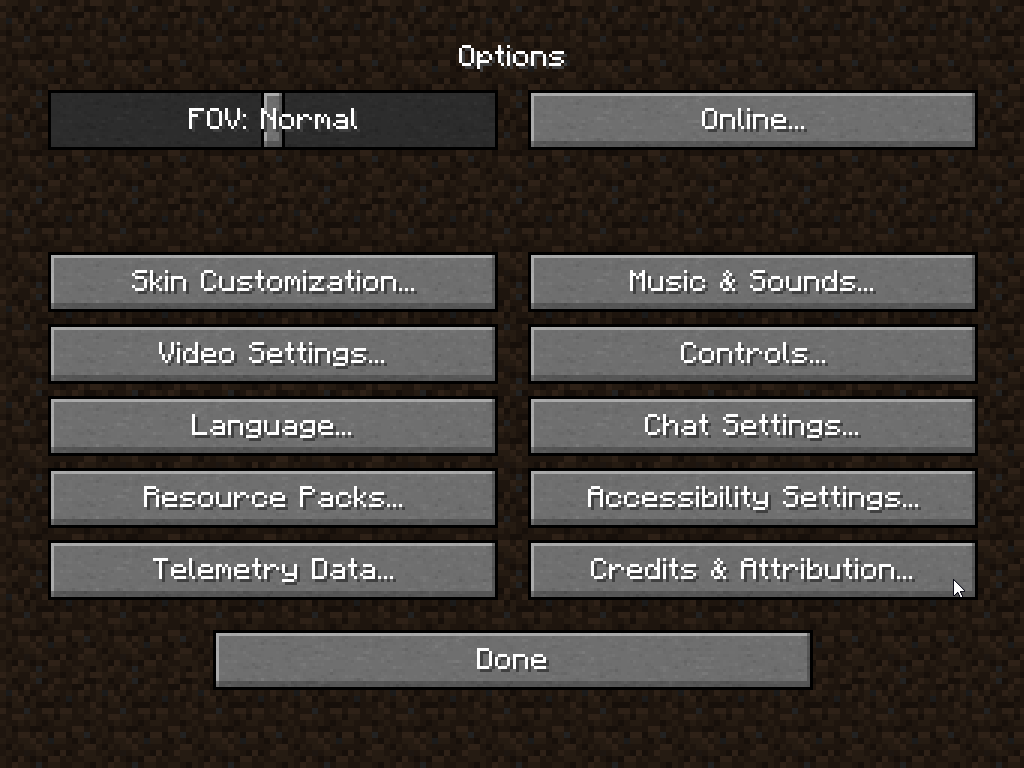
video settings > find it there
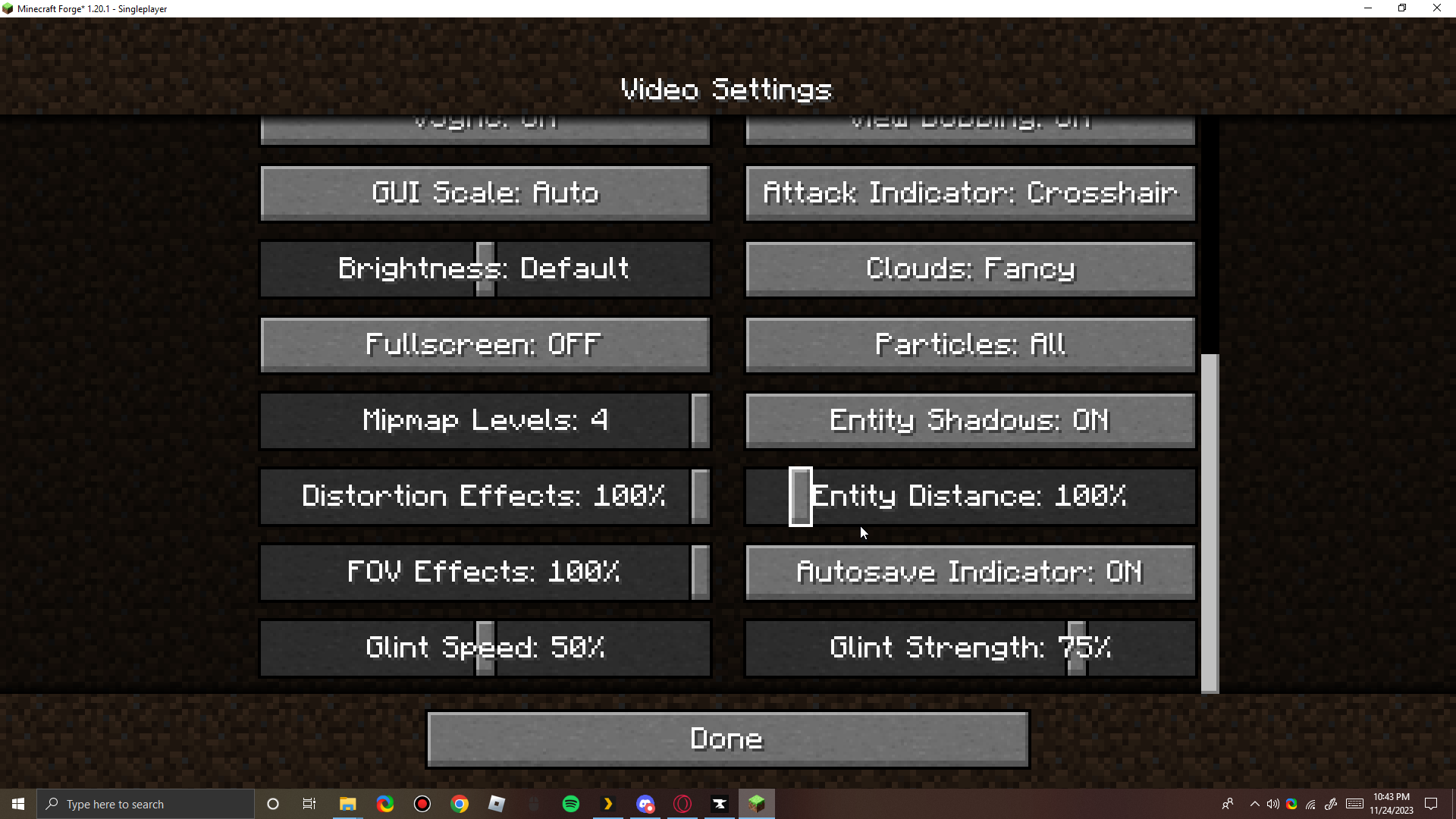 rich flint
please use a minecraft support channel - this is a game issue
autumn wagon
tyty for the help !!
 tacit coral
so minecraft luancher is giving me a grey screen only happens when using cruseforge. ive uninstalled and reinstalled nothing is working
 winged forge
tacit coral
so minecraft luancher is giving me a grey screen only happens when using crusefo...
winged forge
tacit coral
so minecraft luancher is giving me a grey screen only happens when using crusefo...
How much ram is allocated and how good is ur PC/internet?
ram shouldent be an issue untill launch but you never know
tacit coral
4070ti and 32gb of ram 10 is allocated for mc
winged forge
tacit coral
4070ti and 32gb of ram 10 is allocated for mc
modded or unmodded?
tacit coral
modded
winged forge
and also has this issue happend befor?
tacit coral
no sir this is new been working all day till i downloaded pixelmon and now with that gone its still persisting
winged forge
tacit coral
no sir this is new been working all day till i downloaded pixelmon and now with ...
is it like @plain loom s launcher in #🧱︱mc-other-help
 swift loom
I get this error when trying to install modpack


 void karma
Hey, I'm trying to play a modpack but the antivirus flags it as a trojan

and I remember a while ago there was some security issue. Is this relevant to it?

 steep perch
 fathom quarry
Never happened to me before
fathom quarry
Never happened to me before
!oops
red patioBOT
What to do when getting the 'Oops' message
- Make sure you tried these steps first
- Click the
Create logs.zipbutton on the bottom of the oops error. - Drag and drop the created file into this channel.
- Wait for someone to look at the logs and help you.
steep perch
void karma
Hey, I'm trying to play a modpack but the antivirus flags it as a trojan
almost definetly a false flag
the modpacks are scanned for malware before they even reach public on CF
void karma
steep perch
the modpacks are scanned for malware before they even reach public on CF
yea I just wanted to double check here
steep perch
fathom quarry
have you tried the steps in step 1 first
fathom quarry
steep perch
have you tried the steps in step 1 first
yes
can't even correctly reinstall?

just downloaded the standalone installer again and ran it


thanks anyways tho
 jolly sun
thank you so much, it works for me!
 rose inlet
Hello, can someone help me with this problem ?

 ocean lichen
swift loom
I get this error when trying to install modpack
ocean lichen
swift loom
I get this error when trying to install modpack
Did you already try a repair installation?
swift loom
Yes
ocean lichen
swift loom
Yes
!cflogs-app
red patioBOT
How to get your CurseForge app logs
- Click the

Create logs zipin the menu.
menu. - Drag and drop the zip file created to this channel.
- Wait for someone to look at it so they can help you.

 hollow charm
Anyone know why Deinosuchus keeps showing as out of date every time I log into my server on Ark Ascended? It won't show up in the list because of it ether. I guess I just have to un install the NON FUNCTIONING MOD.
autumn wagon
question how long does it usually take for modpacks to finish being reviewed ?
steep perch
autumn wagon
question how long does it usually take for modpacks to finish being reviewed ?
!status
red patioBOT
Project moderation time
Project/File moderation is done on these days unless otherwise mentioned:
Sunday, Monday, Tuesday, Wednesday, Thursday: <t:1631170800:t> - <t:1631199600:t> (Your time)
Friday, Saturday: No Moderation!
Projects are moderated First in, First out. If you submit late in the work day, it will likely get left until the next day!
New Projects or anything flagged for manual review: 1-3 Working Days
Updates to approved projects not needing manual approval: 1 Hour
-If your file has been "Under Review" for more than an hour, then it is at manual review!
 cloud niche
Anyone know why there are no gta 5 mods on curse forge the game has been out for years and it’s a classic for the modding community and I think a lot of people would find it cool when they can just mod the game from the curse forge launcher
 sterile kestrel
You were responded to already
cloud niche
Alght thanks Didnt See it
 tropic glade
my curseforge just stopped working can someone help
sterile kestrel
Define stopped working
swift loom
swift loom
help me plz
 tawdry anchor
 high flint
Mouse Tweaks
 bronze elbow
Is it possible to change the modloader of an existing modpack?
Basically, switching from Forge to Fabric?
bronze elbow
Lovely
young bone
Forge mods don't work on Fabric, you'd end up with a partial pack on loading
Or rather, an empty one
ashen willow
hollow charm
Anyone know why Deinosuchus keeps showing as out of date every time I log into m...
It's out of date on the servers and it's downloading the out of date version to you as a client to allow server join. I've reported it to the higher ups Thursday.
ocean lichen
swift loom
I don't see your issue in this log. Please reproduce the problem and create a new log
ocean lichen
When you tried the repair instalaltion, had it failed or succesful?

 ocean lichen
That happens only to dawncraft?
rich flint
swift loom
?mc-modloaderjava
red patioBOT
Changing Java version for installing Forge
- Download and install this
- Open CurseForge and click the in the bottom left corner.
- Go to the

Minecrafttab and scroll down to "Java version used for installing Forge modloader" - Click
Select - In the file explorer window that opens, click on
This PC, thenWindows (C:) - Open the
Program Filesfolder, then theJavafolder, then thejdk-17.0.3.1folder, then thebinfolder. - Click on
javaw.exe, then confirm it withOpen, in the bottom right of file explorer. - Follow the instructions from
!mc-installfix(if your internet is slow the instructions from!mc-updatemodloaderwork but need to be done on every broken profile)
rich flint
do that except use this download for java instead
latest Java 17
 red patioBOT
Changing your DNS server
Please follow these instructions to change your DNS server. The default one (provided by your router/ISP) can sometimes block CurseForge and other programs/websites.
Timeout & Webclient errors
Timeout/WebClient errors are a result of networking issues with your computer. You can try a few things to fix it:
- Restart your computer
- Restart your router/modem
- Try another internet source like a hotspot, wired connection or moving closer to the WiFi
- Pause/Stop other things using the internet. (Streams, music, etc)
- If this still doesn't work, try again in an hour and hope your connection is stable
swift loom
okey ı try
 round sky
can someone help i installed fresh windows and when i tried to run the minecraft it just says this

 red patioBOT
How to repair your Minecraft installation on CurseForge - **NOT** the same as `Repair Profile` - please follow these exact steps
- Click on the Minecraft Tab on the left side of the CurseForge App.
- Click button next to the
Create Custom Profileoption. - Click
Repair Installationoption.
NOTE: Although this might seem similar to the instructions of repairing profile, it's different and required. No worries, you will not lose any modpacks or worlds.
red patioBOT
How to get your launcher log
How to get your launcher log
- Click button next to the Create Custom Profile option
- Click the
Open Modding folderbutton - Open the Install folder
- Drag the
launcher_log.txtfile into discord. If there are multiple only send the one without a number in its name
round sky
carmine galeBOT
Paste created of message.txt, uploaded by aperutre.
rich flint
why isn't the file you posted named launcher_log.txt
round sky
rich flint
why isn't the file you posted named launcher_log.txt
i just
copied the text in it
rich flint
why?
round sky
idk
young bone
Just drag the file onto discord
round sky
carmine galeBOT
Paste created of launcher_log.txt, uploaded by aperutre.
rich flint
i actually think that mojang servers might be having troubles today - another user was also getting
"The requested URL returned error: 502 Bad Gateway"
check this on your computer
!hosts
red patioBOT
How to get your hosts-file
On Windows
- Press +
Ron your keyboard, and paste:notepad %windir%\system32\drivers\etc\hosts - Screenshot/Copy the contents and paste it into the chat.
On Mac/Linux
- Open a terminal window, paste:
cat /etc/hosts - Screenshot/Copy the contents and paste it into the chat.
round sky
carmine galeBOT
Paste created of message.txt, uploaded by aperutre.
young bone
Do you own the game
round sky
young bone
Do you own the game
no
 pure verge
just quick question.. Do i need a to allocate more or less ram to Curseforge with a dual monitor Setup or no?
 jade chasm
help please
carmine galeBOT
Paste created of crash-2023-11-25_18.52.23-server.txt, uploaded by djinthe.
young bone
#🧱︱mc-other-help for that
 rich summit
Can you use forge to mod 7 Days To Die?
 zinc token
I need help with Error details: Could not resolve host: piston-data.mojang.com
ocean lichen
zinc token
I need help with Error details: Could not resolve host: piston-data.mojang.com
Take a screenshot of the error please to be sure of where you get it.
 ocean lichen
zinc token
ocean lichen
zinc token
!notcf please move in #🧱︱mc-other-help. This channel is only for issues happening directly in the website/app
red patioBOT
This is not related to CurseForge owned/maintained features or services
CurseForge does not make or maintain any of the content or games used on the site or the app.
Just because it's on the site/app does not make it a problem with CurseForge.
Please move to the respective channels as requested, OR use #👽︱game-support for game-related help.
rich flint
zinc token
!dns
red patioBOT
Changing your DNS server
Please follow these instructions to change your DNS server. The default one (provided by your router/ISP) can sometimes block CurseForge and other programs/websites.
rich flint
try that
zinc token
rich flint
try that
it works now thanks
rich flint
your ISP didn't have mojang's servers in it's 'telephone book'
 worldly valley
Hello guys sorry to bother you, but I need a little help, I downloaded a server pack from forge for Mystical block modpack, but I don't know how can my friends join
young bone
You have to make a server, the server pack has the files for that
worldly valley
young bone
You have to make a server, the server pack has the files for that
But how can I make a server?
I am dumb for this
young bone
?mc-installserver
red patioBOT
How to **manually** install a server - **On your own PC**
- Check if the modpack has a server pack, if it does: use that and skip below.
- Go to the Forge website http://files.minecraftforge.net/ and download the Installer for the forge version the pack is using.
- Run the installer and choose
Install server. Do not install to your desktop. Also do not install inside a OneDrive folder. - Run the server using the forge.jar. A file called
eula.txtwill be generated. Open it and changeeula=falsetoeula=true - From the Client; Copy the
modsfolder,configfolder, and any other folders needed for the pack to work into the server folder. If the modpack has a server pack, use this instead! - Run the server again.
- Port forward your machine if needed. (Google it)
You could also use this community made tool for installing packs! Instructions are provided on the site.
worldly valley
Thanks
worldly valley
What program do I run, if I press on the first start I get this, if I run the second start it opens the visual studio code


 merry shoal
for some reason my curseforge will only let me use modpacks from 1.18.2, not 1.19 or 1.20 either and i have no idea why either will work
 proud igloo
i have an issue where any modpack I launch on curseforge will open the minecraft launcher, but then the launcher will fail to launch do to unknown reasons. I sumitted a ticket already, but I have no idea what the issue is. Tried repairing installation manually and through the repair option but that didn't work. anyone have any suggestions?
signal ridge
merry shoal
for some reason my curseforge will only let me use modpacks from 1.18.2, not 1.1...
!mc-launcherlog start one of those packs then send the below
red patioBOT
How to get your launcher log
How to get your launcher log
- Click button next to the Create Custom Profile option
- Click the
Open Modding folderbutton - Open the Install folder
- Drag the
launcher_log.txtfile into discord. If there are multiple only send the one without a number in its name
 merry shoal
carmine galeBOT
merry shoal
carmine galeBOT
Paste created of launcher_log.txt, uploaded by redpandawithagun.
merry shoal
there it works
signal ridge
!mc-amd
red patioBOT
Amd Graphic Driver Issue
:small_red_triangle_down: Part 1: Checking your system's GPU
- Open your
Device Manager - Click the drop down for
Display Adapters - Check if you have an AMD (Radeon) device
a - If you have AMD go to Part 2 :small_orange_diamond:
b - If you see AMD and Nvidia or Intel go to Part 3 :small_blue_diamond:
:small_orange_diamond: Part 2 - AMD Drivers Update
- Your AMD drives are broken or out of date, use the link below to get new drivers
Link: https://www.amd.com/en/support - Use either the auto tool AMD provides OR locate your GPU in their search.
- Download and run the installer, leave everything as default.
- Once installed try playing Minecraft again.
:small_blue_diamond: Part 3 - Other GPUs
If you have an Nvidia or Intel GPU, please use the command !mc-videocard for the instructions on how to change CF to use the proper GPU.
 cunning merlin
Is curseforge slow at registering downloads from modpacks? Basically my mod only has 70,000 downloads while it's in a modpack who's file using my mod has 100,000 downloads
signal ridge
Possible its a slow sync (happens)
rich flint
 frozen viper
it's an old (server) install script. are you using windows?
frozen viper
rich flint
it's an old (server) install script. are you using windows?
yes, windows 11
rich flint
you can drop in this one that i authored - which actually works
https://github.com/nanonestor/universalator/wiki
mojang changed their server locations not too long ago so that old script is no longer gonna work unless fixed
signal ridge
Waila, hwyla, jade, theoneprobe
Also next time, please use #🔎︱mod-hunting for Qs like this
 sharp yarrow
what can i do to fix curseforge when it says "could not verify minecraft version"?
 sacred zenith
yo im being so fr i've reinstalled everything, java, the minecraft launcher, curseforge, i've deleted curseforge folder i've deleted minecraft folder i repaired installation like a million times and it doesnt fix this "forge modloader installation failed" idk what to do
i've turned off my antivirus, my firewall i remade the host file thing and i've changed the java thing from curseforge to the acc java idk what to do
rich flint
your log is filled with this -
"message": "A connection attempt failed because the connected party did not properly respond after a period of time, or established connection failed because connected host has failed to respond. (launcher.mojang.com:443)",
check this file
!hosts
red patioBOT
How to get your hosts-file
On Windows
- Press +
Ron your keyboard, and paste:notepad %windir%\system32\drivers\etc\hosts - Screenshot/Copy the contents and paste it into the chat.
On Mac/Linux
- Open a terminal window, paste:
cat /etc/hosts - Screenshot/Copy the contents and paste it into the chat.
red patioBOT
How to get your launcher log
How to get your launcher log
- Click button next to the Create Custom Profile option
- Click the
Open Modding folderbutton - Open the Install folder
- Drag the
launcher_log.txtfile into discord. If there are multiple only send the one without a number in its name
Timeout & Webclient errors
Timeout/WebClient errors are a result of networking issues with your computer. You can try a few things to fix it:
- Restart your computer
- Restart your router/modem
- Try another internet source like a hotspot, wired connection or moving closer to the WiFi
- Pause/Stop other things using the internet. (Streams, music, etc)
- If this still doesn't work, try again in an hour and hope your connection is stable
sacred zenith
red patio
i dont have a launcher_log
what the inside of my install folder looks like
 rich flint
are you on wifi, ethernet, or a mobile hotspot?
sacred zenith
wifi
rich flint
is it possible to plug in with ethernet?
rich flint
can try that
 peak ridge
Hello and sorry if my problem was allready solved, It seems that CurseForge can't lunch Minecraft enven without mods, I reinstaled : Overwolf, CurseForge, Minecraft and Java, All in there latest Version.
Thank's in advence, for I am trying to sove this issue since yesterday.
sacred zenith
hotspot dindt owrk lol
its stuck on so i know its not working

NEVERMIND
ITS WORKINGGG YOOOOOOOOOOOOOOO
its gonna take like forever and eat at my service but thank you
rich flint
yeah wifi can cause some weird connectivity issues. i had to hard-wire myself to stop dropping overwatch match connections 😅
now that you got past installation you can probably go back to wifi
should at least try it out
sacred zenith
im still installing but it just got past the patch 2 thing im scared to switch to wifi rn
yo its working now yeah thank youu
 marble plaza
The app wont seem to let me log in, it says I'm logged in on the browser but the app says I'm not?
nvm it finally let me 
rich flint
peak ridge
Hello and sorry if my problem was allready solved, It seems that CurseForge can'...
when does it stop? do you get the vanilla launcher to pop up first?
peak ridge
rich flint
when does it stop? do you get the vanilla launcher to pop up first?
Sadly it can't open the luncher, the window does not show up, it run in my details on my task manager, and around 5/10 min later, it say a error accur, can't remenber witch i re-try right now if that could help
red patioBOT
How to get your launcher log
How to get your launcher log
- Click button next to the Create Custom Profile option
- Click the
Open Modding folderbutton - Open the Install folder
- Drag the
launcher_log.txtfile into discord. If there are multiple only send the one without a number in its name
carmine galeBOT
Paste created of launcher_log.txt, uploaded by erhyon6532.
peak ridge
seems not
red patioBOT
How to get your CurseForge app logs
- Click the
Create logs zipin the menu. - Drag and drop the zip file created to this channel.
- Wait for someone to look at it so they can help you.
peak ridge
rich flint
that's a start. can you get this log
what do I do with it ?
rich flint
post the file here
peak ridge
 primal agate
my friend keeps crashing on our server but i cant find the issue because their latest.log is filled with stuff from the server console from like 12 hours ago for some reason but their launcher_log seems to be ok can someone help me
carmine galeBOT
Paste created of launcher_log.txt, uploaded by offbrandanimegod.
rich flint
peak ridge
do you already have modpacks or profiles that have worked before?
rich flint
primal agate
my friend keeps crashing on our server but i cant find the issue because their l...
if a game issue specifically pleases use #🧱︱mc-other-help
peak ridge
a long time ago yes, like 2 Years ago, since, no didn't try
rich flint
peak ridge
a long time ago yes, like 2 Years ago, since, no didn't try
ok. i suggest doing these two things and trying again. it will move your used folder location though and need you to reinstall profiles
!dns
red patioBOT
Changing your DNS server
Please follow these instructions to change your DNS server. The default one (provided by your router/ISP) can sometimes block CurseForge and other programs/websites.
red patioBOT
How to change your Minecraft install path on CurseForge
:large_blue_diamond: If Minecraft is __not installed__ in CurseForge App:
- Click the in the top left.
- Select Minecraft from the list of games.
- Select the
Advancedoption and select:
--- Windows:Local Disk (C:)at the left side of the window. If you do not see it, clickThis PCfirst.)
--- Mac:/Users/Shared/CurseForge, If it does not exist, make it. - Click
Continue.
:large_orange_diamond: If Minecraft is __installed__ in CurseForge App:
- Click the in the bottom left.
- Select the Minecraft tab.
- Click
Change. - Select the location:
--- Windows:Local Disk (C:)at the left side of the window. If you do not see it, clickThis PCfirst.)
--- Mac:/Users/Shared/CurseForge, If it does not exist, make it.
primal agate
rich flint
if a game issue specifically pleases use <#768367574001778729>
Sorry I didn't notice which channel this was
peak ridge
ok done, I'll restart right now, i'll anser you when it's done
peak ridge
rich flint
then restart computer - then -
Thanks CurseForge can lunch minecraft now, not sure why changing the internet setting did anything but hey, victory, thank you for your time and have a good day mate
rich flint
woo nice 👍
 rancid yarrow
How do I uninstall a mod? Because I'm trying to play Minecolonies Dimensional Adventure but it won't load and just freezes when I create a map. No other mod pack does that
ocean lichen
rancid yarrow
How do I uninstall a mod? Because I'm trying to play Minecolonies Dimensional Ad...
!mc-modifypack
red patioBOT
How to add/remove mods in a modpack:
- Click on the picture of the modpack.
- Click the
Add More Contentbutton, IF this button is not there, see below before you continue. - Find the Mods, Resource Packs or Maps you wish to Install and click
Installon them. - Wait for all the required mods to be downloaded.
- Start the modpack.
How to Enable/Disable content management for modpacks:
- Click on the picture of the modpack.
- Click on the button next to the
Playbutton. - Click on

Profile Options. - Check the
Allow content management for this profileoption if you want to edit the content of the modpack, uncheck it to disable.
NOTE: The Allow content management for this profile option is what allows you to Delete, Disable, Update or Install any Mods, Resource Packs or Maps managed by CurseForge. It must be ON to modify any of them! (Currently)
 sand dune
is it possible at all to make a modpack for beta minecraft? does curseforge support that in any way?
sand dune
steep perch
or for the old old versions?
old pre-2011 1.1 versions yeah
 fallen loom
I don't think CF has mechanisms for the days of jarmodding
 karmic barn
carmine galeBOT
karmic barn
carmine galeBOT
Paste created of crash-2023-11-25_16.04.34-client.txt, uploaded by solanyasol.
karmic barn
or this
carmine galeBOT
Paste created of latest.log, uploaded by solanyasol.
sharp yarrow
what can i do to fix curseforge when it says "could not verify minecraft version"?
 upper root
!mc-installfix try this
red patioBOT
How to repair your Minecraft installation on CurseForge - **NOT** the same as `Repair Profile` - please follow these exact steps
- Click on the Minecraft Tab on the left side of the CurseForge App.
- Click button next to the
Create Custom Profileoption. - Click
Repair Installationoption.
NOTE: Although this might seem similar to the instructions of repairing profile, it's different and required. No worries, you will not lose any modpacks or worlds.
sharp yarrow
it seems to just start downloading then stop without a message
 abstract bramble
anyone know y im getting exit code -1
carmine galeBOT
Paste created of crash-2023-11-25_19.11.25-client.txt, uploaded by gintamaenthusiast.
 thorny sage
anyone having issues of CF crashing when trying to export profiles ?
rich flint
thorny sage
anyone having issues of CF crashing when trying to export profiles ?
the curseforge app closes down?
thorny sage
@rich flintyes, it completely crashes
red patioBOT
Please check out this guide for instructions on how to get your CurseForge logs on all Operating Systems.
rich flint
also - what kind of profile are you trying to export
thorny sage
some custom profiles that i made
rich flint
yes but i was asking specifics - what MC version / modloader type - do you have anything weird besides mod files you got from curseforge
can you take a screenshot of what you have checkbox selected in the export screen?
thorny sage
when i do a export, i only export the mods folder only
nothing else
its crashing with all the profiles i have when im trying to export
red patioBOT
How to open a support ticket on the CurseForge app
- Click the icon in the bottom left.
- Select

Open a Ticket. - Fill out the form with accurate detailed information, keep in mind that simply saying 'it' or 'doesn't work' is very vague. The more details you provide, the more efficient help you will get.
- Make sure to upload your Overwolf logs with the
Upload Fileoption on the ticket, information on how to get these logs can be found here https://support.overwolf.com/en/support/solutions/articles/9000176827-how-to-get-your-overwolf-logs - Submit!
 rich flint
you can still open the app right
thorny sage
yes, it seems to work fine as far i can tell, just cant seem to export
 paper tide
when i downloaded a pack and tried to0 make a sever for it my mc launcher now goes light grey everytime i try to open it does anyone know how to fix it?
 tropic lotus
Bro help why i have 2 sims files 💅🏻🤔

 dense crescent
So how do I deal with typos when doing payouts?
Accidently did a typo 😮
Oh I can cancel it
 random spindle
Good morning. Is there a way to see the addons you once had after uninstalling Curseforge?
Greetings
 silver root
Hello, when I click on play it starts a loading bar called "minecraft is updating" for like 1 or 2 seconds and then it does nothing
 opal cipher
dense crescent
Oh I can cancel it
opal cipher
dense crescent
Oh I can cancel it
!devdiscord Otherwise you need to make tickets. (And the dev Discord is better for authors)
red patioBOT
The CurseForge Discord server for developers can be found here:
https://discord.gg/JwUXpc8n8M
upper root
silver root
Hello, when I click on play it starts a loading bar called "minecraft is updatin...
!mc-installfix try this
red patioBOT
How to repair your Minecraft installation on CurseForge - **NOT** the same as `Repair Profile` - please follow these exact steps
- Click on the Minecraft Tab on the left side of the CurseForge App.
- Click button next to the
Create Custom Profileoption. - Click
Repair Installationoption.
NOTE: Although this might seem similar to the instructions of repairing profile, it's different and required. No worries, you will not lose any modpacks or worlds.
 upper viper
how do i fix this iv been trying for the past few days
 silver root
upper root
!mc-installfix try this
silver root
upper root
!mc-installfix try this
it still does the same thing
upper root
!mc-logs send this file to #🧱︱mc-other-help
red patioBOT
How to get your profile logs on CurseForge for support
- Right-click the modpack profile icon OR click the button in the modpack profile.
- Click
Open Folder. - Open the
logsfolder. - Drag and drop the FILE named
latestORdebuginto discord.
upper viper
upper viper
how do i fix this iv been trying for the past few days
. pls can some one help
upper viper
oh
upper root
silver root
it still does the same thing
are you on a mac?
silver root
yea
upper viper
windows
silver root
I've had the app for like 1-2 months it just started doing that
dense crescent
opal cipher
!devdiscord Otherwise you need to make tickets. (And the dev Discord is better f...
Ah sweet
upper viper
silver root
I've had the app for like 1-2 months it just started doing that
i got it this week
iv tryed everything but it wont work exept that thing carl said
silver root
my problem is different , yours open minecraft mine doesn't even open it
upper viper
do u mean minecraft launcher because as soon as i press play it says error
silver root
no, it just pops a "minecraft is updating" bar and instatly closes it
upper viper
oh strange
upper viper
iv deleted all my mods and still dont work
digital roost
@j0op ??
upper viper
yeah
upper viper
oh
upper viper
digital roost
@j0op ??
yeah
digital roost
lokk privat chat
@j0op how i became in oneblock netherite upgrade template???? or cant i make netherite
upper viper
u need ancient debris for netherite
digital roost
yyeah but in 1.20 i need upgrade template
digital roost
upper viper
u need ancient debris for netherite
i have
upper viper
iv never used templates
upper root
silver root
yea
!cflogs-app
red patioBOT
How to get your CurseForge app logs
- Click the
Create logs zipin the menu. - Drag and drop the zip file created to this channel.
- Wait for someone to look at it so they can help you.
silver root
upper viper
silver root
says could be dangerous download
silver root
upper viper
says could be dangerous download
idk
upper root
silver root
hrm, im not sure
there was someone else with this issue but im not sure how they fixed it, if they did
silver root
well, that sucks
red patioBOT
How to change your Minecraft install path on CurseForge
:large_blue_diamond: If Minecraft is __not installed__ in CurseForge App:
- Click the in the top left.
- Select Minecraft from the list of games.
- Select the
Advancedoption and select:
--- Windows:Local Disk (C:)at the left side of the window. If you do not see it, clickThis PCfirst.)
--- Mac:/Users/Shared/CurseForge, If it does not exist, make it. - Click
Continue.
:large_orange_diamond: If Minecraft is __installed__ in CurseForge App:
- Click the in the bottom left.
- Select the Minecraft tab.
- Click
Change. - Select the location:
--- Windows:Local Disk (C:)at the left side of the window. If you do not see it, clickThis PCfirst.)
--- Mac:/Users/Shared/CurseForge, If it does not exist, make it.
upper root
it may or may not do anything useful
silver root
it already exists
upper root
upper viper
that didn,t do enything
that was not for you
you need to send your log file to #🧱︱mc-other-help
upper root
silver root
it already exists
im not sure what it could be then, sorry
upper viper
ok ill try sending my log file to mincraft support
silver root
upper root
im not sure what it could be then, sorry
ok
 deep tendon
I've got a friend who can't import a modpack, I've sent him the file multiple times, and it still doesn't work. The error is invalid file, but there is a manifest.jason. (Verifying fails)
upper root
!cflogs-app
red patioBOT
How to get your CurseForge app logs
- Click the
Create logs zipin the menu. - Drag and drop the zip file created to this channel.
- Wait for someone to look at it so they can help you.
 lyric glacier
Hello? I've been trying to use the Curseforge app on Desktop to curate a custom modpack, and searching for mods individually has been a pain in the ass since the app keeps throwing this error at me. Is there a DDOS happening right now?

 zenith rune
Anyone know if they'll fix the deinosuchus mod from garuga on ASA?
digital roost
Hello. How do I download world files on the curseforge site? (I’m on iPhone and different sources say it’s possible but I can’t find a thing.)
 full halo
Hi can anyone help explaining how to transfer mods from Mac to PC? I currently play sims 4, does it just work if you log in?
steep perch
full halo
Hi can anyone help explaining how to transfer mods from Mac to PC? I currently p...
the only game that syncs when logged in is WoW. you would have to transfer your mods manually
 glacial bane
Help im tryna use a modpack i made and this crash happened with ice and fire if anyone can help me that would be verrp appreciated
 carmine galeBOT
Paste created of message.txt, uploaded by mynamejoeroganexperiencejoe2.
steep perch
glacial bane
Help im tryna use a modpack i made and this crash happened with ice and fire if ...
#🧱︱mc-other-help for mc related issues
glacial bane
ohhh sorry
digital roost
digital roost
Hello. How do I download world files on the curseforge site? (I’m on iPhone and ...
bump
 stray pumice
I'm trying to enable 2FA but when I check my email, it isn't there. How would I be able to get the code for 2FA?
 viscid pike
I've been fighting with CurseForge for a couple days now, trying to solve what seems to be a persistent network issue. Both CurseForge and Overwolf have been reintalled multiple times; I've tried with my VPN on, disconnected, and entirely closed; I've tried the DNS fix found on the CurseForge site; verified it has permissions to go through my firewall; nothing has worked. Hoping somebody can see something in the logs I don't so I can actually use the app again.
 peak shuttle
The mod is not on the Minecraft launcher
digital roost
digital roost
Hello. How do I download world files on the curseforge site? (I’m on iPhone and ...

 digital roost
Seems fine for me
digital roost
digital roost
Seems fine for me
I’m on iphone as said
Oh well did you click on a world then choose the files tab?
digital roost
digital roost
Oh well did you click on a world then choose the files tab?
Yeah I can see the actual files but theres no download option.

Probably cant download worlds on mobile then.
Rip
full halo
steep perch
the only game that syncs when logged in is WoW. you would have to transfer your ...
So redownloading them via curse forge not transferring over the mod folder because it won’t update if it’s not downloaded on curse forge
 ocean lichen
 mystic kelp
!network can try it first
red patioBOT
How to tackle Network Issues
Please try the following step(s) to figure out the cause/solution to your network issues:
- Restart the CurseForge app
- Restart your computer
- Disable any programs that interfere with your connection (VPN, ping tunnels, antivirus, firewall etc)
- Restart your router and modem.
- Attempt using a different connection if possible.
- Reinstall Curseforge.
peak shuttle
peak shuttle
The mod is not on the Minecraft launcher
how do i solve this problem?
ocean lichen
peak shuttle
The mod is not on the Minecraft launcher
!ticket-app As far as I know, we don't have a fix for this problem here. I recommend you to open a ticket and see if they have an idea of their side, and to be sure that your issue don't get lose.
red patioBOT
How to open a support ticket on the CurseForge app
- Click the icon in the bottom left.
- Select
Open a Ticket. - Fill out the form with accurate detailed information, keep in mind that simply saying 'it' or 'doesn't work' is very vague. The more details you provide, the more efficient help you will get.
- Make sure to upload your Overwolf logs with the
Upload Fileoption on the ticket, information on how to get these logs can be found here https://support.overwolf.com/en/support/solutions/articles/9000176827-how-to-get-your-overwolf-logs - Submit!
 celest ocean
so i tried uploading a minecraft modpack that included a non-curseforge mod (namely terra), but it's listed on the approved non-curseforge mod list which from what i've gathered means i can use it in a curseforge modpack (?), however some guy thought it was a good idea to reupload a copy of the jar file to curseforge - which it is now deleted for obvious reasons - however because of that, curseforge rejected my modpack because it uses a mod that's been "deleted" and no longer on curseforge. is there any way i can resolve this issue and still have my modpack be uploaded?

 steep perch
celest ocean
so i tried uploading a minecraft modpack that included a non-curseforge mod (nam...
steep perch
celest ocean
so i tried uploading a minecraft modpack that included a non-curseforge mod (nam...
!ticket-site
red patioBOT
How to open a support ticket on the CurseForge website
Can't open the app or would rather use the website? You can do so here.
Fill out the form with accurate detailed information, keep in mind that simply saying 'it' or 'doesn't work' is very vague. The more details you provide, the more efficient help you will get.
Make sure to upload your Overwolf logs with the Upload File option in the ticket, information on how to get these logs can be found here
steep perch
only CF team on the site can help you with this
celest ocean
thanks!
sterile kestrel
may not be the issue hold up
 acoustic sailBOT
Project 843867 is: project-843867
This Is The TERRA Mod But Its updated, and its different from Terralith.
Game version(s): 1.19.2, 1.19.3
Modloader(s): Fabric, Forge

Project information
Author
Status
Deleted
Created
<t:1680123881:F>
Modified
<t:1680424248:R>
Released
<t:1680124090:F>
Downloads
132
Mod Distribution
Allowed
celest ocean
yeah, that's not the developer of the actual mod
sterile kestrel
your mod files are referencing it and its in deleted status
celest ocean
correct, however that isn't the original project
it's an unapproved reupload of the original mod
sterile kestrel
right and you have the filesi n the pack
celest ocean
yeah
because i downloaded the file from the original source

Modrinth
Download and browse 60 Terra versions. 108.1k total downloads. Last updated Nov 25, 2023.
namely here
sterile kestrel
screnshot the mod in your mods folder
jic. because the names on modrinth dont line up
celest ocean
let me see if i can get it, i seemed to have deleted the original modpack - i remember exactly whichi version i downloaded, i presume that's the version that matters?
sterile kestrel
ope wait ya i see it now
celest ocean
this is the version i downloaded
 celest ocean
alright thanks for the help!
sterile kestrel
i would tell them the file id referenced is whats on modrinth
 versed topaz
Hello, sorry if this is not the right place for this but I have a concern, the minecolonies discord server directed me here
After downloading curseforge on both my husband's and my computers with the official minecolonies mod pack for minecraft, both computers are bootlooping. Is this something anyone else has seen problems with, or could it be localized? It just seems like too big a coincidence
sterile kestrel
versed topaz
Hello, sorry if this is not the right place for this but I have a concern, the m...
if it were a bigger issue id imagine id see it more....
 acoustic escarp
Hi, new here. My Curseforge app is super laggy. Anyone have a fix for this?
 signal ridge
Game?
signal ridge
Will check with the other mods, Ark is still new to me
 fickle magnet
ok
ashen willow
fickle magnet
Im trying to create a project and get this error
You have to export your file through the ARK DevKit into CF. Instructions here https://support.curseforge.com/en/support/solutions/articles/9000232856-ark-devkit-how-to-upload-a-new-mod-via-ark-s-content-creation-kit

CurseForge Support
We're here to get you informed on everything you need to know about CurseForge, including helpful guides and troubleshooting articles to back you up when you get in a pickle
fickle magnet
Thanks for the help
 amber current
tacit coral
versed topaz
Hello, sorry if this is not the right place for this but I have a concern, the m...
amber current
tacit coral
versed topaz
Hello, sorry if this is not the right place for this but I have a concern, the m...
Just a curious question. Did you download cruseforge from the proper website?
 fiery cove
Hi, your ads are blocked on the curseforge launcher by my antivirus for the address "yieldads.de", the site is badly referenced, just for information.
versed topaz
tacit coral
Just a curious question. Did you download cruseforge from the proper website?
I'm pretty sure yes, both overwolf and curseforge
versed topaz
versed topaz
I'm pretty sure yes, both overwolf and curseforge
I get pretty paranoid about that stuff, never click sponsored links etc
tacit coral
Idk then that's crazy.
versed topaz
It's prob unrelated, just seemed to coordinate and you know paranoid 😖 gonna try to work with each individually to work it out
rich flint
hundreds of thousands of people daily probably use the cf app software - issue is likely not directly because of it
versed topaz
Very unlikely in hindsight, yeah.
Also trying to defend my position of it's not my fault haha
 paper wing
curseforge having some hiccups or is it just me?
 serene sapphire
is the 40.2 version actually working ?
 sturdy garden
im having trouble as well
signal ridge
paper wing
curseforge having some hiccups or is it just me?
What kind of hiccups?
signal ridge
serene sapphire
is the 40.2 version actually working ?
Of forge the modloader?
stray pumice
2FA isn't sending me a code, what should I do?
sturdy garden
personally in the app nothing in the modloader is loading
serene sapphire
signal ridge
Of forge the modloader?
yeah, for minecraft
sturdy garden
same for minecraaft
paper wing
mod pages loading slowly and "encountered an issue" error page kicked me off after scrolling to letter F sorted by name x.x
serene sapphire
^ also had the same problem earlier, I assumed servers wer ejust busy today
paper wing
some mod pages don't load the description at all until you leave and reopen those
signal ridge
stray pumice
2FA isn't sending me a code, what should I do?
!ticket-site need to open a ticket for 2FA
red patioBOT
How to open a support ticket on the CurseForge website
Can't open the app or would rather use the website? You can do so here.
Fill out the form with accurate detailed information, keep in mind that simply saying 'it' or 'doesn't work' is very vague. The more details you provide, the more efficient help you will get.
Make sure to upload your Overwolf logs with the Upload File option in the ticket, information on how to get these logs can be found here
serene sapphire
but my biggest problem is that trying to launch mc via forge 40.2 just crashes on startup.
While other versions of forge seem to work fine
signal ridge
serene sapphire
yeah, for minecraft
If your having issues with mc itself use #🧱︱mc-other-help
Curseforge =/= Forge
serene sapphire
they're already busy there so I thought i'd try here but ok
and I dont think its just mc
signal ridge
Will see if anything is going on. Related to the cf app or site itself
signal ridge
serene sapphire
they're already busy there so I thought i'd try here but ok
Does the issue happen in the mc launcher or after. OR does it happen in the cf app itself?
serene sapphire
signal ridge
Does the issue happen in the mc launcher or after. OR does it happen in the cf a...
After I click play in forge, it takes me to the mc launcher. AFter I click play there , it returns with an error
But that only happens with forge 40.2
the other forge version are fine
signal ridge
So that would be mc related. Once the mc launcher opens the cf app is nolonger in play
!mc-launcherlog
red patioBOT
How to get your launcher log
How to get your launcher log
- Click button next to the Create Custom Profile option
- Click the
Open Modding folderbutton - Open the Install folder
- Drag the
launcher_log.txtfile into discord. If there are multiple only send the one without a number in its name
serene sapphire
carmine galeBOT
Paste created of launcher_log.txt, uploaded by _lightwaves_.
red patioBOT
Disabling IPV6
Please follow these instructions to disable IPv6, which when enabled can sometimes cause network issues.
serene sapphire
whats wrong with ipv6
signal ridge
So minecraft itself wasnt really designed to use ipv6 back when it was originally created.
serene sapphire
right makes sense, I dont think ipv6 was a thing back then LOL
signal ridge
It was, just not as used
serene sapphire
but why doesnt it just use ipv4 then
serene sapphire
java bad, can confirm
signal ridge
Wasnt really designed for gaming.
serene sapphire
I do wonder why they don't just port it to a better language
paper wing
okay apparently it's not just the CF app acting weird for me, the mc launcher itself also lost connection and had to be reestablished and apparently I cannot open up a website on google either
signal ridge
They did, minecraft bedrock edition isnt written in java
serene sapphire
especially since microsoft owns it, and c# is native to it
oh but you can't mod it
rich flint
modded content is always going to be not optimized unless it's done in a walled garden type of scenario
serene sapphire
Hm, switching to ipv4 only didn't do anything
it doesn't make sense how some versions of forge work and others don't
signal ridge
Leave ipv6 disabled, try the below then as soon as its done reboot your pc
!mc-installfix
red patioBOT
How to repair your Minecraft installation on CurseForge - **NOT** the same as `Repair Profile` - please follow these exact steps
- Click on the Minecraft Tab on the left side of the CurseForge App.
- Click button next to the
Create Custom Profileoption. - Click
Repair Installationoption.
NOTE: Although this might seem similar to the instructions of repairing profile, it's different and required. No worries, you will not lose any modpacks or worlds.
serene sapphire
huh
I get access denied, that's not good
I don't know how to do chmod magic on windows
signal ridge
In the cf app click the > minecraft tab > screen shot the path the app is using for mc
serene sapphire
 signal ridge
I wonder if this is all just a cascading issue due to windows perms deciding to just go "nope"
!mc-path follow the 🔶 section of the below
red patioBOT
How to change your Minecraft install path on CurseForge
:large_blue_diamond: If Minecraft is __not installed__ in CurseForge App:
- Click the in the top left.
- Select Minecraft from the list of games.
- Select the
Advancedoption and select:
--- Windows:Local Disk (C:)at the left side of the window. If you do not see it, clickThis PCfirst.)
--- Mac:/Users/Shared/CurseForge, If it does not exist, make it. - Click
Continue.
:large_orange_diamond: If Minecraft is __installed__ in CurseForge App:
- Click the in the bottom left.
- Select the Minecraft tab.
- Click
Change. - Select the location:
--- Windows:Local Disk (C:)at the left side of the window. If you do not see it, clickThis PCfirst.)
--- Mac:/Users/Shared/CurseForge, If it does not exist, make it.
serene sapphire
That would make sense, though wouldn't explain why I can run ftb just fine
signal ridge
Ftb doesnt use the same folder paths as cf.
signal ridge
Try the bot above, see if a new path for mc works. Should come out looking something like C:\curseforge
Or which ever drive you choose.
 signal ridge
Show the path the app is trying to use
serene sapphire
hold on im trying a different drive
okay , just the C drive is fine, I wanted it on D but whatever, what works is what works
signal ridge
This pc is yours right? Its not a family pc or a school pc?
serene sapphire
Yeah its mine
signal ridge
Ok good
serene sapphire
D: drive is SSD, that's why I wanted it there
signal ridge
Your log in as the admin account user?
serene sapphire
yeah
signal ridge
Strang, but if its working wont overly question it
serene sapphire
Can I just copy the Instance from my previous install locations or is it safer to just rebuild the modpack
signal ridge
Yes, but for sanity reasons, make a custom profile for the mc version with the issue first. See if it works
serene sapphire
Good thinking
aha, the one without mods seems to work
hurray ! And boo for the Windows permissions
signal ridge
Happens randomly all the time, should be ok to copy your old instances folder contents to the new one. Only copy the instances folder tho, the rest CF will handle
hollow charm
Ok, sooo....here is a picture of what I have to UPDATE every time I get onto my server.....FIX PLEASE!!!!

I'm going to report it until it is. The same thing wants to continuously update on my pc as well. under the "Installed Mods" tab. Should it be such a pain in the.....?
 fiery vapor
yooo when i start minecraft through forge it just doesnt open ( mac ) help lps!!!
 queen frigate
I'm playing 1.20.1 fabric and whenever I try to add optifabric, it just crashes. With optifine and without optifine. How can I add it? Mod List:

 rich flint
why can't you just not use it
queen frigate
I mean I can but i would like shaders?
id rather play with shaders than without shaders
queen frigate
it says I need optifine aswell. I did that and it still didnt work
I added both and it crashed, then i removed optifine and it also didnt work
rich flint
?mc-optifine
red patioBOT
We do not provide support for Optifine
If you have issues with Optifine, please remove it. If you want further support try the discord found on their website.
https://www.optifine.net/home
Installing Optifine with modpacks on Curseforge:
- Right click the modpack icon, select
Open Folder. - Put the
Optifine.jarinto themodsfolder. - Now start the modpack.
queen frigate
so I can't use shaders with fabric at all?
rich flint
yes - we don't support helping fix the optifine mod though. it's mostly on life support even working these days seemingly. there are other mods that work for shaders, for fabric they're called 'iris' + 'sodium' which however aren't hosted by their mod authors on curseforge
 crystal notch
Hi so I'm tryna play the dawn craft mod but each time I click play with curseforge it opens the wrong account the account I want to use is "Firedupjosh13" but it keeps opening "Firedupjosh12" even when I try to remove or logout it uses the same account and when it pops up it wont let me play minecraft and says i have to buy it
The right one is the one that says play which is just the native minecraft launcher
how would i go about fixing this?

 signal ridge
Log out of any launchers, sites, etc that you have signed into with your microsoft account, Then do the below in the cf app
!mc-installfix
red patioBOT
How to repair your Minecraft installation on CurseForge - **NOT** the same as `Repair Profile` - please follow these exact steps
- Click on the Minecraft Tab on the left side of the CurseForge App.
- Click button next to the
Create Custom Profileoption. - Click
Repair Installationoption.
NOTE: Although this might seem similar to the instructions of repairing profile, it's different and required. No worries, you will not lose any modpacks or worlds.
signal ridge
Once the above is done, Restart your pc. Do not skip the reboot
crystal notch
ok
 dapper swift
Ok I’m really hoping you guys can help me with this error code because all the YouTube videos didn’t and even factory resetting my pc didn’t. I was playing yesterday with no problems but today it’s been nothing but this.

 safe panther
dapper swift
Ok I’m really hoping you guys can help me with this error code because all the Y...
safe panther
dapper swift
Ok I’m really hoping you guys can help me with this error code because all the Y...
!mc-logs Yeah, error codes are pretty useless. Drop your logs into #🧱︱mc-other-help & someone will help when they can. ⤵️
red patioBOT
How to get your profile logs on CurseForge for support
- Right-click the modpack profile icon OR click the button in the modpack profile.
- Click
Open Folder. - Open the
logsfolder. - Drag and drop the FILE named
latestORdebuginto discord.
dapper swift
Ok no problem
 queen vault
i get this when i try to upload a minecraft modpack

i tried refreshing the page ill let u know how that goes once its uploaded
ashen willow
hollow charm
Ok, sooo....here is a picture of what I have to UPDATE every time I get onto my ...
There's a known bug with Additions Ascended where the dedicated server hosts are receiving the wrong version on mod update and install, causing the players to download the wrong out of date version to join the server. It'll look updated on launch, have a small download upon joining, and when you exit it will look like this.
I've reported it up our chain because I'm not privy to who has jurisdiction over that bug.

 true ridge
Why does this keep appearing when I try to run Sky-factory 4 some one please help I was able to play until a few weeks ago
 young bone
#🧱︱mc-other-help for that
queen vault
 queen vault
https://cdn.discordapp.com/attachments/782027635252920322/1178482703943860354/Ca...
queen vault
queen vault
https://cdn.discordapp.com/attachments/782027635252920322/1178482703943860354/Ca...
i get this when i try to upload a minecraft modpack
 anyone?
<@&1029742729472782430>
pls :(
young bone
?noping
red patioBOT
📛 Please do __**NOT**__ ping or DM unless asked (Rule #3.2)
Please take the time to read our #📛︱rules
Keep in mind that the reply feature pings the original message's sender by default, so please turn it OFF with every reply (you can hold down shift when replying to do the same), or don’t use the reply feature and simply write your response in the channel.
The Moderators & Helpers volunteer their time and knowledge to help, you might not get your answers instantly. Describe what you need help with in detail and please patiently wait for someone to check and reply.
Do NOT DM staff members without being asked to do so.
Breaking this rule will result in being timed out / banned according to moderation judgment.
upper root
We will help you when we have time, have some patience. Using that emoji when asking for help also isn't very good form, it can be seen as threatening
 thorny dirge
Everytime i try to connect my minecraft to curseforge, it freezes at the end. I tried restarting my computer, turning off antivirus & firewall, but nothing helped. My regular minecraft java runs fine, its just curseforge. Any help?
 upper root
!cflogs-app
red patioBOT
How to get your CurseForge app logs
- Click the
Create logs zipin the menu. - Drag and drop the zip file created to this channel.
- Wait for someone to look at it so they can help you.
thorny dirge
upper root
weird
The process cannot access the file 'C:\\Users\\username\\curseforge\\minecraft\\Install\\minecraft.exe' because it is being used by another process.
do you have something like an antivirus that could be locking that file?
queen vault
young bone
That's not a reason to ping us
i mean there is a option to disable pinging of certain roles... but srry
thorny dirge
I tried disabling all my antiviruses and firewalls and it still did the same thing, but i’ll disable it again and retry
young bone
There are actual cases where we'd need to be pinged, your situation was not one of them
upper root
thorny dirge
I tried disabling all my antiviruses and firewalls and it still did the same thi...
its also worth restarting your computer if you havent already
We leave it pingable for moderation issues, like a spammer/scammer/raid situation. Not for people wanting support
upper root
queen vault
https://cdn.discordapp.com/attachments/782027635252920322/1178482703943860354/Ca...
Your modpack uploaded fine, chek your files list and you should see it. that screen just shows up when the file is big and takes a while to uploaded
thorny dirge
upper root
its also worth restarting your computer if you havent already
Disabled then restarted, now it works 😁 Thank you
 tender fossil
hey so i was just wondering how long it typically takes for a project to be approved once uploaded
young bone
?status
red patioBOT
Project moderation time
Project/File moderation is done on these days unless otherwise mentioned:
Sunday, Monday, Tuesday, Wednesday, Thursday: <t:1631170800:t> - <t:1631199600:t> (Your time)
Friday, Saturday: No Moderation!
Projects are moderated First in, First out. If you submit late in the work day, it will likely get left until the next day!
New Projects or anything flagged for manual review: 1-3 Working Days
Updates to approved projects not needing manual approval: 1 Hour
-If your file has been "Under Review" for more than an hour, then it is at manual review!
tender fossil
thank you
true ridge
Help this keeps popping up when I try to run a world in sky factory 4 #🧱︱mc-other-help what do I do
 young bone
Why did you come back to this channel, it's not a CF issue
true ridge
Ok thanks
hollow charm
ashen willow
There's a known bug with Additions Ascended where the dedicated server hosts are...
This one is doing it too now.

Couldn't Nitrado have a "check for update" feature similar to other titles?
PSN (PlayStation Network) is gonna have all sorts of fun with this, unless it is addressed. Like, how about a game of log in roulette? Reminds me of the old days.....
ashen willow
hollow charm
This one is doing it too now.
Unfortunately, we're not able to support Nitrado and other company's products. I would suggest putting a ticket in with them and we will add to the ticket letting our staff know it's more than one developer having this issue. Versioning control might be on CF or server provider, depending on where the error lies. It could take some time to hash out.
I am also a humble discord moderator and not CF direct staff, to clarify ❤️
slim dust
can someone help me rq with a modpack im uploading, i got this message:
The following files belong to CurseForge-hosted projects, and should therefore not be added directly to zip files:
overrides/mods/carryon-forge-1.20.1-2.1.0.1.jar
overrides/resourcepacks/Icon Xaero's 1.1 .zip
overrides/resourcepacks/rotrBLOCKS V51 1.20.2-1.13 128x (OPEN ME).zip
i took the third one but i cannot find the other two
red patioBOT
The following files belong to CurseForge-hosted projects, and should therefore not be added directly to zip files:
-
Remove any mods listed in the error message from the profile you exported. Then reinstall them with the CurseForge app. DO NOT drag and drop files from the site.
-
Export the profile again, open the new zip that was just made. Check for the
overrides/modsfolder. If you still see any mods in that folder do the step above again for each mod. -
Upload the zip once complete and no more mods show in the
overrides/modsfolder.
slim dust
oh i see

 vagrant pawn
I had the exact same question lmao
BTW
It said I cant use Essential Mod in it because of licensing issues
The following files are not allowed to be redistributed due to licensing restrictions:
overrides/mods/Essential-forge_1-20-1.jar
red patioBOT
The following files belong to CurseForge-hosted projects, and should therefore not be added directly to zip files:
-
Remove any mods listed in the error message from the profile you exported. Then reinstall them with the CurseForge app. DO NOT drag and drop files from the site.
-
Export the profile again, open the new zip that was just made. Check for the
overrides/modsfolder. If you still see any mods in that folder do the step above again for each mod. -
Upload the zip once complete and no more mods show in the
overrides/modsfolder.
slim dust
they don't aprove them on fridays and saturdays
im trying to upload it today so i can get it as soon as posible
alr got the page aproved
slim dust
w8 so i deleted overrides/mods/carryon-forge-1.20.1-2.1.0.1.jar and add it again and i keep getting the same
red patioBOT
The following files belong to CurseForge-hosted projects, and should therefore not be added directly to zip files:
-
Remove any mods listed in the error message from the profile you exported. Then reinstall them with the CurseForge app. DO NOT drag and drop files from the site.
-
Export the profile again, open the new zip that was just made. Check for the
overrides/modsfolder. If you still see any mods in that folder do the step above again for each mod. -
Upload the zip once complete and no more mods show in the
overrides/modsfolder.
steep perch
in the export
 opal mirage
I’m having problems with when I download my mod it keep saying there corrupted and I’ve delete and redownload them
slim dust
i had 2 carryons mb
 steep perch
opal mirage
steep perch
opal mirage
this can sometimes be safely ignored. if it keeps happenning every time you redownload it
opal mirage
Yea but when I load into my game my game keeps saying loading game in progress
tender fossil
?status
red patioBOT
Project moderation time
Project/File moderation is done on these days unless otherwise mentioned:
Sunday, Monday, Tuesday, Wednesday, Thursday: <t:1631170800:t> - <t:1631199600:t> (Your time)
Friday, Saturday: No Moderation!
Projects are moderated First in, First out. If you submit late in the work day, it will likely get left until the next day!
New Projects or anything flagged for manual review: 1-3 Working Days
Updates to approved projects not needing manual approval: 1 Hour
-If your file has been "Under Review" for more than an hour, then it is at manual review!
 heady lion
How do I use curseforge and mods
I'm new to this and jus want create mod
I know how to mod bedrock but have never installed a mod for java
digital roost
Go on curseforge's launcher
create custom profile, forge 1.20.1
and then you can add mods
heady lion
oh fr?
opal cipher
!mc-installmods
red patioBOT
How to install mods in the CurseForge app
- Click
+ Create Custom Profile - Name it, select the required Minecraft version, select the modloader & modloader version (usually the highest number), click
Create. - Click the profile icon.
- Click
Add More Content - Search and install the desired mods.
- Start the game!
How to install mods that are not on the CurseForge app
- Right click the profile picture or Open the profile and click the Icon next to the play button.
- Click
Open Folder. - Drag the mod(s) into the
modsfolder. (Note: Some mods will require others, to run. Make sure to read the instructions for the mod!) - Start the game!
digital roost
^
heady lion
Thanks
silver root
Hello, I had a problem with curseforge not opening minecraft and opening a “Minecraft is updating” download bar for like 1-2 seconds and instantly closing it. I spoke with a staff member and he could’nt fix it maybe other staffs can ?
 gilded spoke
How to resolve Mod installation failed. Mod is not by the application
 dark spear
why cant i log in with discord in curseforge app?
young bone
Because it hasn’t been added there yet



 young bone
You were answered #🔥︱curseforge-support message
queen vault
upper root
Your modpack uploaded fine, chek your files list and you should see it. that scr...
"this project has no files"
oh
queen vault
queen vault
oh
i had to click view all then select 1.20.1
why were the files rejected tho?
:(
ping me when u reply or i wont see it btw
young bone
There’s a notification that tells the why
 vivid pelican
hello! I am trying to play some modpacks for minecraft but it keeps redirecting me to the old launcher. i even reinstald curse forge twice. What can i do to fix it?
steep perch
vivid pelican
hello! I am trying to play some modpacks for minecraft but it keeps redirecting ...
cf uses the old legacy launcher
not the MS store one. just log into the launcher CF opens
the launcher is the same functionally
vivid pelican
umm it redirects me into the new launcher and it still doesnt show me the mods
red patioBOT
CF does not use the Windows store launcher. It is exactly the same as the other game launcher.
steep perch
screenshot what you see
vivid pelican
 steep perch
click java in the corner
where it says "minecraft: java edition"
then it will work
vivid pelican
pfffttt hahahhahah it worked!! lol!! i am literally dying rn ty so much
steep perch
all good. some people forget that they need to click on java
because "Minecraft for windows" is bedrock
acoustic escarp
Hi, new here. My Curseforge app on my desktop is super laggy. Anyone have a fix for this?
 novel thistle
i installed ATM 9 but it keep crashing when i try to start it up
does anyone know what i can do to fix it?
ocean lichen
novel thistle
i installed ATM 9 but it keep crashing when i try to start it up
!notcf please move in #🧱︱mc-other-help or in the ATM discord https://discord.com/invite/allthemods (always good to report a issue directly to the authors)
red patioBOT
This is not related to CurseForge owned/maintained features or services
CurseForge does not make or maintain any of the content or games used on the site or the app.
Just because it's on the site/app does not make it a problem with CurseForge.
Please move to the respective channels as requested, OR use #👽︱game-support for game-related help.
 amber sinew
i was able to log into my modded server but it crashed a few minutes in, and im not sure why.
Log attached.
carmine galeBOT
Paste created of latest.log, uploaded by riddlerscarecrow.
ocean lichen
amber sinew
i was able to log into my modded server but it crashed a few minutes in, and im ...
Try to using embeddium instead of rubidium(which cause the crash).
Also the next time use #🧱︱mc-other-help for minecraft issues
 south portal
How can I find a list of what Ark Survival Ascended mods are Console compatible? Most of my players are PC, but we have XBox folks waiting to play. I can't currently activate them as several of our regular mods are not XBox ready.
young bone
You can either rent a server from an online host, or you can self host
 vernal jungle
Is there a simple guide on how do that
young bone
?mc-installserver
red patioBOT
How to **manually** install a server - **On your own PC**
- Check if the modpack has a server pack, if it does: use that and skip below.
- Go to the Forge website http://files.minecraftforge.net/ and download the Installer for the forge version the pack is using.
- Run the installer and choose
Install server. Do not install to your desktop. Also do not install inside a OneDrive folder. - Run the server using the forge.jar. A file called
eula.txtwill be generated. Open it and changeeula=falsetoeula=true - From the Client; Copy the
modsfolder,configfolder, and any other folders needed for the pack to work into the server folder. If the modpack has a server pack, use this instead! - Run the server again.
- Port forward your machine if needed. (Google it)
You could also use this community made tool for installing packs! Instructions are provided on the site.
 wet fulcrum
how to update the curseforge project zip file mods . I can remove mods from the modpack but i cant go into the mod folder and add in the mods...unless
young bone
Is it your pack?
 somber halo
ello, I need help with the curseforge launcher. this the right place to be?
rich flint
Should be - what is the issue
somber halo
I am exporting my modpack to my friend, when he gets it and imports it and everything is done. no mods are in it.
there is manifest file too
rich flint
Did you checkbox the mods folder when you exported
somber halo
yes
rich flint
Does the manifest file contain file IDs to get?
somber halo
When I import the .zip to my curseforge everything is there, but not for him tho
somber halo
rich flint
Does the manifest file contain file IDs to get?
gimme a sec
somber halo
rich flint
Does the manifest file contain file IDs to get?
these?
 rich flint
Hm ok. You can have them try to import and then come here and send these logs. And/or submit a ticket
? cflogs-app
red patioBOT
How to get your CurseForge app logs
- Click the
Create logs zipin the menu. - Drag and drop the zip file created to this channel.
- Wait for someone to look at it so they can help you.
rich flint
? ticket-app
red patioBOT
How to open a support ticket on the CurseForge app
- Click the icon in the bottom left.
- Select
Open a Ticket. - Fill out the form with accurate detailed information, keep in mind that simply saying 'it' or 'doesn't work' is very vague. The more details you provide, the more efficient help you will get.
- Make sure to upload your Overwolf logs with the
Upload Fileoption on the ticket, information on how to get these logs can be found here https://support.overwolf.com/en/support/solutions/articles/9000176827-how-to-get-your-overwolf-logs - Submit!
rich flint
Dunno - best to look at logs and not assume
somber halo
another thing, I have a shader pack included in my minecraft profile thats not on curseforge. I am not checking the shaderpack option when exporting. could that effect it at all too?
rich flint
Should be smart enough to not matter
somber halo
oki
young bone
wet fulcrum
it is my pack
You take the profile you made, update/downgrade/add/remove mods, then you export and upload it
 pseudo violet
rich flint
Should be smart enough to not matter
pseudo violet
rich flint
Should be smart enough to not matter
Can't go anywhere without finding you 😂
 agile slate
i dont know if this counts but i need help downloading openvr
 frosty harbor
Hello, i have a problem with my Macbook pro (M2 pro)
Oops, that was not supposed to happen!
From log : [PluginWebSocket] Websocket connection error: Error: connect ECONNREFUSED 127.0.0.1:60769
rich flint
!oops
red patioBOT
What to do when getting the 'Oops' message
- Make sure you tried these steps first
- Click the
Create logs.zipbutton on the bottom of the oops error. - Drag and drop the created file into this channel.
- Wait for someone to look at the logs and help you.
frosty harbor
frosty harbor
red patio
- Ok
- OK
- Ok
i'm wait 😉
Stop ! fucking firewall liveSafe .... sorry
That works !
 spare ether
i have like two sets of shaders on my profile yet they dont show up in game why's that
signal ridge
Do you have one of the shader mods installed?
signal ridge
Mc version and modloader?
spare ether
1.19.4 & forge
signal ridge
Do you have oculus installed?
spare ether
no
signal ridge
Need a mod to load the shaders, otherwise they dont do anything
 lime thistle
hey im trying to share a modpack with my friends online it says to upload it as a project so i followed those steps. now it says it needs mod aproval to be listed for them. is that something i can get expedited?
signal ridge
!status
red patioBOT
Project moderation time
Project/File moderation is done on these days unless otherwise mentioned:
Sunday, Monday, Tuesday, Wednesday, Thursday: <t:1631170800:t> - <t:1631199600:t> (Your time)
Friday, Saturday: No Moderation!
Projects are moderated First in, First out. If you submit late in the work day, it will likely get left until the next day!
New Projects or anything flagged for manual review: 1-3 Working Days
Updates to approved projects not needing manual approval: 1 Hour
-If your file has been "Under Review" for more than an hour, then it is at manual review!
signal ridge
Approval times are the same for everyone. However you can manually send your friends the zip and they can manually import the pack into their apps
!mc-packshare top section
red patioBOT
Two ways to share a modpack you made with others
:small_blue_diamond: Export and Share - For Friends / Small Groups
- Click the Icon for the modpack.
- Click the button next to play.
- Click
Export. - Select the files that should be included.
- Send the zip to the people that want it! They can follow the instructions in
!mc-installpackto install the pack.
:small_orange_diamond: Upload to Curseforge - For Public Release to Everyone
This option will make your pack public to EVERYONE, it comes with extra requirements and will take some effort to set up.
- Go to create a new project
- Fill out the information with a proper description of the pack. This should allow anyone to understand what the pack is.
- Click the Icon for the modpack in the CurseForge app.
- Click the button next to play.
- Click
Export. - Select the files that should be included.
- Open your Project that you made on the CurseForge site and Upload the file you just made.
- Wait for Moderation & Sync so it can show up in the client! (See
!syncfor limitations and!statusto learn about the moderation process and how long it will take to approve/decline)
lime thistle
thank you cool moderator
 upper sundial
Anyone know how to update the version of a custom modpack? I'm trying to update my modpack from 1.18.1 to 1.20.2, but idk how to change the profile version.
rich flint
you cannot
profiles remain for the MC version / modloader that they were created with. consider different versons to be different games with mostly different mod files required
upper sundial
I need to update my world though?
Like I'm well aware that going 2 versions up will probably break a lot of my stuff, but I still wanna try
Is there a way to maybe tranfer my worlds to a new profile?
rich flint
you can copy your world folder to the new profile and see if it works. your mods will surely be slightly different at best
upper sundial
Yeah, I know. Thank you /g
 crude crater
Hi! I'm trying to get sodium to work on my modpack but its saying that the version was archived and isn't compatible with my profile's modloader.
My game version is 1.20.1 and my fabric is 0.14.25
I have the 0.5.2 downloaded into my pack and its not working correctly, neither was the 0.5.3
signal ridge
You got the mod from modrinth? The devs moved to there
crude crater
yeah
crude crater
the 0.5.3 should work with fabric 0.14.25 right?
crude crater
signal ridge
Make sure you have the right 0.5.3 version
yeah its 1.20.1
lithium isn't showing up with compatibility issues minus the fact sodium isnt working so i wonder why
signal ridge
If you have the right version, yet it still isnt working, should report to the dev

This isnt a cf app or site issue either. Next time please use #🧱︱mc-other-help for mc issues
 quasi sphinx
I need major help real quick. I am having a hard time getting mods to work on my computer. everytime i get close i get to the minecraft launcher and it give me an error saying that one of a few files cant be found and the file changes every time i try it.
Its a problem on both curseforge and minecraft because i am having issues on both sides
 tight silo
Is there an image size limit, or a trick to getting image uploads to work for a project? I have been having this issue for a very long time, whenever I try to upload, the window just sits there and does nothing.
 safe panther
quasi sphinx
Its a problem on both curseforge and minecraft because i am having issues on bot...
safe panther
quasi sphinx
Its a problem on both curseforge and minecraft because i am having issues on bot...
!mc-logs If it's getting getting into the Minecraft launcher at all then it's not CF it's Minecraft issue. Please upload the mc logs ⤵️ into ** #🧱︱mc-other-help **
red patioBOT
How to get your profile logs on CurseForge for support
- Right-click the modpack profile icon OR click the button in the modpack profile.
- Click
Open Folder. - Open the
logsfolder. - Drag and drop the FILE named
latestORdebuginto discord.
safe panther
tight silo
Is there an image size limit, or a trick to getting image uploads to work for a ...
Have you tried an image closer to the 400 x 400 pixel minimum size in case the current one is too big?
 fluid dragon
yall am i tripping or is curseforge just not working properly rn
safe panther
In what way is it 'not working properly'? App, website or both and what are you trying to do?
fluid dragon
im just trying to play minecraft with a modpack but its stuck on these loading bars

yesterday was cool and good but for some reason when i opened it today this happened
safe panther
Have you had the whole pc shut down since then? If not it's probably worth a reboot of the pc to see if that clears the issue.
I'll see what I can find from previous cases for what else can help.
fluid dragon
safe panther
Have you had the whole pc shut down since then? If not it's probably worth a re...
yes i shut down my pc and rebooted once this issue occured
logged on to twitch to try to fix and same thing
safe panther
Twitch login is useful for WoW and if you have a subscription to remove ads, otherwise makes no difference.
!cflogs-app @fluid dragon We'll probably need to see these ⤵️
red patioBOT
How to get your CurseForge app logs
- Click the
Create logs zipin the menu. - Drag and drop the zip file created to this channel.
- Wait for someone to look at it so they can help you.
fluid dragon
is creating a zip supposed to take a while
because its not working lmao
ill probably just reinstall forge
but how do i do it without deleting my world/modpack
safe panther
Forge =/= curseforge.
As long as the location for your modpacks is not the same folder as the cf app install then they will be fine.
fluid dragon
well that begs the questions of wheres the location
also i think this is a log i found in appdata
carmine galeBOT
Paste created of main.log, uploaded by imtheiphone.
safe panther
fluid dragon
well that begs the questions of wheres the location
Go Settings  > Minecraft so you can check
 safe panther
Glad it's working again. Computers can be weird sometimes
fluid dragon
yeah thanks for the help
safe panther
Do check your modding location in case you ever need to re-install in the future
 winged obsidian
Hi all, when running minecraft through curseforge I lose my minecraft license in the launcher, but when you normally go through the launcher license is there, what to do ?
opal cipher
!mc-login
red patioBOT
As of march 10th 2022, you will need a Microsoft Account to play!
:small_orange_diamond: Logging in with your Microsoft account:
- Get to the Microsoft login screen.
- Log in with a Microsoft account that owns the Java version of Minecraft.
Done!
*If it says PLAY DEMO then the account used DOES NOT own Java Minecraft. Log in with one that does.
:small_blue_diamond: Migrating your account to Microsoft:
Starting <t:1695135600:f>, unmigrated Mojang accounts will not be able to migrate anymore.
:warning: We recommend that you migrate your account before <t:1693926000:D> (2 weeks before the deadline) because that’s when Mojang will stop providing support for migration queries.
The migration process should only take a couple of minutes and all of your data, including your username, progress, creations, and skins will still be there.
 winged obsidian
That's the problem I migrated the account, and the minecraft java is also there, I tried to re-login login through minecraft, but I still have the same only demo minecraft.
upper root
then you are logging in with the wrong account
winged obsidian
I don't understand the answer, is it possible to link curseforge and a regular minecraft launcher? Because I already logged in from my main account.
I even log in with my phone number so that I don't get an error that I'm logging in with the wrong account.
upper root
is the username in the top left of the launcher the same in both the curseforge opened one and the normal one? (youll need to completely close the launcher between checks as mc only allows one launcher open at a time)
winged obsidian
Strange, but for some reason I have a different nickname, although the phone number is used the same when logging in
I'll contact Microsoft tech support. Thank you.
 grim hazel
hello, theres an error for me on curseforge when im trying to install a modpack on minecraft

 mortal lance
i cant open a forge mod pack when i try to it it installs patch 1/5 2/5 then stops when i try and repair the modpack it eather says could not install minecraft version or could not install curseforge version
 fallen willow
I was wondering if someone can help me figure out this crash log(Friend installed a custom modpack, works for the rest of us except him)
carmine galeBOT
Paste created of crash_2.txt, uploaded by unclesolar.
young bone
?mc-amd
red patioBOT
Amd Graphic Driver Issue
:small_red_triangle_down: Part 1: Checking your system's GPU
- Open your
Device Manager - Click the drop down for
Display Adapters - Check if you have an AMD (Radeon) device
a - If you have AMD go to Part 2 :small_orange_diamond:
b - If you see AMD and Nvidia or Intel go to Part 3 :small_blue_diamond:
:small_orange_diamond: Part 2 - AMD Drivers Update
- Your AMD drives are broken or out of date, use the link below to get new drivers
Link: https://www.amd.com/en/support - Use either the auto tool AMD provides OR locate your GPU in their search.
- Download and run the installer, leave everything as default.
- Once installed try playing Minecraft again.
:small_blue_diamond: Part 3 - Other GPUs
If you have an Nvidia or Intel GPU, please use the command !mc-videocard for the instructions on how to change CF to use the proper GPU.