#🔥︱curseforge-support
1 messages · Page 133 of 1
 true mortar
 red patioBOT
Reinstalling Overwolf & CurseForge
Please uninstall by following the instructions here
Once you're done, you can install again from the main download page
*These steps will not remove any installed mods/addons/modpacks or associated files (worlds, configs etc)
 polar copper
which mod can i use to find bases
 signal ridge
If your looking for a specific mod use #🔎︱mod-hunting
polar copper
ok ty
true mortar
signal ridge
!reinstall try this
won't work
signal ridge
!ticket-app will likely need to open a ticket for this
Wait no that was right. My bad give me a sec
red patioBOT
How to open a support ticket on the CurseForge app
- Click the
 icon in the bottom left.
 - Select

Open a Ticket. - Fill out the form with accurate detailed information, keep in mind that simply saying 'it' or 'doesn't work' is very vague. The more details you provide, the more efficient help you will get.
- Make sure to upload your Overwolf logs with the
Upload Fileoption on the ticket, information on how to get these logs can be found here https://support.overwolf.com/en/support/solutions/articles/9000176827-how-to-get-your-overwolf-logs - Submit!
 true mortar
i noticed that when i try to open the overwolf installe i need to open it as administrator or nothing happens and when i open curseforge for the first time i didn't get the chance to give curseforge permission to change the pc
signal ridge
Shouldnt be opening apps with administrator, can lead to perms issues sometimes
 crystal blade
does anyone know how to remove stuff from other peoples modpacks like characters and stuff
 sullen coyote
hello when i try to use from another world parasite mod it does not work and it says an unexpected issue occurred and the game has crashed were sorry for the inconvenicence
signal ridge
crystal blade
does anyone know how to remove stuff from other peoples modpacks like characters...
What?
#🧱︱mc-other-help for mc related issues
sullen coyote
it would be very helpful if someone could help me thx;-;
signal ridge
sullen coyote
hello when i try to use from another world parasite mod it does not work and it ...
Move to #🧱︱mc-other-help post your logs there
signal ridge
crystal blade
does anyone know how to remove stuff from other peoples modpacks like characters...
Are you asking how to edit packs you didnt make?
crystal blade
signal ridge
Are you asking how to edit packs you didnt make?
yes
signal ridge
Do note, that modifying a pack you did not make, can/will lead to issues. That you will be on your own to fix
!mc-modifypack
red patioBOT
How to add/remove mods in a modpack:
- Click on the picture of the modpack.
- Click the

Add More Contentbutton, IF this button is not there, see below before you continue. - Find the Mods, Resource Packs or Maps you wish to Install and click
Installon them. - Wait for all the required mods to be downloaded.
- Start the modpack.
How to Enable/Disable content management for modpacks:
- Click on the picture of the modpack.
- Click on the
 button next to the
 Playbutton. - Click on

Profile Options. - Check the
Allow content management for this profileoption if you want to edit the content of the modpack, uncheck it to disable.
NOTE: The Allow content management for this profile option is what allows you to Delete, Disable, Update or Install any Mods, Resource Packs or Maps managed by CurseForge. It must be ON to modify any of them! (Currently)
 void wyvern
For some reason profiles don't allow me to add mods into the profile anyone know how to fix this?
 sterile kestrel
Check the above
void wyvern
yeah that didn't work
signal ridge
how are you installing the mod? Form the site OR via th app?
void wyvern
From the site
signal ridge
Use the app instead
If a mod cannot be found in the app its either:
- The wrong mc version
- The wrong modloader
- The project is experimental or abandoned
- The project has only alpha versions
void wyvern
I did do what you said in the app but it says there are no mods at all which is the problem

Allthough I did get the mod
void wyvern
this shows up each time I use the add content

and my connection to the internet is fine
not sure why this is happening
signal ridge
!cflogs-app
red patioBOT
How to get your CurseForge app logs
- Click the

Create logs zipin the menu. - Drag and drop the zip file created to this channel.
- Wait for someone to look at it so they can help you.
 void wyvern
Do I send the logs through here?
signal ridge
Yes, as per step 2
signal ridge
Wifi or cable?
void wyvern
Wifi
signal ridge
Able to try a cable? Wifi is well known to have issues with multi-file installs
Way to much factors into wifi downloads vs a cable
signal ridge
Wire connection between your pc and router. Not wireless
void wyvern
alr
 runic shoal
my curseforge shortcut is just gone after starting my pc today.
It is nowhere to be found, my pc can't find it anymore and I can't reinstall it, it just runs into an error.
What happened?
signal ridge
Could be your AV removed it for what ever reason. Hapeens from time to time. What errors do you get?
 sudden bridge
Hello
 hushed harbor
I'm attempting to publish updates to my wow addon using a github webhook, I followed the referenced guide and I see an http 200 code on the push event, but nothing is happening on the curseforge side and I can't see any additional logs. Is there anywhere I can look further?
 violet pagoda
Ok, so when i download optifine and drag the .jar into my mods folder inside the.minecraft directory it doesn't work for me, but if i drag my .jar file in the curseforge instances (my minecraft folder profile) and drag it in there, it shows up in the video options it shows that i have it installed. But when i start a game my minecraft crashes. I can send the error launch code if its needed. I don't know if this is optifines problem or it is a problem with my minecraft/curseforge, if so tell me.
 ocean lichen
violet pagoda
Ok, so when i download optifine and drag the .jar into my mods folder inside the...
ocean lichen
violet pagoda
Ok, so when i download optifine and drag the .jar into my mods folder inside the...
!mc-optifine
red patioBOT
We do not provide support for Optifine
If you have issues with Optifine, please remove it. If you want further support try the discord found on their website.
https://www.optifine.net/home
Installing Optifine with modpacks on Curseforge:
- Right click the modpack icon, select
Open Folder. - Put the
Optifine.jarinto themodsfolder. - Now start the modpack.
signal ridge
!mc-logs send the logs to #🧱︱mc-other-help
red patioBOT
How to get your profile logs on CurseForge for support
- Right-click the modpack profile icon OR click the button in the modpack profile.
- Click

Open Folder. - Open the
logsfolder. - Drag and drop the FILE named
latestORdebuginto discord.
 meager mantle
i started up minecraft and the minecraft launcher gave me the exit code
signal ridge
Follow the above, send the log to #🧱︱mc-other-help
 ebon iris
Thanks a bunch for your response! Is modpack version the same thing as MC version? I see this when I click submit crash report.

 ebon iris
 signal ridge
ok so your above the versions with issues
!mc-installfix try the below, as soon as its done restart your pc
red patioBOT
How to repair your Minecraft installation on CurseForge - **NOT** the same as `Repair Profile` - please follow these exact steps
- Click on the Minecraft Tab on the left side of the CurseForge App.
- Click button next to the
Create Custom Profileoption. - Click

Repair Installationoption.
NOTE: Although this might seem similar to the instructions of repairing profile, it's different and required. No worries, you will not lose any modpacks or worlds.
 signal ridge
DO not skip the restart
ebon iris
Thanks for trying to help me through this. I'll give it a go and report back
 last kayak
It gave me error code -1?
 carmine galeBOT
Paste created of latest.log, uploaded by silliness7599.
signal ridge
#🧱︱mc-other-help was the correct channel for this. Was waiting for you to send the log asked by the bot
last kayak
oh mb
 wooden canyon
Does anyone have any idea what I can do about "Unknown recipe category"? I have all of the depenancies but whenever I load into a world the game crashes from it. It's coming from L_Enders Cataclysm
 rich flint
?notcf
red patioBOT
This is not related to CurseForge owned/maintained features or services
CurseForge does not make or maintain any of the content or games used on the site or the app.
Just because it's on the site/app does not make it a problem with CurseForge.
Please move to the respective channels as requested, OR use #👽︱game-support for game-related help.
rich flint
game channels for game problems pls
 proper lion
I'm trying to redeem my reward points in the shop but I don't know where the 2FA token is sent to. I'm not receiving any emails about it. Where can I find it?
 upper root
it will be going to wherever you set it up when you enabled 2fa
if you dont remember that open a ticket to reset it
!ticket-author
red patioBOT
Author support tickets for Project or Moderation issues
Info for Project Authors:
When opening a support ticket, make sure to select Author Support in the What kind of support do you need? box.
You also need to include a link to the project and your CF name!
Logs, Game and OS boxes can be ignored when opening an author ticket.
proper lion
upper root
it will be going to wherever you set it up when you enabled 2fa
If I used Twitch, would it go to the email used to create my Twitch account?
upper root
no, its not that sort of 2fa
proper lion
Then I guess I don't have 2FA turned on
upper root
you need to have 2fa to be turned on to enable the rewards system i thought
check in your cf account settings if it is on
proper lion
It only has a "manage 2FA" button and when I click it, it asks me to put in a 6 digit code but it doesn't tell me where I can find that code.
sterile kestrel
Sounds like it was setup with an app
upper root
usually from an app like authy, or authenticator
proper lion
Ohh... I haven't used that since ancient history. Forgot it still existed.
sterile kestrel
Authy is great 🙂
proper lion
I got it all figured out. Thanks guys
 reef mason
Is it normal or just me having the minecraft updater every time I try to open the modpack, even though I have played for a few hrs before...
This process is kinda of long and annoying because sometimes it may catch the unable to launcher runtime minecraft.
 ocean lichen
reef mason
Is it normal or just me having the minecraft updater every time I try to open th...
ocean lichen
reef mason
Is it normal or just me having the minecraft updater every time I try to open th...
Did you try a repair installation?
reef mason
ocean lichen
Did you try a repair installation?
yes i did but it only fix temporary
ocean lichen
Probably a problem with your connection. If you are on wifi i advise you to try wired.
reef mason
ocean lichen
Probably a problem with your connection. If you are on wifi i advise you to try ...
kay tks
runic shoal
signal ridge
Could be your AV removed it for what ever reason. Hapeens from time to time. Wha...
It was just having issues installing it again, so I went and got the lastest standalone installer again and now it worked.
sudden bridge
i'm having a problem with forge. when i try to launch minecraft with forge it loads and then it shows me a pop-up with "exit code 1". Any solutions?
ocean lichen
sudden bridge
i'm having a problem with forge. when i try to launch minecraft with forge it lo...
!notcf move in #🧱︱mc-other-help
red patioBOT
This is not related to CurseForge owned/maintained features or services
CurseForge does not make or maintain any of the content or games used on the site or the app.
Just because it's on the site/app does not make it a problem with CurseForge.
Please move to the respective channels as requested, OR use #👽︱game-support for game-related help.
 thick edge
I uploaded a modpack to curseforge and its in review for 12+ hours already
can someone check on it?
ocean lichen
thick edge
I uploaded a modpack to curseforge and its in review for 12+ hours already
!status
red patioBOT
Project moderation time
Project/File moderation is done on these days unless otherwise mentioned:
Sunday, Monday, Tuesday, Wednesday, Thursday: <t:1631170800:t> - <t:1631199600:t> (Your time)
Friday, Saturday: No Moderation!
Projects are moderated First in, First out. If you submit late in the work day, it will likely get left until the next day!
New Projects or anything flagged for manual review: 1-3 Working Days
Updates to approved projects not needing manual approval: 1 Hour
-If your file has been "Under Review" for more than an hour, then it is at manual review!
 smoky pier
I'm getting this error everytime. Turned off Windows Defender (I don't own any Extern Antivirus Program) and the still is still there
 upper root
?mc-path
red patioBOT
How to change your Minecraft install path on CurseForge
:small_blue_diamond: If Minecraft is __not installed__ in CurseForge App:
- Click the
 in the top left.
 - Select Minecraft from the list of games.
- Select the
Advancedoption and select:
--- Windows:Local Disk (C:)at the left side of the window. If you do not see it, clickThis PCfirst.)
--- Mac:/Users/Shared/CurseForge, If it does not exist, make it. - Click
Continue.
:small_orange_diamond: If Minecraft is __installed__ in CurseForge App:
- Click the
 in the bottom left.
 - Select the Minecraft tab.
- Click
Change. - Select the location:
--- Windows:Local Disk (C:)at the left side of the window. If you do not see it, clickThis PCfirst.)
--- Mac:/Users/Shared/CurseForge, If it does not exist, make it.
smoky pier
And about WoW Retail? (FireStorm, located at Program Files)

 steep perch
 proper sable
move to #🧱︱mc-other-help
proper sable
ok
upper root
smoky pier
And about WoW Retail? (FireStorm, located at Program Files)
oh. theres a button for fixing folder permissions under a somewhere, click that
 tardy elk
Greetings again.
I am writing about the same issue I wrote back then - in regards to my tickets in regards a project I reported on in copyright.
It has been a week since I has been told that they now manually review tickets in regards to CurseForge Copyright Claims, and there is no ticket or action taken towards the reported project. The last automated message I got was on September 20, and despite the claim that I will be updated on the events and actions taken, it has been more than 7 days of waiting for the second party to respond, and it has been nearly a month since I sent the report ticket - and nothing is done thus far.
I want to know why it is taking so long to get to my report, or if there is any way to more directly contact the website support moderation who handles these?
smoky pier
upper root
oh. theres a button for fixing folder permissions under a <:CFmenu:7984027644255...
still showing error after pressing to fix the permission
upper root
tardy elk
Greetings again.
I am writing about the same issue I wrote back then - in rega...
cf is based in israel, which is currently at war, which is affecting how much cf staff are able to work.
you can reply to the ticket to ask for an update. asking here doesnt do much as the people who do copyright claim/ticket stuff do not frequent these channels very often
upper root
smoky pier
im not sure, tho i have very little experience in WoW stuff.
try asking again in #🧙🏼♂️︱warcraft-support, where it wont get buried and the people who know wow more are likely to see it
smoky pier
alr
 midnight dock
Hello, I was playing Minecraft's StoneBlock these days: https://www.curseforge.com/minecraft/modpacks/stoneblock
Now my issue isn't exactly about the game, the thing is I might've completely screwed up some settings within the Mod (it's about Actually Additions), so I wanted a SECOND, clean build of StoneBlock so that I may Copy-paste over the setting or something, but here's where my issue lies, it seems that no matter how many times I may try, Curseforge will only focus on the installation I have already installed, only giving me the "Play" button and some troubleshooting options, instead of allowing me to install a new copy, which that I find to be strange because it still allows me to Duplicate my Profiles. I also cannot use the "Repair" function as it's custom settings that need to be repaired and it doesn't target that. So are there ways to circumvent that problem if I need a clean build again? I suppose I could also download the Mod standalone, then install it manually on Curseforge, but making a Custom Profile doesn't seem to be as straightforward with it as I'd hope.
 young bone
You can delete the config
tardy elk
upper root
cf is based in israel, which is currently at war, which is affecting how much cf...
Ah, understandable. Still, I did send it on 14-17-th before the ongoing events occured, so idunno. And yes I did reply to the ticket in the mail a week ago, still no replies.
midnight dock
young bone
You can delete the config
Damn Squizzle, Actually Additions does have its own Config which I wasn't sure about, so yeah, I just replaced it with the Config from a standalone, fresh build, and it seemed to have fixed it. Thank you! I don't have to rebind my keys thankfully.
I mean I thank you because you pointed me to the right direction.
 mystic palm
hey anyone on for troubleshooting help
 fringe forge
does anyone know where i can find the curseforge.exe in the curseforge folder cuz i cant find it?
mystic palm
The game crashed whilst rendering item
Error: java.lang.AbstractMethodError: Method com/anthonyhilyard/iceberg/renderer/VertexCollectorSodium$1.isFullWriter()Z is abstract
sterile kestrel
mystic palm
The game crashed whilst rendering item
Error: java.lang.AbstractMethodError: Met...
!copyspam
red patioBOT
Please avoid copying your message across multiple channels
Please do not copy and paste into multiple channels.
It won't help with getting assistance any faster and just spams the channels.
This is part of #📛︱rules 
sterile kestrel
fringe forge
does anyone know where i can find the curseforge.exe in the curseforge folder cu...
Why?
fringe forge
i need to start it from the files
sterile kestrel
Then you need to reinstall it
fringe forge
ok ty
sterile kestrel
!getcf
red patioBOT
Where and how to install the CurseForge app
 Windows
Minimum Requirements:
-
OS Version: 10 or 11
-
64 bit Required
-
Microsoft .Net 4.8
If you are having issues with the Windows Download use the Windows alternative download to install Overwolf. Then download CurseForge from the App Store.
Windows Standalone app
Note: Supports World of Warcraft, Minecraft and The Sims:tm: 4.
 Mac
Mac
Minimum Requirements:
-
OS Version 10.14 or newer.
-
64 bit Required.
:penguin: Linux
Note: Currently only supports World of Warcraft.
fringe forge
will i keep my modpacks tough
sterile kestrel
If the files are on the machine you just have to point the minecraft install path to it
!mc-path
red patioBOT
How to change your Minecraft install path on CurseForge
:small_blue_diamond: If Minecraft is __not installed__ in CurseForge App:
- Click the in the top left.
- Select Minecraft from the list of games.
- Select the
Advancedoption and select:
--- Windows:Local Disk (C:)at the left side of the window. If you do not see it, clickThis PCfirst.)
--- Mac:/Users/Shared/CurseForge, If it does not exist, make it. - Click
Continue.
:small_orange_diamond: If Minecraft is __installed__ in CurseForge App:
- Click the in the bottom left.
- Select the Minecraft tab.
- Click
Change. - Select the location:
--- Windows:Local Disk (C:)at the left side of the window. If you do not see it, clickThis PCfirst.)
--- Mac:/Users/Shared/CurseForge, If it does not exist, make it.
 fading egret
!mc-logs
red patioBOT
How to get your profile logs on CurseForge for support
- Right-click the modpack profile icon OR click the button in the modpack profile.
- Click
Open Folder. - Open the
logsfolder. - Drag and drop the FILE named
latestORdebuginto discord.
carmine galeBOT
Paste created of latest.log, uploaded by cubenite.
 molten sail
Is curseforge safe to use again? I haven't really played minecraft or used curseforce for a long time and I heard something about a security breach.
 novel solstice
yeah its safe
molten sail
What exactly happened btw? I read some stuff, but what exactly happened?
 broken rampart
I've been stuck loading into this for 20 minutes does anyone know why?
 molten sail
I'd say try again
broken rampart
I have twice but it always gets stuck around 50%
And it doesn't use a lot of my cpu either and I don't know why
sterile kestrel
broken rampart
I've been stuck loading into this for 20 minutes does anyone know why?
!notcf #🧱︱mc-other-help
red patioBOT
This is not related to CurseForge owned/maintained features or services
CurseForge does not make or maintain any of the content or games used on the site or the app.
Just because it's on the site/app does not make it a problem with CurseForge.
Please move to the respective channels as requested, OR use #👽︱game-support for game-related help.
sterile kestrel
molten sail
Is curseforge safe to use again? I haven't really played minecraft or used curse...
!malware
red patioBOT
Regarding Malware
As of June 11th we have cleaned all infected files on the platform and have sealed the security breach to prevent similar files from being introduced again.
If you have downloaded any of the affected files and in order to play safely, make sure to follow the steps described in our article.
For more info, please read our #📢︱news
Do note that in reference to Bleeding Pipe - this isn’t malware, it’s an exploit of Java that in not based in the CurseForge platform.
 real wing
solves with this problem
 sterile kestrel
real wing
solves with this problem
sterile kestrel
real wing
solves with this problem
!oops
red patioBOT
What to do when getting the 'Oops' message
- Make sure you tried these steps first
- Click the
Create logs.zipbutton on the bottom of the oops error. - Drag and drop the created file into this channel.
- Wait for someone to look at the logs and help you.
sterile kestrel
Make sure you try the stuff in step 1
mystic palm
Hey so is ribidum bugged? Seems it’s incomparable with everything at the moment?
I took out iceberg lib and it’s still not working
Not expecting a fix but doesn’t anyone have the same thing happening?
 edgy junco
not for me
mystic palm
Is it fully updated?
edgy junco
as i have it, yes
edgy junco
a bunch of exploration mods, mobs, tools, etc
mystic palm
If I sent my modlist would you be able to sniff out any incompatible mods?
edgy junco
oh idk how to "fix" whats causing the problem, not very tech savy and there could be tons of things wrong
sorry bout that
but im sure someone else will help you soon :)
mystic palm
Ty 🥲
My mod pack is perfect now but it’s so bland without shaders
And optifine keeps crashing
edgy junco
i feel that, my laptop can barely run minecraft w mods so i just use Potato Shaders
wait are you trying to use optifine and rubidium??
mystic palm
Do you use oculus+ rubidium
edgy junco
i do
edgy junco
okay good cuz optifine is known for causing crashes and bugs
mystic palm
I’ve tried to sniff out any incompatibility
edgy junco
and optifine + rubidium is incompatible
mystic palm
But it’s rubidium 70% sure
edgy junco
try getting rid of rubidium and see how it works
i had it crash my game before, i just removed it and installed an older version of it and it worked fine
maybe try that?
mystic palm
It works without it
edgy junco
try using an older rubidium file
mystic palm
I installed an older version 1.7.0 and it works but I tried it with oculus and it doesn’t
Tried both versions of oculus on cursed forge
sterile kestrel
!notcf
red patioBOT
This is not related to CurseForge owned/maintained features or services
CurseForge does not make or maintain any of the content or games used on the site or the app.
Just because it's on the site/app does not make it a problem with CurseForge.
Please move to the respective channels as requested, OR use #👽︱game-support for game-related help.
sterile kestrel
!notcf #🧱︱mc-other-help bring logs
red patioBOT
This is not related to CurseForge owned/maintained features or services
CurseForge does not make or maintain any of the content or games used on the site or the app.
Just because it's on the site/app does not make it a problem with CurseForge.
Please move to the respective channels as requested, OR use #👽︱game-support for game-related help.
 safe loom
I wanted to use a Minecraft shader so I went to install -> create a new profile because I didn't have a compatible profile. I assumed it would pick the right modloader for me (and there was nothing about the modloader in the shader profile, nor any installation instructions) so I left that alone. I loaded the game and realised no shader had been installed (but Forge had) so I went back to the curse launcher and tried to install the shader again onto the recently created profile, but then it said the modloader was incompatible. So I clicked out and then clicked install again, then create a new profile from the install window and this time, instead of Forge being automatically selected, Fabric was. But it would not let me create a new profile, the button was faded out. So I went to manually create a new profile and it will not let me create any new profile for any version of minecraft. Older ones, newer ones, doesn't matter. The "Create" button is faded out and doesn't function and I'm completely locked out of making new profiles. I just want to use a shader on minecraft and didn't realise it would be so difficult (I can't find any how-to guides anywhere). Can anyone help please?
signal ridge
!mc-installfix try the below then restart your pc
red patioBOT
How to repair your Minecraft installation on CurseForge - **NOT** the same as `Repair Profile` - please follow these exact steps
- Click on the Minecraft Tab on the left side of the CurseForge App.
- Click button next to the
Create Custom Profileoption. - Click
Repair Installationoption.
NOTE: Although this might seem similar to the instructions of repairing profile, it's different and required. No worries, you will not lose any modpacks or worlds.
signal ridge
Do not skip the restart
safe loom
signal ridge
Do not skip the restart
Thanks that seems to have resolved it, I'll keep in mind the repair install button going forward in case something weird happens again.
 coral yarrow
Anyone know what could be causing this with the sims mods? I havent updated my mods in a long while

It works when I update them one by one, but says that when I click update all lol
 blissful folio
I need help i made my curseforge account with discord and i cant enable 2fa and i need to to use my points
signal ridge
!ticket-site best to open a ticket for 2fa support
red patioBOT
How to open a support ticket on the CurseForge website
Can't open the app or would rather use the website? You can do so here.
Fill out the form with accurate detailed information, keep in mind that simply saying 'it' or 'doesn't work' is very vague. The more details you provide, the more efficient help you will get.
Make sure to upload your Overwolf logs with the Upload File option in the ticket, information on how to get these logs can be found here
blissful folio
signal ridge
!ticket-site best to open a ticket for 2fa support
ok thanks
signal ridge
coral yarrow
Anyone know what could be causing this with the sims mods? I havent updated my m...
May want to move this to #🚶︱sims-support so it doesnt get lost
 hot tiger
hey
my curseforge wont work, i play minecraft on curseforge, but it works fine on regular vanilla
it gives me this error
 sterile kestrel
!notcf #🧱︱mc-other-help
red patioBOT
This is not related to CurseForge owned/maintained features or services
CurseForge does not make or maintain any of the content or games used on the site or the app.
Just because it's on the site/app does not make it a problem with CurseForge.
Please move to the respective channels as requested, OR use #👽︱game-support for game-related help.
sterile kestrel
Bring logs
 safe panther
!mc-logs @hot tiger
red patioBOT
How to get your profile logs on CurseForge for support
- Right-click the modpack profile icon OR click the button in the modpack profile.
- Click
Open Folder. - Open the
logsfolder. - Drag and drop the FILE named
latestORdebuginto discord.
sterile kestrel
Don't matter. Grab those logs from one of them and hop to #🧱︱mc-other-help
Chances are we fix one it'll fix the rest
hot tiger
ok
 digital roost
can anyone help?
young bone
?help
red patioBOT
Please provide some more information to receive assistance
Providing the following information will help the team in assisting you:
- A detailed description of the issue you're experiencing
- If a mod/modpack/addon is involved, please specify the name
- Any screenshot/video/gif of the issue if you have
- Get your relevant logs ready, you can type
!mc-logs/!cflogs-appfor instructions
Some tips for explaining yourself better to save time and additional questions:
- Avoid using words such as 'it', say what it is :]
- Instead of simply saying something doesn't work, try to describe what's happening when you're running it
digital roost
what i need to do?
 young bone
What are you trying to do
digital roost
i made mod pack that i could use with my friends on minecraft server but if i try to put it in to curse forge it say that
sorry if you dont understand english is not my first language
young bone
Make the pack through the CurseForge app
digital roost
i made
young bone
?mc-installmods
red patioBOT
How to install mods in the CurseForge app
- Click
+ Create Custom Profile - Name it, select the required Minecraft version, select the modloader & modloader version (usually the highest number), click
Create. - Click the profile icon.
- Click
Add More Content - Search and install the desired mods.
- Start the game!
How to install mods that are not on the CurseForge app
- Right click the profile picture or Open the profile and click the Icon next to the play button.
- Click
Open Folder. - Drag the mod(s) into the
modsfolder. (Note: Some mods will require others, to run. Make sure to read the instructions for the mod!) - Start the game!
 ebon iris
@signal ridge I just wanted to say your tip worked and thanks so much for your help!
digital roost
@young bone im trying import zip file with all the mods in it
young bone
?noping
red patioBOT
📛 Please do __**NOT**__ ping or DM unless asked (Rule #3.2)
Please take the time to read our #📛︱rules
Keep in mind that the reply feature pings the original message's sender by default, so please turn it OFF with every reply (you can hold down shift when replying to do the same), or don’t use the reply feature and simply write your response in the channel.
The Moderators & Helpers volunteer their time and knowledge to help, you might not get your answers instantly. Describe what you need help with in detail and please patiently wait for someone to check and reply.
Do NOT DM staff members without being asked to do so.
Breaking this rule will result in being timed out / banned according to moderation judgment.
digital roost
sorry
young bone
If you already made the pack through the app then why are you trying to import it
digital roost
becouse i wanted test if it wok when my friends try to use
young bone
Show a screenshot of the file you’re trying to import, in the file explorer
digital roost
its the first one
 young bone
That’s not the file you’d use to import
digital roost
this is waht in them

 young bone
?mc-packexport
red patioBOT
How to export modpacks
- Click the Icon for the modpack.
- Click the button next to Play.
- Click
 .
. - Select files to be included (at least mods and configs)
- Share it with friends or upload to the site!
young bone
You do not zip the folder of mods, you do what the bot says
digital roost
oh i didint know
steep perch
bad etiquete to share mods directly like that
the way CF does it downloads directly from the source
digital roost
thanks squizzle😍 now works
 fast plinth
How come i cant get my curseforge to show terraria
I try to manually add game and it doesnt show
steep perch
terraria has it's own mod loader. tmod loader and the steam workshop
signal ridge
Not all games supported on the site are supported by the app
fast plinth
Ok, how do i use mods from the site on games?
digital roost
Why cant we select a folder inside the onedrive directory?
ocean lichen
digital roost
Why cant we select a folder inside the onedrive directory?
Don't use onedrive. That can only cause problems.
signal ridge
Cloud based storages save and reload every few min. This causes major issues for games as its a real good way to corrupt files.
Cloud storage should really only be used for things that arent updating every few seconds. EX: Word docs, pictures, etc
steep perch
OneDrive files on demand is a detriment
digital roost
Ty explain yall, im just askin bc i usually use a portable version of minecraft and it syncin with onedrive helps a lot bc i reset my pc many times
ocean lichen
You can just make a backup before reset..
digital roost
ocean lichen
You can just make a backup before reset..
Yea but its just convinient running a .bat file and all my data is already there without needin backups and other stuff
ocean lichen
when you reset the computer you can also choose to keep the files
signal ridge
Could create a bat file that copies the files to the onedrive folder, then just load it when you reload
digital roost
ocean lichen
when you reset the computer you can also choose to keep the files
I prefer deleting all partitions to make sure lit everything is deleted
But ty for helping
steep perch
that is the way I prefer to do it as windows reset can leave behind broken files-
digital roost
signal ridge
Could create a bat file that copies the files to the onedrive folder, then just ...
Thats just a backup, currently im using my usb pen, kinda slow sometimes cuz it aint a ssd but it sorta works
signal ridge
other then the options we have given, there is no possible what to tell CF to save to cloud storage. The block was specifically added as users complained CF kept breaking
digital roost
signal ridge
other then the options we have given, there is no possible what to tell CF to sa...
never had problems with cloud storage but k
anyway keepin it on a pen is also cool cuz i got mc runnin on a school computer 💀
signal ridge
Its between games and cloud. Nothing wrong with cloud on its onw. But minecraft really really doesnt like it.
 simple pine
can someone help me
carmine galeBOT
Paste created of hs_err_pid1796.log, uploaded by .blacksin.
signal ridge
You could try an external ssd with usb3 or usb4. See if it works a bit better then a usb
signal ridge
simple pine
can someone help me
!mc-amd
red patioBOT
Amd Graphic Driver Issue
:small_red_triangle_down: Part 1: Checking your system's GPU
- Open your
Device Manager - Click the drop down for
Display Adapters - Check if you have an AMD (Radeon) device
a - If you have AMD go to Part 2 :small_orange_diamond:
b - If you see AMD and Nvidia or Intel go to Part 3 :small_blue_diamond:
:small_orange_diamond: Part 2 - AMD Drivers Update
- Your AMD drives are broken or out of date, use the link below to get new drivers
Link: https://www.amd.com/en/support - Use either the auto tool AMD provides OR locate your GPU in their search.
- Download and run the installer, leave everything as default.
- Once installed try playing Minecraft again.
:small_blue_diamond: Part 3 - Other GPUs
If you have an Nvidia or Intel GPU, please use the command !mc-videocard for the instructions on how to change CF to use the proper GPU.
digital roost
signal ridge
You could try an external ssd with usb3 or usb4. See if it works a bit better th...
i use usb3 (connected to the right port ofc) and it despite taking like 2 mins to load up it works, and as i said i got mc running on school pcs so it aint that bad after all
 tidal cipher
 young bone
Is the computer yours and yours alone, it’s not shared with anyone else?
young bone
?mc-path
red patioBOT
How to change your Minecraft install path on CurseForge
:small_blue_diamond: If Minecraft is __not installed__ in CurseForge App:
- Click the in the top left.
- Select Minecraft from the list of games.
- Select the
Advancedoption and select:
--- Windows:Local Disk (C:)at the left side of the window. If you do not see it, clickThis PCfirst.)
--- Mac:/Users/Shared/CurseForge, If it does not exist, make it. - Click
Continue.
:small_orange_diamond: If Minecraft is __installed__ in CurseForge App:
- Click the in the bottom left.
- Select the Minecraft tab.
- Click
Change. - Select the location:
--- Windows:Local Disk (C:)at the left side of the window. If you do not see it, clickThis PCfirst.)
--- Mac:/Users/Shared/CurseForge, If it does not exist, make it.
 tepid mango
Curseforge doesn't recognize KSP as a game on my computer, can somone please help?
young bone
Which operating system are you using
tepid mango
windows 11
young bone
Are you using the standalone app or the one through Overwolf
tepid mango
standalone
young bone
Standalone doesn’t support KSP and you should use CKAN for KSP modding
tepid mango
CKAN?
young bone
It’s an application that’s for KSP
tepid mango
okay thanks
 river helm
Hey I made a custom profile and when I put optifine 1.20.1 in it it doesn’t work it just keeps crashing
steep perch
river helm
Hey I made a custom profile and when I put optifine 1.20.1 in it it doesn’t work...
we do not reccomend optifine. plenty of alternatives
!mc-optifine
red patioBOT
We do not provide support for Optifine
If you have issues with Optifine, please remove it. If you want further support try the discord found on their website.
https://www.optifine.net/home
Installing Optifine with modpacks on Curseforge:
- Right click the modpack icon, select
Open Folder. - Put the
Optifine.jarinto themodsfolder. - Now start the modpack.
steep perch
Sodium+ iris for fabric
Rubidum or embediun + oculus for forge
river helm
steep perch
Sodium+ iris for fabric
Rubidum or embediun + oculus for forge
Okay thank you 🙏🏾
 rough latch
I started Curse Forge earlier today and it had me reinstall minecraft, but now all my profiles are missing. However I checked and Curse Forge started a new instance on my C Drive instead of my A Drive where all my profiles and worlds are located. How do I force Forge to startup in my A drive?
upper root
Change it in ->  Minecraft -> Path
make sure to set it to the folder that contains the Install and Instances folders, NOT the Instances folder itself
rough latch
OMG thank you so much I thought my world was gone.
 subtle breach
Does updating mods from Curseforge can corrupt my current world?
upper root
yes
subtle breach
Cause it did when updating the mod "Aethersteel" mod
- Aetherslate will only generate on y-44 to y-64
- Aetherslate Ores removed
- Loot Table of Suspicious Blocks now deppends on the type of stone
- New Suspicious Blocks Loot Table
- Suspicious Blocks will now break when pushed by piston
So, don't update mods when it says it "removes" something?
upper root
all sorts of updates can corrupt worlds, theres no set rule
sometimes removing stuff can work, sometimes it doesnt
subtle breach
Can creating a backup before updating mods can work or will the world still corrupt?
upper root
the world will still corrupt, but you can then downgrade the mod and load the backup
 sour wolf
Kind of a similar question, if i remove a mod like immersive portals will it corrupt my current world?
also why would upgrading corrupt?
upper root
sour wolf
Kind of a similar question, if i remove a mod like immersive portals will it cor...
it could, it could not
make a backup and see
upper root
sour wolf
also why would upgrading corrupt?
because changes in the mod can mean that there is something in the world that the mod/minecraft doesnt understand anymore
 timid notch
It keeps throwing this erorr at me whenevr i try and install anything

sometimes it'd do it when it's 20 mods through the download other times it'd be 200 mods through the download
ive tried downloading modpacks manually, changing the default dns, turning off ipv6, turning off my antivirus, ipconfig /renew, restarted my pc
upper root
!hosts
red patioBOT
How to get your hosts-file
On Windows
- Press +
Ron your keyboard, and paste:notepad %windir%\system32\drivers\etc\hosts - Screenshot/Copy the contents and paste it into the chat.
On Mac/Linux
- Open a terminal window, paste:
cat /etc/hosts - Screenshot/Copy the contents and paste it into the chat.
timid notch
did that too
upper root
er, no
that asks for you to send it here
timid notch
#
#
#
127.0.0.1 localhost
::1 localhost
ohhh great point. Thanks!
timid notch
upper root
er, no
that asks for you to send it here
yea i thought you wanted me to reset it
 upper root
timid notch
```#This file has been replaced with its default version by Kaspersky Lab becaus...
upper root
timid notch
```#This file has been replaced with its default version by Kaspersky Lab becaus...
that looks fine. try some of these things
!dns
red patioBOT
Changing your DNS server
Please follow these instructions to change your DNS server. The default one (provided by your router/ISP) can sometimes block CurseForge and other programs/websites.
upper root
!network
red patioBOT
How to tackle Network Issues
Please try the following step(s) to figure out the cause/solution to your network issues:
- Restart the CurseForge app
- Restart your computer
- Disable any programs that interfere with your connection (VPN, ping tunnels, antivirus, firewall etc)
- Restart your router and modem.
- Attempt using a different connection if possible.
- Reinstall Curseforge.
sterile kestrel
1.7 is old
upper root
void wyvern
1.7.10 is old and as such newer graphics drivers can break it. you can ethier try to downgrade your drivers, which will likely break other stuff, or just play a more modern mc version
 latent carbon
im trying to connect my curse forge to my already existing java addition minecraft
ocean lichen
latent carbon
im trying to connect my curse forge to my already existing java addition minecra...
java addition?
latent carbon
yeah
ocean lichen
you means java edition*?
ocean lichen
so you are trying to connect your microsoft account in the launcher used by curseforge?
latent carbon
correct
ocean lichen
and what is the problem?
latent carbon
i have a account for java edition
but my curseforge wants me to do the microsoft login
ocean lichen
it's normal
latent carbon
am I just stupid?
ocean lichen
You may forget the migration. Or the fact curseforge use a another version of the launcher and need you to reconnect to prove that you own the game.
latent carbon
so how?
ocean lichen
why you don't connect with the microsoft account?
ocean lichen
We can't help you to recover the password. That is the microsoft login.
latent carbon
i'll figure it out later,thanks for the help anyways
 broken river
do you guys know how to fix exit code 1?
 fervent roost
broken river
do you guys know how to fix exit code 1?
fervent roost
broken river
do you guys know how to fix exit code 1?
I usually restart
 silent heath
does anybody know why i keep getting exit code 1 no matter what i do?
ocean lichen
silent heath
does anybody know why i keep getting exit code 1 no matter what i do?
!notcf #🧱︱mc-other-help
red patioBOT
This is not related to CurseForge owned/maintained features or services
CurseForge does not make or maintain any of the content or games used on the site or the app.
Just because it's on the site/app does not make it a problem with CurseForge.
Please move to the respective channels as requested, OR use #👽︱game-support for game-related help.
ocean lichen
fervent roost
My Minecraft forge doesn't open anymore
move in #🧱︱mc-other-help
fervent roost
Thx
timid notch
upper root
!network
i did all of those things
it's fine, i just made my friend upload the already installed files to google drive and i put them in their place and it worked
 soft carbon
!mc-videocard
red patioBOT
How to set Minecraft to use the correct GPU in Windows
If Minecraft will not start then use the tool linked at the bottom!
- Start the modpack you wish to fix. If it will not start, then click the in the top right of the app then select
 Run Vanilla Minecraft. In the launcher that opens, go to the Installations tab and choose New Installation. Choose a name and select the Minecraft version of the modpack you are trying to run (like 1.19.4 or 1.7.10). Once created play it by clicking the green Play button that appears when hovering over it in the list of installations.
 - Press
Ctrl+Shift+Escto open Task Manager - Find Minecraft in the list of running programs. It will be called something like
JavaorOpenJDK Binary. (tip: sort by ram usage by clicking on theMemorytab. Minecraft uses a lot of ram so will be at the top) - Right click it and
Open File Location - Copy the file path from Windows Explorer by clicking into the address bar and pressing
Ctrl+C - Press and type in
GPU, then press Enter to open Graphics Settings - Under
Graphics performance preference(calledCustom options for appsin Win 11) select Desktop App - Click Browse
- Click the address bar and paste in the folder location you copied by pressing
Ctrl+V, then press Enter - Select the
javaworjavaw.exefile from the files in front of you (tip: pressJto immediately jump to the files that start with that letter) - Once selected, click Add in the bottom right of the window
- Click the
Optionsbutton on the newly added option - Set it to
High performanceon the best GPU you have
Too many steps for you? This handy tool, made by one of our community members, can do it for you!
ocean lichen
soft carbon
!mc-videocard
You can test commands in #🟢︱user-bot-spam
 ionic coral
Hi, is it possible to get the manifest.json from a modpack using the api?
upper root
get a download link for it then download the file and extract it from that
ionic coral
upper root
get a download link for it then download the file and extract it from that
Yeah but that is too much work if you need to get the manifest of 3000 modpacks xD
upper root
you may be able to get a rough idea of the manifest from the file info like relations and mc version, but you cant get the exact manifest file without getting the full zip
if you have further questions about the api ask in the dev discord
!devdiscord
red patioBOT
The CurseForge Discord server for developers can be found here:
https://discord.gg/JwUXpc8n8M
 hoary coral
hi why when im trying to play it shows up incompatibility with launcher
i updated the new version of launcher
upper root
click java edition on the left side of the launcher
hoary coral
 upper root
yes. curseforge doesnt work with bedrock ediion
you have to click the java edition button on the left to launch java edition of curseforge
 snow summit
so my friend plays on mac this is her first time playing modded and each time she hits play on curseforge starts the launcher just fine but it doesnt load the modpack it just gives her the latest not sure what would cause this because she just freshly installed curseforge
 barren stone
someone know how to fix the modloader error even if i repair instalation it still says the same.
 timid arrow
carmine galeBOT
timid arrow
carmine galeBOT
Paste created of latest.log, uploaded by chronk.
steep perch
move to #🧱︱mc-other-help
 vocal egret
I need help, all my modpacks are gone ._.
it was perfectly fine yesterday
Nvm I'm a god and can do nothing wrong
 inland herald
I need Help I have Curseforge new installed and my mod packs are gone
fervent roost
ocean lichen
move in <#768367574001778729>
I fixed it
 quartz grail
my modpack got rejeited cause of a mod and dont say what mod is
 grave thorn
im trying to import a zipfile but it comes up with this
 sterile kestrel
quartz grail
my modpack got rejeited cause of a mod and dont say what mod is
sterile kestrel
quartz grail
my modpack got rejeited cause of a mod and dont say what mod is
Show screenshot
 orchid storm
I dont know which support channel this should be in but I have an issue whenever I run Minecraft 1.20.1/1.20.2 on curseforge, minecraft crashes immediately. Like not even able to see the minecraft window kind of immediately. I didnt even add any mods.
sterile kestrel
orchid storm
I dont know which support channel this should be in but I have an issue whenever...
Do you get to the minecraft launcher? If so then grab logs and go to #🧱︱mc-other-help
orchid storm
sterile kestrel
Do you get to the minecraft launcher? If so then grab logs and go to <#768367574...
yeah, I have the log
sterile kestrel
Post it in minecraft support
orchid storm
should I post it as text or?
 sterile kestrel
quartz grail
sterile kestrel
quartz grail
!ticket-site submit a ticket
red patioBOT
How to open a support ticket on the CurseForge website
Can't open the app or would rather use the website? You can do so here.
Fill out the form with accurate detailed information, keep in mind that simply saying 'it' or 'doesn't work' is very vague. The more details you provide, the more efficient help you will get.
Make sure to upload your Overwolf logs with the Upload File option in the ticket, information on how to get these logs can be found here
quartz grail
sterile kestrel
!ticket-site submit a ticket
but if i click the link below i can go to support but i cant find anything about the error
sterile kestrel
quartz grail
but if i click the link below i can go to support but i cant find anything about...
Because you are supposed to submit a ticket. You have yo get it to cf support staff
You fill out the form. And then wait to be contacted by support.
I would be prepared for a longer than average wait before they get to you. CFis based in Israel and current events are restricting their staff
red patioBOT
How to export modpacks
- Click the Icon for the modpack.
- Click the button next to Play.
- Click .
- Select files to be included (at least mods and configs)
- Share it with friends or upload to the site!
steep perch
you do this
red patioBOT
Two ways to share a modpack you made with others
:small_blue_diamond: Export and Share - For Friends / Small Groups
- Click the Icon for the modpack.
- Click the button next to play.
- Click
Export. - Select the files that should be included.
- Send the zip to the people that want it! They can follow the instructions in
!mc-installpackto install the pack.
:small_orange_diamond: Upload to Curseforge - For Public Release to Everyone
This option will make your pack public to EVERYONE, it comes with extra requirements and will take some effort to set up.
- Go to create a new project
- Fill out the information with a proper description of the pack. This should allow anyone to understand what the pack is.
- Click the Icon for the modpack in the CurseForge app.
- Click the button next to play.
- Click
Export. - Select the files that should be included.
- Open your Project that you made on the CurseForge site and Upload the file you just made.
- Wait for Moderation & Sync so it can show up in the client! (See
!syncfor limitations and!statusto learn about the moderation process and how long it will take to approve/decline)
quartz grail
i do it but i get error
steep perch
what error do you get?
 steep perch
!ticketsite
sterile kestrel
quartz grail
i do it but i get error
You get the error on the site because the automatic processor is having issues. The ONLY way to get it addressed is to make a ticket
As I've told you
steep perch
need to take it up with the site mods. the mods and helpers here are not CF staff
subtle breach
upper root
the world will still corrupt, but you can then downgrade the mod and load the ba...
I'm sure you just save my life😅
snow summit
snow summit
so my friend plays on mac this is her first time playing modded and each time sh...
can someone please help me with this
sterile kestrel
snow summit
can someone please help me with this
What mc version is the pack. The person with the issue is better off joining themselves so we can help directly
sterile kestrel
Have them join and put the log in #🧱︱mc-other-help this isn't cf
 civic garnet
Yo could someone tell me why my game is crashing. Im checking the crash report and im unable to tell which mod it is
(Crash report)
https://mclo.gs/Av6okR4
sterile kestrel
civic garnet
Yo could someone tell me why my game is crashing. Im checking the crash report a...
!notcf put the log file in #🧱︱mc-other-help we have our own bot(not the crash report)
red patioBOT
This is not related to CurseForge owned/maintained features or services
CurseForge does not make or maintain any of the content or games used on the site or the app.
Just because it's on the site/app does not make it a problem with CurseForge.
Please move to the respective channels as requested, OR use #👽︱game-support for game-related help.
civic garnet
sterile kestrel
!notcf put the log file in <#768367574001778729> we have our own bot(not the cra...
it doesn't crash when laoding up. it crashes whilst in the game
sterile kestrel
It don't matter. We need the latest.log and you need to post in the relevant channel #🧱︱mc-other-help
Crash reports do not tell the full story
civic garnet
alright.
 crystal cipher
hi, pages for minecraft mods on curseforge aren't loading at all???
i'm trying to download stuff but nothing is working, just 404's
 pliant sage
crystal cipher
hi, pages for minecraft mods on curseforge aren't loading at all???
pliant sage
crystal cipher
hi, pages for minecraft mods on curseforge aren't loading at all???
same for me
crystal cipher
bruh :(
 tacit sun
who ddosed curseforge boys?
sterile kestrel
noone
but some random mods are showing 404. moderators have been informed who informed tech team
apparent server load issue
tacit sun
alright thanks for the update
sterile kestrel
servers should be back to normal very soon jk still being funky. its being looked into
 fresh shore
i clicked my curseforge desktop shortcut but the file directory changed??
sterile kestrel
sterile kestrel
~~servers should be back to normal very soon~~ jk still being funky. its being l...
this should be resolved
fresh shore
ok i found out curseforge isn't showing up in the programs list
so it deleted itself???
i can reinstall but it still left a ton of other curseforge folders on my pc
sterile kestrel
thats usually normal in an uninstall instance. i myself dont know why it would remove itself but installing it should just let it see its folders
fresh shore
i found a reddit post that says if an update fails it just clears it out
so maybe that's what happened
 twilit bluff
When i insert a blueprint into the engineers workbench from immersive engineering my game crashed and now I cant join the world. 1.18.2
should I ask the immsersive engineering discord if there is one?
 drowsy raptor
nothing on curseforge is working for me for some reason. not even modpacks i've used before.
 obtuse frost
I am trying to make a custom profile, but its saying that not a single Minecraft version is supported. How do I fix it?
young bone
Show a screenshot of what you’re talking about
 cloud forum
i am installing the better nether and better end mod for my muliplayer server but i dont think i have the right biome source, because the biomes dont spawn. Ive tried to fix it with NBTE explorer but evrey time i start my server the dimenstion file just deletes, (im using feather server hosting if that makes a difference)
young bone
So you’re trying to use feather client for your server
cloud forum
yeah feather minecraft server hosting
but im playing through minecraft launcher forge
 thick swift
i got this mod right and im trying to get optifine but its not working
young bone
?mc-optifine
red patioBOT
We do not provide support for Optifine
If you have issues with Optifine, please remove it. If you want further support try the discord found on their website.
https://www.optifine.net/home
Installing Optifine with modpacks on Curseforge:
- Right click the modpack icon, select
Open Folder. - Put the
Optifine.jarinto themodsfolder. - Now start the modpack.
 calm yoke
I need help
steep perch
!help
red patioBOT
Please provide some more information to receive assistance
Providing the following information will help the team in assisting you:
- A detailed description of the issue you're experiencing
- If a mod/modpack/addon is involved, please specify the name
- Any screenshot/video/gif of the issue if you have
- Get your relevant logs ready, you can type
!mc-logs/!cflogs-appfor instructions
Some tips for explaining yourself better to save time and additional questions:
- Avoid using words such as 'it', say what it is :]
- Instead of simply saying something doesn't work, try to describe what's happening when you're running it
calm yoke
Having trouble getting a shader's pack on Java
red patioBOT
This is not related to CurseForge owned/maintained features or services
CurseForge does not make or maintain any of the content or games used on the site or the app.
Just because it's on the site/app does not make it a problem with CurseForge.
Please move to the respective channels as requested, OR use #👽︱game-support for game-related help.
 buoyant shore
i keep geting this how do i fix this
 cloud forum
i am installing the better nether and better end mod for my muliplayer server but i dont think i have the right biome source, because the biomes dont spawn. Ive tried to fix it with NBTE explorer but evrey time i start my server the dimenstion file just deletes, (im using feather server hosting if that makes a difference)
signal ridge
buoyant shore
i keep geting this how do i fix this
!mc-path Follow the 🔶 Section,
red patioBOT
How to change your Minecraft install path on CurseForge
:small_blue_diamond: If Minecraft is __not installed__ in CurseForge App:
- Click the in the top left.
- Select Minecraft from the list of games.
- Select the
Advancedoption and select:
--- Windows:Local Disk (C:)at the left side of the window. If you do not see it, clickThis PCfirst.)
--- Mac:/Users/Shared/CurseForge, If it does not exist, make it. - Click
Continue.
:small_orange_diamond: If Minecraft is __installed__ in CurseForge App:
- Click the in the bottom left.
- Select the Minecraft tab.
- Click
Change. - Select the location:
--- Windows:Local Disk (C:)at the left side of the window. If you do not see it, clickThis PCfirst.)
--- Mac:/Users/Shared/CurseForge, If it does not exist, make it.
signal ridge
cloud forum
i am installing the better nether and better end mod for my muliplayer server bu...
#🧱︱mc-other-help fpr mc issues
 pliant flare
I don't know if this is the best place to ask, but how do i fix this exactly?
 signal ridge
!mc-logs send these to #🧱︱mc-other-help
red patioBOT
How to get your profile logs on CurseForge for support
- Right-click the modpack profile icon OR click the button in the modpack profile.
- Click
Open Folder. - Open the
logsfolder. - Drag and drop the FILE named
latestORdebuginto discord.
 pure yoke
So my bud made a account and I can't seem to add him as a member for my pack
 flat shoal
!help
red patioBOT
Please provide some more information to receive assistance
Providing the following information will help the team in assisting you:
- A detailed description of the issue you're experiencing
- If a mod/modpack/addon is involved, please specify the name
- Any screenshot/video/gif of the issue if you have
- Get your relevant logs ready, you can type
!mc-logs/!cflogs-appfor instructions
Some tips for explaining yourself better to save time and additional questions:
- Avoid using words such as 'it', say what it is :]
- Instead of simply saying something doesn't work, try to describe what's happening when you're running it
flat shoal
Hey guys, I deleted my sims 4 mod folder on accident off of my computer. I've tried everything to get it back but I think it only lives on through curseforge. however, i've been looking and trying to figure out how to get the mods already on curseforge into the new mod folder that the game created upon startup but when i ask it to update there is an error says there's missing disk permissions for installation, but overwolf already is allowed through my firewall and window's security didn't pop up saying that it blocked anything. I have never seen this error message before on my computer and i suspect maybe it's more of an issue with the file. I also clicked the repair folder permissions but it doesnt seem to do anything. do you know if its possible to restore my mod folder using curseforge if it has a memory of all my old mods, and if so, how do I go about doing that?
 sonic nymph
what should I do if curseforge doesn't start the first time?
signal ridge
Please dont channel hop
signal ridge
flat shoal
Hey guys, I deleted my sims 4 mod folder on accident off of my computer. I've tr...
Recommend #🚶︱sims-support for this, just so it doesnt get lost
flat shoal
okay thank you very much!
signal ridge
sonic nymph
what should I do if curseforge doesn't start the first time?
Any errors?
twilit bluff
When i insert a blueprint into the engineers workbench from immersive engineering my game crashed and now I cant join the world. 1.18.2
should I ask the immsersive engineering discord if there is one?
 quaint ether
hey is First Aid compatable with CGM
signal ridge
twilit bluff
When i insert a blueprint into the engineers workbench from immersive engineerin...
Yes, this would be something to talk to the devs about. Their discord is on their mods description page
signal ridge
quaint ether
hey is First Aid compatable with CGM
Would have to try and see
 molten heart
how to fix this
 rich flint
did you go to the troubleshooting guide?
inland herald
I need Help I have Curseforge new installed and my mod packs are gone
ocean lichen
inland herald
I need Help I have Curseforge new installed and my mod packs are gone
"new installed"? do you means you have installed it again?
 cinder harbor
Help
 molten heart
rich flint
did you go to the troubleshooting guide?
molten heart
rich flint
did you go to the troubleshooting guide?
what should i do now
 ocean lichen
cinder harbor
Help
ocean lichen
cinder harbor
Help
!network
red patioBOT
How to tackle Network Issues
Please try the following step(s) to figure out the cause/solution to your network issues:
- Restart the CurseForge app
- Restart your computer
- Disable any programs that interfere with your connection (VPN, ping tunnels, antivirus, firewall etc)
- Restart your router and modem.
- Attempt using a different connection if possible.
- Reinstall Curseforge.
rich flint
the first one
molten heart
next?
 sterile kestrel
Did you follow the instructions?
molten heart
this i already update window
 sterile kestrel
Does windows say it's up to date?
molten heart
 sterile kestrel
Did you follow the next set of steps?
molten heart
ye
sterile kestrel
So you tried to run the setup installer that it said?

 sterile kestrel
!cflogs-app
red patioBOT
How to get your CurseForge app logs
- Click the
Create logs zipin the menu. - Drag and drop the zip file created to this channel.
- Wait for someone to look at it so they can help you.
molten heart
 sterile kestrel
That's a cool screenshot
It does nothing for us though when we need it Here 😛
Drop the zip Here and wait for it to be looked at(I'm on mobile and nearing my bedtime)
ocean lichen
molten heart
!network The task failed because of NetworkIssue
red patioBOT
How to tackle Network Issues
Please try the following step(s) to figure out the cause/solution to your network issues:
- Restart the CurseForge app
- Restart your computer
- Disable any programs that interfere with your connection (VPN, ping tunnels, antivirus, firewall etc)
- Restart your router and modem.
- Attempt using a different connection if possible.
- Reinstall Curseforge.
inland herald
ocean lichen
"new installed"? do you means you have installed it again?
yes
ocean lichen
inland herald
yes
Search in C:\Curseforge and C:\Users\user\curseforge
C:\Curseforge\Twitch\Minecraft if you are a old user. Your modpacks may be there (in the instance folder)
 valid narwhal
Hello, I was wondering how I could get my curseforge project reviewed (private modpack), I published it one month ago and it still hasn't been processed, how long shoul I wait ?
ocean lichen
valid narwhal
Hello, I was wondering how I could get my curseforge project reviewed (private m...
one month? Normally, it takes half a week during working days for new projects. You need to make a ticket in this kind of case
valid narwhal
I was thinking maybe there was some kind of requirements I didnt meet but idk... Im gonna create a ticket !
 west bay
howdy people i am trying to download a mod that is 1.16.5 but everytime is just says "forge modloader installation failed" does anyone know why this is happening or am i just dumb and forgot to download something
ocean lichen
!cflogs-app
red patioBOT
How to get your CurseForge app logs
- Click the
Create logs zipin the menu. - Drag and drop the zip file created to this channel.
- Wait for someone to look at it so they can help you.
west bay
west bay
ocean lichen
Are you on wifi?
yee
ocean lichen
move in #🧱︱mc-other-help
 gleaming flare
ok thanks
ocean lichen
west bay
yee
Can you try a wired connection?
west bay
ocean lichen
Can you try a wired connection?
unfortunately nope lol
ocean lichen
west bay
unfortunately nope lol
!dns try the below
red patioBOT
Changing your DNS server
Please follow these instructions to change your DNS server. The default one (provided by your router/ISP) can sometimes block CurseForge and other programs/websites.
west bay
its weird bc i can download other version mods but just no 1.16.5 mods
 wind bobcat
it happens when i do custom profile
 ocean lichen
wind bobcat
it happens when i do custom profile
ocean lichen
wind bobcat
it happens when i do custom profile
!mc-installfix
red patioBOT
How to repair your Minecraft installation on CurseForge - **NOT** the same as `Repair Profile` - please follow these exact steps
- Click on the Minecraft Tab on the left side of the CurseForge App.
- Click button next to the
Create Custom Profileoption. - Click
Repair Installationoption.
NOTE: Although this might seem similar to the instructions of repairing profile, it's different and required. No worries, you will not lose any modpacks or worlds.
wind bobcat
ocean lichen
!mc-installfix
tysmm!
inland herald
ocean lichen
Search in C:\Curseforge and C:\Users\user\curseforge
no my modpacks are not here
west bay
ocean lichen
!dns try the below
what should i try now?
ocean lichen
west bay
what should i try now?
ideally, you should try wired. I don't have much ideas
 tight tartan
is the electron client buggy ? it wont update my wow.classic mods anymore .. did soi a few weeks ago
 tribal shore
how do i fix this without deleting create
 wind bobcat
can i make when i click play on curseforge so it plays from tlauncher cause i don't have minecraft 🙂 ?
red patioBOT
tlauncher is a piracy supporting launcher, we do not provide support for it. Talking about or attempting to get support for it will result in a ban as per our rules. See: #📛︱rules #4
wind bobcat
oh nvm
ocean lichen
tribal shore
how do i fix this without deleting create
Read the log. You need to downgrade sodium
tribal shore
but then i need to downgrade the addons for sodium
ocean lichen
yes
tribal shore
:( oof
 ocean lichen
 onyx thicket
- We are not forge.
- That is perfecly normal, just google it.
ocean lichen
Just google it
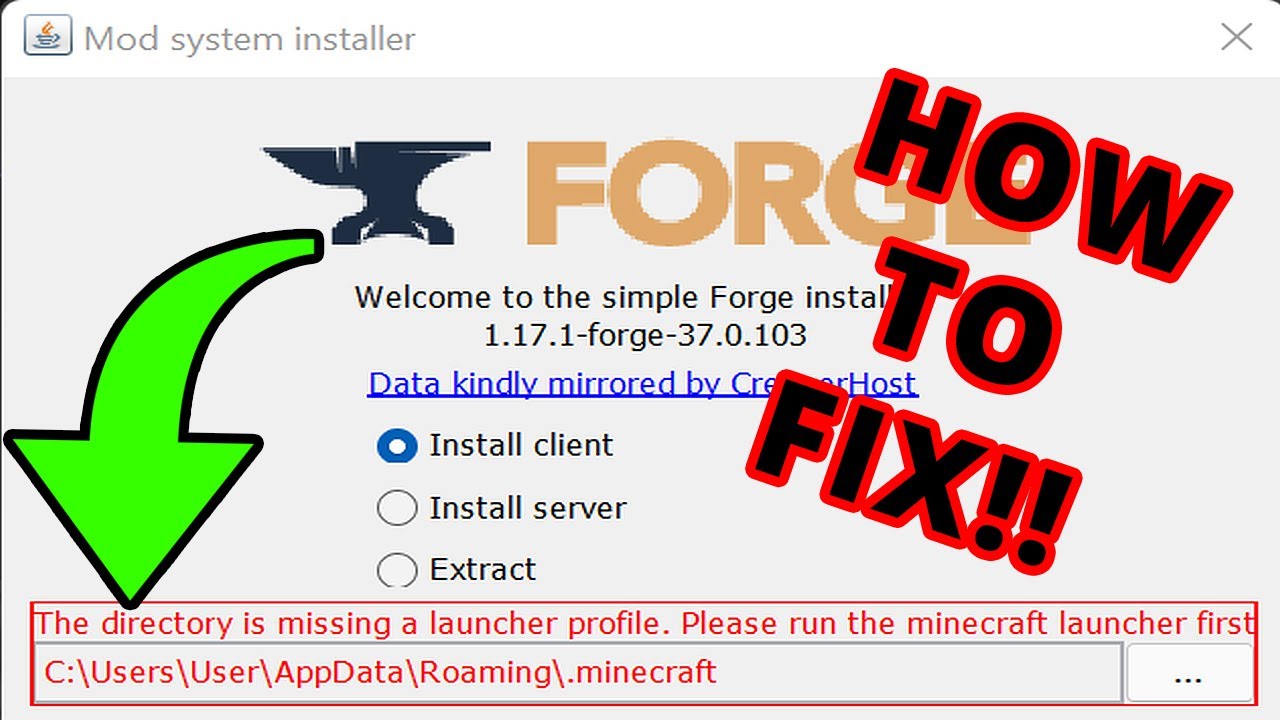
In the New Minecraft Launcher, some may get that Forge the directory is missing a launcher profile, please run the Minecraft launcher first error message with the Forge installer. You may also see 'there is no Minecraft launcher profile at' and then 'launcher_profiles.json' message. In this video, I show how to fix the forge installer missing la...
carmine galeBOT
Paste created of latest.log, uploaded by _aaaaaaaaaaaaaaaaaaaaaaaaaaaa_.
ocean lichen
move in #🧱︱mc-other-help
tribal shore
oh sorry
ocean lichen
onyx thicket
I used to be able to, but now it's like that
Next time ask in the forge team. We are not forge.
onyx thicket
I have followed, because I use Tlauncher
red patioBOT
tlauncher is a piracy supporting launcher, we do not provide support for it. Talking about or attempting to get support for it will result in a ban as per our rules. See: #📛︱rules #4
onyx thicket
Does Forge only support Minecraft Premium? Not Launcher?
ocean lichen
Tlauncher is a cracked launcher. officially hosting part of minecraft, we are obliged to accept eula, which means we can't support any cracked users.
red patioBOT
tlauncher is a piracy supporting launcher, we do not provide support for it. Talking about or attempting to get support for it will result in a ban as per our rules. See: #📛︱rules #4
ocean lichen
Also T launcher is a malware
onyx thicket
So doesn't Forge support in Tlauncher?
ocean lichen
We are not forge. And no, forge don't support cracked
onyx thicket
Okay
 ocean lichen
 untold basin
hi i have a probleme
untold basin
hi i have a probleme
In one or several modpack?
untold basin
carmine galeBOT
Paste created of hs_err_pid23680.log, uploaded by rowkit_83772.
ocean lichen
untold basin
!mc-amd
red patioBOT
Amd Graphic Driver Issue
:small_red_triangle_down: Part 1: Checking your system's GPU
- Open your
Device Manager - Click the drop down for
Display Adapters - Check if you have an AMD (Radeon) device
a - If you have AMD go to Part 2 :small_orange_diamond:
b - If you see AMD and Nvidia or Intel go to Part 3 :small_blue_diamond:
:small_orange_diamond: Part 2 - AMD Drivers Update
- Your AMD drives are broken or out of date, use the link below to get new drivers
Link: https://www.amd.com/en/support - Use either the auto tool AMD provides OR locate your GPU in their search.
- Download and run the installer, leave everything as default.
- Once installed try playing Minecraft again.
:small_blue_diamond: Part 3 - Other GPUs
If you have an Nvidia or Intel GPU, please use the command !mc-videocard for the instructions on how to change CF to use the proper GPU.
 ocean lichen
untold basin
i have already try all, it doesn't work
ocean lichen
untold basin
i have already try all, it doesn't work
what did you do?
ocean lichen
untold basin
part 2 and 3
more precisely
untold basin
my amd driver is update
ocean lichen
That is not your problem
Your driver is corrupted, not out of date
you have to reinstall it fully
untold basin
how ?
ocean lichen
Part 2
ocean lichen
Absolutely sure, that is one of the more common issue and it's always the same thing
untold basin
ok thanks
 novel vapor
Why dose server reset and never go back up online ?
We always have to message the owner to restart the server after a server restart?
 warm thicket
hello, I need help logining into my account, I got a message that I need to use twitch to create an account
because I didnt create the account with twitch
but now it says this

but it was possible to use google
some time ago
this is my normal account, but I cant log into it

this is the account I had to create using twitch

soo if someone could help me it would be very much appreciated
bruh, turns out I just had to use the new website
sorry
 wooden nest
I don't seem to be able to add KSP to my CurseForge, automatic scans don't detect it, and trying to manually add it results in ''This is an invalid directory or unsupported game'' i have tried to reinstall CurseForge and KSP.
young bone
What operating system are you using
wooden nest
windows 11
young bone
Standalone version or Overwolf version of CF app
wooden nest
Standalone
wooden nest
Alright, Thanks for the help
 robust nebula
everytime i try starting up all of fabric 5 it brings me to the launcher but then nothing happens after it closes
any way to fix it, and it still says it's starting on discord
robust nebula
what
 opal axle
Hello may I ask about if I can use curseforge and install mods on lunar client?
signal ridge
We dont support Lunar client
opal axle
signal ridge
We dont support Lunar client
yes but the question is about curseforge
so you say curseforge doesn't work on lunar client?
signal ridge
We dont support it, so if you need help with it go ask lunars devs
opal axle
signal ridge
We dont support it, so if you need help with it go ask lunars devs
bro I just asked if curseforge works with lunar client or not you can say yes or no it's not hard
thanks anyway
steep perch
curseforge and forge are not the same
opal axle
steep perch
curseforge and forge are not the same
I didn't ask about forge
signal ridge
CurseForge is just a project hosting site and app.
We have also seen Lunar mess with mods.
Its not the best app, there are way better options
 gleaming escarp
Hi everyone, I have a problem with Curseforge, it tells me syntax error all the time and I can't play with mods anymore, thanks if anyone can help me
signal ridge
We dont support it, So I cannot really give a yes or no answer. You need to ask the devs of Lunar if they support CF
opal axle
signal ridge
We dont support it, So I cannot really give a yes or no answer. You need to ask ...
ok thanks
gleaming escarp
gleaming escarp
Hi everyone, I have a problem with Curseforge, it tells me syntax error all the ...
can somebody help me ?
signal ridge
Screen shot error
 red patioBOT
How to get your profile logs on CurseForge for support
- Right-click the modpack profile icon OR click the button in the modpack profile.
- Click
Open Folder. - Open the
logsfolder. - Drag and drop the FILE named
latestORdebuginto discord.
gleaming escarp
carmine galeBOT
Paste created of latest.log, uploaded by hooli18.
signal ridge
!mc-launcherlog send this as well
red patioBOT
How to get your launcher log
How to get your launcher log
- Click button next to the Create Custom Profile option
- Click the
Open Modding folderbutton - Open the Install folder
- Drag the
launcher_log.txtfile into discord. If there are multiple only send the one without a number in its name
gleaming escarp
carmine galeBOT
Paste created of launcher_log.txt, uploaded by hooli18.
signal ridge
gleaming escarp
!mc-amd
red patioBOT
Amd Graphic Driver Issue
:small_red_triangle_down: Part 1: Checking your system's GPU
- Open your
Device Manager - Click the drop down for
Display Adapters - Check if you have an AMD (Radeon) device
a - If you have AMD go to Part 2 :small_orange_diamond:
b - If you see AMD and Nvidia or Intel go to Part 3 :small_blue_diamond:
:small_orange_diamond: Part 2 - AMD Drivers Update
- Your AMD drives are broken or out of date, use the link below to get new drivers
Link: https://www.amd.com/en/support - Use either the auto tool AMD provides OR locate your GPU in their search.
- Download and run the installer, leave everything as default.
- Once installed try playing Minecraft again.
:small_blue_diamond: Part 3 - Other GPUs
If you have an Nvidia or Intel GPU, please use the command !mc-videocard for the instructions on how to change CF to use the proper GPU.
signal ridge
 signal tusk
i downloaded a world but idk how to put it in my curseforge
signal tusk
i downloaded a world but idk how to put it in my curseforge
!mc-profilefolder > open the saves folder > extract the zip and put the worlds folder there
red patioBOT
How to open profile folders
- Right-click the modpack profile icon OR click the button in the modpack profile.
- Click
Open Folder.
 signal ridge
Which better mc? will have a look
 livid parrot
better mc fabric bmc1 1.19.2 v18.5
signal ridge
V19.5 works, seems a mod they were using in v18.5 was deleted from the cf site

Api for Variety Mods
Issues: https://github.com/ColinVaughn/VarietyAPI/issues
Source: https://github.com/ColinVaughn/VarietyAPI
livid parrot
ok thanks but 19.5 doesnt work with essential sadly
 digital oxide
hihi, ive been having an issue with my curseforge uninstalling itself? ive looked online to try find solutions, it mentions anti virus but I dont have any...
signal ridge
livid parrot
ok thanks but 19.5 doesnt work with essential sadly
Not surprised, there are better options then essential anyways
signal ridge
digital oxide
hihi, ive been having an issue with my curseforge uninstalling itself? ive looke...
What AV do you have?
digital oxide
signal ridge
What AV do you have?
i dont have any
signal ridge
No antivirus at all?
digital oxide
signal ridge
No antivirus at all?
not that im aware of no, ive disabled it
signal ridge
Windows or Mac?
digital oxide
windows
signal ridge
how much space is left on your C drive
signal ridge
The app itself saves to C unless you changed that.
digital oxide
im not sure i understand. when asked where to install i move it to D drive. on either drive i have lots of space though?
signal ridge
Which part of installation tho, The app itself OR a game within the app?
digital oxide
the app itself
signal ridge
Will likely need a ticket for this one. Generally users leave the app as default
!ticket-site
red patioBOT
How to open a support ticket on the CurseForge website
Can't open the app or would rather use the website? You can do so here.
Fill out the form with accurate detailed information, keep in mind that simply saying 'it' or 'doesn't work' is very vague. The more details you provide, the more efficient help you will get.
Make sure to upload your Overwolf logs with the Upload File option in the ticket, information on how to get these logs can be found here
digital oxide
ok, thanks!
fading egret
Hey just wondering why my modpack got flagged but other larger packs like better mc are fine to be up?

It was the same thing when CF said “Minecraft” has to be taken out of the name so I did MC.. now neither can be in the name or can I switch back to modified Minecraft?
signal ridge
This comes back to the word mc, as mc is short for minecraft and is a black listed world.
We have many users that come in complaining why they cant use Mc in their project names but see Bettermc and the other packs that have it. its started to look like CF if picking favorites
Likely just turing into all packs need remove it
You can open a ticket tho if you wish to fight this
!ticket-author
red patioBOT
Author support tickets for Project or Moderation issues
Info for Project Authors:
When opening a support ticket, make sure to select Author Support in the What kind of support do you need? box.
You also need to include a link to the project and your CF name!
Logs, Game and OS boxes can be ignored when opening an author ticket.
fading egret
For reference - I realized my title wasn’t in the last screenshot but the message was… yea it really does feel like favorites bc last time with the Minecraft being taken out it was the same thing. I made changes to my project and better Minecraft stayed the same for several months after


Thanks I guess I’ll try a ticket. Last time this happened I never got a response so 🤷🏻♂️
Is it because of the van+ (abbreviation on vanilla) bc I see that’s flagged too
signal ridge
think of it this way, modified, modpack and minecraft are already implied with projects on the site.
If I were to show someone that didnt play mc or modded your pack it would be a: Modded Minecraft Vanilla+ Modified Minecraft modpack.
- Modded already means it modified
- All modpacks are technically vanilla +
- Modified Vanilla is a given already
- Minecarft is already implied cuz you need the game to play the pack?
fading egret
Yea but these words help a lot with SEO, I just don’t understand all the recent changes to block these words.
Sure they should be implied already, but i don’t really agree with someone reading the duplicate words like that lol, that’s a bit excessive.
Until all packs with mc or the likes are taken down it just really doesn’t feel fair that I need to rename and probably miss out on downloads while these bigger pages stay up no problem
signal ridge
They were blocked because people abused them. And MC / Minecraft is trade marked by Mojang
I will pass this along to higher ups tho. Do agree the ones that get the pass but other dont isnt all that fair
 quartz raptor
trying to launch a modpack and I keep getting the "modpack failed to load" error with the long string of letters in the red box, I can't find much helpful stuff online either for this
signal ridge
Screenshot error
 empty cipher
hello i keep getting ''Decryption operation failed, see inner exception''
signal ridge
you on wifi?
empty cipher
i've tried reinstalling the cursed forge app even turning off anti-virus and restarting my computer
empty cipher
signal ridge
you on wifi?
yes
quartz raptor
just tried replicating the error and I got this instead
empty cipher
i do not have ethernet though
quartz raptor
have played minecraft installation, today. I have had this error before even though I have played the game, I reinstalled minecraf like it said and it still persists, I made sure to delete that .minecraft file as well
 signal ridge
empty cipher
i do not have ethernet though
signal ridge
empty cipher
i do not have ethernet though
Able to try a cable or mobile hotspot? The pixelmon mod itself is rather large and users on wifi have had issues installing it.
As wifi does not handle multi-file download all that well. Its not stable enough (Too many factors come into play for a stable wifi connection vs a cable or mobile teather)
red patioBOT
How to get your launcher log
How to get your launcher log
- Click button next to the Create Custom Profile option
- Click the
Open Modding folderbutton - Open the Install folder
- Drag the
launcher_log.txtfile into discord. If there are multiple only send the one without a number in its name
signal ridge
quartz raptor
have played minecraft installation, today. I have had this error before even tho...
!mc-launcherlog
empty cipher
signal ridge
Able to try a cable or mobile hotspot? The pixelmon mod itself is rather large a...
i can try if i still have issues i will come back
thank you for the help!
signal ridge
!network can try these as well
red patioBOT
How to tackle Network Issues
Please try the following step(s) to figure out the cause/solution to your network issues:
- Restart the CurseForge app
- Restart your computer
- Disable any programs that interfere with your connection (VPN, ping tunnels, antivirus, firewall etc)
- Restart your router and modem.
- Attempt using a different connection if possible.
- Reinstall Curseforge.
empty cipher
okie!
 spiral igloo
Hey 🙂 Could I have my 0.2.0.15a file removed from my mod project, as I've just uploaded a newer fixed version but cannot remove the old version since it's under manual review? I appreciate any help with this, thanks!
https://legacy.curseforge.com/minecraft/mc-mods/blockfront-world-war-ii/files/all
signal ridge
you can archive the file to remove it from public view
 winged galleon
hey uhh my curseforge keeps crashing
i can open a mod, i get to the minecraft launcher, hit play, and it crashes
it says there may be a java runtime error
and i have to update the minecraft launcher and the mod every time i try to run it
can someone help?
signal ridge
#🧱︱mc-other-help for mc related issues
spiral igloo
signal ridge
you can archive the file to remove it from public view
I don't believe this is possible while the project file is marked for manual review, as I'm not seeing an archive button where I usually would.
signal ridge
Ah, may need to just wait till its approved then
spiral igloo
No problem 🙂
wind bobcat
Why i can't find the mod? and it's the same version as the modpack
 signal ridge
What mc version and modloader?
wind bobcat
 signal ridge
Try it as 2 words
wind bobcat
signal ridge
Try it as 2 words
it showed other mods but i didn't find it
signal ridge
Send the mods link from the site
 wind bobcat
Oh. ;-; sryy i didn't check it i'm stupid
signal ridge
All good, it happens
 lyric arrow
Would love the ability to hide creators on the app or filter by language. There's so much stuff on the platform that i can't/won't use and some creators I never want to see things from.
signal ridge
!ideas
red patioBOT
Where to suggest new ideas and vote for others on CurseForge
CurseForge is looking for great ideas and user feedback, Get into the CurseForge Community by providing some feedback and voting on what's important to you!
Location In-app
- Click the button on the bottom left of the app.
- Click on

Suggest a Featureoption!
lyric arrow
signal ridge
!ideas
thanks wasn't sure where t put that 🙂
 white obsidian
Could somebody help me this modpack works on my computer but when my friend tries it this error pops up.
carmine galeBOT
Paste created of message_1.txt, uploaded by onedeadperson.
signal ridge
!mc-amd
red patioBOT
Amd Graphic Driver Issue
:small_red_triangle_down: Part 1: Checking your system's GPU
- Open your
Device Manager - Click the drop down for
Display Adapters - Check if you have an AMD (Radeon) device
a - If you have AMD go to Part 2 :small_orange_diamond:
b - If you see AMD and Nvidia or Intel go to Part 3 :small_blue_diamond:
:small_orange_diamond: Part 2 - AMD Drivers Update
- Your AMD drives are broken or out of date, use the link below to get new drivers
Link: https://www.amd.com/en/support - Use either the auto tool AMD provides OR locate your GPU in their search.
- Download and run the installer, leave everything as default.
- Once installed try playing Minecraft again.
:small_blue_diamond: Part 3 - Other GPUs
If you have an Nvidia or Intel GPU, please use the command !mc-videocard for the instructions on how to change CF to use the proper GPU.
 lyric creek
signal ridge
!mc-amd
lyric creek
signal ridge
!mc-amd
Readu part 2 AMD
 signal ridge
Leave as defaults, click continue, next or install.
lyric creek
signal ridge
Leave as defaults, click continue, next or install.
@signal ridge ready to install drivers
signal ridge
Didnt need to ping me for that
lyric creek
I'm sorry I'm on the phone, just in case something goes wrong
In my driver's state it's in its latest version
signal ridge
Windows and amd have been having corruption issues, The fix is to reinstall the drivers from the amd site. Even if windows says they are up to date
lyric creek
Or that step is done from the AMD website,
signal ridge
Once you have installed the drivers, try the game again, you may need to reboot your pc
 deep mirage
Hi, I am attempting to launch, with cf but my game keeps crashing. All the mods I wanna use are the same version, but im not sure why it keeps crashing.
 stray wyvern
hello all, I am seeking some informaiton on if Curseforge has a premium account options? Like a way to access all unhighlighted icons and maybe organize and get rid eof ads...
 grand bobcat
hay im having an error that i don't understand, could anyone give me a hand?
carmine galeBOT
Paste created of 6SKObK8.txt, uploaded by thae._..
 topaz lily
I've made a modpack, could someone please help me identify client sided mods in my modpack as I can't figure it out?
 robust ledge
does anyone know why forge crashes when i add optfine into it
steep perch
robust ledge
does anyone know why forge crashes when i add optfine into it
!mc-optifine
red patioBOT
We do not provide support for Optifine
If you have issues with Optifine, please remove it. If you want further support try the discord found on their website.
https://www.optifine.net/home
Installing Optifine with modpacks on Curseforge:
- Right click the modpack icon, select
Open Folder. - Put the
Optifine.jarinto themodsfolder. - Now start the modpack.
steep perch
!mc-shaders
red patioBOT
How to get started with shaders
Playing with a shaders mod like Oculus, Iris, or others and want more flair to your world? Don’t know what shader to pick from or where to look? try looking on Shaderlabs or the shaders tab on the CurseForge site.
To get started using shaders:
- Download the shader mod and its requirements for the mod loader you’re using and run the game at least once to generate the shaderpacks folder
- Download the shader you want from either the CurseForge site or Shaderlabs (linked above)
- In the CurseForge app, right-click the modpack profile icon OR click the button in the modpack profile
- Click
Open Folder - Open the
shaderpacksfolder and place the shader file you downloaded in there - Select the shader file in the in-game shaders menu and wait for it to load (if it needs to)
- Play!
WARNING: Shaders do not appear on the CurseForge app. Not every shader will work with Iris or Oculus. Be aware of your computer's ability to handle shaders
robust ledge
steep perch
!mc-optifine
i did and it still cashes my foge
steep perch
move to #🧱︱mc-other-help and send logs
robust ledge
steep perch
move to <#768367574001778729> and send logs
could it be that im using the wrong mod loader version
steep perch
just move to mc support once launcher is open it is no longer a CF issue
steep perch
glad you found it yourself but for next time send logs in #🧱︱mc-other-help
robust ledge
okay
 winged plaza
how do I change the launcher for minecraft when I open a curseforge mod
 deep mirage
 lunar finch
Im Getting that to
 tranquil lotus
is this supposed to be happening? I have two different launchers and only one has curseforge mods on it

and one only opens when I launch it through forge
wait
sterile kestrel
tranquil lotus
is this supposed to be happening? I have two different launchers and only one ha...
this is intentional. CF does not use the normal launcher
it uses an older one not the new one
 valid hazel
when i place a create schematic in this modpack it crashes my game, any idea on how to fix it? feel free to ping me if you have a (protentional) solution
carmine galeBOT
Paste created of latest.log, uploaded by lelytijger.
 lucid goblet
my friend just made a curseforge account but I can't seem to add him as a member on my project, do I just have to wait for the system to update or is there something else I need to do?
 arctic zealot
im trying to use hypixel plus because ive been seeing some skyblock videos where things look better than what i see in game but i dont actually know how to use this on curseforge, can someone help with this https://modrinth.com/resourcepack/hypixel-plus/version/0.19.5-1

Modrinth
Download Hypixel Plus 0.19.5-1 on Modrinth. Supports 1.16–1.20.2 Minecraft. Published on Oct 4, 2023. 1730 downloads.
 pulsar lagoon
Can someone help me on this problem?
https://paste.gg/p/anonymous/8cf22388567942bbaf372e71fc534916
 mossy shard
I am trying to play modded mc but when I try to hit play on curseforge it is like I don't have the game and it say that I have to but it. it is like two different versions of the launcher. does anyone know what I have to do?
ocean lichen
mossy shard
I am trying to play modded mc but when I try to hit play on curseforge it is lik...
Are you logging in the correct account?
ocean lichen
valid hazel
when i place a create schematic in this modpack it crashes my game, any idea on ...
#🧱︱mc-other-help related
mossy shard
ocean lichen
Are you logging in the correct account?
yes i only have one account but it is like they are two sepperate
ocean lichen
Take a screenshot of the launcher of minecraft vanilla and the one curseforge use

 ocean lichen
I need a full screenshot, your account name etc


 spark berry
every modpack i try and open it says 0x00000005 - system: Access is denied unable to delete file can someone help
ocean lichen
spark berry
every modpack i try and open it says 0x00000005 - system: Access is denied unabl...
!mc-installfix
red patioBOT
How to repair your Minecraft installation on CurseForge - **NOT** the same as `Repair Profile` - please follow these exact steps
- Click on the Minecraft Tab on the left side of the CurseForge App.
- Click button next to the
Create Custom Profileoption. - Click
Repair Installationoption.
NOTE: Although this might seem similar to the instructions of repairing profile, it's different and required. No worries, you will not lose any modpacks or worlds.
sterile kestrel
mossy shard
curseforge:
you are not logging into the correct account
mossy shard
but i am logging into the same one?
sterile kestrel
if you were then they would be the same
mossy shard
not sure why it got different names
sterile kestrel
they are not the correct account. or the usernames would match
because its not the same account
mossy shard
but it is tho
sterile kestrel
but it isnt
mossy shard
same pfp
sterile kestrel
your minecraft ownership is not tied to the account you logged into CF with
all of this goes through microsoft
so this is what microsoft is saying you have
mossy shard
what?
spark berry
ocean lichen
!mc-installfix
it failed to repair instalation. says accses denied
sterile kestrel
mossy shard
what?
login with the correct account. thats literally it
if we wanna prove it sign out of the vanilla and sign into it with the creds you signed into the CF minecraft launcher with
mossy shard
dont you think i have tried that?
ocean lichen
spark berry
it failed to repair instalation. says accses denied
!cflogs-app
red patioBOT
How to get your CurseForge app logs
- Click the
Create logs zipin the menu. - Drag and drop the zip file created to this channel.
- Wait for someone to look at it so they can help you.
sterile kestrel
mossy shard
dont you think i have tried that?
sign out of the vanilla client and sign in with the account you are using on CF
if its true that it does in fact own the game the usernames will then match and youll be able to play(or it will match and say you dont own it, proving the point)
this issue is always because its not the right account
spark berry
mossy shard
sterile kestrel
if its true that it does in fact own the game the usernames will then match and ...
listen my guy, I only have one account. i used this one account to log in both places. the problem is that when i open it via curseforge is says i dont have the game but if i open it vanilla everything is in order
sterile kestrel
mossy shard
listen my guy, I only have one account. i used this one account to log in both p...
then the usernames will match. they dont. it is literally impossible to have 2 usernames. sign out of vanilla and sign in with the same credentials being used on the cf version
this is to test the point
because either a. it will match and say you dont own it. or B. it will match and say you do
mossy shard
i have done that. the username on the curseforge is an old name so it is connected to my only account
ocean lichen
spark berry
Do you have any antivirus?
sterile kestrel
mossy shard
i have done that. the username on the curseforge is an old name so it is connect...
then talk to microsoft at this point. all we can say is what we have been saying: login with the correct account
!mc-login
red patioBOT
As of march 10th 2022, you will need a Microsoft Account to play!
:small_orange_diamond: Logging in with your Microsoft account:
- Get to the Microsoft login screen.
- Log in with a Microsoft account that owns the Java version of Minecraft.
Done!
*If it says PLAY DEMO then the account used DOES NOT own Java Minecraft. Log in with one that does.
:small_blue_diamond: Migrating your account to Microsoft:
Starting <t:1695135600:f>, unmigrated Mojang accounts will not be able to migrate anymore.
:warning: We recommend that you migrate your account before <t:1693926000:D> (2 weeks before the deadline) because that’s when Mojang will stop providing support for migration queries.
The migration process should only take a couple of minutes and all of your data, including your username, progress, creations, and skins will still be there.
 mossy shard
sterile kestrel
then talk to microsoft at this point. all we can say is what we have been saying...
mossy shard
sterile kestrel
then talk to microsoft at this point. all we can say is what we have been saying...
i have tried that already dude
sterile kestrel
then go talk to microsoft
mossy shard
alrighty
sterile kestrel
the launcher is an official launcher from microsoft. it all auths using microsoft stuff so
if it truly is so then theres a mishap on their end
spark berry
ocean lichen
Do you have any antivirus?
not that i know of. mby the in biult in windows one but I whitelisted curseforge and overwolf
mossy shard
sterile kestrel
the launcher is an official launcher from microsoft. it all auths using microsof...
bruh what
sterile kestrel
mossy shard
bruh what
what?
ocean lichen
spark berry
not that i know of. mby the in biult in windows one but I whitelisted curseforge...
Do you have any others disk SSD/HDD in your computer?
sterile kestrel
not sure whats confusing about what i said...
mossy shard
the launcher is an official launcher from microsoft - you dont say?
sterile kestrel
well ya. its to tell you that asking us here about it isnt going to help you much because we arent in charge of minecraft accounts
besides what we have already told you
mossy shard
i only wanted tips on how to resolve this cuz this is the support channel after all
sterile kestrel
indeed. but its not related to curseforge. we do our best to help where able. but the only thing we have for that is ensuring you are using the correctr account. if i take what you say at face value and you are in fact using the correct account, the only thing i can tell you is to talk to microsoft directly
mossy shard
but the problem is in curseforge when i open minecraft on there
sterile kestrel
no it isnt. once you get to the minecraft launcher, CF is no longer in play
mossy shard
everything is fine with the vanilla
mossy shard
sterile kestrel
no it isnt. once you get to the minecraft launcher, CF is no longer in play
what you mean
sterile kestrel
the moment you click play on a modpack in curseforge and you get to the minecraft launcher, you are no longer using a CF app. you are using an official minecraft launcher provided by microsoft. CF doesnt use its own system. it just goers and gets it from them
spark berry
ocean lichen
Do you have any others disk SSD/HDD in your computer?
yes a hdd most of my stuff is on it
sterile kestrel
CF does not touch any of the authentication mechanisms in that app and doesnt modify it in any way outside of default settings like your ram
mossy shard
hmm i see
ocean lichen
spark berry
yes a hdd most of my stuff is on it
!mc-path Try to move the app in this disk, it's the only solution I see.
red patioBOT
How to change your Minecraft install path on CurseForge
:small_blue_diamond: If Minecraft is __not installed__ in CurseForge App:
- Click the in the top left.
- Select Minecraft from the list of games.
- Select the
Advancedoption and select:
--- Windows:Local Disk (C:)at the left side of the window. If you do not see it, clickThis PCfirst.)
--- Mac:/Users/Shared/CurseForge, If it does not exist, make it. - Click
Continue.
:small_orange_diamond: If Minecraft is __installed__ in CurseForge App:
- Click the in the bottom left.
- Select the Minecraft tab.
- Click
Change. - Select the location:
--- Windows:Local Disk (C:)at the left side of the window. If you do not see it, clickThis PCfirst.)
--- Mac:/Users/Shared/CurseForge, If it does not exist, make it.
ocean lichen
Just keep in mind that don't move your modpacks. they will still be stored in C:\Users\lesas\curseforge\minecraft\instances, you can move them manually
 wooden cradle
my friend made a modpack for minecraft but its not appearing on his profile or just in general, any idea what the issue could be?
 swift portal
is curse having issues right now?
I cant phsyically upload a pack it just gateway timeout errors
spark berry
ocean lichen
Just keep in mind that don't move your modpacks. they will still be stored in `C...
thank you for the help that fixed it
 near laurel
How come every time i try to screenshare minecraft it wont show or on obs its just a black screen
like
on discord it wont appear when i try to screenshare a window
please
ocean lichen
near laurel
on discord it wont appear when i try to screenshare a window
What the actual path discord/obs try to record?
near laurel
i try to screenshare a launched game (better minecraft for example) and it only shows a still frame from some point
near laurel
ocean lichen
What the actual path discord/obs try to record?
??
ocean lichen
near laurel
??
Go in the discord setting -> game and search for minecraft, and tell the path that show up when you put the mouse over it.
ocean lichen
near laurel
where is "game"?

 ocean lichen
Yes. But that is the minecraft vanilla, not the minecraft in curseforge. Do it work with this one or just don't work with curseforge?
 unkempt sand
My server wont go above this in RAM

Ive tried to increase it but it just wont do it
near laurel
ocean lichen
Yes. But that is the minecraft vanilla, not the minecraft in curseforge. Do it w...
it works fin with normal mc
ocean lichen
unkempt sand
My server wont go above this in RAM
Means your server don't need more
near laurel
just nothing from forg
unkempt sand
ocean lichen
Means your server don't need more
What do you mean?
ocean lichen
near laurel
it works fin with normal mc
Search your the minecraft with "curseforge" in his path and tell it
ocean lichen
unkempt sand
What do you mean?
Means your server run perfecly at 1000 for now, doesn't use more than necessary
unkempt sand
Why do people in the server keep timing out then?
It doesnt have anything to do with ram?
Because thats what the case was in the past
 ocean lichen
unkempt sand
It doesnt have anything to do with ram?
ocean lichen
unkempt sand
It doesnt have anything to do with ram?
not necessarily, especially if there is hardly anyone in the server
 ocean lichen
near laurel
it wont show up
ocean lichen
near laurel
it wont show up
In the app "create a custom profile" -> select the vanilla modloader and the same minecraft that the pack you want to stream. Then normally you should to be able to stream the vanilla profile launched in the curseforge app. Once it's done close the game and try to run a modpack with the same minecraft version that the vanilla profile and you should to be able to stream it with the same record.
hoping I've understood your problem correctly
near laurel
what is your understanding of the issue, jus so we are on the same page
ocean lichen
What I understand is that you can stream minecraft but not any modpack launched in the curseforge app, which sometimes happens.
near laurel
yup
ocean lichen
Are you able to stream a vanilla profile launched in curseforge?
ocean lichen
Delete every minecraft registered in the discord setting
near laurel
done
carmine galeBOT
Paste created of crash-2023-10-16_03.49.05-client.txt, uploaded by obesemonke.
ocean lichen
near laurel
done
Then launch the vanilla profile in curseforge and see if anything appears there

move in #🧱︱mc-other-help
carmine galeBOT
Paste created of message.txt, uploaded by onedeadperson.
ocean lichen
near laurel
ocean lichen
Then launch the vanilla profile in curseforge and see if anything appears there
i worked and i was able to stream the vanilla
but it still wont show the modded
 ocean lichen
What version is the vanilla and what version is your pack?
near laurel
ocean lichen
What version is the vanilla and what version is your pack?
is that important?
ocean lichen
Is the modpack completely load when you try to stream it?
near laurel
yuh
ocean lichen
Windowed and fullscreen change anything?
near laurel
nopv
ocean lichen
the registered look exacly like it right? (detection activated and same path?)

 mossy kite
For some reason, when I extract my mod profile to upload it as a pack on CF, no manifest.json file generates in the .zip folder. Anyone come across this before? (For context, all mods were added through the CF Launcher.
ocean lichen
mossy kite
For some reason, when I extract my mod profile to upload it as a pack on CF, no ...
In the export did you check the mod folder?
mossy kite
They're all in there as .jar files
ocean lichen
Try to reinstall every mods using the app in a new pack. For some reasons some pack randomly don't work well with the export system
mossy kite
ok
near laurel
ocean lichen
the registered look exacly like it right? (detection activated and same path?)
mhm
 placid coral
do you guys know any lithium ports aside from radium?
ocean lichen
placid coral
do you guys know any lithium ports aside from radium?
Canary
placid coral
thanks, radium isnt compat with rubid
ocean lichen
placid coral
thanks, radium isnt compat with rubid
Radium work with Rubidium 🤔 Maybe just because the v7 of rubidium. Or you are trying it in 1.19.2
rich flint
Please use other channels for game discussions like
#🔎︱mod-hunting
#🧱︱minecraft-chat
 quasi flume
Can anyone help me out with this? I'm trying to load up a world on my friends modpack and I keep getting error coded. Here's the crash report https://mclo.gs/GUvsmCt
ocean lichen
quasi flume
Can anyone help me out with this? I'm trying to load up a world on my friends mo...
Remove optifine
quasi flume
ocean lichen
Remove __optifine__
OMG thank you so much - I've been trying to figure this out for hours
 craggy glade
I'm trying to add the Immersive Portals mod, but the Mod version is getting confused with the minecraft version.
 knotty hedge
hello, I tried adding mods for shadders and none of them work. Oculus, and rubidium keep crashing after awhile. is there anything i can use other than them?
 knotty shore
Whenever I go to upload my mod pack to my project page it uploads, I click submit file then it says gateway time-out. Heres the crash report https://support.curseforge.com/en/support/tickets/188413
ocean lichen
knotty hedge
hello, I tried adding mods for shadders and none of them work. Oculus, and rubid...
What version of Rubidium and Oculus to do have?
knotty hedge
ocean lichen
What version of __Rubidium__ and __Oculus__ to do have?
oculus is for 1.20.1
they both are
ocean lichen
knotty hedge
oculus is for 1.20.1
No, the mod version. Not the minecraft version
knotty hedge
ocean lichen
No, the mod version. Not the minecraft version
how do i find the version?
ocean lichen
knotty hedge
how do i find the version?
What is the file name?
knotty hedge
ocean lichen
What is the file name?
oculus-mc1.20.1-1.6.9.jar
ocean lichen
and rubidium?
knotty hedge
rubidium-mc1.20.1-0.7.1.jar
the game keeps crashing when i have them in but when they're gone the pack works
ocean lichen
Downgrade oculus to 1.6.4 and rubidium to 0.6.5
knotty hedge
ocean lichen
Downgrade __oculus__ to 1.6.4 and __rubidium__ to 0.6.5
how do i do that?
ocean lichen
knotty hedge
how do i do that?
!mc-modifiypack
placid coral
YDM's weapon master and the Weapon Master mod have incompatibilities due to their names being the same, does changing their .jar name do anything?
ocean lichen
!mc-modifypack
red patioBOT
How to add/remove mods in a modpack:
- Click on the picture of the modpack.
- Click the
Add More Contentbutton, IF this button is not there, see below before you continue. - Find the Mods, Resource Packs or Maps you wish to Install and click
Installon them. - Wait for all the required mods to be downloaded.
- Start the modpack.
How to Enable/Disable content management for modpacks:
- Click on the picture of the modpack.
- Click on the button next to the
Playbutton. - Click on
Profile Options. - Check the
Allow content management for this profileoption if you want to edit the content of the modpack, uncheck it to disable.
NOTE: The Allow content management for this profile option is what allows you to Delete, Disable, Update or Install any Mods, Resource Packs or Maps managed by CurseForge. It must be ON to modify any of them! (Currently)