
#🔥︱curseforge-support
1 messages · Page 104 of 1
 livid ingot
 young bone
It’s not a mod, you need to install the new version the same way you install the last one
livid ingot
ill run it?
young bone
Yes
 young bone
Close the game and launcher before you run the installer
Why not just use the CurseForge app, it handles the mod loader for you
young bone
Which mods
 cedar portal
is it possible to delete my project and my account and instead upload it to another google login account?
 signal ridge
Deleted project dont ever fully get removed for some time. Sync and all. Might have better luck making the new account then just adding it to the project and set the perms.
cedar portal
signal ridge
Deleted project dont ever fully get removed for some time. Sync and all. Might h...
and how can I delete the account?

What is the profanity?
young bone
?copyspam
 red patioBOT
Please avoid copying your message across multiple channels
Please do not copy and paste into multiple channels.
It won't help with getting assistance any faster and just spams the channels.
This is part of #📛︱rules 
cedar portal
does anyone know why the word volcano is written as swearing?
 nova tapir
Can a change "main file" in my project?
young bone
You have to mark a file as release to make the main file change
 trail escarp
Sooo I updated the game by going to the official website and donloaded the standalone edition but that apparrently its the wrong one, do I need to download the one from overwolf for 40.2.4 or what am I missing?


 opal cipher
!mc-wording
red patioBOT
Please use the correct terms - it allows us to understand and help you faster
Forge = Minecraft Forge, this is a modloader often just called "Forge".
Fabric = Fabric MC, this is a modloader, often just called "Fabric".
CurseForge = A Website/App that has content for games and serves as a mod manager.
Mods = Individual mod files.
Modpacks = Multiple mods put into the mods folder or downloaded from CurseForge.
opal cipher
!mc-updatemodloader If you already are using CurseForge to manage modpacks/mods, do this
red patioBOT
How to update your mod loader within the same game version in the CurseForge app
- Click on the modpack profile you are working with.
- Click on the
 button next to the play button.
 - Click on the
 Profile Options button.
 - Select the mod loader version you want from the dropdown.
- Play!
If you need to update to a new game version, a new profile is required.
trail escarp
Now I feel like a dumdum xD Thank you for your help
 hidden moss
i downloaded my friend server mod everyone else uses it fine but not me for soem reason i need help
 nova tapir
young bone
You have to mark a file as release to make the main file change
nova tapir
young bone
You have to mark a file as release to make the main file change
What's the difference between "recent file" and "main file"?
I have 11 released files, but in the "main file" I have an older version. Can I change that? Thanks.
young bone
Give a link to your pack
nova tapir
young bone
Give a link to your pack
young bone
It’s because the latest file you uploaded, for 1.12, is marked as release that it is the main file
You kinda uploaded files backwards
 jolly kindle
in stoneblock 3 i can't join my world i just load my backup but it didnt work too so can anyone help me?
signal ridge
Isnt the sb3 pack in the ftb app?
 jolly kindle
i think i am the wrong channel then
signal ridge
!mc-ftb
red patioBOT
Support for FTB modpacks or the FTB app
If you are looking to play FTB modpacks, please use the FTB launcher.
https://www.feed-the-beast.com/
Any Overwolf FTB launcher issues you have should be directed here:
https://github.com/FTBTeam/FTB-App/issues/426
FTB's Discord server:
https://go.ftb.team/discord
signal ridge
cedar portal
How did you add the pic? directly from your pc? or url hosted somewhere?
cedar portal
signal ridge
How did you add the pic? directly from your pc? or url hosted somewhere?
URL (ibb.co)
imgbb
the picture is broken
signal ridge
Try uploading the picture to the cf picture tab > then right click the pic on the cf site > get its url.
cedar portal
signal ridge
Try uploading the picture to the cf picture tab > then right click the pic on th...
Is there a tutorial on this? 😄
 hybrid summit
just reset my computer, reinstalled everything, and im still getting a excess violation code (EXCEPTION_ACCESS_VIOLATION (0xc0000005) ) does anybody have any clue how to fix it?
signal ridge
cedar portal
Is there a tutorial on this? 😄
give me a few
 languid lodge
So not sure which support channel to put this in, but Better MC [forge] ecm 3 crashes each time I try to launch it. It gives me an error code 1, I tried uninstalling and reinstalling the mod as well already. No rush at all for an answer I'm at work atm, just someone @ me or dm me if they know how to fix it. Thanks. c:
cedar portal
signal ridge
give me a few
I need a demonstration of exactly how to do it
signal ridge
cedar portal
I need a demonstration of exactly how to do it
Step 1: On your packs mane page press the Image upload option beside the File upload button. Follow its instructions and upload your pic.
Step 2: Click the Images tab > then right click your picture and copy address
Step 3: Go into your project management > edit your description
3.1: Select the Insert/edit image button > paste the url you got in the url box.
Step 4: Add anything else you want there > press ok
Step 5: Adjust image as needed


 cedar portal
thanks
signal ridge
np
cedar portal
thats work!
 runic bobcat
Hey how do I share a Minecraft modpack made in the curseforge app to friends privately? or do I have to upload it publically for others to play it?
red patioBOT
Two ways to share a modpack you made with others
:small_blue_diamond: Export and Share - For Friends / Small Groups
- Click the Icon for the modpack.
- Click the button next to play.
- Click

Export. - Select the files that should be included.
- Send the zip to the people that want it! They can follow the instructions in
!mc-installpackto install the pack.
:small_orange_diamond: Upload to Curseforge - For Public Release to Everyone
This option will make your pack public to EVERYONE, it comes with extra requirements and will take some effort to set up.
- Go to create a new project
- Fill out the information with a proper description of the pack. This should allow anyone to understand what the pack is.
- Click the Icon for the modpack in the CurseForge app.
- Click the button next to play.
- Click
Export. - Select the files that should be included.
- Open your Project that you made on the CurseForge site and Upload the file you just made.
- Wait for Moderation & Sync so it can show up in the client! (See
!syncfor limitations and!statusto learn about the moderation process and how long it will take to approve/decline)
 stuck sparrow
anyone know how to fix AMD not allowing forge to function?
signal ridge
!mc-amd
red patioBOT
Amd Graphic Driver Issue
:small_red_triangle_down: Part 1: Checking your system's GPU
- Open your
Device Manager - Click the drop down for
Display Adapters - Check if you have an AMD device
a - If you have AMD go to Part 2 :small_orange_diamond:
b - If you see AMD and Nvidia or Intel go to Part 3 :small_blue_diamond:
:small_orange_diamond: Part 2 - AMD Drivers Update
- Your AMD drives are broken or out of date, use the link below to get new drivers
Link: https://www.amd.com/en/support - Use either the auto tool AMD provides OR locate your GPU in their search.
- Download and run the installer, leave everything as default.
- Once installed try playing Minecraft again.
:small_blue_diamond: Part 3 - Other GPUs
If you have an Nvidia or Intel GPU, please use the command !mc-videocard for the instructions on how to change CF to use the proper GPU.
runic bobcat
!mc-installpack
red patioBOT
How to install modpacks with the search features in the CurseForge app
How to install modpacks with the search features
- Open the

Minecraftsection of the app. - Click the top search bar where it says
Search for modpacksOR Click theBrowse ModpacksTab. - Find the Modpack you want to install and click install on it.
- Wait for the CurseForge app to download and unpack all the required files.
- Once finished, click
Play!===***
How to install modpacks from an Export (Custom/Private/Site downloaded Modpack zip)
- Get the CurseForge app if you don't have it, use
!downloadfor a link. - Get the exported modpack from CurseForge or someone else,
!mc-packshareexplains how to make them. - Open the
Minecraftsection of the app. - Click

Create Custom Profile - Click the
Importoption. - Find the file you just downloaded in step 2 and select it.
- CurseForge app will now attempt to download and unpack the modpack. If it fails, try steps 4-6 again.
- Once finished, click
Play!
 runic bobcat
thanks!
stuck sparrow
thank yall
 twin knoll
Hey can I get help? Im trying to load a mod into my custom mod pack and its not loading in.
signal ridge
#🧱︱mc-other-help for mc issues.
twin knoll
theyre both 1.20.1 but its still no working
 past zodiac
How to delete the curseforge account made by the google login
 olive seal
I have tried all the solutions provided by CurseForge, but this error is not solved, it has happened to someone else and if so, could you please give me the solution 😢
 signal ridge
Whats your dns currently set too?
Also send the logs from the logs.zip button at the bottom
olive seal
DNS: 1.1.1.1
signal ridge
Try 8.8.8.8
olive seal
I get the same 😦
signal ridge
What happens when you click this link? https://api.curseforge.com
olive seal
 signal ridge
!network try the below steps
red patioBOT
How to tackle Network Issues
Please try the following step(s) to figure out the cause/solution to your network issues:
- Restart the CurseForge app
- Restart your computer
- Disable any programs that interfere with your connection (VPN, ping tunnels, antivirus, firewall etc)
- Restart your router and modem.
- Attempt using a different connection if possible.
- Reinstall Curseforge.
olive seal
I'll try
past zodiac
How to delete an account i made accidentaly
signal ridge
!ticket-site might be easier to make a ticket.
red patioBOT
How to open a support ticket on the CurseForge website
Can't open the app or would rather use the website? You can do so here.
Fill out the form with accurate detailed information, keep in mind that simply saying 'it' or 'doesn't work' is very vague. The more details you provide, the more efficient help you will get.
Make sure to upload your Overwolf logs with the Upload File option in the ticket, information on how to get these logs can be found here
olive seal
yes
I have also installed CurseForge on a laptop, and there it works normally (the laptop is connected to the same network as my PC)
signal ridge
Send new cf logs
olive seal
What I have noticed is that the version of curseforge on my laptop is 0.227.1.1 and the one on my PC is 0.226.0.38... I have downloaded both installers from their official page
My laptop is Windows 11 and my PC is Windows 10
signal ridge
You reinstalled the on the pc?
olive seal
yes
signal ridge
Seeing web connection errors in the log, Able to try a different network?
olive seal
My PC is connected by cable, it's the only network I have... My laptop is connected to the same network, but with Wi-Fi
signal ridge
You rebooted your router as well? Possible something is blocking connections to the desktop but not the laptop.
olive seal
Yes, I have restarted my router, I have disabled the firewall as well
 digital roost
Bonjour, vous parlez français ?
signal ridge
!english
red patioBOT
📛 Please use English only (Rule #1)
Please take the time to read our #📛︱rules
This is an English-speaking discord.
We politely ask that you translate or do your best at using English.
If someone wishes to help you in your native language, we ask you to do that in DMs.
digital roost
Ho okay, sorry. I have a problem, my mods are not im my sim's game, how can i add them ?
signal ridge
olive seal
Yes, I have restarted my router, I have disabled the firewall as well
!ticket-site May need to open a ticket for this one, Im not sure.
red patioBOT
How to open a support ticket on the CurseForge website
Can't open the app or would rather use the website? You can do so here.
Fill out the form with accurate detailed information, keep in mind that simply saying 'it' or 'doesn't work' is very vague. The more details you provide, the more efficient help you will get.
Make sure to upload your Overwolf logs with the Upload File option in the ticket, information on how to get these logs can be found here
signal ridge
digital roost
Ho okay, sorry. I have a problem, my mods are not im my sim's game, how can i ad...
Just so it doesnt get lost in other issues, should move this to #🚶︱sims-support
olive seal
signal ridge
!ticket-site May need to open a ticket for this one, Im not sure.
Ok thanks, I'll try to open a ticket
 hoary swallow
hey when i opened my curseforge desktop application today it had updated and installed the latest version, but my profile/account was no longer there. when i set up curseforge i had installed the app & created a custom profile & had 4 mods installed. I tried logging in with twitch but that didn't pull up any profile. i dont even remember logging in with twitch when i set up my custom profile the first time. i tried importing a profile but no file was found/valid to import. any ideas on what to do?
hidden moss
i downloaded my friend server mod everyone else uses it fine but not me for some reason i need help

why is it saying this
 knotty pawn
Having issues with verifying a curse forge server, I made a txt record on Cloudflare Name: "cf-server-verify" and "verify-curseforge-759" but when I use a lookup for the TXT record it says I have none.

"domain.co.uk does not have any TXT records."
signal ridge
Will need to contact Tebex support for this https://www.tebex.io/contact
knotty pawn
I've already made a support ticket with Curseforge I'm guessing close that and make a tebex one?
signal ridge
its technically with tebex.
knotty pawn
Honestly, I don't even know what type of issue it is as it's not them not finding the TXT Record it's the TXT record not even showing up on any DNS lookups.
signal ridge
Server owner / operator is the category. after that, explain what you have done and whats happening
knotty pawn
Done 👍
hidden moss
i downloaded my friend server mod everyone else uses it fine but not me for soem reason i need help

i need help with this
signal ridge
hidden moss
i downloaded my friend server mod everyone else uses it fine but not me for soem...
#🧱︱mc-other-help for mc related issues.
 marble cradle
I'm trying to add optifine for shaders but I always get this message as itsw all booting up
 signal ridge
!mc-optifine
red patioBOT
We do not provide support for Optifine
If you have issues with Optifine, please remove it. If you want further support try the discord found on their website.
https://www.optifine.net/home
Installing Optifine with modpacks on Curseforge:
- Right click the modpack icon, select
Open Folder. - Put the
Optifine.jarinto themodsfolder. - Now start the modpack.
 obtuse zealot
hello, I seem to be having an issue with a minecraft modpack that's been working up until recently. I'm unsure what happened, but now it always gives an exit code 1 error, and looking around online for that error code isn't much help.
signal ridge
!mc-launcherlog send this log to #🧱︱mc-other-help
red patioBOT
How to get your launcher log
How to get your launcher log
- Click in the top right corner of CurseForge
- Click the

Open Modding folderbutton - Open the Install folder
- Drag the
launcher_log.txtfile into discord. If there are multiple only send the one without a number in its name
 foggy ridge
When I click on a shortcut to the CF app, it opens to a different location. I know this because when I pin the shortcut from the Start menu to the taskbar, it doesn't show that icon as being the app that's open, but instead opens a different one.
Where would I find the file for the executable that's actually running the CF app? My goal is to create a shortcut that is the correct app so I can change the shortcut's icon in the taskbar.
 upper root
(assuming you have the overwolf version, not the standalone), the cf app runs on overwolf, so the executable that is running it is actually the overwolf executable with a few extra args
try open cf, then right click it in the taskbar and click the pin to taskbar option, then unpin the old one
foggy ridge
The problem is changing the icon from there. If I pin it, right clicking that shortcut does not bring up an option to copy the shortcut, change anything about it, etc.
When the app is open, my options are to unpin and close the window, and when it's closed, the options are to open it or unpin it
upper root
Looking at this (https://superuser.com/questions/965848/where-are-the-task-bar-icons-stored-on-windows-10) superuser answer it looks like the shortcut is stored here: C:\Users\username\AppData\Roaming\Microsoft\Internet Explorer\Quick Launch\User Pinned\
For me it is stored in the ImplicitAppShortcuts, then the 18c157e645208c7f folder inside that, tho that may be diffferent for you
foggy ridge
That worked! Thank you so much!!!
digital roost
How the fuck do I get my pack I made to become a zip, google drive it and upload it to discord so my server can download the pack
This is genuinely infuriating
foggy ridge
The pink aesthetic of my computer lives on! Thanks for the help!
digital roost
ive tried seven zip and winrar
upper root
digital roost
How the fuck do I get my pack I made to become a zip, google drive it and upload...
!mc-packexport
red patioBOT
How to export modpacks
- Click the Icon for the modpack.
- Click the button next to Play.
- Click .
- Select files to be included (at least mods and configs)
- Share it with friends or upload to the site!
digital roost
Dude I do that, they get it and it says invalid file and stops the upload
It works fine on mine
upper root
!cflogs-app need these from someone who is having it not work
red patioBOT
How to get your CurseForge app logs
- Click the

Create logs zipin the menu.
menu. - Drag and drop the zip file created to this channel.
- Wait for someone to look at it so they can help you.

 upper root
that imported just fine for me
upper root
!dns
red patioBOT
Changing your DNS server
Please follow these instructions to change your DNS server. The default one (provided by your router/ISP) can sometimes block CurseForge and other programs/websites.
digital roost
I legitimately don't understand why curseforge can't just have a "share with others" and publish it
Like other games
upper root
the problem here is not the pack, its that forge is failing to install for the person importing
the error is slightly misleading
digital roost
Im having them redownload curseforge
upper root
that wont do anything
digital roost
That legitimately makes no sense, how can forge fail to install on a clean curseforge client
When they've never used it before there's nothing to interfere
Everyone I know just drags and drops/imports and it's fine
First time I go to do it and make a pack for others and this crops up
Yeah everyone is getting a forge error
In my discord
upper root
digital roost
When they've never used it before there's nothing to interfere
there is still the network settings on the rest of the computer, the router and the ISP
digital roost
I guess just explain it to me like barney style
I have dogshit internet, in bumfuck appalachia. They do not.
Could it be that me uploading the pack is causing it to fail
upper root
no, because i just installed it fine
digital roost
Well, I made it
So it's local to my PC
The second I upload it to google drive or discord, it fails
But it worked for you
Hmm.
Confusing
upper root
do you know if the people you are sharing it with have used a launcher like tlauncher in the past? that often messes things like this up, even after uninstalling it
red patioBOT
tlauncher is a piracy supporting launcher, we do not provide support for it. Talking about or attempting to get support for it will result in a ban as per our rules. See: #📛︱rules #4
upper root
thanks carl
digital roost
I do not, I do know they've had packs with 239 or more mods
Im just making a vanilla lite pack
What's weird is one of my guys was just using a huge curseforge pack with even custom made stuff in it not on curseforge
and it worked fine
Hi I was wondering how you go to the main page of a creator? like to see all their content on the app specifically?
So I tried having him remake the pack on his PC
it fails to even make a empty pack for him, saying forge failed
upper root
digital roost
Hi I was wondering how you go to the main page of a creator? like to see all the...
You can't do that on the app at the moment, unless you search the creators full username in the search bar
upper root
digital roost
it fails to even make a empty pack for him, saying forge failed
yep
has he tried the dns fix?
digital roost
I tried searching them and it gives me an error
upper root
what error?
digital roost
upper root
which creator is it?
digital roost
Icemunmun
upper root
strange, it works fine for me
 digital roost
Weird
All the food ones aren't working for me
I tested littlemssam from the first page and that worked tho
Does the website auto download like the app?
upper root
yes, the install button on the site links to the app
digital roost
I could try that
upper root
i cant seem to see any errors in your logs either, strangely
digital roost
Hm so I have to click on each thing not just hit the download that's on the main page showing a bunch at once but then it works?

 upper root
yeah, that button is for manually downloading and installing stuff (ie if you dont have the cf app)
digital roost
Okay well thanks for your help
Oh searching the app from a different starting point worked lol
Guess it's glitching for me
upper root
where were you searching from the first time?
 brittle geyser
How come when I press install, nothing happens?
 carmine galeBOT
Paste created of latest.log, uploaded by stay_anothernight.
digital roost
Idk what to do, I have a good amount of ram in it, I deleted the .minecraft.
 winged chasm
not so much "tech" support, but what should a modpack use as its license? Working on building my technic pack on curseforge lol
upper root
ARR is the default, and is generally fine for modpacks
it basically means 'you cant do anything with this unless i say it is okay'
if you plan on allowing other people to contribute to your pack, ie through a site like github, then you would probably want to think about a different license
 simple vale
can you help me @upper root
upper root
?noping
red patioBOT
📛 Please do __**NOT**__ ping or DM unless asked (Rule #3.2)
Please take the time to read our #📛︱rules
Keep in mind that the reply feature pings the original message's sender by default, so please turn it OFF with every reply (you can hold down shift when replying to do the same), or don’t use the reply feature and simply write your response in the channel.
The Moderators & Helpers volunteer their time and knowledge to help, you might not get your answers instantly. Describe what you need help with in detail and please patiently wait for someone to check and reply.
Do NOT DM staff members without being asked to do so.
Breaking this rule will result in being timed out / banned according to moderation judgment.
upper root
?help
red patioBOT
Please provide some more information to receive assistance
Providing the following information will help the team in assisting you:
- A detailed description of the issue you're experiencing
- If a mod/modpack/addon is involved, please specify the name
- Any screenshot/video/gif of the issue if you have
- Get your relevant logs ready, you can type
!mc-logs/!cflogs-appfor instructions
Some tips for explaining yourself better to save time and additional questions:
- Avoid using words such as 'it', say what it is :]
- Instead of simply saying something doesn't work, try to describe what's happening when you're running it
simple vale
sorry i didnt know
can you still help
i was playing crazy craft updated yesteday and today it wont load i was talking to another moderator and he said just reinstall and put your backup world back in and it still wont work
 finite coyote
Hey guys pretty complex question here. so I need make sure my server is hostable via mods with a server pack, so 1) how do i get the server pack in my files 2) do i need to make a new file and wait for curseforge to approve 3) i specifically need files/configs/scripts so a server can run I just need my pack designed to be ran on servers via a headless linux docker container. does anyone know how to do this? im a little new when it comes to running these things.

 hot carbon
Is the hacking over with
 rich flint
!malware
red patioBOT
Regarding Malware
As of June 11th we have cleaned all infected files on the platform and have sealed the security breach to prevent similar files from being introduced again.
If you have downloaded any of the affected files and in order to play safely, make sure to follow the steps described in our article.
For more info, please read our #📢︱news
upper root
finite coyote
Hey guys pretty complex question here. so I need make sure my server is hostable...
?mc-serverpack
red patioBOT
How to upload a server pack
Serverpacks are special files uploaded alongside an existing project file. If the main file is rejected the server pack is also rejected.
*In order to upload a server pack you must have a pre-uploaded export file
- Make the server pack by zipping up the required files by selecting the required folders & files. It should include the config and mod folders at a minimum, plus anything else you specifically required to run the server. Start/Run/Setup scripts are optional. Don't include modloader files or the minecraft server jar.
- Go to the
Filestab on the project. - Click the name of the file you wish to upload the server pack to. The pack and server should match pack versions.
- Click
Upload Additional File. - Fill out the form.
upper root
anything extra, like an auto installing script, is optional but its up to you to make/find that
 molten spire
When ever I try to launch my modpack
it always installs minecraft
which has a white creeper
and when I load it I get a error
saying L2 tabs
something like that
upper root
can you send a screenshot of the error?
finite coyote
upper root
anything extra, like an auto installing script, is optional but its up to you to...
Thank you so much
molten spire
minecraft L2 Tabs (L2 Tabs) has failed to load correctly
screenshot is coming just a sec
I guess i'm not having the issue
upper root
so its working now?
molten spire
hopefully
marble cradle
Hey I'm having some issues with multiple curseforge packs with really bad fps and choppy gameplay, I have 12 gb allocated to curseforge, graphics drivers are up to date, I've played with settings and even turned chunks down to 2, but friends run the same modpack zero issue with near identical specs. My computer has 16gb ram, a 3060 ti graphics card and a AMD Ryzen 7 5800X 8-Core Processor but struggles to run a basic content pack with plenty of opimization mods, I've tried everything I can online and cant find a fix.
upper root
send a screenshot of the f3 screen of one of the packs
 upper root
ah, yeah
that looks like curios is missing
molten spire
is that another mod?
 upper root
molten spire
is that another mod?
upper root
molten spire
is that another mod?
yes
molten spire
marble cradle
beafy computer
upper root
marble cradle
that looks fine? you have 60+ fps
marble cradle
its incredibly choppy for me and nearly unplayable
upper root
wdym by choppy?
marble cradle
anytime I move or look around it stutters real bad
upper root
can you try get an f3 screenshot while moving?
marble cradle
upper root
can you try get an f3 screenshot while moving?

at this point I'm wondering if this is an issue with my monitor or hdmi cable
upper root
it could definitely be that, cause that ss still shows 59 fps
marble cradle
My monitor is on 120hz tho it can go to 240hz, so it may be the cable?
upper root
could be.
can you get and send a video of the stuttering (with f3 open, cause why not)? that should allow me to check if its your monitor hardware or not
marble cradle
A video of me looking around
That’s me turning smoothly as well the jumping isn’t me
 fossil marlin
Why am i seeing ads in curseforge app while having a paid account?
i downloaded the new version of curse with no overworld (standalone)
as you can see, so place to click to subscribe, and it doesnt say im subscribed, althoug I am
 upper root
the standalone doesnt support that yet
upper root
marble cradle
looks like it is gc causing it (java clearing out ram), tho usually that only causes issues when you are continuously running out of ram
do you have any java arguments set in the app?
marble cradle
upper root
looks like it is gc causing it (java clearing out ram), tho usually that only ca...
Not that I’m aware of
Just standard Java as far as I know
upper root
try add -XX:+UseShenandoahGC
That will use an alternative GC that could solve the issues
marble cradle
how do I go about implementing it? I'm out of my depth when it comes to java
I’ll look into it more tomorrow as it’s late, thank you for the assistance so far it’s appreciated
 compact flume
\
carmine galeBOT
Paste created of crash-2023-06-30_16.32.09-client.txt, uploaded by faun._..
compact flume
I was able to launch the game before and it's now getting an error even though I didn't add anything
 opal cipher
Done
 young kindle
hey, how to select a licence for a minecraft modpack?
 reef stag
unsure if it's the currect channel... but what was the f2a backup file called?
I accidentally deleted the codes from google authentificator due to their new sync thing causing duplicates
nvm I found it
🫠 it was probably on my old computer
 drifting girder
!malware
red patioBOT
Regarding Malware
As of June 11th we have cleaned all infected files on the platform and have sealed the security breach to prevent similar files from being introduced again.
If you have downloaded any of the affected files and in order to play safely, make sure to follow the steps described in our article.
For more info, please read our #📢︱news
 velvet jetty
when you delete a mod pack from forge does it completely delete from ur pc?
 cloud ridge
https://www.curseforge.com/minecraft/mc-mods/when-dungeons-arise I added this mod after generating the world so will the structures not spawn?
young bone
Only in new chunks
cloud ridge
Thank you :)
compact flume
carmine gale
Paste created of `crash-2023-06-30_16.32.09-client.txt`, uploaded by `faun._.`.
Can someone help with this please? Thanks! 🙏
 spring prairie
when will you be able to merge accounts?
opal cipher
!migration Not yet.
red patioBOT
No migration available currently
While we do plan for it as we know it will be desired for many of you, do keep in mind that migration is not currently available for the new login options.
compact flume
carmine galeBOT
Paste created of crash-2023-06-30_21.19.10-client.txt, uploaded by faun._..
young bone
?notcf
red patioBOT
This is not related to CurseForge owned/maintained features or services
CurseForge does not make or maintain any of the content or games used on the site or the app.
Just because it's on the site/app does not make it a problem with CurseForge.
Please move to the respective channels as requested, OR use #👽︱game-support for game-related help.
digital roost
how long normally takes to approve server files for project ?
young bone
?status
red patioBOT
Project moderation time
Project/File moderation is done on these days unless otherwise mentioned:
Sunday, Monday, Tuesday, Wednesday, Thursday: <t:1631170800:t> - <t:1631199600:t> (Your time)
Friday, Saturday: No Moderation!
Projects are moderated First in, First out. If you submit late in the work day, it will likely get left until the next day!
New Projects or anything flagged for manual review: 1-3 Working Days
Updates to approved projects not needing manual approval: 1 Hour
-If your file has been "Under Review" for more than an hour, then it is at manual review!
digital roost
young bone
?status
thanks a lot :), I was just curious because first time it was rejected because of sodium (fabric)
young bone
You shouldn’t include client only mods in server packs
digital roost
I included sodium because of other mods, but that's ok, already removed it 4 hours ago
 idle sail
Is Curseforge 100% safe again?
opal cipher
!malware Yes.
red patioBOT
Regarding Malware
As of June 11th we have cleaned all infected files on the platform and have sealed the security breach to prevent similar files from being introduced again.
If you have downloaded any of the affected files and in order to play safely, make sure to follow the steps described in our article.
For more info, please read our #📢︱news
opal cipher
Thanks Carl, for always working
idle sail
Thanks.
 leaden beacon
okay, so there was a issue with malware, @vestal fox,
 worldly turtle
when i download the mod i want it doesnt give me all the files
 abstract light
Im having having the app find my stardew valley
 calm plover
worldly turtle
when i download the mod i want it doesnt give me all the files
calm plover
worldly turtle
when i download the mod i want it doesnt give me all the files
wdym? Which mod?
signal ridge
They posted a log in mc support as well.
calm plover
mb
 lethal timber
if curseforge is still infected?
signal ridge
!malware
red patioBOT
Regarding Malware
As of June 11th we have cleaned all infected files on the platform and have sealed the security breach to prevent similar files from being introduced again.
If you have downloaded any of the affected files and in order to play safely, make sure to follow the steps described in our article.
For more info, please read our #📢︱news
 weary merlin
LFG Role broke in #🎭︱pick-your-roles 🥲 or am I missing smth?
fossil marlin
i keep getting this:

first time launching on this pc
i cant download instances either

 west relic
Keep getting this issue, i cant access my library
(this was posted by the time i am heading to sleep, direct messages are open so please contact me through there if possible)

 static vortex
Whats the usual timeframe to get a modpack approved? Ive been waiting over 24hrs for approval.
 safe panther
static vortex
Whats the usual timeframe to get a modpack approved? Ive been waiting over 24hrs...
safe panther
static vortex
Whats the usual timeframe to get a modpack approved? Ive been waiting over 24hrs...
!status
red patioBOT
Project moderation time
Project/File moderation is done on these days unless otherwise mentioned:
Sunday, Monday, Tuesday, Wednesday, Thursday: <t:1631170800:t> - <t:1631199600:t> (Your time)
Friday, Saturday: No Moderation!
Projects are moderated First in, First out. If you submit late in the work day, it will likely get left until the next day!
New Projects or anything flagged for manual review: 1-3 Working Days
Updates to approved projects not needing manual approval: 1 Hour
-If your file has been "Under Review" for more than an hour, then it is at manual review!
 lusty plinth
hey ! i have some problem with uploading a file on curseforge, i reset my brower cache an its still not wroking
and i also need this file to be public in 1 hour 😭
i have alredy open a ticket and its not working
 worldly hollow
Hi guys!! Is anyone experienced in minecraft modding stuff, such as making custom loot tables for villages and dungeons of various different mods, so that the chests arent empty and I can just throw lots of items in there
 main tundra
does anyone know whats could be causing a decryption failed error for trying to download minecraft mods
cause it may be an app issue apparently
 snow kiln
Just downloaded CurseForge and can't fix this issue. Tried everything mentioned on the website.

 past sigil
there are thing i do like and things i don't like about a mod named Quark. is there a way to edit the active items for a server? looking it up online it tells me i should be able to by editing the .toml file but im not able to access that when downloaded through the curseforge app (in a modpack). any clue as how to edit this?
no one online is very specific on where this is being done when they do it.
safe panther
Click on the modpack so you get to this menu and open the folder, then once the folder is open see if the .toml file in there or in one of the subfolders if there are some.
You will probably need to use Notepad or similar to open the .toml file
 past sigil
trying this now. it was in a subfolder so im getting Notepad currently
windows notepad, correct?
is there a search function to this?
past sigil
safe panther
Click on the modpack so you get to this menu and open the folder, then once the ...
... did i do something wrong?

ahh
thanks
would i go to the json then? or the list of mods
im looking for a specific file in a mod
im so sorry this is my first time messing with this
AHH I MEANT TO TURN AT OFF
crying
these are the only files i see and when i click on em it asks to open in other apps

or is it in minecraftinstace?
yes yes
uhhhhhh

should i join a vc and share screen?
signal ridge
Have you run tthe profile at least once?
signal ridge
There are no vc in this discord. Too difficult to moderate
 undone rune
Hey my Curseforge Launchers dispeared #
if i reisntall the launcher will it find everything that i made
rich flint
Content for games that gets used is put in different folders for storage than the app files.
After reinstalling the app you'd need to point the app settings to look at the same storage folder as before
digital roost
I cant launch any mods in 1.16.5
young bone
Are you a Mac user
hidden moss
Failed to download file.
URL: https://piston-meta.mojang.com/v1/packages/b857498975fe5c5df26a1faa2b2c8ae7b5d15656/manifest.json
Error details: Couldn't download a specific release manifest for the Java runtime.
young bone
?mc-mac
red patioBOT
Forge 1.13-1.16 on M1 and M2 Mac
How to identify: (in log)
GLFW error before init: [0x10008]Cocoa: Failed to find service port for display
Reason:
All versions of Forge for Minecraft 1.13 up to and including 1.16.5 are not compatible with M1/M2 Mac due to Apple removing support for methods used by Forge. This would need to be fixed by Apple.
Fix:
Use a Forge version below Minecraft 1.13 or above 1.16.5.
Some people have reported that leaving the game minimized until it has loaded completely can work
young bone
Read what the bot says
digital roost
I don’t understand
young bone
It means that you can’t play 1.16.5 on your Mac
digital roost
The crash code way fml early loading progress
Oh
Breh
Rip the demon slayer
It used to work but not anymore
young bone
It’s on Apple, they removed something versions 1.13-1.16.5 needed
digital roost
I’d there anyway to fix it
young bone
Read where it says Fix in the bot message
digital roost
Yeah I tried the minimized thing but won’t work and the mods needs to be in 1.16.5
young bone
Then you can’t play, it’s something Apple needs to fix
digital roost
Ok
 south garden
every time i try to launch rlcraft it just immediately crashes with a code of "1" when i launch it. can anyone help?

this?
btw i have 2 computers and im playing on 1 older version of RL and it works on that pc however not this
 carmine galeBOT
Paste created of message.txt, uploaded by downfortwo.
south garden
you wanted latest right?
upper root
?dns try this
red patioBOT
Changing your DNS server
Please follow these instructions to change your DNS server. The default one (provided by your router/ISP) can sometimes block CurseForge and other programs/websites.
south garden
upper root
?dns try this
didnt work
upper root
try 8.8.8.8 and 8.8.4.4 instead of 1.1.1.1
south garden
lol thats actually what i had it as before
upper root
ah
south garden
and didnt work
upper root
try download this through your browser, does it download?
https://jcenter.bintray.com/com/github/javaparser/javaparser-core/3.2.4/javaparser-core-3.2.4.jar
south garden
upper root
try download this through your browser, does it download?
https://jcenter.bintra...

yup
upper root
huh
mc is trying to download that file, but its failing for some reason (likely being blocked by something)
south garden
what can i do about it? i dont have any typa malware blocking
in case it thinks its malware
upper root
open your profile folder and search for WhoCalled-1.1.jar
then right click it and open folder location. send the path of that here (you can cut of everything before the profile folder)
?mc-profilefolder
red patioBOT
How to open profile folders
- Right-click the modpack profile icon OR click the button in the modpack profile.
- Click
Open Folder.
south garden
upper root
open your profile folder and search for `WhoCalled-1.1.jar`
then right click it ...
uh where do i go afetr open folder?

 grim charm
i have a modded server and when i chat something my friends cant see it
can someone help me?
upper root
south garden
uh where do i go afetr open folder?
the search bar in the top right
south garden
upper root
the search bar in the top right
 upper root
grim charm
i have a modded server and when i chat something my friends cant see it
upper root
grim charm
i have a modded server and when i chat something my friends cant see it
?copyspam stick to the channel for minecraft help please (#🧱︱mc-other-help)
huh
is there a file at libraries/me/nallar/whocalled?
 upper root
whats inside the second folder?
south garden
nothing lol
upper root
...huh
south garden
 upper root
try stop searching and navigating there manually
upper root
south garden
uh where do i go afetr open folder?
from the libraries folder here ^
 idle sail
!malware
red patioBOT
Regarding Malware
As of June 11th we have cleaned all infected files on the platform and have sealed the security breach to prevent similar files from being introduced again.
If you have downloaded any of the affected files and in order to play safely, make sure to follow the steps described in our article.
For more info, please read our #📢︱news
upper root
south garden
no idea how to do this stuff
then open the me folder, then the nallar folder, then the whocalled folder, then the WhoCalled-1.1 folder
south garden
empty still
 red patioBOT
Disabling IPV6
Please follow these instructions to disable IPv6, which when enabled can sometimes cause network issues.
upper root
i was hoping that one of the other downloaded files would be in that folder, and i could use that to work out the location that the file i got you to try download needs to go, but given the other files dont exist its back to trying to whackamole all the network things
south garden
upper root
i was hoping that one of the other downloaded files would be in that folder, and...
are you able to hop in a call so i can screenshare? doesnt matter if we talk
upper root
no, i dont do calls
upper root
one other thing, tho its a little complicated (making mc use a newer java version for one launch)
grim charm
hey i have a modded server and chat messenges dont work..only /say works why?
upper root
?copyspam
red patioBOT
Please avoid copying your message across multiple channels
Please do not copy and paste into multiple channels.
It won't help with getting assistance any faster and just spams the channels.
This is part of #📛︱rules
upper root
for the second time
upper root
!patience
red patioBOT
Please be patient, we're helping as fast as we can
The Moderators & Helpers on this server volunteer their time and knowledge to help people as they can.
Not everyone here will have an answer for you the moment you want it.
Time zones, work/life schedules etc. also vary when people are around to help.
TL;DR: Please have patience. IF and WHEN someone knows how to help, they will assist you.
*Note that you can also open a support ticket and wait for a response.
upper root
south garden
anything else i can try?
download java 11 from here https://adoptium.net/
install it, and make a note of where it installs.
click play in curseforge to open the mc launcher
click on the installations tab in the mc launcher
click the three dots next to the modpack installation and then edit
open the advanced settings and edit the java version
set that to the javaw.exe file inside the path you noted down earlier. the path will likely be something like C:\Program Files\Eclipse Foundation\Adoptium-jdk11.07\bin\javaw.exe
then save it and play the game
note that closing and reopening the minecraft launcher resets the java version you set
but you should only need to launch once with the new version (which has updated network certificates, which im hoping are whats required to fix it)
south garden
upper root
download java **11** from here <https://adoptium.net/>
install it, and make a no...
just insall it not open or anything?
upper root
download the installer and double click it to run it, then run through the prompts (including making a note of the path it will install to)
 upper root
that is java 17, not 11
south garden
upper root
that is java 17, not 11
this?
 upper root
yeah, thats still 17
south garden
uh i just finished installing it which one am i looking for
south garden
im confused
south garden
upper root
<https://adoptium.net/en-GB/marketplace/?version=11>
im at this page but i dont know what download i was supposed to note
 upper root
click browse next to java executable
south garden
 upper root
then navigate to where java 11 was installed.
probably very similar to where java 17 was installed (which you sent a screenshot of)
 south garden
south garden
south garden
i dont know where the 17 file even was i just have this ss
do i keep following the java chain

im looking at my main pc files
upper root
Open the C drive in file explorer
Open the Program Files folder
Open the Eclipse Foundation folder
Open the folder that starts with jdk-11 (Java 11, NOT 17. if you havent installed 11 yet go do that cause 17 is probably too new)
Open the folder called bin
there should be a javaw.exe file in there, that is what you need to select
south garden
upper root
Open the C drive in file explorer
Open the Program Files folder
Open the Eclipse...

the only file in eclipse adoptium
no eclipse foundation folder
 upper root
so you havent installed java 11...
upper root
south garden
no eclipse foundation folder
ah, my bad
south garden
upper root
ah, my bad
this is what downloaded
 upper root
that is not java 11
you need to change the version in the version dropdown on the website
 upper root
the version dropdown is above that list
south garden
upper root
the version dropdown is above that list
other platforms and versions
 south garden
upper root
the version dropdown is above that list
south garden
upper root
the version dropdown is above that list
ohh is this it?
 upper root
yes
south garden
sorry my wifis slow rn almost fiished
south garden
upper root
yes
it downloaded a GZ file, is that correct?

cant really double click and run it
south garden
 upper root
look on the right side of the table, and make sure it is also the windows version
yep, the top option there
south garden
upper root
look on the right side of the table, and make sure it is also the windows versio...

i think i got it

 upper root
yep
upper root
south garden
nvm
arghhh stupid mojang
there is a file that needs to be deleted to stop that check
upper root
JavaCheck.jar, somewhere in the install folder
!mc-moddingfolder
hm
click the in the top right of the app, then click Open Modding Folder
then open the Install folder
it is somewhee in there. i think either in the root of the folder, or in a folder called launcher
south garden
upper root
click the <:CFmenu:798402764425527356> in the top right of the app, then click <...
curseforge?
south garden
upper root
it is somewhee in there. i think either in the root of the folder, or in a fold...
any of these?

 upper root
yep
south garden
then restart my launcher or just start
upper root
just press play in the mc launcher
south garden
were back to it
 red patioBOT
How to get your launcher log
How to get your launcher log
- Click in the top right corner of CurseForge
- Click the
Open Modding folderbutton - Open the Install folder
- Drag the
launcher_log.txtfile into discord. If there are multiple only send the one without a number in its name
south garden
carmine galeBOT
Paste created of message.txt, uploaded by downfortwo.
upper root
ooof
looks like java 11 is too new too
red patioBOT
Specific Java versions required for running Minecraft
Minecraft requires specific Java versions to run, pick the correct one for the version of Minecraft you are playing!
Java for Minecraft versions 1.16.X and below
Java for Minecraft 1.17.X
Java for Minecraft 1.18.X and 1.19.X
Java for other operating systems
upper root
the java 8 from that
south garden
alr gimme a min
@upper root ily

i know that took hella long but thank u so much lol
upper root
🥳
south garden
5 stars
btw i had to do al this on a lower version bc my pebbleh'ost server doesnt support the latest release so thanks
 blazing flicker
i got a question
upper root
i got an answer, tho it probably isnt to your question
42
 edgy junco
i say 25
blazing flicker

when i download the new forge on my pc it turns into this
why cant i use it normally
upper root
!mc-jarfix
red patioBOT
JAR file association
Certain Java archive (JAR) files, such as the Forge installer/launcher JARs, are designed to be self-executing; if double-clicking the file does nothing or opens an archive manager (like WinRAR/7-zip) then you need to adjust the Windows registry to fix the file association.
A program has been created to do this automatically and can be found here
If the problem persists after you tried that, please ask again.
blazing flicker
ok i downloaded forge and it appears on the launcher now how do i select the mods
 mental trellis
guys
i need help
i dont know why
the courseforge
says
that The decryption operation failed
i want to play play.minelatino.com, come join today
 quiet marlin
i need help in using this curse forge as u see in this image and i dont exactly know how to install shaders with it

can some0one help me instal;l shaders within this profile please
young bone
?mc-shaders
red patioBOT
How to get started with shaders
Playing with a shaders mod like Oculus, Iris, or others and want more flair to your world? Don’t know what shader to pick from or where to look? try looking on Shaderlabs or the customization tab on the CurseForge site.
To get started using shaders:
- Download the shader mod and its requirements for the mod loader you’re using and run the game at least once to generate the shaderpacks folder
- Download the shader you want from either the CurseForge site or Shaderlabs (linked above)
- In the CurseForge app, right-click the modpack profile icon OR click the button in the modpack profile
- Click
Open Folder - Open the
shaderpacksfolder and place the shader file you downloaded in there - Select the shader file in the in-game shaders menu and wait for it to load (if it needs to)
- Play!
WARNING: Shaders do not appear on the CurseForge app. Not every shader will work with Iris or Oculus. Be aware of your computer's ability to handle shaders
quiet marlin
young bone
?mc-shaders
so if i just put the shaders in the shader pack itll work?
young bone
Did you run the game with a mod that does shaders
quiet marlin
young bone
Did you run the game with a mod that does shaders
i run the game with this

but im worried cobblemon wont work if i use iris or optifine to start
young bone
Iris, you can’t use in the first place, that’s a Fabric mod, you’re playing Forge
Cobblemon is mod pack, not a mod
quiet marlin
young bone
Cobblemon is mod pack, not a mod
how do i install shaders with this modpack then
calm plover
quiet marlin
how do i install shaders with this modpack then
Does the modpack includes the mod oculus?
quiet marlin
mod oculus? no
calm plover
If yes you only need to add the shaders like squizzle said if not you need to add oculus and rubidium to the pack
quiet marlin
calm plover
If yes you only need to add the shaders like squizzle said if not you need to ad...
so in the shader pack folder or mod folder
calm plover
Mods into to the mods folder
quiet marlin
calm plover
Mods into to the mods folder
like this?
 calm plover
yes
quiet marlin
k now what
calm plover
start the gameeee
calm plover
Open video settings and send a screen of the options, there must be a shader option in the right corner

 calm plover
You select your shader like this and clixk on done
You can toggle shader btw with the k button
quiet marlin
it worked tysm u have no idea how hard it was to try to find shaders that worked

i was as it for 4 days
calm plover
Not bad, maybe nexttime we should use #🧱︱mc-other-help for this
quiet marlin
oh well when i saw curseforge support i thought it made sense to go there
calm plover
yeah, but cf support is more for the website or app issues
Anything minecraft related would be better in #🧱︱mc-other-help
quiet marlin
oh i see now i didnt know that
calm plover
all good dw
quiet marlin
your a chill guy 😄
 fallen loom
red patioBOT
fallen loom
red patioBOT
How to get your profile logs on CurseForge for support
- Right-click the modpack profile icon OR click the button in the modpack profile.
- Click
Open Folder. - Open the
logsfolder. - Drag and drop the FILE named
latestORdebuginto discord.
 azure perch
hey hey i am trying to add my sims 4 game to the app and it is unable to find it through automatically scanning and i can't find the file folder that it wants to recognize the game manually. I tried following the instructions on the website FAQ but can't find a "game" sub folder.
nvm i finally found it
 whole stream
im just trying to figure out how to install shaders in 1.20.1 and use my controllable
 stark folio
hey i am still having this account problem i did the thing where carl bot gave me things instructions and i had to repair installation and i tried to get my MC account back but it still unlinks my account into mc
whole stream
carmine galeBOT
Paste created of message.txt, uploaded by panthersarecool.
stark folio
stark folio
hey i am still having this account problem i did the thing where carl bot gave m...
can someone help me with this
rich flint
stark folio
hey i am still having this account problem i did the thing where carl bot gave m...
how do you mean 'unlinks your account into mc'?
stark folio
rich flint
how do you mean 'unlinks your account into mc'?
like whenever i play it with cf it unlinks an incorret account
calm plover
stark folio
like whenever i play it with cf it unlinks an incorret account
you mean, you need to relogin every time again?
upper root
whole stream
try remove optifine
rich flint
so- try to play a pack, when the vanilla launcher pops up - log out of that account
then, after that, close the window after being logged out and do this-
?mc-path
red patioBOT
How to change your Minecraft install path on CurseForge
:small_blue_diamond: If Minecraft is __not installed__ in CurseForge App:
- Click the
 in the top left.
 - Select Minecraft from the list of games.
- Select the
Advancedoption and select:
--- Windows:Local Disk (C:)at the left side of the window. If you do not see it, clickThis PCfirst.)
--- Mac:/Users/Shared/CurseForge, If it does not exist, make it. - Click
Continue.
:small_orange_diamond: If Minecraft is __installed__ in CurseForge App:
- Click the
 in the bottom left.
 - Select the Minecraft tab.
- Click
Change. - Select the location:
--- Windows:Local Disk (C:)at the left side of the window. If you do not see it, clickThis PCfirst.)
--- Mac:/Users/Shared/CurseForge, If it does not exist, make it.
stark folio
calm plover
you mean, you need to relogin every time again?
yes whenever i relog in it unlinks my account to incorret account
stark folio
rich flint
so- try to play a pack, when the vanilla launcher pops up - log out of that acco...
can you send me the link for Curseforge
rich flint
i'm not instructing to reinstall the app- this is different, read instructions above
stark folio
okay
 dusk bridge
hey so my modpack was rejected and taken down and i dont really understand why. the message said it would be put back up once moderation reviewed it but it still hasn't been put back up. what should i do to get it back on the website?
stark folio
what website
upper root
the curseforge one
upper root
dusk bridge
hey so my modpack was rejected and taken down and i dont really understand why. ...
do you have screenshots of the messages? or can you elaborate on them?
 digital sparrow
carmine galeBOT
digital sparrow
carmine galeBOT
Paste created of latest.log, uploaded by peakvirgin.
upper root
?mc-launcherlog send this
red patioBOT
How to get your launcher log
How to get your launcher log
- Click in the top right corner of CurseForge
- Click the
Open Modding folderbutton - Open the Install folder
- Drag the
launcher_log.txtfile into discord. If there are multiple only send the one without a number in its name

 digital sparrow
carmine galeBOT
digital sparrow
carmine galeBOT
Paste created of launcher_log.txt, uploaded by peakvirgin.
digital sparrow
digital sparrow
essentially everytime I launch minecraft with a modpack from curse forge it crashes giving me error code 1
upper root
dusk bridge
is the screenshot to the left what is currently showing on the project page?
upper root
digital sparrow
?mc-amd
red patioBOT
Amd Graphic Driver Issue
:small_red_triangle_down: Part 1: Checking your system's GPU
- Open your
Device Manager - Click the drop down for
Display Adapters - Check if you have an AMD device
a - If you have AMD go to Part 2 :small_orange_diamond:
b - If you see AMD and Nvidia or Intel go to Part 3 :small_blue_diamond:
:small_orange_diamond: Part 2 - AMD Drivers Update
- Your AMD drives are broken or out of date, use the link below to get new drivers
Link: https://www.amd.com/en/support - Use either the auto tool AMD provides OR locate your GPU in their search.
- Download and run the installer, leave everything as default.
- Once installed try playing Minecraft again.
:small_blue_diamond: Part 3 - Other GPUs
If you have an Nvidia or Intel GPU, please use the command !mc-videocard for the instructions on how to change CF to use the proper GPU.
dusk bridge
upper root
is the screenshot to the left what is currently showing on the project page?
yes
digital roost
Why is my curseforge crashing it wont let me even start up this profile
carmine galeBOT
Paste created of hs_err_pid22228.log, uploaded by paigeypoo_.
upper root
dusk bridge
yes
?status
red patioBOT
Project moderation time
Project/File moderation is done on these days unless otherwise mentioned:
Sunday, Monday, Tuesday, Wednesday, Thursday: <t:1631170800:t> - <t:1631199600:t> (Your time)
Friday, Saturday: No Moderation!
Projects are moderated First in, First out. If you submit late in the work day, it will likely get left until the next day!
New Projects or anything flagged for manual review: 1-3 Working Days
Updates to approved projects not needing manual approval: 1 Hour
-If your file has been "Under Review" for more than an hour, then it is at manual review!
upper root
digital roost
Why is my curseforge crashing it wont let me even start up this profile
?mc-amd do this but first close and reopen the mc launcher
red patioBOT
Amd Graphic Driver Issue
:small_red_triangle_down: Part 1: Checking your system's GPU
- Open your
Device Manager - Click the drop down for
Display Adapters - Check if you have an AMD device
a - If you have AMD go to Part 2 :small_orange_diamond:
b - If you see AMD and Nvidia or Intel go to Part 3 :small_blue_diamond:
:small_orange_diamond: Part 2 - AMD Drivers Update
- Your AMD drives are broken or out of date, use the link below to get new drivers
Link: https://www.amd.com/en/support - Use either the auto tool AMD provides OR locate your GPU in their search.
- Download and run the installer, leave everything as default.
- Once installed try playing Minecraft again.
:small_blue_diamond: Part 3 - Other GPUs
If you have an Nvidia or Intel GPU, please use the command !mc-videocard for the instructions on how to change CF to use the proper GPU.
 vapid oyster
0.783
upper root
could you stop putting random numbers into channels
 frail reef
carmine galeBOT
frail reef
carmine galeBOT
Paste created of launcher_log.txt, uploaded by theseastarfriend.
frail reef
im solving that whats what i noticed
 lime peak
how do I add a modpack from my download file?
upper root
!mc-packimport
red patioBOT
Installing modpacks from a modpack export
- Click Create Custom Profile in the top right.
- Click the import option at the top.
- Find the .zip file of the export and select it.
- The CurseForge app will now attempt to download and unpack the modpack.
- Once finished, click Play!
lime peak
Thanks
upper root
?notcf
red patioBOT
This is not related to CurseForge owned/maintained features or services
CurseForge does not make or maintain any of the content or games used on the site or the app.
Just because it's on the site/app does not make it a problem with CurseForge.
Please move to the respective channels as requested, OR use #👽︱game-support for game-related help.
upper root
?mc-wording
red patioBOT
Please use the correct terms - it allows us to understand and help you faster
Forge = Minecraft Forge, this is a modloader often just called "Forge".
Fabric = Fabric MC, this is a modloader, often just called "Fabric".
CurseForge = A Website/App that has content for games and serves as a mod manager.
Mods = Individual mod files.
Modpacks = Multiple mods put into the mods folder or downloaded from CurseForge.
 frail bear
does it possible to put among us from steam into curse forge app? coz i see in curse forge app there is mc only
 upper root
no, the app doesnt support among us
you need to follow the instructions on each mods page to install them
digital roost
im having an issue with this i cant use it and my custom skin at the same time. How do i report that to the creator

 carmine jungle
how can i Fix my Curse Forge everytime i Downloading some Big Modpacks the Downloading is Starting and crashing [curseforge Error during decryption process, see internal exception.] [curseforge Fehler beim Entschlüsselungsvorgang, siehe interne Ausnahme.]

 spare drift
!mc-videocard
red patioBOT
How to set Minecraft to use the correct GPU in Windows
If Minecraft will not start then use the tool linked at the bottom!
- Open Task Manager while Minecraft is running (Press
Ctrl+Shift+Escto open Task Manager) - Find minecraft in that list. It will be called something like "Java" or "OpenJDK Binary". (tip: sort by ram usage by clicking on the "Memory" tab. Minecraft uses a lot of ram so will be at the top)
- Right click it and
Open File Location - Copy the file path from Windows Explorer by clicking into the address bar and pressing
Ctrl+C - Press
 and type in GPU, then press
 Enterto open Graphics Settings - Under Graphics performance preference select Desktop App
- Click Browse
- Click the address bar and paste in the folder location you copied by pressing
Ctrl+V, then pressEnter - Select the
javaworjavaw.exefile from the files in front of you (tip: pressJto immediately jump to the files that start with that letter) - Once selected, click
Addin the bottom right of the window - Click the Options button on the newly added option
- Set it to High performance on the best GPU you have
Too many steps for you? This handy tool, made by one of our community members, can do it for you!
 calm zephyr
#📢︱news new game is coming
Hi cards words can you tell how long is take to verify my project
How to upload mod
#🧱︱minecraft-chat how to upload mode
 humble trail
So im making a massive modpack for minecraft 1.16.5 (moreso for myself however ive decided to publish it on curseforge once its ready), anyways i tried setting it up on the app however it limits me to 12gb ram allocation when i need 13gb+, is there a way around this or is my modpack simply incompatible due to size?
 fluid terrace
this translation is misspelled its "installiert"

 devout trellis
hello, my curseforge's stuck on offline mode. is there any way to fix it? im seeing the ads that appear when online and everything but anything else i try just dont work and it said it on offline mode

i cant even run client repair as that needs it to be online, i tried uninstalling and reinstalling multiple times. i have let the apps through the firewall
 woeful geyser
i wanted to make my own mod pack and installed the mods in the picture and i get always this error code: The game crashed whilst unexpected error
Error: org.spongepowered.asm.mixin.transformer.throwables.MixinTransformerError: An unexpected critical error was encountered

Here the detailed crash report:
carmine galeBOT
Paste created of message.txt, uploaded by lohwinden.
 mellow aurora
how do i delete a game that i dont want on curseforg?
 golden turret
Hi I know CF uses the vanilla launcher technically
I wanted to know if there was a way to change it so it's not permanently using a specific version of Java
For example I want to use Java 20 on 1.19.2 fabric
Can I do this or not?
rich flint
?notcf
red patioBOT
This is not related to CurseForge owned/maintained features or services
CurseForge does not make or maintain any of the content or games used on the site or the app.
Just because it's on the site/app does not make it a problem with CurseForge.
Please move to the respective channels as requested, OR use #👽︱game-support for game-related help.
rich flint
golden turret
For example I want to use Java 20 on 1.19.2 fabric
There is not currently no. Mods and Minecraft are specifically compiled for java 17 as it's the last/latest LTS version (long term support). A lot of changes in java 19 and 20 make breaking changes to various things some MC mods use
golden turret
rich flint
There is not currently no. Mods and Minecraft are specifically compiled for jav...
I see, thanks for the information, I merely would have liked the choice of being able to turn off compatibility checks for experimental use, like other launchers do, I know it can break but I do like to test a bunch of stuff personally
rich flint
I think that's a purposeful choice so as to not confuse and cause more issues than including it
!experimental
red patioBOT
Project uploaded with the 'experimental' status
If you've uploaded a project and selected the experimental status, it won't be visible to others and its files won't synchronize across CurseForge. To remove the experimental option you will need to click the link as shown in the image below.
Click here to read more about Project statuses
 rich flint
^ purposely puts experimental status mods as not syncable
 wise summit
i appreciate the browse mods feature ... how son will we get a search bar for mods?
 rotund silo
Hi. The moment I want to install a wow classic app and hit 'install' this message pops up.
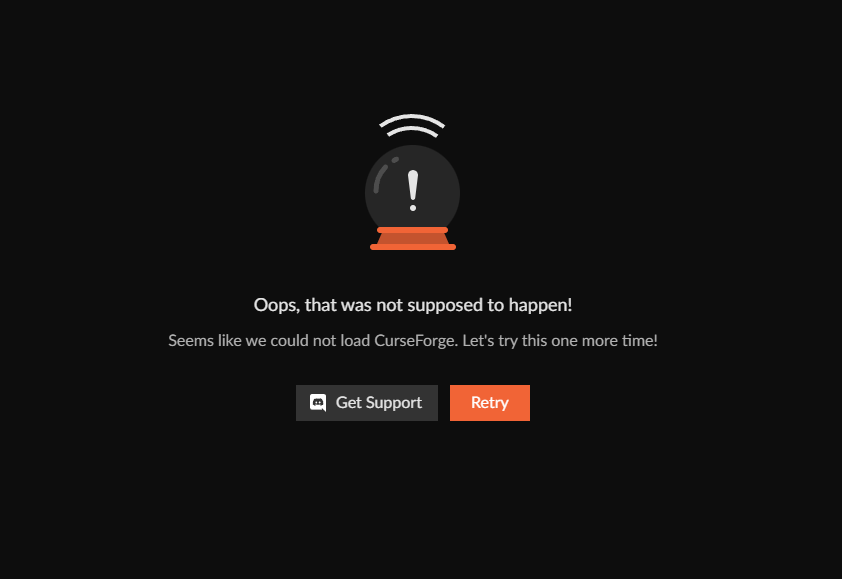
The retry isn't very helpful cuz nothing happens
And 'get support' brings me here. So here I am 🙂
 dawn blade
Hello, I would like to put my modpack for download on curse forge but it is giving an internal error on the creator site
please help me
 copper aurora
hi i just got a laptop today and im trying download the minecraft create mod but cant find it what can i do to find it
 quasi lintel
 placid flame
Whenever I scan the Curseforge client installers with VirusTotal, there’s multiple detections of trojans and backdoors, I made sure it was the legit site that I used, anyone know if they are safe? The website also comes up as Suspicious on VirusTotal.
 lofty badge
Hello, can anyone tell me if downloading Dripcraft from CurseForge is safe even with this malware attack?
 silk shore
Is it possible to create a server with mods that you choose through curseforge?
 tiny stream
lofty badge
Hello, can anyone tell me if downloading Dripcraft from CurseForge is safe even ...
tiny stream
lofty badge
Hello, can anyone tell me if downloading Dripcraft from CurseForge is safe even ...
CF removed all malware and the ability for it to get infected the same around June 11th
young bone
?malware
red patioBOT
Regarding Malware
As of June 11th we have cleaned all infected files on the platform and have sealed the security breach to prevent similar files from being introduced again.
If you have downloaded any of the affected files and in order to play safely, make sure to follow the steps described in our article.
For more info, please read our #📢︱news
 autumn steppe
Hello, i try to post a serverpack but he said its invalid with .zip from Winrar. Can someone help me please 🙂
 open kiln
I’m trying to make a server for 3 people by hosting it on my pc for the crazy craft updated mod pack. Server seems to run itself okay etc but when trying to log in to play through minecraft I get an error : Java.lang.nullpointerexception any ideas?
 gray mantle
anyone know a good way to make a server to play skyfactory with friends?
gray mantle
is that free?
alright, do u know how much ggservers is?
like one or two more so 3 in total
thats not to bad, thx for the help
how many MB do u think the server needs to be, we are going to play sky factory 4?
digital roost
gray mantle
like one or two more so 3 in total
self-host your server
or use essentials lol
whole stream
any how to video out there for shaders in 1.20.1 for curseforge? i feel i tried everything
young bone
?mc-shaders
red patioBOT
How to get started with shaders
Playing with a shaders mod like Oculus, Iris, or others and want more flair to your world? Don’t know what shader to pick from or where to look? try looking on Shaderlabs or the customization tab on the CurseForge site.
To get started using shaders:
- Download the shader mod and its requirements for the mod loader you’re using and run the game at least once to generate the shaderpacks folder
- Download the shader you want from either the CurseForge site or Shaderlabs (linked above)
- In the CurseForge app, right-click the modpack profile icon OR click the button in the modpack profile
- Click
Open Folder - Open the
shaderpacksfolder and place the shader file you downloaded in there - Select the shader file in the in-game shaders menu and wait for it to load (if it needs to)
- Play!
WARNING: Shaders do not appear on the CurseForge app. Not every shader will work with Iris or Oculus. Be aware of your computer's ability to handle shaders
 wind canyon

 iron remnant
Hello, I want to upload a port of https://www.curseforge.com/minecraft/mc-mods/tfc-aged-drinks for a newer version of TFC, the mod this is an addon for. What name would be the most appropriate?
 agile flume
can i get help with the lfg channal i want someone to play stoneblock with me lmao
i just cant chat in it
young bone
Read the rules of the LFG channel, it tells you where to get the role for it
young bone
?noping
red patioBOT
📛 Please do __**NOT**__ ping or DM unless asked (Rule #3.2)
Please take the time to read our #📛︱rules
Keep in mind that the reply feature pings the original message's sender by default, so please turn it OFF with every reply (you can hold down shift when replying to do the same), or don’t use the reply feature and simply write your response in the channel.
The Moderators & Helpers volunteer their time and knowledge to help, you might not get your answers instantly. Describe what you need help with in detail and please patiently wait for someone to check and reply.
Do NOT DM staff members without being asked to do so.
Breaking this rule will result in being timed out / banned according to moderation judgment.
young bone
Read here #1032224545093984326
young kindle
i just wanted to ask if the owner of a modpack downloads it will it count as a downlod or does it void it?
anyone?...
iron remnant
Also, in the create project page, what are the mandatory fields? "Start project" is greyed out
young kindle
young kindle
i just wanted to ask if the owner of a modpack downloads it will it count as a d...
atleast tell if a user downloads a mod/modpack multiple time does the website count it as one download, or mulitiple download...
im in the correct chat right?
iron remnant
It should be the correct chat (?), but it will probably take a while for a reply to come
agile flume
hey need some help on lfg i click the star but it just brings me to the last page any help?
autumn steppe
Everytime i post serverpack, i got gateway time out and my serverpack got error for Invalid file extension, expected zip...
Any ideas to fix that ?
 tough forge
if i move mods into a folder inside of the mods folder does the server still use them>?
!binary search
mental trellis
tough forge
if i move mods into a folder inside of the mods folder does the server still use...
yep
 sharp heath
hey im trying to play modded minecraft on mac but it keeps on saying that the app will not respond
 warm cape
what is this error?

 tepid field
did u check the log?
 latent yoke
can anyone help me why my curseforge when i download the mod it takes a download written curseforge letest linux and does not install the mod
@young bone help me please i just want to play the superheroes mod
young bone
?noping
red patioBOT
📛 Please do __**NOT**__ ping or DM unless asked (Rule #3.2)
Please take the time to read our #📛︱rules
Keep in mind that the reply feature pings the original message's sender by default, so please turn it OFF with every reply (you can hold down shift when replying to do the same), or don’t use the reply feature and simply write your response in the channel.
The Moderators & Helpers volunteer their time and knowledge to help, you might not get your answers instantly. Describe what you need help with in detail and please patiently wait for someone to check and reply.
Do NOT DM staff members without being asked to do so.
Breaking this rule will result in being timed out / banned according to moderation judgment.
young bone
Explain a bit better, what your situation is
latent yoke
I try to download the mod I want so that at the time of the final download for me to get the mod it doesn't get the mod it takes a download written curseforge letest linux in case I'm mobile trying to play the superheroes mod in pojavlauncher
young bone
We don’t provide support for pojav
latent yoke
but at least help me because I want to play the superheroes addon please help me bro
Please
@young bone please bro
latent yoke
ok thanks bro i just wanted to play my superheroes mod it's going to be a long time i've been trying for nothing i just wanted to have some fun
 broken osprey
So are all the infected files that were previously a problem fixed? I want to know if I can safely download modpacks now
digital roost
So how do I get my curseforge mods on my server, an ftp manager?
Just need a quick refresher
red patioBOT
How to open profile folders
- Right-click the modpack profile icon OR click the button in the modpack profile.
- Click
Open Folder.
upper root
broken osprey
So are all the infected files that were previously a problem fixed? I want to kn...
!malware
red patioBOT
Regarding Malware
As of June 11th we have cleaned all infected files on the platform and have sealed the security breach to prevent similar files from being introduced again.
If you have downloaded any of the affected files and in order to play safely, make sure to follow the steps described in our article.
For more info, please read our #📢︱news

 silver jewel
Hi
I wanna transfer my credit to another account is that possiable ?
 tribal sphinx
How do i apply 2 subcategories on curseforge app, playing ts4 and need to sort mods.
dusk bridge
upper root
is the screenshot to the left what is currently showing on the project page?
Yes it is and it has been like that for at least a week.
 upper root
dusk bridge
Yes it is and it has been like that for at least a week.
upper root
dusk bridge
Yes it is and it has been like that for at least a week.
open a ticket
!ticket-author
red patioBOT
Author support tickets for Project or Moderation issues
Info for Project Authors:
When opening a support ticket, make sure to select Author Support in the What kind of support do you need? box.
You also need to include a link to the project and your CF name!
Logs, Game and OS boxes can be ignored when opening an author ticket.
upper root
 random oxide
how come i can't sign in with twitch on curseforge
random oxide
how come i can't sign in with twitch on curseforge
this is a known issue. for now a workaround is to use the standalone version of curseforge
?getcf
red patioBOT
Where and how to install the CurseForge app
Windows
Minimum Requirements:
-
OS Version: 10 or 11
-
64 bit Required
-
Microsoft .Net 4.8
If you are having issues with the Windows Download use the Windows alternative download to install Overwolf. Then download CurseForge from the App Store.
Windows Standalone app
Note: Supports World of Warcraft, Minecraft and The Sims:tm: 4.
 Mac
Mac
Minimum Requirements:
-
OS Version 10.14 or newer.
-
64 bit Required.
:penguin: Linux
Note: Currently only supports World of Warcraft.
upper root
molten spire
Is there anyway to make this bigger it's so small
you can change your app scale in windows settings, but that is for all apps on your computer
 deep gale
all i need for a server pack right?

 upper root
!mc-serverpack
red patioBOT
How to upload a server pack
Serverpacks are special files uploaded alongside an existing project file. If the main file is rejected the server pack is also rejected.
*In order to upload a server pack you must have a pre-uploaded export file
- Make the server pack by zipping up the required files by selecting the required folders & files. It should include the config and mod folders at a minimum, plus anything else you specifically required to run the server. Start/Run/Setup scripts are optional. Don't include modloader files or the minecraft server jar.
- Go to the
Filestab on the project. - Click the name of the file you wish to upload the server pack to. The pack and server should match pack versions.
- Click
Upload Additional File. - Fill out the form.
deep gale
oh i got it tyty
 nimble goblet
my modpack is using version 1.19.4 so why does the error saying it's incompatible with my modpacks version appear?

also a mod called "It's raining ores mod" keeps adding itself to my modpack, currently have 4 instances of it... the heck
upper root
what does the  icon say if you hover over it?
upper root
nimble goblet
also a mod called "It's raining ores mod" keeps adding itself to my modpack, cur...
known bug, someone uploaded a completely empty mod and its causing weirdness
should be fixed soon, and it is purely visual anyway (no mod jar is being added, its just halucinating)
nimble goblet
upper root
what does the <:CFwarning:798388982060417054> icon say if you hover over it?
It says "This version is incompatible with the profile modloader (Forge).
nimble goblet
upper root
known bug, someone uploaded a completely empty mod and its causing weirdness
sho...
ah ok, ty
upper root
nimble goblet
It says "This version is incompatible with the profile modloader (Forge).
That means it is a fabric/quilt mod
not that its the wrong mc version
nimble goblet
upper root
not that its the wrong mc version
ah ok ty
upper root
it still shouldnt be installed
west relic
It’s probably an old issue but I am getting stuck at “Forging your Library” and always end up at a error
(Currently outside so I can’t send a screenshot of it)
rich flint
windows? if so what version?
other than that information - you'll need to be at your computer to get help
red patioBOT
How to get your CurseForge app logs
- Click the
Create logs zipin the menu. - Drag and drop the zip file created to this channel.
- Wait for someone to look at it so they can help you.
nimble goblet
is it fine to use the latest forge but use minecraft vers 1.19.4? just currently trying to figure out this crash error
 rich flint
that's now how forge / modded minecraft works
take this to #🧱︱mc-other-help and post your log file
nimble goblet
rich flint
take this to <#768367574001778729> and post your log file
thanks
 hardy obsidian
I exported my own custom modpack after adding a few mods, when it becomes a zip file it doesn't open

also get this message when i upload it to discord
 upper root
why is your zip in your screenshots folder?
deep gale
euh
 upper root
use a different version of sodium
west relic
rich flint
post these logs if the button for it is there
Thanks for the help, will update later
young kindle
how does the reward system work in cursedforge?
upper root
!rewards
red patioBOT
How does the reward system work
Rewards TOS:
Enabling 2FA for rewards:
 cloud orbit
Hello, I've created and uploaded a modpack. And I've updated it and passed the approval process.
But I can't find the pack on the curseforge app, only the website. And when using the website to install the pack, I can't update the pack on the app without redownloading the new version of the pack from the as a new modpack on the app.
How can I make it so that the pack is on the app and it will show the option to update?
Okay, wait disregard its now shown up
 viral socket
My friends, I replaced a new computer, resulting in the loss of my original Twilio Authy code, may I ask how to recover these things (the old computer has been sold)?
I'm stuck on Verify with your code. However, I have lost the original code
 night urchin
Hey guys
is there a way to get outplayed working on linux
i use lutris to run league aswell
young kindle
upper root
!rewards
do u have to enable 2FA to earn points or only click the "I want to join the Author Rewards Program"
safe panther
young kindle
do u have to enable 2FA to earn points or only click the "I want to join the Aut...
Part of joining the Author rewards includes setting up 2fa for the payment system. You don't need 2fa to earn points, but you do to redeem them.
young kindle
k thanks
digital roost
i want to be able to help too :(
 tulip summit
I have a problem. CurseForge launcher keeps downloading Simple Backups for 1.19.4 on 1.19.2. I changed the supported versions over a week ago iirc. In the video, you can see that I'm on version 1.19.2, and the file is tagged for 1.19.4 only.
 untold pebble
how do i use multiple mods?
 safe panther
digital roost
i want to be able to help too :(
safe panther
digital roost
i want to be able to help too :(
Then help. Answer people if you know the answer. Use #🟢︱user-bot-spam to see what relevant posts are available. Be polite & helpful, we encourage user helping user on this server.
safe panther
untold pebble
how do i use multiple mods?
Create a profile in the app, add the mods you want to it.
safe panther
!help
red patioBOT
Please provide some more information to receive assistance
Providing the following information will help the team in assisting you:
- A detailed description of the issue you're experiencing
- If a mod/modpack/addon is involved, please specify the name
- Any screenshot/video/gif of the issue if you have
- Get your relevant logs ready, you can type
!mc-logs/!cflogs-appfor instructions
Some tips for explaining yourself better to save time and additional questions:
- Avoid using words such as 'it', say what it is :]
- Instead of simply saying something doesn't work, try to describe what's happening when you're running it
 fallow forge
i have no clue what this means
 safe panther
!mc-logs Post the logs in #🧱︱mc-other-help, I don't know how long you'll need to wait for someone who knows to answer
red patioBOT
How to get your profile logs on CurseForge for support
- Right-click the modpack profile icon OR click the button in the modpack profile.
- Click
Open Folder. - Open the
logsfolder. - Drag and drop the FILE named
latestORdebuginto discord.
fallow forge
i think i may see where the issues lies
digital roost
why does it keep giving me this error i checked my firewall and i have my antivirus off

Game crashed
carmine galeBOT
Paste created of message.txt, uploaded by intel_.
 wraith helm
Hi I need some help. How can i fix this error

 carmine delta
yes
 brisk eagle
i cant find 7 days to die on curseforge
carmine delta
brisk eagle
i dont own minecraft
carmine delta
Mods require minecraft
brisk eagle
im talking about 7 days to die it says its on curseforge but i cant find it on the app
safe panther
brisk eagle
im talking about 7 days to die it says its on curseforge but i cant find it on t...
Some games are only supported on the website. Check there if the game you want is not in the app
brisk eagle
check where?
safe panther
brisk eagle
when i download the mods from the website they dont work in my game
safe panther
Then you will need to check that they are installed to the correct location on your computer, unzipped if needed and any in-game setting for mods is turned on.
Pretty sure an internet search will get these sorts of answers for you, or you can try and find a 7 days to die discord to ask in.
brisk eagle
do i have to change my game to alpha 20
safe panther
Sorry, don't play the game so no idea
untold pebble
safe panther
Create a profile in the app, add the mods you want to it.
then how do i play with all mods at the same time? is there a specific button i press
safe panther
Once the profile is made, you add mods, resource packs and/or worlds to it as you desire. If you have multiple modpacks that you want to play at the same time, I suspect you will have to look at what's in them and create a profile that contains the same mods.

 mortal birch
bonjour je comprend r !
 chilly ore
mortal birch
bonjour je comprend r !
chilly ore
mortal birch
bonjour je comprend r !
#📛︱rules check rule one
young bone
?english
red patioBOT
📛 Please use English only (Rule #1)
Please take the time to read our #📛︱rules
This is an English-speaking discord.
We politely ask that you translate or do your best at using English.
If someone wishes to help you in your native language, we ask you to do that in DMs.
 wild talon
Hi I need some help. How can i fix this error
 young bone
?notcf
red patioBOT
This is not related to CurseForge owned/maintained features or services
CurseForge does not make or maintain any of the content or games used on the site or the app.
Just because it's on the site/app does not make it a problem with CurseForge.
Please move to the respective channels as requested, OR use #👽︱game-support for game-related help.
digital roost
wild talon
Hi I need some help. How can i fix this error
Just post the crash log or log file that exit could can be any issue
wild talon
carmine galeBOT
Paste created of hs_err_pid9784.log, uploaded by .cranos.
 scarlet meteor
having some issues installing forge 1.19.2, the installer wont even open, but the forge 1.19.3 works just fine? anyone else run into this?
carmine galeBOT
Paste created of forge-1.19.2-43.2.14-installer.jar.log, uploaded by drkeffner.
 bold pivot
Hi, I can't add ksp game to curseforge. Any suggestion?
bold pivot
bold pivot
Hi, I can't add ksp game to curseforge. Any suggestion?
when I try to add the ksp folder to add the game, it says: this is an invalid directory or unsupported game
safe panther
bold pivot
when I try to add the ksp folder to add the game, it says: this is an invalid di...
Does the app find the game when you use 'scan for games' in Settings?

 woven sandal
The API seems to have very outdated data, my update checker is broken, I use /v1/mods/id/files/
how to fix it
safe panther
bold pivot
no
OK, try the manual add game, and make sure to go through to the game install location as you need to point the app at the folder that has the game exe file in
bold pivot
safe panther
OK, try the manual add game, and make sure to go through to the game install loc...
thats what I'm doing
 safe panther
 halcyon wasp
what I do?
halcyon wasp
what I do?
!mc-logs post the logs in #🧱︱mc-other-help please
red patioBOT
How to get your profile logs on CurseForge for support
- Right-click the modpack profile icon OR click the button in the modpack profile.
- Click
Open Folder. - Open the
logsfolder. - Drag and drop the FILE named
latestORdebuginto discord.
 safe panther
 plain burrow
No idea, try #🧱︱mc-other-help where the people who know the game are more likely to see it
 wise cairn
Everytime I try to launch a forge mod my game loads up forge then crashes and opens back upt the launcher, ive tried this on technic launcher as well to see if there a different and I get the result. I've reinstalled java like 4 times. Im on mac btw please help
The main forge mod im trying to launch is pixelmon
young bone
Is it an M1/M2 Mac?
young bone
?mc-mac
red patioBOT
Forge 1.13-1.16 on M1 and M2 Mac
How to identify: (in log)
GLFW error before init: [0x10008]Cocoa: Failed to find service port for display
Reason:
All versions of Forge for Minecraft 1.13 up to and including 1.16.5 are not compatible with M1/M2 Mac due to Apple removing support for methods used by Forge. This would need to be fixed by Apple.
Fix:
Use a Forge version below Minecraft 1.13 or above 1.16.5.
Some people have reported that leaving the game minimized until it has loaded completely can work
young bone
You can try the other fix that’s in the bot message
wise cairn
pixelmon is only 1.16.5 thats the problem and ill try keeping it minimized
[B#777] [13:37:56] [main/INFO] [STDOUT/]: [net.minecraft.util.registry.Bootstrap:func_179870_a:123]:
yea minimzing didnt work
wraith helm
carmine galeBOT
Paste created of latest.log, uploaded by mwgan.
young bone
?notcf
red patioBOT
This is not related to CurseForge owned/maintained features or services
CurseForge does not make or maintain any of the content or games used on the site or the app.
Just because it's on the site/app does not make it a problem with CurseForge.
Please move to the respective channels as requested, OR use #👽︱game-support for game-related help.
 lavish garden
Hey there! Me and a friend are having trouble connecting to each other's LAN games - We can do it in Technic so we think it's a Curseforge related problem. Is there something extra we have to do to make LAN games work?
young bone
?mc-lan
red patioBOT
LAN and Modded MC
Lan and Modded MC has never worked all that well, as Minecraft's LAN was really only built to support Vanilla. Modded introduces a lot more files that may need to be synced per player, this can be taxing on a lan connection, due to the host needing to work double time (or more depending on player count)
Easiest fix: make a local server and join it !mc-installserver OR rent/find a server online to join.
young bone
Don’t use LAN in the first place
 clever dust
Hi! I don't speak much en and I don't understand much of the conversation. I'd like to have shaders on curseforge using iris shaders, but I've switched to 1.20. What should I do??
young bone
?copyspam
red patioBOT
Please avoid copying your message across multiple channels
Please do not copy and paste into multiple channels.
It won't help with getting assistance any faster and just spams the channels.
This is part of #📛︱rules
lavish garden
Not sure what you mean by 'local server'. Dedicated server?
young bone
Local server is when you host an actual server from your computer
lavish garden
How would that be done?
young bone
?mc-installserver
red patioBOT
How to **manually** install a server - **On your own PC**
- Check if the modpack has a server pack, if it does: use that and skip below.
- Go to the Forge website http://files.minecraftforge.net/ and download the Installer for the forge version the pack is using.
- Run the installer and choose
Install server. Do not install to your desktop. Also do not install inside a OneDrive folder. - Run the server using the forge.jar. A file called
eula.txtwill be generated. Open it and changeeula=falsetoeula=true - From the Client; Copy the
modsfolder,configfolder, and any other folders needed for the pack to work into the server folder. If the modpack has a server pack, use this instead! - Run the server again.
- Port forward your machine if needed. (Google it)
You could also use this community made tool for installing packs! Instructions are provided on the site.
 rocky pebble
my friend needs help trying to use cruseforge on minecraft with or with out mod don't work say exit code one or invalid java runtime configuration only happened with curseforge need help
red patioBOT
"Invalid Java Runtime Configuration" does not help us, Follow these steps so someone can actually help you.
- Right-click the modpack profile icon OR click the button in the modpack profile.
- Click
Open Folder. - Open the
logsfolder. - Drag and drop the FILE named
latestORdebuginto discord.
 grand pagoda
is java installed?
rocky pebble
yeah
young bone
?notcf
red patioBOT
This is not related to CurseForge owned/maintained features or services
CurseForge does not make or maintain any of the content or games used on the site or the app.
Just because it's on the site/app does not make it a problem with CurseForge.
Please move to the respective channels as requested, OR use #👽︱game-support for game-related help.
idle sail
!malware
red patioBOT
Regarding Malware
As of June 11th we have cleaned all infected files on the platform and have sealed the security breach to prevent similar files from being introduced again.
If you have downloaded any of the affected files and in order to play safely, make sure to follow the steps described in our article.
For more info, please read our #📢︱news
young bone
If you’re using that for yourself, use it in #🟢︱user-bot-spam
idle sail
Oh ok thx
young bone
The contents of the bot message isn’t going to change, no matter how many times it’s used
 woeful token
all the mods 8 server file doesn't come with the correct files and has malicious code when trying to open the .bat file
 waxen walrus
rich flint
waxen walrus
rich flint
please use #🧱︱mc-other-help for game specific issues
rich flint
woeful token
all the mods 8 server file doesn't come with the correct files and has malicious...
you can 'run anyway' with the warning that windows pops up. how do you think it comes with incorrect files?
 kind monolith
I need help with something. I uploaded a file of my modpack to CurseForge today and I looked in my files and I saw nothing. Is that normal? Should I reupload the modpack?

 woeful token
rich flint
you can 'run anyway' with the warning that windows pops up. how do you think it...
woeful token
rich flint
you can 'run anyway' with the warning that windows pops up. how do you think it...
OK and because it keeps giving my PC a virus and I've had to clean it Several times and my friend Saif that they weren't giving me the right files
kind monolith
I got this:
The status of the file SLeeT's survival modpack.rar (SLeeT's Survival Modpack) has been changed to Rejected
Invalid file extension, expected zip.
If you have any questions please contact our support team * a link to curseforge support *.
rich flint
woeful token
OK and because it keeps giving my PC a virus and I've had to clean it Several ti...
i doubt it's 'giving you a virus' and it's just that you're confusing a warning about unknown files with a warning about actually having one.
woeful token
rich flint
you can 'run anyway' with the warning that windows pops up. how do you think it...
Also My avast blocks files when opening the .bat file
OK I'm sorry for wasting your time thanks
rich flint
yes because it's unknown and it sees files like that as things to automatically warn you about
kind monolith
Should I upload it as a zip file?
young bone
Yes
kind monolith
Weird, last time I saw anything about it there was no requirement for it to be a zip file..
woeful token
OK thanks that was helpful
kind monolith
Why should I pay for zipping a file?
young bone
…
kind monolith
It never happened to me with winrar.. That's the reason I used this...
young bone
kind monolith
Weird, last time I saw anything about it there was no requirement for it to be a...
It’s always been .zip files for packs
kind monolith
I found a converter that makes a rar file a zip file.. nice