#🔥︱curseforge-support
1 messages · Page 70 of 1
 young bone
 red patioBOT
Two ways to share a modpack you made with others
Export and Share - For Friends / Small Groups
- Click the Icon for the modpack.
- Click the
 button next to play.
 - Click

Export. - Select the files that should be included.
- Send the zip to the people that want it! They can follow the instructions in
!mc-installpackto install the pack.
Upload to Curseforge - For Public Release to Everyone
This option will make your pack public to EVERYONE, it comes with extra requirements and will take some effort to set up.
- Go to create a new project
- Fill out the information with a proper description of the pack. This should allow anyone to understand what the pack is.
- Click the Icon for the modpack in the CurseForge app.
- Click the button next to play.
- Click
Export. - Select the files that should be included.
- Open your Project that you made on the CurseForge site and Upload the file you just made.
- Wait for Moderation & Sync so it can show up in the client! (See
!syncfor limitations and!statusto learn about the moderation process and how long it will take to approve/decline)
young bone
First set of instructions
 worldly nebula
i have uploaded it
young bone
I know that
 signal ridge
Export and Share - For Friends / Small Groups
young bone
Yoyo said you can manually send it to people as well
The first set of instructions is how
worldly nebula
oh i thought they meant i could manually send them it for them to approve it
young bone
You pretty much already did that when you uploaded it to the site
worldly nebula
cuz its a new project it will take 1-3 days?
young bone
Yes
worldly nebula
ok
signal ridge
Yes, all new projects or projects randomly flagged for manual review will take the 1-3 ow working days
worldly nebula
ok thanks you both for the help
 restive raft
@signal ridge can you help?
 tranquil hemlock
Hey. I've got the problem with CurseForge Servers. My server was accepted, and voting with Votifier Tester works fine, but real votes do not work?
 solid bronze
Does anyone know how to fix Exit Code: -805306369
red patioBOT
Error/Exit codes are useless. Follow these steps so someone can actually help you.
- Right-click the modpack profile icon OR click the button in the modpack profile.
- Click

Open Folder. - Open the
logsfolder. - Drag and drop the FILE named
latestORdebuginto discord.
young bone
solid bronze
Does anyone know how to fix Exit Code: -805306369
How much RAM do you have allocated to Minecraft
solid bronze
tried from like 1 to 16 and everything inbetween
red patioBOT
How to set Global Minecraft RAM value
- Click the
 icon in the bottom left to open settings.
 - Click the Minecraft tab.
- Scroll down.
- Set the slider to recommended ram range as seen below.

 carmine galeBOT
Paste created of SPOILER_latest.log, uploaded by HumbleShark.
young bone
Remove OptiFine and see if anything changes
young bone
Post new logs
solid bronze
carmine galeBOT
Paste created of latest.log, uploaded by HumbleShark.
 marble parcel
Anyone else getting this when launching the standalone Curseforge app? (windows 10)


 trim glacier
i'm having a problem with the epic fights mod. any idea how to fix it

 coral tapir
How do I change my CF username?
I tried changing my twitch username but that didn't work. And currently the account tab under "Edit Profile" is "under contruction"
signal ridge
After changing the username on twitch, log out of CF then back in. May take time to update depending on Twitch
signal ridge
trim glacier
i'm having a problem with the epic fights mod. any idea how to fix it
!mc-logs send your logs to #🧱︱mc-other-help
red patioBOT
How to get your profile logs on CurseForge for support
- Right-click the modpack profile icon OR click the button in the modpack profile.
- Click
Open Folder. - Open the
logsfolder. - Drag and drop the FILE named
latestORdebuginto discord.
coral tapir
Thanks!
 signal ridge
 calm cedar
can someone help
calm cedar
can someone help
!notcf
red patioBOT
This is not related to CurseForge owned/maintained features or services
CurseForge does not make or maintain any of the content or games used on the site or the app.
Just because it's on the site/app does not make it a problem with CurseForge.
Please move to the respective channels as requested, or use #👽︱game-support for game-related help.
signal ridge
Forge =/= CurseForge
 oblique silo
Ive downloaded the curseforge app but it wont let me open it. it has sent me to the website and i have updated all my virus protectors and firewall, changed the properties in the control center but it still wont let me open it. wondering what else i could do? 🙂
 fair aspen
ive still yet to get help with this
 rich flint
oblique silo
Ive downloaded the curseforge app but it wont let me open it. it has sent me to ...
rich flint
oblique silo
Ive downloaded the curseforge app but it wont let me open it. it has sent me to ...
Windows 11?
are you on a user with Admin?
Is there any button in the message that might appear such as 'more info'?
rich flint
fair aspen
ive still yet to get help with this
?cflogs-app
red patioBOT
How to get your CurseForge app logs
- Click the

Create logs zipin the menu.
menu. - Drag and drop the file created to this channel.
- Wait for someone to look at it so they can help you.

 elder rampart
hey I have a quick question, I can't seem to download any minecraft modpack for 1.19.3, is there a common reason of why?
my java is up to date and I can download for 1.19.2 and below but 19.3 is not working
rich flint
you mean using the curseforge app?
elder rampart
mhmm
rich flint
?cflogs-app
red patioBOT
How to get your CurseForge app logs
- Click the
Create logs zipin the menu. - Drag and drop the file created to this channel.
- Wait for someone to look at it so they can help you.
elder rampart
rich flint
hm - suggest restarting your computer and then first thing off try this-
?mc-installfix
red patioBOT
How to repair your Minecraft installation on CurseForge - **NOT** the same as `Repair Profile` - please follow these exact steps
- Click on the Minecraft Tab on the left side of the CurseForge App.
- Click button next to the
Create Custom Profileoption. - Click

Repair Installationoption.
NOTE: Although this might seem similar to the instructions of repairing profile, it's different and required. No worries, you will not lose any modpacks or worlds.
 elder rampart
thank chu!
 misty tundra
Anyone able to tell me whil im having java executable issues when installing mods? (minecraft)
rich flint
misty tundra
Anyone able to tell me whil im having java executable issues when installing mod...
can you screenshot the error message?
are you trying to install through the website button or using the app 'add more content' button?
misty tundra
i go to the browse modpacks button in the app and click install
its like a 50/50 shot the modpack installs
err running java runtime executable
rich flint
ah i see. you can't abbreviate modpack into 'mods' - they are not the same thing
?cflogs-app
red patioBOT
How to get your CurseForge app logs
- Click the
Create logs zipin the menu. - Drag and drop the file created to this channel.
- Wait for someone to look at it so they can help you.
misty tundra
rich flint
do you already have any installed profiles (modpacks)?
misty tundra
6-8 i usually have to keep retrying till it installes
just installed one but it took 3 times to do so
rich flint
might just be poor connectivity to the servers where these files are kept
misty tundra
ok
rich flint
if it does error you can do the following to purge bad files and do a fresh retry
?mc-installfix
red patioBOT
How to repair your Minecraft installation on CurseForge - **NOT** the same as `Repair Profile` - please follow these exact steps
- Click on the Minecraft Tab on the left side of the CurseForge App.
- Click button next to the
Create Custom Profileoption. - Click
Repair Installationoption.
NOTE: Although this might seem similar to the instructions of repairing profile, it's different and required. No worries, you will not lose any modpacks or worlds.
 velvet raptor
why cant i find my modpack project when i search it up in the database?
 upper root
what do you mean by databse?
velvet raptor
as in when im in the minecraft modpack page, where i can search up modpacks for minecraft, i cant find my own uploaded project
but im on that page on another tab
when i copy the name of it and try to search it, i get no results
upper root
link to the project?
velvet raptor
going via the link works fine
but when i try to search it up from within curse forge, i cant get to this page
 opal cipher
!sync
red patioBOT
Projects sync from CurseForge website to the app
The CurseForge App and website do not share the same requirements.
You might find content on the website that won't be on the app.
In order to show on the app:
- Projects MUST have a file marked as Release
 or Beta
- Projects MUST be Approved
- Projects MUST have a file marked for the game version selected/loaded
- Projects CANNOT be Expermintal
- Projects CANNOT be Abandoned
upper root
app and site search have pretty much the same requirements
the command should probably be updated, but with the beta site some other things might be changing
 harsh estuary
I don’t know how to fix it
 red patioBOT
Windows 7 or 8.1 are not supported
You seem to be running Windows 7 or 8.1 which is not supported anymore by Overwolf or Curseforge. Please upgrade your machine if possible.
You can find the download link here
 mystic swift
@hollow pike hi, which version you're trying to change? the game version?
 eternal token
So I submitted my project and im getting a change required for the project but everytime i try and view it, it says that the page is not found
mystic swift
@eternal token is this a minecraft project?
if so, try this url with the name of your modpack:
https://www.curseforge.com/minecraft/modpacks/[modpack_name]/settings/general

 shell patio
When i open on of my project links it wont let me in and says 404 and its shared to me from a friend
shows for him
mystic swift
@shell patio hi, please see my first reply to spades, just a couple of messages before yours
 steel mesa
does anyone know about mods that arent compatable with essentials
opal cipher
steel mesa
does anyone know about mods that arent compatable with essentials
!notcf
red patioBOT
This is not related to CurseForge owned/maintained features or services
CurseForge does not make or maintain any of the content or games used on the site or the app.
Just because it's on the site/app does not make it a problem with CurseForge.
Please move to the respective channels as requested, or use #👽︱game-support for game-related help.
 fickle anchor
hello. i was wondering how i can publish a modpack on the CF app ? im interested in becoming a modpack dev so i made one i think id like to see how does
young bone
?mc-packshare
red patioBOT
Two ways to share a modpack you made with others
Export and Share - For Friends / Small Groups
- Click the Icon for the modpack.
- Click the button next to play.
- Click
Export. - Select the files that should be included.
- Send the zip to the people that want it! They can follow the instructions in
!mc-installpackto install the pack.
Upload to Curseforge - For Public Release to Everyone
This option will make your pack public to EVERYONE, it comes with extra requirements and will take some effort to set up.
- Go to create a new project
- Fill out the information with a proper description of the pack. This should allow anyone to understand what the pack is.
- Click the Icon for the modpack in the CurseForge app.
- Click the button next to play.
- Click
Export. - Select the files that should be included.
- Open your Project that you made on the CurseForge site and Upload the file you just made.
- Wait for Moderation & Sync so it can show up in the client! (See
!syncfor limitations and!statusto learn about the moderation process and how long it will take to approve/decline)
fickle anchor
thanks !
young bone
Second set of instructions
shell patio
@mystic swift Doesnt work
And now i reload the page and it loads it
curseforge is bipolar sometimes
mystic swift
@shell patio lol, it's not pibolar, there's actually an explanation behind this here: #🆘︱current-issues🆘 :)
in case you need help with the project later - send me the name of your project
 tacit horizon
How do i delete a main file? i want to replace it with a hotfix.
and how to change an additional file to a main file
oh i found the delete button
BRUH NOW IT WAS REJECTED
omggggggg why did they make this so hard. ok then what do i do
i cant change the file from additional to main so well
red patioBOT
Author support tickets for Project or Moderation issues
Info for Project Authors:
When opening a support ticket, make sure to select Author Support in the What kind of support do you need? box.
You also need to include a link to the project and your CF name!
Logs, Game and OS boxes can be ignored when opening an author ticket.
 fossil ginkgo
I'm having an issue with Curseforge not detecting my Mods for Stardew Valley, even though the Path is correct and they are in the created Mods folder. SMAPI even recognises that I have them, but Curseforge says I have no mods for Stardew installed when I ask it to scan for them.
 tall lake
the modpack (Better MC) that i downloaded and played yesterday didnt show up in my modpacks tab on curseforge today. My older modpacks were still there and i now had to download Better MC again. does this mean my world and progress are gone or can i continue playing after downloading it again?
tacit horizon
mystic swift
<@829000603614838866> please reach out to the moderation team for help:
Is there no possibility you can help here? It’s been 3 hours without response :/ that’s why I never like support tickets. Always takes forever. Weird cuz it took them a whole 3 minutes to reject the file and aprove the previous file
 ornate osprey
Hi i can not download the modpack "all the mod8" and every modpack on 1.19.2
I always get "no java executable found. ......"
I try to reinstalle java, curseforge, Minecraft. But nothing change
So can someone help me to find what's wrong ?
Download crash during "applying patch 2 of 6"
 sour dome
tacit horizon
Is there no possibility you can help here? It’s been 3 hours without response :/...
sour dome
tacit horizon
Is there no possibility you can help here? It’s been 3 hours without response :/...
Maybe it's 2 different teams? :p
tacit horizon
I guess so
 safe panther
tacit horizon
I guess so
safe panther
tacit horizon
I guess so
Completely different teams, we have no input on the approval or otherwise of mods/modpacks.
The rejection is done by bot in most cases hence only taking a few minutes, the review of any tickets raised is done by a person and therefore takes longer.
 lyric crescent
And those people are not in this discord.
young bone
fossil ginkgo
I'm having an issue with Curseforge not detecting my Mods for Stardew Valley, ev...
Typically, mods that weren’t installed through the CF app, don’t appear in the app
tacit horizon
safe panther
Completely different teams, we have no input on the approval or otherwise of mod...
Oh well took not long at all but well ok
But why does the support tickets take so long? Do they take like 24 hours?
It doesn’t have a estimated time
Idk I guess this isn’t work times anymore

 tulip hamlet
hello, there is apparently a mod that prevents JEI from loading with the world and makes it impossible to search things in REI and the vanilla recipe book, is there a method to find it?(not binary search, please)
also, when I try to close the server with all the mods it does not close, unless i force it, obviously
 meager moat
 sacred notch
someone can help me pls?
sacred notch
someone can help me pls?
you have linked a file (photo file) on your computer onto the description. Therefore they have denied it
 teal hedge
Curious if anyone has any suggestions; I'm using "create flavored" on a private server from local host, it resets itself periodically, but it only shuts the server down rather than resetting it. is there any fix for this?
sacred notch
meager moat
you have linked a file (photo file) on your computer onto the description. There...
oh thanks
but
I've always used the same photo I don't understand why they randomly tell me this
meager moat

 tired urchin
What should I do when this pops up? It’s not letting me download any mods on curseforge basically
 opal cipher
tulip hamlet
hello, there is apparently a mod that prevents JEI from loading with the world a...
opal cipher
tulip hamlet
hello, there is apparently a mod that prevents JEI from loading with the world a...
!notcf
red patioBOT
This is not related to CurseForge owned/maintained features or services
CurseForge does not make or maintain any of the content or games used on the site or the app.
Just because it's on the site/app does not make it a problem with CurseForge.
Please move to the respective channels as requested, or use #👽︱game-support for game-related help.
opal cipher
tired urchin
What should I do when this pops up? It’s not letting me download any mods on cur...
!win7 On older Windows? (7, 8, 8.1)
red patioBOT
Windows 7 or 8.1 are not supported
You seem to be running Windows 7 or 8.1 which is not supported anymore by Overwolf or Curseforge. Please upgrade your machine if possible.
You can find the download link here
tired urchin
I’m on an updated version of windows 10, I was able to download mods normally a few days ago
It also doesn’t prevent me from using the current mods Ive already downloaded before the issue started
opal cipher
!ticket-app Then I recommend opening a ticket, to get them to help you properly
red patioBOT
How to open a support ticket on the CurseForge app
- Click the icon in the bottom left.
- Select

Open a Ticket. - Fill out the form with accurate detailed information, keep in mind that simply saying 'it' or 'doesn't work' is very vague. The more details you provide, the more efficient help you will get.
- Make sure to upload your Overwolf logs with the
Upload Fileoption on the ticket, information on how to get these logs can be found here https://support.overwolf.com/en/support/solutions/articles/9000176827-how-to-get-your-overwolf-logs - Submit!
 tired urchin
Alright I’ll do that, thanks
opal cipher
Sorry I couldn't help more!
tired urchin
No worry’s, i didn’t know the ticket thing was available originally so you did help me quite a bit actually
tired urchin
Update, I got it to work normally again after uninstalling a big mod pack I had
Thanks for the help still
 oblique cliff
Hi guys can someone pls help me?
I tried running a new modpack my friends made but minecraft is not responding when I play.
I have played on other modpacks, but for some reason this one doesnt work.
I have a pretty good pc so thats not the problem.
Does anyone know what to do?
 upper geyser
Hello ! I have a problem when I export a profile. I think the two following images summarise well.


How can I export hidden folders ?
signal ridge
Not sure its possible, why would you want too?
 pearl pilot
Hi
I have a little problem with curse, I can't really download many modpacks for some reason, no error, no crush etc.
After i press "install" its loading for a short time, then instead of "play" button i see "install" again. Any ideas?
 upper geyser
signal ridge
Not sure its possible, why would you want too?
upper geyser
signal ridge
Not sure its possible, why would you want too?
Because it's important in the config of my modpack
 hallow rose
Hello every time I download curseforge I get this help
 lyric crescent
Use the link in the message to go to the overwolf discord and ask there.
 pseudo bluff
upper root
pseudo bluff
upper root
!mc-path
red patioBOT
How to change your Minecraft install path on CurseForge
:small_blue_diamond: If Minecraft is __not installed__ in CurseForge App:
- Click the
 in the top left.
 - Select Minecraft from the list of games.
- Select the
Advancedoption and select:
--- Windows:Local Disk (C:)at the left side of the window. If you do not see it, clickThis PCfirst.)
--- Mac:/Users/Shared/CurseForge, If it does not exist, make it. - Click
Continue.
:small_orange_diamond: If Minecraft is __installed__ in CurseForge App:
- Click the in the bottom left.
- Select the Minecraft tab.
- Click
Change. - Select the location:
--- Windows:Local Disk (C:)at the left side of the window. If you do not see it, clickThis PCfirst.)
--- Mac:/Users/Shared/CurseForge, If it does not exist, make it.
 warm ginkgo
hey! so i made a new project on curseforge and uploaded a file, and it was under review. i realized i'd forgotten one part of the file, so i deleted the file/release that was still under review, and uploaded a new one. will it still be under review and get approved? or am i going to have to start all over with a new project?
opal cipher
You need to wait for each file to get reviewed
 teal nimbus
Hi, im having issues installing any modpacks. When ever i try to install a modpack it tells me that no java executable found, i just reinstalled java, and vanilla minecraft works just fine but it is still giving me the error.
opal cipher
!mc-installfix
red patioBOT
How to repair your Minecraft installation on CurseForge - **NOT** the same as `Repair Profile` - please follow these exact steps
- Click on the Minecraft Tab on the left side of the CurseForge App.
- Click button next to the
Create Custom Profileoption. - Click
Repair Installationoption.
NOTE: Although this might seem similar to the instructions of repairing profile, it's different and required. No worries, you will not lose any modpacks or worlds.
opal cipher
It might work
teal nimbus
That sadly did not work, also I am able to install and play modpacks from 1.12 and older
red patioBOT
How to get your CurseForge app logs
- Click the
Create logs zipin the menu. - Drag and drop the file created to this channel.
- Wait for someone to look at it so they can help you.
warm ginkgo
opal cipher
You need to wait for each file to get reviewed
do you know how long that'll take?
opal cipher
!status
red patioBOT
Project moderation time
Project/File moderation is done on these days unless otherwise mentioned:
Sunday, Monday, Tuesday, Wednesday, Thursday: <t:1631170800:t> - <t:1631199600:t> (Your time)
Friday, Saturday: No Moderation!
Projects are moderated First in, First out. If you submit late in the work day, it will likely get left until the next day!
New Projects or anything flagged for manual review: 1-3 Working Days
Updates to approved projects not needing manual approval: 1 Hour
-If your file has been "Under Review" for more than an hour, then it is at manual review!
teal nimbus
opal cipher
Hm.. yeah, sadly the errors didn't tell me much there either. 🙃
Gimme a few more, I'll read some more logs
Yeah.. I think it's ticket-time
!ticket-app Open a ticket and upload these logs.
red patioBOT
How to open a support ticket on the CurseForge app
- Click the icon in the bottom left.
- Select
Open a Ticket. - Fill out the form with accurate detailed information, keep in mind that simply saying 'it' or 'doesn't work' is very vague. The more details you provide, the more efficient help you will get.
- Make sure to upload your Overwolf logs with the
Upload Fileoption on the ticket, information on how to get these logs can be found here https://support.overwolf.com/en/support/solutions/articles/9000176827-how-to-get-your-overwolf-logs - Submit!
teal nimbus
Well, thank you for the help that you could provided, a ticket has been submitted.
warm ginkgo
Hey, I'm wondering how I'm supposed to download my modpack from Curseforge app and then upload it to my project? I tried downloading it but I got no actual JAR files inside the .zip and instead just an html file with a bunch of links. Is this correct, and what is supposed to happen?
mystic swift
@warm ginkgo do you mean that you're exporting the modpack from the app?
warm ginkgo
mystic swift
<@1000576001132220557> do you mean that you're exporting the modpack from the ap...
yes
mystic swift
@warm ginkgo ok, so the zip file doesn't contain the actual mod files, but rather a file (manifest.json) that references them, which also includes the game version and modloader type and version. then, when the modpack is downloaded from your project page, the app goes over these references and downloads the mods automatically
warm ginkgo
@mystic swift ok so i'm trying to upload this to a server. and when i did that, i just uploaded the contents into the mods folder, and when i tried to join the server it rejected saying it was missing every mod. so i just copy and pasted the jars from my mods folder into the server through filezilla and that worked, but obviously that isn't a good way of doing it.
not sure what i'm supposed to do for servers
mystic swift
@warm ginkgo i'm not familiar with setting up servers, i'm afraid. i'd recommend asking about this in #🧱︱mc-other-help
warm ginkgo
mystic swift
<@1000576001132220557> i'm not familiar with setting up servers, i'm afraid. i'd...
ok, thanks. im moreso asking about setting up the "download for server" option for a curseforge page.
red patioBOT
How to upload a server pack
Serverpacks are special files uploaded alongside an existing project file. If the main file is rejected the server pack is also rejected.
*In order to upload a server pack you must have a pre-uploaded export file
- Make the server pack by zipping up the required files by selecting the required folders & files. It should include the config and mod folders at a minimum, plus anything else you specifically required to run the server. Start/Run/Setup scripts are optional. Don't include modloader files or the minecraft server jar.
- Go to the
Filestab on the project. - Click the name of the file you wish to upload the server pack to. The pack and server should match pack versions.
- Click
Upload Additional File. - Fill out the form.
 severe dune
Revelant for this Discord.
- If I would stream multiple times a week, may I promote these as well, since there's a 1-each-week rule?
- And if it's not curseforge-related AND non-profit... Can I post these in the first place?
It's kinda unclear to me.
opal cipher
Post says once per week, so different streams would still fall under one post per week. And bumping is not allowed either.
severe dune
opal cipher
Post says once per week, so different streams would still fall under one post pe...
And point 2?
It's neither profit/businesses related, nor curseforge related.
opal cipher
Are you playing anything related to a game supported by CurseForge or available on the CurseForge website?
severe dune
Nope.
opal cipher
Well.. then at least I'd say it's kind of a grey area, and they gave me full control/final say about the things that gets posted.
So, I'd say, yeah, if you keep to one post per week, and write a good description and not just post the link to Twitch/YouTube, I'd allow it, until I find something that doesn't fit. :)
Sounds ok?
severe dune
May I DM ya an example?
opal cipher
Sure
lyric crescent
Why would you even want to post unrelated content here? Why do you think anyone would care to see it? You should probably find a community that is relevant for what you plan to stream, or make your own.
 wide burrow
If it doesn't go against the rules, and NLK approved, it's up to the member whether they wish post it here, whether others will be interested or not is entirely up to their personal taste
opal cipher
Yeah, what they DM'd me looked fine.
 regal pulsar
My Mods aren't starting. I and my friend tryed for like 2 h a lot of things. What should I do?
mystic swift
@regal pulsar what game is it? and what happens when you're trying to play them? are there any error messages?
regal pulsar
Its Minecraft and ther ar no messages.
severe dune
lyric crescent
Why would you even want to post unrelated content here? Why do you think anyone ...
Asking is free, so why not doing so?
It's better to ask beforehand, instead of getting the poke of shame (A warn).
Better safe than sorry. (^3^)
red patioBOT
Please provide some more information to receive assistance
Providing the following information will help the team in assisting you:
- A detailed description of the issue you're experiencing
- If a mod/modpack/addon is involved, please specify the name
- Any screenshot/video/gif of the issue if you have
- Get your relevant logs ready, you can type
!mc-logs/!cflogs-appfor instructions
Some tips for explaining yourself better to save time and additional questions:
- Avoid using words such as 'it', say what it is :]
- Instead of simply saying something doesn't work, try to describe what's happening when you're running it
lyric crescent
severe dune
Asking is free, so why not doing so?
It's better to ask beforehand, instead of ...
Wasn't questioning why you were asking about it.
 near thicket
!mc-logs
red patioBOT
How to get your profile logs on CurseForge for support
- Right-click the modpack profile icon OR click the button in the modpack profile.
- Click
Open Folder. - Open the
logsfolder. - Drag and drop the FILE named
latestORdebuginto discord.
carmine galeBOT
Paste created of latest.log, uploaded by ahalkaabi.
near thicket
!mc-reversesearch is the easiest way to figure out what works and what doesn't you have a bunch of errors so it's quite complicated
red patioBOT
The alternative way to binary search
Follow the steps below for an alternate method to binary search:
- Make a new profile, same versions as the last one
- Test the profile with no mods
- Add 1-5 mods to the profile (using the app)
- Test the profile, does it boot / can you make a world?
- If YES Repeat steps 3 & 4
- If NO Remove the mods you just added then test the pack again
- Repeat this process until the problematic mod(s)/plugin(s)/addon(s) have been found
signal ridge
#🧱︱mc-other-help would be better for mc / server issues.
 livid eagle
warm ginkgo
red patio
livid eagle
warm ginkgo
red patio
If I submitted my project and it said changes needed, and I made those changes, is it now under manual review or is it an update?
young bone
It goes back in the queue
warm ginkgo
young bone
It goes back in the queue
ok. so that means it'll not be gotten to until tomorrow, because it's only from 12-8 PST?
young bone
I believe so
 vernal cedar
I have Minecraft Witz curseforge Started and i habe a White Skin i habe in the Launcher another Skin.
Please help me
 haughty finch
hello i was wondering if i had to download fabric to play a fabric mod pack?
rich flint
If you are installing and launching modpacks through the Curseforge app that is handled automatically
 graceful shell
One question, why when I update a modpack it install the new version as another modpack?
like

The problem here is that I have to do the settings again since is a different modpack..
haughty finch
and i have a MacBook Pro M2 Pro Chip with 10-Core CPU and 16-Core GPU, 512GB SSD. i wanna know if this is enough to run say better minecraft
 wise estuary
Hi, i have a visual probleme on Valhesia 3.5.1 1.16 the ground is blue sometimes when it s not suppose to be as you can see , how can i fixe this ? (i already checked the settings and when i add shaders it doesnt do the blue things ) . thx

and i checked the f7 too
 young bone
graceful shell
One question, why when I update a modpack it install the new version as another ...
young bone
graceful shell
One question, why when I update a modpack it install the new version as another ...
Do you have the update to new profile option selected
 digital roost
Huh I accidenlty found out curseforge is not true fullscreen ... https://i.imgur.com/KQ1eGad.png it cuts off
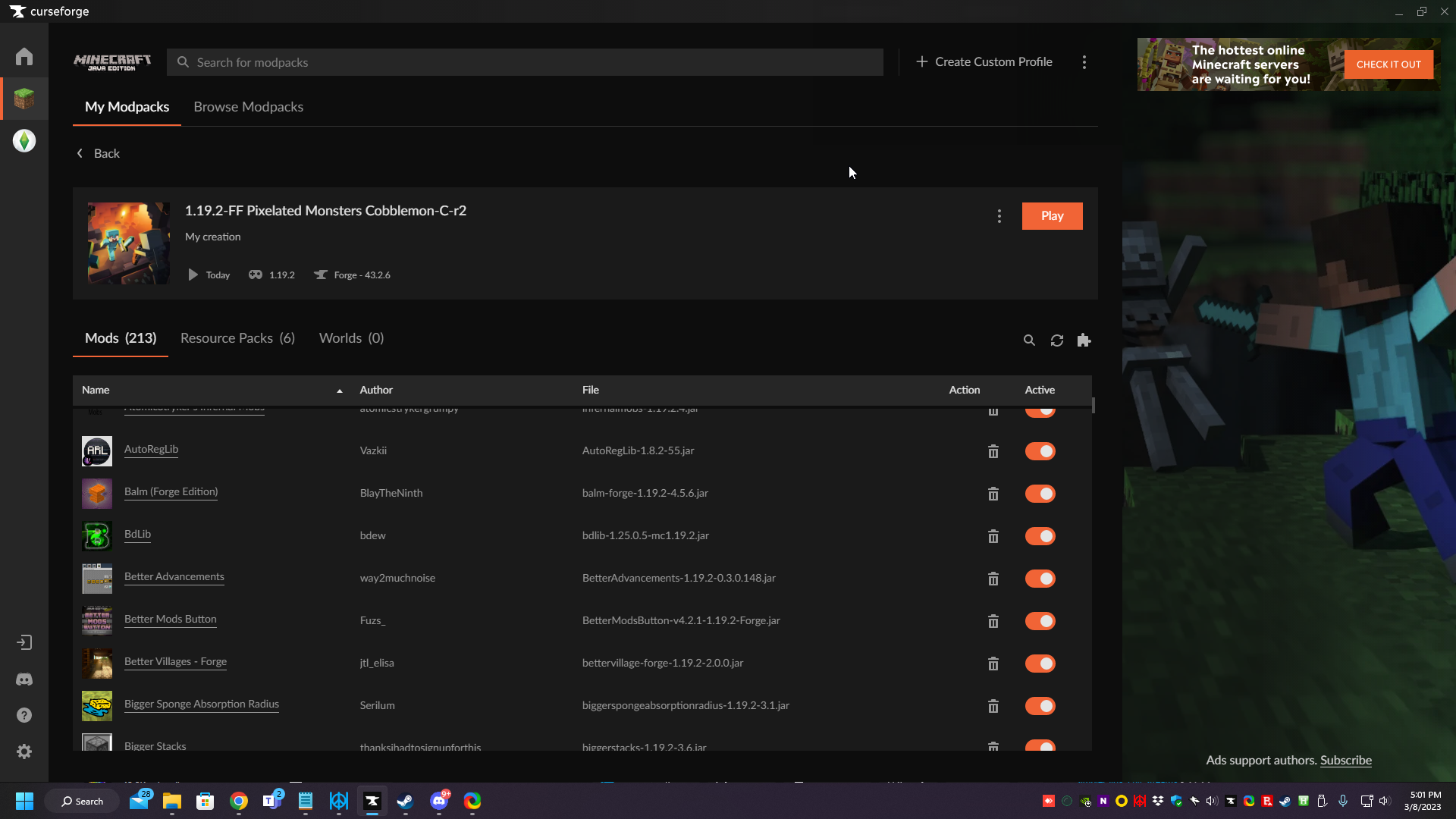
this is behind and those colors on the bottom is the drippy star.
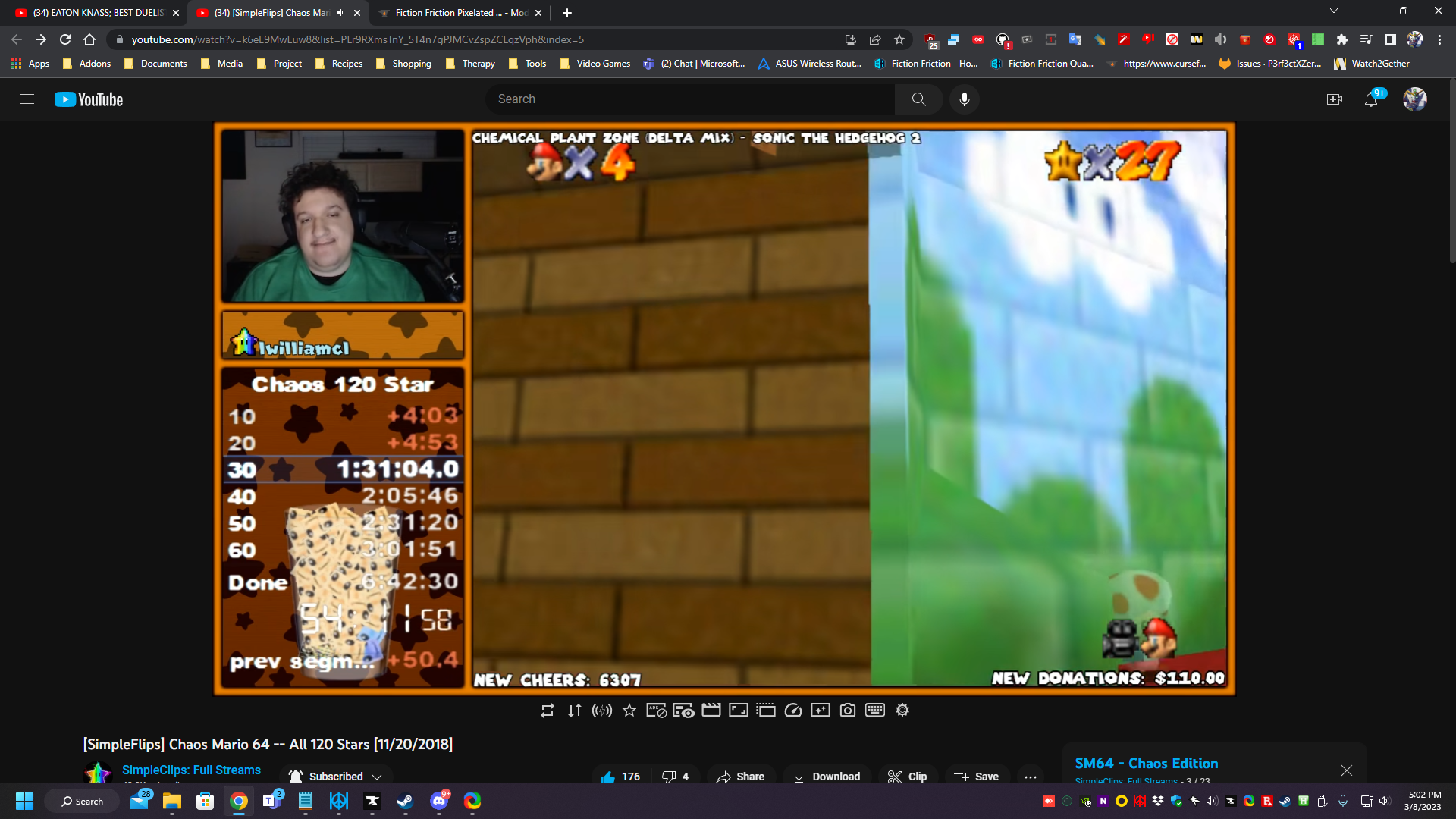

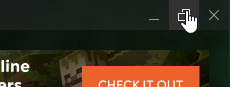
My fullscreen is enabled XD
 thorn mirage
How do I fix this?
 rich flint
You have a mod file no longer published on curseforge. Look up the project ID number and reinstall a valid current file for that mod.
 onyx lichen
i have a crazy carft server running on forge and when i try and join it with localhost or my ip its says i join but i get disconected


anyone know?
 minor ether
Does anyone know what to do when mods are not supported?
signal ridge
onyx lichen
!notcf
red patioBOT
This is not related to CurseForge owned/maintained features or services
CurseForge does not make or maintain any of the content or games used on the site or the app.
Just because it's on the site/app does not make it a problem with CurseForge.
Please move to the respective channels as requested, or use #👽︱game-support for game-related help.
signal ridge
minor ether
Does anyone know what to do when mods are not supported?
Game? and what do you mean?
minor ether
Minecraft
 signal ridge
Where is this ss from?
thorn mirage
how do I fix this?
 minor ether
signal ridge
Where is this ss from?
minor ether
signal ridge
Where is this ss from?
curseforge
signal ridge
App OR site
minor ether
app
signal ridge
minor ether
app
Screen shot the full app
signal ridge
thorn mirage
how do I fix this?
Do you have Optifine installed in your pack?
thorn mirage
yes
minor ether
signal ridge
Screen shot the full app
 signal ridge
thorn mirage
yes
signal ridge
thorn mirage
yes
Remove it, then export again, you are not allowed to upload pack zips to the site that include optifine. This is the wish of the optifine devs
thorn mirage
ah, alright
signal ridge
minor ether
Why not just use the app itself to install mods? Instead of installing from the site
!mc-installmods
red patioBOT
How to install mods in the CurseForge app
- Click
+ Create Custom Profile - Name it, select the required Minecraft version, select the modloader & modloader version (usually the highest number), click
Create. - Click the profile icon.
- Click

Add More Content - Search and install the desired mods.
- Start the game!
How to install mods that are not on the CurseForge app
- Right click the profile picture or Open the profile and click the Icon next to the play button.
- Click
Open Folder. - Drag the mod(s) into the
modsfolder. (Note: Some mods will require others, to run. Make sure to read the instructions for the mod!) - Start the game!
 signal ridge
Or are you trying to add the mod to a pack you didnt make?
Keep in mind as well, mods will only install to packs that supports the same mc version and modloader the mod you are trying to download is made for.
minor ether
signal ridge
Why not just use the app itself to install mods? Instead of installing from the ...

 minor ether
signal ridge
What mc version?
minor ether
signal ridge
What mc version?
1 19 2
minor ether
signal ridge
and modloader
fabric
signal ridge
Do both those mods have Fabric versions?
Both mods are for Forge, cant mix fabric and forge together
 leaden oracle
keeps saying downloading java runtime 8
signal ridge
Screen shot the error
 junior flame
hi
can anyone help please
i have 2 mods in my profile but when I view the curseforge it only says Mods (1)
1 is installed via curseforge install and 1 is installed by downloading it and putting it into the profile - mods
signal ridge
Are both mods from the CF site?
signal ridge
Only mods from the CF site show in the CF app.
junior flame
so will the other mod still work?
signal ridge
Other mods from other sites dont show in the app, but may still be loaded when you boot the game, as it pulls the files from the folders
junior flame
ok, thank you
The mod does not work.
The ones that do not show in the curseforge mods.
signal ridge
Is the mod for the same mc version and modloader?
signal ridge
Link what you are using
 grizzled pewter
2FA can't be enabled
Hey! I've been trying to swap to a different authenticator app so I disabled 2FA on my account. So far so good. The issue is, that there is no QR code shown for me to scan so I can enable 2FA again.

 signal ridge
That would do it, Plugins arent mods.
junior flame
So what do I need to do?
signal ridge
Need to either find the mod version of the plugin you are wanting OR fight with setting up a plugin mod hybrid server (not easy as they dont play well together)
junior flame
ok thank you
grizzled pewter
grizzled pewter
**2FA can't be enabled**
Hey! I've been trying to swap to a different authentica...
Not sure what happened, I logged out, reauthenticated twitch and it now works. If anyone encounters the issue, I'd suggest trying that.
junior flame
so do I put spigot in the mods folder along with the mods I'm using and repair installation?
signal ridge
Think of it this way, Spigot plugins are for servers only, they do not go in the clients files
Highly recommend you try to find a mod version of the plugin, can ask in #🔎︱mod-hunting if anyone knows of a mod similar to the plugin. Otherwise, you can ask for server creation support help in #🧱︱mc-other-help just keep in mind, Plugins and Mods dont play well together.
junior flame
ok
signal ridge
!notcf
red patioBOT
This is not related to CurseForge owned/maintained features or services
CurseForge does not make or maintain any of the content or games used on the site or the app.
Just because it's on the site/app does not make it a problem with CurseForge.
Please move to the respective channels as requested, or use #👽︱game-support for game-related help.
 stray crag
https://mclo.gs/ZIxxR3W
bruh whats happening
 gray shuttle
signal ridge
Only mods from the CF site show in the CF app.
gray shuttle
signal ridge
Only mods from the CF site show in the CF app.
that's true most the time except optfine for some game versions i've found XD
 formal tusk
haughty finch
and i have a MacBook Pro M2 Pro Chip with 10-Core CPU and 16-Core GPU, 512GB SSD...
formal tusk
haughty finch
and i have a MacBook Pro M2 Pro Chip with 10-Core CPU and 16-Core GPU, 512GB SSD...
Yes! Sounds like a very capable machine!!!! 🤩 What you'll often need for Modded Minecraft is more memory though. All you need is 4GB for the system (macOS is lighter than Windows so you don't even need that much!) and at least 4GB for Minecraft. 8GB is what I recommend for any modded Minecraft profile. The new MacBook Pros come with 16GB of memory, so you're good to go. Just follow the following:
?mc-ram
red patioBOT
How to set Global Minecraft RAM value
- Click the icon in the bottom left to open settings.
- Click the Minecraft tab.
- Scroll down.
- Set the slider to recommended ram range as seen below.
marble parcel
Is it possible to manually add a mod to my modpack on the curseforge app? (rather than selecting the install button)?
young bone
?mc-installmods
red patioBOT
How to install mods in the CurseForge app
- Click
+ Create Custom Profile - Name it, select the required Minecraft version, select the modloader & modloader version (usually the highest number), click
Create. - Click the profile icon.
- Click
Add More Content - Search and install the desired mods.
- Start the game!
How to install mods that are not on the CurseForge app
- Right click the profile picture or Open the profile and click the Icon next to the play button.
- Click
Open Folder. - Drag the mod(s) into the
modsfolder. (Note: Some mods will require others, to run. Make sure to read the instructions for the mod!) - Start the game!
young bone
You’ve always been able to install mods directly through the app
marble parcel
What can I do about this? I already tried selecting cancel (in the modpack page) but it didn't work. I also tried closing and reopening the curseforge app. Essentially I tried to upgrade the forge version, but it is stuck on applying patch 2 of 6..

 calm plover
reopen the app maybe, sometimes its dont load
Also you can try this
repair profile:
 worldly nebula
is there a way to add a mod to a modpack that you dont own?
formal tusk
Go to the Modpack instance page, menu, profile options, enable content management
And then you can go to the mods tab and then add mods!
young bone
Drag and drop, or a setting in the app, but generally it’s not recommended to mess with packs you didn’t make
formal tusk
Otherwise, you may want to suggest mods to the mod author
 dark atlas
hey, im having trouble with launching a forge installation. i want to play the better mc mod 1.19.2 but whenever ibtry i get an error
i know its not a mod issue because none of my forge installations are launching
worldly nebula
where is menu?
formal tusk
Next to 'play' when you enter the modpack instance's page, assuming you've installed the modpack
worldly nebula
oh
ye
thanks
the mod was on the pack just not updated
and it wasn't working
lyric crescent
updating a mod in a pack isnt a good idea either
formal tusk
Oh if that's a mod that came with the pack it's worth reporting to the modpack author
They often have discord servers or some kind of contact
worldly nebula
they have no links
formal tusk
Ah
red patioBOT
Reporting issues to project authors
Please visit the project page for the content you posted about and look for a way to contact the developer.
Somewhere on the page, there is usually a method of contact. Look for one of the following things:
Issuestab like the image below- Discord link
- Twitter link
- Comments section below the project
If no contact method exists you will either have to remove the project or find a solution on your own.
 worldly nebula
its not there
 formal tusk
dark atlas
hey, im having trouble with launching a forge installation. i want to play the b...
formal tusk
dark atlas
hey, im having trouble with launching a forge installation. i want to play the b...
The Better MC modpack has a discord server you can get support in by the way. But in this case it sounds like you need to do a repair.
?mc-installfix
red patioBOT
How to repair your Minecraft installation on CurseForge - **NOT** the same as `Repair Profile` - please follow these exact steps
- Click on the Minecraft Tab on the left side of the CurseForge App.
- Click button next to the
Create Custom Profileoption. - Click
Repair Installationoption.
NOTE: Although this might seem similar to the instructions of repairing profile, it's different and required. No worries, you will not lose any modpacks or worlds.
dark atlas
formal tusk
The Better MC modpack has a discord server you can get support in by the way. Bu...
i tried
formal tusk
What's the error?
formal tusk
Got a full screenshot?
dark atlas
sure wait
formal tusk
dark atlas
and my pc runs all other mods fine
What does PC mean? Windows?
dark atlas
personal computer? thats what i thought pc meant
formal tusk
Okay good good
dark atlas
 formal tusk
Sometimes people use it interchangeably with Windows and it confuses so many people
When do you see this error? Is that after clicking play in the Minecraft Launcher (from the CF app) on any Forge profile?
dark atlas
any forge profile
formal tusk
dark atlas
any forge profile
But when do you see it
 brave anvil
is there like a trust system for files of projects? because the !status command said that there are projects that get automatically checked and get published after a hour without a manual review
dark atlas
formal tusk
But when do you see it
once i click play on any forge installation this error shows up
young bone
brave anvil
is there like a trust system for files of projects? because the !status command ...
If your project is brand new or is flagged for manual review for one reason or another it takes 1-3 days, preexisting projects/file updates typically can be auto approved
dark atlas
dark atlas
once i click play on any forge installation this error shows up
anyone know whats the problem?
 maiden umbra
i'm getting this problem, the modpack is Medieval Craft

Im using Azure Ubuntu VM
[Handshake] Handshake failed, client did not respond to channel query
[16:47:11] [Server thread/INFO]: com.mojang.authlib.GameProfile@ee6945d[id=8ba73495-8cbb-4cca-b0df-bdf2092d331b,name=VicenzoMF,properties={textures=[com.mojang.authlib.properties.Property@61a27b22]},legacy=false] (/201.86.216.214:65312) lost connection: oωo > §chandshake failure
incompatible client
lyric crescent
curseforge doesnt even work with linux
lyric crescent
this has nothing to do with curseforge though
formal tusk
I think Yamza is suggesting that #🧱︱mc-other-help may be a better fit for your issue
 lyric crescent
its more of an issue to contact the pack dev for
 stable raft
Is there a way to find clientside Mods in-app?
young bone
Unfortunately no
 hollow remnant
how to add a modpack manually to curseforge
it is in the folders but it is not popping up in the interface of curse forge


P.S.-- I have relaunched the application after i putting it in the folders
never mind i had got it
marble parcel
Does anyone know why minecraft is running without mods? I created a forge profile for 1.19.2 release, but it doesn't have mods?
 formal tusk
marble parcel
Does anyone know why minecraft is running without mods? I created a forge profil...
formal tusk
marble parcel
Does anyone know why minecraft is running without mods? I created a forge profil...
Did you download mods through the CF app?
marble parcel
formal tusk
Did you download mods through the CF app?
do you know if this is the reason?
formal tusk
marble parcel
do you know if this is the reason?
It's good that you did so.
But no, I don't know why that's happening.
 hushed jackal
idk why whenever I enter a world my mc just crashes
carmine galeBOT
Paste created of crash-2023-03-09_13.00.22-client.txt, uploaded by Serlum.
marble parcel
Does anyone know what I can do about this?
signal ridge
marble parcel
Does anyone know why minecraft is running without mods? I created a forge profil...
!mc-installfix try the below then reboot your pc.
red patioBOT
How to repair your Minecraft installation on CurseForge - **NOT** the same as `Repair Profile` - please follow these exact steps
- Click on the Minecraft Tab on the left side of the CurseForge App.
- Click button next to the
Create Custom Profileoption. - Click
Repair Installationoption.
NOTE: Although this might seem similar to the instructions of repairing profile, it's different and required. No worries, you will not lose any modpacks or worlds.
hushed jackal
hushed jackal
idk why whenever I enter a world my mc just crashes
I found my issue, it was a problem with one of the mods crashing my mc
 tawny hound
where can i check the changelogs for curseforge
i accidently closed it as i updated and i cant find any way to get back
young bone
I think it’s somewhere in the settings
tawny hound
Ive already checked and i didnt see it anywhere
young bone
Not sure then, I’m not at my computer to try and find it myself
 half kelp
It's probably been asked before, but is there a reason why this shows up when I exit the application?

 sand ginkgo
Hey guys, I'm trying to run Better Minecraft for Fabric 1.19.2 and I've deleted several mods that people on my server don't want (not the lib mods tho) And every time I try to launch the game it shows the title screen briefly before crashing, and it doesn't even reopen the launcher to do an error code. Any idea what's happening?
red patioBOT
Error/Exit codes are useless. Follow these steps so someone can actually help you.
- Right-click the modpack profile icon OR click the button in the modpack profile.
- Click
Open Folder. - Open the
logsfolder. - Drag and drop the FILE named
latestORdebuginto discord.
young bone
Adding/removing or otherwise changing mod versions will result in the game not wanting to work
sand ginkgo
Let me try an unmodified instance and see if it changes anything
young bone
Tampering with packs you didn’t make is generally not recommended
 pure yoke
So my friend's laptop goes heywire when she runs my pack, she has a gaming laptop and allocated the ram, but she has this problem with all pcaks
 tall prairie
Hey i have a problem about adding a mod ,,dark enchanting" to modpack ,,Better minecarft [fabric] 1.19.2".When i am clicking button play i have this error can someone help me ?

 flat vale
I am having trouble loading insane craft, it will not let me load it due to Craft Tweaker
 digital roost
I keep getting this error when I try to load up Vault Hunters, can anyone help?
Failed to download file.
Name: 1.18.json
URL: https://piston-meta.mojang.com/v1/packages/92aa15a18127b6f9e3f0e5a7d018be7ebb389703/1.18.json
Error details: Send failure: Connection was reset
Filename on disk: 1.18.json
Path: C:\Users\bryon\curseforge\minecraft\Install\assets\indexes\1.18.json
Exists: Nonexistent
I have deleted and redownloaded both minecraft and curseforge.
flat vale
Which vault hunters is it?
digital roost
1.18, 7.7
rich flint
digital roost
I keep getting this error when I try to load up Vault Hunters, can anyone help?
...
Do the following
? mc-installfix
red patioBOT
How to repair your Minecraft installation on CurseForge - **NOT** the same as `Repair Profile` - please follow these exact steps
- Click on the Minecraft Tab on the left side of the CurseForge App.
- Click button next to the
Create Custom Profileoption. - Click
Repair Installationoption.
NOTE: Although this might seem similar to the instructions of repairing profile, it's different and required. No worries, you will not lose any modpacks or worlds.
red patioBOT
Disabling IPV6
Please follow these instructions to disable IPv6, which when enabled can sometimes cause network issues.
young bone
tall prairie
You have 1.19.3 mods in your 1.19.2 game which won’t work
tall prairie
What if I give a lower version than 1.19.2 because I want dark enchanting and I can't find a version for 1.19.2 and I know that this mod is possible
flat vale
Will Craft Tweaker be fixed in insane craft?
young bone
We don’t know
flat vale
ok
young bone
tall prairie
What if I give a lower version than 1.19.2 because I want dark enchanting and I ...
There is no version explicitly marked for 1.19.2, a comment on the mod page says 1.19.1 version version can work on 1.19.2, but that’s at your own risk
tall prairie
ok thank you so much have a nice day
tall prairie
young bone
There is no version explicitly marked for 1.19.2, a comment on the mod page says...
btw you are talking about dark enchanting or about mode from error ?
young bone
The error is 1.19.3 mods in your 1.19.2 game
tall prairie
So you are talking about all mods in this Pack whos is on version1.19.3 instead of 1.19.2?
young bone
Read the log in the screenshot you sent earlier
 magic cairn
 upper root
yes
 unkempt cipher
can someone help
carmine galeBOT
Paste created of crash-2023-03-09_21.01.20-client.txt, uploaded by Toast.
 proud edge
i need help
rich flint
unkempt cipher
can someone help
going to guess this is because of the mod 'essential'
!help
red patioBOT
Please provide some more information to receive assistance
Providing the following information will help the team in assisting you:
- A detailed description of the issue you're experiencing
- If a mod/modpack/addon is involved, please specify the name
- Any screenshot/video/gif of the issue if you have
- Get your relevant logs ready, you can type
!mc-logs/!cflogs-appfor instructions
Some tips for explaining yourself better to save time and additional questions:
- Avoid using words such as 'it', say what it is :]
- Instead of simply saying something doesn't work, try to describe what's happening when you're running it
unkempt cipher
oh ok
proud edge
how tf do u download Water Physics Overhaul
it just gives me a virus or a folder
and nothing to put into
rich flint
!mc-installmods
red patioBOT
How to install mods in the CurseForge app
- Click
+ Create Custom Profile - Name it, select the required Minecraft version, select the modloader & modloader version (usually the highest number), click
Create. - Click the profile icon.
- Click
Add More Content - Search and install the desired mods.
- Start the game!
How to install mods that are not on the CurseForge app
- Right click the profile picture or Open the profile and click the Icon next to the play button.
- Click
Open Folder. - Drag the mod(s) into the
modsfolder. (Note: Some mods will require others, to run. Make sure to read the instructions for the mod!) - Start the game!
rich flint
i'm guessing you're asking "how to install a mod"
pure yoke
pure yoke
So my friend's laptop goes heywire when she runs my pack, she has a gaming lapto...
Can someone help me with this
rich flint
have your friend come to the discord and post log files
unkempt cipher
rich flint
going to guess this is because of the mod 'essential'
god rid of it this is the crashlog
carmine galeBOT
Paste created of crash-2023-03-09_21.33.19-client.txt, uploaded by Toast.
formal tusk
proud edge
it just gives me a virus or a folder
CurseForge is a clean website. Perhaps you're misunderstanding something. Chrome may warn you when you download a .jar file (the file type used for most things Java and Minecraft) that it may be harmful. Chrome cannot know if you're modding Minecraft or running the .jar in Java itself. It is only based on that. It will also warn you when something is not very commonly downloaded. Both messages are very different to when Chrome detects something malicious. Windows Smartscreen, as you may know, does a similar thing with apps just because they're made by a small developer.
restive raft
if a person uses my model in a mod without my permission can mod be deleted from curseforge?
rich flint
unkempt cipher
god rid of it this is the crashlog
has this profile ever worked before? please continue this in #🧱︱mc-other-help as it's not a CF app or website issue
rich flint
restive raft
if a person uses my model in a mod without my permission can mod be deleted from...
what license do you publish your files under. that's the main question here
restive raft
rich flint
what license do you publish your files under. that's the main question here
if the model is not on curseforge? But it was posted by someone else in the mod
rich flint
i don't know what you mean. either software is published with a license that allows what you are saying or it is published with a license not allowing it.
where is your code published currently?
digital roost
Hey so i'm having trouble downloading mod packs. Ill start downloading it and it will finish but it wont load. The orange button just fades a little darker and stays that way.
Here is a video
rich flint
?cflogs-app
red patioBOT
How to get your CurseForge app logs
- Click the
Create logs zipin the menu. - Drag and drop the file created to this channel.
- Wait for someone to look at it so they can help you.
digital roost
K here.
rich flint
hmm your minecraft modding folder is set to be in 'documents' - that's not a good place to be
do you already have any installed profiles that have worked before?
digital roost
Yes
red patioBOT
How to repair your Minecraft installation on CurseForge - **NOT** the same as `Repair Profile` - please follow these exact steps
- Click on the Minecraft Tab on the left side of the CurseForge App.
- Click button next to the
Create Custom Profileoption. - Click
Repair Installationoption.
NOTE: Although this might seem similar to the instructions of repairing profile, it's different and required. No worries, you will not lose any modpacks or worlds.
digital roost
But I have a second problem that i haven't shared yet. When ever it is successful and I go to join the world it gives me a list of errors
We can deal with the second problem later
rich flint
this could also be related to the 'documents is not a good folder' thing
digital roost
Cool that fixed the first one
rich flint
it's a system folder that is often set to be backed up as storage. i.e. windows messes with stuff.
it's better to use a non-system folder by changing the modding folder path
?mc-path
red patioBOT
How to change your Minecraft install path on CurseForge
:small_blue_diamond: If Minecraft is __not installed__ in CurseForge App:
- Click the in the top left.
- Select Minecraft from the list of games.
- Select the
Advancedoption and select:
--- Windows:Local Disk (C:)at the left side of the window. If you do not see it, clickThis PCfirst.)
--- Mac:/Users/Shared/CurseForge, If it does not exist, make it. - Click
Continue.
:small_orange_diamond: If Minecraft is __installed__ in CurseForge App:
- Click the in the bottom left.
- Select the Minecraft tab.
- Click
Change. - Select the location:
--- Windows:Local Disk (C:)at the left side of the window. If you do not see it, clickThis PCfirst.)
--- Mac:/Users/Shared/CurseForge, If it does not exist, make it.
rich flint
you can copy if you like the 'instances' folder from the old location to the potential new one
 quasi cradle
how do you fix this, we have already tried the top right 3 buttons and fixing minecraft , multiple times

it happens when importing a cf export
opal cipher
!cflogs-app
red patioBOT
How to get your CurseForge app logs
- Click the
Create logs zipin the menu. - Drag and drop the file created to this channel.
- Wait for someone to look at it so they can help you.
opal cipher
A mod has been removed, so it cannot be installed any longer.
The Hammer Tools Extension and More
 opal cipher
Maybe dependency of another mod
quasi cradle
nope didn't exist at all in before or after exporting
opal cipher
/shrug I'm just stating what the log says.
quasi cradle
also how does that mod not have any files
opal cipher
Because they probably deleted all of them
quasi cradle
then should that page exist
opal cipher
Project is still active, but they removed the files.
So.. yes..?
Unless they delete/archive the project.
opal cipher
Probably because it doesn't have any files to get "updated" from
Here you can see the mods that depend on it
quasi cradle
opal cipher
https://www.curseforge.com/minecraft/mc-mods/the-hammer-mod/relations/dependents...
these are all modpacks
opal cipher
Then those are probably also broken 😆
quasi cradle
opal cipher
And optional in some https://www.curseforge.com/minecraft/mc-mods/the-hammer-mod...
I don't have any of the optional mods
it is weird
opal cipher
Then I have no clue why it's included. ^^
It's what it's complaining about anyway
Sure you don't have 632142 in your manifest.json?
opal cipher
Interesting, it's not there.
quasi cradle
weird
quasi cradle
sure thing
 sly terrace
Hi there, i am using the curseforge application for windows and i got a new pc. so i thought i could copy my interface folder with all my addons to my new pc, but after installing curseforge, it does not recognize all my addons except "askmrrobot". tried to restart the app multiple times and installing one addon i already had also didnt help.
 opal cipher
!mc-installmods
red patioBOT
How to install mods in the CurseForge app
- Click
+ Create Custom Profile - Name it, select the required Minecraft version, select the modloader & modloader version (usually the highest number), click
Create. - Click the profile icon.
- Click
Add More Content - Search and install the desired mods.
- Start the game!
How to install mods that are not on the CurseForge app
- Right click the profile picture or Open the profile and click the Icon next to the play button.
- Click
Open Folder. - Drag the mod(s) into the
modsfolder. (Note: Some mods will require others, to run. Make sure to read the instructions for the mod!) - Start the game!
 heady ridge
Hey, i have a problem with creating mod profiles, when i try to create a new profile it says "java runtime environment is missing or out of date " but i have it installed, does anyone know how to fix it?
 zealous urchin
does this mean i need new version of java, if i do can someone send link for downoload
 safe panther
!mc-java @zealous urchin I don't know if you need a different/new version of java, but here's the links if you want to try
red patioBOT
Specific Java versions required for running Minecraft
Minecraft requires specific Java versions to run, pick the correct one for the version of Minecraft you are playing!
Java for Minecraft versions 1.16.X and below
Java for Minecraft 1.17.X
Java for Minecraft 1.18.X and 1.19.X
Java for other operating systems
zealous urchin
safe panther
!mc-java <@726852672409567363> I don't know if you need a different/new version ...
whats the problem tho
safe panther
heady ridge
Hey, i have a problem with creating mod profiles, when i try to create a new pro...
You could try repairing the installation, it may help, you could try updating the java, links are above.
!mc-jarfix
red patioBOT
JAR file association
Certain Java archive (JAR) files, such as the Forge installer/launcher JARs, are designed to be self-executing; if double-clicking the file does nothing or opens an archive manager (like WinRAR/7-zip) then you need to adjust the Windows registry to fix the file association.
A program has been created to do this automatically and can be found here
If the problem persists after you tried that, please ask again.
safe panther
!mc-installfix
red patioBOT
How to repair your Minecraft installation on CurseForge - **NOT** the same as `Repair Profile` - please follow these exact steps
- Click on the Minecraft Tab on the left side of the CurseForge App.
- Click button next to the
Create Custom Profileoption. - Click
Repair Installationoption.
NOTE: Although this might seem similar to the instructions of repairing profile, it's different and required. No worries, you will not lose any modpacks or worlds.
safe panther
zealous urchin
whats the problem tho
Sadly I don't know, I'm don't actually play mc, and so I'm going by the little bits of info I've picked up reading the help channels here. If installing a different java version doesn't help, then you will have to wait for a mc person who knows to come along and answer you
zealous urchin
what does this mean

 north bramble
zealous urchin
does this mean i need new version of java, if i do can someone send link for dow...
north bramble
zealous urchin
does this mean i need new version of java, if i do can someone send link for dow...
You are using 1.19.3 mods in 1.19.2
Either update to 1.19.3 and remove all 1.19.2 mods, or remain on 1.19.2 and remove all 1.19.3 mods
They aren't compatible
fml 44 = 1.19.3, fml 43 = 1.19.2
zealous urchin
north bramble
fml 44 = 1.19.3, fml 43 = 1.19.2
so the mods above must be deleted
got it
north bramble
Or download their previous versions which are compatible with 1.19.2 yea
 opal cipher
Are you using CurseForge (the app) to install mods? I can recommend doing that for easier mod management.
zealous urchin
opal cipher
Are you using CurseForge (the app) to install mods? I can recommend doing that f...
those are modpackssss
im creating my ownn mod list
red patioBOT
How to install mods in the CurseForge app
- Click
+ Create Custom Profile - Name it, select the required Minecraft version, select the modloader & modloader version (usually the highest number), click
Create. - Click the profile icon.
- Click
Add More Content - Search and install the desired mods.
- Start the game!
How to install mods that are not on the CurseForge app
- Right click the profile picture or Open the profile and click the Icon next to the play button.
- Click
Open Folder. - Drag the mod(s) into the
modsfolder. (Note: Some mods will require others, to run. Make sure to read the instructions for the mod!) - Start the game!
 calm tulip
uh, odd thing that happened
i deleted a few modpacks, but apparently they come back even when fully deleted.
usually after a computer reset
 twin briar

can someone help
it was giving code error before
and now this
it was doing when i create my own profile
but when i try to install one
 twin briar
it was giving code error before
twin briar
twin briar
it was giving code error before
this is the code error i said and now giving when installing modpacks
(in some versions, not every version)
signal ridge
!mc-installfix try the below then reboot your pc as soon as its complete
red patioBOT
How to repair your Minecraft installation on CurseForge - **NOT** the same as `Repair Profile` - please follow these exact steps
- Click on the Minecraft Tab on the left side of the CurseForge App.
- Click button next to the
Create Custom Profileoption. - Click
Repair Installationoption.
NOTE: Although this might seem similar to the instructions of repairing profile, it's different and required. No worries, you will not lose any modpacks or worlds.
twin briar
ok

i have installed java
oh wait
i need to reboot
ok
thanks! it solved the problem.
severe dune
Because of the branding icon...
Is there an official logo for Curseforge?
This discord uses an anvil with a cut into the bottom, while the web-page has just a flame on it.
Which one is the latest icon to use for proper branding of Curseforge?
And for the orange, is 241,100,54,255 [RGB(a)] correct to use, or is there another orange-like color that I'd have to use to make an icon?
safe panther
What are you planning to use the CF icon on?
severe dune
I wanted to make a new icon for this discord.
I noticed pixel shifting in the icon here
Like it expands downwards, when shifting from black to Orange and back.
tranquil hemlock
Is CurseForge Servers votifier unstable sort of? Some players do not get their votes registered at all
safe panther
severe dune
Like it expands downwards, when shifting from black to Orange and back.
It's not something that CF would use, the policy is to use the icons created by the marketing department. You are very welcome to put your suggestions on the feedback page for the marketing people to see and consider.
!feedback
red patioBOT
Where to suggest new ideas and vote for others on CurseForge
CurseForge is looking for great ideas and user feedback, Get into the CurseForge Community by providing some feedback and voting on what's important to you!
Location In-app
- Click the button on the bottom left of the app.
- Click on

Suggest a Featureoption!
severe dune
Well then, that's sad, but I accept it.
I wouldn't have a choice anyway.
Imma put it in #🎨︱creative-chat then.
Is that alright with the TOS?
 lost cloud
!mc-installmods
red patioBOT
How to install mods in the CurseForge app
- Click
+ Create Custom Profile - Name it, select the required Minecraft version, select the modloader & modloader version (usually the highest number), click
Create. - Click the profile icon.
- Click
Add More Content - Search and install the desired mods.
- Start the game!
How to install mods that are not on the CurseForge app
- Right click the profile picture or Open the profile and click the Icon next to the play button.
- Click
Open Folder. - Drag the mod(s) into the
modsfolder. (Note: Some mods will require others, to run. Make sure to read the instructions for the mod!) - Start the game!
 ashen mango
Hi. I added 2 mods to my 1.16.5 forge profile and all of a sudden it can't launch the instance. I tried:
Relaunching Overwolf
Removing the 2 mods I added
Trying to create a whole new 1.16.5 profile (which failed)
Repairing the Installation (multiple times)

same error I get when trying to launch the modpack (was working yesterday)
 digital roost
Anyone know what's causing this?
 carmine galeBOT
Paste created of latest.log, uploaded by Swifty74.
 pine lodge
help
 safe panther
severe dune
Imma put it in <#1059517264329715873> then.
Is that alright with the TOS?
safe panther
severe dune
Imma put it in <#1059517264329715873> then.
Is that alright with the TOS?
As long as you make it clear that you did this just because you wanted to and that it is not official in any way, then go ahead and create what you like. The current logo is the one with the cut, that you find here and on the beta website.
severe dune
Sweet.
lost cloud
help i get the error exit 1, what do i've to do ?
young bone
From the CF app, or the Minecraft launcher
lost cloud
CF
ashen mango
ashen mango
Hi. I added 2 mods to my 1.16.5 forge profile and all of a sudden it can't launc...
update: have tested on older profiles that also previously worked and theyre also broken....
further update: did another repair and it seems to exclusively affect the 1.16.5 version on curseforge... all other versions are "ok"
lost cloud
young bone
From the CF app, or the Minecraft launcher
after i run a modpack on CF minecraft crash and i get the error exit 1
young bone
Is the CF app giving the error at the bottom of the screen, or is the Minecraft launcher itself showing the error
How you answered doesn’t line up at all
ashen mango
is there a way I can uninstall and reinstall curseforge without losing my current modpacks?
young bone
Yes, I feel like there was/is a command about it too
lost cloud
young bone
Is the CF app giving the error at the bottom of the screen, or is the Minecraft ...
minecraft launcher
young bone
?notcf
red patioBOT
This is not related to CurseForge owned/maintained features or services
CurseForge does not make or maintain any of the content or games used on the site or the app.
Just because it's on the site/app does not make it a problem with CurseForge.
Please move to the respective channels as requested, or use #👽︱game-support for game-related help.
 tardy plume


 vernal wasp
I just tried to download the modpack "all of fabric 5" in the curse forge application. After the download was completed Minecraft said that it is not able to downlaod all folders. Now I am not able to play the mod, does anyone know how to fix the problem?
upper root
!cflogs-app
red patioBOT
How to get your CurseForge app logs
- Click the
Create logs zipin the menu. - Drag and drop the file created to this channel.
- Wait for someone to look at it so they can help you.
 velvet nimbus
Having troubles
upper root
with doing what?
 upper root
!mc-launcherlog
velvet nimbus
Not sure what's happening
red patioBOT
How to get your launcher log
- Click in the top right corner of CurseForge
- Click the
Open Modding folderbutton - Open the
Installfolder - Drag the
launcher_log.txtfile into discord
 carmine galeBOT
Paste created of launcher_log.txt, uploaded by Zorome.
ashen mango
is there currently a bug with minecraft forge 1.16.5? i cant launch or create any instances for it...
upper root
velvet nimbus
one of your mods that ships another mod inside it called 'mixincompat' is having issues, specifically there seems to be more than one of them.. i think?
its a very weird error. do you know of any mods you have that use MixinCompat?
upper root
ashen mango
is there currently a bug with minecraft forge 1.16.5? i cant launch or create an...
?mc-installfix try this
red patioBOT
How to repair your Minecraft installation on CurseForge - **NOT** the same as `Repair Profile` - please follow these exact steps
- Click on the Minecraft Tab on the left side of the CurseForge App.
- Click button next to the
Create Custom Profileoption. - Click
Repair Installationoption.
NOTE: Although this might seem similar to the instructions of repairing profile, it's different and required. No worries, you will not lose any modpacks or worlds.
velvet nimbus
Far Plane 2.... damn that means I need to contact the developer huh?
It requires Mixin Compat and Forge Rocks
upper root
try remove it, if it does work after that then yes you'll need to talk to the dev
velvet nimbus
If I get rid of it then it will just be vanilla... I will see what I can do to contact the dev
 upper root
uhh
those mods arent for the mc version you are running
1.19.3 only supports 1.19.3 mods, and a few 1.19.2 mods that didnt break.
those mods are for 1.12, 1.16.5 and 1.12 respectively
velvet nimbus
OH HECK
Thank you for catching that
I would have never seen that
10/10 support
It works now
All I have to do is replace files
digital roost
Does anybody know what's wrong here?

It does this anytime I try to open the forge version. Even when I disable every mod
this is the crash report
carmine galeBOT
Paste created of crash-2023-03-10_14.59.03-client.txt, uploaded by Spudermoth.
 upper root
digital roost
It does this anytime I try to open the forge version. Even when I disable every ...
upper root
digital roost
It does this anytime I try to open the forge version. Even when I disable every ...
try install mixin compat
upper root
 copper atlas
how long has it been stuck?
copper atlas
a good 10 mins anyway
ive tried cancelling a few times, and restarting the pc
shes still refusing to download
 coral hinge
yo. For some reason, a lot of my mods aint loading. Help would be appreciated. Here is the latest.log
carmine galeBOT
Paste created of message.txt, uploaded by LuKy.
calm plover
coral hinge
yo. For some reason, a lot of my mods aint loading. Help would be appreciated. H...
rottencreatures have a failed mixin, also structure_gel have a error (I think fatal), mrcrayfish.guns.GunMod also dont work. I can recommend to remove the essentials mod. it can break much...
Next time you can ask in #🧱︱mc-other-help for minecraft related things
coral hinge
calm plover
`rottencreatures` have a failed mixin, also `structure_gel` have a error (I thin...
It all got resolved outta nowhere, but now I have a problem with Obscure APi
something about button tooltip
calm plover
kk, can you send the log?
carmine galeBOT
Paste created of message.txt, uploaded by LuKy.
coral hinge
when I try removing the API or getting a better version of it so I can use some mods I wanted to have which need this API, it doesn't even want to boot and I get error code -1
red patioBOT
Error/Exit codes are useless. Follow these steps so someone can actually help you.
- Right-click the modpack profile icon OR click the button in the modpack profile.
- Click
Open Folder. - Open the
logsfolder. - Drag and drop the FILE named
latestORdebuginto discord.
copper atlas
Anyone know why a modpack wont download for me?
calm plover
coral hinge
when I try removing the API or getting a better version of it so I can use some ...
mhh I can not identify why it breaks, report this better to the author (im also learning java right now and have not much knowledge)
copper atlas
copper atlas
^
coral hinge
calm plover
mhh I can not identify why it breaks, report this better to the author (im also ...
Is there any work around I can do for this? Its annoying that I am offered with the option to uninstall it which makes minecraft not even boot up or have the API which is just gonna keep me stuck at the "error loading this or that" mod
calm plover
you need to also remove the mod which require the api
coral hinge
already did that
there is like a little amount of mods which need that API and I had those REMOVED off the face of the Earth
calm plover
copper atlas
!mc-installfix try this
red patioBOT
How to repair your Minecraft installation on CurseForge - **NOT** the same as `Repair Profile` - please follow these exact steps
- Click on the Minecraft Tab on the left side of the CurseForge App.
- Click button next to the
Create Custom Profileoption. - Click
Repair Installationoption.
NOTE: Although this might seem similar to the instructions of repairing profile, it's different and required. No worries, you will not lose any modpacks or worlds.
coral hinge
No obscure API VS with obscure API

 calm plover
Can you send the log without the mod in #🧱︱mc-other-help
coral hinge
calm plover
Can you send the log without the mod in <#768367574001778729>
I am gonna do that
wise estuary
Hi i got a problem, there is blue pixels on the ground and i don t know why can someone help me ? peoples already gave me answers but i didn t understood sniff (it s on valhlelsia 3.5.1 and doesn t do it on minecraft classic

 agile crater
The game crashed whilst initializing game
Error: java.lang.NoClassDefFoundError: net/minecraft/world/chunk/Chunk keep gettong this error if anyone can help
calm plover
@agile crater !copyspam
red patioBOT
Please avoid copying your message across multiple channels
Please do not copy and paste into multiple channels.
It won't help with getting assistance any faster and just spams the channels.
This is part of #📛︱rules 
agile crater
ur fun at parties lad
 dense crescent
Anyone have any info on when mod review takes place and what not
https://www.curseforge.com/minecraft/mc-mods/time-in-a-bottle-curio-addon just wanna make sure I did this correctly
calm plover
!status
red patioBOT
Project moderation time
Project/File moderation is done on these days unless otherwise mentioned:
Sunday, Monday, Tuesday, Wednesday, Thursday: <t:1631170800:t> - <t:1631199600:t> (Your time)
Friday, Saturday: No Moderation!
Projects are moderated First in, First out. If you submit late in the work day, it will likely get left until the next day!
New Projects or anything flagged for manual review: 1-3 Working Days
Updates to approved projects not needing manual approval: 1 Hour
-If your file has been "Under Review" for more than an hour, then it is at manual review!
 fathom badge
!sync
red patioBOT
Projects sync from CurseForge website to the app
The CurseForge App and website do not share the same requirements.
You might find content on the website that won't be on the app.
In order to show on the app:
- Projects MUST have a file marked as Release or Beta
- Projects MUST be Approved
- Projects MUST have a file marked for the game version selected/loaded
- Projects CANNOT be Expermintal
- Projects CANNOT be Abandoned
digital roost
I need help, I keep getting this error message when I try to start, I have uninstalled and re installed both curse forge and minecraft, I have also dissabled IPV6 but it still gives me this error:
Failed to download file.
Name: an_ordinary_day.ogg
URL: https://resources.download.minecraft.net/fb/fb47d8c0ba3756e2c5066fcd865e866fa209ae2d
Error details: transfer closed with 6381779 bytes remaining to read
Filename on disk: fb47d8c0ba3756e2c5066fcd865e866fa209ae2d
Path: C:\Users\bryon\curseforge\minecraft\Install\assets\objects\fb\fb47d8c0ba3756e2c5066fcd865e866fa209ae2d
Exists: File
near thicket
!dns
red patioBOT
Changing your DNS server
Please follow these instructions to change your DNS server. The default one (provided by your router/ISP) can sometimes block CurseForge and other programs/websites.
red patioBOT
How to repair your Minecraft installation on CurseForge - **NOT** the same as `Repair Profile` - please follow these exact steps
- Click on the Minecraft Tab on the left side of the CurseForge App.
- Click button next to the
Create Custom Profileoption. - Click
Repair Installationoption.
NOTE: Although this might seem similar to the instructions of repairing profile, it's different and required. No worries, you will not lose any modpacks or worlds.
 little root
exit code -1073740940
red patioBOT
Error/Exit codes are useless. Follow these steps so someone can actually help you.
- Right-click the modpack profile icon OR click the button in the modpack profile.
- Click
Open Folder. - Open the
logsfolder. - Drag and drop the FILE named
latestORdebuginto discord.
carmine galeBOT
Paste created of latest.log, uploaded by Wapplee.
rich flint
little root
exit code -1073740940
How much memory/ram is the app set to launch with?
little root
-Xmx4096m -Xms256m
rich flint
?mc-ram
red patioBOT
How to set Global Minecraft RAM value
- Click the icon in the bottom left to open settings.
- Click the Minecraft tab.
- Scroll down.
- Set the slider to recommended ram range as seen below.
little root
oh i was checking mc launcher
rich flint
Set it to a bit more like 6-8gb assuming your computer has the overhead
little root
ya i have 32 gb
rich flint
If still fails I have an idea
young bone
Isn’t that code from AMD and Flywheel not liking each other
little root
nvm i found it
little root
young bone
Isn’t that code from AMD and Flywheel not liking each other
amd?
i dont use amd
young bone
Graphics card
rich flint
Try the ram thing first - that code is either an obscure ram amt issue or the Nvidia card drivers I bet
little root
so far, 10 seconds in its working
digital roost
near thicket
!dns
thank you so much

 fallow oxide
I get this damn oops-message for months but I have already tried every thing to fix it, help 😢 😢 😢 😢 😢 😢 😢 😢 😢 😢 😢 😢 😢 😢
Yo why did u delete the message?
Idk, we are both suffering...
I really hope your problem is solved by someone
rich flint
How about wait
young bone
We’re volunteers and you ain’t supposed to ping us
red patioBOT
Please be patient, we're helping as fast as we can
The Moderators & Helpers on this server volunteer their time and knowledge to help people as they can.
Not everyone here will have an answer for you the moment you want it.
Time zones, work/life schedules etc. also vary when people are around to help.
TL;DR: Please have patience. IF and WHEN someone knows how to help, they will assist you.
*Note that you can also open a support ticket and wait for a response.
fallow oxide
Its "Oops this was not supposed to happen"
young bone
?oops
red patioBOT
What to do when getting the 'Oops' message
- Make sure you tried these steps first
- Click the
Create logs.zipbutton on the bottom of the oops error. - Drag and drop the created file into this channel.
- Wait for someone to look at the logs and help you.
fallow oxide
I have tried this before
young bone
Then do the next steps
fallow oxide
 golden basin
could someone help me figure out why this keeps crashing, it works sometimes and crashes other times
carmine galeBOT
Paste created of crash-2023-03-10_16.11.33-client.txt, uploaded by ~Abby~.
fallow oxide
young bone
Then do the next steps
Which ones?
young bone
You already did them
fallow oxide
Ok
young bone
golden basin
could someone help me figure out why this keeps crashing, it works sometimes and...
?mc-mac
red patioBOT
Forge 1.13-1.16 on M1 and M2 Mac
How to identify: (in log)
GLFW error before init: [0x10008]Cocoa: Failed to find service port for display
Reason:
All versions of Forge for Minecraft 1.13 up to and including 1.16.5 are not compatible with M1/M2 Mac due to Apple removing support for methods used by Forge. This would need to be fixed by Apple.
Fix:
Use a Forge version below Minecraft 1.13 or above 1.16.5.
Some people have reported that leaving the game minimized until it has loaded completely can work
fallow oxide
young bone
You already did them
Do you mean the log or the DNS and Firewall?
young bone
If you already did everything in the first step (what’s in the link) and none of that worked for you, then you post the logs and wait
?noping
red patioBOT
📛 Please do __**NOT**__ ping or DM unless asked (Rule #3.2)
Please take the time to read our #📛︱rules
Please keep in mind that the reply feature pings the original message's sender by default, so please turn it OFF with every reply, or don’t use the reply feature and simply write your response in the channel.
The moderators volunteer their time and knowledge to help, you might not get your answers instantly. Describe what you need help with in detail and please patiently wait for someone to check and reply.
Do NOT DM staff members without being asked to do so.
Breaking this rule will result in being timed out / banned according to moderation judgment.
fallow oxide
Thx 🫡
 jade gale
It won't let me put it in drive D instead of drive C. Drive C is full, so I can't use that one.
 lavish hull
k so like
im tryna play a modpack
and i cant import files
and whenever I close curseforge
i have to reinstall it thru the installer
to open it
it shows up on the bottom as the like white page thing
upper root
jade gale
It won't let me put it in drive D instead of drive C. Drive C is full, so I can'...
what happens when you try put it on D drive?
fallow oxide
I have waited for months... pls help
red patioBOT
How to open a support ticket on the CurseForge website
Can't open the app or would rather use the website? You can do so here.
Fill out the form with accurate detailed information, keep in mind that simply saying 'it' or 'doesn't work' is very vague. The more details you provide, the more efficient help you will get.
Make sure to upload your Overwolf logs with the Upload File option in the ticket, information on how to get these logs can be found here
flat vale
i found an exploit with the twilight forest litch king
 primal vigil
That's something you'd want to direct towards the author of the Twilight Forest mod, I do believe.
flat vale
I was using the tech guns flame thrower and it took down the protective shield
primal vigil
In that case, you'd want to direct that report to the author of the modpack in question.
jade gale
upper root
what happens when you try put it on D drive?
I apologize for the late response. Turns out I just had to choose the advanced version and move it out of the folder it was in.
 red yacht

 digital mica
whenever i try to download a modpack it says "the decryption operation failed, see inner exception" what do i do
red patioBOT
How to repair your Minecraft installation on CurseForge - **NOT** the same as `Repair Profile` - please follow these exact steps
- Click on the Minecraft Tab on the left side of the CurseForge App.
- Click button next to the
Create Custom Profileoption. - Click
Repair Installationoption.
NOTE: Although this might seem similar to the instructions of repairing profile, it's different and required. No worries, you will not lose any modpacks or worlds.
digital mica
it worked, thx
 solemn ore
I notice there are mods on Curseforge for Stardew Valley. Would it be possible to have a feature added like Minecraft has where you could have multiple "profiles" (for different save files) so we could make various "collections" of mod for those of us who have more than one save file?
 smoky glen
What Zoom mods works with the Latest version of ATM8? I've tries to use Just Zoom and it crashes the game with a lot of missing textures in the loading screen
wise estuary
Hi i got a problem, there is blue pixels on the ground and i don t know why can someone help me ? peoples already gave me answers but i didn t understood sniff (it s on valhlelsia 3.5.1 and doesn t do it on minecraft classic

 rich lynx
I cant download this Mod called Create:Above and beyond and is says:
 calm plover
rich lynx
I cant download this Mod called Create:Above and beyond and is says:
calm plover
rich lynx
I cant download this Mod called Create:Above and beyond and is says:
Does a Vanilla Minecraft instance work for you on curseforge?
rich lynx
I reinstalled it and it worked But thanks
digital roost
when i go to export profile (my modpack) it said this profile encludes mods that are not available on corsforge. when i clilck 'learn more' the texed is just in one line and end in t... could someone pls explain what that means
calm plover
digital roost
when i go to export profile (my modpack) it said this profile encludes mods that...
this means that you have added mods that are not uploaded to the Curseforge network.
I think this is not a problem.
upper root
it will cause the project to get rejedted if they try to upload it to the site
upper root
digital roost
when i go to export profile (my modpack) it said this profile encludes mods that...
scroll through the mods list in the export menu, there should be a  next to ones that cf does not recognise
if there arent any with a symbol then export the pack, then unzip it and look in overrides/mods
digital roost
thx it was optifine who new
 rugged latch
Optifine devs not using the standardisation makes the mod much more annoying
rugged latch
digital roost
thx it was optifine who new
Rather use rubidium and canary which are sodium and lithium ports
digital roost
rugged latch
Rather use rubidium and canary which are sodium and lithium ports
sodium dosnt exist or its the wrong verion
im using 1.12.2 forge
 paper leaf
hey, trying to get help for a few days but cant find any specific contact. i have made my own modpack but every time i upload files it says they have been rejected. and that the project is awaiting a moderator to view it (been like this for 2 weeks) anyone got a clue on what i could possibly be doing wrong?
paper leaf
paper leaf
hey, trying to get help for a few days but cant find any specific contact. i hav...
For Minecraft

 north bramble
paper leaf
hey, trying to get help for a few days but cant find any specific contact. i hav...
north bramble
paper leaf
hey, trying to get help for a few days but cant find any specific contact. i hav...
Are you exporting the modpack via the CurseForge launcher?
The description doesn't seem enough to go through moderation. Did you at one point receive a notification to change it?
What was the rejection message when uploading the file?
It shows at the top at the notification bell
paper leaf
got notifcations saying it was duplicate files
and yeah exported via the launcher
and uploaded
paper leaf
north bramble
The description doesn't seem enough to go through moderation. Did you at one poi...
no notifcation to change it
north bramble
Try editing a config file and re-exporting
So the file is different
Or update a mod to a newer version
It might be in archived files. But changing the content a bit should bypass the duplicate file detection
paper leaf
okay have done that as i did make an updated version a few days ago
north bramble
Try it again and if it shows another rejection message screenshot it and post it here
(Feel free to ping me)
paper leaf
will dow thanks
heady ridge
safe panther
You could try repairing the installation, it may help, you could try updating th...
i found out, I can only have 5 selfmade profiles after them i get this Java Runtime Error
formal tusk
solemn ore
I notice there are mods on Curseforge for Stardew Valley. Would it be possible t...
Yeah I'd love this feature too. Thr mod management features the CF app has for Minecraft really ought to be for every game...
I believe there's a suggestion on the CF feedback site already
 bold scarab
does anyone know of a datapack or mod that disables enchanting for 1.7.10
wrong channel
 muted field
What does the "No such host is known" error mean? Got it when downloading All the Mods 8

Guessing the standalone launcher is broken?
gray shuttle
Yeah that's why we use the mixed one I think
little root
rich flint
👍
@rich flint its not working again, but this time with 8K mb of ram.
gray shuttle
little root
<@257002150503251968> its not working again, but this time with 8K mb of ram.
How much RAM do you actually have on your PC?
little root
32 gb
gray shuttle
Hmm graphics card and CPU?
little root
little root
<@257002150503251968> its not working again, but this time with 8K mb of ram.
 gray shuttle
Crashlog
little root
and ill show the gpu and cpu
gray shuttle
And or latest.Log
little root
ok
gray shuttle
An exit code is pretty much useless lol
red patioBOT
Error/Exit codes are useless. Follow these steps so someone can actually help you.
- Right-click the modpack profile icon OR click the button in the modpack profile.
- Click
Open Folder. - Open the
logsfolder. - Drag and drop the FILE named
latestORdebuginto discord.
gray shuttle
As Carl says lol
little root
carmine galeBOT
Paste created of latest.log, uploaded by Wapplee.
gray shuttle
Thanks much I'll skim it lol
little root
@ me when you have a solution, i have to go into my friend's dms
gray shuttle
Okay
@little root supplement something throws a few errors the biggest thing I can find is it complaining about how it can't find a rail texture. But I'm not sure why. I suppose disable both mods if you got a rail mod of some kind and disable supplement something
That's the best I can think of with what I could guess
little root
i have a new error.
Name: an_ordinary_day.ogg
URL: https://resources.download.minecraft.net/fb/fb47d8c0ba3756e2c5066fcd865e866fa209ae2d
Error details: transfer closed with 6381779 bytes remaining to read
Filename on disk: fb47d8c0ba3756e2c5066fcd865e866fa209ae2d
Path: C:\Users\findi\curseforge\minecraft\Install\assets\objects\fb\fb47d8c0ba3756e2c5066fcd865e866fa209ae2d
Exists: File``` gray shuttle
Any clue what mod that is from?
gray shuttle
Disable the mod and try loading your client
little root
nope
gray shuttle
Your trying to fix things disabling stuff is how you trial and error it
little root
didnt work
gray shuttle
What version you running of Minecraft?
 gray shuttle
Hmm I see
little root
server is working and my friend is on the server
gray shuttle
1.18.2 is real picky when it comes to mods lol
little root
he has the same modpack
gray shuttle
A custom pack?
little root
yes
gray shuttle
Did he send you his copy of the pack ?
little root
no i made the pack
gray shuttle
Well you messed up something because it works for him
And not you
Which tells me. Something might of been removed or missing during the export maybe
little root

 gray shuttle
You've got the specs to run it but are having an issue
 digital grove
Yesterday, I added some images to my modpack page. Afterward I looked at the beta site - which is looking very nice. However, I noticed the image order is not what I want. Is there a to change the order for images? In the attached screenshots I show the images page on the old site, which is the order I uploaded the images. The other is the beta main page showing and image slideshow at the top of the page.
There are two issues here:
-
I would prefer to not have the image slideshow be the first thing players see, especially since I have no control over the images order of appearance.
-
We should be able to change the image sort order, especially if that is the first thing players see.
The beta site is looking nice. I hope you will consider these two points I have made. I imagine other pack and mod developers feel the same way.

 little root
gray shuttle
You've got the specs to run it but are having an issue
little root
gray shuttle
You've got the specs to run it but are having an issue
i saw in the downloading page, Downloading java runtime 8.
is that 1.18.2 supported? i believe its only 17-19.
little root
gray shuttle
You've got the specs to run it but are having an issue
i just removed all the mods and it still shown the new error??
north bramble
digital grove
Yesterday, I added some images to my modpack page. Afterward I looked at the bet...
!devdiscord
This would best be posted on the Dev Discord, also make sure to open a ticket and reference that in the message
red patioBOT
The CurseForge Discord server for developers can be found here:
https://discord.gg/JwUXpc8n8M
little root
gray shuttle
You've got the specs to run it but are having an issue
i found the big issue. it was ngrok, what i use to port forward my servers interfering with the connection to the mc servers, so it cant download stuff.
digital grove
north bramble
!devdiscord
This would best be posted on the Dev Discord, also make sure to ope...
Thanks! did not know about that one
 terse talon
why i am get directed to beta.curseforge?
I need to download the mods on the old site
north bramble
terse talon
why i am get directed to beta.curseforge?
I need to download the mods on the old...
gray shuttle
little root
i found the big issue. it was ngrok, what i use to port forward my servers inter...
Improper port forwarding can do that. Better off using hamachi if it's just a local server
little root
gray shuttle
Improper port forwarding can do that. Better off using hamachi if it's just a lo...
my friend moved to cali recently.
signal ridge
Avoid Hamachi, its not the safest of programs. A lot safer to do actual portforwarding.
Specially as if someone gets into it, you will have 0 clue they are there. OR if your friends computer has any viruses/ malware or what not they will share it with you via hamachi. Use with high caution or use something safer
 torpid mason
signal ridge
torpid mason
signal ridge
Screen shot the error
gray shuttle
signal ridge
Avoid Hamachi, its not the safest of programs. A lot safer to do actual portforw...
Hamachi is actually pretty safe. While your not wrong about virus risk. There is also the fact not everyone can port forward do to lack of access or knowledge lol
So yes hamachi is the better option long as you don't let strangers in
signal ridge
Well speaking from experience, hackers got into mine when I was younger, as far as my pc was concerned I personally logged into my pc, and did "normal" activities. Meanwhile they remoted to another pc in the house and stole banking info.
Sure if I had used a 16 char password with special characters and what not I may have been ok. Hamachi is a cheap vpn tool, 2 words I never want to see for an "over the internet" vpn tool
Not to mention vpns are malware highways. You could have a clean pc, but do your friends? Are their passwords strong? Have they done viruse/malware scans? Is their pc locked down?
A vpn is strong as its weakest link.
Can continue this convo in #🥑-off-topic-chat But Hamachi is the last thing I would recommend to users, Specially knowing how the back end of vpns work and the risks they come with
little root
when starting my server its just pausing in the middle of starting, and doesnt continue.
carmine galeBOT
Paste created of latest.log, uploaded by Wapplee.
little root
nvm i fixed it
 dawn ferry
is there a reason my screen is so zoomed in? is there a way to fix it? i cant see parts of my mod list like this

 oblique sentinel
when i try to launch any modpack an error shows "Exit code 1"
red patioBOT
Error/Exit codes are useless. Follow these steps so someone can actually help you.
- Right-click the modpack profile icon OR click the button in the modpack profile.
- Click
Open Folder. - Open the
logsfolder. - Drag and drop the FILE named
latestORdebuginto discord.
formal tusk
dawn ferry
is there a reason my screen is so zoomed in? is there a way to fix it? i cant se...
I've got the same issue on my laptop 😭
Vertical space is important yo


 oblique sentinel
i dont see "logs" folder anywhere
formal tusk
Oh okay
oblique sentinel
i fully reinstalled curseforge so there are no logs
formal tusk
?mc-installfix
red patioBOT
How to repair your Minecraft installation on CurseForge - **NOT** the same as `Repair Profile` - please follow these exact steps
- Click on the Minecraft Tab on the left side of the CurseForge App.
- Click button next to the
Create Custom Profileoption. - Click
Repair Installationoption.
NOTE: Although this might seem similar to the instructions of repairing profile, it's different and required. No worries, you will not lose any modpacks or worlds.
oblique sentinel
already done it
 vagrant flax
All the mods 8 modpack won't run :/
I was playing and suddenly crashed, been trying to fix this for the last 2 hours but nothing I do works. Already reinstalled the modpack, reinstalled java and curseforge and even restarted my pc
carmine galeBOT
Paste created of latest.log, uploaded by Nuninho.
signal ridge
vagrant flax
All the mods 8 modpack won't run :/
I was playing and suddenly crashed, been try...
!mc-launcherlog
red patioBOT
How to get your launcher log
- Click in the top right corner of CurseForge
- Click the
Open Modding folderbutton - Open the
Installfolder - Drag the
launcher_log.txtfile into discord
vagrant flax
Here it is
carmine galeBOT
Paste created of launcher_log.txt, uploaded by Nuninho.
vagrant flax
My other modpacks seem to be working fine
signal ridge
Any changes to this pack? Crashes? updates? etc
vagrant flax
Not really, I was playing with my friends on a local server hosted by my friend, and when I did something in-game (I literally closed like a UI of a machine from mekanism mod) the game crashed and I can't run in since
signal ridge
Does it crash on boot, Or when you ty to join the server?
vagrant flax
I've been seeing people online talking about having to update the mods or something about uncompatible versions but to me that really doesn't make sense because my friends are able to keep playing
On boot
signal ridge
Does it freeze and you close the game? OR does it stop and close on its own?
vagrant flax
Usually the game loads on a new window but instead I click the "play" button on the launcher and after a while I get an error and comeback to the launcher
The game window doesn't even appear or start loading
signal ridge
Tried a repair installation?
vagrant flax
Yes I did, but I can try again
signal ridge
Do that then reboot your pc once its done
vagrant flax
Okay
vagrant flax
signal ridge
Do that then reboot your pc once its done
Still have the same error. This window keeps appearing

Altough before the invalid Java runtime config message wasn't appearing
vagrant flax
The latest log
carmine galeBOT
Paste created of latest.log, uploaded by Nuninho.
signal ridge
!ipv6 try the steps below
red patioBOT
Disabling IPV6
Please follow these instructions to disable IPv6, which when enabled can sometimes cause network issues.
signal ridge
Make sure to close the CF app fully
signal ridge
Yes
vagrant flax
It crashed again :/
Similar message to before but now it doesn't mention the Java runtime config
Here is the latest log
carmine galeBOT
Paste created of latest.log, uploaded by Nuninho.