#🔥︱curseforge-support
1 messages · Page 65 of 1
 twilit flume
Hello, I am trying to use the API (https://support.curseforge.com/en/support/solutions/articles/9000197321-curseforge-upload-api#Project-File-Management-API) to upload a file to a Minecraft mod. One of the parameters for this is gameVersions, which accepts a list of supported game versions. I want to use 1.18.2, but it says I need to get the specific CF id for the game version via the Game Versions API.
So I went there, and used that endpoint to get all the game versions. But the output is a mess, and I have no idea what id to use. The two relevant things I found in the output are shown in the images below.
So, which do I use, and why?


Doing some investigating, it seems that gameVersionTypeID = 1 refers to a category containing all most(?) modern Minecraft versions, while the gameVersionTypeID = 73250 refers to a category containing all the 1.18.x versions. So, I'd guess I'm assuming then than I'd choose id=9008 because it is paired with the 1.18.x category...?
I've even checked the separate API documented at https://docs.curseforge.com, and there were some endpoints that gave similar responses there. The problem there was that even though the API was documented better, it didn't offer much explanation for the response.


||Sidenote: why are these APIs separate? And why is the documentation for the one supporting upload/version management (https://support.curseforge.com/en/support/solutions/articles/9000197321-curseforge-upload-api) buried in your support articles, instead of in a dedicated documentation page like your more basic API?||
 austere mantle
!mc-installpack
 red patioBOT
How to install modpacks with the search features in the CurseForge app
How to install modpacks with the search features
- Open the

Minecraftsection of the app. - Click the top search bar where it says
Search for modpacksOR Click theBrowse ModpacksTab. - Find the Modpack you want to install and click install on it.
- Wait for the CurseForge app to download and unpack all the required files.
- Once finished, click
Play!===***
How to install modpacks from an Export (Custom/Private/Site downloaded Modpack zip)
- Get the CurseForge app if you don't have it, use
!downloadfor a link. - Get the exported modpack from CurseForge or someone else,
!mc-packshareexplains how to make them. - Open the
Minecraftsection of the app. - Click

Create Custom Profile - Click the
Importoption. - Find the file you just downloaded in step 2 and select it.
- CurseForge app will now attempt to download and unpack the modpack. If it fails, try steps 4-6 again.
- Once finished, click
Play!

 dense ivy
Hello, have a pretty fresh MC 1.16.5 forge based modpack we've built for our community, it has fully passed review, but we're having trouble installing it via the "Install with Curseforge App" button. At the same time - no issue installing via "import profile".
Any hints?
 rich flint
dense ivy
Hello, have a pretty fresh MC 1.16.5 forge based modpack we've built for our com...
rich flint
dense ivy
Hello, have a pretty fresh MC 1.16.5 forge based modpack we've built for our com...
Is the export file tagged as alpha on the project page?
dense ivy
rich flint
Is the export file tagged as alpha on the project page?
was alpha on earlier ones, this one is 'beta' atm. Does it only allow 'release' builds?
rich flint
where does the install attempt go wrong? any error messages flashed?
this is a game issue not a curseforge issue. please post in #🧱︱mc-other-help
?mc-wording
red patioBOT
Please use the correct terms - it allows us to understand and help you faster
Forge = Minecraft Forge, this is a modloader often just called "Forge".
Fabric = Fabric MC, this is a modloader, often just called "Fabric".
CurseForge = A Website/App that has content for games and serves as a mod manager.
Mods = Individual mod files.
Modpacks = Multiple mods put into the mods folder or downloaded from CurseForge.
 autumn stag
The new beta website is ass. Complete ass on mobile. That is all
 foggy leaf
rich flint
this is a game issue not a curseforge issue. please post in <#76836757400177872...
foggy leaf
rich flint
this is a game issue not a curseforge issue. please post in <#76836757400177872...
ty
autumn stag
How do I make it go back? Removing beta from the url does nothing
dense ivy
rich flint
where does the install attempt go wrong? any error messages flashed?
It was pinging as not supported by current curseforge version IN curseforge (not exact text), even though I'm on latest. And issue can apparently be considered closed as the latest BETA upload started working after a while
rich flint
autumn stag
How do I make it go back? Removing beta from the url does nothing
traffic to the old website is throttled in busy peak times to the new beta website.
autumn stag
Don't care why
rich flint
you not caring doesn't change the situation
dense ivy
rich flint
where does the install attempt go wrong? any error messages flashed?
thanks for the help Briar.
autumn stag
It's terribly formatted for mobile which is how I look up most mods and then use prism launcher to download.
rich flint
ok good
autumn stag
rich flint
you not caring doesn't change the situation
What do I put in the URL to force the old website? Why isn't there an optional setting, id rather have the entire mobile site not work, than having a terribly mashed together beta that doesn't even format on mobile
rich flint
you don't.
wait and try again and possibly the traffic will be less.
the beta website is a WIP and things like mobile support not ironed out yet.
no need for pics - know what you refer to
autumn stag
rich flint
you don't.
wait and try again and possibly the traffic will be less.
the beta we...
Smh. Overwolf takeover is the worst
rich flint
the old website is a horror show of spaghetti code written in the early 2000's. new modernized website backend is badly needed
!noping
red patioBOT
📛 Please do __**NOT**__ ping or DM unless asked (Rule #3.2)
Please take the time to read our #📛︱rules
Please keep in mind that the reply feature pings the original message's sender by default, so please turn it OFF with every reply, or don’t use the reply feature and simply write your response in the channel.
The moderators volunteer their time and knowledge to help, you might not get your answers instantly. Describe what you need help with in detail and please patiently wait for someone to check and reply.
Do NOT DM staff members without being asked to do so.
Breaking this rule will result in being timed out / banned according to moderation judgment.
 eternal seal
How do I download a server pack on the current curseforge? Im watching a tutorial on how to create my own server for my friends and i cant find where to download serevr version of the modpack
rich flint
2 places - on the modpack project page, in a button on the CF app inside a profile with a posted server pack file

eternal seal
Found it thanks alot
rich flint
yw - if you have trouble setting up post in #🧱︱mc-other-help
 manic totem
atm 8 is not working for mee bro
red patioBOT
How to repair your Minecraft installation on CurseForge - **NOT** the same as `Repair Profile` - please follow these exact steps
- Click on the Minecraft Tab on the left side of the CurseForge App.
- Click
 button next to the
 Create Custom Profileoption. - Click

Repair Installationoption.
NOTE: Although this might seem similar to the instructions of repairing profile, it's different and required. No worries, you will not lose any modpacks or worlds.

 spring kettle
i have just made a modpack and when i load it says mod loader cant load anything older that 1.16.5 but i play mods that are on 1.7.10 how do i fix this
rich flint
spring kettle
i have just made a modpack and when i load it says mod loader cant load anything...
the curseforge app can launch all the way back to at least 1.6.4. idk where you are seeing. that. are you creating a custom profile?
 digital roost
some mods don't pop up when i search for them, why is that? (i dont have them already added)
 young bone
What game is this for?
 silk mist
when i want to play some modpack i have this problem but when i open casual minecraft it is working Please help
 rich flint
?mc-installfix
red patioBOT
How to repair your Minecraft installation on CurseForge - **NOT** the same as `Repair Profile` - please follow these exact steps
- Click on the Minecraft Tab on the left side of the CurseForge App.
- Click button next to the
Create Custom Profileoption. - Click
Repair Installationoption.
NOTE: Although this might seem similar to the instructions of repairing profile, it's different and required. No worries, you will not lose any modpacks or worlds.
 snow void
When I launch minecraft with curseforge i try to login with my microsoft account but it keeps on putting me on this random account that says i haven't bought minecraft. Ive reseted my microsoft password multiple times. I tried to login on the normal minecraft launcher and it was perfectly fine PLEASE HELPPP
rich flint
!nospam
red patioBOT
📛 Please do __**NOT**__ spam (Rule #3)
Please take the time to read our #📛︱rules
- Keep channels on topic
- Use the proper support/chat channels (learn about our channel in #👋︱welcome)
- Do NOT Copy paste into multiple channels
- Do NOT Ping or DM unless requested
- Do NOT Report projects on Discord ➡ Use the website report feature
Breaking these rules will result in being timed out / banned according to moderation judgment.
 shut osprey
For fuck's sake, would you please stop forcing this damn beta site.
young bone
Have a look in #🆘︱current-issues🆘
 dim socket
how can i fix this error?

 vocal pasture
Hey i have a connection problem with the curseforge app, I did everything on the support page but nothing works. Maybe someone has new ideas and can help me?😅
dim socket
and is this the right configuration for port forwarding?

 brave mirage
I'm trying to Import a Profile using a file my friend sent over, IT worked for other people but for me it reaches the 4th patch and removes the files and deletes the profile
dim socket
dim socket
and is this the right configuration for port forwarding?
(i have a identical one for udp)
rich flint
dim socket
how can i fix this error?
use #👽︱game-support for game issues
this channel is for CF app and website issues
rich flint
vocal pasture
Hey i have a connection problem with the curseforge app, I did everything on the...
what messages do you recieve
vocal pasture
"oops, that was not supposed to happen!"
"Seems like we could not load CurseForge. Let´s try this one more time! Learn more about network issues here"
and the "here" is the link to the support troubleshooting website, whre i did every thing there but nothing works
rich flint
!oops
red patioBOT
What to do when getting the 'Oops' message
- Make sure you tried these steps first
- Click the
Create logs.zipbutton on the bottom of the oops error. - Drag and drop the created file into this channel.
- Wait for someone to look at the logs and help you.
rich flint
you did those?
vocal pasture
i dont use a VPN but i have a antivirus software. But i made an exclusion for curseforge and overwolf
rich flint
try turning it off entirely just as a test
 vapid lantern
I cant start with Curseforge because it loads to slow.
Idk why its that slow my wifi is normaly pretty fast.
The mod is Litematica
 vocal pasture
rich flint
try turning it off entirely just as a test
vocal pasture
rich flint
try turning it off entirely just as a test
no, doesnt change anyting
red patioBOT
How to open a support ticket on the CurseForge app
- Click the
 icon in the bottom left.
 - Select

Open a Ticket. - Fill out the form with accurate detailed information, keep in mind that simply saying 'it' or 'doesn't work' is very vague. The more details you provide, the more efficient help you will get.
- Make sure to upload your Overwolf logs with the
Upload Fileoption on the ticket, information on how to get these logs can be found here https://support.overwolf.com/en/support/solutions/articles/9000176827-how-to-get-your-overwolf-logs - Submit!
 vocal pasture
ok, but thx
digital roost
ok I had to rejoin but... For my minecraft modpack terrafirma twilight was updated to version 1.18.2-2.1 for client and server files. The server files are not on the client file even tho it was uploaded, processed and approved...now it's disappeared/not there....what happened


I did look for the archive, deleted and rejected tabs and it's not there either, I shouldn't have a need to reupload files
 frail mango
hey guys
so i'm doing a custom modpack for my private play but i getting a weird glitch
digital roost
frail mango
sorry
digital roost
might be better to ask there
frail mango
i confuse the chat lol
 harsh zodiac
Friend is having "Exit code 1" when trying to load my pack, I can load it same for another friend.
red patioBOT
Error/Exit codes are useless. Follow these steps so someone can actually help you.
- Right-click the modpack profile icon OR click the button in the modpack profile.
- Click

Open Folder. - Open the
logsfolder. - Drag and drop the FILE named
latestORdebuginto discord.
harsh zodiac
hehe BEAT YOU 2 IT AI!
digital roost
minecraft support chat
digital roost
digital roost
I did look for the archive, deleted and rejected tabs and it's not there either,...
ok update: uploaded another server file and that seemed to have fixed it or someone at curse fixed it
 mellow spruce
my game keeps crashing with exit code 1
red patioBOT
Error/Exit codes are useless. Follow these steps so someone can actually help you.
- Right-click the modpack profile icon OR click the button in the modpack profile.
- Click
Open Folder. - Open the
logsfolder. - Drag and drop the FILE named
latestORdebuginto discord.
 fallen loom
Not a reason to ping mod...
mellow spruce
sorry
digital roost
digital roost
is it possible to transfer ownership of a project
young bone
Yes
 cedar cargo
Trying to use a backup of my playthrough on modded Minecraft. The mod auto saves my progress how do I use that backup?
 ashen cliff
How I fix this
young bone
?copyspam
red patioBOT
Please avoid copying your message across multiple channels
Please do not copy and paste into multiple channels.
It won't help with getting assistance any faster and just spams the channels.
This is part of #📛︱rules 
ashen cliff
young bone
?copyspam
sorry but i need to fix this
red patioBOT
This is not related to CurseForge owned/maintained features or services
CurseForge does not make or maintain any of the content or games used on the site or the app.
Just because it's on the site/app does not make it a problem with CurseForge.
Please move to the respective channels as requested, or use #👽︱game-support for game-related help.
ashen cliff
young bone
It is a Minecraft issue
can i post the video on game support?
young bone
You already posted it in the right place, in #🧱︱mc-other-help
ashen cliff
young bone
You already posted it in the right place, in <#768367574001778729>
im sorry
young bone
?noping
red patioBOT
📛 Please do __**NOT**__ ping or DM unless asked (Rule #3.2)
Please take the time to read our #📛︱rules
Please keep in mind that the reply feature pings the original message's sender by default, so please turn it OFF with every reply, or don’t use the reply feature and simply write your response in the channel.
The moderators volunteer their time and knowledge to help, you might not get your answers instantly. Describe what you need help with in detail and please patiently wait for someone to check and reply.
Do NOT DM staff members without being asked to do so.
Breaking this rule will result in being timed out / banned according to moderation judgment.
 stable rock
Hello I would like to know if it is possible to change de crafting recipe of a moded item?
If so how do you do it ? or where can you find the code for the recipe
 heavy wind
Hey, My friend keeps getting this error when trying to join a world I am hosting on Hamachi

Any ideas?
 untold sage
curseforge is saying the files of the modpack im trying to play are in use but I know that they aren't is there anyway to fix this?
digital roost
heavy wind
Hey, My friend keeps getting this error when trying to join a world I am hosting...
mojang auth servers are down again
rich flint
heavy wind
Hey, My friend keeps getting this error when trying to join a world I am hosting...
Add this java argument to the arguments box in  (bottom left of CurseForge) —> Minecraft: -Djava.net.preferIPv4Stack=true
heavy wind
digital roost
mojang auth servers are down again
What? How often is this?
rich flint
that can happen - however do the above to check if it's a common issue that's been going around on the vanilla launcher
heavy wind
It's a curseforge modded version if that means anything
We are trying to play Vault Hunter V3
V2 just worked fine and he was abel to connect
V2 uses 1.16.5 and v3 uses 1.18
rich flint
do the above as suggested.
 coral tapir
Hey, i'm uploading a modpack, says it's missing my manifest.json. Where can I create one? And how do I configure it?
It's not my first modpack, but it's my first fabric modpack.
digital roost
it might of saved differently
coral tapir
wait. I'm stupid lol. I manually compressed into a .zip. I forgot to click Export Profile hehe.
rich flint
coral tapir
Hey, i'm uploading a modpack, says it's missing my manifest.json. Where can I cr...
?mc-packshare
red patioBOT
Two ways to share a modpack you made with others
Export and Share - For Friends / Small Groups
- Click the Icon for the modpack.
- Click the button next to play.
- Click

Export. - Select the files that should be included.
- Send the zip to the people that want it! They can follow the instructions in
!mc-installpackto install the pack.
Upload to Curseforge - For Public Release to Everyone
This option will make your pack public to EVERYONE, it comes with extra requirements and will take some effort to set up.
- Go to create a new project
- Fill out the information with a proper description of the pack. This should allow anyone to understand what the pack is.
- Click the Icon for the modpack in the CurseForge app.
- Click the button next to play.
- Click
Export. - Select the files that should be included.
- Open your Project that you made on the CurseForge site and Upload the file you just made.
- Wait for Moderation & Sync so it can show up in the client! (See
!syncfor limitations and!statusto learn about the moderation process and how long it will take to approve/decline)
rich flint
yes you need to create an export file
coral tapir
Yeah, did that. But I uploaded the file onto curseforge for review. It got rejected bc it's a duplicated file, but my project has no files.

 digital roost
OK wat.... Can a member of cf look into what's going on with my mod pack terrafirma twilight in terms of my update 1.18.2-2.1 server files? It's not there again
For what ever reason I can see it when I login but not if I'm browsing like a average person.... Think cf is having issues again
rich flint
coral tapir
change literally anything in your export file - add a random txt file somewhere - it will change the file hash value and it will be reconsidered by the website
rich flint
can you post your project cryotech
digital roost
I had to re-upload earlier bc nothing was there that's why there's a rejection on it
coral tapir
I clicked it. Says uploaded 8 hours ago.
digital roost
Server file not client
coral tapir
ah. ignore me then
digital roost
Things happen
Client is there but some odd reason the server file disappears and reappears randomly
rich flint
digital roost
For what ever reason I can see it when I login but not if I'm browsing like a av...
in your files screen does it say approved, rejected, or pending - for the server pack file?
digital roost
One sec I'll grab screenie

That was attempt #2

Attempt 1 was the approved one that disappeared from sight shortly after upload
rich flint
hmm better submit a ticket to CF
digital roost
Attempt 2: 4hrs ago
Attempt 1: 7 hrs ago
rich flint
to get this sorted out
coral tapir
Great. Now I can't even view my own project. Not even if I click view from my dashbord......

 rich flint
you should try not to use empty spaces in file names btw
rich flint
it's just not a great idea since multiple different things can try to grab your filename and use it in different ways
and the safe bet is no spaces, with no special characters at the end of the filename
coral tapir
digital roost
Beta page pixel
But still. (how do I leave beta page lol)
coral tapir
coral tapir
But still. (how do I leave beta page lol)
Wait. Now it doesn't take me to the beta page.
Weird.
Now i can view my project. I didn't touch anything
digital roost
Dashboard linked click
rich flint
you should perhaps come up with a more unique name
coral tapir
Surprised it didn't warn me abt that when I created the project.
It warned me about other names. Not this one
digital roost
rich flint
hmm better submit a ticket to CF
IL do up a ticket in am I'm about to hit the sack been trying to figure it out for a while now B4 resulting to contact support. To contact cf side is through the launcher now right hidden in the side panel icon location?
red patioBOT
How to open a support ticket on the CurseForge app
- Click the icon in the bottom left.
- Select
Open a Ticket. - Fill out the form with accurate detailed information, keep in mind that simply saying 'it' or 'doesn't work' is very vague. The more details you provide, the more efficient help you will get.
- Make sure to upload your Overwolf logs with the
Upload Fileoption on the ticket, information on how to get these logs can be found here https://support.overwolf.com/en/support/solutions/articles/9000176827-how-to-get-your-overwolf-logs - Submit!
red patioBOT
How to open a support ticket on the CurseForge website
Can't open the app or would rather use the website? You can do so here.
Fill out the form with accurate detailed information, keep in mind that simply saying 'it' or 'doesn't work' is very vague. The more details you provide, the more efficient help you will get.
Make sure to upload your Overwolf logs with the Upload File option in the ticket, information on how to get these logs can be found here
digital roost
!status
red patioBOT
Project moderation time
Project/File moderation is done on these days unless otherwise mentioned:
Sunday, Monday, Tuesday, Wednesday, Thursday: <t:1631170800:t> - <t:1631199600:t> (Your time)
Friday, Saturday: No Moderation!
Projects are moderated First in, First out. If you submit late in the work day, it will likely get left until the next day!
New Projects or anything flagged for manual review: 1-3 Working Days
Updates to approved projects not needing manual approval: 1 Hour
-If your file has been "Under Review" for more than an hour, then it is at manual review!
digital roost
Hello everyone, I created a new project, but it is not confirmed within 10 hours. This is my 2nd project, 1 was approved in 2 hours. What happens to the second one?
P.S. this problem happens with every new project I add

 upper root
!status
red patioBOT
Project moderation time
Project/File moderation is done on these days unless otherwise mentioned:
Sunday, Monday, Tuesday, Wednesday, Thursday: <t:1631170800:t> - <t:1631199600:t> (Your time)
Friday, Saturday: No Moderation!
Projects are moderated First in, First out. If you submit late in the work day, it will likely get left until the next day!
New Projects or anything flagged for manual review: 1-3 Working Days
Updates to approved projects not needing manual approval: 1 Hour
-If your file has been "Under Review" for more than an hour, then it is at manual review!


 digital roost
- Restarted Launcher
- Used Profile Repair
- Tried getting mods again.
Please advise
It does recognize the resource packs though ...
upper root
add the mods through the apps Add More Content button
digital roost
I DID
upper root
how long ago?
digital roost
Exactly 3 seconds ago I installed JEI and it vanished.
upper root
!cflogs-app
red patioBOT
How to get your CurseForge app logs
- Click the

Create logs zipin the menu. - Drag and drop the file created to this channel.
- Wait for someone to look at it so they can help you.
 digital roost
<- Please read my profile info. too Since you work with me now and again. I posted valuable info.
Okay one second.
upper root
it thinks you uninstalled it Addon uninstalled detected: Just Enough Items (JEI) - d962b6de-be75-4a23-a850-157051f6a16f
Do you know of anything that might be causing that?
digital roost
As often as the launcher glitches - this is honestly a first. So no I am not helpful as to how it broke just that it broke. No. It is a first though.
upper root
I mean other programs or weird things you might of done to say, the folder permissions
Like how you are blocking analytics
digital roost
Analytics should work ... hm. I wonder my DNS is blocking that. What is the address for analytics I will allow it.
upper root
Its analyticsnew.overwolf.com. Theoretically it shouldn't be affecting it, but you never know
digital roost
I will let it through my black hole one second. Do you want me to relaunch after that or what next?
upper root
youll need to flush dns, then probably relaunch
ipconfig /flushdns in command prompt
digital roost
Heh no worries. 22 years of EXP teaches you things 😄
Hm well bad news Its not blocked at all.
Let me check firewall.
upper root
it would of been dns, or hosts file
"The remote name could not be resolved: 'analyticsnew.overwolf.com'",
digital roost

does not exist ergo not blocked.
I wonder what is blocking it then.
Not firewall either >_>
It was blocking analyticsnew.*
I will be right back.
back.
I suppose you want me to rezip it?
upper root
well is the issue still happening?
upper root
Im not sure what it could be then
digital roost
Oh fun.
upper root
!ticket-app Open a ticket, they will know what to do next (its possibly a bug in the app)
red patioBOT
How to open a support ticket on the CurseForge app
- Click the icon in the bottom left.
- Select
Open a Ticket. - Fill out the form with accurate detailed information, keep in mind that simply saying 'it' or 'doesn't work' is very vague. The more details you provide, the more efficient help you will get.
- Make sure to upload your Overwolf logs with the
Upload Fileoption on the ticket, information on how to get these logs can be found here https://support.overwolf.com/en/support/solutions/articles/9000176827-how-to-get-your-overwolf-logs - Submit!
digital roost
Maybe this profile is just broken. I have a backup and its only like you know 40 mins worth of work ...
When I duplicated it - it fixed itself
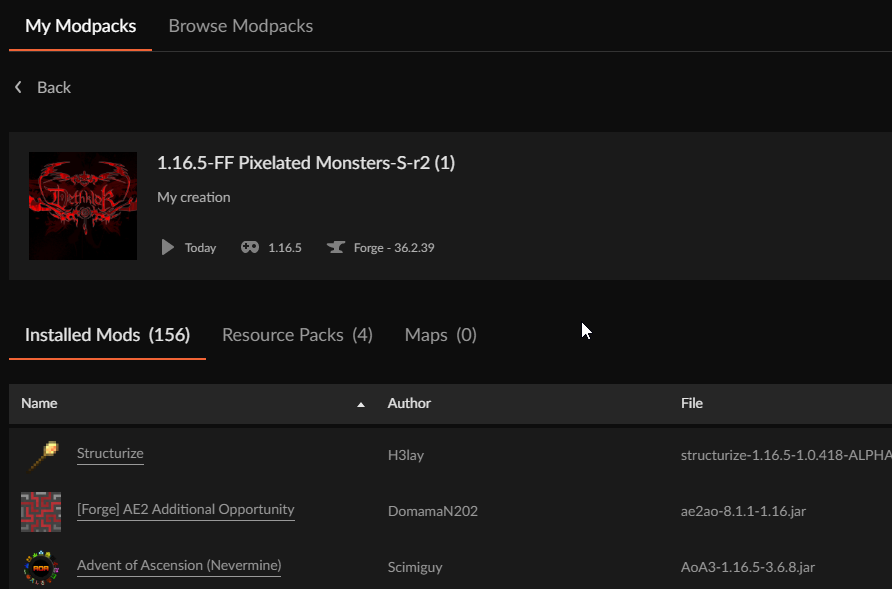
would you like those logs?
After I duplicated it it fixed itself hopefully this sheds some light on what caused it.
Ciao
vapid lantern
My game keeps crashing. But I don’t know what to do. It says: Operation too slow. Less than 30 bytes/sec transferred the last 60 seconds. My wifi is normaly pretty fast idk why
red patioBOT
CF does not use the Windows store launcher. It is exactly the same as the other game launcher.
 sand spade
Hello my Games dont load at all. I can start the Launcher and Navigate can see the Overview how much mods are installed ,but when I go on the games itself the modpacks do not load at all. I can see the loadingbar ,but even after hours nothing Happens
 surreal path
yo when im trying to play a minecraft mod these mesages appear and i cant open the launcher any suggestions to help?


 safe panther
!mc-installfix @surreal path @sand spade try this if you haven't already
red patioBOT
How to repair your Minecraft installation on CurseForge - **NOT** the same as `Repair Profile` - please follow these exact steps
- Click on the Minecraft Tab on the left side of the CurseForge App.
- Click button next to the
Create Custom Profileoption. - Click
Repair Installationoption.
NOTE: Although this might seem similar to the instructions of repairing profile, it's different and required. No worries, you will not lose any modpacks or worlds.
surreal path
oh wow that seemed to do the trick thanks!!
digital roost
howdo i upload additional files for a modpack with the beta website for minecraft?...it's annoying me this morning....
 fossil bluff
im trying to view my mc modpack on the website but it keeps taking me to error 404
digital roost
beta site
digital roost
yea once in a while it creeps up
fossil bluff
dam alr
digital roost
i can't even upload in this state currently
 near thicket
as the beta website is still missing some features you can fix it with this #🆘︱current-issues🆘 message if the normal site isn't overloaded right now

 merry cove
near thicket
merry cove
near thicket
did you meant BSL? https://www.curseforge.com/minecraft/customization/bsl-shaders
digital roost
apparently "r1" file of my server file got rejected bc its a dupe....LOL....starting to loose faith today after yesterday
sand spade
safe panther
!mc-installfix <@838746998374662204> <@481854634361618434> try this if you have...
I cant do that , the step before is the Problem I will send a Pic
Thats it more is not Happening

And I can Go in Home See all the Installations I have but I cant Access them
 mystic swift
@sand spade hi, can you please send me your logs so i can check what could be happening there?
!cflogs-app
red patioBOT
How to get your CurseForge app logs
- Click the
Create logs zipin the menu. - Drag and drop the file created to this channel.
- Wait for someone to look at it so they can help you.
sand spade
are they stored somewhere ? When I kick on create logs zip nothing happens
digital roost
ok...uploaded a update file for some config clean up for tewrrafirmatwilight and the file isnt there after sending it off for approval by the system....
there it goes
 fast sorrel

 tulip hamlet
when I try to start my 1.16 forge server this happens: E:\Desktop\Pixelmon>java -Xmx8192M -Xms4096M -jar server.jar
Invalid maximum heap size: -Xmx8192M
The specified size exceeds the maximum representable size.
Error: Could not create the Java Virtual Machine.
Error: A fatal exception has occurred. Program will exit.
please help
digital roost
fast sorrel
drop easy emerald from your pack
digital roost
tulip hamlet
when I try to start my 1.16 forge server this happens: E:\Desktop\Pixelmon>java ...
to much allocated try -Xmx6486M -Xms4096M
fast sorrel
digital roost
drop easy emerald from your pack
why? no way to make it work?
digital roost
it's either a bad update or something failed with the mod interating with other mods
by doing a removal of the mod you can test if its the mod its self or another mod interfereing
tulip hamlet
digital roost
to much allocated try -Xmx6486M -Xms4096M
same message
fast sorrel
Alright, I tried the ''Extra Tools And Armor Mod''(adds basically the same things) and its working
digital roost
digital roost
any1 know why insanity craft wont open
need latest and crash logs
it dosent download the latest on curse?
digital roost
fast sorrel
Alright, I tried the ''Extra Tools And Armor Mod''(adds basically the same thing...
yea if you see a error occured like that its usual a mod update fail or an interaction fail
young bone
digital roost
it dosent download the latest on curse?
?mc-logs
red patioBOT
How to get your profile logs on CurseForge for support
- Right-click the modpack profile icon OR click the button in the modpack profile.
- Click
Open Folder. - Open the
logsfolder. - Drag and drop the FILE named
latestORdebuginto discord.
tulip hamlet
tulip hamlet
when I try to start my 1.16 forge server this happens: E:\Desktop\Pixelmon>java ...
please?
digital roost
need log's
tulip hamlet
[20feb2023 14:19:36.711] [main/INFO] [cpw.mods.modlauncher.Launcher/MODLAUNCHER]: ModLauncher running: args [--gameDir, ., --launchTarget, fmlserver, --fml.forgeVersion, 36.2.34, --fml.mcpVersion, 20210115.111550, --fml.mcVersion, 1.16.5, --fml.forgeGroup, net.minecraftforge, PAUSE]
[20feb2023 14:19:36.713] [main/INFO] [cpw.mods.modlauncher.Launcher/MODLAUNCHER]: ModLauncher 8.1.3+8.1.3+main-8.1.x.c94d18ec starting: java version 17.0.3.1 by Oracle Corporation
tulip hamlet
ctrl A ctrl C
young bone
?mc-logs
red patioBOT
How to get your profile logs on CurseForge for support
- Right-click the modpack profile icon OR click the button in the modpack profile.
- Click
Open Folder. - Open the
logsfolder. - Drag and drop the FILE named
latestORdebuginto discord.
tulip hamlet
it is the entire log
[20feb2023 14:19:36.711] [main/INFO] [cpw.mods.modlauncher.Launcher/MODLAUNCHER]: ModLauncher running: args [--gameDir, ., --launchTarget, fmlserver, --fml.forgeVersion, 36.2.34, --fml.mcpVersion, 20210115.111550, --fml.mcVersion, 1.16.5, --fml.forgeGroup, net.minecraftforge, PAUSE]
[20feb2023 14:19:36.713] [main/INFO] [cpw.mods.modlauncher.Launcher/MODLAUNCHER]: ModLauncher 8.1.3+8.1.3+main-8.1.x.c94d18ec starting: java version 17.0.3.1 by Oracle Corporation
[20feb2023 14:19:36.720] [main/DEBUG] [cpw.mods.modlauncher.LaunchServiceHandler/MODLAUNCHER]: Found launch services [minecraft,testharness,fmlclient,fmlserver]
this is debug
the other is latest
young bone
Post the actual log, stop copy pasting
tulip hamlet
Pastebin
Pastebin.com is the number one paste tool since 2002. Pastebin is a website where you can store text online for a set period of time.
you want it in another way that maybe I dont know?
young bone
?mc-installfix
red patioBOT
How to repair your Minecraft installation on CurseForge - **NOT** the same as `Repair Profile` - please follow these exact steps
- Click on the Minecraft Tab on the left side of the CurseForge App.
- Click button next to the
Create Custom Profileoption. - Click
Repair Installationoption.
NOTE: Although this might seem similar to the instructions of repairing profile, it's different and required. No worries, you will not lose any modpacks or worlds.
digital roost
are there any issues with CF right now? im trying to get a quick fix uploaded bc i accidently submitted a file with resourcepack folder and now when i uploaded a revision (x2 btw) it tells me its uploaded than "internal error msg"
mystic swift
@digital roost checking
tulip hamlet
young bone
?mc-installfix
isnt that for client only?
 tulip hamlet
isnt that for client only?
tulip hamlet
tulip hamlet
isnt that for client only?
well it didnt work anyway so...
 calm plover
digital roost
ugh discord....SLOOOOWWWWW
calm plover
digital roost
ugh discord....SLOOOOWWWWW
discord slow?
digital roost
just my connection slow for discord
mystic swift
mystic swift
<@456226577798135808> checking
looks like an issue on our side, we're looking into it
 atomic hound
heyo! im having issues and it has something to do with my SSD and HDD ig, but i managed to sort that and have everything on the same drive but im getting an error trying to install a modpack , i got absolutely no clue how to do this and would appreciate help if anyone could! 🙂
digital roost
there's been issues affecting random ppl as of last night trying to install or generate modpacks on the client
 digital roost
installed java?
atomic hound
i have java
digital roost
try repairing the instance/modpack
atomic hound
?
tulip hamlet
tulip hamlet
when I try to start my 1.16 forge server this happens: E:\Desktop\Pixelmon>java ...
please help
near thicket
atomic hound
?
!mc-installfix
red patioBOT
How to repair your Minecraft installation on CurseForge - **NOT** the same as `Repair Profile` - please follow these exact steps
- Click on the Minecraft Tab on the left side of the CurseForge App.
- Click button next to the
Create Custom Profileoption. - Click
Repair Installationoption.
NOTE: Although this might seem similar to the instructions of repairing profile, it's different and required. No worries, you will not lose any modpacks or worlds.
 mossy lake
why cant my server launch?
near thicket
tulip hamlet
please help
!mc-reversesearch
red patioBOT
The alternative way to binary search
Follow the steps below for an alternate method to binary search:
- Make a new profile, same versions as the last one
- Test the profile with no mods
- Add 1-5 mods to the profile (using the app)
- Test the profile, does it boot / can you make a world?
- If YES Repeat steps 3 & 4
- If NO Remove the mods you just added then test the pack again
- Repeat this process until the problematic mod(s)/plugin(s)/addon(s) have been found
near thicket
mossy lake
why cant my server launch?
moonlight is causing trouble try removing it
tulip hamlet
near thicket
!mc-reversesearch
it is a server and a server that worked before now doesnt
near thicket
near thicket
moonlight is causing trouble try removing it
with snowyspirit and supplementaries
near thicket
tulip hamlet
it is a server and a server that worked before now doesnt
have you changed something updated mods for example?
near thicket
tulip hamlet
no
!mc-java make sure to run it with the right java version. java 17 won't work with minecraft 1.16.5
red patioBOT
Specific Java versions required for running Minecraft
Minecraft requires specific Java versions to run, pick the correct one for the version of Minecraft you are playing!
Java for Minecraft versions 1.16.X and below
Java for Minecraft 1.17.X
Java for Minecraft 1.18.X and 1.19.X
Java for other operating systems
tulip hamlet
I already have java 8
 near thicket
the log you provided uses java 17 and not 8
tulip hamlet
well that just means that it doesnt produce a log
I tried with java 8
I can assure
near thicket
tulip hamlet
I can assure
your log tells something different is it a client log or a server one?
tulip hamlet
server
mystic swift
hey guys, please continue this over at #🧱︱mc-other-help
atomic hound
near thicket
!mc-installfix
this ended up being all i needed to do, thank you very much.
 mental talon
i try to upload my version 1 of my mods i wanna publish on curseforge so friends and community can download but when its done uploading and i click on sumbit files cloudfare error and i gotta redo ? can i fix this somehow
its a zip file does it have to be something else ?
 south sage
I need help with my mod page. It is telling me to "Please pick a name for your project that does not contain 'modpack', 'pixelmon', 'vanilla', "mc", 'resource packs', 'texture pack', 'add-on' or 'mod'." and i don't know where to go i have already made the page
mystic swift
@mental talon hey, what cloudflare error are you getting?
mental talon
uhh i retry to reupload ill see if it works otherwise ill say
mystic swift
@south sage what do you require help with?
south sage
@mystic swift i don't know where to go i have already made the page
mental talon
@mystic swiftnow i got another error
HTTP Code: 504
Status Text: error
Address: https://www.curseforge.com/project/827513/files/upload
Date: Mon Feb 20 2023 15:45:12 GMT+0100 (Central European Standard Time)
Request: POST /upload-file-chunk

what is the file chunk ?
 jagged lagoon
I am trying to start a project and it got approved but the uploaded zip file wasnt because of the following reason
The following files belong to CurseForge-hosted projects, and should therefore not be added directly to zip files:

    overrides/mods/create-1.18.2-0.5.0.h.jar
    overrides/mods/flywheel-forge-1.18.2-0.6.8.jar


These files should, instead, be referenced in the manifest.json file generated by the Twitch Desktop App during a profile export.

If you have any questions please contact our support team https://support.curseforge.com.
The following files belong to CurseForge-hosted projects, and should therefore not be added directly to zip files:
-
Remove any mods listed in the error message from the profile you exported. Then reinstall them with the CurseForge app. DO NOT drag and drop files from the site.
-
Export the profile again, open the new zip that was just made. Check for the
overrides/modsfolder. If you still see any mods in that folder do the step above again for each mod. -
Upload the zip once complete and no more mods show in the
overrides/modsfolder.
mystic swift
@south sage @mental talon please let me check and get back to you in a moment
digital roost
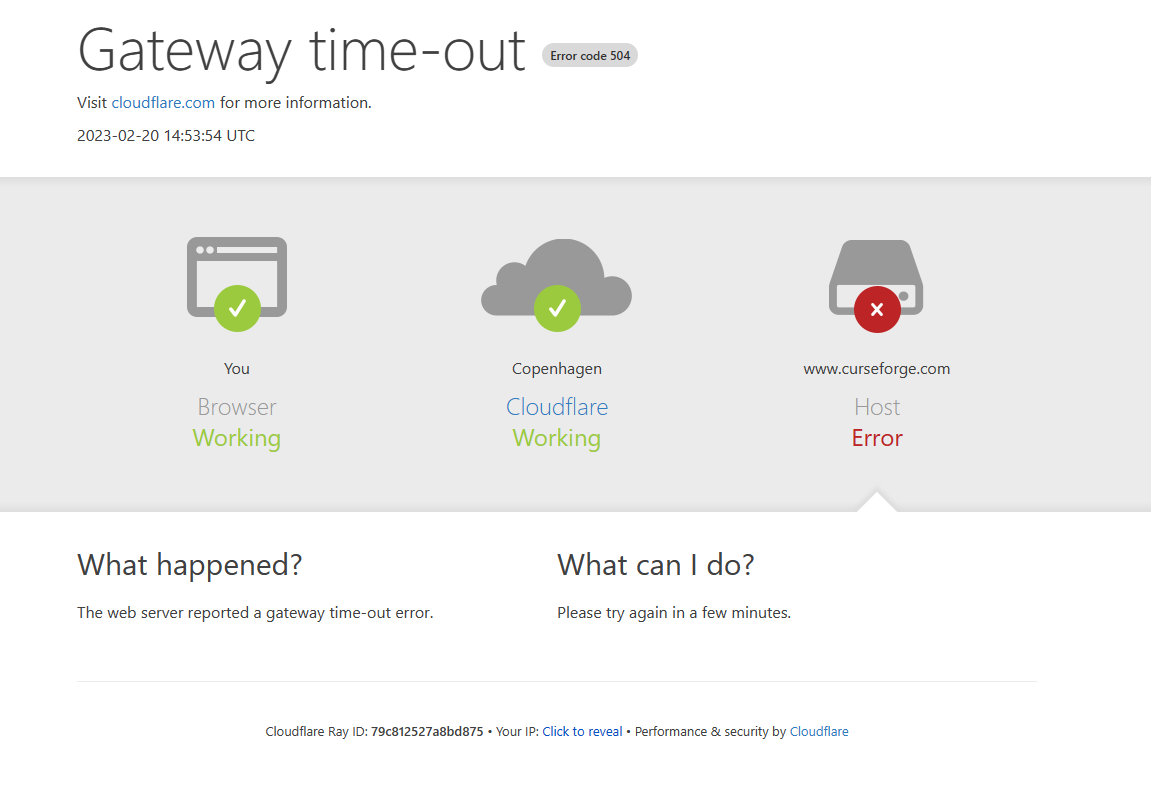
hey dana: got connection issues to beta.curseforge.com cloudflare issue, everything is fine from nearest access point (montreal) but not at page gateway
mental talon
bet
south sage
ok @mystic swift it is my first mod I hope I did not mess up anything
 night thunder
Does the WYSIWYG system change for the new Curseforge site? Formatting in the old site looks fine, but formatting in the new site looks very much more like what it does in the editor.
I mean, I'd rather it look like the editor, so the beta WYSIWYG display wins, but I just want to know what to expect.
mystic swift
@mental talon you can edit your project by clicking on the 'view' button for it here: https://authors.curseforge.com/#/projects
@south sage we're fixing the issue, please try to upload the file in about 30 minutes.
also, don't worry about messing up, we can help you fix whatever might go wrong, if it happens :)
@digital roost i'm not seeing any problems on our side. strange
are you able to access the regular website?
digital roost
yea it happened for a second and went away
mental talon
mystic swift
<@261161400150261761> you can edit your project by clicking on the 'view' button...
hmm ye, i there but its when i upload the zip of mods you know i get cloudfare agian i can send you now
 night thunder
It's flapping. It comes and goes.
south sage
@mystic swift Do I need to reupload the file? What exactly do you mean by "please try to upload the file in about 30 minutes."
mystic swift
@mental talon oh, i thought you were asking about changing the title.
we're aware of the issue and are working to fix it. please try again in about 30 minutes
@south sage according to the error the upload failed, so yes, you will need to try to upload the file again
south sage
oh ok
mental talon
mystic swift
<@261161400150261761> oh, i thought you were asking about changing the title.
we...
oh isee but will the files get accepted today tho or prob tommrow ?
south sage
@mystic swift ok I reuploaded the file
mystic swift
@mental talon our moderation team will get on it as soon as possible, according to the moderation team's work hours
!status
red patioBOT
Project moderation time
Project/File moderation is done on these days unless otherwise mentioned:
Sunday, Monday, Tuesday, Wednesday, Thursday: <t:1631170800:t> - <t:1631199600:t> (Your time)
Friday, Saturday: No Moderation!
Projects are moderated First in, First out. If you submit late in the work day, it will likely get left until the next day!
New Projects or anything flagged for manual review: 1-3 Working Days
Updates to approved projects not needing manual approval: 1 Hour
-If your file has been "Under Review" for more than an hour, then it is at manual review!
digital roost
this is what i dont understand.....
server file is approved but not the client 🤔 and its in under review for just over an hr now. the R1 is bc i removed the resourcepack folder

 near thicket
!status
red patioBOT
Project moderation time
Project/File moderation is done on these days unless otherwise mentioned:
Sunday, Monday, Tuesday, Wednesday, Thursday: <t:1631170800:t> - <t:1631199600:t> (Your time)
Friday, Saturday: No Moderation!
Projects are moderated First in, First out. If you submit late in the work day, it will likely get left until the next day!
New Projects or anything flagged for manual review: 1-3 Working Days
Updates to approved projects not needing manual approval: 1 Hour
-If your file has been "Under Review" for more than an hour, then it is at manual review!
digital roost
i already know about the hr's Lolf i just find it weird and don't really understand since the client side ones are usually automated approval unless there's something there that requires attention but with the R1 file i highly doubt there's anything actually there for review
south sage
@mystic swift I know you are probably still looking at things but it still says "Please pick a name for your project that does not contain"
Idk why but my files just disapierd
mystic swift
the issue is not fixed it
south sage
@mystic swift My files just disappeared and I tried to re-upload more but it just disappeared again.
mystic swift
it should take another ~15 minutes
south sage
ok
 mental halo
is there a way to upload a personal modpack such that my friends can view them/
digital roost
you can upload the file and server file just when you make your project just have a note on it that it was made for you and your friends to play together
mystic swift
@digital roost temporary issues server-side
digital roost
ah
south sage
@mystic swift I uploaded my file and it says that there is no file uploaded.
sand spade
ok I uninstalled all and installed it again now I'm stuck at Forging your library what can I do ?
 jagged glade
how do i upload files in the bata panel as i cant find the upload button
night thunder
jagged glade
how do i upload files in the bata panel as i cant find the upload button
sand spade
holy shit I found the problem so dumb got a programm controller and it auto blocked overwolf
digital roost
search for your mod manually without the site or in your dashboard do you have a blue ribbon at the top? there's a highlighted spot you can click on to get the old version
 cedar drum
Anybody know what this means?
Error details: 0x00000000 - system: The operation completed successfully.
Filename on disk: forge-43.2.4.jar
Path: C:\Users\|NotImportant|\curseforge\minecraft\Install\versions\forge-43.2.4\forge-43.2.4.jar
Exists: Nonexistent```It's happening to every modpack I have, on newer versions like 1.19 and 1.18
It started happening suddenly
digital roost
Tried back dating forge?
cedar drum
43.2.4 is the oldest version available. I just tired updating it but I got "Error Code 1"
red patioBOT
Error/Exit codes are useless. Follow these steps so someone can actually help you.
- Right-click the modpack profile icon OR click the button in the modpack profile.
- Click
Open Folder. - Open the
logsfolder. - Drag and drop the FILE named
latestORdebuginto discord.
cedar drum
And here's the latest log
 mighty fable
How do you open curseforge without the shortcut
 signal ridge
search your pc for the CurseForge app, click the icon?
mighty fable
only the installer pops up even though I have the files
signal ridge
What OS?
mighty fable
what OS
signal ridge
!os
red patioBOT
What is my OS
OS Stands for Operating System
Windows, Mac, Linux
If someone asks for your OS you should also say what the version is. For example: Windows 10
If you don't know how to find out, see here
mighty fable
windows 10
signal ridge
Is the Overwolf app on your pc? OR did you install the standalone?
mighty fable
standalone
signal ridge
!getcf Reboot your pc then try the standalone link below
red patioBOT
Where and how to install the CurseForge app
 Windows
Minimum Requirements:
-
OS Version: 10 or 11
-
64 bit Required
-
Microsoft .Net 4.8
If you are having issues with the Windows Download use the Windows alternative download to install Overwolf. Then download CurseForge from the App Store.
Windows Standalone app
Note: Currently only supports World of Warcraft and Minecraft.
 Mac
Mac
Minimum Requirements:
-
OS Version 10.14 or newer.
-
64 bit Required.
:penguin: Linux
Note: Currently only supports World of Warcraft.
mighty fable
signal ridge
!getcf Reboot your pc then try the standalone link below
will it save my data?
signal ridge
Should as long as you dont delete the CuresForge folder
 wanton rose
Yo, I'm trying to download All the mods 8 but when I get to patch 4 out of 6 the download stops. Is this a my end issue? If so how do I fix it?
 orchid cedar
Will The New Launcher work with Cureforge in the Future?
red patioBOT
CF does not use the Windows store launcher. It is exactly the same as the other game launcher.
orchid cedar
That doesn't answer my question
digital roost
it's a auto things with key words
red patioBOT
This is not related to CurseForge owned/maintained features or services
CurseForge does not make or maintain any of the content or games used on the site or the app.
Just because it's on the site/app does not make it a problem with CurseForge.
Please move to the respective channels as requested, or use #👽︱game-support for game-related help.
 nocturne shore
damn
signal ridge
#🧱︱mc-other-help was the correct place. Once the game hits the mc launcher CF is nolonger needed
 mint marlin

can someone please help me with this error?
i was playing in my friends server happily until I reach a shipwreck and I find the chest, then after I get up to breath I get this error. And Its been 1 day with this error, and I already restarted, I already deleted and updated java, I already uninstalled minecraft, I already reinstalled the mod packs and nothing worked and they are all up to date, and I even restarted my internet
signal ridge
!notcf
red patioBOT
This is not related to CurseForge owned/maintained features or services
CurseForge does not make or maintain any of the content or games used on the site or the app.
Just because it's on the site/app does not make it a problem with CurseForge.
Please move to the respective channels as requested, or use #👽︱game-support for game-related help.
digital roost
why would this happen?
 signal ridge
Could be a few things, be easier to trouble shoot if the user with the issue is here
signal ridge
have them join here. Ping me when they are here
signal ridge
!mc-launcherlog
red patioBOT
How to get your launcher log
- Click in the top right corner of CurseForge
- Click the
Open Modding folderbutton - Open the
Installfolder - Drag the
launcher_log.txtfile into discord
digital roost
the only 2 options i get when i press the 3 dots are Run Vanilla and Repair installation
ohhh
or
ghold on
not that
signal ridge
digital roost
the only 2 options i get when i press the 3 dots are Run Vanilla and Repair inst...
Screen shot the menu you see

 signal ridge
In the CF app Click the > What version is your app > lower left corner
digital roost
 signal ridge
!outdated
red patioBOT
To use CurseForge with the latest features & fixes you should update your CurseForge App.
You can do this by uninstalling the app from your computer programs and then installing it again from the main page
NOTE: Uninstalling CurseForge will not remove any game/mod data, It's entirely safe to remove and install again!
mental talon
mystic swift
<@261161400150261761> our moderation team will get on it as soon as possible, ac...
is the cloudflare issue still not fixed?
i try to upload file agian i get same error as before
actually
it shows this now maybe it got uploaded ?

just gave me an error cuz it wanted too
 gritty sail
i updated a modpack i had onto curseforge 20 min ago and its not showing up as an update on the curse forge app
signal ridge
Was it approved?
digital roost
been issues through out the day
gritty sail
aahh okay
signal ridge
!sync
red patioBOT
Projects sync from CurseForge website to the app
The CurseForge App and website do not share the same requirements.
You might find content on the website that won't be on the app.
In order to show on the app:
- Projects MUST have a file marked as Release
 or Beta
- Projects MUST be Approved
- Projects MUST have a file marked for the game version selected/loaded
- Projects CANNOT be Expermintal
- Projects CANNOT be Abandoned
 void hatch
Can anyone help? I dont know why curseforge app wont recongize the .jar lucky block files i am using. Someone please help
please
someone
help
red patioBOT
Please be patient, we're helping as fast as we can
The Moderators & Helpers on this server volunteer their time and knowledge to help people as they can.
Not everyone here will have an answer for you the moment you want it.
Time zones, work/life schedules etc. also vary when people are around to help.
TL;DR: Please have patience. IF and WHEN someone knows how to help, they will assist you.
*Note that you can also open a support ticket and wait for a response.
 bitter agate
I have a modpack on Curseforge, it is approved and has existed for a while yet it doesn't appear on the search for modpack section in the Curseforge app. The modpack is Create: Milkyway. the only result is a different modpack with 50 downloads.
void hatch
this app is so dumb
signal ridge
Didnt luckyblocks have a special install method? they arent normal mod jars
signal ridge
bitter agate
I have a modpack on Curseforge, it is approved and has existed for a while yet i...
Link the pack
bitter agate
void hatch
signal ridge
Didnt luckyblocks have a special install method? they arent normal mod jars
if they did i dont know where that would be
signal ridge
void hatch
if they did i dont know where that would be
Should say on the jars project page
void hatch
the app doesnt seem to recongize that any sort of mods other then loot++ are in that spesific profiles mod folder
void hatch
signal ridge
Should say on the jars project page
link-?
signal ridge
Where did you download the mod from?
signal ridge
bitter agate
https://www.curseforge.com/minecraft/modpacks/milkyway
Will poke someone about this. For now you can search the pack by its Project ID.
bitter agate
k
signal ridge
void hatch
https://www.curseforge.com/minecraft/customization/configuration/lucky-blocks
Those are customations, not mods.
signal ridge
Think the Lucky Blocks mod can only be downloaded from the official LB site.
https://www.luckyblockmod.com/ Will need to run the profile first to populate the folders needed
As for the customizations, most of the devs should have instructions on how to install them in their project descriptions.
void hatch
I have forge installed and the lucky block mod installed already however when i go to run it in the mc launcher the game just does not open
and i dont know why?
It says forge has been installed into the launcher however when i go to run it nothing happens at all
the mc launcher closes and just doesnt do anything
signal ridge
Forge OR CurseForge? 2 very different things
signal ridge
Why not just use CurseForge? then you dont need to manually install forge
void hatch
idk how to get the luckyblock mod onto curseforge
ik you need loot++ and i have that alr
red patioBOT
How to install mods in the CurseForge app
- Click
+ Create Custom Profile - Name it, select the required Minecraft version, select the modloader & modloader version (usually the highest number), click
Create. - Click the profile icon.
- Click

Add More Content - Search and install the desired mods.
- Start the game!
How to install mods that are not on the CurseForge app
- Right click the profile picture or Open the profile and click the Icon next to the play button.
- Click
Open Folder. - Drag the mod(s) into the
modsfolder. (Note: Some mods will require others, to run. Make sure to read the instructions for the mod!) - Start the game!
 signal ridge
Second section
void hatch
ok
it doesnt seem to be working with the lucky block mod trying to get in to the mod's profile folder
and I dont know why
?
can you help?
signal ridge
Need to be patient, we are only volunteers
void hatch
ok
signal ridge
You downloaded the lucky blocks mod from the Luckyblock site, for the same mc version as the custom profile?
signal ridge
Also please stick to 1 channel, jumping rooms will not help you get help faster
void hatch
sry
this is the version that both the mod and the forge version in the mc launcher are >=11.15.1.2318, <12
signal ridge
this version
 void hatch
yea
signal ridge
!mc-logs do this for that pack
red patioBOT
How to get your profile logs on CurseForge for support
- Right-click the modpack profile icon OR click the button in the modpack profile.
- Click
Open Folder. - Open the
logsfolder. - Drag and drop the FILE named
latestORdebuginto discord.
void hatch
do you want the profile log in this channel?
signal ridge
I want the log named latest in this channel yes
signal ridge
Screen shot your mods folder contents. Include folder path at the top
void hatch
this is the only thing i have in there because addons do not appear, in the file.
 signal ridge
Where is the luckyblock mod?
void hatch
i dont know
every time i download "forge" off the website it gives me the same prompt i click install and then its just gone
signal ridge
Need to add it to that folder. It wont show up in the CF app, but will still work as long as its in the mods folder
You dont need to download forge, You need to download the luckblocks mod
void hatch
signal ridge
Need to add it to that folder. It wont show up in the CF app, but will still wor...
so if the mod and the addons are in that folder even if they dont show in CF they still should work?
signal ridge
if you add mods that are not from the curseforge site to the mods folder they should still work. even if they do not show up in the CF apps gui
void hatch
signal ridge
You dont need to download forge, You need to download the luckblocks mod
i follow this and it just leads me to the same issue with the lucky block mod ive been having. This is the official website unless there is something ive been missing

 void hatch
OH
signal ridge
The instructions are for manually modding the .minecraft folder, Which is not what CF app does
You just need the mod jar
void hatch
oooooohhh
so if i like either move or copy and paste the mod folder into the cf mod folder while it wont appear it should still work in theory?
signal ridge
Put the mod it downloads into the mods folder for the CF app, Then try starting the custom profile again
void hatch
by just like closing and reopening the CF app?
signal ridge
Mods not from the CF site will not show in the CF app, but should still boot as they are in the mods folder
void hatch
alright
signal ridge
Add the mod to the profile > press play. Dont need to restart the CF app itself
void hatch
ok
aight that worked then for the addons on the website itself i download that and and the requirments for it, do those addons need to be a .jar or can they be a zipped file, or do they need to have the extracted version in that mod folder?
digital roost
that depends on the addon
signal ridge
Each addon should have instructions on how to install them. Seems most use the \<packname>\addons\lucky_block folder
void hatch
alright tysm
 modern wren
i'm trying to download Create:Flavored (minecraft) but it doesnt download, it cancels at applying patch
digital roost
forgemodloader download failer?
digital roost
was there a redbar on the bottom of the profile page?
 nova trellis
Why isn't curseforge getting past the launching app screen on my pc even though I have it downloaded?
modern wren
but i saw a glimpse of it saying "deleting files"
near thicket
modern wren
i'm trying to download Create:Flavored (minecraft) but it doesnt download, it ca...
!mc-installfix and restart your pc after you did it
red patioBOT
How to repair your Minecraft installation on CurseForge - **NOT** the same as `Repair Profile` - please follow these exact steps
- Click on the Minecraft Tab on the left side of the CurseForge App.
- Click button next to the
Create Custom Profileoption. - Click
Repair Installationoption.
NOTE: Although this might seem similar to the instructions of repairing profile, it's different and required. No worries, you will not lose any modpacks or worlds.
modern wren
thank you
 solemn wraith
I grab the curseforge installer and I go about my way and install, I’ve been sat here stuck on “Extracting Files” for 3-4 hours now, what do I do to fix this issue?
Fixed! Opened the twitch app and it installed within seconds!
void hatch
anyone know how i can make a file folder under the lucky block mod so addons work?
I dont know what this means i have potion core and everything else needed i just dont know how to do whatever this is
 modern wren
pretty sure that means you have to play lucky blocks first
void hatch
wdym by that
nova trellis
nova trellis
Why isn't curseforge getting past the launching app screen on my pc even though ...
Hello?
digital roost
launch minecraft to play it normally to generate a folder
void hatch
digital roost
launch minecraft to play it normally to generate a folder
wdym by that
digital roost
play
void hatch
just non modded mc?
digital roost
no no the same profile
void hatch
on CF?
digital roost
yes
void hatch
like without the mods?
digital roost
with the mods
void hatch
and then what should i be looking for ?
digital roost
nova trellis
Hello?
as in its trying to load?
void hatch
void hatch
and then what should i be looking for ?
Like where would the file be-?
digital roost
void hatch
and then what should i be looking for ?
play the game with the mods let it run and close it down, as mentioned earlier there should be a new folder for addons for lucky block
void hatch
when you mean close it down like "quit game" or like alt f4
digital roost
quit
 digital roost
addons folder
void hatch
ah
nova trellis
digital roost
as in its trying to load?
Yes it's trying to load but it fully loads to then just crash it seems like at least
void hatch
i didnt know it would just say addons
void hatch
nova trellis
Yes it's trying to load but it fully loads to then just crash it seems like at ...
also are you giving it enough ram to allocate?
digital roost
nova trellis
Yes it's trying to load but it fully loads to then just crash it seems like at ...
force close curseforge and onewolf if you have both and relaunch its a bug that creeps up once in a while. if CF is standalone just launch that see if that works than repair
nova trellis
void hatch
also are you giving it enough ram to allocate?
How much more do I need to? I have a 16 gigabyte ram in my pc and even when it's the only app loading up with no other changes to my pc since and I had it working perfectly one day and then the next day with 0 changes to my pc specs it just won't launch
nova trellis
digital roost
force close curseforge and onewolf if you have both and relaunch its a bug that ...
Ok.
void hatch
nova trellis
How much more do I need to? I have a 16 gigabyte ram in my pc and even when it's...
uhm i really wouldnt know i dont wanna give you the wrong directions to do stuff so maybe just make a ticket on the website
nova trellis
digital roost
force close curseforge and onewolf if you have both and relaunch its a bug that ...
Do I need to use task manager to do so?
digital roost
if it's frozen completely
nova trellis
My task manager shows neither are open
Plus neither are frozen it just again loads then immediately disappears and when I give it a few minutes even still nothing shows up
digital roost
check background
nova trellis
digital roost
check background
As in check the actual desktop?
digital roost
no in the background process of task
void hatch
@digital roost what you told me with the addons isnt working i load into the game and it still doesnt show the block
digital roost
If i have a .zip file for a mod, how do i add that to my pack, because if i just add the zip file it wont work
digital roost
digital roost
If i have a .zip file for a mod, how do i add that to my pack, because if i just...
wont work mods need to be a .jar file
void hatch
void hatch
<@456226577798135808> what you told me with the addons isnt working i load into ...
@digital roost help
digital roost
but if i download that file from curseforge
nova trellis
digital roost
no in the background process of task
That's just it I already checked background processors before saying that and not even the background processors have any onewolf overwolf curseforge anything related to curseforge.
digital roost
for example if i download this: https://www.curseforge.com/minecraft/customization/cookie-lucky-block/download/2440312
i just get a zip file
that's an addon completely different
void hatch
you need the lucky block mod
digital roost
How do i use that then
void hatch
you downloadd the lucky block mod
digital roost
i want other lucky blocks not the basic
digital roost
nova trellis
That's just it I already checked background processors before saying that and no...
thats odd.... onlything i can seggest now is uninstall it and reinstall
void hatch
digital roost
i want other lucky blocks not the basic
you download that to have other blocks.
nova trellis
digital roost
thats odd.... onlything i can seggest now is uninstall it and reinstall
K
digital roost
void hatch
you download that to have other blocks.
Can you give me a tutorial in dm's
void hatch
not really bc it took me like 2 hours to figure it out with the help of a helper
digital roost
Can anyone else help me then
download lucky block mod into your profile your using run minecraft so you get the addons folder. close minecraft (quit) and get any addon's you want go to the addons folder than the lucky block folder there and drop the addons in said folder
void hatch
the addons dont work when they r in the folder
do they need to be .jar?
its not showing in the main game for me
digital roost
digital roost
download lucky block mod into your profile your using run minecraft so you get t...
link for lucky block mod?
void hatch
void hatch
its not showing in the main game for me
even when in the folder @digital roost
void hatch
digital roost
link for lucky block mod?
 digital roost
thanks
void hatch
yw
@signal ridge hey idk if im aloud to do this but when i put a addon in the addon folder it doesnt show up in the main game is there something im doing wrong?
digital roost
so i just start the game and then add the zip files into the folder?
void hatch
the lucky block folder into the profile folder your using on the CF app
digital roost
start the game wait til in menu and quit than add the addons
signal ridge
Would need to ask the author of the addon. Not a cf issue
digital roost
digital roost
start the game wait til in menu and quit than add the addons
will it add a addon folder?
digital roost
digital roost
will it add a addon folder?
yes
signal ridge
The luckyblocks mod should auto create the addons folder if the mod is working correctly.
void hatch
that one?
 digital roost
in the addons folder there is a lucky block folder, do i add the blocks in that?
and do i just add the zip files?
void hatch
void hatch
that one?
and if it is not I am really clueless lol
digital roost
yes thats the addon folder
luckblocks file should be in there
theres no lucky blocks file
theres nothing in the lucky blocks folder
void hatch
you need to go to what im at
void hatch
digital roost
yes thats the addon folder
but it does not work which is why im confused
void hatch
signal ridge
The luckyblocks mod should auto create the addons folder if the mod is working c...
I can use the lucky block stuff in the game however when I am in the creative menu I dont see any of the addons that I am using, does that then mean I am doing something wrong?
digital roost
try this method
in addon folder:
right click in the main area ->new->new folder and name it lucky_block
 nova berry
help
 void hatch
digital roost
try this method
in addon folder:
right click in the main area ->new->new folder...
void hatch
digital roost
try this method
in addon folder:
right click in the main area ->new->new folder...
alright
void hatch
nova berry
help
the mods you are working are not compatiable with the server, try playing without them maybe
nova berry
i download pixelmon
digital roost
nova berry
help
what modpack and modpack version your using
signal ridge
Are you able to join the server? Ignore the Red X
nova berry
thanks
digital roost
tysm it worked
signal ridge
void hatch
I can use the lucky block stuff in the game however when I am in the creative me...
Attempting this on my client, give me a few
void hatch
aight
digital roost
digital roost
tysm it worked
manual file generation?
It added a lucky_block folder automaticaly, i just added my lucky block files and it worked
final test
45 addons
digital roost
nova berry
thanks
as mentioned by yoyo did you try just connecting to the server? if it's "the pixelmon modpack" than you'll need the latest update for it, if its the mod alone you can't connect to it
digital roost
it worked, thank you so much cryotech
signal ridge
Ok, to get this to work you need to:
1: Download and add the lucky block mod to a 1.8.9 custom profiles mod folder
2: Using the CF apps add more content area install the mods: loot++ & potion core
3: Start the pack once so that the proper folders will generate
4: close the pack once you get to the mc menu, and close the mc launcher (if its open still)
5: In the packs folders:
a: Open the addons folder
b: open the lucky_block folder
c: Place the costomization .zip file
d: Extract the zip file
Play pack
 void hatch
signal ridge
Ok, to get this to work you need to:
1: Download and add the lucky block mod to...
void hatch
signal ridge
Ok, to get this to work you need to:
1: Download and add the lucky block mod to...
ahh, Loot++ and potion core were easy the lucky block thing ill try it should work i have everything that i would need as long as i dont use conflicting mods
signal ridge
Seems someone uploaded the lucky block mod to cf at some point, so it shows up as "omega Lucky Block" in the CF app. Just ignore that. it still works

 void hatch
yea it showed up for me like that as well
digital roost
do i need loot++
signal ridge
Some of the addons seem to ask for it, so assuming yes. But the Lucky block mod itself doesnt seem to
signal ridge
You need to add what the Adds require. Otherwise they wont work
digital roost
cuz all the lucky blocks were acting like normal ones
signal ridge
Tho something else to keep in mind, 1.8.9 is also rather old, so some things may fail due to age and changes
digital roost
yea
void hatch
signal ridge
Tho something else to keep in mind, 1.8.9 is also rather old, so some things may...
if i use a non 1.8.9 mod with 1.8.9 mods would it mess everything up?
signal ridge
Only 1.8.9 mods will work with 1.8.9, you cannot mix mc versions
digital roost
void hatch
if i use a non 1.8.9 mod with 1.8.9 mods would it mess everything up?
likely yes
void hatch
signal ridge
Only 1.8.9 mods will work with 1.8.9, you cannot mix mc versions
oof
well ty for telling me before i almost just ruined everything lmao
signal ridge
Most likely would either crash or just not show up at all.
digital roost
i keep getting the error that in some pack a name was registered twice
and if i delete that pack
it happens in another
signal ridge
Would need to report it to the authors of the addons. Likely similar names being used.
 merry sun
Does anyone know how to get out of beta.curseforge.com?
Nvm it just kicked me out again
signal ridge
#🆘︱current-issues🆘 Explains what is going on
merry sun
Ahh ty
 heavy raft
Hello, I have a custom modpack on curseforge that I made almost a year ago. It is downloaded on my computer and friend's. I am on my curseforge online trying to download the modpack from the site to the app and it says "This mod is not supported by the application"
What do I do?
signal ridge
Is the old pack a .zip file?
heavy raft
the zips are on my home PC. I'm on my laptop trying to download the modpack from the curse website to the curse app
signal ridge
Ah, what pack?
heavy raft
it has never shown on the app since i made it but it's called Veryandë
signal ridge
If its from the site, send the link for it
signal ridge
Oh its an alpha file pack
digital roost
it wont show on launcher bc it's alpha
signal ridge
They also dont download from the site to the app all that well. Need to manually download the zip then import it into your app.
heavy raft
can i change it to beta? or would i have to remake it?
i have 5 friends that have downloaded it with my link
 lilac bay
how do i update the louncher
signal ridge
lilac bay
how do i update the louncher
You reinstall or restart it. Unless you mean Forge. as Curseforge and forge are 2 different things
signal ridge
!mc-updatemodloader
red patioBOT
How to update your mod loader within the same game version in the CurseForge app
- Click on the modpack profile you are working with.
- Click on the button next to the play button.
- Click on the
 Profile Options button.
 - Select the mod loader version you want from the dropdown.
- Play!
If you need to update to a new game version, a new profile is required.
signal ridge
heavy raft
can i change it to beta? or would i have to remake it?
You can edit the file on the site and change it to beta or release. No need to remake / reupload
heavy raft
Can I ask were I change it at? I'm on the site
digital roost
are you in the file it's self? from there you can click whats called the edit button
heavy raft
see i saw that coming. I'm on the curseforge site on the project. there is a "manage project" button not and edit button. And I clicked that and I see no way to change it out of alpha
digital roost
go back to your files page, open the file by clicking on it
heavy raft
hehehe i feel dumb. Thank you
signal ridge
Do note, can take a few min to an hour (max 24h) for the file to resync.
 dull hound
I need help for ksp mods
 queen charm
!help
red patioBOT
Please provide some more information to receive assistance
Providing the following information will help the team in assisting you:
- A detailed description of the issue you're experiencing
- If a mod/modpack/addon is involved, please specify the name
- Any screenshot/video/gif of the issue if you have
- Get your relevant logs ready, you can type
!mc-logs/!cflogs-appfor instructions
Some tips for explaining yourself better to save time and additional questions:
- Avoid using words such as 'it', say what it is :]
- Instead of simply saying something doesn't work, try to describe what's happening when you're running it
queen charm
also
red patioBOT
This is not related to CurseForge owned/maintained features or services
CurseForge does not make or maintain any of the content or games used on the site or the app.
Just because it's on the site/app does not make it a problem with CurseForge.
Please move to the respective channels as requested, or use #👽︱game-support for game-related help.
 tall carbon
hi, i need help for the pixelmon modpack.... i can't download it.. it starts applying the 2 patch and then it stops.. all the time 😦
red patioBOT
How to get your CurseForge app logs
- Click the
Create logs zipin the menu. - Drag and drop the file created to this channel.
- Wait for someone to look at it so they can help you.
tall carbon
rich flint
can you post this log-
where i post it?
rich flint
here is good
tall carbon
red patioBOT
How to repair your Minecraft installation on CurseForge - **NOT** the same as `Repair Profile` - please follow these exact steps
- Click on the Minecraft Tab on the left side of the CurseForge App.
- Click button next to the
Create Custom Profileoption. - Click
Repair Installationoption.
NOTE: Although this might seem similar to the instructions of repairing profile, it's different and required. No worries, you will not lose any modpacks or worlds.
digital roost
Hello, I have a problem - in my project (addon) I have 2 files, but they are not displayed on the main page, however, they are in the "files" tab. How to fix it?

 scenic ether
Hi, have a question about the CurseForge-App: The Modpack-Icons(or images) have got these Version-Information at the top right corner. Does that controller-icon say, that it is for Bedrock (windows) Edition?
 calm plover
scenic ether
Hi, have a question about the CurseForge-App: The Modpack-Icons(or images) have ...
calm plover
scenic ether
Hi, have a question about the CurseForge-App: The Modpack-Icons(or images) have ...
Good question actually, but no this are not bedrock modpacks.
I think the icon only appears, when you see the game version (from vanilla minecraft like 1.19.2, 1.18.2 etc.).
The modpack-version is on the other modpack displayed (v0.0etc.).
The left modpack just have no version number maybe?
Or is selfmade
digital roost
Is there a mod in the pack for controller use?
digital roost
digital roost
Hello, I have a problem - in my project (addon) I have 2 files, but they are not...
Might be an issue with cf syncing files again
Is curse down again?
I keep getting "None Descript error when loading page system - try again later."
calm plover
digital roost
Hello, I have a problem - in my project (addon) I have 2 files, but they are not...
Can you send the Project Id maybe, normally the file must be their :/ (the screenshot tell where it is)
 digital roost
Are they leaving curse beta?
calm plover
digital roost
I keep getting "None Descript error when loading page system - try again later."
yes its down, try the beta website (I think only Mc is down): https://beta.curseforge.com/minecraft
digital roost
Ugh.... Why does my update for my mod pack terrafirma twilight update 1.18.2-2.2r1 not be on the site as a general viewer but is there when I login.... It's the samething all over again since it's been like this for a few days now....
Nvm got to do the old method
 tropic wren
how can i fix this?
 digital roost
?mc-installfix
red patioBOT
How to repair your Minecraft installation on CurseForge - **NOT** the same as `Repair Profile` - please follow these exact steps
- Click on the Minecraft Tab on the left side of the CurseForge App.
- Click button next to the
Create Custom Profileoption. - Click
Repair Installationoption.
NOTE: Although this might seem similar to the instructions of repairing profile, it's different and required. No worries, you will not lose any modpacks or worlds.
tropic wren
digital roost
?mc-installfix
what is that?
digital roost
Instructions on how to repair the launcher
tropic wren
i did that already
calm plover
tropic wren
how can i fix this?
!copyspam
red patioBOT
Please avoid copying your message across multiple channels
Please do not copy and paste into multiple channels.
It won't help with getting assistance any faster and just spams the channels.
This is part of #📛︱rules
scenic ether
scenic ether
Hi, have a question about the CurseForge-App: The Modpack-Icons(or images) have ...
I mean next to the searching bar "Minecraft Java Edition" is written, but maybe that doesn't matter that much.
young bone
scenic ether
Hi, have a question about the CurseForge-App: The Modpack-Icons(or images) have ...
That icon just has to do with game version, in that case it’s 1.19.2
scenic ether
So it's Java
young bone
Yes
scenic ether
OK thanks
young bone
You can’t mod bedrock and bedrock isn’t in the app
scenic ether
Of course you can! Look at the marketplace! xD
young bone
That’s not mods
scenic ether
So what's it then
young bone
Those are addons
scenic ether
OK I dont know much about it. Thx for answering!
fast sorrel
Does anyone know how to find an Ancient City with the Nature's Compass mod? It doesn't come up in the search menu, and looking for the Deep Dark is hit or miss with it
digital roost
/locate minecraft:
PCGamesN
If you want to find a ruined Minecraft Ancient City if you want to battle a Warden, here are tips, tricks, and some seeds where they’re easy to find.
digital roost
fast sorrel
Does anyone know how to find an Ancient City with the Nature's Compass mod? It d...
sorry gave wrong code....
try
/locate structure ancient_city or /locate minecraft:ancient_city
it will coords where its located, if your in creative you can TP there if in survival place a way point on the coords marked by that command using your map mod
fast sorrel
Cool I can use that appreciate it
Was trying to show a friend the Deeper Darker dimension but ended up flying around looking for the Deep Dark for like 45 mins lol
Hopefully Nature's Compass gets updated or fixed too
signal ridge
#🔎︱mod-hunting would be better for this. As its not an issue with the cf app or site itself.
mental talon
oh sorry
what is this for
The status of the file sussygamingVERSION V1.rar (SussyGamers Community mods) has been changed to Rejected
Invalid file extension, expected jar, litemod.
If you have any questions please contact our support team https://support.curseforge.com.
18 hours ago i dont get it

CurseForge Support
We're here to get you informed on everything you need to know about CurseForge, including helpful guides and troubleshooting articles to back you up when you get in a pickle
 lyric crescent
Seems like you made the wrong kind of project
digital roost
litemod isn't a CF approved mod thats why it was rejected
mental talon
i dont have litemod as a jar file in my server? so i dont get why it says that
lyric crescent
The project you've made appears to be a mod, the project you seem to have wanted to make would have been a modpack
mental talon
hmm ill try a new project then with "modpack" ye
mental halo
Can someone help me what does error return code 143 mean on the server console?
 gray shuttle
@mental halo
Show the crash report
mental halo
gray shuttle
<@401307118508048384>
Show the crash report
I used filezilla since the server was hosted on ShockByte
 real nova
i cant install any minecraft modpack. I click install and then it goes to 100% and just disappears. How do i fix that?
digital roost
real nova
i cant install any minecraft modpack. I click install and then it goes to 100% a...
?mc-installfix
try this
red patioBOT
How to repair your Minecraft installation on CurseForge - **NOT** the same as `Repair Profile` - please follow these exact steps
- Click on the Minecraft Tab on the left side of the CurseForge App.
- Click button next to the
Create Custom Profileoption. - Click
Repair Installationoption.
NOTE: Although this might seem similar to the instructions of repairing profile, it's different and required. No worries, you will not lose any modpacks or worlds.
real nova
digital roost
?mc-installfix
try this
didnt work
 lean egret
Hello! Is anyone available to answer some questions about issues with the curse app, specifically issues with WoW classic addons?
mystic swift
@real nova hey, please try the solutions suggested here: https://support.curseforge.com/en/support/solutions/articles/9000218027-issues-related-to-the-forge-modloader
send me a message if you need further help, ok?
@lean egret sure, what's up?
real nova
i cant install better minecraft, but the other mods i can
lean egret
I'm having a couple of issues, one of which is that some addons aren't showing up anymore when I search for them, and the ones that do show up appear to be the retail versions of the addons. Another issue is that I show that I have downloaded many addons in the curse app, but when I open WoW it only shows two addons in the addon list.
mental talon
"
The status of the file SussyGamingVersionV1.zip (SussyGamers Community mods) has been changed to Rejected
Missing "manifest.json" file" what is this
lyric crescent
You need to use the app to make a proper zip
lyric crescent
yes
mental talon
bro it dont say tha when yoou upload it dosent say anything its so annoying
lyric crescent
Did you read the thing linked on the project page? Guessing not.
mental halo
Can someone help me fix this issue? my server stops working at this point

Basically its 4 sound entries from RFTools that is missing, and I have no idea what to do.
signal ridge
!notcf
red patioBOT
This is not related to CurseForge owned/maintained features or services
CurseForge does not make or maintain any of the content or games used on the site or the app.
Just because it's on the site/app does not make it a problem with CurseForge.
Please move to the respective channels as requested, or use #👽︱game-support for game-related help.
mental halo
mb
 sterile mulch
hello! I have problems with downloading a minecraft mod on arch linux... Specifically it prompts me to download the curseforge app and the linux app does work only with wow, not with minecraft
I also tried to install the windows app through wine and it gave me this prompt
 calm plover
sterile mulch
hello! I have problems with downloading a minecraft mod on arch linux... Specifi...
calm plover
sterile mulch
hello! I have problems with downloading a minecraft mod on arch linux... Specifi...
yes the linux app works in this status* only with wow :/ I think Wine also dont work, but you can try other launchers like prisim. This should be able to also add the mods from cf.
sterile mulch
calm plover
yes the linux app works in this status* only with wow :/ I think Wine also dont ...
downloaded prism launcher from the aur and the mod's downloading rn... thank you for help
gray shuttle
@mental halo not the log.gz file. The latest and debug file
mental halo
gray shuttle
<@401307118508048384> not the log.gz file. The latest and debug file
The issue has been fixed, thanks to Akoto090. But thank you for telling me. He also said the same thing.
gray shuttle
Lol your welcome
mental halo
 faint acorn
anyone here?
faint acorn
anyone here?
wait a while, I had to wait like 10 minutes too. they are people you know
faint acorn
ok
calm plover
What is the problem?
faint acorn
When I try making a new custom profile it doesn't work
calm plover
What is it?
faint acorn
 red patioBOT
How to repair your Minecraft installation on CurseForge - **NOT** the same as `Repair Profile` - please follow these exact steps
- Click on the Minecraft Tab on the left side of the CurseForge App.
- Click button next to the
Create Custom Profileoption. - Click
Repair Installationoption.
NOTE: Although this might seem similar to the instructions of repairing profile, it's different and required. No worries, you will not lose any modpacks or worlds.
calm plover
https://support.curseforge.com/en/support/solutions/articles/9000218027-issues-related-to-the-forge-modloader Also this help when installfix dont work
 heady raptor
i am having 2 error when i try to launch the pokehaan craft mod

 calm plover
!mc-installfix
red patioBOT
How to repair your Minecraft installation on CurseForge - **NOT** the same as `Repair Profile` - please follow these exact steps
- Click on the Minecraft Tab on the left side of the CurseForge App.
- Click button next to the
Create Custom Profileoption. - Click
Repair Installationoption.
NOTE: Although this might seem similar to the instructions of repairing profile, it's different and required. No worries, you will not lose any modpacks or worlds.
calm plover
xD all good, we are here to help
 twilit marten
i need help with my curseforge i dont have the launcher itself i only have the installer so once i close it after i download it i just have to download it again and it doesnt keep my mods
 queen current
this is from my logs, i added 2 new mods and the game kept crashing so i got rid of them but now its saying that tons of mods are messed up
signal ridge
queen current
this is from my logs, i added 2 new mods and the game kept crashing so i got rid...
#🧱︱mc-other-help was the correct place for this.
 errant hatch
hey so im getting a lot of confusion over what is and isnt a server. what is the easiest way to be able to have a minecraft world constantly running that any of my friends (four people total) can join into?
like realms would be ideal if it wasnt curseforge. what we do now is open to lan and join together but we'd like to be able to join by ourselves without the main person and to have the world constantly running
any help is appreciated
Im just really confused about all the options
signal ridge
Servers have nothing to do with the CF app or Site. Can use !mc-installserver in #🟢︱user-bot-spam for the how to install on your own pc. Otherwise you would need to rent a server online. Realms cannot be modded, they are vanilla only.
If you need server help #🧱︱mc-other-help OR #👽︱game-support
errant hatch
signal ridge
Servers have nothing to do with the CF app or Site. Can use `!mc-installserver` ...
thanks ig
 royal dome
When I download a modded server pack from Curseforge and extract it, my antivirus flags the server.bat file as malicious. Can someone tell me why?
dull hound
!help
red patioBOT
Please provide some more information to receive assistance
Providing the following information will help the team in assisting you:
- A detailed description of the issue you're experiencing
- If a mod/modpack/addon is involved, please specify the name
- Any screenshot/video/gif of the issue if you have
- Get your relevant logs ready, you can type
!mc-logs/!cflogs-appfor instructions
Some tips for explaining yourself better to save time and additional questions:
- Avoid using words such as 'it', say what it is :]
- Instead of simply saying something doesn't work, try to describe what's happening when you're running it
dull hound
!mc-logs
red patioBOT
How to get your profile logs on CurseForge for support
- Right-click the modpack profile icon OR click the button in the modpack profile.
- Click
Open Folder. - Open the
logsfolder. - Drag and drop the FILE named
latestORdebuginto discord.
signal ridge
royal dome
When I download a modded server pack from Curseforge and extract it, my antiviru...
Most times .bat files are flagged with warnings, as most antivirus softwares arent able to read the internal code within the .bat file itself. Its one of those "Proceed with caution" files from the internet.
 leaden compass
Is version 219 available on the alpha standalone app?
 meager moat
If you mean the Curseforge app, yes I have it updated. Had to manualy choose to update it after i closed and reopened the app
should pop up here if you havent updated it already
 leaden compass
Yeah mine isnt working. Its still 218 and it wont show the update button
meager moat
Have you closed it 100% and reopened it?
meager moat
if you click on settings bottom left, go to Addons. What does the "Check for updates" stand on for you? mine is 1 hour
leaden compass
Me too
meager moat
I'm out for ideas for your problem than. Not a pro helper but i tried my best
leaden compass
Ok, thanks
 sullen knot
digital roost
sullen knot
digital roost
you need to allocate ram according to that, did you change or add ram recently?
sullen knot
no
signal ridge
How much ram do you have allocated to the CF app? AND how much ram does your pc have total?
 past knoll
hey i booted up my minecraft server and i joined the world and i did not received the starter items and there weren't any quest in the better questing book
the mod pack was devine jorney 2
any ideas y?
lyric crescent
Report it to the pack developers.
 vestal ingot
i cant download certain mods in curseforge i get a java virual machine error,
signal ridge
vestal ingot
i cant download certain mods in curseforge i get a java virual machine error,
!mc-installfix try the below then reboot your pc as soon as its done
red patioBOT
How to repair your Minecraft installation on CurseForge - **NOT** the same as `Repair Profile` - please follow these exact steps
- Click on the Minecraft Tab on the left side of the CurseForge App.
- Click button next to the
Create Custom Profileoption. - Click
Repair Installationoption.
NOTE: Although this might seem similar to the instructions of repairing profile, it's different and required. No worries, you will not lose any modpacks or worlds.
vestal ingot
signal ridge
!mc-installfix try the below then reboot your pc as soon as its done
aww bro tysm ive been struggling w this for weeks
signal ridge
Working now?
vestal ingot
yes working great
 meager wigeon
does anyone know how to fix
Error: cpw.mods.fml.common.LoaderException: java.lang.NoClassDefFoundError: fr/toss/common/player/ServerPlayerBaseMagic
Exit Code: -1
red patioBOT
Error/Exit codes are useless. Follow these steps so someone can actually help you.
- Right-click the modpack profile icon OR click the button in the modpack profile.
- Click
Open Folder. - Open the
logsfolder. - Drag and drop the FILE named
latestORdebuginto discord.
digital roost
Since the latest update when I install a minecraft mod and scroll down then scroll up it appears it failed to install but if I repopen add content and search for the same mod it appears as installed. Devs might want to quick plop a hotfix for client user scroll sync.
 fair valve
Hello, I require some help in regards to the new curseforge servers website
I am trying to change the IP of my server, however I keep getting an error stating "A server already exists with this IP" even though I have only listed 1 server with a different IP
nova trellis
Does anyone know how to import singleplayer worlds from vanilla Java launcher to curseforge mods?
upper root
copy the saves folder across
 hardy trellis
i always get this error while trying to use curseforge application

 visual lichen
^same
rich flint
please post the log files in a game channel
this channel is for app and website issues
rich flint
curseforge does not make the content that others post to the website. that means it's not something they broke
 slow valley
So.. are we able to actually see all of the mods we're following on Curse Forge.. or do we not have the technology yet?
Seriously.. why can we not see the mods we're following?
upper root
!ideas
red patioBOT
Where to suggest new ideas and vote for others on CurseForge
CurseForge is looking for great ideas and user feedback, Get into the CurseForge Community by providing some feedback and voting on what's important to you!
Location In-app
- Click the button on the bottom left of the app.
- Click on

Suggest a Featureoption!
 tawdry oracle
Hi there we are trying to implement curseforge server voting to our server
however our bedrock players cannot vote
is there anything we can do about that
upper root
Youll need to talk to tebex suppory about that, they manage the server list
 flat belfry
Has anyone encountered this? First time exchanging points for gift cards on CF and trying to purchase something on amazon...

 scenic lynx
flat belfry
Has anyone encountered this? First time exchanging points for gift cards on CF a...
scenic lynx
flat belfry
Has anyone encountered this? First time exchanging points for gift cards on CF a...
Hi, can you open a ticket please with the card details you purchased?
?ticket-site
red patioBOT
How to open a support ticket on the CurseForge website
Can't open the app or would rather use the website? You can do so here.
Fill out the form with accurate detailed information, keep in mind that simply saying 'it' or 'doesn't work' is very vague. The more details you provide, the more efficient help you will get.
Make sure to upload your Overwolf logs with the Upload File option in the ticket, information on how to get these logs can be found here
 onyx iris
can I install mods on minecraft dungeons steam version?
nova trellis
upper root
copy the `saves` folder across
To where though?
mystic swift
@onyx iris yes, you can :)
 urban kestrel
what does allocating ram to the CF app actually do, (and how does one do it)
near thicket
!mc-ram it gives minecraft more ram to work with so you can load more stuff in it like mods
red patioBOT
How to set Global Minecraft RAM value
- Click the icon in the bottom left to open settings.
- Click the Minecraft tab.
- Scroll down.
- Set the slider to recommended ram range as seen below.
 urban kestrel
Oh I see.
I usually never touched that since its in MB instead of Gb
(and I'd usually change the ram in the actual launcher thats created instead)
I'm not sure if theres a place to suggest small changes like that but a feature to change it to go up and down in gb would be pretty neat.
digital roost
1024mb = 1gb
If this helps
 opal cipher
But if we want to confuse people more, we can talk about MiB and GiB as well. (Which is more sensible, as it's base10 instead of base2)
 proper barn
is there a way to turn on a console log on curseforge, just so I can see under the hood as to what minecraft's doing?


 wooden agate
any one know what this is?
 digital roost
?mc-logs
red patioBOT
How to get your profile logs on CurseForge for support
- Right-click the modpack profile icon OR click the button in the modpack profile.
- Click
Open Folder. - Open the
logsfolder. - Drag and drop the FILE named
latestORdebuginto discord.
wooden agate
digital roost
Did you allocate ram by any chance? If so how much
wooden agate
digital roost
Did you allocate ram by any chance? If so how much
4gs
digital roost
OK how much ram is on your system? If you have 16 try going to 6 or 8 gb worth or ram
wooden agate
digital roost
OK how much ram is on your system? If you have 16 try going to 6 or 8 gb worth o...
i have 23
wooden agate
ok