#🔥︱curseforge-support
1 messages · Page 64 of 1
 young bone
 remote socket
how to update it? im tyna play twilight forest and i get an error,

how to update forge
young bone
?mc-updatemodloader
 red patioBOT
How to update your mod loader within the same game version in the CurseForge app
- Click on the modpack profile you are working with.
- Click on the
 button next to the play button.
 - Click on the
 Profile Options button.
 - Select the mod loader version you want from the dropdown.
- Play!
If you need to update to a new game version, a new profile is required.
remote socket
ummm theres no 3 dots
young bone
Show a screenshot of what you see
remote socket
 young bone
Which of those are you playing
remote socket
twilight forest
remote socket
i need to be in the launcher?
 young bone
The instructions tell you what to do
 raw viper
young bone
All rights reserved
raw viper
young bone
All rights reserved
Do I need to state what is and what is not allowed with my modpack or can I just leave it as it is?
 lyric crescent
ARR means nothing is allowed
raw viper
Okay thank you
remote socket
ran into problem... i put forge into 44.1.16 now my minecraft launcher say "Play Demo"
 rich flint
remote socket
ran into problem... i put forge into 44.1.16 now my minecraft launcher say "Play...
rich flint
remote socket
ran into problem... i put forge into 44.1.16 now my minecraft launcher say "Play...
Log out of all Minecraft launchers you may have, do the following, try playing and logging in again
? mc-installfix
red patioBOT
How to repair your Minecraft installation on CurseForge - **NOT** the same as `Repair Profile` - please follow these exact steps
- Click on the Minecraft Tab on the left side of the CurseForge App.
- Click button next to the
Create Custom Profileoption. - Click

Repair Installationoption.
NOTE: Although this might seem similar to the instructions of repairing profile, it's different and required. No worries, you will not lose any modpacks or worlds.
 remote socket
techy stuff
rich flint
Install a server pack if the modpack publishes one on their project on your PC and run it. Or rent server space with an online host
 wheat falcon
oh
rich flint
Some modpacks have public servers to join also
Which can be a nice easy way
remote socket
rich flint
Log out of all Minecraft launchers you may have, do the following, try playing a...
did the following logged into my mojang account, still say play demo and it didnt log me in

its prob an easy fix but idk what to do
rich flint
Is your account an older one when they were Mojang accounts rather than Microsoft?
rich flint
Hmm. What does it show when you log out
remote socket
when i open minecraft without forge it works fine but when i use forge this happens
im tryna play twilight forest
remote socket
rich flint
Hmm. What does it show when you log out
brings me back to microsoft login and mojang login
rich flint
And you click Microsoft?
remote socket
gr8
 signal ridge
If you bought the game anytime after march 10 2022, should auto be a microsoft account.
remote socket
im a dumbas
dont work
AA
i been using my iphones account this whole time 
i apologies mods
i am a professional dumbass
raw viper
When exporting my curseforge project it says that this profile includes mods versions that are not available on curseforge and may not be approved for public distribution. How do I know which mods are not available on curseforge? I installed every one from curseforge
signal ridge
2 options:
1: in the export menu > click the drop down for mods, resource packs, etc and scroll down till you see a warning 
2: Export the zip > open the zip > look in the overrides folder > See if there are mods in the mods folder or resource packs folder.
For either options, delete the error file from your pack then reinstall it using the CF app > test the pack then try exporting again
raw viper
It shows two mods, untamed wilds and custom npc. I delete those from the mods override folder and reinstall those two using curseforge app?
signal ridge
Delete them from your pack in the cf app > install them again using the app > boot the game to make sure it still works > export again
raw viper
Worked thank you
 meager stump
trying to install the pack, and this happens
 signal ridge
!mc-installfix try the below
red patioBOT
How to repair your Minecraft installation on CurseForge - **NOT** the same as `Repair Profile` - please follow these exact steps
- Click on the Minecraft Tab on the left side of the CurseForge App.
- Click button next to the
Create Custom Profileoption. - Click
Repair Installationoption.
NOTE: Although this might seem similar to the instructions of repairing profile, it's different and required. No worries, you will not lose any modpacks or worlds.
meager stump
didn't work sadly, i tried to reinstall cf too, still same issue happend, and other people can install that same pack without any issues, and what's more strange i never had this issue with other packs ahh, am confused lol
 digital roost
Every time i try to play RL craft i get 1/3 of the way to launching it then it stops and give me a different error code every time
red patioBOT
Error/Exit codes are useless. Follow these steps so someone can actually help you.
- Right-click the modpack profile icon OR click the button in the modpack profile.
- Click

Open Folder. - Open the
logsfolder. - Drag and drop the FILE named
latestORdebuginto discord.
 red patioBOT
Disabling IPV6
Please follow these instructions to disable IPv6, which when enabled can sometimes cause network issues.
raw viper
Was editing my curseforge project on the website and when I click Project Overview it sends me to a 404 error page. Is there another way to get to that page? nevermind worked itself out
 jovial sinew
“The decryption operation failed, see inner exception.” anyone can help?
 fallen loom
?cflogs-app
red patioBOT
How to get your CurseForge app logs
- Click the

Create logs zipin the menu.
menu. - Drag and drop the file created to this channel.
- Wait for someone to look at it so they can help you.

 clear flare
is there a /vanish mod for 1.12.2 (forge, clearly, since fabric doesn't exist for 1.12.2)
 near thicket
this question would have been better in #🔎︱mod-hunting, as there are people that might know an answer. This channel is only if you need support with your Curse Forge App
 wraith fog
Is there a way I'm able to download mods over ssh for a Minecraft server? Getting 403 forbidden with wget command
near thicket
maybe try curl
wraith fog
Doesn't seem to work. I can just download it and FTP it so no big deal
 vast comet
can someone help me im not able to install any mods anymore... i wanted to update one of my modpack's named Create flavord to 5.10 but its givving this error messige
 vast comet
funney part it i am able to download CF 5.9 , but im not able to download 5.10.... can somone help me plzz
 copper forge
I've got 27 notifications but the page doesn't show all of them, how can I get to the other 7?
 rough rover

why .it worked untill i restarted my pc
now it does this when i try downloading mods
 gray shuttle
who does one reach out to when a mod dev messages you directly. instead of the proper channels?
<@&1029742729472782430>
lyric crescent
What is wrong with a dev reaching out to you?
gray shuttle
nothing in most cases unless they request removal of mods from your modpack
a modpack curseforge approved of lol
lyric crescent
They cannot request that. Ignore it.
 lyric crescent
If they want their mod removed from your pack then they would need to remove it from curseforge entirely.
gray shuttle
that's what i told them
like why upload to curseforge if you don't want it bundled into modpacks XD
kinda defeats the point
lyric crescent
Then there is nothing needing to be done here. If they escalate this issue in some way that actually affects you you'd need to make a support ticket.
gray shuttle
sounds like a plan. that's what i told them too
 opal cipher
Also, there's nothing that we Discord Moderators can do about that, so it's more of a ticket-thing. :)
gray shuttle
alright well i tried to open ticket. it said come here XD
opal cipher
o.O

 lyric crescent
!ticket-site
red patioBOT
How to open a support ticket on the CurseForge website
Can't open the app or would rather use the website? You can do so here.
Fill out the form with accurate detailed information, keep in mind that simply saying 'it' or 'doesn't work' is very vague. The more details you provide, the more efficient help you will get.
Make sure to upload your Overwolf logs with the Upload File option in the ticket, information on how to get these logs can be found here
gray shuttle
interesting
opal cipher
https://support.curseforge.com/en/support/tickets/new (It's in the top right corner)
gray shuttle
but again though if a mod dev refuses to have their mod bundled into a mod pack they should not allow it to be used in curseforge as such XD
opal cipher

Yes, exactly. As when they put it on CurseForge, it is allowed to be used in a modpack.
They should probably read through the ToS.
rough rover
rough rover
now it does this when i try downloading mods
pls help
lyric crescent
As it stands though, there is nothing to be done with a ticket. The mod is on curseforge, thus you may use it.
gray shuttle
rough rover
pls help
try running curseforge as admin
otherwise idk. you could try to repair the profile
gray shuttle
lyric crescent
As it stands though, there is nothing to be done with a ticket. The mod is on cu...
very true also
the mod dev threw a fit and removed the mod from curseforge. which again won't effect me much.
until i push out another update XD
for the modpack anyways
lyric crescent
I do not think the way you are trying to antagonize this person is particularly helpful here either tbh.
Report the project if you wish to and move on.
rough rover
gray shuttle
try running curseforge as admin
didnt work
 nocturne kettle
Hi everyone, I have a problem with my curseforge, someone can help me please ?
So, I have a crash message when I launch a mod with curseforge and I don't know why so I tries to uninstall Minecraft and curseforge many times but that's doesn't work. I can launch Minecraft without curseforge so for me Minecraft is not the problem, can you help me please ?

 gray shuttle
Try running in admin mode for curseforge
near thicket
nocturne kettle
Hi everyone, I have a problem with my curseforge, someone can help me please ?
S...
!mc-installfix
red patioBOT
How to repair your Minecraft installation on CurseForge - **NOT** the same as `Repair Profile` - please follow these exact steps
- Click on the Minecraft Tab on the left side of the CurseForge App.
- Click button next to the
Create Custom Profileoption. - Click
Repair Installationoption.
NOTE: Although this might seem similar to the instructions of repairing profile, it's different and required. No worries, you will not lose any modpacks or worlds.
nocturne kettle
Ok nah that's ok I found the problem thanks you all
near thicket
gray shuttle
You have to look up these licenses because the developers may not want modpacks with their mods to be published but available to individuals. If he wants to, he can take you to court for it, so I would advise you to remove the mod from your modpack if the license doesn't allow you to use it.
lyric crescent
No, he cannot. If you upload to CurseForge anyone is allowed to include it.
near thicket
Not if he has all rights reserved?
near thicket
can you send me a link where you found your info
lyric crescent

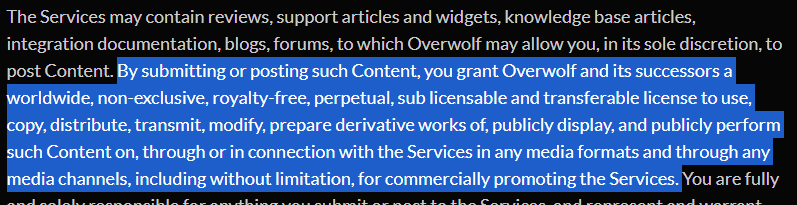
Overwolf | Tech for developers who love gaming
Overwolf adds epic overlay apps to your favorite games. The following terms govern your access to and use of Overwolf, including any information or data made available through the service.
 near thicket
thx
near thicket
lyric crescent
https://www.overwolf.com/legal/terms/
https://i.imgur.com/K041npL.png
this means Overwolf and Curse Forge can use/share your mod publicly but this does not allow you to share a mod that has been uploaded if i understand it right, as you need to respect the mods license. but i could be wrong
lyric crescent
Licenses apply to code.
If you uploaded the file, anyone can use it. Simple as that.
near thicket
lyric crescent
If you uploaded the file, anyone can use it. Simple as that.
Yeah use it but not share it in his modpack
lyric crescent
What?
signal ridge
If a mod is uploaded to cureseforge pack devs are allowed to use it in curesforge packs. As uploading to CF is a public space
lyric crescent
I'm not sure what you think a modpack is doing that would be a problem here.
 chrome dragon
What is estimated time till one can sign into curse porch with a Google account?
lyric crescent
curse porch 🤔
rich flint
chrome dragon
What is estimated time till one can sign into curse porch with a Google account?
There is no eta on any changes to the current system which uses a twitch account to login to the website.
chrome dragon
Well I don't have the coin throw a twitch
rich flint
chrome dragon
Well I don't have the coin throw a twitch
Getting a twitch account is free.
 sour spindle
It would only cost money if you wanted to monthly sub too a streamer
 proper barn
I'm trying to upload an exported modpack file from the curseforge launcher to my project, but everytime I do, the file disappears from the files section completely, and I'm not getting any feedback that indicates it's been denied or anything. Does anyone know what's going on here?
 olive hawk
How do i stop going to the beta curseforge website? i go search for minecraft mods and it just keeps pushing me to the beta website. I can't use it, it's just bad. How do i stop this from happening?
proper barn
in the URL, delete the beta infront of curseforge I think
young bone
That only works if the main site isn’t at capacity
digital roost
created a new project, and the page cant be found. whats the deal with that
tried deleting beta in front and that didnt do anything
young bone
You’d have to replace beta with www, but that doesn’t always work
proper barn
is there any reason I wouldn't get a rejection message when uploading a file to a project but the file disappears from the main files section?
 dense sierra
Hello i always get a snyc operation failed message i already rebootet my laptop.
What can i do
 proper barn
oh my god there's a status dropdown menu I didn't see, and there's all the files that have been rejected
no rejection reason though, where can I find it?
young bone
Up at the little bell
 halcyon gazelle
any ideas how come i can not run forge 1.19.2 but i can run 1.12.2
 lyric linden
I am having a issue I am using 1.18.2 and trying to add Eden ring dimension and paradise lost but I can’t find it when i try to add more content
clear flare
Why is the approval process faster when uploading a file than when creating a modpack?
gray shuttle
near thicket
You have to look up these licenses because the developers may not want modpacks ...
He removed the mod so it doesn't matter anymore. Because as far as the curse forge system is concerned. His mod no longer exist since he deleted it
lyric linden
lyric linden
I am having a issue I am using 1.18.2 and trying to add Eden ring dimension and ...
Could it be because it’s fabric is there a way to get fabric stuff onto my forge pack?
rich flint
lyric linden
Could it be because it’s fabric is there a way to get fabric stuff onto my forge...
No. Some mods are now being published that work on either loader, but most published work on only one loader with no way to convert except a new mod file / code by the mod author
lyric linden
Dang
lyric linden
rich flint
No. Some mods are now being published that work on either loader, but most publ...
Are there mods that allow them to be together
Like the mod bad packets
rich flint
No
young bone
Past projects that existed to make both work together never got off the ground
 fast sorrel

 lofty swift
getting the oops screen on startup
and I have ESET installed
and the troubleshooting didnt work
can anyone help?
signal ridge
!oops
red patioBOT
What to do when getting the 'Oops' message
- Make sure you tried these steps first
- Click the
Create logs.zipbutton on the bottom of the oops error. - Drag and drop the created file into this channel.
- Wait for someone to look at the logs and help you.
 old walrus
so uh - is there a way to disable the beta thing? it really throws me off, is just weird to use and feels like someone is trying to fix something what ain't broke which will only backfire - also using an unfinished website without all working features as public fallback?
young bone
The beta site redirects is mitigation for loads on the main site, if you replace “beta” with “www” it has a chance to put you in the main site
old walrus
i want to skin alive (insert non-threatening, comedic insult here) the person who came up with the idea to throw a user into a beta website where features are incomplete, the whole interface feels cluttered and weird without any popup, banner, or any notification about WHY they are there
i've been using curseforge for a while now, and it still is off-putting
young bone
Have a look in #🆘︱current-issues🆘
old walrus
i mean - i know cuz i've been there
but not forcing the user to join a discord server by adding a basic info pop-up or banner would be nice
get your shit together smh
lofty swift
can anyone find anything?
 errant gale
I need help please, I can't launch forge and optifine at the same time, even if I have done everything right, can someone help me?
 fathom oyster
am I able to update a specific mod in a modpack using the curseforge app?
lyric linden
is curse forge down? i got a eror message this is it HTTP Code: 520
Status Text: error
Address: https://www.curseforge.com/minecraft/modpacks/ultimate-survival-with-magic
Date: Wed Feb 15 2023 19:15:42 GMT-0500 (Eastern Standard Time)
Request: POST /project/826589/images/upload
 proud warren
Hey i have been having a very stranfe issue with my Curseforge launcher and it has been stuck like this for a while. My friends dosent look like that and it makes deleting or checking files annoying, please assist if you can.

<@&1029742729472782430>
rich flint
!noping
red patioBOT
📛 Please do __**NOT**__ ping or DM unless asked (Rule #3.2)
Please take the time to read our #📛︱rules
Please keep in mind that the reply feature pings the original message's sender by default, so please turn it OFF with every reply, or don’t use the reply feature and simply write your response in the channel.
The moderators volunteer their time and knowledge to help, you might not get your answers instantly. Describe what you need help with in detail and please patiently wait for someone to check and reply.
Do NOT DM staff members without being asked to do so.
Breaking this rule will result in being timed out / banned according to moderation judgment.
rich flint
moderators are not on-call help staff
proud warren
Okay than who can help me
if a moderator isnt suppost to help, then what?
So helpful, thanks
 rich flint
proud warren
if a moderator isnt suppost to help, then what?
rich flint
proud warren
if a moderator isnt suppost to help, then what?
you're not supposed to ping and demand immediate assistance
unclear what you are saying is happening. did you press play, and then play in the minecraft launcher that pops up?
red patioBOT
How to open a support ticket on the CurseForge website
Can't open the app or would rather use the website? You can do so here.
Fill out the form with accurate detailed information, keep in mind that simply saying 'it' or 'doesn't work' is very vague. The more details you provide, the more efficient help you will get.
Make sure to upload your Overwolf logs with the Upload File option in the ticket, information on how to get these logs can be found here
 civic brook
Okay, thank you!
lyric linden
civic brook
Had the same issue ended of submitting a ticket to see what’s up
 full glen
so how do I update Cforge?
 upper root
restart it and it should update itself (or click the  in the bottom left)
full glen
ok
upper root
however you usually dont need to upfate curseforge. is something telling you to update?
full glen
no,I can't play on pixelmon servers
young bone
Curseforge has nothing to do with that
young bone
CurseForge itself has nothing to do with servers, maybe whatever modpack you're using has an update
full glen
I asked and they said that there useing 9.1.2
civic brook
lyric linden
Had the same issue ended of submitting a ticket to see what’s up
Their support team is closed as of 15 minutes ago and won’t be open again until sunday
Nvm it’s wednesday-
 humble sequoia
Why when I download forge mod it opens as winrar not the popup where I install the client
opal cipher
!notcf
red patioBOT
This is not related to CurseForge owned/maintained features or services
CurseForge does not make or maintain any of the content or games used on the site or the app.
Just because it's on the site/app does not make it a problem with CurseForge.
Please move to the respective channels as requested, or use #👽︱game-support for game-related help.
 green verge
Hi! I'm new to curseforge so this maybe a silly question, but does anyone know how to download multiple curseforge files at once? Like is there a basket function or a way to download the multi-selection
upper root
using the app is the best way
if its minecraft and mods you can then export a bunch of mods as a modpack to share with other people
 pallid cove
hello
the curseforge installer is not opening
upper root
!reinstall try these instructions
red patioBOT
Reinstalling Overwolf & CurseForge is required
Please uninstall by following the instructions here
Once you're done, you can install again from the main download page
upper root
what happeds when you try open it?
pallid cove
it does not open
upper root
!troubleshooter download and run this
red patioBOT
Running the Overwolf troubleshooter
Please download and run the official Overwolf troubleshooter from here. It helps diagnose and fix problems with the Overwolf app not opening or working correctly for the first time after installation.
 slender ivy
i have problem
i cant download curseforge on windows
it cant be clicked
but i can click on linux and mac
but im in windows :/
opal cipher
!getcf
red patioBOT
Where and how to install the CurseForge app
 Windows
Minimum Requirements:
-
OS Version: 10 or 11
-
64 bit Required
-
Microsoft .Net 4.8
If you are having issues with the Windows Download use the Windows alternative download to install Overwolf. Then download CurseForge from the App Store.
Windows Standalone app
Note: Currently only supports World of Warcraft and Minecraft.
 Mac
Mac
Minimum Requirements:
-
OS Version 10.14 or newer.
-
64 bit Required.
:penguin: Linux
Note: Currently only supports World of Warcraft.
slender ivy
opal cipher
!getcf
ty man
 teal lotus
is there any way to transfer a profile between 2 computers?
young bone
OneDrive, Google drive, flash drive, email
What game are you looking to transfer a profile for
teal lotus
minecraft
young bone
The ways I listed then
 true moat
im using curse forge, i recently had to move the game files from a folder to another which caused some issues so i had to reinstall the modpack im playing, i have a private server and every time i try to join, it says encrypting and acts as if im joining the world, then it gives me this error, any idea how to fix it ?

 calm plover
true moat
im using curse forge, i recently had to move the game files from a folder to ano...
calm plover
true moat
im using curse forge, i recently had to move the game files from a folder to ano...
lets move to #🧱︱mc-other-help need a latest.log from the server and client
 harsh zodiac
i wanted to try curseforge but when i press play on a modpack and wait a bit this happens, the fist one appearas then the second one appears after i click ok on the first or exit it, does anyone know how to fix this i wanna play this modpack


also this happens for all the modpacks i try to play not one specific one
i deleted minecraft and installed it again like it said but nothing changed
 mystic swift
!mc-installfix
red patioBOT
How to repair your Minecraft installation on CurseForge - **NOT** the same as `Repair Profile` - please follow these exact steps
- Click on the Minecraft Tab on the left side of the CurseForge App.
- Click button next to the
Create Custom Profileoption. - Click
Repair Installationoption.
NOTE: Although this might seem similar to the instructions of repairing profile, it's different and required. No worries, you will not lose any modpacks or worlds.
mystic swift
@harsh zodiac have you tried this solution?
https://support.curseforge.com/en/support/solutions/articles/9000218027-issues-related-to-the-forge-modloader#Hosts-file
 mental kernel
is there any chance to recover my modpacks on curseforge beta
near thicket
try it then restart your pc and check if it works
red patioBOT
Disabling IPV6
Please follow these instructions to disable IPv6, which when enabled can sometimes cause network issues.
harsh zodiac
should i restart after it?
near thicket
yes restart curse forge after you have disabled it
harsh zodiac
it didnt work 😦
is there a way to download modpacks to the vanilla luancher, might as well just use that
 mental talon
hi i wonder i uploaded a custom profject so my friends and i can use it but when i go to the mod back in my dashbord it says OOPS something went wrong 404
?
 teal lotus
if i wanna transfer a minecraft profile to a new laptop that just installed curseforge, can i just put all the profile files into the instances folder or is there anything else i need to do?
signal ridge
digital roost
?
Please try to stick to the channel you started in when posting issues. Jumping rooms doesnt help. (Also replied to your last issue)
signal ridge
teal lotus
if i wanna transfer a minecraft profile to a new laptop that just installed curs...
You can try that, you can also try exporting the profile from the CF app > then import the zip into the new pc.
!mc-packshare Top section
red patioBOT
Two ways to share a modpack you made with others
Export and Share - For Friends / Small Groups
- Click the Icon for the modpack.
- Click the button next to play.
- Click

Export. - Select the files that should be included.
- Send the zip to the people that want it! They can follow the instructions in
!mc-installpackto install the pack.
Upload to Curseforge - For Public Release to Everyone
This option will make your pack public to EVERYONE, it comes with extra requirements and will take some effort to set up.
- Go to create a new project
- Fill out the information with a proper description of the pack. This should allow anyone to understand what the pack is.
- Click the Icon for the modpack in the CurseForge app.
- Click the button next to play.
- Click
Export. - Select the files that should be included.
- Open your Project that you made on the CurseForge site and Upload the file you just made.
- Wait for Moderation & Sync so it can show up in the client! (See
!syncfor limitations and!statusto learn about the moderation process and how long it will take to approve/decline)
signal ridge
Ignore the bottom
near thicket
harsh zodiac
is there a way to download modpacks to the vanilla luancher, might as well just ...
!dns try changing your dns settings as your provider might block some things. after you have changed them do the repair install again.
red patioBOT
Changing your DNS server
Please follow these instructions to change your DNS server. The default one (provided by your router/ISP) can sometimes block CurseForge and other programs/websites.
red patioBOT
How to get your launcher log
- Click in the top right corner of CurseForge
- Click the
Open Modding folderbutton - Open the
Installfolder - Drag the
launcher_log.txtfile into discord
lyric linden
how do i figgure out how much ram my modpack uses?
rich flint
F3 menu in-game gives a general idea
lyric linden
rich flint
F3 menu in-game gives a general idea
In 1.18.2
rich flint
harsh zodiac
Change your DNS to 8.8.8.8 or 8.8.4.4
This log clearly shows DNS is not resolving
Also can post this
!hosts
red patioBOT
How to get your hosts-file
On Windows
- Press +
Ron your keyboard, and paste:notepad %windir%\system32\drivers\etc\hosts - Screenshot/Copy the contents and paste it into the chat.
On Mac/Linux
- Open a terminal window, paste:
cat /etc/hosts - Screenshot/Copy the contents and paste it into the chat.
 grave zephyr
What is that

 sterile timber
how do I make a server for my Mod Pack ?
rich flint
grave zephyr
What is that
!oops
red patioBOT
What to do when getting the 'Oops' message
- Make sure you tried these steps first
- Click the
Create logs.zipbutton on the bottom of the oops error. - Drag and drop the created file into this channel.
- Wait for someone to look at the logs and help you.
harsh zodiac
 grave zephyr
harsh zodiac
grave zephyr
harsh zodiac
my DNS was on 8 8 8 8 before but this https://support.curseforge.com/en/support/solutions/articles/9000194900-curseforge-troubleshooting#DNS-Issues said to change to 1 1 1 1 earlier

CurseForge Support
We're here to get you informed on everything you need to know about CurseForge, including helpful guides and troubleshooting articles to back you up when you get in a pickle
grave zephyr
okay
harsh zodiac
maybe its something else
rich flint
Better restart your computer, try again, post new launcher log
harsh zodiac
alright ill try that
harsh zodiac
here is the launcher log
grave zephyr
Okay
rich flint
What is your DNS actually set to rn?
Ibrahim
Sorry I can't view your log on my phone hiro heh
Maybe another helper can
harsh zodiac
its on 8 8 8 8
grave zephyr
Yes
rich flint
Strange. It clearly says it can't find the Mojang servers
digital roost
it says failed to get client token
 next basalt
hello, i have a question about the Curse Forge genaral. How can i log out a account.
rich flint
next basalt
hello, i have a question about the Curse Forge genaral. How can i log out a acco...
Log out of what thing
next basalt
of the main window where you can choose you mod you would play
next basalt
i wnat to log in an other minecraft account but i cant log out with my old
signal ridge
Should be the same steps as logging out of the vanilla mc launcher.
next basalt
ok thx
teal lotus
if i wanna transfer a profile to another pc and i click on export profile, what files and folders should include in the package? just select all?

 proper cloud
the files selected are fine but if you want the worlds, modpack photo, etc included you can do select all
rich flint
"mods"
teal lotus
!mc-installpack
red patioBOT
How to install modpacks with the search features in the CurseForge app
How to install modpacks with the search features
- Open the

Minecraftsection of the app. - Click the top search bar where it says
Search for modpacksOR Click theBrowse ModpacksTab. - Find the Modpack you want to install and click install on it.
- Wait for the CurseForge app to download and unpack all the required files.
- Once finished, click
Play!===***
How to install modpacks from an Export (Custom/Private/Site downloaded Modpack zip)
- Get the CurseForge app if you don't have it, use
!downloadfor a link. - Get the exported modpack from CurseForge or someone else,
!mc-packshareexplains how to make them. - Open the
Minecraftsection of the app. - Click

Create Custom Profile - Click the
Importoption. - Find the file you just downloaded in step 2 and select it.
- CurseForge app will now attempt to download and unpack the modpack. If it fails, try steps 4-6 again.
- Once finished, click
Play!

 modern wren
my friend is trying to download the vault hunters mod for minecraft (on curseforge of course), but while it's downloading, it stops for some reason. does anyone know how to fix this??
proper cloud
if its the 1.16.5 one idk
1.18 might just be a keeping of the tab open or not clicking off
proper cloud
modern wren
my friend is trying to download the vault hunters mod for minecraft (on cursefor...
wdym downloading vh on vh?
modern wren
my bad i meant curseforge
proper cloud
lol if he closed the tab or anything that might be why
 frosty spruce
Is there a way to prevent the Curseforge App from squishing out any whitespace in my minecraftinstance.json whenever it writes to it (e.g. every time I watch the game)? I'm trying to use version control software to manage a modpack I am making, and since this is the main file that needs to be tracked and compared, I added white space to make comparisons. However, whatever JSON parser CF uses keeps stripping the whitespace.
I realize most users probably won't care and it does save a bit of disk space, but I've got several terabytes I'm not using so that's not really an issue for me.
 fresh robin
i tried the overwolf trouble shooter it says im not connected to the internet...... clearly i am as i am here on my pc. now curseforge wont open as it says im not connected to the internet
teal lotus
if i have a modpack and export it from 1 pc to another, itll show up as my creation so i cant update it to a newer version when it comes out, can i download the modpack from the brower and just replace all the files with the ones in that profile so i can update it with the update function and dont have to manually do it?
 stuck dragon
Hello, can you help me with something?
frosty spruce
"Don't ask to ask, just ask" is generally how support discord channels go. We don't know if we can help until we know more about the problem than "it exists"
stuck dragon
Well, when I enter the page of my mod, the screen says 404 Oops, something went wrong...
We couldn't find the page you are looking for, can you help me?
frosty spruce
What mod? And what link are you following?
Or do you mean that curseforge (The app, as opposed to the website) is showing 404 in the app? Because if that happens, that's probably a bug.
stuck dragon
ya se areglo
frosty spruce
I don't speak Spanish
 waxen flax
I need help with downloading the modpack vault hunters 3rd edition,
When try to download it it reaches to applying patch 2 and automatically deletes the files after that
signal ridge
waxen flax
I need help with downloading the modpack vault hunters 3rd edition,
When try to ...
!mc-installfix try the below, as soon as its complete reboot your pc
red patioBOT
How to repair your Minecraft installation on CurseForge - **NOT** the same as `Repair Profile` - please follow these exact steps
- Click on the Minecraft Tab on the left side of the CurseForge App.
- Click button next to the
Create Custom Profileoption. - Click
Repair Installationoption.
NOTE: Although this might seem similar to the instructions of repairing profile, it's different and required. No worries, you will not lose any modpacks or worlds.
waxen flax
signal ridge
!mc-installfix try the below, as soon as its complete reboot your pc
I did it and this appeared when trying to launch it

 steady schooner
is there a version of optifine available for forge 36.2.34?
young bone
That’s something to ask in the Optifine server and to check in their site
 tidal cargo
teal lotus
tidal cargo
teal lotus
if i have a modpack and export it from 1 pc (all files) and import it on a new profile on another pc itll show up as my creation. This makes it so that i cant update it to a newer version when it comes out.
can i download the modpack from the brower on a new profile and just replace all the files in new profile with the ones in the custom profile so that i can update it with the change version function and dont have to manually do it?
gray shuttle
Don't think so
red patioBOT
Error/Exit codes are useless. Follow these steps so someone can actually help you.
- Right-click the modpack profile icon OR click the button in the modpack profile.
- Click
Open Folder. - Open the
logsfolder. - Drag and drop the FILE named
latestORdebuginto discord.
digital roost
is there a way I can play multiplayer with curseforge app? or do i need to download a mod off the website
 wispy karma
you can use curseforge to play multiplayer
digital roost
can I use the app?
digital roost
okay ty
wispy karma
if its a custom modpack use the create custom profile button

 mystic rivet
Anybody know why it is doing this

It just stays like that and I can’t access anything
wispy karma
have you tried task managering overwolf and curseforge
mystic rivet
Yea
rich flint
mystic rivet
Anybody know why it is doing this
What version of windows
mystic rivet
10
red patioBOT
Reinstalling Overwolf & CurseForge is required
Please uninstall by following the instructions here
Once you're done, you can install again from the main download page
mystic rivet
It worked thanks
lyric linden
So my friend is trying to alpha test my modpack and he downloaded the alpha version from the website and it says this
 rich flint
lyric linden
So my friend is trying to alpha test my modpack and he downloaded the alpha vers...
rich flint
lyric linden
So my friend is trying to alpha test my modpack and he downloaded the alpha vers...
The app doesn't support alpha files. Just use beta or release.
lyric linden
rich flint
The app doesn't support alpha files. Just use beta or release.
Yea I remembered now I fixed it I think also why does it not support alpha even tho there’s a alpha section?
rich flint
I've asked why it's even an option and it is because some devs insist it still be an option despite the app not supporting it.
rich flint
? mc-installfix
red patioBOT
How to repair your Minecraft installation on CurseForge - **NOT** the same as `Repair Profile` - please follow these exact steps
- Click on the Minecraft Tab on the left side of the CurseForge App.
- Click button next to the
Create Custom Profileoption. - Click
Repair Installationoption.
NOTE: Although this might seem similar to the instructions of repairing profile, it's different and required. No worries, you will not lose any modpacks or worlds.
red patioBOT
Disabling IPV6
Please follow these instructions to disable IPv6, which when enabled can sometimes cause network issues.
red patioBOT
How to change your Minecraft install path on CurseForge
:small_blue_diamond: If Minecraft is __not installed__ in CurseForge App:
- Click the
 in the top left.
 - Select Minecraft from the list of games.
- Select the
Advancedoption and select:
--- Windows:Local Disk (C:)at the left side of the window. If you do not see it, clickThis PCfirst.)
--- Mac:/Users/Shared/CurseForge, If it does not exist, make it. - Click
Continue.
:small_orange_diamond: If Minecraft is __installed__ in CurseForge App:
- Click the
 in the bottom left.
 - Select the Minecraft tab.
- Click
Change. - Select the location:
--- Windows:Local Disk (C:)at the left side of the window. If you do not see it, clickThis PCfirst.)
--- Mac:/Users/Shared/CurseForge, If it does not exist, make it.
rich flint
Then install a profile and launch
rich flint
Working?
 faint geyser
Hello im trying to play mods for minecraft but minecraft isnt showing up on the launcher and i was wondering if i could get help for it
Never mind i read the previous ticket
 full ocean
it says for chest cavity I need 6.2.62 cloth config when apparently it says I have 6.3.81 when in reality in the folder it says I have 6.2.62
what do I do
 eternal compass
 signal ridge
eternal compass
signal ridge
eternal compass
!notcf
red patioBOT
This is not related to CurseForge owned/maintained features or services
CurseForge does not make or maintain any of the content or games used on the site or the app.
Just because it's on the site/app does not make it a problem with CurseForge.
Please move to the respective channels as requested, or use #👽︱game-support for game-related help.
signal ridge
full ocean
it says for chest cavity I need 6.2.62 cloth config when apparently it says I ha...
Send logs to #🧱︱mc-other-help
full ocean
nvm
 quasi tangle
are anyones downloads down this month or is it just me?
 woven temple
when i try to launch a mod pack i get this

 opal cipher
!mc-installfix
red patioBOT
How to repair your Minecraft installation on CurseForge - **NOT** the same as `Repair Profile` - please follow these exact steps
- Click on the Minecraft Tab on the left side of the CurseForge App.
- Click button next to the
Create Custom Profileoption. - Click
Repair Installationoption.
NOTE: Although this might seem similar to the instructions of repairing profile, it's different and required. No worries, you will not lose any modpacks or worlds.
woven temple
opal cipher
!mc-installfix
thank you
teal lotus
if i have a modpack and export it from 1 pc (all files) and import it on a new profile on another pc itll show up as my creation. This makes it so that i cant update it to a newer version when it comes out.
can i download the modpack from the brower on a new profile and just replace all the files in the new profile with the ones in the custom profile so that i can update it with the change version function and dont have to manually do it?
Or is there any other way in which i can achieve the same thing?
teal lotus
upper root
not without uploading it to the site
What do you mean?
upper root
modpacks on the site can update in place, so it automatically replaces the files
teal lotus
upper root
modpacks on the site can update in place, so it automatically replaces the files
ye, the modpack that i use is on the site
upper root
then why are you exporting it?
teal lotus
upper root
then why are you exporting it?
because i have a profile on which i played and just bought a new computer
or is there no point in exporting? because what is saved on the client side apart from the minimap? (i use minecraft vault hunters 3rd edition modpack)
upper root
just the minimap and options
so there is no point in exporting especially as you lose the update in place
waxen flax
I need help with downloading the modpack vault hunters 3rd edition, when I try to download it, it reaches to applying patch 2 and automatically deletes the files after that
reinstalling didin't work
upper root
!mc-installfix
red patioBOT
How to repair your Minecraft installation on CurseForge - **NOT** the same as `Repair Profile` - please follow these exact steps
- Click on the Minecraft Tab on the left side of the CurseForge App.
- Click button next to the
Create Custom Profileoption. - Click
Repair Installationoption.
NOTE: Although this might seem similar to the instructions of repairing profile, it's different and required. No worries, you will not lose any modpacks or worlds.
waxen flax
It didn't work
upper root
!cflogs-app
red patioBOT
How to get your CurseForge app logs
- Click the
Create logs zipin the menu. - Drag and drop the file created to this channel.
- Wait for someone to look at it so they can help you.
waxen flax
Do I send them to you? and here?
upper root
step 2 explains where to send them
upper root
!dns
red patioBOT
Changing your DNS server
Please follow these instructions to change your DNS server. The default one (provided by your router/ISP) can sometimes block CurseForge and other programs/websites.
upper root
also what ISP are you using?
waxen flax
what's isp the company for the internet?
 elder prairie
Hello, I think I have a problem. Yesterday I published my project and it has not yet been approved, it is the first time I have done a project and maybe it takes a long time, I only have that doubt if it is normal for it to take so long.
upper root
waxen flax
what's isp the company for the internet?
yes
upper root
elder prairie
Hello, I think I have a problem. Yesterday I published my project and it has not...
!status
red patioBOT
Project moderation time
Project/File moderation is done on these days unless otherwise mentioned:
Sunday, Monday, Tuesday, Wednesday, Thursday: <t:1631170800:t> - <t:1631199600:t> (Your time)
Friday, Saturday: No Moderation!
Projects are moderated First in, First out. If you submit late in the work day, it will likely get left until the next day!
New Projects or anything flagged for manual review: 1-3 Working Days
Updates to approved projects not needing manual approval: 1 Hour
-If your file has been "Under Review" for more than an hour, then it is at manual review!
elder prairie
ok, Thanks
waxen flax
upper root
yes
the name is CoresNet, but the dns thing fixed it and now the modpack is downloading
Thank you
upper root
havent heard of that one before. good to know (this issue has been happening more, recently, and im wondering if its to do with isps blocking it)
good to know its fixed!
waxen flax
I don't know about the issue I tried downloading other modpacks and had no problem with them only with vault hunters
again thank you for the help!
 marble parcel
Selecting Post a comment does not work properly.
Steps to reproduce:
- open the the beta website
- navigate to a mod's comment tab
- select "post a comment"
- observe that a new tab is made and it brings you to the mod's home page rather than just letting you post a comment.
It seems to be working again now.
calm plover
marble parcel
Selecting `Post a comment` does not work properly.
Steps to reproduce:
1. open ...
mabye bec #🆘︱current-issues🆘 :/
 glossy tiger
Why is there no Minecraft page on curseforge. There is bedrock but no Java
calm plover
glossy tiger
Why is there no Minecraft page on curseforge. There is bedrock but no Java
This is a bug, here the link: https://www.curseforge.com/minecraft/modpacks
glossy tiger
Ok thanks!
digital roost
hey guys
i cant switch out of the beta
this is bad cause i cannot view my unpublished mod in beta
calm plover
You can view it, try this: #🆘︱current-issues🆘 message
just without the upload thing i guess
digital roost
why are we forced to use the beta
curseforge should add a thing like reddit has with their old UI where you can choose to switch back
calm plover
ChriSkate explained it quite well in #🆘︱current-issues🆘
digital roost
How can I download mods in modpacks as .jar files?
 calm plover
digital roost
How can I download mods in modpacks as .jar files?
calm plover
digital roost
How can I download mods in modpacks as .jar files?
open the Profile options and tick this option on
 calm plover
open the Profile options and tick this option on
calm plover
calm plover
open the Profile options and tick this option on
You can open the options here
 calm plover
digital roost
does anybody have the office hours command
calm plover
digital roost
does anybody have the office hours command
!status i think
red patioBOT
Project moderation time
Project/File moderation is done on these days unless otherwise mentioned:
Sunday, Monday, Tuesday, Wednesday, Thursday: <t:1631170800:t> - <t:1631199600:t> (Your time)
Friday, Saturday: No Moderation!
Projects are moderated First in, First out. If you submit late in the work day, it will likely get left until the next day!
New Projects or anything flagged for manual review: 1-3 Working Days
Updates to approved projects not needing manual approval: 1 Hour
-If your file has been "Under Review" for more than an hour, then it is at manual review!
 modest canyon
I have made profile with 38 mods. If open it everything was fine, but now if I go on one mod and then back to profile, I see not the 38 mods that I had. Now I see 306 mods, I think those mods are all the mod I had ever installed from every profile combined. Some of them like supplementaries I see twice, one is for 1.16.5 version and the 1.19.2. Then if I restart the app it looks normal again. But it happens again
How can I fix this?
young bone
It’s a weird visual glitch, I’ve had it too, it’ll go away
modest canyon
thanks
 arctic furnace
Someone broke da website 💯
signal ridge
#🆘︱current-issues🆘 for all the current site issues
arctic furnace
It has no JavaScript (Or CSS for that matter), and that's not a listed issue currently.
 arctic furnace
Worked, thank ya.
signal ridge
Likely more a cache issue on your end. the "hard refresh" can help with that
red patioBOT
📛 Please do __**NOT**__ ping or DM unless asked (Rule #3.2)
Please take the time to read our #📛︱rules
Please keep in mind that the reply feature pings the original message's sender by default, so please turn it OFF with every reply, or don’t use the reply feature and simply write your response in the channel.
The moderators volunteer their time and knowledge to help, you might not get your answers instantly. Describe what you need help with in detail and please patiently wait for someone to check and reply.
Do NOT DM staff members without being asked to do so.
Breaking this rule will result in being timed out / banned according to moderation judgment.
calm plover
 jovial wagon
https://www.curseforge.com/minecraft/mc-mods/turkeyswordmod
jovial wagon
https://www.curseforge.com/minecraft/mc-mods/turkeyswordmod
!status
red patioBOT
Project moderation time
Project/File moderation is done on these days unless otherwise mentioned:
Sunday, Monday, Tuesday, Wednesday, Thursday: <t:1631170800:t> - <t:1631199600:t> (Your time)
Friday, Saturday: No Moderation!
Projects are moderated First in, First out. If you submit late in the work day, it will likely get left until the next day!
New Projects or anything flagged for manual review: 1-3 Working Days
Updates to approved projects not needing manual approval: 1 Hour
-If your file has been "Under Review" for more than an hour, then it is at manual review!
calm plover
Friday, Saturday: No Moderation
jovial wagon
calm plover
Friday, Saturday: No Moderation
ok i am sorry
rich flint
Discord Moderators are not CF employees
 vast mortar
I am trying to add rei but it seems to crash before game is fully loaded
calm plover
vast mortar
I am trying to add rei but it seems to crash before game is fully loaded
Can you send this in #🧱︱mc-other-help or #👽︱game-support not really curseforge related you know
 frosty mica
Will curseforge work on a macbook pro M1 chip?
rich flint
!mc-mac
red patioBOT
Forge 1.13-1.16 on M1 and M2 Mac
How to identify: (in log)
GLFW error before init: [0x10008]Cocoa: Failed to find service port for display
Reason:
All versions of Forge for Minecraft 1.13 up to and including 1.16.5 are not compatible with M1/M2 Mac due to Apple removing support for methods used by Forge. This would need to be fixed by Apple.
Fix:
Use a Forge version below Minecraft 1.13 or above 1.16.5.
Some people have reported that leaving the game minimized until it has loaded completely can work
vast mortar
calm plover
Can you send this in <#768367574001778729> or <#778097796410376242> not really ...
thanks
 light zephyr
I downloaded modpack to play with my friends but it's not working when we connect through radmin, does anyone know how to fix it?
signal ridge
light zephyr
I downloaded modpack to play with my friends but it's not working when we connec...
!notcf
red patioBOT
This is not related to CurseForge owned/maintained features or services
CurseForge does not make or maintain any of the content or games used on the site or the app.
Just because it's on the site/app does not make it a problem with CurseForge.
Please move to the respective channels as requested, or use #👽︱game-support for game-related help.

 signal ridge
 molten jewel
!oops
red patioBOT
What to do when getting the 'Oops' message
- Make sure you tried these steps first
- Click the
Create logs.zipbutton on the bottom of the oops error. - Drag and drop the created file into this channel.
- Wait for someone to look at the logs and help you.
signal ridge
 modest solar
how can i update it to 1.53
modest solar
how can i update it to 1.53
Right click the picture >  Change version > select version you want
modest solar
signal ridge
Right click the picture > <:CFchange_version:1041656165249077318> Change version...
 signal ridge
View profile > uncheck enable content management.
modest solar
signal ridge
View profile > uncheck enable content management.
this ?
 signal ridge
yes, uncheck that
molten jewel
signal ridge
!oops
it wont work
signal ridge
What wont work?
modest solar
signal ridge
yes, uncheck that
ty
molten jewel
cant go into the network settings
signal ridge
Why not?
molten jewel
it wont open for some reason ??
signal ridge
What OS are you on?
molten jewel
i have windows 10
tried firewall, cant do DNS issues and tried unistalling both apps but it wont work ??
signal ridge
Does it spit out an error?
 green lagoon
qq parle français ?
signal ridge
green lagoon
qq parle français ?
!english
red patioBOT
📛 Please use English only (Rule #1)
Please take the time to read our #📛︱rules
This is an English-speaking discord.
We politely ask that you translate or do your best at using English.
If someone wishes to help you in your native language, we ask you to do that in DMs.
green lagoon
ok
signal ridge
molten jewel
just veryyyyyyyyyyy slow
Reboot your pc then try again
molten jewel
aight
green lagoon
hello i have a problem
red patioBOT
Please provide some more information to receive assistance
Providing the following information will help the team in assisting you:
- A detailed description of the issue you're experiencing
- If a mod/modpack/addon is involved, please specify the name
- Any screenshot/video/gif of the issue if you have
- Get your relevant logs ready, you can type
!mc-logs/!cflogs-appfor instructions
Some tips for explaining yourself better to save time and additional questions:
- Avoid using words such as 'it', say what it is :]
- Instead of simply saying something doesn't work, try to describe what's happening when you're running it
green lagoon
when i run a mod pack with the curse forge application there is a problem and asks me to reinstall my minecraf luncher
signal ridge
!mc-installfix try the below
red patioBOT
How to repair your Minecraft installation on CurseForge - **NOT** the same as `Repair Profile` - please follow these exact steps
- Click on the Minecraft Tab on the left side of the CurseForge App.
- Click button next to the
Create Custom Profileoption. - Click
Repair Installationoption.
NOTE: Although this might seem similar to the instructions of repairing profile, it's different and required. No worries, you will not lose any modpacks or worlds.
molten jewel
it still doesnt workk....
 peak pine
I made 2 mods in the meanwhile that actually requires native code, soo, yeah...
signal ridge
molten jewel
it still doesnt workk....
!ticket-site sill likely need to open a ticket for this.
red patioBOT
How to open a support ticket on the CurseForge website
Can't open the app or would rather use the website? You can do so here.
Fill out the form with accurate detailed information, keep in mind that simply saying 'it' or 'doesn't work' is very vague. The more details you provide, the more efficient help you will get.
Make sure to upload your Overwolf logs with the Upload File option in the ticket, information on how to get these logs can be found here
peak pine
peak pine
I made 2 mods in the meanwhile that actually requires native code, soo, yeah...
So, I'll ask again, am I allowed to upload Minecraft mods with native code to CurseForge?
One of the mods allows for showing battery percentage in-game. (Probably the only one I'm going to upload with Native code)
molten jewel
signal ridge
!ticket-site sill likely need to open a ticket for this.
how long does it take before they reposnd
gray shuttle
peak pine
One of the mods allows for showing battery percentage in-game. (Probably the onl...
Idk what type of native code for battery level you mention lol
peak pine
A .dll file, since I only can access the computer's percentage using that.
(I have searched everywhere in the Java API for anything relatated to that, but with no luck, so I made it using a .dll file that gets loaded using java)
green lagoon
hello again i have a problem
 digital roost
hey again yoyo
signal ridge
molten jewel
how long does it take before they reposnd
Could be a few days, maybe a week. Depends on how the que is (dont have a eta) they are also on their weekend break / not back in the office till sunday
digital roost
yoyo whats the command that lets me see when the mods will look at it?
signal ridge
!status in #🟢︱user-bot-spam
digital roost
signal ridge
`!status` in <#525819185712988180>
okay! thank you
signal ridge
green lagoon
hello again i have a problem
!mc-installfix try the below, as soon as its done reboot your pc
red patioBOT
How to repair your Minecraft installation on CurseForge - **NOT** the same as `Repair Profile` - please follow these exact steps
- Click on the Minecraft Tab on the left side of the CurseForge App.
- Click button next to the
Create Custom Profileoption. - Click
Repair Installationoption.
NOTE: Although this might seem similar to the instructions of repairing profile, it's different and required. No worries, you will not lose any modpacks or worlds.
green lagoon
signal ridge
!mc-installfix try the below, as soon as its done reboot your pc
mc-installfix ?
teal lotus
when i try to launch minecraft i get this error message, ive already reinstalled the application and also reselected the forge-40-1-93 in my profile, how can i fix this?
 green lagoon
a I succeeded it was the place of my pc thank you
teal lotus
ive repaired the installation and now forge is installed, but now i get this
 peak pine
So, I'll ask again, am I allowed to upload Minecraft mods with native code to Cu...
peak pine
peak pine
So, I'll ask again, am I allowed to upload Minecraft mods with native code to Cu...
Bump
signal ridge
peak pine
Bump
!devdiscord the dev discord might be a better place to ask this.
red patioBOT
The CurseForge Discord server for developers can be found here:
https://discord.gg/JwUXpc8n8M
signal ridge
green lagoon
mc-installfix ?
Follow the bot instructions bellow my post
signal ridge
teal lotus
ive repaired the installation and now forge is installed, but now i get this
That the ful output? Or just a snippet of it?
 uneven rose
I try to add ksc to the app yet it does not work through scan and manual addition
young bone
It’s better to use CKAN for KSP mods
uneven rose
thanks
 manic merlin
How Can I download and use minecraft modpacks if my laptop doesn't meet the system requirements and curseforge won't install?
teal lotus
manic merlin
How Can I download and use minecraft modpacks if my laptop doesn't meet the syst...
if it doesnt meet the system requirements you probably cant
manic merlin
I can download from website single mods but modpacks are converted to something weird that only curseforge program can open.
lyric crescent
I'm not sure what else you expect to be told if your device doesn't meet the min requirements.
 tiny garden
yo quick question, can a player from a normal minecraft game connect to a curseforge world as long as they have the same mods?
lyric crescent
That has nothing to do with CurseForge, but yes.
tiny garden
dope
manic merlin
Im very dissapointed. I dont know for what reason, single mods can be downloaded and used, modpacks are specially converted to make monopoly
lyric crescent
The reason is that modpacks do not contain the mods. The app downloads the mods from a list to save bandwidth, file size, and to prevent licensing issues with mods.
manic merlin
Okay, thank you very much for patience. It just hurts, that I cant downloads modpacks cuz there re not any curseforge appropriate alternatives.
young bone
What operating system are you using
manic merlin
Windows 7
red patioBOT
Windows 7 or 8.1 are not supported
You seem to be running Windows 7 or 8.1 which is not supported anymore by Overwolf or Curseforge. Please upgrade your machine if possible.
You can find the download link here
manic merlin
yeah, thank you
young bone
There’s the FTB app, ATLauncher, and Prism, but I don’t know their minimum requirements
manic merlin
Thank you for your time. FTB looks cool, cuz they have curseforge modpacks also. I will chech it out. You are very helpful, have a good and calm evening.
peak pine
signal ridge
!devdiscord the dev discord might be a better place to ask this.
I can't verify, since I don't have a phone number.
 twilit lantern
am i allowed to post a link?
to the curse forge website
to ensure it is correct
young bone
Why do you need to make sure it’s correct
 wooden spire
 primal phoenix
hello all im getting a failed to launch issue when i try to boot curse for the first time. i have followed all the common issue solutions page and still no luck. any tips?

 karmic spire
how do i fix the issue on curseforge client when i try to downlaod mods it says "could not create SSL/TLD secure channel"
 valid kelp
Hi, ive beent trying to set up mc on curseforge , im at the step where it says 'set up curseforges minecraft modding folder' but i always get the error message 'failed to download minercaft launcher due to network error' but ive checked firewall and network and there should be nothing wrong. any reasons/fixes for this? thanks!
rich flint
valid kelp
Hi, ive beent trying to set up mc on curseforge , im at the step where it says '...
?mc-launcherlog
red patioBOT
How to get your launcher log
- Click in the top right corner of CurseForge
- Click the
Open Modding folderbutton - Open the
Installfolder - Drag the
launcher_log.txtfile into discord
rich flint
karmic spire
how do i fix the issue on curseforge client when i try to downlaod mods it says ...
same log as above
rich flint
 bronze mortar
how do i fix this
bronze mortar
how do i fix this
?mc-installfix
red patioBOT
How to repair your Minecraft installation on CurseForge - **NOT** the same as `Repair Profile` - please follow these exact steps
- Click on the Minecraft Tab on the left side of the CurseForge App.
- Click button next to the
Create Custom Profileoption. - Click
Repair Installationoption.
NOTE: Although this might seem similar to the instructions of repairing profile, it's different and required. No worries, you will not lose any modpacks or worlds.
rich flint
primal phoenix
hello all im getting a failed to launch issue when i try to boot curse for the f...
can you screenshot the screen that you get stuck on?
 night thunder
How do I edit the versions and release/beta status of mods, with the new beta curseforge site?
I uploaded a mod as a beta and I want to change it to release, but I can't.
bronze mortar
rich flint
?mc-installfix
didn't worked
but fixed it just deleting everything
and saved my modpacks
rich flint
what?
rich flint
night thunder
How do I edit the versions and release/beta status of mods, with the new beta cu...
for now authors still need to use the old website to upload files and edit existing files (for example to edit the status from beta to release)
night thunder
And how does one force load the old website?
rich flint
put \settings at the end of the URL
there is also a 'manage' button on the beta website
night thunder
Manage takes me to the old curseforge's description and info editing pages, nothing to do with files.
I'll try the settings later.
It's just frustrating to have the site constantly flipping between the old and the new which, I support new entirely, but it's not ready to be used by mod authors... so, in my opinion, if beta doesn't give us the options we need, it shouldn't be loading. Just my unsolicited two cents.
Maybe give everyone who's uploaded a mod the ability to set the old site as default, at least once per session? Or something to that effect.
I doubt it'll be that easy to just give us a magic button to push us to the old site, but the idea is worth mentioning.
Oh, one more question. Do beta and release mods have the same amount of exposure? It's just alpha that is hidden, right?
I'm pretty sure that's a yes, but I thought I'd ask.
upper root
The forced redirects should only happen in short time periods (~10mins), so usually waiting for a bit works
night thunder
Meh. But okay.
upper root
night thunder
Oh, one more question. Do beta and release mods have the same amount of exposure...
Yes, except for the fact people can choose to ignore beta updates in the app. I believe that is off by default tho
night thunder
Oh cool, so clients should see beta mods by default.
I was tagging my forge mods as beta and fabric mods as release, so they would appear side by side. I don't want to limit my exposure, though.
rich flint
?notcf
red patioBOT
This is not related to CurseForge owned/maintained features or services
CurseForge does not make or maintain any of the content or games used on the site or the app.
Just because it's on the site/app does not make it a problem with CurseForge.
Please move to the respective channels as requested, or use #👽︱game-support for game-related help.
rich flint
use game channels for game issues
 frank anvil
does forge count as curseforge?
rich flint
?mc-wording
red patioBOT
Please use the correct terms - it allows us to understand and help you faster
Forge = Minecraft Forge, this is a modloader often just called "Forge".
Fabric = Fabric MC, this is a modloader, often just called "Fabric".
CurseForge = A Website/App that has content for games and serves as a mod manager.
Mods = Individual mod files.
Modpacks = Multiple mods put into the mods folder or downloaded from CurseForge.
rich flint
curseforge is a company. forge is a modloader system.
 austere seal
Does it normally take this long to have a modpack processed?
 frank anvil
ohh
signal ridge
austere seal
Does it normally take this long to have a modpack processed?
!status
red patioBOT
Project moderation time
Project/File moderation is done on these days unless otherwise mentioned:
Sunday, Monday, Tuesday, Wednesday, Thursday: <t:1631170800:t> - <t:1631199600:t> (Your time)
Friday, Saturday: No Moderation!
Projects are moderated First in, First out. If you submit late in the work day, it will likely get left until the next day!
New Projects or anything flagged for manual review: 1-3 Working Days
Updates to approved projects not needing manual approval: 1 Hour
-If your file has been "Under Review" for more than an hour, then it is at manual review!
signal ridge
If its a modpack you can manually send it to people. and they can import it into their cf apps
austere seal
signal ridge
If its a modpack you can manually send it to people. and they can import it into...
Yeh. I think I know why it was flagged. Going to try again
austere seal
signal ridge
If its a modpack you can manually send it to people. and they can import it into...
But then they won't be able to update it if I update it.
 swift sky
help, I want to publish the modpack file, but error 405 comes out
 limpid shadow
im trying to run a mc mod pack mc loads and then never actually opens the game do i need a specific requirement or am i slow
valid kelp
rich flint
?mc-launcherlog
not sure if im clicking the tirght 3 dots, but it is greyed out (im on mac btw) so i cant click on it. also i meant modding folder ealier, not server. thanks
 tulip grove
does anyone know any mods for schematics on the CurseForge app for 1.19.3? ive tried typing in some mods on the curseforge website, but they dont show up in app
 oblique umbra
tulip grove
does anyone know any mods for schematics on the CurseForge app for 1.19.3? ive t...
oblique umbra
tulip grove
does anyone know any mods for schematics on the CurseForge app for 1.19.3? ive t...
Yeah single mods don't show on the app. Just mod packs
tulip grove
oblique umbra
Yeah single mods don't show on the app. Just mod packs
Just Enough Items is a modpack?
oblique umbra
Just enough items is a single mod?
opal cipher
!mc-installmods
red patioBOT
How to install mods in the CurseForge app
- Click
+ Create Custom Profile - Name it, select the required Minecraft version, select the modloader & modloader version (usually the highest number), click
Create. - Click the profile icon.
- Click

Add More Content - Search and install the desired mods.
- Start the game!
How to install mods that are not on the CurseForge app
- Right click the profile picture or Open the profile and click the Icon next to the play button.
- Click
Open Folder. - Drag the mod(s) into the
modsfolder. (Note: Some mods will require others, to run. Make sure to read the instructions for the mod!) - Start the game!
 tulip grove
oblique umbra
Just enough items is a single mod?
tulip grove
oblique umbra
Just enough items is a single mod?
well i have JEI on the app, a single mod
oblique umbra
Good for you I guess?
tulip grove
oblique umbra
Good for you I guess?
bruh??? you said it doesnt have single mods, i just said it does, why you being so snarky lmao??
oblique umbra
Why are you being so snarky?
tulip grove
im not??
oblique umbra
It probably isn't just a single mod if it is in the app. It probably has mini-mods included
opal cipher
No, if you create a custom profile, you can add mods, like in any modpack
Like the instructions the bot posted above
Might not work well on a potato pc/laptop though.
tulip grove
opal cipher
!mc-installmods
i dragged the mod (litematica, a schematics mod) into the mod folder but its not showing on the mod menu, and nothing for keybinds in controls
oblique umbra
opal cipher
Might not work well on a potato pc/laptop though.
After it had done loading or creating or whatever when you press “create a custom profile” it just goes away
oblique umbra
tulip grove
i dragged the mod (litematica, a schematics mod) into the mod folder but its not...
That happens with me too just without the custom profile bit
tulip grove
tulip grove
i dragged the mod (litematica, a schematics mod) into the mod folder but its not...
all my mods from the app work though
tulip grove
tulip grove
all my mods from the app work though
and its a 1.19.3 mod
opal cipher
tulip grove
i dragged the mod (litematica, a schematics mod) into the mod folder but its not...
Why drag mods into the folder instead of installing them with the app?
opal cipher
oblique umbra
After it had done loading or creating or whatever when you press “create a custo...
!reinstall
red patioBOT
Reinstalling Overwolf & CurseForge is required
Please uninstall by following the instructions here
Once you're done, you can install again from the main download page
tulip grove
opal cipher
Why drag mods into the folder instead of installing them with the app?
like i said, i cant find it, on the app
opal cipher
Then it's not available for the profile you created
Needs to be a version available for the Minecraft version and modloader you selected
oblique umbra
opal cipher
Why drag mods into the folder instead of installing them with the app?
I do it bc it won't let me use “create a custom profile”
opal cipher
!ticket-app
red patioBOT
How to open a support ticket on the CurseForge app
- Click the icon in the bottom left.
- Select

Open a Ticket. - Fill out the form with accurate detailed information, keep in mind that simply saying 'it' or 'doesn't work' is very vague. The more details you provide, the more efficient help you will get.
- Make sure to upload your Overwolf logs with the
Upload Fileoption on the ticket, information on how to get these logs can be found here https://support.overwolf.com/en/support/solutions/articles/9000176827-how-to-get-your-overwolf-logs - Submit!
 opal cipher
I'd suggest opening a ticket about that then, so that they can try to figure out why you can't create profiles
oblique umbra
Okkk thanks
oblique umbra
opal cipher
I'd suggest opening a ticket about that then, so that they can try to figure out...
I'm on my phone tho so I have no question mark I can click on
opal cipher
.. well that's because you don't have CurseForge (the app) on your phone
opal cipher
There isn't
So I'm not sure why we're talking about phones, when the app is for Windows, Mac and Linux
oblique umbra
I have the app on my laptop lol. Yeah idk why we're talking abt phones either.
 delicate steppe
About 2 years ago i was working on a minecraft modpack using the twitch app with the forge page. I see Curse Forge now has a new app but i no longer have the modpack folder i used to have. Is there any way i could recover my old project?
 cinder cedar
Where would the Java file I need to manually select be?
Had a unable to load launcher core problem…. Guessing it’s the fact I have two Java versions? Cause repair and the other steps didn’t do anything
upper root
the mc launcher doesnt need java to launch
!mc-launcherlog this should have some clues as to why its actually not working
red patioBOT
How to get your launcher log
- Click in the top right corner of CurseForge
- Click the
Open Modding folderbutton - Open the
Installfolder - Drag the
launcher_log.txtfile into discord
 tulip hamlet
how can I fix a laggy modpack? (aside from performance mods)
upper root
install spark and use it to profile to see whats causing so much lag
cinder cedar
upper root
!mc-launcherlog this should have some clues as to why its actually not working
3 errors,
-failed to initialize gdk
- failed to get client token from configuration
-couldn’t load launcher core
cinder cedar
Yeah there is and sure, figured those would give more info, few mins… updating discord on pc I’ll tag you when I got it
cinder cedar
upper root
can you send the file here?
As a note I do have connection, have tried the recommended fixes, & can use mc in other launchers
upper root
No connection available for https://launchermeta.mojang.com/v1/products/launcher/d03cf0cf95cce259fa9ea3ab54b65bd28bb0ae82/windows-x86.json
can you access that url in a browser?
cinder cedar
Yeah
upper root
do you have anything that could be blocking the mc launcher, such as a firewall or antivirus?
cinder cedar
upper root
do you have anything that could be blocking the mc launcher, such as a firewall ...
I mean I do but no, The install goes all the way through to update the launcher than fails at the end
upper root
the cf app doesnt completely install the launcher, the launcher still needs to download some things itself
cinder cedar
I recently installed the same thing in a different launcher and it works perfectly^
upper root
other launchers do not go through the vanilla launcher
upper root
can you try disable everything that could be blocking the minecraft launcher?
it doesnt matter much if the normal launcher works, cf uses a seperate installation and seperate exe files, so things like firewalls could block one but not the other.
cinder cedar
Already tried that as well 😄
Oh, right. It started after a interrupted update to the launcher. Windows decided it was update time and cut it off xD
Not sure if that helps hmm
upper root
that sounds like something that would be fixed by an installation repair
can you try the repair installation button again, and disabling anything that could be blocking it? just to double check
!mc-installfix
red patioBOT
How to repair your Minecraft installation on CurseForge - **NOT** the same as `Repair Profile` - please follow these exact steps
- Click on the Minecraft Tab on the left side of the CurseForge App.
- Click button next to the
Create Custom Profileoption. - Click
Repair Installationoption.
NOTE: Although this might seem similar to the instructions of repairing profile, it's different and required. No worries, you will not lose any modpacks or worlds.
red patioBOT
Error/Exit codes are useless. Follow these steps so someone can actually help you.
- Right-click the modpack profile icon OR click the button in the modpack profile.
- Click
Open Folder. - Open the
logsfolder. - Drag and drop the FILE named
latestORdebuginto discord.
cinder cedar
upper root
that sounds like something that would be fixed by an installation repair
It kind of worked? New problem now… it installs “update files” every launch
gray shuttle
So much context lol
 latent sigil
well what else is there to say?
oh i booted up minecraft, clicked play and I was really excited to play this mod with extra mods then BOOM my heart dropped, my stomach is turning and whats that? Oh my god, this is bad, it crashed!
twilit lantern
how come i can only look up packs of mods and not specific mods
gray shuttle
latent sigil
oh i booted up minecraft, clicked play and I was really excited to play this mod...
oh look context
XD
gray shuttle
twilit lantern
how come i can only look up packs of mods and not specific mods
mod searching can only be done from modpack profiles via the add more content button inside modpack profiles in curseforge
otherwise the search will look up modpacks
young bone
?mc-installmods
red patioBOT
How to install mods in the CurseForge app
- Click
+ Create Custom Profile - Name it, select the required Minecraft version, select the modloader & modloader version (usually the highest number), click
Create. - Click the profile icon.
- Click
Add More Content - Search and install the desired mods.
- Start the game!
How to install mods that are not on the CurseForge app
- Right click the profile picture or Open the profile and click the Icon next to the play button.
- Click
Open Folder. - Drag the mod(s) into the
modsfolder. (Note: Some mods will require others, to run. Make sure to read the instructions for the mod!) - Start the game!
mental talon
how long is the mod taking to verify a mod i upload ive waited i think 4 days now ?
i kinda need it so friends can play
young bone
Check the mod page, see if there’s any red boxed message on it
gray shuttle
mental talon
how long is the mod taking to verify a mod i upload ive waited i think 4 days no...
they don't normally work on the weekends lol,. and only seem to work for a few hours or so everyday. if you miss that window don't count on it getting approved anytime soon
monday to thursday they are pretty good at looking at things
young bone
?status
red patioBOT
Project moderation time
Project/File moderation is done on these days unless otherwise mentioned:
Sunday, Monday, Tuesday, Wednesday, Thursday: <t:1631170800:t> - <t:1631199600:t> (Your time)
Friday, Saturday: No Moderation!
Projects are moderated First in, First out. If you submit late in the work day, it will likely get left until the next day!
New Projects or anything flagged for manual review: 1-3 Working Days
Updates to approved projects not needing manual approval: 1 Hour
-If your file has been "Under Review" for more than an hour, then it is at manual review!
 sullen canyon
I need help! When I want to play a forge mod it always crashes or never even start but when i want to play a fabric modpack there is no problem or crashes.
can some1 help me pls?
gray shuttle
a forge mod and a fabric modpack aren't the samething as you prob guessed
sullen canyon
i know that
gray shuttle
doing so will cause issues
gray shuttle
what version is it?
sullen canyon
19.2
near thicket
sullen canyon
I need help! When I want to play a forge mod it always crashes or never even sta...
!mc-logs
red patioBOT
How to get your profile logs on CurseForge for support
- Right-click the modpack profile icon OR click the button in the modpack profile.
- Click
Open Folder. - Open the
logsfolder. - Drag and drop the FILE named
latestORdebuginto discord.
gray shuttle
logs sure are handy yeah
sullen canyon
near thicket
do you have a crash report too?
near thicket
send it here
 near thicket
this is not a crash log
mental talon
gray shuttle
they don't normally work on the weekends lol,. and only seem to work for a few h...
:/
young bone
In the crash logs folder
sullen canyon
can we dm
young bone
No
 young bone
?mc-launcherlog
red patioBOT
How to get your launcher log
- Click in the top right corner of CurseForge
- Click the
Open Modding folderbutton - Open the
Installfolder - Drag the
launcher_log.txtfile into discord
sullen canyon
which of these
 young bone
The one you have highlighted
 timid plover
I need help in the launcher
if someone knows his way around in the CurseForge Launcher pls contact me in my DMs or Ping me pls)
near thicket
sullen canyon
<APPDIR>\Instances\beidllecken\hs_err_pid24012.log can you post this one too? doesn't show whats wrong either
near thicket
timid plover
I need help in the launcher
if someone knows his way around in the CurseForge La...
!help
red patioBOT
Please provide some more information to receive assistance
Providing the following information will help the team in assisting you:
- A detailed description of the issue you're experiencing
- If a mod/modpack/addon is involved, please specify the name
- Any screenshot/video/gif of the issue if you have
- Get your relevant logs ready, you can type
!mc-logs/!cflogs-appfor instructions
Some tips for explaining yourself better to save time and additional questions:
- Avoid using words such as 'it', say what it is :]
- Instead of simply saying something doesn't work, try to describe what's happening when you're running it
sullen canyon
near thicket
`<APPDIR>\Instances\beidllecken\hs_err_pid24012.log` can you post this one too? ...
timid plover
I want to add some MODPACKS to my profile but I can't find them even though I know their names (i.e. the MODPACK name)
near thicket
sullen canyon
some mod is messing something on your client rendering but i can't figure out what you probably need to do the below
!mc-reversesearch
red patioBOT
The alternative way to binary search
Follow the steps below for an alternate method to binary search:
- Make a new profile, same versions as the last one
- Test the profile with no mods
- Add 1-5 mods to the profile (using the app)
- Test the profile, does it boot / can you make a world?
- If YES Repeat steps 3 & 4
- If NO Remove the mods you just added then test the pack again
- Repeat this process until the problematic mod(s)/plugin(s)/addon(s) have been found
sullen canyon
near thicket
some mod is messing something on your client rendering but i can't figure out wh...
but my friends can play the same pack
near thicket
!graphicsdrivers make sure yours are up to date
red patioBOT
sullen canyon
and even a modpack with no mods won't start
near thicket
!mc-installfix try this with a restart of your pc
red patioBOT
How to repair your Minecraft installation on CurseForge - **NOT** the same as `Repair Profile` - please follow these exact steps
- Click on the Minecraft Tab on the left side of the CurseForge App.
- Click button next to the
Create Custom Profileoption. - Click
Repair Installationoption.
NOTE: Although this might seem similar to the instructions of repairing profile, it's different and required. No worries, you will not lose any modpacks or worlds.
digital roost
sullen canyon
i made it, it was my graphics card
can you help me
sullen canyon
with what?
digital roost
an access violation has occurred when attempting to install minecraft launcher forge
do you know how to fix this
near thicket
digital roost
an access violation has occurred when attempting to install minecraft launcher f...
!mc-installfix
red patioBOT
How to repair your Minecraft installation on CurseForge - **NOT** the same as `Repair Profile` - please follow these exact steps
- Click on the Minecraft Tab on the left side of the CurseForge App.
- Click button next to the
Create Custom Profileoption. - Click
Repair Installationoption.
NOTE: Although this might seem similar to the instructions of repairing profile, it's different and required. No worries, you will not lose any modpacks or worlds.
 near thicket
!ipv6
red patioBOT
Disabling IPV6
Please follow these instructions to disable IPv6, which when enabled can sometimes cause network issues.
near thicket
make sure to restart CF after you did it
digital roost
near thicket
make sure to restart CF after you did it
i did it and still says the same thing
near thicket
!dns try this one too
red patioBOT
Changing your DNS server
Please follow these instructions to change your DNS server. The default one (provided by your router/ISP) can sometimes block CurseForge and other programs/websites.
digital roost
near thicket
!dns try this one too
i did but its just stuck like this
 young bone
What operating system are you using
digital roost
windows 11
 fair herald
how can i do something like this on my modpack page? i saw so much modpacks that got something like this
 digital roost
mine says an access violation has occurred when attempting to install minecraft launcher
 mighty oriole
hello
i have a doubt
the thing is that i want to change the RAM used in my minecraft, and when I start with curse of forge it says 4600, so i dont know what i need to change
this

 marsh ivy
why can't I access the old website
fair herald
idk same
mighty oriole
huh
mighty oriole
someone who can help me with that?
sullen canyon
mighty oriole
this
just change the first number to the half of your RAM
sullen canyon
how many ram u have
mighty oriole
16
 sharp pilot
hello, how can i share my mod packs with friends so that we can play it?
 hybrid thicket
Hey i have a problem with mod Grimoire of gaya and i dont know how can i fix it may I get some help ?
 fair herald
hybrid thicket
fair herald
hybrid thicket
you have to update the mod
wait no
are u playing on a server?
then u forgot to add the mod to your client
hybrid thicket
Like i have mod in client and in server
fair herald
huh
the server is saying that u dont got the version on ur client
maybe u got the wrong version on client


 mint sigil
where did the Minecraft mods go on the curse forge website?
young bone
They're still there
 frail torrent
i need some help with all the mods 8 The game crashed whilst rendering overlay
Error: com.electronwill.nightconfig.core.io.WritingException: An I/O error occured
tiny garden
I made zero changes to a modpack I just installed and the game crashed and gave me Error Code -1073741819
red patioBOT
Error/Exit codes are useless. Follow these steps so someone can actually help you.
- Right-click the modpack profile icon OR click the button in the modpack profile.
- Click
Open Folder. - Open the
logsfolder. - Drag and drop the FILE named
latestORdebuginto discord.
 peak chasm
So, I have a server for my family and I want to develop a better way to keep the mods on the server updated. We play 1.18.2 on Fabric. On client, the curseforge app works well for the client only - but no way to keep the server current. Is there something baked into the curseforge app I am missing? And, as an FYI we have this hodge podge of apps - not a standard mod pack.
 cursive sorrel
i download modpacks in curseforge but i dont see them at my modpacks
 lucid goblet
how do I upload my mod? I keep getting redirected to the curseforge beta and I don't see an upload button
 clear root
Hey, is there a possibility to take over projects that have not been continued for almost 2 years, although the license forbids it? I've been trying to reach the developer for 1 1/2 years, but even though he's online regularly, I get no response. I just wanted to know if there is a possibility to take over such projects anyway sometime after a certain period of time. What must also be said is that the current developer has continued the mod years ago even without permission.
lucid goblet
I don't think copyright isn't like trademarks lol, they can sit on the project if they want
upper root
clear root
Hey, is there a possibility to take over projects that have not been continued f...
No. If the license forbids it you will never get anywhere
your only option is to rewrite the mod from scratch
clear root
Ok thx
 wispy trail
hey so my create above and beyond doesn't start giving exit code 1
upper root
!copyspam
red patioBOT
Please avoid copying your message across multiple channels
Please do not copy and paste into multiple channels.
It won't help with getting assistance any faster and just spams the channels.
This is part of #📛︱rules 
wispy trail
is there anything wrong with my mod pack then?
upper root
the pack is fine. something is preventing required files from being where they should be.
the log i asked for should say why, once you actually send it correctly
please move back to #🧱︱mc-other-help
wispy trail
alright sorry
 tulip summit
Is anyone else having the problem of a project they've made not appearing on their profile when they check it?
I've made a mod that I'm very proud of, I regularly try to check on if it's approved or not but when I check the project just isn't there. I was only able to access it once when I used bookmarks.
tulip summit
It would be much appreciated if this gets answered soon, thanks in advance
digital roost
hey can anyone help me how can i make those buttons

 safe panther
!notcf
red patioBOT
This is not related to CurseForge owned/maintained features or services
CurseForge does not make or maintain any of the content or games used on the site or the app.
Just because it's on the site/app does not make it a problem with CurseForge.
Please move to the respective channels as requested, or use #👽︱game-support for game-related help.
safe panther
Try asking in #🥑-off-topic-chat
fallen loom
Essentials the plugin or Essential the sketchy mod?
 molten slate
hi i am having a problem opening any of my modpacks on forge. I have deleted and reinstalled minecraft and forge both and this issue persists.


not sure if this is a minecraft or a forge problem but I can open a regular mc installation fine
near thicket
molten slate
hi i am having a problem opening any of my modpacks on forge. I have deleted and...
!mc-installfix and restart your pc after you have done the below. after that try it again
red patioBOT
How to repair your Minecraft installation on CurseForge - **NOT** the same as `Repair Profile` - please follow these exact steps
- Click on the Minecraft Tab on the left side of the CurseForge App.
- Click button next to the
Create Custom Profileoption. - Click
Repair Installationoption.
NOTE: Although this might seem similar to the instructions of repairing profile, it's different and required. No worries, you will not lose any modpacks or worlds.
molten slate
thanks
 primal raptor
is it possible to use optifine with the CF app
tulip summit
tulip summit
Is anyone else having the problem of a project they've made not appearing on the...
Anyone have an answer
eternal compass
why am i getting low fps and i have a 3080 and a ryzen 9
austere seal
!help
red patioBOT
Please provide some more information to receive assistance
Providing the following information will help the team in assisting you:
- A detailed description of the issue you're experiencing
- If a mod/modpack/addon is involved, please specify the name
- Any screenshot/video/gif of the issue if you have
- Get your relevant logs ready, you can type
!mc-logs/!cflogs-appfor instructions
Some tips for explaining yourself better to save time and additional questions:
- Avoid using words such as 'it', say what it is :]
- Instead of simply saying something doesn't work, try to describe what's happening when you're running it
austere seal
Just curious about different reasons the modpack could be flagged
eternal compass
flagged?
austere seal
To be manually inspected
eternal compass
do you want me to send you the logs?
austere seal
Oh wait. Sorry it was my own question
austere seal
eternal compass
why am i getting low fps and i have a 3080 and a ryzen 9
What game tho
I cn try to help
eternal compass
mincraft
eternal compass
forge
austere seal
is it a modpack?
eternal compass
yea
upper root
austere seal
Just curious about different reasons the modpack could be flagged
random chance
upper root
eternal compass
why am i getting low fps and i have a 3080 and a ryzen 9
send a screenshot of f3 to #🧱︱mc-other-help
tulip summit
tulip summit
Is anyone else having the problem of a project they've made not appearing on the...
Can I please get an answer
 next basin
hey does anyone know how reliable essential is on modded minecraft/if it causes any major problems
 olive glacier
where do i ask for questions about modpacks crashing that i have created myself... probably a simple fix... but im still kinda new
fallen loom
?notcf
red patioBOT
This is not related to CurseForge owned/maintained features or services
CurseForge does not make or maintain any of the content or games used on the site or the app.
Just because it's on the site/app does not make it a problem with CurseForge.
Please move to the respective channels as requested, or use #👽︱game-support for game-related help.
olive glacier
Thanks
 undone gull
Hi whenever I try to load my friend's mod pack it crashes at the Minecraft launcher with an exit code 1
red patioBOT
Error/Exit codes are useless. Follow these steps so someone can actually help you.
- Right-click the modpack profile icon OR click the button in the modpack profile.
- Click
Open Folder. - Open the
logsfolder. - Drag and drop the FILE named
latestORdebuginto discord.
 latent cipher
Hello, whenever I try to install a modpack it just immediately removes itself after finishing the install... I can't play the on the server i JUST purchased bc I can't install the modpack on curseforge... I also get NO error message...
upper root
?mc-installfix
red patioBOT
How to repair your Minecraft installation on CurseForge - **NOT** the same as `Repair Profile` - please follow these exact steps
- Click on the Minecraft Tab on the left side of the CurseForge App.
- Click button next to the
Create Custom Profileoption. - Click
Repair Installationoption.
NOTE: Although this might seem similar to the instructions of repairing profile, it's different and required. No worries, you will not lose any modpacks or worlds.
latent cipher
I have done this multiple times
upper root
!cflogs-app
red patioBOT
How to get your CurseForge app logs
- Click the
Create logs zipin the menu. - Drag and drop the file created to this channel.
- Wait for someone to look at it so they can help you.
latent cipher
it finally installed but is now failing to launch the modpack "failed to launch modpack b5990005-3c17-4809-8d5a-e8ce408cbb73
latent cipher
says "cannot install minecraft version" though I have minecraft and the most updated version curseforge as i have reinstalled curseforge 3 times now
upper root
its failing to install forge cause it doesn't know where to find minecrafts servers
!dns try this
red patioBOT
Changing your DNS server
Please follow these instructions to change your DNS server. The default one (provided by your router/ISP) can sometimes block CurseForge and other programs/websites.
 humble tree
Curseforge will not open it just closes the second I try to open it
It was working earlier for hours then just stopped
Tried rebooting nothing
And I can't reinstall because it just closes the uninstall thing
rich flint
windows?
humble tree
It's still just trying to open overwolf which is probably the main issue actually and it just can't
upper root
!troubleshooter
red patioBOT
Running the Overwolf troubleshooter
Please download and run the official Overwolf troubleshooter from here. It helps diagnose and fix problems with the Overwolf app not opening or working correctly for the first time after installation.
upper root
try running this
humble tree
Tried that and it said no issues found
upper root
!reinstall
red patioBOT
Reinstalling Overwolf & CurseForge is required
Please uninstall by following the instructions here
Once you're done, you can install again from the main download page
red patioBOT
The main Overwolf Discord server and support can be found here: https://discord.gg/overwolf
tulip summit
How long does it usually take for curseforge to approve a mod?
upper root
!status
red patioBOT
Project moderation time
Project/File moderation is done on these days unless otherwise mentioned:
Sunday, Monday, Tuesday, Wednesday, Thursday: <t:1631170800:t> - <t:1631199600:t> (Your time)
Friday, Saturday: No Moderation!
Projects are moderated First in, First out. If you submit late in the work day, it will likely get left until the next day!
New Projects or anything flagged for manual review: 1-3 Working Days
Updates to approved projects not needing manual approval: 1 Hour
-If your file has been "Under Review" for more than an hour, then it is at manual review!
 misty nacelle
Hello there, I'm trique06. I'm the developer of Mythic Upgrades and Warden Tools. Recently, I have released Mythic Upgrades' Forge version but it still didn't get approved. Instead, I got a message that tells me to make a better description.
Mythic Upgrades doesn't have that much content, I believe its description is enough because it only adds a few armor n tool tiers to the game. Their durabilities, attack damage values, images etc. are included in the description.
If this is a problem, why Mythic Upgrades' Fabric version didn't get a message like this? Both pages have same descriptions. The description isn't in a text format, it's a PNG because I think it looks better, especially in Beta CurseForge website.

I think a player who sees Mythic Upgrades' description can easily understand the mod's aim and content.


https://www.curseforge.com/minecraft/mc-mods/mythic-upgrades-fabric (The Forge version's unaccepted description is also here)
https://www.curseforge.com/minecraft/mc-mods/mythic-upgrades-forge (Forge version isn't available for community)
 glacial glacier
Gambling ad report

 half stag
Hi. Please could someone explain the steps on how to download (and find) my curseforge modded world? I'm trying to upload it to a nitrado server. Thank you in advance!
 north flame
i have this in my shaders folder but when i go in game there is no shaders option

it works fine with optifine but not with forge

i open video settings
not there too
north flame
anyone can help??
opal cipher
glacial glacier
Gambling ad report
Poked someone to take a look at it, thanks.
opal cipher
north flame
anyone can help??
!notcf
red patioBOT
This is not related to CurseForge owned/maintained features or services
CurseForge does not make or maintain any of the content or games used on the site or the app.
Just because it's on the site/app does not make it a problem with CurseForge.
Please move to the respective channels as requested, or use #👽︱game-support for game-related help.
misty nacelle
misty nacelle
Hello there, I'm trique06. I'm the developer of Mythic Upgrades and Warden Tools...
I need help for this, please.
I still believe in my description is ultimately enough and understandable for everyone.
safe panther
Probably best to open a ticket then, there's nothing we can do from here.
!ticket-app
red patioBOT
How to open a support ticket on the CurseForge app
- Click the icon in the bottom left.
- Select
Open a Ticket. - Fill out the form with accurate detailed information, keep in mind that simply saying 'it' or 'doesn't work' is very vague. The more details you provide, the more efficient help you will get.
- Make sure to upload your Overwolf logs with the
Upload Fileoption on the ticket, information on how to get these logs can be found here https://support.overwolf.com/en/support/solutions/articles/9000176827-how-to-get-your-overwolf-logs - Submit!
red patioBOT
How to open a support ticket on the CurseForge website
Can't open the app or would rather use the website? You can do so here.
Fill out the form with accurate detailed information, keep in mind that simply saying 'it' or 'doesn't work' is very vague. The more details you provide, the more efficient help you will get.
Make sure to upload your Overwolf logs with the Upload File option in the ticket, information on how to get these logs can be found here
 warped viper
Hello, I was uploading a new version of my project and suddenly the website forces me to go to the new UI and I don't see the file i've uploaded a few seconds ago and I don't see the button upload file so I can't upload the server pack for the version i've sent
fixed It finally came back to the old UI
 gusty shard
 rustic surge
