#🔥︱curseforge-support
1 messages · Page 42 of 1
 signal ridge
So that file is clean.
 lofty rampart
but it was from supports help😂
 scarlet dune
uhh
signal ridge
lofty rampart
but it was from supports help😂
Did ow support send you here?
 sage ivy
restarting it just put the mods back in the curseforge mod list + in the mod folder again. i'm deleting them from curseforge and the mod folder manually again and seeing if it'll fix it
lofty rampart
signal ridge
Did ow support send you here?
No it was a mod in this server that helped me once but i dont remember the way
because i was able to get it open
signal ridge
scarlet dune
uhh
Run notepad as admin again. Edit the file the reboot your pc.
scarlet dune
alr
signal ridge
lofty rampart
because i was able to get it open
Oh ok yeah, i remember this. Did you try what you did last time?
 red patioBOT
**Network Issues**
- Try restarting the app
- Try restarting your computer
- Disable any programs that interfere with your connection. VPN, ping tunnels, antivirus, firewall.
- Try restarting your router and modem. Also try using a different connection if possible.
- Try reinstalling Curseforge.
lofty rampart
problem is i cant remember😂
signal ridge
Try those steps again then. Its what you were given last time
signal ridge
lofty rampart
these?
Yep. Looked up your issue before. I gave you those same steps and you came back later saying it worked
signal ridge
scarlet dune
why my pc gotta do this
Might be a good idea to get a program like malwarebytes and run a malware scan on your pc. May be something else going on.
sage ivy
sage ivy
restarting it just put the mods back in the curseforge mod list + in the mod fol...
okay this time when i deleted them it looks like they actually were removed and i can launch the game. thank you for the help, looks like restarting my PC fixed it
scarlet dune
alr
 magic shore
getting this error for some reason

tried installing 2 modpacks
and it did the same thing
 fallen loom
Sounds like you don't have Java installed in a way that the OS recognizes
fallen loom
I doubt it'll do any harm
fallen loom
Ooohhh.
 plucky perch
ni los pragas ni los tragos an sido testigo del dolor q me causaste y todo lo q hiciste conmigo infelis en el amor
fallen loom
magic shore
looks i messed up
Oddly enough I don't recommend getting Java from the official site because for some reason in a 64-Bit world their main download button gives you a 32-Bit installer...
fallen loom
plucky perch
ni los pragas ni los tragos an sido testigo del dolor q me causaste y todo lo q ...
!english
red patioBOT
<:curselit:796985620550385705> Rule#1 ENGLISH ONLY <:curselit:796985620550385705>
This is an English-speaking discord.
We politely ask that you translate or do your best at using English.
If someone wishes to help you in your native language, we ask you to do that in DM's.
magic shore
erm u mind sending the link?
red patioBOT
Minecraft requires specific Java versions to run, pick the correct one for the version of Minecraft you are playing!
Java for Minecraft versions 1.16.X and below
Java for Minecraft 1.17.X
Java for Minecraft 1.18.X and 1.19.X
Java for other operating systems.
 fallen loom
Do you have Intel or Apple silicon?
fallen loom
you want the x64 flavor then
fallen loom
Apple-made processors run ARM64 (aarch64)
fallen loom
You'll probably want to stick with Java 17
 fallen loom
Do you plan to program anything in Java?
fallen loom
Then the JRE should suit you, the JDK is the Java Development Kit
fallen loom
You might want to try restarting OW
 fallen loom
What weird thing did you do with Java earlier?
magic shore
do u know exaroton?
fallen loom
No
magic shore
aternos?
fallen loom
Eww, I've heard of them
magic shore
exaroton is like paid version of aternos
which u can use to play modpacks not in aternos
and I had to instal specific forge version
and install is to the server
does it make sense
fallen loom
Still not sure what's weird about that
 fallen loom
Have you tried restarting the computer?
magic shore
nope.
i restarted curseforge as u said
still the same thing daemon
could having multiple javas be a problem?
oh btw daemon
exaroton asked me to use run.sh as executable
ITS WORKING
 wary gale
any ideas why my better minecraft keeps crashing, having fps drops and trouble loading the map
 gritty kraken
my minecraft crashes if i try to open the game in the most recent version, and gives me a crash log
but it runs perfectly fine if I don't run it through the curseforge launcher
 fallow pasture
Hi. I have a strange problem. Curse app wont open anymore. I was using it fine yesterday for WoW... this morning it just wont open.
I tried running as admin, I get the windows confirmation dialogue, but still nothing actually launches. I don't see any processes starting up in task manager either.
Not exactly sure what's going on, any help would be sincerely appreciated.
 silver plank
me too ^
 rich flint
🤔
this is something you should likely send CF a ticket about
they usually respond reasonably fast
!ticket
red patioBOT
Issue Reporting with CF tickets!
Issues can be reported two ways!
Via the website, or in app. Instructions for both are below!
Make sure to include logs when reporting a problem with the client!
Upload your Overwolf logs with the Upload File option on the ticket, information on how to get these logs can be found here https://support.overwolf.com/en/support/solutions/articles/9000176827-how-to-get-your-overwolf-logs
:bug: Author/Client issues via Website :bug:
Can't open the app or are an author trying to get support? https://support.curseforge.com/en/support/tickets/new
Info for Project Authors:
Make sure to select Author Support in the What kind of support do you need? box.
You also need to include a link to the project and your CF name!
Logs, Game and OS boxes can be ignored when opening an author ticket.
:question: Ticket Status :question:
Tickets you have made can be looked at, replied to and closed if you make/login to an account. If you submit a ticket with a specific Email make sure to use that when you make your account so you can see your past tickets!
https://support.curseforge.com/en/support/tickets
Otherwise you will only get email replies at the email you used to open the ticket.
:bug: Reporting via the CurseForge App :bug:
- Click the
 icon in the bottom left.
 - Select

Open a Ticket. - Fill out the form with accurate detailed information, "It doesn't work" isn't helpful! What exactly doesn't work and why doesn't it work should be easy to answer!!
- Upload your Overwolf logs with the
Upload Filesection. (see the top of this message for details) - Submit!
 digital roost
can you help me fix is ( i'm on mac)
 rich flint
?cflogs-zip
red patioBOT
rich flint
can get those logs. although looking like you may want to contact CF support via ticket
digital roost
ill try
digital roost
rich flint
can get those logs. although looking like you may want to contact CF support vi...
im so lost
red patioBOT
Issue Reporting with CF tickets!
Issues can be reported two ways!
Via the website, or in app. Instructions for both are below!
Make sure to include logs when reporting a problem with the client!
Upload your Overwolf logs with the Upload File option on the ticket, information on how to get these logs can be found here https://support.overwolf.com/en/support/solutions/articles/9000176827-how-to-get-your-overwolf-logs
:bug: Author/Client issues via Website :bug:
Can't open the app or are an author trying to get support? https://support.curseforge.com/en/support/tickets/new
Info for Project Authors:
Make sure to select Author Support in the What kind of support do you need? box.
You also need to include a link to the project and your CF name!
Logs, Game and OS boxes can be ignored when opening an author ticket.
:question: Ticket Status :question:
Tickets you have made can be looked at, replied to and closed if you make/login to an account. If you submit a ticket with a specific Email make sure to use that when you make your account so you can see your past tickets!
https://support.curseforge.com/en/support/tickets
Otherwise you will only get email replies at the email you used to open the ticket.
:bug: Reporting via the CurseForge App :bug:
- Click the icon in the bottom left.
- Select
Open a Ticket. - Fill out the form with accurate detailed information, "It doesn't work" isn't helpful! What exactly doesn't work and why doesn't it work should be easy to answer!!
- Upload your Overwolf logs with the
Upload Filesection. (see the top of this message for details) - Submit!
digital roost
fine
scarlet dune
i still have the problem where i delete these bottom 2 texts as administrator and then i restart my pc and it re appears. Im not using any cracked launcher and idk what could be causing it cuz i did a malware scan

ive even deleted and reinstalled both curseforge and minecraft launchers
fallen loom
What Minecraft launchers have you used in the past?
Who else has access to the PC?
Did you get the PC new or used?
If used, did you do a fresh install of Windows?
scarlet dune
i got it pre built im the only one who has access and ive only used curseforge and minecraft launcher
this wasnt happening before
it started happening randomly
i used to run my modded mc server just fine
fallen loom
Was it a used HDD/SSD? Did you do a fresh install of Windows?
scarlet dune
wym? i didn’t buy it used i bought it pre built and wym a fresh install of windows should i do that
if ur wondering i’m using 2 terabytes of hdd and 500 ssd of my main drive
fallen loom
Did you install Windows yourself or did the PC dome with it on?
scarlet dune
fallen loom
Did you install Windows yourself or did the PC dome with it on?
pretty sure it came with it
could be wrong don’t remember
fallen loom
!noping
red patioBOT
⛔**DO NOT PING OR DM UNLESS ASKED**⛔
Please keep in mind:
Replies ping by default, please turn it off with every reply, or don’t use the reply.
⚠️You will be timed out / banned according to moderation judgment.⚠️
scarlet dune
mb
fallen loom
How much is on the PC?
scarlet dune

i think i may have fixed it
might be temporary
i dragged the hosts file out of etc
and then edited it there
restarted my pc and put it back
fallen loom
I meant "how long would it take for you to get back to where you are if you reinstall Windows and how much would youlose?
scarlet dune
hoepfully it stays like that
scarlet dune
fallen loom
I meant "how long would it take for you to get back to where you are if you rein...
i would lose alot lmao
im not tryna reset
i just dont know why minecraft is preventing authentication tho
idk whats blocking it
fallen loom
Because your PC is telling Minecraft to look in the wrong place for some of its necessary services
 rugged fjord
when i try to download the new vault hunters 1.18 it starts deleting files at 5 of 6 patches
sorry wrong support
red patioBOT
<:overwolf:857375414002384916> How to get CurseForge App logs! <:overwolf:857375414002384916>
- Click the

Create logs zipin the menu. - Drag and drop the file it just made to this chat room to upload it.
- Wait for someone to look at it so they can help you.

 naive iris
I'm getting an error while trying to delete a double post I made here: https://www.curseforge.com/wow/addons/auto-mount
Status Text: error
Address: https://www.curseforge.com/wow/addons/auto-mount
Date: Thu Dec 01 2022 11:44:28 GMT+0200 (Israel Standard Time)
Request: GET /comments/5661518/delete``` upper root
Its a known issue, not being able to delete your own comments.
im not sure of any workarounds
naive iris
Can someone delete it for me?
It's my addon and my post. There should be a way to moderate yourself 🙄
Now when I try to modify my project I get a message A Project with that name already exists.
I'm like "NO... Really?"
 agile storm
naive iris
I'm getting an error while trying to delete a double post I made here: https://w...
agile storm
naive iris
I'm getting an error while trying to delete a double post I made here: https://w...
Hi. just to make sure - you are referring to the post by Zilom?
Well I'll assume that's the right one as it is the double-post 😄
Deleted
 viscid dust
hey is anyone here in dreams modpack server?
 opal cipher
Not really a CF support question, or how is it related?
viscid dust
@opal ciphersorry i got hacked a few months a go any just looking for someone to help me get unbanned from the server as i really enjoy his modpacks
opal cipher
Could try asking in #🧱︱minecraft-chat then.
 last hemlock
!tiket
 pure jay
Is this where i can report a bug in CurseForge? (something that doesn't work right, and hasn't been updated yet)
 nocturne shard
how am I supposed to upload a file? clicking the file button allows me to upload a file that shows up in recent files but then gets removed a few seconds later

oh nvm it shows up in the rejected status tab?
ok I think it worked now?

 vagrant spoke
can someone help me?

 dapper wigeon
How can I use Iris in a modpack
red patioBOT
How to add/remove mods in a modpack.
- Click on the picture of the modpack.
- Click the

Add More Contentbutton, IF this button is not there, see below before continuing. - Find the Mods, Resource Packs or Maps you wish to Install and click
Installon them. - Wait for all the required mods to be downloaded.
- Start the modpack.
How to Enable/Disable content management for modpacks.
- Click on the picture of the modpack.
- Click on the
 button next to the
 Playbutton. - Click on

Profile Options. - Check the
Allow content management for this profileoption if you want to edit the content of the modpack, uncheck it to disable.
NOTE: The Allow content management for this profile option is what allows you to Delete, Disable, Update or Install any Mods, Resource Packs or Maps managed by CurseForge. It must be on to modify any of them! (Currently)
signal ridge
!mc-modifypack
 civic flint
heyo, trying to migrate my project's description to WYISWYG, and different text is different sizes for some odd reasons?


 tulip hamlet
hello this might seem like an unusual thing but how can I fix the site loading this way?
 civic flint
heyo, trying to migrate my project's description to WYISWYG, and different text ...
civic flint
civic flint
heyo, trying to migrate my project's description to WYISWYG, and different text ...
I have refreshed the site and reloaded cache
ok seems like any change I make is not loading in
 lapis jay
 humble goblet
I cant download curse forge, I want to install addons whats going on the back end?
Says forging library, then chokes out to retry again or seek support
 dull thorn
Yo
 narrow silo
https://docs.google.com/spreadsheets/d/176Wv-PZUo9hFxy6oC6N8tWdquBLPRtSuLbNK-r0_byM/edit#gid=0
request link is broken how to make request

Google Docs
Main
Mods are sorted alphabetically. Use the tabs at the bottom of the page to search for a specific mod by name.
Request a new non-CurseForge mod
 lyric crescent
Make a ticket to tell them its broken.
narrow silo
where
lyric crescent
Website or app.
fallen loom
narrow silo
https://docs.google.com/spreadsheets/d/176Wv-PZUo9hFxy6oC6N8tWdquBLPRtSuLbNK-r0_...
Can I quickly ask what mod you're going to request and is it Optifine?
narrow silo
fallen loom
Can I quickly ask what mod you're going to request and is it Optifine?
it says " You can include these mods in mod packs. You may not make any money with it and the place of distribution must contain my name (CubeX2) and a link to this thread."
lyric crescent
I dont see any license on this page. A license is required to request other people's mods.
upper root
That sentence could be enough of a license
Its always worth a try
fallen loom
You could try contacting them on CF to see if they'll upload it themselves, seeing as Custom Stuff 3 for 1.8+ is on CF
civic flint
civic flint
ok seems like any change I make is not loading in
Did some more testing and only that section is not updating, if I make a change anywhere else in the description it works fine


removed that section, and then horizontal lines are not rendering bellow.
great to see that both Curse Markdown and WYSIWYG sucks


 unkempt lake
Hello, I'm trying to debug why I can't make a particular mod pack work, and I don't know where to start. I try to open it, and get a mac crash report. Is there any information in that that's actually helpful to isolate my problem?
like, does any of this make sense to anyone?
Thread 0 Crashed:: Dispatch queue: com.apple.main-thread
0 libsystem_kernel.dylib 0x7ff80a5ab00e __pthread_kill + 10
1 libsystem_pthread.dylib 0x7ff80a5e11ff pthread_kill + 263
2 libsystem_c.dylib 0x7ff80a52cd24 abort + 123
3 libc++abi.dylib 0x7ff80a59d082 abort_message + 241
4 libc++abi.dylib 0x7ff80a58e1bd demangling_terminate_handler() + 266
5 libobjc.A.dylib 0x7ff80a48ae11 _objc_terminate() + 96
6 libc++abi.dylib 0x7ff80a59c4a7 std::__terminate(void ()()) + 8
7 libc++abi.dylib 0x7ff80a59ed05 __cxxabiv1::failed_throw(__cxxabiv1::__cxa_exception) + 27
8 libc++abi.dylib 0x7ff80a59eccc __cxa_throw + 116
9 libobjc.A.dylib 0x7ff80a483cc1 objc_exception_throw + 302
10 Foundation 0x7ff80b582011 -[NSConcreteTask launchWithDictionary:error:] + 5301
11 launcher 0x1098965c6 main + 3014
12 dyld 0x11723a52e start + 462
rich flint
unkempt lake
like, does any of this make sense to anyone?
Thread 0 Crashed:: Dispatch queue...
no - for game issues use game rooms such as #🧱︱mc-other-help or #👽︱game-support . post full log files not snips
unkempt lake
k
 elder quail
I just opened Curseforge and it opened a million copies of itself and lagged my computer. Nothing actually showed up. Why?
upper root
!reinstall try reinstall it
red patioBOT
Reinstall
Please reinstall Overwolf and CurseForge according to these instructions: https://support.overwolf.com/en/support/solutions/articles/9000177073-how-to-re-install-overwolf-with-a-clean-slate
The download for CurseForge can be found here, after you remove it: https://download.curseforge.com/
elder quail
Alright
 copper dawn
how do I update the app?
upper root
Restart it
if that doesnt work you can try a reinstall like the instructions above say
elder quail
upper root
!reinstall try reinstall it
It still doesn't open and my laptop is very laggy now.
upper root
does the lag stop if you close all of CF and overwolf through task manager?
elder quail
Yes
upper root
!ticket-site open a ticket
red patioBOT
:bug: Reporting via Website :bug:
Can't open the app or would rather use the website? You can do so here: https://support.curseforge.com/en/support/tickets/new
Fill out the form with accurate detailed information, "It doesn't work" isn't helpful! What exactly doesn't work and why doesn't it work should be easy to answer!
Make sure to upload your Overwolf logs with the Upload File option on the ticket, information on how to get these logs can be found here https://support.overwolf.com/en/support/solutions/articles/9000176827-how-to-get-your-overwolf-logs
elder quail
It's really strange because nothing is being maxed out
 copper dawn
so... I uninstalled then reinstalled curseforge but its still not updating. what is the current version? it says I need version .8 or something to play minecraft mods but my app is stuck at .7
upper root
!!=
red patioBOT
Wording is important!
Forge = Minecraft Forge, This is a modloader often just called "Forge".
Fabric = Fabric MC, this is another modloader, just called "Fabric".
CurseForge = A Website/App that has content for games.
Mods = Individual mod files.
Modpacks = Multiple mods put into the mods folder or downloaded from CurseForge.
These are not Interchangeable! Please use the correct terms as it allows us to help you faster!
upper root
are you sure it says to update CurseForge?
copper dawn
It says it requires forge 43.1.8 or above and that I have forge 43.1.7
upper root
!mc-updatemodloader
red patioBOT
You can update the mod loader within the same game version in the CurseForge app by following these steps!
- Click on the modpack profile you are working with.
- Click on the button next to the play button.
- Click on the Profile Options button.
- Select the mod loader version you want from the dropdown.
- Play!
If you need to update to a new game version, a new profile is required.
copper dawn
it says 43.1.7 is the highest available
opal cipher
Should be 43.1.65 though
copper dawn
let me double check, maybe I misread it
ok, yeah you're right. my app is just jumbled up and I'm half asleep.
thanks
 rich flint
do you have any antivirus or VPN programs active?
 ripe forum
when trying to sign into curse client it opens this smaller window rather than a browser and fails to log me in

i have firefox and chrome installed but because its not an initial browser tab im not sure which of them was used
tried to sign into desktop on website in firefox and that worked so i tried client login and it gave me that previous window however moved ahead to 2fa step and logged me in as normal.
 cyan merlin
hey y'all, I jus opened curseforge today and for some reason all of my downloaded modpacks aren't showing up anymore, lookoed it up online and didn't see anything similar. does anyone know anything I can do?
 normal ravine
Hello, I'm trying to upload a modpack onto curseforge and I'm having issues with creating a description. While the editor allows you to align an image in the center and even displays it that way, the actual description page seems to always show it aligned to the left. Is there a different method?
 brisk flume
Hi! I have a few questions about the sims 4? I will list them here: Question 1: How do I access the sims 4 in the app/launcher? Question 2: how do I make mods that are not uploaded on curseforge accessible in curseforge? Question 3: How do I put mods in the game folders if I can't put them in curseforge?
opal cipher
brisk flume
Hi! I have a few questions about the sims 4? I will list them here: Question 1: ...
!sims-app
red patioBOT
The Sims 4 mods now available on the __CurseForge website__, coming to the __app on December 6__
Sims 4 mods are now available on the CurseForge website - https://www.curseforge.com/sims4. For now, browse & download mods manually.
On December 6, the Sims 4 will be coming to the CurseForge app, that's when you'll be able to add the game and manage your mods via the app.
For more information, check out the timeline - https://thesims4.curseforge.com/#More-to-come
opal cipher
!notcf
red patioBOT
Your question is not related to CurseForge owned/maintained features or services.
Please pick the appropriate game support channel
Otherwise use #👽︱game-support for game-related help.
CurseForge does not make or maintain any of the content or games used on the site or app. Just because it's on the site/app does not make it a problem with CurseForge. Move channels as requested, arguing about it will result in you being muted.
opal cipher
Enabled embeds
opal cipher
But what it said, is that it releases the 6th December (4 days)
opal cipher
It should automatically update when you restart it (or your computer), or reinstall it
brisk flume
Okay! ty.
 viral herald
Hey my game always crashes whenever I try to join into my world.
It says The game crashed whilst updating screen event
Error: java.lang.illegalArgumentException: Name and ID cannot both be blank
I suck at understanding anything on a computer so if any of y'all could help that'll be amazing
 dreamy cloud
<@&1029742729472782430> ^^
opal cipher
ty
 trim nest
Hey everyone , my launcher keeps not opening every once and a while , and i had enough of having deleting everything and then reinstall how can i fix please
normal ravine
Hello, I found out that whenever I try to load up minecraft through the regular launcher after a modded game launched through curseforge crashes, I cannot get the regular launcher to open. This continues even after disabling curseforge through task manager and the only way to fix this currently seems to be restarting my computer. Is this something curseforge is aware of?
(this happens with any modpack after it crashes, both custom ones and published ones)
Sometimes it also happens when i close the modded instance using the quit game button
^been told to resend from minecraft chat
 last ferry
Hello guys im playing roguelike advendtures and dungeons 2 with a friend but when i play my game stutter every 2 seconds does anyone know how to fix it ?
this is my memory usage

The thing is yesterday i played and i was not having this problem
signal ridge
Could try upping the ram a little bit. Could also try a pc reboot as well
red patioBOT
How to set Global Minecraft RAM value.
- Click the
 icon in the bottom left to open settings.
 - Click the Minecraft tab.
- Scroll down.
- Slide slider to recommended ram range as seen below.
 signal ridge
normal ravine
Hello, I found out that whenever I try to load up minecraft through the regular ...
signal ridge
normal ravine
Hello, I found out that whenever I try to load up minecraft through the regular ...
Sounds like when it crashes a "ghost" launcher is still open. Which explains why reboots fix it as that is one way to force close those
 deft turret
how should i go about adding a dependency to my mod
signal ridge
Never send the text from a log. Always send the full file. Snippets are useless.
 tough stratus
ok
signal ridge
Also good to explain your issue so that people can help. Random console lines tell us nothing
signal ridge
Is it your server?
tough stratus
yes
signal ridge
Lets move this to #👽︱game-support as servers have nothing to do with this channel
signal ridge
!!=
red patioBOT
Wording is important!
Forge = Minecraft Forge, This is a modloader often just called "Forge".
Fabric = Fabric MC, this is another modloader, just called "Fabric".
CurseForge = A Website/App that has content for games.
Mods = Individual mod files.
Modpacks = Multiple mods put into the mods folder or downloaded from CurseForge.
These are not Interchangeable! Please use the correct terms as it allows us to help you faster!
 modest jewel
Hi guys
So im using curseforge to play minecraft and learning this platform
And i have 1 question
So I installed the game and the modpacks
modpack*
But im not sure where to add some shaders or texture pack
tto this modpack
Im here at the moment https://prnt.sc/Cp8tgoQtG0Oh
 upper root
Right click it and  Open Folder
the resource packs folder will be there, and if the pack has a mod that supports shaders then the shaderpacks folder will be there too
 wide cedar
Hi
i have a problem with my modpack i cant add mods after i reseted my windows
anyone knows how to fix that ?
upper root
What happens when you try to add mods?
upper root
!mc-editpack
red patioBOT
How to add/remove mods in a modpack.
- Click on the picture of the modpack.
- Click the
Add More Contentbutton, IF this button is not there, see below before continuing. - Find the Mods, Resource Packs or Maps you wish to Install and click
Installon them. - Wait for all the required mods to be downloaded.
- Start the modpack.
How to Enable/Disable content management for modpacks.
- Click on the picture of the modpack.
- Click on the button next to the
Playbutton. - Click on
Profile Options. - Check the
Allow content management for this profileoption if you want to edit the content of the modpack, uncheck it to disable.
NOTE: The Allow content management for this profile option is what allows you to Delete, Disable, Update or Install any Mods, Resource Packs or Maps managed by CurseForge. It must be on to modify any of them! (Currently)
wide cedar
thank you it fixed it
modest jewel
Ok i got it but i dont know if mod pack have shader folder im looking and only thing i found is mods folder
Can i put shaders on mod folder or should i do it somehow diffrent?
signal ridge
shaders go in the shaderpack folder
modest jewel
I dont see that one here. https://prnt.sc/ESpMnsOSwUt3
 signal ridge
Will need to install the mod iris
 ornate heart
How do I address this error on Mac?

 eternal oasis
hello, so i’m trying to download a modpack on curseforge but as soon as it’s finished it just disappears without any warning
 sand pine
Guys the install button on curseforge website is not working... nothing happens.
for me anyways
ok It did something when i went to "files" and clicked install. but now the app is stuck at "processing deep link request"
eternal oasis
are you experiencing the part where it just disappears?
sand pine
no. it cant even install
eternal oasis
i keep trying to install a modpack but it disappears when it’s finished
 distant light
is it support if i want someone to play with
 young bone
?lfg
red patioBOT
LFG/Self-Promotion Only in Dedicated Channel
This Discord does not allow LFG (Looking for Group) or self promotion outside the dedicated forum channel.
Please use the #⭐-lfg-and-self-promo forum when you're looking for people to play with or want to promote a thing you made!
distant light
ok
sand pine
guys the install button on website is not working.
signal ridge
What are you trying to install?
 fresh herald
 signal ridge
!mc-installfix try this
red patioBOT
How to repair your Minecraft installation on CurseForge
- Click on the Minecraft Tab on the Left side of the CurseForge App.
- Click button next to the
Create Custom Profileoption. - Click

Repair Installationoption. - Play game.
NOTE: Although this might seem similar to the instructions of repairing profile, it's different and required. No worries, you will not lose any modpacks or worlds.
eternal oasis
a specific modpack i’m trying to download likes to delete the file after finishing adding the patches when installing, why is it happening with this one specifically?
 misty sequoia
help, i've tried doing what the support page has directed me to do but it's still showing this screen
 sand pine
cuseforge broke for all 3 of us 💀
signal ridge
misty sequoia
help, i've tried doing what the support page has directed me to do but it's stil...
!oops
red patioBOT
You had an "Oops, that was not supposed to happen!"
Follow the instructions in this link!
If the info in the link does not work please do ?cflogs-oops and follow the instructions there to get the log files.
signal ridge
sand pine
cuseforge broke for all 3 of us 💀
you still havent said what your trying to install
sand pine
signal ridge
you still havent said what your trying to install
opencomputers 2. A mod not a modpack
1.18.2
signal ridge
Why not use the app to install it ?
young bone
signal ridge
Then click download and manually move it into the mods folder. Alpha files dont sync
signal ridge
eternal oasis
a specific modpack i’m trying to download likes to delete the file after finishi...
!cflogs-app
red patioBOT
<:overwolf:857375414002384916> How to get CurseForge App logs! <:overwolf:857375414002384916>
- Click the
Create logs zipin the menu. - Drag and drop the file it just made to this chat room to upload it.
- Wait for someone to look at it so they can help you.
sand pine
404 - File or directory not found.
The resource you are looking for might have been removed, had its name changed, or is temporarily unavailable.
should I go and download the main file?
instead?
signal ridge
Try a different browser
red patioBOT
Minecraft requires specific Java versions to run, pick the correct one for the version of Minecraft you are playing!
Java for Minecraft versions 1.16.X and below
Java for Minecraft 1.17.X
Java for Minecraft 1.18.X and 1.19.X
Java for other operating systems.
signal ridge
Java has nothing to do with this?
signal ridge
Curseforge app should take care of that. Unless you got an error?
sand pine
signal ridge
Curseforge app should take care of that. Unless you got an error?
got an error
signal ridge
What error?
signal ridge
Maybe a network issue. Hard to say tho without logs or seeing the error
sand pine
yeah. well now I can finally run Linux in MC!
 inner turret
how do I get a server set up with the server pack thing?
 signal ridge
Download the server pack, open the zip, See if the server has a README file. IF you need any more help use #🧱︱mc-other-help OR #👽︱game-support as This channel has nothing to do with servers
OR ask the packs authors
inner turret
Oh, sorry. Thank you though!
 wispy pewter
Hi there I am trying to share a custom modpack with my gf, We are having troubles, I shared the modpack with her and each time she is getting "invalid file" Anyone have any answers?
"f you received an error when trying to import a modpack, please make sure that the modpack's ZIP file is valid and properly structured. The ZIP must contain a manifest.json file inside it.
If you aren't sure about the validity of the ZIP file, please reach out the creator of the modpack or send the file to us, and we will do our best to help."
upper root
How did you export it?
upper root
Send the zip here
upper root
no
wispy pewter
Do you see anything wrong with that zip?
upper root
It imports fine for me
wispy pewter
Should I have her reinstall curse?
upper root
!cflogs-app get your gf to send this here (preferred if she joins and sends it herself, doing proxy support can get annoying)
red patioBOT
<:overwolf:857375414002384916> How to get CurseForge App logs! <:overwolf:857375414002384916>
- Click the
Create logs zipin the menu. - Drag and drop the file it just made to this chat room to upload it.
- Wait for someone to look at it so they can help you.
wispy pewter
Okay thanks
 lavish venture
hey im having a problem downloading a modpackj
upper root
!mc-installfix do this
red patioBOT
How to repair your Minecraft installation on CurseForge
- Click on the Minecraft Tab on the Left side of the CurseForge App.
- Click button next to the
Create Custom Profileoption. - Click
Repair Installationoption. - Play game.
NOTE: Although this might seem similar to the instructions of repairing profile, it's different and required. No worries, you will not lose any modpacks or worlds.
lavish venture
!mc-installfix
red patioBOT
How to repair your Minecraft installation on CurseForge
- Click on the Minecraft Tab on the Left side of the CurseForge App.
- Click button next to the
Create Custom Profileoption. - Click
Repair Installationoption. - Play game.
NOTE: Although this might seem similar to the instructions of repairing profile, it's different and required. No worries, you will not lose any modpacks or worlds.
lavish venture
the modpack just starts cancelling installation when its about to finish downloading
upper root
did you follow the instructions the bot gave you?
lavish venture
yes didnt do anything
upper root
!cflogs-app
red patioBOT
<:overwolf:857375414002384916> How to get CurseForge App logs! <:overwolf:857375414002384916>
- Click the
Create logs zipin the menu. - Drag and drop the file it just made to this chat room to upload it.
- Wait for someone to look at it so they can help you.
 safe sphinx
hi, i will be using LAN (1 player)
how much ram should I (as host) allocate?
Stoneblock 2
upper root
!notcf
red patioBOT
Your question is not related to CurseForge owned/maintained features or services.
Please pick the appropriate game support channel
Otherwise use #👽︱game-support for game-related help.
CurseForge does not make or maintain any of the content or games used on the site or app. Just because it's on the site/app does not make it a problem with CurseForge. Move channels as requested, arguing about it will result in you being muted.
upper root
Read the last paragraph of the bot message
 void token
hey so i'm trying to change the picture of a modpack and uh
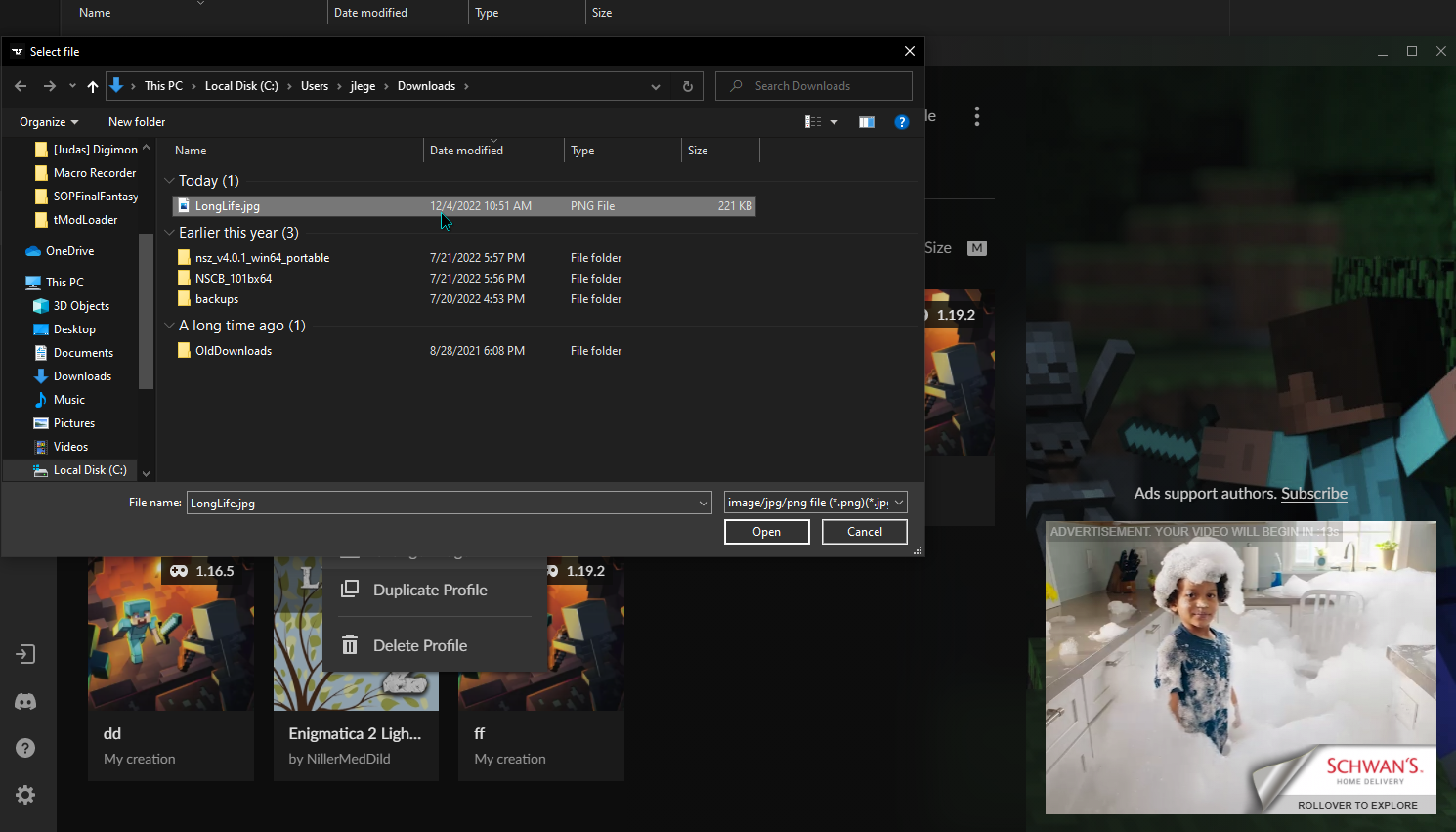
why are no image files showing up? this folder has images in it but none are appearing

if i try to input a filename manually it says the file can't be found
 narrow minnow
void token
hey so i'm trying to change the picture of a modpack and uh
why are no image fil...
narrow minnow
void token
hey so i'm trying to change the picture of a modpack and uh
why are no image fil...
Can you send a screenshot of that folder with the regular windows explorer?
maybe the image formats are not supported
void token
nope, all just png files
narrow minnow
 prime lynx
aaaa i have a strange problem
prime lynx
aaaa i have a strange problem
Hi, have you solved the issue? If not, please DM me
upper root
ripe forum
when trying to sign into curse client it opens this smaller window rather than a...
!cflogs-app Is this still happening? if so, can you send your logs like below
red patioBOT
<:overwolf:857375414002384916> How to get CurseForge App logs! <:overwolf:857375414002384916>
- Click the
Create logs zipin the menu. - Drag and drop the file it just made to this chat room to upload it.
- Wait for someone to look at it so they can help you.
narrow minnow
void token
nope, all just png files
as a workaround - just type in *.png in File name: and press enter
 void token
oh that works, thanks!
 steel cedar
if i dont have the right windows is it just gonna keep saying failed to download due to a network error?
 frail nimbus
does anyone know how to make curseforge open... it keeps crashing
signal ridge
steel cedar
if i dont have the right windows is it just gonna keep saying failed to download...
What version of windows do you have?
signal ridge
frail nimbus
does anyone know how to make curseforge open... it keeps crashing
The app itself is crashing? Or the game you are trying to play is crashing?
 nocturne tree
 rich flint
when you join a modded server you do not join using a regular vanilla client. you must have the same modpack loaded
 fiery elm
how can i solve this pronlem i have tried older versions of the mod itself or tried it with forge and fabric but it didnt get solve does anyone know how to solve it
 red patioBOT
Please visit the project page for the content you posted about and look for a way to contact the developer.
Somewhere on the page there is usually a method of contact. Look for one of the following things:
Issuestab like the image below.- Discord link.
- Twitter link.
- Comments section below the project.
If no contact method exists you will either have to remove the project or find a solution on your own.
 fiery elm
rich flint
that's something to ask the project authors then
fiery elm
rich flint
that's something to ask the project authors then
ok thanks for the help and sorrry for that
 fossil vale
red patioBOT
fossil vale
red patioBOT
╰( ͡° ͜ʖ ͡° )つ──☆*:・゚ *˜”*°•.˜”*°• Many Help •°*”˜.•°*”˜* <:curselit:796985620550385705>
Please provide a description of your issue with as much detail as possible. If you have an issue with a mod or modpack, tell us the name. Explain what you can see happening. Be specific!
 Tell us what is happening, we already know it "doesn't work".
Avoid using words like "it", tell us exactly what "it" is.
Don't assume anyone knows what you are talking about, be specific.
Tell us what you expected to happen.
- Provide screenshots or video if possible.
- Provide a relevant log if possible.
?mc-log/?cflogs-app
steel cedar
signal ridge
What version of windows do you have?
i think 7
signal ridge
Yeah will be sol on that one. As win7 is no longer supported by ow/cf. Also highly recommended you update to atleast win10 as win7 is also nolonger supported by Microsoft as well. Meaning you no longer get any major security updates. Aka no longer safe to use win7 on the internet
digital roost
ayo i have a question. i downloaded some mod for minecraft to add custom loot to items. To add them you need to open the .jar (mod itself) and modify the json file. After i do that save changes and once i save the jar file curseforge just deletes the mod. In moment i click Save i can see mod go from installed to install
just erases is as it notices i changed it. why does this happen and can i stop this?
signal ridge
You shouldnt be editing jar files
digital roost
yeah but there is no other way to do do it. is there a way to like prevent this
signal ridge
What mod are you trying to modify?
signal ridge
Thats a really weird way of doing it. Not sure why you wouldnt just use datapacks for the 1.13+ versions.
As editing the jar will change how it shows in the cf app. Should still be in the mods folder tho.
digital roost
it just vanished. i tried downloading it and editing, than adding it to mod. that way it just doesnt detect it
signal ridge
Cf app wont detect mods not from the cf site, this includes modified mods. Even if they come from the site.
digital roost
well .. why does it say in mod desc. that you need to do it this goofy way.
you said datapacks. do 1.13 ones work in 1.12.2?
signal ridge
No idea. Would need to ask the mods author that
Nope. 1.12.2 had other ways. Think crafttweaker can or has an addon for editing loottables
Should ask the mods author on this one. Editing the jar itself is always a bad idea.
signal ridge
Also next time, try to stick to 1 channel when asking questions. Saves on future confusion
 round spindle
heyo, i am struggling to find out how to reset my 2FA.
i can log into twitch fine and continue until i get here.

i dont remember setting up a 2fa and if i had, its not on any of my 2fa apps.
signal ridge
Will likely need to put in a ticket for this one.
round spindle
grr, ty
signal ridge
!ticket-site
red patioBOT
:bug: Reporting via Website :bug:
Can't open the app or would rather use the website? You can do so here: https://support.curseforge.com/en/support/tickets/new
Fill out the form with accurate detailed information, "It doesn't work" isn't helpful! What exactly doesn't work and why doesn't it work should be easy to answer!
Make sure to upload your Overwolf logs with the Upload File option on the ticket, information on how to get these logs can be found here https://support.overwolf.com/en/support/solutions/articles/9000176827-how-to-get-your-overwolf-logs
round spindle
tyvm
 kind pewter
digital roost
you said datapacks. do 1.13 ones work in 1.12.2?
kind pewter
digital roost
you said datapacks. do 1.13 ones work in 1.12.2?
Datapacks were first introduced in 1.13 or 1.14, they won't work in older versions and sometimes won't work in different versions
1.12.2 doesn't support datapacks soo
Nor does any previous version before this
signal ridge
Which is what I told em after that post.
signal ridge
It can do other things as well
kind pewter
There's an addon for it that lets you edit loot tables
signal ridge
Yep
 stable rampart
Is there a way to find the exact problem with this, I'm using a custom pack if that helps. I don't know what would be causing the issue though.
 signal ridge
!notcf
red patioBOT
Your question is not related to CurseForge owned/maintained features or services.
Please pick the appropriate game support channel
Otherwise use #👽︱game-support for game-related help.
CurseForge does not make or maintain any of the content or games used on the site or app. Just because it's on the site/app does not make it a problem with CurseForge. Move channels as requested, arguing about it will result in you being muted.
 restive fog
Anyone happen to know why the CurseForge Application either the Standalone OR the Overwolf one will not update Minecraft Forge to Forge - 43.1.57 from 43.1.52? Instead all of the users get this error? Yet it runs just fine with the Forge 43.1.52. So something is errorin out when the Forge Update is being attempted. And yes Java is installed as they are running all the packs just fine as well as Miencraft
 rich flint
restive fog
Anyone happen to know why the CurseForge Application either the Standalone OR th...
rich flint
restive fog
Anyone happen to know why the CurseForge Application either the Standalone OR th...
after you get that message can you post these logs
?cflogs-app
red patioBOT
<:overwolf:857375414002384916> How to get CurseForge App logs! <:overwolf:857375414002384916>
- Click the
Create logs zipin the menu. - Drag and drop the file it just made to this chat room to upload it.
- Wait for someone to look at it so they can help you.
restive fog
rich flint
after you get that message can you post these logs
Sure thing. Here you are:
red patioBOT
How to get the launcher log
- Right click a modpack / profile.
- Select
Open Folder - Go back two folders.
- Open the
Installfolder. - Drag the
launcher_log.txtinto discord.
restive fog
rich flint
and this log?
Sure:
rich flint
unfortunately that looks like launching with the 43.1.52 and crashing because of mod forge requirements, rather than the failed .57 install - it over-writes that log each launch
you should just try this and if it fails again then post the new launcher_log
?mc-installfix
red patioBOT
How to repair your Minecraft installation on CurseForge
- Click on the Minecraft Tab on the Left side of the CurseForge App.
- Click button next to the
Create Custom Profileoption. - Click
Repair Installationoption. - Play game.
NOTE: Although this might seem similar to the instructions of repairing profile, it's different and required. No worries, you will not lose any modpacks or worlds.
restive fog
rich flint
unfortunately that looks like launching with the 43.1.52 and crashing because of...
I didn't realize they overwrite each other. Okay I will try the repair first and then repost all fresh logs if the issue still occurs
 topaz pivot
Hello, my sister has issues with her curseforge I’m terms of her not being able to make a custom profile, she can download mod packs and play those, I am confused by this
 signal ridge
!mc-installfix try this
red patioBOT
How to repair your Minecraft installation on CurseForge
- Click on the Minecraft Tab on the Left side of the CurseForge App.
- Click button next to the
Create Custom Profileoption. - Click
Repair Installationoption. - Play game.
NOTE: Although this might seem similar to the instructions of repairing profile, it's different and required. No worries, you will not lose any modpacks or worlds.
topaz pivot
I tried that but no work :/
signal ridge
!cflogs-app
red patioBOT
<:overwolf:857375414002384916> How to get CurseForge App logs! <:overwolf:857375414002384916>
- Click the
Create logs zipin the menu. - Drag and drop the file it just made to this chat room to upload it.
- Wait for someone to look at it so they can help you.
 languid nimbus
não consigo instalar o modpack do pixelmon, ele instala 100% mas apos isso ele cancela a instalação
fallen loom
!english
red patioBOT
<:curselit:796985620550385705> Rule#1 ENGLISH ONLY <:curselit:796985620550385705>
This is an English-speaking discord.
We politely ask that you translate or do your best at using English.
If someone wishes to help you in your native language, we ask you to do that in DM's.
languid nimbus
I can't install the pixelmon modpack, it installs 100% but after that it cancels the installation
 short wedge
it says minecraft isint installed? anyone know how i ca nfix this?
 signal ridge
!mc-path follow the first section of this
red patioBOT
Instructions for changing CurseForge Minecraft install path!
:small_blue_diamond: If Minecraft is __not installed__ in CurseForge App:
- Click the
 in the top left.
 - Select Minecraft from the list of games.
- Select the
Advancedoption and select:
--- Windows:Local Disk (C:)at the left side of the window. If you do not see it, clickThis PCfirst.)
--- Mac:/Users/Shared/CurseForge, If it does not exist, make it. - Click
Continue.
:small_orange_diamond: If Minecraft is __installed__ in CurseForge App:
- Click the in the bottom left.
- Select the Minecraft tab.
- Click
Change. - Select the location:
--- Windows:Local Disk (C:)at the left side of the window. If you do not see it, clickThis PCfirst.)
--- Mac:/Users/Shared/CurseForge, If it does not exist, make it.
short wedge
signal ridge
!mc-path follow the first section of this
Thankyou so much
 austere pawn
I HAVE A QUESTION VERY IMPORTANT !!!!
when i want to download pixelmon on curseforge it doesnt work.
It works not because when i want to downloqad it says that i error during decryption process. see enterne exception this
HELP ME PLEASE !!!!!
signal ridge
!cflogs-app
red patioBOT
<:overwolf:857375414002384916> How to get CurseForge App logs! <:overwolf:857375414002384916>
- Click the
Create logs zipin the menu. - Drag and drop the file it just made to this chat room to upload it.
- Wait for someone to look at it so they can help you.
deft turret
am i allowed to make a little window that shows who did what to work on my mod?
signal ridge
To where?
deft turret
this is a minecraft mod btw so its just a little bit of text on the home page that just shows who helped with what?
signal ridge
What you want to add to your mod is up to you.
deft turret
ok thx
 clever escarp
is anyone else having problems with their better mc server crashing repeatedly.
red patioBOT
Your question is not related to CurseForge owned/maintained features or services.
Please pick the appropriate game support channel
Otherwise use #👽︱game-support for game-related help.
CurseForge does not make or maintain any of the content or games used on the site or app. Just because it's on the site/app does not make it a problem with CurseForge. Move channels as requested, arguing about it will result in you being muted.
signal ridge
Read the last paragraph of the bot
clever escarp
i see
digital roost
I keep getting this error msg for every modpack I try to install

I tried to do repair installation but it says minecraft is currently running?
(my mc is not running)
signal ridge
Reboot your pc then try the repair installation again
signal ridge
after it said mc is running?
digital roost
yes
signal ridge
and you didnt try a pack after the reboot, just straight to the repair installation?
!cflogs-app
red patioBOT
<:overwolf:857375414002384916> How to get CurseForge App logs! <:overwolf:857375414002384916>
- Click the
Create logs zipin the menu. - Drag and drop the file it just made to this chat room to upload it.
- Wait for someone to look at it so they can help you.
digital roost
signal ridge
and you didnt try a pack after the reboot, just straight to the repair installat...
idk should I try it
signal ridge
After the reboot you should do the repair installation first, before trying any packs
digital roost
it still says mc is currently running
signal ridge
Send cf logs
signal ridge
Whole zip the app made
digital roost
signal ridge
open up task manager, make sure any mc launchers processes are closed
digital roost
they are
signal ridge
Check under background processes as well, sometimes ghost files are open
digital roost
I did
signal ridge
Do you share the pc with others?
digital roost
nope
signal ridge
Do other modpacks work?
digital roost
nope, it says error for every modpack I try to install
signal ridge
!mc-path do the second 🔸 part of this, then reboot you pc again
red patioBOT
Instructions for changing CurseForge Minecraft install path!
:small_blue_diamond: If Minecraft is __not installed__ in CurseForge App:
- Click the in the top left.
- Select Minecraft from the list of games.
- Select the
Advancedoption and select:
--- Windows:Local Disk (C:)at the left side of the window. If you do not see it, clickThis PCfirst.)
--- Mac:/Users/Shared/CurseForge, If it does not exist, make it. - Click
Continue.
:small_orange_diamond: If Minecraft is __installed__ in CurseForge App:
- Click the in the bottom left.
- Select the Minecraft tab.
- Click
Change. - Select the location:
--- Windows:Local Disk (C:)at the left side of the window. If you do not see it, clickThis PCfirst.)
--- Mac:/Users/Shared/CurseForge, If it does not exist, make it.
digital roost
signal ridge
!mc-path do the second 🔸 part of this, then reboot you pc again
it worked ty ❤️
 tardy tundra
how do i share a custom modpack to friends?
upper root
!mc-packshare
red patioBOT
There are two ways to share a modpack you've made with others...
Export and Share - For Friends to Small Groups.
- Click the Icon for the modpack.
- Click the button next to play.
- Click

Export. - Select the files that should be included.
- Send the zip to the people that want it! They can follow the instructions in
!mc-installpackto install the pack!
Upload to Curseforge - For Public Release to Everyone.
This options will make your pack public to EVERYONE, it comes with extra requirements and will take some effort to set up.
- Go to here: https://www.curseforge.com/project/432/4471/create
- Fill out the information with a proper description of the pack. This should allow anyone to understand what the pack is.
- Click the Icon for the modpack in the CurseForge app.
- Click the button next to play.
- Click
Export. - Select the files that should be included.
- Open your Project you made on the CurseForge site and Upload the file you just made.
- Wait for Moderation & Sync so it can show up in the client! (See
!syncfor limitations)
tardy tundra
!mc-installpack
red patioBOT
How to install modpacks with the search features in app.
- Open the

Minecraftsection of the app. - Click the top search bar where it says
Search for modpacksOR Click theBrowse ModpacksTab. - Find the Modpack you want to install and click install on it.
- Wait for CurseForge app to download and unpack all the required files.
- Once finished, click
Play!
======================================================
** **
======================================================
How to install modpacks from a Export. (Custom/Private/Site downloaded Modpack zip)
- Get CurseForge App if you don't have it, use
!downloadfor a link. - Get the exported modpack from CurseForge or someone else,
!mc-packshareexplains how to make them. - Open the
Minecraftsection of the app. - Click

Create Custom Profile - Click the
Importoption. - Find the file you just downloaded in step 2 and select it.
- CurseForge app will now attempt to download and unpack the modpack. If it fails, try steps 4-6 again.
- Once finished, click
Play!

 halcyon field
Every time I click play in the curseforge I get an error say couldn't load launcher core.
upper root
?mc-installfix
red patioBOT
How to repair your Minecraft installation on CurseForge
- Click on the Minecraft Tab on the Left side of the CurseForge App.
- Click button next to the
Create Custom Profileoption. - Click
Repair Installationoption. - Play game.
NOTE: Although this might seem similar to the instructions of repairing profile, it's different and required. No worries, you will not lose any modpacks or worlds.
 rotund kestrel
Everytime i click on play in curseforge, the mod initializes and nothing happens. No launcher opens. I have done a minecraft install fix and changed location to where its installed and im still stuck
red patioBOT
How to get the launcher log
- Right click a modpack / profile.
- Select
Open Folder - Go back two folders.
- Open the
Installfolder. - Drag the
launcher_log.txtinto discord.
rotund kestrel
upper root
Go to C:\Program Files (x86)\Overwolf\ and right click on OverwolfLauncher.exe -> Properties. Untick the option to run the program in compatibility mode, in the Compatibility tab, like so:

It may already be unchecked, if it is say so
rotund kestrel
I have the version without overwolf i think
i used to have the overwolf version but uninstalled it a few days ago
upper root
ah
not sure where that exe is, but if you only installed it recently then it probably hasnt been put in compat mode
!mc-path try this
red patioBOT
Instructions for changing CurseForge Minecraft install path!
:small_blue_diamond: If Minecraft is __not installed__ in CurseForge App:
- Click the in the top left.
- Select Minecraft from the list of games.
- Select the
Advancedoption and select:
--- Windows:Local Disk (C:)at the left side of the window. If you do not see it, clickThis PCfirst.)
--- Mac:/Users/Shared/CurseForge, If it does not exist, make it. - Click
Continue.
:small_orange_diamond: If Minecraft is __installed__ in CurseForge App:
- Click the in the bottom left.
- Select the Minecraft tab.
- Click
Change. - Select the location:
--- Windows:Local Disk (C:)at the left side of the window. If you do not see it, clickThis PCfirst.)
--- Mac:/Users/Shared/CurseForge, If it does not exist, make it.
rotund kestrel
im finding my minecraft location here right
or is this a seperate file im locating
Or just the standard user/curseforge/Minecraft
upper root
yoi are changing it
 torpid sedge
how do i get my forge to be correct?
 upper root
!mc-updatemodloader
red patioBOT
You can update the mod loader within the same game version in the CurseForge app by following these steps!
- Click on the modpack profile you are working with.
- Click on the button next to the play button.
- Click on the Profile Options button.
- Select the mod loader version you want from the dropdown.
- Play!
If you need to update to a new game version, a new profile is required.
rotund kestrel
upper root
!mc-path try this
sorry, got distracted but this didnt work either
upper root
!cflogs-app
red patioBOT
<:overwolf:857375414002384916> How to get CurseForge App logs! <:overwolf:857375414002384916>
- Click the
Create logs zipin the menu. - Drag and drop the file it just made to this chat room to upload it.
- Wait for someone to look at it so they can help you.
rotund kestrel
upper root
rotund kestrel
It says its still set to the old path
upper root
?notcf
red patioBOT
Your question is not related to CurseForge owned/maintained features or services.
Please pick the appropriate game support channel
Otherwise use #👽︱game-support for game-related help.
CurseForge does not make or maintain any of the content or games used on the site or app. Just because it's on the site/app does not make it a problem with CurseForge. Move channels as requested, arguing about it will result in you being muted.
rotund kestrel
upper root
It says its still set to the old path
its showing the new path for me
i changed it then restarted pc
upper root
can you send a screenshot of the path set?
rotund kestrel
 red patioBOT
Instructions for changing CurseForge Minecraft install path!
:small_blue_diamond: If Minecraft is __not installed__ in CurseForge App:
- Click the in the top left.
- Select Minecraft from the list of games.
- Select the
Advancedoption and select:
--- Windows:Local Disk (C:)at the left side of the window. If you do not see it, clickThis PCfirst.)
--- Mac:/Users/Shared/CurseForge, If it does not exist, make it. - Click
Continue.
:small_orange_diamond: If Minecraft is __installed__ in CurseForge App:
- Click the in the bottom left.
- Select the Minecraft tab.
- Click
Change. - Select the location:
--- Windows:Local Disk (C:)at the left side of the window. If you do not see it, clickThis PCfirst.)
--- Mac:/Users/Shared/CurseForge, If it does not exist, make it.
rotund kestrel
 loud hull
can someone tell me what this means?
 upper root
rotund kestrel
upper root
rotund kestrel
Can you start the exe here manually?
C:\CurseForge\Install\minecraft.exe
upper root
loud hull
can someone tell me what this means?
Try clearing space on your G and C drives
 livid hamlet
what do i do next? anyone help
 upper root
you hover your mouse over the modpack icon and click the orange Play button
livid hamlet
yea after i click it i need to login my minecraft account
but on minecraft launcher i'm already logged in
is it safe yea?
upper root
yes, the launcher that cf opens is just a copy of the normal launcher set up so that it doesn't corrupt your main minecraft install if something goes wrong
 upper root
?notcf
red patioBOT
Your question is not related to CurseForge owned/maintained features or services.
Please pick the appropriate game support channel
Otherwise use #👽︱game-support for game-related help.
CurseForge does not make or maintain any of the content or games used on the site or app. Just because it's on the site/app does not make it a problem with CurseForge. Move channels as requested, arguing about it will result in you being muted.
 past sapphire
hello I contact you following a problem on cruseforge for Minecraft here before I play on Minecraft cruseforge in lan a 2 is ajour d'Hui when we want to play two the second computer finds not the lan on the normal Minecraft its works but not on cruseforge can you Maider thank you
 upper root
 tame falcon
!mc-installfix try this
red patioBOT
How to repair your Minecraft installation on CurseForge
- Click on the Minecraft Tab on the Left side of the CurseForge App.
- Click button next to the
Create Custom Profileoption. - Click
Repair Installationoption. - Play game.
NOTE: Although this might seem similar to the instructions of repairing profile, it's different and required. No worries, you will not lose any modpacks or worlds.
 upper root
!cflogs-app
red patioBOT
<:overwolf:857375414002384916> How to get CurseForge App logs! <:overwolf:857375414002384916>
- Click the
Create logs zipin the menu. - Drag and drop the file it just made to this chat room to upload it.
- Wait for someone to look at it so they can help you.
 steady jungle
game crashes on atm7 to the sky on minecraft 1.18.2 all older version 1.12 works shust fine
 upper root
!notcf
red patioBOT
Your question is not related to CurseForge owned/maintained features or services.
Please pick the appropriate game support channel
Otherwise use #👽︱game-support for game-related help.
CurseForge does not make or maintain any of the content or games used on the site or app. Just because it's on the site/app does not make it a problem with CurseForge. Move channels as requested, arguing about it will result in you being muted.
 iron ocean
yo, when i press play on a modpack it never opens minecraft. I think this is a curseforge problem so i put it here
help anyone?
im on mac btw
it never used to happen
prime lynx
how can i find the direct link to download modepack ? as winrar so i can unzip it ?
 sullen pine
Can anyone help me with the citizens (NPC) mod? I need help with commandsd
I am trying to get a text delay for my NPC. I type /Npc select, (to select him) then I add the text, after that I just do delay 10
and it doesn't say anything
I just want a delay to the text when people right click it, can anyone tell me what's wrong?
 gaunt brook
hello, can anyone help me, everytime I try to play atm7 to the sky and I try to join my solo world it takes around 10 min and after that it stops and says "quit game or back to title screen".Atm8 works perfectly and it starts in around 2 min...
what do i do?
 peak tulip
i need help in the launcher im making a modpack but i cant change the icon of it the file explorere dont find any of my .png/.jpg files why ??
loud hull
upper root
Try clearing space on your G and C drives
sorry i closed discord by accident. i just clicked close and play again and it worked
digital roost
eghopp
 sour sequoia
can someone help me
i tried to use a mod and the launcher failed right away
it says lanching the game failed then this Unable to locate the Java runtime.
Error details: 0x00000000 - system: Undefined error: 0
Filename on disk:
Path: .
Exists: Directory
 stuck flame
can someone help me? my curseforge says "oops, that was not suppost to happen seems like we could not load curseforge lets try one more time" and when i try to reload it it does nothing and goes back to what it was
 brazen wraith
sour sequoia
it says lanching the game failed then this ...
brazen wraith
sour sequoia
it says lanching the game failed then this ...
wait something similar happened to me
all i get is this when I try to play the downloaded modpack

I am new to curseforger and a mac user if this helps
brazen wraith
I fixed it
 silent tangle
hey guys, im having trouble trying to add a game to my curseforge app
signal ridge
What game?
 signal ridge
Reinstall the app
silent tangle
I figured it out, Thank you!!!!
peak tulip
i need help in the launcher im making a modpack but i cant change the icon of it the file explorer dont find any of my .png/.jpg files why ??
signal ridge
I think the option to change the icon in the app is under profile options. > profile options
peak tulip
yes but to select a picture for the icon it open the file explorer but it dont show my .png files
i tried reinstall the launcher and rebooting my PC
signal ridge
The image your trying to use what file extensions is it?
peak tulip
its a .png but it dont show anything just folder

normally there is .png and .jpg here
but only folder and when i open them they are empty
 brazen rover
uh, i have a problem with one of my games, but the support isnt listed
Kerbal Space Program is the game
signal ridge
Use CKan for kerbal, the cf app isnt all that great for it.
brazen rover
Whats CKan
signal ridge
A mod manager for kerbal.
peak tulip
signal ridge
Use CKan for kerbal, the cf app isnt all that great for it.
so do you know how to fix my problem ???
brazen rover
hello?
lyric crescent
use google
brazen rover
uh, ok
signal ridge
peak tulip
so do you know how to fix my problem ???
Looking into it.
peak tulip
👍
signal ridge
Seems to work for me, https://puu.sh/Jtgp9/d005005b17.mp4
peak tulip
ye for me too it worked like a week ago now it dont work
it dont show any file just folder but they are empty
signal ridge
can you show the file your trying to set?
peak tulip
 signal ridge
Are you planing to upload this pack to the site?
peak tulip
not this one
signal ridge
ok
hmm oddly enough I downloaded the pic and cant see it
I wonder if it is too small of an image
peak tulip
oh so it come from all my files ?
signal ridge
Im not really sure whats going on.
For what ever reason the app doesnt like this picture
lyric crescent
yea something with the file is broken
peak tulip
the only thing i did before it start to do this was a .jpg that i renamed .png and after that it did this problem but i did alot of time this and never did that
the problem is that it make it with every picture
.png and .jpg
nothing show
lyric crescent
i renamed it to .jpg and it was fine
peak tulip
not working for me
i tried with discord and i see the file so it comes from curseforge
lyric crescent
curseforge sees it perfectly fine when named correctly https://i.imgur.com/SLP6PmP.png
its your file
peak tulip
same thing dont work idk whats going on with my computer
brazen rover
signal ridge
Use CKan for kerbal, the cf app isnt all that great for it.
So, i tried CKan and it apparently isnt safe, my parents said it isnt, my computer said it isnt so what do i do now?
signal ridge
Pretty sure it is safe, as lots of people use it. I dont know any other managers that support Kerbal. So might be sol
lyric crescent
its exactly as safe as curseforge would have been. mods arnt safe in general, perhaps you should not be using them.
signal ridge
90% of the time anything you download your pc may say its unsafe. Its a warning system. Windows can be an ass sometimes.
peak tulip
signal ridge
brazen rover
I dont know man, my parents and my computer arent say ings safe
False positives from anti-virus software can be a huge part of this.
brazen rover
How do i get around it
signal ridge
Do you get a warning with options "run away" & "dont run" ?
sand pine
brazen rover
no its, "dont use" or "run away"
click on advanced and then click run anyways
I did it to use the powder toy
digital roost
So I got this java error and I'm trying to change the file location for minecraft. I go to where the file is but I can not see it. Its looking for (.java.exe) but I have (java.exe) without the extra dot. it only sees the file with the extra dot. But if I add the dot it wont work.
sand pine
brazen rover
thanks man
👍
 soft vector
Can someone help me every time I try to open a modpack these messages appear I use the original minecraft.

 signal ridge
!mc-installfix try this
red patioBOT
How to repair your Minecraft installation on CurseForge
- Click on the Minecraft Tab on the Left side of the CurseForge App.
- Click button next to the
Create Custom Profileoption. - Click
Repair Installationoption. - Play game.
NOTE: Although this might seem similar to the instructions of repairing profile, it's different and required. No worries, you will not lose any modpacks or worlds.
signal ridge
Do you get an error when trying to do repair installation?
soft vector
not
signal ridge
Do the repair installation again, as soon as its done reboot your pc. Do not try a pack till after the reboot
soft vector
ok i will try
rotund kestrel
upper root
Can you start the exe here manually?
`C:\CurseForge\Install\minecraft.exe`
no it says application was unable to start correctly error 0xc00007b
but i can run normal minecraft just fine
soft vector
signal ridge
Do the repair installation again, as soon as its done reboot your pc. Do not try...
it gave error again
 devout moon
someone can help on dm pls
i have a short line of error code trying to set up a forge server 1.18.2
red patioBOT
Error/Exit codes are useless. Follow these steps so someone can actually help you.
- Right-click the modpack profile icon OR click the button in the modpack profile.
- Click
Open Folder. - Open the
logsfolder. - Drag and drop the FILE named
latestORdebuginto discord.
 nimble crest
Hey, can someone help me. I am trying to download the Pixelmon mod for minecraft and I cannot get past patch 2 on the download. It happens for every mod
soft vector
signal ridge
Do the repair installation again, as soon as its done reboot your pc. Do not try...
it gave error again
and now
 digital roost
soft vector
Can someone help me every time I try to open a modpack these messages appear I u...
digital roost
soft vector
Can someone help me every time I try to open a modpack these messages appear I u...
I had the same problem. Find and remove the file (JavaChecker.jar) THO i still have some errors after that with the java version and some reason unable to change that. BUT removing that fixed the error for me
 stoic geyser
idk but i cant get in curse Forge
 lucid ledge
digital roost
I had the same problem. Find and remove the file (JavaChecker.jar) THO i still h...
lucid ledge
digital roost
I had the same problem. Find and remove the file (JavaChecker.jar) THO i still h...
@soft vector @digital roost yall could try to use this button
 stoic geyser
if i klick retry... nothing changing
signal ridge
!cflogs-app
red patioBOT
<:overwolf:857375414002384916> How to get CurseForge App logs! <:overwolf:857375414002384916>
- Click the
Create logs zipin the menu. - Drag and drop the file it just made to this chat room to upload it.
- Wait for someone to look at it so they can help you.
signal ridge
soft vector
it gave error again
and now
!mc-path try the second part of this 🔸
red patioBOT
Instructions for changing CurseForge Minecraft install path!
:small_blue_diamond: If Minecraft is __not installed__ in CurseForge App:
- Click the in the top left.
- Select Minecraft from the list of games.
- Select the
Advancedoption and select:
--- Windows:Local Disk (C:)at the left side of the window. If you do not see it, clickThis PCfirst.)
--- Mac:/Users/Shared/CurseForge, If it does not exist, make it. - Click
Continue.
:small_orange_diamond: If Minecraft is __installed__ in CurseForge App:
- Click the in the bottom left.
- Select the Minecraft tab.
- Click
Change. - Select the location:
--- Windows:Local Disk (C:)at the left side of the window. If you do not see it, clickThis PCfirst.)
--- Mac:/Users/Shared/CurseForge, If it does not exist, make it.
signal ridge
!network try these steps
red patioBOT
**Network Issues**
- Try restarting the app
- Try restarting your computer
- Disable any programs that interfere with your connection. VPN, ping tunnels, antivirus, firewall.
- Try restarting your router and modem. Also try using a different connection if possible.
- Try reinstalling Curseforge.
signal ridge
!reinstall
red patioBOT
Reinstall
Please reinstall Overwolf and CurseForge according to these instructions: https://support.overwolf.com/en/support/solutions/articles/9000177073-how-to-re-install-overwolf-with-a-clean-slate
The download for CurseForge can be found here, after you remove it: https://download.curseforge.com/
peak tulip
peak tulip
i need help in the launcher im making a modpack but i cant change the icon of it...
did someone found a solution for this ???
signal ridge
Might be something wrong with the file itself
 ancient sinew
it wont work for me for some reason
 signal ridge
!reinstall your app is outdated
red patioBOT
Reinstall
Please reinstall Overwolf and CurseForge according to these instructions: https://support.overwolf.com/en/support/solutions/articles/9000177073-how-to-re-install-overwolf-with-a-clean-slate
The download for CurseForge can be found here, after you remove it: https://download.curseforge.com/
 strange mortar
how do i play on my own premade world with curse forge because everytime i try to load in i have to create a new world
signal ridge
Put the world folder in the packs saves folder
strange mortar
how do that
signal ridge
Right click on the packs pictue > open folder > open the saves folder > put the world folder you want in the saves folder
OR if your in the area where you see the mods list click the beside the play button then open folder
strange mortar
got it thanks
 upper ruin
hey im trying to play RLcraft through curseforge but whenever i open it through forge, it opens the older mc launcher which would be fine, but it seems to think i dont have minecraft bought, even though im logged in to my acc and when i boot up the newer launcher everything works fine
signal ridge
!mc-installfix try this
red patioBOT
How to repair your Minecraft installation on CurseForge
- Click on the Minecraft Tab on the Left side of the CurseForge App.
- Click button next to the
Create Custom Profileoption. - Click
Repair Installationoption. - Play game.
NOTE: Although this might seem similar to the instructions of repairing profile, it's different and required. No worries, you will not lose any modpacks or worlds.
upper ruin
common issue then? ill follow it
signal ridge
Comes up every once in a while
upper ruin
signal ridge
Comes up every once in a while
so when i boot it up after this it should recognise that ive bought it? when i played rlcraft a few days ago i managed to get into a world with it saying that i hadnt purchased it
signal ridge
It should if your logged into the account that owns the java edition. Does the vanilla launcher do this as well?
upper ruin
vanilla works fine
only difference is the name at the top left is my auto generated xbox name, not the mc name for some reason
signal ridge
Might not be the same account then. Only time we see 2 different user names is when the wrong account is used.
 lost spire
Help
red patioBOT
╰( ͡° ͜ʖ ͡° )つ──☆*:・゚ *˜”*°•.˜”*°• Many Help •°*”˜.•°*”˜* <:curselit:796985620550385705>
Please provide a description of your issue with as much detail as possible. If you have an issue with a mod or modpack, tell us the name. Explain what you can see happening. Be specific!
Tell us what is happening, we already know it "doesn't work".
Avoid using words like "it", tell us exactly what "it" is.
Don't assume anyone knows what you are talking about, be specific.
Tell us what you expected to happen.
- Provide screenshots or video if possible.
- Provide a relevant log if possible.
?mc-log/?cflogs-app
lost spire
My curseforge won’t download anything it always stops at adding patches 2 out of 4
signal ridge
lost spire
My curseforge won’t download anything it always stops at adding patches 2 out of...
!cflogs-app
red patioBOT
<:overwolf:857375414002384916> How to get CurseForge App logs! <:overwolf:857375414002384916>
- Click the
Create logs zipin the menu. - Drag and drop the file it just made to this chat room to upload it.
- Wait for someone to look at it so they can help you.
upper ruin
signal ridge
Might not be the same account then. Only time we see 2 different user names is w...
manage profile on both versions of the launcher leads to the same microsoft/xbox account. Maybe the older browser doesnt recognise that its a java acc? only saying that since the option in red literally isnt there for the older launcher
 signal ridge
Try logging out of both launchers, then rebooting your pc and then log into the launcher cf opens
 main prairie
i have done the maj for all the mods 7 to the sky and my windows defender poped me that (normal or not ? )

frensh to english for traduction
lost spire
signal ridge
main prairie
i have done the maj for all the mods 7 to the sky and my windows defender poped ...
Could be a false positive, does it happen everytime you try the pack?
lost spire
i think i did that right
main prairie
its the first time a maj does that (i downloaded the latest)
signal ridge
lost spire
!mc-installfix try this
red patioBOT
How to repair your Minecraft installation on CurseForge
- Click on the Minecraft Tab on the Left side of the CurseForge App.
- Click button next to the
Create Custom Profileoption. - Click
Repair Installationoption. - Play game.
NOTE: Although this might seem similar to the instructions of repairing profile, it's different and required. No worries, you will not lose any modpacks or worlds.
 novel acorn
I have not got no downloads yet. Is the web down?
 upper root
main prairie
i have done the maj for all the mods 7 to the sky and my windows defender poped ...
upper root
main prairie
i have done the maj for all the mods 7 to the sky and my windows defender poped ...
its a false positive, get windows to ignore it
main prairie
ok thx and good night/day to you
upper ruin
signal ridge
Try logging out of both launchers, then rebooting your pc and then log into the ...
still the same thing happening, its strange. only other thing is that ive changed my microsoft email and the change is still pending but i dont see how that could be related unless mc has a weird way of dealing with that during the pending process
signal ridge
Likely related to the pending change. Will need to wait till that is completed.
 signal ridge
If you are in the process of changing your micorsoft accounts email it may be in limbo atm while things are being transfered
lost spire
I should have come to here first
upper ruin
signal ridge
If you are in the process of changing your micorsoft accounts email it may be in...
yeah i mean i just opened a mc account using the new email and when i try and manage my account, it leads to the older account 😭 it seems like Microsoft doesnt really take that much time to change the details because the email is already connected, just that i dont have access to anything to do with it
signal ridge
may have to just wait till the transfer is done
upper ruin
thanks for the tech support you're cool
signal ridge
lost spire
I should have come to here first
Did the repair installation fix the issue?
 past trench
does anyone know how to fix this error?
 rich flint
what is the problem? is it frozen?
 red patioBOT
How to get the launcher log
- Right click a modpack / profile.
- Select
Open Folder - Go back two folders.
- Open the
Installfolder. - Drag the
launcher_log.txtinto discord.
rich flint
Are you using the Curseforge app?
past trench
yes
rich flint
ok - that log file the reply talks about then
 flint idol
Keep getting this error "No java executable found. Cannot execute post-installation tasks for forge." when trying to download a modpack for minecraft
signal ridge
Replied the first place you asked
past trench
@rich flint sorry, parents told to go do something
rich flint
past trench
<@257002150503251968> sorry, parents told to go do something
try the following
?mc-installfix
red patioBOT
How to repair your Minecraft installation on CurseForge
- Click on the Minecraft Tab on the Left side of the CurseForge App.
- Click button next to the
Create Custom Profileoption. - Click
Repair Installationoption. - Play game.
NOTE: Although this might seem similar to the instructions of repairing profile, it's different and required. No worries, you will not lose any modpacks or worlds.
 rich flint
?mc-path
red patioBOT
Instructions for changing CurseForge Minecraft install path!
:small_blue_diamond: If Minecraft is __not installed__ in CurseForge App:
- Click the in the top left.
- Select Minecraft from the list of games.
- Select the
Advancedoption and select:
--- Windows:Local Disk (C:)at the left side of the window. If you do not see it, clickThis PCfirst.)
--- Mac:/Users/Shared/CurseForge, If it does not exist, make it. - Click
Continue.
:small_orange_diamond: If Minecraft is __installed__ in CurseForge App:
- Click the in the bottom left.
- Select the Minecraft tab.
- Click
Change. - Select the location:
--- Windows:Local Disk (C:)at the left side of the window. If you do not see it, clickThis PCfirst.)
--- Mac:/Users/Shared/CurseForge, If it does not exist, make it.
rich flint
try doing that - the second If Minecraft is installed in CurseForge App: portion
rotund kestrel
rotund kestrel
no it says application was unable to start correctly error 0xc00007b
bumping this
rich flint
rotund kestrel
bumping this
do you have any profiles that have ever launched successfully on the app?
rich flint
can you open a command window? (windows search)
rotund kestrel
nvm shes updating her pc rn. Ill be back when its done ;-; i apologize
im middlemanning rn
past trench
rich flint
try doing that - the second ` If Minecraft is installed in CurseForge App:` port...
this?
 rich flint
yes but do as it says and point this to a new folder. if you do only C:\ as it says it will automatically make it C:\curseforge
 lunar grail
How do I modify someone else's modpack, because I certain mod causes lag.
rich flint
?mc-editpack
red patioBOT
How to add/remove mods in a modpack.
- Click on the picture of the modpack.
- Click the
Add More Contentbutton, IF this button is not there, see below before continuing. - Find the Mods, Resource Packs or Maps you wish to Install and click
Installon them. - Wait for all the required mods to be downloaded.
- Start the modpack.
How to Enable/Disable content management for modpacks.
- Click on the picture of the modpack.
- Click on the button next to the
Playbutton. - Click on
Profile Options. - Check the
Allow content management for this profileoption if you want to edit the content of the modpack, uncheck it to disable.
NOTE: The Allow content management for this profile option is what allows you to Delete, Disable, Update or Install any Mods, Resource Packs or Maps managed by CurseForge. It must be on to modify any of them! (Currently)
lunar grail
rich flint
?mc-editpack
tysm
past trench
rich flint
yes but do as it says and point this to a new folder. if you do only C:\ as it ...
could you reexplain it, im still confused
rich flint
click the small arrow next to THIS PC on left.
click C:.
click select folder
past trench
do i run the modpack now?
nvm, i dont see the modpack anymore. Do i have to reinstall the modpack onto this new file?
red patioBOT
Your question is not related to CurseForge owned/maintained features or services.
Please pick the appropriate game support channel
Otherwise use #👽︱game-support for game-related help.
CurseForge does not make or maintain any of the content or games used on the site or app. Just because it's on the site/app does not make it a problem with CurseForge. Move channels as requested, arguing about it will result in you being muted.
past trench
rich flint
yes
same message
 rich flint
!hosts
red patioBOT
Hosts-file, how to get it
On Windows
Press Win+R on your keyboard, and paste notepad %windir%\system32\drivers\etc\hosts
Screenshot/Copy the contents and paste it into the chat.
On Mac/Linux
Open a terminal window, paste cat /etc/hosts
Screenshot/Copy the contents and paste it into the chat.
rich flint
post that?
ok that's fine
🤔 try launching a vanilla MC game from the menu at the top of the app screen
past trench
same error
signal ridge
Get what on the minecraft launcher? What is "it"
signal ridge
using the Curseforge app?
stuck flame
Yes
signal ridge
you are pressing play in the cf app on the rlcraft pack?
signal ridge
CF == CurseForge
stuck flame
O yea
signal ridge
Press play in the cf app > then screen shot the launcher that opens
stuck flame
 rich flint
past trench
same message
rich flint
past trench
same message
try loading a regular .minecraft game and then the app again. if app launched fails you should send CF a ticket with your newest launcher_log file and the following log
?cflogs-app
red patioBOT
<:overwolf:857375414002384916> How to get CurseForge App logs! <:overwolf:857375414002384916>
- Click the
Create logs zipin the menu. - Drag and drop the file it just made to this chat room to upload it.
- Wait for someone to look at it so they can help you.
signal ridge
stuck flame
!mc-installfix do this in the cf app
red patioBOT
How to repair your Minecraft installation on CurseForge
- Click on the Minecraft Tab on the Left side of the CurseForge App.
- Click button next to the
Create Custom Profileoption. - Click
Repair Installationoption. - Play game.
NOTE: Although this might seem similar to the instructions of repairing profile, it's different and required. No worries, you will not lose any modpacks or worlds.
signal ridge
That was for the user Briar was helping,
stuck flame
i did tgat
signal ridge
You did repair installation? Repair profile is not the same thing
 signal ridge
Reboot your pc after that then try the pack again
stuck flame
Alright
 modern grail
SIGH my cat got on my computer and installed a bunch of mods into my folder and none of the mods will delete so I was just gonna delete the folder and recreate it but i keep getting this?
 signal ridge
thats one skilled cat, Reboot your pc then try again
modern grail
She installed 100+ mods 😭 And thanks!
rich flint
hackercat 🐈
rich flint
past trench
same message
!network
red patioBOT
**Network Issues**
- Try restarting the app
- Try restarting your computer
- Disable any programs that interfere with your connection. VPN, ping tunnels, antivirus, firewall.
- Try restarting your router and modem. Also try using a different connection if possible.
- Try reinstalling Curseforge.
rich flint
check all of these network items
 unkempt flare
how do i compile mods i have downloaded and put them into a modpack
upper root
you shouldnt be compiling random mods.
if the author hasnt released a version yet there is probably a very good reason, like its not finished/broken


 violet trail
hi i'm trying to download a modpack & it loads for about 5 or so seconds before the "install" button greys out
 next dome
Hello, how do I add minecraft Java to curseforge app
yoh what kind of support do you guys give
Nobody is responding
Oh I kinda figured it out
 timber vortex
next dome
Hello, how do I add minecraft Java to curseforge app
timber vortex
next dome
Hello, how do I add minecraft Java to curseforge app
All you have to do is download the app download a mod pack you wish and it should automatically connect with ur java once u hit play :P
next dome
timber vortex
All you have to do is download the app download a mod pack you wish and it shoul...
Yeah thank you, I re-launched the app and it auto connected
timber vortex
next dome
Yeah thank you, I re-launched the app and it auto connected
Ofc ^
timber vortex
violet trail
hi i'm trying to download a modpack & it loads for about 5 or so seconds before ...
Have you tried repair profile on the mod pack?
violet trail
timber vortex
Have you tried repair profile on the mod pack?
it worked, thanks bff
timber vortex
violet trail
it worked, thanks bff
ofcc <3
 neon pine
hey guys i've been playing the roguelike adventures and dungeons 2 mod i was playing it for about 2 hours and it was working fine then it just started crashing saying something about being unable to render aqua robes any ideas?
timber vortex
neon pine
hey guys i've been playing the roguelike adventures and dungeons 2 mod i was pla...
Like I recommend to my friend try repair profile if not then wait for an actual mod😓
neon pine
timber vortex
Like I recommend to my friend try repair profile if not then wait for an actual...
i did repair it it didnt change anything
timber vortex
neon pine
i did repair it it didnt change anything
Ah then i wouldnt know 😅 could be a mod error that gave out due to old version or something
 tired kettle
Howdy Yall, I'm trying to download a modpack and whenever I do, I get this message. Anyone know a fix?
 timber vortex
Does it like try to download then completely give up?
tired kettle
yes
timber vortex
Ohh my friend had that problem i told her to repair its profile but everyone is different (repair profile is just my go to😭)
tired kettle
it downloads like 80% then it uninstalls the modpack, but "fails to uninstall" everytime
timber vortex
Interesting have you seen if repairing it works?
tired kettle
I havent tried, How would i repair it?
timber vortex
So there should be three white dots near the modpack like install section
Click on it then find where it says repair profile
And see if that'll do
tired kettle
that worked! thank you so much :)
timber vortex
Ofc glad it worked
upper root
neon pine
hey guys i've been playing the roguelike adventures and dungeons 2 mod i was pla...
a dungeohs mob wraith is wearing an aquq robe frim ars arsenal, but it cant because something is missing (likely the mid author needs to implement compat)
you can remove either one to fix it, and report the issue to the ars arsanel devs
?projectissue
red patioBOT
Please visit the project page for the content you posted about and look for a way to contact the developer.
Somewhere on the page there is usually a method of contact. Look for one of the following things:
Issuestab like the image below.- Discord link.
- Twitter link.
- Comments section below the project.
If no contact method exists you will either have to remove the project or find a solution on your own.
 remote badge
is the profile creator broken rn? im trying to make a 1.19.2 profile but it isnt letting me

heres the log file
upper root
!mc-installfix try this
red patioBOT
How to repair your Minecraft installation on CurseForge
- Click on the Minecraft Tab on the Left side of the CurseForge App.
- Click button next to the
Create Custom Profileoption. - Click
Repair Installationoption. - Play game.
NOTE: Although this might seem similar to the instructions of repairing profile, it's different and required. No worries, you will not lose any modpacks or worlds.
remote badge
huh i was able to make a 1.18.2 profile though
lemme retry making a 1.19 profile after repairing
it worked, thanks
 polar sigil
hello, upon trying to join a minecraft server it says i have version 3 curse forge and need version 2, how do i switch
upper root
curseforge has nothing to do with mc servers, are you sure you dont mean minecraft forge?
?!=
red patioBOT
Wording is important!
Forge = Minecraft Forge, This is a modloader often just called "Forge".
Fabric = Fabric MC, this is another modloader, just called "Fabric".
CurseForge = A Website/App that has content for games.
Mods = Individual mod files.
Modpacks = Multiple mods put into the mods folder or downloaded from CurseForge.
These are not Interchangeable! Please use the correct terms as it allows us to help you faster!
polar sigil
yeah it was forge my fault
upper root
!notcf
red patioBOT
Your question is not related to CurseForge owned/maintained features or services.
Please pick the appropriate game support channel
Otherwise use #👽︱game-support for game-related help.
CurseForge does not make or maintain any of the content or games used on the site or app. Just because it's on the site/app does not make it a problem with CurseForge. Move channels as requested, arguing about it will result in you being muted.
rotund kestrel
rich flint
can you open a command window? (windows search)
what do i got to do from here
rotund kestrel
rotund kestrel
no it says application was unable to start correctly error 0xc00007b
as a response to this that is
 fallow cliff
I just downloaded Roguelike Adventures and Dungeons 2 and the modpack stutters and freezes like crazy, even if I turn the render distance and the entity track down quite a bit
wow, all it took was editing the ram allocation to up it to 8gb from 4gb
 queen field
Hello Got A question
i cannot install Optifine in The Modpack All the Mods 8 on 1.19.2 when i drag and dropp it in the mods folder it crashes after startup
red patioBOT
We do not offer support for Optifine!
If you have issues with Optifine, remove it. If you want further support try the discord found on their website.
https://www.optifine.net/home
Installing Optifine with modpacks on Curseforge:
- Right click the modpack icon, select
Open Folder. - Put the
Optifine.jarinto themodsfolder. - Now start the modpack.
young bone
Optifine has a lot of incompatibilities, plus, there may already be a performance mod in there that does what optifine does
queen field
yeah but shaders only work with it right? like Seus xDr
queen field
so wich shader works without optifine?
i have Oculus in the modpack so idk that mod xD
like most?
young bone
So Rubidium is in the pack
queen field
yeah
young bone
That is incompatible with Optifine
queen field
aha thats why it crashes maybe because of incomability or how its spelledxD
young bone
That’s why it crashes, it will never be compatible Optifine
queen field
ah know i know thx to you xD also read now that SEUS Shader is compatible with it
whats your recommendation for the best sahder i want something new to try ^^
young bone
Can’t remember the packs off the top of my head that I’ve used, but have this https://wiki.shaderlabs.org/wiki/Shaderpacks
This page lists actively developed shaderpacks. For discontinued ones, see: Legacy Shaderpacks
queen field
many shaders i never heard of damn
 sand vapor
how do i fix this?
 young bone
Are you trying to add it to the pack you attempted to add Optifine to?
 cursive ore
My curse forge launcher won't launch even after a reboot (over wolf is working just fine and the app Store is opening and overlay too) but curse forge won't open it says that it's launching but it doesnt
Can anyone help me with this?
young bone
What operating system are you using
cursive ore
Windows
young bone
Which windows
cursive ore
10
 zenith dew
hello, i joined to find out why cruse wont download mod packs for me this has never happened i click install it starts it but after finishing it nothing happens and says i have to still install it
signal ridge
Reboot your pc
zenith dew
tried it, this has been going on for a while i thought it was a server issue so i waited like a month
red patioBOT
<:overwolf:857375414002384916> How to get CurseForge App logs! <:overwolf:857375414002384916>
- Click the
Create logs zipin the menu. - Drag and drop the file it just made to this chat room to upload it.
- Wait for someone to look at it so they can help you.
zenith dew
signal ridge
!mc-installfix try this
red patioBOT
How to repair your Minecraft installation on CurseForge
- Click on the Minecraft Tab on the Left side of the CurseForge App.
- Click button next to the
Create Custom Profileoption. - Click
Repair Installationoption. - Play game.
NOTE: Although this might seem similar to the instructions of repairing profile, it's different and required. No worries, you will not lose any modpacks or worlds.
cursive ore
Hey YOYOK9 can u take a look at my problem too ?
signal ridge
cursive ore
My curse forge launcher won't launch even after a reboot (over wolf is working j...
!cflogs-zip
red patioBOT
signal ridge
Have you tried reinstalling the cf app?
signal ridge
As long as you dont delete the folder your game saves to you should be fine. Could always back up the folders as well
cursive ore
signal ridge
As long as you dont delete the folder your game saves to you should be fine. Cou...
i dont really which folder it is
because i tried looking in the normal folder where my vanilla and non cf installations save the games and it wasnt there
signal ridge
Game saves and the app files save in 2 different places. At least for mc any ways
C:\Users\Upkarsh\curseforge\minecraft\ is where mc is saved for you
signal ridge
!reinstall
red patioBOT
Reinstall
Please reinstall Overwolf and CurseForge according to these instructions: https://support.overwolf.com/en/support/solutions/articles/9000177073-how-to-re-install-overwolf-with-a-clean-slate
The download for CurseForge can be found here, after you remove it: https://download.curseforge.com/
cursive ore
i dont have to reinstall over wolf
signal ridge
Might as well tbh, might save on any issues
zenith dew
@signal ridge i think it worked cause its installing slower now and going through all the mods thx
cursive ore
signal ridge
Might as well tbh, might save on any issues
Thanks !! it worked
 bleak bramble
how do i open the sv?

 fleet storm
Hello
I have this exit code 1 issue everytime I launch my 1.17.1 modpack in curseforge
red patioBOT
Error/Exit codes are useless. Follow these steps so someone can actually help you.
- Right-click the modpack profile icon OR click the button in the modpack profile.
- Click
Open Folder. - Open the
logsfolder. - Drag and drop the FILE named
latestORdebuginto discord.
fleet storm
bleak bramble
can u help me 2
rotund kestrel
rotund kestrel
as a response to this that is
bump
 tame loom
I'm running into an error trying to run vanilla minecraft from curseforge: "Couldn't load launcher core from C:...\curseforge\minecraft\Install\game\launcher.dll: LoadErrorNotPresent.
I've gone to this path and there is no files inside the game folder. I have minecraft java installed from the windows store and can run it from their unified launcher. Anyone know why i'm missing files here? Repairing the installation does not work, and neither does rebooting/reinstalling.
signal ridge
!mc-installfix try this
red patioBOT
How to repair your Minecraft installation on CurseForge
- Click on the Minecraft Tab on the Left side of the CurseForge App.
- Click button next to the
Create Custom Profileoption. - Click
Repair Installationoption. - Play game.
NOTE: Although this might seem similar to the instructions of repairing profile, it's different and required. No worries, you will not lose any modpacks or worlds.
tame loom
I did, however it doesn't add any files to the folder and the issue continues
I don't have any modpacks installed yet, I was trying to run vanilla first to make sure it works before downloading modpacks