#🔥︱curseforge-support
1 messages · Page 25 of 1
 upper root
 red patioBOT
Wording is important!
Forge = Minecraft Forge, This is a modloader often just called "Forge".
Fabric = Fabric MC, this is another modloader, just called "Fabric".
CurseForge = A Website/App that has content for games.
Mods = Individual mod files.
Modpacks = Multiple mods put into the mods folder or downloaded from CurseForge.
These are not Interchangeable! Please use the correct terms as it allows us to help you faster!
 young bone
Curseforge has nothing to do with hosting servers
 void quartz
k
 zealous cape
What do you mean?


 crisp spruce
can someone please tell me why i cant log in with my twitch account? i know the username and password is correct
 young bone
Read #1023659589587185755
 teal stirrup
Is there a way to update forge to a later version within the curseforge app? I downloaded it today and it is on 43.1.1 and some of the mods I attempted to load say they require versions past that of my install

 lyric crescent
 idle isle
can anyone give that a curseforge mod?
idle isle
can anyone give that a curseforge mod?
reply to the ticket.
lyric crescent
teal stirrup
Is there a way to update forge to a later version within the curseforge app? I d...
!mc-updatemodloader
red patioBOT
You can update the mod loader within the same game version in the CurseForge app by following these steps!
- Click on the modpack profile you are working with.
- Click on the
 button next to the play button.
 - Click on the
 Profile Options button.
 - Select the mod loader version you want from the dropdown.
- Play!
If you need to update to a new game version, a new profile is required.

 noble tundra
Hi, is there any ways to contact a curseforge moderator to review the modpack im trying to publish? I know, it says it takes time but for the last modpack i made i had to contact a mod to get it working.
noble tundra
No- i mean to get it verified, even for a rejection last time i had to contact someone-
upper root
how long has it been under review?
noble tundra
Less than 7 hours i think
upper root
!status
red patioBOT
Project Moderation Time
Project/File moderation is done on these days unless otherwise mentioned:
Sunday, Monday, Tuesday, Wednesday, Thursday: <t:1631170800:t> - <t:1631199600:t> (Your time)
Friday, Saturday: No Moderation!
Projects are moderated First in, First out. If you submit late in the work day, it will likely get left until the next day!
New Projects or anything flagged for manual review: 1-3 Working Days
Updates to approved projects not needing manual approval: 1 Hour
-If your file has been "Under Review" for more than an hour, then it is at manual review!
Changes will only show in the app if the project meets the requirements in the ?sync command and up to 24 hours has passed from when it was accepted.
upper root
then it will follow the normal process
 opal cipher
!notcf
red patioBOT
Your question is not related to CurseForge owned/maintained features or services.
Please pick the appropriate game support channel
Otherwise use #👽︱game-support for game-related help.
CurseForge does not make or maintain any of the content or games used on the site or app. Just because it's on the site/app does not make it a problem with CurseForge. Move channels as requested, arguing about it will result in you being muted.
 north garnet
Hey, I'm having trouble logging in with twitch on curseforge. I know my info is right - I can log in with it on twitch.tv. Thoughts?
It just keeps saying there was a problem and not giving me specifics.
upper root
Have a read of #1023659589587185755
north garnet
Ah, thanks. I always forget the thread function is a thing on discord.
 digital roost
hi, im on linux and my curseforge app does not see minecraft, can someone help
upper root
the linux standalone does not support mc yet
digital roost
upper root
the linux standalone does not support mc yet
how do i play modpacks then
upper root
you need to use another launcher like FTB, Atlauncher or polymc
digital roost
ok thx
 marsh yew
i cant play modded mincraft for som reson
it is saying that there is an issue and i need to copy a link but i cant what can i do
 fallen loom
Screenshot?
 fossil rock
hi it's normal the review was taking more than 12hours?
opal cipher
!status
red patioBOT
Project Moderation Time
Project/File moderation is done on these days unless otherwise mentioned:
Sunday, Monday, Tuesday, Wednesday, Thursday: <t:1631170800:t> - <t:1631199600:t> (Your time)
Friday, Saturday: No Moderation!
Projects are moderated First in, First out. If you submit late in the work day, it will likely get left until the next day!
New Projects or anything flagged for manual review: 1-3 Working Days
Updates to approved projects not needing manual approval: 1 Hour
-If your file has been "Under Review" for more than an hour, then it is at manual review!
Changes will only show in the app if the project meets the requirements in the ?sync command and up to 24 hours has passed from when it was accepted.
opal cipher
So, yes. No reviews during fridays and saturdays.
fossil rock
ok thanks sorry
opal cipher
No worries! ^^
 upper root
it is used for the buttons above where you cropped your screenshot
archiving and deleting iirc
noble tundra

i expanded the screenshot is it still the same?
(like does these do the same thing?)
upper root
sorry, forgot the location of it.
they are used for the archive button to the bottom left of the all files view
 upper root
probably
noble tundra
because i fixed a bug then uploaded the fix so since its under review i kinda feel bad for lettting two of them
yeah ill archive the old one
 heavy junco
wher i can get help from a mod?
noble tundra
heavy junco
wher i can get help from a mod?
ask it there, maybe one will respond
heavy junco
evry time i open curseforge i get a message

and i dont can play whith curseforge )=
red patioBOT
Your CurseForge App version is outdated!
To use CurseForge with the latest features & fixes you should update your CurseForge App.
You can do this by uninstalling the app from your computer programs and then install it again from https://download.curseforge.com/
NOTE: Uninstalling CurseForge will not remove any game/mod data, It's entirely safe to remove and install again!
 onyx quarry
Hi, I'm new to Curseforge but why is the Linux version WoW only? How can i get Minecraft create?
opal cipher
Because they haven't fixed the issues with Minecraft on Linux with the standalone/linux version yet.
You can use ATLauncher, PolyMC and other mod managers that support CurseForge modpacks
It's hopefully coming with Minecraft support this year. (I really hope so)
onyx quarry
Cool! thanks for the help m8!
 dusky heart
Hi, can I run two curseforge at the same moment somehow?
lyric crescent
No.
opal cipher
Small update regarding Twitch login issues
If you are using the Overwolf version of CurseForge, please restart both CurseForge and Overwolf entirely (easiest by doing a computer reboot)
opal cipher
opal cipher
**Small update regarding Twitch login issues**
If you are using the Overwolf ver...
 frail sage
how long should applying patch 4/6 take?

It just dosent let me play the game
I swear
lyric crescent
!network
red patioBOT
**Network Issues**
- Try restarting the app
- Try restarting your computer
- Disable any programs that interfere with your connection. VPN, ping tunnels, antivirus, firewall.
- Try restarting your router and modem. Also try using a different connection if possible.
- Try reinstalling Curseforge.
If you still have issues open a ticket (!ticket-site for info) and send your logs with it.
 spiral island
idk if this goes in #🧱︱mc-other-help or here but im trying to launch a mc mod pack i made but after i press play it shows the white screen were it says configuring mods or what ever but after like a second it disappears and it says mc is running but every time i do it, it doesn't work
frail sage
lyric crescent
!network
how do i allow it through the firewall
And what is a ping tunnel
and how do i allow it through the anti virus
I can load fabric just fine
But for some reason forge does not work
I dont even have any mods on forge yet
And it dosent launch
What even is The patches
Especially 4/6
It would help if we knew where its doing it or possibly any logs to help

Now it just wont launch
 ember sluice
How can i get rid of a crafting recipie?
lyric crescent
!notcf
red patioBOT
Your question is not related to CurseForge owned/maintained features or services.
Please pick the appropriate game support channel
Otherwise use #👽︱game-support for game-related help.
CurseForge does not make or maintain any of the content or games used on the site or app. Just because it's on the site/app does not make it a problem with CurseForge. Move channels as requested, arguing about it will result in you being muted.
lyric crescent
frail sage
!cflogs-app
red patioBOT
<:overwolf:857375414002384916> How to get CurseForge App logs! <:overwolf:857375414002384916>
- Click the

Create logs zipin the menu.
menu. - Drag and drop the file it just made to this chat room to upload it.
- Wait for someone to look at it so they can help you.

 glacial violet
when i try to sign in on the app via twitch it tells me something went wrong, but when i use the same credentials on twitch i can sign in no problem
young bone
Read the top pinned message in this channel
glacial violet
thank you
frail sage
ember sluice
How can i get rid of a crafting recipie?
oops
wrong reply
@lyric crescent
 patent raptor
how i can share my modpack with my friend
i tried the export method but it doesnt exported mods
i dont want him to downlaod stuff manually cuz thats really stupid thing to do
lyric crescent
!mc-packshare
red patioBOT
There are two ways to share a modpack you've made with others...
Export and Share - For Friends to Small Groups.
- Click the Icon for the modpack.
- Click the button next to play.
- Click

Export. - Select the files that should be included.
- Send the zip to the people that want it! They can follow the instructions in
!mc-installpackto install the pack!
Upload to Curseforge - For Public Release to Everyone.
This options will make your pack public to EVERYONE, it comes with extra requirements and will take some effort to set up.
- Go to here: https://www.curseforge.com/project/432/4471/create
- Fill out the information with a proper description of the pack. This should allow anyone to understand what the pack is.
- Click the Icon for the modpack in the CurseForge app.
- Click the button next to play.
- Click
Export. - Select the files that should be included.
- Open your Project you made on the CurseForge site and Upload the file you just made.
- Wait for Moderation & Sync so it can show up in the client! (See
!syncfor limitations)
 obtuse flare
Hey!
I need help
When trying to load a modpack, and clicking "play"
It stays stuck on "Finalizing"

@young bone if u could help..
red patioBOT
**Network Issues**
- Try restarting the app
- Try restarting your computer
- Disable any programs that interfere with your connection. VPN, ping tunnels, antivirus, firewall.
- Try restarting your router and modem. Also try using a different connection if possible.
- Try reinstalling Curseforge.
If you still have issues open a ticket (!ticket-site for info) and send your logs with it.
 shy vault
hi, my friend is having this issue, how can he fix it?
 lyric crescent
this your friend? #💬︱general-chat message
shy vault
lyric crescent
this your friend? https://discord.com/channels/428228256236306434/77741047446713...
nop
lyric crescent
you used reply and didnt disable the ping on it
lyric crescent
cant follow the rule, cant help you. sorry 🤷♂️
shy vault
uhum... for me you are only being jerk, if don't want to help, then just don't, there is no need to create a stupid excuse
 errant kayak
 lyric crescent
!oops
red patioBOT
You had an "Oops, that was not supposed to happen!"
Follow the instructions in this link!
If the info in the link does not work please do ?cflogs-oops and follow the instructions there to get the log files.
 alpine marten
lyric crescent
alpine marten
lyric crescent
!status
red patioBOT
Project Moderation Time
Project/File moderation is done on these days unless otherwise mentioned:
Sunday, Monday, Tuesday, Wednesday, Thursday: <t:1631170800:t> - <t:1631199600:t> (Your time)
Friday, Saturday: No Moderation!
Projects are moderated First in, First out. If you submit late in the work day, it will likely get left until the next day!
New Projects or anything flagged for manual review: 1-3 Working Days
Updates to approved projects not needing manual approval: 1 Hour
-If your file has been "Under Review" for more than an hour, then it is at manual review!
Changes will only show in the app if the project meets the requirements in the ?sync command and up to 24 hours has passed from when it was accepted.
lyric crescent
They also have some holiday time, so add 1-2 days to that
 worldly cedar
hello i'm try to install the modpack all the mods 7 to the sky but this error comes out someone known what i need to do? Thanks
 errant kayak
errant kayak
errant kayak
This still happens
lyric crescent
!ticket-site
red patioBOT
:bug: Reporting via Website :bug:
Can't open the app or would rather use the website? You can do so here: https://support.curseforge.com/en/support/tickets/new
Fill out the form with accurate detailed information, "It doesn't work" isn't helpful! What exactly doesn't work and why doesn't it work should be easy to answer!
Make sure to upload your Overwolf logs with the Upload File option on the ticket, information on how to get these logs can be found here https://support.overwolf.com/en/support/solutions/articles/9000176827-how-to-get-your-overwolf-logs
errant kayak
errant kayak
This still happens
even when i have done the cflogs
shy vault
worldly cedar
hello i'm try to install the modpack all the mods 7 to the sky but this error co...
try to download an older version and then update, this is a problem with apotheosis apparently, same happening in the normal ATM7
lyric crescent
worldly cedar
hello i'm try to install the modpack all the mods 7 to the sky but this error co...
You should contact the pack developers and see if they are aware of this issue. Looks like they failed to include a dependency.
shy vault
they are
worldly cedar
lyric crescent
You should contact the pack developers and see if they are aware of this issue. ...
ok
worldly cedar
shy vault
try to download an older version and then update, this is a problem with apotheo...
i just try 3 different version
shy vault
worldly cedar
i just try 3 different version
my friend had the same in atm 7, he tried 0.4.30, 31 and 32 those 3 are broken, the 0.4.29 worked, then he updated for 32 and now it's ok
worldly cedar
ok i try again other version maybe most oldest thanks
 marble ginkgo
Does anyone know what this means and how I can fix it? I'm getting the same crash across multiple modpacks and launchers. The game crashed whilst rendering overlay
Error: net.minecraft.ResourceLocationException: Non [a-z0-9_.-] character in namespace of location: allthemodium 2:sounds.json
Exit Code 255
lyric crescent
!mc-path
red patioBOT
Instructions for changing CurseForge Minecraft install path!
If Minecraft is not installed in CurseForge App:
- Click the
 in the top left.
 - Select Minecraft from the list of games.
- Select the
Advancedoption and select:
--- Windows:Local Disk (C:)at the left side of the window. If you do not see it, clickThis PCfirst.)
--- Mac:/Users/Shared/CurseForge, If it does not exist, make it. - Click
Continue.
If Minecraft is installed in CurseForge App:
- Click the
 in the bottom left.
 - Select the Minecraft tab.
- Click
Change. - Select the location:
--- Windows:Local Disk (C:)at the left side of the window. If you do not see it, clickThis PCfirst.)
--- Mac:/Users/Shared/CurseForge, If it does not exist, make it.
lyric crescent
Issue is your file path has a character in it that the game doesnt like, so you'll need to change it.
marble ginkgo
What exactly do I change?
lyric crescent
See the instructions above
marble ginkgo
ok
 heavy stump
weird. trying to install ATM7 To the sky, i tried repairing installation and that didnt work

support website doesnt seem to be very helpful either
lyric crescent
report to the pack developer
heavy stump
how exactly does one do that?
lyric crescent
!projectissue
red patioBOT
Please visit the project page for the content you posted about and look for a way to contact the developer.
Somewhere on the page there is usually a method of contact. Look for one of the following things:
Issuestab like the image below.- Discord link.
- Twitter link.
- Comments section below the project.
If no contact method exists you will either have to remove the project or find a solution on your own.
 heavy stump
thanks
 karmic horizon
Trying to make a mod pack for some friends and MC crashes. Can anyone help me decipher the error log?
 signal ridge
Would need to send the log
karmic horizon
signal ridge
Install the mod below
red patioBOT
To fix "Invalid ID 4096" install this mod: https://www.cflookup.com/minecraft/mc-mods/jeid

Remove the block, item, and biome ID limits by using the 1.13 chunk format in 1.12
Issues: https://github.com/DimensionalDevelopment/JustEnoughIDs/issues
Source: https://github.com/DimensionalDevelopment/JustEnoughIDs
Game version(s): 1.12.2, 1.12.1, 1.12
Modloader(s): Forge
 pallid trellis
opal cipher
Because they haven't fixed the issues with Minecraft on Linux with the standalon...
pallid trellis
opal cipher
Because they haven't fixed the issues with Minecraft on Linux with the standalon...
yeah but what about mods that disable third party download
 flint ether
what does this mean? I was trying to instal all the mods 7 - to the sky and this keeps popping up
 lyric crescent
The answer is the link i sent you in the other place you asked
flint ether
oohh lol
 rugged badger
@lyric crescent kann you sende me to i have same shit 🙂
lyric crescent
what with all the people not following rules anymore
signal ridge
Could start handing out 10mins to people so they can take the chance to read the #📛︱rules they agreed to when they joined
 tough girder
so i made my own modpack in the curse forge launcher, but it wont fully run. it starts up the loading screen that displays mod progress, but promptly after it just closes itself. Im not entirely sure what to do, and would appreciate help if anyone has it
signal ridge
!mc-logs send this to #🧱︱mc-other-help
red patioBOT
Sending logs for support.
- Right-click the modpack profile icon OR click the button in the modpack profile.
- Click

Open Folder. - Open the
logsfolder. - Drag and drop the FILE named
latestORdebuginto discord.
tough girder
oh all right
 supple cosmos
yo so if my friend started a world with the Better Minecraft (Forge) 1.16.5, could he move to the Better Mc (forge) 1.19.2 or no
signal ridge
Probably not.
supple cosmos
yeah that was my thought
opal cipher
pallid trellis
yeah but what about mods that disable third party download
It's easy, you download that manually
karmic horizon
Yoyok9, thank you for your help. I added JustEnoughIDs and it's working great.
If I upload a modpack to CurseForge how long will it be before others can see it?
upper root
!status
red patioBOT
Project Moderation Time
Project/File moderation is done on these days unless otherwise mentioned:
Sunday, Monday, Tuesday, Wednesday, Thursday: <t:1631170800:t> - <t:1631199600:t> (Your time)
Friday, Saturday: No Moderation!
Projects are moderated First in, First out. If you submit late in the work day, it will likely get left until the next day!
New Projects or anything flagged for manual review: 1-3 Working Days
Updates to approved projects not needing manual approval: 1 Hour
-If your file has been "Under Review" for more than an hour, then it is at manual review!
Changes will only show in the app if the project meets the requirements in the ?sync command and up to 24 hours has passed from when it was accepted.
karmic horizon
Thank you.
worldly cedar
flint ether
what does this mean? I was trying to instal all the mods 7 - to the sky and this...
download the third version. older version
 last iris
So, I have a project, previously the webhook was working, and nothing has changed (beyond changing wow.curseforge.com to www.curseforge.com) and the webhook is no longer triggering a build. It is returning a success code, any thoughts where I could look to figure out why this isn't building?
 raven trellis
can someone help me????
upper root
!notcf
red patioBOT
Your question is not related to CurseForge owned/maintained features or services.
Please pick the appropriate game support channel
Otherwise use #👽︱game-support for game-related help.
CurseForge does not make or maintain any of the content or games used on the site or app. Just because it's on the site/app does not make it a problem with CurseForge. Move channels as requested, arguing about it will result in you being muted.
 rustic tide
Hey how do I change the version from 58.5 to 59.5 as I can't join the server my friend is playing on
 upper root
use the  button in the app that appears when you hover over the pack

 nova skiff
my friend is trying to install a mod through adding it into the mods folder of the modpack but everytime he does it it tells him curseforge has been installed successfully glhf, can anyone help?
signal ridge
Interesting.. Screen shot of the message?

 sacred dew
I'm having issues with curseforge downloading. At first It was installing the installer and bring up the pop up but wouldn't do anything after that. I downloaded the overwolf app and have been able to bring up curseforge now but its giving me the connection issue of "Oops, that wasn't supposed to happen!". I have done all of the website suggestions of firewall and DSN server with no luck.
nova skiff
we cant find the essentials mod through the thing well i cant but idk if he can either
cant afford bisect so we using essentials
so we just added it through the mods folder but for him it didnt work
idk why
signal ridge
Screen shot how your searching for it in the app
 signal ridge
Also what mc version?
nova skiff
 nova skiff
signal ridge
Also what mc version?
nova skiff
signal ridge
Also what mc version?
1.12.2
signal ridge
remove the s and the word mod
 signal ridge
Tho when it comes to the server part, could always locally host a server on one of your pcs and port forward. Would be a lot cleaner then Lan
nova skiff
signal ridge
Tho when it comes to the server part, could always locally host a server on one ...
takes a long time sadly
too hard to do for my smooth brain
so i just go for the easier option either use a server hoster or find some mod that lets me do it ig
signal ridge
Rather something take a while then do something that seems sketchy, but in the end its up to you
nova skiff
alr thank you for the help 😭
sacred dew
sacred dew
I'm having issues with curseforge downloading. At first It was installing the in...
Please
signal ridge
What os are you on?
sacred dew
64
young bone
That’s not an OS
signal ridge
Your operating system is 64?
sacred dew
Yeah
signal ridge
Never heard of that one. Usually people have windows. mac or linux
sacred dew
I had curse before i have no clue how it got deleted off this PC when i came back to play it was gone
Windows 64
signal ridge
Seeing how windows is only at 11, Im betting you mean 64bit.
xp, 7, 8.1, 10, 11
vista, 2000
sacred dew
My brain is stuck on accounting mode im being stupid.
signal ridge
ok?
red patioBOT
You had an "Oops, that was not supposed to happen!"
Follow the instructions in this link!
If the info in the link does not work please do ?cflogs-oops and follow the instructions there to get the log files.
sacred dew
I did the DNS server and firewall
signal ridge
Ok, what about the other 3 options? after macs dns
sacred dew
I dont think i need to do the plugin one i cleared all files of curse once the second installer wouldn't load but i can try it after doing the other two
Shouldn't be ISPs I've used this ISP before for curse
sacred dew
Sadly this is my only option
signal ridge
On the oops screen in the cf app, is there a create logs.zip button?
red patioBOT
Oops :(
- Make sure you tried these steps first!
- Click the
Create logs.zipbutton on the bottom of the oops error. - Drag and drop the file it makes into this room.
- Wait for someone to look the logs.
 signal ridge
Open the app PowerShell, run this command ```ps1
Get-Content "$env:windir\System32\drivers\etc\hosts"
screen shot full output and send hereWhy not?
 merry vortex
it loads then it stops
i can show u
if u want
is there a chat i can stream this?
young bone
Screenshots will work
merry vortex
it might be to fast to screenshot
young bone
There’s no voice channels in this server
merry vortex
can i stream it to you?
signal ridge
Record a video and upload it OR explain what your doing step by step till it fails


 signal ridge
!mc-logs send this
red patioBOT
Sending logs for support.
- Right-click the modpack profile icon OR click the button in the modpack profile.
- Click
Open Folder. - Open the
logsfolder. - Drag and drop the FILE named
latestORdebuginto discord.
merry vortex
 signal ridge
!mc-installfix try this then
red patioBOT
This is NOT instructions for Repair Profile! They are NOT the same! You need to do this!
- Click on the Minecraft Tab on the Left side of the CurseForge App.
- Click button next to the
Create Custom Profileoption. - Click

Repair Installationoption. - Play game.
NOTE: You will not lose any modpacks or worlds!
 young bone
Restart your computer and try the fix again
signal ridge
Just now you restarted and tried the repair installation again? before starting your pack
 sacred dew
I fixed it thank you for your help, I went through my files and deleted the installers and overwolf itself
Switched browsers from brave to chrome i think that might have been what was blocking it since brave has built in protection
And the last time i had curse i got it from chrome I didnt use brave yet
signal ridge
Glad it is working now 🙂
sacred dew
Thank you.
signal ridge
Np, Enjoy
 tawdry narwhal
All of mods in my mods folder vanished. It’s my own pack and it was fine beforehand, but then my mods folder just deleted itself. On Curse all of the mods still appear, but when I try to launch the pack the only mod that appears is Forge itself.
Sorry, context helps.
merry vortex
 tawdry narwhal
And all of the recipes I made disappeared.
merry vortex
now i get this
signal ridge
tawdry narwhal
And all of the recipes I made disappeared.
Are they still in the packs folder?
signal ridge
merry vortex
!mc-logs send this to #🧱︱mc-other-help
red patioBOT
Sending logs for support.
- Right-click the modpack profile icon OR click the button in the modpack profile.
- Click
Open Folder. - Open the
logsfolder. - Drag and drop the FILE named
latestORdebuginto discord.
tawdry narwhal
I have all of the mods installed in Curse, but when I launch the pack only Forge shows up.
signal ridge
tawdry narwhal
Nothing is there
If you were to try and export the pack, then open the export does it show anything in overides?
tawdry narwhal
I’ve spent 6 months making this pack and it’s gone.
tawdry narwhal
signal ridge
If you were to try and export the pack, then open the export does it show anythi...
Nope.
signal ridge
Other thing as well, You have enough space in your Storage drive right? Like more then 10gb
signal ridge
Happen to know when they were last there?
signal ridge
!cflogs-app maybe this might show something
red patioBOT
<:overwolf:857375414002384916> How to get CurseForge App logs! <:overwolf:857375414002384916>
- Click the
Create logs zipin the menu. - Drag and drop the file it just made to this chat room to upload it.
- Wait for someone to look at it so they can help you.
signal ridge
mind sending them anyways?
tawdry narwhal
signal ridge
mind sending them anyways?
Would I be doxxing myself if I did that?
signal ridge
huh?
tawdry narwhal
Revealing personal information?
upper root
We can move to a private thread if you want
tawdry narwhal
That would be great, thanks.
 arctic raptor
When I try to log into my curseforge, and it brings me to the twitch page to log in
it keeps giving me an error on my PC
When I did it on my laptop it worked just fine. I know my username and password are correct. How can I fix this
upper root
Restart your computer
arctic raptor
It just keeps saying "something went wrong" please try again.
upper root
When you try restart your computer ??
arctic raptor
No, that was the error from curseforge
let me try to restart
brb
Ok, resetting PC worked.
pallid trellis
opal cipher
It's easy, you download that manually
fair point. You know a good mod manager for linux in the meanwhile?
upper root
FTB, PolyMC, Atlauncher, GDlauncher
pallid trellis
ftb is only ftb modpacks tho isn't it
 wary basalt
why dose my game keep updating then says cant update native minecraft launcher
 lofty citrus
Is CurseForge no Longer supporting 1.16.5? Cuz I keep getting this error when I try to run a 1.16.5 pack on forge-36.2.34 or forge-36.2.39 both w/ mods, and I tried w/o mods too. I'm not sure what's wrong
 red patioBOT
Sending logs for support.
- Right-click the modpack profile icon OR click the button in the modpack profile.
- Click
Open Folder. - Open the
logsfolder. - Drag and drop the FILE named
latestORdebuginto discord.
upper root
lofty citrus
Is CurseForge no Longer supporting 1.16.5? Cuz I keep getting this error when I ...
you need to toggle the checkbox for arm java in the mc launcher settings
lofty citrus
upper root
you need to toggle the checkbox for arm java in the mc launcher settings
Oh, I see it, and it is checked. Since when did that get added? Everything was fine like a week ago
opal cipher
shy vault
uhum... for me you are only being jerk, if don't want to help, then just don't, ...
Following rule 5 to disable pings (which includes replies, yes you can turn off pings on replies) would be the proper way to do it, if someone asks you to follow the rule.
 strange spade
Minecraft Launcher still refuses to update after doing EVERYTHING. Restarts, reinstalls, java updates, driver updates, you name it. This is starting to look bad on Mojang's end.
 crystal kite
I need help. Everytime i try to start my Modpack, the CursForge Launcher closed and the game does not start! What can i do?
upper root
#📛︱rules 4️⃣, #🧱︱mc-other-help was the correct place to ask
@digital roost #📛︱rules 1️⃣3️⃣ please.
and as there is currently no self promo room, please just keep it out of this server entirely
 brisk carbon
what does "error code 1" mean?
red patioBOT
Error/Exit codes are useless. Follow these steps so someone can actually help you.
- Right-click the modpack profile icon OR click the button in the modpack profile.
- Click
Open Folder. - Open the
logsfolder. - Drag and drop the FILE named
latestORdebuginto discord.
karmic horizon
...and now we wait for the modpack to get approved. 😄
 novel escarp
hello, I keep getting this error, what do I do?
 red patioBOT
Your CurseForge App version is outdated!
To use CurseForge with the latest features & fixes you should update your CurseForge App.
You can do this by uninstalling the app from your computer programs and then install it again from https://download.curseforge.com/
NOTE: Uninstalling CurseForge will not remove any game/mod data, It's entirely safe to remove and install again!
novel escarp
welp ¯_(ツ)_/¯
 slender estuary
someone can help me?
red patioBOT
╰( ͡° ͜ʖ ͡° )つ──☆*:・゚ *˜”*°•.˜”*°• Many Help •°*”˜.•°*”˜* <:curselit:796985620550385705>
Please provide a description of your issue with as much detail as possible. If you have an issue with a mod or modpack, tell us the name. Explain what you can see happening. Be specific!
 Tell us what is happening, we already know it "doesn't work".
Avoid using words like "it", tell us exactly what "it" is.
Don't assume anyone knows what you are talking about, be specific.
Tell us what you expected to happen.
Provide screenshots or video if possible.
Provide a log if possible. ?mc-log
slender estuary
why every minecraft 1.7 mod don't work?
 scenic glen
good day, i have an issue with curseforge where none of my modpacks will load. its just stuck on this page and wont go anywhere. this also happens when i select other games, is there any way this can be fixed?

when i try to open the overwolf app itself it says this(i obviously do have internet)

are the servers maybe dead or something because i cant login either
scenic glen
scenic glen
when i try to open the overwolf app itself it says this(i obviously do have inte...
ive completely reinstalled overwolf and it still shows this screen
opal cipher
 languid plume
why optfine doesnt work with modpacks?
languid plume
why optfine doesnt work with modpacks?
!mc-optifine
red patioBOT
We do not offer support for Optifine!
If you have issues with Optifine, remove it. If you want further support try the discord found on their website.
https://www.optifine.net/home
Installing Optifine with modpacks on Curseforge:
- Right click the modpack icon, select
Open Folder. - Put the
Optifine.jarinto themodsfolder. - Now start the modpack.
novel escarp
scenic glen
ok a reinstall did it of course it did lmao
wanted to say that as you said that
opal cipher
!!=
red patioBOT
Wording is important!
Forge = Minecraft Forge, This is a modloader often just called "Forge".
Fabric = Fabric MC, this is another modloader, just called "Fabric".
CurseForge = A Website/App that has content for games.
Mods = Individual mod files.
Modpacks = Multiple mods put into the mods folder or downloaded from CurseForge.
These are not Interchangeable! Please use the correct terms as it allows us to help you faster!
opal cipher
Better to ask in #🧱︱mc-other-help or #👽︱game-support
digital roost
He okeyy
karmic horizon
When creating a modpack, it asks for a 'slug'. What's that?
opal cipher
The part of the link for the website.
So, an example would be the mod "Villager Names", it would probably have the slug "villager-names", it's all lower case and with dashes between words.
karmic horizon
Thanks. Resubmitted my modpack again.
 uncut portal
Idk where exactly to report this but there's someone on this discord sending tons of scam messages to the members
 red patioBOT
Don't want scam DM?
If you want us to ban the user you need to mention them with a screenshot proof of their scam message or we will not do anything about it.
We also recommend you disable DM's in this server.

 tight garnet
If I remove mods from a custom pack by deleting them in the mods folder, does it synchronise with the CurseForge client? (with the profile)
opal cipher
It should, if you restart CurseForge. But it's probably better to remove mods from the client.
tight garnet
It's just that you have to scroll a lot since you can't search for mods there yk
opal cipher
How many mods do you have?
 rocky sun
how do i get a curse forge launcher, cause it saves only the folder, so to open it i have to download it again?
opal cipher
Ah. ^^;
opal cipher
rocky sun
how do i get a curse forge launcher, cause it saves only the folder, so to open ...
It should be available from Overwolf. And it should have created a desktop shortcut as well.
rocky sun
opal cipher
It should be available from Overwolf. And it should have created a desktop short...
is it in overwolf settings?
opal cipher
Should be in your Overwolf Library
 rocky sun
is it somewhere here, sry im just lost?

 gusty hearth
Is there any mod or someone i can talk to regarding a suspicious message a member in this discord sent me?
(Sorry to interrupt D:)
opal cipher
gusty hearth
Is there any mod or someone i can talk to regarding a suspicious message a membe...
Post a screenshot and report the DM to Discord.
gusty hearth
There is a LOT more
 opal cipher
Yeah, just need the first to get the name
gusty hearth
Like, multiple paragraphs, including links and all
opal cipher
Banned
gusty hearth
Thank you, I will report them to discord aswell, sorry to interrupt the previous discussion
 ornate iris
could someone please help me with this?

 unreal urchin
got spam as well

 vernal lagoon
same
 static token
 opal cipher
Gone
 fathom musk
Me too, cali#2755
lyric crescent
when the spam about spam is worse than the spam itself
 wraith perch
Im submitting a modpack and don't know how to remove files from it, I added a few admittedly prematurely, and i realized they have mods that crash. I don't mean remove mods, I mean remove the files (the modpack's .zip files) that I added to my curseforge project.
Can someone help please?
rocky sun
How do i make curse forge openable after i close it?
 opal cipher
Handled.
wraith perch
rocky sun
How do i make curse forge openable after i close it?
so your saying it sometimes doesn't open when you try to?
wraith perch
wraith perch
so your saying it sometimes doesn't open when you try to?
if thats the case that probably means it's open in the background, so go into task manager and go under background apps, find curseforge and press end task.
rocky sun
no i just cant find it on my PC, in search bar it only finds the file
 sour sphinx

 rich flint
?mc-installfix
red patioBOT
This is NOT instructions for Repair Profile! They are NOT the same! You need to do this!
- Click on the Minecraft Tab on the Left side of the CurseForge App.
- Click button next to the
Create Custom Profileoption. - Click
Repair Installationoption. - Play game.
NOTE: You will not lose any modpacks or worlds!
rocky sun
how can i make a desktop shortcut for my CF app?
lyric crescent
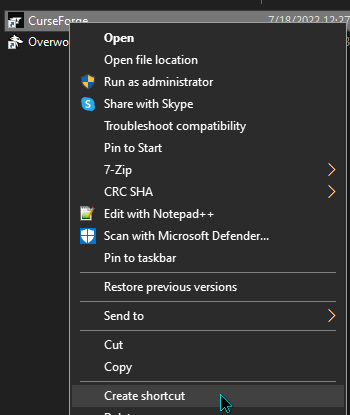 rocky sun
i dont have that type of app, i just got the file
lyric crescent
??
 lyric crescent
your picture is a folder called curseforge, not the program of curseforge
rocky sun
thats what im saying, i have the folder, but i dont got the app
lyric crescent
install the app then
 lyric crescent
that is it
rocky sun
the only way to get it open is to install it again
lyric crescent
you should open a support ticket about that issue
lyric crescent
!ticket-site
red patioBOT
:bug: Reporting via Website :bug:
Can't open the app or would rather use the website? You can do so here: https://support.curseforge.com/en/support/tickets/new
Fill out the form with accurate detailed information, "It doesn't work" isn't helpful! What exactly doesn't work and why doesn't it work should be easy to answer!
Make sure to upload your Overwolf logs with the Upload File option on the ticket, information on how to get these logs can be found here https://support.overwolf.com/en/support/solutions/articles/9000176827-how-to-get-your-overwolf-logs
rocky sun
ty
 bright kettle
I just got a spam PM from @coarse sedge
signal ridge
Screen shot some proof
fallen loom
rocky sun
how do i get a curse forge launcher, cause it saves only the folder, so to open ...
2x #📛︱rules 4
However this is the correct channel for this particular issue
 opal cipher
They're gone
signal ridge
!dm they have been banned
red patioBOT
Don't want scam DM?
If you want us to ban the user you need to mention them with a screenshot proof of their scam message or we will not do anything about it.
We also recommend you disable DM's in this server.
 digital roost
It’s the entire conversation
signal ridge
Really only need the name at the top and the first little bit, Enough to explain whats up
digital roost
It’s at scammer?
signal ridge
Yep
opal cipher
.. yes
red patioBOT
Don't want scam DM?
If you want us to ban the user you need to mention them with a screenshot proof of their scam message or we will not do anything about it.
We also recommend you disable DM's in this server.
opal cipher
Report it to Discord as well
 trim badge
Something going around again wow
 red patioBOT
Don't want scam DM?
If you want us to ban the user you need to mention them with a screenshot proof of their scam message or we will not do anything about it.
We also recommend you disable DM's in this server.
signal ridge
Can you ping the user
trim badge
I’ll try
opal cipher
They're banned
signal ridge
Thanks NLK
opal cipher
You're welcome Beans
 fathom pawn
my friend keeps opening and getting error code 1
red patioBOT
Error/Exit codes are useless. Follow these steps so someone can actually help you.
- Right-click the modpack profile icon OR click the button in the modpack profile.
- Click
Open Folder. - Open the
logsfolder. - Drag and drop the FILE named
latestORdebuginto discord.
 plucky dragon
error code 1
 barren silo
hi, my friend is having trouble downloading the crazy craft modpack, this is what it shows

it's just stuck on 100%
"Downloading java runtime 8"
digital roost
whatt the hell is this

 hollow bolt
I already made sure its allowed to run but im still getting this screen.
 opal cipher
!outdated
red patioBOT
Your CurseForge App version is outdated!
To use CurseForge with the latest features & fixes you should update your CurseForge App.
You can do this by uninstalling the app from your computer programs and then install it again from https://download.curseforge.com/
NOTE: Uninstalling CurseForge will not remove any game/mod data, It's entirely safe to remove and install again!
opal cipher
digital roost
whatt the hell is this
They're asking you to add information to the description of the project
hollow bolt
I uninstalled it and im still getting the screen :C
 patent lion
ok. so this has been an issue since last update. it takes and average of 3-10mins to launch the mod pack launcher. not the modpack. the launcher
opal cipher
For all reports of scam DMs, please post it in this thread.
digital roost
opal cipher
They're asking you to add information to the description of the project
but i added, it was images
i saw many projects with only images
opal cipher
That's horrible for screen readers and other tools.
signal ridge
Should explain what the project is, Pictures are a nice addon but you should still be explaining. As like NLK said, it can be hard for screen readers or other tools.
Not sure about you, but i would rather read what a mod is about, then scroll through pics and guess
digital roost
well look, the mod is an addon for another mod, then i just said what it added, and most of pictures is text
opal cipher
Just add the text, as text as well then.
digital roost
but curseforge editing suks, like
- it got bad fonts
- its always broken
- its simply ugly
opal cipher
¯_(ツ)_/¯
digital roost
and people will more read something that looks good instead of gray plain text
opal cipher
I'm not telling you to replace the images. I'm saying, add the text, as text.
signal ridge
Doesnt BH have people that can help you make Project Descriptions? Have you tried that if you dont want to write it yourself?
 static obsidian
how do i see how large a modpack is?
signal ridge
Could probably look at how large the folder size is when its installed I guess
static obsidian
yea but i dont want to download a modpack thats too big
signal ridge
Would have to cut out things like the logs and any other client side generated things
Ah ok, there isnt really a way then, as mod count wouldnt be very accurate as some mods are a lot bigger then others.
static obsidian
oh ok, thanks
 west steppe
login with twich not working, it opens another window that is never displayed, no matter how many times i close it and try again or even restart the app
 digital roost
signal ridge
Doesnt BH have people that can help you make Project Descriptions? Have you trie...
digital roost
signal ridge
Doesnt BH have people that can help you make Project Descriptions? Have you trie...
yes, they made all the images
and i dont really have anything super detailed to even ut as plain text
signal ridge
Ask for help with the description text, Otherwise you will need to open a ticket if you wish to fight this.
signal ridge
west steppe
login with twich not working, it opens another window that is never displayed, n...
digital roost
nah i just put plain text so i can then simply put images
signal ridge
Best way to think about it, Explain your project in a way that people using programs that read for them can understand.
 drifting temple
Got you an older DM scam

Maybe a day or so - i dont use this account much so didnt see but the user is still here
The full name 🙂
 signal ridge
Beat me too it
 wet wraith
Hi, does anyone know why nothing comes up when I try and search for craftables?
 lapis minnow
ich hoffe einer kann deutsch und zwar habe ich das problem das curseforge minecraft nicht findet kann mir einer helfen :/???
opal cipher
English only
lapis minnow
my english is bad :/
and I have the problem that curseforge minecraft does not find it can someone help me :/????
languid plume
opal cipher
!mc-optifine
the problem is that the modpack wont start if optifine is in the mods folder
signal ridge
lapis minnow
and I have the problem that curseforge minecraft does not find it can someone he...
Does it sayy Alpha OR Beta at the top left corner of your app?
signal ridge
languid plume
the problem is that the modpack wont start if optifine is in the mods folder
Read what the bot says
lapis minnow
signal ridge
Does it sayy Alpha OR Beta at the top left corner of your app?
alpha
red patioBOT
Looking to install the CurseForge app?
<:windows:798410728188936222> Windows
Minimum Requirements:
- OS Version: 10 or 11
- 64 bit Required.
- 350MB storage space.
- Microsoft .Net 4.8
- Intel/AMD quad-core CPU
- 8GB ram
[Windows Download]
[Windows Alternative Download]
If you are having issues with the Windows Download use the Windows Alternative Download to install Overwolf. Then download CurseForge from the App Store.
Windows Standalone: NOTE: ONLY SUPPORTS WORLD OF WARCRAFT CURRENTLY!
Requirements:
Uh, Windows? (No not the ones in your house)
WoW as that's all it's useful for..
Some sort of zoomy box that does teh verk.
[Windows Standalone] NOTE: ONLY SUPPORTS WORLD OF WARCRAFT CURRENTLY!
<:mac:798410654418862130> Mac
:penguin: Linux
NOTE: ONLY SUPPORTS WORLD OF WARCRAFT CURRENTLY!
Minimum Requirements:
Something not windows or mac would be a start.
Hopefully it turns on.
A screen would be beneficial too.
lapis minnow
ok
 edgy crypt
where is dynamic FOV in the rubidium settings?
signal ridge
Sounds like a question for the mods dev, Not a cf issue
 burnt moon
Hi! I want to upload a compat datapack I made but dunno how to set up the project on the page
 scarlet willow
ehh weae i go for report dm adds ?
young bone
burnt moon
burnt moon
Hi! I want to upload a compat datapack I made but dunno how to set up the projec...
nvm found out that data pack is merged onto resource pack
 swift mango
the hell is this
 signal ridge
!oops
red patioBOT
You had an "Oops, that was not supposed to happen!"
Follow the instructions in this link!
If the info in the link does not work please do ?cflogs-oops and follow the instructions there to get the log files.
signal ridge
Dont need to run the bot again, just read what it says
fallen loom
 stiff radish
Theres a dude trying to scam me in dms, this dude 👉 @digital roost
stiff radish
signal ridge
Report it to discord
👍
 stable creek
Hello, I was wondering how the paypal rewards worked, do you get a specific (gift card) code or do you have to login into an account?
upper root
!rewards
red patioBOT
Question about the rearwards program?
Rewards TOS:
Enabling 2FA for rewards:
upper root
its probably covered in there
swift mango
!oops
red patioBOT
You had an "Oops, that was not supposed to happen!"
Follow the instructions in this link!
If the info in the link does not work please do ?cflogs-oops and follow the instructions there to get the log files.
signal ridge
Did you try all 5 steps in the link?
 spiral bear
When ever i go to export a custom profile to upload to curseforge it compresses all the mods into a zip file in the export zip file?
Then it gets rejects bc of said zip files
upper root
whats the rejection message?


 upper root
does that file exist in the mods folder of the modpack?
(specifically with the .zip extension)
spiral bear
oh shi it does why is that there :/
 tacit sinew
Hey guys, I just got my modpack approved by moderators on Curseforge, but am unsure how to make it public. I cannot find it when searching it up in Modpacks, so im not sure where to go from here. Anything I'm missing?
upper root
!sync
red patioBOT
Sync and your Project.
CurseForge App and site do not share the same requirements! You can find things on the site but this does not mean it will be in the app!
For a mod to show up in the app:
- Projects MUST have a file marked as RELEASE
 or BETA
- Projects MUST be APPROVED
- Projects MUST have a file marked for the GAME VERSION SELECTED/LOADED
- Projects CAN'T be EXPERIMENTAL
- Projects CAN'T be ABANDONED
Files can take a while to show up in the app. If your files still have not shown up either your project is new and you have yet to mark a file as Release/Beta or there is issues with the sync system making it slow.
Vote this issue up if you would like to know when the last sync was! https://curseforge-ideas.overwolf.com/ideas/CF-I-1617
 bleak vessel
can someone help me dm me if you can
upper root
we dont do help in dms
bleak vessel
alright
signal ridge
Dont ask to ask just ask your question / state the issue
bleak vessel
so the download says i dont have enough space even though its being downloaded on a hard drive with plenty of space
signal ridge
Windows?
bleak vessel
yes
signal ridge
How much space is left on your C drive?
signal ridge
Will need to clear some room on that drive. We recommend a minimum of 10gb, as the app saves temp files to that drive
bleak vessel
is there any way to get it to drive d
signal ridge
Either way should still clean up that drive as its your boot drive, run out of room and windows may start to slow down or run into issues
 quaint nimbus
i am struggling to install the CurseForge app. I download the .exe and Windows deletes it from my computer. To combat this, I turned off real-time protection so I could download the CurseForge installer. Then I tried to run the installer, and was met with a dialog box that I think said something about an incomplete install (I've never tried to install it on this computer), but it disappears within a second so I couldn't really read it. I also tried installing Overwolf to install CurseForge, but ran into some of the same issues. Once I finally got Overwolf installed, I couldn't open the program at all -- like it was installed but would not launch on my computer no matter what. Am I missing something? Am I cursed to never use CurseForge again? I can't find any assistance with this anywhere else so I was hoping someone here could help me out.
bleak vessel
signal ridge
Either way should still clean up that drive as its your boot drive, run out of r...
I don't think I'll be able to get it down to 10 gb of space
I just want it done and downloaded
signal ridge
Able to aim for 3-5 at least?
I dont know if its possible to move the cf/ow location. But its in good pc practice to keep your pcs main os working drive open. aka dont fill it up.
signal ridge
quaint nimbus
i am struggling to install the CurseForge app. I download the .exe and Windows d...
What OS are you using?
lyric crescent
bleak vessel
I don't think I'll be able to get it down to 10 gb of space
10gb is not a suggestion, its a requirement. the app will not work if your main drive doesnt have the space available, regardless of what drive you want it to use.
signal ridge
quaint nimbus
my antivirus is Windows Defender
Could try this: https://support.overwolf.com/en/support/solutions/articles/9000177073-how-to-re-install-overwolf-with-a-clean-slate
See if doing a clean slate reinstall works.
quaint nimbus
I have removed Overwolf and don't have either an Overwolf folder nor a Curseforge folder in my appdata folder.
I'll look into it, thanks
signal ridge
appdata OR localappdata 2 different places
quaint nimbus
didnt have it in either of themn
but now for whatever reason that link was able to download the overwolf installer without issues
do i need to keep overwolf in order to run curseforge?
bleak vessel
thank you so much I got it\
signal ridge
quaint nimbus
do i need to keep overwolf in order to run curseforge?
yep.
quaint nimbus
alright, i dont know what the heck happened, but that worked. thank you for your help, i really do appreciate it.
ive had issues like that before but never on a computer where ive never had curseforge installed
 abstract stirrup
hello guys i need some assistance my friend is trying to import a custom modpack but it keeps giving him the invalid file
any fixes to this issue
rich flint
we don't help issues like this through intermediary - send them here
abstract stirrup
where?
rustic tide
What's a lockbox? It says received but I don't get anything
upper root
screenshot?
rustic tide
 upper root
right click while holding it
rustic tide
Now it's gone
 upper root
you probably got an item from it
 vernal nacelle
can someone help me with downloading forge? when i try to do the installer it doesnt have a option for windows installer
red patioBOT
Your question is not related to CurseForge owned/maintained features or services.
Please pick the appropriate game support channel
Otherwise use #👽︱game-support for game-related help.
CurseForge does not make or maintain any of the content or games used on the site or app. Just because it's on the site/app does not make it a problem with CurseForge. Move channels as requested, arguing about it will result in you being muted.
 scarlet zodiac
i got an oops that was not suppose to happen and i dont know how to fix it when i launch the app
upper root
!oops
red patioBOT
You had an "Oops, that was not supposed to happen!"
Follow the instructions in this link!
If the info in the link does not work please do ?cflogs-oops and follow the instructions there to get the log files.
 robust ledge
none of my modpacks will launch
red patioBOT
╰( ͡° ͜ʖ ͡° )つ──☆*:・゚ *˜”*°•.˜”*°• Many Help •°*”˜.•°*”˜* <:curselit:796985620550385705>
Please provide a description of your issue with as much detail as possible. If you have an issue with a mod or modpack, tell us the name. Explain what you can see happening. Be specific!
Tell us what is happening, we already know it "doesn't work".
Avoid using words like "it", tell us exactly what "it" is.
Don't assume anyone knows what you are talking about, be specific.
Tell us what you expected to happen.
Provide screenshots or video if possible.
Provide a log if possible. ?mc-log
robust ledge
when i launch a modpack on forge the minecraft launcher opens and ill launch the modpack from there but the modpack never opens/launches
 willow perch
I can't create, open or modify profiles, neither can I add modpacks, when I click on "repair installation", the app claims that Minecraft is open, even though it isn't...
upper root
robust ledge
when i launch a modpack on forge the minecraft launcher opens and ill launch the...
?mc-installfix
red patioBOT
This is NOT instructions for Repair Profile! They are NOT the same! You need to do this!
- Click on the Minecraft Tab on the Left side of the CurseForge App.
- Click button next to the
Create Custom Profileoption. - Click
Repair Installationoption. - Play game.
NOTE: You will not lose any modpacks or worlds!
upper root
willow perch
I can't create, open or modify profiles, neither can I add modpacks, when I clic...
restart your computer then try the repair installation
robust ledge
upper root
?mc-installfix
i tried this
willow perch
upper root
restart your computer then try the repair installation
Didn't work ._.
upper root
 silver jewel
ok
rocky sun
i have the app installed, but to open it i have to download it again, the only thing i can find in my PC search bar is the folder, where from here can i make a shortcut for the app?
 lyric crescent
You first need to figure out why the app isnt installing correctly. If you don't have any ideas on that, you will need to make a ticket for support.
Usually this is caused by an antivirus or lacking the proper permissions to install it in the first place.
!ticket-site
red patioBOT
:bug: Reporting via Website :bug:
Can't open the app or would rather use the website? You can do so here: https://support.curseforge.com/en/support/tickets/new
Fill out the form with accurate detailed information, "It doesn't work" isn't helpful! What exactly doesn't work and why doesn't it work should be easy to answer!
Make sure to upload your Overwolf logs with the Upload File option on the ticket, information on how to get these logs can be found here https://support.overwolf.com/en/support/solutions/articles/9000176827-how-to-get-your-overwolf-logs
 timid tulip
Hello every time i try to install the Vault Hunters Mod Pack in the Curse Forge Client it doesnt appear in the "My Modpacks" section. Also i can just click install over and over again.
lyric crescent
Is there some error?
timid tulip
Nope literally nothjing
lyric crescent
Have you tried restarting the app?
timid tulip
I tried downloading it through the website but it just pushes me into the App. Than i can see it in "My Modpacks" downloading. It will continue to a certain point and than just uninstall itself
i restarted it and started it as admin, yes
red patioBOT
<:overwolf:857375414002384916> How to get CurseForge App logs! <:overwolf:857375414002384916>
- Click the
Create logs zipin the menu. - Drag and drop the file it just made to this chat room to upload it.
- Wait for someone to look at it so they can help you.
timid tulip
red patio
i found that "?" button but i just sends me to a help discord website
im confused
lyric crescent
!outdated
red patioBOT
Your CurseForge App version is outdated!
To use CurseForge with the latest features & fixes you should update your CurseForge App.
You can do this by uninstalling the app from your computer programs and then install it again from https://download.curseforge.com/
NOTE: Uninstalling CurseForge will not remove any game/mod data, It's entirely safe to remove and install again!
timid tulip
im stupid i was looking for that in the discord not the curse forge app my b
lyric crescent
..oh
timid tulip
lyric crescent
!mc-installfix
red patioBOT
This is NOT instructions for Repair Profile! They are NOT the same! You need to do this!
- Click on the Minecraft Tab on the Left side of the CurseForge App.
- Click button next to the
Create Custom Profileoption. - Click
Repair Installationoption. - Play game.
NOTE: You will not lose any modpacks or worlds!
 winged island
is it possible to get factorio in curse forge?
timid tulip
lyric crescent
!mc-installfix
That fixed it, thank you so much have a great day! 🙂
lyric crescent
winged island
is it possible to get factorio in curse forge?
Can you be more specific?
winged island
is it possible to get the game Factorio in the forge app/thing
lyric crescent
If you do not see it as an option, then no.
young bone
Also, Factorio has built in mod infrastructure anyway
 dreamy spear
I´m having an issue with the installer, when I try to install the modpack Farwater. The error shows when the modpack is installing. It goes through the download, manifest validation and the installation of the file. After this it applies the patches and when it gets to patch number 4 of 6 it uninstalls the modpack again.
Is there any way to view the installation log, so I can find out what has gone wrong?
signal ridge
!cflogs-app
red patioBOT
<:overwolf:857375414002384916> How to get CurseForge App logs! <:overwolf:857375414002384916>
- Click the
Create logs zipin the menu. - Drag and drop the file it just made to this chat room to upload it.
- Wait for someone to look at it so they can help you.
 sonic willow
how long does it typically take for a modpack to be approved?
signal ridge
sonic willow
how long does it typically take for a modpack to be approved?
!status
red patioBOT
Project Moderation Time
Project/File moderation is done on these days unless otherwise mentioned:
Sunday, Monday, Tuesday, Wednesday, Thursday: <t:1631170800:t> - <t:1631199600:t> (Your time)
Friday, Saturday: No Moderation!
Projects are moderated First in, First out. If you submit late in the work day, it will likely get left until the next day!
New Projects or anything flagged for manual review: 1-3 Working Days
Updates to approved projects not needing manual approval: 1 Hour
-If your file has been "Under Review" for more than an hour, then it is at manual review!
Changes will only show in the app if the project meets the requirements in the ?sync command and up to 24 hours has passed from when it was accepted.
dreamy spear
signal ridge
dreamy spear
!mc-installfix try this
red patioBOT
This is NOT instructions for Repair Profile! They are NOT the same! You need to do this!
- Click on the Minecraft Tab on the Left side of the CurseForge App.
- Click button next to the
Create Custom Profileoption. - Click
Repair Installationoption. - Play game.
NOTE: You will not lose any modpacks or worlds!
dreamy spear
that worked thank you YOYOK9
 quick urchin
signal ridge
quick urchin
quick urchin
signal ridge
quick urchin
Any explanation to go along with the logs?
 near linden
Can i ask for help here? My curse forge wont open 😅
signal ridge
yep, Any errors pop up? Also What OS are you on?
near linden
windows 10, never had a problem until 3 days ago, i click the app, it loads and then nothing happens. Overwolf is normal still
 prisma pollen
Does anyone know what this means?
 signal ridge
near linden
windows 10, never had a problem until 3 days ago, i click the app, it loads and ...
signal ridge
near linden
windows 10, never had a problem until 3 days ago, i click the app, it loads and ...
Tried reinstalling the CF app using the ow app?
signal ridge
prisma pollen
Does anyone know what this means?
#🧱︱mc-other-help for this, will post how to get logs there
prisma pollen
ok!
near linden
if i do, do i lose whats in my curseforge?
signal ridge
Shouldnt,
near linden
i have minecraft saaves and such i dont wanna lose
could i back them up?
insace
incase
signal ridge
As long as you dont delete the Curseforge folder should be ok, but can back up the instances folder if your worried
near linden
tysm will try it, but it should be deleted from overwolf and then redowloaded from there?
signal ridge
Uninstall the cf app, then open the ow app, find cf app and install it
rustic tide
I killed that knight who dropped the axe which can't break
He also dropped a nether star which apparently can summon a boss, how do I do that tho
opal cipher
That doesn't sound like an CurseForge issue. :) Maybe you should ask in #🧱︱mc-other-help or #👽︱game-support (but keep to one channel)
near linden
Ah its working again tysm yoyok9 😄
 empty pasture
Hello there, any idea why I get 403 Forbidden when I try to delete my own comments on my WoW Addon Page please ?
opal cipher
Yeah, it's a known bug in the current website.
empty pasture
Ok, so there's no workaround and the solution is to wait for a future fix ?
opal cipher
I don't think there's a workaround for it no, could always open a ticket on the website about it, and link the comment(s) you want deleted.
red patioBOT
:bug: Reporting via Website :bug:
Can't open the app or would rather use the website? You can do so here: https://support.curseforge.com/en/support/tickets/new
Fill out the form with accurate detailed information, "It doesn't work" isn't helpful! What exactly doesn't work and why doesn't it work should be easy to answer!
Make sure to upload your Overwolf logs with the Upload File option on the ticket, information on how to get these logs can be found here https://support.overwolf.com/en/support/solutions/articles/9000176827-how-to-get-your-overwolf-logs
empty pasture
Ok i'll do that then, thanks 🙂
rustic tide
Where do I find a Straddler?
lyric crescent
What's that?
opal cipher
rustic tide
Where do I find a Straddler?
Still not a CurseForge support issue, you should ask in #🧱︱mc-other-help or #👽︱game-support
rustic tide
Mb sry
 steep yew
Hi guys, need some help, me and my friend are downloading the Vault Hunters modpack, I download it fine but when he clicks install it does it for a few seconds and then the install button greys out and it stops downloading... any ideas?
 fleet nexus
Hey, I'm trying to install mods to a server I'm hosting on my own PC. I've seen guides telling me I need to install the server files but I can't find them on curseforge, anyone has an idea?
signal ridge
#🧱︱mc-other-help for this, This channel has nothing to do with servers.
 plain talon
so dose the infinity evolved reloaded not work i attempted to launch it multiple times now
 wintry stag
Is anyone experiencing an issue where addons are installed both to retail and classic at the same time, or on character switch?
Not sure if the above should go to wow support
upper root
better to go to wow support, things get buried quickly in this channel
digital roost
guys for some reaosn i cant see my mouse or cursor in any mod can anyone help
signal ridge
Can you see it in Vanilla?
 stray glen
what should i do on this screen? i cant seem to figure out the problem

 river wagon
whenever i try to get mods it shows the only game i can mod is world of warcraft which i dont hvae
red patioBOT
Looking to install the CurseForge app?
<:windows:798410728188936222> Windows
Minimum Requirements:
- OS Version: 10 or 11
- 64 bit Required.
- 350MB storage space.
- Microsoft .Net 4.8
- Intel/AMD quad-core CPU
- 8GB ram
[Windows Download]
[Windows Alternative Download]
If you are having issues with the Windows Download use the Windows Alternative Download to install Overwolf. Then download CurseForge from the App Store.
Windows Standalone: NOTE: ONLY SUPPORTS WORLD OF WARCRAFT CURRENTLY!
Requirements:
Uh, Windows? (No not the ones in your house)
WoW as that's all it's useful for..
Some sort of zoomy box that does teh verk.
[Windows Standalone] NOTE: ONLY SUPPORTS WORLD OF WARCRAFT CURRENTLY!
<:mac:798410654418862130> Mac
:penguin: Linux
NOTE: ONLY SUPPORTS WORLD OF WARCRAFT CURRENTLY!
Minimum Requirements:
Something not windows or mac would be a start.
Hopefully it turns on.
A screen would be beneficial too.
signal ridge
stray glen
what should i do on this screen? i cant seem to figure out the problem
!oops
red patioBOT
You had an "Oops, that was not supposed to happen!"
Follow the instructions in this link!
If the info in the link does not work please do ?cflogs-oops and follow the instructions there to get the log files.
 warm ridge
Having the same issue ("Oops..."), did everything on that page. New install on Win 11, I copied over my Interface and WTF folders from old computer.
patent lion
can i get some help with my loading issue?
signal ridge
Explain the issue.
patent lion
ok. so when i try to launch the launcher to a modpack its take 3-5mins to launch
its on an ssd
i have a really beefy pc. it makes no sense why it take so ling
long*
signal ridge
using the cf app?
signal ridge
Just to make sure we are on the same page: you press play in the cf app, then the launcher takes forever to come up?
OR
You press play in cf, the launcher opens, you press play and it takes forever?
patent lion
options 1
signal ridge
!mc-installfix try this
red patioBOT
This is NOT instructions for Repair Profile! They are NOT the same! You need to do this!
- Click on the Minecraft Tab on the Left side of the CurseForge App.
- Click button next to the
Create Custom Profileoption. - Click
Repair Installationoption. - Play game.
NOTE: You will not lose any modpacks or worlds!
 cobalt cargo
hey can anyone help me i made it so that .jar files open with chrome and i dont know how to fix it
lyric crescent
find a guide for resetting file associations on your operating system
cobalt cargo
alright thanks
ok i set java as my default but the file is still opening with chrome
rich flint
!help
red patioBOT
╰( ͡° ͜ʖ ͡° )つ──☆*:・゚ *˜”*°•.˜”*°• Many Help •°*”˜.•°*”˜* <:curselit:796985620550385705>
Please provide a description of your issue with as much detail as possible. If you have an issue with a mod or modpack, tell us the name. Explain what you can see happening. Be specific!
Tell us what is happening, we already know it "doesn't work".
Avoid using words like "it", tell us exactly what "it" is.
Don't assume anyone knows what you are talking about, be specific.
Tell us what you expected to happen.
Provide screenshots or video if possible.
Provide a log if possible. ?mc-log
digital roost
!help
red patioBOT
╰( ͡° ͜ʖ ͡° )つ──☆*:・゚ *˜”*°•.˜”*°• Many Help •°*”˜.•°*”˜* <:curselit:796985620550385705>
Please provide a description of your issue with as much detail as possible. If you have an issue with a mod or modpack, tell us the name. Explain what you can see happening. Be specific!
Tell us what is happening, we already know it "doesn't work".
Avoid using words like "it", tell us exactly what "it" is.
Don't assume anyone knows what you are talking about, be specific.
Tell us what you expected to happen.
Provide screenshots or video if possible.
Provide a log if possible. ?mc-log
digital roost
I am trying to download the curseforge and it keeps on giving me an error message anytime i try to install it
 rich flint
?getcf
red patioBOT
Looking to install the CurseForge app?
<:windows:798410728188936222> Windows
Minimum Requirements:
- OS Version: 10 or 11
- 64 bit Required.
- 350MB storage space.
- Microsoft .Net 4.8
- Intel/AMD quad-core CPU
- 8GB ram
[Windows Download]
[Windows Alternative Download]
If you are having issues with the Windows Download use the Windows Alternative Download to install Overwolf. Then download CurseForge from the App Store.
Windows Standalone: NOTE: ONLY SUPPORTS WORLD OF WARCRAFT CURRENTLY!
Requirements:
Uh, Windows? (No not the ones in your house)
WoW as that's all it's useful for..
Some sort of zoomy box that does teh verk.
[Windows Standalone] NOTE: ONLY SUPPORTS WORLD OF WARCRAFT CURRENTLY!
<:mac:798410654418862130> Mac
:penguin: Linux
NOTE: ONLY SUPPORTS WORLD OF WARCRAFT CURRENTLY!
Minimum Requirements:
Something not windows or mac would be a start.
Hopefully it turns on.
A screen would be beneficial too.
 shrewd tree
not really in need for support, i just have a question, is there a plugin for curseforge itself?
shrewd tree
ah a bit like in the way that for example block bench has plugins too
"just some addons"
opal cipher
Oh, so you mean for Forge?
shrewd tree
no the curseforge app
opal cipher
Nope, no plugins so far that I know of. Not sure they have a way to extend the app itself.
shrewd tree
ah thanks for the help once again
 patent egret
help pls
 opal cipher
!network
red patioBOT
**Network Issues**
- Try restarting the app
- Try restarting your computer
- Disable any programs that interfere with your connection. VPN, ping tunnels, antivirus, firewall.
- Try restarting your router and modem. Also try using a different connection if possible.
- Try reinstalling Curseforge.
If you still have issues open a ticket (!ticket-site for info) and send your logs with it.
 old python
guys
before I break my sons heart
is there an easy way to back up minecraft/curseforge mods and worlds before re-installing windows?
 ocean sequoia
Do you have an external storage like a flash drive?
old python
yea plenty 🙂
ocean sequoia
I can see all my modpacks on my harddrive where I installed them via curseforge. You should be able to copy those to an external storage. Im seeing where individual worlds might be stored. Could be in the same place
old python
i think they are,
i backed up the whole curseforge folder
ocean sequoia
I havent done it before but in theory when you reinstall windows and curseforge you should be able to paste the copied mods/worlds into the mod folder
old python
ill try that after work tonight, thank you 🙂
ocean sequoia
Have a good one
 vale galleon
The curseforge website says I have an ad block even though i dont have one?
opal cipher
What browser are you using?
vale galleon
chrome
it says This page isn’t workingadfoc.us redirected you too many times.
Try clearing your cookies.
ERR_TOO_MANY_REDIRECTS when I click intaller
*installer
opal cipher
!notcf
red patioBOT
Your question is not related to CurseForge owned/maintained features or services.
Please pick the appropriate game support channel
Otherwise use #👽︱game-support for game-related help.
CurseForge does not make or maintain any of the content or games used on the site or app. Just because it's on the site/app does not make it a problem with CurseForge. Move channels as requested, arguing about it will result in you being muted.
opal cipher
But use another browser and it should work
vale galleon
Alright
opal cipher
(Like Edge, or Firefox)
 swift portal
2 questions
1 - Does having a pack already developed and uploaded put you at higher chance to get accepted faster?
2 - Any chance to be accepted on a pack I just uploaded last night, Today?
opal cipher
!status
red patioBOT
Project Moderation Time
Project/File moderation is done on these days unless otherwise mentioned:
Sunday, Monday, Tuesday, Wednesday, Thursday: <t:1631170800:t> - <t:1631199600:t> (Your time)
Friday, Saturday: No Moderation!
Projects are moderated First in, First out. If you submit late in the work day, it will likely get left until the next day!
New Projects or anything flagged for manual review: 1-3 Working Days
Updates to approved projects not needing manual approval: 1 Hour
-If your file has been "Under Review" for more than an hour, then it is at manual review!
Changes will only show in the app if the project meets the requirements in the ?sync command and up to 24 hours has passed from when it was accepted.
lyric crescent
swift portal
2 questions
1 - Does having a pack already developed and uploaded put you at hi...
- no
- unlikely but possible. there is no way to know how big the queue is or where they are at with it.
 eternal fern
How do I make my modpack appear in the Browse Modpacks section on the Curse app?
red patioBOT
There are two ways to share a modpack you've made with others...
Export and Share - For Friends to Small Groups.
- Click the Icon for the modpack.
- Click the button next to play.
- Click
Export. - Select the files that should be included.
- Send the zip to the people that want it! They can follow the instructions in
!mc-installpackto install the pack!
Upload to Curseforge - For Public Release to Everyone.
This options will make your pack public to EVERYONE, it comes with extra requirements and will take some effort to set up.
- Go to here: https://www.curseforge.com/project/432/4471/create
- Fill out the information with a proper description of the pack. This should allow anyone to understand what the pack is.
- Click the Icon for the modpack in the CurseForge app.
- Click the button next to play.
- Click
Export. - Select the files that should be included.
- Open your Project you made on the CurseForge site and Upload the file you just made.
- Wait for Moderation & Sync so it can show up in the client! (See
!syncfor limitations)
red patioBOT
Sync and your Project.
CurseForge App and site do not share the same requirements! You can find things on the site but this does not mean it will be in the app!
For a mod to show up in the app:
- Projects MUST have a file marked as RELEASE or BETA
- Projects MUST be APPROVED
- Projects MUST have a file marked for the GAME VERSION SELECTED/LOADED
- Projects CAN'T be EXPERIMENTAL
- Projects CAN'T be ABANDONED
Files can take a while to show up in the app. If your files still have not shown up either your project is new and you have yet to mark a file as Release/Beta or there is issues with the sync system making it slow.
Vote this issue up if you would like to know when the last sync was! https://curseforge-ideas.overwolf.com/ideas/CF-I-1617
eternal fern
Ohhhhh
 desert moon
hi yall im having problems with a modded server. i am trying to connect to a modserver, i am 100% sure i have all the correct mods installed but i can't seem to join while my friend can. the error code says; failed to connect to the server connection refused: no futher information. if someone knows a soliution pls help, thanks in advance
red patioBOT
Error/Exit codes are useless. Follow these steps so someone can actually help you.
- Right-click the modpack profile icon OR click the button in the modpack profile.
- Click
Open Folder. - Open the
logsfolder. - Drag and drop the FILE named
latestORdebuginto discord.
signal ridge
#📛︱rules 4, you were in the correct channel the first time #🧱︱mc-other-help
desert moon
ow oops
 verbal peak
how do i join my friends?
signal ridge
Make or join a server. Which has nothing to do with this channel
 lament zephyr
im trying to download a modpack called fantasy realm. Every time i try to download it, it just immediately dissapears from my curseforge. Any help please
lyric crescent
!NETWORK
red patioBOT
**Network Issues**
- Try restarting the app
- Try restarting your computer
- Disable any programs that interfere with your connection. VPN, ping tunnels, antivirus, firewall.
- Try restarting your router and modem. Also try using a different connection if possible.
- Try reinstalling Curseforge.
If you still have issues open a ticket (!ticket-site for info) and send your logs with it.
 restive knot
im using a mod pack in 1.12.2 and in java 8 but i keep getting this error when using the curse forge app

does anyone know why??
restive knot
sorry
young bone
?notcf
red patioBOT
Your question is not related to CurseForge owned/maintained features or services.
Please pick the appropriate game support channel
Otherwise use #👽︱game-support for game-related help.
CurseForge does not make or maintain any of the content or games used on the site or app. Just because it's on the site/app does not make it a problem with CurseForge. Move channels as requested, arguing about it will result in you being muted.
fallen loom
young bone
<#777323206884327484> 5
Is this why I have a phantom ping?
 barren swift
Curseforge just overwrote all my classic addons with retail addons and I can't figure out how to restore the backup
young bone
fallen loom
Is this why I have a phantom ping?
Yep
restive knot
🤣
barren swift
sucks
restive knot
but seriously
restive knot
restive knot
im using a mod pack in 1.12.2 and in java 8 but i keep getting this error when u...
help
young bone
Refer to the bot message above
fallen loom
restive knot
but seriously
but seriously, read the rules
fallen loom
You agreed to them in order to get in here, MAN...
restive knot
umm..
 woven crow
Hi, is there a cache of some kind I can clear for the Curseforge app on mac?
lyric crescent
for what
woven crow
The mod versions, mod lists, and resource packs in my curseforge app profiles do not reflect what is actually on disk
So it is clearly caching bad data somewhere
lyric crescent
restarting the app should refresh it. what exactly is the problem
woven crow
Restarting does not fix the problem, nor refresh the profiles. The problem is:
The mod versions, mod lists, and resource packs in my curseforge app profiles do not reflect what is actually on disk
woven crow
I have modpacks in the app which list: - mod versions that dont match what is in the instance folder - dont list mods that ARE in the instance folder - list resource packs that are NOT in the instance folder
They're custom profiles
lyric crescent
did you add them outside the app?
lyric crescent
so you used the app to install everything?
woven crow
For example, I updated create from 0.5d to 0.5e in the app, and the process seemed to stall. However, after looking at the logs it was apparent that the progress bar event arrived in the wrong order (the 0% event happened after the 100% event, so the UI didn't update).
After restarting the app, it still showed 0.5d with an update available, but it has 0.5e in the actual mods folder on disk
Same with a few other mods
lyric crescent
probably should reinstall the pack then
woven crow
Also I used the app to install a few mods which successfully installed, are in the folder, but don't show in the app
Also the app shows a resource pack as installed that is not installed
And this has hapened for several profiles, both custom and not
Which is why I asked if there's a cache I can clear
lyric crescent
might be. but sounds like some other issue. you should make a ticket and send logs with it
!ticket-app
red patioBOT
:bug: Reporting via the CurseForge App :bug:
-
Click the
icon in the bottom left. -
Select

Open a Ticket. -
Fill out the form with accurate detailed information, "It doesn't work" isn't helpful! What exactly doesn't work and why doesn't it work should be easy to answer!
-
Make sure to upload your Overwolf logs with the
Upload Fileoption on the ticket, information on how to get these logs can be found here https://support.overwolf.com/en/support/solutions/articles/9000176827-how-to-get-your-overwolf-logs -
Submit!
 woven crow
I'll be honest, I build apps like this for a living and sort of can't be bothered going through the support ticket system 😛 I was hoping someone in here would just know where the caches are, but if not that's cool.
lyric crescent
If support decides to tell you that, that's up to them. But I would prefer they look at this issue and make that call.
woven crow
I'd happily talk to a dev, and let them know they have a couple race conditions in the mac version of the app
lyric crescent
Good. Then ticket it is.
 granite bough
my mods will not load they are stuck on a gray screen
swift portal
Are manual approvals not happening for a bit? (Not asking times)
opal cipher
They are, just even slower than usual, due to holidays between yesterday and the 19th.
So, it will still be done, but the normal times does not apply right now
swift portal
Ok
 solar hinge
is there any way better minecraft can be used for a server and if so what specs would be needed?
opal cipher
!notcf
red patioBOT
Your question is not related to CurseForge owned/maintained features or services.
Please pick the appropriate game support channel
Otherwise use #👽︱game-support for game-related help.
CurseForge does not make or maintain any of the content or games used on the site or app. Just because it's on the site/app does not make it a problem with CurseForge. Move channels as requested, arguing about it will result in you being muted.
 neat inlet
is there a way to check the status of a 3rd party mod request? I submitted a few of them spanning around 1-2 weeks ago. normally I see something in a couple of days. I also never get an email on whether it was approved or denied to be added to that list, so I'm not sure why it asks for my email address twice in the form.
 rocky yew
Hi so I had curseforge downloaded before but then I deleted it and a couple weeks later I tried to re-download it but it say that the other download didn't finish can someone please help me with this
neat inlet
opal cipher
So, it will still be done, but the normal times does not apply right now
does this apply to all approvals, like projects and 3rd party mod requests?
opal cipher
I'd guess so.
 quartz willow
So, my minecraft through curseforge was running fine saturday, on a mobile hotspot, i closed everything minecraft down, and tried to play again yesterday, it would load the launcher up then the red screen would pop up with all its numbers as usual then just crash with 255, this is on my mac air 2022 M2, i moved to my mac pro 2018 yesterday and it worked, im back on my mac air today and its still 255 and now after about 1/2 an hour and after reinstalling the app my modpacks disappeared(im logged in through twitch) and its not letting me create a new one for 1.16.5, can anyone help? (also if i put this in the wrong chat im sorry)
 mild falcon
Hello there i have got something like a stream deck and now i ask, is it possible to start a minecraft profile via application, cmd or with a key shortcut
 dusty latch
got a problem with my CurseForge app can anyone help?
 red patioBOT
Your CurseForge App version is outdated!
To use CurseForge with the latest features & fixes you should update your CurseForge App.
You can do this by uninstalling the app from your computer programs and then install it again from https://download.curseforge.com/
NOTE: Uninstalling CurseForge will not remove any game/mod data, It's entirely safe to remove and install again!
lyric crescent
<@&1018539314168221847>
opal cipher
ty Yamza
abstract stirrup
hey guys so me and my friends created a modded minecraft server it has 300 mods and we have 20 members 15 members have downloaded the modpack and imported it to their curseforge without any problems but the other 5 people when trying to import it to there curseforge it says invalid file is there a fix for this
lyric crescent
Did you try importing it?
abstract stirrup
it always says invalid file for them when ever they try
lyric crescent
I am asking if you tried.
lyric crescent
To be clear, you imported the same file you sent them. And it worked?
abstract stirrup
yes
red patioBOT
<:overwolf:857375414002384916> How to get CurseForge App logs! <:overwolf:857375414002384916>
- Click the
Create logs zipin the menu. - Drag and drop the file it just made to this chat room to upload it.
- Wait for someone to look at it so they can help you.
 exotic storm
can anyone help with this

 reef arrow
I do not know how to help lol
abstract stirrup
@lyric crescent
abstract stirrup
this is there overworlf log
lyric crescent
exotic storm
can anyone help with this
!MC-PATH ⤵️
red patioBOT
Instructions for changing CurseForge Minecraft install path!
If Minecraft is not installed in CurseForge App:
- Click the in the top left.
- Select Minecraft from the list of games.
- Select the
Advancedoption and select:
--- Windows:Local Disk (C:)at the left side of the window. If you do not see it, clickThis PCfirst.)
--- Mac:/Users/Shared/CurseForge, If it does not exist, make it. - Click
Continue.
If Minecraft is installed in CurseForge App:
- Click the in the bottom left.
- Select the Minecraft tab.
- Click
Change. - Select the location:
--- Windows:Local Disk (C:)at the left side of the window. If you do not see it, clickThis PCfirst.)
--- Mac:/Users/Shared/CurseForge, If it does not exist, make it.
lyric crescent
do you have this on the curseforge site?
 lethal flame
Hi guys, I am playing All the mods 7 and I think the modpack needs updating but I cannot do this as the arrow next to play (that I was told to look for in Google search) is not there!
lyric crescent
abstract stirrup
no i dont
Can you screenshot what is inside your zip, including what is inside the overrides folder, if one exists.
abstract stirrup
the modpack is available on curseforge and we added more mods that we are 1000% sure they work with the existing mods in modpack
the log that i sent its my friends
can you please elaborate on which one you want me to screenshot
mine or his
lyric crescent
The zip that is being used to install this modpack.
abstract stirrup
ok please hold

this is whats available in the modpack zip

this is whats in the override file
lyric crescent
eh doesnt help..
you got a link to this modpack?
lyric crescent
here
abstract stirrup
i think that will be difficult becuz we shared it on google drive idk if it will leak me or my friends gmail
is there another way you recommend i send it
lyric crescent
nope. i wouldnt touch something like that anyway. no offense.
abstract stirrup
no worries but what would you recommend
i dont know much about all this but i know one thing if it works for 15 people it shouldn't be a problem with the modpack cuz then we would all have it
its only those 5 people who cant upload it and whenever they try it says "invalid file"
lyric crescent
Are they on mac?
abstract stirrup
no they all have pc setup
lyric crescent
the log you sent me shows the download supposedly working just fine.
abstract stirrup
would you recommend uninstalling curseforge and installing it again
that is something we havent tried
lyric crescent
maybe
"The process cannot access the file 'C:\\Users\\NOORERBIL 7704264288\\curseforge\\minecraft\\Instances\\WKND SMP [PUBLIC LAUNCH OFFICIAL]\\saves\\New World (2)\\entities\\r.0.0.mca' because it is being used by another process.",
this is the only error i see here, which suggests an issue with the folder, or something messing with the folder, or the game already open.
but it could also be pretty much anything else too.
but for it to happen to 5 people suggests an issue with the pack itself
abstract stirrup
ok thank you have a great day
lethal flame
Can anyone please tell me how to update a modpack with Curseforge?
lyric crescent
if you unlocked the profile, you must lock it again first. this will of course remove anything you added.
lethal flame
I have not (and do not know how to) unlock profiles and I have only added the mod Time in a bottle.
lyric crescent
then you simply press the update button
lethal flame
That is the problem as there is no update button but I know the latest version is 1.1.0 and I am on 1.0.7 - All The Mods 7
lyric crescent
that only i way i know of for the button to not be there is by unlocking the profile, which i assume is how you added the mod. you need to relock it.
!mc-modifypack
red patioBOT
How to add/remove mods in a modpack.
- Click on the picture of the modpack.
- Click the

Add More Contentbutton, IF this button is not there, see below before continuing. - Find the Mods, Resource Packs or Maps you wish to Install and click
Installon them. - Wait for all the required mods to be downloaded.
- Start the modpack.
How to Enable/Disable content management for modpacks.
- Click on the picture of the modpack.
- Click on the button next to the
Playbutton. - Click on
Profile Options. - Check the
Allow content management for this profileoption if you want to edit the content of the modpack, uncheck it to disable.
NOTE: The Allow content management for this profile option is what allows you to Delete, Disable, Update or Install any Mods, Resource Packs or Maps managed by CurseForge. It must be on to modify any of them! (Currently)
lethal flame
There are no dots lol. I have actually now installed the latest version as a fresh install, would you know how I can copy my keybindings over - which directory?
 lethal flame
lyric crescent
step 1 comes before step 2 🤦
lethal flame
lyric crescent
step 1 comes before step 2 🤦
I am not sure what you mean there but, I will copy options.txt over. Thank you very much for your help. 🙂
lyric crescent
you send me a screenshot of you ignoring step 1
1. Click on the picture of the modpack.
lethal flame
Ah, right, sorry lol. This is what I have;

So I suppose I must have 'unlocked' it at some point....
But still, there is no 'update' option anywhere. 😭
lethal flame
Duh! Thank you, I had obviously ticked the 'Allow content management for thisprofile'.
Ok so my 1.0.7 is now being updated to 1.1.0. 🙂
Again, thank you for all you help - have a good day.
 cedar kindle
so one of the servers in crazy craft updated said i cant get on but im on the latest update can someone help with that?
lyric crescent
Ask the server owner for help.
cedar kindle
ye i did but its a server problem
lyric crescent
Then you would ask the server owner, like I said.
lyric crescent
The server owner is not here, and this is not server support.
cedar kindle
[09:47:49] [Netty Epoll Server IO #11/INFO] [co.li.co.ConfigSyncManager/]: Skipping config sync, No mods have registered a syncable config.
[09:47:49] [User Authenticator #5/INFO] [minecraft/ServerLoginNetHandler]: UUID of player cooltom542 is 614c1509-29a8-4b42-b6d3-e9dc4f2d0b9f
[09:47:50] [Server thread/INFO] [minecraft/ServerLoginNetHandler]: com.mojang.authlib.GameProfile@6cfabac5[id=614c1509-29a8-4b42-b6d3-e9dc4f2d0b9f,name=cooltom542,properties={textures=[com.mojang.authlib.properties.Property@37c2e43]},legacy=false] (/47.149.152.74:63669) lost connection: Disconnected
opal cipher
!notcf
red patioBOT
Your question is not related to CurseForge owned/maintained features or services.
Please pick the appropriate game support channel
Otherwise use #👽︱game-support for game-related help.
CurseForge does not make or maintain any of the content or games used on the site or app. Just because it's on the site/app does not make it a problem with CurseForge. Move channels as requested, arguing about it will result in you being muted.
cedar kindle
ok
 somber edge
could somebody help me i kinda need help cause, every time i open a mod 1.19.2, Forge just says : an error occured while executing forge install commande. exit code: 1
red patioBOT
Error/Exit codes are useless. Follow these steps so someone can actually help you.
- Right-click the modpack profile icon OR click the button in the modpack profile.
- Click
Open Folder. - Open the
logsfolder. - Drag and drop the FILE named
latestORdebuginto discord.
lyric crescent
!mc-installfix
red patioBOT
This is NOT instructions for Repair Profile! They are NOT the same! You need to do this!
- Click on the Minecraft Tab on the Left side of the CurseForge App.
- Click button next to the
Create Custom Profileoption. - Click
Repair Installationoption. - Play game.
NOTE: You will not lose any modpacks or worlds!
rocky yew
Hi so I had curseforge downloaded before but then I deleted it and a couple weeks later I tried to re-download it but it say that the other download didn't finish can someone please help me with this
 thick wolf
ive closed and opened it many times but it always comes up with this and then dosnt load
 lyric crescent
What OS?
mild falcon
Hello there i have got something like a stream deck and now i ask, is it possible to start a minecraft profile via application, cmd or with a key shortcut
lyric crescent
No.
mild falcon
so there is absolutely no way to do this?
lyric crescent
Not with curseforge. Perhaps with something else.
mild falcon
lyric crescent
Not with curseforge. Perhaps with something else.
What?
Can you specify a bit?
lyric crescent
Please disable ping on reply, or don't use reply here. #📛︱rules 5
And no, I cannot.
mild falcon
lyric crescent
Please disable ping on reply, or don't use reply here. <#777323206884327484> 5
Oh i'm sorry
 iron cliff
Who would I talk to about a scam message from a user on this discord server?
opal cipher
abstract stirrup
hello guys so i recently made a modpack and some friends are unable to import it its says invalid file any fixes?
this is the logs from the curseforge of a friend who cant import it
lyric crescent
Is this a different log from what you sent earlier?