#🔥︱curseforge-support
1 messages · Page 12 of 1
 digital roost
 lyric crescent
at least i can laugh at that one 😄
digital roost
spanish worked
it dissapeared the folder like its loading smth
or does that mean its fixed
it now says
c:curseforge
 quasi tangle
Can you archive an entire project? I have two projects for separate versions of my mod and i'd like to combine them without losing downloads
 tidal sparrow
so i have the forge installer installed but when i click n it says run as a administrator n click yes it doesnt download or anything does pop up the app
 rich flint
?!=
 red patioBOT
Wording is important!
Forge = Minecraft Forge, This is a modloader often just called "Forge".
Fabric = Fabric MC, this is another modloader, just called "Fabric".
CurseForge = A Website/App that has content for games.
Mods = Individual mod files.
Modpacks = Multiple mods put into the mods folder or downloaded from CurseForge.
These are not Interchangeable! Please use the correct terms as it allows us to help you faster!
rich flint
?notcf
red patioBOT
Your question is not related to CurseForge owned/maintained features or services.
Please use the appropriate game room by getting a game role from #786424115535544350.
Otherwise use #👽︱game-support for game related help.
CurseForge does not make or maintain any of the content or games used on the site or app. Just because it's on the site/app does not make it a problem with CurseForge. Move rooms as requested, arguing about it will result in you being muted.
rich flint
do you mean the CurseForge app?
 naive leaf
everytime i start a modpack it starts and just freezes while loading at some point. No matter what version or modpack i use it just keeps freezing
 rich flint
Use #👽︱game-support for this as it's a game issue rather than CF app/website
 fleet bear
quasi tangle
Can you archive an entire project? I have two projects for separate versions of ...
fleet bear
quasi tangle
Can you archive an entire project? I have two projects for separate versions of ...
Archive all the files, it will be "removed" from the site then. Nobody will find it anymore and it stops generating points.
If you remove all files and leave one alpha the points will still generate and it won't show up anymore either.
 proper stirrup
Hello, I need help in getting past Minecraft Exit Code 1 while using curseforge
red patioBOT
Error/Exit codes are useless. Follow these steps so someone can actually help you.
- Right-click the modpack profile icon OR click the
 button in the modpack profile.
 - Click

Open Folder. - Open the
logsfolder. - Drag and drop the FILE named
latestORdebuginto discord.
proper stirrup
red patioBOT
This is NOT instructions for Repair Profile! They are NOT the same! You need to do this!
- Click on the Minecraft Tab on the Left side of the CurseForge App.
- Click button next to the
Create Custom Profileoption. - Click

Repair Installationoption. - Play game.
NOTE: You will not lose any modpacks or worlds!
tidal sparrow
rich flint
do you mean the CurseForge app?
yea i install it but doesnt pop up anywhere at all on my pc
damn sorry
ik ik dont frikin @ my bad my bad
forgot split second
red patioBOT
Looking to install the CurseForge app?
<:windows:798410728188936222> Windows
Minimum Requirements:
- OS Version: 10 or 11
- 64 bit Required.
- 350MB storage space.
- Microsoft .Net 4.8
- Intel/AMD quad-core CPU
- 8GB ram
[Windows Download]
[Windows Alternative Download]
If you are having issues with the Windows Download use the Windows Alternative Download to install Overwolf. Then download CurseForge from the App Store.
Windows Standalone: NOTE: ONLY SUPPORTS WORLD OF WARCRAFT CURRENTLY!
Requirements:
Uh, Windows? (No not the ones in your house)
WoW as that's all it's useful for..
Some sort of zoomy box that does teh verk.
[Windows Standalone] NOTE: ONLY SUPPORTS WORLD OF WARCRAFT CURRENTLY!
<:mac:798410654418862130> Mac
:penguin: Linux
NOTE: ONLY SUPPORTS WORLD OF WARCRAFT CURRENTLY!
Minimum Requirements:
Something not windows or mac would be a start.
Hopefully it turns on.
A screen would be beneficial too.
 upper root
No
proper stirrup
proper stirrup
Thank you, it's still downloading but I'll keep you updated
It finally worked, thank you
tidal sparrow
yea nvm i got it TYVM!!!
 swift pond
does curseforge use the new mc launcher?
 vast elm
CURSEFORGE ISNT OPENING
it says retry over and over
or says get support
so someone help please and thanku
 queen storm
What OS?
 lethal wharf
swift pond
does curseforge use the new mc launcher?
lethal wharf
swift pond
does curseforge use the new mc launcher?
One message removed from a suspended account.
 lofty shadow
it says oops that wasnt supposed to happen
upper root
Screenshot?
 upper root
!oops
red patioBOT
You had an "Oops, that was not supposed to happen!"
Follow the instructions in this link!
If the info in the link does not work please do ?cflogs-oops and follow the instructions there to get the log files.
lofty shadow
yea i did
swift pond
lethal wharf
One message removed from a suspended account.
wdym?
i talking about java
does curseforge use the java launcher?
lofty shadow
lofty shadow
yea i did
and it still doesnwork
upper root
So follow the rest of the instructions
lethal wharf
swift pond
wdym?
One message removed from a suspended account.
lofty shadow
upper root
So follow the rest of the instructions
the rest of the instructions is Mac lol
upper root
swift pond
does curseforge use the java launcher?
It uses the old version of the new launcher, not to be confused with the very old launcher that runs off java
red patioBOT
CF does not use the Windows store launcher. It is exactly the same as the other game launcher.
upper root
And thank you carl for summing it up
upper root
lofty shadow
the rest of the instructions is Mac lol
Of the command i sent....
upper root
#📛︱rules 5️⃣ please
I dont think you tried the very last sentence of the reply the bot sent...
?cflogs-oops the one that tells you to run this command
red patioBOT
Oops :(
- Make sure you tried these steps first!
- Click the
Create logs.zipbutton on the bottom of the oops error. - Drag and drop the file it makes into this room.
- Wait for someone to look the logs.
 lofty shadow
can i drop it here?
upper root
That is what the instructions say to do
lofty shadow
upper root
Restart computer
upper root
lofty shadow
You have something blocking curseforge, i cant tell what tho.
Are you sure you tried all the steps from the help page?
lofty shadow
ama try again
lofty shadow
tysm it worked i just had to restart
 near storm

 queen storm
!mc-installfix
red patioBOT
This is NOT instructions for Repair Profile! They are NOT the same! You need to do this!
- Click on the Minecraft Tab on the Left side of the CurseForge App.
- Click button next to the
Create Custom Profileoption. - Click
Repair Installationoption. - Play game.
NOTE: You will not lose any modpacks or worlds!
 vast maple
my friend is trying to download hexxit through the curseforge app, but it keeps getting stuck for him on certain larger mods, is there a way to fix it or is his internet high
lyric crescent
!network
red patioBOT
**Network Issues**
- Try restarting the app
- Try restarting your computer
- Disable any programs that interfere with your connection. VPN, ping tunnels, antivirus, firewall.
- Try restarting your router and modem. Also try using a different connection if possible.
- Try reinstalling Curseforge.
If you still have issues open a ticket (!ticket-site for info) and send your logs with it.
 queen storm
What OS?
lyric crescent
windows what
 earnest hazel
10
lyric crescent
!network
red patioBOT
**Network Issues**
- Try restarting the app
- Try restarting your computer
- Disable any programs that interfere with your connection. VPN, ping tunnels, antivirus, firewall.
- Try restarting your router and modem. Also try using a different connection if possible.
- Try reinstalling Curseforge.
If you still have issues open a ticket (!ticket-site for info) and send your logs with it.
earnest hazel
it says failed to launch when i try to play the mods
lyric crescent
of course it does, you arnt downloading the file correctly
earnest hazel
How do I download it correctly
lyric crescent
fix whatever is breaking it
earnest hazel
How do I fix whatever is breaking it
earnest hazel
lyric crescent
by reading
thanks a lot
 copper musk
my fps changes so much when i publish it
red patioBOT
Your question is not related to CurseForge owned/maintained features or services.
Please use the appropriate game room by getting a game role from #786424115535544350.
Otherwise use #👽︱game-support for game related help.
CurseForge does not make or maintain any of the content or games used on the site or app. Just because it's on the site/app does not make it a problem with CurseForge. Move rooms as requested, arguing about it will result in you being muted.
queen storm
Move rooms as requested, arguing about it will result in you being muted.
 vital fable
just tried opening my modpack, just crashed, code: -1073740791
if you need the mod list i can paste it as well
queen storm
!mc-logs in #👽︱game-support
red patioBOT
Sending logs for support.
- Right-click the modpack profile icon OR click the button in the modpack profile.
- Click
Open Folder. - Open the
logsfolder. - Drag and drop the FILE named
latestORdebuginto discord.
vital fable
tim was that for me?
queen storm
Yes, for who else?
vital fable
i dunno it was just posted so quick i assumed it was for someone else
 random crane
Hey, i've tried to play minecraft with Curseforge. If I try to start the game it loads for about 15 sec and than ist crashes with the Exit Code 255
It also says: java.lang.IllegalStateException
what could cause the issue?
red patioBOT
Error/Exit codes are useless. Follow these steps so someone can actually help you.
- Right-click the modpack profile icon OR click the button in the modpack profile.
- Click
Open Folder. - Open the
logsfolder. - Drag and drop the FILE named
latestORdebuginto discord.
lyric crescent
send the logs in #👽︱game-support
 haughty charm
Hey there, who do talk to about getting my mod here? Users can create addons for our mod
 queen storm
!ticket-author
red patioBOT
Author support tickets for Project or Moderation issues.
Info for Project Authors:
Make sure to select Author Support in the What kind of support do you need? box.
You also need to include a link to the project and your CF name!
Logs, Game and OS boxes can be ignored when opening an author ticket.
 unique haven
Hey there!
How can i update forge version on my modpack?
I`ve updated one of my mods and now it wants me to update forge as well. Tried to use forge installer, but its says directory missing, same with extracting
lyric crescent
Are you using the curseforge app?
unique haven
yes
lyric crescent
!mc-updatemodloader
red patioBOT
You can update the mod loader within the same game version in the CurseForge app by following these steps!
- Click on the modpack profile you are working with.
- Click on the button next to the play button.
- Click on the
 Profile Options button.
 - Select the mod loader version you want from the dropdown.
- Play!
If you need to update to a new game version, a new profile is required.
unique haven
new profile, got it. is it safe just create new prof. and after just paste all previous files in to it?
lyric crescent
You said you were updating forge..? You don't need a new profile for that.
 mellow nebula
my friend has falling green squares in some places in the world, we play better minecraft and this makes the game difficult for him
red patioBOT
Your question is not related to CurseForge owned/maintained features or services.
Please use the appropriate game room by getting a game role from #786424115535544350.
Otherwise use #👽︱game-support for game related help.
CurseForge does not make or maintain any of the content or games used on the site or app. Just because it's on the site/app does not make it a problem with CurseForge. Move rooms as requested, arguing about it will result in you being muted.
unique haven
lyric crescent
You said you were updating forge..? You don't need a new profile for that.
my bad, sry. i read like "if you wanna new version (means forge for me somehow), so new prof. s required. now i read again and already changed forge vers.
thx!
digital roost
Hey, wasn't there a server especially for developers? I have a question relating to the new API
thanks!
 onyx pasture
i have a problem where i cant launch minecraft through curseforge it just says couldnt launch launcher core
lyric crescent
!mc-installfix
red patioBOT
This is NOT instructions for Repair Profile! They are NOT the same! You need to do this!
- Click on the Minecraft Tab on the Left side of the CurseForge App.
- Click button next to the
Create Custom Profileoption. - Click
Repair Installationoption. - Play game.
NOTE: You will not lose any modpacks or worlds!
onyx pasture
i tried but still doesnt work the official mc launcher is fine tho
lyric crescent
Do it again, and also restart your computer before step 4
lyric crescent
!mc-path
red patioBOT
Instructions for changing CurseForge Minecraft install path!
If Minecraft is not installed in CurseForge App:
- Click the
 in the top left.
 - Select Minecraft from the list of games.
- Select the
Advancedoption and select:
--- Windows:Local Disk (C:)at the left side of the window. If you do not see it, clickThis PCfirst.)
--- Mac:/Users/Shared/CurseForge, If it does not exist, make it. - Click
Continue.
If Minecraft is installed in CurseForge App:
- Click the
 in the bottom left.
 - Select the Minecraft tab.
- Click
Change. - Select the location:
--- Windows:Local Disk (C:)at the left side of the window. If you do not see it, clickThis PCfirst.)
--- Mac:/Users/Shared/CurseForge, If it does not exist, make it.
onyx pasture
still no luck
lyric crescent
!network
red patioBOT
**Network Issues**
- Try restarting the app
- Try restarting your computer
- Disable any programs that interfere with your connection. VPN, ping tunnels, antivirus, firewall.
- Try restarting your router and modem. Also try using a different connection if possible.
- Try reinstalling Curseforge.
If you still have issues open a ticket (!ticket-site for info) and send your logs with it.
onyx pasture
ohh tysm it was a connection issue :D
lyric crescent
What specifically was the solution?
onyx pasture
no. 3 i think
lyric crescent
Which program was it?
onyx pasture
and i use google dns
lyric crescent
ah ok
onyx pasture
cloudflare warp
lyric crescent
yea that does it
onyx pasture
ohh icic tyty again
 thick willow
i need help, everytime i open a minecraft modpack from curseforge i can't play it, i think it's buggy curseforge.
queen storm
Why can't you play it?
thick willow
I do not know
for example i opened the galactic science modpack and entering the server it doesn't work, but also with other modpacks.
lyric crescent
Connecting to a server has nothing to do with Curseforge.
red patioBOT
Your question is not related to CurseForge owned/maintained features or services.
Please use the appropriate game room by getting a game role from #786424115535544350.
Otherwise use #👽︱game-support for game related help.
CurseForge does not make or maintain any of the content or games used on the site or app. Just because it's on the site/app does not make it a problem with CurseForge. Move rooms as requested, arguing about it will result in you being muted.
 nimble shoal
i try to start my server and get this error
WARNING: coremods are present
queen storm
!notcf
red patioBOT
Your question is not related to CurseForge owned/maintained features or services.
Please use the appropriate game room by getting a game role from #786424115535544350.
Otherwise use #👽︱game-support for game related help.
CurseForge does not make or maintain any of the content or games used on the site or app. Just because it's on the site/app does not make it a problem with CurseForge. Move rooms as requested, arguing about it will result in you being muted.
 wild cave
 red patioBOT
Your question is not related to CurseForge owned/maintained features or services.
Please use the appropriate game room by getting a game role from #786424115535544350.
Otherwise use #👽︱game-support for game related help.
CurseForge does not make or maintain any of the content or games used on the site or app. Just because it's on the site/app does not make it a problem with CurseForge. Move rooms as requested, arguing about it will result in you being muted.
wild cave
Mmm
 scenic light
how do i uninstall
lyric crescent
Same as any other program on your device.
scenic light
oh i tried deleting the folder but it says i need permission, im an admin on my device so should i try control panel?
lyric crescent
add/remove programs
scenic light
ok ty
digital roost
so
there is another error when i download the exact same
using all that you said
ill send pic
wait
nvm
it just fixed
nvm

this is what happenms
queen storm
!mc-installfix
red patioBOT
This is NOT instructions for Repair Profile! They are NOT the same! You need to do this!
- Click on the Minecraft Tab on the Left side of the CurseForge App.
- Click button next to the
Create Custom Profileoption. - Click
Repair Installationoption. - Play game.
NOTE: You will not lose any modpacks or worlds!
digital roost
thanks
 graceful blaze
Ay yall i got a huge questipn
Say You Know the Curseforge app and then the website
So I use the site to download mods and I dont like using the app to launch Minecraft
queen storm
Write the full question please, not using separate messages.
graceful blaze
Can I download mods from the app and then use those mods to import them to minecraft how i would do with the site
I use the Site and I dont like the app because it uses the demo Minecraft
queen storm
Then login on the right account...
graceful blaze
queen storm
Then login on the right account...
I am
queen storm
#📛︱rules 5
Show a screenshot of the curseforge launcher, and the normal one
Without cropping them
lyric crescent
10/10 times when they say they are, they arnt.
graceful blaze
Huh
graceful blaze
queen storm
Show a screenshot of the curseforge launcher, and the normal one
You mean the app and then the site
lyric crescent
The launcher opened by curseforge, and the vanilla installed one
graceful blaze
ok
lyric crescent
so we can see the login info not being the same
 dull arch
Hello ive got the cursed forge launcher installed but when I try to select minecraft it says ( "An access violation occurred when attempting to install Minecraft launcher" ) I tried to go into my folders and give read and write permissions but it still gives the same error im pretty confused here. Im ok to wait until you're done helping that dude first tyyyy in advanced!
lyric crescent
You would need to give your user admin permissions, or you can try moving the install folder.
!mc-path
red patioBOT
Instructions for changing CurseForge Minecraft install path!
If Minecraft is not installed in CurseForge App:
- Click the in the top left.
- Select Minecraft from the list of games.
- Select the
Advancedoption and select:
--- Windows:Local Disk (C:)at the left side of the window. If you do not see it, clickThis PCfirst.)
--- Mac:/Users/Shared/CurseForge, If it does not exist, make it. - Click
Continue.
If Minecraft is installed in CurseForge App:
- Click the in the bottom left.
- Select the Minecraft tab.
- Click
Change. - Select the location:
--- Windows:Local Disk (C:)at the left side of the window. If you do not see it, clickThis PCfirst.)
--- Mac:/Users/Shared/CurseForge, If it does not exist, make it.
queen storm
!notcf And post the file itself
red patioBOT
Your question is not related to CurseForge owned/maintained features or services.
Please use the appropriate game room by getting a game role from #786424115535544350.
Otherwise use #👽︱game-support for game related help.
CurseForge does not make or maintain any of the content or games used on the site or app. Just because it's on the site/app does not make it a problem with CurseForge. Move rooms as requested, arguing about it will result in you being muted.
 warm sleet
how do i update my modpack on the curseforge website?
lyric crescent
upload a new file to it
warm sleet
im slow i didnt see file next to manage project lol
 twin horizon
Your project, QueizoFantasy (https://www.curseforge.com/minecraft/modpacks/queizofantasy), requires changes before it can be approved:
"Un modpack hecho en base a lo que siempre he deseado que sea minecraft, con un nivel de dificultad mas alto y unos cuantos añadidios en mecanicas " is not a valid summary.
You can change your summary under the ‘manage project’ in the relevant field.
The project Summary must be in English, and should give a quick 1 sentence idea what the mod is, but not as detailed as the description.
Indont understans why they doesnt approve My modpack
Now what does i need to do?
lyric crescent
The project Summary must be in English
twin horizon
Im hispanic so my native lenguaje is spanish, i can't put the description on spanish ??
Why?
lyric crescent
Beacuse CurseForge is English based.
upper root
Because Curseforge is an english site.
You can put both english and spanish in the description however
twin horizon
But i put a spanish and a English versión in the description
lyric crescent
Which is fine.
twin horizon
Yes but they send me this change
fleet bear
The issue is with the Summary, not the description.
twin horizon
Yes yes, that, knte summsry
fleet bear
Click, edit project, then go to the summary box and edit it to English.
twin horizon

 twin horizon
I only have that information in that place, and in the change request it says that it is not a valid summary, so it is in the summary
Okey
fleet bear
Also, the English version of the description must be on top or it will get rejected for that also.
twin horizon
Thanks you
 outer gyro
Question. Launched curseforge today and says incompatible with current launcher and wants me to launch with the regular Minecraft one.
Do I need to launch Minecraft with the updated launcher before curseforge will work?
I’m playing a modded version on 1.16.2 I believe
upper root
Curseforge does not support bedrock edition
Change the game in the left hand sidebar of the mc launcher back to java edition
dull arch
Another question sorry, Is it possible to add mods to an existing modpack for example Feed The Beast?
red patioBOT
How to add/remove mods in a modpack.
- Click on the picture of the modpack.
- Click the

Add More Contentbutton, IF this button is not there, see below before continuing. - Find the Mods, Resource Packs or Maps you wish to Install and click
Installon them. - Wait for all the required mods to be downloaded.
- Start the modpack.
How to Enable/Disable content management for modpacks.
- Click on the picture of the modpack.
- Click on the button next to the
Playbutton. - Click on
Profile Options. - Check the
Allow content management for this profileoption if you want to edit the content of the modpack, uncheck it to disable.
NOTE: The Allow content management for this profile option is what allows you to Delete, Disable, Update or Install any Mods, Resource Packs or Maps managed by CurseForge. It must be on to modify any of them! (Currently)
upper root
Yes
dull arch
Will it be obvious that its conflicting?
upper root
Yes. The game will crash, probably before even starting fully
dull arch
Ok sounds good thank you for all ur help
 lyric crescent
Don't use the Alpha which only has WoW
 open halo
so thaaaaaaaaaaaaaaaaaaaaats what this meant
 lyric crescent
sure is 😄
open halo
thx
lyric crescent
Are you linux?
open halo
yes
lyric crescent
In that case, there isn't really an option for you currently. Instead you can use ATlauncher which works on linux.
open halo
thx alot i just downloaded the modpack i wanted to use
red patioBOT
Your question is not related to CurseForge owned/maintained features or services.
Please use the appropriate game room by getting a game role from #786424115535544350.
Otherwise use #👽︱game-support for game related help.
CurseForge does not make or maintain any of the content or games used on the site or app. Just because it's on the site/app does not make it a problem with CurseForge. Move rooms as requested, arguing about it will result in you being muted.
 strong hawk
Hey guys, could someone help me figure out why my modpack was rejected? I was given two errors but i don't understand one of them.
lyric crescent
show the message
strong hawk
FileId 3782776 is invalid for modpack 3939944 (FantasyCraft High Fantasy) with mod loader Fabric.
the other was a cloth api for forge (just removed it)
lyric crescent

Config Screen API for Minecraft
Issues: https://github.com/shedaniel/ClothConfig/issues
Wiki/Docs: https://shedaniel.gitbook.io/cloth-config/
Source: https://github.com/shedaniel/ClothConfig
Game version(s): 1.19.2, 1.19.1, 1.19, 1.16.5, 1.16.4, 1.17.1, 1.17, 1.18, 1.18.1, 1.18.2, 1.16.3, 1.16.2, 1.16.1, 1.16, 1.15, 1.15.2, 1.15.1, 1.14.4, 1.14...
strong hawk
thanks!
 tribal ocean
Hey, I just bought MC today, and i watched a few YT videos, and downloaded Forge, Java, and Jarfix because the video said too. But every mod i seem to download doesnt work, what could i have done wrong?
And most mods that ive seen on Forge arent really updated with 1.19.2
lyric crescent
Are you using the curseforge app?
 languid drum
When I try to install MC modpacks, CF speeds through the downloads then deletes the modpack. Any fixes?
tribal ocean
Yeah, I have it downloaded to my desktop, i have two. One saying CurseForge, and another saying CurseForge-Installer, it downloaded both
lyric crescent
!mc-installmods
red patioBOT
How to install mods in CurseForge App.
- Click
+ Create Custom Profile - Name it, select the required Minecraft version, select the modloader & modloader version (usually the highest number), click
Create. - Click the profile icon.
- Click
Add More Content - Search and install the desired mods.
- Start the game!
How to install mods not on CurseForge.
- Right click the profile picture or Open the profile and click the Icon next to the play button.
- Click
Open Folder. - Drag the mod(s) into the
modsfolder. (Note: Some mods will require others, to run. Make sure to read the instructions for the mod!) - Start the game!
 lyric crescent
languid drum
When I try to install MC modpacks, CF speeds through the downloads then deletes ...
lyric crescent
languid drum
When I try to install MC modpacks, CF speeds through the downloads then deletes ...
!network
red patioBOT
**Network Issues**
- Try restarting the app
- Try restarting your computer
- Disable any programs that interfere with your connection. VPN, ping tunnels, antivirus, firewall.
- Try restarting your router and modem. Also try using a different connection if possible.
- Try reinstalling Curseforge.
If you still have issues open a ticket (!ticket-site for info) and send your logs with it.
 still shell
i keep trying to download a modpack but it gets to the forth patch then just stops entirely
lyric crescent
try the thing above
red patioBOT
This is NOT instructions for Repair Profile! They are NOT the same! You need to do this!
- Click on the Minecraft Tab on the Left side of the CurseForge App.
- Click button next to the
Create Custom Profileoption. - Click
Repair Installationoption. - Play game.
NOTE: You will not lose any modpacks or worlds!
 south nebula
Can I have someone's help
Adding a mod to a pack and making it work idk what the mod is but I want to add superheros to kinda crazycraft
Idk what I'm doing atall
upper root
Modifying existing packs can often break stuff, so if it doesnt work remove the mod and go without it
!mc-editpack
red patioBOT
How to add/remove mods in a modpack.
- Click on the picture of the modpack.
- Click the
Add More Contentbutton, IF this button is not there, see below before continuing. - Find the Mods, Resource Packs or Maps you wish to Install and click
Installon them. - Wait for all the required mods to be downloaded.
- Start the modpack.
How to Enable/Disable content management for modpacks.
- Click on the picture of the modpack.
- Click on the button next to the
Playbutton. - Click on
Profile Options. - Check the
Allow content management for this profileoption if you want to edit the content of the modpack, uncheck it to disable.
NOTE: The Allow content management for this profile option is what allows you to Delete, Disable, Update or Install any Mods, Resource Packs or Maps managed by CurseForge. It must be on to modify any of them! (Currently)
south nebula
I know but do you know what superheromod is what crazycraft normally dose 1.7
I'm new to PC completely
Sorry
upper root
the app will only show mods for that version, so search superhero and if one exists you can add it
south nebula
OK sorry I just didn't know the best one for it
And how do I edit someone else's modpack
lyric crescent
he sent you instructions above
 rose spruce
help
 lyric crescent
!notcf
red patioBOT
Your question is not related to CurseForge owned/maintained features or services.
Please use the appropriate game room by getting a game role from #786424115535544350.
Otherwise use #👽︱game-support for game related help.
CurseForge does not make or maintain any of the content or games used on the site or app. Just because it's on the site/app does not make it a problem with CurseForge. Move rooms as requested, arguing about it will result in you being muted.
 versed viper
I keep having this error and i want to know how to fix it
 upper root
!mc-logs into #👽︱game-support
red patioBOT
Sending logs for support.
- Right-click the modpack profile icon OR click the button in the modpack profile.
- Click
Open Folder. - Open the
logsfolder. - Drag and drop the FILE named
latestORdebuginto discord.
south nebula
i added the legends mod to a modpack i havent found any blueprints i wanted tho
red patioBOT
Your question is not related to CurseForge owned/maintained features or services.
Please use the appropriate game room by getting a game role from #786424115535544350.
Otherwise use #👽︱game-support for game related help.
CurseForge does not make or maintain any of the content or games used on the site or app. Just because it's on the site/app does not make it a problem with CurseForge. Move rooms as requested, arguing about it will result in you being muted.
 proper birch
I can't make a costume profile, For some reason applying patch reach 4 of 6 after that it just cancels 💀

 upper root
!mc-installfix
red patioBOT
This is NOT instructions for Repair Profile! They are NOT the same! You need to do this!
- Click on the Minecraft Tab on the Left side of the CurseForge App.
- Click button next to the
Create Custom Profileoption. - Click
Repair Installationoption. - Play game.
NOTE: You will not lose any modpacks or worlds!
 sly fable
hey i need help deleting a modpack that i no longer play but each time i try and delete it it says that the files are locked
upper root
Restart your computer
quasi tangle
Can you get two files side by side like this without setting one as beta or alpha?
 upper root
No
digital roost
How can I fix this?
upper root
Did you try click the "here" button?
 upper root
You probably have something blocking it.
TMobile's "Safe internet" feature is known to be problematic, do you use that?
digital roost
As far as I know I don't use that. How do I really look if I have it?
upper root
I have no idea how you would go about checking that
Other things that can be problematic are things like ping tunnels (cloudflares w "warp"), webfilters, firewalls. Try disabling those if you have any of them
digital roost
Okay, I'll try
 whole ore
i cant play or download any modpacks it was like that 2 hours ago and still
 rich flint
Are you using windows? If so what version
whole ore
rich flint
Are you using windows? If so what version
windows 7
rich flint
!win7
red patioBOT
Hey there,
You seem to be running Windows 7 or 8.1 which is not supported anymore by Overwolf or Curseforge. Please upgrade your machine if possible.
You can find the download link here
whole ore
rich flint
!win7
i mean it was working just before the 2hrs
i just restarted the pc then this happens
rich flint
Doesn't change the above. Windows 7 was released like 13 years ago - sorry
 opal cipher
(And Microsoft stopped supporting Windows 7 back in 2020)
 hexed musk
red patioBOT
hexed musk
red patioBOT
This is NOT instructions for Repair Profile! They are NOT the same! You need to do this!
- Click on the Minecraft Tab on the Left side of the CurseForge App.
- Click button next to the
Create Custom Profileoption. - Click
Repair Installationoption. - Play game.
NOTE: You will not lose any modpacks or worlds!
upper root
!notcf
red patioBOT
Your question is not related to CurseForge owned/maintained features or services.
Please use the appropriate game room by getting a game role from #786424115535544350.
Otherwise use #👽︱game-support for game related help.
CurseForge does not make or maintain any of the content or games used on the site or app. Just because it's on the site/app does not make it a problem with CurseForge. Move rooms as requested, arguing about it will result in you being muted.
 graceful walrus
opal cipher
graceful walrus
opal cipher
Yes.
red patioBOT
There are two ways to share a modpack you've made with others...
Export and Share - For Friends to Small Groups.
- Click the Icon for the modpack.
- Click the button next to play.
- Click

Export. - Select the files that should be included.
- Send the zip to the people that want it! They can follow the instructions in
!mc-installpackto install the pack!
Upload to Curseforge - For Public Release to Everyone.
This options will make your pack public to EVERYONE, it comes with extra requirements and will take some effort to set up.
- Go to here: https://www.curseforge.com/project/432/4471/create
- Fill out the information with a proper description of the pack. This should allow anyone to understand what the pack is.
- Click the Icon for the modpack in the CurseForge app.
- Click the button next to play.
- Click
Export. - Select the files that should be included.
- Open your Project you made on the CurseForge site and Upload the file you just made.
- Wait for Moderation & Sync so it can show up in the client! (See
!syncfor limitations)
 merry mica
curse forge isnt oppening
queen storm
Screenshot of what you see please
 unborn basin
merry mica
i downloaded it and try to open and it doesnt open
unborn basin
merry mica
i downloaded it and try to open and it doesnt open
Send logs please
merry mica
where do i get those
unborn basin
?owlogs
red patioBOT
<:overwolf:857375414002384916> How to get CurseForge App logs! <:overwolf:857375414002384916>
- Click the

Create logs zipin the menu.
menu. - Drag and drop the file it just made to this chat room to upload it.
- Wait for someone to look at it so they can help you.

 rustic obsidian
When Exporting Modpack It comes with 0 mods
But in my modpack there are 50 mods
please tell me how to fix
unborn basin
How do you export it?
queen storm
rustic obsidian
When Exporting Modpack It comes with 0 mods
Where do you look?
 tardy mantle
Hey, I get this error and it doesn't want to open. What can I do?
 unborn basin
tardy mantle
Hey, I get this error and it doesn't want to open. What can I do?
unborn basin
tardy mantle
Hey, I get this error and it doesn't want to open. What can I do?
?owlogs
red patioBOT
<:overwolf:857375414002384916> How to get CurseForge App logs! <:overwolf:857375414002384916>
- Click the
Create logs zipin the menu. - Drag and drop the file it just made to this chat room to upload it.
- Wait for someone to look at it so they can help you.
tardy mantle
do i drag the zip?
unborn basin
Yes
unborn basin
tardy mantle
here
Can you access this through your browser? https://api.curseforge.com/legacy/game?supportsAddons=true
 unborn basin
Are you using any VPNs or Proxys?
 unborn basin
Relaunch Overwolf and try again
unborn basin
Cool
 upper root
!mc-installfix
red patioBOT
This is NOT instructions for Repair Profile! They are NOT the same! You need to do this!
- Click on the Minecraft Tab on the Left side of the CurseForge App.
- Click button next to the
Create Custom Profileoption. - Click
Repair Installationoption. - Play game.
NOTE: You will not lose any modpacks or worlds!
 near halo
thanks
 final knoll
hey i have every time the exit code 1
but i warched so much videos and did everything they said but when i do the mods in the ordner it wont start
red patioBOT
Error/Exit codes are useless. Follow these steps so someone can actually help you.
- Right-click the modpack profile icon OR click the button in the modpack profile.
- Click
Open Folder. - Open the
logsfolder. - Drag and drop the FILE named
latestORdebuginto discord.
 sonic hinge
Hello,
I noitced that on all Curse forge reviews support team gave expired invite. Making a valid link with never expire, no join limit will be very nice.
I'm not sure if that invite link is to this discord so I went and joined through Creators option, From where Wolf dev gave me this discord
3rd image is what the settings should be


 upper root
They should really be using the vanity url
https://discord.gg/curseforge
Will poke people about this
sonic hinge
upper root
They should really be using the vanity url
https://discord.gg/curseforge
So, Curseforge support is giving people an expired link
sonic hinge
upper root
They should really be using the vanity url
https://discord.gg/curseforge
You can still use invite if it is made before vanity link.
sonic hinge
if the invite is mage from settings, never expire
upper root
And i am aware of how invites work
sonic hinge
I don't want to ping, I repiled
queen storm
And that is a support item from when?
copper musk
while uploading a file it showed me a 404 error message once it was at 100%
are the server down?
upper root
sonic hinge
I don't want to ping, I repiled
Replies auto ping, turn it off per reply in the bottom left right
sonic hinge
Anyway this was the issue/ but I saw that it is not only me, App already have bad reviews cuz people cannot connect games with Curseforge. It says like this for hour.
 upper root
What operating system?
sonic hinge
Windows 7
upper root
!win7
red patioBOT
Hey there,
You seem to be running Windows 7 or 8.1 which is not supported anymore by Overwolf or Curseforge. Please upgrade your machine if possible.
You can find the download link here
sonic hinge
sonic hinge
Hello,
I noitced that on all Curse forge reviews support team gave expired invit...
I joined cuz wanted to say, discord link is wrong and support team is not giving vanity link in reviews, Do they don't want people to come for support. Anyway, I will go now. Ty for help
copper musk
copper musk
while uploading a file it showed me a 404 error message once it was at 100%
are ...
plez answer?
upper root
Screenshot of message?
copper musk
i quit it and the downlad takes like 20 minutes so do you really need one?
upper root
How big is the file you are uploading?
upper root
File sizes are measured in bytes, however most of the time programs turn that into kilo/mega/gigabytes so its not as big a number
copper musk
so theres no reason?
upper root
I still have no ideamhow big your file is
upper root
1 million kilobytes is about one gigabyte, which is way too big for a modpack
How are you making the zip you are uploading?
copper musk
exported it
opal cipher
Probably included too much in the export then
copper musk
if i dont include it it wont help
upper root
What did you select when you exported it?
copper musk
config
essential
mods
patchouli_books
Real Medieval Magic
recourcepacks
resources
Shisha
structures
crafttweaker.log
copper musk
upper root
1 million kilobytes is about one gigabyte, which is way too big for a modpack
when i tried to upload it said that 1.3 million was the cap
opal cipher
Probably the resourcepacks or something taking too much space then
copper musk
opal cipher
Probably the resourcepacks or something taking too much space then
i got 2
upper root
Are either of them very big (like high res textures or long sounds)?
copper musk
well one replaces villager noises and the other is a pack that adds 32x textures for the blocks and items in lycanites mobs
upper root
Check the size of both of those, specifically the lycanites one
upper root
🤷♂️ it may be, does it have a config with a large file size?
opal cipher
1GB for a modpack is really strange, so either a lot of mods end up in overrides/mods, or something else is wrong.
copper musk
upper root
🤷♂️ it may be, does it have a config with a large file size?
it has 3 kb in there
but why does the size matter? does it effect lag?
copper musk
opal cipher
1GB for a modpack is really strange, so either a lot of mods end up in `override...
where is that?
opal cipher
It affects the upload, as it takes longer to upload.
Inside the zip-file that you exported.
copper musk
well i dont think i can remove anything from there
opal cipher
Depends if all mods were properly installed, through the app, and not with drag'n'drop into the mods folder
digital roost
One message removed from a suspended account.
copper musk
opal cipher
Depends if all mods were properly installed, through the app, and not with drag'...
Evrything was added with curseforge
opal cipher
The app, and not the website?
Open up the export, and show the overrides folder, if there are a lot of mods there, there's something wrong
copper musk
whats ovversides i dont see it
upper root
digital roost
One message removed from a suspended account.
?cflogs-app send these
red patioBOT
<:overwolf:857375414002384916> How to get CurseForge App logs! <:overwolf:857375414002384916>
- Click the
Create logs zipin the menu. - Drag and drop the file it just made to this chat room to upload it.
- Wait for someone to look at it so they can help you.
copper musk
this?
 opal cipher
Yes, what's inside that?
copper musk
 opal cipher
And inside mods and structures?
copper musk
 opal cipher
Not that bad then.
copper musk
but in resources it has a modpack file wich is useless that has 3 pics
and an medival backround live
opal cipher
Right click and select "Properties" on "Shisha", "Real Medieval Magic", it should say the size for the directory there
copper musk
opal cipher
Not that bad then.
is it cuz a file has 166 pics
opal cipher
Then that's probably the problem
copper musk
395 mb
copper musk
but is it needed?
opal cipher
I have no idea, it's probably for something you added.
copper musk
no i mean deleting it
or at all clearing the size of the zip?
if it allows me to publish it
opal cipher
It might already be uploaded, but the server gives 504 errors when it takes too long
So check the project files
copper musk
opal cipher
It might already be uploaded, but the server gives 504 errors when it takes too ...
its not yet uploaded
copper musk
opal cipher
It might already be uploaded, but the server gives 504 errors when it takes too ...
yeh that 504 happened again what can i do to fix it
 opal cipher
Figure out what to remove. ^^
lyric crescent
Go to your projects file page and screenshot it.
copper musk
screenshot what in projects file page?
lyric crescent
The page.
 blazing thorn
Are there any plans to support Quilt modpacks at some point in the future?
lyric crescent
No plans currently.
Something like that is probably off the table until they get the new website and stuff running. That's my assumption anyway.
 mild seal
Curious, could the way mods that are updated be changed so that it only shows when a mod is updated on that particular version, instead of all versions? An example being a mod updates for 1.18.2 , it also has a 1.12.2 version. When the 1.18.2 version updates, it lists the 1.12.2 version as recently updated when sorting by last updated.
red patioBOT
<:CFidea:798388634972717066> Have an idea on how to improve CurseForge? <:CFidea:798388634972717066>
CurseForge is looking for great ideas and user feedback! Get into the CurseForge Community by providing some feedback and voting on what's important to you!
Think some game should be supported? Post an idea and explain why!
Got a to die for feature idea? Let's hear it!
Location In-app
- Click the button on the bottom left of the app.
- Click on

Suggest a Featureoption!
mild seal
So it's asking for my name. Will that be shown on this site ?
opal cipher
I think you can sign up, if you want to vote on more items on the site. But I don't remember if you have to create an account. Been a while since I frequented that one.
 jade plume
I unterstand it so that i Must Update curse Forge But how I do that

I cant find Where to Update
red patioBOT
You can update the mod loader within the same game version in the CurseForge app by following these steps!
- Click on the modpack profile you are working with.
- Click on the button next to the play button.
- Click on the Profile Options button.
- Select the mod loader version you want from the dropdown.
- Play!
If you need to update to a new game version, a new profile is required.
jade plume
Thanks
mild seal
Hmm, what category should I mark my idea as? Looks like I can only pick one. I'd imagine if I picked "website", that would also transfer over to the app. Is that thinking correct ?
queen storm
Good enough
 blissful rampart
Why haven't you guys improved the search feature yet
opal cipher
Because we're not the devs
blissful rampart
Aw
lyric crescent
And it's not possible with the current site.
blissful rampart
Dang really? What's the situation?
lyric crescent
spaghetti
queen storm
Site is bad, new one is being worked on, no ETA
blissful rampart
Electronic Travel Authorization
 dim salmon
for some reason the curseforge app refuses to install the modpack "team rustic 4" I even tried downloading it from the site and importing it with no luck
queen storm
What error do you get?
blissful rampart
Estimated Time of Arrival
Got it
dim salmon
no error. it stops installing after something with the maifest files and then goes away
correction, the patches
queen storm
!mc-installfix
red patioBOT
This is NOT instructions for Repair Profile! They are NOT the same! You need to do this!
- Click on the Minecraft Tab on the Left side of the CurseForge App.
- Click button next to the
Create Custom Profileoption. - Click
Repair Installationoption. - Play game.
NOTE: You will not lose any modpacks or worlds!
dim salmon
well that got me faurther at least
twin horizon
These files should, instead, be referenced in the manifest.json file generated by the Twitch Desktop App during a profile export.
:C now this
they doesnt approve my modpack by this now
why is this so hard? i download better minecraft modpack and it doesnt have any manifes.json file
queen storm
How did you install the mods?
twin horizon
in the mod folder inside the modpack folder in the .zip file
queen storm
You should not touch the zip after exporting
twin horizon
what?
queen storm
After you export the zip: do you change it?
twin horizon
i need to add the mods 1 by 1 with the curseforge app?
because, i have all the mods downloaded in my PC
red patioBOT
How to install mods in CurseForge App.
- Click
+ Create Custom Profile - Name it, select the required Minecraft version, select the modloader & modloader version (usually the highest number), click
Create. - Click the profile icon.
- Click
Add More Content - Search and install the desired mods.
- Start the game!
How to install mods not on CurseForge.
- Right click the profile picture or Open the profile and click the Icon next to the play button.
- Click
Open Folder. - Drag the mod(s) into the
modsfolder. (Note: Some mods will require others, to run. Make sure to read the instructions for the mod!) - Start the game!

 young bone
That’s an export, mods don’t appear there
lyric crescent
in the manifest
twin horizon
and what did i need to do now? to export the whole modpack with the mods in it in a zip file?
queen storm
No, you have the export already, don't touch it
twin horizon
but the people that download de modpack in curseforge arent going to download the mods in the file im going to upload?
lyric crescent
that's not curseforges problem
queen storm
Nor yours
twin horizon
._. but... better minecraft has all the mod files in a mod folder when you download it
lyric crescent
no it doesnt
queen storm
That is probably the server pack
twin horizon
yes, i want to upload a server pack
that people can download
with the mods .jar files
lyric crescent
server packs are for servers, if you try to upload a pack to bypass the normal upload process you will be banned
twin horizon
and how can i upload without ussing the normal upload process?
lyric crescent
you dont
opal cipher

lyric crescent
if you dont want to use curseforge properly, then dont use it.
twin horizon
???????????
What
But RLCRAFT, Better minecraft, and that projects has a server pack uploaded
i want to upload something like that too
twin horizon
when i has a project approved, only with the .zip that i export actually, then i can upload a server pack in that project?
lyric crescent
Not helping you any further with this. You've made your intentions here quite clear in that you don't intend to use Curseforge properly. So I can only assume at this point you're seeking to violate #📛︱rules 8
twin horizon
I don't want to break any rules, I don't know what the process of uploading a modpack is like, it's the first time I've done it and I thought I had to upload a .zip file with the mods inside it, I didn't know it was a server pack , neither a manifes.jar, nor an override, nor anything like that, I'm asking for advice to do it correctly, if what I have to do is upload something first and then upload the server pack, that's what I'll do and that's what I needed they told me
opal cipher
!mc-packshare
red patioBOT
There are two ways to share a modpack you've made with others...
Export and Share - For Friends to Small Groups.
- Click the Icon for the modpack.
- Click the button next to play.
- Click
Export. - Select the files that should be included.
- Send the zip to the people that want it! They can follow the instructions in
!mc-installpackto install the pack!
Upload to Curseforge - For Public Release to Everyone.
This options will make your pack public to EVERYONE, it comes with extra requirements and will take some effort to set up.
- Go to here: https://www.curseforge.com/project/432/4471/create
- Fill out the information with a proper description of the pack. This should allow anyone to understand what the pack is.
- Click the Icon for the modpack in the CurseForge app.
- Click the button next to play.
- Click
Export. - Select the files that should be included.
- Open your Project you made on the CurseForge site and Upload the file you just made.
- Wait for Moderation & Sync so it can show up in the client! (See
!syncfor limitations)
lyric crescent
Or just use the first method lol
opal cipher
Yeah, for sharing between friends.
And then they import the modpack export, into CurseForge or a launcher, that supports that export.
Easy as pie
lyric crescent
The only launchers that dont use curseforge pack formats are pirated ones, and the only reason you'd want mods in the zip.
twin horizon
no its no,I thought that thinking like that was correct because great projects like RLcraft, better minecraft and all of those have a downloadable file with all the mods inside
that thing you call "server pack"
opal cipher
Yes, for servers, not for end users
twin horizon
yep, now it's clear to me, but if they don't tell me that what I'm trying to upload is a server pack, and that it should be uploaded after first uploading something else before a server pack, then how will I know.
now i know
but in the past days i was doing it incorrectly because I did not have a clear advice
don't judge me that way yamza
lyric crescent
😂
twin horizon
what is fun?
 arctic dove
Hello, I am contacting you because I would like to create a minecraft server. But I have the impression that I am missing files... Is this correct or am I mistaken? Still, I can't create my server..
 red patioBOT
Your question is not related to CurseForge owned/maintained features or services.
Please use the appropriate game room by getting a game role from #786424115535544350.
Otherwise use #👽︱game-support for game related help.
CurseForge does not make or maintain any of the content or games used on the site or app. Just because it's on the site/app does not make it a problem with CurseForge. Move rooms as requested, arguing about it will result in you being muted.
lyric crescent
!mc-packshare option 1
red patioBOT
There are two ways to share a modpack you've made with others...
Export and Share - For Friends to Small Groups.
- Click the Icon for the modpack.
- Click the button next to play.
- Click
Export. - Select the files that should be included.
- Send the zip to the people that want it! They can follow the instructions in
!mc-installpackto install the pack!
Upload to Curseforge - For Public Release to Everyone.
This options will make your pack public to EVERYONE, it comes with extra requirements and will take some effort to set up.
- Go to here: https://www.curseforge.com/project/432/4471/create
- Fill out the information with a proper description of the pack. This should allow anyone to understand what the pack is.
- Click the Icon for the modpack in the CurseForge app.
- Click the button next to play.
- Click
Export. - Select the files that should be included.
- Open your Project you made on the CurseForge site and Upload the file you just made.
- Wait for Moderation & Sync so it can show up in the client! (See
!syncfor limitations)
young bone
Are your friends also using Curseforge
 gilded crag
my minecraft crashed while loading mods can someone help
young bone
?mc-installpack
red patioBOT
How to install modpacks with the search features in app.
- Open the

Minecraftsection of the app. - Click the top search bar where it says
Search for modpacksOR Click theBrowse ModpacksTab. - Find the Modpack you want to install and click install on it.
- Wait for CurseForge app to download and unpack all the required files.
- Once finished, click
Play!
======================================================
** **
======================================================
How to install modpacks from a Export. (Custom/Private/Site downloaded Modpack zip)
- Get CurseForge App if you don't have it, use
!downloadfor a link. - Get the exported modpack from CurseForge or someone else,
!mc-packshareexplains how to make them. - Open the
Minecraftsection of the app. - Click

Create Custom Profile - Click the
Importoption. - Find the file you just downloaded in step 2 and select it.
- CurseForge app will now attempt to download and unpack the modpack. If it fails, try steps 4-6 again.
- Once finished, click
Play!
 young bone
Second set of instructions
lyric crescent
gilded crag
my minecraft crashed while loading mods can someone help
!notcf
red patioBOT
Your question is not related to CurseForge owned/maintained features or services.
Please use the appropriate game room by getting a game role from #786424115535544350.
Otherwise use #👽︱game-support for game related help.
CurseForge does not make or maintain any of the content or games used on the site or app. Just because it's on the site/app does not make it a problem with CurseForge. Move rooms as requested, arguing about it will result in you being muted.
 eternal cradle
I am trying to add terra blender to a modpack. It won't let me add it into any packs I've started and when I try to start a new one it fails and says: "An error occurred while executing Forge install command. Exit code: 1"
What does this mean?
red patioBOT
Your question is not related to CurseForge owned/maintained features or services.
Please use the appropriate game room by getting a game role from #786424115535544350.
Otherwise use #👽︱game-support for game related help.
CurseForge does not make or maintain any of the content or games used on the site or app. Just because it's on the site/app does not make it a problem with CurseForge. Move rooms as requested, arguing about it will result in you being muted.
 uncut idol
CurseForge program could not load. "Oops, that was not supposed to happen!"
What do I do?
lyric crescent
screenshot the window please
uncut idol
 lyric crescent
!outdated
red patioBOT
Your CurseForge App version is outdated!
To use CurseForge with the latest features & fixes you should update your CurseForge App.
You can do this by uninstalling the app from your computer programs and then install it again from https://download.curseforge.com/
NOTE: Uninstalling CurseForge will not remove any game/mod data, It's entirely safe to remove and install again!
uncut idol
What makes it outdated?
lyric crescent
It not being up to date.
queen storm
uncut idol
What makes it outdated?
The Christmas lights
uncut idol
I don't suppose CurseForge can receive an auto-update someday? So we don't have to uninstall and reinstall when we haven't used it in a long time?
lyric crescent
the auto update was broken in the version you have
uncut idol
I understand, okay
 crude badger
I cant install some of your modpacks, it is just cancelling the installation.
lyric crescent
!mc-installfix
red patioBOT
This is NOT instructions for Repair Profile! They are NOT the same! You need to do this!
- Click on the Minecraft Tab on the Left side of the CurseForge App.
- Click button next to the
Create Custom Profileoption. - Click
Repair Installationoption. - Play game.
NOTE: You will not lose any modpacks or worlds!
red patioBOT
**Network Issues**
- Try restarting the app
- Try restarting your computer
- Disable any programs that interfere with your connection. VPN, ping tunnels, antivirus, firewall.
- Try restarting your router and modem. Also try using a different connection if possible.
- Try reinstalling Curseforge.
If you still have issues open a ticket (!ticket-site for info) and send your logs with it.
crude badger
it worked, thx:)
 shrewd viper
Hi, I have some problems regarding the Curseforge installer
I execute it, it asks me if I wish to let it do some changes but then nothing happens
upper root
?notcf
red patioBOT
Your question is not related to CurseForge owned/maintained features or services.
Please use the appropriate game room by getting a game role from #786424115535544350.
Otherwise use #👽︱game-support for game related help.
CurseForge does not make or maintain any of the content or games used on the site or app. Just because it's on the site/app does not make it a problem with CurseForge. Move rooms as requested, arguing about it will result in you being muted.
upper root
?!=
red patioBOT
Wording is important!
Forge = Minecraft Forge, This is a modloader often just called "Forge".
Fabric = Fabric MC, this is another modloader, just called "Fabric".
CurseForge = A Website/App that has content for games.
Mods = Individual mod files.
Modpacks = Multiple mods put into the mods folder or downloaded from CurseForge.
These are not Interchangeable! Please use the correct terms as it allows us to help you faster!
 jolly thicket
Hello guys! I am getting an error when trying to launch minecraft for LoadErrorNotFound. I've tried all the troubleshooting listed, but nothing has been working. Any advise here? :) This is my first time using it so I may be missing something glaringly obvious
digital roost
should i use latest or recommended for 1.12.2
upper root
Latest
upper root
jolly thicket
Hello guys! I am getting an error when trying to launch minecraft for LoadErrorN...
Screenshot?
digital roost
upper root
Latest
aight thannks
 upper root
!notcf
red patioBOT
Your question is not related to CurseForge owned/maintained features or services.
Please use the appropriate game room by getting a game role from #786424115535544350.
Otherwise use #👽︱game-support for game related help.
CurseForge does not make or maintain any of the content or games used on the site or app. Just because it's on the site/app does not make it a problem with CurseForge. Move rooms as requested, arguing about it will result in you being muted.

 upper root
?mc-installfix
red patioBOT
This is NOT instructions for Repair Profile! They are NOT the same! You need to do this!
- Click on the Minecraft Tab on the Left side of the CurseForge App.
- Click button next to the
Create Custom Profileoption. - Click
Repair Installationoption. - Play game.
NOTE: You will not lose any modpacks or worlds!
jolly thicket
It still gives the same error. I've done that a lot, haha.
upper root
Open powershell and run this: ```
Get-Content "$env:windir\System32\drivers\etc\hosts"
Then send a screenshot of the output here upper root
?cflogs-app
red patioBOT
<:overwolf:857375414002384916> How to get CurseForge App logs! <:overwolf:857375414002384916>
- Click the
Create logs zipin the menu. - Drag and drop the file it just made to this chat room to upload it.
- Wait for someone to look at it so they can help you.
jolly thicket
upper root
?mc-path do this
red patioBOT
Instructions for changing CurseForge Minecraft install path!
If Minecraft is not installed in CurseForge App:
- Click the in the top left.
- Select Minecraft from the list of games.
- Select the
Advancedoption and select:
--- Windows:Local Disk (C:)at the left side of the window. If you do not see it, clickThis PCfirst.)
--- Mac:/Users/Shared/CurseForge, If it does not exist, make it. - Click
Continue.
If Minecraft is installed in CurseForge App:
- Click the in the bottom left.
- Select the Minecraft tab.
- Click
Change. - Select the location:
--- Windows:Local Disk (C:)at the left side of the window. If you do not see it, clickThis PCfirst.)
--- Mac:/Users/Shared/CurseForge, If it does not exist, make it.
jolly thicket
I got the same error.
upper root
!oops try some of the fixes from here
You will need to repair installation after each of them to see if it works
red patioBOT
You had an "Oops, that was not supposed to happen!"
Follow the instructions in this link!
If the info in the link does not work please do ?cflogs-oops and follow the instructions there to get the log files.
digital roost
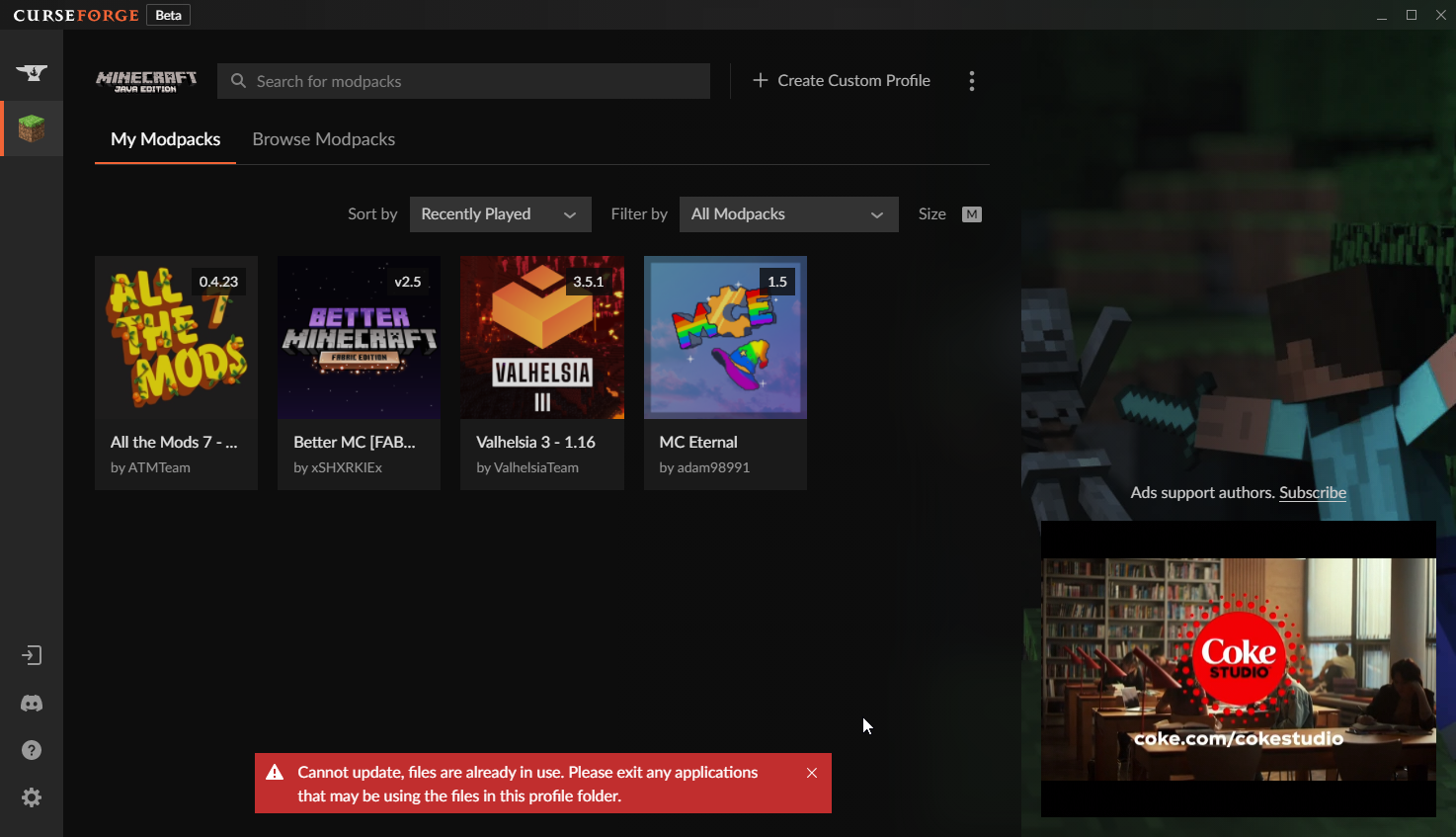
Hey guys im getting this error with this modpack only, ive tried the rest and they work, i've closed everything and left this up and its still giving me the error
any ideas on how to fix this issue?
lyric crescent
Restart your computer and try again
digital roost
i have and still no use
fully restarted and comes up the same
when i tried to "update to new profile" it does it, but i want to update my current pack without making another profile
lyric crescent
could just copy the stuff over and delete that one
 tepid swift
this might be a dumb question but is there anyway to setup my existing singleplayer world onto a customer server for Minecraft
upper root
!notcf
red patioBOT
Your question is not related to CurseForge owned/maintained features or services.
Please use the appropriate game room by getting a game role from #786424115535544350.
Otherwise use #👽︱game-support for game related help.
CurseForge does not make or maintain any of the content or games used on the site or app. Just because it's on the site/app does not make it a problem with CurseForge. Move rooms as requested, arguing about it will result in you being muted.
 fast shoal
its been like a week or two since i changed my twitch pfp, but my curseforge pfp hasnt changed and is just blank
upper root
Sign out and then sign back in
 proud dove
does someone know why everytime i run a minecraft modpack it updates minecraft launcher?
upper root
?mc-installfix do this, the launcher will have to update one last time
red patioBOT
This is NOT instructions for Repair Profile! They are NOT the same! You need to do this!
- Click on the Minecraft Tab on the Left side of the CurseForge App.
- Click button next to the
Create Custom Profileoption. - Click
Repair Installationoption. - Play game.
NOTE: You will not lose any modpacks or worlds!
proud dove
thanks i'll try
 indigo folio
Does anyone know a solution for error code 1 on minecraft (invalid java runtime configuration) on mac? Im trying to play tnp limitless 5 on 1.18.2 and have tried so many solutions to no avail
red patioBOT
"Invalid Java Runtime Configuration" does not help us, Follow these steps so someone can actually help you.
- Right-click the modpack profile icon OR click the button in the modpack profile.
- Click
Open Folder. - Open the
logsfolder. - Drag and drop the FILE named
latestORdebuginto discord.
digital roost
digital roost
https://i.imgur.com/aq7wEfR.png
still having troubles with this issue! lmk if theres a solution to this!
indigo folio
 brazen silo
Hey there! I have been running into this issue with curseforge whenever I try to load up any kind of mod pack, I have already uninstalled and reinstalled my Minecraft launcher as well as curseforge itself, can anyone help me?

 upper root
?mc-installfix
red patioBOT
This is NOT instructions for Repair Profile! They are NOT the same! You need to do this!
- Click on the Minecraft Tab on the Left side of the CurseForge App.
- Click button next to the
Create Custom Profileoption. - Click
Repair Installationoption. - Play game.
NOTE: You will not lose any modpacks or worlds!
upper root
indigo folio
?mc-launcherlog
red patioBOT
How to get the launcher log
- Right click a modpack / profile.
- Select
Open Folder - Go back two folders.
- Open the
Installfolder. - Drag the
launcher_log.txtinto discord.
upper root
digital roost
still having troubles with this issue! lmk if theres a solution to this!
!mc-path do this. You will have to copy all the modpacks over from the currently set location to the new one (copy the Instances folder across)
red patioBOT
Instructions for changing CurseForge Minecraft install path!
If Minecraft is not installed in CurseForge App:
- Click the in the top left.
- Select Minecraft from the list of games.
- Select the
Advancedoption and select:
--- Windows:Local Disk (C:)at the left side of the window. If you do not see it, clickThis PCfirst.)
--- Mac:/Users/Shared/CurseForge, If it does not exist, make it. - Click
Continue.
If Minecraft is installed in CurseForge App:
- Click the in the bottom left.
- Select the Minecraft tab.
- Click
Change. - Select the location:
--- Windows:Local Disk (C:)at the left side of the window. If you do not see it, clickThis PCfirst.)
--- Mac:/Users/Shared/CurseForge, If it does not exist, make it.
indigo folio
upper root
?mc-launcherlog
I cant go back folders once opening the profile folder
upper root
Press Command + Up arrow
proud dove
upper root
?mc-installfix do this, the launcher will have to update one last time
it's not working
give me a sec
indigo folio
is this it?
upper root
Oh, yeah. Mac
For some reason macs dont generate the log im loojing for
?mc-installfix try this anyway
red patioBOT
This is NOT instructions for Repair Profile! They are NOT the same! You need to do this!
- Click on the Minecraft Tab on the Left side of the CurseForge App.
- Click button next to the
Create Custom Profileoption. - Click
Repair Installationoption. - Play game.
NOTE: You will not lose any modpacks or worlds!
indigo folio
yeah, that hasnt worked, that's the main solution the internet gave me
upper root
How did you install this?
Looking at the log again it seems each mod was downloaded 6 times
indigo folio
I downloaded the pack through curse forge, but maybe its showing up like that because every time i repair installation, it seems to download the modpack all over again
should i try deleting and reinstalling the whole thing?
upper root
It downloads minecraft again after each repair installation, thats probably what you are seeing
Yes, delete and reinstall the modpack
indigo folio
If i delete on curseforge that deletes whole thing right?\
upper root
Yes
digital roost
upper root
!mc-path do this. You will have to copy all the modpacks over from the currently...
would i copy first before doing those steps?
lyric crescent
no
upper root
Do it after, so the folder to copy to actually exists
digital roost
ok gotcha... now im lost on where it was oringally
upper root
Have you already changed it?
digital roost
yes
upper root
?cflogs-app
red patioBOT
<:overwolf:857375414002384916> How to get CurseForge App logs! <:overwolf:857375414002384916>
- Click the
Create logs zipin the menu. - Drag and drop the file it just made to this chat room to upload it.
- Wait for someone to look at it so they can help you.
upper root
I should be able to pull the old path out of there
digital roost
send it here?
upper root
Yes
upper root
C:\\Users\\Owner\\curseforge\\minecraft\
digital roost
perfect!
Your the best
https://i.imgur.com/ZcRaSGv.png still the same issue

ill just update it to a new profile and just transfer everything
upper root
I have no idea, and thats also the first time ive heard of it duping mods in premade packs (it used to do it for when you updated mods in custom packs)
indigo folio
hmm ok, thank you!
 shadow wind
does anyone know how to change min raft version for my mod packs, pls pin me
lyric crescent
raft?
young bone
I think they need to buy a vowel and a C
shadow wind
mincraft
lyric crescent
you dont change the mc version, you make a new pack
 floral junco
If mods are missing from a pack do I add them?
I found a new pack thats missing them
Though I got it to work going back a few version
 fading stratus
Hi umm so I made a minecraft fabric mod but it requires a datapack to work correctly, I cant add the datapack with an external link/as a file(because its a zip). What do I do?
lyric crescent
If you have an issue with a pack, talk to the pack dev.
fading stratus
U talking to me orr
floral junco
Alright
fading stratus
Ah got it
floral junco
Can I message them on the site? Or
lyric crescent
!projectissue
red patioBOT
Please visit the project page for the content you posted about and look for a way to contact the developer.
Somewhere on the page there is usually a method of contact. Look for one of the following things:
Issuestab like the image below.- Discord link.
- Twitter link.
- Comments section below the project.
If no contact method exists you will either have to remove the project or find a solution on your own.
 lyric crescent
fading stratus
Hi umm so I made a minecraft fabric mod but it requires a datapack to work corre...
lyric crescent
fading stratus
Hi umm so I made a minecraft fabric mod but it requires a datapack to work corre...
unzip it inside the export
fading stratus
Oh ok
 acoustic ember
The Minecraft client fails to open when I launch it, yet keeps Java SDK open in Task manager and continually uses the Forge files in the background
There are no crash logs and the Overwolf logs show nothing. I am using a fairly large homemade modpack with fully compatible Forge mods and all libraries installed. I have also restarted my PC, reinstalled Java, repaired Forge and the modpack several times
 gaunt marsh
What do I do about this
 lyric crescent
how did you get it
gaunt marsh
please help it cant get past patch 4 of 6 and then deletes itself
installing a custom profile
upper root
?mc-installfix
red patioBOT
This is NOT instructions for Repair Profile! They are NOT the same! You need to do this!
- Click on the Minecraft Tab on the Left side of the CurseForge App.
- Click button next to the
Create Custom Profileoption. - Click
Repair Installationoption. - Play game.
NOTE: You will not lose any modpacks or worlds!
upper root
Calamity try that too
lyric crescent
you didnt say you did that
gaunt marsh
gaunt marsh
What do I do about this
If you received an error when trying to import a modpack, please make sure that the modpack's ZIP file is valid and properly structured. The ZIP must contain a manifest.json file inside it.
If you aren't sure about the validity of the ZIP file, please reach out the creator of the modpack or send the file to us, and we will do our best to help. If you received an error when trying to import a modpack, please make sure that the modpack's ZIP file is valid and properly structured. The ZIP must contain a manifest.json file inside it.
If you aren't sure about the validity of the ZIP file, please reach out the creator of the modpack or send the file to us, and we will do our best to help.
lyric crescent
??
gaunt marsh
thats the learn more for the error
acoustic ember
lyric crescent
you didnt say you did that
I tried it again
 lyric crescent
ghastyl, cheif told you to try a fix
acoustic ember
lyric crescent
ghastyl, cheif told you to try a fix
I did, and it didn't work
upper root
Restart your computer then do the fix
upper root
gaunt marsh
If you received an error when trying to import a modpack, please make sure that ...
Oh, the error happens while importing.
In that case your problem is very likely that it is invalid like the learn more says.
Where did you get the zip from?
acoustic ember
I repaired the Installation, but the issue still persists
 gaunt marsh
upper root
Oh, the error happens while importing.
In that case your problem is very likely ...
gaunt marsh
upper root
Oh, the error happens while importing.
In that case your problem is very likely ...
official atm8 dev team
shadow wind
do I lose my worlds if I can't change the mincraft version of my mod packs by recreating it?
gaunt marsh
gaunt marsh
official atm8 dev team
I also got exit code 1 when creating blank profiles
red patioBOT
Error/Exit codes are useless. Follow these steps so someone can actually help you.
- Right-click the modpack profile icon OR click the button in the modpack profile.
- Click
Open Folder. - Open the
logsfolder. - Drag and drop the FILE named
latestORdebuginto discord.
upper root
gaunt marsh
official atm8 dev team
So they gave you that zip file?
gaunt marsh
upper root
So they gave you that zip file?
yes
upper root
shadow wind
do I lose my worlds if I can't change the mincraft version of my mod packs by re...
You can copy them across
upper root
gaunt marsh
yes
Then it is probably an issue with however they exported it.
If it isnt, and it works for them then come back, but otherwise its probably their fault
acoustic ember
I repaired the Installation, but the issue still persists
 lyric crescent
upper root
You can copy them across
lyric crescent
upper root
You can copy them across
decent chance they wont work though, or be quite broken
gaunt marsh
upper root
Then it is probably an issue with however they exported it.
If it isnt, and it w...
My friend used the same one and it worked
upper root
upper root
gaunt marsh
My friend used the same one and it worked
Send the zip here
gaunt marsh
upper root
Send the zip here
can I send you a dm because it is patron only
upper root
#📛︱rules 5️⃣ please.
Yes, you can send it via dm
?cflogs-app import it again and then send this ghastly
red patioBOT
<:overwolf:857375414002384916> How to get CurseForge App logs! <:overwolf:857375414002384916>
- Click the
Create logs zipin the menu. - Drag and drop the file it just made to this chat room to upload it.
- Wait for someone to look at it so they can help you.
gaunt marsh
mkay
acoustic ember
gaunt marsh
upper root
acoustic ember
I repaired the Installation, but the issue still persists
?mc-launcherlog send this
red patioBOT
How to get the launcher log
- Right click a modpack / profile.
- Select
Open Folder - Go back two folders.
- Open the
Installfolder. - Drag the
launcher_log.txtinto discord.
upper root
gaunt marsh
?mc-installfix this should also solve creating custom profiles
red patioBOT
This is NOT instructions for Repair Profile! They are NOT the same! You need to do this!
- Click on the Minecraft Tab on the Left side of the CurseForge App.
- Click button next to the
Create Custom Profileoption. - Click
Repair Installationoption. - Play game.
NOTE: You will not lose any modpacks or worlds!
gaunt marsh
That fixed it, thank you so much I feel like a dunce because the button was right there
 sand pine
does anyone know what this means?
upper root
!notcf
red patioBOT
Your question is not related to CurseForge owned/maintained features or services.
Please use the appropriate game room by getting a game role from #786424115535544350.
Otherwise use #👽︱game-support for game related help.
CurseForge does not make or maintain any of the content or games used on the site or app. Just because it's on the site/app does not make it a problem with CurseForge. Move rooms as requested, arguing about it will result in you being muted.
digital roost
ksp mod instalation support pls
lyric crescent
that exists
digital roost
Hello, im new to mods but is it safe to log into my minecraft acount via the forge app or is it best if i can run the normal minecraft app first then launch from there?
 upper root
Curseforge launches a copy of the minecraft launcher so it is safe. Curseforge never asks for your minecraft account log in details.
digital roost
when I launch it, it asks me to log in for some reason even though i was just playing minecraft


 crimson garden
Why does my custom modpack singleplayer world freeze? Mobs freeze, chunks freeze, and I cant spawn anything
 upper root
digital roost
when I launch it, it asks me to log in for some reason even though i was just pl...
upper root
digital roost
when I launch it, it asks me to log in for some reason even though i was just pl...
Like i said it launches a copy of the launcher, which doesnt know about the normal launcher you play minecraft through
upper root
crimson garden
Why does my custom modpack singleplayer world freeze? Mobs freeze, chunks freeze...
!notcf
red patioBOT
Your question is not related to CurseForge owned/maintained features or services.
Please use the appropriate game room by getting a game role from #786424115535544350.
Otherwise use #👽︱game-support for game related help.
CurseForge does not make or maintain any of the content or games used on the site or app. Just because it's on the site/app does not make it a problem with CurseForge. Move rooms as requested, arguing about it will result in you being muted.
 digital roost
upper root
Like i said it launches a copy of the launcher, which doesnt know about the norm...
digital roost
upper root
Like i said it launches a copy of the launcher, which doesnt know about the norm...
oh okay I see, I wasn't sure if you meant it duplicates the Minecraft launcher, you are saying its a clone in a way? so i would have to log in as normal correct? if so then I can just log in and play the better Minecraft forge pack?
upper root
yes
digital roost
upper root
yes
😁 thank you
 proud condor
Hey, ive been trying to open the curseforge app but when it opens it says "oops that wasnt supposed to happen" ive tried the suggestions from the support website but it still wont work. is there something im missing or something i have to do?
upper root
Is there a create logs zip button?
 red patioBOT
Your CurseForge App version is outdated!
To use CurseForge with the latest features & fixes you should update your CurseForge App.
You can do this by uninstalling the app from your computer programs and then install it again from https://download.curseforge.com/
NOTE: Uninstalling CurseForge will not remove any game/mod data, It's entirely safe to remove and install again!
proud condor
well that makes sense, lol, i havent used it in a hot minute, thanks
 cyan plover
Ok so I’m trying to play Minecraft modpacks and the game is so fucking laggy
Like it’s unplayable
I have allocated 6 gigs of ram
upper root
!mc-fps
red patioBOT
Low FPS? Check these things first!
- GPU (AMD specifically has issues)
- Is the correct GPU used
- Does the system have enough ram
- Is the correct amount of RAM allocated without going over excessively
- Are other things running in the background leading to lack of RAM
- Mods used
- Shaders
- View distance too high
- CPU core speed too low
*This list is intentionally ambiguous. There is no way to figure out what specifically causes your FPS issues, if there actually are any. Low FPS could simply be a result of the mods chosen in which you would need to trial & error out which are affecting it.
cyan plover
The kicker is that it was loading completely fin before
It’s just confusing
But today the day I finally got a new fucking mouse it just doesn’t work
Jfc can’t even load the fucking pixelmon modpack
Wth is this
The shit has 7 fucking mods
queen storm
7 big mods yes
And watch the language please
Post logs in #👽︱game-support if it is crashing
cyan plover
Oh it’s not crashing it’s just like idk
Just so so so slow
Like a power point presentation
queen storm
And that is not a curseforge issue
 sly cairn
Howdy, I was going to install warcraft on my Linux Manjaro system this weekend. Is there a linux version of curseforge I could use?
red patioBOT
Looking to install the CurseForge app?
<:windows:798410728188936222> Windows
Minimum Requirements:
- OS Version: 10 or 11
- 64 bit Required.
- 350MB storage space.
- Microsoft .Net 4.8
- Intel/AMD quad-core CPU
- 8GB ram
[Windows Download]
[Windows Alternative Download]
If you are having issues with the Windows Download use the Windows Alternative Download to install Overwolf. Then download CurseForge from the App Store.
Windows Standalone: NOTE: ONLY SUPPORTS WORLD OF WARCRAFT CURRENTLY!
Requirements:
Uh, Windows? (No not the ones in your house)
WoW as that's all it's useful for..
Some sort of zoomy box that does teh verk.
[Windows Standalone] NOTE: ONLY SUPPORTS WORLD OF WARCRAFT CURRENTLY!
<:mac:798410654418862130> Mac
:penguin: Linux
NOTE: ONLY SUPPORTS WORLD OF WARCRAFT CURRENTLY!
Minimum Requirements:
Something not windows or mac would be a start.
Hopefully it turns on.
A screen would be beneficial too.
digital roost
help its stuck on this
 upper root
?mc-installfix
red patioBOT
This is NOT instructions for Repair Profile! They are NOT the same! You need to do this!
- Click on the Minecraft Tab on the Left side of the CurseForge App.
- Click button next to the
Create Custom Profileoption. - Click
Repair Installationoption. - Play game.
NOTE: You will not lose any modpacks or worlds!
 cyan kestrel
Hey, my curseforge is being weird, it lets me boot up certain modpacks like SevTech but other ones like Forever Stranded and FTB Beyond keep getting Error Code 1 crashes. Any advice?
red patioBOT
Error/Exit codes are useless. Follow these steps so someone can actually help you.
- Right-click the modpack profile icon OR click the button in the modpack profile.
- Click
Open Folder. - Open the
logsfolder. - Drag and drop the FILE named
latestORdebuginto discord.
cyan kestrel
what the bot told me to do
queen storm
!mc-installfix
red patioBOT
This is NOT instructions for Repair Profile! They are NOT the same! You need to do this!
- Click on the Minecraft Tab on the Left side of the CurseForge App.
- Click button next to the
Create Custom Profileoption. - Click
Repair Installationoption. - Play game.
NOTE: You will not lose any modpacks or worlds!
cyan kestrel
queen storm
!mc-installfix
thank you kind sir, for it has worked
 remote flame
Hi, how do I delete game instances that I no longer need (like wow tbc ptr) and also it seems like wow wotlk ptr is currently not being detected or is detected incorrectly as game version 2.5.4
opal cipher
You uninstall them from the Battle.net Launcher
remote flame
that won't solve my issue since I also have some pserver wow instances installed and I don't want them showing up in the list
where are user data saved?
oh I found that you can uncheck Addon management so the instances won't show up outside of settings
ok and for the 2nd question, the _classic_ptr_ profile is still trying to download 2.5.4 addons instead of 3.4.0 ones, is there a way to change it somewhere?
opal cipher
No clue sorry, someone in #🧙🏼♂️︱warcraft-support might know more.
remote flame
thanks 🙂
digital roost
Hello, there is this one modpack that shows on the curseforge website but not on the curseforge client. Is there any way i can still add the modpack?
also excuse my english
opal cipher
Better english than most native speakers.
Could you link the modpack you want to play?
opal cipher
Ah, that is a single mod. :) You can create a new profile and add that.

A simple video guide on how to install a single mod, and not an entire modpack in CurseForge.
Please note that you need to select the correct Minecraft version and modloader for the mods you want to add.
red patioBOT
How to install mods in CurseForge App.
- Click
+ Create Custom Profile - Name it, select the required Minecraft version, select the modloader & modloader version (usually the highest number), click
Create. - Click the profile icon.
- Click
Add More Content - Search and install the desired mods.
- Start the game!
How to install mods not on CurseForge.
- Right click the profile picture or Open the profile and click the Icon next to the play button.
- Click
Open Folder. - Drag the mod(s) into the
modsfolder. (Note: Some mods will require others, to run. Make sure to read the instructions for the mod!) - Start the game!
digital roost
OH THANK YOU SO MUCH HAHA
opal cipher
So you need to create a profile for 1.16.5 :) with Fabric ^^
digital roost
Thanks mate
 hasty pike
hi I have a probem with minecrafte when I want to turn it on with some modem so my game crashes and pops up error -1. when I turn on the game without mod so I have it in demo mode. Please help
red patioBOT
Minecraft Logins
As of march 10th 2022, you will need a Microsoft Account to play!
Step 1: Get to the Microsoft login screen.
Step 2: Log in with a Microsoft account that owns the Java version of Minecraft.
Done!
Issues: If it says PLAY DEMO then the account used DOES NOT own Java Minecraft. Log in with one that does.
 hasty pike
thanks so much
 plush orchid
hello i have a problem with mc crashing while trying to start
acoustic ember
upper root
?mc-launcherlog send this
 frozen tulip
how can i fix this?
 lyric crescent
!mc-installfix
red patioBOT
This is NOT instructions for Repair Profile! They are NOT the same! You need to do this!
- Click on the Minecraft Tab on the Left side of the CurseForge App.
- Click button next to the
Create Custom Profileoption. - Click
Repair Installationoption. - Play game.
NOTE: You will not lose any modpacks or worlds!
 lyric crescent
!mc-path
red patioBOT
Instructions for changing CurseForge Minecraft install path!
If Minecraft is not installed in CurseForge App:
- Click the in the top left.
- Select Minecraft from the list of games.
- Select the
Advancedoption and select:
--- Windows:Local Disk (C:)at the left side of the window. If you do not see it, clickThis PCfirst.)
--- Mac:/Users/Shared/CurseForge, If it does not exist, make it. - Click
Continue.
If Minecraft is installed in CurseForge App:
- Click the in the bottom left.
- Select the Minecraft tab.
- Click
Change. - Select the location:
--- Windows:Local Disk (C:)at the left side of the window. If you do not see it, clickThis PCfirst.)
--- Mac:/Users/Shared/CurseForge, If it does not exist, make it.
frozen tulip
where is advanced options
lyric crescent
wrong instructions
 knotty gorge
hello yamza , anyone can push my mod on the website
still waiting approval from several hours please
thanks
lyric crescent
!status
red patioBOT
Project Moderation Time
Project/File moderation is done on these days unless otherwise mentioned:
Sunday, Monday, Tuesday, Wednesday, Thursday: <t:1631170800:t> - <t:1631199600:t> (Your time)
Friday, Saturday: No Moderation!
Projects are moderated First in, First out. If you submit late in the work day, it will likely get left until the next day!
New Projects or anything flagged for manual review: 1-3 Working Days
Updates to approved projects not needing manual approval: 1 Hour
-If your file has been "Under Review" for more than an hour, then it is at manual review!
Changes will only show in the app if the project meets the requirements in the ?sync command and up to 24 hours has passed from when it was accepted.
frozen tulip
which instruction is mine
lyric crescent
well you already have minecraft installed, as you are trying to run it so
If Minecraft is installed in CurseForge App:
frozen tulip
yes?
lyric crescent
yes what? you read the instructions for that..
 tidal grove
weird question i know
would curseforge work with a win7 installation of the mc client
I'm on windows 7
for reference
lyric crescent
!win7
red patioBOT
Hey there,
You seem to be running Windows 7 or 8.1 which is not supported anymore by Overwolf or Curseforge. Please upgrade your machine if possible.
You can find the download link here
tidal grove
time to hopefully not explode this old pc lmao
lyric crescent
depending on your hardware it may not even let you, depends how old your stuff is
tidal grove
uuuuuuuuuuuuuuuhhhhhhhhhhhhhhhhhhhhhhhhh when i booted it up the time was set to 2007
like when i first booted it up months back
wait whats the program to check hardware again
on windows
lyric crescent
the win10 installer will tell you. idk the requirements.
you run dxdiag


 lyric crescent
!network
red patioBOT
**Network Issues**
- Try restarting the app
- Try restarting your computer
- Disable any programs that interfere with your connection. VPN, ping tunnels, antivirus, firewall.
- Try restarting your router and modem. Also try using a different connection if possible.
- Try reinstalling Curseforge.
If you still have issues open a ticket (!ticket-site for info) and send your logs with it.
fleet bear
!notcf
red patioBOT
Your question is not related to CurseForge owned/maintained features or services.
Please use the appropriate game room by getting a game role from #786424115535544350.
Otherwise use #👽︱game-support for game related help.
CurseForge does not make or maintain any of the content or games used on the site or app. Just because it's on the site/app does not make it a problem with CurseForge. Move rooms as requested, arguing about it will result in you being muted.
 sand wave
sorry\
 queen moth
 red patioBOT
Your question is not related to CurseForge owned/maintained features or services.
Please use the appropriate game room by getting a game role from #786424115535544350.
Otherwise use #👽︱game-support for game related help.
CurseForge does not make or maintain any of the content or games used on the site or app. Just because it's on the site/app does not make it a problem with CurseForge. Move rooms as requested, arguing about it will result in you being muted.


 lyric crescent
You downloaded the alpha client. It only has wow. The place you downloaded it from says this.
lyric crescent
You will need to use some other manager. Atlauncher for example, until it is available on Curseforge.
 rugged scaffold
okay thanks
 void plaza
Hello. My mate is trying to download a minecraft modpack, but after it says "applying patches" it just deletes itself. Why would that be happening?
queen storm
!mc-installfix
red patioBOT
This is NOT instructions for Repair Profile! They are NOT the same! You need to do this!
- Click on the Minecraft Tab on the Left side of the CurseForge App.
- Click button next to the
Create Custom Profileoption. - Click
Repair Installationoption. - Play game.
NOTE: You will not lose any modpacks or worlds!
 vast yoke
i need help the installer keeps deleting it self and i always get this message (windows, alpha version does work)
 queen storm
What os?
vast yoke
os?
lyric crescent
what version of windows
vast yoke
11
 jagged fox
I can't get to my Minecraft modpacks. It says It is setting up Minecraft for modding, the line fills up, and it never goes anywhere. I already uninstalled and reinstalled CurseForge.
lyric crescent
What OS?
jagged fox
Windows 7
lyric crescent
!win7
red patioBOT
Hey there,
You seem to be running Windows 7 or 8.1 which is not supported anymore by Overwolf or Curseforge. Please upgrade your machine if possible.
You can find the download link here
jagged fox
You're kidding me. Why didn't it just say so instead of telling me it is setting up a modding folder??
lyric crescent
Yea, wish it did. Then we wouldn't have to tell you. 🙃
jagged fox
And I wouldn't have to find someone to tell me. Straightforward is apparently a lost art. Thank you!
red patioBOT
Your question is not related to CurseForge owned/maintained features or services.
Please use the appropriate game room by getting a game role from #786424115535544350.
Otherwise use #👽︱game-support for game related help.
CurseForge does not make or maintain any of the content or games used on the site or app. Just because it's on the site/app does not make it a problem with CurseForge. Move rooms as requested, arguing about it will result in you being muted.
 safe spruce
Hello, need help with a start up issue, it gives me this error
 young bone
Refer to the message above yours
queen storm
young bone
Do you mean Forge?
 upper pumice
yes, sorry
young bone
What version you want to make a mod for
young bone
?mc-forge
red patioBOT
young bone
1.18.2 is still in support there
 sacred iron
hi, so im having a problem installing certain minecraft modpacks
i just downloaded forge and set up the minecraft folder etc
but when i try to download the pack i want (
All the Mods 7 - To the Sky - atm7sky) the download just cancels after a bit
lyric crescent
!mc-installfix
red patioBOT
This is NOT instructions for Repair Profile! They are NOT the same! You need to do this!
- Click on the Minecraft Tab on the Left side of the CurseForge App.
- Click button next to the
Create Custom Profileoption. - Click
Repair Installationoption. - Play game.
NOTE: You will not lose any modpacks or worlds!
lyric crescent
yw
 covert cape
hey guys any clue what Internal Exception: io.netty.handler.codec.DecoderException: java.lang.RuntimeException: Failed to deserialize ingredient! Expected a marker with value '601817315' or '-104387951'. Got '31547649' instead. means
red patioBOT
Your question is not related to CurseForge owned/maintained features or services.
Please use the appropriate game room by getting a game role from #786424115535544350.
Otherwise use #👽︱game-support for game related help.
CurseForge does not make or maintain any of the content or games used on the site or app. Just because it's on the site/app does not make it a problem with CurseForge. Move rooms as requested, arguing about it will result in you being muted.
 brittle cargo
fading stratus
brittle cargo
fading stratus
Is today the weekend break for review moderators?
lyric crescent
!notcf
red patioBOT
Your question is not related to CurseForge owned/maintained features or services.
Please use the appropriate game room by getting a game role from #786424115535544350.
Otherwise use #👽︱game-support for game related help.
CurseForge does not make or maintain any of the content or games used on the site or app. Just because it's on the site/app does not make it a problem with CurseForge. Move rooms as requested, arguing about it will result in you being muted.
lyric crescent
fading stratus
Is today the weekend break for review moderators?
!status
red patioBOT
Project Moderation Time
Project/File moderation is done on these days unless otherwise mentioned:
Sunday, Monday, Tuesday, Wednesday, Thursday: <t:1631170800:t> - <t:1631199600:t> (Your time)
Friday, Saturday: No Moderation!
Projects are moderated First in, First out. If you submit late in the work day, it will likely get left until the next day!
New Projects or anything flagged for manual review: 1-3 Working Days
Updates to approved projects not needing manual approval: 1 Hour
-If your file has been "Under Review" for more than an hour, then it is at manual review!
Changes will only show in the app if the project meets the requirements in the ?sync command and up to 24 hours has passed from when it was accepted.
lyric crescent
is it in your projects page?
lyric crescent
website. there's no way to see that in the app.
 viscid quest
im very new to curseforge where is my projects page?
lyric crescent
click your name, click my profile
viscid quest
thank you so much i found it
 fathom drum
i cant play anything i download
lyric crescent
so what happens
fathom drum
i download it then minecraft opens it says it wont support the recent player safety
lyric crescent
ok, that's not stopping you though.
lyric crescent
So Minecraft is loading?
fathom drum
just the launcher
red patioBOT
Your question is not related to CurseForge owned/maintained features or services.
Please use the appropriate game room by getting a game role from #786424115535544350.
Otherwise use #👽︱game-support for game related help.
CurseForge does not make or maintain any of the content or games used on the site or app. Just because it's on the site/app does not make it a problem with CurseForge. Move rooms as requested, arguing about it will result in you being muted.
 indigo niche
hey whenever i try to import a exported mod pack it does not open file explorer and says this

how do i fix this
red patioBOT
<:overwolf:857375414002384916> How to get CurseForge App logs! <:overwolf:857375414002384916>
- Click the
Create logs zipin the menu. - Drag and drop the file it just made to this chat room to upload it.
- Wait for someone to look at it so they can help you.
indigo niche
alright i got em now what
upper root
Step 2
indigo niche
lyric crescent
looks like a broken registry, somehow
 verbal crown
how can i play this with friends
 tidal pecan
verbal crown
how can i play this with friends
tidal pecan
verbal crown
how can i play this with friends
you and your friends need to have the same Modpack/mods running at the same time. then join/create a server with those same mods installed. if you are on the same network then you can just play with LAN.
verbal crown
how do i make a server
tidal pecan
you either use a free service or pay for one
upper root
!notcf
red patioBOT
Your question is not related to CurseForge owned/maintained features or services.
Please use the appropriate game room by getting a game role from #786424115535544350.
Otherwise use #👽︱game-support for game related help.
CurseForge does not make or maintain any of the content or games used on the site or app. Just because it's on the site/app does not make it a problem with CurseForge. Move rooms as requested, arguing about it will result in you being muted.
tidal pecan
ok
fathom drum
Anyone know what that mean
 upper root
Remove serene seasons
Next time use #👽︱game-support for game related issues
 cinder flower
curse foge wont open for me
upper root
What happens?
cinder flower
ah got it
 hybrid trellis
A problem occurred running the Server launcher.java.lang.reflect.InvocationTargetException
at java.base/jdk.internal.reflect.DirectMethodHandleAccessor.invoke(DirectMethodHandleAccessor.java:110)
at java.base/java.lang.reflect.Method.invoke(Method.java:577)
at net.minecraftforge.fml.relauncher.ServerLaunchWrapper.run(ServerLaunchWrapper.java:70)
at net.minecraftforge.fml.relauncher.ServerLaunchWrapper.main(ServerLaunchWrapper.java:34)
Caused by: java.lang.ClassCastException: class jdk.internal.loader.ClassLoaders$AppClassLoader cannot be cast to class java.net.URLClassLoader (jdk.internal.loader.ClassLoaders$AppClassLoader and java.net.URLClassLoader are in module java.base of loader 'bootstrap')
at net.minecraft.launchwrapper.Launch.<init>(Launch.java:34)
at net.minecraft.launchwrapper.Launch.main(Launch.java:28)
at java.base/jdk.internal.reflect.DirectMethodHandleAccessor.invoke(DirectMethodHandleAccessor.java:104)
... 3
Is happening when I'm trying to start a 1.12.2 forge server