#🔥︱curseforge-support
1 messages · Page 11 of 1
 digital roost
 vital fable
i mean, do you have wifi
 vital fable
then what do you use? if you dont have wifi it only makes sense why it doesnt load. you need wifi to use online applications, like curseforge, do you not?
digital roost
i use cable..?
 queen storm
!notcf
 red patioBOT
Your question is not related to CurseForge owned/maintained features or services.
Please use the appropriate game room by getting a game role from #786424115535544350.
Otherwise use #👽︱game-support for game related help.
CurseForge does not make or maintain any of the content or games used on the site or app. Just because it's on the site/app does not make it a problem with CurseForge. Move rooms as requested, arguing about it will result in you being muted.
 lyric crescent
digital roost
i cant even download curseforge now
lyric crescent
digital roost
i cant even download curseforge now
!getcf
red patioBOT
Looking to install the CurseForge app?
<:windows:798410728188936222> Windows
Minimum Requirements:
- OS Version: 10 or 11
- 64 bit Required.
- 350MB storage space.
- Microsoft .Net 4.8
- Intel/AMD quad-core CPU
- 8GB ram
[Windows Download]
[Windows Alternative Download]
If you are having issues with the Windows Download use the Windows Alternative Download to install Overwolf. Then download CurseForge from the App Store.
Windows Standalone: NOTE: ONLY SUPPORTS WORLD OF WARCRAFT CURRENTLY!
Requirements:
Uh, Windows? (No not the ones in your house)
WoW as that's all it's useful for..
Some sort of zoomy box that does teh verk.
[Windows Standalone] NOTE: ONLY SUPPORTS WORLD OF WARCRAFT CURRENTLY!
<:mac:798410654418862130> Mac
:penguin: Linux
NOTE: ONLY SUPPORTS WORLD OF WARCRAFT CURRENTLY!
Minimum Requirements:
Something not windows or mac would be a start.
Hopefully it turns on.
A screen would be beneficial too.

 opal cipher
Are you using a VPN, Cloudflare Warp or anything like that?
digital roost
nope
opal cipher
?cflogs-zip
red patioBOT
digital roost
opal cipher
That's not the zip file..
digital roost
 opal cipher
Using a program like 7-Zip, Winzip or Winrar (they all have free versions), create a .rar (or .zip) file of the Logs folder
digital roost
 fringe nimbus
I would recommend 7-Zip.
opal cipher
I already have the zip, so no need for further help there. :)
fringe nimbus
Yay!
opal cipher
digital roost
Looks like when you uninstalled CurseForge, it didn't fully succeed. Could you try reinstalling Overwolf according to this guide?
https://support.overwolf.com/en/support/solutions/articles/9000177073-how-to-re-install-overwolf-with-a-clean-slate
digital roost
i have to uninstall overwolf too?
opal cipher
Yes, since you already tried to uninstall and reinstall CurseForge, and it failed, this is the next step you could try.
 copper musk
The following files belong to CurseForge-hosted projects, and should therefore not be added directly to zip files:
overrides/essential/libraries/forge_1.16.5/kotlinforforge-1.17.0-obf.jar
These files should, instead, be referenced in the manifest.json file generated by the Twitch Desktop App during a profile export.
The following files are not allowed to be redistributed due to licensing restrictions:
overrides/mods/OptiFine_1.16.5_HD_U_G8.jar
Modpacks containing these files will not be approved.
If you have any questions please contact our support team https://support.curseforge.com
What do i need to do to fix this

CurseForge Support
We're here to get you informed on everything you need to know about CurseForge, including helpful guides and troubleshooting articles to back you up when you get in a pickle
red patioBOT
The following files belong to CurseForge-hosted projects, and should therefore not be added directly to zip files:
-
Remove any mods listed in the error message from the profile you exported. Then reinstall them with the CurseForge app. DO NOT drag and drop files from the site.
-
Export the profile again, open the new zip that was just made. Check for the
overrides/modsfolder. If you still see any mods in that folder do the step above again for each mod. -
Upload the zip once complete and no more mods show in the
overrides/modsfolder.
 sullen drum
Hey people. Why my downloads arenn't increasing in any of my modpacks? I even downloaded the packages by myself, but downloads won't increase. Thank you in advance!
opal cipher
copper musk
The following files belong to CurseForge-hosted projects, and should therefore n...
You're not allowed to have Optifine in modpacks.
opal cipher
sullen drum
Hey people. Why my downloads arenn't increasing in any of my modpacks? I even do...
!devdiscord
red patioBOT
 opal cipher
 novel acorn
My download aren't working
novel acorn
My download aren't working
Same as above goes for you
digital roost
opal cipher
Yes, since you already tried to uninstall and reinstall CurseForge, and it faile...
thanks it worked finally
 slate elk
is this message bugged?
 opal cipher
slate elk
is this message bugged?
opal cipher
slate elk
is this message bugged?
Depends, do you have any mods marked with  ?
?
slate elk
nope
lyric crescent
check the overrides/mods folder once you export
copper musk
my project and file has been aproved but i still cant see it in curseforge
lyric crescent
link?
slate elk
lyric crescent
check the overrides/mods folder once you export
there are no extra mods in the override folder
slate elk
yk itd be a lot easier to just turn on dnd than reference rule 5 every single time someone pings you
lyric crescent
Thanks, for the suggestion. If you look, I do have it on. It would be easier for you to just follow the rules. 🙂
copper musk
lyric crescent
link?
what link tho?
copper musk
copper musk
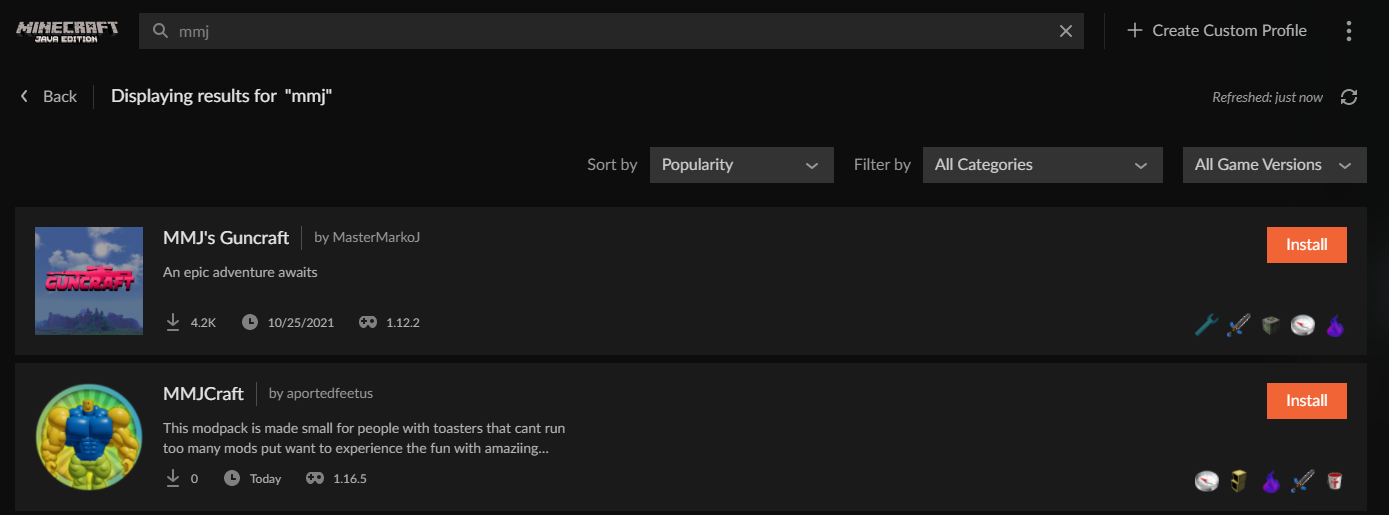
https://www.curseforge.com/minecraft/modpacks/mmjcraft/files
this the right one?
copper musk
?
opal cipher
!sync
red patioBOT
Sync and your Project.
CurseForge App and site do not share the same requirements! You can find things on the site but this does not mean it will be in the app!
For a mod to show up in the app:
- Projects MUST have a file marked as RELEASE
 or BETA
- Projects MUST be APPROVED
- Projects MUST have a file marked for the GAME VERSION SELECTED/LOADED
- Projects CAN'T be EXPERIMENTAL
- Projects CAN'T be ABANDONED
Files can take a while to show up in the app. If your files still have not shown up either your project is new and you have yet to mark a file as Release/Beta or there is issues with the sync system making it slow.
Vote this issue up if you would like to know when the last sync was! https://curseforge-ideas.overwolf.com/ideas/CF-I-1617
copper musk
lyric crescent
<#777323206884327484> 5
am sorry but i didnt ping you or were you not reffering me?

 young bone
You have to turn it off for every reply
lyric crescent
modpack shows just fine. https://i.imgur.com/iCMdC01.png
 slate elk
whats the big deal with that lol ive never seen anyone else be so persistent about not being pinged
lyric crescent
It's annoying.
opal cipher
It's been in the rules since forever, that's one of the main reasons, nothing else. ^^
slate elk
ok
copper musk
i cant install my file
lyric crescent
What is the issue?
copper musk
i cant install my file
lyric crescent
You said that.
copper musk
yes
lyric crescent
Good talk.
young bone
It’s not enough information on your issue
lyric crescent
" but i cant install it" why?
lyric crescent
And what is the error?
copper musk
unexpected error occured
lyric crescent
Screenshot it.
copper musk
 lyric crescent
!cflogs-app
red patioBOT
<:overwolf:857375414002384916> How to get CurseForge App logs! <:overwolf:857375414002384916>
- Click the

Create logs zipin the menu.
menu. - Drag and drop the file it just made to this chat room to upload it.
- Wait for someone to look at it so they can help you.
 copper musk
done
young bone
Post it here
copper musk
lyric crescent
try restarting the app.
digital roost
Darkrpg has a constant "0" downloads showing showed by this here
 lyric crescent
download count is broken atm
red patioBOT
Download counts are fine.
Download counts don't always update properly on the site. They are still counted though, it will update eventually.
opal cipher
digital roost
<@125588118538682368> help pls
#📛︱rules 5, don't ping randomly
And the client will always be the normal Minecraft client.
But you're using CurseForge to manage mods.
digital roost
opal cipher
<#777323206884327484> 5, don't ping randomly
And the client will always be the n...
no there was a client i remeber
it was a place in client
for mods
life u search and click install
in client
opal cipher
Yes.. CurseForge.
red patioBOT
Looking to install the CurseForge app?
<:windows:798410728188936222> Windows
Minimum Requirements:
- OS Version: 10 or 11
- 64 bit Required.
- 350MB storage space.
- Microsoft .Net 4.8
- Intel/AMD quad-core CPU
- 8GB ram
[Windows Download]
[Windows Alternative Download]
If you are having issues with the Windows Download use the Windows Alternative Download to install Overwolf. Then download CurseForge from the App Store.
Windows Standalone: NOTE: ONLY SUPPORTS WORLD OF WARCRAFT CURRENTLY!
Requirements:
Uh, Windows? (No not the ones in your house)
WoW as that's all it's useful for..
Some sort of zoomy box that does teh verk.
[Windows Standalone] NOTE: ONLY SUPPORTS WORLD OF WARCRAFT CURRENTLY!
<:mac:798410654418862130> Mac
:penguin: Linux
NOTE: ONLY SUPPORTS WORLD OF WARCRAFT CURRENTLY!
Minimum Requirements:
Something not windows or mac would be a start.
Hopefully it turns on.
A screen would be beneficial too.
digital roost
opal cipher
Yes.. CurseForge.
nope another client the app was u select ur link or from curse forge or there was another like curse forge
copper musk
ive removed my mods listed in the error message and reinstalled them like 5 times and it didnt work
opal cipher
digital roost
nope another client the app was u select ur link or from curse forge or there w...
Please disable pings on replies. Yes, there are probably other mod managers than CurseForge, but not many of them have mods from CurseForge any longer.
To install and use mods available on CurseForge, it's best to use CurseForge for it.
lyric crescent
Then it isnt available.
lyric crescent
 sage plover
oh srry bout that
 keen narwhal
hey so my sister has curseforge on her laptop and we are trying to play modded minecraft with lan but it wont work cuz her curseforge is 0.205.1 and mine is .2 i dont know how to fix it. i tried to delete and install it again and tried looking it up online but i couldnt find anything :/
queen storm
Curseforge version does not matter
keen narwhal
well the modpack is the exact same and we're on the same internet so i dont know what else could be the problem
queen storm
!notcf
red patioBOT
Your question is not related to CurseForge owned/maintained features or services.
Please use the appropriate game room by getting a game role from #786424115535544350.
Otherwise use #👽︱game-support for game related help.
CurseForge does not make or maintain any of the content or games used on the site or app. Just because it's on the site/app does not make it a problem with CurseForge. Move rooms as requested, arguing about it will result in you being muted.
copper musk
what files should i include in my export so i can publish? and others can play
lyric crescent
The ones you need.
Mods is obvious.
Configs you usually want to include.
Anything else depends on what it needed.
copper musk
wich ones out of these

 lyric crescent
My answer remains the same.
You made it, you should have some understanding of what it needs to work properly.
copper musk
but when i exported only them then some of my mods didnt work
lyric crescent
What do you mean with that?
copper musk
my waypoints didnt work and my essential mod didnt work
lyric crescent
Didn't work doesnt explain the problem with them.
copper musk
the problem is that they dont work cuz i didnt include them?
lyric crescent
What??
Waypoints are world specific. If you arn't shipping a world then what good would the waypoints be?
copper musk
nvm is there a list of what the files include?
lyric crescent
click the arrow thing next to them
 young cargo
can anyone help me
red patioBOT
╰( ͡° ͜ʖ ͡° )つ──☆*:・゚ *˜”*°•.˜”*°• Many Help •°*”˜.•°*”˜* <:curselit:796985620550385705>
Please provide a description of your issue with as much detail as possible. If you have an issue with a mod or modpack, tell us the name. Explain what you can see happening. Be specific!
 Tell us what is happening, we already know it "doesn't work".
Avoid using words like "it", tell us exactly what "it" is.
Don't assume anyone knows what you are talking about, be specific.
Tell us what you expected to happen.
Provide screenshots or video if possible.
Provide a log if possible. ?mc-log
copper musk
can you play a curseforge modpack with cracked?
lyric crescent
Asking about that will be a ban. This is your only warning.
copper musk
i asked cuz a friend asked
lyric crescent
I'm not interested in why.
 calm wing
why it say this?
 red patioBOT
Your question is not related to CurseForge owned/maintained features or services.
Please use the appropriate game room by getting a game role from #786424115535544350.
Otherwise use #👽︱game-support for game related help.
CurseForge does not make or maintain any of the content or games used on the site or app. Just because it's on the site/app does not make it a problem with CurseForge. Move rooms as requested, arguing about it will result in you being muted.
opal cipher
Using Windows 7?
opal cipher
Huh, strange.. shouldn't be an issue then. Got any VPN, Cloudflare Warp or anything?
calm wing
no i dont
opal cipher
Because it sounds like your computer doesn't like connecting to Mojangs servers. Could try restarting the router and/or your computer.
lyric crescent
Restarting pc modem and router would be a good first step.
Then disabling firewalls, antivirus, or other programs that might interfere with your connection.
calm wing
ok
 hidden glacier
how can i play on my already existing worlds with forge
red patioBOT
Your question is not related to CurseForge owned/maintained features or services.
Please use the appropriate game room by getting a game role from #786424115535544350.
Otherwise use #👽︱game-support for game related help.
CurseForge does not make or maintain any of the content or games used on the site or app. Just because it's on the site/app does not make it a problem with CurseForge. Move rooms as requested, arguing about it will result in you being muted.
hidden glacier
#mc
lyric crescent
Please read the bot message.
Yea. The description stuff isn't very good. Should be fixed in the future new site though.
copper musk
my exported file is unplayable laggy but my modpack that i exported from isnt
red patioBOT
Your question is not related to CurseForge owned/maintained features or services.
Please use the appropriate game room by getting a game role from #786424115535544350.
Otherwise use #👽︱game-support for game related help.
CurseForge does not make or maintain any of the content or games used on the site or app. Just because it's on the site/app does not make it a problem with CurseForge. Move rooms as requested, arguing about it will result in you being muted.
lyric crescent
If you read it says.
 twin horizon
Hello i need help
 thin mountain
curse forge wont load
lyric crescent
What OS?
thin mountain
windows
lyric crescent
Windows what
thin mountain
10
lyric crescent
!getcf try the alternative.
red patioBOT
Looking to install the CurseForge app?
<:windows:798410728188936222> Windows
Minimum Requirements:
- OS Version: 10 or 11
- 64 bit Required.
- 350MB storage space.
- Microsoft .Net 4.8
- Intel/AMD quad-core CPU
- 8GB ram
[Windows Download]
[Windows Alternative Download]
If you are having issues with the Windows Download use the Windows Alternative Download to install Overwolf. Then download CurseForge from the App Store.
Windows Standalone: NOTE: ONLY SUPPORTS WORLD OF WARCRAFT CURRENTLY!
Requirements:
Uh, Windows? (No not the ones in your house)
WoW as that's all it's useful for..
Some sort of zoomy box that does teh verk.
[Windows Standalone] NOTE: ONLY SUPPORTS WORLD OF WARCRAFT CURRENTLY!
<:mac:798410654418862130> Mac
:penguin: Linux
NOTE: ONLY SUPPORTS WORLD OF WARCRAFT CURRENTLY!
Minimum Requirements:
Something not windows or mac would be a start.
Hopefully it turns on.
A screen would be beneficial too.
twin horizon
When i try to upload the modpack file, this error appears on the screen

is for a minecraft modpack
 opal cipher
!outdated
red patioBOT
Your CurseForge App version is outdated!
To use CurseForge with the latest features & fixes you should update your CurseForge App.
You can do this by uninstalling the app from your computer programs and then install it again from https://download.curseforge.com/
NOTE: Uninstalling CurseForge will not remove any game/mod data, It's entirely safe to remove and install again!
 manic niche
hey! I am not sure why, but the most recent version of my modpack is showing no downloads though I know for a fact that it does have downloads [from several of my friends and community members] https://www.curseforge.com/minecraft/modpacks/andromeda-automation/files
Will I still get creators credit? Will those downloads be fixed and reattributed to my modpack?
lyric crescent
download count
red patioBOT
Download counts are fine.
Download counts don't always update properly on the site. They are still counted though, it will update eventually.
lyric crescent
it's just backed up currently
twin horizon
you dont have the same problem that i have @manic niche ?
twin horizon
twin horizon
When i try to upload the modpack file, this error appears on the screen
this problem
to upload your modpack
lyric crescent
yep it does, just refresh
manic niche
only when I do server packs tho
manic niche
lyric crescent
it's just backed up currently
its been over 24 hours
 dry steppe
Is that bad?

Status Text: error
Address: https://www.curseforge.com/minecraft/modpacks/eclipsis?__cf_chl_tk=Ctd6a4oRXxmUcnK8PmgAdNMvbK88vD8Xw8EDMGep6v8-1660536875-0-gaNycGzNINE
Date: Mon Aug 15 2022 14:36:57 GMT+0400 (Самарское стандартное время)
Request: GET /warning-acknowledgement/get.json
Yes it has.
#📛︱rules 5
manic niche
manic niche
its been over 24 hours
is that normal?
how do I disable ping on reply?
Ive never seen that
lyric crescent
manic niche
Ive never seen that
 manic niche
ok sorry.
either way that downloads thing is showing up on multiple devices
and other people's computers as well
lyric crescent
That would be beacuse it has nothing to do with your devices. It's an issue with the site.
manic niche
ah ok. on average how long does it take to get fixed?
lyric crescent
until someone gets around to fixing it
manic niche
🤣 👍
lyric crescent
they are aware of it atleast
manic niche
love your pfp btw ^^
twin horizon
yamza, can u help me with the problem? 😦 i want to upload my modpack but that error keeps appearing
lyric crescent
just refresh
red patioBOT
Your question is not related to CurseForge owned/maintained features or services.
Please use the appropriate game room by getting a game role from #786424115535544350.
Otherwise use #👽︱game-support for game related help.
CurseForge does not make or maintain any of the content or games used on the site or app. Just because it's on the site/app does not make it a problem with CurseForge. Move rooms as requested, arguing about it will result in you being muted.
lyric crescent
see the message above
 wild cave
and i cant find the shader packs option
manic niche
wow... like 50% of these questions are not curse forge related
I am so sorry Yamza lmao
🤣
anyways I amma peace out and hope that thing gets fixed
twin horizon
still having the error
 manic niche
twin horizon
still having the error
manic niche
twin horizon
still having the error
check to see if ur thing is updated
like see if it posted anyways
lyric crescent
go to the files page
twin horizon
manic niche
like see if it posted anyways
No it doesnt post i check already 😦
lyric crescent
Try using a different web browser.
wild cave
hi,i cant find the shaderpacks carpet on my minecraft
queen storm
!notcf
red patioBOT
Your question is not related to CurseForge owned/maintained features or services.
Please use the appropriate game room by getting a game role from #786424115535544350.
Otherwise use #👽︱game-support for game related help.
CurseForge does not make or maintain any of the content or games used on the site or app. Just because it's on the site/app does not make it a problem with CurseForge. Move rooms as requested, arguing about it will result in you being muted.
lyric crescent
wild cave
hi,i cant find the shaderpacks carpet on my minecraft
Told you to read the message above yours. That is not a curseforge issue.
twin horizon
the curseforge page doesnt accept .zip files for the modpack file?
lyric crescent
That is all it accepts.
twin horizon
The status of the file QueizoFantasy.rar (QueizoFantasy) has been changed to Rejected
Invalid file extension, expected zip.
If you have any questions please contact our support team https://support.curseforge.com.
CurseForge Support
We're here to get you informed on everything you need to know about CurseForge, including helpful guides and troubleshooting articles to back you up when you get in a pickle
lyric crescent
.rar is not .zip
queen storm
Why are you changing it anyways?
twin horizon
still hapening uploading a .zip file, i try in 3 diferents browsers
lyric crescent
Are you using the curseforge app to make the zip?
twin horizon
No
lyric crescent
Why not? That is how it's meant to be made.
 trim cypress
So I disabled IPv6 per recommendation here but like, isn’t that awful for security
lyric crescent
That's a discussion better suited for #🥑-off-topic-chat
twin horizon
This is a new project. Until approved by a moderator, the project will not be visible to others, and its files will not synchronize across CurseForge.
i think i only need to wait
lyric crescent
yes you do
lyric crescent
!status
red patioBOT
Project Moderation Time
Project/File moderation is done on these days unless otherwise mentioned:
Sunday, Monday, Tuesday, Wednesday, Thursday: <t:1631170800:t> - <t:1631199600:t> (Your time)
Friday, Saturday: No Moderation!
Projects are moderated First in, First out. If you submit late in the work day, it will likely get left until the next day!
New Projects or anything flagged for manual review: 1-3 Working Days
Updates to approved projects not needing manual approval: 1 Hour
-If your file has been "Under Review" for more than an hour, then it is at manual review!
Changes will only show in the app if the project meets the requirements in the ?sync command and up to 24 hours has passed from when it was accepted.
lyric crescent
The project owner, and anyone the owner chooses.
I don't believe maintainers are meant to get points.
You would be better off asking about that in a ticket.
 mighty mortar
i made i modpack a while ago but now i want to change some of the mods theres no option in the edit modpack menu is it possible?
twin horizon
The status of the file 1.16.5 Version (QueizoFantasy) has been changed to Rejected
Missing "manifest.json" file. You can read more about this at https://support.curseforge.com/en/support/solutions/articles/9000197279-moderation-policies.
If you have any questions please contact our support team https://support.curseforge.com.
CurseForge Support
We're here to get you informed on everything you need to know about CurseForge, including helpful guides and troubleshooting articles to back you up when you get in a pickle
lyric crescent
mighty mortar
i made i modpack a while ago but now i want to change some of the mods theres no...
you upload a new file.
lyric crescent
twin horizon
The status of the file 1.16.5 Version (QueizoFantasy) has been changed to Reject...
Yes, as i said, you need to use the app to make the zip.
mighty mortar
lyric crescent
you upload a new file.
how do i delete some of the mods?
twin horizon
is there a tutorial to how to make the .zip with the curseforge app?
lyric crescent
?mc-packshare
red patioBOT
There are two ways to share a modpack you've made with others...
Export and Share - For Friends to Small Groups.
- Click the Icon for the modpack.
- Click the
 button next to play.
 - Click

Export. - Select the files that should be included.
- Send the zip to the people that want it! They can follow the instructions in
!mc-installpackto install the pack!
Upload to Curseforge - For Public Release to Everyone.
This options will make your pack public to EVERYONE, it comes with extra requirements and will take some effort to set up.
- Go to here: https://www.curseforge.com/project/432/4471/create
- Fill out the information with a proper description of the pack. This should allow anyone to understand what the pack is.
- Click the Icon for the modpack in the CurseForge app.
- Click the button next to play.
- Click
Export. - Select the files that should be included.
- Open your Project you made on the CurseForge site and Upload the file you just made.
- Wait for Moderation & Sync so it can show up in the client! (See
!syncfor limitations)
digital roost
is curseforge luggy only for me?
novel acorn
Is the the website down?
lyric crescent
Yea, been down for exactly 1 minute now 😄
 midnight crown
lyric crescent
midnight crown
lyric crescent
Please move this to #💬︱general-chat
 whole furnace
sure
 rare pollen
what do i do if my curseforge is stuck at extracting files? please help!
red patioBOT
We do not offer support for Optifine!
If you have issues with Optifine, remove it. If you want further support try the discord found on their website.
https://www.optifine.net/home
Installing Optifine with modpacks on Curseforge:
- Right click the modpack icon, select
Open Folder. - Put the
Optifine.jarinto themodsfolder. - Now start the modpack.
 torpid yarrow
can i use hamachi with the dark rpg modpack if anyone knows? Im trying to play with a friend and i get the error registry mapping failed
lyric crescent
See the message above.
digital roost
Is there any way for them not to be changed?
torpid yarrow
lyric crescent
See the message above.
which one
lyric crescent
!notcf nvm, this one
red patioBOT
Your question is not related to CurseForge owned/maintained features or services.
Please use the appropriate game room by getting a game role from #786424115535544350.
Otherwise use #👽︱game-support for game related help.
CurseForge does not make or maintain any of the content or games used on the site or app. Just because it's on the site/app does not make it a problem with CurseForge. Move rooms as requested, arguing about it will result in you being muted.
digital roost
thnx
lyric crescent
🙄
manic niche
lyric crescent
🙄
Lmao
 safe flint
i mentioned over a week ago that the statistics page doesn't come up for me despite having enough points to clear the $15 threshold. i said i'd come back in a week if it still wasn't working and let you know. so I am 🙂 I decide a few days back to do redemption to cash, figuring maybe that would "trigger" it to work. but then found out that doesn't get processed till the 1st of the month. so will the statistics page work then? or is it just bugged or... ?
lyric crescent
sounds like you need to make a ticket
digital roost
can someone help me with this?

 upper root
?mc-path
red patioBOT
Instructions for changing CurseForge Minecraft install path!
If Minecraft is not installed in CurseForge App:
- Click the
 in the top left.
 - Select Minecraft from the list of games.
- Select the
Advancedoption and select:
--- Windows:Local Disk (C:)at the left side of the window. If you do not see it, clickThis PCfirst.)
--- Mac:/Users/Shared/CurseForge, If it does not exist, make it. - Click
Continue.
If Minecraft is installed in CurseForge App:
- Click the
 in the bottom left.
 - Select the Minecraft tab.
- Click
Change. - Select the location:
--- Windows:Local Disk (C:)at the left side of the window. If you do not see it, clickThis PCfirst.)
--- Mac:/Users/Shared/CurseForge, If it does not exist, make it.
 daring compass
my curse forge isnt working also i havent used it in a long time
lyric crescent
what about it doesnt work
daring compass
it doesnt open up for some reason
safe flint
dumb question. ticket area has a drop down 1st includes rewards program and 2nd includes website.... which does this qualify as?
lyric crescent
website
safe flint
thanks
upper root
daring compass
it doesnt open up for some reason
Screenshot?
 lyric crescent
!outdated
red patioBOT
Your CurseForge App version is outdated!
To use CurseForge with the latest features & fixes you should update your CurseForge App.
You can do this by uninstalling the app from your computer programs and then install it again from https://download.curseforge.com/
NOTE: Uninstalling CurseForge will not remove any game/mod data, It's entirely safe to remove and install again!
young bone
?outdated
daring compass
oh
young bone
A double!
daring compass
OH
young bone
And yes, your client is outdated
daring compass
Im gonna uptade rq
 half night
soo what if im having issues with the alternative windows download
young bone
What kind of problem are you having
half night
When I finish installing it, it says do u wish to delete this shortcut
half night
How do I open the curse forge none stand alone after closing it
lyric crescent
click the icon
 hazy bear
I keep getting a error on my server startup can anyone help me with it
lyric crescent
half night
It stays for seconds and now it's gone
sounds like something on your computer is messing it up
lyric crescent
hazy bear
I keep getting a error on my server startup can anyone help me with it
!notcf
red patioBOT
Your question is not related to CurseForge owned/maintained features or services.
Please use the appropriate game room by getting a game role from #786424115535544350.
Otherwise use #👽︱game-support for game related help.
CurseForge does not make or maintain any of the content or games used on the site or app. Just because it's on the site/app does not make it a problem with CurseForge. Move rooms as requested, arguing about it will result in you being muted.
hazy bear
Thanks
digital roost
this happens everytime i run mods

i dont really play without them so idk if its the same situation with this error
and i usually allocate more ram
instead of 2 to 3 or 4
half night
Sooo
lyric crescent
digital roost
i dont really play without them so idk if its the same situation with this error
Send logs in #👽︱game-support
half night
The icon vanished again..
lyric crescent
Something on your computer is removing it then. If you have no idea what it might be you can make a ticket and see if support can help you sort it out.
!ticket
red patioBOT
Issue Reporting with Overwolf tickets!
Issues can be reported two ways!
Via the website, or in app. Instructions for both are below!
Make sure to include logs when reporting a problem!
Upload your Overwolf logs with the Upload File option on the ticket, information on how to get these logs can be found here https://support.overwolf.com/en/support/solutions/articles/9000176827-how-to-get-your-overwolf-logs
:bug: Reporting via Website :bug:
Can't open the app or would rather use the website? You can do so here: https://support.curseforge.com/en/support/tickets/new
Fill out the form with accurate detailed information, "It doesn't work" isn't helpful! What exactly doesn't work and why doesn't it work should be easy to answer!
:question: Ticket Status :question:
Tickets you have made can be looked at, replied to and closed if you make/login to an account. If you submit a ticket with a specific Email make sure to use that when you make your account so you can see your past tickets!
https://support.curseforge.com/en/support/tickets
Otherwise you will only get email replies at the email you used to open the ticket.
:bug: Reporting via the CurseForge App :bug:
- Click the icon in the bottom left.
- Select

Open a Ticket. - Fill out the form with accurate detailed information, "It doesn't work" isn't helpful! What exactly doesn't work and why doesn't it work should be easy to answer!!
- Upload your Overwolf logs with the
Upload Filesection. (see the top of this message for details) - Submit!
half night
No u gotta allow it to not disappear fully..
lyric crescent
what
half night
Okay I fixed it
Had to change stuff in its settings
Nvm
I'll just keep curse forge on the task bar lol
 true orchid
Uhm, I'm a bit confused rn but I opened curseforge and can't find any of my mod packs, everything got deleted when I just came back home after visiting my grandparents, like everything is just gone, no back ups no nothing (sorry if its not in this chat as I'm a bit new here as i've never really explored this place)
half night
Damn
 lyric crescent
try searching your pc for a folder called instances
true orchid
it only shows the one from the new folder sadly :/
oh awesome found it
It was in my Twitch folder (for some reason ty anyways)
lyric crescent
i would suggest moving them to the new location
true orchid
will do, thanks!
 vast maple
so i tried to download essential on the curseforge app and its been 15 minutes and its still "processing deep link request" this is my third try and i cant get past it
lyric crescent
try restarting the app?
vast maple
ok im doing that now
 fleet bear
Sounds like it could be an old version of the app too possibly.
lyric crescent
only if you plan to spend hours fixing all the stuff that breaks
vast maple
i just want to have essentials with hexxit
 fleet jungle
whenever i put mods in my profile it works but when i put resource packs it doesnt show up?
vast maple
sorry essential not essentials i keep adding the s
lyric crescent
isnt essential a mod?
fleet jungle
vast maple
sorry essential not essentials i keep adding the s
you mean this essential?
 vast maple
yes
fleet jungle
the mod essential?
vast maple
yes
fleet jungle
you can add that in it isnt a mod pack
lyric crescent
that would be putting a mod into a modpack then. not combining modpacks. Still may face issues if the modpack isnt running the correct modloader version that the mod needs.
fleet jungle
wait has the command changed
fleet jungle
fleet jungle
whenever i put mods in my profile it works but when i put resource packs it does...
can someone help me with this? it shows i only have 7 resource packs in my profile but i have more
lyric crescent
?mc-modifypack
red patioBOT
How to add/remove mods in a modpack.
- Click on the picture of the modpack.
- Click the

Add More Contentbutton, IF this button is not there, see below before continuing. - Find the Mods, Resource Packs or Maps you wish to Install and click
Installon them. - Wait for all the required mods to be downloaded.
- Start the modpack.
How to Enable/Disable content management for modpacks.
- Click on the picture of the modpack.
- Click on the button next to the
Playbutton. - Click on

Profile Options. - Check the
Allow content management for this profileoption if you want to edit the content of the modpack, uncheck it to disable.
NOTE: The Allow content management for this profile option is what allows you to Delete, Disable, Update or Install any Mods, Resource Packs or Maps managed by CurseForge. It must be on to modify any of them! (Currently)
fleet jungle
ahh thats the command
lyric crescent
fleet jungle
can someone help me with this? it shows i only have 7 resource packs in my profi...
what isnt showing them?
vast maple
ok thanks
fleet jungle
lyric crescent
what isnt showing them?
like what resource packs arent showing? idk what isnt showing them but i can list the ones that arent showing
oops accidental ping
lyric crescent
did they all come from curseforge?
fleet jungle
lyric crescent
did they all come from curseforge?
yep
but not from in the app
from the website
vast maple
thanks guys
lyric crescent
is there a reason you didnt use the app to get them?
fleet jungle
lyric crescent
is there a reason you didnt use the app to get them?
some of them werent't on the app
lyric crescent
bro
fleet jungle
but some of my mods werent on the app so i added them in manually and it worked?
lyric crescent
you literally do not need to reply me, certainly dont need to be pinging me
lyric crescent
clearly not since im asking you questions to figure that out
anyway
the ones that dont show up, are those the ones you added manually?
fleet jungle
lyric crescent
the ones that dont show up, are those the ones you added manually?
i added all of them manually
and only 7 of them showed up
 quaint hare
I need help
my launcher won't open at all
even just the vanilla launcher
i tried every method possible
lyric crescent
Is this about the curseforge app somehow?
quaint hare
yes
I tried to launch through there and when it didnt work I tried to login through normal launcher
neither work
lyric crescent
If you can't open vanilla, that sounds like a minecraft issue, not curseforge.
Did you try restarting your computer?
quaint hare
yes
lyric crescent
Have you previously or currently installed any pirated launchers?
quaint hare
nope I have not
lyric crescent
Do you have minecraft set to use compatibility mode of any sort?
quaint hare
I am not sure
lyric crescent
You likely have a virus. OR some other PC issue.
You can try this. https://downloads.malwarebytes.com/file/adwcleaner
quaint hare
I’m trying to reboot my computer again
 dawn lion
Hi i currently have a problem whit it not deciding to opend and it says "oops, thats not supposed to happend"
lyric crescent
screenshot please
red patioBOT
tlauncher is a piracy supporting launcher, we do not provide support for it. Talking about or attempting to get support for it will result in a ban as per our rules. See: #📛︱rules #8
dawn lion

 winter dune
Hey I had a question how do I send a custom mod pack to my friends
dry steppe
winter dune
Hey I had a question how do I send a custom mod pack to my friends
Pack at zip mods configs resourse packs and mod's folders if needed and send using discord or dropbox cloudfire or other🤔
winter dune
dry steppe
Pack at zip mods configs resourse packs and mod's folders if needed and send usi...
Thank you
dry steppe
I hope u know where ur modpack in
winter dune
Yes I do indeed
 sterile dust
i was trying to reinstall curseforge and when i tried it said error
dry steppe
sterile dust
i was trying to reinstall curseforge and when i tried it said error
Maybe more information about error?
 dry steppe
sterile dust
dry steppe
sterile dust
Isnt it web?
sterile dust
no i have overwolf
dry steppe
Oh
red patioBOT
Your CurseForge App version is outdated!
To use CurseForge with the latest features & fixes you should update your CurseForge App.
You can do this by uninstalling the app from your computer programs and then install it again from https://download.curseforge.com/
NOTE: Uninstalling CurseForge will not remove any game/mod data, It's entirely safe to remove and install again!
lyric crescent
sterile dust
!getcf try the alternate method
red patioBOT
Looking to install the CurseForge app?
<:windows:798410728188936222> Windows
Minimum Requirements:
- OS Version: 10 or 11
- 64 bit Required.
- 350MB storage space.
- Microsoft .Net 4.8
- Intel/AMD quad-core CPU
- 8GB ram
[Windows Download]
[Windows Alternative Download]
If you are having issues with the Windows Download use the Windows Alternative Download to install Overwolf. Then download CurseForge from the App Store.
Windows Standalone: NOTE: ONLY SUPPORTS WORLD OF WARCRAFT CURRENTLY!
Requirements:
Uh, Windows? (No not the ones in your house)
WoW as that's all it's useful for..
Some sort of zoomy box that does teh verk.
[Windows Standalone] NOTE: ONLY SUPPORTS WORLD OF WARCRAFT CURRENTLY!
<:mac:798410654418862130> Mac
:penguin: Linux
NOTE: ONLY SUPPORTS WORLD OF WARCRAFT CURRENTLY!
Minimum Requirements:
Something not windows or mac would be a start.
Hopefully it turns on.
A screen would be beneficial too.
 umbral heron
I want to report someone in this discord, how and where can i do that?
<@&524645667818307596>
sorry for pinging I just really need to get this issue done and over with
lyric crescent
why
young bone
Get a scam message?
lyric crescent
you'd think if it was so important thay'd just say what the issue is 🤔
 fast pilot
Hey my curseforge is really laggy I've already restarted my PC, scanned for viruses and deleted/redownloaded Curseforge.
lyric crescent
what about it is laggy
umbral heron
really
i want to report a player for being toxic so others will know not to join games with them etc
fast pilot
It's really slow like the startup for minecraft modpacks are fine but the Library just seems to be having a really slow framerate
fast pilot
Uh my bad, So the Library is just really slow in general. Like I said start up is fine but it seems to just be slow like at a slow framerate
umbral heron
Someone in this discord started a RL server and i want to be able to make some kind of a report so others know to avoid them
lyric crescent
what are you calling a library
umbral heron
I didn't want to explain here since most discords have a ticket system
lyric crescent
umbral heron
Someone in this discord started a RL server and i want to be able to make some k...
We don't care about drama that is outside of this discord. Do not ping us about issues that did not happen here.
umbral heron
Its about someone in the discord but ok 👌
fast pilot
umbral heron
I didn't want to explain here since most discords have a ticket system
Basically just the "Browse modpacks/ My modpacks" in Curseforge
lyric crescent
I don't care if they are here. If they didnt break a rule here then it's not our problem/
fast pilot
Sorry if I come off as annoying or slow to respond my Curseforge has been laggy for a while and I have tried a lot but I can't seem to get it fixed
lyric crescent
If you've got a lot of pack installed it bogs down the app. There isn't really anything to solve that afaik. You can make a ticket and send them your logs and see if they have anything further to offer.
!ticket
red patioBOT
Issue Reporting with Overwolf tickets!
Issues can be reported two ways!
Via the website, or in app. Instructions for both are below!
Make sure to include logs when reporting a problem!
Upload your Overwolf logs with the Upload File option on the ticket, information on how to get these logs can be found here https://support.overwolf.com/en/support/solutions/articles/9000176827-how-to-get-your-overwolf-logs
:bug: Reporting via Website :bug:
Can't open the app or would rather use the website? You can do so here: https://support.curseforge.com/en/support/tickets/new
Fill out the form with accurate detailed information, "It doesn't work" isn't helpful! What exactly doesn't work and why doesn't it work should be easy to answer!
:question: Ticket Status :question:
Tickets you have made can be looked at, replied to and closed if you make/login to an account. If you submit a ticket with a specific Email make sure to use that when you make your account so you can see your past tickets!
https://support.curseforge.com/en/support/tickets
Otherwise you will only get email replies at the email you used to open the ticket.
:bug: Reporting via the CurseForge App :bug:
- Click the icon in the bottom left.
- Select
Open a Ticket. - Fill out the form with accurate detailed information, "It doesn't work" isn't helpful! What exactly doesn't work and why doesn't it work should be easy to answer!!
- Upload your Overwolf logs with the
Upload Filesection. (see the top of this message for details) - Submit!
fast pilot
I only have two packs 💀 , but thanks for trying to help have a good day.
fleet jungle
whenever i put mods in my profile it works but when i put resource packs in it doesnt show up? it shows i only have 7 resource packs in my profile but i have over 14
 gray hollow
ok so ive been trying to update a modpack RAD from 1.47a to 1.51 and it just says pending in queue i brought the issue up a few days ago attempted some stuff to fix it and none of it has worked so im back here again looking to see if any1 knows something that might be able to help
lyric crescent
Pending? Can you screenshot that?
gray hollow

there is nothing else downloading
at least there shouldnt be
ive attempted to download from the website as well and it just times out after like 15-20 mins
lyric crescent
sounds like an internet issue, or you have something blocking the connection
lyric crescent
okay.. can you download anything else?
gray hollow
ill check
 pulsar goblet
ok, so i’ve had this issue for awhile but i figured i should probably find a fix. so when i go to open curseforge it doesn’t open, i have to click on curseforge around 10-20 times before it opens. is there a fix to this or is my pc just not that good? (i have like a 2007 laptop so i wouldn’t be surprised if it was the computers fault)
gray hollow
pulsar goblet
ok, so i’ve had this issue for awhile but i figured i should probably find a fix...
check to see if its hiding in task manager?
pulsar goblet
gray hollow
check to see if its hiding in task manager?
will do tyvm
lyric crescent
What OS?
gray hollow
who
gray hollow
lyric crescent
What OS?
seems like i can download other stuff
its slow due to my crappy internet but its going
lyric crescent
so it sounds like your internet then
gray hollow
oh
wel thats the issue my internet is not slow enough to cause an issue like this
it at least downloads it
fleet jungle
whenever i put mods in my profile it works but when i put resource packs in it doesnt show up? it shows i only have 7 resource packs in my profile but i have over 14
gray hollow
fleet jungle
whenever i put mods in my profile it works but when i put resource packs in it d...
?
as in you put them in the resource pack folder?
 rich flint
resource packs have to be compatible with the MC version for one. if they don't show up it is something to ask the author about - CF did not make it
 open perch
you know how i cant use 1.13 to 1.16.5 if i use furge(not curse forge) whould i be able to play those versions
upper root
Apple broke it and it would be up to them to fix it
But they probably wont cause of how small forge is compared to apple
open perch
damn
is there like a place where i can tell apple this or nah
or can curse just tell apple to fix it
upper root
Apple doesnt think its their problem
https://forums.minecraftforge.net/topic/100574-forge-113x-and-higher-on-an-m1-macmacbook/
This forge forum post has more info
open perch
ty
 tidal viper
Hi can i have help about programm plz?
red patioBOT
╰( ͡° ͜ʖ ͡° )つ──☆*:・゚ *˜”*°•.˜”*°• Many Help •°*”˜.•°*”˜* <:curselit:796985620550385705>
Please provide a description of your issue with as much detail as possible. If you have an issue with a mod or modpack, tell us the name. Explain what you can see happening. Be specific!
Tell us what is happening, we already know it "doesn't work".
Avoid using words like "it", tell us exactly what "it" is.
Don't assume anyone knows what you are talking about, be specific.
Tell us what you expected to happen.
Provide screenshots or video if possible.
Provide a log if possible. ?mc-log
tidal viper
 upper root
!outdated
red patioBOT
Your CurseForge App version is outdated!
To use CurseForge with the latest features & fixes you should update your CurseForge App.
You can do this by uninstalling the app from your computer programs and then install it again from https://download.curseforge.com/
NOTE: Uninstalling CurseForge will not remove any game/mod data, It's entirely safe to remove and install again!
 broken sedge
Hey so if I have some saved minecraft instances, but a new installation of curseforge, and it doesn't detect those instances, what can I do?
I want to be sure that I don't end up messing up and having an instance that doesn't detect all of the resource packs and mods that are installed in it
tidal viper
how can i fix it?
upper root
broken sedge
Hey so if I have some saved minecraft instances, but a new installation of curse...
Change the path to where the old instances are located. Make sure to set it to the folder that theInstances folder is in, not the Instances folder itself
broken sedge
I'm not sure if that would work
Basically what happened was I was having some pretty serious computer issues and reset my entire PC with a fresh boot
I've got the backup files of my old PC, but they're on a cloud drive thats really slow to download anything
I've only been able to download a single profile
queen storm
Get them out of the cloud drive
tidal viper
i try to reinstall it
broken sedge
queen storm
Get them out of the cloud drive
I'm aware they need to be out of the cloud drive to use them in curseforge
Atm I'm trying to just use a single profile I've been able to download
It took me 2 hours to download that profile, so I'm not going back for any of the others yet
I put the folder directly into the instance folder of the new curseforge installation, but it isn't detecting it
queen storm
Can you install a new modpack? Does it show up next to it?
broken sedge
Indeed it does
queen storm
Did you restart your pc?
broken sedge
I have not tried that yet since putting the profile in the instances folder
I guess its worth a shot
I just figured restarting CF would be enough
Nope, nothing
Restarting my PC did nothing
Heres the profile I'm trying to get working, right alongside two other working profiles in the instances folder

The first being a downloaded version of the same pack that I'm working on
But in "My modpacks" all I see is

Well, now the profile has appeared, but its bugged out
Its missing its icon, it thinks its in 1.18.1 when its supposed to be a 1.18.2 profile, and its missing just under 30 mods

When in fact those mods are in the mods folder of that instance
queen storm
Next time: export the pack, import it
broken sedge
Thats good to remember for the future, but at this point impossible
Is there any way to force curseforge to detect project files in an instance?
upper root
Minecraft will still recognise the mods
broken sedge
I mean, thats true, but I need curseforge to recognize them as well
upper root
broken sedge
Is there any way to force curseforge to detect project files in an instance?
deleting the files and installing it again through the app
broken sedge
...
Hoo boy
This is gonna be unfun
Also, believe you me, I'm well aware I should have exported the profile and then imported it
I just assumed if I had the instance folders, I could put them into a new curseforge installation and it would detect them
Ah wait
Somehow it worked if I created a new, blank profile, and copied all the files over
digital roost
One message removed from a suspended account.
One message removed from a suspended account.
upper root
!mc-logs
red patioBOT
Sending logs for support.
- Right-click the modpack profile icon OR click the button in the modpack profile.
- Click

Open Folder. - Open the
logsfolder. - Drag and drop the FILE named
latestORdebuginto discord.
digital roost
One message removed from a suspended account.
upper root
Install forgelin
digital roost
One message removed from a suspended account.
One message removed from a suspended account.
One message removed from a suspended account.
 languid zodiac
the show add data pack on it
upper root
The app doesnt properly support datapacks at the moment
 bold yew
hello i just wanted to ask how much time does it take to review a modpack?
opal cipher
!status
red patioBOT
Project Moderation Time
Project/File moderation is done on these days unless otherwise mentioned:
Sunday, Monday, Tuesday, Wednesday, Thursday: <t:1631170800:t> - <t:1631199600:t> (Your time)
Friday, Saturday: No Moderation!
Projects are moderated First in, First out. If you submit late in the work day, it will likely get left until the next day!
New Projects or anything flagged for manual review: 1-3 Working Days
Updates to approved projects not needing manual approval: 1 Hour
-If your file has been "Under Review" for more than an hour, then it is at manual review!
Changes will only show in the app if the project meets the requirements in the ?sync command and up to 24 hours has passed from when it was accepted.
bold yew
bc mine is still not reviewd after 18
queen storm
Days or hours?
bold yew
hours
queen storm
And it can take up to 3 working days
queen storm
File just gets added to the back of the list
 opal cipher
!mc-forge
red patioBOT
 ornate fulcrum
what is this
opal cipher
This is CurseForge, not Forge.
red patioBOT
Wording is important!
Forge = Minecraft Forge, This is a modloader often just called "Forge".
Fabric = Fabric MC, this is another modloader, just called "Fabric".
CurseForge = A Website/App that has content for games.
Mods = Individual mod files.
Modpacks = Multiple mods put into the mods folder or downloaded from CurseForge.
These are not Interchangeable! Please use the correct terms as it allows us to help you faster!
ornate fulcrum
ohhh
 gusty copper
I have a fabric mod for minecraft that requires different code for different minecraft versions, can I upload multiple files with the same version number and on each one i select a different minecraft version, or should i just pick one version to support?
upper root
You can upload multiple files with the same version number, although it will only show the three most recent minecraft versions in the sidebar
queen storm
Or have a single file that supports multiple things by using Reflection to load the correct class
gusty copper
ok, thank you
 tidal sparrow
so i have the forge installer installed but when i click n it says run as a administrator n click yes it doesnt download or anything does pop up the app
queen storm
Forge or curseforge?
digital roost
can someone help me when im installing any 1.18 modpacks like atm 7 in curse forge before it modpack goes download the mods ,the installation becomes deleted without any errors it looks like the modpack is deleting himself
queen storm
!mc-installfix
red patioBOT
This is NOT instructions for Repair Profile! They are NOT the same! You need to do this!
- Click on the Minecraft Tab on the Left side of the CurseForge App.
- Click button next to the
Create Custom Profileoption. - Click

Repair Installationoption. - Play game.
NOTE: You will not lose any modpacks or worlds!
 safe lark
my profile picture won't load properly after I updated it via Twitch

it just shows as this on my profile page

how can I fix this?
upper root
Try log out and back in
opal cipher
Hehe, doublepi
 pulsar mesa
Hello! Does anyone know how to fix this? I'm trying to add minecraft to curseforge but it just loads infinitely. I already tried reinstalling both.
 upper root
Windows 7?
pulsar mesa
Yes
young bone
?win7
red patioBOT
Hey there,
You seem to be running Windows 7 or 8.1 which is not supported anymore by Overwolf or Curseforge. Please upgrade your machine if possible.
You can find the download link here
pulsar mesa
Oh. Bruh. Thank you
slate elk
for some reason i cant upload images. When i click upload it just doesnt do anything
it just stays like this

 near moat
Can someone help? I upload my mod send it but still sent for 3 days
lyric crescent
I don't understand.
slate elk
I got this message but my modpack needs zips in it for the datapacks and resource packs
 near moat
lyric crescent
I don't understand.
near moat
lyric crescent
I don't understand.
Its been a long time and its not confirmed
slate elk
If you have any questions please contact our support team https://support.curseforge.com.
what should i do
lyric crescent
The real question is what did you do in the first place.
slate elk
my modpack needs zips in it for the datapacks and resource packs
lyric crescent
near moat
Its been a long time and its not confirmed
!status
red patioBOT
Project Moderation Time
Project/File moderation is done on these days unless otherwise mentioned:
Sunday, Monday, Tuesday, Wednesday, Thursday: <t:1631170800:t> - <t:1631199600:t> (Your time)
Friday, Saturday: No Moderation!
Projects are moderated First in, First out. If you submit late in the work day, it will likely get left until the next day!
New Projects or anything flagged for manual review: 1-3 Working Days
Updates to approved projects not needing manual approval: 1 Hour
-If your file has been "Under Review" for more than an hour, then it is at manual review!
Changes will only show in the app if the project meets the requirements in the ?sync command and up to 24 hours has passed from when it was accepted.
slate elk
slate elk
```our file was rejected due to having multiple ZIP files, the processor will on...
can someone help please
lyric crescent
can you provide detailed information on what you did?
send the project link, send screenshots of your zip, explain what you're doing
slate elk
in here this folder is where i need to put my datapacks and resource packs, then a mod will automatically apply them to each world


there are the datapacks, but they need to be zipped
but apparently i cant have any zipped folders
so idk what to do
lyric crescent
iirc you can only have zipped folders inside resourcepacks and no where else
slate elk
so basically i cant use any datapacks?
lyric crescent
not the way you are at least
fleet bear
Unzip them.
fleet bear
Yes.
slate elk
ok thanks
 ebon burrow
can i add mods to mod packs?
lyric crescent
You can, but you probably shouldn't if you don't know how modding works.
!mc-editmodpack
red patioBOT
How to add/remove mods in a modpack.
- Click on the picture of the modpack.
- Click the
Add More Contentbutton, IF this button is not there, see below before continuing. - Find the Mods, Resource Packs or Maps you wish to Install and click
Installon them. - Wait for all the required mods to be downloaded.
- Start the modpack.
How to Enable/Disable content management for modpacks.
- Click on the picture of the modpack.
- Click on the button next to the
Playbutton. - Click on
Profile Options. - Check the
Allow content management for this profileoption if you want to edit the content of the modpack, uncheck it to disable.
NOTE: The Allow content management for this profile option is what allows you to Delete, Disable, Update or Install any Mods, Resource Packs or Maps managed by CurseForge. It must be on to modify any of them! (Currently)
 limpid rapids
if i play whit curseForge I cant start the game at the same location as i normal start the game. because of that i cant play with optifine. Does anyone know how i can fix this?
for detail i have optifine.
lyric crescent
!mc-optifine
red patioBOT
We do not offer support for Optifine!
If you have issues with Optifine, remove it. If you want further support try the discord found on their website.
https://www.optifine.net/home
Installing Optifine with modpacks on Curseforge:
- Right click the modpack icon, select
Open Folder. - Put the
Optifine.jarinto themodsfolder. - Now start the modpack.
 subtle siren
i am forever stuck on this screen sometimes uninstalling works and other times it doesn't, I can look at modpacks for other games, and I can browse modpacks but cannot see the ones i already have downloaded, does anyone know how to fix thank you
 lyric crescent
What OS?
subtle siren
win 11
lyric crescent
!cflogs-app
red patioBOT
<:overwolf:857375414002384916> How to get CurseForge App logs! <:overwolf:857375414002384916>
- Click the
Create logs zipin the menu. - Drag and drop the file it just made to this chat room to upload it.
- Wait for someone to look at it so they can help you.
subtle siren
lyric crescent
Don't have an answer for you but I'm going to pass this on to be looked at. In the mean time I'd suggest a pc restart, and if that fails also a modem/router restart as it appears to be some connection issue.
 ember minnow
 lyric crescent
!cflogs-app
red patioBOT
<:overwolf:857375414002384916> How to get CurseForge App logs! <:overwolf:857375414002384916>
- Click the
Create logs zipin the menu. - Drag and drop the file it just made to this chat room to upload it.
- Wait for someone to look at it so they can help you.
limpid rapids
Now it gives the error that I haven't played that version. And that I need to download that version. but I played that version the whole day.
If I'm in the mod folder
lyric crescent
What are you talking about?
limpid rapids
my mistake i heve found it
subtle siren
subtle siren
Just as added info for you, somehow it works on my phone hotspot, doesn't work after reload of pc or internet, and once it loads off my phone hotspot works back on WiFi
 wooden gate
someone i need help when i try load a mod up it comes up with a error saying deep oceon something when i try log in my account via minecraft launcher HELP
red patioBOT
Your question is not related to CurseForge owned/maintained features or services.
Please use the appropriate game room by getting a game role from #786424115535544350.
Otherwise use #👽︱game-support for game related help.
CurseForge does not make or maintain any of the content or games used on the site or app. Just because it's on the site/app does not make it a problem with CurseForge. Move rooms as requested, arguing about it will result in you being muted.
digital roost
why can't i install curseforge
lyric crescent
what is the issue
 short tusk
everytime i go to start up a mod for minecraft the launcher just has a black screen forever and i dont know how to fix it
wild cave
have a problem with curseforge since ns because I don't get the forge version in my minecraft launcher, (before I hadanother thing but I deleted it from all sites and reinstalled everything(forge etc...))
red patioBOT
tlauncher is a piracy supporting launcher, we do not provide support for it. Talking about or attempting to get support for it will result in a ban as per our rules. See: #📛︱rules #8
lyric crescent
short tusk
everytime i go to start up a mod for minecraft the launcher just has a black scr...
!mc-installfix
red patioBOT
This is NOT instructions for Repair Profile! They are NOT the same! You need to do this!
- Click on the Minecraft Tab on the Left side of the CurseForge App.
- Click button next to the
Create Custom Profileoption. - Click
Repair Installationoption. - Play game.
NOTE: You will not lose any modpacks or worlds!
lyric crescent
wild cave
have a problem with curseforge since ns because I don't get the forge version in...
Restart your computer. You need to be pressing play on curseforge for it to open the correct launcher, you cannot have a launcher open.
short tusk
ty @lyric crescent
lyric crescent
wild cave
join in lans worlds friends using hamachi
!notcf
red patioBOT
Your question is not related to CurseForge owned/maintained features or services.
Please use the appropriate game room by getting a game role from #786424115535544350.
Otherwise use #👽︱game-support for game related help.
CurseForge does not make or maintain any of the content or games used on the site or app. Just because it's on the site/app does not make it a problem with CurseForge. Move rooms as requested, arguing about it will result in you being muted.
wild cave
lyric crescent
Restart your computer. You need to be pressing play on curseforge for it to open...
i do it but
doesnt work
wild cave
like i need to share a screenshow
sorry
how i do a screen shot? is for the issue whit forge
lyric crescent
use google to find instructions
wild cave

Wha is that sign
a friend tells me that the forge version is missing and he doesn't know why
but
i already found it rn
lyric crescent
???
wild cave
ok
my friend ask me
why there isn't that version(the forge)
and when i restart the pc
it appear
 wild cave
but have that 🚸
lyric crescent
 crisp swift
hello, what is going on
crisp swift
hello, what is going on
reinstall curseforge
wild cave
idk iff its vissible on the photo
red patioBOT
This is NOT instructions for Repair Profile! They are NOT the same! You need to do this!
- Click on the Minecraft Tab on the Left side of the CurseForge App.
- Click button next to the
Create Custom Profileoption. - Click
Repair Installationoption. - Play game.
NOTE: You will not lose any modpacks or worlds!
lyric crescent
wild cave
idk iff its vissible on the photo
Dude I have absolutely no idea what you're saying to me.
lyric crescent
do you have minecraft or overwolf set to use compatibility mode?
crisp swift
lyric crescent
do you have minecraft or overwolf set to use compatibility mode?
what do you mean by that
how do i check that
??
lyric crescent
find the overwolf.exe, right click it
 lyric crescent
uncheck the box
crisp swift
windows 7 compatibility mode fixed it
 thick willow
hi i put a mod on minecraft but i can't play with my friends can anyone help me?
red patioBOT
Your question is not related to CurseForge owned/maintained features or services.
Please use the appropriate game room by getting a game role from #786424115535544350.
Otherwise use #👽︱game-support for game related help.
CurseForge does not make or maintain any of the content or games used on the site or app. Just because it's on the site/app does not make it a problem with CurseForge. Move rooms as requested, arguing about it will result in you being muted.
 merry hill
red patioBOT
merry hill
red patioBOT
Your question is not related to CurseForge owned/maintained features or services.
Please use the appropriate game room by getting a game role from #786424115535544350.
Otherwise use #👽︱game-support for game related help.
CurseForge does not make or maintain any of the content or games used on the site or app. Just because it's on the site/app does not make it a problem with CurseForge. Move rooms as requested, arguing about it will result in you being muted.
lyric crescent
!mc-installfix
red patioBOT
This is NOT instructions for Repair Profile! They are NOT the same! You need to do this!
- Click on the Minecraft Tab on the Left side of the CurseForge App.
- Click button next to the
Create Custom Profileoption. - Click
Repair Installationoption. - Play game.
NOTE: You will not lose any modpacks or worlds!
red patioBOT
Instructions for changing CurseForge Minecraft install path!
If Minecraft is not installed in CurseForge App:
- Click the in the top left.
- Select Minecraft from the list of games.
- Select the
Advancedoption and select:
--- Windows:Local Disk (C:)at the left side of the window. If you do not see it, clickThis PCfirst.)
--- Mac:/Users/Shared/CurseForge, If it does not exist, make it. - Click
Continue.
If Minecraft is installed in CurseForge App:
- Click the in the bottom left.
- Select the Minecraft tab.
- Click
Change. - Select the location:
--- Windows:Local Disk (C:)at the left side of the window. If you do not see it, clickThis PCfirst.)
--- Mac:/Users/Shared/CurseForge, If it does not exist, make it.
lyric crescent
do installfix again and restart your pc
lyric crescent
then you have either some program on your computer messing up the files, or your network has issues
 median carbon
I Think i need assistance with this one
red patioBOT
Your question is not related to CurseForge owned/maintained features or services.
Please use the appropriate game room by getting a game role from #786424115535544350.
Otherwise use #👽︱game-support for game related help.
CurseForge does not make or maintain any of the content or games used on the site or app. Just because it's on the site/app does not make it a problem with CurseForge. Move rooms as requested, arguing about it will result in you being muted.
median carbon
Rgr, my bad
 simple eagle
i think this is the correct channel.... if not please feel free to direct me to the correct one please. i am having trouble installing minecraft on the curseforge app. it hangs forever on the installing page... i have a pic for reference if your interested
lyric crescent
what operating system?
simple eagle
win 7
lyric crescent
!win7
red patioBOT
Hey there,
You seem to be running Windows 7 or 8.1 which is not supported anymore by Overwolf or Curseforge. Please upgrade your machine if possible.
You can find the download link here
simple eagle
i wish i had that kind of money but i dont
rich flint
If you are using a VPN such as Cloudflare warp - disable it
 lethal wharf
One message removed from a suspended account.
One message removed from a suspended account.
lethal wharf
lethal wharf
One message removed from a suspended account.
One message removed from a suspended account.
red patioBOT
CF does not use the Windows store launcher. It is exactly the same as the other game launcher.
young bone
…
lyric crescent
what are you doing even
queen storm
Well, that is new
young bone
You’re trying to launch bedrock, from the old launcher
 fallow oxide
How can I copy and edit a public modpack?
young bone
Right click the pack, click duplicate
fallow oxide
Ok thx
digital roost
hey there i cant open a curse mod on java why
red patioBOT
Your question is not related to CurseForge owned/maintained features or services.
Please use the appropriate game room by getting a game role from #786424115535544350.
Otherwise use #👽︱game-support for game related help.
CurseForge does not make or maintain any of the content or games used on the site or app. Just because it's on the site/app does not make it a problem with CurseForge. Move rooms as requested, arguing about it will result in you being muted.
lyric crescent
see the message above
fallow oxide
How can i lower the ram amount required?
lyric crescent
remove intensive mods
fallow oxide
But is there another way to just lower it and reducing the ram without deleting stuff?
lyric crescent
there is no other way
fallow oxide
ok
 icy ice
curseforge wont load
young bone
How so
icy ice
 young bone
?oops
red patioBOT
You had an "Oops, that was not supposed to happen!"
Follow the instructions in this link!
If the info in the link does not work please do ?cflogs-oops and follow the instructions there to get the log files.
icy ice
bruh
 last depot
I keep getting an Exit code 1 when i try making a new custom profile?
red patioBOT
Error/Exit codes are useless. Follow these steps so someone can actually help you.
- Right-click the modpack profile icon OR click the button in the modpack profile.
- Click
Open Folder. - Open the
logsfolder. - Drag and drop the FILE named
latestORdebuginto discord.
icy ice
young bone
?oops
still not working
lyric crescent
then send the logs
icy ice
oops
young bone
?cflogs-oops
red patioBOT
Oops :(
- Make sure you tried these steps first!
- Click the
Create logs.zipbutton on the bottom of the oops error. - Drag and drop the file it makes into this room.
- Wait for someone to look the logs.
 lyric crescent
that isnt what it says to do
icy ice
the whole zip file??
 young bone
Yes, just the zipped file
young bone
Don’t post everything in it one by one
icy ice
im not that dumb
young bone
You’re asking about it made it seem like you were going to piece meal it into this channel
icy ice
yeah i get how you could come to that conclusion
i think this is the right file? i forgor 💀
young bone
Yes, that’s the right file
icy ice
alr
 warped pine
so i have a modpack that i made and i am having a weird issue, when i try to make a world it crashes, i am somewhat smart though and i have not enough crashes so i know the crash is caused by JEI but that's about it i got a crashy link if that helps, it seems to have a lot of useful info, https://crashy.net/kfBRM15rVxqM6DHFP3q3 , not a modder and this is my first modpack, i only really made it so it would be easyer for a friend group to play together but for some weird reason a lot of other people seem to like it, here is the link for the modpack https://www.curseforge.com/minecraft/modpacks/wither-storm-series, sorry if i am missing something big or something else, i don't know too much about this kind of thing, if anyone needs/wants more info just ping me.
Formatted Minecraft crash reports
red patioBOT
Your question is not related to CurseForge owned/maintained features or services.
Please use the appropriate game room by getting a game role from #786424115535544350.
Otherwise use #👽︱game-support for game related help.
CurseForge does not make or maintain any of the content or games used on the site or app. Just because it's on the site/app does not make it a problem with CurseForge. Move rooms as requested, arguing about it will result in you being muted.
 visual root
hi!! is there anyone who could help me understanding tom's storage mod?
lyric crescent
!projectissue
red patioBOT
Please visit the project page for the content you posted about and look for a way to contact the developer.
Somewhere on the page there is usually a method of contact. Look for one of the following things:
Issuestab like the image below.- Discord link.
- Twitter link.
- Comments section below the project.
If no contact method exists you will either have to remove the project or find a solution on your own.
 lyric crescent
icy ice
alr
lyric crescent
icy ice
alr
Network Issues
- Try restarting the app
- Try restarting your computer
- Disable any programs that interfere with your connection. VPN, ping tunnels, antivirus, firewall.
- Try restarting your router and modem. Also try using a different connection if possible.
- Try reinstalling Curseforge.
If you still have issues open a ticket and send your logs with it.
 main bear
when i open a modpack it keeps opening an "updating launcher boot strap"
and then closes and keeps opening
icy ice
lyric crescent
**Network Issues**
1. Try restarting the app
2. Try restarting your computer
3. ...
lol all i had to do was restart my pc, thank you!
lyric crescent
main bear
when i open a modpack it keeps opening an "updating launcher boot strap"
!mc-installfix
red patioBOT
This is NOT instructions for Repair Profile! They are NOT the same! You need to do this!
- Click on the Minecraft Tab on the Left side of the CurseForge App.
- Click button next to the
Create Custom Profileoption. - Click
Repair Installationoption. - Play game.
NOTE: You will not lose any modpacks or worlds!
 midnight hare
how do I download the mod pack i want, I watched the YouTube video on cursed forge and did everything but when click play it just pops up a loading thing every 5 seconds
the loading thing that pops up says updating launcher bootstrap but it never finishes the load
nvm i looked at the message above it worked
 tender lodge
i dont know if im in the right spot but can someone tell me why my legends mod is broke everythings works but the mobs texters aren't loading in and when i look at them my screen goes white or cant see when i look at them
lyric crescent
!projectissue
red patioBOT
Please visit the project page for the content you posted about and look for a way to contact the developer.
Somewhere on the page there is usually a method of contact. Look for one of the following things:
Issuestab like the image below.- Discord link.
- Twitter link.
- Comments section below the project.
If no contact method exists you will either have to remove the project or find a solution on your own.
tender lodge
ok
 lapis vale
when ever i try to use a mod curse forge just keeps re loading the launcher and it never opens
lyric crescent
Can you send a picture of what you're seeing?
digital roost
lapis vale
when ever i try to use a mod curse forge just keeps re loading the launcher and ...
im having the exact same issue
lapis vale
cant rly beacuse it just opens and closes rly fast
digital roost
i might be able to get a screen capture
lyric crescent
!mc-installfix
red patioBOT
This is NOT instructions for Repair Profile! They are NOT the same! You need to do this!
- Click on the Minecraft Tab on the Left side of the CurseForge App.
- Click button next to the
Create Custom Profileoption. - Click
Repair Installationoption. - Play game.
NOTE: You will not lose any modpacks or worlds!
tender lodge
its opening its just the mob texters arn't loading in and breakes my vision
lyric crescent
that isnt a curseforge issue, talk to the mod dev.
digital roost
lyric crescent
!mc-installfix
fixed it for me, thank you, absolute legend
tender lodge
yah i kown was just wondering if anyone else had the same problem
digital roost
i thought i lost all my progress there
lapis vale
we dont have the same issue
lyric crescent
tender lodge
yah i kown was just wondering if anyone else had the same problem
doesnt matter if anyone else had the same problem. This isnt the place to discuss mod issues, and you need to report it to the developer if you want a solution.
tender lodge
ok thanks
lapis vale
i cant capture it can i share my screen with a mod?
lyric crescent
We don't do screenshare. Just try the solution above.
lapis vale
The issue has nothing to do with the profiles
lyric crescent
Good thing the first line says it's not about profiles then. 
lapis vale
all ik rn is the spam is crashing my pc im trying to clip it
i can only end the loop if i disconnect from the wifi
 lapis vale
im having the same issue
 naive meadow
;-;
i think its a problem with the new minecraft launcher and curseforge not using the updated version of the minecraft launcher
 normal urchin
Have the same issue.. 😦
naive meadow
naive meadow
YOOOOO I FIXED IT
basically
press start
and type in "Minecraft Launcher" and press the right arrow
and you want to press "Run as administrator"
its bugging out because it doesnt have permission
 calm cobalt
How to press start
normal urchin
For me this is happending when I'm trying to start a modpack. Not regular minecraft
 limpid flume
same
normal urchin
I started curseforge and minecraft launcher as administrator, and nothing changed
calm cobalt
Damn so am I gonna have to do that every time I wanna play minecraft
It's doing it for vanilla too
 pastel stratus
 woeful trail
naive meadow
woeful trail
naive meadow
i am having the same problem
 graceful drum
naive meadow
does anyone know why it keeps opening and closing this
graceful drum
naive meadow
does anyone know why it keeps opening and closing this
it happens for me when I click a mod
 lone bloom
ya same here i have no idea why its happening
woeful trail
naive meadow
its bugging out because it doesnt have permission
Could you show it via pictures ??
graceful drum
apparently it has happened before
graceful drum
woeful trail
Could you show it via pictures ??
but yes
 distant warren
Hey, whenever I launch a Minecraft modpack on curseforge, it tries to update the launcher repeatedly and opens and closes the updater a bunch, really fast, until it just says "unable to update native launcher"
I could launch a modpack easily before
with no problems
but all of a sudden its not working
 wooden salmon
yeah it seems to be happing to alot of ppl
distant warren
ah, its not just me then?
graceful drum
 distant warren
yup
graceful drum
same
wooden salmon
distant warren
ah, its not just me then?
like 5 different are having it rn
graceful drum
5 diffrant ppl
lone bloom
nope
graceful drum
and no
distant warren
damn
wooden salmon
graceful drum
5 diffrant ppl
yeah my bad lol
 lament thorn
@distant warren Exactly what I thought when I joined the page lol
lone bloom
ya made no difference
normal urchin
tried reinstall, no change
lyric crescent
anyone check if minecraft's network is down perhaps?
graceful drum
distant warren
like nothing changed
apparently it has happened before
normal urchin
I have a mate thats struggeling with regular minecraft
lament thorn
I just started a modpack on FTB so it's not a problem on the minecraft/microsoft side
lone bloom
my normal minecraft works
lyric crescent
that.. really doesnt mean anything
graceful drum
normal urchin
I have a mate thats struggeling with regular minecraft
what regular works for me it is just mods for me
distant warren
most likely a problem with forge or java i think
graceful drum
naive meadow
i think its a problem with the new minecraft launcher and curseforge not using t...
maybe cheat is right
distant warren
ohh
lyric crescent
neither forge nor java have anything to do with minecrafts launcher not working
distant warren
its the launcher then?
lament thorn
Minecraft's launcher does seem to be working, though
According to people who launched directly
lyric crescent
except for those whom it isnt..
distant warren
is there any way to open the launcher that curseforge uses
lone bloom
rn you cant launch mincraft from curseforge
distant warren
manually
normal urchin
Regular minecraft launcher is working for me. It's just starting a modpack at curseforge
lone bloom
there must be disconnect between forge and the actual minecraft launcher
graceful drum
same
lament thorn
I agree Tolip
lyric crescent
curseforge also has nothing to do with the minecraft launcher not working
so its not that
lament thorn
So I guess I won't be trying out Harmonious Engineering tonight ... g'night everyone
graceful drum
maybe it might be fixed tomorrow
wooden salmon
yeah i was kinda hoping to play pixelmon
lone bloom
your method didnt work
naive meadow
naive meadow
and you want to press "Run as administrator"
.
lone bloom
that didnt work
lyric crescent
Yes, I highly doubt running it as admin will fix a network issue lol
lone bloom
mine just worked for some reason
 eager rapids
giving curseforge and Minecraft in the setting admin rights fixed it
 tender dune
Good night! Why can't i install mods in the cursed forge app? I can only download modpacks.
lyric crescent
!mc-installmods
red patioBOT
How to install mods in CurseForge App.
- Click
+ Create Custom Profile - Name it, select the required Minecraft version, select the modloader & modloader version (usually the highest number), click
Create. - Click the profile icon.
- Click
Add More Content - Search and install the desired mods.
- Start the game!
How to install mods not on CurseForge.
- Right click the profile picture or Open the profile and click the Icon next to the play button.
- Click
Open Folder. - Drag the mod(s) into the
modsfolder. (Note: Some mods will require others, to run. Make sure to read the instructions for the mod!) - Start the game!
 wooden salmon
eager rapids
giving curseforge and Minecraft in the setting admin rights fixed it
wooden salmon
eager rapids
giving curseforge and Minecraft in the setting admin rights fixed it
how do you give them admin rights
?
eager rapids
wooden salmon
how do you give them admin rights
minecraft launcher is in the curseforge folder. Curseforge icon should be on your desktop
digital roost
so uh everything i download in curseforge instantly gets deleted
by the own curseforge
i can shor
show
lyric crescent
ok, show
 lyric crescent
try restarting your computer
digital roost
i did that a lot of times
lyric crescent
Network Issues
- Try restarting the app
- Try restarting your computer
- Disable any programs that interfere with your connection. VPN, ping tunnels, antivirus, firewall.
- Try restarting your router and modem. Also try using a different connection if possible.
- Try reinstalling Curseforge.
digital roost
1 thing
 chrome stirrup
okay so i need some help
digital roost
this might be stupid but how do i uninstall curseforge ive tried doing it and the files just stay
lyric crescent
digital roost
this might be stupid but how do i uninstall curseforge ive tried doing it and th...
what files stay
chrome stirrup
my game says that it is unable to to update native launcher
digital roost
idk but it doenst delete
lyric crescent
how do you not know
digital roost
like when i go to the page to redownload its alrd downloaded
lyric crescent
you just told me files stay, what files..
digital roost
i mean that it doesnt completely deletes it just goes off my screen
chrome stirrup
anyone know the fix to my problem
digital roost
i mean like the app
lyric crescent
digital roost
i mean that it doesnt completely deletes it just goes off my screen
use add/remove programs to delete it
lyric crescent
chrome stirrup
my game says that it is unable to to update native launcher
!mc-installfix
red patioBOT
This is NOT instructions for Repair Profile! They are NOT the same! You need to do this!
- Click on the Minecraft Tab on the Left side of the CurseForge App.
- Click button next to the
Create Custom Profileoption. - Click
Repair Installationoption. - Play game.
NOTE: You will not lose any modpacks or worlds!
chrome stirrup
lyric crescent
!mc-installfix
is that a command i run?
lyric crescent
you read the message below. and you read the rules. Specifically 5.
lyric crescent
!cflogs-app
red patioBOT
<:overwolf:857375414002384916> How to get CurseForge App logs! <:overwolf:857375414002384916>
- Click the
Create logs zipin the menu. - Drag and drop the file it just made to this chat room to upload it.
- Wait for someone to look at it so they can help you.
lyric crescent
!mc-installfix
red patioBOT
This is NOT instructions for Repair Profile! They are NOT the same! You need to do this!
- Click on the Minecraft Tab on the Left side of the CurseForge App.
- Click button next to the
Create Custom Profileoption. - Click
Repair Installationoption. - Play game.
NOTE: You will not lose any modpacks or worlds!
digital roost
it says minecraft installation directory not found
lyric crescent
!mc-path
red patioBOT
Instructions for changing CurseForge Minecraft install path!
If Minecraft is not installed in CurseForge App:
- Click the in the top left.
- Select Minecraft from the list of games.
- Select the
Advancedoption and select:
--- Windows:Local Disk (C:)at the left side of the window. If you do not see it, clickThis PCfirst.)
--- Mac:/Users/Shared/CurseForge, If it does not exist, make it. - Click
Continue.
If Minecraft is installed in CurseForge App:
- Click the in the bottom left.
- Select the Minecraft tab.
- Click
Change. - Select the location:
--- Windows:Local Disk (C:)at the left side of the window. If you do not see it, clickThis PCfirst.)
--- Mac:/Users/Shared/CurseForge, If it does not exist, make it.
digital roost
Local Disk (C:) folder does not exist
or thats what it says
i click the folder icon and went to this pc
lyric crescent
What is your main drive then?
digital roost
pasted Local Disk (C:) and it didnt work
no idea what that is sorry im terrible about computers
lyric crescent
open a folder and screenshot the window
digital roost
empty folder or this pc
lyric crescent
any


