#🔥︱curseforge-support
1 messages · Page 9 of 1
 distant terrace
 upper root
!mc-installfix
 red patioBOT
This is NOT instructions for Repair Profile! They are NOT the same! You need to do this!
- Click on the Minecraft Tab on the Left side of the CurseForge App.
- Click
 button next to the
 Create Custom Profileoption. - Click

Repair Installationoption. - Play game.
NOTE: You will not lose any modpacks or worlds!
upper root
distant terrace
for some reason everytime i launch forge, it doesnt show the set amount of mods ...
Some mods can contain mods inside of them (for forge only 1.19+ supports this), but that seems like a lot more than mods tend to be.
the CF app doesnt show all mods, maybe its that?
How many are in the mods folder?
distant terrace
12
distant terrace
upper root
Some mods can contain mods inside of them (for forge only 1.19+ supports this), ...
im using just normal forge, manual installation
not the CF app
upper root
!notcf
red patioBOT
Your question is not related to CurseForge owned/maintained features or services.
Please use the appropriate game room by getting a game role from #786424115535544350.
Otherwise use #👽︱game-support for game related help.
CurseForge does not make or maintain any of the content or games used on the site or app. Just because it's on the site/app does not make it a problem with CurseForge. Move rooms as requested, arguing about it will result in you being muted.
 upper root
?mc-installfix
red patioBOT
This is NOT instructions for Repair Profile! They are NOT the same! You need to do this!
- Click on the Minecraft Tab on the Left side of the CurseForge App.
- Click button next to the
Create Custom Profileoption. - Click
Repair Installationoption. - Play game.
NOTE: You will not lose any modpacks or worlds!
 cold rune
it didnt work
okay im gonna restart overwolf cus its delusional
''minecraft is currently running'' 💀
its not
 mystic void
 digital roost
Hoi, I do have a lil' big problem regarding my Minecraft thingie.
 lyric crescent
What would that be?
digital roost
I got this error. :C

 clever thunder
is there a way to browse through mods that are for 1.19.2 while my modpack is 1.19? I only see mods that are for 1.19 and I think Ive heard once that as long as its 1.19.x there is a chance for mod to work
 young bone
digital roost
I got this error. :C
young bone
digital roost
I got this error. :C
You need to install the mod it’s telling you to install
 zinc sky
For some reason, this project https://www.curseforge.com/minecraft/mc-mods/modularmovements has files to download, but the api says there are no files to download.
digital roost
young bone
You need to install the mod it’s telling you to install
The mod Apoli doesnt exist tho xd
I google'd it D:
zinc sky
digital roost
I got this error. :C

GitHub
Contribute to apace100/apoli development by creating an account on GitHub.
digital roost
WAT
Okay thanks! I'll see what I can do with it
It's weird, because my Minecraft is 1.19
Also I have no idea how to download stuff from there :c
It's quite complex for me.
lyric crescent
Please move this conversation to an approprate channel, this isn't a curseforge related issue.
red patioBOT
Your question is not related to CurseForge owned/maintained features or services.
Please use the appropriate game room by getting a game role from #786424115535544350.
Otherwise use #👽︱game-support for game related help.
CurseForge does not make or maintain any of the content or games used on the site or app. Just because it's on the site/app does not make it a problem with CurseForge. Move rooms as requested, arguing about it will result in you being muted.
digital roost
lyric crescent
Please move this conversation to an approprate channel, this isn't a curseforge ...
Oh sorry, where should I go?
OHHH
Ty, very sowwy! >.<
digital roost
zinc sky
I think https://github.com/apace100/apoli
Btw can you still tell me how to download this though?
red patioBOT
Your question is not related to CurseForge owned/maintained features or services.
Please use the appropriate game room by getting a game role from #786424115535544350.
Otherwise use #👽︱game-support for game related help.
CurseForge does not make or maintain any of the content or games used on the site or app. Just because it's on the site/app does not make it a problem with CurseForge. Move rooms as requested, arguing about it will result in you being muted.
digital roost
Hi, I'm creating a minecraft server with a raspberry pi 4 of 8gb. I've watched a tutorial and everything worked except one thing, the server doesn't start because there is a missing file called "forge-1.16.5-36.3.39-universal.jar", does anyone know how to fix or obtain this file?
 red patioBOT
Your question is not related to CurseForge owned/maintained features or services.
Please use the appropriate game room by getting a game role from #786424115535544350.
Otherwise use #👽︱game-support for game related help.
CurseForge does not make or maintain any of the content or games used on the site or app. Just because it's on the site/app does not make it a problem with CurseForge. Move rooms as requested, arguing about it will result in you being muted.
 stone burrow
hello im trying to install fabric installer and fabric api but im not able to
lyric crescent
See the above message.
 brisk heron
Any ideas on why this markdown would render like this on curseforge? It works on github and modrinth.

 rich flint
Probably because the website tech is ancient and close to a re-do by the CF team
 polar tulip


 signal ridge
!mc-installfix
red patioBOT
This is NOT instructions for Repair Profile! They are NOT the same! You need to do this!
- Click on the Minecraft Tab on the Left side of the CurseForge App.
- Click button next to the
Create Custom Profileoption. - Click
Repair Installationoption. - Play game.
NOTE: You will not lose any modpacks or worlds!
signal ridge
try that
 ionic lodge
The game crashed whilst initializing game
Error: java.lang.RuntimeException: Invalid id 4096 - maximum id range exceeded.
red patioBOT
To fix "Invalid ID 4096" install this mod: https://www.cflookup.com/minecraft/mc-mods/jeid

Remove the block, item, and biome ID limits by using the 1.13 chunk format in 1.12
Issues: https://github.com/DimensionalDevelopment/JustEnoughIDs/issues
Source: https://github.com/DimensionalDevelopment/JustEnoughIDs
Game version(s): 1.12.2, 1.12.1, 1.12
Modloader(s): Forge
red patioBOT
Your question is not related to CurseForge owned/maintained features or services.
Please use the appropriate game room by getting a game role from #786424115535544350.
Otherwise use #👽︱game-support for game related help.
CurseForge does not make or maintain any of the content or games used on the site or app. Just because it's on the site/app does not make it a problem with CurseForge. Move rooms as requested, arguing about it will result in you being muted.
 opal jasper
how would i send my modpack to other people so we can play on a server
lyric crescent
?mc-packshare
red patioBOT
There are two ways to share a modpack you've made with others...
Export and Share - For Friends to Small Groups.
- Click the Icon for the modpack.
- Click the button next to play.
- Click

Export. - Select the files that should be included.
- Send the zip to the people that want it! They can follow the instructions in
!mc-installpackto install the pack!
Upload to Curseforge - For Public Release to Everyone.
This options will make your pack public to EVERYONE, it comes with extra requirements and will take some effort to set up.
- Go to here: https://www.curseforge.com/project/432/4471/create
- Fill out the information with a proper description of the pack. This should allow anyone to understand what the pack is.
- Click the Icon for the modpack in the CurseForge app.
- Click the button next to play.
- Click
Export. - Select the files that should be included.
- Open your Project you made on the CurseForge site and Upload the file you just made.
- Wait for Moderation & Sync so it can show up in the client! (See
!syncfor limitations)
Your question is not related to CurseForge owned/maintained features or services.
Please use the appropriate game room by getting a game role from #786424115535544350.
Otherwise use #👽︱game-support for game related help.
CurseForge does not make or maintain any of the content or games used on the site or app. Just because it's on the site/app does not make it a problem with CurseForge. Move rooms as requested, arguing about it will result in you being muted.
 dense flax
do mods require java to be downloaded?
lyric crescent
No. Why are you asking that.
dense flax
the versions arent showing when i press play on a mod
lyric crescent
What do you mean press play on a mod?
 sinful cobalt
Where do i suggest stuff to CurseForge?
lyric crescent
What play button? Mods do not have play buttons as far as I am aware.
 lyric crescent
Ok, what "versions" arnt showing then?
dense flax
theres suppose to be an option for the modpack, but its just the latest release and latest snapshot
lyric crescent
You should not have a launcher open when you press play. close the MC launcher, then press play again. If the profile is still not correct, restart your computer and try again.
dense flax
ok, ill try
 tiny garden
I finally got some sort of error code
 red patioBOT
Error/Exit codes are useless. Follow these steps so someone can actually help you.
- Right-click the modpack profile icon OR click the button in the modpack profile.
- Click

Open Folder. - Open the
logsfolder. - Drag and drop the FILE named
latestORdebuginto discord.
lyric crescent
Not what was asked for.
tiny garden
ohh
lyric crescent
Please move this to #👽︱game-support as it's not related to curseforge.
tiny garden
👌
dense flax
Still nothing
Sorry for the late response
lyric crescent
Can you screenshot the mc launcher that opens when you press play?
dense flax
ok
its a mac device btw so im not sure if thats the cause

the arrow thing has only latest release and snapshot btw
lyric crescent
?mc-installfix
red patioBOT
This is NOT instructions for Repair Profile! They are NOT the same! You need to do this!
- Click on the Minecraft Tab on the Left side of the CurseForge App.
- Click button next to the
Create Custom Profileoption. - Click
Repair Installationoption. - Play game.
NOTE: You will not lose any modpacks or worlds!
 lyric crescent
close everything.
then walk me through your exact steps to get to this point.
dense flax
i open up the curse forge app hover over the modpack profile, press play
it opens up the mc launcher but theres only 2 versions
its missing the forge version
signal ridge
Restart your mac, be sure to click the box that force shuts down any open apps, then start the cf app only, then try pressing play
 coral breach
Hey when I start minecraft via Curse Forge it says new update is avalible... how do I update.......?
shouldnt it like Auto Update?
lyric crescent
Are you talking about the MC Launcher?
 hazy crystal
for some reason curseforge cant load
 unreal zealot
how do you play 2 mod packs at once
signal ridge
You dont.
lyric crescent
close one, open the other
unreal zealot
oh
digital roost
just transfer the mods that one mod pack uses into the other if there same version'
lyric crescent
sure, if you want it all to break.
digital roost
i mean that wont always happen.
ive done it
just gotta make sure things are compatible
signal ridge
Still not a good option to recommend to people
lyric crescent
not always, just almost always lol
 static olive
When I try to load in the Medieval MC [FORGE] - 1.18.2 I go though the normal minecraft loading screen but when I hit play on the launcher it pops up the window but it says that it's not responding at the top.
upper root
Wait for it, mc often says its not respondong while loading
 worn plover
So my game kept lagging and turns out my latest.log kept reaching Megabytes and even sometimes a gigabyte so I checked and it kept spamming errors, I thought it was a mod but I loaded a 1.19.1 Forge - 42.09 without any mods and it still happened, is this normal because it's a beta forge version
 upper root
?notcf
red patioBOT
Your question is not related to CurseForge owned/maintained features or services.
Please use the appropriate game room by getting a game role from #786424115535544350.
Otherwise use #👽︱game-support for game related help.
CurseForge does not make or maintain any of the content or games used on the site or app. Just because it's on the site/app does not make it a problem with CurseForge. Move rooms as requested, arguing about it will result in you being muted.
static olive
It also says this sometimes when I try to start it up:
"GLFW error 65539: Invalid key 3.
Please make sure you have up-to-date drivers (see aka .ms/mcdriver for instructions)."
upper root
?notcf
red patioBOT
Your question is not related to CurseForge owned/maintained features or services.
Please use the appropriate game room by getting a game role from #786424115535544350.
Otherwise use #👽︱game-support for game related help.
CurseForge does not make or maintain any of the content or games used on the site or app. Just because it's on the site/app does not make it a problem with CurseForge. Move rooms as requested, arguing about it will result in you being muted.
zinc sky
Hi, this project https://www.curseforge.com/minecraft/mc-mods/modularmovements has files to download, but the api says there are no files to download.
lyric crescent
Can you show that?
upper root
It has 3rd party distribution turned off
Also questions about the api really belong in the dev discord
!devdiscord
red patioBOT
lyric crescent
!notcf
red patioBOT
Your question is not related to CurseForge owned/maintained features or services.
Please use the appropriate game room by getting a game role from #786424115535544350.
Otherwise use #👽︱game-support for game related help.
CurseForge does not make or maintain any of the content or games used on the site or app. Just because it's on the site/app does not make it a problem with CurseForge. Move rooms as requested, arguing about it will result in you being muted.
 dull plume
 lost canopy
so uh i cant create any custom profiles
signal ridge
Getting any errors?
lost canopy
"an error occurred while executing Forge install command. exit code: 1"
red patioBOT
Error/Exit codes are useless. Follow these steps so someone can actually help you.
- Right-click the modpack profile icon OR click the button in the modpack profile.
- Click
Open Folder. - Open the
logsfolder. - Drag and drop the FILE named
latestORdebuginto discord.
lost canopy
how do i check
signal ridge
Windows, mac or linux?
lost canopy
windows
signal ridge
Win 7, 8.1, 10 or 11?
lost canopy
10
signal ridge
!mc-installfix try this
red patioBOT
This is NOT instructions for Repair Profile! They are NOT the same! You need to do this!
- Click on the Minecraft Tab on the Left side of the CurseForge App.
- Click button next to the
Create Custom Profileoption. - Click
Repair Installationoption. - Play game.
NOTE: You will not lose any modpacks or worlds!
lost canopy
i have tried that already
signal ridge
!cflogs-app send this
red patioBOT
<:overwolf:857375414002384916> How to get CurseForge App logs! <:overwolf:857375414002384916>
- Click the

Create logs zipin the menu.
menu. - Drag and drop the file it just made to this chat room to upload it.
- Wait for someone to look at it so they can help you.
 lost canopy
send the file?
it gave me a winrar file do i directly send it or do smth else
wait im dumb lol i didnt read
signal ridge
!mc-path try the second part of this
red patioBOT
Instructions for changing CurseForge Minecraft install path!
If Minecraft is not installed in CurseForge App:
- Click the
 in the top left.
 - Select Minecraft from the list of games.
- Select the
Advancedoption and select:
--- Windows:Local Disk (C:)at the left side of the window. If you do not see it, clickThis PCfirst.)
--- Mac:/Users/Shared/CurseForge, If it does not exist, make it. - Click
Continue.
If Minecraft is installed in CurseForge App:
- Click the
 in the bottom left.
 - Select the Minecraft tab.
- Click
Change. - Select the location:
--- Windows:Local Disk (C:)at the left side of the window. If you do not see it, clickThis PCfirst.)
--- Mac:/Users/Shared/CurseForge, If it does not exist, make it.
lost canopy
ok what next
signal ridge
Try creating a custom profile
signal ridge
Start with this, see if it works first
lost canopy
same error as before
signal ridge
Send new cf logs
lost canopy
signal ridge
In the cf app > minecraft tab > screen shot the path the app is uisng
 shrewd forge
cant download curse forge on overwolf, just says error when i hit instal
lost canopy
signal ridge
In the cf app <:CFsettings:798388925072408577> > minecraft tab > screen shot the...
 signal ridge
shrewd forge
cant download curse forge on overwolf, just says error when i hit instal
signal ridge
lost canopy
signal ridge
shrewd forge
cant download curse forge on overwolf, just says error when i hit instal
signal ridge
lost canopy
Will have to forward this to higher support. I am not sure
lyric crescent
tried a diffrent mc version?
lost canopy
how do i get my other profiles back tho
signal ridge
Copy the files from the Old instances folder to the new instances folder
lost canopy
i have no idea where to find those
signal ridge
C:\Users\ungra\curseforge\minecraft\Instances\
to
C:\Curseforge\Instances
lost canopy
its saying its going to take more than a day to paste
 polar hatch
Hello, whenever I try to download a minecraft modpack in the curseforge app, it says downloading <NameOfModpack> for about 20 minutes, then gives an error code saying how the connection was forcibly closed by the host and it couldnt download the pack. I've been trying to fix this issue for the past couple of hours but nothing seems to be working, any help would be apreciated.
red patioBOT
Error/Exit codes are useless. Follow these steps so someone can actually help you.
- Right-click the modpack profile icon OR click the button in the modpack profile.
- Click
Open Folder. - Open the
logsfolder. - Drag and drop the FILE named
latestORdebuginto discord.
lyric crescent
Sounds like your internet is too slow.
polar hatch
thats what i thought too, but im at 358mbp rn
 cerulean grotto
keep on getting this whenever i try to make a new profile on curseforge (game is minecraft)
 lyric crescent
!mc-installfix
red patioBOT
This is NOT instructions for Repair Profile! They are NOT the same! You need to do this!
- Click on the Minecraft Tab on the Left side of the CurseForge App.
- Click button next to the
Create Custom Profileoption. - Click
Repair Installationoption. - Play game.
NOTE: You will not lose any modpacks or worlds!
cerulean grotto
ty!
polar hatch
lyric crescent
Sounds like your internet is too slow.
Thanks for your help, you were right the internet was the issue! I switched to my hotspot and didnt get the error, thanks again.
 fleet bear
waits for day this isn't a problem because it's [current year]
 gentle ferry
im haing isuse whith instaling a 1.19 profile whith the exit code 1
red patioBOT
Error/Exit codes are useless. Follow these steps so someone can actually help you.
- Right-click the modpack profile icon OR click the button in the modpack profile.
- Click
Open Folder. - Open the
logsfolder. - Drag and drop the FILE named
latestORdebuginto discord.
gentle ferry
how is this gonna help bra
lyric crescent
Did you read it? It explains how.
 frozen perch
I am having the same issue
lyric crescent
Please move that to #👽︱game-support
frozen perch
gotcha
 drifting sundial
Should I turn on pre allocate memory in better fps option
red patioBOT
Your question is not related to CurseForge owned/maintained features or services.
Please use the appropriate game room by getting a game role from #786424115535544350.
Otherwise use #👽︱game-support for game related help.
CurseForge does not make or maintain any of the content or games used on the site or app. Just because it's on the site/app does not make it a problem with CurseForge. Move rooms as requested, arguing about it will result in you being muted.
gentle ferry
lyric crescent
Did you read it? It explains how.
there is no modpack
thats the whole problem
it dosent create one
lyric crescent
what does the error actually say
gentle ferry
 lyric crescent
!mc-installfix
red patioBOT
This is NOT instructions for Repair Profile! They are NOT the same! You need to do this!
- Click on the Minecraft Tab on the Left side of the CurseForge App.
- Click button next to the
Create Custom Profileoption. - Click
Repair Installationoption. - Play game.
NOTE: You will not lose any modpacks or worlds!
 lyric crescent
restart your computer, then do it
gentle ferry
ok
 shut chasm
i added a mod to the mods folder but its not showing in the installed mods tab on cf. is it there and just not showing or what?
lyric crescent
Is it a mod that isnt from CF?
shut chasm
i got it from the cf website
signal ridge
Why not use the app to install the mod then?
Downloading mods from the site then dropping them in the mods folder doesnt always show the mod in the app. If the mod is from cf and for the same version of mc as the profile you should be using the app to install the mod
shut chasm
i cant find 1.12.2 version of veinminer on the app
 fallen loom
Please show what it looks like when you try to find it in the app
shut chasm
there ya go
signal ridge
 cerulean grotto
curseforge isnt detecting that i have minecraft installed
 lyric crescent
It's not supposed to. It makes a new install to manage.
shut chasm
how did you search for mods i can only search for modpacks
signal ridge
shut chasm
how did you search for mods i can only search for modpacks
!mc-installmods
red patioBOT
How to install mods in CurseForge App.
- Click
+ Create Custom Profile - Name it, select the required Minecraft version, select the modloader & modloader version (usually the highest number), click
Create. - Click the profile icon.
- Click

Add More Content - Search and install the desired mods.
- Start the game!
How to install mods not on CurseForge.
- Right click the profile picture or Open the profile and click the Icon next to the play button.
- Click
Open Folder. - Drag the mod(s) into the
modsfolder. (Note: Some mods will require others, to run. Make sure to read the instructions for the mod!) - Start the game!
 cerulean grotto
lyric crescent
It's not supposed to. It makes a new install to manage.
cerulean grotto
lyric crescent
It's not supposed to. It makes a new install to manage.
ah
shut chasm
i got veinminer in the new profile but do i have to add all the mods from the modpack to have it or can i just add it to it
lyric crescent
?mc-modifypack
red patioBOT
How to add/remove mods in a modpack.
- Click on the picture of the modpack.
- Click the
Add More Contentbutton, IF this button is not there, see below before continuing. - Find the Mods, Resource Packs or Maps you wish to Install and click
Installon them. - Wait for all the required mods to be downloaded.
- Start the modpack.
How to Enable/Disable content management for modpacks.
- Click on the picture of the modpack.
- Click on the button next to the
Playbutton. - Click on

Profile Options. - Check the
Allow content management for this profileoption if you want to edit the content of the modpack, uncheck it to disable.
NOTE: The Allow content management for this profile option is what allows you to Delete, Disable, Update or Install any Mods, Resource Packs or Maps managed by CurseForge. It must be on to modify any of them! (Currently)
shut chasm
ty now i can add it to the pack
dense flax
how do you repair profile?
 stone knot
can't install curseforge pops up with error
signal ridge
Screen shot error
 charred spruce
I'm having some trouble geting Lost cities working for curseforge 40.1.0, would somebody with some free time be willing to try and help?
red patioBOT
Your question is not related to CurseForge owned/maintained features or services.
Please use the appropriate game room by getting a game role from #786424115535544350.
Otherwise use #👽︱game-support for game related help.
CurseForge does not make or maintain any of the content or games used on the site or app. Just because it's on the site/app does not make it a problem with CurseForge. Move rooms as requested, arguing about it will result in you being muted.
charred spruce
Okay, i was confused haha.
stone knot
@signal ridge
 signal ridge
stone knot
signal ridge
stone knot
got it tysm
 young fulcrum
is this where I got to ask for tech support about the curseforge website?
lyric crescent
What is the issue
 timber gulch
For some reason when I download a modpack for Minecraft it will immediately disappear from the front page. I need help
lyric crescent
Does it say anything?
timber gulch
nah it just goes away
lyric crescent
Can you make a custom profile?
lyric crescent
Can you try a different modpack
 wanton vapor
Hey my friend is trying to install the curseforge app but it gets an error every time it extracts the files. Anyone got a solution?
lyric crescent
Tell your friend to come here and show the error
timber gulch
so it turns out the mod I was trying to download just doesn't want to download but almost any other mod will work
 analog lantern
i cant get into curseforge
lyric crescent
timber gulch
so it turns out the mod I was trying to download just doesn't want to download b...
Which pack?
signal ridge
analog lantern
i cant get into curseforge
why not, any errors?
signal ridge
Explain whats happening / what you see
 loud agate
When I try installing a Modpack in Curseforge, I get the error message "The decryption operation failed, see inner exception." Is there a solution to this issue?
lyric crescent
Screenshot the window
analog lantern
and when i keep pressing retry i dosen't work
signal ridge
Screen shot the whole app
analog lantern
 signal ridge
That everything on the screen?
loud agate
 signal ridge
analog lantern
y7eah
signal ridge
analog lantern
y7eah
What Operating system are you using?
signal ridge
loud agate
!cflogs-app
red patioBOT
<:overwolf:857375414002384916> How to get CurseForge App logs! <:overwolf:857375414002384916>
- Click the
Create logs zipin the menu. - Drag and drop the file it just made to this chat room to upload it.
- Wait for someone to look at it so they can help you.
analog lantern
signal ridge
What Operating system are you using?
what you mean
signal ridge
Windows, Mac, Linux
analog lantern
mac
signal ridge
!oops try the steps from here
red patioBOT
You had an "Oops, that was not supposed to happen!"
Follow the instructions in this link!
If the info in the link does not work please do ?cflogs-oops and follow the instructions there to get the log files.
red patioBOT
Oops :(
- Make sure you tried these steps first!
- Click the
Create logs.zipbutton on the bottom of the oops error. - Drag and drop the file it makes into this room.
- Wait for someone to look the logs.
 analog lantern
thanks so much
signal ridge
loud agate
Are you on wifi by chance?
wanton vapor
 loud agate
signal ridge
Are you on wifi by chance?
loud agate
signal ridge
Are you on wifi by chance?
Yes
signal ridge
Able to try a cable connection? Seem you may be having network stability issues
signal ridge
!webclient try the first 4 steps.
red patioBOT
Timeout/WebClient errors are from networking issues to your computer. You can try a few things to fix it:
- Restart the computer.
- Restart your router/modem.
- Try another internet source like a hotspot, wired connection or moving closer to the WiFi.
- Pause/Stop other things using the internet. (Streams, music, etc)
- If this still doesn't work, try again in an hour and hope your connection is stable.
signal ridge
wanton vapor
!getcf try the alternative link for windows
red patioBOT
Looking to install the CurseForge app?
<:windows:798410728188936222> Windows
Minimum Requirements:
- OS Version: 10 or 11
- 64 bit Required.
- 350MB storage space.
- Microsoft .Net 4.8
- Intel/AMD quad-core CPU
- 8GB ram
[Windows Download]
[Windows Alternative Download]
If you are having issues with the Windows Download use the Windows Alternative Download to install Overwolf. Then download CurseForge from the App Store.
Windows Standalone: NOTE: ONLY SUPPORTS WORLD OF WARCRAFT CURRENTLY!
Requirements:
Uh, Windows? (No not the ones in your house)
WoW as that's all it's useful for..
Some sort of zoomy box that does teh verk.
[Windows Standalone] NOTE: ONLY SUPPORTS WORLD OF WARCRAFT CURRENTLY!
<:mac:798410654418862130> Mac
:penguin: Linux
NOTE: ONLY SUPPORTS WORLD OF WARCRAFT CURRENTLY!
Minimum Requirements:
Something not windows or mac would be a start.
Hopefully it turns on.
A screen would be beneficial too.
young fulcrum
lyric crescent
What is the issue
sorry about the delay but whenever I download a mod from the sight it would download it as (minecolonies-1.18.1-1.0.891-RELEASE.jar.png) then when I go to rename it back to being a jar it doesn't show the png thus preventing me from converting it back to normal
lyric crescent
That is either an issue with your browser or some messed up file association
 final pagoda
So i'm trying to install a resource pack but it just says I/O error occurred. Here's the image. And I don't know what to do. Can someone please help me with this??
 signal ridge
final pagoda
So i'm trying to install a resource pack but it just says I/O error occurred. He...
signal ridge
final pagoda
So i'm trying to install a resource pack but it just says I/O error occurred. He...
!cflogs-app
red patioBOT
<:overwolf:857375414002384916> How to get CurseForge App logs! <:overwolf:857375414002384916>
- Click the
Create logs zipin the menu. - Drag and drop the file it just made to this chat room to upload it.
- Wait for someone to look at it so they can help you.
final pagoda
signal ridge
How much space is there on your C drive?
 junior jay
Hello, I'm trying to load and play a custom mod pack for minecraft and I keep getting an error that says "Couldn't load launcher core from C:\Users\User\curseforge\minecraft\install\game\launcher.dll:LoadErrorNotPresent" and says that Minecraft might be corrupted. I've uninstalled and reinstalled Minecraft multiple times now and I am unsure of what else to do
signal ridge
junior jay
Hello, I'm trying to load and play a custom mod pack for minecraft and I keep ge...
!mc-installfix try this
red patioBOT
This is NOT instructions for Repair Profile! They are NOT the same! You need to do this!
- Click on the Minecraft Tab on the Left side of the CurseForge App.
- Click button next to the
Create Custom Profileoption. - Click
Repair Installationoption. - Play game.
NOTE: You will not lose any modpacks or worlds!
junior jay
signal ridge
!mc-installfix try this
Thank you! It seems to be working now
signal ridge
reinstalling the normal vanilla minecraft from the .minecraft folder wont help with this issue. As the CF app doesnt touch that minecraft
final pagoda
signal ridge
How much space is there on your C drive?
5.76 higher or lower
signal ridge
Screen shot showing how much is left
 signal ridge
oh geez.... You need to clean that drive like ASPA
lyric crescent
I think I see the problem
signal ridge
Should have at least a minimum of 10gb free on that drive...
Im surprised the pc hasnt crashed yet.
wanton vapor
Ok sorry so my friend got curse forge to download but whenever he tried to download a modpack he gets an error that says "the decryption operation failed, see inner exception" Any solution?
wanton vapor
Windows
lyric crescent
Windows what
wanton vapor
10
red patioBOT
<:overwolf:857375414002384916> How to get CurseForge App logs! <:overwolf:857375414002384916>
- Click the
Create logs zipin the menu. - Drag and drop the file it just made to this chat room to upload it.
- Wait for someone to look at it so they can help you.
wanton vapor
Aight cool once my friend comes back ill tell him to do this
final pagoda
signal ridge
Should have at least a minimum of 10gb free on that drive...
I mean I can move my Overwolf file to my B drive.
signal ridge
I recommend you clean that drive either way.
lyric crescent
It still needs space on C regardless of where you put it.
wanton vapor
This log relates to the "the decryption operation failed, see inner exception" error
final pagoda
Well it has games that I bought with my own money.
signal ridge
ok? What does that have to do with cleaning your hard drive?
cerulean grotto
get this error when trying to install the forge client
 young bone
?mc-installmods
red patioBOT
How to install mods in CurseForge App.
- Click
+ Create Custom Profile - Name it, select the required Minecraft version, select the modloader & modloader version (usually the highest number), click
Create. - Click the profile icon.
- Click
Add More Content - Search and install the desired mods.
- Start the game!
How to install mods not on CurseForge.
- Right click the profile picture or Open the profile and click the Icon next to the play button.
- Click
Open Folder. - Drag the mod(s) into the
modsfolder. (Note: Some mods will require others, to run. Make sure to read the instructions for the mod!) - Start the game!
young bone
#📛︱rules 5 and you can’t put shaders in the mods folder
You need a mod, that lets you use shaders
Are you playing Forge or Fabric
Is it Curseforge itself giving the error, or the game
?mc-logs send these logs in #👽︱game-support
red patioBOT
Sending logs for support.
- Right-click the modpack profile icon OR click the button in the modpack profile.
- Click
Open Folder. - Open the
logsfolder. - Drag and drop the FILE named
latestORdebuginto discord.
Error/Exit codes are useless. Follow these steps so someone can actually help you.
- Right-click the modpack profile icon OR click the button in the modpack profile.
- Click
Open Folder. - Open the
logsfolder. - Drag and drop the FILE named
latestORdebuginto discord.
young bone
You follow the instructions
 frosty basin
anyone know the fix for this?
 young bone
!outdated
red patioBOT
Your CurseForge App version is outdated!
To use CurseForge with the latest features & fixes you should update your CurseForge App.
You can do this by uninstalling the app from your computer programs and then install it again from https://download.curseforge.com/
NOTE: Uninstalling CurseForge will not remove any game/mod data, It's entirely safe to remove and install again!
frosty basin
ty
 latent swan
when i create a profile for forge, it gets to the applying patches stage and fails on 2 0f 6. the error saying; An error occurred while executing Forge install command. Exit code: 1, anyone know what could be the issue?
red patioBOT
Error/Exit codes are useless. Follow these steps so someone can actually help you.
- Right-click the modpack profile icon OR click the button in the modpack profile.
- Click
Open Folder. - Open the
logsfolder. - Drag and drop the FILE named
latestORdebuginto discord.
 viral tusk
Sorry to bug, but has anyone in here used serverpackcreator?
red patioBOT
Your question is not related to CurseForge owned/maintained features or services.
Please use the appropriate game room by getting a game role from #786424115535544350.
Otherwise use #👽︱game-support for game related help.
CurseForge does not make or maintain any of the content or games used on the site or app. Just because it's on the site/app does not make it a problem with CurseForge. Move rooms as requested, arguing about it will result in you being muted.
 wanton elm
ok so when i attempt to download a newer version of the app it downloads it as the incorrect file type please help
upper root
What file type is it downloading as, and what file type are you expecting?
wanton elm
well the file type is 001 "whatever that is" and based off of a discription from a fellow user i belive that there is some downloading error
upper root
?getcf try the alternative link
red patioBOT
Looking to install the CurseForge app?
<:windows:798410728188936222> Windows
Minimum Requirements:
- OS Version: 10 or 11
- 64 bit Required.
- 350MB storage space.
- Microsoft .Net 4.8
- Intel/AMD quad-core CPU
- 8GB ram
[Windows Download]
[Windows Alternative Download]
If you are having issues with the Windows Download use the Windows Alternative Download to install Overwolf. Then download CurseForge from the App Store.
Windows Standalone: NOTE: ONLY SUPPORTS WORLD OF WARCRAFT CURRENTLY!
Requirements:
Uh, Windows? (No not the ones in your house)
WoW as that's all it's useful for..
Some sort of zoomy box that does teh verk.
[Windows Standalone] NOTE: ONLY SUPPORTS WORLD OF WARCRAFT CURRENTLY!
<:mac:798410654418862130> Mac
:penguin: Linux
NOTE: ONLY SUPPORTS WORLD OF WARCRAFT CURRENTLY!
Minimum Requirements:
Something not windows or mac would be a start.
Hopefully it turns on.
A screen would be beneficial too.
wanton elm
alright
ok so it didnt work
and when i attempt to start minecraft i get this error

and when i download the newest version i dont know how to run it
lyric crescent
You need to use a different version of forge like it's telling you.
!mc-updatemodloader
red patioBOT
You can update the mod loader within the same game version in the CurseForge app by following these steps!
- Click on the modpack profile you are working with.
- Click on the button next to the play button.
- Click on the Profile Options button.
- Select the mod loader version you want from the dropdown.
- Play!
If you need to update to a new game version, a new profile is required.
 potent gazelle
I'm not entirely sure why the version isn't working, I can't find any issues and have tried repairing the profile
Can someone help?
Mods included:
 upper root
?mc-launcherlog
red patioBOT
How to get the launcher log
- Right click a modpack / profile.
- Select
Open Folder - Go back two folders.
- Open the
Installfolder. - Drag the
launcher_log.txtinto discord.
 earnest badge
curseforge wont stay logged in, but normal minecraft does excuse me what is this
 mellow ledge
how can my friend send me a link to a modpack
rich flint
?mc-packshare
red patioBOT
There are two ways to share a modpack you've made with others...
Export and Share - For Friends to Small Groups.
- Click the Icon for the modpack.
- Click the button next to play.
- Click
Export. - Select the files that should be included.
- Send the zip to the people that want it! They can follow the instructions in
!mc-installpackto install the pack!
Upload to Curseforge - For Public Release to Everyone.
This options will make your pack public to EVERYONE, it comes with extra requirements and will take some effort to set up.
- Go to here: https://www.curseforge.com/project/432/4471/create
- Fill out the information with a proper description of the pack. This should allow anyone to understand what the pack is.
- Click the Icon for the modpack in the CurseForge app.
- Click the button next to play.
- Click
Export. - Select the files that should be included.
- Open your Project you made on the CurseForge site and Upload the file you just made.
- Wait for Moderation & Sync so it can show up in the client! (See
!syncfor limitations)
static olive
I have trouble loading into the Medieval MC [FORGE] but i can load into my other modpacks just fine.
 unborn basin
red patioBOT
unborn basin
red patioBOT
This is NOT instructions for Repair Profile! They are NOT the same! You need to do this!
- Click on the Minecraft Tab on the Left side of the CurseForge App.
- Click button next to the
Create Custom Profileoption. - Click
Repair Installationoption. - Play game.
NOTE: You will not lose any modpacks or worlds!
 humble thunder
my modpack was approved but my server pack was denied how do i upload a server pack?
its 100% working and custom
upper root
!mc-serverpack
red patioBOT
Serverpacks are special files uploaded alongside an existing project file. If the main file is rejected the server pack is also rejected.
You require an already uploaded export file to upload a server pack!
- Make the server pack by zipping up the required files by selecting the required folders & files. It should include the config and mod folders at a minimum, plus anything else you specifically required to run the server. Start/Run/Setup scripts are optional. Don't include modloader files or the minecraft server jar.
- Go to the
Filestab on the project. - Click the name of the file you wish to upload the server pack to. The pack and server should match pack versions.
- Click
Upload Additional File. - Fill out the form.
static olive
static olive
I have trouble loading into the Medieval MC [FORGE] but i can load into my other...
Also I have to fully reinstall the modpack in curseforge for it to load me in and work.
What could be causing this?
 ivory furnace
How Can I got eBay's item or products to support you financially?
upper root
static olive
What could be causing this?
What do you mean by 'trouble loading in'?
static olive
upper root
What do you mean by 'trouble loading in'?
Running the mod pack
upper root
What happens?
Please be specific
static olive
I do the usual process to open the mod pack in the minecraft launcher but then it shows this

and gets stuck
upper root
How long do you wait?
static olive
at least 5 mins
upper root
Try wait up to 15 minutes, big packs can take a while to load
 tight lintel
Hey so im trying to download a mod specifically for minecraft, the mod is called Life in the village 2, every time i attempt to download this mod it does a really fast download and then sends me straight back to install. There are other versions of it but they are all acting the same way when i attempt to install the mods. Basically it says validating manifest files at the end or something of this speedy download and then the install button is highlighted again.
upper root
!mc-installfix try this
red patioBOT
This is NOT instructions for Repair Profile! They are NOT the same! You need to do this!
- Click on the Minecraft Tab on the Left side of the CurseForge App.
- Click button next to the
Create Custom Profileoption. - Click
Repair Installationoption. - Play game.
NOTE: You will not lose any modpacks or worlds!
tight lintel
Thanks it worked.
 latent ledge
am i missing something or is my leg being pulled or what

is it because its one word over the limit or like what
lowered the font size lets see what they say i guess 🙃
 upper root
That is not the summary
 upper root
That is the description
The summary is a short sentence that displays underneath your projects name in search results.
Change it in the main project settings page
latent ledge
oh shnap
in my head for some reason i thought that was just a blurb from description start
this one might actually go through, cheers arug 
 proper veldt
my screen goes gray when i open my inventory and the npcs dont show u
red patioBOT
Your question is not related to CurseForge owned/maintained features or services.
Please use the appropriate game room by getting a game role from #786424115535544350.
Otherwise use #👽︱game-support for game related help.
CurseForge does not make or maintain any of the content or games used on the site or app. Just because it's on the site/app does not make it a problem with CurseForge. Move rooms as requested, arguing about it will result in you being muted.
 brazen vault
Was wondering if someone can help with why my mod pack wont allow me to use all of my Ram available for it.
lyric crescent
See the message above.
brazen vault
Gotcha, I thought this may of been an issue for guys being that its not really the mod pack im having an issue with just the program itself not allowing me to adjust to all of my available ram. Im guessing this would be one for the mod team itself?
lyric crescent
Would prefer to discuss this in an appropriate channel.
 wispy finch
do experimental projects show up in the curseforge launcher
lyric crescent
No.
wispy finch
when I go to view profile none of my mods are showing up
but they are all in the mods folder
 lyric crescent
restart the app
wispy finch
it is still gone
lyric crescent
Then use the app to install the mods.
wispy finch
I did use the app
lyric crescent
Do you somehow have this installed inside onedrive?
lyric crescent
That's not what i asked.
wispy finch
it is not in onedrive
lyric crescent
copy the full path and paste it here please.
wispy finch
C:\Users\super\Documents\curseforge\minecraft\Instances\Sjb modpack
lyric crescent
Do you have other modpacks installed?
young bone
That’s a yes, you have other modpacks
lyric crescent
remove the mod folder. restart the app. replace the mod folder. restart the app.
wispy finch
it is still missing
lyric crescent
make a new custom profile and copy the mods folder to it
wispy finch
wait they are just showing up agian
 narrow sleet
how can i only download the curseforge app once it make me redownload it evrytime i want to open it
lyric crescent
Do you have some program on your pc that is removing it?
narrow sleet
when i try to instal it thrugh google it puts the downlader on my desk top and when i click on it and download the app when i close and reopen my computer i have to download it agin with the downloader
narrow sleet
lyric crescent
Do you have some program on your pc that is removing it?
i dont think so
narrow sleet
sorry how do i disable pings on replie?
lyric crescent
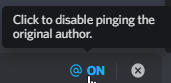 narrow sleet
ok thx
lyric crescent
Sounds like a problem with your computer. Either you have something removing the program, or some other issue. Not something we can really help with here. You can make a ticket and see if CF Support can help you.
!ticket
red patioBOT
Issue Reporting with Overwolf tickets!
Issues can be reported two ways!
Via the website, or in app. Instructions for both are below!
Make sure to include logs when reporting a problem!
Upload your Overwolf logs with the Upload File option on the ticket, information on how to get these logs can be found here https://support.overwolf.com/en/support/solutions/articles/9000176827-how-to-get-your-overwolf-logs
:bug: Reporting via Website :bug:
Can't open the app or would rather use the website? You can do so here: https://support.curseforge.com/en/support/tickets/new
Fill out the form with accurate detailed information, "It doesn't work" isn't helpful! What exactly doesn't work and why doesn't it work should be easy to answer!
:question: Ticket Status :question:
Tickets you have made can be looked at, replied to and closed if you make/login to an account. If you submit a ticket with a specific Email make sure to use that when you make your account so you can see your past tickets!
https://support.curseforge.com/en/support/tickets
Otherwise you will only get email replies at the email you used to open the ticket.
:bug: Reporting via the CurseForge App :bug:
- Click the icon in the bottom left.
- Select

Open a Ticket. - Fill out the form with accurate detailed information, "It doesn't work" isn't helpful! What exactly doesn't work and why doesn't it work should be easy to answer!!
- Upload your Overwolf logs with the
Upload Filesection. (see the top of this message for details) - Submit!
narrow sleet
ok
viral tusk
Noob question. I have an html list of all the mods in my pack, I want to put this into a spoiler, but I cannot seem to get it to work. Do I have to use the link button for each mod, or is there a way to use like the code block option?
lyric crescent
You know you don't have to put a mod list in right? The mods are listed in the relations tab.
viral tusk
i know they are, I just keep reading to credit the author in all the mods I have chosen, and I wanted to just make sure I do not step on toes.
lyric crescent
There is no need to do that, at least not for mods on curseforge. That is all done automatically.
viral tusk
Thank you for the info. that is a load off, even though I took all that time to make the list lol. I just want to pay respects to the work these authors did, but if the way CF does it is enough, I am good with that.
 obtuse plover
hey, so it wont let me play mods on cursed forge, it downloaded fine and when i tried to open a mc modpack (skyfactory 4) it said the app cannot fun on my pc, my pc has a ryzen 5 3.6, 3060ti and 16gb ram, the only thing i can think is its because im on windows 11 but i really dont know, any advise?
lyric crescent
!mc-installfix
red patioBOT
This is NOT instructions for Repair Profile! They are NOT the same! You need to do this!
- Click on the Minecraft Tab on the Left side of the CurseForge App.
- Click button next to the
Create Custom Profileoption. - Click
Repair Installationoption. - Play game.
NOTE: You will not lose any modpacks or worlds!
obtuse plover
ok thank you
 patent shale
lyric crescent
patent shale
lyric crescent
!notcf
red patioBOT
Your question is not related to CurseForge owned/maintained features or services.
Please use the appropriate game room by getting a game role from #786424115535544350.
Otherwise use #👽︱game-support for game related help.
CurseForge does not make or maintain any of the content or games used on the site or app. Just because it's on the site/app does not make it a problem with CurseForge. Move rooms as requested, arguing about it will result in you being muted.
 balmy plinth
Help requested. My wow classic will not launch from curseforge. I have double checked paths but when I click "run game" nothing occurs.
Mac ios
red patioBOT
╰( ͡° ͜ʖ ͡° )つ──☆*:・゚ *˜”*°•.˜”*°• Many Help •°*”˜.•°*”˜* <:curselit:796985620550385705>
Please provide a description of your issue with as much detail as possible. If you have an issue with a mod or modpack, tell us the name. Explain what you can see happening. Be specific!
 Tell us what is happening, we already know it "doesn't work".
Avoid using words like "it", tell us exactly what "it" is.
Don't assume anyone knows what you are talking about, be specific.
Tell us what you expected to happen.
Provide screenshots or video if possible.
Provide a log if possible. ?mc-log
 median quest
i have an error trying to install the curseforge app
i can send screenshot but im argentinian
 sudden nacelle
Hello, my friend has an issue where when he tries to download curseforge, he can't seem to extract the files, we tried to download the overwolf app but that doesn't seem to work either, I heard it's a pretty common issue so I would like to know if there's an easy way out of this situation, thank you.
(here's a screenshot, sorry it's in french)
 signal ridge
So the OW app doesnt open either? Or it does but it says "error" where it should say install?
sudden nacelle
here is what it says when he tries to open the installer
 signal ridge
What Operating System?
sudden nacelle
Wich is weird since he clicked on the download link from the official support site
Windows
signal ridge
Windows, 7, 8.1, 10, 11?
signal ridge
!getcf try the alternative link
red patioBOT
Looking to install the CurseForge app?
<:windows:798410728188936222> Windows
Minimum Requirements:
- OS Version: 10 or 11
- 64 bit Required.
- 350MB storage space.
- Microsoft .Net 4.8
- Intel/AMD quad-core CPU
- 8GB ram
[Windows Download]
[Windows Alternative Download]
If you are having issues with the Windows Download use the Windows Alternative Download to install Overwolf. Then download CurseForge from the App Store.
Windows Standalone: NOTE: ONLY SUPPORTS WORLD OF WARCRAFT CURRENTLY!
Requirements:
Uh, Windows? (No not the ones in your house)
WoW as that's all it's useful for..
Some sort of zoomy box that does teh verk.
[Windows Standalone] NOTE: ONLY SUPPORTS WORLD OF WARCRAFT CURRENTLY!
<:mac:798410654418862130> Mac
:penguin: Linux
NOTE: ONLY SUPPORTS WORLD OF WARCRAFT CURRENTLY!
Minimum Requirements:
Something not windows or mac would be a start.
Hopefully it turns on.
A screen would be beneficial too.
sudden nacelle
Okay i will thanks
Sorry it still doesn't work
both the normal and alternative link
sudden nacelle
sudden nacelle
here is what it says when he tries to open the installer
The normal link just doesn't open anything (even with adlinistrator) and the alternative link just redirects to this message
signal ridge
If not even overwolf opens then I would recommend you ask in the ow discord. They may have a better idea of whats going on https://discord.gg/overwolf
sudden nacelle
Okay thank you
 craggy nexus
i can`t instal Forge 1.19.2
 lyric crescent
!mc-installfix
red patioBOT
This is NOT instructions for Repair Profile! They are NOT the same! You need to do this!
- Click on the Minecraft Tab on the Left side of the CurseForge App.
- Click button next to the
Create Custom Profileoption. - Click
Repair Installationoption. - Play game.
NOTE: You will not lose any modpacks or worlds!
craggy nexus
this dont help
lyric crescent
reinstall curseforge
craggy nexus
ok
digital roost
Okay so I'm trying ti download curseforge but it keeps getting deleted and i already disabled my antivirus
lyric crescent
craggy nexus
dont work(
 lyric crescent
!mc-path
red patioBOT
Instructions for changing CurseForge Minecraft install path!
If Minecraft is not installed in CurseForge App:
- Click the in the top left.
- Select Minecraft from the list of games.
- Select the
Advancedoption and select:
--- Windows:Local Disk (C:)at the left side of the window. If you do not see it, clickThis PCfirst.)
--- Mac:/Users/Shared/CurseForge, If it does not exist, make it. - Click
Continue.
If Minecraft is installed in CurseForge App:
- Click the in the bottom left.
- Select the Minecraft tab.
- Click
Change. - Select the location:
--- Windows:Local Disk (C:)at the left side of the window. If you do not see it, clickThis PCfirst.)
--- Mac:/Users/Shared/CurseForge, If it does not exist, make it.
craggy nexus
but forge 1.12.2 i can instal
 lyric crescent
Yea. Assumed as much.
 signal ridge
#👽︱game-support for this
 cloud bronze
hey question?
digital roost
Hey, how ya doing?
lyric crescent
!getcf use the alternative option
red patioBOT
Looking to install the CurseForge app?
<:windows:798410728188936222> Windows
Minimum Requirements:
- OS Version: 10 or 11
- 64 bit Required.
- 350MB storage space.
- Microsoft .Net 4.8
- Intel/AMD quad-core CPU
- 8GB ram
[Windows Download]
[Windows Alternative Download]
If you are having issues with the Windows Download use the Windows Alternative Download to install Overwolf. Then download CurseForge from the App Store.
Windows Standalone: NOTE: ONLY SUPPORTS WORLD OF WARCRAFT CURRENTLY!
Requirements:
Uh, Windows? (No not the ones in your house)
WoW as that's all it's useful for..
Some sort of zoomy box that does teh verk.
[Windows Standalone] NOTE: ONLY SUPPORTS WORLD OF WARCRAFT CURRENTLY!
<:mac:798410654418862130> Mac
:penguin: Linux
NOTE: ONLY SUPPORTS WORLD OF WARCRAFT CURRENTLY!
Minimum Requirements:
Something not windows or mac would be a start.
Hopefully it turns on.
A screen would be beneficial too.
 jade crag
I saw something popped up in the screen about a curseforge update? I closed overwolf by mistake, so Curseforge closed and I couldn't read it 🤦♂️
lyric crescent
you can view patch notes in one of the tabs
jade crag
ooh what's new page, thanks
cloud bronze
ok sorry
 vital summit
o/ appissue oops, that was not meant to happen
seem like we could not load curseforge. ? tried many times
lyric crescent
screenshot the window please
vital summit
 lyric crescent
!oops
red patioBOT
You had an "Oops, that was not supposed to happen!"
Follow the instructions in this link!
If the info in the link does not work please do ?cflogs-oops and follow the instructions there to get the log files.
lyric crescent
!owlogs
red patioBOT
<:overwolf:857375414002384916> How to get CurseForge App logs! <:overwolf:857375414002384916>
- Click the
Create logs zipin the menu. - Drag and drop the file it just made to this chat room to upload it.
- Wait for someone to look at it so they can help you.
static olive
static olive
I do the usual process to open the mod pack in the minecraft launcher but then i...
This is still happening for me. The only way I'm able to run the mod pack is if I remove the mods and reinstall them.
vital summit
fallen loom
lost canopy
Please run the following command in Powershell and provide the nslookup.log file it generates:
nslookup launchermeta.mojang.com *> nslookup.log; nslookup launchermeta.mojang.com 8.8.8.8 *>> nslookup.log; explorer .;
What solutions did you try?
vital summit
both top work
lyric crescent
What
lyric crescent
what are you talking about
vital summit
fallen loom
Please run the following command in Powershell and provide the nslookup.log file...
this
lyric crescent
They were not talking to you, hence the reply with someone else's name.
vital summit
well you know the answer then =\
signal ridge
No its not?
lyric crescent
sure you do
signal ridge
Got proof that it is?
lyric crescent
!getcf
red patioBOT
Looking to install the CurseForge app?
<:windows:798410728188936222> Windows
Minimum Requirements:
- OS Version: 10 or 11
- 64 bit Required.
- 350MB storage space.
- Microsoft .Net 4.8
- Intel/AMD quad-core CPU
- 8GB ram
[Windows Download]
[Windows Alternative Download]
If you are having issues with the Windows Download use the Windows Alternative Download to install Overwolf. Then download CurseForge from the App Store.
Windows Standalone: NOTE: ONLY SUPPORTS WORLD OF WARCRAFT CURRENTLY!
Requirements:
Uh, Windows? (No not the ones in your house)
WoW as that's all it's useful for..
Some sort of zoomy box that does teh verk.
[Windows Standalone] NOTE: ONLY SUPPORTS WORLD OF WARCRAFT CURRENTLY!
<:mac:798410654418862130> Mac
:penguin: Linux
NOTE: ONLY SUPPORTS WORLD OF WARCRAFT CURRENTLY!
Minimum Requirements:
Something not windows or mac would be a start.
Hopefully it turns on.
A screen would be beneficial too.
lyric crescent
before what
 lyric crescent
then you dont use curseforge
fallen loom
Then you'll need to use the OW version or wait until support for your game is added to standalone
Burden of proof is on the one making the claim, m8
lyric crescent
proving something isnt what it isnt is a dumb arguement
vital summit
what are they stealing 😛
idon'tahve shit
they don;t want my shit
XCD
well why u scared?
bro
u installed it
signal ridge
Do you have physical proof that you can show us that it installed it?
lyric crescent
Cutting this discussion here. If you don't like overwolf then find something else.
fallen loom
From a quick google Walliant is a program that switches your wallpaper... and I really hope they're not stupid enough to think Microsoft's Bing-powered lock screen photos is Walliant
vital summit
haha
i dunno what to say ill let u know if it works when its dled...
ight it works good day to you and @dense lake be safe my dude ❤️
 vivid kindle
How can I get reward points?
lyric crescent
!rewards
red patioBOT
Question about the rearwards program?
Rewards TOS:
Enabling 2FA for rewards:
 graceful blaze
How do I play Forge Mods that are on a different minecraft version
young bone
You make a new profile and add the mods there
 hybrid laurel
i downloaded curse forge but now it just says
 upper root
!outdated
red patioBOT
Your CurseForge App version is outdated!
To use CurseForge with the latest features & fixes you should update your CurseForge App.
You can do this by uninstalling the app from your computer programs and then install it again from https://download.curseforge.com/
NOTE: Uninstalling CurseForge will not remove any game/mod data, It's entirely safe to remove and install again!
upper root
You must of already had it installed from ages ago
hybrid laurel
its not in my downloads or files
upper root
Follow the steps in the link at the bottom to uninstall it completely
young bone
Is it a pack you made?
wispy finch
yes
young bone
Are you using the app to make the pack?
young bone
You add more the same way you added all the others
wispy finch
but the new mods are not showing up on this list
 young bone
If you still have the original pack, you can add more and upload that as an update to your pack
wispy finch
how do I update my modpack on the website
young bone
What do you mean, update your pack?
wispy finch
thats what I did do
so will it be a problem if some of the mods dont show up on the include list?
young bone
Curseforge site changes it when mods are added/removed
wispy finch
ok
digital roost
it is just me or is the curseforge app really slow?
graceful blaze
CurseForge isnt opening Minecraft Why?
lyric crescent
What are you doing
graceful blaze
Im opening my profile in The curseForge App pressing play waiting 5 minutes and it didnt open
lyric crescent
Do you have a launcher window open already?
graceful blaze
no
lyric crescent
? mc-installfix
red patioBOT
This is NOT instructions for Repair Profile! They are NOT the same! You need to do this!
- Click on the Minecraft Tab on the Left side of the CurseForge App.
- Click button next to the
Create Custom Profileoption. - Click
Repair Installationoption. - Play game.
NOTE: You will not lose any modpacks or worlds!
earnest badge
why does curse forge update minecraft each time even though it doesnt need to and it never stays logged in
red patioBOT
Instructions for changing CurseForge Minecraft install path!
If Minecraft is not installed in CurseForge App:
- Click the in the top left.
- Select Minecraft from the list of games.
- Select the
Advancedoption and select:
--- Windows:Local Disk (C:)at the left side of the window. If you do not see it, clickThis PCfirst.)
--- Mac:/Users/Shared/CurseForge, If it does not exist, make it. - Click
Continue.
If Minecraft is installed in CurseForge App:
- Click the in the bottom left.
- Select the Minecraft tab.
- Click
Change. - Select the location:
--- Windows:Local Disk (C:)at the left side of the window. If you do not see it, clickThis PCfirst.)
--- Mac:/Users/Shared/CurseForge, If it does not exist, make it.
earnest badge
@lyric crescent then after this do i have to relogin and it should stay logged in?
lyric crescent
Maybe
earnest badge
@lyric crescent i was using an old launcher that didnt use minecraft new stuff
hopefully it stays logged in
young bone
The launcher has nothing to do with game features
 crimson flax
Hey hey, i got an issue when starting up forge: It loads, but constantly crashes.
Its forge 1.12.2
Can anyone help?
red patioBOT
Your question is not related to CurseForge owned/maintained features or services.
Please use the appropriate game room by getting a game role from #786424115535544350.
Otherwise use #👽︱game-support for game related help.
CurseForge does not make or maintain any of the content or games used on the site or app. Just because it's on the site/app does not make it a problem with CurseForge. Move rooms as requested, arguing about it will result in you being muted.
 sly cairn
I'd like to ask about Linux support; spcifically Manjaro Linux.
lyric crescent
What about it
 white solstice
i tried to open my curse forge app on my computer and it told me it could not open the app
 arctic kestrel
Hey all, question here.
I tried uploading a version of my modpack to curseforge, but it got rejected with something like this:
FileID 123456 is invalid for modpack with mod loader Fabric.
I would like to check what kind of files they are, but I have no idea how to trace them back. Is anyone familiar with this?
Thanks in advance.
p.s.: pls ping me when replying, I'm taking a long nap :)
 rancid ravine
How can I fix this?

(Also it's been a year since I got MC role block, is there anyway I could get that off?)
rancid ravine
Thanks 🙏
red patioBOT
You had an "Oops, that was not supposed to happen!"
Follow the instructions in this link!
If the info in the link does not work please do ?cflogs-oops and follow the instructions there to get the log files.
rancid ravine
lyric crescent
Yea we just ban for that now. Your free just don't do it again.
Oh ok
rancid ravine
red patio
Will try that
Only left with reinstalling curseforge. Will this remove my modpacks, maps or settings?
lyric crescent
No
digital roost
I’m having troubles with GT: New Horizons and it keeps saying “downloading additional files” then stops saying “check the log”
lyric crescent
Show the error please

 lyric crescent
This is something you'll need to discuss with the pack dev.
digital roost
Shiiiiiii
 vocal smelt
can someone show me how to make modpacks work together i dont know the word atm having a brainfart
rich flint
there are additional channels for that kind of thing behind MC role in #786424115535544350
there are lots of existing working modpacks you may want to investigate first
 signal ridge
Need to update Forge like it says
red patioBOT
You can update the mod loader within the same game version in the CurseForge app by following these steps!
- Click on the modpack profile you are working with.
- Click on the button next to the play button.
- Click on the Profile Options button.
- Select the mod loader version you want from the dropdown.
- Play!
If you need to update to a new game version, a new profile is required.
 coral bolt
Hey, when i try and open curse forge i get an error that says, "Oops, that was not supposed to happen! Seems like we could not load Curseforge. Let's try this one more time! Learn more about network issues here
?cflogs-oops
red patioBOT
Oops :(
- Make sure you tried these steps first!
- Click the
Create logs.zipbutton on the bottom of the oops error. - Drag and drop the file it makes into this room.
- Wait for someone to look the logs.
coral bolt
signal ridge
You tried all the steps from step 1?
vocal smelt
so if i download a modpack for my custom modpack would it download everything it need even if its in another pack id have to download bc this is my first time doing this and id really like to understand how this works
im sorry if im asking dumg question like i said i wanna learn to do this but ive got to understand it first
signal ridge
if you exported the pack using the CF apps export feature, and selected all the files needed > then went to import the zip it made it would install all the files you checked in the export.
vocal smelt
im sorry, not a modpack but if im creating a custom mod pack with curseforge will it download all the necessary mods for the mod i downloaded. Like lets say i download mouse tweaks but theres another mod that makes it work with other mods will it download the other mod
signal ridge
If the author of the mods set up their dependencies correctly it should auto download the needed mods when your adding mods the the custom profile via the add more content feature
vocal smelt
okkkk thank you so much
upper root
Optional ones will not be downloaded (such as KubeJS Create, for compat between KubeJS and Create)
signal ridge
Required dependencies should install.
Optional dependencies you have to install them
vocal smelt
signal ridge
Required dependencies *should* install.
Optional dependencies you have to inst...
is there a way to see the optional ones
signal ridge
Would have to look on the site for that mod. then look at the Relations tab > Set showing to Dependents And Dependency type to Optional
Not all mods may do this tho. Depends on if the author set it up correctly or not
coral bolt
signal ridge
You tried all the steps from step 1?
yeah
 glacial loom
i restarted my computer and all my curseforge minecraft modpacks dissapeared
if i uninstall and reinstall curseforge will all my stuff be deleted?
upper root
!cflogs-app srnd these alex
red patioBOT
<:overwolf:857375414002384916> How to get CurseForge App logs! <:overwolf:857375414002384916>
- Click the
Create logs zipin the menu. - Drag and drop the file it just made to this chat room to upload it.
- Wait for someone to look at it so they can help you.
upper root
Your instances are all here: C:\Users\19547\Twitch\Minecraft\Instances, copy them to the new location here: C:\Users\19547\curseforge\minecraft\instances\
 static badger
Hi, I am getting this message when loading up the application.
 glacial loom
thank you they all appeared, will they have all my saved world as well?
vocal smelt
ok so i threw alot of mods together into a modpack how would i go about too much loot spawning in chests
upper root
glacial loom
thank you they all appeared, will they have all my saved world as well?
Yes
upper root
static badger
Hi, I am getting this message when loading up the application.
Is there a get logs button?
upper root
vocal smelt
ok so i threw alot of mods together into a modpack how would i go about too much...
?notcf
red patioBOT
Your question is not related to CurseForge owned/maintained features or services.
Please use the appropriate game room by getting a game role from #786424115535544350.
Otherwise use #👽︱game-support for game related help.
CurseForge does not make or maintain any of the content or games used on the site or app. Just because it's on the site/app does not make it a problem with CurseForge. Move rooms as requested, arguing about it will result in you being muted.
static badger
upper root
Is there a get logs button?
nope that is the only thing displayed
upper root
!outdated
red patioBOT
Your CurseForge App version is outdated!
To use CurseForge with the latest features & fixes you should update your CurseForge App.
You can do this by uninstalling the app from your computer programs and then install it again from https://download.curseforge.com/
NOTE: Uninstalling CurseForge will not remove any game/mod data, It's entirely safe to remove and install again!
static badger
ok will do
 brazen jewel
do yall do steam workshop
 soft galleon
how can i add different modpacks together? Like i wanna add the pixelmon mod pack to a backpack mod
 opal cipher
!mc-modifypack
red patioBOT
How to add/remove mods in a modpack.
- Click on the picture of the modpack.
- Click the
Add More Contentbutton, IF this button is not there, see below before continuing. - Find the Mods, Resource Packs or Maps you wish to Install and click
Installon them. - Wait for all the required mods to be downloaded.
- Start the modpack.
How to Enable/Disable content management for modpacks.
- Click on the picture of the modpack.
- Click on the button next to the
Playbutton. - Click on
Profile Options. - Check the
Allow content management for this profileoption if you want to edit the content of the modpack, uncheck it to disable.
NOTE: The Allow content management for this profile option is what allows you to Delete, Disable, Update or Install any Mods, Resource Packs or Maps managed by CurseForge. It must be on to modify any of them! (Currently)
opal cipher
Hikari, that one is for you 👆
soft galleon
ok thanks
opal cipher
brazen jewel
do yall do steam workshop
Steam Workshop is their own thing.
soft galleon
opal cipher
Hikari, that one is for you 👆
what if the mod i want to add is not searchable? for example the mine mine no mi which can only be imported onto curse forge?
opal cipher
Well, for two separate modpacks (and not just adding single mods to an existing modpack), there's no option.
As modpacks often come with their own configs, and are (often) very carefully put together to make sure all mods are working together, merging two modpacks.. can be a nightmare.
soft galleon
well mine mine no mi isnt a modpack but rather jus a standalone mod but i cant find it
opal cipher
Then Mine Mine no Mi probably doesn't have a version for the profile that Pixelmon uses. It needs to use the same modloader and Minecraft version to work basically.
soft galleon
ooooh thanks
 vernal galleon
Hey, I'm trying to make a modpack so i can start up a server to play with a friend. I've added a few files but they keep getting rejected immediately, am i doing something wrong?
rich flint
?mc-packshare
red patioBOT
There are two ways to share a modpack you've made with others...
Export and Share - For Friends to Small Groups.
- Click the Icon for the modpack.
- Click the button next to play.
- Click
Export. - Select the files that should be included.
- Send the zip to the people that want it! They can follow the instructions in
!mc-installpackto install the pack!
Upload to Curseforge - For Public Release to Everyone.
This options will make your pack public to EVERYONE, it comes with extra requirements and will take some effort to set up.
- Go to here: https://www.curseforge.com/project/432/4471/create
- Fill out the information with a proper description of the pack. This should allow anyone to understand what the pack is.
- Click the Icon for the modpack in the CurseForge app.
- Click the button next to play.
- Click
Export. - Select the files that should be included.
- Open your Project you made on the CurseForge site and Upload the file you just made.
- Wait for Moderation & Sync so it can show up in the client! (See
!syncfor limitations)
vernal galleon
Thanks
 rugged latch
I am trying to launch my game and it cant download the forge jar, then I tried to repair it and still its giving the same issue

 ruby lava
hey guys I'm playing wow classic TBC. When I'm looking for addons I can't choose between wow retail and wow classic so I'm not sure if I'm downloading a compatible addon. Normally there is a drop down menu to the right of the search bar but it's not there for me. (I don't have the retail version installed on laptop so maybe why?)
 upper root
Try asking again in #🧙🏼♂️︱warcraft-support, its a lot less likely to get buried there
upper root
digital roost
?mc-installfix
red patioBOT
This is NOT instructions for Repair Profile! They are NOT the same! You need to do this!
- Click on the Minecraft Tab on the Left side of the CurseForge App.
- Click button next to the
Create Custom Profileoption. - Click
Repair Installationoption. - Play game.
NOTE: You will not lose any modpacks or worlds!
ruby lava
upper root
Try asking again in <#904222876234842154>, its a lot less likely to get buried t...
ty mate will do
 visual socket
its freaking annoying, its notpossible that curseforge gives me alwways errors for everything everytime goddamn
 oak venture
is there an option for minecraft game output window in curseforge?
visual socket
because if so at this point its not even my problem, since always it starts not working from nowhere for no reasons
 sturdy canopy
is there anything at all to speed up the modpack review process?
usually my modpack updates take about 5-10 mins to be approved but this one's been under review for 13 hours
we grinded all day yesterday to make sure the update was out by this morning but this has just kinda made that pointless
red patioBOT
Project Moderation Time
Project/File moderation is done on these days unless otherwise mentioned:
Sunday, Monday, Tuesday, Wednesday, Thursday: <t:1631170800:t> - <t:1631199600:t> (Your time)
Friday, Saturday: No Moderation!
Projects are moderated First in, First out. If you submit late in the work day, it will likely get left until the next day!
New Projects or anything flagged for manual review: 1-3 Working Days
Updates to approved projects not needing manual approval: 1 Hour
-If your file has been "Under Review" for more than an hour, then it is at manual review!
Changes will only show in the app if the project meets the requirements in the ?sync command and up to 24 hours has passed from when it was accepted.
sturdy canopy
im not sure why its on manual review then, it's just an update to an approved one
lyric crescent
Anything can go to manual review, that is always a thing that can happen.
 sinful rover
Someone help me please
im kinda stressing out cuz i wanna play my mod pack in curseforge but i cant login with microsoft
young bone
Also, stick to one channel
sinful rover
Oke
sinful rover
young bone
Also, stick to one channel
can you help?
young bone
Why can’t you login
sinful rover
i can screen share if you want its hard to explain
young bone
There’s no VCs in this server and we don’t do DM support
sinful rover
Cuz i migrated with microsoft but im stuck on minecraft launcher 1.6.93
young bone
Screenshots may help
sinful rover
 young bone
That’s an old version of the launcher, show a screenshot of the Curseforge app
 young bone
Hmmm, do you have Curseforge running in compatibility mode
sinful rover
can you please help me then
 toxic abyss
sinful rover
toxic abyss
sinful rover
?
 warped viper
Hello, I've made a mod for my modpack to make players place a command block to summon a wither storm but when I upload my modpack it says that my mod is not on the approved non curseforge list
How do I approve my mod to the non curseforge list ?
young bone
sinful rover
how do i check
Follow the instructions found here #👽︱game-support message
sinful rover
young bone
Follow the instructions found here https://discord.com/channels/4282282562363064...
Nope
young bone
What operating system are you using
vivid kindle
How can I upload a fixed version of Terralith so I can use it? I changed the mod a little bit so it works with my modpack.
warped viper
Anyone know how to approve a non curseforge mod ?
young bone
You could also just upload it to Curseforge
young bone
?mc-3rdparty
red patioBOT
Minecraft Modpack 3rd party
Mods not on CurseForge must be on the 3rd-party list to be included in modpacks uploaded to CurseForge. If a mod is not on this list it can't be included in the export of a modpack and must be removed before uploading. If you upload with a mod that isn't on this list the file will be rejected.
List of approved 3rd party mods:
https://docs.google.com/spreadsheets/d/176Wv-PZUo9hFxy6oC6N8tWdquBLPRtSuLbNK-r0_byM
warped viper
that doesn't helps me
warped viper
oh yeah I see it
vivid kindle
Squizzle what about my problem? Can i also just upload it and give credits to the original creator?
signal ridge
vivid kindle
Squizzle what about my problem? Can i also just upload it and give credits to th...
Seeing how the mod is ARR you will need to contact the author of the mod and ask them,
signal ridge
warped viper
there is no link to download it
Will need to create one somewhere then, How else would the app be able to download it if theres no download link
 teal jackal
what is allowed to put into minecraft modpacks and what is not allowed to put into minecraft modpacks, not thinking of mods and such, but more like content images worlds etc,
lyric crescent
In what context? I would think it'd be common sense what kind of stuff would not be allowed.
warped viper
I've created a link and completed the form thank you for your help !
teal jackal
common sense is vague and makes not much sense for me, whats bad for you is most likely not bad for me, its such a dumb thing to say thinking everyone follows the same thing as yourself, to me anything goesand nothing is too bad or wrong, this is why i ask
lyric crescent
What is this...
Regardless of what goes to you, you should be familiar enough with what is socially acceptable that this isn't even a question. Regardless it is impossible to know what your issue is with no context. A vague "what is and isnt allowed" has no set answer. Look at other examples?
teal jackal
nope, i lived in a completely different type of society than you have, mine is just filled with evil doings and abuse, so its all i really know, and internet is too crazy to make sense of,
i want my pack to be at the edge of what is allowed to upload, not too bad to be removed, but not not as acceptable for everyone but still allowed
lyric crescent
Ok, look at the age rating for the game, then look up what that means. That is your answer.
sinful rover
young bone
What operating system are you using
idk how do i check
lyric crescent
windows, mac, linux
sinful rover
windows
lyric crescent
which version
signal ridge
7,8.1,10,11
sinful rover
10
teal jackal
does not tell me much but to give context, lets say i edit the config to insult the player for doing something dumb or adding in controversial images to quests book worlds, gui, modpack image, or have non PC content in descriptions, like conspiracies, so called wrong info, or wrong think words and meanings, in general having questionable content in general that is not accepted to everyone but still not as bad as people may think
sinful rover
Can i get help
lyric crescent
And that is not something you will get a clear answer on. If you want to push boundries than expect to be moderated is all I can tell you.
signal ridge
sinful rover
Can i get help
In the cf app click > what are the numbers in the lower left corner
sinful rover
v. 0.205.1.5800
signal ridge
> minecraft tab > screen shot the path the app is using for minecraft
teal jackal
what you mean to be moderated? im doing this to add my kind of enjoyment to the pack and make it public so likeminded people can enjoy it as well, those who dont like it dont like it those who do plays it, i just wanna share my enjoyment with others and dont care if people download it or not, probably most cant even run it as it has almost 500 mods in it
sinful rover
 signal ridge
!mc-path try the second part of this
red patioBOT
Instructions for changing CurseForge Minecraft install path!
If Minecraft is not installed in CurseForge App:
- Click the in the top left.
- Select Minecraft from the list of games.
- Select the
Advancedoption and select:
--- Windows:Local Disk (C:)at the left side of the window. If you do not see it, clickThis PCfirst.)
--- Mac:/Users/Shared/CurseForge, If it does not exist, make it. - Click
Continue.
If Minecraft is installed in CurseForge App:
- Click the in the bottom left.
- Select the Minecraft tab.
- Click
Change. - Select the location:
--- Windows:Local Disk (C:)at the left side of the window. If you do not see it, clickThis PCfirst.)
--- Mac:/Users/Shared/CurseForge, If it does not exist, make it.
lyric crescent
teal jackal
what you mean to be moderated? im doing this to add my kind of enjoyment to the ...
If you think the kind of content would be an issue on Curseforge, you are probably right and you should host it elsewhere.
sinful rover
signal ridge
!mc-path try the second part of this
i did
signal ridge
Show the new path the app is using
sinful rover
 signal ridge
Now try what you were doing earlier
young bone
sinful rover
But i do have to put in the mods again but atleast it works xD
Follow the original path and copy packs over to the new path
sinful rover
?
young bone
Did you have any modpacks in the place the app was using?
teal jackal
its not that i think it be an issue there or not, i just know that people today are made out of glass and breaks apart at nothing, so to make sure i like to at least know what i can and cant before i try, so that its at least at the edge of whats accepted, i know some people find anti vax stuff to be bad enough to ban people for, or talking about government coruption and ban them for that as well because its controversial and wrong think, i literally have no idea what rules curse forge is following here when it comes to modpack submissions, i know there is a rule lis for the forum, buthave not found much on whats accepted in a modpack, so i went here in hope of more info but guess ill just have to try my way forward ans see where it gets me
sinful rover
young bone
Did you have any modpacks in the place the app was using?
ye
The game isnt starten its still loading
young bone
Do what I said, follow the file path in that screenshot #🔥︱curseforge-support message
lyric crescent
teal jackal
its not that i think it be an issue there or not, i just know that people today ...
This is a children's game. If the content is not appropriate for children then it wont be allowed. You will not get a yes/no on what is appropriate. Use judgement. It sounds like you already know the answer to this.
sinful rover
sinful rover
The game isnt starten its still loading
nvm it started
 quartz jetty
when is the next version of curseforge app coming out?
lyric crescent
Why are you asking?
sinful rover
Why are some of the mods not in the app but are in the website
quartz jetty
Fixes to tbc ptr will be turned into wrath ptr in wow.
lyric crescent
All the mods are on the app, as long as they are approprately tagged. Are you using a profile of the correct version for the mod you arnt finding?
lyric crescent
quartz jetty
Fixes to tbc ptr will be turned into wrath ptr in wow.
There has been no info on when that will be fixed yet.
quartz jetty
lyric crescent
There has been no info on when that will be fixed yet.
Ah ok, I searched for it on this discord and someone wrote it will be on next release, but there is no info when the next release is. My hope was before ptr turns into live xD
 civic edge
am i able to dm somebody a crash report and the crash notice, i cant figure out what the problem/problems with my modpack is
lyric crescent
DMs are not allowed here unless requested. #📛︱rules
You can send it in #👽︱game-support and wait for someone to look at it though.
civic edge
ah, ty
 surreal linden
hey guys what is the meaning of exitcode 1 ???
red patioBOT
Sending logs for support.
- Right-click the modpack profile icon OR click the button in the modpack profile.
- Click
Open Folder. - Open the
logsfolder. - Drag and drop the FILE named
latestORdebuginto discord.
surreal linden
ok thx ❤️
vivid kindle
i uploaded a new version with more mod and then i downloaded it

but where are all the mods
 marble nova
how can i add optifine to a modded profile?
vivid kindle
i uploaded this like i always do
 signal ridge
marble nova
how can i add optifine to a modded profile?
signal ridge
marble nova
how can i add optifine to a modded profile?
!mc-optifine
red patioBOT
We do not offer support for Optifine!
If you have issues with Optifine, remove it. If you want further support try the discord found on their website.
https://www.optifine.net/home
Installing Optifine with modpacks on Curseforge:
- Right click the modpack icon, select
Open Folder. - Put the
Optifine.jarinto themodsfolder. - Now start the modpack.
marble nova
signal ridge
!mc-optifine
now it says you did not install 1.19 but the profile is set to 1.19 forge
and i downloaded it and opened mc
signal ridge
marble nova
now it says you did not install 1.19 but the profile is set to 1.19 forge
Dont run the optifine installer, just drag and drop it into the mods folder.
signal ridge
theres:
Oculus and Rubidium for Forge
OR
Iris for Fabric
marble nova
thank you ❤️
signal ridge
vivid kindle
i uploaded this like i always do
how did you install the mods in the pack? With the cf app? OR from the site and then drag n drop?
signal ridge
#🔎︱mod-hunting for this
vivid kindle
signal ridge
how did you install the mods in the pack? With the cf app? OR from the site and ...
ofc with the app. I did everything like I did int the past 8 times. it always worked until now
maybe someone forgot to add the mods?
should i upload it again?
signal ridge
Export the pack again, then import it into your app, see if the mods download
vivid kindle
?
signal ridge
Export your pack like normal
vivid kindle
okay
signal ridge
!mc-installpack
red patioBOT
How to install modpacks with the search features in app.
- Open the

Minecraftsection of the app. - Click the top search bar where it says
Search for modpacksOR Click theBrowse ModpacksTab. - Find the Modpack you want to install and click install on it.
- Wait for CurseForge app to download and unpack all the required files.
- Once finished, click
Play!
======================================================
** **
======================================================
How to install modpacks from a Export. (Custom/Private/Site downloaded Modpack zip)
- Get CurseForge App if you don't have it, use
!downloadfor a link. - Get the exported modpack from CurseForge or someone else,
!mc-packshareexplains how to make them. - Open the
Minecraftsection of the app. - Click

Create Custom Profile - Click the
Importoption. - Find the file you just downloaded in step 2 and select it.
- CurseForge app will now attempt to download and unpack the modpack. If it fails, try steps 4-6 again.
- Once finished, click
Play!
 red patioBOT
Your question is not related to CurseForge owned/maintained features or services.
Please use the appropriate game room by getting a game role from #786424115535544350.
Otherwise use #👽︱game-support for game related help.
CurseForge does not make or maintain any of the content or games used on the site or app. Just because it's on the site/app does not make it a problem with CurseForge. Move rooms as requested, arguing about it will result in you being muted.
signal ridge
Not the channel/discord for it. Will Earn yourself a timeOut instead
digital roost
/discord
signal ridge
Enjoy your Hour mute to Re-read the rules.
 modern bolt
Hey Guys so im trying to help a friend install a minecraft pack and it says patching version 2 of 4 then it stops installing the pack does anyone know how to fix this?
 icy pewter
hey i and trying to upload a modpack to curseforge and i get this rejection letter"The status of the file (Modpack Name) has been changed to Rejected
File is a duplicate of an existing file. AutoBanPlus on AutoBanPlus" What does it mean? Please ping me if you know the answer or dm me
young bone
Show a screenshot of the message
lyric crescent
It failed to process. Upload it again or try another browser.
young bone
Show a screenshot of the Curseforge app with the error
 gilded sierra
never mind works now thanks tho 🙂
 livid moat
how can i play with my friend my own mod pack without having to tell him all the mods that are in die modpack
opal cipher
!mc-packshare
red patioBOT
There are two ways to share a modpack you've made with others...
Export and Share - For Friends to Small Groups.
- Click the Icon for the modpack.
- Click the button next to play.
- Click
Export. - Select the files that should be included.
- Send the zip to the people that want it! They can follow the instructions in
!mc-installpackto install the pack!
Upload to Curseforge - For Public Release to Everyone.
This options will make your pack public to EVERYONE, it comes with extra requirements and will take some effort to set up.
- Go to here: https://www.curseforge.com/project/432/4471/create
- Fill out the information with a proper description of the pack. This should allow anyone to understand what the pack is.
- Click the Icon for the modpack in the CurseForge app.
- Click the button next to play.
- Click
Export. - Select the files that should be included.
- Open your Project you made on the CurseForge site and Upload the file you just made.
- Wait for Moderation & Sync so it can show up in the client! (See
!syncfor limitations)
 wheat pewter
what mods should I use in the curseforge app to help with performance?
for modpacks
 white musk
i cant download curseforge need help
young bone
?getcf
red patioBOT
Looking to install the CurseForge app?
<:windows:798410728188936222> Windows
Minimum Requirements:
- OS Version: 10 or 11
- 64 bit Required.
- 350MB storage space.
- Microsoft .Net 4.8
- Intel/AMD quad-core CPU
- 8GB ram
[Windows Download]
[Windows Alternative Download]
If you are having issues with the Windows Download use the Windows Alternative Download to install Overwolf. Then download CurseForge from the App Store.
Windows Standalone: NOTE: ONLY SUPPORTS WORLD OF WARCRAFT CURRENTLY!
Requirements:
Uh, Windows? (No not the ones in your house)
WoW as that's all it's useful for..
Some sort of zoomy box that does teh verk.
[Windows Standalone] NOTE: ONLY SUPPORTS WORLD OF WARCRAFT CURRENTLY!
<:mac:798410654418862130> Mac
:penguin: Linux
NOTE: ONLY SUPPORTS WORLD OF WARCRAFT CURRENTLY!
Minimum Requirements:
Something not windows or mac would be a start.
Hopefully it turns on.
A screen would be beneficial too.
 solar tundra
modern bolt
Hey Guys so im trying to help a friend install a minecraft pack and it says patc...
solar tundra
modern bolt
Hey Guys so im trying to help a friend install a minecraft pack and it says patc...
I'm having this same proble. Anybody know how to fix it?
It happens all the time
And I have no idea why
they need to fix that issue
@modern bolt I restarted my computer and tried again. At first it seems like all hope is lost, but if you wait a few moments the profile will launch
 long willow
 young bone
long willow
young bone
long willow
?oops
red patioBOT
You had an "Oops, that was not supposed to happen!"
Follow the instructions in this link!
If the info in the link does not work please do ?cflogs-oops and follow the instructions there to get the log files.
 alpine marten
how do i get the server pack for my custom modpack? i uploaded both the normal and server files to curseforge
young bone
?mc-serverpack
red patioBOT
Serverpacks are special files uploaded alongside an existing project file. If the main file is rejected the server pack is also rejected.
You require an already uploaded export file to upload a server pack!
- Make the server pack by zipping up the required files by selecting the required folders & files. It should include the config and mod folders at a minimum, plus anything else you specifically required to run the server. Start/Run/Setup scripts are optional. Don't include modloader files or the minecraft server jar.
- Go to the
Filestab on the project. - Click the name of the file you wish to upload the server pack to. The pack and server should match pack versions.
- Click
Upload Additional File. - Fill out the form.
alpine marten
yeah i uploaded the file and it was approved
white musk
cant download any mod error pops out. need help
 alpine marten
yeah i uploaded the file and it was approved
alpine marten
alpine marten
yeah i uploaded the file and it was approved
but when i click the 3 dots on the pack, the option to download server pack doesnt show
young bone
How long ago did you upload it
young bone
It takes a while to sync to the app
white musk
squizzle can u help me
alpine marten
young bone
It takes a while to sync to the app
like how long? few minutes? hours?
young bone
?sync
red patioBOT
Sync and your Project.
CurseForge App and site do not share the same requirements! You can find things on the site but this does not mean it will be in the app!
For a mod to show up in the app:
- Projects MUST have a file marked as RELEASE
 or BETA
- Projects MUST be APPROVED
- Projects MUST have a file marked for the GAME VERSION SELECTED/LOADED
- Projects CAN'T be EXPERIMENTAL
- Projects CAN'T be ABANDONED
Files can take a while to show up in the app. If your files still have not shown up either your project is new and you have yet to mark a file as Release/Beta or there is issues with the sync system making it slow.
Vote this issue up if you would like to know when the last sync was! https://curseforge-ideas.overwolf.com/ideas/CF-I-1617
young bone
I don’t really know
young bone
white musk
squizzle can u help me
?owlogs
red patioBOT
<:overwolf:857375414002384916> How to get CurseForge App logs! <:overwolf:857375414002384916>
- Click the
Create logs zipin the menu. - Drag and drop the file it just made to this chat room to upload it.
- Wait for someone to look at it so they can help you.

 upper root
Do you have a web filter or something like Warp (ping 'improver') running?
 obsidian sluice
Hi! So idk what's causing this or how to send a report for it but basically, for Minecraft I can get the launcher to open perfectly fine but then when I hit 'play' on there I get an error that tells me that the file failed to download.
white musk
upper root
Do you have a web filter or something like Warp (ping 'improver') running?
idk how can i check it?
red patioBOT
You had an "Oops, that was not supposed to happen!"
Follow the instructions in this link!
If the info in the link does not work please do ?cflogs-oops and follow the instructions there to get the log files.
upper root
obsidian sluice
Hi! So idk what's causing this or how to send a report for it but basically, for...
Screenshot?
obsidian sluice
Of the error?
young bone
Yes
obsidian sluice
Red boxes are things like personal info so I redacted them
 alpine marten
shouldnt there be a forge installer jar and a .bat file?

i downloaded the server pack
upper root
That person has no idea how to make server files
obsidian sluice
This happens with all my instances btw
upper root
obsidian sluice
Red boxes are things like personal info so I redacted them
Do you have a web filter or something like Warp (ping 'improver') running?
obsidian sluice
idk what those are but I haven't changed anything on my pc since I opened the instance a week ago
and it worked then
obsidian sluice
why is it happening though is what confuses me
white musk
upper root
?oops try these things
it doenst work
upper root
obsidian sluice
why is it happening though is what confuses me
I have no idea
obsidian sluice
Using the vanilla launcher works fine, its only when I use curseforge
red patioBOT
Hey there,
You seem to be running Windows 7 or 8.1 which is not supported anymore by Overwolf or Curseforge. Please upgrade your machine if possible.
You can find the download link here
upper root
Its probably the cause of your problem
young bone
I use it, it’s not bad
alpine marten
could someone help me figure out how to make a proper server file for my modpack? first time doing this
upper root
Because its very old, and MS itself no longer supports it
upper root
alpine marten
could someone help me figure out how to make a proper server file for my modpack...
Ask in #👽︱game-support, cf has nothing to do with servers past hosting server packs
obsidian sluice
Do other mod loaders still support it?
young bone
Curseforge is not a mod loader, Forge and Fabric mod loaders likely don’t care what OS you’re on
upper root
?!=
red patioBOT
Wording is important!
Forge = Minecraft Forge, This is a modloader often just called "Forge".
Fabric = Fabric MC, this is another modloader, just called "Fabric".
CurseForge = A Website/App that has content for games.
Mods = Individual mod files.
Modpacks = Multiple mods put into the mods folder or downloaded from CurseForge.
These are not Interchangeable! Please use the correct terms as it allows us to help you faster!
white musk
upper root
?oops try these things
when i press download it says deleting temporary zip what should i do? wait?
 upper root
!mc-installfix try this
red patioBOT
This is NOT instructions for Repair Profile! They are NOT the same! You need to do this!
- Click on the Minecraft Tab on the Left side of the CurseForge App.
- Click button next to the
Create Custom Profileoption. - Click
Repair Installationoption. - Play game.
NOTE: You will not lose any modpacks or worlds!
upper root
obsidian sluice
I meant other MC launchers like MultiMC & AT
They might. We dont keep track of that though
 wooden tangle
hello support , i need your help , i can't install correctly CurseForge , i'm bloking at the "Microsoft framework .NET 4.8" installation
what ever i try to install this app it allways failed
upper root
!getcf try the alternative download
red patioBOT
Looking to install the CurseForge app?
<:windows:798410728188936222> Windows
Minimum Requirements:
- OS Version: 10 or 11
- 64 bit Required.
- 350MB storage space.
- Microsoft .Net 4.8
- Intel/AMD quad-core CPU
- 8GB ram
[Windows Download]
[Windows Alternative Download]
If you are having issues with the Windows Download use the Windows Alternative Download to install Overwolf. Then download CurseForge from the App Store.
Windows Standalone: NOTE: ONLY SUPPORTS WORLD OF WARCRAFT CURRENTLY!
Requirements:
Uh, Windows? (No not the ones in your house)
WoW as that's all it's useful for..
Some sort of zoomy box that does teh verk.
[Windows Standalone] NOTE: ONLY SUPPORTS WORLD OF WARCRAFT CURRENTLY!
<:mac:798410654418862130> Mac
:penguin: Linux
NOTE: ONLY SUPPORTS WORLD OF WARCRAFT CURRENTLY!
Minimum Requirements:
Something not windows or mac would be a start.
Hopefully it turns on.
A screen would be beneficial too.
 royal ether
can someone help me?
young bone
Explain the problem you’re having
wooden tangle
upper root
!getcf try the alternative download
i allready tried and curseforge can't run without 'Microsoft framework .NET 4.8"
upper root
So you cannot install overwolf either?
wooden tangle
upper root
So you cannot install overwolf either?
i can "install" it but not run it
upper root
!overwolf-support you will need to talk to these guys then
red patioBOT
wooden tangle
it's the same problem ? all i need to use is curseforge and i can install both but not run them
upper root
Curseforge needs overwolf to run
Both errors are coming from overwolf, because cf opens that before it opens itself
wooden tangle
oki ❤️
royal ether
can somone help me?
upper root
?help
red patioBOT
╰( ͡° ͜ʖ ͡° )つ──☆*:・゚ *˜”*°•.˜”*°• Many Help •°*”˜.•°*”˜* <:curselit:796985620550385705>
Please provide a description of your issue with as much detail as possible. If you have an issue with a mod or modpack, tell us the name. Explain what you can see happening. Be specific!
Tell us what is happening, we already know it "doesn't work".
Avoid using words like "it", tell us exactly what "it" is.
Don't assume anyone knows what you are talking about, be specific.
Tell us what you expected to happen.
Provide screenshots or video if possible.
Provide a log if possible. ?mc-log
young bone
young bone
Explain the problem you’re having
I even said something to you to explain your problem
wooden tangle
did you know how to download Microsoft framework .NET 4.8 ? or how to download a version who overwolf/curseforge can understand ?
no matter what i try it always tell me ".NET Framework 4.8 has not been installed because of "HRESULT 0x800f081e"
i an join a screen shot if it's can help you ?


 calm dirge
Question about the program. How can I make my worlds (the "saves" folder) load automatically if I create a new user profile? Now I need to duplicate my worlds in each profile, which is resource-intensive.
lyric crescent
What is a new user profile
calm dirge
lyric crescent
What is a new user profile
Custom*
 lyric crescent
There is no automatic way to do that as it doesn't make any sense for there to be one.
calm dirge
lyric crescent
There is no automatic way to do that as it doesn't make any sense for there to b...
There is. I have 3 versions. For each version I have to duplicate the worlds. In the vanilla launcher, worlds are saved when changing versions.
lyric crescent
And changing mods will break worlds, which is why that is not possible.
calm dirge
It's possible. And even need to. Okay, let's not argue. I got the answer to my question.
 keen lintel
i got the curse forge app but the app doesn't have Minecraft on it and I tried to scan for games or manually add games but didn't work
lyric crescent
keen lintel
i got the curse forge app but the app doesn't have Minecraft on it and I tried t...
You downloaded the alpha which only supports wow.
lyric crescent
 true grail
when i open curse forge it says oops that wasnt supposed to happen
true grail
when i open curse forge it says oops that wasnt supposed to happen
Send a screenshot of the window
arctic kestrel
arctic kestrel
Hey all, question here.
I tried uploading a version of my modpack to curseforge...
Hello again. My question got buried under the others. It would be great if someone could take a look at it :)
 molten escarp
trying to join a friend server on cursedforge but the game says this server has mods that required fml/forge to be installed on the client.I tried reinstalling cursedforged and the modpack to no avail.
 somber drum
i cant get it to get past "forging library"
keen lintel
lyric crescent
You downloaded the alpha which only supports wow.
thank you
 crimson peak
Hey everyone!
red patioBOT
Error/Exit codes are useless. Follow these steps so someone can actually help you.
- Right-click the modpack profile icon OR click the button in the modpack profile.
- Click
Open Folder. - Open the
logsfolder. - Drag and drop the FILE named
latestORdebuginto discord.
crimson peak
My friend is trying to launch Minecraft Pixelmon off of curseforge but is getting an exit code 1
Anyone know a quick fix?
royal ether
!help
red patioBOT
╰( ͡° ͜ʖ ͡° )つ──☆*:・゚ *˜”*°•.˜”*°• Many Help •°*”˜.•°*”˜* <:curselit:796985620550385705>
Please provide a description of your issue with as much detail as possible. If you have an issue with a mod or modpack, tell us the name. Explain what you can see happening. Be specific!
Tell us what is happening, we already know it "doesn't work".
Avoid using words like "it", tell us exactly what "it" is.
Don't assume anyone knows what you are talking about, be specific.
Tell us what you expected to happen.
Provide screenshots or video if possible.
Provide a log if possible. ?mc-log
royal ether
everytime i open minecraft and try to play the avatar mod it says exit code one it gives me the option to copy or just exit i expected to open the game and have the option to play the mod
red patioBOT
Error/Exit codes are useless. Follow these steps so someone can actually help you.
- Right-click the modpack profile icon OR click the button in the modpack profile.
- Click
Open Folder. - Open the
logsfolder. - Drag and drop the FILE named
latestORdebuginto discord.
 chilly chasm
how do i know when the last time i talked was
so when i try to download a mod to add to a mod it says this

and when i try to download a modpack it says this
 keen lintel
when i try to download the beta version of the curse forge app it says the previous did not finish succesfully this could possibly be due to blocking software on your pc
chilly chasm
and no its not my IP adress
keen lintel
i can only get the alpha version