#🔥︱curseforge-support
1 messages · Page 2 of 1
 lyric crescent
 wise fox
yep
lyric crescent
!owlogs
 red patioBOT
<:overwolf:857375414002384916> How to get CurseForge App logs! <:overwolf:857375414002384916>
- Click the

Create logs zipin the menu.
menu. - Drag and drop the file it just made to this chat room to upload it.
- Wait for someone to look at it so they can help you.

 signal ridge
!notcf
red patioBOT
Your question is not related to CurseForge owned/maintained features or services.
Please use the appropriate game room by getting a game role from #786424115535544350.
Otherwise use #👽︱game-support for game related help.
CurseForge does not make or maintain any of the content or games used on the site or app. Just because it's on the site/app does not make it a problem with CurseForge. Move rooms as requested, arguing about it will result in you being muted.
 proven bolt
ah ok
wise fox
this thing?
signal ridge
wise fox
this thing?
!mc-installfix try this, then as soon as its done reboot the pc. Then try downloading the pack again
red patioBOT
This is NOT instructions for Repair Profile! They are NOT the same! You need to do this!
- Click on the Minecraft Tab on the Left side of the CurseForge App.
- Click
 button next to the
 Create Custom Profileoption. - Click

Repair Installationoption. - Play game.
NOTE: You will not lose any modpacks or worlds!
 unkempt trail
Unless im missing something i have gone through the instructions and it still doesn't work should i relaunvh my PC again?
lyric crescent
probably should reinstall your gpu drivers, then yes
wise fox
signal ridge
!mc-installfix try this, then as soon as its done reboot the pc. Then try downlo...
thanks a bunch, it worked!

 lyric crescent
Ctrl + f5
 wispy pebble
lyric crescent
Ctrl + f5
wispy pebble
lyric crescent
Ctrl + f5
Cheers
unkempt trail
unkempt trail
Unless im missing something i have gone through the instructions and it still do...
I have once more relaunched and its still the same error thank you for the help but i dont know what to do anymore
 granite pebble
Hello
So i was adding a couple mods to a new pack of mine (Minecraft 1.19) but when certain mods are added, the game tells me that they can't load due to a "null" execution or something of the such
Is there anything i can do about it?
lyric crescent
!mc-fu
red patioBOT
Forge 1.19 & You
Forge has released changes that break mods. The best option you have at the moment is to wait for mods to update to fix their issues with forge. If you do not wish to do that you can:
-Downgrade to forge 41.0.63, then downgrade all the mods that show an error until you find a version that works.
-Read your logs to see which mods are breaking and report the issue to the mod author
-Remove all your mods, and reinstall them 1 by 1 to check which will have issues and remove any that do.
-Check the dates of the last release of the mods you choose compared to the last breaking change from forge (version 41.0.94)
If you can't or don't want to do any of these then wait until 1.19.1 to use forge again.
granite pebble
Alright, thanks
I'll give it a shot
 jovial pond
So I want to share this modpack I made to my friends so I can play it with them. Is there any way to copy or share a modpack, or possibly discord integration?
granite pebble
jovial pond
So I want to share this modpack I made to my friends so I can play it with them....
Three dots by the play button.
Go down to export pack
Then share that file with somebody
jovial pond
Ok, thanks! I thought that was to make the modpack into a .zip folder or something lol.
oh wait
granite pebble
That's what it does
Then if they also have forge, they can install that zip and they'll have access to the pack
I've used this method before and hasn't failed me yet
jovial pond
Ok
granite pebble
Ye
Hope it helps
unkempt trail
Alright so i have discovered that it is not a driver issue but in fact the curse launcher its self is broken somehow
signal ridge
Like the launcher it opens? or the app itself?
lyric crescent
And you discovered this how?
unkempt trail
The launcher opens normally and everything is normal untill i press play where it loads like normal untill the launcher closes like it usually does before launching minecraft and then the crash
unkempt trail
lyric crescent
And you discovered this how?
There isnt a driver error if i launch minecraft from the normal minecraft launcher
Meaning it cant be the driver
And i cant launch vanilla from curse either so its not the mods
lyric crescent
you've done installfix already, have you not?
unkempt trail
Yeah
lyric crescent
then you've already reset the curseforge install of the vanilla launcher
!mc-path
red patioBOT
Instructions for changing CurseForge Minecraft install path!
If Minecraft is not installed in CurseForge App:
- Click the
 in the top left.
 - Select Minecraft from the list of games.
- Select the
Advancedoption and select:
--- Windows:Local Disk (C:)at the left side of the window. If you do not see it, clickThis PCfirst.)
--- Mac:/Users/Shared/CurseForge, If it does not exist, make it. - Click
Continue.
If Minecraft is installed in CurseForge App:
- Click the
 in the bottom left.
 - Select the Minecraft tab.
- Click
Change. - Select the location:
--- Windows:Local Disk (C:)at the left side of the window. If you do not see it, clickThis PCfirst.)
--- Mac:/Users/Shared/CurseForge, If it does not exist, make it.
 fickle spruce
Hello, I have a problem with my launcher since I put 1.19 version , it does not work anymore is this normal, and it put this infinite loading screen:

 rich flint
are you using windows - what version?
red patioBOT
Hey there,
You seem to be running Windows 7 which is not supported anymore by Overwolf or Curseforge. Please upgrade your machine if possible.
You can find the download link here
lyric crescent
it was, now its not
lyric crescent
did you read the message..?
fickle spruce
i wanted to ask if their was any solution?
lyric crescent
so read the answer
fickle spruce
Ok.
 snow jolt
its stuck on getting minecraft ready for mods
 lime salmon
guys, im trying to download all the mods 7 but it keeps deleting itself when i try to install it
does anyone know the solutions?
lyric crescent
either of you on windows 7?
lime salmon
im windows 11
lyric crescent
!owlogs
red patioBOT
<:overwolf:857375414002384916> How to get CurseForge App logs! <:overwolf:857375414002384916>
- Click the
Create logs zipin the menu. - Drag and drop the file it just made to this chat room to upload it.
- Wait for someone to look at it so they can help you.
lyric crescent
snow jolt
oh
lime salmon
im wndows 11 though
lyric crescent
which is why i asked for logs
unkempt trail
lyric crescent
then you've already reset the curseforge install of the vanilla launcher
I dont see a Local Disk (C:) just OS (C:)
lyric crescent
that is the same thing
lyric crescent
tried reinstalling curseforge?
unkempt trail
Twice
lyric crescent
!ticket
red patioBOT
Issue Reporting with Overwolf tickets!
Issues can be reported two ways!
Via the website, or in app. Instructions for both are below!
Make sure to include logs when reporting a problem!
Upload your Overwolf logs with the Upload File option on the ticket, information on how to get these logs can be found here https://support.overwolf.com/en/support/solutions/articles/9000176827-how-to-get-your-overwolf-logs
:bug: Reporting via Website :bug:
Can't open the app or would rather use the website? You can do so here: https://support.curseforge.com/en/support/tickets/new
Fill out the form with accurate detailed information, "It doesn't work" isn't helpful! What exactly doesn't work and why doesn't it work should be easy to answer!
:question: Ticket Status :question:
Tickets you have made can be looked at, replied to and closed if you make/login to an account. If you submit a ticket with a specific Email make sure to use that when you make your account so you can see your past tickets!
https://support.curseforge.com/en/support/tickets
Otherwise you will only get email replies at the email you used to open the ticket.
:bug: Reporting via the CurseForge App :bug:
- Click the icon in the bottom left.
- Select

Open a Ticket. - Fill out the form with accurate detailed information, "It doesn't work" isn't helpful! What exactly doesn't work and why doesn't it work should be easy to answer!!
- Upload your Overwolf logs with the
Upload Filesection. (see the top of this message for details) - Submit!
 obsidian scarab
i need help i cant update my forge to 68 on 1.18.2 it breaks
can i get some help
rich flint
as in - the curseforge app will not update the version, or when you launch the game crashes
obsidian scarab
i try to update forge and it doesnt work i tried to create a new profile with the version it fails
rich flint
?mc-installfix
red patioBOT
This is NOT instructions for Repair Profile! They are NOT the same! You need to do this!
- Click on the Minecraft Tab on the Left side of the CurseForge App.
- Click button next to the
Create Custom Profileoption. - Click
Repair Installationoption. - Play game.
NOTE: You will not lose any modpacks or worlds!
rich flint
do that exactly and try again
obsidian scarab
i clicked repair
that doesnt work
i have a mod that needs forge 67 and i cant update
apearently that worked
 dry forge
im trying to download minecraft, and when i try it says an access violation occured when attempting to install minecraft launcher and idk how to fix it
 upper root
?mc-path
red patioBOT
Instructions for changing CurseForge Minecraft install path!
If Minecraft is not installed in CurseForge App:
- Click the in the top left.
- Select Minecraft from the list of games.
- Select the
Advancedoption and select:
--- Windows:Local Disk (C:)at the left side of the window. If you do not see it, clickThis PCfirst.)
--- Mac:/Users/Shared/CurseForge, If it does not exist, make it. - Click
Continue.
If Minecraft is installed in CurseForge App:
- Click the in the bottom left.
- Select the Minecraft tab.
- Click
Change. - Select the location:
--- Windows:Local Disk (C:)at the left side of the window. If you do not see it, clickThis PCfirst.)
--- Mac:/Users/Shared/CurseForge, If it does not exist, make it.
 digital roost
can i get help for a modpack i found and idk if i should/could message them.
signal ridge
Whats the issue?
digital roost
idk it just crashes
oh wait
i use at launcher why am i asking here- well i downloaded it using at launcher which it downloaded from curseforge
signal ridge
#🧱︱mc-other-help send logs there OR ask ATLauncher support
 wild nymph
My mods folder has config defaultconfigs logs mods resource packs and saved but it is inside my mods folder and so I can’t use mods
Can someone help me

 signal ridge
ah not usign Curseforge
 young bone
Looks to me like you somehow screwed up the install
signal ridge
Any reason your not using the CF app for this?
wild nymph
no
signal ridge
Might make life easier for you, as modding the vanilla launcher can be a pain
red patioBOT
Looking to install the CurseForge app?
<:windows:798410728188936222> Windows
Minimum Requirements:
- OS Version: 10 or 11
- 64 bit Required.
- 350MB storage space.
- Microsoft .Net 4.8
- Intel/AMD quad-core CPU
- 8GB ram
[Windows Download]
[Windows Alternative Download]
If you are having issues with the Windows Download use the Windows Alternative Download to install Overwolf. Then download CurseForge from the App Store.
Windows Standalone: NOTE: ONLY SUPPORTS WORLD OF WARCRAFT CURRENTLY!
Requirements:
Uh, Windows? (No not the ones in your house)
WoW as that's all it's useful for..
Some sort of zoomy box that does teh verk.
[Windows Standalone] NOTE: ONLY SUPPORTS WORLD OF WARCRAFT CURRENTLY!
<:mac:798410654418862130> Mac
:penguin: Linux
NOTE: ONLY SUPPORTS WORLD OF WARCRAFT CURRENTLY!
Minimum Requirements:
Something not windows or mac would be a start.
Hopefully it turns on.
A screen would be beneficial too.
wild nymph
i deleted the duplicated folders and when i loaded into forge again the folder where there
signal ridge
Then you messed up somewhere, But seeing how your not using CF use #👽︱game-support or #🧱︱mc-other-help as this isnt a CF issue
wild nymph
what is cf again?
upper root
CurseForge
wild nymph
i am dumb for not knowing that and yes i am useing cf
wild nymph
signal ridge
Then you messed up somewhere, But seeing how your not using CF use <#77809779641...
i am useing cf
signal ridge
Screen shot what your talking about
wild nymph
it is just copying folders and i can't use mods at all


i deleted them many times but it happens every time i start forge
signal ridge
Neither one of those pics show your using the CF app. As the CurseForge app doesnt touch the .minecraft folder
CurseForge =/= Forge
wild nymph
i am not useing
signal ridge
wild nymph
i am useing cf
.... You said you were
wild nymph
well i am not sorry for the miss understanding
signal ridge
!notcf then
red patioBOT
Your question is not related to CurseForge owned/maintained features or services.
Please use the appropriate game room by getting a game role from #786424115535544350.
Otherwise use #👽︱game-support for game related help.
CurseForge does not make or maintain any of the content or games used on the site or app. Just because it's on the site/app does not make it a problem with CurseForge. Move rooms as requested, arguing about it will result in you being muted.
wild nymph
ok
 valid cobalt
how do I update my curseforge modpack? I'm playing All The Mods 7 with my friend and Mekanism got updated for him but not for me
lyric crescent
they updated the mod or the modpack?
valid cobalt
lyric crescent
they updated the mod or the modpack?
some mods like mekanism etc
lyric crescent
you should never update mods in a modpack, it can very easily break the pack
valid cobalt
lyric crescent
you should never update mods in a modpack, it can very easily break the pack
Yeah I know that, but for my friend Mekanism version is 1.18.2-10.2.5.465
And for me is 1.18.2-10.2.4.464
lyric crescent
ok
valid cobalt
And the zip file version name is different, for him is 7-0.4.22

There is a way to safety update without losing my world etc..?
lyric crescent
then use the update button to update the modpack
make a backup of your world first
valid cobalt
lyric crescent
then use the update button to update the modpack
There is no update button
lyric crescent
did you unlock the profile for some reason
valid cobalt
No
lyric crescent
only reason i can think of that you wouldnt be seeing the button
valid cobalt
I really don't know, I'll try upadting Mekanism myself
lyric crescent
how about checking if you unlocked the profile
valid cobalt
lyric crescent
how about checking if you unlocked the profile
how I do that?
lyric crescent
look at the check box in profile options
valid cobalt
This?
 lyric crescent
so you did unlock it
uncheck the box. also anything you changed in the modpack will be removed when you update.
valid cobalt
I marked this checkbox now to see if there is any difference
I'm updating the Profile Version, I think this will work
 median hornet
So forge isn’t letting me use version 41.0.63 of it
red patioBOT
Your question is not related to CurseForge owned/maintained features or services.
Please use the appropriate game room by getting a game role from #786424115535544350.
Otherwise use #👽︱game-support for game related help.
CurseForge does not make or maintain any of the content or games used on the site or app. Just because it's on the site/app does not make it a problem with CurseForge. Move rooms as requested, arguing about it will result in you being muted.
 royal birch
This message won't go away and i cant use forge
 upper root
!oops
red patioBOT
You had an "Oops, that was not supposed to happen!"
Follow the instructions in this link!
If the info in the link does not work please do ?cflogs-oops and follow the instructions there to get the log files.
royal birch
upper root
!oops
im sorry but i did the things it said and it still doesnt work
upper root
then follow the rest of the instructions from the bots message
royal birch
?cflogs-oops
red patioBOT
Oops :(
- Make sure you tried these steps first!
- Click the
Create logs.zipbutton on the bottom of the oops error. - Drag and drop the file it makes into this room.
- Wait for someone to look the logs.
 upper root
google "rlcraft"
click on the first link
clickon the address bar
highlight the entire thing
press ctrl + c
lyric crescent
how would a link to rlcraft help?
 grand fulcrum
so i can use a data pack duh
lyric crescent
duh what? that doesnt make any sense at all..
grand fulcrum
if u have a zip file u can use it on mc as a data pack
lyric crescent
that is not what a modpack is, or how they work
 vague beacon
ayo so uh, how do I share my modpacks with friends on the pc app?
lyric crescent
vague beacon
ayo so uh, how do I share my modpacks with friends on the pc app?
!mc-packshare
red patioBOT
There are two ways to share a modpack you've made with others...
Export and Share - For Friends to Small Groups.
- Click the Icon for the modpack.
- Click the button next to play.
- Click

Export. - Select the files that should be included.
- Send the zip to the people that want it! They can follow the instructions in
!mc-installpackto install the pack!
Upload to Curseforge - For Public Release to Everyone.
This options will make your pack public to EVERYONE, it comes with extra requirements and will take some effort to set up.
- Go to here: https://www.curseforge.com/project/432/4471/create
- Fill out the information with a proper description of the pack. This should allow anyone to understand what the pack is.
- Click the Icon for the modpack in the CurseForge app.
- Click the button next to play.
- Click
Export. - Select the files that should be included.
- Open your Project you made on the CurseForge site and Upload the file you just made.
- Wait for Moderation & Sync so it can show up in the client! (See
!syncfor limitations)
lyric crescent
explain your issue with loggin in
vague beacon
Thanks duderino
grand fulcrum
i do everything like my email and password and it say it is not a thing
lyric crescent
what are you loggin in to? the curseforge app?
lyric crescent
that would be for a curseforge(twitch) account, not minecraft. you dont need to log in to that anyway, it does nothing unless you subscribe to no ads
 bronze copper
Hi, I just downloaded curseforge and cannot get past this point.. My firewall does not block anything

Why is this happening? have reinstalled multiple times but nothing changes
lyric crescent
what OS?
bronze copper
Windows 7
lyric crescent
!win7
red patioBOT
Hey there,
You seem to be running Windows 7 which is not supported anymore by Overwolf or Curseforge. Please upgrade your machine if possible.
You can find the download link here
bronze copper
Oh I see.. Thanks!
 trail nacelle
Hey why is a modpack getting more downloads that a mod inside the pack, all the time, there's never a time where they both go up in downloads the same amount. It's not updates, there hasn't been many updates and only the last version of the mod really popped off, there weren't enough downloads before the last update to the modpack to account for the number the pack is increasing over the individual mods
And people aren't downloading older versions of the modpack so people updating isn't the answer
 fleet bear
That's how it's always worked.
People downloading the pack file doesn't gaurentee a mod download.
 flint ermine
When I export a modpack I have been working on, I get the file and it seems to work. After importing it, for some reason, it imports mekanism, mekanism generators, and mekanism tools as disabled. The pack does actually have mekanism installed+disabled, so its not a visual error. The export includes the mods, configs, default configs, kubejs, and scripts folder in the overrides (so I didnt accidentally export a disabled mod). Mekanism is even included in the modlist.html.
The modpack that I exported it from does not have mekanism disabled, and I have imported + exported the pack several times in case it was just an error when importing/exporting.
I can get a work around, ie, telling people to enable it manually, but I would really prefer not too, especially if this happens on a bigger scale in the future.
EDIT: It just stopped doing this after a few more exports.
 mint charm
🤔 (it has worked before)
 upper root
Can you send a full screen screenshot?
mint charm
 upper root
!oops
red patioBOT
You had an "Oops, that was not supposed to happen!"
Follow the instructions in this link!
If the info in the link does not work please do ?cflogs-oops and follow the instructions there to get the log files.
mint charm
i feel like it wasnt either of those but i'll try
 hidden fern
mint charm
🤔 (it has worked before)
hidden fern
mint charm
🤔 (it has worked before)
DM your logs please
mint charm
hidden fern
DM your logs please
made DNS 1.1.1.1, it worked
do you still want logs?
i got this saved up when i screenshotted it

 crimson rivet
yo
every time i try to download a modpack it says downloading runtime java 8 and gets stuck on that
curseforge is fine for my friends and i cant find this problem anywhere else so i know the problem is on my side
anyone know how i fix this?
hidden fern
crimson rivet
anyone know how i fix this?
Send me your logs please.
 coral hound
i need help to play my custom modpack through forge
red patioBOT
╰( ͡° ͜ʖ ͡° )つ──☆*:・゚ *˜”*°•.˜”*°• Many Help •°*”˜.•°*”˜* <:curselit:796985620550385705>
Please provide a description of your issue with as much detail as possible. If you have an issue with a mod or modpack, tell us the name. Explain what you can see happening. Be specific!
 Tell us what is happening, we already know it "doesn't work".
Avoid using words like "it", tell us exactly what "it" is.
Don't assume anyone knows what you are talking about, be specific.
Tell us what you expected to happen.
Provide screenshots or video if possible.
Provide a log if possible. ?mc-log
 willow lily
i need help downlaoding the server versoin of cursefordge
upper root
Curseforge doesnt do servers
willow lily
u can get multiplayer on better minecraft right?
upper root
Yes
willow lily
without paying or no?
upper root
You can install a server onto your own pc and run it off there, but that is a question for #👽︱game-support
trail nacelle
fleet bear
That's how it's always worked.
People downloading the pack file doesn't gaurent...
If they download the modpack, it downloads the mods with it if they're using a launcher.
Are you saying people who don't know what they're doing are downloading the modpack manifest file?
You can't import the manifest into any other launcher but curse and I think at launcher and have it work
upper root
Yes, a lot of people think the zip yu get from the website has the mod jars
There are other launchers that support cfs manifest format too, GD and polymc off the top of my head
trail nacelle
But it's a ton of people, like multiple times the number of downloads the mods in the pack get
Alright thanks for the info
upper root
If the pack gets updated without the mod being updated that probably means the pack gets +1 but not the mod
trail nacelle
Yeah but there hasn't been updates lately and 90% of people have downloaded it after the last update
 cloud arrow
When starting Minecraft Launcher while running a Curseforge modpack it causes the launcher to only have the modpack installation and not my default installations. Any way to fix this?
upper root
No, the CF app uses a copy of the mc launcher installed in a separate location to the default one, so as to not mess up any of your other instances
cloud arrow
This can be very annoying if I want to for example keep my modded mine afk and just play vanilla
upper root
Just close the launcher cf opens then open the default one?
 regal scaffold
I don't know if this is the correct discord server to ask in or if i should be asking in the overwolf server but would curseforge ever be able to work as a modding platform for the sims 4?
cloud arrow
I don't want to close my modded minecraft?
upper root
regal scaffold
I don't know if this is the correct discord server to ask in or if i should be a...
Not unless the sims devs made it so
cloud arrow
I just want to open another vanilla
upper root
cloud arrow
I don't want to close my modded minecraft?
Close the launcher that you launched modded mc with, not the actual game
regal scaffold
upper root
Not unless the sims devs made it so
oh ok, thank you
cloud arrow
upper root
Close the launcher that you launched modded mc with, not the actual game
I can do that? Where it is?
upper root
it will just stay there...
unless you have it set so it closes after launching mc, in which case just open the default launcher

 upper root
So click play to play your modded, then open the other launcher and click play to play your vanilla.
upper root
Well you want to open vanilla?
upper root
Open the default launcher after you launch modded
then you can access your other installations
cloud arrow
Isnt that what I just explained I did tho?
I have my modded open
and tried to open the default
upper root
You may need to alt + f4 the one cf opens
cloud arrow
when starting modded?
upper root
cloud arrow
Still doesnt work
This one
 blissful adder
Any help? I can't download any mobs on curseforge now, when i try update my packs it comes up with Error 1
upper root
!mc-installfix try this
red patioBOT
This is NOT instructions for Repair Profile! They are NOT the same! You need to do this!
- Click on the Minecraft Tab on the Left side of the CurseForge App.
- Click button next to the
Create Custom Profileoption. - Click
Repair Installationoption. - Play game.
NOTE: You will not lose any modpacks or worlds!
blissful adder
Okay, let me give that ago thanks
lol that fixed it, mad how a simple button does that. Thanks mate
 ocean wagon
Really 3 days checking my .zip file??
 upper root
?status
red patioBOT
Project Moderation Time
Project/File moderation is done on these days unless otherwise mentioned:
Sunday, Monday, Tuesday, Wednesday, Thursday: <t:1631170800:t> - <t:1631199600:t> (Your time)
Friday, Saturday: No Moderation!
Projects are moderated First in, First out. If you submit late in the work day, it will likely get left until the next day!
New Projects or anything flagged for manual review: 1-3 Working Days
Updates to approved projects not needing manual approval: 1 Hour
-If your file has been "Under Review" for more than an hour, then it is at manual review!
Changes will only show in the app if the project meets the requirements in the ?sync command and up to 24 hours has passed from when it was accepted.
ocean wagon
upper root
?status
I'm uploaded it in Friday
upper root
So you have up to two more days to wait
ocean wagon
Oh 21 July it's before Friday, friday is 22 July
 main vortex
im getting this message when trying to disable resource packs in the curseforge modpack menu
 digital roost
I have a zip file of alot of 1.16.5 mods how can import them to curse forge or have a profile auto install
upper root
Cant atm
Unless you copy the jars into a mods folder, but there is no garuntee cf will recognize any of them
digital roost
And i just want to be careful since jars can have nasty things so i wanted a fresh curse profile
Unless i go in and install every mod:/
upper root
I know someone may be working on a tool to convert jars to a proper pack zip, but there is no eta
upper root
?mc-installmods
red patioBOT
How to install mods in CurseForge App.
- Click
+ Create Custom Profile - Name it, select the required Minecraft version, select the modloader & modloader version (usually the highest number), click
Create. - Click the profile icon.
- Click

Add More Content - Search and install the desired mods.
- Start the game!
How to install mods not on CurseForge.
- Right click the profile picture or Open the profile and click the Icon next to the play button.
- Click

Open Folder. - Drag the mod(s) into the
modsfolder. (Note: Some mods will require others, to run. Make sure to read the instructions for the mod!) - Start the game!
 red patioBOT
How to install modpacks with the search features in app.
- Open the

Minecraftsection of the app. - Click the top search bar where it says
Search for modpacksOR Click theBrowse ModpacksTab. - Find the Modpack you want to install and click install on it.
- Wait for CurseForge app to download and unpack all the required files.
- Once finished, click
Play!
======================================================
** **
======================================================
How to install modpacks from a Export. (Custom/Private/Site downloaded Modpack zip)
- Get CurseForge App if you don't have it, use
!downloadfor a link. - Get the exported modpack from CurseForge or someone else,
!mc-packshareexplains how to make them. - Open the
Minecraftsection of the app. - Click

Create Custom Profile - Click the
Importoption. - Find the file you just downloaded in step 2 and select it.
- CurseForge app will now attempt to download and unpack the modpack. If it fails, try steps 4-6 again.
- Once finished, click
Play!
 upper root
Second thing here
digital roost
Okay
 glossy crescent
Sorry didnt see that
 mystic ice
Hello, can anyone help me? When I create a new custom profile in curseforge on version 1.18.2 I get the following error and then the profile is deleted. How can i fix it?
 digital roost
I might have found a bug im not sure
rich flint
?owlogs
red patioBOT
<:overwolf:857375414002384916> How to get CurseForge App logs! <:overwolf:857375414002384916>
- Click the
Create logs zipin the menu. - Drag and drop the file it just made to this chat room to upload it.
- Wait for someone to look at it so they can help you.
red patioBOT
Timeout/WebClient errors are from networking issues to your computer. You can try a few things to fix it:
- Restart the computer.
- Restart your router/modem.
- Try another internet source like a hotspot, wired connection or moving closer to the WiFi.
- Pause/Stop other things using the internet. (Streams, music, etc)
- If this still doesn't work, try again in an hour and hope your connection is stable.
red patioBOT
You had an "Oops, that was not supposed to happen!"
Follow the instructions in this link!
If the info in the link does not work please do ?cflogs-oops and follow the instructions there to get the log files.
rich flint
and that if first steps don't help
 unborn basin
mystic ice
Hello, can anyone help me? When I create a new custom profile in curseforge on v...
unborn basin
mystic ice
Hello, can anyone help me? When I create a new custom profile in curseforge on v...
PMed you
red patioBOT
Error/Exit codes are useless. Follow these steps so someone can actually help you.
- Right-click the modpack profile icon OR click the button in the modpack profile.
- Click
Open Folder. - Open the
logsfolder. - Drag and drop the FILE named
latestORdebuginto discord.
 proper island
Which mods are needed for making a modpack work properly?
 kindred swan
Hi, I can't install any modpacks now, idk why. When I try, it install normally, but at the end the button install reappears like this, and the modpack is not in my modpacks downloaded
 unborn basin
kindred swan
Hi, I can't install any modpacks now, idk why. When I try, it install normally, ...
unborn basin
kindred swan
Hi, I can't install any modpacks now, idk why. When I try, it install normally, ...
Send logs please
?owlogs
red patioBOT
<:overwolf:857375414002384916> How to get CurseForge App logs! <:overwolf:857375414002384916>
- Click the
Create logs zipin the menu. - Drag and drop the file it just made to this chat room to upload it.
- Wait for someone to look at it so they can help you.
kindred swan
proper island
proper island
Which mods are needed for making a modpack work properly?
If anyone has any suggestions regarding this, then plz PM me
unborn basin
kindred swan
!mc-installfix
red patioBOT
This is NOT instructions for Repair Profile! They are NOT the same! You need to do this!
- Click on the Minecraft Tab on the Left side of the CurseForge App.
- Click button next to the
Create Custom Profileoption. - Click
Repair Installationoption. - Play game.
NOTE: You will not lose any modpacks or worlds!
unborn basin
Let me know if that solves it
red patioBOT
Your question is not related to CurseForge owned/maintained features or services.
Please use the appropriate game room by getting a game role from #786424115535544350.
Otherwise use #👽︱game-support for game related help.
CurseForge does not make or maintain any of the content or games used on the site or app. Just because it's on the site/app does not make it a problem with CurseForge. Move rooms as requested, arguing about it will result in you being muted.
 wooden adder
Hi! I am trying to understand why a file I uploaded to my project for a Minecraft Modpack got rejected. The message from the moderator says: Invalid manifest.json file:
References file with invalid status: 3892124 (projectID 363363 - Deleted).
don´t know much about manifest.json files, is 3892124 indicative of something?
oh reuploaded and now it is approved, never mind 🙂
 cyan night
Hi when i click to launch curseforge it comes up with a opps box, anyone know why or how i get round this to launch it?
young bone
?oops
red patioBOT
You had an "Oops, that was not supposed to happen!"
Follow the instructions in this link!
If the info in the link does not work please do ?cflogs-oops and follow the instructions there to get the log files.
 flint fjord
How do I add optifine to a curseforge modpack so i can use shaders?
signal ridge
!mc-optifine
red patioBOT
We do not offer support for Optifine!
If you have issues with Optifine, remove it. If you want further support try the discord found on their website.
https://www.optifine.net/home
Installing Optifine with modpacks on Curseforge:
- Right click the modpack icon, select
Open Folder. - Put the
Optifine.jarinto themodsfolder. - Now start the modpack.
 stuck hollow
I keep getting exit code 1 when trying to create a forge profile for 1.16.5. What is the best course of action for fixing this?
red patioBOT
Error/Exit codes are useless. Follow these steps so someone can actually help you.
- Right-click the modpack profile icon OR click the button in the modpack profile.
- Click
Open Folder. - Open the
logsfolder. - Drag and drop the FILE named
latestORdebuginto discord.
red patioBOT
This is NOT instructions for Repair Profile! They are NOT the same! You need to do this!
- Click on the Minecraft Tab on the Left side of the CurseForge App.
- Click button next to the
Create Custom Profileoption. - Click
Repair Installationoption. - Play game.
NOTE: You will not lose any modpacks or worlds!
stuck hollow
ok i will
flint fjord
When I put the opitifine.jar into the modpack mods folder, I get an error code and the game won't launch
red patioBOT
Error/Exit codes are useless. Follow these steps so someone can actually help you.
- Right-click the modpack profile icon OR click the button in the modpack profile.
- Click
Open Folder. - Open the
logsfolder. - Drag and drop the FILE named
latestORdebuginto discord.
signal ridge
flint fjord
When I put the opitifine.jar into the modpack mods folder, I get an error code a...
!mc-optifine read the top of the bot
red patioBOT
We do not offer support for Optifine!
If you have issues with Optifine, remove it. If you want further support try the discord found on their website.
https://www.optifine.net/home
Installing Optifine with modpacks on Curseforge:
- Right click the modpack icon, select
Open Folder. - Put the
Optifine.jarinto themodsfolder. - Now start the modpack.
 vagrant charm
Hey I’m having some trouble with modded Minecraft on curseforge could anyone help me?
stuck hollow
signal ridge
!mc-installfix try this
that worked thanks am
 mossy mason
Hello, does anyone know why I get this when I try to join a server?

I have a long username
like 13 characters
Please ping me for answer!
Im using latest forge and using plasma voice as mod
signal ridge
!notcf
red patioBOT
Your question is not related to CurseForge owned/maintained features or services.
Please use the appropriate game room by getting a game role from #786424115535544350.
Otherwise use #👽︱game-support for game related help.
CurseForge does not make or maintain any of the content or games used on the site or app. Just because it's on the site/app does not make it a problem with CurseForge. Move rooms as requested, arguing about it will result in you being muted.
 peak cradle
I've allocated 10GB(10240MB) of RAM to MC through the CF app, but the game says it has 9102MB. Is there a reserved allocation that I'm not seeing?
signal ridge
Why are you even allocating that much?
 wind tundra
has anyone had the problem where a mod will slip into the export file even though its deleted and doesnt show up in the mod roster in curseforge instances or in the mod folder?
peak cradle
signal ridge
Why are you even allocating that much?
Why does it matter to you? I'm looking for an answer, regardless.
 jagged leaf
how i can fix this >
 lyric crescent
peak cradle
Why does it matter to you? I'm looking for an answer, regardless.
lyric crescent
peak cradle
Why does it matter to you? I'm looking for an answer, regardless.
That is minecraft, not curseforge.
jagged leaf
jagged leaf
how i can fix this >
even without mods i get this crash
signal ridge
peak cradle
Why does it matter to you? I'm looking for an answer, regardless.
And was only curious?
signal ridge
jagged leaf
even without mods i get this crash
#👽︱game-support will send what to do there
 glossy torrent
how do you know what mod versions go with what like some said some mods can play with other versions?
peak cradle
lyric crescent
That is minecraft, not curseforge.
I'm in a curseforge support channel...?
signal ridge
Hes saying its a minecraft thing, not the cf app.
peak cradle
Ah, misread what they typed.
glossy torrent
soooo if im trying to figure out what versions can play with what like can 1.18 play with 1.18.2? like how do you tell what versions can play with what?
signal ridge
glossy torrent
soooo if im trying to figure out what versions can play with what like can 1.18 ...
Trial and error. Otherwise there was a coding change between 18.1 and 18.2. Meaning most 1.18,1.18.1 mods wont work on 1.18.2. Best to try and keep everything for the same version.
glossy torrent
k ty
lyric crescent
if it doesnt specifically say it works for a version, it most likely doesnt.
glossy torrent
ty
flint fjord
Is it basically impossible to have shaders while using mods with Forge launcher ?
young bone
What do you mean
flint fjord
I'm using curseforge, I made a custom profile modpack, I click play, it uses Forge-41.0.110 But I have no idea how to use shaders and google searching and youtubing it has yeilded no results
The only way I know how ot use shaders is by using optifine but optifine doesn't support 41.0.110
young bone
There's Rubidium and Oculus
flint fjord
what're those
young bone
Forge ports of Sodium and Iris (a shader mod)
flint fjord
so there's 2 shaders in the curseforges "add more content" thing ?
young bone
Rubidium is for performance and what Oculus requires
flint fjord
What does oculus do tho
young bone
Oculus is the shader mod
flint fjord
it's a shader or a mod that allows you to use shaders ?
young bone
It allows you to use shaders
young bone
You'd add shaders to it the same way you would with Optifine
flint fjord
so if I already have my shaders zip file in the shaderpacks folder in my modpack, and i install rubidium and oculus, i'm good to go ?
young bone
Maybe, as long as Oculus doesn't make another shader folder
flint fjord
Doesn't look like it did, will test it now, tyvm
 left oriole
can someone help me with the curseforge app
I'm having trouble getting all of my modpacks back
 queen storm
!mc-path
red patioBOT
Instructions for changing CurseForge Minecraft install path!
If Minecraft is not installed in CurseForge App:
- Click the in the top left.
- Select Minecraft from the list of games.
- Select the
Advancedoption and select:
--- Windows:Local Disk (C:)at the left side of the window. If you do not see it, clickThis PCfirst.)
--- Mac:/Users/Shared/CurseForge, If it does not exist, make it. - Click
Continue.
If Minecraft is installed in CurseForge App:
- Click the in the bottom left.
- Select the Minecraft tab.
- Click
Change. - Select the location:
--- Windows:Local Disk (C:)at the left side of the window. If you do not see it, clickThis PCfirst.)
--- Mac:/Users/Shared/CurseForge, If it does not exist, make it.
queen storm
Put it back to where it was
 alpine badger
guys, im trying to edit a modpack and type a command in the config file. but every time i save the file it delete the command that i typed. anyone knows how to fix it?
queen storm
!notcf
red patioBOT
Your question is not related to CurseForge owned/maintained features or services.
Please use the appropriate game room by getting a game role from #786424115535544350.
Otherwise use #👽︱game-support for game related help.
CurseForge does not make or maintain any of the content or games used on the site or app. Just because it's on the site/app does not make it a problem with CurseForge. Move rooms as requested, arguing about it will result in you being muted.
left oriole
is it possible to get your modpacks back if you have curseforge on another compute and you didnt originally have an account but then you created one with all of the modpacks already installed and then loggfed into that account on another computer?
bc i did that and i dont have any modpacks
queen storm
There is no cloud sync for minecraft
 fossil plover

I keep getting this message after opening the initial download, I have no previous installation attempt

I don't believe I have any active virus protection on, which is what the support page took me to (also that overwolf pop up disappears after like a second)
signal ridge
What OS are you using?
fossil plover
windows 10
signal ridge
!getcf try the alternative Link
red patioBOT
Looking to install the CurseForge app?
<:windows:798410728188936222> Windows
Minimum Requirements:
- OS Version: 10 or 11
- 64 bit Required.
- 350MB storage space.
- Microsoft .Net 4.8
- Intel/AMD quad-core CPU
- 8GB ram
[Windows Download]
[Windows Alternative Download]
If you are having issues with the Windows Download use the Windows Alternative Download to install Overwolf. Then download CurseForge from the App Store.
Windows Standalone: NOTE: ONLY SUPPORTS WORLD OF WARCRAFT CURRENTLY!
Requirements:
Uh, Windows? (No not the ones in your house)
WoW as that's all it's useful for..
Some sort of zoomy box that does teh verk.
[Windows Standalone] NOTE: ONLY SUPPORTS WORLD OF WARCRAFT CURRENTLY!
<:mac:798410654418862130> Mac
:penguin: Linux
NOTE: ONLY SUPPORTS WORLD OF WARCRAFT CURRENTLY!
Minimum Requirements:
Something not windows or mac would be a start.
Hopefully it turns on.
A screen would be beneficial too.
fossil plover
Seems to have worked with the alt download, how odd - cheers for the help
 magic badge
So, when I put FTB Chunks and FTB Teams in my modpack, it likes to attempt tk load my single player world, then disconnect like it's trying to join a server and not load up my world. What will I need to do to get that fixed?
signal ridge
magic badge
So, when I put FTB Chunks and FTB Teams in my modpack, it likes to attempt tk lo...
!notcf
red patioBOT
Your question is not related to CurseForge owned/maintained features or services.
Please use the appropriate game room by getting a game role from #786424115535544350.
Otherwise use #👽︱game-support for game related help.
CurseForge does not make or maintain any of the content or games used on the site or app. Just because it's on the site/app does not make it a problem with CurseForge. Move rooms as requested, arguing about it will result in you being muted.
magic badge
Ok
 bright crest
How can I use a newer version of Java?
It only let's me select those

Even tho I have newer versions installed
young bone
That's for installing mod loaders, it doesn't change what java version minecraft uses
signal ridge
Thats used for downloading the modloaders, as it says above it. The java version minecraft uses is the one shipped with the launcher itself. Right from Microsoft
 bright crest
Ye but the Microsoft launcher forces java 8 onto me
and when I use any different Java version/JDK it just say something along the lines with "unknown java version"
signal ridge
Thats what Microsoft ships with their launcher. We use a copy of their launcher.
lyric crescent
curseforge does not provide a method of changing what java minecraft uses.
bright crest
Sadge
 warm turtle
I have been troubleshooting all day, but I can't download or even update any of my modpacks, I always get a "Decryption operation failed" message
 swift sorrel
hey me to i get same message
 nimble glade
i've already tried reinstalling minecraft, so im wondering if its a curse forge problem


or im just doing it wrong
upper root
?mc-installfix
red patioBOT
This is NOT instructions for Repair Profile! They are NOT the same! You need to do this!
- Click on the Minecraft Tab on the Left side of the CurseForge App.
- Click button next to the
Create Custom Profileoption. - Click
Repair Installationoption. - Play game.
NOTE: You will not lose any modpacks or worlds!
signal ridge
warm turtle
I have been troubleshooting all day, but I can't download or even update any of ...
Screen shot the error
warm turtle
 signal ridge
warm turtle
signal ridge
warm turtle
Try the bot above as well
nimble glade
upper root
?mc-installfix
thank you
 fresh gust
Where should I go to get some help with an error when trying to load a modpack onto a server ?
upper root
fresh gust
I figured Id ask since the discussions here looked similar to my issue, my B
 jade sable
I'm not sure what this could mean as I tried to create a forge 1.18.2 profile

 shadow arch

 bitter portal
hey so i got this message and tbh i redownloaded it and it still said the same thing
and i did the direct download as well
 digital roost
young bone
<#777323206884327484> 4
digital roost
young bone
<#777323206884327484> 4
Bro I didn't know where to put it 💀
digital roost
i keep getting memory leaks on all the mod packs i play
red patioBOT
Your question is not related to CurseForge owned/maintained features or services.
Please use the appropriate game room by getting a game role from #786424115535544350.
Otherwise use #👽︱game-support for game related help.
CurseForge does not make or maintain any of the content or games used on the site or app. Just because it's on the site/app does not make it a problem with CurseForge. Move rooms as requested, arguing about it will result in you being muted.
 long chasm
how do I fix my curseforge launcher.
it says its launching then it never opens
digital roost
when i try to open up my personal modpack this comes up, but when i open up something like valhelsia it works fine, is there a way to fix it?
 signal ridge
!cflogs-app
red patioBOT
<:overwolf:857375414002384916> How to get CurseForge App logs! <:overwolf:857375414002384916>
- Click the
Create logs zipin the menu. - Drag and drop the file it just made to this chat room to upload it.
- Wait for someone to look at it so they can help you.
digital roost
vagrant charm
signal ridge
Are you going to tell us the issue? Or shall I start guessing?
Sorry about that I got busy and forgot💀. But I keep getting an error when it attempts to launch it
 fossil tinsel
can someone help me get a minecraft modpack working on mac
signal ridge
digital roost
!mc-installfix try this
red patioBOT
This is NOT instructions for Repair Profile! They are NOT the same! You need to do this!
- Click on the Minecraft Tab on the Left side of the CurseForge App.
- Click button next to the
Create Custom Profileoption. - Click
Repair Installationoption. - Play game.
NOTE: You will not lose any modpacks or worlds!
signal ridge
vagrant charm
Sorry about that I got busy and forgot💀. But I keep getting an error when it at...
and that error is?
fossil tinsel


whenever I try to play it just opens some default minecraft launcher w no optionn for the modded game
signal ridge
fossil tinsel
whenever I try to play it just opens some default minecraft launcher w no option...
Restart your mac, be sure to click the box that force closes apps before rebooting
fossil tinsel
signal ridge
Restart your mac, be sure to click the box that force closes apps before rebooti...
that didnt seem to do anything
It doesnt have the "originsmp" version listed
all it has is 1.19
the mod runs on 1.18.2
 signal ridge
fossil tinsel
that didnt seem to do anything
signal ridge
fossil tinsel
that didnt seem to do anything
Do you have the original mc launcher from Microsoft on the pc as well?
signal ridge
 marsh bough
can you re get a curseforge 2fa code?
marsh bough
can you re get a curseforge 2fa code?
likely will need to open a ticket for this
 cursive timber
I installed the "configured" mod for jei but it only shows server configs
marsh bough
!ticket
red patioBOT
Issue Reporting with Overwolf tickets!
Issues can be reported two ways!
Via the website, or in app. Instructions for both are below!
Make sure to include logs when reporting a problem!
Upload your Overwolf logs with the Upload File option on the ticket, information on how to get these logs can be found here https://support.overwolf.com/en/support/solutions/articles/9000176827-how-to-get-your-overwolf-logs
:bug: Reporting via Website :bug:
Can't open the app or would rather use the website? You can do so here: https://support.curseforge.com/en/support/tickets/new
Fill out the form with accurate detailed information, "It doesn't work" isn't helpful! What exactly doesn't work and why doesn't it work should be easy to answer!
:question: Ticket Status :question:
Tickets you have made can be looked at, replied to and closed if you make/login to an account. If you submit a ticket with a specific Email make sure to use that when you make your account so you can see your past tickets!
https://support.curseforge.com/en/support/tickets
Otherwise you will only get email replies at the email you used to open the ticket.
:bug: Reporting via the CurseForge App :bug:
- Click the icon in the bottom left.
- Select
Open a Ticket. - Fill out the form with accurate detailed information, "It doesn't work" isn't helpful! What exactly doesn't work and why doesn't it work should be easy to answer!!
- Upload your Overwolf logs with the
Upload Filesection. (see the top of this message for details) - Submit!
signal ridge
cursive timber
I installed the "configured" mod for jei but it only shows server configs
may be a better question for the mod devs
fossil tinsel
signal ridge
Do you have the original mc launcher from Microsoft on the pc as well?
yes
cursive timber
signal ridge
may be a better question for the mod devs
They don't have a discord server so I figured this was the second best choice
signal ridge
fossil tinsel
yes
make sure its fully closed out. sometimes they can leave ghost apps or cause issues if left open
fossil tinsel
signal ridge
make sure its fully closed out. sometimes they can leave ghost apps or cause iss...
I did that
signal ridge
cursive timber
They don't have a discord server so I figured this was the second best choice
!projectissue This is not a curseforge issue
red patioBOT
Please visit the project page for the content you posted about and look for a way to contact the developer.
Somewhere on the page there is usually a method of contact. Look for one of the following things:
Issuestab like the image below.- Discord link.
- Twitter link.
- Comments section below the project.
If no contact method exists you will either have to remove the project or find a solution on your own.
 cursive timber
signal ridge
!projectissue This is not a curseforge issue
cursive timber
signal ridge
!projectissue This is not a curseforge issue
Ok I was just looking for a quick solve nevermind then
signal ridge
fossil tinsel
I did that
in the app click > minecraft tab > screen shot the path the app is using for minecraft
 stuck vapor
my curseforge app has been saying "Hold Tight! Were getting Minecraft ready for modding" for 30 mins
how can i fix this?
signal ridge
stuck vapor
my curseforge app has been saying "Hold Tight! Were getting Minecraft ready for ...
!cflogs-app
red patioBOT
<:overwolf:857375414002384916> How to get CurseForge App logs! <:overwolf:857375414002384916>
- Click the
Create logs zipin the menu. - Drag and drop the file it just made to this chat room to upload it.
- Wait for someone to look at it so they can help you.
stuck vapor
signal ridge
stuck vapor
What OS are you using?
signal ridge
Looking like network issues
stuck vapor
ok
 summer sleet
Some of the mods I try to launch on the curseforge app they just crash and show me this

can anyone help me?
red patioBOT
Your question is not related to CurseForge owned/maintained features or services.
Please use the appropriate game room by getting a game role from #786424115535544350.
Otherwise use #👽︱game-support for game related help.
CurseForge does not make or maintain any of the content or games used on the site or app. Just because it's on the site/app does not make it a problem with CurseForge. Move rooms as requested, arguing about it will result in you being muted.
signal ridge
summer sleet
Some of the mods I try to launch on the curseforge app they just crash and show ...
!notcf
summer sleet
ok
signal ridge
stuck vapor
ok
could be firewall as well, try temp disabling it.
stuck vapor
ok
signal ridge
#🧙🏼♂️︱warcraft-support just so it doesnt get lost.
 lofty marsh
signal ridge
<#904222876234842154> just so it doesnt get lost.
lofty marsh
signal ridge
<#904222876234842154> just so it doesnt get lost.
Ty
 winged otter
CurseForge wont load for me. it keeps popping up with a message that says "oops, that wasnt supposed to happen!" what do i do to fix it?
signal ridge
What OS are you using?
winged otter
let me check
 carmine root
Ok, so when I try to open Minecraft through the curseforge, it opens a different minecraft launcher than the one I use
winged otter
macOS Monterey but its reinstalling for some reason
signal ridge
winged otter
macOS Monterey but its reinstalling for some reason
what is? your os or the cf app?
carmine root
(the area circled is the one I need opened)
 signal ridge
carmine root
Ok, so when I try to open Minecraft through the curseforge, it opens a different...
signal ridge
carmine root
Ok, so when I try to open Minecraft through the curseforge, it opens a different...
The cf app uses its own copy of the minecraft launcher.
carmine root
ah
signal ridge
To keep from breaking the .minecraft one
winged otter
signal ridge
what is? your os or the cf app?
I’m not very good with tech stuff so ngl, I’m very confused.. sorry for making this difficult
signal ridge
All good, just explain or screen shot what your seeing
 tawdry nebula
So the dropoff of Windows 7 support combined with the API change not allowing other launchers to download packs means that a user with those circumstances would just need to install everything (Forge, mods, etc.) manually? I know the easiest solution is to just upgrade OS, but I'm trying to find another solution for them.
winged otter
Alright, Gimmie a sec
Oh wait.. nvm my sister said she’s gonna help me.. thanks for the help anyways tho
young bone
tawdry nebula
So the dropoff of Windows 7 support combined with the API change not allowing ot...
ATLauncher works, the other launchers are not outright unable to download packs
rich flint
windows 7 came out like 13 years ago lol
young bone
And that
tawdry nebula
Well, I can't install a new OS on someone else's PC without their persmission 😉 Wasn't aware of ATLauncher, thanks for the info. I'm hosting a self-made pack and trying to find a way for a friend to hop on.
rich flint
that is in activity settings of Discord - if i'm guessing what you are asking correctly
 pure osprey
I already checked the discord settings, everything is active, but I have seen that people use this app and the modpack they are playing comes out
young bone
There are Discord RPC mods, that's what others are likely using
pure osprey
Oh
 compact brook
Hi, do you know how I can download Optifine in the Curse Forge app?
signal ridge
compact brook
Hi, do you know how I can download Optifine in the Curse Forge app?
!mc-optifine
red patioBOT
We do not offer support for Optifine!
If you have issues with Optifine, remove it. If you want further support try the discord found on their website.
https://www.optifine.net/home
Installing Optifine with modpacks on Curseforge:
- Right click the modpack icon, select
Open Folder. - Put the
Optifine.jarinto themodsfolder. - Now start the modpack.
vagrant charm
signal ridge
and that error is?
I keep getting an error that reads “Error -1”
Or Error negative one
signal ridge
Screen shot the error
 signal ridge
Ah ok, Do this
red patioBOT
Sending logs for support.
- Right-click the modpack profile icon OR click the button in the modpack profile.
- Click
Open Folder. - Open the
logsfolder. - Drag and drop the FILE named
latestORdebuginto discord.
vagrant charm
okie dokie artichoki
also I really appreciate you helping me with this
There she be
signal ridge
vagrant charm
There she be
Mod minecolonies requires blockui .18.2-0.0.48-ALPHA or above
Currently, blockui is 1.18.2-0.0.47-ALPHA
vagrant charm
got it
signal ridge
 visual flare
so i got my course forge to load but its taking to long to load minecraft
visual flare
so i got my course forge to load but its taking to long to load minecraft
What OS are you using?
visual flare
os?
signal ridge
visual flare
os?
Operating System
signal ridge
7? 8? 10? 11?
visual flare
11
signal ridge
visual flare
11
!cflogs-app
red patioBOT
<:overwolf:857375414002384916> How to get CurseForge App logs! <:overwolf:857375414002384916>
- Click the
Create logs zipin the menu. - Drag and drop the file it just made to this chat room to upload it.
- Wait for someone to look at it so they can help you.
vagrant charm
signal ridge
Mod minecolonies requires blockui .18.2-0.0.48-ALPHA or above
Currently, blocku...
sorry to bother you as I know your are busy but is there any way I could fix this problem or would I just have to delete the "Minecolonies" mod outright?
visual flare
ok
signal ridge
vagrant charm
sorry to bother you as I know your are busy but is there any way I could fix thi...
update the mod it wants to the version its asking for
vagrant charm
how would i go about doing that? sorry im very new to all of this
signal ridge
vagrant charm
how would i go about doing that? sorry im very new to all of this
using the CF app yes?
proper island
If someone can give me some pointers on how to make a working modpack, plz PM me
 pseudo forum
hi i am in need of help with downloading a server pack, the option does not appear, would anyone be so kind as to help?
signal ridge
proper island
If someone can give me some pointers on how to make a working modpack, plz PM me
signal ridge
pseudo forum
hi i am in need of help with downloading a server pack, the option does not appe...
If the option isnt there it means the Author of the pack did not upload server files.
pseudo forum
alrighty thanks :)
vagrant charm
signal ridge
Mod minecolonies requires blockui .18.2-0.0.48-ALPHA or above
Currently, blocku...
Ok I changed it but it gave me the exact same exit code error is there anything else I could do?
red patioBOT
Error/Exit codes are useless. Follow these steps so someone can actually help you.
- Right-click the modpack profile icon OR click the button in the modpack profile.
- Click
Open Folder. - Open the
logsfolder. - Drag and drop the FILE named
latestORdebuginto discord.
vagrant charm
signal ridge
Wrong log
signal ridge
Same reason as before. Minecolonies needs Blockui 1.18.2-0.0.48-alpha you have installed 1.18.2-0.0.47-alpha
vagrant charm
ok i went into blockui and changed it to version 1.18.2-0.0.48-alpha
signal ridge
Are you closing the minecraft launcher before you update mods?
vagrant charm
yes its closed the only thing on my computer that is open is discord,files, and curseforge
signal ridge
Delete the latest.log then try again.
vagrant charm
got it
 lilac sorrel
how do I add a fabric mod to a fabric profile? whenever I try do download a mod it just shows an orange line
 signal ridge
!mc-installmods use the app to install the mods
red patioBOT
How to install mods in CurseForge App.
- Click
+ Create Custom Profile - Name it, select the required Minecraft version, select the modloader & modloader version (usually the highest number), click
Create. - Click the profile icon.
- Click
Add More Content - Search and install the desired mods.
- Start the game!
How to install mods not on CurseForge.
- Right click the profile picture or Open the profile and click the Icon next to the play button.
- Click
Open Folder. - Drag the mod(s) into the
modsfolder. (Note: Some mods will require others, to run. Make sure to read the instructions for the mod!) - Start the game!
signal ridge
!mc-optifine
red patioBOT
We do not offer support for Optifine!
If you have issues with Optifine, remove it. If you want further support try the discord found on their website.
https://www.optifine.net/home
Installing Optifine with modpacks on Curseforge:
- Right click the modpack icon, select
Open Folder. - Put the
Optifine.jarinto themodsfolder. - Now start the modpack.
vagrant charm
signal ridge
Delete the latest.log then try again.
i'm sorry but i tried that and it gave me the same exact error exit code from earlier
red patioBOT
Error/Exit codes are useless. Follow these steps so someone can actually help you.
- Right-click the modpack profile icon OR click the button in the modpack profile.
- Click
Open Folder. - Open the
logsfolder. - Drag and drop the FILE named
latestORdebuginto discord.
 silver estuary
So I downloaded a Modpack From The Internet
And I wanna add it to curseforge
But I dont know how to
signal ridge
Is it a zip file?
signal ridge
Open the zip and screen shot the contents
signal ridge
Win or mac?
silver estuary
Win
signal ridge
Windows Key + Shift + S
 frozen plank
Does anyone know why optfine just crashes when initializing the game?
silver estuary
Tryna Find where The Hell it Is Sent to When I screenshot it
lyric crescent
frozen plank
Does anyone know why optfine just crashes when initializing the game?
ask optifine
frozen plank
Well not optifine itself crashes but the game
red patioBOT
Your question is not related to CurseForge owned/maintained features or services.
Please use the appropriate game room by getting a game role from #786424115535544350.
Otherwise use #👽︱game-support for game related help.
CurseForge does not make or maintain any of the content or games used on the site or app. Just because it's on the site/app does not make it a problem with CurseForge. Move rooms as requested, arguing about it will result in you being muted.
silver estuary
Do you know where it is when you take the screenshot I checked my Screenshot folder and its not there
vagrant charm
check saved images
signal ridge
silver estuary
Do you know where it is when you take the screenshot I checked my Screenshot fol...
Press Ctrl + V in here. Saves to your clipboard
vagrant charm
thats where it was for me
 red patioBOT
How to install modpacks with the search features in app.
- Open the
Minecraftsection of the app. - Click the top search bar where it says
Search for modpacksOR Click theBrowse ModpacksTab. - Find the Modpack you want to install and click install on it.
- Wait for CurseForge app to download and unpack all the required files.
- Once finished, click
Play!
======================================================
** **
======================================================
How to install modpacks from a Export. (Custom/Private/Site downloaded Modpack zip)
- Get CurseForge App if you don't have it, use
!downloadfor a link. - Get the exported modpack from CurseForge or someone else,
!mc-packshareexplains how to make them. - Open the
Minecraftsection of the app. - Click
Create Custom Profile - Click the
Importoption. - Find the file you just downloaded in step 2 and select it.
- CurseForge app will now attempt to download and unpack the modpack. If it fails, try steps 4-6 again.
- Once finished, click
Play!
 elfin fjord
whenh i try to download the better mincraft mod for 1.16.5 it stops at patching but when i try the 1.18.2 it works fine and i dont know whats going on
silver estuary
its downloading
If This works Im so Grateful
Ive Been Trying to play This Ever Since ButterJaffa Putted It In the Desc
Yup its Working
Its downloading All the mods
Thank you Yoyok
vagrant charm
im still very confused should i send the log again or what do you suggest i do?
signal ridge
vagrant charm
im still very confused should i send the log again or what do you suggest i do?
Sorry thought I had replied to you, Open the mods folder find the blockui mod and screen shot the window
vagrant charm
 signal ridge
That the only version of blockui in the pack?
signal ridge
hmmm.... Delete Blockui, Minecolonies, multipiston and structurized, Then restart your pc, make sure those files are still gone. If they are re-install them using the cf app. then try the pack again.
See if you can Hard reset em a little
vagrant charm
got it brb also thanks for the help ik its kinda being a pain right now
signal ridge
Its the normal bs pack making likes to spit out. . .
vagrant charm
welp
alright so it gave me the same error code but honestly i can live without those mods so ill remove them then see if it works then'
red patioBOT
Error/Exit codes are useless. Follow these steps so someone can actually help you.
- Right-click the modpack profile icon OR click the button in the modpack profile.
- Click
Open Folder. - Open the
logsfolder. - Drag and drop the FILE named
latestORdebuginto discord.
signal ridge
ok,
vagrant charm
welp i tried that unfortunately same issue ill send you the latest log again i suppose
upper root
Apoli conflicts with permutated flicker fix, remove one
I believe they are both trying to fix the night vision flicker
vagrant charm
hmm okay whatever you say chief
digital roost
does anyone know how to fix exit code 1 on minecraft? i'm sure it's just a forge issue because i can run vanilla just fine but not modded
 red patioBOT
Error/Exit codes are useless. Follow these steps so someone can actually help you.
- Right-click the modpack profile icon OR click the button in the modpack profile.
- Click
Open Folder. - Open the
logsfolder. - Drag and drop the FILE named
latestORdebuginto discord.
vagrant charm
yes it gives me one every time would you like me to send it to you?
upper root
Yes please
upper root
digital roost
does anyone know how to fix exit code 1 on minecraft? i'm sure it's just a forge...
?mc-logs send these into #👽︱game-support
red patioBOT
Sending logs for support.
- Right-click the modpack profile icon OR click the button in the modpack profile.
- Click
Open Folder. - Open the
logsfolder. - Drag and drop the FILE named
latestORdebuginto discord.
digital roost
digital roost
does anyone know how to fix exit code 1 on minecraft? i'm sure it's just a forge...
signal ridge
upper root
?mc-logs send these into <#778097796410376242>
Send the log to #👽︱game-support
silver estuary
Why isnt it working?
Im Trying to Go In Single Player And play The mod
But It Just Keeps Freezing at The world Loading think
Like the Weird Green Cube thing
signal ridge
"it" What is "it" 🤔
red patioBOT
How to set Global Minecraft RAM value.
- Click the icon in the bottom left to open settings.
- Click the Minecraft tab.
- Scroll down.
- Slide slider to recommended ram range as seen below.
 signal ridge
... stupid bot. Ehm: RECOMMENDED 6144MB-8192MB
silver estuary
Im On 12288MB
signal ridge
!mc-logs send these to #👽︱game-support
silver estuary
ill do 8192MB
red patioBOT
Sending logs for support.
- Right-click the modpack profile icon OR click the button in the modpack profile.
- Click
Open Folder. - Open the
logsfolder. - Drag and drop the FILE named
latestORdebuginto discord.
vagrant charm
upper root
Apoli conflicts with permutated flicker fix, remove one
I couldn't find the mods you are referring to unfortunately however here's the crash report
upper root
Well thats useless
So you dont have flicker fix or apoli?
Cause the log says you have both
upper root
Or one called permutated?
 mortal lodge
got the exit code 1 upon joining a server
red patioBOT
Error/Exit codes are useless. Follow these steps so someone can actually help you.
- Right-click the modpack profile icon OR click the button in the modpack profile.
- Click
Open Folder. - Open the
logsfolder. - Drag and drop the FILE named
latestORdebuginto discord.
signal ridge
mortal lodge
got the exit code 1 upon joining a server
!notcf
red patioBOT
Your question is not related to CurseForge owned/maintained features or services.
Please use the appropriate game room by getting a game role from #786424115535544350.
Otherwise use #👽︱game-support for game related help.
CurseForge does not make or maintain any of the content or games used on the site or app. Just because it's on the site/app does not make it a problem with CurseForge. Move rooms as requested, arguing about it will result in you being muted.
vagrant charm
upper root
Or one called permutated?
couldnt find that one either
 opal nymph
?status
red patioBOT
Project Moderation Time
Project/File moderation is done on these days unless otherwise mentioned:
Sunday, Monday, Tuesday, Wednesday, Thursday: <t:1631170800:t> - <t:1631199600:t> (Your time)
Friday, Saturday: No Moderation!
Projects are moderated First in, First out. If you submit late in the work day, it will likely get left until the next day!
New Projects or anything flagged for manual review: 1-3 Working Days
Updates to approved projects not needing manual approval: 1 Hour
-If your file has been "Under Review" for more than an hour, then it is at manual review!
Changes will only show in the app if the project meets the requirements in the ?sync command and up to 24 hours has passed from when it was accepted.
opal nymph
?sync
red patioBOT
Sync and your Project.
CurseForge App and site do not share the same requirements! You can find things on the site but this does not mean it will be in the app!
For a mod to show up in the app:
- Projects MUST have a file marked as RELEASE
 or BETA
- Projects MUST be APPROVED
- Projects MUST have a file marked for the GAME VERSION SELECTED/LOADED
- Projects CAN'T be EXPERIMENTAL
- Projects CAN'T be ABANDONED
Files can take a while to show up in the app. If your files still have not shown up either your project is new and you have yet to mark a file as Release/Beta or there is issues with the sync system making it slow.
Vote this issue up if you would like to know when the last sync was! https://curseforge-ideas.overwolf.com/ideas/CF-I-1617
 alpine marten
custom curseforge modpack crashing a few seconds after startup. after this it spits out error code 1 and i have no clue what would even be causing this
red patioBOT
Error/Exit codes are useless. Follow these steps so someone can actually help you.
- Right-click the modpack profile icon OR click the button in the modpack profile.
- Click
Open Folder. - Open the
logsfolder. - Drag and drop the FILE named
latestORdebuginto discord.
alpine marten
Got exit code 1 shortly after the modpack crashed on startup
upper root
!notcf
red patioBOT
Your question is not related to CurseForge owned/maintained features or services.
Please use the appropriate game room by getting a game role from #786424115535544350.
Otherwise use #👽︱game-support for game related help.
CurseForge does not make or maintain any of the content or games used on the site or app. Just because it's on the site/app does not make it a problem with CurseForge. Move rooms as requested, arguing about it will result in you being muted.
 hollow dome
help pls
 upper root
?mc-installfix try this
red patioBOT
This is NOT instructions for Repair Profile! They are NOT the same! You need to do this!
- Click on the Minecraft Tab on the Left side of the CurseForge App.
- Click button next to the
Create Custom Profileoption. - Click
Repair Installationoption. - Play game.
NOTE: You will not lose any modpacks or worlds!
hollow dome
THANKS
 jaunty fog
hey i cannot open cursed forge what so ever. i downloaded the new launcher but i cant get anywhere/ plz help
queen storm
Show a screenshot of what you get
upper root
 + Shift + S
queen storm
jaunty fog
how do i ss on microsoft
Could have googled it..
 queen storm
There are multiple, prt on its own would have done it, no win key needed
When did you install it?
jaunty fog
like 2 min ago. i had the old installer but deleted it as i thought that was the issue
but i followed the instructions through the control pannel which also didnt work
upper root
That is an old version of curseforge, try follow the instructions in the link below
!outdated
red patioBOT
Your CurseForge App version is outdated!
To use CurseForge with the latest features & fixes you should update your CurseForge App.
You can do this by uninstalling the app from your computer programs and then install it again from https://download.curseforge.com/
NOTE: Uninstalling CurseForge will not remove any game/mod data, It's entirely safe to remove and install again!
 upper root
That is overwolf, not curseforge.
When you uninstalled overwolf it should (i hope) of uninstalled all apps from it too.
Try reinstall CF from the overwolf app store
opal nymph
My curseforge file is stuck on “under review” for ~16 hours
jaunty fog
isnt cursed forge made with overwolf
upper root
yes, but they are still separate programs
upper root
opal nymph
My curseforge file is stuck on “under review” for ~16 hours
!status
red patioBOT
Project Moderation Time
Project/File moderation is done on these days unless otherwise mentioned:
Sunday, Monday, Tuesday, Wednesday, Thursday: <t:1631170800:t> - <t:1631199600:t> (Your time)
Friday, Saturday: No Moderation!
Projects are moderated First in, First out. If you submit late in the work day, it will likely get left until the next day!
New Projects or anything flagged for manual review: 1-3 Working Days
Updates to approved projects not needing manual approval: 1 Hour
-If your file has been "Under Review" for more than an hour, then it is at manual review!
Changes will only show in the app if the project meets the requirements in the ?sync command and up to 24 hours has passed from when it was accepted.
jaunty fog
i downloaded the new one the moderator sent and its the same outcome
and it gives the the cursed forge has been succesfully downloaded however still wont open.
upper root
is there a get logs zip button?
 pure monolith
Hi guys i just downloaded CurseForge, im new to this, i installed (Completed) a addons for my Bag U.I in WOW. but when in game i click my bag it still the same. Did i miss out on anything important? or am i not doing it correctly?
upper root
!cflogs-oops
red patioBOT
Oops :(
- Make sure you tried these steps first!
- Click the
Create logs.zipbutton on the bottom of the oops error. - Drag and drop the file it makes into this room.
- Wait for someone to look the logs.
jaunty fog
i do not have that
upper root
pure monolith
Hi guys i just downloaded CurseForge, im new to this, i installed (Completed) a ...
#🧙🏼♂️︱warcraft-support, you wont get buried there
upper root
jaunty fog
i do not have that
Then your version is quite old.
Reinstall curseforge
jaunty fog
i will do so again
ok i have deleted everything i have thats cursed forge related in downloads
when i dowload it from the link i am still sent to the old help screen
pure monolith
upper root
<#904222876234842154>, you wont get buried there
ok i will go to that group thanks
jaunty fog
ok i had to go to another thing to completly uninstall it so it wouldnt keep goin to the old one and i think its cooperating
LETS GOOOO WE DONE IT BOYS
 south blade
Hello, after having downloaded curseforge and installing minecraft mods, I have been unable to play them. Whenever I click play, I just get a gray minecraft launcher window which never changes no matter how long I wait. Repairing the profile and the installation doesn't work. Reinstalling Curseforge also doesn't work. Could anyone please help me out? Thank you
 sacred saddle
Is it possible to switch to light mode in the new authors dashboard?
red patioBOT
sacred saddle
Didn't know that exists, thanks :)
 solemn crow
help me please
 upper root
!outdated
red patioBOT
Your CurseForge App version is outdated!
To use CurseForge with the latest features & fixes you should update your CurseForge App.
You can do this by uninstalling the app from your computer programs and then install it again from https://download.curseforge.com/
NOTE: Uninstalling CurseForge will not remove any game/mod data, It's entirely safe to remove and install again!
solemn crow
thx
 young bone
You have the wrong client version
 opal cipher
digital roost
where minecraft
opal cipher
digital roost
where minecraft
You need the Overwolf version of the app. As the download link says, it's World of Warcraft only.
!getcf
red patioBOT
Looking to install the CurseForge app?
<:windows:798410728188936222> Windows
Minimum Requirements:
- OS Version: 10 or 11
- 64 bit Required.
- 350MB storage space.
- Microsoft .Net 4.8
- Intel/AMD quad-core CPU
- 8GB ram
[Windows Download]
[Windows Alternative Download]
If you are having issues with the Windows Download use the Windows Alternative Download to install Overwolf. Then download CurseForge from the App Store.
Windows Standalone: NOTE: ONLY SUPPORTS WORLD OF WARCRAFT CURRENTLY!
Requirements:
Uh, Windows? (No not the ones in your house)
WoW as that's all it's useful for..
Some sort of zoomy box that does teh verk.
[Windows Standalone] NOTE: ONLY SUPPORTS WORLD OF WARCRAFT CURRENTLY!
<:mac:798410654418862130> Mac
:penguin: Linux
NOTE: ONLY SUPPORTS WORLD OF WARCRAFT CURRENTLY!
Minimum Requirements:
Something not windows or mac would be a start.
Hopefully it turns on.
A screen would be beneficial too.
opal cipher
And you probably need to upgrade from Windows 7 to at least Windows 10
digital roost
The program is higher than my device specifications
opal cipher
Then modded Minecraft is probably gonna be hard to achieve anyway
digital roost
opal cipher
Then modded Minecraft is probably gonna be hard to achieve anyway
Can you give me a mod back volt hunter because my internet has expired and I can't afford the app again
(I am in Egypt) This internet is limited and I want this mod back only
opal cipher
Isn't Vault Hunter a modpack? You need the app to install modpacks (or any other launcher that supports CurseForge modpacks)
 digital roost
Yes, I need an app for this mod, and yes, this is a mod pack, like I said
upper root
 pine anvil
i tried deleting and re-istalling and this message still shows up...
pine anvil
i tried deleting and re-istalling and this message still shows up...
That is still an old version, try reinstall it through the overwolf app
pine anvil
okay thanks!
digital roost
opal cipher
Isn't Vault Hunter a modpack? You need the app to install modpacks (or any other...
Please give me the mod back if you can
opal cipher
This is not something that I can do.
digital roost
opal cipher
This is not something that I can do.
Just download it and put the file in my private please or here anywhere I want it please
opal cipher
digital roost
Just download it and put the file in my private please or here anywhere I want i...
This is nothing that I can do, also please follow the rules and turn off pings on replies.
I will not help you download a mod.
pine anvil
 signal ridge
pine anvil
signal ridge
pine anvil
!outdated will need to do the bottom link to fix that issue
red patioBOT
Your CurseForge App version is outdated!
To use CurseForge with the latest features & fixes you should update your CurseForge App.
You can do this by uninstalling the app from your computer programs and then install it again from https://download.curseforge.com/
NOTE: Uninstalling CurseForge will not remove any game/mod data, It's entirely safe to remove and install again!
 small schooner
hi . i play minecraft and everytime i add mods with curseforge, the game will 'not respond' and crash. also it will get stuck on 100% world generation .
red patioBOT
Your question is not related to CurseForge owned/maintained features or services.
Please use the appropriate game room by getting a game role from #786424115535544350.
Otherwise use #👽︱game-support for game related help.
CurseForge does not make or maintain any of the content or games used on the site or app. Just because it's on the site/app does not make it a problem with CurseForge. Move rooms as requested, arguing about it will result in you being muted.
 vapid tide
I keep getting this pop up whenever I try to install a modpack
 lyric crescent
what OS?
vapid tide
windows 64x
queen storm
7, 10, or 11?
vapid tide
10
lyric crescent
!owlogs
red patioBOT
<:overwolf:857375414002384916> How to get CurseForge App logs! <:overwolf:857375414002384916>
- Click the
Create logs zipin the menu. - Drag and drop the file it just made to this chat room to upload it.
- Wait for someone to look at it so they can help you.
vapid tide
 silver jewel
is the website sill down ?
silver jewel
👍
 humble flare
basically i open the launcher, it says preparing for first launch then it closes
lyric crescent
cuz they arnt the same thing
opal cipher
Yes, but different servers.
humble flare
can someone help me?
 rugged bone
why arent curseforge mod links not working/taking a long time to load?
rugged bone
oh
lyric crescent
lets just wait for them to announce it's back online
 jagged relic
im trying to download a mod through chrome, but the tab wont load. other tabs open and behave normally. anyone know a solution?
jagged relic
oops, sorry!
queen storm
@muted plover stop it
opal cipher
Yeah, go read the rules for the next hour.
vapid tide
vapid tide
hey uhh is this fixable?
lyric crescent
looks like a network issue on your end
vapid tide
oh ok
 muted plover
Bruh didn’t had to give me a 1 hour timeout just for that
lyric crescent
Can be more permanent if needed.
queen storm
muted plover
Bruh didn’t had to give me a 1 hour timeout just for that
Didn't need the spam either
queen storm
Random commands everywhere, insulting people: yes, yes you did
muted plover
Bruh
lyric crescent
Move on.
 forest wing
Hi to all. I'm trying to upload a raw modpack but logo image field says my image does not fit "required aspect ratio". How to fix this? I tried to upload very different images.
lyric crescent
what size image? what file type?
forest wing
jpeg, tried from ~900x900 to 2k
lyric crescent
send it here
forest wing
just a simple me controller

 lyric crescent
1:1 is a ratio. it means both sides must be equal. that is not
 bleak turtle
have you guys fixed the issue when you export a modpack, not all the mods are in the manifest ?
lyric crescent
7 months ago afaik
bleak turtle
i reported this issue last month
opal cipher
As long as the mods are available on the website, it should be fixed, but if the version you have in your modpack has been removed, it'll be added to the override/mods-folder
lyric crescent
what did you report exactly?
bleak turtle
im gonna try to export my modpack
when i export my modpack , the mod "mekanism" is missing in the manifest
opal cipher
What version of it?
bleak turtle
of the mod ?
opal cipher
Yup.
 digital roost
i get this erroe when i launch the latest version of forge on minecraft java launcher The game crashed whilst initializing game
Error: java.lang.NoClassDefFoundError: net/minecraftforge/client/model/data/IModelData
Exit Code: -1
red patioBOT
Error/Exit codes are useless. Follow these steps so someone can actually help you.
- Right-click the modpack profile icon OR click the button in the modpack profile.
- Click
Open Folder. - Open the
logsfolder. - Drag and drop the FILE named
latestORdebuginto discord.
digital roost
what should I do?
bleak turtle
 opal cipher
bleak turtle
**
opal cipher
bleak turtle
**
So this one: https://www.curseforge.com/minecraft/mc-mods/mekanism/files/3875976
Strange, then it shouldn't be an issue.
digital roost
what should I do?
lyric crescent
what the bot said to do
digital roost
. Right-click the modpack profile icon OR click the button in the modpack profile.
2. Click Open Folder.
3. Open the logs folder.
4. Drag and drop the FILE named latest OR debug into discord.
lyric crescent
🤔
digital roost
lyric crescent
remove optifine
digital roost
why does optifine not work?
young bone
It has a lot of incompatibilities
red patioBOT
We do not offer support for Optifine!
If you have issues with Optifine, remove it. If you want further support try the discord found on their website.
https://www.optifine.net/home
Installing Optifine with modpacks on Curseforge:
- Right click the modpack icon, select
Open Folder. - Put the
Optifine.jarinto themodsfolder. - Now start the modpack.
lyric crescent
if you still have an issue, send your logs in #👽︱game-support
 lyric crescent
if you still have an issue, send your logs in <#778097796410376242>
lyric crescent
lyric crescent
if you still have an issue, send your logs in <#778097796410376242>
☝️
digital roost
what should I do?
young bone
Go to #👽︱game-support and post the logs
 pearl drift
Hi, I submitted a ticket at least two weeks ago about how images in modpack descriptions don't format properly- the description editor also isn't great. I still haven't received any kind of response- is the issue being worked on?
lyric crescent
That is not an issue you will see resolved any time soon.
The entire website is being completely replaced in the next few months, hopefully after that the tools will work better. Until then it is what it is.
 restive kettle
hello is it possible to install the new launcher on curseforge ?
red patioBOT
Ignore the new launcher update. CF does not use it or works with it, yet.
Everything will work fine otherwise.
lyric crescent
What launcher do you have that you have an issue with?
restive kettle
I think it's the old launcher
lyric crescent
screenshot
 lyric crescent
the launcher window..
restive kettle
Oh ok
even if it's the right launcher why the logo is different

and 1 of the 2 launchers launches slower than the other
lyric crescent
you should not have more than one minecraft launcher window open
restive kettle
I will uninstall everything and reinstall everything, that would probably solve the problem.
lyric crescent
The problem of the icon? Maybe. That is the launcher that is intended to be used and cannot be changed.
restive kettle
Surely but the launcher that slows down the start of the minecraft launcher is annoying 😁
lyric crescent
Not sure what that means.
digital roost
Latest fix was 'we fixed it when something was removed' now when I export my 1.16.5 pack no joke it included multiple mods that I had removed.
https://www.curseforge.com/minecraft/modpacks/fiction-friction/files/3899173
but when you download the pack


 lyric mango
how do i get the mod folder to show when i do the %appdata% thing? i can get the folder open but ther is no mod folder within the .minecraft one
lyric crescent
!notcf
red patioBOT
Your question is not related to CurseForge owned/maintained features or services.
Please use the appropriate game room by getting a game role from #786424115535544350.
Otherwise use #👽︱game-support for game related help.
CurseForge does not make or maintain any of the content or games used on the site or app. Just because it's on the site/app does not make it a problem with CurseForge. Move rooms as requested, arguing about it will result in you being muted.
digital roost
lyric crescent
!notcf
How is that not his or my issue @lyric mango just click the 3 dots on the modpack page and find where it says open folder location
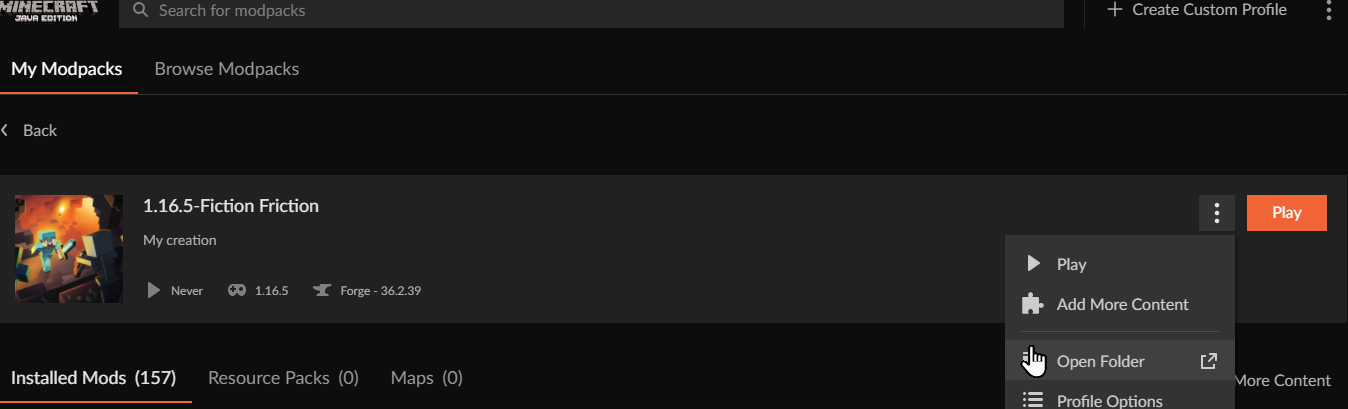


 lyric crescent
10 minutes for arguing and I suggest you read the rules. Also reading their message before suggesting I am wrong would be a good idea.
 pliant nimbus
yo guys why no works?
doesn't give any specific info about it

if i just go retry it loads for like half a second then goes back to this
young bone
!outdated
red patioBOT
Your CurseForge App version is outdated!
To use CurseForge with the latest features & fixes you should update your CurseForge App.
You can do this by uninstalling the app from your computer programs and then install it again from https://download.curseforge.com/
NOTE: Uninstalling CurseForge will not remove any game/mod data, It's entirely safe to remove and install again!
pliant nimbus
young bone
!outdated
Cool thanks man
 craggy thistle
i really need some help, everytime i try to open a profile on curseforge it gives me exit code -1. i have reinstalled multiple times. no mods are even on at the moment
red patioBOT
Error/Exit codes are useless. Follow these steps so someone can actually help you.
- Right-click the modpack profile icon OR click the button in the modpack profile.
- Click
Open Folder. - Open the
logsfolder. - Drag and drop the FILE named
latestORdebuginto discord.
craggy thistle
ty turtee bot
 proven notch
Hey, I just need some help with this issue, I would think it's a simple fix, but I haven't found anything that's answered my problem. I have tried reinstalling both and i have still had this issue. Its been saying every time:
 signal ridge
proven notch
Hey, I just need some help with this issue, I would think it's a simple fix, but...
signal ridge
proven notch
Hey, I just need some help with this issue, I would think it's a simple fix, but...
!mc-path follow the first section
red patioBOT
Instructions for changing CurseForge Minecraft install path!
If Minecraft is not installed in CurseForge App:
- Click the in the top left.
- Select Minecraft from the list of games.
- Select the
Advancedoption and select:
--- Windows:Local Disk (C:)at the left side of the window. If you do not see it, clickThis PCfirst.)
--- Mac:/Users/Shared/CurseForge, If it does not exist, make it. - Click
Continue.
If Minecraft is installed in CurseForge App:
- Click the in the bottom left.
- Select the Minecraft tab.
- Click
Change. - Select the location:
--- Windows:Local Disk (C:)at the left side of the window. If you do not see it, clickThis PCfirst.)
--- Mac:/Users/Shared/CurseForge, If it does not exist, make it.
craggy thistle
signal ridge
Didnt need to repost it
signal ridge
You are using the curseforge app?
craggy thistle
yep
signal ridge
!mc-launcherlog send this
red patioBOT
How to get the launcher log
- Right click a modpack / profile.
- Select
Open Folder - Go back two folders.
- Open the
Installfolder. - Drag the
launcher_log.txtinto discord.
craggy thistle
signal ridge
!mc-installfix try this
red patioBOT
This is NOT instructions for Repair Profile! They are NOT the same! You need to do this!
- Click on the Minecraft Tab on the Left side of the CurseForge App.
- Click button next to the
Create Custom Profileoption. - Click
Repair Installationoption. - Play game.
NOTE: You will not lose any modpacks or worlds!
red patioBOT
Error/Exit codes are useless. Follow these steps so someone can actually help you.
- Right-click the modpack profile icon OR click the button in the modpack profile.
- Click
Open Folder. - Open the
logsfolder. - Drag and drop the FILE named
latestORdebuginto discord.
craggy thistle
-1
signal ridge
No packs work? like at all?
signal ridge
!mc-path follow the second part of this
red patioBOT
Instructions for changing CurseForge Minecraft install path!
If Minecraft is not installed in CurseForge App:
- Click the in the top left.
- Select Minecraft from the list of games.
- Select the
Advancedoption and select:
--- Windows:Local Disk (C:)at the left side of the window. If you do not see it, clickThis PCfirst.)
--- Mac:/Users/Shared/CurseForge, If it does not exist, make it. - Click
Continue.
If Minecraft is installed in CurseForge App:
- Click the in the bottom left.
- Select the Minecraft tab.
- Click
Change. - Select the location:
--- Windows:Local Disk (C:)at the left side of the window. If you do not see it, clickThis PCfirst.)
--- Mac:/Users/Shared/CurseForge, If it does not exist, make it.
signal ridge
Download a pack then try playing it
craggy thistle
holyyy it worked bro ilyyy so much ive been at this for 2 hours
signal ridge
Enjoy 😄
craggy thistle
have a good day bro
proven notch
signal ridge
!mc-path follow the first section
Correct path?

 hardy ore
this error popup every time i tried to download a newer version of forge (1.18.2)
 signal ridge
hardy ore
this error popup every time i tried to download a newer version of forge (1.18.2...
signal ridge
hardy ore
this error popup every time i tried to download a newer version of forge (1.18.2...
!mc-installfix try this
red patioBOT
This is NOT instructions for Repair Profile! They are NOT the same! You need to do this!
- Click on the Minecraft Tab on the Left side of the CurseForge App.
- Click button next to the
Create Custom Profileoption. - Click
Repair Installationoption. - Play game.
NOTE: You will not lose any modpacks or worlds!
proven notch
signal ridge
Should look like C:\curseforge

 maiden bridge
how do i install shaders for my custom profile because i have the complimetary shaders zip file and i made a seperate file called shaderpacks but its not showing up in game?
signal ridge
proven notch
yep, now hit continue
craggy thistle
everytime i open the game with mods now it doesnt give me an error but it just does nothing and when i close java se binary it gives me error 1
young bone
maiden bridge
how do i install shaders for my custom profile because i have the complimetary s...
You need a shader mod to use shaders
maiden bridge
i downloaded iris but still nothing
craggy thistle
maiden bridge
i downloaded iris but still nothing
try optifine
maiden bridge
ok ill try now
young bone
You also need sodium with it, if you’re playing fabric
proven notch
signal ridge
yep, now hit continue
Done worked, anything else need to be done?
signal ridge
craggy thistle
everytime i open the game with mods now it doesnt give me an error but it just d...
How long have you waited after clicking play in the app?
craggy thistle
signal ridge
How long have you waited after clicking play in the app?
it wouldnt open if i let it sit for hours
maiden bridge
young bone
You also need sodium with it, if you’re playing fabric
playing on forge because better XD
signal ridge
proven notch
Done worked, anything else need to be done?
Other then download what your wanting to play nope, Just kick back and enjoy Minecraft 😛
signal ridge
craggy thistle
it wouldnt open if i let it sit for hours
!mc-logs
red patioBOT
Sending logs for support.
- Right-click the modpack profile icon OR click the button in the modpack profile.
- Click
Open Folder. - Open the
logsfolder. - Drag and drop the FILE named
latestORdebuginto discord.
young bone
maiden bridge
playing on forge because better XD
Iris is a Fabric mod
hardy ore
signal ridge
!mc-installfix try this
didn't work, still getting an error after second applied patch
craggy thistle
signal ridge
hardy ore
didn't work, still getting an error after second applied patch
Click the > what numbers are in the lower left corner?
hardy ore
these are the numbers
 signal ridge
craggy thistle
signal ridge
craggy thistle
Something you made OR downloaded?
craggy thistle
signal ridge
Something you made OR downloaded?
its my own mod pack
signal ridge
hardy ore
these are the numbers
hmm should have been fixed in that version.... After the > Click the minecraft tab > Screen shot the path the app is using at the top
signal ridge
craggy thistle
its my own mod pack
how did you install the mods? Using the CF app add more content feature? OR from the site then copy paste to the mods folder?
craggy thistle
signal ridge
how did you install the mods? Using the CF app add more content feature? OR from...
i did copy paste them into the mods folder
i made the pack using cf tho
signal ridge
craggy thistle
i did copy paste them into the mods folder
use the app to download the mods.
craggy thistle
ok
signal ridge
If the mods are on the cf site they will be in the app. If they are for the same version of mc & modloader your profile is for.
hardy ore
signal ridge
hmm should have been fixed in that version.... After the <:CFsettings:7983889250...
 signal ridge
Do other 1.18.2+ packs work?
hardy ore
signal ridge
Do other 1.18.2+ packs work?
not all, but work
Edit: only fabric works, forge not work
signal ridge
!cflogs-app send this
red patioBOT
<:overwolf:857375414002384916> How to get CurseForge App logs! <:overwolf:857375414002384916>
- Click the
Create logs zipin the menu. - Drag and drop the file it just made to this chat room to upload it.
- Wait for someone to look at it so they can help you.
hardy ore
full zip? or only one log file?
proven notch
signal ridge
Other then download what your wanting to play nope, Just kick back and enjoy Min...
Thanks, Enjoy your week
signal ridge
hardy ore
full zip? or only one log file?
Full zip
lyric crescent
what os?
maiden bridge
i tried Optifine but it just crashed my minecraft on start