#👽︱game-support
1 messages · Page 241 of 1
 broken siren
I've tried 6gb, 9gb and 12+gb
 last parcel
and how much does your pc have
broken siren
32
I didn't modify it no, it's hosted by shockbyte too
a 9gb server, which like I said I'm the only one having this issue
also my 3080, ryzen 9 3900x and 32gb of ram is sometimes struggling for fps
last parcel
why are we talking about a server
broken siren
I'm jsut letting you know I'm not hosting it myself etc, I'm the only person having this issue
last parcel
ok. you might have a bad stick, or unseated ram
broken siren
ill have a look
 novel swallow
does anyone know how to use more ram for minecraft?
 quasi hinge
?mc-ram
 golden muskBOT
How to set Global Minecraft RAM value.
- Click the
 icon in the bottom left to open settings.
 - Click the Minecraft tab.
- Scroll down.
- Slide slider to recommended ram range as seen below.
 quasi hinge
That’s supposed to have an image
novel swallow
ok well i just went and there is no minecraft tab
quasi hinge
Does your Curseforge client say alpha in the top left corner
novel swallow
ok nvm i was doing it in the actual minecraft mine was set to 4960 should I just slide it all the way up?
 acoustic idol
quasi hinge
acoustic idol
quasi hinge
No, don’t slide it all the way up, that’ll cause other problems
Do what the picture yoyo grabbed says
novel swallow
ok thank you
 sacred anchor
my pc crashed while playing but when I rebooted it would kick me out as soon as I joined in. Is there a simple fix for this?
 coarse nest
!mc-logs
golden muskBOT
Sending logs for support.
- Right-click the modpack profile icon OR click the
 button in the modpack profile.
 - Click

Open Folder. - Open the
logsfolder. - Drag and drop the FILE named
latestORdebuginto discord.
sacred anchor
one sec I had it closed
 bold oak
My friend has a problem specifically while playing modded minecraft via CurseForge where his mouse sensitivity glitches around a lot. I've found 2 reddit threads on this issue and neither one has been solved. Does anyone know a fix for this? We have tried several fixes and none have worked so far.
https://www.reddit.com/r/CurseForge/comments/omak9i/mouse_accelerationteleportation_glitch_when/
https://www.reddit.com/r/CurseForge/comments/u94trg/mouse_accelerationteleportation_glitch_when/
reddit
2 votes and 2 comments so far on Reddit
reddit
1 vote and 0 comments so far on Reddit
coarse nest
elrolsutilities shop json is corrupt i think
might be a config file somewhere, do you know more about that mod?
coarse nest
bold oak
My friend has a problem *specifically* while playing modded minecraft via CurseF...
Maybe try close curseforge and overwolf after opening the mc launcher through it.
If that works try disable the OW overlay through OW settings
sacred anchor
coarse nest
might be a config file somewhere, do you know more about that mod?
I'm pretty new with mods so all I really can give you is the name and a couple of other things. create flavored, its on 1.18.2 and its forge 40.1.0. also its 3.3 zip. idk if that helps anything but its worth a shot.
coarse nest
what caused the world to crash the first time? what did you do right before the crash?
sacred anchor
it wasn't anything big. I was messing with Redstone but it wasn't anything that could cause a crash very minor. My pc isn't the best but can still run these mods well.
coarse nest
Can you send this file Create Flavored\crash-reports\crash-2022-06-05_21.46.49-server.txt?
sacred anchor
sure one sec
 fringe stream
this is the error i get when trying to join an aternos server while using a curseforge modpack, i have no idea how to fix this
 coarse nest
!mc-logs
golden muskBOT
Sending logs for support.
- Right-click the modpack profile icon OR click the button in the modpack profile.
- Click
Open Folder. - Open the
logsfolder. - Drag and drop the FILE named
latestORdebuginto discord.
coarse nest
have a look in the config folder and the saves/worldname/serverconfig folder for config files from server utilities
coarse nest
Send a screenshot of the two folders i mentioned.
(config and saves/<worldname>/serverconfig)
 autumn agate
My friend and I are trying to play together on LAN with mods of course and it tells me that the mods require certain versions but theyre not found on the client?

Already tried deleting and reinstalling all the mods
sacred anchor
 last parcel
whatever you launched doesnt have the mods
 coarse nest
fringe stream
coarse nest
fringe stream
!mc-installfix
golden muskBOT
This is NOT instructions for Repair Profile! They are NOT the same! You need to do this!
- Click on the Minecraft Tab on the Left side of the CurseForge App.
- Click button next to the
Create Custom Profileoption. - Click

Repair Installationoption. - Play game.
NOTE: You will not lose any modpacks or worlds!
coarse nest
sacred anchor
is this it?
Yep!
Delete that entire serverutils folder
sacred anchor
ok
 tidal tulip
yo i need help i'm trying to log in minecraft with better minecraft 1.16.5 but it doesn't let me I've tired 2 accounts and they both don't let me i think its bc its loading me in a old version of minecraft(1.6.93) but idk how to change that
coarse nest
uhhh, what?
There was never a 1.6.93 version of mc
sacred anchor
it didnt work
tidal tulip
thats what i'm saying!!!!!
sacred anchor
heres the Exit code
golden muskBOT
Error/Exit codes are useless. Follow these steps so someone can actually help you.
- Right-click the modpack profile icon OR click the button in the modpack profile.
- Click
Open Folder. - Open the
logsfolder. - Drag and drop the FILE named
latestORdebuginto discord.
 coarse nest
oh, launcher version
sacred anchor
it was just -1
coarse nest
tidal tulip
are you running cf in compatibility mode?
sacred anchor
wait it didnt delete
coarse nest
tidal tulip
huh?
!mc-installfix first try this
golden muskBOT
This is NOT instructions for Repair Profile! They are NOT the same! You need to do this!
- Click on the Minecraft Tab on the Left side of the CurseForge App.
- Click button next to the
Create Custom Profileoption. - Click
Repair Installationoption. - Play game.
NOTE: You will not lose any modpacks or worlds!
tidal tulip
it didn't work
sacred anchor
I think im deleting the wrong thing
I deleted it then once I launch the game it appears again
coarse nest
That is supposed to happen
coarse nest
Not that i can think of
sacred anchor
alright then thanks for trying
coarse nest
tidal tulip
it didn't work
!cflogs-app send these
golden muskBOT
<:overwolf:857375414002384916> How to get CurseForge App logs! <:overwolf:857375414002384916>
- Click the

Create logs zipin the menu.
menu. - Drag and drop the file it just made to this chat room to upload it.
- Wait for someone to look at it so they can help you.
 tidal tulip
guys can someone help me with the launcher thing
i have undownloaded and downloaded everything
 pine rapids
!help
golden muskBOT
╰( ͡° ͜ʖ ͡° )つ──☆*:・゚ *˜”*°•.˜”*°• Many Help •°*”˜.•°*”˜* <:curselit:796985620550385705>
Please provide a description of your issue with as much detail as possible. If you have an issue with a mod or modpack, tell us the name. Explain what you can see happening. Be specific!
 Tell us what is happening, we already know it "doesn't work".
Avoid using words like "it", tell us exactly what "it" is.
Don't assume anyone knows what you are talking about, be specific.
Tell us what you expected to happen.
Provide screenshots or video if possible.
Provide a log if possible. ?mc-log
tidal tulip
ok i want to play better minecraft 1.16.5 but every time i click play it puts me in a old version of mincraft 1.6.93
coarse nest
coarse nest
!cflogs-app send these
☝️ ☝️
tidal tulip
i tried that
coarse nest
!mc-launcherlog send this too
golden muskBOT
How to get the launcher log
- Right click a profile.
- Select
Open Folder - Go back two folders.
- Open the
Installfolder. - Drag the
launcher_log.txtinto discord.
tidal tulip
coarse nest
Go to C:\Program Files (x86)\Overwolf\ and right click on OverwolfLauncher.exe -> Properties. Send a screenshot of the Compatibility tab, like so:
 tidal tulip

 sour python
whats happends when i cant get into the mods on minecraft on curseforge it says curseforge has crashed
pine rapids
Screenshot of it saying "CurseForge has crashed"?
sour python
ok nvm it just got me in but I kept trying to get into curseforge and it said "curseforged has crashed" but now its perfectly fine ;-;
 light sky
Heyo im getting a problem where minecraft just won't start in curseforge with forge of the game version 1.18.2, at first i was getting an error saying that it could not create the java virtual machine, when this happens i don't even get a crash log(other versions of minecraft work fine, even fabric on 1.18.2), i solved this by using the default minecraft arguments instead of the custom ones set by the modpacks but the game still crashes before even start loading but i can get logs.
pine rapids
light sky
Heyo im getting a problem where minecraft just won't start in curseforge with fo...
?mc-launcherlog
golden muskBOT
How to get the launcher log
- Right click a profile.
- Select
Open Folder - Go back two folders.
- Open the
Installfolder. - Drag the
launcher_log.txtinto discord.
light sky
pine rapids
?mc-launcherlog
coarse nest
You can hold shift when you click reply to disable the ping, or disable it manually every ping by clicking the @ on button bottom right
pine rapids
You can use replies, you just need to turn off the ping every time because Discord is dumb and doesn't remember
light sky
Alright
pine rapids
I see snowundertrees mentioned but it might just be revealing the issue rather than causing it
light sky
In some modpack crashlogs states that the is a coremod failure and in others it just says nothing at all
I can post some if it would be usefull
pine rapids
Ok uhhh, add -Pbsl.debug=true to your JVM arguments, run the game, and when it crashes provide a fresh copy of launcher_log.txt
 pine rapids
Oh, I gave it to you wrong, it's -D, not -P
coarse nest
So -Dbsl.debug=true
pine rapids
Yes
light sky
pine rapids
That one still has -P
light sky
Let me try again then
I did a reset on the arguments so that should be good
Mmmm, its seams its just stacking stuff on the log
Its this better?
pine rapids
No, seems that doesn't output to the log
I guess you could try installfix
?mc-installfix
golden muskBOT
This is NOT instructions for Repair Profile! They are NOT the same! You need to do this!
- Click on the Minecraft Tab on the Left side of the CurseForge App.
- Click button next to the
Create Custom Profileoption. - Click
Repair Installationoption. - Play game.
NOTE: You will not lose any modpacks or worlds!
last parcel
Try reinstalling curseforge
light sky
Should i delete the instances and all that?
coarse nest
No
golden muskBOT
Error/Exit codes are useless. Follow these steps so someone can actually help you.
- Right-click the modpack profile icon OR click the button in the modpack profile.
- Click
Open Folder. - Open the
logsfolder. - Drag and drop the FILE named
latestORdebuginto discord.
 thorn ice
coarse nest
thorn ice
coarse nest
remove optifine
coarse nest
!mc-installfix
golden muskBOT
This is NOT instructions for Repair Profile! They are NOT the same! You need to do this!
- Click on the Minecraft Tab on the Left side of the CurseForge App.
- Click button next to the
Create Custom Profileoption. - Click
Repair Installationoption. - Play game.
NOTE: You will not lose any modpacks or worlds!
 strange fractal
thank you it worked
autumn agate
how do you fix when minecraft launcher won't work with cursedforge my friends is broke
golden muskBOT
╰( ͡° ͜ʖ ͡° )つ──☆*:・゚ *˜”*°•.˜”*°• Many Help •°*”˜.•°*”˜* <:curselit:796985620550385705>
Please provide a description of your issue with as much detail as possible. If you have an issue with a mod or modpack, tell us the name. Explain what you can see happening. Be specific!
Tell us what is happening, we already know it "doesn't work".
Avoid using words like "it", tell us exactly what "it" is.
Don't assume anyone knows what you are talking about, be specific.
Tell us what you expected to happen.
Provide screenshots or video if possible.
Provide a log if possible. ?mc-log
 wild jewel
Did you try to add the nogui argument to the command?
As that error is complaining about not having a screen active
 crisp ridge
this is what I have now
java -Xms128M -Xmx18000M -Dterminal.jline=false -Dterminal.ansi=true $( [[ ! -f unix_args.txt ]] && printf %s "-jar forge-1.12.2-14.23.5.2858-installer.jar" || printf %s "@unix_args.txt" )
I'm using pterodactyl to manage it so
coarse nest
where do you put program arguments in that?
crisp ridge
 wild jewel
Add --installServer
coarse nest
Maybe go ask pterodactyl, or whoever gave you that software how to use it?
 mild ibex
Game isnt opening
coarse nest
applied fluiducs requires a different version of ae2
i dont know what version, but I know this isnt it
mild ibex
is that for the crash report
coarse nest
Yes
 umbral hatch
Hey , i have an fps modpack and i can't see fog , can anyone help me please ?
 fresh quail
mk so every time i try to open up a start.bat file for my FS:LS minecraft server, it immediately closes. (I'm running a start.bat file so that i can allow the server to have higher memory, the mobs are super damn laggy)
 zinc flint
umbral hatch
Hey , i have an fps modpack and i can't see fog , can anyone help me please ?
zinc flint
umbral hatch
Hey , i have an fps modpack and i can't see fog , can anyone help me please ?
If its a fabric performance pack you can turn on fog somewhere in sodium extras settings
Lemme see where it was
umbral hatch
ik , its turned on , still no fog
strange fractal
uhm the mods i put in the cruse forge mod fodler dont work
pine rapids
What do you mean "don't work"?
strange fractal
like i want to get mods manually
but i dragged then into the mod folder and when i relaunch they dont like apper
appear
pine rapids
Appear where?
strange fractal
in my game
pine rapids
What mods did you add?
Were they for the loader you're using?
strange fractal
i got the camera mod and ancient warfare but when i lauch in game they are gone as if i did not install them
strange fractal
pine rapids
What mods did you add?
Were they for the loader you're using?
I'm using curseforge
pine rapids
?!=
golden muskBOT
Wording is important!
Forge = Minecraft Forge, This is a modloader often just called "Forge".
Fabric = Fabric MC, this is another modloader, just called "Fabric".
CurseForge = A Website/App that has content for games.
Mods = Individual mod files.
Modpacks = Multiple mods put into the mods folder or downloaded from CurseForge.
These are not Interchangeable! Please use the correct terms as it allows us to help you faster!
strange fractal
forge
strange fractal
whut i do i turn ping of
pine rapids
Where are you looking for the mods?
Mods list in game?
Item list in creastive?
strange fractal
ok dont worry
i looked when i dont manually install them
they are diffrent versions like 1.12.2 2312
so dont worry
 golden muskBOT
Sending logs for support.
- Right-click the modpack profile icon OR click the button in the modpack profile.
- Click
Open Folder. - Open the
logsfolder. - Drag and drop the FILE named
latestORdebuginto discord.
acoustic idol
 worthy merlin
brandonscore is erroring. Failing to load mod features
worthy merlin
how can I fix it
acoustic idol
This a pack your making? OR downloaded?
worthy merlin
I dowloaded from curseforge
acoustic idol
Did you change it in any way? Add, remove or edit the pack?
worthy merlin
I dowloaded server pack then started install.bat after that started server
acoustic idol
Report it to the packs author
golden muskBOT
Please visit the project page for the content you posted about and look for a way to contact the developer.
Somewhere on the page there is usually a method of contact. Look for one of the following things:
Issuestab like the image below.- Discord link.
- Twitter link.
- Comments section below the project.
If no contact method exists you will either have to remove the project or find a solution on your own.

 pale hinge
Hello
Today I summond a "few " Particels on my server and it began to lag and after a few seconds the server crashed.
Is it possible that something of my world got destoyed because of the crash(I am playing on creative)
zinc flint
Server crashing and I dont know why
pale hinge
Please send your crash report
 timber linden
so anytime i download the launcher for mineforge 1.19, my updater for he minecraft native launcher fails, and i cant use my mods currently
strange fractal
try curseforge
 glossy hedge
I am getting this error when trying to run Fabric for 1.19 but I'm not sure what version it wants me to have: Incompatible mod set!
net.fabricmc.loader.impl.FormattedException: Mod resolution encountered an incompatible mod set!
A potential solution has been determined:
- Replace mod 'Fabric API' (fabric) 0.55.1+1.18.2 with version 0.51.0 or later that is compatible with:
- minecraft 1.19
Unmet dependency listing:
- Mod 'Fabric API' (fabric) 0.55.1+1.18.2 requires any version between 1.18.2-alpha.22.5.a (inclusive) and 1.19- (exclusive) of 'Minecraft' (minecraft), but only the wrong version is present: 1.19!
at net.fabricmc.loader.impl.FabricLoaderImpl.load(FabricLoaderImpl.java:190)
at net.fabricmc.loader.impl.launch.knot.Knot.init(Knot.java:148)
at net.fabricmc.loader.impl.launch.knot.Knot.launch(Knot.java:68)
at net.fabricmc.loader.impl.launch.knot.KnotClient.main(KnotClient.java:23)
acoustic idol
Send the log itself, Snippets are useless
acoustic idol
This a pack your making? OR downloaded?
glossy hedge
Making
acoustic idol
Using the CF app?
glossy hedge
yep
glossy hedge
acoustic idol
Using the latest version of Fabric in the cf app?
ill check...
yep
i am
acoustic idol
Screen shot the file the app is using, allong with the version your profile is
glossy hedge
acoustic idol
Screen shot the file the app is using, allong with the version your profile is
what do you mean by the file the ap is using?
acoustic idol
Like this

 acoustic idol
ah ok I see, update fabric api
 median gulch

Help me plz
Most blocks are white and blue
If I move a bit it will be normal but some areas are just white and blue
acoustic idol
Using any shadders, texture packs or performance mods? optifine?
 acoustic idol
Press F3 then screen shot.
Windows key + Shift + S Then Ctrl + V in discord
median gulch
Yeah ik I'm going discord on my phone rn and kinda lazy
Doing*
Oh wait you want a new screenshot?
If so then I'll do it
acoustic idol
In game press F3, then screen shot the whole window
median gulch

i can maybe make a small recodeing and share how it works like the blue and whit goes in and out
like it goes smooth then bam white and blue and it stays in the same area
last parcel
remove optifine
acoustic idol
not using optifine, has optifine....
median gulch

but i have not even used optifine in like 2 years would it still effect snapshots if its not active?
glossy hedge
acoustic idol
ah ok I see, update fabric api
thanks, it worked.
last parcel
it is active, you can see it in the screenshot you sent. 4th line from the top
median gulch
whaaat ok bet ill remove all the files thats crazy
pine rapids
Optifine is installed one of two ways, installed with its own loader, or using an external loader like Forge or Fabric. Check your mods folder
 golden muskBOT
Sending logs for support.
- Right-click the modpack profile icon OR click the button in the modpack profile.
- Click
Open Folder. - Open the
logsfolder. - Drag and drop the FILE named
latestORdebuginto discord.

 sage pier
Looks like you've downloaded broken mods or something.
sage pier
Did you install them through the app or just dropped them into the mods folder?
Because this looks really broken
strange fractal
through the ap
sage pier
All lines saying Unable to read the jar file tells you what mods are broken
sage pier
For some reason it can't read the file. You should try to create a new profile and install only that mod, and see if it still breaks
Otherwise, I'd recommend (if you don't have a lot of profiles), to move where you install mods.
strange fractal
sage pier
For some reason it can't read the file. You should try to create a new profile a...
ok
wait cant i just
not active it
and check if it works
sage pier
There's a lot of mods though, as I said, all lines with Unable to read the jar file has some issues being read.
strange fractal
ok
median gulch
so optfine comes with the mod and i even got rid of it but its still popping up 🥲
median gulch
pine rapids
Optifine is installed one of two ways, installed with its own loader, or using a...
i got optifine removed but its still there like a ghost
strange fractal
ok so i made a warfare mod profile and it worked and i also tried to un active the mod and then it went to the next mod in the row and it was back tools so idk
sage pier
strange fractal
ok so i made a warfare mod profile and it worked and i also tried to un active t...
Did you even read the file yourself?

That's why I said there was a lot of mods.
pine rapids
median gulch
i got optifine removed but its still there like a ghost
Screenshot of your mods folder?
sage pier
strange fractal
ok so i made a warfare mod profile and it worked and i also tried to un active t...
!mc-installfix Try this
golden muskBOT
This is NOT instructions for Repair Profile! They are NOT the same! You need to do this!
- Click on the Minecraft Tab on the Left side of the CurseForge App.
- Click button next to the
Create Custom Profileoption. - Click
Repair Installationoption. - Play game.
NOTE: You will not lose any modpacks or worlds!
median gulch
pine rapids
Screenshot of your mods folder?

it got even worse i removed it
but now almost EVERYTHING is white and blue now
median gulch
oh sorry i was just replying to you
pine rapids
Remember to turn off the pings when replying
As for your issue, is this a modpack you downloaded or one you're making?
median gulch
its from curse forge
pine rapids
Have you made any changes to it?
median gulch

nope i did not do anything to the files till now somone said remove optifine and now its gotten kinda bad now
its like that song im blue
cause everything is blue now
 pine rapids
-> Change Version
pine rapids
median gulch
From this screen:
-> Change Version
median gulch
yeah its updated lol i guess its not ment to be
 digital basin
hey, I think this is the right place to ask, I'm getting a java runtime crash error, exit code 1. I know exactly whats causing it (optifine) but I wondered if theres a fix/workaround for it?
golden muskBOT
Error/Exit codes are useless. Follow these steps so someone can actually help you.
- Right-click the modpack profile icon OR click the button in the modpack profile.
- Click
Open Folder. - Open the
logsfolder. - Drag and drop the FILE named
latestORdebuginto discord.
last parcel
You'd have to use optifine support if you want support for using optifine. We don't help with that.
digital basin
last parcel
You'd have to use optifine support if you want support for using optifine. We do...
okay thank you :)
umbral hatch
umbral hatch
Hey , i have an fps modpack and i can't see fog , can anyone help me please ?
?
last parcel
- Try reinstalling the pack
- Try asking whoever made the pack
- Try removing mods to find the one causing the problem
 slate tinsel
I'm having a problem with the game crashing on startup, could someone help me out?
here's my latest logs
last parcel
i think your in the wrong place for that
 fluid sedge
oh crap. i am lol. I have covid cut me some slack 😓
going to pretend i never asked that
wild jewel
Try giving the problem first
 sudden tree
LMAO
Sorry
im so i want to auto mate my cobble stone generator
with auto siever and hammer
but i also need
a generator
im about to make a furnace generator but that wont last very long so i need a mill and for that mill i need redstone and for redstone i ened a mob farm
oh shoot shouldnt this be in #💬︱general-chat
im soryr
acoustic idol
Or one of the mc related channels works.  in #786424115535544350
sudden tree
im sorry
acoustic idol
If i remember right tho. Your using the extrautilities stone generator thing? That uses the mill power to run
sudden tree
acoustic idol
If i remember right tho. Your using the extrautilities stone generator thing? Th...
no tiny progressions
i did this on sky block once and i t lasted about 2 hours and then i had to get a mill
because the generator wasnt genertating power with the coal
and the energy wasnt going anywhere since it wasnt going up
oh shoot
acoustic idol
Ah ok. Mind screen shotting the block that makes the coble? If its the one im thinking of it doeant need power
sudden tree
the cobble stone generator is tiny progressions the furnace generator is from extra utulites
 acoustic idol
I think you could stick a drawer or chest ontop of that cobble gen and it auto put into it. Or a hopper under it.
sudden tree
oh shoot i just relized i need redstone for the furnace genertor
without redstone i cant do anything
any idea on how to get redstone?
acoustic idol
Sieving gravel maybe?
Its been a long time since I played that pack
Jei should show how to get redstone tho
 sudden tree
acoustic idol
Sieving gravel maybe?
sudden tree
acoustic idol
Sieving gravel maybe?
also any idea how to get this set up?

sorry for the ping
i got 4 of them from a chance cube
omg and hwo can i use a yellowrite ore for a crucible
quasi hinge
Yellorite goes in a reactor, the storage disks go into a block that’s part of a storage system
acoustic idol
Google the Refined Storage mod, there are lots of tutorials on how to set it up
quasi hinge
I’ve never used refined storage, so it’s out of my field, I’ve used applied energistics
acoustic idol
I use AE2 more then RS so dont remember the exact block names.
pine rapids
Disks go in drives in both mods
 pine rapids
You'll probably need pipes from some other mod
 acoustic idol
Think that did item transfer
pine rapids
That extracts, you'd also need the pipes (one of which is used to craft it)
<@&524645667818307596>
sudden tree
oh
so hwo can i use it to hook it up to my cobble stone generator and auto sends it to the auto hammer
quasi hinge
You use an item transfer node, and the transfer pipes
 thin harness
Hello,
I launched minecraft forge with a personal modpack 1.12.2 but there was an error message, here is the crashlog:
acoustic idol
!mc-logs send this
golden muskBOT
Sending logs for support.
- Right-click the modpack profile icon OR click the button in the modpack profile.
- Click
Open Folder. - Open the
logsfolder. - Drag and drop the FILE named
latestORdebuginto discord.
thin harness
here
acoustic idol
First off remove Optifine then try again. If it still crashes send new latest.log
pine rapids
With most mods Optifine breaks them rather than making them work
acoustic idol
whish that dev would just fix their mod already.
thin harness
still crashing
acoustic idol
Post new latest.log
thin harness
sudden tree
mwa
acoustic idol
Has this pack ever worked?
acoustic idol
How did you install the mods? Using the cf app? Or downloaded from the site and pasted in?
thin harness
downloaded from the site and pasted
acoustic idol
Should be using the app to install the mods. Make a new custom profile and install a couple mods at a time, Testing in between. Continue this till it crashes again.
thin harness
i already have an other custom profile and its working
acoustic idol
same mods? and versions
thin harness
no but some yes (not from the app)
acoustic idol
Then its not the same, Try what I said for the pack having the issues
thin harness
with the same mods ?
acoustic idol
yes, But if you got any of the mods from the cf Site, use the app to install them instead of copy paste
!mc-installmods
golden muskBOT
How to install mods in CurseForge App.
- Click
+ Create Custom Profile - Name it, select the required Minecraft version, select the modloader & modloader version (usually the highest number), click
Create. - Click the profile icon.
- Click

Add More Content - Search and install the desired mods.
- Start the game!
How to install mods not on CurseForge.
- Right click the profile picture or Open the profile and click the Icon next to the play button.
- Click
Open Folder. - Drag the mod(s) into the
modsfolder. (Note: Some mods will require others, to run. Make sure to read the instructions for the mod!) - Start the game!
 thin harness
yes but in the app there is not all the mods i want
acoustic idol
Are those mods on the cf site?
acoustic idol
Start with the cf ones then. Make sure it works before adding the off site ones
thin harness
ok
i think they are almost all in cf site
in the app they are all
i can click on them
 acoustic idol
sudden tree
\
acoustic idol
sudden tree
\
#🧱︱minecraft-chat May be better for this. #786424115535544350
sudden tree
sorry
thin harness
if all the mods that i use have a page on the cf app this mean that they are all in cf site ?
acoustic idol
Correct, app gets its mods from the site.
acoustic idol
Did you try starting the game after downloading a couple of mods?
thin harness
in addition to other mods?
acoustic idol
As in make a new profile, redownload a couple mods - test the pack, then repeat. Not redownload them all at once then test
coarse nest
Panda's Weapon Editor Mod is broken, it should be providing a helmet model but it isnt
thin harness
i randomly put some mods YOYOK9 ask me to
coarse nest
They meant the mods you installed manually, not any random mods
coarse nest
Vics weapon mod was complaining about some random missing code
Only solution i reccomend for that is to remove vics weapon mod or try again, hence why we got you to try reinstall those mods gradually in a new profile.
thin harness
thin harness
no but this one
coarse nest
That is the one i said.
acoustic idol
Could be due to another mod clashing, or something else. The mw mod has many issues. Doesnt always work as it should.
Easier to just remove it
thin harness
I removed it but it still doesn't work
acoustic idol
send new log without it
coarse nest
Possibly cosmetic armour, maybe it requires a different forge version?
Easiest thing is just to remove it though
coarse nest
Remove Prehistoric+Eclipsev0.9-BETA
coarse nest
Remove dfheroesexpansion.
thin harness
again
golden muskBOT
To fix "Invalid ID 4096" install this mod: https://www.cflookup.com/minecraft/mc-mods/jeid

Remove the block, item, and biome ID limits by using the 1.13 chunk format in 1.12
Issues: https://github.com/DimensionalDevelopment/JustEnoughIDs/issues
Source: https://github.com/DimensionalDevelopment/JustEnoughIDs
Game version(s): 1.12.2, 1.12.1, 1.12
Modloader(s): Forge
coarse nest
Install that mod
coarse nest
I cannot tell what mod is causing that, other than it adds crafting recipes
coarse nest
You could try gradually remove mods till it works, or give up and play the other pack
 void scarab
Failed to download file.
Error details: Couldn't select a valid version of the Java runtime to download.
this happens when i try to run a modpack
last parcel
what says this
void scarab
Failed to download file.
Error details: Couldn't select a valid version of the Java runtime to download.
coarse nest
Screenshot please
 coarse nest
!mc-launcherlog
golden muskBOT
How to get the launcher log
- Right click a profile.
- Select
Open Folder - Go back two folders.
- Open the
Installfolder. - Drag the
launcher_log.txtinto discord.
coarse nest
Screenshot?
last parcel
are you using curseforge?
void scarab
yes
last parcel
then follow the instructions until you cant and show us why
 acoustic idol
try holding the Command key and press the ⬆️ up arrow
last parcel
!mc-installfix
golden muskBOT
This is NOT instructions for Repair Profile! They are NOT the same! You need to do this!
- Click on the Minecraft Tab on the Left side of the CurseForge App.
- Click button next to the
Create Custom Profileoption. - Click
Repair Installationoption. - Play game.
NOTE: You will not lose any modpacks or worlds!
 hidden spruce
how do i create custom astral sorcery altar recipes
coarse nest
Probably a better question to ask in their discord
https://discord.gg/q37VRcT
 pastel mirage
acoustic idol
pastel mirage
acoustic idol
when in game press F3 then take a screen shot.
 acoustic idol
laptop or desktop?
pastel mirage
laptop, but its a brand-new gaming laptop
acoustic idol
Have any performance mods installed? Like optifine or something else?
coarse nest
!mc-videocard
golden muskBOT
How to set minecraft to use your videocard
Got NVIDIA?
 coarse nest
try this
acoustic idol
Was about to get to that.
pastel mirage
does this matter at all?
 coarse nest
Does it sound like it matters?
 pastel wagon
whats the pixelmon pack everybody plays/servers support
acoustic idol
Best guess, this one https://www.curseforge.com/minecraft/modpacks/the-pixelmon-modpack
 oblique palm
I have a disc with over 700gb space how can I move the installs to that cause this pop up is getting annoying
 acoustic idol
How much room is left on your C drive?
oblique palm
36.2mb 💀
acoustic idol
!mc-path otherwise do this then you can either copy the old instances folder to the new one or reinstall
golden muskBOT
Instructions for changing CurseForge Minecraft install path!
If Minecraft is not installed in CurseForge App:
- Click the
 in the top left.
 - Select Minecraft from the list of games.
- Select the
Advancedoption and select:
--- Windows:Local Disk (C:)at the left side of the window. If you do not see it, clickThis PCfirst.)
--- Mac:/Users/Shared/CurseForge, If it does not exist, make it. - Click
Continue.
If Minecraft is installed in CurseForge App:
- Click the in the bottom left.
- Select the Minecraft tab.
- Click
Change. - Select the location:
--- Windows:Local Disk (C:)at the left side of the window. If you do not see it, clickThis PCfirst.)
--- Mac:/Users/Shared/CurseForge, If it does not exist, make it.
acoustic idol
I highly recommend you clean up your C drive after this as well
oblique palm
Ok I will
What does the “click the forge icon on the top left” is that meant to be in the Minecraft launcher or
coarse nest
Curseforge app
oblique palm
How do I add these to curse forge app
 oblique palm
Never happened
coarse nest
where did you get that zip?
oblique palm
It’s a YouTubers mod pack for solo leveling his name is Akame
coarse nest
!mc-installpack
golden muskBOT
How to install modpacks with the search features in app.
- Open the
Minecraftsection of the app. - Click the top search bar where it says
Search for modpacksOR Click theBrowse ModpacksTab. - Find the Modpack you want to install and click install on it.
- Wait for CurseForge app to download and unpack all the required files.
- Once finished, click
Play!
======================================================
** **
======================================================
How to install modpacks from a Export. (Custom/Private/Site downloaded Modpack zip)
- Get CurseForge App if you don't have it, use
!downloadfor a link. - Get the exported modpack from CurseForge or someone else,
!mc-packshareexplains how to make them. - Open the
Minecraftsection of the app. - Click

Create Custom Profile - Click the
Importoption. - Find the file you just downloaded in step 2 and select it.
- CurseForge app will now attempt to download and unpack the modpack. If it fails, try steps 4-6 again.
- Once finished, click
Play!
 oblique palm
Why do you ask?
 ruby echo
can i use any shader for fabric ?
coarse nest
oblique palm
Why do you ask?
cf pack Zips arent normally formatted like that
oblique palm
Oh lol
coarse nest
ruby echo
can i use any shader for fabric ?
Install Iris and sodium, and then yes you can
ruby echo
ty
 oblique palm
Reinstall maybe
strange fractal
reinstall what
oblique palm
The game
strange fractal
I'm using curse forge
oblique palm
Or the version you’re trying to play on
coarse nest
!mc-logs
golden muskBOT
Sending logs for support.
- Right-click the modpack profile icon OR click the button in the modpack profile.
- Click
Open Folder. - Open the
logsfolder. - Drag and drop the FILE named
latestORdebuginto discord.
 coarse nest
where did you get the mods from?
oblique palm
Where can I download shaders for optifine
oblique palm
Thx
coarse nest
strange fractal
from the cruse forge
Try redownload the modpack
oblique palm
What do I add to the shaders folder
 coarse nest
the zip you downloaded from the site
oblique palm
Do I drag it in or what cause when I select the zip it goes into the actual folder it doesn’t add it to the game
I use winrar so could that be why?
oblique palm
Ok I see
 oblique palm
The mods auto activate right when I make the world?
 oblique palm
Ok

 oblique palm
I dont have that I didn’t install the mods through curse forge I put them in the mods folder for Minecraft
coarse nest
strange fractal
no you must active them
all of them start out turned on though
coarse nest
They will be active as long as you launch a forge instance (or fabric if they are fabric mods)
oblique palm
ok
 coarse nest
I saw the last three times you posted that image
strange fractal
oh sorry
coarse nest
Im not too sure why all your mod jars are corrupt, one thing you can try is this
mc-path
!mc-path
golden muskBOT
Instructions for changing CurseForge Minecraft install path!
If Minecraft is not installed in CurseForge App:
- Click the in the top left.
- Select Minecraft from the list of games.
- Select the
Advancedoption and select:
--- Windows:Local Disk (C:)at the left side of the window. If you do not see it, clickThis PCfirst.)
--- Mac:/Users/Shared/CurseForge, If it does not exist, make it. - Click
Continue.
If Minecraft is installed in CurseForge App:
- Click the in the bottom left.
- Select the Minecraft tab.
- Click
Change. - Select the location:
--- Windows:Local Disk (C:)at the left side of the window. If you do not see it, clickThis PCfirst.)
--- Mac:/Users/Shared/CurseForge, If it does not exist, make it.
 celest vault
can someone help me
coarse nest
PerspectiveModRedux-1.17-0.0.5_01.jar is corrupt, try reinstall it
celest vault
ok thanks
slate tinsel
need some help here
 dim urchin
Hi! I still couldn't find solution for this problem
 pale rock
hi i need help adding the dungeon craft add on for bed rock
i already installed curse forge but the only minecraft edition on there is the jave version
even tho i have the bedrock version on my pc
last parcel
bedrock is not supported by the app. you need to install addons manually
pale rock
do yall have a you tube step by step video?
last parcel
the addon should have instructions, if not im sure google can help. never used bedrock so no idea.
pale rock
there is no steps unfortunately hopefully one day theyre will be a guide uploaded thanks tho
 twilit anchor
You just have to download the .mcaddon file and double click to open it. It should automatically open in minecraft
 dusk mica
Minecraft Forge 1.12.2
I just spammed mods so I have no clue what went wrong
last parcel
dusk mica
last parcel
https://discord.com/channels/428228256236306434/777410474467131423/9667310795558...
It just says the modloader failed
sage pier
Have you tried asking GDLauncher what the issue might be? They might know better in this case.
Since you're using GDLauncher, I mean.
dusk mica
last parcel
ok, <#777323206884327484> 5
stfu
dusk mica
sage pier
Since you're using GDLauncher, I mean.
It says modloader
Definetly forge issue
sage pier
!!=
golden muskBOT
Wording is important!
Forge = Minecraft Forge, This is a modloader often just called "Forge".
Fabric = Fabric MC, this is another modloader, just called "Fabric".
CurseForge = A Website/App that has content for games.
Mods = Individual mod files.
Modpacks = Multiple mods put into the mods folder or downloaded from CurseForge.
These are not Interchangeable! Please use the correct terms as it allows us to help you faster!
last parcel
gone
 livid grove
So I've created a custom fabric modpack. All the mods work together and I already created a survival world. Now my problem is that I wanted to remove the 'inmis' mod and since then the world crashes on start-up with this log. I created a back-up before doing that and in that back-up the world still works fine like always.
One strange thing is that the world sometimes actually loads up without any problems. About every third / fourth time I joins successfully and the other times it just crashes (with error code: -1, the game itself doesn't give any advice on a mod that doesn't work). I use CurseForge.
Also, the inmis mod doesnt add any structures or changes world generation, its a back-pack mod. So normally it shouldn't cause any major problems since it only removes like 6 items and advancements added by the mod and I still haven't done anything with that mod in my world (so I haven't crafted any item or got any achievement)
golden muskBOT
Error/Exit codes are useless. Follow these steps so someone can actually help you.
- Right-click the modpack profile icon OR click the button in the modpack profile.
- Click
Open Folder. - Open the
logsfolder. - Drag and drop the FILE named
latestORdebuginto discord.
 stiff burrow
last parcel
stiff burrow
last parcel
error appears to be from better foliage

 forest sluice
how do i get the map for the mustard virus modpack?
acoustic idol
 slim niche
!mc-logs
golden muskBOT
Sending logs for support.
- Right-click the modpack profile icon OR click the button in the modpack profile.
- Click
Open Folder. - Open the
logsfolder. - Drag and drop the FILE named
latestORdebuginto discord.
acoustic idol
forest sluice
how do i get the map for the mustard virus modpack?
Tried asking the pack author?
acoustic idol
Can you send this file Roguelike Adventures and Dungeons\crash-reports\crash-2022-06-09_18.08.38-server.txt
slim niche
acoustic idol
This is a pack you downloaded right? Did you add anything to the pack?
acoustic idol
was the server doing a world gen?
acoustic idol
try this: stop the server > then go into the local folder > move the ftblib.json file to somewhere safe > then start and try to join the server
slim niche
Ill try thanks
acoustic idol
If that doesnt work, try temp removing your playerdata.
acoustic idol
try the config folder.
slim niche
Same thing
acoustic idol
did you have anything important on your player?
slim niche
No
acoustic idol
Try deleting your players data, make a back up of it just in case
slim niche
Where is it
 teal badger
does anyone know how to fix the connect timed out on a lan sever?
last parcel
!MC-TIMEOUT
golden muskBOT
Connection timed out causes
Wrong: IP and/or port
Server is not port forwarded
Firewall
Antivirus
VPN
Internet speed
High ping
Not enough allocated RAM
acoustic idol
slim niche
Where is it
first you will need your players uuid, can either use one of the online sites OR look in the servers main folder for a usernamechace.json file
the player data itself is in the world/playerdata folder.
slim niche
K thanks
autumn agate
Hello i require some help : when i choose a set up for curseforge minecraft modding folder none of the choice let me continue and it keeps on telling me "an invalid folder path was chosen 'C:' " and i dont know how to solve it
last parcel
?mc-path
golden muskBOT
Instructions for changing CurseForge Minecraft install path!
If Minecraft is not installed in CurseForge App:
- Click the in the top left.
- Select Minecraft from the list of games.
- Select the
Advancedoption and select:
--- Windows:Local Disk (C:)at the left side of the window. If you do not see it, clickThis PCfirst.)
--- Mac:/Users/Shared/CurseForge, If it does not exist, make it. - Click
Continue.
If Minecraft is installed in CurseForge App:
- Click the in the bottom left.
- Select the Minecraft tab.
- Click
Change. - Select the location:
--- Windows:Local Disk (C:)at the left side of the window. If you do not see it, clickThis PCfirst.)
--- Mac:/Users/Shared/CurseForge, If it does not exist, make it.
slim niche
Played 3 mins and same problem
autumn agate
i dont understand the final stage
slim niche
Cant even play single player
acoustic idol
Report it to the packs dev
slim niche
Ok
 grim python
hey does anyone know how to add plugins to a minecraft modpack from curse for my hamachi server
acoustic idol
Plugins and modded never go well together, and ew hamachi
grim python
i dont have a plugin folder in the server folder or the modpack one and when i just made one and tried joining the server turned on and says its up but i cant connect
hamachi works like a charm for our needs of only 3 people and ok do u know of any other way to not lose xp on death
because i had that feature ina different modpack and id like to use it again
acoustic idol
Hamachi also opens up your pc to anyone in the world. Its a shitty program. Unless you dont care about security.
grim python
havent been hacked yet m8
anyone here with real responses preferably to the first question
 clever osprey
yo why am i crashing
acoustic idol
Excuse you. And I already answered it. Pluggins and modded dont go well together. Your better off finding the Forge (or fabric) versions of the plugins your wanting to use.
acoustic idol
clever osprey
yo why am i crashing
Something you made or downloaded?
grim python
kk appreciate it thank u
clever osprey
added a few more mods to an already existing modpack
acoustic idol
Did it work before you added those mods?
clever osprey
but i dont see anything that can make it crash ive done it before couple of times
let me try
yeah it works when i dont add anything
but how can i identify which mod breaks it
 ionic goblet
Start 1 by 1
acoustic idol
Best not to add mods to packs you didnt make. This can /will cause issues.
clever osprey
but is there a way to know which mod causes issues
it doesnt crash after the forge screen so i cant get crash reports
the game doesnt even open
acoustic idol
Add 1 mod, test the pack, then repeat. OR make a custom profile and add all the mods you want to that
clever osprey
okay thank you have a good day
ionic goblet
you can also try adding half the mods
if they work great get the rest of the remaining half. If it crashes, get 5 of them
Still trial and error, but quicker a bit
clever osprey
can i just drag and drop or should i install them via add content
i have all the mods downloaded
ionic goblet
if you're launching with the CF client better to add them through it
acoustic idol
Use the app to install the mods.
clever osprey
it takes too long to search for the mods there
anyway thanks again
of course it was security craft
autumn agate
anyone know what with this it randomly appeared when i launched my game and i dont know what its for
 clever osprey
it says fps time and play time
autumn agate
do you know why its there?
or like how to turn if off cause i dont even know how i turned it on
thin harness
what plugin is the problem ?
acoustic idol
thin harness
what plugin is the problem ?
SchnurriTV's Sexmod is failing to load textures and other files. Remove and report to the dev
 prisma tapir
hi, i created a modpack for my friends and me but now there is a problem, every time i start it comes the exit code: 1 can someone help me? I've done a bit of research but I couldn't find a solution
golden muskBOT
Error/Exit codes are useless. Follow these steps so someone can actually help you.
- Right-click the modpack profile icon OR click the button in the modpack profile.
- Click
Open Folder. - Open the
logsfolder. - Drag and drop the FILE named
latestORdebuginto discord.
acoustic idol
Remove optifine then try again
prisma tapir
ok
 slow adder
is it possible to use plugins with forge 1.19? idk ig im supposed to ask here
last parcel
mods, yes.
clever osprey
is this a dead end?
 thin harness
not working
prisma tapir
it still doesnt work
slow adder
im just wondering if theres any way for plugin support besides paper for 1.19, and yes i know paper 1.19 isn't out yet
last parcel
🤷♂️
last parcel
thin harness
not working
One of the mods you have is broken, but it doesnt say which.
 steep wadi
my minecraft modded world wouldnt load idk what to do, and i think the world file is corrupted becasue i can create new worlds n stuff but i cant open the one i want to get in
last parcel
prisma tapir
it still doesnt work
?mc-launcherlog
golden muskBOT
How to get the launcher log
- Right click a profile.
- Select
Open Folder - Go back two folders.
- Open the
Installfolder. - Drag the
launcher_log.txtinto discord.
steep wadi
like it would load into the beginning tab just fine, but after i click play on my world it just wouldnt load
when i click out of the game it just gives me this tab
 acoustic idol
thin harness
there isn't even a hint?
acoustic idol
thin harness
there isn't even a hint?
I mean lots of other mods are throwing issues, but the source of the issue is not clear. May need to just create a new custom profile and add a couple (less then 10) mods at a time, boot the pack > then repeat till it crashes
acoustic idol
steep wadi
when i click out of the game it just gives me this tab
!mc-logs
golden muskBOT
Sending logs for support.
- Right-click the modpack profile icon OR click the button in the modpack profile.
- Click
Open Folder. - Open the
logsfolder. - Drag and drop the FILE named
latestORdebuginto discord.
thin harness
acoustic idol
I mean lots of other mods are throwing issues, but the source of the issue is no...
ok
acoustic idol
Not what the bot said, File literally called latest
prisma tapir
last parcel
?mc-launcherlog
last parcel
?mc-installfix
golden muskBOT
This is NOT instructions for Repair Profile! They are NOT the same! You need to do this!
- Click on the Minecraft Tab on the Left side of the CurseForge App.
- Click button next to the
Create Custom Profileoption. - Click
Repair Installationoption. - Play game.
NOTE: You will not lose any modpacks or worlds!
thin harness
i tried with only a few mod and it doesn't work
last parcel
try with no mods
steep wadi
acoustic idol
<#777323206884327484> 5
sorry sorry
acoustic idol
So you do it again.... Maybe have another go at that rule
acoustic idol
yes,
thin harness
ok
acoustic idol
steep wadi
Is this a pack you downloaded OR made?
steep wadi
acoustic idol
Is this a pack you downloaded OR made?
i downloaded it
its all the magic spellbound mod
im running the 2.2.7 zip version
acoustic idol
Did you add, remove or change anything in the pack?
acoustic idol
How much Ram have you allocated to the pack? AND how much does your pc have total?
acoustic idol
🤦 Start with 6-8gb dont go more then 10gb
steep wadi
okay
thin harness
what do i do next ?
steep wadi
too much ram was the problem?
acoustic idol
Possibly, Too much ram can cause other issues.
thin harness
YOYOK9 pls
last parcel
what he said to do before, add mods until you figure out which is the problem. basic trial & error
acoustic idol
Add 1 or 2, then test, repeat till it stops.
Make sure to use the app to install them
 acoustic idol
How long have you left it? Or do you close it right away
steep wadi
steep wadi
acoustic idol
How long have you left it? Or do you close it right away
no i left it on for a solid 2 mins
lemme try again for like another 5 mins
uh
chief?
prisma tapir
golden musk
So I did it the way it was supposed to, but unfortunately nothing changed
steep wadi
 prisma tapir
acoustic idol
steep wadi
prisma tapir
acoustic idol
steep wadi
try restarting the pack again, otherwise report it to the packs dev
 tardy folio
My game keeps doing this and i dont know the problem

 silk hornet
same
golden muskBOT
Sending logs for support.
- Right-click the modpack profile icon OR click the button in the modpack profile.
- Click
Open Folder. - Open the
logsfolder. - Drag and drop the FILE named
latestORdebuginto discord.
 acoustic idol
In the world folder > there is a serverconfigs folder > find, backup then delete this file ironfurnaces-server.toml
steep wadi
world folder in the minecraft folder?
acoustic idol
in the packs folder. would be under saves/<yourWorldnameHere>/serverconfigs/
 ashen shuttle
steep wadi
ashen shuttle
steep wadi
and back up the world and delete that file?
acoustic idol
correct.
acoustic idol
ashen shuttle
need to add the mod
Shadowfacts' Forgelin another mod needs it to work
ashen shuttle
ty
prisma tapir
it still doesnt work 😦
acoustic idol
Send new launcher log
golden muskBOT
Ignore the new launcher update. CF does not use it or works with it, yet.
Everything will work fine otherwise.
acoustic idol
shush carl
acoustic idol
No other packs work as well right?
silk hornet
can you help me with blockfront modpack
acoustic idol
Dont ask to ask, just ask/state the issue.
prisma tapir
no other mods are working
acoustic idol
go into the config folder for this pack > backup then delete the fml.toml file.
silk hornet
Im trying to open the blockfront mod pack and every time i try to launch it it gives me exit code 1
golden muskBOT
Error/Exit codes are useless. Follow these steps so someone can actually help you.
- Right-click the modpack profile icon OR click the button in the modpack profile.
- Click
Open Folder. - Open the
logsfolder. - Drag and drop the FILE named
latestORdebuginto discord.
silk hornet
and i cant get the logs since it hasn't opened
steep wadi
uhh
acoustic idol
So there is no logs folder at all? Screen shot showing this
 thin harness
acoustic idol
steep wadi
thin harness
acoustic idol
steep wadi
This when trying to load the world?
thin harness
thin harness
i have a problem
acoustic idol
Tana install this mod ⤵️
golden muskBOT
To fix "Invalid ID 4096" install this mod: https://www.cflookup.com/minecraft/mc-mods/jeid
Remove the block, item, and biome ID limits by using the 1.13 chunk format in 1.12
Issues: https://github.com/DimensionalDevelopment/JustEnoughIDs/issues
Source: https://github.com/DimensionalDevelopment/JustEnoughIDs
Game version(s): 1.12.2, 1.12.1, 1.12
Modloader(s): Forge
thin harness
ok
steep wadi
acoustic idol
This when trying to load the world?
yeah
it didnt crash its just stuck on this screen
 acoustic idol
steep wadi
it didnt crash its just stuck on this screen
acoustic idol
steep wadi
it didnt crash its just stuck on this screen
Could just be the world is toast. Earlier logs showed it trying to load textures till it gave up and crashed. If you have one load a backup. otherwise idunno
acoustic idol
silk hornet
!mc-installfix try this
golden muskBOT
This is NOT instructions for Repair Profile! They are NOT the same! You need to do this!
- Click on the Minecraft Tab on the Left side of the CurseForge App.
- Click button next to the
Create Custom Profileoption. - Click
Repair Installationoption. - Play game.
NOTE: You will not lose any modpacks or worlds!
steep wadi
how do u load a backup
acoustic idol
steep wadi
how do u load a backup
does your main packs folder have a folder called backups? if yes are there files in it.
acoustic idol
You extract the zip into your saves folder. just make sure its in its own folder.
steep wadi
okay
acoustic idol
prisma tapir
send this LeoCraft 4 NEW\crash-reports\crash-2022-06-09_23.23.02-fml.txt
oh, looks like all the mcreator mods are failing to load... Imagine that...
prisma tapir
acoustic idol
mcreator:
kobolds
gem_crab
nourished_end
plus_the_end
none mcreator:
additionaladditions
All those mods are failing. tho not surprised mcreator mods have been known to have issues with real mods
prisma tapir
ok
steep wadi
yeha the old world loaded
thank you chief love ya
:)
sorry for breaking the rules im kinda stupid lol
acoustic idol
probably, could also report the issues to the respective mod devs to fix
prisma tapir
ok thanks i will do that
silk hornet
if the instillation process is taking a while does that mean its working?
thin harness
whats the problem
acoustic idol
Prehistoric+Eclipsev0.9-BETA is having issues.
thin harness
si i need to delete one of these ?
coarse nest
I told you to remove that yesterday 
thin harness
yes but i tried again today 😅
silk hornet
Block front is still giving me exit code 1 after repairing the installation
golden muskBOT
Error/Exit codes are useless. Follow these steps so someone can actually help you.
- Right-click the modpack profile icon OR click the button in the modpack profile.
- Click
Open Folder. - Open the
logsfolder. - Drag and drop the FILE named
latestORdebuginto discord.
golden muskBOT
╰( ͡° ͜ʖ ͡° )つ──☆*:・゚ *˜”*°•.˜”*°• Many Help •°*”˜.•°*”˜* <:curselit:796985620550385705>
Please provide a description of your issue with as much detail as possible. If you have an issue with a mod or modpack, tell us the name. Explain what you can see happening. Be specific!
Tell us what is happening, we already know it "doesn't work".
Avoid using words like "it", tell us exactly what "it" is.
Don't assume anyone knows what you are talking about, be specific.
Tell us what you expected to happen.
Provide screenshots or video if possible.
Provide a log if possible. ?mc-log
coarse nest
!mc-installfix
golden muskBOT
This is NOT instructions for Repair Profile! They are NOT the same! You need to do this!
- Click on the Minecraft Tab on the Left side of the CurseForge App.
- Click button next to the
Create Custom Profileoption. - Click
Repair Installationoption. - Play game.
NOTE: You will not lose any modpacks or worlds!
silk hornet
i already did that
golden muskBOT
Sending logs for support.
- Right-click the modpack profile icon OR click the button in the modpack profile.
- Click
Open Folder. - Open the
logsfolder. - Drag and drop the FILE named
latestORdebuginto discord.
silk hornet
sorry
 onyx anvil
is there a reason why ive gotten the incomplete set of tags error on over 8 mods
Im so confused
coarse nest
Are you trying to connect to a server?
onyx anvil
yeah
Im trying to host a server off my pc and then connect to it but I always get taht error code
golden muskBOT
Error/Exit codes are useless. Follow these steps so someone can actually help you.
- Right-click the modpack profile icon OR click the button in the modpack profile.
- Click
Open Folder. - Open the
logsfolder. - Drag and drop the FILE named
latestORdebuginto discord.
coarse nest
shut up carl
You need to start the forge jar file, not the minecraft server jar file
If the forge file does nothing ⤵️
!java
golden muskBOT
Minecraft requires specific Java versions to run, pick the correct one for the version of Minecraft you are playing!
Java for Minecraft versions 1.16.X and below
Java for Minecraft 1.17.X
Java for Minecraft 1.18.X
Java for other operating systems.
onyx anvil
Okay hol up ill see if that works
 flat current
thank you, ChiefArug
onyx anvil
Chief what do I do once I downloaded the jdk file you sent
coarse nest
Run it to install it, then run the server
 azure siren
why when my friend joins it instantly kicks him saying timed out
coarse nest
!mc-timeout
golden muskBOT
Connection timed out causes
Wrong: IP and/or port
Server is not port forwarded
Firewall
Antivirus
VPN
Internet speed
High ping
Not enough allocated RAM
azure siren
he doesnt have high ping and he has enough ram allocated no antivirus or firewall
onyx anvil
Chiefarug is being celebrated as a god currently thank you mr jesus for helping me ive spent 4 days trying to figure this out and it finally works thanks to you
 calm mica
hi, im just trying to add dog and horse resourse packs but this is how they show up, i don't know what i am doing wrong
 coarse nest
link to the resource pack?
calm mica
https://www.curseforge.com/minecraft/texture-packs/better-dogs thats the dogs one
coarse nest
This resource pack requires Optifine OR Fabric with the mods listed in the spoiler below to work.
the horse one is probably the same
calm mica
oh, thank you ill try that
 earnest lantern
My old ssd crashed. How do I transfer my curseforge/overwolf files to my new ssd?
coarse nest
what game(s)?
earnest lantern
minecraft
coarse nest
Go into the curseforge app and -> Minecraft.
Is the Minecraft modding path there still set to your old ssd? if so, remember it and change it to your new ssd.
Now go to that old path and copy the Instances folder over to the new ssd, in the location you just set the path to
earnest lantern
I still have access to my old ssd, but it can no longer be used as boot drive and is very slow.
no?
coarse nest
Do you know what that path was set to?
earnest lantern
looking for it now. But it takes awhile, anything I do puts the old drive at 100% (bad sector)
How do I figure that out?
How do I set a path?
coarse nest
In curseforges settings
earnest lantern
got it. it took that long just to copy it from the old drive. thanks for the help.
azure siren
game crashes do to plustic?
coarse nest
plustic requires tinkers armoury installed
azure siren
but it never did before thats weird
 hybrid fog
guys i have another problem
my decimation modpack dont work because code 1
its the decimation modpack of forge app
nobody?
wild jewel
hybrid fog
nobody?
It has been 4 minutes... Patience is a thing here.
hybrid fog
ok...
coarse nest
!mc-installfix try this
golden muskBOT
This is NOT instructions for Repair Profile! They are NOT the same! You need to do this!
- Click on the Minecraft Tab on the Left side of the CurseForge App.
- Click button next to the
Create Custom Profileoption. - Click
Repair Installationoption. - Play game.
NOTE: You will not lose any modpacks or worlds!
hybrid fog
i have only repair profile
sage pier
That's because you're not following the instructions
hybrid fog
ok
sage pier
Use the video version, if text isn't easy enough
hybrid fog
you can sent one t o me?

 hybrid fog
your probably use the bad link
sage pier
Opens fine for me
hybrid fog
the link dont xotk for me to
sage pier
Here, I'll copy it for you https://www.youtube.com/watch?v=EeAf_PKXl8c
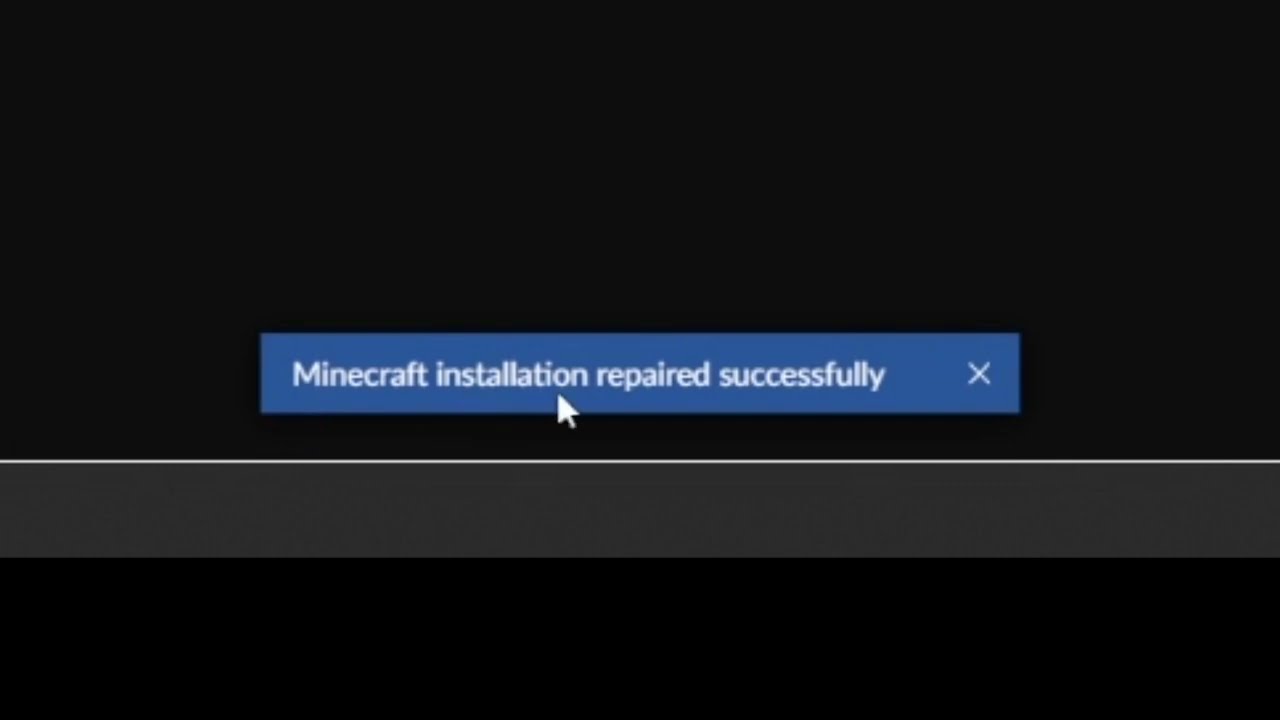
This short video will show you how to find the "Repair installation" for Minecraft in CurseForge.
What it does, is basically check if the local installation of Minecraft that CurseForge uses, is valid/working, and will repair itself, if needed.