#👽︱game-support
1 messages · Page 219 of 1
 cedar brook
 waxen ore
any idea what may be causing the error?
 fleet jewel
adrian follow what chief said
cedar brook
waxen ore
any idea what may be causing the error?
have you updated the mods
waxen ore
yes there are updated
cedar brook
asnd updated fabric api and clothconfig fabric and goblin trading
fleet jewel
if it doesnt let you launch the game then remove thonk and the related mods
cedar brook
cause end globlin needs those
fleet jewel
fleet jewel
if it doesnt let you launch the game then remove thonk and the related mods
temporarily
waxen ore
I will try to delete them because they are all updated
cedar brook
waxen ore
I will try to delete them because they are all updated
dont delete move to destop
for now
waxen ore
ok
fleet jewel
you can just delete them and then undo the deletion
cedar brook
i know
i just do it that way
casue i sometimes forget it is there and just clear my trash can
waxen ore
I don't know if this influences but I'm starting the game through the cf application
fleet jewel
did deleting the mods work?
cedar brook
ender globlins does say it is "This mod is still under development"
so it might be that
waxen ore
I guess, I'll try it when they release another version
 golden muskBOT
Please visit the project page for the content you posted about and look for a way to contact the developer.
Somewhere on the page there is usually a method of contact. Look for one of the following things:
Issuestab like the image below.- Discord link.
- Twitter link.
- Comments section below the project.
If no contact method exists you will either have to remove the project or find a solution on your own.
 waxen ore
ok ill do it
cedar brook
wow why am i always late to saying stuff
waxen ore
thank you all very much for your time 🙂
 restive granite
Getting crashes from a few key mods in a pack I made, notably Create, Lootr, and Placebo
The easiest I could drop of the 3 is lootr but doing so doesn't have any impact on the other 2 working or not
Doesn't seem to be hide nor hair of these errors being reported already
fleet jewel
what appears to be the issue, disable the mods, report the logs and crash log to the devs?
 thorny olive
I can't connect to my friends Origins server. The verision is right and the IP is right. I'm on Mac.
fleet jewel
do you have the exact same mods, version, mod versions?
what is the message that it gives you
thorny olive
"Can't connect to server"
 pine rapids
How have you confirmed that the IP is right?
thorny olive
I can do singleplayer with the mod. And yes I have. I copied it.
pine rapids
Did you answer my question in there?
thorny olive
Yeah the IP is correct.
pine rapids
I'm asking how you confirmed it, not if you confirmed it
pine rapids
And the friend in question has experience with this and wouldn't, say, post their internal IP instead of their external one?
thorny olive
Other people used it. They're copy and pasted it.
pine rapids
Ok
thorny olive
Is it a Mac thing? I'm the only one on Mac.
pine rapids
?mc-logs
golden muskBOT
Sending logs for support.
- Right-click the modpack profile icon OR click the
 button in the modpack profile.
 - Click

Open Folder. - Open the
logsfolder. - Drag and drop the FILE named
latestORdebuginto discord.
thorny olive
pine rapids
Hmmm "Connection Refused"
I can't recall if that's "refused by server" or "refused by network interface"
thorny olive
Google: "The “Connection Refused” error typically means your attempt at connecting to the server was dropped or refused. Most of the times this error is network related, whether be it a bad connection to the server, using the wrong Minecraft client version, or a firewall blocking your attempt to connect to the server."
I've never had wifi problems that I know of.
Ping: 12. Download: 86 Mbps. Upload: 23.25 Mbps.

 coarse elm
post the log of the client and the server
thorny olive
thorny olive
This?
 coarse nest
And the server
thorny olive
This is what it says but I'm not gonna post the IP or anything cause it's my friends private server.
 fleet jewel
"log" not picture
coarse elm
Whoever owns the server needs to give you the server log then so we know what it's doing.
Though as it says "can't connect to server" on the info screen I'm going to guess it's your network and not a join issue.
thorny olive
I'm the only person not able to get on.
coarse elm
Are you using a URL or IP?
 red osprey
HI. I'm having trouble with the 'controllable mod' file and the 'Forge' file. Can you help me?
thorny olive
IP
thorny olive
Ok I don't know lol.
coarse elm
connect with 51.79.79.172 and see if that works.
If that also doesn't work then it's your network blocking it somewhere.

 pine rapids
If it was an issue with speed the error would be "Connection Timed Out" or something along that line
thorny olive
Okay. So why would my network be refusing the connection?
coarse elm
could be a million things, the internet provider, you have programs blocking it, your modem/router.
thorny olive
I can get on other servers.
red osprey
Hello. I'm having issues running both 'controllable mod' and 'forge' files.
 coarse elm
thorny olive
I can get on other servers.
coarse elm
thorny olive
I can get on other servers.
Other servers aren't using that IP or aren't the same location as that server.
coarse elm
red osprey
Hello. I'm having issues running both 'controllable mod' and 'forge' files.
You don't run mods or the forge file...?
pine rapids
red osprey
Hello. I'm having issues running both 'controllable mod' and 'forge' files.
?help
golden muskBOT
╰( ͡° ͜ʖ ͡° )つ──☆*:・゚ *˜”*°•.˜”*°• Many Help •°*”˜.•°*”˜* <:curselit:796985620550385705>
Please provide a description of your issue with as much detail as possible. If you have an issue with a mod or modpack, tell us the name. Explain what you can see happening. Be specific!
 Tell us what is happening, we already know it "doesn't work".
Avoid using words like "it", tell us exactly what "it" is.
Don't assume anyone knows what you are talking about, be specific.
Tell us what you expected to happen.
Provide screenshots or video if possible.
Provide a log if possible. ?mc-log
thorny olive
coarse elm
Other servers aren't using that IP or aren't the same location as that server.
My friends are on there right now so it works.
coarse elm
Your friends aren't using your computer to connect...
thorny olive
No.
coarse elm
Exactly, so if it works for them at this point doesn't matter.
That's like me saying my electricity is on when yours is off thus yours should be working too.
thorny olive
I thought you were asking if the IP works. 😅
coarse elm
Yes, for you... To tell if it's an issue with you or something outside of your control.
we are past that
thorny olive
It's problem with my network right. So is there anything I can do?
pine rapids
What happens if you open a terminal (Powershell or CMD) and run this command: ping HideAwaySMP.serverminer.com
thorny olive
pine rapids
What happens if you open a terminal (Powershell or CMD) and run this command: ``...
I wouldn't know how to...? 😆
red osprey
When the both files was done downloading I clicked both of them to run the files but, it converted to a note pad instead. Like it's shown in the picture. It might've conerted to a note pad bc I downloaded a file earlier and accidentilly opened the file as a note pad.
 pine rapids
Run this once: https://johann.loefflmann.net/downloads/jarfix.exe
It will repair the .jar file association in the registry
 raven fossil
what does this mean

 last parcel
probably that you got disconnected
raven fossil
it happened three times in a row
last parcel
would need a server log to know why
red osprey
ok. I got the 'Forge' file running. But, I'm still having issues running the 'controllable' file.
last parcel
assuming controllable is a mod, you do not run it. it goes in the mods folder
red osprey
Well, actually that's what I did but, when I opened the minecraft menu to the mods tab it didn't show the controllable mod.
last parcel
doesnt mean it isnt there. how many mods did it say were loaded on the main menu
red osprey
two
last parcel
guess its not in the folder then, or you havent restarted minecraft since putting it there
 umbral wraith
Alex's mobs crash? 1.16.5
last parcel
yea, or this nuparu.sevendaystomine.events
 wanton magnet
so yeah... I don't know what to do anymore. after looking through all the files and deleting the ones that states that they don't apply to 1.12.2, there is still some sort of illegal mod in there that I can't identify and even when I looked to what the errors/warnings says... I don't know if I should delete the "trouble" mods or keep testing to find a way to keep the mods, but may end up deleting more than needed... what do you guys suggest?
 waxen pine
are all of the mods you have obtained from curseforge.com?
wanton magnet
Made the mod pack from the app itself, not from downloads from the website.
waxen pine
interesting
does it create a crash-report.txt in 'crash reports' folder? i'd like to see the mod list
coarse elm
There's no way you made the profile with the app itself as you can't install files marked for other versions.
wanton magnet
Yup, did it from the app
wanton magnet
waxen pine
does it create a crash-report.txt in 'crash reports' folder? i'd like to see th...
There isn't a crash reports file present.
waxen pine
a few ways to get the list then.
you could open the mods folder, highlight all, hold shift and right click > copy as path. then put in a pastebin.com or paste.gg
coarse elm
just post a log? it will have all that info
wanton magnet
it alright if i post both?
Link for Paste : https://pastebin.com/r1dcEjjR
Log:
Pastebin
Pastebin.com is the number one paste tool since 2002. Pastebin is a website where you can store text online for a set period of time.
coarse elm
is this your modpack?
wanton magnet
If this doesn't really happen if i used the downloads from the website, then i would have done that instead... also yes, this is the custom mod pack im making
coarse elm
Delete the stupid CoreAntiCheat mod
waxen pine
is it this coreanticheat?
coarse elm
useless garbage...
waxen pine
also - check that your graphics card is actually applying once you do make it in-game (f3 menu)
the fastest way to make a medium to large sized pack is very slowly 😉
waxen pine
?mc-logs
golden muskBOT
Sending logs for support.
- Right-click the modpack profile icon OR click the button in the modpack profile.
- Click
Open Folder. - Open the
logsfolder. - Drag and drop the FILE named
latestORdebuginto discord.
 last dew
I was playing ATM7 yesterday on minecraft, and this happened after I took a break to get food or smthg,,,, any ideas? game was workign perfectly fine before this
important info maybe?: rtx 3070, driver version 512.15, 15.75 gb ram

did i do this correctly?
last dew
none that I can see
waxen pine
[17:25:03] [Thread-0/FATAL]: Roots Classic's config just got changed on the file system!
🤔
last dew
can you explain?
waxen pine
nope unsure what's going on
waxen pine
so this crashed while you were already in-game?
last dew
so when you press to play
it will try loading up and when it reaches the end it fails and i get that
waxen pine
the log file doesn't seem to show it ending prematurely
how about this one:
?mc-launcherlog
golden muskBOT
How to get the launcher log
- Right click a profile.
- Select
Open Folder - Go back two folders.
- Open the
Installfolder. - Drag the
launcher_log.txtinto discord.
 jolly bluff
!forgeinstaller
golden muskBOT
Known Working Forge Installers
1.5.2: 7.8.1.738
1.6.4: 9.11.1.1345
1.7.10: 10.13.4.1614
1.8.9: 11.15.1.2318
1.9.4: 12.17.0.2317
1.10.2: 12.18.3.2511
1.11.2: 13.20.1.2588
1.12.2: 14.23.5.2855
jolly bluff
Forge 1.8.9 installer is not working for me
it says "forge 1.8.9 game profile installed"
but it's not in the profile
 wild jewel
Why not use the curseforge app?
waxen pine
hm cyclops core i think?
they did an update since that mod version that fixed several crashes
i could definitely be wrong 😉
waxen pine
modpacks are a collection of mods. the authors of the mods publish new versions of the mod files they make to fix bugs and otherwise change.
looks like ATM7 as a modpack hasn't updated since feb :/
waxen pine
well you can't go wrong with trying the following just as a test barring obvious issues-
?mc-installfix
golden muskBOT
This is NOT instructions for Repair Profile! They are NOT the same! You need to do this!
- Click on the Minecraft Tab on the Left side of the CurseForge App.
- Click button next to the
Create Custom Profileoption. - Click

Repair Installationoption. - Play game.
NOTE: You will not lose any modpacks or worlds!
 rapid bear
guys do you know a way to activate op command in lan?
coarse nest
When you open to lan make sure it says "cheats: true" or similar in the dialouge that shows up
rapid bear
yes but in 1.16.5 for some strange reason the op command is not present even if the cheats are set to true
so I asked
i have a modpack
coarse nest
That is because everyone is opped if that setting is true.
Op is only for servers
rapid bear
maybe it's a mod
last dew
waxen pine
well you can't go wrong with trying the following just as a test barring obvious...
still doesnt work but it's fine
rapid bear
coarse nest
That is because everyone is opped if that setting is true.
Op is only for server...
but when i enter my friend's lan world i am not op
coarse nest
Well they didnt turn on that setting then.
Also, please do not ping, #📛︱rules 5️⃣ (replys auto ping unless you turn it off per reply in the bottom right)
rapid bear
sorry i
no I'm sure my friend activated it because I explained it to him how to do it
with discord screen sharing
but I don't know why he doesn't give me the commands
coarse nest
If he is enabling it properly it may be a mod messing with permissions
rapid bear
good idea now I check in the config
in the quark config it was super op mode to false and I set it to true
maybe that's it?
wild jewel
Try and find out?
coarse nest
It probably needs to be set on the hosts side too
rapid bear
yes in the afternoon i try
 trail eagle
Java runtime configuration
coarse nest
You are missing a library mod
Specifically one that adds kotlin support, i think its called forgelin
 torpid folio
Hello I'm constantly getting this error
golden muskBOT
Please visit the project page for the content you posted about and look for a way to contact the developer.
Somewhere on the page there is usually a method of contact. Look for one of the following things:
Issuestab like the image below.- Discord link.
- Twitter link.
- Comments section below the project.
If no contact method exists you will either have to remove the project or find a solution on your own.
torpid folio
Ok, thanks
trail eagle
I am trying to place a wood oak plank under oak log in a crafting table and my game crashes here is the report;
coarse nest
Yikes, thats messy
Its to do with tinkers, extra cells and shadows.xcp.TerminalRecipe.
golden muskBOT
Please visit the project page for the content you posted about and look for a way to contact the developer.
Somewhere on the page there is usually a method of contact. Look for one of the following things:
Issuestab like the image below.- Discord link.
- Twitter link.
- Comments section below the project.
If no contact method exists you will either have to remove the project or find a solution on your own.
coarse nest
Do you have the legends mod installed? If not, install it
 severe terrace
yeah i got it installed
coarse nest
It may be the wrong version, cause its saying the superhero mod cant find a bit of code in legends
 arctic epoch
is there a way to permanently fix the resolution for minecraft?

it always reverts to the lowest between each time i start the game
 compact zealot
 austere raptor
Hi I have a friend who is having trouble accessing my server. Everything he tries to join it says connection failed login null. Idk if the launcher isn't letting him join or something else
coarse elm
austere raptor
Hi I have a friend who is having trouble accessing my server. Everything he trie...
Login null?
Sounds like they dont have a valid login. They should remove any mods that handle logins like reauth
 covert bear
I’m using the Roguelike adventure and dungeons revamped pack and when attempting to join my bfs server it’s gives me this error
Internet Exception: com.google.common.util.concurrent.uncheckedexecutionexception:net.Minecraftforge.fml.common.LoaderexceptionModCrash: caught exception from minecraft forge (forge)
Possible solutions?
austere raptor
coarse elm
Login null?
Sounds like they dont have a valid login. They should remove any mo...
I don't have any mods that reauth and they do have a valid account.
waxen pine
covert bear
I’m using the Roguelike adventure and dungeons revamped pack and when attempting...
?mc-logs
golden muskBOT
Sending logs for support.
- Right-click the modpack profile icon OR click the button in the modpack profile.
- Click
Open Folder. - Open the
logsfolder. - Drag and drop the FILE named
latestORdebuginto discord.
covert bear
 umbral nacelle
so if I go to curse forge and look up a Naruto mod for minecraft how would i make it to where i can play with other people?
wild jewel
!mc-installserver
golden muskBOT
How to **manually** install a server - **On your own PC**
- Check if the modpack has a server pack, if it does: use that and skip below.
- Go to the Forge website http://files.minecraftforge.net/ and download the Installer for the forge version the pack is using.
- Run the installer and choose
Install server. Do not install to your desktop. Also do not install inside a OneDrive folder. - Run the server using the forge.jar. A file called
eula.txtwill be generated. Open it and changeeula=falsetoeula=true - From the Client; Copy the
modsfolder,configfolder, and any other folders needed for the pack to work into the server folder. If the modpack has a server pack, use this instead! - Run the server again.
- Port forward your machine if needed. (Google it)
 drowsy nymph
whenever I try to join my singleplayer world it would kick me back to title screen pls help ;-;
umbral nacelle
wild jewel
!mc-installserver
whats that
last parcel
how you make a server, the answer to your question
umbral nacelle
ok
 autumn agate
anyone know why my acheivments reset? i joined my world and killed a mob and got the acheviment again even though ive akready got it
trail eagle
If you got the achievement on a different world you will not have it on the other world since they will not synchronize between 2 separate worlds because achievements are not shared between worlds
autumn agate
would it be bc i downloaded another mod? cuz i read on sum other comments and sum said that could be the reason
trail eagle
If the save file got corrupted maybe
Or the mod you installed messed with that achievement
autumn agate
probably when imjoined my world everything was there it was just the achievements
umbral nacelle
I got a mod but how do I play multiplayer because I see other yt people do so how do I? I’m new to pc so I don’t know
wild jewel
!mc-installserver
golden muskBOT
How to **manually** install a server - **On your own PC**
- Check if the modpack has a server pack, if it does: use that and skip below.
- Go to the Forge website http://files.minecraftforge.net/ and download the Installer for the forge version the pack is using.
- Run the installer and choose
Install server. Do not install to your desktop. Also do not install inside a OneDrive folder. - Run the server using the forge.jar. A file called
eula.txtwill be generated. Open it and changeeula=falsetoeula=true - From the Client; Copy the
modsfolder,configfolder, and any other folders needed for the pack to work into the server folder. If the modpack has a server pack, use this instead! - Run the server again.
- Port forward your machine if needed. (Google it)
golden muskBOT
Sending logs for support.
- Right-click the modpack profile icon OR click the button in the modpack profile.
- Click
Open Folder. - Open the
logsfolder. - Drag and drop the FILE named
latestORdebuginto discord.
 old rock
golden muskBOT
old rock
golden muskBOT
This is NOT instructions for Repair Profile! They are NOT the same! You need to do this!
- Click on the Minecraft Tab on the Left side of the CurseForge App.
- Click button next to the
Create Custom Profileoption. - Click
Repair Installationoption. - Play game.
NOTE: You will not lose any modpacks or worlds!
 fast urchin

 placid ivy
My minecraft fabric 1.18.2 is giving me this: Uncaught exception in thread "main"
java.lang.RuntimeException: Mixin transformation of net.minecraft.client.main.Main failed
at net.fabricmc.loader.impl.launch.knot.KnotClassDelegate.getPostMixinClassByteArray(KnotClassDelegate.java:252)
at net.fabricmc.loader.impl.launch.knot.KnotClassDelegate.tryLoadClass(KnotClassDelegate.java:150)
at net.fabricmc.loader.impl.launch.knot.KnotClassLoader.loadClass(KnotClassLoader.java:155)
at java.base/java.lang.ClassLoader.loadClass(ClassLoader.java:520)
at net.fabricmc.loader.impl.game.minecraft.MinecraftGameProvider.launch(MinecraftGameProvider.java:414)
at net.fabricmc.loader.impl.launch.knot.Knot.launch(Knot.java:77)
at net.fabricmc.loader.impl.launch.knot.KnotClient.main(KnotClient.java:23)
Caused by: org.spongepowered.asm.mixin.throwables.MixinApplyError: Mixin [fabric-registry-sync-v0.mixins.json:MixinDynamicRegistryManager] from phase [DEFAULT] in config [fabric-registry-sync-v0.mixins.json] from mod [fabric-registry-sync-v0] FAILED during PREPARE
at
org.spongepowered.asm.mixin.transformer.MixinProcessor.handleMixinError(MixinProcessor.java:638)
at org.spongepowered.asm.mixin.transformer.MixinProcessor.handleMixinPrepareError(MixinProcessor.java:585)
at org.spongepowered.asm.mixin.transformer.MixinProcessor.prepareConfigs(MixinProcessor.java:543)
at org.spongepowered.asm.mixin.transformer.MixinProcessor.select(MixinProcessor.java:462)
at org.spongepowered.asm.mixin.transformer.MixinProcessor.checkSelect(MixinProcessor.java:438)
at org.spongepowered.asm.mixin.transformer.MixinProcessor.applyMixins(MixinProcessor.java:290)
at org.spongepowered.asm.mixin.transformer.MixinTransformer.transformClass(MixinTransformer.java:234)
at org.spongepowered.asm.mixin.transformer.MixinTransformer.transformClassBytes(MixinTransformer.java:202)
at net.fabricmc.loader.impl.launch.knot.KnotClassDelegate.getPostMixinClassByteArray(KnotClassDelegate.java:247)
... 6 more
Caused by: org.spongepowered.asm.mixin.transformer.throwables.InvalidMixinException: @Mixin target type mismatch: net.minecraft.class_5455 is an interface in org.spongepowered.asm.mixin.transformer.MixinInfo$SubType$Standard@278f8425
at org.spongepowered.asm.mixin.transformer.MixinInfo$SubType.validateTarget(MixinInfo.java:553)
at org.spongepowered.asm.mixin.transformer.MixinInfo.getTargetClass(MixinInfo.java:1027)
at org.spongepowered.asm.mixin.transformer.MixinInfo.readTargetClasses(MixinInfo.java:1008)
at org.spongepowered.asm.mixin.transformer.MixinInfo.parseTargets(MixinInfo.java:896)
at org.spongepowered.asm.mixin.transformer.MixinConfig.prepareMixins(MixinConfig.java:869)
at org.spongepowered.asm.mixin.transformer.MixinConfig.prepare(MixinConfig.java:777)
at org.spongepowered.asm.mixin.transformer.MixinProcessor.prepareConfigs(MixinProcessor.java:540)
... 12 more
any help?
umbral nacelle
!mc-installserver what is that like how do I use it
golden muskBOT
How to **manually** install a server - **On your own PC**
- Check if the modpack has a server pack, if it does: use that and skip below.
- Go to the Forge website http://files.minecraftforge.net/ and download the Installer for the forge version the pack is using.
- Run the installer and choose
Install server. Do not install to your desktop. Also do not install inside a OneDrive folder. - Run the server using the forge.jar. A file called
eula.txtwill be generated. Open it and changeeula=falsetoeula=true - From the Client; Copy the
modsfolder,configfolder, and any other folders needed for the pack to work into the server folder. If the modpack has a server pack, use this instead! - Run the server again.
- Port forward your machine if needed. (Google it)
 midnight ridge
Hi! Can someone help me with this crash?
It's a 1.18.2 modpack
Probably a specific mod that's causing it but I'm not sure which one
pine rapids
Looks like one of Effective's Mixins is failing to apply... and I feel like I saw this same issue the other day when someone ran a 1.18.1 version of Effective in 1.18.2
drowsy nymph
what does this mean?
[00:35:52] [Server thread/INFO]: The state engine was in incorrect state ERRORED and forced into state SERVER_STOPPED. Errors may have been discarded.
[00:35:52] [Server thread/INFO]: The state engine was in incorrect state ERRORED and forced into state AVAILABLE. Errors may have been discarded.
last parcel
not much without the rest of the log
drowsy nymph
is this log valid?
drowsy nymph
drowsy nymph
what does this mean?
[00:35:52] [Server thread/INFO]: The state engine was in in...
these lines appear when I tried to join a single player world but it kicks me out to the title screen
last parcel
seems like issues with galacticraft
drowsy nymph
is there anything I can do? this is not my modpack after all, I'm afraid if I alter anything with the mods it will break the game
im playing questing mayhem 1.7.10 from curseforge if that helps
last parcel
if its a premade pack you should probably reinstall it
if you still have issues you should report to the pack dev
drowsy nymph
okee thanks 👍
wanton magnet
hello... back again with issues with the mod pack im working on... this time with something that is legitimately stated as an unknown error. I don't even know what to do since it was working yesterday
 pine rapids
?mc-logs
golden muskBOT
Sending logs for support.
- Right-click the modpack profile icon OR click the button in the modpack profile.
- Click
Open Folder. - Open the
logsfolder. - Drag and drop the FILE named
latestORdebuginto discord.
wanton magnet
derp
pine rapids
So many mods shipping Mixin...
MixinBootstrap
Particle Culling
Spartan Weaponry
Surge
VanillaFix
Phosphor
midnight ridge
pine rapids
Looks like one of Effective's Mixins is failing to apply... and I feel like I sa...
Oh, so it's probably some incompatibility with effective, then?
waxen pine
Speaking of mixin - is this present yet -
https://www.curseforge.com/minecraft/mc-mods/mixin-0-7-0-8-compatibility
pine rapids
midnight ridge
Oh, so it's probably some incompatibility with effective, then?
Coremods are almost always bound to the exact version they are designed for
waxen pine
Do one of those already perform that I mean to say
pine rapids
waxen pine
Do one of those already perform that I mean to say
MixinBootstrap appears to
Well... it does the "Load Me First" hack
wanton magnet
pine rapids
MixinBootstrap
Particle Culling
Spartan Weaponry
Surge
VanillaFix
Phosphor
wait, so what do i do?
midnight ridge
pine rapids
Coremods are almost always bound to the exact version they are designed for
Oh! That's good to know lol. Thank you 🙂
pine rapids
wanton magnet
wait, so what do i do?
I'm actually not sure... I actively try to avoid coremodding as a topic
 low mantle
Hey a friend of mine keeps crashing and wont load in minecraft launcher whether he is playing vanilla or curseforge minecraft, can someone assist him?
He tried resetting his computer and running it as administrator but both dont work
last parcel
if they come to explain their issue
autumn agate
last parcel
if they come to explain their issue
Yo

I might need to do something with fabric loader bc i havent touched that in a while
last parcel
seems like your install location isnt working correctly
last parcel
use another location, like c drive
coarse elm
its not working likely due to the special characters in the file path
last parcel
?mc-path
golden muskBOT
Change your install path to the following:
For Windows: C:\CurseForge
For Mac: /Users/Shared/CurseForge
You will need to make this folder!
If Minecraft is not installed in CurseForge App:
- Click the
 in the top left.
 - Select Minecraft from the list of games.
- Select the
Advancedoption and pick the location for your computer listed above. - Click
Continue.
If Minecraft is installed in CurseForge App:
- Click the
 in the bottom left.
 - Select the Minecraft tab.
- Click
Change. - Select the location for your computer listed above.
:no_entry_sign: Minecraft Files should NOT be installed inside the following locations :no_entry_sign:
:no_entry_sign: .minecraft folder.
:no_entry_sign: OneDrive folders.
:no_entry_sign: Desktop folder.
:no_entry_sign: iCloud enabled folders.
:no_entry_sign: or any other cloud saved folder.
:no_entry_sign: or folders with non-English characters in them.
If any of the above are in the path you need to change/move it!

 willow meadow
is it possible to get viruses through the curseforge website downloads?
sorry had to ask
 final plank
On the actual website no
Maybe if an ad pops up while downloading and u download something on the website it leads u to
willow meadow
Epic so the app is safe
final plank
The app is safe for sure
 woeful hawk
Hey so im having the issue where (in my server) when we log in we immediately time out were using a mod pack with just over a hundred mods too. Ill also share my log
 cursive island
Okay someone whose good with code or understand minecraft code, answer this question, DOES minecraft have some sort of limit to ID's you can have, I have a modpack im running, it has 384 mods without conflict, as soon as 1 more is added, no world generates beyond 0%, if I remove one of the 384 mods and add in another one that wasnt working before, it suddenly works now.....so basically based on my mods I cant go above 385 mods, is there some limit minecraft forge has on version 1.16.5?
wild jewel
Id's: yes, but you get an error about that
cursive island
I get no error
When i try and create a new world
its just stuck on 0%
and does not load, if I try to join an already created world
wild jewel
For how long?
wild jewel
How long did you wait?
cursive island
I mean about 15-20 mins about
as soon as i remove 1 mod from 385
it generates in 5 to 10 mins
coarse elm
You likely have a broken mod
cursive island
How would a broken mod cause this, if the world is fine loading with 384, no matter what mod is added
like chunks generate, everything is great
just 1 more mod causes a new world not to generate
if i remove one of the 384 mods, and add in any mod that wasnt working before, it works
coarse elm
Someone coded something incorrectly.
Your using the work of like 400+ people all at once.
cursive island
I guess, i mean its just weird though, cause the mods I used for refernece to test it out, for example added only 1 item each, one was a test dummy for attacks, and one was a coal generator, im at 383 mods right now, i can add each mod seperatly to make it 384, but i cant add them both together to make them 385...if i remove another mod from the pack...then i can add them both together and it works
but ill try removing some mods or testing to see
if it is an error with a mod
coarse elm
Ok, so you have 380 other mods that could be doing something stupid breaking it.
It doesn't matter what you are adding. Its the mods you already have contains something that's broken.
Also if you want people to help you, logs are required. Nobody can just say what's wrong without a log file
cursive island
How would I give a log, if it doesn't crash the game, I just end up force quitting in the end, i guess ill test it out by removing some mods to see if thats the issue
coarse elm
!mc-log
golden muskBOT
Sending logs for support.
- Right-click the modpack profile icon OR click the button in the modpack profile.
- Click
Open Folder. - Open the
logsfolder. - Drag and drop the FILE named
latestORdebuginto discord.
cursive island
oh okay ill try that then
coarse elm
I find that concerning that you are trying to build a pack with that many mods and don't even know about the log file.
cursive island
I just read it wrong, since im tired, i thought u meant the report of the game breaking
or crashing
 somber socket
Am I able to get support for Minecraft Dungeons here?
woeful hawk
Hey so im having the issue where (in my server) when we log in we immediately time out were using a mod pack with just over a hundred mods too. Ill also share my log. Its supposedly a Tac error?
coarse nest
Anything extra in the debug log?
Also do you have any mods that could potentially use tac as an acronym?
wild jewel
somber socket
Am I able to get support for Minecraft Dungeons here?
Can't say we have experience with that here
somber socket
oof, I clicked "get support in discord" in the curseforge client and it brought me here
coarse elm
cursive island
This is a log of the game not loading past the gen screen?
cursive island
No sorry this latest log was one when I joined a world that was already created
I was able to join
but nothing would generate
This was when I had 385 mods
coarse elm
This also isn't your modpack...
Better Minecraft [PLUS] - 1.16.5
cursive island
Yeah i meant adding my own mods to it
coarse elm
We don't provide support for people modifying other peoples work.
It causes too many issues. You do it at your own risk.
cursive island
Okay didnt know that, but thanks anyway
I seemed to have figured it out you were right it was a mod called atlantis that's extremely broken for 1.16.5, so not an ID issue but a mod issue, thanks for pointing me in the right direction at least
woeful hawk
coarse nest
Also do you have any mods that could potentially use tac as an acronym?
not other than timeless_and_classics-gun_mod-0.1.4.1-1.16.5
woeful hawk
coarse nest
sounds like it might be that then
Thing is that its worked before with that mod but suddenly were being timed out now
and its only when certain people join in
coarse nest
something must of changed then
They may have certain item in their inventory that cause it then, from this mod
coarse elm
cursive island
I seemed to have figured it out you were right it was a mod called atlantis that...
I'll be glad to give you direction, but won't dive into the issue.
woeful hawk
coarse nest
They may have certain item in their inventory that cause it then, from this mod
nobody has done anything with this mod yet
cursive island
coarse elm
I'll be glad to give you direction, but won't dive into the issue.
What you said was enough lol, I was overcomplicating the matter, everything is working now, and yes no problem won't ever bring up an issue that is a modification of someone else's work again, have a good day
coarse elm
good luck
cursive island
coarse elm
good luck
Thank you
coarse nest
woeful hawk
nobody has done anything with this mod yet
Can you please stop with the constant pinging, #📛︱rules 5️⃣ (replies auto ping unless you turn it off per reply in the bottom right)
At the moment this mod and the strange error message is all you have to go by, if you really dont think its this mod then feel free to try smthn like a binary search to find the actual cause
woeful hawk
I check over the night and double check everything and then maybe try and boot the server back up
I'll see i gues
 limpid parcel
What does this mean

 thin niche
when i open curseforge it only shows up as a white paper on my taskbar. it also doesn't save as a file so i have to redownload it every time i open it. the website doesn't recognize it so i can't download mods from the website either

 dapper acorn
The game crashed whilst there was a severe problem during mod loading that has caused the game to fail
Error: cpw.mods.fml.common.LoaderException: java.lang.OutOfMemoryError: Java heap space
Exit Code: -1
golden muskBOT
Error/Exit codes are useless. Follow these steps so someone can actually help you.
- Right-click the modpack profile icon OR click the button in the modpack profile.
- Click
Open Folder. - Open the
logsfolder. - Drag and drop the FILE named
latestORdebuginto discord.
wild jewel
!mc-ram
golden muskBOT
How to set Global Minecraft RAM value.
- Click the icon in the bottom left to open settings.
- Click the Minecraft tab.
- Scroll down.
- Slide slider to recommended ram range as seen below.
 wild jewel
@dapper acorn follow rule 4
 limber willow
if im playing a modpack how do i make it less laggy?
wild jewel
!mc-fps
golden muskBOT
Low FPS? Check these things first!
- GPU (AMD specifically has issues)
- Is the correct GPU used
- Does the system have enough ram
- Is the correct amount of RAM allocated without going over excessively
- Are other things running in the background leading to lack of RAM
- Mods used
- Shaders
- View distance too high
- CPU core speed too low
*This list is intentionally ambiguous. There is no way to figure out what specifically causes your FPS issues, if there actually are any. Low FPS could simply be a result of the mods chosen in which you would need to trial & error out which are affecting it.
 crimson mural
me need help
last parcel
Invalid id 256 - maximum id range exceeded.
install jeid
crimson mural
ok
crimson mural
last parcel
`Invalid id 256 - maximum id range exceeded.`
install jeid
thanks for helping
 proven condor
I Keep getting this crash error!
sorry i forgot the name of the website used to send errors via link
last parcel
either sodium or fluid tank
 oak thunder
Can I come here for help with a minecraft forge server?
last parcel
sure
oak thunder
I've been trying everything and I have done this before just for some reason I am now having an issue
getting the "Could not create virtual machine"
proven condor
last parcel
either sodium or fluid tank
its a fluid tank i think, but i need that tank to run my machine
oak thunder
"C:\Program Files (x86)\Java\jre1.8.0_321\bin\javaw.exe" -Xmx8192M -Xms8192M -jar forge-1.16.5-36.2.33.jar
pause
That is what I have in my start.bat
running windows server 2019, 6 cores, 12 Gib of RAM
proven condor
oops sorry force of habit
oak thunder
I installed jre1.8.0.321
I tried the fix where you go make a _JAVA_OPTIONS variable to assign it more but that doesn't help
 acoustic idol
this is a 1.16.5 server yes?
oak thunder
Correct
golden muskBOT
Servers require specific java version, pick yours here!
Java 8 (for MC versions 1.16.5 and below)
Java 16 (for MC version 1.17)
Java 17 (for MC version 1.18)
Other operating systems and versions
acoustic idol
Use the one from the bot
oak thunder
acoustic idol
Use the one from the bot
It worked! thanks
I had no idea it struggled with v321
golden muskBOT
Error/Exit codes are useless. Follow these steps so someone can actually help you.
- Right-click the modpack profile icon OR click the button in the modpack profile.
- Click
Open Folder. - Open the
logsfolder. - Drag and drop the FILE named
latestORdebuginto discord.
oak thunder
For some reason now when I load it up it says lootr and valhalsia structures failed to load
It was loading up fine a little while ago
like earlier today
last parcel
seems it doesnt like your shaders
oak thunder
wdym? if you mean like shaders as in optifine shaders and such I don't have any
oak thunder
oh
hmm
Again, It seems so weird as I didn't make any changes and both mods were working perfectly
last parcel
doesnt mean anything to me. report it to the mod dev, i can do nothing about how weird it is
oak thunder
yeah
thank you for trying to help
I just all the mods into a new profile and it worked
I think when I had a machine issue it broke something
 misty prawn
does minecraft work with curseforge and microsoft login? I can't get past the login screen.
on osx
last parcel
?mc-login
golden muskBOT
Minecraft Logins
Step 1: Get to the Microsoft login screen.
Step 2: Log in with a Microsoft account that owns the Java version of Minecraft.
Done!
Issues: If it says PLAY DEMO then the account used DOES NOT own Java Minecraft. Log in with one that does.
 misty prawn
I'm not sure what to do with ?mc-login I'm new to discord
last parcel
read the instructions below it
oak thunder
misty prawn
I'm not sure what to do with ?mc-login I'm new to discord
the ?mc-login was Yamza telling the bot to explain how to log in
 oak thunder
misty prawn
oak thunder
misty prawn
on discord is your message display compact instead of cozy?
misty prawn
oh yes
oak thunder
Wierd I switched mine to it and I can still see the embed
misty prawn
?mc-login
golden muskBOT
Minecraft Logins
Step 1: Get to the Microsoft login screen.
Step 2: Log in with a Microsoft account that owns the Java version of Minecraft.
Done!
Issues: If it says PLAY DEMO then the account used DOES NOT own Java Minecraft. Log in with one that does.
 oak thunder
 last parcel
what is the point of these screenshots
misty prawn
from me? because I can't see the information from Carl the bot
last parcel
then you have message attachments disabled in your settings
misty prawn
oh ok thanks. checking
last parcel
 misty prawn
That did it, thank you
turned out that I was running an old version of curseforge. There was a dialog hidden that asked permision to replace the old version.
acoustic idol
!mc-logs
golden muskBOT
Sending logs for support.
- Right-click the modpack profile icon OR click the button in the modpack profile.
- Click
Open Folder. - Open the
logsfolder. - Drag and drop the FILE named
latestORdebuginto discord.
pine rapids
?mc-installfix
golden muskBOT
This is NOT instructions for Repair Profile! They are NOT the same! You need to do this!
- Click on the Minecraft Tab on the Left side of the CurseForge App.
- Click button next to the
Create Custom Profileoption. - Click
Repair Installationoption. - Play game.
NOTE: You will not lose any modpacks or worlds!
 lyric oracle
thank you
lyric oracle
golden musk
@unkempt knot
 golden muskBOT
Sending logs for support.
- Right-click the modpack profile icon OR click the button in the modpack profile.
- Click
Open Folder. - Open the
logsfolder. - Drag and drop the FILE named
latestORdebuginto discord.
pine rapids
Without logs we will not be able to diagnose your issue and you will be ignored if you continue to ask for help while providing no details
autumn agate
 unkempt knot
hello i have the same probleme like this one when i want too start RLcraft
pine rapids
No visible crash here...
Might be crashing before it even sets up the log
?mc-launcherlog
golden muskBOT
How to get the launcher log
- Right click a profile.
- Select
Open Folder - Go back two folders.
- Open the
Installfolder. - Drag the
launcher_log.txtinto discord.
unkempt knot
i dont have an instal folder
 dense wasp
Anyone have any experience with hosting a modded minecraft server from their computer?
I've done it before but am starting to have trouble right now
pine rapids
unkempt knot
i dont have an instal folder
If you're using Curse you'll have one, you just need to follow the instructions carefully to find it
dense wasp
dense wasp
I've done it before but am starting to have trouble right now
Whenever I delete my worlds folder (to reset the world and generate a new one) and launch the server with nothing in the mods folder, it'll create a new world and startup the server just great. However, whenever I add some mods to the mods folder, it'll always get stuck at the same point in console with no obvious error. If there is no worlds folder it won't create a new one too.
The config folder also recognizes SOME mods, and gives them their usual folders and text files, but again, only for a few of the mods
pine rapids
Looks like ToroHealth and 3dskinlayers are poorly made and do not self-disable on the server when they are only used on the client
dense wasp
So you said self-disable. Is there something I can do to fix this manually or should I just remove them?
pine rapids
Just remove them
pine rapids
Now it's BetterF3 for the same reason
 gritty quartz
(MC) I have a question so i cant seem to connect to a server, the server console states that "lost connection took too long to log in", my friend seems to join because of his higher spec pc, after 30 seconds of joining the server it auto kicks me, i have a slower pc so it normally takes longer for me to load in
 runic peak
(mc) I’m running a modpack through server miner and I’m launching the same version of the modpack there and on my computer but when I try to connect I get an error saying the “mismatched mod channel list”
how do i fix this
last parcel
mods dont match, make them match
 tidal mason
(MC) Same question as above, however my mods do match I have cross checked multiple times
last parcel
check your log for when you attempted to connect
tidal mason
how would I do that?
cause I can run the modpack as a normal world, but i get the error when using the same exact version as a server
golden muskBOT
Sending logs for support.
- Right-click the modpack profile icon OR click the button in the modpack profile.
- Click
Open Folder. - Open the
logsfolder. - Drag and drop the FILE named
latestORdebuginto discord.
tidal mason
last parcel
Client has mods that are missing on server: [jeresources] 😐
tidal mason
why would this not be launching on server side when it launches on the same file in a singleplayer world
last parcel
my assumption would be that it is not on the server
tidal mason
they are using the same exact curse forge file and version though so how would it disappear :/
last parcel
That is not something I can answer, you should try the support channels for your host.
tidal mason
okay, thanks for your help i'll try that :)
golden muskBOT
Hey there, it is Curseforge, not "Cursed forge"
 jaunty zinc
redoing this, hadn't been back here for awhile, and also it's about 12 am =w=
recently tried to make this lil zombie modpack thing so me and my friend can play together and got some gun mods, they couldn't work so we got rid of them and i added in techguns, parasites scape and run etc and a few tech mods as well
one of the previous gun mods was crayfishes guns mod, but i got rid of it as techguns had more of what i was after
coarse nest
I cant see a crash in that
It ends on saying it finished making mipmap texures, and that took 13 seconds
 coarse nest
What version are you trying to launch?
unkempt knot
1.7.10
coarse nest
Is there a crash report?
 acoustic idol
Which is a generic message, so not all that helpful. Have you looked in the crashreports folder for a log?
unkempt knot
Okay I will look at it later
golden muskBOT
We do not offer support for Optifine!
If you have issues with Optifine, remove it. If you want further support try the discord found on their website.
https://www.optifine.net/home
Installing Optifine with modpacks on Curseforge:
- Right click the modpack icon, select
Open Folder. - Put the
Optifine.jarinto themodsfolder. - Now start the modpack.
gritty quartz
(MC) I have a question so i cant seem to connect to a server, the server console states that "lost connection took too long to log in", my friend seems to join because of his higher spec pc, after 30 seconds of joining the server it auto kicks me, i have a slower pc so it normally takes longer for me to load in
 abstract shell
If i try starting this 1.16.5 forge modpack i get this error

Idk if this is the right log but it was called latest
wild jewel
!mc-installfix
golden muskBOT
This is NOT instructions for Repair Profile! They are NOT the same! You need to do this!
- Click on the Minecraft Tab on the Left side of the CurseForge App.
- Click button next to the
Create Custom Profileoption. - Click
Repair Installationoption. - Play game.
NOTE: You will not lose any modpacks or worlds!
abstract shell
That worked, thx
 sinful summit
Alright, anyone know what is crashing here?
last parcel
pnumaticcraft or diet
wild jewel
Not cookingforblockheads?
sinful summit
okay thanks
wild jewel
Okay, I was looking at a different error, disregard 😛
 clear robin
Hey I'm getting this error message when trying to launch the game and I'm not sure how to fix it.
Here are the relevant messages from launcher_log:
[Warning: 2022-03-28 12:51:44.7701242: LauncherConfiguration.cpp(113)] Failed to get clientToken from configuration, launcher updater will fall back to using stable versions instead of controlled experiment versions. [Info: 2022-03-28 12:51:44.7701647: LauncherConfiguration.cpp(295)] Failed to read update preferences from C:\...\launcher_profiles.json
Does anyone know how to fix this?
Many thanks in advance
 last parcel
?mc-log
golden muskBOT
Sending logs for support.
- Right-click the modpack profile icon OR click the button in the modpack profile.
- Click
Open Folder. - Open the
logsfolder. - Drag and drop the FILE named
latestORdebuginto discord.
clear robin
last parcel
remove optifine
clear robin
oh
 quasi hinge
I looked at the log too, that version is for 1.18.2 and you’re playing 1.16.5
clear robin
there were other mods there that I thought were causing it so i removed them but i didnt think it would be optifine
last parcel
didnt look that hard, but that is correct
clear robin
thanks for your help both of you, really appreciate it
golden muskBOT
Please visit the project page for the content you posted about and look for a way to contact the developer.
Somewhere on the page there is usually a method of contact. Look for one of the following things:
Issuestab like the image below.- Discord link.
- Twitter link.
- Comments section below the project.
If no contact method exists you will either have to remove the project or find a solution on your own.
unkempt knot
i keep crashing
last parcel
and i have told you the cause
gritty quartz
(MC) I have a question so i cant seem to connect to a server, the server console states that "lost connection took too long to log in", my friend seems to join because of his higher spec pc, after 30 seconds of joining the server it auto kicks me, i have a slower pc so it normally takes longer for me to load in
last parcel
how much ram is allocated, and how much have you got
unkempt knot
what is the cause
last parcel
im unsure how you missed it as it was directly under your message.. #👽︱game-support message
unkempt knot
and how do i fix it
last parcel
i also said that directly under that message.
unkempt knot
what is project issue
gritty quartz
I have about 12 gb of ram allocated
last parcel
well that did answer half my question
gritty quartz
Oh yeah I have 16 gb of ram
last parcel
well that's fine then. have you checked your ping to the server?
last parcel
then i have no answer
gritty quartz
Hmm okay still thanks
autumn agate
I got this crash on my 1.18.2 fabric modpack and I dont really know what causing it
waxen pine
autumn agate
I got this crash on my 1.18.2 fabric modpack and I dont really know what causing...
Illuminations is tagged for 1.18.1 not 1.18.2. Very possible that and others in there do not work
autumn agate
waxen pine
Illuminations is tagged for 1.18.1 not 1.18.2. Very possible that and others in ...
ah okay. ty
wild jewel
weaponlib
 dire agate
yea?
last parcel
?projectissue
golden muskBOT
Please visit the project page for the content you posted about and look for a way to contact the developer.
Somewhere on the page there is usually a method of contact. Look for one of the following things:
Issuestab like the image below.- Discord link.
- Twitter link.
- Comments section below the project.
If no contact method exists you will either have to remove the project or find a solution on your own.
dire agate
wild jewel
weaponlib
is that bad?
wild jewel
See above
dire agate
i have no idea what it is
wild jewel
mw_2.0-0.4.4.6_mc1.12.2.jar
dire agate
golden musk
this?
last parcel
that
last parcel
read the message..
dire agate
Im stupid asf man
lemme try doing something

I found force.cfg
it was just like blank i couldnt open it
and now apparently its opening with notebook
ok how do i downgrade curseforge
golden muskBOT
Wording is important!
Forge = Minecraft Forge, This is a modloader often just called "Forge".
Fabric = Fabric MC, this is another modloader, just called "Fabric".
CurseForge = A Website/App that has content for games.
Mods = Individual mod files.
Modpacks = Multiple mods put into the mods folder or downloaded from CurseForge.
These are not Interchangeable! Please use the correct terms as it allows us to help you faster!
 wild jewel
That is just what program it gets opened with
dire agate
and now theyre notebooks
oh ok
and also
my curseforge keeps crashing
but i need to
downgrade my curseforge versioin
version*
wild jewel
No, your forge keeps crashing, that is not curseforge
#👽︱game-support message
wild jewel
You install a different version
dire agate
is that possible in the app?
wild jewel
You are not using the app
last parcel
how do you know that?
 wild jewel
last parcel
how do you know that?
wild jewel
last parcel
how do you know that?
.minecraft folder
last parcel
make a profile, you select the forge version at that point
dire agate
its from 40+
last parcel
select the correct minecraft version first
dire agate
i hope your pillow is cold tonight
last parcel
dire agate
also the folder you showed here has no relation to curseforge, it does not use this location for anything
unkempt knot
i deleted mowzies mods still crashing
waxen pine
Post your latest log / crash report
last parcel
oh yea, the two logs you sent arent even remotely the same time stamp
unkempt knot
so what is the problem
last parcel
🤷♂️
unkempt knot
i just bought and now i cant play mods
last parcel
probably need to send the launcher log, and wait for someone who can read one
waxen pine
Oh that's old - you need an archeologist ;)
See if other profiles/modpacks will run as a test - reasonable first step
unkempt knot
okay
crimson mural
when i open my inventory this happens how do i fix it?
 unkempt knot
yep my launching is broken
last parcel
are you using curseforge?
crimson mural
me?
unkempt knot
yep
last parcel
the person above my message 😐
unkempt knot
i am using curseforge
last parcel
?mc-installfix
golden muskBOT
This is NOT instructions for Repair Profile! They are NOT the same! You need to do this!
- Click on the Minecraft Tab on the Left side of the CurseForge App.
- Click button next to the
Create Custom Profileoption. - Click
Repair Installationoption. - Play game.
NOTE: You will not lose any modpacks or worlds!
unkempt knot
stil crashing
 vital cove
why isnt the mod showing up in the app
last parcel
"the mod"
last parcel
unkempt knot
stil crashing
?mc-launcherlog ⤵️
golden muskBOT
How to get the launcher log
- Right click a profile.
- Select
Open Folder - Go back two folders.
- Open the
Installfolder. - Drag the
launcher_log.txtinto discord.
last parcel
vital cove
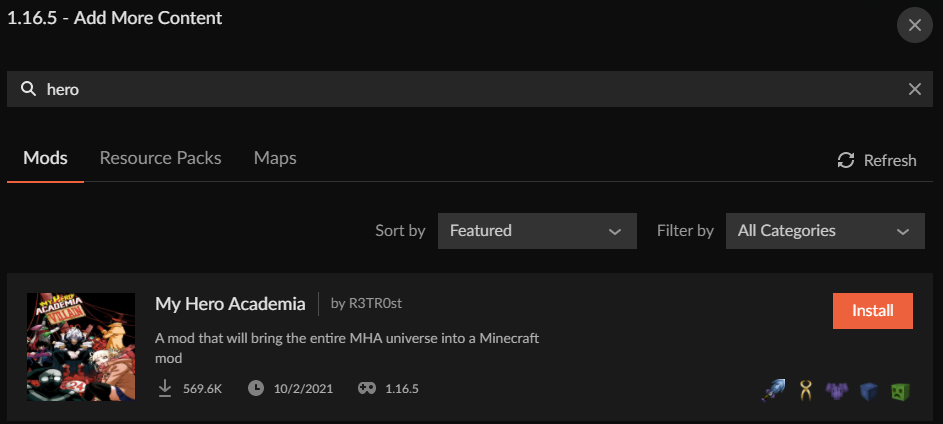
this https://www.curseforge.com/minecraft/mc-mods/my-hero-academia/screenshots
?mc-installmods ⤵️
golden muskBOT
How to install mods in CurseForge App.
- Click
+ Create Custom Profile - Name it, select the required Minecraft version, select the modloader & modloader version (usually the highest number), click
Create. - Click the profile icon.
- Click
Add More Content - Search and install the desired mods.
- Start the game!
How to install mods not on CurseForge.
- Right click the profile picture or Open the profile and click the Icon next to the play button.
- Click
Open Folder. - Drag the mod(s) into the
modsfolder. (Note: Some mods will require others, to run. Make sure to read the instructions for the mod!) - Start the game!
 vital cove
i tried that
 crimson mural
ok when i open my inventory it does this for some reason how do i fix it?
 unkempt knot
is there like a video idk now to launcher log in here
acoustic idol
Follow the bot #👽︱game-support message
 acoustic idol
Patience
last parcel
need someone who actually knows what to look for in that. aint me
 dull palm
anyone can help with a error on minecraft server for fabric?
waxen pine
Can post your log / crash report and people around will look to see if anything can be figured
waxen pine
Oh wait you have luckyperms - plugin?
waxen pine
A mod requires a plugin? sigh
dull palm
the more commands requires it... but it is a mod not a plugin
i can always remove luck perms if it is doing it?
waxen pine
Ah ok
dull palm
was able to find 1 issue i was having and than moving around another occured.
waxen pine
Bountiful has some kind of problem, and there was also a fatal from a feature placement - if it was simply a byproduct of something else no idea
dull palm
so bountiful is causing the random crash?
waxen pine
Someone else might have better eyes on it. Fabric logs are usually a mishmash of mod soup
dull palm
sadly that is what i am learning... but right now fabric has more mods i want over forge.
waxen pine
Good luck
dull palm
thanks
 wooden belfry
i am trying to create a minecraft forge server but i keep getting an error when i run the .bat file
waxen pine
Check you have java 8 installed as your java path
Open command prompt and type
java -version
wooden belfry

i can run a non modded server
but when i run the forge server
it just dosnt work
acoustic idol
2 things,
Wrong Java Version for 1.16.5
Get your server out of Onedrive - It will break things
acoustic idol
Your desktop is connect to onedrive. Open a file folder > click this pc > Click the C drive > make a new folder there for your server.
!java
golden muskBOT
Servers require specific java version, pick yours here!
Java 8 (for MC versions 1.16.5 and below)
Java 16 (for MC version 1.17)
Java 17 (for MC version 1.18)
Other operating systems and versions
wooden belfry
tysm
wooden belfry
how do u change gamerules for a dedicated server? ( like when u create the world because one of the gamerules dosnt apear with /gamerule)
 odd trench
last parcel
odd trench
last parcel
remove optifine
dull palm
needing some help finding how to fix this crash
golden muskBOT
Error/Exit codes are useless. Follow these steps so someone can actually help you.
- Right-click the modpack profile icon OR click the button in the modpack profile.
- Click
Open Folder. - Open the
logsfolder. - Drag and drop the FILE named
latestORdebuginto discord.
 clever acorn
keep getting this I know that the Redstone flux mod is causing it bc whenever I remove it the crashing stops but I need to keep it as its a core mod anyone know any fixes also minecraft doesn't crash when using Redstone flux v2.0.2.3 and v2.0.1.2
 zinc kettle
please help. when I placed down a mirror from Mr Crayfish's furniture mod, my game froze, then crashed. any hints on why?
These are what is in my homemade mod pack
Ancient Warfare 2
Aperture
AppleSkin
Aquaculture 2
BiblioCraft
Blockbuster
Bountiful (Forge)
Chisel
Chisels & Bits - For Forge
Clumps
CodeChicken Lib 1.8.+
ConnectedTexturesMod
Decocraft
Dynamic Surroundings
Electroblob's Wizardry
Emoticons
Ice and Fire: Dragons
Inventory Pets
JustEnoughIDs
LLibrary
Mantle
Mappet
McHorse's McLib
Metamorph
Minecraft Comes Alive (MCA)
Mouse Tweaks
Mowzie's Mobs
MrCrayfish's Furniture Mod
OreLib
PTRLib
Shadowfacts' Forgelin
Spartan and Fire
Spartan Shields
Spartan Weaponry
Tinkers Construct
Varied Commodities
WorldEdit
XL Food Mod
Doggy Talents
Warp book
Biomes o plenty
Optifine
Fakename
Fairy lights
Extra golems
Candy world
Davincis Vessels
MusicCraft
Exotic birds
MovingWorld
waxen pine
Optifine induced crash
zinc kettle
okay, thanks
waxen pine
Remove optifine, set your memory/ram to a more reasonable 8gb
zinc kettle
will do, thankyou, I really appreciate what you do here
 humble elk
Wasup. I need help with a Minecraft Modpack. Whenever I try to launch a world in the modpack, it just crashes. This is the Forge Labs Zombi one.
 golden muskBOT
Sending logs for support.
- Right-click the modpack profile icon OR click the button in the modpack profile.
- Click
Open Folder. - Open the
logsfolder. - Drag and drop the FILE named
latestORdebuginto discord.
humble elk
pine rapids
Error is coming out of SereneSeasons... no indication to the source of the negative value yet
humble elk
Um... English?
last parcel
English: Report the issue to the dev
humble elk
?
last parcel
?projectissue
golden muskBOT
Please visit the project page for the content you posted about and look for a way to contact the developer.
Somewhere on the page there is usually a method of contact. Look for one of the following things:
Issuestab like the image below.- Discord link.
- Twitter link.
- Comments section below the project.
If no contact method exists you will either have to remove the project or find a solution on your own.
humble elk
It was a joke. I just didnt understand what he said.
humble elk
So how do I fix it, or find out how to fix it
humble elk
I have serene seasons, but no Morpheus.
No SimplySeasons
So what do I do
Bruh. Why didnt you just tell me. I up and figured it out. I just removed serene seasons
pine rapids
Usually we don't expect people to modify published packs
humble elk
I mean like, You could put that in as an option.
coarse nest
There isnt much else you could do, unless you try to find the mod making time negative.
humble elk
Oh well I got it to work I guess. G'bye!
unkempt knot
Yo so nobody checked my launcher log yesterday
 sage pier
Can't see anything wrong in it when I just scroll through it.
unkempt knot
Then why do I keep crashing
sage pier
It boots, auths, downloads and checks hashes for files and then exits without any errors as I can see at least.
Except that it tried to launch the Orespawn modpack which instantly exited, but didn't post any errors.
Sure that there are no crash logs or latest.log in the modpack folder?
unkempt knot
Okay ima check
sage pier
Otherwise, one thing you could try, is to relocate the modding folder ⤵️
golden muskBOT
Change your install path to the following:
For Windows: C:\CurseForge
For Mac: /Users/Shared/CurseForge
You will need to make this folder!
If Minecraft is not installed in CurseForge App:
- Click the in the top left.
- Select Minecraft from the list of games.
- Select the
Advancedoption and pick the location for your computer listed above. - Click
Continue.
If Minecraft is installed in CurseForge App:
- Click the in the bottom left.
- Select the Minecraft tab.
- Click
Change. - Select the location for your computer listed above.
:no_entry_sign: Minecraft Files should NOT be installed inside the following locations :no_entry_sign:
:no_entry_sign: .minecraft folder.
:no_entry_sign: OneDrive folders.
:no_entry_sign: Desktop folder.
:no_entry_sign: iCloud enabled folders.
:no_entry_sign: or any other cloud saved folder.
:no_entry_sign: or folders with non-English characters in them.
If any of the above are in the path you need to change/move it!
 opal kernel
Guys how to change the key which mines all the same blocks nearby
quasi hinge
The keybinds menu
opal kernel
quasi hinge
The keybinds menu
i mean what thing to search in it
quasi hinge
What vein mine mod do you have
unkempt knot
i have could crashing be bec of lack of storage
unkempt knot
nobody gonna answer my question
wild jewel
You did not ask a question either.
unkempt knot
my question was can i crash because of lack of storage
wild jewel
Curseforge will complain about that.
And questions usually end with a question mark
last parcel
sure, you can crash for many reasons
unkempt knot
because the reason for me crashing is stil unknown
last parcel
where is a log for this crashing?
last parcel
which of these is actually relevent
last parcel
This is where i asked you for a launcher log correct?
unkempt knot
yeah
last parcel
?mc-path
golden muskBOT
Change your install path to the following:
For Windows: C:\CurseForge
For Mac: /Users/Shared/CurseForge
You will need to make this folder!
If Minecraft is not installed in CurseForge App:
- Click the in the top left.
- Select Minecraft from the list of games.
- Select the
Advancedoption and pick the location for your computer listed above. - Click
Continue.
If Minecraft is installed in CurseForge App:
- Click the in the bottom left.
- Select the Minecraft tab.
- Click
Change. - Select the location for your computer listed above.
:no_entry_sign: Minecraft Files should NOT be installed inside the following locations :no_entry_sign:
:no_entry_sign: .minecraft folder.
:no_entry_sign: OneDrive folders.
:no_entry_sign: Desktop folder.
:no_entry_sign: iCloud enabled folders.
:no_entry_sign: or any other cloud saved folder.
:no_entry_sign: or folders with non-English characters in them.
If any of the above are in the path you need to change/move it!
last parcel
since i assume no one replied we'll go with the all encompassing fix
sage pier
And the launcher log shows no issues at all, MC launching and instantly shutting down
I checked the log this morning
wild jewel
And told him to move what probably didn't happen
quasi hinge
opal kernel
i have tinker/skyfactory
Does that modpack have a vein miner mod
opal kernel
quasi hinge
Does that modpack have a vein miner mod
nope
quasi hinge
What version of Minecraft are you playing
unkempt knot
when i hit the change button i got confused
last parcel
by?
unkempt knot
by the app
 polar anvil
Yo
Can I downgrade Fabric Launcher in my modpack or just recreat it on a older version
For example I wanna test stuff with 0.12.12 and have 0.13.13
last parcel
what about it is confusing?
wild jewel
polar anvil
Yo
Can I downgrade Fabric Launcher in my modpack or just recreat it on a older v...
Recreate
polar anvil
Thx
unkempt knot
idk what the location means
polar anvil
unkempt knot
idk what the location means
Where u save it
last parcel
please read the instructions fully
polar anvil
Another question
How do I change fabric loader 0.13.13 on my server?
-Simple turn it off delete the file and replace it with 0.12.12 for example? Then restart right?
unkempt knot
still confused
last parcel
then explain what you are confused by...
unkempt knot
I don't see any locations
last parcel
what does that mean? you make the location
unkempt knot
Idk how to make location
last parcel
you dont know how to make a folder?
sage pier
Google: how to make a folder in windows
wooden belfry
!java
golden muskBOT
Servers require specific java version, pick yours here!
Java 8 (for MC versions 1.16.5 and below)
Java 16 (for MC version 1.17)
Java 17 (for MC version 1.18)
Other operating systems and versions
 waxen leaf
any reason why pixelmon is failing to load the minecraft launcher as i click play on it?
last parcel
?mc-log
golden muskBOT
Sending logs for support.
- Right-click the modpack profile icon OR click the button in the modpack profile.
- Click
Open Folder. - Open the
logsfolder. - Drag and drop the FILE named
latestORdebuginto discord.
waxen leaf
like i click play and then it launched the minecraft launcher to actaully get on to the game but it says to fail to load page
unkempt knot
Changed location stil crashing
last parcel
show the location you used
waxen leaf
anyone know to fix this? its for loading pixelmon
 opal kernel
quasi hinge
What version of Minecraft are you playing
opal kernel
quasi hinge
What version of Minecraft are you playing
1.12
quasi hinge
You’re asking how to change a setting for something that may not be in that pack
last parcel
waxen leaf
anyone know to fix this? its for loading pixelmon
seems like problem with your connection. disable firewalls, antivirus, try another connection, etc.
waxen leaf
okay
wild jewel
unkempt knot
But say I did do it and it failed
Show a screenshot
opal kernel
quasi hinge
You’re asking how to change a setting for something that may not be in that pack
hmm ok
last parcel
does the vanilla launcher work?
waxen leaf
yes
last parcel
?mc-installfix
golden muskBOT
This is NOT instructions for Repair Profile! They are NOT the same! You need to do this!
- Click on the Minecraft Tab on the Left side of the CurseForge App.
- Click button next to the
Create Custom Profileoption. - Click
Repair Installationoption. - Play game.
NOTE: You will not lose any modpacks or worlds!
humble elk
Im having another problem. When I go into creative mode, or look through some of the pages in JEI, the game just crashes.
Do I need to add some Conecting mods or something?
last parcel
Details:
    Mod Name: Modern Warfare 2.0 Contagion
    Registry Name: mw:tactical_push_backpack
    Display Name: Tactical Push Pack
String Name: 1xitem.mw_tactical_push_backpack@0```?projectissue
golden muskBOT
Please visit the project page for the content you posted about and look for a way to contact the developer.
Somewhere on the page there is usually a method of contact. Look for one of the following things:
Issuestab like the image below.- Discord link.
- Twitter link.
- Comments section below the project.
If no contact method exists you will either have to remove the project or find a solution on your own.
last parcel
for vicmatskiv.weaponlib if that isnt obvious
waxen leaf
oh jk vanilla works out of the curse forge app but not on
and i repaired both profiles for vanilla and pixelmon
last parcel
that isnt what the instructions said to do tho
 undone crag
hey guys,
so whenever i try to open minecraft in curseforge, im met with a crash & an error code, which reads in the photo above. if someone could walk me through what i might be doing wrong, it'd be greatly appreciated.
 golden muskBOT
Error/Exit codes are useless. Follow these steps so someone can actually help you.
- Right-click the modpack profile icon OR click the button in the modpack profile.
- Click
Open Folder. - Open the
logsfolder. - Drag and drop the FILE named
latestORdebuginto discord.
undone crag
i think this is what it's referring to. im on a mac so things might be different
unkempt knot
i have a question can i get a refund on minecraft
acoustic idol
You Would have to talk to microsoft about that
 dull forge
hi everyone good morning, I need help to learn how to configure a feature in the mod Emoticons to disable non emote animations, in the game it is already configured but in the server i play with friends I don't know how to change that option.. pls help
 acoustic idol
May be something to ask the mods author.
dull forge
how can i find the author pls?
acoustic idol
Check the mods project page
 north wave
acoustic idol
north wave
acoustic idol
All mods downloaded using the CF app?
acoustic idol
Is it crashing and closing on its own OR Is it freezing and you force close it?
north wave
so i load the minecraft launcher wit this

then
it seems like it will load, the actual minecraft game doesnt open but it opens the launcher back up and says crashed
acoustic idol
Do other packs work?
north wave
what do you mean?
ohh
yes
better minecraft works
but the fabric version i had
this is my first time using the forge version
acoustic idol
Try making a blank 1.18.2 profile, same modloader as your custom pack then hit play. Dont add any mods to it
 acoustic idol
It is likely one of your mods crashing then, no idea which one tho. Will have to slowly remove mods till the crashing stops. Testing in between
north wave
81 mods...
acoustic idol
Be happy its not 200+
north wave
maybe this is the problem
 acoustic idol
¯_(ツ)_/¯
last parcel
typically you only want to install 3-4 mods at a time, so that when you run into an issue like this it's not daunting to remove so many at once. this is how modding goes
pine rapids
north wave
maybe this is the problem
That's not likely to be the issue
north wave
last parcel
typically you only want to install 3-4 mods at a time, so that when you run into...
this is my 1st time doing it.. :c
last parcel
now you know
golden muskBOT
How to get the launcher log
- Right click a profile.
- Select
Open Folder - Go back two folders.
- Open the
Installfolder. - Drag the
launcher_log.txtinto discord.
acoustic idol
Wrong log,
north wave
what do you mean
acoustic idol
Read the bot again
last parcel
that isnt what you were asked for
north wave
 acoustic idol
Step 3
pine rapids
See #3 again...
pine rapids
You can either have Xaero's or Xaero's Fair, not both
acoustic idol
!mc-logs
golden muskBOT
Sending logs for support.
- Right-click the modpack profile icon OR click the button in the modpack profile.
- Click
Open Folder. - Open the
logsfolder. - Drag and drop the FILE named
latestORdebuginto discord.
sage pier
Looks like you don't own java as well. Since it says "Play Demo"
Are you sure that you're logged in to the correct account?
golden muskBOT
Minecraft Logins
Step 1: Get to the Microsoft login screen.
Step 2: Log in with a Microsoft account that owns the Java version of Minecraft.
Done!
Issues: If it says PLAY DEMO then the account used DOES NOT own Java Minecraft. Log in with one that does.
sage pier
Profile picture are different on the different accounts
 digital quail
Any way i can start a server for me and my friends to play mods together?
acoustic idol
!mc-installserver
golden muskBOT
How to **manually** install a server - **On your own PC**
- Check if the modpack has a server pack, if it does: use that and skip below.
- Go to the Forge website http://files.minecraftforge.net/ and download the Installer for the forge version the pack is using.
- Run the installer and choose
Install server. Do not install to your desktop. Also do not install inside a OneDrive folder. - Run the server using the forge.jar. A file called
eula.txtwill be generated. Open it and changeeula=falsetoeula=true - From the Client; Copy the
modsfolder,configfolder, and any other folders needed for the pack to work into the server folder. If the modpack has a server pack, use this instead! - Run the server again.
- Port forward your machine if needed. (Google it)
digital quail
ty
wooden belfry
!java
golden muskBOT
Servers require specific java version, pick yours here!
Java 8 (for MC versions 1.16.5 and below)
Java 16 (for MC version 1.17)
Java 17 (for MC version 1.18)
Other operating systems and versions
north wave
north wave
it crashed
IT WAS APPLIED ENERGETICS
 nocturne shoal
 acoustic idol
!mc-logs
golden muskBOT
Sending logs for support.
- Right-click the modpack profile icon OR click the button in the modpack profile.
- Click
Open Folder. - Open the
logsfolder. - Drag and drop the FILE named
latestORdebuginto discord.
acoustic idol
Try removing randompatches

 coarse nest
Probably phosphor
 amber stag
I got a crash but a regular one
acoustic idol
ok?
amber stag
Redact that
crimson mural
this happened to my inventory when i loaded the game as you can see some of the icons like the armor and shield are in the incorrect location and when i put items in specific slots itll put them in a different slot do you know if there is a way to fix this?
 acoustic idol
This a pack you made OR downloaded?
crimson mural
i made the pack
acoustic idol
Could be one of the mods you added. Not sure which tho
crimson mural
ill send logs if that helps
acoustic idol
Would have to look at each mod and see if any of them affect the inventory
crimson mural
still sending the logs just in case
acoustic idol
All mods installed using the cf app?
dull forge
last parcel
<#777323206884327484> 1
im sorry... i wont do it again... i still no found a solition to my problem.
crimson mural
i dont remember which ones but i think some of them i installed using the app
ill figure out which one(s) ia causing the problem
acoustic idol
Should be using the app to install all your mods.
Anyways, best fix is to look at each mod.
Your not using any texturepacks or optifine type stuff yeah?
 sly warren
Could anyone help, i keep getting the error - Error: java.lang.NullPointerException: Initializing game, when trying to load my game
acoustic idol
!mc-logs
golden muskBOT
Sending logs for support.
- Right-click the modpack profile icon OR click the button in the modpack profile.
- Click
Open Folder. - Open the
logsfolder. - Drag and drop the FILE named
latestORdebuginto discord.
dull forge
acoustic idol
Your not using any texturepacks or optifine type stuff yeah?
im using optifine and no texturepack
dull forge
got it sorry