#👽︱game-support
1 messages · Page 206 of 1
 tiny granite
tiny granite
tiny granite
how am i supposed to make a logo related to the project if all of it is technically just copyrighted
everything with pokemons in it nintendo owns
 coarse elm
🤷
 fallow python
can someone help i cant load in game cause of this problem

version 1.18.1
40 mods
 wild jewel
!mc-logs and have patience
 golden muskBOT
Sending logs for support.
- Right-click the modpack profile icon OR click the
 button in the modpack profile.
 - Click

Open Folder. - Open the
logsfolder. - Drag and drop the FILE named
latestORdebuginto discord.
wild jewel
Yes, just do it
wild jewel
Is it a support question?
wild jewel
Now you wait for somebody to read it and help with it
fallow python
it happened when i was making the map. k understandable
wild jewel
@fallow python You have messages here, stop talking in #🔥︱curseforge-support .
And JUST WAIT
 lean hull
Yes
wild jewel
Then ask the question
fallow python
why is it like this every time i open uhmm. my internet is pretty fine.gtg bye
hmm i dont know maybe?
i think its ok i have to wait only 1 min

 last parcel
usually an internet issue
you say it's fine, but it's not getting the files needed so...
fallow python
fallow python
can someone help i cant load in game cause of this problem
hey guys i dont need help anymore the minecraft is running perfectly..i played like 10 min then i wanted to open minecraft dictionary (alex mobs) and this happened..oh i didnt photo ..i think its ok maybe i just dont need to open the animals dictionary lol
 naive flint
how can i stop thisd, its happpened 6 times after loading create above and beyong
 golden muskBOT
Sending logs for support.
- Right-click the modpack profile icon OR click the button in the modpack profile.
- Click
Open Folder. - Open the
logsfolder. - Drag and drop the FILE named
latestORdebuginto discord.
naive flint
fixed it
 rocky scaffold
why cant i open this file if i click on it nothing happends 😦?

 quiet isle
i try to run forge 1.17.1 and this pops up, how do i fix it?

 waxen pine
?mc-logs
golden muskBOT
Sending logs for support.
- Right-click the modpack profile icon OR click the button in the modpack profile.
- Click
Open Folder. - Open the
logsfolder. - Drag and drop the FILE named
latestORdebuginto discord.
 daring oyster
hi
i need some help with unidict. I have ic2 and thermal foundation. and i can't craft a iridium ore (from ic2) from 9 iridium shards because it just makes a iridium ingot (from thermal).
Can you help me?
 dry meadow
i need help figuring out how to get vault hunters to work it keeps crashing while making a world
waxen pine
daring oyster
i need some help with unidict. I have ic2 and thermal foundation. and i can't cr...
I'm not familiar with those specifically but you could use crafttweaker to remove/add recipes
 autumn agate
is anyone elses insane craft not loading?
 past notch
i cant get my microsoft minecraft to open any help?
golden muskBOT
╰( ͡° ͜ʖ ͡° )つ──☆*:・゚ *˜”*°•.˜”*°• Many Help •°*”˜.•°*”˜* <:curselit:796985620550385705>
Please provide a description of your issue with as much detail as possible. If you have an issue with a mod or modpack, tell us the name. Explain what you can see happening. Be specific!
 Tell us what is happening, we already know it "doesn't work".
Avoid using words like "it", tell us exactly what "it" is.
Don't assume anyone knows what you are talking about, be specific.
Tell us what you expected to happen.
Provide screenshots or video if possible.
Provide a log if possible. ?mc-log
wild jewel
!mc-installmods
golden muskBOT
How to install mods in CurseForge App.
- Click
+ Create Custom Profile - Name it, select the required Minecraft version, select the modloader & modloader version (usually the highest number), click
Create. - Click the profile icon.
- Click
Add More Content - Search and install the desired mods.
- Start the game!
How to install mods not on CurseForge.
- Right click the profile picture or Open the profile and click the Icon next to the play button.
- Click
Open Folder. - Drag the mod(s) into the
modsfolder. (Note: Some mods will require others, to run. Make sure to read the instructions for the mod!) - Start the game!

 hollow hornet
does anyone know when curseforge will allow minecraft dungeons on the new launcher?
fallow python
rocky scaffold
why cant i open this file if i click on it nothing happends 😦?
bro i dont think you need to have only an jar file
open it with minecraft not from files
wild jewel
hollow hornet
does anyone know when curseforge will allow minecraft dungeons on the new launch...
When Mojang an Curseforge figured out how to let the programs work together
 junior light
hollow hornet
does anyone know when curseforge will allow minecraft dungeons on the new launch...
junior light
hollow hornet
does anyone know when curseforge will allow minecraft dungeons on the new launch...
You mean the microsoft launcher?
hollow hornet
i think so, the one where you can open all 3 games with 1 launcher, windows, java and dungeons
rocky scaffold
fallow python
bro i dont think you need to have only an jar file
no im making a server

and like nothing happens if i double click on it
autumn agate
My game stops when I try to join a world. its on a 1.16.5 modpack with like 85 mods. And the log is too big to post in here
But it just stops on the 100% screen
fallow python
autumn agate
My game stops when I try to join a world. its on a 1.16.5 modpack with like 85 ...
post as a file
autumn agate
fallow python
post as a file
idk what u mean but i put it in a zip
sorry for the ping
 quasi hinge
You could’ve posted it as a log file, remove optifine and post another log
last parcel
they said it was too big to put here
autumn agate
ima do one without opti
autumn agate
it worked without opti but it really needs to be in the modpack
my fps is not good at all
last parcel
?mc-optifine
golden muskBOT
We do not offer support for Optifine!
If you have issues with Optifine, remove it. If you want further support try the discord found on their website.
https://www.optifine.net/home
Installing Optifine with modpacks on Curseforge:
- Right click the modpack icon, select
Open Folder. - Put the
Optifine.jarinto themodsfolder. - Now start the modpack.
autumn agate
I know
but he said to remove opti and then post the log
I took it away and loaded the world again to get the log without and it worked
wild jewel
Then optifine is the issue and should ask them for help
last parcel
im not sure what you are arguing with then?
autumn agate
ima try with optifine again just to be sure
waxen pine
autumn agate
it worked without opti but it really needs to be in the modpack
It doesn't need it wants. If it is terrible without it installed then it's being used as a crutch and you should figure out why it runs so poorly
 rotund folio
are there tools y'all would recommend for doing that/figuring out how and when a pack will run poorly? I'm wanting to keep performance high for my pack but other than playing and diagnosing lag when it happens I'm not sure how to address that 😅
(I can move that to #🔎︱mod-hunting if that's better suited 💚)
last parcel
Trial and error, and doing regular performance checking is the best way I know of, at least for FPS stuff.
waxen pine
Spark profiling is a start
rotund folio
thanks! 💚
last parcel
spark profiling isnt really related to fps though
rotund folio
definitely still helps me at least, although that won't help Astro with what Optifine is doing 😅
last parcel
spark checks cpu usage, which can have an indirect impact on fps
i'd say it's more for diagnosing lag than fps though
rotund folio
tbh mostly I just added a mod that puts the fps on my screen and then when it goes down I go about troubleshooting it 😅
last parcel
rotund folio
oooh handy checklist!
last parcel
still more lag than fps, but some of that still applies
rotund folio
would it be alright if I added that list to the little wiki I'm building for my pack, with a credit to you as 'Yamza from the CurseForge Discord'?
last parcel
sure, dont need to credit me
rotund folio
I know it's not like a poem you wrote or anything but it's handy and concise and it's always nice to be able to throw in a shoutout when folks have been helpful 💚
 glossy sail
Need help with joining my friend via hamachi. We are on the same mod and he open to lan and I put his Ipv4 adress in. It has worked before but not today
wild jewel
Opening to lan isn't reliable with mods
glossy sail
It has worked before.
So they updated it ?
Is there any free hosting for mods? Or do I have to pay to play one evening with a friend?
last parcel
can host for free on your computer, assuming you have the extra resources for it
glossy sail
Ok, but still I dont remember how I did it last time. 4 months ago I could join perfect with mods and everything via Hamachi and now I cant.
last parcel
Hamachi isnt a method of connection that we give support for.
glossy sail
Then what do you support? Do I have to setup a port forwarding or pay 10 dollars for a server hosting
last parcel
Hosting on your computer. If you pay for a host then they give the support.
glossy sail
How do I host on my computer ?
last parcel
!mc-installserver
golden muskBOT
How to **manually** install a server - **On your own PC**
- Check if the modpack has a server pack, if it does: use that and skip below.
- Go to the Forge website http://files.minecraftforge.net/ and download the Installer for the forge version the pack is using.
- Run the installer and choose
Install server. Do not install to your desktop. Also do not install inside a OneDrive folder. - Run the server using the forge.jar. A file called
eula.txtwill be generated. Open it and changeeula=falsetoeula=true - From the Client; Copy the
modsfolder,configfolder, and any other folders needed for the pack to work into the server folder. If the modpack has a server pack, use this instead! - Run the server again.
- Port forward your machine if needed. (Google it)
Long version: https://pastebin.com/83DXfGTH
last parcel
You can also open to lan and port forward whatever port it opens on, but this changes every time you open the game.
glossy sail
Yes that is what I did last time, but now it dosent work for some reason
last parcel
Maybe describe "some reason". It's not a very helpful explanation.
And you said you were using Hamachi, which is not what I am saying.
glossy sail
This is the error message. My friend that hosts the world opened it to LAN, and tyåed the code to me. I then copied his Ipv4 adress and typed the code after words. This has worked 100 times before
 last parcel
So Hamachi..
glossy sail
Is there anything wrong with hamachi ?
last parcel
Not helping you with it.
glossy sail
Why wont you help me with hamachi? Seems like it some illiegal thing to use.
last parcel
It's not a safe way to connect with people, and not something pretty much anyone here deals with.
waxen pine
Port forwarding is easy. Plenty of info on the web about doing. The hardest part is remembering your router login/pw
 graceful mulch
Hi, my sky factory 4 game has started crashing on launch after adding the VanillaFix mod. I have the log but im not sure where to go for help
 acoustic idol
If you remove VanillaFix does it work again?
graceful mulch
how do I remove a mod from the profile? I tried but cant find where to do that
acoustic idol
How did you add the mod?
graceful mulch
forge site on google has the option to add to a profile through the launcher
acoustic idol
Ah ok. 2 options can enable profile management then delete it with the trashcan icon OR right click the packs profile picture > open folder > open the mods folder then delete the mod.
!mc-modifypack
golden muskBOT
How to add/remove mods in a modpack.
- Click on the picture of the modpack.
- Click the

Add More Contentbutton, IF this button is not there, see below before continuing. - Find the Mods, Resource Packs or Maps you wish to Install and click
Installon them. - Wait for all the required mods to be downloaded.
- Start the modpack.
How to Enable/Disable content management for modpacks.
- Click on the picture of the modpack.
- Click on the button next to the
Playbutton. - Click on

Profile Options. - Check the
Allow content management for this profileoption if you want to edit the content of the modpack, uncheck it to disable.
NOTE: The Allow content management for this profile option is what allows you to Delete, Disable, Update or Install any Mods, Resource Packs or Maps managed by CurseForge. It must be on to modify any of them! (Currently)
graceful mulch
I would like to keep VanillaFix to see if it improves my performance (late game SF4 causing lots of lag and bad frames) so would disabling the mod to see if that caused it work too?
acoustic idol
Sometimes yes. Tho do note they when you modify premade packs your usually on your own to fix it. Hence why we say to undo what you did
graceful mulch
Oh my bad I diddnt realize
acoustic idol
All good
rotund folio
(often if there's a way to improve performance that won't conflict with other mods, it's already included 😅)
autumn agate
Any advice on fixing this? Been irritating me for a bit. Can't create custom profiles using my backups or it'll just give me this.
 last parcel
restart your computer
graceful mulch
@rotund folio thats fair
autumn agate
I have, it's been doing this constantly for about a week.
last parcel
vanillafix actually creates more issues, and solves none.
acoustic idol
That too
last parcel
autumn agate
Any advice on fixing this? Been irritating me for a bit. Can't create custom pro...
?owlogs
golden muskBOT
<:overwolf:857375414002384916> How to get CurseForge App logs! <:overwolf:857375414002384916>
- Click the

Create logs zipin the menu.
menu. - Drag and drop the file it just made to this chat room to upload it.
- Wait for someone to look at it so they can help you.
 rotund folio
can relate to frustrations with packs getting super slow late game though, I hope you're able to find a way to make that better 😓
graceful mulch
damn really 😦 Only wanted to try because I saw some people on an old forum saying it improved frames
 sage pier
autumn agate
I have, it's been doing this constantly for about a week.
sage pier
autumn agate
I have, it's been doing this constantly for about a week.
How are you restoring them? With "Import"? And are they of a proper exported format? Or just a zip backup of the instance folder?
graceful mulch
It says it helps improve vanilla mc so it makes sense it would mess with packs
rotund folio
yeah 😅
for me I usually run chrome while I play so if it gets bogged down and I can't do anything about the game itself, I close my browser 😂
graceful mulch
Can I ask if theres any way to improve performance (turning off animated textures barely helped)
Yea I use opera GX so I just steal all the ram and cpu usage from my browser XD
autumn agate
sage pier
How are you restoring them? With "Import"? And are they of a proper exported for...
To make sure it's not just my zip being incorrectly formatted, I even tried a few (correctly formatted) ones from reputable sites
(didnt mean to ping btw)
last parcel
"reputable sites"?
sage pier
No worries, I had the window open. And yeah, same reaction as Yamza, reputable sites? So, they are modpack zips?
last parcel
curseforge only imports modpacks from curseforge
rotund folio
graceful mulch
Can I ask if theres any way to improve performance (turning off animated texture...
if you have OP and it's not a server where folks will mind, something I find that usually helps is to kill of all the mobs that are hanging around in the background
(for TPS lag)
last parcel
graceful mulch
Can I ask if theres any way to improve performance (turning off animated texture...
autumn agate
last parcel
curseforge only imports modpacks from curseforge
Fair enough, though I'm a little confused also, as I tried a modpack used by a MSMP server, who advertise their pack can be imported, as it's not public on CF. Seems to work for others, but I can't get even that to work
last parcel
can you install a pack that you find on the app?
autumn agate
Downloading in-app with the browse feature is working as it should, yes.
last parcel
then my assumption would be that whatever you are importing is not made correctly. want to open one and screenshot it?
autumn agate
Actually, just got it to work. Just had to download a random pack and replace the mods and config files manually
golden muskBOT
How to install mods in CurseForge App.
- Click
+ Create Custom Profile - Name it, select the required Minecraft version, select the modloader & modloader version (usually the highest number), click
Create. - Click the profile icon.
- Click
Add More Content - Search and install the desired mods.
- Start the game!
How to install mods not on CurseForge.
- Right click the profile picture or Open the profile and click the Icon next to the play button.
- Click
Open Folder. - Drag the mod(s) into the
modsfolder. (Note: Some mods will require others, to run. Make sure to read the instructions for the mod!) - Start the game!
autumn agate
I was doing that, but somehow I forgot to put mod loader on it
so I couldn't figure out why my mods wouldnt load
rocky scaffold
how do i create a forge server?
last parcel
run the forge server installer
 last parcel
run the jar
rocky scaffold
but there is 2?
last parcel
if you want a forge server, you would use the one called forge
rocky scaffold
oh but if i double click on it nothing happens
golden muskBOT
How to **manually** install a server - **On your own PC**
- Check if the modpack has a server pack, if it does: use that and skip below.
- Go to the Forge website http://files.minecraftforge.net/ and download the Installer for the forge version the pack is using.
- Run the installer and choose
Install server. Do not install to your desktop. Also do not install inside a OneDrive folder. - Run the server using the forge.jar. A file called
eula.txtwill be generated. Open it and changeeula=falsetoeula=true - From the Client; Copy the
modsfolder,configfolder, and any other folders needed for the pack to work into the server folder. If the modpack has a server pack, use this instead! - Run the server again.
- Port forward your machine if needed. (Google it)
Long version: https://pastebin.com/83DXfGTH
 last parcel
press windows key + r
type cmd, press enter
type java -version
screenshot the result
 coarse nest
rocky scaffold
what is wrong with my stupid code
coarse nest
rocky scaffold
what is wrong with my stupid code
Also put pause on the line after that, it will allow you to see the error before it quits
rocky scaffold
 rocky scaffold
ohhhhhhhhh
last parcel
!java
golden muskBOT
Servers require specific java version, pick yours here!
Java 8 (for MC versions 1.16.5 and below)
Java 16 (for MC version 1.17)
Java 17 (for MC version 1.18)
Other operating systems and versions
last parcel
probably should add how to check the java version to this huh
rotund folio
(are you the one that makes those?!)
last parcel
depends on your definition of making them is
rotund folio
collecting up the information that's super handy and connecting it to a command?
last parcel
i dont put the commands in myself (though i could), but these commands have come from everyone in the support or higher roles
rotund folio
that's rad ^^
somebody helped me get the list of all the commands that are available, but there's no way to get all of them at once to read over besides just doing each one in #🟢︱user-bot-spam right?
last parcel
correct
rocky scaffold
this is what it says i installed java
 last parcel
you dont have universal
wait 🤔
idk
did you put the run.bat in the same folder as the jar?
rocky scaffold
this is my floder
 rocky scaffold
nope
acoustic idol
Can you edit and screen shot what you have written in your run.bat please
rocky scaffold
 sage pier
Needs to be forge-1.12.2-14.23.5.2860.jar
acoustic idol
Ah ok so the jar file you have written needs to match the forge jar in the folder
rocky scaffold
sage pier
Needs to be `forge-1.12.2-14.23.5.2860.jar`
but it is
last parcel
remove the other stuff infront of that
Change the xxxxxxxxxxxxx to whatever your forge.jar is named.```?
 sage pier
Probably the wrong java being used then
rocky scaffold
which of these should i use then
 acoustic idol
Java 8
Unless you have another program that needs it, it is easier to uninstall what ever java you have now and install 8
 uneven yoke
So I'm having issues where the second I attempt to load into a modded world, from either the "backup and load" option or just loading into the world without it.
last parcel
i think you forgot to finish your explanation.
waxen pine
Either bonsai trees or optifine crashing. And honestly 1.15.2 wasn't a primary version very long, lots of lingering issues mod authors don't really spend much time paying attention to. 1.16.5 was a much longer lasting version with most of those mods (and it's still popular)
 fringe geyser
Hey, I'm trying to setup a server but when I connect its saying "Client has mods that are missing on server". I've disabled the mods causing this by adding ".disabled" in the server files due to them causing issues. How can I resolve this?
 upbeat girder
waxen pine
Either bonsai trees or optifine crashing. And honestly 1.15.2 wasn't a primary v...
upbeat girder
waxen pine
Either bonsai trees or optifine crashing. And honestly 1.15.2 wasn't a primary v...
Got rid of bonsai trees and it was happening before I got optifine but it happens on the second bit of the launch and just come up with red title saying the forge version then it crashes
And y ideas
waxen pine
Screenshot of erroring message?
 golden muskBOT
Sending logs for support.
- Right-click the modpack profile icon OR click the button in the modpack profile.
- Click
Open Folder. - Open the
logsfolder. - Drag and drop the FILE named
latestORdebuginto discord.
waxen pine
Also - has this ever worked?
upbeat girder
waxen pine
I was expecting to see the "red title"
Oh that’s at the bottom of the screen I didn’t mean title sorry
This is the latest one
waxen pine
Do you have a gfx card?
upbeat girder
idk, but i can run other modpacks like skyfactory and crazy craft just fine, but i wanted to make my own modpack for me and friend and its just keeps giving that error
so idk if its to do with PC specs
waxen pine
?mc-installfix
golden muskBOT
This is NOT instructions for Repair Profile! They are NOT the same! You need to do this!
- Click on the Minecraft Tab on the Left side of the CurseForge App.
- Click button next to the
Create Custom Profileoption. - Click

Repair Installationoption. - Play game.
NOTE: You will not lose any modpacks or worlds!
waxen pine
Try this then. If not that then idk. Would recommend 1.16.5 as a pack base
upbeat girder
ok
 surreal willow
hey, so, I play SkyFactory 3, and now, whenever I try to log into my world or create a new world, it's just stuck on "Loading World"
golden muskBOT
How to set Global Minecraft RAM value.
- Click the
 icon in the bottom left to open settings.
 - Click the Minecraft tab.
- Scroll down.
- Slide slider to recommended ram range as seen below.
 autumn agate
Can you put a folder contianing minecraft mod files into the "mods" directory in .minecraft
or does it have to be the files themself
 wooden surge
hey everyone a little help if anyone would be so kind. im using All the Mods 6 (latest version) and im using a magma crucible from the Thermal Series mod to produce lava. i then tried using the importer and exporter (refined storage mod) to move the lava to disk drives. ive been at it for hours and have tried as many confiqurations as i can think of. am i doing this wrong or is this just something wrong with the game
rotund folio
ah heck, that sounds frustrating
there's a Discord for ATM7 that might be a good place to ask also?
(ah yeah! they have channels for the other versions too, it's just the server icon that is ATM7 rn ^^)
 river badger
So i'd like some help with the curseforge minecraft launcher. Whenever I try to launch a minecraft modpack from curseforge, it signs me out of my original minecraft account and will come up with an error when I try to sign in. The launcher used to work, but now it suddenly doesn't. Any ideas?
surreal willow
waxen pine
Give it more memory/ram. Minecraft is hungry
didnt work, but instead of just freezing on the "Loading World" screen, the text disappears, so...
waxen pine
surreal willow
didnt work, but instead of just freezing on the "Loading World" screen, the text...
Can you provide the latest.log immediately after that then
?mc-logs
golden muskBOT
Sending logs for support.
- Right-click the modpack profile icon OR click the button in the modpack profile.
- Click
Open Folder. - Open the
logsfolder. - Drag and drop the FILE named
latestORdebuginto discord.
river badger
river badger
So i'd like some help with the curseforge minecraft launcher. Whenever I try to ...
Fixed itself, somehow??
waxen pine
It's old Minecraft - has issues loading. Adding a bit more than the standard memory and/or adding some java jvm tweaks give those hard to world load packs the kick that does it faster
 hushed sparrow
Can someone explain to me why i can play better Minecraft without issues a couple times, and after i have played it like 2 or 3 Times it Just doesn't work anymore
It keeps crashing
 sly inlet
When i try to load a small fabric modpack it shows an error saying it requires fabric loader
hushed sparrow
Probably a seperate thing u need to add
sly inlet
Nvm i'm dumb i need to update fabric
hushed sparrow
😂😂😂 glad it works now
hushed sparrow
hushed sparrow
Can someone explain to me why i can play better Minecraft without issues a coupl...
Could Anyone please give me tips or something on how to fix this
rotund folio
do you have a crash log you can post? that helps a bunch with figuring out what's going on
it's definitely odd that you can play for a bit without issues and then start having problems but presumably it's due to something that changed inside the game, just without logs there's not a good way folks can help pinpoint what that might be
hushed sparrow
True that, well it only says after i installed everything again error code -1
golden muskBOT
Error/Exit codes are useless. Follow these steps so someone can actually help you.
- Right-click the modpack profile icon OR click the button in the modpack profile.
- Click
Open Folder. - Open the
logsfolder. - Drag and drop the FILE named
latestORdebuginto discord.
waxen pine
yeah post latest.log file plz
waxen pine
wow how did you ever even get bettermc loaded with only 4gb of memory applied lol
better mc is a large modpack and you should allocate like 7-8
?mc-ram
golden muskBOT
How to set Global Minecraft RAM value.
- Click the icon in the bottom left to open settings.
- Click the Minecraft tab.
- Scroll down.
- Slide slider to recommended ram range as seen below.
waxen pine
also - do you have a gfx card? it's showing intel graphics at the moment - either your card is intel or it's your motherboard?
hushed sparrow
waxen pine
wow how did you ever even get bettermc loaded with only 4gb of memory applied lo...
so basicly what ur saying is that i dont have the memory to run it?
waxen pine
do you know how much total your machine has?
 acoustic idol
Thats storage not Ram. In the search bar on your task bar type: system info > open system information > on the right screen scroll down to Installed Physical Memory (Ram)
As for screen shots press: Windows Key + Shift + S then Ctrl + V in here
 acoustic idol
Yep
hushed sparrow
damn i realise how much i dont know about laptops etc.
acoustic idol
Your pc has a max memory(Ram) of 8Gb. So for cf the max amount of ram you can allocate is 6gb (6144Mb) Any more then this may cause your pc to actually slow down or just crap out
hushed sparrow
that means that my laptop doesnt have what it needs to run better minecraft?
acoustic idol
Possibly
hushed sparrow
that explains allot
rotund folio
although 6144Mb is more than you currently have allocated I think, if I'm reading this right, so it's probably worth seeing if doing that helps?
acoustic idol
Could try the 6gb and low settings in game(if needed). No harm in trying
rotund folio
and who knows, that additional 2gb might do the trick!
hushed sparrow
sounds like a good option, but seeing my knowledge in computers is absolute poop, how do i do that
acoustic idol
Will start with ram settings, follow this in the cf app (make sure minecraft is closed fully)
!mc-ram
golden muskBOT
How to set Global Minecraft RAM value.
- Click the icon in the bottom left to open settings.
- Click the Minecraft tab.
- Scroll down.
- Slide slider to recommended ram range as seen below.
rotund folio
(for the longest time I was setting it up for each profile 😂 so glad it can be done this way)
hushed sparrow
i did it
acoustic idol
ok, once you have set the 6gb (6144mb) Start the pack
hushed sparrow
i didnt even know this was a thing
ill be damned
it works again
see my laptop looks like its from like 1998 but it has the internals of a small sports car{somehow}
waxen pine
seeing if you do in fact have a graphics card would be a good idea
hushed sparrow
where do i do that XD
waxen pine
windows 10?
hushed sparrow
yessir
waxen pine
go to system information > components tab > display
hushed sparrow
it doesnt want to do that unfortunately
waxen pine
how about device manager
 waxen pine
yea display adapteers
 waxen pine
rip lol
hushed sparrow
ohno XD
waxen pine
i mean if it works for you
waxen pine
you may find the performance of large modpacks sub-par.
it's not about laptops per se. mine came with 12gb of memory and a nvidia gtx1060 card which is actually quite good despite being a laptop model
hushed sparrow
wellllllll daym
ill see what to do with this, ill not be changing it anytime soon because money XD. but i want to thank you and everyone else for helping out
rotund folio
(it's usually a lot cheaper to get a desktop computer that's at the same specs)
waxen pine
if you find bettermc is to bloat-y there are slimmer things to try that might run faster - check it out first and see
hushed sparrow
Ill certainly take a look 😁
rotund folio
there's even a Category for Small / Light modpacks, those tend to be much less demanding and faster overall 😄
waxen pine
there is also a #768717413918179368 here behind role in #786424115535544350
 austere grotto
just got this when trying to open the game

here's the crash log from that
and this was a crash log from when I tried to connect to the server
waxen pine
huh fastutil - just like that last guy
rotund folio
it might be a good idea to increase the amount of RAM the game can use
waxen pine
?mc-ram
golden muskBOT
How to set Global Minecraft RAM value.
- Click the icon in the bottom left to open settings.
- Click the Minecraft tab.
- Scroll down.
- Slide slider to recommended ram range as seen below.
austere grotto
it's at 4096 currently but I'll bump it up
waxen pine
6-8 is not unreasonable
austere grotto
I'm giving it 8
another crash, doesn't look like it created a crash report
I do have a debug log now though
waxen pine
it looks like you were joining a singleplayer world however?
waxen pine
not really. if it were a thing that thing would show up in the log or crash report
waxen pine
if you loaded into the main menu then the minecraft files should be okay - it's something to do with either ram overhead for rendering purposes or a mod issue
austere grotto
would updating my graphics drivers help?
waxen pine
always update to latest gfx drivers hah
austere grotto
I've tried reinstalling the modpack and my friends aren't having the issue
I updated a week or two ago but here might be something
installing the latest drivers now, it'll take ~8 minutes or something
game crashed again unfortunately
no crash log but I have debug and latest
rotund folio
heck, that's frustrating - I got nothing but there's a bunch of super knowledgeable folk here so I bet one of them will have some idea for what to try 💚
waxen pine
if this is the latest v55 version of that modpack published 15 hours ago then just roll it back to the last version before and try
austere grotto
we're on v54 because we were having issues on v54.5
maybe the latest version will work, but I was having issues before 55 was out
ok the issue may have been more simple than we thought haha
I just let the game sit on "not responding" for a minute and it just worked...
pretty anticlimactic, thanks for the help though
rotund folio
oh well hey! glad that worked 😄
wild jewel
@vestal flameNext time you do that you will get banned
 vestal flame
wild jewel
<@!919152408158953472>Next time you do that you will get banned
vestal flame
wild jewel
<@!919152408158953472>Next time you do that you will get banned
Ok sorry
wild jewel
Why would you even do that
vestal flame
Just for fun
wild jewel
Well, wrong place
vestal flame
Ok
autumn agate
if you remember me im the one with the log that was to big here. i tried one more time with opti and it didnt work so im prob gonna talk with them on opti or i just find a fix to it
 molten nexus
this only pops up when I try to log into minecraft with my microsoft account through curseforge

anyone had the same issue?
junior light
molten nexus
this only pops up when I try to log into minecraft with my microsoft account thr...
This looks like a launcher error and not CF related, are you sure you are trying to login with microsoft and not mojang?
molten nexus
junior light
This looks like a launcher error and not CF related, are you sure you are trying...
yeah! my account is migrated and when I press MIcrosoft the login window pops up, I put in my email get a security code, put it in and then the error pops up
last parcel
- Restart your computer (to ensure nothing is interfering with your connection)
- Follow the instructions below to reset the MC launcher completely. Then try to log in
!mc-installfix
golden muskBOT
This is NOT instructions for Repair Profile! They are NOT the same! You need to do this!
- Click on the Minecraft Tab on the Left side of the CurseForge App.
- Click button next to the
Create Custom Profileoption. - Click
Repair Installationoption. - Play game.
NOTE: You will not lose any modpacks or worlds!
molten nexus
last parcel
1. Restart your computer (to ensure nothing is interfering with your connection)...
thank you 😅
Now I feel stupid
Thank you very very much both of you!
last parcel
Everything with minecraft is a mess, no need to feel stupid about that lol
 steep iron
This is ridiculous why is my minecraft on multimc crashing ```[10Feb2022 16:19:44.629] [main/INFO] [cpw.mods.modlauncher.Launcher/MODLAUNCHER]: ModLauncher 9.1.0+9.1.0+main.6690ee51 starting: java version 17.0.1 by Eclipse Adoptium
[10Feb2022 16:19:44.804] [main/INFO] [mixin/]: SpongePowered MIXIN Subsystem Version=0.8.5 Source=union:/D:/MultiMC/libraries/org/spongepowered/mixin/0.8.5/mixin-0.8.5.jar%2349!/ Service=ModLauncher Env=CLIENT
this says pretty much nothing. have you tried multimc support?
steep iron
maybe this will workat cpw.mods.bootstraplauncher@1.0.0/cpw.mods.bootstraplauncher.BootstrapLauncher.main(BootstrapLauncher.java:149) ... 13 more
last parcel
looks like something to be addressed by multimc support 🤷♂️
last parcel
Gunna need some context..
last parcel
same here. you havent said anything to help with
last parcel
what are you talking about
 glad frost
baby mode in minecraft
last parcel
i have never heard of such a thing
last parcel
nope
glad frost
oh
to sec ill sent you a link
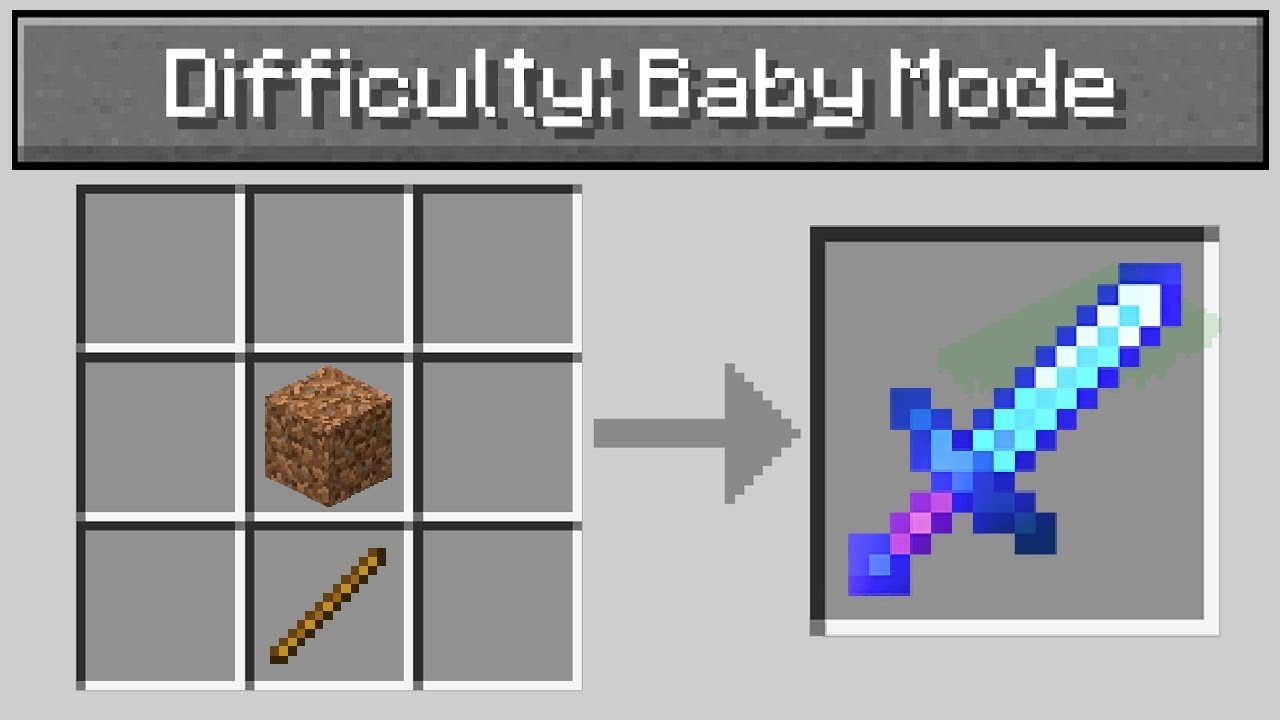
Minecraft, But With "Baby Mode" Difficulty..
Lunar Cloak: https://bit.ly/LunarGraser
Roblox Channel: https://youtube.com/GraserPlays
Graser & Billy: https://youtube.com/GraserAndBilly
Server IP: octanemc.net
Store: https://octanemc.net
Join Me: https://join.graser.me
Merch: https://shop.graser.me
Book: https://book.graser.me
Twitter: https:...
last parcel
so.. you want a mod that adds baby mode?
#🔎︱mod-hunting
last parcel
use #🔎︱mod-hunting that isnt a support question
glad frost
ok
 torn bluff
oi
 meager cypress
So we run into an issue last night. We were playing Life in the Village 2 and we couldn't add our friend into a party that was already started. We like to make parties because of the obvious sharing of quest completion rewards. Our third member was able to log onto the server but we couldn't add them into the "party." Which is going to be an issue because we have our fourth member finally joining this weekend. Any guesses how we fix it?
last parcel
Would talk to the people who made the pack, or find out which mod adds parties and ask the dev.
 verbal yacht
Is there a way to change a single player world into a multiplayer world without using LAN? I'm new to curseforge and I'm not sure how to do it
last parcel
curseforge is a mod manager, it doesnt actually have anything to do with the game or how it works fyi
!!=
golden muskBOT
Wording is important!
Forge = Minecraft Forge, This is a modloader often just called "Forge".
Fabric = Fabric MC, this is another modloader, just called "Fabric".
CurseForge = A Website/App that has content for games.
Mods = Individual mod files.
Modpacks = Multiple mods put into the mods folder or downloaded from CurseForge.
These are not Interchangeable! Please use the correct terms as it allows us to help you faster!
verbal yacht
ohh I didn't know that lmao
last parcel
You can start a server on your computer and copy the world to the server, but it's kinda complicated.
verbal yacht
oh boy
last parcel
!mc-installserver
golden muskBOT
How to **manually** install a server - **On your own PC**
- Check if the modpack has a server pack, if it does: use that and skip below.
- Go to the Forge website http://files.minecraftforge.net/ and download the Installer for the forge version the pack is using.
- Run the installer and choose
Install server. Do not install to your desktop. Also do not install inside a OneDrive folder. - Run the server using the forge.jar. A file called
eula.txtwill be generated. Open it and changeeula=falsetoeula=true - From the Client; Copy the
modsfolder,configfolder, and any other folders needed for the pack to work into the server folder. If the modpack has a server pack, use this instead! - Run the server again.
- Port forward your machine if needed. (Google it)
Long version: https://pastebin.com/83DXfGTH
verbal yacht
Thanks for the help! 🙂
 weary marsh
I don't know if this is the right place for this question... I just uploaded my first modpack. It was approved, but when my brother went to search it on the curseforge website this morning it wasn't listed. Am I missing a step? Did I do something wrong in the modpack settings to hide it? Any help is appreciated 🙂
acoustic idol
Link the project
weary marsh
ok I can do that. What are the requirements to get it listed though?
acoustic idol
!sync
golden muskBOT
Sync and your Project.
CurseForge App and site do not share the same requirements! You can find things on the site but this does not mean it will be in the app!
For a mod to show up in the app:
- Projects MUST have a file marked as RELEASE
 or BETA
- Projects MUST be APPROVED
- Projects MUST have a file marked for the GAME VERSION SELECTED/LOADED
- Projects CAN'T be EXPERIMENTAL
- Projects CAN'T be ABANDONED
Files can take a while to show up in the app. If your files still have not shown up either your project is new and you have yet to mark a file as Release/Beta or there is issues with the sync system making it slow.
Vote this issue up if you would like to know when the last sync was! https://curseforge-ideas.overwolf.com/ideas/CF-I-1617
weary marsh
that is exactly what I needed thanks
acoustic idol
If the file is alpha you can edit the file and change it to Beta or Release. Dont need to upload another file
weary marsh
I've uploaded it as a release, maybe I'm just impacient. It's been a little under 24 hours
acoustic idol
As in you uploaded a new file? OR your original file?
weary marsh
the original
acoustic idol
Link the project
weary marsh
last parcel
shows in the app at least
acoustic idol
yep
weary marsh
yeah I can share it via the link. that's not as convenient since no one can look it up, but it works right
 weary marsh
so it's just not on the site? I can work with that
last parcel
site is uh, bad. i'll pass this on to be looked at
weary marsh
thanks I appreciate it
 queen tulip
Minecraft wont open after launching through curse forge, it does the launch then jothing
Nothing
surreal willow
waxen pine
Can you provide the latest.log immediately after that then
(Sorry for the delay)
queen tulip
This was the crash report i received after attempting to launch
coarse nest
queen tulip
This was the crash report i received after attempting to launch
Couplings mod config is erroring, try delete it
coarse nest
Yeah, its config file
queen tulip
I already did that last time there is no config file
I mean there was a curseforge update so idk
Any other suggestions?
coarse nest
Maybe delete the entire config folder?
queen tulip
No luck yet
Idk what's up
It let's me use the launcher then it says that minecraft is running but theres nothing open
Wait no its opening
Just took its sweet time to open
queen tulip
Thanks!♡
autumn agate
Whenever I tried to join a server it would say invalid session and restart my game and launcher. I tried that about 4 times then I went to the internet to search for an answer. One of the solutions was to log off then back on, I did that and now it's saying I haven't installed it yet. Any solution?
 coarse nest
!mc-login
golden muskBOT
Minecraft Logins
Step 1: Get to the Microsoft login screen.
Step 2: Log in with a Microsoft account that owns the Java version of Minecraft.
Done!
Issues: If it says PLAY DEMO then the account used DOES NOT own Java Minecraft. Log in with one that does.

 blazing blaze
I can't launch minecraft through curseforge and keep getting a crash report whenever I try
crash report
sage pier
Is it a Mac with a M1 processor?
In that case you might need to play a newer version of Minecraft, because there's an issue with some versions, which I don't know who to blame.. It's not CurseForge at least.
waxen pine
1.12.2 and 1.18.1 supposedly work with M1s
 unique oar
I am able to launch Minecraft through CurseForge but have had this crash report keep popping up every time I try to play a modpack I have installed. I was able to play a modpack a week ago but now no matter what modpack I select I get this error popping up every time I launch Minecraft. How would I fix this so I could play modded Minecraft again?
 waxen pine
?mc-logs
golden muskBOT
Sending logs for support.
- Right-click the modpack profile icon OR click the button in the modpack profile.
- Click
Open Folder. - Open the
logsfolder. - Drag and drop the FILE named
latestORdebuginto discord.
waxen pine
Post a latest.log?
 ruby ingot
im not sure whats causing this crash but i cant make a lick of sense out of these logs
waxen pine
net.minecraftforge.fml.ModLoadingException: Mod §ehammerlib§r requires §6forge§r §o39.0.75 or above§r §7Currently, §6forge§r§7 is §o39.0.74
Could be multiple issues but that is one of them
ruby ingot
i was getting an extremely similar crash on that version of forge
waxen pine
What version is your app?
But that message clearly states hammerlib requires forge 39.0.75
ruby ingot
yes im aware
waxen pine
App version is in settings bottom/left
ruby ingot
0.191.3.2
golden muskBOT
This is NOT instructions for Repair Profile! They are NOT the same! You need to do this!
- Click on the Minecraft Tab on the Left side of the CurseForge App.
- Click button next to the
Create Custom Profileoption. - Click
Repair Installationoption. - Play game.
NOTE: You will not lose any modpacks or worlds!
ruby ingot
crash log for the version of forge it wanted
coarse nest
Game menu by morimori0317 is erroring, possibly due to a bad config file
Try delete its config file to regenerate it
ruby ingot
i think im just gonna remove it itself, it was there more as a luxury for myself
waxen pine
Do the above repair installation to purge the core Minecraft files and let them re-upload
coarse nest
@autumn agate
Mod list wont be very helpful. You can also provide a log like below after the error happens, it should say exactly whats wrong
?mc-logs
golden muskBOT
Sending logs for support.
- Right-click the modpack profile icon OR click the button in the modpack profile.
- Click
Open Folder. - Open the
logsfolder. - Drag and drop the FILE named
latestORdebuginto discord.
autumn agate
Oh! Cheers. I'll do that then 🙂
ruby ingot
still crashed
coarse nest
Mod ae2wtlib requires cloth_config any
Currently, cloth_config is not installed
wireless terminals says that its forge
coarse nest
Wdym?
ruby ingot
ae2wt is applied energistics 2 wireless termiunals
coarse nest
autumn agate
I cant see the error in that, are you sure you grabbed it after you saw the error message?
ruby ingot
that was part of its filename
coarse nest
ruby ingot
ae2wt is applied energistics 2 wireless termiunals
It still needs cloth config installed
autumn agate
Oh right, nah I just got 'later' before the error message, sorry 😛 I'll reload back into singleplayer and wait for the error again 🙂
ruby ingot
every other mod downloaded its dependencies, ;-; this has caused me so much trouble over the past couple days
thats not it, maybe? it might just also conflict with something, cause i added the cloth but stil crashed
sage pier
Stupid question, have you added any mods by placing mods manually in the mods folder?
ruby ingot
optifine, but i removed it shortly after wjile trouble shooting, and its ae2 because after removing it the pack loaded
the wireless terminals are asking for a beta version of ae2
sage pier
Ah. Could be that then.
Could change your settings in CurseForge to allow downloads of Beta versions
ruby ingot
i just did it manually
waxen pine
You said this problem was same across multiple modpacks though? 🤔
ruby ingot
no?
i was talking forge versions
earler on i looked up part of the error and saw that as a possible fix
waxen pine
Oh damn was right at same time someone else said that my b
ruby ingot
now that i know where to look in the log for whats causing the issue im just doing solo troubleshooting rn
you guyes helped me realize where to look in the jumbe of words
it looks like that was causing all my issues,, i originally deleted the cloth api cause it had downloaded the fabric instalation of it and forgot to replace it and now adding the beta of ae2 looks to have been the final nail needed
yeah, she loaded, thanks for the help
autumn agate
Maybe this one? It's now saying 'illegal mod detected' even though I downloaded them all on CurseForge. I don't even know what it means by saying that. :S
autumn agate
coarse nest
It still needs cloth config installed
That's the latest log. 🙂
Would it be the snow coremod? Is that the issue that there's no signed thing for it???
autumn agate
What should I look for in the log? Any key elements I should keep an eye out for?
coarse nest
I think its mxtune by aeronica
autumn agate
Oh okay, I'll remove that and see if it fixes it :> Thank you!
coarse nest
autumn agate
What should I look for in the log? Any key elements I should keep an eye out for...
In the stack traces (indented bits of stuff) just above the errror it lists the code path it took to get to the error, the top mod to be mentioned is likely the cause.
In this case its at net.aeronica.mods.mxtune.network.PacketDispatcher.sendTo(PacketDispatcher.java:150) [PacketDispatcher.class:1.0.2]
The first bit of that generally has the authors name, then the mod name will come after
autumn agate
Oh okay awesome. Hopefully it'll work now then. :3 Thanks big time! :3 I'll see if it works now
autumn agate
coarse nest
In the stack traces (indented bits of stuff) just above the errror it lists the ...
It's saying that it's disconnecting from server, and then it goes on to say server lost to host. I logged in and was in the world for like a few seconds. And then it disconnected me from a internal server. And then I find myself on the multiplayer servers list.
It's strange because I click singleplayer and then load into my own world????
coarse nest
Some errors do kick you to multiplayer because it happens on the internal server minecraft runs whenever you run singleplayer (its done it since 1.4 iirc)
autumn agate
Could it be cause I have only 13gb on the driver that contains my mods for curseforge??? I'm gonna change to a different driver that has way more space. Maybe that's the issue?
wild jewel
Not enough space is not gonna disconnect you
 azure ice
so like i kinda need a walk through on moving mods in my server and when i tried doing it its like hard for some reason and im tried to watch the video an di still was lost in the video
autumn agate
How can I find the issue? Would there be anyway I could pinpoint it? Like maybe downloading some software that can detect the issue or something?????
wild jewel
azure ice
so like i kinda need a walk through on moving mods in my server and when i tried...
!mc-installserver
golden muskBOT
How to **manually** install a server - **On your own PC**
- Check if the modpack has a server pack, if it does: use that and skip below.
- Go to the Forge website http://files.minecraftforge.net/ and download the Installer for the forge version the pack is using.
- Run the installer and choose
Install server. Do not install to your desktop. Also do not install inside a OneDrive folder. - Run the server using the forge.jar. A file called
eula.txtwill be generated. Open it and changeeula=falsetoeula=true - From the Client; Copy the
modsfolder,configfolder, and any other folders needed for the pack to work into the server folder. If the modpack has a server pack, use this instead! - Run the server again.
- Port forward your machine if needed. (Google it)
Long version: https://pastebin.com/83DXfGTH
 wild jewel
You copy paste the mods?
azure ice
wild jewel
You copy paste the mods?
yea in the .minecraft
wild jewel
No, not to that, from that folder to your server folder
azure ice
i did but moved it
azure ice
wild jewel
No, not to that, from that folder to your server folder
cause in the video it said put it in the .minecraft
so do i have to make a mod folder and leave it in there or....?
 fallow breach
Hello, I have a question about Lost ARK.
Do you think they will add add-ons. Thank you
wild jewel
azure ice
cause in the video it said put it in the .minecraft
You make the server whereever you want it.
Just don't put it in onedrive
wild jewel
fallow breach
Hello, I have a question about Lost ARK.
Do you think they will add add-ons. T...
#778026316589957140 please
fallow breach
thx ❤️
azure ice
whe i do it now it wont start it
wild jewel
Did you move everything?
azure ice
wild jewel
Did you move everything?
yea
wild jewel
Please disable the ping when using reply.
Show the server log
azure ice
?
wild jewel
Server log, logs folder, latest.log
wild jewel
What huh? What part don't you understand?
azure ice
wild jewel
Please disable the ping when using reply.
Show the server log
how sway?
explain
wild jewel
What does sway even mean?
azure ice
nvm jus explain it to me
 orchid pier
azure ice
nvm jus explain it to me
orchid pier
azure ice
nvm jus explain it to me
server logs in the logs folder
or theres prolly a log tab in your server host website
wild jewel
If he is using one
azure ice
im using like the server download where i have to do it from scratch
wild jewel
Where are you hosting it? Your own pc?
azure ice
yea
orchid pier
azure ice
yea
logs folder should be there
azure ice
orchid pier
logs folder should be there
yea i did that
wild jewel
Open your server folder, show screenshot
azure ice
is it bad idk how to do that in my laptop
orchid pier
yes, very
azure ice
orchid pier
yes, very
oof
wild jewel
Disable those pings!
azure ice
but the log is like long
orchid pier
you got an antivirus?
azure ice
yea
orchid pier
or data protection?
azure ice
windows shield
orchid pier
it cant access crucial server files
azure ice
but i can still run it cause it ask
orchid pier
try disabling that and then run the server
azure ice
how?
orchid pier
google "how to disable windows shield"
wild jewel
Restart your pc, try again, seems like something is already using it
azure ice
wild jewel
Are you starting the forge server? Or the vanilla one?
the server was vanilla when i made my server but i did the better minecraft 1.18 on cursed forge
golden muskBOT
Hey there, it is Curseforge, not "Cursed forge"
wild jewel
So you need the server pack and use that to install the server for it.
You can't reuse a vanilla one
azure ice
how can i remove the vanilla server?
wild jewel
You delete the folder, start from nothing
azure ice
?
wild jewel
How don't you understand that?
It is 2 steps.
You delete the folder that currently contains your server.
You start again from nothing / new folder
orchid pier
🤦
azure ice
that will be my fourth time deleting and fixing it
wild jewel
Then maybe do it step by step and test smaller parts
azure ice
@.@
 leaden light
I can’t use jei,can someone help me
golden muskBOT
╰( ͡° ͜ʖ ͡° )つ──☆*:・゚ *˜”*°•.˜”*°• Many Help •°*”˜.•°*”˜* <:curselit:796985620550385705>
Please provide a description of your issue with as much detail as possible. If you have an issue with a mod or modpack, tell us the name. Explain what you can see happening. Be specific!
Tell us what is happening, we already know it "doesn't work".
Avoid using words like "it", tell us exactly what "it" is.
Don't assume anyone knows what you are talking about, be specific.
Tell us what you expected to happen.
Provide screenshots or video if possible.
Provide a log if possible. ?mc-log
 magic badge
So I made a custom modpack that has been working more or less fine for all my friends who used it on my server. They're all on PC, but this one friend who downloaded and installed the modpack attempted to boot it up and it crashed with the attached error message. They repaired the installation, repaired the profile, restarted their computer, reinstalled the launcher, reinstalled the modpack, reinstalled the jar it said was missing, and a few other attempts at solving the problem, but nothing worked and the same error message keeps occurring. As such, I'm wondering if there is any way to solve this issue that people know of. I will also attach screenshots of the mods in my modpack, if that is needed.
 sage pier
Sounds like your connection is being blocked by Minecraft/Mojang
magic badge
Ahhhh, okay then I think I know the issue. Thank you!
Is there any way around it or nah?
sage pier
No clue, sorry. :|
golden muskBOT
╰( ͡° ͜ʖ ͡° )つ──☆*:・゚ *˜”*°•.˜”*°• Many Help •°*”˜.•°*”˜* <:curselit:796985620550385705>
Please provide a description of your issue with as much detail as possible. If you have an issue with a mod or modpack, tell us the name. Explain what you can see happening. Be specific!
Tell us what is happening, we already know it "doesn't work".
Avoid using words like "it", tell us exactly what "it" is.
Don't assume anyone knows what you are talking about, be specific.
Tell us what you expected to happen.
Provide screenshots or video if possible.
Provide a log if possible. ?mc-log
 minor solstice
when i open farming valley by keehan my game crashes and gives me an exit code 1
 golden muskBOT
Error/Exit codes are useless. Follow these steps so someone can actually help you.
- Right-click the modpack profile icon OR click the button in the modpack profile.
- Click
Open Folder. - Open the
logsfolder. - Drag and drop the FILE named
latestORdebuginto discord.
wild jewel
!mc-installfix
golden muskBOT
This is NOT instructions for Repair Profile! They are NOT the same! You need to do this!
- Click on the Minecraft Tab on the Left side of the CurseForge App.
- Click button next to the
Create Custom Profileoption. - Click
Repair Installationoption. - Play game.
NOTE: You will not lose any modpacks or worlds!
 sage pier
MrCrayfish Guns
 amber smelt
Details:
Mod File: jei-1.16.5-7.7.1.145.jar
Failure message: fml.modloading.dupedmod
Mod Version: 7.7.1.145
Mod Issue URL: https://github.com/mezz/JustEnoughItems/issues?q=is%3Aissue
Exception message: MISSING EXCEPTION MESSAGE
sage pier
Sounds like you have duplicate mods.
amber smelt
Thanks
daring oyster
hi
My oredict default for diamond dust is the ic2, but i want the mekanism. HOw can i change that?
I tried changing this funcion in the UniDict.cfg file, but it did nothing.
    # All the entries will be sorted according to the modID list below
    # Must be the exact ModID.
    #  [default: [minecraft], [thermalfoundation], [substratum], [ic2], [mekanism], [immersiveengineering], [techreborn]]
    S:ownerOfEveryThing <
        minecraft
        thermalfoundation
        substratum
    mekanism
        ic2
        immersiveengineering
        techreborn
     >
https://docs.blamejared.com/1.12/en/Vanilla/OreDict/IOreDictEntry
if you want you could use CT to remove the ic2 dust from the oredict entry
wild jewel
Please also follow rule 4, removed your other post
daring oyster
sry
 rain trout
im trying to dowanload RLC 2.9 but it says the cloud file provider is not running
mind the spelling
wild jewel
Screenshot please
rain trout
 wild jewel
Restart curseforge, try again
rain trout
just close it and reopen it?
wild jewel
And make sure it isn't running in your tray icon (next to clock)
daring oyster
waxen pine
<https://docs.blamejared.com/1.12/en/Vanilla/OreDict/IOreDictEntry>
if you want...
it didn't work
or at least i did it wrong
some of the recipes give me the ic2 diamond dust
and others give me the mekanism diamond dust
but now i can only do crafts with the mekanism diamond dust
which is kinda what i want
but i also want the other machines to output only diamond dust from mekanism
waxen pine
So fyi if you have other stuff messing like your instant unify thing - just load a test profile with only the mods you want for scripting
daring oyster
like, unidict ( or instant unify, idk) exactly what i want with, for example, ic2 iron plates. it is almost like they don't exist, simply every recipe and craft uses the plates from thermalfoundation, not the ic2
waxen pine
It could be some recipes use oredict but others use items. It was a mess. Newer mc with tags are way better than the old jumble
daring oyster
daring oyster
or a oredict
nvm, the oreDict exists already
okay, hit makes absolutly NO sence

the from mekanism doesn't work in the enrichement chamber...
FROM MEKANISM
 mortal hawk
where power?
daring oyster
 daring oyster
mortal hawk
~~where power?~~
daring oyster
mortal hawk
~~where power?~~
right, it didn't have power
amber smelt
Details:
Mod File: jei-1.16.5-7.7.1.145.jar
Failure message: fml.modloading.dupedmod
Mod Version: 7.7.1.145
Mod Issue URL: https://github.com/mezz/JustEnoughItems/issues?q=is%3Aissue
Exception message: MISSING EXCEPTION MESSAGE
I don't know what I do wrong and I don't have a duplicated Mod or something.
 swift copper
Need help. When I load my profile, everything opens perfectly fine, boots to main menu fine, but when I click on "play" on a world, it crashes INSTANTLY, with no attempt to even load.
amber smelt
waxen pine
Settings > lower/left
v. 0.191.3.2
waxen pine
Hm interesting ok. Is it a custom profile or modpack from CF
amber smelt
yes I made it myself but if I uninstall JEI there is no problem at all
waxen pine
swift copper
Need help. When I load my profile, everything opens perfectly fine, boots to mai...
Are your gfx drivers totally up to date? Just wondering
swift copper
Gfx?
waxen pine
amber smelt
yes I made it myself but if I uninstall JEI there is no problem at all
Install jei using the app, then right click profile pic > open folder > look inside mods folder for duplicate files
Your graphics card. It's an AMD Radeon RX 5700 XT
swift copper
Ok let me check
Yes it says it is up to date in the Radeon software
It had just worked too, so I don't know why it won't load any worlds now
amber smelt
waxen pine
Install jei using the app, then right click profile pic > open folder > look ins...
Ah thanks! I had REI Compatibility Workaround installed
golden muskBOT
This is NOT instructions for Repair Profile! They are NOT the same! You need to do this!
- Click on the Minecraft Tab on the Left side of the CurseForge App.
- Click button next to the
Create Custom Profileoption. - Click
Repair Installationoption. - Play game.
NOTE: You will not lose any modpacks or worlds!
swift copper
Ok, I did that, it re downloaded stuff, then after a bit it launched, and still crashes instantly upon clicking the "play" button on my world
quasi hinge
Part of it is that you’re missing reeses sodium options, the invalid entries I know nothing about
waxen pine
Try removing fps reducer
waxen pine
See if a blank profile will load up
swift copper
Blank profile loads up, and when I create a world it loads and opens
And if I close and re open the blank profile, I can also load into the world again. So it must be a mod then?
But the thing is, I haven't installed any new mods since it last successfully launched
waxen pine
Check the bclib patch notes - try updating to 1.3.1
I'm going off the "suspected mods" list at the crash log very bottom (for lack of other obvious clues)
swift copper
Installed BCLib 1.3.1, but it said it already had 1.3.1, so I just told it to replace the file, then tried booting again, same thing. I can resend logs if you want, but they should be the same as the previous one I sent
swift copper
.jar file shows 1.3.1 also
Assuming that's what you meant
CF also shows 1.3.1 in the profile area
Would updating a few of the mods have anything to do with this? It recommended I update stuff on the CF app, so I did (except FerriteCore because it crashed me last time I updated it)
Umm
What?
I created a new world using the same mod pack, and it loads?
So it's the world somehow?
I'd really like to not lose that world if at all possible, it has some progress on it
 autumn cape
I believe you can take that world out
and check the mods if you have some shens going on
swift copper
What do you mean "take the world out"?
swift copper
But like I said, I already confirmed that my mods are fine, since on the same profile that houses my world, creating a new world works perfectly and loads up fine. It's only when booting the one world that it isntantly crashes
swift copper
8GB allocated, 16GB total. Been using that same amount since I created the world
autumn cape
So no RAM crashes
that's out of question..
what else it should be?
if there's no mod compability issues then..
swift copper
New/Updated issue
Minecraft has an optimize world option, and I used that with the world that won't load, and now it doesn't crash instantly, but rather just sits on the blank dirt screen forever and never moves from that. If I click a bunch of times it throws a Java error and says the program has stopped responding
swift copper
Any ideas? Even if I re-create the world, that one loads too. It's JUST the one world
waxen pine
Corrupted world or mod that did a breaking change probably
 zinc flint
My server keeps crashing and I have no clue what it could be
waxen pine
[21:03:19] [Server thread/FATAL]: Error executing task on Chunk source main thread executor for minecraft:overworld net.minecraft.class_148: Feature placement at
Can you post the crash-report.txt?
I.e. some mod screwed up a feature or caused a clash in world gen
swift copper
waxen pine
Corrupted world or mod that did a breaking change probably
But I haven't downloaded a single extra mod since the world was working. All I've done is update the existing mods, but even that was AFTER it was working, and I only updated them in the hope it would fix the issue
waxen pine
No YOU haven't changed anything - but every time you launch several things are checked against urls on the internet and possibly updated with Minecraft. Automation = how you get cylons
swift copper
Huh. Then is there anything I can do to fix the world, or did I permanently wreck it?
waxen pine
I'm not saying I'm right but it's not out of question. If you have a backup copy of your save world load a fresh profile and copy/paste your saves > worldname folder to the new profile
swift copper
Would I have had to manually make a backup or does it make them automatically?
waxen pine
They live in the profile/saves/ folder. The app doesn't make auto backups
swift copper
Then I have to assume I never made one unfortunately. I only see the worlds I created and I assume it'd be right there
swift copper
Are there any other troubleshooting steps I can take?
autumn agate
my seerver keeps crashing
 sacred marsh
would like to know why minecraft crashed
coarse nest
autumn agate
my seerver keeps crashing
This mod: The_Wild_Update_Mod_V0.11_Minecraft_1.16 is erroring due to loading client side code on a server. You should report it to the mod author and remove it from your modpack for now
zinc flint
waxen pine
Can you post the crash-report.txt?
Here u go
Also please ping me next time so I know when I get a reaction
coarse nest
sacred marsh
would like to know why minecraft crashed
Something is causing a ton of lag, I can't tell what
coarse nest
zinc flint
Here u go
The mod stoneholm's underground_village structure is erroring, you should report it to them. (I think it is a campfire placed underwater causing it).
For now, remove the mod
zinc flint
Ty was able to fix it for now by setting the render distance low asf and teleporting back
swift copper
Hey ChiefArug, could I have you look at my log please? I have a single world that refuses to load, and just sits at a blank screen, and then throws an OpenJDK error and crashes if I click too much, but it never progresses past that screen. If I create a new world it loads into it perfectly fine, it's just the one world, but I have decent progress and don't want to have to delete it
coarse nest
Some of your mod configs are erroring, try delete the serverconfig folder from within the world folder
Or, just delete the easymagic one from that folder
swift copper
I'll try deleting the serverconfig first
CHIEF YOU ARE A BOSS
Thank you so much it finally loaded! :D
 glad agate
if i added mods to a modpack and i update the modpack will it remove the mods that i added myself?
sacred marsh
coarse nest
Something is causing a ton of lag, I can't tell what
so you see I kind of changed the config for atomicstrykers infernal mobs for the spawn chance and the value was set as an integer and I added a .5 and game went boom
I changed it back and game works perfectly now
coarse nest
glad agate
if i added mods to a modpack and i update the modpack will it remove the mods th...
Im pretty sure it will, although if you have content management on then a pack will not be able to update anyway
autumn agate
coarse nest
This mod: `The_Wild_Update_Mod_V0.11_Minecraft_1.16` is erroring due to loading ...
ok i removed it
now i am getting a error when connecting
failed synopssize data from server
glad agate
coarse nest
Im pretty sure it will, although if you have content management on then a pack w...
im gonna duplicate the profile and give it a shot and see what happens
coarse nest
autumn agate
failed synopssize data from server
Did you remove the mod from your client too?
sacred marsh
autumn agate
ok i removed it
if the mod is on the server you cannot join unless you have the same mods as the server (unless the mod is stated as client or serverside or in some cases both)
autumn agate
yea i removed it
i have the same mod list
i removed some clientside mods that were on the server
sacred marsh
is the mod that you removed from your own client still on the server?
autumn agate
no i removed the clientside mods from the server
sacred marsh
The_Wild_Update_Mod_V0.11_Minecraft_1.16 is this mod still on the server?
sacred marsh
ok
 coarse nest
!mc-logs
golden muskBOT
Sending logs for support.
- Right-click the modpack profile icon OR click the button in the modpack profile.
- Click
Open Folder. - Open the
logsfolder. - Drag and drop the FILE named
latestORdebuginto discord.
coarse nest
These should have the problematic mod in them
autumn agate
coarse nest
I dont see you trying to connect to the server in that, just you generating a world
autumn agate
coarse nest
Not the server log, the client one like the instructions say
coarse nest
resourcefulbees and ironjetpacks are the mods missing on the client i think
autumn agate
it has both on the client
coarse nest
Do they have the same configs?
autumn agate
ah no
let me try that
oh
yea
i forgot i changed the bee folder
ok let me see if it works
surreal willow
So, whenever I play SkyFactory 3, I can load into the menu and everything. But whenever I load into a SinglePlayer world, the loading process is frozen, and it's stuck on "Loading World". The window is responding, but I'm not sure why the world won't load.
waxen pine
If it's installed without corruption or something it's usually just a bit insufficient ram/memory
?mc-ram
golden muskBOT
How to set Global Minecraft RAM value.
- Click the icon in the bottom left to open settings.
- Click the Minecraft tab.
- Scroll down.
- Slide slider to recommended ram range as seen below.
surreal willow
waxen pine
If it's installed without corruption or something it's usually just a bit insuff...
i've tried that, twice, and it didnt work
waxen pine
Idk - you should contact FTB support if neither ram or repair installation doesn't work
?mc-ftb
golden muskBOT
We do not provide support for FTB Modpacks or the FTB App.
If you are looking to play FTB modpacks use the FTB launcher.
https://www.feed-the-beast.com/
Any Overwolf FTB launcher issues you have should be directed here:
https://github.com/FTBTeam/FTB-App/issues/426
surreal willow
how do I repair installation? Haven't tried that yet
coarse nest
If your minecraft loads past the title screen repair installation wont help
swift copper
Is there a way to reset advancements? My game bugged and gave me an advancement for something I clearly didn't do, so I want to reset the advancements
In saves, I found a folder called advancements, and it has 2 files inside with really long names made of numbers and such. If I delete those will it reset advancements or should I not do that?
 ornate spade
im trying to launch a 1.18 modpack but i keep getting this error message

||Failed to download file.
Name: blocklist-1.0.6.jar
URL: https://libraries.minecraft.net/com/mojang/blocklist/1.0.6/blocklist-1.0.6.jar
Error details: Failed to connect to libraries.minecraft.net port 443: Connection refused
Filename on disk: blocklist-1.0.6.jar
Path: /Users/<my name>/Documents/curseforge/minecraft/Install/libraries/com/mojang/blocklist/1.0.6/blocklist-1.0.6.jar
Exists: Nonexistent||
thats the message it gives
waxen pine
ornate spade
||Failed to download file.
Name: blocklist-1.0.6.jar
URL: https://libraries.mine...
?mc-installfix
golden muskBOT
This is NOT instructions for Repair Profile! They are NOT the same! You need to do this!
- Click on the Minecraft Tab on the Left side of the CurseForge App.
- Click button next to the
Create Custom Profileoption. - Click
Repair Installationoption. - Play game.
NOTE: You will not lose any modpacks or worlds!
ornate spade
i already tried
last parcel
?mc-path
golden muskBOT
Change your install path to the following:
For Windows: C:\CurseForge
For Mac: /Users/Shared/CurseForge
If Minecraft is not installed in CurseForge App:
- Click the
 in the top left.
 - Select Minecraft from the list of games.
- Select the
Advancedoption and pick the location for your computer listed above. - Click
Continue.
If Minecraft is installed in CurseForge App:
- Click the in the bottom left.
- Select the Minecraft tab.
- Click
Change. - Select the location for your computer listed above.
:no_entry_sign: Minecraft Files should NOT be installed inside the following locations :no_entry_sign:
:no_entry_sign: .minecraft folder.
:no_entry_sign: OneDrive folders.
:no_entry_sign: Desktop folder.
:no_entry_sign: iCloud enabled folders.
:no_entry_sign: or any other cloud saved folder.
:no_entry_sign: or folders with non-English characters in them.
If any of the above are in the path you need to change/move it!
 molten halo
when launching a modpack from cureforge for minecraft the game crashes and gives me exit code 1
golden muskBOT
Error/Exit codes are useless. Follow these steps so someone can actually help you.
- Right-click the modpack profile icon OR click the button in the modpack profile.
- Click
Open Folder. - Open the
logsfolder. - Drag and drop the FILE named
latestORdebuginto discord.
molten halo
last parcel
remove opti-whatever
ornate spade
waxen pine
?mc-installfix
Failed to download file.
Name: blocklist-1.0.6.jar
URL: https://libraries.minecraft.net/com/mojang/blocklist/1.0.6/blocklist-1.0.6.jar
Error details: Failed to connect to libraries.minecraft.net port 443: Connection refused
Filename on disk: blocklist-1.0.6.jar
Path: /Users/keithpereira/Documents/curseforge/minecraft/Install/libraries/com/mojang/blocklist/1.0.6/blocklist-1.0.6.jar
Exists: Nonexistent
same error mesage
last parcel
i told you to change your path, why are you replying to something else
ornate spade
oh i was already trying that one and it was still happenign when u said it
also i have no CurseForge in the shared folder
last parcel
so you make it
last parcel
yea
ornate spade
aight
 timid coral
how do i set a java minecraft skin? rn im steve i dont like it
coarse nest
go to https://minecraft.net, log in and change it there
 ornate spade
Failed to download file.
Name: blocklist-1.0.6.jar
URL: https://libraries.minecraft.net/com/mojang/blocklist/1.0.6/blocklist-1.0.6.jar
Error details: Failed to connect to libraries.minecraft.net port 443: Connection refused
Filename on disk: blocklist-1.0.6.jar
Path: /Users/Shared/CurseForge/Install/libraries/com/mojang/blocklist/1.0.6/blocklist-1.0.6.jar
Exists: Nonexistent
@last parcel
 vagrant crystal
last parcel
ornate spade
<@!125588118538682368>
vagrant crystal
last parcel
ornate spade
<@!125588118538682368>
It's your internet then
ornate spade
what do i do?
 crude gate
Has anyone else had problems with the buttons on the draconic core just not working? Any fixes?
 sweet cedar
when I am trying to play Rlcraft it doesn't let me log in to my account what should I do?
coarse nest
!mc-login
golden muskBOT
Minecraft Logins
Step 1: Get to the Microsoft login screen.
Step 2: Log in with a Microsoft account that owns the Java version of Minecraft.
Done!
Issues: If it says PLAY DEMO then the account used DOES NOT own Java Minecraft. Log in with one that does.
autumn cape
I don't know how do I resolve this issue. So essentially I've changed from premium to cracked (Once I have premium I will use the normal launcher) for testing the modpack. Well...
022-02-12 08:51:52,636 main ERROR Console contains an invalid element or attribute "LegacyXMLLayout"
ModLauncher running: args [--username, HODUT, --version, forge-36.2.21, --gameDir, C:\Users\pingm\curseforge\minecraft\Instances\Endomorphism, --assetsDir, C:\Users\pingm\curseforge\minecraft\Install\assets, --assetIndex, 1.16, --uuid, 09ef7df3a9383a949301b13903f86e3d, --accessToken, ????????, --userType, legacy, --versionType, release, --width, 1024, --height, 768, --launchTarget, fmlclient, --fml.forgeVersion, 36.2.21, --fml.mcVersion, 1.16.5, --fml.forgeGroup, net.minecraftforge, --fml.mcpVersion, 20210115.111550]
ModLauncher 8.0.9+86+master.3cf110c starting: java version 1.8.0_321 by Oracle Corporation
Added Lets Encrypt root certificates as additional trust
SpongePowered MIXIN Subsystem Version=0.8.4 Source=file:/C:/Users/pingm/curseforge/minecraft/Install/libraries/org/spongepowered/mixin/0.8.4/mixin-0.8.4.jar Service=ModLauncher Env=CLIENT
Configuration file C:\Users\pingm\curseforge\minecraft\Instances\Endomorphism\config\fml.toml is not correct. Correcting
Incorrect key [defaultConfigPath] was corrected from null to defaultconfigs
[org.antlr.v4.runtime.ConsoleErrorListener:syntaxError:38]: line 1:0 token recognition error at: '~'
Exception in thread "main" [java.lang.ThreadGroup:uncaughtException:-1]: java.lang.NoSuchMethodError: sun.security.util.ManifestEntryVerifier.<init>(Ljava/util/jar/Manifest;)V
[java.lang.ThreadGroup:uncaughtException:-1]: at cpw.mods.modlauncher.SecureJarHandler.createCodeSource(SecureJarHandler.java:66)
[java.lang.ThreadGroup:uncaughtException:-1]: at cpw.mods.modlauncher.SecureJarHandler.createCodeSource(SecureJarHandler.java:66)
[java.lang.ThreadGroup:uncaughtException:-1]: at cpw.mods.modlauncher.TransformingClassLoader$DelegatedClassLoader.findClass(TransformingClassLoader.java:275)
[java.lang.ThreadGroup:uncaughtException:-1]: at cpw.mods.modlauncher.TransformingClassLoader.loadClass(TransformingClassLoader.java:136)
[java.lang.ThreadGroup:uncaughtException:-1]: at cpw.mods.modlauncher.TransformingClassLoader.loadClass(TransformingClassLoader.java:98)
[java.lang.ThreadGroup:uncaughtException:-1]: at java.lang.ClassLoader.loadClass(Unknown Source)
[java.lang.ThreadGroup:uncaughtException:-1]: at java.lang.Class.forName0(Native Method)
[java.lang.ThreadGroup:uncaughtException:-1]: at java.lang.Class.forName(Unknown Source)
[java.lang.ThreadGroup:uncaughtException:-1]: at org.spongepowered.asm.service.modlauncher.ModLauncherClassProvider.findClass(ModLauncherClassProvider.java:67)
[java.lang.ThreadGroup:uncaughtException:-1]: at org.spongepowered.asm.launch.platform.MixinConnectorManager.loadConnectors(MixinConnectorManager.java:70)
[java.lang.ThreadGroup:uncaughtException:-1]: at org.spongepowered.asm.launch.platform.MixinConnectorManager.inject(MixinConnectorManager.java:59)
[java.lang.ThreadGroup:uncaughtException:-1]: at org.spongepowered.asm.launch.platform.MixinPlatformManager.inject(MixinPlatformManager.java:196)
[java.lang.ThreadGroup:uncaughtException:-1]: at org.spongepowered.asm.launch.MixinBootstrap.inject(MixinBootstrap.java:202)
[java.lang.ThreadGroup:uncaughtException:-1]: at org.spongepowered.asm.launch.MixinLaunchPluginLegacy.initializeLaunch(MixinLaunchPluginLegacy.java:201)
[java.lang.ThreadGroup:uncaughtException:-1]: at org.spongepowered.asm.launch.MixinLaunchPluginLegacy.initializeLaunch(MixinLaunchPluginLegacy.java:195)
[java.lang.ThreadGroup:uncaughtException:-1]: at cpw.mods.modlauncher.LaunchPluginHandler.lambda$announceLaunch$9(LaunchPluginHandler.java:97)
[java.lang.ThreadGroup:uncaughtException:-1]: at java.util.HashMap.forEach(Unknown Source)
[java.lang.ThreadGroup:uncaughtException:-1]: at cpw.mods.modlauncher.LaunchPluginHandler.announceLaunch(LaunchPluginHandler.java:97)
[java.lang.ThreadGroup:uncaughtException:-1]: at cpw.mods.modlauncher.LaunchServiceHandler.launch(LaunchServiceHandler.java:52)
[java.lang.ThreadGroup:uncaughtException:-1]: at cpw.mods.modlauncher.LaunchServiceHandler.launch(LaunchServiceHandler.java:72)
[java.lang.ThreadGroup:uncaughtException:-1]: at cpw.mods.modlauncher.Launcher.run(Launcher.java:82)
[java.lang.ThreadGroup:uncaughtException:-1]: at cpw.mods.modlauncher.Launcher.main(Launcher.java:66)
coarse nest
autumn cape
[java.lang.ThreadGroup:uncaughtException:-1]: at org.spongepowered.asm.launc...
We do not support that sort of thing. #📛︱rules 8️⃣
autumn cape
Understood
 severe eagle
when i join my server i get this error

how do i fix it??
server log
server start log
 severe eagle
when i join my server i get this error
severe eagle
severe eagle
when i join my server i get this error
can anyone fix this??
wild jewel
 viscid hamlet
anybody know to solve this?
viscid hamlet
anybody know to solve this?
You delete files on your c drive
coarse nest
severe eagle
server start log
The mod inspirations is modifying the shield as the recipe is being added, causing issues. You should probably contact the author of rlcraft about this
severe eagle
wild jewel
You delete files on your c drive
i already helped him then delete message
wild jewel
Why?
severe eagle
coarse nest
The mod inspirations is modifying the shield as the recipe is being added, causi...
ok
wild jewel
For deleting files?
severe eagle
wild jewel
For deleting files?
no, its a pterodactyl issue that means diskspace is full
wild jewel
It is a hard drive issue...
coarse nest
How on earth did they get curseforge installed on a game server hosting site....
severe eagle
coarse nest
How on earth did they get curseforge installed on a game server hosting site....
easy
wild jewel
What made you think they were using it based on a single screenshot?
severe eagle
wild jewel
What made you think they were using it based on a single screenshot?
i have got that error multiple times on pterodactyl
also i can see the backround
coarse nest
severe eagle
easy
!!= you sure you arent talking about minecraft forge? 👇
golden muskBOT
Wording is important!
Forge = Minecraft Forge, This is a modloader often just called "Forge".
Fabric = Fabric MC, this is another modloader, just called "Fabric".
CurseForge = A Website/App that has content for games.
Mods = Individual mod files.
Modpacks = Multiple mods put into the mods folder or downloaded from CurseForge.
These are not Interchangeable! Please use the correct terms as it allows us to help you faster!
severe eagle
also after i said go to pterodactyl discord he confirmed he uses it
wild jewel
severe eagle
i have got that error multiple times on pterodactyl
It is a generic curseforge error!
severe eagle
wild jewel
It is a generic curseforge error!
tbh im not skilled at helping
i also deleted the message because i thought i was wrong
viscid hamlet
 golden muskBOT
Timeout/WebClient errors are from networking issues to your computer. You can try a few things to fix it:
- Restart the computer.
- Restart your router/modem.
- Try another internet source like a hotspot, wired connection or moving closer to the WiFi.
- Pause/Stop other things using the internet. (Streams, music, etc)
- If this still doesn't work, try again in an hour and hope your connection is stable.
severe eagle
oh ok
viscid hamlet
lemme screenshot
wild jewel
severe eagle
i also deleted the message because i thought i was wrong
Hey, another curseforge error
Don't make assumptions
severe eagle
ok
wild jewel
viscid hamlet
So, sometimes this can still be a disk issue, how much space did you clear?
severe eagle
Downloading forge version 14.23.5.2860
Download link is https://maven.minecraftforge.net/net/minecraftforge/forge/14.23.5.2860/forge-14.23.5.2860
link is invalid. Exiting now
huh??
wild jewel
Context?
 weak onyx
 coarse nest
Hammerlib seems to be erroring, you should report it to them
 median osprey
Im getting this error when I try conneting to a server

On the server terminal im not getting any kind of error just username left
 sullen mauve
 mortal stump
Hello, I hope I'm in the right place. I'm playing ATM 3, I'm trying to increase the number of chunks to be loaded and claimed, but I can't find where to do it. Can someone please tell me
last parcel
check the config for the mod that does claims. probably ftb or something
mortal stump
I've looked through that so far but found nothing earlier that was the rank.conf but there's nothing more and ftb....cnf etc. I've already looked
 humble panther
Hello, my laptop keeps restarting itself when i try to play minecraft modded, it loads fine and i can get into the game without any problems but when i try to play my laptop restarts itself almost immediately or after a couple of mins, this only happens when i try to play modded and it hasnt happened with any other game i've played, i already tried a lot of fixes like trying to change batteries settings and not allowing it to reset when theres a system failure but none of that fixed it, i really dont know what to do anymore can anyone help?
amber smelt
viscid hamlet
Your Storage is full
 agile zodiac
Hello my modded minecraft 1.16 freezes while playing, then I need to end the task because the whole screen is unresponsive. It says exit code 0 invalid Java runtime configuration
golden muskBOT
Error/Exit codes are useless. Follow these steps so someone can actually help you.
- Right-click the modpack profile icon OR click the button in the modpack profile.
- Click
Open Folder. - Open the
logsfolder. - Drag and drop the FILE named
latestORdebuginto discord.
agile zodiac
Lemme get the log
 kind glen
hey, when ever i try and load into my custom modpack it always gives me this error, the error is "This crash may be caused by an invalid java runtime configuration. check any custom configuration settings" ive been looking for a solution for a while now and for some reason its not making a log?? uhm.
agile zodiac
amber smelt
Details:
All players: 0 total; []
Chunk stats: Client Chunks (ImmPtl) 0
Level dimension: minecraft:overworld
Level spawn location: World: (224,64,36), Chunk: (at 0,4,4 in 14,2; contains blocks 224,0,32 to 239,255,47), Region: (0,0; contains chunks 0,0 to 31,31, blocks 0,0,0 to 511,255,511)
Level time: 63 game time, 63 day time
Server brand: ERROR NullPointerException: null
Server type: Integrated singleplayer server
My game keeps crashing
amber smelt
amber smelt
My game keeps crashing
when I want to join a World
waxen pine
amber smelt
Details:
All players: 0 total; []
Chunk stats: Client Chunks (ImmPtl) 0
...
do you have a graphics card? it's not showing one in the crash report being used
amber smelt
yes I've got an Intel(R) Core(TM) i5-10400 CPU @ 2.90GHz
waxen pine
that's your processor / cpu - not a graphics card
looks like you have a g-shark 'dual shock joypad' controller? looks like that is the issue - maybe there's a driver update?
amber smelt
waxen pine
that's your processor / cpu - not a graphics card
oh my bad
vestal flame
-_- i have mistake with minecraft
waxen pine
@limpid ivy do this as a check
golden muskBOT
This is NOT instructions for Repair Profile! They are NOT the same! You need to do this!
- Click on the Minecraft Tab on the Left side of the CurseForge App.
- Click button next to the
Create Custom Profileoption. - Click
Repair Installationoption. - Play game.
NOTE: You will not lose any modpacks or worlds!
waxen pine
?mc-installfix
vestal flame
I am not at home at the moment but mistake like this⬇️
wild jewel
Why do you keep asking for help when you can't provide any information?
vestal flame
 wild jewel
Looks like you got kicked
vestal flame
Ок
 dim jungle
I made my own modpack with mods on it and it keeps crashing i have no clue why it just keeps giving me a crash report
 viral cipher
Can anyone help me?
I made my own modpack with mods and i really like cursforge but my new modpack crash when i staret a world
wild jewel
viral cipher
I made my own modpack with mods and i really like cursforge but my new modpack c...
Follow rule 4
viral cipher
Sorry
swift copper
So, my world is crashing immediately upon loading again. It happens whenever I restart my computer it seems. Already followed previous advice, deleted the serverconfig folder, still won't load, and removed the easymagic mod, still won't load
viral cipher
Thats my prblem
amber smelt
waxen pine
looks like you have a g-shark 'dual shock joypad' controller? looks like that i...
How can I fix it?
swift copper
swift copper
So, my world is crashing immediately upon loading again. It happens whenever I r...
Forgot to include the crash log. The only suspected mods are ones that cannot be removed and are vital to most of the mods if not every mod (Minecraft, Fabric Launcher, BCLib)
 winter whale
er- wait. wrong channel
wild jewel
!mc-installserver
golden muskBOT
How to **manually** install a server - **On your own PC**
- Check if the modpack has a server pack, if it does: use that and skip below.
- Go to the Forge website http://files.minecraftforge.net/ and download the Installer for the forge version the pack is using.
- Run the installer and choose
Install server. Do not install to your desktop. Also do not install inside a OneDrive folder. - Run the server using the forge.jar. A file called
eula.txtwill be generated. Open it and changeeula=falsetoeula=true - From the Client; Copy the
modsfolder,configfolder, and any other folders needed for the pack to work into the server folder. If the modpack has a server pack, use this instead! - Run the server again.
- Port forward your machine if needed. (Google it)
Long version: https://pastebin.com/83DXfGTH
 gleaming hazel
how do I fix RedstoneFlux has detected that the following OLD API classes from CoFHLib are being repacked!
autumn agate
Why whenever I do9uble click the forge server installer (The jar file that runs the server) doesn't give me the other files
and whenever I try to use a start.command
it says unable to access jarfile
I am on mac btw
I've downloaded java 8
and reinstalled
coarse nest
Can you post a screenshot of what shows up when you double click start.bat?
coarse nest
Idk, show a screnshot of what it says
autumn agate
Even without the command it doesn't give me the files I need
for it to run
Like the mods
folder
coarse nest
So its not even installing??
Can you show a screenshot of some error you are getting, i cant help at all without those

 coarse nest
Get it out of the icloud folder
coarse nest
Somewhere not in an icloud managed folder, doesnt really matter
coarse nest
Users/Shared
autumn agate
ok