#👽︱game-support
1 messages · Page 201 of 1
 waxen pine
#📛︱rules 5️⃣
i'm not sure what your issue is though. try creating a blank forge 1.12.2 profile and launching only that
 sly inlet
sorry forgot to disable
sly inlet
waxen pine
i'm not sure what your issue is though. try creating a blank forge 1.12.2 profi...
Blank 1.12.2 worked
 coarse nest
I think this is JEID conflicting with something
sly inlet
alright i'll try to figure out which mod
 drifting raven
Hey im new i have a problem with refined storage in allthemods 6 to the sky I hope I get some help
 golden muskBOT
╰( ͡° ͜ʖ ͡° )つ──☆*:・゚ *˜”*°•.˜”*°• Many Help •°*”˜.•°*”˜* <:curselit:796985620550385705>
Please provide a description of your issue with as much detail as possible. If you have an issue with a mod or modpack, tell us the name. Explain what you can see happening. Be specific!
 Tell us what is happening, we already know it "doesn't work".
Avoid using words like "it", tell us exactly what "it" is.
Don't assume anyone knows what you are talking about, be specific.
Tell us what you expected to happen.
Provide screenshots or video if possible.
Provide a log if possible. ?mc-log
coarse nest
Remove optifine, if it still happens send a new log
 weak ember
ok
 lusty pulsar
anyone know of any 1.;12 conflicts that make every newly generated world a void world
before i go one by one removing mods
weak ember
got it thank you! but my game is still running at like 10fps maybe less...ive ran larger modpacks with shaders with 120fps. im not sure why its being so slow
coarse nest
Send a screenshot of your f3 screen
weak ember
 coarse nest
ahhh great. the Move with w a s d is blocking the ram usage
Can you send a new one after that thing dissapears lol
 coarse nest
!mc-ram try increase this to 6, or 8 if its a very large pack and you have more that 8gb ram in your pc
golden muskBOT
How to set Global Minecraft RAM value.
- Click the
 icon in the bottom left to open settings.
 - Click the Minecraft tab.
- Scroll down.
- Slide slider to recommended ram range as seen below.
 weak ember
it wortked thanks!!
sly inlet
coarse nest
I think this is JEID conflicting with something
This is the mod list. I've tried but i can't find any conflicts that would cause it
coarse nest
Try remove half the mods except JEID, if its still happens then half it again, if it doesnt happen then swap over to the removed half and half that till you find the mod causing it
sly inlet
got all the way down to JEID by itself. that can't be right
sly inlet
coarse nest
Try remove half the mods except JEID, if its still happens then half it again, i...
JEID itself seems to be the problem
coarse nest
Hmm. Maybe try update/downgrade forge versions a bit
golden muskBOT
Error/Exit codes are useless. Follow these steps so someone can actually help you.
- Right-click the modpack profile icon OR click the
 button in the modpack profile.
 - Click

Open Folder. - Open the
logsfolder. - Drag and drop the FILE named
latestORdebuginto discord.
 south jasper
so im using the app and i join the mod but before it acutally loads the page i get exit code 0
bot told me to do that
 wraith crown
how do u make a modpack public or send it to a friend so they can play it to
coarse nest
!mc-packshare
golden muskBOT
There are two ways to share a modpack you've made with others...
Export and Share - For Friends to Small Groups.
- Click the Icon for the modpack.
- Click the button next to play.
- Click

Export. - Select the files that should be included.
- Send the zip to the people that want it! They can follow the instructions in
!mc-installpackto install the pack!
Upload to Curseforge - For Public Release to Everyone.
This options will make your pack public to EVERYONE, it comes with extra requirements and will take some effort to set up.
- Go to here: https://www.curseforge.com/project/432/4471/create
- Fill out the information with a proper description of the pack. This should allow anyone to understand what the pack is.
- Click the Icon for the modpack in the CurseForge app.
- Click the button next to play.
- Click
Export. - Select the files that should be included.
- Open your Project you made on the CurseForge site and Upload the file you just made.
- Wait for Moderation & Sync so it can show up in the client! (See
!syncfor limitations)
wraith crown
!mc-installpack
golden muskBOT
How to install modpacks with the search features in app.
- Open the

Minecraftsection of the app. - Click the top search bar where it says
Search for modpacksOR Click theBrowse ModpacksTab. - Find the Modpack you want to install and click install on it.
- Wait for CurseForge app to download and unpack all the required files.
- Once finished, click
Play!
How to install modpacks from a Export. (Custom/Private/Site downloaded Modpack zip)
- Get CurseForge App if you don't have it, use
!downloadfor a link. - Get the exported modpack from CurseForge or someone else,
!mc-packshareexplains how to make them. - Open the
Minecraftsection of the app. - Click

Create Custom Profile - Click the
Importoption. - Find the file you just downloaded in step 2 and select it.
- CurseForge app will now attempt to download and unpack the modpack. If it fails, try steps 4-6 again.
- Once finished, click
Play!
 coarse nest
south jasper
so im using the app and i join the mod but before it acutally loads the page i g...
coarse nest
south jasper
so im using the app and i join the mod but before it acutally loads the page i g...
I see no error in that log
south jasper
idk i went to mc support they told me to go here
heres the steps i do
first make the pack with this

then click play
right before im about to get the the mc page
i get exit code 0
golden muskBOT
Error/Exit codes are useless. Follow these steps so someone can actually help you.
- Right-click the modpack profile icon OR click the button in the modpack profile.
- Click
Open Folder. - Open the
logsfolder. - Drag and drop the FILE named
latestORdebuginto discord.
south jasper
i searched for a fix and did about everything except reinstall mc
coarse nest
Can you send a screenshot of the error that shows up?
 coarse nest
Wait for the program to respond
south jasper
k
sly inlet
coarse nest
Hmm. Maybe try update/downgrade forge versions a bit
No luck. i'm going to try and switch it with NEID
coarse nest
Youll probably have to remove BoP then. you may also want to try using both of them
 soft yarrow
could someone take a look at my log, i am loading into a world and it just stops at 100% every time
no error no crash, would they log still show what’s happening?
coarse nest
The log should say whats wrong
sly inlet
coarse nest
Youll probably have to remove BoP then. you may also want to try using both of t...
It gave a different reason for the crash this time
coarse nest
sly inlet
It gave a different reason for the crash this time
No idea whats causing that one..
coarse nest
soft yarrow
It seems to be loading fine, the last line is Preparing spawn area: 98%. How long did you wait?
soft yarrow
it happened once, then i tried again (which is this log) and left it on for 2 hours
coarse nest
ProjectE/server.toml seems to be the problem this time
south jasper
coarse nest
Wait for the program to respond
hi i had to go grab some dinner im b ack and it still hasnt responded
sly inlet
coarse nest
No idea whats causing that one..
Removed BOP, no difference
coarse nest
soft yarrow
it happened once, then i tried again (which is this log) and left it on for 2 ho...
okay.
First remove the datapack mof, it has errors when loading.
Remove betterendforge, it is also erroring for some reason
coarse nest
sly inlet
Removed BOP, no difference
BoP would be an error basically saying too many biomes, cause neid doesnt do biome ids
soft yarrow
coarse nest
okay.
First remove the datapack `mof`, it has errors when loading.
Remove better...
i’m not sure what mof is, never installed any datapacks
coarse nest
Well somethings trying to load a datapack called mof
soft yarrow
aight i’ll do some digging
coarse nest
remove betterendforge and swanslaw first
coarse nest
south jasper
hi i had to go grab some dinner im b ack and it still hasnt responded
Can you send the latest.log?
!mc-logs
golden muskBOT
Sending logs for support.
- Right-click the modpack profile icon OR click the button in the modpack profile.
- Click
Open Folder. - Open the
logsfolder. - Drag and drop the FILE named
latestORdebuginto discord.
 stuck flume
coarse nest
`ProjectE/server.toml` seems to be the problem this time
stuck flume
coarse nest
`ProjectE/server.toml` seems to be the problem this time
I cant find any file for this
sly inlet
Here's the Latest.log
stuck flume
im going to just backup my world and reinstall the whole modpack
waxen pine
sly inlet
Here's the Latest.log
hey so if a blank 1.12.2 profile does work you should try transferring those mods to a new blank profile or installing to that slowly and carefully
i personally would try the hail mary approach with all first, then if no-go do slowly
coarse nest
south jasper
can you send the debug log?
sly inlet
waxen pine
hey so if a blank 1.12.2 profile does work you should try transferring those mod...
This profile im trying it with is that
Sorry forgot to disable ping
waxen pine
ah. well then option #2 huh
south jasper
which one
 coarse nest
!mc-debuglog
golden muskBOT
Missing the debug.log file? Enable it by following these steps.
- Click the icon in the bottom left.
- Click the
Minecrafttab. - Turn on the
Enable Forge debug.logoption.
south jasper
ok i did
coarse nest
Then launch the game again and send the log after a minute of it loading
south jasper
ok
so my mc started working kinda
prob gonna stop nwhen i start moving in the server
ill update u in 10 min
or if it stop wqorkin again
sly inlet
coarse nest
Then launch the game again and send the log after a minute of it loading
It's JEID in general. I made a brand new profile, added only JEID, and it crashed
 coarse nest
That seems like its loading fine?
sly inlet
waxen pine
hey so if a blank 1.12.2 profile does work you should try transferring those mod...
Ok, so there were a few issues.
1: CurseForge was automatically installing the newest Snapshot version of JEID, which is broken
2: My RFTools Compatibility mod was broken
3: My Spartan Weaponry Compatibility mod was broken
It's finally fixed. thank you for helping me
coarse nest
Oh wow
coarse nest
?mc-ram try increase this, not too sure whats actually the problem tho
golden muskBOT
How to set Global Minecraft RAM value.
- Click the icon in the bottom left to open settings.
- Click the Minecraft tab.
- Scroll down.
- Slide slider to recommended ram range as seen below.
south jasper
ok
it already 4096 so ill do 8192
what i do now?
i use the old launcher if that helps
u still there?
 coarse nest
When is it crashing?
south jasper
at the end of the loading
like i click the green play
its going find
and about to get to the classic mincraft screen
the one with singleplayer and multioplayer buttons
but right as it finishes loading it crashes before it gets to that screen
coarse nest
hmm. can you send your debug log one last time (and make sure not to click play again after it crashes)
south jasper
at first with the pack it crashed when i started moving in the game but every time i try again it gets worse
south jasper
coarse nest
hmm. can you send your debug log one last time (and make sure not to click play ...
ok
it has two now so hers the second
heres the first
coarse nest
There are still no errors there
The last line is just saying it finished mod loading
south jasper
oh
i mean idk how to record it but i can try
do u want me to record it
i could vc and share my screen
er smthin
coarse nest
Does it still happen if you disable all the mods? (or a blank new profile)
south jasper
no
well maybe ill test
like earlier it wasnt working at all
but pretty sure after a couple tries it works for normal
im check rq
it did
 coarse nest
!mc-installfix try this
golden muskBOT
This is NOT instructions for Repair Profile! They are NOT the same! You need to do this!
- Click on the Minecraft Tab on the Left side of the CurseForge App.
- Click button next to the
Create Custom Profileoption. - Click

Repair Installationoption. - Play game.
NOTE: You will not lose any modpacks or worlds!
south jasper
ok u want me to try the pack again>
?
uum ok i will then
so i did that and had to relogin to the thing now its downloading the version
not gon' jinx it tho

nope game crashed
i can go back to mc support if yall want
 coarse elm
uninstall all versions of java you have installed
south jasper
like java mc
coarse elm
No. Java the program.
south jasper
how i do that
coarse elm
add/remove programs
south jasper
and will it remove my progins fabric
ok
cant find it
do i do it in control panel?
cant find it in apps and fatarues or in control panel?
coarse elm
if you go to apps and features and search "java" there's nothing?
 coarse elm
coarse elm
coarse elm
restart your computer and try playing
coarse elm
If I wanted to, I'd just upload a mod to CF and get lots of people.
south jasper
im not that big of brain ok

still didnt work
also u broke my screen snip

there not supposed to be two lines when ur taking the snip
coarse elm
Post the new log
coarse elm
whatever
south jasper
o ok
coarse elm
anything else is old
coarse elm
in the folder where the logs and mods folder are located are there any files called hs_err_pid?
south jasper
no
coarse elm
does any other forge profile work?
south jasper
ill check
coarse elm
Try making another 1.12 profile with no mods and start it
 coarse elm
post the log
 coarse elm
Debug?
south jasper
doesnt have one
south jasper
that was from the modded one
then u told me to make a 1.12 one so i did
they're diffent things
coarse elm
Yes, I get that but how do you have debug logs in one and not the other?
The CF app has a setting for it and it's for all profiles, not per profile.
 coarse elm
!mc-installfix
golden muskBOT
This is NOT instructions for Repair Profile! They are NOT the same! You need to do this!
- Click on the Minecraft Tab on the Left side of the CurseForge App.
- Click button next to the
Create Custom Profileoption. - Click
Repair Installationoption. - Play game.
NOTE: You will not lose any modpacks or worlds!
coarse elm
Do this now that you just restarted.
south jasper
ok i already did earlier btw
 coarse elm
Open task manager and end any java/minecraft tasks
south jasper
do i create a new 1.18 profile?
coarse elm
no
south jasper
then idk what u mean
coarse elm
in the in the top by the search bar, click the "run vanilla minecraft"
south jasper
ight
coarse elm
then click play.
south jasper
ok done
coarse elm
does it run?

 agile carbon
how to host a server using my custom modpack?
south jasper
!mc share-modpak
idk the cmds
now my moms mad at me since ive been doing this for over 2 hours
mc open
what should i do>
coarse elm
Ok, Now exit out, make a new profile in the vanilla launcher for 1.12
So follow the same "start vanilla" steps.
Then click Installations in the top, New Installation , set the name and pick 1.12.
coarse elm
agile carbon
how to host a server using my custom modpack?
!mc-installserver
golden muskBOT
How to **manually** install a server - **On your own PC**
- Check if the modpack has a server pack, if it does: use that and skip below.
- Go to the Forge website http://files.minecraftforge.net/ and download the Installer for the forge version the pack is using.
- Run the installer and choose
Install server. Do not install to your desktop. Also do not install inside a OneDrive folder. - Run the server using the forge.jar. A file called
eula.txtwill be generated. Open it and changeeula=falsetoeula=true - From the Client; Copy the
modsfolder,configfolder, and any other folders needed for the pack to work into the server folder. If the modpack has a server pack, use this instead! - Run the server again.
- Port forward your machine if needed. (Google it)
Long version: https://pastebin.com/83DXfGTH
south jasper
coarse elm
So follow the same "start vanilla" steps.
idk what that means
coarse elm
in the in the top by the search bar, click the "run vanilla minecraft"
 grizzled lotus
agile carbon
golden musk
grizzled lotus
agile carbon
golden musk
what does it mean install server?!
sly inlet
It doesnt seem right
coarse elm
south jasper
do i play it
Yes. Launch the 1.12 profile you made.
 rocky thorn
agile carbon
what does it mean install server?!
rocky thorn
agile carbon
what does it mean install server?!
open the thing like how you downloaded forge and it should say install cilent and install server

 foggy sonnet
south jasper
coarse elm
Yes. Launch the 1.12 profile you made.
foggy sonnet
south jasper
coarse elm
Yes. Launch the 1.12 profile you made.
now what
coarse elm
grizzled lotus
remove whatever this mod is gg.essential.loader.stage1.EssentialLoader
It's broken
coarse elm
south jasper
now what
Did it run?
 agile carbon
rocky thorn
agile carbon
rocky thorn
 south jasper
do i continue?
 agile carbon
south jasper
do i continue?
agile carbon
south jasper
do i continue?
yup
foggy sonnet
yes
coarse elm
south jasper
do i continue?
Did you close the client that was already running?
south jasper
no not yet
coarse elm
close it, then start it
coarse elm
then just hit continue
coarse elm
yes
south jasper
it crashed
coarse elm
post the log
south jasper
agile carbon
do i still press ok?

 coarse elm
south jasper
coarse elm
south jasper
drop the "fml-client-latest" here
south jasper
sly inlet
My game is taking like 15-20 minutes to launch. why is this happening?
rocky thorn
agile carbon
hm well you have it downloaded you just need to find out how to find it and use it
agile carbon
rocky thorn
hm well you have it downloaded you just need to find out how to find it and use ...
?
sly inlet
sly inlet
My game is taking like 15-20 minutes to launch. why is this happening?
From the launcher, before the window for minecraft opens
coarse elm
south jasper
I don't see anything wrong with this...
I really don't know what to say at this point.
rocky thorn
agile carbon
?
or there are things in said place where it needs to download
south jasper
coarse elm
I don't see anything wrong with this...
I really don't know what to say at this...
ima uninstal curseforge and mc i guess
not sure what to do bout the fabric and origins mod
golden muskBOT
How to get the launcher log
- Right click a profile.
- Select
Open Folder - Go back two folders.
- Open the
Installfolder. - Drag the
launcher_log.txtinto discord.
coarse elm
Try getting that.
south jasper
which profile should i do lol
south jasper
ok
coarse elm
it will end up in the same place.
south jasper
coarse elm
south jasper
Nope I'm entirely out of ideas. Sorry.
south jasper
coarse elm
Nope I'm entirely out of ideas. Sorry.
ok
since im uninstalling mc
and i have a fabric mod
coarse elm
grizzled lotus
remove xaero.map
grizzled lotus
coarse elm
remove xaero.map
mini map or world map
coarse elm
uninstall whatever you want. Mods shouldn't do anything
south jasper
ok
coarse elm
grizzled lotus
mini map or world map
xaero.map.core
Going to guess it's both?
sly inlet
When i press the play game button in the minecraft launcher, the launcher disappears but minecraft never opens.
south jasper
does the new launcher work with mods
golden muskBOT
Ignore the new launcher update. CF does not use it or works with it, yet.
Everything will work fine otherwise.
south jasper
oh ok
grizzled lotus
coarse elm
xaero.map.core
Going to guess it's both?
just found 2 of the mini map should i delete one
coarse elm
yes
sly inlet
sly inlet
When i press the play game button in the minecraft launcher, the launcher disapp...
it doesnt make a log when i end task on it
what do i do
south jasper
i hate my life

but i dont feel like ths rn ima go back to mc support tmrw
ty for trying cheif and clay
coarse nest
sly inlet
it doesnt make a log when i end task on it
!mc-installfix try this ⤵️
golden muskBOT
This is NOT instructions for Repair Profile! They are NOT the same! You need to do this!
- Click on the Minecraft Tab on the Left side of the CurseForge App.
- Click button next to the
Create Custom Profileoption. - Click
Repair Installationoption. - Play game.
NOTE: You will not lose any modpacks or worlds!
coarse nest
south jasper
ty for trying cheif and clay
If you do find out whats causing it could you ping me with it? Just incase someone else has the same problem
south jasper
coarse nest
If you do find out whats causing it could you ping me with it? Just incase someo...
okay

was gonna pm u now to remember ltr
but i cant pm u lol
sly inlet
coarse nest
!mc-installfix try this ⤵️
Did not fix it
coarse nest
Did you do repair install or repair profile?
sly inlet
repair profile is the only option
south jasper
well im gettin off
coarse nest
sly inlet
repair profile is the only option
Re-read the instructions
sly inlet
Oh ok gimme a minute
sly inlet
coarse nest
Re-read the instructions
Still no dice
coarse nest
So you did the repair isntallation and it redownloaded in the mc launcher?
sly inlet
yes
coarse nest
And there is still no log?
sly inlet
Nope
coarse nest
!mc-launcherlog
golden muskBOT
How to get the launcher log
- Right click a profile.
- Select
Open Folder - Go back two folders.
- Open the
Installfolder. - Drag the
launcher_log.txtinto discord.
coarse nest
Can you provide this
sly inlet
coarse nest
I cant actually see the launch in that log, tho i may be looking for the wrong thing.
sly inlet
oh
coarse nest
Do you have any worlds/instances you want to keep? If so, export them. Then try change the path as below
!mc-path
golden muskBOT
Change your install path to the following:
For Windows: C:\CurseForge
For Mac: /Users/Shared/CurseForge
If Minecraft is not installed in CurseForge App:
- Click the
 in the top left.
 - Select Minecraft from the list of games.
- Select the
Advancedoption and pickC:\drive. - Click
Continue.
If Minecraft is installed in CurseForge App:
- Click the in the bottom left.
- Select the Minecraft tab.
- Click
Change. - Select the
C:\drive.
:no_entry_sign: Minecraft Files should NOT be installed inside the following locations :no_entry_sign:
:no_entry_sign: .minecraft folder.
:no_entry_sign: OneDrive folders.
:no_entry_sign: Desktop folder.
:no_entry_sign: iCloud enabled folders.
:no_entry_sign: or any other cloud saved folder.
:no_entry_sign: or folders with non-English characters in them.
If any of the above are in the path you need to change/move it!
sly inlet
Ok i found the issue. It was VanillaFix
coarse nest
ah
 autumn agate
Help with
It Happnes when me and my friend join my serevr with the same modlist....
waxen pine
are you using a server
waxen pine
can you post latest.log from the server 'logs'
autumn agate
here
waxen pine
latest is fine
autumn agate
waxen pine
you didn't run it as forge you ran it as vanilla
autumn agate
? wdym
waxen pine
forge server i forge.jar not minecraft-server.jar
coarse nest
? that is a forge server
coarse nest
I think this is flywheel rendering not working
autumn agate
Cause I have /flywheel command in console
coarse nest
Try go to the config folder and find the flywheel client config and change backend = "INSTANCING" to backend = "OFF"
coarse nest
On the client?
autumn agate
okay
THanks a lot got scared for a second
Oh quick question does anyone know how to set the stobneblcok server level type to a regular stoneblcok world and not above ground
cause it says voidworld but when i join its vannila minecrfat world
autumn agate
okay
do you know where to find one because i found the voidworld one for skyblock but i want stoneblock
coarse nest
this mod seems like it can do it (look at its wiki): https://www.curseforge.com/minecraft/mc-mods/skyblock-builder
autumn agate
i will look into it thanks
coarse nest
Specifically this page: https://melanx.github.io/SkyblockBuilder/1.17.x/examples/stoneblock/
autumn agate
Okay
 wheat apex
Anyone got any idea what mod isn't playing well with optifine?
 eager raven
So I am trying to set up a modded minecraft server for 1.12.2 but the mods are not working. why is this and how do I properly set it up
wheat apex
Are ya running Forge or Fabric as your server version?
eager raven
forge
wheat apex
Does the server start up? xD
eager raven
Yeah
wheat apex
But not a single mod works?
eager raven
nope
wheat apex
Any errors in the logs?
eager raven
I get the installer then I click the server and choose the proper location then I get the forge version the minecraft server and then some libraries
I can only click the minecraft server
The forge jar file seems to do nothing
wheat apex
So it's a home hosted server?
wheat apex
So you have the mods downloaded server, and client side, load in and nothing works and no errors in console?
eager raven
I had to make the mods folder myself
wheat apex
wheat apex
So you have the mods downloaded server, and client side, load in and nothing wor...
^^
waxen pine
wheat apex
Anyone got any idea what mod isn't playing well with optifine?
immersive portals vs optifine. the eternal struggle continues
wheat apex
Okay did you:
Download the mods onto the server
AND
Download the mods onto your client as well?
eager raven
yes
wheat apex
Damn bro fk the guys at optifine
waxen pine
stop using their mod.
wheat apex
I WANTED TO MAKE A TRAIN THAT GOES SEEMLESSLY THROUGH THE PORTAL D:
waxen pine
eager raven
So I am trying to set up a modded minecraft server for 1.12.2 but the mods are n...
take a screenshot of the folder your server files are in
eager raven
 wheat apex
I don't even think it should let you connect if you don't have all the mods installed (or at least the client sided ones) installed, so weird you can connect with no issues but nothing works
Tip
use Gyazo...
waxen pine
you can sometimes set it up so that joining seems fine but it's actually all vanilla
here 1 sec
eager raven
Yeah... Thats what has happened
waxen pine
there is a start.bat script file to launch your forge.jar file with
put it in that folder, run it, post the result
(screenshot)
wheat apex
Also worm industries kinda cool
waxen pine
truth
wheat apex
Also
eager raven
 wheat apex
Magitek Mechs pretty cool too 🤷♀️
https://www.curseforge.com/minecraft/mc-mods/magitek-mechs
eager raven
I need java 8
waxen pine
yes java 8 64-bit
waxen pine
no adoptium.net 😉
eager raven
I had to do this before multiple times!!! How did I not realize!!!
wheat apex
Ain't trying to adopt anything.
eager raven
Lets see if I can properly install it
wheat apex
Why are mods such a hassle? Why can't they all just work properly and not crash, and break, and corrupt your worlds?
waxen pine
you can also instead of doing start line with
java -Xmx6G -Xms6G
do
"C:\Program Files\Java\java8folder\bin\java.exe" -Xmx6G -Xms6G
 blazing spire
Is there a way to export a curseforge modpack with the image?
 sage pier
Stop breaking rule 4 please.
blazing spire
sage pier
Stop breaking rule 4 please.
just putting it in the right channel
sage pier
Ah.
wheat apex
Yeah no rule breaking. Sheesh... some people...
waxen pine
you know what I do when it's late and need spiritual guidance?
i read the rules
sage pier
wheat apex
Why are mods such a hassle? Why can't they all just work properly and not crash,...
Probably because different devs do different mods, and they do them all differently. So things might not be compatible, by mistake and so on.
wheat apex
Why don't all devs just make everything work with everyone else's mods? Bada bing boda boom
eager raven
uh
waxen pine
what version does it show galloop
waxen pine
hm i know that 321 breaks 1.16.5 but actually don't know if that is a 1.12.2 issue also
https://adoptium.net/?variant=openjdk8&jvmVariant=hotspot
try the one I suggested as it is known to work correctly (their latest release is still on 312)
waxen pine
is it running?
waxen pine
oh. this is the issue xD that's gonna be a thing from now on.

java 8 is now forked as far as MC is concerned
eager raven
huh?
waxen pine
they moved a file to a different folder in java 8v321. someone thought that was a good idea. and it's not even april 1st.
sage pier
Silly Java.
 devout juniper
Does anyone know a way to get the fresh animations resource pack to work without optifine?
 scenic juniper
Good day everyone
I have been reading up but with no success.
I just downloaded the Skyfactory 4 server and ran everything as per the readme
The server starts, cmd pops-up and closes. No EULA gets created.
Running the pause command in the start bat, shows the results in the screenshot
Does anyone have an idea what can cause this? I want to run 2 servers on the host, different ports
 coarse elm
scenic juniper
Good day everyone
I have been reading up but with no success.
I just downloade...
coarse elm
scenic juniper
Good day everyone
I have been reading up but with no success.
I just downloade...
you are using the wrong java version for the game version you are using.
need java 8
scenic juniper
Would this mean the 2 servers won't be able to run on the same server?
We have a ATM7 server running
coarse elm
No you need to set the command line args to point to the java files directly.
so you replace the -java part with the direct path to the java.exe for that version
scenic juniper
Saw the Args thing on google now
But that means i need to install the other java version as well?
scenic juniper
awesome, really appreciate the help!
coarse elm
👌
scenic juniper
Changed the Java Arg to point to the new java installation, server started up 🙂
 wild jewel
Remove optifine, try again. And please also pay attention which app you are using and who you are asking for help
 wild jewel
!projectissue
golden muskBOT
Please visit the project page for the content you posted about and look for a way to contact the developer.
Somewhere on the page there is usually a method of contact. Look for one of the following things:
Issuestab like the image below.- Discord link.
- Twitter link.
- Comments section below the project.
If no contact method exists you will either have to remove the project or find a solution on your own.

 daring oyster
hi
hi guys, i'd like to find some information on crash landing
but i can't find it
specifically i'd like to know what options i have for the crucible melt speeds
anyone know where i can find that information?
wild jewel
Speeds could have been altered
daring oyster
yeah, that is why i would like to know where i can find the details for that
if it is possible
wild jewel
Best to ask the pack dev about that, but as it is 6/7 years old, not sure if you will get a good answer.
What do you need the values for?
daring oyster
i'd like to know what sources i can use for the crucible
but i guess i'll just try to share the blazing pyrotheum between crucibles
 quasi hinge
That is one of the heat sources I’ve seen used for crucibles
daring oyster
but there must be others right?
wild jewel
What others?
daring oyster
lava and fire are a bit slow, only 0.2 and 0.3
wild jewel
I opened up the history of that wiki page
autumn agate
Hello, which java version should I install for 1.18.1 server?
 lean pewter
any fix to this "failed to synchronize registry data from server"
 last parcel
mods probably dont match
autumn agate
last parcel
17
Can I use same version for 1.16.5?
last parcel
no
autumn agate
which one will work?
last parcel
8
 mossy parrot
last parcel
mossy parrot
last parcel
remove portal gun mod
last parcel
log says you do
last parcel
looks like it loaded for about 10 seconds then nothing
 dry siren
does it say what is wrong?
last parcel
that'd be the nothing
dry siren
im confused
last parcel
there is no error, it just stops
last parcel
it just stops
dry siren
do you know of any reasons why it might just stop
last parcel
/C:/Users/boogi/curseforge/minecraft/Install
go here, see if there is a launcher log
no i dont
 last parcel
the one called launcher_log 🙂
last parcel
oh this isnt curseforge
dry siren
but i went to the file location you specified
dry siren
0-0
i removed a mod recently that i think was a mod library or something (i dunno the termonology) and like it made it so that you can have special 3d objects however you want or somethin
idk
but i replaced it with the latest version
because that one apparently wasnt stable or somethin
last parcel
just looks like a mixin error which doesnt really tell me anything useful
could be related to something you removed, or an incompatibility
dry siren
i just looked through all of my mods in the app and none have the yellow thing so i dont think it's an incompatibility
last parcel
app wouldnt know that
it would only tell you if you have mods that dont belong to that mc version, not if they work together
dry siren
oh i thought you meant the incompatibility between forge and fabric
 vague pond
Help needed, so I’ve had plenty of servers before but I’ve had nothing but problems now, so some mod packs are missing the option to download a server download so I downloaded the it from the website but the mods are miss matched. I then tried to manually recreate the mod pack by moving the mods folder over and it starts with the correct mods but I get the following error when trying to join (sorry I don’t want to disturb the current conversation)
 last parcel
?mc-installfix
golden muskBOT
This is NOT instructions for Repair Profile! They are NOT the same! You need to do this!
- Click on the Minecraft Tab on the Left side of the CurseForge App.
- Click button next to the
Create Custom Profileoption. - Click
Repair Installationoption. - Play game.
NOTE: You will not lose any modpacks or worlds!
last parcel
if that doesnt help reinstall the pack
dry siren
for me or him
last parcel
not you
vague pond
I’ve been trying to play all the mods 4 but why are there so few mods when I install the pack? It should have well over 200 but mine loads with 170 (if that) and misses a lot of mods listed online
last parcel
ask the pack dev
 strange quiver
I’m having issues, I have mods for stardew valley but whenever I try to start playing with the mods it pops up, then disappears on curse forge and never lets me play with my mods.
last parcel
what pops up
strange quiver
Nothing, the screen shows the tab for a split second, it’s like a coding screen that usually pops up first before it loads up the game to check for the mods to be working or something I think? I’m new to mods and I’m new to pc gaming so it’s all really confusing and I’m trying to explain the best I can
last parcel
sounds like you probably installed something that doesnt work
strange quiver
Like, one of the mods doesn’t work?
last parcel
possibly
strange quiver
Because it worked previously with the same mods, but now it doesn’t. So my mods haven’t changed.
last parcel
ok, no idea then. there should be some kind of log. you can check that
strange quiver
Okay
weak ember
is there any way to have my friend download my custom mod profile i made?
i use bisect hosting for a server i just dont know how to make the custom modpack playable
coarse nest
!mc-packshare
golden muskBOT
There are two ways to share a modpack you've made with others...
Export and Share - For Friends to Small Groups.
- Click the Icon for the modpack.
- Click the button next to play.
- Click
Export. - Select the files that should be included.
- Send the zip to the people that want it! They can follow the instructions in
!mc-installpackto install the pack!
Upload to Curseforge - For Public Release to Everyone.
This options will make your pack public to EVERYONE, it comes with extra requirements and will take some effort to set up.
- Go to here: https://www.curseforge.com/project/432/4471/create
- Fill out the information with a proper description of the pack. This should allow anyone to understand what the pack is.
- Click the Icon for the modpack in the CurseForge app.
- Click the button next to play.
- Click
Export. - Select the files that should be included.
- Open your Project you made on the CurseForge site and Upload the file you just made.
- Wait for Moderation & Sync so it can show up in the client! (See
!syncfor limitations)
weak ember
so now ive uploaded my files and it says my zip file is ready for upload.
vague pond
Help! My server only generates the world in vanilla mode (Yes I’m 100% sure that I’m using the modded .jar file to start the server)
coarse nest
Have you tried following the instructions on the biome mods project page for how to set it to their modded mode?
vague pond
I’m not sure how to do that or what you mean but in the past the world has always just worked with the modded terrain
coarse nest
What should it be generating?
vague pond
Biomes o plenty I think..?
coarse nest
what mc version
coarse nest
Have you done this:
For 1.12.2 and below, level-type must be set to BIOMESOP
in the server.properties
vague pond
Let me check
It did not have that line so I’ll just add it, thanks!!!
Thanks for the tip but it still wont work... Tried multiple times
NVM worked it out!
 timber badge
I need help, my pc always lags on most minecraft mod packs (crazy craft, all the mods , etc) and i have a decent computer. I have 16 gigs of ram and i dedicate 8 of it ( i think) to mc. I have a ryzen 5600 and a rx580 8 gb. The game normally without mods usually averages like 60 fps and i dont see why. Please help
waxen pine
30-70fps is fairly normal with modded java Minecraft
@timber badge #📛︱rules you need to read these. Don't dm roles.
last parcel
imagine being upset at 60fps
last parcel
send a log containing this happening
autumn agate
can somebody help me \
golden muskBOT
╰( ͡° ͜ʖ ͡° )つ──☆*:・゚ *˜”*°•.˜”*°• Many Help •°*”˜.•°*”˜* <:curselit:796985620550385705>
Please provide a description of your issue with as much detail as possible. If you have an issue with a mod or modpack, tell us the name. Explain what you can see happening. Be specific!
Tell us what is happening, we already know it "doesn't work".
Avoid using words like "it", tell us exactly what "it" is.
Don't assume anyone knows what you are talking about, be specific.
Tell us what you expected to happen.
Provide screenshots or video if possible.
Provide a log if possible. ?mc-log
autumn agate
when i go on insane craft i get a message saying you must include the right dependencies for the following mods ae2 stuff and refined avaritia can some body help
autumn agate
sorry
waxen pine
You just gonna have to read all the rules - faster than me listing all the ones immediately relevant xD
 trail hare
 trail hare
when I open the game it changes to 1.12.2
coarse nest
trail hare
Are you sure it crashes and you arent closing it?
 coarse nest
That is not crashing
trail hare
it stops responding
coarse nest
the not responding is windows being dumb
trail hare
is there a way to fix?
trail hare
Can I just leave it on over night?
coarse nest
You could, but it should at max take an hour
golden muskBOT
╰( ͡° ͜ʖ ͡° )つ──☆*:・゚ *˜”*°•.˜”*°• Many Help •°*”˜.•°*”˜* <:curselit:796985620550385705>
Please provide a description of your issue with as much detail as possible. If you have an issue with a mod or modpack, tell us the name. Explain what you can see happening. Be specific!
Tell us what is happening, we already know it "doesn't work".
Avoid using words like "it", tell us exactly what "it" is.
Don't assume anyone knows what you are talking about, be specific.
Tell us what you expected to happen.
Provide screenshots or video if possible.
Provide a log if possible. ?mc-log
 coarse nest
Oh, your installing forge manually
golden muskBOT
Looking to install the CurseForge app?
<:windows:798410728188936222> Windows
Minimum Requirements:
- OS Version: 7 (64 bit), 8.1, 10, 11
- 64 bit Required.
- 350MB storage space.
- Microsoft .Net 4.8
- Intel/AMD quad-core CPU
- 8GB ram
Download: https://download.overwolf.com/install/Download?&PartnerId=4047
If you are having issues with the installer use the URL below to install Overwolf then go to the app store to download CurseForge.
https://content.overwolf.com/downloads/setup/latest/regular.html
<:mac:798410654418862130> Mac
Minimum Requirements:
- OS Version 10.14 or newer.
- 64 bit Required.
Download: https://curseforge.overwolf.com/downloads/curseforge-latest.dmg
:penguin: Linux
Minimum Requirements:
Yes. SOON:tm: ( ͡~ ͜ʖ ͡°)
Download: :person_shrugging:
coarse nest
oof.
have you tried trying again, like the installer says?
coarse nest
Im not too sure what you can do then
 severe flare
TLauncher downloads it succesfully
sly inlet
everything seems to be functioning properly, except it's doing this.
coarse nest
severe flare
TLauncher downloads it succesfully
#📛︱rules 8️⃣
You should just use cf and make sure to close it after launching to save on ram
 old river
Hello, One if my players are trying to join my server and are getting this error, any tips on fixes or what this can be?
 soft yarrow
if someone could take a look at this that would be much appreciated
blazing spire
 blazing spire
i think connectivity
waxen pine
That can also yes
 waxen owl
im trying to make a modpack but it keeps crashing can someone help? its for 1.18 and it has 47 mods total

 blazing spire
waxen owl
im trying to make a modpack but it keeps crashing can someone help? its for 1.18...
blazing spire
waxen owl
im trying to make a modpack but it keeps crashing can someone help? its for 1.18...
probably try sending log/crash report
blazing spire
Missing mandatory dependencies: mgui, rhino, architectury, unionlib, kiwi
blazing spire
use pastebin or something
waxen owl
k
coarse nest
Uploading to here is fine
blazing spire
[22:38:10] [main/ERROR]: Missing mandatory dependencies: unionlib, architectury, mgui
coarse nest
Missing mandatory dependencies: unionlib, mgui
blazing spire
waxen owl
crashed again
try downloading this https://www.curseforge.com/minecraft/mc-mods/mutil
oh wait
its already installed
waxen owl
ye
blazing spire
well get unionlib https://www.curseforge.com/minecraft/mc-mods/unionlib
blazing spire
Mod �esurvive�r requires �6unionlib�r �o6.1.5 or above, and below 6.2�r
you have 5.0.1
waxen owl
oh
blazing spire
update unionlib
blazing spire
it doesnt exist anymore
maybe see if theres an update for tetra
tetra-1.16.5-3.20.0```u have the wrong version
waxen owl
oh
blazing spire
waxen owl
oh
are you using curseforge to install the mods?
quasi hinge
Use the app, makes it much easier to keep mods updated
blazing spire
waxen owl
the website not the app
yeah the app installs libraries automatically also
blazing spire
waxen owl
its just i never see where to download the mods its always the modpacks
u have to create a modpack profile then click add more content
waxen owl
ok
 jade maple
blazing spire
jade maple
jade maple
blazing spire
jade maple
?
coarse nest
blazing spire
?
Continued from #🔥︱curseforge-support
blazing spire
ah
 bleak breach
Guys i got an issue that just says "Failed to install modpack 426926" for All the mods 7 for minecraft
jade maple
I am issues loading my ATM 7 minecraft it says there is an incompatible resource pack I tried to remove it but it won't let me, I was told to post the log here. What do I do now?
coarse nest
I can't actually see any errors in that, except for the last line complaining about the world not existing
jade maple
Ok, when I change it to an older version it works fine its just when I update it. Also the resource pack that it says is incompatible is called "Packmenu" I attached a screenshot
 bleak breach
Anyone have any idea if my issue is with the modpack or with forge? i installed other packs fine
coarse nest
jade maple
Ok, when I change it to an older version it works fine its just when I update it...
!projectissue then, tell atm7 their update breaks your world
golden muskBOT
Please visit the project page for the content you posted about and look for a way to contact the developer.
Somewhere on the page there is usually a method of contact. Look for one of the following things:
Issuestab like the image below.- Discord link.
- Twitter link.
- Comments section below the project.
If no contact method exists you will either have to remove the project or find a solution on your own.
blazing spire
anyone know how to fix this issue with connectivity increasing vanilla packet size?
 coarse nest
Try use randompatches instead
blazing spire
its not on 1.18.1
coarse nest
oof
coarse nest
bleak breach
Anyone have any idea if my issue is with the modpack or with forge? i installed ...
!owlogs send these
golden muskBOT
<:overwolf:857375414002384916> How to get Overwolf logs! <:overwolf:857375414002384916>
coarse nest
blazing spire
its not on 1.18.1
Should probably find the mod that is causing such a large packet to be sent then

 sacred crystal
waxen pine
blazing spire
anyone know how to fix this issue with connectivity increasing vanilla packet si...
sacred crystal
waxen pine
blazing spire
anyone know how to fix this issue with connectivity increasing vanilla packet si...
disablePacketLimits = true
on connectivity both server and client?
 trim flax
CF is just dying atm, or just today. I just installed and reinstalled the application like 3 times
blazing spire
waxen pine
disablePacketLimits = true
on connectivity both server and client?
do I keep it true?
cause it already is on both
waxen pine
yeah that should be doing it. honestly though it's the same author as Performant and it seems like not of their mods actually work very well
blazing spire
should I make it false then
waxen pine
no harm in trying, but i really doubt that will change anything
blazing spire
should I delete it then
waxen pine
also no harm in trying
bleak breach
So i cant get to the screen to allow me to enable crash logs
blazing spire
so either way my server will still get the same error?
waxen pine
keep in mind removing some mods that send a lot of information to client/server sync will also fix the issue
bleak breach
like how do i get there
waxen pine
it's not an error really - your mods are trying to sync more data than vanilla limits allow
blazing spire
waxen pine
keep in mind removing some mods that send a lot of information to client/server ...
how would I know which mods do this?
waxen pine
https://www.curseforge.com/minecraft/mc-mods/packet-logger
if you're pack is fabric then this would do it...
i think?
blazing spire
forge sadly
bleak breach
coarse nest
!owlogs send these
now i cant even install the pack partially, it jsut says unknown error
coarse nest
Try again in half an hour/hour, these sorts of issues are normally temporary, meanwhile i might poke someone about it
Actually, can you download and import the zip manually?
The specific file its trying to find doesnt seem to exist
waxen pine
blazing spire
forge sadly
oh you know what. i poked around inside this classic one - the latest 1.16.5 version will load in 1.18.1 as a temp fixer-upper
blazing spire
waxen pine
oh you know what. i poked around inside this classic one - the latest 1.16.5 ve...
randompathces or packet-logger?
waxen pine
oh sorry link. duh.
https://www.curseforge.com/minecraft/mc-mods/xl-packets
blazing spire
waxen pine
oh sorry link. duh.
https://www.curseforge.com/minecraft/mc-mods/xl-packets
lmao, thanks. So should I delete /false connectivity
or does it not matter
blazing spire
k thanks
bleak breach
coarse nest
The specific file its trying to find doesnt seem to exist
I'm not super tech savvy, but how do I go about doing that? I figured downloading it and copying it was doing that effectively. Like I said just gimme instructions I'm p slow😂
coarse nest
actually, whats the version in the bottom left of ?
 bleak breach
Ah
coarse elm
uninstall it and reinstall it
coarse elm
yeah, your like 8 months outdated.
bleak breach
Overwolf
coarse elm
doesn't matter
coarse nest
According to the logs they are on 0.191.1.5, you sure that isnt a typo Throckmorton?
bleak breach
Yes it is, my bad
trim flax
I cant install any modpacks, for whatever reason. Ontop of that, I wasn't able to actually install a path to get modpacks earlier, even tho I've had modpacks in the past that I've played
blazing spire
waxen pine
oh sorry link. duh.
https://www.curseforge.com/minecraft/mc-mods/xl-packets
sadly didnt work
waxen pine
humbug
 edgy sage
has anyone started a server with tnp limitless before
blazing spire
waxen pine
humbug
any other ideas by chance?
waxen pine
#📛︱rules 5️⃣
yes, remove mods until whatever is sending the large packet is removed pretty much
blazing spire
[05:23:40] [Netty Epoll Server IO #2/WARN]: Login payload for Registry minecraft:block is using 38.7843% of max allowed vanilla size
[05:23:40] [Netty Epoll Server IO #2/WARN]: Login payload for Config blockarmor-server.toml is using 104.4896% of max allowed vanilla size and will cause errors during login if connectivity is not present on client side.```
Is it Block Armor?ah there we gooooo
waxen pine
go complain to the mod author?
blazing spire
Lmao nah its fine
Just gonna yeet it
I think it generates new armor for each block automatically, bit when you have a heavy modpack like I do, well that's alot of blocks and armor sets
Hopefully it works without it
 unreal cape
im trying to update how much ram i am using and keep getting this message. what is the fix for it?
wild jewel
If only that was a ram issue.
You joining a world then it crashes?
unreal cape
it doesnt load up all the way. it crashes half way through
blazing spire
waxen pine
ah there we gooooo
Thanks for all the help, ended up working
Anyone know a way to get FTB chunks to only work for mods/ops
unreal cape
the server was up ten minutes ago before i updated it tho
blazing spire
1.18.1
coarse nest
Use ftbranks
blazing spire
not 1.18.1
coarse nest
Is it not yet? Oh
coarse nest
You could also set the defaults in ftbchunks to 0 for everybody, and get mods to run /ftbchunks admin give_extra_chunks or whatever
coarse nest
It would definitely only be server side
blazing spire
thanks
coarse nest
If you cant find it on the server it may be stored in the local folder
unreal cape
my server was up just a few seconds ago
and then i wanted to give myself more ram....could it be that i might have 32 bit java and not 64 bit?
sage pier
Yes.
coarse nest
Wouldnt that be an error at the very start of launch?
sage pier
If it's in Program Files (x86), it's 32bit.
It would, this is something being out of range in a region.
    at java.util.ArrayList.elementData(Unknown Source)
    at java.util.ArrayList.set(Unknown Source)
at net.minecraft.world.chunk.storage.RegionFile.<init>(RegionFile.java:90)```so load up another world?
sage pier
Yup, try at least.
waxen pine
Post a screenshot or log if it won't run still
unreal cape
if java is in Program files would that mean its the 64 bit?
coarse nest
Yeah
unreal cape
so how would i fix that region error?
coarse nest
Unless you un-update the mods then it is quite difficult.
The aim would be to find if its all regions that cause it or a specific one.
First I would try load it with mcedit, it may load it perfectly fine or it may be able to give more information about which one or ones. (or there may be a blaringly obvious marker (such as empty chunks) to direct you to the problematic one.)
Failing that it would be a case of removing region files till it works. You should only have to test remove the ones -1,-1 through to 1,1 because those contain the spawn chunks which the server loads. If it only loads after removing all of those 9 then you probably have no choice but to reset the world, or go back to a version where it works
 lament terrace
hello, i got a problem my game crash when i m on the server for like 5 second , i play it like yesterday and it never do this to me
The game crashed whilst ticking block entity
Error: java.lang.ClassCastException: net.minecraft.client.multiplayer.ClientChunkProvider cannot be cast to net.minecraft.world.server.ServerChunkProvider
Code de sortie : -1
wild jewel
Is that client or server crash?
lament terrace
client
wild jewel
!mc-logs
golden muskBOT
Sending logs for support.
- Right-click the modpack profile icon OR click the button in the modpack profile.
- Click
Open Folder. - Open the
logsfolder. - Drag and drop the FILE named
latestORdebuginto discord.
lament terrace
wild jewel
It is a cyclic pipe
lament terrace
i need to break it ?
wild jewel
Can you break it when the game crashes?
I am not 100% sure if it is cyclics fault. Can you disable journeymap and see if it works?
lament terrace
last time i crash it's because i tried to connect a pipe to a sink
how do i do this please ?
wild jewel
lament terrace
last time i crash it's because i tried to connect a pipe to a sink
That is new information...
What mod was the sink from? Immersive engineering?
lament terrace
Cooking for blochead
wild jewel
!mc-editpack This allows you to disable journeymap
golden muskBOT
How to add/remove mods in a modpack.
- Click on the picture of the modpack.
- Click the

Add More Contentbutton, IF this button is not there, see below before continuing. - Find the Mods, Resource Packs or Maps you wish to Install and click
Installon them. - Wait for all the required mods to be downloaded.
- Start the modpack.
How to Enable/Disable content management for modpacks.
- Click on the picture of the modpack.
- Click on the button next to the
Playbutton. - Click on

Profile Options. - Check the
Allow content management for this profileoption if you want to edit the content of the modpack, uncheck it to disable.
NOTE: The Allow content management for this profile option is what allows you to Delete, Disable, Update or Install any Mods, Resource Packs or Maps managed by CurseForge. It must be on to modify any of them! (Currently)
lament terrace
I didn’t succed to disable journey map 😅
Oh i did
I m trying to Connect to the server
I still crash
golden muskBOT
Please visit the project page for the content you posted about and look for a way to contact the developer.
Somewhere on the page there is usually a method of contact. Look for one of the following things:
Issuestab like the image below.- Discord link.
- Twitter link.
- Comments section below the project.
If no contact method exists you will either have to remove the project or find a solution on your own.
soft yarrow
was loading fine, added 5 mods, tested again, got error. removed the same 5, still get an error
if someone could take a look that would be appreciated, thanks
last parcel
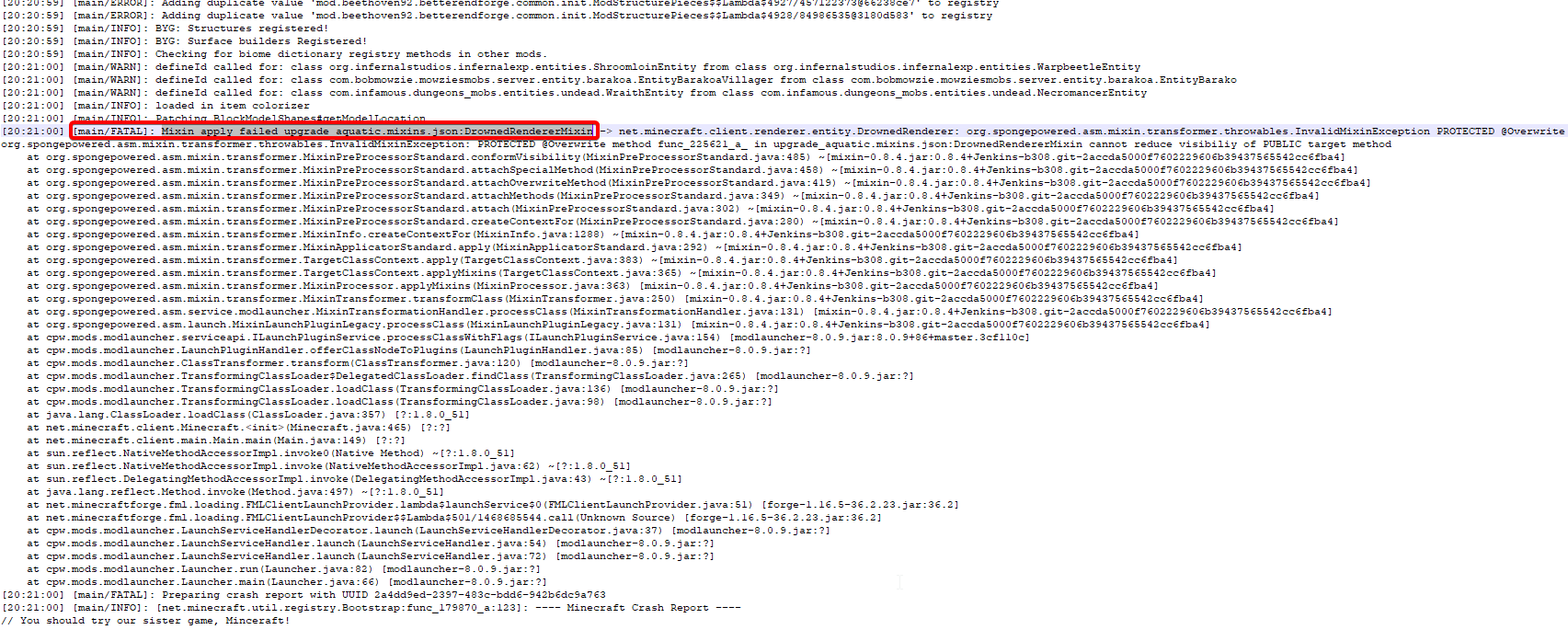

 soft yarrow
thanks
 azure tide
hello 🙂 i need your help please 🙂 my server dont start today https://paste.md-5.net/aqarufocax.md
yerstarday java updated
maybe this is the problem ?
coarse nest
Downgrade java
azure tide
thanks a lot 🙂
coarse nest
https://adoptium.net/?variant=openjdk8&jvmVariant=hotspot
The java version that broke stuff is 321, however adoptium doesnt have that afaik (double check tho)
azure tide
thanks 🙂 / i dont speak english well this is good ? https://github.com/adoptium/temurin8-binaries/releases/download/jdk8u312-b07/OpenJDK8U-jdk_x64_windows_hotspot_8u312b07.msi
coarse nest
Yep
azure tide
it works thanks a lot 🙂
 steep ivy
I dont know how to add mods to the modpack i released as an update and i dont understand the support page. (like how smooth brained am i?)
last parcel
just export a new file and upload it
steep ivy
Like add more content then export it and then add the new file with the old mods and new ones inside?
coarse nest
Are you trying to edit your own modapck? or one you downloaded
steep ivy
My own
last parcel
Download pack
enable profile management
make changes
export
upload
steep ivy
last parcel
Download pack
enable profile management
make changes
export
upload
..... i cant just download it since i already have it, same for profile management
steep ivy
And i asked do i add it as the ''new file'' under the thing and just edit the changelog?
last parcel
what do you mean you cant just download it
if you're making an update then that implies you have something to update
coarse nest
steep ivy
And i asked do i add it as the ''new file'' under the thing and just edit the ch...
The big button in the top rightish, yes
steep ivy
Thank you (im basicly gonna play before i export to check if all is good)
 steady oyster
hello i need help, when i launch my custom profile with mods it loads in but any of the mods doesnt work. its just like vanilla minecraft any mod i added isnt even there
last parcel
steady oyster
hello i need help, when i launch my custom profile with mods it loads in but any...
#📛︱rules 4
Are you using the curseforge app?
steady oyster
yes
last parcel
restart your computer, do not open any launcher before pressing play on curseforge.
steady oyster
Tried, did not work
last parcel
?mc-installfix
golden muskBOT
This is NOT instructions for Repair Profile! They are NOT the same! You need to do this!
- Click on the Minecraft Tab on the Left side of the CurseForge App.
- Click button next to the
Create Custom Profileoption. - Click
Repair Installationoption. - Play game.
NOTE: You will not lose any modpacks or worlds!
Error/Exit codes are useless. Follow these steps so someone can actually help you.
- Right-click the modpack profile icon OR click the button in the modpack profile.
- Click
Open Folder. - Open the
logsfolder. - Drag and drop the FILE named
latestORdebuginto discord.
 carmine ferry
Hello, My Minecraft Modpack: 'Create Above and Beyond' is crashing everytime it tries to start-up. Here is my latest log. Does anybody know how to fix this? (I've already deleted and reïnstalled the modpack and this does not work?)
coarse nest
Are you manually changing the java version?
carmine ferry
no i just klick play in the mc launcher
last parcel
But you are using java version 1.8.0_321
carmine ferry
oh w8 how do i check?
carmine ferry
yes
last parcel
on curseforge, go to minecraft settings and scroll down to additional arguments. is anything in there?
carmine ferry
yes
last parcel
remove it
carmine ferry
okay, no try again?
last parcel
yes
carmine ferry
does not work, same crash
 last parcel
send the log
carmine ferry
 cold portal
any skyblock modpack variant i start the sky is green this is recent, a couple days
using the app
waxen pine
cold portal
any skyblock modpack variant i start the sky is green this is recent, a couple d...
with minecraft open close the curseforge app and background overwolf app. it's the OW overlay causing this
cold portal
@waxen pine i appreciate it
last parcel
I'm guessing English is not your main language, but that question is unreadable.
 worldly fjord
umm
may i explain the mod im trying to find
When i insert a map into my modpack i can still create a new world that is not that map
 raven lotus
guys my forge 1.16.5 server crashed and this is the crash report pls help me
last parcel
worldly fjord
When i insert a map into my modpack i can still create a new world that is not t...
I am not sure what the issue here is. If you added a save file to your game then you would select that save file to use it. Adding a save file doesnt disable making a new world.
waxen pine
raven lotus
guys my forge 1.16.5 server crashed and this is the crash report pls help me
Something ice and fire related
last parcel
raven lotus
guys my forge 1.16.5 server crashed and this is the crash report pls help me
Looks like a mob from ice & fire was lagging and tripped the watchdog
worldly fjord
last parcel
I am not sure what the issue here is. If you added a save file to your game then...
im trying to find a mod to disable people to make a new world so they have to use the auto created one
last parcel
No idea on that. Could try asking in #🔎︱mod-hunting
worldly fjord
Ok
autumn agate
Does anyone here know how I can export my Xaero's Worldmap from my single player world to a multiplayer server with the same world?
 royal oak
 golden muskBOT
Sending logs for support.
- Right-click the modpack profile icon OR click the button in the modpack profile.
- Click
Open Folder. - Open the
logsfolder. - Drag and drop the FILE named
latestORdebuginto discord.
 vocal scarab
Hi, so my game keeps crashing and Im not sure which mod it is, can someone help find which mod it is, and should I send the logs?