#👽︱game-support
1 messages · Page 193 of 1
 last parcel
also, do you have the correct version of java for the mc server you are using
 crude swift
last parcel
also, do you have the correct version of java for the mc server you are using
crude swift
last parcel
also, do you have the correct version of java for the mc server you are using
yes
last parcel
and what versions would that be
crude swift
311 java 8
like my minecraft? that I run?
ive got 32gb in total, I think 6 on minecraft
yep 6

28
why 2 fours? and the 14?
I have minecraft open rn
last parcel
you cant run a modded server on 1g
crude swift
and why are you adding them as 2, it using 4gb at max is what that means
not add them together and use that much
Xms is minimum
yes
last parcel
windows key + r
type cmd
enter
type java -version
screenshot the output.
last parcel
yea
 last parcel
that isnt 64 bit
crude swift
wdym
last parcel
you have 32 bit java
crude swift
where do you see that
 crude swift
ok well ill get 64 bit
crude swift
last parcel
https://i.imgur.com/UUxYcAw.png
thats weird
that it didnt install 64 bit automatically
last parcel
you have to select 64 bit when you install
crude swift
yes
last parcel
usually
crude swift
I selected 64bit
last parcel
never huh 🤔
crude swift
well for some reason when I downloaded it before it had a different download screen
But thank you!!
its working now
def
last parcel
forge doesnt though
last parcel
forge requires 64 bit
 autumn agate
does valhelsia structures not work with biomes o plenty?
valhelsia structures doesnt generate builds
when i have the biomes o plenty mod installed
 oak tapir
um hello, forge the app wont allow me to update nor delete a mod pack, its keeps on saying its in use and the file is locked....
 waxen pine
oak tapir
um hello, forge the app wont allow me to update nor delete a mod pack, its keeps...
waxen pine
oak tapir
um hello, forge the app wont allow me to update nor delete a mod pack, its keeps...
Check in task manager if any programs are open besides the app. If seems clear already then restart your computer and only open the app
oak tapir
i have restarted my pc 2 and check task
 golden muskBOT
Change your install path to the following:
For Windows: C:\CurseForge
For Mac: /Users/Shared/CurseForge
If Minecraft is not installed in CurseForge App:
- Click the
 in the top left.
 - Select Minecraft from the list of games.
- Select the
Advancedoption and pickC:\drive. - Click
Continue.
If Minecraft is installed in CurseForge App:
- Click the
 in the bottom left.
 - Select the Minecraft tab.
- Click
Change. - Select the
C:\drive.
:no_entry_sign: Minecraft Files should NOT be installed inside the following locations :no_entry_sign:
:no_entry_sign: .minecraft folder.
:no_entry_sign: OneDrive folders.
:no_entry_sign: Desktop folder.
:no_entry_sign: iCloud enabled folders.
:no_entry_sign: or any other cloud saved folder.
:no_entry_sign: or folders with non-English characters in them.
If any of the above are in the path you need to change/move it!
waxen pine
Possibly set to a cloud storage folder
oak tapir
wait, i did it
i deleted it by going strait to the file
finaly
im so stupid, thank you for trying to help
waxen pine
If you can't from the app - do still check what folder you have in the MC tab as your path
oak tapir
nah, i had this mod for a month without problems
autumn agate
How do I move from my computer storage to my harddrive?
waxen pine
You're going to need to be more specific
autumn agate
So I wanna download a mod
But my disk drive is full and i have a 2 tb external harddrive
So i wanna move the files over to the harddrive
waxen pine
You really, really should clear space on your main drive, but different topic - changing where the app stores modpacks - is easy:
?mc-path
golden muskBOT
Change your install path to the following:
For Windows: C:\CurseForge
For Mac: /Users/Shared/CurseForge
If Minecraft is not installed in CurseForge App:
- Click the in the top left.
- Select Minecraft from the list of games.
- Select the
Advancedoption and pickC:\drive. - Click
Continue.
If Minecraft is installed in CurseForge App:
- Click the in the bottom left.
- Select the Minecraft tab.
- Click
Change. - Select the
C:\drive.
:no_entry_sign: Minecraft Files should NOT be installed inside the following locations :no_entry_sign:
:no_entry_sign: .minecraft folder.
:no_entry_sign: OneDrive folders.
:no_entry_sign: Desktop folder.
:no_entry_sign: iCloud enabled folders.
:no_entry_sign: or any other cloud saved folder.
:no_entry_sign: or folders with non-English characters in them.
If any of the above are in the path you need to change/move it!
autumn agate
Thanks
 vernal veldt
Is it possible to play the better minecraft modpack and productive bees on an apex hosted server?
waxen pine
That depends on whether the service has the modpack for an auto load and/or allows manual file access.
Yeah so nobody click the above
<@&524645667818307596> nitro guy cleanup plz ∆
vernal veldt
waxen pine
That depends on whether the service has the modpack for an auto load and/or allo...
So I was actually able to get on the server, but when I go to play it says I don't have the proper mods. I'm pretty new to the whole modded minecraft thing so I'm not sure what I need to do on my side
the server has both the modpack and PB and it's up and running, I just can't join
 bold slate
So can a friend send me his modpack and i can just install it?
waxen pine
Both sides would need the same modpack version, plus both sides adding any added mods (except for client only mods).
Productive bees is both-sided
waxen pine
bold slate
So can a friend send me his modpack and i can just install it?
Yes, use the app to create an export
bold slate
how?
waxen pine
?mc-packshare
golden muskBOT
There are two ways to share a modpack you've made with others...
Export and Share - For Friends to Small Groups.
- Click the Icon for the modpack.
- Click the
 button next to play.
 - Click

Export. - Select the files that should be included.
- Send the zip to the people that want it! They can follow the instructions in
!mc-installpackto install the pack!
Upload to Curseforge - For Public Release to Everyone.
This options will make your pack public to EVERYONE, it comes with extra requirements and will take some effort to set up.
- Go to here: https://www.curseforge.com/project/432/4471/create
- Fill out the information with a proper description of the pack. This should allow anyone to understand what the pack is.
- Click the Icon for the modpack in the CurseForge app.
- Click the button next to play.
- Click
Export. - Select the files that should be included.
- Open your Project you made on the CurseForge site and Upload the file you just made.
- Wait for Moderation & Sync so it can show up in the client! (See
!syncfor limitations)
bold slate
thx
 leaden umbra
any onw know how to fix this internal exception io.netty.handler.codec.decoderexception java.langxOutOfBoundsException render index

 coarse nest
Something went wrong, likely you entered the server ip incorrectly
 short geyser
i didnt tho ;-;
 glass skiff
Hate to bother you guys, but I'm having an issue with reverting a mod in a new profile to an older version. I go and instal the correct version for minecraft to run, the correct version is displayed on the modlist, but the game still won't load, saying the mod is the wrong version.
coarse nest
Can you send a screenshot or log of the error?

 coarse nest
What is the mod file called in the mods folder?
 simple blaze
what java should i use for 1.18 modpacks
waxen pine
Minecolonies almost never uses the latest version of structurize - if you go to the minecolonies mod page it will list the exact Structurize version to use - or allow it to crash and follow the required version in the message
glass skiff
there were three different versions of it
coarse nest
simple blaze
what java should i use for 1.18 modpacks
Java 17, however the launcher automatically installs and applies that for you
waxen pine
modded is still adjusting to the larger world height of 1.18+ especially, some 'helper' mods are recommended, like entity culling, better fps
vanilla does do a little height cutoff for rendering i know
coarse nest
Other common causes of fps issues are not having enough ram allocated (spikes of low fps in regular short intervals) or minecraft not using your graphics card.
Could you send a screenshot of your f3 screen to see if either of these are issues?
glass skiff
I deleted the other versions of the mod and it's working perfectly, thanks!
simple blaze
coarse nest
Other common causes of fps issues are not having enough ram allocated (spikes of...
i allocated 12 gb of ram
and minecraft is detecting my gpu
guess ill just wait til 1.18 modded is more optimized
coarse nest
That is too much ram unless you are playing an incredibly large pack. Try turn that down to 4-6gb
simple blaze
im playing "Another quality modpack2"
thats why i allocate so much
it has 324 mods so i though i should allocate 12288mb
waxen pine
think we found the reason for the low FPS lol
waxen pine
the more modded content the more stuff going on robbing performance
there's a hard limit there
 golden muskBOT
- Click on the Minecraft Tab on the Left side of the CurseForge App.
- Click button next to the
Create Custom Profileoption. - Click

Repair Installationoption. - Play game.
NOTE: You will not lose any modpacks or worlds, These are saved in the Instances folder. DO NOT TOUCH THIS FOLDER OR YOU WILL LOSE EVERYTHING
simple blaze
happened again
 wild jewel
!mc-logs
golden muskBOT
Sending logs for support.
- Right-click the modpack profile icon OR click the button in the modpack profile.
- Click

Open Folder. - Open the
logsfolder. - Drag and drop the FILE named
latestORdebuginto discord.
 sage pier
Could you also post the log C:\Users\Oreo.btw\curseforge\minecraft\Instances\Enigmatica 6 - E6 - 1.16.5\crash-reports\crash-2022-01-05_16.23.06-client.txt?
It looks like there's a bug in the modpack
golden muskBOT
Please visit the project page for the content you posted about and look for a way to contact the developer.
Somewhere on the page there is usually a method of contact. Look for one of the following things:
Issuestab like the image below.- Discord link.
- Twitter link.
- Comments section below the project.
If no contact method exists you will either have to remove the project or find a solution on your own.
 sage pier
Post that log I asked about, and then tell the devs of the modpack about the issue, they might ask about the logs as well
autumn agate
So I post the log here and to the Dev's?
sage pier
Yeah, we usually like it here, in case there's something that we can help out with as workarounds.
But the devs probably wants it as well, so they can fix the bug.
autumn agate
sage pier
Could you also post the log `C:\Users\Oreo.btw\curseforge\minecraft\Instances\En...
the folder
?
wild jewel
The file
autumn agate
this?
sage pier
No, the exact file I told you about
sage pier
Yup, ConfigLoadingException: Failed loading config file powah/energy/generators/furnator.toml
waxen pine
Weird config handler issues is a common theme the past like 2 weeks
autumn agate
sage pier
Yup, `ConfigLoadingException: Failed loading config file powah/energy/generators...
this as well?
sage pier
No, this is what the error said in both files. Just wanted to make sure.
autumn agate
oh k
sage pier
So the devs will have to fix it, probably. Because I don't know how to fix those things, except if you remove the config, but that could make things worse as well.
sage pier
Yeah.
 sage pier
Hang on, I'll download the modpack and see if I can find it
sage pier
Did you create the modpack or is it a modpack you downloaded?
 tender robin
i made it
tender robin
there is not
sage pier
Someone solved it by using an older version (9.1.1.48)
https://github.com/mezz/JustEnoughItems/issues/2636
tender robin
but a few other mods
sage pier
autumn agate
But I dint find the file
It should be in C:\Users\Oreo.btw\curseforge\minecraft\Instances\Enigmatica 6 - E6 - 1.16.5\config\powah\energy\generators or something like that
 mortal hawk
tender robin
there is not
mortal hawk
tender robin
there is not

 autumn agate
sage pier
It should be in `C:\Users\Oreo.btw\curseforge\minecraft\Instances\Enigmatica 6 -...
autumn agate
sage pier
It should be in `C:\Users\Oreo.btw\curseforge\minecraft\Instances\Enigmatica 6 -...
Hey I found the file but what do they mean by remove the invalid text
sage pier
I don't know, because I don't know whats in your file.
autumn agate
So should I send u a sc or something?
sage pier
Yeah, sure.
autumn agate
Oh lmao
sage pier
Just drag the file in here. :P
 coarse elm
You cant have an invalid config file. It's validated and replaced when its loaded or reloaded.
sage pier
Last row, delete that
autumn agate
Ok
sage pier
Where it only says "= 4800"
sage pier
Is minecraft open?
autumn agate
no
sage pier
Wait.. you can't edit the file? o.O
autumn agate
like when i select it and then click backspace nothing happens
 mellow compass
Are you trying to edit the one here in Discord by chance?
last parcel
open the file with notepad
autumn agate
lmao yes
ok
when i open it with note pad it doesnt show it does show me on discord is that a problem
it doesnt show the invalid text
sage pier
So the last row is not = 4800 when you edit the file locally?
Because it was when I downloaded the file here from Discord
Here's a fixed version of it, so you can just replace yours
autumn agate
sage pier
Because it was when I downloaded the file here from Discord
So when I open it on discord the =4800 is there but when I reopen it on notepad it's not rhere
I just launched it
Hope it works
Thanks it worked
autumn agate
My Biomes O' Plenty biome doesnt work with Valhelsia Structures mod
last parcel
ok
last parcel
?projectissue
golden muskBOT
Please visit the project page for the content you posted about and look for a way to contact the developer.
Somewhere on the page there is usually a method of contact. Look for one of the following things:
Issuestab like the image below.- Discord link.
- Twitter link.
- Comments section below the project.
If no contact method exists you will either have to remove the project or find a solution on your own.
autumn agate
do you know why its happening
autumn agate
golden musk
what is that
last parcel
how you get help
autumn agate
nvm i fixed it tha
 dense moss
is there anything i can use with forge that allows me to add roles
for diffrent staff
 zinc flint
Im trying to make a custom profile for minecraft and it just says ''failed to create custom profile''
last parcel
screenshot
 woeful shoal
I have a question, why can't I see my modpack on curseforge yet even though it was approved?
last parcel
link?
woeful shoal
Of my modpack?
last parcel
yes
last parcel
you have no files here
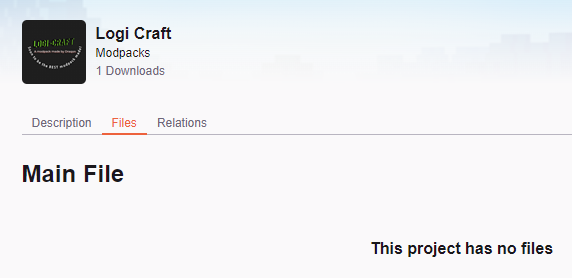
 last parcel
it's under review, see status
last parcel
!status
golden muskBOT
Project Moderation Time
Project/File moderation is done on these days unless otherwise mentioned:
Sunday, Monday, Tuesday, Wednesday, Thursday: <t:1631170800:t> - <t:1631199600:t> (Your time)
Friday, Saturday: No Moderation!
Projects are moderated First in, First out. If you submit late in the work day, it will likely get left until the next day!
New Projects or anything flagged for manual review: 1-3 Working Days
Updates to approved projects not needing manual approval: 1 Hour
-If your file has been "Under Review" for more than an hour, then it is at manual review!
Changes will only show in the app if the project meets the requirements in the ?sync command and up to 24 hours has passed from when it was accepted.
vernal veldt
?mc-packshare
golden muskBOT
There are two ways to share a modpack you've made with others...
Export and Share - For Friends to Small Groups.
- Click the Icon for the modpack.
- Click the button next to play.
- Click
Export. - Select the files that should be included.
- Send the zip to the people that want it! They can follow the instructions in
!mc-installpackto install the pack!
Upload to Curseforge - For Public Release to Everyone.
This options will make your pack public to EVERYONE, it comes with extra requirements and will take some effort to set up.
- Go to here: https://www.curseforge.com/project/432/4471/create
- Fill out the information with a proper description of the pack. This should allow anyone to understand what the pack is.
- Click the Icon for the modpack in the CurseForge app.
- Click the button next to play.
- Click
Export. - Select the files that should be included.
- Open your Project you made on the CurseForge site and Upload the file you just made.
- Wait for Moderation & Sync so it can show up in the client! (See
!syncfor limitations)
vernal veldt
!mc-installpack
golden muskBOT
How to install modpacks with the search features in app.
- Open the

Minecraftsection of the app. - Click the top search bar where it says
Search for modpacksOR Click theBrowse ModpacksTab. - Find the Modpack you want to install and click install on it.
- Wait for CurseForge app to download and unpack all the required files.
- Once finished, click
Play!
How to install modpacks from a Export. (Custom/Private/Site downloaded Modpack zip)
- Get CurseForge App if you don't have it, use
!downloadfor a link. - Get the exported modpack from CurseForge or someone else,
!mc-packshareexplains how to make them. - Open the
Minecraftsection of the app. - Click

Create Custom Profile - Click the
Importoption. - Find the file you just downloaded in step 2 and select it.
- CurseForge app will now attempt to download and unpack the modpack. If it fails, try steps 4-6 again.
- Once finished, click
Play!
 woeful shoal
Ah, thank you
zinc flint
I cant find some mods in curseforge sometimes, like Wild Update Mod [Fabric], No Fade and MAmbience, can I fix this or should I just wait until it fixes itself
waxen pine
zinc flint
I cant find some mods in curseforge sometimes, like Wild Update Mod [Fabric], No...
Check the CurseForge.com website for the mod just to see what MC version (s) the mod has files published for
autumn agate
Could anyone tell me what this crash means? I'm not entirely sure.
Error: java.lang.NoSuchMethodError: appeng.api.storage.ICellRegistry.getCellInventory(Lnet/minecraft/item/ItemStack;Lappeng/api/storage/ISaveProvider;Lappeng/api/storage/IStorageChannel;)Lappeng/api/storage/IMEInventoryHandler;
Exit Code: -1
golden muskBOT
Error/Exit codes are useless. Follow these steps so someone can actually help you.
- Right-click the modpack profile icon OR click the button in the modpack profile.
- Click
Open Folder. - Open the
logsfolder. - Drag and drop the FILE named
latestORdebuginto discord.
coarse nest
Applied Fluidics is trying to access Applied Energistics code that doesn't exist.
This is probably cause by one of those two mods being too updated, or not up to date.
Alternatively just remove Applied Fludics
simple blaze
im playing better minecraft 1.18.1 and everything is fine but when i press ESC and go to settings it crashes and gives me this crash message : java.lang.NullPointerException: Cannot invoke "Object.getClass()" because "object" is null
i looked it up and noting useful showed
 deep gust
HEy mine keeps crashing
 rustic sinew
Hey, what are the currently best ways to reduce 'server overload xx ticks behind' for forge.
last parcel
Better specs, less mods
 rustic spear
My recordings are not saving
 austere totem
anyone having an issue w/ java.net.socketexception: connection reset?
I cant play on my friend's server and it seems to only be happening on forge
 restive wyvern
my server isnt lauching anymore anyone know why https://paste.ee/p/F6GRV

 inland island
hi i have problem , all time when i play modpacks get game crash code:0 , on clear minecraft i can play but with mods form curse forge i cant , in non-premium minecraft i can play with modpack , i hav actual java and i get reinstal minecraft. PLS help
 coarse nest
 ornate lance
It is this mod: zzz: MTR London Underground Addon
inland island
inland island
hi i have problem , all time when i play modpacks get game crash code:0 , on cle...
can someone help?
coarse nest
!mc-logs
golden muskBOT
Sending logs for support.
- Right-click the modpack profile icon OR click the button in the modpack profile.
- Click
Open Folder. - Open the
logsfolder. - Drag and drop the FILE named
latestORdebuginto discord.
coarse nest
restive wyvern
my server isnt lauching anymore anyone know why https://paste.ee/p/F6GRV
The file structurize-server.toml is corrupt, delete it. (It is probably in a folder named server configs inside the world folder)
inland island
last parcel
?mc-installfix
golden muskBOT
- Click on the Minecraft Tab on the Left side of the CurseForge App.
- Click button next to the
Create Custom Profileoption. - Click
Repair Installationoption. - Play game.
NOTE: You will not lose any modpacks or worlds, These are saved in the Instances folder. DO NOT TOUCH THIS FOLDER OR YOU WILL LOSE EVERYTHING
inland island
when I will know that repairing has started / finished?
last parcel
step 3..?
coarse nest
The install fix is pretty much instantaneous
inland island
ok
ornate lance
coarse nest
It is this mod: `zzz: MTR London Underground Addon`
Resolved now
autumn agate
coarse nest
Try remove optifine
autumn agate
i didnt add optifine?
its rlcraft i think they add it by default since its required now
coarse nest
Modpacks cannot add optifine by default
autumn agate
ahhhh
it must be that i have no optifine
yup
figured it out
requires a version that only came out a year ago
makes sense
hmm it seems it was already there though
idk im just going 2 clean install everything
 light crane
some of the mods are not working as the same before
 wooden hinge
hey ;w; I wanted to ask if anyone knows a good tutorial on how to set up their own minecraft server on their PC
before I do something dumb I'd rather ask first
wild jewel
!mc-installserver
golden muskBOT
How to **manually** install a server - **On your own PC**
- Check if the modpack has a server pack, if it does: use that and skip below.
- Go to the Forge website http://files.minecraftforge.net/ and download the Installer for the forge version the pack is using.
- Run the installer and choose
Install server. Do not install to your desktop. Also do not install inside a OneDrive folder. - Run the server using the forge.jar. A file called
eula.txtwill be generated. Open it and changeeula=falsetoeula=true - From the Client; Copy the
modsfolder,configfolder, and any other folders needed for the pack to work into the server folder. If the modpack has a server pack, use this instead! - Run the server again.
- Port forward your machine if needed. (Google it)
Long version: https://pastebin.com/83DXfGTH
autumn agate
Can someone help?
 wild roost
hi my friends game crashes on launch due to incompatible mod set and it looks like the log is saying that fabric is not installed
 wild jewel
Told you to get your friend here
last parcel
well, you did at least half of what was said 😄
wild roost
they dont have discord
wild jewel
Discord is free
wild roost
im here instead of her because she doesnt know much about modding and so im here instead
golden muskBOT
Sending logs for support.
- Right-click the modpack profile icon OR click the button in the modpack profile.
- Click
Open Folder. - Open the
logsfolder. - Drag and drop the FILE named
latestORdebuginto discord.
wild roost
deep gust
whaaaaaaaaaaaaaaaaaaaaaaat I BEEN TRYING TO SLOVE THIS FOR 3 FREAKIN DAYS

someone help me
wild jewel
!mc-logs
golden muskBOT
Sending logs for support.
- Right-click the modpack profile icon OR click the button in the modpack profile.
- Click
Open Folder. - Open the
logsfolder. - Drag and drop the FILE named
latestORdebuginto discord.
last parcel
?mc-installfix
golden muskBOT
- Click on the Minecraft Tab on the Left side of the CurseForge App.
- Click button next to the
Create Custom Profileoption. - Click
Repair Installationoption. - Play game.
NOTE: You will not lose any modpacks or worlds, These are saved in the Instances folder. DO NOT TOUCH THIS FOLDER OR YOU WILL LOSE EVERYTHING
last parcel
restart your computer, then do it
last parcel
?mc-log
golden muskBOT
Sending logs for support.
- Right-click the modpack profile icon OR click the button in the modpack profile.
- Click
Open Folder. - Open the
logsfolder. - Drag and drop the FILE named
latestORdebuginto discord.
 shell onyx
last parcel
shell onyx
last parcel
looks like something you'll need to report to
repurposed_structures_forge-3.4.7+1.16.5.jar |Repurposed Structures |repurposed_structures
shell onyx
wdym
last parcel
?projectissue
golden muskBOT
Please visit the project page for the content you posted about and look for a way to contact the developer.
Somewhere on the page there is usually a method of contact. Look for one of the following things:
Issuestab like the image below.- Discord link.
- Twitter link.
- Comments section below the project.
If no contact method exists you will either have to remove the project or find a solution on your own.
autumn agate
One message removed from a suspended account.
last parcel
what do you mean "hanging"
autumn agate
One message removed from a suspended account.
One message removed from a suspended account.
last parcel
what says
autumn agate
One message removed from a suspended account.
last parcel
screenshot
autumn agate
One message removed from a suspended account.
 wet magnet
are there add-ons that exist on the curseforge website but not the application? I want to download Jermsyboys Better Leaves Add-on but when I open the application it doesn't let me create a profile
last parcel
depends. how about a more specific question.
wet magnet
last parcel
depends. how about a more specific question.
edited for more specific sry
last parcel
link the thing you want to install
autumn agate
One message removed from a suspended account.
One message removed from a suspended account.
wet magnet
last parcel
link the thing you want to install
going to in correct channel sry
last parcel
are you using the same version of the pack on both client and server?
autumn agate
One message removed from a suspended account.
One message removed from a suspended account.
autumn agate
last parcel
are you using the same version of the pack on both client and server?
One message removed from a suspended account.
One message removed from a suspended account.
last parcel
?mc-log
golden muskBOT
Sending logs for support.
- Right-click the modpack profile icon OR click the button in the modpack profile.
- Click
Open Folder. - Open the
logsfolder. - Drag and drop the FILE named
latestORdebuginto discord.
last parcel
1.16.4 is a minecraft version, not a pack version
autumn agate
One message removed from a suspended account.
One message removed from a suspended account.
last parcel
@distant burrow Nothing in that log suggests an issue. so either you don't have enough RAM allocated, or you have some mod conflict.
autumn agate
autumn agate
One message removed from a suspended account.
One message removed from a suspended account.
autumn agate
One message removed from a suspended account.
autumn agate
last parcel
can you send the log from the server
One message removed from a suspended account.
autumn agate
One message removed from a suspended account.
One message removed from a suspended account.
last parcel
it.. wherever you put the server files 🙂
autumn agate
One message removed from a suspended account.
last parcel
is the server on your computer?
autumn agate
One message removed from a suspended account.
last parcel
any reason you use this as an ip? Connection refused: no further information: ns376436.ip-151-80-19.eu/151.80.19.43:2056
try connecting to localhost
autumn agate
One message removed from a suspended account.
autumn agate
last parcel
try connecting to `localhost`
One message removed from a suspended account.
last parcel
you put that in as the ip
autumn agate
One message removed from a suspended account.
 lethal glacier
guys im trying to download a mod pack and when its about to cmplete it says there was an error
do u know y?
last parcel
maybe, if you say what the error is
autumn agate
last parcel
try connecting to `localhost`
One message removed from a suspended account.
last parcel
..what
autumn agate
One message removed from a suspended account.
One message removed from a suspended account.
last parcel
you use localhost as the ip to connect to a server
autumn agate
One message removed from a suspended account.
last parcel
yes
autumn agate
One message removed from a suspended account.
last parcel
yeees
autumn agate
One message removed from a suspended account.
One message removed from a suspended account.
last parcel
yeeeeeees
autumn agate
One message removed from a suspended account.
One message removed from a suspended account.
sage pier
Did you start the server?
autumn agate
One message removed from a suspended account.
last parcel
send both logs again
autumn agate
One message removed from a suspended account.
last parcel
nope
autumn agate
One message removed from a suspended account.
last parcel
wrong log
autumn agate
One message removed from a suspended account.
One message removed from a suspended account.
last parcel
nah it's fine. still the same error
autumn agate
One message removed from a suspended account.
One message removed from a suspended account.
last parcel
probably
autumn agate
One message removed from a suspended account.
last parcel
nope
autumn agate
One message removed from a suspended account.
last parcel
would suggest starting over from scratch
delete the server stuff
when you reinstall it, make sure you copy the mods folder from your modpack directly
autumn agate
One message removed from a suspended account.
last parcel
!mc-installserver
golden muskBOT
How to **manually** install a server - **On your own PC**
- Check if the modpack has a server pack, if it does: use that and skip below.
- Go to the Forge website http://files.minecraftforge.net/ and download the Installer for the forge version the pack is using.
- Run the installer and choose
Install server. Do not install to your desktop. Also do not install inside a OneDrive folder. - Run the server using the forge.jar. A file called
eula.txtwill be generated. Open it and changeeula=falsetoeula=true - From the Client; Copy the
modsfolder,configfolder, and any other folders needed for the pack to work into the server folder. If the modpack has a server pack, use this instead! - Run the server again.
- Port forward your machine if needed. (Google it)
Long version: https://pastebin.com/83DXfGTH
autumn agate
One message removed from a suspended account.
One message removed from a suspended account.
last parcel
well yes, you need to make a 1.16.4 server also, with the approprate forge version
autumn agate
One message removed from a suspended account.
One message removed from a suspended account.
One message removed from a suspended account.
last parcel
you need the same forge version of the modpack. again 1.16.4 is the minecraft version
autumn agate
One message removed from a suspended account.
last parcel
reinstall it
last parcel
delete, install
 dry siren
wheres teh delete option was my question
last parcel
right click the pack
dry siren
k thx lemme reinstall and ill say if it goes gud or bad
it didnt crash immedietely, that's a start
though it is taking a century to load
yep it works thx
last parcel
10 minutes = 100 years 
 ancient ginkgo
Hey I am having some issues, I am using curseforge for my minecraft mod packs and downloaded a mod pack which includes minecolonies, when loading up minecraft curseforge is not reading stucturize which is a mod needed for Minecolonies
autumn agate
Hi, im trying to dowload a mod for minecraft, to get controller to work. however, i download it on the website but doesnt show up in the app saying i have it in my mod packs. i look in the app and cant find the mod there either. any help is much appreciated
 mortal reef
how do i use forge with the new mc launcher?
i tried using the 'forge' profile but it crashed with exit code 0
golden muskBOT
Error/Exit codes are useless. Follow these steps so someone can actually help you.
- Right-click the modpack profile icon OR click the button in the modpack profile.
- Click
Open Folder. - Open the
logsfolder. - Drag and drop the FILE named
latestORdebuginto discord.
autumn agate
wild jewel
And say what modloader and minecraft version you are on
do you mean me? if so, il link the mod in a sec, idk what modloader is im sorry im completely new to mods. trying to get it through curseforge
wild jewel
Yes, who else?
wild jewel
Are you on forge or fabric?
autumn agate
forge
well, curseforge but for some reason forge wont open on java
its annoying me lmao
wild jewel
!!=
golden muskBOT
Wording is important!
Forge = Minecraft Forge, This is a modloader often just called "Forge".
Fabric = Fabric MC, this is another modloader, just called "Fabric".
CurseForge = A Website/App that has content for games.
Mods = Individual mod files.
Modpacks = Multiple mods put into the mods folder or downloaded from CurseForge.
These are not Interchangeable! Please use the correct terms as it allows us to help you faster!
autumn agate
sorry for being confusing
mortal reef
mortal reef
how do i use forge with the new mc launcher?
i tried using the 'forge' profile b...
@wild jewel could you help me with this too
wild jewel
mortal reef
<@!525950791710801921> could you help me with this too
Rule 5
wild jewel
Did you see the bot message below yours?
mortal reef
yes i did but it was talking about the fact you should say what modpack it is but it isnt one
wild jewel
How are you starting it?
mortal reef
are images allowed? then i can show you
wild jewel
Yes
mortal reef
im using this
 wild jewel
So manual install?
mortal reef
i guess so
wild jewel
!mc-forge
golden muskBOT
mortal reef
what would be the way to do this automatically then?
golden muskBOT
Looking to install the CurseForge app?
<:windows:798410728188936222> Windows
Minimum Requirements:
- OS Version: 7 (64 bit), 8.1, 10, 11
- 64 bit Required.
- 350MB storage space.
- Microsoft .Net 4.8
- Intel/AMD quad-core CPU
- 8GB ram
Download: https://download.overwolf.com/install/Download?&PartnerId=4047
If you are having issues with the installer use the URL below to install Overwolf then go to the app store to download CurseForge.
https://content.overwolf.com/downloads/setup/latest/regular.html
<:mac:798410654418862130> Mac
Minimum Requirements:
- OS Version 10.14 or newer.
- 64 bit Required.
Download: https://curseforge.overwolf.com/downloads/curseforge-latest.dmg
:penguin: Linux
Minimum Requirements:
Yes.
Download: :person_shrugging:
mortal reef
but i have it downloaded
wild jewel
Then use it 🤷♂️
mortal reef
but then i get the error lol
wild jewel
Tell me the steps that you do then
mortal reef
my forge didnt work, because if i pressed play i got a crash msg in the mc launcher. so i deleted it and installed it again and now i am getting this error message.

its dutch
wild jewel
How did you start that launcher? In curseforge?
mortal reef
yea i did
mortal reef
well no not this one but the first thing
i did not start the first image thingy using a modpack
mortal reef
i would like you to help me know why my game is crashing.
autumn agate
ok right well im gonna sort my own shit out since this persons now getting help. i also suggest next time be a bit nicer to people who need help.
wild jewel
autumn agate
ok right well im gonna sort my own shit out since this persons now getting help....
I gave you the help you needed. #👽︱game-support message
I asked for modloader and minecraft version, got neither
wild jewel
mortal reef
i would like you to help me know why my game is crashing.
Then give me logs for them
mortal reef
it is NOT a modpack
mortal reef
wild jewel
Then give me logs for them
where do i find those?
wild jewel
If it is started using curseforge then it is
mortal reef
wild jewel
If it is started using curseforge then it is
it isnt.
wild jewel
Then somewhere in your .minecraft folder
mortal reef
wild jewel
I asked for modloader and minecraft version, got neither
because i havent seen a message asking for it yet. modloader forge. mc version 1.18.1. also you could see the version in the first image i sent.
wild jewel
mortal reef
because i havent seen a message asking for it yet. modloader forge. mc version 1...
That was not for you either
mortal reef
ok then how do i access my .minecraft folder?
wild jewel
How did you install a mod the last time?
sage pier
%appdata%\.minecraft <- paste into explorer. (if we're talking non-CurseForge)
mortal reef
i just used curseforge and the old launcher, but now that i have deleted the old launcher i do not know how to use the new launcher with curseforge.
golden muskBOT
Ignore the new launcher update. CF does not use it or works with it, yet.
Everything will work fine otherwise.
mortal reef
then how do i connect it to the old launcher again?
last parcel
curseforge uses its own launcher, and does not care at all about what you've done with your vanilla launcher
mortal reef
when i use cursforge it always opens my normal mc launcher.
last parcel
nope, it opens the one it installed
wild jewel
So you don't know how you installed mods, great, I am out, good luck
mortal reef
wild jewel
So you don't know how you installed mods, great, I am out, good luck
using curseforge.
wild jewel
Then you are using curseforge, and using a modpack. 🤦♂️
sage pier
Even manually created profiles, are modpacks.
wild jewel
Just unpublished ones
mortal reef
i know. but i am not using one right now.
last parcel
wondering if they think forge is curseforge.
wild jewel
mortal reef
i know. but i am not using one right now.
From where are you starting the launcher?
mortal reef
in curseforge i press play on the profile, then my vanilla launcher will open with the selected profile.
golden muskBOT
Sending logs for support.
- Right-click the modpack profile icon OR click the button in the modpack profile.
- Click
Open Folder. - Open the
logsfolder. - Drag and drop the FILE named
latestORdebuginto discord.
mortal reef
i am currently talking about how i open a modpack, but i thought thats what you asked, to get to what i did now i just opened the vanilla launcher and selected the profile.
wild jewel
Okay, you are just plainly ignoring everything.
Everything you hit play on curseforge for is a modpack, how it gets launcher after that is not important.
If you need to select a different profile in the minecraft launcher then you are doing something wrong.
It has been 20 minutes to figure out that you were using curseforge this entire time.
mortal reef
ok, to be honest i thing its a bit rude to mute me for 10 minutes because i dont understand something, also i am not ignoring ANYTHING i just dont understand you.
also i will just tell you what happens if i launch a modpack using curseforge.
wild jewel
No, send screenshots of the buttons you press
mortal reef
ok
wild jewel
Or record it
mortal reef
first i press play here
 wild jewel
So that is a modpack, got it.
mortal reef
then i press play here and i see in my task manager that a file is running but i cant see it anywhere else.
 wild jewel
That is correct, does that crash?
mortal reef
no it does not crash, it just disappears and never appears again no matter how long i wait.
wild jewel
How long did you wait?
mortal reef
idk maybe around 20 minutes one time
sage pier
This is how you can grab the logs from it.
 mortal reef
and when it did work it really didnt take that long
wild jewel
How is your ram doing?
mortal reef
fine, i can see that openDJK platform binary takes up a but nothing abnormal.
last parcel
question: if you run vanilla minecraft from the vanilla launcher, does it work?
mortal reef
yes it works just fine.
wild jewel
Can always try a pc restart as well to kill everything that should not be running
mortal reef
wild jewel
Can always try a pc restart as well to kill everything that should not be runnin...
i have already tried that multiple times.
oh wait did i ping by accident?
wild jewel
No, and then I would like to see those logs
mortal reef
also it does not matter what modpack i use because exactly the same happens with any other modpack. even empty ones.
wild jewel
Logs please
mortal reef
wild jewel
!mc-installfix
golden muskBOT
- Click on the Minecraft Tab on the Left side of the CurseForge App.
- Click button next to the
Create Custom Profileoption. - Click
Repair Installationoption. - Play game.
NOTE: You will not lose any modpacks or worlds, These are saved in the Instances folder. DO NOT TOUCH THIS FOLDER OR YOU WILL LOSE EVERYTHING
mortal reef
i have also tried that multiple times.
wild jewel
Try it again and send a screenshot of the message you get
autumn agate
The game crashed whilst ticking memory connection
Error: java.lang.NullPointerException: Ticking memory connection
Exit Code: -1
golden muskBOT
Error/Exit codes are useless. Follow these steps so someone can actually help you.
- Right-click the modpack profile icon OR click the button in the modpack profile.
- Click
Open Folder. - Open the
logsfolder. - Drag and drop the FILE named
latestORdebuginto discord.
autumn agate
what happened?
wild jewel
You got an answer
wild jewel
Wasn't talking to you there
wild jewel
mortal reef
i have also tried that multiple times.
Send a screenshot of the message that you get after hitting that button
mortal reef
i dont.

 sage pier
!owlogs
golden muskBOT
<:overwolf:857375414002384916> How to get Overwolf logs! <:overwolf:857375414002384916>
sage pier
Zip and send them here.
mortal reef
sage pier
No message like this then?
yes i did get this now
sage pier
Try the pack again.
mortal reef
but ive also tried that multiple times
i will.
its now downloading in the mc launcher so im sorry if it takes a while.
thanks for the help, for some reason it works now even though ive done all these things myself already.
sage pier
🎉
mortal reef
still think its weird that you guys muted me though :/
aaaaaaand its broken again
Bestand downloaden mislukt.
Naam: forge-39.0.10.jar
URL: https://launcher.mojang.com/v1/objects/7e46fb47609401970e2818989fa584fd467cd036/client.jar
Bestandsnaam op schijf: forge-39.0.10.jar
Pad: C:\Users\Gebruiker\curseforge\minecraft\Install\versions\forge-39.0.10\forge-39.0.10.jar
Bestaat: File
that the msg i get
probably easier to fix now
though i still dont know how to myself though
last parcel
mortal reef
its now downloading in the mc launcher so im sorry if it takes a while.
do you have unstable internet, or are using wifi?
mortal reef
yea it could be that its kinda unstable yes
last parcel
try installfix again
mortal reef
i just tried again and it works now
woeful shoal
My modpack was approved but I still don't see it in curseforge
coarse nest
!sync
golden muskBOT
Sync and your Project.
CurseForge App and site do not share the same requirements! You can find things on the site but this does not mean it will be in the app!
For a mod to show up in the app:
- Projects MUST have a file marked as RELEASE
 or BETA
- Projects MUST be APPROVED
- Projects MUST have a file marked for the GAME VERSION SELECTED/LOADED
- Projects CAN'T be EXPERIMENTAL
- Projects CAN'T be ABANDONED
Files can take a while to show up in the app. If your files still have not shown up either your project is new and you have yet to mark a file as Release/Beta or there is issues with the sync system making it slow.
Vote this issue up if you would like to know when the last sync was! https://curseforge-ideas.overwolf.com/ideas/CF-I-1617
woeful shoal
Thanks
What does it mean by "Projects MUST have a file marked for the GAME VERSION SELECTED/LOADED"?
coarse nest
Its mainly for mods, but if you are searching for a 1.16 mod on a 1.18 profile it will not show up
woeful shoal
Okay, thanks again
autumn agate
One message removed from a suspended account.
coarse nest
!mc-logs
golden muskBOT
Sending logs for support.
- Right-click the modpack profile icon OR click the button in the modpack profile.
- Click
Open Folder. - Open the
logsfolder. - Drag and drop the FILE named
latestORdebuginto discord.
autumn agate
One message removed from a suspended account.
coarse nest
Post the logs and I will see if they contain something more useful than just a disconnect message
autumn agate
One message removed from a suspended account.
autumn agate
coarse nest
Post the logs and I will see if they contain something more useful than just a d...
One message removed from a suspended account.
One message removed from a suspended account.
coarse nest
Just the client ones should be fine for now
coarse nest
golden musk
^^
autumn agate
One message removed from a suspended account.
One message removed from a suspended account.
One message removed from a suspended account.
One message removed from a suspended account.
One message removed from a suspended account.
One message removed from a suspended account.
One message removed from a suspended account.
sage pier
- Drag and drop the FILE named latest OR debug into discord.
coarse nest
Latest is preffered, debug has a lot of useless info that is just bloat
autumn agate
One message removed from a suspended account.
One message removed from a suspended account.
coarse nest
Terminating connection with client, mismatched mod list
autumn agate
One message removed from a suspended account.
 slate kite
 coarse nest
!mc-logs
golden muskBOT
Sending logs for support.
- Right-click the modpack profile icon OR click the button in the modpack profile.
- Click
Open Folder. - Open the
logsfolder. - Drag and drop the FILE named
latestORdebuginto discord.
coarse nest
autumn agate
One message removed from a suspended account.
[teamlapenlib:main,abnormals_core:net,curios:main,autoreglib:main,mysticalworld:main_network_channel,alexsmobs:main_channel,bloodmagic:main,quark:main,patchouli:main,botania:chan,doggytalents:channel,vampirism:main,wyrmroost:network,waystones:network] rejected their client side version number
So these mods at least are either missing or the wrong versions
autumn agate
One message removed from a suspended account.
coarse nest
Open the mods folder on the server, and the one on your client and compare the file names
last parcel
or just copy them over again
autumn agate
One message removed from a suspended account.
One message removed from a suspended account.
coarse nest
That might cause problems 😆
autumn agate
One message removed from a suspended account.
One message removed from a suspended account.
autumn agate
coarse nest
That might cause problems 😆
One message removed from a suspended account.
coarse nest
autumn agate
One message removed from a suspended account.
I would definitely reccomend going to 1.16.5, theres not really any point staying on 1.16.4
autumn agate
One message removed from a suspended account.
 viscid owl
anyone know why mine together isnt working?
it just says "Cannot send messages and not connected"
last parcel
ask whoever made it?
viscid owl
made what\
last parcel
the mod
viscid owl
anyone know Cloudhunter, Gigabit101, or Paul_T? their mod isnt working
coarse nest
Try using the issues tab to report bugs, not reaching out to the devs personally
viscid owl
wheres the issues tab
coarse nest
 viscid owl
great now i have to create an account for ANOTHER useless website
 slow stratus
ok im trying to open the curseforge app and it just wont let me
autumn agate
One message removed from a suspended account.
autumn agate
One message removed from a suspended account.
 rain sun
i made a modpack with mods i've used before, but when i opened it, it gave me exit code:0, minecraft didnt even open, telling me what's wrong?
usually it'll tell me if i need a dependency im missing, but didnt get anything like that. do i need to download anything or are just some mods incompatible?
golden muskBOT
Error/Exit codes are useless. Follow these steps so someone can actually help you.
- Right-click the modpack profile icon OR click the button in the modpack profile.
- Click
Open Folder. - Open the
logsfolder. - Drag and drop the FILE named
latestORdebuginto discord.
rain sun
also, if you respond, please tag me, i usually have this server muted so wont hear or anything
coarse nest
rain sun
i made a modpack with mods i've used before, but when i opened it, it gave me ex...
It seems you are missing the kotlin library mod, not sure what it is called tho
autumn agate
i know only fabric kotlin language mod
rain sun
yeah, i tried looking for it (on forge, not fabric) and didnt have any results
coarse nest
I think this is it https://www.curseforge.com/minecraft/mc-mods/shadowfacts-forgelin
rain sun
thanks! that worked!
autumn agate
One message removed from a suspended account.
coarse nest
That will be fine
autumn agate
One message removed from a suspended account.
One message removed from a suspended account.
One message removed from a suspended account.
One message removed from a suspended account.
coarse nest
Logs? That error could still mean almost anything
autumn agate
One message removed from a suspended account.
coarse nest
client
autumn agate
One message removed from a suspended account.
autumn agate
coarse nest
client
One message removed from a suspended account.
One message removed from a suspended account.
coarse nest
!mc-logs
golden muskBOT
Sending logs for support.
- Right-click the modpack profile icon OR click the button in the modpack profile.
- Click
Open Folder. - Open the
logsfolder. - Drag and drop the FILE named
latestORdebuginto discord.
autumn agate
One message removed from a suspended account.
One message removed from a suspended account.
coarse nest
Why did you open the ice and fire mod jar
There is nothing in the instructions about doing that at all
autumn agate
One message removed from a suspended account.
autumn agate
coarse nest
There is nothing in the instructions about doing that at all
One message removed from a suspended account.
coarse nest
Are you using the curseforge app?
autumn agate
One message removed from a suspended account.
coarse nest
Did you install the modpack with it
autumn agate
One message removed from a suspended account.
One message removed from a suspended account.
One message removed from a suspended account.
One message removed from a suspended account.
coarse nest
I don't see you trying to join the server at all in that
autumn agate
One message removed from a suspended account.
One message removed from a suspended account.
autumn agate
One message removed from a suspended account.
One message removed from a suspended account.
coarse nest
You change it to 1.16.4, because that is what your client modpack version is
as for how, check with your hosting provider
autumn agate
One message removed from a suspended account.
autumn agate
coarse nest
as for how, check with your hosting provider
One message removed from a suspended account.
 jade turret
Keep in mind, you are not limited to 1 Wireless Transmitter! You can spread multiple around in your world, each maximally upgraded with range upgrades.
How do u spread apart wireless transmitters
coarse nest
Put one in each corner of your base, connected by cable to the network
jade turret
So they have to be connected by cables
jade turret
free channel?
autumn agate
One message removed from a suspended account.
One message removed from a suspended account.
coarse nest
jade turret
free channel?
Most devices require channels. If you are playing on 1.12 they may be disabled
coarse nest
autumn agate
One message removed from a suspended account.
I have no idea what you are trying to do... wdym?
autumn agate
One message removed from a suspended account.
jade turret
im on atm7
autumn agate
One message removed from a suspended account.
One message removed from a suspended account.
One message removed from a suspended account.
One message removed from a suspended account.
 modest peak
Hello! How can I mount a Forge server on linux?
in pterodactly how start my minecraft forge server?
I don't know how to start a run.sh
coarse nest
#📛︱rules 4️⃣.
Also that is quite a specific question, it might be better to ask in a place where more people might know about that service (like pterodactly)
modest peak
coarse nest
<#777323206884327484> 4️⃣.
Also that is quite a specific question, it might be b...
Could you recommend one to me?
golden muskBOT
modest peak
ok tnx
waxen pine
 upbeat mortar
BYG = biomes you'll go. You should reduce your ram/memory amount - 12G is probably too much to the point of performance decrease.
upbeat mortar
okay ty :)
waxen pine
BYG 1.18.1 is pretty new, probably lots of kinks to work out
 glacial birch
does anyone know what crashed my game? i tried to make a modpack randomizer
simple blaze
is serene seasons the mod that makes crops only grow in certain seasons
coarse nest
Yes
coarse nest
glacial birch
does anyone know what crashed my game? i tried to make a modpack randomizer
Thats a messy one, seems to be an item from weaponlib by vicmatskiv being rendered by codechicken lib. The aether is also in there.
Try remove them. Also do not make modpacks randomly, it will not go well for you
coarse nest
Mod incompatibilities are not solvable by more ram, they are solved by removing the mods and getting the mod authors to fix it
glacial birch
ok
glacial birch
crashed again
coarse nest
Same problem as before except its techguns, code chicken lib and epicfight
glacial birch
not techguns too :(
coarse nest
If you start with only the mods you really want and add in other ones one by one you would be able to remove any mod that causes issues when you add it
glacial birch
imma try removing code chicken and epicfight
coarse nest
Please provide the full report, not a snippet
 queen oxide
ok
I accidently closed it out sadly 😦 if it crashes again i'll post it again in full
coarse nest
You can still access it
coarse nest
right click the modpack icon and select open folder, then look for a folder named crash reports. It will be the most recent in there
coarse nest
That is still not the full report, drag and drop the file into discord
queen oxide
I think this is the full report now
can somebody help me figure out what went wrong?
coarse nest
My best guess would be that is caused by out of date graphics drivers, or a bug in flywheel. I would recommend changing to Minecraft version 1.18 as it is receiving updates and bug fixes more regularly than 1.17 (and most of the mods you are using appear to support it)
queen oxide
ok
 marble merlin
how would i make a minecraft server that me and a friend could play using curseforge
so we can play with mods
queen oxide
maybe alternos? thats what I use
marble merlin
queen oxide
maybe alternos? thats what I use
is it free?
queen oxide
yes
coarse nest
You can install one on your computer, or pay for a hosting service (or use one of the worse quality free ones,like what VideoGameFan mentioned)
queen oxide
alternos works decently enough. it can handle mods
marble merlin
queen oxide
alternos works decently enough. it can handle mods
could it handle rlcraft?
queen oxide
not sure
coarse nest
No way
marble merlin
damn 😦
coarse nest
If your computer is good enough, or you have a spare one you can install and run a server off that
marble merlin
glacial birch
i can dm u the mod link
yes please
queen oxide
what does the mod essential do?
queen oxide
how is that possible?
last parcel
Open to lan and port forward it
glacial birch
and im glad its a mod
queen oxide
does curseforge have it?
glacial birch
yep
queen oxide
is it laggy and crashes easily like most free ones or is it actually good quality?
coarse nest
It will be as good as your computer is probably
glacial birch
queen oxide
is it laggy and crashes easily like most free ones or is it actually good qualit...
its actually good
queen oxide
im gaming on a windows 10, probally not the best pc for mods lol
glacial birch
hey chief i need codechicken for brandons core then for draconic evolution and draconic evolution is my favorite mod
you know what, its fine i can just remove it
queen oxide
also, this'll be a great mod to use for my escape room
glacial birch
nice
queen oxide
sad part is tho, i spent 2 hours on the old server that doesn't work 😦
also I forgot to ask, does essential work with other mods such as create, and other things
glacial birch
i think u can make a back up world
glacial birch
queen oxide
also I forgot to ask, does essential work with other mods such as create, and ot...
it can only be used for 1.12.2 and 1.8.9 forge, 1.17.1 and 1.18.1 fabric
queen oxide
perfect
glacial birch
nice
queen oxide
im using 1.17.1 for my escape room thingy
glacial birch
cool
queen oxide
and its forge so even better lol
 verbal wave
i switched to a Microsoft mc account and changed my password now it wont let me in if i use my mojang and my old and new password
no im stupid, is there anyway to play while my account is migrated?
 echo wraith
since mojang accounts are migrating to microsoft, i suppose you'll just have to use your microsoft acc from now on
echo wraith
you're trying to use your mojang acc?
echo wraith
yeah, i use mine
verbal wave
does it say play demo?
echo wraith
no
waxen pine
?mc-login
golden muskBOT
Minecraft Logins
Step 1: Get to the Microsoft login screen.
Step 2: Log in with a Microsoft account that owns the Java version of Minecraft.
Done!
Issues: If it says PLAY DEMO then the account used DOES NOT own Java Minecraft. Log in with one that does.
 waxen pine
are you certain the account you are logged in with owns a copy of Java minecraft?
verbal wave
OHHHHHHHHHHHHHHHHHHHHHHHHHHHHHHHHHHHHHHHHHHHHHHHHHHHHHHHHHHHHHHHHHHHHHHHHHHHHHHHHHHHHHHHHHHHHHHHHHHHHHHHHHHHHHHHHHHHHHHHHHHHHH
IM STUPID
waxen pine
👍
verbal wave
waxen pine
are you certain the account you are logged in with owns a copy of Java minecraft...
hwo do u have the base mc laucher with forge inslation\
i have no idea whats going on
can i play curseforge with my xbox login'
waxen pine
no
verbal wave
that explains one thing
waxen pine
probably try opening up your vanilla minecraft install launcher, log out of it, close it, open curseforge and log in with the microsoft account
the CF app does not use the new MC launcher, it uses the old also
verbal wave
waxen pine
the CF app does not use the new MC launcher, it uses the old also
i have no idea how to get to my old one
thats the whole point
waxen pine
the app uses it's own copy
verbal wave
ok im kinda close
simple blaze
why arent my texture packs showing up
 maiden kernel
in 1.12.2 where the hell do i start kubjs recipe change events and jei hide events cause their wiki not really helpfull
wild jewel
https://discord.gg/bPFfH6P Then try their discord?
maiden kernel
i did ask there 3 hours ago
wild jewel
Then nobody there knows the answer yet, people that do might be sleeping
 foggy sonnet
autumn agate
foggy sonnet
autumn agate
One message removed from a suspended account.
last parcel
Considered contacting support for the server you already have? Doesn't really make any sense that you would not be able to make a 1.16.5 server, so I assume you just don't know what you're doing there. Switching to another host wouldn't really solve that problem.
 limpid solar
What server hosts are good for custom modpacks?
autumn agate
last parcel
Considered contacting support for the server you already have? Doesn't really ma...
One message removed from a suspended account.
One message removed from a suspended account.
One message removed from a suspended account.
last parcel
i mean, i didnt need confirmation of what i said. contact their support. no one here is going to know how their servers work either.
 tulip heath
Hey I have a problem. I modified a modpack (I just put in more mods) and it says this

I have no idea what to do here, Please ping me if you find an answer.
 halcyon rapids
Send the log
tulip heath
The whole log?
wild jewel
Yes
 sterile forum
hello i need help with a mod im using i downloaded the chisel and bits mod and when i try to launch it it gives me an error
 glacial forge
I'm trying to find a mod in curse forge but I can't
there's a entire section to it too
 tulip heath
mako what mod?
tulip heath
they arent on the curseforge app
glacial forge
oh
tulip heath
but maybe on the website
wild jewel
sterile forum
hello i need help with a mod im using i downloaded the chisel and bits mod and ...
!mc-logs
golden muskBOT
Sending logs for support.
- Right-click the modpack profile icon OR click the button in the modpack profile.
- Click
Open Folder. - Open the
logsfolder. - Drag and drop the FILE named
latestORdebuginto discord.
tulip heath
Timtower
glacial forge
i found one on the website
tulip heath
Nice
glacial forge
do I install it with the curseofrge app?
tulip heath
Timtower did you take a look at what I sent?
Mako u could try
or just add it to the folder
glacial forge
ok
i'm a bit new to minecraft and stuff
I got it abt 2 months ago and i'm really new to curseforge
sterile forum
glacial forge
 tulip heath
sterile forum
tulip heath
sterile forum
I don't understand much about logs so i cant help u
glacial forge
glacial forge
is this correct
tulip heath
Yes pretty much
wild jewel
glacial forge
That is an addon, not a mod
glacial forge
oh
glacial forge
wild jewel
That is an addon, not a mod
so what do I do with the addons?
wild jewel
glacial forge
so what do I do with the addons?
Well, not put them there.
Link the page where you got it from, the project, not download
tulip heath
sorry for misleading i thought u were talking about a mod
glacial forge
no need to apologize
wild jewel
tulip heath
There you go.
GraveStone and tombstone are conflicting
glacial forge
i thought the lucky block thing was a mod not a addon lel
tulip heath
Thank you so so much
glacial forge
so theres a difference between the luck block addon and mod?
tulip heath
a mod is a .jar file
tulip heath
an addon is a compressed file
glacial forge
everywhere i look it shows addons
glacial forge
tulip heath
an addon is a compressed file
oh that explains
wild jewel
sterile forum
!projectissue
golden muskBOT
Please visit the project page for the content you posted about and look for a way to contact the developer.
Somewhere on the page there is usually a method of contact. Look for one of the following things:
Issuestab like the image below.- Discord link.
- Twitter link.
- Comments section below the project.
If no contact method exists you will either have to remove the project or find a solution on your own.
sterile forum
i fixed it
zinc flint
simple blaze
can you not add textures packs to forge 39.0.10
cause i did it right and they still arent showiung up
 wet pier
Guys works for you mod REI for fabric?
After loading the game, this error is showing to me (see screenshot)
I think it's causing by cloth api. I'm tried older versions, but doesn't work even one.
 zinc flint
simple blaze
can you not add textures packs to forge 39.0.10
zinc flint
simple blaze
can you not add textures packs to forge 39.0.10
You do have to enable the pack ingame
zinc flint
Forge should have nothing to do with texture packs
Check if its in the resourcepacks folder
simple blaze
it is
golden muskBOT
 torn seal
I'm playing Benevolent Skies modpack and I can't figure out how to get to the end. Here is the list of mods: https://www.modpackindex.com/modpack/24176/benevolent-skies
to continue the questline, I need the starcaller and thundercaller from botania which need ender air bottle from the end
Trying to start out with skyblock? This could be the pack for you!
last parcel
check the comments section on the pack page
torn seal
last parcel
check the comments section on the pack page
the pack hasn't updated in 2 years and no one is replying
last parcel
the answer is already there
torn seal
last parcel
the answer is already there
wydm? the answer on how to get the ender air bottle is there but there is no answer on how to get to the end
last parcel
idk why you keep pinging me..
if the answer isnt there then you probably arnt going to find one
torn seal
sry
torn seal
last parcel
idk why you keep pinging me..
if the answer isnt there then you probably arnt go...
I was just wondering if any of the mods in the pack let you go to the end
i turned off pinging
also i'm pretty sure no one ever got as far as I got in the modpack
last parcel
the only release is a beta, its probably not even complete
 lucid turtle
hello im new to making modpacks and i wanted to ask do you have to contact someone to make it verifyed or does it get verifyed randomly i read everything but i cant seem to find anything about this
golden muskBOT
Project Moderation Time
Project/File moderation is done on these days unless otherwise mentioned:
Sunday, Monday, Tuesday, Wednesday, Thursday: <t:1631170800:t> - <t:1631199600:t> (Your time)
Friday, Saturday: No Moderation!
Projects are moderated First in, First out. If you submit late in the work day, it will likely get left until the next day!
New Projects or anything flagged for manual review: 1-3 Working Days
Updates to approved projects not needing manual approval: 1 Hour
-If your file has been "Under Review" for more than an hour, then it is at manual review!
Changes will only show in the app if the project meets the requirements in the ?sync command and up to 24 hours has passed from when it was accepted.
 hidden spruce
I need some help, this has happened before but when i log in it puts me in a different account i was able to fix it before but dont remember how i fixed it so im on the right character
 wet oyster
I am currently trying to play Sky Factory 4, but every time I launch Minecraft it isn't signed in
coarse nest
So then sign in
 graceful nacelle
when i launch the my modded minecraft game (all the mods 7) it crashes what can i do to fix that
coarse nest
!mc-logs
golden muskBOT
Sending logs for support.
- Right-click the modpack profile icon OR click the button in the modpack profile.
- Click
Open Folder. - Open the
logsfolder. - Drag and drop the FILE named
latestORdebuginto discord.
graceful nacelle
this
coarse nest
!mc-installfix try this
golden muskBOT
- Click on the Minecraft Tab on the Left side of the CurseForge App.
- Click button next to the
Create Custom Profileoption. - Click
Repair Installationoption. - Play game.
NOTE: You will not lose any modpacks or worlds, These are saved in the Instances folder. DO NOT TOUCH THIS FOLDER OR YOU WILL LOSE EVERYTHING
graceful nacelle
it didnt work
golden muskBOT
Error/Exit codes are useless. Follow these steps so someone can actually help you.
- Right-click the modpack profile icon OR click the button in the modpack profile.
- Click
Open Folder. - Open the
logsfolder. - Drag and drop the FILE named
latestORdebuginto discord.
coarse nest
Did you do Repair Installation not Repair Profile?
graceful nacelle
yes
graceful nacelle
nvm i did it again and it now works tysm
coarse nest
Which run file, and what have you tried already?
 random ocean
The run file that opens windows run
And it says to pressure any key to start
But I do and it does nothing
coarse nest
Can you send a screnshot of the entire message it sends you?
coarse nest
You said it says somehting, show what it says
 coarse nest
Have you tried reading what it says, and following the instructions?
coarse nest
Did you follow the instructions in user_jvm_args too?
coarse nest
Remove the #
random ocean
Oooo
Ok
I did the run thing again
It did the same thing
Anything else I need to know?
coarse nest
Is it exactly the same error, and can you send a screenshot of the user_args_jvm file to make sure its correct?


 coarse nest
I don't think so, but maybe remove the space
random ocean
Still, it just closes when I press any key
coarse nest
Can you send the new error?