
#👽︱game-support
1 messages · Page 165 of 1
 acoustic idol
🤦 did you rename the minecraft_server.jar file?
 manic blaze
start java -Xmx1024M -Xms1024M -jar (server jar).jar
 tender jolt
acoustic idol
🤦 did you rename the minecraft_server.jar file?
tender jolt
acoustic idol
🤦 did you rename the minecraft_server.jar file?
yeh but before that it still said the same thing
someone suggested to do it
for the problem
acoustic idol
tender jolt
yeh but before that it still said the same thing
Delete the 2 server.jar files and the Libraries folder. Reinstall forge server. Let me know when your done that
acoustic idol
Who ever told you to rename the minecraft_server.jar file was a troll
manic blaze
you can also use mohist its easier and more intuitive only pass esential files
acoustic idol
ill walk you through how to properly do it after you reinstall forge
acoustic idol
manic blaze
you can also use mohist its easier and more intuitive only pass esential files
Not helping
acoustic idol
Waffle I have this under control, please shush
manic blaze
ok
tender jolt
what you wanted right?
 acoustic idol
Yep, now you can rename the Forge-1.16.5.jar to match your script. But ONLY that file
 tender jolt
ok
acoustic idol
then try starting your server
acoustic idol
Screen shot
tender jolt
what?
acoustic idol
or post the servers latest log that works too
acoustic idol
Correct, there should be no client side only mods in a server
tender jolt
you think it will work after?
acoustic idol
Falling leaves is a client mod as well
manic blaze
ill be cool if u could start a local pre config server from your modpack porfile
dele te al client side mods
tender jolt
acoustic idol
Falling leaves is a client mod as well
any more you can see
still not workin
acoustic idol
not at the moment. Run the server again. If it crashes post the new log
tender jolt
after deleting them 2
acoustic idol
Post the new latest log
tender jolt
acoustic idol
Dont know how I missed it the first time... Get your server out of Onedrive. Onedrive brakes things. Make a new folder in your C drive called MCServers or something youll remember
Can just move all the server stuff there. Dont need to reinstall anything tho
tender jolt
how do i get it out of 1 drive im confused
i hate onedrive my self tbh its just obnoxious
acoustic idol
Open a file folder > Click This PC on the left > Click on your C drive > then click new folder. That will get you out of onedrive
 acoustic idol
make sure your server is fully closed first...
manic blaze
idea
 tender jolt
ah yeh i literally forgot i even had it open lol
acoustic idol
manic blaze
idea
!ideas
 golden muskBOT
<:CFidea:798388634972717066> Have an idea on how to improve CurseForge? <:CFidea:798388634972717066>
CurseForge is looking for great ideas and user feedback! Get into the CurseForge Community by providing some feedback and voting on what's important to you!
Think some game should be supported? Post an idea and explain why!
Got a to die for feature idea? Let's hear it!
Location In-app
- Click the
 button on the bottom left of the app.
 - Click on

Suggest a Featureoption!
manic blaze
sry
tender jolt
hopefully it works now
manic blaze
im new
acoustic idol
Any offtopic (non support) stuff take it to #🥑-off-topic-chat or if its game related one of the Mc- channels
 last parcel
What is the idea even
acoustic idol
tender jolt
Thats not where I said to put the folder.... Right in the C drive not program files. So the path would look like C:\Mcservers
tender jolt
sorry
acoustic idol
CurseForge has nothing to do with servers
tender jolt
ok done so
last parcel
Doesn't even make sense to do that. There is no way for curseforge to know what mods are client only
acoustic idol
tender jolt
ok done so
Try it then post the log if it fails
manic blaze
yeah,but it could be a great function
tender jolt
manic blaze
a mod selection list ?
acoustic idol
Any way we could take the non support chat to #💬︱general-chat ?
manic blaze
k
acoustic idol
tender jolt
Oh did you by chance delete the old world as well? Just making sure its making a modded world.
tender jolt
ok i will delete the old world then if thats what you want me to do
acoustic idol
yep. shouldnt change much but just going through my list
tender jolt
i will have to open the minecraft server to create a new world
run.bat wont make another
is that fine?
acoustic idol
Ok these are also client mods:
Konkrete
FancyMenu
Drippy Loading Screen
acoustic idol
The run.bat will make a new one. Just will be a moded one this time. Just covering some basics
acoustic idol
Also you have tested the client side of this right? It works with no issues
tender jolt
on curse forge the client side yeh its fine i played single player
if thats what you mean
acoustic idol
The server wont make a new one untill the loading process, It is not yet as it is crashing before it can
manic blaze
also try joining
tender jolt
i did
acoustic idol
Yes. Did you remove those 3 mods as well?
tender jolt
thats the reason im here
tender jolt
acoustic idol
Yes. Did you remove those 3 mods as well?
yes
acoustic idol
Waffle again, I've got this please stop. Cross helping is not helpfull
acoustic idol
tender jolt
yes
Still crashing? Post new log/
tender jolt
acoustic idol
Ok now we are getting somewhere. Give me a few to look up this issue
acoustic idol
in your server folder there should be a crashreports folder can you post this log please: crash-2021-09-26_01.43.45-fml.txt
acoustic idol
I think I know the error, just want to check something. In the crash folder.
tender jolt
sorry i read wrong
acoustic idol
All good
acoustic idol
yeah, its says its missing a class, trying to see if I can find out if its that mods issue or another.
Could try removing Rotten Piglings tho if you want to see if the server will boot with out it
tender jolt
yeh i couldnt care less bout that mod
acoustic idol
then take it out and try. If it does work tho I would highly recommend reporting it to the mod dev. so they can fix it
acoustic idol
looks like croptopia this time.
acoustic idol
ok was gunna say. not another ghost mod XD
all good, your not yelling at me so, so far so good 😄
tender jolt
ghost mod...
acoustic idol
or mods called one thing in the log but the jar has another name. See those a lot...
acoustic idol
yep
tender jolt
it stoped for like on second i was scared but it seems to be workin
it made a world file
so far so good
yep!
woooo
tender jolt
ima join now see if it works
acoustic idol
Now remove the 2 mods that we removed on the server (the client mods were fine) and try to connect
 acoustic idol
Sounds good
acoustic idol
🤞
tender jolt
Joined!
acoustic idol
🥳
acoustic idol
Np, enjoy.
oh last little thing, If you plan to upload the pack to the site be sure to pull out optifine first. 😉
tender jolt
i already took optifine out of the server.
also you might not know but the corpse mod right when i die my body isnt there its like a floating gray totem
anyone know
 modest reef
I can't run 1.17.1 forge, I've tried multiple versions and it always crashes on startup despite not having any mods in the folder. Does anyone have a fix for this?
acoustic idol
!mc-logs
golden muskBOT
Sending logs for support.
Right-click the modpack profile icon OR click the  button in the modpack profile.
Click 
Open Folder.
Open the logs folder.
Find the file called debug.log OR latest.log and drag it into discord into this channel
modest reef
acoustic idol
modest reef
There are mods mods in here? Also any reason your not using the Curseforge app for your client? Makes this easier
 real nexus
i have an issue
so i downloaded the valhelsia modpac k rght
and i try to open it but it just crashes when it says >launching minecraft
how do i fix that?
acoustic idol
Post the latest log. Follow the bot above if you need to
real nexus
acoustic idol
real nexus
!mc-installfix try this
golden muskBOT
- Click on the Minecraft Tab on the Left side of the CurseForge App.
- Click button next to the
Create Custom Profileoption. - Click

Repair Installationoption. - Play game.
NOTE: You will not lose any modpacks or worlds, These are saved in the Instances folder. DO NOT TOUCH THIS FOLDER OR YOU WILL LOSE EVERYTHING
acoustic idol
It just reinstalls the install folder for minecraft. It will not touch your instances(packs)
acoustic idol
no. well not really. It Doing the install fix may fix your issue, You will not need to reinstall your modpacks tho. Just try it
real nexus
Oki
I'll do it tomorrow since riht now im playing vanilla so
but thank you
i'll let you know if it works
 frosty hedge
Hello!
I hope this is the proper place, if it is not, please direct me in the right direction!
I am trying to have my friend connect to a server I have created, but it is not letting him join.
I have port forwarded. I have created the server and I am able to connect to it.
He and I are both on the same forge "profile" on the launcher.
He and I both have the same mods installed in all of the correct places.
He's tried several IP Addresses that it could be but, to no avail, it is not working. Just looking for some help.
 waxen pine
and you know there's your internal IP address and external
does it show a ping to an address when they enter the IP and have it as a server entry?
frosty hedge
Yes to the first part
I was told "it shows it trying to ping, then a red X" When he adds the server to a list. And no it does not show it as an entry on my end.
It started showing "io.netty.channel.abstractchannel$annotatedconnectexception connection refused" and we did Java updates and some command prompt stuff as prompted by google searching. But nothing has worked yet and it still showing the io.netty
 lofty socket
!status
golden muskBOT
It is 08:17AM on Sunday for CurseForge my dudes.
Project Moderation Time
Temporary moderation changes! See #announcements for more info
- 22nd & 23rd Moderation will be done!
- 24th & 25th No Moderation (Normal weekend)
- Normal Moderation hours and days resume after this!
Project/File moderation is done on;
Sunday, Monday, Tuesday, Wednesday, Thursday: 10AM - 6PM GMT+2
Friday, Saturday: No Moderation!
This process is First in, First out. Thus files submitted late in the work day may not be checked until the next work day.
New Projects or uploads requiring manual approval: 1-3 Working Days
Updates to approved projects not needing manual approval: 1 Hour
File sync to the Curseforge app may take up to 24 hours after approval.
 marble quarry
how do i fix? The game crashed whilst rendering ingredient
Error: java.lang.IllegalStateException: Not building!
Exit Code: -1
 buoyant nebula
Can Anyone help

 unreal ice
buoyant nebula
Can Anyone help
unreal ice
buoyant nebula
Can Anyone help
You're on windows right?
 wild jewel
If he is not using curseforge
unreal ice
oh damnit I forgot that curseforge puts files somwehrere else
they are using curseforge, that's why I told them to come here
wild jewel
!mc-logs is usually a good start
golden muskBOT
Sending logs for support.
Right-click the modpack profile icon OR click the button in the modpack profile.
Click Open Folder.
Open the logs folder.
Find the file called debug.log OR latest.log and drag it into discord into this channel
unreal ice
Correct me if i'm wrong, but if it crashes right as they click play, isn't the launcher log more useful?
that's definitely the case with the vanilla launcher
wild jewel
Depends on the error
unreal ice
does curseforge even do launcher logs?
wild jewel
It does
buoyant nebula
unreal ice
You're on windows right?
yes windows 10
unreal ice
buoyant nebula
yes windows 10
ignore my messages, just see the bot message
buoyant nebula
unreal ice
ignore my messages, just see the bot message
ok
thats all of it
@unreal ice

@wild jewelu mean the lastest?
only?
buoyant nebula
buoyant nebula
its here
wild jewel
! mc-installfix
golden muskBOT
- Click on the Minecraft Tab on the Left side of the CurseForge App.
- Click button next to the
Create Custom Profileoption. - Click
Repair Installationoption. - Play game.
NOTE: You will not lose any modpacks or worlds, These are saved in the Instances folder. DO NOT TOUCH THIS FOLDER OR YOU WILL LOSE EVERYTHING
buoyant nebula
do i add the version of rlcraft on the new custom profile?
wild jewel
What are you talking about?
That is not what we were dealing with
 mild ibex
does anyone know why the journeymap mod is causing my game to have sudden lag spikes every 2 seconds?
buoyant nebula
@wild jewelthx
 wild jewel
! mc-installmods
golden muskBOT
How to install mods in CurseForge App.
- Click
+ Create Custom Profile - Name it, select the required Minecraft version, select the Forge version (usually the highest number), click
Create. - Click the profile icon.
- Click
Add More Content - Search and install the desired mods.
- Start the game!
How to install mods not on CurseForge.
- Right click the profile picture or Open the profile and click the Icon next to the play button.
- Click
Open Folder. - Drag the mod(s) into the
modsfolder. (Note: Some mods will require others, to run. Make sure to read the instructions for the mod!) - Start the game!

 worldly ether
as far as I can tell dragonfire mod if you mean the one by tinyturtle is actually locked behind a pay wall on their patreon
 timid turret
oof for me
worldly ether
basically says in tinyturtle's youtube vids in the description -
"GET the DRAGONFIRE MOD NOW! : > insert website link here < "
so would assume any other links you find of it elsewhere
do not trust them as could be viruses and other such bad malicious things really.
the patreon would be the only trustworthy place to get it
 true citrus
can someone help me
 valid sage
need more help @true citrus ?
true citrus
yes
so basically
when i use normall minecraft or modded
it say not responding
yes ik its normal for mods
but like ik that u have to wait but i waited 30 mins
and it doesnt work
valid sage
what kind of computer are you running it on?
true citrus
wdym what kind
valid sage
like, are we on a school pc from 2000 or what are we using here?
valid sage
ok that should be able to handle it
true citrus
i accidentally uninstalled curse forge once
now normal minecraft isnt responding i re installed it and still doesnt work
valid sage
well, um, thats a peculiar case, would have to let you get help from someone more experienced then me
 lone turtle
hi, i cant load curseforge for some reason and i keep getting this error

 autumn agate
Question, how to download the MHA mod?
wild jewel
! mc-installmods
golden muskBOT
How to install mods in CurseForge App.
- Click
+ Create Custom Profile - Name it, select the required Minecraft version, select the Forge version (usually the highest number), click
Create. - Click the profile icon.
- Click
Add More Content - Search and install the desired mods.
- Start the game!
How to install mods not on CurseForge.
- Right click the profile picture or Open the profile and click the Icon next to the play button.
- Click
Open Folder. - Drag the mod(s) into the
modsfolder. (Note: Some mods will require others, to run. Make sure to read the instructions for the mod!) - Start the game!
autumn agate
wild jewel
! mc-installmods
Thanks man you da best 😎
lone turtle
lone turtle
hi, i cant load curseforge for some reason and i keep getting this error
i tried disabling my firewall because i heard that s why that may be happening but no its still broken
 graceful torrent
Hey, I was making a profile and i got an error code -1 this only happens when loading up a world with the supplementaries mod installed does anyone have a fix for this
autumn agate
wild jewel
! mc-installmods
I can't find it
wild jewel
autumn agate
I can't find it
You on the right modloader and Minecraft version?
autumn agate
I think
lone turtle
hi guys you dont need to respond to my error anymore i reinstalled curseforge and it works now
 tender jolt
can you help?
real nexus
I THINK IT WORKS
 opaque flicker
WHAT WORKS?
real nexus
A MOD PACK :D
opaque flicker
oh
real nexus
It's my first mod pack
opaque flicker
is it multiplayer?
opaque flicker
can i join?
real nexus
I could ask but i might need to get to know you a bit more on discord first
opaque flicker
fair enough
modest reef
acoustic idol
There are mods mods in here? Also any reason your not using the Curseforge app f...
Not in the most recent day, I don't even have a mods folder. When I download forge it doesn't automatically create one. There are no mods in my .minecraft folder. I also don't know how to use the curseforge app?
 celest zealot
Got a question : Is it possible to use techniclauncher with a link to the zip file from my project on curseforge website?
worldly ether
modest reef
Not in the most recent day, I don't even have a mods folder. When I download for...
It can tend to do that . Has done for many years for some. Not having a mods folder being created.
Which at that point you just create your own “mods” folder within the .Minecraft folder.
However
Using Curseforge app saves a lot of the manual shifting around of mod files and such that you have to do when modding on top of the vanilla Minecraft launcher especially that curseforge app auto installs the dependencies that some mods require for them to work.
curseforge app for each instance/profile has its own set of folders. So you don’t have to be moving stuff around just to switch to a different mc version and all the mods that work with it.
Just pick the modloader , mc version and off you go . Can search and install whatever mods via the app that you want as it will only show mods that are tagged to support that modloader and mc version . A few mod devs may tag things incorrectly so do be aware of that.
real nexus
i have an issue
So im trying out the valhelsia 1.16 modpack, i opened up the curse forge app and pressed play, pressed play on the launcher, i check the mods folder but there's nothing that shows up
also- is there a way i can install optifine with forge? my game is very laggy without it
 last parcel
?mc-optifine
golden muskBOT
Optifine and Curseforge
To install Optifine with modpacks on Curseforge:
Right click the modpack icon, select Open Folder.
Put the Optifine.jar into the mods folder.
Now load the modpack normally.
We do not offer support for Optifine. If you have issues with Optifine, remove it. If you want further support try the discord found on their website.
https://www.optifine.net/home
modest reef
worldly ether
It can tend to do that . Has done for many years for some. Not having a mods fol...
Thank you, I appreciate that
real nexus
uh
why dont my mods show up in my forge?
im using a modpack but it says there are no mods
(in the picture above)
 high viper
does anyone know how to make a free multiplayer server with a modpack
last parcel
?mc-installserver
golden muskBOT
How to **manually** install a server - **On your own PC**
- Check if the modpack has a server pack, if it does: use that and skip below.
- Go to the Forge website http://files.minecraftforge.net/ and download the Installer for the forge version the pack is using.
- Run the installer and choose
Install server. Do not install to your desktop. Also do not install inside a OneDrive folder. - Run the server using the forge.jar. A file called
eula.txtwill be generated. Open it and changeeula=falsetoeula=true - From the Client; Copy the
modsfolder,configfolder, and any other folders needed for the pack to work into the server folder. If the modpack has a server pack, use this instead! - Run the server again.
- Port forward your machine if needed. (Google it)
Long version: https://pastebin.com/83DXfGTH
 tawdry parcel
some1 know why custom origins from origins mod dont appear in the list when datapack is activated?
 lyric ledge
is there a way to share a modpack i made?
wild jewel
lyric ledge
is there a way to share a modpack i made?
!mc-packshare
golden muskBOT
There are two ways to share a modpack you've made with others...
Export and Share - For Friends to Small Groups.
- Click the Icon for the modpack.
- Click the button next to play.
- Click

Export. - Select the files that should be included.
- Send the zip to the people that want it! They can follow the instructions in
!mc-installpackto install the pack!
Upload to Curseforge - For Public Release to Everyone.
This options will make your pack public to EVERYONE, it comes with extra requirements and will take some effort to set up.
- Go to here: https://www.curseforge.com/project/432/4471/create
- Fill out the information with a proper description of the pack. This should allow anyone to understand what the pack is.
- Click the Icon for the modpack in the CurseForge app.
- Click the button next to play.
- Click
Export. - Select the files that should be included.
- Open your Project you made on the CurseForge site and Upload the file you just made.
- Wait for Moderation & Sync so it can show up in the client! (See
!syncfor limitations)
 sand aspen
I cant use forge since all the mods ive dowloaded have saved to my one drive and not my computer, forge no longer works with one drive, how can i change where i have my mods saved to
tawdry parcel
Can you use fabric mods and forge mods at the same time somehow?
wild jewel
No
wild jewel
sand aspen
I cant use forge since all the mods ive dowloaded have saved to my one drive and...
!mc-path
golden muskBOT
Change your install path to the following:
For Windows: C:\CurseForge
-Go to C:\ drive. Make a new folder. Name it Curseforge.
For Mac: /Users/Shared/CurseForge
If Minecraft is not installed in CurseForge App:
- Click the
 in the top left.
 - Select Minecraft from the list of games.
- Select the
Advancedoption and pick the folder you just made. - Click
Continue.
If Minecraft is installed in CurseForge App:
- Click the
 in the bottom left.
 - Select the Minecraft tab.
- Click
Change. - Select the folder you just made.
:no_entry_sign: Minecraft Files should NOT be installed inside the following locations :no_entry_sign:
:no_entry_sign: .minecraft folder.
:no_entry_sign: OneDrive folders.
:no_entry_sign: Desktop folder.
:no_entry_sign: Drive roots I.E. Directly into the C:\ drive.
:no_entry_sign: iCloud enabled folders.
:no_entry_sign: or any other cloud saved folder.
:no_entry_sign: or folders with non-English characters in them.
If any of the above are in the path you need to change/move it!
wild jewel
Could try that
lyric ledge
where does the export go when i export a modpack?
wild jewel
Where you select it goes

 tender jolt
Iv got the corpse mod but instead of putting my body there it's a floating gray totem.
Anybody know y?
 south spire
pleasy i cant play anymodes it tells me to reinstall mc
 waxen pine
tender jolt
waxen pine
tender jolt
is there a crash-report.txt file?
waxen pine
lyric ledge
need the latest.log or crash-report.txt
tender jolt
waxen pine
is there a crash-report.txt file?
here
waxen pine
net.minecraftforge.fml.ModLoadingException: Mod §efancymenu§r requires §6konkrete§r §o1.3.0 or above§r §7Currently, §6konkrete§r§7 is §o§nnot installed
are you not getting your mods using the in-app search feature? it auto loads dependencies
tender jolt
im using better minecraft 1.16.5 modpack for my server
and i got rid of some client side mods but now i dont know whats stopping it
acoustic idol
Are you using the server files for better minecraft?
tender jolt
sup yoyyok
tender jolt
acoustic idol
Are you using the server files for better minecraft?
plus 1.16.5 yes
the one we sorted yesterday
crashed every like 10 min
acoustic idol
Client or server side?
tender jolt
server
so now we as in me and my friends decided to use better minecraft since it will be better
but so far iv only got rid of few client side mods like
waxen pine
did it work when you left everything alone?
tender jolt
no
acoustic idol
For their server pack issues I would recommend contacting their support team, they would know more about their pack
acoustic idol
Sure?
tender jolt
acoustic idol
At this point may just be better to reinstall the server pack all together.
tender jolt
whats the problem
acoustic idol
Its missing a mod, but when we started this I thought you were making your own not using a pre-made. So reinstalling the server pack is a good start
tender jolt
i was using my own but i switched to this cause it crashed every 10 min the (server)
acoustic idol
Reinstall, dont remove anything from the server pack. Just start the server
tender jolt
the mods?
acoustic idol
The whole server pack, start over for better minecraft plus server
acoustic idol
If you did any changes to the client reinstall it as well. Make sure it is the same pack version as the server
lyric ledge
waxen pine
need the latest.log or crash-report.txt
how do i get that
waxen pine
lyric ledge
how do i get that
if one generated then it will be in a folder named "crash-reports" (not "logs"). the folder only generates after a crash report is generated
autumn agate
modpacks wont launch when i try to play any way to fix this?
lyric ledge
waxen pine
if one generated then it will be in a folder named "crash-reports" (not "logs")...
like this?
waxen pine
yeah. hmm that is a good one. old MC 1.7
 lament apex
im playing on a fabric server with my friends and one of my friends can't see some of our skins
like, some are visible, and some are just alex and steve
does anyone know what could cause this?
marble quarry
how do i send crash reports
acoustic idol
marble quarry
how do i send crash reports
Drag and drop the file into here
marble quarry
acoustic idol
Vic's Modern Warfare has some known issues the auther hasnt really "fixed" they did post steps to try on their project page tho https://www.curseforge.com/minecraft/mc-mods/vics-modern-warfare-mod
marble quarry
acoustic idol
Vic's Modern Warfare has some known issues the auther hasnt really "fixed" they ...
was the modern warfare mod theproblem?
acoustic idol
Yes.
marble quarry
hm
acoustic idol
You can try the fixes they have listed on their project page if you want to keep the mod.
marble quarry
okay thank you
autumn agate
Why does securitycraft use Looking Glass's api even though i uninstalled looking glass
its susposed to be a gui where you click on the cam you want to see, not like immersive portals

false alarm
security craft installed the api for some reason, even tho it doesnt require it
 unborn shore
Hi I am trying to join a friends minecraft server and keeps giving me a missmatched mod channel list error. I'm new to mods so I have no idea what to do
marble quarry
srry but this error popped up now
acoustic idol
Looks like an optifine issue.
marble quarry
acoustic idol
Looks like an optifine issue.
you know what it could be?
acoustic idol
Issue with optifine mod, either the version you are using doesnt work with the mods you have OR that version is just broken.
marble quarry
might be the mods with it.
acoustic idol
Best practice is remove optifine then see if it works
marble quarry
if i remove optifine then the other crash report pops up
acoustic idol
Did you try the Recommend option for vics mod?
marble quarry
ye
acoustic idol
In the packs folder not the .minecraft folder right
marble quarry
yus
acoustic idol
Only other options I can think of then is use the older version of the forge the mod works with or just remove the vics mod
lyric ledge
waxen pine
yeah. hmm that is a good one. old MC 1.7
how do i fix
waxen pine
if the answer is there i'm not seeing it sorry, may want to try the core files purge/fix
?mc-installfix
golden muskBOT
- Click on the Minecraft Tab on the Left side of the CurseForge App.
- Click button next to the
Create Custom Profileoption. - Click
Repair Installationoption. - Play game.
NOTE: You will not lose any modpacks or worlds, These are saved in the Instances folder. DO NOT TOUCH THIS FOLDER OR YOU WILL LOSE EVERYTHING
lyric ledge
waxen pine
if the answer is there i'm not seeing it sorry, may want to try the core files p...
still not working
should i just give up on modpacl
is it irrepairable
waxen pine
dont know honestly. I did notice that one mod was showing an E in the mod boot list.
UCE MorePlanet{1.4.4} [More Planets] (More-Planets-1.7.10-1.4.4-GC502.jar
lyric ledge
oh thats for galacticraft
i should note, i added some mods from outside the curse launcher, such as galacticraft, it wasnt available on curse so i got it from the creators website as a .jar
OH
OH SHIT
IT FIXED IT
@waxen pine I LOVE YOU
FUCK
FUCK ME
awww

we were 🤏 close
i think this one means something is using the wrong version
i just dont know how to find out which one it is
if it's morph i swear to god 😐
mild ibex
How do I power this thing?

I can’t seem to find a cable that will connect to this thing
 wise basin
I need help with a modpack called "Creative Build Pack"
 pure pewter
@nocturne plinth why was i banned?
wise basin
This is the problem
 acoustic idol
wise basin
This is the problem
acoustic idol
wise basin
This is the problem
Did you make or download this pack?
wise basin
Download
acoustic idol
wise basin
Download
Did you change, add or remove anything in the pack?
wise basin
no
acoustic idol
wise basin
no
Try reinstalling the pack, if it gives you the same error contact the pack authors so they can fix their pack
 coarse elm
pure pewter
<@!137952759914823681> why was i banned?
coarse elm
pure pewter
<@!137952759914823681> why was i banned?
This is not a "Why was I banned in X" server.
Depending on what the reply is to this, you will likely be banned here too then.
 nocturne plinth
pure pewter
<@!137952759914823681> why was i banned?
nocturne plinth
pure pewter
<@!137952759914823681> why was i banned?
Asking for/about updates is against the rules in my server, and most other modding servers. It's really annoying and just takes time away from us working on those updates. Another member of my community answered your update question before I saw it which is why you were not warned at that time. The issue is that you then sent an unsolicited friend request so I could DM you a personal response to your update question. Given that your question was already answered, a personal response from me was not warranted. That level of entitlement (expecting a personal response in the DMs) also crossed a personal line/boundary.
pure pewter
nocturne plinth
Asking for/about updates is against the rules in my server, and most other moddi...
i forgot to read the rules
didn't know it was a big deal
coarse elm
well that makes it easy for me then...
acoustic idol
mild ibex
How do I power this thing?
What mc version is this? What power cables do you have access too currently?
mild ibex
1.12.2 and idk
acoustic idol
mild ibex
1.12.2 and idk
Look up leadstone duct in Jei.
acoustic idol
wise basin
same thang
Report it the the pack dev then.
wise basin
ok
mild ibex
Mk I’ll do it later tho
Can you tell me what mod the cable is from
Thé leadstone duct
acoustic idol
Thermal dynamics it’s one of the thermal mods.
acoustic idol
Most mods have an issues tab or comment section on their project page on the site. Report it there, don’t just directly message the author
wise basin
ok
mild ibex
Mk thnx
wise basin
I posted the problem in the modpacks page for now I deleted the problem mods
acoustic idol
Hopefully removing mods doesn’t break the pack.
wise basin
I hope so too, It what just the jei
 swift current
 hot frost
 waxen pine
?mc-logs
golden muskBOT
Sending logs for support.
Right-click the modpack profile icon OR click the button in the modpack profile.
Click Open Folder.
Open the logs folder.
Find the file called debug.log OR latest.log and drag it into discord into this channel
waxen pine
need to see the actual log
 storm wren
i am attempting to download pixelmon off the desktop app and it for some reason is stopping at mod 1 of 7 14%. One of my other friends has the same issue but others were able to download it no problems does anyone know whats up?
coarse elm
you need to wait?
storm wren
its like hard stuck on 14%
coarse elm
the mod is ~500mb
the progress isn't measuring total overall download but the % of progress it's installed. It doesn't care about file size.
mild ibex
@acoustic idol i cant find the leadstone thing
 wild jewel
Search for conduit
coarse elm
then you don't have the mod installed?
wild jewel
And do keep in mind that I did not follow the entire conversation
mild ibex
 mild ibex
coarse elm
then you don't have the mod installed?
mild ibex
coarse elm
then you don't have the mod installed?
uh wut mod
coarse elm
the one that adds the pipes/wires?
mild ibex
whats it called?
coarse elm
this is why you read the project page
coarse elm
idk... Go look
wild jewel
See the link I posted
 wild jewel
Can you search for conduit?
 wild jewel
mc
mild ibex
i already did
wild jewel
Ahh, got moved to thermal dynamics
https://www.curseforge.com/minecraft/mc-mods/thermal-dynamics
Says so on the page
mild ibex
ohhh ok
 zinc flint
In my modded server I keep getting this warning log does anyone know what it is?
Tried to load a DUMMY block entity @ BlockPos{x=-2114, y=0, z=1710} but found not block entity block Block{minecraft:bedrock} at location
Also should I use Performant or APTweaks? Or can I use them both?
waxen pine
i've tried both of those - would recommend neither
AI Improvements Biome ID Fixer Clumps Connectivity Dynamic View Entity Culling Ferrite Core Get it together drops Lazy DataFixerUpper (Forge) Out of Sight RandomPatches Smooth Boot
are ones I use - for all to work 'randompatches' needs a line added in configs so doesn't interfere with connectivity
zinc flint
waxen pine
`AI Improvements
Biome ID Fixer
Clumps
Connectivity
Dynamic View
Entity Culling
...
What lines and where in the config do I put them?
zinc flint
I tried adding the mods you recommended and now it crashes when I open a world
Probs cus I didnt add the lines in the config because I dont know what lines and where lmao
 vernal mortar
hi i am trying to update my personal server for minecraft but everywhere i look how to update it i keep getting bombarded with nothing but use this service or how to use our service. and nothing about how to up date it when you run it. does anyone here have any insight i can draw from?
wild jewel
Where is it located?
vernal mortar
on my desktop
wild jewel
What do you want to update about it?
vernal mortar
the modpack needs to be updated
wild jewel
Do you remember how to install it?
vernal mortar
yes
wild jewel
Follow the same steps
vernal mortar
it wont delete anything?
wild jewel
Always make a backup first
vernal mortar
ok thanks
zinc flint
zinc flint
I tried adding the mods you recommended and now it crashes when I open a world
This is without optifine btw
 steel lodge
I am having problems running any of the mod packs from curse.. Every time i try to load it from the Minecraft launcher it just says game crash exit code 0...Can anyone help?
 Exit Code: 0
Means the game failed to load. Typically caused by a corrupted vanilla install.
What to do: Provide a log here and someone may help. ?mc-log
Potential Fix: If the log says "Your jar may be corrupted"
?mc-installfix
If you do not get a reply that helps make a ticket. ?ticket-app
zinc flint
?mc-log
golden muskBOT
Sending logs for support.
Right-click the modpack profile icon OR click the button in the modpack profile.
Click Open Folder.
Open the logs folder.
Find the file called debug.log OR latest.log and drag it into discord into this channel
 last parcel
looks like an issue with galacticraft
 devout glade
Theres a mod i want to add to my pack.
Its on curse, had the right version and modloader.
But it just isnt showing up on the app. Why is this?
last parcel
helps to know the name of the mod, and perhaps a link to it
last parcel
what profile are you using
last parcel
fabric?
devout glade
forge
last parcel
this is a fabric mod
last parcel
oh, then yea. you need a 1.16.3 profile
devout glade
but it could work for 1.16.5 right?
devout glade
ill try it out
but if i add it to the profile mod folder would it still be approved by curse?
coarse elm
No
real nexus
how do i open the um files
devout glade
like the only bounding box mod i seen for 1.16 xD
devout glade
um files?
last parcel
open curseforge, go to settings, minecraft. see the file path there
lyric ledge
last parcel
looks like an issue with galacticraft
i took out galacticraft and it still happens
 polar orchid
hey, today i tried to join my singleplayer world (no server/only hosted a land world once) and everytime i get this message: https://gyazo.com/7fc687e40a7f199a65574e2985ed6c4f
I tried everything but can't figure out what the solution is.. please help.

thx
polar orchid
polar orchid
hey, today i tried to join my singleplayer world (no server/only hosted a land w...
can anyone help me? couldnt find a solution yet
devout glade
is it possible to edit the Spoiler box's for project descriptions?
Would be nice to center it or even edit it's appearance

 gritty token
why does my mc launcher keep crashing when i use redstone-flux?
im also using the website not the app
e
can anyone help me pls
last parcel
need to send a log if you want help
gritty token
whats a log.
last parcel
a file that might tell what the issue is
 last parcel
no, but the log file will
waxen pine
There is a button literally right there that points to the crash report
lyric ledge
im about to give up on this modpack
waxen pine
Are you launching this via the CF app? It only has 2gb ram allocated and the app default is 4. The load sequence errors on the "redstoneflux" mod file
gritty token
not app
lyric ledge
if anyone wants to take a look at this and help me i'd really appreciate it
waxen pine
And some weirdness with cofhlib and buildcraft libraries
last parcel
lyric ledge
if anyone wants to take a look at this and help me i'd really appreciate it
it's an issue with orespawn, report it to the dev
gritty token
so uhh how do i prevent it from crashing
last parcel
allocate more ram
gritty token
w o t
lyric ledge
last parcel
it's an issue with orespawn, report it to the dev
but... but i dont have orespawn installed.
oh wait
i do it's just not called that in the jar
last parcel
gritty token
w o t
first of all, is there some reason you dont use a mod manager?
gritty token
whats a mod manager
last parcel
!getcf
golden muskBOT
Looking to install the CurseForge app?
<:windows:798410728188936222> Windows
Minimum Requirements:
- OS Version: 7, 8.1, 10
- 64 bit Required.
- 350MB storage space.
- Microsoft .Net 4.8
- Intel/AMD quad-core CPU
- 8GB ram
Download: https://download.overwolf.com/install/Download?&PartnerId=4047
If you are having issues with the installer use the URL below to install Overwolf then go to the app store to download CurseForge.
https://content.overwolf.com/downloads/setup/latest/regular.html
<:mac:798410654418862130> Mac
Minimum Requirements:
- OS Version 10.14 or newer.
- 64 bit Required.
Download: https://curseforge.overwolf.com/downloads/curseforge-latest.dmg
:penguin: Linux
Minimum Requirements:
Yes.
Download: :person_shrugging:
last parcel
installs mods for you, helps make sure things actually work together
gritty token
i have curse forge
last parcel
gritty token
im also using the website not the app
then why?
lyric ledge
last parcel
it's an issue with orespawn, report it to the dev
idk how to report it but could you please, if it's not too much to ask, give me a working version? and also how to report it?
last parcel
no idea, orespawn isnt even from curseforge
gritty token
last parcel
then why?
i cant find redstone flux on the app
last parcel
did you make a profile which is compatible with redstone flux
lyric ledge
last parcel
no idea, orespawn isnt even from curseforge
is this not the right one?
 gritty token
last parcel
did you make a profile which is compatible with redstone flux
gritty token
last parcel
did you make a profile which is compatible with redstone flux
a what?
profie?
profile*
last parcel
?mc-installmods
golden muskBOT
How to install mods in CurseForge App.
- Click
+ Create Custom Profile - Name it, select the required Minecraft version, select the Forge version (usually the highest number), click
Create. - Click the profile icon.
- Click
Add More Content - Search and install the desired mods.
- Start the game!
How to install mods not on CurseForge.
- Right click the profile picture or Open the profile and click the Icon next to the play button.
- Click
Open Folder. - Drag the mod(s) into the
modsfolder. (Note: Some mods will require others, to run. Make sure to read the instructions for the mod!) - Start the game!
gritty token
oh
last parcel
lyric ledge
is this not the right one?
you got a link to that?
lyric ledge
sure one sec
lyric ledge
last parcel
you got a link to that?
last parcel
that link works for you?
lyric ledge
yes
last parcel
🤔
lyric ledge
oh wait
no it doesnt
why does the mod show on my curse launcher if it doesnt exist?
last parcel
anything related to orespawn was removed from curseforge
lyric ledge
how come?
golden muskBOT
Sending logs for support.
Right-click the modpack profile icon OR click the button in the modpack profile.
Click Open Folder.
Open the logs folder.
Find the file called debug.log OR latest.log and drag it into discord into this channel
gritty token
me?
last parcel
the person with a crash, yes
lyric ledge
last parcel
https://discord.com/channels/428228256236306434/782027635252920322/8601274075413...
noooooooooo orespawn my favorite mod ;-;
ok im over it now
anyways
to get the BO'P biomes do i need to put my world type as "Biomes O' Plenty"?
gritty token
this is all the mod i have on
 last parcel
depends on the version of the mod iirc
lyric ledge
iirc?
last parcel

www.dictionary.com
Definition of IIRC from Dictionary.com, the world’s leading online source for English definitions, pronunciations, word origins, idioms, Word of the Day, and more.
lyric ledge
oh
last parcel
gritty token
this is all the mod i have on
asked for the log, not a screenshot
lyric ledge
thanks for helping yamza <3
bro
thats it
im done\
no modpack
too many problems
gritty token
lyric ledge
playing val
last parcel
this is not the file requested, please read the instructions
last parcel
that is why you were given instructions, to read them. 
gritty token
where ;-;
last parcel
gritty token
ok
last parcel
lycanites
 brazen sigil
🤢
lyric ledge
awwww
lyric ledge
NOTT NRGENGRBEJ
brazen sigil
Lycanites mob are so un minecraft
last parcel
can we not with the spam
last parcel
?projectissue
golden muskBOT
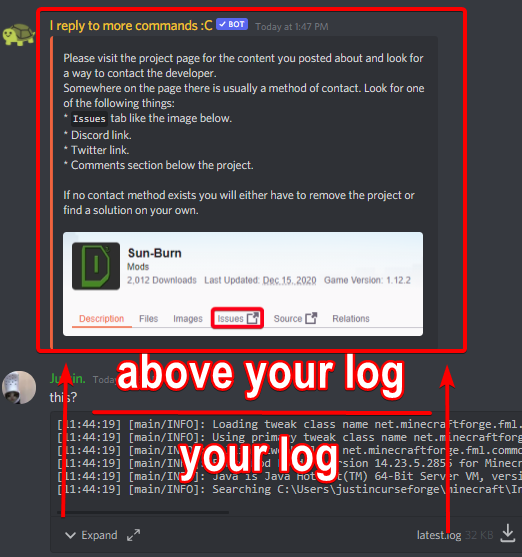
Please visit the project page for the content you posted about and look for a way to contact the developer.
Somewhere on the page there is usually a method of contact. Look for one of the following things:
Issuestab like the image below.- Discord link.
- Twitter link.
- Comments section below the project.
If no contact method exists you will either have to remove the project or find a solution on your own.
 last parcel
so the issue seems to be with one of these two mods
RedstoneFlux has detected that the following OLD API classes from CoFHLib are being repacked!
see the instructions above your log for a solution
gritty token
where is instruction
brazen sigil
last parcel
https://discord.com/channels/428228256236306434/778097796410376242/8921183749796...
..
last parcel
 lyric ledge
Do i have to do the reinstall fix after every mod i remove or add?\
last parcel
shouldnt really have to do that at all
lyric ledge
oh ok
lyric ledge
last parcel
shouldnt really have to do that at all
do you enjoy helping people this much?
gritty token
discription files relations
waxen pine
If a modpack downloaded and doesn't run because of conflict or old versions that's pretty much on the modpack authors
lyric ledge
last parcel
i like helping people who read..
i think i read...
i just dont understand it sometimes lmao
last parcel
didnt mean you
waxen pine
It's possible there is a pack out there that is similar but isn't broken. :) Or you could try some other pack adventure out there
lyric ledge
im running out of mods...
last parcel
no mod is specified this time. are you making this?
lyric ledge
ye
last parcel
when making a pack, try adding a few mods at a time and remember which you add
so when you run into issues like this you can just go back and test which is the issue
lyric ledge
ok
gritty token
ima just deleate it ;-;
 final quarry
how to get pigiron chicken in stoneblock2? it says it has 13% but its like 0.0001%
polar orchid
hey, today i tried to join my singleplayer world (no server/only hosted a lan world once) and everytime i get this message: https://gyazo.com/7fc687e40a7f199a65574e2985ed6c4f
I tried everything but can't figure out what the solution is.. please help.
 upper sonnet
I have tried repeatedly and I have no idea on how to share mudpacks with friends can someone please help
 hallow blade
am i the only one that just shove mods in into my mod files?
worldly ether
upper sonnet
I have tried repeatedly and I have no idea on how to share mudpacks with friends...
!mc-packshare
golden muskBOT
There are two ways to share a modpack you've made with others...
Export and Share - For Friends to Small Groups.
- Click the Icon for the modpack.
- Click the button next to play.
- Click
Export. - Select the files that should be included.
- Send the zip to the people that want it! They can follow the instructions in
!mc-installpackto install the pack!
Upload to Curseforge - For Public Release to Everyone.
This options will make your pack public to EVERYONE, it comes with extra requirements and will take some effort to set up.
- Go to here: https://www.curseforge.com/project/432/4471/create
- Fill out the information with a proper description of the pack. This should allow anyone to understand what the pack is.
- Click the Icon for the modpack in the CurseForge app.
- Click the button next to play.
- Click
Export. - Select the files that should be included.
- Open your Project you made on the CurseForge site and Upload the file you just made.
- Wait for Moderation & Sync so it can show up in the client! (See
!syncfor limitations)
waxen pine
@queen siren not quite - it's "evilctaftcompat"
It is goofing on something related to an enderio compat thing
 queen siren
when i do fing in the evil craft and ender io config i cant find the crazy pants its talking about
or is crazy pants not what i should be looking for lol
waxen pine
queen siren
when i do fing in the evil craft and ender io config i cant find the crazy pants...
If this is single player you can try to update evelcraftcompat, evilcraft, and enderio. It may break other things, no idea.
queen siren
they are up to date should i change one of there versions?
waxen pine
In this kind of situation poking around those mods issues threads on GitHub or comments can sometimes show people with similar issues and/or solutions. Is this a CF modpack or something you mushed together?
queen siren
ya im "making" it and every couple mods added i load in
waxen pine
Ok well rolling something back a version isn't a bad call either. Kind of looks like a lot of things...
queen siren
ya went litteraly just googled the error line and it was the first link lol
but it says its version 5.0.29 with the problem and im using the most up to date one the post is quite old
waxen pine
Doesn't mean they fixed the problem :)
Before you go too far with this thing you really should load it up and play for a bit to see just how slow the performance is going to be
Most people who make mega packs are pretty disappointed
queen siren
i have like i said every batch of mods i load up and i do the better fps thing and change the algorithm or whatever it is
waxen pine
Alrighty just saying. Betterfps isn't a magic wand
queen siren
well ik but so far the pack is just fine
but i put evil craft down 1 version
if that doesnt work just wondering but from the git hub the first version with the problem is 5.0.29 and im on 5.3.70 so would that be like really bad to go back that far?
waxen pine
Dunno - one way to find out.
 lethal marsh
hi, also have a question about curseforge
trying to load pack profiles and getting a filled bar for up to 5 mins but no actual loading of content, plays fine but wont let me export content or edit the pack

dunno if anyones ran into this but i tried task manager and a restart of pc but nothing 😦
 acoustic idol
Minecraft 1.16.5 and lower needs Java 8 to run. Mc 1.17+ requires Java 16. You will need Java 8 for your 1.16.5 server
 light grove
so would i need to uninstall java 16 and install java 8 on my computer to run it
acoustic idol
Thats one option(easiest) the other is you can install Java 8 and force the .bat file use the java 8
acoustic idol
np
 shrewd sparrow
I am currently having issues adding my custom modpack to my server. The instructions should tell me what to do but there is a button that is missing on custom modpacks that makes me unable to follow them.


Full instructions for reference
acoustic idol
so server packs are only available from authors that upload them as additional files to their pack.
For custom packs without server files you will need to copy all the needed files from your clients folder to the server
waxen pine
Can browse the file sections of modpack pages on curseforge.com to view server pack availability
shrewd sparrow
Sorry, this is the first time I've played around with modded servers. So how do I make it into a server pack?
acoustic idol
Is this for a server on your pc or a hosting site?
shrewd sparrow
A site
acoustic idol
ah
golden muskBOT
Serverpacks are special files uploaded alongside an existing project file. If the main file is rejected the server pack is also rejected.
You require an already uploaded export file to upload a server pack!
- Make the server pack by zipping up the required files by selecting the required folders & files. It should include the config and mod folders at a minimum, plus anything else you specifically required to run the server. Start/Run/Setup scripts are optional. Don't include modloader files or the minecraft server jar.
- Go to the
Filestab on the project. - Click the name of the file you wish to upload the server pack to. The pack and server should match pack versions.
- Click
Upload Additional File. - Fill out the form.
acoustic idol
?mc-serverpack
shrewd sparrow
K I am exporting the file but it only has one mod on it even though the pack clearly has more

 acoustic idol
There should be no mods jars in the export form the cf app when using the export option in the app. thats for modpacks not making servers
 calm aurora
Curseforge crashes with certain mods, like if I have journey map on, it just crashes. Im on macbook
zinc flint
I cant figure out why my game is crashing
 split cedar
hey !
my game crash at the start and i don't know why 🥲
edit: it was a bug with orcinus caves
 velvet cape
can moderator approve this mod? Thanks
 golden muskBOT
Project Moderation Time
Project/File moderation is done on these days unless otherwise mentioned:
Sunday, Monday, Tuesday, Wednesday, Thursday: <t:1631170800:t> - <t:1631199600:t> (Your time)
Friday, Saturday: No Moderation!
Projects are moderated First in, First out. If you submit late in the work day, it will likely get left until the next day!
New Projects or anything flagged for manual review: 1-3 Working Days
Updates to approved projects not needing manual approval: 1 Hour
Changes will only show in the app if the project meets the requirements in the ?sync command and up to 24 hours has passed from when it was accepted.
last parcel
did you upload a file to it?
 sinful summit
okay, my game crashed, and i just realized how clean fabric crash logs work compared to forge jeeez
zinc flint
How do I remove these things from the console

It happens when I connect to the screen of my modded servers console and idk how to remove it
shrewd sparrow
acoustic idol
There should be no mods jars in the export form the cf app when using the export...
so how do I make my custom modpack able to be added to my server?
wild jewel
shrewd sparrow
so how do I make my custom modpack able to be added to my server?
!mc-installserver
golden muskBOT
How to **manually** install a server - **On your own PC**
- Check if the modpack has a server pack, if it does: use that and skip below.
- Go to the Forge website http://files.minecraftforge.net/ and download the Installer for the forge version the pack is using.
- Run the installer and choose
Install server. Do not install to your desktop. Also do not install inside a OneDrive folder. - Run the server using the forge.jar. A file called
eula.txtwill be generated. Open it and changeeula=falsetoeula=true - From the Client; Copy the
modsfolder,configfolder, and any other folders needed for the pack to work into the server folder. If the modpack has a server pack, use this instead! - Run the server again.
- Port forward your machine if needed. (Google it)
Long version: https://pastebin.com/83DXfGTH
 neat agate
Hello
I have my own Minecraft modpack, and I added GalactiCraft Tweaker mod in the last version. I downloaded the latest 1.12 version from the Curseforge website. However, when exporting the pack, the mod is placed inside of the overrides folder making Curseforge reject it when uploading
wild jewel
Use the app to install the mod
neat agate
How can I make a pack that I downloaded from the modpacks list editable?
is there some file I can edit to make that possible?
wild jewel
!mc-editpack
golden muskBOT
How to add/remove mods in a modpack.
- Click on the picture of the modpack.
- Click the

Add More Contentbutton, IF this button is not there, see below before continuing. - Find the Mods, Resource Packs or Maps you wish to Install and click
Installon them. - Wait for all the required mods to be downloaded.
- Start the modpack.
How to Enable/Disable content management for modpacks.
- Click on the picture of the modpack.
- Click on the button next to the
Playbutton. - Click on

Profile Options. - Check the
Allow content management for this profileoption if you want to edit the content of the modpack, uncheck it to disable.
NOTE: The Allow content management for this profile option is what allows you to Delete, Disable, Update or Install any Mods, Resource Packs or Maps managed by CurseForge. It must be on to modify any of them! (Currently)
neat agate
ahh ty
zinc flint
Does anyone know how to get notepad++ to colour code my code?
Like instead of
removeRecipe(valhelsia_structures:posts);

// Adds a different way to craft valhelsia wooden posts

craftingTable.addShaped("shaped_example_1", <item:minecraft:arrow>, [
    [<item:minecraft:diamond>, <item:minecraft:diamond>],
    [<item:minecraft:air>, <item:minecraft:flint>],
    [<item:minecraft:air>, <item:minecraft:flint>]
]);```

I get
```less
// Removes the crafting of valhelsia wooden posts

removeRecipe(valhelsia_structures:posts);

// Adds a different way to craft valhelsia wooden posts

craftingTable.addShaped("shaped_example_1", <item:minecraft:arrow>, [
    [<item:minecraft:diamond>, <item:minecraft:diamond>],
    [<item:minecraft:air>, <item:minecraft:flint>],
    [<item:minecraft:air>, <item:minecraft:flint>]
]);```this tells me how to do it for a pc server but not a hosting site
last parcel
ask your host for support then
shrewd sparrow
the customer support is trash
last parcel
then get a better host
shrewd sparrow
Fuck
 white gulch
Hello, I have been waiting 3 days for an approved or a correction message for my mod request, and I wanted to know if it is normal that they take so long.
I'm new to this xd
worldly ether
!status
golden muskBOT
Project Moderation Time
Project/File moderation is done on these days unless otherwise mentioned:
Sunday, Monday, Tuesday, Wednesday, Thursday: <t:1631170800:t> - <t:1631199600:t> (Your time)
Friday, Saturday: No Moderation!
Projects are moderated First in, First out. If you submit late in the work day, it will likely get left until the next day!
New Projects or anything flagged for manual review: 1-3 Working Days
Updates to approved projects not needing manual approval: 1 Hour
Changes will only show in the app if the project meets the requirements in the ?sync command and up to 24 hours has passed from when it was accepted.
white gulch
Oh thank you
last parcel
it is possible for things to get stuck in the system, for example if you include unapproved 3rd party mods.
If you haven't done that then they are likely just behind, they just had a long vacation period, so the backlog could be pretty large.
 solemn rock
hey does anyone know a way or a mod that bans a user for 10 minutes on 3 deaths?
worldly ether
seems a bit unfair to punish those who die in such a way 😆
 hazy basin
Hi, my server crashed, but I can't really tell what crashed it, there were only 2 players online when it crashed, and no one was generating new chunks, here's the crash report https://pastebin.com/39xKNskJ
Pastebin
Pastebin.com is the number one paste tool since 2002. Pastebin is a website where you can store text online for a set period of time.
 frank pewter
Hey, is there a solution to play a Curseforge modpack on my nitrado server? and how do i set this up? 😦
autumn agate
YES
last parcel
Your issue has nothing to do with curseforge. Have you tried asking for support from your host?
waxen pine
There are 100s of YouTube vids showing how to set up and run mc servers
lofty socket
worldly ether
seems a bit unfair to punish those who die in such a way 😆
unfair? You know if it was a true "Hardcore" server, you'd be banned permanently after 1 death...10 minutes after 3 deaths is soft 😉
worldly ether
Banning for death would be a sure way to kill your community, perm ban definitely would , 10 min not so much but may get annoying for some
😉
But I did find something that allows exactly what you want - https://www.curseforge.com/minecraft/mc-mods/limited-lives
 south sleet
Anyone know the button for veinminer in better minecraft mod pack?
 kind kiln
when i try to launch 1.7.2 on the forge launcher, it says that I need legacy.json, what is that?
acoustic idol
Forge doesnt have a launcher. do you mean Curseforge?
acoustic idol
Are you using Curseforge app OR the vanilla launcher you downloaded from Mojang?
kind kiln
the curseforge app
acoustic idol
Screen shot the error your getting
kind kiln
 acoustic idol
!mc-logs do this please
golden muskBOT
Sending logs for support.
- Right-click the modpack profile icon OR click the button in the modpack profile.
- Click
Open Folder. - Open the
logsfolder. - Drag and drop the FILE named
latestORdebuginto discord into discord.
acoustic idol
!mc-installfix
golden muskBOT
- Click on the Minecraft Tab on the Left side of the CurseForge App.
- Click button next to the
Create Custom Profileoption. - Click
Repair Installationoption. - Play game.
NOTE: You will not lose any modpacks or worlds, These are saved in the Instances folder. DO NOT TOUCH THIS FOLDER OR YOU WILL LOSE EVERYTHING
acoustic idol
try that
 acoustic idol
Restart your pc then try again
last parcel
it just doesnt work
acoustic idol
oh
last parcel
why would you pick 1.7.2 anyway 🤔
acoustic idol
would need to see the log for that.
kind kiln
but there isnt any
last parcel
1.7.10 should be just fine
kind kiln
so i fixed the instance, and it still says i need the legacy.json
last parcel
?mc-path
golden muskBOT
Change your install path to the following:
For Windows: C:\CurseForge
-Go to C:\ drive. Make a new folder. Name it Curseforge.
For Mac: /Users/Shared/CurseForge
If Minecraft is not installed in CurseForge App:
- Click the in the top left.
- Select Minecraft from the list of games.
- Select the
Advancedoption and pick the folder you just made. - Click
Continue.
If Minecraft is installed in CurseForge App:
- Click the in the bottom left.
- Select the Minecraft tab.
- Click
Change. - Select the folder you just made.
:no_entry_sign: Minecraft Files should NOT be installed inside the following locations :no_entry_sign:
:no_entry_sign: .minecraft folder.
:no_entry_sign: OneDrive folders.
:no_entry_sign: Desktop folder.
:no_entry_sign: Drive roots I.E. Directly into the C:\ drive.
:no_entry_sign: iCloud enabled folders.
:no_entry_sign: or any other cloud saved folder.
:no_entry_sign: or folders with non-English characters in them.
If any of the above are in the path you need to change/move it!
last parcel
then make a new instance
kind kiln
i made it 5 minutes ago

 last parcel
why are you ignoring the instructions i sent..
 charred dome
I have a friend trying to install curseforge, but when they run the installer it does not do anything
it asks for permission to make changes
and then nothing
 rustic vector
I am the friend
last parcel
!getcf try the 2nd link
golden muskBOT
Looking to install the CurseForge app?
<:windows:798410728188936222> Windows
Minimum Requirements:
- OS Version: 7, 8.1, 10
- 64 bit Required.
- 350MB storage space.
- Microsoft .Net 4.8
- Intel/AMD quad-core CPU
- 8GB ram
Download: https://download.overwolf.com/install/Download?&PartnerId=4047
If you are having issues with the installer use the URL below to install Overwolf then go to the app store to download CurseForge.
https://content.overwolf.com/downloads/setup/latest/regular.html
<:mac:798410654418862130> Mac
Minimum Requirements:
- OS Version 10.14 or newer.
- 64 bit Required.
Download: https://curseforge.overwolf.com/downloads/curseforge-latest.dmg
:penguin: Linux
Minimum Requirements:
Yes.
Download: :person_shrugging:
gritty token
is it possible to play multiplayer with mods
waxen pine
gritty token
is it possible to play multiplayer with mods
Yes, what happens is someone runs a 'server pack' including the mods. People then boot up their regular clients and log into the server through the multiplayer screen
queen siren
[1] java.lang.RuntimeException: Invalid id 256 - maximum id range exceeded.
should i use neid for this?
waxen pine
Posterity? No for real though - some old packs still list it, so is left up
queen siren
also whats the difference with jei and nei? same thing as the id ones?
queen siren
[1] java.lang.ArrayIndexOutOfBoundsException: -1
ive never got this kind of error
what do?
waxen pine
Provide latest.log or crash report files for problems as sometimes real issue isn't addressed in those
The small box that pops up that is
acoustic idol
Looks like an issue with NoNVFlash mod
queen siren
ok is it like i need a diffrent version or something
acoustic idol
not sure there. the log called latest in the logs folder may shine more light on whats going on. Otherwise would need to contact the mods dev
queen siren
is it an important mod? i could uninstall it
acoustic idol
Did you download this pack or make it?
queen siren
its just all the mods and i added a bit
acoustic idol
That could be also why it broke. Adding mods to a pack you didnt make can/will cause issues. Best option is to reinstall the pack
acoustic idol
I dont recommend altering pre-made modpacks, no idea what will break or how to fix it other then reinstalling the pack. One of those "your own your own" times
queen siren
eh i just copied it just in case and then deleted it so we will see
acoustic idol
If it crashes again only real fix is to reinstall the pack.
queen siren
ilyk
this is it now
[1] java.lang.IllegalStateException: The fluid map contains fluids unknown to the master fluid registry
acoustic idol
At this point be easier to just reinstall the pack.
queen siren
i mean this is only the second issue thus far
acoustic idol
Changing pre-made packs is never a good Idea as you didnt make the pack. We have no idea what was in the pack to begin with either so figuring out what is needed and what isnt is a lot harder.
Better to make your own pack with the mods you want instead of changing one someone else made.
queen siren
it would be a lot easier if i just knew how to find the issue like theres the one bot but sometimes it doesnt help
acoustic idol
would have to look at the latest log. But I have no idea what you changed or what the original pack had to begin with. My only recommendation at this point is to reinstall it.
queen siren
ive been trying to make just some mod pack and at first i tried to mish mash atm 3 and greedy craft (obivoulsy didnt work) then before this attempt i tried to make my own and i got some crash and i dont remeber what exactly it was but i gave up so back to making my own
the main problem aside from crashes is how to ig optomize it so i get less game lag
acoustic idol
Depending on the version there are some mods that can help. Otherwise can try lowering render distance and keep an eye on what mods you have. If they are large mods, mods that add worlds, etc. Lots of testing and seeing what all works
queen siren
ik like better fps and foam fix
also i feel like mmc just loads better but i like making the pack in curse
acoustic idol
If you go to #786424115535544350 you can get the minecraft role. Can ask about performance stuff down in #🧱︱minecraft-chat
acoustic idol
Can make a new custom profile in the cf app. If thats what you mean?
queen siren
not that but i think ik how to do what i want to do
ok so i want to use multi mc to run the pack but u need to use a zip file to put it in but when i make my pack a zip it says archive does not contain a reconized moppack
so how would i move my pack over?
acoustic idol
Export the pack from cf and import it int mmc. Otherwise make a new profile then copy over the needed files.
waxen pine
Any launcher app just launches the pack for it to run. The only difference is going to be any default settings for ram allotment, default java versions and startup arguments
queen siren
i got it thanks tho
my why was a bit more complicated lol
is there a website like the gnombe bot that looks at the crashes for the errors?
acoustic idol
Not sure how reliable that would be as reports cna change slightly per pc. Theres a fair number of people here that can read em tho
acoustic idol
Be better to post the log called latest over the crash report tho. Latest.log gives more info
!mc-logs
golden muskBOT
Sending logs for support.
- Right-click the modpack profile icon OR click the button in the modpack profile.
- Click
Open Folder. - Open the
logsfolder. - Drag and drop the FILE named
latestORdebuginto discord into discord.
acoustic idol
queen siren
Add the mod JustenoughItemIds
waxen pine
14gb of memory allocated is a bit much - going way over what is required will create game stutter because of how java works.
calm aurora
forge crashes with certain mods, like if I have journey map on, it just crashes. Im on macbook
queen siren
need some help
 rare escarp
What can i do to not have my modpack in playing not run at 1 fps every time it rains, i cross to the nether, or go mining/logging??
 molten marlin
queen siren
6gb?
molten marlin
queen siren
6gb?
I always allocate 7GB to all modpacks
molten marlin
rare escarp
What can i do to not have my modpack in playing not run at 1 fps every time it r...
Do you use any shaders? And how much ram you allocated
rare escarp
Shaders no and ram zero clue how to check that
molten marlin
 molten marlin
Yeah its low how much ram your pc have? If 8 gb allocate 6 GB if 16GB allocate 7 GB
Then load the modpack again it should be better
queen siren
it hasent happened yet but what do i do when i get the error thats says it ran out of head room/ram
i forget what it actually says
rare escarp
molten marlin
Yeah its low how much ram your pc have? If 8 gb allocate 6 GB if 16GB allocate 7...
My pc has 215GB
molten marlin
Do 7 gb and see if its better you can Always allocate more if you need to , but if you allocate more than needed it won't be better
Thats why i always do 7128 to all modpacks
molten marlin
rare escarp
My pc has 215GB
I just realised is it GB ram or GB of storage
 charred tulip
hi
molten marlin

charred tulip
i was wondering if someone could help me
molten marlin
If i can i will try
molten marlin
Yes if you want to play with others you need to host a server
molten marlin
You can use aternos if you want to play with your friends its free but server is not online when you leave the server , so if you want server that is online 24/7 even when you are not there i recommend buy one im using bisect hosting for that
I never used aternos so i can't tell if it lags or anything if the modpack is large
charred tulip
o ok thank u
is there a way to run a free server for only when im on
or is that was aternos does
molten marlin
When you leave and there is someone online the server stays on and when the last person leaves the Server shutdown thats how aternos work , but you can always stop the Server when you want to in any hosting service
charred tulip
thank u
molten marlin
Your welcome :D
charred tulip
and thanks sm 4 helping
waxen pine
it changes the GC scheme that java uses - i think the CF app even changed to default have that as a startup argument
 void schooner
whenever i download the installer for 1.17, it downloads as a JAVA file
last parcel
if you are talking about forge, that is what it should be
void schooner
but how do i import it to my minecraft?
last parcel
open it with java
void schooner
ok
waxen pine
You are aware curseforge and Forge are not the same thing right? If you're looking for the app to auto download modpacks that is curseforge
 tranquil pine
having an issue where it's suddenly started running super slow, not sure why but it crashes on start or world rendering takes about 10x as long as it should if it doesn't crash in the first place