#👽︱game-support
1 messages · Page 140 of 1
 ivory nymph
 desert drum
my mod pack was rejected by curseforge for the following reason

if im not mistaken that is the Minecraft Comes alive mod and the Chisel mod
i dont understand why its rejecting that
 wild jewel
Google both numbers, do they go to the same project?
wild jewel
Restart your pc, export again
desert drum
still no luck
 elfin hornet
thanks
desert drum
desert drum
still no luck
any other ideas?
wild jewel
Can't find the id's myself at the moment, could try reinstalling both mods
desert drum
ok
ill send em so you can copy paste
2824328
2915375

re-installing the mods does nothing for me
i get the same error
 real pasture
anyone know what is causing this crash. everyone else is loading fine. but this one friend keeps crashing all of a sudden
wild jewel
desert drum
re-installing the mods does nothing for me
Still got to follow rule 4
desert drum
wild jewel
Still got to follow rule 4
thanks 🙂
 hallow depot
i got this error can you guys help me
 wild jewel
! mc-path
 golden muskBOT
**Minecraft Files should NOT be installed inside the following locations
.minecraft folder.
OneDrive folders.
Desktop folder.
Drive roots I.E. Directly into the C:\ drive.
iCloud enabled folders.
If any of the above are in the path you need to change/move it by following the instructions below!**
If Minecraft is not installed in CurseForge App, start here.
Click the  in the top left.
Select Minecraft.
Click "Edit".
Move to the "Continue here:" section below.
If Minecraft is installed in CurseForge App, follow these steps.
Click the  in the bottom left.
Select the Minecraft tab.
Click "Change".
Move to the "Continue here:" section below.
Continue here:
Make a folder in the root directory called CurseForge.
Select the folder you just made.
The text box should show something like the following:
For Windows: C:\CurseForge
For Mac: /Users/Shared/CurseForge

 fallow spire
 plush briar
I have plugin EnderContainers and everything works like /ec except when I click lift click on endercheat it doesn't open because of permission how can I give it
wild jewel
Depends on your permissions plugin
 dawn sphinx
how do i increase the passive mob spawn rate.
what file do i have to edit
i think a mod decreased the spawn rate
 opaque cape
help
opaque cape
 opaque cape
somone help me
 coarse elm
read it, and follow what it says
 coarse elm
well it's clearly not being ran then. close the minecraft client and relaunch.
coarse elm
!status
golden muskBOT
It is 08:42PM on Friday for CurseForge my dudes.
Project Moderation Time
Project/File moderation is done on;
Sunday, Monday, Tuesday, Wednesday, Thursday: 10AM - 6PM GMT+2
Friday, Saturday: No Moderation!
This process is First in, First out. Thus files submitted late in the work day may not be checked until the next work day.
New Projects or uploads requiring manual approval: 1-3 Working Days
Updates to approved projects not needing manual approval: 1 Hour
File sync to the Curseforge app may take up to 24 hours after approval.
 autumn sky
 coarse elm
do as it says
 dark ferry
change the forge version
autumn sky
how do I do that
coarse elm
in the profile settings
autumn sky
ty
 misty tulip
is it possible to play with friends running modpacks on minecraft?
 prime glen
you have to make a server with the same config and mod folders
misty tulip
I have no idea how to do that lmao any advice?
prime glen
whatever service you wanna use for the server should have a tutorial
misty tulip
Do i have to download something from another website to make a server or can i do it from the mc app
or can i use nodecraft
misty tulip
I believe i can use nodecraft to make a server
prime glen
https://shockbyte.com/billing/knowledgebase/178/How-to-install-any-TwitchorCurseForge-Modpack.html @misty tulip
Shockbyte
The Shockbyte Knowledgebase contains hundreds of tutorials for managing your game servers for Minecraft, Hytale, ARK, Rust and more.
here's how you do it with shockbyte
 weary whale
my jei is not working properly
it says i need ftb library but i already have it in my mods
 waxen pine
weary whale
my jei is not working properly
waxen pine
weary whale
my jei is not working properly
are they both the latest version?
weary whale
yes
waxen pine
screenshot?
weary whale
 waxen pine
weary whale
waxen pine
weary whale
hm weird - I actually have those 2 exact versions in my modpack and they behave
fwiw I am on Forge 36.1.32
waxen pine
oh you kow what... i can't either
thanks Latvian and team JEI
there is a newer JEI version i haven't tested yet
 ashen pulsar
how do I post a modpack I made through curseforge so that others can view and download it?
coarse elm
!mc-packshare
golden muskBOT
There are two ways to share a modpack you've made with others...
Export and Share - For Friends to Small Groups.
- Click the Icon for the modpack.
- Click the
 button next to play.
 - Click

Export. - Select the files that should be included.
- Send the zip to the people that want it! They can follow the instructions in
!mc-installpackto install the pack!
Upload to Curseforge - For Public Release to Everyone.
This options will make your pack public to EVERYONE, it comes with extra requirements and will take some effort to set up.
- Go to here: https://www.curseforge.com/project/432/4471/create
- Fill out the information with a proper description of the pack. This should allow anyone to understand what the pack is.
- Click the Icon for the modpack in the CurseForge app.
- Click the button next to play.
- Click
Export. - Select the files that should be included.
- Open your Project you made on the CurseForge site and Upload the file you just made.
- Wait for Moderation & Sync so it can show up in the client! (See
!syncfor limitations)
ashen pulsar
it says my file is too big, how would i fix that?
 last parcel
Did you follow the instructions
ashen pulsar
It puts it as a zip file, but the size of the file is too big
When I click upload
Never mind, I was trying to put it in the image file
ashen pulsar
last parcel
Did you follow the instructions
Does this mean it is ready to be reviewed?
 autumn sky
 potent tartan
autumn sky
potent tartan
autumn sky
do you have another instance of minecraft open
 crisp halo

ashen pulsar
How will I know when my modpack is accepted or declined?
coarse elm
When you get a notification saying so.
 torpid swan
So me and my friends have a modded server and we accidentally opened the server with like the regular minecraft server file instead of the forge server file.
Is there any way to like rollback without like saving backups
coarse elm
If you dont have backups no, its toast
torpid swan
gotcha
 lament pebble
Trying to install enigmatica 6 server pack, used to be able to play (successfully install and open the server)
I seem to be getting stuck on install though, does anyone else suffer from the same problem?

 pine rapids
That looks like startup rather than install
Does it let you type or is it well and truly frozen?
 lament pebble
pine rapids
That looks like startup rather than install
lament pebble
pine rapids
That looks like startup rather than install
Would startup be a different problem?
pine rapids
What kind of hardware are you running it on?
lament pebble
As in CPU, GPU?
It's a windows 10 OS with Amd CPU and GTX 3070 mobile
I used to be able to start up the server fine just a few weeks ago
so I'm confused why it won't work
Thanks for helping out by the way
 sterile stream
so im trying to play wow. i have installed the console port mod. but how do i use it in game?
 autumn sky
 autumn agate
hello
im having problems installing 1.16.5 fabric
everytime i click on 1.16.5 it redirects me to download 1.17 but i want 1.16.5
may u plz help me
waxen pine
autumn agate
everytime i click on 1.16.5 it redirects me to download 1.17 but i want 1.16.5
where are you talking about clicking? are you creating a new profile in the curseforge app?
waxen pine
autumn sky
post the crash-report.txt file?
autumn agate
no im trying to download fabric 1.16.5 from the website but it always redirects me to download 1.17
waxen pine
autumn agate
no im trying to download fabric 1.16.5 from the website but it always redirects ...
from what website? you're going to have to be more specific. is this actually curseforge related? are you talking about some fabric community website? link/screenshot?
autumn agate
 autumn sky
waxen pine
post the crash-report.txt file?
autumn sky
waxen pine
post the crash-report.txt file?
1 sec trying to figure out where trash reports are
waxen pine
ok so that is the fabric API that people use in the Fabric mod loading system. are you trying to create a modpack or download that specific mod file for some reason?
waxen pine
autumn sky
1 sec trying to figure out where trash reports are
the folder named "crash-reports" in main instance directory
autumn agate
waxen pine
ok so that is the fabric API that people use in the Fabric mod loading system. ...
i want to create a modpack yes
waxen pine
autumn agate
i want to create a modpack yes
Ok so. First step. Open the CurseForge App. Create a new profile and select Fabric and the MC version you want to use. Create it. Use the App search tool to 'add new content'
autumn sky
main directory = .minecraft?
waxen pine
autumn sky
main directory = .minecraft?

if that folder doesn't exist than no crash report has ever been generated for that instance
autumn sky
yeah theres no crash report folder for my modpack
waxen pine
was that latest.log file you posted an issue though? looked like it was
and looked incomplete
 pale hill
Can someone help me change the rewards of the "bountiful" mod? Sorry, I don't know much about programming and I'm new to that mod
autumn sky
wait nvm ignore it, just figured something out
waxen pine
pale hill
Can someone help me change the rewards of the "bountiful" mod? Sorry, I don't kn...
get the MC role in #786424115535544350 and use the MC channels
pale hill
Sorry
 storm ermine
how do i fix the upload for my modpack
 wild jewel
Link your project
 civic temple
What languages does forge MC allows you to write mods in (for java edt)?
wild jewel
Java
 minor finch
hi guys, im trying to download a mod onto my laptop and it keeps saying that i dont have an associated app that is compatible with the mod, does anyone know how to fix this so i can add the mod to my minecraft game, please dm me if u can help thankyou
wild jewel
minor finch
hi guys, im trying to download a mod onto my laptop and it keeps saying that i d...
! mc-installmods
golden muskBOT
How to install mods in CurseForge App.
- Click
+ Create Custom Profile - Name it, select the required Minecraft version, select the Forge version (usually the highest number), click
Create. - Click the profile icon.
- Click
Add New Content - Search and install the desired mods.
- Start the game!
How to install mods not on CurseForge.
- Right click the profile picture or Open the profile and click the Icon next to the play button.
- Click

Open Folder. - Drag the mod(s) into the
modsfolder. (Note: Some mods will require others, to run. Make sure to read the instructions for the mod!) - Start the game!

 autumn walrus
I'm stuck in the dessert atm
Cause my server is crashing everytime I start it up and log back in
Is there any way to fix this?
It's unplayible atm
storm ermine
wild jewel
Link your project
wild jewel
storm ermine
https://www.curseforge.com/minecraft/mc-mods/astromimus-modpack/files/all?filter...
So why does your modpack have a normal mod url?
storm ermine
wild jewel
So why does your modpack have a normal mod url?
i don t know why how do i fix this
wild jewel
You make a new project
civic temple
wild jewel
Java
Just java?
wild jewel
civic temple
Just java?
Yes, it is the language the game is using
civic temple
wild jewel
Yes, it is the language the game is using
I thought it was available in scala and kotlin as well
am i mistaken?
wild jewel
Some mods might add it, but that doesn't mean that forge supports itself
civic temple
wild jewel
Some mods might add it, but that doesn't mean that forge supports itself
Ah okay, i thought forge supported the scala language adapter since the repo is under the same name for MinecraftForge
wild jewel
Not that involved in that part
autumn agate
Why is my world spamming squids and dolphins....


I killed them with a command but they came back
And now they're gone... wtf
 wraith gull
autumn agate
wraith gull
autumn agate
Also it's normal that a forrest with a lot of trees = low fps right?
Like it takes my 60 to a 30 often
And I've been getting this for ages

I don't even have a biomes mod
It happened again... on another world...

It happens all at once
And random chunks of the nether dissapears, looks like an entity culling issue, except it isn't
Lmao why's my game breaking it was super smooth before, 100+ mods, ultra BSL shaders, PBR texturing, 10 chunks, 4k = 60 fps
 undone copper
Hey, this guy sent me weird stuff, tried to get my personal information and pretended to be a kid

Yamza?
wild jewel
undone copper
Hey, this guy sent me weird stuff, tried to get my personal information and pret...
Screenshot
 steep hollow
thats weird guy.
steep hollow
undone copper
yea
Can you check my issue on #🔥︱curseforge-support?
undone copper
creep
wild jewel
Banned, just block
steep hollow
But, i have not gotten my answer.
wild jewel
steep hollow
But, i have not gotten my answer.
And you are breaking rule 4 here
steep hollow
wild jewel
And you are breaking rule 4 here
Then where do i ask for help?
 tribal ingot
hello
wild jewel
steep hollow
Then where do i ask for help?
You post it in a game specific channel
autumn agate
Guys I have a weird af issue
Squids being spam spawned in any body of water, just everywhere, squids
autumn agate
autumn agate
Like here
I'm talking like a squid every 2 blocks
And it seems to spawn some monsters too?
It happens on any world
Very irritating, wtf type of mod is causing this
It's unplayable, it just crashed my world
Gotta love when Minecraft refuses to close EVEN WITH TASK MANAGER
wild jewel
Your modpack or premade?
autumn agate
Uh, just mods
I'm confused, premade?
But positively no clue what's causing it
Forgiving Void
Performant
Curious Shulker Boxes
Friendly Fire
Can't Sleep, Clowns Will Eat Me
Better Safe Bed
Cold's Grappler
Scuba Gear
wild jewel
Then yell at who made it
autumn agate
Recently downloaded mods ^
autumn agate
wild jewel
Then yell at who made it
yells at 100 dif creators
wild jewel
Modpack maker
wild jewel
Then you made the modpack yourself.
Them you remove mods till it is not happening anymore, starting with the recent added ones
autumn agate
So a mod pack is literally just a group of mods
Alrighty didn't know haha, thought it was like a preset from curseforge
autumn agate
wild jewel
Then you made the modpack yourself.
Them you remove mods till it is not happenin...
Hope it's a mod....
Not some corruption shit
Because weird stuff happened before
Skeleton's not shooting arrows, infinitely trying but arrow's never firing
World freezes, chunk generation stopping and seemingly time stopping too
All seems to have gone away, but now I have fucking SQUIDS
That spawn in every spawnable water source
After like a few minutes of creation
wild jewel
@minor mango Client side mod on the server
 minor mango
I do not understand this crash, a long time ago I started the modpack with similar mods but I made several changes and now it does not work for me. The modpack works perfectly for me in the minecraft client
Pastebin
Pastebin.com is the number one paste tool since 2002. Pastebin is a website where you can store text online for a set period of time.
minor mango
wild jewel
<@622202571674746889> Client side mod on the server
which?
wild jewel
No idea which one, can't find it in the crash
minor mango
in the console error could you see?
pine rapids
Instant Massive Structures Mod
wild jewel
🤷
pine rapids
and for the record that mod looks to have the typical naming pattern of a repost site, you did get it from Curse, right?
Just checked and it seems the dev did indeed name the file like that... I am disappointed
minor mango
pine rapids
Instant Massive Structures Mod
thanks, in the sv that I'm doing I have never had an error, until a friend told me to add that mod. he is jinx xdd
minor mango
pine rapids
and for the record that mod looks to have the typical naming pattern of a repost...
yes
 torpid smelt
hey can anyone help me? my minecraft game crashed after removing optifine and idk why...
pine rapids
Create is conflicting wiuth Bayou Blues
 terse storm
could somebody explain how I can choose the way curseforge opens minecraft? I've tried to reinstall but it doesn't let me select pathing anymore. I'm having issues with "Imcompatible vanilla server"
pine rapids
What are the different ways to open Minecraft?
terse storm
I may be wording this wrong as I have literally no idea what exactly i'm looking at after watching 20 video tutorials from bisecthosting
My basic understanding is start.bat has to run forge and not the minecraft.server.jar
pine rapids
Do you know the contents of start.bat?
terse storm
otherwise it's opening vanilla minecraft over and over
I'm still googling trying to find that
coarse elm
Curseforge doesn't run servers for a start
coarse elm
Stupid phone and large fingers
terse storm
I'm unaware of how any of this works to be honest I'm trying to add plugins to my the pack, but after adding plugins I'm unable to actually play because I guess the client is Vanilla only?
pine rapids
plugins?
terse storm
Maybe i'm misunderstanding
pine rapids
Mods and Plugins are separate things
coarse elm
Plugins are only for servers, you want mods
terse storm
I'm trying to add tp functions as walking 50 minutes
yes
I have a server
I add the plugins to the server they are not usable
pine rapids
tp commands are vanilla?
wild jewel
Can't combine them easy
terse storm
they are unknown after adding the plugin
wild jewel
What server do you use then?
terse storm
dunno if it's a hosting issue or if it's me doing it incorrectly
I have a stay true server on bisecthosting
coarse elm
Its you.
terse storm
by default there's no plugins folder so I'm confused if i'm supposed to run the .jar file as a different one and merge world files under that new file
 twilit fractal
hello 🙂 can anyone tell me how to port existing Add-Ons from Twitch ?
pine rapids
terse storm
I have a stay true server on bisecthosting
a stay true server... this? https://www.curseforge.com/minecraft/texture-packs/stay-true
terse storm
yes
pine rapids
That's... not a modpack
terse storm
i'm struggling to understand the difference between the two
pine rapids
It's a resource pack...
coarse elm
twilit fractal
hello 🙂 can anyone tell me how to port existing Add-Ons from Twitch ?
Install curseforge and it should automatically find it if it's in a valid location.
Otherwise copy the files over after you set it up again.
terse storm
i can wait for my support ticket if it's too exhausting to explain what is the problem
pine rapids
I'm still trying to figure out how to explain it...
So you downloaded stay true thinking it was a modpack?
terse storm
I guess? I just wanted to play this one because my computer could handle this one
pine rapids
Oh... no I see there IS a modpack called stay true
terse storm
it's like 98 or something mods
pine rapids
Yes... plugins play NO part in this
terse storm
my main concern is once I've got it to successfully install a plugins folder and the plugins are active I can no longer open it in minecraft due to it being an incompatible vanilla server
twilit fractal
coarse elm
Install curseforge and it should automatically find it if it's in a valid locati...
Ah .. I am setting up on a new system - Twitch account is the same but no files there - need to re-download. Thanks
pine rapids
terse storm
my main concern is once I've got it to successfully install a plugins folder and...
Why are you so fixated on plugins?
terse storm
I'm just telling you the steps i've taken in order to get the vanilla server incompatibility
pine rapids
Just install the pack and go, forget plugins
terse storm
not the point
pine rapids
If you're running plugins you're not running Forge to load the bloody pack!
wild jewel
terse storm
not the point
Server software needs to support both, good luck finding one that works
terse storm
how do I word this? I'd like to add a /home and /tp command, my understanding is needs plugin to fix it, if it's not supported then it's not possible?
wild jewel
Mods also do that
pine rapids
tp is part of vanilla and FTB Essentials adds home
coarse elm
Or just write down your cords and to to them or use a minimap mod and waypoint teleporting.
Theres like 30 ways to go about what you are doing and you picked the option that is the worst and likely not even going to work.
terse storm
to be honest my only go off guide is the hosting site i'm paying from so I've only watched what they suggested
coarse elm
I'd recomend doing more research than what hosting sites provide as many of them aren't good.
 idle nimbus
It's an "incompatible vanilla server" because you changed your server to a non modded one
terse storm
i'm just gonna google around to see what I can do about the tp and home functions so I can stop respawning randomly all over the place
thanks for the help
idle nimbus
They literally just told you what mods to install
terse storm
yes, which as i've said i have to go do that
the essentials suggestion was very helpful, thank you for being patient and helping me today. I appreciate all of your input, have a good day everyone
waxen pine
terse storm
the essentials suggestion was very helpful, thank you for being patient and help...
#786424115535544350 there are minecraft channels if you get the role
autumn agate
my curseforge is really slow and i can't make new profiles
 next panther
autumn agate
my curseforge is really slow and i can't make new profiles
next panther
autumn agate
my curseforge is really slow and i can't make new profiles
try to relaunch it

 silver orchid
y isnt my reinforcements working
 wild jewel
Try fully repaired
silver orchid
y isnt my shurican showed it can be lvled up

 snow matrix
I got a problem. I placed a shape computer from cyclic in my friends server. And I joked around and tested it. Then I got kicked and nobody can join because of a NBT tag that is too large. Help, what can I do?
In minecraft btw
 solar breach
How can i use a .json animation for an entity (i'm using mcreator)
the whole mob is animated in that json file
pine rapids
snow matrix
I got a problem. I placed a shape computer from cyclic in my friends server. And...
If you're still here, provide logs from both server and client
snow matrix
Sorry but i don't know how to get them
pine rapids
?mc-log for the client
golden muskBOT
Where to find the log on the CurseForge Client.
Right-click the modpack profile icon OR click the button in the modpack profile.
Click Open Folder.
Open the logs folder.
Find the file called latest.log and drag it into discord.
pine rapids
and for the server you need to ask the owner
snow matrix
Ok thanks
The owner is sleeping right now so i have to get the server log tomorrow
Im also going too sleep. So i have to do this later
waxen pine
The blunt instrument method coud be deleting the area file the chunk is in
 golden thorn
can anyone help with auto confing mod forge in minecraft 1.16?
weary whale
is there Litematica 1.16.5 forge veresion ?
 worldly ether
litematica is fabric only for now
the mod dev did have future plans to make 14.4+ forge versions but litematica is mainly fabric focused
weary whale
ah i need something like litematica for forge
worldly ether
unfortunately for recent versions , no such thing exists
weary whale

worldly ether
need to use a newer version of forge , needs to be forge version 31.2.47 or above , you have 31.2.45
autumn agate
 willow pecan
i´ll tried to reinstall bot not working -
pine rapids
"bot not working"?
willow pecan
but *
pine rapids
Which option did you select in the installer?
pine rapids
and you're sure you're installing it to the same place the server was installed to originally?
 versed edge
Guys i dont know if this is a bug or a feature but, when i try to play any game or modpack, the launcher tell me that i need to be homosexual to play, and i dont know what to do, i dont want to change my orientation, what do i do? 😔
(it's a joke btw, i dont have the problem)
pine rapids
In the wrong crowd that could land you in serious trouble... joke or not
versed edge
ye i know
XD
Also why the famous companies put raibow over their logos, only to yeet the profile pic a month later?
i mean you can show support to gay people but not turn gay yourself xd
versed edge
sorry, i will stop
 tawdry forge
I'm playing atm6 and I can't figure out how to make a unbreakable tinkers tool
Anybody know how to make one?
 pale robin
tryna launch "ATM6 To The Sky"(1.16.5) on minecraft and it didnt work so i had to manually put the files in the mods folder and then get the launcher for it to work. then i tried joining a server and it told me i couldnt join. i dont have this problem on fabric but with forge i do.
pine rapids
What do you mean by "It didn't work"?
pine rapids
and by "manually put in the files" you mean?
pale robin
as in individually downloading every mod in the mod pack
golden muskBOT
Where to find the log on the CurseForge Client.
Right-click the modpack profile icon OR click the button in the modpack profile.
Click Open Folder.
Open the logs folder.
Find the file called latest.log and drag it into discord.
pine rapids
Yes, sorry I was in another channel, let's see here
pale robin
nah ur good
pine rapids
Oh jesus this installation is fucked
pine rapids
Reinstall the pack
pine rapids
Yes
pale robin
autumn sky
is it okay to copy and paste a mod? or should I should download it again
pine rapids
autumn sky
is it okay to copy and paste a mod? or should I should download it again
Should be fine
autumn sky
ty
pine rapids
cia, how many packs do you have installed?
pale robin
just one
 hardy obsidian
Why is Rlcraft tell me WebClient Request over and over?
pale robin
i dont use forge often
pine rapids
?mc-path change this somewhere else and try again
golden muskBOT
**Minecraft Files should NOT be installed inside the following locations
.minecraft folder.
OneDrive folders.
Desktop folder.
Drive roots I.E. Directly into the C:\ drive.
iCloud enabled folders.
If any of the above are in the path you need to change/move it by following the instructions below!**
If Minecraft is not installed in CurseForge App, start here.
Click the in the top left.
Select Minecraft.
Click "Edit".
Move to the "Continue here:" section below.
If Minecraft is installed in CurseForge App, follow these steps.
Click the in the bottom left.
Select the Minecraft tab.
Click "Change".
Move to the "Continue here:" section below.
Continue here:
Make a folder in the root directory called CurseForge.
Select the folder you just made.
The text box should show something like the following:
For Windows: C:\CurseForge
For Mac: /Users/Shared/CurseForge
pine rapids
hardy obsidian
Why is Rlcraft tell me WebClient Request over and over?
WebClient errors in Curse tend to mean your internet is crapping itself
 lucid cloak
anyone got a video link for launching servers? everything i find is for forge not curse forge
coarse elm
Curseforge doesn't do anything with servers
lucid cloak
gotcha ok thanks!
coarse elm
!!=
golden muskBOT
Wording is important!
Forge = Minecraft Forge, This is a modloader often just called "Forge".
Fabric = Fabric MC, this is another modloader, just called "Fabric".
CurseForge = A Website/App that has content for games.
Mods = Individual mod files.
Modpacks = Multiple mods put into the mods folder or downloaded from CurseForge.
These are not Interchangeable! Please use the correct terms as it allows us to help you faster!
pale robin
is it supposed to take really long to download this time
it much slower now
i guess it is
yea it is
pine rapids
Well that sounds like it's actually downloading the stuff rather than making empty files
pine rapids
Did you mess with the file permissions at all?
pale robin
no
but im might have closed forge at a bad time
i thought it might have been frozen cuz it was taking a while
but
i now realize how dumb that is
since my computer would have told me if it was frozen
anyways
i think that its fixed
thats so much for your help and your time
good morning
i would say night
but its 12:20 for me
so
yea
willow pecan
@pine rapids, sorry for ping.
I´ll just re installed my forge server from zero.
all these files everything what i need to first startup of bat file right ?

server.jar
minecraft_server.1.15.2.jar
forge-1.15.2-31.2.47.jar
1.15.2.json
libraries
 short bramble
anyone know how to fix that?
 willow pecan
Check if u have once installed overwolf.
short bramble
Never had
willow pecan
Do u have enough space to launcher ?
short bramble
a lot of
willow pecan
try to run installator as administrator
short bramble
still not work
willow pecan
delete old installator and download new
short bramble
i install new one but it start freeze this time

 edgy jay
what is the reason of this?
 wild jewel
! mc-path
golden muskBOT
**Minecraft Files should NOT be installed inside the following locations
.minecraft folder.
OneDrive folders.
Desktop folder.
Drive roots I.E. Directly into the C:\ drive.
iCloud enabled folders.
If any of the above are in the path you need to change/move it by following the instructions below!**
If Minecraft is not installed in CurseForge App, start here.
Click the in the top left.
Select Minecraft.
Click "Edit".
Move to the "Continue here:" section below.
If Minecraft is installed in CurseForge App, follow these steps.
Click the in the bottom left.
Select the Minecraft tab.
Click "Change".
Move to the "Continue here:" section below.
Continue here:
Make a folder in the root directory called CurseForge.
Select the folder you just made.
The text box should show something like the following:
For Windows: C:\CurseForge
For Mac: /Users/Shared/CurseForge
wild jewel
And follow rule 4 @edgy jay
edgy jay
i can't install minecraft on game specific
wild jewel
edgy jay
i can't install minecraft on game specific
You don't point it to the original game
edgy jay
what should I do
wild jewel
Follow the instructions
edgy jay
wild jewel
Follow the instructions
I'm translating from google translate to Turkish, but it's not very clear.
wild jewel
Make new folder, C:\Curseforge
edgy jay
That's all?
edgy jay
Thank you!
solar breach
i have a bedrock mob how can i port it to java?
wild jewel
solar breach
i have a bedrock mob how can i port it to java?
Rewrite it from scratch
 swift tide
hey im trying to load a mod too play a server but it wont let me play and it says i need to update forge im just wondering how do i do that?
wild jewel
swift tide
hey im trying to load a mod too play a server but it wont let me play and it say...
Screenshot
swift tide
k let me reload
im really sorry my internet is being terrible

@wild jewel sorry for the late thing i had to restart my laptop
 rapid bear
 icy fossil
How long does it typically take for a modpack to get approved?
wild jewel
!status
golden muskBOT
It is 05:57PM on Sunday for CurseForge my dudes.
Project Moderation Time
Project/File moderation is done on;
Sunday, Monday, Tuesday, Wednesday, Thursday: 10AM - 6PM GMT+2
Friday, Saturday: No Moderation!
This process is First in, First out. Thus files submitted late in the work day may not be checked until the next work day.
New Projects or uploads requiring manual approval: 1-3 Working Days
Updates to approved projects not needing manual approval: 1 Hour
File sync to the Curseforge app may take up to 24 hours after approval.
 wild jewel
Restart your pc
 upper bison
I have it several times
wild jewel
!ticket-app
golden muskBOT
:bug: Reporting via the CurseForge App :bug:
-
Click the
 icon in the bottom left.
 -
Select

Open a Ticket. -
Fill out the form with accurate detailed information, "It doesn't work" isn't helpful! What exactly doesn't work and why doesn't it work should be easy to answer!
-
Make sure to upload your Overwolf logs with the
Upload Fileoption on the ticket, information on how to get these logs can be found here https://support.overwolf.com/en/support/solutions/articles/9000176827-how-to-get-your-overwolf-logs -
Submit!

 marble wraith
i need help who i can start ftb invinity evolved skyblock because the outdate version of ex compressum doesnt load ???
the load stuck by ex compressum
wild jewel
marble wraith
i need help who i can start ftb invinity evolved skyblock because the outdate ve...
Tell the dev?
 stiff oak
so last couple of days ive been having issues with the solidification table in SkyBees. does anyone happen to have a fix for it?
idle nimbus
Hard to know if you don't tell us what needs to be fixed
autumn agate
 wild jewel
What are we looking at?
idle nimbus
It seems to be a server running on gui with like 300mb of ram for some reason
wild jewel
Something without context, nice
autumn agate
I havent added ram to it could that be the cause?
wild jewel
Yes
autumn agate
Well how do i add like 6GB RAM
idle nimbus
What
idle nimbus
A .bat file
waxen pine
what are you doing to launch this server
waxen pine
so there is a minimal effort needed to play modded minecraft. you either do that or you leave it to others
wild jewel
Watch the language
autumn agate
waxen pine
so there is a minimal effort needed to play modded minecraft. you either do tha...
Ive done this before ;/
waxen pine
java -Xmx5G -Xms5G -server -jar forge-1.16.5-36.1.32.jar nogui
barebones example of a start.bat script
 upper ridge
Question, is there a way to get this modpack's server files?
It doesn't seem to have that button on the curseforge launcher
wild jewel
There are no server files
upper ridge
how do I make a server of it then?
wild jewel
!mc-installserver
golden muskBOT
How to **manually** install a server - **On your own PC**
- Check if the modpack has a server pack, if it does: use that and skip below.
- Go to the Forge website http://files.minecraftforge.net/ and download the Installer for the forge version the pack is using.
- Run the installer and choose
Install server. Do not install to your desktop. Also do not install inside a OneDrive folder. - Run the server using the forge.jar. A file called
eula.txtwill be generated. Open it and changeeula=falsetoeula=true - From the Client; Copy the
modsfolder,configfolder, and any other folders needed for the pack to work into the server folder. If the modpack has a server pack, use this instead! - Run the server again.
- Port forward your machine if needed. (Google it)
upper ridge
and any other folders needed for the pack to work into the server folder
May I ask like what?
also thanks for the reply
waxen pine
it varies depending on mods. for example 'scripts', 'openloader', 'patchouli', etc
autumn agate
waxen pine
java -Xmx5G -Xms5G -server -jar forge-1.16.5-36.1.32.jar nogui
Thats ram right
5gigs
waxen pine
the xmx and xms arguments are yes
upper ridge
waxen pine
it varies depending on mods. for example 'scripts', 'openloader', 'patchouli', ...
I mean how would I know what folders they are? cause I've never heard of the folders mentioned before sorry
idle nimbus
You'll know if it doesn't work
If you needed them you would have changed something inside them
waxen pine
you wouldn't basically. that's why people publish modpacks who develop the modpack and know what to include? you can try and mcguyver your own but it's more difficult ofc
not necessarily - for example if they forgot patchouli they just wouldn't have their books show up in the pack
upper ridge
yeah seems like the modpack person didn't include server files though, most other modpacks seem to do that so I was curious
idle nimbus
But that has nothing to do with moving extra folders to the server
upper ridge
also wouldn't there be folders that should only be on the client side instead of server?
waxen pine
not ones that would cause issue probably as the server wouldn't be told to 'look' at them
upper ridge
 idle nimbus
I don't know of any instance where you could possibly have a client side only foldee that would cause issues on your server
upper ridge
waxen pine
not ones that would cause issue probably as the server wouldn't be told to 'look...
yeah just extra space
idle nimbus
Config, mods, scripts
idle nimbus
Config has the mod configurations, mods has the mods and scripts has the crafttweaker scripts that modify recipes and stuff
waxen pine
it may have some client only mods that need to be removed - probably the biggest hurdle.
upper ridge
last question, this is a skyblock modpack, so would I need to create a world in singleplayer first and then move it to the server?
idle nimbus
That's easy
If the mod is written properly it will do nothing and tell you to remove it to save ram and if it's not it will crash and you'll clearly know what caused it
Depend how they made the skyblock work
silver orchid
how do i craft zooms ring
 waxen pine
does the recipe not show in JEI/NEI? if not then either there is no recipe, or it's hidden, or it needs to be obtained as a drop or some special way
silver orchid
no it does no
stiff oak
idle nimbus
Hard to know if you don't tell us what needs to be fixed
I apologize. The solidification table has honey, power and the glass bottles to make honey bottles but does not work
idle nimbus
What mod is it from
stiff oak
idle nimbus
What mod is it from
It's from cyclic
idle nimbus
you mean solidification chamber ? you need power for that I'm pretty sure
stiff oak
Yes it has power, honey and the bottles but doesn't work
I've put apples in it doesn't work, lava and cobblestone that recipe doesn't work
I've tried like 6 recipes and it doesn't activate
I'll send some screen shots
idle nimbus
have you tried replacing it
 wild jewel
autumn agate
My forge server is having some issues ;/
wild jewel
autumn agate
My forge server is having some issues ;/
Curseforge has no servers
 fervent spruce
AUGHH My forge/Minecraft launche keeps opening Minecraft for a split second then closes it, can anyone help me?
waxen pine
fervent spruce
AUGHH My forge/Minecraft launche keeps opening Minecraft for a split second then...
what version MC is the modpack you are attempting to play?
or link to it?
fervent spruce
It’s JEI for 1.16.5
waxen pine
JEI is a single mod file
not a modpack
to be clear - are you using the curseforge app to launch a modpack or not
 civic egret
I made a modpack for myself with 54 mods and i cant get it to work, whenever i try playing it, game crashes with Error 0 and i cant figure out what the problem is. Can anyone help me please?
fervent spruce
Yes
waxen pine
fervent spruce
Yes
ok so JEI is not a modpack. what is the modpack you have gotten and are trying to run. or is this a custom profile you made
waxen pine
civic egret
I made a modpack for myself with 54 mods and i cant get it to work, whenever i t...
log file?
 fervent spruce
waxen pine
ok so JEI is not a modpack. what is the modpack you have gotten and are trying ...
fervent spruce
waxen pine
ok so JEI is not a modpack. what is the modpack you have gotten and are trying ...
It still crashes without it
fervent spruce
Prolly I guess
waxen pine
JEI is pretty much the most widely used mod there is. it is pretty fairly bug tested
civic egret
Okay i will try removing it tommorow cuz im going to sleep now
fervent spruce
But jei worked for me earlier with other packs
civic egret
waxen pine
JEI is pretty much the most widely used mod there is. it is pretty fairly bug t...
Okay then thank you!
waxen pine
Lizard - if you don't give more information liike what you are actually trying to load as modpack, can't help
civic egret
@waxen pine And what did you find in log file?
waxen pine
that's not the log file - it's a screenshot of SOME of the log
civic egret
Oh okay sorry
I dont have anything else because im going to sleep soon
Can i dm you later?
waxen pine
i may or may not be around, but post the log with your problem in the MC channels later
someone will look
civic egret
Ok thanks
fervent spruce
This is the most I can give
 golden muskBOT
Where to find the log on the CurseForge Client.
Right-click the modpack profile icon OR click the button in the modpack profile.
Click Open Folder.
Open the logs folder.
Find the file called latest.log and drag it into discord.
fervent spruce
 waxen pine
fervent spruce
waxen pine
fervent spruce
NOT the log file. that's a photo of SOME of the log
fervent spruce
????
waxen pine
read how to find it above
fervent spruce
That is a screenshot of latest.log
waxen pine
No. the file. post the file.
fervent spruce
Well that didn’t work
waxen pine
open the folder and literally drag it into the chat bar
fervent spruce
Im not on pc
waxen pine
😐 ok then can do it when you're actually at keys
 waxen pine
fervent spruce
Im not on pc
waxen pine
fervent spruce
Im not on pc
but...
fervent spruce
I’m using forge for max but I have discord for phone
autumn agate
So basically im tryna play some Avatar The Four Elements but it crashes. Is it the migration thingy?
waxen pine
autumn agate
So basically im tryna play some Avatar The Four Elements but it crashes. Is it t...
dynamic surroundings maybe?
autumn agate
waxen pine
dynamic surroundings maybe?
I'll try it. The thing is the modpack has over 100k downloads
its not mine
doesnt work
waxen pine
resetting the mc core files may fix - i forget what the easiest way is currently
autumn agate
Could it be with the migration thingy?
waxen pine
in the launcher app to the right of 'create custom profile' > "repair installation"
autumn agate
I just did that
waxen pine
ah ok
autumn agate
see if it works
nope
imma see if its the same with all my modpacks
the ones ive played before
waxen pine
ye
fervent spruce
waxen pine
so you have gone to the trouble of taking a photo and a video, but you can't drag the latest.log file here?
that is the only thing that will be helpful
fervent spruce
BECAUSE IM NOT ON PC
waxen pine
out
fervent spruce
I have you a photo of the entire damn file, do you need to actively type in it?
golden muskBOT
- Click on the Minecraft Tab on the Left side of the App.
- Click button next to the
Create Custom Profileoption. - Click

Repair Installationoption. - Play game.
NOTE: You will not lose any modpacks or worlds, These are saved in the Instances folder. DO NOT TOUCH THIS FOLDER OR YOU WILL LOSE EVERYTHING
coarse elm
!mc-installfix
fervent spruce
That might explain it
I think I messed with the instances folder
Like deleted a version from it
Will that effect it
waxen pine
Axtro's problem was performant - removed and works
fervent spruce
Wdym
waxen pine
i read axtro's log files and helped find the problem
fervent spruce
I’ve resorted to deleting forge and redos loading it
I didn’t have much good stuff anyways
coarse elm
I gave you exactly what you needed to do
fervent spruce
Well I messed with the instance file so I called it a day and screwed forge
I’m In the process of redownliding
 next abyss
I host a modded server, and I forgot a single config change: Pams HarvestCraft food change... so I changed it so that vannila foods are the same, and now it just dosnt launch.... here is the nessisary part of the log: https://paste.ee/p/eSw3K
(As you can see, it just stops...) (Also, this is server side and the clients launch fine)
potent tartan
always post full logs
next abyss
Ok, here is the entire log from launch to where it stops: https://paste.ee/p/LN8vq
Never mind, just had ot run /fml confirm
tawdry forge
I need help with rf tools dimensions for some reason my world doesn't load in
 glacial root
how to i fix this code net.minecraftforge.fml.common.LoaderExceptionModCrash
 acoustic idol
!mc-logs
golden muskBOT
Where to find the log on the CurseForge Client.
Right-click the modpack profile icon OR click the button in the modpack profile.
Click Open Folder.
Open the logs folder.
Find the file called latest.log and drag it into discord.
glacial root
what do i have to do
net.minecraftforge.fml.common.LoaderExceptionModCrash
net.minecraftforge.fml.common.LoaderExceptionModCrash
acoustic idol
glacial root
net.minecraftforge.fml.common.LoaderExceptionModCrash
Read what the bot said and do that
acoustic idol
Well first off you should move your curse apps modded minecraft folder out of Onedrive. As onedrive is known to break games
!mc-path
golden muskBOT
**Minecraft Files should NOT be installed inside the following locations
.minecraft folder.
OneDrive folders.
Desktop folder.
Drive roots I.E. Directly into the C:\ drive.
iCloud enabled folders.
If any of the above are in the path you need to change/move it by following the instructions below!**
If Minecraft is not installed in CurseForge App, start here.
Click the in the top left.
Select Minecraft.
Click "Edit".
Move to the "Continue here:" section below.
If Minecraft is installed in CurseForge App, follow these steps.
Click the in the bottom left.
Select the Minecraft tab.
Click "Change".
Move to the "Continue here:" section below.
Continue here:
Make a folder in the root directory called CurseForge.
Select the folder you just made.
The text box should show something like the following:
For Windows: C:\CurseForge
For Mac: /Users/Shared/CurseForge
glacial root
@acoustic idol can you add on discord i am new to all of this
acoustic idol
We can talk here
acoustic idol
I dont do calls. Follow this: #👽︱game-support message
glacial root
when i did that it says modding folder cannot be set on onedrive
acoustic idol
Correct.
glacial root
soo
acoustic idol
Try setting it to what it reccomended. C:\CurseForge
Follow the video at the bottom of the bot if you need too
glacial root
i did still says the same thing
acoustic idol
Shouldnt have, Since the C:\ is the root folder and not in onedrive

 acoustic idol
Screen shot the modded minecraft folder path you have in your cf app
acoustic idol
this part in your app
 glacial root
i did
acoustic idol
Screen shot what you put and post it here
 acoustic idol
Show me what your changing it too
 acoustic idol
.... Like my screen shot, Show me the screen shot of the app
glacial root
 acoustic idol
Thats not like what the bot says. Thats still in the Onedrive folder
glacial root
how do i change it
acoustic idol
Click change, then follow the video at the bottom of the bots message #👽︱game-support message
glacial root
still nothing
acoustic idol
Should work.
glacial root
please just get in a call i am beging
acoustic idol
If your following the directions
i dont do calls. plus Ill wake up the people im living with
glacial root
welp i am doing the directions nothing still changed
acoustic idol
here 1 sec
glacial root
ok
acoustic idol
Watch this do Exactly as I do https://puu.sh/HTXrl/95108266da.mp4
acoustic idol
The mod pack you were playing before did you have a world you were playing? OR was it newly installed?
acoustic idol
Reinstall the pack you were wanting to play. Then try doing what you were trying to do before
acoustic idol
no
glacial root
and y did it delete all the modpacks i downladed
acoustic idol
Cuz you set a new folder for things to install too. You can transfer from the old folder to a the new one tho
acoustic idol
just have to go to the old location > Copy the stuff that is inside the Instances folder to the New folders instances folder.
Will see. Onedrive is well known for breaking games.
acoustic idol
Post the new latest log for that pack
glacial root
its not responding
acoustic idol
How much Ram does your pc have total?
glacial root
16gb
acoustic idol
How much have you allocated to the curseforge app?
glacial root
??
acoustic idol
Close any currently open minecraft games. then try upping this to around 6000
!mc-ram
golden muskBOT
How to set Global Minecraft RAM value.
- Click the icon in the bottom left to open settings.
- Click the Minecraft tab.
- Scroll down.
- Slide slider to recommended ram range as seen below.
 acoustic idol
around there yeah doesnt have to be exactly 6000
acoustic idol
This will tell the app to give minecraft more memory. Some modpacks need more then just 4gb of ram to run
glacial root
oh
ok
i have a question
does it matter if you have space on your computer or not
acoustic idol
It matters yes. If you low on room things may stop working or just not save all together
glacial root
it is 6000
acoustic idol
!mc-logs do this again for that pack
golden muskBOT
Where to find the log on the CurseForge Client.
Right-click the modpack profile icon OR click the button in the modpack profile.
Click Open Folder.
Open the logs folder.
Find the file called latest.log and drag it into discord.
glacial root
 acoustic idol
Right-click the modpack profile icon
glacial root
what profile icon
acoustic idol
Did you reinstall the pack?
acoustic idol
Rightclick the packs picture
glacial root
acoustic idol
Does it crash and close on its own OR does it freeze and you close it (or get a pop up to wait / close)?
acoustic idol
How long have you left it alone while its frozen?
glacial root
10 mins
acoustic idol
Did other modpacks freeze on start up or only this one?
glacial root
no only that one
acoustic idol
From the looks of the log, there is no crash its still probably loading in the back ground.
acoustic idol
other option is can try upping the ram again. But no more then 10,000
glacial root
i put it up to 9000
waxen pine
from the Drew's Insane Craft mobpack page on CF:
WARNING - CAN CAUSE SEVERE LAG, OR EVEN CRASH THE GAME
lol
I see it includes lucraft, which I helped someone figure out was pretty buggy a week or so ago, and that has actually patched a few times since then
acoustic idol
May have to either try another pack or try asking the author in their comment section (since they have no issues page)
 frozen holly
whats the code for how to download a custom mod pack into curse forge
wild jewel
frozen holly
whats the code for how to download a custom mod pack into curse forge
!mc-installpack
golden muskBOT
How to install modpacks with the search features in app.
- Open the

Minecraftsection of the app. - Click the top search bar where it says
Search for modpacksOR Click theBrowse ModpacksTab. - Find the Modpack you want to install and click install on it.
- Wait for CurseForge app to download and unpack all the required files.
- Once finished, click
Play!
How to install modpacks from a Export. (Custom/Private/Site downloaded Modpack zip)
- Get CurseForge App if you don't have it, use
!downloadfor a link. - Get the exported modpack from CurseForge or someone else,
!mc-packshareexplains how to make them. - Open the
Minecraftsection of the app. - Click

Create Custom Profile - Click the
Importoption. - Find the file you just downloaded in step 2 and select it.
- CurseForge app will now attempt to download and unpack the modpack. If it fails, try steps 4-6 again.
- Once finished, click
Play!
 wild jewel
Rule 10
 regal lintel
wild jewel
Rule 10
regal lintel
wild jewel
Rule 10
sorry bad habit but im trying to play with a friend with a mod pack wondering how we can set up a server and play that mod pack together?
wild jewel
!mc-installserver
golden muskBOT
How to **manually** install a server - **On your own PC**
- Check if the modpack has a server pack, if it does: use that and skip below.
- Go to the Forge website http://files.minecraftforge.net/ and download the Installer for the forge version the pack is using.
- Run the installer and choose
Install server. Do not install to your desktop. Also do not install inside a OneDrive folder. - Run the server using the forge.jar. A file called
eula.txtwill be generated. Open it and changeeula=falsetoeula=true - From the Client; Copy the
modsfolder,configfolder, and any other folders needed for the pack to work into the server folder. If the modpack has a server pack, use this instead! - Run the server again.
- Port forward your machine if needed. (Google it)
 viscid snow
hi, I install a modpack but when I go to the modpack profile options my curseforge app just crash
 junior light
viscid snow
hi, I install a modpack but when I go to the modpack profile options my cursefor...
junior light
viscid snow
hi, I install a modpack but when I go to the modpack profile options my cursefor...
Which modpack?
viscid snow
MC COMBATE by BrPacks
autumn agate
how do i like add a biomes o plenty map to my minecraft server ( curse )
wild jewel
autumn agate
how do i like add a biomes o plenty map to my minecraft server ( curse )
Install the mod on the server?
autumn agate
done that
wild jewel
Now delete the old world
autumn agate
is it normal when i load in i get loats of threads?
wild jewel
Depends on the mods, but possible
wild jewel
Those are errors, not threads
 wild jewel
Full log file please
autumn agate
where do i find that?
wild jewel
Logs folder on the server
autumn agate
wild jewel
latest.log, not a gz
wild jewel
Can I have time to read the thing?
autumn agate
Ah you're reading it.. sorry
wild jewel
Your world and configs are all kind of broken.
Got multiple mods in the world that don't exist anymore
wild jewel
caves_and_cliffs_mod
autumn agate
could 1.16.4 mods also be the issue
wild jewel
Thermal stuff
wild jewel
autumn agate
also caves and clifs isnt even in the file
[05jul2021 13:34:54.533] [main/WARN] [net.minecraftforge.common.ForgeHooks/]: Called deprecated GlobalEntityTypeAttributes#put for caves_and_cliffs_mod:glow_squid, use EntityAttributeCreationEvent instead.
Its mobs are
autumn agate
Ah
wild jewel
Caused by: java.lang.NoClassDefFoundError: net/mcreator/cavesandcliffsmod/entity/WardenEntity$Modelwarden
autumn agate
i dont see it in the mods file tho
wild jewel
Which is the entire issue.
It was there before when this world was made
wild jewel
Or just remove all worlds and see if it works then
wild jewel
Then what is it loading?
autumn agate
CAC+MOD+[1.16.5]+[2021.2-pre4]
i do have it added wtf
D:\New Folder\mods
its located there
wild jewel
What am I supposed to do with that information?
wild jewel
Where else?
wild jewel
Try and find out
autumn agate
3:57:40] [main/FATAL] [minecraft/Main]: Failed to start the minecraft server
java.io.IOException: The process cannot access the file because part of the file is locked by another process
wild jewel
Restart your pc, try again
autumn agate
aight
the map is fixeed
thanks for your help
4:10:17] [MCMT-Pool-Thread-2/INFO] [ne.mi.co.Co.apotheosis/COREMODLOG]: Patching CombatRules#getDamageAfterMagicAbsorb
[14:11:25] [Server Watchdog/FATAL] [minecraft/ServerHangWatchdog]: A single server tick took 60.00 seconds (should be max 0.05)
[14:11:25] [Server Watchdog/FATAL] [minecraft/ServerHangWatchdog]: Considering it to be crashed, server will forcibly shutdown.
[14:11:25] [Server Watchdog/FATAL] [ne.mi.co.ForgeMod/]: Preparing crash report with UUID b0402b16-6945-4780-a385-2fcd488f01fe
Press any key to continue . . .
Another issue has appeared when loading in
lol
does it have to do anything with RAM
 spice pasture

Does anyone knows
what is the name of this mod?
which shows the names of blocks when u aim at that
junior light
viscid snow
MC COMBATE by BrPacks
Can you send me your logs please? !owlogs
!owlogs
golden muskBOT
<:overwolf:857375414002384916> How to get Overwolf logs! <:overwolf:857375414002384916>
 royal wyvern
I am getting general install error when installing WoW mods
Before I was able to fix this with closing the app and running it again. It no longer helps. Just can't install or update mods any more
googled, couldn't find any useful info at all
wild jewel
spice pasture
what is the name of this mod?
Waila, oneprobe
 magic jetty
wild jewel
Waila, oneprobe
magic jetty
wild jewel
Waila, oneprobe
thanks brother
junior light
royal wyvern
I am getting general install error when installing WoW mods
Is it for every flavor?
Specific addons or any?
 dense turret
What was the command to see the time when curseforge files can be approved?
 burnt drum
!status
golden muskBOT
It is 03:22PM on Monday for CurseForge my dudes.
Project Moderation Time
Project/File moderation is done on;
Sunday, Monday, Tuesday, Wednesday, Thursday: 10AM - 6PM GMT+2
Friday, Saturday: No Moderation!
This process is First in, First out. Thus files submitted late in the work day may not be checked until the next work day.
New Projects or uploads requiring manual approval: 1-3 Working Days
Updates to approved projects not needing manual approval: 1 Hour
File sync to the Curseforge app may take up to 24 hours after approval.
dense turret
Thx
civic temple
is this https://mcforge.readthedocs.io/en/latest/ available in a downloadable pdf?
wild jewel
Probably not as it is a website
civic temple
big sad 😔
royal wyvern
dense turret
What was the command to see the time when curseforge files can be approved?
It was for any addon
REinstalled, problem fixed for now...
civic temple
im reading the sides concept on the forge docs, i wanted to make sure i understood it correctly, so for the check
World#isClientSide
What that does is determines if the logical client is on the physical client and not a physical server right?
 spice bay
anyone know what this means
 worldly ether
You playing 16.5 or something lower than that with a 1.17 fabric api ?
spice bay
worldly ether
You playing 16.5 or something lower than that with a 1.17 fabric api ?
Idk what that mean
worldly ether
The fabric api that is installed is for 1.17

GitHub
I'm trying to play Minecraft 1.16.4 with fabric. I have fabric 1.16.4 installed. But I Keep getting this message.
 fallow bolt
Whenever i try to export my pack, it takes like 5 minutes and then throws this error, anyone know what this means and how to fix it?
 fallow bolt
and about 20 scripts, but most of them are still mostly empty and being worked on
pine rapids
Their size doesn't matter here, zip is complaining that you asked it to compress over 65535 items, manifest included
Screenshot the export screen so we can see what you have checked
fallow bolt
pine rapids
Are you accidentally exporting saves as well?
saves or logs arent included
 pine rapids
How many files in the config folder and how many in the script folder, please check instead of assuming
fallow bolt
ah the mods folder somehow ended up with over 60k files
pine rapids
HOW
pine rapids
Screenshot?
fallow bolt

there is an open terrain generator folder in the mods folder
ty for the help
removing that worked(i removed open terrain generator a while back and it left this behind apparently)
 somber night
im here
wild jewel
somber night
im here
Now link the plugin
somber night
my minecraft server is running off 1.17 paper but that plugin worked before withg 1.16.4
wild jewel
You posted that link already 🤦
somber night
now will that work with my server spicot
 midnight ridge
I keep getting this spammed in my console
[18:05:14] [Render thread/INFO]: [CHAT] Spawn radius: 10.0
[18:05:14] [Render thread/INFO]: [CHAT] Max command chain length: 65536.0
[18:05:14] [Render thread/INFO]: [CHAT] Tick speed: 3.0
[18:05:14] [Render thread/INFO]: [CHAT] MAx entity cremming: 24.0
autumn walrus
Anybody else can help to pls 🙂
wild jewel
Rule 5 much?
midnight ridge
autumn walrus
wild jewel
Rule 5 much?
fixed it sry
wild jewel
midnight ridge
[18:05:14] [Render thread/INFO]: [CHAT] Spawn radius: 10.0
[18:05:14] [Render th...
Why is that bad then?
autumn walrus
Ok so can anybody help me with this thing?
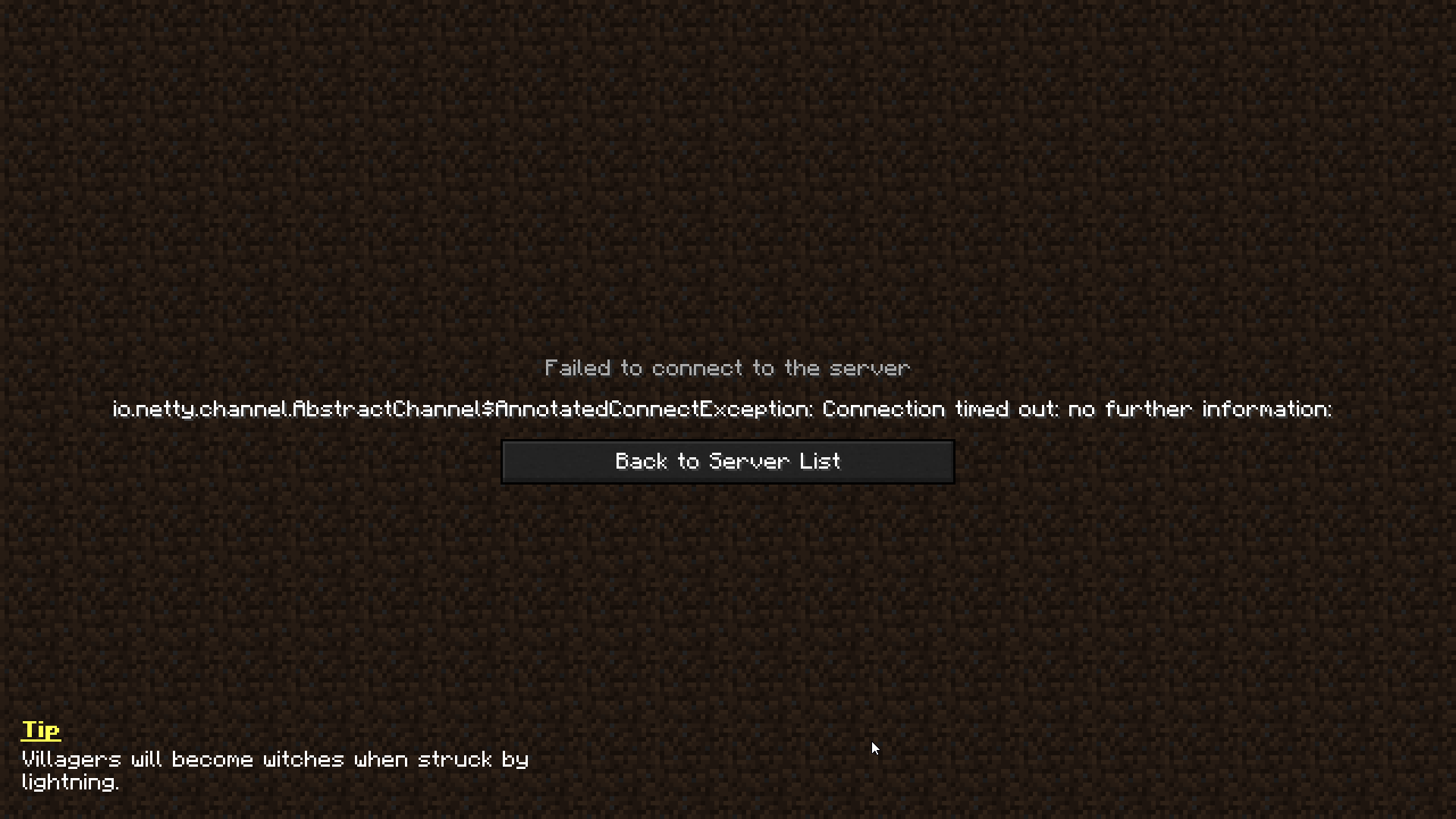
My friend can't connect to my server. It just says "can't connect to server" so no connection at all I suppose
It stopped working from nowhere
these are the logs
wild jewel
midnight ridge
It also gets spammed in chat
Remove optifine
autumn walrus
the servers:
wild jewel
autumn walrus
Ok so can anybody help me with this thing?
My friend can't connect to my server....
Can you connect?
autumn walrus
My friends client:
autumn walrus
wild jewel
Can you connect?
yep
wild jewel
@ancient steepleHow is anything related to curseforge?
 ancient steeple
idk
wild jewel
autumn walrus
yep
Can't find the machine
ancient steeple
smart people
wild jewel
ancient steeple
smart people
Then keep it out
ancient steeple
since i saw code
acoustic idol
ancient steeple
since i saw code
Has nothing to do with curseforge so this isn’t the place for it.
midnight ridge
I've also been exoierencing a weird bug
My game doesn't crash
But it just stops
I can only close it using task manager
autumn walrus
wild jewel
Can't find the machine
And what is the "machine"? sry
wild jewel
autumn walrus
And what is the "machine"? sry
Server
wild jewel
midnight ridge
Yes, optifine, ditch it
autumn walrus
So remove optifine on my friends client?
wild jewel
autumn walrus
So remove optifine on my friends client?
Was not talking to you
autumn walrus
oh sry
autumn walrus
wild jewel
Server
I still don't understand. You replied to my "yep" comment
Do you mean that he can't find the machine or that you can't find it in the files?
wild jewel
autumn walrus
I still don't understand. You replied to my "yep" comment
Do you mean that he ca...
io.netty.channel.AbstractChannel$AnnotatedConnectException: Connection timed out: no further information: 192.168.86.250/192.168.86.250:25565
Timeout 🤷♂️

 pine rapids
What IP are you giving him?
autumn walrus
pine rapids
What IP are you giving him?
My ipv4
autumn walrus
aha
pine rapids
Is that a "yes" or an "I found something"?
pine rapids
192.168 only works on your local connection
pine rapids
are you sure he's on the same connection with no routers in between?
autumn walrus
I moved to my moms house yesterday. So I tried giving him the "new" ip
Cause I guess that matters
Although the problem started before that
autumn walrus
pine rapids
are you sure he's on the same connection with no routers in between?
We only have 1 router in the house
pine rapids
open cmd and type ipconfig, what comes up?
autumn walrus
pine rapids
open cmd and type ``ipconfig``, what comes up?
 pine rapids
Does the listed IPv4 Address match what you're giving him?
autumn walrus
Yes
pine rapids
Well I'm at a loss here

 pine rapids
and the server's log?
autumn walrus
It doesn't even show up
And it should be right I feel like bc after the ip there is the server ip
:

 pine rapids
I sere nothing about any connection here, successful or failed
autumn walrus
pine rapids
I sere nothing about any connection here, successful or failed
On the server or client log?
pine rapids
The server
autumn walrus
Yeah ik
It's weird
Like my friends client just stopped working or sum
It just stopped working from nowhere
 violet cipher
looks like its minecraft support time
lmao
just hopped in here for a similar reason
autumn walrus
violet cipher
just hopped in here for a similar reason
Can you just email them from their website?
violet cipher
i made a custom modpack, servers not the issue modpack is
unless you mean curseforge rather than my server hoster
autumn walrus
violet cipher
unless you mean curseforge rather than my server hoster
Well It's a local server on my pc