#👽︱game-support
1 messages · Page 115 of 1
 slow ibex
 coarse elm
slow ibex
Is it possible to permanently change the default java version to OpenJDK?
coarse elm
slow ibex
Is it possible to permanently change the default java version to OpenJDK?
not currently.
slow ibex
Possible planned feature?
coarse elm
It was done at one point, but needs to be reworked thus it was reverted. So yes, it will come eventually.
slow ibex
No worries, cheers 🙂
 dark ferry
in the modpack forever stranded does anyone know why i can’t eat food
 acoustic idol
When you look that the food in your inv, what colour are the food icons?
dark ferry
normal color?
acoustic idol
Open your inv and take a screen shot, been a while But I may know why
dark ferry
when i start eating food it eats it really slow and when it finally finished no hunger bars are refilled
acoustic idol
ah ok thought so
Spice of life is in the pack, meaning you need to eat different foods. Cant just eat the same thing
dark ferry
oh
acoustic idol
When you hover your mouse over an items, other then the name it should say how much % it will feed you
dark ferry
ok so if i eat monster jerky can i eat rotten flesh instead
acoustic idol
if you wanted too I guess.
dark ferry
ok
acoustic idol
For the forever stranded series would be best to make lots of different types of foods
dark ferry
ok thank you
acoustic idol
np
 vivid oriole
how can i play with a friend in a server with mods in curseforge
 cerulean hare
When I'm going to create a world, how do I make it a skyblock every time I create it?
Help me pls
 wild jewel
vivid oriole
how can i play with a friend in a server with mods in curseforge
wild jewel
vivid oriole
how can i play with a friend in a server with mods in curseforge
!mc-installserver
 golden muskBOT
How to **manually** install a server - **On your own PC**
- Go to the Forge website http://files.minecraftforge.net/ and download the Installer for the forge version the pack is using.
- Run the installer and choose
Install server. Do not install to your desktop. Also do not install inside a OneDrive folder. - Run the server using the forge.jar. A file called
eula.txtwill be generated. Open it and changeeula=falsetoeula=true - From the Client; Copy the
modsfolder,configfolder, and any other folders needed for the pack to work into the server folder. If the modpack has a server pack, use this instead! - Run the server again.
 unreal laurel
cerulean hare
When I'm going to create a world, how do I make it a skyblock every time I creat...
unreal laurel
cerulean hare
When I'm going to create a world, how do I make it a skyblock every time I creat...
would this be classic skyblock?
wild jewel
cerulean hare
No, I would like to create a modpack.
!mc-installmods
golden muskBOT
How to install mods in CurseForge App.
- Click
+ Create Custom Profile - Name it, select the required Minecraft version, select the Forge version (usually the highest number), click
Create. - Click the profile icon.
- Click
Add New Content - Search and install the desired mods.
- Start the game!
How to install mods not on CurseForge.
- Right click the profile picture or Open the profile and click the
 Icon next to the play button.
 - Click

Open Folder. - Drag the mod(s) into the
modsfolder. (Note: Some mods will require others, to run. Make sure to read the instructions for the mod!) - Start the game!
 cerulean hare
When I'm going to create a world, how do I make it a skyblock every time I creat...
cerulean hare
cerulean hare
When I'm going to create a world, how do I make it a skyblock every time I creat...
.
Can anyone help me?
 limpid walrus
I got a profile but is there a way to like publish it?
limpid walrus
cerulean hare
When I'm going to create a world, how do I make it a skyblock every time I creat...
Get a preset worl and copy it or maybe there is a mod
limpid walrus
cerulean hare
Can anyone help me?
 fleet jewel
these say they only support (mod) (low version) or above, and i have an above version for all of them, yet it gives me these errors
 wild jewel
limpid walrus
I got a profile but is there a way to like publish it?
wild jewel
limpid walrus
I got a profile but is there a way to like publish it?
!mc-packshare
golden muskBOT
There are two ways to share a modpack you've made with others...
Export and Share - For Friends to Small Groups.
- Click the Icon for the modpack.
- Click the button next to play.
- Click

Export. - Select the files that should be included.
- Send the zip to the people that want it! They can follow the instructions in
!mc-installpackto install the pack!
Upload to Curseforge - For Public Release to Everyone.
This options will make your pack public to EVERYONE, it comes with extra requirements and will take some effort to set up.
- Go to here: https://www.curseforge.com/project/432/4471/create
- Fill out the information with a proper description of the pack. This should allow anyone to understand what the pack is.
- Click the Icon for the modpack in the CurseForge app.
- Click the button next to play.
- Click
Export. - Select the files that should be included.
- Open your Project you made on the CurseForge site and Upload the file you just made.
- Wait for Moderation & Sync so it can show up in the client! (See
!syncfor limitations)
limpid walrus
wild jewel
!mc-packshare
Thanks!
cerulean hare
limpid walrus
https://www.curseforge.com/minecraft/mc-mods/skyblock-builder
It have 1.12.2 version of minecraft?
limpid walrus
Nope
fleet jewel
fleet jewel
these say they only support (mod) (low version) or above, and i have an above ve...
and i didnt have a problem like this last week when i launched the modpack with those mods installed, i have gotten a bunch of new mods but i dont see how they would affect that
 open trench
!mc-installpack
golden muskBOT
How to install modpacks with the search features in app.
- Open the

Minecraftsection of the app. - Click the top search bar where it says
Search for modpacksOR Click theBrowse ModpacksTab. - Find the Modpack you want to install and click install on it.
- Wait for CurseForge app to download and unpack all the required files.
- Once finished, click
Play!
How to install modpacks from a Export. (Custom/Private/Site downloaded Modpack zip)
- Get CurseForge App if you don't have it, use
!downloadfor a link. - Get the exported modpack from CurseForge or someone else,
!mc-packshareexplains how to make them. - Open the
Minecraftsection of the app. - Click

Create Custom Profile - Click the
Importoption. - Find the file you just downloaded in step 2 and select it.
- CurseForge app will now attempt to download and unpack the modpack. If it fails, try steps 4-6 again.
- Once finished, click
Play!

 worldly ether
@fleet jewel not all mods will work in harmony together as I have said, one mod can mess up the whole thing. that's the fun with modding
it's all trial and error
like the whole thing recently when light overlay started using architectury api which conflicted with optifabric,voxelmap and a few others
till architectury api patched the conflict issue
the more you add , the more chance things will go wrong
open trench
the conflix accure less in 1.12.2 as far as know
fleet jewel
worldly ether
<@!320643555733405707> not all mods will work in harmony together as I have said...
yeah i know, but those mods that were creating errors shouldve been working
none of the new mods i added had created any errors
 sage hull
How do I add optifine to 1.7.10 version modpacka
wild jewel
sage hull
How do I add optifine to 1.7.10 version modpacka
!mc-optifine
golden muskBOT
Optifine and Curseforge
To install Optifine with modpacks on Curseforge:
Right click the modpack icon, select Open Folder.
Put the Optifine.jar into the mods folder.
Now load the modpack normally.
We do not offer support for Optifine. If you have issues with Optifine, remove it. If you want further support try the discord found on their website.
https://www.optifine.net/home
sage hull
It crashes when I try to add it
wild jewel
Then ask them for support
sage hull
k
 proud vessel
I have downlowded my modpack .zip file and my description+summary is approved, but how do i make my modpack so other can see it?
 last parcel
link it
proud vessel
how do i do that?
last parcel
copy the link, paste it here
proud vessel
the prodject id or what?
wild jewel
!sync
golden muskBOT
Sync and your Project.
CurseForge REQUIRE a project to have one file marked Released on them for the projects to show up in search. Otherwise only Direct links to the project work.
Files can take a while to show up in the app. If your files still have not shown up either your project is new and you have yet to mark a file as Release or there is issues with the sync system making it slow.
wild jewel
Go to files, click the file, edit file
proud vessel
thanks
 warped cave
I've been waiting 3 days for my modpack page to be approved, do I need to make a ticket?
 acoustic idol
When did you upload it?
warped cave
the modpack file itself
last parcel
did you upload a file to it
warped cave
today and few minutes ago
acoustic idol
!status
golden muskBOT
It is 05:36PM on Monday for CurseForge my dudes.
Project Moderation Time
Project/File moderation is done on Sunday - Thursday from 10am - 6pm GMT+2
This process is First in, First out. Thus files submitted late in the work day may not be checked until the next work day.
New Projects or uploads requiring manual approval: 1-3 Working Days
Updates to approved projects not needing manual approval: 1 Hour
File sync to the Curseforge app may take up to 24 hours after approval.
last parcel
project isnt approved until a file gets approved
 tacit mountain
Hi, minecraft modpack help needed here.
What files do I need to upload?
I'm moving my pack from technic to curse.
I have the project made, fields filled out all that good stuff. Though not sure what files curse exactly wants here.
I made a personal version of the modpack in the curse app already and it's working well.
My file rejection reasons were "Missing manifest.json file."
Looking in the curse files I did see the manifests in the app.
However, still just not so sure what I need to upload to make this a public downloadable pack
acoustic idol
tacit mountain
Hi, minecraft modpack help needed here.
What files do I need to upload?
I'm movi...
!mc-packshare
golden muskBOT
There are two ways to share a modpack you've made with others...
Export and Share - For Friends to Small Groups.
- Click the Icon for the modpack.
- Click the button next to play.
- Click
Export. - Select the files that should be included.
- Send the zip to the people that want it! They can follow the instructions in
!mc-installpackto install the pack!
Upload to Curseforge - For Public Release to Everyone.
This options will make your pack public to EVERYONE, it comes with extra requirements and will take some effort to set up.
- Go to here: https://www.curseforge.com/project/432/4471/create
- Fill out the information with a proper description of the pack. This should allow anyone to understand what the pack is.
- Click the Icon for the modpack in the CurseForge app.
- Click the button next to play.
- Click
Export. - Select the files that should be included.
- Open your Project you made on the CurseForge site and Upload the file you just made.
- Wait for Moderation & Sync so it can show up in the client! (See
!syncfor limitations)
tacit mountain
tysm yoyo. If/when I need updates do I simply just do the same process again?
acoustic idol
Yep
tacit mountain
Thank you thank you c:
wild jewel
Rule 10
 smoky musk
i reposted the thing because i posted in the wrong channel
wild jewel
You did not repost anything, you are only asking for help, you are not saying with what
smoky musk
mod not working this is the error message javafml:36
wild jewel
!mc-logs
golden muskBOT
Where to find the log on the CurseForge Client.
Right-click the modpack profile icon OR click the button in the modpack profile.
Click Open Folder.
Open the logs folder.
Find the file called latest.log and drag it into discord.
smoky musk
wild jewel
Move the pack to 1.16.5
wild jewel
Recreate the pack in 1.16.5
smoky musk
thanks
fleet jewel
what am i supposed to do here, i cant lose mods such as tetra, curios, spartanweaponry&shields, plus they all say they only support (mod) (old version) or above, which i have
 last parcel
sounds like you need to go talk to some devs
 autumn agate
Hey, i want to download a modpack to the curse forge from google, but it won't download any thoughts on that how to fix?
golden muskBOT
Looking to install the CurseForge app?
Todo: Place system requirements here.
<:windows:798410728188936222> Windows
<:mac:798410654418862130> Mac
Linux
:person_shrugging:
autumn agate
How do i increase RAM?
fleet jewel
?mc-ram
golden muskBOT
How to set Global Minecraft RAM value.
- Click the
 icon in the bottom left to open settings.
 - Click the Minecraft tab.
- Scroll down.
- Slide slider to recommended ram range as seen below.

 signal pier
Can someone please help me figure out what caused the crash? I recently bought more ram and now I have 16 ram in my pc, I increased the amount my curseforge uses for minecraft and it actually ran way smoother than usual, though recently I've been getting these random crash reports and I don't know what causes them
also, how much ram should I dedicated to curseforge minecraft thingy? Currently is ~7500MB
 fringe geyser
Wondering if someone can help me, I'm trying to locate a mod that will allow me to do this. I'm trying to make it so when a new world is created in Singleplayer a message will pop up in chat saying
Welcome to your world. We strongly recommend you pre-generate the world before playing. Click HERE to do so
The word HERE will be clickable and once clicked it will run the command
/pregen start gen radius Name SQUARE 0 0 100
From the chunk pregen mod.
Is this possible with any existing mods or nah?
acoustic idol
signal pier
Can someone please help me figure out what caused the crash? I recently bought m...
Do this #👽︱game-support message
acoustic idol
fringe geyser
Wondering if someone can help me, I'm trying to locate a mod that will allow me ...
it is possible yes.
fringe geyser
Any idea how? :3
signal pier
@acoustic idol
acoustic idol
signal pier
<@!217048549706301442>
This the same pack as the other crash report?
signal pier
yea
still on the same world
and modpack
I mean Ive been adding very few mods and changed a bit of config but yes
acoustic idol
Try making a new world.
signal pier
new worlds work fine, I have made a couple this week to test things
acoustic idol
This one may be done / corrupt
signal pier
well this crash doesnt happen too often so Ima keep playing on it, too much progress
I will start a new one soon when 1.17 drops
any tips on how to... not corrupt it
acoustic idol
Removing mods from an existing world can break it. Also if your adding a bunch of stuff and ids change that can also break existing worlds
signal pier
hmm
autumn agate
acoustic idol
autumn agate
Possible issue between Sodium and immersive portals
acoustic idol
np
 frail fossil
Im having some problems starting a server

 sand crow
wats the problem here i try to open it and it crashes
sand crow
wow that did work
acoustic idol
Been seeing a lot of issues with extra origins Someone should really report it to the author
sand crow
ill do it 🙂
 oak depot
Hey so im getting into more about MC and i wanna add a shader to a server from a modpack from curseforge... could anybody inform me on how to do that?
 clever osprey
can someone walk me through downloading schematics for 1.16.4 or 1.16.5?
autumn agate
my pc is too trash for this game lmao it keeps crashing
 fervent tundra
does any of the mods work for mac?
 hearty jewel
whenever i click continue when trying to download mc in curseforge it just says "An invalid folder path was chosen" anyone know how to fix it?
if someone has any idea on how to fix pls dm me
 sage pier
!mc-path
golden muskBOT
**Minecraft Files should NOT be installed inside the following locations
.minecraft folder.
OneDrive folders.
Desktop folder.
Drive roots I.E. Directly into the C:\ drive.
iCloud enabled folders.
If any of the above are in the path you need to change/move it by following the instructions below!**
If Minecraft is not installed, start here.
Click the  in the top left.
Select Minecraft.
Click "Edit".
Move to the "Continue here:" section below.
If Minecraft is installed, follow these steps.
Click the in the bottom left.
Select the Minecraft tab.
Click "Change".
Move to the "Continue here:" section below.
Continue here:
Make a folder in the root directory called CurseForge.
Select the folder you just made.
The text box should show something like the following:
For Windows: C:\CurseForge
For Mac: /Users/Shared/CurseForge

 muted garden
I used to play a modpack in which i accidentally turned on something that let me see everything's nbt tags like map X/Z coords , enchants , nbt data of bees in beehives , etc
Looked like this and it only works when i have F3+H enabled and hold shift , but idk where it's from , does anyone know?

 clever pecan
Is there shaders section in curseforge app?
wild jewel
Nope
 cold drum
so i figured out what was up with my minecraft
my internet comes from my phone, through a 3rd party software to my pc
for some reason the minecraft installer just doesnt work using it for some unknown reason
youtube works
last parcel
nope, it doesnt
last parcel
a normal connection
cold drum
i turned the connection onto wifi and attached a wifi adapter onto my pc
worked just as good
also a normal connection is harder
the phone line isnt connected on the inside of the wall
we do not have a router
im using t-mobile cell phone connection, in a deadzone area
running on about 0.2MBps :P
wild jewel
You fixed it, lets keep it with that
 lofty junco
what do i do if my curseforge wont work?
last parcel
say what about it isnt working
lofty junco
when i go into it, download a mod pack for minecraft and click play, it loads but it doesent take me anywhere
last parcel
?mc-installfix
golden muskBOT
- Click on the Minecraft Tab on the Left side of the App.
- Click button next to the
Create Custom Profileoption. - Click

Repair Installationoption. - Play game.
NOTE: You will not lose any modpacks or worlds, These are saved in the Instances folder. DO NOT TOUCH THIS FOLDER OR YOU WILL LOSE EVERYTHING
last parcel
try that and also a pc restart
lofty junco
i dont understand
last parcel
what is confusing?
lofty junco
i dont understand what im supposed to click on and where
last parcel
did you read the message?
last parcel
on the Left side of the App.
coarse elm
muted garden
I used to play a modpack in which i accidentally turned on something that let me...
F3+H
muted garden
f3+h doesnt show nbt data if you hold shift
coarse elm
That's because mods change what it shows.
If you dont want the extra data turn off the option otherwise you will see all that stuff.
muted garden
no i mean , i wanna see it when i hold shift but i can't
only in that pack the nbt tags appear
in other packs it juts shows "NBT Tags : 2" or however many there are
coarse elm
Theres this thing called a search box on a site called google.
You should try it.
muted garden
i tried and the only one that comes up is a completely different mod with weird formatting
sorry if im annoying i just dont know where else to ask
coarse elm
Its nbt, it has no value to you unless you are spawning stuff in or making a modpack and in either case you can use mods to paste that to the clipboard.
muted garden
i dunno it just helps , can't explain how
coarse elm
It doesn't help with anything.
You cant use it at all outside of commands or configs for mods.
autumn agate
With a mod pack whenever I load a super flat world it just crashes
 austere star
can anyone help? I installed the stoneblock mod and i'm trying to join my friend's minecraft server but all i have is the loading screen
after that, it says Connection Timed out
my friend says i join the game and then instantly leave
im on the same version
any help is greatly appreciated
autumn agate
so im trying to do the origins mod
then i won't let me join my server saying, failed authentication: the servers aren't up right now or something like that
last parcel
Either an issue with your internet or mojangs servers
last parcel
yes
autumn agate
oh ok
autumn agate
it stilll doesn't work
last parcel
nothing we can do about it
autumn agate
rip
tacit mountain
I use flans mod in my pack, I see that it's and approved non+curse mod. However when I go to upload my file it stops because of flans add ons..?
Am I to fill out the form to request mods be approved for each Flan's Mod add on I wish to use?
last parcel
show the reject notice please
tacit mountain
 last parcel
?mc-3rdparty
golden muskBOT
Minecraft Modpack 3rd party
Mods not on CurseForge must be on the 3rd-party list to be included in modpacks uploaded to CurseForge. If a mod is not on this list it can't be included in the export of a modpack and must be removed before uploading. If you upload with a mod that isn't on this list the file will be rejected.
List of approved 3rd party mods:
https://docs.google.com/spreadsheets/d/176Wv-PZUo9hFxy6oC6N8tWdquBLPRtSuLbNK-r0_byM
last parcel
not for you, double checking
last parcel
openmodslib isnt on here tho
tacit mountain
Unless I need to include the Flans license in my files as a .txt, that'd make sense
Yeah I notice that too, not even sure what that is will have to check it out
last parcel
i dont believe so
tacit mountain
Looks like the openblocks mod core bit
last parcel
it's not rejecting flans itself, but the content packs... and im not really sure how those apply to the list
tacit mountain
Indeed.. :/
last parcel
since there is one content pack on the list im guessing they all need approval
tacit mountain
Perhaps yeah
last parcel
yeah, there are a few packs on the list. so that seems to be it. gunna need to get those submitted and approved to use them.
 craggy leaf
HELP! i keep getting this in my modlist.html after i export my ModPack
https://cdn.discordapp.com/attachments/782027635252920322/836666592631717938/SharedScreenshot.jpg
 acoustic idol
Have you tried recreating the pack then exporting it?
craggy leaf
wdym recreate?
acoustic idol
Make a new custom profile > redownload all the mods your using (test that it can play) then export
 pearl flicker
im getting this same issue
acoustic idol
I just tested it, worked fine for me?
pearl flicker
yeah no matter what profile i choose it just outputs "item" for every mod in the list
acoustic idol
recreated the pack?
pearl flicker
duplicated the profile but didnt make a new one mod by mod
acoustic idol
Dont duplicated, make a new one completely
pearl flicker
yeah brand new profile does the same
ive restarted curseforge few times now
would reinstalling it delete all my profiles?
last parcel
well, it's not just you. seems to be an app issue
pearl flicker
@acoustic idol what version of the app are you running
acoustic idol
I got the issue now
austere star
8=
 golden frost
 tacit mountain
To Yamza I put a request for all the flan contents to be approved but noticed they are all already on the list..? I added openblocklib though.
Weird how OpenBlocks mod is on Curse but the thing required for it to work isn't lol
I shouldn't say all, one of them was not on the list GreyLight
golden muskBOT
:bug: Reporting via the CurseForge App :bug:
-
Click the
 icon in the bottom left.
 -
Select

Open a Ticket. -
Fill out the form with accurate detailed information, "It doesn't work" isn't helpful! What exactly doesn't work and why doesn't it work should be easy to answer!
-
Make sure to upload your Overwolf logs with the
Upload Fileoption on the ticket, information on how to get these logs can be found here https://support.overwolf.com/en/support/solutions/articles/9000176827-how-to-get-your-overwolf-logs -
Submit!
 last parcel
add my name in the ticket as well
tacit mountain
Sure thing
tacit mountain
Just sent it
 buoyant jolt
Whenever I try to create a profile above version 1.12.2 this happens:

nvm It decided to work
austere star
guys im extremely laggy
i download valhesia and im tryna get in my friend's server
i got in but im trying to put the graphics to fast and it wont let me it just reezes
acoustic idol
Pc specs? and Ram allocated to the curse app?
Could also just be bad connection to the server as well tho
 storm elk
I am trying to make an origin mod server but i can't get the origin mod to work for the server. i do have the origin mod for single player but can't figure out how to add the mod to my server can anyone help
acoustic idol
Have you installed jumploader and the fabric api on the server?
Just put them in the mods folder for the server
storm elk
we have installed fabric api and we have installed the orgins mod. we can connect to the server but it just looks like a regular server. I should mention we are running the server on a windows 10 computer. Not familiar with the jump loader. what is that?
golden muskBOT
Fabric modpacks or the use Fabric mods require you to install a mod called Jumploader.
Fabric mods do not work with Forge.
Forge mods do not work with Fabric.
Fabric mods should be marked with a Fabric Icon like this: 
storm elk
we created a batch file that runs the following command java -jar fabric-server-launch.jar
I can copy and paste the logs from the cmd window into a txt file and send that if it helps
acoustic idol

A simple video that explains download and setting up your own Fabric server for 1.16 and above. I show 1.16.3 in this video, but it applies to every recent version and even future ones! By the end, you will have a working multiplayer server that you and your friends can play on, for free!
Fabric: https://fabricmc.net/
Download Fabric: https://f...
storm elk
thanks I will check that out
acoustic idol
np, I havent personally done a fabric server, that seems pretty straight forward tho
 sudden mauve
Anyone know a way in forge (1.16.5) to lower the mob cap for mobs or control the percentage of certain mobs spawning? Apparently my server has too many zombie entities causing serious CPU usage. Pebblehost support pointed it out in the forge debug, but had no idea how to help. Anyone?
 boreal latch
Alright so, I was playing with the Rougelike Adventures and Dungeons modpack and when I loaded it up is started crashing. I deleted the instance because deleting stuff is usually how I fix things BUT I had a REALLY important world in that instance and when I downloaded the modpack again, the world was gone. Is there anyway to get it back? I played on this world with my friends and he'll be PISSED OFF if he found out I accidentally deleted the world cause we spent TONS of time on that world...
last parcel
couple things you can try.
easiest would be to set a command block with a clear command for mobs and put it on repeat over a cetain duration, like 30 minutes. there may be mods that have clearlag features you can try also.
more along the lines of your request but very difficult to setup would be the mod incontrol which you set custom mob rules
austere star
can anyone help? i was playing on the valhesia server but when i opned options for some random reason it started loading???

my friends say im still in the game why would it do this?
acoustic idol
austere star
!mc-logs
golden muskBOT
Where to find the log on the CurseForge Client.
Right-click the modpack profile icon OR click the button in the modpack profile.
Click Open Folder.
Open the logs folder.
Find the file called latest.log and drag it into discord.
austere star
upload failed :(
 undone tide
uh when i go into settings to change the launcher into native launcher
there isn't that option
theres only java version
anyone know why?
acoustic idol
undone tide
uh when i go into settings to change the launcher into native launcher
Screen shot what your looking at
undone tide
 acoustic idol
undone tide
acoustic idol
undone tide
this is correct? When you hit play should default to the default launcher.
undone tide
from what i see on youtubee
 acoustic idol
Thats probably an old version of the lancher
undone tide
oh i see
is it possible that this is happening because i have the default minecraft launcher on my mac?
acoustic idol
undone tide
is it possible that this is happening because i have the default minecraft launc...
No? Im not sure what your talking about tho. When you press play on a modpack does it open the launcher?
undone tide
when i press play
it goes through all the download version, apply patch, etc
and then it just does nothing
acoustic idol
!mc-installfix do this
golden muskBOT
- Click on the Minecraft Tab on the Left side of the App.
- Click button next to the
Create Custom Profileoption. - Click
Repair Installationoption. - Play game.
NOTE: You will not lose any modpacks or worlds, These are saved in the Instances folder. DO NOT TOUCH THIS FOLDER OR YOU WILL LOSE EVERYTHING
acoustic idol
What are you trying to do?
boreal latch
IDK Im new to the server and I'm trying to figure out this bot
 potent tartan
go to #🟢︱user-bot-spam and type ?mc- or !mc-
acoustic idol
#🟢︱user-bot-spam for that
undone tide
acoustic idol
!mc-installfix do this
hi i tried that
but now which one to i press "play" on
the one i created? or the modpack
boreal latch
I find that funny. It's called #🟢︱user-bot-spam but there's a 30 second cooldown
acoustic idol
Its to test commands, not abuse the bots
boreal latch
Well I am trying to test it but a 30 second cooldown in quite a lot to wait to try to figure stuff out
acoustic idol
undone tide
but now which one to i press "play" on
Installfix fixes all the packs that have that issue. Press play on the one you were trying to play
acoustic idol
Try it again then reboot your pc. Some times it doesnt stick the first time
boreal latch
Can you guys helped me? I had a important world in a modpack, I deleted the modpack since it was crashing, and now it's gone. The backups folder doesn't have anything and I'm trying to restore the world
undone tide
ok
acoustic idol
boreal latch
Can you guys helped me? I had a important world in a modpack, I deleted the modp...
Check your recycle bin
austere star
🟩
boreal latch
acoustic idol
Check your recycle bin
No nothing. I deleted the instance with the curseforge app
acoustic idol
Im not sure what the app does with deleted files, Should have made a backup of your world before deleting it. Could try a ticket but again not sure
boreal latch
thank you
acoustic idol
!ticket-app
golden muskBOT
:bug: Reporting via the CurseForge App :bug:
-
Click the
icon in the bottom left. -
Select
Open a Ticket. -
Fill out the form with accurate detailed information, "It doesn't work" isn't helpful! What exactly doesn't work and why doesn't it work should be easy to answer!
-
Make sure to upload your Overwolf logs with the
Upload Fileoption on the ticket, information on how to get these logs can be found here https://support.overwolf.com/en/support/solutions/articles/9000176827-how-to-get-your-overwolf-logs -
Submit!
boreal latch
Question, how long do the staff on average take to respond to a ticket?
undone tide
acoustic idol
Try it again then reboot your pc. Some times it doesnt stick the first time
IT WORKED
THANK YOU SOO MUCH
cold drum
do all mods downloaded have to be opened after a lengthy download in the minecraft launcher?
last parcel
Yes, they do have to be loaded and it usually takes a while
cold drum
so i loaded all the mods and everything, i downloaded the modpack "all the mods 6"
im getting very low framerate, are all the mods in it conflicting or is it just really heavy?
its using over 4 gigs of ram constantly
acoustic idol
4Gb isnt enough for atm6 need 6-8gb allocated to the curse app for that pack
!mc-ram
golden muskBOT
How to set Global Minecraft RAM value.
- Click the icon in the bottom left to open settings.
- Click the Minecraft tab.
- Scroll down.
- Slide slider to recommended ram range as seen below.
cold drum
oh ok
so i believe i can give a total of 4 gigs in actual ram but i have a graphics card with 4 gigs of video ram, does that help any?
acoustic idol
How much memory does your pc have in total?
acoustic idol
win or mac?
cold drum
windows
acoustic idol
Ok so the max you could allocate to the app then is 6Gb (6000mb) more then that and your pc will start choking.
cold drum
lol tbh at 4gigs of ram my pc said it was using 90% on task manager
cold drum
i see
acoustic idol
need to increase the ram in the app or choose a smaller modpack
cold drum
ok
 dusty dome
is minecraft.net crashed?
acoustic idol
looks like its down atm
autumn agate
How do you play your own modded modpack with your friends?
autumn agate
autumn agate
How do you play your own modded modpack with your friends?

ServerMiner makes it super easy to create a server with your own custom modpack using Overwolf's CurseForge launcher. Instantly purchase your Minecraft server with instant delivery here: https://serverminer.com
- The first step is to download and install the Overwolf app onto your computer: https://www.overwolf.com
- Once downloaded and inst...
autumn agate
autumn agate
https://www.youtube.com/watch?v=WEVL6jYhqEY&t
Thank you so much 🙂
yw, just make sure to carefully follow the video because from personal experience, it will be a big pain if you don't follow
can somebody help me out? My modpack doesn't seem to be working properly.
autumn agate
autumn agate
https://www.youtube.com/watch?v=WEVL6jYhqEY&t
wait you need to pay to play with your friends
when it comes to making the server and hosting it on your device, no, you can run the server and host it on hamachi. But if you wanna take it a step up, you do need to pay for a host
as in, making the files
worldly ether
@autumn agate With hamachi you should only do that with IRL friends not randoms on the internet that you don’t really know.
You can host server on your pc without hamachi but nothing will be as good as renting a server
autumn agate
worldly ether
<@456226577798135808> With hamachi you should only do that with IRL friends not ...
you are right, but the reason why I presented hamachi as a solution was because AyazErenT has stated friends so I pressumed IRL friends
autumn agate
worldly ether
You can host server on your pc without hamachi but nothing will be as good as re...
If you ofc know how to portforward
can somebody please help me with my issue?
it doesn't seem to launch at all
?mc-log
golden muskBOT
Where to find the log on the CurseForge Client.
Right-click the modpack profile icon OR click the button in the modpack profile.
Click Open Folder.
Open the logs folder.
Find the file called latest.log and drag it into discord.
autumn agate
autumn agate
this is the latest.log file and it doesn't seem to launch at all
 young tiger
is this normal? 7 hours...
 sage pier
!status
golden muskBOT
It is 10:32AM on Wednesday for CurseForge my dudes.
Project Moderation Time
Project/File moderation is done on Sunday - Thursday from 10am - 6pm GMT+2
This process is First in, First out. Thus files submitted late in the work day may not be checked until the next work day.
New Projects or uploads requiring manual approval: 1-3 Working Days
Updates to approved projects not needing manual approval: 1 Hour
File sync to the Curseforge app may take up to 24 hours after approval.
young tiger
thanks
autumn agate
can someone help me about How do you play your own modded modpack with your friends? i couldnt do with hamachi
young tiger
have you access to your router control panel?
if not you should buy a server they're pretty cheap in some cases
autumn agate
young tiger
have you access to your router control panel?
how do you do it sorry im new to modding
young tiger
it's not really modding, you just put 192.168.1.1 in your web browser
 autumn agate
oh bruh
young tiger
you log in (usually the password is "admin")
autumn agate
or sometimes its also admin and wifi password
young tiger
you probably don't have tim like me... you should find something like "port mapping" or "port forwarding"
autumn agate
tim whats that??
young tiger
an internet provider
autumn agate
ok
young tiger
young tiger
you probably don't have tim like me... you should find something like "port mapp...
.
then you open start, digit cmd and press enter
digit ipconfig > enter and copy your ipv4
 autumn agate
i didnt understand port mapping and port forwarding part
young tiger
it's just a menu where you can put port and ip
young tiger
this depend on your router
autumn agate
hmm ok
young tiger
what brand is it?
autumn agate
young tiger
it's just a menu where you can put port and ip
what do you put for port and IP?
young tiger
for ip you should put the one in cmd
autumn agate
what do I input here
 autumn agate
so for IP, I do my IPV4
autumn agate
then I pressume I do 2 times the same thing but with UDP and TCP?
young tiger
TCP
autumn agate
ext port is 25565?
young tiger
minecraft is only TCP
autumn agate
oh ok
young tiger
autumn agate
ext port is 25565?
no, this is only if you set up an headless server

this is the port you should put if you're using open to lan
that change every game
autumn agate
but wait
if I want to run the server
like with the Java thing where the mods folder is and everything without the open LAN
what should I set for my portforward and for the IP in the game
the properties file
mb
young tiger
open server.properties and watch the port in there
you should put the port that is present in that file
wild jewel
So, who is trying to do what?
autumn agate
young tiger
you should put the port that is present in that file
ok
young tiger
wild jewel
So, who is trying to do what?
@autumn agate and @autumn agate hosting a server/game on their pc
wild jewel
So 2 different servers? Or do you guys want to play together?
young tiger
I think 2 different servers
autumn agate
2 different servers
wild jewel
So as Ayaz is mia
@autumn agate Do you have a server running?
young tiger
autumn agate
sorry i was afk
I noticed
young tiger
autumn agate
my router brand is tp-link


on ip put the one you get in the cmd with ipconfig (ipv4)
autumn agate
how do you login to the default gateway address?
young tiger
192.168.1.1
autumn agate
oh thx
wild jewel
young tiger
192.168.1.1
If that is the range you are using yes
young tiger
usually it's this or 192.168.1.2
tp link is
192.168.1.1
or
192.168.0.1
or
http://tplinkwifi.net
@autumn agate
autumn agate
none of them worked
wild jewel
What is your own ip?
autumn agate
192.168.1.112
wild jewel
Can't do anything if you don't find that machine
autumn agate
what machine?
wild jewel
The router
autumn agate
wild jewel
The router
oh ok
 young tiger
autumn agate
can somebody please hlep me?
young tiger
autumn agate
can somebody please hlep me?
the firewall is on or off?
autumn agate
young tiger
the firewall is on or off?

I have tried turning off my firewall, but still nothing
young tiger
that's quite strange
autumn agate
@young tiger I tried a different version but still nothing
this is a log
the file made
young tiger
I could not find anything useful
autumn agate
what do I do?
I am developing a modpack of mine and I am working on a server pack and I need to make a test server in order to ensure it works, but it doesn't work at all for me
 open umbra
who have a idea why the modpack >death gun and spaceship< make lag me pls... big lag?
can have help for this question 😦 pls?
wild jewel
Tried finding the dev?
open umbra
no idk how...
but i have a black hole ... i think is for it i lag but idk the name of mod for remove
im sorry for my bad english
 zenith plank
I have a problem, i am downloading 1.16 forge for my mc server but it keep saying "libraries failed to download" I have tried restarting my pc and updating java but its still not working. pls help!
autumn agate
Im playing on this new modpack called WildHala and for soem reason it's automaticly taking screenshots, does anymore know how to fix that?
open umbra
oh is creepy
wild jewel
Hit continue and get rid of the caps
wild jewel
!mc-path
golden muskBOT
**Minecraft Files should NOT be installed inside the following locations
.minecraft folder.
OneDrive folders.
Desktop folder.
Drive roots I.E. Directly into the C:\ drive.
iCloud enabled folders.
If any of the above are in the path you need to change/move it by following the instructions below!**
If Minecraft is not installed, start here.
Click the in the top left.
Select Minecraft.
Click "Edit".
Move to the "Continue here:" section below.
If Minecraft is installed, follow these steps.
Click the in the bottom left.
Select the Minecraft tab.
Click "Change".
Move to the "Continue here:" section below.
Continue here:
Make a folder in the root directory called CurseForge.
Select the folder you just made.
The text box should show something like the following:
For Windows: C:\CurseForge
For Mac: /Users/Shared/CurseForge
 quartz ruin
thanks
 solar thistle
i am playing in a one block mc sever rn and its a netrite pick but looks like a diamond pick help pls
 sleek yew
Getting the error exit code 0, any one what mod is causing it
 last parcel
?mc-log need the log not a picture
golden muskBOT
Where to find the log on the CurseForge Client.
Right-click the modpack profile icon OR click the button in the modpack profile.
Click Open Folder.
Open the logs folder.
Find the file called latest.log and drag it into discord.

 coarse elm
 slow tendon
That's the description not the summary.
slow tendon
ah ook
 wild jewel
How is that a summary of the mod?
 hasty beacon
Hello! How can i load a modpack from CurseForge in TLauncher? (Btw sorry for my english, i'm not a native speaker)
slow tendon
wild jewel
How is that a summary of the mod?
¯(ツ)/¯
wild jewel
hasty beacon
Hello! How can i load a modpack from CurseForge in TLauncher? (Btw sorry for my ...
We don't support that
hasty beacon
Oh. thx
coarse elm
slow tendon
It must only be english.
slow tendon
coarse elm
It must only be english.
could you help me i'm not very good at this haha
 sweet schooner
Is there a way I can fix this issue?
coarse elm
Well it sure seems like the mod is being deceptive as that dragon block c mod isnt allowed in modpacks or to be uploaded anywhere else.
slow tendon
coarse elm
It must only be english.
So??
 slow tendon
coarse elm
Well it sure seems like the mod is being deceptive as that dragon block c mod is...
coarse elm
slow tendon
coarse elm
Well it sure seems like the mod is being deceptive as that dragon block c mod is...
coarse elm
And it will be removed.
slow tendon
coarse elm
And it will be removed.
 coarse elm
And that's supposed to mean what exactly?
slow tendon
It is sad many people would like to play Dragon ball C
especially with a friend since athernos does not have it
coarse elm
Too bad.
It's the devs to do what they wish with it and they explicitly say no distribution or modpacks.
last parcel
licences dont care about how many people get sad.
coarse elm
Uploading it and knowingly trying to get around the rules will mean you get banned from curseforge.
autumn agate
How do I add a custom loading screen (the screen where it usually says Mojang)
I was planning to put this as my thing
 coarse elm
You cant?
autumn agate
I saw a lot of mods that can make that possible, but all of them aren't for 1.16.5 (which is the version my modpack is using)
autumn agate
coarse elm
You cant?
I know better Minecraft has it
slow tendon
last parcel
licences dont care about how many people get sad.
...
coarse elm
You shouldn't be removing the mojang name from the game anyway.
slow tendon
coarse elm
You shouldn't be removing the mojang name from the game anyway.
Do you tell me?
 naive gorge
how do I get verified?
sand crow
so i want to use a mod but i cant find it on the new curseforge but i have a link to the old curseforge page of it is there a way to add this file to a new curseforge modpack
coarse elm
sand crow
so i want to use a mod but i cant find it on the new curseforge but i have a lin...
Then it's not released or it's for the wrong version of the game you have setup
coarse elm
naive gorge
how do I get verified?
For...?
last parcel
read the pins in #829596904589361162
naive gorge
oh ok tnx
autumn agate
please help very important i join my minecraft server FORGE 1.16.5 java11 im running it on ubuntu , my game stucks at loading world/logging in even in singleplayer it stucks at 81 percent
 young vale
 last parcel
?mc-path
golden muskBOT
**Minecraft Files should NOT be installed inside the following locations
.minecraft folder.
OneDrive folders.
Desktop folder.
Drive roots I.E. Directly into the C:\ drive.
iCloud enabled folders.
If any of the above are in the path you need to change/move it by following the instructions below!**
If Minecraft is not installed, start here.
Click the in the top left.
Select Minecraft.
Click "Edit".
Move to the "Continue here:" section below.
If Minecraft is installed, follow these steps.
Click the in the bottom left.
Select the Minecraft tab.
Click "Change".
Move to the "Continue here:" section below.
Continue here:
Make a folder in the root directory called CurseForge.
Select the folder you just made.
The text box should show something like the following:
For Windows: C:\CurseForge
For Mac: /Users/Shared/CurseForge
autumn agate
5WNU447orGSzeO8wj5A3 how in the hell
autumn agate
Hey so I installed optifine and shaders, but when I select the shader I want to use nothing happens. Why's that? I'm using the forge app for the world
acoustic idol
autumn agate
Hey so I installed optifine and shaders, but when I select the shader I want to ...
!mc-optifine
golden muskBOT
Optifine and Curseforge
To install Optifine with modpacks on Curseforge:
Right click the modpack icon, select Open Folder.
Put the Optifine.jar into the mods folder.
Now load the modpack normally.
We do not offer support for Optifine. If you have issues with Optifine, remove it. If you want further support try the discord found on their website.
https://www.optifine.net/home
 humble folio
autumn agate
acoustic idol
!mc-optifine
humble folio
autumn agate
acoustic idol
!mc-optifine
Yeah I already did the optifine stuff
 foggy knot
 sleek yew
Why are all the json files empty when I open it with notepad ++?
autumn agate
Can somebody please help me out with fixing my Minecraft modpack? I am trying to find the issue, but I can't find it. Here is my latest.log
if there is anything I need to:
- Remove
- Change the configuration of
- Add
- etc.
Make sure to tell me ASAP (and ping me so I notice the message)
 spice rose
Quick question since I'm just curious, I tried adding nei with codechickencore to a custom pack, but everytime I try to add it manually it always crashes the game. Does it just not work or is their something I need to do? Still new to making modpacks btw so idk much.
autumn agate
spice rose
Quick question since I'm just curious, I tried adding nei with codechickencore t...
similar issue was occurring to me with a different set of mods. Try changing the modloader to a newer version (if you haven't done so already)
spice rose
autumn agate
similar issue was occurring to me with a different set of mods. Try changing the...
The modloader was set to the latest version. I was making the modpack work for 1.7.10.
I looked up solutions but apparently a lot of people had the same issue.
 hidden magnet
i got all mods' latest 1.12.2 versions but its still crashing for some reason
autumn agate
hidden magnet
i got all mods' latest 1.12.2 versions but its still crashing for some reason
some mods aren't compatible with eachother.
hidden magnet
i was also opening an aternos server to play with my friends but it didnt crash unlike my own game
hidden magnet
autumn agate
some mods aren't compatible with eachother.
but the server would crash if that was the problem wouldnt it
last parcel
autumn agate
your log doesnt have any crash in it. if anything it looks like you either dont have enough resources to run it or there is some issue with your pc
hidden magnet
is tconstruct even compatible with spartan weapons
autumn agate
last parcel
your log doesnt have any crash in it. if anything it looks like you either dont ...
I have allocated 6 gigabytes of RAM and my PC is in perfect condition and should have the right specs to run it
if I am allowed to ask, is there any way to determine the recommended specs for the custom modpack to run smoothly?
last parcel
trial and error
autumn agate
but is 6 GB of RAM for a modpack which has about 150-ish mods enough?
(or maybe too much :V)
last parcel
should be okay
autumn agate
is GTX 1060 and Intel i5-8300H good?
I am sorry for bombarding you with these crazy questions
but I am very new to modpack making and overall Minecraft modding
last parcel
cpu is kinda bad, higher core speed is preferred
still should be okay though
probably gunna have to start removing stuff
hidden magnet
autumn agate
but is 6 GB of RAM for a modpack which has about 150-ish mods enough?
yes
i can run 200 mods with decent fps
with 6 gb
autumn agate
nice
autumn agate
last parcel
cpu is kinda bad, higher core speed is preferred
I have been able to run a Better MC with about 330 something mods and it ran VERY smoothly. If this has nothing to do with CPU, please correct me
last parcel
time to start removing mods then
last parcel
if it didnt load then i would say there is an issue with it
autumn agate
last parcel
if it didnt load then i would say there is an issue with it
well it loaded for me and everything so I think I am fine
autumn agate
I dunno, a few times, actions like deleting a world or creating a world have a high chance resulting into a crash and it perfectly works when re-opening it
and even opening the world is smooth i.e. no lag or any of that poo poo
last parcel
autumn agate
Can somebody please help me out with fixing my Minecraft modpack? I am trying to...
You said you wanted to fix an issue. What was the issue? There was no issue in your log.
 grim nimbus
how can i play with friends that has the same modpack as me?
acoustic idol
grim nimbus
how can i play with friends that has the same modpack as me?
Make a local server and set up portforwarding OR rent a server OR find a public one
autumn agate
does anyone know any modded role play servers for minecraft?
 prisma thicket
How can I fix this?
last parcel
what are we supposed to see
 atomic musk
 dim blade
can anyone help me how to install the mod AuthMe
wild jewel
dim blade
can anyone help me how to install the mod AuthMe
Isn't that a plugin?
sleek yew
@dim blade what does not work?
 unkempt forum
Hello, finally my modpack has accepted in CurseForge but my modpack .zip rejected (removed)
I don't know how to make a modpack exactly like what they want! so I think I need to read an artical about that from CurseForge Authors website.
The problem is the page ( How to make a modpack ) not found. Now how I will make it like what CurseForge want?
2- I have another question : why curseforge make the project HARD ?
wild jewel
- Look at the rejection message
- Because otherwise everybody would throw bad stuff on the system
unkempt forum
can you send for me a link from youtube how to make a modpack like what CurseForge want?
autumn agate
unkempt forum
can you send for me a link from youtube how to make a modpack like what CurseFo...
its simple
- Make the profile (duh)
- Extract the profile (DON'T edit it at all)
- Upload it to CurseForge
you can extract the profile by opening the profile and clicking on the three dots and clicking "Extract profile"
boom
wild jewel
unkempt forum
can you send for me a link from youtube how to make a modpack like what CurseFo...
Show the rejection message
unkempt forum
see this photo. and you will got idea about my problems with my project
1- Description (Done)
2- modpack .zip (not done)
 autumn agate
you are missing the manifest file
golden muskBOT
There are two ways to share a modpack you've made with others...
Export and Share - For Friends to Small Groups.
- Click the Icon for the modpack.
- Click the button next to play.
- Click
Export. - Select the files that should be included.
- Send the zip to the people that want it! They can follow the instructions in
!mc-installpackto install the pack!
Upload to Curseforge - For Public Release to Everyone.
This options will make your pack public to EVERYONE, it comes with extra requirements and will take some effort to set up.
- Go to here: https://www.curseforge.com/project/432/4471/create
- Fill out the information with a proper description of the pack. This should allow anyone to understand what the pack is.
- Click the Icon for the modpack in the CurseForge app.
- Click the button next to play.
- Click
Export. - Select the files that should be included.
- Open your Project you made on the CurseForge site and Upload the file you just made.
- Wait for Moderation & Sync so it can show up in the client! (See
!syncfor limitations)
autumn agate
you didn't extract the profile through the Curseforge app
autumn agate
your mods need to be on Curseforge...
unkempt forum
ok I will do that and wait.
I'm very happy because they accept the project.
but they didn't accept the project .zip file !
sage pier
Because you didn't export it the way you're supposed to. :)
wild jewel
Bot rejected it 🤷
wild jewel
unkempt forum
I hate this bot
The bot makes it installable by the client
Without that file the client has no idea what to install
unkempt forum
oh
autumn agate
because in the manifest file says "ok so add this mod, this mod, this and that mod"
to le client
wild jewel
Not to forget the modloader itself
unkempt forum
now : Exactly I will do:
1- open CurseForge application
2- click on 3 buttons
3- click on export
4- select my files
only?
right?
autumn agate
yeah
and upload the .zip file the curseforge app produces in the chosen directory on your PC
and you should be fine
mine got accepted within 3 minutes so uh
unkempt forum
autumn agate
mine got accepted within 3 minutes so uh
oh my god. mine not accepted in 2 weeks
autumn agate
It depends on the size of queue
can somebody please help me out with setting up this mod https://www.curseforge.com/minecraft/mc-mods/custom-start-screen. I have used the same template as the one shown and I have placed in the openloader > resources folder as a zip, yet it still doesn't seem to work for me. Help would be mega useful!!!!!
wild jewel
unkempt forum
now : Exactly I will do:
1- open CurseForge application
2- click on 3 buttons ...
After you added the mods yes
wild jewel
autumn agate
can somebody please help me out with setting up this mod https://www.curseforge....
https://discord.gg/K73bSTJp3V
Their own discord
wild jewel
Yeah, had a discord banner full size on the screen
sage pier
It indeed was a pretty big banner.. https://itssm.pl/3vmhtpo
Just had to scroll down a bit.
wild jewel
Why would they use an example banner?
autumn agate
I dunno, maybe its like a "you can use the banners we have made"
also uh I don't see any support for the mod and I am not portuguese
wild jewel
🤷
Didn't join myself
autumn agate
aha
but is says the following: "In order to use a custom image as background or logo, you will need to create a resource pack like this one (just change the .pngs on the custom folder) and put it into the “open loader” ” resource” file as .zip."
I do that and it still gives me like the default thing
this is how it looks like btw
wild jewel
Tried talking in english in their discord?
unkempt forum
I have a question
wild jewel
Waits for question
autumn agate
"patience is a virtue" -Big Chungus, 2021
unkempt forum
If I have a Discord server for Help about my modpacks. how to put the discord photo for users see it and join my discord?
wild jewel
unkempt forum
If I have a Discord server for Help about my modpacks. how to put the discord ph...
Description, image with link on it
autumn agate
well you can do that
autumn agate
unkempt forum
i dont have link for image
wdym
you don't have that feature
or you don't have the link
unkempt forum
the link
wild jewel
Link is the discord invite
unkempt forum
no, I mean the photo link
wild jewel
Pick a random discord image?
unkempt forum
not problem
autumn agate
wild jewel
Pick a random discord image?
or design your own :V
sage pier
You could always just.. you know.. have a text link for it as well..?
unkempt forum
I will give anyone money to make a icon for my server
CurseForge make good one with Anvil
sage pier
Have you tried https://www.fiverr.com/?
unkempt forum
I don't know what I need to put
autumn agate
fiverr is people doing stuff for you in exchange for moneyz
sage pier
.. just check the website. They do all kinds of stuff there, it's people who takes on commissions for money.
autumn agate
that is what @sage pier tried to explain
sage pier
Yes, exactly.
autumn agate
coolio
well, since NoLifeKing and Timtower are the workers of God in here. Timtower doesn't know how to help me
which is why I, LuKy, would like to ask my good human fellow NoLifeKing to help me out in my times of help
autumn agate
autumn agate
can somebody please help me out with setting up this mod https://www.curseforge....
.
sage pier
I know nothing about mods/modpacks. So can't help you, sorry. ^^
autumn agate
a
sage pier
And even less about resource packs.
sage pier
But they want you to create a resource pack, according to the description.
autumn agate
but where do I put it??
sage pier
And then I think it has to be loaded in the correct order, would be my guess.
unkempt forum
are resource pack make more lags?
autumn agate
it says to put it in the resources folder in the openloader thing
autumn agate
unkempt forum
are resource pack make more lags?
no, its just a change of texture usually
sage pier
Just like a normal resource pack, you just need to put it in the correct load order, and I have no clue what is "correct"
autumn agate
aha
autumn agate
sage pier
Just like a normal resource pack, you just need to put it in the correct load or...
wdym correct load order?
I am too dumb to understand that
sage pier
You can set what order the resource packs load in, and I think it is to be able to have a resource pack overwrite other resources from previously loaded packs.
Lets say we have a resource pack, that is a total remake of all textures, then you load that one first, to make sure all textures are replaced.
And then you find a resource pack, that only replaces the textures of.. uh.. wheat, then you load that after the first one, so that the wheat replaces the one from the first one.
unkempt forum
nothing happen like what you say guys
autumn agate
what was the rejection message this time?
wild jewel
Show the message
wild jewel
Show the rejection message
unkempt forum
I don't send it bro
wild jewel
Why not?
unkempt forum
I click on export and next what? select my zip file?
wild jewel
You tell it where to put it yes
 wild jewel
Random screenshot is very random
sage pier
dim blade
sleek yew
<@577721488321413121> what does not work?
Actually when i search AuthMe i says no results for authMe. AuthMe is in curseforge website but not in curseforge app
coarse elm
!sync
golden muskBOT
Sync and your Project.
CurseForge App and site do not share the same requirements! You can find things on the site but this does not mean it will be in the app!
For a mod to show up in the app:
- Projects MUST have a file marked as RELEASE
- Projects MUST be APPROVED
- Projects MUST have a file marked for the PROFILE VERSION USED
- Projects CAN'T be EXPERIMENTAL
- Projects CAN'T be ABANDON
Files can take a while to show up in the app. If your files still have not shown up either your project is new and you have yet to mark a file as Release or there is issues with the sync system making it slow.
wild jewel
dim blade
Actually when i search AuthMe i says no results for authMe. AuthMe is in cursefo...
Link please
dim blade
wild jewel
Isn't that a plugin?
yeah it's a plugin for playing multiplayer in minecraft. I cant find this AuthMe in curse forge app
wild jewel
dim blade
yeah it's a plugin for playing multiplayer in minecraft. I cant find this AuthMe...
Because the app only has mods and modpacks
Nothing Bukkit related
wild jewel
Which minecraft version are you using?
dim blade
1.16.5
wild jewel
How are you searching for it?
dim blade
um for multiplayer
dim blade
for multiplayer, i need authentication for it
wild jewel
Then use the vanilla stuff? Thing doesn't work with microsoft accounts anyways
dim blade
wild jewel
Then use the vanilla stuff? Thing doesn't work with microsoft accounts anyways
whats vanilla stuff
wild jewel
The normal login
dim blade
it is possible to install it?
wild jewel
Just restart minecraft if you are having issues with servers
dim blade
wild jewel
Just restart minecraft if you are having issues with servers
i hadnt install that mod yet
in app this mod cant be found
 wild jewel
You are searching in modpacks
wild jewel
!mc-installmods
golden muskBOT
How to install mods in CurseForge App.
- Click
+ Create Custom Profile - Name it, select the required Minecraft version, select the Forge version (usually the highest number), click
Create. - Click the profile icon.
- Click
Add New Content - Search and install the desired mods.
- Start the game!
How to install mods not on CurseForge.
- Right click the profile picture or Open the profile and click the Icon next to the play button.
- Click
Open Folder. - Drag the mod(s) into the
modsfolder. (Note: Some mods will require others, to run. Make sure to read the instructions for the mod!) - Start the game!
dim blade
wild jewel
!mc-installmods
I have install the package but still cant find AuthMe
wild jewel
dim blade
I have install the package but still cant find AuthMe
Show you searching
And probably because the mod has a space in the name
dim blade
this directly says to join the game

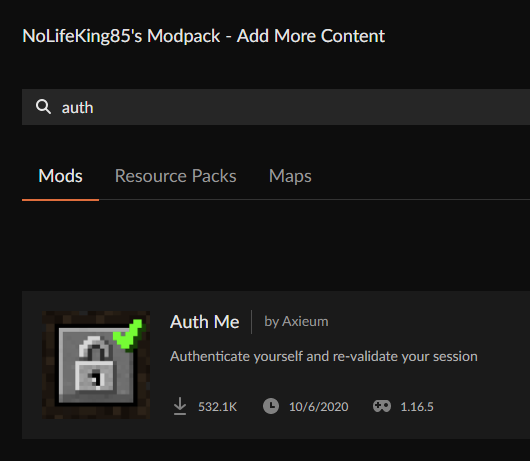 dim blade
 sage pier
Notice that it's a space in the name?
wild jewel
wild jewel
And probably because the mod has a space in the name
Like I said ^
dim blade
sage pier
Notice that it's a _space_ in the name?
Thanks i found thankyou so much all for help
dim blade
wild jewel
Like I said ^
Thanks i found thankyou so much all for help
sleek yew
Where do I get the server pack for mc eternal, can’t find it in curse launcer
sage pier
np
cold drum
i keep constantly crashing after loading the modpack
multiple modpacks just crash upon being loaded up, they download fine, then they load but as soon as i click play in the minecraft launcher it crashes after finalizing
wild jewel
!mc-logs
golden muskBOT
Where to find the log on the CurseForge Client.
Right-click the modpack profile icon OR click the button in the modpack profile.
Click Open Folder.
Open the logs folder.
Find the file called latest.log and drag it into discord.
 mint saffron
Where is forge 36.1.12 on curse forge? This is for 1.16.5 Minecraft.
sage pier
Maybe they skipped it, 36.1.13 is available.
wild jewel
They skipped it
mint saffron
oh alright
autumn agate
How do I upload / make a modpack on curseforge and release it?
woops i posted here instead of curseforge support
last parcel
?mc-packshare
golden muskBOT
There are two ways to share a modpack you've made with others...
Export and Share - For Friends to Small Groups.
- Click the Icon for the modpack.
- Click the button next to play.
- Click
Export. - Select the files that should be included.
- Send the zip to the people that want it! They can follow the instructions in
!mc-installpackto install the pack!
Upload to Curseforge - For Public Release to Everyone.
This options will make your pack public to EVERYONE, it comes with extra requirements and will take some effort to set up.
- Go to here: https://www.curseforge.com/project/432/4471/create
- Fill out the information with a proper description of the pack. This should allow anyone to understand what the pack is.
- Click the Icon for the modpack in the CurseForge app.
- Click the button next to play.
- Click
Export. - Select the files that should be included.
- Open your Project you made on the CurseForge site and Upload the file you just made.
- Wait for Moderation & Sync so it can show up in the client! (See
!syncfor limitations)
autumn agate
Thanks
Wait I have another question how do I find files of just mods online, I wish to get the mod files before starting to make my modpack
I know that this is sorta not relevant to curseforge but still
last parcel
?mc-installmods
golden muskBOT
How to install mods in CurseForge App.
- Click
+ Create Custom Profile - Name it, select the required Minecraft version, select the Forge version (usually the highest number), click
Create. - Click the profile icon.
- Click
Add New Content - Search and install the desired mods.
- Start the game!
How to install mods not on CurseForge.
- Right click the profile picture or Open the profile and click the Icon next to the play button.
- Click
Open Folder. - Drag the mod(s) into the
modsfolder. (Note: Some mods will require others, to run. Make sure to read the instructions for the mod!) - Start the game!
cold drum
im having trouble finding the modpack i want, i see it in the website and cant seem to search it up in the app
sage pier
Link the modpack
golden muskBOT
Sync and your Project.
CurseForge App and site do not share the same requirements! You can find things on the site but this does not mean it will be in the app!
For a mod to show up in the app:
- Projects MUST have a file marked as RELEASE
- Projects MUST be APPROVED
- Projects MUST have a file marked for the PROFILE VERSION USED
- Projects CAN'T be EXPERIMENTAL
- Projects CAN'T be ABANDON
Files can take a while to show up in the app. If your files still have not shown up either your project is new and you have yet to mark a file as Release or there is issues with the sync system making it slow.
cold drum
yes its some weird one i thought looked interesting, it was since this used a mod i wanted to try
oh ok
sage pier
Download the zip and import into the app.
cold drum
ok
 ripe skiff
For making a server do i just need to take the modpack mods put them in the server mods and configs in the config or is there something else i need to do associated with curseforge?
wild jewel
That is about it
sand crow
how do i change the version of minecraft that's getting loaded
wild jewel
You can't, need to make a new profile for that
sand crow
like a new acount
wild jewel
!mc-installmods
golden muskBOT
How to install mods in CurseForge App.
- Click
+ Create Custom Profile - Name it, select the required Minecraft version, select the Forge version (usually the highest number), click
Create. - Click the profile icon.
- Click
Add New Content - Search and install the desired mods.
- Start the game!
How to install mods not on CurseForge.
- Right click the profile picture or Open the profile and click the Icon next to the play button.
- Click
Open Folder. - Drag the mod(s) into the
modsfolder. (Note: Some mods will require others, to run. Make sure to read the instructions for the mod!) - Start the game!
sand crow
oh thats what u mean got it
autumn agate
do the mods work on java?
wild jewel
Yes
wild jewel
Install a modpack, play?
sage pier
Yes.
autumn agate
ok.
 silent swan
hey!
I want to set up a modpack for a few friends on my server. How do I go about doing that?
I really need to ability to make updates to the pack
I've created a project on curse but I don't know where to go from here
acoustic idol
silent swan
I've created a project on curse but I don't know where to go from here
!mc-packshare
golden muskBOT
There are two ways to share a modpack you've made with others...
Export and Share - For Friends to Small Groups.
- Click the Icon for the modpack.
- Click the button next to play.
- Click
Export. - Select the files that should be included.
- Send the zip to the people that want it! They can follow the instructions in
!mc-installpackto install the pack!
Upload to Curseforge - For Public Release to Everyone.
This options will make your pack public to EVERYONE, it comes with extra requirements and will take some effort to set up.
- Go to here: https://www.curseforge.com/project/432/4471/create
- Fill out the information with a proper description of the pack. This should allow anyone to understand what the pack is.
- Click the Icon for the modpack in the CurseForge app.
- Click the button next to play.
- Click
Export. - Select the files that should be included.
- Open your Project you made on the CurseForge site and Upload the file you just made.
- Wait for Moderation & Sync so it can show up in the client! (See
!syncfor limitations)
silent swan
!sync
golden muskBOT
Sync and your Project.
CurseForge App and site do not share the same requirements! You can find things on the site but this does not mean it will be in the app!
For a mod to show up in the app:
- Projects MUST have a file marked as RELEASE
- Projects MUST be APPROVED
- Projects MUST have a file marked for the PROFILE VERSION USED
- Projects CAN'T be EXPERIMENTAL
- Projects CAN'T be ABANDON
Files can take a while to show up in the app. If your files still have not shown up either your project is new and you have yet to mark a file as Release or there is issues with the sync system making it slow.
 eternal warren
!mc-installpack
golden muskBOT
How to install modpacks with the search features in app.
- Open the
Minecraftsection of the app. - Click the top search bar where it says
Search for modpacksOR Click theBrowse ModpacksTab. - Find the Modpack you want to install and click install on it.
- Wait for CurseForge app to download and unpack all the required files.
- Once finished, click
Play!
How to install modpacks from a Export. (Custom/Private/Site downloaded Modpack zip)
- Get CurseForge App if you don't have it, use
!downloadfor a link. - Get the exported modpack from CurseForge or someone else,
!mc-packshareexplains how to make them. - Open the
Minecraftsection of the app. - Click
Create Custom Profile - Click the
Importoption. - Find the file you just downloaded in step 2 and select it.
- CurseForge app will now attempt to download and unpack the modpack. If it fails, try steps 4-6 again.
- Once finished, click
Play!
hidden magnet

guys help pls it does this weird thing and i just go so fast around whenever i walk i also cant interact with anything
its like this when i go into the main menu
the background and text move like crazy
nvm turns out its cause of the betterfps mod
 blazing drum
hi if someone has the same problem - when i allocate more ram (9gb) for curseforge settings and not in launcher it resets to 3gb every time i start the program and i have to wait for mod packs twice as long as i always forgot it change 😦
last parcel
!mc-ram
golden muskBOT
How to set Global Minecraft RAM value.
- Click the icon in the bottom left to open settings.
- Click the Minecraft tab.
- Scroll down.
- Slide slider to recommended ram range as seen below.
last parcel
set it there, not in the minecraft launcher
blazing drum
I set it there but it keeps reseting
last parcel
set it there then restart the app
blazing drum
okay thanks
 barren iris
Went to play a minecraft modpack, was told "Could not verify minecraft version." When I try to update versions of the modpack, the launcher says "Cannot update, files are already in use. Please exit any applications that may be using the files in this profile folder." To my knowledge, I don't have any applications that may be using the files open, I have checked the Help Center on minecraft but I am online and have checked that I have connection, I have tried using "Repair installation" since it was there and possibly could have worked, but it did not. I used "Run Vanilla Minecraft" and it works fine. The modpacks were downloaded with the twitch app back when it was possible, but I am not sure if that has an effect. I have also checked that my firewall allows Overwolf and the like. Is there a solution?
last parcel
try a pc restart, then repair minecraft
barren iris
I have already tried the above as I had restarted my pc multiple times thinking that it would be a fix.
potent tartan
have you repaired minecraft?
barren iris
Does that mean the repair installation button below run vanilla minecraft?
If so, I have already tried that as well.
I tried using repair installation consecutively and was told "Minecraft install directory not found". I'm unsure if this is normal or if it has something to do with why the modpacks aren't launching.
Update on the situation: It probably had something to do with the fact that they were downloaded with the twitch app. I tried moving the files for the modpacks out of the twitch folder (instead of outright deleting them, as I have saved progress on them) and reinstalling them via the CurseForge app. Minecraft launcher is starting as I speak.
 teal sonnet
sorry
acoustic idol
This belongs in self-promotion. Goto #786424115535544350 get the role for the game your playing and then post in the self-promotion channel for that game
 old river
if i share my custom modpack through google drive how can someone download them from google drive?
acoustic idol
 steady belfry
How do I Download optifine?
steady belfry
How do I Download optifine?
!mc-optifine
golden muskBOT
Optifine and Curseforge
To install Optifine with modpacks on Curseforge:
Right click the modpack icon, select Open Folder.
Put the Optifine.jar into the mods folder.
Now load the modpack normally.
We do not offer support for Optifine. If you have issues with Optifine, remove it. If you want further support try the discord found on their website.
https://www.optifine.net/home
acoustic idol
You go to their site, install the version for your minecraft version and add it to your pack
steady belfry
1.16.5
acoustic idol
thats the site
steady belfry
ok
acoustic idol
then the latest for that version of mc
golden muskBOT
Optifine and Curseforge
To install Optifine with modpacks on Curseforge:
Right click the modpack icon, select Open Folder.
Put the Optifine.jar into the mods folder.
Now load the modpack normally.
We do not offer support for Optifine. If you have issues with Optifine, remove it. If you want further support try the discord found on their website.
https://www.optifine.net/home
steady belfry
;/
acoustic idol
Its the link from the bot. But you can google Optifine
sage pier
And we literally have the role "community support" :P
acoustic idol
Kinda hard to get Community support if we werent trusted. . . Its not a free role
sage pier
Your maybe wasn't free, my soul was already gone, so nothing to take, but don't tell Clay.
acoustic idol
lol
coarse elm
👀
acoustic idol
King how much do you know about datapacks? and TConstruct 🤔
sage pier
I learned that datapacks are stored in the resource folder, like.. 20 minutes ago
sage pier
I tried the official forge documentation, but they linked to a 404 page :D
acoustic idol
¯_(ツ)_/¯
coarse elm
post the error
 subtle wasp
its an invalid manifest.json file or something
coarse elm
then you aren't following the directions to export a profile
coarse elm
!mc-packshare
golden muskBOT
There are two ways to share a modpack you've made with others...
Export and Share - For Friends to Small Groups.
- Click the Icon for the modpack.
- Click the button next to play.
- Click
Export. - Select the files that should be included.
- Send the zip to the people that want it! They can follow the instructions in
!mc-installpackto install the pack!
Upload to Curseforge - For Public Release to Everyone.
This options will make your pack public to EVERYONE, it comes with extra requirements and will take some effort to set up.
- Go to here: https://www.curseforge.com/project/432/4471/create
- Fill out the information with a proper description of the pack. This should allow anyone to understand what the pack is.
- Click the Icon for the modpack in the CurseForge app.
- Click the button next to play.
- Click
Export. - Select the files that should be included.
- Open your Project you made on the CurseForge site and Upload the file you just made.
- Wait for Moderation & Sync so it can show up in the client! (See
!syncfor limitations)
 mighty flax
so i just updated my all the mods 6 and my world is gone and everyting is reset
 rapid junco
does anyone know how i could download the bloom mod pack? i downloaded java, curseforge and the bloom files, but it still doesnt seem to work.
coarse elm
you had to have modified it to get the issue you have
golden muskBOT
Hey there, it is Curseforge, not "Cursed forge"
subtle wasp
:/
coarse elm
rapid junco
does anyone know how i could download the bloom mod pack? i downloaded java, cur...
Just search for the pack in the launcher and install it?
rapid junco
what do you mean launcher? sorry i just got minecraft today so im new to it all
subtle wasp
the curseforge app
rapid junco
so i looked on the app, it doesnt have bloom from my understanding. but i may have missed it
acoustic idol
rapid junco
so i looked on the app, it doesnt have bloom from my understanding. but i may ha...
Is the modpack on the curseforge site?
rapid junco
the texture pack is
acoustic idol
wait are you trying to get a modpack or a texture pack?
rapid junco
the modpack
i also saw it on the minecraft website, and tried getting it from there. but it didnt work either. so im just lost lol
acoustic idol
link it, where you got the files from
acoustic idol
yep
 acoustic idol
rapid junco
https://www.minecraft.net/en-us/pdp?id=d8604c56-d709-40e1-a286-13dce3b34ac5
acoustic idol
rapid junco
https://www.minecraft.net/en-us/pdp?id=d8604c56-d709-40e1-a286-13dce3b34ac5
Thats for the windows bedrock minecraft I believe,
rapid junco
oh
acoustic idol
which isnt the same as what Curseforge Uses (Java)
rapid junco
so given i have java, i cant play bloom?
 balmy goblet
Hello whenever I launch I get an Error and game crash before i can see the title screen any help?
acoustic idol
rapid junco
so given i have java, i cant play bloom?
Not with Java edition.
acoustic idol
balmy goblet
Hello whenever I launch I get an Error and game crash before i can see the title...
Screen shot the error
rapid junco
awww:(, okay thanks!
 undone hawk
Hey i downloaded Crash landing and it just crashes in the launcher
acoustic idol
rapid junco
awww:(, okay thanks!
Can use that texture pack tho
acoustic idol
undone hawk
Hey i downloaded Crash landing and it just crashes in the launcher
!mc-logs
golden muskBOT
Where to find the log on the CurseForge Client.
Right-click the modpack profile icon OR click the button in the modpack profile.
Click Open Folder.
Open the logs folder.
Find the file called latest.log and drag it into discord.


 acoustic idol
balmy goblet
acoustic idol
balmy goblet
Do what the bot message above says
undone hawk
ok
balmy goblet
undone hawk
NGL im very confused
balmy goblet
same lol
acoustic idol
undone hawk
NGL im very confused
Are you using the curse forge app?
balmy goblet
yes
undone hawk
yes
acoustic idol
undone hawk
yes
balmy goblet
balmy goblet
@acoustic idol
acoustic idol
balmy goblet
<@!217048549706301442>
Im reading it, please be patient
balmy goblet
sorry 
acoustic idol
Do other packs work?
acoustic idol
!mc-installfix both of you do this
golden muskBOT
- Click on the Minecraft Tab on the Left side of the App.
- Click button next to the
Create Custom Profileoption. - Click
Repair Installationoption. - Play game.
NOTE: You will not lose any modpacks or worlds, These are saved in the Instances folder. DO NOT TOUCH THIS FOLDER OR YOU WILL LOSE EVERYTHING
undone hawk
did that didn't work
acoustic idol
undone hawk
did that didn't work
Then will need your latest log
undone hawk
where
 acoustic idol
... Spam really?
undone hawk
accident
undone hawk
acoustic idol
the other one
undone hawk
acoustic idol
Crashlanding right?
undone hawk
yup
acoustic idol
Ill see if I can start it on my client, I remember there being something special with this
undone hawk
ok ty
undone hawk
no