#👽︱game-support
1 messages · Page 101 of 1
 languid nebula
Im trying to add a mod to my modpack (this one https://www.curseforge.com/minecraft/mc-mods/stimmedcow-nomorerecipeconflict/files) but when i try to search for it it doesnt come up
 potent tartan
because of this
 languid nebula
how would i put it in my modpack then
It gonna say “The following files belong to CurseForge-hosted projects, and should therefore not be added directly to zip files:
overrides/mods/NoMoreRecipeConflict-0.3(1.7.10).jar@
languid nebula
 coarse elm
You find another one.
coarse elm
You find another one.
theres not another one for 1.7.10 but i do know how to edit manifist by hand
coarse elm
You could also tale the non-lazy route and just fix the recipes.
languid nebula
crafttweaker bad
coarse elm
Lazy modpacks bad
coarse elm
Lazy
 acoustic idol
Craftweaker isnt actually that bad to be honest. Just have to put effort in to get it working
languid nebula
coarse elm
Lazy
thats the whole point of the modpack
acoustic idol
To be lazy?
 glacial saddle
!status
 golden muskBOT
It is 02:11AM on Wednesday for CurseForge my dudes.
Project Moderation Time
Project/File moderation is done on Sunday - Thursday from 10am - 6pm GMT+2
This process is First in, First out. Thus files submitted late in the work day may not be checked until the next work day.
New Projects or uploads requiring manual approval: 1-3 Working Days
Updates to approved projects not needing manual approval: 1 Hour
File sync to the Curseforge app may take up to 24 hours after approval.
languid nebula
acoustic idol
To be lazy?
The modpack took 3 days to make
if it crashes it crashes
You fix it
i didnt bother to even make server files
I don’t know how to
 slim iris
Hi, I downloaded a few mods for Minecraft and for some reason when I hit a block, it switches to the first item in my hotbar. I tried to remove some mods to see if they were causing this but can't find which one is causing it. Can anyone help me? Here are the mods I have:
 acoustic idol
As Clay said lazy packs are bad.
languid nebula
acoustic idol
As Clay said lazy packs are bad.
idk how to make a good pack
best i can do is edit configuration files and add mods
acoustic idol
languid nebula
idk how to make a good pack
Research, time and patience.
acoustic idol
slim iris
Hi, I downloaded a few mods for Minecraft and for some reason when I hit a block...
Check your controlls something may have been changed. Sounds like slot 1 and block are on the same key
I have been working on the same pack for a while now. Google is my best friend.
slim iris
acoustic idol
Check your controlls something may have been changed. Sounds like slot 1 and blo...
I will have a look at it. If it's that I'm gonna feel so stupid xD
languid nebula
acoustic idol
I have been working on the same pack for a while now. Google is my best friend.
idk what to google
acoustic idol
slim iris
I will have a look at it. If it's that I'm gonna feel so stupid xD
All good. Happens to the best of us
acoustic idol
languid nebula
idk what to google
Anything and everything you dont understand.
languid nebula
acoustic idol
Anything and everything you dont understand.
do i just google “how to do stuff that are appealing in a modpack@
acoustic idol
Ive got a bunch of mods discord for Qs. Build your network of people. Of info. Your pack will only go as far as your willing to take it.
Do research see what kind of packs people like. Dislike, whats working what isnt
languid nebula
people like packs that make them slaves, and packs that are for clickbait youtubers!!! Oh so i have to make another rlcraft
acoustic idol
Heck I even took 6months off my pack. Played a whole bunch of packs got idea and made my pack stronger. Doesnt have to be like other packs either. Pick a goal/style and aim for it.
acoustic idol
 warm sky
is anyone in the Carreine server?
warm sky
is anyone in the Carreine server?
Huh?
warm sky
are u in?
acoustic idol
warm sky
are u in?
I dont even know what your talking about? What game?
slim iris
acoustic idol
Check your controlls something may have been changed. Sounds like slot 1 and blo...
Apparently it's not a controls error. I checked everything is normal there. I really think it might be one of the mods :/
acoustic idol
warm sky
sodium mod
Then no.
warm sky
ok
acoustic idol
slim iris
Apparently it's not a controls error. I checked everything is normal there. I re...
Might have to look at any mods that changes either sheilds or inventory. See if there is a funky config
slim iris
acoustic idol
Might have to look at any mods that changes either sheilds or inventory. See if ...
Got the sucker! It was a mod called Miner's Advantage. Thank @acoustic idol ! 😄
acoustic idol
Intresting, np
languid nebula
Rule 4
 vestal cipher
hardly spam imo but noted
 random surge
I'm using v0.168.2.4 for macos and up until yesterday everything was fine, but now when i try to launch either of my modpacks it starts flashing the normal text to get it up and running, but it won't launch the mc client after that. I haven't changed any settings etc and its happening with two different packs
languid nebula
random surge
I'm using v0.168.2.4 for macos and up until yesterday everything was fine, but n...
?mc-installfix
golden muskBOT
- Click on the
 icon in the bottom left of Curseforge.
 - Click the

MinecraftTab. - Click
Changenext to theMinecraft Modding FolderOption. - Select the folder named
Install. - Delete it.
- Restart CurseForge App.
- It will ask to install MC again, do so.
- Play game.
NOTE: You will not lose any modpacks or worlds, These are saved in the Instances folder. DO NOT TOUCH THIS FOLDER OR YOU WILL LOSE EVERYTHING
random surge
Perfect, thank you!
 prime blade
sup
languid nebula
one of these days a mod will get a virus opening a .txt
 zenith laurel
im about to factory reset my computer can i just log in on the curse forge launcher and my profiles will be there
prime blade
i think im to dumb to be here
languid nebula
zenith laurel
im about to factory reset my computer can i just log in on the curse forge launc...
no either copy your instances file/curse file through usb drive I don’t know...
zenith laurel
alr lol
 worn kiln
hey, everytime i try to download a modpack i get an error saying an exception occured during a webclient request, what can i do to fix this?
coarse elm
Restart the app.
 drowsy creek
I was asked to update the description for my modpack
I just did it, anyway for a mod to take a look at it again?
coarse elm
!status
golden muskBOT
It is 03:58AM on Wednesday for CurseForge my dudes.
Project Moderation Time
Project/File moderation is done on Sunday - Thursday from 10am - 6pm GMT+2
This process is First in, First out. Thus files submitted late in the work day may not be checked until the next work day.
New Projects or uploads requiring manual approval: 1-3 Working Days
Updates to approved projects not needing manual approval: 1 Hour
File sync to the Curseforge app may take up to 24 hours after approval.

 quick tendon
ok im trying to use ice and fire on the all the mods 6 modpack and no things are generating like no dragons no structures no mobs that would spawn in normal ways
and i have the dependincys for the mod
 inner nest
can anyone help me with scape and run mod cause idk how to add it to minecraft is it a pack that u have to add to minecraft or something can someone plz help me
 austere summit
For some reason I can't launch a 1.7.10 instance
I have 0 mods installed but it still didn't launch
 wild jewel
!mc-installfix
golden muskBOT
- Click on the icon in the bottom left of Curseforge.
- Click the
MinecraftTab. - Click
Changenext to theMinecraft Modding FolderOption. - Select the folder named
Install. - Delete it.
- Restart CurseForge App.
- It will ask to install MC again, do so.
- Play game.
NOTE: You will not lose any modpacks or worlds, These are saved in the Instances folder. DO NOT TOUCH THIS FOLDER OR YOU WILL LOSE EVERYTHING
 eager isle
Hello, please add to applications - Curseforge (beta) modpack: SkyExchange
 sage pier
The devs for SkyExchange would have to upload it to CurseForge.
 velvet tendon
where I find the PixelExtras-UNIVERSAL-8.0.0-3.3.0.jar mod?
velvet tendon
I can't find it on the site at all
 wild yacht
I minute i will tell you
velvet tendon
ok
wild yacht
wild yacht
Some mods are in other sites
velvet tendon
I wanted to try adding the mod to aternos so I wanted to do curseforge
Supported websites
Only mods/plugins that are hosted on a supported website can be added to Aternos. Supported websites currently are:
wild yacht
So you cant add this mod from here https://pixelmonmod.com/downloads.php ?
velvet tendon
I already tried but they don't accept it, they say it is a duplicate
velvet tendon
The status of the file PixelExtras-UNIVERSAL-8.0.0-3.3.0.jar (leitor de IV/EV pixelmon generation) has been changed to Rejected
File is a duplicate of an existing file. PixelExtras-UNIVERSAL-8.0.0-3.3.0.jar on PixelmonCMDSExtra
If you have any questions please contact our support team https://support.curseforge.com.
wild jewel
velvet tendon
The status of the file PixelExtras-UNIVERSAL-8.0.0-3.3.0.jar (leitor de IV/EV pi...
Mod might have been removed
velvet tendon
I want a mod that works with pixelmon called PixelExtras-UNIVERSAL-8.0.0-3.3.0.jar
wild jewel
Which got removed from curseforge, or at least archived.
velvet tendon
@wild jewel what do I do then ?
wild jewel
velvet tendon
<@!525950791710801921> what do I do then ?
You contact support for that
wild yacht
Try out serverpro
wild jewel
wild yacht
Try out serverpro
How does that help with making a modpack?
wild jewel
Who? Where?
wild yacht
Sorry i am writing in two seevers discord
wild jewel
wild yacht
Sorry i am writing in two seevers discord
Please check channels first then
velvet tendon
I'm playing with friends and wanted to add this mod to our modpack
velvet tendon
pixelmon generation
wild jewel
velvet tendon
I'm playing with friends and wanted to add this mod to our modpack
That is why I told you to contact support
velvet tendon
where do i contact them?
wild jewel
If you have any questions please contact our support team https://support.curseforge.com/.

CurseForge Support
We're here to get you informed on everything you need to know about CurseForge, including helpful guides and troubleshooting articles to back you up when you get in a pickle
 heady pewter
hay, i have a quick question and need a bit of help. i got a new ssd today and decided to move wow over to that ssd. i opened it up as a test and, as expected, my ad-dons aren't showing up in wow. i knew that i needed to move my ad-dons to that ssd somehow, but i'm not sure how to go about it. a little help and guidance would be well appreciated. thanks in advance for responding.
wild yacht
How can I make a cracked server?
wild jewel
We don't support that here
wild yacht
All players are playing from Tlauncher😭😭😭
wild jewel
We don't support that either 🤷
wild yacht
I know
wild jewel
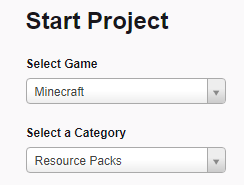
Did you click the link?
 wild jewel
It selects a resource pack for you 🤦♂️
wild yacht
What is summary
wild jewel
What it is, in short
wild yacht
Ok
 strange raft
hello i have a problem starting it always comes up wiht an error message that i will send in if anyoe can help would be very frendly

who can help just write thank you
sage pier
!mc-java
golden muskBOT
Missing Java Fix!
Before you try to fix anything, make sure that minecraft is closed!
If minecraft is open then you will need to close it and try to launch again.
- Click on the icon in the bottom left.
- Click the
MinecraftTab. - Click Change next to the
Minecraft Modding FolderOption. - Right click the folder named
Install. - Select
Open in new window. - Double click the
minecraft.exe. - Close the Launcher once it's done loading.
- Restart Overwolf & CurseForge or the computer.
- Play game!
If the above doesn't work....
Install Java using the installer from here: https://java.com/en/download/manual.jsp
wild yacht
wild jewel
https://www.curseforge.com/project/432/12/create
my minecraft cant find my resource pack and i have the correct version
wild jewel
wild yacht
my minecraft cant find my resource pack and i have the correct version
No idea on that stuff
 knotty tulip
Hello!
help
Internal Exception:com.google.common.util.concurrent.UncheckedExecutionException: java.lang.IllegalStateException: Recipe minecraft:Furnece
This is the full thing
:
com.google.common.util.concurrent.UncheckedExecutionException: java.lang.IllegalStateException: Recipe minecraft:furnace (net.minecraft.item.crafting.ShapedRecipes@3e755d5f) produces unregistered item minecraft:furnace (net.minecraft.item.ItemBlock@5eef8a16
wild jewel
Drop the full log file please
 eternal thistle
in game folder>logs>latest.txt
 fierce siren
do you know the name of the mod of all item you paint you got it??
wild jewel
What?
knotty tulip
ehh for the server or the client?
wild jewel
The one that is crashing
knotty tulip
1 sec
knotty tulip
wild jewel
The one that is crashing
it's not craching my friend can not join a modded server
i forgot to say that
custom modded server
and pack
wild jewel
He on the same pack as you are?

 haughty lake
what have you done to this furnace, my guy
 autumn agate
how do i fix this?
 knotty tulip
haughty lake
what have you done to this furnace, my guy
knotty tulip
haughty lake
what have you done to this furnace, my guy
i do not know ;..(
@wild jewel do you know the problem?
wild jewel
knotty tulip
<@!525950791710801921> do you know the problem?
I do not
wild jewel
autumn agate
how do i fix this?
quick tendon
any 1 know why nothing from ice and fire is generating?
i found nothing on the wiki
 plush mirage
Hi, i came to ask how i can add optifine to my modpack (so that i can play with optifine) without it actually being in the modpack (itll get removed)
see whenever i added optifine it get removed, because it doesnt follow some sort of policy
wild jewel
Should be able to add it just fine, just don't upload it
plush mirage
i made this modpack more for me and my friends and possibly others
plush mirage
wild jewel
Should be able to add it just fine, just don't upload it
via the curseforge app -> then add it via the mod folder?
okay ill try
wild jewel
Yes
 rose pond
im having trouble launching any modpacks for minecraft idk why
wild jewel
What kind of trouble?
rose pond
it doesnt launch when i press play
wild jewel
What does it do? Does it show "launching" then it goes back to normal?
rose pond
yeah
wild jewel
!mc-installfix
golden muskBOT
- Click on the icon in the bottom left of Curseforge.
- Click the
MinecraftTab. - Click
Changenext to theMinecraft Modding FolderOption. - Select the folder named
Install. - Delete it.
- Restart CurseForge App.
- It will ask to install MC again, do so.
- Play game.
NOTE: You will not lose any modpacks or worlds, These are saved in the Instances folder. DO NOT TOUCH THIS FOLDER OR YOU WILL LOSE EVERYTHING
rose pond
ok
 opaque estuary
My modpack was approved but the files are not. how do i submit it
wild jewel
Go to the modpack, top right there is an upload file button
If you already uploaded files: just wait
wild jewel
Yeah, they are checked separate
opaque estuary
Ohh
rose pond
it worked thx
opaque estuary
Thanks!
rose pond
nvm the modpack still isnt launching
wild jewel
rose pond
nvm the modpack still isnt launching
What do you get now?
rose pond
same thing i reinstalled
acts like its gonna launch for a minute then it doesnt
ping me when u respond ill be on my computer most of the day
wild jewel
Try a pc restart
rose pond
thx
autumn agate
hello
golden muskBOT
Minecraft Files should NOT be installed inside the .minecraft folder or inside OneDrive folders. If this shows up in the path at all you need to move it by following the instructions below!
If Minecraft is not installed, start here.
Click the  in the top right.
Select Minecraft.
Click "Edit".
Move to the "Continue here:" section below.
If Minecraft is installed, follow these steps.
Click the in the bottom left.
Select the Minecraft tab.
Click "Change".
Move to the "Continue here:" section below.
Continue here:
Make a folder in the root directory called CurseForge.
Select the folder you just made.
The text box should show something like the following:
For Windows: C:\CurseForge
For Mac: /Users/Shared/CurseForge
 sage pier
Do you have Minecraft Java or Bedrock?
autumn agate
java
sage pier
Strange, should be able to detect it then, if you have a purchased copy of Minecraft.
sage pier
That sounds strange, I don't know what could cause that.
autumn agate
im reinstalling curseforge
sage pier
Yeah, try that.
sage pier
I don't know actually.
autumn agate
im going to reinstall it
i just reinstalled it and it still says its not installed
ehm..
it still says path can only include english letters and numbers
is it fine if we get on call and i can tell you?
 median osprey
I had my modpack aproved but i cant seem to find it in the curseforge launcher
golden muskBOT
Sync and your Project.
CurseForge REQUIRE a project to have one file marked Released on them for the projects to show up in search. Otherwise only Direct links to the project work.
Files can take a while to show up in the app. If your files still have not shown up either your project is new and you have yet to mark a file as Release or there is issues with the sync system making it slow.
sage pier
And when a file is marked as Released, it can between 1-24 hours to sync.
median osprey
Where can i see if a file is relesed
sage pier
Under "Files"
And if it's a big green R next to it, it's released.
B = Beta, A = Alpha.
sage pier
I have no clue. ^^
 tender pewter
Hey So I Wanted to Play A Mod Pack And When Ever I Launch It From Over Wolf It Works Fine, When Ever I Launch It From Minecraft Its Fine But Whenever I Try To Join A Game (Single player Or Multiplayer), It Says "Java SE Binary Not Responding" And Freezes Like That.. Idk Why It Happen But If Its Bc Of My Pc Then i Understand.
Mod Pack : Zombie Apocalypse (Slow Zombies)
PC Specs -
Windows: 7
Processor: Pentium G2020
RAM: 8 GB
Pls Ping With Reply.. 🔔
 cunning flicker
Guys if I join my world it crashes saying "error 0" what do I do?
acoustic idol
cunning flicker
Guys if I join my world it crashes saying "error 0" what do I do?
!mc-logs
golden muskBOT
How to get a Minecraft log file.
Where to find the log on the CurseForge Client.
Right-click the modpack profile icon OR click the  button in the modpack profile.
Click 
Open Folder.
Open the logs folder.
Find the file called latest.log and drag it into discord.
 bronze pasture
every time I open a larger mod pack it freezes and eventually crashes on startup
golden muskBOT
Hey there, it is Curseforge, not "Cursed forge"
sage pier
autumn agate
how do i put a mod into cursed forge
!mc-installmods
golden muskBOT
How to install mods in CurseForge App.
- Click
+ Create Custom Profile - Name it, select the required Minecraft version, select the Forge version (usually the highest number), click
Create. - Click the profile icon.
- Click
Add New Content - Search and install the desired mods.
- Start the game!
How to install mods not on CurseForge.
- Right click the profile picture or Open the profile and click the Icon next to the play button.
- Click
Open Folder. - Drag the mod(s) into the
modsfolder. (Note: Some mods will require others, to run. Make sure to read the instructions for the mod!) - Start the game!
 autumn agate
no
i ment
like
if i got a mod from a diffrent website
like crayfish device mod
they have his other mods
but not this one
how do i add it
sage pier
Read the second section of the instructions.
languid nebula
tender pewter
Hey So I Wanted to Play A **Mod Pack** And When Ever I Launch It From Over Wolf ...
?mc-ram
golden muskBOT
How to set Global Minecraft RAM value.
- Click the icon in the bottom left to open settings.
- Click the Minecraft tab.
- Scroll down.
- Slide slider to recommended ram range as seen below.
 cunning flicker
acoustic idol
!mc-logs
cunning flicker
acoustic idol
!mc-logs
??
wild jewel
cunning flicker
??
Follow the steps below it
acoustic idol
cunning flicker
??
Guys if I join my world it crashes saying "error 0" what do I do?
To see whats going on need the log called latest
cunning flicker
okkk
plush mirage
hey, im back again, with another problem.
modpack is fine and all, but im having trouble finding it on browse modpacks
acoustic idol
has it been approved and marked as release?
plush mirage
my friend wants to download the modpack but it doesnt show up, even if its copied letter for letter
wild jewel
Link please
plush mirage
acoustic idol
has it been approved and marked as release?
it has been approved, idk wym with release tho
plush mirage
wild jewel
Link please
idk how
wild jewel
plush mirage
idk how
You copy the link from the website?
wild jewel
!sync
golden muskBOT
Sync and your Project.
CurseForge REQUIRE a project to have one file marked Released on them for the projects to show up in search. Otherwise only Direct links to the project work.
Files can take a while to show up in the app. If your files still have not shown up either your project is new and you have yet to mark a file as Release or there is issues with the sync system making it slow.
plush mirage
does this work?
acoustic idol
its also an alpha file
plush mirage
how do i mark a file for release?
acoustic idol
Click the files name, click edit and set it to release (R)
plush mirage
thank you sooo much
 modest loom
Hello, am I able to run plugins with the better MC curseforge mod?
 spare badge
hi, i have a problem. I can't download any modpack
starts the download and it cancels itself
? i can't create a profile too
says game reference not established
wild jewel
modest loom
Hello, am I able to run plugins with the better MC curseforge mod?
Doubt it to be honest
wild jewel
spare badge
hi, i have a problem. I can't download any modpack
Screenshots please
spare badge
When i try to create a profile, install modpack... says this message:

game reference not established
wild jewel
I don't know the fix for that one
spare badge
okey, thanks

 next panther
autumn agate
next panther
autumn agate
It happens when you are on an unstable network - try to move to lan or mobile hotspot (also restart the app)

 ocean maple
What does this mean? Asking for a friend.

 strong scroll
How come every time I open curseforge and then open the folder for a minecraft modpack it turns all my icons on my desktop to a white folder. Then when I click into the mods to add optifine or some other mod it goes almost straight to "not responding."
Please ping me or reply to what I said so ill be notified when someone answers 🙂
next panther
ocean maple
What does this mean? Asking for a friend.
The friend is on Mac m1 - which have known issues with opengl
no idea - what if you access this folder from outside of the app?
strong scroll
next panther
no idea - what if you access this folder from outside of the app?
ill try that 🙂
autumn agate
next panther
It happens when you are on an unstable network - try to move to lan or mobile ho...
ty
 next flower
Hello i want to play with mods on multiplayer does anyone know how to do it?
strong scroll
It works Thxs
acoustic idol
next flower
Hello i want to play with mods on multiplayer does anyone know how to do it?
Depending on the pack your using, if its a pack someone else made can google servers for that pack (ex: rlcraft, sf3, mceternal etc). If it is one you made you can either learn how to make a local server or rent a server
 oak thunder
Hey, so I am trying to upload my modpack and publish it but when I try to put in the file slot in the dashboard I get this error: application/x-zip-compressed is not a supported file type.
but I thought I did the exact same thing a couple days ago and it just got rejected so I fixed it and am uploading it again
(It got rejected because I accidentally left optifine in)
acoustic idol
How did you make the zip file?
acoustic idol
And after exporting didnt alter the zip in any way?
acoustic idol
should be fin
oak thunder
could it be stepping in the middle and altering it
acoustic idol
fine*
acoustic idol
Give it 10 min, then try again. When in the file upload page, you click browse then select the zip correct?
oak thunder
yes
I'll be back in that time
to give results
Ok
The same thing happened
I also restarted my pc
oak thunder
I am not sure what to do
 pseudo gale
im using curse forge playing rl craft and i wanna add some mods along side it anyone know to can i just right click and add it there?
through its file
acoustic idol
pseudo gale
im using curse forge playing rl craft and i wanna add some mods along side it an...
?mc-modifypack
golden muskBOT
How to add/remove mods in a modpack.
- Click on the picture of the modpack.
- Click the

Add More Contentbutton, IF this button is not there, see below before continuing. - Find the Mods, Resource Packs or Maps you wish to Install and click
Installon them. - Wait for all the required mods to be downloaded.
- Start the modpack.
How to Enable/Disable content management for modpacks.
- Click on the picture of the modpack.
- Click on the button next to the
Playbutton. - Click on

Profile Options. - Check the
Allow content management for this profileoption if you want to edit the content of the modpack, uncheck it to disable.
NOTE: The Allow content management for this profile option is what allows you to Delete, Disable, Update or Install any Mods, Resource Packs or Maps managed by CurseForge. It must be on to modify any of them! (Currently)
pseudo gale
i figured it out eventually sorry for the disruption
oak thunder
Does Overwolf Or Curseforge have a support team I can contact
for my issue
because I don't know what else to do
acoustic idol
?ticket
golden muskBOT
Issue Reporting with Overwolf tickets!
Issues can be reported two ways!
Via the website, or in app. Instructions for both are below!
Make sure to include logs when reporting a problem!
Upload your Overwolf logs with the Upload File option on the ticket, information on how to get these logs can be found here https://support.overwolf.com/en/support/solutions/articles/9000176827-how-to-get-your-overwolf-logs
:bug: Reporting via Website :bug:
Can't open the app or would rather use the website? You can do so here: https://support.curseforge.com/en/support/tickets/new
Fill out the form with accurate detailed information, "It doesn't work" isn't helpful! What exactly doesn't work and why doesn't it work should be easy to answer!
:question: Ticket Status :question:
Tickets you have made can be looked at, replied to and closed if you make/login to an account. If you submit a ticket with a specific Email make sure to use that when you make your account so you can see your past tickets!
https://support.curseforge.com/en/support/tickets
Otherwise you will only get email replies at the email you used to open the ticket.
:bug: Reporting via the CurseForge App :bug:
- Click the
 icon in the bottom left.
 - Select

Open a Ticket. - Fill out the form with accurate detailed information, "It doesn't work" isn't helpful! What exactly doesn't work and why doesn't it work should be easy to answer!!
- Upload your Overwolf logs with the
Upload Filesection. (see the top of this message for details) - Submit!
oak thunder
My file was finally uploaded
I am so extraordinarily stupid
I was trying to put it in where you put the cover image file
It just said file and I thought that was where I was supposed to put the modpack file
acoustic idol
ah yeah that would do it
oak thunder
💯
 faint schooner
hey guys pixelmon keep getting stock on mod 3 and after it says that download stops. whyyyyyy
faint schooner
nope its the pixelmon one
oak thunder
"The pixelmon one"
 shadow root
My Minecraft path won't set because it doesn't have only English letters, what should i do?
oak thunder
There are a lot of pixelmon modpacks
faint schooner
pixelmon modpack
faint schooner
8.1.2.zip
faint schooner
after a while the download will just stop
oak thunder
could be easier just to make a custom profile
add pixelmon to it
because mine is stuck on 42 aswell
shadow root
My Minecraft path won't set because the path doesn't have only English letters, what should i do?
oak thunder
hmm
shadow root
Im trying to link it to my Minecraft folder btw
oak thunder
you might have to alter your path
faint schooner
there it goes !!! 84% thanks buddy love ya
faint schooner
how ?
golden muskBOT
Issue Reporting with Overwolf tickets!
Issues can be reported two ways!
Via the website, or in app. Instructions for both are below!
Make sure to include logs when reporting a problem!
Upload your Overwolf logs with the Upload File option on the ticket, information on how to get these logs can be found here https://support.overwolf.com/en/support/solutions/articles/9000176827-how-to-get-your-overwolf-logs
:bug: Reporting via Website :bug:
Can't open the app or would rather use the website? You can do so here: https://support.curseforge.com/en/support/tickets/new
Fill out the form with accurate detailed information, "It doesn't work" isn't helpful! What exactly doesn't work and why doesn't it work should be easy to answer!
:question: Ticket Status :question:
Tickets you have made can be looked at, replied to and closed if you make/login to an account. If you submit a ticket with a specific Email make sure to use that when you make your account so you can see your past tickets!
https://support.curseforge.com/en/support/tickets
Otherwise you will only get email replies at the email you used to open the ticket.
:bug: Reporting via the CurseForge App :bug:
- Click the icon in the bottom left.
- Select
Open a Ticket. - Fill out the form with accurate detailed information, "It doesn't work" isn't helpful! What exactly doesn't work and why doesn't it work should be easy to answer!!
- Upload your Overwolf logs with the
Upload Filesection. (see the top of this message for details) - Submit!
shadow root
Can i set my path as a folder in my documents folder?
shadow root
What do you have your path folder under?
faint schooner
cheers bro
shadow root
is it just a random folder on your pc or is it in your Minecraft folder?
oak thunder
C:\Users\MyUser\Twitch\Minecraft\Instances\FTB Academy
honestly
just go to your documents folder
make a folder and call it like curseforge stuff
shadow root
Should i use the twich launcher or the Curseforge app
oak thunder
The twitch launcher is discontinued
acoustic idol
Curseforge app,
oak thunder
but it still uses that id
you might want to re-install the curseforge app
but set the location to the curseforge stuff folder in the documents
acoustic idol
is there any other people who have non english characters in their path
As for this do this:
!mc-path
golden muskBOT
Minecraft Files should NOT be installed inside the .minecraft folder or inside OneDrive folders. If this shows up in the path at all you need to move it by following the instructions below!
If Minecraft is not installed, start here.
Click the in the top right.
Select Minecraft.
Click "Edit".
Move to the "Continue here:" section below.
If Minecraft is installed, follow these steps.
Click the in the bottom left.
Select the Minecraft tab.
Click "Change".
Move to the "Continue here:" section below.
Continue here:
Make a folder in the root directory called CurseForge.
Select the folder you just made.
The text box should show something like the following:
For Windows: C:\CurseForge
For Mac: /Users/Shared/CurseForge
oak thunder
ok thanks @acoustic idol
acoustic idol
np
shadow root
I figured it out but i had to put the Curseforge folder directly on my Local Disk
It was because i have Onedrive connected on my PC
acoustic idol
yeah that would do it
 west valley
Hi i need help with something
oak thunder
What is that thing @west valley ?
west valley
So i have 2 computers and i had a single player server on my other computer, but none of my servers are showing up on this one?
oak thunder
Servers don't cross over
west valley
They did before
west valley
Rl craft
oak thunder
ok
That is wierd
so have you connected to the server from that pc before?
Using RL Craft
west valley
Its just a single player server not online, but yeah i have
west valley
yes
autumn agate
can i put the modpack on a server ?
oak thunder
autumn agate
can i put the modpack on a server ?
What Modpack
autumn agate
Tekkit realoded
oak thunder
I am not sure what to do sadly @west valley if you don't have the world file
autumn agate
i have a server from Nitrado
oak thunder
I mean if you don't have access
to the pc that had the world on it before
because if you did have access you could just copy over the world file
ok
@autumn agate You have a server?
west valley
Aright thanks for the help
oak thunder
like one for your friends?
autumn agate
yes i have a server
oak thunder
And you are wanting to put the tekkit modpack on the server?
I mean you can
are you needing instructions?
autumn agate
yes i want to put the mod on my server
oak thunder
I don't think we or the overwolf people could help with that
you would have to contact nitrado
acoustic idol
west valley
Aright thanks for the help
So single player worlds are saved per pc, but you can transfer then to another pc by:
opening the modpacks folder > going to the saves folder > copy the world you want to move > put it on a usb or how ever you wish to transfer the folder
On the new pc:
Open the packs folder > put the world you copied into the saves folder > then boot the pack, should be in your singleplayer area
 plush falcon
o/ Hi ! I'm trying to set the twitch Integration You got Mail for Stardew Valley but when CurseForge is not able to find the game on my computer. (this is the real game from Steam)
golden muskBOT
Hey there, it is Curseforge, not "Cursed forge"
coarse elm
!knownissues under Other
golden muskBOT
Known Issues with solutions or status of the issue.
Overwolf maintains a known list of issues here, some with solutions, others without.
https://support.curseforge.com/en/support/solutions/articles/9000196615-curseforge-known-issues
 wet marsh
It says I have internal expection with java. I tried reinstalling Minecraft and doing the java thing. I was playing valhelsia 3 on my friends server and I randomly got disconnected and got that msg.
and i cant rejoin i tried everthing
pls help
acoustic idol
wet marsh
It says I have internal expection with java. I tried reinstalling Minecraft and ...
!mc-logs Can have a look at the logs, but could be a network issue as well
golden muskBOT
How to get a Minecraft log file.
Where to find the log on the CurseForge Client.
Right-click the modpack profile icon OR click the button in the modpack profile.
Click Open Folder.
Open the logs folder.
Find the file called latest.log and drag it into discord.
wet marsh
@acoustic idol how do u want me to send the logs
acoustic idol
As the bot says, drag and drop the file into discord
acoustic idol
Still reading, its a larg log
Can you try logging in again then screen shot the error that pops up
 acoustic idol
?
acoustic idol
wet marsh
i cant screenshot
how come?
acoustic idol
I know, just want to be sure, some have numbers after some dont
Other option is reboot your pc
 acoustic idol
Most of the time that message pops up its a network thing.
acoustic idol
huh? Minecrafts just special
acoustic idol
nvm
 wheat apex
Hey everyone, just looking for some help trying to fix my game. Everything worked great until I made an export of my profile to share with a friend. Now I click play in the Curse Forge launcher and it opens minecraft. I click play in Minecraft it loads for a second and then crashes a few seconds later.
I've uninstalled / reinstalled curse.
deleted my .minecraft folder
deleted the entire curse folder
Forge version 35.1.37
MC version 1.16.4
Appreciate any help 😄
 golden muskBOT
How to get a Minecraft log file.
Where to find the log on the CurseForge Client.
Right-click the modpack profile icon OR click the button in the modpack profile.
Click Open Folder.
Open the logs folder.
Find the file called latest.log and drag it into discord.
acoustic idol
wheat apex
Hey everyone, just looking for some help trying to fix my game. Everything worke...
!mc-logs follow this
wheat apex
wet marsh
so i cant do anything
acoustic idol
wet marsh
so i cant do anything
things I can think of (with google as well): Pc reboot, router reboot, check firewall settings make sure nothing changed for what ever reason, something your friend can try on their end is lowering the servers veiw distance setting.
acoustic idol
wheat apex
Hey everyone, just looking for some help trying to fix my game. Everything worke...
so 2 things, the curseforge app doesnt touch the .minecraft folder, or shouldnt be.
second, try this:
!mc-installfix
golden muskBOT
- Click on the icon in the bottom left of Curseforge.
- Click the
MinecraftTab. - Click
Changenext to theMinecraft Modding FolderOption. - Select the folder named
Install. - Delete it.
- Restart CurseForge App.
- It will ask to install MC again, do so.
- Play game.
NOTE: You will not lose any modpacks or worlds, These are saved in the Instances folder. DO NOT TOUCH THIS FOLDER OR YOU WILL LOSE EVERYTHING
acoustic idol
Also try removing optifine
wheat apex
It doesn't even launch with an empty profile xD
acoustic idol
try the install fix first
wheat apex
I deleted that folder however though so I'm going to see what that does for me.
This is what I get for helping people xD
acoustic idol
friend lowered the view distance and rebooted the server as well?
acoustic idol
ok, after reboot try logging in
acoustic idol
unless you changed any configs on your end, you should be good
acoustic idol
should be fine then
 upbeat hearth
I have a friend trying to launch Hexxit Updated but he gets exit code 0 in the launcher, it doesnt do it with crackpack
upbeat hearth
I'll invite him
acoustic idol
 broken flare
im the one having exit code 0
broken flare
im the one having exit code 0
!mc-logs do this
golden muskBOT
How to get a Minecraft log file.
Where to find the log on the CurseForge Client.
Right-click the modpack profile icon OR click the button in the modpack profile.
Click Open Folder.
Open the logs folder.
Find the file called latest.log and drag it into discord.
wet marsh
reboot the server thanks
acoustic idol
wet marsh
reboot the server thanks
All fixed now?
broken flare
acoustic idol
broken flare
!mc-installfix do this
golden muskBOT
- Click on the icon in the bottom left of Curseforge.
- Click the
MinecraftTab. - Click
Changenext to theMinecraft Modding FolderOption. - Select the folder named
Install. - Delete it.
- Restart CurseForge App.
- It will ask to install MC again, do so.
- Play game.
NOTE: You will not lose any modpacks or worlds, These are saved in the Instances folder. DO NOT TOUCH THIS FOLDER OR YOU WILL LOSE EVERYTHING
wheat apex
Sorry @acoustic idol my internets horribly slow xD
acoustic idol
all good
 paper surge
Hi, until 3 days or so i could play project ozone 3, but now it doesn't responds anytime and i didn't do anything.
acoustic idol
paper surge
Hi, until 3 days or so i could play project ozone 3, but now it doesn't responds...
Have you changed anything in the packs settings? added or removed anything? changed anything on your pc since then?
paper surge
No that i can think off, is like my pc from one day to another couldn't take the modpack anymore, but it can
acoustic idol
How much ram is allocated to the curse app?
paper surge
Like 7,5 gb
upbeat hearth
@acoustic idol it worked, do you know why it broke?
acoustic idol
upbeat hearth
<@!217048549706301442> it worked, do you know why it broke?
Yep: in easy terms
your vanilla jar may be corrupt
acoustic idol
paper surge
Like 7,5 gb
!mc-logs lets see if the latest log will show any thing
golden muskBOT
How to get a Minecraft log file.
Where to find the log on the CurseForge Client.
Right-click the modpack profile icon OR click the button in the modpack profile.
Click Open Folder.
Open the logs folder.
Find the file called latest.log and drag it into discord.
 lofty bronze
I made a modpack for me and my friend, and for some reasons whenever I do anything in the nether, leave and come back whatever i did is not there.... here is my modlist. Its a hosted on a server but same thing happens in singleplayer
https://pastebin.com/eBq340Di
Pastebin
Pastebin.com is the number one paste tool since 2002. Pastebin is a website where you can store text online for a set period of time.
 hot gyro
do i have to pay for something to play with friends on the forge mods?
!commands
!help
golden muskBOT
╰( ͡° ͜ʖ ͡° )つ──☆*:・゚ *˜”*°•.˜”*°• Many Help •°*”˜.•°*”˜* <:curselit:796985620550385705>
Please provide a description of your issue with as much detail as possible. If you have an issue with a mod or modpack, tell us the name. Explain what you can see happening. Be specific!
 Tell us what is happening, we already know it "doesn't work".
Avoid using words like "it", tell us exactly what "it" is.
Don't assume anyone knows what you are talking about, be specific.
Tell us what you expected to happen.
Provide screenshots or video if possible.
Provide a log if possible. ?mc-log
acoustic idol
Can either make a local server and set up portforwarding OR rent a server
hot gyro
we made a hamachi server and it wont connect us
acoustic idol
did you set up the ips correctly? Havent used hamatchi in years
acoustic idol
portforwarding
would have to google that one as everyone routers/setups are different
hot gyro
is portforwarding the only other free way?
 wraith wing
Hey, I need a bit of help with Curseforge. For some reason it isn't able to read the folder my modded minecraft stuff is in? It used to, but then something happened and now it simply can't read that folder.
I really don't want to lose any progress I made. Can someone help me out?
wheat apex
@acoustic idol You're the best fixed my issue. Weird how it didn't fix it after uninstalling curse and reinstalling everything
autumn agate
Help so there’s a mod on the website but I can’t find it on the app so I can’t download and use it.
@someone
lofty bronze
My own modpack anything I do in the nether, leave and come back whatever i did is not there.... here is my modlist. Its a hosted on a server but same thing happens in singleplayer
https://pastebin.com/eBq340Di
Pastebin
Pastebin.com is the number one paste tool since 2002. Pastebin is a website where you can store text online for a set period of time.
 verbal fable
Is there plans for Linux support?
tender pewter
golden musk
its no work on win 7
acoustic idol
tender pewter
its no work on win 7
Are you using the curse app?
 acoustic idol
Your on win 7?
tender pewter
yes
acoustic idol
Check your video drivers, make sure they are up to date
tender pewter
bro nvm just forget it, imma just get a new laptop or pc with better specs
acoustic idol
Just googled the issue, most causes for that issue in win 7 are video drivers. But ok
 hazy thicket
Anyone know why I cant download The Pixelmon Modpack it stops downloading at 42%
 left dove
try restarting the app
oak thunder
Yeah someone earlier today was having this issue, just try it a couple times, it is finicky but it works fine
acoustic idol
hazy thicket
Anyone know why I cant download The Pixelmon Modpack it stops downloading at 42%
?mc-timeout try this, pixelmon is a rather large pack, some have taken up to 40min to download it
golden muskBOT
Increase the timeout for downloading mods and modpacks
Increase the timeout for downloading mods and modpacks
If you have issues with CurseForge getting timeouts when you try to download Modpacks or Mods,
you can try running this file: https://cdn.discordapp.com/attachments/778097796410376242/817150662953402368/increase_timeout.reg
What it will do, is increase the download timeout to 20 minutes.
You need to run the increase_timeout.reg, and when it is done, you'll need to restart CurseForge,
you can do this by right clicking the tray icon and select "Relaunch".
oak thunder
Yeah pixelmon has like 300 different 3D models rather high quality for minecraft. May take a while
hazy thicket
Thank you guys its just that i have tried to download it many times but never gave it time to finish. Its done now thanks!
languid nebula
.zip?
 jagged robin
.rar
 stark basalt
jagged robin
i get the file not the .jar file
stark basalt
jagged robin
i get the file not the .jar file
that requires some stuff
jagged robin
stark basalt
that requires some stuff
like?
languid nebula
unrar that file then
stark basalt
jagged robin
like?
stuff, i dont remember
jagged robin
ok
languid nebula
what

 jagged robin
languid nebula
https://www.curseforge.com/minecraft/mc-mods/craftable-name-tag-recipe/files
jagged robin
languid nebula
https://www.curseforge.com/minecraft/mc-mods/craftable-name-tag-recipe/files
i have downloaded this then i extracted
acoustic idol
Thats not a world files
coarse elm
That is neither a world or a resource pack..
languid nebula
Thats a mod?
jagged robin
languid nebula
Thats a mod?
ok
languid nebula
but its in the .rar format
coarse elm
that's a mod as you can see my the URL
acoustic idol
I just downloaded it. came as a jar file
languid nebula
Person said its a .rar
coarse elm
that's because someone messed up there file extensions. You can't upload rar files on CF at all.
jagged robin
acoustic idol
I just downloaded it. came as a jar file
but i am getting rar file
acoustic idol
Use the app to download the mod
jagged robin
acoustic idol
Use the app to download the mod
CF?
acoustic idol
curseforge app yep
coarse elm
!getcf
golden muskBOT
Looking to install the CurseForge app?
Todo: Place system requirements here.
<:windows:798410728188936222> Windows
<:mac:798410654418862130> Mac
Linux
:person_shrugging:
jagged robin
can i use it if i have cheats turned off
acoustic idol
? like creative mode cheats or cracked minecraft kind of cheats?
languid nebula
jagged robin
can i use it if i have cheats turned off
cheats? Can mean 200 things
Hacked clients
Duping
Creative mode cheat
Op
Cracked
And more so
jagged robin
languid nebula
cheats? Can mean 200 things
/gamemode creative
acoustic idol
sure
languid nebula
Theres mo mod that disables creative
acoustic idol
just dont turn on cheats or creative
languid nebula
nothin stoppin you from cheating in singleplayer
 acoustic idol
set it to off
jagged robin
acoustic idol
set it to off
ok
acoustic idol
If you dont want it dont use it
jagged robin
ya but can i use that mod without that
jagged robin
ok ty
acoustic idol
np
wild jewel
Can you link it?
 wild jewel
Those are modpacks
jagged robin
wild jewel
Those are modpacks
so where i have to find it
wild jewel
!mc-installmods
golden muskBOT
How to install mods in CurseForge App.
- Click
+ Create Custom Profile - Name it, select the required Minecraft version, select the Forge version (usually the highest number), click
Create. - Click the profile icon.
- Click
Add New Content - Search and install the desired mods.
- Start the game!
How to install mods not on CurseForge.
- Right click the profile picture or Open the profile and click the Icon next to the play button.
- Click
Open Folder. - Drag the mod(s) into the
modsfolder. (Note: Some mods will require others, to run. Make sure to read the instructions for the mod!) - Start the game!
wild jewel
We don't support that here
jagged robin
wild jewel
We don't support that here
ok
 ripe pewter
Hi. I have a problem and have no idea how to fix it. I have 64gb ram in my tower, and am using curseforge for minecraft to play a modpack. I am wanting to allocate 19gb (19,456 mb) but curseforge won't allow me to go over 12gb (12288 mb) eventhough I have java 64bit installed, and I heard that you can use half of the available ram.
I have to go into the minecraft launcher and manually change that every time I load minecraft. And I am getting tired of doing that.
Would someone be able to help me with keeping the 19gb in the jvm arguments in the official minecraft launcher?
coarse elm
only up to 12 is currently supported.
ripe pewter
Drat. Is there a way to disable the curgeforge overriding the jvm arguments in the minecraft launcher?
coarse elm
no
ripe pewter
Blast. I had hoped there was a file that is read that has the info and wouldn't get modified.
coarse elm
why are you even using 19?
ripe pewter
I was told that using 18gb or 19gb for dungeons Dragons and Space Shuttles minecraft modpack.
coarse elm
uh...
ripe pewter
especially since I'm using a texture pack.
coarse elm
That's an awful idea unless you are using a high res texture pack
ripe pewter
I'm using a texture pack but not sure how "high res" the texture pack is.
coarse elm
is it 16x?
ripe pewter
64x64 texture pack
ripe pewter
The game does lag a little bit especially when I go exploring.
When I change the memory allocation in the minecraft launcher to 19gb and go exploring I don't lag.
 wraith cosmos
Hey could I get help with this? Trying to play crundee craft and everytime I create a world it crashes
 ripe pewter
Thanks though @coarse elm
 unborn skiff
for those having problems with the ram cap, here is a temp solution.
coarse elm
Just an fyi, 15/16g isnt "15000"
unborn skiff
did i miss enter it? or wait are you saying im not entering the exact amount?
unborn skiff
yeah, but trying to make it simple as its meant to be a walkthrough, will be easier to remember if rounded
and still works perfectly fine when doing so
coarse elm
And that can also cause issue as computer prefer powers of 2.
unborn skiff
technically it can, but only technically, any it can are extremely mild and wouldn't be noticed.
coarse elm
If you dont want to remember the extra numbers, just use the G identifier instead.
coarse elm
You would be surprised what a non-power of 2 can do.
unborn skiff
i know what it can
the point im making is i want to make it as easy as possible for those who dont understand
many want it simple, they just want there game to work
as im not telling them a specific put this number but telling them how to add there own im giving a simple guideline that is easy
coarse elm
Ah yes the "I dont care about it being accurate" method of telling people what to do when they dont know.
unborn skiff
yeah your just a dick
coarse elm
Yep, I am because people like you.
unborn skiff
i clearly do care which is why i went into a step by step
yet your trying to rip in and find fault
many who play are all over the place age wise
coarse elm
Here, simple fix.
coarse elm
It has nothing to do with people understanding how a computer works or not.
You say "do x if you want y" and they do x.
unborn skiff
but they may have different amounts of installed ram on their computer, or need different amounts
now i could make a long list, but i didnt
dont like it list it yourself
coarse elm
Then people wonder why things dont work because the person that provided the information failed to give accurate correct information.
wild jewel
Calling this here, no way this can go in something positive
unborn skiff
thank you
unborn skiff
wow no no no
wild jewel
I know, don't care
unborn skiff
that wasnt ok
coarse elm
But tim.
wild jewel
Fight it out in DM
unborn skiff
if someone come later they will see the end of, oh it doesn't work ill skip this
so that last post was a important one
wild jewel
hevens, nobody said it did not work
unborn skiff
um yes that was clays last post before your cut the topic
which is why i did adress that
wild jewel
Want me to nuke the entire convo instead?
wild jewel
I didn't do anything yet
wild jewel
Doesn't say that
 wild jewel
I know it was deleted, logs say so, but no idea who did it
unborn skiff
well nuke the convo, no point to it without the how too, i posted the how to elsewhere, i could track it down to copy it back here, if its welcome
wild jewel
Gonna get lost in a couple hours anyways so best to keep it on the side. But there are plenty of internet posts as well on it already.
unborn skiff
or if you pin it it would be easy to find
wild jewel
!mc-ram
golden muskBOT
How to set Global Minecraft RAM value.
- Click the icon in the bottom left to open settings.
- Click the Minecraft tab.
- Scroll down.
- Slide slider to recommended ram range as seen below.
unborn skiff
even if you dont the more that know the easier
...
um yeah one sec
tim did you not see what it was a how to for?
it was to bypass the ram cap on that
wild jewel
And it is best to get it increased or change in the launcher instead.
I did see why this convo existed, I also saw on google that more people wrote about it
unborn skiff
that has a 12gb cap
yeah its a legit problem with the launcher that was kind of hard to find a bypass for
so till its fixed it would be good for the bypass to be easier to find
i have it on my clipboard so im just going to past it, pin it if you like, just do leave it so other might find it.
here is a annoying but functional way to bypass the ram cap, sadly you have to do it every time you boot minecraft other wise it would be a fix. so click play on the modpack on the curseforge client, this will open the minecraft launcher. click installations, the three dots you get when hovering over a profile to open the dropdown tab. click edit on the tab, then more options. under jvm argument assuming you set ram to the max (because why wouldn't you if your trying to go above the cap) you should see the first bit as) "-Xmx12288m" simply erase the numbers and put in the desired amount. (remember that 15gb is 15000, and 16gb is 16000, so basically remember the three "0"s
just separating it into its own post there
wild jewel
https://www.online-tech-tips.com/gaming/how-to-allocate-more-ram-to-minecraft/
https://cubedhost.com/help/en/articles/1648388-how-do-i-allocate-more-memory-to-my-minecraft-launcher-client-side
https://gaming.stackexchange.com/questions/120229/how-do-you-allocate-more-ram-to-minecraft
The first handful of links when you google "mc change ram"
coarse elm
Hey, tim, I'm gonna stop this it isnt going to go anywhere 😉
autumn agate
hi i need to upgrade the forge version to install a mod on minecraft
how i can change the version that is old now ?
wild jewel
Open the profile, top right
Profile settings
 sage cloud
hey my game is cashing when i click plat crazy craft in minecraft offical launcher
with error code0
wild jewel
!mc-logs
golden muskBOT
How to get a Minecraft log file.
Where to find the log on the CurseForge Client.
Right-click the modpack profile icon OR click the button in the modpack profile.
Click Open Folder.
Open the logs folder.
Find the file called latest.log and drag it into discord.
wild jewel
How about showing some patience so I can actually read the log?
wild jewel
Which modpack is this?
sage cloud
kinda crazy craft
wild jewel
!mc-installfix
golden muskBOT
- Click on the icon in the bottom left of Curseforge.
- Click the
MinecraftTab. - Click
Changenext to theMinecraft Modding FolderOption. - Select the folder named
Install. - Delete it.
- Restart CurseForge App.
- It will ask to install MC again, do so.
- Play game.
NOTE: You will not lose any modpacks or worlds, These are saved in the Instances folder. DO NOT TOUCH THIS FOLDER OR YOU WILL LOSE EVERYTHING
sage cloud
hey in minecraft launcher
wild jewel
Click on the
sage cloud
when i lcik istall its cant delete try again
sage cloud
sage cloud
when i lcik istall its cant delete try again
@wild jewel
wild jewel
Go to the page with the modpacks, click the 3 dots, hit repair
sage cloud
ok thx
lofty bronze
can someone tell me what is this difference now because i swear this was never a thing.... there is a config file in my server, as always, but now there is a serverconfig file within my server's world folder.. which do i edit to change the server settings??
 sage pier
You have to login with the account you purchased Minecraft with
sage cloud
@sage pier i have logined with microsoft account
sage pier
But the launcher says "Play Demo"
sage pier
Did you buy the game with a Mojang account or a Microsoft account?
sage cloud
nope
sage pier
You have to buy the game
sage pier
You have to buy the game to play modded with CurseForge
sage cloud
any appp for play mods for free
sage pier
No, we don't support piracy here
sage cloud
no i asked the name of application
sage pier
You have to buy Minecraft to be able to play modded
sage cloud
@sage pier ok
unborn skiff
@wild jewel just looked through the links you set for allocating more ram, one of them did have the method i mentioned of do it in the default launcher, but its not addressing it as a option with the cursedforge client, or that it would override it, nor that you would have to redo it each boot of minecraft. so many who are looking to bypass the ram limit of cursedforge wouldn't really look at that as its not really addressing what they are looking for, and would also not learn the needing to do it more than once part.
those who run into problems do to the game running out of ram are going to likely be rather frustrated, and going from page to page looking for a exact fix
they arnt going to look close at something talking about similar but separate topic
wild jewel
unborn skiff
<@!525950791710801921> just looked through the links you set for allocating more...
unborn skiff
you see that one upvote on the first one... yeah
wild jewel
Checking with the dev lead if we can work something out instead of this bypass stuff.
wild jewel
How about one that does not exceed system limits? Cap on installed ram would be best
unborn skiff
yes that would be best, but its more complicated as well, not by a lot mind you, but it would still be asking for more.
wild jewel
That is an issue for the user on that stage
unborn skiff
yeah a full uncap would lead to a lot of users just setting it to more than they have, but still better to give the freedom to try that than to not even let them use what they do have. limiting it to they amount of ram they do have (would actually advise it to only let them use 1gb less than they have tbh) would be best, but that involves setting it up to detect, which im assuming it doesn't if there is a hard cap. so basically i would prefer cap based on installed ram, would be ok with no cap, but the hard cap is just a pain.
wild jewel
No cap is pretty impossible as the slider needs a place to stop
unborn skiff
ah true if its a slider and there is no manual input
paper surge
I asked like 12 hours ago about my problem, my modpack takes a lot of time to load and then doesn't load the world and it freezes
Here is the log
oak thunder
paper surge
I asked like 12 hours ago about my problem, my modpack takes a lot of time to lo...
What mod pack? Did you make it yourself, if so can we have a mod list?
@paper surge I took a look at a little bit of the logs and how are you running your mod packs under OneDrive.... I thought that didn’t work
Also try creating a new world and see if it runs
If it does something probably corrupted in the world, there isn’t much you can do at that point
 sterile swan
hey guys
oak thunder
Yeah @sterile swan?
sterile swan
i try to load a bunch of mods on forge and when i open the game with the mods it crashes instantly
what do i to
do
oak thunder
Oh wait
So modpack?
Did you put optifine in the mod packs?
Optifine is really good at not working
sterile swan
no
oak thunder
Ok
sterile swan
i didnt put the mods in a file or anything
wanna join a call and ill show u what i mean
sterile swan
bet
paper surge
Oh really? I didn't notice
I need ti unistall one drive
And the modpack is project ozone 3
oak thunder
Yeah
Well no
I recommend going to your documents folder not OneDrive documents folder and making a folder called like curseforge stuff and re-installing the curseforge app but changing the file location to that folder
paper surge
I mean yes, but i will uninstall it, is useless for me
 mint shard
how do i download mods instead of modpacks
golden muskBOT
How to install mods in CurseForge App.
- Click
+ Create Custom Profile - Name it, select the required Minecraft version, select the Forge version (usually the highest number), click
Create. - Click the profile icon.
- Click
Add New Content - Search and install the desired mods.
- Start the game!
How to install mods not on CurseForge.
- Right click the profile picture or Open the profile and click the Icon next to the play button.
- Click
Open Folder. - Drag the mod(s) into the
modsfolder. (Note: Some mods will require others, to run. Make sure to read the instructions for the mod!) - Start the game!
oak thunder
There you go @mint shard ^^
mint shard
thanks
 sinful mural
Hello I want to know how I can upload my own modpack that everyone can play?
wild jewel
sinful mural
Hello I want to know how I can upload my own modpack that everyone can play?
!mc-packshare
golden muskBOT
There are two ways to share a modpack you've made with others...
Export and Share - For Friends to Small Groups.
- Click the Icon for the modpack.
- Click the button next to play.
- Click

Export. - Select the files that should be included.
- Send the zip to the people that want it! They can follow the instructions in
!mc-installpackto install the pack!
Upload to Curseforge - For Public Release to Everyone.
This options will make your pack public to EVERYONE, it comes with extra requirements and will take some effort to set up.
- Go to here: https://www.curseforge.com/project/432/4471/create
- Fill out the information with a proper description of the pack. This should allow anyone to understand what the pack is.
- Click the Icon for the modpack in the CurseForge app.
- Click the button next to play.
- Click
Export. - Select the files that should be included.
- Open your Project you made on the CurseForge site and Upload the file you just made.
- Wait for Moderation & Sync so it can show up in the client! (See
!syncfor limitations)
glacial saddle
Anyone know of a fix for a world stuck at 100% loading?
glacial saddle
I've got 7gb of ram allotted, it doesn't actually crash
oak thunder
Maybe it is just taking a long time
glacial saddle
I waited about 5 minutes the first time then ended the task. Its been about 5 minutes since I relaunched
glacial saddle
Making a world
glacial saddle
I don't have any old worlds to launch in this pack
oak thunder
Hmm what pack?
glacial saddle
Vault Hunters, its new
oak thunder
Might be a problem with the pack
If all your other packs work
If it is the dev will have to deal with it
glacial saddle
Well I haven't tried another pack in about a month or so, but most of the mods are the same
oak thunder
Well
wild jewel
Chisel and bits does that
acoustic idol
the chisel an bits chisel, I hold I think shift and use your mouse wheel to scroll though the chisels options
 novel agate
ok
languid nebula
glacial saddle
Vault Hunters, its new
Do you mean a borderlands addon
acoustic idol
Vault Hunters is a minecraft modpack,
 frozen ore
everytime i try and run forge this happens if anyone knows how to fix this please help me
 acoustic idol
frozen ore
everytime i try and run forge this happens if anyone knows how to fix this pleas...
acoustic idol
frozen ore
everytime i try and run forge this happens if anyone knows how to fix this pleas...
You have a 1.10.2 mod in a 1.12.2 pack, remove the mod it is talking about
 crisp flower
Hey, so whenever me or my friend wants to join the server i get this message. We played the server like normal yesterday but today it isnt letting us join
 acoustic idol
crisp flower
Hey, so whenever me or my friend wants to join the server i get this message. We...
acoustic idol
crisp flower
Hey, so whenever me or my friend wants to join the server i get this message. We...
!mc-logs do this, can have a look
golden muskBOT
How to get a Minecraft log file.
Where to find the log on the CurseForge Client.
Right-click the modpack profile icon OR click the button in the modpack profile.
Click Open Folder.
Open the logs folder.
Find the file called latest.log and drag it into discord.
crisp flower
i even tried to do a LAN game and whenever my friend wants to join he gets the same message
it's too large of a file to send
frozen ore
acoustic idol
You have a 1.10.2 mod in a 1.12.2 pack, remove the mod it is talking about
i cant seem to find the 1.10.2 mod in my files which is why im so confused
acoustic idol
frozen ore
i cant seem to find the 1.10.2 mod in my files which is why im so confused
Screen shot your mods folder
crisp flower
the file is 9.4mb, can only send 8mb :/
acoustic idol
crisp flower
it's too large of a file to send
Boot the game, do what you do to get the issue then close the game, log should be smaller then
acoustic idol
Sure, can have a look at both
frozen ore
 crisp flower
Server logs
acoustic idol
frozen ore
the the mod folder for your pack?
 sharp tartan
On my mac I donloaded the pack but I dont know how to use it
acoustic idol
sharp tartan
On my mac I donloaded the pack but I dont know how to use it
hit play in the curse app?
acoustic idol
sharp tartan
do I have to log in?
It will open a launcher, you will need to sign in with the account that owns the JAVA Edition of minecraft.
acoustic idol
hit the green play button in the launcher
frozen ore
 sharp tartan
Ok
acoustic idol
frozen ore
... Ok so your doing this the hard way, got it
sharp tartan
then...
acoustic idol
sharp tartan
then...
Did it start loading?
acoustic idol
sharp tartan
I am in mc
have you played mc before?
acoustic idol
single player > create new world > create
frozen ore
acoustic idol
... Ok so your doing this the hard way, got it
wdym
sharp tartan
ok
acoustic idol
frozen ore
wdym
Your modding the vanilla launcher, there are much easier ways to mod minecraft (Curseforge app or any other 3rdpart launchers)
frozen ore
what do u suggest i should use instead
acoustic idol
!getcf
golden muskBOT
Looking to install the CurseForge app?
Todo: Place system requirements here.
<:windows:798410728188936222> Windows
<:mac:798410654418862130> Mac
Linux
:person_shrugging:
acoustic idol
Both you and your buddy have the exact same mods?
acoustic idol
same version of the pack
crisp flower
we played just fine yesterday, and now today it's not working
Yeah
i looked and the game didnt get an update so we should have the same version to the server
sharp tartan
@acoustic idol Do I have to use it on a new world because on a old world I dont see anything
acoustic idol
sharp tartan
<@!217048549706301442> Do I have to use it on a new world because on a old world...
You dont know, but if the world was built in a different version of minecraft or a different modpack it may not work
sharp tartan
ok
acoustic idol
crisp flower
i looked and the game didnt get an update so we should have the same version to ...
Looks like the one connecting to the lan is missing registry data, you 2 are on the same network yeah?
sharp tartan
Thanks I will se if it works
crisp flower
Yes, we're using Hamachi
i'm the one hosting the server and not even i can connect to it
acoustic idol
crisp flower
Yes, we're using Hamachi
Wait are you to in the same house? or he live elsewhere?
autumn agate
oh
acoustic idol
Check your mods list and the severs for this mod: apotheosis something must have changed
crisp flower
what should i check about them? they're the same version
acoustic idol
yes
 acoustic idol
Apparentlu this was a known issue and fixed.... Give me a few
frozen ore
acoustic idol
Your modding the vanilla launcher, there are much easier ways to mod minecraft (...
ive noticed when on the overwolf loader/launcher the a lot of the mods i wanted to use arent there, is overwolf missing a lot of mods?
crisp flower
yeah sure, i looked around a lil bit and couldnt find anything, i tried hosting it in LAN and i got the same issue
acoustic idol
frozen ore
ive noticed when on the overwolf loader/launcher the a lot of the mods i wanted ...
The curse app is what you use for mods, not the overwolf app. When you are creating or adding mods to a pack, the minecraft versions need to be the same (there are some exceptions)
frozen ore
oh okay thx for the help
acoustic idol
crisp flower
yeah sure, i looked around a lil bit and couldnt find anything, i tried hosting ...
Lan will really only work if you and your buddy are on the same network. aka in the same house
acoustic idol
frozen ore
oh okay thx for the help
np. Can help with mods / versions if you need it.
frozen ore
acoustic idol
np. Can help with mods / versions if you need it.
okay thx ill be sure to ask u if i need help in the future
autumn agate
how do I add the folder for the mod-packs and other files?
acoustic idol
Are you using the curse app?
autumn agate
yes
acoustic idol
What are you trying to do?
autumn agate
I am trying to add a folder to install the mod-packs and other files
acoustic idol
Like the path for minecraft? or are you wanting to install modpacks?
sharp tartan
@acoustic idol Thank you so much for the help! it really was useful 🙂
autumn agate
the path
acoustic idol
!mc-path
golden muskBOT
Minecraft Files should NOT be installed inside the .minecraft folder or inside OneDrive folders. If this shows up in the path at all you need to move it by following the instructions below!
If Minecraft is not installed, start here.
Click the in the top right.
Select Minecraft.
Click "Edit".
Move to the "Continue here:" section below.
If Minecraft is installed, follow these steps.
Click the in the bottom left.
Select the Minecraft tab.
Click "Change".
Move to the "Continue here:" section below.
Continue here:
Make a folder in the root directory called CurseForge.
Select the folder you just made.
The text box should show something like the following:
For Windows: C:\CurseForge
For Mac: /Users/Shared/CurseForge
acoustic idol
That?
acoustic idol
crisp flower
yeah sure, i looked around a lil bit and couldnt find anything, i tried hosting ...
Single player works fine correct?
acoustic idol
crisp flower
Yes
Something you can try is moving the configs from your server to somewhere else (save em) then copy the configs from your client to the server.
sharp tartan
can someone send me a link for a fullbright mod?
autumn agate
yes
acoustic idol
Its not really a world issue, its more of a config thing
crisp flower
hmm, i was just gonna try to copy the apotheosis configs from server to client
but i guess i'll try all the configs
acoustic idol
crisp flower
hmm, i was just gonna try to copy the apotheosis configs from server to client
that works too, From what I was looking at it was a mix of that mod an quark,
crisp flower
should i do Server -> client or vise versa?
acoustic idol
Either way should work, as long as they are the same. If you do server to client your buddy would need the folders as well
acoustic idol
sharp tartan
can someone send me a link for a fullbright mod?
Google: fullbright curse
crisp flower
i'll try client to server then
autumn agate
also I do not have minecraft installed
autumn agate
also I am a mac user
acoustic idol
sharp tartan
it says it is only up to 1.12
then cant use it
or make a 1.12.2 profile
sharp tartan
ok