#👽︱game-support
1 messages · Page 53 of 1
 coarse elm
Use a backup if one exists in the backups folder of the modpack.
 frail citrus
my problem is when i try to update or install anything it will delete all the files half way thought and say "an exception occurred during a WebClient request".my problem is when i try to update or install anything it will delete all the files half way thought and say "an exception occurred during a WebClient request".
coarse elm
 autumn agate
https://pastebin.com/4LVb4dZf
autumn agate
https://pastebin.com/4LVb4dZf
remove optifine.
autumn agate
yeah shitter pc wont allow that
 sleek adder
coarse elm
Use a backup if one exists in the backups folder of the modpack.
sleek adder
coarse elm
Use a backup if one exists in the backups folder of the modpack.
the backups on the folder got deleted
coarse elm
autumn agate
yeah shitter pc wont allow that
Then pick a smaller modpack.
sleek adder
if i click on "open folder" the backup folder is empty
coarse elm
Can we just ban optfine from discord?
frail citrus
my problem is when i try to update or install anything it will delete all the files half way thought and say "an exception occurred during a WebClient request".my problem is when i try to update or install anything it will delete all the files half way thought and say "an exception occurred during a WebClient request".

 last parcel
auto reply to optifine
if you need support with optifine go to <optifine discord>
coarse elm
Cause, It's getting real old hearing "My game doesn't work"
remove optifine
"No, I can't cause I have shit computer"
Then pick something else
"No"
Like, what the fuck do you want me to do? Boopity boppity bam your computer isn't shit anymore?
last parcel
please do
coarse elm
Sounds like a plan yamza.
coarse elm
frail citrus
my problem is when i try to update or install anything it will delete all the fi...
You don't need to post it again. I saw it the first time.
I'm only capable of replying to problem at a time.
frail citrus
sorry
coarse elm
You likely have slow internet or other internet issues with the download.
sleek adder
the backup folder is empty, what can I do?
they got deleted when the modpack recharged
 steady hedge
can one of you help me? i'm trying to load a custom modpack, but it instantly crashes with code:0 and i dont know what the error is. or atleast can't find the mod causing it
it doesn't load up enough to give me a debug
coarse elm
sleek adder
they got deleted when the modpack recharged
The backups in the modpack profile if they exist.
sleek adder
where are they?
coarse elm
in the profile, inside the backups folder
sleek adder
no is empty
 open ravine
Hi I have a problem when i try launch stoneblock 2 launcher is closed and i see in task that java is going but nothing is opening or starting. I reinstal minecraft and that doesn`t work.
and have this under version
coarse elm
sleek adder
no is empty
Then its gone.
frail citrus
coarse elm
You likely have slow internet or other internet issues with the download.
i fixed it by turning up my allocated memory
sleek adder
noooooooooooo 😦 30+ hours of playing lost
coarse elm
frail citrus
i fixed it by turning up my allocated memory
That has nothing to do with installing modpacks.
frail citrus
well it fixed it
last parcel
or the process of you going to adjust that fixed it, or simply trying again at a later point fixed it
frail citrus
i try like 2 month ago then twice today
last parcel
minecraft on the cf app didnt even exist 2 months ago
coarse elm
In the crashlogs folder
 gritty bay
What do I do when I try and download a mod pack and it says the underlying connection was closed an unexpected error occurred on a send?
coarse elm
autumn agate
ye but wheres the folder located lol
where ever your profile is for the launcher you are using.
coarse elm
gritty bay
What do I do when I try and download a mod pack and it says the underlying conne...
What modpack
autumn agate
wait yeah i found it, had to right click the pack and click oepn folder
gritty bay
coarse elm
What modpack
It does it for all of them
coarse elm
gritty bay
It does it for all of them
whats your internet speed?
autumn agate
Pastebin
Pastebin.com is the number one paste tool since 2002. Pastebin is a website where you can store text online for a set period of time.
gritty bay
coarse elm
whats your internet speed?
294 down 334 up
coarse elm
Hm
autumn agate
Can I post images
coarse elm
That certainly shouldn't be an issue.
autumn agate
the log doesnt have any with the ERROR only WARN
randomly crashed while i was just in my inventory
Can I post images
 wild jewel
autumn agate
Can I post images
wild jewel
autumn agate
Can I post images
Yes
gritty bay
coarse elm
That certainly shouldn't be an issue.
So what do I do
coarse elm
Try restarting the app and Overwolf.
autumn agate
also thats my latest.log
although it looks like a startup not a crash? im prolly wrong on that
coarse elm
autumn agate
!mc-installfix
 golden muskBOT
- Click on the
 icon in the bottom left.
 - Click the

MinecraftTab. - Click
Changenext to theMinecraft Modding FolderOption. - Select the folder named
Install. - Delete it.
- Restart CurseForge App.
- It will ask to install MC again, do so.
- Play game.
NOTE: You will not lose any modpacks or worlds, These are saved in the Instances folder. DO NOT TOUCH THIS FOLDER OR YOU WILL LOSE EVERYTHING
autumn agate
I'm getting ocelot entity error pls help
coarse elm
autumn agate
https://pastebin.com/ur5KPZ6C
There's no crash in this file.
autumn agate
coarse elm
There's no crash in this file.
thats my latest tho, what else can i send?
coarse elm
you said it's crashing?
autumn agate
it just randomly crashed one time and gave error 0 i think?
coarse elm
then reload the pack and post a new log
autumn agate
like idk i was just in my inv and it stopped responding and then crashed
sevtech takes at least 10mins to launch for me lmao 
coarse elm
Well unless you can get a full log that isn't just the first bit of the game starting with no crash I can't help.
autumn agate
ye im tryin
i dunno why it didnt log it
FATAL patches expecting non - empty class data file for net.minecraft.entity.passive.entity.ocelot, but received empty.
ERROR Unable to launch
Pls help
coarse elm
autumn agate
FATAL patches expecting non - empty class data file for net.minecraft.entity.pas...
You already where told what to do. If you spent more time reading what we told you and less time whining for help you would have had it fixed by now.
autumn agate
What reinstal?
coarse elm
Literally scroll up the the giant block of yellow and read.
autumn agate
Sorry I though you were talking to the other guy..
wild jewel
You were even tagged in the command 🤦♂️
autumn agate
Omg I'm blind
well it loaded fine this time
which it usually does
ill be back if it crashes again
Sorry for wasting time
ayy i can do what i was doing b4 crash
 lone aspen
i dont know if this fits in hear but im looking for over spawn servers that are fairly new anyone know of one
wild jewel
@lone aspen No need to post in multiple channels
coarse elm
This isn't the "search for servers" room. That's what google/server listing sites are for.
lone aspen
wild jewel
<@469291964760850443> No need to post in multiple channels
sorry
 random ruin
Is there a way to export a custom profile and directly upload it as a file for a project?
lone aspen
coarse elm
This isn't the "search for servers" room. That's what google/server listing site...
is there a serch for servers room and i berfer to get info from people that are on a mod server instead of google
coarse elm
Closest we have is #💬︱general-chat, #768717413918179368 and #🧱︱minecraft-chat
wild jewel
And the discord that belongs to the modpack
gritty bay
coarse elm
Try restarting the app and Overwolf.
It still give me the error code
golden muskBOT
:bug: Reporting via the CurseForge App :bug:
-
Click the
 icon in the bottom left.
 -
Select

Open a Ticket. -
Fill out the form with accurate detailed information, "It doesn't work" isn't helpful! What exactly doesn't work and why doesn't it work should be easy to answer!
-
Make sure to upload your Overwolf logs with the
Upload Fileoption on the ticket, information on how to get these logs can be found here https://support.overwolf.com/en/support/solutions/articles/9000176827-how-to-get-your-overwolf-logs -
Submit!
 steady hedge
has it calmed down a little so i can get some help?
 karmic vector
f
autumn agate
steady hedge
has it calmed down a little so i can get some help?
i think you can always ask
coarse elm
It's one of the following, remove one at time till it works.
malisiscore
More-Planets
SteveKunG's-Lib
Surge
wolfarmor
phosphor
steady hedge
alright, thank you i'll try that
still crashes, and idk where you got phosphor from, i dont have that one installed. and i removed all of the mods you listed besides phosphor cause i dont have it
coarse elm
I got it from the first log you posted.
steady hedge
ah, that was an old one
this is a new one, sorry
but i will say it loads more before crashing, or atleast takes longer
coarse elm
This is much more difficult as it's someone attempting to modify internals of the game at run time and it doesn't point to a specific mod.
 rocky plume
sorry if i in the wrong room
im playing in a modpack that use forge and fabric mods together
and i try to make a modpack for me and friend but the fabric mods dont work
can some one tell me if what im doing wrong ?
*english is not ny language so im sorry
coarse elm
You can't mix forge and fabric mods. It's one or the other.
steady hedge
sorry for the late reply, i'll look more into it, thank you for your help
coarse elm
steady hedge
sorry for the late reply, i'll look more into it, thank you for your help
best I can say is anything that modifies items on the ground is a place to start.
coarse elm
It doesn't matter what it is.
You either have Forge mods or you have Fabric mods. Not both.
rocky plume
ok tnx by the way
autumn agate
Hi i new here
i dont have any friends
could you get hack clients on here
i would rly wke to no
pettty pls
 sacred light
Can I get some help about the app download for CurseForge Windows?
wild jewel
autumn agate
could you get hack clients on here
No, we don't support that
wild jewel
sacred light
Can I get some help about the app download for CurseForge Windows?
Not if we don't know the issue
sacred light
The issue is that when I download it goes to my download folder but then after 20 to 30 min it doesn't pop a window or create a shortcut on my desktop or anything.
autumn agate
https://pastebin.com/D99343zf can someone help me figure out the issue here? i tried removing optifine but that didnt work
coarse elm
 clever grove
Update the forge version.
wild jewel
sacred light
The issue is that when I download it goes to my download folder but then after 2...
Considered double clicking it?
clever grove
coarse elm
Update the forge version.
but the mod pack is a 1.7.10
autumn agate
no he means update the forge for 1.7.10 version
look on the forge website in the 1.7.10 section and find the most recent file
coarse elm
autumn agate
https://pastebin.com/D99343zf can someone help me figure out the issue here? i t...
unionlib Delete the config for this mod.
autumn agate
thanks mate
sacred light
Yes and I ran it with a administrator and it just pops up that CurseForge would like to add changes to my device.
coarse elm
clever grove
but the mod pack is a 1.7.10
there's multiple versions of forge per game version. You need to use another one that is 1566 or higher.
clever grove
i fixed that issue
now its loading a mod i have deleted from the pack
they werent removed from the mod pack folder
they were removed from the gui for the modpack folder
okay now it crashes
bc of a Duplicate enchantment id\
The game crashed whilst initializing game Error: java.lang.IllegalArgumentException: Duplicate enchantment id! class net.nevermine.assist.AscensionEnchants$1 and class noppes.npcs.enchants.EnchantDamage Enchantment ID:100 Exit Code: -1
how do i fix it
what mod do i remove
 minor umbra
i was trying to play my modpack. when i hit play it loaded then crashed and said exit code 0
when i made a new modpack
it worked fine, so i added some mods
and then exit code 0
any fixes?
 fervent basalt
my curse forge installer download is stuck on extracting files
 somber shale
i have been trying to play MC Eternal and it just shows the launcher and when i click play nothing happens and then it just says play again
 solar osprey
So another error popped up today, I assume this is from deleting install, I think I might just uninstall the entire app and try to install it again.
solar osprey
Okay same error after deleting and downloading again
 keen kindle
what exactly does CurseForge do?
 outer flicker
I can't make a new instance what? Trying to do a 1.16.4 one since I suppose it's been long enough to safely migrate from 1.12.2, but it just says "the system cannot find the file specified"
 tacit scaffold
solar osprey
this error
tacit scaffold
solar osprey
this error
you probably dont have a location for the mod to download to
?mc-path
golden muskBOT
Path too long/Path must be English letters or numbers only fix!
If Minecraft is not installed, start here.
Click the  in the top right.
Select Minecraft.
Click "Edit".
Move to the "Continue here:" section below.
If Minecraft is installed, follow these steps.
Click the in the bottom left.
Select the Minecraft tab.
Click "Change".
Move to the "Continue here:" section below.
Continue here:
Make a folder in the root directory called CurseForge.
Select the folder you just made.
The text box should show something like the following:
For Windows: C:\CurseForge
For Mac: /CurseForge

 undone monolith
fervent basalt
undone monolith
fervent basalt
When i try to access my .minecraft folder from curse forge it wont let me access it
any help
last parcel
fervent basalt
any help
- i have no clue what you're saying or doing.
- spamming is not going to get you help quicker
- curseforge should not be anywhere near your .minecraft folder
fervent basalt
The destination folder for modpack downloads isnt supposed to be the mods folder?
last parcel
no, it's supposed to be the folder that it defaulted to
 steel solstice
how do i create a new rlcraft? i updated it so i cant play multiplayer
autumn agate
https://pastebin.com/2PyyxwtS can somebody help me out with finding the problem in this? happened while creating a world
How do i play with shaders and with mods at same time
optifine
steel solstice
how do i create a new rlcraft? i updated it so i cant play multiplayer :/
please tell me
autumn agate
when updating the pack, find the old version that multiplayer worked on
and click "update to new profile"
steel solstice
thx
autumn agate
autumn agate
optifine
How do i add optifine to modpacks?
 livid arch
autumn agate
autumn agate
How do i add optifine to modpacks?
download the file from their website and drag it into the modpack's mods folder
 junior geyser
Hey trying to play MC mods on curseforge/overwolf and the pack just refuses to start, does not even take me to the launcher screen, pressing the launch button literally does nothing
 last pendant
autumn agate
How do i add optifine to modpacks?
last pendant
autumn agate
How do i add optifine to modpacks?
if you want it curseforge-hosted, you can't, it will be rejected automatically. Otherwise, just drop it in the mods folder and know that you're breaking license agreements: https://optifine.net/faq
 balmy badge
Does anyone know of an fps boosting mod that's not Optifine for forge 1.16.4?
autumn agate
last pendant
if you want it curseforge-hosted, you can't, it will be rejected automatically. ...
huh
last pendant
re-read and try again
 brave trellis
For some reason when I try downloading the pixelmon modpack, it freezes 3 steps in at 42% and doesn't complete the download and ends it, anyone know why?
autumn agate
last pendant
re-read and try again
i did 3 times
last pendant
balmy badge
Does anyone know of an fps boosting mod that's not Optifine for forge 1.16.4?
Try this:
https://www.curseforge.com/minecraft/mc-mods/betterfps
Other mods I've found:
https://www.curseforge.com/minecraft/mc-mods/laggoggles
https://www.curseforge.com/minecraft/mc-mods/spark
https://www.curseforge.com/minecraft/mc-mods/crash-utilities
https://www.curseforge.com/minecraft/mc-mods/performant
https://www.curseforge.com/minecraft/mc-mods/out-of-sight
https://www.curseforge.com/minecraft/mc-mods/world-pre-generator
last pendant
brave trellis
For some reason when I try downloading the pixelmon modpack, it freezes 3 steps ...
See if there's anything in the log
last pendant
brave trellis
For some reason when I try downloading the pixelmon modpack, it freezes 3 steps ...
?mc-log
golden muskBOT
How to get a Minecraft log file.
Where to find the log on the CurseForge Client.
Right-click the modpack profile icon OR click the  button in the modpack profile.
Click 
Open Folder.
Open the logs folder.
Find the file called latest.log and drag it into discord.
brave trellis
alright
junior geyser
Hey trying to play MC mods on curseforge/overwolf and the pack just refuses to start, does not even take me to the launcher screen, pressing the launch button literally does nothing
balmy badge
last pendant
Try this:
https://www.curseforge.com/minecraft/mc-mods/betterfps
Other mods I'v...
Which ones are for 1.16.4
last pendant
all of those, except lag goggles i believe
i have them all installed in my pack, except laggoggles
brave trellis
It only says install and open modpack website
last pendant
yeah the integration between the site and the app are garbage, you'll need to search them in the App to add them to your modpack
brave trellis
How so
last pendant
brave trellis
How so
!mc-modifymodpack
golden muskBOT
How to add/remove mods in a modpack.
- Click on the picture of the modpack.
- Click the

Add More Contentbutton, IF this button is not there, see below before continuing. - Find the Mods, Resource Packs or Maps you wish to Install and click
Installon them. - Wait for all the required mods to be downloaded.
- Start the modpack.
How to Enable/Disable content management for modpacks.
- Click on the picture of the modpack.
- Click on the button next to the
Playbutton. - Click on

Profile Options. - Check the
Allow content management for this profileoption if you want to edit the content of the modpack, uncheck it to disable.
NOTE: The Allow content management for this profile option is what allows you to Delete, Disable, Update or Install any Mods, Resource Packs or Maps managed by CurseForge. It must be on to modify any of them! (Currently)
balmy badge
last pendant
all of those, except lag goggles i believe
The first one isn't
 gusty edge
I suddenly began having problems with curseforge opening the minecraft launcher when I click play on Stoneblock 2 Modpack. It was working for two months prior & I didn't change anything. Any suggestions to fix it? I don't want to lose my saved world.
last pendant
gusty edge
I suddenly began having problems with curseforge opening the minecraft launcher ...
?mc-logs
golden muskBOT
How to get a Minecraft log file.
Where to find the log on the CurseForge Client.
Right-click the modpack profile icon OR click the button in the modpack profile.
Click Open Folder.
Open the logs folder.
Find the file called latest.log and drag it into discord.
junior geyser
Hey trying to play MC mods on curseforge/overwolf and the pack just refuses to start, does not even take me to the launcher screen, pressing the launch button literally does nothing
autumn agate
I'm kind of having trouble with the image uploading system. I'm trying to put my Minecraft mod's title in an image at the top of the description, but I can't get it to work. When I put in my URL, it puts in a line that says "infinity x Nan" when I hover over it, even though I set a size for the image. I tried putting in a description (the image name) and it shows this (see image) My process is to first upload an image in a post to imgur, and then copy the URL from the top of the page and paste it into the insert tab. I'm probably doing something wrong, because I got a shareable link from imgur and it still didn't work. This calls for anyone who knows how to successfully insert images. An explanation of the process or a simple guide would be all I need. Thanks in advance. (I've never gotten it to work before)
autumn agate
im not able to add sevtech as my status?
can anyone help me find the issue with this https://pastebin.com/2PyyxwtS
Pastebin
Pastebin.com is the number one paste tool since 2002. Pastebin is a website where you can store text online for a set period of time.
last parcel
show your install folder
autumn agate
just a sec
 fossil charm
any body use linux?
autumn agate
last parcel
show your install folder
sorry for being an idiot but how do i access this exactly
never done this before
last parcel
click settings, click . screenshot that
last parcel
yea, can you explain the context of that report
autumn agate
yeah, the game booted just fine so i went to start a world. it got past the whole 100% thing and said "joining world"
and then it just crashed
last parcel
?mc-log
golden muskBOT
How to get a Minecraft log file.
Where to find the log on the CurseForge Client.
Right-click the modpack profile icon OR click the button in the modpack profile.
Click Open Folder.
Open the logs folder.
Find the file called latest.log and drag it into discord.
last parcel
send that
last pendant
this god damned app keeps effing up my modpack 😡😡😡😡 keeps randomly dropping mods
literally every export removes at least one mod
last parcel
hard to tell what the actual issue is here, it looks like something was ticking you?
 floral karma
It says something about java runtime?
last pendant
whenever i export my modpack, a mod ends up going missing, every time... random one it seems
 twin flame
whenever i try to launch a modpack it says cannot verify minecraft version
last parcel
means something was acting upon you, or inside your inventory. might be related to temperature but i really cant tell
 hardy sage
im getting the same issue
twin flame
@hardy sage same issue as me?
hardy sage
yup
twin flame
ya i tried every mod on my list
last parcel
at least you can both check the pins together
autumn agate
last parcel
means something was acting upon you, or inside your inventory. might be related ...
temperature? i have survive installed. think that might be causing the issue?
 waxen pine
@autumn agate can you post the actual crash log text file?
last parcel
they did, it was useless like all crash logs are
waxen pine
i remember a mod that adds a lot of modifiers to the game such as temperature, can't remember the name and i wanted to look at the mod list
last parcel
if survive does stuff with temp then it's likely
waxen pine
soz didn't scroll up enough, i'll look it over
twin flame
anyone know how to fix my issue
last parcel
did you check the pins?
twin flame
pins?
last parcel
i cri every tim
waxen pine
viento i see their latest version (for 1.16.5) fixes a crash with 'Serene Seasons' - which you have on your pack
last parcel
top of discord, has a 📌 . also a search bar that you could use to try typing common issues in?
why is life like this...
 eternal hill
yo, i just downloaded forge today on my imac to see if it can run modded minecraft. Which it did, after which i proceded to restart my computer because it was having other issues. Once it was booted up i got the issue java.lang.RuntimeException: glCheckFramebufferStatus returned unknown status:33305 Exit Code: 255. Which i googled and found somebody that said to delete options.txt file. Which I did, now I think my game runs (since I can hear the menu music) but there is no menu screen, no nothing. I click show window and there appears to be a blue outline my screen, which is were I suppose minecraft is to be, but its not. Any soltions to my problem? ty
waxen pine
if you delete options.txt a new one will just auto-generate. anything else installed in the mods folder like Optifine?
last parcel
eternal hill
yo, i just downloaded forge today on my imac to see if it can run modded minecra...
pick one channel and stick to it
eternal hill
which one should I pick?
twin flame
what does this mean ?mc-installfix or ?mc-path
golden muskBOT
- Click on the icon in the bottom left.
- Click the
MinecraftTab. - Click
Changenext to theMinecraft Modding FolderOption. - Select the folder named
Install. - Delete it.
- Restart CurseForge App.
- It will ask to install MC again, do so.
- Play game.
NOTE: You will not lose any modpacks or worlds, These are saved in the Instances folder. DO NOT TOUCH THIS FOLDER OR YOU WILL LOSE EVERYTHING
autumn agate
LISTEN VERY CAREFULLY: DOES ANYONE WANT TO HELP ME CREATE A MOD WHERE PANDAS HAVE NARUTO ANIMATIONS AND VILLAGERS TURN INTO SPONGEBOBS
last parcel
no
 green carbon
Hey how to i download a server pack? i did it once before but i can't find it for some reason
coarse elm
autumn agate
LISTEN VERY CAREFULLY: DOES ANYONE WANT TO HELP ME CREATE A MOD WHERE PANDAS HAV...
HEY, READ THE RULES INSTEAD OF SPAMMING RANDOM CRAP.
last pendant
green carbon
Hey how to i download a server pack? i did it once before but i can't find it fo...
https://www.curseforge.com/minecraft/modpacks/rlcraft/files they're in the Additional Files section
green carbon
oh so it already downloads with the profile?
last pendant
or if you're in the app, right click the modpack in the search pages
green carbon
oh okay
last pendant
mm no, the profile is the "client modpack"
green carbon
found it thanks!
golden muskBOT
Path too long/Path must be English letters or numbers only fix!
If Minecraft is not installed, start here.
Click the in the top right.
Select Minecraft.
Click "Edit".
Move to the "Continue here:" section below.
If Minecraft is installed, follow these steps.
Click the in the bottom left.
Select the Minecraft tab.
Click "Change".
Move to the "Continue here:" section below.
Continue here:
Make a folder in the root directory called CurseForge.
Select the folder you just made.
The text box should show something like the following:
For Windows: C:\CurseForge
For Mac: /CurseForge
autumn agate
can anybody think of any incompatible mods with survive?
twin flame
i think my issue is with the verison the modpack runs on casue (life in the village) works but (FTB Infinity Evolved) doesnt and many more mods
waxen pine
@autumn agate Serene Seasons - check the latest survive for 1.16.5 version patch notes
 lusty pelican
If anyone is able to help me fix a crash thing for minecraft it would be very helpful
 autumn agate
waxen pine
<@456226577798135808> Serene Seasons - check the latest survive for 1.16.5 versi...
autumn agate
waxen pine
<@456226577798135808> Serene Seasons - check the latest survive for 1.16.5 versi...
said it fixed a crash with serene seasons, should i try removing it anyway?
lusty pelican
Can someone please help?
lusty pelican
Do i go into the files. And would it mess up the world?
autumn agate
uh
i mean probably
just remove it from the mods folder
if the world is crashing anyway then theres no point in playing it
just make a new world without it
¯_(ツ)_/¯
lusty pelican
Were would the topography be in the mod folders
autumn agate
is it not a mod?
also @waxen pine whats the difference between a normal mod, deobf, and sources mod
lusty pelican
Idk what it is. Its the first time its done this to me and i have like 2-3 worlds
golden muskBOT
Hey there, it is Curseforge, not "Cursed forge"
lusty pelican
No i downloaded it stright from the cursed forge minecraft page. Didnt add or remove any mods
autumn agate
thats fucking comical
not ur problem the message
anyway uh
what i meant is
have u added any mods from that time where it was working
to whenever it stopped
lusty pelican
No mods added bc i dont even know how to add single mods🤣🤣
autumn agate
hm okay
uh can you post a crash log?
using pastebin
you know how to get to those
?
lusty pelican
Pastebin?
 cinder perch
 tidal crow
hey, has anyone got a crash with the `animania` mod? it says
tidal crow
hey, has anyone got a crash with the `animania` mod? it says
when i logged into the animania mod and jjoined a world i didnt crash
lusty pelican
I found the topography in a mod folder. You think i should delete it?
I looked up the mod description of it and im not using a custom sky island map from the mod so should i be fine to delete it and my worlds be unharmed?
tidal crow
@cinder perch it doesnt crash inmediatly, we played for like an hour with a friend until this
I dont know if its dynamic surroundings causing problems
cinder perch
or maybe the extra mobs
tidal crow

I have other mobs mods, tho is hard to tell which one is causing the problems
the only thing I read is that a sheep cant be rendered or something like that, and crash
autumn agate
alright, tried removing serene seasons and still crashed. https://pastebin.com/m94gkdj4
 stoic cradle
Can you fix the white screen issue that happens with the launching from task manager please (after it has been there for a while)
 fluid plinth
how to fix object reference not set to an instance of a object
waxen pine
sorry don't know what debof is. source i believe usually means it's the un-compiled code before it was compiled into something
waxen pine
the last crash report you listed had several mods mentioned - idk what is going on though from what it lists. structure gel, xaero's minimap, miner helmet
autumn agate
yeah on this log it mentions apotheosis and fairy lights too
fluid plinth
why do this error pop up after i try to install a mod "object reference not set to an instance of a object"
waxen pine
you may consider making a 1.16.5 profile and seeing if all the mods you have would load in that environment - i see several in your pack have updated and most mods should port up to it.
autumn agate
i guess i could try that
i didn't want to since 1.16.5 has little mods but somebody mentioned that they're cross compatible?
waxen pine
!mc-installfix
golden muskBOT
- Click on the icon in the bottom left.
- Click the
MinecraftTab. - Click
Changenext to theMinecraft Modding FolderOption. - Select the folder named
Install. - Delete it.
- Restart CurseForge App.
- It will ask to install MC again, do so.
- Play game.
NOTE: You will not lose any modpacks or worlds, These are saved in the Instances folder. DO NOT TOUCH THIS FOLDER OR YOU WILL LOSE EVERYTHING
waxen pine
@fluid plinth maybe ^^
yeah viento - again most mods should theoretically be cross compat. i'm waiting to update my own modpack because there's one stinking mod that's not... but that's out of 140.
autumn agate
yeah i'll see what running in 1.16.5 does
unable to install addon, due to a missing install path
how do i fix that?????
waxen pine
try doing the mc-installfix above to reinstall your mc core files, if that dosn't work consider changing your curseforge minecraft path
fluid plinth
thanks @waxen pine that helped
waxen pine
but your pack used to work did it not? when did it go bad?
waxen pine
oh 😐
autumn agate
yep
been trying to figure it out because i wanna use survive
i think it's a cool mod
lusty pelican
@autumn agate thank you so much it did work
waxen pine
then highly suggest making a clean instance and putting mods on slowly until it breaks
autumn agate
hm okay
lusty pelican
Just had to delete that one pack and it works perfectly fine
autumn agate
glad it's working for you now :)
i'm gonna give up on using survive
if i wanna make a harder vanilla pack again i'll make a 1.12 one using tough as nails
god i feel so defeated
it worked!
but i had to remove survive
waxen pine
may want to go to survive's issues page and post your logs
autumn agate
yeah good idea
thanks for all your help briar, you've been really helpful in the past as well
 distant belfry
I found this link to a github pull request for that error. Seems other people had some luck with it. Would this be a tough thing to implement?
https://github.com/MinecraftForge/MinecraftForge/pull/7485

GitHub
This pull request is a workaround for the size limitations of the vanilla protocol, which causes issues when a huge number of recipes or tags is present.
To work around this, the system added in #7...
coarse elm
distant belfry
I found this link to a github pull request for that error. Seems other people ha...
That's not really how this works...
autumn agate
ok
coarse elm
 light crystal
I WANT AN ADMIN
light crystal
I WANT AN ADMIN
no?
If you have an issue you can post it like everyone else
light crystal
coarse elm
no?
If you have an issue you can post it like everyone else
pls
waxen pine
do you have a problem you'd like to ask about?
light crystal
waxen pine
do you have a problem you'd like to ask about?
ya
who did the overwolf??
waxen pine
that sounds like the opening lyrics to a new #1 hip hop single
overwolf is a company which bought curseforge from Twitch
autumn agate
i wanna cry
i just got an older version of survive
and it fucking worked
i am feeling every negative emotion simultaneously
 turbid vigil
First time making a post here. Have ran into a bit of an issue with my custom modpack.
It worked fine for about 2 or 3 days. then today it started crashing stating that java program SE has stopped responding.
I couldn't connect to multiplayer or single player. I uninstalled everything, did a full reinstall of Java and then downloaded everything again and now the mc launcher loads for a second after clicking play, then does nothing. Mc doesn't open at all now.
Any ideas?
coarse elm
!mc-installfix
golden muskBOT
- Click on the icon in the bottom left.
- Click the
MinecraftTab. - Click
Changenext to theMinecraft Modding FolderOption. - Select the folder named
Install. - Delete it.
- Restart CurseForge App.
- It will ask to install MC again, do so.
- Play game.
NOTE: You will not lose any modpacks or worlds, These are saved in the Instances folder. DO NOT TOUCH THIS FOLDER OR YOU WILL LOSE EVERYTHING
 indigo helm
Hello. I am Okita_Juzo, i am italian and i usually play minecraft modpacks on CurseForge. Sice yesterday my modpacks don't work. I open them pushing on "play", the game loading starts but it stops loading and then it doesn't work. Is strage because it never happened before. Sorry for wrong english grammar but i am not a native speaker.
waxen pine
try the mc-installfix (above ^)
sleek adder
can i have the hardcore questing book in Project ozone 2? or the mod is not installed.
no ok I did it
 upper juniper
hey there! i tried to make my own modpack but i get this crash message everytime i launch it. im not sure what the problem is, could someone help?
autumn agate
I don't mean to bother anyone or anything, but I'm having hard time installing mods for Minecraft since I switched directories.
 narrow pagoda
How do I start a multiplayer game in 1.12.2 with the mods?
autumn agate
narrow pagoda
How do I start a multiplayer game in 1.12.2 with the mods?
That's more of a #🧱︱mc-other-help kinda thing chief.
narrow pagoda
He told me to go to different chat i didnt know which one :/
coarse elm
This room is fine.
autumn agate
mk.
narrow pagoda
okay
coarse elm
Please read the topics before telling people to switch rooms.
autumn agate
Will do.
My advice would be to head to the modpack you want the server files for, click on the versions tab & click on this button.
coarse elm
narrow pagoda
How do I start a multiplayer game in 1.12.2 with the mods?
You download forge, install the server version and then mod like everything else.
Theres thousands of tutorials for kt.
autumn agate
There's probably a tutorial on youtube for your modpack tbf.
narrow pagoda
Okay thank you
coarse elm
Its 99% the same for every pack.
upper juniper
claycorp do you maybe know the solution to my crash problem?
coarse elm
upper juniper
claycorp do you maybe know the solution to my crash problem?
Going to guess at the fact you are using 1.12 minecraft with a slew of 1.12-1.12.2 mods and one of them isnt actually 1.12 compatible.
The trace points at version number matching so unless theres a deally good reason your using 1.12 it would be wise to just use 1.12.2 like everyone else.
upper juniper
oh okay thanks a lot, im new to modding in mc and i thought 1.12 would be more compatible with a bunch of mods. thanks
autumn agate
There's like 4 specific versions that there are a decent number of mods for.
Rest of them are either backwards compatible or left in the dust.
The main ones are probably 1.7.10, 1.12.2, 1.15.2 and 1.16.4 for now.
So you should probs stick to those.
coarse elm
When a version isnt released anymore. Like 1.12, it's always best to use the last released minor version as that's where mods will have accumulated.
autumn agate
There's a few really old tekkit mods that are 1.6.4 but nobody plays those lmao.
upper juniper
alright thanks a lot :D
coarse elm
Tekkit isnt a mod, it's a modpack.
autumn agate
I got mixed up.
upper juniper
oh and one more question, which one of these is to change ram?
autumn agate
xmx
golden muskBOT
How to set Global Minecraft RAM value.
- Click the icon in the bottom left to open settings.
- Click the Minecraft tab.
- Scroll down.
- Slide slider to recommended ram range as seen below.
 autumn agate
Well yeah with curseforge you can just edit the settings.
But if you're using the regular MC launcher then you should be editing -Xmx
upper juniper
oooh well thats great, i do have curseforge app. thanks a lot
coarse elm
When using cf app dont touch settings in the minecraft client for profiles
They arent saved.
upper juniper
alright thanks for the help :D
coarse elm
Have fun.
 oak spire
how do i add mods to my minecraft
coarse elm
oak spire
how do i add mods to my minecraft
!mc-installmods
golden muskBOT
How to install mods in CurseForge App.
- Click
+ Create Custom Profile - Name it, select the required Minecraft version, select the Forge version (usually the highest number), click
Create. - Click the profile icon.
- Click
Add New Content - Search and install the desired mods.
- Start the game!
How to install mods not on CurseForge.
- Right click the profile picture or Open the profile and click the Icon next to the play button.
- Click
Open Folder. - Drag the mod(s) into the
modsfolder. (Note: Some mods will require others, to run. Make sure to read the instructions for the mod!) - Start the game!

 deft grotto
How long could it take till my modpack will be proofed?
wild jewel
deft grotto
How long could it take till my modpack will be proofed?
Days
deft grotto
oh 😢
autumn agate
Hey guys, I have some issues with getting curseforge to work
I picked a modpack and when I press play it just doesn't launch
 pastel hearth
do your minecraft launcher launch?
autumn agate
no
pastel hearth
idk why
autumn agate
d-man can you help me with this
It happens when I try to install Optifine for the 1.12.2 Version
I even changed the directory to the .minecraft folder also nothing
This is the Path I wanna install it
wild jewel
autumn agate
I even changed the directory to the .minecraft folder also nothing
Don't do that for curseforge
autumn agate
Curseforge just doens't seem to work on my pc
wild jewel
https://discord.gg/tKxWtyf
Have you guys considered using optifine support?
autumn agate
it just worked from the start on my friend's pc
I don't think that it's an issue with optifine
autumn agate
So im stuck now?
wild jewel
What is your issue?
wild jewel
autumn agate
He can't launch Mods
!!=
golden muskBOT
Wording is important!
Forge = Minecraft Forge, This is a modloader often just called "Forge".
CurseForge = A Website/App that has content for games.
Mods = Individual mod files.
Modpacks = Multiple mods put into the mods folder or downloaded from CurseForge.
These are not Interchangeable! Please use the correct terms as it allows us to help you faster!
wild jewel
Do you get any errors?
autumn agate
I get nothing
It just says cancel for a second
I press play
And then it doesn't launches
it says reading libraries
and nothing
bro
wild jewel
autumn agate
it says reading libraries
In Curseforge or is that minecraft?
wild jewel
autumn agate
in curseforge
Screenshot please
wild jewel
Does minecraft generate logs?
wild jewel
!mc-logs
golden muskBOT
How to get a Minecraft log file.
Where to find the log on the CurseForge Client.
Right-click the modpack profile icon OR click the button in the modpack profile.
Click Open Folder.
Open the logs folder.
Find the file called latest.log and drag it into discord.
wild jewel
!mc-installfix
golden muskBOT
- Click on the icon in the bottom left.
- Click the
MinecraftTab. - Click
Changenext to theMinecraft Modding FolderOption. - Select the folder named
Install. - Delete it.
- Restart CurseForge App.
- It will ask to install MC again, do so.
- Play game.
NOTE: You will not lose any modpacks or worlds, These are saved in the Instances folder. DO NOT TOUCH THIS FOLDER OR YOU WILL LOSE EVERYTHING
wild jewel
Try that
 void glen
If CurseForge won't launch a modpack, how can I diagnose the issue?
I've never used it before, you see
wild jewel
void glen
If CurseForge won't launch a modpack, how can I diagnose the issue?
Do message above
void glen
Ah
autumn agate
It starts installing forge libraries but after that it's back to nothing
wild jewel
!ticket-app
golden muskBOT
:bug: Reporting via the CurseForge App :bug:
-
Click the
icon in the bottom left. -
Select
Open a Ticket. -
Fill out the form with accurate detailed information, "It doesn't work" isn't helpful! What exactly doesn't work and why doesn't it work should be easy to answer!
-
Make sure to upload your Overwolf logs with the
Upload Fileoption on the ticket, information on how to get these logs can be found here https://support.overwolf.com/en/support/solutions/articles/9000176827-how-to-get-your-overwolf-logs -
Submit!
autumn agate
I'll try that
I reinstalled curseforge and deleted the whole folder
now it gives me this
and it goes back to play
 slate current
does anyone know how to change where the modding folders go to?
void glen
wild jewel
Do message above
According to the instructions I must "select the folder named install" but I don't appear to have that?
last parcel
3. Click Change next to the Minecraft Modding Folder Option.
autumn agate
I logged out of my vanilla minecraft launcher and now the curseforge modpack is stuck on applying patches
Do I need to install the minecraft in the curseforge install folder?
wild jewel
!ticket-app
golden muskBOT
:bug: Reporting via the CurseForge App :bug:
-
Click the
icon in the bottom left. -
Select
Open a Ticket. -
Fill out the form with accurate detailed information, "It doesn't work" isn't helpful! What exactly doesn't work and why doesn't it work should be easy to answer!
-
Make sure to upload your Overwolf logs with the
Upload Fileoption on the ticket, information on how to get these logs can be found here https://support.overwolf.com/en/support/solutions/articles/9000176827-how-to-get-your-overwolf-logs -
Submit!
 vague escarp
Hi, I have a problem with grid power because of it, a generator such as a magmatic generator does not work, do you know how to remove it? mod pack is stone block 2
wild jewel
vague escarp
Hi, I have a problem with grid power because of it, a generator such as a magmat...
Did you give it upgrades?
vague escarp
no
wild jewel
Did you check the stoneblock discord? Assuming they have one
vague escarp
not yet
 steel vessel
whenever i log onto blood n bones i need to go offline to get into the game in order for it not to crash. any one knows a solution?
 lucid lichen
How do I make a server with mods
steel vessel
its not recommended to make one yourself, you gotta do a lot of stuff that makes your pc and internet exposed. best is to find a good service site that offers servers for for a cheap price too you.
there might be other ways to put up servers yourself, but i do not know what that takes or how hard that gets.
last parcel
?mc-installserver
golden muskBOT
How to **manually** install a server - **On your own PC**
- Go to the Forge website http://files.minecraftforge.net/ and download the Installer for the forge version the pack is using.
- Run the installer and choose
Install server. Do not install to your desktop. Also do not install inside a OneDrive folder. - Run the server using the forge.jar. A file called
eula.txtwill be generated. Open it and changeeula=falsetoeula=true - From the Client; Copy the
modsfolder,configfolder, and any other folders needed for the pack to work into the server folder. If the modpack has a server pack, use this instead! - Run the server again.
last parcel
that's just the basics, still need port forwarding and to make sure you even have the specs to host one
 inner ruin
I have no idea how to start a modpack in curseforge, can someone help me?
last parcel
?mc-installmods
golden muskBOT
How to install mods in CurseForge App.
- Click
+ Create Custom Profile - Name it, select the required Minecraft version, select the Forge version (usually the highest number), click
Create. - Click the profile icon.
- Click
Add New Content - Search and install the desired mods.
- Start the game!
How to install mods not on CurseForge.
- Right click the profile picture or Open the profile and click the Icon next to the play button.
- Click
Open Folder. - Drag the mod(s) into the
modsfolder. (Note: Some mods will require others, to run. Make sure to read the instructions for the mod!) - Start the game!
inner ruin
yeah, mc modpack, its called: All the mods 6
 hazy quest
suh anyone bale to help with minecraft mods
inner ruin
how do you mean it? do you need help of making a mod or do you need help starting a mod?
golden muskBOT
╰( ͡° ͜ʖ ͡° )つ──☆*:・゚ *˜”*°•.˜”*°• Many Help •°*”˜.•°*”˜*
If you wish to get any real help you need to post logs, provide more information like what client you are doing or exact steps you are taking. Otherwise we need to guess to what the issue is and can't help at all.
autumn agate
Hey, I have an issue here:[#👽︱game-support message] that I posted yesterday that I haven't got help with. (My message was posted about 24 hours ago) just in case someone who knows how to solve this was just too late to see it.

Discord
Discord is the easiest way to communicate over voice, video, and text. Chat, hang out, and stay close with your friends and communities.
hey, can somebody tell me what exactly this means:
The following files belong to CurseForge-hosted projects, and should therefore not be added directly to zip files:
overrides/mods/UnionLib-1.16.5-3.2.2.jar
These files should, instead, be referenced in the manifest.json file generated by the Twitch Desktop App during a profile export.
If you have any questions please contact our support team https://support.curseforge.com.
 wide gull
Hey my curseforge doesn't start it says launching app on overwolf what do I do now?
 rough aurora
if it's stuck, check out our troubleshooting guides 🙂
https://support.curseforge.com

CurseForge Support
We're here to get you informed on everything you need to know about CurseForge, including helpful guides and troubleshooting articles to back you up when you get in a pickle
wide gull
rough aurora
if it's stuck, check out our troubleshooting guides 🙂
https://support.curseforg...
Can't find anything in there
autumn agate
try just closing it with task manager and opening it again
autumn agate
hm
autumn agate
well normally curseforge does that for you
autumn agate
i was gonna say, try closing overwolf in task manager. its not an open tab but you'll see it if you scroll down
wide gull
Fixed it!
autumn agate
nice
rough aurora
well done 🙂
autumn agate
The following files belong to CurseForge-hosted projects, and should therefore not be added directly to zip files:
overrides/mods/UnionLib-1.16.5-3.2.2.jar
These files should, instead, be referenced in the manifest.json file generated by the Twitch Desktop App during a profile export.
If you have any questions please contact our support team https://support.curseforge.com/.
can somebody tell me how to fix this
i know i need to add it to the manifest but i dont exactly know what to type
last parcel
delete the mod, reinstall it with the app, export again
autumn agate
oh i just did that actually
autumn agate
it worked, thanks yamza
is changing ur pfp on curseforge just not an option
did it thru twitch several times to no avail
 coral bluff
hello i have installed some mods and when i launch the game it says "The game crashed whilst initializing game
Error: java.lang.NullPointerException: Initializing game Code de sortie : -1" here is the logs
 proper latch
So i cant get any modpack to load past the first initialization phase. how do i fix that?
last parcel
?mc-log
golden muskBOT
How to get a Minecraft log file.
Where to find the log on the CurseForge Client.
Right-click the modpack profile icon OR click the button in the modpack profile.
Click Open Folder.
Open the logs folder.
Find the file called latest.log and drag it into discord.
 vestal sand
I click play, and curse gets to "Writing launch profile" then just stops and doesn't launch the launcher.
proper latch
 wispy plank
i get an error whenever i try to create a custom profile or try to download a modpack. when i try to create a custom profile i get an error that says "'Curse.Radium.InstallManagement.InstallTaskFailedException' was thrown." and when i try to install a modpack i get "Object reference not set to an instance of an object."
vestal sand
and it does not change the latest.log
 north gorge
I need help installing curse forge
the installer isnt working
last parcel
proper latch
i dont actually see an issue here so unsure what's happening.
wispy plank
um where are the logs at
vestal sand
?mc-log
golden muskBOT
How to get a Minecraft log file.
Where to find the log on the CurseForge Client.
Right-click the modpack profile icon OR click the button in the modpack profile.
Click Open Folder.
Open the logs folder.
Find the file called latest.log and drag it into discord.
wispy plank
but i dont have the modpack profile
because i cant download anything
i cant even create a custom profile
like i said
last parcel
?mc-installfix try this
golden muskBOT
- Click on the icon in the bottom left.
- Click the
MinecraftTab. - Click
Changenext to theMinecraft Modding FolderOption. - Select the folder named
Install. - Delete it.
- Restart CurseForge App.
- It will ask to install MC again, do so.
- Play game.
NOTE: You will not lose any modpacks or worlds, These are saved in the Instances folder. DO NOT TOUCH THIS FOLDER OR YOU WILL LOSE EVERYTHING
wispy plank
ok
last parcel
@vestal sand as well
wispy plank
i think its working now
it worked
youre a life saver @last parcel thank u
ive been trying to fix this for so long 
vestal sand
it still wont work for me ):
last parcel
?MC-PATH
golden muskBOT
Path too long/Path must be English letters or numbers only fix!
If Minecraft is not installed, start here.
Click the in the top right.
Select Minecraft.
Click "Edit".
Move to the "Continue here:" section below.
If Minecraft is installed, follow these steps.
Click the in the bottom left.
Select the Minecraft tab.
Click "Change".
Move to the "Continue here:" section below.
Continue here:
Make a folder in the root directory called CurseForge.
Select the folder you just made.
The text box should show something like the following:
For Windows: C:\CurseForge
For Mac: /CurseForge
vestal sand
that dident fix it
last parcel
?TICKET-APP
golden muskBOT
:bug: Reporting via the CurseForge App :bug:
-
Click the
icon in the bottom left. -
Select
Open a Ticket. -
Fill out the form with accurate detailed information, "It doesn't work" isn't helpful! What exactly doesn't work and why doesn't it work should be easy to answer!
-
Make sure to upload your Overwolf logs with the
Upload Fileoption on the ticket, information on how to get these logs can be found here https://support.overwolf.com/en/support/solutions/articles/9000176827-how-to-get-your-overwolf-logs -
Submit!
last parcel
nothing else to try
vestal sand
i also have another problem with finding a mod on the launcher but i assume there is nothing but submit a ticjet that i cna do
wild jewel
vestal sand
i also have another problem with finding a mod on the launcher but i assume ther...
Mod or modpack?
last parcel
This project is abandoned and its default file will likely not work with the most recent version of Minecraft. Whether this project is out of date or its author has marked it as abandoned, this project is no longer maintained. this is why
vestal sand
but i cant add it to overrides because it is a "curse supported mod"
wild jewel
So dropping it in doesn't work?
vestal sand
no
last parcel
assuming the app even detects it
vestal sand
it gets rejected when i upload it to the pack page
last parcel
you can manually add it to manifest if you want
vestal sand
that doesn't work either, i tried
last parcel
because?
vestal sand
it does not know the mod exists
it wont launch after
and this was before it wont launch at all
last parcel
im 100% sure that adding it to the manifest would work
vestal sand
it does not, i added the mod id and the version id, i can put it back in and send the zip if you want
last parcel
just tested, it worked
vestal sand
well my curseforge wont launch still so i cant rn
last parcel
here's my proof
all profiles https://i.imgur.com/5pwhki6.png
added jei to this https://i.imgur.com/AcatCbh.png
exported, changed the id and filename in manifest
thar she blows https://i.imgur.com/Iib6841.png
vestal sand
ohhhh
its because
i added it after the export
btw an addition to the list of fixes for sutuations like mine:
last parcel
adding it to the manifest was literal 😄
vestal sand
make sure the launcher is not open and not responding
ahh
whats the file path for before export manifest?
last parcel
what
last parcel
it's in your export
vestal sand
ok
 tacit heart
Hello, i have a problem with uploading my Modpack to Curseforge
vestal sand
well what is it
 leaden wadi
what happened
tacit heart
I am uploadingy and it says, that i am using a wrong Project ID
golden muskBOT
Path too long/Path must be English letters or numbers only fix!
If Minecraft is not installed, start here.
Click the in the top right.
Select Minecraft.
Click "Edit".
Move to the "Continue here:" section below.
If Minecraft is installed, follow these steps.
Click the in the bottom left.
Select the Minecraft tab.
Click "Change".
Move to the "Continue here:" section below.
Continue here:
Make a folder in the root directory called CurseForge.
Select the folder you just made.
The text box should show something like the following:
For Windows: C:\CurseForge
For Mac: /CurseForge
tacit heart
last parcel
you installed curseforge inside onedrive
Me?
last parcel
did anything i said relate to your problem?
tacit heart
no
last parcel
dont even know what your problem is yet. show the error
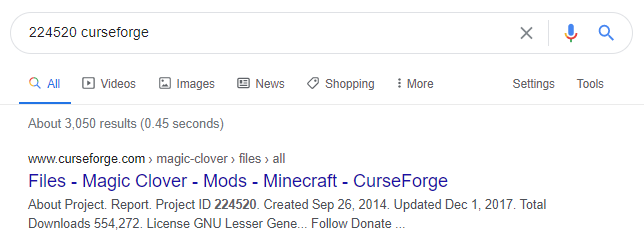
last parcel
google: 224520 curseforge
tacit heart
Did allredy
last parcel
aaaaand?
tacit heart
nothing came up
 tacit heart
then what is it?
 nova basalt
as you can see this is my problem
 potent tartan
nova basalt
as you can see this is my problem
potent tartan
nova basalt
as you can see this is my problem
?mc-path
golden muskBOT
Path too long/Path must be English letters or numbers only fix!
If Minecraft is not installed, start here.
Click the in the top right.
Select Minecraft.
Click "Edit".
Move to the "Continue here:" section below.
If Minecraft is installed, follow these steps.
Click the in the bottom left.
Select the Minecraft tab.
Click "Change".
Move to the "Continue here:" section below.
Continue here:
Make a folder in the root directory called CurseForge.
Select the folder you just made.
The text box should show something like the following:
For Windows: C:\CurseForge
For Mac: /CurseForge
nova basalt
ah thanks
last parcel
i wont think it's anything if you dont say why
vestal sand
i don know why the only thing that changes was the manifest
and i click add and then import already created profile, then it does nothing
last parcel
what is your currently used install path?
last parcel
what happened to making it /curseforge?
vestal sand
oh you mean my minecarft
it dident help so i switched it back for my profiles
its users/dodajin/twitch/minecraft
last parcel
i mean i certainly cant help if you put it back somewhere that it doesn't work for sure, instead of somewhere that it works more often
vestal sand
ok i'll cahnge it but my launcher works now
last parcel
and if it's not working in /curseforge then you need to make a ticket
vestal sand
its working for my other profiles not the modified one
i can send the modified one so you can see if its just my curse or the file
last parcel
well i am completely lost on what is going on then
vestal sand
ok
so launcher is fixed working normally
I tried adding vending to the exported .zip file's manifest.json then re-importing it to test, but it does not add the profile.
last parcel
did you try the one i sent?
vestal sand
yeah, it works
last parcel
i love when two people do the same thing, but in different chats
come on over and have a seat @tacit scaffold
tacit scaffold
Hi
last parcel
When you export your pack it is set up with a specific file structure. If you extract your pack to mess with it, you need to rezip it from inside the folder it makes. OR the better way to do it is to take out only the thing you want to change, then put it back when done.
vestal sand
so i need to do this on windows then
last parcel
or just rezip it properly
tacit scaffold
Ok, i keep having to unzip it because when i export it there are a bunch of mods missing and i have to put them in there manually
But i do rezip the origian folder
last parcel
if you're putting mods in manually it will be rejected
vestal sand
when you mean inside of the folder i dont know what you mean am i dumb
tacit scaffold
But when i export ot there are only like 5 mods instead of the hundred
Is that how its supposed to be?
last parcel
well i dont mac so i have no idea if it's even the same, but when you extract a zip it makes a folder and puts the stuff inside. you need to select the stuff inside and rezip.
last parcel
tacit scaffold
But when i export ot there are only like 5 mods instead of the hundred
if mods are not being properly added to the manifest, delete them and reinstall them with the app. then export again.
vestal sand
oh, i'll try that
last parcel
when you open the zip, the first thing you should see is manifest, modlist, overrides
if it's just a folder you fucked up
vestal sand
ah, i think i may have don it
tacit scaffold
last parcel
when you open the zip, the first thing you should see is manifest, modlist, over...
When i uploaded my zip, it was like that. And it got rejected for not having the manifest.json, so did i get rejected beacause it was missing info because the mod folder doesnt export properly?
last parcel
it got rejected cuz you didnt zip it correctly
tacit scaffold
So i need to zip the manifest, modlist and overides, then zip the folder there all in?
last parcel
...wha?
vestal sand
it worked, thank you yamaza!
 idle sun
Im downloading a modpack and when it finishes it says "Java Runtime environment is missing or out of date" what does this mean and how could i fix this?
last parcel
idle sun
Im downloading a modpack and when it finishes it says "Java Runtime environment ...
idle sun
last parcel
<https://support.curseforge.com/en/support/solutions/articles/9000196081-cursefo...
But i already own java and have it downloaded
tacit scaffold
@last parcel ok one last question, say i made a pack and the mod folder has 100 mods on it, when i export it, is it supposed to have 100 mods?
last parcel
idle sun
But i already own java and have it downloaded
make a ticket then 🤷♂️
?ticket-app
golden muskBOT
:bug: Reporting via the CurseForge App :bug:
-
Click the
icon in the bottom left. -
Select
Open a Ticket. -
Fill out the form with accurate detailed information, "It doesn't work" isn't helpful! What exactly doesn't work and why doesn't it work should be easy to answer!
-
Make sure to upload your Overwolf logs with the
Upload Fileoption on the ticket, information on how to get these logs can be found here https://support.overwolf.com/en/support/solutions/articles/9000176827-how-to-get-your-overwolf-logs -
Submit!
idle sun
Thanks
tacit scaffold
Yea, so when i exported it left 3rd party mods in mod folder like galacticraft
last parcel
that is correct
tacit scaffold
Ok, so i wont mess with zip anymore
I was confused and i was adding all the mods back into mod folder
tacit scaffold
Thanks for help and dealing with my stupidity
 minor rose
I have a problem with loading a mod pack its saying 'Could not verify Minecraft version'. Most of the time it works normally but then it does this sometimes. Any fixes?
last parcel
?mc-installfix
golden muskBOT
- Click on the icon in the bottom left.
- Click the
MinecraftTab. - Click
Changenext to theMinecraft Modding FolderOption. - Select the folder named
Install. - Delete it.
- Restart CurseForge App.
- It will ask to install MC again, do so.
- Play game.
NOTE: You will not lose any modpacks or worlds, These are saved in the Instances folder. DO NOT TOUCH THIS FOLDER OR YOU WILL LOSE EVERYTHING
minor rose
thanks
autumn agate
ignore the union lib error i know how to fix that, but does anybody know how to fix the first error?
 timber pelican
exception of type 'curse.radium.installmanagement.installtaskfailedexception' was thrown
I try download a modpack and this is what i get everytime...
last parcel
autumn agate
ignore the union lib error i know how to fix that, but does anybody know how to ...
means that mod is not the same version as what you have installed, just like the other one
autumn agate
ah okay, thanks for the help
nova basalt
aight another problem came up
this crashes after i hit play
saying i already have a game open (i don’t)
autumn agate
@last parcel theres only 1 version of create tweaker, should i just port the pack to 1.16.5?
last parcel
that isnt a question for me
last parcel
nova basalt
saying i already have a game open (i don’t)
restart your pc, then try to open vanilla minecraft
nova basalt
ok
 copper oxide
When I press start on RLcraft and any other mod it brings me into the launcher fine but I press play and it goes but nothing happens
last parcel
?mc-installfix try this
golden muskBOT
- Click on the icon in the bottom left.
- Click the
MinecraftTab. - Click
Changenext to theMinecraft Modding FolderOption. - Select the folder named
Install. - Delete it.
- Restart CurseForge App.
- It will ask to install MC again, do so.
- Play game.
NOTE: You will not lose any modpacks or worlds, These are saved in the Instances folder. DO NOT TOUCH THIS FOLDER OR YOU WILL LOSE EVERYTHING
last pendant
A lot of these things need to be a single button in the app... Detect if java is installed, determine if MC is incompatible with the modpack, etc. There's never a good reason to have to repeat these instructions to literally every person, it's just a horribly broken system
last parcel
no shit 😄
copper oxide
Java is installed and its compatible but it loads without the modpack
last parcel
there is even a button in the app for it... which does nothing
last parcel
copper oxide
Java is installed and its compatible but it loads without the modpack
?mc-path
golden muskBOT
Path too long/Path must be English letters or numbers only fix!
If Minecraft is not installed, start here.
Click the in the top right.
Select Minecraft.
Click "Edit".
Move to the "Continue here:" section below.
If Minecraft is installed, follow these steps.
Click the in the bottom left.
Select the Minecraft tab.
Click "Change".
Move to the "Continue here:" section below.
Continue here:
Make a folder in the root directory called CurseForge.
Select the folder you just made.
The text box should show something like the following:
For Windows: C:\CurseForge
For Mac: /CurseForge
 slender whale
?mc-could not verify minecraft verison
last parcel
copper oxide
It still loads without the mids
screenshot the vanilla launcher
copper oxide
do i load up the vanilla launcher or go into it with curse
slender whale
it was worth a try lol
last pendant
copper oxide
do i load up the vanilla launcher or go into it with curse
with curse... it installs a new instance of the launcher itself
you can remove the vanilla launcher if you only intend on playing modpacks
last parcel
press play on this one ⬆️
last parcel
okay phil
 golden perch
Hey, sorry to interrupt, but whenever I press play on the modpack, it'll run minecraft.exe for like a second, then shut it down. I tried restarting my pc, uninstalling and reinstalling both java and curse, and nothing worked. Any suggestions?
last parcel
well to be fair, you did got it wrong. that wasnt what the instructions said to do
 solemn zenith
my CureForge is unable to find my modpackWhat I installed from an diffrent device does anyone got an idea how to fix it?
golden perch
Is it a specific save you need?
last parcel
golden perch
Is it a specific save you need?
when you press play on the cf app or on the mc launcher?
golden perch
CF app
last parcel
?mc-installfix
golden muskBOT
- Click on the icon in the bottom left.
- Click the
MinecraftTab. - Click
Changenext to theMinecraft Modding FolderOption. - Select the folder named
Install. - Delete it.
- Restart CurseForge App.
- It will ask to install MC again, do so.
- Play game.
NOTE: You will not lose any modpacks or worlds, These are saved in the Instances folder. DO NOT TOUCH THIS FOLDER OR YOU WILL LOSE EVERYTHING
golden perch
thank you
golden perch
solemn zenith
my CureForge is unable to find my modpackWhat I installed from an diffrent devic...
Do you have a save that you need in specific or something like that?
last parcel
what did you save, where did you put it
solemn zenith
where CF install the MC modpacks
I said it should install on a external drive and when I select it on this device (Laptop) it doesn't detect it anymore
last parcel
there's too many "it"s in that sentence to know what you're talking about
last parcel
oh
last parcel
doubt it
i would go for a pc restart and try again, if not gunna have to make a ticket
solemn zenith
OK in simple: I said that CF should save the files on my seagate under Y:\CURESFORDGE\Minecraft and when I select it at the CF app it doesn't detect the modpacks (my grammar is just on point)
copper oxide
Like a hard pc restart daddy?
last parcel
yes, without daddy
copper oxide
ok
solemn zenith
\😂
copper oxide
Ok so uhm you might have to run me through that I forgot how to hard restart
 last parcel
wat
copper oxide
wat
last parcel
wtf is a hard restart then
 sage pier
Maybe a cold boot
solemn zenith
You press for 5 sec the power button wait 30 sec and then push power button
rofl
that's an hard reboot
copper oxide
what I mean by a hard restart is like everything on the pc resets
last parcel
go downstairs and flip the breaker off
nova basalt
@last parcel ok so it didn’t work
last parcel
?mc-log
golden muskBOT
How to get a Minecraft log file.
Where to find the log on the CurseForge Client.
Right-click the modpack profile icon OR click the button in the modpack profile.
Click Open Folder.
Open the logs folder.
Find the file called latest.log and drag it into discord.
copper oxide
ok so i restarted my pc but it didnt work
last parcel
what it do
last parcel
?mc-installfix
golden muskBOT
- Click on the icon in the bottom left.
- Click the
MinecraftTab. - Click
Changenext to theMinecraft Modding FolderOption. - Select the folder named
Install. - Delete it.
- Restart CurseForge App.
- It will ask to install MC again, do so.
- Play game.
NOTE: You will not lose any modpacks or worlds, These are saved in the Instances folder. DO NOT TOUCH THIS FOLDER OR YOU WILL LOSE EVERYTHING
nova basalt
ah a fellow crasher
last parcel
sometimes i feel like the only one who doesnt crash
copper oxide
Do I have to install this again :(
 gritty wasp
Hey Can i ask how to download the mods i got to forge and im stuck can Somone Help me
copper oxide
wont let me delete the install thing
 urban pulsar
i cant install a mod on the launcher
it says something with path is too long
idk what to do
last parcel
!!=
golden muskBOT
Wording is important!
Forge = Minecraft Forge, This is a modloader often just called "Forge".
CurseForge = A Website/App that has content for games.
Mods = Individual mod files.
Modpacks = Multiple mods put into the mods folder or downloaded from CurseForge.
These are not Interchangeable! Please use the correct terms as it allows us to help you faster!
potent tartan
urban pulsar
it says something with path is too long
?mc-path
golden muskBOT
Path too long/Path must be English letters or numbers only fix!
If Minecraft is not installed, start here.
Click the in the top right.
Select Minecraft.
Click "Edit".
Move to the "Continue here:" section below.
If Minecraft is installed, follow these steps.
Click the in the bottom left.
Select the Minecraft tab.
Click "Change".
Move to the "Continue here:" section below.
Continue here:
Make a folder in the root directory called CurseForge.
Select the folder you just made.
The text box should show something like the following:
For Windows: C:\CurseForge
For Mac: /CurseForge
 solar birch
umm so i want to download a specific mod which is not a mod-pack so i don't know how to get it
potent tartan
?mc-installmods
golden muskBOT
How to install mods in CurseForge App.
- Click
+ Create Custom Profile - Name it, select the required Minecraft version, select the Forge version (usually the highest number), click
Create. - Click the profile icon.
- Click
Add New Content - Search and install the desired mods.
- Start the game!
How to install mods not on CurseForge.
- Right click the profile picture or Open the profile and click the Icon next to the play button.
- Click
Open Folder. - Drag the mod(s) into the
modsfolder. (Note: Some mods will require others, to run. Make sure to read the instructions for the mod!) - Start the game!
solar birch
thabnk you
 hardy epoch
Hey, is there by any chance a API to download server packs?
urban pulsar
ty @potent tartan
hardy epoch
i'm fine if its ratelimited. the plan is to cache either way but downloading every update through the launcher and uploading that is a hassle
copper oxide
yamza
 keen vigil
im trying to install minecraft mods on the curseforge app but it only allows modpack and i dont know what to do
potent tartan
keen vigil
im trying to install minecraft mods on the curseforge app but it only allows mod...
?mc-installmods
golden muskBOT
How to install mods in CurseForge App.
- Click
+ Create Custom Profile - Name it, select the required Minecraft version, select the Forge version (usually the highest number), click
Create. - Click the profile icon.
- Click
Add New Content - Search and install the desired mods.
- Start the game!
How to install mods not on CurseForge.
- Right click the profile picture or Open the profile and click the Icon next to the play button.
- Click
Open Folder. - Drag the mod(s) into the
modsfolder. (Note: Some mods will require others, to run. Make sure to read the instructions for the mod!) - Start the game!
keen vigil
thanks man
last parcel
look up where i mentioned adware cleaner, dont have time to find it atm
copper oxide
Yamza take a guess what happened
I tried deleting everything inside my normal mod file
lemme see if that works
Do i need to install forge?
 peak agate
whenever i try to start a mod on curseforge it says it cant verify the minecraft version and i dont know what to do
autumn agate
is it unrealistic for a modpack size to go from 120kb to 13mb
just from porting it from 1.16.4 to 1.16.5
and adding a few mods
nevermind i have found the uh oh
copper oxide
Im factory resetting my pc ima see u guys on the other side

 long gyro
@autumn agate not at all, a world save will do that
sage pier
 bronze pewter
what do i do about this?
bronze pewter
what do i do about this?
Increase the amount of RAM, like it says
Aand if your computer doesn't have more, there's nothing to do
autumn agate
ok so i ported my pack to 1.16.5 and i got some issues saying that some mods were from other instances or something like that, so i went and downloaded those mods from the curse website. i only had to do this for a few since they arent avaliable for download in 1.16.5 on the app. but it still didnt work, how can i fix this?
last parcel
cant know how to fix anything if you dont say what the issue is
autumn agate
The following files belong to CurseForge-hosted projects, and should therefore not be added directly to zip files:
overrides/mods/armorunder-mc1.16.4-2.0b8.jar
overrides/mods/carrotslib-mc1.16.4-3.0b2.jar
overrides/mods/LostTrinkets-1.16.4-0.1.13.jar
tried getting them from the websites on curse but that didnt work
cant download them on the app either because they dont have 1.16.5 versions even tho they work in 1.16.5
last parcel
delete them and install them with the app. if that doesnt work you'll need to manually add them to the manifest
autumn agate
alright, what do i type in the manifest then
because those mods arent for 1.16.5 in the app yet
last parcel
open it, see how all the other mods are listed, do the same
last parcel
until you are using mods of the same mc version
autumn agate
alright, thanks for the help
I'm trying to install mods for Minecraft for the Java Edition, but it keeps telling me I have to use an older version of Forge despite having already the latest version.
last parcel
show the error
autumn agate
how do i find a file id for a mod
last parcel
mod page
autumn agate
thats project id, not file id
waxen pine
When you click on a file to view it's web page the file ID will be at the end of the URL
Same thing rlly
 verbal mica
when i try to play a modpack (skyfactory 4) through curseforge overwold launcher it says could not verify minecraft version, i played the modpack yesterday with no issues and havent changed anything
autumn agate
what is the addon 242247?
 opaque schooner
im trying to delete RLcraft to free some space but every time i go to delete it it says one or more problems occured. How do I delete modpacks?
 rugged heart


 tender spear
i need help i got a pc about 2 weeks ago and i have had problems launching minecraft modpacks. java has been installed and forge. it comes up with exit code 0 when i try to launch a modpack
 spiral zenith
hi everyone whilst using mod i screenshotted and WHERE DO THEY GO LMAO please help
coarse elm
opaque schooner
im trying to delete RLcraft to free some space but every time i go to delete it ...
Restart the computer.
coarse elm
tender spear
i need help i got a pc about 2 weeks ago and i have had problems launching minec...
!mc-installfix
golden muskBOT
- Click on the icon in the bottom left.
- Click the
MinecraftTab. - Click
Changenext to theMinecraft Modding FolderOption. - Select the folder named
Install. - Delete it.
- Restart CurseForge App.
- It will ask to install MC again, do so.
- Play game.
NOTE: You will not lose any modpacks or worlds, These are saved in the Instances folder. DO NOT TOUCH THIS FOLDER OR YOU WILL LOSE EVERYTHING
coarse elm
spiral zenith
hi everyone whilst using mod i screenshotted and WHERE DO THEY GO LMAO please he...
Game screenshots are collected in the screenshots folder for that profile.
spiral zenith
ty @coarse elm but can u send a vid please i really need help ;-;
golden muskBOT
How to get a Minecraft log file.
Where to find the log on the CurseForge Client.
Right-click the modpack profile icon OR click the button in the modpack profile.
Click Open Folder.
Open the logs folder.
Find the file called latest.log and drag it into discord.
coarse elm
Follw the first to steps of that and find the screenshots folder.
clever grove
now my minecraft modded verison
coarse elm
nova basalt
yeah its still crashing
!mc-logs
golden muskBOT
How to get a Minecraft log file.
Where to find the log on the CurseForge Client.
Right-click the modpack profile icon OR click the button in the modpack profile.
Click Open Folder.
Open the logs folder.
Find the file called latest.log and drag it into discord.
nova basalt
oh
when i do that tho, it just takes me to documents
wait i found it
@coarse elm do you just look at it or am i missing something?
last parcel
did you add a mod to this pack?
last parcel
?mc-installfix
golden muskBOT
- Click on the icon in the bottom left.
- Click the
MinecraftTab. - Click
Changenext to theMinecraft Modding FolderOption. - Select the folder named
Install. - Delete it.
- Restart CurseForge App.
- It will ask to install MC again, do so.
- Play game.
NOTE: You will not lose any modpacks or worlds, These are saved in the Instances folder. DO NOT TOUCH THIS FOLDER OR YOU WILL LOSE EVERYTHING
last parcel
try it again
nova basalt
cant argue with that logic
coarse elm
Remove phosphor and any other mods that are "performance" related.
nova basalt
oh it wont let me it delete install this time
last parcel
restart your pc
 prime spruce
I downloaded a modpack and I drag it into my mods folder, hop onto mc using the version I put the modpack in but I don't see the mods when I check the mods folder in game? I tried extracting the .zip but it didn't change anything.
I downloaded it on the website, since for some reason the client (CurseForge) doesn't seem to let me install any modpacks. It will always say Web client error or Download timeout.
last parcel
nova basalt
crashed for a 3rd tim
?mc-path
golden muskBOT
Path too long/Path must be English letters or numbers only fix!
If Minecraft is not installed, start here.
Click the in the top right.
Select Minecraft.
Click "Edit".
Move to the "Continue here:" section below.
If Minecraft is installed, follow these steps.
Click the in the bottom left.
Select the Minecraft tab.
Click "Change".
Move to the "Continue here:" section below.
Continue here:
Make a folder in the root directory called CurseForge.
Select the folder you just made.
The text box should show something like the following:
For Windows: C:\CurseForge
For Mac: /CurseForge
 stray onyx
Yo Yamza you fine with me DMing you for some info a real quickie?
last parcel
go for it
nova basalt
@last parcel i did that too
golden muskBOT
:bug: Reporting via the CurseForge App :bug:
-
Click the
icon in the bottom left. -
Select
Open a Ticket. -
Fill out the form with accurate detailed information, "It doesn't work" isn't helpful! What exactly doesn't work and why doesn't it work should be easy to answer!
-
Make sure to upload your Overwolf logs with the
Upload Fileoption on the ticket, information on how to get these logs can be found here https://support.overwolf.com/en/support/solutions/articles/9000176827-how-to-get-your-overwolf-logs -
Submit!
 craggy wren
Hi! When I try to start my modpack on 1.16.5 I have this:
I'm using overlwolf launcher (curseforge) for this
Please ping me if I get answer
last parcel
craggy wren
mod dev needs to fix that
 jade gulch
how do i download mods rather than mod packs from the client?
 remote mortar
The forge website
golden muskBOT
How to get a Minecraft log file.
Where to find the log on the CurseForge Client.
Right-click the modpack profile icon OR click the button in the modpack profile.
Click Open Folder.
Open the logs folder.
Find the file called latest.log and drag it into discord.
 pure zodiac
http://prntscr.com/xbqpc4 this keeps popping up whenever I try to download pixelmon can someone explain how can I download it without this issue
 prime spruce
I have that issue too
coarse elm
pure zodiac
http://prntscr.com/xbqpc4 this keeps popping up whenever I try to download pixel...
!ticket-app open a ticket. Ask for a longer timeout period and mention my whole name in it.
golden muskBOT
:bug: Reporting via the CurseForge App :bug:
-
Click the
icon in the bottom left. -
Select
Open a Ticket. -
Fill out the form with accurate detailed information, "It doesn't work" isn't helpful! What exactly doesn't work and why doesn't it work should be easy to answer!
-
Make sure to upload your Overwolf logs with the
Upload Fileoption on the ticket, information on how to get these logs can be found here https://support.overwolf.com/en/support/solutions/articles/9000176827-how-to-get-your-overwolf-logs -
Submit!