#Mod Development Discussion/Help
1 messages · Page 7 of 1
 hollow pewter
 deft bane
You know, have we made a modding step-by-step yet?
hollow pewter
I don't believe so. I started a modding guide for the wiki a long while back, but it's very basic being a (very confusing) thing on mod mains and setup for getting mods to work in the editor OOTB
 little pine
yup afaik thats the only one available, it's what i found when i was looking for stuffs too since its on the wiki
little pine
the SRA-08 needs their docking arm strength increase a bit, when you are docking unless you dock extremely slow, you have to use RCS to stop yourself after interfacing because otherwise you will drift out of the arm
 granite robin
little pine
the SRA-08 needs their docking arm strength increase a bit, when you are docking...
granite robin
little pine
the SRA-08 needs their docking arm strength increase a bit, when you are docking...
Eh I think it's same for all Obontos if your ship has a high mass. But I don't know, maybe SRA-8 uses different arms
hollow pewter
It's the arm specifically when attached to a station with no rotation, same thing happens with phages
little pine
yea rotation helps a lot with keeping you connected, i figure that could be a little quirk of the station since its under construction
little pine
this ship is a bit overtuned, it is from IoE

i wonder if i actually fill it up, how difficult would it be to fly lol
hollow pewter
yeah, was mentioned not too long ago in another chat, stats are false, see here: #delta-v-spoilers message
little pine
it's getting better, for some reason when i put a groovejoint2d on the top part of the mouth, it cause the physic engine to go jank
 granite robin
Back to it, got dealer promotional images set up.
@hollow pewter once you are free mind helping with adding wesponslots using HevLib?
 granite robin
 nova prawn
Is that a fungus
nova prawn
Is that a fungus
#1252866978075512863 message
Yeah I see that glow is too bright here, easy enough to change
hollow pewter
granite robin
Back to it, got dealer promotional images set up.
<@895127161650962552> once you...
I've got a moment before I'm free, but may as well ask now what you want the hard point to be capable of fitting?
granite robin
hollow pewter
I've got a moment before I'm free, but may as well ask now what you want the har...
So I need 2 types of hardpoints for this ship, the front that fits MWG, PDWMG, PDT, maybe drones not sold on how they look on it and other low-stress like hardpoint that excludes MWG, PDWMG, PDT.
granite robin
granite robin
https://discord.com/channels/426287934870781952/1252866978075512863/141431904726...
Fixed it, turns out my normals were inverted.
 hollow pewter
granite robin
So I need 2 types of hardpoints for this ship, the front that fits MWG, PDWMG, P...
hollow pewter
granite robin
So I need 2 types of hardpoints for this ship, the front that fits MWG, PDWMG, P...
Also should ask, considering it'll affect what I make, are there any side hard points or are they all central?
granite robin
hollow pewter
Also should ask, considering it'll affect what I make, are there any side hard p...
First that fits PD is central, other are side hardpoints
hollow pewter
try these. it'll add three slots by default with this, but it should be enough to extrapolate from
and to make it easier, these are the weaponslot types & display names:
- Central: slot type:
sailCenter, display string:SLOT_SAIL_CENTER - Left: slot type:
sailLeft, display string:SLOT_SAIL_LEFT - Right: slot type:
sailRight, display string:SLOT_SAIL_RIGHT
granite robin
hollow pewter
and to make it easier, these are the weaponslot types & display names:
* Central...
Thanks! Works fine on steam version but not using godot editor, do I need to set up something in modloader?
hollow pewter
Iirc the only thing that prevents it is if the mod folder it's stored in is commented out in the mod loader script. Lemme take a look rq so I can be more definitive with that
ok, so it'll only block it if there is a line in the addedMods variable of the modloader containing the mod's root folder (the one below res://) that has it's line beginning with a hashtag
this screenshot should make it a little more obvious. despite IoE being set to load, because there is a commented out line with the same mod folder in the variable, it'll still blacklist it and not load from that folder


 hollow pewter
granite robin
Yeah weid, well will test it without godot
hollow pewter
granite robin
Yeah weid, well will test it without godot
Ok, I think I actually see the issue with it. Doesn't look like the other modmains for HevLib are being loaded
You need these three others as well, the equipment one specifically will be why it wasn't working
"res://HevLib/scenes/keymapping/ModMain.gd",
"res://HevLib/scenes/equipment/ModMain.gd",
"res://HevLib/webtranslate/ModMain.gd",
loves the leopard print
 marsh seal
hollow pewter
marsh seal
hollow pewter
iirc it stands for "mean time between failures", basically how long you'd expect the equipment to last before requiring repairs
hollow pewter
Spoiler for a neat little project that I'm working on in the sidelines. Likely gonna release tomorrow or the day after (finalizing up a few quirks), but it's something absolutely broken so I think people will have fun with it. (Also using phone camera bc wifi cut out and had to use cellular for this, but it adds to the mystery >:D)
 granite robin
hollow pewter
Spoiler for a neat little project that I'm working on in the sidelines. Likely g...
granite robin
hollow pewter
Spoiler for a neat little project that I'm working on in the sidelines. Likely g...
Non metric hud truly makes it a mystery.
hollow pewter
:D
little pine
oh boi salvaged singularity tech into a vessel?
ganymedians better watch out
i've been thinking about hijacking the singularity gravity code for a mining tool, but hasn't got around looking at it yet
i am very curious about the thruster layout though
granite robin
little pine
i am very curious about the thruster layout though
Looks same as npc version to me. What is interesting to me is how anything can fit into this cursed Voyager processing area

 little pine
Hev could you point me to where damage calculation/durability is set? not quite seeing where the logic or the variable is. What does friction do?
hollow pewter
mind if i ask what you're specifically looking at? (although, my guess by friction is that you're looking at the arm code, after a second look, you're more likely referring to friction properties of some physics nodes, i'd need to know the node specifically so i could take a look, although i'd assume at a glance that it'd be resistance to movement of the object)
anyway, for the question as to where they're set, damage is directly being set with the changeSystemDamage() function of ship-ctrl.gd, however that's just for setting the damage variables, the calculation for the variables provided to that function is entirely dependent on the equipment.
however for damage types that are dependent on external factors (i.e. collisions, accel, etc.), they're called from signals connected to the ship control script (which provides the following signals: damageImpact, damageAcceleration, damageThermal, damageEMP, and damageRadiation), which searching for any of those should let you know which (if any) functions will accept damage from those types. For stuff that accumulates over time like wear, that's usually calculated within the equipment's script.
little pine
hollow pewter
mind if i ask what you're specifically looking at? (~~although, my guess by fric...
It was for the physic material for each ship, i noticed that for the claw it's higher and for every ship its the same
so i was just wondering if that's hardness or used to determine which object is damaged
hollow pewter
i haven't really given it much of a look personally for excavator or beak code, but i'd assume it's to make it open much slower than other ships
little pine
so my original goals were these
concept: -refit the EIME for ring operation (armor plate or change material) -tune reactor down for reasonable use -redesign the cargo door/hold -unique modification allows utilizing heat produced to process ores -stock repair drone
now that i ive fixed the cargo door and moved the RCS, im trying to tune the reactor and make it a bit more durable. this isn't all that pressing since i wasnt sure that model E is even more fragile anyway
the repair drone can be added with the new hevlib update so that one i'll do last. I'll probably scratch the heat using part, thinking about it again it doesnt seem very useful
hollow pewter
if you're making an entirely custom ship, don't bother using hevlib to add nodes and just straight up add it to the ship directly
little pine
if you have any opinion on the RCS layout id love to hear it. I just declustered the thrusters by moving the T/B part inward and stop the horizontal one from poking out
 hollow pewter
honestly, don't really have much of an opinion on it just looking, i'd need to know if it actually makes a difference first ofc
little pine
i am not sure myself, i changed the angle a bit and made its profile much smaller, that part would be difference for sure as you get a bit thinner horizontally, thruster position would help with collision since its no longer clustered in 3 outward. On handling i would have to fly it more ive only tested it in tuning
i considered moving the lower thrusters to the back corner like this to make use of a better gimbal angle, although im unclear on that neither

 hollow pewter
so i guess i'm now a recognized modder on nexus... and i get an adblocker as a result lol (which i almost certainly definitely wasn't using already)

(you can also tell how much i actively check this site considering it was just over 2 days ago at this point)
hollow pewter
Yeah, absolutely do not blame you. I've never used it as an end user, but as a developer it sucks ass (I have literally used this as a reason to put mods on update limbo to send them to the GitHub pipeline to make it easier for me), just i do it because it's easier than GitHub for some people, and makes for a wider outreach.
nova prawn
Mhmmm
Every time I HAVE to go to nexus mods to download a mod for MW5 I can’t stop myself from thinking “Man I really wish that I was allowed to actually use the internet speed I’m paying for”
hollow pewter
For dV it doesn't matter too much, the largest mod for it on the site is 16mb, but for mods in the hundreds of megabytes or even up to gigabytes, 3 Mbps is absurd
Honestly at that point, you'd probably save time looking for a mirror download from elsewhere
hollow pewter
30 at that speed?!?! That's criminal
nova prawn
I use steam instead - the MW5 community does not seem to understand why.
hollow pewter
[insert specific brainlet wojak here]
 candid summit
Which Godot engine version do I need? 3.6.1?
hollow pewter
3.6 also can work, but 3.6.1 should have a few extra editor features
candid summit
thank you
hollow pewter
hollow pewter
Yeah, absolutely do not blame you. I've never used it as an end user, but as a d...
i suppose another reason to have nexus as a provider (a la this review #steam-reviews message), is probably an easier method for non-english speakers too, considering the site is more than likely localized, and i'd guess it's easier to do than trying to translate a github page and then figure out where to download stuff as it's not as obvious where that is if you haven't used github before
 hollow pewter
I'm going to assume that the forwarding is from a DM?, but this is a very weird case, as what i can see in this is a bunch of improperly formatted ini configs attempting to be parsed, followed by what I presume is a zipfile failing to open, with the last line in the engine log saying that a file stored in the Delta-V.pck file cannot be opened, which I presume is what causes the crash
unfortunate thing is that the log isn't very verbose, so i can't say what is failing to load, which isn't very helpful at providing a lead
good thing that you were able to get a link though, as i'm looking through the bug report form and neither a link for the save folder nor mods folder were provided
problem really is considering this is an issue with the game's PCK, I cannot use the debugger to figure out the issue, although to me sounds like it's corrupted
 vagrant spade
i'm running almost the same mods and im having the same problem with the crashes as well, very annoying.
hollow pewter
ok, i've found the source of the issue. i'm currently doing a reorganization to the pointer system to make it easier to read verbose logging and then i'll get on to the issue of missing equipment
vagrant spade
 hollow pewter
I've created a set of guides that should be sufficient to aide with anyone struggling to install mods.
Unfortunately these won't be all-encompassing right now for a couple of reasons: A) I do not have the game on itch.io or Epic, so there are no launcher-specific guides for those, and B) I do not own a Mac, so no guide currently describes setup for it outside of Steam or GOG specific setup, which is especially problematic considering it has a different folder structure to Windows or Linux. If anyone would be willing to provide info for either case, it would be much appreciated.
Steam installation guide:
https://github.com/rwqfsfasxc100/Delta-V-Useful-Files/blob/main/how to/steam installation.md
GOG installation guide:
https://github.com/rwqfsfasxc100/Delta-V-Useful-Files/blob/main/how to/gog installation.md
Generalized installation guide (command line, batch):
https://github.com/rwqfsfasxc100/Delta-V-Useful-Files/blob/main/how to/general installation.md
vagrant spade
not really sure which mod caused this
 granite robin
vagrant spade
not really sure which mod caused this
granite robin
vagrant spade
not really sure which mod caused this
I think that's Derelict Delights and webtranslate from HevLib not doing something correctly.
Hmm can't find these, Maybe you are on outdated version?
hollow pewter
The translation does exist as a part of VelocityPlus, as it's a part of the variated contacts, so I'll see if something is messed up with the formatting. I did remove the use of WebTranslate as a stealth patch this cycle, so maybe a regression there
hollow pewter
actually, yeah looking at it that's the most probably cause as I guess i forgot to instance the translation files for it after removing WebTranslate
i'll fix it later when i'm able to
 naive patio
Was I pinged here?
granite robin
naive patio
Was I pinged here?
Yeah but I removed message since I created proper thread
naive patio
OHHHHHHH, got it 🤣
 gaunt jewel
@hollow pewter so I've done a lot of looking and I don't think this is an easy fix. I'm going to fix my mod setup and start a new save, it's likely the same issue will reoccur. References to the problem ship do persist in the save export (sold ships, transponders, probably the hash to some degree), but ultimately I don't think I can clean the save without probably messing other stuff up. Definitely not any of your mods faults though, totally on me for uninstalling a mod and just crossing my fingers that it wouldn't be a problem later.
hollow pewter
well, you can't exactly say that it's not an issue with my mods. given the issue still persisted after disabling the mod you thought was an issue, i think that makes it more than likely it is an issue with my mods
gaunt jewel
Yeah, sort of. So I regenerated the cache and the cfg (and each seperately, also tried using older ones from backups). Whatever the game is loading that triggers the CTD is in just the save file. I'm not convinced the save editor mod is exporting 100% of the data into plain text 1:1 so if there is something it can't see, I don't know how to verify that. However, given that I had a similar CTD when I first uninstalled the mod (because the modded ship was in the dealers inventory. Went on a dive to reroll the list, then re-uninstalled it), It makes sense that some part of that data is still around, and via some properly functioning mechanism in the game or your mods, it's trying to access that again and getting errors on return. But the fault still lies with me, essentially.
I unpacked the game, went through the godot manual for the CPP class to understand the error (the engine logs are only returning <STRING>: 64:, no path given), the mods files, the HEV and mod menu cache files, ect. I'll fill the form and send you the files still, but I do think it'll be a waste of time.
hollow pewter
the String: 64 issue is something to do with the way configs are loaded, I don't know exactly what or why it's doing that considering the same doesn't happen when launched through the editor, but it doesn't cause problems by itself so I wouldn't worry about that.
I suppose I should also give a bit of info for the way ships are handled, if the game cannot find it within the ship registry, it'll skip it without issue. The only time it is an actual issue would be if the ship was the active vessel, as it assumes that the selected vessel can be loaded, and crashes when it doesn't find it
gaunt jewel
Yeah. It crashed returning from a dive in the OCP:DD from IoE, with one of those OCP-TRTL mixes in tow, but it's also connected to a crew agenda, and so on. I'm working on the form and stuff, just want to be thorough and follow the steps. Rechecking my save exports to see if it thinks my ship is something else.
gaunt jewel
AHA
I figured it out
under "currentCargo" there was a blank "", and under "currentCargoComposition" there was a null.
I think it was because I was towing back a ship, since the currentCargoBy was attributing it to the derelict
gaunt jewel
@hollow pewter submitted the form. Only thing I didn't mention in the form is that I've used your NTCED updates for mod.manifest and mod_checker_script.tscn, but I don't think that should be relevant to the issue, but who knows.
just the ones post september 03 when they used your last pull request
hollow pewter
sweet, ty. just a quick question, which save is the one you're having issues with so i know which one to copy over?
gaunt jewel
top save
hollow pewter
gaunt jewel
under "currentCargo" there was a blank "", and under "currentCargoComposition" t...
yup, this appears to be the direct issue. don't know if it's the derelict, as I've never seen that sorta behaviour, but i'll give it a look as to what happens when you do bring back a derelict
hm, not that. derelicts don't appear in the list

since this is directly related to what's displayed on the end dive screen, perhaps you picked up an oddity that was added via a mod, and wasn't saved for whatever reason?
gaunt jewel
my best guess is that it was kind of a weird 'lost child/sibling' event. It came hurtling toward me outta nowhere, and when they triggered the whole 'that's the x!' false transponder trigger, they didn't follow up with the usual EVA swap steal tonnes of remass and return to station bit. I thought it was because I'd already hooked it with the arm, so I returned manually and it crashed on loading the station. Could be unrelated, just a bit of weirdness.
hollow pewter
hm, that is weird
gaunt jewel
it did say I'd acquired the 'true' name ship, but even on the save export it's using the false transponder ID
glad it's fixed though, also means my whole save isn't bunk because of the mod I uninstalled. I did clean out any references to it from the soldships, transponders and hashes, although I doubt that mattered.
hollow pewter
yeah, the crash is literally because there's a blank and null entry in the cargo data
i haven't tried to fix it myself, but considering that's the first thing to break after loading save, i'd say it's the most likely fix
gaunt jewel
so how are you seeing the process where things break? I went through so many logs but the only errors I saw were the <string>:64 in the engine.log
Is there a way to step through the code in godot?
hollow pewter
yeah, you do need to manually force mods to load, but it's not too hard to do that. using the editor also does not produce the config error, but since I haven't seen any difference in behaviour it's low priority
gaunt jewel
yeah no worries. I saw your guide on the wiki for loading mods via the editor
I was just hitting that point where swapping to the backup I'd made the day before was faster than figuring out godot and trawling through the project code for answers
I can read a bit of code, but I get lost very fast when it comes to scopes and referencing across a whole project
hollow pewter
yeah that's fair, luckily it'll show you exactly where the crash occurred if it's a problem with the code
ok, just removed the blank and null entries from the cargo, and the save loads a-ok, so luckily it's a quick fix
hollow pewter
here's the save too, if it saves you the trouble
gaunt jewel
thanks for your help on steam too lmao, I'm payne on that
hollow pewter
ah, yeah ofc. I do try to help as much as possible, so it's my honor lol
 wind bramble
Is there a console in the game?
How do I know if the mod was imported successfully?
hollow pewter
There is a console, but it won't display the info you need when it becomes accessible. The best way to see would be to open the game's log 0 file (which is what the console reads from anyway). The mod loader info will be in the first handful of lines, and should tell you if it loaded successfully (also forgot to clarify where it is, being at %appdata%/dV/logs/dv_log_0.txt)
wind bramble
hollow pewter
There is a console, but it won't display the info you need when it becomes acces...
I don't understand, everything is going well everywhere, but the ship still isn't listed for sale. What could I be doing wrong?
hollow pewter
wind bramble
I don't understand, everything is going well everywhere, but the ship still isn'...
do you mind sending me a zip file containing your mod at all, perhaps I could give it a look to see what you may have missed?
wind bramble
hollow pewter
do you mind sending me a zip file containing your mod at all, perhaps I could gi...
I'm a complete newbie and just started this a couple of days ago, so please forgive me for any mistakes or omissions.
hollow pewter
ok, so by the looks of it, not a bad attempt all things considered.
first thing's first, you do need to remove this line (or at the very least cut it out), as you don't have any Upgrades.tscn file to add, it'll attempt and fail to load it, and I'd presume this is directly the issue with it not loading
 wind bramble
hollow pewter
first thing's first, you do need to remove this line (or at the very least cut i...
wind bramble
hollow pewter
first thing's first, you do need to remove this line (or at the very least cut i...
I tried different ways, at first I used import as in the Heavycotton mod
This attempt was to make it like it was in the eime-m mod
hollow pewter
yeah, probably the better mod to use as a template as heavycothon is a very old mod, and i've heard from others it doesn't work completely
only other thing I can see is that you'd want to switch out the load to that of your ship, which means it should be load("res://my_nova_ship/Starship_Nova.tscn") as what you had previously was pointing to the EIME_M ship
 wind bramble
Oh, I missed a line. I'll try what you said right now.
Unfortunately, it is not visible in the store(
hollow pewter
you may need to skip some time, as it likely won't be available immediately. I find skipping time with the 7 day hotel is good enough to cycle a large number of the ships in the dealer
wind bramble
hollow pewter
you may need to skip some time, as it likely won't be available immediately. I f...
Yes, that's what I do.
For a long time now I can’t understand why this is so. Maybe the game itself doesn’t like the scene?
hollow pewter
try this zip instead, I was able to get it to work, so might be a miscommunication somewhere
 wind bramble
hollow pewter
try this zip instead, I was able to get it to work, so might be a miscommunicati...
wind bramble
hollow pewter
try this zip instead, I was able to get it to work, so might be a miscommunicati...
woooow
wind bramble
hollow pewter
try this zip instead, I was able to get it to work, so might be a miscommunicati...
You are my hero, where was my mistake, besides those lines?
hollow pewter
i couldn't really say, might have been the folder structure that you stored the mod in, or the image files weren't properly stored. I am yet to try the mod in a release build, so there might be some difference somewhere
the ship is also really bright, so might not be properly suitable either. i'll see if i can make a few extra fixes and do some more testing and i'll get back to you with something more suitable
wind bramble
hollow pewter
the ship is also really bright, so might not be properly suitable either. i'll s...
It's my mistake, it's just a prototype.
Odd, your .zip still isn't showing up for me. Heavycotton might be causing a conflict. I'll try without it.
hollow pewter
there probably is an error somewhere on my part as well, i'll see if i can fix it
try this one. I believe the issue was that the game doesn't recognize .png images directly, rather it has to convert them to a stream texture and is put in the .import folder. Since the mod zip doesn't contain this, and only the engine does the conversion, the mod likely failed to load due to being unable to find the images.
I've copied the .stex files (the converted images) to the mod folder and changed the file paths to them within the ship scene. This should work properly now, so please let me know if it does
wind bramble
hollow pewter
try this one. I believe the issue was that the game doesn't recognize .png image...
Yes, everything works. I'm literally jumping for joy))
So it turns out that you first need to convert the images and then attach the .stex to the scene?
And if it's not too much trouble, could you tell me how to convert them? I'm building this ship, and I'll need a conversion method.
hollow pewter
conversion is done automatically by godot, you'd just have to copy them from the .import folder, which you'd want specifically the .stex files

then to make the change to your ship's scene, this is the change made (first image is from the old scene, second image is from the new scene). this effectively involves changing the image path to the new files, and changing the type from Texture to StreamTexture

 wind bramble
First, link the png to the scene. The .stex files will appear. Place them in the mod and change the path and scene type.
Did I understand everything correctly?
Sorry, I'm using Google Translate.😅
hollow pewter
almost, the images will convert by being in the filesystem and having the project open in Godot (you may need to have it as active window as well)
hollow pewter
wind bramble
Sorry, I'm using Google Translate.😅
that's fine, i figured as such
wind bramble
So there is no need to connect to the stage, thank you
hollow pewter
yup, just the converted ones will, so it may still be beneficial as it'd be a lot less work adding the reference as all the hard work is will have been done for you
wind bramble
You helped me sooo much, you are an incredible person
hollow pewter
of course, plus it's always nice to see another person interested in making mods
wind bramble
hollow pewter
of course, plus it's always nice to see another person interested in making mods
Is it normal that I can't run Godo with .stex files?

scene
hollow pewter
Looks to me that the file isn't named correctly, as the full path has be exactly the same to the file on disk. Try right clicking on the respective .stex files and copying the path
 somber pebble
need some help getting random game crashes during mining, pls help 🫃 wanna play full moded game but no luck so far
in the engine_log just mass spam of same 2 errors, nothing else:
ERROR: (Node not found: "Game" (relative to "/root").)
   at: Node::get_node (scene\main\node.cpp:1512) - Method failed. Returning: nullptr

ERROR: ConfigFile parse error at <string>:45: Expected value, got ERROR..
   at: ConfigFile::_parse (core\io\config_file.cpp:280) - ConfigFile parse error at <string>:45: Expected value, got ERROR..
dv_log attached
mod list below
also have 4k textures dls
maybe it's just some mod compatibility stuff idk
AcheetaDeez
AchieveDeez
BootlegERM-420
BootlegPDT-Laser
DerelictDelights = 2.1.3
HevLib = 1.9.12
IndustriesOfEnceladusRewrite = 2.5.15
MIsForMPU
Moar.RADARs
ModMenu2 = 1.0.2
MoreMinerals = 1.4.0
NTCED.Parts.Pack = 1.1.2
TreasurePlanet-TorpedoBoat = 0.2.1
VelocityPlus = 1.1.8
upd1: also all mods was added to existing save, i didn't see any requirement on any mod to start a new game but still, if you 100% sure thats the issue let me know
upd2: also have non english game language selected, if you 100% sure thats the issue let me know
hollow pewter
somber pebble
need some help getting random game crashes during mining, pls help 🫃 wanna play...
Unfortunately these logs aren't enough to go on, if you're ok with it do you mind filling out this form at all? Don't worry about specifying a mod, rather it's the information you'd submit being the important stuff
Google Docs
This form is used to keep track of bug reports for any of my mods. Anything that you may see as problematic should be reported here. You may still report bugs to the Github or Nexus pages, however I will always prioritize reports made here beforehand, regardless of how critical for the sake of keeping it organized and in a fashion where everythi...
somber pebble
somber pebble
need some help getting random game crashes during mining, pls help 🫃 wanna play...
tried to recreate this stuff and this shit happened, seems like THI container got bugged or something and started taking damage (you can tell by my drones that started to repair it) and exactly when i open J my whole ship is DYING
and it's fixed when i disconnect containers
https://youtu.be/-T2-jbFkuss
jesus crist
 somber pebble
tried to recreate this stuff and this shit happened, seems like THI container go...
somber pebble
somber pebble
tried to recreate this stuff and this shit happened, seems like THI container go...
i assume it's the combination of nd-pntrm moded thrusters and those moded containers that causing this hell
hollow pewter
It's specifically those containers, they're too large for the area given to them and as a result get shoved into the hull with their default positioning
somber pebble
maybe that what caused the crash but it was not taking damage 2 last time i tried to fly this bug monster
hollow pewter
It's not really something that causes a crash, but without sufficient info on it, it's not exactly the easiest thing to pinpoint as a cause
somber pebble
hollow pewter
Unfortunately these logs aren't enough to go on, if you're ok with it do you min...
sent you the form with all files
sry didn't mentioned in the form, it's 3th save i'm playing "candy crush", first 2 is really old ones
hollow pewter
somber pebble
sry didn't mentioned in the form, it's 3th save i'm playing "candy crush", first...
ok, so giving this a proper look rn. you say that the crash just happens randomly?
somber pebble
all 3 times i was just mining
so my best gues something related to moded pd laser, or other moded modules or interaction with modded ore, ok to many options idk
hollow pewter
yeah that's the unfortunate part of this
also, if you don't mind me asking, is the save folder from right after a crash at all?
somber pebble
somber pebble
tried to recreate this stuff and this shit happened, seems like THI container go...
no i think i made this run, exited and sent archive
not sure tbh
hollow pewter
ah ok, i suppose it checks out. if and when you get the crash again, do you mind sending me a zip of it again? there might be things that are different between your game and the test i'm doing rn, and I just want to make sure
there are a couple of other things i discovered that I can work on while I leave the game running, as it turns out the KRB-500 isn't properly setup for use on the titan, and completely misses the excavator, so I can at least solve that and the containers
somber pebble
np will do right now, so far i excluded ntced drones since it also crashed in the same mining scenario when mod was disabled, also the container stuf since it crashed whithout them an hour ago
hollow pewter
i've gone through nearly an entire tank of drones with no luck myself, but a weird occurance did happen. i've never seen a preprocessor jam up a bay before now

 somber pebble
ok next one
where is my replacement container, i'm exactly on the spot, nothing
steps that i made:
- found random empty container, attached
- filed it up at let it go, selected i need replacement - 1st empty monocargo shows up on nav
- realized that this UIO container that i found don't fly anywhere by my command, attached it back
- let go of another my container, selected i need replacement - 2nd empty monocargo shows up on nav, at the same time 1st one just despawned on nav
- get closer to 2nd one, nothing
 hollow pewter
that's an issue that's been in the works on a fix for a while. the entire reason it happens is (pretty obviosuly from the issue at hand) that I had to make hacky use of the astrogation system to make the event spawn nearby. i've got things in place to fix it, but there's a pile of other things i need to fix before i'll release an update
somber pebble
it's because of UIO container or because i spawned 2 replacement ones?
hollow pewter
it's because you spawned two, the event that spawns the container is suppressed because there's an equivalent event in the near vicinity, and won't appear until the container leaves the area
somber pebble
ok ty
somber pebble
hollow pewter
it's because you spawned two, the event that spawns the container is suppressed ...
ok after i returned to base and back to it it appeared but it's not flying
i attached it, filled with stuff, ordered to go back, it's just afk
i assume it's because it's "UIO" and technically not mine container
hollow pewter
it should still claim the ore as yours, but my best guess is that it never rebooted when it got claimed. i do have a good idea what could be a reliable fix for it, so i'll look into it
somber pebble
hollow pewter
it's because you spawned two, the event that spawns the container is suppressed ...
ok idk how to properly use the replacement container stuff for it to actually work
i requested only one, still same issue, just empty nav marker
I had 2 containers on their way out to station and i have 1 UIO container on me from previous marker
hollow pewter
that previous one would be blocking the spawn of it, as you can only have one replacement sourced container at once due to them all being considered events. it should work more intuitively after the next update to that mod, as i've got a method to bypass that now
somber pebble
it seems like it spwns only when you travel to it via nav, but since nav marker is to close you need to travel away from it first🫃
Btw no crash for an hour so im 60% sure it's something with "more minerals" since i disabled it
hollow pewter
could be, the version you're using is very much a patch job to get a working version since the requirements for the old mod no longer are available
somber pebble
The only logs before every crash is mineral chunks despawn events so i gues thats it
hollow pewter
could be, i suppose that is something to test for at least
ok, you'll be happy to hear this, but i've just tested the new container code and it works with spawning several containers in the same area
they also startup and fly away as intended too, so there's that as well
 reef trail
.,.
I'm trying to follow the guide for installing mods now, but the game just started to close from MM2 and HevLib
.,.
help pls qwq
hollow pewter
are you using mods downloaded from the Code -> Download zip method at all?
reef trail
yip
hollow pewter
ah, that's why then. you'd need to download from the releases, as github uses a weird folder structure when downloading like that
this is where you'd need to go
 reef trail
sry...its 3 am ,im kinda sleepy .,.
hollow pewter
it happens, and you're not the first either. does not help that github isn't the most user friendly
granite robin
Is there way to damage specific component in dive? Tired of banging into rocks for testing.
hollow pewter
i don't think there's anything currently, I haven't made any menus or anything for that at least. you'd probably want to do an iteration through ship.getSystems() and then use ship.changeSystemDamage() to cause damage.
there's a few signals that you do need to emit after performing that, so might be worth looking at the fixSystem function in SystemShipRepairUI.gd, plus it'd give you an idea as to how that function is used too
honestly, im surprised that i've never considered making one too, especially considering i'm working with the repair code rn anyway
 eager turtle
I've been trying to figure out what this wrench means but I can't seem to make it go away and no other mods that have it as a dependency with work off of it

more specifically I don't know what is wrong or how to find out what is wrong to attempt to fix said problem :P
hollow pewter
That wrench indicates a library mod, which should have a tooltip for it but I don't remember if it actually got set.
Unfortunately given you're having problems elsewhere, I cant really debug myself without knowing the issue, so I'd need a zipped up copy of your save folder and mods folder and I can see if I can replicate the issue
If you could fill out this form, it should help streamline with the explanation of everything I'd need to help debug this: https://forms.gle/AsDf9d7gRkqB3iiKA
Google Docs
This form is used to keep track of bug reports for any of my mods. Anything that you may see as problematic should be reported here. You may still report bugs to the Github or Nexus pages, however I will always prioritize reports made here beforehand, regardless of how critical for the sake of keeping it organized and in a fashion where everythi...
hollow pewter
@eager turtle please may you provide access to the google drive links
eager turtle
hollow pewter
<@300322920981463051> please may you provide access to the google drive links
sorry should be good now
hollow pewter
yup, thank you!
honestly, from a quick glance I couldn't really give you much info on what's wrong, as velocityplus wasn't even installed according to the logs
let me try replicating it with my own zip rq
nope, seems to work fine to me. do you play with a controller by any chance?
eager turtle
I do not :P
hollow pewter
hm, well I can't think of any other problems I've seen people have with the mod menu. might be worth reinstalling the mods just in case?
actually
i just noticed that you don't have a config folder
it should be making it, although I guess other people may have used mods that also create it
ok yeah, same happens on my side after deleting it, i'll quickly patch that in
update should be pushed now, so mod menu should be able to pick it up
eager turtle
that fixed it, thank you!
hollow pewter
progress. ended up having to learn how to do networking as it was the first solution that could transmit data between applications without causing a race condition
granite robin
#1295484079696904194 message
hollow pewter
redesigned dive clock for velocityplus (considering we now have the current date & time in vanilla experimental), plus something new
 hollow pewter
I've updated the updateTL function to let you use the delimiter character just with a backspace (i.e. HEVLIB_TRANSIT_TIP_10|Using too many nanodrones catching worthless ores? \|Configure your geologist's filters to catch only what you want and save on drones too. has HEVLIB_TRANSIT_TIP_10 translate to Using too many nanodrones catching worthless ores? |Configure your geologist's filters to catch only what you want and save on drones too. instead of being handled as the second language's string and crash given that it would exceed the number specified)
func updateTL(path:String, delim:String = ",", useRelativePath:bool = true, fullLogging:bool = true):
    if useRelativePath:
        path = str(modPath + path)
    l("Adding translations from: %s" % path)
    var tlFile:File = File.new()
    var err = tlFile.open(path, File.READ)

    if err != OK:
        return

    var translations := []

    var translationCount = 0
    var csvLine := tlFile.get_line().split(delim)

    if fullLogging:
        l("Adding translations as: %s" % csvLine)
    for i in range(1, csvLine.size()):
        var translationObject := Translation.new()
        translationObject.locale = csvLine[i]
        translations.append(translationObject)

    while not tlFile.eof_reached():
        csvLine = tlFile.get_csv_line(delim)
        var size = csvLine.size()
        if size > 1:
            if size > 2:
                var i = 0
                while i < size:
                    if csvLine[i].ends_with("\\") and i < size:
                        csvLine[i] = csvLine[i] + delim + csvLine[i + 1]
                        csvLine.remove(i + 1)
                        size -= 1
                    i += 1
            var translationID := csvLine[0]
            for i in range(1, size):
                translations[i - 1].add_message(translationID, csvLine[i].c_unescape())
            if fullLogging:
                l("Added translation: %s" % csvLine)
            translationCount += 1

    tlFile.close()

    for translationObject in translations:
        TranslationServer.add_translation(translationObject)
    l("%s Translations Updated" % translationCount)
(also yeah i guess it is pretty obvious with this but I am working on something to add transit tips, so probably later today it'll be out)
 thorn bone
I'm not very well versed in making/altering mods, but in the past I had managed to alter the "Y" mod to change it so that it instead replaced "Eon Interstellar" with "Elon Interstellar" for personal use only, and recently decided to play the game again and the mod had broken again, and I was unable to jerry rig a fix for it, like I had been able to do the past two times that it broke.
Did something change relating to the formatting of the "translation" files (such as the "i18n\en.txt" file) on the stable build within the past 6-8 months or so? Was due to a change in mod formatting? I even tried messing around with the loading priority, to no avail.
The mod does show up correctly in the upper right, but in the Equipment menu, they all still are labelled "Eon Interstellar".
Any help would be appreciated, even if it is just a basic "ModMain.gd" with the translation helper script tacked on, which I tried to piece together myself after nothing else worked... Which also did not work. Thanks!
(Sorry if I am confusing at all, or it was already answered previously, I am autistic.)
hollow pewter
I've not done too much to deal with this sorta thing before, but I am aware that it can happen. My best guess right now (I'm not home so I cant give a proper answer right now), is that the translations are being loaded with a mod that loads before your mod. Maybe try setting the mod priority to some stupidly low number like -99999?
thorn bone
Just tried it and it still doesn't work, I wonder if I somehow borked the ModMain.gd file or something.
hollow pewter
Most likely not, as I'd imagine if you haven't changed it then it's unlikely to have broken over time. I do want to try when I get home, so if you don't mind sending the zip here so I have an easy way to use it, I could try and find an exact fix
thorn bone
I actually have tried to keep the ModMain.gd file updated, by jerry rigging different ModMain.gd files together since it kept breaking, from more updated versions (or better formatted) from other mods, and it had fixed it (at the time). Eventually it had broken again, so I replaced it outright with the commonly utilized format from the Wiki, including the translations function from the same Wiki, and it had fixed it. After it broke again I tried doing the same as the previous time, but it didn't work this time.
Just to see if it would work, I tried several minutes ago to replace it with the original one from Y (and saving the jerry-rigged "updated" one from the Wiki I had attempted to throw together), but it still didn't work.
Here is the latest zip file, the one from right after I tried the -99999 mod priority, but from before I tried using the ModMain.gd from the Y mod again.
hollow pewter
Alright thanks, I'll give it a look as soon as
granite robin
Kinda known issue replacing vanilla translation sometimes just doesn't work.
#1252866978075512863 message
hollow pewter
ok, finally able to give it a look. first test im running the mod standalone, and it appears to work fine OOTB, so this tells me that it's a mod order issue.

since you've told me that it appears in the top right, im going to initially test with just HevLib and MM2 modmains, if it turns out these aren't the offenders i will need info on the other mods you're using too
nope, seems specific to any of the 5 i've just enabled. i'll go through each but i do have a hunch it's specifically the equipment modmain

hm nope not that one specifically either
well, it was part of the issue. that modmain plus another for a module i probably don't need anymore (the keymapping modmain is for something that never really worked, so i guess i forgot to remove it edit: forgot this modmain contains stuff for some of the debugging menus i added, skip this it's staying in)
huh, so it's one specific scene that's being loaded that causes the issue. adding a check to make it not run functions usually called through _process() until it's passed the onready phase makes it work
hollow pewter
ok this is really weird, talk about inconsistent but sometimes even running the same code can get different results. only thing i can say is that it seems to not load the translations if the game freezes during boot
my best guess for this issue is that caching is somehow an issue with the editor perhaps?
turns out all i needed to solve it was move one specific title screen modification to the onready phase of the complete opposite load order (INF priority rather than the -INF it used to run on), that combined with the fix i had earlier seems to work smoothly now. this is just in isolation with HevLib, MM2 and your mod installed, but I do believe this should also help with an IoE translation replacement too
appears to work with Abandoned Technologies, IoER, and Velocity Plus installed alongside, at least in editor. I've got a few other things i want to do some fixes for (for reference I have update log drafts for 3 mods right now, totalling about 20 bugfixes between the three), but expect this to be fixed in HevLib 1.11.0
@granite robin this should also be helpful for the Y (and maybe UwUify) mods too
thorn bone
hollow pewter
appears to work with Abandoned Technologies, IoER, and Velocity Plus installed a...
Okay, I'll await the update patiently! I know from other places that modders tend to not hear it enough, so thank you so very much for all the work mod authors like you put in that tends to be taken for granted!
(I do mean that seriously/honestly, but text + autism makes no words I use seem to fit right 😟 )
hollow pewter
thorn bone
Okay, I'll await the update patiently! I know from other places that modders te...
of course! no worries about that either, besides, text has always been pretty hard to get information across as appropriately as may be needed for myself too, so i absolutely get it
hollow pewter
thorn bone
Okay, I'll await the update patiently! I know from other places that modders te...
just a heads up it should be out now
thorn bone
For some reason it somehow still isn't working for me, even after updating HevLib and ModMenu2 😭
I even tried to temporarily remove all the other mods except HevLib and ModMenu2, so I have no idea what could be going wrong since it worked for you but not me.
Also, if/when it does start working, after more effort of course, do you how could I get it to replace the IoER text too? Would it be as simple as copying over the language txt files, trimming them down, and have another updateTL thing in the ModMain.gd to point to them?
Tysm for all the help so far!
hollow pewter
Hm, I see. Might be something happened since, but I didn't try on release versions so might be that issue directly.
As for IoE, you should be fine to copy and replace strings with your mod. Since modded translations work differently to how the game does, I believe that just loading the translations prior to IoE should be completely fine to override them
 earnest lion
@hollow pewter Hi, I'm getting a consistent crash at a Ganymedean ore drop off point. Sorry for bothering you if this a known bug. log and save attached.
hollow pewter
please may you package your entire save folder to a zip, as I do need other files especially for a crash
hollow pewter
looks good to me, thanks
ok, looks like it's an issue with more minerals not registering minerals properly
hm, no seems like the crash im getting was irrelevant
earnest lion
it's consistent for you as well though?
hollow pewter
well, consistent as in first time astrogating to the location has it happen
earnest lion
I'll trying aproaching manually to see if that makes a difference
what do you think the odds on the EIAA-1337 getting my bald eagle there in one piece is?
hollow pewter
honestly, i wouldn't say it's worth trying, as the crash happens before the event can even finish being added to the rings
earnest lion
the odds weren't high
surprisingly it wasn't even the asteroid it rammed into that killed it
it just spammed the thrusters until it ran out of propellant
hollow pewter
ok, seems like it's a problem directly with the fact that more minerals limits the number of ore types
i guess I could just remove that functionality, as commenting out the function that handles that feature fixed the issue, but doing so means that just the first container I found was worth over 1 mil
 earnest lion
so when containers are generated the base game just randomly grabs ores from the ore table and the mod crashes the game if it tries to grab more than 6?
hollow pewter
pretty much, it's why there's such a roundabout method used for the rogue monocargo containers in abaonded technologies
earnest lion
it probably wouldn't be easy to implement logic limiting the number of ores grabbed by the game in a mod would it
hollow pewter
not really, given the fact that it only happens when spawning the container i could just do what i did with the monocargo, except selecting 6 random ores rather than 1
earnest lion
would it be easier to have the mod randomly delete ores after the initial generation until its back down to 6
earnest lion
hollow pewter
not really, given the fact that it only happens when spawning the container i co...
that would prolly be easier
hollow pewter
might be, but i am considering removing the limit entirely considering i've had a few people label it as a bug
earnest lion
up to you, it may be the simplest solution to both the crashing and the mistaken reports. would it be easy to implement value limiting or post gen deletion logic in the mod? To prevent ore purchases from being absolutely busted.
hollow pewter
yeah it would be pretty easy to add, and actually is probably an easier solution to it too, considering that's basically all the current implementation does either I'd just need to change how it does that
actually hang on, i think i might have a better solution for it. if i remember correctly the reason the rogue monocargo crashed was due to calling the same function too early, which may just be the solution here too
ok, progress. no crash but also i don't think it put any limits on the container either

well, that change is staying in regardless, as it turns out the logic for it wouldn't work when adding a bunch of minerals all at once anyway
hollow pewter
honestly, after trying a few things, i might just remove the restrictions anyway.
hollow pewter
ok, i've got a solution to the multiple mineral functionality. since it's a load order issue, i'm just going to make it someting supported by HevLib. I'll have it disabled by default, but it at least works
 earnest lion
Thank you, your mods are awesome!
hollow pewter
fun fact, if you mod in hydrogen or uranium as minerals, the singularity core and torbernite crystals classify themselves with their actual minerals

 earnest lion
does that mean you could process these and store them in a container? It would be cool to be able to hit every uranium cave in one run instead of making multiple trips.
wait
if you added "equipment" as a material could you process lifepods and store them in a container?
hollow pewter
Unfortunately not, what determines how an object appears under microseismics and their ability to be processed are two very different sides if it. Probably could be done, but likely not worth it considering what you're destroying in the process
thorn bone
hollow pewter
Hm, I see. Might be something happened since, but I didn't try on release versio...
Sorry for taking so long to get back to you, I finally got around to trying it on the "beta" and "experimental" builds and it still didn't work, so I am at a complete loss for why it worked for you but not me.
Did you need to change anything in the ModMain.gd of the Elon Interstellar mod zip I sent previously to get it to function? If so, what exactly should I tweak/add into it to get it to work?
Also, could you please elaborate on the latter half, for if/when this hopefully starts working for me and I want to swap name of Eon Interstellar in IoE?
Would I need to edit it in the IoE files? Or copy over and trim down the language files from IoE to my mod, and add something to the ModMain.gd?
Thanks so much, and I'm so sorry for this being such a time sink!
(If you want me to send my logs, I can do that.)
hollow pewter
probably something I did since I made the change to do that, as I can no longer get it to work with current release either. probably because there were one maybe two things that causes crashes due to the reordering. i have an idea as to what could fix it, but it effectively boils down to loading a specific script at the wrong point causing issues with mineral additions
other main issue with it is that it's inconsistent, running the same code in effectively the same conditions yields different results
thorn bone
That sounds very annoying. If you want me to help test any fixes, I can do so. I'm in no rush, though, so don't feel obligated to hurry or anything, I don't want to add to any stress you may or may not have.
hollow pewter
honestly, probably not too much you could do really. i suppose may as well ask what other mods you're running, as that may have an impact?
thorn bone
Only HevLib and ModMenu2 right now, alongside the Elon Interstellar text changing mod that is trying to be fixed. If it matters, the DLC I am running are Anthropogenesis, 4K Texture Pack, and Tales from the Rings. I will temporarily disable those if to see if there is any change, though, but I doubt there will be.
hollow pewter
actually, the DLC might be it, as they do reload resources when being changed. lemmie try something actually
thorn bone
No change when disabling the DLC.
hollow pewter
hm
I personally never test with DLC, as it causes mods to break when run from the editor. it's not an issue with release builds, but i don't really consider it
thorn bone
Shall I send my latest logs from without the DLC?
hollow pewter
it's fine, not really something the logs would help with here
thorn bone
Ah, alrighty
hollow pewter
interesting, i disabled the loadDLC() call in the manifest bc i didn't think it was needed, but the two times i've launched from editor they've worked. i'll do two more then try on release
those two also worked, even weirder is that I have a mod that adds minerals too, which has been a common denominator in the past of being very likely to not work
thorn bone
Hmm, if you want I can see if it fixes it on my side too?
hollow pewter
i'll do some testing on my end first, but yeah if i have any luck I'll send you a copy
nope, seems to not work for me. i'll repeat it just in case but first time was not successful
no luck either
thorn bone
Odd
Any chance it has anything to do with the "HevLib Library WebTranslate Module" that the logs mention?
hollow pewter
nope, that's a currently defunct modmain that only handles HevLib's updateTL calls currently, which even then runs at the very end of the modloading cycle anyway so likely wouldn't interfere anyway
thorn bone
Alrighty
hollow pewter
hollow pewter
nope, seems to not work for me. i'll repeat it just in case but first time was n...
it does make some sense to an extent, release builds and running from the editor are two very different approaches, but i think i may have found a compromise. by commenting out the code that adds minerals, which runs every time even when nothing is added, it does let it update, but only about a third of the time was I able to get it to work.
honestly you might want to check out how WT's UwUify mod is made, as that uses a very different method of adding translations and works a decent bit better than replacing strings, as I believe it uses a language not utilized by the game to add stuff
thorn bone
Alright, I'll take a look at it, thanks!
hollow pewter
so, with me saying that, i realized I had a custom modification of an older copy of the mod trying to physically replace translations by removing the vanilla translations, and I actually managed to figure out how to override them
thorn bone
Ah
hollow pewter
i'm going to write a driver for it, as the process is exponentially more memory dependent if done multiple times, so it should do the same thing without causing as much of an issue for it
hollow pewter
Ok, expect this to take a bit longer than it normally would. Been asked by my brother to do something (which by itself will take an hour), and I also want to take the time to rework a few things to make it more streamlined in future
thorn bone
Alrighty, no rush. It is much better to take your time and end up with a better product in the end, with less stress created in the process, than it is to hurry and end up with an inferior product that in the end would take more effort. 😄
hollow pewter
Absolutely, and there are a couple of things I have in mind for this that should make for a better experience in future, considering there aren't enough mods using some of this stuff for the issue to become apparent
hollow pewter
@granite robin don't know if u remember how the original mod menu and how it would show comments with the mod priority, turns out the solution to it was way simpler than any solution I was aware I could've done back then
for line in modmain.split("\n"):
    var lsp = line.split("MOD_PRIORITY")
    if lsp.size() > 1:
        var lp = lsp[1].split("=")
        mm_prio = str2var(lp[1])
pretty much main use case for this would be whenever you're trying to fetch modmain information before the onready stage of modloading
thorn bone
Yay! I got my (currently private) mod that is aptly named "Elon Interstellar" which changes "Eon Interstellar" back to "Elon Interstellar" working again by using WT's UwUify as a base since I suck at coding (especially since I mostly used Notepad++,) and no other method I had tried actually worked.
When either HevLib or Mod Menu 2 updates to fix the old method of changing text, I will probably swap it back to that method. It will still stay private though, unless I somehow manage to get permission from WT, figure out what all I need to do to properly credit them, and learn how to use github.
Thank you very much for the help, hev! Also thank you too, WT, for the UwUify mod that I used as a base, as well as for the Y® mod that I originally used for the original (broken & also private) version so that my autistic self wouldn't be annoyed at the random change that occurred in update 1.72.13.
(This took like 45 minutes and a lot of stress type, since I didn't want to accidentally offend WT, but probably still did. If I did, then I am sorry; as I said one or two sentences prior, I am autistic, and it is unintentional if I did indeed offend you. 😟)
hollow pewter
nice work, and right as i've got a working demo for the driver on my end. i suppose since you have a working mod, for the time being i can at least go back to what i've done and clean stuff up
thorn bone
hollow pewter
nice work, and right as i've got a working demo for the driver on my end. i supp...
Whenever you finish cleaning it up I will still be able to test it. Although, if it takes longer than 3 hours and 20 minutes, I'd have to do it in the morning. Feel free to ping or DM me whenever you have a build ready that you want me to test on my end to see if it works!
granite robin
thorn bone
Yay! I got my (currently private) mod that is aptly named "Elon Interstellar" w...
Whatever I don't really care what's done with my mods especially "finished" beyond like adding malware or paywalling it. Probably need to add licenses to all of them but eh.
hollow pewter
thorn bone
Whenever you finish cleaning it up I will still be able to test it. Although, i...
almost forgot to send you a copy. should work equally well as the one using the older UwUify method, but might be easier if you want to do similar in future
I'll get around to doing the same for IoE tomorrow (it's very late for me rn), although it's probably about time I considered updating the translation system for that mod as it's still running on something pretty rudimentary
thorn bone
hollow pewter
almost forgot to send you a copy. should work equally well as the one using the ...
Yeah that version works, but for some reason it still says "Eon Interstellar" about every 1 in 5 times that the game boots up, from my testing, with a seemingly higher chance of failing when loading a safe within a second or so of the main menu loading (and after skipping the Kodera intro thing).
I am currently in the process of mixing the one you had just sent with the "2.0" one that used UwUify as a base, so it would have a proper Mod.manifest and icon, and it's working so far (with the same 1 in 5 chance to not load properly) but do I have a few questions that I'd love if you could answer at some point after you are done updating IoE's files.
In regards to IoE, what exactly will I need to do so that I can override the 2 lines of text that say "Eon Interstellar"? I had an untested method in the "2.0" version of my "Elon Interstellar" mod, but had it as a config option since some people might not have IoE and I was worried it might break or something.
Would the mod likely break for people if they do not have IoE if the mod tries to load translations for it's files? Should I just have it as a config setting just in case?
Lastly, how would I go about adding a config option for enabling or disabling translations anyways, since (from what I could tell,) the changelog of HevLib didn't seem to mention how to do it? And would the changed lines of text have to be in the "REPLACE_TRANSLATIONS.gd" file like I assume they have to be?
Here is the latest build (2.1.0) of my "Elon Interstellar" mod. This version is the merge between the one you sent and the 2.0 that I built off of UwUify. If you wish to check for anything redundant or broken, I would be very grateful. It also seems to work about 4 out of ever 5 times the game boots up, just like the one you had sent.
Once again, thank you so much for the help, and also once again, I am in no hurry.
(This message ended up being a LOT longer than I expected it to be.)
hollow pewter
yeah the random chance of it not loading them is as far as I can tell entirely dictated by the game occasionally freezing during boot. I might try splitting the parts that clear and readd the vanilla translations, but not for right now
as for adding it to IoE, yeah it is in the driver file
"SHIP_YME_SPECS":{"string":"Make: Angry Ex-Eon Interstellar Employees\nHigh-Stress Hardpoints: 1\nLow-Stress Hardpoints: 2\nCrew: 5\nDry mass: 34,500 kg \nCargo bay: 140 m^3 \nProcessed cargo storage (per mineral): 11,000 kg","mod":"Elon Interstellar","section":"ELON_SETTINGS","setting":"modify_ioe_translations","invert":true}
if you want to figure out how to setup the configs or how the driver is modified, wt's updated UwUify does have a good example for it it both the manifest and the driver file
thorn bone
How would I go about adding a warning for mods that I know will conflict with it? What would I need to put into either ModMain.gd or Mod.manifest?
hollow pewter
you'd want to add conflicting_mod_ids to the manifest_definitions section of the manifest, which is an array of the mod ids for mods you're conflicting with. for your case it would be conflicting_mod_ids=["wt.UwUify"]
thorn bone
granite robin
Whatever I don't really care what's done with my mods especially "finished" beyo...
Sorry for the ping, WT. I just wanted to be 100% sure that I do indeed have your permission to upload my "Elon Interstellar" mod, before I do so, which used a good chunk of UwUify as a base to create.
This is how I am currently crediting you and hev, both in-game and on the README file of the future github page. If you want me to do more to credit you, I'll gladly do so.

 hollow pewter
thorn bone
Sorry for the ping, WT. I just wanted to be 100% sure that I do indeed have you...
hollow pewter
thorn bone
Sorry for the ping, WT. I just wanted to be 100% sure that I do indeed have you...
I personally don't mind whether I get credited or not, so that's more than adequate for me at least
thorn bone
Github is easily the worst, and most annoying website I have ever used.
The repository is set to "Public", but even with the direct link it has a 404 error when signed out.
My profile is not hidden, and even with a direct link, it has a 404 error when signed out.
The first public release shows up in "Tags", but not "Releases", and also has a 404 error when signed out.
I even tried deleting the repository and making it again, but that still didn't fix it.
I may have to figure out how to contact github support, which would be agony for my introverted self 😭
(I figured this was the best place to say this, since it is technically part of the "uploading" section of mod development.)
hollow pewter
weird, never seen that happen before
thorn bone
I spent like, 3 hours looking for a fix online, and I tried what I could from what was suggested by other people, but the rest of them seem to boil down to "contact support". So I guess that is what I'll have to do :-(
hollow pewter
you did publish the release, correct?
thorn bone
Yeah, I think I did at least. It shows up in the repository, and in the "releases" section of the "code" tab, not in "Elon-Interstellar/releases", only in the "Elon-Interstellar/tags" section, and when I edit it, it says "Update release".

 hollow pewter
hm, that's weird, like it hasn't completely updated
i guess if you have a link i could see if it's like that for me as well
thorn bone
Here's the link to the github page if you want to see if you can see it, but I couldn't when I was signed out so I doubt it. https://github.com/kittywitty1363/Elon-Interstellar
hollow pewter
huh i see what you mean, def doesn't show as a public repository that's for sure
might actually be your user, as i'm not allowed to see your user profile either
thorn bone
which is wierd, since it IS labeled as public. I think I'll just contact support, which is confusing in it's own way since the only option is a "Reinstatement Request", which is to "Request reinstatement for disabled accounts or removed content."
hollow pewter
yeah, im looking at my user setting rn as well and i can't find anything that may hint at making it a private profile
ah here we go, looks like this could be it
 thorn bone
That's the thing though, that setting is also disabled. So I'm in the procress of making a support ticket right now, since one of the reasons in "Why are you requesting reinstatement?" is "I can login, but my profile and contributions aren't visible to others", which is very weird, since I never before actually contributed to something, only once did I ever submit an "issue" so idk why it would be like this.
hollow pewter
that is weird. honestly support is probably the best option anyway, so good luck with that
hollow pewter
well I figured out what happens when you have two completely identical ship instances
 hollow pewter
I've updated the `updateTL` function to let you use the delimiter character just...
hollow pewter
hollow pewter
I've updated the `updateTL` function to let you use the delimiter character just...
Updating this bc i forgot to add something that gets rid of the backslash used to add the delimiter character
func updateTL(path:String, delim:String = ",", useRelativePath:bool = true, fullLogging:bool = true):
    if useRelativePath:
        path = str(modPath + path)
    l("Adding translations from: %s" % path)
    var tlFile:File = File.new()
    var err = tlFile.open(path, File.READ)

    if err != OK:
        return

    var translations := []

    var translationCount = 0
    var csvLine := tlFile.get_line().split(delim)

    if fullLogging:
        l("Adding translations as: %s" % csvLine)
    for i in range(1, csvLine.size()):
        var translationObject := Translation.new()
        translationObject.locale = csvLine[i]
        translations.append(translationObject)

    while not tlFile.eof_reached():
        csvLine = tlFile.get_csv_line(delim)
        var size = csvLine.size()
        if size > 1:
            if size > 2:
                var i = 0
                while i < size:
                    if csvLine[i].ends_with("\\") and i < size:
                        csvLine[i] = csvLine[i].rstrip("\\") + delim + csvLine[i + 1]
                        csvLine.remove(i + 1)
                        size -= 1
                    i += 1
            var translationID := csvLine[0]
            for i in range(1, size):
                translations[i - 1].add_message(translationID, csvLine[i].c_unescape())
            if fullLogging:
                l("Added translation: %s" % csvLine)
            translationCount += 1

    tlFile.close()

    for translationObject in translations:
        TranslationServer.add_translation(translationObject)
    l("%s Translations Updated" % translationCount)
if you'd rather not overwrite it, the change being made is converting line 31 of the function from csvLine[i] = csvLine[i] + delim + csvLine[i + 1] to csvLine[i] = csvLine[i].rstrip("\\") + delim + csvLine[i + 1] and adding the .rstrip("\\") call
hollow pewter
@native maple was about to get some resources ready to show you how to remodel the MPUs, but I just remembered that there's already a mod that technically does what you're asking, this time it lets you specifically set the performance of all MPUs universally, so you can use the RA with Nakamura efficiencies:
https://gitlab.com/Delta-V-Modding/Mods/-/tree/main/mods/BetterRefining

GitLab
Example mods and public mod loader development for ΔV: Rings of Saturn
only downside to it is that there's no config or anything, so to change the values, you'd need to recompile the mod with the modifications (although adding a config menu wouldn't be too hard if you wanted me to make a modification for it)
 native maple
I feel like any effort spent should be a modular mpu mod. To tune it in-game in all aspects.
A sort of "you can't have everything" where the more you want it to do, the less good it is at any one thing. And the less you want it to do, the better it does it.
hollow pewter
i suppose, but at that point you'd just be adding tunings for the print speed as all the other factors are taken into account by the current speed tuning, and ngl i feel that it probably would need a rework from the ground up at that point. besides, if it's just in game tweaking, then a config would take at most 5 minutes to add for what's there already
 broken mesa
it is possible to tweak hired npc wingman to be more mining bot than bystander? Also make them collect lower value ores.
hollow pewter
certainly possible, but it would probably be a bit more of a brute force job to get that working, as there's a lot of values you can tune with the NPCs, and not really much to document it
although, you could probably copy the AI operands of the companion and make them pretty close
hollow pewter
 hollow pewter
hollow pewter
hollow pewter
unfortunately this implementation requires a separate application running to work, but I do think that it's more than suitable to get it working
granite robin
 native maple
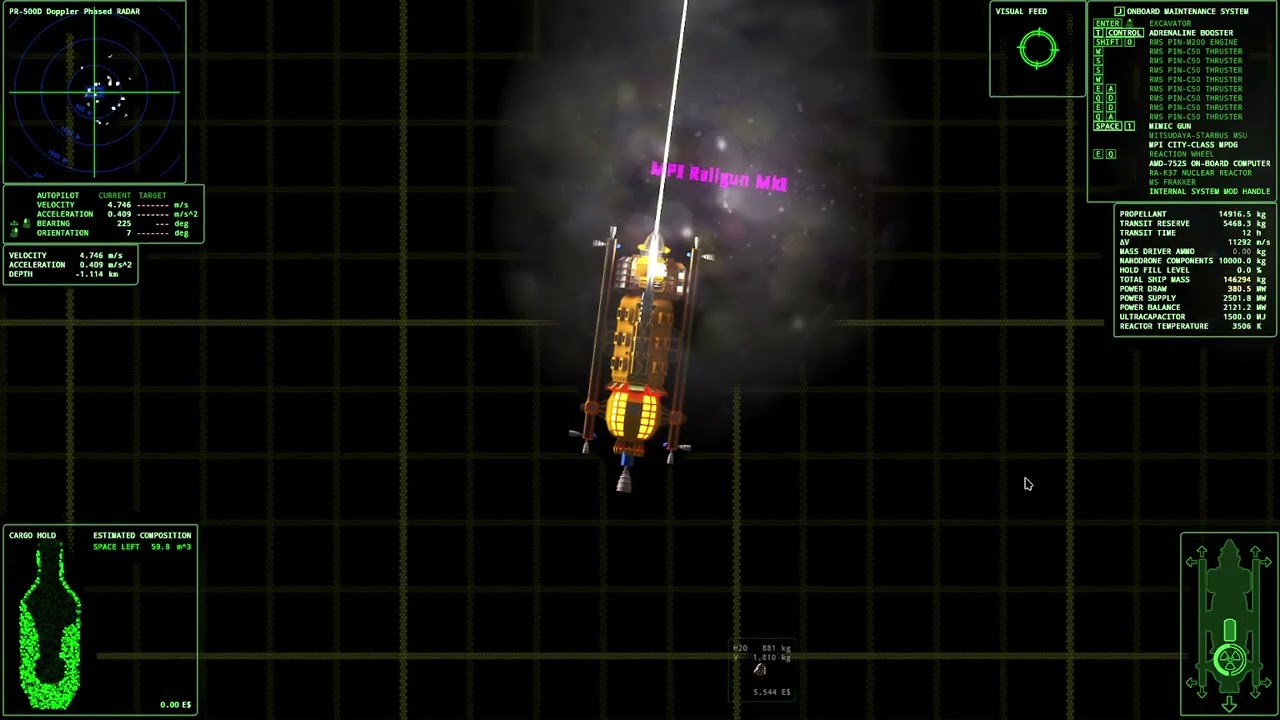
I want to modify tug and haul drones to not have latency from activation to affect on target. There is a small time before targets start being applied force to let the graphics of the drones fly out to them. I want to eliminate that delay. It will put it out of sync with graphics. I'm ok with that.
so I am thinking step 1 is examine what the drones actually do, how they work, and if I can modify that.
hollow pewter
It's late for me, so I'm only giving it a quick look, but as far as I'm able to tell, drones actually do operate within a frame or two after being given a target they're allowed to, which might just mean that there's an acceleration ramp up (or just low acceleration in general) at play.
if that is the case, it might just be a matter of giving them a decently sized increase in force (which if you want to see what that's like but overkill, this video is pretty amusing: #1290925501250273343 message)
native maple
hmm.... It does feel to me like the graphics and force imparted are out of sync sometimes.
especially at very long ranges. That's why I was thinking there was a delay to match the graphics.
sometimes at very long ranges, maybe crossing outside of max range, the graphics will play constantly and no force will be imparted. Can last a few seconds at most.
hollow pewter
yeah, the logic that actually handles the motion is a decent bit more complicated than what I'm prepared to comprehend rn, and that might very well be the case. I'll def look tomorrow though
native maple
I'd like to take a poke at it, but I don't know how to start doing that. guess opening the file after decompiling in godot. then I'd have to figure out where all the parts are for the drone functions.
hollow pewter
well, least I can do before heading to bed is pointing you towards the right direction. the getting started with modding guide on the wiki should be sufficient for at least the decompilation of the game, and after that you'll want to look towards the res://weapons/drone-plant.tscn and res://weapons/drones/DroneLaunchManager.gd files to see how it's handled
native maple
I'll see if I have energy after work.
 native maple
another thing that popped up when I started modding. I don't get ship recovery dialogs anymore. it stops after this line when I pick someone to eva.
IOC
velocityplus
modmenu2
hevlib

I'm staring at this monstrosity, helpless as my dialog is broken.
 hollow pewter
weird, same encounter works fine on my end

 native maple
Oh man, what is going on. modmenu 2 says it's up to date.
a lot of the modding works, a few bits don't.
hollow pewter
i probably need to do some testing myself, by the looks of it you're using release build so there will be some differences between my game and yours
native maple
release build of what?
hollow pewter
the game
 hollow pewter
yeah, bleeding edge release. the fact you don't have the datetime display is pretty evident of that
ah yeah that would do it
native maple
I'll get the bleeding edge running after I get back. Is that in steam beta selection?
hollow pewter
yeah, I will do some testing on it myself, as there's still differences between editor launches and executable launches
ok, so HUD and MPU toggles still work on executable, so there's that. now to check the OCK720 derelict
hm, event doesn't show but I do have the RPC mod installed, which may be the culprit here
native maple
rpc?
hollow pewter
ok yeah, was that mod conflicting for some reason (something else I'll look into), but dialogue still plays
i just thought, if you haven't restarted the game yet I probably could take a look at the logs to see what happened
native maple
heck
 hollow pewter
oof
native maple
which log?
hollow pewter
just send the entire folder, that can't really be too determinable as it's based on game runtime
native maple
Huh, it's 23,000 lines of lock leak with node @rigidbody
all 10 logs are just that line with some dates times and numbers
I'm guessing that's not good.
I have been noticing some severe performance degredation from modding. Even in the shop menu.
it seems something has gone horribly wrong.
all 10 logs are filled with that line occuring 200,000 times over 5 minutes.
the wonders of programming.
hollow pewter
well, that line specifically happens when a singular object has more than 16 claims on it, which it probably shouldn't have more than a handful. my best guess is that something calling claim to it never releases it
native maple
So do I need beta or experiemental, or was that ruled out as an issue?
hollow pewter
not ruled out, however considering that the specific function that handles it has hundreds of different cases where it's called, it'll take me a while before I could rule a potential source. I'd check to see if the same happens with the bleeding edge branch but it may take a while to replicate the way your save works
408 different ways it can be called specifically

are you using microwaves by any chance?
hollow pewter
that would be it then, there's one specific case where no release operation happens. I forgot to add it when programming the microwave ore melting
native maple
hah
There is also something causing me to exit menus. Like i'm in the repair menu, do not touch any buttons besides moving my mouse, and it exits back to the menu/dock overview.
It does happen when I mouse over either fix or replace in repair menu. I've never noticed it happen in the equipment menu.
autorepair is turned off. That's the only lead I can think of.
hollow pewter
I'm aware of it, but I've never been able to find an actual cause for it. It's been something I considered a useful coincidence with autorepair, but since you asked, I'll look into it further
native maple
 hollow pewter
hm, so it is just those four.
actually, just thought I do have a debugging tool just for this sort of thing, if you enable the event debugger in the debug section of HevLib's config, then scroll down on the menu after exiting the mod menu, you should be able to see all registered inputs. the velocityplus_toggle_mpu is shown being changed when i press M here


 native maple
can't see it
 hollow pewter
you do need to scroll down on it, there's a scrollbar on the right
native maple
ok, it is changing between true and false. the mpu is not toggling, though.
hollow pewter
which tells me that MPU code isn't being overwritten for some reason, weird. at this point might be worthwhile sending me your entire save folder, just in case it's something caused by your ship setup
native maple
where are savegames?
hollow pewter
folder above the log folder
 hollow pewter
above as in the heirarchy, the appdata/dV folder
hollow pewter
yeah that
native maple
 hollow pewter
ok, since this isn't really going anywhere, i need the dV folder zipped up specifically.
native maple
savegame.dv is the save file?
hollow pewter
it's the first save, yeah
native maple
vlc picked it up as a video file, so that threw me.
second save is the modded one having issues.
hollow pewter
that's probably the one I want, since there's no point having a save that works fine
native maple
first save slot is unmodded
hollow pewter
unfortunately seems to work fine on my end, and nothing in your config suggests otherwise either
native maple
what the hee hell
Longshot idea, is there some dependency running on your system that you don't know about? like some random c++ redistributable that handles something. Would a sandbox rule that out?
hollow pewter
not really, everything that handles it is self contained in the engine.
this is the entire script handling MPU toggling, so only thing that I could think about is for whatever reason another toggle uses M and then prevents any subsequent scripts from getting that input
 native maple
ruled out the steam overlay by running the exe directly. I'm on windows 11. I can't think of anything else funny.
I rebound it to multiple other keys, none of them worked. Nothing uses F6 either.
hollow pewter
might be worth restarting after rebinding, just in case that could be a solution
native maple
have, didn't work.
hollow pewter
hm
native maple
So we already know the keybind is successful. it does change between true and false on the debug when I press the key. So it's not doing things after the key is pressed.
took out modmenu and ioc. still not working.
hollow pewter
no luck on my end either, it is literally the epitome of "it works on my pc" response. only thing I have left is to copy over your config and try that, which luckily I have the config profile system to make it not painful
hm, nothing
native maple
It's got to be my operating system, somehow. Or my hardware, somehow.
do both the hud and the mpu toggle require not being in a cutscene?
hollow pewter
Yes
native maple
I have confirmed it is the operating system. I did a new user in windows 11 and it works. Going to try nuking the game to defaults and see if that does it.
hollow pewter
Weird, but user specific might make sense as I'm also using W11
native maple
got it working by deleting almost everything to do with the game from my primary account.
hollow pewter
Made a tool that should make dealing with the cargo hold area variable in ship-ctrl.gd a lot easier to work with. white & yellow filled rectangle represents the scanner's coverage determined by cargoHoldArea, and the red border rectangle represents the total area of the EIME HUD display with the green border rectangle showing the bounds of the hold within it, both helpful for determining a location for cargoHoldOffset.
the scene should just be a drag and drop within the ship's scene, unless editor_only is checked it will remove itself when loaded by the game so does not need to be deleted in post, and the script for it is self contained so no need to worry about keeping track of one. I am also going to keep a copy of this inside of HevLib in future updates, so any updates or improvements to it will be there
granite robin
granite robin
https://youtu.be/labvWr4W3Ec
granite robin
#1478063496380944396 message
@uncut acorn so there was some work done by @silent zephyr some time ago, exactly for furry dlc
Dlc termplate files here, you are going to need godot editor and gimp
https://git.kodera.pl/games/delta-v-face-pack

 silent zephyr
Uhh I still have like half the images left
But I could get back into it
Sure. I'll try to finish it up
broken mesa
oh that means I can make 1 full of my avatar family photos
broken mesa
Just for fun

 thick snow
granite robin
https://discord.com/channels/426287934870781952/1478063496380944396/148084274470...
thick snow
granite robin
https://discord.com/channels/426287934870781952/1478063496380944396/148084274470...
Hello, I noticed that the resolution of your faces-c.png differs from the one in the Vanilla files. I’m trying to create a facepack with double the resolution (4096×4096).
However, while my edited Sprite.tscn file works fine in the Godot editor, it doesn’t seem to load correctly in the Vanilla game, resulting in texture tearing. How did you resolve this issue?
Never mind, I found a way in the 4K DLC.

 hollow pewter
Got another update to the older updateTL function, this time changing it so any lines starting with a # will be ignored:
func updateTL(path:String, delim:String = ",", useRelativePath:bool = true, fullLogging:bool = true):
    if useRelativePath:
        path = str(modPath + path)
    l("Adding translations from: %s" % path)
    var tlFile:File = File.new()
    var err = tlFile.open(path, File.READ)

    if err != OK:
        return

    var translations := []

    var translationCount = 0
    var csvLine := tlFile.get_line().split(delim)

    if fullLogging:
        l("Adding translations as: %s" % csvLine)
    for i in range(1, csvLine.size()):
        var translationObject := Translation.new()
        translationObject.locale = csvLine[i]
        translations.append(translationObject)

    while not tlFile.eof_reached():
        var line = tlFile.get_line()
        if line.begins_with("#"):
            continue
        csvLine = line.split(delim)
        var size = csvLine.size()
        if size > 1:
            if size > 2:
                var i = 0
                while i < size:
                    if csvLine[i].ends_with("\\") and i < size:
                        csvLine[i] = csvLine[i].rstrip("\\") + delim + csvLine[i + 1]
                        csvLine.remove(i + 1)
                        size -= 1
                    i += 1
            var translationID := csvLine[0]
            for i in range(1, size):
                translations[i - 1].add_message(translationID, csvLine[i].c_unescape())
            if fullLogging:
                l("Added translation: %s" % csvLine)
            translationCount += 1

    tlFile.close()

    for translationObject in translations:
        TranslationServer.add_translation(translationObject)
    l("%s Translations Updated" % translationCount)
@wooden parcel for the issue with moar radars, the issue should've already been fixed, you may need to manually update the mod for it to be available though
 wooden parcel
hollow pewter
<@445827543195451392> for the issue with moar radars, the issue should've alread...
wooden parcel
hollow pewter
<@445827543195451392> for the issue with moar radars, the issue should've alread...
just got latest, all good now. Thank you very much!
 fringe fox
so um, if i tried adding a modified railgun in, where'd I start?
granite robin
fringe fox
so um, if i tried adding a modified railgun in, where'd I start?
Assuming you already have godot fully set up. Create a mod folder with ModMain.gd inside. Find the railgun scene create new inherited scene and place it at the same path as in vanilla in your mod so something like ModifiedRailgun/weapons/railgun_modified.tscn

 fringe fox
hmmm, okay-
okay maybe I don't have the mental capacity to handle this rn, I mean, it's midnight rn. But, so far I do have ModMaingd in it, as well as copied the railgun stuff in, mostly I think-
will fix that tom ;-;
 granite robin
Love when eldritch horrors eat my thrusters

 patent frost
@hollow pewter I would definitely like to know more, also, whats to keep me from just editing the ore purifiers script and having a mod overwrite the vanilla one? or is that a nono
just trying to think about whats easiest
because I am not the smartest when it comes to coding or modeling at times 😂
hollow pewter
you're perfectly fine to override the script for it, and considering that the purifier is it's own scene you don't need to do a complete override just some value editing.
patent frost
any smaller mods you know that I could poke at as an example?
thinking thats probably the easiest route outside editing one of the preprocessors to be faster
hollow pewter
not really. there's an older mod that modifies the script directly, but that would be an override for every unit not just the AOP. Since that one involves actual code, I'm not going to use it as an example considering scene replacements are much easier and that's what I'll be showing you.
first thing's first, go through the setup section from this wiki page. let me know when you're done with it, considering the later sections are a little outdated it's easier if i go through it directly:
https://delta-v.kodera.pl/index.php/Writing_Your_Own_Mod
patent frost
alright, everythings installed and decompiled
smells a lot like bethesdas creation kit but less buggy, heh
hollow pewter
Yup lol
First things first, id create a new folder, which can be done by right clicking on the res:// label on the bottom left and selecting it as an option. I've named the folder AOPOverride, but it can be anything
patent frost
got it
hollow pewter
From there, create a new script within that folder (right click on the new folder and New Script. Name this one ModMain.gd, and open it. Feel free to clear the entire file as it'll be overwritten by a template
 hollow pewter
Yup, just ctrl+a and remove that
patent frost
 zoop
zoop
hollow pewter
Replace it with everything in this template. You can remove the updateTL line after the _init part as it wont be used
patent frost
the whole translation section?
hollow pewter
Just what's on line 36
patent frost
gotcha
hollow pewter
From there, create a ships folder inside your mod's folder, and then modules inside of that
patent frost
got it 👍
hollow pewter
On the top left, below the lower scene tab, there's a link button with the tooltip Instance Child Scene. Click it, then locate ships > modules > MineralProcessingUnit_DRY.tscn, double click that to open it
This should show a list of nodes on the top left panel. Select the top one and it should give you a list of parameters on the right
patent frost
aha, ok yep
hollow pewter
Adjust those to your liking, and then save it to the modules folder within your mod
Let me know if you're curious on any specific part
patent frost
purifier doesnt have any water minimum per chunk correct?
hollow pewter
Nope, it uses the same threshold that is used to dictate when an ore should be processed by any other unit
There will be a tiny bit of water left, but that is an intentional part of it
patent frost
ah I see, ok
this would be a direct replacer for the purifier and not a second entry correct?
hollow pewter
Yup, every change made here will affect the AOP directly
patent frost
 if its a standalone (more or less) I would go nutty but still want it more or less viable for every ship if not
ah ok, so be reasonable, gotcha :P
hollow pewter
Making it standalone would take a decent bit of extra work, since you would need to make each model, and i figured this would be an easier start to not overwhelm you
patent frost
x10 kgps too much in your opinion or is that a decent point?
patent frost
hollow pewter
Making it standalone would take a decent bit of extra work, since you would need...
yeah fair enough good point haha
hollow pewter
patent frost
x10 kgps too much in your opinion or is that a decent point?
Whatever you want it to be, balance does not need to matter initially, and you can always adjust it later
patent frost
yeah thats true, it easy enough to edit mods later then?
hollow pewter
Yup
patent frost
alright, think im happy with it for now, how do I save it into modules?
hollow pewter
Ctrl+s, then locate your mod's folder (you may need to do some navigation as the default folder will be the game's one), and put it in that modules folder
After that, go back to the mod main script
patent frost
hm, ok hit ctrl+s and I see a box for a half second saying its saving, not sure where its putting the saved file
hollow pewter
Check your mod's folder, it might be there already if it was saved prior
No dialogue box showing indicates that the scene already exists in the file system
patent frost
hm, the folders show empty
 hollow pewter
Did you open the AOP scene directly instead of going through the instance by any chance?
Actually, try hovering over the top node of the scene tree. If the tooltip has a line that starts with Inherits, it may have just been saved elsewhere
patent frost
there was only one node that appeared when I opened the tscn, did I do something wrong?
 hollow pewter
Hm, that should be fine anyway as it can be just one node when instancing (might just be my setup, idk). See if saving a fresh copy works, which should be ctrl+shift+s
patent frost
alright this is what I get
 hollow pewter
ok good, from there go to your mod's folder, then ships, then modules, and save it in there
patent frost
not sure why it says boot.tscn there, rename it to MineralProcessingUnit_DRY.tscn?
hollow pewter
oh, i think i see what's happened. you're in the game's boot scene which I did forget to tell you to close considering it opens automatically, and is probably why it's different to my end
patent frost
ah, so its trying to save the boot scene? so I should back out of saving and close that?
hollow pewter
yeah, i'd also remove the AOP scene added and save that, as that's likely what was saved instead
patent frost
now the thing just brings me to a blank screen, just going to redo it until here and close the boot scene, I would do that through the sceneviewer?
hollow pewter
yes

 hollow pewter
both, first screenshot would be the script for it, and the second is the scene
patent frost
ok cool, lost the purifiers scene, but everything looks about right now
hollow pewter
hollow pewter
On the top left, below the lower `scene` tab, there's a link button with the too...
yup, probably wouldn't be too hard to start over from this step though, as it should be smooth sailing with the boot scene being closed now
hollow pewter
it's fine, i'd forgotten that part too so it's on me just as much

 patent frost
figured as such
hollow pewter
Under the loadDLC call in the _init, add a line with replaceScene("ships/modules/MineralProcessingUnit_DRY.tscn"). This is what loads your change.
I'd also recommend setting the mod priority to -1, as this should prevent any issues when the game loads ships
patent frost
this spot right?
 hollow pewter
yup
patent frost
awesome
hollow pewter
save that, and then go to the decompile folder in file explorer. you're going to right click on the mod's folder and zip it up (how will depend on whether you have WinRar or 7zip or not), but i guess you'd have an idea as to how to do that?
patent frost
aye, should be good from there
should I name the mod in the MOD_NAME spot?
hollow pewter
up to you whether you want the mod to be named Example Mod or not
patent frost
fair, yeah I should probably name it lol
hollow pewter
yup, and yeah I'd double check once you've got the zip (and does need to be specifically a zip too) ready, and the folder structure should be Mod.zip > Mod Folder > ModMain.gd, which if it's like that should be good to be loaded by the game
patent frost
aye the structure looks correct
hollow pewter
perfect
patent frost
still shows in the game as 10kg/s, is there a seperate entry I need to change or did I do something wrong
hollow pewter
Description text is its own thing, unfortunately overriding vanilla text is a bit of a process but i wouldn't worry too much about it now
patent frost
ok, I was just curious before I did a ring dive to check it if that was tied to that or not
its for private use so I dont care lol
hollow pewter
Fair enough
patent frost
oh wow yeah 10x is a bit high
ahahahaha lmaooooo


this is freaking GREAT thanks!
never gotten that much modding help in a game before, you are awesome! 
hollow pewter
Thank you
Being able to inherit scenes like that is very simple for what it is, and you can do a decent bit of cool stuff without ever writing any code with it too
patent frost
aye I got a few other ideas for it now... lol
I saw a bit of code for the remass and ore efficiencies, are those editable?
for future uhhhh, MPU foolery
hollow pewter
Yup, i would look to how IoE does that to get an idea for how thats done as there's a bit more involved with it, but yeah feel free to ask me any questions
patent frost
I'll have to think how I may want to edit MPUs if at all first, will do though thanks again for your help!
patent frost
@hollow pewter sorry to bother, whats the best way to reopen a project like this to edit it? think I need to up the chunks per cycle, its still not quite keeping up, which is odd, unless it does have a minimum thresold hardcoded for water content, its probably only drying about 50%
unless theres a decent way to debug something like this?
hollow pewter
Your best bet is to just edit it from the folder within the game decompile and rezip it every time a change is made. How exactly are you measuring water content btw, as at a code level it will remove water until the water content drops below 5% or the ore chunk's mass drops below 20kg
Debugging isn't too hard, I'd first take a look at this page as it gives you instructions to run the game and specific mods straight out of the editor, which also lets you breakpoint parts of the code (basically stops the game when a specific part triggers)
patent frost
the holds m3 content, not really an exact science but when the holds roughly 50% water that seems a bit high?
I suppose it could be the 20kg limit
hollow pewter
might be, but I'd guess it's only feasible with beryllium which doesn't have much water to begin with anyway
patent frost
does the purifier have a defined workarea? its hard to tell ingame 😄
hollow pewter
The coverage is very large for most ships even compared to the RA, but even then it will change based on the ship model
patent frost
ok so just the first segment of the Breakbulk
that may be atleast partly why, I'll have to see if I can tell a shift in water contents once the hold fills
patent frost
I mean, its not lighting up as active, so, must be done drying

just seems to be more water than one would expect
I half wonder if the multiple ores mod is playing a role

otherwise, unless my math is wrong, the water contents a tad high for 5%
hollow pewter
Considering that a good majority of those chunks show water contents in the low hundreds, it does look to be working imo
patent frost
maybe I'll have to see about editing the working size at some point like you mentioned a while ago when I was considering making my own
hollow pewter
Yeah, probably the best course of action
patent frost
that a modeling deal aka blender? or is it something else?
hollow pewter
Just a bunch of vectors
patent frost
oh alright, thats not too bad in theory
hollow pewter
Its not at all, and if making the processing area bigger is the goal probably just means moving two of them to cover a larger area of the bay
patent frost
oh the area can be bigger than the actual hold area?
hollow pewter
It can

 near remnant
Hey guys, I'm trying to add more hardpoints to ships through a mod. So far I've successfully added a second high-stress hardpoint to the K37 ships (using the mainLeft slot). However, that's not working with the Cothon variants, even though I'm using the same code. In fact, even trying to change things like the crew capacity or the ship name as a test doesn't work at all. It's like the mod doesn't want to load the Cothon related patches.
hollow pewter
do you have a zip of your mod that I could look through at all?
near remnant
hollow pewter
do you have a zip of your mod that I could look through at all?
Yep, here it is.
hollow pewter
Give this a try. I have made a few changes, so I'll explain what they are:
- Mod priority constant - this lets you choose when the mod loads. I've set it to -1 as this is usually what works
- Mod name and version. Not required, but I've added them to help with logging and also makes it easy to see if the mod is outdated
- loadDLC() - Mods that change ship scenes have a habit of breaking dlc, so this is in place to fix that.
- I've swapped out the modloader.replaceScene() calls with the replaceScene function I added to the script. the modloader doesn't actually have a replaceScene function, which is a little confusing as to how you got the K37s to work.
- the other functions are helpers down the line. l() is a logging function that automatically adds the mod name and version, and installScriptExtension lets you extend a script if you wanted to
near remnant
hollow pewter
Give this a try. I have made a few changes, so I'll explain what they are:
- Mod...
Oh wow, it works now!
Setting the priority to -1 makes sense, I guess this ensures the mod and its overrides actually load after the vanilla files, right? The behavior was also inconsistent before, yesterday the K37 was working perfectly, but today the extra hardpoint showed up in the equipment UI and allowed weapon installation, but the weapon didn't show up in the ship's system and couldn't be fired.
Anyway, thank you so much for the help!
hollow pewter
of course. I would be a little wary of the positioning of equipment on the cothons though, as right now mass drivers will shoot the excavator
near remnant
Also, the code I had was partly generated by an LLM, so I understand the confusion about it actually working. I've seen similar reactions from other people, from being completely dumbfounded at how a nonsensical code actually worked to a dev lightly scolding me and warning that what I did could potentially break a lot of stuff.
near remnant
hollow pewter
of course. I would be a little wary of the positioning of equipment on the cotho...
That would be concerning, as I actually intend to put a railgun on it. I'll fiddle with the positioning if I need to!
hollow pewter
near remnant
Also, the code I had was partly generated by an LLM, so I understand the confusi...
that would make sense, probably scraped the data from the old gitlab collection as those are nearly 4 years old at this point and using the modloader for loading data hasn't been done in years.
my best advice for using LLMs for programming is to completely avoid using them for writing working code until you have the ability to write it yourself and figure out how it works. asking here is plenty fine anyway, as I'm relatively available these days, and since basically all mods have their own github page anyway, I do recommend looking through them as well as there may be some things that could give you ideas for something to do
also, since it's something I've just noticed, all the added hardpoints use 1 for the toggle. setting a specific key is pretty easy, as you can use ship_slot_x for the toggleCommand property, where x is the number key to use for the toggle (1-8)
near remnant
hollow pewter
that would make sense, probably scraped the data from the old gitlab collection ...
Yeah, I'd say I know enough to at least catch the more glaring mistakes, and I try to read and compare to other similar mods as much as possible. dV's documentation is really good and readable, but I eventually hit a wall from lack of knowledge. I'm a lot more reliant on LLMs on games written in Java since I know next to nothing about it.
near remnant
hollow pewter
also, since it's something I've just noticed, all the added hardpoints use `1` f...
Oh, that's nice to know. I didn't mind them all using 1 for toggle since I'm basically alternating between a mining laser and a railgun for defense, but's it's good to keep in mind!
 south haven
Heya. I'm trying to install and use mods but I'm not doing something right and getting really confused.
I use Windows, Steam.
I've put --enable-mods in the launch options and made the mods folder within the game directory and placed the zipped mods within.
as far as I can tell, the issue is that the mods simply aren't turning on, but I'm likely wrong.
-# Images included.

 granite robin
south haven
Heya. I'm trying to install and use mods but I'm not doing something right and g...
granite robin
south haven
Heya. I'm trying to install and use mods but I'm not doing something right and g...
You downloaded github repositories instead of release mod files.
Hevlib https://github.com/rwqfsfasxc100/HevLib/releases and ModMenu2 https://github.com/rwqfsfasxc100/ModMenu2/releases
K-tech is weird one but I'm certain that it expects all ships to be in their respective zip archives not the big Industrial Shipyards acrhive, same with Electronics.
south haven
granite robin
You downloaded github repositories instead of release mod files.
Hevlib https:/...
I can't believe I didn't think of that. Thank you for the help.
I might as well add this since I didn't notice it earlier: " Important Compatiblity Note:
K-Tech Industrial Branded Mods DO NOT currently work with the Industries of Enceladus mod. There is no current workaround for this. Will update this section if that changes."
This part was entirely my fault.
hollow pewter
That's for the original mod, the rewrite works completely fine and i guess that notice was never removed