#Mod Development Discussion/Help
1 messages · Page 5 of 1
 paper spade
paper spade
paper spade
oh
oh no
oh god
oh
I don't know what I'm supposed to do or say or how to feel
I might pee
 neon yacht
time to dowload some mods
paper spade
you're doing progress

 hollow pewter
> be in workshop section of server
> no actual workshop implementation
> how does koder keep getting away with this?
 neon yacht
(translations are currently disabled)

 neon yacht
paper spade
now add IoE
neon yacht
paper spade
now add IoE
🫡
hollow pewter
neon yacht
so things are loading
good sign as always
neon yacht
neon yacht
no errors
 paper spade
it doesn't throw errors on the current setups either
IoE just rejects everything else's changes and says "no me"

neon yacht
can't wait to see a wall of red
 neon yacht
okay, only one error
 paper spade

hollow pewter
would be pretty funny if fixing that fixes IoE for the actual mod too
paper spade
Za'krin really out here fuckin cookin
neon yacht
oh there is some funny things happening though
neon yacht
420000 E$ to empty the hardpoint
 paper spade
Siiiiick
neon yacht
good deal
paper spade
does equipment from other mods still exist though?
cause if it does
that's progress

hollow pewter
neon yacht
420000 E$ to empty the hardpoint
i can't tell if that's a bug or an easter egg for using the vanilla slots
neon yacht
the entire upgrades menu is broken from that script error tbh
hollow pewter
i see
 hollow pewter
doesn't surprise me tho
neon yacht
yeah, i haven't looked at it personally, biut i'm pretty sure it's basically a complete replacement
paper spade
it basically overrides the game's default slots with it's own, it's pretty "Swing a big hammer" in that way
though I think Space did kinda classify it as a total conversion/over-haul style mod, so that would check out
neon yacht
something funny going on with the automatic override, pretty sure due to the fact it overrides every file it can find a matching path for, even though that's not necessarily desired.
i could either try to include some black magic detection logic, or mod makers can just include a list of files they want replaced/excluded (:
(or just run with it and say "sorry, if you don't want it overridden, name it something else")
but it works!
 deft bane
noice
neon yacht
boom, translations re-enabled

 low silo
how would one go about to add mineralsfrom Realistic Minerals as something the fabricator can use to make drones?
 left grove
Im actually not too sure. zakrin might be able to answer that, but they are currently getting some much deserved sleep if im not mistaken
paper spade
Pretty sure it would involve adding a script extension into Realistic Minerals that extends the base game's script that controls where the printing recipe is for drones, and add the minerals and ratios for them as another part of the Realistic Minerals mod
there's probably a bit more to it than that, but at the core I'd imagine that's most of what needs to be done
hollow pewter
i would assume it wouldn't be too much work, just an extension to the printing script as pretty much just a ratio of minerals consumed
 dark pike
Realistically, the elements you see are already minerals. Like, the beryllium comes out of emeralds, despite not displaying aluminum or silicon.
Glancing at that mod, it seems like more minerals than I'd want to manage, but I do like seeing multiple minerals in a chunk.
paper spade
Hoping this doesn't turn into an issue on Nexus.
I'm realizing that whoever originally attempted to publish a mod for DV on Nexus used the Title "Delta-V: Rings of Saturn" instead of "ΔV: Rings of Saturn" for the game, but I'm not sure if that's really going to make a difference on their end or not.

this part though makes it seem like the category should be fine as it is now though... but apparently if it takes more than 7 business days, that's when contacting support comes in to play

So if DV doesn't get approved and given a category by next weekend, I'll hound them properly though support and find out what's up
until then, patience 👍
paper spade
@neon yacht So I'm currently using a version of the loader setup that still includes translation support, and I'm curious, is there a way to get the translation files to read and display " symbols around words
I could just use single quotes instead cause those appear to work, but if I can get double quotes working that'd be ideal. Not sure if you have any pointers on that, or if the function just doesn't support it

I though maybe using escape slashes might have done the trick, but clearly not the case
hollow pewter
seems to be a complete reverse to how the vanilla game handles it's own translations lol
paper spade
I've tried some goofy combinations to try and get double quotes to show up, so I'm starting to assume the updateTL function just doesn't handle double quotes
Yeah, that's my current operating assumption, the translations function seems to just chuck out " symbols in the file
hollow pewter
at least it was found pretty early on tho
knowing Za'krin though, it'll be fixed before we know it
paper spade
boutta find out what this monstrosity ends up doing to the translations functions (mostly to see what characters are supported)
 neon yacht
iirc it uses c_unescape() to parse the string, so it should work?
Godot Engine documentation
Built-in string class. Description: This is the built-in string class (and the one used by GDScript). It supports Unicode and provides all necessary means for string handling. Strings are reference...
I'll definitely take a look at that when I have time
paper spade
broke the hell out of it as expected
but yeah, " do not get passed to the actual translation
 hollow pewter
quickly whipped this one up, i feel it fits
 paper spade
definitely don't do this in your translations file unless you like breaking translations
 hollow pewter
the next test to try:
 paper spade
fuck it, I'll make my own double quotes 
 hollow pewter
sweet
paper spade
also worth noting that some of these characters get handled weirdly as it is


font does funky things to & and @ symbols
neon yacht
I would read this
https://docs.godotengine.org/en/3.5/classes/class_file.html#class-file-method-get-csv-line
Godot Engine documentation
Inherits: Reference< Object Type to handle file reading and writing operations. Description: File type. This is used to permanently store data into the user device's file system and to read from it...
paper spade
"" doesn't work
neon yacht
so the docs are lying to me somewhere then
I'll check it out sometime
I know I was able to have working quotes at one point
paper spade
Yeah, it's weird, you'd think escaping it would work, but it doesn't for whatever reason
but currently '' works as a decent but janky "
neon yacht
it will be a good fix when I bring translation support to the wip version
probably just rework that whole function
paper spade
yee, it'll definitely be good to not have weird edge cases with common symbols
well seemingly one edge case, with "s but
 granite robin
Yeah rework seems to be the solution, for example IoE uses different updateTL function and there is no issue with " symbol


 left grove
the original en.po file has each line of text bracketed by single " marks. which do not translate into the game. no idea why its done that way
neon yacht
granite robin
Yeah rework seems to be the solution, for example IoE uses different updateTL fu...
yeah, it's an older version, I know it worked at one point. The original version in ZKY worked with quotes
paper spade
that's IoE's function next to Za'krin's current function

left is IoE, Right is Za'krins
neon yacht
oh yeah, that's the original from ZKY
modified, but the bit that actually gets the string looks the same
paper spade
I assume the difference in this part might account for it?

 neon yacht
I mean yeah, the only real difference is in one I get the line as a string and then split it manually, while the other I use the built in function for csv
there is also tr() which is interesting, because I don't know what that does at all
paper spade
oh, maybe the translation catalogs in the project settings is what handles the passing of " symbols? since your current function seems to drop that bit, and the older ones that include it still work
that's my monke brain'd thought
neon yacht
I suspect it's actually get_csv_line() and c_unescape() not playing together
alas I cannot actually test rn
@paper spade would you be willing to remove c_unescape() and see what happens
neon yacht
(I suspect things will indeed break)
paper spade
so I assume you're talking about this bit
am I lopping it off at csvLine [i].?
 neon yacht
remove the . as well
paper spade
👍

lets see how badly this breaks 

yeah it doesn't love it
breaks line breaks
paper spade
that I need to double check on, forgot to change it from single quotes to double before firing it up
yep, breaks line breaks and doesn't display " symbols
 neon yacht
can you try enclosing the entire string in quotes, and using double-quotes where you want them to appear
paper spade
like so? or first quote after the delim?
 neon yacht
as in
TRANSLATION|"This is a string with ""quotes""!"
 left grove
i dont think the first iteration of the ZKY mod loader (not the beta) is properly activating better refining? im definitely not getting 190% ore processing.
time to find out whyyyyyy it suddenly stopped working 😄
paper spade
I'm using ZKY (not the newest one) and it's loading BR fine and working as it should
left grove
its probably load priority
neon yacht
paper spade
quotes work, line breaks are borked with this route
okay, call me crazy, but can you try with .c_unescape() again
left grove
if thats evena thing still
paper spade
neon yacht
okay, call me crazy, but can you try with `.c_unescape()` again
how dare you make such an unreasonably easy request 
On it 👍
left grove
lmao
paper spade
neon yacht
okay, call me crazy, but can you try with `.c_unescape()` again
so you were absolutely unhinged, bonkers, completely on the mark
 neon yacht
incredible
paper spade
it verks

so zero change needed to the function, just needs proper formatting in the translation file
neon yacht
so I think there's some conflict with trying to use escaped quotes \" because both of those functions are using them to mean different things.
but if you stick with only using the csv format, it works fine
paper spade
I just wasn't sure how to escape the quotes, cause my all accounts ""thing to be quoted"" should have worked, so I started trying random ass escape characters
but now we know TRANSLATION|"Thing to be ""translated"" here" works and that's ballin
neon yacht
👍
paper spade
the only thing I didn't try that entire time I was doing absurd escape characters 
enclose the whole string
paper spade
left grove
its probably load priority
Shouldn't be, my BR doesn't even have a load priority specified and it works fine
left grove
i probably need to redownload BR then. mine is not functioning
paper spade
here's the version of ZKYLoader I'm running as well, just in case you swapped to the older version that doesn't actually handle the old mods properly
left grove
i will try this loader first just in case
paper spade
cause one of the versions of ZKY didn't have compat with the old modmains that still used modLoader.functions
which BR is one of
left grove
ty
paper spade
the version I'm using is post-compat support but pre "everything is automatic and modmains are disabled and translations don't happen"
left grove
can you send your BR zip?
mine is confirmed not workin
i wanna just use one thats confirmed
paper spade
left grove
ty
paper spade
of course 
left grove
ok heading to test now
works like a charm.
im gonna just clear out my mod backups folder and replace it with everything i know works
paper spade
were you by chance using a copy of BR that had been updated for the modmain changes accidentally?
paper spade
fair

 granite robin
Cooking something. I have no idea how to replace view so jameson as placeholder for now
 paper spade
I don't have trillions, yet
just millions
I think I was at like 35 or 25 mil something like that when I started dumping money into mineral banking
granite robin
left grove
a crew money sink for digi to burn his trillions lol
It's for my billions
paper spade
it does however give me the idea to add more Insurance Services though
granite robin
Now I need help with actually loading this view. Because I can't set it from editor and editing nodePath in my services.tscn to what I think it would be ("../../../../../WindowMargin/Window/VP/ViewportContainer/Viewport/EnceladusPerspective/Residential/EarthTour") doesn't work.
 paper spade
oh yeah, this should be doable, I shall add new Insurance services
paper spade
granite robin
Now I need help with actually loading this view. Because I can't set it from edi...
It looks like you also need to add it to the Residential node for the Services.tscn
I think you have everything else right, but right now you just have Earth in the Items with it pointing to the Jameson node
I believe if you add your earth bit to the Residential node like the Obonto for example, you'd be able to select it in the Earth Item and that should make it all work, I think
granite robin
paper spade
I think you have everything else right, but right now you just have Earth in the...
Sorry for it poingitng to jameson, forgot to save. I can't select it because I use inherited scene for perspective. Earth bit is in Residential node.
 paper spade
so Services.tscn inherits EnceladusPerspective.tscn as a node. The hiccup seems to be that since this is inheriting Services.tscn, and Services.tscn is inheriting EnceladusPerspective.tscn, it results in the in-ability to actually set the Earth item to the EarthTour node because with-in the editor, it's not actually reflecting inherited changes
Yeah, I'm really not sure how to go about this, sorry I couldn't be of more use
I have one last hair brained idea I'll try, but I don't expect it to pan out
granite robin
paper spade
so Services.tscn inherits EnceladusPerspective.tscn as a node. The hiccup seems ...
Yeah I figured that bit, added my things to vanilla Perspective scene and got that path I talked earlier: ("../../../../../WindowMargin/Window/VP/ViewportContainer/Viewport/EnceladusPerspective/Residential/EarthTour") Even if I pack entire EnceladusPerspective.tscn with my changes to mod it still defaults to 0 0 coordinates in game view.
 paper spade
because you're pointing it to a node that doesn't exist
paper spade
granite robin
Yeah I figured that bit, added my things to vanilla Perspective scene and got th...
yeah, this is better than anything I've managed though I guess
All my attempts to get a usable node into the Services.tscn that would let me point Earth Tour to the thing from Perspective.tscn has resulted in the Earth Tour entry just straight up not showing up. I've only been success in pointing it around to other existing nodes
I'm entirely stumped on how this would be accomplished
granite robin
And I thought it would be easier thing to do than equipment 💀
Well when someone figures how to do it it would be easier than equipment ||(probably)||
paper spade
Well, in fairness, the new service it's self is super easy
giving it a custom view.....
different story
left grove
hmm
so you can make more insurance companies it seems...
time to make a 1m insurance but it costs 500k lol
paper spade
Yeah, it's real easy to add new Services, it's just not a simple matter if you want them to have custom views in the menu
I thought about whipping up another 2-3 insurance options to put in, but then I remembered I don't need insurance anymore
paper spade
Well it's inherited into Services.tscn from EnceladusPerspective.tscn, which is where the different views are configured
the tricky part is how in the hell you get new views into the Services.tscn in a way that actually works, because that inheritance is weird.
I'm sure there's a way to do it, but my mind boggles at how to accomplish it at this point
closest WT got to a custom new view was getting the View to default to the 0,0 coords of the EnceladusPerspective.tscn
deft bane
left grove
time to make a 1m insurance but it costs 500k lol
Scammer Insurance :3
paper spade
Realistically for something like new insurance services you could very easy just hand-wave some "Jameson's Insurance expanded their insurance policy offers" to explain why all of them point to Jameson's view
paper spade
left grove
yeah im not gonna worry about that i think XD
Yeah, it seems like it would be a simple task
but you immediately run into the issue where since EnceladusPerspective.tscn is inherited into Services.tscn, anything you might be doing to EnceladusPerspective.tscn isn't actually reflected into the Services.tscn
So you can't set the Item for your new service to point to the correct view node, because the correct view node doesn't exist to use in the scene.
And so far my and WT's attempts to try and work around that haven't panned out, WT probably got the closest with the 0,0 displaying version
left grove
so fucking tired i tossed a github for blender that was for someone else in here lmao
hollow pewter
it happens. i did wonder
left grove
i got 3 hours of sleep last night lmao
left grove
but im on a dive!
cant sleep on a dive
I will absolutely be sleeping hard af tonight. but im also working on my fresh start save to test all my mods out
 left grove
@neon yacht just found a GOOD thing about the MPU drones shrinking rocks.
its an ANTI THEFT measure for other ai ships trying to steal my chunks
just had an eagle try to yoink a W chunk. but as soon as he turned around it popped back out the side of his ship and the drones kept working on it
deft bane
god dman
left grove
hm?
deft bane
anti theft drones :p
left grove
oh yeah its great!
dark pike
Shrinking rocks? Yeah, chunks are all the same size primarily because if they're too small they can clip through ships. Same reason the crystals aren't super slim.
left grove
yeah zakrin made the MPU drones shrink the rocks over time. to be more realistic
but its worked out to be a bonus anti theft lol
dark pike
Luckily, for that equipment model it wouldn't be too concerning, I think.
 neon yacht
dark pike
Shrinking rocks? Yeah, chunks are all the same size primarily because if they're...
neon yacht
dark pike
Shrinking rocks? Yeah, chunks are all the same size primarily because if they're...
yeah, I really like the feature and think it looks great, but I'll probably put a minimum size for the collider.
right now it actually calculates the appropriate radius for the chunk as it shrinks, I'll have to fudge it somehow.
left grove
out of curiosity is there a reason bodies/corpses/EscPods are not showing on my hud? is that tied to a crew skill that im not aware of?
asking here cause idk if i broke something with a mod lol
neon yacht
that would be your astrogator
dark pike
Astrogator was picked because they weren't too useful, and it was explainable via things like recognizing suit locators or something.
left grove
makes sense to me
as for "not too useful" i beg to differ, making money in the game is a SLOG without an astro to remember deeper POI points
paper spade
I sent an email to Nexus support a few minutes ago to inquire about the game's category submission to their site

fun fact about their business hours
hollow pewter
based 4 hour work week
paper spade
it's also after 8:30pm for them right now (from my timezone perspective which is 1:35pm at the moment)
paper spade
so I'm 7 hours behind them, which means my business hours end at 12pm
deft bane
Jk jk
hollow pewter
wait, you're PST, right?
paper spade
yeah
paper spade
depending on the time of year yeah
hollow pewter
right. forgot fuckin daylight savings exist, and they're shifted too
paper spade
yeah it's goofy
hollow pewter
like it makes sense, until you bring timezones into it like why is it dependent on the region to decide when they do it?
paper spade
so realistically I should hear back from Nexus support tomorrow at the asscrack of dawn my time
paper spade
hollow pewter
like it makes sense, until you bring timezones into it like why is it dependent ...
Cause then they don't have to have 24 hr staff, or regional staff
hollow pewter
true
paper spade
the way nexus operates is definitely on a "cut costs and keep us lean" philosophy
stares angrily at the 3mb/s hard cap unless you pay them monthly money
hollow pewter
3mb/s wtf
paper spade
which is always fine, until you run across a mod that's over 1gb in size and then your life becomes pain
hollow pewter
thank goodness DV mods are in the kilobyte range
paper spade
yep, tiny lil suckers
left grove
or you are like me and have 100 or more skyrim mods
paper spade
even bloated to hell mods are only in the mb region
hollow pewter
left grove
or you are like me and have 100 or more skyrim mods
i can imagine it would be an issue if you have lots of mods like this, but still it's crazy how big they are
paper spade
yep
hollow pewter
heck i could download the original doom in seconds at that speed
paper spade
yeah, it's really not an issue for most mods, but anything over ~800mb or so just becomes increasingly painful via Nexus, unless you have premium
hollow pewter
hollow pewter
heck i could download the original doom in seconds at that speed
lol on the subject of this, we need a mod where we can get doom to run on OMS
paper spade
just happens that Skyrim and other Bethesda games love to go unhinged, so large mods are a very normal thing for those games
left grove
also, im having to restart my entire start from scratch save, reinstalled windows lastnight and forgot to save a backup
granite robin
hollow pewter
thank goodness DV mods are in the kilobyte range
🤓
 left grove
getting from 0 to the BLI PDT is rough, but after that its just cakewalks lmao
paper spade
"I made a mod that add 8K taint hair textures to the horse's gooch, enjoy, it's 15gb for 1 texture file" -Every Skyrim modder ever
left grove
looool
hollow pewter
granite robin
🤓
that damn bloated IoE taking up half of my hard drive with that 13 whole megabytes of storage
granite robin
hollow pewter
that damn bloated IoE taking up half of my hard drive with that 13 whole megabyt...
And the other half is 🤣
 hollow pewter
true
left grove
*laughs in mass storage space *

Dv mods all go onto my WD SSD D drive, so i have like 455gb i can dedicate to modding lmao
granite robin
left grove
Dv mods all go onto my WD SSD D drive, so i have like 455gb i can dedicate to mo...
For zipbomb mod?
left grove
lmao
paper spade
I mean that's what it'd have to be, ain't no sane way to get a mod that large
just a mod that casually adds 400 decompiled copies of various dV versions into the game, because, reasons
left grove
Might be a bit bloated if it was a complete dv overhaul zip with 3d assets, full voice acting, and cutscenes.
 granite robin
paper spade
I mean that's what it'd have to be, ain't no sane way to get a mod that large <:...
granite robin
paper spade
I mean that's what it'd have to be, ain't no sane way to get a mod that large <:...
Local running ai for dialogs with phages etc. State of every ringroid encountered 😆
paper spade
left grove
Might be a bit bloated if it was a complete dv overhaul zip with 3d assets, full...
Full 4K FMVs and 8K textures for low poly models, the true way to bloat the game to ungodly proportions
left grove
so CoD lmao
paper spade
except those aren't FMVs
cod's awful bloat is the fact that the textures and audio assets are just uncompressed, the entire time
dummies could 100% compress those assets with minimal percieved quality loss and clear up a fair amount of disk size all at the same time
but that would require effort
deft bane
left grove
*laughs in mass storage space *
I'm sorry, I beat you
left grove
oh and lets not forget the king and queen of not optimized storage space.
ATLAS
and
ARK survival evolved
deft bane
78TB
paper spade
nah, just effort, cod devs have brain cells, they just have trash corporate management that wants each studio to churn a game out every 2 years so they can release a game every single year
if they actually were given time to breathe between releases and longer development cycles, they could maybe do things players actually like, while also making the game look and sound solid without being 300gb on disk
hollow pewter
lmao y'all on about ungodly drive sizes while i'm running DV from a 4gb sd card from years back
deft bane
hollow pewter
lmao y'all on about ungodly drive sizes while i'm running DV from a 4gb sd card ...
The 78TB belongs to my home server/cloud
I have a 12tb Enterprise HDD
hollow pewter
that's pretty cool
left grove
lol i wish i had a home server
paper spade
hollow pewter
lmao y'all on about ungodly drive sizes while i'm running DV from a 4gb sd card ...
I'm running a much more modest amount of storage compared to those two loons
 left grove
as it stands my pc is 6 years old, and needs some major TLC
hollow pewter
my dad has something pretty similar, something like only 40-60 tb however and using RAID, but he mostly uses it for work and Plex so nothing too much of personal use
hollow pewter
paper spade
I'm running a much more modest amount of storage compared to those two loons <:K...
compared to the laptop i'm currently using lol
 paper spade
 hollow pewter
i have like 3-4tb across many external drives, just they're mostly portables that i use for backups or storage when i need. i don't do anything that needs much storage so i'm not too unhappy about my storage capability
deft bane
I have 2 TB, 4 TB and 12 TB, then 1 TB, 14TB x8 then 12TB x12
hollow pewter
that's crazy
deft bane
And that's refub HDDs enterprise with 2 year warranty
hollow pewter
wow
hollow pewter
what do you need all the storage for tho? a second installation of CoD?
granite robin
Huh.. not what I thought it would do. Well if anyone wants to goof around with up-to-date version (some tweaks to custom view which you can't see ||It's just BLOAT🤣 ||)
UPD: Finally wrote description for it
https://github.com/1-WT-1/EarthTourism-Delta-V-Mod/releases/tag/1.0

 paper spade
granite robin
Huh.. not what I thought it would do. Well if anyone wants to goof around with...
paper spade
granite robin
Huh.. not what I thought it would do. Well if anyone wants to goof around with...
yeah, all of my failed attempts to do a custom view were really hacky and bloated ways of attempting things
I'm so hopelessly lost for how to accomplish that task 
granite robin
🔥
 granite robin
Hmmm for some reason in preview it looks like default lidar but in dive it works.
deft bane
granite robin
Hmmm for some reason in preview it looks like default lidar but in dive it works...
What did you set the preview as?
Compare to one of the vanillas
granite robin
Test protocol? It's all "lidar"
If anyone wants to take a look. And tell me why it's not working
deft bane
I'm at work :p
deft bane
REEEEEE
left grove
when digi knows, we will know XD
deft bane
shakes Digi aggressively
hollow pewter
heck yeah
 hollow pewter
guess i should link it as it took me a decent few searches to find: https://www.nexusmods.com/dvringsofsaturn
Nexus Mods :: DV: Rings of Saturn
Browse 4 mods for DV: Rings of Saturn at Nexus Mods
wonder if there's a way to alias game names
granite robin
I just searched Rings of Saturn, was easy enough.
hollow pewter
fair enough, i went from both ΔV and Delta-V to begin with, guess it would likely make more sense to do it from rings of saturn for the everyday user tho
paper spade
hollow pewter
fair enough, i went from both ΔV and Delta-V to begin with, guess it would likel...
Here's the thing, I emailed them cause the game category that got submitted by the unknown user was "Delta-V: Rings of Saturn" and it had been a few business days, so I assumed something was up with that part of the submission, so I clarified the game's title and sent a link to the steam page for it.
and Nexus prefers that you use the game's actual working listed title... soo in this case "ΔV: Rings of Saturn" buuuuut Nexus doesn't support the use of the delta character/symbol, so ideally their next preferred naming scheme would have been "Delta V: Rings of Saturn"
Buuuuuut I suppose after my email, which explained the goobery title situation they opted for the middle ground and decided to swap "Δ" with "d"
paper spade
granite robin
I just searched Rings of Saturn, was easy enough.
how you have to search for it on Steam if you don't have ΔV: Rings of Saturn copy and pasted to search into steam
deft bane
lol
hollow pewter
paper spade
Here's the thing, I emailed them cause the game category that got submitted by t...
ah ok, that makes sense
paper spade
Yeah, Nexus being goofy as usual
hollow pewter
indeed
deft bane
paper spade
but finally, Rena can stop hounding me about if Nexus did things
I will hound you still for no reason 
granite robin
So now, maybe we should announce it somewhere? Steam forums etc?
hollow pewter
maybe, would such a thing be worthy of a discord announcement either?
i'm down for steam forums, although it would need to sound professional too
paper spade
I think before that happens, more, if not all of the mods should be moved over to Nexus before going "hey, there's another place you need to check for mods now, but also don't worry about it, cause it's just 5 mods, all available either in the discord server or through github"
hollow pewter
that too, plus i do need to finally finish up the wiki's section on it and update the links to nexus
paper spade
not saying they can't be multi-hosted, but I feel like having as much of the mods centralized to one place would just help the end-user experience so they aren't jumping between different Nexus pages, githubs and gitlabs
I need to go through and prepare zips for the mods that don't have them and whip up pages for them on Nexus, that way no one but me needs to go to the Github
hollow pewter
i'll leave the githubs up on the wiki, if ever anyone needs them for whatever reason
like you said, no one will need them tho so probably just for the old versions or smth
paper spade
Yeah, it never hurts to have the source repos linked somewhere, it can be useful for advanced users and folks looking to maybe fork a mod or even contribute to a mod
it's just a super quick way to potentially confuse non-savvy users cause Github cares not about the end-user, they care about developers and their experience with the site
granite robin
Github mods are for elite 💪
hollow pewter
albeit given how mods are structured now, forking isn't hard even from build versions
paper spade
well that's always the nice thing about paintext un-encrypted mods, they're free real estate
hollow pewter
true
@paper spade you know how you said that someone had tried to get a mod for DV already when you started your application
turns out it was @heavy widget trying to put IoE up, perhaps it's best seeing if that could be tried again
paper spade
Oh how'd you figure that one out?
hollow pewter
i noticed how there's a mod count for the game, tried to put one and it worked (for the tab title anyway)
 paper spade
ahhhh, it didn't display a title in the tab the same before the game was approved
at least if it did, I clearly wasn't paying enough attention
hollow pewter
lol fair
deft bane
I looked into the workshop forum and omg the art comission I did, so perfect for it as the preview
left grove
yeah that looks niiice
left grove
@neon yacht can i borrow you to look at this script?
it supposed be drawing iron from processed cargo to make drones and massdriver ammo.
it currently does not. i dont think i managed to cobble it together correctly,
i have a different version that is basically just an MPDG that makes massdriver ammo and drones for free.
deft bane
left grove
<@367512738521415680> can i borrow you to look at this script?
it supposed be d...
You basically have something that uses nothing? That point, the pirates are after you and the government for the thing
left grove
deft bane
You basically have something that uses nothing? That point, the pirates are afte...
it draws power but not a lot lmao
granite robin
left grove
it draws power but not a lot lmao
Wow direct energy to mass conversion. Pirates and government are still after you for that thing.
left grove
lol
and the other downside is you cant see your massdriver ammo count remaining
so you just have to hope it doesnt run dry and need to make more
1 RFMD gets 10 shots then it slows down rate of fire as the system makes more
granite robin
We already have Tetsuo for that
deft bane
left grove
free ammo version. this will be several videos.
<@233341640465580032>
I LOVE THE DAKA
MORE DAKA IN SPACE
Someone from Asia going crazy on the rings
left grove
lmao
deft bane
left grove
quad ERFMD
This is some German engineering now
deft bane
Take care of a massive ship with the miniguns
hollow pewter
MAD-CERF type shit lmao
left grove
i dont have miniguns lmao
deft bane
left grove
i dont have miniguns lmao
Daka
left grove
deft bane
Daka
oh cool it recorded fucking nothing
wait no its just got a ton of empty front space?
granite robin
left grove
Not enough DAKKA!
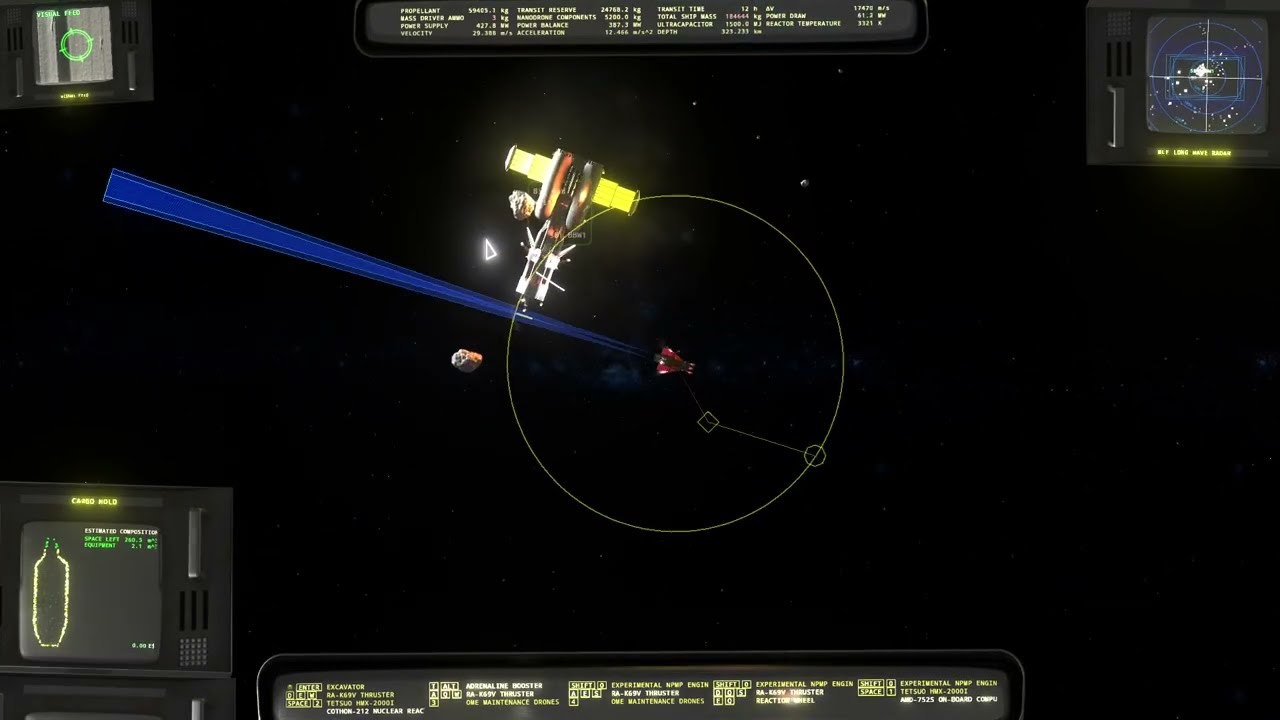
https://youtu.be/Wa73etQc7CU
 granite robin
Yeah tetsuo with mass driver ammo, didn't have time to mine and process iron for that video
left grove
Part 2
deft bane
left grove
this is how you deal with enemies with EMP shiels
fuckin, ALL THE BULLETS
You got a hole in your right hull! - Someone in the right side of the ship
left grove
deft bane
*You got a hole in your right hull!* - Someone in the right side of the ship
lmao warthunder flashbacks
"you got a hole in your right wing!"
checks right wing
wing is gone
"I THINK I GOT MORE THAN A HOLE IN IT"
granite robin
granite robin
Yeah tetsuo with mass driver ammo, didn't have time to mine and process iron for...
If you have processed iron it fires molten blobs of it.
deft bane
granite robin
If you have processed iron it fires molten blobs of it.
Gud, I want fire in their reactor
 left grove
@deft bane so mine are not using mass driver ammo.. but this is insane and i love it.
deft bane
left grove
<@233341640465580032> so mine are not using mass driver ammo.. but this is insa...
The USA has brought the gun with a plane to a gun with a fucking space ship
left grove
idk if you can see the file name
"A10 eat your heart out"
deft bane
lmfao
 left grove
niiice
eventually i will throw mine on there too
for now the github is my main location though
deft bane
Funny, I have a different mod for another game and I become a verified mod author
legit, its crazy
 left grove
daaamn nice
left grove
found a bug with the advanced drones mod.
when installing deca yeet/haul AND deca MPU.
if you tune the MPU max range down to 100m, the yeet/haul drones are also restricted in range, despite having thier tuning set to 1200m
deft bane
weird
 heavy widget
hollow pewter
turns out it was <@147599991618273281> trying to put IoE up, perhaps it's best s...
heavy widget
hollow pewter
turns out it was <@147599991618273281> trying to put IoE up, perhaps it's best s...
who did that? the username i mean, i dont recall doing that
left grove
we cant see the name, "the mod author has not published it yet"

hev is correct on the tab title though

 wintry ridge
paper spade
I think before that happens, more, if not all of the mods should be moved over t...
wintry ridge
paper spade
I think before that happens, more, if not all of the mods should be moved over t...
It's probably possible to configure CI at gitlab to upload releases to nexus automatically.
dark pike
Microwave broadsides in a heavily modded everything for shits and giggles, but mostly the giggles.

Fun for the whole family, as in, it'll melt four faces at once.
 left grove
 paper spade
bah, yeet protocol also doesn't respect when life pods are docked with a bay and continuously try to target and move them out of the bay
neon yacht
interesting, there's no explicit check for that, but i would assume it would be covered by sanbus
paper spade
Yeet Protocol yeets life pods aggressively, can't use arms or bays, and I assume cradles on them without yeet protocol enabled drones constantly trying to push them away or towards the excavator
granite robin
 🔥 (slow because I wanted to see how sprite looks in game)
deft bane
Whoaaa
hollow pewter
very good at showing that they do impart some thermal damage, as the one that hit the back of the cargo bay basically wrecked the computer
granite robin
hollow pewter
very good at showing that they do impart some thermal damage, as the one that hi...
It's overtuned, basically that touch imparted all energy both thermal and kinetic. I still need to work on numbers, maybe even change massdriver script to add thermal draw.
hollow pewter
ohhh, that makes sense now lol
granite robin
Probably still too much... but it's 3 guns, not one.
||https://youtu.be/RWPBD5cD11Y||

 naive patio
Sooooooo, fren modders.... Who might I ask VERY nicely to see if we can't get a really dumb mod made, like.....soonish?
granite robin
naive patio
Sooooooo, fren modders.... Who might I ask *VERY* nicely to see if we can't get...
Try this
naive patio
Wait wait wait, I didn't even say what it was I was doing? ........ :sideeye:
I've gotta clean out the PCs water loop, so it'll be a little later today, but I DO plan on a pretty decent session. I'll pair it with the hybrid test spawn mod, for ease of use. OMG
OMG
OMG
Ok, so, with both of those mods, I COULD really screw with the physics engine, trying to get multiple cores in the OCP cargo........
granite robin
naive patio
Wait wait wait, I didn't even say what it was I was doing? ........ :sideeye:
#ama message
granite robin
Reupload because I'm dumb
naive patio
Wait, WT, are you in the AI spoilers thread?
Also, worked a charm. Ohhhhh how I wish I could stream these shenanigans. That was two hours of madness.
granite robin
naive patio
Also, worked a charm. Ohhhhh how I wish I could stream these shenanigans. That...
No, and I'm not sure what worked... Because first time I modified Tesla (Elon car) instead of singularity 😶
naive patio
Uhhhhh.........
Well, guess I have to go do it all again tomorrow. Perhaps the effect comes on slightly before exiting the cargo, because I had two of them with the effect clearly working within the bounds of the door
naive patio
Ok, so, I had a thought. A mod - loader program should be REALLY easy to implement, no? Literally a GUI and .....two scripts?
For a V0.1, it would just be a text list, showing each mod 'downloaded', with either a green or red 'light' indicating whether the mod is enabled or not.
Enabling and disabling could be handled by just changing the extension from .zip to .zip0 or something equally easy to manually fix.
Watchdog process to monitor each file extension in chosen directory.
Then a 'Mods Enable/Disable' button on the top bar, that adds/removes the --enable-mods trigger from the exe.
Am I missing anything?
 potent jewel
Is there a wiki page on how to set up modding? Also does godot use Python or is it multi-language support?
hollow pewter
not much in the way of actually setting up for modding currently, and it directly uses GDScript or C++/C# for languages, but i'm sure you could find libraries to use other languages as well
hollow pewter
yeah the section i included for mod creation links here actually
granite robin
potent jewel
Is there a wiki page on how to set up modding? Also does godot use Python or is ...
GitHub
A basic guide on how to get set up for ΔV: Rings of Saturn modding. - ZakrinYoran/Delta-V-Modding
hollow pewter
should prob link that to the wiki too, forgot it existed lol
hollow pewter
i'm trying to figure out how the naming convention system works for the game, and i'm having a hard time wrapping my head around the code for "verbatim" ship names, if anyone is able to help (all associated files are attached too)
also, i suppose for anyone interested, the cs files might provide insight into the possible names
neon yacht
hollow pewter
i'm trying to figure out how the naming convention system works for the game, an...
iirc, 'verbatim' names are just names that cannot be mixed with others, they will only ever appear with the first and last name paired together.
        var nr = rnd[0] % s
        return [dict[lang][nr][0], dict[lang][rnd[1] % s][1], dict[lang][nr][2]]
    else :
        var nr = rnd[0] % s
        return [dict[lang][nr][0], dict[lang][nr][1], dict[lang][nr][2]]```
from a quick look, this seems to be the most relevant part. Note how the non-verbatim section uses a different value for determining the second value, presumablythe last name.thanks
i presumed that's what it was for, as they don't really make much sense when in combination with others
still, thanks for confirming it
neon yacht
no problem
dark pike
Yeah, some names were very good names, but didn't mix well. That's exactly what they are.
Note that mixing up ship names will mix up your universe a little. I believe the selection is random but seeded, so a ship you should recognize may have a different name and a different captain. Like if you're doing the sibling quest, you could suddenly be looking for a ship of a different name.
Specifically in the case of when you add to the list of names, I mean.
Your crew and your ships should remain the same. Though if you sell and re-buy them, or fire and hire, I'm not sure if that holds.
hollow pewter
decided i would create a repo for every known modding repo for the game to make it easier for people to find things: https://github.com/rwqfsfasxc100/Delta-V-Modding-Repos
GitHub
Collection of all known mod repositories for the game Delta-V: Rings of Saturn - rwqfsfasxc100/Delta-V-Modding-Repos
i will eventually get around to doing the same for the wiki, but that one requires a bit more thought to make good descriptions and i didn't feel like doing that right at this moment
potent jewel
Seems like a good idea. I’ll let you know when I get mine created. Will do pull request.
potent jewel
well I tried to fork it and that failed. It seems like github has just shadowbanned me from some things at random with no explanation. I might have to just ask support what's going on
potent jewel
importing this pck recovered directory is taking forever
neon yacht
potent jewel
importing this pck recovered directory is taking forever
you talking about importing the decompiled game files? if so, I highly recommend GDRE v0.5.3, as the import process is an order of magnitude faster then later versions.
hollow pewter
yeah, 0.5.3 is really quick, even if you're most of the way through a decompile from a newer GDRE version, it's still worth switching
also, @neon yacht perhaps it might be a good idea to note it in your modding guide
 neon yacht
yeah, good call
potent jewel
Ok didn’t know I was supposed to use an earlier version
potent jewel
well I left and running and left to go do stuff for 2 hours or more and it managed to finish. Should I keep the results or redo?
neon yacht
keep it, the data itself should be fine.
but I would definitely recommend switching if you end up decompiling a new version in the future.
potent jewel
I could create a PS script with a GUI "wizard" to set up the whole modding environment for people and decompile. I've basically got that whole PowerShell/Windows/GUI thing all figured out now.
potent jewel
GitHub
Added your suggestion about 0.5.3
hollow pewter
something i've been cooking up. im sure a few people would be happy to see the results of this

 granite robin
hollow pewter
granite robin
hollow pewter
close to finishing a full mod for it, however i've riddled it with typos so debug time it is
also me forgetting how ZKYLoader worked doesn't help
hm, just produces a black screen when loading in, @neon yacht may i borrow some of your time to look into this zip at all?
this is the tcsn that looks to work in godot (default location and all) for reference
neon yacht
a couple things so far
1: your zip doesn't like me

2: you're missing the ()

3: I'm gonna have to take a closer look
 hollow pewter
hm, weird. they're all present on my copy
might've been the fact that i had winrar recompile the zip as i was editing it, so i might've uploaded it before it had saved
neon yacht
i believe i know the actual issue, but if i could get a new zip, i'd like to confirm
hollow pewter
yup of course, this zip should be a recompilation of it
if it still has problems, i can switch to windows' compression tool
neon yacht
nope, that one opened fine
hollow pewter
sweet
neon yacht
so, looks like you're trying to load TheRing.gd when you should be loading the .tscn


then you have to specify the root node of the scene
other then that, the scene should load fine
hollow pewter
i see. i can see where i deleted the root node specification as i did do a mass deletion with the text editor, which was there at one point
i'll patch it up and give it a try
ok, so progress. the mod loads and forces the event spawning correctly, however it seems that the events themselves didn't load and it's started a log spam with the game checking events
 neon yacht
your test event and the actual event are named differently

 hollow pewter
OH lol, the typo strikes again
neon yacht
99% of debugging is finding the one word you misspelled
hollow pewter
yup, even worse was when writing the tcsn, i made myself keep the prefixes in all caps to make it consistent for testing, only for me to not do that
hm, seems to still not like it. i'll quickly double check it
i'll try importing into godot rq to see if that brings out any errors
neon yacht
 hollow pewter
hm, might just be my build specifically
neon yacht
hollow pewter
thanks. was just about to rebuild my zip
yup it works, bet it was the same issue you faced with my original zip
neon yacht
interesting, it seems really sensitive to bad zips, i know several other people had issues with zipping as well
i personally haven't had any issues with 7-zip on default settings
hollow pewter
yeah was gonna say, might just be a bad idea to use winrar's update zip feature
alright, suppose i might make some touch-ups before i put out a post for it
hollow pewter
looking to increase the float size for the random chances for derelicts (specifically for the minimum). would this be how it would be implemented? (i put in the log function to see if it loads it, if it works at all)
 neon yacht
sorry, what exactly are you trying to accomplish, i don't quite understand
hollow pewter
i'm looking at trying to set the minimum random chance of some of the derelicts to below 10% (0.1), however the minimumChance float only goes in steps of 0.1
this specific part of the RescueOperation.gd file specifically is what i'm looking at changing
 neon yacht
that limit is only imposed on the editor, it's not actually a limit on the var itself.
it only effects these sliders when editing in-engine
 neon yacht
yeah, if you edit it in the .tscn file, it should work just fine
 hollow pewter
giving the bald eagle a very tanked rarity chance lol

 woven wraith
Hello everyone, I have a question, is it possible to modify the kitsune in some way, I mean mounting three modules, for example?
hollow pewter
certainly is, and there's a mod that has a pretty similar Kitsune variant, albeit slightly different with one high-stress and one low-stress hardpoint, and a torch slot: https://discord.com/channels/426287934870781952/1294439744721125457
should be under the shipyards section of the github
this one specifically
i might be able to quickly write a modification of it, although i might not have enough time for it. will attempt it regardless
ok here's a quick mockup. just a very minor modification of the above mod with a decently big bug i couldn't sort out due to running out of time, being that the low-stress hardpoint puts two of the same equipment on both sides of the ship, yet only uses one equipment slot. it's created because i just copied the code and moved the hardpoint, and i do know how to fix it, but i can't right now
woven wraith
hollow pewter
certainly is, and there's a mod that has a pretty similar Kitsune variant, albei...
Thank you.
One more question, can I modify it a bit regarding loading, more or less like this?

I know it's crazy, but I want to test it.
hollow pewter
how do you want it edited exactly? like an OCP bay or something?
hollow pewter
hm, might be a decent bit more difficult, but possible. you'd probably lose it's accordion-like cargo bay functionality though
woven wraith
I know that, but in my opinion the kitsune is a really great ship, and the opportunity to test how it will behave interests me.
hollow pewter
that's fair. i believe it's that exact statement (more or less) that brought about the creation of the K37-OCP mix
woven wraith
Yes, but there is a problem with K37-OCP, namely it automatically crashes the game, which makes it impossible to install an additional module.
hollow pewter
yeah i believe it's a known bug, i've seen it being reported.
woven wraith
I was thinking about something more practical in relation to kitsune, drones, but in the sense that they extract raw materials and at the same time deliver them to the ship, such a solution would be possible and would have a cool concept.
Of course, I realize that it would be difficult to do because the drones had to be self-replicating, which, let's say, are in the initial stage of about twenty thousand pieces
hollow pewter
i do believe that a system like that exists in a mod already, although you might need to do some searching as i couldn't find it from a quick search
woven wraith
Oh well, I have to look for it.
neon yacht
probably Advanced Drones, the mod i still haven't released yet
woven wraith
hollow pewter
yeah i believe it's a known bug, i've seen it being reported.
And back to how to fix it normally to avoid this Bug
woven wraith
neon yacht
probably Advanced Drones, the mod i still haven't released yet
So this mod has two functions in one?
hollow pewter
woven wraith
And back to how to fix it normally to avoid this Bug
i wish i knew how to fix it, i haven't had a look at IoE's code yet, and do need to head to sleep soonish so i won't be able to until tomorrow
woven wraith
Collecting and delivering at the same time.
What if I installed the hard Stress hardpoint and low Stress hardpoint modules in series in one line, one at the front, the other at the tail, maybe that would solve the problem?
neon yacht
they're really fun to use, but there's still some issues with it (like ore clipping through ships) so i haven't done a real release yet
woven wraith
But it looks great, cool thing, the only way to calmly acquire resources that don't run away from you hehe
If I may ask, approximately how long does it take to fill the entire Cargo bay
neon yacht
like the processed cargo? I guess however slow or fast you want, the drones are very customizable. I haven't really done any balancing, just getting them working properly is already quite a challenge
woven wraith
But honestly, it's a really great idea, something like this is like divine ambrosia.
woven wraith
neon yacht
like the processed cargo? I guess however slow or fast you want, the drones are ...
So only the OCP test for now
hollow pewter
hate to be back here again, but i'm looking into extending the available ship configs. i don't really know how to extend JSON, but this is about the best I got from looking at mods that added to the method, but still doesn't work
hold on there's a typo in my ModMain, i'll fix it and try again
still seems to not work, def will need help with it then
neon yacht
i'm on my phone, so it's hard to write stuff out, but this should be how you want to do that:
var DDUsedShips = {
      "SHIP" : {
        configuration here
        },
      "OTHER_SHIP" : {
      other configuration here
      },
}

func _ready():
usedShipConfigs.merge(DDUsedShips)```gotcha. i think i did have that as an old form, just i didn't realize my modmain was broken until well after i made the change. luckily it was on github so i might be able to see the history of it
hm didn't seem to work, i'll have to wait until i go home to figure it out
might be related to me using the NANI and Kzinti lesson as equipment
woven wraith
Question: Where can I download technical data for a given ship to modify it?
As a script
granite robin
woven wraith
As a script
So first you need to decompile game with GDRE link: https://github.com/GDRETools/gdsdecomp/releases/tag/v0.5.3
And then import it into Godot
https://godotengine.org/download/archive/3.5.3-stable/
For more step-by-step tutorial follow the guide here:
https://github.com/ZakrinYoran/Delta-V-Modding

GitHub
What's Changed
Fix GDScript decompilation for Godot versions 2.1, 3.1, and 3.5 by @nikitalita in #123
Fix import loading on >=4.0.2 by @nikitalita in #125
Godot 2.x fixes by @nikitalita in ...

Godot Engine
Download Godot Engine version 3.5.3 (stable) for Linux, macOS, Windows, or Android
GitHub
A basic guide on how to get set up for ΔV: Rings of Saturn modding. - ZakrinYoran/Delta-V-Modding
woven wraith
Thx
hollow pewter
neon yacht
i'm on my phone, so it's hard to write stuff out, but this should be how you wan...
ok i think i might have come to the realization that it's not the code itself that's the issue, more so that it's creating a second instance of the COTHON list, and the game ignores it as it has already processed the default list.
pretty much everything i tried with it seemed to fail
i'm guessing what might need to happen would be to concatenate the vanilla values with the modded values, and then override the script entirely with the fresh value, or i totally bypass the vanilla method with a method of my own and deal with it that way. either way it seems like a decent bit more than i thought it was going to need
i'll get to some tinkering anyway, see if i can figure something out at the very least
neon yacht
Godot Engine documentation
Dictionary type. Description: Dictionary type. Associative container which contains values referenced by unique keys. Dictionaries are composed of pairs of keys (which must be unique) and values. D...
By default, duplicate keys will not be copied over, unless overwrite is true.
hollow pewter
i see, thanks. i'd just figured out i could put in a break point to test that sort of thing too
don't know why i didn't think to check the documentation now that i think about it
guessing something like this
 neon yacht
should be a bit simpler than that
usedShipConfigs.merge(DDUsedShips, true)
 neon yacht
no problem
hollow pewter
now i'm going to spend the next *insert arbritrarily large time value here* writing a load of ship configurations
 hollow pewter
something from last night that i forgot to put here, this is a list of every piece of vanilla equipment by their internal name (with comments for stuff w/o obvious naming in many cases). using it for current projects but thought it would be useful for anyone working with the creation of new ships and/or modification of vanilla ships
wintry ridge
hollow pewter
something from last night that i forgot to put here, this is a list of every pie...
fission rods are also limited by ship
hollow pewter
right, forgot the kitsune has them limited
ok, should have them with comments on it now
hollow pewter
also just realized the Kitsune is limited to 50t of propellant, so i'll fix that too
granite robin
hollow pewter
Hmm where did you find AGILER? Also found where MAIN_ENGINE_PMS is used - phage rotation torches and their main torch is ZUBRIN.
hollow pewter
AGILER is in the ThrusterSlot.tcsn, but i couldn't find it used anywhere. i kinda skimmed over the PMS torch, so i'll add those comments. thanks
i'm gonna put the text file on github so it can be updated without needing to be sent repeatedly
GitHub
A compilation of useful saves and other assets for the game Delta V: Rings of Saturn - rwqfsfasxc100/Delta-V-Useful-Files
woven wraith
hollow pewter
I improved it a bit
Dual Role Extractor Carrier Drone (DND-ECX)
[SYSTEM_DND_EXTRACTOR_CARRIER]
name = "Dual Role Extractor Carrier Drone"
description = "A multi-functional drone capable of both mining and delivering resources directly to the ship. Optimized for efficiency and speed."
type = "DRONE"
category = "EXTRACTION_CARRIER"
mining_rate = 150.0 # Mining rate in kg/min
cargo_capacity = 300.0 # Storage capacity in kg
delivery_speed = 30.0 # Speed at which resources are transported to ship
range = 2000.0 # Operating range in meters
reload_time = 10.0 # Reload/delivery cycle time in seconds
energy_usage = 50.0 # Energy consumption in MJ per cycle
cost = 12000.0 # Cost in credits
weight = 150.0 # Mass of the drone in kg
[DualRoleExtractorCarrierMk1]
name = "Dual Role Extractor Carrier Mk1"
type = "drone"
category = "extractor_carrier"
mass = 120
cost = 8000
energyConsumption = 40
range = 1500
miningRate = 100
cargoCapacity = 200
transferSpeed = 25
reloadTime = 12
specialEffect = "blue_particles_trail"
uniqueFeature = "Basic_Extraction_Pulse" # Efekt pulsującego wydobycia
[Effects.Basic_Extraction_Pulse]
description = "Emitowanie krótkich impulsów laserowych podczas wydobycia."
visualEffect = "laser_pulse_anim"
audioEffect = "mining_pulse_sound"
[DualRoleExtractorCarrierMk2]
name = "Dual Role Extractor Carrier Mk2"
type = "drone"
category = "extractor_carrier"
mass = 150
cost = 12000
energyConsumption = 50
range = 2000
miningRate = 150
cargoCapacity = 300
transferSpeed = 30
reloadTime = 10
specialEffect = "green_particles_trail"
uniqueFeature = "AutoCargoUnload" # Automatyczny rozładunek ładunku
[Effects.AutoCargoUnload]
description = "Automatyczny rozładunek surowców na statku po powrocie."
visualEffect = "cargo_unload_anim"
audioEffect = "cargo_drop_sound"
[DualRoleExtractorCarrierMk3]
name = "Dual Role Extractor Carrier Mk3"
type = "drone"
category = "extractor_carrier"
mass = 180
cost = 18000
energyConsumption = 70
range = 2500
miningRate = 200
cargoCapacity = 400
transferSpeed = 35
reloadTime = 8
specialEffect = "yellow_glow_trail"
uniqueFeature = "Overload_Mining_Boost" # Tryb zwiększenia wydobycia kosztem energii
[Effects.Overload_Mining_Boost]
description = "Zwiększa wydajność wydobycia o 20% przez 10 sekund kosztem 50% większego zużycia energii."
visualEffect = "overload_glow_anim"
audioEffect = "power_boost_sound"
cooldown = 30
duration = 10
[HeavyDutyExtractorCarrier]
name = "Heavy Duty Extractor Carrier"
type = "drone"
category = "extractor_carrier"
mass = 220
cost = 22000
energyConsumption = 90
range = 2000
miningRate = 250
cargoCapacity = 600
transferSpeed = 20
reloadTime = 15
specialEffect = "red_spark_trail"
uniqueFeature = "ShieldedTransport" # Ochrona ładunku przed uszkodzeniami
[Effects.ShieldedTransport]
description = "Ładunek drona jest zabezpieczony przed uszkodzeniem w trakcie powrotu."
visualEffect = "shield_bubble_anim"
audioEffect = "shield_activate_sound"
[RapidExtractorCarrier]
name = "Rapid Extractor Carrier"
type = "drone"
category = "extractor_carrier"
mass = 130
cost = 14000
energyConsumption = 45
range = 3000
miningRate = 120
cargoCapacity = 150
transferSpeed = 50
reloadTime = 6
specialEffect = "cyan_stream_trail"
uniqueFeature = "HighSpeedDelivery" # Zwiększona prędkość transportu na krótki czas
[Effects.HighSpeedDelivery]
description = "Tymczasowo zwiększa prędkość dostawy o 50%."
visualEffect = "speed_boost_trail_anim"
audioEffect = "speed_boost_sound"
cooldown = 20
duration = 5
[UltraExtractorCarrier]
name = "Ultra Extractor Carrier"
type = "drone"
category = "extractor_carrier"
mass = 250
cost = 30000
energyConsumption = 100
range = 3500
miningRate = 300
cargoCapacity = 800
transferSpeed = 40
reloadTime = 5
specialEffect = "golden_glow_trail"
uniqueFeature = "SelfRepairSystem" # Automatyczna naprawa drona w locie
[Effects.SelfRepairSystem]
description = "Dron automatycznie naprawia uszkodzenia z prędkością 1% na sekundę."
visualEffect = "repair_particles_anim"
audioEffect = "repair_sound_loop"
cooldown = 60
duration = 20
hollow pewter
i might end up putting the ship loadout additions on hold for the time being in favor of working on other planned features. i couldn't figure out a way to concatenate the vanilla values with the new ones in a way that appended them instead of completely overriding them, and i would rather not add the vanilla values to the list as A) i don't want to bloat the file and make it harder to read and modify, and B) in the event that new loadouts are added to the base game, i don't want to need to go back to the file to put them in when it happens.
neon yacht
that should be doable with a bit of scripting, I can look at making something for that tonight/tomorrow after work.
you're just wanting to add additional loadouts without affecting the vanilla ones yea?
hollow pewter
yeah pretty much
neon yacht
yeah, I'll take a look at that when I'm free
hollow pewter
sounds good, and thanks again
pretty much the idea i had in mind when trying it was to take the ship type from the list when it got to it, find the equivalent in the vanilla list, and append it. i never figured out how to properly split it, and yeah once again your help is greatly appreceated
neon yacht
okay, @hollow pewter i have some free time to look at doing that right now. that's for the derelict delights mod yeah?
hollow pewter
yup
been working on it right now actually, mostly bugs from stuff that was already there
i seem to attract a heck of a lot in the way of typos
neon yacht
they always find a way
hollow pewter
2 releases within 10 mins all from the same issue, and 2 because i made a typo fixing the previous issue
smh
neon yacht
so, this is something you're only trying to put into shipyard.gd? i see you have a file for each ship type, not sure the exact format you're going for
hollow pewter
i left the shipyard.gd file for reference, but wanted to move to using a file for each ship type
i originally had only the shipyard.gd file commented out, but had the others commented as well as i wanted to get a bugfix out w/o the changes
prob shoulda mentioned that a while ago now that i think about it, but i suppose now is a good of a time still
neon yacht
okay, sorry, i got pulled away for something else the moment i went to start
anyway, this should be pretty simple to do with the way you have it set up
since you already have them separated, nothing fancy required
for ones that have existing entries in the usedShipConfigs:
func _ready():
    usedShipConfigs["TRTL"].append_array(TRTL)

var TRTL = [
            (configs go here)
       ]
for ones that do not:
    usedShipConfigs["OCP209"] = OCP209

var OCP209 = [
              (configs go here)
             ]
if they were all bundled together, you would have to determine if there were existing configs first and then assign them appropriately
hollow pewter
ah thanks (also sorry for being pulled away in the end too, i ended up having to sleep so no worries). looked a heck of a lot simpler than what i was trying to do, guess i never saw the append_array func when trying to figure it out lol
still, guess it's kinda a nice thing that by me trying to make things easier by separating them out, it makes the solution a lot easier too
hollow pewter
first implementation seemed to not work. crashed with 4 lines generated to the engine log (being the engine header and renderer info) and nothing else to go on. very helpful
although i do have an idea what went wrong
nope, turns out for once it's not a typo
hollow pewter
nevermind, still is a typo lol. i think i forgot to remove the "true" statement when i changed to the append_array function without realizing that it wasn't the same as the merge func
nope that wasn't it either. i'll move to my desktop to start work on it there instead soon as it'd prob be a lot easier there
or i should actually start to read things properly the first time, these are obviously not the same function smh


i'll still wait until i get to my pc for it, but at least i know the lead i actually need to take on it
hollow pewter
back at it and it still crashes w/o logs, def need to be looked at
even using verbose on CMD just has it end abruptly at this line here

nevermind fixed it, turns out i can't just modify the vulture and K44 loadouts individually
which is fine, i can always use another workaround for them instead
wintry ridge
hollow pewter
or i should actually start to read things properly the first time, these are obv...
what's in TRTL?
as in, the variable you are trying to append?
ah right
I don't think this part is the problem.
hollow pewter
yeah pretty much just the loadouts i was going to add for that class of ship. it wasn't the problem in the end either
i was looking into making loadouts that would affect just the vulture and the K44 individually, given they have unique hardpoints that aren't covered by the usual configs. disabling the method that modified them made the mod load fine tho so is a good enough fix for the time being
i did notice a mixup where i had accidentally put the high-stress equipment to the right hardpoint on the vulture's loadout, so i might see if fixing that issue allowes it to work again when i get back to it
hollow pewter
back here (again). looking at adding a new variant of the THICC that's just larger (currently only with the code to have it spawn in the rings), however when i try to force the event to spawn, it repeatedly fails
neon yacht
this might just be the funniest typo yet
[ext_resource path="res://Derelict Delights/ships/drone/StoragePodBigRogue.tscn" type="PackedScene" id=5]
Derelict Delights
DerelictDelights
hollow pewter
OH. that would likely do it
hollow pewter
ok, finally got home and have fixed that issue. still seems to fail however
i have double checked to make sure the spawner mod is loaded after this, which was the cause last time
hollow pewter
ok found my issue. turns out for whatever reason i had set TheRing.tscn to load after Game.tscn, which meant that the events would be processed after TheRing.tscn was initialized
the only caveat of these big THICCs is that it constantly causes the pilot's adrenaline to activate, so i'm keeping them as pirate-only until i can find the solution

lemmie grab a comparison pic rq
ok better comparison

i'll see if i can give it two points for cradles to grab onto instead of just the centre, as it did have a little struggle to grab it in the first place, and that should hopefully bring it far enough away to stop the issues with adrenaline
hollow pewter
i might just end up shrinking it in the end, it's a whole lot bigger than the original 1.5x scale i originally did when compared to a standard THICC
hollow pewter
figured everything out with the large THICCs. i'm going to wait until tomorrow to deal with the equipment side of everything
hollow pewter
@neon yacht sorry to bother you again, but do you know where the code that handles what equipment can or cannot be fitted to specific ships at all?
neon yacht
depends, what equipment are you referring to? just what fits on the hardpoints?
hollow pewter
pretty much. i've set the new THICCs i've made to be equippable, i just want to be consistent and not have them equippable on the OCP or bald eagle
neon yacht
so, hardpoint items are determined solely by the slot ID on the ship, and which equipment is visible in upgrades.tscn for that slot.
the only equipment that is limited by the ship itself, rather than upgrades.tscn is turbine/reactor/ultracap and the consumables (remass, drones, ammo)
basically, as long as you put the new thiccs in the same slots as the existing ones, they will be equipable by the same ships.
hollow pewter
figures. i did put them in all of the side slots that weren't high-stress. i believe it's not too hard of a remedy as (at least from what the vanilla code shows), hiding it seems to disable it
neon yacht
yep, hiding them is sufficient. I personally prefer only adding them to the ones that need it, just so I'm not loading extra nodes. (not that a few will really matter at all)
hollow pewter
yeah that's fair, plus it does make it easier in the sense that you're spending less time adding them
also appears that it uses what appears to be the B8 & hunk cradle positioning, making it inconvenient for some ships (currently the EIME is the only one i've seen issues yet), however given i kinda want to bring out a release for this mod, i might just end up putting something in the flavor text for it in the meantime (which i still need to write)

 neon yacht
would you happen to have toggled the 'flip' (it's called something like that) on the cradle?
it need to be toggled on one side for the arm to hold it right
hollow pewter
that would be it, flip is on for the left side and off for the right
neon yacht
also, I expect the Titan might have a bad time when you try and mount them
hollow pewter
just tried on the titan in their non-corrected state, and they actually behave pretty ok, apart from causing a big clang when loading into the sim
i will try again after applying the fix tho
still broken, looks like it needs a rotation instead of a flip

seems like they were given a 90 degree rotation, i'll zero that and see if that fixes it
nope, that seems to have done nothing lol, although i did toggle the flips as well so maybe i revert that
hollow pewter
finally decided to look into it again, and by the looks of things it's the EIME that redefines the position of the cradles, which explains the positioning (and maybe alignment too?)
hollow pewter
ok nearly got it nailed down, seems to work ok unless there's something else in the slot, where it still seems to just exist alongside it, unmoving
 hollow pewter
i just remembered a convo ages back about new equipment and needing to use placeholders and voila! this is why copy-pasting is useful (and why i need to do it in future)
 hollow pewter
@neon yacht quick question, say a function runs a handful of for statements (such as one of the game's makeAt functions), what would i want to do if i want to append an extra for statement without overriding the function entirely when extending a script?
neon yacht
which script/func are you trying to modify?
hollow pewter
the makeAt function in res:\story\Vilcy.gd, i'm looking to add new events that spawn with the function, just the only way i've managed to get them to work is to completely override the function itself
neon yacht
okay, that should be doable.
It looks like the func returns an array that contains all of the different ships that it makes. All you should have to do is manually call the existing function, append the new things you want spawned, then return the modified array.
func makeAt(pos):
    var out = .makeAt(pos)
    # Spawn your new event
    out.append("thing you want to append")
    return out
the trick is using. to call the original version of the overridden func
hollow pewter
thank you, once again making things a lot simpler than how i attempted it
neon yacht
no problem, lmk if you have any more questions
hollow pewter
will do
hollow pewter
i found the underlying issue to my mods not working today. i'd forgotten to put back the --enable-mods flag after removing it to play vanilla last night lol
for all i know, my previous attempts had worked fine, just i didn't have them load to see and thought they were broken
hm that's not good

this is the one loaded mod for reference
neon yacht
looks like you're trying to load translations that aren't there?
hollow pewter
that would be it
i copied over the modmain from derelict delights and i guess i forgot to delete those lines
tysm
granite robin
@quick hinge @quentindrake So I was looking into getting Brigand Champion into the game, but well I don't have skills and time to do it.
Used OCP as base, really no work done other than replacing textures, moving excavator to the right place and adding eagle crew light.
I had to resize is in godot to match OCP scale, if @quick hinge re-render it in about twice the size it should look fine. Also if you will do this, probably look into adding damage sprites here is OCP as example


 quick hinge
granite robin
I had to resize is in godot to match OCP scale, if <@829829292032655391> re-rend...
quick hinge
granite robin
I had to resize is in godot to match OCP scale, if <@829829292032655391> re-rend...
oh yah sure!
hold on, i have the files somewhere...
quick hinge
granite robin
I had to resize is in godot to match OCP scale, if <@829829292032655391> re-rend...
here you go :]


(i dont have the time to do damage sprites rn, maybe later!)
hollow pewter
memory hog moment
 hollow pewter
currently working on the BBW for an IoE compatability rewrite, and everything seems to work except for the default configuration, which seems to not load properly especially on the thrusters, and the cargo bay doesn't show up on huds outside of just the value of objects in it. been mostly trying to get the hud to work as the config isn't too big of an issue, but have tried everything i could think of. nvm got it working
 tidal gust
Anyone got a clue why after installing better refining, my MPUs no longer work? Ill get remass but nothing else. It just consumes the roid.
hollow pewter
by the looks of stock better refining, it just changes the processing defaults of all MPUs. only way i can see it not processing minerals is if you set the custom mineral efficiency to zero
only other thing that i can think of if it's not that is that another mod is conflicting with it, which MoreMinerals might do as it also affects the MPU code
tidal gust
well even uninstalling it doesnt help. My MPUs just dont work now i guess
Even tried making a new save and reinstalling the game
hollow pewter
might be the issue of having mods themselves, have you double checked without MoreMinerals, MIsForMPU, and IoE installed, as all three of those mods change MPU behaviour in one way or another, and might conflict with better refining
I can't say which version of IoE you've got installed right now, so pinpointing how it would affect things is a little hard atm
neon yacht
the vanilla mpu behavior was also changed somewhat recently. So that may also be causing issues.
hollow pewter
that's true, IoE seemed to not care much with it, same with MoreMinerals from what i've seen, but idk about Better Refining given it is a much older mod
tidal gust
I can definitely live without better refining, but not with my MPU's not MP'ing
also:

1.7.5
im gonna make a new unmodded save and see if maybe that'll work
nope, even giving myself money on a vanilla save to buy an MPU doesnt work
hollow pewter
hm, weird
tidal gust
fixed my MPUs but now IoE isnt working 💀
wintry ridge
1.64.0 introduces a new feature, which might be useful for mod development.
Ships can now register equipment that they don't have installed, but potentially can have installed on them. Upgrade menu can read that.
This allows you to add equpment that will not be able to be installed on all the ships, like hardware that works only on specific ships. The relevant features are:
register possible equipment with:
    ship.registerCapability(slot, systemName)
    if ship.getConfig(slot) != systemName:
        Tool.remove(self)
make upgrade menu check for capability with:

if your mod overwrites one of cargo equipment scripts, it will probably lack that registerCapability call and you will experience cargo bay hardware missing from the hardware menu.
Use of this feature will probably be extended to further installable hardware in future.
hollow pewter
looks interesting, and like you say probably quite useful
hollow pewter
i've put some time to making a comprehensive guide for modding the game for the steam guides section, would like some feedback on anything that may be confusing: https://steamcommunity.com/sharedfiles/filedetails/?id=3406497378
figured this channel is probably better to share this if i'm wanting feedback from people who mod

This guide aims to go into depth on how to mod your game, as well as where you can find mods. This guide will not, however, give you information on how to write a mod or debug any issues you may have
i'm probably going to push a lot of the info from this to the wiki as well, as it's a whole lot more descriptive than what i put for there
hollow pewter
@neon yacht when you've got some free time, i might need a bit of help. i'm currently trying to get a crew conversation to happen on a specific derelict to finish a questline, however the dialog isn't triggering even though the code is almost the exact same as a vanilla counterpart (the missing sister derelict). the save i have attached has the radar anomaly set to the specific event, and the pilot currently onboard the active ship is the one with the specific agenda for it
hollow pewter
nevermind, i managed to find the issue (yet another typo)
neon yacht
glad you got it figured out
hollow pewter
yup, at this point the first thing i should be looking out for is typos, as that always seems to be the one thing i trip up on
hollow pewter
lol i think i jinxed it with that, now i have new equipment that just doesn't appear on the ship when equipped
hollow pewter
seems to be that the cradles get a little funky when instanced from another scene and flipped. this is a new equipment piece that line-for-line copies the left THICC module yet it still seems to break

 night basin
Does the mod loader mod help mods work together? Cuz I have mods installed that don't seem to be working at all
hollow pewter
it can do in specific cases. which mods are you trying to load together?
night basin
IoE: Working
NTCED: Not working
Better Refining: Working sort of
Better Derelicts: Not working as far as I can tell
No Simulation Hex: Working
Realistic Minerals: Working
Moar Radar: Working
hollow pewter
that might be it, IoE does have conflicts with mods that adds equipment to hardpoints. i would take a look at this thread for a version that would be a substitute for it: https://discord.com/channels/426287934870781952/1324503298295988327
it's to do with the way the original handles hardpoints, as it replaces the vanilla slots with a custom hardpoint set that only allows the use of vanilla and IoE equipment. the compatability version should bridge the gap and let equipment from other mods be installed as well
night basin
So I just download this and replace IoE with it? #1324503298295988327 message
Or do I just add it to the mod folder?
hollow pewter
replace IoE with it
just make sure you don't have an IoE ship as the active ship when you load a save, that's the only incompatability with IoE saves that i'm aware of
night basin
So swap off of my OCP-Pack before I change? Will I be able to swap back to it or do I have to sell it before I replace IoE?
hollow pewter
i couldn't say, i haven't been able to test much with it but i would say sell just in case. you could always load it with it in dock with the new IoE, and alt-f4 if the ship isn't there to replace it
night basin
Ok. Any idea if this new version is compatible with K-Tech and/or Bootleg?
I'd love to be able to add them to my collection
hollow pewter
should be. i personally tested with the bootleg laser, which worked from my testing
night basin
Sweetness
Now I just need to figure out how to get that file onto my steam deck as it doesn't have discord
hollow pewter
discord does have a browser version. it's what i use and works pretty well
night basin
I didn't know that
hollow pewter
should make it a bit quicker than going through the process of installing it
maybe when i'm done working on bugs for derelict delights, i'll take another look at it and maybe make a release on the github for it
night basin
Very helpful. Now I can download mods from discord onto my steam deck. So much easier
night basin
So I wasn't able to use my save, but I'm able to make a new one. I reinstalled the old IoE and went to my starting ship and reverted everything to stock equipment or empty slots and I'm going to try again now that I've replaced IoE with the new one again. I'll let you know if it worked. I'm guessing something I had on the ship was from the mod and it broke the save
It did not work. I think my save is permanently broken unless I reinstall the old IoE mod.
hollow pewter
i see, i'll take a look when i can
night basin
The save works fine when I put the old IoE mod in the mod folder but as soon as I replace it with the new one it seems to be broken
night basin
Had an idea for a potential fix for IoE, no idea if it'll work or not as I'm not a programmer or anything, but what if you add an option to turn off any MPU changes the mod makes in the mod files or something? That way if there aren't other mods being used people can just leave them on but if they have another mod that changes it that they prefer, for example Better Refining, then they can turn off the MPU changes in IoE's files to get rid of the incompatibility?
hollow pewter
i've created a modification to the example ModMain script that should help anyone looking to use a config file or deal with mod dependancies/incompatabilities.
The handler for checking what mods are installed is very crude, going off of the filename directly (I will eventually include a better method), but should be good for most mods: https://github.com/rwqfsfasxc100/Delta-V-Useful-Files/tree/main/Template Mod
GitHub
A compilation of useful saves and other assets for the game Delta V: Rings of Saturn - rwqfsfasxc100/Delta-V-Useful-Files
granite robin
Who would have thought that flying saucers are actually EIMEs
granite robin
granite robin
Who would have thought that flying saucers are actually EIMEs
Still need a lot to do, but it's playable. Need to think of a way to make it use only ZAPs and delete rcs upgrade slot.
hollow pewter
granite robin
Still need a lot to do, but it's playable. Need to think of a way to make it use...
easiest way to do that imo is to uncheck the "always" marker on the RCS upgrades slot in the Upgrades.tscn file. it shouldn't affect anything as pretty much all ships have RCS thrusters, which would enable it anyway. all vanilla ships use RCS so it makes sense that it's always available by default
i had the same issue with the Tsukuyomi for the IoE compatibility mod, but that's how i achieved it
granite robin
hollow pewter
easiest way to do that imo is to uncheck the "always" marker on the RCS upgrades...
Thanks, probably will need to stop overwriting eime for testing, but I will leave it for tomorrow.
hollow pewter
in relation to [this post here](#delta-v-on-the-web message), i guess it might be something to make a standard place where all mainstream mods can be downloaded from, rather than having links to several different places. maybe start bringing things to the gitlab again or smth?
neon yacht
the workshop... eventually™️
hollow pewter
i suppose that is coming, however that is for steam only, so there would likely need a second source for GOG, Epic and Itch
neon yacht
it would at least provide a way for people to search for mods. The mods can also link to their github/whatever if applicable.
unfortunately there's not really a mod/file hosting site that I like very much. github is great for the actual mod files, and i like having the source files on it, but it is terrible for finding/distributing them. nexus requires an account to even download, and is generally a terrible experience imo. other mod sites have varying degrees of usability and public knowledge. workshop is generally well-liked, and you can search on it without an account, even if it is a steam-only source
hollow pewter
suppose that's true, i haven't used workshop much so i didn't really take those into account
wintry ridge
nexus?
hollow pewter
nexusmods, site that's somewhat common for mods. DV does have a page on it: https://www.nexusmods.com/dvringsofsaturn
Nexus Mods :: DV: Rings of Saturn
Browse 8 mods for DV: Rings of Saturn at Nexus Mods
 winged dragon
So, I'm a filthy cheetah, and I wanna make the player OP. I've modded plenty of games to personal taste through lots and lots of reverse-engineering and trial and error.
I do have a (few) question(s) though!
  var mineralPrices = {
    "H2O":0.1,
    "Be":20.5,
    "Fe":0.9,
    "Pd":2.5,
    "Pt":2.7,
    "V":3.0,
    "W":6.5}
Say I wanted to multiply mineral prices by 10. Is it just as easy as copy/pasting
extends "res://CurrentGame.gd"
var mineralPrices = {
    "H2O":1,
    "Be":205,
    "Fe":9,
    "Pd":25,
    "Pt":27,
    "V":30,
    "W":65
}```
Or is that an oversimplification?variables can't be restated in a manner like that, but you can overwrite them. i'm not at my pc rn, so i can't write it exactly how it would work, but it would be something like this:
var newMineralPrices = {
    "H2O":1,
    "Be":205,
    "Fe":9,
    "Pd":25,
    "Pt":27,
    "V":30,
    "W":65
}
func _ready():
    mineralPrices.merge(newMineralPrices)```


do note that godot really doesn't like a mixture of spaces and tabs for indentation, so do be warned about thathaha I learned this the hard way
I know json and lua and that's about it so my unholy rage at wondering why my seemingly correct implementations were just not working
deft bane
hey Hev, seeing as you been the one somewhat mostly around the mod stuff for now, since ig Za'krin is on break, does extracting the lastest update game be able to fix some issues or no
idk, its been so long
hollow pewter
not directly, but something you can do is run the game from the editor directly (after commenting out the line that always decompiles incorrectly). you will need to get it to load (I personally set the mod loader to always run, but it isn't the best as it requires a bit of setup to debug and all) but it does give you access to the tools you'd get in any IDE
sadly I'm not able to get to my PC for a good while (staying overnight at a place that isn't home), so I sadly can't be a much help as I'd like, I might still be able to provide some assistance from memory
deft bane
ah dang ok
cuz I extracted another set of the game that has the latests updates and compare between the two verisons
see if any values changed and what not
my cpu is dying
its been at 100% load for almost 10 mins trying to get this new initializion going
hollow pewter
you might be better off changing the version of GDRE tools, as version 3.5 is very quick compared to more recent versions
at least for me, it took like 2 minutes for the entire process
hollow pewter
lol, I suppose it has been a while so you can always blame the rust
deft bane
that too
plus I been working with old verison of detla v so
I only did it so I could compare the changes if any
and see if moving everything over would fix said changes without need Za'krin's help
I been a lackluster modder ;w;
hollow pewter
it happens, but you aren't the worst
I suppose on a good note, it's pretty impressive how well some of the stuff has stood up
deft bane
yeah till now
issues didn rise till like
what, late Jan?
but ik it was cuz there was a update to the drones
which I know changed some stuff
which ig how gdot works, since the mod files referances old values and not the new ones
That's my guess tho
hollow pewter
I would guess so
perhaps when I do get home I could do my own looking. I believe I have an old version lying around somewhere (something like 1.37 or smth really old like that)
hollow pewter
I see, should be fine then
deft bane


spotted some changes already
left is lastest updated game verison, right is old
minor line changes but in here it looks like something changed for sure
looks like CANBUS changes and behvioural changes
so im unsure if moving everything over to latest patch and using everything would work with this or not
its a gamble to say the least
hollow pewter
I suppose that might be it, the issues are related to targeting so it's a good gamble
deft bane
you think Za'krin's patches will hold up to it?
hollow pewter
hopefully should
deft bane
Alright, then I'll give it a whirl next week and test
hollow pewter
also, should note that this game now has a gamebanana page, so i guess another place to put mods for those interested: https://gamebanana.com/games/21682
GameBanana
Mods & Resources by the ΔV: Rings of Saturn (DV: RoS) Modding Community
hollow pewter
it's a site i've used a lot for source game mods, and it did have a few others so I figured it'd be some outreach nontheless
hollow pewter
i think i screwed up the event spawning timer a bit too much lol, probably using the wrong order of operations

my game crashed before i could properly get a screenshot, but there were easily 20 ships in the pilot tab
ok yeah def wrong order of operations, it was set to 450^-2.5 rather than the intended 240 * 2^-2.5, which meant an event every 4.11*10^-8 seconds, rather than 1 every 80 seconds like was intended
the visual is beautifully chaotic however
deft bane
Crazy
Anyways slight delay to my mod migration of fix but hopefully it is fruitful
If not, I'm boned
Burnout was real
hollow pewter
i feel that
a pretty big update to the mod menu i've been working on has been problem after problem for me
hollow pewter
@abstract palm first thing that I'd take a look at when it comes to this would be the setup of the godot editor for modding. Za'krin has a very good guide that goes over most things that would be useful for starting out (link to the guide here: https://github.com/ZakrinYoran/Delta-V-Modding)
to make it a little quicker, i've attached the two applications that are used (Godot for the IDE, and GDRE tools to decompile the game's code). i'll not directly go into the setup for this, as i'll be going over the basics of scene replacement, but Za'krin's guide has a good explanation for both of these parts
 abstract palm
yep I'm already setting both of those up
hollow pewter
once you've got both of those up, next thing is to create a new folder in the root of the project directory (you can do this in either Godot or file explorer, however i find that on big projects like DV it's quicker to do it in file explorer).

with the folder, you'll want to right click on it for a new script. name this ModMain.gd, and this is basically the file that will handle the loading of any changes the mod makes

 abstract palm
okay, so that's the entry point for any mod
hollow pewter
yup. i'm going to use the ModMain template in Za'krin's guide, as it has a lot of useful tools that aide with some of the things you'll be doing with modding, so i would open that one up and copy the entire file to the file made in godot (or you could download it and move it there, either works)
abstract palm
k I'm looking at it now on the git repo
nice, the scripting language looks v similar to python
hollow pewter
yeah, i believe it's based off of it and C# (don't quote me on that though, i don't actually know for certain)
abstract palm
I see the replaceScene function, out of curiosity is there a way to add a scene rather than replacing an existing one if you want to add smth completely new?
or is that not necessary
hollow pewter
not really necessary, the replaceScene function is more so for scenes already existing in the game
pretty much any scene you make will load fine when it's referenced, although you'll likely be replacing other scenes or scripts to make that happen
abstract palm
ah okay that's what I kind of figured after I asked
hollow pewter
lmk when you're done with setting up the project for the next step
abstract palm
k I'll @ you
abstract palm
hollow pewter
lmk when you're done with setting up the project for the next step
I'm missing smth. it says it clone the decompiler to the modules subdir of godot, but the godot DL just has a .exe
no subdir structure
hollow pewter
oh, the decompile is of the DV .pck file in the game installation folder, rather than the .exe i provided you

this is the file that you decompile, i prob shoulda been a bit more clear on that
abstract palm
I'm talking about this https://github.com/GDRETools/gdsdecomp?tab=readme-ov-file#compiling-from-source

GitHub
Godot reverse engineering tools. Contribute to GDRETools/gdsdecomp development by creating an account on GitHub.
or is there a way to just DL it pre-compiled?
nvm I think I found it
we use gitlab at my work so I'm not used to github
hollow pewter
there are releases for the software, you can use any version but 0.5.3 is considerably faster to decompile the game than others. this zip should have it
hollow pewter
abstract palm
we use gitlab at my work so I'm not used to github
that's fair, github is not exactly the most user friendly
abstract palm
it's importing to Godot rn
this PC is brutal, I can't wait for my new one to arrive
it's just dragging through 26%, taking a minute or 2 for each .png
hollow pewter
something that does happen with newer releases of GDRE tools is that it does take forever (it can take over an hour in several cases). for whatever reason it's incredibly faster with version 0.5.3, like import times of a couple of minutes at worst
abstract palm
well it didn't have any trouble decompiling
it's just importing to godot that's taking ages. should I cancel and re-de-compile with 0.5.3?
hollow pewter
yeah, i would very much recommend it
hollow pewter
yeah pretty much, since you're redoing the decompile it won't matter too much
abstract palm
I'm getting a lot of warnings I didn't get before
Decompression not yet implemented for texture format
is that an issue?
hollow pewter
those are things you'd only need to worry about for decompiling the textures with GDRE, godot handles them fine
abstract palm
ah okay
yeah it's going much faster. I wonder what they changed that made it so slow for this project
done
hollow pewter
honestly idk either, but it works at getting it imported faster and that what matters
ok, so yeah, create a folder for the mod and a ModMain.gd file within it, and i'll get the next part ready