#Squadron 303 new ship brainstorm
1 messages · Page 4 of 1
 thin furnace
looks like the old ones yeah
should look like this

oh yeah I removed the ones with a -1- and replaced the normal ones again, seemed to work this time . Maybe I should've mentioned that
 brave knoll
 thin furnace
It feels wrong to be angry at technology and yet here I am .
thin furnace
Should be fine I think

 thin furnace
Imo looks quite nice 👌 (absolutely no bias to speak of)
I'll be back in about 10 minutes, gotta make a call
 vestal idol
I like that. The pebbled texture on the metal seems pretty rough and deep-cut.
thin furnace
Ok I'm back
On second viewing it almost looks like one of those uhhhh
bent swords with like blades made with carbon steel
Emergency space machete
 urban aspen
I'm getting "portable CD player" vibes. Might I suggest oval/teardrop shape buttons, recessing them, or making them silver?
 brave knoll
@thin furnace could you make that strut bended?
brave knoll
I was thinking about something that follows this curve
 thin furnace
ooh alrite

 thin furnace
something like this? [ignore the thing on the right]
 brave knoll
yeah perfect
vestal idol
I'd personally put a visible screw securing it to the plate.
But, aesthetic decision. Kinda like, "Fancy branding detail" crossbred with "fuck it, it works, this isn't a fricking Lambo."
You know . . . there are VR lenses that I saw in development that claimed they could work with a projector embedded in that plate. The image originated from the edge of the lens.
 rotund pasture
I love the way this HUD is shaping up. It looks really Unique and special
 proper lagoon
same
 shy lichen
Has the ship been put in the dealership yet, or do we still need the ship file?
thin furnace
Experimental has it at the dealer
shy lichen
Ah, aight
 royal parcel
Don't get me wrong, i like the concept, but i can't help but think: If the new HUD is literally a HUD - as it uses physical, transparent displays - where do the other game HUDs come from?
As in: How are they physically displayed? HAL is clear of course, it has classic displays, which makes it technically not a HUD, but anyways.
thin furnace
The OMS is supposed to be a separate screen, but the HUDs are just the ship's computer's overlays over the drone feed
...as far as I know
royal parcel
Hmm...
So we have a screen in the cockpit that shows the drone feed and is invulnerable to EMP, most HUDs are just displayed on the same screen, but HAL and this one need distinct displays?
thin furnace
My personal theory is that the drone feed screen is wholly separate from everything else (has its own battery, all components are completely shielded apart from the antenna), but then you also have a transparent display on top that shows the HUD elements, and that's connected to the computer
Either that or it's literally on your helmet I suppose
royal parcel
Yeh, i guess you can explain it that way
thin furnace
So the lifepod display is just analog (needs to be sturdy more than it needs to be fancy) and this ship's folds in so that it doesn't shatter when you crash or something 😄
This is all just my theorizing By The Way
royal parcel
Would that be so bad? It's a physical display, it would still be there on Enceladus. (Same for HAL) Should be behind the menus of course but i can see that working.
 languid cliff
HUD powered down and visible behind the menus wouldn't be a bad thing in my opinion.
shy lichen
The NCDI has issues with gimballed thrusters on this ship (Pressing E rotates it as normal, but pressing Q causes it to switch between counterclockwise and clockwise rotation rapidly).
This issue however is not present on actual autopilot, so I'm wondering if its a bug with the fly-by system
brave knoll
royal parcel
Would that be so bad? It's a physical display, it would still be there on Encela...
Looks bad, tried it with HAL
royal parcel
Aw. :( Would be much cooler though if the screen won't vanish mid-dive when the computer is offline.
shy lichen
shy lichen
The NCDI has issues with gimballed thrusters on this ship (Pressing E rotates it...
Apparently the fly-by wire system in general is having issues, as the EIAA autopilot has the same problem
 warm zinc
The EMP effects are switched. An EMP would definitelly kill a remote video feed via it's jamming effects, probably damage the entire comm system unless properly protected, and would have a harder time disrupting stuff that's inside the ship's metal hull, especially if it is purposefully shielded. I'd propose switching the effects, lose the video feed and keep the data that the computer gives you and attitude control. You keep lidar and see where the stuff that's around you is, but the computer doesn't tell you what each thing is. Comms, drone feed and enceladus feed are lost, maybe permanently until you come back to make repairs. Add a comm system to upgrade.
Would this be worthy of a new community ideas thread?
royal parcel
warm zinc
Would this be worthy of a new community ideas thread?
Yeah, def out of scope for this one. Cool idea with some issues though, i think, worthy of its own thread.
 dawn crag
Maybe the drone feed comes via optical link?
vestal idol
royal parcel
So we have a screen in the cockpit that shows the drone feed and is invulnerable...
Imagine the HUD comes with its' own console and interface. The AP is the software, the HUD is the keyboard, mouse, monitor.
thin furnace
I like to imagine that the K37 HUD is literally just a laptop running a custom Linux system with a very raw and specialized DE
||would also explain why the hacker crewmember can disable ships with simple Linux commands over... Radio ssh(?)|| < crew quirk spoiler inside
vestal idol
Almost everything. <glares at the EIME>
rotund pasture
We speak not of that Abomination
shy lichen
That abomination with the very attractive engines…
also I think the OCV rn is actually better than the EIME
it has a massive cargo bay that can easily fit tons of stuff, has two high stress points for arms
and of course it can accept the fusion torch drives
vestal idol
It doesn't really use the ARMs well . . . and anything can fit fusion. The OCV has a lot of quirks and awkwardness, though. She's gonna take some getting used to. She might be a beast I have to fly on manual, only using autopilot for stability.
Some refinement is still needed, I think.
shy lichen
vestal idol
It doesn't really use the ARMs well . . . and anything can fit fusion. The OCV ...
Yeah I’ve been using manual for ore collection with the arms
Works pretty well actually
vestal idol
The ARMs like to throw things across the opening of the bay, missing it entirely, if they're too close. And this happens often, unless you close up every time, because anything not going directly in across the center likes to 'roll' along the inner wall.
Need tweaking so they aim for center.
shy lichen
I mean sometimes they go for the center when they have two at the same time
languid cliff
vestal idol
Need tweaking so they aim for center.
Could also be a interaction between the awkward position, a small margin of error and damage resulting in bad accuracy.
I am not entirely sure, because I usually end up with damaged arms as they are expensive to repair.
brave knoll
@thin furnace could you get me that strut as a variant in plastic material and smoothed?
brave knoll
separate, I want to mix and match them
thin furnace
uploaded to cloud :)
brave knoll
if you have spare time, you can work on the design of the circual dials we put on these blinds
thin furnace
I'll have time in about an hour, in class now 😄
brave knoll
https://docs.godotengine.org/en/stable/classes/class_textureprogress.html this is what we will be using
Godot Engine documentation
Inherits: Range< Control< CanvasItem< Node< Object Texture-based progress bar. Useful for loading screens and life or stamina bars. Description: TextureProgress works like ProgressBar, but uses up ...
some vids: https://www.youtube.com/watch?v=5poF352bDsQ

Hello! In this vídeo we will see how to use Progress Bar and Progress Texture nodes.
Buy me a coffee! :) ☕ https://ko-fi.com/rhgamedev
thin furnace
Fill clockwise will be very useful
brave knoll
we are using this already on Prospector HUD
thing to note - this one doesn't have normal maps; might require additional sprite in the background
the TextureProgress itself will just represent the raw readout image
thin furnace
fair fair, so let's say something like a solid color for the readout, then something like a bulging glass pane to be overlaid on top?
maybe bulging is the wrong word 😄
This sort of Thing
 brave knoll
yeah, something like this
You probably want to make the bulge really pronounced so it catches the light right
thin furnace
👍
Then I'll get on it as soon as I'm home (since rendering on battery power isn't the best idea)
concept drawing speedrun
 brave knoll
I was actually considering putting everything important in 4-6 circles we already have.
brave knoll
they fit a square text block pretty well, with some space for headers and misc data on the sides
thin furnace
maybe some things could be color-coded, like speed (every 50m/s, the color gets closer to red)

(things like DeltaV would be the other way around, getting redder the lower they go, maybe even with a gradient)
hmm, how "smart" could those be? since stuff like DeltaV would vary a lot, (IF we want a gauge for it) would it be possible for the meter to adjust itself as such where the transit reserve is at the halfway point?
hmmm, or maybe have 2 textures for it, yellow for remaining deltaV compared to the initial value, red for transit reserve
and the latter would be overlaid on top with like half opacity
thin furnace
hmm gradient looks quite nice I think, more agnostic as well
 brave knoll
I don't see the bumpy plastic fake skin texture on these normal maps
 thin furnace
ohhh ok I thought that by "smoothed" you meant a smooth plastic without the bumps
my bad my bad
brave knoll
nah I meant not this:
 thin furnace
How's this?

I'll have to make the increment bars procedural so I can adjust how many there are but that's the concept
brave knoll
are you sure this will be visible at all?
I mean it looks fine, but you'll probably just register the outer band
thin furnace
well, presuming a 128x128 res, it should be at least somewhat noticeable I'd hope
the main part the player would be interested in is the glowing part and the 2 text boxes
The rest is kinda just flavor 😄
the actual functional part (not counting text) is like uhh just a circle essentially

then you have this overlaid

Actually maybe looks better without the bars 🤔
alternatively, we could place them on top of the gradient so it kinda feels more stepped
Uploaded for testing as gauge-meter and gauge-overlay
vestal idol
It would be very cool if the "severity" stripe around the gauge that dynamically adjusted to benchmarks relevant to your configuration, like remass's red mark being at your transit reserve.
Bonus points, one more thing to flicker to life and adjust itself from zero as the computer boots up.
thin furnace
Yeah, I'd like to make a few color variants specifically for that purpose :)
And by a few I mean like literally a yellow circle and a red circle
Might also be good to combine all the final gauge textures into a spritesheet so there's fewer texture calls
brave knoll
thoughts?
 thin furnace
ooh I like that
brave knoll
 thin furnace
will it fold underneath the larger one? That would be really cool
brave knoll
inter-transparency is challenging
brave knoll
I mean - can be done, but it requires a higher GPU load
thin furnace
Not worth it for a single effect I think 😅
especially one that would only ever be relevant when turning the thing off or on
BUT I like how that looks!
brave knoll
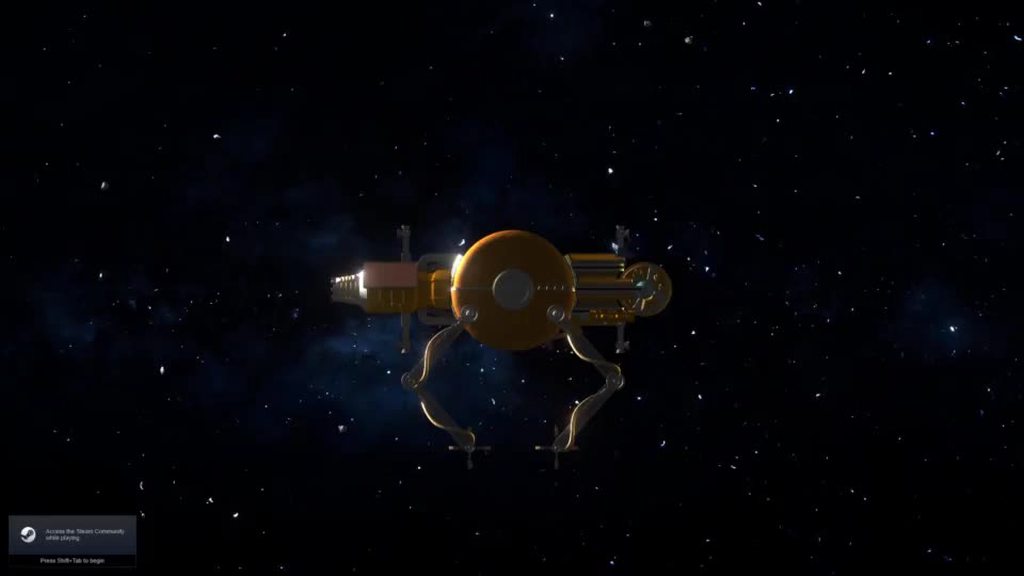 thin furnace
Beautiful 💖
urban aspen
smooooth
brave knoll
if you could adjust the strut so it has the same curve as the glass, it would look even better
thin furnace
Separate sprite or replacement sprite?
brave knoll
replacement
brave knoll
I don't think we'll use metal. It's too bright.
thin furnace
Fair enough, in that case done 👍
thin furnace
thin furnace
alternatively, we could place them on top of the gradient so it kinda feels more...
for this sort of effect

Or This
 brave knoll
I think these might be too small to put numbers inside
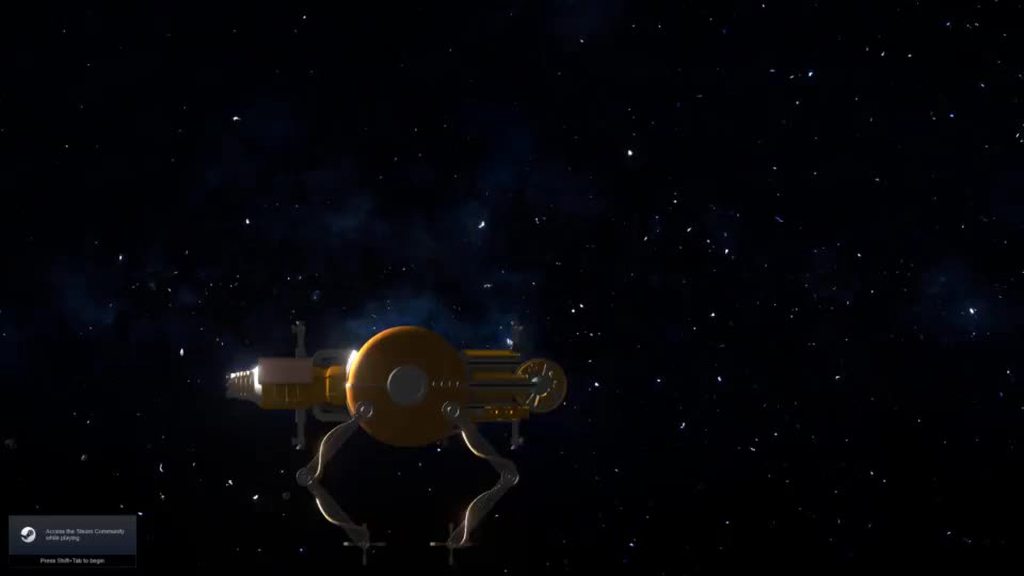
Okay, need feedback on both visuals and layout
I'm concerned that this will end up too big
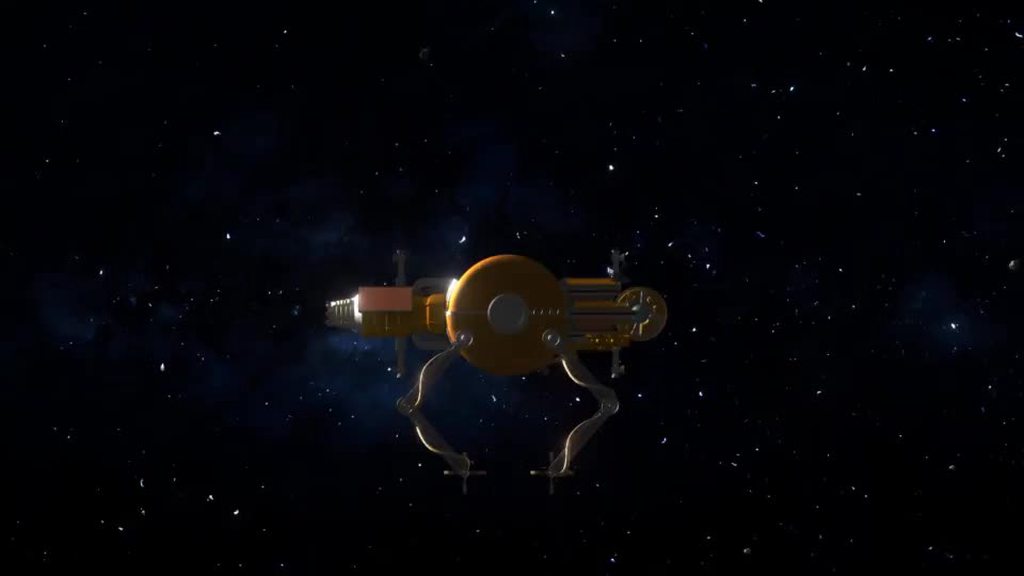
here is this HUD in the smallest possible resolution
I'd like to point out that if we use 4 of these it will most likely cover the entire screen
 torpid canyon
brave knoll
https://imgur.com/a/WnpEwXG
torpid canyon
brave knoll
https://imgur.com/a/WnpEwXG
that's clearly too big, even with the transparency
thin furnace
Yeah that's quite a chonker
torpid canyon
making the displays a bit more luminous would help too
brave knoll
how's this?

 torpid canyon
the upper one seems reasonable
shy lichen
probably out of scope, but having an option so that people could personally determine the size of their hud could be a pretty good idea
thin furnace
shy lichen
probably out of scope, but having an option so that people could personally dete...
Options -> UI scale
already there :)
shy lichen
thin furnace
Options -> UI scale
Well I mean I wasn’t wrong 💀
torpid canyon
but ship / HUD specific?
shy lichen
though I wasn’t thinking the whole UI, just the ship hud
shy lichen
torpid canyon
but ship / HUD specific?
ye
thin furnace
Further simplified gauge, I think this should be quite clear

[not shown: glass dome on top]
shy lichen
thin furnace
Further simplified gauge, I think this should be quite clear
That looks like a fuel gauge
green for full
red for empty
thin furnace
That will be one of the color variants :>
thin furnace
My plan is make one overlay
which is this

and then a few variants of this for various readouts
 shy lichen
Oooo, I see
brave knoll
torpid canyon
the upper one seems reasonable
both present the same scale on different resolutions. Topmost one is on deck-like display, the second one is on fullhd
We need to iron out this shape before I commit to making more displays, just to conserve the work
shy lichen
same
brave knoll
@thin furnace try downloading the full HD one and put that dial of yours on top of that - just to peek on how the scale would work
thin furnace
👌

Should've turned on bloom so it blends in better Oh Well 😄
looks alright to me :) let's say 3 per major circle should be a-ok
Also depends on the number of major circles but You Know what I mean
brave knoll
here
 thin furnace
ooh Alrite
Then they could be at half the current res it seems
Not number friendly anymore though 😔
 brave knoll
that was my point
but it might be good to represent things that you need to see at a glance, like fuel and capacitor power left
thin furnace
Fair, fair
brave knoll
I do seem to recall you suggested icons?
thin furnace
Lurkily suggested them, and then I made them :)
Should be buried in here somewhere one second
Here they are

There was a third one I think but I can't find it >:|
Well not like it's a hard thing to make anyway 😄
something along these lines then?

well I suppose for the capacitor it would be this
 languid cliff
brave knoll
how's this?
languid cliff
brave knoll
how's this?
is this at max HUD size?
thin furnace
Doesn't look half bad, not sure about the readability

important: do we do a reference to the game's logo

 brave knoll
also looking for ideas for placement and content of the rest of hudscreens
I feel we could mirror this one in the bottom-left corner, displaying cargo bay and...?
 solid sorrel
I'm loving the idea of a "fuel gauge" what about a small indicator light that comes on when you dip below your transit reserve limit? "gas light"
and maybe even a ding or something to go along with it
thin furnace
brave knoll
I feel we could mirror this one in the bottom-left corner, displaying cargo bay ...
Maybe it's a boring suggestion but one could display the cargo bay and the other could display processed cargo
That way the bay could take up all the real estate on the circle
brave knoll
 thin furnace
I like that :)
I think this looks better without the green

New Files uploaded btw, also as a spritesheet since they're all for constructing the same thing
brave knoll
 thin furnace
ooooo that's noice
Will the processed cargo be in the "inner" ring? Like between the cargo hold display and volume
thin furnace
thin furnace
New Files uploaded btw, also as a spritesheet since they're all for constructing...
Also just realized I should've reversed the order on the spritesheet in case I wanna add more icons . Whoops
I'll update that soon
brave knoll
 brave knoll
thin furnace
Will the processed cargo be in the "inner" ring? Like between the cargo hold d...
brave knoll
thin furnace
Will the processed cargo be in the "inner" ring? Like between the cargo hold d...
outer ring, I think
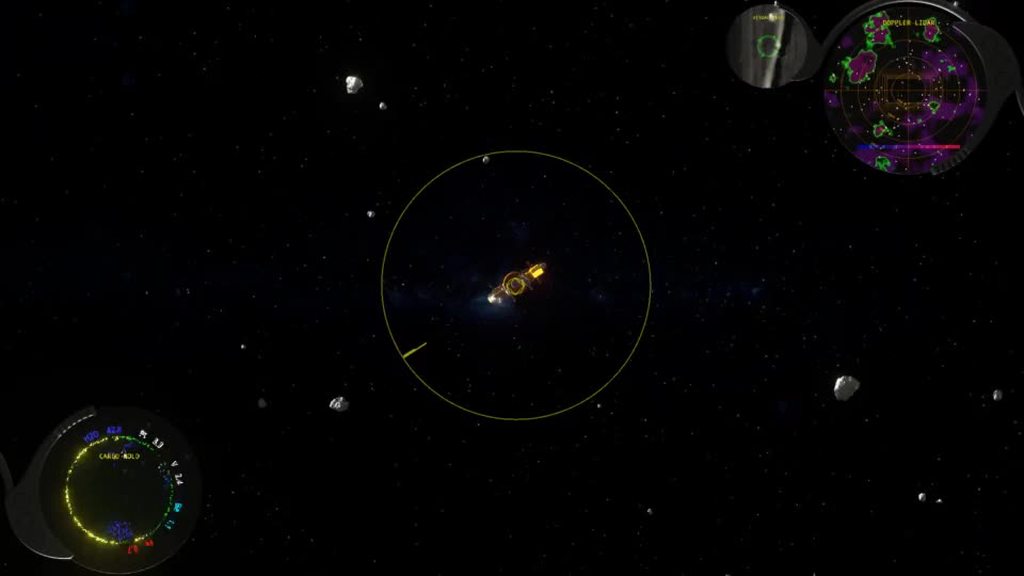 dawn crag
Marqueeeeeeee
brave knoll
 thin furnace
That's very nice 👌
Does that space itself to fill the circle evenly?
If so that's really cool
brave knoll
 brave knoll
thin furnace
If so that's really cool
brave knoll
thin furnace
If so that's really cool
spent 15 minutes making that
thin furnace
incredibly good job 👌
When this thing gets released I'll be turning it off and on again like every 20 seconds just to see the animation
brave knoll

I'm actually considering slapping flight params into one corner, the OMS in the second, and calling that a day
resolution check:
 thin furnace
brave knoll
I'm actually considering slapping flight params into one corner, the OMS in the ...
thin furnace
brave knoll
I'm actually considering slapping flight params into one corner, the OMS in the ...
Honestly would work quite well imo - put them inside the circles, [optionally] slap some gauges around for the most important things and then that's like already a pretty functional and good looking hud 👍
Especially if the flight params utilize the circular text as well
warm zinc
Circular text is hard to read, I'd reccomend separating the top of the circle and the bottom of the circle as two separate lines, and displaying the lower text inverted so that it is upright. It's not unreadable, but you do have to lose focus on other things and look at it for a second or two.
brave knoll
warm zinc
Circular text is hard to read, I'd reccomend separating the top of the circle an...
Well get to that feedback stage when you have hands-on on the HUD yourself; much looks different live
OMS

@vestal idol you want to take a jab on the HUD description? I'm trying to wrap it all up today for initial exprimental release
brave knoll

@thin furnace @vestal idol this would probably be the final one of the panels. Now we can put dials in there

res check/small screen:
 thin furnace
Bit crowded on the small res but Not more than the K225's HUD so it gets my gold star of approval
I put some dial sprites up in the cloud for testing, not sure if that's the final look we want but it's Something alrite
brave knoll

That was one hell of an epic. And I'm pretty sure there will be a lot of balancing and polishing things, but I close the issue 4486 now
urban aspen
it's... really not more crowded than the K225?
brave knoll
@thin furnace I'm spent for today, so I won't be testing any of the gauges - but you can grab some screenshots and try to figure out good placements for them. We have about 9 places for gauges and 3 to 6 for warning lights (and some gauge space can be taken by the controls). No need to fill them all up, I would assume these should go for the things that you really often need to see at a glance.
Everybody is welcome to chip in to this, of course.
thin furnace
No problemo, no rush :)
I'll take a few glances when I have a free moment, and a bit more tomorrow - I'll also get some graphics for the warning lights and whatnot
brave knoll
 solid sorrel
please gas light 🙏
thin furnace
A few suggestions:
- dangerous velocity (above 150m/s?)
- dangerous acceleration
- low remass/capacitor
- less than X% overall ship health
solid sorrel
high reactor temp?
thin furnace
ooh perhaps
solid sorrel
would these lights be having sounds going along with them?
I would like to see like more of a "ding" for certain warnings instead of the full alarm
different sounds for different things
and lights to go along with that is perfection
 dull warren
thin furnace
A few suggestions:
- dangerous velocity (above 150m/s?)
- dangerous acceleration...
dull warren
thin furnace
A few suggestions:
- dangerous velocity (above 150m/s?)
- dangerous acceleration...
processed cargo storage full
 young spoke
shitters clogged
vestal idol
brave knoll
I'm concerned that this will end up too big
Can you rotate the second one on a second hinge, counterclockwise? It'd look like it's SUPPOSED to overlap when folded, but you'd never see it, evading the cost.
brave knoll
vestal idol
Can you rotate the second one on a second hinge, counterclockwise? It'd look lik...
Isn't this what we have now?
vestal idol
thin furnace
Further simplified gauge, I think this should be quite clear
What about painted-on icons inside the gauge, and a needle or indicator without numbers, just zero to full.
thin furnace
That's the new idea :)
we have uhhh
3 icons (For Now), a blank gauge and a few color variants for the indicator
vestal idol
Sorry. Still catching up.
thin furnace
no worries, no rush
vestal idol
brave knoll
Isn't this what we have now?
The only animation I saw had both swinging in as a single unit. If that's changed, cool.
brave knoll
oh, they are hinged, but since the hinged one is tied to the main, the movement is sometimes hard to pinpoint
see here? https://imgur.com/a/ndbTjpT
vestal idol
Is this in the beta build? Could be nice to handle it before doing the description.
brave knoll
It's up in experimental for everybody
vestal idol
brave knoll
res check/small screen:
Dials not yet implemented here?
brave knoll
nope, at this stage we need to figure out what dials to put and where
then again, it already has HAL HUD features
vestal idol
I would say remass, speed, and heat are what I like to have quickly available.
Though, not speed so much, if it doesn't provide numbers. Remass, heat, and power balance or supercap capacity.
thin furnace
oh also since those displays look pretty fancy, maybe with the description you could go the route of like uhh
Much like Obonto Habitats, the OCP's HUD and interface combine combine luxury and utilitarianism. Something something comfort something something ease of use
languid cliff
warm zinc
Circular text is hard to read, I'd reccomend separating the top of the circle an...
not really. take a look at it in game yourself.
dull warren
thin furnace
oh also since those displays look pretty fancy, maybe with the description you c...
Those plastic trim pieces that look like they came out of a 2004 Honda Civic are not exactly what I'd call luxurious...
thin furnace
Hmmmmmmmm TRUE
Buuuuuuut there's not much fossils in space . Maybe plastic is now a highly sought after and rare commodity
vestal idol
Any particular reason the mineral readings rotate?
thin furnace
You roll up to the party wearing Crocs and your friends are like "Holy smokes you can afford RUBBER????"
vestal idol
Honestly, it's a bucket excavator, not a sports car, I'd rather not characterize it as luxury equipment.
thin furnace
Fair fair
vestal idol
A pip indicator for what is the current autopilot "Forward" for your cargo bay, so that you have a frame of reference for shifting cargo?

Or rotate the whole display - not the text, but the scanner output. Positioned like this with the excavator closed, rotating so the gate is 'up' when it's open.
thin furnace
I gotta admit I do find it very funny to imagine a luxurious plastic interior being marketed
"Modeled after genuine vintage trucks from the 2010s"
Kinda like how vulcanized rubber used to be in everything but nowadays it's called "Ebonite" and they put it in luxurious stationery
rotund pasture
lol
vestal idol
The imperfections are looking right, I think.
 brave knoll
there are two displays that could be flipped or swapped - they currently have the glass edge on the outside. This would make the HUD a bit more transparent. Yay or Nay?
 vestal idol
The only problem I see is that the flourish on the upper left display has the largest round spots where dials would have the most visibility.
thin furnace
I'm a yay on this one but also considering if I should make more variants for the braces; with all the sizes being the same it makes the thing look a bit weird I think
vestal idol
Other than that, all for the flip. Transparency is nice.
thin furnace
thin furnace
I'm a yay on this one but also considering if I should make more variants for th...
That and it would allow for a variant with more space for dials - which we could put on the OMS circle for example
brave knoll
Finished is better than perfect.
This didn't upset anybody when we did HALHUD
I should be able to get to work on the flip in about 4 hours
thin furnace
Fair enough !
brave knoll
then we'll see what dials do we fit and where; if there is a reason to have another brace, we can do that.
One possibility is to have these two up there square-ish? less space wasted
with rounded exposed edges?
what do you think @thin furnace ?
as long as the size will be the same, implementation will be pretty tame
thin furnace
Fair fair, I think we'd like 3 next to the counters for capacitor/remass/temp, then some lights on the other ones and maybe some more dials (if we come up with some good ones) or lamps next to the OMS
thin furnace
brave knoll
One possibility is to have these two up there square-ish? less space wasted
Could be nice, I'll see what I can do
Presuming we want them to be thicker in the same direction that the strut goes in?
thin furnace
brave knoll
as long as the size will be the same, implementation will be pretty tame
No worries about that, I'll adjust them to the original and won't move the glass 👍
languid cliff
thin furnace
I'm a yay on this one but also considering if I should make more variants for th...
That would be nice
It is not high priority in my opinion, but it bothers part of me
thin furnace
Just a heads up, the new gauges and braces might be a bit later than expected
Spending more time recording today than we planned
vestal idol
Had a thought, while considering this vs the K37 HUD.
I imagined a gauge that had a needle for velocity, as normal, but also a pip for the AP-set velocity moving along the outer edge of the gauge as you issue AP commands.
thin furnace
I like the idea :)
Also, too tired to do the sprites today, apologies 😔
We were supposed to have a quick recording session but due to some technical difficulties we spent 5 hours in the studio
brave knoll
no worries. take care of yourself!
thin furnace
Thank you! Tomorrow I'm having a free day so I'll have more time for those
vestal idol
The stock HUD of Obonto's Orbital Construction Platform is an unexpected juxtaposition of style, economy, and utility. The interesting folding structure, circular displays, and branded, curvy styling are a bit at odds with the inexpensive plastic and utilitarian design. The extra physical hardware is less convenient than a digital HUD, but independent power and control systems give them a degree of redundancy that a digital overlay cannot offer.
brave knoll
@thin furnace do you have ETA on updated graphics?
thin furnace
simplified design for the smaller braces
 thin furnace
vestal idol
```The stock HUD of Obonto's Orbital Construction Platform is an unexpected juxt...
thin furnace
vestal idol
```The stock HUD of Obonto's Orbital Construction Platform is an unexpected juxt...
I would kill for you to add "inspired by the interiors of vintage trucks of the 2010s" to this description
vestal idol
Vintage trucks of 13 years ago? 🙂
thin furnace
Well, the joke is that in-universe, the 2010s were over a century ago
vestal idol
Feels kind of out of universe. But I'll take a look when I get home. Probably more like later 20th or early 21st century.
thin furnace
Also works 👌
vestal idol
Not sure I've seen a lot of trucks look like that, though the plastic texture is kind of a universal among vehicles, period.
brave knoll
thin furnace
simplified design for the smaller braces
you want to adjust these to lose the Obonto branding? Also, I was expecting the squarish one.
thin furnace
Hmm, I might add the swoop back but not sure if it's as important in the tinier braces 🙂
Also, what do you mean by squarish? 90° angles or a bent rectangle?
brave knoll
rectangular screens to represent the OMS and Flight Params data
brave knoll
brave knoll
there are two displays that could be flipped or swapped - they currently have th...
these two
thin furnace
Ohhhh ok !!
Then I'll keep this one in case we want it for the gravimetric drone and I'm getting to work on the squares
256x256?
or do we want it larger for those
How about this sort of shape?
 thin furnace
@brave knoll uploaded a few new gauges and the braces :)
let me know if anything needs adjustment
brave knoll
how about we lose that part?

we'd get the "exposed glass corner" just like for the circle ones
also, this will need a L-shaped strut to rotate on
thin furnace
Sure thing 👌
thin furnace
brave knoll
how about we lose that part?
Done and uploaded 👍
Might be a bit small so if we need it at a higher res let me know
brave knoll
512x512?
thin furnace
256x256 😅 but that's a clear signal that it is a bit small
brave knoll
the previous one was 256x256?
thin furnace
yeah the circles are 256x[256 + brace]
That doesn't sound right 🤔
I might've borked something up
brave knoll
256x256 will do fine
thin furnace
Alright then :)
in that case HUD-1 is large circle, HUD-2 is small circle, HUD-3 is square
There's also -3-squished for squished square purposes
brave knoll
previous are 512x440
thin furnace
Hmm, if the large ones are getting replaced with squares, the other ones won't take up than a quarter of a 1080p screen each I reckon, should I make them smaller?
brave knoll
if you use another size than 512x440 I'll have a shitton of work adjusting that all
thin furnace
oop, nevermind then
brave knoll
it needs to match the interior viewport
thin furnace
90° strut added
brave knoll
it will go here, that sharp 90' on interior will not look good.
also: 512x512, or the different resolutions will make the textures look bad

but RN I need HUD-3 in 512x440
brave knoll
glass bevel size mismatch 😛
 thin furnace
Forgor to adjust it for the higher res 💀
OH WELL quick fix
Updated :) should be just above a pixel thick now


 brave knoll
I wonder if we should make these screens 4:3 or 16:9?
 brave knoll
yeah, I think so
thin furnace
Uploaded :)
brave knoll
4-3?
thin furnace
yup

 thin furnace
Oooo that's very nice 👌
also introduces a nice short puzzle that tests the player's deduction skills

Maybe the struts could be a bit thinner though, they look a bit out of place
brave knoll

the L-struts are much thicker than the curved ones
okay, this might work

the problem with physical displays is that I can't make them grow when the content grows
thin furnace
Updated them to be thinner :)
thin furnace
brave knoll
the problem with physical displays is that I can't make them grow when the conte...
Hmm yeah that's fair
Let's say this is the last physical one for a while 😅
thin furnace
I should go soon as well to cook dinner
Might make some more gauges and icons later today
brave knoll
there are no gauge spaces on the new sprites, right?
also, we need to figure which gauges go where
thin furnace
Hmm true
I was thinking a little bar either on the top or bottom of the screen where a few indicator lights and like 3-5 gauges would go
Not sure how well that would fit though so that's still in the air
languid cliff
brave knoll
however:
Suggestion for solution: scrolling up and down automatically.
warm zinc
The length of the oms list correlates with the number of mounts a ship has in use. Would it be a bad idea to have a different oms screen asset for ships that have more mounts than the OCP?
brave knoll
That's called "the dedicated HUD". It has custom assets already.
brave knoll
@thin furnace how are these gauges meant to be assembled? 🤔
thin furnace
these parts with the gradients (or solid colors) go underneath (and they're meant to be the part with texture progression

Then the sprites named "overlay" go on top of that to obscure most of it
brave knoll
okay, but the sprites are not transparent?
thin furnace
Let me check, one sec
They're transparent alrite

the intended effect is this

Optionally an icon in the middle
and just for layering reference here they are combined in GIMP


 thin furnace
Odd, lemme double check the textures in the cloud

 thin furnace
Yeah there does seem to be some weird artifacting
brave knoll
 thin furnace
Good news is the giant blot of darkness is right where an icon would obscure it
brave knoll
Okay, I probably imagined this different
thin furnace
I'm open to suggestions :)
brave knoll
what you seem to have here is an opaque hemisphere with a cutout that shows the gauge underneath
I was thinking it will be a glass copula, with a dial beneath.
thin furnace
Quick to do at least 😄

Wondering how to make the dial look right though, do we want for example a needle pointing at a scale or something like above with a circle that fills?
Also just a heads up I'll be working on a short film with some other people right now so my responses might be delayed
brave knoll
the in-game look
 thin furnace
hmm yeah doesn't really blend with the vibes well
brave knoll
 thin furnace
Does capture the "2004 Honda Civic" vibe at least 😅
brave knoll
 brave knoll
not for this hud
thin furnace
Alrite
brave knoll
I mean - cool, but a lot of work, while these I have ready
thin furnace
then a circle with a radial fill?
brave knoll
note this here is actually transparent
we should probably use these under/over textures to make the gauge look right
 thin furnace
brave knoll
I mean - cool, but a lot of work, while these I have ready
thin furnace
brave knoll
I mean - cool, but a lot of work, while these I have ready
I mean if they share a center then the [pseudo]code for the needle would be like uhh
self.rotation = degrees(current_value/max_value * 300 + 30)
this would help with that section here, that looks just transparent
 thin furnace
Got it 👍 I tried to rely on as few textures as possible to reduce the number of calls 😅
brave knoll
the circual readout is 98 loc
thin furnace
Ok, so just to recap,
- under - just a metal circle probably
- gauge proper
- over: glass dome (maybe opaque middle part?)
do we want dividers
brave knoll
do note that these textures don't actually have normal maps or anything, so we should probably put that as "dark"
thin furnace
ohh ok that changes things a bit
brave knoll
this would solve that this part would look like a dial already
 thin furnace
though makes them easier for me so I'm all for it
brave knoll
then we put over it a sprite with transparency that acts as a glass "copula" that catches lifght
thin furnace
ok, so then the plan is the gauge proper remains as it is, then an "over" texture that will give it some shape (maybe some variants for stepping it), and then just a piece of glass to make it look nice
brave knoll
so, as far as the geometry goes, I think the rim needs to be much more shallow, it catches too much light. And the dome... just go for hemisphere at the start, we'll see how that looks
 thin furnace
Got it 👍 I'll do them first thing when I get home tomorrow
brave knoll
Not sure what do you mean, could you rephrase?
vestal idol
 brave knoll
ah, we are not at this stage
thin furnace
...yet 👁️
brave knoll
right now we want to make these to look like there is a glass cover over the dial
vestal idol
Okay, so just a not yet be thing.
brave knoll
the dial design is a separate thing
FWIW the dials will probably end up looking like there is a small OLED that is covered by a glass pane.
thin furnace
I mean I see no reason not to make some for later :> When I get to work on them today I'll make some scales too MAYBE
brave knoll
@thin furnace you have ETA? Not pushing, I just need to schedule my work accordingly.
Like, no sense for me to open a pull request and just stare on the cloud waiting for files 😅
thin furnace
I'll be home in ~2 hours so like 3-4 hours from now? Depends on what I have for lunch 😄
brave knoll
@vestal idol If you have an idea what kind of dial should we put where, that would be most welcome at this point.
brave knoll
brave knoll
<@463341777412292609> If you have an idea what kind of dial should we put where,...
actually, this applies to everyone who wants to chip in on this.
I'm asking for stuff like this:
1 propellant
2 capacitor
3 reactor temperature
 vestal idol
Heat, remass, and speed is what I'm most often looking for in a quick glance.
thin furnace
vestal idol
oh also, keep in mind those things will be TINY so I'm open for suggestions on how to make those somewhat visible 😅
brave knoll
thin furnace
oh also, keep in mind those things will be TINY so I'm open for suggestions on h...
that's easy. just make them part of the glowing display
thin furnace
Fair enough 😄
brave knoll
a horrible mockup:
 thin furnace
Should work, I'll make some variants with red emergency regions like speed
do we want them 360°?
vestal idol
Oh, to make the ~~poops ~~ pips more visible.
thin furnace
the the what
brave knoll
let's focus on the dome first
vestal idol
Pips. Pips. Dammit.
brave knoll
we need to have that ironed out, with perhaps a black circle background; when that's done we can put icons and dials inside
thin furnace
Sure thing !
as for shapes, I think we can also achieve that with the Over texture obscuring the dial, that way we could have the dial textures deciding on colors, while the overlay decides on the shape
and then glass dome on top for flare
brave knoll
yes, the "under" texture should be "unlit dial", the progress "the dial that shows stuff" and the over texture "the shape of the thingie"
thin furnace
👍
brave knoll
we are putting the dome over it just to have that "this is physical dial" feel, instead of "this is a perfect OLED display"
thin furnace
Then all is clear I think :)
brave knoll
the dial itself needs to be, unfortunately, perfectly flat perfectly difuse material
thin furnace
Gotta go for a bit, my turn to record
brave knoll
I mean - I could probably write a custom shader for it, but I'm not sure it's worth it
thin furnace
Yeahh I think that would be a case where the juice is not worth the squeeze
young spoke
How about a little fan on the hud
young spoke
When your reactor runs hot it jumps in and spins till you cool down 😄
warm zinc
brave knoll
<@463341777412292609> If you have an idea what kind of dial should we put where,...
These are actually the ones more apt for a small dial that shows only proportion and no actual numbers. Capacitor proportion is immediately useful. It would be nice if reactor temperature had notches at the lower and upper operation limits. Same with reaction mass, a notch at transit reserve would be nice.
Will there be six of these? Consumables like nanodrone components and mass driver ammunition could also be useful.
thin furnace
Ooh that's a nice idea
I think I know how I'll do the drone icon
Also! Home and done with recording so time to get the sprites going ! Incoming in like half an hour
a little FTL reference with the drone icon perhaps?
 thin furnace
Can't figure out where this artifact is coming from and it's making me frustrated . What's it doing there !
 brave knoll
get me the blend
brave knoll
fixed already?
thin furnace
it was just the glass IOR being funky but since sprites won't care about bending light I just set it to 1.0
Bit of a janky solution but hey it works
brave knoll
you use glass for this? I'd mix transparent with specular
it does output glossy on the map, right?
thin furnace
yeah I set it so I can switch between a translucent shader and a glossy one on the fly :)
All the glass parts in this HUD use this material, for reference
would this work as a mass driver ammo icon?
 brave knoll
for ammo questions, we should ask Americans
thin furnace
this was supposed to be drones but I think I got carried away 😅

Kinda hard to imagine how they look apart from "ball of iron with mirrors and a hand"
or not a hand but a tool I suppose
Don't know where the hand came from
Drone :)
 brave knoll
I can offer no guidance today
thin furnace
No worries about that, just posting those for "like/dislike" feedback :)
and to document stuff I suppose
thin furnace
vestal idol
would this kind of thing work?
 brave knoll
the dome doesn't really catch all that much light

what is the 3d shape of that?
also, in-game


I think you just can't see them
thin furnace
ah dang
thin furnace
brave knoll
what is the 3d shape of that?
semi-flattened hemisphere
brave knoll
go for full hemisphere, I think
thin furnace
alrighty 👍
brave knoll
this kind of looks good already, but there is a weird blip at the centre

also, could probably use some glass imperfections
...and probably bigger in scale? This thing is pretty small
oh icons - do them all white; we can re-colour in-engine
thin furnace
Fair point fair point
thin furnace
brave knoll
...and probably bigger in scale? This thing is pretty small
Which part specifically? Or do you mean like higher res for everything
ohh wait the overlay ok that makes sense
Updated and also I might just redo the overlay completely but figured I'd upload these since it's faster
Dome should look better and have no bump hopefully
brave knoll
doesn't really have much going on on the normal map

I meant to scale these up, on all xzy

also, try half that many ticks
 thin furnace
👍 currently in the process of making this procedural so I can adjust their number on the fly
 thin furnace
brave knoll
doesn't really have much going on on the normal map
thin furnace
brave knoll
doesn't really have much going on on the normal map
this is weird though, should look like this. Not sure if it's an issue with the cloud again or something else

Either way I'll update it soon
This HUD is way more frustrating of a design than I anticipated oughhhh that's on me though so can't complain too much 😅
vestal idol
thin furnace
would this kind of thing work?
I would have a large notch at 1/2, smaller at 1/4 and 3/4, and 4 small notches (five markers from 0 to 1/4, including 1/4).
thin furnace
Alrite then I'll make 3 iterators of various sizes just in case we'll want different scales
This one part is a bit miffing, can't rely on the visuals to convey the end result well


Hopefully shohuuld work well though
vestal idol
Since it's not a circle, 1/2 is easy to judge by sight, but 1/4 isn't, so mainly the quarters should be clear, and any ticks between that just give you a scale between ticks.
brave knoll
scale the noise texture up, and give it more displacement. You need at least 8x8px blob to be visible at all at this scale
thin furnace
More like this?
 brave knoll
ooh, this one should be visible, yes!
thin furnace
Uploading !
Them's some deep grooves alrite
Do we want a few variants or is this something that shouldn't matter much on this scale? Maybe rotating it a bit would give enough variety 😄
brave knoll
let's see if one will be noticeable
I suspect that this will be hidden by the light angle
thin furnace
ohh fair fair
brave knoll
also, you'd be surprised how much you can hide with rotation.
we have ||three models of the big asteroids||, and it looks like much more
thin furnace
Trust me I'm aware 😄 One of the keys to working fast is being lazy
thin furnace
brave knoll
we have ||three models of the big asteroids||, and it looks like much more
Yeah it's amazing how much you can do by just rotating and scaling something a bit, especially when doing sprites from a 3D model
brave knoll
I got updated -m on cloud, but not -c and -n ; perhaps it's a server timestamp issue or something? could you touch them?
as in - unix command
thin furnace
not completely related but the -n on my end is like 5 versions behind I just noticed . Weird
 thin furnace
brave knoll
I got updated -m on cloud, but not -c and -n ; perhaps it's a server timestamp i...
thin furnace
brave knoll
I got updated -m on cloud, but not -c and -n ; perhaps it's a server timestamp i...
I'm still having trouble with the nextcloud desktop so not sure if it will let me :[ But I can try
oh also I didn't update the -c since it's the same flat color as earlier
But maybe that could encourage the server to cooperate 😄
thin furnace
thin furnace
I'm still having trouble with the nextcloud desktop so not sure if it will let m...
No luck, same issue as earlier; won't even let me sync and idk how (or even if) I can touch something on the server itself
Man I should probably catch up on linux sysadmin stuff huh . Bought a book for it like 2 years ago and it's just collecting dust 😅
thin furnace
in better news I made a geometry nodes setup that lets me instance any number of lines on a circle so that's nice


Hopefully I'll use it more than once 😄
And there we have it, gauge overlay with customizable numbers of long and short markings . Nothing like spending an hour automating something I could do manually in 10 minutes
 brave knoll
unfortunately, I still don't see the files updated :/
thin furnace
oof :[
That's unfortunate
worst case scenario I can always just zip them up and send through discord or something
One moment, I'll render some gauge templates and then we can look into what to do
brave knoll
you could upload them through the web interface
also, nexcloud exposes dav, I think linux should support that
thin furnace
brave knoll
also, nexcloud exposes dav, I think linux should support that
yup, supported natively in the file browser :)
I'll just need the data to set up a connection but that's probably better for DMs 😅
brave knoll
you can find it on web interface
 sacred orchid
vestal idol
```The stock HUD of Obonto's Orbital Construction Platform is an unexpected juxt...
sacred orchid
vestal idol
```The stock HUD of Obonto's Orbital Construction Platform is an unexpected juxt...
Very colorful description, it was a treat for my autistic brain to translate. Thank you.
brave knoll
okay, this os looking really dramatic in the preview now
 brave knoll
 thin furnace
Someone got real frustrated at the readout let me tell you
brave knoll
 thin furnace
Though I have to say I kinda like the way the grooves look, I should probably make them shallower BUT they make the thing look like a resin cast
Updated, now it should be a bit more subtle
brave knoll
light can obscure the value. good or bad?
 thin furnace
Also, feels a bit dark. Is there a way to make the gauge proper a bit brighter/emissive?
Oop nevermind it's like he read my mind
thin furnace
brave knoll
light can obscure the value. good or bad?
I think that's ok, happens irl, happens in-game 😄

 thin furnace
Also, I added a few variants for the new gauge graphics, they can be made faster (since they're made with math) but they're also 360° (since that made the math easier)
the benefit is that if we need a new one with a funky scale I can make and render it in about 15 seconds :)
brave knoll
 thin furnace
ooh that looks nice and clear
thin furnace
dials a bit small but hopefully the new ones will be clearer
no worries, I feel like you definitely deserve the break 😄
let's say that this is the last physical HUD for a while
I think I'll call it for now as well, automated most things that would take time so any new adjustments should be very quick and easy
vestal idol
sacred orchid
Very colorful description, it was a treat for my autistic brain to translate. Th...
Thank you!
I personally feel like light obscuring the value probably doesn't seem right. Even on a real vehicle, if your gauges need to be small, you just have extra reason to use glass with high clarity. (Or displays bright enough to shine through it.)
The diffusion of the reflection I see on the close up looks reminds me of aging plastic instead.
 royal parcel
Agreed, real life has anti-reflex coatings. Maybe reduce the diffusion and reflexivity a bit to get a similar effect.
You could also add a sort of glare shield that blocks light coming from the side.
vestal idol
I don't mind the glare THAT much - but it shouldn't be so matte and diffuse, and the displays can just be a bit brighter to shine through.

 brave knoll
there are technical limitations to what these shaders can do
while it's possible to write another one just for this, I don't think that's wise
@thin furnace I think you broke the colour mapping on these, let me just do a quick check...
thin furnace
Ah dang
brave knoll
either that, or I'm using a wrong file
thin furnace
I'll take a look soon, presume it's gonna get fixed 😄 my guess is i might've uploaded my backup file yesterday instead of the fresh-out-the-oven one
brave knoll

@thin furnace @vestal idol how's that for the final aesthetic? Should we get greenlight on that, I'm rigging them to the engine.
thin furnace
I quite like it! Feels much more coherent with the rest of the HUD than the earlier versions
Not so sure about the icon size but I guess there's not much we can do about that, here's hoping those designs are good enough to be readable at this scale 😄
brave knoll

I'm afraid you can't see the drone icon at this scale
what was the third here supposed to be?
thin furnace
I was thinking propellant, but I'm open to suggestions
thin furnace
brave knoll
I'm afraid you can't see the drone icon at this scale
RIP my FTL reference
Adding "simpler drone icon" to today's to-do list 🙂
thin furnace
thin furnace
I was thinking propellant, but I'm open to suggestions
(that way all the "storage" gauges would be in one place) [alternatively ∆V could fit there too]
 thin furnace
👌 I had three drafts for that one and forgot to render any of them 😄
But at least I know which one to choose :)
brave knoll
...and for the temperature we need a gradient pattern that's red on low and on high
thin furnace
There's also a K (but I feel that's boring) and a thermometer thing (but that looks too similar to the ammo one imo)
thin furnace
brave knoll
...and for the temperature we need a gradient pattern that's red on low and on h...
No problemo, quick to make
Half an hour and I'll be on it 🙂
Just gonna finish cooking
brave knoll
We are actually these two graphics away from having it ready
unless you want to add another gauge
thin furnace
Those 2 are now uploaded :)
Still thinking about the drone icon though, not sure how to represent them in an understandable but readable at a glance way
Also updated the glass overlay maps just in case
How about this for drones?

 thin furnace
Velocity perhaps? Scale from 0-200m/s
brave knoll
 thin furnace
Or from 0 to whatever the autopilot max V is set to 🤔
brave knoll
that's not something you need to see at a glance
thin furnace
hmm fair point
brave knoll
technically, dV; but that will pretty much duplicate what the propellant gauge shows 🤔
cargo mass?
thin furnace
ooh could be, maybe percentage of filled up processed storage?
brave knoll
we also have the "overall system health assessment", it's visible on EIME
brave knoll
so, a + icon?
 thin furnace
brave knoll
so, a + icon?
thin furnace
brave knoll
so, a + icon?
sure thing 👌
uploaded
Icon design speedrun (2 rectangles)
 thin furnace
Thickened 🙂
thin furnace
brave knoll
it seems usually made of squares
ooh alrite thickened a bit more then 😄
 thin furnace
Not sure really, I can't come up with a better way to represent them that's understandable; a circle with some squares jutting out doesn't quite cut it 😅
and this gives us a nice little reference to FTL Faster Than Light
at a cost of being slightly unreadable
Good Enough For Me though
brave knoll
merging then
vestal idol
Bullet icon looks kind of brickish. But with a quick Google, most ammo icons rely on the casing to be clear.
We don't have casings.

Maybe a triple lineup? Would that be indistinct at this size? There's no primer or casing so the gaps in these icons don't make sense, but even without them it might resemble icons gamers to are familiar with, and be less one big chunk of color.
 thin furnace
Yeah that was a consideration, but faced with a choice between "understandable for gamers" or "understandable for an in-universe operator" I went for the latter
They'll figure it out 😄
vestal idol
More of an aesthetic thing than a readability thing.
Battery could use a little definition, same way. Cell phone icons probably have some help.

Overall health assessment feels a bit odd. Makes sense for the EIME, but here it feels like the operator's expected to want to know what's broken and whether they can ignore it.
Did we decide against a DV gauge?
A Tesla owner might bring a car to a garage for a check engine light, but a forklift operator will probably open the hood for ten seconds and say "she's fine."
I see bullets, drones, 'health', heat, and capacitor, but no speed/dv, which are a big part of most dashboards, and things I commonly like to see at a glance.
Koder mentioned a propellant gauge?
royal parcel
Propellant gauge should be the top one on bottom left. The one with the drop icon.
The cited issue with the dV gauge was that it would just copy the propellant gauge. But maybe it doesn't need to. dV depends on mass as well, so maybe define 100% on the dV gauge as "dV at dive start".
That way it would combine mass and propellant into one gauge.
vestal idol
Ah, a drop. Resolution. I thought that was a bullet.
Most consumers (me) like knowing what's in the tank and making their own judgement, but a crew would probably benefit more from a "how much workcan I do" gauge.
brave knoll
next order of business for @thin furnace is a cleaned-up model and a ship paint template for Tales from the Rings.
thin furnace
The former is already underway :)
vestal idol
One reason I like icons with more definition is that fields of color in a shape tend to blend. The gap on the inside of a battery icon defines the shape, and also makes the anode (?) stand out, though, for instance.
But if these visuals can be updated at leisure, it's probably better to make it work, and address this later. The only functional thing that bugs me is that I had hoped to distinguish this one with a DV reading instead of a propellant reading.
On the positives, the thicker gauge is a real boon for visibility. I like the way they're shaping up.
brave knoll
we can re-iterate once you have a chance to see them hands-on
I should be publishing expierimental with them soon
warm zinc
vestal idol
Bullet icon looks kind of brickish. But with a quick Google, most ammo icons rel...
I imagine firearms are still a thing in-universe, so the silhouette of a cased bullet would still be a generic symbol for ammunition, even if mass driver ammunition is caseless
vestal idol
Good point. Bullet/casing/primer gaps would be enough to add definition and clarity.
Easier mod that the triple set.
warm zinc
I'd recommend a silhouette of something like a 22 short. It's stubby so it fits a circular gauge better, and the rim protrudes outward instead of being a recessed channel, so it's a simpler shape to make for such a small icon
 glad nacelle
I would assume that in the future we would be using caseless telescopic ammo for firearms. but if you just ignore the telescopic part. Some caseless ammo looks quite similar to ordinary cased.

I agree with zitzahay though. a 22. short is definitely identifiable as a bullet but something more akin to 9mm parabellum is probably more immediately identifiable. I would be hard pressed to find someone who had not seen a bullet icon like this
 brave knoll
I'm pretty sure you won't be able to tell the difference on that screen
glad nacelle
You're probably right. In that case 22. short is probably the way to go If you're looking for something easily recognizable as a bullet/ammunition. But considering how small the icons are you may want to consider some kind of colour coding even if it's subtle. Maybe something like the icon flashing when the resource is being used so the player can identify the gauge as being ammo/fuel/drones
languid cliff
warm zinc
I imagine firearms are still a thing in-universe, so the silhouette of a cased b...
we still use a floppy disk as a save icon
brave knoll
Floppy is like ||Jesus. Died and become icon of Saving||
thin furnace
brave knoll
next order of business for <@328254104176427009> is a cleaned-up model *and* a s...
Cleaned up .blend done, uploading soon; in the meantime important question: how does the paint template differ from the color map? Should I just make it brighter?
thin furnace
Ok makes sense 🙂
brave knoll
this is actually purely a convenience feature for the players
the shader will divide that back by 16
thin furnace
Figures 😄
ooh hold on isn't the bay door mirrored in-game?
Maybe something that needs addressing before we go ahead with the painting template, I can see that introducing a bunch of confusion especially since it's half of the largest space for painting
brave knoll
the easy one is: prepare it, paint with numbers, drop into game data dir and check 🙂
brave knoll
yep
thin furnace
alrite 👍
Uploading the viewer .blend into the Obonto ship folder
and the custom into Obonto Custom folder
Gonna go for a bit, need to make some food :)
vestal idol
glad nacelle
I agree with zitzahay though. a 22. short is definitely identifiable as a bullet...
Honestly, just cut a couple of stripes through the icon behind the curve and near the base, shrug when people ask you what caliber it's supposed to resemble, and call it a day.
glad nacelle
Generic_bullet.png
vestal idol
I think the glare may need reducing; it seems to be the #1 complaint against the HUD, and I can't say I disagree. When the dials are that small, anti-glare coatings are that much more important.
vestal idol
It doesn't help that there always seems to be upper-right-corner glare, where they oscure the spot many readings like to sit at.
I would move the cargo hold value estimation just under the words "cargo hold," since they overlay visibility of the MPU mounting.
thin furnace
I wouldn't go the anti-glare coating way but rather just masking that source of light out if possible
The HUD is supposed to be overlaid on a screen, and canonically you're inside that ship rotating around, right - it doesn't make much sense for an off-screen light source to illuminate those dials (especially not from a constant angle)
Checked in Godot and doesn't seem to be easily doable 😔 (unless I'm just blind) moving my vote to anti-glare
brave knoll
we can have shadows. they carry some performance penalty.
vestal idol
thin furnace
I wouldn't go the anti-glare coating way but rather just masking that source of ...
Anti-glare doesn't have to mean NO glare, just not as bright, or more easily overwhelmed by the lighting from behind the glass.
thin furnace
Fair fair
 terse kernel
brave knoll
terse kernel
brave knoll
been a whiiile since i checked this thread. i loooove the hud
wow ok there's been so much discussion i don't think im gonna bother scrolling up so much
i looked up to the circular cargo bay on the display and that looked super cool
vestal idol
Honestly, I just don't use the circular cargo readings. They spin enough that I just check cargo when I have occasion to open the OMS.
Not a conscious choice, I just find myself ignoring them rather than scanning them to find the right one in a new place every time.
 shrewd rapids
could you all by any chance add the ability to toggle whether the ocp rotates when opening the cargo bay door when using the autopilot in the tuning section?
brave knoll
#1069219754461626478
shrewd rapids
Ok thanks
thin furnace
Estimate of your ship's overall health :)
You'll see it fall if/when components get damaged
 acoustic bluff
What about a ship that can fit 4-8 small manipulator arms, and/or 4-8 portable docking bays for THIC's?
Call it The OCTO.
languid cliff
acoustic bluff
What about a ship that can fit 4-8 small manipulator arms, and/or 4-8 portable d...
we got the K225 that can hold three on each side plus two low stress hardpoints in the front to mount other tools
acoustic bluff
languid cliff
we got the K225 that can hold three on each side plus two low stress hardpoints ...
Yes... but what if it had no main cargo bay? Its only means of holding cargo is the THIC's and the arms.
languid cliff
a worse K225?
also this ship is already done so it would be best to make a new thread
acoustic bluff
Oh! I wasn't aware the 303 was done.
NM me then. :-P
languid cliff
acoustic bluff
Oh! I wasn't aware the 303 was done.
NM me then. :-P
the OCP is the 303 ship
acoustic bluff
Ooooh.