
#Minecraft Server
66 messages · Page 1 of 1 (latest)
 pearl pond
 tender lintelBOT
Hi there 👋
Thank you for creating a post on our Community Forum. Please keep in mind that we don't provide official support on Discord. This is a forum for the community, by the community. Meaning that help is not guaranteed. If at any point you believe your post is resolved, feel free to use the button below to close this automatically.
Now let's wait and see if someone of our lovely community can help you out!
 TIP:
TIP:
Need actual official support? Reach out to our customer care. 
 hearty garden
How are you confirming it's not able to use the 6gb?
pearl pond
hearty garden
How are you confirming it's not able to use the 6gb?
Im not saying its not able to use the 6Gb, but I want it to use the 6gb by default. Which it does not as you can see by the Dashboard image
hearty garden
The server will only use up to 6gb when it needs to
As per that screenshot it's only using 2.87 and will use up to 6gb with those parameters.
pearl pond
In the MC parameters normally the -Xms6G, means the minimum of Gb it should using which is 6 and the other one the -Xmx6G, is the maximum
True, but I think it weird, since i had two MC Servers running, one Vanilla. Which had the same parameters and actually used the 6Gb and the Hexxit Server doesnt. There's a few lags here n there too.
hearty garden
You have to remember Vanilla is vanilla and hexxit has some optimisations.
And anyhow if your other vanilla is using let's say 4gb of ram your hexit will only use 4gb since there's only a total of 8 via the vps
The minimum doesn't matter even if I played vanilla or any other mod server if I set it to 32gb of ram it's not gonna bump the server usage up to 32gb. It doesn't quite work like that
The minimum is just used as a reservation of ram
It doesn't indicate a default must use minimum when started
pearl pond
I overall have 8 GB, so 2 remaining for Debian, which is probably more than enough
hearty garden
for a hexxit and a vanilla server?
pearl pond
hearty garden
for a hexxit and a vanilla server?
The Vanilla is currently not running, since we're only playing on the Hexxit
hearty garden
Your lag is due to hexxit requiring a faster CPU
As per our gameserver page.
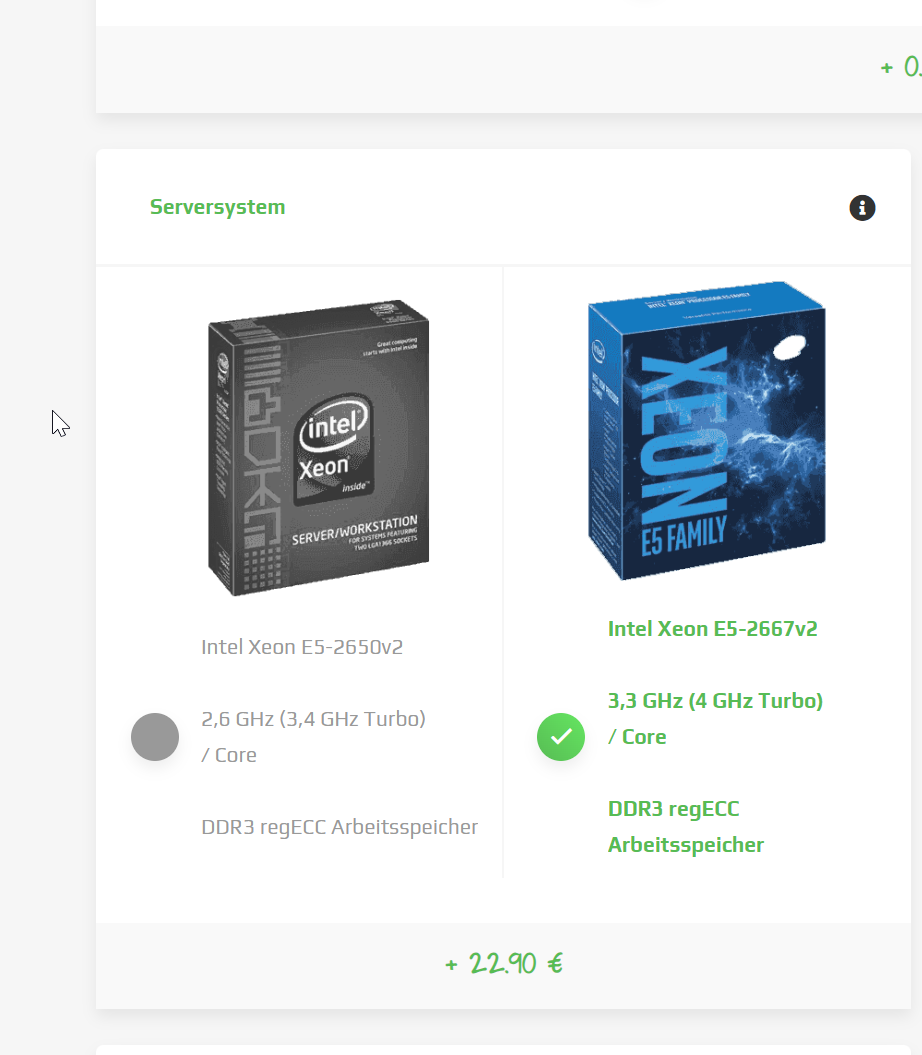
We recommend customers for a Premium CPU package which runs at 3.4-4ghz clock speed
Your vserver won't be performing at this speed.
pearl pond
I mean, I guess it'll be enough for a small Hexxit Server with like 10 max players, but i'll keep a switch or a upgrade in mind. Thanks ^^
hearty garden
Btw plus the vserver would be DDR3 Server ram so yes a upgrade would be suggested.
Otherwise a rootserver would be more applicable to this
Anyhow if you face any problems with it don't hesistate to make a ticket online anyways.
We will always help with guiding you even though its classed as self managed we can still provide some tips on what you could do to optimise it.
pearl pond
So VPS's are always DDR3 and slower CPU's?
hearty garden
You can check the CPU via screenfetch on debian
(yes there are other options before anyone mentions me) but screenfetch is just one of the easier ways to see your specs.
pearl pond
Yes but you guys dont offer any CPU upgrades as far as VPS's go?
hearty garden
No since Vservers are just one product.
And minecraft is a single core game
We only provide the different CPU's to you on our rootservers package.
 pearl pond
Shii might have too look into a Rootserver then i guess
Gameservers are kind of whack since youre stuck to one game
hearty garden
You can change the games on the gameservers?
It's a gameswitch
As long as the slot price matches you can change to any game it provides for free.
pearl pond
Yes but lets say you have an MC Servers and you switch to like a Garry's Mod servers, after switching the MC Server is lost right? Or can you locally back your world up?
hearty garden
You have FTP access.
So you can just download anything you want from the minecraft server.
Also no it just doesn't delete it
If the game runs on the same operating system it will just add it like its a second game
And you can switch between the two
If it requires a different operating system to run then it will wipe it
But you always have FTP access so you got the full file remote for the server.
Indeed like pretty much all minecrafts
Gmod
Fivem linux
and many more
Indeed, it will warn you anyways when your about to change to a different host system because of the operating system.
So you have nothing to worry about with that anyways
And then of-course since it's not a self-managed we then have direct access to support and provide resolutions to problems you face.
You also get the option of our own minecraft server booster setting via some minecraft versions if not all.
pearl pond
Alright, I will look into it, I still got ~70 Days until my vServer runs out ^^
pearl pond
Not sure but the server has been running for like 3-4 months now
Not sure if i can look up when i placed it?
hearty garden
Ah nevermind then
pearl pond
lmao all good, but thanks for the support 😄
hearty garden


