#ror2-tech-support
1 messages · Page 50 of 1
 dense wasp
 gleaming rock
I did
been in the map for 5-10 mins now, running everywhere
ah fuck me. I see it. there is a small passage...
dense wasp
yeah
I hate wetland unless I'm doing a command meme run
gleaming rock
I like running huntress and stacking a crapton of wisps for meme runs
dense wasp
have you ever stacked 100 red whips
gleaming rock
no not really
 olive gull
i get DC after 0-2 min
 shut carbon
I logged in and everything I unlocked is gone and I can’t unlock anything. I play on Xbox 1 please help
 steady topaz
@olive gull game is p2p, if host leaves - everyone disco. You would get a message - host disconnected. If host ragequits with alt+f4 - you get no message.
@shut carbon no solution, known. No one knows when its fixed.
 hasty wing
@shut carbon Same problem
 cunning lagoon
SO yeah cant get my cloud save file to work, so all my progress is gone
am i shit out of luck?
 eternal furnace
Hey everyone, I haven't played RoR for like 6 months, just reinstalled and i'm getting absolutely trash FPS on PC. Talking like ~15fps on the first level. I have a 1080ti and an i9 so I would not assume hardware is the issue. Any pointers?
steady topaz
@eternal furnace disable vsync ingame and in your nvidia control panel. Also set "performance" power consumption profile.
Update gpu drivers.
eternal furnace
Have done all of those unfortunately, no difference 😦
 near pebble
Its unclear when using the internet as to weather spinal tonic is 20 seconds or 15 seconds long. Do i need to get GOTD and 15 seconds or GOTD and 20 seconds to negate spinal tonic's negative effects
 zenith ether
It’s one Gesture and 3 fuel cells
@near pebble
 light nimbus
 vestal berry

 foggy root
Things are about to get funky...?
 prime bone
Hey guys
I just installed risk of rain 2 and it won't run at all :/
i just get this message on start up and then it crashes into program won't respond.
I've tried disabling anti virus, running in compatibility with windows 7, updating graphics driver, reinstalling, verifying cache, running as admin. I'm not sure what to do anymore
 tardy halo
You might have to install some visual studios plugin
 fiery condor
where do i set my region
like is there a role for that or do i just add it to my nickname for this server
steady topaz
@fiery condor There is no such roles. You can add it to your nickname on this server. Or you can just specify it when you host a game and share it in lfg channels.
@eternal furnace check that your game runs on correct gpu.
fiery condor
imo there should be region roles, so people not mentioning it would be less of a problem, just click the name and decide if ull have a good connection
so chars dont work well when host is far away
steady topaz
@fiery condor this is exactly my reasoning behind suggestion in modmail to moderators to consider.. so long ago, when the game came into EA.
The answer was something like i gave you before.
fiery condor
someone should notice this xD
steady topaz
@fiery condor there will be decent lobby system in next update in august. So i guess this kinda counts as a solution. So fr stating your region when you host a game seems sufficient enough. But not alot of ppl use it.
 lime snow
my friend gets disconnected after 30 when joining a lobby
 pulsar vale
sm
just get discoonected everytime i try and play with friends with rrreason unspecified
 lean gate
I can't play the game at all, mouse doesn't work on the menu screen. I have controllers plugged in. Need an option that doesn't mean unplugging my peripherals. It's a pain to get to, and no other game (that isn't a broken mess anyway) requires that. Is there a solution? I can't even navigate the menu to select controls. It shows text over top of text in the lower right corner saying controller detected or something.
@pallid ibex I can send a file or something to your team if you need it. Just DM me, tried to stream it the other day and ended up with having to run a different game. Would be awesome to get fixed. Seems like a lot of fun and my friends have been playing it.
dense wasp
might want to ping Ghor for this, not hopoo
lean gate
copy thank you! @mild ridge
might want to ping Ghor for this, not hopoo
@dense wasp
Going live so I'll be away for a few but will check back for DM or what not, thank you!
 mild ridge
@lean gate if you want to disable devices without physically unplugging them you might be able to do it via the device manager. after we overhauled the ui to get rid of the cursor-based navigation when using a gamepad (which I guess is just not a good thing for gamepad menus) the game now has to disable the cursor when it detects you are trying to make an input using a gamepad.
steady topaz
Ghor, hi. Could you explain to me how to read crashdumps? What program are you useing?
There were some reports from people who cant run the game at all, and logfile points to d3d11 unable to read memory bit. Couldnt figure it out myself.
mild ridge
@steady topaz we use Visual Studio 2017
steady topaz
Alraight, thanks! Could you get a look on that file with your expirienced eye?
mild ridge
yeah, it's loading. takes a little while
@steady topaz this seems to be an issue that's happening while Unity is trying to send commands to the GPU. My best guess is that the graphics drivers need to be updated and next best guess is that DirectX needs to be updated.
steady topaz
Done both of those. Didnt help sadly. We kinda tryed everything that come to mind based on previous succesfull fixes. I have no more ideas on how to approach that, that's why i asked.
mild ridge
in more rare cases there are memory corruptions that can happen due to RAM overclocking, which a lot of people may not know that they have enabled. If the game mostly runs fine but seems to crash randomly that makes it a more likely culprit.
motherboard BIOS being out-of-date has also been a cause of similar crashes/corruptions
steady topaz
Yes, it was an issue for this guy.
But @prime bone (https://discordapp.com/channels/417739215355510784/559902278018924557/729931259622588437)
And many more players seems to crash even before game fully loads.
steady topaz
It was the crashdump for that case
GP60 2PE
Windows 8.1 64-bit (6.3, Build 9600)
Intel(R) Core(TM) i5-4200H CPU @ 2.80GHz (4 CPUs), ~2.8GHz
GeForce 840M
d3d11: attempt to lock null buffer
d3d11: failed to create buffer (target 0x1 mode 3 size 216400) [0x887A0005]
All of them have very different pc specs, couldnt figure out the pattern.
mild ridge
it's worth mentioning that other games running unity w/ directx11 will probably be suffering from the same problem
like subnautica, for example
I often find solutions by searching for the same issue but for other games
steady topaz
I also asked about that, they say that it isnt the case.
mild ridge
weird
Would you mind uploading the output_log.txt file? It shouldn't be too far from the crash dump
Oh whoops
Looks like you got it
steady topaz
hehe 😛
mild ridge
Sorry kinda trying to multitask here
steady topaz
I know, i know. And i feel very bad, distracting you here.
mild ridge
No worries at all
mild ridge
after a lot of searching I can't really find anything that's immediately helpful, unfortunately. the issue seems to be some sort of incompatibility between this version of unity and this version of the graphics driver
looking up the error code with the microsoft error lookup tool indiicates that directx sees the graphics device as being disconnected or otherwise disabled
 barren cedar
Any plans on getting PS4 split screen up anytime soon?
lean gate
ahh bummer, ok then. Probably going to refund for now. I'll keep an eye on patch notes for future updates because yea, that makes it so I can't even start the game.
steady topaz
@lean gate
Wouldn't recommend to refund, the game is super great and if that's not enough - the price will be slightly higher after relise. This is just an inconvinience, they probabbly will fix that after relise.
 worthy marsh
Question: I lost most of my progress on xbox one how would I go about getting it back or do I just need to play through and unlock it all again?
lean gate
@lean gate
Wouldn't recommend to refund, the game is super great and if that's not enough - the price will be slightly higher after relise. This is just an inconvinience, they probabbly will fix that after relise.
@steady topaz Well, it's one that makes it unplayable for me so... lol. I'll pay more for it, the sale price is like 5 bux difference so don't care about that. I wasn't trying to be rude either, sorry if it came across that way.
steady topaz
@worthy marsh there is an issuse with that on xbox i think. Alot of people reported same happens to them. We dont know how to fix that yet.
worthy marsh
Well time to grind thank you for your help, I wish you the best in finding a solution
steady topaz
Unfortunatly i have 0 idea on what could be done with that. I dont have an xbox. It probabbly will be patched out later.
 soft heath
Hey, I don't know how to display a problem here, but here it is. So, I have been trying to play multiplayer with a friend for a couple months now, but we just cant seem to join each other. We make a private lobby, but when we try to join each other, nothing happens, we are just stuck on the multiplayer menu. I can't even join a quickplay, I press the option once, and it comes up with, "not in quickplay queue." and just keeps loading until it sends me back the the multiplayer menu. My friend has the same exact problem. We have checked the file integrity, checked the command prompt making sure it's both private and public, uninstalled and reinstalled the game, restarted my pc many times considering this has been happening for months, looked up if other people had the same problem, and my friend saw that other people were, but never had a solution.
steady topaz
@soft heath that sounds like NAT problem. Game needs 7777 port open, make shure your routers allow to forward data on that port and also on 27015, 27016 for steam and dedicated servers.
Check that firewalls allow the game to send and recive data, turn it off to test.
Finally there is some workarounds as direct connection and lan emulation.
soft heath
Alright, ill see if any of that works
steady topaz
soft heath
I see your ssolution, but at the end it says we both need to be in the same network, we live in different houses
@steady topaz
We tried it anyway, but it didn't work
 minor quest
so.. I've NEVER had any issues with RoR2 throughout my time playing it, however a recent update (I have no clue how recent it was) basically made my game crash on startup, I've already tried validating my local game files and I just completely tried to redownload it to no avail. Any help would greatly be appreciated.
steady topaz
@soft heath same network means that you need to create your virtual network and be online in it. It creates a virtual lan network between you, but it uses internet connection. It doesnt matter where you phisically are.
What exactly didnt work with that?
soft heath
So, one of us were in a private game, and the other type the command in, but we weren't able to join the other
steady topaz
@minor quest read messages above to get some idea what goes on with that issue. And when you're done - drop your logfile, crashdump and system specs here so devs could get a look into that.
C:/Users/your_pc_username/AppData/Local/Temp/Hopoo Games, LLC/Risk of Rain 2 the files are called output_log.txt and crash.dmp
@soft heath got time to test it with me?
steady topaz
ill dm you in 10 min
soft heath
ok
minor quest
uhhhhhh I was reading up in chat I don't see how I'd grasp what's going on.
because there's no crashlogs
so yeah something's screwy, my guess something's not "crashing" but closing it upon booting which makes no sense
okay now it runs
why
steady topaz
You would still have output_log.txt, drop it here.
 marsh gyro
@mild ridge @pallid ibex @carmine arrow So I have an issue playing RoR2 exclusively where my PC will randomly just shut down while the game is running. For some info on this, it doesn't only happen while I'm in the middle of a fight with proc chains going off etc, in fact the past 3 times it's happened has been inside of the Blue Portal zone while idle. I have a very high end PC (specs below) and I've monitored my temps as well while playing the game and I've never seen them be at a concernable level. Are there any known issues with AMD that may be causing this?
 uncut aurora
devs have pings turned off by the way
marsh gyro
I know that this could happen if your PSU is failing but considering I've only ever had the issue with RoR2 I'm not sure it's that
PC specs: Tomahawk MAX mobo/Vega 64 GPU/ Ryzen 7 2700x CPU/ 3200mhz 8x2GB RAM/ 650w Gold standard PSU
Graphics options also turned to the lowest settings/off in most departments (though even with this I regularly drop to 20-30 fps during wave9+ fights)
steady topaz
@marsh gyro goto your bios and disable XMP profile for your ram.
 sly parrot
what is that?
 burnt belfry
i am having a problem with launching modded risk of rain 2
 near gust
The issue is not with launching modded. We have determined in the modding siscord
!log
 orchid flame
I'm having an issue on Xbox.. Nearly all my progress on the game is gone. I've got commando, mult, huntress, engi, artificer and merc but they've lost all their unlockable skills, i need to find all the items, logbooks and artifacts again and I need to do some challenges for items again
I played it just last night and did two artifacts in a 23stage run..
Realised it's a bug as my friends not got this issue, my bad 😫
 tranquil hatch
It's quite alright, Marlo
a lot of folks have reported a similar issue and we're unsure of quite how to resolve it
the devs are doubtless working hard to figure out the root cause, as this is quite the devastating bug
orchid flame
I just hope theyll find a fix for it so I won't be haunted by future data wipes, although on the other hand it will definitely keep me grinding the game XD
burnt belfry
it is harb becuase befor it was running befor i instaled r2ap and thos stuff
marsh gyro
@steady topaz they already are
 young niche
Anyone know a fix for unity crash ?
steady topaz
@marsh gyro check that your cpu core speed isnt doing this
https://cdn.discordapp.com/attachments/559902278018924557/703132048029777930/video0.mov
lime snow
anyone else not being able to join friends trough both clipboard codes and invites?
EDIT: restart steam
marsh gyro
@steady topaz It isn't; it stays between 3200 and 3300 MHz
steady topaz
Well, i am not shure what this could be. Drop your logfile and crahdump here for devs to look into.
C:/Users/your_pc_username/AppData/Local/Temp/Hopoo Games, LLC/Risk of Rain 2 the file called output_log.txt
C:/Users/your_pc_username/AppData/Local/Temp/Hopoo Games, LLC/Risk of Rain 2/Crashes
Last suggestion i can make is to try latest gpu drivers and then reverting for some versions back. But this wasnt a solution for anyone yet.
marsh gyro
Okay, where should I upload those files at for them?
Also I've played a few games since the shut down last occurred so would the incidents not being the most recent in the logs be an issue? *Though it was yesterday so it wouldn't be too deep and it should show it happening in the past as well
There is also no Crashes folder. I've found the output log though. @steady topaz
steady topaz
Drop logfile here, after it crashes. Do not rerun the game, as this log will be wiped. Crash.dmp should be crated hen you press on on error window.
marsh gyro
I've never had any error windows, just a straight PC power off. When/if it happens again I'll make sure to post the logs.
steady topaz
Sorry i think i mixed something up, I tought you were crashing, not shutting down.
You can deduce what happened before that shutdown.
Go to the Windows Start button and search "event viewer" > Windows Logs > Search for errors that happend arount that time when your pc shutdown. If its related to PSU - it will be marked as Critical. You need to find clossest error that happened before that and search for this error code id.
marsh gyro
Well it literally just happened again. Once again I was in the blue portal area, so that seems to be a common factor.
Here's the output log txt and I will take a look at the event viewer shortly
@steady topaz I'm pretty unfamiliar with event viewer, could you be more specific about what I'm looking for? The last thing that is logged right before the power off leads me to this, which doesn't seem like it should be causing an issue like this? https://support.microsoft.com/en-us/help/4022522/dcom-event-id-10016-is-logged-in-windows
I also see this a lot but it seems unrelated as well https://answers.microsoft.com/en-us/windows/forum/all/event-viewer-erro-esent-455-since-update-1903/624a2548-06e5-47f4-bb99-76d6412895a0
 frank coral
Hello, I'm having issue that I couldn't find a solution to on the web/ stickied answers around here.
I am unable to run the game in full screen mode. If I launch the game it will play music and if I run task manager I can see that my graphics card is processing the video but I see nothing except for that it is running. If I use alt+ tab it will show me it has a window but the window is "invisible" in that it just shows my desktop, however if I press alt+f4 it will close the game.
I have gotten to the point where I can press alt+enter to shrink the screen to about 1/4 the size of my monitor and it works I just fine. But as soon as I try to click the full screen option or change the resolution the game freezes, and I have to alt+f4 and then boot the game again and it's the same "empty screen issue"
I have attempted resets, reinstalls (of steam and the game), running as admin, verifying integrity of my game files, I have updated my graphics card driver and even tried to mess with display settings as well as booting the game on geoforce experiences launcher. None of these work.
The game is currently installed on my SSD, I have an Asus predator with a Nvidia 960m.
Any suggestions would be appreciated, thank you!
 past igloo
@frank coral have you tried to use the launch option "-window-mode exclusive".
 modern thorn
any reason why i cant start a private game
past igloo
you might be offline in steam
modern thorn
thanks
past igloo
np
 obsidian bobcat
You’re not worthy that’s why
 elfin ruin
most of the time I open the game, mkb controls do not function properly. no mouse cursor appears, mouse clicks still make sounds but do nothing, 'ENTER' does select highlighted menu buttons.
after plugging in a xbox one controller, these controls work fine in the menu.
here is an image of the main menu when this is happening (note bottom right text):
 fading harness
Has anyone made a ROR2 dedicated server docker image?
@vital hemlock https://github.com/avivace/ror2-server
Still no announcing

GitHub
Easily host your Risk of Rain 2 dedicated server. No technical skills required. Runs on Linux. - avivace/ror2-server
 craggy socket
Almost all my saved data isnt appearing anymore can someone tell me why this might happening?
past igloo
@craggy socket i have heard of this problem before but since i play on pc i am unaware of how or why this happens. I do not think there currently is a way to restore you're save data on console but i might be wrong and i am sure the dev's are working diligently to fix the issue. I would recommend that you ask somebody in the "bug-reports-console" section to see if there is anything you can do but if nothing can be done it is easier to unlock everything again if you just play on drizzle with artifact of command. Sorry I couldn't help though.
craggy socket
Ok thank you for the help I hope you have a great day!
past igloo
no problem, and good luck.
@craggy socket here is a link to gearbox's customer support page, you can send a ticket regarding you're issue and it will hopefully be resolved https://gearboxsoftware.zendesk.com/hc/en-us/categories/360001615171-Risk-of-Rain-2
craggy socket
Ok thanks again
past igloo
np
 trail iris
Could anyone help me with mods? Once I paste my bepin/r2api into my ror2 file, the game won’t boot, I get a Bad image error message, once I delete the winhttp.dll file, the game will boot but the mods won’t enable, even though they’re still in the ror2 file
even with no mods in the bepin>plugins folder, it will not boot
tardy halo
It’ll be way easier to just download a mod manager
It basically creates a way for you to play a modded version through the application while the you can still play the vanilla game when you use the regular shortcut
 upper obsidian
I can't join my friend and he can't join me. We both have reinstalled the game.
PC btw
tranquil hatch
restart steam
tranquil hatch
im glad it worked my dude
 mellow sedge
Can anyone help me my risk of rain 2 on my Xbox just lost all my data
tranquil hatch
this is a known issue and, unfortunately, there is no known fix
mellow sedge
Ok
 vague sequoia
@elfin ruin try unplugging any other controllers you might have, or remove vJoy (or any other software joystick) if you have it.
elfin ruin
thanks, i actually found it earlier today. another user of my computer installed yoke software that automatically starts on boot and runs in the background. didnt notice it
 elfin belfry
Anyone know how to make the game run better without making it look terrible or spending money?
It's generally laggy and it obviously gets worse with lots of enemies
past igloo
use the launch option "-window-mode exclusive" in steam>risk of rain 2>properties>set launch options and then when in the game press SHIFT +ENTER twice to force it into true fullscreen you should get 10 more fps at most
 pseudo relic
Shit I know I got the answer here before but can't find it in search, how do I fix this?
dense wasp
EARLY_ACCESS_DISCLAIMER
pseudo relic
Figured it out I think, thanks boop
pseudo relic
@dense wasp thank you
 umbral lava
Question: My friends and I bought ROR2, but when we host Private Game, or invite through main menu it just doesn't work. When we go click "Enter Quickplay" that doesn't work either. Why is that? Single player seems to work fine
EDIT: We restarted our Steam client and were able to join, it works now
 bright sable
used to run the game completely fine, but now I get 2 fps when i go to the menu, tried going into fullscreen and into windowed.
does the same once you actually get into the game
past igloo
@bright sable search up how to make risk of rain 2 “true full screen” because since the game is in unity it does not actually run in true full screen. The fullscreen option in the settings is just borderless windowed
 echo dirge
Question about mods, My friend and I have the same mods yet it says both of us are running on different versions (New/old), any idea what's going on?
near gust
Yes, one sec
If you are struggling playing with people in private lobbies:
If you are using Steam Build ID mod or UnmoddedClients and that everyone have the mods, remove them.
You don't need any kind of id build spoofing if everyone have the same modding setup.
If you want to play with people that have the mods but also with people who doesnt. Proceed as follow :
Download https://thunderstore.io/package/vis-eyth/UnmoddedClients/
Open the in-game console and type this : build_id_steam, then invite people who are unmodded.
Then, do the same with modded people, by typing : build_id_mod

@echo dirge
echo dirge
ty ty
dense wasp
@elfin ruin did you have any other controllers plugged in?
 oblique cradle
is it normal for the game to drop frames down to 27 fps with all those insane chaotic fights on a 5700xt?
 snow kettle
Hi
I have probem to play private with my friends
When we try to start the game (to be excat is after we get into the ready lobby) it all stuck
most of the time , the host can getinto the game , but it seems other players just stuck in the black screen
steady topaz
@snow kettle Open 7777 port. Allow the game to use connection in brandmauer. Enable upnp in router.
Try DMZ
If nothing helps use radminvpn lan-emulation.
to host a game open console ||+ctrl+alt `|| and execute ||`host 1`|| to join a game open console ||+ctrl+alt|| and execute ||connect x.x.x.x:7777`|| where x.x.x.x is the ip provided by radminvpn.
Game can connect without steam useing direct connection, this helps when for some reason steam servers are laggy, use your external ip instead. Host doesnt need to use commands, just to create private game in this case.
Edit: discord fucked up formating, fixed with spoilers.
snow kettle
still can't , i'm using my phone's internet
 quartz raft
Is there any way to do cross platform between Xbox and pc? Noob question I know but the articles I find on google are always old
steady topaz
@quartz raft hard NO
@snow kettle that's probabbly the core of your isse, let yur friends check the ping to you when you trying to connect. Command: ping Return: rtt=999ms wich is the delay in miliseconds (less=better, <300 - playable)
quartz raft
ok, Figured id at least try and ask, Thanks anways @steady topaz
steady topaz
Devs plan on supporting game after relise, but they never stated that there will be crossplay of any kinds. This was asked to them many-many times, the answer is - likely no, even after relise. This requres them to implement middle server that connect every platform, wich is not easy at all. And all platforms have different versions and some performance advantages and dissadvantages that render whole idea almost undoable.
So.. no.
 grave hare
Hello, I've been running into the game crashing periodically, and it's been pretty frustrating. It will always be halfway through a run, usually stage 3-5. I have the latest graphics card drivers and I'm on a clean windows installation
 haughty fiber
Does anybody know how to fix the glitch where it removes loader, rex and acrid from the select screen and removes everything from the logbook (xbox)
 winter bridge
I can't get the akali mod to work in multiplayer
whoever isnt hosting just spawns in dead and spectating
 terse steeple
Is there a way to blacklist a player?
I just encountered that Celestial_Dream fellow
Why are people crashing the lobby? That's so silly.
 untold scaffold
yeah i've been repeatedly in that lobby and i cant seem to find another one.
terse steeple
Figured it out
Search for their name on Steam; you can block from their profile. You wont get their lobby again.
At least, I didnt.
 wispy gust
for some reason, sometimes when I play Risk Of Rain 2 the screen starts glitching out and my computer crashes, I have a pretty good pc that doesn't lag at all when playing the game so why does the game crash my computer?
 open spruce
trying to play coop with friends and it just sends me to this window, what do i do?
 subtle epoch
past igloo
subtle epoch
past igloo
It might need to be windows 10 but idk
 quick tusk
why does it show launching in 0 seconds? Does this happen to anyone else? I usually just have to leave and try another match. And for some reason its always the lobby with Celestial_Dream.
steady topaz
@quick tusk this guy somehow bugged out his lobby. Maybe intentionally.
@quick tusk i think those people use mods that let more than 4 ppl in and edit out some parts of it that allows them to go to quickplay. This is forbidden by devs. You can do whatever you want with your game, as long as its free for others and it doesnt affect unmodded players.
This particular guy is determined.. he's there for quete some time aready. 3 days in a row. I see him for couple of hours.
Ban command seems to do nothing with quickplay. So only thing for now - avoid this lobby.
dense wasp
@quick tusk this guy breaks lobbies on purpose, and there's multiple reports of them doing so
 sullen ridge
@quick tusk there has been a method to avoid this person that I have read from here.
who ever it was that typed it...(forgot who but, ty for finding out) said that if you go to their steam profile and block them directly from there you can prevent him from joining.
(i am a switch user so i have not encountered him. meaning i cannot test for my self, but hopefully this will help you if the problem persists)
steady topaz
@sullen ridge doesnt work
sullen ridge
Ah i see. thanks for clarifying
 hasty void
I haven't been able to play with my friend since the last update. The game only works to one who is hosting it. Anybody else has the same problem? It works if we play like early in the morning.
steady topaz
quick tusk
ah ok
 signal chasm
Hello, my game crashes on startup after a black screen. Yes, my graphic driver is up to date, and no, I don't have an antivirus that could cause issues, as specified in the pinned post. Is there a known way to solve that issue ?
I've also uninstalled the game, and reinstalled it, but it still crashes
signal chasm
Last week it was working fine, so maybe it's due to an update, no idea at all
And since the game doesn't generate log files (or I haven't found them), it makes it difficult to know the root cause of the issue
 pure fjord
orchid flame
pure fjord
orchid flame
does anyone know why since the last update I can no longer join lobbies with my friends it just doesn't work
we send each invites and none of it does anything
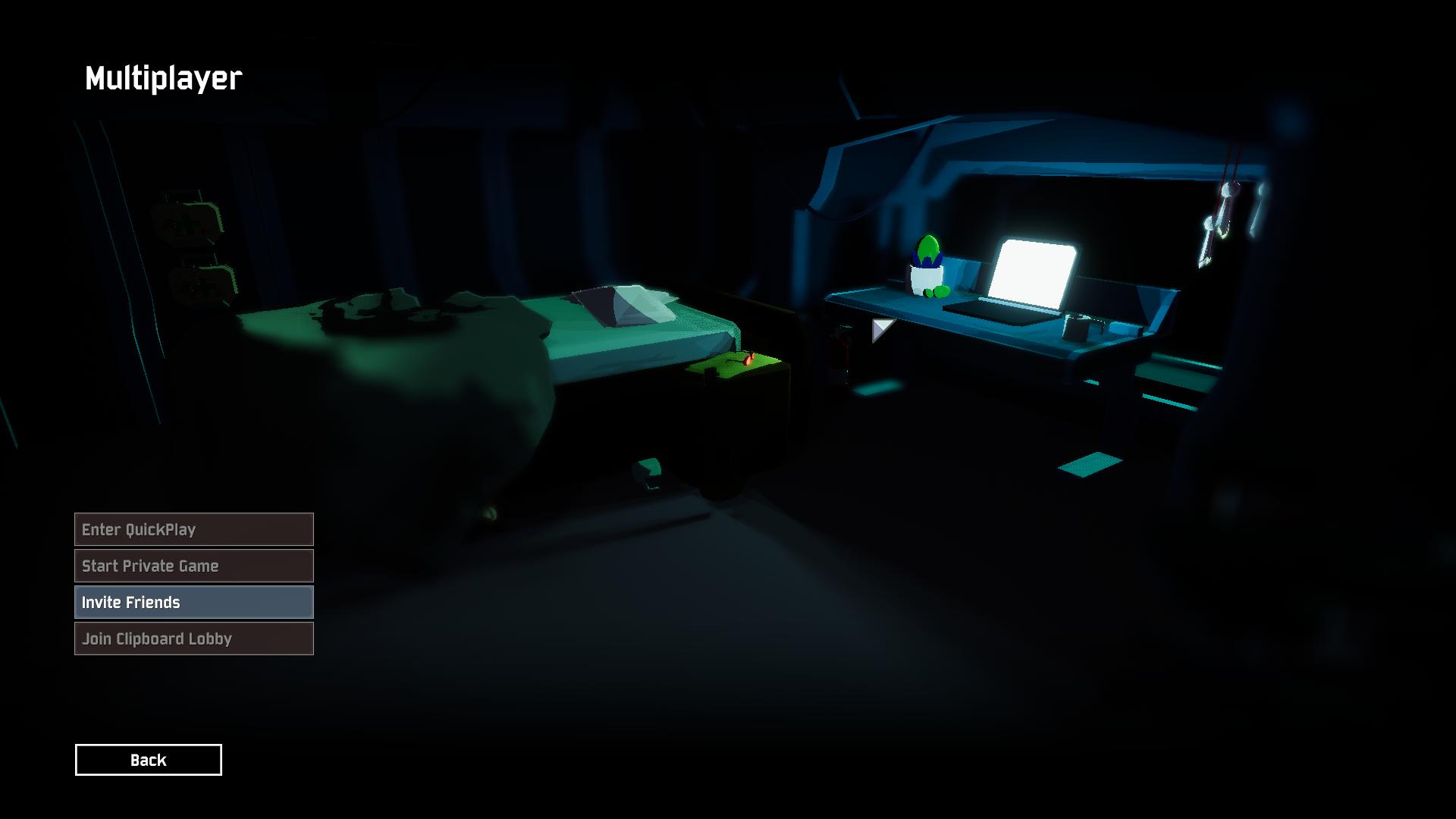 past igloo
@orchid flame your steam might be offline go into steam overlay and make sure you have "online" selected
 hollow mango
I'm trying to run a dedicated server. The server itself runs and I'm able to connect using connect localhost:25565, however when my friends try joining with my public IP, they get an error as follows: ChannelBuffer SendBytes no space on unreliable channel 6. When I connect through the Steam server page and using the connect command with my public IP also results in this error. My router does forward the 25565 port and the server appears on the Steam server page, but the connection always fails when it's not me connecting through localhost.
hollow mango
Okay so going back to the default port 27015 allows me to connect, but why is that the only port that works? I've bound a different port to the server and that port is open on my router so it's odd that no other port works.
past igloo
i have no clue, i didnt even know you could run a dedicated server so you know more than i do
 pulsar chasm
anybody having an issue with inviteing friends right now
 nocturne dirge
@pulsar chasm i am too
 muted tide
same, lobby's are not working for me either
 marble pilot
it was happening to me too
tranquil hatch
all of you:
reset steam
steady topaz
Steam servers ushually get maintenance on wednesday. Restart your steam.
@hollow mango open 7777 27015 27016 ports for dedicated.
Likely you got some program that already uses your 25565 port.
Make shure that you didnt mistake:
sv_port 27015; // The port that the server will bind to. You cannot have multiple server instances with overlapping ports.
For:
steam_server_query_port 27016;
steam_server_steam_port 0;
@pure fjord connection to host is bad, you're the client here. Check your firewall setup, allow brandmouer data passage for the game, open 7777 port in your router, enable upnp, try dmz.
If this doesnt help at all - try direct connection or lan emulation.
@orchid flame cant dm you.
hollow mango
@steady topaz I know for a fact that the port 25565 was not being used by any other application. I'm just going to stick with 27015
 solid wagon
Sun Jul 05 22:08:41 2020 UTC - Overlay disable requested by game
Sun Jul 05 22:11:04 2020 UTC - Overlay disable requested by game
Sun Jul 05 23:08:35 2020 UTC - Overlay disable requested by game
Mon Jul 06 01:44:05 2020 UTC - Overlay disable requested by game
Mon Jul 06 06:41:40 2020 UTC - Detected possibly crashed/killed game, exiting
Mon Jul 06 06:41:40 2020 UTC - Shutting down overlay
how do i get overlay back
this was after i started playing it
 bitter cipher
Hey all. Getting unity crashes every 20-60 minutes while playing. Where is the preferred place to get some tech support / upload crash files? Thanks.
 uncut dragon
Yo I just hopped on risk of rain today and all my progress was gone and I’m not trying to do it all over again so any one help me please an I’m playing on Xbox
 brazen dirge
Hey, trying to join a private game with a friend on pc, but neither of us can join each other's lobby
Anyone know how to fix?
tranquil hatch
restart steam, endor
both ends
uncut dragon
Yo can anyone help
tranquil hatch
there's no known fix
if you want to play with someone to regain your lost progress, hit up the LFG channels
 vivid mirage
Hello, a couple of friends and I were trying to play together, but none of the invite options/clipboard lobby ID processes are working. Is anyone else having this issue?
tranquil hatch
try restarting steam, for all parties involved
usually clears things up
if it doesnt, the issue may be more fundamental
vivid mirage
Oh that worked! Thank you very much!
 glossy torrent
problem, a week ago the game was running perfectly fine, solid 60 with vsync and about 100 without but today game is unplayably laggy.
i tried turning graphics settings down the absolute minimum with no results, the only thing that does help is changeing the resolution to the lowest, something like 300x250?
i have tried uninstalling and reinstalling, freeing up space on the drive, restarting computer multiple times to no avail.
glossy torrent
It lags on the main menu as well
 vernal marsh
Hey, me and my friend trying to play together but can't seem to be able to...
he keeps seeing this:
I can't see his player avatar
We tried:
- switches hosts (he instead of me) - same result.
- restart PC.
- restart steam
- verify game
- reinstall game
- turned off antivirus completely including the firewall (and windows firewall)
The problem is from 6 month ago by the way...
we reinstalled the game today to give it another shot... but the bug still exist
steady topaz
@vernal marsh tryed direct or lan emulation connection?
vernal marsh
@steady topaz don't really know what you mean, connect through steam, what do you mean by direct? and no, we are not on the same network so no lan
and what is "lan emulation connection"? is there like a program that emulate lan? if so, what is it?
 brazen rivet
is there a connection problem right now or smth?
steady topaz
@brazen rivet game have no servers, its p2p connection. ushually restarting steam fixes those.
orchid flame
I can't join friends in multiplayer. we tried restarting steam, we tried joing from steam, clipboard lobby, restarting comps, inviting eachother to different lobbies. Restarting game. Nothing.
we even tried direct connection
marsh gyro
PC or console?
orchid flame
pc
marsh gyro
Are you the only one being unable to join someone's lobby?
marsh gyro
Any mods?
orchid flame
nope
marsh gyro
Hmm, I've not had any trouble connection to anyone and they haven't to me either
I'm gonna pm you a clipboard code, see if you and yall can join it?
Oh also, have you verified your game files?
steady topaz
@orchid flame that's might be temportal issue with your provider. Try restarting your routers when this happens again. Its definetly not the game, something wrong with connection route.
If direct doesnt work - try lan emulation.
signal chasm
Currently experiencing major issues using a GTX970, shaders don't load and the game crashes. Output log :
Initialize engine version: 2018.4.16f1 (e6e9ca02b32a)
GfxDevice: creating device client; threaded=1
Direct3D:
    Version:  Direct3D 11.0 [level 11.1]
    Renderer: NVIDIA GeForce GTX 970 (ID=0x13c2)
    Vendor:
    VRAM:     4043 MB
    Driver:   27.21.14.5167
Begin MonoManager ReloadAssembly
- Completed reload, in  0.154 seconds
<RI> Initializing input.

<RI> Input initialized.

<RI> Initialized touch support.

WARNING: Shader Unsupported: 'Hidden/Nature/Terrain/Utilities' - All passes removed
ERROR: Shader Shader is not supported on this GPU (none of subshaders/fallbacks are suitable)WARNING: Shader Unsupported: 'Hidden/Nature/Terrain/Utilities' - Setting to default shader.
WARNING: Shader Unsupported: 'Hidden/PostProcessing/Uber' - Pass '' has no vertex shader
WARNING: Shader Unsupported: 'Hidden/PostProcessing/Uber' - Pass '' has no vertex shader
UnloadTime: 590.928500 ms
Facepunch.Steamworks Unity: WindowsPlayer


(Filename: C:\buildslave\unity\build\Runtime/Export/Debug.bindings.h Line: 45)

Facepunch.Steamworks Os: Windows


(Filename: C:\buildslave\unity\build\Runtime/Export/Debug.bindings.h Line: 45)

Facepunch.Steamworks Arch: x64


(Filename: C:\buildslave\unity\build\Runtime/Export/Debug.bindings.h Line: 45)

InitClient: SteamAPI_Init returned false


(Filename: C:\buildslave\unity\build\Runtime/Export/Debug.bindings.h Line: 45)

Shutting down Steamworks...

(Filename: C:\buildslave\unity\build\Runtime/Export/Debug.bindings.h Line: 45)

Shut down Steamworks.

(Filename: C:\buildslave\unity\build\Runtime/Export/Debug.bindings.h Line: 45)

Setting up 2 worker threads for Enlighten.
  Thread -> id: 2b40 -> priority: 1
  Thread -> id: 2b4c -> priority: 1
Other Unity games work file. I tested with PolyBridge, YandereSim, RimWorld and HearthStone
Card is up to date with the 451.57 driver (Updated on 09/07/2020)
Game has been reinstalled
Driver has been reinstalled
Game path has no special characters
Game does not generate a crash log
dense wasp
ew yanderesim
signal chasm
Agreed, but I needed to confirm if Unity itself was the problem, and there aren't that many easy to get free Unity games around
Sometimes you need to taint your PC to validate a bug 😂
 midnight abyss
I’ve never heard of anyone using shaders on Yandere Sim
signal chasm
I don't know what Unity games use shaders, and I'm not really willing to pay a 60€ game just to check if it's a Unity bug or a RoR2 bug
nvm, issue solved, I had to restart Steam 2 times in order for RoR2 to work again
 bleak jasper
Hi, lost my progress on Xbox, anyone know a fix?
steady topaz
there is no fix for that, known issue.
bleak jasper
Alright thanks
 plush tangle
I just got my friend risk of rain 2 to play with us, but he can't join our lobby, any solutions?
 coarse nebula
@plush tangle I'm assuming this is PC?
plush tangle
Yeah it's pc, sorry i didn't specify
I tried inviting him through steam and the lobby code but both doesn't work
coarse nebula
Have other members of your party tried being the host of the party? I had a similar problem the other day where my friend couldn't join me. I had to forward some known ports to change my NAT type and then we were all good.
On a similar note, I have had no luck inviting via the lobby code, I usually click the + in the lobby and then click "invite" by my friends name
plush tangle
we both tried hosting but that didn't work, so let me try using a 3rd friend to host it real quick
ok so that didn't work either
coarse nebula
I'm unsure if network status is a known issue for this game, but once we forwarded the recommended "steam" ports for Multiplayer (I personally used the COD MW ports) we were fine
plush tangle
so when we join his lobby, he can't see that we joined
and when we had him start it, the 2 of us that don't have the problem, see a black screen and then we are kicked to the main menu
coarse nebula
Hmm, that is very odd. You are able to connect to other people's lobbies without your friend? Or you can't connect to other lobbies either?
plush tangle
Yeah so the friend that can't join I'll call him T
So T can't join, but my friend and I can join and start with each other perfectly fine
It seems that T is just the problem
coarse nebula
Sounds like T has a closed NAT connection, which can cause lobbies to crash (once again, only speaking from experience)
Let me find you the steam ports page and I will post it here for you to provide to T
coarse nebula
No worries! For future reference, if you ever do want to forward ports to open connections, it seems a portforward page was created for this game!
It can be found here
plush tangle
Thanks for letting me know!
coarse nebula
Cheers!
steady topaz
@coarse nebula @plush tangle Game uses 7777 by default. And 27015 for dedicated, 27016 for steam.
@plush tangle tell your friend to restart his steam 1st.
Then try to connect.
If doesnt work - forward/open 7777 port in router. Enable game in brandmauer to pass data. Enable upnp in router.
There is 2 more ways to connect:
https://discordapp.com/channels/417739215355510784/559902278018924557/724218038651453511
 devout hound
my game keeps crashing for seemingly no reasons, preventing me to play with friends, it only crashes whilst in a run and never does in the menu
 jade kestrel
hi my profile deleted randomly? does this happen a lot
 clear jungle
Are you on Xbox or Playstation?
If so, it's a known bug and the devs are working on it. If not, I can't really help you here.
 rocky widget
On PlayStation, whenever I’m in an online party with a friend or two and the timer reaches 100+ minutes, it tends to crash shortly after saying connection was lost. Is there anything we can do to avoid this from happening?
 true atlas
heeeeeeeelp
why can i not join any of my friends on multiplayer like none of us are able to join anyone
when we do join its either a black screen or the multiplayer screen when joining via clipboard just deletes all interactable buttons on screen
anyone have a fix??? i havent opened the game in like two months but ive never had this issue
marsh gyro
On PC or consoles?
true atlas
pc
 steady needle
On PS4, im trying to play with my friend, I invite him, he joins the invite, but it just says constantly "Joining Lobby..." and he never joins
tranquil hatch
@true atlas restart steam on everyone's PCs
past igloo
Should be pinned at this point 😐
tranquil hatch
i think i've said that before lmfao
guess we'll just keep sayin' it till it gets fixed or pinned ¯_(ツ)_/¯
past igloo
God help
 forest coyote
hello, a friend of mine has a problem with steam overall. he is playing RoR2 for example and from time to time he just starts walking in the air and keeps still, if some time passes and he is alive he can control his character again. but it's not his internet connection bc he is with us on discord talking (sorry if my text is messy, English is not my main language)
steady topaz
@forest coyote game is p2p. looks like connection issue to me.
Try using direct connection.
https://discordapp.com/channels/417739215355510784/559902278018924557/724218038651453511
forest coyote
oh thanks, im gonna check that out
 sharp nest
Hi, my friend has recently installed RoR2 and keeps getting the EARLY_ACCESS_DISCLAIMER and we have tried the solution in the pinned tab several times among reinstalling the game several times also. It still isn't working, are there any other solutions to this?
steady topaz
@sharp nest make shure you succesfully installed both of those https://www.microsoft.com/en-us/download/details.aspx?id=48145

Microsoft Download Center
The Visual C++ Redistributable Packages install run-time components that are required to run C++ applications built using Visual Studio 2015.
upper obsidian
My game stutters from time to time. I have checked task managet and I'm around 60-70# CPU
I don't know why this is happening and it makes me big sad
steady topaz
@upper obsidian game is single core mostly, so that's not very helpfull.
upper obsidian
Anything I should try?
 lone yoke
I know it's a long shot, but has anyone here been able to make Marty McFly's RT shader work with the game?
 mental pumice
Hey I lost A BUNCH of progress on Risk Of Rain 2 and i emailed the contact email for hopoo games because I dont know how to fix it
 strong oriole
Hello people , i have a problem, whenever i lunch the game i can't do anything , i can't use my mouse/cursor and the only thing i can press is the enter key
and into this character select screen where all my survivors disappeared
u can notice the bottom right there is some bugged massage of [NO GAMEPAD BINDING] collided over each other
steady topaz
strong oriole
@steady topaz what a bizarre interaction , thanks for the help tho ❤️
 spiral terrace
Hello all, I'm playin with a second monitor. Played around 210 hours with no problems encounterd. All of a sudden my mouse decided it can hop over to my monitor on the left while playing. Can figure out how to fix it. Also there is no controller connected, all drivers and game are/is up to date.
Please help
 sweet plover
So, I have a profile in-game that had 200+ hours, with all survivors and all abilities and skins, that has sadly been corrupted. Is there any way to retrieve the data from the profile, or am I just going to have to start fresh?
steady topaz
@sweet plover PC? The file could be opened with any txt editor. You can manually fix it.
 jolly sage
Hello all, I'm playin with a second monitor. Played around 210 hours with no problems encounterd. All of a sudden my mouse decided it can hop over to my monitor on the left while playing. Can figure out how to fix it. Also there is no controller connected, all drivers and game are/is up to date.
Please help
@spiral terrace alt+tab assuming you are on windows
spiral terrace
@spiral terrace alt+tab assuming you are on windows
@jolly sage Doesn't work. The mouse just overs over, all though when the cursor is on the 2nd monitor the cursor in the game is still reactive for up and down movement.
steady topaz
@spiral terrace
try maybe this? Scroll for older replyes from Ghor.
https://discordapp.com/channels/417739215355510784/559902278018924557/716039495178518610
steady topaz
@mild ridge Hi, this crash (Files above ⬆️ ) seems to be common thing. Log says 0x00007FFCEC09E5E0 (d3d11) CreateDirect3D11SurfaceFromDXGISurface
And i found on net:
UnityException error is thrown on creating material preset of Tilemap
Steps to repro:
- Create a new project.
- GameObject > 2D Object > Tilemap.
- Create material preset from the burger menu.
Actual Result:
UnityException error is thrown in the console.
I have no idea if its related at all...
But info i found about that says:
This issue has been resolved. This will be fixed in the new release of the TMP package which will be version 1.5.0-preview.3 for Unity 2018.4 and 2.1.0-preview.3 for Unity 2019.x.
Is it the same engine version we have now, or there will be another update for that?
spiral terrace
@spiral terrace
try maybe this? Scroll for older replies from Ghor.
https://discordapp.com/channels/417739215355510784/559902278018924557/716039495178518610
@steady topaz I've been scrolling for about 20 minutes without finding something useful. I just reinstalled the game as well. Didn't help unfortunately. Guess if I want to play I need to unplug my other screen, but that's not going to happen any time soon. Hope we can find a fix for this before the 1.0 version is released.
steady topaz
@spiral terrace i literally gave you the link for the solution. Unless i didnt understood what exactly do you want.
If you dont want your mouse to hop on next desctop screen - this will help you.
 solemn quiver
has anyone else experienced that risk of rain sometimes.. crashes discord?
While both are running and I am connected to a voice call, discord will get slower and laggier as time goes on, until it eventually segfaults and I have to restart it
This is particularily annoying because sometimes discord takes my entire pc with it and I lose an entire run
orchid flame
RAM?
solemn quiver
Definitely not a spec issue; 16GB
spiral terrace
@spiral terrace i literally gave you the link for the solution. Unless i didnt understood what exactly do you want.
If you dont want your mouse to hop on next desctop screen - this will help you.
@steady topaz It didn't show me the cursor lock when I clicked the link previously. I've been trying to avoid a specific program like that. But it looks like I'm going to have to.
Thanks @steady topaz
 tribal quest
Anyone else having issues where you can't join online games, and neither can any of your friends?
 ebon nexus
I am! ^
tribal quest
Hopefully it gets patched :/
marsh gyro
Can someone explain to me how mods work? I've been able to join modded lobbies from lfg without downloading any mods myself but I downloaded some character mods last night and now my friend can't join me.
Why is it that I could join modded lobbies without having any mods myself (and even play as a modded character while in that lobby) but I'm unable to join a friend/they join me? What step am I missing to be playable with others?
orchid flame
Hey I've been having some issues with risk of rain 2, I get into a mutiplayer lobby and my game screen looks like this?https://discordapp.com/channels/@me/306979888324411402/735739019077615719 I have tried literally everything, uninstall reinstall, verifying the game files, I even partitioned a new hard drive and specifically to only have risk of rain 2 installed on it but to no avail.
sometimes multiplayer works with two people but if I get a third they get the screen I have?
steady topaz
@orchid flame The pic comes from channel to wich we dont have access.
I am assuming its same as here: https://cdn.discordapp.com/attachments/559902278018924557/733637403969060904/unknown.png
This happens because you as a client cant reliably connect to the host.
Game doesnt have some central server, its p2p connection type. This means the clients connecting to the host and host passes data and sync them together.
Game uses steam api to connect clients easyer, but sometimes steam servers acting up.
Restarting steam for everyone in your group ushually helps.
But quickplay will connect you to anyone in the world. If person you're connect to have some problems with ports, firewalls, or too far from you - connection is unstable and might result in tottal desync and disconnect.
Use #lfg-pc-ror2 to find someone closer to you. Or check the ping before starting game in quickplay. (You need to open the console with ``+ctrl+altand executeping` command that shows rtt=999ms wich is the ping to host and back in miliseconds.)
 orchid flame
@steady topaz I’m positive the internet connection isn’t the problem, I’ve had this happen to people who were trying to connect to my game while being inside the game room as me
 floral sparrow
With the release of 1.0 will the data wiping on console be fixed?
 wintry zinc
can someone help me with the CONTEXT_NAME_STRING bug, my timezone is fine and i've uninstalled VC++ and reinstalled and I still get the same issue
 harsh lotus
lobby is broken, cant see friends names and cant go into character select with them
 light citrus
My game keeps saying not responding after I start it up
 obsidian eagle
my friend just bought the game on ps4 and the menu isn't loading properly. he can't get into a game. is there a fix for it?
 sterile kelp
anyone know why i cant do private games with friends? when they join i dont see them, and if i start the game their screen goes black
 nova silo
also having this problem, toast 😦
 blissful dove
In risk of rain one I downloaded the modloader and the starstorm mod, beat the game and unlocked 4 characters (bandit, sniper, loader, and MULE) then stopped playing. When I came back none of the characters except for the bandit were unlocked. How do I fix this?
tranquil hatch
were you on drizzle?
if you play on drizzle, none of your unlocks are saved
tranquil hatch
no, it's baked into ror1
blissful dove
My brother has all the characters and played on drizzle and his are still saved
We just checked to make sure and my brother has all of his characters still including the modded characters.
tranquil hatch
i dunno, then
it may be the mod acting weirdly
this isn't a server for modding so i cant help too much
blissful dove
He got all of this before modding the game.
tranquil hatch
i really cannot help you.
i know for a fact about risk of rain one that unlocks earned while playing with drizzle do not remain unlocked.
i do not know if the mod changes this.
perhaps it does.
perhaps some error happened with your save file.
perhaps you opened the game with steam and not with the modloader, which calls up an entirely different save file.
i dont know.
i hope you're able to figure it out.
 prisma hedge
As far as I know, most challenges in the first can be done on drizzle and do save
blissful dove
I think it’s because I unlocked them while playing modded.
lime snow
every single time i try to get to level 20 i crash randomly
and it's not bc of too many enemies or particles and stuff
sometimes its before the first loop
sometimes on level 19
past igloo
It is most likely a problem with you’re pc because I personally have not encountered any issues related to this and neither have any of my friends. Search up “how to make risk of rain 2 true fullscreen” it might help
orchid flame
I keep crashing in the middle of runs because of a unity pop up that just shuts it down
Any fix?
steady topaz
@orchid flame drop in screenshot, error file, logfile and crash.dmp. dxdiag would be helpfull too.
orchid flame
This is the error
It has a green loading bar that goes like 20% and then the game crashes
steady topaz
dm me files, ill get a look into. I have some ideas what this might be
orchid flame
I’m at work right now but I’ll get them to you as soon as I can
lime snow
It is most likely a problem with you’re pc because I personally have not encountered any issues related to this and neither have any of my friends. Search up “how to make risk of rain 2 true fullscreen” it might help
@past igloo got to stage 16 with that and then the screen froze but sound still worked
past igloo
Has this happened on other games as well ?
lime snow
no not really
I'll try launching in dx9 tomorrow
I've heard that dx11 isn't completely stable
 ancient spire
 upbeat pier
I play on xbox and I lost all my data is there any way to get it back. Or do I just have to get it all back
tranquil hatch
i'm sorry, there's presently no known fix. :(
all you can do is try to gain everything back
 shell token
Hello! Im new to the server. Recently, my friend and I have been randomly getting disconnected from our multiplayer games on PS4. There arent any lag spikes and theres not really any sort of loggable behavior that stands out to me before the disconnect happens. We are both going to try reinstalling today, but do you guys have any ideas or potential fixes? Hope all is well!
shell token
Any sort of feedback at all would be greatly appreciated 👍
orchid flame
this is so annoying ive lost my items twice! first time was cause i lost connection. second was cause i quit the game. its annoying i have to re unlock everything. im not going to regrind everything
on xbox
nvm no point in trying to fix it if its going to keep happening just delete move to a different game and problem solved
upbeat pier

midnight abyss
The devs need to fix this problem fast because people are getting cranky
 young moat
is there a bug with mercenary not being able to move at the start of a stage if he isnt the host?
shell token
Im at the point where my friend and I hop out the pod and I immediately lag and disconnect :(
shell token
Are you talking about xbox progression or ps4 disconnects? My problem is the latter, cant get through one teleporter with my friend 
 drifting pebble
So for whatever reason when I try and make a private game session on PC, it refuses to connect the party I formed to the session I did try verifying game caches and reinstalling the game but it still didn't work. I am still able to play it with them only if I initiate a public game session. Side note when they try and host it as a private game and I am in there party it also doesn't work.
 lone saffron
is there a way to collect and submit crash logs from PC? i just bought the game today, and i've had about 5 hard crashes to desktop so far
lone saffron
actually, i might be okay. steam file integrity check seems to have it working again, so far.
 mild quartz
I need some halp. Im trying to join with my friend but everytime i join him, and he goes into the lobby. i get a black screen and get sent back to the main menu. how to fix?
 placid fractal
i cant get anymore than 20-30 frames with stuttering on my high end computer regardless of any graphical alterations in the settings, tried the lowest resolution to no avail and tried true full screen, disabled steam overlay. im not sure what to do to make this game run at a steady framerate
 slender reef
My game progress has all of a sudden vanished but just partial deletion (Xbox one)
steady topaz
@drifting pebble restart steam.
@slender reef known, no fix. Wait for console version patches.
@placid fractal disable vsync ingame. Set performance preset and disable vsync from nvidia control panel.
@mild quartz looks like NAT problem. First restart your steam clyents. If it still doesnt connect go to your routers and enable upnp, forward or allow 7777 port. If it still doesnt work for you - you can try direct and lan connection:
https://discordapp.com/channels/417739215355510784/559902278018924557/724218038651453511
shell token
@steady topaz any news on ps4 disconnects? They are quite random and frequent. Just any advice or tips my friend and I can do
placid fractal
@placid fractal disable vsync ingame. Set performance preset and disable vsync from nvidia control panel.
@steady topaz tried all of this and no difference
mild quartz
@steady topaz thanks! restarting my steam client worked
steady topaz
@shell token no official news, that i know about. I dont know how connection realised on consoles, but i am shure its similar to pc. Game supports reconnect. So if nothing happened to the host (crash, intentinall quit, power outage, etc) you should be able to reconnect.
Most of the times - people just leave host for no reason (or when they died) and doesnt care what happens to clients, and yes - if host leaves, clients disconnected.
@placid fractal laptop or pc? Check that your cpu core speed stays relatively the same during gameplay.
placid fractal
PC Running on 8th gen i7 with a gtx 2080, only 30% of cpu and GPU used at any given time even when lagging badly
steady topaz
ror2 made on unity engine that is not known for its multicore performance. Game uses 1 core more than others and if core speed drops down for whatever reason - whole game freezes down to low fps.
You need to check that your core speed doesnt do something like this: https://cdn.discordapp.com/attachments/559902278018924557/703132048029777930/video0.mov
Get a recent driver update for gpu too http://www.nvidia.com/Download/index.aspx
Some people was able to regain fps back with bios update, but i cant say much about that.
 last escarp
Hah
I have problem with performants when take some items or/and new sphere appear(Beetle Queen's bug sphere or Void Reaver)
I've played with MSI Afterburner and its always shows 60% GPU used(I have 4 GB GPU), but after I take some items or/and new sphere appear it shows 99% and game freeze for about ~0.5 sec
shell token
@steady topaz heyo I appreciate the response. Ill try to post a video here soon but its definitely not a host disconnection issue as I am play exclusively with a close buddy and we have been tackling this problem for a few days now. Again, really appreciate the feedback!
steady topaz
@shell token so, you should be able to reconnect if nothing happened to host connection to the internet. That's kinda odd. Something like that was happening because game used steam server whole time and when something happened with steam server, a little hickup - game seen it and kicked everyone, including host. This is easy to track down as this event gets written into logfile. And it was fixed on pc for shure.
I dont know if something similar happens to consoles aswell.
 oblique token
 jovial tartan
Is there a thread for suggested NVIDIA/PC settings to optimize FPS?
 subtle rune
boot up the game to this and just crash
crashes rtx voice if on, if off games still crashes
 dreamy solar
Anyone here use mods?
I started trying to use multitudes mod. and when i get into a game is says "4" so i know its active.. but bosses and the Orb on sirens call wont drop any items
so i miss out on the multiple legendaries
and all the items
 median steeple
hi i start up risk of rain everything runs fine in menu... after getting into game tho i crash a couple minutes in or longer past that. I am unsure as to the cause of this my drivers are all up to date and my gpu is the AMD rx 5700 along with my cpu being AMD 2700 six core processor thing... its only happened after the artifiacts update and a little bit before but got fixed before so whatever it is now is new it is the same error as kevins screenshot. i've attempted to uninstall/reinstall and so on
 warm plank
Hi i get this error when i try to join my friends lobby
does anyone know what this might mean?
orchid flame
i cant use my keyboard or mouse entirely and on the screen there are multiple "no gamepad binding" phrases
when im in game my character and screen spin to the left forever
 hushed basalt
My friends and I are unable to join each others parties
tranquil hatch
@hushed basalt restart steam
hushed basalt
Understood
 open cargo
Hello I have a problem where it lags so bad it’s unplayable but when I first got it it ran great is there any way I can’t fix this
 crisp lotus
My friend is trying to play Risk of Rain 2, all they see is EARLY_ACCESS_DISCLAIMER and can't press the continue button.
I've seen that people should try going into their UserProfiles and changing some of the stuff out, but they dont have the 632360 folder.
crisp lotus
nvm we figured it out
steady topaz
upbeat pier
Nice
 golden flower
does anyone have an idea to fix constant playstation multiplayer disconnects, i can't even start private games with someone getting kicked
 valid pumice
I am having the mouse acceleration bug, but I don't have vjoy on my laptop, so the device manager fix does not work for me. What other ways are there to fix this? I am using a wireless mouse which has never had this issue with any other game
 quiet oyster
@valid pumice too many goat hooves can hurt
are the death marked items bugged rn or is that just me?
midnight abyss
Death mark currently is bugged and doesn’t stack past one
steady topaz
@valid pumice If its some fancy mouse - update its software. Game doesnt do good with devices with high polling factor.
 lethal dagger
My movement inputs don't do anything in game. I can still use mouse and skills, but only as Acrid and MUL-T because I can't hit F to exit the escape pod.
I've reinstalled the game and verified the integrity of the game files.
I've restarted the game multiple times.
This issue is in both singleplayer and multiplayer.
Curiously whenever there is a window I'm supposed to type into (new profile textbox, chat) I can use the wasd keys.
But when rebinding keys or trying to move, they just don't work.
last escarp
RoR1 still have no normal easy coop?
I wanted to play in first RoR in coop, but it doesn't work
 vital drum
steady topaz
vital drum
steady topaz
@lethal dagger Make shure you have only keyboard and mouse plugged in, create new profile ingame and test that default key interaction.
Looks like some wierd input device makes game acting up.
 thick cedar
guys the game says that i have no bindings and i have no cursor or any form of control over my game.
 midnight stag
Uhm, i just got kicked from this discord server after i tried to check new announcement
steady topaz
@thick cedar unplug any non keyboard and mouse input devices. Hotas, gamepads, wheels.
If you have vjoy installed - uninstall it.
near gust
@midnight stag discord did an oopsie
midnight stag
ouf
steady needle
The tatsu bot is randomizing where the roles are and placing the names in the wrong places, so its pretty much a dice roll as to whether or not i get/remove the right role. Ive been wanting to get commando and artificer and thats it. But it keeps adding and removing different survivors pretty much at random. Please help
midnight abyss
Yep, known bug
It’s not really the games fault though so it probably doesn’t go here
But yes, people are aware of the problem
 thick shale
downloaded game yesterday got all characters, got on today and everything is gone
midnight abyss
Yep, known bug
You can check pins and see ways to further avoid it but until the patch comes out there’s not much you can do
thick shale
so i cant get the data back?
midnight abyss
Unfortunately no
thick shale

Gamer Tag Zero
You may wanna also check out: Risk of Rain 2 Review and Before Purchase Risk of Rain 2 How to Unlock All Characters + Fastest Way The game is a follow up
this doesnt work?
midnight abyss
Oh, I mean it might
You can try it but there isn’t really a switch to flip and just get your stuff back from what I’ve seen
thick shale
yup it worked
so i guess the data doesnt delete, it just locks it away and makes a new profile
@midnight abyss
midnight abyss
Hmmm
Well, good for you, I think you are the first person I’ve see get your stuff back
👏
 worldly coral
anyone else having issues joining their friends games and vice-versa, where when attempting to join it just goes back to the main menu?
tranquil hatch
restart steam
thick cedar
@steady topaz ty. din't know i had a controller plugged
 loud ether
Having issues here too. My wife and I can’t join games at all
steady topaz
@loud ether restart your steam, both.
Id suggest to use direct/lan connection if you're in the same room.
https://discordapp.com/channels/417739215355510784/559902343068385330/683689140906229790
@worldly coral sounds like nat problem. First restart steam, if doesnt help you can try what's in the link above.
Game uses 7777 port, it needs to be open on your router and also make shure no firewal is blocking connection.
You can see what game says about connection in the console with ``+ctrl+alt` (likely you got disconnect due to 100% data loss, that will say unreliable connection and get you back at main menu)
open cargo
Hello I have a problem where it lags so bad I can’t play but when I first got it it worked fine and it works fine on the log book is there any way to fix this
 rapid cloud
Hey, im having a issue where during a run it got really bad lag, so i closed the game and now i cant even get past the first screen, ive tried reinstalling the game and restarting steam and non works
open cargo
Same
 worthy gyro
Can somebody help me please. I just want to play with others and it seems anytime I get into a party it gets messed up. EIther I am by myself in the prep stage or I can't change anything in the prep stage and in both cases I get kicked
thick shale
why am i not getting lunar coins and skins for characters when obliterating
its not sending me to that white dream realm where i open the lunar coin bag either
no
ohhh
aweee
last escarp
Game uses 7777 port, it needs to be open on your router and also make shure no firewal is blocking connection.
You can see what game says about connection in the console with ``+ctrl+alt` (likely you got disconnect due to 100% data loss, that will say unreliable connection and get you back at main menu)
@steady topaz Host have no router and use cabel + everyone turned off Firewall + Host in game is a host in Hamachi
And it's finally works!
steady topaz
Not really shure what host in game is a host in hamachi means, but if you're didnt used connect command, and used invite or numbers to connect - it isnt hamachi at all.
orchid flame
can i get tech support for things outside of risk of rain 2?
steady topaz
why not?
 timid maple
hello everybody, got a little problem today : after a quick pause playing the game (2-3 weeks) I tried to launch it to play with a friend and got a crash every time. I already tried : - restarting multiple times - reinstalling the game in multiple location multiple times - use it with or without my anti-virus - reinstalling Steam. Is anybody got an idea ? (or am I in the wrong section ?)
 mild stump
Can somebody send the vinyl link here? For some reasons I cant look at the announcement channel on my phone and I wanna pre-order the limited edition colored one.
near gust
@mild stump https://blackscreenrecords.com/products/risk-of-rain-2-original-soundtrack-by-chris-christodoulou

Black Screen Records
Black Screen Records once again teams up with composer Chris Christodoulou and Hopoo Games to release the original soundtrack to Risk of Rain 2 on vinyl this fall. The full soundtrack will be available on limited edition 180g ink-spot vinyl and comes in a beautiful trifold sle...
mild stump
I got home and ordered it already, but thanks for the help anyway!
 wheat vortex
@pallid ibex @mild ridge @carmine arrow I have an urgent problem. My card company has Black Screen Records permablocked for Fraud activity, and even though my bank unblocks it, the card company keeps it locked. Is there any other way I can still make the purchase?
mild ridge
I've honestly got no clue on that. I don't have anything to do with that stuff but I'll see if I can get some info
wheat vortex
Thank you, sir. 😫
orchid flame
Risk of rain 2 keeps opening with a black screen and wont work and then closes, I keep verifiying game files to redownload everything but it doesnt work. HELP
 undone solar
trying to follow the steps in the gearbox support thing, and some of the Visual C++ link are dead. https://gearboxsoftware.zendesk.com/hc/en-us/articles/205280090?input_string=constant+crashing
I googled, and theres two kinds of that specific redistributable, MFC and ATL. not sure if they're the right things to get or if i should get both.
loud ether
I can play multiplayer. My wife can play multiplayer. But we can’t play together. It will not connect. Anyone know what’s happened in the last 3 days?
dense wasp
Restart Steam on both ends, if that doesn't work, then ¯_(ツ)_/¯
loud ether
Ps4 systems and we’ve tried resetting internet and systems. Nothing fixes it.
dense wasp
¯_(ツ)_/¯
 potent cosmos
I can't play multiplayer with a friend even tho it was fine like 2 days ago. When I try to play with him the character selection is really laggy (literally like 20s delay) and when the game is supposed to start my screen just goes black
dense wasp
Console or PC?
dense wasp
maybe try restarting steam on both ends
potent cosmos
Didn't work :/
dense wasp
¯_(ツ)_/¯
 compact pewter
For some reason for this game specifically I can't install or update server instances. I've tried restarting pc, wifi, steam, etc... I've tried running as administrator and running normally. I've also tried varying install locations. I can install and update other games such as killing floor 2 just fine. When I run the updater.bat it logs into steam anonymously (I tried with my account as well that owns the game) and then it stops. Anyone know what could be causing this?
it creates only a steamapps folder with a libraries.vfd in it and nothing else
btw @ me if it's a late reply 😄
https://steamcommunity.com/sharedfiles/filedetails/?id=1938378081 this is the guide I am following and I am on windows 10

How to Host, Join, and Configure a RoR2 Dedicated Server!...
steady topaz
@orchid flame 1st time running? Restart steam and rerun it again.
@potent cosmos Game uses p2p connection, there is no central server. If you're unable to connect - likely something wrong with your connection to eachother.
There is workarounds, read: https://discordapp.com/channels/417739215355510784/559902278018924557/724218038651453511
last escarp
I didn't believe in Mark's bug until I tested it
300 Marks - 37 Damage
100 Marks 31 Damage
But different exist because of Level up
compact pewter
So a note to anyone trying to set up a server via steamcmd
the guide they posted has an incorrect batch file
so here ya go
This version of the update bat file you have is broken and does not work. Here is my working version where you change the stuff in quotes to where you want your server installed (and make sure to keep it all as a single line)
"steamcmd +login anonymous +force_install_dir "C:\Programs\Servers\Risk of Rain 2 Servers\Multiplatform_Gaming_ROR2_Modded_Server_#1" +app_update 1180760 validate +quit"
(for whatever reason the text is slanted but don't worry copying it to notepad makes it normal, discord is just weird like that sometimes)
 granite quest
hello, my game keep making my pc crush after 5 minuts that i play the game can anyone help me out please? (sorry for my english)
compact pewter
Use DDU then reinstall graphics drivers
orchid flame
@steady topaz what do you mean "restart" steam
steady topaz
@orchid flame right click on steam icon in tray (around your clock in bottom right) and click on exit.
 full olive
My game's been dropping frames a lot lately can anyone help?
steady topaz
You need to fix your game. <= same level of info you gave use to understand what exactly happening.
What kind of drops? Video? Frame count? Anything that could describe it better?
full olive
just random lagspikes all throughout the game. They don't seem to grow in intensity as I progress longer into the run. changing the graphics settings doesn't seem to help
I should be able to run it no problems I have a Razer Blade 15 laptop with a Nvidia GeForce RTX 2060ti
 ancient plover
Hi, anyone having issues joining multi player lobbies? Can't connect to my friends at the moment and neither can they to me or each other. When we try to join a lobby using a code or steam invite it just doesn't load.
full olive
much more demanding games (Payday2, KF2) run fine
steady topaz
There was some problem reports with RTX series gpu, dont know how to fix that, some people say that game barely uses the cpu and gpu alike.
Try to update gpu driver.
Disable vsync ingame.
Disable vsync in nvidia control panel and set performance preset.
If you have some fancy mouse, update its software too. This one helps with high polling factor issue. (Lags should appear only if you move your mouse in this case)
@ancient plover restart your steam, you and your friends.
ancient plover
Okay, will try, thank you
full olive
@steady topaz I have most recent driver, no vsync, dont have it set in control panel either, and have a simple logitech work mouse.
you said some people have noticed issues with RTX series?
steady topaz
https://discordapp.com/channels/417739215355510784/559902278018924557/718195019517001782
https://discordapp.com/channels/417739215355510784/559902278018924557/697286116562174003
https://discordapp.com/channels/417739215355510784/559902278018924557/682290696539078701
https://discordapp.com/channels/417739215355510784/559902278018924557/670782461780688917
To name a few
full olive
it might be that my laptop's heating up too much how do I check that?
ancient plover
sadly restarting steam did not fix the join/lobby issue
steady topaz
@ancient plover were you able to play together before?
ancient plover
yes
not today, but a lot of times pretty much weekly since launche
at least with one of my three friends, but nobody could join anyone today
steady topaz
@full olive you need some temperature monitoring software, i am not very familiar with those. Its most likely that your pc is fine. The thing you talking about called thermal throttling.
full olive
in the beginning before my laptop gets too hot it seems fine
then once it does get hot that's when issues arise
ancient plover
The only thing that's different is that the two of us who are veterans created new proflies, but even after switching back to our old profiles we couldn't join
steady topaz
@ancient plover try to use direct connection.
https://discordapp.com/channels/417739215355510784/559902278018924557/724218038651453511
ancient plover
we'll try that in a bit, thank you
steady topaz
@ancient plover this looks like connection issue, profiles or other game settings shouldnt be a problem in any way.
@full olive It indeed looks like thermal throtling, but laptop of this tier should be well above the capability to sustain decent 60fps thru first loop of gameplay.
If it is indeed the thermal throtling - your cpu should slowdown core speed and this will dramatically affect the performance of this game. Ror2 is made on unity engine that is not known for its multicore performance, so it uses single core for the most part and if this core speed gets down - game freezes.
You need to check the temps, but you also can check if your cpu core speed isnt droping much.
On this vide you can see core speed going up and down. This cpu-z program is free and easy to use.
https://cdn.discordapp.com/attachments/559902278018924557/703132048029777930/video0.mov
Check that your core speed stays relatively the same before you start the run and after you see those fps drops.
potent cosmos
Thank you, Goo
 leaden hornet
I need help with editing the names of items because i followed a guide that told me how to do it and i saved the file after editing it and now it is showing up with this: ITEM_CRITGLASSES_NAME Whenever i pick up the item. Is there a way to change it back to what it was before or did I do something wrong or accidently skip a step in editing the files?
orchid flame
what did you name it
if you tried to rename it to its oricolal you may have used the wrong font
 native hornet
Hi, did we get splitscreen in the update 1.0 ? ^^
near gust
we didn't get 1.0 yet
orchid flame
1.0 isnt until later August for PC, November for consoles. Split screen would be an idea for the feedback section though!!
 obtuse pebble
Is there any way to force this game to ignore plugged in controllers?
having to unplug several devices whenever I want to play is frustrating...
I get this when launching, and mouse movement doesn't do anything. I'm forced to ALT-F4
steady topaz
1.0 isnt until later August for PC
@orchid flame
Its in 9 days lol.
 wheat field
My game's been extremely laggy as of late ever since I reinstalled it and windows. I don't know why but even in the main menu my mouse is has a second or 2 of delay
Also I have just reinstalled it again to see if it helps and it did not
 slender pebble
just installed the game today, having unity errors each time i try to do a run. does anyone know a fix for this?
or rather i should say it happens within 5-20 mins of playing
 candid shoal
Did you try verifying your install though steam?
candid shoal
Hm. Curious. Does the error say anything potentially helpful?
slender pebble
havent been able to get a screenshot of it, but appears to be the same unity 2018 version number error that others have posted
slender pebble
The thread tried to read from or write to a virtual address for which it does not have the appropriate access.
that's in the crash log
candid shoal
Hm. It's clearly reading from somewhere touchy...
Hard to tell exactly what. I know windows is touchy in general about anything in C:\Program Files or C:\Program Files (x86)
slender pebble
games installed on an drive separate from windows install
seems newest nvidia driver is causing issues in other games so i rolled it back, will see if it helps
slender pebble
sorry, i played for a bit last night and it didn’t crash so tentatively yes
slender pebble
@main briar played some more today and haven’t had any crashes yet so i’m fairly comfortable saying that it is fixed, i believe i was on driver 451.67 and rolled back to 451.48
 main briar
ah ok thank you
slender pebble
wouldn’t have had any idea to try that, except that i was trying to play valorant and was getting an error about my gpu driver ¯_(ツ)_/¯
main briar
what gpu are you using
slender pebble
gtx 970
main briar
ah, i have a nvidia nvs 5400m
this is a laptop
when is the driver version you are using from
slender pebble
451.67 (the problematic one) is from a couple of weeks ago
the one that seems to be working (451.48 if i recall) is from june 24 according to what i can find
main briar
im using a driver version from may
slender pebble
i swear it said may when i rolled it back but the number sounds right, not at my pc to check at the moment tho
slender pebble
yeah most likely, it’s the nvidia version number
also good practice to always do a clean install of graphics drivers
 low raft
hello i have a problem every time that i try to go on multiplayer the game send me a message that tell me there is a unknow problem (sorry for the bad writing im french)
pls a really want to play with my friend
i am desperate
full olive
My game has been dropping frames constantly and there seems to be nothing I can do to stop it
I have a Razer blade 15 with a Nvidia GeForce RTX 2060, 8 gbs of RAM, and an Intel Core i7 8th gen processor
nothing I do besides dropping the max res seems to change anything
I've tried every combination of settings to try and get the framerate consistent but it always keeps dropping
 civic wind
Cause I've had no answer... Can you confirm the game will still be utterly fucked on release when the pc has a joystick plugged in?
If so, can I refund my game
It's now been months since I've been able to play... And not a great experience support wise
steady topaz
You do realise that it was 4 man development group that delivered this game to us right? How you expect them to meet theyr goals every timeand never miss it for year straight, add new unplanned features and still fix every small bug as №1 priority?
You shouldnt be able to refund your game if you played more than a couple of hours as per steam policy. And you read and agreed to license of this game wich says basically - there will be bugs.
Just disable your controller or unplug it. If its vjoy - uninstall it.
You treat such a good devs as some greedy company. And demand them to fix something that is fixable and well known to comunity, the fix of wich is pinned here and was directly advised to for each and every one who asked about how to fix that.
civic wind
Sorry but in an age where joysticks are quite normal, asking people to unplug them every time they need to play the game is not really a fix.
It should not be a major problem to fix and will solve the issue for a lot of people.
steady topaz
joystics that do that - have non 0 input that game picksup as user input and that disables keyboard and mouse so user could play with other input device.
civic wind
You're basically asking every player of major games to unplug gear that sometimes may not be easy to unplug. I have a full cockpit setup and can't just unplug things.
steady topaz
You know what.. devs allow anyone to change game code aslong as it is non profit and non malicious.
Why wouldnt you fix that, if its so easy huh?
device manager exists
steady topaz
Told you all you need to know.
3 ways to fix that for you, you pick wich one is better.
civic wind
Just for information, I build enterprise software and have done for a long time. But fun anyway to talk to you.
I have tried the fixes. I cannot uninstall vjoy.
For reasons stated.
full olive
go install a mod for it dont berate the devs
civic wind
Got some info about that ?
full olive
Also did you just fuckin "navy seal copypasta" Goo?
civic wind
Point is, game is built on unity. I have a lot of unity games. I don't have these issues.
Own code. Own engine. Fine, maybe some kudos there that it's not trivial
Not own engine. Known implementations. Probably slightly trivial to make the game not completely break on launch.
I'm not asking that it works with full hotas... I'm asking the game launches, and is playable with normal keyboard and mouse.
full olive
well you seem to think quite highly of yourself go fix it then
If you're such a talented software engineer
it should be rather easy for you yes?
civic wind
If the code is open source, point the way
?
Or can you not deliver those goods just useless comments?
full olive
the ror2 modding community is quite active and quite friendly, even to a stuck up ass like yourself
go talk to them
civic wind
You suggest a mod... Happy to try the mod
Guy comes and asks for help to play game, so game can be playable by more.people... gets told he's up himself. Interesting take.
steady topaz
You have your answer on how it happens, why and how to fix that.
What else you expect from us?
Devs cant just go about every small issue and fix it right away as they have set deadlines and promises to deliver. They never failed to do so and way more people have 0 issues with the game or dont care about minor issues.
The person you just tlked to have way-way bigger issues with the game than you do and yet, he's not the one who's made a scene.
Last time - your input device have non 0 input, game picks it as - you want to play from that device and disables your keyboard/mouse.
Get rid of that device, (likely v-joy) uninstall or disable it from device manager. If you're so good at "enterprise software" - write an macros that does it for you when you run the game. If you care enough - fix it yourself and deliver a mod for everyone like you.
If not - quit this bs and wait till relise. Devs fix theyr mistakes and bugs each time game gets updated. And there will be support past relise.
civic wind
You're clearly missing point here. Who is us? Are you a Dev? I'm asking tech support and you're not a member as far as I can tell.
near gust
He's a highly active member of the techsupport channel
steady topaz
There is no techsupport here, you would have know this if you read the pinned messages.
To everyone looking for tech support, here is a link to Gearbox's customer support page. Hopefully this can help with some of the more obtuse problems! https://gearboxsoftware.zendesk.com/hc/en-us/categories/360001615171-Risk-of-Rain-2
civic wind
I've been completely fair, asked few months ago and heard nothing from 3 avenues.
I now return to see if there is a plan and met by simply immediate "omg why you ask this"
full olive
that man has carried many people through troubleshooting he should be tech support for hopoo
again just look up "ror2 controller support mod" and Im sure you'll find one that works
civic wind
That's great, really is. However customer support requires a bit more attention when it comes to understanding issues.
Great that you both don't have these issues.
full olive
sometimes you need to at least try to have an understanding of the issue yourself
we cant give a solution to a problem neither of us understand
civic wind
Steam actually lists the game as full support for controllers, so you should probably be aware of that.
I won't be the last person to have the game and experience this
near gust
And it has, except vjoy is virtual controllers
full olive
etg has full controller support does that mean I can plug in a fucken wiimote? no
near gust
Complain to vjoy too btw
civic wind
Even without vjoy, having pedals or joystick plugged in causes menu to not function.
Again, have tried all the steps.
full olive
then navigate the menus with keyboard
civic wind
The menus don't function, with a joystick plugged in.
You cannot navigate with mouse or keyboard... Hence the issue.
full olive
then plug it in once you get into the game?
steady topaz
I won't be the last person to have the game and experience this
@civic wind that's a bug, it is not meant to be like that. But its easyly fixable and comes not from devs fuckup directly. Its unexpected behaviour.
It will be fixed, just for now - its not a priority.
civic wind
Did I demand a priority? Fixed today or I'll murder loved ones?
Not sure I did. I came in and met by immediate unhelpful comments from yourself
full olive
you need to help us.
civic wind
As I said, raised issues two months ago. Came back to see if stuff had changed.
full olive
understand your issue
steady topaz
You're missing the point
full olive
you can't just say "my controller isn't working help" and expect instant results
civic wind
I don't want to use a controller.
If any controller is detected on my machine at all, pedals, virpil sticks, x52 the menus will fail to be navigable
full olive
age old tactic: uninstall and reinstall
civic wind
Have attempted that previously in hope it was config issue.
full olive
well then I dont know how to help you at that point you just need to start trying things out
pinpoint the issue's cause and then we might be of more help to you
civic wind
Appreciated.
And while I understand you may be super passionate about the game @steady topaz understand that just because the issue is not important to you, does not mean it's not important.
The fact you have a "copypasta" response for this, says to me I'm not the first to ask this. I'm also one of the few who probably do end up here rather than those who install the game, think it's fucked, and get an immediate refund.
That hurts an indie developer more in the long run. I've waited time before clawing my cash back, but easily can do that if I complain, I don't want to but may have to.
And despite being in the software industry for over a decade... I play this game for fun. If I tried to fix everyone's problems in my spare time, then I'd have no downtime.
steady topaz
hopoo28.03.2019:
If you have VJOY installed, please uninstall it!
That's my copypasta response. I never had to paste it to anyone twice before.
It always gone like this.
 tropic harbor
Anyone having issues with joining a friend through steam or even using clipboard lobbies? Relaunched game on both sides and still nothing for us has worked
steady topaz
@tropic harbor Restart steam, you and your friends. If you were able to play together before - this should help.
This could be helpfull too https://discordapp.com/channels/417739215355510784/559902278018924557/724218038651453511
tropic harbor
i relaunched steam and it looks like it worked, just waiting on my friend to. Thanks man!
 short folio
Ive been playing for a while and randomly in a match the game will crash. most of the time I get a unity crash error but sometimes it just shuts down. The game runs fine and Ive done a few things like lowering graphics and updating my drivers. is there a fix for this?
full olive
if you're getting unity crash errors it could be something with the code. Have you messed with the coding/installed any mods?
steady topaz
I dont think that's the case. There were reports about unexpected crashes that seems to be very random.
No one knows why this caused or how to fix this.
Common log entrys:
d3d11: failed to create buffer
d3d11: failed to create staging 2D texture
nvwgf2umx.dll caused an Access Violation (0xc0000005)
But also there is some fixable issues tied to cpu usage. I asked for logfiles to check on that.
 jolly beacon
Hey, can I ask for help with mods here?
 hybrid onyx
Hey, I'm also getting that Access Violation error. Anything I can do? My game runs well for like 15 mins at a time, then crashes for no apparent reason
steady topaz
Nothing helpfull that i know of.
We need devs to look into this issue. Pretty shure after 1.0 relise on august 11th devs gonna look for comunity bugreports as they ushually did.
I dont know if the engine will be updated again, but anyway you definetly should check if you getting crashes after that update and report it here to the devs with game generated log and crash files.
Logfile
C:\Users\USERNAME\AppData\LocalLow\Hopoo Games, LLC\Risk of Rain 2
Error and crash.dmp should be there too, but if not - check
C:\Users\USERNAME\AppData\Local\Hopoo Games, LLC\Risk of Rain 2
A pic of whole screen with that unity engine error message would be helpfull too.
 karmic magnet
https://cdn.discordapp.com/attachments/435771536608067586/740208070163955862/unknown.png I've tried uninstalling and reinstalling the game, and verifying local game files, but the game keeps showing me this when i start it up, and doesnt let me play. please help this is my favourite game
 near gust
delete your risk of rain 2 folder manually, then verify through steam
karmic magnet
what do you mean manually
steady topaz
He means that you need to delete C:\Program Files (x86)\Steam\steamapps\common\Risk of Rain 2
steady topaz
If you have multiple librarys for steam games on your pc - you need to check them too.
karmic magnet
do you know where another library could be?
steady topaz
steam>right click on ror2>propertys>local files>browse local files
steady topaz
that's fine, i just wanted to check on that.
Now install the game back and try to run it
steady topaz
Veryfy the files with right click from steam
karmic magnet
welp
its started installing it suddenly, before i got the chance to. it says its 'updating' rather than installing
steady topaz
same thing
steady topaz
Were you able to play it before?
karmic magnet
yes, ive had the game since last year
steady topaz
Its quete rare, but your 2015 vc could get corrupted after you installed something.
Try to reinstall it.
https://www.microsoft.com/en-us/download/details.aspx?id=48145
Microsoft Download Center
The Visual C++ Redistributable Packages install run-time components that are required to run C++ applications built using Visual Studio 2015.
You need both 64 and 86
karmic magnet
ok ill try
i just had a huge windows update today, and when i started my pc back up some games didnt work
steady topaz
games do need those vc's that might be the case here.
ill be off reach for now, send me pm if installator of those vcs returns an error for you, there is some solutions for that.
bleak jasper
Hello everyone, my update downloaded to fix progress, but my progress is not fixed, I’m missing all of my artifacts and some characters still. Thanks
 opaque peak
You won't be able to get the progress back because the game overwrote the data making it impossible to retrieve. The update just stopped this happening again
steady topaz
as i understand there was console patch recently right?
opaque peak
Yes
bleak jasper
Well that sucks @opaque peak
 lone haven
I'm not sure if this belongs here or in #ror2-bug-reports-pc but it doesn't seem like a bug exactly, and so far I haven't been able to find anyone with a similiar issue. I'm having a problem where after I stop moving forward, the game will act as if I still have the forward key pressed and keep moving me forward for a few seconds, meaning the only way I can stop moving is to press backward. This only happens when my forward key is bound to W.
steady topaz
@lone haven Some of your input devices have non 0 input that game picks as "go forward" Unplug anything that isnt keyboard/mouse to confirm.
 silent compass
hello
i need help
cursor doest show up in game
im stuck on the menu
i can press enter but thats pretty much it
<@&559786374228738069>
 velvet comet
We're not tech support
steady topaz
This guy left from server, cant recive pm message. ¯_(ツ)_/¯
candid shoal
I think he realized his days were numbered after pinging the mods.
 wicked widget
hello i have one question if wrong channel so sorry. cant change nickname on serwer I wanted to set a nickname for myself. because English is not my forte and I stutter. so I wanted to find Poles to play my nickname doesn't make it easy for me, same server all in English or create a national ranks for discord on a separate line so that everyone can check what language the person speaks best. I don't know when a question turned into an idea, but sorry xD
 last sluice
I get really bad frame drops before the first loop is even over
i go from 120fps rock solid to like 30-40 by level 4
Ryzen 1600 GTX 1070, I feel like my computer should easily get good frames on this game
 wild brook
game gets stuck on this when i try to launch, idk what's wrong
uninstalled, reinstalled graphics drivers, game, etc. idk what's wrong
compact pewter
this is a very in depth game fix guide
for games in general
also for you specifically, I'd reinstall direct x dependencies or whatever they have
wild brook
thanks i'll go through the list
 placid mulch
Hey wondering if someone can help me solve my controller problem, with keyboard and mouse when you display the inventory screen you can use the mouse to hover over items and inspect the item description, but with controller it seems theres no such function, is it natively supported anywhere in controller mode?
I'm also using steam controller and can bind buttons, if that helps
steady topaz
@wild brook
Check that config file:
C:\Program Files (x86)\Steam\steamapps\common\Risk of Rain 2\Risk of Rain 2_Data\Config have resolution set to your monitor resolution 1280x1024x75;
Remove userdata to other folder and try to run the game.
C:\Program Files (x86)\Steam\userdata\YOUR STEAM ID HERE\632360
Move it back after, it contains your saves. (Would be a good idea to make a backup)
wild brook
thank you, a combination of uninstalling / reinstalling / deleting and editing config file resolution finally worked
seems like it got stuck at 144x1 for some reason
steady topaz
Yeah, i instantly tought that this is what happened, because this happened before to me with other unity game. Glad i could help.
shell token
Hey, PS4 player here. The rampant disconnects are destroying the player experience. My friends on I will constantly be on the verge of beating a tough teleporter boss, only one survivor left and then that survivor will disconnect, ruining the run for everyone. Sometimes, everyone but the host will disconnect and then in the process of us reconnecting, the host will drop, ruining the run. We are at the point where we dictate the pace of the run based on the likelihood of a disconnect - hitting the teleporter sooner than usual so we can get a revive on someone who wont hopefully disconnect. It is a truly unenjoyable way to play the game and I hope these issues are addressed in the 1.0 update. On the plus side, it has successfully convinced me to buy the game on PC and Switch in hopes of a networking system that isnt prone to failure.
placid mulch
any help on my controller issue? #ror2-tech-support message
full olive
does anyone here know how to fix Power Limit Throttling?
placid mulch
Guess I'll just ask on the subreddit
placid mulch
argh I'm just an idiot. I just realised I can bind the select button to keyboard tab instead of controller select button, then when I press select on the controller the game will think I'm pressing tab and switch to keyboard mode. Thought of the idea halfway through writing a post on the subreddit but I'm at the office so I'll have to remember to try it when I get home
compact pewter
Can anyone give me an example of how to use mods with a server? I've tried a few things but they never seem to be noticed by the launcher. @ me if you send something on this, ty 😄
compact pewter
does anyone here know how to fix Power Limit Throttling?
@full olive change your battery settings to maximum performance and do that for power management in your graphics cards settings as well
 night matrix
when starting the game, first the black screen then the Unity error, how do I fix it?
near gust
There should be a crash report in C:/Users/17D3~1/AppData/Local/Temp/Hopoo Games, LLC/Risk of Rain 2/Crashes
but try restarting your computer
near gust
hmm, doing some research on the internet
night matrix
find nothing
near gust
try going here and putting -force-glcore45 as the launch options
night matrix
InitializeEngineGraphics failed
near gust
Hmm, I'm out of ideas. Hopefully the devs can make something out of your crashlogs
compact pewter
Verify integrity of the games files, use DDU then reinstall graphics drivers, reinstall direct x dependencies, uninstalling and reinstalling, etc....
can all be possible fixes
steady topaz
@night matrix
Its one of the crashes that started to happening after engine update. We dont know how to fix that yet. We need devs to look into that.
@near gust Any chance you know if there will be another engine update on 1.0? asked devs but had no answer.
near gust
have not heard anything
steady topaz
@full olive I wouldnt recomend doing that, chances you fry your pc. Ushually you increase voltage in bios.
But that issue with bad performance comes from game engine, not from your hardware. Other games if fine, right? Dont do that.
@near gust I have 0 idea if that even relevant, but its the only thing i found in web that even remotely similar.
https://discordapp.com/channels/417739215355510784/559902278018924557/735491402838048908
 merry knoll
hey #ror2-tech-support, What causes progress to keep reseting? Every time I boot up the game on PC I have to make a new profile.
steady topaz
@merry knoll Dm me your profile C:\Program Files (x86)\Steam\userdata\YOUR STEAM ID HERE\632360\remote\UserProfiles
full olive
could me having an RGB keyboard have anything to do with it?
compact pewter
I doubt it
Even though it's probably unrelated, did you install the driver for your keyboard/mouse?
having windows autodownload it doesn't really work always
full olive
its a laptop
and a work mouse
I dont know if that changes anything
also I live in California where the average temp is >80 degrees
and my Package Temperature is at an average of 80 degrees Celsius
and now it cant even run fucken terraria without constant stuttering
steady topaz
@full olive Rgb takes barely a 3v and uses this voltage very efficiently to produce light, and not heat.
You should check that your cpu core speed is not dropping down while you playing. Either voltage or thermal throttling gonna slow it down.
full olive
Yeah I saw power limit throttling pop up a few times
I have intel XTU pulled up in the background and it seems any time I have a lagspike it's because of that
except terraria just lags randomly now
it never used to do that
like ever.
none of my games ever used to lag this horribly
Any time I see terraria lagging it doesnt mention power limit throttling or thermal throttling
and it's not like im getting bad framerates for terraria
it just stutters and every time terraria stutters it will freeze for a second
steady topaz
terraria barrely uses any gpu, its most likely cpu choking under heat/voltage or both at same time. You need to check your laptop for thermal issues. Clean the fans,, ducts, reapply thermal interfaces, check on corrosion.
laptops arent easy to disassemble, it takes knowledge and some skill. its best to give it to some service.
steady topaz
I dont really know what is best to suggest to you. Id clean it myself because i have done that before and there is plenty of disassembly guides. But insides of such devices are very thin and small. You wont be able to fix something that actually corroded or gone bad, like capacitors.
All you could do without knowledge and insturments is to clean it from dust.
full olive
there's a shop open not too far from my house actually I might take it over there one of these days
compact pewter
Is your laptop plugged in while you use it?
laptops are shitty and you'll lag if they're not plugged into the charger usually
even if it's a $2000 gaming laptop
compact pewter
that wouldn't do anything
forget messing with voltage/overclocking stuff
your pc problems are in other areas
look at this guide

your game doesn't work right? try that troubleshooting guide
[work-in-progress]...
steady topaz
I really like one suggestion from this guide.
disable Spectre and Meltdown routines to increase CPU performance
you can increase CPU performance by disabling its protection mechanisms against Spectre and Meltdown vulnerabilities. it gives a small performance boost by trading off vulnerability
Basically - let your pc cook itself till solder meltdown.
Chances you get those are pretty low, but never 0.
orchid flame
Can anyone refer me to a guide on how I can fix my steam peer to peer? I've tried everything and nothing seems to work and I do kinda miss risk of rain quick join...
compact pewter
you probably need to port forward as the host or try an open nat
and people would only do that if they knew what they were doing
or if they ignored the warning completely
It's also under extra and not actually under fixes
steady topaz
I am not arguing that its useless guide, it just reminded me of those "optimising your pc to gaming" programs that did alot of stuff that have absolutely no positive effect, yet look cool and high-tech. This particular suggestion makes you open the gate for the trojan horse for 2 specific virus types that aims at your hardware. And the benefit from doing so is so small that it barely registred by performance tests, let alone even noticable.
orchid flame
I’ve since then tested it with a different computer on the same network and they don’t have the same issues
I honestly think it’s windows ten giving me shit
steady topaz
The program mentioned - could help with 1st game too.
compact pewter
yeah but honestly that should be a last resort
you shouldn't need to install such things to do multiplayer
orchid flame
Radmin is handy but I still miss the quick play
It’s not limited to ror2 either, I’ve got problems hosting barotrauma servers too
compact pewter
Yeah it's probably a bad router configuration
orchid flame
I might just balls to the wall fresh install windows because I can’t think of anything else
steady topaz
nah.. last resort is to write and ahk script that bruteforce reboot your router untill the connection session randomly falls on 1/4 gateway on provider network that actually lets you to use forwarded ports.
Tha'ts personal story for a while ago.
compact pewter
and while that program can bypass that you should probably learn to set up your router for port forwarding
orchid flame
Wait but that doesn’t make sense
steady topaz
^ same network on a different pc, that's suggests the router is fine.
orchid flame
How is the issue my router if my friend on his laptop on the same network can do what I can’t?
steady topaz
@orchid flame check that router got upnp option on
orchid flame
Yeah
compact pewter
because they're using the same port
upnp isn't safe so when you're done playing turn it back off
steady topaz
@orchid flame https://youtu.be/9ZN1WlY20_Y This vid basically explains it.

How hackers are abusing UPnP to use your router as a personal proxy, how it's router manufacturers fault, and why they don't care.
steady topaz
Well this means the game asks your router to open ports that game needs whenever you trying to play.
Tell me more about issue you having. You're unable to connect to anyone or someone specific?
orchid flame
yeah just steam p2p issues
I get that wonky screen when I try to mutiplayer ror2 and barotrauma hosting is wacked
steady topaz
You mean any steam game that uses p2p?
orchid flame
pretty much
compact pewter
he can't connect to someone playing the same game on the same network as him
means port is being used already most likely
orchid flame
I also had problems doing a remote play to play crawl with my neighbor if that counts?
steady topaz
I dont get how, alot of games use that 7777 port, and even more uses range of ports. Upnp should allow games to pick other ports isnt it?
@orchid flame can you connect to my game rn?
compact pewter
upnp allows dynamically opening of ports not dynamic reassigning afaik
steady topaz
He cant reach my server, i got 0 incoming packets. His external ip is also in ipv6.
Cant reach him, not shure if game can connect to ipv6 adres, but it tries. Same result.
compact pewter
@orchid flame do you have a single piece for your router or two parts?
steady topaz
@compact pewter netgear c7000v2
compact pewter
so just a single router/modem combo with no repeaters or anything weird?
I assume that's his and not your router Goo lol
steady topaz
its kinda wierd to relay the messages to you 😐
orchid flame
@compact pewter Crap sorry man, Goo had me distracted and I didn't see your ping
steady topaz
i would like to know if you resolve this issue. Sorry i couldnt help.
 humble tusk
My laptop runs this game horribly despite it being a good laptop and all my graphic setting are all the way down. I also disabled V-Sync
orchid flame
I get the same problem but with enter the gungeon
I can run big boy games fine on my laptop
But it feels the need to throttle itself when I run gungeon?
full olive
how do I access BIOS?
 random atlas
Mash Tab/F2/F8/Del on startup
orchid flame
@steady topaz Hey man finished factory resetting my computer like you said and it fixed it, thanks so much
steady topaz
Huh, did you reset the rules or whole os?
orchid flame
whole os
steady topaz
Ah i see. I still have 0 idea what that could be exactly, but i am glad that it works for you now.
 acoustic sky
can't join friends and friends can't join
full olive
We should probably ask mods to pin the solution for that. Seems to get asked often
Ask goo when he gets back he’s 10x as good at this shit as I am
 dire pike
Hi, I just started getting this weird problem, me and my friends have tried hosting the game, and no matter who hosts, the one who gets invited suddenly can't attack enemies on stage 2.
Our game works fine on stage 1, and when we come to stage 2 the other just can't hit anything, the damage doesn't apply, you can't open any boxes/containers, but you can be damaged and attacked by all the enemies
steady topaz
@dire pike @acoustic sky
You have pretty much the same problem.
First restart your steam, you and your friends too.
Then make shure that your firewall have permission for ror2.
Forward 7777 port in your router. Allow upnp.
This ushually makes things work. But if you still unable to connect or connection is unreliable you can try to use direct connection or lan emulation.
https://discordapp.com/channels/417739215355510784/559902278018924557/724218038651453511
dire pike
Thank you, I'll try that!
acoustic sky
ight
 lofty kettle
I just bought the game and when i run it it startes with a black screen and closes immediately do you know any solution? I checked all of my drivers and checked anti virus
steady topaz
@lofty kettle restart steam
 silk radish
anyone know what to do for "unspecified error" everything is going fine then the game just ends. Tried controller, K&M and the game just randomly crashes after a few minutes and sends me back to main menu
lofty kettle
@lofty kettle restart steam
@steady topaz I did i restarted steam, pc checked for corrupted files re downloaded
steady topaz
randomly crashes after a few minutes and sends me back to main menu
@silk radish
Not shure what you mean by that. Game crashes - ushually means you have to rerun it.
solemn quiver
still running into issues of ROR2 causing discord to get slow, lag out and eventually segfault
sometimes this has the added lovely effect of taking the entire system with it.
anyone..?
steady topaz
@solemn quiver disable discord overlay, set hardware acceleration off.
Someone claims that using legacy mode for audio subsystem helps too.
solemn quiver
overlay is already off
will try disabling hardware acceleration though
steady topaz
You better to ask on discord forums about that.
 pine pagoda


 proper horizon
It wasn't meant to be.
 haughty night
I'm trying to play with joyshock mapper, how do I turn off controller support?