#ror2-tech-support
1 messages · Page 49 of 1
 buoyant perch
 mystic cliff
found it
 lavish prairie
my mouse not working but only in ror2 when i am in a game
so i can not play this game
help me :/
 mild ridge
@clear gust the unity launcher is accessed by holding down either shift or ctrl while the application starts, I can't remember which
@lavish prairie you probably have vjoy installed
[NO GAMEPAD BINDING]
 plush treeBOT
@mild ridge, We have two known solutions for the topic 'no gamepad binding'. Would you like to view them? (Y/N)
mild ridge
y
plush treeBOT
@mild ridge,
This issue occurs when Windows is reporting a gamepad, joystick, or other input device providing a non-neutral input. This is usually caused by:
- Having a gamepad, flight stick, HOTAS, pedal, racing wheel, or any other kind of non-keyboard/non-mouse input device plugged in. Simply unplug the device from your computer.
- Having vjoy installed. If you've ever tried to use a GameCube controller with your PC, you probably have it installed. Opening your computer's Device Manager window should allow you to disable or uninstall it.
mild ridge
⬆️
@buoyant perch if you upload your output_log.txt file I can take a look and see if anything stands out tomorrow morning
?files
plush treeBOT
@mild ridge,
Output Logs
While the game is running, it is continually writing to a file called output_log.txt. This file can help us get more information about the issue. If possible, please upload the file here. The file is usually located at:
C:\Users\<UserName>\AppData\LocalLow\Hopoo Games, LLC\Risk of Rain 2\output_log.txt
Crash Dumps
If the game crashes it will generate a Dump file. Similarly to output_log.txt, it can help us track down the source of the crash. Please upload your crash dumps here if possible. The file is usually located at either:
C:\Users\<UserName>\AppData\Local\Temp\Hopoo Games, LLC\Risk of Rain 2\Crashes\crash.dmp
or
C:\Users\<UserName>\AppData\LocalLow\Hopoo Games, LLC\Risk of Rain 2\Crashes\crash.dmp
lavish prairie
the thing is i have never play with a controller on my computer
and in the device manager i didnt see any vjoy
lavish prairie
how do i use it
oh its not for me sorry
i have miss some thing in my screenshot i reupoad it
 orchid flame
hello. Does crossplay work with PS4 and Ninento Switch? Thinking of buying it for my kids on switch..
 primal rain
Nah
orchid flame
oooow thats too bad!😩
primal rain
Ye
 finite robin
Hi, i have a little problem here. When I try to play with my friend when either him or me joining the lobby the following appears

And if i try to join directly to the friend's game it's so laggy eg. time stops, i can't control my character and so on
 near gust
Is your friend using mods?
 young quartz
That error looks like an issue with connections, I've seen it before. I think there's a command that gives more detail, but I'm not sure what it is.
 tame kiln
i saw my aurelionite fight me in the teleporter event. and i think the problem is that i was using Artifact of Chaos..
because i dont think that must happen
there was no enemy behind me
just lazer'd me
mild ridge
@buoyant perch your output log file indicates there's a problem with your installation of Visual C++ Redistributable for Visual Studio 2015. The fix is below ⬇️
EARLY_ACCESS_DISCLAIMER
plush treeBOT
@mild ridge, We have two known solutions for the topic 'EARLY_ACCESS_DISCLAIMER'. Would you like to view them? (Y/N)
mild ridge
y
plush treeBOT
@mild ridge,
- If you are using mods, your mods are likely out of date. Uninstall your mods and try starting the game again.
- If you have never used mods, the issue is fixed by installing Visual C++ Redistributable for Visual Studio 2015. Download the installer here and choose x64 if prompted to choose between x64 and x86. If the installation fails with the message "0x80070666 - Another version of this product is already installed." please uninstall Visual C++ Redistributable for Visual Studio 2015 (and 2017 if you have it) and try reinstalling it. Link: https://www.microsoft.com/en-us/download/details.aspx?id=48145

Microsoft Download Center
The Visual C++ Redistributable Packages install run-time components that are required to run C++ applications built using Visual Studio 2015.
mild ridge
@lavish prairie hit your Windows start button and search for Set up USB game controllers and see if there's anything being reported in that window. If there isn't anything, try checking again while the game is running
?connection
plush treeBOT
@mild ridge,
If you are unable to fully connect to another player try restarting Steam. This should fully close any Steam connections that might still be open with any other players, which can cause the game to fail to open a new connection. If this doesn't work, make sure everyone in the group has configured their firewalls to allow traffic for RoR2 and Steam and that nobody in the group is using a VPN.
mild ridge
@finite robin ⬆️
@tame kiln AI will retaliate against whoever attacks it. You probably shot him
orchid flame
one cuestion, i player with de ps4 controller without linking with steam in steam>parameters>gamepad i think before the last update and my controllers apears the playstation buttons in the controllers menu and iteractions ingame.
now i linked for play other games and now appears the xbox buttons ingame. Its not a big deal but its a way for change back?
orchid flame
ok i think i got it in other way
if i remember correctly i was using the "direccional pad"? sometimes for chosing items. i change the config in steam and i can go more or less
 noble marsh
my friend copy of ror2 crashes on startup and there pc is better then mine
young quartz
@noble marsh Can you send any logs?
noble marsh
I can't but they have tryed updated his drivers, validated files, and ran in admin mode without steam overlay and its still crashed on startup
He also doesnt use mods
 zealous halo
My game runs at 5ps and I don't know how to fix it. I've checked pins but I have no idea what Nvidia is.
noble marsh
Nvidia is a graphics card com
zealous halo
Ah
orchid flame
nice
zealous halo
Is that needed to play?
noble marsh
the min specs for ror2 are fairly low so no however you may have better proformince with a better graphics card
zealous halo
I've tried lowering the graphics in settings but it's still unplayable
noble marsh
i'm not exactly very well versed on the topic but it sounds like you own a mega potato
but it could be any number of things
orchid flame
yeah i had to turn the graphics down alot to play
noble marsh
about the crash on startup @young quartz where would he find the logs
young quartz
Ah, crap.
@noble marsh
C:\Users\<UserrName>\AppData\LocalLow\Hopoo Games, LLC\Risk of Rain 2\output_log.txt
I may not be here to read it for now, but someone here may be able to. Send it over when you and they are able.
 harsh gull
Anyone knows how to change the language of the game? I have it in Spanish but I would like to have it in English
near gust
harsh gull
Well, that was easier than I expected
near gust

harsh gull
Ty
near gust
Have fun!
mystic cliff
I have been having troubles with multiplayer. the join code, steam invite, and even without the invite isn't working. does anybody know of any solutions to this problem? (our steam friends is signed in, so that isn't a problem)
mild ridge
@mystic cliff try restarting steam
 digital flax
or if that doesn't work,you can try to join them with out an invite
 jovial inlet
C:\Users<UserName>\AppData\Local\Temp\Hopoo Games, LLC\Risk of Rain 2\Crashes\crash.dmp
@empty ravine this is where your crash dump(s) are located. Post them here so the devs/mods can look for the issue
you need to place the crash.dmp file here
jovial inlet
nice, someone will have a look at it and help you asap
 empty ravine
Alright thank u
 old nova
I spawned into the siren map , ran forward about 2 seconds and ended up phasing through a platform
Is there any unstuck command or way out of it?
 upper rock
Basically my game run really well, just that the game screen is white, but i can stream the game through discord and look into the screen from DC
this is my monitor
this is what it looks like from discord live streaming
mild ridge
@empty ravine according to your crash files something is going wrong when the audio engine is trying to run a specific sound processing function. The error is indicating that your CPU doesn't support an operation it's trying to perform. I'd suggest you try validating your files through Steam to make sure the code isn't corrupted.
@upper rock that's really unusual, not sure what would cause that. try making sure your graphics drivers are up-to-date
upper rock
Im now updating to Geforce game ready driver446.14 and try whether can I run the game. Not only risk of rain but i also encounter another with the same problem which is monster girl island prologue, not sure whether was my device could not run unity game smooth or what
Just hope I could find out the problem and start enjoying RoR2
mild ridge
it could also be something like the steam, discord, or nvidia overlays
upper rock
Something weird happen, when i was updating my driver, i choose to do a clean installation. While uninstall and install agn my driver, i get a clear game play of RoR2, however the moment when the driver was installed, RoR2 crashed and turn back to blank screen
mild ridge
@empty ravine what's your CPU?
mild ridge
@empty ravine try updating your CPU drivers: https://www.amd.com/en/support/cpu/amd-ryzen-processors/amd-ryzen-5-desktop-processors/amd-ryzen-5-3600
and if that doesn't work try updating your motherboard BIOS
lavish prairie
@mild ridge thats what happen when i check set up controller
mild ridge
@lavish prairie what is the mouse doing, exactly?
mild ridge
like do you see the cursor?
plush treeBOT
@mild ridge,
Output Logs
While the game is running, it is continually writing to a file called output_log.txt. This file can help us get more information about the issue. If possible, please upload the file here. The file is usually located at:
C:\Users\<UserName>\AppData\LocalLow\Hopoo Games, LLC\Risk of Rain 2\output_log.txt
Crash Dumps
If the game crashes it will generate a Dump file. Similarly to output_log.txt, it can help us track down the source of the crash. Please upload your crash dumps here if possible. The file is usually located at either:
C:\Users\<UserName>\AppData\Local\Temp\Hopoo Games, LLC\Risk of Rain 2\Crashes\crash.dmp
or
C:\Users\<UserName>\AppData\LocalLow\Hopoo Games, LLC\Risk of Rain 2\Crashes\crash.dmp
lavish prairie
ok i just found something, i just create a new profile and on it i am able to use my mouse
mild ridge
weird
lavish prairie
i think i have no looking binding on my other profile probably due to a bug
i sent my output
mild ridge
yeah, that's what it sounds like. I'm not sure how that could happen
lavish prairie
one of my profile being corrupted i loose everything so i have download a profile with everything
does i have to restart the game from the begining or i can bind my look key somehow
sorry for my english
mild ridge
there's no way in-game to rebind mouselook
maybe your sensitivity or look scale was set to zero?
lavish prairie
problem solve thank you @mild ridge for your help
mild ridge
glad to hear!
 crisp lotus
This isn't really something I need help with, it's just a quick question, hope you don't mind... Do you guys plan to add more skins into RoR2? If so, will they have more unique challenges that will be different for each survivor?
mild ridge
🤐
 solid hinge
confirmation from a certain point of view.
crisp lotus
Lol, nice way to keep things a surprise.
I can respect that.
 boreal crane
Dual monitor setup: mouse doesn't lock to screen. Unplayable this way. :/ Restarted, verified game files etc. etc.
mild ridge
@empty ravine you updated both your CPU drivers and motherboard BIOS?
@boreal crane there could be some third-party software or windows setting that's keeping it from locking
empty ravine
Yes I did @mild ridge
mild ridge
@empty ravine I'm looking further into the issue right now. I'll let you know if I find anything.
young quartz
It's about time we got an Illegal Instruction error instead of an Out Of Memory error.
I'm looking into it as well.
It's attributed to the sound engine, I know that much, and at the base level it's caused by the guitar distortion plugin.
@empty ravine What's your processor? Illegal instructions can sometimes be caused by processor feature incompatibility.
As a matter of fact, have you ever had errors in other games before?
mild ridge
@young quartz that's the thing I'm looking into right now. it's a pretty recent CPU (2019) and it's gaming-targeted so it'd be unusual that it doesn't support what I believe is an SSE instruction. Regardless, even if it doesn't, I'm under the impression that most code that uses processor-specific features provides alternative implementations and in this case it'd be failing to detect the lack of support for the instruction
it could also be that whatever OS/driver code is responsible for reporting the availability of the instruction is at fault
young quartz
I've never seen the instruction vpunpckldq before, though.
My findings show that it's an AVX instruction.
For a processor made for games, Advanced Vector Extensions should be supported. There's pretty much no reason it shouldn't be.
mild ridge
well if an illegal instruction exception is being thrown directly from the CPU it must not be supported
I just don't know how that exception is thrown
young quartz
Yeah, that's what I don't get either.
mild ridge
we also haven't gotten this crash report either and I'm sure other people running the same CPU would've encountered the issue if it was trying to execute an unsupported instruction
young quartz
Do you suppose we should ask them to run a CPU utility like CPU-Z and send the available instructions?
Mine supports AVX2, so it works properly.
mild ridge
I didn't even consider the option but it makes a lot of sense

Ryzen 5 3600 is a 64-bit hexa-core high-end performance x86 desktop microprocessor introduced by AMD in mid-2019. Fabricated on TSMC's 7 nm process based on the Zen 2 microarchitecture, this processor operates at 3.6 GHz with a TDP of 65 W and a Boost frequency of up to 4.2 GH...
according to the spec that extension set should be supported
young quartz
Yeah, that's weird.
mild ridge
maybe the issue isn't that the instruction isn't supported and instead it's that permission is denied? I'm not really sure how permissions work at the CPU level
afaik some instructions are only available to programs running at a privileged security level
young quartz
I'll be gone for a few minutes just to confirm the hypothesis that this is indeed being caused by that instruction
This came from WinDbg, but I'm just making sure real quick
In any case, @empty ravine do you have anything like CPU-Z or anything else that reports information on CPUs?
This is a bizarre case. It's supported, yet it.. isn't?
mild ridge
@empty ravine he means this: https://www.cpuid.com/softwares/cpu-z.html

CPU-Z is a freeware that gathers information on some of the main devices of your system :
			Processor name and number, codename, process, package, cache levels.
			Mainboard and chipset.
			Memory type, size, timings, and module specifications (SPD).
			Real time mea...
you can use this to get more information about your CPU
empty ravine
mild ridge
according to this your CPU should support that instruction...
mild ridge
@young quartz I believe he is as of this morning
mild ridge
so either the instruction that reaches the CPU is corrupted/modified somehow or the CPU has a defect
the latter seems very unlikely, especially considering the game reportedly ran fine at least once
mild ridge
there's no guarantee the assembly we're checking against is the same one on that machine
young quartz
All AMD Ryzens support AVX2.
mild ridge
I'm noticing the xmm registers aren't showing up in the registers window
is that normal?
young quartz
Hm, I'm not entirely familiar with Illegal Instruction exceptions, but are they also returned if there's an issue with the value themselves instead of the instruction?
I'll try loading the file in Visual Studio instead
mild ridge
as far as I can tell it's only when the encountered instruction byte doesn't map to anything
maybe they're listed in this view as R8 - R15?
which would fit XMM0-XMM7
young quartz
I hate symbol loading.
Perhaps, I'm doing further research into instructions from Intel just to check
mild ridge
ok, it doesn't make sense for xmm0-xmm7 to be r8-r15. the xmm registers are 128-bit and r8-r15 are reported as 64-bit values
@empty ravine you mentioned that the game ran fine on the first day. Were you able to open it without issue more than once? Or did it only run correctly one time?
young quartz
Did you ever play it again properly?
mild ridge
@empty ravine so only one time that day? not two separate times?
@young quartz I'm wondering if maybe something picked up on the process executing for the first time and now is aware of its presence to interfere
the .dll itself probably isn't altered since they reported validating files didn't solve the issue
https://software.intel.com/en-us/forums/intel-isa-extensions/topic/814317 interestingly, some motherboards can apparently disable instruction sets?
and apparently the exception can also be thrown if for some reason the operating system doesn't specify that it's supported
CPU-Z may have only displayed the reported capabilities of the processor hardware and not the actual availability of those features
then again, that doesn't mesh with it running once just fine. the motherboard wouldn't randomly decide to disable that functionality
young quartz
It's a shame that full debugging isn't possible. The xmm registers aren't readable, of course
@empty ravine Have you tried running it today?
mild ridge
@empty ravine okay, if you wouldn't mind, this might be a bit of a pain but it would give us more information. If you are able to, uninstall the game and reinstall it on a different hard drive
that would let us know if something is interfering with it after detecting it running for the first time
young quartz
I'd be very interesting if that was the case.
This entire crash as a whole is interesting, as a matter of fact. I've never seen an illegal instruction exception in this chat before.
mild ridge
yeah
it would be nice if the exception included the byte of the encountered instruction
mild ridge
@empty ravine you might be able to use a flash drive instead
another partition would probably work too
boreal crane
@mild ridge yeah im pretty sure there's nothing which keeps it from unlocking. no other game in fullscreen or borderless fullscreen exhibits the same problems. so if anyone has any suggestions?
Like I'm busy trying to get footage for a vid but I need both my monitors and this is incredibly frustrating
Could I maybe force it to go fullscreen or something?
mild ridge
@boreal crane you might be able to with alt-enter. it doesn't re-lock after opening the menu with esc and then returning to the game?
boreal crane
1 sec lemme try
Nope doesn't work. Alt-enter forces it into windowed mode.
And when I alt-enter again it goes back to borderless fullscreen and still the same problem.
mild ridge
@boreal crane I saw someone in a rust thread on the steam forums recommend this: http://www.snakebytestudios.com/projects/apps/cursor-lock/

SnakeByte Studios
Cursor Lock is a utility program that confines the mouse cursor to a selected area on the screen. This is most useful in multi-monitor setups, addressing a common oversight in some applications (mo...
rust uses the same engine we do and apparently there are a few threads with people experiencing this issue with no other provided solution
it's definitely not an issue inherent to multiple monitor setup as we develop the game on multi-monitor setups and it works fine
boreal crane
Yeah it's always been working fine but suddenly this happens. I'm kinda weirded out by the whole ordeal. Anyway I'm going to try. Thanks for the quick response.
 tight shore
Hey, any idea on why the game breaks like this?
boreal crane
@mild ridge Idk mate but this works. Thank you and have a great evening
tight shore
Pls send help :<<<
orchid flame
my friend can't join quickplay or play multiplayer with me
he can't see me when i join the lobby or cant see me when he joins my lobby even when im the host, ive uninstalled all mods we've both verified integrity of game files and restarted
we both went to sleep and agreed to try it today but he still cannot even join quickplay so we're having a hard time
mild ridge
?connection
plush treeBOT
@mild ridge,
If you are unable to fully connect to another player try restarting Steam. This should fully close any Steam connections that might still be open with any other players, which can cause the game to fail to open a new connection. If this doesn't work, make sure everyone in the group has configured their firewalls to allow traffic for RoR2 and Steam and that nobody in the group is using a VPN.
mild ridge
@tight shore @orchid flame ⬆️
orchid flame
okay thank you
tight shore
We are not using VPN, already tried reinstalling steam and the game
The game works just fine when I use quickplay but only when I have the crown
When I try to get my friend into my game he gets this screen tho and vice versa
mild ridge
@tight shore it sounds like something is blocking the traffic between you and your friend
normally when this happens steam tries to deliver the packets via relay servers since a direct connection won't work but something must be blocking the traffic to the relay servers too
if you can forward your ports maybe try forwarding UDP 3478 + 4379 + 4380 to your machine
and the same for your friend
 worthy moon
lil question,i have obliterated the engineer twice now and have not yet gotten his mastery why is this?
mild ridge
@worthy moon if you're playing on console it's because that version is an update behind and the skin hadn't been added yet
worthy moon
No i am on pc
mild ridge
And you're sure you were playing on monsoon?
mild ridge
Do you have access to any of the other Artifact update content? Like sky meadow? Are you running any mods?
I haven't heard of any bugs with the mastery challenges
worthy moon
No mods and yea tho i have not unlocked all artifacts i do have the artifact of honor
mild ridge
Ok, so you are on the correct version at least
worthy moon
Also tried getting rex tho haven't been cabaple to get to him?
mild ridge
That's odd... Something sounds like it's affecting your unlocks
worthy moon
Il try it again in a bit after doing a trail if it stil happens i will let u know :)
mild ridge
Did this happen during your most recent session? There's a log file that gets wiped every time you start the game that might have some info
?files
plush treeBOT
@mild ridge,
Output Logs
While the game is running, it is continually writing to a file called output_log.txt. This file can help us get more information about the issue. If possible, please upload the file here. The file is usually located at:
C:\Users\<UserName>\AppData\LocalLow\Hopoo Games, LLC\Risk of Rain 2\output_log.txt
Crash Dumps
If the game crashes it will generate a Dump file. Similarly to output_log.txt, it can help us track down the source of the crash. Please upload your crash dumps here if possible. The file is usually located at either:
C:\Users\<UserName>\AppData\Local\Temp\Hopoo Games, LLC\Risk of Rain 2\Crashes\crash.dmp
or
C:\Users\<UserName>\AppData\LocalLow\Hopoo Games, LLC\Risk of Rain 2\Crashes\crash.dmp
worthy moon
No my most recent session have been trails 😅 it happened 10-20 minutes ago i think
mild ridge
By session I mean opening/closing the entire program, not a run
worthy moon
Oh, Then yes!
mild ridge
In that case if you upload your output_log.txt file here I can take a look at it and see if anything stands out
mild ridge
Yep
worthy moon
 gloomy dagger
This might not be a risk of rain thing but when ever I try to play the game from steam. It says it does not have my save data and that's on another device. But if I click play again on risk of rain it works
So I have to click play wait for it to load and say that it does not work and then have to click play again
worthy moon
also idk if its for the gameplay support or the tech support but the current trail has a broken artifacts, the artifact of sacrefice is not being activated properly? like it says it will remove chests and make monsters drop items so it removes the chests ..... but monsters are not dropping items?
mild ridge
@worthy moon unfortunately I'm not seeing anything in this log file that stands out. I do see the obliteration happening but there doesn't appear to be any sort of error reported during that.
for the REX unlock, did you carry the fuel array to the broken robot on Abyssal Depths and activate it?
mild ridge
one of the mistakes a lot of people make is giving the fuel array to an Equipment Drone instead of the robot atop one of the platforms
oh okay, so that worked?
worthy moon
yes just took a while to get to the abyss 😛
mild ridge
gotcha
worthy moon
only problem i have now that is a big problem is that of the trails one artifact does not seem to be working?
as the artifact claims monsters should drop items but as of now for me it does not do this?
mild ridge
the drop chance of the item is based on the monster you defeat and the seed is fixed. it may just be that the odds on this trial with the enemies it gives you aren't high enough for an item to drop
worthy moon
oh ok
mild ridge
it's not a 100% drop chance
 uncut aurora
if only, lol
worthy moon
well with the elite artifact with it it makes things a big pain in the butt 😛
mild ridge
if it were 100% the game would get boring real fast
worthy moon
yea it took a bit for items to drop but u are correct i have now also finished my trail , though i dont know if there is a delay on the drop? like idk if i just was VERY unlucky but it took a LOONG time for them to start dropping items
 coral flame
need help with multiplayer. good internet still huge latency. friends computers are also fine in everyother game but not this one.
 full rivet
Anyone know why my profile keeps deleting itself? Every time I close my game and open it it makes me create a new profile, even though the actual file is still in the folder
mild ridge
?latency
plush treeBOT
@mild ridge,
Risk of Rain 2 uses Steam P2P networking. While this allows for easier connections without the need to forward ports, certain conditions can still cause problems. If Steam cannot establish a direct connection between you and another player it will resort to using a relay server to deliver your traffic and this can often add delay. If you are experiencing more than a second of latency it's very likely that your traffic is having to go through a relay server instead of directly between you and the other player. Make sure nobody in the group is using a VPN and that all players have their firewalls set to allow traffic for both Risk of Rain 2 and Steam.
mild ridge
@coral flame ⬆️
@full rivet If you click on the profile button at the top-right of the main menu, does your old profile appear in the list?
if not, it may be some issue with steam being unable to supply the game with the file somehow. Restarting Steam may solve that, and if not it may be worth checking out your Steam Cloud settings for the game
coral flame
Waiit whats the firewalls thingy?
I searched online and I found someone saying the same thing
But I couldnt find a good video about it
mild ridge
As far as I'm aware windows 10 comes with a firewall built-in
so you may need to configure it from the control panel
coral flame
Yeah I have it
mild ridge
it could also be your router's firewall
coral flame
But if it works for most people why not me
So I dont know if that would be the issue
or could be
the issue
jovial inlet
some routers block online interaction on certain servers
the xbox-online service is a common example
mild ridge
dunno. internet configuration is finnicky and I wish there was a universal solution to it. Valve would know better since we're just using their infrastructure but I don't even think we could get ahold of anyone who'd help us figure it out.
there are lots of things you can try, like if you're willing/able to do port-forwarding on your router
you could try forwarding ports UDP 3478 + 4379 + 4380 + 7777 to your machine
coral flame
god? Why me. why do I have to be the one suffering from this
What does the portforwarding do?
And doesnt the game do it for you?
mild ridge
the game can't do it. it's a security thing
coral flame
But how do other players have it working right away
mild ridge
so usually all the internet-connected devices in your home will be connected to the same router and have the same internet IP address. When you're playing something online there has to be a way for the router to direct traffic to the machine it's actually meant for, so this is where ports come in. Port forwarding forces certain ports to direct trafic to a certain machine on your network.
Beats me. Some other users have been having similar issues. Lots of factors can be at play, like how many machines are already on your network, whether or not your ISP is blocking traffic, whether the model of router you have comes with stricter security from the factory
coral flame
i already have port forwarded minecraft servers. could it have an effect on it?
mild ridge
probably not
even if the people you're trying to play with have some sort of issue you'll experience problems too
so it may not necessarily be on your end
coral flame
Where do I get to the ror2 firewall thingy
 vivid seal
Heyo, i joined to ask about something quite weird happening
so before the artifact update, ror2 was running quite smooth, no issues or lag, now after the artifact update, everytime I am on the dust/desert map and beetle guardians spawn my frame rate drops to 1 (literally) no other enemy spawn causes that framerate drop, none of my friends seem to have this issue and I don't think its common one as well, what should I do?
mild ridge
there isn't a ror2 firewall
@vivid seal if you can get this issue to happen and then close the game and upload your output_log.txt file I can take a look at it and see if anything stands out.
?files
plush treeBOT
@mild ridge,
Output Logs
While the game is running, it is continually writing to a file called output_log.txt. This file can help us get more information about the issue. If possible, please upload the file here. The file is usually located at:
C:\Users\<UserName>\AppData\LocalLow\Hopoo Games, LLC\Risk of Rain 2\output_log.txt
Crash Dumps
If the game crashes it will generate a Dump file. Similarly to output_log.txt, it can help us track down the source of the crash. Please upload your crash dumps here if possible. The file is usually located at either:
C:\Users\<UserName>\AppData\Local\Temp\Hopoo Games, LLC\Risk of Rain 2\Crashes\crash.dmp
or
C:\Users\<UserName>\AppData\LocalLow\Hopoo Games, LLC\Risk of Rain 2\Crashes\crash.dmp
jovial inlet
@coral flame firewall settings can be found in your control panel
mild ridge
yes, but that would be your windows firewall
jovial inlet
be sure to check those, they should have a log of blocked traffic
coral flame
Yeah but the firewall thing where you turn on the ror2 thing
I dont know what it is so It sounds dumb
mild ridge
I'm not really sure since I don't have win 10 on this machine
coral flame
Oh okay
vivid seal
usually play thru r2 modman however if i start with mods or without mods the issue persists
jovial inlet
so you cant even play your own game Ghor? master technique
coral flame
Lol cant he?
jovial inlet
well its unrelated to your issue, but ror2 can only be played on windows 10
anyway this chat isnt really for jokes and more for people who really need help
gloomy dagger
Ghor made the game
jovial inlet
well type 'firewall' on your search bar
coral flame
I should porpably change the language of my windows
jovial inlet
and then look for the settings
coral flame
okay
mild ridge
@jovial inlet ror2 runs on windows 7 just fine
jovial inlet
wait what
coral flame
which one is it?
jovial inlet
actually scrap that im fucking stupid
its literally on the store page
thats your settings @coral flame
gloomy dagger
This might be too specific but if my game lags to like 1 fps and I quit that game the menu sound turns off ?
jovial inlet
not your control panel
mild ridge
@vivid seal I'm seeing something weird happening with the beetle queen summoning beetles, but that's about it
jovial inlet
it should show this little icon
well bigger, but i couldnt get a better screenie of it
gloomy dagger
And even stranger it only seems to be the music?
vivid seal
what could I do to resolve the issue? verified steam files, everything checks out to be fine
coral flame
:/...
full rivet
@mild ridge It doesn't show the old file, I'll check my cloud settings and thank you 🙂
mild ridge
@vivid seal for now, you could try adding the launch option -logFile -
it could be that the game is hanging because it's trying to write error information to the disk
this launch option should keep it from doing that
@gloomy dagger you mean the music is off when you load the game the next time?
vivid seal
aight imma do a run with that option, as I said I start the game thru r2modman could I use the same option for that or
do I use steam
mild ridge
I don't know, I'd suggest you try without mods first
@vivid seal actually, try the parameter -nolog instead
that's probably more likely to work
gloomy dagger
@mild ridge if I exit to main menu from a super laggy run the main menu music turns off
vivid seal
no no i just played MP game without mods, I just use r2 modman to tell it how to start my game (with mods or without mods)
i just use start vanilla when I play with friedns
mild ridge
@gloomy dagger it could be that the framerate issue you're experiencing is because the game is suffering several errors and when you return to the menu those errors are also preventing the music system from updating.
do you have any mods installed?
gloomy dagger
A few
mild ridge
@vivid seal right, but I don't know how r2modman works at all. The only way I know for sure to get this option to work is to use the -nolog parameter in the Steam launch options for the game and launch it through steam without any mods.
r2modman will probably eat the -nolog and not pass it on to ror2
@gloomy dagger that's probably the cause
gloomy dagger
Ok thanks
vivid seal
aight I just started it thru steam, seems like r2modman handles all mods now and I don't have accidental start with bepinex installed (like messed up slightly)
 chilly basin
I can definitely add something to handle extra launch options
@vivid seal Is it still needed?
If it is, I can probably get it done for tomorrow
vivid seal
for r2modman or?
vivid seal
@mild ridge I did a 2nd run, with that -nolog parameter still had persisting fps drops, it seemed as if I wasn't triggered by beeetle guards, at times it happened because exactly of their spawn, at times it happened when something spawned outside of my vision (behind walls/terrain)
chilly basin
Yeah, I can give you a quick-fix custom build
vivid seal
ehh, i'd first prefer someone more informed about that stuff to approve it before I accept anything (or unless it is on thunderstore.io)
chilly basin
(I'm the creator of r2modman)
In the next update, I can have an actual solution for it
mild ridge
@vivid seal I'm curious to know if this issue is only occurring when a beetle queen is on the field
vivid seal
no, no beetle queen this time, it was stone titan boss
mild ridge
weird. there's nothing in the logs indicating any other source of errors
vivid seal
@chilly basin aight I trust you, for now, but i'd say better have your userID as well on the help section
Ghor is there some sort of debug tool I could use to provide full/maximum detailed information to see if it's possible to track it down?
vivid seal
first screen while loading dissappears to ofast i barely bother to read anything on it lol
chilly basin
It's on the README on Thunderstore though
vivid seal
yeah, uh last time i checked that was last year 
literally since then I haven't checked r2modman on thunderstore, did autoupdate recently and thats it p much
chilly basin
Anyway, I can probably release a quick update tomorrow to add it in
vivid seal
eh up to you, I just want to be able to play again without the fps drops
mild ridge
@vivid seal unfortunately we can't get any more detailed information than what we got in the log file.
are the framerate drops big single-frame spikes or do they last a while
 quasi pine
@mild ridge Could you help me out with a problem I am having?
So I am like on stage 61 doing an artifact and mobs arent spawning
mild ridge
there's no solution if they aren't spawning and you've waited a bit
we'll have to look into it
gloomy dagger
does quickplay try to find people near you first or does it just choose people randomly from around the world ?
vivid seal
framerate drop lasts like a second/2 sometimes 3 in that time I can die but I can't mode or see what's happening, also I completely didnt receive your ping idek why
 steady topaz
@gloomy dagger Quickplay seems to join you with randoms, even if it trying to do so based on ping - it does a terrible job.
We gotta wait till relise, when we gonna get lobby system.
Till that time you can open up the console``+ctrl+altAnd useping` command to get your ping reading.
Or.. play with people close to your location from #lfg-pc-ror2
chilly basin
@vivid seal The update is out, you can now use any custom parameters by accessing it in the settings
 prime cape
hey i have laggs ingame but my internet is fine
 unkempt pendant
Multiplayer?
unkempt pendant
The people you're playing with might not have as good of an internet as you
lag compensation is weird
prime cape
uh okay 😦 so i can do nothing to fix it ?
unkempt pendant
or is it just in valve games?
It's most likely a problem with their internet and not yours
is the 10ms download or upload?
prime cape
both
 obsidian dune
I usually get pings between 190-300ms, and for a game like ROR2, that's pretty annoying.
(using the ping command in console of ROR2)
unkempt pendant
In singleplayer?
obsidian dune
Quick play
unkempt pendant
Is it any better in singleplayer?
obsidian dune
Oh Single player is the best... playing with friends is amazing, quick play seems to be the problem
unkempt pendant
Yeah, playing with randoms, you could get someone halfway across the earth, so it's probably not going to have the best connection
obsidian dune
Yes i agree, but there is a small issue i have, me and my friend play from finland and india with no problems.
however, it feels quick play has 4 players from all 4 corners of the world which induces lag.
unkempt pendant
yeah, networking can be a bit janky when it gets to a global scale
prime cape
hm okay
 lavish prairie
does the release mean no more new survivor ?
jovial inlet
@lavish prairie even though the 1.0 release marks the end of early access, the devs did state support for the game will not end there, and more new or returning survivors may or may not be added
unkempt pendant
I'd guess the "may or may not" was for their own sanity and to prevent people yelling at them to make their fav
 shadow moth
lol
orchid flame
It's probably along the lines of we will add more but just dont want to put in place hard deadlines
 tired pike
will this game ever be on mac?
 prime grove
no mac will ever be powerful enough to run RoR2.
shadow moth
mac fan go brrrr
uncut aurora
imagine playing games on a mac
prime grove
If you could afford a mac you can def afford a gaming console
young quartz
I don't know if it'll be able to run on Mac, actually. Not performance-wise (okay, maybe performance) but the game's libraries may not be fully compatible. Converting target platforms in Unity is a mess.
 ivory viper
hey guys. All my other games are fine, and I've done a complete fully clean reinstall of my graphics drivers and the game multiple times at this point.
I'm crashing on startup and in Event Viewer I'm seeing that what's causing the bug is UnityPlayer.dll. Prior to that, it said 'KernelBase.dll' in SysWOW64 was the issue, but a quick /sfc VerifyFile= check rectified that quickly. How do I fix this? I'd love to play RoR2 rn but I can't. :/
 steady summit
 vivid seal
@chilly basin you added it nice, I didn't get the ping notification at all no idea why its updated and imma try it out now, how does r2modman run ror2 thru steam with bepinex included or not thru steam?
chilly basin
So, it does start through Steam, but it calls the Steam EXE passing in arguments to tell it launch the game, and change where it points to the BepInEx folder
Since r2modman doesn't use the standard BepInEx folder, there's no conflicts, but it does need a special argument that it passed it
vivid seal
if I start r2modman with administrator does it start the game with admin too?
wanna try to run it with admin see if I'll have the fps drops then
chilly basin
It starts Steam as admin, which as far as I'm aware, should run the game as admin too
 past plover
I desire tech assitance
past plover
So i got dis compooter right the ssd is working but my 1tb hdd isnt workin
And its all conected up
If anyone has some tips for it dm me
past plover
Is this important
past plover
nvm problem solved chrisis adverted
 glossy crane
The game is struggling to keep up with my 144hz display. After around stage 3 I start getting framerates in the low 100s. The strange thing about this is my GPU is hovering around 40% utilization and my cpu at around 30% utilization. How can I fix this?
My specs:
RTX 2060 super (latest drivers installed)
Ryzen 5 3600
16gb RAM @3600mhz
game is installed on an ssd
to be clear, I'm confused why the utilization is so low when the game isn't staying at the 144 fps it's capped at
orchid flame
i mean some games dont like being capped
that or your thermals suck, add a temp counter and if its above like 86 c its too hot and probly slowing its self down so it dont burn
glossy crane
uncapping it doesn't fix the issue ):
my temps are at around 70 c
 supple needle
I'm currently running the game and my ram is at max usage. I don't know why it does this on the first 3 launches.
I've reinstalled the game, Windows 10, change the compatibility to Windows 7 and still persist. I do also get a Unity error code but that was gone when I change the compatibility to Win7.
I've also checked the drivers and any other factors that use ram.
glossy crane
for anyone else having the sane issue as I am, in steam launch options type "-window-mode exclusive" and turn off vsync in nvidia control panel
 fallow cypress
anyone know how to run the game with a low end pc
i still lag a lot at low settings
glossy crane
I can't tell you much more other than lowering the resolution
the game is still very playable on ultra low resolutions and capping frames at 30. that's how I played on my intel hd 620 laptop
 full burrow
l
uncut aurora
l
 fierce crow
i have this problem where i can only use a controller and when i do connect one the camera i permanently aiming down
steady topaz
 brave oyster
anyone else having trouble joining private lobbies??
cause its not been allowing friends to join each other in private lobbies
 valid belfry
I'm also having this problem, it's very frustrating.
steady topaz
@valid belfry @brave oyster
Restart your steam, both of you and your friends. If it doesnt help:
https://discordapp.com/channels/417739215355510784/559902343068385330/718658732719996958
 rose wave
am I going to be banned if I use cheats/mods to play not normal survivors with friends??
steady topaz
@rose wave no. As there is no official mod support devs and moddevs got a deal that mods will change one parameter that prevents unmodded players to connect with modded. As long as you dont try to owerride that - you're fine.
You and your friends need to have exact same mods installed (use r2modman modmanager for that) And once you install any mod - you cant go into prismatic trials and quickplay.
rose wave
ty!
 tiny escarp
ok so my current gaming pc is out of commission because I cracked the screen (long story) and im stuck to using my pretty average laptop
Would this be able to run ror2 lmao
Yeesh i gotta clean my screen
young quartz
if i had to guess, the graphics system is integrated into the CPU
steady topaz
Not shure if cpu can handle it.
young quartz
in absolute honesty, if it can run the game is obvious- it can
but it's just a matter of how long can it run
orchid flame
TP won’t spawn on 2nd stage when I try doing No Item DAAO runs
orchid flame
I went to the Newt Altar and it didn’t display a message in chat @orchid flame
 nimble parrot
Hey I've asked this question in a few other places but have yet to recieve an answer so I though I'd ask here. Has anyone had the problem where the game freezes on startup? Sometimes it's instant and sometimes it takes a minute but without fail, it always freezes.
steady topaz
@Background Man#7039
PROBLEM The game won't launch - crashes on startup!
FIX Please make sure to update your Graphics Drivers, disable any Antivirus, and restart your PC. Afterwards, reinstall the game!
Find the log and drop it here
C:\Users\<UserrName>\AppData\LocalLow\Hopoo Games, LLC\Risk of Rain 2\output_log.txt
Ah yeah.. asked the question and then left the server, very smart i guess.
 runic dirge
oh
hi guys
i have a little problem with co-op
it doesnt work
detals: i ivinte my friend(s) in lobbi and tryin to start. they cant chose character or just press start. this sh*t works to me if i am invited, so i cant do anyth. I tryed to reinstal this, to reinstal drivers of videocard and want to try to reinstal CPP.
Can u help?
 burnt belfry
need help i cant play risk of rain 2
uncut aurora
do you have it installed?
burnt belfry
yes
ofc 105 hrs on it on steam
sorry make it 107
when i launch it, it instantly crashes
i do not even see the message where it says that the game is in early acces
i need help fast
jovial inlet
@burnt belfry output log
burnt belfry
?
jovial inlet
your output log should contain information on why it crashed
as does your crash dump
go to the 📌 in #ror2-bug-reports-pc to find out where you can find said files
steady topaz
@burnt belfry ... how about you scroll 1 message above your?
https://discordapp.com/channels/417739215355510784/559902278018924557/719495669030846474
@runic dirge Restart steam, you and your friends. If it is not fixed your problem:
https://discordapp.com/channels/417739215355510784/559902343068385330/718658732719996958
mild ridge
oops, looks like AutoSupport went offline at some point when my machine ran out of memory
should be back up now, ping me if it ever goes down
?files
plush treeBOT
@mild ridge,
Output Logs
While the game is running, it is continually writing to a file called output_log.txt. This file can help us get more information about the issue. If possible, please upload the file here. The file is usually located at:
C:\Users\<UserName>\AppData\LocalLow\Hopoo Games, LLC\Risk of Rain 2\output_log.txt
Crash Dumps
If the game crashes it will generate a Dump file. Similarly to output_log.txt, it can help us track down the source of the crash. Please upload your crash dumps here if possible. The file is usually located at either:
C:\Users\<UserName>\AppData\Local\Temp\Hopoo Games, LLC\Risk of Rain 2\Crashes\crash.dmp
or
C:\Users\<UserName>\AppData\LocalLow\Hopoo Games, LLC\Risk of Rain 2\Crashes\crash.dmp
mild ridge
@burnt belfry @Background Man#7039 ⬆️
young quartz
Oh, he left.
runic dirge
and it dont work
again
(
steady topaz
@runic dirge define "it". Your game doesnt connect again, or you talking about aoutosupport?
?connection
plush treeBOT
@steady topaz,
If you are unable to fully connect to another player try restarting Steam. This should fully close any Steam connections that might still be open with any other players, which can cause the game to fail to open a new connection. If this doesn't work, make sure everyone in the group has configured their firewalls to allow traffic for RoR2 and Steam and that nobody in the group is using a VPN.
runic dirge
co-op mode
this one thing doesnt work yet
 edgy flower
What do I do?
 cloud stone
download r2api
https://thunderstore.io/package/tristanmcpherson/R2API/ Click "manual download"
(or use a mod manager, like r2modman, also available on thunderstore.io)
 toxic fern
Hey, I am having an issue not addressed by the Pinned messages
After trying to set up my PS3 controller to work on steam, I have found that in Risk of rain, I am unable to move forward with the left joystick. I initally assumed it was a PS3 incompatibility but the problem is persisting even as I use an Xbox controller. The left stick seems to function fine in menus and in the character select but once in game, I am unable to move forward and can only move left and right.
mild ridge
@toxic fern something might have gone wrong with your bindings. If you start the game without your PS3 controller plugged in and make+use a new save file do the controls work again?
toxic fern
I've tested with an xbox controller but I'll see if using a new save could help
mild ridge
I don't think we've actually tested with a ps3 controller so there could be something unusual going on there
toxic fern
Mmm tested the new save and looks as though everything works fine
mild ridge
ok, so somehow your bindings got messed up
toxic fern
hmm maybe but not sure how'd that happen, I suppose I'll screenshot the bindings on the main save?
mild ridge
hold on
toxic fern
Alright
mild ridge
you can find your save file in C:\Program Files (x86)\steam\userdata\<SomeNumberHere>\632360\remote\UserProfiles
easiest way to get to it is probably navigating to C:\Program Files (x86)\steam\userdata\ and then from there searching UserProfiles in the windows explorer search bar
if you upload your main save file here (likely the larger/older one) I can take a look at it, archive it for analysis, and send back a copy that should be repaired
toxic fern
Alright this should be it
mild ridge
Try replacing that file with this one
it should restore your gamepad controls to the defaults
toxic fern
Okay, Thank you
steady topaz
@runic dirge you have to be more specific than a 4 words mate.
Did you do the things described in 1st part of what i sent you?
Have you tryed lan or direct connections at all?
 fervent grotto
So if I mod the game but want to go back to normal gameplay how do I do that? Do I just have to uninstall all the mods?
steady topaz
@fervent grotto watch this: https://youtu.be/NwpWQ9Ydno0
use this:
https://thunderstore.io/package/ebkr/r2modman/

huge thankyou to goo from the ror2 discord for the quick instructions on how to get this done!
hope this makes it easy for a few of you to install and join!
here are the files needed below:
MOD PAGE
https://thunderstore.io/
MODMANAGER
https://thunderstore.io/package/ebkr/r...

 native bane
does everyone need to have the mod or just one person for the 5+ lobbies?
steady topaz
Everyone should have same mods installed. This is why profiles exist and you able to share it.
No matter what mod - its best that everyone got it installed. However there is ways to allow unmodded clyents on modded host.
native bane
ty ty
runic dirge
@steady topaz yes i tryed that all and nothing hepens. I feel kinda unlucky.
 topaz yarrow
It would be great if you could check your NAT type in-game. I think it would help tremendously in debugging connection issues, because at this point in time its very hard to know if the issue is your connection or connection of other players.
runic dirge
NAT? explain pls, idk eng this good
topaz yarrow
@runic dirge Sorry the comment wasn't dorected at you. More towards @mild ridge . I have a similiar connection issue like you @runic dirge and have been emailing with the official support for about a month with no success.
mild ridge
I'm not even sure how to get NAT information, though I could look into it if it's something that's actually practically useful. We don't implement any of the connection and transport code, we just tell steam what data we want to send down the pipe and which steam account we want to send it to. We don't even touch IP addresses, ports, or anything of the sort for default connectivity
there are alternate options, such as direct connections via IP and port forwarding or dedicated servers if you're willing to go through the effort for either
I'm not sure what the ultimate cause of the issue is beyond general network configuration problems
runic dirge
I finaly played one game today, but with about 300 ping (or more) and with randoms. It was a bit... weird, idk
mild ridge
I've seen other people reporting similar problems with Tabletop Simulator as well, which uses the same Steam networking API we do, and no concrete answers there either
yeah, that's because Steam wasn't able to deliver your traffic directly and had to resort to using a relay server to deliver your traffic
which adds a fair amount of latency
runic dirge
Sounds bad
mild ridge
in terms of playing with random folks through quickplay I'm afraid there's not really a solution. but if you want to play with specific people or play on a dedicated server there are alternatives
runic dirge
I think what if i had bout 300 ping, it was mb a long-distanse serwer or just my bad connection, and i more sure bout second
mild ridge
it is possible that you were matched with someone hosting a faraway game
runic dirge
in terms of playing with random folks through quickplay I'm afraid there's not really a solution. but if you want to play with specific people or play on a dedicated server there are alternatives
@mild ridge
No, i dont want to play with random people, but
It was Just a try to connect to Any lobby
And in same day i tryed to connect to my friend lobby and
Iy was freezing and when i chosed character, it was bout 30 sec (!!!) between moment i choosed him and it choosed on my screen. And same thing with ready button. After that, on loading screen i saw bout 3k fps(not stable) and it died already(
- my friend at this moment already cleared one portal, but my character didnt spaun or loading screen didnt gone.
Oof
Smth like this
topaz yarrow
@mild ridge At the moment I mostly play this game with my friends through my dedicated server so this is not an urgent issue for me anymore. I would maybe only like to know if you will be making any major changes regarding connectivity in the following patches. Still maybe if you could direct me to any documentation regarding the steam p2p API you are using that would be great.
Also is there maybe a way to log the entire steam p2p connection logs?
mild ridge
@topaz yarrow as far as logging you might be able to find something by entering "find log" in the console
the API reference is publicly available here https://partner.steamgames.com/doc/features/multiplayer/networking
we aren't using the newer API but it's possible they may have changed some stuff under the hood with the p2p API which could explain the problems of the last few months
@runic dirge if your friend can, have them forward UDP port 7777 to their machine and then have them give you their IP address
you can then try to connect to their game with the console command "connect IPAddressGoesHere:7777" in the console
it should establish a direct connection instead of going through Valve's relay servers
runic dirge
"connect IPAddressGoesHere:7777" in the console
@mild ridge
i need to tipe my ip or him ip, if i would do this?
near gust
The one who is hosting their ip
runic dirge
ok
 dawn harbor
I am having a problem where I have literally unplayable lag whenever I try to play online with other people
I am on pc if that helps
steady topaz
?connection
plush treeBOT
@steady topaz,
If you are unable to fully connect to another player try restarting Steam. This should fully close any Steam connections that might still be open with any other players, which can cause the game to fail to open a new connection. If this doesn't work, make sure everyone in the group has configured their firewalls to allow traffic for RoR2 and Steam and that nobody in the group is using a VPN.
steady topaz
@dawn harbor ⬆️
If you restarted your steam, checked your firewals, forwaded 7777 port and it still doesnt work try direct connection:
https://discordapp.com/channels/417739215355510784/559902278018924557/702730015166693417
?latency
plush treeBOT
@steady topaz,
Risk of Rain 2 uses Steam P2P networking. While this allows for easier connections without the need to forward ports, certain conditions can still cause problems. If Steam cannot establish a direct connection between you and another player it will resort to using a relay server to deliver your traffic and this can often add delay. If you are experiencing more than a second of latency it's very likely that your traffic is having to go through a relay server instead of directly between you and the other player. Make sure nobody in the group is using a VPN and that all players have their firewalls set to allow traffic for both Risk of Rain 2 and Steam.
dawn harbor
when I say unplayable I mean the button press to open the pod not registering and everything else moving at about 5 seconds per frame
steady topaz
@dawn harbor Lag, or fps drops?
dawn harbor
lag
steady topaz
Then you got an answer how to fix that.
dawn harbor
i will try
steady topaz
You better find someone, whith whom you could do the connection tryes. Quickplay isnt reliable, becuase it will connect you to people across whole world, often this connection is unstable due to distance.
 gilded ivy
Can i get any help about being stuck on the early access launch screen? Ive researched it a bit and seems its an issue. Ive tried putting in the xml file, ive uninstalled and reinstalled the game and ive unistalled steam and reinstalled. nothing works.
ive played the games many times and now i am stuck
gilded ivy
EARLY_ACCESS_DISCLAIMER
plush treeBOT
@gilded ivy, We have two known solutions for the topic 'EARLY_ACCESS_DISCLAIMER'. Would you like to view them? (Y/N)
gilded ivy
y
plush treeBOT
@gilded ivy,
- If you are using mods, your mods are likely out of date. Uninstall your mods and try starting the game again.
- If you have never used mods, the issue is fixed by installing Visual C++ Redistributable for Visual Studio 2015. Download the installer here and choose x64 if prompted to choose between x64 and x86. If the installation fails with the message "0x80070666 - Another version of this product is already installed." please uninstall Visual C++ Redistributable for Visual Studio 2015 (and 2017 if you have it) and try reinstalling it. Link: https://www.microsoft.com/en-us/download/details.aspx?id=48145
Microsoft Download Center
The Visual C++ Redistributable Packages install run-time components that are required to run C++ applications built using Visual Studio 2015.
gilded ivy
^this didnt help
uncut aurora
that was fast
 swift valley
hey guys whenever i play ror2 all of my steam friends are getting spammed that im playing ror2 how do i fix it?
 alpine wagon
using mods, many random mobs are dropping silence between two strikes item, even if not a lightning elite
anyone know which mod may be broken or causing this?
i checked the mobs with items mod... removing it changes nothing
near gust
It's caused by Sheen's bosssItemDrop
mild ridge
@gilded ivy did the installer say it failed to install because you already have it?
 shrewd shell
Anyone run into a crash on startup? Appears to be Unity related
Error message; Risk of Rain 2 - Unity 2018.4.16f1_e6e9ca02b32a
steady topaz
@gilded ivy
In the search box on the taskbar, type Control Panel and select it from the results.
Select Programs > Programs and Features.
Right-click the Microsoft Visual C++ 2015 Redistributable Both (x86) and (x64)
Select uninstall.
Goto https://www.ccleaner.com/ccleaner and download free version. Decline any adverted software you dont need. Install it and run.
Select Registry from left panel and hit Scan for issues.
Once scan iscomplete hit Fix selected issues. Hit Yes for "make a backup of registry" and then Yes to all.
Run scan once more and fix other issues, if it found more.
Close the Ccleaner. Goto https://www.microsoft.com/en-us/download/details.aspx?id=48145 and download both for (x86) and (x64)
Install them both again.
orchid flame
does anyone know how to change the maximum amount of players in a lobby? im trying to play with 5 players.
ive tried both using the ingame console with sv_maxplayers 5 as well as doing it via the server config file in the directory.
orchid flame
update: solved multiple players thing now the problem my friend is having is that they cant join multiplayer at all
like even with vanilla servers
steady topaz
?connection
plush treeBOT
@steady topaz,
If you are unable to fully connect to another player try restarting Steam. This should fully close any Steam connections that might still be open with any other players, which can cause the game to fail to open a new connection. If this doesn't work, make sure everyone in the group has configured their firewalls to allow traffic for RoR2 and Steam and that nobody in the group is using a VPN.
steady topaz
?latency
plush treeBOT
@steady topaz,
Risk of Rain 2 uses Steam P2P networking. While this allows for easier connections without the need to forward ports, certain conditions can still cause problems. If Steam cannot establish a direct connection between you and another player it will resort to using a relay server to deliver your traffic and this can often add delay. If you are experiencing more than a second of latency it's very likely that your traffic is having to go through a relay server instead of directly between you and the other player. Make sure nobody in the group is using a VPN and that all players have their firewalls set to allow traffic for both Risk of Rain 2 and Steam.
steady topaz
@orchid flame ⬆️ for your friend to read.
If it didnt help you could try direct connect or lan emulation: https://discordapp.com/channels/417739215355510784/559902278018924557/702730015166693417
For easyer setup for more than 4 players use mods. And for mods use modmanager:
https://youtu.be/NwpWQ9Ydno0
huge thankyou to goo from the ror2 discord for the quick instructions on how to get this done!
hope this makes it easy for a few of you to install and join!
here are the files needed below:
MOD PAGE
https://thunderstore.io/
MODMANAGER
https://thunderstore.io/package/ebkr/r...
 timid bramble
is the "button not working" problem the same as the "UNKNOWN NO GAMEPAD BINDING" issue
plush treeBOT
@timid bramble, We have two known solutions for the topic 'no gamepad binding'. Would you like to view them? (Y/N)
timid bramble
y
plush treeBOT
@timid bramble,
This issue occurs when Windows is reporting a gamepad, joystick, or other input device providing a non-neutral input. This is usually caused by:
- Having a gamepad, flight stick, HOTAS, pedal, racing wheel, or any other kind of non-keyboard/non-mouse input device plugged in. Simply unplug the device from your computer.
- Having vjoy installed. If you've ever tried to use a GameCube controller with your PC, you probably have it installed. Opening your computer's Device Manager window should allow you to disable or uninstall it.
timid bramble
vjoy was uninstalled long ago and i've tried unplugging everything else
nothing worked
mild ridge
@timid bramble vjoy is almost definitely still fully or partially installed in that case. I'd suggest you try going to Control Panel and checking the "Set up USB game controllers" option to view which devices the system is detecting
 jade quail
Hey so me and my friends bought ror2 to play together but this keeps happening. I posted it on reddit.
Basically we get bugged in the select screen atleast 1 person is. it persists like this even if we change hosts and not sure whats going on. we're unable to start too.
https://i.imgur.com/6fmnnG8.jpg
https://www.reddit.com/r/ror2/comments/h8dxff/cant_seem_to_play_multiplayer_help_please/
 mild ridge
?connection
plush treeBOT
@mild ridge,
If you are unable to fully connect to another player try restarting Steam. This should fully close any Steam connections that might still be open with any other players, which can cause the game to fail to open a new connection. If this doesn't work, make sure everyone in the group has configured their firewalls to allow traffic for RoR2 and Steam and that nobody in the group is using a VPN.
mild ridge
@jade quail ⬆️
jade quail
thanks ill give it a shot next timie
 versed widget
anyone wanna help debug something?
in too many friends mod anyone over 4 people r stuck in loading screen
cant select characters
orchid flame
hi, multiplayer is broken
my multiplayer menu's hud is bugged and when people trynna join i can't see anyone, but they do
when i go to the character selection menu people see they are in the lobby but when i launch the game nobody join
tried reinstall but didn't fix the issue
steady topaz
@versed widget i almost shure you used unmodded clyents. The issue with toomany firends is that it absolutely needs to be installed on host and clyents. Not only on host. Scroll up for some messages untill you see a video - watch it.
@shell ginkgo mot slikely something blocking connection.
https://discordapp.com/channels/417739215355510784/559902278018924557/721623748075323422
 shell ginkgo
Nobody changed anything though, we were playing just fine 2 days ago, and now the same exact people aren't able to play at all. Reinstalling, verifying files, etc.
steady topaz
@shell ginkgo did you read what ⬆️ pointed at?
 deep raft
My friend is having an issue and he just purchased the game, he joins in and he gets the main home screen and he doesn't have a cursor
It's saying he can't detect a gamepad, but he just plays on mouse and keyboard
steady topaz
@deep raft Look under Device manager and make sure there are no controllers. If you have VJOY installed, please uninstall it!
Other input devices, like wheels or hotas can cause it too.
deep raft
Thank you!
 drowsy wharf
Hello, Me and my friends are trying to play together but I have the problem that I cannot select a character and do not press ready or do not see that I have pressed, in the end it worked that I am in their round but I canot escape from the escape capsule. Two weeks ago it worked perfectly.
near gust
Please make sure none of you are using mods
drowsy wharf
none of us is using mods
drowsy wharf
quick play multiplayer works fine
steady topaz
@drowsy wharf read 3 messages starting from this one: https://discordapp.com/channels/417739215355510784/559902278018924557/721201602987294810
 abstract ingot
hey guys ive been having issues with the game crashing my computer
when i go into the multiplayer modes my monitor cuts out and kb freezes
and after getting a couple hours into a run my computer deadass just switched off
it sounds like an overheating issue? but my computer has a high end case with an aftermarket heatsink and good airflow
i tried underclocking the gpu and it didnt make any difference
and the whole thing is weird since the game doesnt even have crazy graphics
have any of yall heard of other people having issues like mine?
im not sure what to do
steady topaz
@abstract ingot That does sound like thermal problem.
RoR2 is CPU heavy game, most likely it is not loading your GPU to the point of shuttdown.
It also could be thermal throttling. Alot of laptops seems to suffer from bad cooling and hardware drops frequrencys to the point of game failing.
Install CPU-Z and check that your pc doesnt switch core speed back and forth like on this video: https://discordapp.com/channels/417739215355510784/559902278018924557/703132051791937596
We would need some info about your PC specs. Best way to get those is from dxdiag. Run your dxdiag tool from start menu, simply type in dxdiag and press enter. Then you could save all data into txt file.
Also if you have logs or crashdumps we would need it too. Look below on where to get those.
?files
plush treeBOT
@steady topaz,
Output Logs
While the game is running, it is continually writing to a file called output_log.txt. This file can help us get more information about the issue. If possible, please upload the file here. The file is usually located at:
C:\Users\<UserName>\AppData\LocalLow\Hopoo Games, LLC\Risk of Rain 2\output_log.txt
Crash Dumps
If the game crashes it will generate a Dump file. Similarly to output_log.txt, it can help us track down the source of the crash. Please upload your crash dumps here if possible. The file is usually located at either:
C:\Users\<UserName>\AppData\Local\Temp\Hopoo Games, LLC\Risk of Rain 2\Crashes\crash.dmp
or
C:\Users\<UserName>\AppData\LocalLow\Hopoo Games, LLC\Risk of Rain 2\Crashes\crash.dmp
steady topaz
@desert dock Use #ror2-tech-support channel for this issue. Dont post it where you posted it. That channel is for gameplay related questions.
Devs will check on your log and crashdump files when they got time.
I am not really shure what gpu you have with that but general ways to fix such issues are:
- restart steam entirely.
- update your gpu driver.
Upload your crashdump and logs here.
 sterile iron
I have been having issues for the past week or so with the game crashing almost every time I get 5 or so minutes into a run. I have reinstalled the game and made sure all my drivers are up to date with no help. I have attached my crash.dmp file and I can also attach my output_log from my latest of the crashes if need be.
 round coral
Hello i have been trying to setup a risk of rain 2 dedicated server but when i try to connect it gives my this error Attempt to send to not connected connection {1} Failed to send internal buffer channel:6 bytesToSend:1096 Send Error: WrongConnection channel:6 bytesToSend:1096 ChannelBuffer SendBytes no space on unreliable channel 6 GameNetworkManager.desiredHost={ hostType=None } ClientDisconnected due to error: Timeout
Can somebody help me with this?
round coral
Actually I might know why I am being an idiot
Send Error: WrongConnection
It might be because i am using my local server pc's ipv4 instead of my external ip
The thing with that tho is that if I connect using my external ip I will overload my router (speaking out of experience)
I will test further tomorrow
steady topaz
I cant see any reason to use dedicated, if you're unable to use it with your router.
What exactly are you trying to do?
@sterile iron
Cant read crushdumps. While waiting for devs to answer check that your cpu speeds doesnt go up and down:
Install CPU-Z and check that your pc doesnt switch core speed back and forth like on this video: https://discordapp.com/channels/417739215355510784/559902278018924557/703132051791937596
round coral
I cant see any reason to use dedicated, if you're unable to use it with your router.
What exactly are you trying to do?
@steady topaz connecting with my server using my external ip will overload my router since my server and my normal pc are on the same router
but it doesn't work with my external ip either idk why
 zenith siren
Hey guys, having an issue with Private Lobbies
Me and my buddy are playing together, and whoever is host is brought to character select, the other player is shown a black screen and sent back to main menu
This is a new issue, have done private lobbies a bunch of times
Firewall settings look fine, reinstall didn't help, tried all the usuals, any advice?
Okay, seems if I'm the host, give host to my buddy and he starts private it works??? I.. don't even know?
sterile iron
@steady topaz My CPU core speed bounces back and forth from 2900 - 4200. Not as drastic as the video, but not constant. Is there a way to make it more stable?
@steady topaz That was while idle, CPU speed are stable in game
steady topaz
You mean stable ingame, but oscilate while you out of the game?
Well, i dont have time right now to figure it out.
Your core speed should be stable while you playing. If its not - likely that's what causes crashes. It can be avoided if autothrottling turned off from bios. Look on how someone fixed such issues for himself. https://discordapp.com/channels/417739215355510784/559902278018924557/703133487271641128
 elfin mulch
I am having trouble with the dedicated server...
I can get it to start up and work if I am in steam and signed in, but if I try to start it up on a computer where I used steamcmd to download it, it never finishes starting up
it is a windows box (well, VM), so no wine shenanigans
elfin mulch
the last message that is displayed is this:
DllNotFoundException: AkSoundEngine
at (wrapper managed-to-native) AkSoundEnginePINVOKE.CSharp_GetIDFromString__SWIG_0(string)
at AkSoundEngine.GetIDFromString (System.String in_pszString) [0x00000] in <42887b786f7144afae3ee52c99addedb>:0
at RoR2.WwiseUtils.CommonWwiseIds.<Init>g__Assign|9_0 (System.UInt32& field, System.String name) [0x00000] in <5d4cd5919807475899686df18f5a3445>:0
at RoR2.WwiseUtils.CommonWwiseIds.Init () [0x00000] in <5d4cd5919807475899686df18f5a3445>:0
(Filename: <42887b786f7144afae3ee52c99addedb> Line: 0)
orchid flame
im trying to download mods and i have no clue what im doing. someone please help
young quartz
@elfin mulch From what I can see, you're having an issue similar to EARLY_ACCESS_DISCLAIMER
plush treeBOT
@young quartz, We have two known solutions for the topic 'EARLY_ACCESS_DISCLAIMER'. Would you like to view them? (Y/N)
young quartz
Y
plush treeBOT
@young quartz,
- If you are using mods, your mods are likely out of date. Uninstall your mods and try starting the game again.
- If you have never used mods, the issue is fixed by installing Visual C++ Redistributable for Visual Studio 2015. Download the installer here and choose x64 if prompted to choose between x64 and x86. If the installation fails with the message "0x80070666 - Another version of this product is already installed." please uninstall Visual C++ Redistributable for Visual Studio 2015 (and 2017 if you have it) and try reinstalling it. Link: https://www.microsoft.com/en-us/download/details.aspx?id=48145
Microsoft Download Center
The Visual C++ Redistributable Packages install run-time components that are required to run C++ applications built using Visual Studio 2015.
 simple moss
just curious why my fps is so bad, running medium/low-off on a 2060 super, ryzen 7 3700X, 16gb ram. uncapped fps, getting about barely 60 to at peak 90-100 fps, on main screen i get 200+ obviously, but is there something i can disable to improve fps majorly?
steady topaz
@simple moss Tutning off vsync both ingame and from nvidia control panel and setting "performance" in power setting there seems to help some people significantly. The issue with uncapped framerate can be solved with console command fps_max 60. To bring on console you need to press ``+ctrl+alt` while ingame.
In general your setup should in no way have lower than 60 framerate, but the game seems to have wierd problems with some nvidia cards in particular.
 acoustic holly
hello there, maybe some of u can help me ... i didnt play since 3/4 year, back then i downloaded some mods. now when i try to start my game it tells me like a 100000 time :
[Error : Unity Log] DllNotFoundException: AkSoundEngine ............
pls help me
uncut aurora
did you uninstall the mods?
acoustic holly
actually i kinda copied them into some databases
im a pc noob btw so im fcked up
i tried do delete every "bepinex" datas and all "winhttp" or so
now it doesnt even show me this kinda list when it starts the game
uncut aurora
make sure you deleted all dll files from the risk of rain 2 folder
acoustic holly
when i uninstall it or when its installed ?
uncut aurora
if there's a mod dll file in the risk of rain 2 folder, whether you think it's installed or not, either take it out of the folder or delete it
acoustic holly
cant find anything like this
is there any chance to delete it form steam cloud so i can install it like completely new ?
 pallid bear
mods shouldn't be in the cloud at all, could you send an image of the game folder you have right now?
uncut aurora
you might try verifying the integrity of the files via steam
acoustic holly
im so fcking frustradet tbh ^^ maybe i deletet to much when i tried to delete all this mod stuff
first when i started there was something like a "programmlanguage-window" where the text from above stood inside ... but now the game just start and show me:
plush treeBOT
@orchid flame, We have two known solutions for the topic 'EARLY_ACCESS_DISCLAIMER'. Would you like to view them? (Y/N)
@orchid flame,
- If you are using mods, your mods are likely out of date. Uninstall your mods and try starting the game again.
- If you have never used mods, the issue is fixed by installing Visual C++ Redistributable for Visual Studio 2015. Download the installer here and choose x64 if prompted to choose between x64 and x86. If the installation fails with the message "0x80070666 - Another version of this product is already installed." please uninstall Visual C++ Redistributable for Visual Studio 2015 (and 2017 if you have it) and try reinstalling it. Link: https://www.microsoft.com/en-us/download/details.aspx?id=48145
Microsoft Download Center
The Visual C++ Redistributable Packages install run-time components that are required to run C++ applications built using Visual Studio 2015.
acoustic holly
it fails with this message but i cant find any "visual" app or something on my pc
i tried something like "search for fails" but nothing happened
i dont understand why it "backup" the same data all time
why it isnt just like usually when i deinstall and install new ?
this is so dumb actually
 real valley
Hi, I have an issue but it's kinda a question to.
In my Navida control pannel when it is set to auto why does it suggest this game to be on intergrated graphics and not the dedicated it gpu?
Auto should select the high graphics card with all games but I just can't wrap my head about it. Some of my other games the auto chooses the correct card but it's not just this game that I'm having the same issue with as well you see. Idk.
simple moss
Vsync is off
 sly parrot
What can I do if my game always kick me from multiplayer lobby and I can play only with VPN?
steady topaz
@acoustic holly
Open your windows control panel.
Open Programs and Features.
Find and Right-click the Microsoft Visual C++ 2015 Redistributable.
Select uninstall. Do so for both (x86) and (x64).
Goto https://www.ccleaner.com/ccleaner and download free version. Decline any adverted softwar you dont need it. Install Ccleaner and run.
Select Registry from left panel and hit Scan for issues.
Once scan is complete hit Fix selected issues. Hit Yes for "make a backup of registry" and then Yes to all.
Run scan once more and fix other issues, if it found more.
Close the Ccleaner.
Go to https://www.microsoft.com/en-us/download/details.aspx?id=48145 and download both for (x86) and (x64)
Install them both again.
Restart your PC and try to run the game.
@simple moss There is no known solution for that issue, but some people was able to run the game at better frames under those conditions.
Game is on unity engine and devs couldnt fix this engine even if they really wanted. But they definetly work with unity devs to fix engine problems. All i am left to suggest there is to check your drivers beeing uptodate and wait for devs to speak about it.
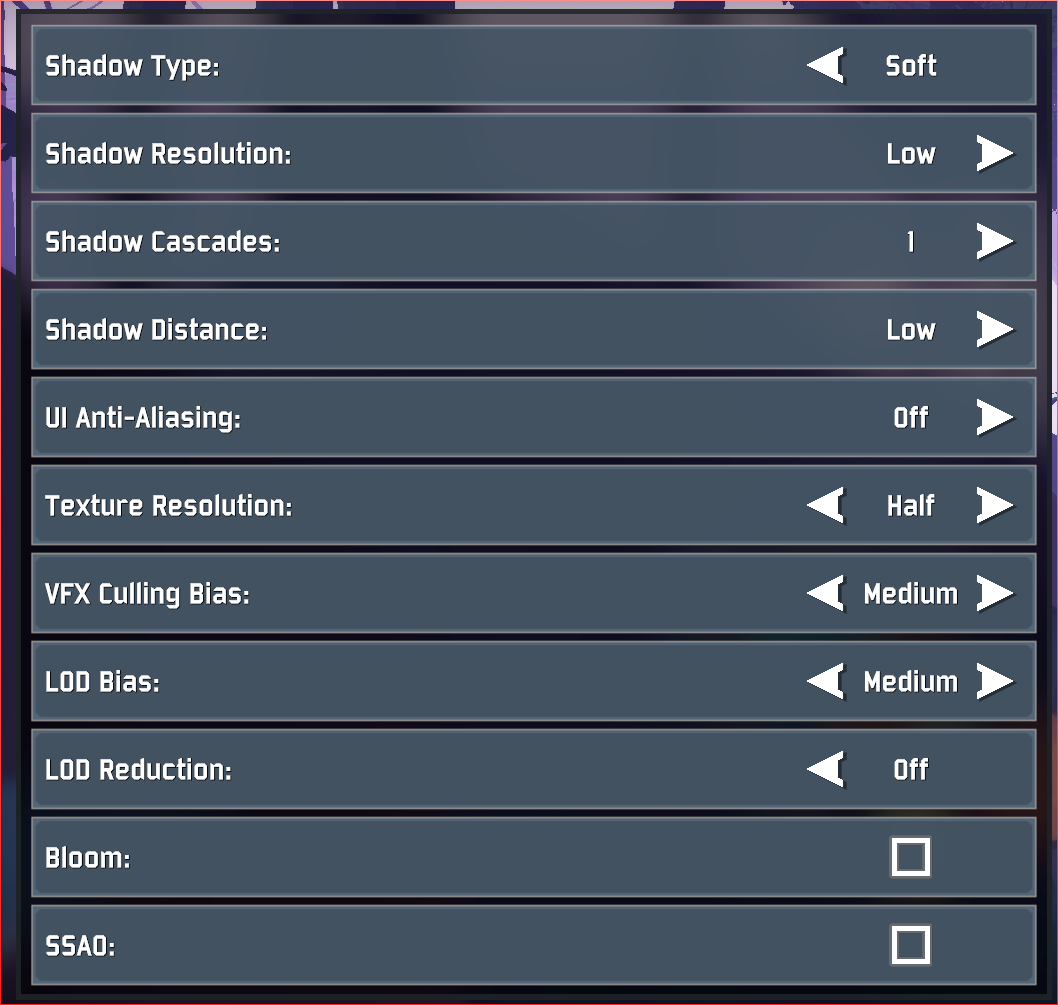
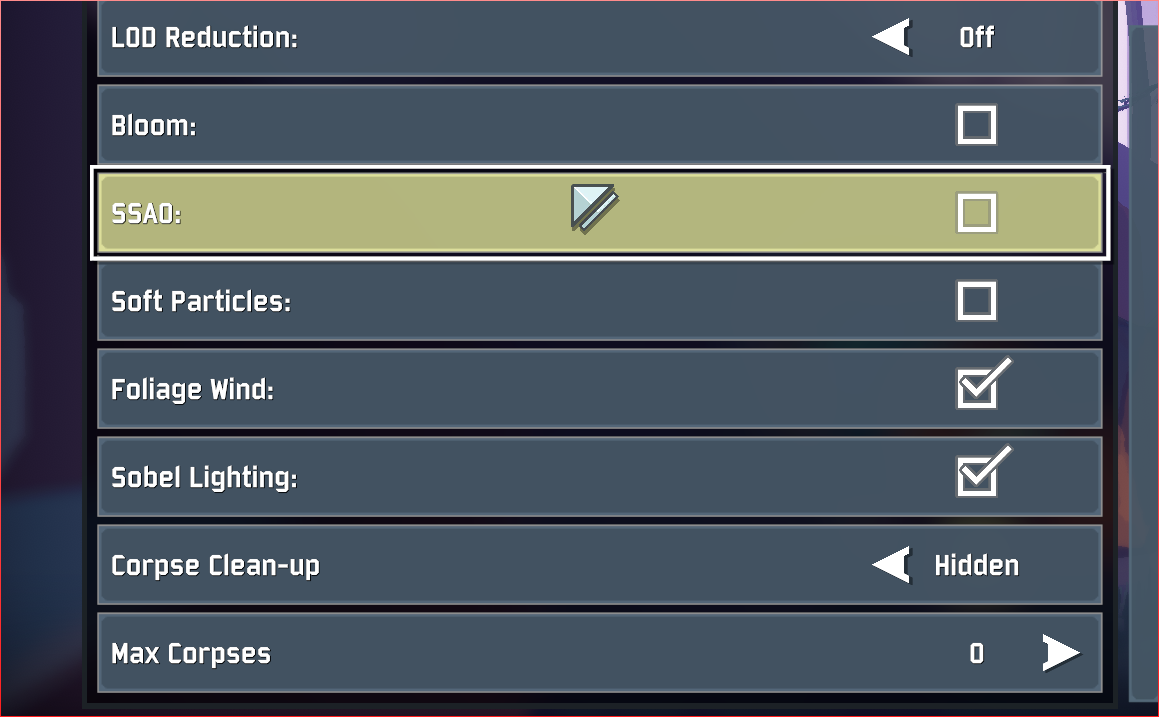
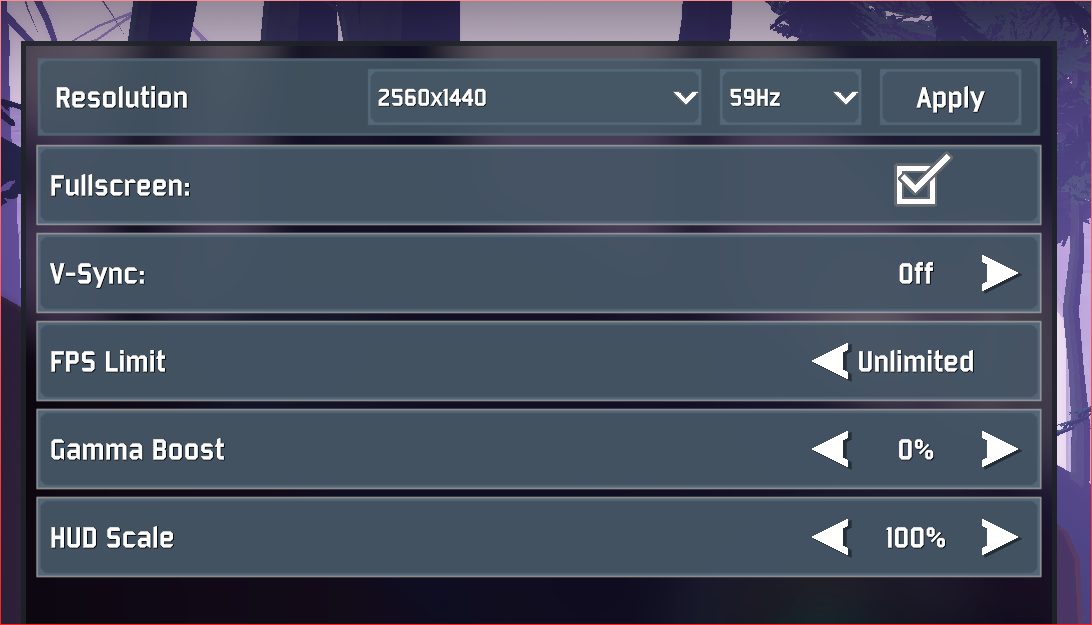 steady topaz
@simple moss did you disabled vsync from control panel?
simple moss
?????????
steady topaz
@simple moss try disabling it from nvidia control panel and in same place, under power management set it to "performance" See if this helps.
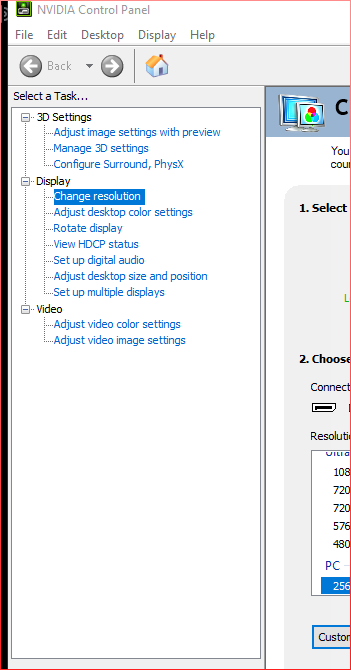
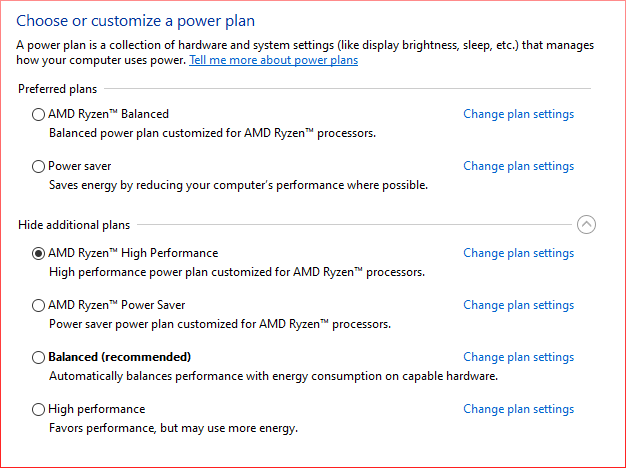 steady topaz
@sly parrot My bet is on your router or firewall blocking the connection.
Game needs 7777 port to be open for connection and 27015, 27016 for dedicated server and steam.
If you were unable to fix that - there is 2 more ways to connect:
Try direct connection or lan emulating software (like radminvpn)
For direct connection you will need your friend external ip. myip.com will show that.
Then your friend should host private game and you should activate console ``+ctrl+altand execuceconnect 192.168.1.1:7777command, where you should use your friend ip instead. For lan emulation you need to be in the same virtual network, get your friend ip from that program. To host your friend need to open the console same way and executehost 1command. Then you can connect to him with same command as above, but use lan emulated ip instead. (for exampleConnect 26.21.85.247:7777) Its a a good idea to see if your connection is decent enough. ping` command shows rtt=999 that's your ping in ms.
@simple moss Not familiar with it, so you got to find where it is on your own:
Nvidia control panel, going into manage 3D settings, then clicking on manage power settings, and switching it from optimal to Prefer high performance. I dont know why Risk of Rain is bottlenecking compared to how i could run more graphically intensive games like witcher 3 with no dip below 60FPS, but this has fixed my problem and the game has gone back to well over 120FPS.
simple moss
i can play literally every game at maxed, at 150-200fps
ror is just yikes raping my fps for no reason
sly parrot
@steady topaz thx, I'l try that ❤️
real valley
?
steady topaz
@real valley I am not shure what your question is really about. Did your game swithes to integrated gpu ocassionally?
real valley
Well it's wierd
It's intergrated in controll pannel but I think cuase force experience supports the game it still run fine. I just dont get why the default is intergrated in the first place. It baffles the mind would'nt you agree?
Like some games are gpu u and others intergrated why are'nt they all got from the geko
steady topaz
I am shure there is some wierd legacy involved, or just bad programming. Not like it uncommon.. i mean, look thru this channel on how many people got problems with vc++ 2015. Whole deal because there was stupid changes in 2019 one that break some registry entrys on 2015. People install new software that uses 2019 and 2015 one breaks, but windows cant fix it on its own for some reason and never reports that there is an error with it. And then you delete it and try to install it back - installer trows an error and never finishes.
Whole deal is from one small decision error microsoft did with 2019.
That's why no one likes to touch legacy code. After all - if it works, dont touch it.
steady topaz
Game is on unity engine. And that engine used to ask you what button do ou want to use with it, before running actual game. So i guess.. developers of that game engine just play it safe there and use most default settings there is.. even integrated gpu whenever its possible. I am no dev, not even close. But it does feels like it i giess.
Should point out that most of times Ror2 picks correct gpu over integrated.
real valley
Ya but I feel that dedicated default should be set to gpu
Since u need 1 to play most games I cant see this game running well on like intel graphics lol.
steady topaz
There is some problems with identifieng hardware in the 1st place. Some old game installers (before even steam existed) did a check that your PC have good enough hardware, and if you tryed to run it right now - installer didnt knew that such hardware even possible so it screams - this gtx 2080 is too weak to run this 2d game!
So devs use default settings when its possible to get compatibility right.
real valley
I think the simple solution is if u don't have a graphics card and only intergrated then the auto should pic that but for all games the auto mode should pic GPU well in a perfect world.
If u have a gpu
steady topaz
^yeah, thats most reasonable thing to everyone, but its not always so easy.
Quick example - game Zero-K uses some ATI compatibility mode that turns your settings of water on any map to simpliest plane with no refletions or animations. Even so your ATI gpu can and will with no problem simulate most gpu heavy water type. But there was some wierd behaviour so devs had to force it like that. So now If you have ATI gpu - you see most stupid water poassible, that's even hard to tell if its a water at all. But if you go to configs and force it to use heavy and good lucking water - it switches with no problem to it for one battle. And when you re run the game - you see simple water again.
Dont remember what it was for, but it works for everyone now because of that. And who want better water - could turn that ATI compatibility off and see good water in game, but there is a chance your game will fail completly because of it.
Development is hard, you need to consider lots of things, that's why we have bugs and have to deal with those strage things, like you asked about.
real valley
Kk
Well maybe when the game is fully completed with no more bugs then the dev team can set it w gpu
(I hope)
steady topaz
Havent heard from others about not correct gpu used by the game in a long time. Logs do check what gpu is used, its easy to find error. I am shure will be fixed.
GfxDevice: creating device client; threaded=1
Direct3D:
    Version:  Direct3D 11.0 [level 11.0]
    Renderer: AMD Radeon R9 200 Series (ID=0x6810)
I'm on a gaming laptop/notebook
Rtx 2060
But I also have Intel 650 graphics or something like that
steady topaz
Yep, those reports was about laptops specifically. I thnk it related to some power saving features.
simple moss
like @steady topaz said, if you're having fps issues, switch from balanced, or power saving to high performance. went from 50-100fps to 170+
steady topaz
@simple moss dont think that 170+ is a good thing. If your monitor cant refresh that fast then your gpu just doing work to no use. Game collecting "garbage" more the bigger the framerate and it isnt recommended to run it on high fps. If its ok with you then just ignore it, but if you expirience some stuters from time to time - this could be avoided by setting max fps boundary fps_max 60 from game console ``+ctrl+alt` It does the job, when you disable vsync.
 hollow timber
hey, i have a issue, me and a friend cant play multiplayer anymore, character select only shows up for the host, we tried validating and reinstalling
steady topaz
@hollow timber If you were able to play together before and there wasnt any changes in your network setup - likely you need simply to restart steam.
hollow timber
we were, but there has been a couple of updates since, we will try again when he has time,
 fading pelican
Hi everyone. Just recently got the game. My rig has a Ryzen 7 3800x, a 2080 Super, and 16GB of RAM. My computer runs the game at 144fps when there's nothing much going on and when there few enemies on screen. However, once the action gets going, it varies between 100 and 120 fps, and when there's a lot of stuff on screen, it dips down to 60 and even below sometimes. I disabled shadows and Vsync. I figured this type of performance is normal, but just wanted to make sure.
 honest oracle
Yeah no I think you're good. Doesn't matter how good your rig is, it's going to chug when everything starts happening all at once on the later stages
 kind cove
my game shows that the controller has no key bindings and when i try to bind them it says unknown
and i cant use my keyboard or mouse
simple moss
@fading pelican https://discordapp.com/channels/417739215355510784/559902278018924557/724265420353175562 I’m currently running a 2060super, Ryzen 7 3700X, if it’s not already set to performance, then I’d suggest. Ror is the only game I have FPS issues with.
plush treeBOT
@steady topaz,
Risk of Rain 2 uses Steam P2P networking. While this allows for easier connections without the need to forward ports, certain conditions can still cause problems. If Steam cannot establish a direct connection between you and another player it will resort to using a relay server to deliver your traffic and this can often add delay. If you are experiencing more than a second of latency it's very likely that your traffic is having to go through a relay server instead of directly between you and the other player. Make sure nobody in the group is using a VPN and that all players have their firewalls set to allow traffic for both Risk of Rain 2 and Steam.
steady topaz
[NO GAMEPAD BINDING]
plush treeBOT
@steady topaz, We have two known solutions for the topic 'no gamepad binding'. Would you like to view them? (Y/N)
steady topaz
y
plush treeBOT
@steady topaz,
This issue occurs when Windows is reporting a gamepad, joystick, or other input device providing a non-neutral input. This is usually caused by:
- Having a gamepad, flight stick, HOTAS, pedal, racing wheel, or any other kind of non-keyboard/non-mouse input device plugged in. Simply unplug the device from your computer.
- Having vjoy installed. If you've ever tried to use a GameCube controller with your PC, you probably have it installed. Opening your computer's Device Manager window should allow you to disable or uninstall it.
steady topaz
@kind cove look at this ⬆️
kind cove
ah
thanks! @steady topaz i had recently installed vjoy. and i was confused when my controller wasnt even plugged in
 woven zephyr
Me and my friend keep getting disconnected from a private game within the first 5 minutes, im not sure why. any chance the servers are down or a fix to this issue? When it says i get disconnected, it says "reason unknown"
Thanks
acoustic holly
i dont have a 2015 version of microsoft visual c++ :(- what now ? deinstall all of those i got ?
 sage rain
Whenever I open the game on steam I get this message
It will promptly close the game and just not work. I have tried removing all mods, uninstalling and reinstalling the game and verifying integrity of game file none of which have worked. Any idea how to fix it?
Not sure if it belongs in this channel, my apologies if I should have posted it somewhere else
steady topaz
@acoustic holly
Then do what instruction says, but from this spteps:
Goto https://www.ccleaner.com/ccleaner and download free version. Decline any adverted softwar you dont need it. Install Ccleaner and run.
Select Registry from left panel and hit Scan for issues.
Once scan is complete hit Fix selected issues. Hit Yes for "make a backup of registry" and then Yes to all.
Run scan once more and fix other issues, if it found more.
Close the Ccleaner.
Go to https://www.microsoft.com/en-us/download/details.aspx?id=48145 and download both for (x86) and (x64)
Install them both again.
Restart your PC and try to run the game.
@sage rain Update GPU drivers, download and install this https://www.microsoft.com/en-us/download/details.aspx?id=48145
sage rain
Thank you!! I will try that.
steady topaz
@woven zephyr Game doesnt have centralised server. Whoever host a game - (Host) passes connection to all other players (Client)
If something bad happens with host connection - it kicks clients, but clients able re rejoin. Check if that's the case.
Unshure what exactly wrong here, were you able to play together recently?
There is workaround, try if it connects properly: https://discordapp.com/channels/417739215355510784/559902278018924557/724218038651453511
@sage rain If it didnt help - you need to delete everything in your game folder. uninstalling and verivieing files thru steam doesnt touch mods and outdated mods could do that too.
So, make shure that when you uninstall your game - you also manually delete what's left in C:\Program Files (x86)\Steam\steamapps\common\Risk of Rain 2 (Default folder)
sage rain
I have done both of the things that you told me to do and I am still unable to play the game, any other ideas?
steady topaz
@sage rain Drop your game log here C:\Users\<UserrName>\AppData\LocalLow\Hopoo Games, LLC\Risk of Rain 2\output_log.txt
steady topaz
@sage rain include this file here too C:/Users/rjtn8/AppData/Local/Temp/Hopoo Games, LLC/Risk of Rain 2/Crashes
should be named as crash.dmp or something.
sage rain
This one?
steady topaz
@sage rain Yep, its the thing. I cant figure out what's wrong in this case since i cant read crashdumps. So we need someone from dev team to give it a look.
Meantime have you expirienced crashes in other unity games? Maybe even pc shutdowns?
sage rain
I dont believe I own any other Unity games and I havnt had any random computer shutdowns
steady topaz
Well, this error listed in your log is too broad to reliably say what's wrong. Basically game failed to read a memory. This could be anything and i am not expirienced enough to tell how to fix it.
There was a similar report back then. The suggested fix was to update PC bios. Maybe try that? You will have to find some guides on how to do that for your pc.
@mild ridge, we have this thing again, crash on startup. Files are above. Please take a look when you got time, thank you!
ERROR: SymGetSymFromAddr64, GetLastError: 'Attempt to access invalid address.' (Address: 00007FFB6CE8CB84)
sage rain
I will try to update the bios in a bit, thank you for trying to help I really do appreciate it. 😁👍
acoustic holly
i tried to download Microsoft Visual C++ but "0x80070666 - Another version of this product is already installed." maybe i need to deinstall the other versions i got, as i show above ?
ccleaner and stuff i already download and followed your instructions
steady topaz
@acoustic holly So you did the stuff i told you with ccleaner, and it still refused to install that vc2015?
Are you shure you did exactly what that instruction says? CCleaner was supposed to fix that registry problem with "0x80070666 - Another version of this product is already installed."
If so - try it again, but shutdown your pc before running ccleaner again and do multiple checks for problems with it. After it takes care of such problems - shutdown your pc once again and back on. Once it booted try to install those 2015 right away.
You also could try to delete all your vcs and than do ccleaner stuff again.
If it still doesnt help - there is alot of shady youtube videos titled as "how to fix vc2015 0x80070666 problem" and such, i do not recommend those as most of them want you to manually edit your registry.
near gust
!EARLY_ACCESS_DISCLAIMER
plush treeBOT
@near gust, We have two known solutions for the topic 'EARLY_ACCESS_DISCLAIMER'. Would you like to view them? (Y/N)
near gust
Y
plush treeBOT
@near gust,
- If you are using mods, your mods are likely out of date. Uninstall your mods and try starting the game again.
- If you have never used mods, the issue is fixed by installing Visual C++ Redistributable for Visual Studio 2015. Download the installer here and choose x64 if prompted to choose between x64 and x86. If the installation fails with the message "0x80070666 - Another version of this product is already installed." please uninstall Visual C++ Redistributable for Visual Studio 2015 (and 2017 if you have it) and try reinstalling it. Link: https://www.microsoft.com/en-us/download/details.aspx?id=48145
Microsoft Download Center
The Visual C++ Redistributable Packages install run-time components that are required to run C++ applications built using Visual Studio 2015.
near gust
@orchid flame
 rain flicker
we cant create parties or join other's parties, anyone know why?
 brave sun
is this game gunna get steam cards and achievments?
rain flicker
via steam @simple moss
simple moss
ive got no issues
rain flicker
no matter who hosted, when we tried to join, nothing would happen.
3 people and 2 just downloaded the game
 glossy glen
With the new console update, the logbook won't load up, and I can't see or select any character, any known reason?
acoustic holly
@steady topaz well i tried all of this but nothing helped :((( but i thank u so so so much an appreciate it a lot that u tried to help me this much !
Now im going to set up my pc like new :)
Wish u the best, and here u soon :D
Hear u soon *
 civic wind
Hello, can you please tell me when the bug with joysticks will be fixed? If you start the game with any sort of joystick connected you can't play at all.
I've got vjoy installed also now (happened before I had this) and can't remove the software from my machine as it's needed
 halcyon robin
I thought i saw somewhere where you could play mouse and keyboard on the xbox but, when I try and load up nothing. Am I missing something here?
 trim magnet
Hello, before the console update i was able to view and mouse over my items in game and see what each item does. Im not familiar with the new console UI but does anyone know how i can view what my items do in game?
 coral arrow
Can someone help me
Me and my friend can't connect
But we can play with eachothers friends so we tried to have them host one but if we go into lobby together it kicks us out
Were on ps4
We thought it might be nat type but he can connect to others who don't have type one
 urban scroll
A bug is the fact that the game runs at 60fps on xbox, but the xbox one x graphics are too high so my friends with a normal xbox have better graphics than my xbox one x. I would suggest adding a quality option in the settings to fix it.
 rocky egret
Anyone on switch trying local wireless? My wife's switch keeps disconnecting when I hit start after she joins the game and vice versa
 abstract salmon
Help my progress was deleted by only a select few achievements were deleted like I lost acrid,loader,da plant,’cut down’,’warmonger!’,’automation activation’,’decide’,’blockade breaker’,’never back down’,’cosmic explorer’,’blackout’,warm for life’ and ‘clean up duty’ I’m on Xbox one by the way
And all my character acviments
 runic eagle
9 out of 10 times i try to connect to someone the game stops at this point. also most people who to to join me get this thing. moreover, lots of people in quickplay most likely have the same problem, which actually is seen like when someone "has joined" but didnt get to the character selection, and thus his character didnt appear for other players. this happens sooo often and there are so many troubleshooting threads on it but none help.
maybe here there are people who encountered such a thing and know exactly whats that and how to deal with it
thanks
i got some friends with whom i did play but after some time this thing started to appear
 tame ridge
crashed on switch, is there any way to fix that or
steady topaz
@coral arrow This might be wierd, but try to turn off your console and router off and back on again. I know i know.. but this actually might help you.
coral arrow
@steady topaz I tried but it didnt work. Ill try again just in case
 soft basin
@runic eagle. I had the same issue where all my stuff was deleted out of nowhere except for a few things
 raven citrus
A bug is the fact that the game runs at 60fps on xbox, but the xbox one x graphics are too high so my friends with a normal xbox have better graphics than my xbox one x. I would suggest adding a quality option in the settings to fix it.
This. I’ve tried lowering my resolution all the way to 720p. Still has from drops except when looking up or by the edge of the map, unless there’s a lot of monsters near by.
 atomic barn
Stupid question probably, but.... I'm on Steam and I'm supposedly up to date (deleted, reinstalled) but I don't see Artifacts??
Build ID is 4892828
 flat niche
Can i ask about mods here?
 dense wasp
modding discord
on thunderstore.io
 onyx river
Hello everyone. My buddy has the 'can't click past Continue' bug, but the official solution below hasn't worked for us. Any suggestions?
PROBLEM I can't press the Continue button in the title. It also may say EARLY_ACCESS_DISCLAIMER.
FIX
We've generally narrowed down the issue to your Save data being corrupted. This may be caused because you shut the game down abruptly or another issue occured. Please note that this will wipe your save file contents. If you want, back it up elsewhere.
First, make sure Risk of Rain 2 is closed.
Restart Steam.
Next, locate the folder that your userprofiles are saved in. This is typically in
C:\Program Files (x86)\Steam\userdata(ACCOUNTNUMBER)\632360\remote\UserProfiles
There should be an xml file in there with a bunch of random characters, i.e
2919dc8a-fd4c-4c3c-bd7d-8aeeac67b831.xml
Open the .xml file in Notepad. Go to https://pastebin.com/BQkjgRrK and copy the contents of the Pastebin INTO the .xml file, REPLACING ALL THE EXISTING CONTENT. Press Save.
Reopen the game in Steam.

Pastebin
plush treeBOT
@onyx river, We have two known solutions for the topic 'EARLY_ACCESS_DISCLAIMER'. Would you like to view them? (Y/N)
onyx river
y
plush treeBOT
@onyx river,
- If you are using mods, your mods are likely out of date. Uninstall your mods and try starting the game again.
- If you have never used mods, the issue is fixed by installing Visual C++ Redistributable for Visual Studio 2015. Download the installer here and choose x64 if prompted to choose between x64 and x86. If the installation fails with the message "0x80070666 - Another version of this product is already installed." please uninstall Visual C++ Redistributable for Visual Studio 2015 (and 2017 if you have it) and try reinstalling it. Link: https://www.microsoft.com/en-us/download/details.aspx?id=48145
Microsoft Download Center
The Visual C++ Redistributable Packages install run-time components that are required to run C++ applications built using Visual Studio 2015.
onyx river
This fix did not work either.
steady topaz
@onyx river
If your buddy used mods:
Uninstall the game with steam uninstall, then wipe manually whatever left in C:\Program Files (x86)\Steam\steamapps\common\Risk of Rain 2
If mods werent involved: https://discordapp.com/channels/417739215355510784/559902278018924557/724215258314571786
 dawn wharf
Please help, i just bought the game yesterday and played with a friend who knew everything so i was able to unlock an artifact and multiple characters however after having logged on today my profile is already corrupted? is there anyway to get my old data back? or do i just have to restart
 silent yacht
so when i downloaded new drivers (geforce game ready drivers 458.41, which was released on 06/24/2020) the game crashes it appears as a blackscreen i hear a tiny bit of sound than it freezes some more sound stuttering and game crashes
dawn wharf
oh my god i made a new save earlier today and unlocked all of the characters i had on it and had the artifact and my data corrupted again. please tell me there is a way to get my stuff back
i think it happens if i click exit to desktop during a run.
 subtle hull
my run kept freezing and then it crashed, crashing steam with it and deleted my profile all my progress is gone
steady topaz
[NO GAMEPAD BINDING]
plush treeBOT
@steady topaz, We have two known solutions for the topic 'no gamepad binding'. Would you like to view them? (Y/N)
steady topaz
Y
plush treeBOT
@steady topaz,
This issue occurs when Windows is reporting a gamepad, joystick, or other input device providing a non-neutral input. This is usually caused by:
- Having a gamepad, flight stick, HOTAS, pedal, racing wheel, or any other kind of non-keyboard/non-mouse input device plugged in. Simply unplug the device from your computer.
- Having vjoy installed. If you've ever tried to use a GameCube controller with your PC, you probably have it installed. Opening your computer's Device Manager window should allow you to disable or uninstall it.
steady topaz
@faint horizon ⬆️
 faint horizon
didnt work i dont have either of those plugged or installed
 brazen plover
uhmm guys Ive got problem, it wont let me connect to a friends game
join game is not working
neither does any other invite method
steady topaz
@brazen plover worked before?
@faint horizon try unpluging anything that isnt a keyboard or mouse. If didnt work - unplug the keyboard and leave only mouse when you starting the game and then plug the keyboard back. Something inputing that axis down, its must be a device.
brazen plover
@steady topaz no it ws first time running it, but a restrt solved the problem
 devout snow
Most of my game progress has reset and im not really sure why
 clear jungle
If you're on PS4 or Xbox, it's a known bug and the devs are working on it
devout snow
Ok thank you
 lofty maple
Every time I join my friend it disconnects me
 surreal sundial
whenever i try to start a private game with a friend one of us diconects
 mellow cobalt
Trying to connect to the dedicated server and I get the following error.
This is the command I'm using in the console
cl_password "PW"; connect "111.111.111.111:27016";
Note: PW and 111.111.111.111 are correct but obscured
Edit: I was using the steam query port rather than the game port of 20715
 thin pewter
Hey, my friend and I are having some serious issues with multiplayer. No matter what we try, we can't join each others lobby's. We've tried restarting our games, unplugging anything besides our mice, and literally every different way to join a steam friends games. Its very strange. Whenever we click on the invites or "join game" absolutely nothing happens besides moving us to the initial multiplayer screen
steady topaz
@thin pewter restart your steam.
 solid gazelle
I can't Launch my game. I crushes at start
I haven't found solution anywhere
Please help, i like this game so much *(
steady topaz
@solid gazelle В личку мне напиши.
 torn aurora
For some reason my friends and i just cant connect with each other fully, when we press start a private game only 3 or 2 or even 1 only connect but the 4th doesn't
I am playing on ps4 btw
orchid flame
can't join a friend because their version is either newer or older than mine
 worthy anvil
hey im having problems hosting and joining friends games
 robust pecan
Would anyone know what would fix this issue I’m having? I got the physical bundle for PS4 and when I went to instal it, it only lets me install the first game. No matter what I do it won’t let me install the second, I’ve deleted, restarted, etc. it just lets me keep clicking the second game and never does anything (side note apologies for posting this in multiple channels)
 whole perch
I play on Xbox One and my friend came across a problem he’s been unable to fix:
We logged in one day and despite having all characters unlocked, he no longer has Acrid or Rex. On top of that, all of his Engineer unlocks and Loader unlocks were lost. He has uninstalled and reinstalled the game, restarted his Xbox, and made sure the game was loading in from the correct drive. Nothing has worked and we don’t know what to do.
worthy anvil
why cant I join my friends
 willow juniper
Unacceptable performance today on my 9750h & 1660Ti. 2 player game , 25 FPS avg at 20 minutes.
I've owned this game for a year. Getting fed up with performance-breaking updates.
zealous halo
I can run most other games fine but I can't run this game on the lowest settings, it's practically a slideshow because it's going at 3fps
steady topaz
@thin pewter i didnt see your answer.
You both need to restart your steam.
If it didnt work you got 2 more options:
Direct connection and Lan emulation
https://discordapp.com/channels/417739215355510784/559902278018924557/702730015166693417
 valid sluice
Hello everyone, i wanna do a 4-player run solo but the Multitudes mod is not dropping 4 items after i kill the teleporter boss. Any ideas why?
steady topaz
This is not the pace for such questions, as it is not about the game. You should read what this mod descriptions says, then check if you installed it correctly (Honestly, just use r2modman) and then issue the command that changes multiplicators ingame.
Best way to find your answer about mods is to ask it in help section in modded discord. Invite in head of the thunderstore.io, where you get the mods.
valid sluice
thanks
orchid flame
Also, in case nobody knew, this game runs flawlessly on Linux via Steam's Proton feature. No need to run Windows to enjoy this
steady topaz
@orchid flame ppl doesnt read past like 3 messages here, do you hope someone will see it? Maybe put an walkthru un steam or soemthing. Here it will be lost forever.
 opaque helm
Sometimes the game crashes randomly,not only the game but the whole pc. A black screen appears and my monitor says no VGA signal found
orchid flame
There are plenty on protondb.com
With one checkbox on Steam, the game runs flawlessly on Linux
steady topaz
[NO GAMEPAD BINDING]
plush treeBOT
@steady topaz, We have two known solutions for the topic 'no gamepad binding'. Would you like to view them? (Y/N)
steady topaz
Y
plush treeBOT
@steady topaz,
This issue occurs when Windows is reporting a gamepad, joystick, or other input device providing a non-neutral input. This is usually caused by:
- Having a gamepad, flight stick, HOTAS, pedal, racing wheel, or any other kind of non-keyboard/non-mouse input device plugged in. Simply unplug the device from your computer.
- Having vjoy installed. If you've ever tried to use a GameCube controller with your PC, you probably have it installed. Opening your computer's Device Manager window should allow you to disable or uninstall it.
steady topaz
@regal chasm ⬆️
 regal chasm
ty ty 🙂
vjoy was the problem and disabling it was the solution ty so much @steady topaz
 glossy drift
Also, in case nobody knew, this game runs flawlessly on Linux via Steam's Proton feature. No need to run Windows to enjoy this
@orchid flame
What distro?
 raven spindle
Are legendary items dropping as intended from Artifact of Sacrifice? Running Sacrifice + Command + Swarms and haven't seen any drop in an ongoing 1-hour run
raven spindle
Only saw 1 drop in 6813 kills
mild ridge
AutoSupport is going to be offline for a little while.
 steel ruin
um can yall get rid of my nickname,it was a joke half a year ago and now i cant change it cause of server changes lol
steel ruin
thx
 rigid hawk
When I try to join a friend's lobby (by invite or clipboard code), it just greys out the buttons and nothing happens (like the attached picture). They aren't able to join my lobbies at all either.
I deleted all mods and made a new profile, still no luck. Any ideas?
Edit: I scrolled up far enough to find a couple suggestions I'm currently trying. I'll delete this post if one of them work.
steady topaz
@rigid hawk just restart your steam, game didnt picked it up.
 inner quartz
On Xbox one I just got on today and all my progress is gone my character unlocks artifacts items everything is gone what can I do?
 elfin axle
Dunno if anyone’s up yet to help, but my buddy is freakin out. We play on Xbox and he says he signed on to get some challenges done, and all his shit is gone. Most of his characters are still there, but Artifacts are gone, challenges, stage scans, items, monster logs, all of it.
elfin axle
Getting on now, an interesting note. I have no data loss like my friend.
All my characters and progression are still available.
 coral nebula
It's happening to me too. I tried to delete and reinstall which didn't fix the issue.
 dusty fjord
Does that really fix the issue? If so thank you so much for the help @coral nebula
coral nebula
Sorry, typo. Did not fix the issue. Me and my friend are both having the issue on Xbox
inner quartz
Has anyone found a fix for the lost progress yet it sucks to lose all my skins and abilities and artifacts after all that time played
 gray glen
I posted this on the Reddit, but I'm having an issue trying to open the game. When I boot up the game, and get to the main menu my wifi goes down consistently. I have a network that has 2g and 5g bands and when attempting to connect to the 5g when the game is open, windows tells me "Cant connect to this network". When I close the game I can connect to the 5g band just fine though. I checked the event logs and I have a lot of DistributedCOM events, but they're warnings not full blown errors
Up until today though everything has been fine, nothing has changed with my computer system or update wise, and all my drivers are up to date. This only happens specifically with RoR so I'm not sure what can be done (on my end anyways) to fix it
zealous halo
I can run most other games fine but I can't run this game on the lowest settings, it's practically a slideshow because it's going at 3fps
any solutions?
 tranquil hatch
is it just a bug on my end, or does the environment log for the Gilded Coast just not have an environment model? it's not loaded in any of the three times i've clicked on it
 sonic cloud
having issues playing with friends. any time one of us tries to move to the character select screen, the other person either doesnt go with them or gets a black scree and sent back to the main menu
kind cove
^
orchid flame
@hyper what are your specs? Do you have the most up to date drivers for GPU?
 hoary leaf
Hey me and my friend have been playing on console and we had everything unlocked and now he’s missing absolutely every unlock which is 60 or so hours worth of work. So how is this gonna get fixed because this is extremely stupid
 valid quartz
I have had an issue wear i have lost a bunch of progress. like 40hrs or more of progress on my console. And my questions are when will it be fixed? and will i get my stuff back?
 gleaming rock


