#ror2-tech-support
1 messages · Page 39 of 1
 sharp quarry
 sour goblet
Hi I'm on Pc, I'm searching help about how to make a dedicated server. I used the information in the steam website and tried a lot so its to see if someone could help me In DM or here, Thanks.
 sand niche
got a friend on pc and he has flights sticks plugged into his computer and it messes up his controls with his mouse and keyboard
 turbid fog
@sand niche either unplug the flights sticks and such or don't bump them while playing
sand niche
he wasn't touching them
turbid fog
Try unplugging them all and playing. If it works, it means the flightsticks are always giving an input which there is no workaround for other then unplugging
 upbeat imp
i just bought the game
it keeps crashing on launch
what i do?
I've done some research and most people say to uninstall some Citrix Workspace. I do not have this anywhere on my computer. Other fixes I've seen include update drivers, which i have done and reinstall, which I have also done.
 ancient flume
Is multiplayer currently broken? I cannot seem to play a private, public, or quickplay match.
 steady topaz
@ancient flume restart your steam
ancient flume
Thank you!
turbid fog
@upbeat imp
Update bios and chipset too.
steady topaz
@turbid fog
he got no crash.dmp only log:
0x000007FB1E4573DE (KERNELBASE) WideCharToMultiByte 0x000007FB20C019D6 (KERNEL32) WideCharToMultiByte ERROR: SymGetSymFromAddr64, GetLastError: 'Attempt to access invalid address.' (Address: 000007FAF8FF871E) 0x000007FAF8FF871E (UnityPlayer) (function-name not available) ERROR: SymGetSymFromAddr64, GetLastError: 'Attempt to access invalid address.' (Address: 000007FAF8F901AA) 0x000007FAF8F901AA (UnityPlayer) (function-name not available) ERROR: SymGetSymFromAddr64, GetLastError: 'Attempt to access invalid address.' (Address: 000007FAF8F83AA6) 0x000007FAF8F83AA6 (UnityPlayer) (function-name not available) ERROR: SymGetSymFromAddr64, GetLastError: 'Attempt to access invalid address.' (Address: 000007FAF8FD0CA6) 0x000007FAF8FD0CA6 (UnityPlayer) (function-name not available) 0x000007FAF92DBA71 (UnityPlayer) UnityMain 0x000007FAF92DCEA1 (UnityPlayer) UnityMain 0x000007FAF92412C4 (UnityPlayer) UnityMain 0x000007FAF92511F9 (UnityPlayer) UnityMain ERROR: SymGetSymFromAddr64, GetLastError: 'Attempt to access invalid address.' (Address: 000007FAF90217BD) 0x000007FAF90217BD (UnityPlayer) (function-name not available) 0x000007FAF90268BB (UnityPlayer) UnityMain ERROR: SymGetSymFromAddr64, GetLastError: 'Attempt to access invalid address.' (Address: 000007F707A711FA) 0x000007F707A711FA (Risk of Rain 2) (function-name not available) 0x000007FB20C01842 (KERNEL32) BaseThreadInitThunk 0x000007FB213F0DFD (ntdll) RtlUserThreadStart
What could it be?
upbeat imp
im having the same problem with grafield kart furious racing too
turbid fog
Goo, who is this for?
upbeat imp
me
steady topaz
@turbid fog i asking you if you see where this errors is coming from, is it chipset or bios? you suggested it because you know exactly or making a guess?
 fleet warren
Posted over in bug reports, but after unlocking the masteries for huntress & loader yesterday they've since become locked again
turbid fog
@steady topaz
Guess for sure. Last time I ran into this issue, we needed to rollback the guys graphics drivers to the previous version. Probably just a general unity error. Sometimes it takes a good bit of fiddling with stuff to get a working solution.
Since this is a just a community guessing area for tech support, go ahead and contact gearbox support + post in the bug report section
steady topaz
@turbid fog you see, ror2 didnt created crashdump file, all this guy have is that piece of log that got a bunch of general errors that means nothing specific. Issue might be anywhere.
Also unity forums basically say: this means that our crash handler failed to locate where the code crashed
Not a good ground by any means.
 sweet lotus
I was wondering if anyone has had this issue/knows possible solutions for me. I paused the game, as I was teleporting into the void feilds, and now I can't unpause the game. I can open all of the settings, alt tab, quit to desktop and menu.
 worldly otter
i've tried uninstalling and installing again,verifying integrity of game files restarting steam and my computer,but when i see the pinned message(the fix on the tech support channel) i went to the files but didnt even find the number for the game,help pls
steady topaz
@worldly otter PROBLEM I can't get past the first screen, and it says EARLY_ACCESS_DISCLAIMER.
FIX Please make sure that your Window System Clock's Timezone is NOT Invalid. If that does not fix it, please uninstall THEN reinstall VC++ 2015, shown here https://www.microsoft.com/en-us/download/details.aspx?id=48145

Microsoft Download Center
The Visual C++ Redistributable Packages install run-time components that are required to run C++ applications built using Visual Studio 2015.
worldly otter
it doesnt work 😦
 dull cedar
i cant play for a couple of days now. when i get into a game the camera is stuck looking straight down. please help
even after reinstalling it stays the same
 vague briar
do you have a joystick installed if so remove it, that caused me too look straight up every time I started a game
 frail flower
@orchid flame
I know this is a late reply, but it'd be better to create a dedicated server with a player limit of 16 than to use TooManyFriends. I successfully had 5 people playing that way last night
 brave delta
is it possible to go over the 4 player limit?
 orchid flame
oh damn dedicated servers have a 16 player limit?
dull cedar
@vague briar i removed all my controllers and still...
did youhad to reinstall after?
frail flower
Yeah dedicated servers can hold up to 16 players, you just have to change the config file
If you set sv_maxplayers to 16 in server_startup.cfg you can have up to 16
If you set it to anything higher than that it'll still only be 16
 trim grail
is it appropriate to put this here? don't know but there is weird wording here
deal detonate
dull cedar
thanks @vague briar i deleted my vjoy files and now its working! yay
 marble solstice
Is anyone else crashing around stage 40+? I used to never crash but this patch after it gets late enough into the game I get a pop up widow from Unity Engine and then the game disappears
 shrewd arrow
anyone found a fix for the random disconection of the host ina run in like the host gets a black screen while the others are romeved from the lobby?
sharp quarry
^
 hushed rune
Hello, so all of my skins and abilities that I unlocked are all gone. Can I get some help lol
Most likely has to do something with cloud sync, just noticed that some items are gone as well
 hasty flicker
Hey if we wanted to use a dedicated host on your alpha servers thing about how much ram would you need to host it
hasty flicker
Also linux would be really helpful.. windows host are really fucking expensive if a linux host is 59 dollars a windows host would be around 80ish dollars for the same cpu and ram..
hasty flicker
@shrewd arrow are you running it from your computer? Or an actual host?
 crystal crest
I'm trying out a linux server that I am self hosting. I was able to connect to it and it played well. (using ubuntu 18.04.3 with wine. The wine i'm using atm is Lutris.) I can play well due to me being on LAN but the jury is still out for anyone else. (Ports should be forwarded though.)
shrewd arrow
actual hot not the alfa thing
hasty flicker
@shrewd arrow its more complicated with our dedicated host our tech person is using wine its just really hard to do
apparently to get dotnet 4.5+ installed, you have to
set windows emulation version to XP
install dotnet40
set windows emulation version to 7
install dotnet(x version)
orchid flame
has anyone else been getting super lagged spiked/kicked out from a run since patch?
like every 20 minutes i just desync from my friend's game, and earlier when i was hosting they'd desync, and just now i got desynced from my friend's game for so long it kicked me out
my internet speeds are completely fine, every time it's happened ive immediately tested my speeds and each time they've been just how they normally are and the same, and my discord ping isnt messed up either
sharp quarry
This happens on ps4 too^
 supple atlas
im having an issue where my game is capped at 60 fps no matter what I do, anyone have a solution? I play on steam
turbid fog
@steady topaz
My suggestion fixed the guys problem and he had no crash log either but I understand what you're saying. With general problems, I can only give general suggestions and experience from the past.
 trail trout
I need help.
 quaint lintel
hey im having an issue with the game having extreme fps issues out of nowhere
i had mods installed but i wiped the folder uninstalled and reinstalled and that didnt help
 dry verge
Do any of yall still get that glitch where when ya invite friends for them the character select is just commando and they cant actually join you
Its only with my one friend that i have this problem with. no matter the ammount of reinstalls or validating the games integrity we have this issue and we have had it since release
Its very rare we can play togeather. I can play with others but with him its a problem.
dry verge
We have had this problem since launch
 real nova
https://twitter.com/Scepkight/status/1208184158624849920?s=20 i feel like this goes here even though my friend ain't here.



oh yeah, epilepsy warning btw
orchid flame
@crystal crest Related to running the dedi on a linux host, did you have any issues with port binding?
 autumn mortar
I'm also getting the black screen issue when joining a private game. Any fixes?
restarting Steam as suggested above didn't help
@pallid ibex Any suggestions?
 surreal oar
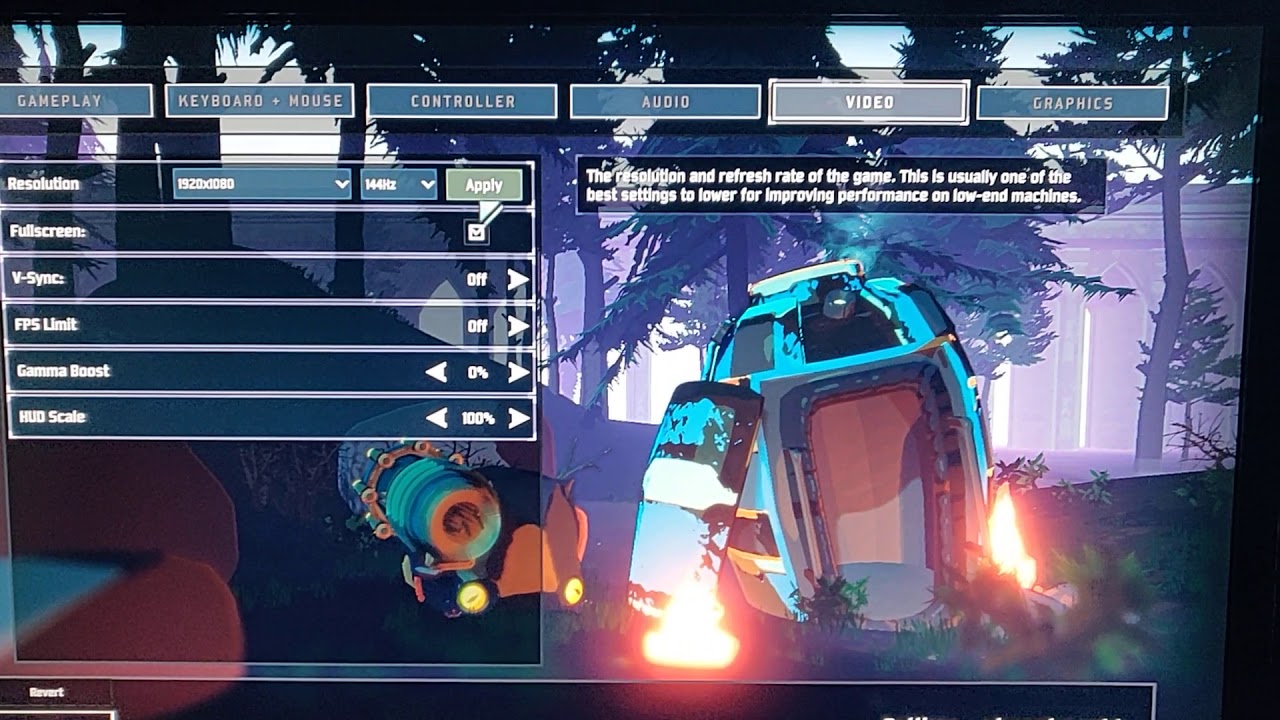
Here's what's happening to me, I've reinstalled Microsoft redistributable and the XNA framework, verified game files, uninstalled and reinstalled
Idk what to do
 gleaming rain
@autumn mortar I recall having to join off of my friend during the character select menu, not the main lobby. That’s how we fixed the issue.
autumn mortar
@gleaming rain That seems to make it work sort of, but often they get booted back to main menu or can't hit ready. If we start the game first sometimes that works but sometimes you can't hit E to leave the pod thing
 scenic spear
i'm having a slight dedicated server problem when people try to connect to it.
the error they were getting was.
Failed to send internal buffer channel:6 bytesToSend:1096
Send Error: WrongConnection channel:6 bytesToSend:1096
ChannelBuffer SendBytes no space on unreliable channel 6
GameNetworkManager.desiredHost={ hostType=None }
ClientDisconnected due to error: Timeout``` warm kernel
why can i only find my dedicated server on LAN
@dry verge i have the same stupid problem and now i am waiting for someone answer to my bug report if i ever get one 🙂
dry verge
Well at least I'm not alone
warm kernel
it's really annoying tho
dry verge
Yup
warm kernel
tbh i can't even join quick play
@dry verge is this the screen you get when joining?
you don't see anyone as if you didn't join
warm kernel
the text was from the console
dry verge
Aaaaah
warm kernel
well it's unlucky that we have this bug
dry verge
It is
warm kernel
do you play with a controller?
dry verge
No but it is connected to my pc
warm kernel
can you try removing your controller and join a quick match? if you have time
@pallid ibex do you know maybe if someone else has the same problem as me and chris?
 next schooner
I have the same problem
warm kernel
oh one more unfortunate soul looking for a fix
 hollow shale
i have a question when you all get to it
dry verge
Shoot ivern
hollow shale
so i have had my game crash like hard unity pop up crash at 200 miuntes
next schooner
I've given up on trying to fix
hollow shale
twice now
dry verge
Never had crashes but the bug I have I've had since launch
surreal oar
does anyone know a solutiuon to video setting not saving?
warm kernel
one more bs console msg and this one is on singleplayer...
hollow shale
mine is not related to the issue with controller
 raw wraith
Can we please have a solution to this bug, or if there is any workaround
Not being able to play with friends is aids
warm kernel
really is
dry verge
It really does suck especially since I bought it for him and he doesn't play single player so it's essentially worthless to him
raw wraith
Like, do the developers have any insight? or have they said they are working towards a fix?
warm kernel
dunno :/
surreal oar
has anyone else experience video files not saving?
warm kernel
but like the thing is when i try to join my friends sometimes it joins and we can play but most of the times the game is being a di** and we can't play together
dry verge
Yep it's rare I can play with him and when we can we have no idea why
It's not fire wall we checked that we both reinstalled the game reboot our pcs and reset steam and just nothin works
hasty flicker
Hey rono! How much ram would i need to dedicate to host a server! I’m using reliable sites
warm kernel
and now it works?
hasty flicker
If you know at leasy
next schooner
how do you enable the console?
warm kernel
ctrl + alt + the button above tab
surreal oar
anyone, ive asked in like 3 different text channels and everyone passes by
next schooner
warm kernel
@surreal oar no never had that bug
@next schooner do you have a controller in your pc? i mean like the usb XD
next schooner
nah i remove it when not using it
surreal oar
even when i change the conifg to read only it still doesnt change
dry verge
Roko does the controllers somehow change it for ya?
warm kernel
i don't have a controller
playing with mouse and keyboard
but just cheking if you have the same thing with controller
but for some reason i can now join mp games even tho that probably won't last for long
dry verge
Hmm?
crystal crest
@orchid flame Sorry for a very late response, I did not have any major issues with port binding, all the ports work well.
 sacred canopy
any one know to stop ur controls from reseting
 high cypress
I was hoping for it to just magically go away, but I get blue screens with this game consistently. Stop Code: MACHINE_CHECK_EXCEPTION. I haven't had this happen while playing any other game, but it's happened several times while playing ror2. Not too sure what to do at this point, any help is appreciated. Just tryna unlock acrid lmao
 unborn jungle
Um i have a issue the games audio doesnt work for me. how does one fix it ive gone through my settings and i have tried to reinstall it but it just doesnt work
 knotty escarp
Hi I have a friend I just got the game for and he cant join any online games it either gives him a black screen or nothing at all
warm kernel
does this have to do anything with me being unable to join any mp match?
 loud abyss
3 out of 4 multiplayer games with my friends just ended with a blackscreen, no error nothing just blackscreen for all 3 of us no matter who hosted the game. We don´t even make it through the new map to unlock the character because it crashes all the time.
warm kernel
same bullshit all over again why can't i join a mp match this is just stupid
what does that red text in console even mean i supose red means bad but what should i do about that
 bold needle
i fell to the unknown and when it transferred me up again the M1 was stuck, cant stop autohitting
is there a known fix to that, tried lot of key combinations to unstuck it
when i alt tab it seems to stop, even though the game does not pause
it also auto moves forward
nvm lost the run and the mouse had weird sensitivity, disappointed tbh
dry verge
Roko when was the last time ya had a working multiplayer
 normal marten
I start up my game and after some unknown time(2min-200min) my game freezes and then usually just closes the game. is there any crashlogs folder?
 gloomy surge
After starting the game, 15-20 seconds pass and the monitor goes into sleep mode. I think due to the fact that the game puts me 1980x1080. The monitor supports 1680. I put the shortcut -w1680-h1050 in the whistlers. It works fine. I left the game, I go again and again crashes. What to do?
bold needle
@normal marten check bug-reports channel, there are some people that give out log files. you can pm them for path info
 fallen pier
will the multiplayer ever get fixed?
 modern inlet
orchid flame
modern inlet
orchid flame
I’m having trouble playing with my friends, we just got the game and when one of us joins friend and we find a game, I don’t have a countdown timer and it just kicks me out.
 stable magnet
why isnt multiplayer working for pc? i can get to the lobby but it wont let my friend choose anything
 hard terrace
for the love of god, devs. Please let me get Keyed up! Even more annoying was I was playing with my friend last night and he got it and I didn't. WTH
turbid fog
Keyed up?
Remember folks to submit bug reports and go to gearbox tech support for official support
 dusky cargo
any one got a solution to the multiplayer thing on PC?
 ivory sedge
Hey so I ahve had this happen twice now. Randomly while playing in multiplayer the game black screens and I hear the main menu music and it kicks people out if I am hosting. Is there a fix to not have this happen?
 hasty wind
happened like 10 times for me now, no matter who hosted
ivory sedge
ahh, I have played a fair bit since the new patch. added on a good 15-20 hours over the last few days. Both times it happened decently early into a run once was during stage like 3 and the one just a few minutes ago was like stage 5. Doesn't seem to have a clear trigger as it has happened on two different characters both Engi and Rex for my 2. Also doesn't seem like anything super special happened when either happened. It was just normal play and bam black screen.
hasty wind
yeah, everytime it was different. can´t say there is a specific trigger. sometimes it happens stage 1, sometimes way later
ivory sedge
The only similarity is if I remember correctly both happened during the teleporter charge/boss fight
but that could just be by chance since it's only happened twice to me
 jagged monolith
Everything in my account is gone, except achivements. I got on the game and everything was gone.
 open sable
hey guys, so i bought risk of rain not too long ago. played with my friend just fine, now we tried today (first time since update) and now we cant play together
wont let me join him him either private server or not, he cant join me and quick play doesnt even work
 granite drift
The game crashes alot in game. like many times.
In a run The hole lobby just fall out of the game
We have swaped hosts and it is still happening
jagged monolith
I've never experienced crashing in the game.
 vocal kite
just got the game and every time i try to play it crashes 2 rounds in i get this is early access but i cant even get to enjoy it since all my progress gets thrown away is there a way to fix all
 merry osprey
it's not exactly crashing
It's the servers failing randomly
So mid run we will get a black screen and then a message saying something server failed
vocal kite
welp mine just crashes no black screen no nothing just stops out of no were and i lose everything
merry osprey
We swapped around hosts too and it still happened. It doesn't seem to have a pattern either. IT happened after 40 minutes in, then the last one 11 minutes in
 thorn anchor
Having the same issue as yannis
 patent gazelle
yep same, literally a minute ago had the same issue that my screen transitioned to a black screen while my friend got to see the server disconnection/closed error
 mild hearth
Me too
 sage bobcat
Literally just happened to me as well
 carmine yoke
How about fixing game crashes? Making game unplayable and unfun 🙂
 fossil tiger
Some friends of mine and I were playing, and we had 3 runs in a row have that happen to us.
mild hearth
Switching host (aka the person inviting) worked for some parts
vocal kite
seems that the devs and mods do not care for they haven't responded to any bug report or tech support so in conclusion ur fucked
 vestal tartan
I'm still having the early_access_disclaimer bug, and i tried pretty much everything. yet it works in adminisitrator mode, yet if i play in administrator mode, i can't play online
 keen sedge
Does anyone have any idea why my resolution in game keeps reverting back to 1920x1080 when I repeatedly change it to 1600x900 and press Accept, and then it just reverts it back anyway
warm kernel
@dry verge sorry was sleeping but yesterday i joined a lot of mp games and they all worked but now i tried mp and joining my friend and nothing worked so yeah nothing is fixed
@dry verge same shit all over again 🙂
@pallid ibex senpai notice me sometimes 🙂
orchid flame
@warm kernel yeah its happening to me and my friend we just got the game. Its NAT related i think but annoying AF
dry verge
I really hate this bug
warm kernel
it's not nat related cuz i have nat opened
well il just wait for a fix cuz playing sp is boring for me
warm kernel
tried joining my friend again still nothing 🙂 tried disabling firewall, verifying files reseting my pc and nothing
orchid flame
rip.. i couldnt play with my friend if I was on my Hotspot internet (its way faster for me unfortunately) but if i was on my home wifi I could
warm kernel
you are using the usb thingy for internet? the tp link or what is it called
warm kernel
yeah i am using the tp link one and maybe that is the problem
@dry verge do you use hotspot or maybe your friend?
 sweet geyser
ok i have an odd glitch so the game will just freeze on a certain frame if it goes over a certain resolution
for example 1280x1024 is the highest resolution i can get while my laptop can do way higher, but whenever i go higher it just freezes, i have updated all my drivers etc. but it doesnt seem to fix it
warm kernel
i mean like sharing wifi from mobile to pc
orchid flame
can i run ror2 on a intel pentium 2, nvidia gt 210? 
turbid fog
Imma go out on a limb and say no
 turbid fog
Haha
I played on a Pentium 4 and a gt 8600 like 12 years ago so I know the age of the hardware haha
orchid flame

turbid fog
Are you actually trying to run on that hardware?
 turbid fog
Haha


 graceful mesa
anyone want to join a game
stable magnet
whats wrong with risk of rain 2's multiplayer? im unable to play with my friend
vestal tartan
I tried uninstalling steam and reinstalling it to fix the early_access_disclaimer bug
Now i have to reinstall my games ;_:
turbid fog
@graceful mesa there is a looking for game or "lfg" chat specifically for that
vestal tartan
I've tried what the pinned message said, and it didn't work, many people seem to have it right now, so maybe it'll get fixed in a future patch or update?
 lavish quiver
hey any body know how to set up the dedicated server
im having troubles with it
lavish quiver
if any one knows how please at or dm me because me and my friends are confused
turbid fog
To play together you don't need a dedicated server, just to join off of one another @lavish quiver
I'll be setting one up in the future probably and I can help then.
 blissful dune
So my server crashed and I'm trying to find the crash log. Any ideas of where it is?
 lucid kindle
This recent update was awesome but the server side became wonky. My friend and I don't even live that far from each other, he just lives at the neighboring city. Location: SEA, Philippines. We also experienced large delays that causes black screens and sudden death. Hope you guys can fix this soon
 worthy pike
hey is modding broken? I wanna get my Boy Bandit back but Im having trouble doing so
 void frigate
sooo is anyone getting an issue in where the game fades to black and clients disconnect?
I'm hosting a game, we're 2 players, a private game, and out of 5 games we've tried to play, 4 of these have randomly faded to black on my PC after a while
I can see the cursor and hear the menu music, but I can't do anything other than close the game via task manager
and my friend goes to the main menu and gets an error that the host closed the game
playing on a laptop with i7 9750H, RTX 2070, 32 GB RAM
wired connection
@pallid ibex is this a known issue?
it's weird because the game doesn't even crash, it just fades to black as if I had returned to the main menu, but it nevers actually returns to the main menu, I just get the game cursor
and menu music
 hallow heron
Hey guys,
I have recently recently my motherboard, processor, RAM, and power supply in my PC (pretty much a new system with same SSD and GPU). I installed this game and tried to get back on to play (Note: I have not played since games first release, quite a while ago). Upon the game loading up, I am getting the EARLY ACCESS DISCLAIMER alert, with the continue button greyed out and a refresh symbol in the bottom right corner. I googled the issue, and have already tried performing the pastebin reset in the steam user profiles. This fix did not work. I also tried restarting my computer and verifying game files with no fix. Can anyone help? I would love to play this game again. I also heard this issue resets your save data, and I hope that is not true as I would be turned off from grinding through so much of the game again
 wary hatch
Ive got the same problem as @void frigate :(
 digital wedge
Has anyone had any luck setting up a Linux dedicated server for RoR2?
Is Linux even supported or is this just my machine being a little special?
 compact musk
hello, i need assistance with risk of rain, for me its almost unplayable now.
digital wedge
Okay seems like Linux isn't supported since it's working just fine on my Windows SteamCMD instance but not on my Linux. Are there plans to support this?
digital wedge
Have people portforwarded 27015 and 27016 or just 27015 for it to work?
blissful dune
I port forwarded both so it would work but that was on my Windows machine.
 woven quiver
Game instantly freezing when launching?
 grizzled canyon
My frames have drastically dropped today, wasn't an issue yesterday. other games run fine at max settings. RoR2 even at lowest settings will start at normal frames <140, then when switching menus will drop to >60.
Tabbing out bumps frames back up, tabbing back in drops them.
jagged monolith
I play on the Xbox one, and everything on my account is gone, although I still have my achivements. I got on the game and everything was missing. Anyone know how to fix this.
 surreal flax
has anyone had luck playing on an old linux laptop? i just get this window that loads something and then disappears
the game plays fine on a much newer linux desktop
 shell rose
help! getting an error message like giggybytes, except im on windows. I skimmed through the crashlog and the last error I saw before crashing was Animator.GotoState: could not be found
any idea whats up? This patch has been working fine the last few days but today ive crashed 4 times already
 primal wasp
Hey, my friend is having problems with low fps (like 2-5) in menus and in game, he's tried windowed, checking integrity, and some other methods, but to no avail. anybody have some ideas?
 pastel shuttle
I'm having an issue with the camera leaning to the right always, also cursor doesn't stay in bounds on menu. I think both these issues could be fixed by uninstalling vjoy but I need that to use gcn controllers with Rivals of Aether. Is there any fix that doesn't involve removing vjoy?
orchid flame
@surreal flax probably needs a 64bit OS and drivers that support Vulkan to run DXVK
@digital wedge use WINE or a custom Proton prefix to use SteamCMD intended for windows, there is no native linux builds for the dedicated server nor the game
 civic sparrow
Cannot join any multiplayer sessions due to some sort of bug in the game
any suggestions?
stable magnet
i have reinstalled this freaking game to play with my friend and i still cant get the multiplayer to work? wtf is going on
orchid flame
@crystal crest huh. well i think it must be proton or something, i can connect to the lobby, but it seems to just crash out when trying to start a game.
figured out out after moving it off to a temp VPS
InitServer: GameServer_Init returned false
maybe i'll have better luck with a build from lutris, or just hosting on a windows vps
 last glacier
Having an issue where the game hangs/freezes for 1 second-ish every 30-60 seconds and CPU usage drops down to 0 in task manager. Happens both in game and in the main menu. Running fine at 60fps outside of these hangs. Any help would be appreciated
warm kernel
@dry verge anything new with the bug? did you manage to fix it by any chance?
dry verge
Nope
I'm in Germany rn prob won't play for another month tbh
Although
I could try using my Gf pc to see if it changes anything
warm kernel
if you find the time for that why not 🙂
 icy sand
Any solution for dedicated server still saying it's full after somebody leaves?
 static pumice
Having an issue with the game kicking me to the main menu and black screening as host during multiplayer games. Is this a known issue?
icy sand
Yep, been happening a lot to us, that's why we're trying out the dedicated server, hasn't happened with it so far but I'm having the other issue of other people not being able to reconnect if they crash since the server still thinks they're connected.
 autumn wedge
Anyone knows if the devs saw it and working on a fix for the gamebreaking MP bugs ?or are they on holidays vacation ? ( serious question not trying to shit talk )
crystal crest
@orchid flame Lutris will work. but you will need to install steam in one of the runners. Then run the server (after you mark it out and set it to run in DRM-free mode.) Then startup steam with lutris just before the server finishes loading (The play button on the Wine Steam in the screenshot.) I'll need to make a more detailed guide a bit later.
 lapis sapphire
So my bf has an issue where the resolution is resetting mid gameplay. I saw a lot of things about the resolution resetting at start up, but nothing about mid game.
Usually happens when a new stage loads, which is pretty rough.
Any thoughts on how this can be fixed--- or do you know other ways to optimize the game, even if requires a teeny bit of modding?
 limber adder
why the fuck do dunestrider ghosts from happiest masks still leash the player near death
 hidden kernel
My audio has completely yeeted itself out a window. I’ve tried restarting my laptop and playing with audio settings but I am unable to get my audio of RoR2 to come back. Any ideas on how I could maybe fix this?
 brave nymph
my game suddenly looks like this when it launches. it was fine 100% all the time. I have no idea what happened. i reinstalled. updated gpu drivers. it ran fine like 3 hours ago, there was no update for it. but suddenly it's like this. anyone any idea how to unfuck this?
 pallid ibex
@void frigate if you or anyone else gets the weird fades-to-black bug, do you mind posting an output_log.txt? It should be pinned how to find one. Also assuming you or your friend doesnt have mods installed?
void frigate
Hey, just saw your reply on twitter @pallid ibex
The bug happened to me yesterday, and I've been playing singleplayer today, is the file still valid?
Or do I have to trigger the bug again and send the log file inmediately after that?
the bug happened like 4 times in the span of an hour
 sinful tiger
Hi, been having a bug recently when playing with @summer gust I havent personally seen the glitched end, but sometimes if my teammate dies, and I survive the game glitches and on my screen I am still playing and moving around but all the enemies are freaking out and stuttering on screen, however, from my teammates perspective, I believe I appear stuck in a wall, being attacked by enemies and not doing the actions happening on my screen
 indigo eagle
Problem : the game is being overlapped by the Windows panel
Tried to check if its pinned - negative
Changing the fullscreen option back and forth and changing the resolution didn't help :c
 analog hollow
hello, i bought risk of rain two today, but for some reason the mouse is all whacky over the screen (sensitivity seems to change every second) and when i start a game it say "unknown" on all the buttosn i could press. im not quiet sure how to resolve this issue since it seems like other people dont have it and i looked for answers online. im really excited to play this game so i wanted to ask here before i do a refund
shrewd arrow
Anyone else having issues of randomly disconectin - the host seeing black screen and the other players are removed from the lobby and this is not using the alpha hosting thing.
and how do i fix it?
 tacit garnet
Yeah i've got the same thing
shrewd arrow
cuz its getting o nmy nerves
warm kernel
There we go one more bug is happening now even when i manage to join a mp game now the host get's black screen and everyone else is kicked out
 cursive veldt
I get that one a lot as well
orchid flame
@crystal crest sounds like a script could handle the timing. only problem with this is I had intended to run it headless to conserve resources
crystal crest
Agreed, if there's a way to make it headless it would be better.
orchid flame
I'm sure it would be possible in a final release for VPS or remote bare-metal server deployments.
 brave shadow
@shrewd arrow +1 (we test it on 4 pc's - and after random time - all have this (3 pc with intel cpu and 1 with raizen 5)
shrewd arrow
glad to see im not the only one
its infurating that this bugg exist while holidays are here
shrewd arrow
@pallid ibex I'm sorry for the ping I am just wondering when will we get a hotfix for this bugg?
pallid ibex
@shrewd arrow can you post your "output_log.txt" ? im trying to narrow down the cause of the bug
also, do you or your friends use mods or have old mods still installed?
admittedly its very unlikely we'd have a patch out during the holidays, since everyone's out of office and with their families. if we're in luck maybe theres a workaround
shrewd arrow
non of us had mods installed that ican guarantee
wheres is the uotput_log located exactly?
pallid ibex
how to access it is pinned in #ror2-bug-reports-pc
I also assume you arent using dedicated servers, but just the normal private game/quickplay screen?
shrewd arrow
yes it was a private game
 thick holly
game crash, where dump?
pallid ibex
check out pins in #ror2-bug-reports-pc
pallid ibex
strange
my hope is that since we only really started hearing reports of this after the 19th, it /might/ be steam servers being spotty during the sale, but ill stay diligent and confirm that with an output log eventually
since our game runs through steam, if steam goes down so do the multiplayer lobbies sadly
unless this happens in singleplayer, in which case its a different issue entirely
shrewd arrow
I really hope it's steams faulth
\AppData\LocalLow\Hopoo Games, LLC\Risk of Rain 2\output_log.txt
my risk of rain 2 is downloaded in a steam folder
so i have something like steamapps-common-Risk of rain 2
 heady gate
Hello everyone, I bought RoR 2 about 3 days ago. My computer runs at 5 fps when I'm in level 5 or more in the game (even in the lowest graphic settings and all the parameters unable). Moreover my computer is not that old so I'm wondering what should I do to solve this problem with a correct setup and graphic settings ?
orchid flame
@crystal crest yeah, i'm just gonna bite the bullet for now and go with the standard windows VPS from my provider until it's less janky to run
void frigate
@pallid ibex Hey, tried to replicate the bug today and was unable to. We are the same people playing on the same laptops. The difference between yesterday and today is that yesterday we were playing in the same house, so in "LAN" (same network), and today we're in our own respective homes. So maybe it's related to playing on the same network somehow?
just throwing an idea
it's weird because yesterday it happened on almost every game and now we played a lot with no issue at all
also, we have 300 Mbps (download and upload) fiber (both of us) and we always play wired so the connection isn't an issue
 bitter lake
does anyone have problems with acrids M1? Ill hold down acrids M1 and it wont go through the whole cooldown but it will at times, is it my computer or something deeper?
orchid flame
No wait, you're right @crystal crest , even a windows server the only way i got dedi to run was to have the steam client loaded (not logged in, but still)
 true night
I wish I knew how to figure out how to fix my crashes. Maybe the game has issues with alt tabbing now? I dunno.
compact musk
can anyone help me. my game keeps looking down at my feet and saying that my buttons for actions are UNKNOWN, even if i put a ps4 controller. I cannot play the game otherwise, i unistalled and restarted my pc and everything, nothing working. someone pls help
 clever edge
my lobby code isnt working anybody know how to fix it?
literally nobody can join my lobby for ome reason
some*
 agile yew
Hi hello
so uh I got pretty far into the game and my game crashed
is there anyway i can get back into it
 waxen badge
@agile yew no, sadly they dont have a way for crashed games to be hopped back into, but it was suggested in #ror2-feedback-and-ideas by spidercat, so you should upvote that and hope it gets above 50 for the devs to possibly see it :D
true night
The game does store previous run information so its possible for a way to drop you back in but it's up to Hopoo to do it. In ANY roguelike something to compensate for crashes should be implemented in some form as a game bug ruining a run is rather depressing.
agile yew
very unfortunate so much for 3 hours
but im very satisfied with my purchase this game is legendary
 dusky swan
My game crashed and apparently caused the files to be corrupted and now all steam does is try and validate the files over and over.
dusky swan
I have uninstalled and now reinstalled it and it says content file locked
true night
Game crashed again, if anyone knows how to make sense of the output log that'd be great. I'm not sure why it keeps crashing so readily. Is it conflicting with other programs? Is it overloading VRAM? I dunno but it's rather annoying.
 gray ruin
Does the ps4 edition have mouse and key support?
 sharp crypt
Any updates on the black screen/Server closed bug?
 bright obsidian
@sage kettle idk if u've seen this but the mouse problem we were having was fixed in proton 4.11-11: https://github.com/ValveSoftware/Proton/releases/tag/proton-4.11-11
 sage kettle
Hey great news. Whatever version I switched to the other day has lackluster performance.
bright obsidian
I haven't actually tested it, but it seems to fit the description.
 quick flare
Anyone know if this game supports mouse and keyboard on Xbox?
orchid flame
Hi, I'm not sure if it fits here but my friend laggs a lot when playing with me. He doesn't have a bad connection, he has around 1mps up and 10mbps down with 21ms ping (tested on speedtest)
quick flare
Does he have better connection on borderlands 3?
orchid flame
Neither of us plays it to be honest
 weary cedar
I just bought RoR2 last night, and every time my char. gets to about level 14, the game crashes. Anyone got any ideas? I do like the game play thou..
true night
There seems to be an icnrease in unity based crashes since the latest release tbh
 worldly jacinth
is the game suppose to save your character unlocks? Because I unlocked warrior yesterday and today i had to unlock it again.
 wanton pagoda
can anyone tell me why my dedicated server only shows up in LAN and not in "internet"?
wanton pagoda
I could really use some helpo
wanton pagoda
I'm beginning to strongly suspect this crappy ZyXEL router just doesn't allow port forwarding
 neon crown
Is anyone else having trouble joining friends?
knotty escarp
@neon crown Quite a few yeah havent found any resolution as of yet
 bright linden


Why is this not working? Does not seem to unlock all https://gyazo.com/f1159c4032fe326417429b8e96699581

@ebon mural
 full flame
The dll mod files need to go in the R2API folder, not sure what that ECBG folder you have is @bright linden
bright linden
Empty chests be gone
full flame
Try deleting that for now and moving the dll files into r2api
bright linden
Still didnt seem to do it
full flame
Theres a risk of rain modding discord, try there
bright linden
Where is that link located?
full flame
Uhhhh
bright linden
Anyhow thats the error I got.
https://steamcommunity.com/app/632360/discussions/0/1628539187765670625/ Ill find the link thanks

Could not resolve by clean installation of ROR2 or the mods. I've used a variety of mod managers and either way these errors happen: [Fatal : BepInEx] Could not run preloader! [Fatal : BepInEx] System.Reflection.TargetInvocationException: Exception has been thrown by the targ...
 sonic spear
herro
 solemn shell
we are having a problem with the online
sonic spear
yee
@orchid flame me and rarma prism are having a problem with the online i cant see if im in the lobby and if he promotes me and i set a private match he just goes back to the title screen pls help us
solemn shell
@vestal berry do you know any one who can help us
 vestal berry
Sorry, we aren't tech support, just discord moderators
But fully closing the game and restarting steam sometimes helps
And if it comes to it, reinstalling can help sometimes too
Obviously not ideal but
 gusty drum
<@&559786374228738069> hey guys, I've been here since the game came out and back then we didn't have roles so I put (Huntress) in my username, and now that we don't have the privileges, I cannot change it. Can y'all remove it for me pls? Merry Christmas.
 unborn meadow
Done, don't write to us for this in tech support
 pseudo karma
Hey for some reason I've tried my new ps4 controller and ror2 picks up every thing from it... except the joysticks? All of the buttons work, the joysticks work while in menus just not in game
This is the only game so far with these issues if there's a solution please let me know
gusty drum
didn't see any other channels about it and thanks
sweet geyser
so i have been having a weird glitch, that seems common but its not, so take the whole the game starts up with just sound, but even after updating all drivers and doing a reset nothing happens, but if i connect my laptop to an external monitor it suddenly starts working but if i disconnect it will freeze, also when i say connect i mean my laptop just pulls up a duplicate on both screens and the game works on both, i have done everything i could find but i cant get the game to start
another thing is when i change my resolution to 1280x960 the game works fine so can anyone help me figure out how to make the game work in fullscreen because it used too for me then something weird happened
 frozen vector
Anyone got bug on Dedicated server with Adaptive Chest and Cleansing Pool ?
https://pastebin.com/FP7X9tmL

 worn salmon
hi since the update my game is crashing a lot, never happend before, and also, it happends when im using Acrid, the game run fine with the other survivors, what can i do?
 glad birch
Question, does anyone else seem to have framerate issues in the variants, but not in any other map?
Like.. I could be fighting through a chaotic stage 30 hell with tens of enemies everywhere with millions of particles, missiles and other things while having a decent framerate.. Yet first stage variants with nothing around you kills my frames
 honest depot
So, my game camera is constantly forced down, I have no idea why, I have no controllers plugged in but it's acting like there is and it's being held down. Why could this be happening? I restarted the game/computer it hasn't fixed itself. Should I reinstall?
this also leads me to believe it thinks I have a controller plugged in
frozen vector
@honest depot Verify Game files
honest depot
how would i go about doing that. I also think an adapter software i have is making ror2 think i have a controller plugged in
 proper horizon
Read the pinned messages for a fix.
honest depot
thank you, missed that one
 neon flower
does anyone here know stuff about mods
pseudo karma
Hey for some reason I've tried my new ps4 controller and ror2 picks up every thing from it... except the joysticks? All of the buttons work, the joysticks work while in menus just not in game
This is the only game so far with these issues if there's a solution please let me know
 mild marsh
Anyone else know of the issue when you try to join multiplayer game, you get black screen and kicked out?
 simple remnant
The multiplayer option isn't working. My friends can't join my lobby even if I send the lobby code or invite him through steam. Firewall is off and my pc is connected via ethernet
simple remnant
apparently this issue has been a problem for months. I checked a thread and it was up since April. The developers need to find a solution to this.
mild marsh
@pallid ibex , do you know if this is something that is being addressed?
 odd salmon
is anyone dealing with connection issues atm? trying to play with friends and quickplay and neither of them are working.
tried both invite and clipboard code
sonic spear
me and rarma prism are having a problem with the online i cant see if im in the lobby and if he promotes me and i set a private match he just goes back to the title screen pls help us
@pallid ibex
turbid fog
Write in bug-report and go to the official gearbox support for official tech support. I normally help answer but I have been busy.
I doubt hopoo likes being directly tagged.
 fossil glen
im having issues with my mouse feeling delayed or having reverse mouse acceleration
simple remnant
wait now it kinda worked, but my friend is getting a black screne
 round copper
I've tried deleting/replacing my save file, reinstalling the game, and rebooting. Any idea how to fix this?
gloomy surge
Are you going to fix the "black screen" and crash going? So many complaints from people. I played 80+ minutes yesterday, the black screen and the monitor went into hibernation. The whole race into the pipe
pseudo karma
Hey for some reason I've tried my new ps4 controller and ror2 picks up every thing from it... except the joysticks? All of the buttons work, the joysticks work while in menus just not in game
This is the only game so far with these issues if there's a solution please let me know
 lament hill
im not sure i should write this in the tech support section, but i having a hard headache after playing the game for 30 minutes. i tried few times. especially when character got attacked by multiple enemies and there is a lot of blinking effects... and there is an enemy which has this PURPLE EXPLOSION attack, which makes me feel very bad.
i had an epileptic attack when i was 1 yr old (27 years ago) so im not a typical player and this problem may not occur often, but i decided to share this just as a feedback.
i feel something similar like with this banned pokemon episode with terrible explosion animation
(warning - this may be painful to watch) https://www.youtube.com/watch?v=FVY5uZ18-x8

sorry for bad english. i probably refund the game, but not because its bad. i'm a big fan of risk of rain 1 and i respect your work.
 restive thunder
no luck creating a private multiplayer lobby. the Steam invitation has only a "launch game" option. "join clipboard lobby" does nothing. there is no feedback or guidance in-game at all, which is really poor from a usability point of view.
 rose whale
Trying to set up the "Multitudes" mod on a dedicated server and to set the multiplier for the mod you need to use the console command (mod_wb_set_multiplier X). is there a way to run console commands on dedicated server or maybe a workaround for changing this option?
 glacial zealot
hello I get Early access disclaimer error I can't open the main menu despite pressing the continue button. I searched on the internet I applied the solution methods, although I did not get a result. I would like to ask you for help.
some budy help me pls
 jovial inlet
Have you tried un- and reinstalling? That tends to work
glacial zealot
I've tried. did not help @jovial inlet
I've tried deleting / replacing my save file, reinstalling the game, and rebooting. did not work
problem appeared after windows 10 re-installed
do you help me?
glacial zealot
<@&559786374228738069> some budy help me pls
glacial zealot
sorry men
 severe ridge
salright
pseudo karma
Hey for some reason I've tried my new ps4 controller and ror2 picks up every thing from it... except the joysticks? All of the buttons work, the joysticks work while in menus just not in game
This is the only game so far with these issues if there's a solution please let me know
The joysticks just dont wanna move the character or camera despite being perfectly capable of moving the mouse in menus, I can't seem to find anything that a would help searching everywhere
odd salmon
@pseudo karma if your report keeps being ignored check the pins.
here is a link to Gearbox's customer service
https://gearboxsoftware.zendesk.com/hc/en-us/categories/360001615171-Risk-of-Rain-2
 potent canopy
I feel like I've seen stuff on this before, but a friend and I have been trying to play the game together and ever since a patch after Scorched Acres or so, anytime we try to play together we get booted back to the main menu. When I join, I get a black screen and get sent back to the main menu after about a minute. When he joins, an invite through steam does nothing, clipboard lobby joining brings him into the multiplayer lobby, but after starting the game the ready-up reads only one person (me) and he gets booted. "Join game' through steam doesn't work either, same effect as steam invites. It's his game, as he can't see multiplayer lobbies, and sometimes the UI is missing elements.
We've run the game MANY times before and haven't installed any mods
any help would be appreciated
and no my game isn't at fault, I can play quickplay and join others with no issues
 topaz hound
so for the early_access_disclaimer my friend just got the game and its happens to him aswell and he doesnt have any save files so we cant use the clean save file solution any idea how to fix?
 tulip portal
I have the same problem
I click play and it puts me at a screen saying early_access_disclaimer and I cant click continue or refresh
According to my friend, Im missing three files and I can't do a save file cleanup since I just purchased the game and don't have any saves. I tried the developer fix recommendation, didn't work, tried multiple others, still didn't work.
topaz hound
yeah my friend is also missing the required 3 files
tulip portal
I had one of my friends send me one of the files but Im not sure if sending files even helps or if I have to have them on my own
orchid flame
ok so i set up my dedicated server, my friends can connect to it but it doesnt show up in server browser; i have the server heartbeat enabled, am i missing something?
 burnt sinew
My friend have the same problem, early_acess_disclamer, and none of the solutions worked :/
tulip portal
Yeah, no solutions worked for me either
 south cosmos
I have an issue, quite often, where the screen freezes. The sound is still active as if the game is still running, after a little while the game crashes. I cannot seem to find a pattern in when it happens.
Anyone had similar issues?
potent canopy
My buddy has had that a few times too, it sounds like the game just gets overwhelmed sometimes under certain circumstances. Crashing randomly hasn't happened to him though.
tulip portal
Does anyone know how long it approximately takes for us to get a response, ex; if we emailed them, how long will it approximately take for them to respond
potent canopy
Is there anywhere I can submit debug logs? My buddy can't play multiplayer because it seems like it's forcibly disconnecting him and the debug lists some things like IndexOutofRangeExceptions and and he hasn't even done anything beyond entering a lobby and atempting to start one or join one and it puts out an echo stating, "Isued kick message to all remote clients"
 dark arch
I just crashed during a run, is there any way I can find my score/stats from that run?
full flame
Nope
 lament juniper
orchid flame
lament juniper
orchid flame
Why am I being matched with Americans (im EU) ??
 strong falcon
hey is there a log or something i can send to one of the devs to figure out why the game crashes a bunch
 bright sandal
anybody know if they updated bepinex pack yet? and if so then where?
 tight dust
any computer genius here that can help me out?
 mystic cargo
A friend and I were just about to play a round, but he ran into a problem where all his keybinds appear as unknown. Does anyone know how to fix this?
pic is related to the issue
tulip portal
For those who are having the early access disclaimer problem, I upgraded my 8.1 laptop to windows 10 and I’m able to play it now, so I’m unsure if it’s a windows problem but that might work for you too
 daring heron
It's already been posted quite a bit, but I can't join multiplayer of any kind. Tried inviting both ways with a friend, tried clipboard, even tried quickplay- nothing works at the moment.
orchid flame
Hello guys, anyone here having some multiplayer issues? Me and my friends cant play together, and can't even enter a public match. I've seen some steam posts about this, and we aren't the only ones with these issues
No, we dont have any mods installed.
Yeah, i've already tried to repair the game files on steam.
Yeah, my firewall has an exception for the game .exe
 steel violet
hey
i just bought the game
i am trying to launch it for the first time
and when i open the game, it doesnt let me move the mouse to click the continue button
 mossy flax
Just a question, can you only play with two people accually in game and others just spectating. This is for private lobbies btw.
Because in a private lobby of 3 I've found only 2 of us are in game and are able to play, the third just spectates
tulip portal
Nope, I just played with two others today and we were all put in the game
mossy flax
hmm...
tulip portal
Is there a way they could’ve clicked spectator mode?
 zealous minnow
We used to be able to set sv_maxplayers to a value over 4 and play with a big lobby of people (if they manually connected to lobby).
This doesnt seem to be possible anymore -- does anyone have information on when this was patched out or if this process has changed?
 stark palm
Hi, I'm having this problem on my new laptop where the game is reallllly laggy as soon as I open the game. Even in the starting menu, I have low fps and the cursor takes like half a second to update. Has anyone else had this problem?
steel violet
dam
 twilit spade
So I've run into the save data corruption bug (can't get to the main menu let alone play the game) and resetting my save data didn't work
Please help.
tulip portal
Did you try right clicking the game on steam, pressing properties, going to local files, and verify integrity?
 acoustic bobcat
Uh, is there like, a problem with online? Cause like, after about stage 11 or an hour in, we get disconnected
turbid fog
@stark palm your laptop is probably using the integrated graphics. Update your graphics drivers and it should use your dedicated graphics card.
 trim rock
Every quick play game I join I eventually get disconnected. typically after at least one level, sometimes I get to two or three
 radiant anvil
PS4... Can’t play the game. Just unlocked every character and can no longer get to the home screen menu. Home screen populares with no buttons on it and music playing... I have music turned off.
stark palm
@turbid fog will the game not run with integrated graphics? I don't have a dedicated graphics card...
orchid flame
multiplayer is NOT working and lobby id doesnt work either and i have no idea why its working for other people and it was acting normal 2 days ago..
I'm using dual monitors, and the game won't let me go past the title and hit continue. My cursor still shows up and the game's cursor matches its position. I've tried uninstalling and reinstalling the game and restarting Steam.
turbid fog
@stark palm do you know what GPU and CPU you are running?
 elfin vapor
Can you guys promote my thread on Ror2’s website, I think the devs should look into it. Here is the link https://community.playstarbound.com/threads/plz-fix-keyboard-and-mouse-support-on-ps4.158843/
Chucklefish Forums
 fresh elm
I'm not sure what this is, but it turned my game into a slideshow, and then it killed me
stark palm
@turbid fog Sure, I have the Dell Latitude 5490, which has the Intel UHD 600 and no dedicated GPU
 dusky oxide
I have had crashes a lot in this update, never before. I hope a fix gets released
 fallen coyote
i cant play any multiplayer matches,send help pls
proper horizon
The paramedics are on their way...
 stiff hornet
hey so me and a few of my friends got this game . we are south African so we do have bad net how ever this game is peer to peer and we are all local but non of us can host even the one of us that has fiber . we all get desync errors all that's not hosting. but when we play with out of local friends meaning German or uk and they are host we never ever get desync error just 200 ping which is normal for us on all games ie overwatch league etc. is there a reason we cant play the game localy or is it just our network
 left gulch
I followed all the steps to setting up the dedicated server but it's not showing up anyone have any idea or could help?
 hasty fractal
Is anyone else having problems with gpu usage running too high and randomly getting disconnected since the new update?
 languid herald
guys help my save file was corrupted
tulip portal
Have you tried verifying integrity?
zealous minnow
Does anyone know about the console command "sv_maxplayers" not working anymore? Before the scorched earth update we could host listen servers with sv_maxplayers 8 and host 1 and people could manually connect for a larger lobby. Has this feature been changed/removed?
I can find the options still accessible in the console but they do not seem to have any affect on the multiplayer lobby - it stays capped at four players.
 agile idol
Has anyone else had the problem of opening the game and it just displaying this screen and not able to do anything?
The game was working fine just yesterday so im not sure why its doing this now
 visual glacier
Had a weird crash happen to me just now in a 3 hour run, the game froze and a separate window popped up with the ROR2 logo with a string of letters and numbers and a loading bar, then soon after my game just force closed. any idea what might have caused it so it those not happen again?
 hazy coyote
I'm trying to setup a dedicated server, but it keeps showing up in LAN instead of Internet. I didn't change any of the Port settings in the config, if that helps.
 wispy frigate
I struggled with the ror2ds a bit, Had to access it through the in-game command prompt instead of steam servers menu. Port forwarding was neccesary
 last meadow
just wanted to know if there is a way to have the item description be more detailed without mods.
 prime wharf
does somebody have a tip for me. I started the game the first time and the mouse won't stay in game(in window and full screen) so i always click on my desktop
wispy frigate
I would try re-launching and selecting the game window using alt+tab, That way you're guaranteed to be in the game window
prime wharf
sadly this did not fix it
tulip portal
Possibly restarting your computer? I know restarts help a few problems
 late ferry
Currently having an issue with the lobby, I'm trying to join a group but doesn't take me in the game, and when they try to join me they get a black screen and sent back to the main screen after a while.
Nvm, had to restart steam entirely
 lunar pine
Hey, so I am currently on a run, being Stage 23 and I decided to go to the Hidden Realm to unlock Acrid, my screen became black and has not loaded anything in. I pressed Escape and I see the Resume Game menu and such and the background is now gray and when I click on Resume game it freezes until I press Escape again and goes back to the menu as it was. I think it may have been trouble rendering the terrain (as my PC isnt a Major beast but can handle ROR2 on okay settings) so I turned the graphics down and waited but I am still stuck at the screen pls help.
 frosty orchid
Im unable to join a buddies lobby when i click "Join Clipboard"
I validated my files, Reinstalled the game (4 times) and i get stuck at this screen
 odd harness
Game crash's on startup, tried reinstalling, validating the files and updating my drivers. Anyone on who can help?
turbid fog
@stark palm
Your laptop is not running it well because it does not meet the specs to play it. A UHD600 GPU is quite weak for a GPU. Without a dedicated, you're out of luck
stark palm
Ok thanks
orchid flame
i dont know why every i reach lvl 24 and defeat boss my game is crash, why is that happen?
 fluid valley
Getting a strange Unity error while trying to host a dedicated server.
Anyone know a fix?
orchid flame
I cant join quickplay, neither join a game with my friends. I dont have any mods installed, and i already tried re-installing the game multiple times 😦
orchid flame
@orchid flame what's it say in the bottom right of the main menu screen?
Oh man, i was going to sleep already.
Thankfully i recently got an ssd. Lemme check
@orchid flame Steam Build ID 4478858
next schooner
I had a temporary fix by right clicking the exe file and selecting it to use recommended compatibility settings for windows
 fresh tide
Hi all! I'm here with the same question I see have been posted a few times before;
I got a new DS up and it doesn't list in the steam server browser and if I add it manually to favorites it shows as offline and once per refresh I get a "Warning: wrong connectionId in received user packet". Do I need to port forward anything else than the game ports TCP+UDP?
 nimble briar
Hi, after upgrading to AMD RX 5700, I'm still experiencing huge FPS drops in late game (after 1-2h). I'm running on i7 3770k with DDR3-1600 RAM.
I was monitoring the performance with HwInfo and at no point in time did my CPU usage on any of the cores exceed 80%, with GPU hovering around 70%, yet I was still getting less than 20 FPS on some occasions (like opening a chest with a bunch of fireworks going off)
Any idea what I could check next?
I suspect it could be the speed of my RAM, but I have no idea how to diagnose that.
bright sandal
Not a very important question but does anyone know if the BepInEx Pack has been updated yet?
 umbral frost
i need halp
server always kicks me and my friend out
ill never achive what i want this way
 nocturne stream
when i play multiplayer the screen just sometimes goes black and disconnects my friend
umbral frost
thats what i have
nocturne stream
i was doing the rallypoint delta thing and had 10 personal shields stacked and it just kicked me out
umbral frost
if you press escape you can go back but it kicks you out
110 min in to get an erridiant pearl kicked me out and my friend to
nocturne stream
do you host or your friend?
umbral frost
me
nocturne stream
ok my screen just goes black and i must alt f4
umbral frost
should work if you press escape
i could exit black screen that way is what im saying
 meager iron
i got the same problem like 5 minutes ago
 fierce geode
umbral frost
fierce geode
umbral frost
what you got for an anser ?
 abstract briar
just had that happen to me as well
 static cairn
I can't join my friends and the only message i get is this message on the console
"ArgumentOutOfRangeException: Index was out of range. Must be non-negative and less than the size of the collection.
Parameter name: index"
Not sure what to do? I tried uninstalling the game and installing it again and didn't work
It's fixed, me and my friend both restarted computer and it's working.
 eager stag
I am unable to interact in a multiplayer lobby. On start, if i had just restarted my computer, i have to verify the game files because the game deleted the save file. After I do that, I try to join a private lobby with my friends, and I am able to get to the character select screen after a small period of a black screen, but the character models are not there, and clicking anything such as other playable characters or the ready button does not work, and my character does not appear in my friends game. I have double checked everything, all my drivers are up to date, I tried to disable my firewall, and my anti-virus, I have reinstalled the game, and multiple people have reset their computers, but nothing has worked, I get back to the same uninteractable character select screen.
 shell storm
after 3 rounds the game normally disconnects, is this just bad internet?
(multiplayer)
 odd iris
Yeah same has happened to me in the last hour a couple times
 versed coyote
Anyone knows what can cause that im inviting a friend to play online, he accepts the invitation, but nothing happens
umbral frost
looks like we be ignored
its sad specialy after : we push updates closer to the first and pushing it on 17th ... ok if i do homework , and give it to the teatcher 17 days later and its incompleat i get an f ... if i would work like that i would be fired , but if you make the problems as your own boss you aint need to explain to your customers ?
aint that assbackwards
secret relms more like secret relm XD
orchid flame
indeed
umbral frost
oh no critik i hope i dont get banned ;D
 thick zenith
And yes. I tried things from here:
https://steamcommunity.com/app/632360/discussions/1/1768133742956098205/
but it still doesn't work. Someone may have other ideas how to fix this?
Problems & Fixes PROBLEM The camera is always pointing down, or I'm getting weird input latency! FIX First, try unplugging and then replugging your controller. If that does not fix it, look under Device manager and make sure there are no controllers. If you have VJOY or HOTAS...
 near shoal
my game will randomly boot everyone to a black screen? anybody have an idea as to why this would happen
orchid flame
Rename this game to Risk of Pain cuz it's masochism trying to get it to work now. Game won't let me past the title.
burnt sinew
Im having the same problem, the host gets a blackscreen and everyone is kicked out, any ideas?
tulip portal
@thick zenith I had the same problem. What windows version is your computer if you have windows?
 glass niche
Hello. Me and my friend were playing multiple games in multiplayer, but all of them ended in, possibly, server crash. No symptoms or errors. Screen just goes black on host end, and other end it just says "Discconected from server". First we tought it was mod problem, so we removed all mods and reinstalled game to be extra sure. But still problem presisted even when we changed hosts. Any ideas? Has this problem have happened to others?
burnt sinew
Yes, it just happened to me, must be some servers issues with the game, idk
 ripe lily
my risk of rain froze
but i can still hear my player moving in the background
is my run dead or can i somehow un freeze
 burnt sparrow
can someone help me? im pretty sure one of my mods is making my game not work, every time i try to load it with mods enabled i get a bunch of errors in the code and my normal cursor is ingame and i cant click continue, and i dont wanna go through each individual mod to see which one it is
 cloud stone
post the log file that is located in the bepinex/ folder
also i wouldnt polluate this channel if its entirely caused by mods, the modding discord also have a #ror2-tech-support channel
burnt sparrow
oh i didnt know there was a modding discord. this file?
burnt sparrow
i figured it out, my steam build I D wont let me click continue at the beginning and has my normal cursor over the game one for whatever reason
 pale cedar
@velvet creek i dont know if it is bad to @ moderators or not, but I have a pretty important question regarding Multiplayer not working for me
 velvet creek
Mods are not tech support, unfortunately, we are dumb
pale cedar
do you know who could help?
velvet creek
Pretty much hope one of the solutions someone here may offer works
Or perhaps sometimes a dev is watching and lends a hand
 finite geode
Does uh.. anyone know how to fix the thicc mod. I keep getting this error.
pale cedar
ok, I still appreciate letting me know 🙂
finite geode
@mystic rampart would you know how to fix this?
finite geode
oh okay thanks
pale cedar
I found a Risk of Rain 2 dedicated server tool, is that what I have to use?
@mystic rampart
 mystic rampart
@pale cedar What is your goal?
pale cedar
Multiplayer in general isnt working for me
mystic rampart
hmm are you modded?
mystic rampart
Do you have a stable internet connection?
pale cedar
yes
i can run any other game in multiplayer more than fine
Risk of rain just doesnt wanna work for me
mystic rampart
can you validate your risk of rain 2 files with steam?
pale cedar
just did @mystic rampart , everything is fine there
mystic rampart
@pale cedar i tried looking into the problem you have and the only thing i can suggest is trying to add a firewall exception for risk of rain 2
pale cedar
ok, I will try. Thanks for the help, even if it doesn't help.
orchid flame
Is there a way to change the name in the files of ror2?
surreal flax
does the game dump an error log or anything somewhere when it crashes or doesn't want to launch?
proper horizon
It does.
Output Logs
While the game is running, it is continually writing to a file called output_log.txt. This file will help us get more information from the bug. If possible, please upload the file to Discord with your submission. 'The file is located at:
C:\Users<UserrName>\AppData\LocalLow\Hopoo Games, LLC\Risk of Rain 2\output_log.txt
Crash Dumps
If the game crashes it will generate a Dump file. Similar to the Output Log, it will help us track down the source of the crash. Please attach any crash dumps if possible! The file is located at:
C:\Users<UserName>\AppData\LocalLow\Hopoo Games, LLC\Risk of Rain 2\Crashes\crash.dmp
orchid flame
Ever since the update has come out I've been experiencing this problem where I just get randomly lag spiked and sometime disconnected from runs with friends, if I'm hosting my friends lag out super hard
No other game does this, only RoR2. Ive tried verifying game caches, uninstalling, reinstalling onto a different drive and nothing has worked
 violet pollen
We are able to load into the character select properly but only the host can ready up and get into a game. the other person will be stuck in character select with a ready button that doesnt work and character model which doesnt load
orchid flame
Yo
I have an issue
I can’t invite people
Every time I try the menu pops out during multi but I can’t actually interact with steam
tried restarting steam? sounds like an overlay issue
 buoyant temple
I'm having an issue where everyone who joins a group can't see or select their character except for the host. Restarts haven't fixed the issue and my friends and I are able to recreate the issue between all of us hosting.
orchid flame
Are you modded?
violet pollen
No
buoyant temple
No
orchid flame
Have you tried rebooting the PC?
violet pollen
No
buoyant temple
Not yet
violet pollen
reboot means Restart?
Lol
orchid flame
Yeah
violet pollen
Ok
orchid flame
Ugandan Knuckles died like a year ago btw
 spring seal
anyone here have an R9 280X or comparable GPU? I'd like to get a sense of how RoR2 runs on it (would also help if you could give me your CPU specs)
buoyant temple
Restarting the computer didn't fix it
Still the same issue of anyone joining a host can't pick their characters or see any models
I have a screen shot of the perspective of me hosting.
 slim needle
@buoyant temple i have the same problem
 bleak bluff
@spring seal Hey, used to roll around with an R9 390
Not *quite* the same, but you should be fine with a 280X
buoyant temple
@slim needle Any ideas of a fix? Or maybe what the cause is? It was working earlier today for us
bleak bluff
Game makes surprisingly good use of hardware resources, so as long as you arent terrible with turning off settings that reduce performance but dont do much (like ambient occlusion, chromatic aberration, etc), you should be able to run it well.
slim needle
@buoyant temple sometimes/ 3 of 50 tries we can play, but the next time we have an issue, i will try to make what Aereonm says
spring seal
@bleak bluff thank you! were you mostly maxing settings, putting things at a midrange, or something else?
bleak bluff
Mix of both
buoyant temple
Weird
bleak bluff
Ive got a 144hz monitor and I like having my frames. I generally turned down most useless crap like hard shadows and what not
spring seal
gotcha, i think i'll be playing at 60Hz (at least for now), so this is likely less of an issue
bleak bluff
A bunch of the settings dont really change things visually that much anyway, so disabling them only gives you a performance increase and you dont loose much
spring seal
off topic, but you didn't happen to play nier: automata with the 390, did you? (the reason i ask is because I have a 280X lying around that i want to put into a build to play older AAA games like nier and risk of rain 2, but i want to know whether i should even bother keeping the 280X)
bleak bluff
Honestly, if you can get a used 390 (its really cheap for a pretty hefty card) its well worth it to get one.
Ive had mine for nearly 4 years and it only recently started having issues, though the amount of dust in my case probably is the biggest contributing factor as to why it suffered for so long 
spring seal
i would ideally avoid paying anything for the gpu since i'd like this to be a gift, but i also don't want it to be too expensive a gift. Thanks for letting me know about the 390, though, it helps a lot!
bleak bluff
Its about $100-$150 used. I had the 8GB edition and that seems to be the only ones on sale, at least in the US 
 reef furnace
Ah sorry to intervene, but we have an issue where we cant connect to multiplayer at all, it just takes us to a black screen, Does anyone know how to fix this?
 glad lava
So i am having issues trying to host a server for me and my friends, I can see it on lan, but it gives me, wrong connectionId in received user packet and not appearing online. I have hosted other servers before without this issue any ideas?
orchid flame
@glad lava Yeah, a lot of people seems to be having multiplayer issues these days. Probably the game's fault, we just have to wait for the devs to see/recognize this as a problem.
glad lava
Thanks @orchid flame
 burnt quail
Hello, I need help. Why do I just get all the water as purple? Does anyone know how to fix this?
odd harness
Game crashes on startup, tried reinstalling and validating the files.
 tired zinc
is there anybody here which can help with my problem?
 red beacon
I am unable to join my friends via steam. I have tried reinstalling and validating the files but with no success. Is there a way to solve this?
 buoyant chasm
was a fix ever found for the unity memory crash
 glossy arrow
Keep trying to play with my friend and we both have good internet, good specs
We'll either get about 10 seconds of lag during a fight where the game state freezes for client, and when we're not lagging, the game will randomly black screen on his end and disconnect me
any fixes for the lag perchance?
proper horizon
@odd harness You may want to update your GFX driver.
@burnt quail Whatever you're running the game on doesn't support that particular shader. Probably old, outdated hardware or drivers.
 errant canopy
hey guys, ive got a problem. Lateley my group and i came across a connection problem: after a while of playing a single run, once someone picksup a foreign fruit, my game crashes and the server(im normally hosting) shuts down. it caused 3 godly runs to be terminated, which was really sad. is there anything i can do? Help is appreciated.
bleak bluff
Yeah, had that happen as well. I think I know why:https://discordapp.com/channels/417739215355510784/565610274053292042/661274505863495682
 vapid portal
proper horizon
vapid portal
proper horizon
@errant canopy Do NOT pick up the forbidden fruit. I repeat. Do NOT pick up the forbidden fruit. It's E V I L .
 bleak cargo
Me and my friend have an issue: every time we play, at some point in the game the host of the game will get a black screen and the others will get removed from the game (when removed it says "The server has shut down"). It happens quite often and happens at random times (for the first time we had it happen at stage 4, then stage 1, then 3 and then 1 again). is there anything that can be done?
 lone oxide
same
bleak cargo
(hes the friend btw)
lone oxide
(oh no)
proper horizon
Please both of you completely restart your computers.
bleak cargo
we did
lone oxide
yep
proper horizon
Then that's all you can do at the moment. The issue is currently being investigated by hopoo. He was hopeful that it was just Steam being unable to cope with the amount of active players from the end-of-year sale.
nimble briar
Is anyone else playing this game on RX 5700? If so, how's your performance in late game?
I'm sometimes dropping to 20 FPS in late game, not sure if it's a game issue or driver issue
proper horizon
RoR2 brings every CPU down to its knees eventually. It's a CPU-heavy game as well due to the infinite enemy wave scaling.
errant canopy
@proper horizon okey 😄
nimble briar
CPU-wise it runs fine on my 7 year old 3770k, it never exceeds 70% or so, even 3h+ into the run
 vale pike
I'm trying to get a friend to join but he just doesn't get added to the lobby and Vice-Versa
proper horizon
The overall CPU usage doesn't matter that much as opposed to how each core is taxed individually and whether you're actually CPU-bottlenecked by that. Also, it's only a four-core CPU to begin with.
 pearl compass
Hello, i don't see this mentioned here anywhere, but me and most of my firends playing htier own games are getting very frequent crashes in the past few hours, to the point the game is unplayable in most of my circles. Is there any word on this?
orchid flame
if its a black screen or the unity pop up its known and a fix is probs in the works
pearl compass
ah great, how long does stuff like that usually take? I know you can't make any accurate guesses, but I'm not sure how these works
orchid flame
i really have no clue, hopoo is a where of it though, they think the blackscreen might be related to steam being used a ton (due to the sale)
and well the unity crash is just a thing with the engine, which more or less cant be fixed
pearl compass
interesting, sounds like it could take a bit, sad with the game being unplayable entirely right now. Ah well, is what it is, thank you for your detailed answered
orchid flame
no problem
proper horizon
You mean teach you how to take a proper screenshot?
 tardy flame
thanks for the help leonard
proper horizon
You're welcome. Always.
tardy flame
Such a helpful man
 scarlet violet
me and my firends keep getting a black screen randomly when we play trogether
can anyone help
 coarse trail
This happened to me twice in the last hour as well, does it have to do with the servers?
 runic token
Yeah it's happening to me too.
proper horizon
It's being looked into by hopoo.
hopooYesterday at 2:11 AM
im sorry for the super annoying blackscreen issue, we've been looking at the logs and all we're seeing is that steam's servers keep shutting down 😕 not really sure what's going on and if theyre overloaded from the steam sales. we'll keep checking to make sure it's not on our end. this has never happened in a single-player game, right?
 placid ermine
Just got the weirdest issue, though it is probably known so I figured I would ask here before I tried anything. Game appears to be frozen. I can pause/unpause but "unpausing" only brings me back into the pause menu. IT appeared ot have happened when pausing as I was teleported to a new area. Is there any way to fix this without actually quitting? I was enjoying this run.
 astral saddle
I can’t seem to join my friends in their lobby and when they join me they get a black screen
 fringe grove
I'm stuck this happend after i took a portal
 real ginkgo
Black screens in multiplayer. Every run on stage 5-10. Is it even fixable?
orchid flame
hopooYesterday at 2:11 AM
im sorry for the super annoying blackscreen issue, we've been looking at the logs and all we're seeing is that steam's servers keep shutting down 😕 not really sure what's going on and if theyre overloaded from the steam sales. we'll keep checking to make sure it's not on our end. this has never happened in a single-player game, right?
Any way to fix mouse not being in the game? Using dual monitors.
thick zenith
For bug ,,EARLY_ACCESS_DISCLAIMER" what timezone I need?
 strange crystal
ROR2 runs on 60FPS unless I tab out, what do? (monitor is on 144hz btw)
 worn saddle
100% of multiplayer games I run now involve major lag and will inevitably end with a server crash, not a character death.
The crashes we've seen before in RoR but the lag is so brutal
orchid flame
i can agree
 devout hatch
Has anyone heard any news since Hopoo's post about steam servers being overloaded due to steam sales potentially causing black screen multiplayer disconnects?
turbid fog
@strange crystal you need to set the games FPS cap in the resolution settings. There is 1920x1080 @60hz for example but if you keep scrolling down there is a 1920x1080 @144hz
 twilit pumice
anyone here had success setting up a dedicated server? I can't seem to get mine out of LAN. probably because I know nothing about the ports section.
 wind path
Im just trying to get mine to work at all
keep getting bad password
tried even running it on a different machine
 fair jolt
my save file got corrupted, and after restoring a previous drive state my mouse controls no longer work, but they work just fine with a new profile. the problem isn't with vjoy or mouse acceleration as far as i can tell. has anyone else experienced this?
 echo hill
if anyone knows about dedicated servers would they be able to help me
mystic rampart
@strange crystal you need to set your refresh rate to 144hz in game
as d1lweed1212 (jack) stated
 tardy jewel
Am I allowed to ask about modding here?
orchid flame
I would guess so
 ember stirrup
okay so uhh
whenever i try to play singleplayer (just bought the game), my game freezes
and then i task manager it and then it just continues
sometimes i am able to play a game, but then after i die it crashes
if it helps, my setup is a 1660ti for a gpu and a 2600 for a cpu
 tranquil merlin
can someone help me with mods
odd harness
Game crashes on startup, tried reinstalling, updating drives and validating the files.
tranquil merlin
my friend has everything but when he starts up the game his stream build id says a number not mod
glossy arrow
Ok cool is lagging out for 3 minutes in mp normal or nah
I was unable to move the entire time and the clock didn't tick properly, cycled between 7:56 and 8:02
When I regained control it was at 9:40 and I was dead
Game ticks properly once I'm finally dead
 mighty niche
hi, i just bought this game and tried to launch it. It seems that I am having mouse acceleration on the main menu. I do not have any controllers plugged in. When I do try to play this game, my character keeps on spinning in a circle and I cant control it. Please help.
 left sun
can anyone help me download the RoRCheats mod?
i tried to open the game and it said :[Error : BepInEx] Could not load [RoRCheats] because it has missing dependencies: com.hijackhornet.HjUpdaterAPI
i am kinda new to mods but i reread the hjupdaterapi over and over again and i dont really know what to do with that
bleak bluff
@left sun https://youtu.be/X-50QKkjID8

Hey Guys! Thanks for stopping by, the first video had over 20k Views and recently modding has been made easier than ever so I figured I'd put an updated one out to show you guys just how much easier modding is.
Mod Manager Link: https://bit.ly/2JlS0IC
Fun fact: I've been lo...
Use this. The mod manager is much simpler to use than manually adding mods, and it has support for all the Thunderstore mods. Also grabs dependency libraries automatically and its super convenient.
 west crescent
ahhh welp
orchid flame

 next bane
*wrong channel, whoops
 knotty relic
@unborn meadow hey @harsh sequoia is saying the n word, joined my vc 3 times saying it
unborn meadow
Can people that were with you confirm that?
knotty relic
yeah, @cold tiger heard it too, and @clear walrus
someone else but im trying to find their name on here
@cinder scroll heard it too
 cinder scroll
 clear walrus
can confirm
 granite quartz

knotty relic

 split willow
Heyo so the past 3~ hours I’ve been trying to boot up and play the game but it will either shut down my computer immediately or within roughly ten seconds of accessing the game (as in getting in the menus, etc).
Here’s what I’ve done in terms of trying to find a solution:
• Uninstalling and re-installing the game
• Ensuring my graphics card is up to date
• Editing the save file
• Outright deleting the save file
• Running it in Compatibility Mode
• Whitelisting the .exe for the game in my firewall
• Verifying the integrity of the game cache
I've also attached my output log, if that's of any help
proper horizon
A thermal problem? The main menu runs uncapped and squeezes out the maximum amount of frames which can be a burden on the rig.
split willow
Nah my PC's been at a regular temp :((
Plus, one attempt I managed to get in-game for like two seconds before it did it
proper horizon
What are your specs? Please disable any overlays and the Xbox game bar. There must be greater force at play here than mere RoR2 if your rig reboots each time upon starting the game.
split willow
I'll go get my specs, but all the overlays are disabled
unborn meadow
@knotty relic Alright, thanks for the report, but don't write them in #ror2-tech-support in future, dm or ping all mods in other channels
split willow
@proper horizon here are my specs!
 hearty bronzeBOT
 Beetle Guard#1931 was banned
proper horizon
Please update your graphics card driver. It's severely outdated.
split willow
I've gotten 27 hours into the game and not had issues up until now though?
I feel like if it was my card this should have been from the get-go.
proper horizon
That's the one thing that could be gleaned from the information you gave that could lead to system instability. Other than that it's anybody's guess. It's proper practice to start with an up-to-date slate and go from there.
split willow
Yeah, I getcha
proper horizon
Any mods?
split willow
Nope :((
And what do you mean by up-to-date slate?
Also the card's only three years old I'd be really surprised if that was it, but yeah I don't know. Besides I don't really have the money to update my card 😔
proper horizon
Update all your drivers and Windows, and go from there.
split willow
I'll try that out tomorrow- it's almost midnight where I am so I should probably head to bed now (which means I've been fighting this for like three and half hours good lord aha). Thanks for helping though! I'll let you know how it all goes. 🙂
ember stirrup
are these the same thing?
the one I have is -2019 but i'm thinking yes
solved my own problem lol, it conflicted when i tried to install
nvm
orchid flame
It is the same thing
 storm elk
guys what is up with the random server shutdowns lately
 jade talon
Nice, was 90 minutes into a run with a friend and it faded into a black screen
 lucid kettle
I dunno if it's already been reported, but when I play MP with a friend the run just stops out of the blue, my screen goes black(I'm the host), and my friend gets a server disconnection error
jade talon
same here
storm elk
same
 mint cosmos
The game seems to have a tendency to crash in long runs. Any idea what the reason for this is?
proper horizon
Crap hardware?
 paper swallow
help
multiplayer is not woking, and when I try to join my friends only the host goes into the character select screen
glossy arrow
Dedicated servers seem to help with lag and black screen issues
split willow
@proper horizon Yeah I updated all my drivers and Windows and it's not working still
I don't think it's the graphics cards because a friend of mine who I play with has a card released from the same year (2016)
I was looking through my output log for anything out of the ordinary and
WARNING: Shader Unsupported: 'Hidden/PostProcessing/Uber' - Pass '' has no vertex shader
and
Fallback handler could not load library D:/Not_Game_Dev_Stuff/steamapps/common/Risk of Rain 2/Risk of Rain 2_Data/Mono/data-00000204C98F0030.dll
Could either of these be anything that contributes to my game + PC crashing?
So my friend doesn't have the .dll mentioned either, so that narrows down the Shader being the only questionable individual here
He gets the same message with the shader too. Heck.
split willow
Yeah I've just given up now I think.
If anyone has any suggestions or anything, please by all means let me know
split willow
Fixed it- for some reason, fullscreen is what made it crash
Six-ish hours of troubleshooting and NOT HAVING IT FULLSCREEN IS WHAT DID IT 🦀 🦀
 summer grotto
🦀 🦀 🦀 🦀
orchid flame
any 1 know how to fix blackscreen upon character selection screen when in multiplayer?
 main abyss
Hey guys, so I've been having a lot of problems with performance, 1080p ultra settings, I have a 3700x and a 1080ti and fps drop down fucking massively, I get into 60s as soon as stage 2-3, the thing is that both my gpu and cpu usages are really low, like 30%. I've looked around and it seems like the game struggles with some good pcs, but these posts were made few months ago, have they not fixed that ? I've tried running the game in windowed mode and it did help considerably (even though the performance still isn't adequate), but my usages are still just as low. Anyone had this issue and managed to solve it ? Any advice in general ? I'd love to play the game, and it's not "unplayable", but it definetly is uncomfortable.
 cunning mango
I'm not sure why but my game always crashes when i play huntress but only huntress
 hazy swallow
Can't launch the game. Get a black screen for a couple of seconds then it crashes within a couple of seconds with no error message
cunning mango
so more up on what i said earlier after a day of playing, my game does not lag at all. but out of nowhere it will freeze, audio will continue playing then i get a crash report. It does not destroy my computer like if it was overheating because all other systems work fine while doing this and i can easily alt tab out to close it. But for some reason it happens very often as huntress, once ever as mercenary, then never as multi despite playing multi the most and making it the furthest as him (rarely play engi or commando)
 echo sand
I can't play multiplayer with my friend. We are on the same network. the host never gets to see the other person in the lobby and when going into character select the other has a blackscreen
 rapid pasture
So, multiplayer is still down?
 hardy whale
can't play the game, it starts up fine but with no sound and then a unity window appears and crashes it everytime.
 frosty badger
I have my windows bar at the bottom of my screen
I cant fix it for some reason
Fixed it by selecting firefox through the windows menu
echo hill
anyone know how to change difficulty on dedicated servers?
 fair island
Hi, me and my gf haven't been able to play for the last couple of days. When she joins me she can't see me, but I can see her and when I launch the game, she is kicked. The same happens when I try to join her.
This goes for both private lobbies and quick play lobbies
Nevermind, I can see a lot of others have the same issue. Guess we need to wait then for a fix
 open adder
I just launched the game for the second time today and it told me I needed to make a new profile and wiped away my couple of hours of work I played earlier today. Any way to get my first profile back?
HA! Fixed it, I followed the top pasted comment on this channel to check my save data and found 2 XML files. One created when I first started the game today, and another from my second boot. I saw that the first XML file had actual numbers next to stat the entries while the second file was all 0's for my stats. I deleted the second XML file, rebooted steam, and then BOOM had my profile back!
orchid flame
So...multiplayer is still down, right? 😦
next schooner
Still unable to play multiplayer with my friends or even quickplay
Get to the character selection and am unable to select anything
Or if my friends join the same issue
However they are all able to play with each other
This issue is kinda frustrating as my friend bought this game for me so that I could play with them and yet we haven't even been given an update on whether this issue is being focused on or not. It would be nice if we could at least be told if this is an issue that is being considered?
 red wadi
how do you set up a dedicated server with a password? It says bad password even thou im using the right one
nvm I fixed it, had to have the game running first and then try again
 jade bolt
Hello, I would like to speak to devs, @pallid ibex, because a lot of players are currently complaining all over the social networks, reddit, forums...
Sorry for the translation, I don't speak English very well.
GGG is a company that created the Path of Exile game and which has been a huge success in the world, since many within their community. The reason for this success is due to the developers who constantly dialogue with their players. As soon as there is a problem, the developers or the CEO himself make an announcement immediately, on their site, forum or reddit.
In ROR2, for several days there is currently a big problem of black screen and "server shut down, disconnected" in multiplayer.
But there is no message from the ROR2 team about this.
I think it is very important that developers should put a message to this problem, even if they have not yet found the reason, they should write that they're up-to-date of it and that they are working on it. Players are worried.
Is the problem known?
Is it difficult to solve?
Is there an alternative solution?
...
With my friends, we can no longer play together, and I already see comments on reddit from players who say that the developers make fun of their player, when I know that this is not true.
I want the team to write an official message on this subject, it's important.
I love this game, and I don't want their image to deteriorate...
THX!
stiff hornet
also to add a network dsync issue
coarse trail
Ohlook, it just happened again. This is getting ridiculous.
Amazing run, got 4 reds in the first 2 maps, and of course 5 minutes later this BS again.
 young axle
Why at the 5th stage of the co-op game, the server turns off, the host has a black screen?
 hardy pendant
yeah its been happening to me anytime im in a private lobby. should i post my output log even if i've closed the game?
young axle
Can't this be fixed?
pallid ibex
I've been messaging in a lot of places, but maybe it got lost. To reiterate - we're definitely trying to figure it out. What's happening is that Steam servers have been intermittently turning off and on, and we use steam to handle our hosting. When steam flickers off for a second, our game loses connection and drops. You can tell its happening because your steam friends list is flickering. What we're hoping for is that it's just some temporary DDOS of steam services, or an overload from the steam sales. As far as we're aware, we haven't changed anything at all on our end that causes this to start happening. I totally understand the frustrations - it's super frustrating for us too - and we'll figure out some workaround if it seems to persist. It's especially bad timing because a lot of people were gone for the holidays, so we're behind the curve on this particular issue.
young axle
Let's hope that you understand what the problem is and find a way to fix it.
Thanks for so much soon reply.
 wispy mulch
not sure if this goes here or in bug-report where i have already posted about it but here is my problem. So when i try to play with my controller the game lags, my character starts to move forward on it's own and my controller does not respond at all.
 fair cedar
Hi all, just bought the game with a friend, but we seem to be unable to start a game together... any known bugs for this ?
I can joiin my friend or vice versa... we see each other in the top right area but when the game starts, the joining person screen just goes black and goes back to the main menu after a few moments
Ah... just seen the above... 10/10 - would refund again
coarse trail
It's not a bad game. When it works
Literally just happened again in a Monsoon run right at the boss before the celestial portal. I don't want to be mad, but this is the third time during a game that we were trying to unlock things. >:C
orchid flame
heya,
after playing online the host suddenly quit - now I am unable to play quickplay or online in general as they are greyed out ((tried verifying integrity and restarting))
coarse trail
Restarted steam as well?
 lusty sundial
hi me and my girlfriend are playing risk of rain 2 but my screen (host) keeps going black and disconnects us in the middle of the game, any fix ? happened 3 games in a row now
orchid flame
nevermind, should probably do that
coarse trail
@lusty sundial It's a known issue, sadly. Out of your control.
lusty sundial
aww, are the developers aware of this ?
coarse trail
Look like, 7 messages up.
lusty sundial
ah oke thx!
 crisp vault
host gets black screened and drops the game. happens around stage 4 usually on sirens stage.... happened to me 4 times today and to other hosts about 2 times
@pallid ibex
coarse trail
They are aware, literally responded to the issue like 10 messages up.
As a suggestion to the dev, maybe pin the message for now.
coarse trail
Obviously pinging the dev, and occupying their time to look at your message is the best way to handle this. :B
proper horizon
Just pin hopoo's message above, it can't be that hard <@&559786374228738069>. There's people asking the very same question every 5 minutes or something.
coarse trail
...doubt people who don't take the time to quickly scroll up will bother checking the pinned message. But at least they can be referred to that.
 charred zenith
Hey, im trying to run the dedicated server. I have a server with sv_port 7777 in the config. I can connect to it locally by running connect localhost:7777, but people outside my house can't connect via connect my_ip_here:7777. I had someone connect to my Terraria server running on port 7777 earlier today, so there shouldn't be any port forwarding issues. What am I missing?
 carmine vigil
Thx @pallid ibex , i think too, maybe that pin the message is a great idea for other players.
coarse trail
@charred zenith It's possible that your firewall is blocking it, because it's expecting the terraria server process to be port forwarded like that, not the RoR server.
As a general tip, don't host different server processes through the same port.
charred zenith
probably should have mentioned that i've done MC and other stuff through the port as well
coarse trail
Which are all java based iirc?
coarse trail
Well, perhaps something went wrong, it's why I always use different ports.
Have you tried connecting to your own server via your public ip?
charred zenith
I didn't think you could connect to a locally hosted server using an external ip
coarse trail
It's not suggested, seeing you'll be going through your ISP, localhost is faster, but it's a great way of figuring out if it's working.
charred zenith
are there other networking bits that Terraria or MC wouldn't care about, but RoR2 would?
 stiff obsidian
So i tried fixing the early acces disclaimer bug step by step but it still deosnt work what do i do?
coarse trail
All I usually check for servers are: Windows firewall, ports, possibly router firewall, virus scanner/firewall, and making sure you have a static ip. If you got that checklist done, I'm not sure what else you can do. @charred zenith
charred zenith
hmmm, k
coarse trail
Also, regarding the server blackouts, I just need to point out that I find it ridiculous that it's happening at all, steam server outages or not.
I understand a locally hosted game server needing a connection to the steam servers for steam's friends and matchmaking. What I do not understand is why this server would self-destruct the very moment it loses said connection but for a moment, especially after having been active for a long amount of time.
It should wait, retry several times, maybe give an ingame message in case specific third party features like perhaps achievements would not unlock (even though reconnecting should immediately fix this).
I know my fair share of why there needs to be a constant connection, but perhaps I'm missing the reason why it needs this in the first place. Especially when considering that the lobby owner hosts and people connect with P2P.
Some explanation on that would be wonderful.
Also please pin your previous message in this channel until the issue is sorted @pallid ibex
charred zenith
^ is the reason why im trying to host a dedicated server, lol
coarse trail
A friend of mine thought the same. But I don't think it'll matter if it's a dedicated server or through an ingame lobby leader being the host. Inevitably something is hosted, and both somethings will likely want to connect to same steam server.
 fallow fern
hello guys me and some friends have problems with game crashes and black screens of death and we all have high end computers and decent internet so I read trough the reddit comunity and steam discussions and I am guessing that there are some problems with the SteamPlay or something like that.is there any way that it can be fixed?
charred zenith
I'm guessing that you are multiplayer, the lobby leader gets the black screen of death and everyone else gets a Disconnected message? Nothing as far as I know
fallow fern
yeah this is the problem
coarse trail
Can't say anything has crashed on my end before, and I've had the black screen like 6 times now.
Here's the comment from the devs though: https://discordapp.com/channels/417739215355510784/559902278018924557/662722529349074971
charred zenith
High-end PC myself, excellent internet connection, black screens/Disconnect errors every now and then
fallow fern
oh..I get it now.thank you so much for the quick responses @coarse trail @charred zenith and I hope that everything gets back soon ❤️
coarse trail
Np, you and me both.
echo hill
Anyone know how to change difficulty on the dedicated server?
stiff obsidian
So i tried fixing the early acces disclaimer bug step by step but it still deosnt work what do i do?
Anyone?
any other solutions then the one pinned
 low lantern
Me and my friend can't get into a lobby. when we press join, it just does nothing
 raven kayak
I'm having constant, random crashes whenever I play. I'm lucky to get past ~10 minutes into a game before it crashes. It happens both in single player and multiplayer, although more frequently in multiplayer. My computer is well above the minimum requirements and can run on max settings without lag.
 torpid basalt
same, there's some bug that's running into an infinite loop I assume
hazy swallow
Still cant get the game to launch. 😐 something steam is doing at startup is causing it. overlay is already globally disabled
reason i know this
deleting steam_api64.dll (the drm file i believe) allows the game to launch, but gives me the standard early access disclaimer error since it cant verify that im playing a legal copy of the game id assume
proper horizon
Posting the output log might tell us more.
Output Logs
While the game is running, it is continually writing to a file called output_log.txt. This file will help us get more information from the bug. If possible, please upload the file to Discord with your submission. 'The file is located at:
C:\Users<UserrName>\AppData\LocalLow\Hopoo Games, LLC\Risk of Rain 2\output_log.txt
hazy swallow
 keen heath
Anyone know how to kick people from your game when they're connected to you via ip:port? The kick and ban console commands rely on them being connected to you through steam, otherwise the game doesn't recognize that they're there and you can't do anything afaik. Even using player_list and trying to kick their number relies on their steam info being accessible
 teal blade
I have a qustion about moding the game. If someone know the solution it would by cool to know it 😄 So basicly i am having problems with mods which add's extra skills to work. All the part's exept the skills work. (mods i am using been updated.
stiff obsidian
proper horizon
@hazy swallow Steamworks is shutting down on you. Make sure to reboot your rig and allow Steam to update itself if being prompted to do so.
hazy swallow
Have restarted my pc a few times since I bought ror2 and steam is up to date unless it isn't trying to update at all when it runs its update check. Worth mentioning this is the only game that this has ever happened to me,and I've got over 800 games in my steam library.
I could try reinstalling steam when I get home tonight but I really would like to know why this is the only game that has caused this problem with steam drm
orchid flame
can you use an actual domain name instead of an IP address to connect to a dedicated server? seems like you can
proper horizon
@stiff obsidian Please verify your game files. It seems some crucial files are missing or have been misplaced. Beforehand, be sure to uninstall any and all mods to start fresh (if applicable).
 broken gull
Things in game got so hectic I had to quit the game at stage 19
Like. I'm talking 1 frame every 2 seconds
 viscid plinth
not sure if this is the right place to ask, but I'm having some modding trouble. I got all the .dll mods in the right place to have those work, but where should I put skin folders?
 vestal shore
why the game kick me out random can anyone help me?
coarse trail
If you're referring to the issue that the host gets a black screen and everyone is kicked from the session, that's well known and being looked into by the devs. If not this, you're going to have to give more info.
vestal shore
i get a blackscreen and my friend is kicking to the main menu
coarse trail
Then as I said, it's well known, and the devs are looking into it.
vestal shore
okay thx 🙂
charred zenith
My and my friend are trying to run a dedicated server on port 7777. We have the config file with sv_port 7777; in it and we can both connect to our own servers locally, but it seems that the internet can't reach our servers. The port is open, we can connect to other game servers running on that port (MC, Terraria, few others) yet the Risk of Rain 2 server seems to not work with it. Are we missing something?
My friend switched to using port 27015 and now his server works. Does switching ports not work all that well?
coarse trail
Is the other part of the config working?
charred zenith
other part?
charred zenith
oh yeah, all that loads
i mean, we can connect to it locally on port 7777
trying any other port fails
coarse trail
Then that sounds like a firewall problem.
charred zenith
but outside, port 7777 fails as well
well, all he did was change sv_port 7777; to sv_port 27015;, forwarded 27015 the same way as 7777, and it works
 tidal glacier
Can you confirm you don't have any other programs keeping Port 7777 active?
charred zenith
Terraria server is shut down
coarse trail
Right. But from what you're saying:
Changing ports inside the file allows to to collect locally to that port. Meaning it's not the configuration.
Seeing it works on the default port means it's not the server or the port.
The only thing being left is whatever might be blocking the other ports you've tried.
tidal glacier
Even if a program is off, Windows Firewall will still keep a rule active for a server file unless you actively tell it to turn it off (i.e. console shutdown, or deactivating the Firewall rule)
charred zenith
but it shouldnt even be able to bind to port 7777 locally if the another server is running
In my situation, I'm not dealing with the Windows Firewall
coarse trail
A good point, ergo why something is actively blocking it.
tidal glacier
Try deactivating the Firewall rules you have that use 7777 actively.
coarse trail
I don't understand what you mean with "not dealing with Windows Firewall". You don't want to, or are you on linux or something?
tidal glacier
Otherwise your router is keeping a port active despite no server file actively calling it.
coarse trail
Oh, yeah. It could also be an obnoxious router, good point.
tidal glacier
I doubt its a router issue if he can localhost into his server.
coarse trail
Router has nothing to do if he's localhosting, lol
tidal glacier
If you call localhost it uses your IPv4 in Windows.
If you want to ACTUALLY localhost call 127.0.0.1
And that'll application localhost, because Windows is dum.
charred zenith
On linux, using Proton. Due to both Windows (my friend) and Proton (me) producing the exact same behavior (port 7777 not working despite it being opened), it seems to be an issue with RoR2DS rather than Proton
coarse trail
Oh yikes, on an emulator? That could call in a bunch of other issues. Just stop using ports you've already used.
charred zenith
i think translation layer is the correct term
coarse trail
Supposedly it forks off Wine, ergo Emulator.
charred zenith
but like i said, this issue is both on native Windows and Proton, so....
coarse trail
Btw, @tidal glacier Where do you get that information from? Localhost using your IPv4 in Windows? Literally never heard anything like that, nor am I finding anything on Google.
tidal glacier
It might be unique to me through Windows Server 2016 doing that because of how you have to partition Web applications.
charred zenith
doesn't localhost = 127.0.0.1?
tidal glacier
It should, but for some reason Windows Server 2016 doesn't think that sometimes, lol
 lyric minnow
I'm having trouble setting up a dedicated server, it shows up on steam servers in the "LAN" tab, but not in the INTERNET tab, my friends also can't join it by the ingame terminal
tidal glacier
When you ping localhost:7777 does it show it as active alento?
coarse trail
Have you properly port forwarded things and given yourself a static IP, @lyric minnow ?
lyric minnow
I've forwarded a port
charred zenith
is port 27016 also forwarded?
lyric minnow
dunno about the static IP
charred zenith
static IP isn't required
tidal glacier
You shouldn't need a static ip ye.
coarse trail
What
tidal glacier
You can use your ISP's dynamic IP if you load the Dedicated Server locally on your machine.
coarse trail
How else will your router know which machine to forward it to?
tidal glacier
So long as its port forwarded.
charred zenith
port 27016 is required for the heartbeat/query stuff, which is what makes the server show up in the internet tab