#ror2-tech-support
1 messages · Page 15 of 1
 clever furnace
 wicked mango
Then reset the computer and uninstall
@pallid ibex np, I can't be home playing so at least I can do this.
 bitter patrol
I'm having a problem where my character is always looking down. I've tried both with and without controller too. I also have a problem with insane mouse acceleration in the menu screens.
 orchid flame
How shitty is that please that i have to disable my controllers so the game works properly?
wicked mango
@bitter patrol open device manager and go to Human Interface Devices, disable ANYTHING that is a controller
@orchid flame early access be quiet
 sweet venture
not everyone has the same issue
wicked mango
The game came out 3 hours ago
bitter patrol
I'll try that.
 livid nacelle
what do you know, installing GPU drivers and reinstalling and restarting the PC actually helped
wicked mango
Yeet
 pallid wren
Okay, I got an interesting issue I haven't seen before in my own years of tech support. crashing is whatever, early access I get it. However I was maybe three minutes into level 1 and had an interesting crash. First audio and controls would render but visuals remained frozen. Immediately after both monitors went black and my computer gave out a 7 beep code. I turned it off manually, but I've never gotten a beep code during computer operation
livid nacelle
thanks for taking your time replying 😌
wicked mango
@pallid wren err. What did the beep code mean?
pallid wren
I'm used to beep codes being a post thing
 little shore
I've lost all the progress (two hours) upon sudden turn off of the pc, is there a way to recover that?
wicked mango
@little shore no
pallid wren
this was while using win10, my headset beeped 7 times while on entirely black screens
pallid wren
same
 pallid ibex
PROBLEM The camera is always pointing down, or I'm getting weird input latency!
FIX First, try unplugging and then replugging your controller. If that does not fix it, look under Device manager and make sure there are no controllers. If you have VJOY installed, please uninstall it!
PROBLEM The game is running really poorly or hotly - even though my machine is good.
FIX Please make sure that V-Sync is disabled in your Nvidia Control Panel, and that your Graphics Drivers are up to date!
PROBLEM All the strings in the game say stuff like CONTEXT_NAME_STRING, TITLE_MENU_STRING, etc.
FIX Please make sure that your Window System Clock's Timezone is NOT Invalid. If that does not fix it, please uninstall THEN reinstall VC++ 2015, shown here https://www.microsoft.com/en-us/download/details.aspx?id=48145
PROBLEM The game won't launch - crashes on startup!
FIX Please make sure to update your Graphics Drivers, disable any Antivirus, and restart your PC. Afterwards, reinstall the game!
PROBLEM I can't get past the first screen, and it says EARLY_ACCESS_DISCLAIMER.
FIX Please make sure that your Window System Clock's Timezone is NOT Invalid. If that does not fix it, please uninstall THEN reinstall VC++ 2015, shown here https://www.microsoft.com/en-us/download/details.aspx?id=48145
PROBLEM My save file disappeared!
FIX Please restart steam and then Right Click "Risk of Rain 2" -> Local Files -> Verify Integrity of Game Files. The save file should come back from Steam Cloud.
PROBLEM My mouse doesn't remain bound in the window.
FIX Try uninstalling 'vjoy' and see if that fixes it.
PROBLEM NONE OF THESE WORKED!
FIX If all else fails, we've been having great success with just restarting your PC. As silly as it sounds, it tends to fix most problems.
If none of these work, please send an email to contact@hopoogames.com and we will try to get back to you as fast as possible.

Microsoft Download Center
The Visual C++ Redistributable Packages install run-time components that are required to run C++ applications built using Visual Studio 2015.
pallid ibex
 mild ridge
@little shore you mean your run, or your unlockables
little shore
I've lost the whole profile
mild ridge
do you have steam cloud sync enabled for your account?
little shore
yes
sweet venture
this one isn't on you guys, but I also get the EARLY_ACCESS_DISCLAIMER screen when trying to run on Linux through Proton. Probably related to Wine, but thought I'd mention it
little shore
but I fear it didn't have time to synchronize, as it was the first time I ran the game
wicked mango
@sweet venture that's definitely a proton issue cause someone fixed the canvas rendering issues by updating drivers
sweet venture
no surprise there
 quaint gust
im having the camera down issue with keyboard and mouse. does it require the same fix?
sweet venture
yes
wicked mango
Check the pins
sweet venture
IIRC it's an issue with the game registering your KB/M as a controller or something like that, which is why disabling controllers helps
wicked mango
Good generalization. Cause it's literally not that at all lmao
 sacred skiff
anyway -> game run perfeclty on a virtual machine + at 2560 x 1440p
orchid flame
The multiplayer is currently unplayable with a friend of mine due to desync, none of the enemies I shoot take damage and they all run in spot, anyone else have this issue?
clever furnace
still getting EARLY_ACCESS_DISCLAIMER. Antivirus is closed, drivers updated, restarted PC and reinstalled the game 😦
pallid ibex
@orchid flame could you post both you and your friend's "output_log.txt" File? It should be pinned.
orchid flame
Sure, one second!
pallid ibex
@clever furnace could you do the same as well?
wicked mango
@clever furnace reset your windows system clock
clever furnace
done too
clever furnace
where can i find output_log?
pallid ibex
It is pinned in #ror2-bug-reports-pc
clever furnace
ok
wicked mango
Wait is that really a feature
 rain berry
@pallid ibex Does this mean I won't receive an extra copy?
 floral coyote
sweet venture
floral coyote
sweet venture
@limber moon it means you can't gift both copies
You get a copy to use, and one to gift
sweet venture
no problem, I had the same "error"
pallid wren
i5-2500k gtx760 4gb model. Drivers up to date, game crashes within 5 minutes of play every time I launch.
rain berry
Yeah, quite unclear
wicked mango
@pallid wren check pins and send the log
I gotta blast, if you need me really bad ping me and I'll be back in 30
 short hawk
Please tell me there is a way to disable the reverse mouse acceleration.
 fair rock
I don't know if this is the right channel, but there doesn't seem to be any mouselock, so when I click it clicks out
also what he said
orchid flame
Do I post the logs in here or by PM?
wicked mango
There is no mouse acceleration
short hawk
It thinks I have a controller, which I do have a few real and virtual ones, but I don't want to use it in game, I am not willing to disable them because the virtual ones being disabled would break stuff
And also my view is locked to looking straight up when in game, so it's not exactly playable right now.
pallid wren
beep warning was part overheating. It's hardware on my end, gonna diagnose and fix. Thanks for the help, can't wait to play the game
 runic shard
This is a steam bug I guess?
I gave my free copy to my friend and was going to buy my other friend a copy too, but Steam says I can't gift in my territory. Any suggestions for this? Never had this issue where I can't gift a game.
short hawk
I'll try uninstalling vjoy since I can do that, but the game should not assume that I want to use a controller just because I have one plugged in in the first place.
 deft atlas
iirc you can only gift one copy
runic shard
Guessing that's only the free version then, damn
 pastel holly
when I start the game I have a black screen, am I the only one with this issue?
 unkempt snow
yeah the can't gift in territory thing is a big oof
pastel holly
nevermind, it just... takes a really logn time to load?
 stark arch
yea my friend was gonna buy it for someone, but he already owns the game so he cant even buy it as a gift
It says the territory thing
 ebon wraith
where do I find my extra copy to gift??
 cinder badger
hey I bought the game along with my friends but I'm unavle to press ready and don't se my character eiterh
my friends don't have the issue
 reef oriole
hey where can i find my extra copy to gift my friend?
wicked mango
@runic shard you cannot buy a second copy to gift as long as the BOGO is going on
That is the case with any game, it's a steam issue
stark arch
Thats stupid
 tight vortex
Hi so can I connect to online multiplayer via steam
cinder badger
@tight vortex is when the game hasn't started yes I think so
 worthy sluice
so I have two problems: on the main menu, the mouse is almost uncontrollably laggy (the game is fine). the other problem is my character is always looking down
pallid ibex
@worthy sluice take a look at the pinned topic
worthy sluice
ok I fixed both thanks, adjusting some graphics settings fixed the menu being laggy
 sterile basalt
hey there I've been trying to join my friends lobby for a while now but we somehow can't join one anothers lobby any idea what's causing it ?
 thorny island
how do i send the free copy to my friend?
 dense quartz
its in your steam inventory
sterile basalt
go to your steam inventory and you can gift it from there
deft atlas
the free copy goes to steam inventory
thorny island
ty everyone
sterile basalt
so we're trying to join through steam and i don't show up in his lobby and he doesn't show up in my loby
 prisma matrix
Oke, I have been running around same map for 20 minutes and no teleporter
I am pretty sure it does not exist
 wet terrace
@prisma matrix search harder
Took me 30 minutes to find it, it took someone else here on discord a full hour iirc
 storm helm
 wet terrace
Hm
deft atlas
from what i can tell, it's one copy for the account that purchased it and one gift copy in the steam inventory
storm helm
ooh okay
 fading remnant
So I use very strange controls. The game won't let me bind move forward to a mouse button while binding move backwards to a keyboard command
 odd gorge
im getting the same message in the checkout screen
fading remnant
It forces both to either be with the mouse or both with the keyboard
odd gorge
Just want to verify i can give away a copy
 pastel grail
is this game playable with high ping?
 tawny plover
that message just means that your copy isnt giftable, you will get another giftable one
odd gorge
ok and one more thing that i just want to verify
can i gift the copy to someone in a different country?
prisma matrix
If it is region locked, no
 ashen tundra
Hey guys
Does this game support 144hz?
I cant seem to get it to work
the game seems to be in windows borderless therefor capping it at 60
ashen tundra
yeah I tried alt enter
dope this fixed it
-window-mode exclusive -screen-fullscreen
 mossy pike
Ignore me found it!
wet terrace
on my system, performance scales abysmally with resolution but almost doesn't changes regardless of graphic details; is anyone else experiencing this?
 burnt dragon
for my game, the camera keeps pointing down
i tried everything in the pinned message but it still doesnt work
pallid ibex
Do you have any controllers plugged in?
burnt dragon
nope
pallid ibex
Were there any controllers in devices, even though you didnt have one in? We've had that reported
burnt dragon
nope
pallid ibex
Could you screenshot what you see under Devices and Printer? Maybe something is being accidentally recognized as a controller
burnt dragon
pallid ibex
Is this Win 10?
burnt dragon
yea
 fringe oasis
the mouse cursor is rellay slow on the menus
sweet venture
Right-click on the start menu and choose "Device Manager" from the menu that pops up @burnt dragon
 marble atlas
hi mr hopoo i know you are having such a busy morning and its not tech support but i just wanted to say thank u for all of your guys hard work
sweet venture
Windows 10 likes to hide the actual management tools under its settings interfaces
burnt dragon
no controllers there either
sweet venture
check under Human Interface Devices
burnt dragon
found some should i disable all of them
wicked mango
yes
burnt dragon
restarting my pc now ill let yall know if it works or not
 quiet cedar
is there any way to force non-borderless fullscreen?
 wintry cobalt
Anyone else strugglin to get this boy workin in proton cause my dude is invisible and so are all the enemies 
wicked mango
flooper the game doesn't work properly in proton as of right now
 polar comet
Is there any plans for a console release?
wicked mango
You will have to use a windows machine or a vm to get the graphics drivers to run properly
@polar comet probably not the place to ask that.
 empty cloud
quick question is there a way to increase the player limit for a loby
wicked mango
not as of right now no
empty cloud
ok thanks
wicked mango
That anybody has found anyway
wet terrace
@wicked mango what issues is it having in Proton exactly?
wicked mango
Graphics drivers aren't working properly
burnt dragon
@wicked mango it worked, thanks so much buddy
wet terrace
as in?
 old sorrel
the player character and all enemies are invisible when running the game through proton
wicked mango
Texture issues, Unity canvas objects not working 100%
wet terrace
it's playable though
deft atlas
mine crashes on startup with proton
wicked mango
Proton is literally WINE so
wet terrace
I mean, I played a full hour (in different playthroughs because I suck) on Proton
wicked mango
What GPU and drivers?
wet terrace
2500U, amdgpu
wicked mango
Unity also has a force OpenGL rendering mode I think, you might be able to enable that
My Linux machine can't run it so I couldn't try anyway, but I guess everyone using proton should upgrade their drivers
old sorrel
supplying -force-opengl as a launch parameter results in InitializeEngineGraphics failed on startup, unfortunately
wet terrace
I might not want to enable that
sweet venture
I just chalked up my Proton issue with the fact that I'm running a weird distro
wicked mango
which one?
sweet venture
Void
wicked mango
lmao
sweet venture
considering switching back to Fedora soon
wicked mango
Proton works best with Debian and Ubuntu if I remember
old sorrel
I'm having this issue on Linux Mint 18.3 (Proton 4.2-1, NVIDIA Driver version 396.54)
sweet venture
Yeah, SteamOS was based on Debian so I'm not surprised .deb-based distros have best support
deft atlas
mine's ubuntu
wicked mango
I haven't even opened the game yet and I'm sniffing files
deft atlas
all i'm getting is this window and a crash
wet terrace
I'm on arch and it just works
sweet venture
that's not a phrase I'm used to hearing
wicked mango
right
wet terrace
I literally had to do nothing except downloading it and clicking Play! to get it working
orchid flame
Hello everyone, I just have 1 question:
Will the game run with that specs:
http://prntscr.com/n4bp1w
 wet terrace
Yeah I was surprised as well
 alpine cobalt
Hey, does anyone know how the BOGO works? I wanna send my friend a copy and I don't know how
wicked mango
When you buy the game go in your inventory
deft atlas
one copy goes to your library, one copy goes to your steam inventory to gift
wicked mango
Extra copy goes in there
alpine cobalt
Ahh thanks a ton
 hexed oasis
@pallid ibex can i PM you about something
wet terrace
Are the devs active on the Discord?
sweet venture
@orchid flame your graphics might be a bit lacking if you just have a 940M, but you can try cranking everything to low. Disable vsync through the Nvidia control panel first, it seems to help
yes
pallid ibex
hi\
sweet venture
the devs have been in and out a lot
 tepid wave
I saw something about proton, I had no issues on Linux Mint 18, GTX 1070. using latest proton version available
orchid flame
So that means in low graphics the game will run?
 crisp dragon
i have a problem with camera always going down
deft atlas
check the pins
crisp dragon
thanks
orchid flame
@sweet venture Btw thx for answer
sweet venture
@orchid flame it might run, your graphics card is way below the recommended GTX 580
orchid flame
Oh
At least if I get the game and it will don't run good then I can get my money back, so it worth a try
 wary agate
does this game have a reconnect function when playing online? my internet is pretty shoddy sometimes
 hollow dawn
@deft atlas I'm getting that same issue
old sorrel
found a fix! updating my NVIDIA drivers to 418.56 completely fixes the issue, player and enemies are now visible on Proton!
 distant wadi
mouse is way too sensitive in menus, what do?
deft atlas
what os?
distant wadi
windows 10
deft atlas
@hollow dawn
short hawk
@distant wadi does your cursor have a circle on it by any chance?
distant wadi
think so
short hawk
it thinks you have a controller plugged in
distant wadi
but i dont have a controller plugged in 
deft atlas
the stuff in the pins might be relevant to that but i'm not sure
hollow dawn
@deft atlas Windows 10 pro
deft atlas
huh
 vocal helm
I have the same issue of the downward drift, but i DONT have a controller plugged in, and i DONT have cjoy installed
 night sentinel
hey, has anyone had any issues getting online to work? my friend and I only connect once in a blue moon and when we do it black screens whoever isn't host so we can't play. I dunno which thread to post this into either
deft atlas
i'm getting it running ubuntu 18.04 with proton
short hawk
@distant wadi you have a virtual one probably, which is enough to convince the game to force controller support on you
if you have something like vjoy installed, you will need to uninstall that to get it to work
vocal helm
is therea anyway to disable controller support via launch options like csgo?
distant wadi
alright, i'll try
hollow dawn
I couldn't find too much relevant to my issue online
pallid ibex
@vocal helm do you see a controller in your devices?
vocal helm
no
hollow dawn
@deft atlas Does your game play for a few minutes before crashing like mine?
deft atlas
no
sweet venture
you need to check Human Interface Devices in your Device Manager. Open it by right-clicking your start menu and choosing Device Manager from the menu that opens there
deft atlas
mine just has that window pop up and then crashes immediately
hollow dawn
hmmmm
deft atlas
granted linux with proton is its own can of worms
hollow dawn
haha.
deft atlas
🤔 🔫
hollow dawn
This issue persists with a few Unity based games of mine I believe
deft atlas
might be a graphics driver thing
before i got my drivers set up properly on this computer unity games wouldn't run at all
hollow dawn
weird
Other than having an NVIDIA Quadro 2000 I don't know anything about my graphics card
vocal helm
@sweet venture Thanks for the help, i did find vjoy in the Device manager, and after uninstalling it helped
deft atlas
take that with a grain of salt because i'm not the greatest with this stuff
sweet venture
no problem!
distant wadi
@short hawk removed controller devices, game still thinks i have a controller plugged in
sweet venture
did you remove in Device Manager?
short hawk
@distant wadi try the "setup USB game controllers" window, use the search bar to find it
that should list what games usually recognize as controllers
distant wadi
listing 4, how do i disable them
hollow dawn
Does anybody know anything about this Unity crash?
deft atlas
might want to dig up the crash log
sweet venture
instructions for crash log should be pinned in #ror2-bug-reports-pc
deft atlas
mine probably wouldn't be as useful given my setup
sweet venture
@distant wadi go through Device Manager (right-click your start menu and select from there), look under Human Interface Devices
the game controllers menu doesn't really offer many options
 stable robin
I'm currently having an issue where all of my key binds are listed as unknown, and i'm constantly shooting with my primary and secondary. I think it's because I launched the game using a controller but creating a new profile and reinstalling the game haven't solved it
 verbal mortar
anyone else getting kicked out of games randomly?
sweet venture
Spookers, do you still have the controller plugged in?
 buoyant sky
i cant get the game to start at all, it loads a black screen and then closes after a short while. i dont have any crash files.
sweet venture
Zeodexic, check the pins
buoyant sky
ah right i havent tried restarting my pc yet 🤦
in my excitement i forgot the fundamentals
sweet venture
it happens to us all
stable robin
I don't have in plugged in
buoyant sky
im like "yeah imma be so cool walking in there like 'i checked the crash logs'"
stable robin
I'm not sure what it's seeing
sweet venture
Check your Device Manager, try the instructions I gave to nametaken above
 lethal oasis
hi there ! game launching fine, but i get randomly kicked from my friend party :(
(we tried hosting each other, same thing)
stable robin
Aight
 warped flicker
Hey guys, Joining friends doesen't work for us, just loading or ends with black screen
buoyant sky
yeah it worked now, im a moron
mild ridge
some stuff like custom drivers for controllers like dualshock or gamecube can create virtual controllers that feed the game false input
vjoy is one of the confirmed things to do this
sweet venture
The pinned post about controllers should be updated to direct people to their Device Manager instead of the Devices and Printers settings. Device Manager has been much more consistent about letting people remove/disable faulty game controllers
warped flicker
@mild ridge How do we join friends, because for us it's just loading or either ends with black screen, thanks
 opaque mist
I can't push ready button in multiplayer games and there is 0:00 near
pallid ibex
How many people are in the game? it can currently only support up to 4
warped flicker
hopoo, well we are currently 3 ppl trying to join eachother
pallid ibex
hmm... could you try all going into the multiplayer menu and inviting through there?
using the + symbol in the top right
let me know if that works any better
warped flicker
Alright let me try
 winged zealot
Same issue here. Just 2 of us, we both get in the lobby (can see both of us in the top right) but the second the leader starts the game, they load, and the other persons screen fades to black and goes back to main menu
warped flicker
Alright sometimes they get black screen sometimes nothing happens at all
pallid ibex
For some reason that means the connection failed. Could you try everyone restarting their game, and try a different host (the guy with the crown 'hosts' the connection to everyone else. Maybe a firewall is preventing connection.)
warped flicker
Okay
wet terrace
hopoo, are you looking for Steam Play feedback currently?
sweet venture
probably not, FAQs state that only Windows is planned for the moment
deft atlas
we can dream
wet terrace
making it work with Proton looks like a good compromise to me
deft atlas
also i've got the same bug as someone on windows so maybe that'd be relevant
fading remnant
When I bind move forward to M2 and then try and bind move backwards to RShift (I have strange M&K controls), it erases the move forward bind. Then if I go to rebind move forward to M2 again, it erases the move backwards bind and vice versa
winged zealot
So, we've both tried hosting it. No luck, then, with me as host, instead of starting our own game, I entered us in quick play and got 1 other person before the game started. The random and I got to the character select screen, but my friend was still sitting at the multiplayer menu (and it still said he was in our lobby)
deft atlas
btw the faq says it's only available on windows, not only planned on windows
for what little that may be worth
 uneven flicker
Everytime i try to start, the continue button on the first screen thanking for playing the game is greyed out permanently.
 prisma hawk
i bought the game wheres the extra one?
deft atlas
steam inventory
pallid ibex
@uneven flicker silly question but is it still clickable
uneven flicker
No.
 serene dagger
i click the checkmark to disable it, but it rechecks it automatically
anyone knows a fix
for disabling bloom that is
pallid ibex
OK, could you try some of the fixes that are pinned? Specifically not being able to get past the first disclaimer
@serene dagger currently bugged, will be fixed in patch
warped flicker
Multiplayer still not working for us, checked firewall and it's fine also validated steam files, and everytime 1 file fails.
distant wadi
@short hawk that worked, thanks
 chrome robin
I found a possible bug. I found out how to unlock that Robot character, I got him, my two friends with me got an achievment and not a robot.
 scenic flame
Quick question, don't quite know where to look because im sure this has been asked, but does the extra copy get emailed to me or should I see it in Steam somewhere? Thanks for your help!
winged zealot
Same here for multiplayer, party member keeps getting denied from the lobby
deft atlas
extra copy is in steam inventory
winged zealot
is it a NAT type issue?
pallid ibex
@warped flicker could you actually send @mild ridge a copy of your "output_log.txt" File? It should say in the pinned thread in #ror2-bug-reports-pc how to do so
sorry for the inconvenience
warped flicker
Alright
scenic flame
@deft atlas found it, thanks!!
uneven flicker
@pallid ibex still greyed out permenantly.
pallid ibex
@uneven flicker could you send me a copy of your "output_log.txt" file? It says how in #ror2-bug-reports-pc
uneven flicker
Yeah sure.
wet terrace
hm, apparently it crashes using Proton 4.2, but not with 3.16
deft atlas
were you using 3.16 before?
wet terrace
3.something
deft atlas
i'm gonna try fiddling with that, then
wet terrace
yup, 3.16
deft atlas
i was using 4.2
wet terrace
it just crashes here on 4.2
uneven flicker
That it?
wet terrace
I get a black screen when it starts and it crashes after a few seconds
pallid ibex
yes, thank you!
 left rivet
uneven flicker
left rivet
uneven flicker
Fight me @left rivet
 blissful shadow
when i turn the game on it just stays with a black screen and loading cursor. If i try clicking i get the "Risk of Rain 2 is not responding"
oh heck me im dumb
winged zealot
I also sent a log to @mild ridge about the multiplayer problem
pallid ibex
@uneven flicker has the game ever worked thus far? Or is this first bootup
uneven flicker
Yes it has worked totally fine before this point.
pallid ibex
OK that helps, will continue to look
blissful shadow
having to turn off the firewall when i wanna play feels annoying
 tame fox
I'm having difficulty getting the game to properly recognize my Xbox One controller. I know the controller itself is functioning, since it works in Steam's Big Picture and other games.
sweet venture
try removing the controller from Device Manager, then re-connecting it
wet terrace
@deft atlas what distro, gpu, drivers?
tame fox
I've done that. Disabled then reenabled the device, rebooted the computer with it plugged in, physically reconnected the controller
wet terrace
@pallid ibex it might be asking much, but do you think having a separate channel for support with Proton would be alright?
stable robin
@sweet venture That worked, thank you!
sweet venture
no problem!
winged zealot
Anybody have any suggestions for not being able to start a game with friends? Can find one with random people but everytime we try to start a game we're in the same lobby, but only 1 of us gets to the character select, then when we launch it, they get booted to the main menu.
 frail steeple
We're having the same issue
 sullen zodiac
Currently as soon as i exit the pod my camera is just spinning on its own constantly. but the cursor on pause and in menus despite feeling awful to move, does not move on its own. Anyone else have this?
tame fox
Are you using a controller?
mild ridge
do you have a touch screen or drawing tablet?
sullen zodiac
i tried to initially, and once this started i unplugged it and restarted the game. no tablet or touchscreen
tame fox
My right analog malfunctions for some reason as well, my camera is forced to aim down.
I had gotten my controller to work earlier but I have no idea what I did 🤔
pallid ibex
@tame fox try the pins solution
mild ridge
@tame fox check the top pin in #ror2-tech-support
tame fox
Ah, thanks
sullen zodiac
im gonna guess my issue is related to vjoy as most controller issues are, use it for my gcn controller adapter for some emus.
pallid ibex
yes, we suggest uninstalling vjoy as described in the pinned topic
please lemme know if that works!
pallid ibex
great :)
fading remnant
is there any sort of config file to manually change controls? The ingame controller bind won't let me do my controls like I want
sullen zodiac
disabling vjoy in device manager seems to have fixed it
 errant grail
hello me and my friend can't seem to join eachother through steam or with the clipboard code neither of them brings the player joining to character select or into the game
 slate turret
The game crashed and it deleted my profile and settings
is there any way to get it back?
pallid ibex
@slate turret could you try restarting steam, and then reverifying your files?
slate turret
yes
pallid ibex
Could you also send me an "output_log.txt" file? How-to is in #ror2-tech-support pin
pallid ibex
awesome!
 molten hedge
game fps is sitting around 15 fps running on i7 8700k with gtx 1080 so what's the issue
errant grail
restarting both computers seems to have resloved the issue
pallid ibex
@molten hedge check out pinned messages, might be forced vsync
could you also make sure the resolution isnt insanely high in settings?
 next pumice
Just wanted to say thanks @pallid ibex. Loving the game and the work you're doing
I'd be happy to help recycle advice found here for repeat questions
 delicate yacht
Hello I just installed the game and I'm running into a strange bug. My crosshair keeps refocusing itself toward the ground no matter what I do. If I try to move my mouse up it immediately goes back down toward the ground. I unplugged all my controllers/reinstalled the game and no luck.
sweet venture
remove all game controllers from the Human Interface Devices section of Device Manager. Right-click on the start menu to find Device Manager, it should be in there
pallid ibex
@delicate yacht check this out https://steamcommunity.com/app/632360/discussions/1/1768133742956098205/

PROBLEM The camera is always pointing down! FIX First, try unplugging and then replugging your controller. If that does not fix it, look under Device manager and make sure there are no controllers. If you have VJOY installed, please uninstall it! PROBLEM The game ...
mild ridge
@delicate yacht check the top pinned message of #ror2-tech-support
 winged gorge
My computer just shut down, too D:
i5 6600k, gtx970 ssc, 1080p.
I just launched the game
was changing the FPS limit from Off, to 30, to 60, to 120, then went back to Off and it immeiately shut down
pallid ibex
@winged gorge try updating your graphic drivers?
sweet venture
if it's not graphic drivers, also check Event Viewer for crash information
 steel adder
hey I wanna buy a copy of the game but I heard people didn't receive the free copy
delicate yacht
@pallid ibex that fixed my issues, thanks for the help
steel adder
is it region locked? I'm from Spain
sweet venture
@orchid flame it's simply a message from Steam telling you that you can't gift both copies of the BOGO offer
you should still get a copy in your library and a copy in your steam inventory
I had the same message, I'm in the US
steel adder
ookay, thanks a lot, mateys
winged gorge
@sweet venture I have win10 event viewer open, but not sure where to find it. I can see things and timestamps and such, but not sure where to look
wet terrace
how the hell can changing refresh rate hard shut down a pc
winged gorge
"The system has rebooted without cleanly shutting down first. This error could be caused if the system stopped responding, crashed, or lost power unexpectedly."
sweet venture
yeah, that's probably what you should be looking for
 dapper bolt
I'm having trouble connecting to my friend through multiplayer, can someone help?
winged gorge
the xml view just talks about the windows kernel, gives some hex addresses
 versed wharf
so, to add to this; i wanted to buy a copy for my friend so more of us can play (as i already have the game and have gifted the BOGO copy). but that wont be possible while the BOGO offer is running?
winged gorge
nothing about the game, though
sweet venture
yeah, this is Windows crash information. There should be a "keyword" parameter, if you google search that + "windows crash" you should get relevant results
@versed wharf as far as I can tell, that is correct
 worldly idol
My game just bluescreened when a boss was spawning and now it looks like my profile has fully been deleted?
winged gorge
got the keyword. will google
versed wharf
Thanks 
mild ridge
@worldly idol was it your first run of the game?
worldly idol
Yeah
winged gorge
?_? that wasn't spamming D:
worldly idol
It wasn't my first playthrough, but first time running the game - I've had the game open for just over a hour
mild ridge
yeah. I think we have some sort of steam cloud issue where the game isn't properly writing the save file to the disk until you've closed it for the first time
we'll be looking into it further
uneven flicker
hmmmm
worldly idol
Ah I understand, makes sense!
uneven flicker
i wonder why
mild ridge
a crash on the first time running the game seems to be the culprit
dapper bolt
Ghor, could you help me with my multiplayer connectivity issue when you're done with peachie?
winged gorge
so the event kernel keyword actually does point to updating my nvidia drivers
worldly idol
Thanks for the info, I just wanted to let you know what happened! 
winged gorge
oh wait, it's more about my gpu settings
pallid ibex
@dapper bolt could you try just restarting your PC?
mild ridge
thanks for the info. sorry the save file was lost but this is extremely helpful information
 hearty palm
this game makes my computer hotter than battlefield 5
dapper bolt
Sure. Will be back.
pallid ibex
@hearty palm have you tried turning down settings? Also whats your resolution?
Updating drivers is always a safe bet
 sick leaf
My game lags much more in the abyssal area than anywhere else, any thoughts?
winged gorge
there are dashes between the following words on the unit forums: "crash unity with windows 10 fall creators update 1709 and nvidia issue" followed by a dot and then 505749
*unity forums
hearty palm
nvidia says no new drivers either
 strange basin
Will there be a way to join the localization team?
winged gorge
the keyword in that forum post is the one I got
sweet venture
Try disabling vsync from the nvidia control panel @hearty palm
pallid ibex
are you trying on their actual website?
winged gorge
I just googled "windows crash <keyword> unity game"
i can't type the keyword in here without the bot marking it as spam
sweet venture
without google marking it as spam?
winged gorge
no the discord bot
sweet venture
oh, I get it
try searching without the last two keywords, it might be too specific
 short lantern
as soon as i start the game it just says "risk of rain has stopped working" and immediately crashes i haven't gotten to play yet
winged gorge
address is 0 by 8 followed by 3 0's, 4, followed by ten zeroes, then ends with 2
*followed be three 0's
hearty palm
@sweet venture @pallid ibex disabling vsync fixed my sizzlin. thanks a bunch
pallid ibex
@short lantern check this out and let me know if it helps https://steamcommunity.com/app/632360/discussions/1/1768133742956098205/

PROBLEM The camera is always pointing down, or I'm getting weird input latency! FIX First, try unplugging and then replugging your controller. If that does not fix it, look under Device manager and make sure there are no controllers. If you have VJOY installed, please uninsta...
short lantern
ok
pallid ibex
@hearty palm great!
winged gorge
that post has what settings you should do if you run into that keyword
strange basin
@pallid ibex Idk if it was missed but will there be a way to join localization teams?
winged gorge
basically:
Ambient Occlusion: Off
Power Mgmt mode: Prefer Max Performance
Threaded Optimization: On
Triple Buffering: Off
Vsync: Off
mild ridge
@winged gorge we'll look into getting the bot to not be so aggressive about that
winged gorge
i'm fine with just manually typing it out 😃
 teal portal
How does the buy-one get-one free work? I just bought it via Steam, but I'm not seeing anything in my email or in Steam
winged gorge
Ambient Occlusion is not supported for this game, so skip that step
sweet venture
@teal portal you should have a copy in your library, and one in your inventory
teal portal
Ah got it! Thanks!
winged gorge
no shutdown this time when I did the same steps as last. Will report back if it happens again 👍
 silent tusk
I'll pass it along ty
orchid flame
Just going to drop this for anyone who might be experiencing a connection issue.
We had trouble connecting.
Verify game files after install and then restart your PC.
Worked for us.
After verification it downloaded one file for both of us.
Right after install.
 coarse wraith
having an issue where i keep having my camera forced down, and also my mouse feels like it has hyper sensitive mouse acceleration in the menus
wet terrace
I just got an achievement (kill an elite monster) I had already gotten earlier in a different playthrough
the rest of the progress seems to be intact
coarse wraith
any known fix for this right now?
sweet venture
@coarse wraith go to Device Manager (right-click on start menu, it should be in there), check for game controllers under Human Interface Devices
remove or disable those
mild ridge
@coarse wraith try this and see if it helps: https://steamcommunity.com/app/632360/discussions/1/1768133742956098205/
PROBLEM The camera is always pointing down, or I'm getting weird input latency! FIX First, try unplugging and then replugging your controller. If that does not fix it, look under Device manager and make sure there are no controllers. If you have VJOY installed, please uninsta...
it's a common issue for users of vjoy
coarse wraith
rad okay thanks, ill dig through this for now!
 magic tapir
So, I'm a brit in the UK, my friend in the US just gifted me this to play together, cant connect to him, or my only other friend with this who is also in the US... can we not play together because of the difference in country? everywhere I've read I cant find this out at all, even opened my port for this and still nada
pallid ibex
You can play - try restarting your PCs?
 tawny pelican
is anyone else experiencing heavy lag or is that on me and my firends side?
magic tapir
I'll give it a shot then, he can connect to our mate fine, just seems i cant do jack
pallid ibex
@tawny pelican Check this out and let me know if it helps https://steamcommunity.com/app/632360/discussions/1/1768133742956098205/ it might be nvidia control panel
PROBLEM The camera is always pointing down, or I'm getting weird input latency! FIX First, try unplugging and then replugging your controller. If that does not fix it, look under Device manager and make sure there are no controllers. If you have VJOY installed, please uninsta...
wet terrace
during my current playthrough I got two achievements (kill an elite, kill 15 enemies simultaneously) that I already got in previous playthroughs
and I've had other playthroughs in between where I didn't get them even though I met the conditions again
 winged wren
so i'm having an issue where risk of rain sees my cursor in game but my cursor can go off RoR2 onto my other monitor, and i can interact with things both in RoR2 AND on my desktop, even in fullscreen?
i also have terrible in-game mouse acceleration?
sweet venture
skim through the links provided above
winged wren
nothing seems to report on input issues with m+kb
 strong mulch
seconded, also when i am in game i continually aim downward, i've uninstalled vjoy and anything else controller related
 plain harness
i've got the same problem as you
right off the get go all of my controller settings were set to unknown,
and when i tried to change them, they still appeared as unknown
i've tried using my keyboard and mouse but to no avail. it still makes me aim downwards.
along with abilities that appear on screen, all of the controls appear as "UNKNOWN"
 spiral surge
dapper bolt
spiral surge
dapper bolt
@mild ridge Restarting my PC fixed the connectivity issue, and I might love this game more than the first one! Great work!
tawny pelican
OH sorry i didnt mean performance lag but connection lag
is that a known issue for anyone else?
might just be our internet having hick ups
 bleak inlet
My game thinks i have a controller plugged in, but i dont, and it has all my buttons as unkown and i cant aim with my mouse i see others are having this issue too
winged wren
i want to play the game but i cant with my mouse issues :( someone please help ;;
plain harness
and i was able to fix it
what i did was go to
go to Device Manager (right-click on start menu, it should be in there), check for game controllers under Human Interface Devices
this is what i followed that another use said
i personally uninstalled something called "vJoy"
then restarted my computer
and now it works fine.
short lantern
@pallid ibex updating my drivers worked thank you!
 hearty pollen
I'm currently attempting to play this game through the latest proton version, but I am running into a large issue. Everything works beautifully, except for the fact that every single creature, including my own character, is completely invisible. I have tried to validate the integrity of the game files, and everytime I do so, steam reports that a file was not found, and will be reacquired. Does anyone know of a possible solution?
 cinder sedge
does anyone's game freeze and than crashes? it happened to me twice already in the last hour
winged wren
i suspect this game doesn't cooperate will with multiple monitors because that seems to be what's causing my issue at present, it's not binding my mouse to only focus on the primary monitor (the one that's running the game)
hearty pollen
I've tried reinstalling multiple times as well.
winged wren
if someone figures out a solution to having multiple monitors/the mouse acceleration issue, please let me know because i'd love to play this game but i physically can't right now :(
 fair wing
i've had two freeze-crashes so far
cinder sedge
^
fair wing
for one, sounds and keys continued working like I'd press m1 and m2 and use the skills, i could hit escape and managed to close the game all with a frozen screen
second - crash and closed immediately
pallid ibex
@fair wing what are your PC specs?
When in doubt, update graphics drivers and restart PC
mild ridge
@winged wren not immediately sure what would cause this
fair wing
probably bad to be frank
 radiant light
Are there extra settings that can be found in ini files and such?
mild ridge
a few other people have had the issue though so if we can identify something in common that'll probably help produce a solution
strong mulch
i actually have now fixed my issue with multiple monitors/mouse accel
prisma matrix
Quick question. Minimum system requirements seemed a bit too high. Would the game work on this configuration ? I have an extra gift so was wondering if a friend could play it on this configuration.
 past crater
My profile deleted after a force quit when I realized the game hadn’t closed properly and still was an active process
Idk if this is tech support or big report matter
 runic spire
quick question: does the early access end with the completion of lvl 3?
prisma matrix
Or this one :
past crater
Don’t need a fix or anything it was early
 solar stirrup
Is anyone else's game crashing when they open ROR2?
strong mulch
i tried everything i was able to find, in total that included:
vjoy driver uninstall
vjoy device uninstall
wii u gamecube controller adapter driver uninstall, i'll try reinstalling this one later and see if it still behaves
strong mulch
now the mouse properly locks to the game window and no weird acceleration stuff
mild ridge
@winged wren you may want to take a look at Zeltar's solution
 modest mantle
Hey, me and a friend are having trouble with the multiplayer. We've tried the clipboard join and we've tried steam join. We've verified the game cache and tried running the game as administrator
any suggestions?
he gets a black screen which kicks him from the game when I am host
winged zealot
Few others are having this issues as well (me too) ^
modest mantle
I never join his lobby when he is host
pallid ibex
Restarting PC seems like a workaround for now, will try to narrow down why its happening
prisma matrix
If restarting PC helps, my guess would be that the problem is caused by some process running in the background.
 coarse trail
I guess I'll ask this here, can't seem to get a consistent answer.
I own the game, if I buy the game again as a gift, will I or the other person get the free copy as well?
winged zealot
I can't even gift, just tried 😛
coarse trail
Wellp, I guess I should have checked that first.
 reef crane
Hi guys, having a few issues currently myself sorry to but in! when im in the multiplayer lobby for excess of 2 minutes, my computers fans just go 100% and then my computer blackscreens
and when i load the game up, all my progress and settings are gone
fair wing
when you purchase, you receive game in library + game in inventory - you cannot gift from the purchase page
not sure what happens if you try to make a second purchase
coarse trail
Steam says you literally can't buy it and doesn't allow you to progress it seems.
I guess I'll be gifting money instead then, thanks! x)
winged wren
@strong mulch how did you uninstall the gcn adapter feeder?
strong mulch
i searched for the gcn adapter driver in the windows start menu and it recommended an uninstaller for it
 compact dune
If I buy Risk of Rain 2 as a gift, do I still get a second free copy? (not sure where to ask so ye)
hearty palm
you cant buy it as a gift
during this sale thing
@strong mulch
@compact dune
fuc
sorry
strong mulch
you're good
and yeah it seems like it's prolly the gcn adapter driver
since that installs all the vjoy stuff
alongside it
@winged wren
 subtle dragon
Okay, so after restarting my computer and running absolutely nothing else whatsoever, I still get the same issue of "the game freezes and stutters for several seconds while booting up," again, with the same thing happening any time I open up my Steam menu, or it opens up and I attempt to invite a friend to my game, as well as when the game closes.
strong mulch
np!
subtle dragon
I have absolutely no idea why this is happening.
reef crane
have you tried adding the run as admin steam command, setting your fps max in there too and running it in compatability mode?
 shy zenith
Hi there folks, glad to be here! Just bought it, and I can't get past the create profile screen. No button I press, keyboard or controller, works. Ideas?
 zealous orchid
Me and 2 friends cant get into a lobby together we have been trying for like 20 mins now
subtle dragon
I don't see how running it as an administrator and then trying to run it in compatability mode of all things would help. And the FPS setting is already preset to max as well.
orchid flame
@zealous orchid
hopooToday at 6:53 PM
Restarting PC seems like a workaround for now, will try to narrow down why its happening
@zealous orchid
subtle dragon
It's not like the game's CRASHING or anything, it just freezes and takes more than a whole minute to boot up, get to the menu, as well as more than a whole minute to kill and close the game out, and even try to invite someone to one of MY games where I'm the "host."
 gray valve
 restive elk
my cursor isnt bound to the game what do
subtle dragon
If my friend invites me, there's absolutely zero problems on my end for no discernible reason.
 gentle valve
how does gifting work with RoR2, where if I buy someone a gift of the game, will there be another copy included?
 bleak sphinx
Getting this error / glitch after closing my game, I closed the game while my friends were still playing. When opening the game again I got stuck on a thank you screen where I can not click continue or anything else. I have tried reinstalling, verifying my game files, disabling anti-virus / firewall, and restarting my pc. If you know any possible reason to why this would be happening it would be great... thanks
http://prntscr.com/n4djns
 subtle dragon
If you bought the game and got a copy, you can't "gift" someone another copy until the BOGO sale runs its course, I think.
 late glen
yeah you can
go to your inventory
you should find risk of rain 2 there
just click gift
shy zenith
@bleak sphinx If you hover over Continue and press ENTER, you'll get to the next screen
 pliant ledge
I'm having the same issue as Aaron
shy zenith
If you figure out how to get past the screen after that, let me know 😢
zealous orchid
@orchid flame Thank you that worked
gentle valve
orchid flame
@zealous orchid np
late glen
yeah the same happened to me
gentle valve
i guess you can't gift the package
shy zenith
@pliant ledge Hover over the button, hit ENTER
late glen
but you can gift it anyways? at least if you go to your inventory
bleak sphinx
@shy zenith that didnt work
 sharp portal
@shy zenith i'm having the same issue and it's not working
pallid ibex
@bleak sphinx is the issue that the button doesn't work? We've been trying to narrow that down, it has something to do with corrupted save file
shy zenith
SPACE?
pallid ibex
did your computer restart while the game was running?
restive elk
how do i keep my cursor in the game
pliant ledge
@pallid ibex i edited my save file to unlock all charaters
shy zenith
sharp portal
lol
shy zenith
@pallid ibex I can get past the screen @bleak sphinx mentioned, but the ADD button doesn't work on this screen.
sharp portal
i've uninstalled the game and reinstalled it and i'm still getting the issue @pallid ibex
pallid ibex
@shy zenith could you send me an output_log.txt in DMs? How to find it is in ror2-bug-report
 hollow timber
Just bought the game. How do i gift my free copy?
bleak sphinx
@pallid ibex I think i alt+f4'd the game when closing and thats what caused it most likely... every time i verify the game files it tells me this...
http://prntscr.com/n4dyoy
 pallid ibex
Same with you percy as well
shy zenith
@pallid ibex Sure thing
bleak sphinx
ive tried verifying the game and reinstalling multiple times
it still says the same thing
pliant ledge

Reminder that this is not a legitimate way of unlocking the characters.
Perhaps you want to unlock all the characters for whatever reason.
This is your last warning....
restive elk
WutFace
pallid ibex
@pliant ledge TY, we don't mind save file editing but that particular method seems unstable
and is corrupting peoples savecloud data
restive elk
hi how do keep my cursor bounded ingame, i keep clicking on desktop
radiant light
Do you know where the config files are stored?
restive elk
locallow?
pliant ledge
You can find the data where he mentions it here but editing will mess up your save data
radiant light
found this: \AppData\LocalLow\Hopoo Games, LLC\Risk of Rain 2
mild ridge
@restive elk posted by zeltar: Zeltar: i tried everything i was able to find, in total that included: vjoy driver uninstall vjoy device uninstall wii u gamecube controller adapter driver uninstall, i'll try reinstalling this one later and see if it still behaves
 arctic wedge
Does anyone know why I am unable to play online?
mild ridge
this may help with your issue
restive elk
😮 of course maybe
radiant light
@mild ridge is there a place where we can look around for settings that are not exposed in the game menu?
 hollow tiger
So, I've been having issues with a crash every now and then, is there a known fix for that yet? I'll be in a run, whether it be solo or multi, but when what I'm assuming a lot happens at once, the game freezes up for a bit and crashes
radiant light
I'm trying to increase my perf
bleak sphinx
@pallid ibex do you want my output_log.txt as well? I posted a screenshot of what it says when i try to verify the files earlier as well.
radiant light
also anyway to put a custom fps cap?
mild ridge
@radiant light have you used configs for source games before?
pallid ibex
@bleak sphinx yes, could you DM me? You had issues hitting continue, correct?
radiant light
nope
pliant ledge
So am i
bleak sphinx
correct, ill dm it rn @pallid ibex
 fast saddle
The game keeps crashing on launch. Yikes
I don't want to refund but will it get fixed soon?
radiant light
hmm source is the same engine as cs:go?
pallid ibex
@fast saddle Check this out and let me know if it helps https://steamcommunity.com/app/632360/discussions/1/1768133742956098205/
PROBLEM The camera is always pointing down, or I'm getting weird input latency! FIX First, try unplugging and then replugging your controller. If that does not fix it, look under Device manager and make sure there are no controllers. If you have VJOY installed, please uninsta...
mild ridge
yeah. we use a similar style of configuration
but thinking about it it's probably too early to start giving users advanced configuration information while we're trying to get everybody stable
it limits the moving parts
 urban star
When I try to join my friends lobby through steam invites it doesn't do anything, and if I try to join his lobby through the ID it does this
https://i.imgur.com/I3VIfcK.png
I can hit back but then it just goes back to normal, Sorry if someone else has posted this earlier.
 radiant light
you can pm me it maybe. I'll keep it for myself until you're comfortable with it
 ripe raft
Is there an fov slider currently, or an fov config option hidden in an ini somewhere?
mild ridge
@urban star it just means you're in the lobby with your friend and he's the party leader
he just has to start the game
radiant light
WARNING: Shader Unsupported: 'Standard' - Pass 'META' has no vertex shader
WARNING: Shader Unsupported: 'Standard' - Pass 'META' has no vertex shader
WARNING: Shader Unsupported: 'Hidden/TerrainEngine/Details/BillboardWavingDoublePass' - Pass 'Meta' has no vertex shader
WARNING: Shader Unsupported: 'Legacy Shaders/Diffuse' - Pass 'Meta' has no vertex shader
WARNING: Shader Unsupported: 'Hopoo/Toon/Waterfall' - Pass 'Meta' has no vertex shader
WARNING: Shader Unsupported: 'Hopoo/Toon/Character Lit Custom' - Pass 'Meta' has no vertex shader
WARNING: Shader Unsupported: 'Hopoo/Toon/Triplanar Blend' - Pass 'Meta' has no vertex shader
WARNING: Shader Unsupported: 'Hopoo/Particles/Cloud Remap' - Pass 'Meta' has no vertex shader
WARNING: Shader Unsupported: 'Hidden/TerrainEngine/Details/WavingDoublePass' - Pass 'Meta' has no vertex shader
WARNING: Shader Unsupported: 'Hopoo/Cutout/Alpha Cloud Remap' - Pass 'Meta' has no vertex shader
WARNING: Shader Unsupported: 'Hopoo/Cutout/Additive Cloud Intersection Remap' - Pass 'Meta' has no vertex shader
WARNING: Shader Unsupported: 'Hopoo/Cutout/Additive Cutout' - Pass 'Meta' has no vertex shader
WARNING: Shader Unsupported: 'Legacy Shaders/Transparent/Cutout/Diffuse' - Pass 'Meta' has no vertex shader
WARNING: Shader Unsupported: 'Hidden/TerrainEngine/Details/Vertexlit' - Pass 'Meta' has no vertex shader
WARNING: Shader Unsupported: 'Hopoo/Cutout/Opaque Cloud Remap' - Pass 'Meta' has no vertex shader
WARNING: Shader Unsupported: 'Hidden/PostProcessing/Uber' - Pass '' has no vertex shader
WARNING: Shader Unsupported: 'Hidden/PostProcessing/Uber' - Pass '' has no vertex shader
WARNING: Shader Unsupported: 'Hopoo/Toon/Snow Topped' - Pass 'Meta' has no vertex shader
WARNING: Shader Unsupported: 'Nature/SpeedTree' - Pass 'Meta' has no vertex shader
WARNING: Shader Unsupported: 'Nature/SpeedTree' - Pass 'Meta' has no vertex```
shader
WARNING: Shader Unsupported: 'Unlit/UnlitFog' - Pass 'Meta' has no vertex shader
Is this normal? I'm on a 780ti`
urban star
He's already in the private lobby, and starting the game there makes no changes for me, but he gets into game as normal
 graceful swan
mild ridge
graceful swan
mild ridge
@urban star try restarting your PC
that seems to fix connection issues for most people
urban star
Okay, will do brb
 minor flax
@mild ridge I'm sure people will find it out anyway, so long as people know it can change at any time
 wintry smelt
So is it a known issue if you crash or steam crashes you just lose all your progress
mild ridge
if it's your first time running the game yes
wintry smelt
Ah thank you!
mild ridge
steam cloud doesn't commit it to disk until the first natural shutdown
pliant ledge
So since my save is corrupt and you guys have cloud storage and you just delete my save so i can play the game again?
 hexed gorge
Question, I dont know if this is for tech support or not, but Steam says theres a 2 for 1 right now for Risk of Rain 2, I bought a copy and I dont know how to send a copy to my friend, any advice/info on this would be much appreciated?
 knotty berry
I've been closing the game normally and I still lose progress everytime
mild ridge
and you have steam cloud storage enabled in your steam settings?
urban star
Yep that worked @mild ridge, Thanks!
restive elk
yooo it worked
mild ridge
well it goes through the steam cloud api, we haven't actually looked into what it does when a user has cloud storage disabled
restive elk
my mouse in lets go
knotty berry
it just doesn't save apparently
 gleaming stirrup
I see that some people were talking about their game crashing after a few minutes. Has there been a fix found yet?
mild ridge
if you're experiencing a crash please send us your output logs and crash dumps as described in the #ror2-bug-reports-pc pins
pallid ibex
@gleaming stirrup crashing AFTER getting into the game so far has just been very old graphics cards
gleaming stirrup
will do, thanks
pallid ibex
as long as you meet min specs it should be fine
====HEY!====
Just letting everyone know that we're going home for the day - thanks so much for your reports, and if we haven't addressed your issue today, PLEASE take a look at the following link. We will be back tomorrow - thanks again!
PROBLEM The camera is always pointing down, or I'm getting weird input latency! FIX First, try unplugging and then replugging your controller. If that does not fix it, look under Device manager and make sure there are no controllers. If you have VJOY installed, please uninsta...
 dawn igloo
not quite tech support: is the extra copy on steam region locked too?
orchid flame
actually maybe i should post it here, i cant join any games, it either puts in my a full room and it says launch in 70000, or i get into a party, goes to the characters selection screen and im alone
was working fine not too long ago
 prisma scarab
@fast saddle i was having the crash on startup issue too until I restarted steam
works fine now
 uneven thorn
does anyone have a solution for input lag, I've tried putting everything on low and tried with v-sync on and off but nothing fixed it completely
 steel plaza
I get this at checkout. Does this mean that I'll be ineligible for the special game sale?
 untold kiln
I had the same, another copy got automatically dropped in my Steam Gift inventory. Couldn't purchase a second kit for more friends, though!
 feral tree
anyone know how to fix multiplayer i cant join games
 topaz palm
Yo im getting placeholder titles only
and the things don't work D:
lemme screenshot
No matter what I click it doesn't trigger anything (only on settings)
Also there's no audio at all
 wide sluice
this is covered here @topaz palm https://steamcommunity.com/app/632360/discussions/1/1768133742956098205/
PROBLEM The camera is always pointing down, or I'm getting weird input latency! FIX First, try unplugging and then replugging your controller. If that does not fix it, look under Device manager and make sure there are no controllers. If you have VJOY installed, please uninsta...
topaz palm
Thank you!
 abstract pivot
My friend can't hit the "Ready" button when he's in a multiplayer lobby. He's tried a whole ton of stuff (reinstalling, updating drivers (et)), but nothing seems to work. Any ideas?
 unborn eagle
i am trying to buy this game for myself and a friend, but it says that the game is not giftable in this territory. where is it available?
oh wait somebody mentioned it recently nvm
prisma hawk
can we get a LFG channel??
orchid flame
So, is there a way to purchase the BOGO and gift both copies to friends? My friend gave me his BOGO copy and I want to invite my buds
 mild saddle
cant play with my friends. they can see me join the party but when they start i stay in the menu.
 plucky delta
oh i've done that already shadowlet
plucky delta
remained the same for me, nbd. thank you for trying to help man
 zinc ore
i go to properties?
 latent cove
Wont work for you either ^
zinc ore
ugh
plucky delta
it's a shame but i guess all we can do is wait./
 lavish drum
Hey guys, has anyone got muliplayer to work. me and two friends cannot join what so ever. any ideas y?
plucky delta
yeah just gotta wait. it's a shame
 versed mantle
yo. how do I get the BOGO key to give my friend?
deft atlas
it should be in your steam inventory
 icy barn
is anyone else having some serious performance issues?
like my game drops to 10 FPS when I activated the first teleporter
 undone steeple
Can't get past this screen even after following everything in the sticky. Updated drivers, reinstalled VC++ 2015, checked timezone restarted pc and reinstalled a few times still no luck
Seems like I'm not the only one with this problem. https://steamcommunity.com/app/632360/discussions/1/1768133742956978300/ Anyone else have this problem?
I can't click "continue" on the first screen when you first launch the game, and the wheel in the bottom right corner isn't rotating or anything either. I had played the game for about an hour and a half before this and it worked fine, but now I'm having this issue. I tried v...
 sharp tiger
my friends camera is stuck aiming at the ground
 grave granite
Keep this channel for Techsupport
sharp tiger
is there anything i can do to help??
deft atlas
@sharp tiger check the pins
undone steeple
Sorry is what i posted not supposed to be in tech support i'll delete it
 hoary pollen
so my friend is trying to play and when he launches it uses 100% of his CPU and freaking out his pc
even when lowering all options to min
grave granite
@undone steeple you good
 tight hemlock
so i'm having the issue where the camera just looks up and I've tried the suggested fix to no avail
grave granite
@hoary pollen Check the pins
hoary pollen
thankyou trying it now
 upper plover
I dunno if it's because of ROR2, but it happened while I was playing,and hasn't happened before. Got to 5th stage, and computer just absolutely shut down. Outright powwer off. Battery still full on reboot, so it wasn't a power flux
Also of note, I was on my second RoR2 run, but wwhen I re-launched, ALL my data was gone. had to re-make my profile and everything
orchid flame
Anyones knows where the game saves data to?
 summer maple
@undone steeple Im in the same boat as you, still stuck on that continue and i followed what they said to do. turns out one of those files corrupt as soon as you launch the game, i keep verifying my game cache after i close and theres always one file messing up
trying to figure out what file it is, but maybe they'll figure it out before i do!
undone steeple
@summer maple i scrolled up and someone else had the same problem. @pallid ibex says it's due to corrupted save file which might be the case for me too cause I alt+f4'ed the game earlier to exit faster...
summer maple
lmao same thing for me, so that might be it!
undone steeple
@summer maple I disabled cloud save and I'm reinstalling the game right now i'll tell you if that fixes it
@summer maple did not fix xD
summer maple
damn okay.
im trying to find where the save data is found n maybe delete it from there
tight hemlock
anyone know what i can do to fix the unknowns and the camera issue, i already tried the pinned method
 eager robin
@zinc ore have you already followed the steps here to resolve the issue you're having with your mouse https://steamcommunity.com/app/632360/discussions/1/1768133742956098205/
PROBLEM The camera is always pointing down, or I'm getting weird input latency! FIX First, try unplugging and then replugging your controller. If that does not fix it, look under Device manager and make sure there are no controllers. If you have VJOY installed, please uninsta...
 rain spindle
howdy, is there a way to edit graphics setting before launch?
most things are set to hight/ultra by default
undone steeple
@rain spindle i think its in Steam\steamapps\common\Risk of Rain 2\Risk of Rain 2_Data\Config
 cunning spear
This is a bug isolated to me as i have a super messed up gpu, however i found it interesting that the depth buffer got imposed into the skybox
undone steeple
undone steeple
@summer maple yeah i tried that earlier ahha
 dreamy mirage
Hello i have an issue with my copy
it seems to not like my computer because when i open it i see a black screen then it crashes
 wind ginkgo

 dreamy mirage
im not sure if it has anything to do with the fact that i have nvidia geforce gtx 965 i know some games hate geforce
eager robin
@dreamy mirage There are a few things you can try. Try updating your GPU drivers first and see if that fixes your issue.
 honest tundra
Is anyone else having troubling sending a copy of the game to a friend not through the free pass you get
like it says "This game is not giftable in your territory"
My friend and i are both in the same region
dreamy mirage
imma try that. i thought i did but it doesn't hurt to try
undone steeple
@summer maple i tried deleting all my cloud saves and stuff but still wont work. Out of ideas now 😦
@bleak sphinx u ever fix your issue?
 lucid jungle
@tight hemlock was anybody able to fix your issue? I'm having the exact same problem
 zinc kindle
does anyone else have any problems connecting in multiplayer games via steam invites? My friend and I keep getting sent back to the main menu from the lobby
 boreal wraith
Any Fix that i can disable Bloom ? i hate playing with
 worn quartz
any way to turn off mouse accleration on the menus?
dreamy mirage
So i updated my drivers and im still crashing.
 latent quarry
My friend and I aren't able to play together, when we are in the lobby our character doesn't even shows, and can't click ready.
 stone patio
can someone explain the underlined in the picture?
 fresh spindle
Seems like a issue with games/trade/something laws in your country may i ask where you live?
fresh spindle
and in which country does the recipient live?
 scenic marlin
First off, I'm beyond excited to play this. However, I've tried playing with a 360 controller, and now with Keyboard/Mouse, but as soon as I get into a game, I'm stuck looking down. The menus also have bizarre mouse sensitivity for me. Anyone run into this yet? Or maybe recognize that problem from another game? Any help greatly appreciated
stone patio
Oh, i havent actually bought it yet
I was going to buy it since it said buy one get one free, but it says this and im not too sure what it means exactly
eager robin
@dreamy mirage take a look here to see if you can resolve your issue https://steamcommunity.com/app/632360/discussions/1/1768133742956098205/
PROBLEM The camera is always pointing down, or I'm getting weird input latency! FIX First, try unplugging and then replugging your controller. If that does not fix it, look under Device manager and make sure there are no controllers. If you have VJOY installed, please uninsta...
fresh spindle
@stone patio I would say try buying it and see what happens, worst case scenario you can return it within 14 days and less then 2 hours played
scenic marlin
I think it means you can't buy the base game as a gift, but only because it comes with an extra copy I suppose?
 frank flume
Me and my friend are trying to play together in steam, but the steam invites aren't working for us.
latent quarry
Same @frank flume
 lilac vale
same with me. it was working just fine earlier but now i cant play with any of my friends
if i host nobody can ready up and i cant see their characters
if i join them theres no difficulty options and im unable to ready up
latent quarry
Exact same error right now @lilac vale , now where is the point to buy the copy for a friend if I can't play with him
frank flume
It is a little different then me for this, as when I try to join, it will not allow me to join the lobby at all
lilac vale
ive got it to work a couple times, dunno why its acting up all of a sudden.
its a damn shame tho, the game's really fun
 rapid verge
does anyone have a solution for the friend play issue yet?
orchid flame
question how do i renew my free copy? am i supposed to get a code or something?
scenic marlin
you should have an item in your steam inventory for it
 proud venture
This game is really really stuttery for me. My FPS is 120+, but it feels incredibly laggy with lots of enemies on screen.
Is it a CPU issue or something?
I've tried lowering settings to the minimum, and all that does is cap my FPS at 144.
 humble spoke
i gave my friend the second copy and he's been having the "EARLY_ACCESS_DISLAIMER" bug
his main menu looks like this https://cdn.discordapp.com/attachments/306938409803317260/561004733268230144/unknown.png

 scenic marlin
Is there anyone here that has an AMD GPU that has no issues running it?
humble spoke
and when he tries to launch it, it goes to a white screen
 jovial plume
Anyone able to explain this light show? Have reinstalled. Updated all graphical drivers. No idea where to go now.
humble spoke
he's gone through all the fixes posted btw, restarted computer, reinstalled VC++, checked the clock timezone
 wet glen
does anybody have any potential fixes that aren't in the FAQ list? A friend of mine's copy isn't starting. He launches through steam, it appears in his task manager, but no window appears. He's already tried all of the posted fixes from the FAQ
scenic marlin
this might sound like a silly question, but can someone show me what their cursor looks like on the menus?
 jovial relic
scenic marlin
jovial relic
scenic marlin
does this look right? It starts off as a different shape, and then it changes to this and I lose control
jovial relic
I have this and cant click continue help pls, even reinstalled the game and restarted PC and it doesnt work, my friends game works tho
 zinc sparrow
So my screen starts up all black then it gives me this error https://cdn.discordapp.com/attachments/560992991846858753/561013676996558848/unknown.png


 dire quartz
Trying to get the game to run in proton, but my font only shows up as boxes with no letters
If someone knows what font is used I could try to install it with winetricks or something
 arctic cedar
Anyone else find out how to resolve the issues of the game running extremely slow on a good computer?
Literally tried everything, restarting, redownloading drivers, turning off V-sync but nothing
zinc kindle
I'm on laptop and it works nicely on 640x480 resolution
the menu said the game runs better with smaller screen
have you been able to connect with friends ia steam invites yet?
I'm getting kicked from my friends
lobby
arctic cedar
Everytime I switch to a different resolution, it gets pixely AF lmfao.Runs great when it's pixelated but then just reverts back to original
eager robin
@humble spoke the steps to resolve your issue should be here https://steamcommunity.com/app/632360/discussions/1/1768133742956098205/
PROBLEM The camera is always pointing down, or I'm getting weird input latency! FIX First, try unplugging and then replugging your controller. If that does not fix it, look under Device manager and make sure there are no controllers. If you have VJOY installed, please uninsta...
zinc kindle
well idk about that
guess that
that's a preference thing
bothers some people but not others
but multiplayer doesn't work correclty
 shadow sphinx
i cant buy a more copies for my friends :/
 jade flame
Oh yeah I was about to come here and ask that about gifting
shadow sphinx
not for me
 pliant totem
@scenic marlin Mine is fine
jade flame
It might be related to the input device you are using
upper plover
Found out thee cause of my issue.
RoR2 forces core temps WAAAAAY up, and thus forcing my computer to shut down to avoid damage
scenic marlin
I've tried 360 controller, and KB/M
I can't look up either
it keeps snapping my camera to looking down
 hot badger
hey uh
jade flame
Hmm, try validating game cache
hot badger
is there supposed to be no audio
scenic marlin
in the steam files?
jade flame
Nah there is audio
scenic marlin
I've tried that, I've reinstalled onto 2 different drives
hot badger
the game wont let me turn on audio
jade flame
Music is fantastic
jade flame
Does it show the volume as 0 in game or are you able to turn it up and it doesnt change anything
scenic marlin
it has the inputs set correctly when I launch
 naive solar
Hey people, I launch the game, shows a black screen, and then CTDs
scenic marlin
and my abilities do seem to work in game
hot badger
0, can turn up, does nothing
scenic marlin
hot badger
im attempting to veryify
naive solar
I don't see anything about black screen issues in that channel
hot badger
i dont see any audio fixes in that channel
naive solar
Oh wait you meant pinned messages
 ebon haven
me and my friend are trying to play multiplayer but when my friend tries to join my lobby he gets kicked back to the main menu. Anyone else having this issue?
 boreal flax
is there a known issue involving inviting friends? my friend cant join my lobby and we cant figure out why
shadow sphinx
have you tried using the copy id to invite?
scenic marlin
looks like someone else has the same issue
Game won't let me look up with mouse or controller. It's kinda irritating.
boreal flax
@ebon haven im having the same issue
ebon haven
we tried both being host
boreal flax
we are even sitting right next to each other, invites arent working, neither is the clipboard invite thingy
ebon haven
but when we both tried connecting
the one that tried connecting kept getting kicked back to the menu
 junior pagoda
The button for turning off bloom is stuck and doesn't do anything
ebon haven
and the clipboard aint working
dire quartz
Anyone got anything for this?
scenic marlin
is there something that might be throwing off the detected inputs? I only have a mouse and keyboard plugged in right now as input devices
humble spoke
he updated his graphics driver and it fixed it!
 candid jasper
i bought a copy for me and my one friend and i tried to buy another set for my other 2, but it wouldnt let me purchase it in gift form
was this on purpose or is my steam being dumb?
 grim linden
Seems my game won't let me in after this point. Tried uninstalling and reinstalling, restarting my computer, just waiting, and yeah. Nothing.
https://i.postimg.cc/JhVXYNW0/screenshot-589.png
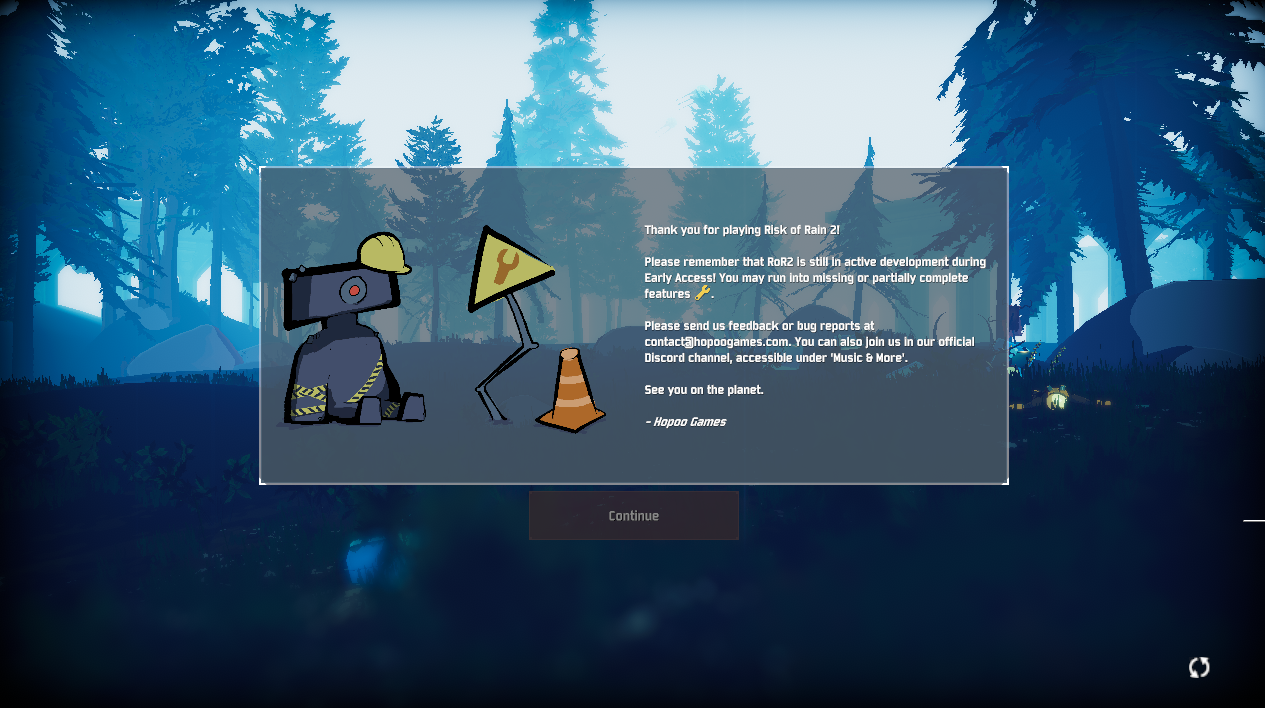
 scenic marlin
 vital delta
I'm a gamer in China and after I've bought RoR2 I found that I didn't get a coupon because RoR2 cannot be sent as gift in China :(. Are there any way I can get another copy?
shadow sphinx
@scenic marlin have you checked the faw about vjoy?
eager robin
@humble spoke awesome!
scenic marlin
hmm, I don't think I have it
oh woah, I do
@shadow sphinx That was it! I have no idea when or how vjoy got installed, but removing it fixed the issue! ❤ ❤ ❤
shadow sphinx
No problem, always good to check the faq :p
scenic marlin
I read it, I just didn't realize I had vjoy, haha
 brisk tulip
anybody have a work around for not being able to join friends lobbies?
zinc sparrow
does anybody have a fix for memory problems on startup?