#General CoC Thread
1 messages · Page 3 of 1
 leaden fog
and at weird angles
so their arms look odd
I see why the fixed animpoints / covers are created instead
 junior night
it's probably an unfinished feature from gsc
maybe they wanted to simplify the work of creating new campfires for stalkers
leaden fog

this feels a lot more natural
I need to examine the other campfire more, not sure if they do anything around the fire
also I've not had any crashes in over 4 days in 1.5R7 now
what I did:
- installed all VC++ redistributables since 2005 (this permanently fixed odd gameplay behavior and pure virtual function call crashes), link https://www.techpowerup.com/download/visual-c-redistributable-runtime-package-all-in-one/
- Disabled tessellation
- Applied and tested all renderers (DX9 static, normal, enhanced, DX10 and went back to DX11 with no tessellation)

TechPowerUp
This archive contains the latest version (July 2025) of all VCRedist Visual Studio C++ runtimes, installable with a single click by running the inclu
might've jynxed it now but what the hell
 hearty cobalt
But in vanilla we never seen them just stand alone near they empty campfire and do nothing.
So CoC devs forgot to add smart terrain there?
junior night
define "stand alone near the campfire and do nothing"
maybe there's a job point near the campfire, like for guarding
hearty cobalt
Here
junior night
yeah that's definitely a bug
hearty cobalt
.
junior night
from coc devs
hearty cobalt
This is what we would like to fix
junior night
hearty cobalt
.
this one looks correct to me
hearty cobalt
They often separate from the rest of the squad and just go to some distant campfire and just stand there, and they do it each time they come online
junior night
hearty cobalt
This is what we would like to fix
look through the scripts related to campfires and fix it
coc broke stuff when its devs edited lua scripts
hearty cobalt
Alright
leaden fog
I think it's all there
it's just priorities
they do move around a bit, but the first 2 stalkers will stand around and guard
the next stalkers that also go to the same terrain will actually sit by the fire

found a way to make the skies brighter
it's the sky2.vs file in shaders that controls the coloring
hearty cobalt
What was wrong with the sky
 quartz crypt
Just on the topic of this:
In the sdk I've setup some smart terrains and smart covers, for example esc_smart_terrain_6_9_camp
I think have a file called esc_smart_terrain_6_9_smart_logic.ltx, and smart/esc_smart_terrain_6_9.ltx
Then I've referenced it in simulation_objects_props.ltx.
Can you see anything wrong with this setup?
Is there anything missing?


Like the other guys mentioned. My Stalkers tend to skip the campfire, or just stand around doing nothing.
I feel like I'm also missing a piece to the puzzle.
junior night
quartz crypt
Just on the topic of this:
In the sdk I've setup some smart terrains and smart ...
what's the restrictor type on your smart terrain?
and did you add your smart in "smart_terrain_masks.ltx"
if you haven't, add your smart terrain section inside and make sure to give it a unique id
it's important
leaden fog
hearty cobalt
What was wrong with the sky
it was darker than the land
IWP that you play has different shaders than regular CoC
quartz crypt
junior night
and did you add your smart in "smart_terrain_masks.ltx"
I'll check these thanks
quartz crypt
junior night
what's the restrictor type on your smart terrain?
So the 6_9 camp needed to be set to "NOT A restrictor" to match the other camps.
For smart_terrain_masks, do I just add my terrains to the bottom of the list, and increment the number? I'm guessing organisation and numbers isn't very important here based on what I'm looking at.
Thanks for the tip
 junior night
quartz crypt
So the 6_9 camp needed to be set to "NOT A restrictor" to match the other camps....
junior night
quartz crypt
So the 6_9 camp needed to be set to "NOT A restrictor" to match the other camps....
you can put it anywhere you want in that file, just make sure to give it a unique ID
quartz crypt
Oh hold on. We're reaching 255,255,255, 255 here.
 junior night
then change it to something like "255,255,254,0"
it really doesn't matter and it only does if there are two IDs that are same to each other
quartz crypt
Ah right. Thanks a lot
junior night
no problem
quartz crypt
Sorry to bother you guys all the time
junior night
you can always ask me for help, and i'll respond when i can
quartz crypt

Arghhh, I've checked in the sdk and made sure these are correct.
This is such a rabbit hole
I have a day off tomorrow and I'm going to master this
quartz crypt
Does game_graphs.ltx need an entry also?
junior night
quartz crypt
Does game_graphs.ltx need an entry also?
yes
you also need to put in your mod folder
make sure to edit the one that's used in the game
quartz crypt
And again, do the values not matter too much?
I noticed this time that the values are missing the 255,255,255, and just use the end values.
 junior night
quartz crypt
And again, do the values not matter too much?
I noticed this time that the value...
junior night
quartz crypt
And again, do the values not matter too much?
I noticed this time that the value...
you must add values in order
maximum value per each section is 255
quartz crypt
Hmm, so I'll need to just create a new "location" and pop my values in?


What do you think could be the cause of the smart_covers not being found?

 junior night
quartz crypt
Hmm, so I'll need to just create a new "location" and pop my values in?
junior night
quartz crypt
Hmm, so I'll need to just create a new "location" and pop my values in?
you add your graph point indexes in one of the existing locations
only use location_1 or location_2 if the other ones are full
junior night
quartz crypt
What do you think could be the cause of the smart_covers not being found?
i don't know
quartz crypt
junior night
you add your graph point indexes in one of the existing locations
Hmm, ok I'll give it a whirl
There might a value conflict
junior night
alright
quartz crypt
Cheers mate
leaden fog
is there a way to fix this? I see it on Viper 5, Tunder (Groza) and some other weapons

 timber crescent
leaden fog
is there a way to fix this? I see it on Viper 5, Tunder (Groza) and some other w...
timber crescent
leaden fog
is there a way to fix this? I see it on Viper 5, Tunder (Groza) and some other w...
Can you provide more details: how the pose looks in the fight, while reloading?
It looks like wrong idle animation.
leaden fog
I just had a thought, maybe it's the weapon config orientation?
I'll try and go into 3rd person


it looks normal
doesn't clip through the thumb either

here's the Viper
standing still looks ok

maybe you're right, maybe it is the animation
I know they have a different one for like the double barrel hunting shotgun, that one looks ok
leaden fog
so would the fix to this be to reanimate every weapon that isn't properly aligned in all animations?
junior night
no
all stalker models use "stalker_animation.omf"
bandit models overwrite it, they use "bandit_animation.omf"
but they only overwrite motions with the same names, not the entire thing
the fix would be to fix the rigs
leaden fog
but that should stem from the weapons themselves I think
because many other weapons are normally aligned
or should I say rigged
as the alignment is actually ok from the configs
leaden fog


I made the murky dark water brighter
not sure if it's really the right amount as the drawback is interior water : /
junior night
leaden fog
as the alignment is actually ok from the configs
depends on the weapon pack
vanilla weapons seem to have correct values
leaden fog
I'm trying to replicate the issue in Blender but I have no idea how to attach the weapon to a stalker model
can't find anything online about pavelblend rigging
leaden fog
your video on the smart covers is really good though, just saw that
junior night
Thanks, man. I appreciate it
quartz crypt
Quick question about logic:
;camping
[logic@esc_smart_terrain_6_6_camp_1_work_1]
active = animpoint@esc_smart_terrain_6_6_camp_work_1
suitable = {!surge_started} true
prior = 200[animpoint@esc_smart_terrain_6_6_camp_work_1]
cover_name = esc_smart_terrain_6_6_animpoint_kamp1
use_camp = true
turn_on_campfire = true[animpoint@esc_smart_terrain_6_6_camp_work_2]
cover_name = esc_smart_terrain_6_6_animpoint_kamp2
use_camp = true
turn_on_campfire = true;camping
[logic@esc_smart_terrain_6_6_camp_work_2]
active = animpoint@esc_smart_terrain_6_6_camp_work_2
suitable = {!surge_started} true
prior = 100[animpoint@esc_smart_terrain_6_6_camp_work_3]
cover_name = esc_smart_terrain_6_6_animpoint_kamp3
use_camp = true
I've been assuming that logic@<blah> is a smart_terrain campfire.
And that every animpoint@<blah> that comes under it is a smart_cover
Does every animpoint need a logic to match?
leaden fog
as far as I've seen it, yes
leaden fog
I think I found the root cause to my issue

these are not aligned

in the idle anims this looks aligned

so the small weapons don't use the same animation as the bigger ones (viper vs TRs 301 as an example / ak74u vs ak74)
that's why it looks ok on the bigger ones and not the smaller ones
leaden fog
If I'm to get it to work like this, then it won't align in the other animations


so it definitely will need reanimating (norm_torso_8_idle01, walk01, run01)
nevermind I mixed up the animation sets
looks ok here (norm_torso_8_aim_3)

back to idle01 and it is also aligned


run is also good
I bound it to the right hand so it follows only that hand
it's got to be the weapon config orientation or something else
if I align it to norm_torso_8_aim_1, it looks like this

back to idle_1 it looks like this

it has to be the animation
run is the same
 leaden fog
@junior night sorry for pinging, but do you know which file controls the priority for A-Life to choose a smart cover over regular movement?
timber crescent
It uses generic code for generic covers
timber crescent
So, yeah, it should be in the engine.
Maybe it's possible to override that, but I don't know script capabilities, so I'm not sure about that.
leaden fog
yeah I don't see a way of changing what's already in place... Especially for CoC 1.5R7
The AI there is aggressive, but can become predictable as the stalkers would willingly expose themselves to get close to you, and they don't shoot as soon as they see you, giving you space to kill them easily
hearty cobalt

Finally , checkpoint to Bar is now manned by Duty
I did put pop to 1 though recently
Maybe that helped a bit
quartz crypt
Nice! Can you share how you did it?
I'm on holiday at the moment, and this has been on my mind a lot
hearty cobalt
yeah, I gave them 5
removed bandits, clear sky , ecologs
added stalkers priority 1
in case Duty gets wiped out
quartz crypt
Cheers guys I'll take a look when I get back to civilisation
hearty cobalt
On the other hand, Agroprom is completely empty aside from Military base and ocassional mutant here and there
Even though 3-4 factions have medium priority there, been 6 days
 quiet brook
Full A-Life moment
leaden fog

because 0.25 pop in CoC 1.5R7 (with my custom reduced respawns to weekly and max population) still seems to have activity, sometimes quite a lot, usually during those respawn weeks
it's like waves of mutants flooding in 1 day
so like 7-9 days pass and you can already see you have a lot less bullets left when travelling than on other days
quartz crypt
hearty cobalt
Zone is a damn ghost town 😂
Is that due to the smart terrain changes? Or did you make other changes?
hearty cobalt
I use addon "Offline Combat Simulation" which makes stalkers fight in offline state. Lets say I'm in Cordon, the mod enables NPCs to fight in Army Warehouses , using calculations like squad size to determin a winner.
So while I'm in Cordon they fight each other in maps far away and that is probably the reason it's all empty by the time I get there
Most of them die
I may increase population factor to 1.25 😂
quartz crypt
Ahhh I thought this was due to a smart terrain change you'd made
I was worried my own changes would make it a ghost town. Haha
hearty cobalt
quartz crypt
Ahhh I thought this was due to a smart terrain change you'd made
I was worried m...
Smart terrain priorities work as intended. So that is good
quartz crypt
Awesome mate
Can't wait to get back to this and get it working
hearty cobalt
Good luck, I'm sure you will notice some differences
You just might need to wait for a day or two so they can populate smarties
quartz crypt
Yeah I'm hoping I'll get everything sorted.
I've been waiting several days in game and not noticed any of my campfires working
hearty cobalt
Tried a new game?
Well, now checkpoint to Bar is now empty aside from 2 stalkers and one dutier
Why would they leave...
Priority is set to 5
quartz crypt
I'll try another new game when I get back
hearty cobalt
Some progress on terrible looking textures in COC/IWP

One of the guys told me to copy/past the Clear Sky detail folder from texture folder
and this is the result, but this is with default_clear weather from vanilla games
with atmosfear it's less noticeable and looks more like vanilla COC (terrible)
leaden fog
I don't see anything more than just detailed bump textures
the upscaled ones do the job for me
hearty cobalt
You can see the "bumps" on that screenhots up there
It was terrible before, now looks somewhat good. Still not perfect
I need to copy "level" folder textures as well I think
Still testing
junior night
to make it more bumpy, you need to adjust the heightmap, used in bump#
they're automatically generated with texture compression tools for stalker
hearty cobalt
I don't really know how to do that
I went the "improvise" way lol
I'm willing to learn though
I copied bumps from vanilla textures, and it alread looks better
This is the best I could do
leaden fog
hearty cobalt
you should also apply the user.ltx settings for vanilla weather, it looks too dark in your screenshot's background

ModDB
Addon for nostalgia purpose, this will add the original (from before Atmosfear) Call of Pripyat or Clear Sky weather, sky and overall atmosphere/lighting to Call of Chernobyl 1.4.22
in the description here
there's also a problem with one of the skyboxes - sky_19_cube
it's better to replace it with the one from SoC - the alignment in CoP is completely incorrect, the sun shines from the opposite of what the sky is drawing

yep, SoC fixes it
hearty cobalt
leaden fog
https://www.moddb.com/mods/call-of-chernobyl/addons/cop-and-cs-atmosphere-for-co...
I'm not sure if this will work with IWP. But I could try
leaden fog
the user.ltx edits most definitely will
hearty cobalt
Let me take a quick look in user.ltx
leaden fog
here's the SoC sky_19_cube
hearty cobalt
Hmm some lines creator listed don't exist in my ltx
leaden fog
maybe try adding them, I think if the default is used, they're not in the file
can always revert if it doesn't work
hearty cobalt
Okay I added them
When I loaded the game screen flickered like crazy and just stopped
Also I no longer see sun rays, even though I set Screen Space + Volumetric
leaden fog
then that must be the cryengine changing all that logic up
hearty cobalt

ModDB
Пак текстур неба из трилогии
I have seen this long time ago , tried and I think I crashed
hearty cobalt
leaden fog
then that must be the cryengine changing all that logic up
Vanilla weathers are still in game when I open Weather editor. Default_clear Default_rainy etc
Maybe there is a way to prevent the game to look for atmosfear weathers and only read vanilla
leaden fog
maybe
I'm adapting it to 1.5R7
and it seems to be working well
without replacing any scripts
 faint viper
guy do any of you know a way or mod that makes zombies sprint instead of just walking slowly into you?
and im talking about real sprint, not walking fast or stuff like that
leaden fog
sky_3_cube is also mirrored in CoP for some reason, wrong alignment. The attached is from SoC
leaden fog
faint viper
and im talking about real sprint, not walking fast or stuff like that
making zombies scary?

#Shorts
► Плейлист с хайлайтами - https://www.youtube.com/playlist?list=PLWU5dTKPY3XkisfCP8Up1k6FHwzvxaVbf
► Оригинальный стрим - https://www.youtube.com/watch?v=nawtaGslf4k&list=PLWU5dTKPY3XnOnVmrCHYXPNRQOEkbyeZN&index=32&t=2061s&pp=gAQBiAQB
💸 Премиум-подписка на Бусти - https://...
Anthology couldn't do it either :D
hearty cobalt
leaden fog
without replacing any scripts
The one I posted above?
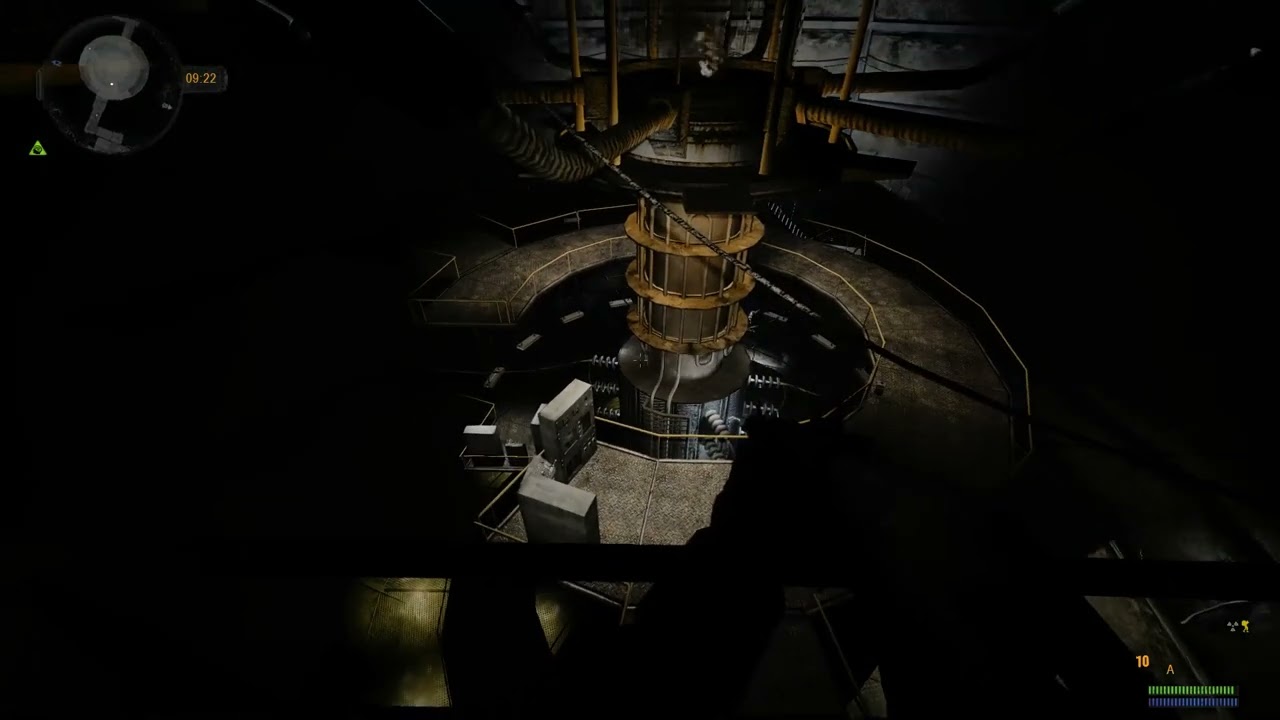 leaden fog
hearty cobalt
The one I posted above?
leaden fog
hearty cobalt
The one I posted above?
no, the one I sent
leaden fog
faint viper
https://www.youtube.com/watch?v=e9umr9oyVEM
that's scary as hell
and looks like it's not stalker animations
faint viper
yeh its based on jugger mutant
quartz crypt
Hey guys,
I got back from holiday and had a look at my smart terrains the other day. But I'm still pulling my hair out
I've just spotted this error:
[21:03:09.299] [LUA] There is an exclusive job with wrong smatrcover name [esc_smart_terrain_6_6_animpoint_kamp1] smartterrain [esc_smart_terrain_6_6]
[21:03:09.299] [LUA] There is an exclusive job with wrong smatrcover name [esc_smart_terrain_6_6_animpoint_kamp4] smartterrain [esc_smart_terrain_6_6]
[21:03:09.299] [LUA] There is an exclusive job with wrong smatrcover name [esc_smart_terrain_6_6_animpoint_kamp3] smartterrain [esc_smart_terrain_6_6]
[21:03:09.299] [LUA] There is an exclusive job with wrong smatrcover name [esc_smart_terrain_6_6_animpoint_kamp2] smartterrain [esc_smart_terrain_6_6]
Could this be because flesh have a chance of spawning at 6_6?
@long fox Do you have any ideas?


I'm planning on doing a bit of tinkering this evening, so if anyone wants to hop on the voice chat and check my screen, just let me know
Also, if a squad of 4 stalkers comes to a camp, and the camp only has 2 seating smart_covers, will they just skip the camp and walk off?
I've still not seen Stalkers use my other camps at all. At the most they'll just walk through it to another destination. No errors in the console

I'm going to try sim_avail = true to see if this will work on the camps that aren't being used.
hearty cobalt
I've noticed more and more stalkers just being idle at camps or separate from their squad and go to some random camp in the woods and just stand there
Also they seem to reset each time you approach the camp
I come close go Farm in Cordon and eveytime NPCs come online one of them starts leaving Farm and goes to tunel camp behind the Farm
This happens each time you come in online radius
Quite annoying
Anomaly doesn't have these issues
What would happen if we copied anomaly smarties
 long fox
dynamic jobs (waypoints, animpoints and smart covers that are not unique to quests) require a naming convention to be scanned by gulag_general.script. Here in this script it properly sets up logic to be used by the different schemes depending on name. I suggest looking at the script comments, they may be helpful. For example if you want to make monster jobs you need to use naming convention required by mob logic, like mob home, etc.
I forget what happens when not enough jobs for a squad. They might just stand near commander
If there is physical ltx in configs for logic its technically quest logic or logic for persistent squad for whatever reason.
@hearty cobalt Which version of CoC?
hearty cobalt
Revolucas , befor you disappear into the Zone again, we have been busting our heads with one issue in CoC.
Textures in CoC look way worse than Vanilla trilogy, we have been trying to "fix" them for a while but no success.
Check this
Clear Sky Cordon near bunker texture

CoC same location

they look low res, flat and no bump maps
hearty cobalt
long fox
<@262188126770954240> Which version of CoC?
1.4.22
long fox
have you tried *.thm?
hearty cobalt
I used bump maps from Clear Sky and it did help a bit
Copied a detail folder from CS
They came to life a little bit
But still looked stretched
And even when you install Absolute Natrue, or Upscaled textures, or even 2k, they look stretched and bumpless
I give credit to Atmosfear a bit, lighting is different, but played with vanilla weather and quality is almost the same
long fox
does AN3 have thm for textures, i can't remember.
hearty cobalt
hmm didn't check that
timber crescent
hearty cobalt
And even when you install Absolute Natrue, or Upscaled textures, or even 2k, the...
IIRC, they look like that even with CoC on OpenXRay?
Did I asked about checking terrain shaders?
hearty cobalt
I think I tried to use vanilla "shaders"
Basically even SoC had better detail, not sure if it was fixed in CoC 1.5
Soc textures

crisp
CoC
 long fox
my first guess is bad settings in thms.
Well cop had some textures renamed from sov
soc*
Bangalore once told me gsc used dds in cop sdk not raw
long fox
when converted maps he renamed textures to use cop version to save repeated use of textures
hearty cobalt
Somehow it had the worse effect
Clear Sky

CoC

I personally prefer vanilla textures to play with
But I can't stands these 😄
long fox
some automation was done on textures, also. That could be why. There was some issues, i can't recall what, and it would have taken forever to manually check each texture and thm.
maybe it was the lack of bump and it was simplely never resolved
CoC need more team members! 😆
hearty cobalt
hmm I see, so it's not an easy fix
another example with Absolute nature in CoP maps

One in CS maps

like a better resolution in CoP maps
hearty cobalt
long fox
CoC need more team members! 😆
Heh, I wish more people enjoyed CoC 😄
long fox
did you check 1.5? does problem exist there?
hearty cobalt
I'll have to download and check soon
For me vanilla textures fit the best for stalker theme
long fox
Maybe the thm fixing happened after 1.4. 1.5 was a beast, it had so much different than 1.4
hearty cobalt
and they look good with all the detail and bumps
hearty cobalt
long fox
Maybe the thm fixing happened after 1.4. 1.5 was a beast, it had so much differe...
I'll take a look
1.5 r6 yeah?
long fox
Yeah
hearty cobalt
downloading
hearty cobalt

Looks a bit better yeah ?

the only thing I'd say it needs is higher resolutions as in vanilla
quartz crypt
I think that'd look awesome at higher resolutions 🙂
quartz crypt
hearty cobalt
Soc textures
Was there ever a way to get SoC-like shaders?
leaden fog
long fox
did you check 1.5? does problem exist there?
it's the same, I've been playing 1.5R7 for months and am still molding it into my own vision (a vanilla-like freeplay)
the problem is that Roadkill is playing 1.4.22 on a modified engine (IWP uses cryengine) which has different shaders and lighting to the original, so the differences might be misleading
it's really convoluted and hard to confirm, but I'm playing with upscaled ground details and that suits me just fine
I think this is good, but still largely depends on the angle of the light

last thing I did for 1.5R7 was bringing back the stories to the guide, had to fix a lot of the text in the .xml files, split the text into paragraphs so that it's all more readable
but right now I'm taking a hiatus on stalker for a bit
hearty cobalt
I also play CoC 1.4.22 and it's the same there
I have it installed
But in 1.5 it looks a bit better
hearty cobalt
leaden fog
I think this is good, but still largely depends on the angle of the light
This too, I think Atmosfear is not helping as well
leaden fog
yeah I'm using that vanilla weather addon with user.ltx settings too
just mostly looking to fix some skybox issues
hearty cobalt
in 1.5 textures have bumps
and with Upscaled mod it looks amazing
Now...how to transfer 1.5 bumps to 1.4 😄
quartz crypt
I think I made some progress last night guys, so thanks for the support
Still didn't get any stalkers sitting at the fire, but I'll just have to be patient
quartz crypt
I've just realised that the campfire on the hill is marked as part of Fox's smart terrain (at least in naming convention)
Should I separate this as esc_smart_terrain_6_7, or should I add smart covers under the esc_smart_terrain_6_6 terrain in this case?
The same goes for the 4th campfire in the wilderness behind the house.

 long fox
I think it's fine to stick with one smart if config set up to support fox squad and generic squads. Make sure it is open to whatever factions you think should visit.
and make sure they follow naming convention
the animpoints, that is
quartz crypt
Still struggling with my campfires.
What's the relevance of the graph_points in this screenshot?
I did a search for it, but I couldn't see if it was relevant to my camps or not
Is there anything else I could've missed in the SDK that I need to add?
Also I feel like when I'm selecting Build its not generating all of the correct files that I need. Does it look correct to you?
Because it would explain some things, such as why the PDA map isn't working anymore.


 long fox
Those shouldn't be relevant.
make game is what creates the spawn files if I remember right and usually all you need to do if only added waypoints, animpoints or smartcovers
static object placement requires rebuilding ai map, additionally
might need to pull up a guide
I really need to load epicstalker phpbb3 backup on a freeforums site. 😞
leaden fog
long fox
I really need to load epicstalker phpbb3 backup on a freeforums site. 😞
I'd really like to get my hands on that one day
long fox
@leaden fog I still have it. I haven't shared it for security reasons. db contains ancient sha-1 hashed passwords and salt.
quartz crypt
long fox
I really need to load epicstalker phpbb3 backup on a freeforums site. 😞
everyone would love that.
But we always have the Waybackwhen machine.
But oh boy, yeah you'd have to do some upgrades 😛
long fox
Is it up to date on wbm?
quartz crypt
Probably not
long fox
probably didn't cache the private threads for coc
slow as.crap but tutorials are here at least
leaden fog
long fox
<@730365678850277469> I still have it. I haven't shared it for security reasons....
understood, but on the other hand I can see how it held back the freeplay mod and its forks for anyone else looking to pick it up
quiet brook
Heya
I ran into the problem when spawning three important characters for the Renegade faction
Specifically where they're supposed to be placed
For example with the Trader (Trenchcoat), I tried cover_name = agr_smart_cover_stalker_trader_1, didn't work
I also tried
path_walk = agr_stalker_trader_walk
path_look = agr_stalker_trader_look, also didn't work 😭

I have a sneaking suspicion that I'm missing something, I've already set them up via Char_Desc, Squad_Desc_Agroprom, and NPC_Profile
quiet brook
faint viper
Let me see they logic
leader's at the bottom of the file in the middle
plain forgot to mention the spawn_sections lol
faint viper
Check console in game too
When a stalker cant finde they path or smart it shows the mistake there
quiet brook
ok now I see the problem
[19:26:42.730] [LUA] agr_smart_terrain_4_4:load_jobs() There is no such patrol path agr_smart_terrain_4_4_agr_stalker_trader_walk
[19:26:42.730] [LUA] agr_smart_terrain_4_4:load_jobs() There is no such patrol path agr_smart_terrain_4_4_agr_stalker_mechanic_walk
[19:26:42.730] [LUA] agr_smart_terrain_4_4:load_jobs() There is no such patrol path agr_smart_terrain_4_4_agr_stalker_leader_walk```good ol all.spawn...
leaden fog
I have used it for adding more radios
faint viper
The only thing you need is patience lmao
junior night
why not use beh?
leaden fog
if there's anything better than opening up those files in notepad++ then that would be great
but keep in mind both Fudge and I use CoC 1.5R7
which is xr_sanya / Vlad2001's OXR fork release
long fox
openxray should make all.spawn an exposed config file but only if it exists in gamedata folder.
and a command to create ltx version from .spawn
faint viper
That would be amazing. Ivbeen compiling and decompiling all.spawn for about 2 years now with my mod and its a lot of lost time
long fox
I did have a plan for it during CoC development but never got around to it.
then if you change levels in LE you could diff merge in manual changes
timber crescent
ltx processing is so much slower rather than binary
😭
It's better to just use good SDK
Currently, IX-Ray one is the good one
I believe, this list of features (if implemented) is way better than all.spawn.ltx:
- In-game mode in SDK
- Lightning fast level compilation or some sort of "no compilation" even. (SkyLoader's compilers are blazingly fast, so this can be considered implemented)
- Any other QoL features needed?
timber crescent
long fox
make it lua table then
Hmm, Metro series and X-Ray 2.0 has some good Lua ideas.
timber crescent
long fox
make all ltx just serialized lua
Exactly!
X-Ray 2.0 has lua configs instead of ltx ones.
In Metro, they even construct ltx-like data in Lua on the fly.
This would make modding much better, less crash-causing conflicts (doesn't mean no conflicts, but much less crashes at least)
long fox
You can even add contructor metamethods for userdata
and serialize practically anything
much of ltx is transcribed into tables anyway, like logic
It would be a lot of work but definitely would be a major optimization.
timber crescent
long fox
It would be a lot of work but definitely would be a major optimization.
You're provoking a Sultan's dilemma:
- I want to get a job to earn money
- There's so much coool ideas to implement in OpenXRay
😄
long fox
yeah think about it. ltx and other config are stored in memory as one giant field of text. everytime data is needed it has to find section.
I bet you can wrap a dummy ini reader to access tables and leave much of the code unchanged.
can convert at runtime or command, would be pretty easy to make a lua script that can convert config to serialized lua. ltx inheritance can be mimicked by copying in proper order or use of metatables. same with #include. My axrtoolset has ltx reader that turns ini into tables and can make ltx pretty, code can be repurposed to convert into lua
ini->r_float("weapons\\ak74", "rpm");
Instead of parsing .ltx, you preprocess them into .lua tables, e.g.:
config = {
  ["weapons\\ak74"] = {
    ammo_class = "ammo_5.45x39",
    rpm = 600,
  }
}
Your dummy CInifile (or equivalent) just queries the Lua state to retrieve these.
public:
    LuaIni(lua_State* L) : L(L) {}

    const char* r_string(const char* section, const char* key, const char* def = nullptr) {
        lua_getglobal(L, "config");
        lua_getfield(L, -1, section);
        if (!lua_istable(L, -1)) { lua_pop(L, 2); return def; }
        lua_getfield(L, -1, key);
        if (!lua_isstring(L, -1)) { lua_pop(L, 3); return def; }
        const char* result = lua_tostring(L, -1);
        lua_pop(L, 3);
        return result;
    }

    float r_float(const char* section, const char* key, float def = 0.0f) {
        lua_getglobal(L, "config");
        lua_getfield(L, -1, section);
        if (!lua_istable(L, -1)) { lua_pop(L, 2); return def; }
        lua_getfield(L, -1, key);
        float result = def;
        if (lua_isnumber(L, -1))
            result = (float)lua_tonumber(L, -1);
        lua_pop(L, 3);
        return result;
    }

private:
    lua_State* L;
};
luaL_dofile(L, "game_data/configs/config.lua")
then game will have zero stutter on object spawn 😆
then we do the same for level spawn
faint viper
thats gold
 tiny forum
call of the zone would be great honestly, how's the progress so far on it?
hearty cobalt
CoTZ OXR yesssss pls
tiny forum
hearty cobalt
CoTZ OXR yesssss pls
yeahh, i don't like the frequent crashes of itt :(
especially because CoTZ is a really well done mod
hearty cobalt
Yeah, I played it all the time after CoC stopped with updates
Very close to vanilla and lore
leaden fog
tiny forum
call of the zone would be great honestly, how's the progress so far on it?
does anyone have a complete scope of quests for it? I could merge some with my version of 1.5R7 which is on OXR
after all, the last few I added were just "clean this map up of mutants" for duty (wild territory + truck cemetery) and bringing back the one from Anomaly to dead city mercs.
also, some of my progress on the weather lighting, haven't posted in a while


it's like a mix of SoC with CS/CoP lighting and I reduced the draw distance to 250 like how CS had it
I think I got the emissions right with the timings and lighting for the most part
though it's still not 100% faithful, it is atmosfear emissions but with vanilla skies and lighting
timber crescent
leaden fog
also, some of my progress on the weather lighting, haven't posted in a while
Hehe, this reminds me both SOC and CS
leaden fog
they have their differences, it was surprising to find out, just one of those things you don't notice until you tinker with them
leaden fog
@vapid anvil @ashen kraken I'm not sure if either of you tinkered much with the sound in the CoC 1.5R7 OXR engine release - is it possible to introduce EAX / Reverb / HRTF to this version from 2020?
The OpenAL32.dll seems to be custom and replacing it with Bangalore's public test seems to return a crash. Placing other DLL files without replacing OpenAL32.dll doesn't make this work...
https://www.moddb.com/mods/call-of-chernobyl/addons/eax-fix-attempt-public-test-coc-any-version (Bangalore's upload)
Crash with the OpenAL32.dll replaced with any of the bin folders in the addon (attached)
I really hope there's a way of implementing this without building or rebuilding any existing DLLs 🤞


ModDB
EAX fix attempt for public testing, with vanilla SOC sound environment files on 3 maps. Echo and reverb on Yantar (only factory area), Army warehouses (full map) and Sarcophagus (full map) maps. 6 combinations of dll files which work fine for me in the...
leaden fog
leaden fog
<@284317871704768512> <@479435687817641987> I'm not sure if either of you tinker...
going back to this post, @timber crescent (I'm no longer sure who the best person is to speak to about audio in OXR, so I mentioned you) I've tested the build with the last official OXR release's OpenAL32.dll and that launches the game successfully, however no EAX or OpenAL Soft seems to work. When putting in soft_oal.dll, the game recognizes an additional device, OpenAL Soft. The game also defaults back to Generic Software whenever I try applying the other device and restarting, as if it is forced to only use that default generic one.
I've tried using different releases from OpenAL Soft (between 2016-2018 releases, 1.17.0 to 1.21.1), but they all give the same result, I'm not sure why it's doing that. It's very strange as the 32 bit originals (CoC, CoP, CS, SoC) all are able to work with the 32-bit versions of OAL Soft and have reverb + HRTF support.

also Happy New Year to everyone 🙂
timber crescent
leaden fog
going back to this post, <@323015655437762563> (I'm no longer sure who the best ...
Looks like the engine has a bug made by nitrocaster in 2015. I've fixed it only somewhere in 2021-2023. There's no ability to select OpenAL device due to it, but you can try to remove Generic Software device by removing/renaming wrap_oal.dll or, if it doesn't help, by simply renaming soft_oal.dll to OpenAL32.dll.
leaden fog
timber crescent
Looks like the engine has a bug made by nitrocaster in 2015. I've fixed it only ...
The OXR releases (and CoC 1.5 R7) didn't come with wrap_oal.dll, only OpenAL32.dll
The latest nightly build OpenAL32 + soft_oal doesn't work, returns the mangled C++ pLog error as in my last post.
The December 2021 RC1's OpenAL32.dll works, but again any additional files like soft_oal only display that there is an OpenAL Soft device, but still forces Generic Software.
Renaming the soft_oal (from any of the OpenAL Soft releases) to OpenAL32.dll again returns the mangled C++ pLog error which is coming from xrCore / xrSound I think.
long fox
For CoC I remember doing some work on sound manager related to openal devices.
timber crescent
leaden fog
The OXR releases (and CoC 1.5 R7) didn't come with wrap_oal.dll, only OpenAL32.d...
Ah, yep, GSC used their own patched OpenAL32.dll with the pLog logging function. Indeed, December 2021 RC1 still has this bug, where engine selects the device by itself.
The solution might be cloning openal-soft sources, adding pLog variable to soft_oal.dll sources and renaming to resulting compiled binary to OpenAL32.dll.
leaden fog
long fox
For CoC I remember doing some work on sound manager related to openal devices.
Bangalore got it working on the original releases in his addon post from many years ago
but those are the 32-bit non-OXR
long fox
I mean related to device list or whatever nitrocaster broke.
I don't think bangalore fix would have worked without it. Is this relevant?
https://github.com/revolucas/CoC-Xray/commit/20da389a0ba0616ed5ca9672e2c76405fd8f5024
GitHub
… few people report crashes when xray tries to use soft_oal.dll, Sens_oal.dll, etc. The only way to ensure stability is to enforce the use of wrap_oal.dll from bin.
- added -fpslock144 and fpslock240
timber crescent
long fox
I mean related to device list or whatever nitrocaster broke.
The device list changes aren't related
long fox
custom dll wouldn't show up in list
timber crescent
long fox
I don't think bangalore fix would have worked without it. Is this relevant?
http...
It looks like crashes were happening due to missing pLog, but I don't know for sure, because OpenAL32.dll should be present after all
leaden fog
soft does, but wrap doesn't (possibly because I didn't find a 64-bit one for CoC 1.5 R7)
timber crescent
long fox
custom dll wouldn't show up in list
You reverted that commit later
leaden fog
in any case, the game defaults to generic regardless, so Sultan's suggestion is likely the solution
I just wish I knew where to add that function 😄 I do have the openal-soft source cloned at least
timber crescent
leaden fog
I just wish I knew where to add that function 😄 I do have the openal-soft sourc...
in any .cpp file in al or alc folder should work
timber crescent
leaden fog
I just wish I knew where to add that function 😄 I do have the openal-soft sourc...
Use this definition: ```cpp
typedef void __cdecl log_fn_ptr_type(char*);
ALC_API log_fn_ptr_type* pLog = NULL;
I think I've found the commit that might be related to bad quality of the terrain textures: https://github.com/revolucas/CoC-Xray/commit/4888fcf9d1db042b46fc8491cb946dbf7edbd2ea
GitHub
… go by the console command value for all textures
The original topic starter is now deleted user unfortunately.
leaden fog
but how... That's Roadkill!
@hearty cobalt
very strange, I look at his profile as if it's all still here, then his name turns into "Deleted User"
timber crescent
leaden fog
very strange, I look at his profile as if it's all still here, then his name tur...
Probably, the account was changed to a new one, and the older one was deleted?
long fox
Yes he is deleted on my friend list
timber crescent
timber crescent
I think I've found the commit that might be related to bad quality of the terrai...
reduce_lod_texture_list is a whitelist of textures, that can be reduced in quality which shouldn't be removed really, because without it quality reduction affects everything: UI textures (including map), terrain... Every texture in the game.
IIRC, I saw in some project where they reversed the solution and made a blacklist. But fully removing that would interfere with player experience (UX).
Aaah, it's not a whitelist, it's a bit different.
long fox
mods don't use it anyway it always has the base cop textures. But I can see issues with that command with wiser mind.
repo and coc should just be deleted
timber crescent
long fox
repo and coc should just be deleted
Pls no
long fox

leaden fog
timber crescent
Use this definition: ```cpp
typedef void __cdecl log_fn_ptr_type(char*);
ALC_API...
I am so close, but still not there with it. I tried asking AI but got the same result...
Basically, when creating a dump with dumpbin.exe, I should get the same mangled text exported as from the error I get, but I'm getting this:
?pLog@@3P6AXPAD@ZA
While I need:
?pLog@@3P6AXPEAD@ZEA
I don't know where this E is coming from and AI seems to be stumped...
Obviously it still won't launch the game as it is still struggling to find the exact pLog it needs.
It's kind of like deciphering a password at this point.
timber crescent
Maybe compiler settings add to it. Well, you can just patch the resulting binary.
Sounds interesting 😄
Voodoo magic to get CoC making pleasant sounds
leaden fog
Sounds 
timber crescent
Hmm... But compiler settings are important, probably that's why the name is changed.
Can you try to disable exceptions, if they are used in OpenAL-Soft?
If it helps, I suggest to add pLog to the router instead and disable exceptions there, instead of al/alc
leaden fog
I tried building the solution as Release / Win32
timber crescent
leaden fog
I tried building the solution as Release / Win32
Exceptions are enabled by default in C++, it's the game developers that are disabling them for Release builds
leaden fog
yeah they were all set to Yes, but setting all to No causes it not to build now lol
looking at a demangler I found the exact thing I needed for the mangled code
I then did this in a .cpp file within the al folder (goes into the .dll when built)
it built ok with exceptions allowed
and dumpbin returned the exact pLog code

then I tried launching the game with this new .dll and... It still can't find it 
still returning the same error as before
timber crescent
It's interesting how increased rain factor affects the atmosphere
timber crescent
@long fox, hi. Do you remember why this change was needed?
 long fox
when there were too many squads coc had issues with alife freezing at a gvid and never moving
or calling update
timber crescent
@long fox, is it safe to be applied in vanilla?
long fox
i think so because it may unlock default mutant behavior that was absent in CoP, like eating and dragging corpses
timber crescent
Though, process_task won't be called in vanilla anymore
long fox
Should be fine, the point is mainly to continue processing even if can choose task fails for whatever reason. Though i guess you can go look at that and verify if that is ok
timber crescent
can_choose_alife_tasks should fail anyway, because scripts say so
 long fox
oh that's right
long fox
sim controlled by squad this is probably obsolete code that i re-enabled
either to prevent mutant freezing or a way to reenable hardcoded mutant behavior
why did i not leave comments about it 🤷♂️
i do not have old coc gamedata git repo it may have said something there
It is only hack to get movement update to fire
the wrapped code under can choose alife task was to maintain any sort of backward compatibility
Why did I need the update to fire I cannot remember
What is most important for getting coc to work with oxr is script exports. You should ignore most other things
I did not adhere to unscrupulous coding ethics, i went for perceived immediate results due to overwhelming scope for one man
leaden fog
long fox
i think so because it may unlock default mutant behavior that was absent in CoP,...
wow, didn't know that was absent in vanilla CoP
it's strange how the engine evolved to better graphics in Clear Sky, but then things that used to exist in SoC got lost
I know the weather stuff for example - clouds could be colored in SoC, but are only used for darkening in later games, coloring doesn't work anymore
 sullen sandal
I used to play COC a ton, was my favorite STALKER iteration with AO3. I quit because it was so unstable though. Hopefully it's better under OXR.
But back then, I used to tweak the LTXes a bunch.
I went through and tweaked the weapon descriptions LTX (English only, sorry) to display all compatible attachments for the AO3 guns in their tooltips, because I was tired of always having to guess what gun could take what.
This goes in
\gamedata\configs\text\eng\
leaden fog
this is helpful, I was thinking of adding tooltips to 1.5R7's mutant meat, the radiation tooltip is missing
sullen sandal
I randomly got a PO 4x34 scope out of a stash just now.. turns out it was meant for the OTs-14 Groza but never implemented or added to any lists, didn't even have any description strings written. Also can't be sold normally because it's listed as NO TRADE in all the trader lists
so if anyone with AO3 finds one of those things, that's what the deal is
quartz crypt
I've come back to my work on the additional camps / campfires, starting with Cordon. I've added sitting smart_covers to the esc_smart_terrain_6_6 smart terrain, and I've added a esc_smart_terrain_6_9_camp as well
I believe I need to compile the all.spawn, but I'm having some difficulty doing this.
The SDK doesn't seem to do this for me when I use any of the build options. And I seem to have an abundance of cmd scripts which don't seem to work either.
Can you guys give me any guidance @long fox @leaden fog @timber crescent
Sorry to bother you
It'd be great to have some clear steps that I need to perform in the SDK then in the config files


Bangalore gave me his copy of Xray SDK, but I think its a bit of a mess, and there's so much esoteric knowledge I haven't managed to learn
I've got a couple of weeks off now so I'm hoping to work on this and get it working finally. If anyone is available to take a look at this with me, I'd be so happy
long fox
What is your goal, mod for which?
@wind plume might be able to help. If all you did was add waypoints/animpoints I think all you needed to do was hit make game. I can't remember if you actually break something if you if already tried running all the other stuff.
If modding for anomaly karobeccary also has new organized map pack and well commented gamedata for new modders and some new all.spawn tool leyths made.
also if you tell him you are taffy he'll be nicer to you
He is CoC superfan
quartz crypt
I'm just modding CoC to add more useable campfires for npcs. So just sticking smart terrains and covers on existing campfires in the sdk, then adding the code to use it.
I haven't added waypoints in the sdk but I've added the smart covers with sit_ass.
Happy to hop on the discord voice chat and share what I've done so far.
My goal is to add smart camps from Shadow of Chernobyl to Call of Chernobyl. I'll start with +3 for each map if I can figure this out.
quartz crypt
So should Make Game build a new all.spawn? Or is that not required while adding new smart objects in the sdk?
quartz crypt
Has anyone encountered crashes when running the AI compile scripts such as RELEASE_full_recompile_ai_maps_spawn.bat?

Or is it better to use ACDC?
quartz crypt
https://drive.google.com/file/d/1J79JVystLyKPVcuk7vZEtxkjNqEPodiF/view?usp=sharing
This is my work so far. I believe the only missing piece of the puzzle is the all.spawn that needs to be built. Unless anyone can correct me
@wind plume Would you have some time this week to have a look at my campfire mod and help me build the all.spawn? I'm happy to jump on the voice channel and share my screen and show you what I've done.
 wind plume
quartz crypt
https://drive.google.com/file/d/1J79JVystLyKPVcuk7vZEtxkjNqEPodiF/view?usp=shari...
wind plume
quartz crypt
https://drive.google.com/file/d/1J79JVystLyKPVcuk7vZEtxkjNqEPodiF/view?usp=shari...
Hey @quartz crypt 😄 Yeah I'd be happy to help if I can - it's been a little while since I assembled it, but I made a more portable SDK from the latest updates; I see you are using the 0.7 and the original compilers, in the past couple of years we've been lucky to have had some updates in the form of the 0.8 SDK and skyloader's x64 compilers. Both make things a lot easier to work with.
https://drive.google.com/file/d/1y8AzGUEDxWQn9DaZszpdSVEcGoU8Yyk3/view?usp=drive_link
Here's a link to my SDK, it should mostly work out of the box, and I'll be around later in the week if you have any issues 😄
(~10gb download, 30gb unpacked, comes with a copy of CoC and all the sdk gamedata etc)
Rompantodo is right, you can do all that stuff with a spawn decompiler like ACDC but I prefer the SDK, it's cleaner and simpler (once you get it working haha)
quartz crypt
Amazing, thank you so much.
I'll download this and get back to you.
Can you double check my work so far and let me know if I've missed anything?
I'm trying to add smart terrains for Escape ending in 6_6 and 6_7.
quartz crypt
Oh wow this is very different
I think I better start everything from fresh
 quartz crypt
Hey @wind plume I've added a new smart terrain and camp for esc_smart_terrain_6_7
However, I can't find it in the graphpoint Location list. Do I need to do anything to update this list? I've Saved, rebooted and built the game but I can't find it in the list.
 quartz crypt
I'm guessing its because it wasn't added to game_graphs.coc
Location_3 is at 254 and I assume 255 is the max. Can I use location_0?
Or can location_ 5 be added?
I see there's some unused slots that I can use for now. But this is interesting
Is 255 the absolute max in a list?
 quartz crypt
I can't seem to compile the all.spawn, neither in the SDK nor using the scripts.
@wind plume Do you have any ideas about how to fix this?
 quartz crypt
@long fox Any ideas about the error I have with the sdk above?
long fox
either path related or missing gamedata related. I haven't opened the level editor in 9 years.
I am unlikely to help you, sorry.
This happens in the rebase he gave you?
You are using the gamedata as-is?
sdk gamedata
It's usually best not to use the actual gamedata of the real game.
unless it adds new object classes or something, then sdk needs those. But for your case you shouldn't need that.
profiles section is used by character descriptions and such by npcs squads. It for some reason can't find that. So either a path issue or something in gamedata that shouldn't be there.
quartz crypt
long fox
You are using the gamedata as-is?
Yeah everything in the sdk folder is untouched, I'm just using the sdk gamedata provided.
Thanks a lot for the clue, I'll keep having a look
quartz crypt
That was a great clue @long fox thanks. I compiled everything and now I get a new error, so the plot thickens.
FATAL ERROR
[error]Expression : m_actor
[error]Function : CGameSpawnConstructor::process_actor
[error]File : D:\a\HybridXRay\HybridXRay\Source\Editors\xrAI\game_spawn_constructor.cpp
[error]Line : 254
[error]Description : There is no ACTOR spawn point!
I fired up my old xray editor but couldn't see an actor spawn in the SDK level. I know based on playing the game where the typical Loner spawn should be but i'm not sure where to find this.
@wind plume Should I be looking for a particular Actor spawn, or just create a fresh one?
How does this look in your copy of the level?
I've spotted esc_graph_point_actor_spawn_1 but I'm guessing this is only game_graph related.
wind plume
hey sorry for the lack of replies, I have had a busy week 😄 hmm I dunno about that, there should be a single actor spawn on fake start and then the scripting takes over, nowhere else - I think the compiler might complain if try to have multiple actor spawns. Does your fake start have an actor spawn in it?
@flat raft
incase you know anything re this
oh wait are you trying to use the 'compile' submenu?

thats only for the Play In Editor (PIE) functionality which is broken for CoC, use the make all > Build menu for sending things out to the compilers 😄
quartz crypt
wind plume
thats only for the Play In Editor (PIE) functionality which is broken for CoC, u...
Oh crap. So I need to use a script instead for building aimaps and all spawn?
I didn't actual spot a spawn in the level object list, but I'll have to have another look
I assumed it'd already contain one
quartz crypt
wind plume
thats only for the Play In Editor (PIE) functionality which is broken for CoC, u...
I have tried using Make > Build previously but I found that the all spawn wasn't getting built this way
long fox
It really is that simple of just making game (don't know what it's called in new LE). Something is not right if it's not working.
When I added stuff i didn't even need to touch gamedata. just add the SRs, animpoints, waypoints and clicked make game and had new all.spawn.
quartz crypt
Yeah I assumed so as well.
I think I managed to get it working using the scripts instead. Going to test everything today
wind plume
When you click 'build' or 'make game' it exports the level.spawn for the level you are working on (among some other stuff), then you use the all.spawn compiler to use the level.spawns to assemble the all.spawn.
If you arent editing geometry or the AI map you should be fine just using 'make game' to generate the level.spawns, but you need an exported level.spawn for every level thats gonna be in the final all.spawn.
Generally, the best but slowest way to make sure everything is going to work as expected would be to build every level then take it through the three main compilers (geometry & AI for every level, then all.spawn once those are ready). It can be confusing the first time you go through it, but the good news is once you have an initial all.spawn compiled, you can stop worrying about the levels you arent touching 😄


https://github.com/Thom-Rum/Call-of-Chernobyl-Relay-Chat hey tom is this you?

GitHub
Online chat mod for CoC. Click "releases" to get the latest version. - Thom-Rum/Call-of-Chernobyl-Relay-Chat
quiet brook
That is him.
quartz crypt
N-no! How embarrassing
Yeah its me. I ditched the Taffy nickname and decided to call myself Thom-Rum. Which I dislike now as well.
I'm currently trying to make CRC work for Linux and Windows so that I can start using Xray CoC on my Linux laptop
quartz crypt
wind plume
When you click 'build' or 'make game' it exports the level.spawn for the level y...
Fantastic, yeah I hit an issue which I think this will resolve. Thanks for pointing this out
I want to get all of my personal work done by the end of the week, as I'm currently on paternity leave and due to go back to work.
long fox
Yes I perhaps forgotten you only make the level.spawn and then have to run command line to turn it into all.spawn lol