#pc-build-help-and-tech-talk
1 messages · Page 169 of 1
 barren wadi
its just good practice to have temps below 80c
but tjmax for amd is 95c and 100c-105c for intel
 torn ferry
Is under load in general means running any intensive game or is there a specific percentage threshold?
torn ferry
How accurate is iCUE for measuring temperatures?
 late sorrel
usually it pulls from the same thing
late sorrel
doesn’t matter where you get the number, it’ll be the same
 abstract kite
Damn the LHR versions are running much lower on the temp wise and memory but still at the same fps if not sometimes better and sometimes worse by 1 fps
 fleet canopy
1FPS
That really doesn’t matter
What matters is if your pc is running at 20c for GPU and cpu
If not, then you’re not gamer
 bright shard
tfw the heat is out and you're running 40c to try to keep warm
 cinder crypt
yall running your pc in a freezer?
 deft vine
not running your PC in a vat of liquid nitrogen
torn ferry
What is the buzzing noise I keep hearing occasionally?
And then when I boot up a game, I hear a lower buzzing noise that is off and on.
Should I be panicking at all or am I just overreacting to possibly normal sounds?
fleet canopy
Maybe it’s just the fans with temps going up and down
cinder crypt
or that
bright shard
if it sounds like rattling, its probably the fans changing speed, usually downward.
cinder crypt
theres several reasons buzzing could be happening
bright shard
i like it set my fan curves manually though tbh
fleet canopy
I set mine to 100% on all temperatures 

 chrome hamlet
hmmmmmmmmmmmmmmmmmmmmmmmmmmmm i agree
 real venture
what can i do
chrome hamlet
clean it
chrome hamlet
i dont know what its called
bright shard
buy corded air duster from amazon
chrome hamlet
that
 chrome hamlet
its not fully cleaned
real venture
yes?
chrome hamlet
as the cracks in between everything still has a lot of dust
if you did it with brush that is
bright shard
look through the heatsink
 real venture
okay.. i buy the air on amazon
lens pen
so let me put it back
with a drill

okay,is that right?
i think yes
i hate the wires
bright shard
looks fine to me, i dont know what cables you have for the gpu, but you could definitely pull them tighter than what you have
the sata cable on the SSD probably could be partially routed through the back panel
real venture
okay thanks
fleet canopy
Dust
cinder crypt
yea and it seems like that case hase zero filters and probably going to get really dusty quick again
also what are the 8 holes on the right for
they look like ssd mounting spots
barren wadi
yes storage mounts, 3.5' 2.5'
cinder crypt
hmm makes me wonder why he did not mount it
cinder crypt
and definitely wouldnt tighten the heatsink with a drill in my opinion that could lead to hurting the motherboard
but thats just my opinion
hand tighten with screwdriver till its tightish
bright shard
one thing i wish i could drill into people building new PCs
buy fan filter off amazon
sometimes good advice just bounces off though.
torn ferry
fleet canopy
Maybe it’s just the fans with temps going up and down
Like, the buzzing increases in noise for two seconds, and then goes back to quiet.
 lilac obsidian
Just sounds like temperature spike when booting something and fans ramping up
@torn ferry
cinder crypt
my new case has fan filters everywhere its needed luckily my old one on the box showed it did but didnt come with one even though it probably wouldn't have helped due to the fact it was all pushing out and really didnt couldnt have any type of filter basically
bright shard
all pull exhaust sounds weird af, i might have flipped some fans tbh.
real venture
 proven tusk
what's that?
proven tusk
what's that?
yes dust
cinder crypt
i think i figured out my freeze problem hopefully

it was windows messing up
i ran a scan and found corrupt files
abstract kite
Should I clean my pc with an air compressor? asking for a friend
torn ferry
Is graphics card sag normal, like, 5mm?
bright shard
abstract kite
Should I clean my pc with an air compressor? asking for a friend
you can do it, its not recommended.
The general wisdom says to buy a corded duster.
compressor can take oil and lightly deposit it on the computer parts.
which isnt preferable, but is more preferable to heaps of dust.
additionally, a compressor is pretty powerful, the air can sometimes snap parts.
that and my least favorite part of using a compressor is the size, and it usually being in the garage.
you either have to trek your pc outside, or your compressor inside.
if you want more of my 25 cents on dusting PCs, the offer is voluntary.
torn ferry
Is graphics card sag normal?
bright shard
5mm of sag is acceptable
also, sometimes you can loosen the card case screws in the rear of the case, lift the card lightly and re-tighten, sometimes.
torn ferry
But is sag impossible to prevent entirely unless you use special methods like an anti-sag bracket or tying fishing line to the connector and tying the line to the top of the case?
bright shard
whenever you have an imperfect rectangle supported only on two sides, its physically impossible to have Zero sag.
torn ferry
Does sag have any negative effects besides aesthetic wise?
bright shard
extreme cases have snapped the PCB or the PCI connector
sometimes traces can be damaged
but if that happens, buy an anti-lottery ticket.
the real problem of PCI/gpu sag manifests itself in shipping prebuilts without the cardboard gpu support.
of course, the cardinal rules of connectors still apply
never apply perpendicular excessive force to connectors
never unplug things by pulling on the cable itself.
torn ferry
So should I do something about it now or no?
abstract kite
 fleet canopy
Accurate
torn ferry
I'm still worried about what the buzzing noise is from my computer.
It sounds metallic and when I just slightly tilt the tower, the sound stops completely.
Is it the power supply?
torn ferry
Do I need a new one?
abstract kite
my keyboard got a cat in it
barren wadi
sounds like a fan problem
since if u tilt it doesnt make noise
faulty fan bearings
 loud lotus

 viral geode
Ay fellas just got my new power connector for my X5,000,000

 pure oxide

 lime rain
So before I leave to get a new headset... These USB ports are 3.5 right?

Particularly the one next to the big one in the middle
torn ferry
barren wadi
faulty fan bearings
How do I find which fan has a faulty bearing?
barren wadi
just stop them one by one with your finger
lightly press on the central hub of the fan until it stops
and whichever that stops also stops the sound is the faulty fan
torn ferry
Is there any harm to the system if nothing is done about it?
 merry bay
Annoying noise, and it's a sign of failure. Fan might perform worse or fail completely.
Will one fan giving out be catastrophic? Depends which fan is it
barren wadi
basically
torn ferry
I'd have to dismantle some of the fans to test it.
What do I do if the case fans that I have, only have one side where they can be stopped from?
I have the Corsair QL120 fans, and the bottom three fans are intake.
cinder crypt
just like he said put your finger in the middle of the fan on hub and gently stop it if the noise stops then bam you found your faulty fan
 dry hollow
Could also unplug the fan and turn the system on to see if its going bad but stopping it while its on is quicker
 weary cedar
is rtx available
cinder crypt
question anyone know to fix this

i thought my freezing issue was not this but it appears to be the issue
it only pops warnings up when i have xbox game app open
and it continues to do it every 10 secs
viral geode
Game bar I'm not sure. The actual Xbox companion site could be toredo is missing or just because the Xbox launcher is shit
cinder crypt
weird thing is
this didn't happen on my prebuilt
never had any freezing
and i was using home not pro which apparently my freind has problems on pro but not home
fleet canopy
I've found D0c's servers https://www.reddit.com/r/pcmasterrace/comments/qnlzn2/i_had_to_see_this_so_you_guys_have_to_see_it_as/

reddit
6,125 votes and 492 comments so far on Reddit
It's not actually nsfw, just a bunch of servers with cables
 proper wren

 fleet canopy
It really is unlocked
viral geode
That's real extravagant packaging
 copper cloud
got my new computer in and built.. but im still a bit unsure about recommended GPU stats.
i got an r7 370 4GB card, but canirunit says i dont meet recommended.
fleet canopy
Recommended isn't required
If your PC is above GTFO's minimum requirement, it should run okay on lowest settings
cinder crypt
you need to be above minimum requirements
as long as you are you are good
recommended just means that that it will run the best with all of the parts listed
late sorrel
(you can run under minimum, you may need to lower resolution)
copper cloud
yea. ill wait until my gpu arrives then on the 9th before i play it.
 hasty prawn
no wonder the climate is screwed haha lots of packaging for tiny contents. Its like when I order thermal paste of amazon and it arrives in 3 boxes 4 plastic bags and and 10 feet of bubble wrap lol
dry hollow
I work at a distribution center for Target. When we scan the barcode on a box it tells us what box to use. If we use the wrong box it gets sent to quality assurance.
The conveyor has a scale on it as well and it will also send it to them if we don't put enough air pillows inside.
We can complain all we want but there's nothing we can really do about it
copper cloud
recently i got sent a 2 foot cubed bot for an item that was like 3 inches... and no air pads or anything in it
dry hollow
Yeah, I've noticed if I ordered anything from target that comes from pretty much every other building I work at ends up with mistakes. Got some free crushed doritos because there was nothing inside protecting them. I'm not sure how Amazon's warehouses compare
 torpid forge
i had a 2060 super and it was just fine for 1080p, the 2070 and up can do more, but it really just depends on what kind of performance you want out of them
fleet canopy
 marble flume
RTX 2060 6GB- $699
marble flume
RTX 2060 6GB- $699
Find 6600XT instead
Performance of 2070, even found one for 550$ on sale
Maybe it can be cheaper but that’s probably the best alternative you can find for something like it
 lunar zenith
Im currently playing on 1440p and a GTX 1660 Ti is just not enough (rip 165 Hz monitor)
viral geode
Anyone here know how to fix double Nat if you aren't the one controlling the router
dry hollow
I don't think you can without access to the router settings
cinder crypt
uhh not that i know of cause that most likely means 2 different router are connected together meaning double nat
viral geode
Would fixing it affect a VPN in any way shape or form?
 placid sentinel
double nat is not nice. if good 4g bandwidth / plan on phone, i'd try usb conn sharing..
 narrow ibex
does anoyne know if an intel i7 1165g7 iris xe can run gtfo?
 vast harness
it most likely can
abstract kite
probably
 woven basalt
abstract kite
woven basalt
abstract kite
Hey guys any recommendations for high quality headphones for streaming? Open back
 robust urchin
abstract kite
Hey guys any recommendations for high quality headphones for streaming? Open bac...
robust urchin
abstract kite
Hey guys any recommendations for high quality headphones for streaming? Open bac...
from personal experience I wouldn't recommend having open back headphones if you are the one streaming. The sound from your headphones will be picked up by your mic (just an assumption that you'll have a hot mic while streaming, if not this point is moot) ...if you really want to get open back I'd suggest Sennheiser HD 600s. Those are 400 dollar headphones and I'm not sure what your budget is. If you want a lower price go get the Sennheiser HD6XX on MassDrop. Not as high quality, and their customer service sucks. But you still get close to the real thing for 150 dollars less. If you're more on a budget (less than 200 dollars) I've heard some good things about Philips open back headphones. Also the Audio Technica ATH-AD900Xs are a good choice for under 200 dollars. Obviously quality takes a big hit at this price range, but you get what you pay for. Hope this helps and good luck!
abstract kite
robust urchin
from personal experience I wouldn't recommend having open back headphones if you...
For the Mic I have Shure SM7B
lilac obsidian
If you've got some noise gate even a digital one you'll be fine with open back headphones. Highly recommend Sennheiser @abstract kite
robust urchin
lilac obsidian
If you've got some noise gate even a digital one you'll be fine with open back h...
excellent point! Noise suppression filter helps too. even if you got closed back @abstract kite headphones you'd still want the noise gate to help cut keyboard sounds
fleet canopy
Real chads have the loudest keyboards and the mic to pick that up
abstract kite
robust urchin
excellent point! Noise suppression filter helps too. even if you got closed bac...
My keyboard is pretty quiet. It's a carbon logitech keyboard but yeah I have this app called Krisp which does noise cancelling
abstract kite
robust urchin
from personal experience I wouldn't recommend having open back headphones if you...
400$ is in the budget for me, I'll check them out
 ocean ivy
fleet canopy
Real chads have the loudest keyboards and the mic to pick that up
ocean ivy
fleet canopy
Real chads have the loudest keyboards and the mic to pick that up
@prime trail
 prime trail
Based
bright shard
based on keyboard base
barren wadi

cinder crypt

abstract kite

fleet canopy
 sly ledge
based on you having 0 bitches
sly ledge
based on you having 0 bitches

 void perch
Setting up my home desk and monitor positions is a lot of fun. A lot of space to the left for a laptop. Each monitor can move fully independent of each other.
 cinder crypt
so what your saying is your giving me your setup how nice jk but thats more room then ill ever have im jealous
fleet canopy
Same
placid sentinel
not every lappy can fire up 5 displays in any resolution
but very cool stuff i must jealously admit
... unless a separate desk rig ofc
void perch
placid sentinel
... unless a separate desk rig ofc
Desktop for all the monitors
Laptop just by itself
 maiden flint
every time you show your setup i get more and more jealous
 faint harbor
hey peeps, was wondering what's a decent mic I could get? my current mic is busted
fleet canopy
Doc has no gender
He might be man
But he is some weird AI bot with a weird addiction to storage
abstract kite
faint harbor
hey peeps, was wondering what's a decent mic I could get? my current mic is bust...
just grab one thats around £50 generaly does the trick
torn ferry
I assume you need two graphics cards to be able to use 5 monitors at the same time?
void perch
i'm only using 4 monitors (3090 w/ 4 ports). laptop is completely separate
torn ferry
I would have my second monitor be vertical, but when I turned it on after the first night of using it that way, it freaked out for some reason.
abstract kite
i have 1 monitor
bright shard
tfw used to have a 4:3 2nd monitor until it died
 velvet sage
tfw you use a CRT monitor just because you got it for free
torn ferry
How is the current Intel vs AMD debate?
velvet sage
I like nasus
fleet canopy
Intel I think still kinda eh, AMD is still doing alright
torn ferry
I am wondering if it is quite time for me to upgrade yet from 8th generation Intel.
fleet canopy
If it works fine, it's okay
torn ferry
I want to try out the Thermaltake Riing Quad fans, but I've heard the Thermaltake software is really clunky and outdated.
And also really complicated and difficult to use.
abstract kite
void perch
Setting up my home desk and monitor positions is a lot of fun. A lot of space to...
Man I wish I could do that
abstract kite
faint harbor
hey peeps, was wondering what's a decent mic I could get? my current mic is bust...
I have a Shure SM7B
Really good qual mic, I got it for 331£
then I also have a Logitech wireless headset with a detachable mic, the headset is comfortable and light. It's G733 got it for 100£ but I used student discount. normally it's 130£
Otherwise there's also the Blue Yeti and HyperX quadcast
hyperX quadcast is a bit under 100£ on amazon, blue yeti has different prices, a black one is 116£ currently
torn ferry
Are there any disadvantages for building with an mATX case and motherboard over standard ATX besides needing components that fit within the case?
fleet canopy
Eh, no not really
bright shard
limits gpu size
fleet canopy
Kinda makes it a bit tough unless you already know what motherboard to get for it and not looking for a big graphics card
bright shard
if you ever want to upgrade in the future
torn ferry
I also assume graphics cards are difficult to find now.
fleet canopy
Not really, unless you mean anywhere close to msrp, then yeah
bright shard
why do you want a small case? lan parties?
if you're gonna go the "i want to take my pc everywhere"
id probably go with a smaller form factor
fleet canopy
Itx is a better choice for a lot of moving
But very limiting, and can be tough to manage stuff nicely in an itx case I guess
torn ferry
I currently have an RTX 2080, and wondering if I should just move it into a new case if I do decide to case swap.
fleet canopy
It’s great for small spaces though, if you don’t have a lot of room for a case for an atx
torn ferry
I want to also switch to Thermaltake Riing Quad fans, but I heard the controller software is still garbage and outdated.
torn ferry
Unless it got updated?
lilac obsidian
Itx is a dream
Built one earlier this year as I've to travel a good bit for work and shipping a full tower abroad is extremely painful
Itx build I can throw in a peli case & bring it on the plane with me, no shipping required
viral geode
I probably need a new case seeing as mine is apparently really small and people are surprised I was able to fit a D-15 in it. What's a good airflow case, mine is one of those with two push fans next to the mobo and one exhaust with a mesh bottom
cinder crypt
the coolermaster h500p mesh is good
it seems like it gets really good airflow
currently the case that im using
with only the 2 200m fans in the front and 1 exhaust fan and my d-15 is fitting fine in there with my ram stick but mine are also smaller
torn ferry
I'm considering the Corsair 280X for an mATX build, but are there any other recommendations?
lilac obsidian
corsair nr200p
nr200p max is the newest one
https://www.youtube.com/watch?v=lltz-heW2LU @torn ferry
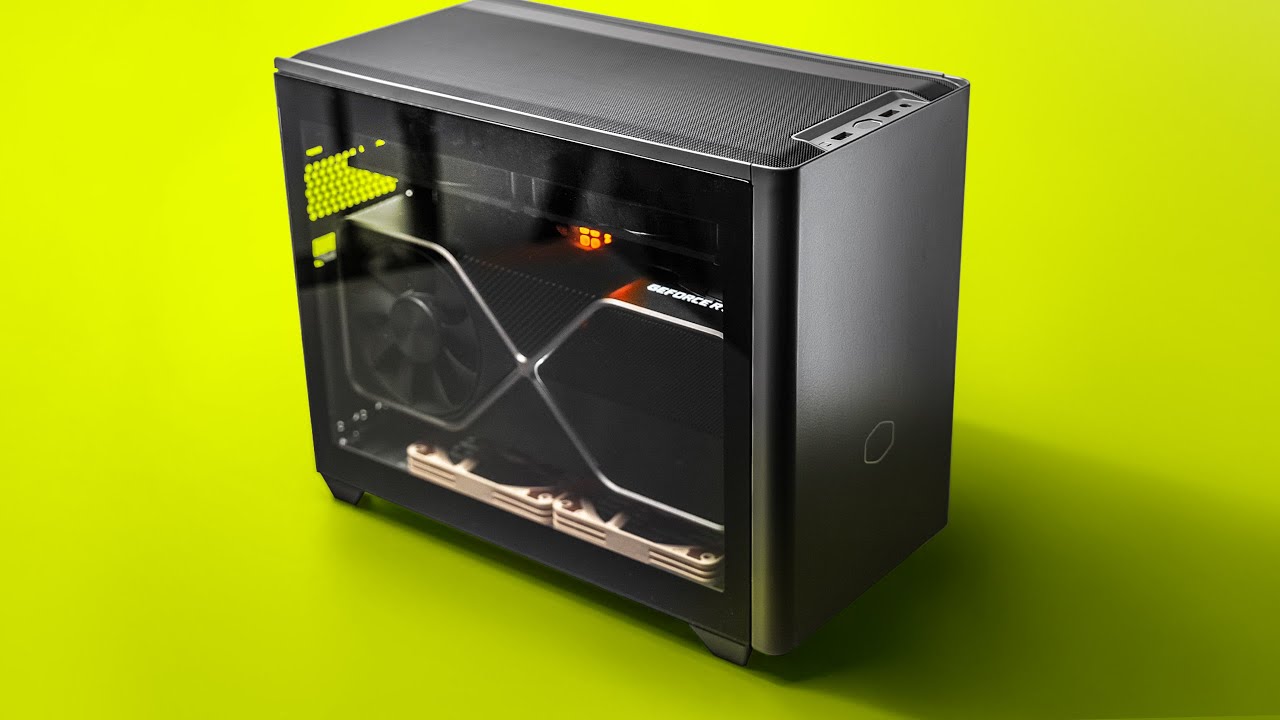
Check prices on Amazon below
Cooler Master NR200P MAX: https://geni.us/IdjerC
Cooler Master NR200: https://geni.us/LvnAS
Noctua slim 120mm: https://geni.us/DziClr
Video gear
Camera: https://geni.us/cN16f
Primary Lens: https://geni.us/Mfv0kQO
The NR200P MAX is a top 3 ITX case moving forward. Truly monster GPU support and cooling.
Timestamps
0...
torn ferry
Is that an ITX?
lilac obsidian
mini
viral geode
cinder crypt
with only the 2 200m fans in the front and 1 exhaust fan and my d-15 is fitting ...
One or both fans on d15?
torn ferry
How good are the new iCue AIOs?
cinder crypt
viral geode
One or both fans on d15?
both

theres a white version and i believe a gunmetal one
cinder crypt
fleet canopy
Nice I’ll take your offer
could have been a scam and bot might of auto deleted it
or something
bright shard
bimscond nimrod
fleet canopy
I know, yes
cinder crypt
ah you were joking got it
viral geode
cinder crypt
Pog. Just ordered one
cinder crypt
like i said if you dont have low profile ram it might fit it might not
if it is too big it might barley squeeze on there
also the bigger they are the more you have to move fan away from heatsink
 old sage
stop the 🧢
viral geode
cinder crypt
also the bigger they are the more you have to move fan away from heatsink
I got Corsair vengeance lpx low profile ram
cinder crypt
ah should be good then
i have not added anymore fans @viral geode and the airflow is awsome the temps are at 32 c to 28 idle and 68 under max load
it seems like keeping the front fans intake and back fan outake is best configuration i dont know if adding any fans up top will change anything
but the temps are good enough as it is
the filters are also all removable
for easy cleaning
just not alot of ziptie points
for wires
viral geode
Nah but it looks like there's space for radiators too if I ever decide to try AIO cooling which is something my old case could not do
viral geode
I'm sure my temps are gonna be spicy with a new case
fleet canopy
Yeah, the d15 should be great, unless you do want to have an aio instead, might be a bit weaker though
abstract kite
managed to boot with 4000mhz cl16 17 17 34 at 1.45v
idk how good is that compared to my old timings which were cl17 17 17 34
fleet canopy
That’s..better?
You got it from cl 17 to cl16
Which is pretty big
Considering that it’s 4000MHz
abstract kite
its unstable sadly

but it only died cause i lowered row cycle to 300 from auto and active window to 16 from auto
now it passed 40min mark with same timings and voltage
torn ferry
Is it near impossible to get a graphics card with normal pricing at this point?
viral geode
this has been common knowledge for awhile
fleet canopy
This has been a thing the moment the RTX 3000 and RX 6000 were on sale
late sorrel
that has been common news for the last three years almost
torn ferry
How long does a graphics card last?
fleet canopy
late sorrel
that has been common news for the last three years almost
Yeah maybe, but I don’t think for a short while before the latest release was this bad
fleet canopy
torn ferry
How long does a graphics card last?
It can last for a pretty long time
late sorrel
my rx5670 lasted for 9 years
torn ferry
What happens when a graphics card "dies", does it just not turn on, no fan spin, no power, etc.?
fleet canopy
You’ll know it when you start seeing rows of pink symbols, at least that’s what I understand for graphics card dying
torn ferry
Is it a bad idea to buy a prebuilt computer just for the graphics card, and then take it out of that system and put it into the one you're building?
fleet canopy
Ehh
Not really
If the prebuilt is cheaper than buying a single GPU, get the prebuilt lmao
torn ferry
Currently right now I have an RTX 2080.
fleet canopy
Yeah that’s a pretty good graphics card
torn ferry
I don't really have to upgrade yet?
torn ferry
Do I ever need to dismantle a card to clean it?
fleet canopy
No, just blow air on it whenever you clean your pc
 fallow flame
torn ferry
Is it near impossible to get a graphics card with normal pricing at this point?
fallow flame
torn ferry
Is it near impossible to get a graphics card with normal pricing at this point?
I got mine relative decent priced from a prebuilt
Then you change out components you dont like and sell them seperately with 200% price up
😈
No delivery
lilac obsidian
Scalping parts 
lilac obsidian
200%
fallow flame
Hey man you have to include the worktime it took to take out the RAMs
Business 101
I'm not a charity 😎
lilac obsidian
So back to scalping parts we are 
torn ferry
How good is the Corsair 280X?
cinder crypt
abstract kite
probably just buying the card would be cheaper
look with how much gpus are buying a pre built might be cheaper and include the gpu you want and plus you get a whole pc you can sell
cinder crypt
torn ferry
How good is the Corsair 280X?
i mean with the photos im looking at it looks like a decent case
fleet canopy
Otherwise you could just hang around r/buildapcsales on the GPU filter
torn ferry
Parts have been ordered.
dry hollow
That got sent to the wrong chat, my bad
I honestly don't know how it happened, this chat wasn't even an option when I hit the share option
 leaden plume
Hi! I have a question regarding my memory. To begin, I have a DDR4 board. I was curious if I would be able to put in 2x 16GB with 2x 8GB? Of the same brand of course.
bright shard
do not mix sizes
of course you can do it, but the general wisdom (and for good reason) is just dont do it, its not worth.
what are you doing that you need more than 32gb of ram?
 tired elm
Chrome demanding a sacrifice?
bright shard
chrome is legit dogshit man
why should fucking browsing reddit consume 80% of whatever ram i use.
 violet fulcrum
hey when my pc was having audio issues this guy deleted some audio drivers that were meant for my vr to hear audio from the headset anyone know how i can get the drivers back
dry hollow
leaden plume
Hi! I have a question regarding my memory. To begin, I have a DDR4 board. I was ...
I've mixed ram a few times, usually you won't have an issue (mixed sizes and speeds before)
You might get a crash once in a blue moon from my experience.
If you really feel like trying it just know if the dimms are at different speeds the xmp or docp profile will load the slowest speed
I'd also make sure your board supports the capacity (assuming you haven't done that already)
deft vine
bright shard
chrome is legit dogshit man
JavaScript.
bright shard
ah yes, because javascript requires 14 gigs of ram to browse the internet
nonsense.
torn ferry
Will there be a bottleneck with a 2080 and 11700k?
dry hollow
That sounds perfectly reasonable
torn ferry
What is an example of a bottleneck?
And is it a bad idea to buy a graphics card off of Ebay?
bright shard
bottleneck is not so strictly defined
in terms of identification, if either the GPU or CPU are at 100% utilization without the other also being at 100% utilization
ocean ivy
torn ferry
What is an example of a bottleneck?
760 + 11700k
with the gpu being the bottleneck
basically when 1 part is noticeably worse than the rest
fleet canopy
It's pretty simple to figure out a good balance really
dry hollow
It's not so simple when you're starting out
abstract kite
i mean my 1080 broke today so thats fun and i cant get it out of the motherboard so thats even more fun
cinder crypt
if your gpu is not coming out use explosives to force it out
bright shard
getting gpus out is always a hassle
i hate when they put heatsinks right to the right of the tab
so the card gets stuck in that half seated state that makes it a pain in the balls to depress the release tab
pci tabs are aids
torn ferry
Should I be scared when I go to remove the card from my current build to transfer it into a new case?
bright shard
if the tab isnt depressed, dont try to pull it out
sometimes the card can never seat right in the pci slot
so you kinda have to gently persuade it.
torn ferry
Hopefully the case arrives tomorrow.
bright shard
its sucks because (lol) some of the high class motherboards actually have a cable to release the tab if you cant reach the tab because your gpu is massive.
torn ferry
Apparently "Next Day Delivery" isn't next day at all if it takes 5-7 business days for processing.
And how reliable is Tiger Direct?
lilac obsidian
Or you live outside of the US 
torn ferry
What about ordering directly from Corsair's website?
merry bay
next day delivery outside the US is translated to a best case "it left our warehouse the next day, delays - not our problem"
torn ferry
Right now I am likely waiting on the case, the Corsair 280X.
fleet canopy
Last time if I remember correct, I used a giant claw thing to pull out my GPU
One of those things

Almost scraped the case and motherboard, but it's fine
dry hollow
you're meming right?
fleet canopy
Yes
But it was pretty hard trying to get my GPU out
I tried pressing the tab open but that hurt so fucking much to do lol
 tired niche
I got a question about my pc build, I have a AMD 5600x with a Radeon PowerColor hellhound rx 6600 rxt with 16 gb 3200 mhz of ram. Would this be good to run gtfo and what are good graphics settings to use to get good fps?
cinder crypt
we used a screwdriver to make tab come up
it worked pretty good actually
just had to figit with it
viral geode
One time mine got stuck when I messed up my placement while replacing my mobo. Had to take my cooler off and wangdoodle it around a little bit to get the tab to push
 thorny spoke
That's seems like an idea for a YouTube video
I built a pc out of a washing machine at 3am - GONE WRONG
viral geode
Line the drum with radiators for a water loop
Put one of those big ass room fans in the drum as well for intake or exhaust
torn ferry
Waiting for parts to get here.
abstract kite
fun
torn ferry
The case is here.
 torn ferry
A little cleaner now.
 torn ferry
Is that white speck damage?
 fleet canopy
Unless it was used, they shouldn't come dirty out of the box
Even if it was used, shouldn't have
torn ferry
I’m just scared it was from when I accidentally bumped it when lining the RAM stick in the nearest DIMM slot.
It’s this I’m mainly concerned about what it is.

Is it a crack or scratch?
Or is it solder flux or something?
fleet canopy
Eh, it's nothing
torn ferry
Have you seen that before?
 quaint zenith
I'm planning on getting a new case and fans for my pc, how should i pick them out?
im currently looking at the H510i case and Aer RGB 2 fans from nzxt, are they good?
bright shard
torn ferry
A little cleaner now.
Still quite dirty inside.
torn ferry
How do I clean the inside?
And I’m having trouble trying to put the M.2 in. The included screws do not fit in the standoff.
 torn ferry
The second slot worked, but does this need to go on it?

Should I mount the radiator on the front or the top of the 280X?
viral geode
torn ferry
The second slot worked, but does this need to go on it?
Yes
 still flare
Looks like a heatsink for the ssd
torn ferry
The heatsink was over the first slot, but the first slot’s standoff wasn’t functional so I could not put the SSD there.
 still flare
you can unscrew the stand off on the first slot and move it closer
check your mobo manual the first slot might be what you would have to use if you are running only one ssd
torn ferry
It wouldn’t come out, all the screwdriver bits I had that fit in it would not get it out.
 still flare
Ok doesnt seem like its specific to which slot
torn ferry
Do I still need the heatsink?
torn ferry
Do I use the long screws to mount the fans on the radiator and the short screws to mount the radiator to the case?
torn ferry
Do I need to worry when I saw a tiny droplet of moisture on my graphics card?
bright shard
depends where it came from
if you have an AIO it could be leaking from the radiator.
still flare
You dont really need the heatsink unless the ssd comes with one.
Ya the long screws for the fans on the radiator. The short for the mount
torn ferry
Do I need to take out the graphics card to connect the SATA for my SSD?
bright shard
Is it in the way?
torn ferry
I feel it is, and I had to take a quite unconventional way of routing the GPU cable.
torn ferry
The cables are too thick to fit underneath the motherboard and through the cable routing hole.
So I had to route it through where the other cables are.
Does it matter what number the SATA port on the motherboard if you plug in only one SATA SSD?
fleet canopy
Nah
torn ferry
I’m concerned if I made a mistake by plugging the radiator fans into the hub within the box, because I’m not using the fans included with the AIO, and the fans I used have a combined PWM/RGB cable instead of separate cables.
fallow flame
Guys for how much could I sell my 2018 pc with an 1070ti
 uneven mesa
1500usd i think
fallow flame
uneven mesa
1500usd i think
Whoa, you sure for a 3 years old gpu that low?
That pays over half the money I paid for my current pc-
 trim breach
technically you have to account for all other components and try and make it competitive, due to the current gpu prices
what else is there in it?
abstract kite
uneven mesa
1500usd i think
1.5k thats alot
uneven mesa
yes
abstract kite
my 1080 died recently so that was fun
trim breach
did you manage to take it out?
trim breach
fallow flame
a ryzen 5 2600 and 16gb ram
yeah then around 1.5k usd makes sense
fallow flame
abstract kite
but it broke a bit off the motherboard
Let me guess taking it off the slot was pianful
fallow flame
trim breach
yeah then around 1.5k usd makes sense
Wtf Im rich 😳
abstract kite
fallow flame
Let me guess taking it off the slot was pianful
it fused
fallow flame
And ppl callled me dumb for buying a prebuilt for the 3070
fallow flame
abstract kite
it fused
Jesus how-
abstract kite
idfk
fallow flame
Was it a oven lmao
trim breach
i imagine there was quite a cronch sound when you removed it
abstract kite
it was jammed up with solder as well so that might be the cause
fallow flame
trim breach
most people buy such systems to pull out the gpu
I will make it 2k for Witch taxes
abstract kite
ye it was a cronchy sound
trim breach
what dumbass put solder into the slot
abstract kite
i got it from a friend he said it didnt work properly
trim breach
like how
fallow flame
trim breach
i imagine there was quite a cronch sound when you removed it
Oof Cronch noises on PCs give me panic attacks
abstract kite
idk
well i have a spare version of the motherboard but i have to do a buch of other stuff and its just not fun
fallow flame
Who the fuck puts solder...
abstract kite
and i have to rewire this mess
fallow flame
Where did you get it
abstract kite
from a friend who bought it pre built
fallow flame
abstract kite
i got it from a friend he said it didnt work properly
LMAO
trim breach
ask him where it's from
fallow flame
Walmart
trim breach
i wanna know what company did that
fallow flame
100% walmart or suspicious amazon seller
cinder crypt
i wonder how much i could sell my gpu for
or just my whole pc
im not going to considering i just built it
abstract kite
i dont think thatd work
fleet canopy
cinder crypt
i wonder how much i could sell my gpu for
I checked for mine, it's like at least 200$ over the original MSRP for a used so that's cool
Getting myself 140% of the price I paid for back
abstract kite
i mean i could sell my gpu for 550$ but im not
fleet canopy
I guess
Makes the prices on GPUs better though, as it helps to make paying for their shit prices better
cinder crypt
it seems like my gpu is going for around 1000 to 1500
which would cover the cost of the prebuilt i got it out of
viral geode
My whole rig I could probably sell for about 2000
lilac obsidian
Don't scalp & add to the problem we're currently dealing with 
fleet canopy
Scalp some more
Or sell it below the current scalping prices
Because it's still less than what most of the prices are
And still more than what the GPU should actually be
late sorrel
Master Boot Record vs GUID Partition Table
MBR limits the sizes of how big the drives can be (2tb) and they are 32 bit, but GPT / UEFI is the new one that is 62 bit
Because 64 bit is soooo big you won't need much
[for the average user]
bright shard
Use gpt because otherwise grub will never work right
late sorrel
that is also true
bright shard
I need to convert my win7 to gpt.
torn ferry
How do I solve old games crashing?
Like, for instance, when I try playing Monstrum, the game's icon pops up briefly in the taskbar, then disappears immediately after.
fleet canopy
I thought maybe you were talking of the GPU being incompatible with the game, but it's only released in 2015 so
However, if it's a very old game, and it won't run, usually I think it's due to the drivers not being matched for a game
But this one I think might be a common fix for the game itself
perhaps one of the fixes here might help https://gamerinfo.net/game/monstrum/technical-issues/

Have any technical issues with Monstrum? We have a solution for all common problems here.
torn ferry
So I don't need to do what I found from research?
Which was to go to SystemPropertiesAdvanced within the run dialog, and edit the Environment Variables section.
fleet canopy
You could try that if you want
torn ferry
I also need advice on cable managing with the 280X.
Does it matter whether the AIO tubes are going to the right or left?
And I have the front fans as intake and the top radiator as exhaust.
Any advice for where to start?


Would it not make any difference for airflow if the bottom dust filter was removed?
torn ferry
So should I or not remove the bottom dust filter?
I don’t think I can fit fans underneath either due to the fans getting in the way of the 2.0 headers underneath on the board.
I’m just concerned about temperatures.
bright shard
Filters are great
Always keep even if no fan
Only time ive ever removed them is when they were literally in the way of hardware
bright shard
torn ferry
I don’t think I can fit fans underneath either due to the fans getting in the wa...
You can always buy slim fans
Taking bottom fan filters off does not only mean dust, but also spiders and bugs
I had one! Half penny sized hole. Would always find dead spiders
torn ferry
I'm using the Riing Quad fans currently.
bright shard
Put a bit of scotch tape over it, never saw another.
Looks like you could save up to a quarter inch if you think that would help
torn ferry
But I assume my cable management currently is bad?
bright shard
you have braided cable, you can be a little more aggressive with pulling them further into the back panel @torn ferry
i use the word aggressive relativistic-ally btw
torn ferry
bright shard
you have braided cable, you can be a little more aggressive with pulling them fu...
The 24 pin or the GPU cable?
bright shard
both
torn ferry
How is everything else?
bright shard
Hmm, you cant reroute the wires under your gpu?
hasty prawn
which is better for gaming would you say? If I get the tv it will be on my wall mount in my living room if I get the monitor it will be in my reptile room. I am moving my pc out my bedroom but not sure where yet.

 bright shard
TVs often have strange refresh rate behavior
like fake 60hz or other nonsense
get the bottom one (monitor) hands down.
hasty prawn
@bright shard The LG c1 is a 120hz hdmi 2.1 oled tv I am not sure what you mean about faked 60hz you mean for tvs that dont support VRR ?
bright shard
while the tv itself supports the given Hz, the display driver on the tv itself might be using non-disable-able trickery to optimize television content.
also its an oled which is still pretty bad for static content
trim breach
hasty prawn
<@!97053039499673600> The LG c1 is a 120hz hdmi 2.1 oled tv I am not sure what ...
fake in the sense that they use BFI (black frame insertion) or they create a motion blurred frame between two frames to make is seem smoother
there are ways to find out if the refresh rate claims are true (like the manufacturer, panel type and full spec sheet) but for general consumer use it doesn't really matter
if you are planning on gaming on it though and want a very good experience, then the bottom one is the better choice
also costs less
but in the end you compromise on watching tv in general
bright shard
but using a tv as a monitor escapes the general consumer use case.
So, its 2 votes for the bottom monitor.
trim breach
yeah for such a use, the bottom one makes more sense
bright shard
the response time on the tv is probably going to be quite a bit worse.
trim breach
depends which
i remember an alienware (i think) tv that had around 1-3ms
ill check the bottom one
it's good
hasty prawn
Ok thanks guys I think I'm going to get the gigabyte and then down scale the LG c1 65" to the 55" it would be £1800 as the 55" is on sale right now
dry hollow
I got an old Vizio tv that can somehow reach 120hz if you change the refresh rate in Nvidia control panel/AMD equivalent
It's my second monitor now though
torn ferry
bright shard
Hmm, you cant reroute the wires under your gpu?
Am I able to go without the HD Audio for the front panel?
fleet canopy
You don't need it if you're going to have headphones
torn ferry
Probably a dumb question, but is it better to just disconnect it off the motherboard and stash the cable in the back, or would cutting the cable completely do no harm to the rest of the system if it's just a front panel connector that isn't the LED connectors or USB 3.0 Headers?
bright shard
you cant disconnect, stuff behind back panel and reconnect?
because thats what i always do.
also never cut cables.
@torn ferry
torn ferry
Is there too small of a gap underneath the motherboard to route the GPU cable?
bright shard
you probably could
but also, you have plenty of room to route your front panel headers behind the back panel, rather than under the gpu.
the bind of that is, you might need to undo some of the mobo screws to get the connector under the motherboard
to slip it through the cable hole.
@torn ferry
if we're talking cosmetics, my current thoughts are.
- Route the cables underneath the GPU through the back panel.
- rotate the front panel fans so you can route those big ass cables out of sight.
torn ferry
Which cables specifically can I route underneath?
torn ferry
bright shard
you probably could
When I tried, I felt I was scratching the bottom of the motherboard trying to fit the PCIe connector through the gap, so I gave up on it fearing I'd damage the board.
viral geode
New case boys. Shitty camera tho


 bright shard
torn ferry
When I tried, I felt I was scratching the bottom of the motherboard trying to fi...
bright shard
torn ferry
When I tried, I felt I was scratching the bottom of the motherboard trying to fi...
any cable thats not for the gpu.
you can always undo the bottom mobo screws to flex the mobo out of the way slightly if you need an extra mm or two.
the black ones in specific look small enough to fit
torn ferry
How is the radiator placement?
bright shard
rad is above the pump so you're good.
torn ferry
Does it matter whether the tubes are to the right or left?
torn ferry
I'm wondering if I should switch the 24 pin for the normal tube cable.
torn ferry
Corsair 280X.
cinder crypt
viral geode
New case boys. Shitty camera tho
how do you like it that looks like h500 mesh does it have good airflow
viral geode
yeah thanks for the teccomendation

 viral geode
noice
viral geode
Welp I heard a pop in my case And my RGB lights went out
Everything still works fine but I think the RGB header in my mobo shorted
Fug
dry hollow
At least your pc is functional
cinder crypt
@viral geode did you put them in your ARGB header or your RGB
cause i think those are ARGB
yep those are ARGB so if you put them on your RGB header thats why
dry hollow
What board do you have?
dry hollow
You got the right header
cinder crypt
viral geode
It was the one two skip a pin 3 one
how many pins was on the board @viral geode
3 or 4
viral geode
It was connected to the 3 pin because that's the only one the connector would fit in
cinder crypt
yep thats why
thats a rgb header
a argb is 4 pin
my motherboard has 2 rgb headers and 1 argb
and puting on the wrong header most likely fried that rgb spot or the argb in the fan
viral geode
There's no possible way I could have connected it to the 4 pins because the connector couldn't physically fit on one of those
viral geode
Either way I'm too bothered about it. My shit still works flawlessly
Maybe I'll just pick up a fan controller one of these days
cinder crypt
whats your motherboard
viral geode
Asus ROG strix b550

 viral geode
Yes
viral geode
I haven't tested whether or not it was the header or the fan RGB itself yet
cinder crypt
thats weird
viral geode
Still my fans work there's just no light aside from the rog symbol on the mobo
I'll have to test if it was the fans or header that shorted
cinder crypt
well yea they will cause the fan power is separate from the argb power
viral geode
If it was the header I'll just get a fan controller
If the fan RGB shorted then oh well
Function over style
cinder crypt
im gonna bet it was the motherboard
for some reason it did that and the power supply didnt turn off correct?
viral geode
No I was in the middle of a raid. We finished it too.
viral geode
Byeah. Later tonight I'll see if it was the mobo amd If it was I'll just buy a controller
cinder crypt
only problem ive had is i cant snyc lt to corsair software
motherboard will
but not the fans
viral geode
I was using aura anyway
cinder crypt
oh well i will wait for corsair to eventually come out with 200mm fans
viral geode
Didn't they have a joke 500mm fan
fleet canopy
Makes me made they made
cinder crypt
that i can use
fleet canopy
Ah you mean mad
fleet canopy
Big fat fan on the side panel
The one and only time I have seen one I believe was my brother's PC
cinder crypt
funny thing is the 500mm actually improved thermals in a case
fleet canopy
lmao
cinder crypt
even if it basically was the whole side of a case
torn ferry
I wish Corsair would make a 280mm version of the white Capellix cooler.
cinder crypt
....
why
200mm is fine i dont think you can even fit a 280mm in a case
because of how it would have to be built
torn ferry
No, the AIO.
viral geode
Lmao
 hardy jasper
hey could anyone give me some input on something im thinkin of building, im not too good with that sort of stuff lmao
lilac obsidian
Shoot
lilac obsidian
Why are you going Intel over amd for cpu out of curiosity?
hardy jasper
ive just never had amd so im just unsure what id be lookin out for yknow
lilac obsidian
Only thing I'd be worried about is the 12900k can pull crazy high wattage
hardy jasper
ahhhhhh i see, any suggestions on somethin that would pull a bit less?
lilac obsidian
If all you'll be doing is gaming it'll likely be fine but it's very much an overkill cpu lol
hardy jasper
this is my first build lmao im not too smart when it comes down the nitty gritty of how it all is going to interact with eachother
viral geode
Use amd
hardy jasper
any suggestions on which one?
lilac obsidian
5800x is enough for any game currently easily
Also will have much lower temps
Currently Intel are expensive space heaters 
 grand forge
hi i have a tech question, and this seemed the appropriate chat. So I'm playing on a mac ios using nvidia geforce streaming service, and it seems i'm unable to use the clipboard function, or maybe i am making a mistake, does anyone have any advice?
os* not ios
bright shard
Does the service even support synced clipboards?
Seems to me it does not support clipboard pass through
grand forge
yeah that's what i'm figuring out.
bright shard
You would need the code copied into the clipboard on the host device
grand forge
i can boot windows through a virtual machine and then run the streaming service through that, would that offer any solution?
bright shard
I wouldn't know, but i'd think not
dry hollow
The issue is on the streaming services end
fleet canopy
Perhaps it’s not the best build when I compare it
But it’s 500$ cheaper so yeah
Unless you include windows 10 shit price, it’s 400$
cinder crypt
@viral geode did you figure out if it was the fan lights or the motherboard argb spot that went out
viral geode
Yeah but oh well. Means it's restorable without having to buy new fans
torn ferry
I'm scared that my power supply might be broken.
Is it bad if when I turn the system off, the fans and lights don't shut down immediately or sometimes at all?
viral geode
Are you pressing shut down or sleep
torn ferry
Shut down from the Start menu.
I'm just not sure if I'm just being overly hypervigilant and thinking every sound I hear coming from my computer is a sign of something broken.
viral geode
Yeah you're being a bit of a tight ass with it. Just chill out I'm sure your rig is fine
Sometimes your computer takes time to close everything even after the monitors shut fown
Down*
 finite violet
Can you enter & leave sleep mode without problems? 👀
torn ferry
Because I did drop the power supply accidentally when I was building it and I accidentally started putting the screw in one of the grill holes on the back of the PSU instead of in the screw hole that it is supposed to go.
viral geode
How far did you drop it
Also screwing in the wrong hole won't ruing anything but your marriage
torn ferry
About 28 inches.
When I picked it up off the ground, I didn't see any signs of visual damage, and I didn't hear any rattling when I moved it around.
viral geode
Then it's possibly fine. Just taking time to shut down background programs
torn ferry
I just know this morning when I shut down the computer, it didn't turn off the RGB lighting or the fans at all.
Are power supplies actually durable and not as fragile as eggs?
viral geode
Somewhat as long as they don't fall off a table or you don't fuckin yeet em into anything with any form of force
As far as I know it may just be that. I could be dead wrong. I mean hell I put everything together and my RGB hub shorted.
torn ferry
It fell off of a tabletop that was 28 inches off a vinyl flooring.
viral geode
Hmm. Dunno maybe then?
Give it some time before you look into a new one
What brand is it
 glad fulcrum
I heard a flux capacitor can help
torn ferry
Corsair RM850x.
torn ferry
What does the red hazard triangle mean in iCue?
viral geode
Dunno ask Google
torn ferry
I don't know if I should just buy a new power supply just in case that the one I have is damaged and causing all these issues.
abstract kite
do you have a spare power supply?
cinder crypt
torn ferry
What does the red hazard triangle mean in iCue?
means the lights on the ram or fans if they are corsair are not going to work
my dad and me had a problem with the triangle and the reason was there was another program trying to use the lights and wasnt letting icue control the lights on ram
if it continues to do it forceing an update on the ram stick fixed it for a little
we eventually figured out problem and dont have to do that
torn ferry
abstract kite
do you have a spare power supply?
The only other one I have is the one from my first build.
But are the problems I am describing signs of power supply failure or are they different problems entirely?
abstract kite
im no pc expert so idk
lilac obsidian
Sometimes it's an option in bios to leave LEDs on after system shutdown
Would look for that first to see if you have an option
 marsh wren
you should be fine psu wise, those things are meant to rival nokias in durability i swear
torn ferry
How much does it take to break a PSU? Dropping it from the same height on concrete?
abstract kite
well you can 100% break a psu by dropping it into the sun
cinder crypt
ah crap i dropped my psu into the sun the other day it still seem like it ran fine just made the whole psu melt but was still doing its job
viral geode
I dropped my psu into the lake to charge the eels :)
dry hollow
Oh great psu of the lake
viral geode
The wisdom of the great psu of the lake is bzzzzzrrrrttttttttcccczzztttt
cinder crypt
oh great psu thank you for your infinite wisdom
torn ferry
Should I be worried or no?
fleet canopy
No, I don’t think so
cinder crypt
if the psu was failing you would think it would stop supplying power not keep supplying if the whole system refused to shutdown maybe but just the light no probably not
still flare
Something to check is pressing the power button once and see if it shuts down by itself. Could be something with windows not completing the shutdown procedure
 hearty crane
<@&408548765599793173>
 strong patio
we got it 🙂
trim breach
<@&408548765599793173> here as well and a couple other channels
 marsh mesa
trim breach
<@&408548765599793173> here as well and a couple other channels
marsh mesa
trim breach
<@&408548765599793173> here as well and a couple other channels
Thanks for the heads up, it has been handled 👌
trim breach
you got it 👍

 ionic venture
Damn looks nice
viral geode
Nerd
 rotund herald
 abstract kite
nice
fleet canopy
nice
ionic venture
nice
viral geode
Updating my dad's Christmas gift so he doesn't have to

 simple wraith

 reef wedge
guys can you help me out bit
I wanted to find out what the best settings are for my Advanced Video settings
I had set it to max, but lowered it since my GPU isnt too shaby
 vast harness
reef wedge
I had set it to max, but lowered it since my GPU isnt too shaby
vast harness
reef wedge
I had set it to max, but lowered it since my GPU isnt too shaby
Unlock frame rate.
Use more CPU if it quite underutilized or GPU is shit.
Hop into a game and play with the queue frames until you notice fps get considerably stable or stop increasing. Also keep in mind the larger the queue the more added latency you will have.

 Sleeper
 rotund herald

torn ferry
Should I be worried about >80 degrees Celsius CPU temperature under load?
fleet canopy
Eh, not too much but you could try lowering temps anyway
torn ferry
What are things I can try doing?
Do I need to do any of those modifications other people have done who use the Corsair 280X? Where they use washers to raise the glass panels further up from the case?
Would it make no difference at all if I remove the top glass panel or replace it with a custom panel that promotes better airflow?
abstract kite
add a liquid cooling system
it can literaly be a water pump with some tubes going around ur pc into a bucket of water
torn ferry
I already have a 240mm AIO installed as exhaust on the top.
abstract kite
put it in you're freezer
torn ferry
Would any of my suggestions make a difference at all or no?
bright shard
Definitely try raising your fan speeds
You took the plastic off the cpu cooler coldplate right.?
Also, is that 80c full constant load?
Because 80c on benchmarks is great
80c playing a vidya is iffy.
 wild gull
yeah that and also check how the temps are during a stress test
if your cpu is overheating and clocking down then there might be something wrong with your aio
or just try playing a game and monitoring speeds and temperature with something like hwinfo
torn ferry
bright shard
80c playing a vidya is iffy.
Around 40-45 degrees while web browsing or playing videos.
torn ferry
bright shard
Because 80c on benchmarks is great
Does benchmarks have to be 100% load?
fleet canopy
All benchmark will try to make your GPU or cpu do its maximum
Sort of
Usually separate, they’ll try to focus on only GPU or cpu
torn ferry
I'm just wondering if I did something wrong, or if my PSU is actually damaged from when I accidentally dropped it from a 27 inch height, or from when I accidentally started putting the screw in the top right section of grill holes on the back instead of where it's supposed to go.
fleet canopy
A benchmark is supposed to make your GPU and cpu do 100% so
If you’re doing a GPU test that’s not 100%, while your cpu is, then your cpu is unable to have your GPU do its best
Unless it’s a cpu benchmark
Then it’s fine
torn ferry
Do I need to download a program for benchmarking?
fleet canopy
Yeah, there are a lot of free benchmark tests
You can download the demo version of the one steam benchmark thing
merry bay
So far you haven't really mentioned any PSU defects and seems like it functions fine in day-to-day tasks. If it was broken after a fall there'd be failures, not a slight deviation in voltage that results in surprise heat.
torn ferry
Cause when I play 7 Days To Die on Ultra settings, a game that is still somewhat poorly optimized, temperatures on the CPU reach 80-85 degrees on average.
fleet canopy
It’s strange I only notice who that is in your profile picture just now, Hapcher
merry bay
7 Days hits the CPU hard, that's normal.
torn ferry
What is not normal for that game? >100 degrees?
fleet canopy
Now I don’t really know whether your cpu normally is a heater, but both my cpu and GPU do around 65-73 Celsius during games and benchmarks
65 is kinda too low, more like 70-73
But I guess intel CPUs are usually that hot, for the GPU idk why other than possibly bad airflow case
torn ferry
Is the 280X not good in terms of airflow?
fleet canopy
I’m sure it should be fine, but it would be strange considering a cpu aio is causing your cpu to do 80
torn ferry
I couldn't fit any case fans on the bottom of the case because of the USB 3.0 cable.
fleet canopy
That’s fine
torn ferry
I have front fans as intake, CPU AIO fans as exhaust on the top, is that correct?
Would it make any difference at all if I did any, or all, of these three things?
- Buying the Corsair Crystal 680X case feet which are much higher than the 280X case feet, so the case sits higher up off the ground.
- Buying washers for all the glass panel screws so all glass panels sit higher up off the case.
- Removing the top glass panel entirely.
viral geode
Why do you have the top panel as glass if it's an exhaust
torn ferry
So I should take off the top panel then?
viral geode
Yes
torn ferry
The Corsair 280X is all tempered glass except the back panel.
torn ferry
Should I remove it entirely or buy separators so the panel sits higher up off of the case?
viral geode
The glass would be obstructing your AIO fans and redirecting heat back into your radiator
Remove completely and if possible just add a dust filter
fleet canopy
Thing about glass panel cases is they suck ass for airflow if it’s in the way of fans
torn ferry
From other research, it seems some people chose to 3D print a panel that promotes airflow and replaced the glass panel with that one.
Removing top glass panel now.
Will it take a bit to see improvements?
fleet canopy
The panels just block the air from allowing to go anywhere with the fans blowing on it
torn ferry
Right now everything is 5 degrees less.
bright shard
wait what
does he actually have a glass pane DIRECTLY obstructing airflow from the rad?
if so, case manufacturers be wildin.
fleet canopy
It’s called “glass panel on case cool money”
bright shard
tbh, the only place a glass pane belongs is on one side of the case
torn ferry
15 degrees less now since removing the panel.
 copper zodiac
finding it a lot more difficult to run the game at 144 fps in 4k after patch
used to be able to before the patch with no issue
bright shard
I cant get a stable 75 anymore
I might tweak some stuff though
I use proton, so i might tweak my os for more frames.
 frozen scarab
can anyone help me fix my game in early access it was fine running smooth but as soon as full release came around my whole game even the menu and all throughout the level is lagging hard but i have more than the recommended specs if anyone knows how to fix please dm me or reply to me thx
 wheat magnet
frozen scarab
can anyone help me fix my game in early access it was fine running smooth but as...
wheat magnet
frozen scarab
can anyone help me fix my game in early access it was fine running smooth but as...
Are your drivers up to date? Also I advice giving uninstall, then re-install a try to see if that fixes it.
frozen scarab
wheat magnet
Are your drivers up to date? Also I advice giving uninstall, then re-install a t...
i updated my graphics divers a few hours ago so i will try un instaling and re instaling
frozen scarab
wheat magnet
Are your drivers up to date? Also I advice giving uninstall, then re-install a t...
so i reinstalled it and im in a level now and its better but still lagging
wheat magnet
Shadow settings, what happens if you turn it off or down?
wheat magnet
Ye
frozen scarab
its relitivly the same
wheat magnet
Ah darn. Sadly I am out of luck with my knowledge rn, but can you tell me your gpu or cpu? Would be nice to see if these performance issues are hardware related or nay
frozen scarab
wheat magnet
Ah darn. Sadly I am out of luck with my knowledge rn, but can you tell me your g...
gpu rtx 2080 ti cpu i9 9900
wheat magnet
Thank ya
 dense wasp
Did you try removing your settings file completely? @frozen scarab
 turbid coral
Hi guys, just started play this game again since the early access, i have an extremely low fps ( 5-15 fps ) In game lobby and gameplay, im using rtx3090
never happened to me
 woven rune
i keep getting random crashes on 1.0 I'm currently running off of an i9-9900kf (2) 2080ti's SLI and an M.2 SSD, I've reinstalled the most recent updates for windows and my GPU's and keep getting some unknown crash where I get 2 frames of a unity error then the game closes I have had no issues and have been playing since alpha
abstract kite
turbid coral
Hi guys, just started play this game again since the early access, i have an ext...
damn really? I have the same card in the asus white version
only cameback from work. hopefuly it doesn't happen to me, I was hyped for r6
turbid coral
abstract kite
damn really? I have the same card in the asus white version
i have MSi version but last time in the early access it work just fine, tried several trouble shooting by this discord admin but no luck 😦
abstract kite
hmm the game works fine for me
I have the highest settings and 5120x1440 reso
no issues
turbid coral
yeah i wonder 😦 it just stay 5-10 fps in game oh man
dense wasp
@turbid coral have you tried deleting you GTFO_settings file?
since we've updated many of the graphical settings, there might have been some bug there
viral geode
torn ferry
15 degrees less now since removing the panel.
See? glass is bad
fleet canopy
Make me a full mesh case and I’ll buy it for 500$
 slow aspen
can someone explain to me why when im downloading stuff, why does the download speed have an almost consistent pattern of peaking and bottoming out
frozen scarab
dense wasp
Did you try removing your settings file completely? <@383484779888115732>
how do i do that
void perch
frozen scarab
how do i do that
.t gtfosettings
 odd portalBOT
frozen scarab
how do i do that
odd portalBOT
frozen scarab
how do i do that
To locate the GTFO Settings file:
- Press the Windows Key and the R key at same time. This will open a "Run" dialog.
- Inside put the following in:
%userprofile%\AppData\LocalLow\10 Chambers Collective\GTFO - Press enter. A new file explorer window will open.
- There will be a file called GTFO_Settings.txt
void perch
Find the file, delete, relaunch game
frozen scarab
void perch
Find the file, delete, relaunch game
thx i will try that now
frozen scarab
void perch
Find the file, delete, relaunch game
hey it works it fixed that fps lag and it fixed my other problem witch was the game was making my pc run like at x2 speed thx
void perch
noice
viral geode
Devs who care are a wonderful thing
frozen scarab
true
fleet canopy
Thanks to Seasonic for sponsoring this video! Buy Seasonic Prime TX-1000 PSU
On Amazon: https://geni.us/zCAg
On Best Buy: https://geni.us/jOhH3v
On Newegg: https://geni.us/DtKK5Sb
Buy EVGA RTX 3090 XC3
On Amazon: https://geni.us/SWStpGt
On Best Buy: https://geni.us/Gs1U
On Newegg: https://geni.us/IOXsED
Buy EK-Quantum Vector XC3 RTX 3080/3090 ...
House renovation
Feels like we get em every 6 months from linus
 toxic pawn
Does anyone know how it runs on 1060 and i7700hq ?.
bright shard
toxic pawn
Does anyone know how it runs on 1060 and i7700hq ?.
Gtfo?