#pc-build-help-and-tech-talk
1 messages · Page 168 of 1
 viral geode
viral geode
viral geode
That's where all the scalpers live tho
Let alone Amazon jacks the fucking price up double
 fleet canopy
They should just go back to shitty shoes
fleet canopy
I find it funny I want to go up a tier every generation
viral geode
I'm doing it mainly because my friend ain't that well off and his rig is kinda dookie so I'm gonna send some of my shit to him
fleet canopy
Well every two tier I guess
viral geode
I wish I could get ahold of that sexy strix 3080ti with the built in aio
fleet canopy
That’s just expensive as fuck lmao
viral geode
But that's even more expensive than a 3090 and my case kinda has nowhere to mount an aio
Only spot would be at the bottom and that's no good
fleet canopy
Any watercooled GPU gets to be a fucking big premium
It’s insane that it’s even that much more expensive
Just might as well say fuck it and go for the next tier in the generation instead
viral geode
It's more of just a "hey wouldn't that be cool" I'm not gonna actually get one
fleet canopy
Ah
fleet canopy
Just saw a part of the case to fit one
iirc a part of the 3090 is completely see through so wtf is it cooling
viral geode
Lol. My case is some custom made inwin case for skytech. The dudes who prebuilt my shit
fleet canopy
Let the air through to the bottom of case sure
But most likely someone put fans on the bottom of case
They just have to afford 10 fans to show off their pc with a 3090 
viral geode
I've got my spare fan from my NH-D15
Or I could just line the bottom with daisy chained inwins
Lol
I'm not gonna get an FE 3090 anyway. I'm gonna get one with good thermals
 cinder crypt


so with all this i should be able to put my pc together soon
ill send pics when i got it all together
 viral geode
What gpu?
 hasty prawn
Me? MSI suprim 3080ti
viral geode
Hawt
viral geode
At my local microcenter it's cheaper for a 3090 than it is to get one of those things
hasty prawn
Yer they are a really good looking card. I would of rather had a 3090 tbh but they had this so just got it while I could. Shame Corsair require you to spend money on a controller for the argb which is stupid. I ordered 4 other argb for the front and back they are coming today and tomorrow :D


 viral geode
As shitty as MSI are as a company can't deny that card is hawt
hasty prawn
@viral geode I think this card is the only thing good about them. Oh and the unify board can have 4 nvme sticks on it that's it. I had to uninstall the msi dragon centre and the msi centre because they were messing with my MSI GPU lol!
They kept making my GPU ignore my set curve and kept causing microstutters which was werid lol
One downside to the card is it's not good in a midi case 20cm wide as it vents out the front and heats up the glass.so I had to buy a bigger case.
viral geode
Oif
I'm not gonna get a founders edition 3090 because bad thermals. But I'm not sure which brand I want. Suppose it's a tossup between the Asus and a ftw3
The Asus for performance and ftw3 because I hear that's the most readily available
hasty prawn
Asus is the one I wanted originally but I gave up then I just got what I could. My mate has a ftw and he has had some issues with it but he don't really say what other than his games are not running as high as he thought. I guess it depends how much you want to spend and availability.
Here in the uk the 3090 is £2500 and the 3080ti average about £1500
viral geode
Im just kinda going for it. Full tilt ya know
 sage scarab
Been wanting to get a proper gaming PC for a while but I’m on a tight budget so idk where to start with this. I’m new to the “PC” scene but have played console for years and just started recently on a laptop. If anyone has any suggestions I’d greatly appreciate it.
viral geode
Skytech has pretty good prebuilts for cheap. That's where I got mine
People will crucify you for a prebuilt but it's the only way to get a good GPU for cheap
 barren wadi
some build services only charge a build fee
prebuilts are bad for the fact that their cases generally have bad airflow
viral geode
As long as you don't get it from like MSI or Walmart or Alienware you're pretty well off
hasty prawn
That's me done now the last fans arrived today and iv fit them

 viral geode
Hawt
 wraith oxide
hasty prawn
That's me done now the last fans arrived today and iv fit them
wraith oxide
hasty prawn
That's me done now the last fans arrived today and iv fit them
looks pretty baller whats the specs?
hasty prawn
@wraith oxide 64gb ram @3600 MHz ryzen 9 5950x and MSI suprim 3080ti with a couple of sticks of nvme and a b550 mobo and 850w Asus Thor PSU

 viral geode
That the ROG one?
viral geode
It amazes me that a single chrome tab and a zoom call open is taking up this much on my school issue laptop
 hasty prawn
@wraith oxide Yer they are a pain to fit but look good haha
 bright shard
sad, i've got like 300 tabs open in waterfox and it uses the same amount of ram.
fleet canopy
Because school laptops are that fucking ass lmao
Any ad? Fucking makes it shit
I cannot believe how bad they have to be
cinder crypt
is it a chrome book
if it is i thought they were being advertised as good gaming laptops
jk i know they aren't
they false advertiser it as it but everyone knows it cant run minecraft
decently at least
viral geode
Its a dell
cinder crypt
hmmmmm
cinder crypt
by tomorrow night i should have pics of pc but if i dont expect me to be sad and upset
fleet canopy
:(

 viral geode
What's the best kind of ram to get for ryzen? I heard some are better than others
fleet canopy
Just get 3600Mhz cas15 I guess
 fleet canopy
Hmph
 abstract kite

fleet canopy

cinder crypt
@fleet canopy
question
if your here
@viral geode
anyone
please spare a moment of your time
i have a plce power connector
how do i know which way plugs into the gpu and psu
 dry hollow
Is one side labeled PSU or pcie?
Also pictures would probably be the best way to help
cinder crypt
nvm
i think i figureed it out

right side of cables is power correct?
and left is for 2 connections for 2 gpus correct?
@dry hollow
there is 2 cables labeled pcle and other one has no label
i assume power goes into one that has no label
and out pcle
also is mbr for the ssd and hard drive better or gpt better?
my new motherboard has uefi
fleet canopy
I think it doesn’t matter
The single end is for psu, the bend one is for GPU
Most connectors to the GPU doesn’t have it together so people can do 6 pins with an extra 2 for a later upgrade or whatever
cinder crypt


cable management work in progress
we just gotta finish copying my stuff from my ssd to make sure my old pc will still boot if need be
and then fresh install on my new pc once we get gpu in and hopefully everything works
dry hollow
The daisy chained part of the pcie cable connects to the card
So in your picture the bottom part goes into PSU and the top goes into your card
barren wadi
yes the ones with pcie label connects to gpu, its not advisable to swap orientations but they probably wont fit anyway cause they should be keyed differently
and also it just makes sense for the longer part to connect to psu

 fleet canopy
:))
viral geode
Specs?
viral geode
So a Radeon card?
fleet canopy
Wow radeon cards are not gay
cinder crypt
@fleet canopy @viral geode
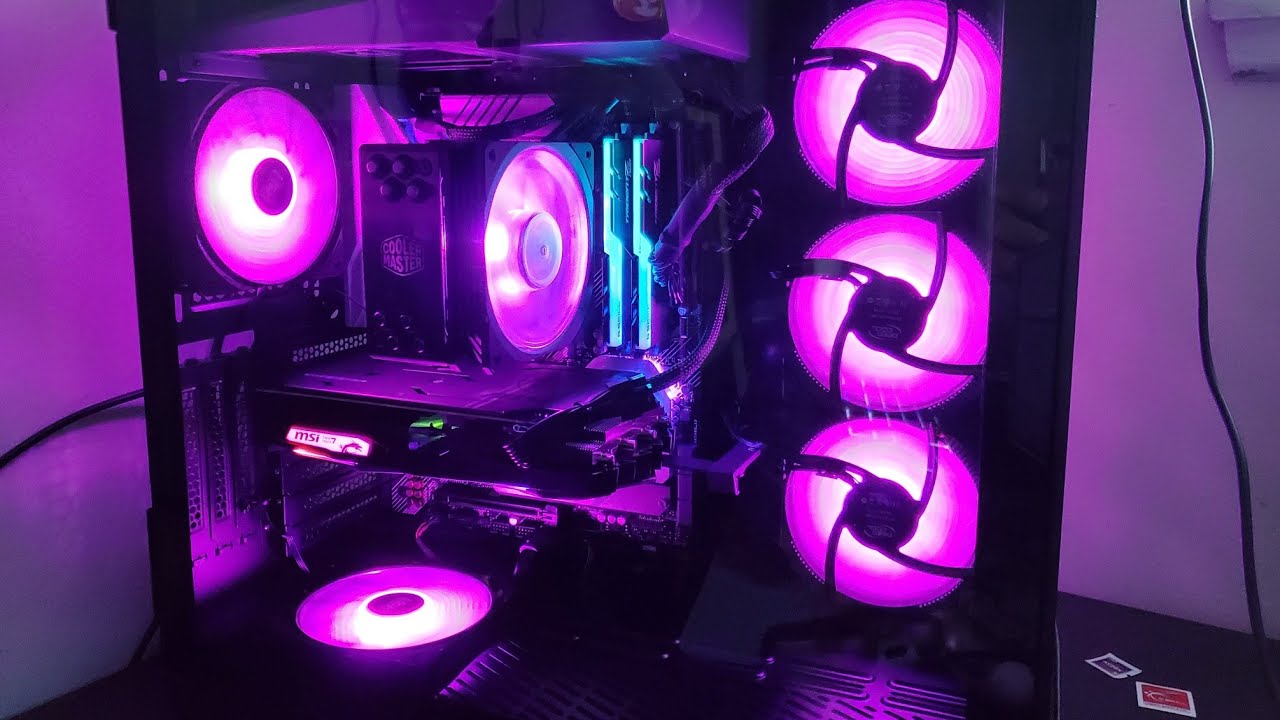
its done
we got it all back together and its done


and these are the specs
fleet canopy
The colors look pretty nice
cinder crypt
fleet canopy
At least 3TB
smh I only need 1TB 😎

I thought maybe you already got a 3060 Ti or something
As in bought it recently, but yeah
cinder crypt
nah not yet
cinder crypt
but all seems to work so im very happy
 inner hinge

my dad gave me these because he said they are part of a computer
i asked for a mac
what do I do with these
inner hinge

i did but then
my hard drive was clicking
so I opened it u
and I dont think this is good???.
fleet canopy
Probably not
inner hinge
what it mean
 chrome hamlet
tell a dad joke he'll leave you alone


 junior stone
 barren wadi
the money u spent on the mb couldve been shaved abit to go for a better model 6700xt
 jade ermine
Enjoy Jedi
dry hollow
6700 xt's don't need more than 2 fans, the massive cards are just dumb
dry hollow
Maybe like 2 more frames, I don't know, my asrock 2 fan card clocks higher than my brothers gigabyte 3 fan card, his was about $100 more. Also those cards do not run hot
As long as you get a decent card going higher up doesn't make sense, you'll hit a voltage limit before you reach a temperature limit
barren wadi
aite whatever suits u best
cinder crypt
fleet canopy
yep pretty much
i would had to sell my kidneys for a gpu if i didnt already have one
fleet canopy
I could just sell my GPU for like 740$ or less on Ebay if I wanted
240$ more than what I paid for I guess lol
cinder crypt
yea i could do the same and get what i payed for my prebuilt i got it out of basically
 proper wren
10 hours trying to fix an issue
Mobo issue done. Couldnt find any other problem
Turns out is the damn 4.0 riser cable
cinder crypt
what was the issue
junior stone
Thnx unluigi
junior stone
dry hollow
6700 xt's don't need more than 2 fans, the massive cards are just dumb
The 6700 i got only has two fans. That's why is called the Asus "Dual" 6700 xt

 yes
yes


 hasty prawn
@fleet canopy I have 11 fans there is 3 on the front too 14 if you count the 3 on my GPU and 15 if you count the one on the motherboard lol
fleet canopy
Ah, yes


 fleet canopy
Stinky poo price
hasty prawn
i could get 3 of those 3090s right now for £6000 and get finance for 4 years at about £125-£140 a month I could plug 2 into my mobo and use the third to defend myself against my mrs when she finds out i bought more pc stuff lol
fleet canopy
Fucking 6K to dump on them
hasty prawn
i wouldn't even pay 2k tbh the 3080s were £2300 there in july now they are £1200.
hasty prawn
yup but its dropping fast
fleet canopy
It might increase though
hasty prawn
china have banned bitcoin etc
they were one of the main reasons of the price increase with all the mining plus with the lhr people are looking to older cards to mine now
fleet canopy
Yeah
jade ermine
Also miners hate LHR models
viral geode
Finally worked up enough money to buy the 3090 I was looking at, and the price went up
 wanton oyster
So, I went form being able to run this game at 130 fps to 7 fps ....
Thanks, awesome update squad.
wanton oyster
viral geode
Finally worked up enough money to buy the 3090 I was looking at, and the price w...
I got a sealed 3060 ti I was holding for a friend but need to sell ...long story short, she got covid ...
viral geode
I've got a 3070 atm but thank you
But perhaps a few extra shifts and I'll have enough or just look somewhere else
cinder crypt
how much would you sell it for hmm?
viral geode
I would sell my 3070 for the extra money but I'd rather be able to play games while I'm eaiting
Waiting *
 strong whale
why would you need anything better than a 3070
unless you plan on playing some games on 4k res
viral geode
Because passion project
viral geode
:)
Never really found a passion before but I'm starting to really enjoy all the hardware and how it works
hasty prawn
@viral geode I would just keep saving then when the 40 series is out in 22 get the 4090 or get a 3080ti. Unless you actually need a 3090 for some reason.
cinder crypt
so i have a question im having problems everytime ive put my computer in sleep mode it seems like when i come back after awhile my computer will freeze and task manger and my task bar wil not work all applications like icue discord stop working and only fix is hard reset with button if i wait a little bit to see if it sorts itself out my power button on front will not work and only sulution is turning power off completely from psu i did keep my old windows on the ssd and im wondring if that might be the problem
it wont freeze right away btw
only parts that are the same from my old pc are hdd ssd and gpu
i can still right click and icon for stuff will pop up
but when i click on the persinlize desktop it pops up with window saying it could find program so i wonder if the ssd im using windows on might be the problem
hasty prawn
@cinder crypt I would do a clean install of Windows. Sounds like what happened to me when I just switched my CPU and my motherboard and only stopped when I reinstalled windows. Check all drivers are the latest version too.
dry hollow
Doesn't icue have a memory leak problem or was that fixed?
hasty prawn
@dry hollow I'm not sure but it may be worth them trying to uninstall that too to find the source of the error
 twin ginkgo
Anyone want to help a budda out? Im in the market for ram sticks but I never bough any before. Im looking at amazon right now but im options kind of guy
fleet canopy
Get some 3200MHz CAS16 ram, they’re pretty good for every gaming pc
2x8Gb (16GB) as well
twin ginkgo
oh its not too pricy either, good looks mayroo
 lilac obsidian
cinder crypt
so i have a question im having problems everytime ive put my computer in sleep m...
lilac obsidian
cinder crypt
so i have a question im having problems everytime ive put my computer in sleep m...
cpu you rocking?
cinder crypt
@lilac obsidian a 5800x
dry hollow
I'm having issues setting up raid in my bios

It just freezes when I try to select what level I want
dry hollow
Bios update fixed it
lilac obsidian
cinder crypt
<@142807802925154314> a 5800x
I had this EXACT issue with same CPU
I set the following in BIOS & Haven't had the issue happen for months now;
Global C-states --> Disabled
Power Supply Idle Control --> Typical current idle
cinder crypt
@lilac obsidian yea someone on forums said they had a similar problem with 2700x but im going to try a clean install just because i basically built a new pc except for the gpu,ssd and hdd im replacing the ssd with a 500 gb 3d one
lilac obsidian
cinder crypt
<@142807802925154314> yea someone on forums said they had a similar problem with...
i did clean install & issue persisted until I edited those options in bios
it was a brand new PC for me
cinder crypt
ill start with a clean install and go from there there is people saying they had same problem
and fresh install fixed it
cause i did change parts out like i said everything even the case is new and only thing the same is gpu ssd with old windows on it and hdd so people have said if it still has old drivers it could be trying to access them after sleep mode and using memory up till it wont work anymore
and it might fix it it might not
only one way to figure it out cause it apparently is most likely memory issue something is eating up memory after sleep because it failed to start program back up after sleep and continues to try and eats up ram
lilac obsidian
@cinder crypt the only way I could describe my issue was it was never locking up when doing anything intensive, but would lock up when idle
My fix is there if it does turn out to be that issue anyway, good luck!
cinder crypt
mine would only lock up after coming out of sleep it never locks up when idle or when running intensive games
cinder crypt

VGC
Source codes and user payouts among the data released in a 128GB torrent…
if you have a twitch account better change your password and enable 2fa
fleet canopy
Bum
fleet canopy
But no one would care, eh?
After all, it had to be coming from something about tech itself
cinder crypt
well i just thought i would let people know sorry
fleet canopy
It’s okay
lilac obsidian
Seems tech related to me
hasty prawn
what you think about that my current boot drive is a 500gb 2000mbsread 1000mbs write I am thinking of replacing it with that. I already have the older 1tb sn750 and a gen 4 sammy 980 1tb. this comes with battlefield though as well

I have 3 m.2 slots on my board
dry hollow
just remember its cacheless
 snow thorn
need some help, took a stab at making my own computer today and got it to post! But having an issue where the cpu overheats and the computer shuts off. When booting into the bios it says fan error or something like that and its not picking up the aio that I have. I have ROG strix b550-f, ryzen 7 5800x, with rog 360 AIO, idk what to do, i updated the bios, re-seated the aio, new thermal paste, changed the aio header connecting to the mother board to different sites. Everything is new, no dust, any help is appreaciated.
fleet canopy
Check to see if the cpu cooler is connected to the CPU fan input on motherboard
snow thorn
yea, i have the block connected to the aio header and the other connection to the usb power, then the fans off the radiator are connected to the motherboard fan pins. the fans spin and the rgb lights from the block are on.
fleet canopy
Are you sure it’s on CPU_FAN though?
Just want to be sure yes
I don’t really know what would be wrong cause it’s weird that it’ll not work
Considering it’s supposed to just be plugging in and working right away so
snow thorn
I know thats why im going crazy, 😦
i changed it from cpu fan, to cpu opt, to fan 2
and each time the fans are picked up, but the aio isn't and cpu temp just keeps going up and when it reaches 100 it just shuts off
fleet canopy
Did you peel off the sticker on the cooling block?
Also maybe this might help https://www.asus.com/us/support/faq/1006064
Official Support | ASUS USA
snow thorn
it had the cover and the preapplied thermal paste, but when i re-seated it, i got new thermal paste and applied it
fleet canopy
But the sticker did come off yes?
Well no it shouldn’t cause a 100 and crash actually
Refer to link and maybe it’ll work probably
snow thorn
yea no sticker inbetween the block and the cpu, let me see what connection point is on now and switch it back to the one on the site
do you think it matters there are different types of fans?
i have the three from rog on the aio, then six from lian li uni-fans, but all of them spin and light up
fleet canopy
Those all should work fine
snow thorn
bad quality, sorry, but connected on the cpu fan, everything lights up and spins, i can get into the bios, this was just like a minute after i turn it on and you can see after another minute it starts taking off over 80 degrees and keeps going
cinder crypt
is the pump kicking on at all
cause that might be a possibilty
@snow thorn
cause if it isnt you either have a bad AIO
or bad spot for the plug in for aio cause theres a dedicated spot for aio on the motherboard
or the cpu might be bad but my bet if anything is the spot on motherboard is bad or pump on aio is bad
or thermal paste isnt laid good enough but you said you checked that
snow thorn
i have the header on the dedicated spot for the aio, and i just checked and it turns out the aio was open box so maybe its bad? idk, first time working with an aio so not sure how else to check if its working. And each time i re-seat it the paste is pretty even.
cinder crypt
yea if it was open box you might have gotten a bad aio
if anything should be wrong my money is like i said spot on motherboard or aio is bad
if you try to replace anything do aio first and if it is not that then you have problems
lilac obsidian
snow thorn
i have the header on the dedicated spot for the aio, and i just checked and it t...
can you hear / feel the pump working at all?
AIO's work in performance mode by default until you install windows & some AIO pump control software
The fan error is due to you probably not having a fan connected to the "CPU FAN" header. It's a warning
Instead you've got the AIO connected though
Also are you certain the CPU is overheating? what temp does it rise to in your BIOS
lilac obsidian
oof right so probably isnt the software aio issue, sounds like the pump isn't working
cinder crypt
cause ot looks like aio is powered but not pumping so that lead me to believe pump is bad
cinder crypt
so quick question
we built my dads pc and last night everything turned on
but
this morning we were going to install windows
but now the fan will barely spin when we press power button and wont power anything except the motherboard lights
we just pulled battery out of motherboard and replaced it with same battery type
just noe
now
to see if that fixes it if it doesnt any other reason this would be happening
because we didnt change anything in bios
@fleet canopy
@lilac obsidian
asking for a freind because its just weird that it would do this
pulling battery out did not help
cinder crypt
ok
figured it out
his power power supply does not like my sata psu cables it shorts his psu out
cause he needed extra sata cables
 marble flume
$2000
 fleet canopy
Is it 2000$ because of the GPU?
 void perch
oooh that SN850 is going to be really nice. I'm making a build with 2 of those and can't wait to benchmark them
barren wadi
 dev
dev
hasty prawn
@marble flume can you switch that mobo I would if you can. I just sold a asus prime b550 plus although its an ok board if you have any issues at all with it you have to reset the cmos which is very annoying. you have to take the battery out of the board and short it. Anything that causes an error can make it lock too till you remove that battery. if you can change it look for a mobo with a cmos button. Issues I had was once I forgot to plug in display cable the board pinged an error i had to remove battery to make it work again which involved having to remove my gpu. I plugged the my aio fan into the wrong port once got a cpu fan error till i removed that battery aswell as other annoying things. I would also get a second ssd drive to for the gen 3 slot lower down with your operating system and games you will fill that sn850 and a full ssd causes severe performance issues you can get a sn750 for about £100.
cinder crypt
@lilac obsidian seems to be windows was indeed the problem
reinstalling it so far seems to have fixed it
fleet canopy

While trying to show how to protect your high end GPU from blowing up while playing New World, I discovered an even BIGGER issue!
World Wide GPU Giveaway here! - https://www.youtube.com/watch?v=j6eF7NDBWTk
Get your JayzTwoCents Merch Here! - https://www.jayztwocents.com
○○○○○○ Items featured in this video available at Amazon ○○○○○○
► Amazon...
Dunno if it was posted
lilac obsidian
Hey all, having a weird crashing on my PC. It's like the PC locks up in a weird way. I can still play whatever game I'm playing, I can hear audio perfectly fine and everything but discord in the background cut out. Once I tabbed out to check if discord was crashed or something I can't tab back into the game and windows becomes unresponsive. I can't click back into any applications. I can Ctrl alt delete and it shows up fine. I open task manager and it displays but won't allow me to end any tasks & won't auto refresh like it typically does. Only resolution is a hard reboot. I've tried hitting win + alt + shift + Ctrl to reset the display driver with no luck. The fact the audio is fine when this happens means it isn't a hard freeze. Any ideas?
cinder crypt
i dont know colin its sound similar to what i had and completely fresh installing windows fixed my problem
not keeping any apps or anything
lilac obsidian
I've only had this issue twice in the past months but both have been within the last week so I don't think I can recreate the issue
lilac obsidian
reddit
0 votes and 0 comments so far on Reddit
I've given a better description here & build etc
Really driving me crazy now 
lilac obsidian
running a memtest now also to see if anything pops up
cinder crypt
@lilac obsidian idk man that sounds almost exactly like what happened to me now will it fix it idk but if you have tried a full fresh install it could be a hardware issue or a driver problem if its a driver problem a fresh install would fix it cause it gets rid of all files as long as you say delete everything and dont keep apps and settings
and the pc was working in may right no problem when did the issue first start happening around was it when you changed your gpu
lilac obsidian
yeah I ended up ddu'ing my drivers earlier and did a fresh driver install
If it happens again I'll definitely reinstall windows
cinder crypt
alright let me know
hasty prawn
So I did the f35D windows 11 bios update other day and this happens from a cold start only. You think it's just a bug in bios telling it to emit that sound or you think something is going to break. It only did it after bios and if I shut down again and turn back on it starts as normal. The sounds is the only thing that's different every else starts as normal think I should reflash bios ?
This is what happens when you shut down and start again surely idlf something was wrong it would keep doing it.
fleet canopy
I'm not sure why you updated to Windows 11 this early
It sucks at gaming by like
At least 20% iirc
hasty prawn
I have a r5950x and a 3080ti I haven't noticed any performance drops so its not really noticeable. I have read about it affecting ryzen chips though and they said they will fix it in oct with amd and Microsoft working closely. I did try rolling back but I cant unless I reinstall windows trust me I have tried. The 15- 20% isn't really noticeable as im already overkill anyway so 20% is like 160fps normal down to 130ish.
only reason i tried rolling back is none of my apps were working due to windows 11 but once i got the bios update from giga they all started working properly again apart from the post screech thing lol
fleet canopy
😔
viral geode
Feels so bad man
cinder crypt
so my dad is having problems he did something and now pc keeps giving random q codes between all have something to do with vga but we put my gpu in which we know works and still problems any idea
@fleet canopy
fleet canopy
VGA? What about other displays?
cinder crypt
vga is the light
its plugged in through the hdmi
its given code 68 21
and some others
on a rog strix x570-e
the white light stays on
and its given 1 cpu q code but hasnt since
its basically just pci host bridge initialization
pch stuff
any idea
?
fleet canopy
Nope
Tried searching, haven't found answer
Have found something for now at least
"POST code 68 is also a memory error. If another lower end CPU is not available to test the board and update the BIOS verify that the issue happens with one stick of RAM in the colored slot furthest from the CPU (slot 5). Reset the BIOS by removing the battery and unplugging the power for 5~10 minutes."
Perhaps it's another board, but you could fix it in a similar way
Checked something else, it's a PSU related problem
Then it sort of goes into a motherboard problem, guy replaced out almost if not all of the PC's components
And still no fix
so idk
cinder crypt
ok
so
weird we possibly
fixed it
we pulled all the ram sticks
and left 1 in
and it gave a 02 first start up
but next one it booted up
we put 2 in now
booted up fine again
next is all 4
worked fine
bruh
pcs are weirrd
How to Fix annoying VGA light staying on, no monitor display, no signal to monitor during PC boot. This is what worked for me on my first pc build. Looked everywhere but every one had different solutions that did not work for me. Hope this helps
only solved it
cause of this guy with barley any videos and subs
abstract kite
<@&408548765599793173> most channels have this
cinder crypt
why did you @ the mods?
 pliant pagoda
I'm new here, so I'm just going to assume he knows them or he's just having a laugh.
cinder crypt
no i truly think he @ the mods cause i posted something about pc build help and tech talk in the correct channel
because apparently most channels have this but they dont have a title with the labled issue that i was having and then they take 5 years to get to the point
pliant pagoda
Ah
Okay, I didn't read anything beyond him saying "most channels have this" but I can see that now.
void perch
there was a spam bot in most channels that they were letting our mod team know about
nothing to do with you
pliant pagoda
Oh, I guess it was just bots then after all.
cinder crypt
ah
ok
sorry bout that
but my pc is doing the sleep crash thing again so
i decide to just make the pc never fall asleep
pliant pagoda
When you put it in sleep mode it crashes?
cinder crypt
well
not technically a crash
it just freezes all apps and stuff
and i cant do anything
pliant pagoda
RIP
cinder crypt
only fix is to press restart button on the pc
case
and it only happens when it falls asleep and when it comes out of sleep it takes about maybe 4 to 6 hours
to happen
pliant pagoda
Something similar happens to me, except when I put mine to sleep it just keep a black screen. I tried looking up every solution and everyone just says to just restart. Really annoys me when I have a project that's not done, but I'm forced to restart.
cinder crypt
yea thats why i just told windows to never fall asleep lol
cant have problems if it never falls asleep if i forget to turn it off
pliant pagoda
cinder crypt
and it only happens when it falls asleep and when it comes out of sleep it takes...
Oh like when the screen display fades?
 cinder crypt
sleep as in the whole computer turns off except ram
and part of windows
i think the reason it freezes is cause ram doesnt like to be kept on when rest of the pc is basically off
and it starts to slowly leak memory
pliant pagoda
Oof, that must be a pain for you especially if you have work to do, so you always just keep the PC on
cinder crypt
yea but luckily i have no work to do yet cause im eventually going to learn how to draw or code
pliant pagoda
Oh nice, what kind of drawing are you more into?
dry hollow
I'd run ddu and reinstall your gpu drivers
cinder crypt
@dry hollow who
me or colin
and whats ddu
and reinstalling gpu drivers wont help
ive already done a fresh windows install
abstract kite
does anyone have the cpu cooler nh d15
cinder crypt
@abstract kite why yes i happen to have that cooler why do you ask?
abstract kite
cinder crypt
<@456226577798135808> why yes i happen to have that cooler why do you ask?
myyess well I was wondering if you use the 2 fans included or only 1
because that cooler is so big I needed to move the second cooler sideway (I was not using low profile ram sticks so thats why the second fan didnt fit), it barely fit in the case I am surprised it did although i did not consider the size of the cooler when i bought the case
Its kinda tedious, but the cooler still should be working fine without 1 fan right
abstract kite
Oh okaythankss
cinder crypt
@abstract kite yes you can use it but if you have room on the other side of heatsink you can also put the fan over on the other side cause it can hold up to 3 fans on heat sink
or use it as a case fan like he said
you might get 5c hotter but still not bad considering the highest temp ive seen it it go is 68 c with 2 fans
with a 5800x
but i also did not use thermal paste it came with so i dont know how high it gets with included thermal paste probably not that much of a difference
abstract kite
OhI see thx
 cinder crypt
free shipping no way thats a steal
viral geode
I'll beat that offer and sell you a 3070 for 100,000 free shipping
fleet canopy
Damn I'll take it
dry hollow
looks like its 100 3070's. must have gotten them from that stolen msi pallet
 opal herald
how do i know if i need ot up grade my poweer supply??
viral geode
Whatchu got?
viral geode
If you've got anything above 750 you're fine
fleet canopy
Eh, not necessarily
Well yeah
But I usually upgrade my PSU depending on the power of GPU and CPU
Then have at least 150W with a gold certification
hasty prawn
@opal herald when your pc starts crashing or acting weird after adding new components that have a higher power draw. A GPU/GPU'S would be a likely culprit of this. They even have different power requirements within the same range a good example would be the standard nvidia cards compared to the third party ones. The standard 3080ti has a tdp of 350watts my msi suprim is 400watts I used a 650 watt psu on my 3070 not a chance I would use that on my 3080ti even though the highest number I have seen on my psu screen is 630watts I would rather have headroom than it being fully maxed out. If you just use your pc for games you will not need more than a 850watt for now even a 750w would be more than enough in most systems but that will change in future gen cards as I have read the 40 series 4090 will have 450 tdp to which 850w psu would become the norm.
cinder crypt
well good thing i decided to get a 850
even though i currently have a 2070 i wanted a bigger psu incase i wanted to upgrade
hasty prawn
@cinder crypt Its definitely better to get one higher than you need as a PSU is probably the only part of a pc you can actually future proof I have a platinum rated 850w ASUS THOR I really like it as it has a screen on that shows live power draw which is handy. I have a friend who has a 1000w PSU he acknowledges its overkill but he never has to think about TDP for along time. It is always best to buy the best PSU you can as there is no point spending loads on pc parts to cheap out on a PSU that could potentially kill all your parts.
viral geode
coughs gigabyte cough
opal herald
hasty prawn
<@!555285767757365248> when your pc starts crashing or acting weird after adding...
you bloody leagand, think you just saved me a couple of dollars there appreciate it
cinder crypt
hasty prawn
<@!292508858268778496> Its definitely better to get one higher than you need as ...
yea thats why i went with a 850 cause i think ill still be overkill with a 850 watt
cause if i got a 3000 series card i still have like 300 watts free
so plenty of breathing room it is a gold standard psu from corsair but ive heard good things about it
fleet canopy
850W gold cert is perfectly fine
Esp considering today’s components and PCs drawing enough power to consider having a 850W
hasty prawn
@fleet canopy I was thinking the other day how much power will they max out at before they start going backwards and making them require less. I think even 400 watts for a GPU alone is a lot I regularly see it at 380 in geforce overlay. It got me thinking what point would it get to where it's a waste of money if you use a PC just for gaming and it would be more cost effective and better to get a console. The Ps5 is at 350 watt now too I think.
fleet canopy
The entire PS5 wattage compared to a GPU’s watt usage? Hm.
 merry bay
Most people at the high end would rather have a power hog that can offer more performance. There's still a lot of unreached milestones to fulfil even for older titles.
The waste of money part is very dependant on personal performance targets where you'd feel it's smooth enough to enjoy. Extremely subjective matter. Some can reach that point without a high end GPU, some can opt for a more efficient GPU as a middle ground and compromise on a few more settings.
And there's also an argument for rarely playing AAA games or stuff that really pushes your hardware, just to be ready for the odd time you want to indulge. Hardly ever pushing the power usage high.
hasty prawn
I think naturally consoles will follow, the next PlayStation will probably exceed 400watts. For me I only use my ps5 for exclusives you are right thought it is certainly personal preference I still think my pc is far superior to my ps5 in everyway I mean it has a r 5950x and a 3080ti sitting on 64gb of ram NOT THAT IT MATTERED TO WINDOWS 11 i had to reinstall 10 I am going to wait 6 months at least before i go back to 11 lol. I think the next step up would either be the new intel or a threadripper but yes what you need and want are two very different things. I should be good as far as AAA games go for the next few years I would rather part ex my gpu when the time comes and buy another rather than start to turn settings down but other than ride a motorbike and look after lizards I hardly have a wide selections of things I am into. If I can get 140fps I am usually happy with that but I wonder if I can really tell the difference I am waiting for a decent 34 inch uw 4k monitor so i can really push it. My friend hates curved and ultra wide though he prefers 27 inch. I also like the freedom a pc gives me plus the fun of building it yourself and all the new stuff. I am already thinking of the next build I got my eyes on the custom loop market but also I am looking out for a gpu with a hybrid cooler too I will wait and see if one is more available next gen. I have found the pc community to not be toxic than the console one as well maybe its maturity.
 ocean ivy
Does gtfo work on macs
merry bay
I wouldn't rush to next gen stuff either. Not just because of prices and having to swap out everything, but because it's very unclear if Intel will be thorough or quick to fix up software compatibility issues that come with their new architecture. They gave a mostly consistent and predictable experience for years thanks to their lack of innovation. They didn't make any major changes, just squeezed out more out of their existing design.
Some of those issues aren't even dependant on Intel, and has to be handled by devs.
e. x. game DRM
Saw an article earlier for Denuvo requiring manual patching to enable Alder Lake support (the little cores are seen as an anomalous hacking attempt currently)
Older games are a lot less likely to get that patch. In which case legal copies simply wouldn't run.
The thing isn't even out yet, who knows what misbehaviors will be unearthed soon. And who knows how long it will take to iron out fully. I value system reliability and stability, so dealing with early adopter issues isn't my cup of tea.
fleet canopy
hasty prawn
I think naturally consoles will follow, the next PlayStation will probably excee...
Just wait for some tech channel to say that windows 11 is good instead of waiting 6 months
hasty prawn
@fleet canopy I probably will tbh as I like windows 11
fleet canopy
Yeah it looks pretty nice
Seems like a good improvement over windows 10 in some ways so that’s nice
void perch

 keen wigeon

 deft vine

 limpid temple
@barren wadi @ornate sparrow so some time later i have switched to single channel mode on ram slots and that worked for a bit but then crashed, so then i updated literally everything i could, and it still crashed and then a good 2 somethin weeks later it just doesnt do it anymore
 ionic oak
Is 96gb of DDR4 3400 ram good enough? to run this game?
 velvet sage
ionic oak
Is 96gb of DDR4 3400 ram good enough? to run this game?
velvet sage
ionic oak
Is 96gb of DDR4 3400 ram good enough? to run this game?
no
need at least 420

 torn ferry
Can anyone help me resolve why is there a vibrating/humming/buzzing noise that is off and on at inconsistent times?
torn ferry
Will I ever have to clean the AIO radiator at some point?
hasty prawn
I'm shivering already

 torn ferry
How difficult was getting those Lian-Li cables connected?
fleet canopy
hasty prawn
I'm shivering already
Shivering? Must be cold. Let me in smh
hasty prawn
A lot easier than it is getting 3 triple 8s into a GPU lol
fleet canopy
Despite it being cold outside, it is fucking hot inside my room
torn ferry
I bought some intending to use them for my build but I could not get them to stay connected or bend them far enough to get to the cable grommets.
hasty prawn
How big is your case ? This case is quite big. I know in my mid tower I could only fit the 24 pin as the GPU one would stop my glass closing
torn ferry
So I gave up because I was going to die of old age before I could get the cables connected.
hasty prawn
They can be annoying but tbh this case is large enough for them it would all depend on your case though. Is your GPU the double or triple ?
torn ferry
I have no idea what double or triple means.
I've built the computer and I have not cleaned it yet, and I'm scared to start dismantling everything again to clean it.
I had severe anxiety putting everything together and I was scared I was going to break something unknowingly.
hasty prawn
Does it have 2 8 pin or 3
torn ferry
I see a 6 pin and an 8 pin.
hasty prawn
What GPU is it ? I wouldn't be scared I took my to bits without even knowing what stuff was that's how I figured it all out.
Not this one I built this once I knew lol
torn ferry
MSI Ventus OC RTX 2080.
hasty prawn
Yer it's the double did you try the GPU lead going upwards ? I had to go down as it wouldn't fit upwards even in this
torn ferry
My case is the O11 Dynamic XL.
hasty prawn
I'm not sure how big the 2080 is but this one is really big and it can be akward and it should fit in that tbh. I have the Corsair 7000D I do t think there is much difference in size. I think I was looking at the Lian li first tbh
torn ferry
I don't know what to start with when cleaning the internals.
hasty prawn
Take it all out clean it put it all back
torn ferry
I'm scared to do that.
hasty prawn
Why
torn ferry
My building experience didn't go well for me at all.
hasty prawn
Lol I have Asperger's and ADHD . You're talking to someone who got thermal paste in the CPU socket then flooded it with alcohol then blasted his CPU with a hair dryer then an air condition unit then a hair dryer again lol
Don't be scared
torn ferry
First time I built the computer, I found after finishing it that the motherboard was defective and I needed to start all over again, wait for the new motherboard, then put everything back together again.
hasty prawn
Oh I also used a toothbrush on it that a used one lol 😉
I sucked off the speaker with a Hoover too lol
torn ferry
My graphics card comes from a shitty prebuilt from Best Buy, and I carelessly ripped it out of that system and put it in this one.
hasty prawn
Haha yer I did that with this one I have when I was switching it to my new case as the board wouldn't let me have it back. This card was £1600 I took my 3070 in to cex in a plastic bag and basically through it on the counter lol
Unless you're being really rough you should be fine
torn ferry
And I no longer really have any friends who can help me with computer building or dismantling, so I just feel like I'm alone on this one.
hasty prawn
It's not as hard as it looks it's actually really simple
When I first did it I unplugged stuff then followed the old cables with the new ones
First time I added an exhaust fan it took me about 3 hours as there was 3 ARGB fans on the front and 2 on the roof and I had no idea what wire was what
Join pcmr they will help you if you get stuck

That was the pc I took to bits
 torn ferry
I hope I can get the PS5 this year.
hasty prawn
Don't bother
Wait till next year there is literally nothing out for it that's worth the effort
hasty prawn
void perch
 lilac obsidian
void perch
lilac obsidian
void perch
what you rocking under the icegiant? looks clean as hell
void perch
Just a threadripper
viral geode
Damn
lilac obsidian
Also noctua master race yee
barren wadi
 icegiant
fleet canopy
hasty prawn
Congratulations, you’ve redefined the definition of RGBarf
fleet canopy
lilac obsidian
what you rocking under the icegiant? looks clean as hell
Recent post yes, 3990X
viral geode
What the fuck is this
 fleet canopy
Sata m.2 2242 1TB dogfish ngiff inter
It’s smaller because it is
I believe the standard is 2280?
It’s just a shorter version
hasty prawn
@fleet canopy oh there are soo many more RGB settings on that signal RGB I am going to go through it properly lol

 hasty prawn
@void perch is this a new build ? Is that a suprim if so which is it. If it's the 3090 -3080 can you let me know what your thermals are like I have the 3080ti suprim and unless I have the fans at above 70% it will go right over 80c very quickly. I want to rule out lack of thermal paste/pads etc as I have seen a few people have issues with the a lot of 3080ti cards some have even found latex gloves inside. Cool threadripper btw there is a 5000 series one out in 2022 I hear.
void perch
I'll probably make a build for that one too 🙂
It'll be a while before I can do full benchmarks and temps and the GPU won't be directly used. Proxmox virtualization environment is sitting on top of the hardware, then making VM's which will be used for tasking things like our build pipelines.
3990x
256GB RAM
WD SN850's
3090 Suprim
fleet canopy
void perch
The doctor has finally gotten a fresh restart
hasty prawn
I settled on the watercolor effect it's not intense and it uses all the colours.
viral geode
Damn that sit could get to at least round 60 in risk of rain 2
viral geode
Wahoo my new vengeance 3200 got here with my Samsung 970 evo 2tb. It's a good day
cinder crypt
@viral geode which vengeance did you get?
pro,sl,rt or the other ones cant remember
viral geode
 cinder crypt
ah
viral geode
Just needed faster memory. Nothin fancy. But I'm seeing serious gain considering my old modules were 2133
Or at least I don't know if it's fancy
cinder crypt
mine were 2300
viral geode
I don't know my ram that well
cinder crypt
and only 16 gbs and a offbrand
viral geode
 cinder crypt
 cinder crypt
 viral geode
Also got this
 cinder crypt
i got the wd 850
viral geode
Dope. I don't know my memory or storage well so I can't tell what's pinky up and what's not
cinder crypt
samsung and wd are both good
viral geode
Neat. My memory good too? I really just saw frequency and bought it
cinder crypt
uhh
i dont know it looks like its optimized for intel
which i didnt do research on ram optimized for intel
viral geode
I was told everything works well enough that it doesn't make much difference
cinder crypt
it shouldn't
viral geode
I'm running AMD and I saw a massive boost to just about anything
Cyberpunk actually runs worth a damn now
While cranked to Max. Used to only get like 30, now I'm getting upwards of 80
With dlss of course but that's much better than 30-40 with dlss
cinder crypt
yea i built my new pc and my old ones problem was not enough airflow
my new one has enough
fleet canopy
Optimization for intel and amd is just marketing shit
RAM is RAM, and they all perform the same usually assuming we’re not including overclocking, what die it uses
viral geode
It's fucking beautiful what fast ram can do
I never knew it could be that Cruxial
I'll see myself out
merry bay
Going higher than 3200Mhz Intel is more likely to be stable out of the box. But it also heavily deoends on your CPU chip quality for either AMD or Intel
An anecdote from friends, all 3 people bought 3600Mhz kits, none stable on their 5600X
Had to downclock(not comfortable adding voltage instead)
I assume they just got unlucky either with the RAM bin or their CPU
Could be a motherboard issue too tbh. 4 layer PCB's have worse signal integrity than 6 layer ones so that might've been it as well.
High end RAM can be a headache 
barren wadi
i used 5600x with 4 sticks of 8gb 3600cl18 that i got timings down to cl16
barren wadi
merry bay
Could be a motherboard issue too tbh. 4 layer PCB's have worse signal integrity ...
yeah either motherboard or mem controller, and maybe the memory layout itself might affect
viral geode
What's funny about my old dimms is I wasn't able to find em online anywhere
Like they just didn't exist or were something so off brand it would be buried in page like 800 of google
fleet canopy
I was shitting around looking for monitors I'd never actually buy

Dell
A 25-inch gaming monitor that features the world's fastest 360Hz refresh rate with NVIDIA Reflex Latency Analyzer and 1ms GtG fast IPS response time.
I don't know if the retail is actual real price, but it's 51% off
From 900-100% to 450$
 glad prawn
fleet canopy
https://www.dell.com/en-us/shop/accessories/apd/210-AYCB
glad prawn
fleet canopy
https://www.dell.com/en-us/shop/accessories/apd/210-AYCB
Not worth imo, i have à similar screen but kinda regret to choose this one because most récent games strugle to reach 240fps and the 1080p is becoming outdated
Its can be good for some games but a 2k-120fps screen is a good compromise
fleet canopy
Yeah that's understandable, but it's not bad for anyone who already has a good PC to run this stuff pretty well, and at 450$, it might be close to the cheapest option while having pretty good performance for it
torn ferry
Is there even any advantage for running games beyond 60 frames?
bright shard
torn ferry
Is there even any advantage for running games beyond 60 frames?
if you know, you know.
But if you dont, its hard to describe.
I'll say, yes. But, depends on the game.
torn ferry
Games like this one.
bright shard
yes, but i wouldnt say the pace of the game benefits past 120hz
of course, when you're knee deep in sleeper ragdolls, basically any but the best gpu is going to crater you into the low 60s or lower.
torn ferry
I always lock all games to 60 frames because I guess in my logic, I don't want my computer to overheat itself from overworking.
bright shard
ultimately it should be an informed decision about what your cooling is like, what gpu you have, and the maximum hz your monitor supports.
if your monitor only supports 60hz, youll gain absolutely nothing going over 60 fps.
torn ferry
But what is it I am gaining if my monitor is 165hz?
And I decide to run a game beyond 60 frames?
bright shard
then you'll notice a significant difference.
torn ferry
In performance or aesthetic wise?
bright shard
the game will look nicer, and will be easier (cognitively) to play.
however, the higher the fps goal, and depending on your settings and hardware will dictate what fps target youll be able to hit
of course, running at 120 fps vs 60 fps means generally twice the graphical load on the gpu.
torn ferry
Is it difficult to overheat the processor or graphics card?
bright shard
what do you play on?
torn ferry
What do you mean?
bright shard
do you play on a desktop or a laptop?
torn ferry
Desktop.
bright shard
its harder to overheat the gpu/cpu on a desktop
but if you can check/graph your temps while gaming using MSI afterburner
you can watch your temps in real time
hot is generally considered above 75c
torn ferry
What actually happens when it starts overheating?
bright shard
1: potential throttling of speeds/ your performance will crater.
- increase on the wear of the silicon on the cards.
of course, 2 depends on how hot the card is.
danger zone is usually 77c or higher.
sometimes, the PC will bluescreen
torn ferry
What typically causes leaks within the AIO tubes?
bright shard
if an AIO is leaking, its damaged
torn ferry
I have a nightmare that one day one of the AIO tubes will spontaneous break open and then start leaking fluid everywhere.
bright shard
sometimes using the wrong screws on a rad will fuck things up, and has happened.
generally, an AIO is stable throughout its lifespan
losing fluid to the osmotic properties of the tubes and system itself.
all AIOs will eventually fail
but the lifespan is generally around the lifespan of the pc
torn ferry
What is the longest any system can last for given it is cleaned and given maintenance when needed?
bright shard
for as long as you can find replacement parts
ime, the limiting factor on how long a PC may be maintained, depends on the life of the motherboard
torn ferry
When I built this system,
My first motherboard was defective, so I had to get a new one.
On the defective motherboard, the system would only boot if the RAM was in single channel.
bright shard
yep, thats a defective mobo.
torn ferry
I in general had tons of anxiety when I was building this system.
bright shard
but thats rarely a defect that manifests over time, more like a factory issue.
well, i had some anxiety at first too, but it will fade over time.
torn ferry
And the 24 pin cable was such a pain to plug in.
bright shard
the best thing you can do is, know that you built it, if something breaks, you'll likely be able to replace it.
yeah, the 24 pin is sometimes a struggle.
torn ferry
And with the motherboard, I guess I made the mistake of paying for the ASUS ROG luxury tax.
bright shard
they're not bad boards.
if anything id say the two components of a pc you probably shouldnt cheap out on are the CPU and motherboard.
aside from bargain bin psus
(given that your psu is appropriate wattage)
torn ferry
I also tried to build it during when the pandemic began affecting part stock.
bright shard
the part stock is still bad.
there is no "was", really.
but ill tell you, 3 years ago, GPUs were still slim pickings.
torn ferry
Will the part stock problems eventually get better or will it forever be like this?
bright shard
thats a complicated question
ill try to summarize
probably not for another 3-6 years.
covid threw a wrench into the already struggling silicon supply chain
even more things require silicon chips to function, even compared to 4 years ago.
you can see this even in the auto industry
where the supply of vehicles is primarily bottlenecked by the lack of chips.
GM has fleets of non-consumer ready cars waiting for chips.
torn ferry
Are power supplies still the largest shortage of parts?
fleet canopy
The benefit for going past 60Hz is that you’ll see things appear quicker, and the time between one frame to another is shortened a lot when comparing 60Hz to 120-144Hz
viral geode
I used to think "at least 30 and I'm happy" until I got used to 60
I can't go back
It infuriates me when games have a frame cap of 30 during cutscenes like Forza horizon 4 and destiny
hasty prawn
@torn ferry tbh if you're going to lock it to 60 fps you may as well save money and just get a console as far as overheating I dont know how that idea made its way into your head but as long as you have adequate cooling it wont overheat and even if it did your pc would likely just reboot. I can easily hit 70-80c on my cpu depending on what I am doing I think ryzen are designed to be running normally up to 95c or something also depending on what gpu you have, resolution you use or game you're playing your cpu may not even but fully utilised. If you are playing 1440p or above you will like be GPU bound anyway I usually play at 160hz but as long as I am above 100 I don't really care and I would always say get the best psu you can no point in spending loads on pc parts to cheap out on a psu that could potentially fry everything.
viral geode
coughs gigabyte coughs
hasty prawn
@viral geode I have a x570 aorus master but after seeing people having issues with gig customer service I am glad that's all I spent with them. The moment asus make a mobo with 3 nvme slots ill be going back lol
viral geode
Thought Asus makes an x570. tbh if I knew my mobos better I would have gotten an x570 over a b550
barren wadi
b550 chipset has better ram compatibility
viral geode
Fair nuff but I watched jayz video on the differences and I'm not sure which is really better
dry hollow
I'd only go for 570 if you need the additional pcie 4.0 bandwidth
viral geode
Fair nuff
dry hollow
Or if you have a pcie card that hates being connected to the chipset
viral geode
I don't seem to have any issues with it so I guess I'm fine
barren wadi
you're fine with a b550 if u dont use alot of pcie lanes
hasty prawn
@viral geode Asus does make the x570 chipset they have a few of them but only one as far as I know has 3 nvme ssd slots which is the new creator board.
hasty prawn
@barren wadiI was looking at those and the aorus extreme too £700 here for the extreme 8 E-ATX will make using my lian li cables tricky though i think as they are tight with a A TX board so I am holding out for an ATX 3+m.2 although if one isn't released by end of next year I may just sell my current and take the plunge and sell the lian li to my friend.
barren wadi
probably impossible to find an standard atx with more than 3 m.2 unless u use pcie adapters
or some company decides to put them on the back of the board
hasty prawn
@barren wadi I only want 3 as i have 3 ssd's I wouldn't need more than 3 as i am not getting anymore
dry hollow
Buying pcie adapters would probably be the most cost effective option
hasty prawn
my aorus master has 3 m.2 slots so ill just stick with that till asus make one lol
plus it has dual bios which is always handy so it would need that too lol
dry hollow
Dual bios needs to be a standard feature on all boards
hasty prawn
@dry hollow I agree its a huge peace of mind knowing if anything goes wrong I can just flip the switch and reflash. tbh the Aorus master is a decent board its just the bad experience people are having with customer service that's making me want to move away. I am glad I didn't get the gigabyte 3080ti I was looking at and went with the suprim.
torn ferry
hasty prawn
<@!155454338968322048> tbh if you're going to lock it to 60 fps you may as well ...
What is the safest I can increase frames to?
dry hollow
You're not going to break anything by uncapping it
hasty prawn
@torn ferry I would just cap it to your monitors maximum refresh rate if it worries you that much do it in the geforce settings not in the game ones. Honestly though you're CPU/GPU would throttle it's self or even a total system reboot would happen before you broke anything unless you changed it in the settings which I doubt you have. What cpu, gpu and Cooler so you have?
What resolution do you play in too 1080, 1440, 3840, 5120 or 7680 ?
torn ferry
hasty prawn
<@155454338968322048> I would just cap it to your monitors maximum refresh rate...
i7-8700k, RTX 2080, Deepcool Castle 360EX, 1440.
hasty prawn
@torn ferry Unless you have put the thermal paste on wrong [which you would already be aware of by now] overheating isn't going to be a thing. 1440p you're more GPU bound than CPU use Geoforce overlay to track your temp if you want but id be surprised if you overheat. I have a msi suprim 3080ti and a ryzen 5950x and I have my fans set low so its quiet and I only really notice thermals on the GPU which is normal stop restricting your system and enjoy its ability.
torn ferry
hasty prawn
<@!155454338968322048> Unless you have put the thermal paste on wrong [which you...
What exactly is happening when the fans randomly start getting louder and then quiet down a short moment later?
hasty prawn
@torn ferry they are cooling your system to a pre set curve the percentage they run at will be tied to a temperature so say 60c/40% which means when you're temp hits 60c on say the cpu then the fan tied to it will run at 40% speed
my curve

@torn ferry what motherboard do you have ?
torn ferry
Gigabyte Aorus Z390 Pro Wifi.
hasty prawn
use the app centre and get the siv
That will tell you most that you need to know

you can even use the system alert to keep eye on temps if you get overly paranoid about it.
viral geode
I say just send it bro
torn ferry
And there's also this weird buzzing noise that I don't know how to describe. It is off and on and inconsistent.
viral geode
Prolly fan coil whine
torn ferry
It sounds like if you held an object to one of the fans to stop it from spinning, but I do not see any signs of that. No wires touching the fan blades, all screws are secure.
viral geode
Couldn't tell ya then.
hasty prawn
It's coil whine and it's cause of stupid driver updates. It could be coming from the card or mobo. My GPU started doing it after the September geforce update I think they increased power in it or something. I got one from my mobo since my windows 11 bios update too it's nothing to fear just really annoying.
fleet canopy
How does a coil whine happen from a GPU driver update?
hasty prawn
@fleet canopy when an increase of power is in the driver
fleet canopy
Oh probably I guess
hasty prawn
@fleet canopy the September driver is what did it for me sadly rolling back wont change it. My friends 2060 couldn't even play games there was loads of people in the nvidia discord channel complaining about issues after that driver. Obviously driver updates are not the only cause of them but its almost always due to current going through stuff making it vibrate its mostly under high load it does go away after a while or you become deaf to it lol.
torn ferry
Is it not safe to use a handheld vacuum to clean a computer due to static electricity?
bright shard
i use my wall-outlet vac, and its fine imo.
HOWEVER
i think the hand blowers are more effective tbh.
torn ferry
Other than obviously, water or any moisture that doesn't evaporate quickly, what is not recommended to use?
bright shard
canned air is not recommended
buy a hand blower.
anything less than 90% isopropyl
torn ferry
Is compressed air not recommended because you have to hold it upright or else it sprays out the foam stuff?
fleet canopy
I think it’s because it’s not actually air
bright shard
its because compressed air sucks dog bollocks
torn ferry
Bare minimum, how often should the internals be cleaned?
bright shard
compressed air is almost more useful upside-down, than rightside up.
fleet canopy
Depends. If you usually keep your place clean, then like maybe 3 months
bright shard
do you have front fan filters?
torn ferry
My case is the O11 Dynamic XL.
bright shard
is that a yes?
fleet canopy
Eh just clean it once a month
torn ferry
Should I unplug everything before cleaning it?
fleet canopy
Just turn off the power supply and unplug the power supply from power socket and you’re good to go on blowing it all away
bright shard
are you using side-fans on the case?
torn ferry
Yes.
bright shard
do they have filters?
torn ferry
No.
bright shard
every 1-2 months in the summer, every 2-3 months in the winter.
torn ferry
Why is winter a longer interval?
fleet canopy
More cooler
bright shard
if fans are temp controlled, they run slower and attract less dust.
if the side fans had filters, i would say +1 to number of months between cleanings.
if a computer has sat idle for 4-8 months ill usually give it a quick dusting before turning it on.
but, from a guy that has the experience with cleaning PCs, buy a hand blower. Like legit.
torn ferry
I also had to move the desktop in such a way so my cats would stop sleeping on top of it while it was turned on.
bright shard
you dont do the "put loud things on top of the pc case"?
torn ferry
What?
bright shard
like the classic anti-cat objects
torn ferry
No.
bright shard
is the pc in a room with carpet?
torn ferry
Yes.
bright shard
-15 days.
try to buy fan filters for the side fans.
just the cat+carpet thing is just
dust factory.
do you smoke in your pc room?
torn ferry
I don't smoke.
bright shard
ok. good.
cause if that was the case, it would be cleaning like every 2 weeks.
believe me. nasty.
torn ferry
What does smoking do that makes it worse for the computer?
bright shard
i'd post the images, but i dont want a warning.
its nasty. just google it.
like, the tar from the cigs combine with the dust
and you get this brown gloopy unblowable dust
and the smell.
 still flare
smoke has tar in it and is in the smoke so the tar will coar things. Inside the computer it will coat the fans and the chips and can cause extra heat in your computer
bright shard
regular ish consumer grade dust is grey and homogeneous
but yeah, fan filters are dirt cheap on amazon and are worth every penny tbh
esp if you have shedding pets
and carpets.
merry bay
bought a used mobo cpu combo from a smoker. was a hefty chore to clean, nasty.
for some reason he reseated the cpu it seems, because found that brown crap inside the socket later
CPU was on its last legs, prob OC'd and uncleaned for years, can't even hold baseclock stable.
also came with a 212 evo that has rust spots
aren't ebay auctions wonderful?
bright shard
Must have smelled like a mobo formed from the spirits of 13 dead cubans
torn ferry
Can you even clean the dust from a smoker's computer?
bright shard
tfw room is too cold, so printer spits out thermal runaway warning.
deft vine
torn ferry
Can you even clean the dust from a smoker's computer?
With a toothbrush, lots of isopropyl alcohol, time, and care.
torn ferry
I was terrified when I first had to wipe the thermal paste off of the processor when the motherboard I ordered was defective.
deft vine
Fair 'nuff.
hasty prawn
lol and there I was ripping my cpu out of its socket because it got vacuum sealed to the bottom of my AIO because I added too much thermal paste I even got thermal paste in the socket. Nothing a lot of alcohol a hair dryer and an AC unit and time couldn't fix lol
 lilac geyser

Questions upon Questions
This channel is designed for the comment section.
Sometimes the comment section on Youtube is very funny. Many people have a very good sense of humor.
After work I want to read funny stuff.
Have a nice day! Love you all!
fleet canopy
For a video it sure doesn’t deserve a 0 to 2 like ratio
viral geode
You are gay If you use rainbow puke
fleet canopy
viral geode
You are gay If you use rainbow puke
Then I’ll use rainbow puke
abstract kite
anyone got any clue on how long does it take for AIB gpus to be manufactured? lets say gigabyte which sends 5x1, aka 5 gpus in one pack to the distribution center?
barren wadi
given the current circumstances theres probably no schedule to it
every retailer is trying to get their hands on them
with manufacturers scraping the bottom of the barrel in terms of inventory
i might also be entirely wrong 
but thats how i feel about this
void perch
dat VRAM
 abstract kite
i missed the last shipment of rtx 3070s, which was this week.. and the main distributor manager told me he has no idea when is the next shipment
barren wadi
void perch
*dat VRAM*
3090 gang 
 void perch
noice
barren wadi
void perch
noice
was suppose to only be a 3070/3080 but shops only had 90s so i picked one up instead for 1.6k usd early on in the year 
honestly the best decision i've ever made
barren wadi
abstract kite
i missed the last shipment of rtx 3070s, which was this week.. and the main dist...
its difficult to just get your hands on one, gotta be at the right place at the right time nowadays
good luck 
abstract kite
i just screwed up and didnt say i was buying via firm
and the guy let them go trough to the reseller stores
:/
fleet canopy
barren wadi
was suppose to only be a 3070/3080 but shops only had 90s so i picked one up ins...
Damn, that’s a nice price there
 fleet canopy
But what if you're using a GPU for rendering or just need the extra power
abstract kite
in terms of power, 3080TI should be almost on par with the 3090
fleet canopy
Rendering his 20TB of movies in RTX 3d
I think the similarity is just for gaming
But idk
abstract kite
fleet canopy
I think the similarity is just for gaming
you could be correct about this
abstract kite
i actually agree on that.
fleet canopy
Well you save 700$, 50W of power
Assuming we'd use MSRP
So anyway I decided to check back to my list, change up some things a bit, like the CPU since I was gonna go for a 5900X and decided now that it was just a dumb idea
Is there anything I should change?
 late sorrel
a) why two aio’s?
b) why an aio?
late sorrel
ah okay
i mean like, isn’t it basically the same as air cooling or am i out of the loop?
(get it?)
fleet canopy
Well I get it now
late sorrel
just kidding around <3
fleet canopy
It's okay lol
But yeah I should prob stick with air cooling
I wanted to go for AIO for looks n all
I added in a PSU and changed the motherboard https://pcpartpicker.com/list/QTqf68
late sorrel
i mean from my out of the current pc tech loop, it looks good. i’d just stick air cooling in, but that’s my opinion
cinder crypt
thinking about getting a 3070 ti
lilac obsidian
fleet canopy
I added in a PSU and changed the motherboard https://pcpartpicker.com/list/QTqf6...
Looks good
 ornate sparrow
fleet canopy
I added in a PSU and changed the motherboard https://pcpartpicker.com/list/QTqf6...
ornate sparrow
fleet canopy
I added in a PSU and changed the motherboard https://pcpartpicker.com/list/QTqf6...
GPU in that case is gonna be a tight fit and end up restricting some airflow
Also not sure why you'd get two 1440p 240Hz monitors
Other than those things it looks fine
barren wadi
get the meshify 2 compact instead of the c
more gpu space and u could probably fit a 280aio instead of a 240
fleet canopy
ornate sparrow
GPU in that case is gonna be a tight fit and end up restricting some airflow
Als...
I have them there so I could keep it there to remember the choices I found good
So when I actually do get around to thinking of getting a monitor at the current moment, I can find what I wanted on the list
Same thing for the coolers, a choice to get
fleet canopy
barren wadi
get the meshify 2 compact instead of the c
Funny enough there's no mesh c, just mesh 2 compacts
barren wadi
yah i said get the m2copact
its overall better than mesh c
cleaning the front filter is a pain on the mesh c
barren wadi
its also a nylon? removable front filter instead of a stupid metal mesh+foam filter on the C
i got the meshC few weeks before m2compact came out

fleet canopy
lol damn
https://pcpartpicker.com/list/3Grg8J here's what I have currently
Talking to mirrors and was thinking probably would be okay to just go air cooling still I guess
fleet canopy
Bionx has better airflow from what I see but I guess that doesn't matter too much
 fleet canopy
gamer
I gotta\
I have no clue if getting a motherboard like this one will mean that OCing the RAM will be better than last time where it wouldn't really OC at all
fleet canopy
I got bdie yes
Either I really suck, or the motherboard is just not a good choice for OCing
 loud lotus

 fleet canopy
yes
barren wadi
fleet canopy
Either I really suck, or the motherboard is just not a good choice for OCing
in what ways were u trying to oc
sub timings? clock?
fleet canopy
Following an OC guide

 vivid pilot
What do you think the problem with my computer is if the game crashes not when I startup but when I’m going down the elevator after starting a match?
Just curious on peoples ideas
Cause a lot of my games have been crashing on startup and GTFO won’t let me get past going down into the depths now
lilac obsidian
vivid pilot
Cause a lot of my games have been crashing on startup and GTFO won’t let me get ...
The game does produce log files every time you play - might be worth digging through those. Try dropping into a map that crashes, then go to C:\Users[USERNAME]\AppData\LocalLow\10 Chambers Collective\GTFO and open up the newest file with a name along the lines of "GTFO.2021.10.24.03.02.36_[STEAM USERNAME]_MASTER.txt". Scroll to the bottom and see what's there. Might be something useful.
late sorrel
if you post it i can have a look through it for you if you’d prefer
vivid pilot
I’ll do it later cause I’m preparing for Halloween but thank you
I’ll do it later tonight or tomorrow
torn ferry
What are normal temperatures for the processor under load?