#pc-build-help-and-tech-talk
1 messages · Page 6 of 1
 fleet canopy
 subtle flare
Again, tell me 1 game that is so GPU heavy that’s released or in development that will render unplayable
Everything still geared towards optimization too
Not necessarily
In crysis, sure
But I’m not playing crysis
It’s pretty high, compared to 1. My previous GPU and 2. Previous GPU generations
GPU generations also cycle every ~2 years
So I’d wait 4 years for a new gpu?
Debatable
GPUs aren’t strictly pushed by games alone
4090 is geared more of AI and workspace
A new architecture also isn’t determined by gaming
Not really
8K and 16K have been out for a while
We just pushed performance
Bruh
8K editing? Hello?
We’re dealing with 6k and 8K raw footage
Not talking about gaming
You pull up Adobe premiere and edit in 8k
4090 blows that out of the water compared to the 3090
You wouldn’t need a GPU switch every two years
Unless you’re some big corpo
All the ads the market has been seeing are 8K gaming
Which is obviously stupid
But they didn’t spell out the finer details for gamers
Productivity levels on the current generation GPU are absolutely insane
With nvidia’s market share, I’d bet majority of the current generation isn’t even geared towards selling towards consumers like gamers
They just threw it in to make you buy it
If you’re talking about gaming, then @ 4k 113 fps is plenty
RT is more developed for something not for gaming
RT will improve over time
Doubt
I’ll see you in 4 years I suppose
Unless the 5000 series breaks 2.3x the previous generation then what the hell
If anything we’re only bottlenecked by silicon
4k performance now will at least last you long enough as an investment
Mneh
Considering we’re editing 16k videos that’s not true at all
It’s already a standard norm in the industry sector
Games are also going to be limited to current gen
Even if it does push GPU dev
Sure, it pushes
But devs only have so much hardware
If 4k is “bad” now, if we take for example
And GPU gens cycle every ~2 years
Then we have to calculate when an “older” gen GPU will become obsolete
It hasn’t been good till this performance jump
Yes, there can be improvement
Again, you’d have to calculate when it becomes obsolete
If you take the 4090 as an early investment, then where does it land you?
That’s what you gotta figure out

The last time nvidia mentioned 4k gaming was 30xx series
And it was pretty ass, no one really bothered with it
When is it lying?
It may as well be
Let’s take example that it doesn’t change
Aka the performance is shit
Either way, it’s not going to change for another cycle
You’re going to be held at this state until another dev comes out
Every cycle GPU increases performance
So theoretically 4k increases, yes?
But by how much is determined on the performance of the GPU
Games, programs, etc. won’t be able to see ample changes until then too
If moore’s law isn’t dead, then we’d see massive performance gains each generation
They ain’t gonna think that, maybe
But they are hard-limited to what they can start producing
Testing phase isn’t gonna be fun at all
Push out the current gen to the max
That’s all what they can do
Well I wasn’t finished with moores law part lol 😂
Yea, it has its limitations for sure
 formal plume
subtle flare
Well I wasn’t finished with moores law part lol 😂
formal plume
subtle flare
Well I wasn’t finished with moores law part lol 😂
I really doubt this
subtle flare
formal plume
I really doubt this
Well I was going to mention how it was dead according to team green too XD
Then go off on both branches
formal plume
lmao
subtle flare
But forget it
You don’t necessarily have to upgrade frequently
Unless you’re specifically into 1 resolution set, per se
fleet canopy
Yeah I can agree to this part
subtle flare
Well which monitor did you guys test?
fleet canopy
DLSS is neat but it really is a fuzzy mess of an image sometimes
For that I basically would rather settle on just pure rasterization without any of the shit like DLSS or AMD's equivalent
DLSS 3.0 is just another proof of it
subtle flare
I mean, everyone wants that
fleet canopy
I suppose if you can reach high enough FPS, it isn't as noticeable, say using a 4090 where FPS goes to 150+, yeah it's fine to use dlss cause it would be enough fps to cover it up a lil I suppose
But worthless when you try using it for 60
And for me I use an m27q, a good budget 1440p 170hz monitor
subtle flare
Ironically enough for me the smallest monitor I could get 1440p 240 hz is the priciest one
And we don’t even know how much Project 491c costs
fleet canopy
Plus, DLSS also has to have some effort put in like what ray tracing is
fleet canopy
Ready or Not has really poor DLSS, where the holographics sight gets this massive huge ghosting
fleet canopy
500Hz is some absolute fucking nightmare, but hey it's there
I don't think anything can realistically keep up unless it's strictly csgo, valorant, maybe siege
subtle flare
I mean
fleet canopy
Wait another two years for a CPU that can do that
subtle flare
Titan V at 1080p for 500 fps too
fleet canopy
Maybe then it can
subtle flare
Minecraft only though
fleet canopy
I wonder when the last time a Titan card was mentioned in this chat
subtle flare
Probably when the titan cards came out
fleet canopy
Well not long ago
fleet canopy
lmao it was June of 2021
fleet canopy
And it was on about older topics I suppose
subtle flare
If anything it’s either the 4090 Ti or 50xx
fleet canopy
Titan is basically just the equivalent of current but more vram if it released today
subtle flare
No way they’re gonna bring back titan naming
fleet canopy
And honestly
subtle flare
That ship sailed long ago
fleet canopy
Just go quadro if it was for a workstation build
subtle flare
fleet canopy
Just go quadro if it was for a workstation build
They’re expensive
fleet canopy
True
subtle flare
That’s why some productivity people buy RTX and not Quadro
fleet canopy
Wuadro, hah
subtle flare
God damn it typing on phone is hard
I remember the good old days where 6 1060s mining rig was only > $3000
fleet canopy
500$ for a 1060? huh
subtle flare
Now I’ve built a computer with a 4090 with gpu costing > $2000 alone
subtle flare
fleet canopy
500$ for a 1060? huh
No total build
fleet canopy
Ah
formal plume
this is true
fleet canopy
The last time I suppose multi gpu was relevant
formal plume
just watching videos at a different resolution is just worse if it doesn't match
subtle flare
Apparently my build now costs $4.4k
I’ve only spent $3.5k
💀
Feels bad for people tryna build later
fleet canopy
"I cannot watch this fucking Linus Tech Tips video because it is only 4K, I want it in 8K!!!!"
"What use do I have for my 8K TV if not to use it for 8k videos??"
I think 4K gaming is still at the one spot it's best done in, and that's just 60Hz
subtle flare
Gaming/Workstation - AMD Ryzen 9 7900X, GeForce RTX 4090, Corsair 5000D AIRFLOW ATX Mid Tower
Don’t mind the username, chose that back years ago
Like
fleet canopy
Hey, that's almost my PC list
fleet canopy
Agent Hacker isn't bad compared to what I had
subtle flare
I guess if you remove some components (aka the 860 evo from my mining rig) you can lower the cost
fleet canopy
Only change I would make is just the drives if I say so myself
Would just get a handful of 2.5" ssds since they shouldn't be extremely expensive
subtle flare
I already had my mouse, keyboard, etc
fleet canopy
Like 100$ per 1TB, pretty neat imo
fleet canopy
or 150$ for 2TB, more nicer
fleet canopy
ah
subtle flare
Yea
I my current laptop I have 3 ssds and a 1 tb hdd
1 ssd os, 1 ssd apps, 1 ssd Linux
fleet canopy
A nice price for a watercooled 4090, iirc the 3090 watercool was like 2K right outta the gate
And only went up to 3K lol
subtle flare
fleet canopy
A nice price for a watercooled 4090, iirc the 3090 watercool was like 2K right o...
They changed it
Apparently now MSI sells 2 different versions of the card
subtle flare
One with higher clock speeds and one with lower
fleet canopy
Ah I see
subtle flare
I have no idea which one I have
fleet canopy
Apparently gamestop is selling that card
subtle flare
Issues of being early adopter
subtle flare
It doesn’t say which core clock

Excuse the bad image quality, this is my Alienware from like 2012
I have no idea why they would do this 💀
And actually, they dropped the prices at first from MSRP $1649
Then now they’ve increased it by 100
And scalpers are selling at > $2.3k
Well one has X and another doesn’t
Obviously it has to do with silicon quality for sure
But damn
Bruh one has all the awards one doesn’t
LMFAO
But really it’s just the different clocks
So different silicon quality
I find that dumb
It’s so minuscule
They actually came out with the X version first
@abstract kite
I bought it the day before release
So they just decided to “downgrade” the non X version and remove the X
💀
Was yea
Those pictures were long ago
Most recent bad picture of my incomplete build is this

That was months ago
What sucks ass is the cables
Like damn so you see the cable holes?
I though it was an ATX board not EATX
In fact, they actually changed it
It used to say ATX
Now it says EATX
😭
Dude I swear it’s an ATX board
It’s only got 2 PCIEx16 slots and 1 PCIEx4
They just apparently changed it!
Uh
Yea
I removed it
Because I need side exhausts
So front is intake
Side and top and back are exhaust
Maybe I should flip the radiator for the cpu 🤔
Idk 😭
I also wish it was a 360mm for the 4090
Not a 240
It looks so wacky
It’s got 4 filters
1 top, 1 front, 1 side, 1 psu
Cable management was so shit too
Like I tried my best
It’s just so many bro
And I had to install 90 degree headers
I might just go back and tear it all apart and start over
Yes
So it’s a struggle
I didn’t realize it’d be that big
After all, my initial though that it was an ATX board
Not EATX
Maybe I should get a new case question mark?
If I keep cable management as is, I’m worried about my 24 pin cable bend
Honestly if anything I also have to decide whether to use the headers
But I’ve already installed them
So
😫
Cable management
I also wanna start using zip ties
So I gotta go buy some
The Velcro straps aren’t enough
For the rgb connectors too
They are weak
Might as well slap electrical tape over it
Really?
I kinda prefer the side and top
I just think if only it wasnt a 240 it would’ve been fine
My AIO?
Oh
No
If I didn’t use the side exhaust I would be able to hide all my cables
But I wanted to maximize airflow
Actually
I can check right now
I have a spare case
I could do that, yea
I just have my fans within the case
Well shit
I just realized I technically don’t need a dust filter up top
I guess I could do a push-pull config for my cpu
Eh fuck it
I bought the case cause it was cheaper than black
So I could care less
Okay so I added zip ties and electrical tape to my shopping cart
Maybe I’ll buy more fans
subtle flare
It should
970 lasted me 4
1060 lasted me 4-6
Eh so I won’t play 4k then
And it’ll last 5
🤡

 civic root
hey so im new to pc buildling, any general tips?
 merry bay
might sound rude, but read the manual
fleet canopy
You can refer to video build guides as a help to building a PC
If you had to find something specific, you could watch on how you should build your PC in a specific case, or a specific motherboard to learn where certain plugs go in, though you can refer to a manual for that of course
Most PC builds go almost the same exact way so you can use any as a reference on what to do
subtle flare
merry bay
might sound rude, but read the manual
That ain’t rude tho, it’s always advised to read the mobo manual
Not only is it helpful, it tells you where all the headers are and stuff
Not all mobos have the same layout, so yes, definitely read the manual
merry bay
subtle flare
That ain’t rude tho, it’s always advised to read the mobo manual
I preface it from experience. People do get bothered with the idea, even though it should be their top resource. Sometimes the manual can be confusing, in which case they can ask online.
 bright shard
civic root
hey so im new to pc buildling, any general tips?
bright shard
civic root
hey so im new to pc buildling, any general tips?
https://www.youtube.com/watch?v=BL4DCEp7blY
or
https://www.youtube.com/watch?v=gHY6ygHj80c
https://www.youtube.com/watch?v=i5jFXl0GZJo
are both exhaustive guides for both picking parts and assembly.
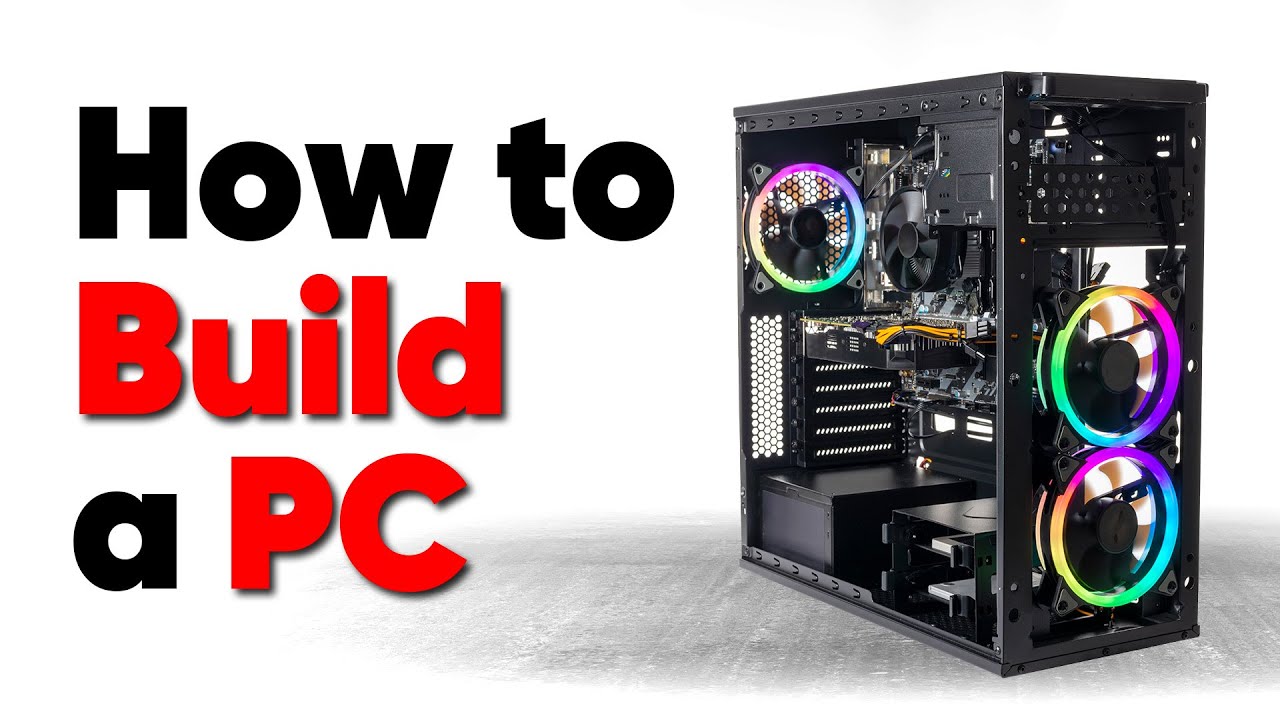
Thanks to Seasonic for sponsoring this video! Buy a Seasonic TX 1000 PSU today at https://geni.us/aryiquT
We’ve done plenty of build guides before – But now we’re taking it to the next level. Not only will you know how to build a PC, you’ll know how to build ANY PC – This is the LAST guide you’ll ever need!
Discuss on the forum: https://linust...

How To Build a Gaming PC in 2019! Part 1 - Hardware Basics
⇨ Sponsor - Squarespace! 10% Off via http://squarespace.com/paulshardware
PART 2: THE BUILD -- https://youtu.be/i5jFXl0GZJo
►TIMESTAMPS
0:00 Intro
1:55 Gear/Parts You Might Already Have
3:50 The 7 Basic Pieces of a Desktop PC
4:03 PARTS 1,2,3 - CPU + Heatsink/Fan, Memory, Motherboard
5:4...

How To Build a Gaming PC in 2019! Part 2 - THE BUILD
⇨ Sponsor - Squarespace! 10% Off via http://squarespace.com/paulshardware
►TIMESTAMPS
0:00 Intro
1:33 Parts Overview - $480 / $900 AMD Builds
4:45 Parts Overview - $1500 Intel Build
8:05 THE BUILD: Preparations
9:15 CPU Installation (AMD and INTEL)
11:49 Motherboard Setup (Overview)
12:14 M.2 ...
civic root
bright shard
https://www.youtube.com/watch?v=BL4DCEp7blY
or
https://www.youtube.com/watch?v...
ty
 gaunt isle
Just got back into the game after a while and wanted some input on what I should put some settings at. I have an i7 and a 3080 so im not too worried about performance. What is the best option for anti-aliasing?
bright shard
gaunt isle
Just got back into the game after a while and wanted some input on what I should...
at what resolution?
gaunt isle
1920x1080
bright shard
a 3080 doesnt max this at 1080p?
personally, lower fog settings, turn off player shadows because they look jank. lower some fog settings.
AA at lowest not off
gaunt isle
yeah i know i can prob run most settings at max, i was jsut wondering what the best anti aliasing is cause I just dont know anything about each one
 abstract kite
civic root
hey so im new to pc buildling, any general tips?
abstract kite
civic root
hey so im new to pc buildling, any general tips?
force everything in
but also dont force everything in
oh and cable management gl hf
civic root
👍
bright shard
I remembered that one dude who was confused about how tight to tighten screws.
 cunning sphinx
civic root
hey so im new to pc buildling, any general tips?
cunning sphinx
civic root
hey so im new to pc buildling, any general tips?
Make sure the parts are compatible before buying
Don’t cheap out on power supply
Ram takes more push than you think
Binge YouTube videos when building first pc,
Reddit buildapc is full of genius’s if you get stuck usually some random on there can help
 autumn olive
GPU can also take more push to slot in.
And make sure you undo any locking tabs.
My mobo has a gpu lock tab that i didn't even know about until 3 years later when i swapped GPUs 😂
cunning sphinx
Some gpus come with extra hdmi ports with a rubber thing in it to keep it safe, don’t wait 5 years after purchasing the gpu to take it out and realise you can support more than one monitor. (From experience)
 bold thunder
cunning sphinx
Some gpus come with extra hdmi ports with a rubber thing in it to keep it safe, ...
bold thunder
cunning sphinx
Some gpus come with extra hdmi ports with a rubber thing in it to keep it safe, ...
Why not take them out? It doesn't hurt anything right? I would imagine it just keeps dust out if you keep the rubber thing in the slot if you're not using it...
 mellow yacht
"put the connector in, pull the connector out, put the connector and shake it all about"
cunning sphinx
bold thunder
Why not take them out? It doesn't hurt anything right? I would imagine it just k...
Oh you should just saying I made the mistake of not realising it was even there 😂
bold thunder
cunning sphinx
Oh you should just saying I made the mistake of not realising it was even there ...
No I knew it was there when I plugged in a second monitor, I'm just wondering if there are any downsides to it at all'
bright shard
bold thunder
No I knew it was there when I plugged in a second monitor, I'm just wondering if...
personally I keep them in because dust can be really annoying with high bandwith signals. also the USB ones are pretty useful for when you have a dead port and want people to stop complaining that a port doesn't work (then you can say it was covered for a reason).
i keep the caps that come with cables for the same reason.
personally i either end up handing down or giving away.
i run my hardware into the ground or close to it.
if i had a dollar for everything ive seen die to dust, i'd have like 15 bucks.
 twilit crow
bright shard
if i had a dollar for everything ive seen die to dust, i'd have like 15 bucks.
twilit crow
bright shard
if i had a dollar for everything ive seen die to dust, i'd have like 15 bucks.
What on earth do you do? 😂
bright shard
twilit crow
What on earth do you do? 😂
Just not knowing better as a kid.
 north elk
no way my family would have let me fry so much stuff lmao
bright shard
Its not like they knew better. And im not talking about PCs in my possession.
twilit crow
Heat gun and IPA is probably your best friend there
bright shard
i think i killed 2 prebuilts to heat and dust. but one really really really wanted to die anyway.
one existed on carpet, the other... basically was undustable and had horrible airflow.
twilit crow
Which reminds me, I wanted to order some additional fans for the summer
 twilit ivy
where should i get a second monitor? all i care about is that it works and that it has the modern aspect ratio(16:9)
im thinking best buy but i dont know when i could go
bright shard
twilit ivy
im thinking best buy but i dont know when i could go
online. 1080p 16:9 are often on sale for under 100 usd.
twilit ivy
would amazon be a good place to start?
bright shard
twilit ivy
would amazon be a good place to start?
r/buildapcsales tbh. because the amazon price search sucks ass.
subtle flare
Amazon usually upscales prices for electronics.
Key word is usually
If you buy off from the manufacturing website or other websites like Newegg, generally it’s cheaper and you can apply coupons
2 good examples of Amazon upscaling prices for electronics is GPU prices and some of Corsair’s products
But then of course you don’t get prime, etc
fleet canopy
GPU prices?
It's equally as fucked on newegg mostly
It can be up to 500$ less, but it's still more than what the MSRP is
formal plume
^^^
GPU prices are fucked
and RTX 40 series is a joke
actually better to get an RX 7000 series card
or RTX 30 series
fleet canopy
Could get a 3090 for good price maybe
And a 6900XT can be found for 700$
Kinda close to a 7900XT or XTX tho
formal plume
and anyone with a brain yes obviously the RTX 4090 is the most powerful and anyone able to purchase such a card can burn money in the backyard anyway
fleet canopy
A train is coming in at a very fast speed
You can switch the tracks
Option A to kill 10 people
Option B to have a fucked market
Option C to do both
bright shard
C twice please.
subtle flare
@fleet canopy On Newegg it’s actually normal price
On Amazon it’s no less for $2.3k for a 4090
fleet canopy
I could say the 4090 is somewhat acceptable
It's like lowest I see right away is 2000$
subtle flare
I’m not talking about how scalped the GPU prices are in the market
I’m just talking about specific card prices
@fleet canopy It’s the same for 30xx series
It’s overpriced on Amazon
You don’t buy GPUs on Amazon
fleet canopy
Well NVIDIA's got it for just 1600$
fleet canopy
Either it will be permanently out of stock forever or every once a while you gotta be on 24/7 to buy it instant
subtle flare
Lmao
subtle flare
Yea that’s why you don’t buy on Amazon
Before back then it was great
But for some reason Amazon just upped prices completely
fleet canopy
They usually are much more, but seems like they have em a nice cheaper amount (It's 2200$, but msrp it's like 1700$ or 1800$)
wowie 1600$ cards on newegg that is out of stock
mm mm
subtle flare
Newegg has actually MSRP prices
subtle flare
Amazon has no such thing ever since 20xx series
fleet canopy
Microcenter might have em real good
Closest isn't too far surprsingly
Like it's just a train ride away
Or if by car, like 45 minutes I guess
can't remember
would probably be a waste cause they're probably also outta stock but then again people kinda are lazy and want it online sometimes
fleet canopy
4080? 4070 Ti? Never heard of em
subtle flare
4090 and XTX are guaranteed out of stock
fleet canopy
Knowing NVIDIA, they probably priced that horribly!
fleet canopy
still bad
subtle flare
Recently with Best Buy it dropped to $1080
fleet canopy
Thought it was 1200
fleet canopy
Comparing the 4080 to the 4090, the 4080 is just not worth a cent
subtle flare
Good card bad price
fleet canopy
Or maybe even a 7900XTX if you get one
subtle flare
As with every other gpu this gen
fleet canopy
Should have been like 900$
or 800
idk
4070 ti ehh
piece of shit
nothing good about it
subtle flare
Lmao
subtle flare
It’s the 4080 12 gb it’s great
fleet canopy
so much loss
subtle flare
😂
fleet canopy
lol
It definitely hasn't just lost a considerable amount of some of the specs
4070 Ti would have possibly been more alright had they not gave it a shittier bit bus
had it 256 bit since rtx 2000
and decide then it's probably best to do 192 instead
It's funny how 2000$ somehow doesn't feel bad for a 4090
Like it's worse than 1600$
But still seems okay
subtle flare
Scalped prices for the 4090 ranges from $2.3k-$8k
subtle flare
Yea, you haven’t seen?
fleet canopy
I have not even heard of the 4090 going past say about 3000$
subtle flare
I could’ve made a $500+ profit if I scalped
But I needed to build a pc for myself lmao
subtle flare
fleet canopy
I have not even heard of the 4090 going past say about 3000$
Nah people are jacked up fucked
It’s crazy
I’ve seen one for $8,999
fleet canopy
What part of a 1600$ msrp would make it fucking 8-9K
subtle flare
Same model as mine
fleet canopy
It didn't just immediately go down to 3 unique fucking cards in the world
Unless they dipped it in some insane ass gold and put real diamonds on it, it isn't worth more than 2200$
fleet canopy
still isn't 9K
fleet canopy
telling me they replaced the 4090 with invisible heavy diamonds mm mm
perhaps they'd be worth 2000$
Actually idk
gn steve did say it was out of stock in all across the US, and he had to go to another country for it
subtle flare
No no
They placed invisible jewels on the box with the 4090
Now I charge you $8999 
fleet canopy
oh no
But it's a 4090
What do I do???
look at the other people selling it for 2000$?
Naaaah, must be a scam
yeah I'll buy it
subtle flare
Teehee 
fleet canopy
Someone is claiming that the high end pc price might go down pretty significant at mid/late 2023 apparently
subtle flare
Kinda debating whether to go with the Corsair Xeneon Flex or the LG display
Only real upside with the LG display is the swivel
Or I could wait for QD-OLED
fleet canopy
Is it about the new monitors?
subtle flare
Ye
Considering all the QD-OLED panels are so big I doubt they’ll fit on my desk, I’m going to hop on with just OLED instead
Besides, 5120x1440 at 32:9 is pretty busted 💀
Samsung’s panel is 7120 (something close to that)x1440 at 32:9
Don’t remember exactly but it’s massive
Corsair isn’t height adjustable or swivel adjustable but the LG one is
Corsair has a variable curvature while LG is fixed
LG is cheaper
fleet canopy
I also heard the 5120x1440p doesn't have a great ppi
Something like 82
or that's on a diff monitor
subtle flare
All the ultra wide monitors don’t have a good pixel density
fleet canopy
yeah but one of them has I think was lower than avg ppi
subtle flare
LG has it at 84 PPI
It’s the same for the Corsair one, I believe
After all, same panel
All the major content creators reviewed the Corsair one
Saying it’s amazing
Ofc there’s downsides as I listed and others not mentioned
fleet canopy
The height adjusting is def a big downside imo
The swivel part is kind of whatever for the most part
fleet canopy
yeah LG already announced something of it like late last year or something
subtle flare
Well LG is cheaper
And it’s being shipped out
So I might get that
I don’t think I mind a fixed curvature
Only thing imma miss out on really is gonna be the variable curvature, where I can transfer from gaming to working
fleet canopy
To me what they're offering isn't quite there just yet
However it'd be neat to check out their OLED 1440p 240hz but of course it'll be a while until any info about burn in is revealed
Pretty much all my uses are gonna cause burn in so lol it's either that or QD
Or stick to IPS, not sure
subtle flare
Burn in was mentioned
Corsair provides guaranteed burn in protection and a 3 year warranty
Also, all panels come in with anti-burn in measures
Pixel shifting and refreshing, etc
Apparently it’s better this year for OLED
subtle flare
fleet canopy
Pretty much all my uses are gonna cause burn in so lol it's either that or QD
QD is gonna be ultra wide
Samsung and MSI territory
5120 or 7120x1440p 32:9
Both at 49 inches
fleet canopy
yeah but as I offered, nothing really interests me aside from of course OLED, but I'll have to wait and see for a qd oled
subtle flare
Odyssey G9 or Project 491c
fleet canopy
I should probably at least accept something ultrawide or curved at some point but ehhhh lmao
fleet canopy
I suppose yeah
subtle flare
Not to mention it’s definitely later down the line, even though it was revealed
fleet canopy
For what?
fleet canopy
o an ultrawide
subtle flare
It’s monstrous too
fleet canopy
Super ultrawide qd oled
subtle flare
Fucking huge
subtle flare
Yea there are only 2 QD OLED panels in CES 23
That or Samsung
Well
Technically 3
fleet canopy
Something that looks like Linus would get
subtle flare
Nah
Linus says he’s in love with the Corsair flex
He’s def gonna get one for product review
Then we’ll see
fleet canopy
He'll probably like it along with a super ultrawide linus face wallpaper
subtle flare
You either go OLED 27 or (super) ultrawide
fleet canopy
I think they will do qd oled at some point
perhaps announce it late 2023 or early 2024
subtle flare
On super ultra wides only
Next year may be different
This year QD OLED 240hz is only on super ultrawides
I wish there was an OLED or QD-OLED 34 in
fleet canopy
Usually it seems like they'd get the newer panels on the big ass stuff that no one wants unless they're a Linus clone
And then it starts to trickle down a bit
subtle flare
Hm
I mean I could always save a couple hundred and get the Alienware QD OLED at only 175 hz
But I’m losing the 240 hz and firmware update issues
240 hz QD OLEDS right now are way to big to fit into a college dorm
So I’m stuck with only OLED
By next year I’ll have space but I’ll already have a monitor and it’d just be a big waste to upgrade to a QD OLED
So my choices are I wait 5 weeks for Corsair’s Flex or get the LG monitor
Main pro and cons being Corsair is flexible but no height adjustment and higher cost
And LG with swivel and height, fixed, lower cost
subtle flare
Need a second monitor
fleet canopy
And then they'll announce no QD OLED 2560x1440p 240hz monitors
I have a second for myself
subtle flare
Since I’m switching from laptop, running dual monitors for work is needed
fleet canopy
I didn't bring a 1600x900 but I also have this 1440p 60hz I haven't used since I switched
So far everything that isn't 1440p and is below 240hz is worthless unfortunately
subtle flare
I’m looking to get a bigger monitor anyways
fleet canopy
And OLED is just a nice bonus I would love to have for the color and response times
subtle flare
24-27’ I’ve had for quite a bit
fleet canopy
I could excuse 32" I suppose
fleet canopy
For inch or on monitors?
If for size, I need to compensate for something
Otherwise I'm fine with just simply going for an IPS panel that has what I need
ROG did say they released or are releasing an OLED version tho
subtle flare
Yes they did
fleet canopy
It's got all that I want in a monitor with the bonus of OLED
subtle flare
Though their main showcase was the 540 hz monitor
fleet canopy
Yeah the 540Hz monitor is nice, but the human eye can't see above 24fps so it's worthless
subtle flare
ROG’s is only 27 in
Just not it for me
Pixel density is gonna be great on a 27 in though
As shown with LG’s too
 proper wren
fleet canopy
Yeah the 540Hz monitor is nice, but the human eye can't see above 24fps so it's ...
proper wren
fleet canopy
Yeah the 540Hz monitor is nice, but the human eye can't see above 24fps so it's ...
I thought it was 40 hz for hoomans
subtle flare
I wish it wasn’t so hard 🥲
Well at this point I think I know im ordering
But next time I’ll take your advice
subtle flare
@fleet canopy Let’s see how fast they ship it out
It’s changed from shipping out December 28th to January 5th
Either way, since I ordered today, theoretically they’re being sent out
 lethal stag
lol rtx 4090 didn't even exceed 40 degrees when run 4k all high GTFO
subtle flare
lethal stag
lol rtx 4090 didn't even exceed 40 degrees when run 4k all high GTFO
Nice, I know what to expect now
How many frames were you getting?
lethal stag
Didn't use fps counter tools, simply played a match
subtle flare
lethal stag
Didn't use fps counter tools, simply played a match
There’s a built-in FPS counter
If you ever know your FPS lemme know a rough estimate
I’m curious as fuck since I haven’t booted up my build yet
lethal stag
I reply later when I try another round
subtle flare
Thanks
formal plume
imagine the FPS was 24
 amber kestrel
Rate the setup

Thanks matey 🙂
This was my first build and it didn’t break or anything so proud
4070ti looking sexy
fleet canopy
subtle flare
Nice, I know what to expect now
I've never really heard of the card getting really far past 70 if it ever did
A lot of pcpp builds generally are rating it like between 60-70, he probably wasnt actually pushing the 4090 too hard unlike other games perhaps
subtle flare
Well
Depends on your model
But yea, I get an general gist that applies roughly the span of all 4090s
Factoring in my ambient temperature, which I believe for me will be the biggest killer, it’ll reach 70 more often then usually
Only slightly
Gotta test out my airflow though
Actually, how my room is laid out, I’m next to the open window
Though how my computer flow is hot air is being exhausted out the window
I get a lot of wind up on top
fleet canopy
I kind of still think of perhaps doing a watercooling route, but idk
I could get their AIO watercool for the GPU and get one as well for the CPU
But I could also do an air cooling build, especially as the card is doing good on the air cooling side of things
formal plume
subtle flare
But yea, I get an general gist that applies roughly the span of all 4090s
even then GTFO isn't that optimized so it probably can't utilize the full power of the RTX 4090
 digital juniper
do you guys recommend me to sell my 3070 gamerock to buy a 4090 rtx?
You wouldnt?
oh
But would you recommend


This baby
I dont know what to do
I’m not advanced enough to understand what youre meaning
Enough for me to change my graphic card?
I’m having no issues what so ever with the 3070
Like I can basically launch any games for now
merry bay
there are people that say a 4090 isn't enough for them, there are people who say a 3070 is overkill for their needs. only you can know if you're really itching for more fps, and is the itch hard enough to fork so much cash
if it's not for 4K I don't think it's worthwhile to go that far
digital juniper
I can play cyberpunk 2077 with max graphics I think i’m fine actually
merry bay
i wanted a 3080 just for cyberpunk, but scalpers happened and I played it with a 1080ti, now I hardly have reasons to upgrade, kinda glad I didn't
merry bay
during cyberpunk release that price would've been spitting distance from a 3090, now I see local listings for 700-950€ used
digital juniper
I can sell you mine
fleet canopy
I guess you are just on a weird need to buy that isn't really a need and more of pressure from new cards coming out
If it fits your needs well, then that's a good reason to not have to change

 proper wren
It's one of those rainproof jackets that water doesnt stick
 Working with zotac for free loot
proper wren
I also get kingston merch as well
fleet canopy
Nice
proper wren
 abstract kite
proper wren
abstract kite
proper wren
what am I looking at
formal plume
abstract kite
what am I looking at
DRAGON WAR
real gaming attitude
BORN FOR ESPORTS
fleet canopy
Pssh
Don't need a mug to get me a real gaming attitude
Just gotta hop on call of duty and have my ego sink and my anger rise
lethal stag
subtle flare
Thanks
Not playing yet, trying to figure out how to XMP to advertised ram speed (now can’t boot with 1.4 voltage)
amber kestrel

Pc build update 🙂
All works except radiator fan rgb wondering how I messed that up tbh
My first build so don’t judge to hard lmao
lethal stag
amber kestrel
Pc build update 🙂
May I ask have you successfully XMP overclocked your ram? If so at what voltage?
amber kestrel
I have not done so.
Really haven’t overclocked anything in bios
My card comes oc out the box
lethal stag
lethal stag
lol rtx 4090 didn't even exceed 40 degrees when run 4k all high GTFO
Oh no sry I forgot that GTFO’s resolution was at 1080p by default. It reached 59-60 degree when I switched to 4k (All very high setting)
lethal stag
subtle flare
How many frames were you getting?

 lethal stag
The gpu buzz sound is scary. First time building a desktop and so scared to hear the sound... thinking the GPU’s gonna explode later or sth
subtle flare
What gpu?
 lethal stag
60 degree is "normal" as people says, but still feels so scared
lethal stag
update: there are some fps drops randomly, no change for cpu & gpu temp though
But well, 4k GTFO looks so beautiful...😮
subtle flare
Imma be running GTFO at 1440p so I’ll probably get more frames than you will
But if I run super ultra wide then it won’t hold strictly true
lethal stag
subtle flare
Imma be running GTFO at 1440p so I’ll probably get more frames than you will
It already maxed out on my monitor (4k 144hz)
 dry hollow
lethal stag
The gpu buzz sound is scary. First time building a desktop and so scared to hea...
dry hollow
lethal stag
The gpu buzz sound is scary. First time building a desktop and so scared to hea...
That noise is coil whine, my 6900 xt does that. It sounds like the card is screaming in pain
subtle flare
It’s actually a bit surprising since coil whine isn’t a big thing with the 40xx cards
Even on the gaming bios it isn’t exceptionally loud due to the massive coolers
I wonder what other settings you have set on your card
dry hollow
My card is liquid cooled so it doesn't really get hot but it's made by gigabyte and Im pretty sure they cheaped out on some of the components
lethal stag
dry hollow
That noise is coil whine, my 6900 xt does that. It sounds like the card is screa...
Ik it's coil whine but just it sounds scary as thinking that it will explode or sth *lol
dry hollow
It freaked me out too at first but it's fine, my card has been doing it since day one and I've had it for nearly a year at this point
fleet canopy
lethal stag
60 degree is "normal" as people says, but still feels so scared
Don't be worried about it being anywhere near 80c even
though if it does, you probably are gonna need to clean the PC
It shouldn't really reach 80 anyway, I don't think they've been designed to
proper wren
Go sleep Mayroo
subtle flare
@lethal stag You really shouldn’t be having coil whine
Unless it’s coming somewhere other than your gpu
fleet canopy
proper wren
Go sleep Mayroo

lethal stag
subtle flare
<@690501956782915625> You really shouldn’t be having coil whine
thanks to telling hehe
lethal stag
fleet canopy
It shouldn't really reach 80 anyway, I don't think they've been designed to
It actually ran at 4k 144 fps while able to maintain under 60 temp
fleet canopy
yeah so you def won't need to worry of it getting close to 90
lethal stag
Okay, thanks too.
twilit crow
subtle flare
I play at 99 degrees for both CPU and GPU
You're thermal throttling
subtle flare
twilit crow
You're thermal throttling
Well, what do you expect on a laptop?
twilit crow
subtle flare
Well, what do you expect on a laptop?
Oh 😂
twilit crow
subtle flare
Well, what do you expect on a laptop?
I expect nitrogen cooled components never getting old and never heating beyond room temperature, RGB keyboard with vibrant backlighting. A detachable 8k display with HDR and Dolby Atmos and built-in audiophile sound upscaler 😏
subtle flare
I have an Alienware 15R4, so I only hit the RGB requirement 
fleet canopy
subtle flare
I have an Alienware 15R4, so I only hit the RGB requirement <:StellarMoyai:94572...
The only RGB you're getting is hot orange
 amber kestrel
i hope you didnt buy that pos
 charred mica
proper wren
charred mica
proper wren
I really love the keyboard design but what's that alien looking pc design..
proper wren
Use chatGPT to write fanfictions 
bright shard
there will be blood
shed
formal plume
could ChatGPT get nsfw 👀
 celest island
is it worth to pay more for a nvidia gpu for streaming than a amd gpu, RT will not be used.?
formal plume
I wouldn't say it's worth it
fleet canopy
If it's the current gen, I believe either one has good streaming regardless I guess
Both iirc supports AV1 which I believe is pretty new but also probably a very good stream decoder
celest island
Alr
merry bay
AV1 got support in OBS very recently in beta builds, might have regular version support by now, but even that is only available for recordings, not streaming because twitch doesn't accept AV1 yet.
not 100% sure but I think Youtube does by now
AMD for streaming with regular h.264 encoding has a slightly bigger impact on performance than NVIDIA, quality comparisons sometimes favors AMD, sometimes NVIDIA, that part is debatable tbh
basically if you're not very picky about a % or a few of performance/quality over NVIDIA - AMD can be a valid choice
when AV1 support inevitably improves, you'll just have to tweak settings and get a boost in quality
bright shard
MSI afterburner is probably dead, attach your mourning emojis to this post.
merry bay
MSI payroll stopped due to sanctions, ye
fleet canopy
Oh didn't know it was a russian company
merry bay
still some hope it can get resolved, the article is stirring things up
subtle flare
MSI is a Chinese company, no?
merry bay
it sounds like it's just 1 dude keeping it alive in his spare time
subtle flare
Well, if anything, it’s either MSI does something to keep it alive or we move on to another overclocking tool
MSI’s probably going to at least try to do something since Afterburner is pretty damn popular
merry bay
it's been over 11 months and they didn't, so wouldn't hope for any good faith from MSI
but the bad publicity might get them to try something
at least to fish out some new, slightly positive headlines
subtle flare
Well, I suppose it’s not that they didn’t but couldn’t to a sorts
Politics does throw everything to shit
fleet canopy
I checked news and MSI said they'd keep it alive
not sure if it's gonna be true but eh
It seems that they'd probably replace him for someone else
 hybrid spire
Ooiii
merry bay
there goes the one thing MSI's name could objectively be proud of, rip a reliable recommendation
 vast harness
the guy maintaining it was from Ukraine afaik
shit software, but the only one of its kind
I guess
fleet canopy
Nah I checked, and he's a russian guy I believe
MSI can't pay him, so he's fucked
Instead he's looking into something else if he can't get paid by msi to keep doing afterburner
subtle flare
vast harness
the guy maintaining it was from Ukraine afaik
It’s a Russian developer. It’s not the issue of MSI refusing to pay the dev, but rather the bank account transfers are frozen because of political sanctions
Like to see the GUI updated but otherwise Afterburner is amazing at what it does
vast harness
:iknow:

 fleet canopy
gimme a 4090
subtle flare
Ehhhh
Gigabyte wouldn’t be my first pick
That’s a lot of 4070 Ti’s though
Also rare to see 4090’s in stock
fleet canopy
Perhaps
But a free 4090 is a free 4090
And one of those days when I ask, it will be given
I just know it
formal plume
subtle flare
Well, if anything, it’s either MSI does something to keep it alive or we move on...
tbf Afterburner will work unless you get new CPU or GPU that it doesn't support anymore
or unlucky and you get a bug
bright shard
new does not stay new forever.
fleet canopy
well just one where it can't recognize for no support
 cinder fern
Hey guys, I’m trying to install my new amd 7900 xt but my screen is black if I plug into the card
Any advice?
subtle flare
I would try reseating the GPU first, you try that yet?
cinder fern
Yes I made sure it’s seated well, fans and lights are on
Running windows 10 if that helps
I uninstalled nvidia drivers from previous card
subtle flare
I'll assume you've used all the ports on the card itself too
cinder fern
I was wondering about that
subtle flare
Have you individually tried all the HDMI and DP ports?
cinder fern
 subtle flare
Well damn lmao
cinder fern
Do I need an adapter?
subtle flare
It seems like to me you didn't use the right power cable
- I would recommend to never use a pigtail
- You need 2 8 pin PCIE power connecters, not 1 6 pin + 1 8 pin
subtle flare

You see the 2 connectors?
You need a cable (or cables) that equate to 2 8 pins
Should have one included with your PSU
cinder fern
Can I get this cable from Best Buy? Or do I have to be sad and wait for the mail
subtle flare
What PSU do you have?
cinder fern
Evga 850 bronze
subtle flare

These are all the cables that came included w/ the PSU
2nd column 3rd row
You need 2 8 pins
cinder fern
Uhg. That stuff is in the baby room, will you tell my wife it’s important?
I appreciate the advice
subtle flare
It's important because if you don't plug it in right you can't ever turn on your gpu since it isn't getting the correct power delivery
cinder fern
I hope I still have those cables
subtle flare
You should
You should never throw away cables included w/ your PSU
One day you may need it or need to do an RMA and you'll need all cables included
Etc, etc.
cinder fern
I don’t throw much of anything away
It’s gotta be in this house somewhere
Worst case scenario I can buy it though, right?
subtle flare
Wouldn't recommend it
Unless you're going to buy a custom cable from cablemod
Rule of thumb is to never mix n match PSU cables
Unless you know 100% it's the same specific product from the same brand
Like Corsair sells 4090 adapters
But rarely do you see if you can buy just an individual PSU cable
cinder fern
I see. If this cable doesn’t exist I’ll just buy a new PSU tomorrow. Thanks for the advice my guy
twilit crow
I tend to put back everything I don't use in their original boxes. Actually, anything over £100 I keep boxes for until warranty expires, is actively used or is a spare part. There's no excuse otherwise.
The only time I throw things out that is electrical is as of when warranty expires unless it's a low maintenance product such as a microphone etc, then I keep them until the end of the return period.
bright shard
cinder fern
Hey guys, I’m trying to install my new amd 7900 xt but my screen is black if I p...
hdmi?
because hdmi does not work on AMD until you install the driverset.
also windows does not install it automatically correctly, so you have to go to the AMD website to get the 7900xt drivers.
cinder fern
bright shard
hdmi?
No it’s a display port cable. I just don’t have the psu cable I need unless it’s in the attic. I’ve had this one for 6 years so it won’t kill me to upgrade it
bright shard
oh i see. its pigtails again ruining peoples day.
that shit shouldnt allowed to be sold.
you are the 3rd guy in like 3 weeks that has came in here with the same pigtail issue.
bright shard
twilit crow
I tend to put back everything I don't use in their original boxes. Actually, any...
all boxes into case box.
packing tape.
then cut the packing tape
then packing tape over the cut packing tape with tape loop at one end; Bam, resealable "everything i got for my computer" box.
 pale ermine
when i wanna upgrade my ram do i just take out the old ram sticks and set in the new ones or do i have to do anything else?
 crimson gazelle
pale ermine
when i wanna upgrade my ram do i just take out the old ram sticks and set in the...
crimson gazelle
pale ermine
when i wanna upgrade my ram do i just take out the old ram sticks and set in the...
you will have to reset your XMP settings in bios if you changed those for your old ram sticks
pale ermine
crimson gazelle
you will have to reset your XMP settings in bios if you changed those for your o...
ah ok. i wanted to get 64gb instead of 32 and now i have them
thnx
merry bay
just to clarify, you remove the old sticks, put in new ones and then set XMP settings again
pale ermine
merry bay
just to clarify, you remove the old sticks, put in new ones and then set XMP set...
that would be in the bios right?
merry bay
yeah
some motherboards call it EOCP or DOCP I think
but the point is setting the memory speed and timings that are on the box
dry hollow
expo is also a thing on new AMD boards
fleet canopy
Give me 55K and I'll give you 10% of what you were offering
Now that there is how ya make 50K
cinder fern
subtle flare
Wouldn't recommend it
Appreciate the advice dude. I’m the generic “I work too much dad” and it’s turned me into a boomer. Thanks for the help
 formal plume
fleet canopy
it was more like a "give me money and I'll give it back to you"
formal plume
fleet canopy
it was more like a "give me money and I'll give it back to you"
I love/hate the scam ads
because it's like "oh the more money you put into this coin the more money you earn"
yeah sorry let me just invest in Enron at the same time
 lilac bison
how put cable in computer
 plush fox
lilac bison
how put cable in computer
plush fox
lilac bison
how put cable in computer
you cut them into little pieces first.
lilac bison
ok ill do that
subtle flare
cinder fern
Appreciate the advice dude. I’m the generic “I work too much dad” and it’s turne...
Yep, of course
 exotic basin

So I took a lot at the case
I installed the front panel connector
But holy shit it's a mess

This might be the last time I have someone do anything for me
Any screwdriver kit suggestions so I can do this myself
bright shard
exotic basin
Any screwdriver kit suggestions so I can do this myself

Meet the new, ultra-compact Moray Driver Kit, Minnow's slightly bigger brother. With 32 bits, it's the perfect kit to keep in your junk drawer to prevent your stuff from becoming junk.
exotic basin
Bet
bright shard
if you're installing a large as fuck traditional heatsink, you need a longboi, but you dont, so moray is fine.
exotic basin
Found a vid where the guy installs the aio I have with the same case I had
The mobo omega in the way
bright shard
exotic basin
The mobo omega in the way
did you ever install that missing mobo standoff?
exotic basin
I prefer taking the mobo off 
The case looks really bad
And I will just have to uninstall the mobo myself
I'll have my sis bf look at it 22nd if I'm off that day
Still don't know what the standoffs look like and will just ask him
The screws look the same to me 
fleet canopy
Fix it with iFixIt!
 exotic basin
I'll have my sis bf look at it 22nd if I'm off that day
exotic basin
exotic basin
I'll have my sis bf look at it 22nd if I'm off that day
Software engineer boi 
subtle flare
I redid my cable management
I’m gonna finally pick up my PSU tomorrow morning and install it
Worried about my dual 8 pin CPU power; the CPU AIO is blocking the way
bright shard
Thankfully if i ever use an aio, the whole top of my case comes off
Literally for that reason
formal plume
subtle flare
I’m gonna *finally* pick up my PSU tomorrow morning and install it
make sure it's a PSU from Gigabyte
subtle flare
formal plume
make sure it's a PSU from Gigabyte
Nah only ATX 3.0 PSU right now is MSI
So native adapter for 4090
subtle flare
bright shard
Thankfully if i ever use an aio, the whole top of my case comes off
Well it’s not that, but the clearance for the heading and wires
AIO is just big and I don’t wanna bend the shit out of my cables
I’ll figure it out
formal plume
subtle flare
Nah only ATX 3.0 PSU right now is MSI
...I was joking
 coarse sapphire
is there a way to get this helmet? I'm new to the game but i like how it looks
 formal plume
random drops just got to be lucky
subtle flare
Hell yea

 north elk
That's cursed
subtle flare
 subtle flare
fleet canopy
There are certainly worse ones out there
subtle flare
fleet canopy
There are certainly worse ones out there
Here’s how I left it

Bought a 2.5 in HDD since 3.5 won’t fit
I zip tied the top wires too
Doesn’t show here
north elk
Just fill the case with drives

Why do clean cable management when you can have Le Funny
bright shard
subtle flare
Here’s how I left it
Literally fine. People act like they've never seen a back panel before.
north elk
The only time I ever see it is when I have to do stuff related to PSU
bright shard
Like if you want the case space to be clear where the hell else do you put the rest of the cable.
fleet canopy
I expect it to be like this

And if it isn't, you literally failed at building a PC 🙄🙄🙄🙄
north elk
oh my
subtle flare
bright shard
Literally fine. People act like they've never seen a back panel before.
I have a back panel
2 in fact
I just took a picture of cable management
Then put on my backplate and side exhaust panel
Only thing extremely worrying is this:

Being as stiff as possible too
subtle flare
Yea I wanna do that but am afraid of it going upwards into the fan
For now I’ve pushed it so it’s not going to hit it anytime soon
Hate that there’s barely any clearance
Also big sad that no 3.5 in hdd 😦
Had to swap out from 4 TB to 2
But man, fans running at 420 rpm sounds like a fucking jet engine starting up
💀
Bear in mind no optimization yet or drivers installed
Just got my windows installation usb so when I get back I’ll install windows
bright shard
my hdd that wont spin down is the loudest thing in my case
fleet canopy
My card is the only one that screams
I still don't quite have great fan control in yet I guess?
But it just screams at 80
subtle flare
My CPU is at 30-40 but every single fan I have is running
But then again, no iCue or drivers or optimization
So I’ll fix it somewhat
Can’t wait to play some games on this thing
I wanna see more than 2 fps in gtfo
subtle flare
I’ll have a 240 hz OLED on Monday
Ultra wide
Im going to use my 1080p 240 hz for now and when I get my new monitor I’ll use my old monitor as discord chat or something
fleet canopy
I need discord chat to be 240hz or no deal
bright shard
i need to fish react someone 6ms faster than the next person. I need a 500hz monitor.
subtle flare
Okay fixed my system fans so they wouldn’t run at 4000 rpm
It was set to DC on default and I switched it to PWM
bright shard
subtle flare
Maybe I should use a DP cable
if you're not using DP you're missing out
subtle flare
bright shard
if you're not using DP you're missing out
Currently using an HDMI 2.0 cable
I have a DP cable
Average FPS in main menu is 1300
Drop in game it's solid 400
But the stutters are hella bad
Thinking it might be the HDMI cable
bright shard
probably set fps cap to something unreasonable.
subtle flare
It stutters even with an FPS cap
Put an FPS cap at 240 and still stutters
HDMI 2.0 cable, FPS capped at 240

That's just looking around
Other than that, it hits around 235
 bright shard
subtle flare
Other than that, it hits around 235
bright shard
subtle flare
Other than that, it hits around 235
vrr on?
formal plume
GTFO VR
subtle flare
bright shard
vrr on?
Both times on and off it stutters
bright shard
hmmmm.....
subtle flare
When I come back from dinner I’ll try the DP cable
bright shard
windows moment.
subtle flare
Switching to DP didn't do anything
Actually may have made it worse
Alright time to try Cyberpunk
If I don't get stuttering then it's clearly something w/ settings and GTFO alone
fleet canopy
Oh?
fleet canopy
what resolution then?
subtle flare
1920x1080p
subtle flare
I don't get my 3440x1440p till monday
But I don't expect a 4090 to do this bad on 1080p
fleet canopy
a whole weekend away
subtle flare
It shouldn't be struggling on 1080p period
fleet canopy
well 1080p is something never intended for the 4090
and the CPU would be doing waaay more work since it's gotta do the work of a 1080p game and a 4090
subtle flare
So you're saying turn down culling rate on CPU in GTFO?
fleet canopy
as much as possible I guess
I feel like changing that doesn't do shit for anyone and it's broken but might as well try
subtle flare
I feel like though the 4090 should just be able to perform at 1080p regardless
I'm really starting to believe it may be my monitor
formal plume
the monitor affects CPU usage totally...