#gtfo-technical-support
1 messages · Page 6 of 1
 onyx void
 acoustic geyser
does someone have a fix for the lobby desync? i am unable to join lobbies at all
 rapid yoke
I'm unable to play the game at all.
Alright, I've been asking for help since last night, and have virtually gotten no real fixes on why this game isn't working for me. I've submitted bug report, but there's no real reason why this game isn't working for me.
There absolutely needs to be a real tech support channel moderated by devs or team members who can actually look into the issue instead of people just throwing out random suggestions.
acoustic geyser
couldn't agree more
 rich thistle
Hey guys, my friend can't join any lobby, nor can I join him. Is this a known issue and is there any fix for this?
 sweet silo
Ludvig and the guys do chime in, but this is alpha, so send them a private message, they are responsive
acoustic geyser
this is a known issue and as for now there isn't a fix
sweet silo
Given their timezones are different
Yours does sound like something more, since no drivers or modifications have fixed it
unless you have something running in the background
rapid yoke
Naw I dont have anything running in the background, its like its not detecting my mouse or something, but it feels more so the game itself is just frozen but steam overlay still works
wtf I think I got it working
sweet silo
What did you do? pin it so i can add to my doc of fixes so far please
 unique star
Just wanted to query about the game's performance as I still ain't getting anything above 40fps though my machine should be able to handle it, discussed it in a thread here https://steamcommunity.com/app/493520/discussions/0/1697221160918060033/ anyone had a similar issue and been able to fix it?
sweet silo
are you on a laptop?
The nvidia control panel change would be right click background > nvidia control panel > Physx > set to performance / Nvidia card
That is only if you had an on-board card
unique star
I am on a laptop yeah, had a look in the control panel and went for the performance based options but that didn't help it
sweet silo
If your cpu isn't maxing out you could up the CPU culling, that will offload some of the work from the GPU
But it sounds like it just needs optimizations
Escpecially if you already have everything set to low
and you are not using a huge resolution
unique star
Have that on extreme /w an i5
sweet silo
Large would probly work best, with my system i noticed little difference from exteme to large
i also have a 3900x and 1080ti, so i probly didn't need to play with them anyways
my laptop liked Large the best
There are a few laptops hitting thermal limits which is causing the low FPS
they keep throttling down after spikes
 wise coral
Can anyone help with a little issue I've had since the reboot of the alpha, when I try to launch the game, I either get no "inject" button so I can't actually get in the game, or it just tells me there's a network error.
 wise orchid
have you something about the black screen in start ?
 regal mauve
http://mrpl.me/nc546b_rf88.png this game is really funky for ultrawide
wise coral
@wise orchid yeah everything pops up normally, like all the little command lines that show my alias, my mental stability, blah blah blah, but the one and only thing that doesn't show up is the inject button
wise orchid
and how did you get there?
wise coral
I'm able to press the "Start game" button, then with the little intro cutscene thing it just stops
wise orchid
and how did you solve the blackscreen problem?
 turbid linden
Not exactly a game breaking bug, but when our squad was going through one of the first security doors, I got the "Enter Security Scan to Progress" message stuck to my screen, even after the scan was completed and the wave ended. It's happened on a couple of other run throughs as well.
 languid ruin
@turbid linden #bug-reporting
wise orchid
and for blackscreen problem you have a solution ?
wise coral
i didnt have any black screen problem
 unreal wigeon
Me and my friends have found that when we try to enter the game first time around it won't start - we're just stuck in the loading bit. We've found that to fix this we need to come out, recreate a lobby and then do it again to get around this.
wise orchid
i'm speaking about when I start the game and i have blackscreen directly 🙂
 mighty cipher
The only problem I have with the game is every 5 seconds there is some lag, and then it goes back to being smooth. Then another 5 seconds later it lags for a sec, then goes back to normal and repeat. Any idea what this might be? No other game does this
 dusk phoenix
VRAM or RAM limit hit
Sounds more like VRAM
So GPU has too little memory essentially
Try lowering the texture resolution if you can
 full ravine
Me and my buds played through many times. Here is what we found (that we think is wrong). Enemies can hit you Through a closed door with the c foam on it if your close enough. Enemies are way too fast. by time a turret got triggered the enemies already ran past it and was attacking us, it was random if they ran past it or not. Consistent to run. (if fast, fast for that game, other game might be slow enemies). You can get stuck in random spots by jumping to it and squeezing yourself into places. Some places its nice having high ground. other places your just stuck. there was also a time the heart beat on a enemy wouldnt stop (good 4 min of it just pounding) and we decided to move finally, triggering it. when doing zone 15's alarm door. after getting all the alarms turned off, the door could be opened, HOWEVER, the alarm kept going and enemies kept coming in. LAST but not least. Enemies have sat inside the red line of the mine and not triggered it, and once team mate (mostly me) ran through the beam during this glitch. It went off
 clever thistle
 half jetty
My friend gets a Network error when he enters a game?
 blazing stump
i literally cant load into the game it happens to be either network error or just no rundown crap
"norundown"
 cinder turret
Attempting to change visual options during ingame and saving has caused crashes when saving them
 delicate zinc
 granite pond
not needing support but just know my party got a glitch where combat music played permenantly
 charred blade
Yeah that bug is rough after awhile
granite pond
ya it happened twice in a row now
 calm idol
I have a little problems
When I fire a sniper&machine gun recoil make me spin really hard it's take 30 sec for stopspinning so when it stop my gun was broken like when I aim smtn and shoot it fire but not at my aim it's move to my left cornor below of the screen and sometime my hands come to close my screen in my aim sights too so I can use only use hammer
It spin like this video
I'm not good in english Sorry
granite pond
I have had 1 more bug. You know the zombies level of alertness? Like there's docile, heart beating, and attack right? And a zombie will only attack you for melee killing another zombie if there heart is beating? They attack me regardless of their alertness sometimes. Maybe I'm just missing something tho. Will they attack you if they are just in their "lit" phase and you melee kill a nearby zombie? cause they're attacking me for melee killing a zombie that's a good 20 feet away. maybe I'm just missing something though, when will other zombies attack you for melee killing another zombie?
 noble jolt
They'll attack if they're close enough with their lit phase too.
I had one attack me from the loading bay in the first room even though it was completely across that ramp.
mighty cipher
how to fix network error?
the game says I need to have an online connection to be able to play GTFO.
 dire totem
Is it ok that game gives me a blank purple screen and nothing else?
 timid raft
does anyone know if you access both the 15 and 16 doors at the same time, will it double the enemies and security points?
mighty cipher
@modern anchor ok the game again jerks every few seconds -.- checking integrity didn't help long
mighty cipher
Is it just me, or is the mouse aiming kinda sluggish and muted? Also, the guns have a tendency to feel like pea-shooters and I never really know where my shots are going.
 livid zealot
The game tells me I need to have a network connection. But I do have a network connection and it's working fine.
I'm playing on Shadow actually, so I'm pretty sure I have an internet connection alright 🙂
any idea how to fix that ?
 strong vortex
@livid zealot i have this issue too
 timid schooner
@mighty cipher play with lowering your max prerendered frames, try 1
 safe tapir
Ask
Anyone getting trouble when oppening the game?
It says " Network error : No Connection ... Retrying "
Restart steam / game client doesnt make something different
Thank youu
 harsh locust
Network error restarted steam 4 times and same goes for the game it still doesn't work. http://prntscr.com/prtwer
 river vale
getting the same problem
oddly some people are still playing live on twitch so my question is wtf..
harsh locust
@river vale yep
full ravine
@timid raft I don't see a point in opening both. If you query for the key only open the one you need.
 regal locust
Anybody else getting hit registration problems. I m not complaining but times where i got a headshot on the tendril one with a sniper and it ate it like it was nothing
 cunning pivot
when you guys initiate the drop is the sound deafening for you too? every time i did it on friday the sound would be so loud i had to tab out to save my ears
wise orchid
so when I start the game and i have blackscreen directly , you have a solution please ? 🙂
mighty cipher
@cunning pivot no
its loud but not too loud like when i have fun with boys
that is loud ^^
 elder spear
Did anyone had a blue screen of death in windows 7? I had and i wonder more people had this problem
 radiant comet
The update did not help I still can not go into the game
 limpid kelp
Hi ! I forgot one number in my discord username. Is this bad ?
 hazy falcon
Every time I start the game it loads normally and then the Unity thing pops up, then it loads for a bit and crashes, is this a bug or something that I can fix somehow.
 surreal shuttle
my friend is having the same problem is there a fix he's reinstalled resarted his pc and verified files
 steel yacht
mouse movement is impossibly slow when launching the game. even tabbing out it seems as though the mouse settings are changed? tried bumping up the sensitivity in game and it did nothing.
 rancid lintel
That's only the look sensitivity. The only workaround I use is changing mouse sensitivity through your mouse software or windows.
steel yacht
but why would it change just for this game?
rancid lintel
no idea, that's something the devs can answer.
 green sonnet
Hi, so far from what ive read trough this thread, im not the only ne who cannot join lobbies
has anyone figured that out?
full ravine
isnt the alpha close now?
 simple gate
@full ravine Not yet like 5-6 hours up. It closes at 11 pm PST
simple gate
So for those who can start up the game. Only way to play is to get invited.
 surreal spire
simple gate
surreal spire
simple gate
My mate got the same issue with inviting he managed to join the lobby.
 fierce wraith
Hi, is this the right place to ask for help regarding technical problems ?
 grim lagoon
Hey so how does the CPU culling works? Lets say i ran R5 1600 with 1070 Ti? is better to run culling Low or MAX?
 solar shard
Is there a command to get out of OOB and return to player zone?
 white radish
@grim lagoon Culling is making the CPU do more of the work than the GPU.
Can't make a reccmendation, but that's what it is
 woven mantle
Game is telling me "Network Error: No Connection" on startup
Anyone else got this issue?
WAIT! I found a solution. Starting the game myself didn't solve it, but having a friend invite me through Steam (with the game closed) allowed me to join.
simple gate
Yes @woven mantle thats the only solution right now that we the people figred out. We managed to complete the level
 dire pine
grim lagoon
dire pine
grim lagoon
@white radish Thanks, just wasn't really sure.
 torpid ridge
Is there like a FAQ or Feedback channel to list things I have observed with the game?
sweet silo
the wiki
 wispy barn
#bug-reporting for bugs, #gtfo-game-suggestions for suggestions, and #gtfo-chat for general feedback
@torpid ridge
wispy barn
There's an official form for submitting bugs
 neon lichen
yo mr.admin sir I'm having trouble joining my friend's lobby it appears empty and nothing happens
cinder turret
The monster that shoots tendrils had a moment where it appeared to touch us but we closed the door on it before it aggroed. After waiting and opening the door, the creature only then inmediately flashed blue and called in the creatures.
 feral seal
Anyone find a solution to not being able to join a friends lobby?
 modern anchor
Was offline for few days. Answering questions from saturday 17:47 UTC+4.
@surreal flare Sometime c-foam grenade gust don't work. Haven't enough tested issue, sorry.
@rapid yoke @acoustic geyser Still has no fix for lobby desync. Only few tricks to connect already running (by your friends) games
@rich thistle Check his status. Looks like it was set to "private". Time zones are not a problem The same problem in coop with europe/africa/asia.
@wise coral It may really be a network problem or intro's data load problem. Try to start the game using invitation. Invitation will autoskip the intro
Was offline for few days. Answering questions from sunday 1:00 UTC+4
@unreal wigeon If you can, write a bug report on it and apply few game logs. If you don't know how, PM me please
@wise orchidTry to use invitation. It will skip black screen for you.
unreal wigeon
Where do I send bug reports to?
mighty cipher
unreal wigeon
Much oblidged! o/
modern anchor
@full ravine If you can write a bug report and apply your game's log it might help devs.
@blazing stump Try to use an invitation. It will skip intro and few buttons.
@mighty cipher Try co use invitation instead of icon/library start.
@dire totem When it's happening?
@mighty cipher you has a "every few X seconds freezing" bug?
@livid zealot It may be VPN issue or anything like it.
rich thistle
@modern anchor Sorry, but what do you mean by his status being set to private?
modern anchor
@rich thistle Check steam profile properties>privacy. It should be public, not private/invisible
rich thistle
Alright, thank you.
dire totem
After game launched @modern anchor
But i thinked i figured out about this error
It happens because my video card doesn't support dx11, only 10.1
modern anchor
Ah, understood. Hardware issue
@cunning pivot Looks like loading phase (drop) is always 100% volume, be aware
@hazy falcon Try to use invitation instead of icon/library start
@radiant comet Find me when you'll be online, lets check this problem
@surreal shuttle Let your friend try invitation instead of icon/library start
radiant comet
Ok
modern anchor
@green sonnet Yes. There is a trick to get in game with other team. PM if you don't get instruction from me
@neon lichen @feral seal - the same instruction as for Big Danny
Looks like sometime installation gets damaged and then each time you try to get in lobby you brings chaos, devastation and desynchronization. Ask your friend (less then 1/5 has this problem) create a lobby and invite teammates. Those, who has a problems with Lobby shouldn't accept the invite, just wait. Let your teammates start the game and load to the map. Let them check moving, weapon change. If everything work correct, accept the invite (only 1 player solution was tested). You will get in black lobby - wait ~minute. You will see 2 players and your weapons. Choose the weapons and press ready. Looks like usually it will take ~5 minutes to load you in game. You can be spawned in first room or behind Host's back.
green sonnet
@modern anchor Thanks, will try it tonight, will let you know if it works
cunning pivot
@modern anchor yeah i tab out to save my ears 😅
mighty cipher
@modern anchor yeah. you said i should check integrity, it worked for 1 game or so
i am rocket
ROCKET - my previous name ^^
modern anchor
It looks like this test period is over.
 brave frigate
Hi i have a problem, idk if it is a bug or our team problem
when we are standing near sleepers and dont do anthing they just attack us.
wispy barn
They are light and sound sensitive.
 solid wyvern
D0c mean Light, sound and movement sensitive. Not Sight. prolly a typo.
wispy barn
Thanks for correcting me 😃
languid ruin
Hey, can my Commodore 64 run the game? lel
 steep lantern
I have screenshot of one of the critters spawning halfway under the floor but I was playing in linux/proton, so do you even want it?
 pulsar marlin
My friend had a bug where the combat music was on as soon as he got off the elevator, stayed on even after restarting multiple times
mighty cipher
I had the same bug, restarting the game fixed it for me.
solid wyvern
I had this bug too.
While I like Simon's work. always having this beat on during exploration is too much XD
mighty cipher
I kept thinking "oh no, who did I aggro this time"
 hoary minnow
@modern anchor is there a solution to the unity bug upon launching the game? The game closes once I reach the loading screen with the unity crash handler app opening
modern anchor
@hoary minnow This one is quite rare. You can start with files integrity check via steam and try to use invitation method.
hoary minnow
i tried both prior to submitting the bug report. I also have the crash logs
i checked other reports and some people are running into it as well
 carmine isle
@hoary minnow I'll hit you up in DM
hoary minnow
@modern anchor PNY Nvidia GeForce GTX 1060 3gb
modern anchor
Hmm.That's good enough.
noble jolt
@modern anchor Did you delete the game and redownload it?
Sometimes, steam doesn't necessarily check the integrity when it says it does. I know this because I made a copy of the GTFO files and then typed random nonsense in. Checked integrity and it was like 'Yepp, this is fine!'
modern anchor
Steam magically checks integrity of 10Gb game in less then a minute. It should be "Looks like ok".
noble jolt
It still gave me a positive check when I had purposely messed up the game files.
modern anchor
You can try to delete game and it's folder on disk, then re-download it
 heady sluice
I think you missed the satirical tone of 131st' message. 
 gilded wasp
@noble jolt don't forget it it's pretty easy to calculate a hash on a directory of files, this is an extremely fast way of validating that one directory (on disk) matches another directory (what's supposed to be on disk). Only if the two hashes don't match would you then need to dig deeper to find where the difference is, which again can be done using hashes on smaller subsets of files/directories
that does not at all mean this is how steam does it. I just know this is a common approach for validating successful downloads/general repo comparisons
Also it does not speak to the reliability of this approach, as if steam is doing this, there's still a number of various approaches one could take with different hashing algorithms, etc
noble jolt
I'm not going to lie. I forgot I posted here. Work has been crazy. Did they get it running again?
 zinc lake
i tried to become ambassador but i didnt get any confirmation link in my mail, what could be the reason?
i double checked the email i typed in and even tried a different one
modern anchor
@zinc lake Looks like this test period is over
zinc lake
So the ambassador role was only for the test? Thought it was like a subscription so i could get news about the game on my mail
 frail prawn
It is a newsletter Jiroy :D
sweet silo
Jiroy, it is an ongoing thing, but the testing will also be ongoing. If you hang around there will be more opportunities
carmine isle
@sweet silo thats the plan!
 midnight garden
is there a way to disable mouse smoothing? my mouse was so slow and unresponsive it was really hard to aim
 rancid kettle
You can adjust Mouse Sensitivity.
 ripe sorrel
click Widnows, type "mouse"
go to advanced mouse settings, pointer oprions tab
and untick enhance pointer precision
 dire tinsel
Question for dev's: Can you please leave servers on or give dedicated server for volunteers after testing?
I'm tired of waiting for the release.
rancid lintel
Closing access to the server is a standard process with game testing so they can evaluate, do testing on their end and make improvements. There will be more opportunities to play in the near future.
sweet silo
Have the Dev bro's been playing games with the community at all?
When does this occur?
 upbeat tulip
There haven't been any planned community playing during the Alpha tests - in fact I'm not even sure if the Dev's played much themselves
sweet silo
Exactly, how can they understand the rage of the community if they don't get down and dirty with the best and worst of it?
May bring about how to infract teammates who purposely grief
or exploit, or found unusual items. Since they are with the dev's they will show off their "best" and "worst"
It is human nature to show off
upbeat tulip
Let's continue this in #gtfo-chat as this channel is for technical support
 torn vessel
Hey, so i received GTFO Alpha yesterday as a steam gift but when i downloaded it , it displays
"GTFO alpha 1 network test
The Alpha is closed."
Did i just get gifted after the Alpha was closed or is it a private alpha?
torn vessel
Dang
white radish
Just not right now
 rotund brook
I just received steam keys for the beta and it says i will be gifted 3 extra keys. When do i get those for my friends?
 velvet sandal
They will be in your steam inventory
rotund brook
oh, thanks
 mint steeple
Heya, I have two friends reporting the website crashed on Firefox (70.0.1 64 bit) while it works perfectly fine on Google Chrome. I hope reporting it in here is correct.
gilded wasp
@mint steeple you're talking about 10chambers.com is not working on FireFox?
mint steeple
no talking about http://www.gtfothegame.com/
I only use chrome and works fine for me. Want me to go back and ask for their Firefox version?
gilded wasp
yeah that'd be helpful
mint steeple
(70.0.1 64 bit), both have no updates queued
gilded wasp
it works for me in FireFox, chunkier/slower than in chrome, but it does work
I'll pass it along though, thanks for letting us know
mint steeple
no worries. In both cases accessing the website causes the crash. So maybe it's the video or animations on the page biting with some code. I would not be surprised if some addons are in play, but I don't want to bug them with too many questions ^^
 brittle dagger
I think the slowdown/crashing has to do with loading the little Discord preview thing
gilded wasp
agreed, My firefox install in clean and up to date but it definitely had some issues for me that chrome didn't have. Discord has been wonky today too so that could be the cause as Daroot is eluding to
brittle dagger
There's some slowdown on Chrome, but it isn't as bad. Firefox waits/transfers data from Discord for quite a while, and when it stops the slowdown also stops.
brittle dagger
Well, I was going to look at how much data is transferred, but then Firefox used up 10 GBs of memory processing everything and I had to close it.
 tribal knot
I just installed the alpha version of the game then i realized that i was extremely late, updates for beta access'?
onyx void
No date yet, sorry.
tribal knot
ouh ok, thanks btw
onyx void
np
 devout bough
Where can I throw a fragment of the video where the bug in the game with the door?
onyx void
 formal field
Not sure if this has been asked but I was wondering what will happen to the GTFO Alpha? Will there be an update to change it to the beta, or will there be another email sent out to the ambassadors to redeem a beta?
wispy barn
Same key, just an update to the game files
carmine isle
@brittle dagger We've updated that widget now btw, should work better 🙂
- @mint steeple
 burnt vessel
I've seen some YouTubers still playing GTFO, is it still available to certain people or something?
onyx void
Yeah, i think specific streamers still have access.
burnt vessel
That's what sucks with being such a small YouTube channel! I guess if you got enough views then you were lucky enough to keep playing. Sounds unfair.....but ok.
wispy barn
I can understand that frustration @burnt vessel however I ask you to think of it also from 10CC perspective as they are a small team with a marketing budget much different than other studios so being able to work with those who have a large following and reach is a great investment for them. Keeping the list of those who can still play small allows them to focus on development vs allowing tens of thousands of players all on who'd they'd have to support actively instead of game developing.
A public beta will be coming soon, followed by Early Access. I ask everyone to be patient.
burnt vessel
I understand fair enough. I actually just can't wait to play it again is my biggest frustration hahaha.
This game is going to be epic!
 deft inlet
Since this is the technical side of the GTFO chat, how would a GTX 1060 Fair for the game? I was thinking about upgrading but if i dont need to i wont
wispy barn
Minimum:
CPU: Intel Core i5 2500K or AMD equivalent
RAM: 8GB
GPU: NVIDIA GeForce GTX 660 2 GB / GTX 1050 2GB
@deft inlet that should work since it meets the minimum requirements. See #633424987889598484 for full min/recommended.
deft inlet
Oh wow didnt know it was in that tab sorry for asking here my bad
 signal silo
I'm getting an error when trying to load the GTFO App. I use Windows 10. It partially loaded then quit. Now I'm unable to uninstall it because it only partially installed. I looked at the log and it said something about "squirrel". Does anyone at Discord know how to get the squirrel cage working again inside the GTFO App? Thanks.
gilded wasp
@signal silo The game is currently not open to the public
keep an eye on #game-announcements for when the next public test will be, and when Early Access will be releasing
signal silo
Okay, my bad. I thought the App was a side-App to the upcoming game, something that gave tips, etc. Do you have a general idea of when this game will be released? Also, do you know how to get the partially installed app off my system? It has apparently written code to my registry so I"m getting errors when I boot my computer. Thanks.
gilded wasp
@signal silo What app are you speaking of, I am not aware of any "companion app", the game is the only piece of software I'm aware of you needing to install
as far as release dates go
there are no hard dates yet, but the developers are hoping to have another open test soon, and Early Access is likely to come out in December. Keep an eye on #game-announcements for when those dates are made public
signal silo
I'm speaking of the App that is downloaded from your website under "Download Apps". When you click that icon, it takes you to another window with large icons indicating the different formats to download (Windows, Mac, IOS, etc.). Is that the GTFO game software/program/app?
gilded wasp
Can you share the link to the site you're talking about?
I'm not seeing anything related to downloading apps
signal silo
There are 3 icons to the left of the screen .. Add Server, Server Discovery & Download Apps
gilded wasp
If you're having an issue with discord, I am not sure how to help you, you'd have to get in contact with Discord support. I am a part of the mod team for GTFO, we simply use discord but we do not provide support for discord itself
signal silo
hmmm.. okay .. do you have a link to them by any chance?
gilded wasp
not sure where you're based but this is the support link for US
though you can also google "discord support"
signal silo
thanks
gilded wasp
Sure thing, sorry I couldn't help more
 waxen dragon
its telling me i NEED atleast 2 gb on my gpu when i only have 1
is there a way around or no
cause it wont let me even launch up, says i dont have enough gb in my gpu
 supple cedar
I'm not entirely sure if this is related, but currently I'm pretty sure nobody can launch the game. The Open Alpha closed recently, but the Open Beta is opening sometimes next week-ish. I believe that your issues should (hopefully) be resolved once the Open Beta is released.
waxen dragon
thx
 arctic pine
"Minimum:
OS: Windows 7 64-Bit or later
CPU: Intel Core i5 2500K or AMD equivalent
RAM: 8GB
HDD: 4 GB download, 10-15 GB unpacked
GPU: NVIDIA GeForce GTX 660 2 GB or AMD equivalent
DirectX: Version 11.0 compatible video card
Network: Broadband Internet connection"
not sure if there'd be a workaround but the 2 gb seems to be a minimum
 midnight bison
Hello , Is it planned to optimize the game in the beta or not?
( I have a GTX 1060 6Gb , Ryzen 5 2600, 24Gb of Ram)
carmine isle
Not sure what you mean by "optimize the game in the beta" ?
if the game is optimized? We try our best to have an as well optimized game as possible,
we had some issues in the alpha, hopefully most of them are gone,
but the biggest part of running alpha/beta for us is to find issues with the game 🙂
your build should run the game fairly well for sure!
 deep shard
@midnight bison Your comps specs Would be able to run the game EZ
i have 1050 GTX 2 GB with 3.5 GHZ and 8 GB of ram and i was on 40 FPS average
 gaunt notch
will i need a new code for the beta?
mighty cipher
No, you will not. The alpha will update itself to beta.
gaunt notch
ok thanks
gaunt notch
does anyone know when beta will drop?
carmine isle
Sometime Next week,
gaunt notch
thank you 🙂
 merry elm

 river egret
Hello,
you prob all heared this question "can my pc run it", but im really bad with pc specs and stuff like that so...
Would I be able to play the game with these specs?
Video Card: AMD Radeon R9 200 Series
CPU: AMD FX(tm)-6350 Six-Core Processor (speed is 3.9 GHz)
Ram: 8GB
Windows 10
onyx void
Hey @river egret
You might not run it on the highest settings, although playable 60 fps?
Maybe on the lowest settings, with that cpu.
wispy barn
#system-specs also has specs listed
river egret
I know but I really dont understand any of that lol
merry elm
R9 200? Which one exactly
Well anyway, yeah the R9's are the higher end of AMD graphics card of 2013, I believe that should be able to run the game. Also the FX6350
Low-medium settings, 720p maybe 60FPS I would say
mighty cipher
So apparently the game is so spicy I can't even run it on my laptop, there's not even an option for me to start the game. It just gives me a screen with discord link, the road map, and some other button. No play button or anything.
 wind topaz
mighty cipher
wind topaz
mighty cipher
It doesn't say to wait or anything, just says you might get sub par performance and that's it.
Oh if nobody else can play it then I made an oof
mighty cipher
Doesn't say that on my end
wispy barn
It would say that if you are below minimum specs instead of the closed screen
 junior cloud
i can't message the gtfo bot?
 primal flame
I signed up a week or two back and still have not been given beta access. Is there something else I am missing?
 trail storm
primal flame
trail storm
primal flame
I have and looked around with no luck, no need to be rude
 wise summit
if you can't message the bot, open up your privcate setings that other people can DM you, oitherwhise it cannot work
@primal flame did you followed the steps on #633424987889598484 ?
primal flame
yes, and I have been waiting...
wise summit
can you send me a screenshot of what you have sended the bot? (DM me)
 cerulean verge
Quick question. I just redeemed my alpha/beta key on steam and I got 4 copies of the Beta? Can I just give to them to my friends without them having to be an Ambassador or do they also need to become an Ambassador first?
wise summit
they don't need to be an ambassador
cerulean verge
Okay thanks
 sick pagoda
am i able to stream gtfo on twitch tomorrow?
 fast gyro
#633424987889598484 Check additional info and you'll know
sick pagoda
@fast gyro ohh thanks, haven't saw it 👍
 robust vale
I have less than 2 gigs of VRAM. If I start the game (I know the beta is not open yet) It writes this: Warning! Your system is below minSpec, this will lead to sub-par performance and/or crashes! Video RAM: 1224 MB, Required: 2000 MB
In most engines theres a way to decrease the texture size even lower... Is GTFO running on Unity? If so then I should be able to help on the situation with the config file? I can run BF1 in WFHD (2560*1080) with everything on low and some not too visible config file tweaks with 40-60 fps depending on the map... That game also "requires" a GTX 660 with 2 GB of VRAM minimum. Btw I have a really old GTX 470 (and a dead 980 Ti on the shelf LOL).
 cobalt scarab
how will i be able to give the steam keys to my friends?
fast gyro
while you will redeem your key ( #633424987889598484 additional info ) you will get 3 gifts on steam
cobalt scarab
right but theya re non tradable
fast gyro
just click on it in inventory and you'll have "send gift" button
 daring pebble
Hello. I could use some help in starting this game. I have got a BETA key and when I try to start the game nothing happens. In the task manager I can see Unitycrashhandler64 starting but no messages appear. The game process runs also but nothing shows up on the screen. So I can not even test this game. Thanks in advance
And I would like to add that my PC is well in the game Specs. Intel i7 6700K with 32 GB RAM and Nvidia 1080 GTX with newest drivers
I have also checked Windows logs and there is nothing about any crash
 lament tangle
i think th open beta or alpha starts later sir
wispy barn
The Beta is not live yet, and the files you downloaded were only the Alpha. The Beta includes many bug fixes so wait until tomorrow after 4 AM Pacific to try and launch and test the game @daring pebble
daring pebble
Yes I know it is not alive, but my friends have a Screen that says "GTFO APLHA 1 NETWORK TEST" and on my pc NOTHING shows up...nothing
 proper grove
@daring pebble Blackscreen?
proper grove
Then just wait, there will be an update anyways :D
daring pebble
steam says that I am in the game
ok thanks I hope it works...cose we are 4 friends who would like to run it for a spin
proper grove
good!
wispy barn
@daring pebble I spoke to @glad ledge and it said you are not worthy... yet. Try again tomorrow when the Beta is live which will include many bug fixes.
daring pebble
@wispy barn OK thank you for your efforts
carmine isle
@daring pebble what specs does your computer have? 🙂
 pulsar ore
Zen: And I would like to add that my PC is well in the game Specs. Intel i7 6700K with 32 GB RAM and Nvidia 1080 GTX with newest drivers
wispy barn
How much Video RAM?
pulsar ore
I would guess 8gb or more as 1080 is not sold with less than 8gb (afaik)
but you have to wait for him to confirm this.
daring pebble
@wispy barn 8GB Video RAM
wispy barn
thank you
daring pebble
was afk sry
 slim radish
Think we could get VR support??:)
pulsar ore
uhm,.. I don't think this is the right kind of game for that
white radish
I think the game would be okay for VR, just that they can’t do it. 9 guys is already really tiny.
slim radish
eh, no worries, no point in NOT gauging peoples thoughts on it.
 west elbow
can someone confirm for me that if i live in southwestern Ontario that the beta open at 8:00am tomorrow for me?
wispy barn
what time is it right now for you?
wispy barn
You are eastern time zone, which is +3 to pacific
white radish
4+3 is 7 though
white radish
we all can't count
onyx void
@west elbow Here ya go!
https://countingdownto.com/?c=2763156
pulsar ore
west elbow
thanks @pulsar ore and @onyx void
onyx void
np!
west elbow
okay so im still a little confused... so if its ten hours away that means its starting at 6am for me?
wispy barn
What time is it for you now @west elbow
west elbow
its 9:10 pm
white radish
Then it should be 7 am
wispy barn
Yeah it's release at 7 am for you
 timber drum
 undone lotus
only alpha or beta
 limpid thorn
@timber drum No, there are no permnanent servers yet. It will run for 24 hours (at least), but will go down eventually.
They are hoping for EA before the end of the year which means servers are up 24/7
 thorn minnow
can i play the BETA if i have the game installed from alpha?
wispy barn
Yes
 prime plank
my game still says alpha closed
 forest forge
Give it a few minutes
prime plank
aight
solid wyvern
The beta will open in a few minute, be patient. Devs are pushing a last update before going live. Thanks for your understanding.
 lyric jasper
ok dad
 lyric igloo
solid wyvern
lyric igloo
solid wyvern
Beta is LIVE!!
 thin agate
bonjours je n'est toujours pas reçus ma clés jai suivit toute les instruction mais rien... pouvez vous m'aider ?
 jovial anvil
solid wyvern
jovial anvil
solid wyvern
@thin agate did you dm the gtfo bot with !key tonemailici beta
thin agate
cest bon merci et les 3 cles donner avec pour cest amis ?
solid wyvern
Yes, you will find those in your steam inventory.
thin agate
I am nothing received in the inventory steam
 cold python
My game continues to crash when I start it up and I have no clue what the problem may be.
I've tried re-installing it multiple times, and it gets a little further along, but still crashes to desktop
I feel it may be a Unity thing, because some sort of box pops up with the unity logo at the top
Any tips or ideas to help get rid of this?
 karmic mural
 weak kayak
Hello, the bot is not sending me the key. What should I do?
thin agate
!key youremail beta write it to the bot
 real glacier
The game keeps crashing for me as soon as it starts. Tried verifying cache integrity, running as admin, restarting PC and reinstalling the game. I played the alpha test without problems.
 static temple
Is the game suppose to look so pixaleted?
or do i miss something in the options ^^?
 flint raft
my resolution changed to 1080p from the new update when i have dual monitors, main monitor set for 2560x1440... no big deal there... but as i go through the settings menu, just clicking on the video or audio or whatever, i get screen flickers on both monitors. gtx 1080 w/436.30 driver
also only with video set to 'exclusive fullscreen'... fullscreen window does not produce this problem
 fleet finch
Game is crashing at load itself. Sometimes goes to the start game option, then the initial symbol, then lags and crashes to desktop.
Need help plz
Validated game files and nothing came up as wrong.
It's the same problem as Lewd Noises posted above.
And the others... After a cursory read
burnt vessel
My friend is asking me to find out if the beta has the partial controller support. Scent the alpha didn't he's curious I guess.
 floral eagle
hey, my friend has this popping up whenever he runs the game: https://steamuserimages-a.akamaihd.net/ugc/794252892475411917/0F98ECE6E3CC4506101754536979ECE4BB064633/
any advice?
frail prawn
If you guys have anything that you feel like is a bug, please send a bug report about it! #bug-reporting
 rigid swift
Hey guys do I need to finish the A1 floor before moving to B1?
wispy barn
Yes
rigid swift
awww ok. thanks
 icy dragon
one part of the map made me clip through and fall through the map, i got a screenshot of the corner where it happened
but its hard to tell where it is
(i can dm the screenshot)
 agile birch
no controller support that sucks
tried it with the steam controller config not very good and mouse and keyboard doesn't feel fluid
 deft tangle
just tried with my friends. they said that it feels like the game targets people with high spec pc's. for us the experience was not that great
agile birch
agreed
timid schooner
Did they fix the microstutter? 🙏
 vapid flicker
I still get stutters though
With 2070 super
Happens when I turn my camera too fast
Frame drops from 100+ to 80+
 terse zinc
game is very early to realse they need to work on it still(;
wispy barn
@terse zincwhat do you think they still need to work on?
terse zinc
YES
i mean its early to realse the game sorry for bad english
the animations need to better that the only problem i have with the game(;
 vast shadow
When you play solo and teammate join you cant open door its say need full team but teammate is in lobby and cant join when game is runing...
wispy barn
Can you submit to #bug-reporting including which expedition and details @vast shadow
 wintry tulip
Is there a way to turn off the filmgrain because its really strong and annoying
wispy barn
Not currently, I'll pass along the feedback
 hearty hare
 odd cairn
This isn't a technical issue with the game itself but i have extra keys and i'm from south america, steam only lets me gift it to those countries and most of my friends aren't remotely close from those, is there any way to fix it?
 tepid rapids
Does Vertical FOV mean up and down or is it just a renamed standard FOV option?
white radish
yeah the film grain is yucky
 dapper quartz
What is the "Max Render Queue Frames" option for? Trying to increase my fps and thats the only thing i havent tried
 plain shoal
can someone help me get a key every time i message the bot i get this message: Your message could not be delivered because you don't share a server with the recipient or you disabled direct messages on your shared server, recipient is only accepting direct messages from friends, or you were blocked by the recipient.
wispy barn
@plain shoal go to discord settings in this server, privacy, allow messages from server members
plain shoal
ty
 outer crescent
Does anyone experienced problem with Steam Gift? i just got my 3 gift keys and for some reason i'm not able to send anything. Gift site does not respond whenever i click on any of them.
 grave dust
I get the message that im not yet subscribed as ambassdor, but actually i am
so it doesnt give me a key
mighty cipher
I can't play the game because it says 'Network Error: No internet."
"You need to have an online connection to be able to play GTFO."
 gray wyvern
My friends guy melees/shoots his gun everytime he swaps to it, whether it be with mousewheel or with number keys.
wispy barn
@gray wyvern can you have your friend #bug-reporting with as much detail as possible, his mom's model, video of issue. If it happens if he exits the game and loads back in. If it happens right as he starts playing or after an hour or two, etc.
 stone solstice
well, I've exhausted every option I can think of at this point and I can't get the game to boot beyond the initial loading screen. Sometimes the error window shows up before the game even comes on screen. Is there a way to run this in window mode before startup to see if that makes it more stable?
wispy barn
There are some bug fixes coming soon to address some crashing / not loading issues, then you can test after @stone solstice
real glacier
Any ETA on the bug fixes?
 wide zealot
Not really a bug but a strong recommendation:
Please consider only accepting HTTPS for your websites: http://gtfothegame.com and http://www.10chambers.com
(or redirect http to https)
It's 2019
gilded wasp
Noted, but keep in mind that stuff only really matters when sensitive info is being sent between the user and the server, which for those websites is not the case
wide zealot
it's a good practice in any case, also for SEO 😉
http should be buried by now, there is no reason to keep using it unless for legacy devices
gilded wasp
As a web developer by trade, I do agree. They have much more urgent things to attend to at the moment unfortunately, I know that the site is on their list though
wide zealot
yea I agree. but someone that knows how to do this can enable https in 10minutes
there is also this: https://securityheaders.com/?q=http%3A%2F%2Fgtfothegame.com%2F&followRedirects=on but that is probably too much work.
But just leaving this out here
gilded wasp
It depends on their host environment, not sure how it's set up
also no idea how web savy they are, being game devs, they probably don't do much web development if I had to guess lol
wide zealot
true, but I would assume they have someone handling web stuff and whoever does that, did a very basic job
like running the webserver probably under default configuration :p
gilded wasp
I would doubt that lmao
don't forget this game is being self funded by the dev team, not exactly much budget available for hiring people to do other work like websites for them, I'm sure they had one of the devs slap something together and then got back to working on the game
wide zealot
the websites itself are fine, I am not a webdev. I just raise my eyebrow when I see http.
It surely won't happen but I offer always my service for free :p
wispy barn
@wide zealot https is not needed since no confidential info is transferred
They are already aware and is on their radar
wide zealot
well sending my email can be confidential no?
also https is not only about security, but good practice and good for SEO
one could start with changing all URL links on the websites to https. probably that will help most if you really want http available too
currently all clicks on the https site lead back to http
wispy barn
It's on their radar
wide zealot
yup got it, sorry for the rant :p
 raw radish
Why can't I enter the code in chapter b1 and then move on to the next round wave? Is this a bug?
I saw the text "Security Code correct, preparing for next step in sequence".
wispy barn
@raw radish are you the host of the lobby?
wispy barn
We're you the only one entering the commands? How long have you been in that lobby? First time in the lobby after launching or have you failed a few times and restarted the expedition?
raw radish
next wave didn't go over, so we restart many times. the same.
have entered it alone, and done it with two people.
wispy barn
Did your team members get the same code as you?
raw radish
it was the same.
wispy barn
Could you elaborate in more detail what is going on? What do you see on your screen at the top, what wave are you on? Could you record a video showing your screen and entering the terminal and what shows on the terminal.
In previous attempts were you able to get past the code entering part?
raw radish
reactor_verify 0000 ->
wispy barn
Could you record a video or screenshot and send to me?
raw radish
seceurity code correct ~~ -> reactor satrtup test (1 of 8) warming up.. time left :~~
I don't have , All the party members went out.
 granite iris
Is anyone else having issues sending the game as a gift?
wispy barn
So it doesn't say any time left? Did it ever say any time.
raw radish
Continue (1 of 8) wave. any time.
wispy barn
Thanks for that info, I've passed it along to the devs to investigate
raw radish
Thank you for answer.
raw radish
i tested it again with my friend in the new lobby. the same problem arose. I recorded it.
Where should I send the video?
 ionic cove
how do i fix this issue? https://i.gyazo.com/52403f39da14771ce6129f57af6beba8.png
gilded wasp
please DM it to @rose thicket or post it in #bug-reporting and tag @ Moderators
@shadow acorn can you add some context to what is going on there? I've never seen that screen personally
ionic cove
When the game launches that screen pops up qutie isntantly and the game crashes a few secounds after
gilded wasp
have you tried verifying the game cache and/or reinstalling?
ionic cove
Yes. also in that order.
gilded wasp
Strange. I'm not sure I have any farther steps to take, can you post that video to #bug-reporting and I will notify the team
ionic cove
ill pop it over
 fleet shard
Has anyone else had a problem with Launching the game and Unity crashing right as the game launches?
 warped moat
Just had a fun discovery. Me and a friend were playing and only after we restarted our games once we noticed that there is actually voicelines. Also in our last run I could only use the pistol, all other weapons were locked i.e. I couldn't fire. Also couldn't use the primary of the bioscanner, the "charging" bar was permanently full
fleet shard
Same problem as @ionic cove
wispy barn
@warped moat can you use #bug-reporting to submit a bug please
@fleet shard @ionic cove the devs have a fix in the works that should address that issue, keep an eye on #game-announcements and #patch-notes
 bronze berry
@wispy barn our party just encountered the same issue as one @raw radish did 30 mins ago
Pretty much the same situation of being stuck in the step 1/8, recieving a message "Security code correct, preparing...", but not progressing further
First was with 2 people starting up/verifying, 2nd attempt with only the host doing it
Thinking about having another go at it, but people are quite tired irl now
#bug-reporting
 warm aspen
-
On the reactor rundown - on our 2nd or 3rd or whicever attempt which follows the 1st one, I didn't receive the proper shutdown code while the other party members got the proper one. If I entered the code which was given to me the console would say "Code is correct" but nothing would happen, however if I wrote the code which was given to my party members it would say "Code is incorrect" HOWEVER we would be able to progress.
-
One of my friends suffered a drop due to "internet issue" at that point I stopped seeing another friend and he stopped seeing me. Basically we kept fighting as 3 but two of us couldn't see each other while the last party member could see us both.
Both issues happened on the Reactor. I will use the bug form later when I'll have more time to get on it.
wispy barn
@warm aspen
if I wrote the code which was given to my party members it would say "Code is incorrect" HOWEVER we would be able to progress.
The code used in that scenario, was it the host that gave you that code?
 wheat heart
My friend is trying to launch the game and just gets a black screen with a grey small box in the bottom right corner, any tips?
warm aspen
@wispy barn it was the host, but from what I understood the other party members also had the correct code (the one which lets us advance) and I only had the wrong one
wispy barn
So the code the host gave you, was the same code the other members had, only you had a diff code?
warm aspen
yes
wispy barn
When this issue happened, how many restarts of the expedition did you have? For example did you start the game, start B1, then immediately have this issue, or did you start the expedition, fail a couple times (how many, how long were you in the game) before this issue happened?
wheat heart
D0c
Can I post a screenshot of my friends screen when trying to load the game?
He's having issues.
wispy barn
DM it to me
and is your friend still having this issue after the update that just went out
wheat heart
Yeah he updated before launching
We played past alpha too
didnt have issues then.
ill dm.
warm aspen
Oh, just realised I didnt give precise info
wispy barn
@wheat heart so it's just a black screen?
wheat heart
Yeah with a small grey box in the bottom right corner.
Like, it looks like static from a tv.
warm aspen
So we had 4 total runs on B1
-
We got to reactor, kind of froze and didnt know what to do -host was operating the console but we got overrun pretty quickly - equal codes
-
We got to reactor, I was operating the console and we all had equal codes
3, 4th run ) I had to ask my friends for codes
wheat heart
But I misunderstood u last time
I just saw u pushed a new update after the previous one
He tried to launch now after update though, same issue.
wispy barn
Which runs did the code entering issue happen?
warm aspen
Post 2nd
wispy barn
so 3rd and 4th?
 shadow tiger
Hey i signed up fo the ambassador thing and steam said an email with the beta access or early access was gonna be sent? just curious about it? thanks!
wispy barn
#633424987889598484 @shadow tiger
gilded wasp
^
Beat me to it
fleet shard
@wispy barn my friend still has unity crashing upon launching the game
wispy barn
@warm aspen thank you, that is really helpful info. Also can you submit a #bug-reporting for the invisible issue too.
@wheat heart @fleet shard can both of you submit a #bug-reporting please. Sorry I don't have anything more on your issues right now.
warm aspen
I'll try to get to it a bit later, I spent way too many hours on this game today have to do some studying 🙌
Amazing game, glad to help!
shadow tiger
@wispy barn thanks for the help!
wheat heart
I will when I get time 😄 @wispy barn - he's trying to reinstall now and see if that might do it.
10/10 game! Good job.
fleet shard
@wheat heart my friend is having the same problem, we have the same laptop minus mine having 8GB more ram and I can launch the game perfectly
wheat heart
Well, both of us has a pretty good setup, his is beyond good.
Mine launches without problems, his dont.
And he has way better specs than me.
Might be RNG.
Didn't work after reinstall either.
fleet shard
@wheat heart did your friend get the from you with a gifted beta code?
get the game from*
wheat heart
I think so, yeah.
So did my other friend tho, he launched just fine.
@wispy barn I submitted a bug-report now.
fleet shard
i was thinking maybe something wrong with the key but maybe not, because my other friend got his key from discord and can launch fine but my friend with the problems got his key from me as a gift
wheat heart
Yeah, I got no clue XD
Hopefully they'll find a fix. These guys seem great at their job.
The game is amazing
 burnt hawk
I got the key myself, not from a gift, and Im the only one in my friend group who cant play the game :/
wheat heart
@burnt hawk Launch problem with the small grey static box?
burnt hawk
Can send you a DM with what happens for me
fleet shard
@burnt hawk yup that shot that idea out of the water lol
 untold sphinx
Hey does any of you know if the game Will be available on mac at some point in the future? I have one friend that i would love to play the game with unfortunetly he has mac :/
 smoky breach
anyone else have an issue where they automatically come out of iron sights randomly?
cold python
My issue with the Unity bug has gotten worse. At this point, as soon as I start the game, the box with the Unity logo appears and I just go right back to desktop.
I feel like I won't be able to participate in the beta at this rate
fleet shard
@cold python my friend's game does the same thing right as it launches it crashes with unity error window
cold python
No fixes yet?
fleet shard
doesnt appear so yet
cold python
Bummer. I really enjoyed the alpha
fleet shard
I'm copping my game files to a USB and goin to see if launching it from the USB on his computer might work
nope nothing game crashed just the same
mighty cipher
I need help
 half sigil
What's up @mighty cipher ?
mighty cipher
Apparently I'm not connected to the internet and can't play
But I am
"Network Error: No Connection."
"You need to have an online connection to be able to play GTFO."
I can't press discord, roadmap, or report bug because it's frozen
half sigil
Manually close the game, restart steam and validate files. See if that works and let me know?
wispy barn
Can you restart your modem, router, in an admin command prompt run:
ipconfig /flushdns
ipconfig /release
ipconfig /renew
restart computer and try again
mighty cipher
the game seems to mess with my mouse settings as soon as i start the game. my sensitivity goes way down. is there an option for raw imput instead of what ever this is?
 modest grotto
one of my friends game keeps on crashing as soon as he drops in the start of rundown A1 any suggestions?
heres his specs GeForce GTX 1070 intel i5-4690K 3.50 GHz 15.84 GB RAM
west elbow
was an update pushed since 11:00 am this morning,(southern ontario, its currently 6:21 pm for me), cause steam is saying that GTFO has an update but its not giving any file sizes or anything...
half sigil
 harsh valley
Is the games beta on steam playable on mac? I don't see the requirements anywhere.
 signal ore
i got the game up and running but whats with the double vision.....3d??? can it be disabled.....i have 3d capable everything but not really digging the menus so far
solid wyvern
No, GTFO is only supported for Window atm. Devs do wish to expend where people can play GTFO in the future, but Console have a higher priority since they hit way more people.
harsh valley
Ah I see thanks for the reply.
solid wyvern
But never say never to MAC/linux version, just don't get your hope up, or expect any date.
 swift zodiac
was about to ask how come the double vision
 cold anchor
I kept getting hit by the big fella boy even though I was behind LITERALLY STONE WALLS. Happened to my entire team..
swift zodiac
had thought my monitor was buggin xD
smoky breach
yeah also not a fan of the double vision
constantly feel like my eyes are screwing up
signal ore
just menus and words seem to be affected game play seems to be fine
 random minnow
keep having issues with random stutters. both audio and visual. i7-6700HQ, 16GB DDR4 2300, GTX 1060 6GB
is there a setting that I can change that will help the game run smoother? graphics settings that are known to cause stuttering?
 wicked wigeon
Game just crashes during intro scene, closes Discord magically and rejoining works for a slight bit more time but same result, i7-8700, 32GB DDR4 ram, RTX 2060.
The game worked perfectly fine last beta besides from being either super loud or quite
 hasty latch
stuck on "error you need an online connection to play"
half sigil
@hasty latch
Can you restart your modem, router, in an admin command prompt run:
ipconfig /flushdns
ipconfig /release
ipconfig /renew
restart computer and try again
hasty latch
did not work
half sigil
Mnhh... Have you tried validating the game files already? @hasty latch
hasty latch
yes
half sigil
Aannnd, the next obvious thing; you've tried uninstalling, restarting steam, and reinstalling? ^^;
wispy barn
can you also post the results of a speedtest.net
 inner raven
I start up the game and it just puts me at a black screen and a UnityCrashHandler pop up in the background. It does not have any information.
for the record, I've validated, reinstalled, restarted
 buoyant forge
I cant change my aim and shoot buttons... the default is aim left click and shoot right mouse but i cant change it... they are right but in the game still bugged
any help?
 sullen solar
I'm not sure if this is a problem that is addressable, but I am getting a disk write error for only a certain file. I have tried uninstalling and reinstalling, but the download constantly gets stuck on this file. I have tried running Steam as admin as well as other file/folder related "fixes" that do not do anything. I don't believe it's my hard drive, as other games download through steam onto it just fine. https://gyazo.com/9dc7bd6245664870b8bc41f866a01648
cold python
Try clearing your download cache @sullen solar
sullen solar
I've tried that. Currently trying to download onto a different drive. I'll update ya'll if it works
Aight, switching download locations worked
 tulip citrus
We are having issues with the reactor saying code correct, but not progressing. When we talked about it, it appears we had different code phrases. Are we getting a bug with the code phrases, or are we supposed to enter all four of them to progress?
half sigil
The Host player needs to enter their code.
 silver forge
weird, i'm trying to activate a key for the game, but i'm getting Steam failed to install (connection timed out).
wispy barn
@tulip citrus how many times did you attempt the B1 expedition before you experienced this issue?
tulip citrus
@wispy barn it happened both times we tried it
though we also had a player who wasn't visible to anyone but the host in the first game. A reconnect solved that one.
wispy barn
What were the events leading up to the code issue. for example "started the game, played 2 hours of A1 wiping 3 times, completed that, started B1 and ran into the issue on first try".
tulip citrus
started the game, played about an hour long A1 we completed with no wipes, started B1 and ran into the issue and player visibility bug on first try.
On retry, same reactor bug, no player visibility problems.
I haven't done a 3rd time yet, we took a break for now.
wispy barn
between 1st and 2nd try of B1 with the visibility bug did that player restart gtfo?
wispy barn
wdym disconnect/reconnect? left your gtfo lobby and rejoined?
tulip citrus
Yes, left the lobby and rejoined. They did not close the client completely.
tulip citrus
happy to help, it's a blast even with some silly bugs! 
 ivory crag
When I launch the game I get a black screen that doesn't end. Anyone know how to fix this. Please @ me if you know how
cold python
Is there still no fix for the Unity bug? I've been waiting since 6 am my time to play the game and it's still crashing due to a weird unity error
mighty cipher
hey, are the enemies supposed to literally shift around as if they're blurring and lagging?
is that a design feature or?
white radish
-1 means it's unlimited
mighty cipher
i turned it to 999 and its infinitely better
cold python
At this point, i'm giving up. I've tried almost everything to fix the unity bug and nothing is working. I'm at this point sure that I won't be able to participate in the beta due to something out of my control.
ivory crag
what is the unity bug
cold python
A box with the Unity logo will pop up, giving almost no information about it except a bunch of numbers at the top, and then the game crashes to desktop.
This has been happening since 6 AM Central my time, and it is now 8:34 PM
I've also been told that this isn't something that's happening to only me
I've seen others saying the exact same thing
 autumn stream
Bot keeps telling me I'm not registered when I clearly am
mighty cipher
@autumn stream Hi, please DM @rose thicket and we'll assist you further from there!
signal ore
how do you use burst sentry?
autumn stream
@mighty cipher Ty! got it sorted out
mighty cipher

cold python
I have narrowed it down to being a problem with the Unity engine, but I do not know what it is. The game runs just fine, it's just that whenever I start it up, it crashes with numbers along the lines of 2018.4.12f, which seems to be a version of unity.
white radish
Do you have unity installed?
cold python
I'm sure I should.
I've used multiple titles with the Unity engine, including things that use the Unity web player
Nothing else has this particular problem
white radish
Nah, like the actual unity development thing
cold python
Not really
white radish
I honestly have no idea/way to help you with this, I'm just trying to think of things that might conflict with the game
cold python
Yeah I just don't know what to do.
I've been working at this for at least 12-15 hours without any success
white radish
Is your windows up to date?
wispy barn
it's something the devs are aware of, unfortunately I don't have more info than that.
cold python
Oof.
I'm going to assume that I won't be able to play the beta today
I don't mind, as long as I know people are working on it
wispy barn
sorry man.
mighty cipher
Don't worry, I haven't played it either. 
 outer cipher
does anyone know why the red texts in the menu are blurry/ghosting?
not sure if thats intended
 exotic cypress
So my GTFO Is suddenly maxing out my CPU and GPU, This happend after the update any help?
exotic cypress
but its capped at 60?
white radish
yeah that's about where the specs are gunna end up maxing out your gpu for sure
 nimble knot
I never received the extra codes for friends
rancid lintel
Hm, and you claimed that key in the steam client correct?
nimble knot
yes I have
rancid lintel
do you see any notifications on steam such as gifts?
white radish
or head over to your steam inventory and you should see them
 ember socket
Just wanted to say my SMG wouldn't fire when I was in the second mission also had another who couldn't, and a third who couldn't fire any gun
 mental haven
^ i was in the same game i was the host
 thin girder
Content File Locked?
 glad vessel
Anytime I wasn't host, the enemies moved sporadically. There appears to be no location interpolation when you aren't the host. THis makes tracking and killing enemies nearly impossible: https://www.youtube.com/watch?v=t_sVGZDzk24&feature=youtu.be
thin girder
I'm getting an "Content File Locked" error. Does anyone know how to deal with this?
 lofty briar
@blissful pebble
 unique sleet
Currently having an issue where me and my bud cant shoot. He is using Combat Shotgun and SMG, im using the Pistol. I can shoot with my sniper, was this issue ever resolved?
unique star
Performance is still average as with the alpha on my laptop. i definitely meet the minimum requirements (gtx 1050, i5-8300H, 8gb of RAM), but at max graphics settings my FPS averages at 35-40 fps and this does not improve at all when graphics settings are lowered. I do remember someone else having a similar issue with performance on a laptop with the alpha, so I doubt things will have changed for them either, so I'm definitely not alone in this.
cerulean verge
Is it just me or is my performance pretty bad for the rig that I have. Im above the minimum requirement. I even lowered all the settings and I still only get around 40 fps.
Is it just that the game hasnt been optimized yet or is it something else?
unique star
@cerulean verge I'm the same as you, with the early access releasing next week I'm not holding out hope that the game will run better on this machine before then. I really must think it's an optimization issue for specific hardware, haven't had issues with any other title on this machine.
 delicate axle
there seems to be a connection problem.
when I defeat an enemy with a melee attack, a distant enemy reacts for some reason.
Also, only the shooting sound of the gun was heard, but the bullets were not actually fired.
it is a beta version, there may be a problem with the network code.
however, this was not the case with the alpha version.
 bitter forum
Has anyone had success enabling the dev console?
 dire oxide
@glad vessel I had the same issue, they appeared to mvoe at 3fps although everythign else was perfectly smooth
wispy barn
@bitter forum there is no dev console, and modifying the game to do such would not be permitted
 sage relic
I seem to be having problems from the very start, The menu moves at a cool 15fps Even though I'm definitely within the spec requirements. Ryzen 7 1700, AMD RX580, 16 gb ram, windows 10, and plenty of storage space. Adjusting settings, doesn't affect fps really at all.
burnt vessel
Can any of the dev team tell me when and or if the games going to have the partial controller support?
gilded wasp
@burnt vessel It's something they have discussed adding in but it is not currently a priority
 night violet
Why is command "LIST ZONE ??" telling that there is such ID, but if you write QUERY for this ID, ID is in different zone?
half sigil
I may need a screenshot to understand the full extent of your question.
 true thorn
https://gyazo.com/4325deae665873baadee29093f832a3d any ideas? , Plus content servers unreachable?
 vale otter
Hiyas! I thought I'd mention that the beta update fixed all my stuttering issues from the alpha, so that's awesome
glad vessel
@dire oxide yes! It was unplayable
dire oxide
Would love to know if there is a fix coming etc...
half sigil
@dire oxide For what, specifically?
dire oxide
The enemies all appear to jitterily teleport around instead of move smoothly making it near impossible to aim
@glad vessel has a video where he slows it down and shows it in action posted above
it's only in their actual movement not the animations themsevles
Also, I wasn't host which probably doesn't have that issue I'm guessing
half sigil
The host most likely didn't have that issue, I would say, yeah.
It is a P2P connection.
dire oxide
is there no interpolation?
half sigil
All I can say, especially in regards to @glad vessel 's video is to submit a report in #bug-reporting and that is the best, sure-fire way to get it to have proper attention. The more evidence / etc that's available, the better it is to deal with or explain. :)
glad vessel
Sure i created a bug in the tracker.
half sigil
Thanks. :)
glad vessel
This for me is what would prevent me from getting the game. It is IMO the single biggest issue.
noble jolt
@night violet LIST ZONE ## <-- You have to add the zone you want to list the items in. So... LIST ZONE 38
half sigil
Don't forget the _ :)
night violet
@noble jolt I've wrote it like that to understand, of course i added a zone i wanted
noble jolt
You have to add the _? I haven't done that and it'll still list. I broke it.
Oh man. It is LIST ZONE_44
Because I've been getting a list every time of search for 'zone' and '44'. Bleh.
night violet
Wait what? @half sigil Why you didn't tell me that?)
half sigil
Because your issue was an actual key desync from what I saw. Which is a bug the devs were/are aware of and trying to fix.
If you forgot the _ , then I apologize for not noticing it. D:
night violet
I hadn't _
half sigil
I was looking at the screenshot on mobile, so I didn't notice. Apologies. I figured you had the desync issue. :(
night violet
Then I should return my bug report. That's so stupid to not write _
 jolly barn
so im getting an issue, it won't load the game, i know im late but did see it was extended in time
 finite crown
Hi ! I have the game but i can't play because when i launch the game, he instantly crash and back to the desktop, my drivers are up to date, so i don't really know what is the problem
half sigil
@jolly barn / @finite crown
First try validating game files and fully restarting Steam. If that still does not work, please hit up @rose thicket
finite crown
I have already reinstalled the game several times on SSD and HDD, so im gonna dm @Mod Contact, thanks you !
jolly barn
worked for me, thanks
half sigil
Awesome. ^^
finite crown
Ok, I do not know how, but after several unistall / reinstall, i finally can play
half sigil
Glad you were able to get it fixed. ^^;
finite crown
Ty, and if someone have the same problem, search for "GTFO" in all your computer files and delete all GTFO files ^^
 terse yoke
game is giving "no connection" "you need to have an online connection to be able to play gtfo" even though I do have connection, steam is on, did turn it off and on again
tried multiple times
(I played the game successfuly yesterday evening)
currently trying the verify files integrity thing
terse yoke
randomly turned off firewall as a desperate attempt, works now. Turned firewall back on while gtfo was running, and it didn't budge. I have no clue what happened.
I did a bug report though, will be a waste of time I suppose I do suggest to put it on the side and just not deal with it until maybe significant amount of people have the same issue
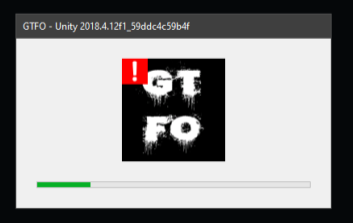
 quaint knoll


 formal portal
I had a friend join in the middle of a game, but I can't join into his game. is it by design to not be able to join after a drop or is it bugging?
terse yoke
from what I know you can join mid game, but can't chose gear when joining mid game
it acts kinda weird when joining mid game though
like shows empty lobby for a few sec and then teleports you into the drop thing
 green vector
anyone not able to see anything whatsoever when lowering shadow quality?
game started on high but bad fps so lowered setting to medium and the game is pitch black now
oh nvm somehow pausing the game fixed it
 finite arrow
I'm currently using an Inspirion 15 7000 2-in-1 Laptop while me and my parents are renovating my room.. So, I can't play on my normal gaming computer. And I really want to play GTFO, what are the lowest settings and how do I make the game less... laggy
mighty cipher
Once the game comes out do we hv to buy it or can we use the current version for lifetime?
 agile thicket
buy
 keen gorge
when i load up my game i get network error and im connected to the internet
gilded wasp
The game is no longer open for testing @keen gorge
You can buy the game for $35 USD on December 9th
sweet silo
Can we just pre-order and call it a day
wispy barn
Sorry no preorders
sweet silo
Well i'll just have to use that $35 in my pocket for the all u can eat sushi and making the asians cry for now then
 winter talon
@blissful pebble hi
 empty schooner
Hi guys, good afternoon
how can i send a screen with a bug that my friends found on beta?
i don't know if you can see, is this one

this message stucks on screen all over the gameplay :/
it was the only bug that we found, thanks for the game! it is so amazing, we are waiting for the early ✌️
wispy barn
https://10chambers.atlassian.net/secure/CreateIssue.jspa?issuetype=10006&pid=10001
Use that link @empty schooner
empty schooner
i will, thanks
 agile spade
Hi, I just installed GTFO, when I launch the game its says I have no online connection
And my connection is fine..
created bug report: https://10chambers.atlassian.net/browse/GTFO1-1715
Saw a message in #general that the beta is over and thats why I get that message.
night violet
@agile spade then why you wrote a bug report?)
agile spade
Because of the timeline of the events? I created a bug report before I knew that the beta was over
Bug report created at 10:50, saw the message in #general at 10:52
onyx void
@sweet silo It is horrible, yeah.
sweet silo
It is a total gold mine for people who are either trolling or just have horrible ways of putting the bugs. I keep finding gems
 potent raft
Can someone help me? can not enter the game says it is not connected to the internet, but I'm connected to the internet
wispy barn
The beta has concluded
Need to wait for early access @potent raft
potent raft
Ahhh bad luck
 manic marsh
Tomorrow
 sage bluff
the game is saying i need an internet connection to play how do i fix this
wispy barn
The beta has closed, so can't play it. Wait until monday at noon pacific to play in early access
sage bluff
oh ok
merry elm
Yeah but you gonna have go buy the Early Access, the Beta is over you might as well delete it @sage bluff
It's 35$ and gonna be avaliable in roughly 18 hours
 somber storm
my game can't connect to the internet yet I can still play R6 and other games, as well as download
wispy barn
the beta is closed, so that's why it's not connecting
white radish
oh yeah, that’s the other thing
wispy barn
?t time
 blissful pebbleBOT
Early Access releases at Noon Pacific on Monday the 9th which is 8 PM UTC
Countdown to GTFO Early Access: https://countingdownto.com/?c=2772754
white radish
you gotta pay for it though
somber storm
damn
sweet silo
This reminds me of JIRA again
sweet silo
i need to get some more uplifting tickets from that
for tales from tech support on reddit
white radish
27£/31€ ish
 tawdry quest
No preload available ?
wispy barn
Correct @tawdry quest
tawdry quest
I hope steam servers will hold the download charge then hehe 😄
But cheers for the reply
solid wyvern
No doubt it will, GTFO is not a major release like Cyberpunk 2077 would be if everyone jump on it day 1 no preload
mighty cipher
I'll be there to jump on it the first minute
 gaunt cave
Anyone know if my "AMD R7370" video card runs the game?
 winged wigeon
Given the minimum Nvidia card is a 660, you should be fine
winged wigeon
You meet the minimum requirements at least
winged wigeon
No problem! Just for future reference the 370 is close to a 960
glad vessel
Has the lack of interpolation on enemy positions been fixed?
Thats the main thing keeping me from buying it
it was AWFUL in the beta
Answered my own question: No
 hazy flare
didnt find the answer in the FAQ - is it possible to enjoy this awesome game with a gamepad?
 round hare
How do you make a lobby?
 steel yoke
i cant play the game because it says i dont have a internet connection. even though im on the internet now...
 raw anvil
anyone can help me with graphics?
 ivory jackal
Am I the only one with a Network error ? the game just say "You need to have an online connection to be able to play GTFO."
Retrying
And i can't quit or anything, just ALT+F4
 desert yarrow
Any ideas on how to fix the "no route" error for voice chat here? I only get this error for this discord server and with no matchmaking it sort of kills the game.
real glacier
Game is still crashing on startup. Same as in the beta test. The screen turns black, then a window pops up with the message "GTFO - Unity 2018.4.12f1_59ddc4c59b4f" and after that a standard "GTFO.exe has stopped working".
gilded wasp
Can you take a video of the crash and submit it to #bug-reporting @real glacier
desert yarrow
update: restarting my pc fixed it
real glacier
Video created by user @ionic cove from last Tuesday https://i.gyazo.com/99a0da1c464793cfe8a9fe11432fc080.mp4 The exact same thing
 plush crescent
I take it Lobby is full mechanic's don't exist yet?
Copy game code to clipboard, jump back in game and get a join lobby button to show up.
Click on it and progress to an empty lobby of some kind with 4 invite options.
I'm assuming this is what you get when you fail to join a lobby or when it's full?
 thick violet
If, unfortunately, we get stuck in a bug in the map, is there a method for respawning without having to do it again? I got stuck in the background.
 paper bridge
There's a black "shadow" that follows me around and makes it impossible to see anything nearby me
Anybody know anything about it? I can provide pictures or a video
wispy barn
@paper bridge can you record a video and submit via #bug-reporting
paper bridge
For sure
@wispy barn The issue seems to have fixed itself when I restarted my game, if I come across it again I'll take a video if it.
wispy barn
awesome
 warped token
Do you need dedicated servers for the game or is P2P allowed?
 final pilot
So this was a problem I had during the Beta, when I try streaming the game; the framerate of the stream is really poor
 smoky quest
is there any way to make the aimed down sight sensitivity same as non aimed down sight?
final pilot
during the beta the solution was just to change the window type to full screen, but that isn't fixing the issue
wispy barn
@warped token The game is only peer to peer
 reef crown
i have a problem with the game
solid wyvern
I'm listening
reef crown
i downloaded the game, i executed it and starts with delay
i uninstalled, downloaded again and when i executed it, black screen and nothing happens
wispy barn
@reef crown can you try this:
- Uninstall game on steam.
- Delete following folders:
 C:\Users\USERNAME\AppData\LocalLow\10 Chambers Collective
C:\Users\USERNAME\Appdata\Local\Temp\10 Chambers Collective\ - Install the game
wispy barn
The important step is deleting those two folders
reef crown
i have found only 10 chambers collective folder into locallow
white radish
also easy way to get to appdata is just by searchng "%appdata% in your searchbar
reef crown
i am using everything program to find those files
 quiet nebula
How much its giving me a network error even though my connection is perfectly fine
wispy barn
@quiet nebula see #known-issues
quiet nebula
Thank you
 hot depot
lol, we ended the first map, almost flawlessly... got to the exit, completed the extraction... BOOM, all but the host got glitched, I was teleported several meters away and could return to the extraction point, but... no... finally the game got out. Only the host got the map as done. :-p
wispy barn
aww, that's a bummer. Can you submit a bug report via #bug-reporting please @hot depot
 unborn nest
Alright so this game runs very poorly for me and my friends
We have slightly stronger systems than the ones mentioned being worked on
Even on low it feels like the game has constant v sync on
It's just all slow and weird
Hard to describe it
random minnow
I have an i7-6700HQ (mobile) with a desktop GTX 1060 6GB and 16GB DDR4... runnin off SSD. Game feels sluggish and it seems like nothing I do will increase my fps beyond 45-50. I have heard people should be getting much higher than that with similar specs. Any suggestions?
 clear agate
On A1 run as we got through the key card door, fps dropped hugely, finished the level and the low fps persisted on the main menu screen, CPU and memory sitting at 40% so not a memory leak or anything, alpha + beta worked fine, any suggestions or can the devs look into why this would happen so far into the map? ive only done 1 run so will keep an eye on it in future
 wise peak
how do i find out what my code is so i can get an invite
frail prawn
@clear agate if it happens again, I suggest that you file a bug report with all the details you managed to collect about the issue. #bug-reporting
@wise peak check out #how-to-matchmake , it has every info you need for finding the lobby ID and joining others, if that's what you refer to
wise peak
thank you 😄
clear agate
Will do 👍
 spring isle
I just bought this game before and haven’t gotten to play it yet but heard soon after I purchased it that there was no matchmaking?.. how true is this and how is it even playable if you don’t have any friends that own it ?
I don’t mind playing with randoms but I don’t wanna give an arm and leg to find a team
frail prawn
Yeah, currently there is no matchmaking indeed. You can either play with people on your friendlist, or you can join a lobby by copying a lobby ID to your clipboard, and then the game will give you the option to join the lobby you have the ID of. Matchmaking will be implemented in time, but due to the game's nature, the developers have to take their time with it to make sure it does not give room for trolls and such to ruin the game for others. @spring isle
frail prawn
@shadow cairn Please send a bug report #bug-reporting
 shadow cairn
Stating that I have KEY_GREEN_171 but the key needed says KEY_GREEN_521, I'm still able to progress though
ah gotcha! thank you!
frail prawn
With all the details you know, so the Devs will have an easier time figuring out what might be wrong :D And you are welcome!
 lyric yoke
When I was in the beta i had no problem recording with Xbox game bar, but now it wont work, anything change from beta to now orr?
 vale geode
This is game have controller support
wispy barn
Not currently but a planned feature
vale geode
I'm looking at the you look for a group and it might need to be a video because this is not looking too good
 dry verge
ho do i join a lobby? 🤔
solid wyvern
Someone has to create a lobby, click the button to copy the ID on their clipboard. Write it to you. You copy the ID to your clipboard (CTRL + C). Open GTFO and get on the rundown expedition selection, a red square bellow Discord external link should appear with the lobby on your clipboard @dry verge In image at #how-to-matchmake
 red vale
Is there a way to reset the settings/graphics out of game?
FYI C:\Users\USERNAME\AppData\LocalLow\10 Chambers Collective\GTFO\GTFO_Settings.txt
mighty cipher
what do i do when the game just freeze and i can hear me melee and shoot but image frozen
 zenith hamlet
so i just installed the game guessing i need to buy beta as i get black screen network error?
 wary geode
How do I create a lobby and get people to join it?
wispy barn
#how-to-matchmake has instructions @wary geode
wary geode
ty!
zenith hamlet
I looked in the help tab but didnt see a option to find beta but looking in store says buy. So my question I guess is the alpha key I have not transfer to beta?
proper grove
no
rancid lintel
Your key from alpha/beta isn't valid anymore and may be deleted.
proper grove
you need to buy the early access
rancid lintel
You need to purchase the game to play now.
zenith hamlet
ok thanks. Any idea why i still have 2 alpha keys in inventory tho?
rancid lintel
that was for you to gift to friends to try the alpha
zenith hamlet
lol
proper grove
to remind you that you forget to let two people enjoy the beta :D
zenith hamlet
only have 1 friend so. I'm sorry
proper grove
@zenith hamlet Don't worry i reported you to the authorities :D
zenith hamlet
uh oh
 placid oyster
hey, I want to report a bug, but cant get the issue submitter to load
wispy barn
@placid oyster can you send me a screenshot of the issue you're having loading the bug report form
placid oyster
it loaded without the get submission.
 balmy oriole
is there a way to disable dithering?
didnt see it in options
 torpid ore
any config edit to disable chromatic aberration and film grain? Those settings give me crazy headaches so i normally turn them off in everything.
final pilot
Huh, so funny enough; I recall those settings being there in the Beta
But that's not the case anymore 
torpid ore
yeah a lot of games they're hard coded in as an aesthetic choice, i see it a lot
so i'm used to turning them off by adding lines to config
just not sure if anyone's done it here yet
google search didn't turn up anything
 brave yarrow
hmmm my game wont load past the "waiting for system assets" text
 gaunt dagger
anyone run into dropping down into the lvl and it insta downs you?
noble jolt
No... but if you can try to save a video of that and #bug-reporting
 pulsar plover
I am having an issue where the game is chewing through my GPU usage. Its using 100% no matter what settings i change or even downscaling the resolution. Ive set the FPS down to 30 1920x1080 half texture and my GTX 2080TI is still at 100% usage