#Extremely basic 4 questions for Lönn
1185 messages · Page 2 of 2 (latest)
 subtle sandal
 wispy valve
subtle sandal
You make a very convincing argument
wispy valve
subtle sandal
You make a very convincing argument
Yippee
wispy valve
We officially have 1000 messages here!
 drifting talon
yeah
 drifting talon
Yes
wispy valve
Niiice! :3
wispy valve
How are you
wispy valve
How do you make stuff move with objects like spikes on a Kevin
 unique shore
There should be an ‘attach to solids’ option
drifting talon
(right click the entity)
wispy valve
unique shore
There should be an ‘attach to solids’ option
Can I attach stuff like a dream block to the Kevin?
unique shore
I doubt it, but there are moving dream blocks I think? Or ones on zip tracks from a helper somewhere.
wispy valve
Buh
 subtle sandal
What do you mean?
They tend to just work
The difficult part is usually making them actually feel good/smooth while playing
But I may be wrong
subtle sandal
The two camera triggers I regularly use are "Camera Offset" and "Camera Target", and they do more or less what their name implies
unique shore
For camera target, lerp strength is how firmly it locks the camera to its node, direction is the gradual change until it reaches said lerp strength.
Camera offset is just overriding the rooms base offset
wispy valve
What about zoom
Also how do I make binoculars work
And also the ghost Madeline billboard thing
subtle sandal
wispy valve
What about zoom
Like during a cutscene or just during normal play?
wispy valve
Normal play and cutscene
unique shore
You’ll want coroutine.yield(engine.Scene:ZoomTo(vector2(x_cordinate, y_cordinate), zoom_level, seconds_until_zoomed)
wispy valve

unique shore
Want an example from one of my own cutscenes?
subtle sandal
subtle sandal
During cutscenes look into the lua cutscene documentation
WHY CAN'T I FIND THIS?
 wary kayak
lua cutscenes doesn't have helpers for zooming, which is why you need the engine.Scene thing
subtle sandal
subtle sandal
WHY CAN'T I FIND THIS?

GitHub
Resources for Celeste mods and helpers collected and maintained by the community. Feel free to edit the wiki. - EverestAPI/ModResources
unique shore
subtle sandal
WHY CAN'T I FIND THIS?
I know I genuinely thought I imagined it
https://maddie480.ovh/lua-cutscenes-documentation/modules/helper_functions.html
wispy valve
Ok wait let me explain what I want for the cutscene…
Camera moves right 5 blocks while zooming out for 5 seconds to about double then the usual view
wary kayak
subtle sandal
nevermind
https://github.com/EverestAPI/ModResources/wiki/Lua-Cutscenes-Recipe-B...
keep in mind this is not official lua cutscenes docs, it is (in theory) community maintained
-# however it is not quite as maintained as i would like
wary kayak
wispy valve
Ok wait let me explain what I want for the cutscene…
Camera moves right 5 bloc...
zooming out requires one of the two zoomout helpers, which work differently to that code snippet
i am unfortunately not familiar with how they work from a lua perspective
wispy valve
Oh hello rain :D
subtle sandal
wispy valve
And also the ghost Madeline billboard thing
very helpful
https://www.youtube.com/watch?v=K25rFwlMCcA
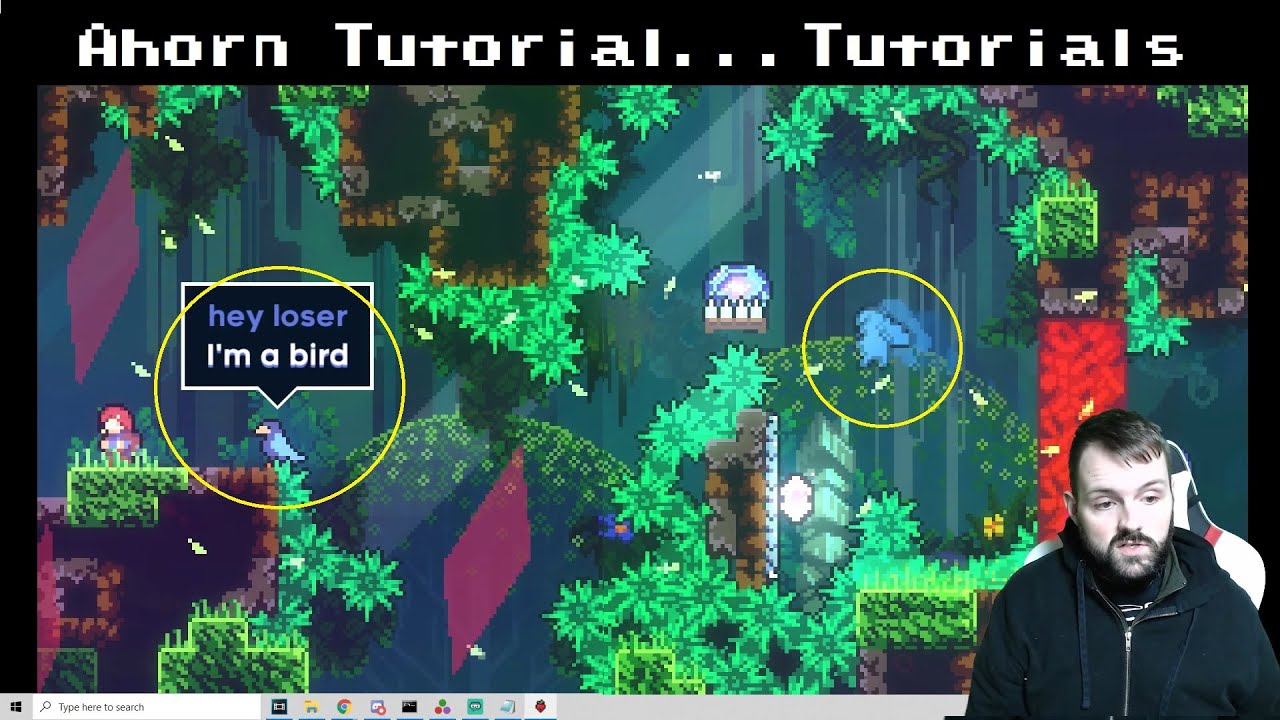
Donate:
https://www.paypal.com/donate?hosted_button_id=85C4KWQ3RAN68
Join this channel to get access to perks:
https://www.youtube.com/channel/UCJgWALfIzTO3cS1Xy2xwXnA/join
For t-shirts and merch:
Shop: https://teespring.com/stores/iamdadbod
Where to find me:
Official iamdadbod Discord: https://discord.gg/xnuNZfU
Twitter @iamdadbodgaming
Twit...
wispy valve
wary kayak
zooming out requires one of the two zoomout helpers, which work differently to t...
Awuh D:
wispy valve
subtle sandal
very helpful
https://www.youtube.com/watch?v=K25rFwlMCcA
I dodent gbet it im on lönn
subtle sandal
wispy valve
I dodent gbet it im on lönn
It still applies
Loenn is pretty much just a new and improved version of Ahorn, plus a couple other changes
Note that this will look very weird very quick if the camera extends beyond the bounds of the room at any point
unique shore
subtle sandal
Note that this will look very weird very quick if the camera extends beyond the ...
I learned that the hard way lol
unique shore
Really? Hold on let me check
wary kayak
- position is screenspace not worldspace
- you can't just zoom out, the target is only 320×180 and you need a helper to change that
- unbalanced parens
unique shore
wary kayak
- position is screenspace not worldspace
- you can't just zoom out, the target i...
-
Please explain if you don’t mind
-
Prob. true didn’t test
-
Me being dumb :)
wary kayak
imagine a rectangle representing where the camera would be at 1× zoom. the top left of that is 0,0 in screenspace; and the bottom right is either 320,180 or 1920,1080 (i forget which)
also i understand this is a little hypocritical for me to say (i often send lua code without testing it), but i would advise you to test your lua code
unique shore
I honestly just copied word-for-word what works in my own cutscene
wary kayak
in that case you probably have a helper that's hooking that method and changing its behaviour; so your example will only be useful with the knowledge of what helper to use it with
unique shore
Here’s the same code the recipe book uses
-- zoom to a point
-- * position is a vector2 for where to zoom to
-- * zoom_amount is a number (how much to zoom)
-- * duration is a number (how many seconds the zoom should take)
-- because this uses coroutine.yield, your cutscene will only resume after the zoom is finished
coroutine.yield(engine.Scene:ZoomTo(position, zoom_amount, duration))
-- zoom out again
-- again, your cutscene will only resume after the zoom is finished
coroutine.yield(engine.Scene:ZoomBack(duration))
-- zoom instantly
engine.Scene:ZoomSnap(vector2(x_position, y_position), zoom_amount)
-- or
engine.Scene:ResetZoom()
-- zoom to a point, but from an already-zoomed-in state
-- works like ZoomTo, but cleanly transitions
coroutine.yield(engine.Scene:ZoomAcross(new_position, new_zoom_amount, duration))
unique shore
You don’t need all of that, those are just separate examples of what you can do
wary kayak
unique shore
Here’s the same code the recipe book uses
-- zoom to a point
-- * position is a...
keep in mind that all of these positions are screenspace!
unique shore
wary kayak
in that case you probably have a helper that's hooking that method and changing ...
After some testing, having only Everest and Lua Cutscenes as dependencies/enabled gives the same results.
Not including vector2 causes the cutscene to fail, and using it pulls from the debug consoles ‘level’ instead or screen.
I could be insane tho idk
unique shore
rain, if you have an opinion on that?
wary kayak
will test on my machine...
unique shore
Should I send over the .lua I used?
wary kayak
that'd be nice :3
unique shore
As a .lua or a .txt?
wary kayak
either is fine
unique shore
unique shore
Yes but using 0.5 zooms out perfectly fine
I can try recording it but I'd need a sec
wispy valve
 wary kayak
after cutting this down to just the zoom, and changing 1.5 to 0.5, this happens
as you can see, this does not zoom out, it just makes the gameplay target display smaller
unique shore
wary kayak
as you can see, this does not zoom out, it just makes the gameplay target displa...
Is that not what it’s supposed to do? Because zooming in doesn’t render other rooms either…
That’s what I meant when I said zoom out lol
wary kayak
this room is bigger than 320×180. it's not a thing of rendering other rooms, it's that the camera is fundamentally limited to a 320×180 box in vanilla
unique shore
Oh, alr. The room I tested in was the minimum size. Sorry if I wasted your time with this
wary kayak
that's ok lol
 sturdy crystal
wary kayak
this room is bigger than 320×180. it's not a thing of rendering other rooms, it'...
sturdy crystal
wary kayak
this room is bigger than 320×180. it's not a thing of rendering other rooms, it'...
it's like looking out of a house window
if you come closer to the window, you can see through it just fine
if you walk further away, you start seeing the wall around the window
@unique shore
subtle sandal
Long story short don't ever mess with camera zoom and your life will be significantly easier
wispy valve

wispy valve
wary kayak
after cutting this down to just the zoom, and changing 1.5 to 0.5, this happens
Try -1.5
Based off of what snip said
Or 0.5
If it doesn’t go to negatives
subtle sandal
Basically any number smaller than 1 will look stupid 
wispy valve
Yippee
subtle sandal
gl
 unique shore
You’ll want the path to your .lua from Assets to the file itself (excluding the .Lua extension).
unique shore
Hold on one sec
For ‘Filename’ you’ll want Assest/Modname/Yourname/cutscene
cutscene being your cutscene.lua file
Does that explain it or is that not what you’re asking?
wispy valve
All I’ve done is place the trigger
unique shore
Oh okay
Would you like me to explain/link how to make a cutscene with Lua?
wispy valve
Yes
wary kayak

Medium
So you’re probably like me and have no idea how code works, but you want to make those cool cutscenes like you’ve seen in maps like paint…
unique shore
First thing you’ll want to do is make a file in Assets/Modname/Yourname/ named (Yourcutscene).lua. If you can edit that file with a text editor like notebook, great! If not make a .txt file
You’ll need to restart the game for Everest to notice the file.
wispy valve
How do I make a talk with badeline
wary kayak
unique shore
First thing you’ll want to do is make a file in Assets/Modname/Yourname/ named ...
(i would strongly recommend getting an editor with actual lua support, so that you can catch syntax errors earlier)
unique shore
wary kayak
(i would strongly recommend getting an editor with actual lua support, so that y...
Like SciTE
wary kayak
unique shore
Like SciTE
yea, or kate, or emacs, or ...
unique shore
I don’t think you’ll need to install Lua itself though
wispy valve
Hm ok
wispy valve
Ok I read it all of this is Madeline talking and walking, how do I make badeline appear and talk with her
wispy valve
unique shore
Like SciTE
Illl try that
Lemme write a script
Move right 25 pixels
Camera offset right 25 pixels
Badeline appears
Madeline says “this is the place”
Wait 4 seconds
Badeline says “All this for an avocado?”
Wait 7 seconds
Madeline says “only the best for my deluxe breakfast”
Wait for 12 seconds
Badeline says “this place looks older than granny… it also seems dangerous”
For 24 seconds
Madeline says “it’ll be fine…”
For 5 seconds
Walk 5 pixels right
Offset camera left 5 pixels
subtle sandal
Uhh… you can probably right most of that in your English.txt
Like badeline appears and then just do dialog and then end?
(also make sure to remove badeline at the end of your cutscene)
unique shore
-- store the badeline entity outside the functions, so it can be accessed whenever necessary
local badeline = nil
local function badeline_appears(left_side)
-- determine the position and flipping properties
local pos_x, scale
if left_side then
pos_x = player.Position.X - 18
scale = 1
else
pos_x = player.Position.X + 18
scale = -1
end
local pos_y = player.Position.Y - 8
-- create and add a new badeline dummy entity
badeline = celeste.BadelineDummy(vector2(pos_x, pos_y))
badeline.Sprite.Scale = vector2(scale, 1.0)
getLevel():Add(badeline)
-- play sound + effect
getLevel().Displacement:AddBurst(badeline.Center, 0.5, 8, 32, 0.5)
playSound("event:/char/badeline/maddy_split", badeline.Position)
-- wait until the next frame so all that can take effect properly
wait()
end
local function badeline_vanishes()
-- tell the badeline entity to disappear
badeline:Vanish()
celeste.Input.Rumble(getEnum("Celeste.RumbleStrength", "Medium"), getEnum("Celeste.RumbleLength", "Medium"))
-- clear the stored variable so the memory can be used for something else
badeline = nil
-- wait until the next frame
wait()
end
function onBegin()
disableMovement()
badeline_appears()
say("EXAMPLE_CUTSCENE_DIALOG_1")
badeline_vanishes()
end
function onEnd(room, wasSkipped)
if badeline then
badeline:RemoveSelf()
badeline = nil
end
enableMovement()
end
(This is from the recipe book)
wispy valve
subtle sandal
This is a cutscene I wrote that does something similar (with comments)
The first half of it is pretty specific to my cutscene, but what you're doing seems a bit like stuff from the line with "badeline = ..." to the end
Note that the vector2(x,y) is the (world I think?) position (in pixels) you want badeline to go to
wary kayak
yep world is correct. keep in mind you have access to eg. player.Center.X/Y if you want relative coords
subtle sandal
Oh I just always opened the debug menu and used that
wispy valve
I hate how I just immediately got lost in the world of cutscenes
Like wait so do I just type up the code in a thing then
Add the file to the Lua cutscenes trigger,
?
And then it works?
Why did snip leave the thread

wary kayak
i mean if the code works, and you put it in a lua file, and you point the cutscene entity/trigger to that file, then it'll work
 sturdy crystal
wispy valve
Why did snip leave the thread
sturdy crystal
wispy valve
Why did snip leave the thread
there are dozens of #953393160464269402 threads that i am in, each of which i observe to be able to respond to updates as soon as possible. if a thread has the unread marker, this means that the user has provided an update and i should respond.
this thread has too much unimportant traction and always shows up as unread. this bothers me, so i left.
wispy valve
sturdy crystal
there are dozens of <#953393160464269402> threads that i am in, each of which i ...
Oh that’s fair, bai bai snip 
subtle sandal
no
wispy valve
Fair enough
wispy valve
How do you make song transitions sound good
Like if you go through a room transition can it jump back to the same point?
subtle sandal
If the song doesn’t change across a room transition then it shouldn’t jump
Other than that I’m not sure
wispy valve
subtle sandal
If the song doesn’t change across a room transition then it shouldn’t jump
Wdym
drifting talon
Two rooms having the same song implies that the progress of the song should not change abruptly upon moving between them
wispy valve
No I mean 2 different songs like
The switch from checking in to scattered and lost
In celestial resort
unique shore
I think you’d want to add layers to your music for that (a good example is Forsaken City).
subtle sandal
This sounds right but I’ve never done this myself so I don’t know
wispy valve
unique shore
I think you’d want to add layers to your music for that (a good example is Forsa...
Buh
sturdy crystal
 signal slate
ty
signal slate
ty
wrong thread
 prisma glade
signal slate
it worked !!!
prisma glade
signal slate
it worked !!!
Nice, hey I get to mark my first thread as resolved 
signal slate
oh shit mb