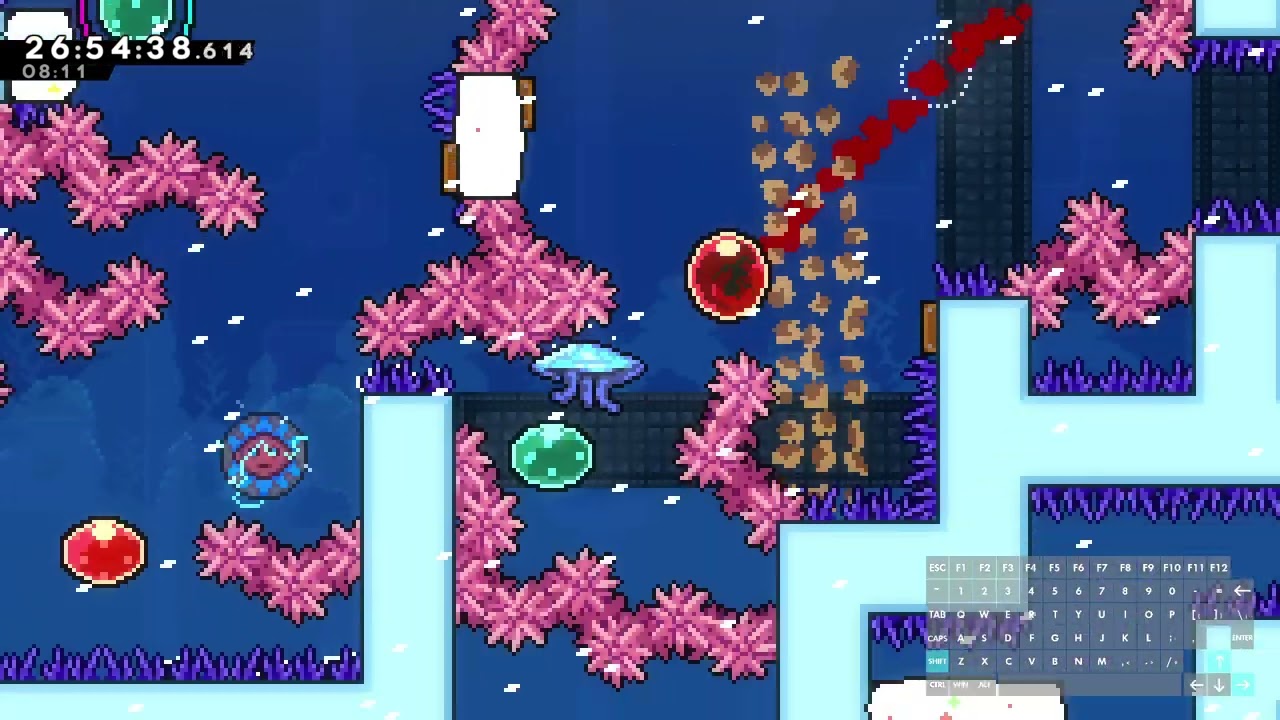
#Breeze Contest Press Forward setup not working midway through map
39 messages · Page 1 of 1 (latest)
 graceful goblet
 proud jetty
@strange shale uhhhhhhhhhhhhhh
proud jetty
graceful goblet
Up until the midpoint or so in the map, pressing right forward and grab works fi...
do you have any mods other than breeze enabled
graceful goblet
Probably some dependencies for other maps
proud jetty
can you reproduce it with just breeze and its dependencies enabled then please
graceful goblet
But I wouldn't know what to disable. I can try just disabling everything not related to breeze. Gonna take a minute
proud jetty
that's what i meant
turn off everything, enable breeze and then olympus will ask you to enable dependencies
graceful goblet
Yes, with only breeze and its dependencies enabled I was able to repro
I'm pretty faithful about updating mods when everest tells me there's a mod that has an available update. I wonder if something changed
proud jetty
when did it start? which mods were updated recently
graceful goblet
I only started trying this map today, but I've had breeze installed since it came out. I don't really pay attention to which mods have updates when I install them
I can get you a list of mods and versions
proud jetty
if you could
graceful goblet
Is there a text/yaml/json file that includes it? Otherwise, gotta do it by hand
proud jetty
you could try to trigger a crash which will give you all the versions
if you don't know how to then you can install the c# debug console and enter a piece of code to trigger an exception
 rare isleBOT
https://gamebanana.com/tools/6971
(shared by @proud jetty)
GameBanana
Adds an interactive C# session debug command... A Celeste (CELESTE) Modding Tool in the Other/Misc category, submitted by rhelmot
graceful goblet
?
proud jetty
so just open celeste and send log.txt
 short epochBOT
There are two types of logs; crash logs and log.txt.
Crash logs are generated when you see an "Oooops! :(" crash handler screen. They contain extra information which regular logs don't.
To access those, there's a button that says Open log file folder, which should take you to where they're stored. Make sure to grab the latest one!
For more subtle issues, non-crashing problems or other miscellaneous stuff, log.txt is checked. To find it, do the following:
- Open Olympus.
- Press the Manage button in the Installations panel on Olympus' main menu. (it's to the left)
- Press Browse to open the Celeste folder.
- Look for the file named exactly
log.txtinside that folder. Do not graberror_log.txtor look into theLogHistoryfolder as those are not thelog.txtyou're looking for.
Your username may sometimes show up in those logs. If you're concerned about that, remember to censor it before uploading. Every text editor should have a replace function, commonly opened with Ctrl+H.
proud jetty
graceful goblet
interesting, i just compared it to someone else who has the same versions of helpers and it works for them
it could be some setting in gravityhelper maybe
graceful goblet
oh i think i changed that setting for vertigo. What should it be set as?
proud jetty
let me know if it's fixed
graceful goblet
that fixed it. Appreciate the help.
I had gravity on relative instead of absolute
 strange shale
graceful goblet
I had gravity on relative instead of absolute
strange shale
graceful goblet
I had gravity on relative instead of absolute
yeah someone else had the same thing, ill add it to the starting dialog so ppl know
and by "i" i mean ill command @cosmic sleet to add:
also make sure that {#8cb3ff}GravityHelper{#} in mod settings has gravity set to {~}absolute{/~} (default) and not {~}relative{/~}
right after the skin mod line in the starting dialog please donk ily