#🔧-evrima-troubleshooting-🔧
1 messages · Page 258 of 1
 vital comet
 drowsy quarry
vital comet
guys how to fix 'Connecting to the server...'
drowsy quarry
vital comet
guys how to fix 'Connecting to the server...'
** Infinite loading **
- Right click The Isle on steam
- Properties
- at the launch options see if there's anything written
- remove it completely
try this
 rare niche
nice man fresh spawn dibble on Eu2 tanked 10 bites from me and 8 bites from my mate and we were 100% full prime elder dilos he killed my friend and i could barley escape bc he knew where we where he also almost killed me with 3 hits
 next fjord
15,513.469, 72,307.997, 27,295.267 EU 1 - Stuck in a hole <@&505047238674874368>
Totally inescapable 🙁
<@&933486433342222376>
 winter python
next fjord
15,513.469, 72,307.997, 27,295.267 EU 1 - Stuck in a hole <@&505047238674874368...
winter python
next fjord
15,513.469, 72,307.997, 27,295.267 EU 1 - Stuck in a hole <@&505047238674874368...
Please read this channel's description
next fjord
winter python
Please read this channel's description
Oh, cheers!
vital comet
drowsy quarry
** Infinite loading **
- Right click The Isle on steam
- Properties
- at the ...
i dont see at options anything but i take that in game

when connecting to server
vital comet
vital comet
guys how to fix 'Connecting to the server...'
where i take it


 cinder jewel
Hello i got killed by a haker dibble is there anything that you can do against those
 ruby spoke
cinder jewel
Hello i got killed by a haker dibble is there anything that you can do against t...
ruby spoke
cinder jewel
Hello i got killed by a haker dibble is there anything that you can do against t...
bro they don't care about us
 remote sierra
servers are trash fighting for my life to connect
ruby spoke
remote sierra
servers are trash fighting for my life to connect
look at the fps im getting it the game not my pc
like they need to fix ts
 iron rover
In jungles thanks to devs' trash optimization even changing from epic to low settings doesnt change nothing
Ppl were angry in spiro that evrima had bad optimization
Wish i saw this coming
ruby spoke
The only reason people still play this is cause there no other good ones
Like if there another good Dino game I will not even try to play ts
iron rover
ruby spoke
The only reason people still play this is cause there no other good ones
Good point
iron rover
cinder jewel
Hello i got killed by a haker dibble is there anything that you can do against t...
If u can record them like with in-game replay, thats a rly strong evidence and will most likely lead to the player getting banned. I had issues with replay this patch and cant review them tho.
iron rover
I swear, when they released the patch for longer grass render distance it ruined everything and the grass render distance didnt get enhanced
Theres hordetest for this shi' not evrima
drowsy quarry
ruby spoke
did you disable foliage physics?
 young vale
Game literally in an unplayable state right now with game breaking bugs that shouldve been prioritized a week ago
iron rover
I swear they adding grass while deino can super-lunge
ruby spoke
drowsy quarry
did you disable foliage physics?
Yes
drowsy quarry
ruby spoke
Yes
show me your in-game settings
iron rover
Guys get ready for the flying cera upd
At this tempo it could go out tmr
With how funny this game is becoming
ruby spoke
drowsy quarry
show me your in-game settings

 drowsy quarry
ruby spoke
drowsy quarry
ruby spoke
why are your graphics so high?
iron rover
Apparently shadow smoothing eats too much for whats the effect
Try lowering it and see if u find it apealing
drowsy quarry
I'm sure there's 2 main issues here
called effects and 3d resolution
and I'm sure your GPU is nowhere strong enough to support it
it's a RX 6600xt
now I understand why you were complaining because of the fps
iron rover
Its an 8gb
iron rover
Damn
ruby spoke
Ok how to fix
drowsy quarry
@ruby spoke copy my settings
lumen: OFF
motion blur: OFF
shadow: medium
shadow smoothing: low
texture: medium
materials: low
effects: low
render distance: medium or far
3d resolution: 50
enjoy
drowsy quarry
iron rover
Ngl im genuily terrified of your pfp on dc kouga
thanks
drowsy quarry
drowsy quarry
<@1223802297767956502> copy my settings
lumen: OFF
motion blur: OFF
shadow: ...
and don't think just because it's "low" it won't be pretty
I can assure you most settings in this game change nothing
as they don't have the variables to it in-game yet
iron rover
Fr
ruby spoke
w
 drowsy quarry
you didn't even restart the game
iron rover
Effects need a restart
drowsy quarry
materials as well
iron rover
Also which is funny, with 1-2month old drivers i had the issue where my gpu was eating 8gb of vram but wasnt doin no work
But with newer it works so idk what they feed unreal engine
drowsy quarry
it's a ram leak this game has
the VRAM and RAM will keep increasing and increasing the more you play
after 1 hour or more you will have fps drops
iron rover
Its eating 15gb out of my 32gb ( its ddr5 im going rich )
drowsy quarry
it can only be fixed if you restart the entire game
ruby spoke
w
 drowsy quarry
ruby spoke
w
drowsy quarry
ruby spoke
w
now show me your settings
ruby spoke
 iron rover
But i fixed it with newer gpu drivers so im cool
drowsy quarry
yeah you have plenty of ram to spare
and since it's ddr5 the fps drop is not so harsh
since they are almost the same speed as the gddr6
ruby spoke

 iron rover
drowsy quarry
since they are almost the same speed as the gddr6
iron rover
drowsy quarry
since they are almost the same speed as the gddr6
I have it at 6400mbs
Lowk dont know the gddr6 speed
drowsy quarry
ruby spoke
looking great, you can lower the 3d resolution to 47 or 46 for some extra fps
iron rover
drowsy quarry
looking great, you can lower the 3d resolution to 47 or 46 for some extra fps
Is that a agent 47 reference?
drowsy quarry
no
iron rover
😭
ruby spoke
went from 120 to 10 how is that great
 edgy bridge
Any new updates about the servers? Curious whether it was a hack or not.
ruby spoke
edgy bridge
Any new updates about the servers? Curious whether it was a hack or not.
No it buns don’t play
 ashen oracle
edgy bridge
Any new updates about the servers? Curious whether it was a hack or not.
ashen oracle
edgy bridge
Any new updates about the servers? Curious whether it was a hack or not.
There’s been a few updates that borked the game even more
ruby spoke
The devs need to learn how to dev
drowsy quarry
ruby spoke
went from 120 to 10 how is that great
120? when?
ruby spoke
drowsy quarry
120? when?
Like a few days ago
ruby spoke
Well it was getting that
drowsy quarry
when was the last time you cleaned your config folder?
ruby spoke
Like it sad if we ping them about problems we get timed out 😔😔😔
drowsy quarry
to get rid of old graphics and settings that are no longer used in the engine
ruby spoke
drowsy quarry
when was the last time you cleaned your config folder?
Never
iron rover
But u lose your skins 😭
drowsy quarry
my god.
drowsy quarry
iron rover
But u lose your skins 😭
no you don't
drowsy quarry
you're deleting the wrong folder if you lose your skins
iron rover
My brain read the whole 'saved'
drowsy quarry
ruby spoke
Never
it is very much recommended that you delete this folder after a major update
ruby spoke
drowsy quarry
it is very much recommended that you delete this folder after a major update
 iron rover
Lowk a thinking issue of my own
drowsy quarry
and "never" is... too much.
drowsy quarry
ruby spoke
wrong
the config folder is not in the steam game folder
How to delete config folder
- close the game
- press windows + R
- write %localappdata%
- find The Isle
- Saved > DELETE config
ruby spoke
we are going to see
drowsy quarry
deleting the config will reset your graphic settings so MAKE SURE to type them again when you launch the game
- lumen off
- shadow medium
- texture medium
- everything else low
- render distance far or medium
- 3d resolution 50
iron rover
Lumen is so cool tho B)
drowsy quarry
it makes nights impossibly dark
drowsy quarry
and a card like RX 6000 dont have much power to hold onto it
better keep it disabled
iron rover
I run lumen with gamma 3 ☝️ 🤫 🧏♂️
drowsy quarry
ok
 void ridge
how to fix game pc shutting down while playing?
drowsy quarry
first monitor your components

 drowsy quarry
usage, temperature, etc
drowsy quarry
ruby spoke
did you made sure to disable foliage physics again
 blissful carbon
um
 drowsy quarry
ruby spoke
Yo who can tell a dev to fix ts
drowsy quarry
ruby spoke
Yo who can tell a dev to fix ts
what's your GPU usage right now
the high ping and extreme low fps are too much like the foliage physics bug
it's not making sense
 solid stump
pls help, i cant connect to any server, i am just clicking to "connect", waiting for 2 minutes and then watching at this sign, i cant find any unofficial servers too(
 ruby spoke
drowsy quarry
what's your GPU usage right now
ruby spoke
drowsy quarry
what's your GPU usage right now
 ruby spoke
 drowsy quarry
GPU and CPU are working fine
I don't understand why your fps and ping are unstable
given you followed all my recommendations
unless something messed up in the settings
at minimum this GPU should be providing you with at least 40 fps
solid stump
solid stump
pls help, i cant connect to any server, i am just clicking to "connect", waiting...
please help
ruby spoke
Cause it this bum ahh game
 zealous tide
after the sever crasch i cant eus my t Rex 43 % anymore
 small jewel
guys i cant join games man, any time i try, i just get "data inquisition failed"
its the most irritating thing
i tried restarting
alt f4ingt
every thing under the sun
void ridge
ong this game has my pc on life support for no reason
small jewel
are there any solid ways of not getting this error
solid stump
small jewel
are there any solid ways of not getting this error
i have the same problem, every time i try to connect the server i got this error, i tried everything to solve it but nothing helps
 ashen oracle
Probably didn’t fit the required format
solid stump
?
iron rover
ruby spoke
They removed my comment for speaking out Ts is sad
Sad fr
iron rover
ashen oracle
Probably didn’t fit the required format
Hardly any format is needed
You'd have to mess up intentionlay atp
ashen oracle
Depends on what was said too.
iron rover
I mean Surely
 queen geode
@drowsy quarry sorry to ping you directly but have anyone found a way to fix Data acquisition failed errors?
drowsy quarry
try the pinned message one
queen geode
I did
drowsy quarry
hmmm
queen geode
I tried a few others like reinstalling, verifying ect, and some command promp stuff
Like some servers work and the big(more active) ones like Islander and Petits Pieds don't work at all
It was fine before the update, they were my fav servers
One official works
ruby spoke
iron rover
Sad fr
ik
 edgy canopy
anyone can help me? every time im log into a server this one just crash after spawn my dino
 ruby spoke
edgy canopy
anyone can help me? every time im log into a server this one just crash after sp...
ruby spoke
edgy canopy
anyone can help me? every time im log into a server this one just crash after sp...
bro the game is dying

 slender spoke
ive got materials and textures on high but it looks like this

many things look blobby
only when i get super super close do things look good
iron rover
drowsy quarry
it makes nights impossibly dark
:D,


 strange hull
Yeah I'm running into "data Acquisition Failed" trying to get into US 2
queen geode
 icy ether
No clue I have the same problem since the update
You can check the pin
It may work but for me it didn't unfortunately
 strong ravine
Does someone know how to make the shift key for deino spriting activate after one click? instead of holding shift
finger hurts like hell after a long sprint xd
icy ether
bro i cant even play the game cause of this
 elfin zodiac
queen geode
Like some servers work and the big(more active) ones like Islander and Petits P...
elfin zodiac
queen geode
Like some servers work and the big(more active) ones like Islander and Petits P...
i have the same issue
queen geode
Yea I love the isle but this issue has been reported but no announcements or anything on a patch on this error
Its been quite a few days now but still no hope
iron rover
strong ravine
Does someone know how to make the shift key for deino spriting activate after on...
click shift
dont hold it just click it
it will autosprint
icy ether
queen geode
Yea I love the isle but this issue has been reported but no announcements or any...

 ruby spoke
i will ping the devs see you in 2 weeks
 shrewd pendant
How can i get out of a stuck place ??
ashen oracle
shrewd pendant
How can i get out of a stuck place ??
/unstuck
<@&933486433342222376>
shrewd pendant
ashen oracle
/unstuck
Thx bro
ruby spoke
nah idgaf cause that is f up we pay money for a shi game
like give my money back if the game is this bad
ashen oracle
Maybe take a break then. Go watch some Cocomelon
 ashen oracle
<@&401466542140817419>
ruby spoke
ashen oracle
<@&401466542140817419>
grown as women talking shi on discord
ashen oracle
ruby spoke
grown as women talking shi on discord
Time to go touch some grass hun
ruby spoke
ashen oracle
Time to go touch some grass hun
ng i be outside
ruby spoke
ashen oracle
So threatening now
take as what you want to take it
strong ravine
iron rover
click shift
Ik, it works for other dinos, just not for deino and i want to know how to make it click to sprint
iron rover
strong ravine
Ik, it works for other dinos, just not for deino and i want to know how to make ...
idk
strong ravine
damn alr
 steady scaffold
wtf is data acquisition failed I have been trying to join US 2 for like 45 mins
 iron rover
yea it is
 scarlet cairn
waiting for 2 hours
 vagrant echo
i have an issue idk if it can be helped though 🙁
iron rover
vagrant echo
i have an issue idk if it can be helped though 🙁
tell about it
vagrant echo
basically i joined the isle and i lost all my dinosaurs-
vagrant echo
omg no way
iron rover
yea this sucks
vagrant echo
i didnt know that
iron rover
well
vagrant echo
alr well damn, thank you
iron rover
np
 swift jackal
does uninstalling and reinstall delete your progress on dinos???
swift jackal
drowsy quarry
no
thanks
strong ravine
strong ravine
Does someone know how to make the shift key for deino spriting activate after on...
so does anyone know a trick for that perhaps?
 tacit aurora
Hello admins, cant seem to move past this stage since upto 10 mins. Any reason? (P.S: Official Server EU 2)

 turbid pier
what the hell do i do now?
drowsy quarry
turbid pier
what the hell do i do now?
/unstuck in the chat, make sure youre not near other people
drowsy quarry
tacit aurora
Hello admins, cant seem to move past this stage since upto 10 mins. Any reason? ...
if you ever played legacy, remove the +connect from launch options
turbid pier
i did it didn't work
drowsy quarry
did it said anything?
drowsy quarry
yes what
swift jackal
Any tips for fixing Official Network Status Error??
tacit aurora
drowsy quarry
if you ever played legacy, remove the +connect from launch options
It worked, thank yous
 grizzled steeple
Any tips for experiencing data acquisition failed?
 mellow fern
grizzled steeple
Any tips for experiencing data acquisition failed?
mellow fern
grizzled steeple
Any tips for experiencing data acquisition failed?
lemme know if ya hear anything
 woven shard
hey my friend is experiencing big fps drops during fights he has a rtx 4070 is this a known issue amongst some and is there something that can be tried to resolve it - it usually happens after he has been online for a little while
edgy canopy
edgy canopy
anyone can help me? every time im log into a server this one just crash after sp...
so no one know?\
 full trail
can you not use E to get raptor off anymore??
ashen oracle
No…
 crisp zenith
anyone know why i get stuck on the loading asset page while trying to join a server?
 trail ice
crisp zenith
anyone know why i get stuck on the loading asset page while trying to join a ser...
trail ice
crisp zenith
anyone know why i get stuck on the loading asset page while trying to join a ser...
Happened to me, try your internet, or try checking the server size, or if the loading screen just stays there forever, smth might be broken for you
 eternal pivot
woven shard
hey my friend is experiencing big fps drops during fights he has a rtx 4070 is t...
eternal pivot
woven shard
hey my friend is experiencing big fps drops during fights he has a rtx 4070 is t...
RTX 4070 is a solid card for this game, but a few things.. Turn OFF any foliage physics settings in gameplay tab... Update the GPU Driver and Windows 11.. Delete the games Config folder to reset all settings (see how in pinned messages up top)
eternal pivot
crisp zenith
anyone know why i get stuck on the loading asset page while trying to join a ser...
Try this > right click the game in steam > properties > general > Delete anything in the launch options window
 burnt spear
this has been happening VERY fequently in the last few days where i will just be playing the game at a stable ~100ish fps and then out of no where it just crashes and gives me this message. ive never had issues with this game before which is why its so weird to me. before anyone asks yes i checked if i had to update my drivers

 edgy ivy
burnt spear
this has been happening VERY fequently in the last few days where i will just b...
edgy ivy
burnt spear
this has been happening VERY fequently in the last few days where i will just b...
Looks Like AMD has some problems with this game i See loot of AMD Errors Last Time
burnt spear
edgy ivy
Looks Like AMD has some problems with this game i See loot of AMD Errors Last Ti...
i see.. in that case im screwed
edgy ivy
burnt spear
i see.. in that case im screwed
Thats why i Pay in a virtual Cloud pc
Sometimes i Play the Isle on my Phone in Work with Controller 😂
edgy canopy
burnt spear
this has been happening VERY fequently in the last few days where i will just b...
me too also
edgy canopy
edgy canopy
me too also
not the amd one, unreal error one
burnt spear
edgy canopy
me too also
they need to fix this because its pretty much unplayable, i crashed right as i was getting chased by a rex 💔
edgy canopy
burnt spear
they need to fix this because its pretty much unplayable, i crashed right as i w...
i can play like 10 minutes and then the game just close :v
burnt spear
edgy canopy
i can play like 10 minutes and then the game just close :v
me turning on V-sync has SO FAR stopped the issue
will update
edgy ivy
edgy canopy
i can play like 10 minutes and then the game just close :v
Google If AMD has the Error on other Games to, If i understood IT good and you use AMD gpu
 uncut condor
Hi, I’d like to ask if anyone playing The Isle (EVRIMA) has encountered the issue “Data Acquisition Failed.”
I’m experiencing this problem on both Official and Unofficial servers. When I click Join, the game fails to retrieve data and I can’t enter the server.
And even when “Data Acquisition Failed” doesn’t appear, it sometimes looks like I’m able to join, but the game just gets stuck on a blue screen for hours.
I’m not sure whether this is a game-side bug or a server-related issue.
If anyone has experienced this and managed to fix it, I’d really appreciate it if you could share your solution.
I haven’t been able to play the game since January 20.
Please help me — I’ve tried many different troubleshooting methods on my own, but nothing has worked so far.

 edgy ivy
burnt spear
this has been happening VERY fequently in the last few days where i will just b...
edgy ivy
burnt spear
this has been happening VERY fequently in the last few days where i will just b...
You have 7000 or 9000 Series for Sure try to Play the Game in dx1 Run the Game with this Launch settings -dx11
burnt spear
edgy ivy
You have 7000 or 9000 Series for Sure try to Play the Game in dx1 Run the Game w...
7000
wait how do you launch with dx11?
edgy ivy
burnt spear
7000
They fked Something Up with the last Update in Steam rightclick propeties or whatever ITS called and somewhere you find Launch Options
burnt spear
ok lets see
 glass viper
uncut condor
Hi, I’d like to ask if anyone playing The Isle (EVRIMA) has encountered the issu...
glass viper
uncut condor
Hi, I’d like to ask if anyone playing The Isle (EVRIMA) has encountered the issu...
I had this a few times, and I just kept joining the server until it let me in.
edgy ivy
glass viper
I had this a few times, and I just kept joining the server until it let me in.
Yeah i have IT offen to but thats Normal when Server IS offline Crashes or restarts but some people cant get Connection even when the Servers are up thats a Problem on their end
I would reset DNS settings and restart the rooter and pc
burnt spear
burnt spear
ok lets see
unfortunately didnt work
edgy ivy
burnt spear
unfortunately didnt work
So you getting still the Crashes did you Update Windows to because the new Adrenalin has Problem wich older Versions also turn all OC Off If you overflocked Something
I am at Work rn i need to replicte the Error in a VM and Look for a solution when im at Home today
burnt spear
Okay, thank you for all the help up to now
edgy ivy
Delete the GPU chace in Adrenalin settings
drowsy quarry
burnt spear
me turning on V-sync has SO FAR stopped the issue
check if you have the amd version of v-sync enabled
the so called freesync
uncut condor
uncut condor
Hi, I’d like to ask if anyone playing The Isle (EVRIMA) has encountered the issu...
I’ve reinstalled the game and cleared the cache. I’ve genuinely tried everything, but it still doesn’t work.
drowsy quarry
uncut condor
I’ve reinstalled the game and cleared the cache. I’ve genuinely tried everything...
do you have a command line in your launch option? like +connect
burnt spear
drowsy quarry
check if you have the amd version of v-sync enabled
in my driver settings?
drowsy quarry
good
burnt spear
ill see if that did anythiing
 open belfry
How do you fix replays available in 30 minutes bug?
uncut condor
uncut condor
Hi, I’d like to ask if anyone playing The Isle (EVRIMA) has encountered the issu...
Another strange thing is that when I log into my friends’ accounts, the game works fine. But when I log into my own account, I can’t join any server at all.
drowsy quarry
uncut condor
Another strange thing is that when I log into my friends’ accounts, the game wor...
so i assume you checked the launch options?
to see if you have any command line there
uncut condor
Another strange thing is that my playtime hours seem to overlap or bug out. My friends think it might be an issue with my save data not syncing or being pulled correctly, but I honestly don’t know what the real problem is.
burnt spear
burnt spear
ill see if that did anythiing
nope
 keen raptor
How do i fix the replay bug where it says that i can chekc my replays in 30 min but it never goes down
open belfry
keen raptor
How do i fix the replay bug where it says that i can chekc my replays in 30 min ...
Seems like everyone is having this bug
 finite brook
uncut condor
Another strange thing is that my playtime hours seem to overlap or bug out. My f...
finite brook
uncut condor
Another strange thing is that my playtime hours seem to overlap or bug out. My f...
This seems like more of a steam problem or something on your end rather than anything to do with the game
 light kayak
how do i increase my ghz because my ghz is kinda low and i dont think it can run the ilse evrima
 stone elk
Does rivatuner make the game crash?
 pine zinc
Hello can anyone help for me ? if i click to connect it not give any error message and just put me back in the menu. is this a known bug with a known solution ? please help
I mean to the server list...
 delicate kayak
i cant connect to my dino in a server! why?
queen geode
Does it say data acquisition failed?
delicate kayak
queen geode
Does it say data acquisition failed?
it says, "loading assets..." then kicks back to the menu
queen geode
Welp that hasn't happened to me yet but I cant load into my go to servers
Just says Data acquisition failed
 marsh lynx
hi , im stuck under rock , on eu 9 , someone can help me .?
 summer bison
I haven't been able to play since day 20, the game crashes right after the initial loading, on main menu, can someone please help me? It's been since the release of the 0.21.321 That every update that comes along stops me playing for days. I see a lot of people playing, so I don't understand what the problem is, but it's already happened 6 other times that, with the release of new updates, things sort themselves out!
No error messages, no solution works (I tried all the instructions in the pin messages)
I know my computer is out of date, but that doesn't explain why the game keeps working after the updates are released
The other times I solved it by waiting for the next update to come out... But is it possible that others play and I don't?
delicate kayak
queen geode
Just says Data acquisition failed
did you find a way to get pass this?
 plain salmon
Server selection is saying that im offline even tho my yt videos play just fine
 prisma helm
delicate kayak
it says, "loading assets..." then kicks back to the menu
prisma helm
delicate kayak
it says, "loading assets..." then kicks back to the menu
having this same issue did you find a resolution*?
I get loading asset then kicked back to menu OR I have gotten one time the "Data acquisition fail" pop up, tried restarting 4 times and it was working yesterday with a few bugs (couldn't collect organs, scent was broken, and diet only worked sometimes).
drowsy quarry
prisma helm
I get loading asset then kicked back to menu OR I have gotten one time the "Data...
do you have free sync or g sync enabled?
prisma helm
Im not sure I have all default game setting
it let me in to a random empty server I guess I will play solo here for a while. At least i get to play :p
drowsy quarry
prisma helm
Im not sure I have all default game setting
it's actually in you GPU settings
not ingame
 reef tulip
Does anyone know how to fix this? It keeps loading into the server and nothing happens. I can't play on any server.
 drowsy quarry
reef tulip
Does anyone know how to fix this? It keeps loading into the server and nothing h...
drowsy quarry
reef tulip
Does anyone know how to fix this? It keeps loading into the server and nothing h...
do you have any command line like +connect?
from playing legacy
prisma helm
drowsy quarry
it's actually in you GPU settings
I don't think so
 drowsy quarry
prisma helm
I don't think so
drowsy quarry
prisma helm
I don't think so
middle one is your main monitor?
prisma helm
yes
drowsy quarry
are you aware it's only 60hz?
prisma helm
yeah :<
drowsy quarry
or did you forgot to enable the high refresh rate
prisma helm
lol no I've been told about the 60hz before I just don't know/ cant really tell a difference between monitors
drowsy quarry
it's actually a whole new world haha
anyways it's up to you
there should be a controller or a button in your monitor that you can press and open the monitor settings
in there you may or may not find the synchronization, for VSYNC, Free sync, etc
ensure its disabled
reef tulip
drowsy quarry
from playing legacy
I haven't seen anything like that. I haven't played Legacy in a long time either. I've had this problem since the new update.
edgy ivy
prisma helm
having this same issue did you find a resolution*?
Sometimes IT IS Server sided so when you get IT only sometimes ITs okay but when y have IT Always ITS your Side verify Game Files
drowsy quarry
reef tulip
I haven't seen anything like that. I haven't played Legacy in a long time either...
give it a check
right click the isle
properties
see the launch options
reef tulip
drowsy quarry
give it a check
however, I have +connect and some numbers
edgy ivy
summer bison
I haven't been able to play since day 20, the game crashes right after the initi...
ITS hard to Tell you how TI fix IT DM me i help you personaly i May try to Replicte the Error in a VM Tell me your Hardware i do this AS hobby
reef tulip
drowsy quarry
that's why you can't connect to Evrima servers
I can fix it somehow:0
drowsy quarry
just remove the command line
reef tulip
drowsy quarry
just remove the command line
okay thx<3
edgy ivy
burnt spear
the isle runs on UE 5 right?
No ITS UE 4.5 i think
edgy ivy
drowsy quarry
5.6 unreal engine
Sure ?
drowsy quarry
yup
edgy ivy
Ah legacy was 4
drowsy quarry
that's why anyone can play it
edgy ivy
drowsy quarry
that's why anyone can play it
Tu dum tss
 desert anchor
 fresh tendon
Cant join any unoffical horde test servers
fresh tendon
Cant join any unoffical horde test servers
hordetest has been over since the end of december. should swap to evrima branch (they are on the same version but  worth a try)
fresh tendon
desert anchor
hordetest has been over since the end of december. should swap to evrima branch ...
ya also that doesnt work
Game also seems to take a nose dive in fps when I join a unoffical server with like no players
But seems fine on offical
desert anchor
 hm that is odd. what server are you trying to join
fresh tendon
desert anchor
<:PigeonConfuse:1454274120354103419> hm that is odd. what server are you trying ...
petits
eu
 signal ermine
The game is rendering in really slowly compared to last patch, sometimes i cant record replay in game as, some food items are bugged (u need to stand 5 m away from them to eat), rubber banding
drowsy quarry
signal ermine
The game is rendering in really slowly compared to last patch, sometimes i cant ...
do you have g sync
or free sync
they seem to be causing loading issues
signal ermine
drowsy quarry
they seem to be causing loading issues
where do i look?
u mean v sync?
summer bison
edgy ivy
ITS hard to Tell you how TI fix IT DM me i help you personaly i May try to Repl...
Thank you very much, but I repeat, I fear it is not just a system problem, many have problems with the servers, probably it is not the same but similar
I checked the files so much and downloaded the game... my friend told me he did it like this and it works
So I really don't understand it, possibly it's my PC that can't handle it, I'll buy a new one in March (RAM cost permitting) but what scares me is that there is no customer service
 little fern
How do I report someone?
summer bison
little fern
How do I report someone?
When ur dino die or in the server's chat
little fern
summer bison
When ur dino die or in the server's chat
how do i report someone on discord because im not on the game anymore
summer bison
I feel like gpt right now
drowsy quarry
usually at your GPU manufacturer app, or monitor settings
drowsy quarry
summer bison
So I really don't understand it, possibly it's my PC that can't handle it, I'll ...
what's your PC config?
drowsy quarry
sure
 cerulean badge
Can anyone help me. I keep seeing the message in mutations tab: "Connection cannot be stablished while asset is awake":
I verified the game files, deleted the saved folder and before doing I always did a safe log. But the message wont disappear
<@&505047238674874368> please?!
drowsy quarry
cerulean badge
Can anyone help me. I keep seeing the message in mutations tab: "Connection cann...
what?
that message is completely normal
it prevents you from entombing while youre awake
cerulean badge
wtf it kills me? Sry first time I got that far on evrima after a LOOOONG break. whats the benefit of it then?! thought I would turn into Prime elde3r
drowsy quarry
prime elder is only if you meet certain requirements
and after about 88% growth your buffs will all decay anyways
drowsy quarry
cerulean badge
wtf it kills me? Sry first time I got that far on evrima after a LOOOONG break. ...
i explain entomb here too

👀 Welcome! Boas-Vindas! 👀
My Guides Playlist: https://youtube.com/playlist?list=PLdvqZdnB0LRXw2S_uSlgjno_i8bE1LbIn
✨ Donations / Doações ✨
Become an EGG: https://www.youtube.com/channel/UCfDA4JuElm5SPE--LL-mjsw/join
LivePIX: https://livepix.gg/kougaart
Tips: https://streamlabs.com/kougaart/tip
🔗 Find me / Me encontre 🔗
Commu...
cerulean badge
drowsy quarry
i explain entomb here too
thx
 kind snow
what do i do if i cant hear my footsteps but all my audio settings are normal?
 maiden shell
there is a way to fix issue with the recording sistem cause it tells me permanently 30 minutes but it does not work
 humble spindle
kind snow
humble spindle
kind snow
sorry?
edgy ivy
kind snow
sorry?
She/her did you write IT in your Bio ?
kind snow
edgy ivy
She/her did you write IT in your Bio ?
yes.. because im a girl? you're saying you dont want to help because i wrote my pronouns? 😭
its like basic english grammar...
drowsy quarry
what does that has to do with anything
kind snow
im saying...
kind snow
i did write it manually??
kind snow
so you are like an omnipresent god then who has absolutely no pronouns and goes by nothing then
drowsy quarry
kind snow
what do i do if i cant hear my footsteps but all my audio settings are normal?
anyways lets focus on your issue. Do you know if this happens to all dinosaurs at all ages or is it specific?
kind snow
drowsy quarry
anyways lets focus on your issue. Do you know if this happens to all dinosaurs a...
i played allo and trex and heard basically no footsteps
maybe it was my age? but its weird usually i can hear them
drowsy quarry
I do know some specific stages of certain dinosaurs have no footstep sounds, or just incredibly loud ones
as i felt that with dilo and rex too
kind snow
hmm okay, maybe i need to test that on a different species then? its strange, i would think that the big dinos would have loud footsteps lol
signal ermine
drowsy quarry
all 3 of them
3?
drowsy quarry
monitor and manufacter app too?
signal ermine
drowsy quarry
monitor and manufacter app too?
what are those?
drowsy quarry
theres a button in your monitor to open settings panel
theres a bunch of stuff you can mess in it
and if you have AMD gpu, you can enter adrenalin app, there's freesync there
or join Nvidia APP, theres gsync there
whatever you have
 cedar bramble
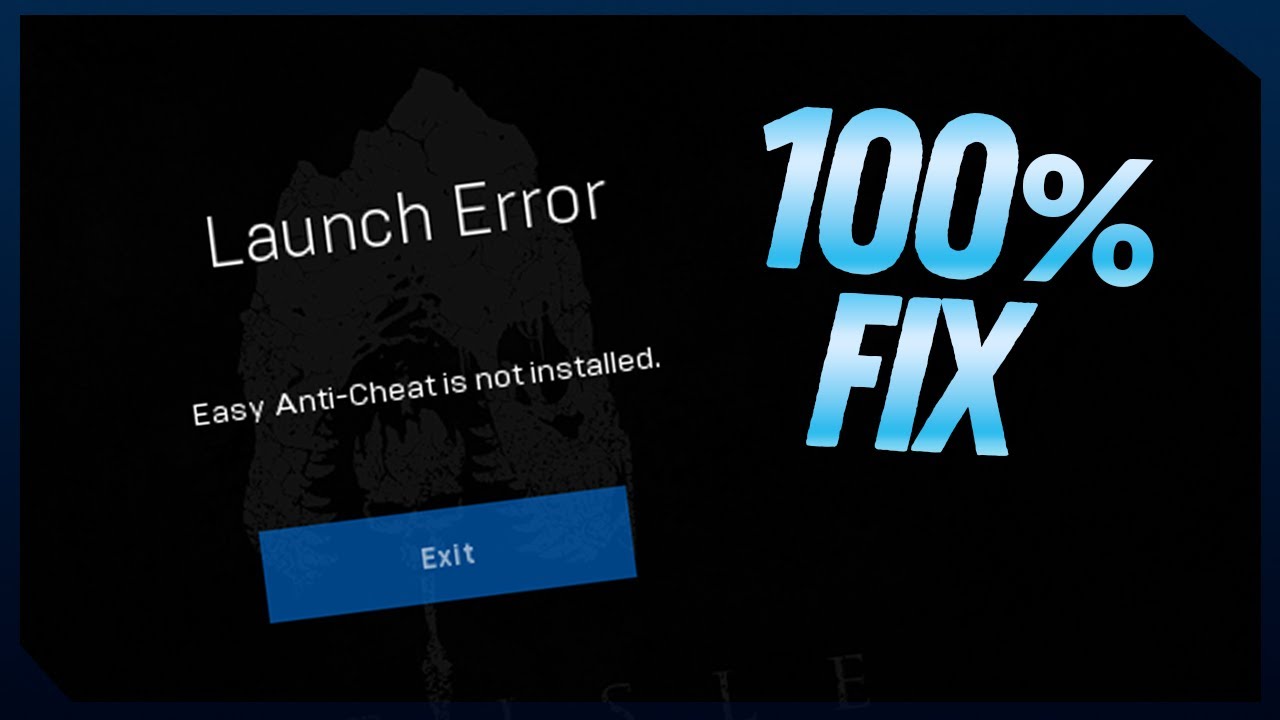
guys plese who can help me launch error easy anti cheat is not installed 🙁
how to fix it
drowsy quarry
cedar bramble
guys plese who can help me launch error easy anti cheat is not installed 🙁
👀 Welcome! Boas-Vindas! 👀
My Guides Playlist: https://youtube.com/playlist?list=PLdvqZdnB0LRXw2S_uSlgjno_i8bE1LbIn
✨ Donations / Doações ✨
Become an EGG: https://www.youtube.com/channel/UCfDA4JuElm5SPE--LL-mjsw/join
LivePIX: https://livepix.gg/kougaart
Tips: https://streamlabs.com/kougaart/tip
🔗 Find me / Me encontre 🔗
Commu...
cedar bramble
it work thank you 🙂
signal ermine
drowsy quarry
whatever you have
gsync is not available. i have a gtx 1070 ti and play with the lowest settings. but i didnt experience these issues bef the last update
drowsy quarry
is it only one issue or a lot of them?
 hoary lantern
Does anyone know what it means when this keeps popping up?
 drowsy quarry
hoary lantern
Does anyone know what it means when this keeps popping up?
drowsy quarry
hoary lantern
Does anyone know what it means when this keeps popping up?
i just restart the game and it works
hoary lantern
drowsy quarry
i just restart the game and it works
I tried that but ig that doesn’t work either
 dire raft
Data Acquisition Failed. How do i fix this? So disappointing, coming back from a hiatus knowing that they had made several updates, and this still doesnt work
 lethal crow
Is anyone having the same problem as me? I spend 3 days growing a rex only for my game to crash and all my progress is lost
ashen oracle
There was a wipe a few days ago
 civic phoenix
The isle is not running for me (consistently black screening and crashing) but only after my brand new PC build! I’ve tried so many things and I’m at a loss. I went through all the Reddit threads and more that had anything similar.
My old build had a 2080 super and parts to go along with that, I have 900+ hours with legacy and evrima for it to only now not run 🥲
New build:
XFX - Mercury AMD Radeon RX 9070XT
Lian-Li EG1000G EDGE GOLD
AMD - Ryzen 7 9700X
G.SKILL Trident Z5 Royal Neol Series 32GB DDR5
Gigabyte B650 AORUS ELITE AX ICE
Kraken Elite RGB 360 White AIO Liquid Cooler
Any thoughts? Would the isle just need some updating and I have to be patient? (It’s also ONLY the isle. No other games have any issues)
Additional details / troubleshooting already done:
• Issue behavior
– Game runs normally for a short time, then hard freezes
– Both monitors go black simultaneously
– Long pause (driver recovery), then EVRIMA closes with a fatal error popup
– No BSOD, no full system crash
– Happens even without alt-tabbing
– Happens only in EVRIMA (no other games affected)
• Display / engine tests
– Running Windowed Fullscreen (borderless)
– Forced DX11 via Steam launch options
– Tested with FPS capped
– Tested without alt-tabbing
– Tested without overlays (Steam, Discord, AMD, Xbox)
• Background / software elimination
– No VPN
– Discord hardware acceleration OFF
– Browser closed / not in use
– Steam file verification
– Clean uninstall / reinstall of The Isle
– Windows 11 repair install performed (did not resolve issue)
– Currently testing a full Windows reimage to rule out OS corruption
– All chipset, BIOS, and GPU drivers fully up to date
– No overclocking
• Hardware validation
– 32 GB RAM (not memory-limited)
– Brand-new PSU with sufficient headroom
– Temps normal, no throttling
– GPU passes stress tests
– Other games run flawlessly
• Key observation
– EVRIMA ran perfectly for 900+ hours on old system (RTX 2080 Super)
– Crashes began only after moving to new RDNA-based AMD GPU
– Strongly suggests engine / driver compatibility issue, not failing hardware
Suspected cause? (open to confirmation):
Unreal Engine EVRIMA triggering AMD driver TDR / device reset on newer RDNA GPUs, resulting in black-screen recovery followed by a fatal error.
Is this just all evidence for a known AMD + EVRIMA incompatibility? 
drowsy quarry
civic phoenix
Is this just all evidence for a known AMD + EVRIMA incompatibility? <:TI_Tenonto...
did you checked if you have freesync/vsync on?
some people were crashing while having it
 gusty burrow
drowsy quarry
https://youtu.be/20ElNp8q7pk
gusty burrow
drowsy quarry
https://youtu.be/20ElNp8q7pk
is that this same fix for this error?

(my friend getting this error tryna reinstall the game, i’ve never seen this one)
civic phoenix
drowsy quarry
did you checked if you have freesync/vsync on?
Yes, it’s turned off! I did try with it on and same result too
drowsy quarry
civic phoenix
Yes, it’s turned off! I did try with it on and same result too
dang, AMD does seem to be having some issues but its happening to some people only
drowsy quarry
gusty burrow
is that this same fix for this error?
verify files
civic phoenix
drowsy quarry
dang, AMD does seem to be having some issues but its happening to some people on...
Ouchie. I know someone that has 7900xtx and his is still running with no issues (his is a new pc upgrade as well)
Just completed the full windows reimage, I’m gonna test run the game right now 🥲
Crashed again (visual of the crash):
game freezes for a few seconds, both monitors black screen that lasts a minute, then a true dark black screen before closing to my desktop.

This time there wasn’t an AMD pop up talking about driver timeout, just 1/2 popups
drowsy quarry
civic phoenix
ye thats exactly the issue ive been seeing
civic phoenix
🥲 I just wanna play. I’m so bummed. I think I’ve tried all I can now
burnt spear
civic phoenix
This is exactly whats been happening to me

i might try uninstalling and reinstalling adrenalin
drowsy quarry
civic phoenix
<:TI_TenontoCry:696885805410418819> 🥲 I just wanna play. I’m so bummed. I think...
wait
you said you switched from rtx?
is it the same motherboard?
or even same storage
civic phoenix
drowsy quarry
wait
No. Different motherboard, completely wiped storage
Brand new PC
drowsy quarry
have you tried reducing your gpu power a bit?
civic phoenix
burnt spear
This is exactly whats been happening to me
Yep same two popups
 inner cargo
Does anyone know why I can only connect to official serevrs but no unofficial servers work
civic phoenix
drowsy quarry
have you tried reducing your gpu power a bit?
I’ll try that right now!
(thank you for helping!)
 burnt spear
drowsy quarry
have you tried reducing your gpu power a bit?
burnt spear
drowsy quarry
have you tried reducing your gpu power a bit?
i tried this, it worked for like 30 minutes then it crashed
drowsy quarry
that could mean you need to reduce it more
civic phoenix
burnt spear
i tried this, it worked for like 30 minutes then it crashed
What was your original reduction to?
 burnt spear
i reduced it by~250MHz and 200mVs
burnt spear
civic phoenix
oh thats much more drastic than what i did
is it working for you so far?
civic phoenix
I’m testing it currently
My games been crashing relatively quickly, so if it lasts a few minutes then maybe haha
I’ll check back in with whatever happens
burnt spear
One thing ive noticed, is that it happens most frequently when there are other players in the vicinity for me atleast (so the worst possible time for a crash)
civic phoenix
I was crashing right off a fresh spawn and didn’t get far into playing. Few minutes in.
So far I’m running around ok but I’m waiting for that inevitable crash 🥲
drowsy quarry
we will see...
burnt spear
civic phoenix
I was crashing right off a fresh spawn and didn’t get far into playing. Few minu...
I always get excited that its working just for it to crash like 5 minutes after the thought crosses my mind, hopefully thats not the case for you too
drowsy quarry
someone also suggested to disable rezisable bar but honestly... idk 🤷
civic phoenix
That’s exactly where I’m at haha
civic phoenix
drowsy quarry
someone also suggested to disable rezisable bar but honestly... idk 🤷
Have not tried that yet lol
I really appreciate the support, I’ve been trying for a few days now before asking for outside help 🥲
I think this is the longest I’ve had the game running so far. We might have had some success here but I’m gonna let it continue running
drowsy quarry
if it crashes again im quite optimistic that a -200mhz should suffice
burnt spear
how do you get it into the negatives?
 civic phoenix
Seems stable currently at the -150 max frequency offset (until further notice)
drowsy quarry
burnt spear
how do you get to the frequency offset?
take a full picture of the whole app
also dang
 burnt spear
 drowsy quarry
burnt spear
drowsy quarry
burnt spear
enable advanced control, i never had AMD so im not sure :D
burnt spear
maybe its something with my GPU because even with advanced controls i cant move move any of the dials into the negatives
drowsy quarry
can you type the negative number?
if not, you can also reduce the maximum frequency
works the same
burnt spear
no, but another thing is that i dont have the option for frequency offset
civic phoenix
burnt spear
no, but another thing is that i dont have the option for frequency offset
What gpu are you running
drowsy quarry
burnt spear
no, but another thing is that i dont have the option for frequency offset
but you do have frequency, which is the same thing
civic phoenix
Yours looks different from mine, I have the latest version of adrenaline
burnt spear
RX 7600XT
drowsy quarry
ye it can also mean the adrenalin app is not fully updated
 civic phoenix
I’m also on 26.1.1
Ahhhh I see I see ^
burnt spear
i guess i will just manually adgust both min and max frequencies
civic phoenix
It looks like the max frequency offset 150 is working for me
having to turn it off and on when playing and not playing the isle would be the only thing left to do from now on haha
civic phoenix
drowsy quarry
Reducing the GPU power might be what saved us 
drowsy quarry
great, ill pass it forward if i see that issue again
civic phoenix
Thank you! I’ll check back in when I play more if the issue persists!
drowsy quarry

civic phoenix
So far I’ve been able to run around and die of hunger unlike before haha
drowsy quarry
ah yes, good first baby life
drowsy quarry
tyyyy
civic phoenix
Haha dying of hunger acceptable, crashing every few minutes is far worse
burnt spear
okay it seems i have solved my issue
 untold creek
is there any way to fix replays not working

 peak hull
burnt spear
im 26.1.1
peak hull
burnt spear
im 26.1.1
I opened dc for another problem and it opened on your msgs, yesterday i also updated to 26.1.1 but it removed the app, did it happened to you?
 daring jungle
What the hell is this? I played 2 days ago

 daring jungle
light kayak
what is this?
daring jungle
light kayak
what is this?
Reinstall the game fixed it
daring jungle
light kayak
<@280645844322091008> ?
It fixed it for me. dont know if it fixes for you
light kayak
ok
hey @daring jungle
what does this mean
DirectX 12 is not supported on your system. Try running without the -dx12 or -d3d12 command line argument.
winter python
light kayak
DirectX 12 is not supported on your system. Try running without the -dx12 or -d3...
What GPU do you have?
winter python
You can check in Task Manager under the Performance tab
winter python
light kayak
it says 0 next to it
Click that, the name is in the top right
 winter python
light kayak
here
winter python
light kayak
here
Scroll up on the right side of that window please
 winter python
light kayak
winter python
light kayak
Unfortunately that GPU is too old to run evrima, I'm sorry
winter python
Buy a new card that's compatible with your PC
 dusky sand
please help my skins are blurry it wont fix and it normal in the skin creator

 sly pelican
dusky sand
please help my skins are blurry it wont fix and it normal in the skin creator
sly pelican
dusky sand
please help my skins are blurry it wont fix and it normal in the skin creator
what are ur texture settings
dusky sand
One sec
dusky sand
sly pelican
what are ur texture settings
 sly pelican
this happened to me once too im guessing its got to do with ur connection
dusky sand
wdym
sly pelican
check and see if they still look like that when you spawn in
dusky sand
sly pelican
this happened to me once too im guessing its got to do with ur connection
ill see if i have gpu udate
dusky sand
sly pelican
check and see if they still look like that when you spawn in
could it be this
 sly pelican
uhh prob not
dusky sand
i am seeing if i have a gpu update
drowsy quarry
dusky sand
please help my skins are blurry it wont fix and it normal in the skin creator
How to delete config folder
- close the game
- press windows + R
- write %localappdata%
- find The Isle
- Saved > DELETE config
after that re-do your settings
 grim steeple
How do i fix the replay not working ?
drowsy quarry
you can keep textures at medium or else it will eat all your vram
drowsy quarry
grim steeple
How do i fix the replay not working ?
there's isn't a fix for now, nothing worked
grim steeple
grim steeple
How do i fix the replay not working ?
I tried checking game files , logging with f2 running . Yesterday it worked. Today not likeeee
I really want my twice entombed rex back
 clever sedge
hey guys. how do you close the game. it won't turn off and i really don't wanna restart steam
grim steeple
drowsy quarry
there's isn't a fix for now, nothing worked
Btw, is the raptor bleed back ? Still a lot of people play them
dusky sand
delete this?
 drowsy quarry
dusky sand
delete this?
drowsy quarry
dusky sand
delete this?
yeah
dusky sand
k
 silver pine
 silver pine
silver pine
silver pine
what do i do with that
drowsy quarry
grim steeple
Btw, is the raptor bleed back ? Still a lot of people play them
what do you mean back?
grim steeple
The right click
silver pine
silver pine
what do i do with that
please someone help
grim steeple
Right click pounce having worse bleed than non
drowsy quarry
grim steeple
Right click pounce having worse bleed than non
ye well, I didn't tested it again but so far it seems not fixed
drowsy quarry
silver pine
what do i do with that
relog?
clever sedge
is there a way to force the game closing without restarting steam?
silver pine
drowsy quarry
relog?
i recieve the same
+last time before that it was like all textures were hanging in the air and looked shattered idk how to explain better
silver pine
silver pine
i recieve the same
+last time before that it was like all textures were hangin...
 drowsy quarry
clever sedge
is there a way to force the game closing without restarting steam?
drowsy quarry
clever sedge
is there a way to force the game closing without restarting steam?
usually try ending the task in task manager
the anticheat one too
clever sedge
you know how the anticheat process is called?
drowsy quarry
easy anticheat
clever sedge
well.. thats easy..
drowsy quarry
silver pine
i recieve the same
+last time before that it was like all textures were hangin...
do you perhaps have the game in a HDD instead of SSD?
 rigid oasis
what can I do?
 drowsy quarry
devs will need this Xdds
rigid oasis
drowsy quarry
devs will need this Xdds
oh hi Kouga!!!!
rigid oasis
how can I do that?
drowsy quarry
right click the isle on steam
properties
files
verify integrity
clever sedge
drowsy quarry
devs will need this Xdds
perfect mate. ty
rigid oasis
drowsy quarry
right click the isle on steam
properties
files
verify integrity
nah didn't worked
drowsy quarry
did it said all files were fine?
silver pine
drowsy quarry
do you perhaps have the game in a HDD instead of SSD?
yes
rigid oasis
drowsy quarry
better move it to a SSD
should I reinstall?
rigid oasis
drowsy quarry
better move it to a SSD
and if I reinstall would I lose my progress?
silver pine
drowsy quarry
better move it to a SSD
i see
and thanks for the advise
drowsy quarry
rigid oasis
and if I reinstall would I lose my progress?
you lose no progress when reinstalling
I would try to delete one of the isle folders and verify integrity again
steam will see something is missing and re-do them
rigid oasis
drowsy quarry
I would try to delete one of the isle folders and verify integrity again
steam ...
at explorer?
drowsy quarry
yeah can be
 rigid oasis
drowsy quarry
you're in downloads
rigid oasis
drowsy quarry
you're in downloads
theres no steam apps folder
drowsy quarry
it's where you installed the game
if you have it installed in a SSD it will be in the SSD storage
near program files, usually called steamlibrary or steamapps
but there's a shortcut
right click the isle on steam
properties
files
view/see where it's downloaded
rigid oasis
TY KOUGA UR MY HERO!!!
 hasty swan
Would anyone be able to help me out with an issue I'm having?
So I can launch the game, load in and everything is fine and then just out of nowhere my computer turns off entirely. The switch on the back doesnt flip so I'm not entirely sure it's a power supply issue from the power spikes but I do also see the power usage spiking when I watch my gpu interface. I've tried completely uninstalling + deleting the %appdata% folder, changing like 5 dif settings throughout my PC and nothing seems to be working. I also notice that when I launch the game and go to create a new dinosaur the textures and dinosaur take a solid couple minutes to fully load in. Is there anything else I can try? Let me know if you need more info I.E pc specs
 coral fiber
is there any work around for the f2 bug until they fix it?
burnt spear
peak hull
I opened dc for another problem and it opened on your msgs, yesterday i also upd...
No that never has happened for me
 red prawn
organs stuck in my mouth as rex, anyway to fix this other than relogging? as it doesn't allow you to rest so you have to wait to relog. and also anyway to prevent it from happening?
 long veldt
is there a fix for rubberbanding on 50 ping?
 autumn geyser
long veldt
is there a fix for rubberbanding on 50 ping?
autumn geyser
long veldt
is there a fix for rubberbanding on 50 ping?
get a new isp
long veldt
autumn geyser
get a new isp
I had dial up is that good?
 thin owl
what is this hole I fell?
 coral fiber
thin owl
what is this hole I fell?
coral fiber
thin owl
what is this hole I fell?
/unstuck
thin owl
coral fiber
/unstuck
thank you so so much, it worked
 unkempt sparrow
here we report bugs or things that doesn't work? 'cause i go blocked in some stone formation at this location 15,478.416, 96,194.141, 25,636.207 and when i typed /unstuck it teleported me under the stone formation, in a cage with some bushes and no way to escape. Impossible to see a thing, have i just lost my progress? i was in eu 1 anyway
ashen oracle
unkempt sparrow
here we report bugs or things that doesn't work? 'cause i go blocked in some sto...
 livid steeple
guys why this happens all times i wanna join an unofficial server?
 queen geode
I have the same issue since the update
Try to join Triassic or Nerf I cant play on my fav servers but for some reason those two work
And check the pin maybe that will fix it for you, I wish you luck
@livid steeple
queen geode
Glad it worked for you
 shrewd stone
Good Evening, I tried everything but it doesn't seem to work for me. Even in windows security. What's the problem ?
 winter python
shrewd stone
Good Evening, I tried everything but it doesn't seem to work for me. Even in win...
winter python
shrewd stone
Good Evening, I tried everything but it doesn't seem to work for me. Even in win...
Disable Smart App Control in the Windows security settings
 hallow nymph
Are gastroliths bugged at the moment? I am pretty new to the game and no gravel that I find seems to be ingestable reliably. Even going to areas marked on Vulnona map, doesn't work most of the time.
Every now and then the tip for gastroliths pops up and I can ingest them, but that's rare. I just went to a place where I though I had ingested some before and it wouldn't let me. Can someone explain?
 craggy mason
hasty swan
Would anyone be able to help me out with an issue I'm having?
So I can launch th...
craggy mason
hasty swan
Would anyone be able to help me out with an issue I'm having?
So I can launch th...
Hey, sorry for the ping and for getting your hopes up for an answer, but I'm just here to ask if you've found the issue or a solution yet?
I have the same problem and I cannot figure out why it's happening + I'm not really great when it comes to PC technical stuff
hasty swan
craggy mason
Hey, sorry for the ping and for getting your hopes up for an answer, but I'm jus...
I have not. If I had to guess it would be because of the spikes in usage on my power supply and ultimately need to get a higher wattage one if I want to play. I'd assume it's the same issue with yours. The Isle isn't optimized very well to begin with and it's extremely demanding PC wise so it's pretty likely that's the case.
craggy mason
Most likely so, thank you for the quick reply!
drowsy quarry
hasty swan
Would anyone be able to help me out with an issue I'm having?
So I can launch th...
can you tell me your PC specifications?
drowsy quarry
craggy mason
Hey, sorry for the ping and for getting your hopes up for an answer, but I'm jus...
you as well
 rugged estuary
why cant i find any servers? its always showing me Error in the top corner
drowsy quarry
try restarting game
rugged estuary
already reinstalled nothin helps
drowsy quarry
what version of the game are you in
rugged estuary
evrima public branch
rugged estuary
0.21.376
 lusty shale
Is there a fix to the unstable framerates im getting around 130 to 144FPS very unstable while my GPU usage is at around 70-80 and my CPU usage is at around 50-60?
lusty shale
rugged estuary
why cant i find any servers? its always showing me Error in the top corner
do you have internet?
rugged estuary
yeah i can run all other games completely fine and play online
lusty shale
thats strange
rugged estuary
i have this problem after the update on 21.
rugged estuary
standard, i never changed anything
lusty shale
oh idk then bro
rugged estuary
guess im one of a few who is just cooked
lusty shale
you could try changing versions and playing then switch back
i took a very long break cuz of the dlss bugs
sometimes you just gotta wait it out
rugged estuary
looks like another 3 months i wont touch the game
lusty shale
fair enough
lusty shale
nws bro sorry i couldnt help fix your issue
rugged estuary
atleast we tried lol
lusty shale
yep theres that
in the pinned troubleshooting it says to verify integrity of game files
rugged estuary
will try
lusty shale
you could try that before a hiatus
lusty shale
rugged estuary
will try
its worth a shot
lusty shale
thats great bro
lusty shale
rugged estuary
hahah thx man
nws!
hasty swan
drowsy quarry
can you tell me your PC specifications?
not sure specifics of power supply but ik its 650w
 drowsy quarry
rugged estuary
0.21.376
drowsy quarry
rugged estuary
0.21.376
seems ok
lusty shale
drowsy quarry
seems ok
hes all sorted now ]
drowsy quarry
ye i saw
lusty shale
ok
drowsy quarry
hasty swan
not sure specifics of power supply but ik its 650w
not enough info, open your task manager and go to performance
lusty shale
do you know any fixes for unstable framerate?
drowsy quarry
lusty shale
do you know any fixes for unstable framerate?
yeah, i do
depends what is the root of the problem though
if its bad performance, components thermal throttling
driver behaviour
lusty shale
no its just my FPS never stays stable despite low usage
lusty shale
my FPS jumps between 125 to 144 constantly while my CPU usage is below 60% and GPU usage is below 80%
at around 50 to 60 degrees c on both
my frametime also spikes to over 23ms at times
drowsy quarry
that amount of jumping is totally normal in this game
lusty shale
still?
drowsy quarry
ye. still
lusty shale
damn
drowsy quarry
make sure you leave foliage physics off
lusty shale
yeah i have my stuff fully optimised i used to run the game on a 3050 and an i3-13100f
but now im running it on a 5060Ti (16Gb ofc) and a ryzen 7 5800X
i just expected the jumps to be gone by now
drowsy quarry
ye seems fine, i get 130fps in my 5070
 drowsy quarry
then jumps to 100
lusty shale
the weather kills my fps tho
drowsy quarry
hasty swan
now the gpu please
hasty swan
 lusty shale
when theres like 4 differetnt weather types at once
does your pc shut down on any other games envious
hasty swan
no
lusty shale
try verifying the integrity of game files
drowsy quarry
hasty swan
do you have gsync or freesync, or anything
lusty shale
thats a good place to start
drowsy quarry
they tend to make your rendering extra slow for some reason
hasty swan
I've completely uninstalled and deleted %appdata% folder and reinstalled
only software thing I use is AMD
lusty shale
that doesnt do the same as verifying integrity
i would try it if i were you
my allos gonna starve ill be back
 drowsy quarry
hasty swan
I've completely uninstalled and deleted %appdata% folder and reinstalled
drowsy quarry
hasty swan
I've completely uninstalled and deleted %appdata% folder and reinstalled
theres plenty of reasons a PC could turn off while playing
overheating, PSU (power supply), Motherboard BIOS/drivers, GPU drivers or even incorrect ram speed
overclocking can be a cause too
hasty swan
I'm not overclocking
I've reinstalled drivers
I don't know about ram speeds but I've never had my pc turn off before playing a game
so it's pretty weird
lusty shale
if ot just happens on the isle its probably not his psu
drowsy quarry
depends what "other games" mean
the isle is demanding
need another demanding game or a benchmark
lusty shale
that is true
drowsy quarry
actually a stresstest would be good rn
lusty shale
a faulty powersupply is probably the most annoying component to replace ngl
drowsy quarry
i loved replacing mine <3
lusty shale
drowsy quarry
i loved replacing mine <3
i absolutely hated it when i replace mine
cable management is stressful and annoying imo
hasty swan
I play valheim max graphics, wow max graphics, monster hunter wilds, elden ring, 7 days to die, where winds meet, plus w/e else and my pc doesnt shut off
lusty shale
thats odd you should be fine then
could it possibly be the SSD you have it installed on causing issues
drowsy quarry
hasty swan
I play valheim max graphics, wow max graphics, monster hunter wilds, elden ring,...
occt your pc
hasty swan
it's on the same SSD as my other games
drowsy quarry
also it can be a ram speed issue
maybe youre ram speed is higher than the cpu can support
 lusty shale
its not gonna be anything to do with components if his other games run fine kouga
drowsy quarry
doesnt hurt to check
lusty shale
its not impossible but very unlikely
lusty shale
drowsy quarry
doesnt hurt to check
that is tru
drowsy quarry
every game runs different
its more reliable to run stress tests to see if any error pops up
drowsy quarry
theres also event viewer, sometimes critical errors appear there
hasty swan
 drowsy quarry
 lusty shale
hasty swan
lusty shale
hasty swan
not vram bro
go to task manager and it should say *** *MT
if you have ddr4 it will be between 2133MT and 3200MT
hasty swan
3200mhz
 hasty swan
intel i7-9700k
lusty shale
yeah should be fine
if your cpu didnt support your ram speed your pc would fail to post anyway
its probabaly something to do with the game not your pc tbh
drowsy quarry
should be easy to go to a tech store and pay for them to use their stronger PSU while running the isle
if nothing happens, its the psu
hasty swan
I live in the middle of nowhere so it'd be like an hour drive
but yeah I was pretty convinced it was the psu
just cuz the power spike issues the isle has
drowsy quarry
do you lock your fps
hasty swan
and I think its a safety measure in pc's to shut off
yeah I tried 60fps after it turned off like 5 times, still turned off, tried 120fps, still turned off
drowsy quarry
if the PSU is good enough, it would kill itself in order to not kill the pc
lusty shale
hasty swan
yeah I tried 60fps after it turned off like 5 times, still turned off, tried 120...
how long does it take to turn off
is it seconds minutes ?
drowsy quarry
i had some kernel power critical errors in my windows these days, when my PC shut off during storms
 hasty swan
I can usually play fine for about 10 minutes
and then it just randomly shuts off when I think it's fixed lol
lusty shale
check your temps while you play
hasty swan
temps were fine
lusty shale
what were your psu temps
like kouga said a good psu will shut itself off to not kill the pc
drowsy quarry
lusty shale
what were your psu temps
how do you even-
hasty swan
I dont remember exactly, but I remember looking it up and it was a good 10-15 degrees celcius cooler than a healthy temp
lusty shale
drowsy quarry
how do you even-
a thermometer duh
drowsy quarry
you put it there???
 drowsy sierra
for my friend, tried verifiying files and downloading anti cheat
 drowsy quarry
drowsy sierra
for my friend, tried verifiying files and downloading anti cheat
drowsy quarry
drowsy sierra
for my friend, tried verifiying files and downloading anti cheat
do you have smart app control enabled
hasty swan
my gpu is 57c and it's been on all day playing wow, I think it was prob around that
maybe a little higher
lusty shale
you have some crazy cooling
hasty swan

yeah, only thing I can even remotely guess is that it's the psu
cuz I saw the utilization spiking a lot when I checked for that
lusty shale
not really tbh
hasty swan
and it peaked to 100 several times
drowsy sierra
drowsy quarry
do you have smart app control enabled
where do u check?
lusty shale
you can run other games fine so i doubt its a faulty psu
hasty swan
I also tried limiting my psu peak, which was a fix some people mentioned, I put it to 95
bc when it goes above that's when the pc can shut off
lusty shale
what wattage is your psu
hasty swan
650w I believe
drowsy quarry
drowsy sierra
where do u check?
security > app and browser controller
drowsy sierra
drowsy quarry
security > app and browser controller
if its enabled should they disable it?
drowsy quarry
yes
hasty swan
It’s in the bottom part that’s covered I can’t rly get to it without taking it apart

I’m fairly certain it’s 650w
drowsy quarry
hasty swan
It’s in the bottom part that’s covered I can’t rly get to it without taking it a...
the amount of power is not relevant rn
the brand of it, yes
open the back of your pc
should be able to spot it
lusty shale
hasty swan
It’s in the bottom part that’s covered I can’t rly get to it without taking it a...
if your psu hits 95% usage its not a 650W psu
your cpu and gpu will pull around 330W under load so if your psu reaches 95% usage it is not a 650w
hasty swan
It’s very tight lol, I think the label is on the opposite side
 lusty shale
hasty swan
It’s very tight lol, I think the label is on the opposite side
lusty shale
hasty swan
It’s very tight lol, I think the label is on the opposite side
damn thats annoying its on the other side
drowsy quarry
try to put your phone camera near the cables and take a picture
maybe theres some sort of label at the backside
drowsy quarry
eitherway its super simple to remove just the screws of the psu and take it off
no need to unplug anything
then just screw it back
drowsy quarry
hurts
 lusty shale
worse than installing a cpu imo
hasty swan
💀
drowsy quarry
go on and take it off 💪
remove the 4 screws, tilt the PSU until you see its name
take a picture
and put it back
lusty shale
drowsy quarry
hurts
yours is bent 90 degrees and mines less than a cm away from my fans lmao
drowsy quarry
lusty shale
yours is bent 90 degrees and mines less than a cm away from my fans lmao
not mine lol
drowsy quarry
🤷 honestly ye
and the fact that the label is not on this side indicates it might be a random brand or a severely old psu
lusty shale
yeah
lusty shale
drowsy quarry
i also dont like the cable colors
yeah usually psu cables are pure black or white
i dont think ive ever seen grey ones
drowsy quarry
only the modern, but yes
lusty shale
you need modern components for the isle
its terribly unoptimised but its a good game other than that
hasty swan
 lusty shale
how tf is that an 850
hasty swan
Bad brand 850?
lusty shale
when its hitting 95% load from parts pulling 330W
hasty swan
Not too familiar with psu’s
drowsy quarry
lmao
lusty shale
most PSUs nowadays are Seasonic, Corsair, EVGA or Super Flower
 lusty shale
i googled the brand
drowsy quarry
high power doesnt seem like a good brand
 lusty shale
they dont have 80+ ratings so it could just be a faulty psu
drowsy quarry
most of their PSUS are E category
lusty shale
the top result for their psu brand is an 80+ gold but its the only one
drowsy quarry
meh
drowsy quarry
psu
hasty swan
i mean
hasty swan
never been wrong
drowsy quarry
well, plenty of new PSU brands you can choose out there
here's the list
https://docs.google.com/spreadsheets/d/1akCHL7Vhzk_EhrpIGkz8zTEvYfLDcaSpZRB6Xt6JWkc/edit?gid=1973454078#gid=1973454078

Google Docs
hasty swan
sounds good, I appreciate the help. I figured it was the psu based on the usage but didn't want to rush into buying a new one just in case there was some other random ass fix
drowsy quarry
you should be happy actually
the psu is good enough to kill itself before assassinating your pc

 drowsy quarry
update its gpu drivers using nvidia app
and check if your windows is fully updated too
icy ether
w mans
 muted goblet
I'm having issues with launching the isle all of a sudden does anyone have suggestions? I have tried verifying the game files, uninstalling & reinstalling, restarting pc, restarting steam, deleting the isle from the folder and verifying. It says "invalid game executable path". Program Filesx86\Steam\steamapps\common\TheIsle\TheIsle\Binaries\Win64\TheIsleClient-Win64-Shipping.exe.
 wet flame
did they change the prime system?
me and a group of friends did everything
all the same stuff all the same locations and only one of us got prime
so is it bugged or did they just change it to some sorta dumb lucky chance
 nova fjord
anyone know how to fix this
 muted goblet
nova fjord
anyone know how to fix this
muted goblet
nova fjord
anyone know how to fix this
Same
nova fjord
wet flame
did they change the prime system?
me and a group of friends did everything
all ...
Nah I think its still the same
wet flame
nova fjord
Nah I think its still the same
we went overboard with to requirements to ensure we get it
but only one of us did so its either bugged the hell out or luck based
nova fjord
wet flame
we went overboard with to requirements to ensure we get it
but only one of us d...
whatd u do
I do the same thing like every time and get it
wet flame
nova fjord
whatd u do
8 Pzs
4 migrations
2 sanctuaries
perfect diet for a majority
no spasms
no infertile
nova fjord
Prob didnt hit the right zones
wet flame
they were the same zones wed hit when we did get prime before it all just stopped working
the method didnt change
nova fjord
What were you
wet flame
we did more than what was required for our dinos it would get any dinosaur primed
but it was an allo
drowsy quarry
nova fjord
anyone know how to fix this
disable smart app control
muted goblet
My buddy has his on and he is able to run it though?
 serene yoke
what do i do if it wont let me in a server because (data acquisition failed)?
