#🔧-evrima-troubleshooting-🔧
1 messages · Page 183 of 1
 craggy cliff
just changing server count or something
where u can change how much servers can be displayed
 drowsy quarry
can u send an image of your game here, please
 burnt hawk
Every dieet in EU7 is bugged Highlands
 graceful lily
whenever i get out of que it gets into loading screen and says disconnected or server is full please join queue
 plain pebble
Playing Hypsi and this happens a lot to my diets, at first I thought it was preferred food bug but it's happening so often I'm wondering if it's just an intended mechanic I'm not understanding?

In a patrol zone I am getting nutrients from stuff but it is showing up as leaf on compass - if it's relevant, I've been playing on the Hordetest server
 cold seal
just to confirm, its /unstuck right?
Okay it worked but no lie, I had to put it in like 30 times before it did anything
 signal path
plain pebble
Playing Hypsi and this happens a lot to my diets, at first I thought it was pref...
signal path
plain pebble
Playing Hypsi and this happens a lot to my diets, at first I thought it was pref...
Your preferred diet is based on your Patrol Zone (the eyes/coconuts in your sniff compass), which is shared across your whole group. It will periodically change, and your diet will change with it
If you click "Leave Group" it will help the PZ to respawn (even if you are in a group of one). Takes a few minutes to happen though
For some herbivores it can be a bit scuffed, those three are the scuffiest
plain pebble
Alright that's a new solution I'll go try that, is it normal for it to just have one of each and have them not even be present in the active patrol zone?
signal path
Having said that Diet doesn't do much once full grown (the +15% stamina regen for perfect is, apparently, not actually working) so most people just eat grass once FG
plain pebble
Ah gotcha, I didn't know that!
signal path
plain pebble
Alright that's a new solution I'll go try that, is it normal for it to just have...
Not long term, no - if you are in your PZ your preferred food should periodically respawn
There is also a bug where your preferred food doesn't correctly show what it actually is, and that applies to the sniff compass too, so if you are in your PZ and you are seeing food spawning (but it's showing as leafs) try eating some and watching your diet
plain pebble
Frequently when I'm in a PZ there are a lot of leaves that show up on my compass but nothing from my preferred
Yeah I have done that and it does give nutrients, just doesnt show on sniff
signal path
Ah, yeah that's what's going on in that case. Hypsi clearly max hard mode haha
Don't even get told what your diet is
plain pebble
I've heard that dying is the only way to reset it but it's happened on almost every life so I'm just starting to accept it xD
Luckily Hypsi takes approximately 12 seconds to grow so it's not really as problematic as if I were like 3 hours into growing, but I'll try the group thing just in case it helps. Otherwise I suppose I'm just particularly prone to that bug and have to learn to live with it. Thank you so much for the advice
 radiant saddle
I have tried messing with the settings, reinstalling the game but i still dont know why it it like this. I tried reinstalling yesterday but it only works for a bit. All my settings are on epic (and have been applied) but i still dont know why it looks terrible. I feel like i just want to perinatally uninstall because i'm not having fun playing like this and want to punch my screen whenever I end up with terrible graphics. Please if anyone knows whats going on please help

 tawny sonnet
I use E as a movement key. does anyone know how i cant rebind the "buck" ability to something else?
drowsy quarry
radiant saddle
I have tried messing with the settings, reinstalling the game but i still dont k...
did you tried deleting config folder yet?
radiant saddle
drowsy quarry
did you tried deleting config folder yet?
I dont know how to do that
drowsy quarry
close the game
press windows + r
write %localappdata%/theisle/saved
delete config
join the game
radiant saddle
drowsy quarry
close the game
press windows + r
write %localappdata%/theisle/saved
delete confi...
Ok I tried that yesterday but i did not add local in localappdata but ok thanks. Im gonna feel really happy and really stupid if it works
signal path
Can we force DX11 in Engine.ini?
 grizzled musk
Why does the Isle Crash my whole PC when I try to load up the game sometimes.
 thin oracle
Trying to run Evrima, 24gb of ram, debian linux under proton. I keep crashing saying its not enough memory. I remember palying Evrima on this PC when it first came out and it ran fine, am I doing something wrong is this a known issue?
drowsy quarry
signal path
Can we force DX11 in Engine.ini?
no
thin oracle
I also get the error, "LowLevelFatalError [File:C:\Users\Administrator\Desktop\Isle\IsleEngine\Engine\Source\Runtime\D3D12RHI\Private\D3D12Util.cpp] [Line: 926] Out of video memory trying to allocate a rendering resource"
too.
Any ideas on how to fix this?
signal path
thin oracle
I also get the error, "LowLevelFatalError [File:C:\Users\Administrator\Desktop\I...
What video card do you have?
 eternal pivot
thin oracle
I also get the error, "LowLevelFatalError [File:C:\Users\Administrator\Desktop\I...
eternal pivot
thin oracle
I also get the error, "LowLevelFatalError [File:C:\Users\Administrator\Desktop\I...
May help.. Update your GPU Driver and verify the game in steam
signal path
Depending on the cause, increasing your shader cache size in your nvidia control panel can help, as can adding more physical RAM
thin oracle
Okay, thank you. As for video card I have a nvidia 1050
signal path
Ah, a 1050 won't be able to run The Isle - sorry (edit: That is, Evrima)
2GB of VRAM just isn't enough for an open world UE5 game
You might be able to make it work with engine.ini tweaks but I think TheIsle has most of those locked down pretty tight
drowsy quarry
thin oracle
Okay, thank you. As for video card I have a nvidia 1050
out of curiosity, whats your cpu?
thin oracle
Ah, shame; I used to be able to a few years back.
thin oracle
drowsy quarry
out of curiosity, whats your cpu?
CPU is an Intel Core i3-8100
drowsy quarry
ah i see, indeed its a gpu problem, though ive seen people running the game with it
its just very bad
thin oracle
Darn, well thank you for trying to help, it is appreciated. :)
drowsy quarry

signal path
thin oracle
Ah, shame; I used to be able to a few years back.
You should be able to play Legacy, if you wanted
thin oracle
signal path
You should be able to play Legacy, if you wanted
I'll do that then, thank you Agoutl. :) - I do miss playing the Isle a fair bit, happy there is a legacy option.
signal path
Ooop, for the person that just deleted the anti-cheat issue - that should of been taken care of automatically, but if you navigate to the game folder there is a bat file there that can install it for you
Having issues with Easy Anti Cheat happens a lot, you don't need to be worried about being branded as a cheater or anything 🙂
 steep schooner
I have a friend that is muted in the server and needs help with their game. can someone please assist them? @nova sluice
signal path
I am happy to be DM'd by them if they want to
steep schooner
Thank you
 copper mango
i got locked out of a server and cant join back this blows
signal path
Is there a list of the IP/Port for the official servers anywhere?
drowsy quarry
signal path
Is there a list of the IP/Port for the official servers anywhere?

TheIsle.ru
List of the best The Isle servers. Search by many options (Map, version, server name, player ammount and many more).
signal path
That doesn't appear to show officials but good enough. Thanks
signal path
Working through this issue with someone, they can get pings for servers but not connect, tried turning off the firewall but still no dice, any ideas?

I thouhgt I might be able to get them to test opening a socket to the servers but looks like they are all UDP
 edgy wagon
how do u fix the no sound bug like cant hear my own footsteps or when i sniff jst a relog??
 mighty vector
i waited 40mins to get in a serv, just have time to kill a fish then a fatal error just occured and said it would close my game.. what do i do if my deino is dead?? gonna have waited 1h30-2h in queue just for my deino to have died. at this point yall are taking people for a joke...
could there be a thing where when you spawn in and die or crash within like 5mins or a certain delay, that your dino is still safe? idk like a passive spawn or sumn
signal path
Your character will be logged out in a couple of minutes, but if you are getting crashes I would want to double check all your hardware is good
mighty vector
thanks man!, my dino was still safe thank god.. but yea first time that happened, will do if it happens again
signal path
If it was a one off (especially a Fatal Error) then I wouldn't worry too much, but if you get a big complicated Unreal crash message or a blue screen then 100% get your RAM checked
mighty vector
signal path
If it was a one off (especially a Fatal Error) then I wouldn't worry too much, b...
😆 i appreciate that a lot🙏
 hollow fractal
Anyone else have issues with finding servers? I just opened the game and wanted to hop on, but it keeps saying "Scanning all frequencies" and never finds any servers O_O
 marble linden
i think they just restarted and they're coming back up
hollow fractal
marble linden
i think they just restarted and they're coming back up
okay 🙂 Thank you will try again in a bit
marble linden
does anyone know how i can fix this ?
 hollow fractal
marble linden
does anyone know how i can fix this ?
hollow fractal
marble linden
does anyone know how i can fix this ?
Check if you DLSS is turned on. When I turned it off it fixed it for me
 rain mesa
guys i need help how can i do the bucking animation with a dilo
 ember gate
rain mesa
guys i need help how can i do the bucking animation with a dilo
ember gate
rain mesa
guys i need help how can i do the bucking animation with a dilo
Hold E
 tawdry spruce
Anyone here had a Fatal error problem that crashes the game every 3 or 10 mins?
I been trying to help out my friend for 3 days with this error and even formatted the entire pc and nothing worked
 haughty lintel
Is something broken with cera and or deino right now? I'm on the bottom of a river bed and I'm getting bit while they are swimming on top of the water really far away?
eternal pivot
make an exception for the game in the AV
 dire juniper
eternal pivot
make an exception for the game in the AV
dire juniper
eternal pivot
make an exception for the game in the AV
yea I fixed, i'll just delete so no one gets confused and think it's still an issue
 brazen stirrup
So uh...idk what this even means, any ideas?
drowsy quarry
brazen stirrup
So uh...idk what this even means, any ideas?
disable DLSS
brazen stirrup
....
Fair
But still
How am I only getting 30-40 fps with Full 3D resolution, High Shadow Smoothing, and everything else on LOW
I'm running an rtx4060 and a 5 Ghz amd 12th gen
brazen stirrup
drowsy quarry
disable DLSS
Nvm I'm dumb
I had 1080 resolution set in the settings
instead of 1440p
but the fps is even worse on higher res
drowsy quarry
brazen stirrup
How am I only getting 30-40 fps with Full 3D resolution, High Shadow Smoothing, ...
cause of full resolution
3d resolution is a fps killer
the normal number is 50
decrease it until you feel better
 ionic moat
how can i fix this issue please (pitch black shadow)
 brazen stirrup
ionic moat
how can i fix this issue please (pitch black shadow)
brazen stirrup
ionic moat
how can i fix this issue please (pitch black shadow)
It's a visual bug that sometimes appears when you move your camera close to the ground or objects. Idk if it has a fix
You can try lowering the shadow quality and setting the shadow smoothing to epic if you haven't already
 spark pond
Hey so my bucking doesnt work, i hold E and nothing happens. I went into controls and it just isnt there, any fixes?? Ive had this issue for a while and ive died multiple times because of it
drowsy quarry
spark pond
Hey so my bucking doesnt work, i hold E and nothing happens. I went into control...
did you deleted the config folder at some point?
spark pond
drowsy quarry
did you deleted the config folder at some point?
Nope, it just happened one day
drowsy quarry
worth a try
spark pond
Ill try it right now, do i just go to the files and itll be there?
drowsy quarry
close the game
press windows + r
%localappdata%
find the isle, saved, delete config
all your custom settings will be default, RE-DO them
 atomic anchor
According to the quick start guide, stego drains water in 60 mins. But I've drained from 100 to 63.26 in 20mins, and I even have the sustained hydration mutation. Is this a bug, I'm pretty sure it's draining much faster than it was before yesterday?
according to my math my rate of drain is 100% in 54 mins
drowsy quarry
atomic anchor
According to the quick start guide, stego drains water in 60 mins. But I've drai...
are you full adult
or do you have fluid deficient debuff
 solemn cliff
Anybody that runs a server having issues adding another admin ive follweds every way ive found online but cant seem to do it right. i can get one working but trying to ad another just wont play ball
 narrow prism
so my game keeps crashing and i have a high end pc running on performance based settings in game, but no matter what i do i keep getting fatal errors
yes i updated my graphics drivers and i run it as a priority
and if it matters its been going on for me for quite a while, about 6 months
 cold seal
Logged back in to find myself stuck in a rock I had gotten stuck in 5 mins before I safelogged at another spot after getting unstuck. Anyways, trying /unstuck isnt working again. Do i need to just type it in like, 30 times or is there a trick to it?
burnt hawk
no fish i searched 3 ponds and the whole south river no fish to be caught as ptera
 storm shoal
So I was playing Diablo and suddenly it stopped being able to eat. I died, went back into the asset selection and it's since dissapeared from my optional selections
did something happen?
 midnight iron
What am I suppose to do when I get stuck, I'm between rocks and a log and cant get out?
 winter python
midnight iron
What am I suppose to do when I get stuck, I'm between rocks and a log and cant g...
winter python
midnight iron
What am I suppose to do when I get stuck, I'm between rocks and a log and cant g...
Try /unstuck
 pseudo talon
any fix to dlss causing screen tearing?
 hollow python
Unstuck does not work while in crouch! <@&505047238674874368>
 meager heron
hello. i have a issue concerning bucking...nothing happens when i hold e to buck raptors off...nor do i see any bucking text in the keybinds in game.
winter python
meager heron
hello. i have a issue concerning bucking...nothing happens when i hold e to buck...
If you are experiencing issues with your controls (can't move camera, unable to court, etc) then please try wiping your config files in localappdata.
- If running The Isle, exit the game.
- Press the Windows key
- Type %localappdata% then press Enter.
- Find "TheIsle" folder. Open it.
- Open the "Saved" folder.
- Delete the "Config" folder. Note: This will reset any of your custom settings to their defaults.
- Restart the game. The issues should be fixed.
meager heron
winter python
If you are experiencing issues with your controls (can't move camera, unable to ...
thank you
meager heron
winter python
If you are experiencing issues with your controls (can't move camera, unable to ...
i have been going years without being able to buck...thank you. it worked.
atomic anchor
drowsy quarry
or do you have fluid deficient debuff
I am a full adult, and there isn't anything on my status screen
 drowsy quarry
weird.
atomic anchor
I did accidentally drink a bit of saltwater yesterday, maybe I should try clearing that
by doing the trick to get the mutation
drowsy quarry
atomic anchor
I did accidentally drink a bit of saltwater yesterday, maybe I should try cleari...
oh
that causes the debuff
atomic anchor
drowsy quarry
that causes the debuff
it doesn't show on the status screen at all?
and it would be like 9 hours of play ago
pseudo talon
game goes windowed when pressing enter
winter python
pseudo talon
game goes windowed when pressing enter
Tap alt a few times
signal path
 mental garden
Beat way to fix 10009 is to reinstall the game
signal path
atomic anchor
I did accidentally drink a bit of saltwater yesterday, maybe I should try cleari...
It sounds like the bug is Fluid Deficient not showing in your status list rather than the water drain rate being wrong
atomic anchor
I've got fluid deficient now, am trying to clear it
 grave rain
atomic anchor
signal path
It sounds like the bug is Fluid Deficient not showing in your status list rather...
grave rain
atomic anchor
signal path
It sounds like the bug is Fluid Deficient not showing in your status list rather...
do you know how to clear it? I've drunk salt water twice until I vomited, it's still there
drowsy quarry
atomic anchor
do you know how to clear it? I've drunk salt water twice until I vomited, it's s...
needs to drink way way way more than twice
atomic anchor
drowsy quarry
needs to drink way way way more than twice
I haven't found any clear instructions, but basically: drink salt water until you vomit, refill on water and heal up, and repeat?
drowsy quarry
atomic anchor
I haven't found any clear instructions, but basically: drink salt water until yo...
drink salt water until fluid deficient is gone
signal path
atomic anchor
do you know how to clear it? I've drunk salt water twice until I vomited, it's s...
The "twice until empty" people quote is for species that can't vomit (dieno/cera), you can't count the water you lost from vomiting
When I've gone for it on vomiting species I drink fresh water only to the normal post-vomit level, then salt a little past empty, and repeat that 15-20 times or such. It takes a while
Picking a good spot on the map makes it a lot easier
 oblique wing
I'm a beipi and I'm unable to get diets from plants or AI
I've tried restarting my game, relogging, dying and respawning and it keeps happening
Any way to fix this?
atomic anchor
signal path
Picking a good spot on the map makes it a lot easier
definitely need a different spot, it's a five minute run between fresh and salt. I'll try somewhere else, thanks for the detailed instructions
 haughty mist
Try by the Delta/Ocean damn. It's a great spot for getting the Saltwater Mutation.
 oblique ether
yo no servers are popping up and I can't refresh what's the go here
also when I go to host a game, it starts to load up but then just makes my screen black/grey any idea on how to help?
(new to the game as I just bought it
winter python
You're on the outdated legacy version. Hosting is broken too. If you want to play on the official servers, you need to swap to the evrima beta branch
oblique ether
can I do that through steam?
winter python
oblique ether
can I do that through steam?
Right click the game in your steam library, click properties, click betas, select the drop-down bar and select evrima
oblique ether
legend thanks bro ❤️
 tender veldt
Does anyone else have issues with their hold 'e' interactions? Like, drinking water, eating, feeding babies, foraging. Sometimes I have to do it over and over again to get the animation to actually start/work. Feeding babies often takes 3+ tries
I would say maybe it's my keyboard but the animation often does start, it just doesn't go past 1 or 2 frames, and the feeding animation actually finishes, it just doesn't fill the baby's stomach
signal path
atomic anchor
definitely need a different spot, it's a five minute run between fresh and salt....
Ooooh yeah that's no good. There's a few spots I'd recommend (are you familiar with the Vulnona map place names?)

VulnonaMAP
This is an interactive map (un-official). Landmarks, water, ... You can show your current location by input coordinates. Also can upload images.
If you are (or want to be) the best place is normally at the mouth of the River Delta down the bottom right - its a 5s run between salt and fresh, and there's grass nearby - otherwise some more secluded spots I'd recommend would be around South Pond and Coastal Pond
As a big stego you shouldn't need to be too scared of anybody so River Delta would be the recommended spot for me
 orchid haven
Does anyone know how to fix the FPS?? Whenever I try to play the game the most FPS I’ve gotten is 9 and I can’t seem to get above that. This is an issue with Evrima and now I’m trying to go back to legacy because of it. I’ve worked everything out with my computer already so now I’m not sure what to do to be able to play Evrima normally
drowsy quarry
orchid haven
Does anyone know how to fix the FPS?? Whenever I try to play the game the most F...
when was the last time you deleted config folder?
orchid haven
I don’t believe I have, I’ll try that next time I can
signal path
Does Evrima have any sort of modding API? I've head of people working on mods for it (the PT team for example) but as far as I can see it's not officially supported in any way
or even unofficially supported, since it can't be launched without EAC
 fierce lion
how do you find your friends easily?
 quiet shell
Please help me!
I have a Radeon RX 580 graphics card. After updating the graphics card driver in the summer of 2024, the game started to crashes at the moment when I was hiding it. As soon as I open another window, the game freezes, the computer screen turns black, and the sound disappears. Only restarting the computer helps. Before that, everything was working fine, and the game itself is working fine. Rolling back the driver to the previous version did not help. Can anyone tell me how to solve this problem?
 sour talon
anyone have a fix for this? i assumed it was a server, or routing issue, but its been a week now, and im no further in solving it

 fathom wave
Hey all, trying to add admin to a dedicated server, can only seem to get it to work for a single person, asoon as multiple people are added to the line no one has admin, any ideas?
eternal pivot
sour talon
anyone have a fix for this? i assumed it was a server, or routing issue, but its...
You may have to reinstall steam, or check your anti virus isn't blocking the game
 abstract violet
is there a way to report cheaters on official servers?
drowsy quarry
abstract violet
is there a way to report cheaters on official servers?
tagging the admin role + basic information such as server and dino
and you can say for them to contact you if they need more info
eternal pivot
abstract violet
is there a way to report cheaters on official servers?
If you F2 in game, you can record the cheater when you see it, it also records who they with steam ID, give the recording to the admin as well
mental garden
signal path
Beat way to fix 10009 is to reinstall the game
Thx
signal path
fathom wave
Hey all, trying to add admin to a dedicated server, can only seem to get it to w...
You have to separate each steamid with... Something unexpected, I'm sorry I can't remember the exact details
fathom wave
signal path
You have to separate each steamid with... Something unexpected, I'm sorry I can'...
So we fixed it, with the drop down but the extra admins have to be at the bottom of the game ini file for it to work
signal path
Oh, well I'm glad you got it sorted, and good to know for the next person
signal path
abstract violet
is there a way to report cheaters on official servers?
The F2 replay is good but a video capture (OBS, GeForce Experience, Adrenaline, etc).for evidence and the server, time plus timezone, and the in game name of someone they attacked are really good for tracking them down in the logs
DM the above to one of the orange named official server admins and they'll do their magic
Think of it like submitting a police report - the more information the better, but in a neat and concise way if possible.
You can also ping the role in the appropriate server chat with the server name and your in game name while it's happening (especially if it's something obvious like a flying croc)
But the rules about not calling out specific players (skin species location) in public channels still applies, that's why you give your own in game name and let them find you that way (or use DMs)
mental garden
signal path
Beat way to fix 10009 is to reinstall the game
Still doesn't work
signal path
mental garden
Still doesn't work
Do you have another drive you can move the game to? Others have reported that fixing it for them
mental garden
I don't think so
Lemme check
Nope
Before that it used to show me that a shader error occurred
The legacy works perfectly, only evrima died
signal path
If you haven't already, can you do the usual windows checks?
That is, the following two commands into an admin command prompt (Start + X, Command Prompt (Administrator) or PowerShell (Administrator):
DISM /online /cleanup-image /restorehealth
sfc /scannow
signal path
mental garden
The legacy works perfectly, only evrima died
Yeah, 10009 is an EAC error and Legacy doesn't use EAC
If you are using an aftermarket antivirus program, that can also cause issues like this
mental garden
signal path
If you are using an aftermarket antivirus program, that can also cause issues li...
I only have the default windows antivirus
signal path
signal path
If you haven't already, can you do the usual windows checks?
That is, the follow...
OK, good. Can you do these two commands and let me know how it goes? I might not be able to respond for a while
mental garden
K
Idk why my windows key is disabled so I have to fight "armoury crate"
It's doing something
It finished
signal path
Restart and give Evrima another go
signal path
Ye
mental garden
It didn't open
Immediately crashed
I will try and open it from the files
Now it's error 30005
How can 1 game have so many errors before even opening, like dayum
signal path
Anti cheat be like that if your system is scuffed
signal path
Nah, if it thought you had cheats you'd have been banned by now haha
Can you try uninstalling then installing EAC using the two bat files in the game directory?
signal path
In steam, right click on the game and go Browse Local Files
mental garden
 signal path
Now InstallAntiCheat
mental garden
K
signal path
Then try the game again
Try launching the game from there as admin too, just in case
signal path
Same 🙏
signal path
👀
 signal path
🫣
signal path
Out of curiosity, can you navigate to uh... TheIsle, Content, x64, can't remember the folders exactly
Look for TheIsle-Shipping-x64.exe
 trim plank
only 1 server showing, restarted multiple times before as it kept going on a loop
signal path
Something like that
mental garden
signal path
Look for TheIsle-Shipping-x64.exe
Im in content

 ornate delta
trim plank
only 1 server showing, restarted multiple times before as it kept going on a loo...
ornate delta
trim plank
only 1 server showing, restarted multiple times before as it kept going on a loo...
servers just restarted
signal path
mental garden
Im in content
Maybe search the game folder for shipping?
The whole game folder, that is
mental garden
Found it
 subtle narwhal
"When does the new EVRIMA update come out?"
mental garden
signal path
The whole game folder, that is
 signal path
mental garden
Found it
signal path
mental garden
Found it
Alright sweet, launch that and see what happens
winter python
subtle narwhal
> "When does the new EVRIMA update come out?"
Read rule 10 #rules-and-info
mental garden
signal path
Alright sweet, launch that and see what happens
Same thing
Maybe I restart my pc
If we make it work u will get a degree in computer science
signal path
Mmm I'm not sure what else to try right now, I'll have to do some reading and get back to you tomorrow haha
signal path
If you google EAC 10009 you could try things people have tried for other games in the meantime
mental garden
I saw that they deleted a file
I did that and it showed me error 30005
That we tried to fix
signal path
Yeah for some games EAC seems optional, so people get around EAC issues by just... Getting rid of it haha
Evrima isn't like that
signal path
Oh, that's good to know
 cerulean tapir
I have problem, I can't enter the game.
 mental garden
Nah
mental garden
mental garden
Nah
Didn't do nuthin
cerulean tapir
It is because of the new update?
mental garden
Mine showed that I had shader issues
mental garden
cerulean tapir
It is because of the new update?
For me it happened 2y ago
Still no work
signal path
cerulean tapir
I have problem, I can't enter the game.
Verify game file integrity through steam
mental garden
signal path
Verify game file integrity through steam
Imma try that too
cerulean tapir
Same, but not working
signal path
Worth a shot, but you reinstalled which should be better
cerulean tapir
signal path
Verify game file integrity through steam
I did that but still not working
winter python
cerulean tapir
I have problem, I can't enter the game.
Check the pinned messages
mental garden
Maybe I can disable windows defender
Sound like a very inelligent and wonderful decision
Nvm
It's disabled
Idk how
cerulean tapir
It worked, thanks guys.
 weak kindle
im stuck on a rock in the mountain... any idea how to get unstuck. im carno so cant jump
winter python
weak kindle
im stuck on a rock in the mountain... any idea how to get unstuck. im carno so c...
Try /unstuck
 upbeat sparrow
Can someone help me i keep trying to reset the graphic named "material" and then it says restart to like reset them but when I do and I load back it, It is still on medium. I tried uninstalling the game and reinstalling and I even reset my pc but it still won't change what do I do?
upbeat sparrow
Basically im having a saving settings problem
 frosty depot
upbeat sparrow
Can someone help me i keep trying to reset the graphic named "material" and then...
frosty depot
upbeat sparrow
Can someone help me i keep trying to reset the graphic named "material" and then...
i have the same problem
but it does save when i restart
but then when i start the game another time the settings are back to default
upbeat sparrow
@frosty depot I found out how to fix it I just pressed the windows logo+r and typed %localappdata% after that i typed "TheIsle" beside like the bar at the top with the other letters and I deleted the folder named "Saved" but warning it deletes all your progress in all servers and all your saved skins.
winter python
upbeat sparrow
<@796811148862947349> I found out how to fix it I just pressed the windows logo+...
It doesn't delete your server progress, it just wipes the "dino on server" popup
Your dino should still be on the server
upbeat sparrow
Oh thanks
 dreamy pollen
cheating flying crock on eu 1
 ripe lily
i saw it to
winter python
@ripe lily@dreamy pollen Check the pinned messages in #evrima-eu to see how to report hackers
 winter python
 edgy flint
What GPU do you have?
edgy flint
2060 super
winter python
edgy flint
2060 super
You need to update your drivers
 winter python
Then you probably need to update Windows itself, you have to be at least on 22H2 iirc
 winter python
It could be
edgy flint
What is 22H2 iirc could i ask?
winter python
It's the most recent version number for Windows 10, I believe Win11 is in 24H2?
 devout knoll
winter python
It's the most recent version number for Windows 10, I believe Win11 is in 24H2?
devout knoll
winter python
It's the most recent version number for Windows 10, I believe Win11 is in 24H2?
Hi snowy, my friend @edgy flint has the problem where it wont update too the 22H2 iirc.
 drowsy quarry
devout knoll
Hi snowy, my friend <@703701043204325497> has the problem where it wont update t...
drowsy quarry
devout knoll
Hi snowy, my friend <@703701043204325497> has the problem where it wont update t...
 devout knoll
drowsy quarry
devout knoll
drowsy quarry
@edgy flint
 untold lodge
Hi, Im having extreme graphical glitches when Im near bushes and idk why its happening
 hazy grotto
anyone know how to fix this?

 cerulean matrix
xd
 drowsy quarry
cerulean matrix
xd
drowsy quarry
cerulean matrix
xd
/unstuck
 fallow pine

 tall ermine
hi guys, is the pternadon supposed to switch to forced freelook after a few seconds of flight?
I lose mouse control and have to use wasd to steer
trim plank
How to stop local chat deleting half my characters
 visual basalt
I have a 50% deino but when I join the server it takes me to new spawn selection  <@&818552355796287508>

 drowsy quarry
tall ermine
hi guys, is the pternadon supposed to switch to forced freelook after a few seco...
drowsy quarry
tall ermine
hi guys, is the pternadon supposed to switch to forced freelook after a few seco...
yes
tall ermine
drowsy quarry
yes
oh, ok. Thanks.
 winged mirage
Does anyone know how to stop the game from constantly fatal erroring? I'm fatal erroring both in game and while in que
 lost juniper
i have a bit of trouble with my game. i am unable to do anything in the title screen. but whenever i click anywhere it only shows me to the discord server invite. i have already restarted my pc and closed out of the game multiple times
even alt enter takes me to my web browser to join the server
winter python
Try tapping f11, that's another shortcut for changing the window size. Might let you go into the settings and change the resolution after
lost juniper
winter python
Try tapping f11, that's another shortcut for changing the window size. Might let...
how did i not think of that....life saver
signal path
winged mirage
Does anyone know how to stop the game from constantly fatal erroring? I'm fatal ...
I would start with Verify integrity of game files

If steam finds any corrupt files it will re-download them, but it isn't super reliable about finding them these days (for whatever reason), so if that doesn't do anything try reinstalling the game
If that doesn't help either it might be an issue with your computer or something you have running
winged mirage
signal path
If that doesn't help either it might be an issue with your computer or something...
I mean, all my drivers are up to date and the only other thing running is discord. I don't know what else it could possibly be. I already deleted all the files and redownloaded them manually
signal path
winged mirage
I mean, all my drivers are up to date and the only other thing running is discor...
Do you use an aftermarket antivirus?
Do you have other big open-world games that run OK?
winged mirage
signal path
Do you use an aftermarket antivirus?
I use Windows Defender. Idk if that counts
winged mirage
signal path
Do you have other big open-world games that run OK?
Dust Rust count? I played that and it ran fine
signal path
winged mirage
Dust Rust count? I played that and it ran fine
Rust is still pretty light compared with Evrima, but that does make it less likely it's a PC issue
If I was in your shoes I'd be doing a memory test of some sort next, the built-in Microsoft one is an option (start menu/windows button, mdschedule, then after PC restarts and it's running hit F1 and switch to Detailed mode). This'll take a while to run, best to leave it overnight
There are faster ones you can download that run inside Windows, too
Oh, if you haven't already, can you also do the usual windows checks?
That is, the following two commands into an admin command prompt (Start + X, Command Prompt (Administrator) or PowerShell (Administrator):
DISM /online /cleanup-image /restorehealth
sfc /scannow
winged mirage
signal path
Oh, if you haven't already, can you also do the usual windows checks?
That is, t...
I haven't done that yet. So I should copy and paste "DISM /online /cleanup-image /restorehealth
sfc /scannow" into command prompt?
winged mirage
signal path
If I was in your shoes I'd be doing a memory test of some sort next, the built-i...
Alright, got it. Thank you, I'll try that
signal path
winged mirage
I haven't done that yet. So I should copy and paste "DISM /online /cleanup-image...
One at a time, yeah
Evrima is also pretty unstable if you have less than 16GB of RAM or an old/low end video card with less than 8GB
 young sparrow
how does one fix this?
 drowsy quarry
young sparrow
how does one fix this?
drowsy quarry
young sparrow
how does one fix this?
deleting config folder should help
close the game
windows + r
%localappdata%
find the isle > saved > delete config
young sparrow
drowsy quarry
deleting config folder should help
thank you
 half elm
Anyone know how to fix this, the game constantly crashes on launch over and over again. As well as the error "out of video memory trying to allocate a rendering resource. make sure your video card has the minimum required memory, try lowering the resolution and/or closing other applications that are running." (running this with a RTX 4070 Ti)


 signal path
half elm
Anyone know how to fix this, the game constantly crashes on launch over and over...
signal path
half elm
Anyone know how to fix this, the game constantly crashes on launch over and over...
Well, being a 13900k you could be suffering from the 13th/14th gen oxidation issues, as a first step is run some CPU stability tests
half elm
ill give it a try, thank you
signal path
There's a few ways to test for it, it would be good to try other demanding games to see if the problem is limited to Evrima or not
half elm
the only other game ive really had crashing issues with is Generation Zero, I can run Rust good, Destiny 2, and several other games.
signal path
Tools like OCCT (https://www.ocbase.com/occt) are the usual choice, as are things like Prime95
Ocbase is the home of OCCT, the most popular all-in-one stability / stress testing / benchmarking / monitoring tool available for PC
signal path
half elm
the only other game ive really had crashing issues with is Generation Zero, I ca...
Rust and Destiny 2 are pretty light weight, if you are getting crash issues with another game I think it's very likely to be a CPU stability issue
half elm
not what i wanted to hear 🥲
signal path
Sorry 😦
half elm
skyrim with like 5-10 mods has also been crashing my game as well, as well as some blue screening here and there
signal path
If your CPU is one of the affected ones it'll start out only happening when it's under really heavy loads, and you will be able to stop it by lowering boost clocks and power targets, and you can slow down the degradation this way too, but there's no way to reverse it
signal path
half elm
skyrim with like 5-10 mods has also been crashing my game as well, as well as so...
It could also be bad RAM, that would be a good thing to eliminate
half elm
good to know
signal path
RAM should be covered by warranty and a lot cheaper to deal with if it isn't
half elm
no matter where you buy it?
im in Japan rn and im originally from america thats why i ask, i didnt get it from like a sketchy store or anything
signal path
Depends on the brand a bit but yeah, normally RAM is pretty straightforward to get sorted
half elm
dont mean to bother you too much but maybe you could make a little more sense of this, seems good to me?
 signal path
For the CPU it could be a struggle to get it sorted under warranty, Intel hasn't been doing the right thing at all
signal path
half elm
dont mean to bother you too much but maybe you could make a little more sense of...
I don't know that tool, I wouldn't assume that it will catch the issue
half elm
ah, it was one of the tools from the first link you reccommended me
signal path
Oh, sorry.
signal path
I'd start with a memory test, as bad memory can make CPU stress tests fail but usually not the other way around
half elm
are you familiar with Memtest86?
signal path
Windows has a built in memory test (Windows Memory Diagnostic), it's not as thorough as memtest86 but it's easier to use
If you are comfortable setting up memtest86 that's the way to go
half elm
ok, im just going with your word here brother
signal path
I've got my fingers crossed for you : 🙏
Let it run a few passes on detailed/thorough mode overnight
If that passes then try a CPU stress test of your choice
half elm
any short term fixes for The Isle?
signal path
You can try reducing the boost clocks on your CPU, that might solve it short term if that's the issue
Also make sure your motherboard BIOS is up to date
If you have 32GB or more RAM you could also try removing half the sticks, trying the game, then swapping them over and trying again
If you only have 16GB RAM you can't really do that since Evrima won't run properly on only 8GB
half elm
ok
i do have nvidia boosting my pc so i could try turning it off
i had the power limit reduced to 80% so i think turning it off all together might be the way to go
signal path
Yeah, best to eliminate as much as possible
Likewise if you have overclocking turn that off
half elm
Got up to 95° C for a minute there 😅

Am I okay to walk away from this for a min to shower? Or is my room gonna start on fire?
signal path
half elm
Got up to 95° C for a minute there 😅
13900/14900k are meant to run hot, they basically overclock themselves until they hit 90-something then back off to hold it
So you don't have to worry about it damaging itself
Having said that I'm surprised it's that hot just running memtest86, do you have a water-cooling setup that might be faulty or something?
half elm
I do have a water cooling setup, that being said the air coming from my pc is pretty chilly
signal path
I'd be a bit suspect on your cooling loop in that case, i haven't personally run memtest86 on a x900k but that doesn't look normal to me
half elm
It’s come down to 82 now if that helps
signal path
Could your pump might be faulty or air locked?
half elm
 signal path
Yeah, 90C is not a dangerous temperature but it's weird for it to be that hot just running memtest86
signal path
Could you take a picture of the inside of your case for me?
Showing all the water-cooling loop

 signal path
Yeah ok, that routing isn't great but it isn't terrible either
Can you gently push the two pipes up a bit (if they are flexible) so the CPU is the lowest point in the loop?
Just in case there's an air bubble in the pump (the bit on the CPU)
half elm
Should I wait til this memtest is finished?
signal path
I'd do it while it's running so you can see if the temperature drops, but if you aren't comfortable don't worry about it
half elm
I’ll try it
signal path
You could also pick up the front of the case to get the same result
half elm
I lifted them up for a bit and it seems to be holding at 95C on the second pass. Not sure what it’s supposed to be at though
Fingers crossed I haven’t seen it go above 95
signal path
To be honest neither am I, that just seems weird to mem. Are the fans ramped up or just ticking over?
half elm
You’re speaking another language at me
signal path
I mean like are the fans on top ( the ones that drive the radiator) going hard?
Be good to know if the radiator itself is warm or not too
half elm
I’d say they’re running pretty quick
signal path
If the cooler wasn't mounted properly making the CPU overheat all the time that might explain your issues
signal path
If thermal paste wasn't applied correctly or it wasn't torqued down right
half elm
Ohh you mean on the heatsink?
signal path
Yeah
half elm
One thing I just noticed was the fan on the end farthest from the CPU isn’t spinning as fast as the others
Is that bad?
signal path
Not ideal but it's probably just on a system fan header instead of CPU, not a big deal
signal path
half elm
Ohh you mean on the heatsink?
If the CPU is really hot but the heatsink is cold, that means there's a lot of thermal resistance between the CPU and the heatsink
half elm
 signal path
Oh, if you have the pump controlled by the motherboard instead of automatically from your AIO that could also explain it
If the pump isn't being sped up when the CPU gets hot, that is
half elm
I think that may just be the fan power and not the pump power
 dire depot
half elm
Got up to 95° C for a minute there 😅
dire depot
half elm
Got up to 95° C for a minute there 😅
whats ur specs
half elm
I’m gonna wait til I can turn my pc off first to check it tho so it’ll be a min
half elm
dire depot
whats ur specs
Intel i9-13900KF RTX 4070 Ti
signal path
Yeah let that memtest finish either way
half elm
32GB of RAM
dire depot
ah
well nice specs, but hope you get that solved, I mean you already know intel cpus get nice and crispy so
def try to get a diagnostics on that so it doesn't do any longterm damage or atleast figure out whats happening
half elm
dire depot
well nice specs, but hope you get that solved, I mean you already know intel cpu...
I just wanna play dinosaurs and now I might end up with a burnt down home 😦
dire depot
half elm
I just wanna play dinosaurs and now I might end up with a burnt down home 😦
haha I understand
I mean if your handy you can def get it fixed
best of luck tho my man
half elm
Thanks man
signal path
Wanted dinosaurs but got a KT extinction event
half elm
These socks tuff or what?
signal path
I heard those socks give you a 3% FPS boost
half elm
That MIGHT just be real
I’ll have to ask him lol
Alr I’m gonna go shower and chill while this runs Ill hit you up when this finishes if you’re free
I appreciate all the help bro
signal path
Happy to help, keep us up to date. Might be a little slow responding but will get back to you haha
 static hull
can anyone help me fix this? it happens in certain areas or when im up high, eg mountain or climbing tree, it also seems to happen for when its raining.
 signal path
static hull
can anyone help me fix this? it happens in certain areas or when im up high, eg ...
static hull
signal path
static hull
can anyone help me fix this? it happens in certain areas or when im up high, eg ...
static hull
tysm
winged mirage
signal path
One at a time, yeah
I tried what you suggested and neither of the two methods said they found any issues with the game and it fatal errored after an hour still. Thanks for the suggestions still though!
signal path
winged mirage
I tried what you suggested and neither of the two methods said they found any is...
Have you put your PC specs in? Do you know what your CPU/RAM/GPU is?
winged mirage
signal path
Have you put your PC specs in? Do you know what your CPU/RAM/GPU is?
Yeah I know what they are. If you want, I can send you my specs to see if maybe that's the issue
winged mirage
signal path
If you could that would be good, just in case
CPU: AMD Ryzen 9 4900HS
GPU: RTX 2060 Max Q
RAM: 16 GB
signal path
OK. I think your issue might actually be similar to the one I had, to be honest - one of my RAM sticks was just starting to go a little bad, I could play other games (War Thunder, various Total War games, Minecraft, lots of different stuff) but Evrima (and some other big Unreal Engine games like STALKER2) would just crash every now and then, no other symptoms
I just assumed it was bugs with the game but over time it got worse and I started getting blue screens and stuff
winged mirage
Now that you mention it, I have been getting a lot more random system crashes lately than when I first got this computer
signal path
I couldn't get mine to reliably fail in windows memory diagnostic/memtest86 at first, but this memory tester made it show up. No affiliation, use at your own risk etc https://hcidesign.com/memtest/
Prime95 and other open source programs should be able to get it to show up too if you prefer
I ran 7 copies of that, each testing 2000 MB (so 14 of my 16 GB) and it got errors after about 15min
winged mirage
Hm, alright. I'll be sure to test it out with that and see if it catches anything. Thanks fo the suggestion
signal path
Other recommended stress tests off the internet are also an option. But yeah I'd suspect one of your sticks
winged mirage
signal path
Other recommended stress tests off the internet are also an option. But yeah I'd...
I ran 7 instances with 2000 MB allocated for...I guess it's been 20 minutes now? No errors so far. What's the suggested time to keep it running?
Oh wtf it just went blue screen
signal path
Welp there it is
The problem with doing the memtests in OS is it will only test the memory that Windows gives it, so you can't be 100% certain that something else (steam or discord or even windows itself) isn't currently using the bad bit of RAM
A bluescreen instead of it reporting the errors is suggesting it might be a CPU or motherboard issue though
If I was in your shoes I'd help eliminate things a bit by taking out one of the sticks, testing again (only 6-7 GB total instead of 14 though, like 6x1000 or such), seeing if it gets to 100%, switching to the other stick (same slot), trying again
If both crash, try a different slot on the other channel
If that crashes too, try without the GPU installed (assuming your mobo has a video out)
You could also try doing memtest86 instead, if you have a USB drive handy
winged mirage
I can't really just take ram out considering it's a gaming laptop. But well, at least I have an indication now that it's probably a hardware issue. How certain should I be in that the hardware is the issue based on the results?
signal path
Like 95%, but exactly what it's a little harder to say
You did the DISM /Online /Cleanup-Image /RestoreHealth and sfc /scannow, right?
It's possible you have bad or corrupt drivers that are causing it, but that's pretty rare I think. Did you grab the BSOD stop code?
winged mirage
Yeah I did the dism thing. It ran both tests and they both came back clean
No I didn't grab it, sorry. Although I did try to update my drivers and it said it was all up to date, if that counts for anything
 lament drift
is there anyway to get unstuck if the /unstuck isnt working?
signal path
Nup, you can ping the official server admins in the appropriate server channel (like #evrima-na or #evrima-au ) but they rarely have time to do it
Best bet is to relog to reset the timer and try again, make sure you face away from the direction you want to go
signal path
winged mirage
No I didn't grab it, sorry. Although I did try to update my drivers and it said ...
If you want to dig deep to investigate you can have a look at the event log around the time the BSOD happened
lament drift
thank you will try now
winged mirage
signal path
If you want to dig deep to investigate you can have a look at the event log arou...
I suppose. I don't think I'd be able to interpret what happened looking at the raw logs. But well, at least I know now I need to pay someone to fix this laptop
signal path
winged mirage
I suppose. I don't think I'd be able to interpret what happened looking at the r...
You can remove RAM pretty easily from most laptops with just a screwdriver, if you give me the model number I might be able to see how hard it would be
only if you think you'll be comfortable with that though
winged mirage
It's a zephyrus g14. Is that specific enough? Or do I have to look for some code on it for greater specificity?
signal path
That's enough. Looks like that laptop only has a single slot so there's no real advantage in doing it at this stage (depending on year, I checked a couple and they were single slot ones)
If you can confirm that's the issue you could replace it fairly easily, though
It might be worth taking the back cover off to make sure it isn't all blocked up with pet hair and fluff too
winged mirage
Alright, thanks for the tip. I'll look for some online tutorial as how to do that. I'll also see if there's a specific way to confirm whether or not the RAM is the issue or something else
signal path
Best way is memtest86 on a USB drive, there's lots of tutorials and videos out there on that (I can link you to one if you want)
You can also do windows memory diagnostic super easily, but it's not as thorough
(hit start, mdsched)
For the Microsoft one hit F1 when you get in and selected the Detailed option
They'll take a while, best to leave them running overnight
winged mirage
signal path
Best way is memtest86 on a USB drive, there's lots of tutorials and videos out t...
A link would be great actually. No clue how to do that lol
 odd badger
if you have a problem with optimization, then I advise you to delete the config folder, it helped me a lot, as it was strange to feel 10-15 fps on 3070ti and 32ram
signal path
winged mirage
A link would be great actually. No clue how to do that lol

// How to test your RAM with MemTest86 //
Welcome to a short tutorial for testing your memory with MemTest86. MemTest has been around for ages and is considered the gold standard when it comes to finding out if your RAM is faulty and causes blue screens or not.
Simply go to https://memtest86.com and download the zip file. Extract it to the lo...
Adjust the number of passes so it runs for at least a couple of hours, if not overnight. 4 passes (the default) is the minimum, higher is better
winged mirage
signal path
Adjust the number of passes so it runs for at least a couple of hours, if not ov...
Alright, thank you
 agile trench
recently had to get my pc repaired and completely wiped. Just reinstalled the isle and now I've got this. Never happened when I first installed the isle before my wipe
 signal path
agile trench
recently had to get my pc repaired and completely wiped. Just reinstalled the is...
signal path
agile trench
recently had to get my pc repaired and completely wiped. Just reinstalled the is...
In steam right click on The Isle, Manage, Browse Local Files, then double-click on InstallAntiCheat
 hazy perch
I have infinite loading screen and cant load any server can anyone help ?

 median gazelle
hazy perch
I have infinite loading screen and cant load any server can anyone help ?
median gazelle
hazy perch
I have infinite loading screen and cant load any server can anyone help ?
close the game and verify your files theres a restart in 8 mins anyway so while you do this the servers will be back around 5:15 slowly maybe it works then
hazy perch
ill try that thanks
 lethal flare
guys i cant even start the game the anticheat thing shows up and goes away nothing happens doesnt even says a thing
 native zodiac
hi returning player to The Isle, Do i Need to download Easy Anti Cheat to launch the game and if so where do i find it?
winter python
native zodiac
hi returning player to The Isle, Do i Need to download Easy Anti Cheat to launch...
Try these #🔧-evrima-troubleshooting-🔧 message
native zodiac
winter python
Try these https://discord.com/channels/401464048610312193/723260797719019620/100...
thx
 urban breach
agile trench
recently had to get my pc repaired and completely wiped. Just reinstalled the is...
urban breach
agile trench
recently had to get my pc repaired and completely wiped. Just reinstalled the is...
What fixed that for me was launching vr chat once.
Weird, I know, but it fixed it for me
 wide valve
what is up w/ my game??

 hazy depot
wide valve
what is up w/ my game??
hazy depot
wide valve
what is up w/ my game??
disable dlss
wide valve
hazy depot
disable dlss
now it looks like this
 hazy depot
wide valve
now it looks like this
hazy depot
wide valve
now it looks like this
also a the isle bug you need to restart your game and this will be gone
wide valve
so i cant have dlss on?
hazy depot
wide valve
so i cant have dlss on?
unfortunately no..
wide valve
damn
hazy depot
wide valve
damn
you could try watching an optimisation video to help you (i made one if you'd like) other wise when you restart your game you can put the 3d resolution slider to like 80 first and see from there, if you need even more fps reduce it to like 70, etc etc until you're happy
wide valve
hazy depot
you could try watching an optimisation video to help you (i made one if you'd li...
i litteraly watched your video not even 3 minutes ago im not even kidding
i just realized it was you
hazy depot
hahahahaha
wide valve
i wanted to get in a server to see if it worked
and so far it has with 50 fps going to like 80-100
looking the right direction
 polar willow
Hey guys , I’ve been having a disk write error for a couple hours and I’ve tried just about every solution i can find with none of them working 😭 any advice ?
hazy depot
polar willow
Hey guys , I’ve been having a disk write error for a couple hours and I’ve tried...
Appart from completely uninstalling and re installing the game, if you tried everything i don't know what else could help. (if you want a CLEAN re install you should use revo uninstaller for the best result)
polar willow
I’ll try the revo uninstaller , i uninstalled and reinstalled the whole thing with the same result
 karmic elm
How can I fix the constant glitching sound?
 dusky wasp
any idea why my friend and I both get this black rectangle over our vision when underwater? it seems to only happen when looking west


 signal path
dusky wasp
any idea why my friend and I both get this black rectangle over our vision when ...
signal path
dusky wasp
any idea why my friend and I both get this black rectangle over our vision when ...
That's a strange one, best I can think of is to disable DLSS if and reset settings if you haven't already #🔧-evrima-troubleshooting-🔧 message
 lyric wing
so is their a unstuck command by chance...?
winter python
lyric wing
so is their a unstuck command by chance...?
/unstuck
lyric wing
tyvm
signal path
karmic elm
How can I fix the constant glitching sound?
Glitching sound usually means some aspect of your PC isn't performing well enough to run Evrima. Could you post your system specs?
A big one is often too little RAM - Evrima really needs minimum 16GB total system RAM
 past tide
anyone got any ideas how to fix this lol
 signal path
past tide
anyone got any ideas how to fix this lol
signal path
past tide
anyone got any ideas how to fix this lol
That's caused by DLSS, see here #🔧-evrima-troubleshooting-🔧 message
signal path
You don't have to leave it off, it's just a bit scuffed for some people haha
Cycle it off then on, or go into the ini files and manually enable it (see the linked post)
past tide
cheers
 river hare
Excuse me, does The Isle Evrima work on Linux as of the new update?
karmic elm
signal path
Glitching sound usually means some aspect of your PC isn't performing well enoug...
I currently have
karmic elm
signal path
Glitching sound usually means some aspect of your PC isn't performing well enoug...
 signal path
Ah, yup, that 8GB of RAM is the problem for sure
karmic elm
do you know how I can fix that or if I can fix it?
signal path
You'll need to purchase more, basically - I can't tell you exactly what you'll need to buy or how hard it will be to install without knowing more about your system, though
You might be able to just add another 8GB or you might have to remove the existing 8GB and replace it with 16GB for some laptops
karmic elm
will getting more RAM also fix the FPS?
signal path
It will certainly help, yes, but how much depends on your GPU
 lucid agate
does anyone know how to fix the night vision issue with deino?
 sly lotus
can one of the mods help me get unstuck on the evrima AU 2 - East server
eternal pivot
sly lotus
can one of the mods help me get unstuck on the evrima AU 2 - East server
type /unstuck in chat (needs flat ground near by and no other dinos should be close)
sly lotus
thanks
 sinful meadow
Trying to boot the game for the first time in months, game will not get past this. fresh install of the game

 distant mauve
how do we report a bug ?
 noble bobcat
@sinful meadow C:/programfilesx86/steam/steamapps/common/theisle inside there is a batch file called "install anti cheat". double click that, let it run. it wont seem like much is happening but try to relaunch after a minute and it should boot
sinful meadow
I restarted my whole pc that seemed to fix it
noble bobcat
🤘
eternal pivot
distant mauve
how do we report a bug ?
In Feed back section of this discord, first on the list is 'evrima bug reports'
distant mauve
Thx
 opaque thorn
When are the horde testing servers going to be back up? Im only loading the normal server
hazy depot
opaque thorn
When are the horde testing servers going to be back up? Im only loading the norm...
There's not ht right now, next one will probably will be announced in the next weeks
winter python
opaque thorn
When are the horde testing servers going to be back up? Im only loading the norm...
I believe they are down until the next hordetest begins
eternal pivot
opaque thorn
When are the horde testing servers going to be back up? Im only loading the norm...
The HT servers were probably removed so a new HT can start up
 storm hedge
is this real, chat? xD
 opaque thorn
eternal pivot
The HT servers were probably removed so a new HT can start up
opaque thorn
eternal pivot
The HT servers were probably removed so a new HT can start up
how long do you think until a new one opens?
eternal pivot
opaque thorn
how long do you think until a new one opens?
no idea, but my guess is in this month or early next
 young parrot
why are some official servers not showing up in the list now?
winter python
young parrot
why are some official servers not showing up in the list now?
The Hordetesting servers are closed now
young parrot
winter python
The Hordetesting servers are closed now
And when will they open?
winter python
young parrot
And when will they open?
Whenever a new hordetest begins
young parrot
winter python
Whenever a new hordetest begins
thanks
 weak birch
does anyone know why I keep getting a "Disk Write Error" ?
I also just redownloaded it and checked the integrity of the game files
 eternal pivot
weak birch
does anyone know why I keep getting a "Disk Write Error" ?
I also just redownlo...
eternal pivot
weak birch
does anyone know why I keep getting a "Disk Write Error" ?
I also just redownlo...
If you can instal the game on another drive
 stoic bay
Good evening, it is almost impossible to play carnivore on the isle - evrima, the difficulty of finding animals on the map is too much. Deinosuchus will disappear from the game, because the fish no longer feed them and the player takes a long time to go to the water, it's good to balance it out, because a herbivore-only game will get very boring and will lose players! Thanks.
signal path
weak birch
does anyone know why I keep getting a "Disk Write Error" ?
I also just redownlo...
Either your AV is getting a false positive on EAC or your HDD is scuffed
 main ice
is there any way to fix food list showing blank, im trying to nest but i can't get nutrince becaseu of it
signal path
main ice
is there any way to fix food list showing blank, im trying to nest but i can't g...
Leave group, wait 5min
Even if you aren't in one
main ice
do i need to leave the area the "mate" is in?
 fluid relic
stoic bay
Good evening, it is almost impossible to play carnivore on the isle - evrima, th...
fluid relic
stoic bay
Good evening, it is almost impossible to play carnivore on the isle - evrima, th...
You should put this in general feedback this is for game breaking problems
 plain saddle
Got this several times, I’m not sure how to fix it?
 hazy depot
plain saddle
Got this several times, I’m not sure how to fix it?
hazy depot
plain saddle
Got this several times, I’m not sure how to fix it?
Try going to steam library, right click the isle, and somewhere you should be able to verify files integrity
plain saddle
I got it fixed!
hazy depot
👍
 digital bolt
I keep getting data acquisition failed when trying to join a server
 void sluice
having an issue with river sounds playing incorrectly. when im above water the river sounds keep like, cutting in repeatedly for 1 second and then stopping. it's like a little static noise that pops in every few seconds. is this a known thing or is my game just a bit wacky funky
 frail narwhal
hey so the server just reset and now non of them are loading up for me?
my thing had to update
digital bolt
frail narwhal
hey so the server just reset and now non of them are loading up for me?
I was in the spawn menu then the game froze and then I closed, opened it again and then I kept getting kicked out of queues and got data acquisition failed I closed and open again and now its infinitely scanning frequencies
frail narwhal
i had the same try reset again mine updating
digital bolt
frail narwhal
i had the same try reset again mine updating
didn't work
wait there it goes now its updating
 rain quest
did anyone lost there dino after the uppdate?
 neon edge

 obsidian vale
why can i see hitboxes after the update+server rollback and restart?

<@&505047238674874368>
weird red egg on each dino

 drowsy cape
obsidian vale
why can i see hitboxes after the update+server rollback and restart?
drowsy cape
obsidian vale
why can i see hitboxes after the update+server rollback and restart?
try not to abuse it if able. ty for the report
obsidian vale
drowsy cape
try not to abuse it if able. ty for the report
will do my best not to, its not a full hitbox but its just an egg on all ths dinos ive seen so far
drowsy cape
yeah. i mean. yeah.
frail narwhal
why do i keep losing connection when im fine?
 vast tiger
uuhhhh after the update/patch im seeing a red config tool on the models, like the ones where you rotate them in the creator its mainly showing them on baby ceras, but nothing on deino, troodon or dilo

 frail narwhal
whats going on witht he servers
digital bolt
Think they tryna fix it so they said SHUT EVERYTHING DOWN
frail narwhal
yeah why they keep re shuttign it down tho?
digital bolt
Maybe cuz of the reported visual hit box bug
signal path
My guess is there was some fixing for the long-range bite hack being done in the background, or other hitbox fixes and someone (hopefully being roasted behind the scenes) forgot to turn it off for shipping
half elm
the update rolled back so far my 56% Deino turned into an 11.5% Deino
im not tripping right @signal path ?
signal path
half elm
im not tripping right <@117186041248481283> ?
Nah, rollbacks do happen sometimes. Don't know why, just one of those Evrima Things(tm)
Don't be surprised if it happens again next server restart
half elm
welp.. thats like 2.5 hours of my life im not getting back
signal path
Well tbf you weren't getting them back regardless haha
Just imagine you got jumped on loading in but tada got some free growth on respawn
half elm
is there a change logs discussion?
signal path
Sometimes
I can't see this patch or the last one on Steam where they previously were put
half elm
okay
was just curious if there was anything new, i heard some people complaining about the isle releasing patch notes in discord only
 glass herald
After this update when the servers were down I've tried to load up the game multiple times but the servers never pop up. It just says scanning all frequencies the whole time.
signal path
glass herald
After this update when the servers were down I've tried to load up the game mult...
Make sure your game is up to date, should say 0.18.115 on the main menu
glass herald
yea i got it working ty
 fiery pulsar
glass herald
After this update when the servers were down I've tried to load up the game mult...
fiery pulsar
glass herald
After this update when the servers were down I've tried to load up the game mult...
I got the same issue
but it says 0.18.116
im kinda new so idk what to do
glass herald
i restarted my pc and a update popped on for the isle its worked after i updated
oblique ether
bro what I lost all my progress what happened?
I was at 48% and now im back to 14%
this was before server reset, someone help pls
and or did this happen to any of you?
 blazing kindle
Does anyone know why I can't get the servers u even after restarting my computer and installed the update?
 civic helm
oblique ether
this was before server reset, someone help pls
civic helm
oblique ether
this was before server reset, someone help pls
I lost a 42% deino to data acquisition failure. It takes me straight to the Dino selection page
lethal flare
lethal flare
guys i cant even start the game the anticheat thing shows up and goes away nothi...
sooo no one knows how to solve this?
 indigo egret
when i try to launch it, it shows this what do i do?
 blazing kindle
indigo egret
when i try to launch it, it shows this what do i do?
blazing kindle
indigo egret
when i try to launch it, it shows this what do i do?
I believe the pinned troubleshooting has the answer for that one
indigo egret
oh which one?
blazing kindle
It's probably not the exact fix but it should work, it's the bottom one I believe
indigo egret
the easy anti cheat ?
blazing kindle
Yeah it should verify your files when you do it
indigo egret
when i did it, it didnt seem to change anything but il try it again
yup it showed the samething
blazing kindle
I'm not sure then, sorry
indigo egret
oh no worrys then
anyone know how to fix this?

i fixed it
i just had to uninstall and reinstall
nvm

new error
ah nvm its the same
oblique ether
civic helm
I lost a 42% deino to data acquisition failure. It takes me straight to the Dino...
so there's nothing else they'll do except tell me to suck it up princess
 sour trout
Trying to log in to my 52 percent dinosuchus on CA 1, shows up in the server browser, on load its asking me to choose my character all over again. Tried reloading a few times, am I SOL?
 true blaze
thats frustrating! played the whole night to get a diablo to over 80% on EU3. Logged back in and now its 30%. Thats actually a huge dissapointment 😭
 umbral ridge
eternal pivot
indigo egret
anyone know how to fix this?
umbral ridge
eternal pivot
indigo egret
anyone know how to fix this?
I think that's related to your Anti Virus blocking the game
indigo egret
eternal pivot
I think that's related to your Anti Virus blocking the game
really?
i tried it multiple times and yet it hadn't worked
eternal pivot
indigo egret
really?
To test it turn the AV off, verify the game to replace any missing files, now run it, if it now works its the AV
indigo egret
how do i verify the game ?
eternal pivot
indigo egret
how do i verify the game ?
in steam right click the game > properties > Local Files > verify
indigo egret
where are the local files?
 eternal pivot
installed files
 eternal pivot
keep the AV OFF the whole time
indigo egret
 eternal pivot
if its the AV, you need to go into it and make an exception for the game
eternal pivot
indigo egret
let it download the missing file
indigo egret
it wont let me resume
 eternal pivot
restart steam, fully close it down before starting it again, if not sure restart your pc
if it still wont work you may need to install the game on another drive if you have one
indigo egret
eternal pivot
if it still wont work you may need to install the game on another drive if you h...
it didn't work and i do not have one unfortunately
eternal pivot
reboot your PC and try again
indigo egret
nope
eternal pivot
indigo egret
nope
You may have an issue with your drive, beyond that Im out of ideas
indigo egret
damn it ;-;
 violet blaze
guy after i reset my pc i am in the china sever,and the isle look old!!!!
eternal pivot
violet blaze
guy after i reset my pc i am in the china sever,and the isle look old!!!!
Right click the Isle in Steam > Properties > Betas > Select Evrima public
violet blaze
i don't know what ot do
violet blaze
eternal pivot
Right click the Isle in Steam > Properties > Betas > Select Evrima public
ohh thank you bro you are the best
eternal pivot
violet blaze
ohh thank you bro you are the best
your welcome
violet blaze
eternal pivot
your welcome

 toxic hawk
how can u get rid of glowing footsteps?
 fiery oasis
indigo egret
really?
fiery oasis
indigo egret
really?
I tryed many solutions but doesn't seem to fix the problem. I have malware anti virus never did I have this issue tell few months back they came out with the Diablo now im having a hole new problem with /Evirma and so many people would say "it's not evirma it's your PC" or "im not having this issue so it must be your PC" it's not your pc if you will have been playing this game you will forever experience problems because of "your pc" 🤥. No we can dig to see if there can be a temp fix. I found 1 and it worked for only 8 hours and we were back at it again. Then many people will explain about adjusting your easyanticheat through the files, that never worked. Devs will not fix the problem or dig to see were the problem is coming from unless it effects them. Now The isle does not do this only evirma I yet have tryed to see if it is a Spiro issue as well only Evirma so far.
indigo egret
so no solution to it
fiery oasis
indigo egret
so no solution to it
Im sure there will be that person after reading this will come in and help explain a fix. I will send you links shortly after I wipe and wash me hands lol
signal path
The issue we (the people trying to help) have is that the error doesn't appear to be with Evrima, it's with Steam - yes, it's trying to install Evrima and yes, it might not have that issue with other games but it's still a Steam error
From my research issues with install scripts don't show that error, that is 100% Steam having issues writing to that particular folder
Posts like this mention a few things I would check
https://steamcommunity.com/discussions/forum/1/3392924441165306062/
https://steamcommunity.com/discussions/forum/1/3951406749575363686/

 fiery oasis
signal path
The issue we (the people trying to help) have is that the error doesn't appear t...
fiery oasis
signal path
The issue we (the people trying to help) have is that the error doesn't appear t...
Thank you@signal path
signal path
Something I would try is setting up a different library folder somewhere (C:\games\steam is one I use, for example) and trying to install it there instead
I'd also be interested to see if switching to the Legacy branch would reliably install, too
If it fails on Evrima and succeeds on Legacy than it almost has to be an antivirus (or similar) triggering on a game file, probably EAC or the EOS wrapper
thin oracle
hello can someone tell me why i cant find EU servers?
signal path
thin oracle
hello can someone tell me why i cant find EU servers?
Can you see other Official servers?
thin oracle
signal path
Can you see other Official servers?
no
winter python
thin oracle
no
What's the game version listed in the bottom right of the main menu?
thin oracle
i can see only RU/SU and china server
winter python
thin oracle
i can see only RU/SU and china server
Right click the game in your steam library, click properties, click betas, select the drop-down bar and select evrima
thin oracle
winter python
Right click the game in your steam library, click properties, click betas, selec...
0.1.8.1
signal path
thin oracle
0.1.8.1
Yup that's Legacy, need to do what Snowlunary said
thin oracle
Oh alr
signal path
It's a trap for new players haha
thin oracle
Ty guys
 vapid pelican
the game says that easy anti cheat isnt installed? what do i do about this because i am unable to find easy anticheat to install it?
 vapid pelican
ah thank you so much
native zodiac
np haqd same issu
vapid pelican
👍
native zodiac
hi i have an issue when i log in to the game and start playing it takes a few seconds then i am kicked out of the server
signal path
native zodiac
hi i have an issue when i log in to the game and start playing it takes a few se...
What error do you get?
Also can you confirm that you don't have a Fatal Error or similar error pop up underneath the Evrima window when you launch?
(half the time when it crashes it the main window will keep going for a bit afterwards)

 signal path
thin oracle
somebody please help me
signal path
thin oracle
somebody please help me
Right click the game in your steam library, click properties, click betas, select the drop-down bar and select evrima

 heady birch
thin oracle
ok than ?
heady birch
thin oracle
ok than ?
have you tried to check the files on steam?
 viral lodge
hi guys! im having server issues. ive done properties>betas>drop down evrima and still no servers showing. ive also done steam settings>ingame>browser pings and lowered that. still nothing. game was working yesterday. has anyone got anymore advice?
viral lodge
viral lodge
hi guys! im having server issues. ive done properties>betas>drop down evrima and...
weird. ive just relaunched for the 4th or 5th time and now have a small selection of official servers. perhaps it needed time to sort itself out?
 last valley
viral lodge
hi guys! im having server issues. ive done properties>betas>drop down evrima and...
last valley
viral lodge
hi guys! im having server issues. ive done properties>betas>drop down evrima and...
Same issue here. Just installed the game and no servers showing up 😦 tried verifying the game files: all files verified without an issue. I also made sure that my firewall allows The Isle.exe

oh yea, now it's working. guess just a temporary issue 🙂
viral lodge
last valley
oh yea, now it's working. guess just a temporary issue 🙂
maybe its on thier end if its working for us both now? gotta love the isle! 😅
signal path
thin oracle
ok than ?
What version of windows are you on?
signal path
last valley
oh yea, now it's working. guess just a temporary issue 🙂
You managed to time it exactly when the servers were all restarting haha
thin oracle
signal path
What version of windows are you on?
windows 11
thin oracle
signal path
What version of windows are you on?
must i do something here?

it does not support desktype 12
and idk what it means by that
pls help me
 winter python
thin oracle
pls help me
winter python
thin oracle
pls help me
What GPU do you have?
thin oracle
how do i check
winter python
thin oracle
how do i check
Open Task Manager, then click Performance, then click GPU. It's name will be in the top right. If there's more than one GPU listed, please tell me the names of both
thin oracle
winter python
What GPU do you have?
ar eyou talking about the gpu 0
 winter python
thin oracle
ar eyou talking about the gpu 0
winter python
thin oracle
ar eyou talking about the gpu 0
Yes, but from what I can see here I can already tell it's an integrated GPU. I'm sorry but evrima requires a dedicated GPU to play
thin oracle
this not good enough ?
 winter python
thin oracle
this not good enough ?
winter python
thin oracle
this not good enough ?
No, it can't run evrima. You might still be able to run legacy though
 winter python
thin oracle
where is legacy
winter python
thin oracle
where is legacy
Select "none"
winter python
thin oracle
than i press play ?
After it finishes installing yea!
thin oracle
alright
thin oracle
there are no servers
 winter python
thin oracle
there are no servers
winter python
thin oracle
there are no servers
Disable all of the filters you have selected
winter python
Yup!
 lavish jetty
signal path
Glitching sound usually means some aspect of your PC isn't performing well enoug...
lavish jetty
signal path
Glitching sound usually means some aspect of your PC isn't performing well enoug...
i have this issue too, but more than enough ram, are there other reasons for this to happen?

 sand coral
Not sure if it belongs here, but how do i solve stuck problem if /unstuck doesnt help?
 indigo fractal
Whenever I surface with my Beipi it disconnects me from the server. Anyone else have this issue?
indigo fractal
It seems to only happen if u vault out of the water in an adult beipi
normal surfacing still works
 untold olive
Is there a way to fix the bug where you safe log then the next day you spawn in as different species?
 next pelican
Hey! I’ve been getting fatal errors non stop for the past few days
- did not swop from legacy to evrima
- reinstalled The isle completely
- All drivers are up to date and functional
- I get them randomly and about every ten minutes
- Deleted config folder
Can anybody help
 devout snow
next pelican
Hey! I’ve been getting fatal errors non stop for the past few days
- did not sw...
devout snow
next pelican
Hey! I’ve been getting fatal errors non stop for the past few days
- did not sw...
Is the error "corrupt uptate file"?
 robust trail
hello, need help with this

cant join a single server any my version's up to date
idk whats up
 echo pine
Just try again it should work
echo pine
robust trail
idk whats up
It’s because the severs just restarted and it’ll be a little bit 10 mins till it’s back
winged mirage
signal path
Adjust the number of passes so it runs for at least a couple of hours, if not ov...
Hey I did the memtest86 on a USB drive. I did the standard test with 4 passes and, surprisingly enough, my RAM passed the test. So now I'm confused on what could be wrong. Is there a test to test another part that's potentially the issue?
weak birch
signal path
Either your AV is getting a false positive on EAC or your HDD is scuffed
I have no clue what that means...
 leaden spoke
its been giving me this all day. I've done pretty much everything under the book to try and fix it. Was playing just fine on it last night, had a galli get killed by a bunch of raptors

the only thing i hadnt tried was deleting and redownloading steam, but i dont want to wait an entire day for RDR2 to instal again 😭
 weak night
cant leave game safely having to tap h twice double tap while sleeping not ideal
main ice
has anyone reported bepi jumping out of the water causing a disconnect?
it's consistantly happening to me
drowsy quarry
main ice
has anyone reported bepi jumping out of the water causing a disconnect?
be sure to report it #🐞-evrima-bug-reports-🐞
indigo fractal
main ice
has anyone reported bepi jumping out of the water causing a disconnect?
same issue here
u full grown?
main ice
yea
indigo fractal
what server?
main ice
im snaging a clip of it rn
indigo fractal
main ice
im snaging a clip of it rn
nice
main ice
first had it in an unofical, then i joined a random oficial, au2 i think, and it happend again
indigo fractal
ah ok
dosent happen as juvi as far as i know
normal surfacing still works, just not the vaulting
indigo fractal
ocean
main ice
same
 main ice
aaaaaand submited
guess i can kiss my salt water bepi dreams goodby for now... this sucks
indigo fractal
not rly, i can still play
just avoid speeding out of water...
its hard but doable
main ice
yea but its habbit, and the server i play on has like a 10 min que every time i get kicked
indigo fractal
but yea its very frustrating, like how tf does this even happen?
indigo fractal
main ice
yea but its habbit, and the server i play on has like a 10 min que every time i ...
same
main ice
idk, might be the game thinking you're flying or smth
indigo fractal
possibly
or an animation bug
idk tbh
its so goddamn stupid
hope they fix it soon
 delicate imp
im having truple finding out witch beta version im supposed to play if i want to run one of the newer versions the last cuple of times ive tried it said i needed a bigger hard drive so ive changed computer but im not quite sure witch one im actualy suposed to run?
drowsy quarry
delicate imp
im having truple finding out witch beta version im supposed to play if i want to...
evrima
delicate imp
okay thx il try
 lean dune
(hopefully this can go here) is there any way to fix getting horrid fps drops when other people are around?
 final basin
im bug

 fluid hull
Hello, has anyone had problems starting evrima, which presents a compatibility error -dx12?
 indigo fractal
fluid hull
Hello, has anyone had problems starting evrima, which presents a compatibility e...
indigo fractal
fluid hull
Hello, has anyone had problems starting evrima, which presents a compatibility e...
what graphics card do u have?
fluid hull
indigo fractal
what graphics card do u have?
nvidia geforce gtx 960m
indigo fractal
main ice
idk, might be the game thinking you're flying or smth
yo it only seems to work at certain degrees or when ur holding food
indigo fractal
fluid hull
nvidia geforce gtx 960m
its on the supportet list for directx 12 so might be a game bug...
fluid hull
indigo fractal
its on the supportet list for directx 12 so might be a game bug...
Yes, that's what seems strange to me, I've already updated the drivers and everything else and uninstalled the game and reinstalled it and it doesn't give me a solution and there are no other solutions on the Internet.
indigo fractal
tbh might assume the worst, ur craphics card is prob desgraded
or its wrongly on the list
hope u can buy a new one
maybe try lowering the settings via steam
or the nvidia app
fluid hull
mmm.. I don't know how to do that, could you give me an example? If it doesn't work, I'll have to put this game aside. I really wanted to try it.
indigo fractal
oh u just got the game?
fluid hull
I just changed to the evrima version, the other version works fine for me
indigo fractal
then its most likely ur gpu
but pls check out yt tutorials on my advice
better explanation
 novel ocean
the isle is claiming i dont have anticheat installed, despite having previously installing it and the game working fine
fluid hull
ty see u later
novel ocean
novel ocean
the isle is claiming i dont have anticheat installed, despite having previously ...
nvm fixed
leaden spoke
leaden spoke
its been giving me this all day. I've done pretty much everything under the book...
bumping this
 buoyant vine
Just got through a 50 person que into a server to be stuck on this screen... I can hear wind and water but cant do anything... nvm it crashed out
 drowsy quarry
fluid hull
nvidia geforce gtx 960m
drowsy quarry
fluid hull
nvidia geforce gtx 960m
sorry, it doesnt support the game

it needs to be 12 (12_1)
drowsy quarry
buoyant vine
Just got through a 50 person que into a server to be stuck on this screen... I c...
you joined right in the restart time, thats why
fluid hull
drowsy quarry
sorry, it doesnt support the game
Previously it was possible on GeForce now, I don't know if you can still play Evrima there?
 cursive pebble
hey, does anybody know whether its possible to turn on hold to sprint rather than just pressing once?
signal path
winged mirage
Hey I did the memtest86 on a USB drive. I did the standard test with 4 passes an...
4 passes isn't enough to be really certain - when I had a bad stick, I got 1 bad test out of 12 passes. I also sent you to the wrong version of memtest, sorry, I should of given you this one:
https://memtest.org/
I didn't reallise the passmark version put pass limits on the free version
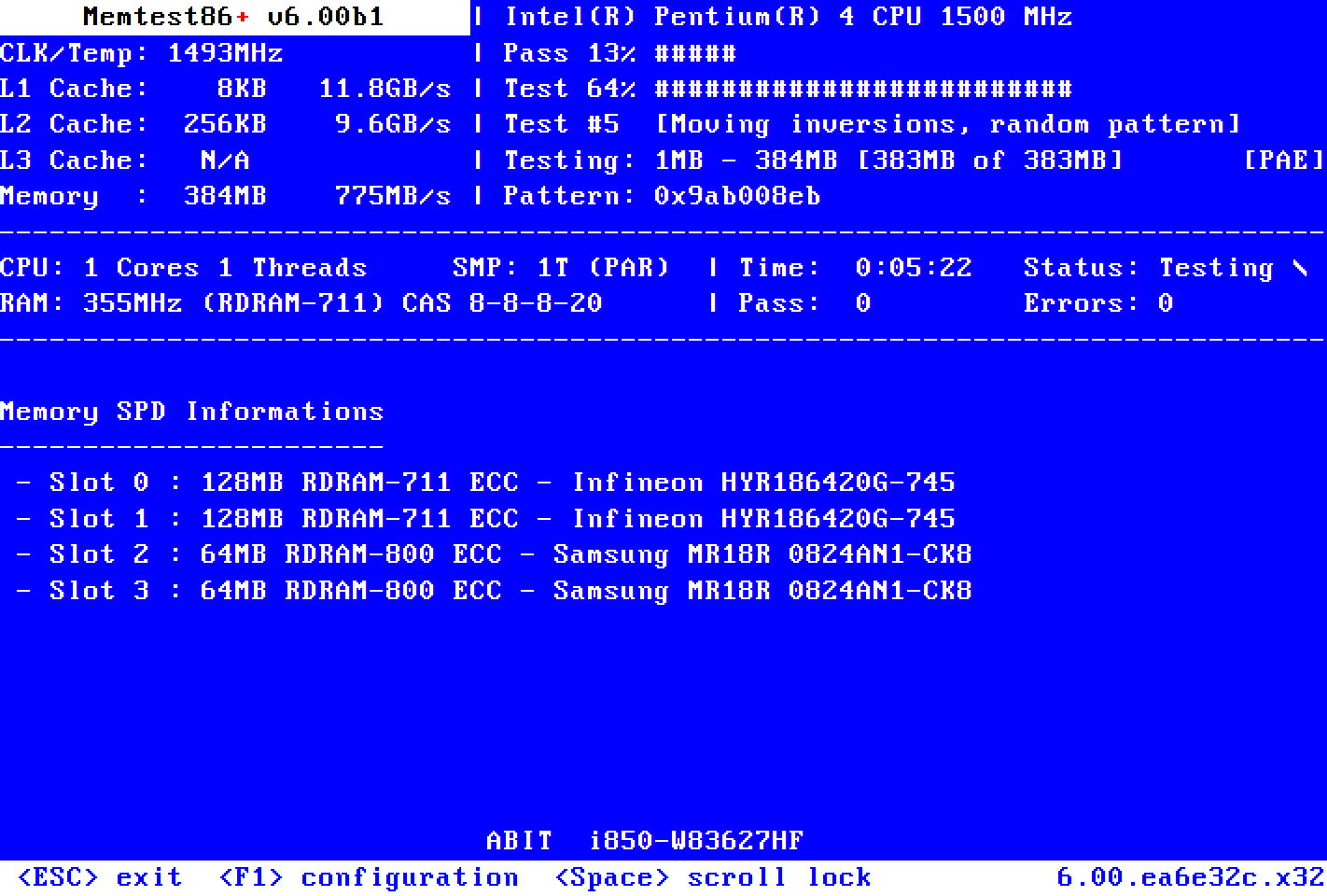
Memtest86+
Memtest86+ is an advanced, free, open-source, stand-alone memory tester for 32- and 64-bit computers (UEFI & BIOS supported)
If your RAM is passing memtest runs there's some things you can try that might improve stability in game to help test too. Disabling RAM Channel Interleaving will often significantly improve stability if a stick is starting to go bad (at the expense of some performance), but if you do that and the game stops crashing then that will narrow things down a lot
You'll need to poke around in your BIOS to do that, I can't step you through that without knowing your exact motherboard model, but don't feel afraid to poke around looking for it either
signal path
winged mirage
Hey I did the memtest86 on a USB drive. I did the standard test with 4 passes an...
As with the other guy, I didn't realise that the passmark version of memtest limited you to 4 passes, that isn't really enough for RAM that's only starting to go bad. Have a look at the above two posts of mine
signal path
fluid hull
nvidia geforce gtx 960m
I'm pretty confident that a 960M can't run Evrima, sorry, it only supports some DX12 features, lacks dedicated VRAM, and is too slow (it's basically a repackaged 760ti which was released in 2013)
Legacy should run for you, though.
signal path
lavish jetty
i have this issue too, but more than enough ram, are there other reasons for thi...
Do you know what your video card (GPU) is?
 tribal meadow
Help
 signal path
tribal meadow
Help
signal path
tribal meadow
Help
Help with what? If you are stuck face away from freedom and type /unstuck
lavish jetty
signal path
Do you know what your video card (GPU) is?
Radeon RX Vega
drowsy quarry
fluid hull
Previously it was possible on GeForce now, I don't know if you can still play Ev...
you cannot, sadly
signal path
lavish jetty
Radeon RX Vega
Not knowing which exact model of Vega, it looks like the RX Vega don't support DX12 properly and the Vega might just be too old and slow to play Evrima properly
signal path
Having said that, make sure you try turning everything in Graphics down Low/off if you haven't already, and 3D resolution on 50%
Vega 64 might just be able to do it, Vega 56 I'm not sure about
tribal meadow
signal path
Help with what? If you are stuck face away from freedom and type /unstuck
i broke
it
signal path
If /unstuck doesn't work, logout and then back in, don't move at all and use /unstuck again
tribal meadow
i just kill myself
winged mirage
signal path
If your RAM *is* passing memtest runs there's some things you can try that might...
Alright thanks for the tip. By how much do you think my performance in game will decrease by disabling channel interleaving considering I have 16 gb of RAM? Also thanks for the link to the better test, I'll use that one and do more passes to see
signal path
winged mirage
Alright thanks for the tip. By how much do you think my performance in game will...
A little, but not by much (depends what speed your RAM is). The key point though is if disabling interleaving stops the crashes, you can be very very confident that one of the sticks is starting to go bad
winged mirage
signal path
A little, but not by much (depends what speed your RAM is). The key point though...
Alright, thank you. And the way you do that is by accessing the BIOS, correct?
signal path
Yeah, that is the only way to do it. Should be under Memory settings somewhere. You can also try disabling Rank Interleaving if you want but I doubt that would help
winged mirage
signal path
Yeah, that is the only way to do it. Should be under Memory settings somewhere. ...
Okay, I'll try to see if that works. Thanks again for all the advice dude, seriously. I wouldn't even suspect it's the RAM without it tbh lol
signal path
No worries! Good luck, let me know how you go
 topaz tinsel
its only showing me empty servers and when i hit hide empty servers I get 0 results
 signal path
topaz tinsel
its only showing me empty servers and when i hit hide empty servers I get 0 resu...
signal path
topaz tinsel
its only showing me empty servers and when i hit hide empty servers I get 0 resu...
Your game isn't up to date, update it in steam
At the moment you are only seeing old out-of-date servers which nobody is playing
topaz tinsel
I did update it on steam and i jsut checked and it wont let me update it again
im gonna try switching to legacy then switching back
signal path
Good idea. The current version is 0.18.116
topaz tinsel
i reinstalled it but its still at .18.112 how do i update it?
winter python
topaz tinsel
i reinstalled it but its still at .18.112 how do i update it?
Try verifying the game files
topaz tinsel
thank you @winter python its updating. You're a real hommie
signal path
 warped kayak
pls guys
warped kayak
pls guys
Wrong channel, ask in #evrima-eu or whichever one is appropriate. Make sure you say which server you are in
 rare falcon
hi, i got stuck between 2 rocks, already tried loging out and in and typing /unstuck while not moving at all but it doesn't work
is there any other way or just let it die?
signal path
That's the only real way, try different spots facing in different directions
 earnest depot
-140,496.446, 468,455.344, 29,342.394

deep hole this one...
with unstuck command it almost gets u out but still to deep to get urself outta here
 trail merlin
Can i manual update dlss?
 wanton basalt
what can i do if i get fatal errors?
signal path
wanton basalt
what can i do if i get fatal errors?
In a administrator command prompt:
DISM /Online /Cleanup-Image /RestoreHealth
sfc /scannow
Then update GPU drivers
If you have a 13900k or 14900k, your CPU might be on it's way out
wanton basalt
signal path
Then update GPU drivers
already did that
wanton basalt
signal path
If you have a 13900k or 14900k, your CPU might be on it's way out
wdym?
signal path
Quite a few (potentially most) 13900k and 14900k will start to die at some point due to an oxidation issue. Lots of stuff you can read if you google it, for example https://hardwaretimes.com/intel-13th-14th-gen-issues-manufacturing-defect-causing-oxidation-at-fault/

hardwaretimes.com
The instability issues affecting Intel’s 13th and 14th Gen CPUs are no longer an isolated event. At least 10-20% of the Raptor Lake users are affected, and the figure is rapidly growing across the globe. We already know that most 13th and 14th Gen processors have a high probability of failing after certain operating hours. …
wanton basalt
I have an I9 14900K
signal path
Make sure you update your BIOS too
wanton basalt
but my pc has like 3 months
wanton basalt
signal path
Make sure you update your BIOS too
kk
signal path
Do you have any other big modern open world games you can try? STALKER2 for example
Just to help eliminate a problem with your PC hardware
wanton basalt
signal path
Do you have any other big modern open world games you can try? STALKER2 for exam...
Yeah I have dayz ark forza but I only get fatal errors with the isle but not in legacy tho only in evrima
wanton basalt
signal path
Just to help eliminate a problem with your PC hardware
it must be bios cause i tryied every single solution and still dont fix it
signal path
wanton basalt
it must be bios cause i tryied every single solution and still dont fix it
If your CPU is affected by the oxidation issue, you can't fix it, you have to replace it. You can band-aid the problem by lowering boost clocks and stuff but that's only temporary
trail merlin
wanton basalt
already did that

Reddit
Explore this post and more from the theisle community
signal path
A bad RAM stick can also cause Fatal Error
wanton basalt
trail merlin
do you see this?https://www.reddit.com/r/theisle/comments/1bjx008/fatal_error_pl...

thats what I see

also this
signal path
Yeah, that's very likely to be your CPU is on its way out, I'm sorry
wanton basalt
sometimes
signal path
but not 100%
wanton basalt
np but its strange I hardly ever can lunch the game but is almost always get the fatal error
trail merlin
wanton basalt
you CPU is unstable
signal path
wanton basalt
np but its strange I hardly ever can lunch the game but is almost always get the...
It would be really really good if you had other games you could try too
wanton basalt
signal path
It would be really really good if you had other games you could try too
The only game that gives me fatal erros is the isle so
signal path
wanton basalt
The only game that gives me fatal erros is the isle so
What other games are you trying?
They have to be ones that really put the CPU under load
wanton basalt
I play every game in ultra and its good like the cpu doesnt heat up or give me a fatal error
signal path
Ultra settings just makes your GPU work harder, not your CPU
trail merlin
wanton basalt
I play every game in ultra and its good like the cpu doesnt heat up or give me a...
https://www.minitool.com/news/lowlevelfatalerror.html I don't know this one can be helpful

MiniTool
How to fix the Low-Level Fatal error when you are playing a game? This annoying message distracts your attention. To fix that, there are some ways.
wanton basalt
then what game do i try?
wanton basalt
trail merlin
https://www.minitool.com/news/lowlevelfatalerror.html I don't know this one can ...
let me see
signal path
wanton basalt
then what game do i try?
https://store.steampowered.com/app/3132990/Black_Myth_Wukong_Benchmark_Tool/ would be my recommendation
This tool is separate from the "Black Myth: Wukong" game itself and is non-playable.The "Black Myth: Wukong Benchmark Tool" is a PC benchmark application specifically developed for "Black Myth: Wukong". It evaluates your hardware performance and system compatibility through the real-time rendering of an in-game sequence.You can customize benchma...

It's a benchmark, not a game itself, but it will put your system under the same sorts of workloads
wanton basalt
signal path
It's a benchmark, not a game itself, but it will put your system under the same ...
Im going to try it and then tell u what happens
 wary shuttle
How do I get into evrima map
wanton basalt
 wary shuttle
I’m new
wanton basalt
It seems to be my cpu
wary shuttle
I love you
signal path
wanton basalt
It seems to be my cpu
It's looking like it, it might still be RAM - would you be comfortable removing one of you RAM sticks and replacing it afterwards?
wary shuttle
I have another one I’ve tried joining unofficial servers so I can play more dinosaurs but idk how to
wanton basalt
signal path
It's looking like it, it might still be RAM - would you be comfortable removing ...
Yeah i can do that so i remove the ram and then put it afterwards, if the problem persist Im gonna change my cpu
signal path
wary shuttle
I have another one I’ve tried joining unofficial servers so I can play more dino...
When you go to join a server, on the right hand side you can change it from Official to Unofficial
signal path
wanton basalt
Yeah i can do that so i remove the ram and then put it afterwards, if the proble...
You should have 2 sticks, maybe 4, remove all but one, test, if it fails, swap that stick with one you pulled out, test again, if that fails too it's almost certainly CPU
wanton basalt
I payed a pretty amount of money for having a unstable cpu, never buying intel again
wanton basalt
signal path
You should have 2 sticks, maybe 4, remove all but one, test, if it fails, swap t...
kk thats what im gonna do
wanton basalt
signal path
Worth trying to chase warranty if you can, though
Yeah I could do that