#🔧-evrima-troubleshooting-🔧
1 messages · Page 78 of 1
 hollow belfry
 elfin zodiac
so I use Geforce experience and have it set to max performance over battery, I will lower my FPS cap but so far I have failed to get close to even 60. funny enough my pc is also running hot rn
 neon nexus
oo i use AMD, are you not using the performance mode in pc Settings?
only geforce one?
are you using this one?

@elfin zodiac
this game does use a lot of heat make sure not much is running in the background, ionly have discord in the background and firefox sometimes
make sure you monitor PC temps with this one, im using AMD so i gotta be careful if mine gos above 85c its max was 92c but i put all settings to lowest and it rversed back to 83c max this is with high performance, on power saving i was getting 60-70c but i had 30-20 fps near popular spots.
elfin zodiac
neon nexus
make sure you monitor PC temps with this one, im using AMD so i gotta be careful...
i think im on high performance ill go check
neon nexus
okedoky
i dont use Geforce so i dont know if it would affect or change anything but thats what i just use, i hope it works for you!!
elfin zodiac
neon nexus
are you using this one?
where would i find that page btw i dont remember lol
neon nexus
you may need to restart the game for it to work i think
oh here
search power sleep and settings, clickon it, then go to right and click on this here:

then click on high performance
you can change it back to balanced or power saving if you want when you finish playin the isle then just change it back, its what i do
elfin zodiac
so i am running high performance, wow
 livid matrix
Im sure its been asked in here plenty of times and I apologize in advance. Is there a way to fix the bugged invisable food in front of me other than logging out into a 50 que?
 oblique peak
I keep trying to get into an official and my game just closes? Like no crash report or anything. Just closes
 elfin zodiac
neon nexus
make sure you monitor PC temps with this one, im using AMD so i gotta be careful...
elfin zodiac
neon nexus
make sure you monitor PC temps with this one, im using AMD so i gotta be careful...
so i am running at about 78c rn with EVERYTHING on low settings and getting like 20 fps like bro
elfin zodiac
elfin zodiac
so i am running at about 78c rn with EVERYTHING on low settings and getting like...
for context i can run games like Sons of the Forest and Squad at 60-70 fps
 proud ledge
Same issue here. Bumping to see if there's a fix yet?
Anti-cheat boots -->splash screen --> Anti boots again --> max capacity fail
neon nexus
did you delete your config folder and verified the games files?
Badlong your pc seems like its trying to run the game but something might be trying to stop it, because of the high temps and low frames is there anyhting youv capped in the background?
elfin zodiac
neon nexus
Badlong your pc seems like its trying to run the game but something might be try...
i dont understand, like fps cap or??
 drowsy quarry
 lime dune
DX12 not supported error
- Make SURE you have all drivers updated
- You can use Nvidia Drivers website and fill what it asks
- Or AMD website for AMD cards
- After that, make SURE your windows is updated
- If nothing works, most likely you have a WEAK GPU that cannot support this type of game.

 spice stone
 mild fjord
I fixed it ❤️❤️
mild fjord
I fixed it ❤️❤️
What is it you did? Just so others know
lime dune
drowsy quarry
**DX12 not supported error**
- Make SURE you have all drivers updated
- You can...
how can I make sure all drivers are updated
drowsy quarry
lime dune
how can I make sure all drivers are updated
whats your gpu?
lime dune
drowsy quarry
whats your gpu?
radeon rx 570
drowsy quarry
lime dune
radeon rx 570
download the file accordingly to your system
click the windows 11 if its windows 11, and 10 if its the windows 10
when done, double click the file to install
although i need to say that your gpu seems very weak to play the game right now
lime dune
drowsy quarry
although i need to say that your gpu seems very weak to play the game right now
perhaps I'll stop playing the isle indefinitely then
 quaint bramble
What to do if i cant see any servers. I tried the hide empty button
 sweet cliff
when does the servers usually reset
 lucid dirge
Is there a solution for the Fatal Error 868?
I´ve already tried the following:
Set up the PC new.
Drivers are up to date, also checked if the bios is up to date.
Repeatedly deleting and verifying of the The Isle files, Steam folders and Windows folders, with and without uninstalling in Steam.
Several Steam launch options that I knew, -high -useallavailablecores -sm4.
DirectX End-User Runtime Web Installer although it says nothing about DirectX 12.
dxdiag command (DirectX diagnostic utility).
sfc /scannow command.
setting everything on low, resolution on the lowest and FPS max 30
Nothing helped, I get this fatal error every time, at least after 5 minutes, at most after about 1 hour.
mild fjord
spice stone
What is it you did? Just so others know
The problem was my resolution. And I fixed the problem by deleting my saves folder. My normal resolution is 1920x1080 so that’s what I usually set it to, but when I deleted my saved folder the isle set my screen resolution to 3840x2160 and it looks so much better that way
So I’m sure you can either delete the saves folder just to be sure or you could just try to change your resolution to 3840x2160
There’s my fix ^ I hope it helps you too!
 noble hatch

 stone timber
@noble hatch that's the error everyone is getting not sure when the devs will do something about it it's not our computers.
noble hatch
thx
 spiral sage
This is how you fix this ?

Also my gpu is a Nvidia RTX 3080
Also how do you wipe verified config files ?
 thin lark
Found a solution to this problem
You need to install files from someone who works fine with the game.
All files that are installed in Steam (first delete, then paste)
 spiral sage
thin lark
Found a solution to this problem
You need to install files from someone who wor...
spiral sage
thin lark
Found a solution to this problem
You need to install files from someone who wor...
How do you share those big files ?
thin lark
We also archive to Google Drive (for me they weighed 14 GB)
I can give you a download link if necessary now (a couple of days will be open)
spiral sage
thin lark
I can give you a download link if necessary now (a couple of days will be open)
Can I ask you a question ?
Wait nvm got it
mild fjord
Why can’t I grab the bottom of the ocean as Beipi
Is it because it’s night time?
Isn’t it left click to grapple?
thin lark
It turns out
If when entering any server you have a picture frozen after a few minutes and then you get a fatal error, then
-
take from someone who has everything normally with the game, installed files (most likely it will be an archive)
-
go to Steam, library, right-click on the game: properties, installed files, overview of installed files
-
Delete the entire isle folder
-
Extract the files received from each other clearly into this folder, as if replacing

- Enjoying the game
 shrewd flower
hey my friend friedegg has lost their deinosuchus on server sa 2 due to a glitch in the ground causing her to clip into the ground and fall through the world losing a 3 hour grown gator. I know you guys probably cant do much about it but I thought to mention it incase if it happened to anyone else or if there is anything that you guys can do
spiral sage
I just tried doing the method to fixing the fatal error in the pinned section and it didn’t fix my problem
mild fjord
Ok now this is super weird
When I delete my saved folder it fixes my graphics but when I reset my graphics on my game it makes it look bad again even with the same settings
And now beipi can’t grapple
What’s the key bind for beipi grapple
Like how do I go in and change it to make sure it’s right click
spiral sage
mild fjord
What’s the key bind for beipi grapple
You gotta go to the bottom of the river and click right click
 frosty sigil
How do you use replay? f2 isn't working for me
 thorny island
would verifying the games files fix an issue where anti cheat isnt installed? or would it have to be reinstalled (verifying didnt work)
 real fox
To everyone: Try deactivating the steam overlay. For me it somehow fixed the game.
 midnight marsh
Uhm, I safe-logged yesterday on my deino on EU7, but when I got on just now, on EU7, I'm back on the character select screen...why is that?
 exotic briar
Getting a "Fatal Error" on Evrima, I've done almost everything recommended to stop crashes but nothing seems to help. It'll quiet literally just happen randomly. I get no Error code so I have no idea whats even causing the problem. Also having some terrible rubberbanding issues ever since the game updated.
real fox
@exotic briar For me it helped dactivating the steam overlay
exotic briar
real fox
<@431365728503857152> For me it helped dactivating the steam overlay
I'll try that, thanks
 junior bridge
Does anyone know why exactly the game shadows starts to glitch out a lot when the resolution is set to or above 2160p?
real fox
@junior bridge Try geforce experience. For some reason when i set grafics manual shadows glitch out a lot. When using geforece experience optimased settings i have no glitches at all and i play at 3k+ pixel
 worldly marlin
can someone help me please, when i try to get in the server its either error or game shotting down
 spring kettle
if someone could please help that would be great! - I just installed the game and i go to play but no servers pop up? (I play on OCE servs). Any help is appreciated 🙂
 simple crown
@restive vault I safelogged, and relogged after I changed my steam name, only to find my progress on the Ceratosaurus I was growing to be completely gone, without any corpse nearby as my friends had looked around. Would there be any way you can help me out, please?
I was 50-60% grown, roughly.
 regal sable
is there a way to fix the game not loading correctly ?
i log into the game and i have blurry and low quality graphics even tho im on max graphics in settings
 bold schooner
midnight marsh
Uhm, I safe-logged yesterday on my deino on EU7, but when I got on just now, on ...
bold schooner
midnight marsh
Uhm, I safe-logged yesterday on my deino on EU7, but when I got on just now, on ...
ye i got the same on the same server wtf
 proper mirage
has anyone found a fix for the blur/pixelated bug when moving around
makes you practically blind when a juvie as any dino
bold schooner
proper mirage
has anyone found a fix for the blur/pixelated bug when moving around
maybe its your render in settings
proper mirage
bold schooner
maybe its your render in settings
I tried every in game setting but nothing works sadly
regal sable
anyways to fix the game not loading up correctly even tho im on max settings
its blurry the textures are ps2 ish every texture isnt just loading
bold schooner
proper mirage
I tried every in game setting but nothing works sadly
is ur GPU UE5 supported ?
regal sable
regal sable
is there a way to fix the game not loading correctly ?
anybody ?
regal sable
anyways to fix the game not loading up correctly even tho im on max settings ?
its blurry the textures are ps2 ish every textures arent loadin up <@&818552355796287508>
junior bridge
real fox
<@985449988005969941> Try geforce experience. For some reason when i set grafics...
I'll ping tech support and attach a video to see if they know anything about it
<@&818552355796287508>
Hello,
I've encountered this small graphical issue that happens when then resolution is set to 4K or above.
All shadows starts to flicker, higher resolutions makes the flickering even stronger.
**PC Specs: **
RTX 4090, Ryzen 9 5900X, 32GB (2x16) 3600MHz CL18, SK Hynix Gold P31 1TB
 hollow fulcrumBOT
Many players encounter issues that already have solutions. Be sure to check the pinned messages for quick-fixes to common problems. If an issue persists a representative in this channel will assist you when available, otherwise you may contact Punchpacket directly.
 urban spire
thin lark
It turns out
If when entering any server you have a picture frozen after a few ...
urban spire
thin lark
It turns out
If when entering any server you have a picture frozen after a few ...
are you sure it works?
like 100% rn
 granite inlet
I’m actually starting to be done with this game! Most of the morning and at 60% croc growth there’s a server restart. I safe log and just as it goes to log out FATAL ERROR!!! Now lost all that progress. It’s a joke. How do the devs say it’s our pc’s when quite clearly it’s their game..?!! So frustrating!
neon nexus
@elfin zodiac srry for late reply but yea like if a program is forcing it to ONLY run at or below 20 or 30, stopping it from running more since the pc is hot.
proud ledge
must be nice to even run it at least... I remain here after trying practically everything.
 regal sable
anyways to fix the game not loading up correctly even tho im on max settings ?
i...
regal sable
regal sable
anyways to fix the game not loading up correctly even tho im on max settings ?
i...
does someone know how to fix this
regal sable
regal sable
anyways to fix the game not loading up correctly even tho im on max settings ?
i...
nothing fixed this
deleting config file turning textures to medium
elfin zodiac
neon nexus
<@659443151190360084> srry for late reply but yea like if a program is forcing ...
Ah I see, do you have any idea what on a computer could cap the framerate like that? (Besides GeForce experience)
 empty blaze
<@&933486433342222376> unsure where to go about this but my friend cant access this discord but is having issues with his Evrima not working for more than 10 mins at a time and I was wondering if theres anything you guys could do to help? Its not his graphics card as other high graphic games run perfectly, thanks in advance! Also apologies if this is the wrong way to go about this!
 bronze echo
empty blaze
<@&933486433342222376> unsure where to go about this but my friend cant access t...
bronze echo
empty blaze
<@&933486433342222376> unsure where to go about this but my friend cant access t...
Try dissabeling Steam overlay
Or running with launch option -high
 jaunty basalt
Why does my Evrima keep freezing and crashing? Never had this issue before
empty blaze
bronze echo
Try dissabeling Steam overlay
Will tell him to try this thanks a bunch!
 marsh folio
im having this problem whenever i try open the game it says playing but nothing shows up and a few second later it "closes", no errors or anything show up, i have 0 clue what to do
regal sable
regal sable
anyways to fix the game not loading up correctly even tho im on max settings ?
i...
so there is no way to fix this ?
bronze echo
regal sable
anyways to fix the game not loading up correctly even tho im on max settings ?
i...
Put textures on medium
bronze echo
jaunty basalt
Why does my Evrima keep freezing and crashing? Never had this issue before
Is there a fatal error?
jaunty basalt
I don’t think so?
It’s a regular crash but happens after… say 4 minutes then I have to reopen the game
 supple cliff
It's hard to find food in evolution. They spawn infrequently and this makes me shift to legac.
 ionic cobalt
just enjoyed a wonderfulfreeze to force restart followed by me deleting the config folder and then it crashing like normal again yayy
 vernal bramble
fatal error will be fix soon ? or never happen ._.
regal sable
bronze echo
Put textures on medium
did not work
 storm apex
my game wont run done all recommendation what els can i do
 ionic cobalt

ignore mah cracked phone
anyone made a break through for this error
@serene shoal
 boreal idol
hi my friends game doesnt have the nightvision in the settings like its not there at all so he uninstalled and reinstalled it and its still not there like in the keybinds anyone know how to fix this??
regal sable
If you are experiencing issues with your controls and graphic settings since the latest update (can't move camera, unable to court, Night Vision not working , graphic settings not showing properly , etc) then please try wiping your config files in localappdata.
- If running The Isle, exit the game.
- Open File Explorer.
- Click the address bar at the top.
- Type %localappdata% then press Enter.
- Find "TheIsle" folder. Open it.
- Open the "Saved" folder.
- Delete the "Config" folder. Note: This will reset any of your custom settings to their defaults.
- Restart the game. The issue should be fixed.
 empty crown
I need help idk what 2 do
It’s been 2 month I can’t play evrima every time I play it and run it the game just freezes after like 5 mins into gameplay the game freezes every time sometimes my other browser also freezes
ionic cobalt
yeah i have that issues now
empty crown
Do yk what to do?
ionic cobalt
I posted possible fixes higher up if you search fort hem
feel free to try em
they may work
empty crown
Because before it use to run evils on 50-80 fps
ionic cobalt
yeh i get 1265fps maxxed out and then it just stops
empty crown
ionic cobalt
I posted possible fixes higher up if you search fort hem
Can u reply to it
I have t even tried out the update whiteout it freezing
ionic cobalt
Fix 1: Updates graphics
Fix 2: Update Windows
Fix 3: Delete Config Folder
How to delete CONFIG folder
close your game
press windows + r
search %localappdata%
find The Isle > Saved > DELETE Config
Fix 4: Clear D3D shader cache
How to clear D3D shader cache
Go to your C drive, find users (open your user folder), Find Appdata, then go to local, and find D3DScache and delete as many files as possible from it, then restart your game.
All of these are only possible fixes and not guranteed, Please only try these fixes with the game closed also.
regal sable
ionic cobalt
Fix 1: Updates graphics
Fix 2: Update Windows
Fix 3: Delete Config Folder
How to...
i heard updating windows has a chance of u losing data
data storage stuff etc
regal sable
right
ionic cobalt
just normal system updates
regal sable
my games textures are getting destroyed even in selection screen
have tried everything to fix it
 remote mantle
there a fix to stop the game crashing so frequently?
regal sable
pinned messages
remote mantle
ty
empty crown
ionic cobalt
Fix 1: Updates graphics
Fix 2: Update Windows
Fix 3: Delete Config Folder
How to...
I been doing all of these
I even re install it’s still freezing
It started happening during the stress test periods
empty crown
It ain’t work for me my window drivers all up to date I re installed I deleted config I even switched it from my hard drive to my soft drive
Nothing changed
I need my refund if this game not gon work but it’s alr 2 late to get one
ionic cobalt
no you can still try
if yo have less than 2 hours gameplay
or just be super speceific qabout your issues and write a massive paragraph
 brisk cave
Yea that’s way to late for a steam refund. That’s the downside of playing an early access game unfortunately. Hopefully there’s a patch that helps.
 bronze echo
 proud fable
Check pinned comments
Otherwise turn off Steam overlay and try running with launch option "-high"
Without ""
regal sable
is it possible that my game isnt changing the graphic options so its just stuck at low graphics ?
since thats the only way i would see it looking like a PS2 game
marsh folio
marsh folio
im having this problem whenever i try open the game it says playing but nothing ...
can anyone help?
 compact meteor
hi
i've been trying to connect to a server for the past 2 hours but i cant join any
for some reason it says connecting
and then it kicks me out
and gives me this error

 vague spade
Good afternoon. I need help with anti-cheat. Crawls out that the anti-cheat is not installed

 drowsy cape
vague spade
Good afternoon. I need help with anti-cheat. Crawls out that the anti-cheat is n...
drowsy cape
vague spade
Good afternoon. I need help with anti-cheat. Crawls out that the anti-cheat is n...
#🔧-evrima-troubleshooting-🔧 message have you tried these fixes?
vague spade
drowsy cape
https://discord.com/channels/401464048610312193/723260797719019620/1004216986563...
ye
I have tried everything written here
drowsy cape
interesting. im not too sure then, you might have to wait for someone who knows more than me
 dawn pulsar
https://medal.tv/games/the-isle/clips/1hEVgLakU3755y/d1337nE5E7kd?invite=cr-MSxtdW4sNTQ1MTQyOTks
What would cause the shadows to flicker like that, and is there any settings I can change to fix it?

Watch Weird shadows and millions of other The Isle videos on Medal, the largest Game Clip Platform.
dawn pulsar
dawn pulsar
https://medal.tv/games/the-isle/clips/1hEVgLakU3755y/d1337nE5E7kd?invite=cr-MSxt...
Bottom left corner
 dull hazel
im stuck inside a rock and i have tried everything to make my way out but nothing works. Can someone please help me?
Or am i not in the right chat for that kinda help?
 thin oracle
Hello u lovly people need help CAUSE my game graphics dont want to load in properly i have change all the settings to high and it still looks like doodoo
pls help?
 odd nebula
Try to put the textures on epic.
 tender trench
Anyone else have problems with tbe replay system?
odd nebula
tender trench
Anyone else have problems with tbe replay system?
If F2 doesn't work, make sure you're on a server that enabled replays. Replays aren't enabled on official servers.
tender trench
odd nebula
If F2 doesn't work, make sure you're on a server that enabled replays. Replays a...
F2? I have tried to use the system with replays that have registered but when i click "play" it takes me back to the main menu. Do you have to select and click F2?
odd nebula
F2 is to begin and end the replay when you're in-game. You're not supposed to need to press F2 to view replays that you've already recorded.
 dire bobcat
thin oracle
Hello u lovly people need help CAUSE my game graphics dont want to load in prope...
dire bobcat
thin oracle
Hello u lovly people need help CAUSE my game graphics dont want to load in prope...
here it only works if I put the textures on epic as @odd nebula said
thin oracle
thin oracle
Hello u lovly people need help CAUSE my game graphics dont want to load in prope...
I cannot change a lot of my graphic settings in game either. I have to go to the main menu to change them because they do not save properly while in game for some people rn
oh ok tq
You might have another bug though. Lemme know if you can change them from the menu or not
it said i changed it from menu
so lemme see

 thin oracle
it said i changed it from menu
thin oracle
thin oracle
it said i changed it from menu
yep it worked
drowsy quarry
 calm beacon
this two ye?
calm beacon
this two ye?
first
calm beacon
drowsy quarry
first
ok
drowsy quarry
vague spade
ye
I have tried everything written here
anticheat not installed and you tried everything from the pinned message?
only one more fix then, Download VRChat, run it, close it, and try to play the isle
 analog hornet
Does anyone know why I cant thrash, no matter what dino i try to thrash with it doesnt work
thin oracle
analog hornet
Does anyone know why I cant thrash, no matter what dino i try to thrash with it ...
When you hold click, does your camera slow down?
analog hornet
thin oracle
When you hold click, does your camera slow down?
Yep
regal sable
thin oracle
Hello u lovly people need help CAUSE my game graphics dont want to load in prope...
same thing for me just that epic graphics do not work...
nor does medium
the game looks like a PS2 dinosaur game ported to UE5 for me rn even with lumen
dire bobcat
regal sable
the game looks like a PS2 dinosaur game ported to UE5 for me rn even with lumen
did you try to delete the ''Config'' file in appdata?
regal sable
yes
dire bobcat
and put the textures on EPIC
regal sable
dire bobcat
and put the textures on EPIC
i said it already
they are on epic all the time
dire bobcat
weird
regal sable
funny thing
it was fine 6 hours ago
it started act up just 3 hour ago
really acting up
dire bobcat
for me if I put every settings on epic except textures it looks like a ps2 game
the settings are really strange
it doesn't seen to work properly
regal sable
there might be a chance that it doesnt register my settings
dire bobcat
regal sable
funny thing
it was fine 6 hours ago
it started act up just 3 hour ago
oh
what if you try to reinstall the game?
regal sable
wastes too much time for nothing
ill try to mess around in the settings see if i can make it work
but yeah they should really fix their settings
u gotta go in the files to actually make lumen work
very weird
dire bobcat
yeah
the game looks the same on low and epic for me
and of course doesn't change nothing on fps
regal sable
the isle moment
funny thing
activating lumen gives the same fps to me
which i dont think should be happening with the card i have lol
got a 3050 ti which isnt the best
i have been told that it might give me bad fps but no its just the same fps
regal sable
wow
dire bobcat
some servers runs at 40fps on Epic settings
regal sable
i guess UE5 aint that heavy
regal sable
dire bobcat
some servers runs at 40fps on Epic settings
i get 20 average idk why but its prob cuz my settings are too high
regal sable
dire bobcat
but the majority runs at 15-20fps
same
dire bobcat
regal sable
i get 20 average idk why but its prob cuz my settings are too high
what??
regal sable
dire bobcat
what??
yes i know its surprising
i would get 60 fps average on U6 with max settings
regal sable
indeed it is
bronze echo
regal sable
i get 20 average idk why but its prob cuz my settings are too high
Have you wiped config? If you have go into the config agien then find gameusersettings and change scalabebilitygroups and make the document read only
Antilasign can also be found in the category under
And motionblur, lensflare and bloom at the bottom of the document
regal sable
bronze echo
Have you wiped config? If you have go into the config agien then find gameuserse...
i have wiped config
i deleted it fully
 wooden veldt
Corpses are bugging out/flying away when i drop them, is this a common thing, will a relog fix this, is there any way to prevent this?
bronze echo
regal sable
i have wiped config
go into the config agien then find gameusersettings and change scalabebilitygroups and make the document read only
Antilasign can also be found in the category under
And motionblur, lensflare and bloom at the bottom of the document
bronze echo
wooden veldt
Corpses are bugging out/flying away when i drop them, is this a common thing, wi...
kinda whats ur ping what server are you playing on?
wooden veldt
NA6 70 ping
regal sable
so what is that supposed to do ? like change my settings manualy like that
bronze echo
try
bronze echo
wooden veldt
NA6 70 ping
does it happend on the other NA servers?
regal sable
bronze echo
go into the config agien then find gameusersettings and change scalabebilitygrou...
idk what number is what tho
im not gonna touch those since im prob gonna mess them up
wooden veldt
I've only recently played on NA6, so not sure
bronze echo
regal sable
idk what number is what tho
im not gonna touch those since im prob gonna mess t...
3 is max
bump them down one
regal sable
bronze echo
3 is max
there is post process quality of 4....
bronze echo
regal sable
there is post process quality of 4....
yeah pp is another value
regal sable
and FG
bronze echo
FG?
regal sable
foliage quality
wait
its FQ
lol
sorry
but they are all at max
game still looks ps2
bronze echo
put them down
regal sable
why doe
bronze echo
 regal sable
i want my game to not be PS2 i dont want it to be worse
thin oracle
<@&505047238674874368> My dino is stuck in mesh rocks, is there anything I can do. Logging hasn't fixed
bronze echo
thin oracle
<@&505047238674874368> My dino is stuck in mesh rocks, is there anything I can d...
 bronze echo
regal sable
that is from 2022 aswell
bronze echo
regal sable
that is from 2022 aswell
might still hep but have you update drivers
thin oracle
THanks
regal sable
bronze echo
might still hep but have you update drivers
all already updated
i have said before
i have done everything in pinned messages
at least the ones who are related to graphics
bronze echo
regal sable
all already updated
dm or ping punch tbh
regal sable
ill try to get in game again see if its acting up (been waiting for que after changing settings)
then i might DM them
 errant vigil
I have no night vision in the game, doesnt even show it in the settings what do I do?
regal sable
errant vigil
I have no night vision in the game, doesnt even show it in the settings what do ...
pinned messages
If you are experiencing issues with your controls and graphic settings since the latest update (can't move camera, unable to court, Night Vision not working , graphic settings not showing properly , etc) then please try wiping your config files in localappdata.
- If running The Isle, exit the game.
- Open File Explorer.
- Click the address bar at the top.
- Type %localappdata% then press Enter.
- Find "TheIsle" folder. Open it.
- Open the "Saved" folder.
- Delete the "Config" folder. Note: This will reset any of your custom settings to their defaults.
- Restart the game. The issue should be fixed.
tender trench
odd nebula
F2 is to begin and end the replay when you're in-game. You're not supposed to ne...
...😶 i didnt know that. But my issue is the replays i already have wont load
 wispy creek
wait fix
 civic pier
is everyone still getting fatal errors?
 proud falcon
yes
regal sable
regal sable
ill try to get in game again see if its acting up (been waiting for que after ch...
the graphics are stillbad
bronze echo
civic pier
is everyone still getting fatal errors?
also turn of steam overlay
start with the simple ones dont do them in order but make sure you start with wiping config id also recomond the lauch options and steam overlay they seem to help and are easy fixes
 modern remnant
bronze echo
also turn of steam overlay
modern remnant
bronze echo
also turn of steam overlay
@civic pier I'd also recommend trying this, although I don't use the Steam overlay for any of my games, I do use the Nvidia overlay to record clips occasionally, turning the Nvidia overlay off (and maybe resetting any custom Nvidia control panel settings to default), seems to have helped with my fatal error crashes (usually happened when consuming other player corpses). Obviously I can only do a limited amount of testing (and I am still testing this theory), it might help or possibly point to an issue with how the game engine handles overlays.
bronze echo
tender trench
...😶 i didnt know that. But my issue is the replays i already have wont load
do you have enough space on your C dirve
tender trench
I should i didnt know i needed space for that how much do you need?
bronze echo
dunno a couple of gb so its not deleted due to lack of sapce
tender trench
Ok imma see if that helps
 thick canopy
so does anyone know the solution to fix the constant game crashes or has it still not been resolved?
 fossil solar
Dear developers.Why am I getting an error ?And I'm also standing in queue 1 throwing me out and writing a full server?
@cloud crow
bronze echo
fossil solar
Dear developers.Why am I getting an error ?And I'm also standing in queue 1 thro...
its a well docmuneted bug by this time
fossil solar
bronze echo
its a well docmuneted bug by this time
I know but she doesn't dare
bronze echo
thick canopy
so does anyone know the solution to fix the constant game crashes or has it stil...
scroll up a bit read my msg responding to dragonspride and Dan's msg
bronze echo
fossil solar
I know but she doesn't dare
maybe they are and its maybe been the weekend and they are starting to fix it now
bronze echo
thick canopy
i just read it thx
np to my knowledge they are working on them
fossil solar
thick canopy
this bug should be their number one priority
If it hasn't been fixed yet then it's not in the first place😁
bronze echo
ok
thick canopy
poeple that are getting these crashed do you have a high end pc?
tender trench
bronze echo
dunno a couple of gb so its not deleted due to lack of sapce
ok i cleared up a tone of space and it still isnt working. when i hit play on the replay screen it sends me to the main menu
 pastel quiver
AFTER SAVING HOW DO I ENTER THE SERVER WITH MY PROGRESS ?
thick canopy
errors**
fossil solar
bronze echo
maybe they are and its maybe been the weekend and they are starting to fix it no...
perhaps
bronze echo
pastel quiver
AFTER SAVING HOW DO I ENTER THE SERVER WITH MY PROGRESS ?
do you safe log like go to sleep and wait for the timer to hit 0?

 pastel sequoia
oki
pastel quiver
YES
pastel sequoia
i also just lost my progress after safe sleep aswell
pastel quiver
pastel sequoia
i got stuck in a tree forever, it made me rlly sad :(
YEP
 broken acorn
does the que work for anyone? whaits forever to get an error msg
bronze echo
sometimes after update like the 28th dinos are wiped and stuff like that and sometimes unoffical servers does it
bronze echo
broken acorn
does the que work for anyone? whaits forever to get an error msg
usaly works for me if its on offical it might be cus so many are playing try playing unoffical
pastel quiver
I DONT SEE A CONTINUE TAB I HAVE TO GO OR TO CONTINU ME PROGRESS ?
bronze echo
no
broken acorn
ok tried 3 times now and when i get to position 1 i get an server full msg and it put me out of que
bronze echo
have you deleted config?
bronze echo
broken acorn
ok tried 3 times now and when i get to position 1 i get an server full msg and i...
- If running The Isle, exit the game.
- Open File Explorer.
- Click the address bar at the top.
- Type %localappdata% then press Enter.
- Find "TheIsle" folder. Open it.
- Delete the "Saved" folder. Note: This will reset any of your custom settings to their defaults, as well as delete any saved skins.
- Start the game.
bronze echo
pastel quiver
NO
its a bug
 unborn halo
My game keeps crashing after few minutes playing I have updated everything and all that and still nothing is there another way to fix it?
bronze echo
Turn off Steam and Nvidia overlays and try running with launch option "-high" or "-USEALLAVAILABLECOERS"
@unborn halo
 bronze mortar
My friend can't look side to side at all and night vision wont work, tried resetting their keybinds but failed to work
pastel quiver
il y a des francais ici ?
 stuck sorrel
im just stuck devouring this thing

 hybrid rampart
im stuck in some building and cant get out i didnt realize i was about to grow when i got in there... anyway you can help me..stepdino
 stuck sorrel
what can i do?
 sharp mango
Hey guys I have a massive bug when i log into a server my game crashes i cant play at all ! 😦
drowsy quarry
bronze mortar
My friend can't look side to side at all and night vision wont work, tried reset...
How to delete CONFIG folder
- close your game
- press windows + r
- search %localappdata%
- find The Isle > Saved > DELETE Config
- do not write anything, just search it by eye!
 lethal epoch
i keep trying to join an official server but when i do my game just shuts off
ill wait in the que forever and then when its my turn, the game shuts down
sharp mango
@lethal epoch same my game crashes
drowsy quarry
hybrid rampart
im stuck in some building and cant get out i didnt realize i was about to grow w...
need to go to the correct channel and @admin role + IGN (ingame name)
#evrima-sa #evrima-na #evrima-eu #evrima-au
pastel quiver
je ne trouve pas comment continuer ma progression
drowsy quarry
pastel quiver
je ne trouve pas comment continuer ma progression
just log again into the same server you played
each server has only one slot
 elder frost
does anyone know how to fix dx12 my friend is getting it and we have tried alot like updating drivers reinstalling the game so does anyone know anything that could help?
 charred ermine
elder frost
does anyone know how to fix dx12 my friend is getting it and we have tried alot ...
charred ermine
elder frost
does anyone know how to fix dx12 my friend is getting it and we have tried alot ...
From what I’ve read online their graphics card isn’t compatible with dx12, my gf has the same issue
drowsy cape
pastel quiver
il y a des francais ici ?
non, pardon mon francais est tres mal. le discord est uniquement en anglais s'il vous plait.
pastel quiver
quoi ?
drowsy cape
pastel quiver
je ne trouve pas comment continuer ma progression
en anglais, You need to log onto the server you last played on in order to play the same dinosaur
charred ermine
Has anyone else been having issues with ceratos? I can play all the old Dino’s and all the other new ones, but for some reason ceratos cause my game to crash, I finally got one to not crash me and I logged as it now I can’t join NA5 (the one the cera is in) because it just crashes the game whenever I try to connect after waiting in the queue
pastel quiver
j ai pas compris
 keen merlin
Hmm i can't seem to be able to hop on any of the official servers. Like, NA 5 says 20/100 (assuming it crashed or restarted) but when i try to connect, it still says that the server is full
 opaque scroll
yo
question
why is it that i have both evrima and legacy downloaded
but everytime i swap to legacy from evrima i need to redownload
shrewd flower
hey if the game crashes while your playing or kicks you out cause of connection. is your dino safe? na 5 is not working
bronze echo
lethal epoch
i keep trying to join an official server but when i do my game just shuts off
In no particular order, id recomend doing it somewaht in this order
Easy possible fixes
Right-click The Isle, and go to properties, In launch options, add in "-high" "-USEALLAVAILABLECORES" without quotes.
Try running the game in windowed mode (borderless fullscreen).
Turn off steam and nvidia overlay
For most issues minor issues this will help and will need to be done if you want to clean reinstall the game
#announcements message
Verify integrity of game files to find any issues.
GPU drivers do agien even if you have allready(restart afterwards)
Do the key combo to refresh ur gpu: Win + Ctrl + Shift + B
Make sure to do a clean installation of the latest GFX card drivers for your card download for nvidia go here and manually select your gpu:https://www.nvidia.com/en-us/geforce/drivers/
For AMD google your gpu and drivers to find them
Might help with some issues
In your windows search bar, type in cmd and right click command prompt and open as administrator.
In command prompt, type "sfc /scannow" without quotes. Wait for scan to complete. (Restart your PC afterward)
Dx12 reinstall
Find disk cleanup, remove directx chache
Go to the microsoft directx end-user runtime web installer page and download the installer.
Run the installer and follow the onscreen prompts. (After installation, restart PC)
These are another guys fixes feel free to try them i dont know much about them but they can help(check both)
#🔧-evrima-troubleshooting-🔧 message
#🔧-evrima-troubleshooting-🔧 message
Reinstall of the game
Go to The Isle install directory, then manually delete everything in the install directory.(right click then properties browse local files, delete everything then verify do all of this last as it will need you to redownload the game)

NVIDIA
Download the latest official GeForce drivers to enhance your PC gaming experience and run apps faster.

👀Bem vindo! Welcome!👀
PT-BR / ENG
.
.
.
📌My tipping page:
https://streamelements.com/kougaart/tip
.
.
.
📌Find me:
https://www.facebook.com/KougaArt
https://www.instagram.com/kougaart/
.
.
.
Game: The Isle Evrima - Update 6.5
.
.
.
Like and sub ;)
.
.
.
00:00 Introduction
00:07 DX12 not supported
01:32 How to check which GPU i have?
01:56 DX12 n...
 willow totem
lethal epoch
i keep trying to join an official server but when i do my game just shuts off
willow totem
lethal epoch
i keep trying to join an official server but when i do my game just shuts off
You can also turn off the steam overlay and that should work, it did for me
proud falcon
 bronze echo
proud falcon
bronze echo
proud falcon
where is that?
proud falcon
the fatal error maybe someone understand why
bronze echo
oh its a crash report?
bronze echo
In steam, right-click The Isle, and go to properties.
In launch options, add in "-high" "-USEALLAVAILABLECORES" without quotes.
Once you boot the game, try running the game in windowed mode (borderless fullscreen).
Turn off steam and nvidia overlay
bronze echo
download this agien
sometimes downlaoding from amd adrenalin or a auto installer doesent work
proud falcon
already done
 shy coral
mild fjord
There’s my fix ^ I hope it helps you too!
shy coral
mild fjord
There’s my fix ^ I hope it helps you too!
unfortunately my max resolution it offers is 1400x900. which I don't think was the case before update 6.5 😬 so still stuck with some pretty fuzzy looking graphics
 strong ivy
anyone figured out a fix for nightvision underwater biepi and deino i cannot see under water
ive deleted
files
ive uninstalled 4 times
junior bridge
dawn pulsar
https://medal.tv/games/the-isle/clips/1hEVgLakU3755y/d1337nE5E7kd?invite=cr-MSxt...
The shadows are indeed behaving pretty weirdly, look what happens at higher resolutions:
junior bridge
junior bridge
<@&818552355796287508>
Hello,
I've encountered this small graphical issue that...
.
bronze echo
opaque scroll
yo
question
why is it that i have both evrima and legacy downloaded
but everytim...
you need to swap the files
opaque scroll
bronze echo
you need to swap the files
i did lol
bronze echo
opaque scroll
i did lol
then its just verifying the files
opaque scroll
bronze echo
then its just verifying the files
apparently not
bronze echo
storm apex
my game wont run done all recommendation what els can i do
another guy had this issue install .Net framework and reinstall steam
bronze echo
opaque scroll
apparently not
send a screen of how it looks
opaque scroll
 opaque scroll
bronze echo
send a screen of how it looks
opaque scroll
bronze echo
send a screen of how it looks
f
bronze echo
steam wont regognize the isleevrima as a game
opaque scroll
bronze echo
steam wont regognize the isleevrima as a game
ik
The Isle is supposed
to be active one
bronze echo
and it is evrima?
opaque scroll
no
i wanted to play legacy
i just played evrima
but everytime i wanna play legacy from evrima even tho i make legacy named "The Isle"
it still verifys files then downloads whole game
bronze echo
you need to make steam know its evrima by selecting it in beta
otherweise it will reinstall it as legacy
you can also shut down steam while your doing it and change it in the app mainfest but its pretty complicated
strong ivy
anyone figured out a fix for nigh vision underwater biepi and deino i cannot see under water ive deleted files
I've uninstalled 4 times?
tender trench
tender trench
ok i cleared up a tone of space and it still isnt working. when i hit play on th...
To help explain here is a little video of what it does. I hope someone can help fix this https://youtu.be/eHvtIq6YZlE

 low cloak
waited now for 1 hour to get through the queue, now it just says loading
 flint bane
how do i invert y-axis on keyboard+mouse?
flint bane
flint bane
how do i invert y-axis on keyboard+mouse?
-sadge- no answers, asked for refund.. i really hope this feature will be implemented soon! bye!
storm apex
bronze echo
another guy had this issue install .Net framework and reinstall steam
game runs but wont connect to steam
bronze echo
storm apex
game runs but wont connect to steam
is steam online?
storm apex
yes
bronze echo
tender trench
To help explain here is a little video of what it does. I hope someone can help ...
verfit files if you havent
bronze echo
storm apex
yes
restart pc/steam
storm apex
 tender trench
bronze echo
verfit files if you havent
tender trench
bronze echo
verfit files if you havent
I shall try that tonight
storm apex
bronze echo
restart pc/steam
done it all
bronze echo
storm apex
done it all
your using legacy corect?
if so try this video: https://www.youtube.com/watch?v=r6IB2AHd_Aw
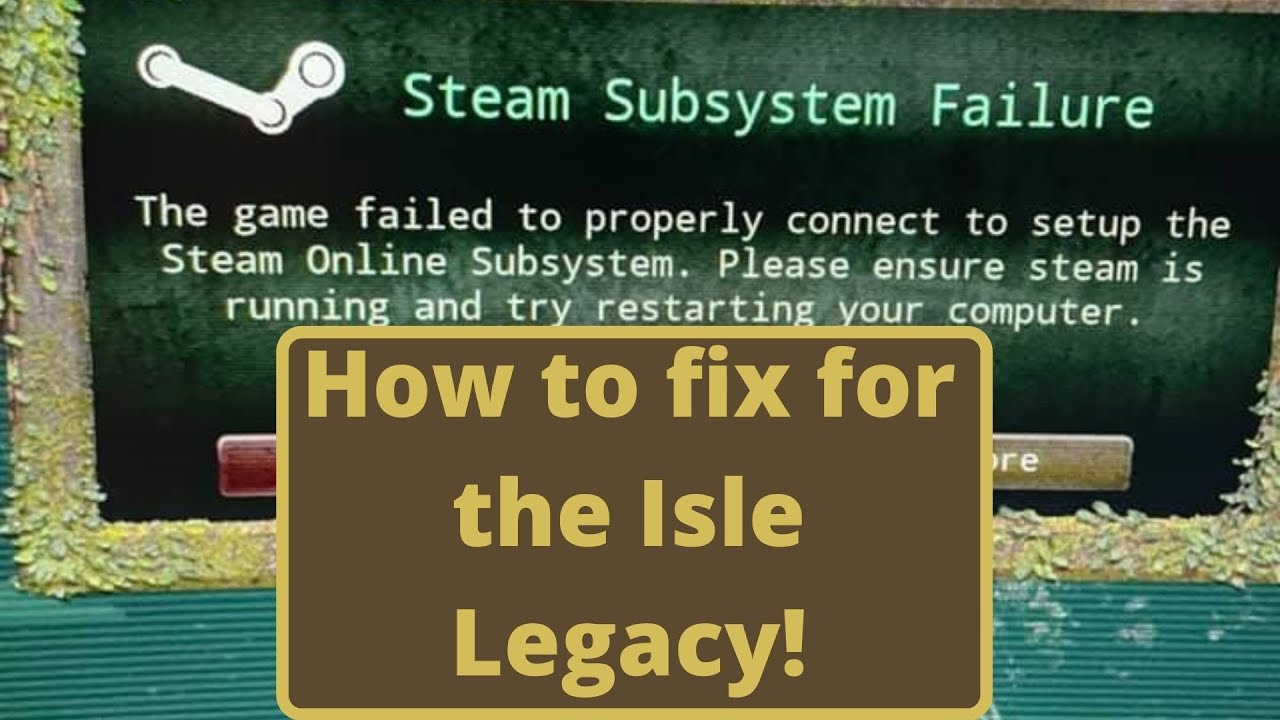
So after this recent update (June 16 2021) is current date. I have both of the versions installed. If you have not done this here is the link to how to do that.
vvvvvvvvvvvvvvvvvvv
Installing both versions
https://youtu.be/7Db9VMtrXSc
So after you do that then you can do what I show you in the video to fix the issue of legacy not launching pro...
just ignore that she has legacy in another file you will just do it in your normal file
 snow forum
hey Everyone I get this DX12 is not supported on your system error when I run evrima on Steam
does this mean I need to update my drivers?
 olive dagger
literally got 2 fatal errors in a row , this is getting annoying asf
 past sun
my game has crashed 5 times now, i verified my files in steam and its still crashing
olive dagger
no DX12 stuff , just "fatal error" and nothing else
bronze echo
snow forum
does this mean I need to update my drivers?
most likely
bronze echo
olive dagger
literally got 2 fatal errors in a row , this is getting annoying asf
this a bunch of soultions i have found in here
@timid comet you need to go into game files and run easy anti cheat uninstall and then install
if you dont have them verify game files
 timid comet
bronze echo
<@311831776970670080> you need to go into game files and run easy anti cheat uni...
timid comet
bronze echo
<@311831776970670080> you need to go into game files and run easy anti cheat uni...
nothing happen
I was able to enter evrima before downloading. I can't enter the game after installing the beta
 vagrant gull
idk if this is the properly channel, but those coordinates are a bit bugged and you get stuck -154,986.813, -184,852.335, -31,429.32
 bronze echo
vagrant gull
idk if this is the properly channel, but those coordinates are a bit bugged and ...
bronze echo
vagrant gull
idk if this is the properly channel, but those coordinates are a bit bugged and ...
 vagrant gull
I dont want to be unstucked, it isnt event an official server, I just want to report if it can be fixed someday :_D
bronze echo
timid comet
nothing happen
nothing is supposed to pop up
drowsy quarry
timid comet
nothing happen
easy anti cheat not installed?
timid comet
drowsy quarry
easy anti cheat not installed?
i already have
drowsy quarry
whats the error popping?
bronze echo
vagrant gull
I dont want to be unstucked, it isnt event an official server, I just want to re...
timid comet
 drowsy quarry
snow forum
hey Everyone I get this DX12 is not supported on your system error when I run ev...
drowsy quarry
snow forum
hey Everyone I get this DX12 is not supported on your system error when I run ev...
DX12 not supported error
- Make SURE you have all drivers updated
- You can use Nvidia Drivers website and fill what it asks
- Or AMD website for AMD cards
- After that, make SURE your windows is updated
- If nothing works, most likely you have a WEAK GPU that cannot support this type of game.
vagrant gull
bronze echo
<#783214088456896513>
ty
drowsy quarry
timid comet
translate plz
bronze echo
vagrant gull
ty
almost forgot its only for offfical
vagrant gull
bronze echo
almost forgot its only for offfical
well, its the official map (?)
bronze echo
vagrant gull
well, its the official map (?)
try ig
timid comet
drowsy quarry
translate plz
it works now
low cloak
the queue is broken, now I've been waiting for 4 hours to get onto several servers. When I wait in the queue and it is finished it says connecting and then it says the server is full. wasted 4 hours for nothing

 void lantern
vagrant gull
idk if this is the properly channel, but those coordinates are a bit bugged and ...
void lantern
vagrant gull
idk if this is the properly channel, but those coordinates are a bit bugged and ...
thats not a bug
void lantern
vagrant gull
idk if this is the properly channel, but those coordinates are a bit bugged and ...
u walked into a hole do u think the dinosaurs had admins to get them out of holes when they be stupid?
 vague zenith
anyone know how to fix this skin bug with my B pattern on carno. Looks glitched every time i select it
 compact lance
at -99,822.426 lat and -71,070.47 long there is a hole that you can get stuck in. I am stuck in it on NA 1 (id be happy if i could be freed)
vagrant gull
void lantern
u walked into a hole do u think the dinosaurs had admins to get them out of hole...
?? so personal dude, chill... its about to improve the experience of the player by removing "obstacles" in which you fall because of yes. Im not a dino and you aren't also, we're still humans and we need to have fun playing, I didn't said stupid to you (maybe I should), so have a bit of respect when talking to others please.
thin oracle
Would a 4GB gtx 1650 gpu be able to run evrima?
void lantern
thin oracle
Would a 4GB gtx 1650 gpu be able to run evrima?
yes but on lower settings
i ran a 1650 super for a while with 4gb vram and it was okay on med-low settings
highly recommended that u have 8gb+ of vram tho
 thin oracle
void lantern
highly recommended that u have 8gb+ of vram tho
thin oracle
void lantern
highly recommended that u have 8gb+ of vram tho
Yeah I’m hoping to upgrade but just checking!
analog hornet
Anyone know why i keep having fatal error its never happened to me before
void lantern
analog hornet
Anyone know why i keep having fatal error its never happened to me before
maybe file issues try verifying if u havent
compact meteor
 weary summit
unable to play the game
weary summit
unable to play the game
i downloaded VRchat and ran it and then closed it as soon as i got to the menu
bronze echo
analog hornet
Anyone know why i keep having fatal error its never happened to me before
compact meteor
and it got fixed
bronze echo
weary summit
unable to play the game
if you dont want to download vrchat verify game files then go into them unstiall easyanticheat then install
compact meteor
or that
 sand summit
Can someone help me?

 fringe briar
Uh so.. ive asked for help in a few different servers and none of their suggestions worked, so now im resorting to this server and hoping this can help me! Whenever i try to get on the isle this appears, ive reinstalled anticheat, swapped the cpu/gpu it uses, verified files, and a few other things but nothing worked
 vagrant gull
fringe briar
Uh so.. ive asked for help in a few different servers and none of their suggesti...
vagrant gull
fringe briar
Uh so.. ive asked for help in a few different servers and none of their suggesti...
A friend fixed it by updating its graphics drivers plus verifying files of the game in Steam
fringe briar
vagrant gull
A friend fixed it by updating its graphics drivers plus verifying files of the g...
I think i updated the drivers a few weeks ago
 north frigate
hi everyone i have a problem with the server loading, doesn't load servers even though it waits for minutes

 haughty parcel
where to get help when stuck
drowsy quarry
north frigate
hi everyone i have a problem with the server loading, doesn't load servers even...
thats legacy, not evrima
youre playing the old and discontinued version of the isle ^^
drowsy quarry
haughty parcel
where to get help when stuck
#evrima-sa #evrima-eu #evrima-na #evrima-au
north frigate
drowsy quarry
youre playing the old and discontinued version of the isle ^^
how can i switch/update? (i'm using steam and i don't have any update)
drowsy quarry
north frigate
how can i switch/update? (i'm using steam and i don't have any update)
right click the isle on steam > properties > betas > evrima
north frigate
ok now i will install it and try again, thanks for the support
fringe briar
fringe briar
Uh so.. ive asked for help in a few different servers and none of their suggesti...
This got a bit flooded so just gonna reply to it and hopefully i get help
drowsy quarry
fringe briar
This got a bit flooded so just gonna reply to it and hopefully i get help
Bloodhunt
What is this?
Above error from the Easy Anti-Cheat may appear when launching the game, preventing it from starting. The issue stems from a limitation in the specific Easy Anti-Cheat version curren...
thin oracle
How does the replay system work? I’m not sure how to activate it
drowsy quarry
thin oracle
How does the replay system work? I’m not sure how to activate it
you press f2 and a little camera appear at top left
then press f2 again and your recording will be available at the main menu
thin oracle
I’ve had some replays show up before by accidentally triggering them I suppose, but was unable to play them. Nothing would happen when I clicked play
drowsy quarry
the replays can only be seen after 30 minutes
but if nothing works you can try this
How to delete CONFIG folder
- close your game
- press windows + r
- search %localappdata%
- find The Isle > Saved > DELETE Config
- do not write anything, just search it by eye!
thin oracle
Ohhh there’s a time frame, thank you
 sick shore
how do you lay eggs? I’ve tried pressing every button 😭
 winter python
sick shore
how do you lay eggs? I’ve tried pressing every button 😭
winter python
sick shore
how do you lay eggs? I’ve tried pressing every button 😭
Stand on top of the nest and hold E
storm apex
bronze echo
your using legacy corect?
did this and now game wont run XD
bronze echo
storm apex
did this and now game wont run XD
Delete that file then
bronze echo
storm apex
did this and now game wont run XD
go into files agien delete than then you should see this go back to steamapps find appmainfest_376210 and delete it this will make steam "forget" you have the game and ask you to reinstall it then it will just verify the files nothing more it will only take a copule of minutes if you have a hdd to less than a minute with a ssd you might have to re do some steam settings with the game if you have any
 storm apex
done and gome still wont run
i give up for today XD ill have a tech going to chech my pc later tonight
bronze echo
Try starting it from game folders
storm apex
ill update you if we solve anything
bronze echo
Alr sry if i scrwed anything up just seems very strange that a text doc made legacy stop working
 thin stump
yo
i cant change my sens
plus my friends server isnt showing up
why is this so buggy
 weary cairn
thin stump
i cant change my sens
weary cairn
thin stump
i cant change my sens
what is "sens"?
bronze echo
mosue sens
weary cairn
thin stump
sensitivity
what do you mean? does it keep reverting or is there simply no option for you?
weary cairn
but you can increase it?!
weary cairn
thin stump
i cant lower it
same for me but I don't mind
you can fill out a report -> #🐞-evrima-bug-reports-🐞
weary cairn
thin stump
its just stuck on 2.5
you could try with editing the input.ini
weary cairn
thin stump
plus my friends server isnt showing up
is it showing up for anyone else? if not your friend might not have his firewall setup correctly
drowsy quarry
some servers tend to disappear when you go to unofficial, you just need to go to the menu and try again
sometimes it takes 3 tries but always worked until now
weary summit
compact meteor
i downloaded VRchat and ran it and then closed it as soon as i got to the menu
it wasnt vr chat
 trail estuary
I HAVE COMPLAINT IF YOU GET STUCK IN A HOLE THERE SHOULD BE A BUTTON TO GET OUT OF IT
JUST WASTED 3 HOURS CAUSE OF A HOLE KEEPING ME STUCK
 lost shale
anybody get a "game security violation detected" from easy anti cheat?
weary cairn
trail estuary
I HAVE COMPLAINT IF YOU GET STUCK IN A HOLE THERE SHOULD BE A BUTTON TO GET OUT ...
you can request to get unstuck in the official server discord channels, see the pins there (i.e. #evrima-na )
lost shale
just got that when my game crashed...
 plain wasp
Is there a troubleshoot for your dino disappearing? iv seen this is happening to a few players and not just me. So i assume you guys are aware of it.
Server restart announcement, logged out, waited 5 mintues relogged in and it took me straight to the create a character screen. Is there a solution to this issue or am i gona expect this to be a regular thing?
 cold nest
Any way to get unstuck?
tender trench
bronze echo
verfit files if you havent
ok i just did and it did nothing
cold nest
Any way to get unstuck?
 tight plaza
Does anyone here know how to fix the dx12 error I’ve watched multiple yt videos and even tried deleting the game and it still is showing up
drowsy quarry
tight plaza
Does anyone here know how to fix the dx12 error I’ve watched multiple yt videos ...
DX12 not supported error
- Make SURE you have all drivers updated
- You can use Nvidia Drivers website and fill what it asks
- Or AMD website for AMD cards
- After that, make SURE your windows is updated
- If nothing works, most likely you have a WEAK GPU that cannot support this type of game.
drowsy quarry
cold nest
Any way to get unstuck?
@ official server admin + Server + ign
#evrima-sa #evrima-eu #evrima-na #evrima-au
 digital yew
does anyone know how to fix the eating bug sometimes i would try to eat but my dino wouldnt eat the food so then i would try to pick it up and it would act like my dino picked it up but wouldnt eat and then i caant eat at all since it wont let me drop the fake food
drowsy quarry
digital yew
does anyone know how to fix the eating bug sometimes i would try to eat but my d...
you will need to quicklog out of the server
digital yew
ok thx
 civic acorn
can somebody explain to me why my dinosaur gets wiped everytime
drowsy quarry
are you safelogging out of the server?
civic acorn
yes.
this happend to me twice.my deino just vanishing from eu4 and my teno in na3
this game can't do anything right
drowsy quarry
thats really odd 🤔
 tidal finch
weary cairn
tidal finch
weary cairn
did we find a sure fix for the gamethread timeout error?
 stuck shard
has anyone else been having their dinos deleted randomly off both official and unofficial servers? I don't know what triggers it but multiple times now I have logged into servers where I've had grown/half grown dinos and they're gone, sometimes they're not. its happening to my friend too
stuck shard
civic acorn
can somebody explain to me why my dinosaur gets wiped everytime
me too, i've safelogged, i've not safe logged doesn't matter
 cursive tree
does anyone know why underwater nightvision as beipi shows just pitch black? i can see my outline of my beipi only
weary cairn
cursive tree
does anyone know why underwater nightvision as beipi shows just pitch black? i c...
a known issue, you have to relog to get it fixed
 thin lance
spawned as a baby cera i cant hit tab to see growth or anythiong
dawn pulsar
junior bridge
The shadows are indeed behaving pretty weirdly, look what happens at higher reso...
I’ll be watching for a fix then, it’s sooo pretty otherwise… 😢
 wet tapir
Im getting a fatal error when i play on any server? Anyone know what could be wrong on my end?
thin oracle
guys my the isle is giving dx12 error
does anyone know how to solve?
cursive tree
weary cairn
a known issue, you have to relog to get it fixed
okay, thank you
 cedar dust
My friend's audio is crackling constantly. Is there a way to fix this?
 spring socket
Is the thrash machanic not working? I'm holding down left click and shaking but it wont work
tight plaza
drowsy quarry
**DX12 not supported error**
- Make SURE you have all drivers updated
- You can...
Yeh I’ve tried everything and it still says it doesn’t work which is weird because I’ve never had any issues wit any other games and I’ve played the isle since the new update and now it’s saying this so idk what to do now
 dusty stump
Is there a reason my left mouse attack is doing the alternate attack instead of the normal swipe like on the beipi
drowsy quarry
dusty stump
Is there a reason my left mouse attack is doing the alternate attack instead of ...
settings > gameplay > Enable manual alt attack
drowsy quarry
tight plaza
Yeh I’ve tried everything and it still says it doesn’t work which is weird becau...
whats your gpu?
 turbid lava
why cant i sit on my nest again?
tight plaza
drowsy quarry
whats your gpu?
GeForce GTX 1070
turbid lava
twice now its happened and the eggs freeze
drowsy quarry
turbid lava
why cant i sit on my nest again?
what dino are you
drowsy quarry
tight plaza
GeForce GTX 1070
whats your operational system? windows 10? 11?
turbid lava
drowsy quarry
what dino are you
stego
drowsy quarry
turbid lava
stego
odd, it should be working
turbid lava
drowsy quarry
odd, it should be working
i booped a compi not sure if that had anything to do with it
drowsy quarry
not really
tight plaza
drowsy quarry
whats your operational system? windows 10? 11?
Windows 11
 drowsy quarry
tight plaza
Windows 11
drowsy quarry
tight plaza
Windows 11
pc or notebook?
tight plaza
drowsy quarry
pc or notebook?
Pc
drowsy quarry
tight plaza
Pc
Download the English (US) GeForce Game Ready Driver for Windows 10 64-bit, Windows 11 systems. Released 2023.6.29
is this the one you downloaded?
 dusky furnace
 short brook
help
short brook
help
Redownload game
short brook
dusky furnace
Redownload game
😄
 sharp fossil
yall anyone know how to fix it? i just logged on and something like this came up
"Out of video memory trying to allocate a rendering source"
and some other doodads, what does that mean? and what do i do
keep in mind i tried to log on again, maybe 2-3 times, same thing
drowsy quarry
sharp fossil
yall anyone know how to fix it? i just logged on and something like this came up...
whats your gpu?
tight plaza
drowsy quarry
is this the one you downloaded?
Yeh that’s the one I deleted the game again and this time it works so thank you for the help tho.
drowsy quarry
oh nice :)
drowsy quarry
whats its name
sharp fossil
AMD Radeon RX 6400 if thats what your asking for
sharp fossil
drowsy quarry
how much space you have where the isle was installed?
like how much gigs? wdym
drowsy quarry
yeah, maybe your pc has ran out of space
sharp fossil
what
drowsy quarry
or the problem is the RAM of your pc
sharp fossil
drowsy quarry
or the problem is the RAM of your pc
how to check ram
drowsy quarry
same place
sharp fossil
performance?
drowsy quarry
yep
sharp fossil
8.0 gb and 7.3 gb
drowsy quarry
so i can see how your pc is working
drowsy quarry
either press PrtSc button (print screen)
or open any app that takes prints
think if you write screen on your pc it should come up with an app
drowsy quarry
press ctrl + v on this chat
drowsy quarry
hmm
drowsy quarry
use the app then
sharp fossil
what
drowsy quarry
search screen on your windows
sharp fossil
all i got was screen saverr
drowsy quarry
cant you just use your phone at this point 
sharp fossil
so take a pic of the memory and stuff?
sharp fossil
k, my monitor is kind of large so itll be a bit zoomed out
this?


sorry so blurry smh
 drowsy quarry
no, i mean the 4.0
drowsy quarry
usually GPUS nowadays have more than 6GB
drowsy quarry
im pretty sure you should try changing your graphics or reducing any open app while gaming
your gpu can struggle easily, it cannot handle many things
sharp fossil
i usually have microsoft edge open
drowsy quarry
on the game
sharp fossil
if i cant enter the game...
ok let me try running it without anything open
oh ok
it’s running this time
thanks for helping me lmao
drowsy quarry
all good ^^
sharp fossil
I’ll try to refrain from keeping any apps open other than the isle
 nimble pewter
anyone know why i keep getting disconnected from every server i join after like 3 minutes
 flat raft
What graphics card do I need in order to play the game?
 pearl surge
Crashing
lost shale
does anybody have a fix for the fatal crashes? sometimes my game is fine and i can play for hours. Other times it crashes after 10 minutes of gameplay. Ive gone thru all of the steps already and deleting folders verifying integrity of files and fresh installing. Pretty frustraing constantly crashing and having to sit in a queue again. my fatal crash just says "fatal crash" nothing else. No error code or anything.
 static stone
hi good evening ..can anyone help me? I downloaded the game update but an error message is appearing as you can see in the photo.. I already updated the video card but the error continues and I can't play. Before it was ok!

 raven orchid
Hi! I'm experiencing this issue while walking with the dino in EU3 server many times this last 2-3 days. Just to report it. 👍🏻

After this, the game will close and idk what happens to dino. Sometimes I've found it dead after I login back.
 vernal knot
does anyone know how to fix not having nigth vision> my friend jsut logged on after hiatus and they cant get nigth vision to work
 earnest lotus
can anyone help ?

 earnest nimbus
how do i shake off raptors as a stego?
 ebon furnace
whats the max amount of dienos in a group again in official servers?
 polar terrace
All the saved skin precets on my raptor are gone and have been replaced with randomized colors
 abstract lintel

 slate quest
bronze echo
In steam, right-click The Isle, and go to properties.
In launch options, add in ...
slate quest
bronze echo
In steam, right-click The Isle, and go to properties.
In launch options, add in ...
How is that typed out? Is that all connected?
abstract lintel
do i need to do anything to fix my issue?
slate quest
abstract lintel
That's the exact same issue I'm having
abstract lintel
so no fix?
slate quest
Not from me no. I have no idea why I'm having this issue
 wide kelp
Anyone having the issue where the axis for the mouse is not working? My up and down is working fine although I cannot look left and right
 kindred drum
I managed to stop the "app configuration unavailable" for a moment but since last update it came back and i can't stop it from coming back...
 mild plover
I am currently stuck inside the a rock formation and i cant move is there any one who can help me with this
abstract lintel
just got this same one and i was just runnin to NW
 vernal bramble
abstract lintel
just got this same one and i was just runnin to NW
vernal bramble
abstract lintel
just got this same one and i was just runnin to NW
this is your connection
how ms you have ?
abstract lintel
it was like 50
vernal bramble
you need litle more
abstract lintel
imma relog and take a full screen shot
vernal bramble
if you down under 20 ms you got fatal error
 vernal bramble
no
i talk about this
press
alt + r
the ms
will be show
is the real ping
abstract lintel
its not popping up
abstract lintel
welp ive never had this problem b4
some new update caused this
cant even play the game it just keeps crashing after like 5 min of play
marsh folio
I need help, sorry about the phone recording but this is happening and I don’t know what to do anymore, no error or nothing comes up
 nimble kindle
I get BSOD if I spend too long in the dino creation window. Crashes my entire computer.
vague spade
Good afternoon. DX12 error, how can I solve it?

 fast laurel
im with the same problem 3 times... 2x times in Test server and now in-game. AND its not just in Beipi.. in Deino appear the bug to..
 crude osprey
Well, we are waiting for a fix...
 void citrus
vernal bramble
is the real ping
void citrus
vernal bramble
is the real ping
15
thin oracle
vague spade
Good afternoon. DX12 error, how can I solve it?
I got it rn too, I just bought the game
@vague spade there is some solution in the pinned messages
omw to check it
 chilly meteor
Hello, is there a way to unstuck the cerato after grabbing a body? I can't leave it
empty blaze
bronze echo
Try dissabeling Steam overlay
we tried both these options and it hasnt helped unfortunately. Still disconnects him after 10 mins
 mighty osprey
hello, i'm receiving the same DX12 issue. I've already updated my windows 10, my graphics driver and i do have direct X 12 installed. Any ideas on how to fix it?
empty blaze
empty blaze
we tried both these options and it hasnt helped unfortunately. Still disconnects...

 left bear
i am playing in eu1 for 20 min and the game kick me out off the server and say its full or admin kick or fix the dam game
jaunty basalt
Why do I crash about 4 minutes every time I join Evrima and have to reopen for the same thing to occur?
drowsy cape
jaunty basalt
Why do I crash about 4 minutes every time I join Evrima and have to reopen for t...
Make sure you drivers are up to date, verify your game files, and you can also try disabling all forms of overlays you may have (such as steam, discord, ect.)
 buoyant dock
has anyone found a way to fix the meat chunk stuck in your mouth glitch without relogging
drowsy cape
buoyant dock
has anyone found a way to fix the meat chunk stuck in your mouth glitch without ...
someone the otherday was saying they had some success with running and spamming G. i dont know how effective that will be though
mighty osprey
mighty osprey
hello, i'm receiving the same DX12 issue. I've already updated my windows 10, my...
no solutions coming to mind?
drowsy cape
mighty osprey
no solutions coming to mind?
what did you use to upgrade your drivers
mighty osprey
nvidia's website
drowsy cape
and you're crashing on launch?
mighty osprey
it just opens up the easy anticheat screen, says "waiting for game..." for about 10-20 seconds and then it closes and gives me the DX12 error
drowsy cape
I believe people were saying that the most up to date driver for (i think it was nvidia) is partially causing this issue. I dont know exactly which, but maybe considering going back a driver update or 2 on the website and trying that one
mighty osprey
alright but if that doesn't work, you got any other ideas?
drowsy cape
not entirely sure... the best thing i could say it ping the tech support role saying everything youve tried
mighty osprey
alright i'll try that
drowsy cape
best of it
buoyant dock
drowsy cape
someone the otherday was saying they had some success with running and spamming ...
Thank you
drowsy cape
buoyant dock
Thank you
just outta curiousity. did this work for you?
jaunty basalt
drowsy cape
Make sure you drivers are up to date, verify your game files, and you can also t...
Thanks, I’ll try all them
drowsy cape
best of luck
buoyant dock
drowsy cape
just outta curiousity. did this work for you?
i had already relogged but its happeneing all the time so i will let you know when it next happens
i had to relog because i was croc and couldnt drink
drowsy cape
yeah please do, that may be a temporary solution to it, which would be nice
buoyant dock
very its difficult to relog when it happens with the queue times rn
drowsy cape
yeah for sure
mighty osprey
also just a question, what does it mean by "try running without the -dx12 or -d3d12 command line argument"?
how do you even do that
drowsy cape
mighty osprey
also just a question, what does it mean by "try running without the -dx12 or -d3...
It wont work i dont believe, but in steam you can input certain likes like that to basically change the way the game runs. im explaining it poorly. but you can put a game into fullscreen and stuff like that through it
mighty osprey
ah okay
hm this is really odd
i guess it's time to go through like 7 different driver versions all the waup up to 2019
drowsy cape
best of luck
mighty osprey
thanks
marsh folio
marsh folio
I need help, sorry about the phone recording but this is happening and I don’t k...
please i need help
bronze echo
mighty osprey
alright but if that doesn't work, you got any other ideas?
Did you install it via GeForve experience or manually on the website
bronze echo
marsh folio
I need help, sorry about the phone recording but this is happening and I don’t k...
Try launching from game files instead it might be a steam issue
mighty osprey
bronze echo
Did you install it via GeForve experience or manually on the website
like i said, geforce doesn't support my gpu, i have to do it from the website
bronze echo
mighty osprey
like i said, geforce doesn't support my gpu, i have to do it from the website
Whats ur gpu sry if you have allready said it a lot of msg in the chat
mighty osprey
it's fine, we talked like 2 days ago so there's no reason for you to remember it
i have Quadro K1100M. It supports direct X 12 and i can honestly run most things pretty fine
the latest driver for it is from 2021 if i recall correctly
north frigate
im stuck here and i don't know how can i get out
 marsh folio
bronze echo
Try launching from game files instead it might be a steam issue
marsh folio
bronze echo
Try launching from game files instead it might be a steam issue
thank you so much man
odd nebula
mighty osprey
i have Quadro K1100M. It supports direct X 12 and i can honestly run most thing...
It only supports feature level 11_0. So it doesn't technically support DX12 features even if it says it does support DX12. It'd need to support at least feature level 12_0 to run the game.
bronze echo
mighty osprey
i have Quadro K1100M. It supports direct X 12 and i can honestly run most thing...
I remeber now the quadro series is pretty small in the gaming community and id say its probably that its running in some special way the devs havent rly done but this is just a theory might not be right at all
mighty osprey
odd nebula
It only supports feature level 11_0. So it doesn't technically support DX12 feat...
i have DX12 already installed though? I've used it for other programs that use it before
i'm not sure how accurate the dxdiag program is but that also says i have it installed properly
drowsy cape
north frigate
im stuck here and i don't know how can i get out
check the pins in the evrima chats. such as #evrima-na
bronze echo
odd nebula
It only supports feature level 11_0. So it doesn't technically support DX12 feat...
Yeah Google was giving me mixed signals abt what it supported
odd nebula
You can have DX12 installed without the hardware to support it. As I said, your GPU supports DX12 but only feature level 11_0.
mighty osprey
so does this mean i can't run the game at all or something
bronze echo
mighty osprey
i'm not sure how accurate the dxdiag program is but that also says i have it ins...
It might be because the game supports dx11 too and just roots back to it when its not working with dx12 in the future devs might re add dx11 or a plugin will do it
odd nebula
Devs have said there will not be support for DX11.
north frigate
drowsy cape
check the pins in the evrima chats. such as <#543084446853890049>
i need to write at one admin for ask to unstack me?
drowsy cape
you need to ping the officialserveradmin role in one of those channels asking for an unstick with your ingame name and servername
mighty osprey
sooo what do i do then
odd nebula
Two options: you buy a new GPU or wait until Evrima becomes the main branch to play through GeForce Now.
mighty osprey
i don't think either of those are possible for me
GeForce doesn't seem to support my graphics card and i have a laptop, not a PC, i can't just swap out the GPU
odd nebula
Geforce Now is a cloud-gaming platform. It streams you the game. You can play with Geforce Now on a phone, literally.
mighty osprey
oh huh, i guess i have to wait multiple years just to play evrima then lol
marsh folio
nvm, still wont work, it opens up the launcher and goes through loading but stop there
bronze echo
mighty osprey
oh huh, i guess i have to wait multiple years just to play evrima then lol
Not more than half a year
Its coming next update
buoyant dock
drowsy cape
yeah for sure
the running has let me drink but it doesnt remove the food attached to you so im still a swimming scent marker but at least i can drink
drowsy cape
buoyant dock
the running has let me drink but it doesnt remove the food attached to you so im...
righton. thanks for the info
marsh folio
Still having this problem, doesn’t work trying to open it in the files either
bronze echo
marsh folio
Still having this problem, doesn’t work trying to open it in the files either
verify files go into folder run the uninstall and install easyanticheat files
marsh folio
bronze echo
verify files go into folder run the uninstall and install easyanticheat files
easyanticheat instantly closes the moment i try open it, both the install and the uninstall

 native loom
how to fix not having night vision setting
Open File Explorer from the taskbar.
Select View > Options > Change folder and search options.
Select the View tab and, in Advanced settings, select Show hidden files, folders, and drives and OK.
Afterwards, at the bottom left of your taskbar there should be a white search bar. Type %APPDATA% in there and open your %APPDATA% folder.
At the top you'll see the filepath, click "Appdata" to go back to the actual Appdata folder, then to local > TheIsle > delete the "Saved" folder.
Also remember that the keybind is the X key, it's not N.
not my work just copying a forum I found
<@&401466542140817419> <@&505047238674874368> Can you pin my message bc it fixes the problem ty ^^
ionic cobalt
I be njoying a non functioning game yayy
 west knoll
i think im having what i hope is a common first time launch issue, after launching the game i cant interact with the menu at all
also it launched on my secondary monitor
 slow quarry
help, my cera is stuck to some flesh i cant eat, so its revealing my poosition, and im hiding
 potent cloud

 slow quarry
im stuckto frash meat, and cant drink
thick canopy
anyone found a fix for the fatal erorrs?
drowsy quarry
slow quarry
im stuckto frash meat, and cant drink
quicklog will fix it
drowsy quarry
native loom
how to fix not having night vision setting
Open File Explorer from the taskbar....
theres a way more simple fix for it lol
by deleting the saved folder you also get rid of your skins, to prevent that you can delete the config one, which is inside the saved
and to get there faster you just need to tye %localappdata%
 atomic flower
I'm stuck here any hope of atleast killing myself quicker?

 shadow hinge
Hmm, this picture gives a very clear indication of your location! Thank you.
atomic flower
 well its not my fault that the crevice has bushes in it
 twilit loom
@atomic flower press tab, go to the top right and left click to copy your location
storm apex
The only fix to this i found when game said launching and gas not run open another game and the isle game will launch 😂

If anyone can confirm that it worked also for them hit the emote button👌🏽
atomic flower
twilit loom
<@237896040630583299> press tab, go to the top right and left click to copy your...
yea I'm dead dont worry bout it
winter python
native loom
<@&401466542140817419> <@&505047238674874368> Can you pin my message bc it fixe...
It's already pinned
 atomic sigil
Is there anyway to get out of a hole if a mod isn’t answering 😦
Oh yeah absolutely spamming raptor jump. Thankfully. Nailed it lol
 cold fog
hey i got stuck in envrima how do i get unstuck ?
sand summit
can anyone help?

 formal vale
ayo me too
 drowsy cape
@sand summit@formal vale #🔧-evrima-troubleshooting-🔧 message try this fix if you havent allready
 true yew
anyone know anything about the game getting small freezes during combat?
drowsy cape
cold fog
hey i got stuck in envrima how do i get unstuck ?
check the pins in the evrima chats. such as #evrima-na
drowsy cape
true yew
anyone know anything about the game getting small freezes during combat?
Do you run at or around 60fps normally?
true yew
drowsy cape
Do you run at or around 60fps normally?
i usually run around 70-90
even during combat my fps doesnt rlly drop , but my screen gets freezes when another player goes in for a bite or i go in
so odd
drowsy cape
you can try lowering the effects to see if that might help maybe the blood spawning on hit is causing it. I got that in U6 but get it less now in 6.5 so not sure what causes it
true yew
drowsy cape
you can try lowering the effects to see if that might help maybe the blood spawn...
ah okay ill try that , thanks
drowsy cape
best of it
 finite oriole
does anyone know how to solve?

 summer urchin
any news on how to fix this crash?

 coral helm
lost shale
coral helm
lost shale
same
 brittle flower
Is there any way to fix this?
So, I keep crashing 9 times on 10 when joining a server OR shortly after! The crash error code changes every time ...
Since new update the game is literally taking all my computer's ressources whle im running the game on low/medium - My game runs lireally between 8 and 13 fps all the time when im OUT of lagging zones, (between 1 and 10 fps in some areas)
I already tried some fixes such as verifying files, re-installing the game, deleting config or saved files, putting my whole game to full low, reinstalling full steam, cleaning my computer in and out ...


 torn plover
someone pls tell me how to fix this

 neat viper
i have this exact error to pfff
 young rock
From what I know from other games (Callisto Protocol usually), this issue of DXGI_ERROR_DEVICE_REMOVED is related to low VRAM. Try lowering the texture resolution or use MSI Afterburner to check it.
brittle flower
Also, dunno if there's a fix for admin pannel bugs or if its something coming up as a hotfix later?
(me and other amdins have experienced some problems with dying when teleporting, crashing while going or going out of spectator mode, server or personal lagging when using the admin pannel! Also just experienced soem bug with the growth system on a stego where I tried to put him to 30% growth and it took him to 0.0%, other admin tried and did the same. I finally could find out that his grow was drastically going up with %. So 30% put him to 0, 40% put him to 16% grow, 50 to 30%, 60% to 55% of his growth, 70% to 72% ... )
neat viper
young rock
From what I know from other games (Callisto Protocol usually), this issue of DXG...
but i have a pretty good pc so its weird idk but thanks tho
brittle flower
young rock
From what I know from other games (Callisto Protocol usually), this issue of DXG...
And my settings are all on low also
young rock
btw, I'm having an issue where changing the graphical settings related to UE5 (Lumen, TSR, DLSS and Hardware Ray Tracing) does nothing to my game. Actually, if you change any of these settings, I get lower FPS. Even if I set TSR to Low I go from 100 fps to 50 fps.
young rock
neat viper
but i have a pretty good pc so its weird idk but thanks tho
Np. I noticed that recent Unreal Engine titles, people are always complaining about these kinds of errors in their Discussion forums
 dark thorn
does anyone know how to unistall dx12

 tulip kite
i got kicked out from AU 3 bcs lost connection, but my connection is good and i cant log in back. the screen keep showing "connecting"
urban spire
true yew
anyone know anything about the game getting small freezes during combat?
welcome to the gang
just that I can't play the game for 5 minutes
urban spire
young rock
Np. I noticed that recent Unreal Engine titles, people are always complaining ab...
indeed the fatal errors happen out of the blue or the movement like if ur in combat u can crash and there seems to be no solution
 teal nexus
every time i am in the queue at place 1 i get kicked out and told server full... I sit at least 2 hours after 3 attempts I come only on it
 fresh ibex
skill issue i fear
fresh ibex
my game isnt launching
 cinder solar
neat viper
cinder solar
neat viper
this fatal error stuff is so... i just wanna play the isle bruh
 uncut junco
formal vale
ayo me too
uncut junco
formal vale
ayo me too
got the same issue, are there any fixes yet?

 tender trench
im back lol and imma try to re download evrima to fix the replay issue
vernal bramble
 uncut junco
 tender rose
Last driver update.
tender rose
Last driver update.
it doesnt let me? I dunno, is anyone else havin issues with installing the game ready driver?
tender rose
The problem is in the game itself that it does not want to start.
 kindred sapphire
I’ve tried all fixes game just won’t start
uncut junco
ah man
kindred sapphire
My friend doesn’t even have minimum specs and his game starts
 inner solstice
Anyone know how to fix the "AntiCheat not installed"
drowsy quarry
inner solstice
Anyone know how to fix the "AntiCheat not installed"
go to the game files and run a file called installanticheat
inner solstice
drowsy quarry
go to the game files and run a file called installanticheat
thanks
 fallow tinsel
Does anyone know how to fix the “dx12 is not supported on your system” error message
It doesn’t let me open the game
drowsy quarry
fallow tinsel
Does anyone know how to fix the “dx12 is not supported on your system” error mes...
what's your GPU?
 prime garden
any1 know how to fix this`?
 drowsy quarry
stuck before spawning?
tender trench
tender trench
im back lol and imma try to re download evrima to fix the replay issue
it didnt work i am officailly out of ideas. Can anyone help?
drowsy quarry
deleted config file yet?
prime garden
drowsy quarry
stuck before spawning?
no certain dinosaur just dont show up when choosing what dinosaur i want to play
drowsy quarry
try verifying files or deleting config folder
fallow tinsel
drowsy quarry
what's your GPU?
How do I check?
drowsy quarry
fallow tinsel
How do I check?
task manager > performance > click GPU and tell me it's name
if there's two, click GPU1
 fallow tinsel
drowsy quarry
task manager > performance > click GPU and tell me it's name
fallow tinsel
drowsy quarry
task manager > performance > click GPU and tell me it's name
11th gen intel(r) core(tm)
winter python
fallow tinsel
11th gen intel(r) core(tm)
That's your CPU, find the GPU tab on the left
fallow tinsel
Intel(r) iris (r) XE graphics
fallow tinsel
Nope thats the only one
drowsy quarry
unfortunaly it's too weak to play the game :(
fallow tinsel
Damn
drowsy quarry
integrated graphics cards cannot run the latest version of the isle
 glad prairie
I keep getting fatal errors, is there a fix for this?
bronze echo
prime garden
any1 know how to fix this`?
Dont see a issue
bronze echo
Or is it a laptop?
inner solstice
bronze echo
Or is it a laptop?
laptop
bronze echo
Well then its no pc and my theroy gone
drowsy quarry
inner solstice
laptop
is there any other GPU on your task manager?
usually gaming laptops come with 2 gpus
 open burrow
anything for this?
 proud falcon
NOOOOOOOOOOOOOOPE
open burrow
WHAAAAAAAAAAAAAAAT
proud falcon
no fix for that
static stone
hey guys can you help me? I'm having a problem after I updated the isle I can't play because an error appears..DX12 NOT SUPPORTED..I've already updated the video card but it still continues..please help me

 acoustic bloom
@thin oracle the win64 error is back
 inner otter
same thing pops up for me @static stone
static stone
how annoying is that! I wish I had more computer knowledge
odd nebula
static stone
hey guys can you help me? I'm having a problem after I updated the isle I can't ...
What graphics card do you have?
Also, I see you have an unactivated version of Windows. This prevents you from obtaining all the Windows updates. However, DX12 is updated through Windows updates. Activate Windows, install all updates it throws at you and see if that works.
static stone
NVIDIA GeFORCE gtx 1650
odd nebula
Latest drivers? Sure sure sure? If yes (and make double sure), then do what I wrote about the unactivated Windows issue.
static stone
but does everyone who is having the same problem also coincidentally also have windows like this? ...I already updated the card yesterda
odd nebula
This problem is caused by not having up-to-date graphics drivers and/or up-to-date Windows.
static stone
I see that there are many similar stories
odd nebula
Yes, because many people are pretty awful at keeping their drivers and Windows up-to-date. Another part just doesn't have a dedicated graphics card or one that's recent enough to actually support DX12.
static stone
vou ativar o windows então pra ver
odd nebula
All right.
inner otter
all my stuff is up to date and it still pops up for me
odd nebula
inner otter
all my stuff is up to date and it still pops up for me
Can you please provide:
- your graphics card (right-click on your task bar > Task manager > Performance > GPU. If there are two GPU, it's GPU 1 you have to look at);
- your graphics driver version and date (same as above, but scroll down to see the driver's version and date);
- your Windows version (right-click on the Windows icon > System > scroll down to Windows specifications and see what version it says you have).
bronze echo
static stone
hey guys can you help me? I'm having a problem after I updated the isle I can't ...
whats ur gpu and uninstall and reinstall the drivers
acoustic bloom
Anyone know how to fix the isleclient win64 0xc000005 error