#šŸ”§-legacy-troubleshooting-šŸ”§

1 messages Ā· Page 43 of 1

sly ether
#

Hy, could someone help me out šŸ˜…
I got a old pc from my Brother and its a older one i think.
Im not familiar with pc gaming šŸ˜…

I want to get "the best out of it" for the isle.

Grafikcard : nvidia GeForce GTX 960

Prozessor :
Intel(R) core(tm) i5-4590 cpu @ 3.30GHz

If someone could tell me if that is good or bad im really happy ā¤ļø greetings

pale pike
#

You'll run the game but not at the highest graphics quality @sly ether

honest river
#

I've tried the dns refresh thing but I still cant see the Isle official EU servers 😦 any help pls

sly ether
#

If i want to run it on the highest possible what would i need to change? Btw thx for helping @pale pike

honest river
#

Oh gg fixed it

pale pike
#

Your GPU is at the minimum recommended so you would have to get better , not sure about the CPU though. It does have 3.3GHz but it's also getting a bit old @sly ether

sly ether
#

Allright thank you! (= @pale pike

oak ice
#

Hey, so everytime i try and play the Isle and try and find a server, the game is attacking my router and my router Blocks the internet. Its only the isle that is attacking my router not my other 40 games

scarlet chasm
#

The isle doesn’t attack routers

#

It’s possible that antivirus or malware is trying to scan everything the isle is doing which may be blocking other things depending on your hardware

honest river
#

How do i fix this no servers glitch

dull hull
#

I had a friend invite me to see if I could still access the discord, and I can, but then after a while it says I can ā€œjoinā€ as if I wasn’t in the discord before.

#

And now the official discord isn’t showing up on my server lists

#

And this is on my phone, I don’t know if it’s doing it on my computer

hardy raven
#

Hey could anyone help me out? i am having hours of issues trying to get into peoples servers on the Isle, it's stressing me out because all my friends can get in but i can'tšŸ˜ž

dull hull
#

My previous issue is most likely on my end, regarding my previous post. It's still going through an outage on my phone, but I can access the discord on my laptop

snow grail
#

Yo I don’t have an isle official discord bubble on the left side of my discord app??

#

But I can get to here through my friends mutual servers?

#

I already left and tried to rejoin the server itself

#

I can’t join it Then I can’t see it then I can join it but can’t see it

eternal kestrel
#

So, I think it's my weather but I can only get onto this server via my laptop.
The others either say its "unavailible due to a temporary outage" while my ipad crashes whenever it even tries to get into the app

dusky oar
#

I have the outage too, on mobile

river fractal
#

Same it keeps not working

pale pike
#

No point in clogging the channel with everyone saying same , it's a discord issue , the devs cant do anything about it.

strong shale
#

can anyone help me out i cant find any servers

#

no matter what i do

craggy owl
#

Hey, I could really use some help

#

Everytime I host my own server, I join and it gives me a black screen

#

not just my own servers, but whenever I try to connect to a server through the isle, I get a black screen

strange geyser
#

From Official Us

#

1

hardy raven
#

Hey @strange geyser I keep getting the exact same thing on all the servers

scarlet chasm
#

@strange geyser and @hardy raven reinstalling steam seems to fix that problem, you can backup the Steamapps folder to backup your games. But if you close steam and remove everything except Steam and Steamapps folder, then rerun steam, it will redownload all the steam files.

strange geyser
#

big brain

#

ā¤ļø

hardy raven
#

@scarlet chasm thankyou so much, my game is now in full tact and working again!! šŸ˜„

willow saffron
#

anyone who knows why i dont have any sound in game?
i get the cool bass boosted thing when the game boots up, but after that theres no sound at all
ps im using wireless headset

nova schooner
#

did you check your settings?

#

otherwise ill suggest to reinstall the game, had this problem some time ago as well but I just reinstalled the Isle and didn't have any problems with my sound after

scarlet chasm
#

Do you have normal speakers to test? Otherwise there is a known issue if you have a surround sound headset

willow saffron
#

fixed it
just some problem with the windows 10 sound mixer

manic grail
#

@dull hull I've been having the same problem but as you said only on phone.

dull hull
#

Think it’s something to do with the discord @manic grail, since several people are making the same complaint. Best thing to do wait it out I guess, it’ll probably fix itself eventually.

rustic lodge
#

@scarlet chasm is that really the only way to get that host closed the connection problem? im having it aswell

warm sentinel
#

What is happening with this discord server since it has been popping out for a few people

scarlet chasm
#

@rustic lodge that’s the only way I’ve seen to work. Can’t say if it’s the only fix, just the one I know

rustic lodge
#

@scarlet chasm okay, thank you. I will have to try it then.

gentle stratus
#

I can’t get any servers to show

scarlet chasm
#

Try this:

If servers are not showing up:

  1. Click Steam in the top left of your Steam library.
  2. Go to Settings > In-Game > click the bottom dropdown box and change your max pings to 1000. Note: You may need to play around with the best setting for you. Some players have reported 500 works better for them.

IF that doesn't work, follow this:

Open an Administrator level command prompt

  1. Type in CMD on your windows search through your computer.
  2. Right click Command Prompt
  3. Click Run as Admin. It'll open a black weird box
  4. Type ipconfig /flushdns
  5. Hit enter
  6. Type netsh winsock reset
  7. Hit enter
  8. Reboot your computer
  9. Open up The Isle
finite wing
#

So i have this weird bug where my bluetooth controller will make my game freeze. After i shut off my controller the game is suddenly fine. Any idea what this is? Wired controllers work fine but my bluetooth windows controller freezes the game every time.

honest river
#

My recording and auto recording are not working. I have the recording indicator on and also the autorecording on too. The t key does not work. It all started today like 3 hours ago. I reinstalled the game but that didn't fix my problem. What should I do?

scarlet chasm
#

@honest river the in game recording doesn’t work (or shouldn’t be). The code was removed.

honest river
#

Why? It worked until today just fine. Can you explain please?

scarlet chasm
#

Foszor said in a stream he doesn’t know how it still works for some people because they had removed the code a while ago (I think cause it was buggy). That’s all I know though.

honest river
#

Oh, but will we get it back in the future?

dry junco
#

Hi. does anyone know why i cant seem to find any US servers. even LIFE FINDS A WAY or ISLA NYCTA. if anyone knows something that can help me pleas.

honest river
#

@scarlet chasm i tried that method and it didn’t work for me

#

i also keep getting this whenever i try to load into the game i recently bought the game today so i do not know why it is doing this

scarlet chasm
#

@honest river make sure your graphics drivers are up to date

honest river
#

Thanks it worked

velvet shadow
#

So I'm trying to play and everytime I log on, my camera moves on it's own and goes under my dinosaurs, and even if I move it up, it goes back down. Wtf, someone help me please. x.x

#

This is seriously making me mad, I can't play.

willow saffron
#

im having some new problem
when the game is done booting up i loose sound on my bluetooth headset exept for a little constant beep noise
sometimes i get sound for like 0.1 and back to beep
have triede messing around with the windows sound editor but nothing seems to work

dense echo
#

we have some pb on dock eu3 jan is glitched

upper belfry
#

im stuck between bars

#

I am free nvm

velvet shadow
#

I just un installed and reinstalled the game and I still have this camera issue, what the heck?

#

This is a recent thing too, i've never had this issue before. šŸ’¢

honest river
#

@velvet shadow Try this:

Right click The Isle in your Steam Library > left click properties > local files > browse local files > TheIsle > delete the "Saved" folder and re-launch The Isle. It'll reset everything back to default, the folder itself will refresh upon launch.

zenith kiln
#

I’m trying to find the isla nycta master test server and I’ve been trying for a t least 30 minutes and it hasn’t shown up

honest river
#

@zenith kiln I'd say your best bet is to ask on the Nycta discord šŸ™‚

grizzled nest
#

@silk jasper

vague prism
#

Pretty sure they already removed the test server @zenith kiln

grizzled nest
#

Get help here tank

silk jasper
#

ok hello

#

did you see my comment?

honest river
#

@silk jasper Try restarting computer or reinstalling the game, if that doesn't work might have another option.

zenith kiln
#

nvm i got it

honest river
#

Awesome!

silk jasper
#

Whenever I load my game I get this message

#

I have tried uninstalling it but it didn’t work

honest river
#

Uninstall the game via Steam. Go into C;/Program Files(x86)/Steam/SteamApps/common and delete The Isle folder. Restart your computer and reinstall The Isle.

silk jasper
#

Alright I’ll try

silk jasper
#

it didnt work im upset 😢

#

I ran a ā€œ verify integrity of game filesā€ on Steam settings, end it says all files successfully validated. So I truly don’t understand what the problem is šŸ¤·šŸ½ā€ā™‚ļø

crude abyss
#

Never seen the error myself, but I read some articles and it seems like the problem is related to direct X 11, so do you have direct x 11 on your pc?

#

Also Not a tec guy myself so what I’m saying could be pretty wrong

silk jasper
#

Yea me either.... I don’t even know what ā€œX 11ā€ is

crude abyss
scarlet chasm
#

@silk jasper it means your graphics card probably doesn't meet minimum specs. I would start with making sure your graphics driver is up to date.

silk jasper
#

how do i do that?

#

i just DL directX

scarlet chasm
silk jasper
scarlet chasm
#

@silk jasper your laptop is way below the minimum specs to run the game

silk jasper
#

Damn I see, So i bought the game for nothing

scarlet chasm
#

Your laptop has 4 GB memory and is using an older intel integrated graphics which is not meant for games at all.

#

Unless you have something else to run it on or will be upgrading, I'd recommend to refund if you are within the window to do so. Sorry 😦

silk jasper
#

No that’s our only computer, How do I get a refund

scarlet chasm
#

Thanks @crude abyss

silk jasper
#

I never even thought to check ā€œsystem requirementsā€, I just got into the PC gaming world

scarlet chasm
#

I've definitely done that before

#

You can build budget gaming PCs that exceed the minimum for $600ish

silk jasper
#

Thank you for all your help guys. sorry for the inconvenience, if I ever get a better computer I will definitely be back, the game looks awesome. šŸ‘šŸ¾

scarlet chasm
#

@silk jasper look forward to it! Best of luck!

finite wing
#

No one knows why wireless controller makes my game freeze?

honest river
#

Sorry about that Tank and thanks for the help Trevor! I had a feeling that was the next thing was the PC not meeting system requirements.

edgy owl
#

My brother started to play the Isle and after setting his snif key to q he still can't sniff..any ideas to why?

granite tapir
#

I need help anyone on?

zealous vapor
#

@edgy owl

try this if you haven’t:

Open File Explorer from the taskbar.
Select View > Options > Change folder and search options.

Select the View tab and, in Advanced settings, select Show hidden files, folders, and drives and OK.

Afterwards, at the bottom left of your taskbar there should be a white search bar. Type %APPDATA% in there and open your %APPDATA% folder.

At the top you'll see the filepath, click "Appdata" to go back to the actual Appdata folder, then to local > TheIsle > delete the "Saved" folder.

#

@granite tapir what’s your problem

granite tapir
#

My game keeps crashing for no reason I have nothing running on it and it was working perfectly fine yesterday

zealous vapor
#

Does a fatal error pop up?

granite tapir
#

Let me take a pic so I can show you

zealous vapor
#

Alrighty

granite tapir
#

Ugh hold on it seems to want to work now if it happens again I'll get the pic

zealous vapor
#

Sounds good baha

willow saffron
#

im having some new problem
when the game is done booting up i loose sound on my bluetooth headset exept for a little constant beep noise
sometimes i get sound for like 0.1 and back to beep
have triede messing around with the windows sound editor but nothing seems to work

scarlet chasm
#

There is a known issue with surround sound headsets and the version of UE4 used at the time. Try turning any surround settings off and back to stereo if possible

willow saffron
#

cant

#

or dont know how to

#

and it sucks cuz i really like the game and have invested about 560 krs into it since 2016

cerulean burrow
#

I have a problem finding the official servers EU or US. I am running Version 0.1.53.3 It sayes "No Servers Found"

#

When I remove the filter "official" some servers are listed

#

I executed the command "ipconfig /flushdns"

vagrant dust
#

How do I change resolution. My computer changed it and everything is too small

honest river
#

@vagrant dust Have you tried resetting your game settings? You can do this by right clicking The Isle in your Steam library > left click reset game settings. It should restore everything back to default, often fixing these types of problems in the process.

tropic spire
#

Do we know why some servers only show up after several minutes of refreshing? (This isn’t happening to me, just a friend.) there’s a single keyword being used to search for the servers and when the full name of the server is inputted it doesn’t change anything. This is a common problem. For explaining’s sake, they’re searching ā€œnublarā€ for the isla nublar servers. Occasionally some servers will appear (after refreshing), but rarely the one they are trying to join. It’s just a game of chance refreshing and refreshing attempting to get the right one to appear. I believe this has been a problem with some people for a while, but I have not found a working solution available. Are there any known?

honest river
#

@tropic spire Try this: Steam>Settings>In-Game>Max ping to 1000. I had this happen to me and when I changed my max ping I was able to find servers.

tropic spire
#

That’s been tried, hasn’t worked.

honest river
#

Otherwise have them try:

Type in CMD on your windows search through your computer.
Right click Command Prompt
Click Run as Admin. It'll open a black weird box
Type ipconfig /flushdns
Hit enter
Type netsh winsock reset
Hit enter
Reboot your computer
Open up The Isle

tropic spire
#

Will try that, thank you

honest river
#

Alright, and no problem.

cerulean burrow
#

I did all the steps

#

Ping per min 5000

#

ipconfig /flushdns
netsh winsock reset
PC restart

honest river
#

@cerulean burrow Try 1000 ping not 5000

cerulean burrow
#

Did before after clicken several times on refresh it worked for eu server,
Is there a way to save a server in some kind of favorits?

honest river
#

@cerulean burrow You can favorite servers on Steam. Just go to the top of Steam> click on view> go down to servers> click on server you want to favorite> right click> add server to favorites

cerulean burrow
#

@honest river Thank you very much

honest river
#

No problem, happy to help!

crystal lagoon
#

Hey, every time I join a server it loads 38% then 100% and boots me with the message Pending Connection Failure your connection to the host has been lost. Never had this issue before in my 361 hour playtime and it started after a power cut that happened while i was playing The Isle.

honest river
#

@crystal lagoon Open an Administrator level command prompt
Right click CMD - Run as Admin
Type ipconfig /flushdns
netsh winsock reset
Reboot your computer

crystal lagoon
#

@honest river thanks for the help, already did that and it didn't help unfortunately

#

it does it for every server, not just one if thats relevant

honest river
#

@crystal lagoon Did you also restart Steam and launch as administrator? If that fails to work, try to restart your computer.

crystal lagoon
#

@honest river did both as well, still nothing : /

honest river
#

@crystal lagoon It could be an issue with your internet, have you tried connecting to a server through Steam instead?

crystal lagoon
#

@honest river im not sure what you mean by through steam instead. Im not having any issues with any other games when it comes to the internet

honest river
#

When I say through Steam, I mean you want to have Steam open: Go to View at the top> Click on View and scroll down to servers> Once you click on servers you can click on the game to see which servers are currently online and working.

#

@crystal lagoon

crystal lagoon
#

@honest river nah it doesnt work through steam either

sharp badge
#

does anyone know why theres only asian servers? i dont live in EU and im not using a vpn... is there a way to fix this?

honest river
#

@crystal lagoon My last two suggestions would be verifying integrity of game files or uninstalling and reinstalling the game.

willow saffron
#

im having some new problem
when the game is done booting up i loose sound on my bluetooth headset exept for a little constant beep noise
sometimes i get sound for like 0.1 and back to beep
have tried messing around with the windows sound editor and reinstalled the game but nothing seems to work
someone plz help, i have over 500hrs into this game and it suck not being able to play it

Update:
after doing some further testing with the sound, i have noticed that the sound only really cuts when the menu screen music is playing, and dinosaur sound effects like footsteps and roars ingame

ingame the music works fine

i have no idea how to solve this and nothing seems to work

honest river
#

My computer says it doesn't meet the minimum system requirements

#

And every time I try to go on a server, I die and get disconnected.

#

@willow saffron Have you tried verifying integrity of game files?

#

@honest river if your computer doesnt meet the minimum system requirements you won't be able to play the game

#

Should I tried uninstalling and reinstalling.

#

You wont be able to play the game at all if your computer doesn't meet the minimum system requirements

#

Ah I see.

#

I just read it's need a dedicated graphics card.

willow saffron
#

@honest river how do i do that?
im not so great with how files and stuff in games work

honest river
willow saffron
#

ah thank you, ill try that

willow saffron
#

@honest river sadly it didnt work
now im completely lost on what to do

honest river
#

@willow saffron

try this if you haven’t:

Open File Explorer from the taskbar.
Select View > Options > Change folder and search options.

Select the View tab and, in Advanced settings, select Show hidden files, folders, and drives and OK.

Afterwards, at the bottom left of your taskbar there should be a white search bar. Type %APPDATA% in there and open your %APPDATA% folder.

At the top you'll see the filepath, click "Appdata" to go back to the actual Appdata folder, then to local > TheIsle > delete the "Saved" folder.

willow saffron
#

@honest river
it didnt work either
maybe ill just have to wait until after the recode or something since nothings seems to work

honest river
#

Yeah I'd say the last thing would maybe be uninstalling and then reinstalling, also what kind of headset is it?

willow saffron
#

its an asus Rog Strix fusion 700

#

have tried to see if its a steam issue, but i only have this sound problem when trying to play the isle

#

it started with some other sound bug, that i fixed using the windows sound mixer, then two days later this beep noise showed up
i havent noticed any discussions on steam or messages in this chat where people have the same problem

#

it is of cause completely possible that i have somehow fucked something up in trying to fix it

willow saffron
#

anyways thank you @honest river for your time and help
it will probs be fixed some time

honest river
#

Oh no problem, when I have more time I'm going to look up your headset

azure fern
#

I see only 3 servers when ingame. Out of game I see all the servers. I can only connect to the 3 servers that show up and nothing else. Anyone know why? I have firewalls off on both PC and my router.

#

When i try to connect to any server outside of the game it just launches the game and does nothing else.

coral crown
#

I have had a problem with sound for 2 weeks, did as you wrote above, it did not help. I reinstalled the game and Steam too, but there is no sound at all :(

willow saffron
#

@coral crown are you using wireless headset of some sort?

coral crown
#

No

azure fern
#

anyone able to help with my question šŸ˜›

willow saffron
#

@azure fern i have no idea other than try to reinstal and see if thats helps
@coral crown have you tried using the windows 10 sound mixer?

coral crown
#

Oh, no

azure fern
#

I have reninstalled and done a verify files thingy

#

I cant join any servers from the steam server list and I dont see any servers while at the ingame menue. I have turned off firewalls and antivirus.

willow saffron
#

@azure fern if you post your problem in the isles designated troubleshooting discussions, im sure punchpacket or some others can help you
https://steamcommunity.com/app/376210/discuss

The Isle - The Isle: A World Designed to Kill YouThe Isle is intended to be a gritty, open-world survival horror game. Explore vast landscapes of dense forest and open plains, traverse treacherous mountains and wade through dark swamps where horrors lurk. Hidden within are ru...

crystal lagoon
#

@honest river I verified the files and reinstalled the game, still have the same issue. It makes the game completely unplayable

honest river
#

@willow saffron I'm going to look up your headset and see if I can find anything to help you out still.

runic tree
#

Posted in the wrong channel, heres my issue here (the warning error happens outside of the game, but happened within the game as well right as i had an issue)

willow saffron
#

@honest river tried another headset, which worked, then tried to plug the first headset to the pc via caple and it also worked

so it seems to be a bluetooth problem.. it least now i can play

charred hamlet
#

@willow saffron it might be a strange question, but do you have a voice changer installed? When I had one, it kinda messed up my sound system.

delicate sonnet
#

Hi i dont know if im on the Right channel , but i have a problem , im a fullgrown trice and bugged in us official 2 in a tree and cant move

#

what do i need to do ?

honest river
delicate sonnet
#

okay , thank u sir

cedar meadow
#

Hello, so I haven't played on this server in a while but for some reason I can't find any of the servers now? I usually have "isla nublar" already typed out cause this is the only server I play on but nothing seems to pop up anymore. I went ahead and changed my In-Game server browser: Max Pings / Minute down to the recommended setting but I still can't find any of the Isla Nublar servers. Any suggestions or help would be appreciated!

honest river
#

@cedar meadow Sometimes it may take a couple times while hitting refresh for some servers to show, also try typing in Nublar in the search function.
IF that doesn't work try:
Open an Administrator level command prompt

  1. Type in CMD on your windows search through your computer.
  2. Right click Command Prompt
  3. Click Run as Admin. It'll open a black weird box
  4. Type ipconfig /flushdns
  5. Hit enter
  6. Type netsh winsock reset
  7. Hit enter
  8. Reboot your computer
  9. Open up The Isle
unborn kraken
#

my friend is stuck inside of a rock and the command not work

pale pike
#

You would have to go in one of the servers channel you're playing on and use the @ admin for support

violet dagger
#

i have a really weird issue with my game.

you know the movies that play when you launch the game and it's on the title, the flatline right under "deceased" when you die, or the loading screen when joining a server? yeah, they don't show up. the title screen has everything it needs to function on it, but the little movies that play of dinos off to the right are not there. the load in screen is pitch black. the flatline is just a black box. i do always have a warning on the bottom of my menu screen that says my computer doesn't meet minimum system requirements, but it can play epic graphics at 50fps and takes less than 10 seconds to load in. i've tried reinstalling, verifying my game files, and so on, but they aren't appearing. i checked my local files, too, and every single file i'm missing is there. what's going funky with my game? is there a way i can fix it?

pale pike
violet dagger
pale pike
#

Update your GPU drivers

violet dagger
#

do i do that in nvidia?

pale pike
#

In Geforce Experience

#

Or on the Nvidia website

violet dagger
#

yup, that's what i meant

pale pike
#

Also delete your saved folder this way :

violet dagger
#

what will a save folder deletion do?

pale pike
#

Type %localappdata% in your taskbar search box and press enter.
Scroll down to the isle's folder and open it , delete the saved folder inside.

#

It reset your game's setting

violet dagger
#

okay, my dinos are stored server-side, correct?

pale pike
#

Yes you dont lose your dinos

violet dagger
#

alright

pale pike
#

Although

violet dagger
#

my skins will be lost?

pale pike
#

You will lose skin preset

#

And custom keybind

violet dagger
#

alright, didn't ever do keybinds, and the skins thing is alright

#

so after the driver update, i delete the save file and then?

pale pike
#

Restart your computer and try the game

violet dagger
#

okay, i'll give that a shot and get back to you

pale pike
#

I have the same cpu but a weaker gpu and mine works fine so you should be ok

violet dagger
#

alright

#

^^

violet dagger
#

alright, i updated my drivers, deleted the local app data for it, aaaand it's still not showing up

pale pike
#

I would need access to my computer to provide further assistance as im on my phone at work right now peepoHappy5

#

But if you navigate through the games folder in the steam files , you should be able to find a folder called "Movies" where every of those videos are stored

#

Can you see them in there?

violet dagger
#

ahh, that's alright. when would you be able to help me out? just curious, as it is almost midnight for me and i want to know if you'll get off of work soon enough for me to stay up some.

yes the movies are there in the folder, all of them, all of the ones i'm missing

pale pike
#

Weird then but i still have 5 hours of work so you can dm me anytime tomorrow

violet dagger
#

alright, what time is it for you currently? i don't want to be dming you when you're trying to sleep tomorrow

pale pike
#

1am but no worry all my notifications are turned off so you messaging me wont be troublesome to my sleep

violet dagger
#

alright, thank you ^^. what file path should the movies be in, if you remember or know? they're in "The Isle > TheIsle > Content > Movies" is this the correct path?

pale pike
#

Out of memory it sounds about right

violet dagger
#

odd, but thank you for helping me out for now! i'll probably send a dm when i wake up for when you do

flat frost
#

Guys i couldnt find a better channel for this but.. The isle official discord keeps failing to load or something for me and doesnt let me access it. Im sure other people are having the same issue šŸ™‚

#

i needz the helpz

#

lo0l

honest river
#

Seems a lot are having trouble because of how many people are in here :p

flat frost
#

oh lol

#

welp

vernal vigil
#

Oh I'm glad I'm not the only one with the discord bug! I was so confused a moment

pale pike
#

Its a discoed issue , nothing can be done here

random badger
#

Anyone have an issue where the click on the server they intend to join, but then it loads you into an entirely different server?

pale pike
#

usually happen when both server have the same IP but only a different port

random badger
#

Ty

leaden cloak
#

I've never crashed from the Isle before but today after a couple of hours of playing I suddenly crashed, and then again and again and again with the time between each crash shortening every time. At this point the Isle is no longer playable, I crashed within 3 minutes of getting back in... Why is it suddenly crashing and what can I do to fix it? I don't understand why it happens so suddenly..

dusk plinth
#

Verify integrity of steam cache. It fixes most game issues.

#

In your steam library, right click the game and go into Properties. There should be an option in there with a little digging.

leaden cloak
#

Will do that now, thank you very much.

dusk plinth
#

Also, the age old standard of rebooting your computer fixes an amazing amount of problems.

covert epoch
#

does anyone knows why i have 400 ping in the game while 30 in the server menu browser?

#

it's getting annoying getting killed for high ping after 7 hours

heady token
#

Not sure if this is the best channel, BUT, a Discord community I co-own, we have our own Isle server however I can't join the server via in game searching, so I join by IP address but haven't been able to get into the server for a long time as it keeps jumping me into a whole different server every time... I've verified game files, uninstalled and reinstalled... I'm losing patience 😦 Everyone else can get in to the server fine 😦

zealous vapor
#

Is it just your server that's not coming up when you search? @heady token

#

Or when you search for other servers are you getting the same results

heady token
#

It happens to me with another server I play on also. In game search options are... temperamental, so I usually connect via IP address. Certain servers come up in search in game every time... but 😦

zealous vapor
#

So you joined a different server when using the IP because your server and the one you joined would have had the same IP but a different port

#

This may fix your no servers problem

#

If servers are not showing up:

  1. Click Steam in the top left of your Steam library.
  2. Go to Settings > In-Game > click the bottom dropdown box and change your max pings to 1000. Note: You may need to play around with the best setting for you. Some players have reported 500 works better for them.

IF that doesn't work, follow this:

Open an Administrator level command prompt

  1. Type in CMD on your windows search through your computer.
  2. Right click Command Prompt
  3. Click Run as Admin. It'll open a black weird box
  4. Type ipconfig /flushdns
  5. Hit enter
  6. Type netsh winsock reset
  7. Hit enter
  8. Reboot your computer
  9. Open up The Isle
heady token
#

I shall try that, thanks šŸ™‚

zealous vapor
#

If it doesn’t work I have a few other suggestions so feel free to tag me Love

heady token
#

Thank you! It worked! @zealous vapor I owe you ā¤ļøā¤ļø

zealous vapor
#

No problem love2 Love glad it worked!

late horizon
#

I’m having an issue where on discord, this server doesn’t show up on my server list. Is anyone else having this issue?

honest river
#

@late horizon Yes, most people are having this issue as of right now.

late horizon
#

Oh, good, I’ll just wait it out then

winged spoke
#

yeah I'm having the same issue, is there a way to fix it?

honest river
#

I don't believe there is a way to fix it but they are working on getting better priority.

sharp badge
#

ive figured out a way to play the isle if you dont have any servers popping up for you... or if they're just servers that aren't in your region

zealous vapor
#

@sharp badge we’d love to here any suggestions you have to getting servers to show up AYS_bravery1love

trail orbit
#

hello i need to ask, is the dev branch still up because when i go into the isle properties to switch to one of the betas, there is nothing there

#

i have the no servers found problem as well. I have tried changing ping, making sure the isle has an exception in my firewall and reinstalling but nothing seems to work.😩

zealous vapor
#

Have u flushed your dns?

#

Open an Administrator level command prompt

  1. Type in CMD on your windows search through your computer.
  2. Right click Command Prompt
  3. Click Run as Admin. It'll open a black weird box
  4. Type ipconfig /flushdns
  5. Hit enter
  6. Type netsh winsock reset
  7. Hit enter
  8. Reboot your computer
  9. Open up The Isle
#

@trail orbit if you’ve tried this and or it doesn’t work tag me and I’ll give another suggestion

trail orbit
#

@zealous vapor yeah I have, forgot to mention it

zealous vapor
#

Kk try this

#

1. Go to your Steam Folder
2. Go to Common - The Isle - The Isle - Binaries - Win64 - TheIsle-Win64-Shipping.exe

If that doesn't work, the last step that may help you

1. open the steam client itself
2. go to the top left and click on "view"
3. then click on servers and filter for the isle

If none of these work, it's most likely a problem with your internet, but I’ve more suggestions if need be

#

The rest of these are really just random things that may help- some of them you may have tried

Other Suggestions That May Help

1. Update Your Drivers

2. Verify Integrity Of Game Files
Located within Steam clickdown of the isle

3. Set A FireWall Exclusive For The Isle

4. Check If Your Router Ports Are Open

5. Uninstall Your Antivirus

6. Delete The file located at : c:/windows/systems32/driver's/etc/host

7. Formatting your PC

8. Try playing with Ethernet Cable

9. Modem/router firewalls are blocking it, and/or other program installed is blocking it

10. ISP maybe blocking

Last option

11. Uninstall Steam and do a clean reinstall of everything

#

And- what firewall/anti virus are you using

trail orbit
#

Webroot

zealous vapor
#

Kk, try the suggestions, if all of that doesn’t work I’ll look further into your issue to see if there’s anything else that can be done

trail orbit
#

thx

#

went to the win64 shipping.exe and it worked i have tons of servers showing up now thx

#

time for chaosTheEndIsNigh

zealous vapor
#

No problem love2

#

Glad it worked

tidal goblet
#

While I was playing The isle, an error popped up "It is not possible to install the update in The Isle, since the application works."

What's happening? Admin

verbal grove
#

Ok quick question since I haven't been able to get it working. Does anyone know if the recode will do anything with networking? I can't find a server and yes I have tried everything people have suggested to me on here AND on the steam servers multiple times.

zealous vapor
#

You’ve tried everything like flush dns, going to win64, adding exclusive list etc?

verbal grove
#

yep. changing steam server settings from everything on the list from 500 to 5000

#

turned off firewall and antivirus all together.

#

bought a brand new pc.

zealous vapor
#

Hm

verbal grove
#

it literally only started when my internet service provider changed.

zealous vapor
#

Try some of these, you may have tried some of them. But it’s worth a try

Other Suggestions That May Help

1. Update Your Drivers

2. Verify Integrity Of Game Files
Located within Steam clickdown of the isle

3. Set A FireWall Exclusive For The Isle

4. Check If Your Router Ports Are Open

5. Uninstall Your Antivirus

6. Delete The file located at : c:/windows/systems32/driver's/etc/host

7. Formatting your PC

8. Try playing with Ethernet Cable

9. Modem/router firewalls are blocking it, and/or other program installed is blocking it

10. ISP maybe blocking

Last option

11. Uninstall Steam and do a clean reinstall of everything

verbal grove
#

and I have tried talking with them but I can't figure anything out.

#

8-10 are the only ones I haven't done. 8 is impossible as I would need 150 foot cable to get it and it would have to go down my stairs and through my living room.

#

or go out the windo. 9 no other programs are blockign it as it was the first thing I tried when I got my new pc.

#

10 is a possibilty how can I tell if they are blocking it.

zealous vapor
#

Type netsh winsock reset in your CMD program, this may help

verbal grove
#

alright just got done with the reset of my pc after that let me see if I can find anything

zealous vapor
#

Alrighty, I’ll keep looking for something else that can help you

verbal grove
#

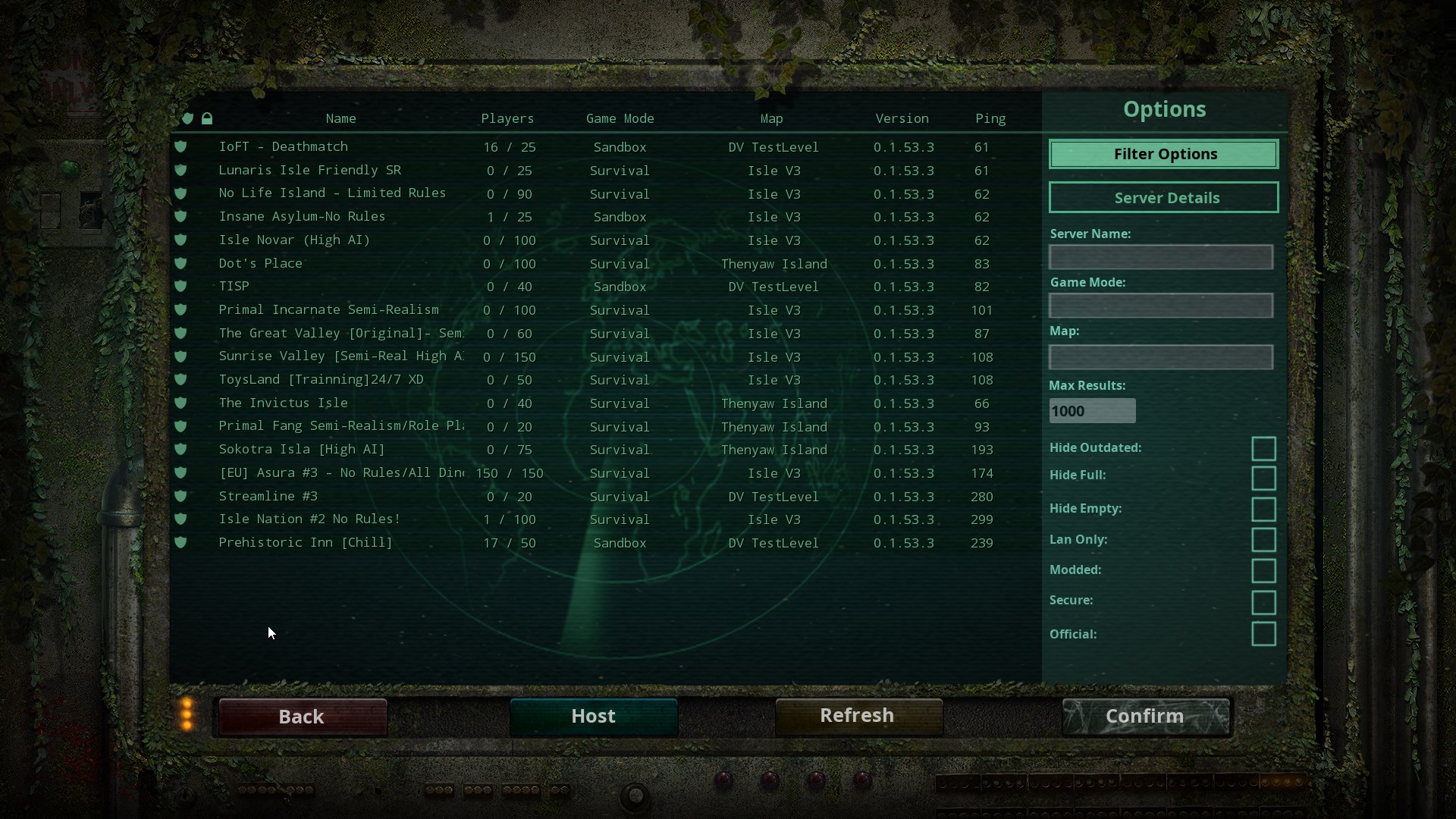
if your wondering what i mean when I say no servers pop up this is what my server browser shows when I just look for anything.

#

I am guessing I should be seeing a WHOLE lot more than that.

zealous vapor
#

Sometimes it takes a few refreshes to get a lot of them to show up

#

Have you tried searching for the server your trying to join? I’ve had a problem where I’ve to refresh a few times before I can find it, but that’s because I don’t have the best wifi

verbal grove
#

yeah I am wondering if its my wifi. I mean I have full bars on a 100mb download but still

zealous vapor
#

Why don’t you try the speed test online?

verbal grove
#

yeah 104 down 20 up

zealous vapor
#

I’m about to start doing my math final, so I’ve gtg. why don’t you DM punch about it, I’m sure he could help you

dusty grove
#

No servers show up if i change my ping to 250. Why is this?

sharp fox
#

Stuck in a rock as a Rex juvi in Official-EU Server 1

#

Will need an admin's assistance to teleport me out :/

honest river
#

@dusty grove Have you tried other ping options such as 500 or 1000

sharp fox
#

Yup, all solved! šŸ˜‰

#

Star Princess helped!

honest river
#

Awesome!

dusty grove
#

Yeah i have tried all of them but only 5000 ping works

zealous vapor
#

Not all amounts work for certain people, just how the game works, depending on where they live and stuff, so you've to adjust the number to what works best for you

honest river
#

^ What Cooks said

restive narwhal
#

hey anyone know what i can do there is the ue4-theisle fatal error ive tried alot nothing is working i was told to come here i rlly wanna play pls help

#

i dont got any mods

dusk plinth
#

Go into the Steam Library, right click your game, and verify game cache. That fixes most problems.

restive narwhal
#

i have twice already

dusk plinth
#

Have you tried just redownloading it from nothing?

restive narwhal
#

wdym from nothing

dusk plinth
#

Uninstall it, clear your local caches, and reinstall it.

restive narwhal
#

i have

dusk plinth
#

Then it sounds like a driver issue. Reup your stuff.

restive narwhal
#

repair?

#

an how do i do that?

dusk plinth
#

Just update your drivers. It depends largely on your graphics card and it's integration, so that will take some digging on your end.

restive narwhal
#

oh yeah ive already updated them a few days ago

dusk plinth
#

That's why I said to do it again, yes.

restive narwhal
#

ok

dusk plinth
#

If it is not fixed, then I'm no longer capable of assisting, I'm sorry.

restive narwhal
#

so can u like giv me a idea of where its at cause my dad updated them a few day's ago

#

idk where the drivers are

dusk plinth
#

Again, it largely depends on your graphics card and integrations. You'll need to google that on your own. A good start would be to locate the Device Manager and start from there.

restive narwhal
#

didnt work

#

@zealous vapor can u help my problem?

zealous vapor
#

I'm afraid not, I don't know much on System requirements

#

Your computer might just not be able to run it

#

But I'm not sure

#

You can DM punch or tag him about it, he maybe able to help

scarlet chasm
old juniper
#

Lately I've been having trouble when i turn my music volume down in game it changes my resolution settings and i have to hard close to log out as my cursor no longer is in sync with where the buttons are on screen

tacit stag
#

i keep getting this every time i join a sever

zealous vapor
#

Open an Administrator level command prompt

  1. Type in CMD on your windows search through your computer.
  2. Right click Command Prompt
  3. Click Run as Admin. It'll open a black weird box
  4. Type ipconfig /flushdns
  5. Hit enter
  6. Type netsh winsock reset
  7. Hit enter
  8. Reboot your computer
  9. Open up The Isle

If that doesn't work, try adding the game to your firewall/the program your using's exclusive list

scarlet chasm
#

@tacit stag, best reinstall steam for that. Remove everything in the steam folder except Steamapps and Steam. Make sure steam is completely closed first and after doing the above, then restart steam.

hollow hatch
#

One of my custom keybinds unexpectedly stopped working. The key I was using was the Right Alt key for my alternate attack key, since i prefer to play without a mouse and use a trackpad instead. I tested setting keybinds several times, and it appears that the Right Alt key does not work no matter what control I set it to do, whether it be attack, roar, etc. The key itself is not broken, as it functions as it should in other games that I play. Resetting keybinds in-game did not fix the issue, and neither did uninstalling and reinstalling the game. I also tried the old method of going into Program Files (86x)>Steam>steamapps>common>The Isle>TheIsle and then delete the "Saved" folder, but the folder is nowhere to be found. If anyone knows a solution to this issue, I'd greatly appreciate it.

zealous vapor
#

try this if you haven’t:

Open File Explorer from the taskbar.
Select View > Options > Change folder and search options.

Select the View tab and, in Advanced settings, select Show hidden files, folders, and drives and OK.

Afterwards, at the bottom left of your taskbar there should be a white search bar. Type %APPDATA% in there and open your %APPDATA% folder.

At the top you'll see the filepath, click "Appdata" to go back to the actual Appdata folder, then to local > TheIsle > delete the "Saved" folder.

hollow hatch
#

The issue still persists, unfortunately.

restive narwhal
#

@scarlet chasm so its a old computer but 1st day i got the isle worked fine

#

i copied all that like u did

scarlet chasm
#

You didn’t paste it in here?

#

If it doesn’t meet the minimum requirements we can’t guarantee it to continue working.

restive narwhal
#

i found the problem but ty

thorny urchin
#

@bright lily ask here

bright lily
#

uh ok..

thorny urchin
#

read up a bit some people have the same issue

bright lily
#

ah ok, might have to change the ping to something else

#

if none of them work, idk what to do

thorny urchin
#

If servers are not showing up:

  1. Click Steam in the top left of your Steam library.
  2. Go to Settings > In-Game > click the bottom dropdown box and change your max pings to 1000. Note: You may need to play around with the best setting for you. Some players have reported 500 works better for them.
#

yeah try that @bright lily

#

i hope it works for yeah bud

bright lily
#

I put it at 500 and it’s stuck loading.. I’ll try the other ones

#

None of them make a difference..

#

just hoping the recode could fix it

#

if it doesnt ill need to ask a dev or admin

zealous vapor
#

If servers are not showing up:

  1. Click Steam in the top left of your Steam library.
  2. Go to Settings > In-Game > click the bottom dropdown box and change your max pings to 1000. Note: You may need to play around with the best setting for you. Some players have reported 500 works better for them.

IF that doesn't work, follow this:

Open an Administrator level command prompt

  1. Type in CMD on your windows search through your computer.
  2. Right click Command Prompt
  3. Click Run as Admin. It'll open a black weird box
  4. Type ipconfig /flushdns
  5. Hit enter
  6. Type netsh winsock reset
  7. Hit enter
  8. Reboot your computer
  9. Open up The Isle
#

If the bottom half doesn't work tag me and I'll give another suggestion

austere peak
#

Hey, So I have been having an issue where my game is unable to find the servers that I'm searching for, especially the official servers, it just will not find any of the EU servers for me. Which means I can never get in at peak times to play with my friends.

#

I have validated all of my files multiple times, I've tried uninstalling. But it is still persisting? Any advice?

honest river
#

@austere peak If servers are not showing up:

  1. Click Steam in the top left of your Steam library.
  2. Go to Settings > In-Game > click the bottom dropdown box and change your max pings to 1000. Note: You may need to play around with the best setting for you. Some players have reported 500 works better for them.
austere peak
#

Thanks Zen, I shall give it a go ā¤ļø

#

Thanks it worked, you're a legend

honest river
#

Hey, no problem!! Have a good one!

mint lichen
#

I have a problem when I go to launch it

soft ermine
#

Are your drivers updated? Is the computer compatible to run the game? The game needs a pretty beefyish computer to be able to be run on and I'm not sure what type of computer you have there

#

I'm not even sure what "COOKED" and "UNCOOKED" even mean but hold on

#

I'm going to say that it's your graphics card

#

and not the game itself

pale pike
#

Not dx11 compatible iirc

soft ermine
#

yeah

#

i was about to uh

#

")Coming back to this, the problem is actually most common to not having a DX11 capable graphics card.

If you do have a DX11 card but are having this issue, then the second part would be to make sure the game is not using a integrated GPU (laptop users will see this the most), or that your drivers are updated/not corrupted.

If you do not have a DX11 card then there is not much you can do asides from upgrade. Minimum requirements of the game is DX11"
-Paco 2017

#

oops

#

but yeah basically what paco said

slender hatch
#

I need a little help

#

I keep getting system requirements msg at main menu, everybody else says my computer should run it

pale pike
#

You can still play the game even if you see that message , just ignore it

#

Also your CPU have issues with the game , so if you're having perfomance issue , see this thread on the steam forum

https://steamcommunity.com/app/376210/discussions/17/1780513643843541491/

Hey everyone, we are investigating the issue some users are experiencing with the character select and skin customization screens freezing, stuttering or otherwise degrading client performance. We believe that it's been narrowed down to the AMD Bulldozer line of CPUs, specifi...

wanton canopy
#

Why does it take ages to load into the nycta 3 server

graceful hill
#

Every once in a while I get an issue that seems to last for several days at a time or once even a month until it finally stopped. Where everything desyncs. Like, when I see another dinosaur I will see it run in a straight line and then 5 seconds later it will "teleport" to its actual location because it actually turned and ran another way. It makes it nearly impossible to defend myself and/or not hurt my own group during a fight. Anyone know what causes these desyncs and or how I could stop it?

worldly mist
#

I'm worried. If my pc (republic of gamers, 2.80 GHz, intel core i7) is as hot as the sun (can't even touch some parts ), how will it be with the recode? Will it affect my pc to the point where it's dangerous for me to play the isle?

pale pike
#

I would say it sounds like it's dangerous already , you should have it looked at if it heats that much.

zealous bear
#

I am having an issue where I cannot find a server that my friend is playing on, I search using the same filter settings and all and yet I will not come up. Any help?

valid token
#

I have problems with the graphics, I made a video, can anyone help me? It's as if the edges and shadows blink

zealous vapor
hybrid lion
#

Hey i still need help with "No Servers Found" ive tried disabling firewall, allowing a app thorugh firewall, cmd winsock reset, chaning max ping, reinstalling steam, deleting all files out of steam execpt for steamapps and steam and reseting, any more suggestions?

pale pike
#

did you add both .exes to your firewall or just one? @hybrid lion

#

Steam\steamapps\common\The Isle\TheIsle\Binaries\Win64
you'll find a ''TheIsle-Win64-Shipping'' , might be useful to add that one too

hybrid lion
#

k ill try them

gentle moon
#

Alright I can't seem to join my friends through Steam or find servers through the ingame client (though I can find them through View->Servers via Steam). I have done the Ping settings, firewall exceptions reinstalling, verifing files, setting adjustments, and driver updates. I also get a "Systems Requirements Not Met" when I initialy boot up, but can host my own server and play just fine/;

#

Also when I try to join a server via steme client I just get loaded to the start menu

#

Made some progress, Server Not Responding when I try to join through Steam to join a server

hybrid lion
#

@pale pike I dont know what you mean by add both .exes but i located Theisle-win64-shipping

pale pike
#

By both I mean the normal exe of the game that you supposedly did as you mentionned in your previous message having allowed an app through your firewall

#

The second one being the win64-shipping I told you about

hybrid lion
#

ahh i will check

hybrid lion
#

HEY, i got a bunch of servers to show up through steam servers, only problem is i cannot connect to them. any solutions????

#

it says "Server is not responding"

dark totem
#

Hello, Im new to this whole steam thing and I just bought the isle. I have a Mac, and it won't let me download the game, what can I do?

pale pike
#

Refund the game , The Isle doesn't support MacOS

dark totem
#

Will the Isle ever support MacOS?

pale pike
#

That is not a question I could answer

dark totem
#

Oh ok, thats unfortunate, thank you for your help anyway

autumn idol
#

For some reason i cant access the isle discord on my computer but i can on my phone :/
Same account, just says that theres an outage

autumn idol
#

Thank you Zen!

#

I hope it all works out

honest river
#

No problem! ā¤ļø

dusk plinth
#

šŸ‘

hybrid lion
#

so i take it there is no solution to "Server is not responding" while trying to join the isle through steam servers

paper kite
#

only solution ive found is logging off and then logging back in

pale pike
#

Would you per chance happen to have "-dx12" a your steam set launch option for the game?

paper kite
#

not that i know of

pale pike
#

I know weird artifacts like that can happen when the game is forced to run in dx12 mode using the set launch option but if you don't have it set for it then I honestly have no clue

honest river
#

@paper kite iknow how to fix that

#

Dm me

normal crow
#

Hi, my game won't launch period, I installed it but it is stuck on Installing Microsoft VC Redist Package step 1 of 7 which it never does anything. I try to launch it over and over and get the same thing, waiting does nothing to advance the steps

honest river
#

cancel it and Repair Game

normal crow
#

ok ill try

thorny harness
#

Hey, after a while I've tried The Isle on my new monitor and pc. I have a 49 Inch 5120x1440 monitor. I actually thought I could run everything with my new PC even at this high resolution, but unfortunately I have only 25 FPS with full set settings on The Isle.

My PC :

GraCa : 2080 Ti
Ram : 64GB
CPU : AMD Ryzen 3900X
MotherBoard : Asus Gaming Strix x570-E

My components aren't even fully utilized and still can only afford 25 FPS by 5120x1440 resolution at maximum settings. Is this normal?

honest river
#

go setting then change fps from 0 to 999

#

@thorny harness

thorny harness
#

ok thanks i will try it right away

#

didnt work :/ still 20 fps

honest river
#

really?

paper kite
#

How are you getting 20 FPS with those specs? Are you possibly using integrated graphics from your mobo if it has by chance?

thorny harness
#

well i wouldnt know how , usually it should use my rtx

paper kite
#

I have similar specs and I get ~80 at all cinematic so something has to be wrong

thorny harness
#

but ive got 5120x1440 resolution tho it might be a big difference?

paper kite
#

I’ve got 2560x1440 so I don’t think a monitor should drop you that far

thorny harness
#

i can stream

#

but dunno how far it ll help you recognizing somethig

#

something*

paper kite
#

I’m at work anyways so I can’t help to much

thorny harness
#

maybe something is wrong with the nvidia settings

paper kite
#

You have nvidia control panel installed?

thorny harness
#

yes

#

i just optimized it by watching a youtube video for an optimal gaming experience

paper kite
#

If so check in there, also you can look in task manager and see what the performance is like when the game is running to see if anything is wrong there

thorny harness
#

oh ok i see my rtx is fully utilized

#

RAM : 19%

#

cpu 6%

#

graca 100%

#

okay ill send you some pictures from ingame settings to nvidia control panel settings it may help you figuring something out

thorny harness
#

well sure i have everything on very high in nvidia control panel but shouldnt my pc even run with those settings games with good fps?

pale pike
#

@thorny harness in the nvdidia control panel : openGL rendering GPU > your rtx card (instead of auto select)

#

This will make sure your RTX is always the one being used

thorny harness
#

yes ill do, but as you can see my rtx is already fully utilized, so this wont change anything 😦

#

may i try to lower the settings in nvidia control panel which makes me worrying , bcs with that spec it should run any game at high fps

#

other wise ill just get another monitor with lower resolution lol

pale pike
#

you can use the Render Scale % to tone down the game quality without loosing the high res UI

thorny harness
#

ye ive played with the render scale but below 100% looks not playable in my opinion. Especially for the recode i want a cinematic beautiful resolution

pale pike
#

though you should try Epic first , iirc theres not much difference between Epic and Cinematic , the latter having simply all graphics optimization turned off for cool screenshots

thorny harness
#

ill try that now

#

but i guess its something messed up in nvidia control panel

#

i guess it cant handle it lol

pale pike
#

maybe , i'm not to savyy on the nvidia settings panel beside giving priority to the GPU

thorny harness
#

lol

#

u were right tho

#

ive turned into epic and ive got 74 fps

pale pike
#

see much difference in the graphic quality?

thorny harness
#

hmm i dont know tho, i cant remember good xD Ill need to make a screenshot to see the difference, but at first sight i dont the much difference

pale pike
#

as long as it's acceptable for you! glad we could do something šŸ™‚

thorny harness
#

thank you

#

there is something else. I don't know if its just me , but somehow the camera is pretty zoomed in, may its bcs of my monitor?

#

its totally different than before when ive used my other monitor

pale pike
#

is your monitor resolution the same as your game?

thorny harness
#

yes

pale pike
#

and you can zoom in , zoom out no problem?

thorny harness
#

yes

#

but its too close to my dinosaur

pale pike
#

I don't recall hearing anything about that sort of bug , what dino are you playing ?

thorny harness
#

giga

pale pike
#

hmm ill try on my end with a giga and see how it compares

thorny harness
#

like compared from what ive remembering when ive played the isle before, i could zoom further out or did i hit my head somewhere and its totally normal?

#

well i have to test it out with my old monitor to get a feeling to compare

pale pike
#

Looks the same for me

#

Perhaps it's just the juvie giga that have a weird camera

thorny harness
#

im gonna try it on sandbox on adult

pale pike
thorny harness
#

naah it looks like urs is a bit further zoomed out, just a little bit

pale pike
#

I am in fullscreen though , not sure if that would affect your overall resolution

thorny harness
#

im also in fullscreen

pale pike
#

It said windowed fullscreen

thorny harness
#

ive changed it to fullscreen

#

cant even see my legs

pale pike
#

it's like your game isn't generating enough height on your image

#

that's weird

thorny harness
#

ye exactly

pale pike
#

you should try different resolution to see if it's a resolution issue or something else

thorny harness
#

ok ye its the resolution

#

with 1920x1080 i can see everything

pale pike
#

game might simply not have been made for super high res yet

thorny harness
#

ye i guess 😦

#

well have to play on my old monitor then yikes ._.

#

but thank you anyways

pale pike
thorny harness
#

maybe i should suggest it for the recode to fix that :PPPP

honest river
#

Are we behaving

north atlas
#

Anyone can assist me with replay issues?

#

Is there any way to have the current replay system save in another drive since it saves in the app data on C drive? I have an SSD installed and I wanna have it always save there

#

I mean I installed it into my SSD and it still saves in the C drive >.>

pale pike
#

If I remember correctly , there's no way to change where your replays gets saved

vital sable
#

Is there a fix I can do to be able to see servers in the list? I have went into steam settings and already messed with max ping, and its not firewall, Had it working previously but at girlfriends it doesnt work and she cant see any servers no matter what on the server list on her pc either. She can see the servers on her laptop though for whatever reason, Any help would be appreciated

hybrid lion
#

Hey im looking through steam servers and a bunch of server pop up but i am unable to join any of them it says "Server is not Responding"

fierce plover
#

Does anyone know why the official server wont show up for me?

honest river
#

ServerDeadBodyTime= how long have to be for a survival server?

pale pike
kindred lodge
#

Does anyone know how to get the servers to show up? Whenever I try to join servers through the list on steam it brings me to the main menu of the isle and when i go to the servers in the game it says no servers found and i tried all of the different max ping and i’m not sure how to fix it.

dreamy pilot
#

I started the game up and it was normal until I clicked play. Took a while for anything to show up, says no servers found, even with no filters. Tried a few times.
*Nvm, it loaded... Strange encounter

zealous vapor
#

If it happens again try this

#

If servers are not showing up:

  1. Click Steam in the top left of your Steam library.
  2. Go to Settings > In-Game > click the bottom dropdown box and change your max pings to 1000. Note: You may need to play around with the best setting for you. Some players have reported 500 works better for them.

IF that doesn't work, follow this:

Open an Administrator level command prompt

  1. Type in CMD on your windows search through your computer.
  2. Right click Command Prompt
  3. Click Run as Admin. It'll open a black weird box
  4. Type ipconfig /flushdns
  5. Hit enter
  6. Type netsh winsock reset
  7. Hit enter
  8. Reboot your computer
  9. Open up The Isle
dreamy pilot
#

Alright, thank you.

tired stone
#

Is this where the paco lurks

pale pike
#

If you have an issue yes , or else this isnt the chat for a casual convo my friendPeepoWaving

distant sundial
#

whenever i try to join a server, it just says i'm kicked and that the host closed connection

green heath
#

Anyone that could help me?..

#

i dowloaded the shadow recording and it didnt work good so i removed it and after i removed it my game started lagging rlly bad and i redowloaded the isle and it doesnt change anymore..
idk what to do and im scared i cannot play again anymore.

late horizon
#

The discord server no longer shows up for me, as if I’d left it, but I never had. It doesn’t even say that the server has had an outage.

kindred lodge
#

Who else’s servers don’t load?

#

I’ve only gotten 2 servers to show after refreshing 20 times

honest river
#

@honest river could you help Maddie out dondiSucc

#

@kindred lodge Hi Maddie, first I want you to try this option:
If servers are not showing up:

  1. Click Steam in the top left of your Steam library.
  2. Go to Settings > In-Game > click the bottom dropdown box and change your max pings to 1000. Note: You may need to play around with the best setting for you. Some players have reported 500 works better for them.
kindred lodge
#

@honest river Alrighty i’ll tell you how it goes

#

no servers for 3000

honest river
#

Remember to refresh lmao

kindred lodge
#

ya i am lol

#

ty though

#

how many times should i refresh

honest river
#

Once should be fine

kindred lodge
#

okay then 1500 doesn’t bring anything up for me

#

3000 brought up one empty server called The Isle Server

honest river
#

Try 1000

kindred lodge
#

oki

pale pike
#

Are you closing your game before changing the settings too?

kindred lodge
#

oh i was just going to the menu

#

hold on i will

pale pike
#

Close and relaunch after each try to apply the changes

kindred lodge
#

oki thank you

#

ok i’m going back on now with 1000

#

it says no servers found

#

so i go back out and try another right

#

what do you suggest i try next

honest river
#

First try 1000 and if not go to 500, Paco knows more about this then I do.

kindred lodge
#

oki i’m gonna try 500 now

#

aaa it says no servers found

#

im gonna refresh again

pale pike
#

Open an Administrator level command prompt by typing in "CMD" on your windows search through your computer.
Right click CMD - Run as Admin. It'll open a black weird box
Type ipconfig /flushdns then hit enter
Type netsh winsock reset then hit enter
Reboot your computer and open up The Isle

#

Try this

kindred lodge
#

okay

honest river
#

Thank you Paco.

kindred lodge
#

does that mess with anything like my AVG internet security

pale pike
#

That will refresh your internet cache

#

Itwont mess anything

kindred lodge
#

what does that mean

#

do i leave what’s already typed in the black box

#

or erase it

pale pike
#

Also you should add the game to your AVG exception list. It may be blocking the game from accessing most servers

#

Leave anything that was already there

kindred lodge
#

okay

#

do i use spaces

pale pike
#

Between ipconfig and /flushdns

#

Yes

kindred lodge
#

if i click it i can just fix it right

#

i’m nervous imma break something šŸ˜‚

pale pike
#

Its like erasing your qeb browsers cookies

#

You cant break anything

kindred lodge
#

so i can X and restart

#

idk what i did lol

#

i pressed the up arrow to go back up to add a space and it added what was above

pale pike
#

Did the black box told you the operation was successful?

kindred lodge
#

it says DNS resolver cache

#

idk what that stands for

#

successfully flushed the dns resolver chache

#

cache

pale pike
#

Reboot your pc

kindred lodge
#

it says when i typed in the netsh that the requested operation requires elevation

#

(run as an administrator)

pale pike
#

That's why it said to right click CMD and to run as admin

kindred lodge
#

oh my bad šŸ˜‚

pale pike
#

Winsock reset is optional anyway it doesnt really matter

kindred lodge
#

what do i do now

#

okay

#

so X and restart

pale pike
#

Ye

kindred lodge
#

brb i’m gonna put in a new mouse battery

#

i’m back

#

when it’s back on do i go on the isle

pale pike
#

Yes and try to load servers

kindred lodge
#

okay

#

do i set the max ping to something specific

pale pike
#

The lower the number , the longer it scans for servers , up to you to what you want it

kindred lodge
#

would automatic be fine

pale pike
#

You could

kindred lodge
#

okay

#

steam is updating it says

#

ok i’m loading in the game i’ll tell u how it goes

#

i hope it works šŸ˜‚

#

it says no servers found

pale pike
#

Did you add the game in your avg exclusion list?

kindred lodge
#

i will right now i forgot about that part

#

let’s see how do i do this šŸ˜‚

#

i go to blocked & allowed?

#

do i add it to allowed or is there something else

pale pike
#

In your allowed list yeah

kindred lodge
#

i don’t see the isle on it

#

@pale pike

pale pike
#

Well you have to add it

kindred lodge
#

i mean in the ones to add

#

steam is here but not the isle

#

do i add steam

pale pike
#

Did you navigate to the game's folder ?

kindred lodge
#

where is that lol

#

sorry i’m being so annoying lol

pale pike
#

Program files > steam > steamapps > common > the isle

kindred lodge
#

where do i find program files

pale pike
#

On your C drive or wherever you installed windows

kindred lodge
#

okay i um am in files

#

this isn’t right is it

pale pike
#

Cant you get a friend like to show what program files is , im at work and on a phone rn , cant do everything out of memory

kindred lodge
#

oki

honest river
#

Wish someone had a video to help her out

strong shale
#

can anyone help me out cant find servers and i tried every troubleshooting i could find

kindred lodge
#

ok i’m in the isle in the program files

#

what’s next @pale pike

pale pike
#

You add it to your avg allowed list

kindred lodge
#

i know u said ur at work but i have no idea what folder to take there and how to do it

#

šŸ˜‚ i’m sorryyyy

#

i can wait until later

pale pike
#

On step 3 , you go into the game's folder and select The Isle.exe

kindred lodge
#

okay i put it in the exceptions

#

now do i try to load servers

pale pike
#

Yes

kindred lodge
#

oooo hopefully this works

#

5000 still fine?

#

it still says no servers found

#

idk what i’m doing wronggg D:

hybrid lion
#

maddie i hate to break it to you but nothing has worked for me either ive tried of 10 solutions, it doesnt matter on feb 14 i believe there are going to be major bug fixes etc so you might have to wait like me

kindred lodge
#

r u positive that will work? because i’ll wait

hybrid lion
#

Positive? no, im hopeful though, i have 10 hours in the isle and havent played it once.

#

Ive also been trying to fix "No Servers Found" for over 3 weeks

kindred lodge
#

i’ve played it for a few hours i just constantly refreshed and one server loaded with 8 people in it

hybrid lion
#

that is the same with me

kindred lodge
#

i got the game the 29th of this month

hybrid lion
#

lmk if you find a solution, and I will let you know if I find one, because we seem to be suffering from the same problem.

kindred lodge
#

so is another friend of mine

pale pike
#

Yeah those solutions dont work for everyone

strong shale
#

i suffer from that shit too

#

literally tried everything

hybrid lion
#

yeah, but its a big enough problem that enough people suffer from that I think that it will get fixed quite soon

kindred lodge
#

i hope so

strong shale
#

yeah same

#

cuz literally took a break came back and it was fucked

#

i was like well damn

hybrid lion
#

I was never able to play xd

kindred lodge
#

ooooof

#

welp ig we can just hope it gets fixed

faint merlin
#

how can you host a server with isle V3 map?

fossil ferry
#

assisitttanncncdnne

#

uncooked files or something

#

ive tried restarting steam, running the file scan thing, and uninstalling and reinstalling it

flat frost
#

Guys

#

At the moment i cant join any servers

#

i say any but

#

its really just two deathmatch servers

#

it says

#

connection time out

pale pike
#

@fossil ferry what is your GPU?

flat frost
#

like 2 hours ago it worked perfectly fine

pale pike
#

Try refreshing your dns cache @flat frost

#

Open an Administrator level command prompt

  1. Type in CMD on your windows search through your computer.
  2. Right click Command Prompt
  3. Click Run as Admin. It'll open a black weird box
  4. Type ipconfig /flushdns
  5. Hit enter
  6. Type netsh winsock reset
  7. Hit enter
  8. Reboot your computer
  9. Open up The Isle
fossil ferry
#

@pale pike i have no id e a

#

i have a hp desktop

vocal harbor
#

not game related but i keep having issues where the discord server is down? any one else having this a lot lately?

kindred lodge
#

@vocal harbor I was having that problem earlier today and yesterday too

flat frost
#

paco ty i got mine to work by restarting my pc

#

kinda forgot i put the thing here lol

honest river
#

im having a problem this started a few days ago where if i play in window or broderless my game freezes after 10 seconds of joing a server. but if i play in full screen ill randomly blue screen. (EDIT) i have found a fix. Launch game. Turn ur audio to low quality and drag everything else to 0. Then put it bsck to what u like when u load on. Wierd fix but it also fixed my alt tab issues.

noble eagle
#

Not sure exactly which channel to share this in. So for those who have got the "Lost Connection: Host Kicked From Server" message and cannot connect to servers, I found a solution that might work (worked for my friend, but cannot guarantee it will work for everyone). First close steam, not just minimize but fully close application. Then, right click the Steam application in your Steam folder, go to properties, go to the compatibility tab, then tick the box beside "Run this program as Administrator". Click Apply then OK. Open up Steam. pop window will come up asking if you would like to allow steam to make changes to your computer and a second window informing you that running steam in compatibility mode may cause issues with some games but you can press ok/continue to both of those. Hopefully this will help some people who haven't been able to play the game at all as I know this issue is very annoying. If it works but causes issues with other games, simply follow the process but untick the "Run this program as administrator" this time to turn off when you wish to play different game that doesn't work while in compatibility mode. Again, hope this helps a few people out.

sonic bolt
#

Can I get some help? I fell in a rock and now I can't get out of it. Thanks in advance! <.<

#

Nevermind. xD

scarlet chasm
#

@sonic bolt issues like that should be posted in the text channel for the official server you are playing on

kindred lodge
#

I have been having this problem for a couple of days where the servers will only load one at a time if at all. Paco has tried to help but all his methods didnt work..... sooo if a dev could help i would rlly appreciate it.

flat frost
#

i think

#

the reason this is happening

#

is cuz ur running a different version of the game

#

i had ticked the box called "hide outdated" when i tried to join ur server and nothing came up the 3 times i refreshed it

#

when i removed the tick ur server came up so

#

idk

flat frost
#

lol

limpid karma
#

Something went wrong with my isle account and it wont run anymore cant get into any server main menu lags a bit too. anyone know of any issues that could cause it? Steam ID: Doc 76561198410150700

pale pike
limpid karma
#

There ya go those are my specs.

#

also i have no problem one of my steam accounts but when i hop onto another (same pc) i cant load in

silver bough
#

i have a problem with AI there is alot in map should i desactivate bServerAIPlayerSpawns=true ?

#

my IA rate is 1.0 and max 100

#

but players find easy food i wanna make it more dificult

pale pike
#

@limpid karma sorry , the isle discord wouldnt load at all after I sent you that pepeSadRain

Anyway, your specs are fine , first time I see an "account specific" issue ... have you tried deleting your saved folder?

#

AI settings doesnt actually do anything @silver bough

clever halo
#

anyone know why my buddy doesnt see any of the isle official servers?

limpid karma
#

i dont have a saved folder when i go to the isles local files

thorny grail
#

@clever halo i have the same problem i can play on a hand full of servers but non of my usual servers i play on or official servers are showing up for me, this started happening after my wifi antenna fell over and the dish had to be replaced

thorny grail
#

any tips on how i might fix it?

flat frost
#

enigna

#

does his servers show up on steam?

#

like if u press view -> servers?

#

view is in the top left corner btw

#

@thorny grail

amber flax
#

i cannot see any of the servers. like, any servers. my internet is fine. help?

flat frost
#

ur not the only one with the problem

visual temple
#

i tried to install the game on my external harddrive and it finished the download but would real time switch between validate and download. i uninstalled it and now it wont go past validating after finishing the install. can someone help

#

ok nvm, finally finished validatibg

thorny grail
#

@flat frost I get like 10-15 servers on steam's server search, I tried verifying and reinstalling,

#

If tried google search for fixes also and nothing helps

#

This isnt the first time it happened to me also, it also happened when I first bought the game, but back then my pc and internet was weaker, all I did was to fix it was upgrade my pc back then and possibly a update also helped it right itself, now im not so sure my internet is fine, and my pc is stronger now, I have 500 hours on the game I definitely didnt play that much alone šŸ˜‚

flat frost
#

Lol

#

Well

#

Are u able to join a server from steam?

thorny grail
#

No I have tried that also

#

If im in game and server shows up I can join it if its not full but otherwise throu steam itself no I can not

#

Should I try reinstalling steam?

flat frost
#

my friend has an incredibly similar problem

#

But she tried reinstalling the game

#

It might have something to do with ur internet not having the capacity to load a ton of servers

thorny grail
#

Thats the weird thing, it didnt have any problem loading any servers for a year now

flat frost
#

well

#

thats weird

#

i dont know what to do

scarlet chasm
#

If servers are not showing up:

  1. Click Steam in the top left of your Steam library.
  2. Go to Settings > In-Game > click the bottom dropdown box and change your max pings to 1000. Note: You may need to play around with the best setting for you. Some players have reported 500 works better for them.

IF that doesn't work, follow this:

Open an Administrator level command prompt

  1. Type in CMD on your windows search through your computer.
  2. Right click Command Prompt
  3. Click Run as Admin. It'll open a black weird box
  4. Type ipconfig /flushdns
  5. Hit enter
  6. Type netsh winsock reset
  7. Hit enter
  8. Reboot your computer
  9. Open up The Isle
flat frost
#

we did this trevor but ill try to do it agian

#

again

#

and see if it works

scarlet chasm
#

Oh ok, wasn’t sure if you guys had yet or not

thorny grail
#

so i figured out my problem

#

its seems that certain settings was not changed back to the way they were by the isp before the old dish broke,

flat frost
#

what did u change

#

good job btw

honest river
#

omg tysm @scarlet chasm i spent like 6 hours trying to find nublar 3 yesterday & now i finally found it after changing my max ping to 1000

scarlet chasm
#

Glad to hear!

sage crane
#

i cant find a server primeval has it crashed

dusk plinth
#

If it's one of the unofficial servers, you should report to issue to them - not here.

muted dew
#

Anyone able to help me out? I don't have a mouse and I'm trying to remap the controls for looking up/down/left/right to the arrow keys, but for left/right, for some reason with this configuration both the left and right arrow keys turn my screen to the right. I tried swapping them, only setting one, etc, but they all lead to turning right only. The up/down works perfectly. I'm not the best with computer controls so if anyone knows how to fix this please lmk

scarlet chasm
#

@tough kayak

If servers are not showing up:

  1. Click Steam in the top left of your Steam library.
  2. Go to Settings > In-Game > click the bottom dropdown box and change your max pings to 1000. Note: You may need to play around with the best setting for you. Some players have reported 500 works better for them.

IF that doesn't work, follow this:

Open an Administrator level command prompt

  1. Type in CMD on your windows search through your computer.
  2. Right click Command Prompt
  3. Click Run as Admin. It'll open a black weird box
  4. Type ipconfig /flushdns
  5. Hit enter
  6. Type netsh winsock reset
  7. Hit enter
  8. Reboot your computer
  9. Open up The Isle
tough kayak
#

Thx i will try it

honest river
#

can someone help me get my obs to not lag during my stream

scarlet chasm
bronze mural
#

Game keeps bugging and freezing

#

cant start it

#

the furthest I got was in a server and being able to click on one of the dinosaurs

#

then it froze again

radiant jetty
#

what computer do you have? @bronze mural

#

is it even able to run isle?

bronze mural
#

well yes, but not the game apperently

#

I join a server

#

and it freezes

scarlet chasm
#

Definitely shouldn’t have a problem running it. Have you verified the integrity via steam?

bronze mural
#

wym verified?

merry sleet
#

Not sure if this is where this question should go, but the discord server here chronically goes offline as a "temporary outage" I have a ticket open with Discord about it, but they need to know the Server's Region. Can a Discord Mod help me so I can send to the Discord customer support person?

scarlet chasm
#

@merry sleet we are aware of it and trying to get it fixed, it’s not just you :/

#

@bronze mural if you right click the isle in steam and go to properties, there should be an option to verify the integrity of the files.

bronze mural
#

done it

#

will now try again

#

ah it works

#

thx

scarlet chasm
#

Awesome!

scarlet chasm
#

@sudden meadow Have him verify the integrity by right clicking the game in steam, going to properties and there should be an option to Verify Integrity if Game files or something

honest river
#

What ports do I need open to host my own dedicated server ?

pale pike
#

Port 7777-7778
Protocol 27015-27016

fresh fern
#

im using an RTX 2060 and getting a lot of shadow flickering in game - anyone else have/had this problem?

pale pike
fresh fern
#

Processor Information:
CPU Vendor: AuthenticAMD
CPU Brand: AMD Ryzen 5 2600X Six-Core Processor

#

Operating System Version:
Windows 10 (64 bit)
NTFS: Supported
Crypto Provider Codes: Supported 311 0x0 0x0 0x0

Video Card:
Driver: NVIDIA GeForce RTX 2060
DirectX Driver Name: nvldumd.dll
Driver Version: 26.21.14.4219
DirectX Driver Version: 26.21.14.4219
Driver Date: 1 29 2020
OpenGL Version: 4.6
Desktop Color Depth: 32 bits per pixel
Monitor Refresh Rate: 143 Hz
DirectX Card: NVIDIA GeForce RTX 2060
VendorID: 0x10de
DeviceID: 0x1f08
Revision: 0xa1
Number of Monitors: 2
Number of Logical Video Cards: 2
No SLI or Crossfire Detected
Primary Display Resolution: 2560 x 1440
Desktop Resolution: 4480 x 1440
Primary Display Size: 23.54" x 13.23" (26.97" diag)
59.8cm x 33.6cm (68.5cm diag)

#

Setting: 1440p, medium shadows, high foilage, epic everything else

pale pike
#

medium shadows is your culprit

#

set it to high or epic to stop the flickering

fresh fern
#

ok thanks!

honest river
#

Any good server hosting guides for SteamCMD?

scarlet chasm
scarlet chasm
#

Ok cause this channel is for troubleshooting the normal game and not hosting a server.

alpine swallow
#

Hello, they sent me here to know if you can help me with my problem, the game has not started for two days

#

I can't find a solution

scarlet chasm
#

@alpine swallow I’d start by right clicking on The Isle in steam, going to properties, and finding the option to Verify Integrity of Game Files or something close to that.

alpine swallow
#

I've already done it and I get everything right

#

If you want, I pass my account and try?

scarlet chasm
#

Naw don’t give me your account šŸ™‚ do any errors pop up when you try to run it?

alpine swallow
#

No, when I click to play, I don't finish running and it doesn't open

#

I press play, it runs and it doesn't open

scarlet chasm
#

Does the isle window pop up or show in the bottom start menu bar at all?

alpine swallow
#

doesn't appear

#

the game itself does not open

scarlet chasm
#

Try this:

Right click The Isle in your steam library > left click properties > local files > browse local files > TheIsle > Binaries > Win64 > and launch the game via the .exe file.

alpine swallow
scarlet chasm
#

Hmm... also reshade is not allowed to be used with The Isle

stone otter
#

ahyes

alpine swallow
#

Erased šŸ‘šŸ¼

scarlet chasm
#

Try running that exe as an admin by rightclicking the file from the previous instruction and selecting Run As An Administrator

alpine swallow
#

Same mistake..

scarlet chasm
#

Have you tried reinstalling the game completely?

alpine swallow
#

yes

scarlet chasm
#

Last thing I can think of is running steam itself as an administrator

alpine swallow
#

how do i do it

#

?

#

I made a gift of the problem to make it look clearer

scarlet chasm
#

Looks like it can’t detect what driver version you have. You should probably update the NVidia graphics driver for your GPU

pale pike
#

Either the GPU hasn't been properlly installed or the game is trying to use the integrated video chip

#

Or corrupted driver version

#

Give priority to your 2070 card through the Nvidia control panel .

Reinstall your GPU's driver @alpine swallow

alpine swallow
#

and from the photo of the folder you sent there is no strange document?

pale pike
#

Beside reshade ,no

alpine swallow
pale pike
#

Just try both thingsI told you to and try launching the game TCRUZ

alpine swallow
#

Already done

pale pike
#

And it gives the same error message?

alpine swallow
#

yes...

pale pike
#

If it doesn't detect your driver , you might have a faulty gpu

alpine swallow
#

The strange thing is that all games work except this

pale pike
#

If you open your task manager , is the isle.exe running ??

alpine swallow
#

no

pale pike
#

At this point I would suggest a complete reinstall while also deleting every files for the isle in your local folder

#

Type %localappdata% in your task bar search box and press enter. Delete the folder The Isle . > uninstall the game

alpine swallow
#

Tomorrow I inform you! Thanks for your time

pale pike
proper verge
#

hey, I'm a female adult carno and I can't seem to nest

pale pike
#

Bite the air before trying to lay a nest , or relog @proper verge

proper verge
#

Got it, thanks! The problem was I wasn't safelogging

alpine swallow
#

Guys! The solution was to erase all the steam data and its games and reinstall it, I guess there was a damaged file..

#

Thanks for all!

scarlet chasm
#

Glad it’s working now @alpine swallow!

honest river
#

my isle game wont go to halfscreen? even tho i go in the settings and change it and hit apply nothing happens

scarlet chasm
#

Half screen?

vale badge
#

I think they mean windowed mode?

unreal hill
#

hello i just got the game i have a problem

#

my PC keeps crashing when I play this game

#

Almost every time

#

I verified game chase

#

Cache

#

Turned down graphics

#

The whole 9 yards

#

The intervals of crashing it’s getting smaller

pale pike
unreal hill
pale pike
#

Any error message assiociated with the crashes?

unreal hill
#

Where would I find them

pale pike
#

When it crashes, there's usually a pop up that appears

unreal hill
#

No, like my entire Pc crashes

#

And then restarts

pale pike
#

New computer?

unreal hill
#

New hardware

pale pike
#

Faulty hardware or not properlly installed perhaps

unreal hill
#

It’s only this game tho

pale pike
#

For it to crash the whole pc..

unreal hill
#

Any other game is fine

#

It’s only the isle

pale pike
#

I'll look into it , but I am at work so it may take some time

unreal hill
#

it’s ok, just ping me if you get anything

pale pike
#

My search results are all about faulty PSU but that doesnt in your case as every other games works fine for you @unreal hill .
At this point I would suggest a complete reinstall while also deleting every files for the isle in your local folder.

Type %localappdata% in your task bar search box and press enter. Delete the folder The Isle . > uninstall the game

gleaming dawn
#

Every single time I try and join a server, if i'm lucky I get in for 10 minutes before it kicks me and says "host closed the connection" or something like that. Only started this past week and i've gone 450 hours prior with no issues, please help.

pale pike
#

If that doesn't work:

Open an Administrator level command prompt

  1. Type in CMD on your windows search through your computer.
  2. Right click Command Prompt
  3. Click Run as Admin. It'll open a black weird box
  4. Type ipconfig /flushdns
  5. Hit enter
  6. Type netsh winsock reset
  7. Hit enter
  8. Reboot your computer
  9. Open up The Isle
    @gleaming dawn
#

If it doesnt work , try re installing Steam

neon patio
#

So I still have an unresolved issue, and another one I just recently noticed:
When my friend invites me on the isle, no matter the server, I do not see the invite popup. Nothing comes up. I can hit F1 and accept it still. It just never shows up. Another part to it, I cannot send him invites. He ALWAYS has to send them, because mine do not send to him. I hit send invite to him, nothing comes up, and even hitting F1 for him does nothing. So I figure they just don't send to him. But, if anyone else at all, send either of us group invites, they show up fine. What is going on?

My other issue is small but a little annoying:
on the left side and topside of my screen, after looking around quite a bit, I will somehow position my mouse on the screen where it shows up when looking to the left, or looking upwards. When moving it to the left it will pop up until I stop moving it there. Same thing goes for upwards. It goes away after I get done turning. Any clue what this is and how to fix it? I don't think I've tried changing the window mode yet, but plan to when I get on next.

#

@me if you have any idea please. I don't often check this discord and will miss your message otherwise.

fringe ivy
#

So I'm having trouble utilizing the replay function, it will let me select a person to view, but I cannot pan my camera anywhere and I can also not zoom out. The replay also freezes and will not play.

silver bough
#

hi guys i have problem changing the map i cant find the right name to put

#

i wanna put thenyaw map

#

now i have it like this Landscape3/Isle_V3

gleaming dawn
#

@pale pike did both of those, did not help in the slightest. Infuriating that it's happening now out of nowhere. Even turned off my firewall while playing, didnt work.

It's only the isle this happens in.

robust bough
#

I cant find the server when i look for it on the server search page. Ive tried using US or 1 as a server name modifier but still not able to find it

#

i can find the isle official RU all day, just not US

sudden stratus
#

try clicking the official tab at the right in game

#

and delete whats in the search field

robust bough
#

just finding EU

sudden stratus
#

is your screen like mine?

robust bough
#

ya i dont get that at all

#

usually no servers found or its the EU or RU one.

sudden stratus
#

so everything matches?

robust bough
#

yes, the search criteria is all blanks aside from official checked

sudden stratus
#

strange

robust bough
#

i started a live stream can you see it

sudden stratus
#
  • problem solved -
scarlet chasm
#

@fringe ivy replay shouldn’t even be functioning per Foszor.

#

@gleaming dawn if you go into the steam folder and delete everything except SteamApps and Steam.exe and rerun steam it will redownload the files it needs.

gleaming dawn
#

Legit deleted everything to do with steam, and my localappdata for the isle, and then reinstalled it all. To no avail, it is still fucked.

lilac abyss
#

I've been having trouble with my server list. Even though I live in the US, the official US servers never show up. I've only seen EU 2 or 3. When I refresh new servers pop into my options, and some out. Sometimes the search feature doesn't work either, even when I type in the exact name of an existing and active server. The game might be confused on my location? Please help

sudden stratus
#

Well I can tell you to do the same thing that fixed the other dude that I helped

#

@lilac abyss

#

Just dm me

pale pike
#

@gleaming dawn last possibile solution i can think of is changing your region download in your steam setting (download tab) . If that still doesn't work then you would have to wait for the recode for any possible improvement to your issue unfortunately.

gleaming dawn
#

Yeah it looks like that'll have to be it. I'll catch up on other games till recode. :)

foggy marten
#

any body good with pc specs etc?

weary stump
#

so yea I guess I am in the same boat as @gleaming dawn

#

I literally just went out of town. Brought my desktop to monitor and remote connect to my 3 servers for injections and whatnot but cannot connect at all;

#

to literally any server

#

hopefully when i go home I don't have this issue but it is frustrating to not be able to connect to my servers

#

or any for that matter

lilac thistle
#

Tried deleting your Saved folder? That fixed it for the last person who DM'd me.

weary stump
#

in %appdata%

#

??

#

local?

lilac thistle
#

Yes

#

I can find you the exact path, one second.

weary stump
#

i got it

lilac thistle
#

Ah okay

weary stump
#

nah

lilac thistle
#

It didn't work?

weary stump
#

nope

lilac thistle
#

In that case, seeing that it works for you at home.. It's most likely a firewall or network issue.

weary stump
#

couldn't search my servers in the server browser

#

killed game

#

used steam server browser

#

connected

#

booted in 5 seconds from connection

lilac thistle
#

What's your firewall/anti-virus program?

weary stump
#

defender

lilac thistle
#

Added The Isle's folder as an exclusion?

weary stump
#

I have been playing this game no problem

#

oh yea

#

it may just be because I am behind this terrible ISP provided gateway right now

#

at family's house

lilac thistle
#

That may be it as it definitely sounds like a network related issue.

weary stump
#

I opened all the ports to my servers and still nothing

#

DMZ'ed

#

reset winsock shiz

#

like everything

#

thogught it may be some weird steam auth situation but no

#

server console gives no such readout

pale pike
#

And you're using direct ethernet connection ?

weary stump
#

yeep

#

port checker confirms servers ports are open here

pale pike
#

Launched steam and the game as administrator?
Changing download region?

weary stump
#

very weird

#

that I have not tried

#

but I am literally like 20 miles from my house where everything worked

#

it's literally just this game

#

I have tested everything

#

it is so weird